Manipulation Process


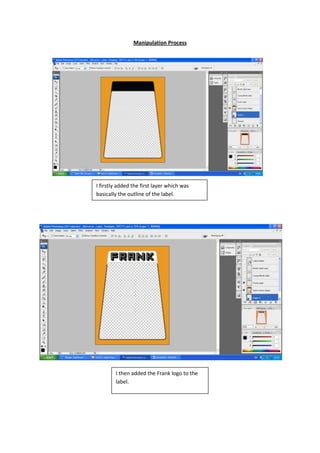
I firstly added the first layer which was
basically the outline of the label.


        I then added the Frank logo to the
        label.
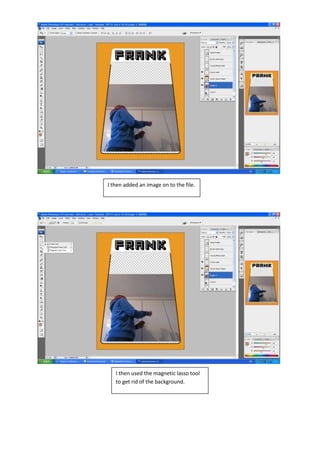
I then added an image on to the file.


   I then used the magnetic lasso tool
   to get rid of the background.
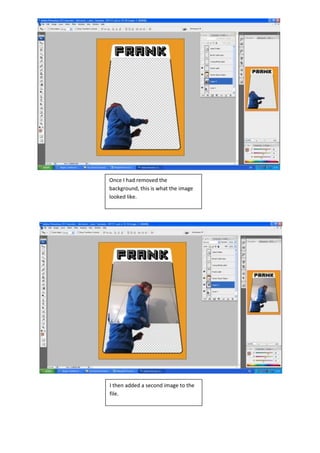
Once I had removed the
background, this is what the image
looked like.


I then added a second image to the
file.
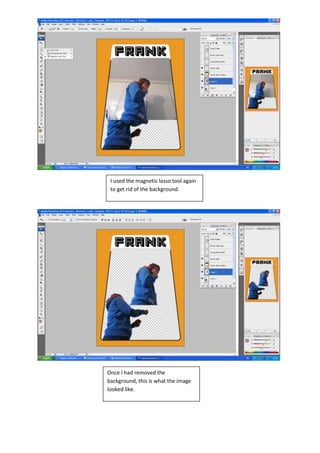
I used the magnetic lasso tool again
 to get rid of the background.


Once I had removed the
background, this is what the image
looked like.
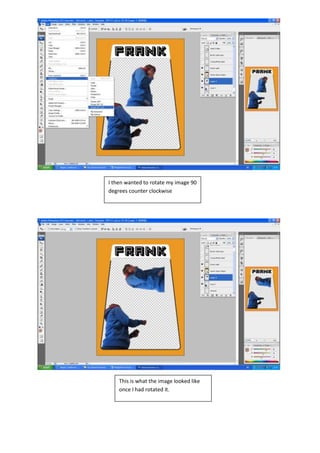
I then wanted to rotate my image 90
degrees counter clockwise


    This is what the image looked like
    once I had rotated it.
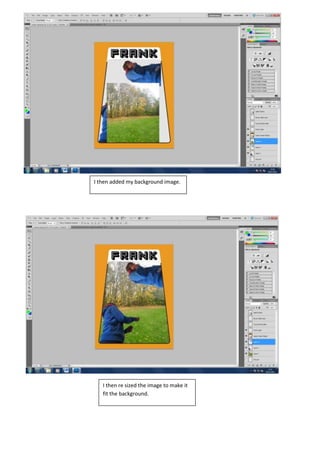
I then added my background image.


   I then re sized the image to make it
   fit the background.
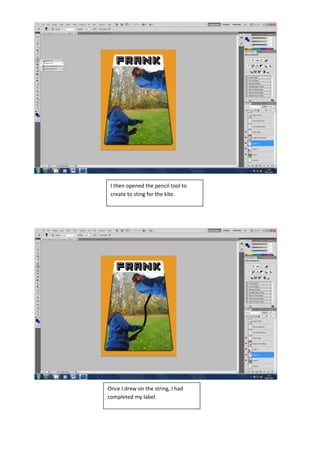
I then opened the pencil tool to
 create to sting for the kite.


Once I drew on the string, I had
completed my label.

Frank label manipulation process

  • 1.
    Manipulation Process I firstlyadded the first layer which was basically the outline of the label. I then added the Frank logo to the label.
  • 2.
    I then addedan image on to the file. I then used the magnetic lasso tool to get rid of the background.
  • 3.
    Once I hadremoved the background, this is what the image looked like. I then added a second image to the file.
  • 4.
    I used themagnetic lasso tool again to get rid of the background. Once I had removed the background, this is what the image looked like.
  • 5.
    I then wantedto rotate my image 90 degrees counter clockwise This is what the image looked like once I had rotated it.
  • 6.
    I then addedmy background image. I then re sized the image to make it fit the background.
  • 7.
    I then openedthe pencil tool to create to sting for the kite. Once I drew on the string, I had completed my label.