Find affiliates
To start
• Go to www.networks.nhs.uk
• Log in
• Click on Your menu, click on Your networks
• Click on the name of your network
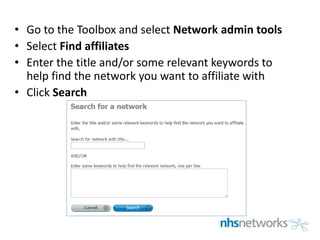
• Go to the Toolbox and select Network admin tools
• Select Find affiliates
• Enter the title and/or some relevant keywords to
help find the network you want to affiliate with
• Click Search
• Click on the name of the network you want to affiliate with
• Your affiliation request has been emailed to the other
network's contact
• Once the request has been approved, the network name
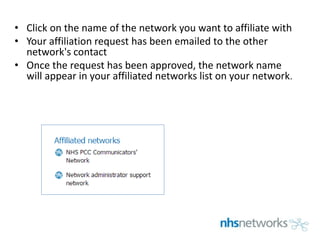
will appear in your affiliated networks list on your network.

Find affiliatesv2

  • 1.
  • 2.
    To start • Goto www.networks.nhs.uk • Log in • Click on Your menu, click on Your networks • Click on the name of your network
  • 3.
    • Go tothe Toolbox and select Network admin tools • Select Find affiliates • Enter the title and/or some relevant keywords to help find the network you want to affiliate with • Click Search
  • 4.
    • Click onthe name of the network you want to affiliate with • Your affiliation request has been emailed to the other network's contact • Once the request has been approved, the network name will appear in your affiliated networks list on your network.