Typing in Another Language Done with Windows Vista
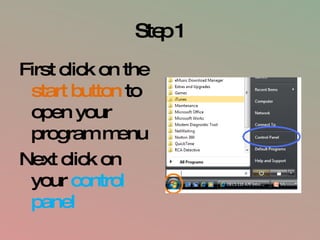
Step 1 First click on the  start button  to open your program menu Next click on your  control panel
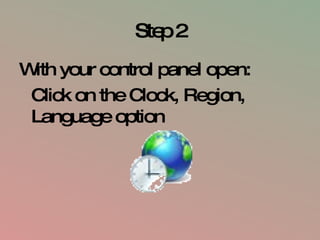
Step 2 With your control panel open: Click on the Clock, Region, Language option
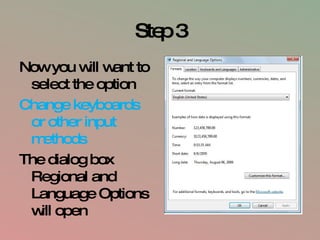
Step 3 Now you will want to select the option Change keyboards or other input methods The dialog box Regional and Language Options will open
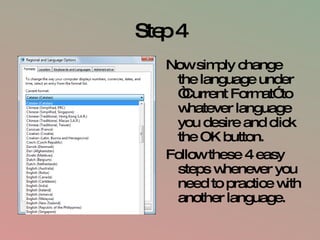
Step 4 Now simply change the language under “Current Format” to whatever language you desire and click the OK button. Follow these 4 easy steps whenever you need to practice with another language.

Final

  • 1.
    Typing in AnotherLanguage Done with Windows Vista
  • 2.
    Step 1 Firstclick on the start button to open your program menu Next click on your control panel
  • 3.
    Step 2 Withyour control panel open: Click on the Clock, Region, Language option
  • 4.
    Step 3 Nowyou will want to select the option Change keyboards or other input methods The dialog box Regional and Language Options will open
  • 5.
    Step 4 Nowsimply change the language under “Current Format” to whatever language you desire and click the OK button. Follow these 4 easy steps whenever you need to practice with another language.