C & DATA STRUCTURE
BATCH 2019-2023
Mission 2023
OBJECTIVES
• Facilitation for clearing written examination of
Placement drives
• Facilitation for clearing the GATE, PSUs Tests
• Developing problem solving ability
• Building logical thinking through customized approach
• Conceptual polishing of learnt concepts
• Enhancing the knowledge base with the add-on
concepts
HOW IS TRAINING DIFFERENT FROM
ROUTINE CLASS
• Discussion on MCQs asked in Recruitment drives, GATE and PSUs.
• Assessment through challenging problems (Designed by Training Team)
for confidence building.
• Emphasis on Add on knowledge in the domain.
• Starting from the topics not covered in trainings in last semester.
• Quick refresher of topics covered in DS training in 3rd and 4th Sem.
• Preparation of comprehensive Question Bank with the solution for Quick
reference for any placement drive.
TOPICS TO BE COVERED
• File Handing
• File operations in C
• Modes and Description
• File I/O functions
C & DATA STRUCTURE (FILE HANDLING)
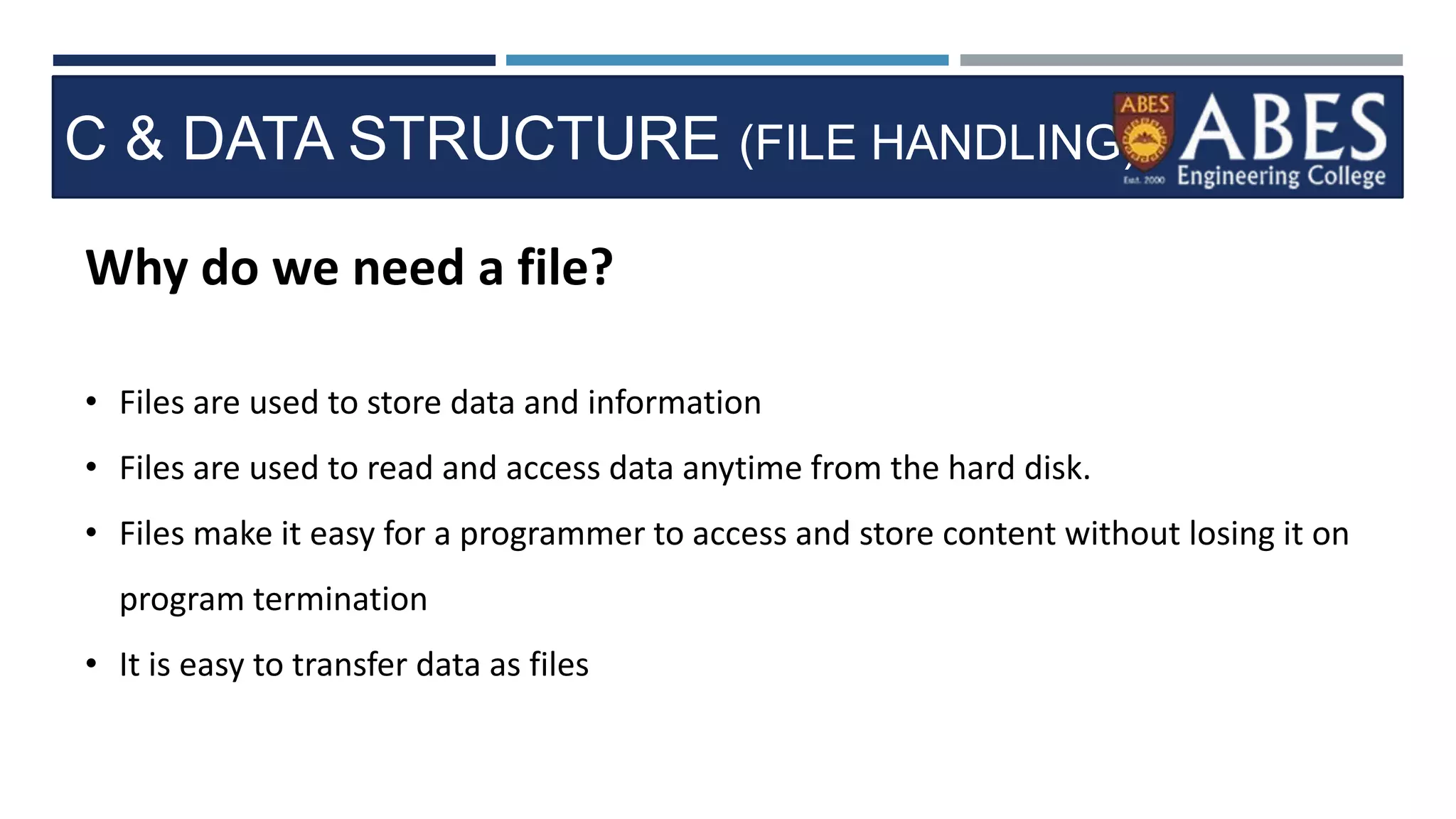
Why do we need a file?
• Files are used to store data and information
• Files are used to read and access data anytime from the hard disk.
• Files make it easy for a programmer to access and store content without losing it on
program termination
• It is easy to transfer data as files
C & DATA STRUCTURE (FILE HANDLING)
FILE OPERATIONS IN C
• Creating a new file
• Opening a file
• Closing a file
• Reading from and writing to a file (appending a file)
C & DATA STRUCTURE (FILE HANDLING)
Working with files in C
• stdio.h contains a function called fopen() for opening files in C
• When working with files we have to eclare a pointer of type FILE
• This declaration helps us to work with files through C programs
• The syntax for opening a file in standard I/O is:
• ptr = fopen (“file name”, “mode”)
• In order to read/write to a file, we can use fscanf/fprintf function
• fscanf(ptr, “%s”, buff);
• fprintf(ptr,”%d”, buff);
• Fclose(ptr);
fptr is a file pointer associated with file to be closed
C & DATA STRUCTURE (FILE HANDLING)
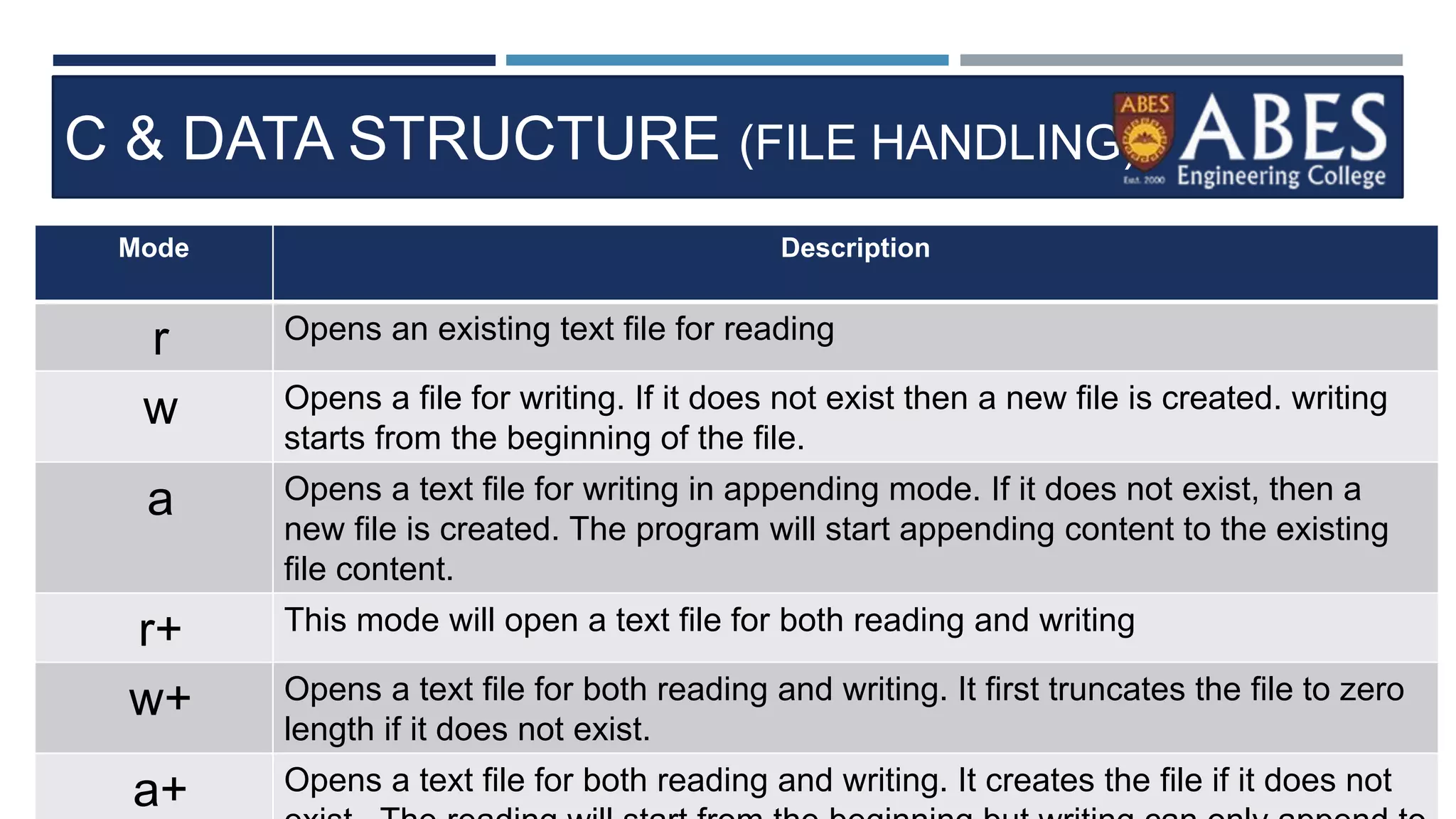
Mode Description
r Opens an existing text file for reading
w Opens a file for writing. If it does not exist then a new file is created. writing
starts from the beginning of the file.
a Opens a text file for writing in appending mode. If it does not exist, then a
new file is created. The program will start appending content to the existing
file content.
r+ This mode will open a text file for both reading and writing
w+ Opens a text file for both reading and writing. It first truncates the file to zero
length if it does not exist.
a+ Opens a text file for both reading and writing. It creates the file if it does not
C & DATA STRUCTURE (FILE HANDLING)
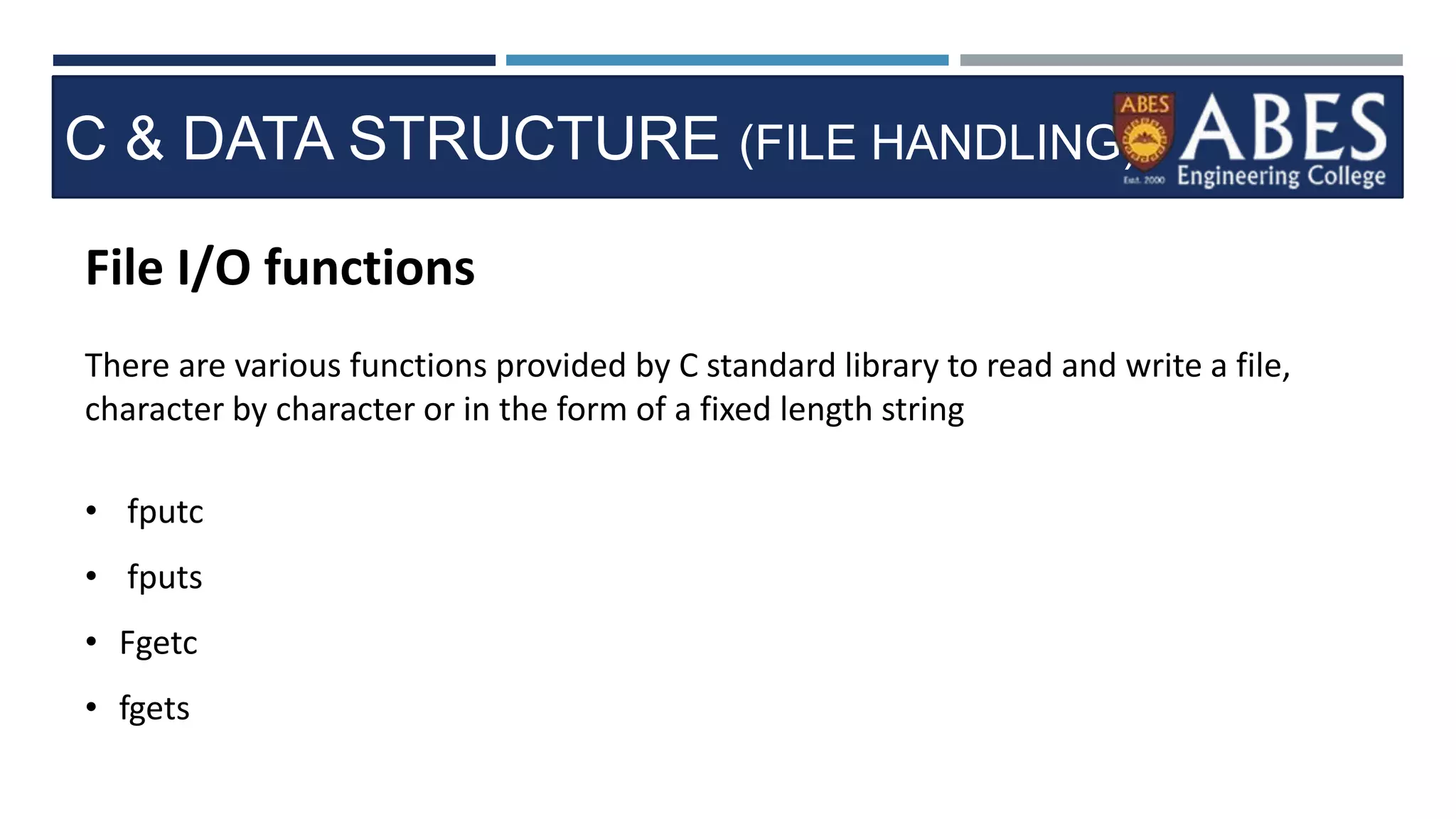
File I/O functions
There are various functions provided by C standard library to read and write a file,
character by character or in the form of a fixed length string
• fputc
• fputs
• Fgetc
• fgets
C & DATA STRUCTURE (FILE HANDLING)
Fputc() Function
• Simplest function to write character to a file
• Syntax: int fputc ( character, FILE pointer);
• It returns the written character written on success.
• On failure it returns EOF
• The EOF is a constant defined in the header file stdio.h.
Fputs() Function
• This function is used to write a null terminated string to a file in C.
• Syntax: int fputs(constant char *s, FILE *ptr)
C & DATA STRUCTURE (FILE HANDLING)
fgetc() Function
• Simplest function to read character from a file
• Syntax: int fgetc ( FILE *ptr);
• It returns the read character written on success.
• On failure it returns EOF
• The EOF is a constant defined in the header file stdio.h.
Fputs() Function
• This function is used to read a null terminated string to a file in C.
• Syntax: int fgets(constant char *s, int n, FILE *ptr);
C & DATA STRUCTURE (FILE HANDLING)
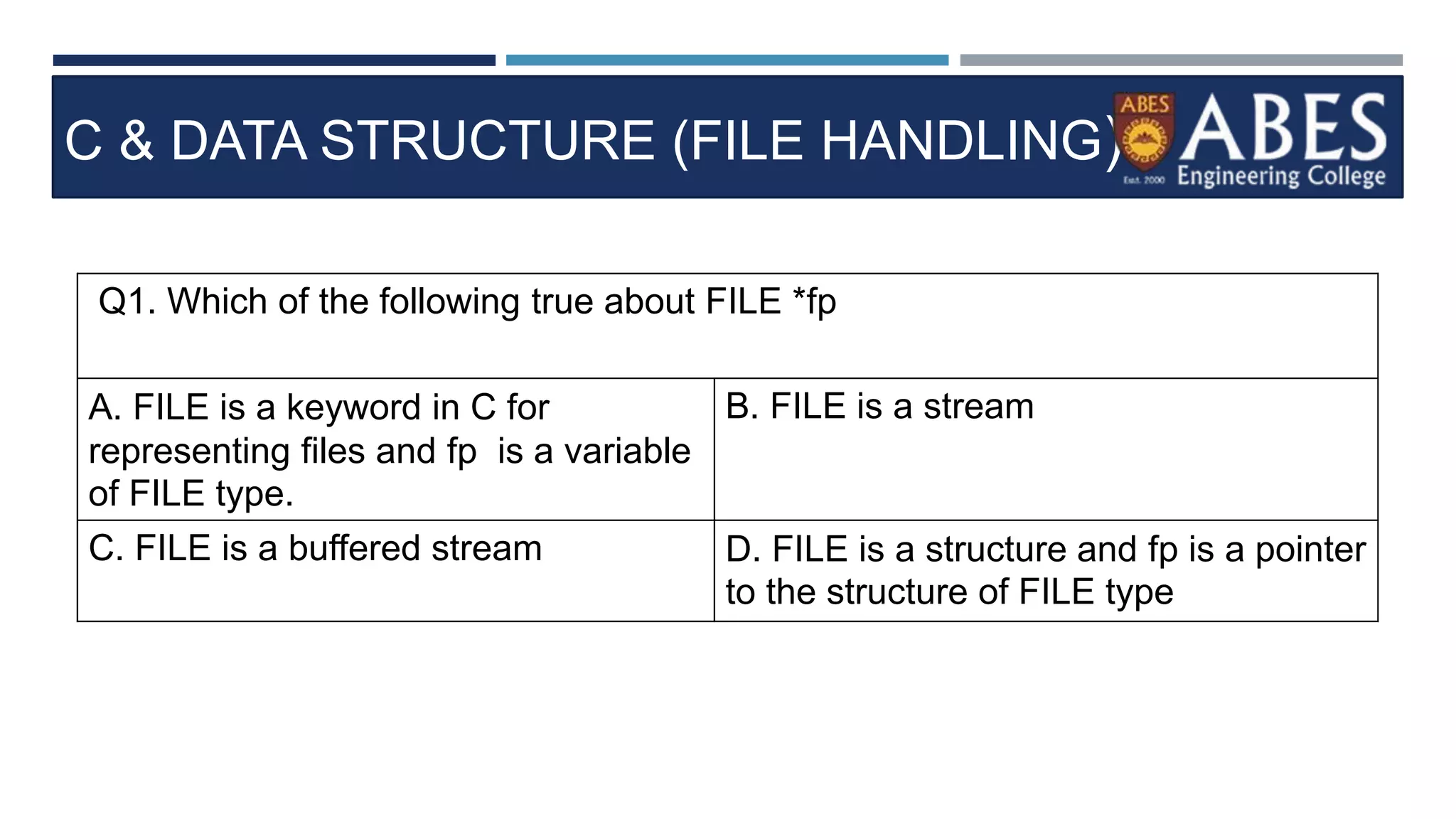
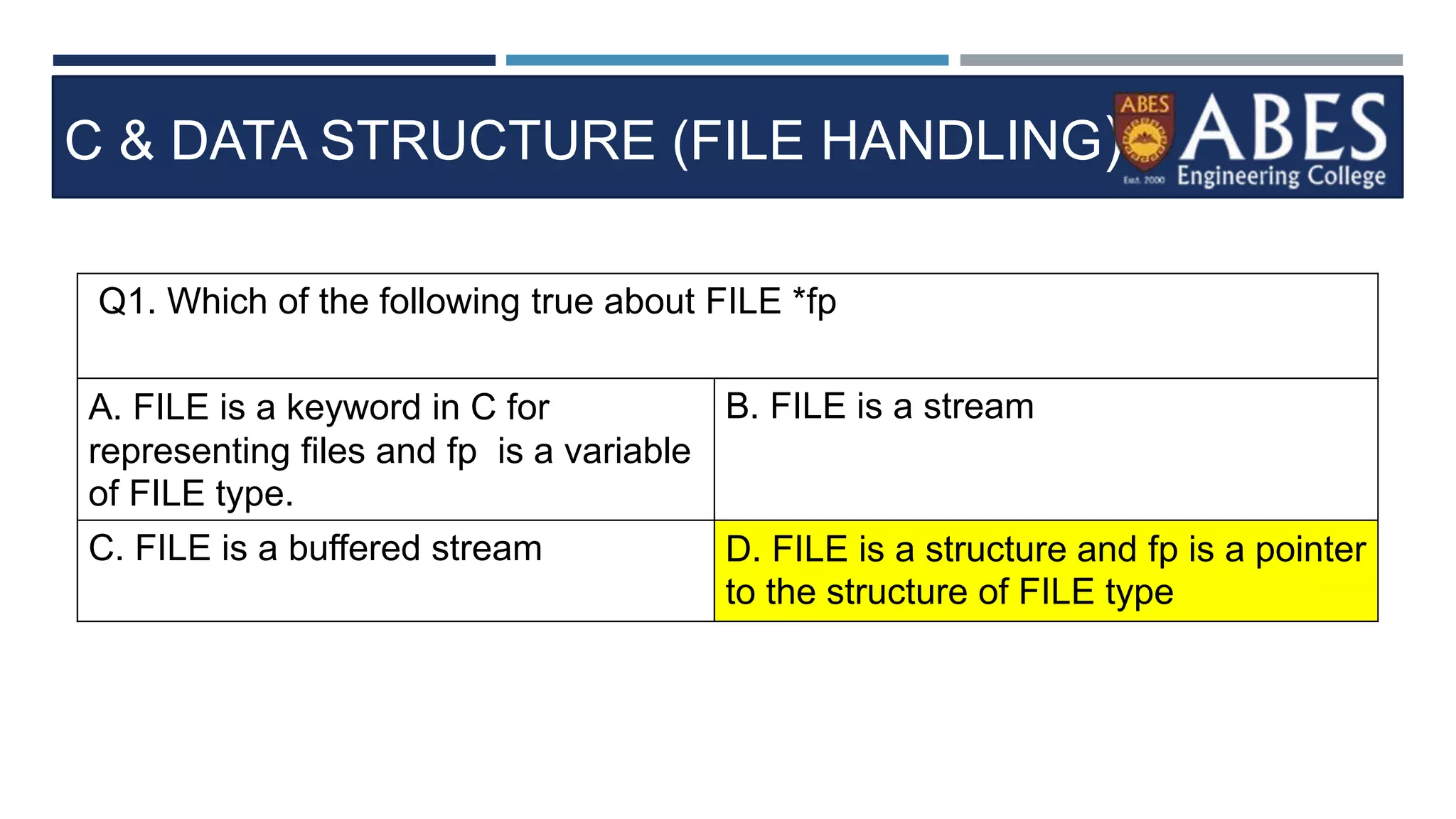
Q1. Which of the following true about FILE *fp
A. FILE is a keyword in C for
representing files and fp is a variable
of FILE type.
B. FILE is a stream
C. FILE is a buffered stream D. FILE is a structure and fp is a pointer
to the structure of FILE type
C & DATA STRUCTURE (FILE HANDLING)
Q1. Which of the following true about FILE *fp
A. FILE is a keyword in C for
representing files and fp is a variable
of FILE type.
B. FILE is a stream
C. FILE is a buffered stream D. FILE is a structure and fp is a pointer
to the structure of FILE type
C & DATA STRUCTURE (FILE HANDLING)
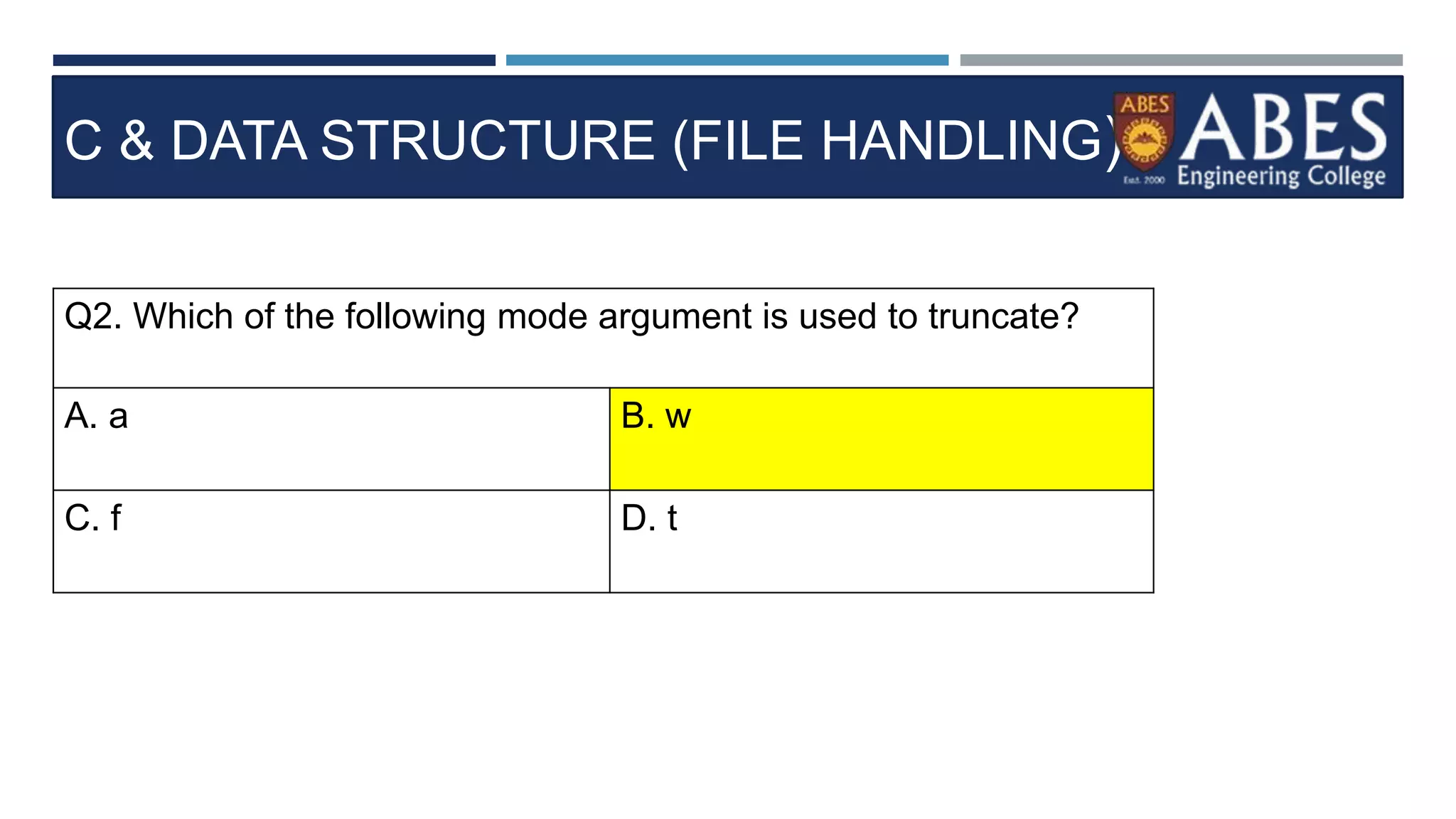
Q2. Which of the following mode argument is used to truncate?
A. a B. w
C. f D. t
C & DATA STRUCTURE (FILE HANDLING)
Q2. Which of the following mode argument is used to truncate?
A. a B. w
C. f D. t
C & DATA STRUCTURE (FILE HANDLING)
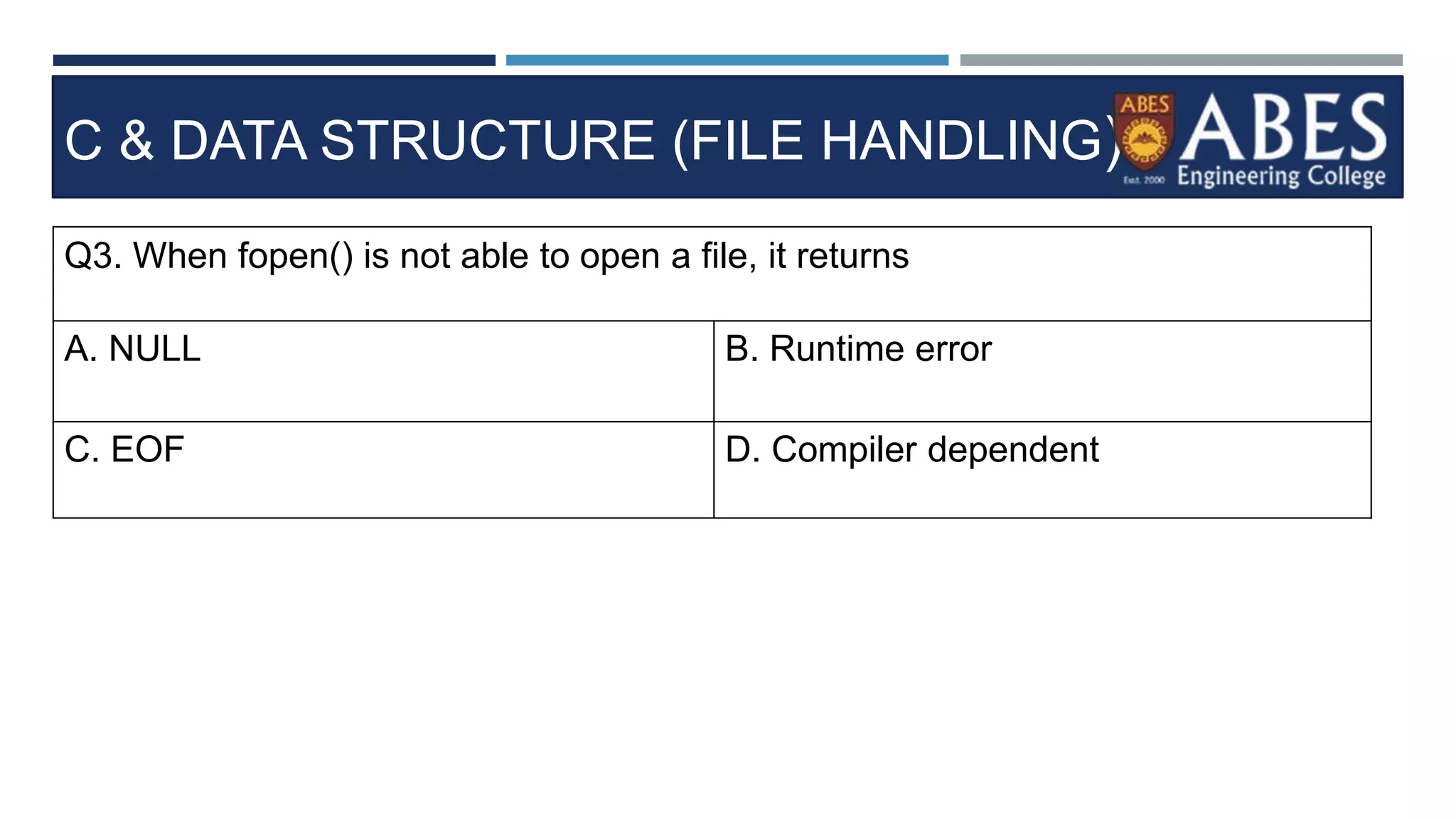
Q3. When fopen() is not able to open a file, it returns
A. NULL B. Runtime error
C. EOF D. Compiler dependent
C & DATA STRUCTURE (FILE HANDLING)
Q3. When fopen() is not able to open a file, it returns
A. NULL B. Runtime error
C. EOF D. Compiler dependent
C & DATA STRUCTURE (FILE HANDLING)
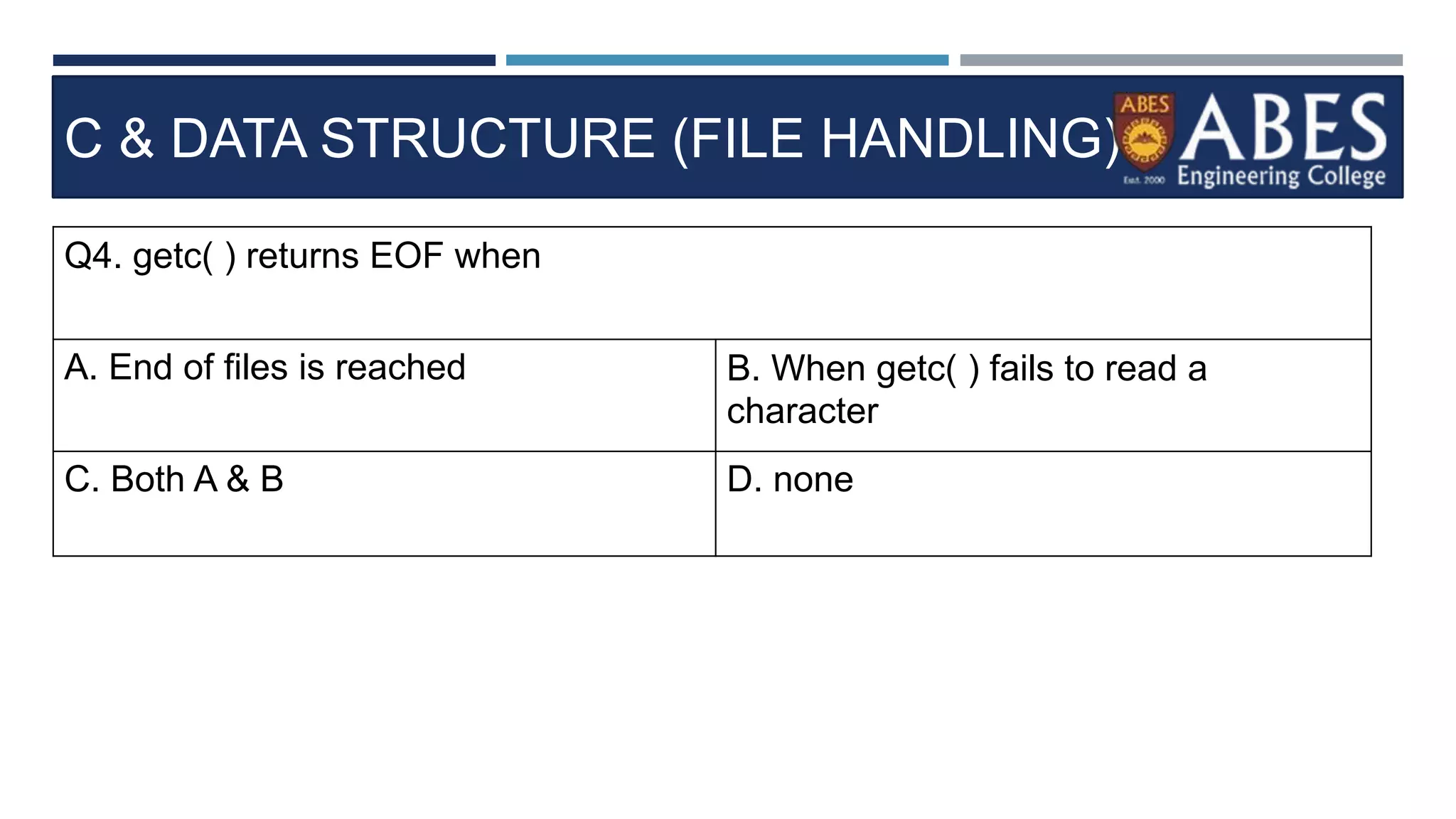
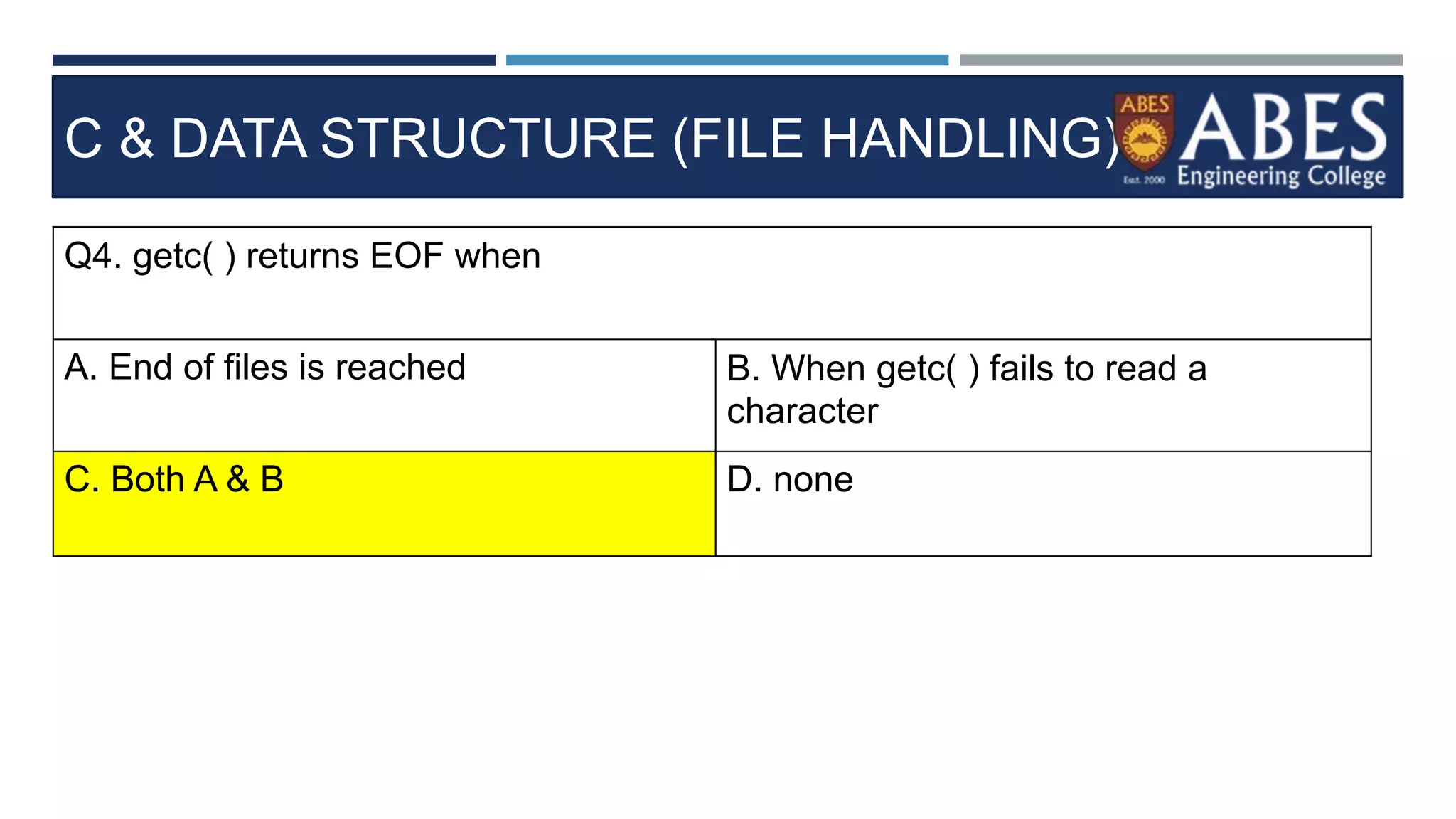
Q4. getc( ) returns EOF when
A. End of files is reached B. When getc( ) fails to read a
character
C. Both A & B D. none
C & DATA STRUCTURE (FILE HANDLING)
Q4. getc( ) returns EOF when
A. End of files is reached B. When getc( ) fails to read a
character
C. Both A & B D. none
C & DATA STRUCTURE (FILE HANDLING)
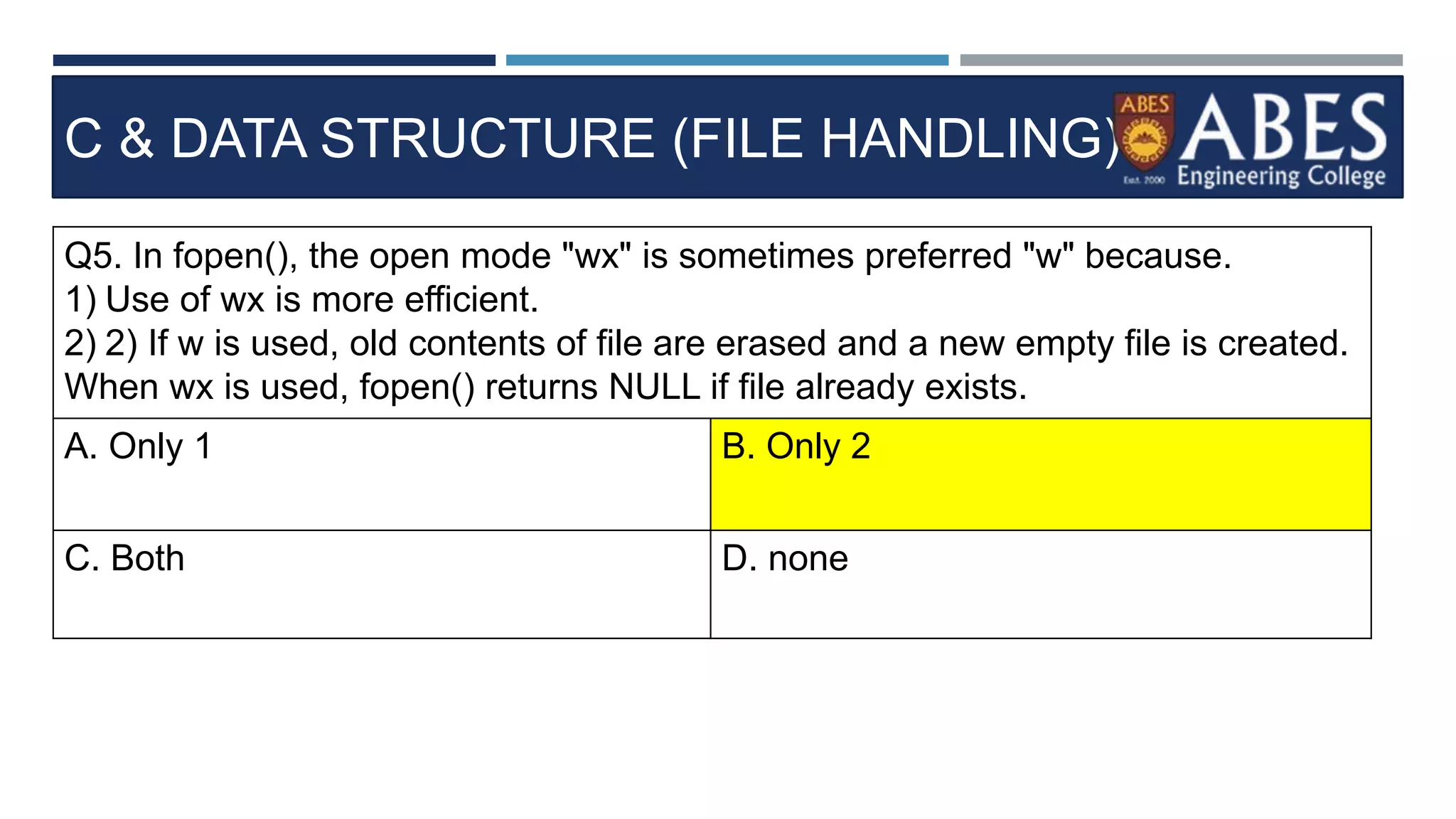
Q5. In fopen(), the open mode "wx" is sometimes preferred "w" because.
1) Use of wx is more efficient.
2) 2) If w is used, old contents of file are erased and a new empty file is created.
When wx is used, fopen() returns NULL if file already exists.
A. Only 1 B. Only 2
C. Both D. none
C & DATA STRUCTURE (FILE HANDLING)
Q5. In fopen(), the open mode "wx" is sometimes preferred "w" because.
1) Use of wx is more efficient.
2) 2) If w is used, old contents of file are erased and a new empty file is created.
When wx is used, fopen() returns NULL if file already exists.
A. Only 1 B. Only 2
C. Both D. none
C & DATA STRUCTURE (FILE HANDLING)
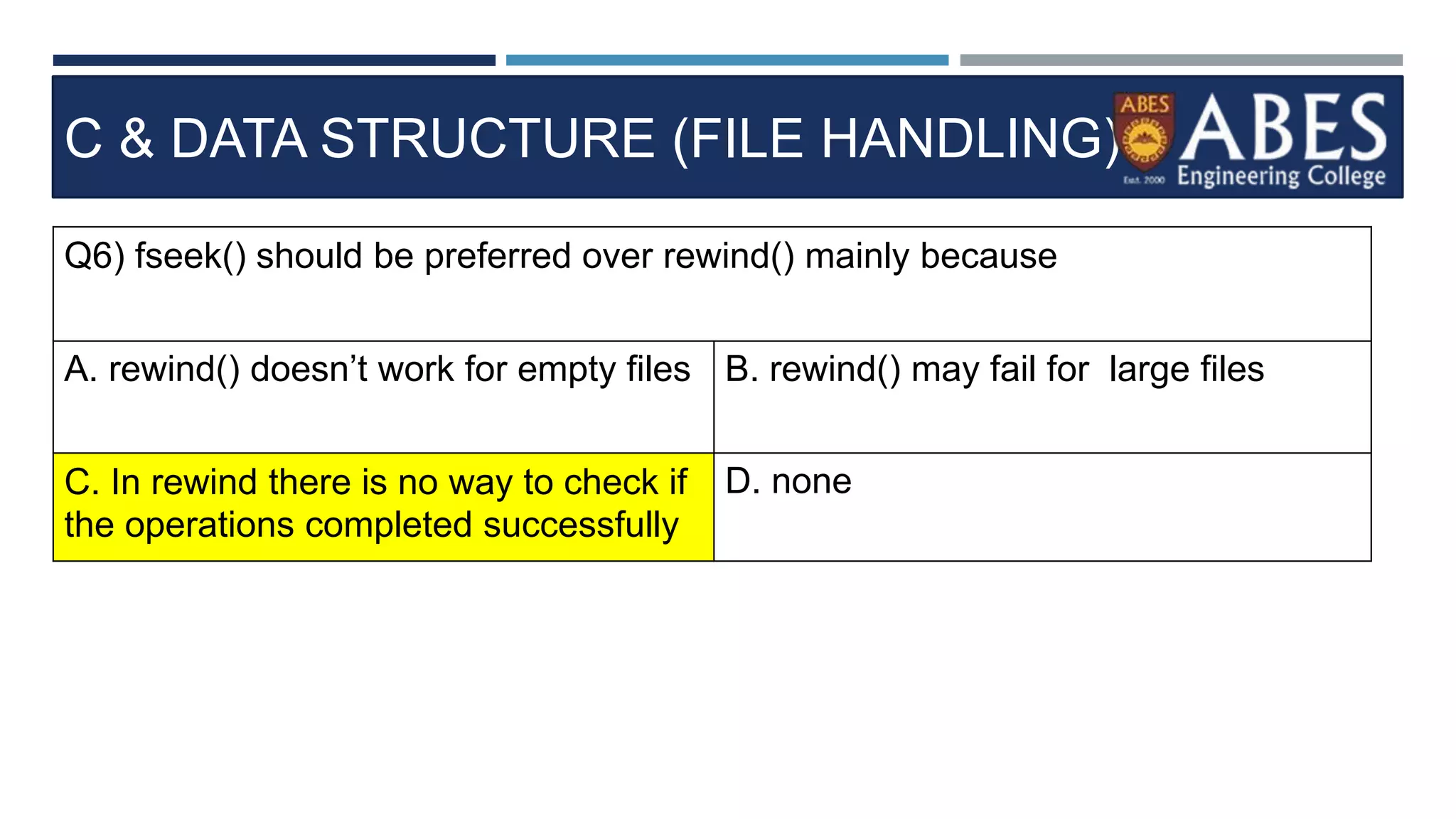
Q6) fseek() should be preferred over rewind() mainly because
A. rewind() doesn’t work for empty files B. rewind() may fail for large files
C. In rewind there is no way to check if
the operations completed successfully
D. none
C & DATA STRUCTURE (FILE HANDLING)
Q6) fseek() should be preferred over rewind() mainly because
A. rewind() doesn’t work for empty files B. rewind() may fail for large files
C. In rewind there is no way to check if
the operations completed successfully
D. none
C & DATA STRUCTURE (FILE HANDLING)
Q7) What is the keyword used to declare a C file pointer.?
A. File B. Filefp
C. FILE D. FILEFP
C & DATA STRUCTURE (FILE HANDLING)
Q7) What is the keyword used to declare a C file pointer.?
A. File B. Filefp
C. FILE D. FILEFP
C & DATA STRUCTURE (FILE HANDLING)
Q8) What is a C FILE data type.?
A. FILE is like a Structure only B. Filefp
C. FILE D. FILEFP
C & DATA STRUCTURE (FILE HANDLING)
Q8) What is a C FILE data type.?
A. FILE is like a Structure only B. Filefp
C. FILE D. FILEFP
C & DATA STRUCTURE (FILE HANDLING)
Q9) Where is a file temporarily stored before read or write operation in C
language?
A. Notepad B. RAM
C. Hard Disk D. Buffer
C & DATA STRUCTURE (FILE HANDLING)
Q9) Where is a file temporarily stored before read or write operation in C
language?
A. Notepad B. RAM
C. Hard Disk D. Buffer
C & DATA STRUCTURE (FILE HANDLING)
Q10) Choose a correct statement about C file op
eration program.?
int main()
{
FILE *fp;
char ch;
fp=fopen("readme.txt","r");
while((ch=fgetc(fp)) != EOF)
{
printf("%c",ch);
}
}
A. FOPEN opens a file
named readme.txt in
Read Mode ("r).
B. EOF is End Of File.
ch==EOF checks for end
of file and while loop stops
or exits.
C. FGETC(fp) is a
function that returns one
character and cursor goes
to next character.
D. All the above
C & DATA STRUCTURE (FILE HANDLING)
Q10) Choose a correct statement about C file op
eration program.?
int main()
{
FILE *fp;
char ch;
fp=fopen("readme.txt","r");
while((ch=fgetc(fp)) != EOF)
{
printf("%c",ch);
}
}
A. FOPEN opens a file
named readme.txt in
Read Mode ("r).
B. EOF is End Of File.
ch==EOF checks for end
of file and while loop stops
or exits.
C. FGETC(fp) is a
function that returns one
character and cursor goes
to next character.
D. All the above
C & DATA STRUCTURE (FILE HANDLING)
Q11) What is the need for closing a file in C language.?
A. Fclose(fp) closes a file to release
the memory used in opening a file.
B. Closing a file clears Buffer contents
from RAM or memory.
C. Unclosed files occupy memory and
PC hangs when on low memory.
D. All the above
C & DATA STRUCTURE (FILE HANDLING)
Q11) What is the need for closing a file in C language.?
A. Fclose(fp) closes a file to release
the memory used in opening a file.
B. Closing a file clears Buffer contents
from RAM or memory.
C. Unclosed files occupy memory and
PC hangs when on low memory.
D. All the above
C & DATA STRUCTURE (FILE HANDLING)
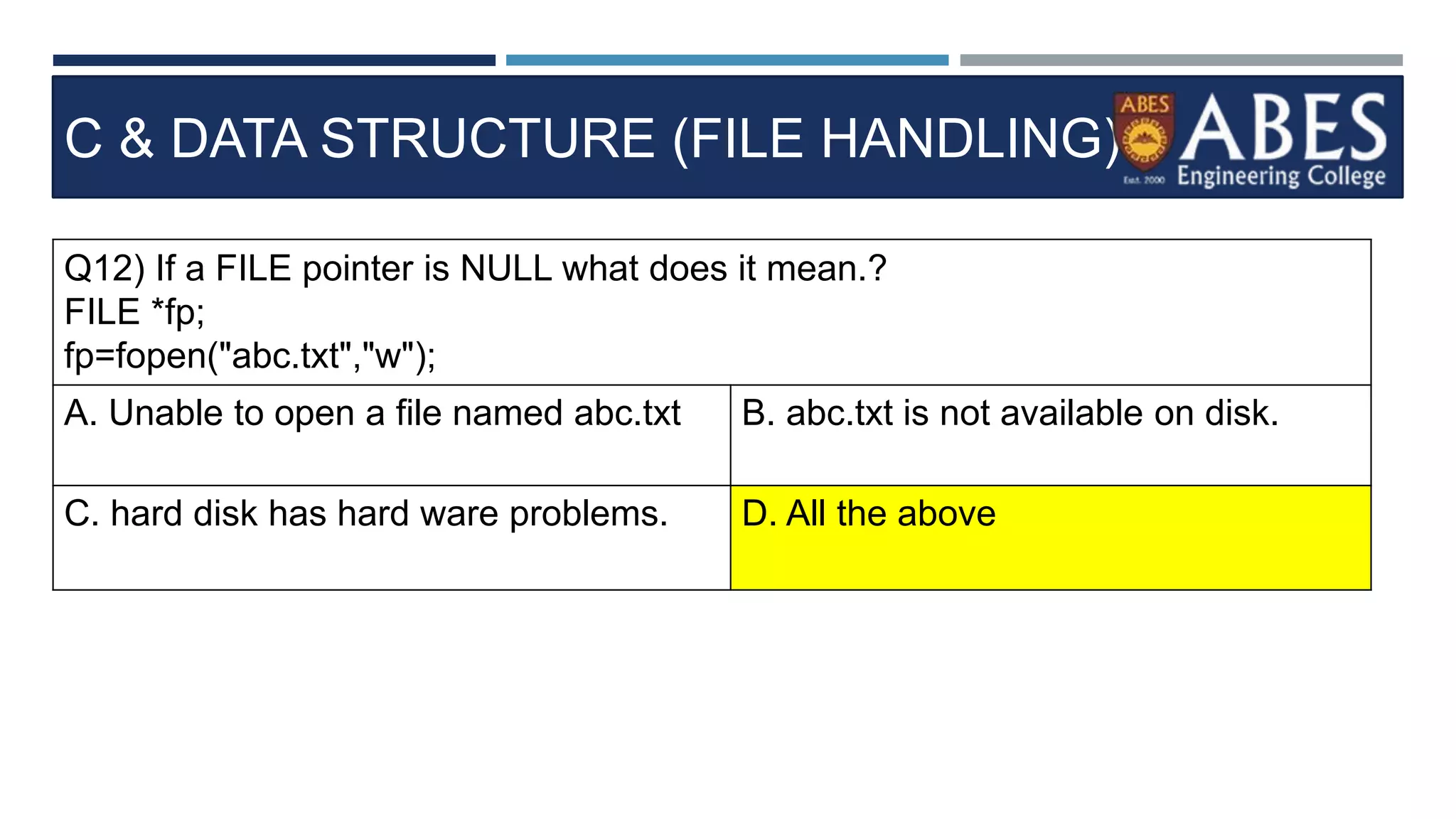
Q12) If a FILE pointer is NULL what does it mean.?
FILE *fp;
fp=fopen("abc.txt","w");
A. Unable to open a file named abc.txt B. abc.txt is not available on disk.
C. hard disk has hard ware problems. D. All the above
C & DATA STRUCTURE (FILE HANDLING)
Q12) If a FILE pointer is NULL what does it mean.?
FILE *fp;
fp=fopen("abc.txt","w");
A. Unable to open a file named abc.txt B. abc.txt is not available on disk.
C. hard disk has hard ware problems. D. All the above
C & DATA STRUCTURE (FILE HANDLING)
Q13) Choose a correct stateme
nt about FGETS in C program.?
int main()
{
FILE *fp;
char str[80];
fp=fopen("readme.txt","r");
while(fgets(str,80,fp) != NULL)
{
printf("%s",str);
}
fclose(fp);
A. str in fgets() is a like
a user buffer that can
store 80 characters
each time
B. FGETS returns null
if no characters are left
C. fgets() reads content
from File. FPUS writes
content back to File..
D. All the above
C & DATA STRUCTURE (FILE HANDLING)
Q13) Choose a correct stateme
nt about FGETS in C program.?
int main()
{
FILE *fp;
char str[80];
fp=fopen("readme.txt","r");
while(fgets(str,80,fp) != NULL)
{
printf("%s",str);
}
fclose(fp);
A. str in fgets() is a like
a user buffer that can
store 80 characters
each time
B. FGETS returns null
if no characters are left
C. fgets() reads content
from File. FPUS writes
content back to File..
D. All the above
C & DATA STRUCTURE (FILE HANDLING)
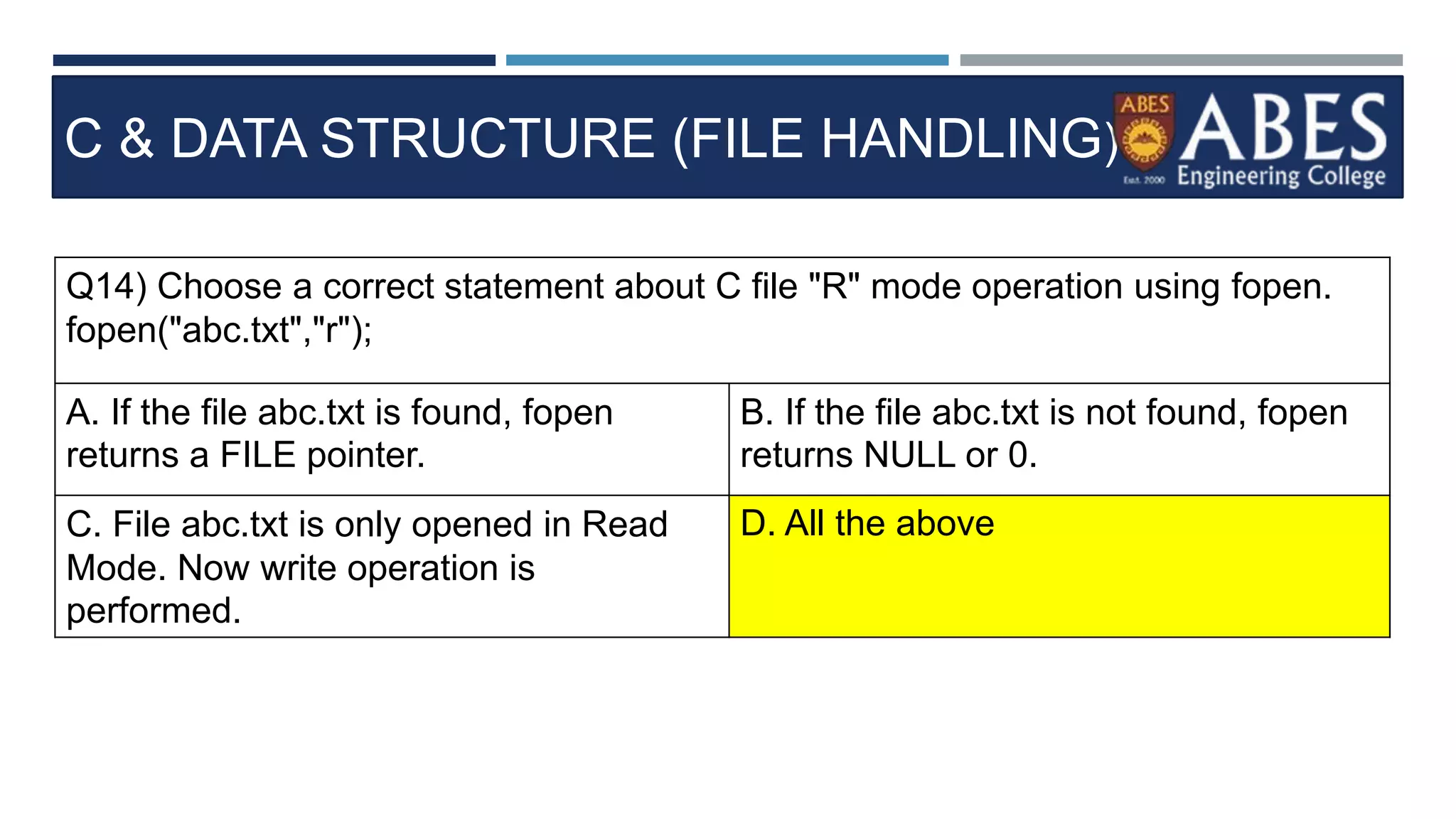
Q14) Choose a correct statement about C file "R" mode operation using fopen.
fopen("abc.txt","r");
A. If the file abc.txt is found, fopen
returns a FILE pointer.
B. If the file abc.txt is not found, fopen
returns NULL or 0.
C. File abc.txt is only opened in Read
Mode. Now write operation is
performed.
D. All the above
C & DATA STRUCTURE (FILE HANDLING)
Q14) Choose a correct statement about C file "R" mode operation using fopen.
fopen("abc.txt","r");
A. If the file abc.txt is found, fopen
returns a FILE pointer.
B. If the file abc.txt is not found, fopen
returns NULL or 0.
C. File abc.txt is only opened in Read
Mode. Now write operation is
performed.
D. All the above
C & DATA STRUCTURE (FILE HANDLING)
Q15) Choose a correct statement about File Write Mode "w".
File *fp;
fp=fopen("abc.txt","w");
A. if the file abc.txt is not found File
abc.txt is created on disk.
BIf the file abc.txt is found, fopen()
returns a FILE pointer as usual. Every
time, contents of abt.txt are overwritten
in "w" mode.
C. Read operation is not allowed in "w"
mode.. D. All the above
C & DATA STRUCTURE (FILE HANDLING)
Q15) Choose a correct statement about File Write Mode "w".
File *fp;
fp=fopen("abc.txt","w");
A. if the file abc.txt is not found File
abc.txt is created on disk.
BIf the file abc.txt is found, fopen()
returns a FILE pointer as usual. Every
time, contents of abt.txt are overwritten
in "w" mode.
C. Read operation is not allowed in "w"
mode.. D. All the above
C & DATA STRUCTURE (FILE HANDLING)
Q16) Choose a correct statement about C File Mode "w+".
FILE *p;
p=fopen("abc.txt","r+");
A. r+ mode allows reading of existing
contents of file abc.txt only if file is
found.
B. If file is not found, NULL is returned
by fopen().
C. You can read existing contents, edit
existing content and add new content.
D. All the above
C & DATA STRUCTURE (FILE HANDLING)
Q16) Choose a correct statement about C File Mode "w+".
FILE *p;
p=fopen("abc.txt","r+");
A. r+ mode allows reading of existing
contents of file abc.txt only if file is
found.
B. If file is not found, NULL is returned
by fopen().
C. You can read existing contents, edit
existing content and add new content.
D. All the above
C & DATA STRUCTURE (FILE HANDLING)
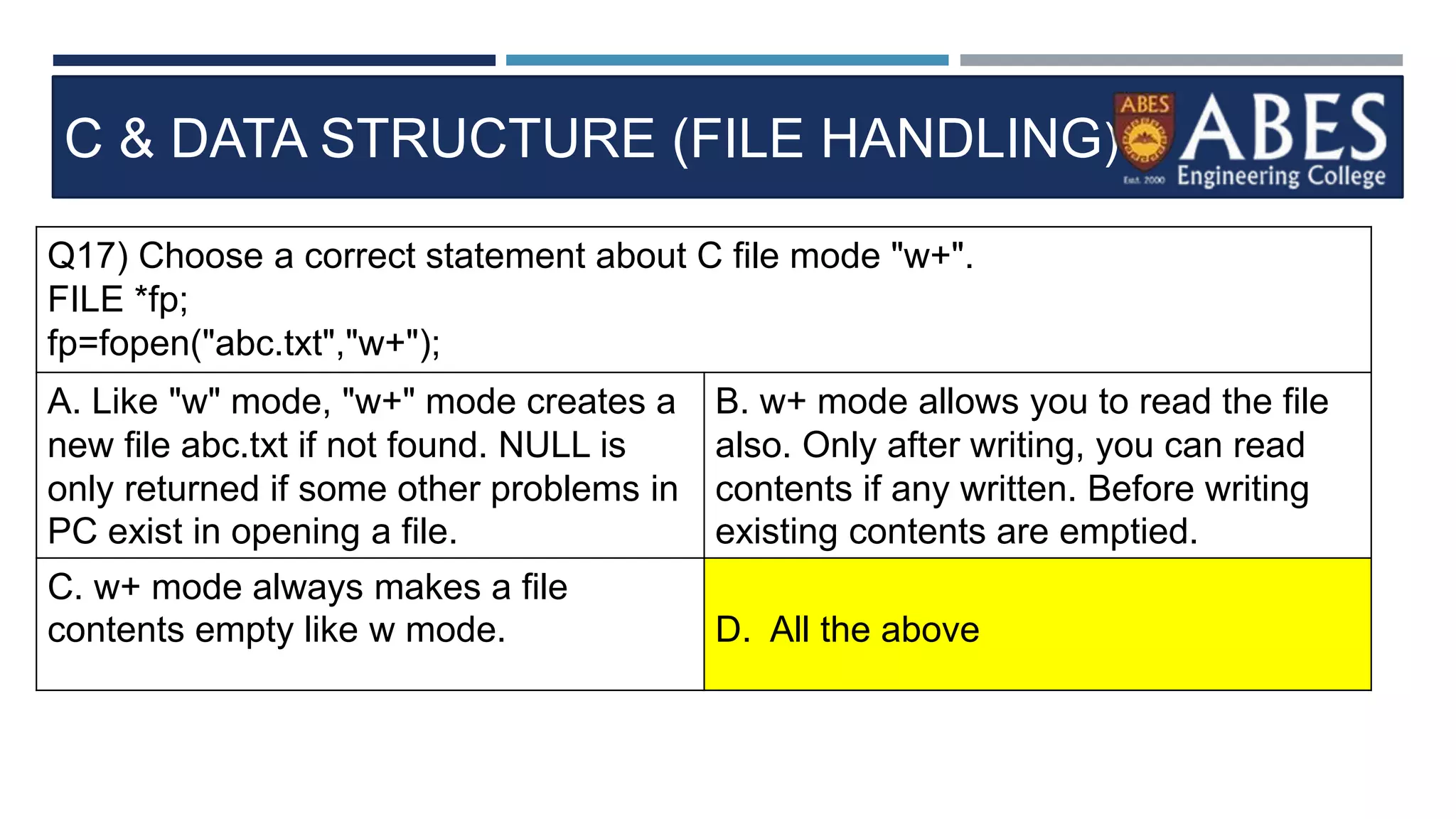
Q17) Choose a correct statement about C file mode "w+".
FILE *fp;
fp=fopen("abc.txt","w+");
A. Like "w" mode, "w+" mode creates a
new file abc.txt if not found. NULL is
only returned if some other problems in
PC exist in opening a file.
B. w+ mode allows you to read the file
also. Only after writing, you can read
contents if any written. Before writing
existing contents are emptied.
C. w+ mode always makes a file
contents empty like w mode. D. All the above
C & DATA STRUCTURE (FILE HANDLING)
Q17) Choose a correct statement about C file mode "w+".
FILE *fp;
fp=fopen("abc.txt","w+");
A. Like "w" mode, "w+" mode creates a
new file abc.txt if not found. NULL is
only returned if some other problems in
PC exist in opening a file.
B. w+ mode allows you to read the file
also. Only after writing, you can read
contents if any written. Before writing
existing contents are emptied.
C. w+ mode always makes a file
contents empty like w mode. D. All the above
C & DATA STRUCTURE (FILE HANDLING)
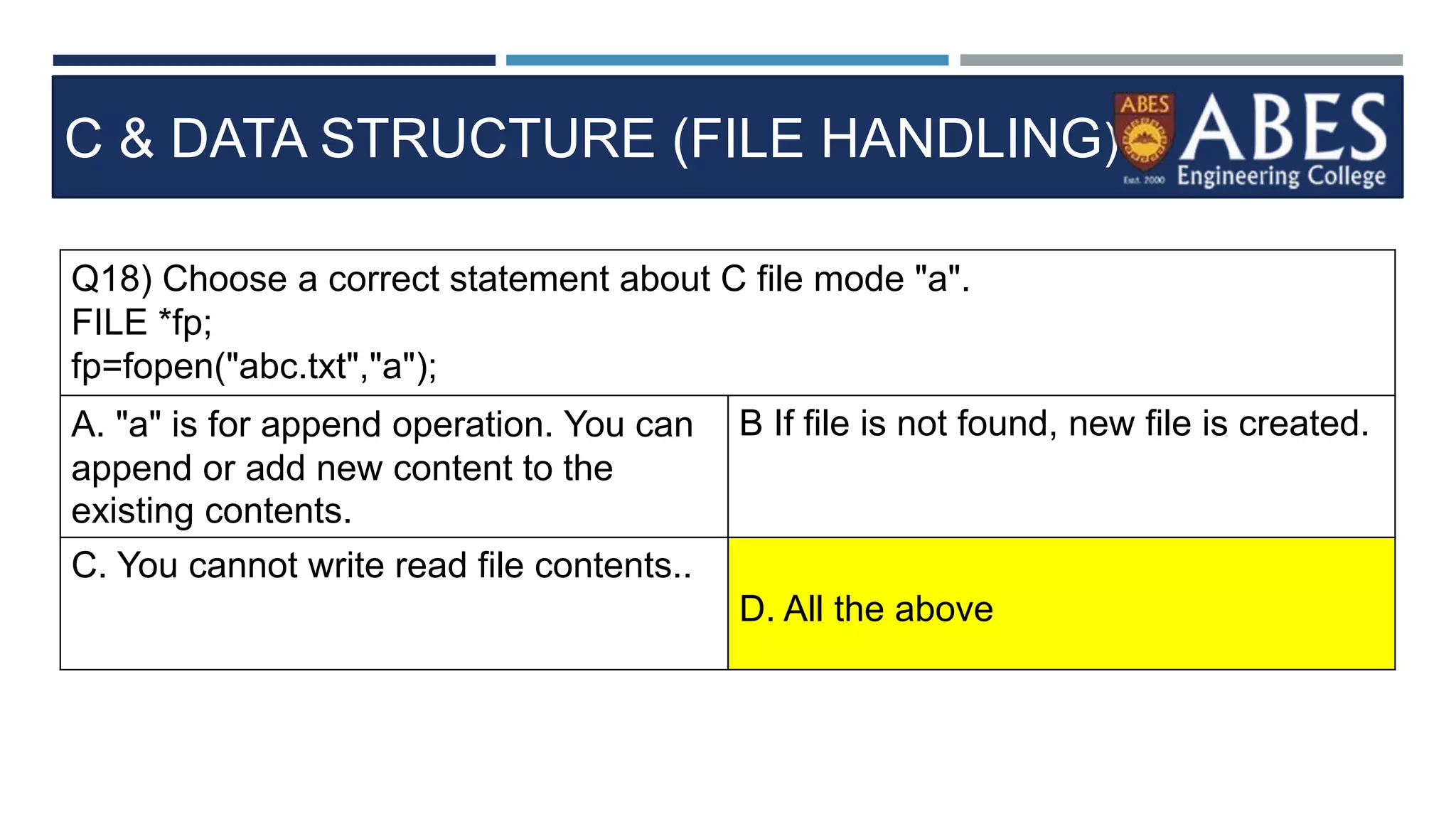
Q18) Choose a correct statement about C file mode "a".
FILE *fp;
fp=fopen("abc.txt","a");
A. "a" is for append operation. You can
append or add new content to the
existing contents.
B If file is not found, new file is created.
C. You cannot write read file contents..
D. All the above
C & DATA STRUCTURE (FILE HANDLING)
Q18) Choose a correct statement about C file mode "a".
FILE *fp;
fp=fopen("abc.txt","a");
A. "a" is for append operation. You can
append or add new content to the
existing contents.
B If file is not found, new file is created.
C. You cannot write read file contents..
D. All the above
C & DATA STRUCTURE (FILE HANDLING)
Q19) Choose a correct statement about C file mode "a+".
FILE *fp;
fp=fopen("abc.txt","a+);
A. a+ mode always appends new data
to the end of existing content.
B a+ mode creates a new file if not
found or existing.
C. a+ mode allows reading also. mode
"a" allows only appending not reading.
D. All the above
C & DATA STRUCTURE (FILE HANDLING)
Q19) Choose a correct statement about C file mode "a+".
FILE *fp;
fp=fopen("abc.txt","a+);
A. a+ mode always appends new data
to the end of existing content.
B a+ mode creates a new file if not
found or existing.
C. a+ mode allows reading also. mode
"a" allows only appending not reading.
D. All the above
C & DATA STRUCTURE (FILE HANDLING)
Q20) Choose a correct statement about opening a file in binary mode for reading.
FILE *fp;
fp=fopen("abc.txt","rb");
A. rb mode opens the file in binary mode B Binary mode is just reading or writing
in bytes instead of integers, characters
or strings.
C. Binary mode saves memory occupied
by contents.
D. All the above
C & DATA STRUCTURE (FILE HANDLING)
Q20) Choose a correct statement about opening a file in binary mode for reading.
FILE *fp;
fp=fopen("abc.txt","rb");
A. rb mode opens the file in binary mode B Binary mode is just reading or writing
in bytes instead of integers, characters
or strings.
C. Binary mode saves memory occupied
by contents.
D. All the above
C & DATA STRUCTURE (FILE HANDLING)
Q21) What is the syntax for writing a file in C using binary mode.?
FILE *fp;
A. fp=fopen("abc.txt","wr"); B fp=fopen("abc.txt","wb");
C. fp=fopen("abc.txt","wbin"); D. fp=fopen("abc.txt","b");
C & DATA STRUCTURE (FILE HANDLING)
Q21) What is the syntax for writing a file in C using binary mode.?
FILE *fp;
A. fp=fopen("abc.txt","wr"); B. fp=fopen("abc.txt","wb");
C. fp=fopen("abc.txt","wbin"); D. fp=fopen("abc.txt","b");
C & DATA STRUCTURE (FILE HANDLING)
Q22) What are the C functions used to read or write a file in Text Mode.?
A. fprintf(), fscanf() B fread(), fwrite()
C. fprint(), fscan() D. read(), write()
C & DATA STRUCTURE (FILE HANDLING)
Q22) What are the C functions used to read or write a file in Text Mode.?
A. fprintf(), fscanf() B fread(), fwrite()
C. fprint(), fscan() D. read(), write()
C & DATA STRUCTURE (FILE HANDLING)
Q23) What are the C functions used to read or write a file in Binary Mode.?
A. fprintf(), fscanf() B fread(), rwrite()
C. readf(), writef() D. printf(), scanf()
C & DATA STRUCTURE (FILE HANDLING)
Q23) What are the C functions used to read or write a file in Binary Mode.?
A. fprintf(), fscanf() B fread(), rwrite()
C. readf(), writef() D. printf(), scanf()
C & DATA STRUCTURE (FILE HANDLING)
Q24) What is the C function used to move current pointer to the beginning of
file.?
FILE *fp;
A. rev(fp) B rewind(fp)
C. rew(fp) D. wind(fp)
C & DATA STRUCTURE (FILE HANDLING)
Q24) What is the C function used to move current pointer to the beginning of
file.?
FILE *fp;
A. rev(fp) B. rewind(fp)
C. rew(fp) D. wind(fp)
C & DATA STRUCTURE (FILE HANDLING)
Q25) Choose a correct syntax for FSCANF and FPRINTF in c language.?
A. fprintf("format specifier",variables,
fp);
fscanf("format specifier",variables,
fp);
B. fprintf(fp,count,"format
specifier",variables);
fscanf(fp,count,"format
specifier",variables);
C. fprintf(fp,"format
specifier",variables);
fscanf(fp,"format specifier",variables);
D. None of the above
C & DATA STRUCTURE (FILE HANDLING)
Q25) Choose a correct syntax for FSCANF and FPRINTF in c language.?
A. fprintf("format specifier",variables,
fp);
fscanf("format specifier",variables,
fp);
B. fprintf(fp,count,"format
specifier",variables);
fscanf(fp,count,"format
specifier",variables);
C. fprintf(fp,"format
specifier",variables);
fscanf(fp,"format specifier",variables);
D. None of the above

filehandling.pptx

  • 1.
    C & DATASTRUCTURE BATCH 2019-2023 Mission 2023
  • 2.
    OBJECTIVES • Facilitation forclearing written examination of Placement drives • Facilitation for clearing the GATE, PSUs Tests • Developing problem solving ability • Building logical thinking through customized approach • Conceptual polishing of learnt concepts • Enhancing the knowledge base with the add-on concepts
  • 3.
    HOW IS TRAININGDIFFERENT FROM ROUTINE CLASS • Discussion on MCQs asked in Recruitment drives, GATE and PSUs. • Assessment through challenging problems (Designed by Training Team) for confidence building. • Emphasis on Add on knowledge in the domain. • Starting from the topics not covered in trainings in last semester. • Quick refresher of topics covered in DS training in 3rd and 4th Sem. • Preparation of comprehensive Question Bank with the solution for Quick reference for any placement drive.
  • 4.
    TOPICS TO BECOVERED • File Handing • File operations in C • Modes and Description • File I/O functions
  • 5.
    C & DATASTRUCTURE (FILE HANDLING) Why do we need a file? • Files are used to store data and information • Files are used to read and access data anytime from the hard disk. • Files make it easy for a programmer to access and store content without losing it on program termination • It is easy to transfer data as files
  • 6.
    C & DATASTRUCTURE (FILE HANDLING) FILE OPERATIONS IN C • Creating a new file • Opening a file • Closing a file • Reading from and writing to a file (appending a file)
  • 7.
    C & DATASTRUCTURE (FILE HANDLING) Working with files in C • stdio.h contains a function called fopen() for opening files in C • When working with files we have to eclare a pointer of type FILE • This declaration helps us to work with files through C programs • The syntax for opening a file in standard I/O is: • ptr = fopen (“file name”, “mode”) • In order to read/write to a file, we can use fscanf/fprintf function • fscanf(ptr, “%s”, buff); • fprintf(ptr,”%d”, buff); • Fclose(ptr); fptr is a file pointer associated with file to be closed
  • 8.
    C & DATASTRUCTURE (FILE HANDLING) Mode Description r Opens an existing text file for reading w Opens a file for writing. If it does not exist then a new file is created. writing starts from the beginning of the file. a Opens a text file for writing in appending mode. If it does not exist, then a new file is created. The program will start appending content to the existing file content. r+ This mode will open a text file for both reading and writing w+ Opens a text file for both reading and writing. It first truncates the file to zero length if it does not exist. a+ Opens a text file for both reading and writing. It creates the file if it does not
  • 9.
    C & DATASTRUCTURE (FILE HANDLING) File I/O functions There are various functions provided by C standard library to read and write a file, character by character or in the form of a fixed length string • fputc • fputs • Fgetc • fgets
  • 10.
    C & DATASTRUCTURE (FILE HANDLING) Fputc() Function • Simplest function to write character to a file • Syntax: int fputc ( character, FILE pointer); • It returns the written character written on success. • On failure it returns EOF • The EOF is a constant defined in the header file stdio.h. Fputs() Function • This function is used to write a null terminated string to a file in C. • Syntax: int fputs(constant char *s, FILE *ptr)
  • 11.
    C & DATASTRUCTURE (FILE HANDLING) fgetc() Function • Simplest function to read character from a file • Syntax: int fgetc ( FILE *ptr); • It returns the read character written on success. • On failure it returns EOF • The EOF is a constant defined in the header file stdio.h. Fputs() Function • This function is used to read a null terminated string to a file in C. • Syntax: int fgets(constant char *s, int n, FILE *ptr);
  • 12.
    C & DATASTRUCTURE (FILE HANDLING) Q1. Which of the following true about FILE *fp A. FILE is a keyword in C for representing files and fp is a variable of FILE type. B. FILE is a stream C. FILE is a buffered stream D. FILE is a structure and fp is a pointer to the structure of FILE type
  • 13.
    C & DATASTRUCTURE (FILE HANDLING) Q1. Which of the following true about FILE *fp A. FILE is a keyword in C for representing files and fp is a variable of FILE type. B. FILE is a stream C. FILE is a buffered stream D. FILE is a structure and fp is a pointer to the structure of FILE type
  • 14.
    C & DATASTRUCTURE (FILE HANDLING) Q2. Which of the following mode argument is used to truncate? A. a B. w C. f D. t
  • 15.
    C & DATASTRUCTURE (FILE HANDLING) Q2. Which of the following mode argument is used to truncate? A. a B. w C. f D. t
  • 16.
    C & DATASTRUCTURE (FILE HANDLING) Q3. When fopen() is not able to open a file, it returns A. NULL B. Runtime error C. EOF D. Compiler dependent
  • 17.
    C & DATASTRUCTURE (FILE HANDLING) Q3. When fopen() is not able to open a file, it returns A. NULL B. Runtime error C. EOF D. Compiler dependent
  • 18.
    C & DATASTRUCTURE (FILE HANDLING) Q4. getc( ) returns EOF when A. End of files is reached B. When getc( ) fails to read a character C. Both A & B D. none
  • 19.
    C & DATASTRUCTURE (FILE HANDLING) Q4. getc( ) returns EOF when A. End of files is reached B. When getc( ) fails to read a character C. Both A & B D. none
  • 20.
    C & DATASTRUCTURE (FILE HANDLING) Q5. In fopen(), the open mode "wx" is sometimes preferred "w" because. 1) Use of wx is more efficient. 2) 2) If w is used, old contents of file are erased and a new empty file is created. When wx is used, fopen() returns NULL if file already exists. A. Only 1 B. Only 2 C. Both D. none
  • 21.
    C & DATASTRUCTURE (FILE HANDLING) Q5. In fopen(), the open mode "wx" is sometimes preferred "w" because. 1) Use of wx is more efficient. 2) 2) If w is used, old contents of file are erased and a new empty file is created. When wx is used, fopen() returns NULL if file already exists. A. Only 1 B. Only 2 C. Both D. none
  • 22.
    C & DATASTRUCTURE (FILE HANDLING) Q6) fseek() should be preferred over rewind() mainly because A. rewind() doesn’t work for empty files B. rewind() may fail for large files C. In rewind there is no way to check if the operations completed successfully D. none
  • 23.
    C & DATASTRUCTURE (FILE HANDLING) Q6) fseek() should be preferred over rewind() mainly because A. rewind() doesn’t work for empty files B. rewind() may fail for large files C. In rewind there is no way to check if the operations completed successfully D. none
  • 24.
    C & DATASTRUCTURE (FILE HANDLING) Q7) What is the keyword used to declare a C file pointer.? A. File B. Filefp C. FILE D. FILEFP
  • 25.
    C & DATASTRUCTURE (FILE HANDLING) Q7) What is the keyword used to declare a C file pointer.? A. File B. Filefp C. FILE D. FILEFP
  • 26.
    C & DATASTRUCTURE (FILE HANDLING) Q8) What is a C FILE data type.? A. FILE is like a Structure only B. Filefp C. FILE D. FILEFP
  • 27.
    C & DATASTRUCTURE (FILE HANDLING) Q8) What is a C FILE data type.? A. FILE is like a Structure only B. Filefp C. FILE D. FILEFP
  • 28.
    C & DATASTRUCTURE (FILE HANDLING) Q9) Where is a file temporarily stored before read or write operation in C language? A. Notepad B. RAM C. Hard Disk D. Buffer
  • 29.
    C & DATASTRUCTURE (FILE HANDLING) Q9) Where is a file temporarily stored before read or write operation in C language? A. Notepad B. RAM C. Hard Disk D. Buffer
  • 30.
    C & DATASTRUCTURE (FILE HANDLING) Q10) Choose a correct statement about C file op eration program.? int main() { FILE *fp; char ch; fp=fopen("readme.txt","r"); while((ch=fgetc(fp)) != EOF) { printf("%c",ch); } } A. FOPEN opens a file named readme.txt in Read Mode ("r). B. EOF is End Of File. ch==EOF checks for end of file and while loop stops or exits. C. FGETC(fp) is a function that returns one character and cursor goes to next character. D. All the above
  • 31.
    C & DATASTRUCTURE (FILE HANDLING) Q10) Choose a correct statement about C file op eration program.? int main() { FILE *fp; char ch; fp=fopen("readme.txt","r"); while((ch=fgetc(fp)) != EOF) { printf("%c",ch); } } A. FOPEN opens a file named readme.txt in Read Mode ("r). B. EOF is End Of File. ch==EOF checks for end of file and while loop stops or exits. C. FGETC(fp) is a function that returns one character and cursor goes to next character. D. All the above
  • 32.
    C & DATASTRUCTURE (FILE HANDLING) Q11) What is the need for closing a file in C language.? A. Fclose(fp) closes a file to release the memory used in opening a file. B. Closing a file clears Buffer contents from RAM or memory. C. Unclosed files occupy memory and PC hangs when on low memory. D. All the above
  • 33.
    C & DATASTRUCTURE (FILE HANDLING) Q11) What is the need for closing a file in C language.? A. Fclose(fp) closes a file to release the memory used in opening a file. B. Closing a file clears Buffer contents from RAM or memory. C. Unclosed files occupy memory and PC hangs when on low memory. D. All the above
  • 34.
    C & DATASTRUCTURE (FILE HANDLING) Q12) If a FILE pointer is NULL what does it mean.? FILE *fp; fp=fopen("abc.txt","w"); A. Unable to open a file named abc.txt B. abc.txt is not available on disk. C. hard disk has hard ware problems. D. All the above
  • 35.
    C & DATASTRUCTURE (FILE HANDLING) Q12) If a FILE pointer is NULL what does it mean.? FILE *fp; fp=fopen("abc.txt","w"); A. Unable to open a file named abc.txt B. abc.txt is not available on disk. C. hard disk has hard ware problems. D. All the above
  • 36.
    C & DATASTRUCTURE (FILE HANDLING) Q13) Choose a correct stateme nt about FGETS in C program.? int main() { FILE *fp; char str[80]; fp=fopen("readme.txt","r"); while(fgets(str,80,fp) != NULL) { printf("%s",str); } fclose(fp); A. str in fgets() is a like a user buffer that can store 80 characters each time B. FGETS returns null if no characters are left C. fgets() reads content from File. FPUS writes content back to File.. D. All the above
  • 37.
    C & DATASTRUCTURE (FILE HANDLING) Q13) Choose a correct stateme nt about FGETS in C program.? int main() { FILE *fp; char str[80]; fp=fopen("readme.txt","r"); while(fgets(str,80,fp) != NULL) { printf("%s",str); } fclose(fp); A. str in fgets() is a like a user buffer that can store 80 characters each time B. FGETS returns null if no characters are left C. fgets() reads content from File. FPUS writes content back to File.. D. All the above
  • 38.
    C & DATASTRUCTURE (FILE HANDLING) Q14) Choose a correct statement about C file "R" mode operation using fopen. fopen("abc.txt","r"); A. If the file abc.txt is found, fopen returns a FILE pointer. B. If the file abc.txt is not found, fopen returns NULL or 0. C. File abc.txt is only opened in Read Mode. Now write operation is performed. D. All the above
  • 39.
    C & DATASTRUCTURE (FILE HANDLING) Q14) Choose a correct statement about C file "R" mode operation using fopen. fopen("abc.txt","r"); A. If the file abc.txt is found, fopen returns a FILE pointer. B. If the file abc.txt is not found, fopen returns NULL or 0. C. File abc.txt is only opened in Read Mode. Now write operation is performed. D. All the above
  • 40.
    C & DATASTRUCTURE (FILE HANDLING) Q15) Choose a correct statement about File Write Mode "w". File *fp; fp=fopen("abc.txt","w"); A. if the file abc.txt is not found File abc.txt is created on disk. BIf the file abc.txt is found, fopen() returns a FILE pointer as usual. Every time, contents of abt.txt are overwritten in "w" mode. C. Read operation is not allowed in "w" mode.. D. All the above
  • 41.
    C & DATASTRUCTURE (FILE HANDLING) Q15) Choose a correct statement about File Write Mode "w". File *fp; fp=fopen("abc.txt","w"); A. if the file abc.txt is not found File abc.txt is created on disk. BIf the file abc.txt is found, fopen() returns a FILE pointer as usual. Every time, contents of abt.txt are overwritten in "w" mode. C. Read operation is not allowed in "w" mode.. D. All the above
  • 42.
    C & DATASTRUCTURE (FILE HANDLING) Q16) Choose a correct statement about C File Mode "w+". FILE *p; p=fopen("abc.txt","r+"); A. r+ mode allows reading of existing contents of file abc.txt only if file is found. B. If file is not found, NULL is returned by fopen(). C. You can read existing contents, edit existing content and add new content. D. All the above
  • 43.
    C & DATASTRUCTURE (FILE HANDLING) Q16) Choose a correct statement about C File Mode "w+". FILE *p; p=fopen("abc.txt","r+"); A. r+ mode allows reading of existing contents of file abc.txt only if file is found. B. If file is not found, NULL is returned by fopen(). C. You can read existing contents, edit existing content and add new content. D. All the above
  • 44.
    C & DATASTRUCTURE (FILE HANDLING) Q17) Choose a correct statement about C file mode "w+". FILE *fp; fp=fopen("abc.txt","w+"); A. Like "w" mode, "w+" mode creates a new file abc.txt if not found. NULL is only returned if some other problems in PC exist in opening a file. B. w+ mode allows you to read the file also. Only after writing, you can read contents if any written. Before writing existing contents are emptied. C. w+ mode always makes a file contents empty like w mode. D. All the above
  • 45.
    C & DATASTRUCTURE (FILE HANDLING) Q17) Choose a correct statement about C file mode "w+". FILE *fp; fp=fopen("abc.txt","w+"); A. Like "w" mode, "w+" mode creates a new file abc.txt if not found. NULL is only returned if some other problems in PC exist in opening a file. B. w+ mode allows you to read the file also. Only after writing, you can read contents if any written. Before writing existing contents are emptied. C. w+ mode always makes a file contents empty like w mode. D. All the above
  • 46.
    C & DATASTRUCTURE (FILE HANDLING) Q18) Choose a correct statement about C file mode "a". FILE *fp; fp=fopen("abc.txt","a"); A. "a" is for append operation. You can append or add new content to the existing contents. B If file is not found, new file is created. C. You cannot write read file contents.. D. All the above
  • 47.
    C & DATASTRUCTURE (FILE HANDLING) Q18) Choose a correct statement about C file mode "a". FILE *fp; fp=fopen("abc.txt","a"); A. "a" is for append operation. You can append or add new content to the existing contents. B If file is not found, new file is created. C. You cannot write read file contents.. D. All the above
  • 48.
    C & DATASTRUCTURE (FILE HANDLING) Q19) Choose a correct statement about C file mode "a+". FILE *fp; fp=fopen("abc.txt","a+); A. a+ mode always appends new data to the end of existing content. B a+ mode creates a new file if not found or existing. C. a+ mode allows reading also. mode "a" allows only appending not reading. D. All the above
  • 49.
    C & DATASTRUCTURE (FILE HANDLING) Q19) Choose a correct statement about C file mode "a+". FILE *fp; fp=fopen("abc.txt","a+); A. a+ mode always appends new data to the end of existing content. B a+ mode creates a new file if not found or existing. C. a+ mode allows reading also. mode "a" allows only appending not reading. D. All the above
  • 50.
    C & DATASTRUCTURE (FILE HANDLING) Q20) Choose a correct statement about opening a file in binary mode for reading. FILE *fp; fp=fopen("abc.txt","rb"); A. rb mode opens the file in binary mode B Binary mode is just reading or writing in bytes instead of integers, characters or strings. C. Binary mode saves memory occupied by contents. D. All the above
  • 51.
    C & DATASTRUCTURE (FILE HANDLING) Q20) Choose a correct statement about opening a file in binary mode for reading. FILE *fp; fp=fopen("abc.txt","rb"); A. rb mode opens the file in binary mode B Binary mode is just reading or writing in bytes instead of integers, characters or strings. C. Binary mode saves memory occupied by contents. D. All the above
  • 52.
    C & DATASTRUCTURE (FILE HANDLING) Q21) What is the syntax for writing a file in C using binary mode.? FILE *fp; A. fp=fopen("abc.txt","wr"); B fp=fopen("abc.txt","wb"); C. fp=fopen("abc.txt","wbin"); D. fp=fopen("abc.txt","b");
  • 53.
    C & DATASTRUCTURE (FILE HANDLING) Q21) What is the syntax for writing a file in C using binary mode.? FILE *fp; A. fp=fopen("abc.txt","wr"); B. fp=fopen("abc.txt","wb"); C. fp=fopen("abc.txt","wbin"); D. fp=fopen("abc.txt","b");
  • 54.
    C & DATASTRUCTURE (FILE HANDLING) Q22) What are the C functions used to read or write a file in Text Mode.? A. fprintf(), fscanf() B fread(), fwrite() C. fprint(), fscan() D. read(), write()
  • 55.
    C & DATASTRUCTURE (FILE HANDLING) Q22) What are the C functions used to read or write a file in Text Mode.? A. fprintf(), fscanf() B fread(), fwrite() C. fprint(), fscan() D. read(), write()
  • 56.
    C & DATASTRUCTURE (FILE HANDLING) Q23) What are the C functions used to read or write a file in Binary Mode.? A. fprintf(), fscanf() B fread(), rwrite() C. readf(), writef() D. printf(), scanf()
  • 57.
    C & DATASTRUCTURE (FILE HANDLING) Q23) What are the C functions used to read or write a file in Binary Mode.? A. fprintf(), fscanf() B fread(), rwrite() C. readf(), writef() D. printf(), scanf()
  • 58.
    C & DATASTRUCTURE (FILE HANDLING) Q24) What is the C function used to move current pointer to the beginning of file.? FILE *fp; A. rev(fp) B rewind(fp) C. rew(fp) D. wind(fp)
  • 59.
    C & DATASTRUCTURE (FILE HANDLING) Q24) What is the C function used to move current pointer to the beginning of file.? FILE *fp; A. rev(fp) B. rewind(fp) C. rew(fp) D. wind(fp)
  • 60.
    C & DATASTRUCTURE (FILE HANDLING) Q25) Choose a correct syntax for FSCANF and FPRINTF in c language.? A. fprintf("format specifier",variables, fp); fscanf("format specifier",variables, fp); B. fprintf(fp,count,"format specifier",variables); fscanf(fp,count,"format specifier",variables); C. fprintf(fp,"format specifier",variables); fscanf(fp,"format specifier",variables); D. None of the above
  • 61.
    C & DATASTRUCTURE (FILE HANDLING) Q25) Choose a correct syntax for FSCANF and FPRINTF in c language.? A. fprintf("format specifier",variables, fp); fscanf("format specifier",variables, fp); B. fprintf(fp,count,"format specifier",variables); fscanf(fp,count,"format specifier",variables); C. fprintf(fp,"format specifier",variables); fscanf(fp,"format specifier",variables); D. None of the above