Download to read offline
![Blink_Left [frame-0]](https://image.slidesharecdn.com/tngheydns96jsrymrarf-signature-87e8479a6bf9cd58eb6fbb32b90c3740acf384a0ec12d25dfbb9e1c12fa479f6-poli-160122080246/85/Face-Bot-morph-structures-2-320.jpg)
![Blink_Right [frame-1]](https://image.slidesharecdn.com/tngheydns96jsrymrarf-signature-87e8479a6bf9cd58eb6fbb32b90c3740acf384a0ec12d25dfbb9e1c12fa479f6-poli-160122080246/85/Face-Bot-morph-structures-3-320.jpg)
![BrowsDown_Left [frame-2]](https://image.slidesharecdn.com/tngheydns96jsrymrarf-signature-87e8479a6bf9cd58eb6fbb32b90c3740acf384a0ec12d25dfbb9e1c12fa479f6-poli-160122080246/85/Face-Bot-morph-structures-4-320.jpg)
![BrowsDown_Right [frame-3]](https://image.slidesharecdn.com/tngheydns96jsrymrarf-signature-87e8479a6bf9cd58eb6fbb32b90c3740acf384a0ec12d25dfbb9e1c12fa479f6-poli-160122080246/85/Face-Bot-morph-structures-5-320.jpg)
![Smile_Left [frame-4]](https://image.slidesharecdn.com/tngheydns96jsrymrarf-signature-87e8479a6bf9cd58eb6fbb32b90c3740acf384a0ec12d25dfbb9e1c12fa479f6-poli-160122080246/85/Face-Bot-morph-structures-6-320.jpg)
![Smile_Right [frame-5]](https://image.slidesharecdn.com/tngheydns96jsrymrarf-signature-87e8479a6bf9cd58eb6fbb32b90c3740acf384a0ec12d25dfbb9e1c12fa479f6-poli-160122080246/85/Face-Bot-morph-structures-7-320.jpg)
![UpperLipIn [frame-6]](https://image.slidesharecdn.com/tngheydns96jsrymrarf-signature-87e8479a6bf9cd58eb6fbb32b90c3740acf384a0ec12d25dfbb9e1c12fa479f6-poli-160122080246/85/Face-Bot-morph-structures-8-320.jpg)
![UpperLipOut [frame-7]](https://image.slidesharecdn.com/tngheydns96jsrymrarf-signature-87e8479a6bf9cd58eb6fbb32b90c3740acf384a0ec12d25dfbb9e1c12fa479f6-poli-160122080246/85/Face-Bot-morph-structures-9-320.jpg)
![MouthWhistleNarrowAdjust_Left [frame-8]](https://image.slidesharecdn.com/tngheydns96jsrymrarf-signature-87e8479a6bf9cd58eb6fbb32b90c3740acf384a0ec12d25dfbb9e1c12fa479f6-poli-160122080246/85/Face-Bot-morph-structures-10-320.jpg)
![MouthWhistleNarrowAdjust_Right [frame-9]](https://image.slidesharecdn.com/tngheydns96jsrymrarf-signature-87e8479a6bf9cd58eb6fbb32b90c3740acf384a0ec12d25dfbb9e1c12fa479f6-poli-160122080246/85/Face-Bot-morph-structures-11-320.jpg)
![LowerLipIn [frame-10]](https://image.slidesharecdn.com/tngheydns96jsrymrarf-signature-87e8479a6bf9cd58eb6fbb32b90c3740acf384a0ec12d25dfbb9e1c12fa479f6-poli-160122080246/85/Face-Bot-morph-structures-12-320.jpg)
![LowerLipOut [frame-11]](https://image.slidesharecdn.com/tngheydns96jsrymrarf-signature-87e8479a6bf9cd58eb6fbb32b90c3740acf384a0ec12d25dfbb9e1c12fa479f6-poli-160122080246/85/Face-Bot-morph-structures-13-320.jpg)
![MouthOpen[frame-12]](https://image.slidesharecdn.com/tngheydns96jsrymrarf-signature-87e8479a6bf9cd58eb6fbb32b90c3740acf384a0ec12d25dfbb9e1c12fa479f6-poli-160122080246/85/Face-Bot-morph-structures-14-320.jpg)
![MouthDown[frame-13]](https://image.slidesharecdn.com/tngheydns96jsrymrarf-signature-87e8479a6bf9cd58eb6fbb32b90c3740acf384a0ec12d25dfbb9e1c12fa479f6-poli-160122080246/85/Face-Bot-morph-structures-15-320.jpg)
![MouthUp[frame-14]](https://image.slidesharecdn.com/tngheydns96jsrymrarf-signature-87e8479a6bf9cd58eb6fbb32b90c3740acf384a0ec12d25dfbb9e1c12fa479f6-poli-160122080246/85/Face-Bot-morph-structures-16-320.jpg)
![JawRotateZ_Left[frame-15]](https://image.slidesharecdn.com/tngheydns96jsrymrarf-signature-87e8479a6bf9cd58eb6fbb32b90c3740acf384a0ec12d25dfbb9e1c12fa479f6-poli-160122080246/85/Face-Bot-morph-structures-17-320.jpg)
![JawRotateZ_Right[frame-16]](https://image.slidesharecdn.com/tngheydns96jsrymrarf-signature-87e8479a6bf9cd58eb6fbb32b90c3740acf384a0ec12d25dfbb9e1c12fa479f6-poli-160122080246/85/Face-Bot-morph-structures-18-320.jpg)
![LowerLipDown_Left [frame-17]](https://image.slidesharecdn.com/tngheydns96jsrymrarf-signature-87e8479a6bf9cd58eb6fbb32b90c3740acf384a0ec12d25dfbb9e1c12fa479f6-poli-160122080246/85/Face-Bot-morph-structures-19-320.jpg)
![LowerLipDown_Right [frame-18]](https://image.slidesharecdn.com/tngheydns96jsrymrarf-signature-87e8479a6bf9cd58eb6fbb32b90c3740acf384a0ec12d25dfbb9e1c12fa479f6-poli-160122080246/85/Face-Bot-morph-structures-20-320.jpg)
![JawRotateY_Left [frame-19]](https://image.slidesharecdn.com/tngheydns96jsrymrarf-signature-87e8479a6bf9cd58eb6fbb32b90c3740acf384a0ec12d25dfbb9e1c12fa479f6-poli-160122080246/85/Face-Bot-morph-structures-21-320.jpg)
![JawRotateY_Right [frame-20]](https://image.slidesharecdn.com/tngheydns96jsrymrarf-signature-87e8479a6bf9cd58eb6fbb32b90c3740acf384a0ec12d25dfbb9e1c12fa479f6-poli-160122080246/85/Face-Bot-morph-structures-22-320.jpg)
![JawBackward [frame-21]](https://image.slidesharecdn.com/tngheydns96jsrymrarf-signature-87e8479a6bf9cd58eb6fbb32b90c3740acf384a0ec12d25dfbb9e1c12fa479f6-poli-160122080246/85/Face-Bot-morph-structures-23-320.jpg)
![JawForeward [frame-22]](https://image.slidesharecdn.com/tngheydns96jsrymrarf-signature-87e8479a6bf9cd58eb6fbb32b90c3740acf384a0ec12d25dfbb9e1c12fa479f6-poli-160122080246/85/Face-Bot-morph-structures-24-320.jpg)
![MouthNarrow_Left [frame-23]](https://image.slidesharecdn.com/tngheydns96jsrymrarf-signature-87e8479a6bf9cd58eb6fbb32b90c3740acf384a0ec12d25dfbb9e1c12fa479f6-poli-160122080246/85/Face-Bot-morph-structures-25-320.jpg)
![MouthNarrow_Right [frame-24]](https://image.slidesharecdn.com/tngheydns96jsrymrarf-signature-87e8479a6bf9cd58eb6fbb32b90c3740acf384a0ec12d25dfbb9e1c12fa479f6-poli-160122080246/85/Face-Bot-morph-structures-26-320.jpg)
![BrowsUp_Left [frame-25]](https://image.slidesharecdn.com/tngheydns96jsrymrarf-signature-87e8479a6bf9cd58eb6fbb32b90c3740acf384a0ec12d25dfbb9e1c12fa479f6-poli-160122080246/85/Face-Bot-morph-structures-27-320.jpg)
![BrowsUp_Right [frame-26]](https://image.slidesharecdn.com/tngheydns96jsrymrarf-signature-87e8479a6bf9cd58eb6fbb32b90c3740acf384a0ec12d25dfbb9e1c12fa479f6-poli-160122080246/85/Face-Bot-morph-structures-28-320.jpg)
![Frown_Left [frame-27]](https://image.slidesharecdn.com/tngheydns96jsrymrarf-signature-87e8479a6bf9cd58eb6fbb32b90c3740acf384a0ec12d25dfbb9e1c12fa479f6-poli-160122080246/85/Face-Bot-morph-structures-29-320.jpg)
![Frown_Right [frame-28]](https://image.slidesharecdn.com/tngheydns96jsrymrarf-signature-87e8479a6bf9cd58eb6fbb32b90c3740acf384a0ec12d25dfbb9e1c12fa479f6-poli-160122080246/85/Face-Bot-morph-structures-30-320.jpg)
![NoseScrunch_Left [frame-29]](https://image.slidesharecdn.com/tngheydns96jsrymrarf-signature-87e8479a6bf9cd58eb6fbb32b90c3740acf384a0ec12d25dfbb9e1c12fa479f6-poli-160122080246/85/Face-Bot-morph-structures-31-320.jpg)
![NoseScrunch_Right [frame-30]](https://image.slidesharecdn.com/tngheydns96jsrymrarf-signature-87e8479a6bf9cd58eb6fbb32b90c3740acf384a0ec12d25dfbb9e1c12fa479f6-poli-160122080246/85/Face-Bot-morph-structures-32-320.jpg)
![BrowsIn_Left [frame-31]](https://image.slidesharecdn.com/tngheydns96jsrymrarf-signature-87e8479a6bf9cd58eb6fbb32b90c3740acf384a0ec12d25dfbb9e1c12fa479f6-poli-160122080246/85/Face-Bot-morph-structures-33-320.jpg)
![BrowsIn_Right [frame-32]](https://image.slidesharecdn.com/tngheydns96jsrymrarf-signature-87e8479a6bf9cd58eb6fbb32b90c3740acf384a0ec12d25dfbb9e1c12fa479f6-poli-160122080246/85/Face-Bot-morph-structures-34-320.jpg)
![BrowsOuterLower_Left [frame-33]](https://image.slidesharecdn.com/tngheydns96jsrymrarf-signature-87e8479a6bf9cd58eb6fbb32b90c3740acf384a0ec12d25dfbb9e1c12fa479f6-poli-160122080246/85/Face-Bot-morph-structures-35-320.jpg)
![BrowsOuterLower_Right [frame-34]](https://image.slidesharecdn.com/tngheydns96jsrymrarf-signature-87e8479a6bf9cd58eb6fbb32b90c3740acf384a0ec12d25dfbb9e1c12fa479f6-poli-160122080246/85/Face-Bot-morph-structures-36-320.jpg)
![MidMouth_Left [frame-35]](https://image.slidesharecdn.com/tngheydns96jsrymrarf-signature-87e8479a6bf9cd58eb6fbb32b90c3740acf384a0ec12d25dfbb9e1c12fa479f6-poli-160122080246/85/Face-Bot-morph-structures-37-320.jpg)
![MidMouth_Right [frame-36]](https://image.slidesharecdn.com/tngheydns96jsrymrarf-signature-87e8479a6bf9cd58eb6fbb32b90c3740acf384a0ec12d25dfbb9e1c12fa479f6-poli-160122080246/85/Face-Bot-morph-structures-38-320.jpg)
![UpperLeftUp_Left [frame-37]](https://image.slidesharecdn.com/tngheydns96jsrymrarf-signature-87e8479a6bf9cd58eb6fbb32b90c3740acf384a0ec12d25dfbb9e1c12fa479f6-poli-160122080246/85/Face-Bot-morph-structures-39-320.jpg)
![UpperLeftUp_Right [frame-38]](https://image.slidesharecdn.com/tngheydns96jsrymrarf-signature-87e8479a6bf9cd58eb6fbb32b90c3740acf384a0ec12d25dfbb9e1c12fa479f6-poli-160122080246/85/Face-Bot-morph-structures-40-320.jpg)

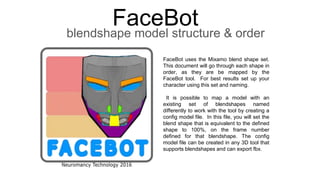
This document lists the blendshape order for the Mixamo blendshape set that can be used with the FaceBot tool. It describes how to map an existing character with different blendshape names by creating a config file to match the shapes to the correct frames. The document then lists 38 blendshapes and their corresponding frame numbers.


