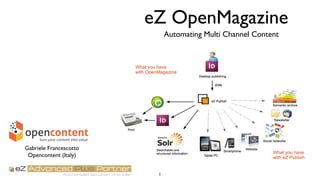
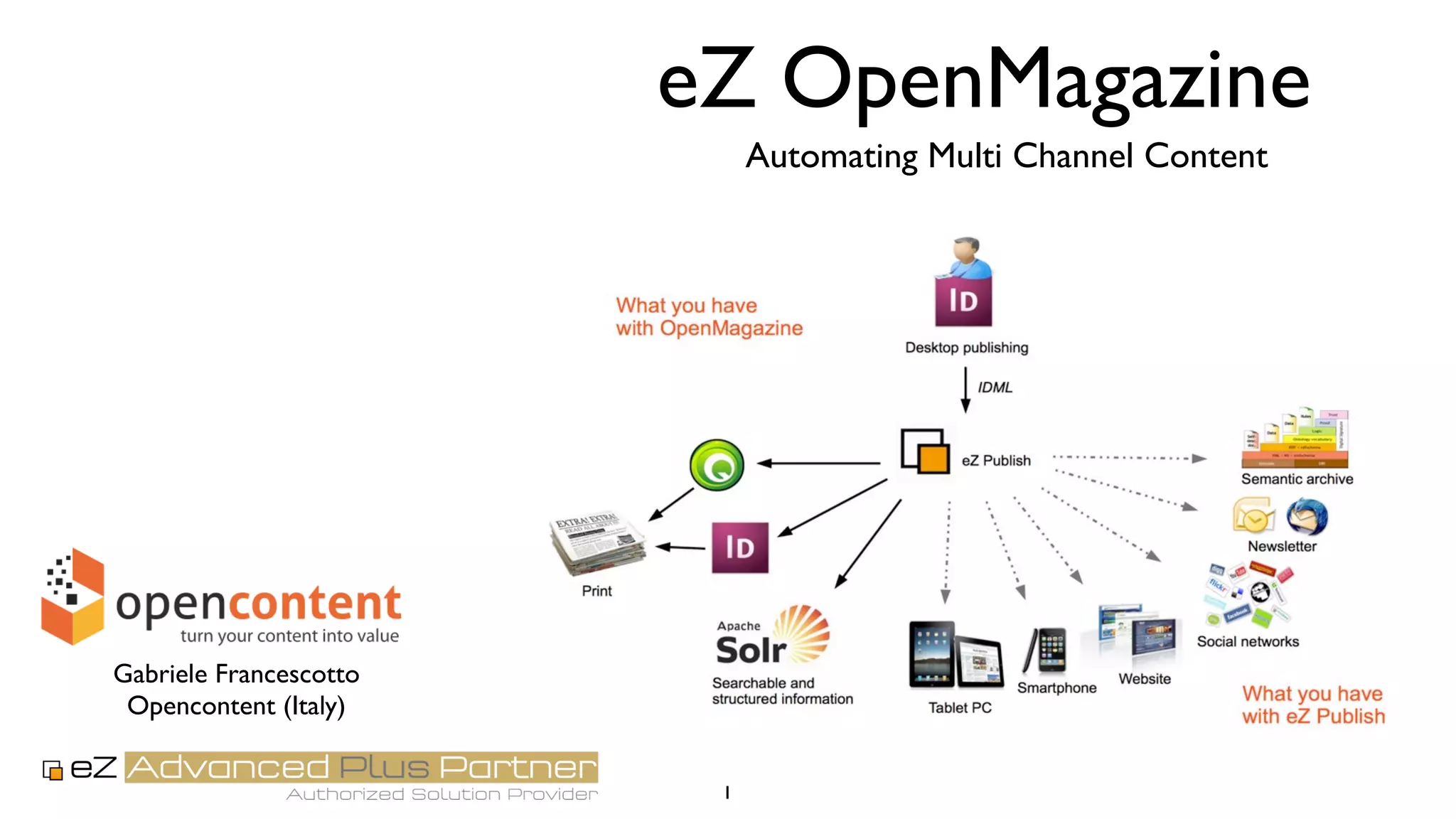
eZ OpenMagazine
Automating Multi Channel Content
1
Gabriele Francescotto
Opencontent (Italy)
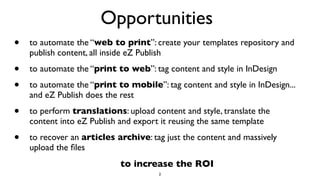
Opportunities
• to automate the “web to print”: create your templates repository and
publish content, all inside eZ Publish
• to automate the “print to web”: tag content and style in InDesign
• to automate the “print to mobile”: tag content and style in InDesign...
and eZ Publish does the rest
• to perform translations: upload content and style, translate the
content into eZ Publish and export it reusing the same template
• to recover an articles archive: tag just the content and massively
upload the files
2
to increase the ROI
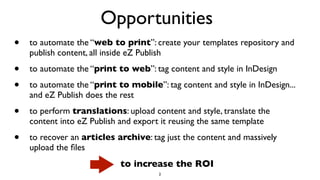
Opportunities
• to automate the “web to print”: create your templates repository and
publish content, all inside eZ Publish
• to automate the “print to web”: tag content and style in InDesign
• to automate the “print to mobile”: tag content and style in InDesign...
and eZ Publish does the rest
• to perform translations: upload content and style, translate the
content into eZ Publish and export it reusing the same template
• to recover an articles archive: tag just the content and massively
upload the files
2
to increase the ROI
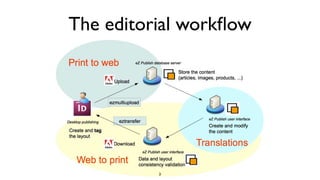
The editorial workflow
3
Editors
Content providers
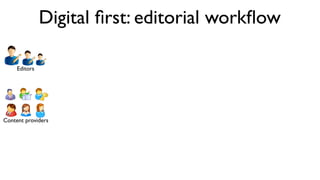
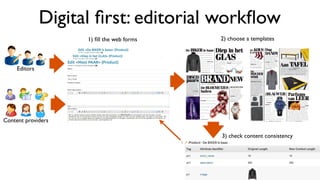
Digital first: editorial workflow
Editors
Content providers
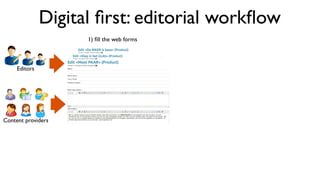
Digital first: editorial workflow
1) fill the web forms
Editors
Content providers
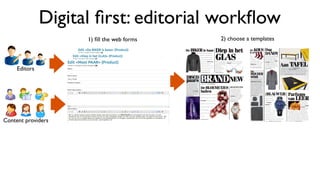
Digital first: editorial workflow
1) fill the web forms 2) choose a templates
Editors
Content providers
Digital first: editorial workflow
1) fill the web forms 2) choose a templates
3) check content consistency
Editors
Content providers
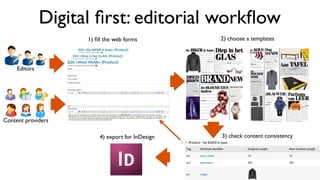
Digital first: editorial workflow
1) fill the web forms
4) export for InDesign
2) choose a templates
3) check content consistency
Editors
Content providers
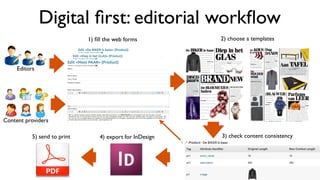
Digital first: editorial workflow
1) fill the web forms
4) export for InDesign5) send to print
2) choose a templates
3) check content consistency
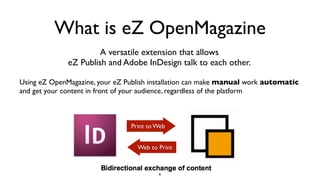
What is eZ OpenMagazine
A versatile extension that allows
eZ Publish and Adobe InDesign talk to each other.
Using eZ OpenMagazine, your eZ Publish installation can make manual work automatic
and get your content in front of your audience, regardless of the platform
Print to Web
Web to Print
6
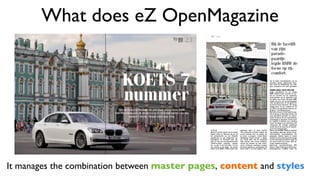
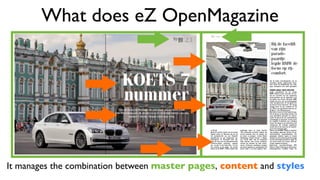
What does eZ OpenMagazine
It manages the combination between master pages, content and styles
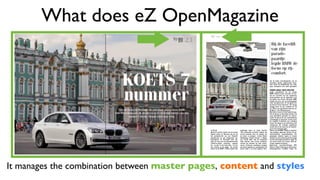
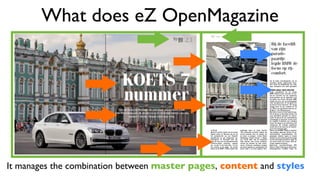
What does eZ OpenMagazine
It manages the combination between master pages, content and styles
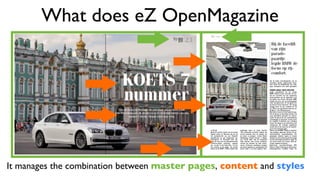
What does eZ OpenMagazine
It manages the combination between master pages, content and styles
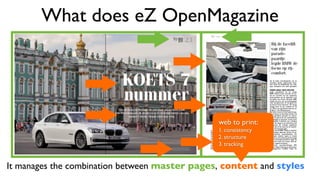
What does eZ OpenMagazine
It manages the combination between master pages, content and styles
web to print:
1. consistency
2. structure
3. tracking
What does eZ OpenMagazine
It manages the combination between master pages, content and styles
What does eZ OpenMagazine
It manages the combination between master pages, content and styles
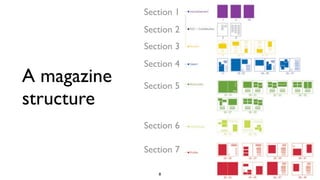
A magazine
structure
8
Section 1
Section 2
Section 3
Section 4
Section 5
Section 6
Section 7
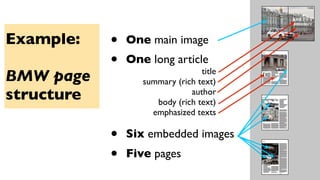
Example:
BMW page
structure
• One main image
• One long article
• Six embedded images
• Five pages
title
summary (rich text)
author
body (rich text)
emphasized texts
eZ OpenMagazine in action
• Content structure: title, abstract, author, body, images, etc
• Style structure: text frames, image frames, paragraphs, rich text
First step: define the structure of a document (section):
10
How? Through tagging: giving a semantic value to the content
Creating a magazine with eZ
• Organize your on-line magazine structure: magazine issues,
main sections, etc
• Define the type of content: articles, images, blogs, products,
authors, advertisements, etc
11
Uploading the templates
• to manually upload every single InDesign file (IDML)
• to massively upload many IDML files at once (eZ Multiupload)
• to automatically upload the images
(synchronizing a remote directory with client’s directory)
eZ OpenMagazine provides different interfaces:
12
Working with eZ Publish
• to edit the content
• to apply a style to the content
• to choose an existing layout template
13
Exporting the content
• to manually download every InDesign file (IDML) and relative
images
• to automatically download the whole magazine, once it has
been completed (using the multiplatform tool eZ Transfer)
eZ OpenMagazine provides different interfaces:
14
... the last details before printing!
• Open the IDML files with Adobe InDesign
• Edit the files and fix the last details
• Send the magazine to print or digital magazine!
15
Design fine-tuning
Focusing on the “web to print”...
• Re-using predefined templates
• Organizing your templates in eZ OpenMagazine’s repository
How to get more benefits from eZ OpenMagazine?
16
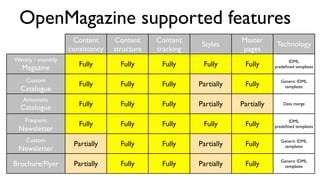
OpenMagazine supported features
Content
consistency
Content
structure
Content
tracking
Styles
Master
pages
Technology
Weekly / monthly
Magazine Fully Fully Fully Fully Fully IDML
predefined templates
Custom
Catalogue
Fully Fully Fully Partially Fully Generic IDML
templates
Automatic
Catalogue Fully Fully Fully Partially Partially Data merge
Frequent
Newsletter
Fully Fully Fully Fully Fully IDML
predefined templates
Custom
Newsletter
Partially Fully Fully Partially Fully Generic IDML
templates
Brochure/Flyer Partially Fully Fully Partially Fully Generic IDML
templates

eZ Openmagazine: Automating multi-channel content creation for your digital first business

  • 1.
    eZ OpenMagazine Automating MultiChannel Content 1 Gabriele Francescotto Opencontent (Italy)
  • 2.
    Opportunities • to automatethe “web to print”: create your templates repository and publish content, all inside eZ Publish • to automate the “print to web”: tag content and style in InDesign • to automate the “print to mobile”: tag content and style in InDesign... and eZ Publish does the rest • to perform translations: upload content and style, translate the content into eZ Publish and export it reusing the same template • to recover an articles archive: tag just the content and massively upload the files 2 to increase the ROI
  • 3.
    Opportunities • to automatethe “web to print”: create your templates repository and publish content, all inside eZ Publish • to automate the “print to web”: tag content and style in InDesign • to automate the “print to mobile”: tag content and style in InDesign... and eZ Publish does the rest • to perform translations: upload content and style, translate the content into eZ Publish and export it reusing the same template • to recover an articles archive: tag just the content and massively upload the files 2 to increase the ROI
  • 4.
  • 5.
  • 6.
    Editors Content providers Digital first:editorial workflow 1) fill the web forms
  • 7.
    Editors Content providers Digital first:editorial workflow 1) fill the web forms 2) choose a templates
  • 8.
    Editors Content providers Digital first:editorial workflow 1) fill the web forms 2) choose a templates 3) check content consistency
  • 9.
    Editors Content providers Digital first:editorial workflow 1) fill the web forms 4) export for InDesign 2) choose a templates 3) check content consistency
  • 10.
    Editors Content providers Digital first:editorial workflow 1) fill the web forms 4) export for InDesign5) send to print 2) choose a templates 3) check content consistency
  • 11.
    What is eZOpenMagazine A versatile extension that allows eZ Publish and Adobe InDesign talk to each other. Using eZ OpenMagazine, your eZ Publish installation can make manual work automatic and get your content in front of your audience, regardless of the platform Print to Web Web to Print 6
  • 12.
    What does eZOpenMagazine It manages the combination between master pages, content and styles
  • 13.
    What does eZOpenMagazine It manages the combination between master pages, content and styles
  • 14.
    What does eZOpenMagazine It manages the combination between master pages, content and styles
  • 15.
    What does eZOpenMagazine It manages the combination between master pages, content and styles web to print: 1. consistency 2. structure 3. tracking
  • 16.
    What does eZOpenMagazine It manages the combination between master pages, content and styles
  • 17.
    What does eZOpenMagazine It manages the combination between master pages, content and styles
  • 18.
    A magazine structure 8 Section 1 Section2 Section 3 Section 4 Section 5 Section 6 Section 7
  • 19.
    Example: BMW page structure • Onemain image • One long article • Six embedded images • Five pages title summary (rich text) author body (rich text) emphasized texts
  • 20.
    eZ OpenMagazine inaction • Content structure: title, abstract, author, body, images, etc • Style structure: text frames, image frames, paragraphs, rich text First step: define the structure of a document (section): 10 How? Through tagging: giving a semantic value to the content
  • 21.
    Creating a magazinewith eZ • Organize your on-line magazine structure: magazine issues, main sections, etc • Define the type of content: articles, images, blogs, products, authors, advertisements, etc 11
  • 22.
    Uploading the templates •to manually upload every single InDesign file (IDML) • to massively upload many IDML files at once (eZ Multiupload) • to automatically upload the images (synchronizing a remote directory with client’s directory) eZ OpenMagazine provides different interfaces: 12
  • 23.
    Working with eZPublish • to edit the content • to apply a style to the content • to choose an existing layout template 13
  • 24.
    Exporting the content •to manually download every InDesign file (IDML) and relative images • to automatically download the whole magazine, once it has been completed (using the multiplatform tool eZ Transfer) eZ OpenMagazine provides different interfaces: 14
  • 25.
    ... the lastdetails before printing! • Open the IDML files with Adobe InDesign • Edit the files and fix the last details • Send the magazine to print or digital magazine! 15 Design fine-tuning
  • 26.
    Focusing on the“web to print”... • Re-using predefined templates • Organizing your templates in eZ OpenMagazine’s repository How to get more benefits from eZ OpenMagazine? 16
  • 27.
    OpenMagazine supported features Content consistency Content structure Content tracking Styles Master pages Technology Weekly/ monthly Magazine Fully Fully Fully Fully Fully IDML predefined templates Custom Catalogue Fully Fully Fully Partially Fully Generic IDML templates Automatic Catalogue Fully Fully Fully Partially Partially Data merge Frequent Newsletter Fully Fully Fully Fully Fully IDML predefined templates Custom Newsletter Partially Fully Fully Partially Fully Generic IDML templates Brochure/Flyer Partially Fully Fully Partially Fully Generic IDML templates