Exciting Technology for the
2014 GED® Test
Mastering Math
October 16, 2013
Achieving Credentials for Success Conference
Appleton, WI
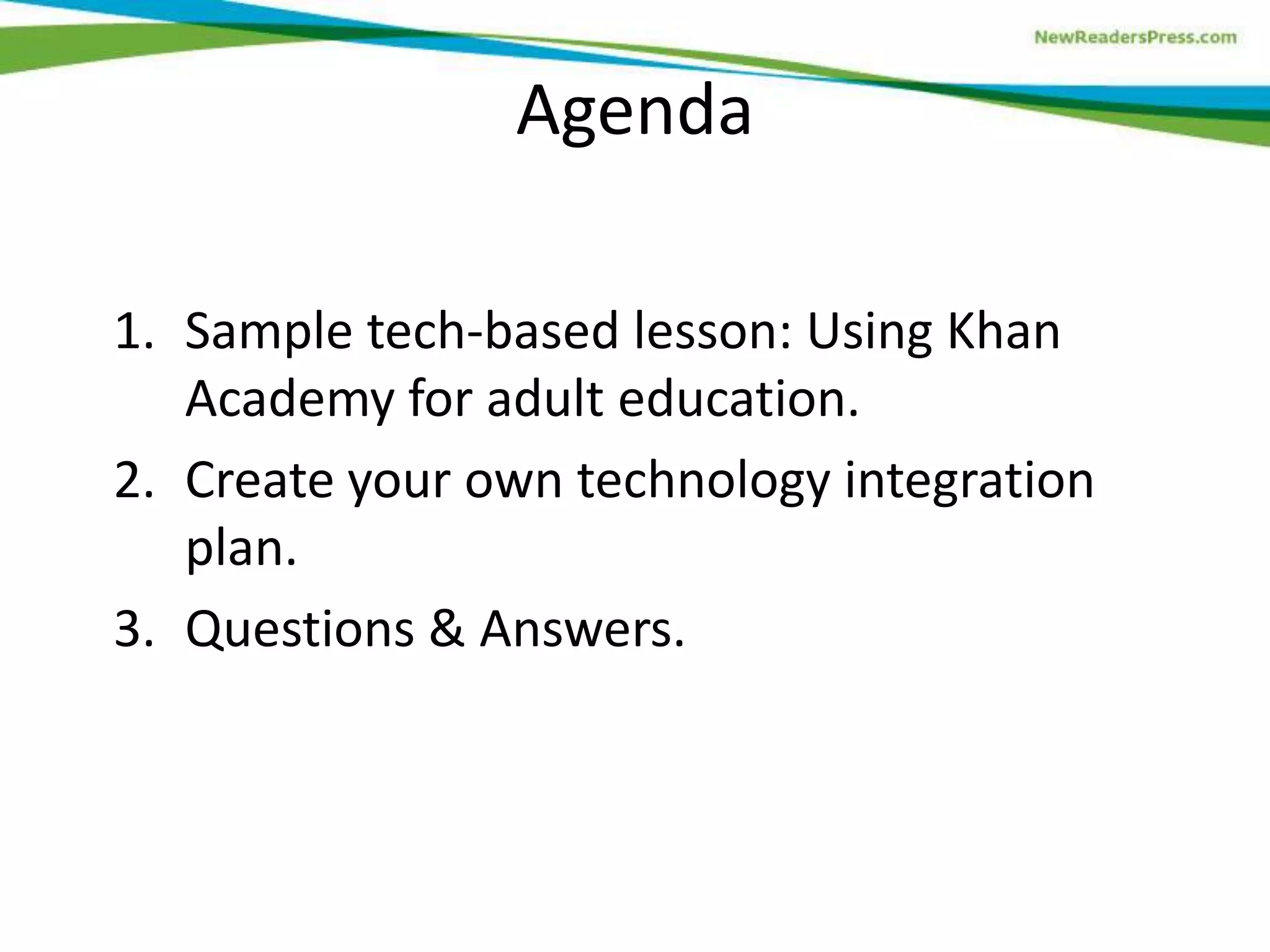
Meagen Farrell
Author, trainer, consultant
GED® Test prep instructor
@farrellink
Facebook.com/farrell.ink
Farrellink.com
Agenda
1. Sample tech-based lesson: Using Khan
Academy for adult education.
2. Create your own technology integration
plan.
3. Questions & Answers.
Rules for the Road
• Stay with the group! Don’t get distracted
by your mobile device or side
conversations.
• Questions? Yes, please! Just raise your
hand and tell me your name & location.
Computer-Based Test Taking Skills
In addition to using a mouse, test-takers must:
• Scroll down a page
• Navigate between tabs to read pages
• Select answers from drop-down menus
• Drag-and-drop answers to a graph or chart
• Use a virtual calculator (TI-30XS)
• Type two short answers and two extended
responses (~25 WPM)
• Use basic word processing tools
Integrating Technology in Teaching:
Mastering Math
Field Tested in Cleveland, Ohio
Objectives
• Watch, pause, rewind, and finish a
math learning video.
• Complete math practice problems.
• Optional:
• Sign up for a Google account.
• Sign up for Khan Academy.
• Sign up for a “Coach.”
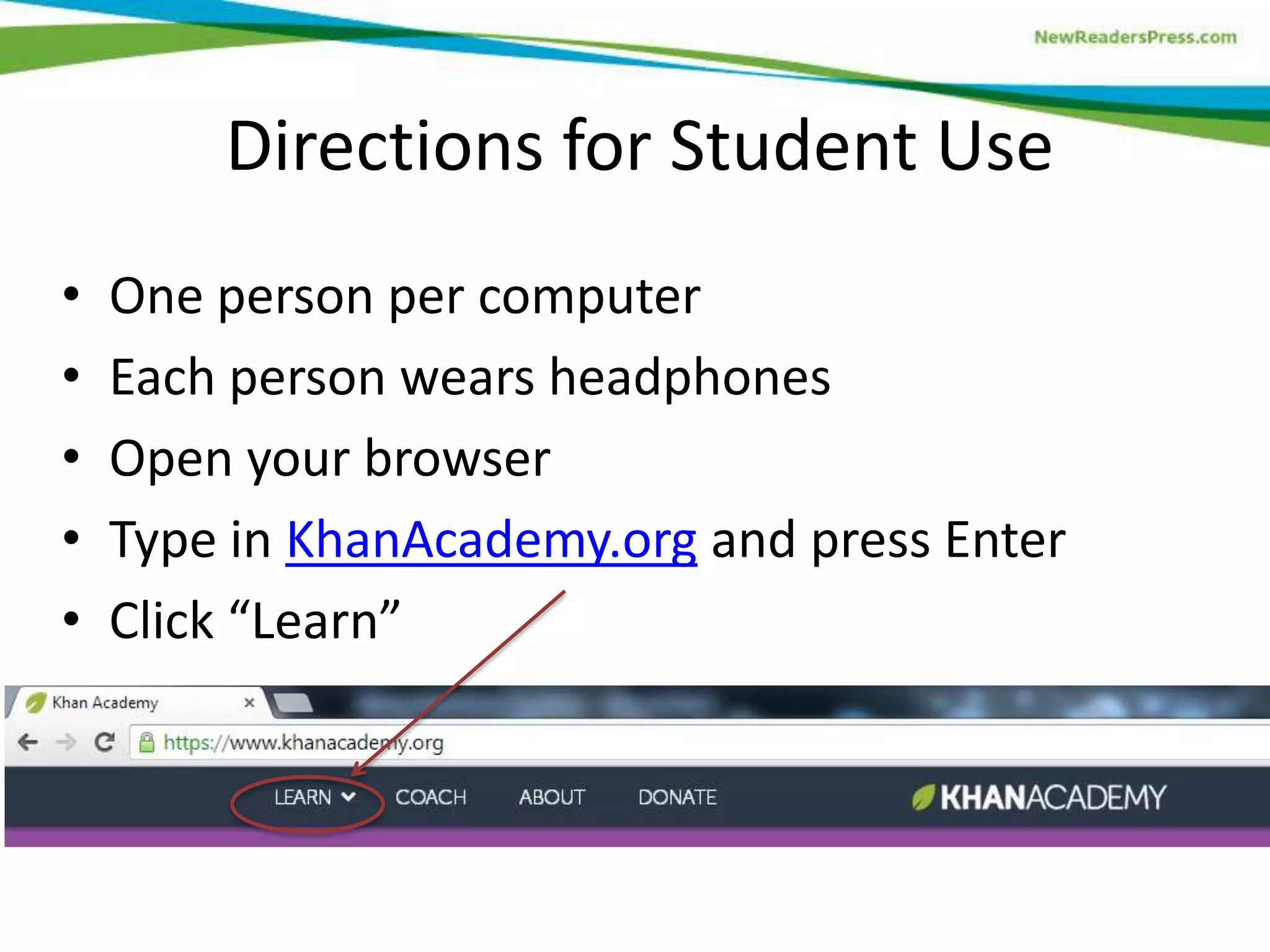
Directions for Student Use
•
•
•
•
•

One person per computer
Each person wears headphones
Open your browser
Type in KhanAcademy.org and press Enter
Click “Learn”
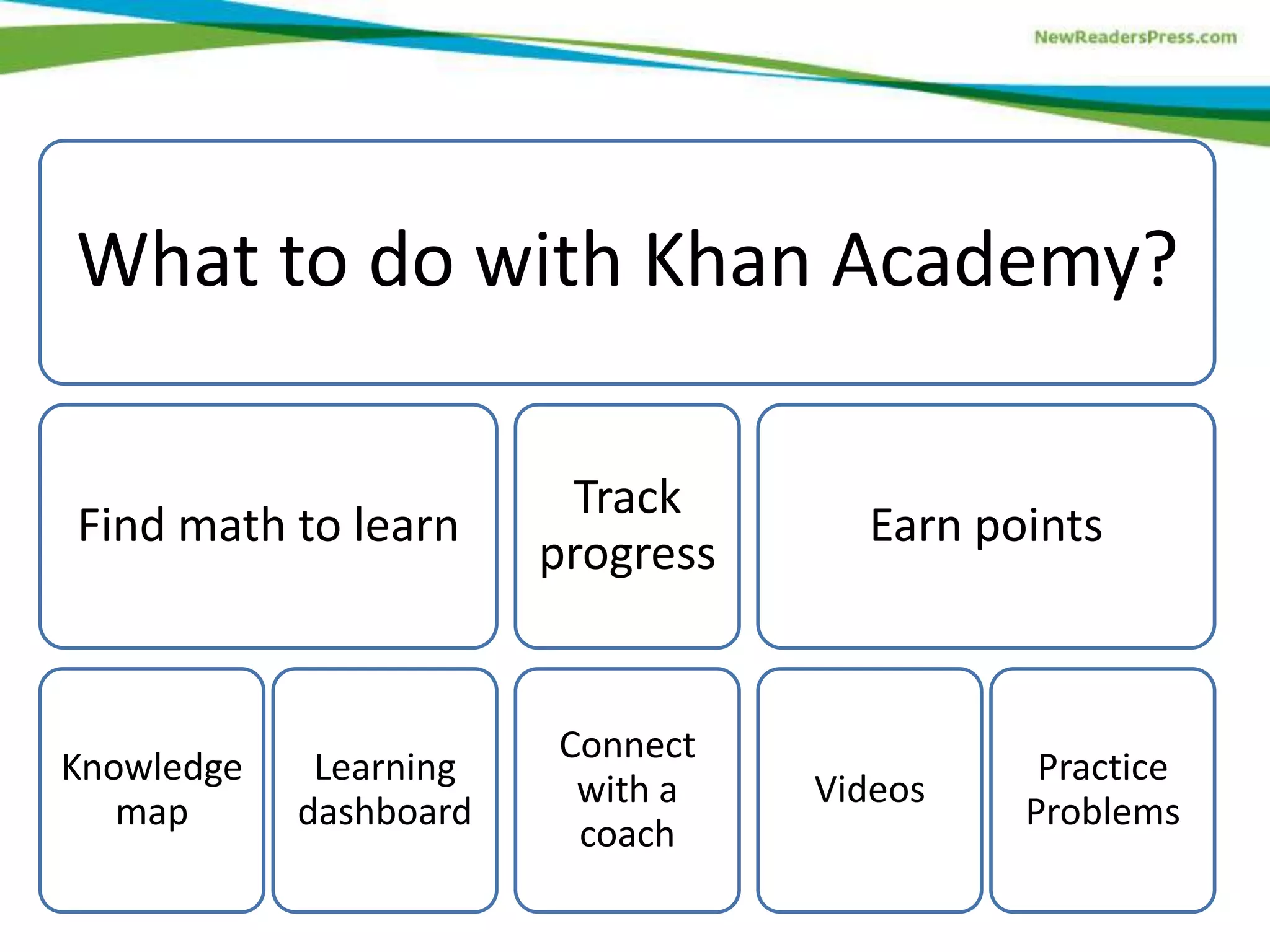
What to do with Khan Academy?
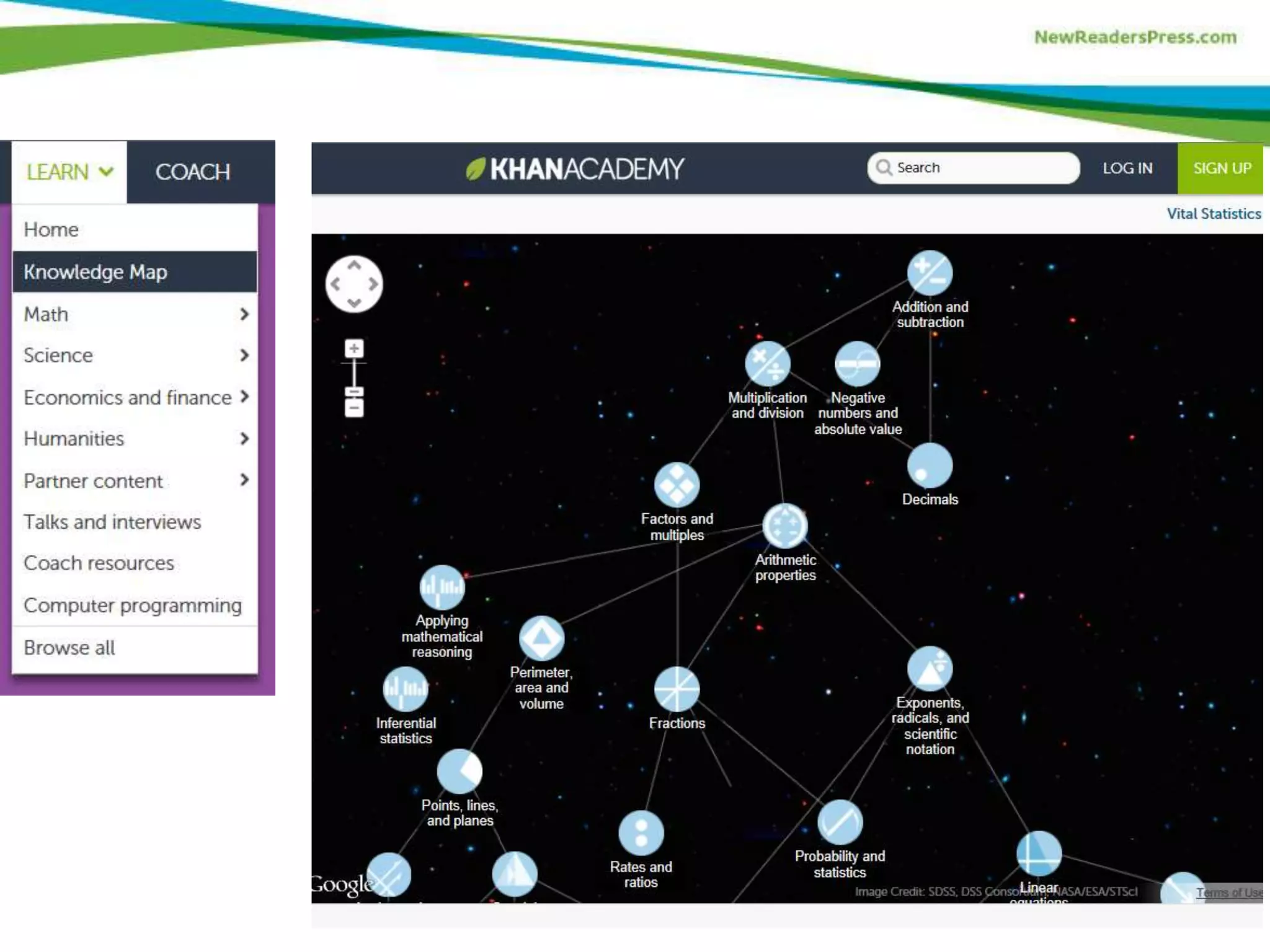
Find math to learn

Knowledge
map

Learning
dashboard

Track
progress

Connect
with a
coach

Earn points

Videos

Practice
Problems
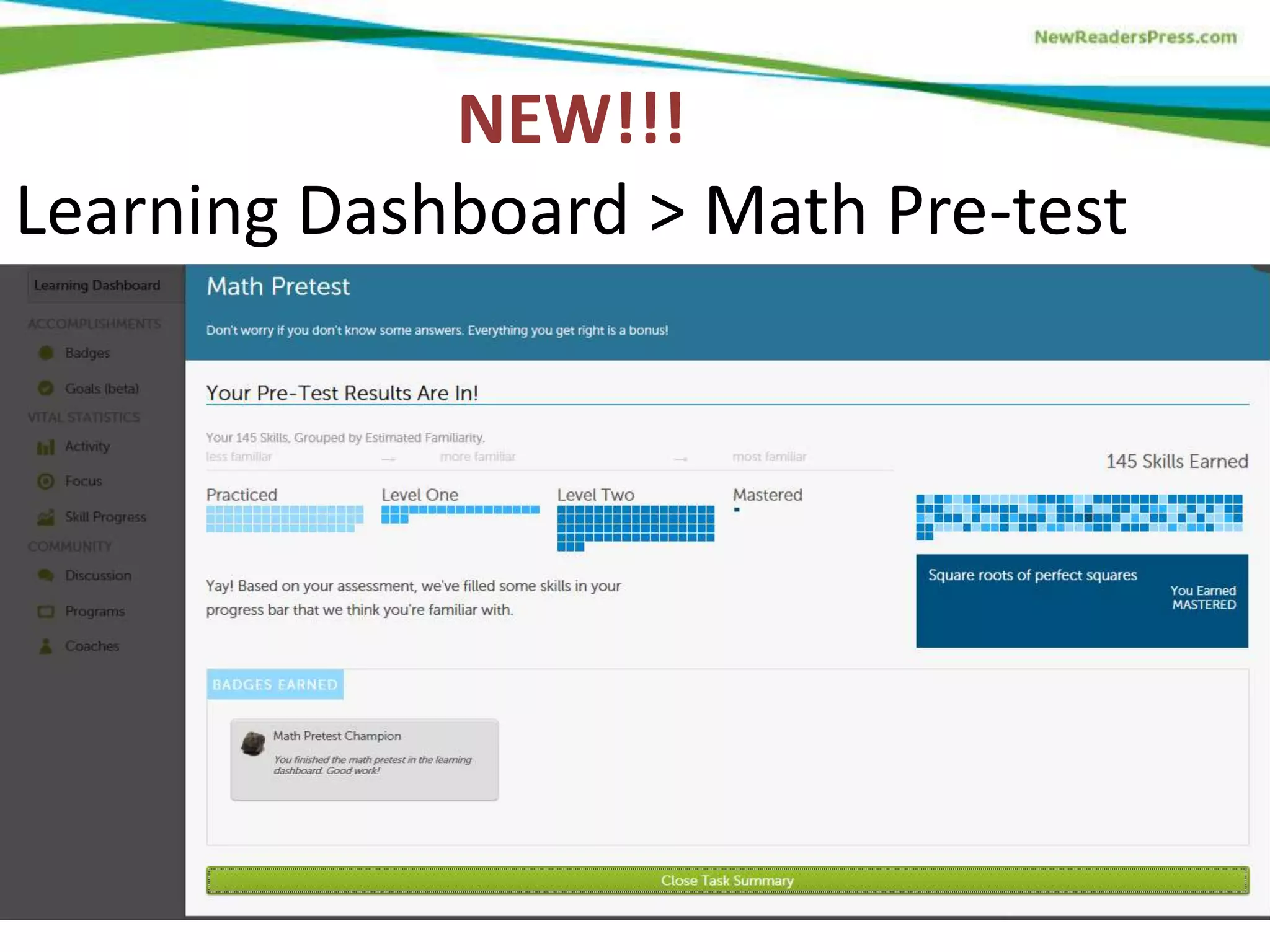
NEW!!!
Learning Dashboard > Math Pre-test
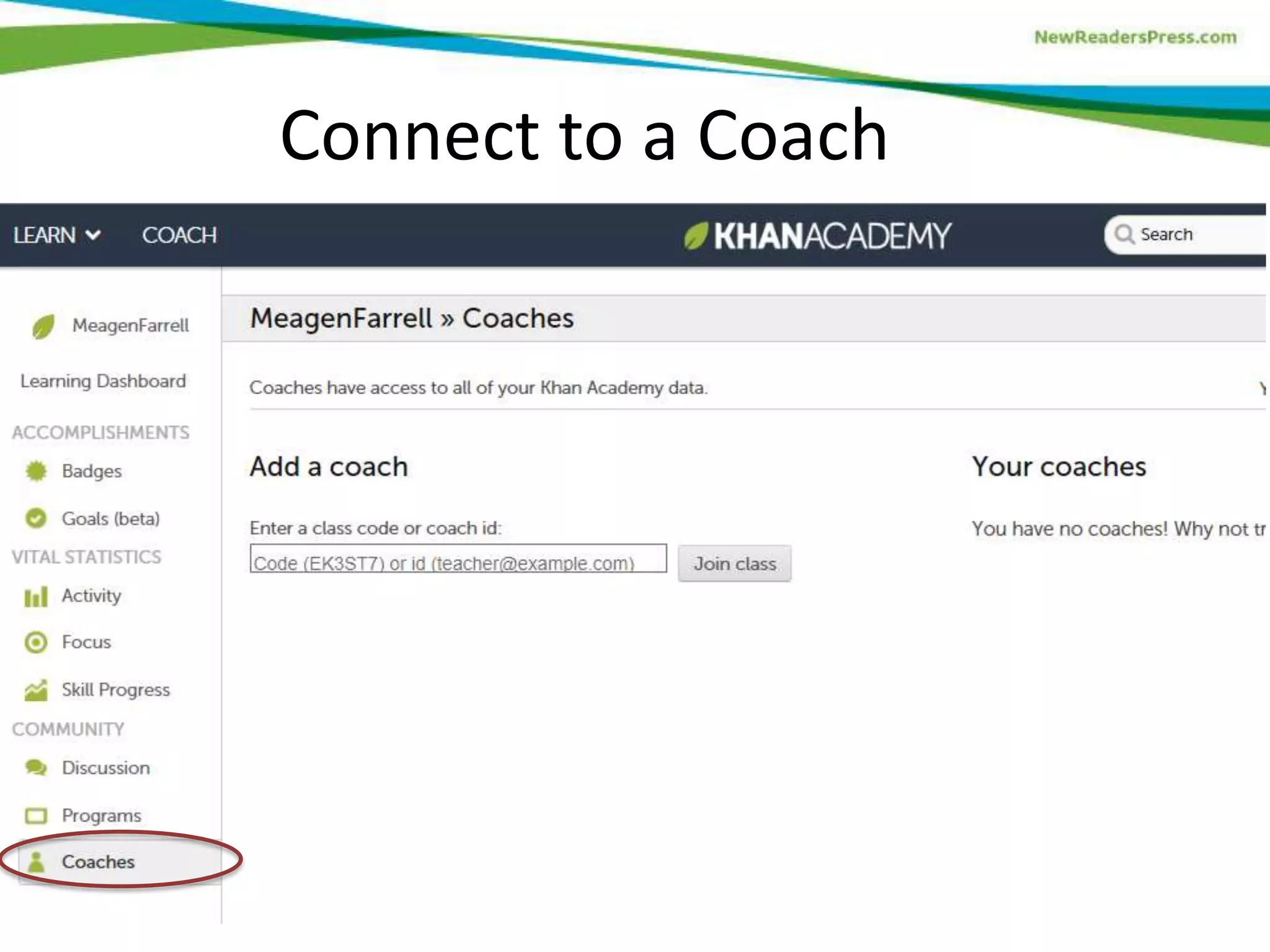
Connect to a Coach
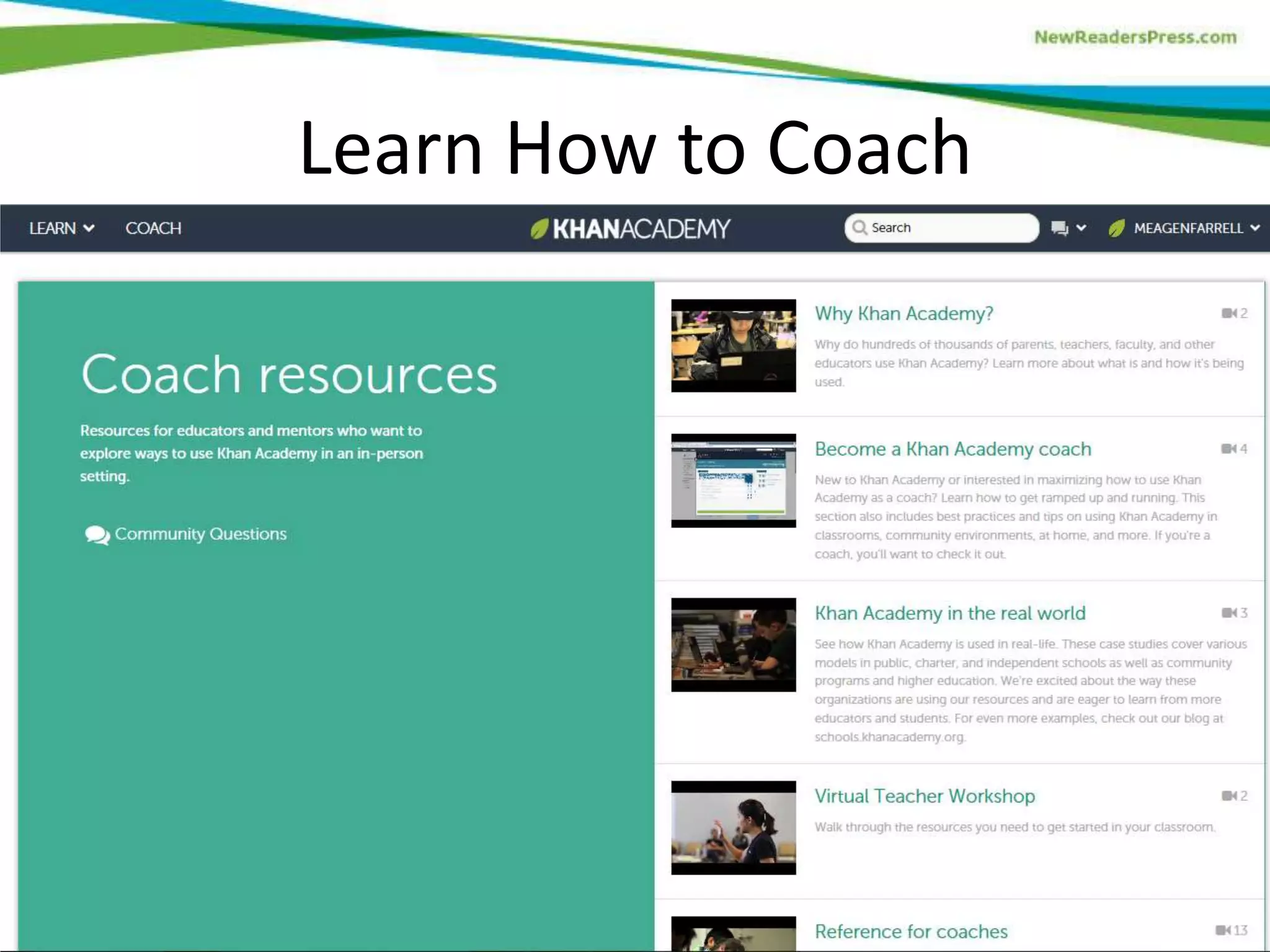
Learn How to Coach
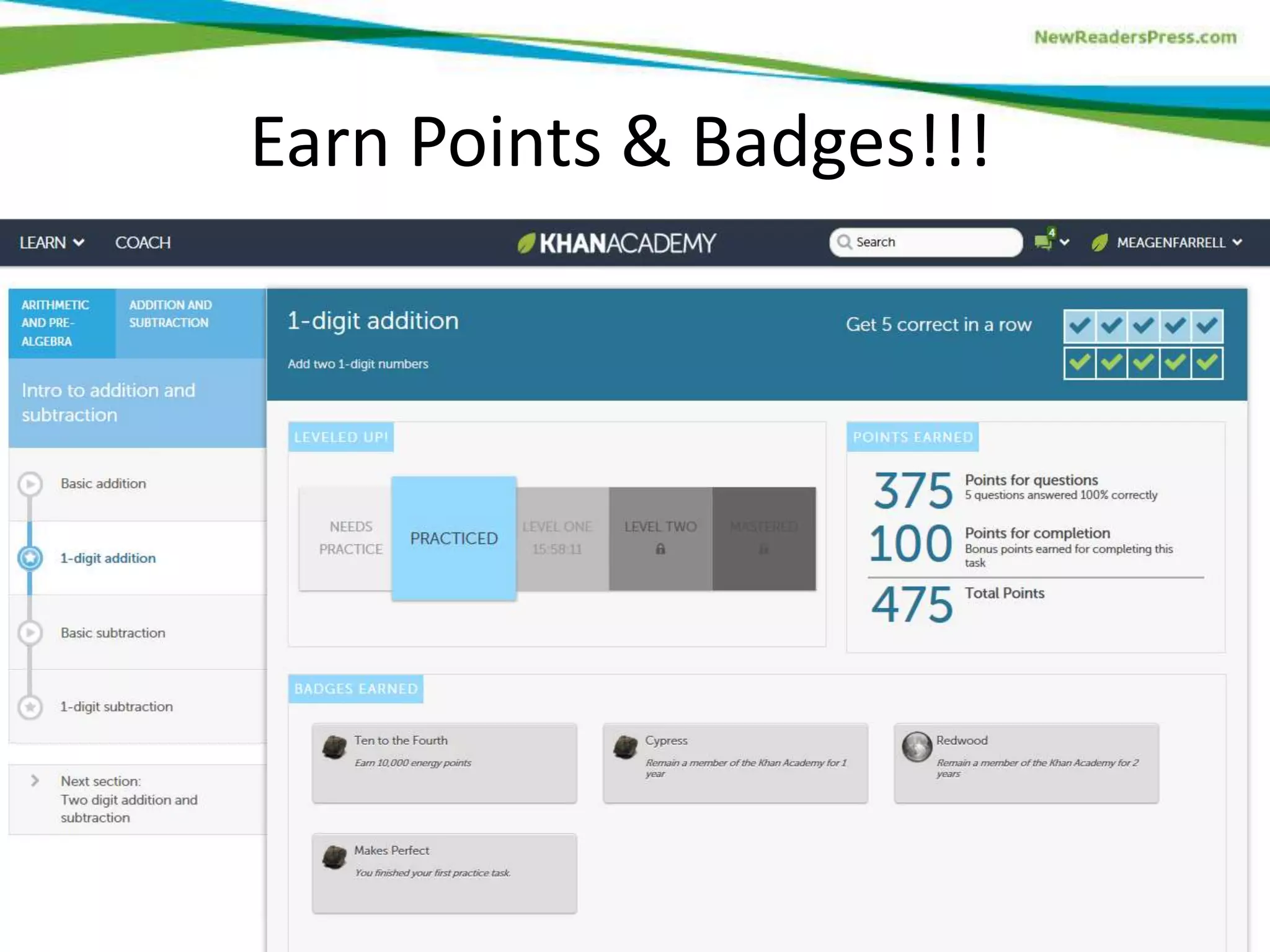
Earn Points & Badges!!!
Watch Videos
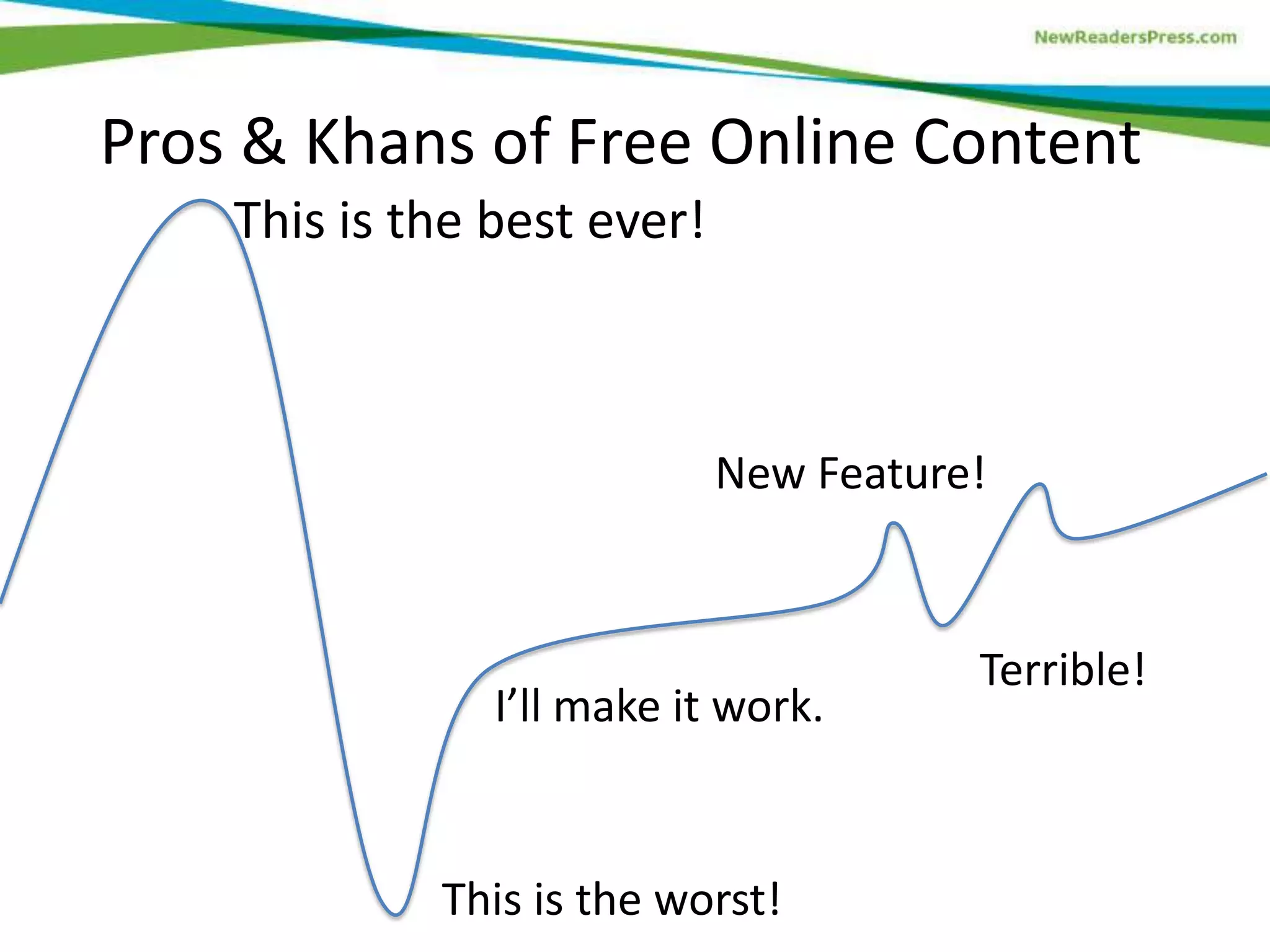
Pros & Khans of Free Online Content
This is the best ever!

New Feature!

I’ll make it work.

This is the worst!

Terrible!
How to Plan in Advance:
1. Decide on your theme.
2. Select your instructional standards and a
student activity to engage content.
3. Evaluate available technology for student use.
4. Provide specific directions for student use.
5. Set up the safe for access and security.
6. Consider worst case scenario: how will you
handle struggling students or tech difficulties?
Your Turn! Create Your Technology
Integration Plan
• Each person should have a blank technology
integration plan.
• Get in groups of four to six people.
• Designate one person as the recorder to write
down the technology plan.
Questions?
Take It Home
• The PowerPoint and handout is available for
view or download at my website:
farrellink.com
• You have permission to use these workshop
materials in your program as long as you
attribute Meagen Farrell and New Readers
Press.
Thank You!

GED® is a registered trademark of the American Council on Education and
may not be used without permission. The GED® and GED Testing Service®
brands are administered by GED Testing Service LLC under license.

Exciting Technology for 2014 GED Test Prep: Mastering Math

  • 1.
    Exciting Technology forthe 2014 GED® Test Mastering Math October 16, 2013 Achieving Credentials for Success Conference Appleton, WI
  • 2.
    Meagen Farrell Author, trainer,consultant GED® Test prep instructor @farrellink Facebook.com/farrell.ink Farrellink.com
  • 3.
    Agenda 1. Sample tech-basedlesson: Using Khan Academy for adult education. 2. Create your own technology integration plan. 3. Questions & Answers.
  • 4.
    Rules for theRoad • Stay with the group! Don’t get distracted by your mobile device or side conversations. • Questions? Yes, please! Just raise your hand and tell me your name & location.
  • 5.
    Computer-Based Test TakingSkills In addition to using a mouse, test-takers must: • Scroll down a page • Navigate between tabs to read pages • Select answers from drop-down menus • Drag-and-drop answers to a graph or chart • Use a virtual calculator (TI-30XS) • Type two short answers and two extended responses (~25 WPM) • Use basic word processing tools
  • 6.
    Integrating Technology inTeaching: Mastering Math Field Tested in Cleveland, Ohio
  • 7.
    Objectives • Watch, pause,rewind, and finish a math learning video. • Complete math practice problems. • Optional: • Sign up for a Google account. • Sign up for Khan Academy. • Sign up for a “Coach.”
  • 8.
    Directions for StudentUse • • • • • One person per computer Each person wears headphones Open your browser Type in KhanAcademy.org and press Enter Click “Learn”
  • 9.
    What to dowith Khan Academy? Find math to learn Knowledge map Learning dashboard Track progress Connect with a coach Earn points Videos Practice Problems
  • 11.
  • 12.
  • 13.
  • 14.
    Earn Points &Badges!!!
  • 15.
  • 16.
    Pros & Khansof Free Online Content This is the best ever! New Feature! I’ll make it work. This is the worst! Terrible!
  • 17.
    How to Planin Advance: 1. Decide on your theme. 2. Select your instructional standards and a student activity to engage content. 3. Evaluate available technology for student use. 4. Provide specific directions for student use. 5. Set up the safe for access and security. 6. Consider worst case scenario: how will you handle struggling students or tech difficulties?
  • 18.
    Your Turn! CreateYour Technology Integration Plan • Each person should have a blank technology integration plan. • Get in groups of four to six people. • Designate one person as the recorder to write down the technology plan.
  • 19.
  • 20.
    Take It Home •The PowerPoint and handout is available for view or download at my website: farrellink.com • You have permission to use these workshop materials in your program as long as you attribute Meagen Farrell and New Readers Press.
  • 21.
    Thank You! GED® isa registered trademark of the American Council on Education and may not be used without permission. The GED® and GED Testing Service® brands are administered by GED Testing Service LLC under license.

Editor's Notes

  • #3 Why did New Readers Press ask me to write this book? They want an instructional perspective.
  • #7 We did not field test every lesson in the book, but several of them. Meet: Shannon, Geri, Antonio, & Tiffany. My other learners didn’t want their pictures taken!
  • #8 Check or review pre-requisite knowledge. What is the U.S. Constitution? The document that explains how the government works. What is the Bill of Rights? The first set of Amendments to the U.S. Constitution that explains the rights of citizens. Amend means to add. An Amendment is something added, in this case to the Constitution.
  • #9 This is scaffolding to help learners successfully use technology.
  • #16 Watch to about 4:30 with montage, descriptions of beginnings, & initial responses.
  • #17 My emotional rollercoaster from using Khan Academy & other free cool online tools.