Exception Handling
Submitted To:
Falguni Roy
Lecturer of IIT, NSTU
Submitted By:
Saifur Rahman (ASH1825031M)
Kamruzzaman (ASH1825035M)
Abrar Hossain (ASH1825005M)
Introduction
▪ An exception is a runtime error.
▪ An abnormal condition that arises in a code sequence at run time.
▪ Exception occurs :
int x=10;
int y=0;
int result = x/y; //exception occours.
10/15/2018 2
Types
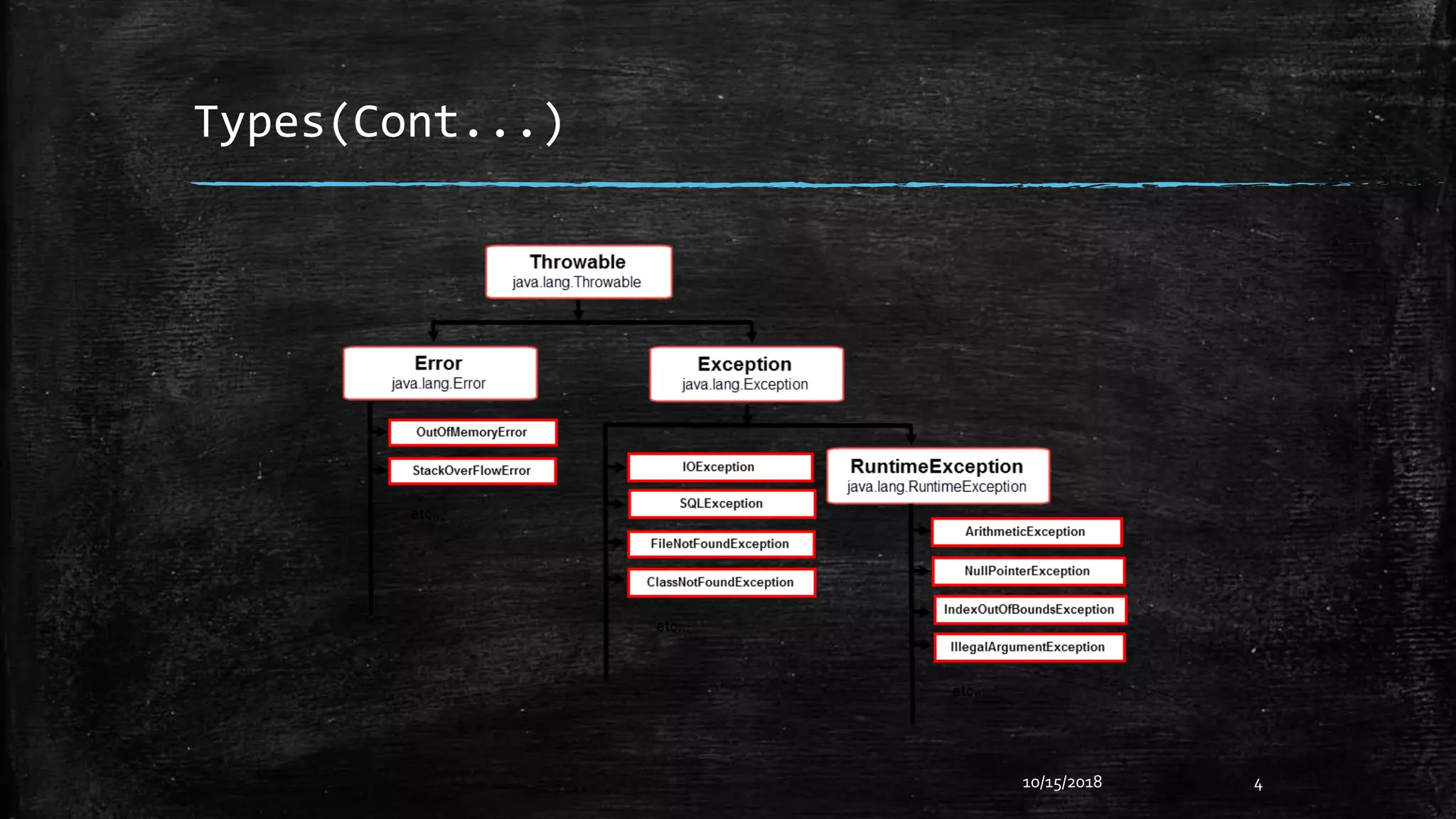
▪ Checked Exception
– These are the exceptions which may occur regularly in a program and compiler
will check for those exceptions at “CompileTime” ,those exceptions are called
Checked Exceptions.
Example: FileNotFoundException, EndOfFileException etc.
▪ Unchecked Exception
– There are some exceptions which do not occur regularly in a program, and
compiler will not check for those exceptions, these kind of exceptions are called
Unchecked Exceptions.
Example:ArithmeticException, NullPointerException etc.
▪ Error and RuntimeException is a part of Unchecked Exception
10/15/2018 3
Types(Cont...)
10/15/2018 4
Types(Cont…)
▪ ArithmeticException
– If we divide any number by zero, there occurs an ArithmeticException.
int a=50/0; //ArithmeticException
▪ NullPointerException
– If we have a null value in any variable, performing any operation on the variable
throws a NullPointerException.
String s=null;
System.out.println(s.length());//NullPointerException
10/15/2018 5
Types(Cont…)
▪ NumberFormatException
– The wrong formatting of any value may occur NumberFormatException.
String s="abc“;
int i=Integer.parseInt(s); //NumberFormatException
▪ ArrayIndexOutOfBoundsException
– If you are inserting any value in the wrong index, it would result in
ArrayIndexOutOfBoundsException.
int a[]=new int[5];
a[10]=50; //ArrayIndexOutOfBoundsException
10/15/2018 6
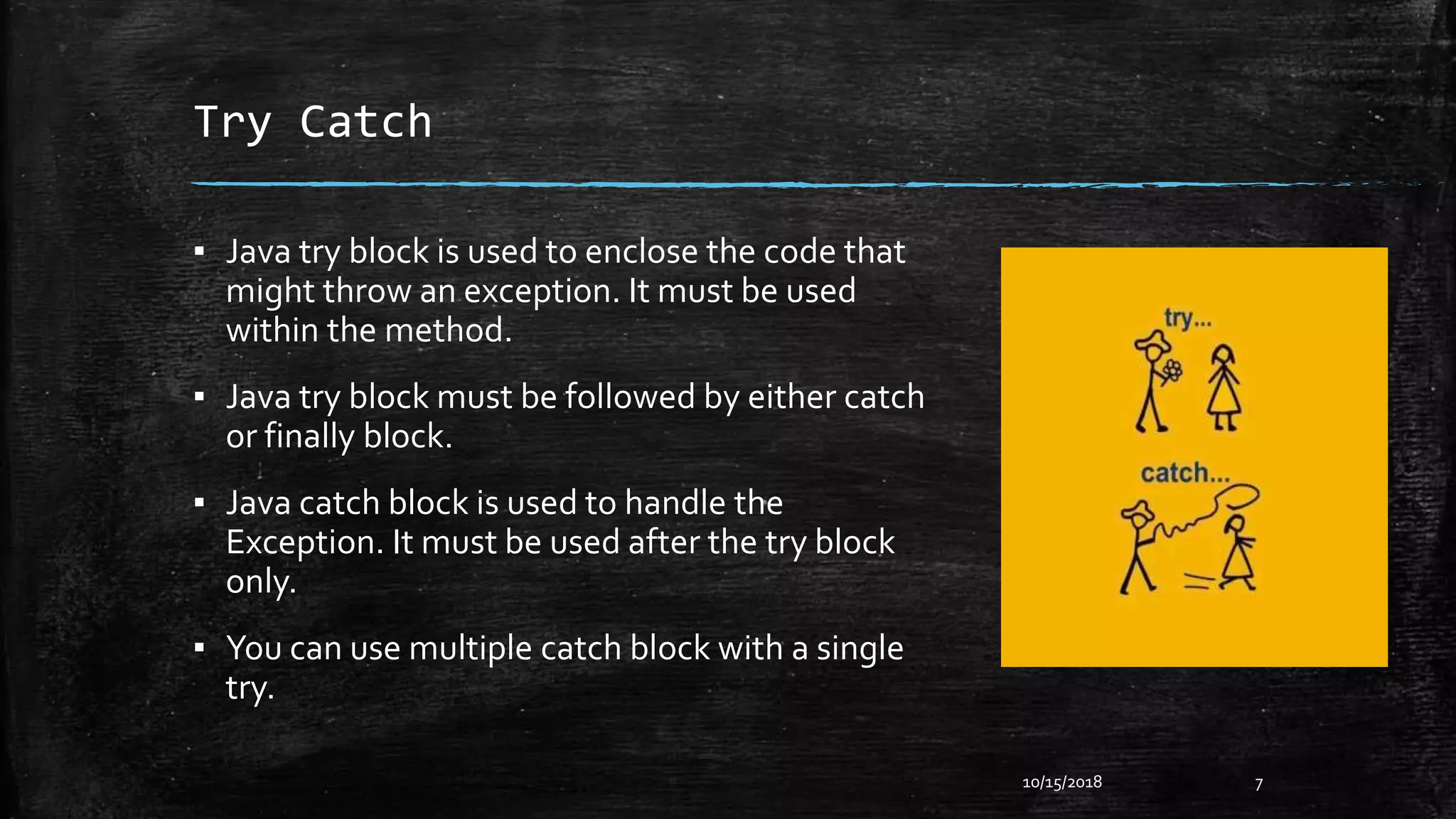
Try Catch
▪ Java try block is used to enclose the code that
might throw an exception. It must be used
within the method.
▪ Java try block must be followed by either catch
or finally block.
▪ Java catch block is used to handle the
Exception. It must be used after the try block
only.
▪ You can use multiple catch block with a single
try.
10/15/2018 7
Try Catch(Cont…)
▪ Example :
public classTesttrycatch {
public static void main(String args[]){
try{
int data=50/0;
}
catch (ArithmeticException e) {
System.out.println(“Problem Found.”);
}
System.out.println(“Rest of the code...");
}
}
10/15/2018 8
Output :
Problem Found
Rest of the code…
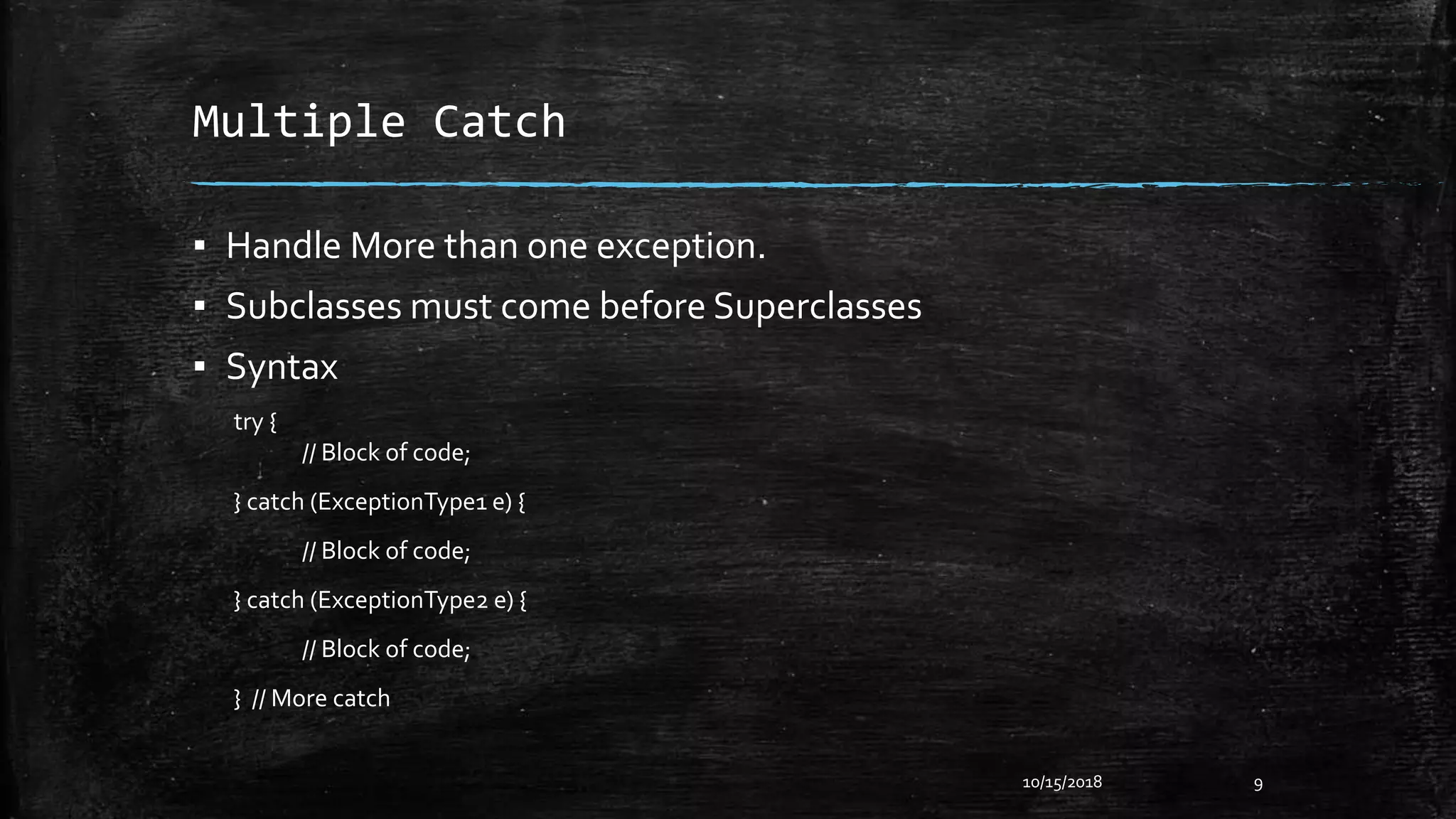
Multiple Catch
▪ Handle More than one exception.
▪ Subclasses must come before Superclasses
▪ Syntax
try {
// Block of code;
} catch (ExceptionType1 e) {
// Block of code;
} catch (ExceptionType2 e) {
// Block of code;
} // More catch
10/15/2018 9
Multiple Catch(Cont…)
Example :
public classTestMultipleCatchBlock1 {
public static void main(String args[]){
try{
int a[] = { 0 };
a[99] = 1/0;
} catch (ArithmeticException e) {
System.out.println(“Task1 is completed.");
} catch (ArrayIndexOutOfBoundsException e) {
System.out.println("task 2 completed.") ;
} catch (Exception e) {
System.out.println("common task completed");
}
System.out.println(“Rest of the code...");
}
}
10/15/2018 10
Ouput :
Task1 is completed.
Rest of the code...
Multiple Catch(Cont…)
Example :
public classTestMultipleCatchBlock1 {
public static void main(String args[]){
try{
int a[] = { 0 };
a[99] = 1/0;
} catch (Exception e) {
System.out.println("common task completed");
} catch (ArithmeticException e) {
System.out.println(“Task1 is completed.");
} catch (ArrayIndexOutOfBoundsException e) {
System.out.println("task 2 completed.") ; }
System.out.println(“Rest of the code...");
}
}
10/15/2018 11
Ouput :
No output.
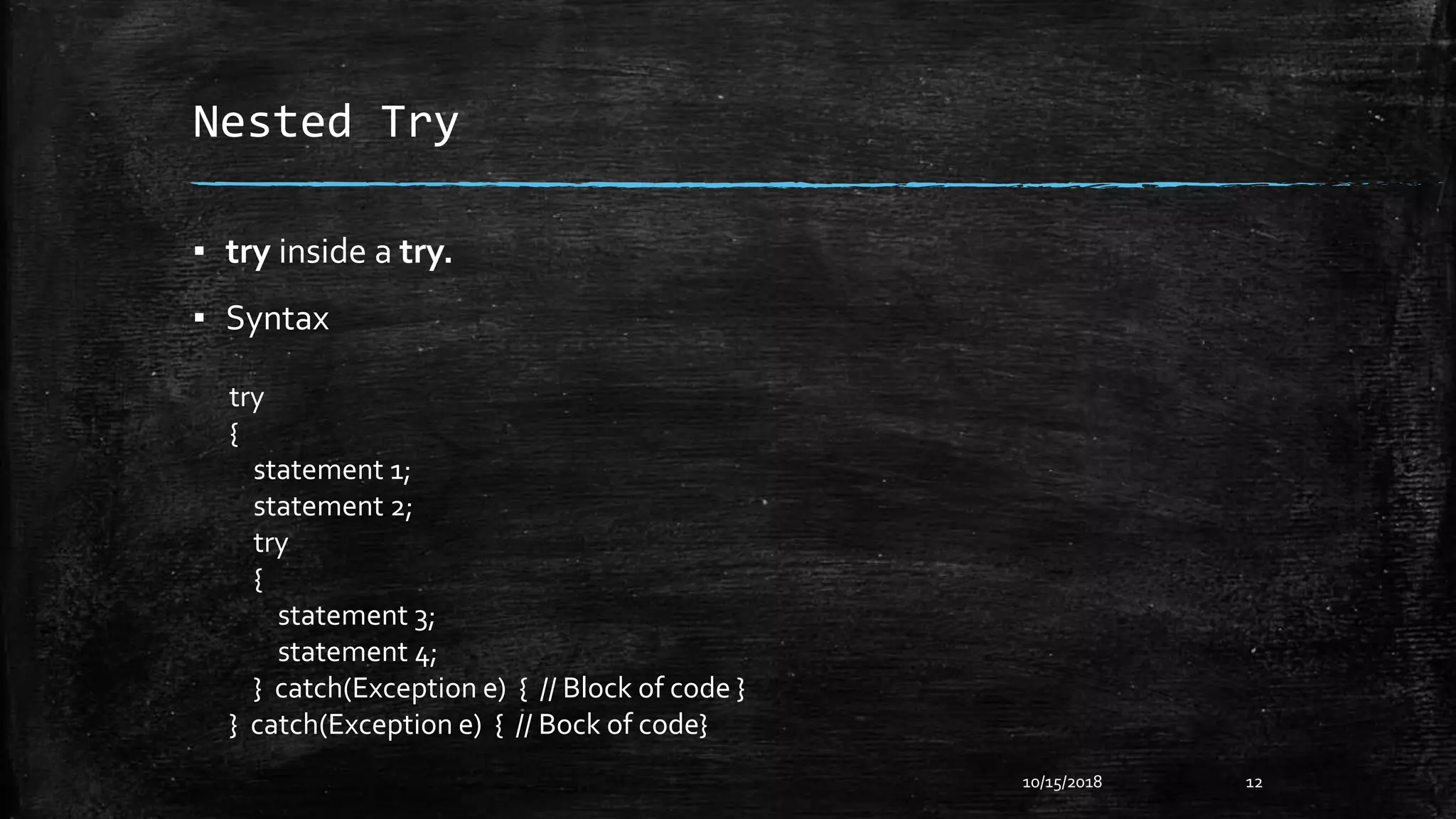
Nested Try
▪ try inside a try.
▪ Syntax
10/15/2018 12
try
{
statement 1;
statement 2;
try
{
statement 3;
statement 4;
} catch(Exception e) { // Block of code }
} catch(Exception e) { // Bock of code}
Nested Try(Cont…)
Example :
public class Nested {
public static void main(String[] args) {
try {
System.out.println("Outer try block starts");
try {
System.out.println("Inner try block starts");
int res = 5 / 0;
} catch (InputMismatchException e) {
System.out.println("InputMismatchException caught");
} finally {
System.out.println("Inner final");
}
} catch (ArithmeticException e) {
System.out.println("ArithmeticException caught");
} finally {
System.out.println("Outer finally");
}
}
}
10/15/2018 13
Output :
Outer try block starts
Inner try block starts
Inner final
ArithmeticException caught
Outer finallyOuter finally
Exception Keywords
▪ Try
▪ Catch
▪ Throw
– Syntax : throw throwableInstance
– Example : throw new ArithmeticException(“Found Exception”);
▪ Throws
– Syntax :
type method-name(parameter-list) throws exception-list {
// Body of method
}
▪ Finally
10/15/2018 14
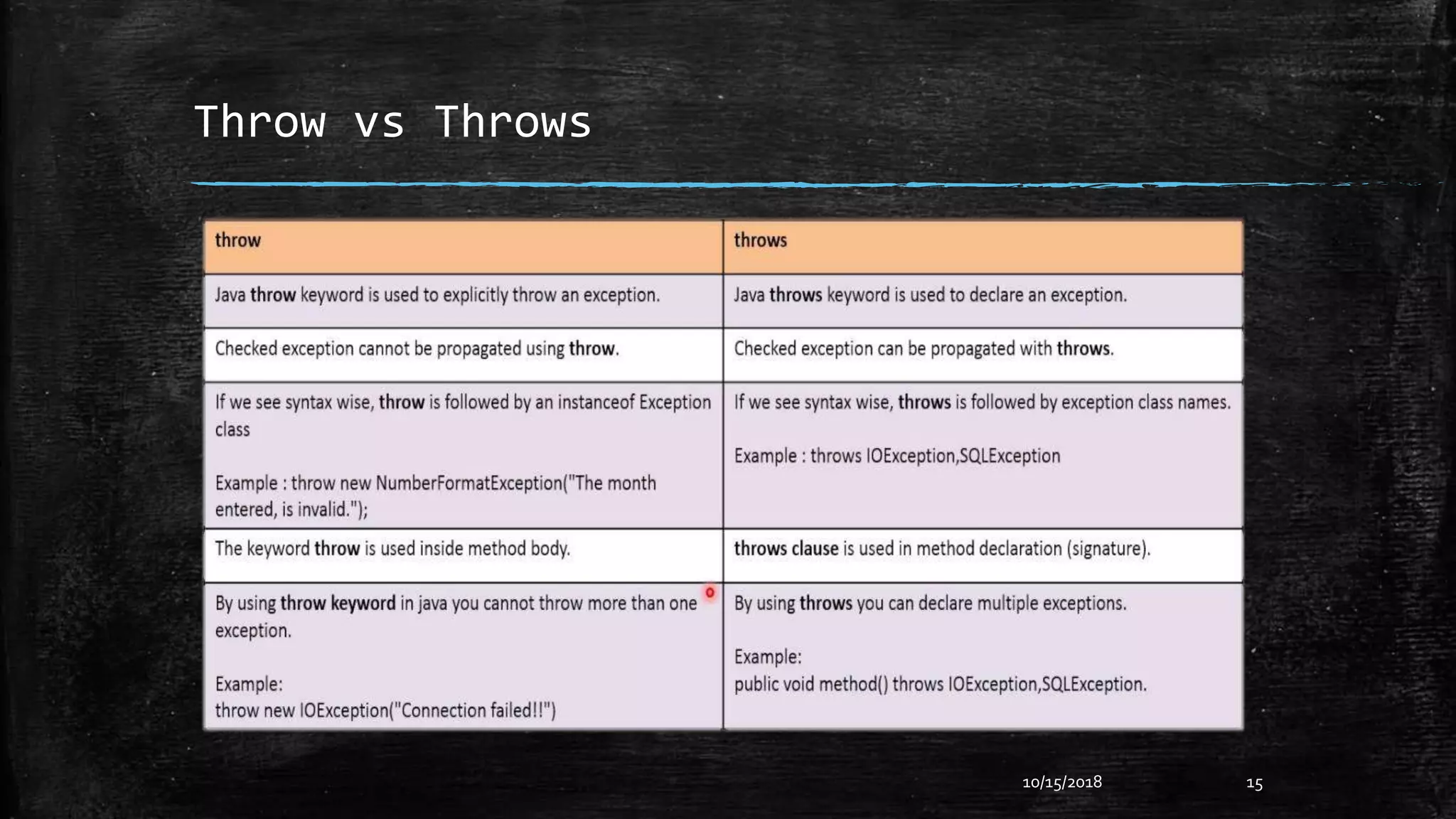
Throw vs Throws
10/15/2018 15
Example of Throw
10/15/2018 16
public classTestThrow1{
static void validate(int age){
if(age<18)
throw new ArithmeticException("not valid");
else
System.out.println("welcome to vote");
}
public static void main(String args[]){
validate(13);
System.out.println("rest of the code...");
}
}
Output :
not valid
rest of the code
Example of Throws
10/15/2018 17
import java.io.IOException;
classTestthrows1{
void m() throws IOException{
throw new IOException("device error");//checked exception
}
void n()throws IOException{
m();
}
void p(){
try{
n();
}catch(Exception e){System.out.println("exception handled");}
}
public static void main(String args[]){
Testthrows1 obj=newTestthrows1();
obj.p();
System.out.println("normal flow...");
}
}
Output :
Exception Handled
Normal Flow
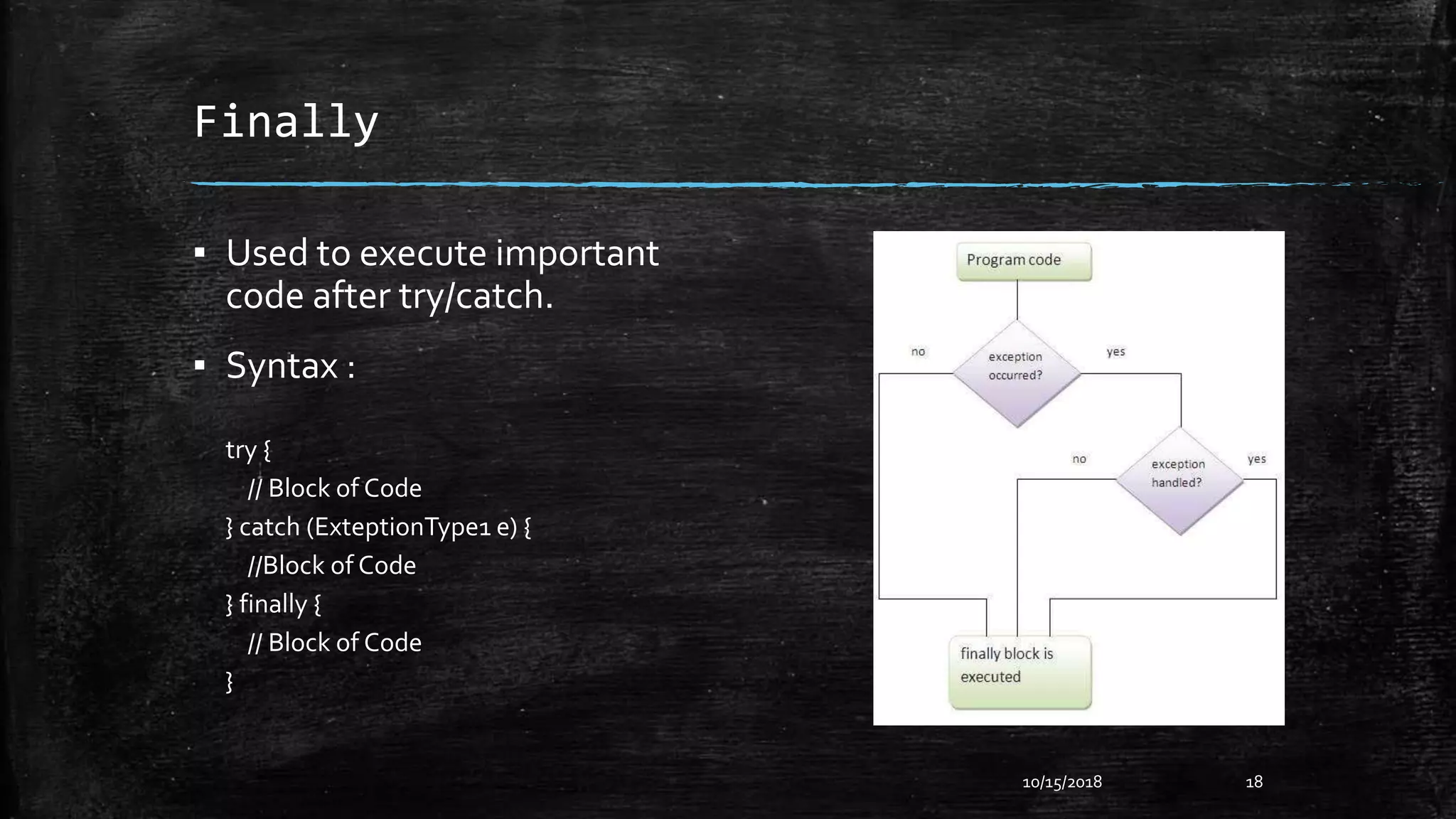
Finally
▪ Used to execute important
code after try/catch.
▪ Syntax :
try {
// Block of Code
} catch (ExteptionType1 e) {
//Block of Code
} finally {
// Block of Code
}
10/15/2018 18
Finally(Cont…)
10/15/2018 19
Example :
public class FinallyEx {
public static void main(String[] args) {
try {
System.out.println("try block starts");
int a = 10 / 0;
} catch (ArithmeticException e) {
System.out.println("ArithmeticException caught");
} finally {
System.out.println(“Next time don’t insert zero.");
}
}
}
Output :
try block starts
ArithmeticException
caught
Next time don’t
insert zero.
Own Exceptions
▪ Define a subclass of Exception
▪ Create 2 or 4 constructor of that subclass like this
– SubClass()
– SubClass(String msg)
– SubClass(Throwable causeExc)
– SubClass(String msg,ThrowableExc)
▪ Create a method named toString()
10/15/2018 20
Own Exceptions(Cont…)
10/15/2018 21
Example :
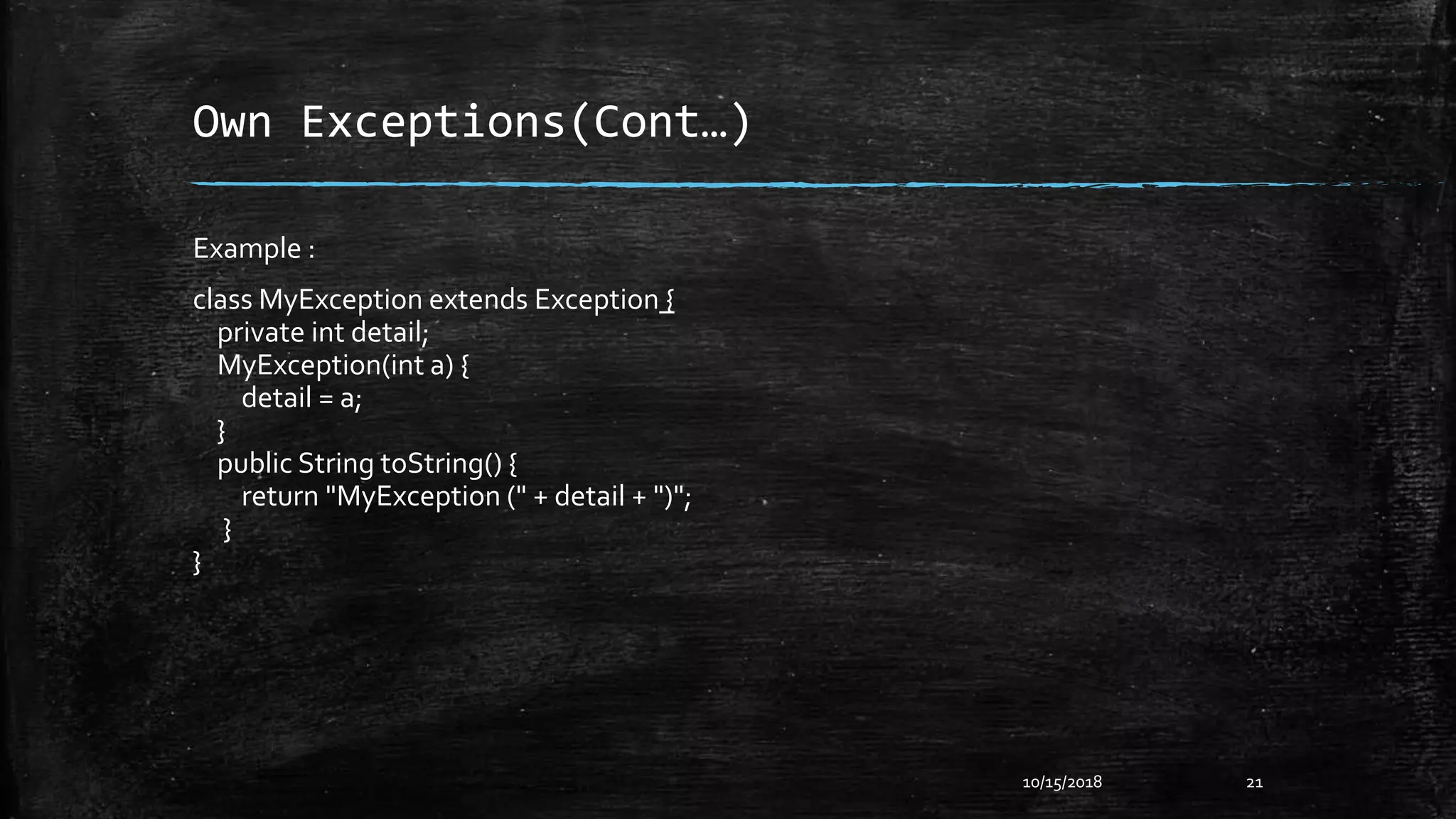
class MyException extends Exception {
private int detail;
MyException(int a) {
detail = a;
}
public String toString() {
return "MyException (" + detail + ")";
}
}
Own Exceptions(Cont…)
10/15/2018 22
Example :
class ExceptionDemo {
static void compute(int a) throws MyException {
System.out.println("CalledCompute(" + a + ")");
if (a > 10 ) {
throw new MyException(a);
}
System.out.println("Normal Exit");
}
public static void main(String[] args) {
try {
compute(1);
compute(20);
} catch (MyException e) {
System.out.println("Caught " + e); } } }
Output :
Called compute(1)
Normal exit
Called compute(20)
Caught MyException (20)
Throwable
▪ final void addSuppressed(Throwable exc)
▪ Throwable fillInStackTrace()
▪ Throwable getCause()
▪ String getLocalizedMessage()
▪ String getMessage()
▪ StackTraceElement[] getStackTrace()
▪ finalThrowable[] getSuppressed()
▪ Throwable initCause(Throwable causeExc)
▪ void printStackTrace()
▪ void printStackTrace(PrintStream stream)
▪ void printStackTrace(PrintWriter stream)
▪ void setStackTrace(StackTraceElement elements[])
▪ String toString()
10/15/2018 23
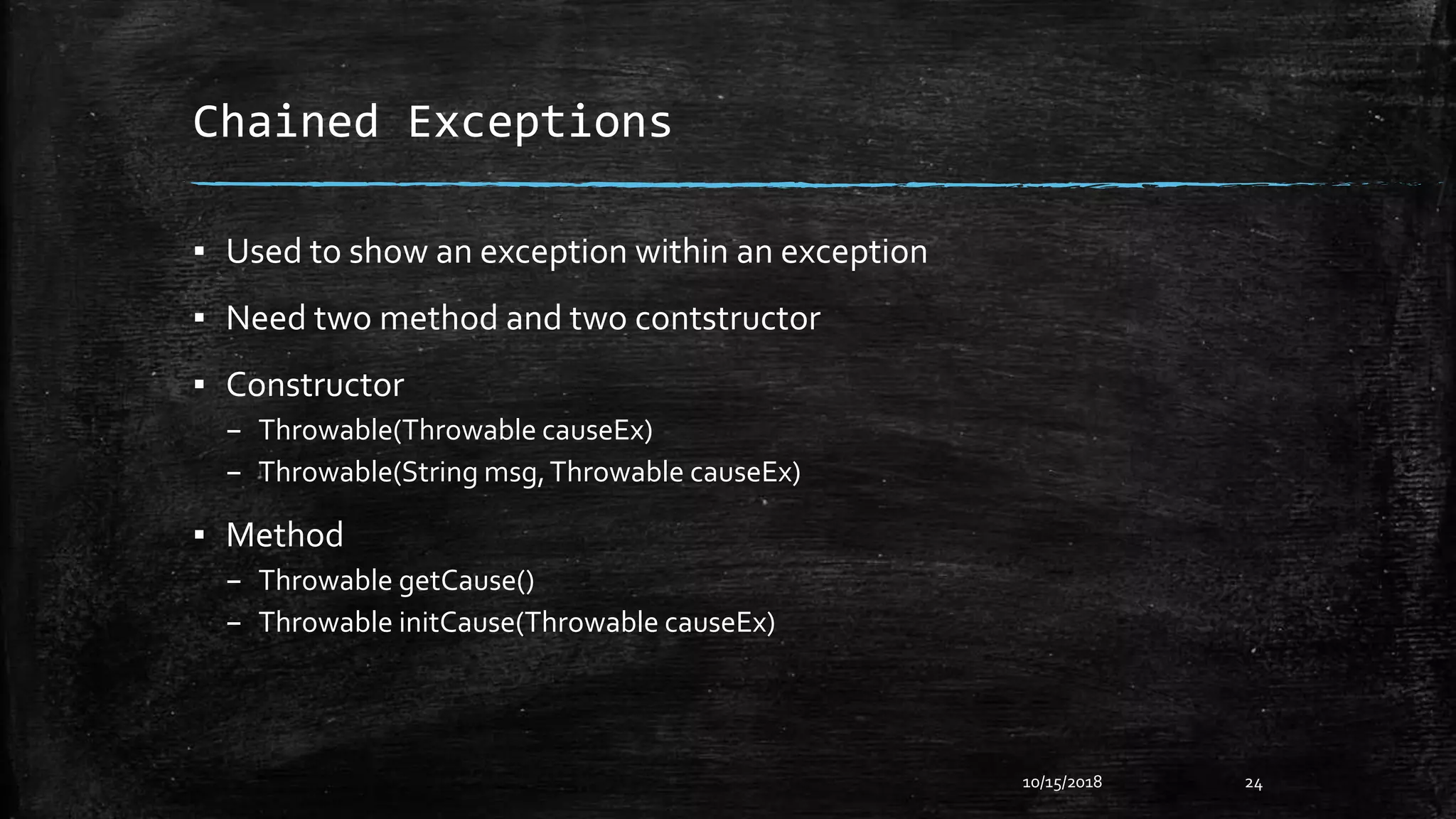
Chained Exceptions
▪ Used to show an exception within an exception
▪ Need two method and two contstructor
▪ Constructor
– Throwable(Throwable causeEx)
– Throwable(String msg,Throwable causeEx)
▪ Method
– Throwable getCause()
– Throwable initCause(Throwable causeEx)
10/15/2018 24
Chained Exceptions
Example
class ChainedExDemo {
static void demoProc() {
NullPointerException e = new NullPointerException(“Top Layer”);
a.initCause(newArithmeticException(“Cause”);
throw e;
}
public static void main(String[] args) {
try {
demoProc();
} catch (NullPointerException e) {
System.out.println(“Caught : “ + e);
System.out.println(“OriginalCause : “ + e.getCause());
}
}
}
10/15/2018 25
Output :
Caught :
java.lang.NullPointerExcept
ion :Top Layer
OriginalCause :
java.lang.ArithmeticExcepti
on : cause
Recent Features
▪ try-with-resource
▪ multi-catch
▪ final rethrow
10/15/2018 26
try-with-resource
10/15/2018 27
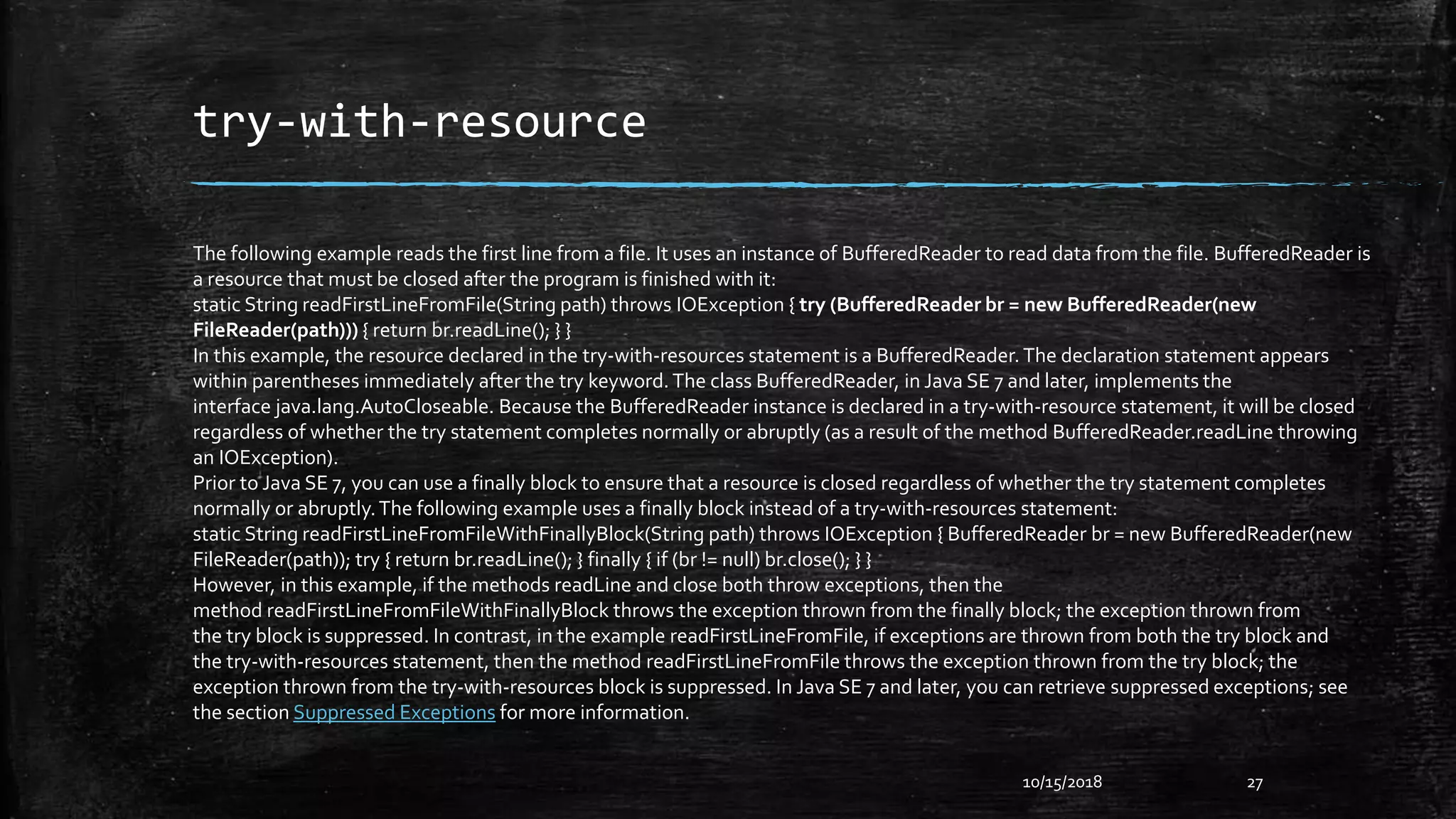
The following example reads the first line from a file. It uses an instance of BufferedReader to read data from the file. BufferedReader is
a resource that must be closed after the program is finished with it:
static String readFirstLineFromFile(String path) throws IOException { try (BufferedReader br = new BufferedReader(new
FileReader(path))) { return br.readLine(); } }
In this example, the resource declared in the try-with-resources statement is a BufferedReader.The declaration statement appears
within parentheses immediately after the try keyword.The class BufferedReader, in Java SE 7 and later, implements the
interface java.lang.AutoCloseable. Because the BufferedReader instance is declared in a try-with-resource statement, it will be closed
regardless of whether the try statement completes normally or abruptly (as a result of the method BufferedReader.readLine throwing
an IOException).
Prior to Java SE 7, you can use a finally block to ensure that a resource is closed regardless of whether the try statement completes
normally or abruptly.The following example uses a finally block instead of a try-with-resources statement:
static String readFirstLineFromFileWithFinallyBlock(String path) throws IOException { BufferedReader br = new BufferedReader(new
FileReader(path)); try { return br.readLine(); } finally { if (br != null) br.close(); } }
However, in this example, if the methods readLine and close both throw exceptions, then the
method readFirstLineFromFileWithFinallyBlock throws the exception thrown from the finally block; the exception thrown from
the try block is suppressed. In contrast, in the example readFirstLineFromFile, if exceptions are thrown from both the try block and
the try-with-resources statement, then the method readFirstLineFromFile throws the exception thrown from the try block; the
exception thrown from the try-with-resources block is suppressed. In Java SE 7 and later, you can retrieve suppressed exceptions; see
the section Suppressed Exceptions for more information.
multi-catch
class MultiCatch {
public static void main(String[] args) {
Int a = 0, b = 0;int vals[] = {1, 2, 3};
try {
int result= a/b;
//vals[10] = 19;
} catch (ArithmeticException | ArrayIndexOutOfBoundsException e) {
System.out.println(“Exception caught “ + e);
} System.out.println(“After multi-catch”);
}}
10/15/2018 28
rethrow
▪ But that code is heavy for nothing really interesting. A solution is to
find a common supertype of these two exceptions type and catch just
that type and rethrow it. But that can catch more exceptions than
you want.
▪ So now, with that new feature, you can do :
10/15/2018 29
Thanks to All

Exception handling

  • 1.
    Exception Handling Submitted To: FalguniRoy Lecturer of IIT, NSTU Submitted By: Saifur Rahman (ASH1825031M) Kamruzzaman (ASH1825035M) Abrar Hossain (ASH1825005M)
  • 2.
    Introduction ▪ An exceptionis a runtime error. ▪ An abnormal condition that arises in a code sequence at run time. ▪ Exception occurs : int x=10; int y=0; int result = x/y; //exception occours. 10/15/2018 2
  • 3.
    Types ▪ Checked Exception –These are the exceptions which may occur regularly in a program and compiler will check for those exceptions at “CompileTime” ,those exceptions are called Checked Exceptions. Example: FileNotFoundException, EndOfFileException etc. ▪ Unchecked Exception – There are some exceptions which do not occur regularly in a program, and compiler will not check for those exceptions, these kind of exceptions are called Unchecked Exceptions. Example:ArithmeticException, NullPointerException etc. ▪ Error and RuntimeException is a part of Unchecked Exception 10/15/2018 3
  • 4.
  • 5.
    Types(Cont…) ▪ ArithmeticException – Ifwe divide any number by zero, there occurs an ArithmeticException. int a=50/0; //ArithmeticException ▪ NullPointerException – If we have a null value in any variable, performing any operation on the variable throws a NullPointerException. String s=null; System.out.println(s.length());//NullPointerException 10/15/2018 5
  • 6.
    Types(Cont…) ▪ NumberFormatException – Thewrong formatting of any value may occur NumberFormatException. String s="abc“; int i=Integer.parseInt(s); //NumberFormatException ▪ ArrayIndexOutOfBoundsException – If you are inserting any value in the wrong index, it would result in ArrayIndexOutOfBoundsException. int a[]=new int[5]; a[10]=50; //ArrayIndexOutOfBoundsException 10/15/2018 6
  • 7.
    Try Catch ▪ Javatry block is used to enclose the code that might throw an exception. It must be used within the method. ▪ Java try block must be followed by either catch or finally block. ▪ Java catch block is used to handle the Exception. It must be used after the try block only. ▪ You can use multiple catch block with a single try. 10/15/2018 7
  • 8.
    Try Catch(Cont…) ▪ Example: public classTesttrycatch { public static void main(String args[]){ try{ int data=50/0; } catch (ArithmeticException e) { System.out.println(“Problem Found.”); } System.out.println(“Rest of the code..."); } } 10/15/2018 8 Output : Problem Found Rest of the code…
  • 9.
    Multiple Catch ▪ HandleMore than one exception. ▪ Subclasses must come before Superclasses ▪ Syntax try { // Block of code; } catch (ExceptionType1 e) { // Block of code; } catch (ExceptionType2 e) { // Block of code; } // More catch 10/15/2018 9
  • 10.
    Multiple Catch(Cont…) Example : publicclassTestMultipleCatchBlock1 { public static void main(String args[]){ try{ int a[] = { 0 }; a[99] = 1/0; } catch (ArithmeticException e) { System.out.println(“Task1 is completed."); } catch (ArrayIndexOutOfBoundsException e) { System.out.println("task 2 completed.") ; } catch (Exception e) { System.out.println("common task completed"); } System.out.println(“Rest of the code..."); } } 10/15/2018 10 Ouput : Task1 is completed. Rest of the code...
  • 11.
    Multiple Catch(Cont…) Example : publicclassTestMultipleCatchBlock1 { public static void main(String args[]){ try{ int a[] = { 0 }; a[99] = 1/0; } catch (Exception e) { System.out.println("common task completed"); } catch (ArithmeticException e) { System.out.println(“Task1 is completed."); } catch (ArrayIndexOutOfBoundsException e) { System.out.println("task 2 completed.") ; } System.out.println(“Rest of the code..."); } } 10/15/2018 11 Ouput : No output.
  • 12.
    Nested Try ▪ tryinside a try. ▪ Syntax 10/15/2018 12 try { statement 1; statement 2; try { statement 3; statement 4; } catch(Exception e) { // Block of code } } catch(Exception e) { // Bock of code}
  • 13.
    Nested Try(Cont…) Example : publicclass Nested { public static void main(String[] args) { try { System.out.println("Outer try block starts"); try { System.out.println("Inner try block starts"); int res = 5 / 0; } catch (InputMismatchException e) { System.out.println("InputMismatchException caught"); } finally { System.out.println("Inner final"); } } catch (ArithmeticException e) { System.out.println("ArithmeticException caught"); } finally { System.out.println("Outer finally"); } } } 10/15/2018 13 Output : Outer try block starts Inner try block starts Inner final ArithmeticException caught Outer finallyOuter finally
  • 14.
    Exception Keywords ▪ Try ▪Catch ▪ Throw – Syntax : throw throwableInstance – Example : throw new ArithmeticException(“Found Exception”); ▪ Throws – Syntax : type method-name(parameter-list) throws exception-list { // Body of method } ▪ Finally 10/15/2018 14
  • 15.
  • 16.
    Example of Throw 10/15/201816 public classTestThrow1{ static void validate(int age){ if(age<18) throw new ArithmeticException("not valid"); else System.out.println("welcome to vote"); } public static void main(String args[]){ validate(13); System.out.println("rest of the code..."); } } Output : not valid rest of the code
  • 17.
    Example of Throws 10/15/201817 import java.io.IOException; classTestthrows1{ void m() throws IOException{ throw new IOException("device error");//checked exception } void n()throws IOException{ m(); } void p(){ try{ n(); }catch(Exception e){System.out.println("exception handled");} } public static void main(String args[]){ Testthrows1 obj=newTestthrows1(); obj.p(); System.out.println("normal flow..."); } } Output : Exception Handled Normal Flow
  • 18.
    Finally ▪ Used toexecute important code after try/catch. ▪ Syntax : try { // Block of Code } catch (ExteptionType1 e) { //Block of Code } finally { // Block of Code } 10/15/2018 18
  • 19.
    Finally(Cont…) 10/15/2018 19 Example : publicclass FinallyEx { public static void main(String[] args) { try { System.out.println("try block starts"); int a = 10 / 0; } catch (ArithmeticException e) { System.out.println("ArithmeticException caught"); } finally { System.out.println(“Next time don’t insert zero."); } } } Output : try block starts ArithmeticException caught Next time don’t insert zero.
  • 20.
    Own Exceptions ▪ Definea subclass of Exception ▪ Create 2 or 4 constructor of that subclass like this – SubClass() – SubClass(String msg) – SubClass(Throwable causeExc) – SubClass(String msg,ThrowableExc) ▪ Create a method named toString() 10/15/2018 20
  • 21.
    Own Exceptions(Cont…) 10/15/2018 21 Example: class MyException extends Exception { private int detail; MyException(int a) { detail = a; } public String toString() { return "MyException (" + detail + ")"; } }
  • 22.
    Own Exceptions(Cont…) 10/15/2018 22 Example: class ExceptionDemo { static void compute(int a) throws MyException { System.out.println("CalledCompute(" + a + ")"); if (a > 10 ) { throw new MyException(a); } System.out.println("Normal Exit"); } public static void main(String[] args) { try { compute(1); compute(20); } catch (MyException e) { System.out.println("Caught " + e); } } } Output : Called compute(1) Normal exit Called compute(20) Caught MyException (20)
  • 23.
    Throwable ▪ final voidaddSuppressed(Throwable exc) ▪ Throwable fillInStackTrace() ▪ Throwable getCause() ▪ String getLocalizedMessage() ▪ String getMessage() ▪ StackTraceElement[] getStackTrace() ▪ finalThrowable[] getSuppressed() ▪ Throwable initCause(Throwable causeExc) ▪ void printStackTrace() ▪ void printStackTrace(PrintStream stream) ▪ void printStackTrace(PrintWriter stream) ▪ void setStackTrace(StackTraceElement elements[]) ▪ String toString() 10/15/2018 23
  • 24.
    Chained Exceptions ▪ Usedto show an exception within an exception ▪ Need two method and two contstructor ▪ Constructor – Throwable(Throwable causeEx) – Throwable(String msg,Throwable causeEx) ▪ Method – Throwable getCause() – Throwable initCause(Throwable causeEx) 10/15/2018 24
  • 25.
    Chained Exceptions Example class ChainedExDemo{ static void demoProc() { NullPointerException e = new NullPointerException(“Top Layer”); a.initCause(newArithmeticException(“Cause”); throw e; } public static void main(String[] args) { try { demoProc(); } catch (NullPointerException e) { System.out.println(“Caught : “ + e); System.out.println(“OriginalCause : “ + e.getCause()); } } } 10/15/2018 25 Output : Caught : java.lang.NullPointerExcept ion :Top Layer OriginalCause : java.lang.ArithmeticExcepti on : cause
  • 26.
    Recent Features ▪ try-with-resource ▪multi-catch ▪ final rethrow 10/15/2018 26
  • 27.
    try-with-resource 10/15/2018 27 The followingexample reads the first line from a file. It uses an instance of BufferedReader to read data from the file. BufferedReader is a resource that must be closed after the program is finished with it: static String readFirstLineFromFile(String path) throws IOException { try (BufferedReader br = new BufferedReader(new FileReader(path))) { return br.readLine(); } } In this example, the resource declared in the try-with-resources statement is a BufferedReader.The declaration statement appears within parentheses immediately after the try keyword.The class BufferedReader, in Java SE 7 and later, implements the interface java.lang.AutoCloseable. Because the BufferedReader instance is declared in a try-with-resource statement, it will be closed regardless of whether the try statement completes normally or abruptly (as a result of the method BufferedReader.readLine throwing an IOException). Prior to Java SE 7, you can use a finally block to ensure that a resource is closed regardless of whether the try statement completes normally or abruptly.The following example uses a finally block instead of a try-with-resources statement: static String readFirstLineFromFileWithFinallyBlock(String path) throws IOException { BufferedReader br = new BufferedReader(new FileReader(path)); try { return br.readLine(); } finally { if (br != null) br.close(); } } However, in this example, if the methods readLine and close both throw exceptions, then the method readFirstLineFromFileWithFinallyBlock throws the exception thrown from the finally block; the exception thrown from the try block is suppressed. In contrast, in the example readFirstLineFromFile, if exceptions are thrown from both the try block and the try-with-resources statement, then the method readFirstLineFromFile throws the exception thrown from the try block; the exception thrown from the try-with-resources block is suppressed. In Java SE 7 and later, you can retrieve suppressed exceptions; see the section Suppressed Exceptions for more information.
  • 28.
    multi-catch class MultiCatch { publicstatic void main(String[] args) { Int a = 0, b = 0;int vals[] = {1, 2, 3}; try { int result= a/b; //vals[10] = 19; } catch (ArithmeticException | ArrayIndexOutOfBoundsException e) { System.out.println(“Exception caught “ + e); } System.out.println(“After multi-catch”); }} 10/15/2018 28
  • 29.
    rethrow ▪ But thatcode is heavy for nothing really interesting. A solution is to find a common supertype of these two exceptions type and catch just that type and rethrow it. But that can catch more exceptions than you want. ▪ So now, with that new feature, you can do : 10/15/2018 29
  • 30.