Excel for Beginners
By: Shashank Jain
Jaipuria Institute of Management, Indore
PGDM (Batch 2020-22)
Introduction
Overview of Excel
Basic Excel Features
Functions
Shortcut Keys
01
02
03
04
05
Agenda
Excel for Beginners
1
Introduction
0
1
0
2
0
3
0
4
0
5
0
6
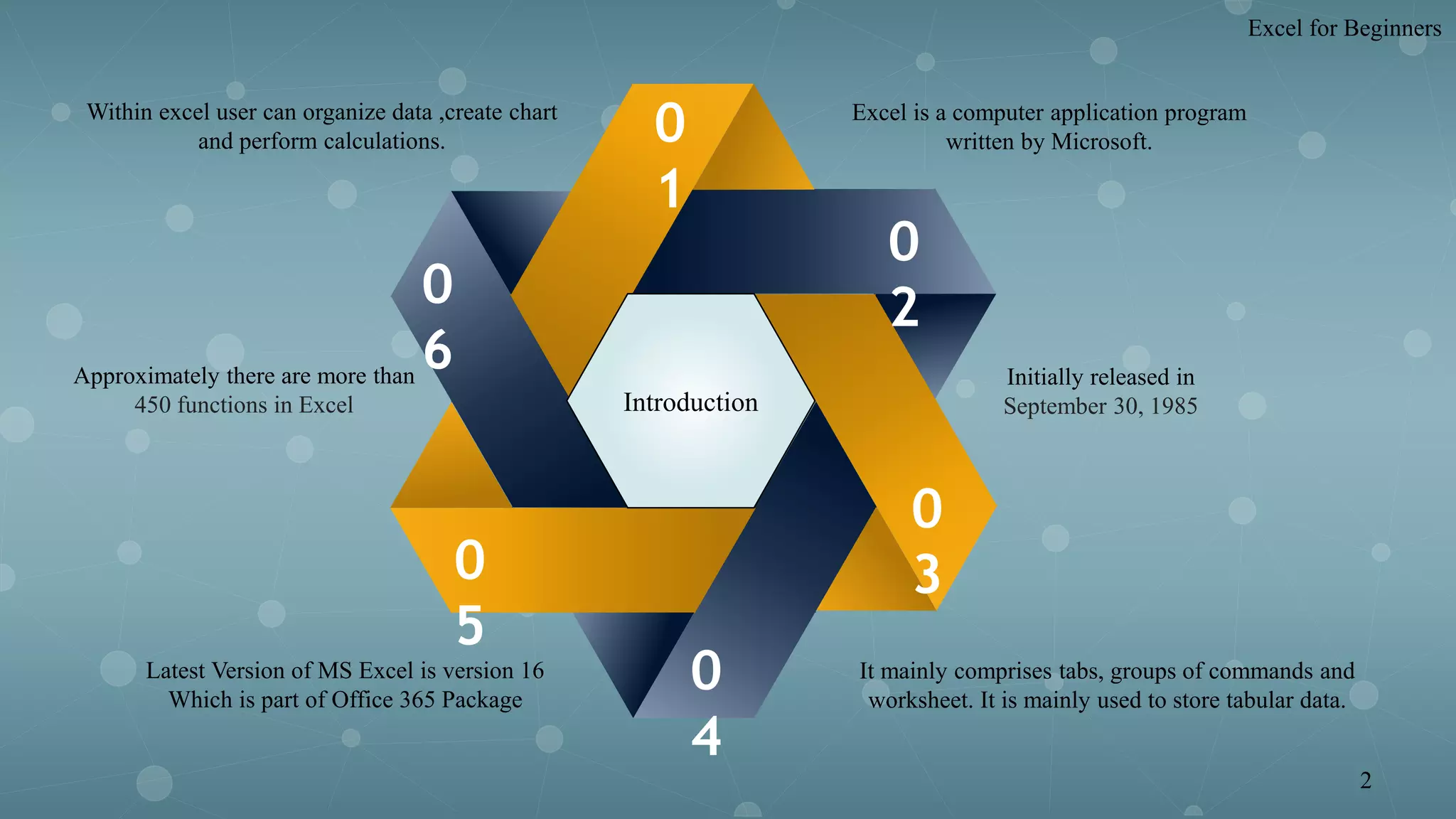
Excel is a computer application program
written by Microsoft.
Initially released in
September 30, 1985
Latest Version of MS Excel is version 16
Which is part of Office 365 Package
Approximately there are more than
450 functions in Excel
Within excel user can organize data ,create chart
and perform calculations.
It mainly comprises tabs, groups of commands and
worksheet. It is mainly used to store tabular data.
Excel for Beginners
2
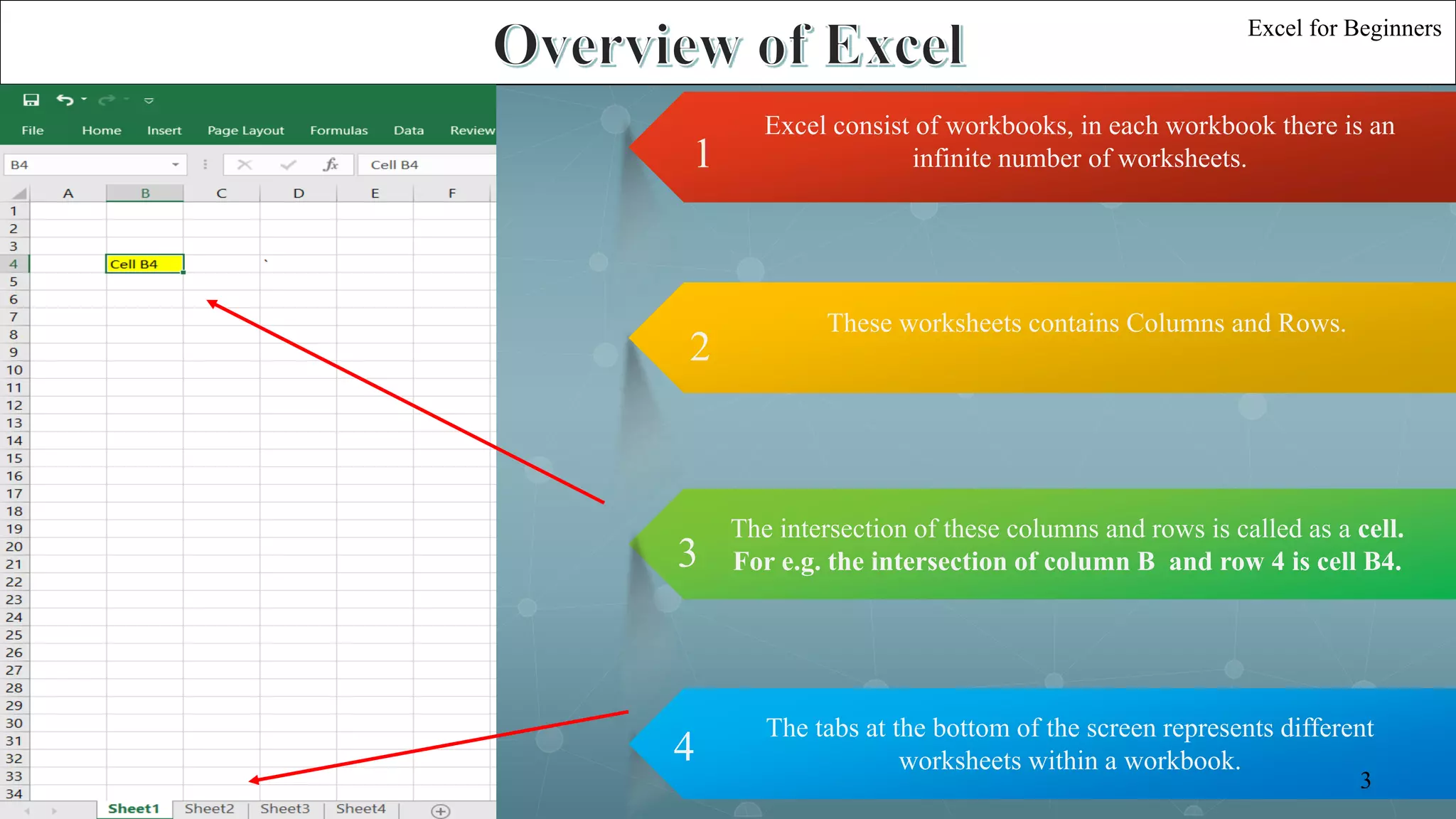
Excel consist of workbooks, in each workbook there is an
infinite number of worksheets.1
These worksheets contains Columns and Rows.
2
The intersection of these columns and rows is called as a cell.
For e.g. the intersection of column B and row 4 is cell B4.3
The tabs at the bottom of the screen represents different
worksheets within a workbook.4
Excel for Beginners
3
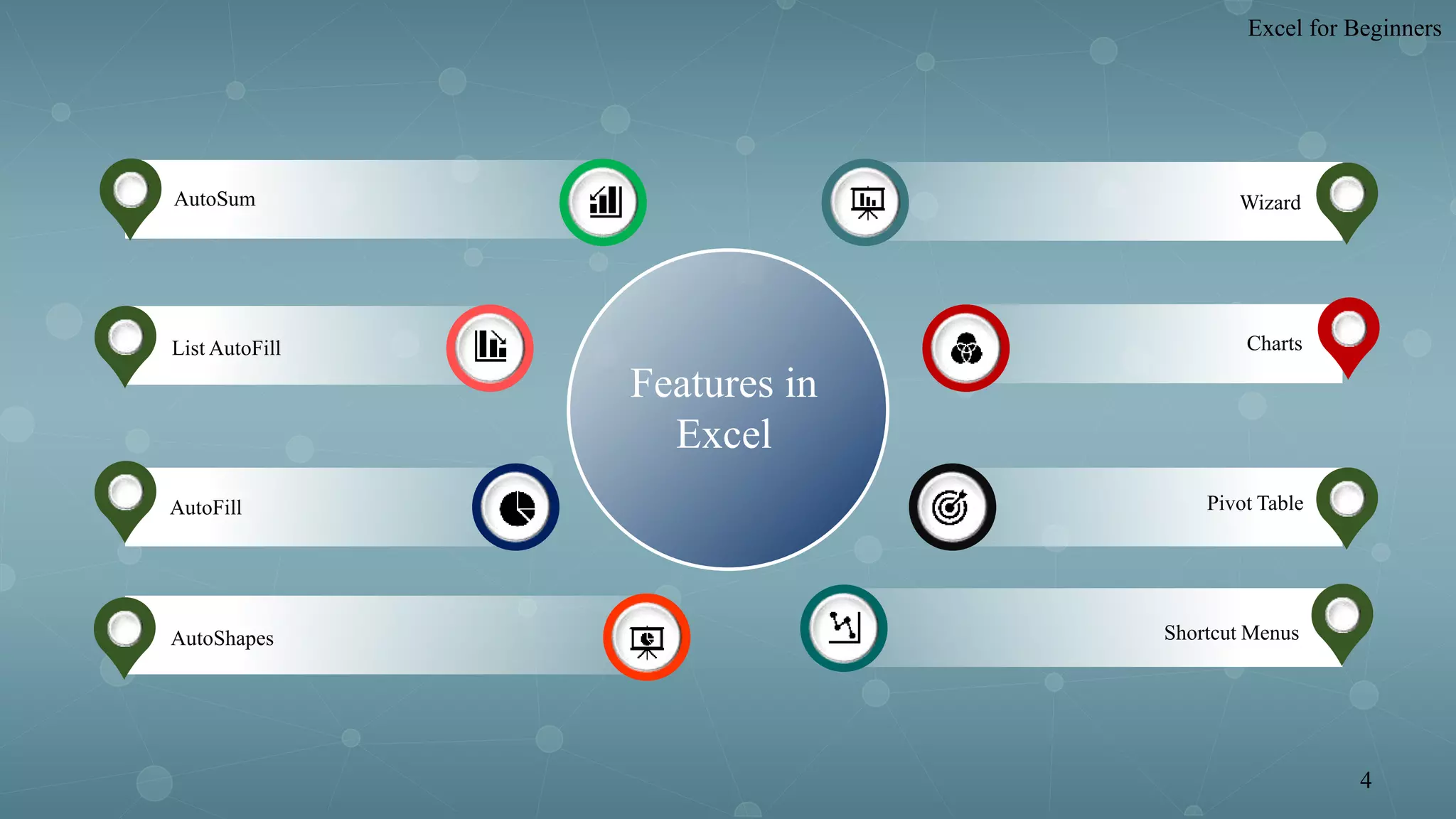
AutoSum
List AutoFill
AutoFill
AutoShapes
Wizard
Charts
Pivot Table
Shortcut Menus
Features in
Excel
Excel for Beginners
4
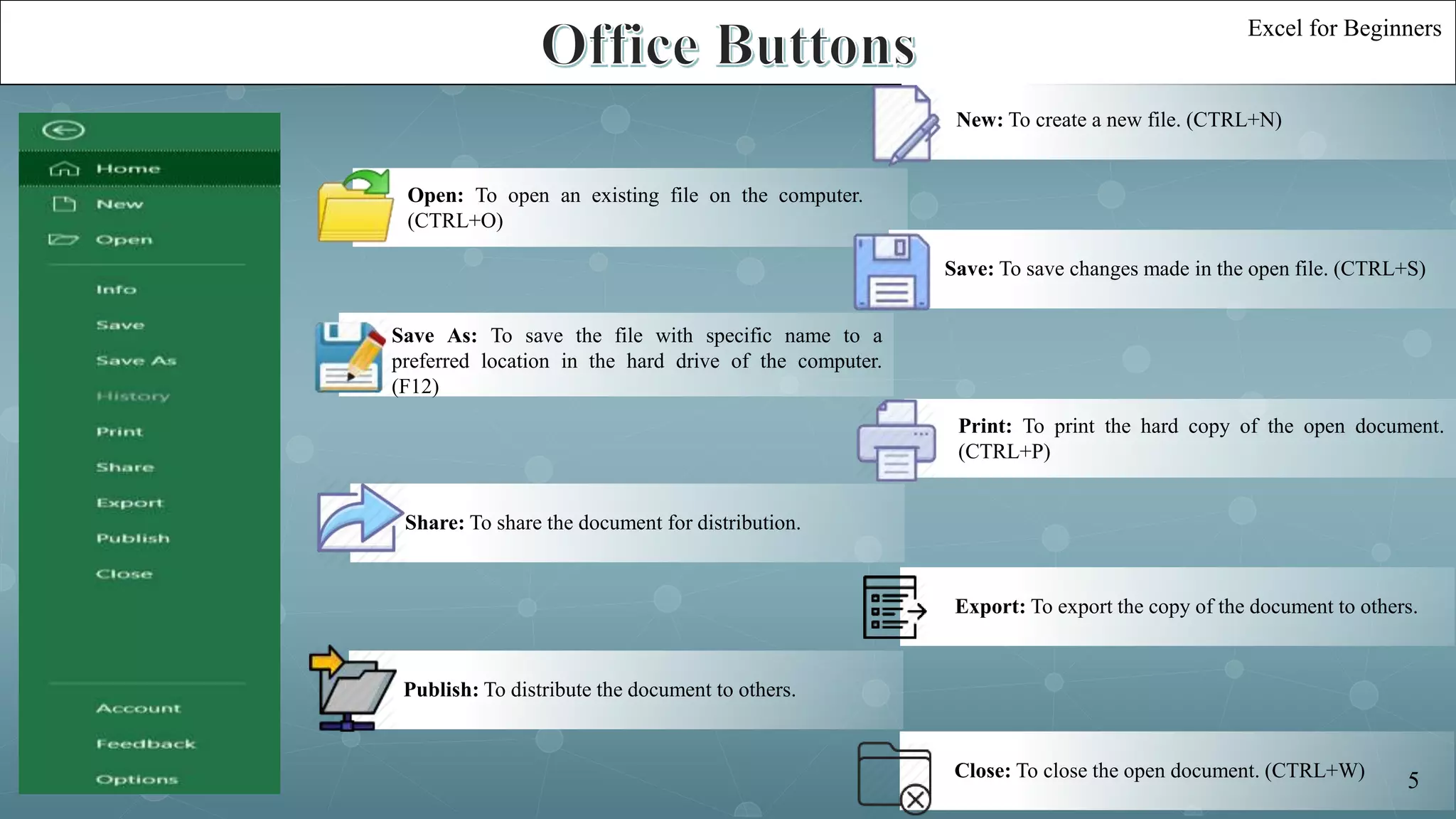
Close: To close the open document. (CTRL+W)
Save: To save changes made in the open file. (CTRL+S)
Save As: To save the file with specific name to a
preferred location in the hard drive of the computer.
(F12)
Print: To print the hard copy of the open document.
(CTRL+P)
Share: To share the document for distribution.
Export: To export the copy of the document to others.
Publish: To distribute the document to others.
Open: To open an existing file on the computer.
(CTRL+O)
New: To create a new file. (CTRL+N)
Excel for Beginners
5
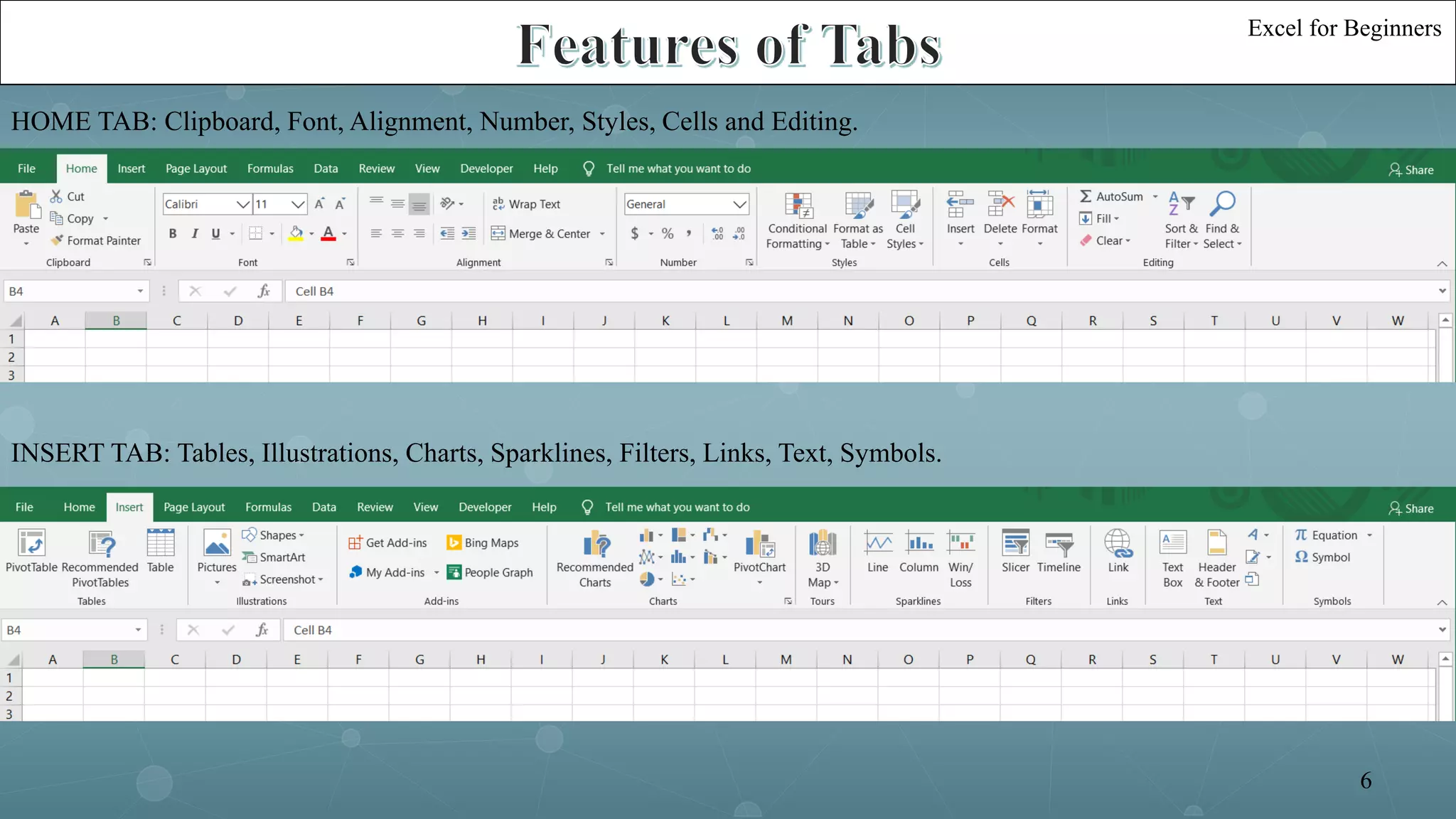
HOME TAB: Clipboard, Font, Alignment, Number, Styles, Cells and Editing.
INSERT TAB: Tables, Illustrations, Charts, Sparklines, Filters, Links, Text, Symbols.
Excel for Beginners
6
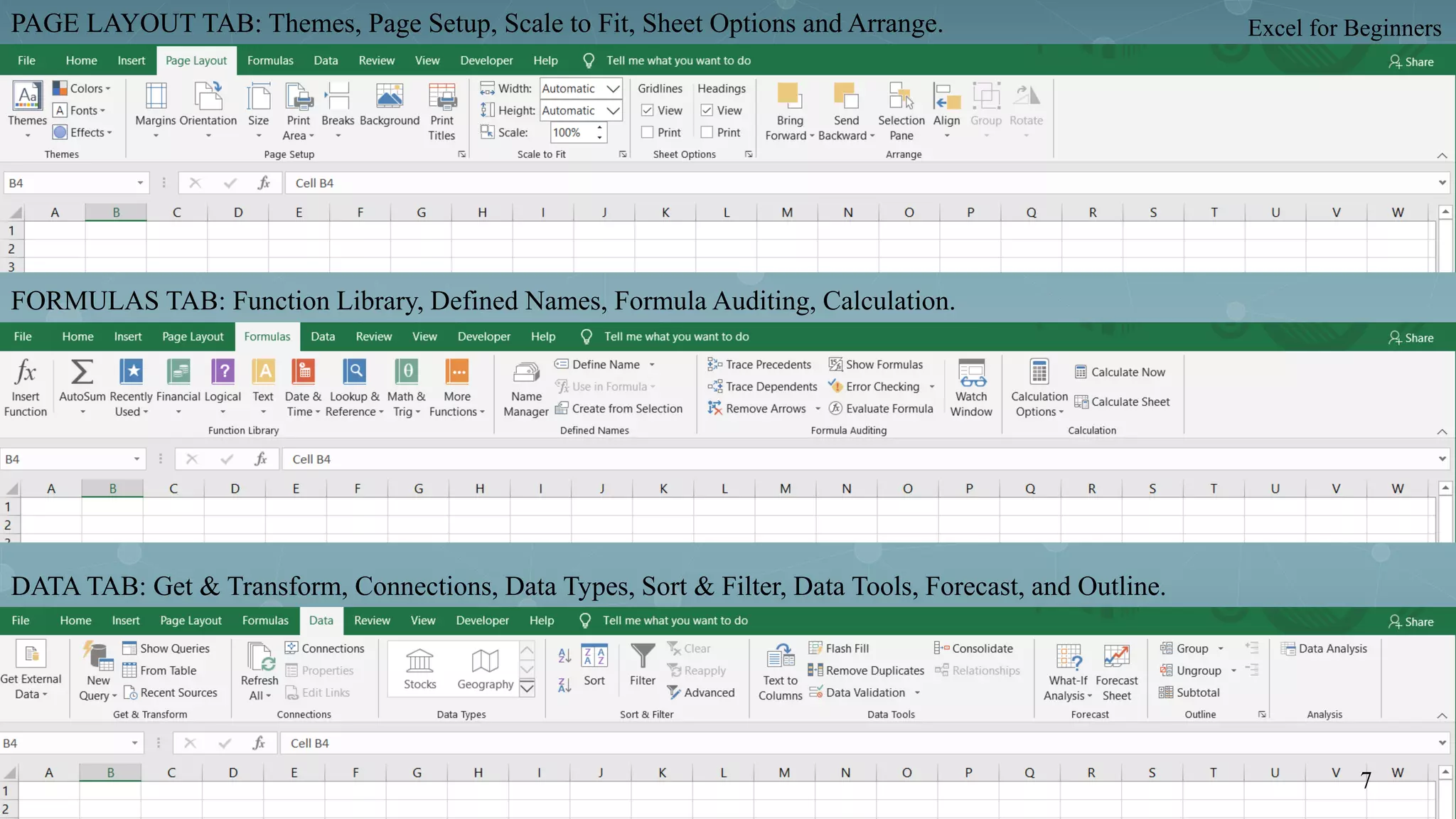
PAGE LAYOUT TAB: Themes, Page Setup, Scale to Fit, Sheet Options and Arrange.
FORMULAS TAB: Function Library, Defined Names, Formula Auditing, Calculation.
DATA TAB: Get & Transform, Connections, Data Types, Sort & Filter, Data Tools, Forecast, and Outline.
Excel for Beginners
7
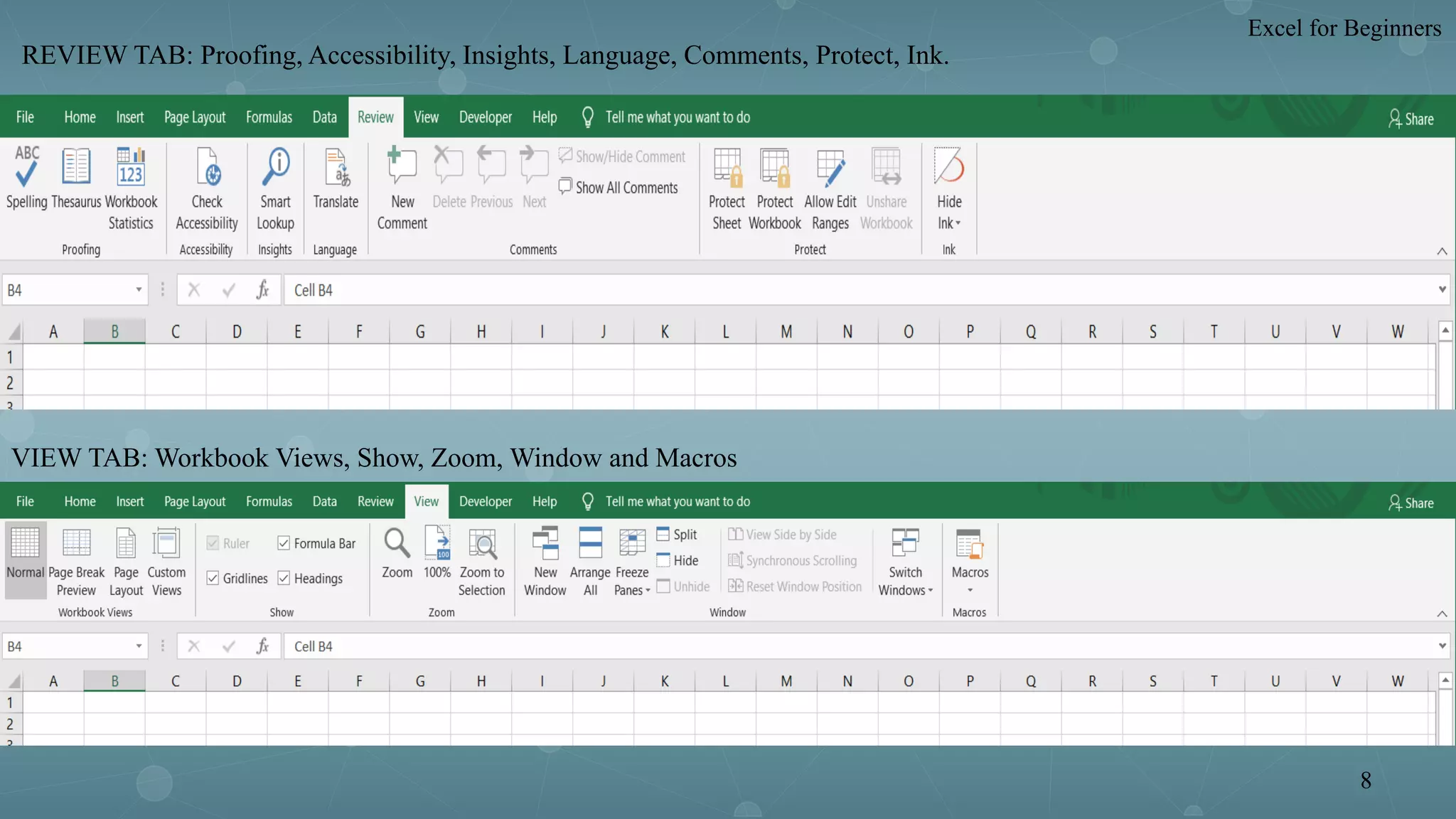
REVIEW TAB: Proofing, Accessibility, Insights, Language, Comments, Protect, Ink.
VIEW TAB: Workbook Views, Show, Zoom, Window and Macros
Excel for Beginners
8
01
02
0304
05
06
S u m i f F u n c t i o n
= S U M I F ( r a n g e , c r i t e r i a , [ s u m -
r a n g e ] )
F u n c t i o n s
C o u n t F u n c t i o n
= C O U N T ( v a l u e 1 , [ v a l u e
2 ] , … )
A v e r a g e F u n c t i o n
= A V G ( n u m b e r 1 , [ n u m b e r
2 ] , … )
S u m F u n c t i o n
= S U M ( n u m b e r 1 , [ n u m b e r 2 ] , … )
M a x F u n c t i o n
= M A X ( n u m b e r 1 , [ n u m b e r
2 ] , … )
M i n F u n c t i o n
= M I N ( n u m b e r 1 , [ n u m b e r
2 ] , … )
Excel for Beginners
9
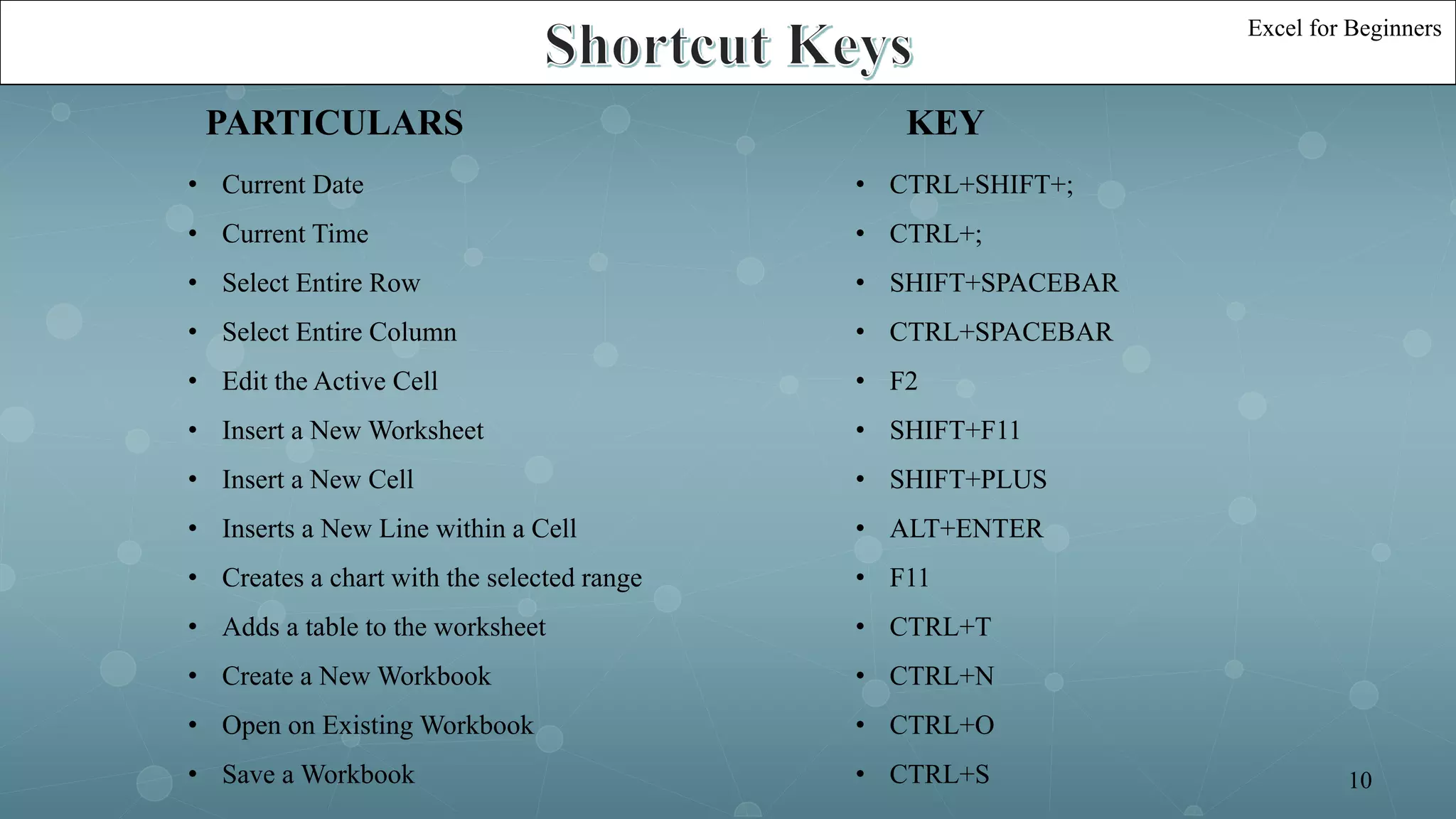
PARTICULARS KEY
• Current Date
• Current Time
• Select Entire Row
• Select Entire Column
• Edit the Active Cell
• Insert a New Worksheet
• Insert a New Cell
• Inserts a New Line within a Cell
• Creates a chart with the selected range
• Adds a table to the worksheet
• Create a New Workbook
• Open on Existing Workbook
• Save a Workbook
• CTRL+SHIFT+;
• CTRL+;
• SHIFT+SPACEBAR
• CTRL+SPACEBAR
• F2
• SHIFT+F11
• SHIFT+PLUS
• ALT+ENTER
• F11
• CTRL+T
• CTRL+N
• CTRL+O
• CTRL+S
Excel for Beginners
10
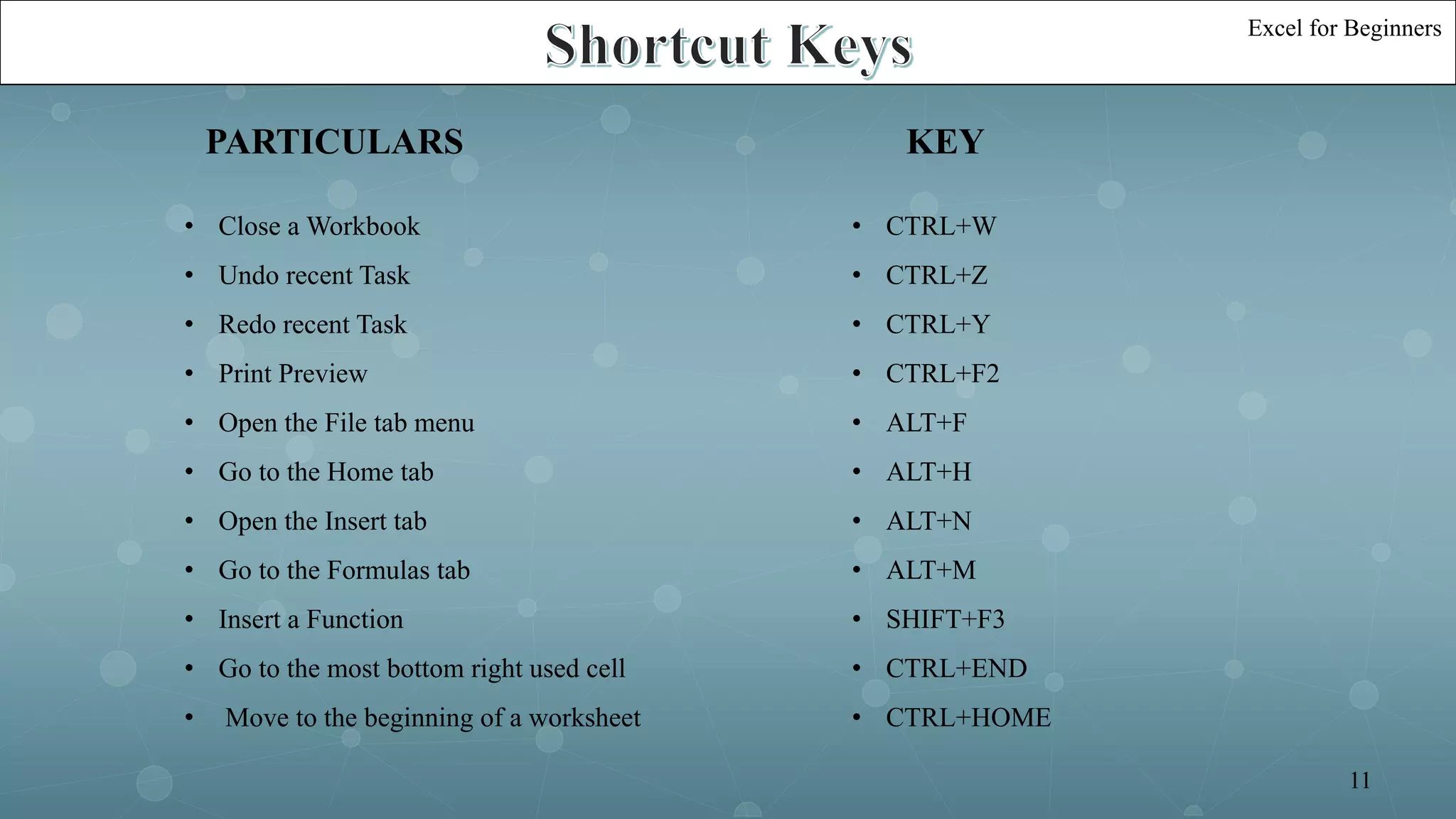
• Close a Workbook
• Undo recent Task
• Redo recent Task
• Print Preview
• Open the File tab menu
• Go to the Home tab
• Open the Insert tab
• Go to the Formulas tab
• Insert a Function
• Go to the most bottom right used cell
• Move to the beginning of a worksheet
• CTRL+W
• CTRL+Z
• CTRL+Y
• CTRL+F2
• ALT+F
• ALT+H
• ALT+N
• ALT+M
• SHIFT+F3
• CTRL+END
• CTRL+HOME
PARTICULARS KEY
Excel for Beginners
11
Excel for Beginners
13
Excel for Beginners
12

Excel for beginner

  • 2.
    Excel for Beginners By:Shashank Jain Jaipuria Institute of Management, Indore PGDM (Batch 2020-22)
  • 3.
    Introduction Overview of Excel BasicExcel Features Functions Shortcut Keys 01 02 03 04 05 Agenda Excel for Beginners 1
  • 4.
    Introduction 0 1 0 2 0 3 0 4 0 5 0 6 Excel is acomputer application program written by Microsoft. Initially released in September 30, 1985 Latest Version of MS Excel is version 16 Which is part of Office 365 Package Approximately there are more than 450 functions in Excel Within excel user can organize data ,create chart and perform calculations. It mainly comprises tabs, groups of commands and worksheet. It is mainly used to store tabular data. Excel for Beginners 2
  • 5.
    Excel consist ofworkbooks, in each workbook there is an infinite number of worksheets.1 These worksheets contains Columns and Rows. 2 The intersection of these columns and rows is called as a cell. For e.g. the intersection of column B and row 4 is cell B4.3 The tabs at the bottom of the screen represents different worksheets within a workbook.4 Excel for Beginners 3
  • 6.
  • 7.
    Close: To closethe open document. (CTRL+W) Save: To save changes made in the open file. (CTRL+S) Save As: To save the file with specific name to a preferred location in the hard drive of the computer. (F12) Print: To print the hard copy of the open document. (CTRL+P) Share: To share the document for distribution. Export: To export the copy of the document to others. Publish: To distribute the document to others. Open: To open an existing file on the computer. (CTRL+O) New: To create a new file. (CTRL+N) Excel for Beginners 5
  • 8.
    HOME TAB: Clipboard,Font, Alignment, Number, Styles, Cells and Editing. INSERT TAB: Tables, Illustrations, Charts, Sparklines, Filters, Links, Text, Symbols. Excel for Beginners 6
  • 9.
    PAGE LAYOUT TAB:Themes, Page Setup, Scale to Fit, Sheet Options and Arrange. FORMULAS TAB: Function Library, Defined Names, Formula Auditing, Calculation. DATA TAB: Get & Transform, Connections, Data Types, Sort & Filter, Data Tools, Forecast, and Outline. Excel for Beginners 7
  • 10.
    REVIEW TAB: Proofing,Accessibility, Insights, Language, Comments, Protect, Ink. VIEW TAB: Workbook Views, Show, Zoom, Window and Macros Excel for Beginners 8
  • 11.
    01 02 0304 05 06 S u mi f F u n c t i o n = S U M I F ( r a n g e , c r i t e r i a , [ s u m - r a n g e ] ) F u n c t i o n s C o u n t F u n c t i o n = C O U N T ( v a l u e 1 , [ v a l u e 2 ] , … ) A v e r a g e F u n c t i o n = A V G ( n u m b e r 1 , [ n u m b e r 2 ] , … ) S u m F u n c t i o n = S U M ( n u m b e r 1 , [ n u m b e r 2 ] , … ) M a x F u n c t i o n = M A X ( n u m b e r 1 , [ n u m b e r 2 ] , … ) M i n F u n c t i o n = M I N ( n u m b e r 1 , [ n u m b e r 2 ] , … ) Excel for Beginners 9
  • 12.
    PARTICULARS KEY • CurrentDate • Current Time • Select Entire Row • Select Entire Column • Edit the Active Cell • Insert a New Worksheet • Insert a New Cell • Inserts a New Line within a Cell • Creates a chart with the selected range • Adds a table to the worksheet • Create a New Workbook • Open on Existing Workbook • Save a Workbook • CTRL+SHIFT+; • CTRL+; • SHIFT+SPACEBAR • CTRL+SPACEBAR • F2 • SHIFT+F11 • SHIFT+PLUS • ALT+ENTER • F11 • CTRL+T • CTRL+N • CTRL+O • CTRL+S Excel for Beginners 10
  • 13.
    • Close aWorkbook • Undo recent Task • Redo recent Task • Print Preview • Open the File tab menu • Go to the Home tab • Open the Insert tab • Go to the Formulas tab • Insert a Function • Go to the most bottom right used cell • Move to the beginning of a worksheet • CTRL+W • CTRL+Z • CTRL+Y • CTRL+F2 • ALT+F • ALT+H • ALT+N • ALT+M • SHIFT+F3 • CTRL+END • CTRL+HOME PARTICULARS KEY Excel for Beginners 11
  • 14.