INTRODUCTION TO EXCEL
BASICS AND DESCRIPTIVE STATISTICS
WE CAN USE EXCEL TO:
1. Store and organize data,
2. Analyze data, and
3. Represent data graphically (e.g., in bar graphs, histograms, and
scatterplots)
EXCEL BASICS
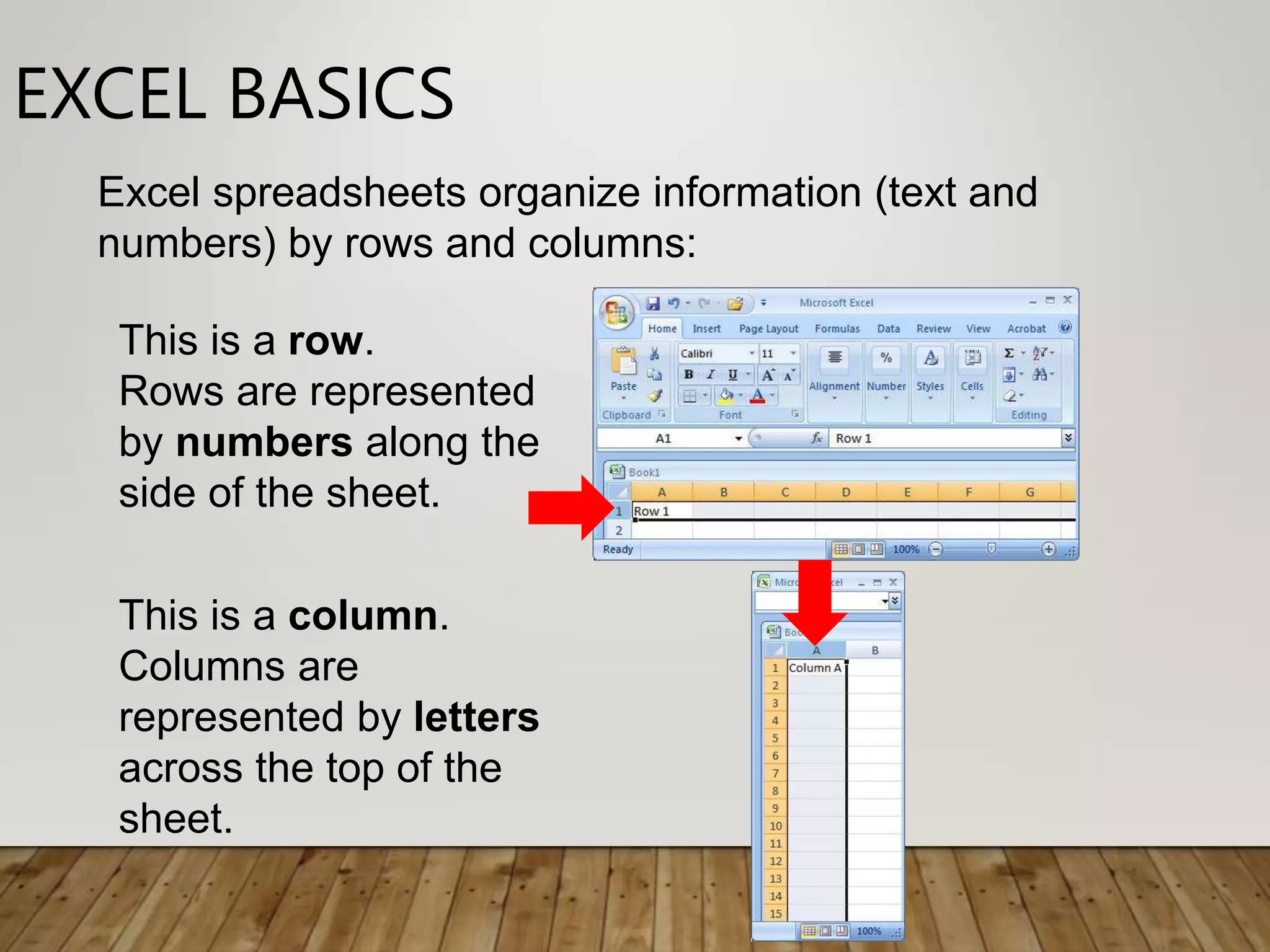
This is a row.
Rows are represented
by numbers along the
side of the sheet.
This is a column.
Columns are
represented by letters
across the top of the
sheet.
Excel spreadsheets organize information (text and
numbers) by rows and columns:
EXCEL BASICS
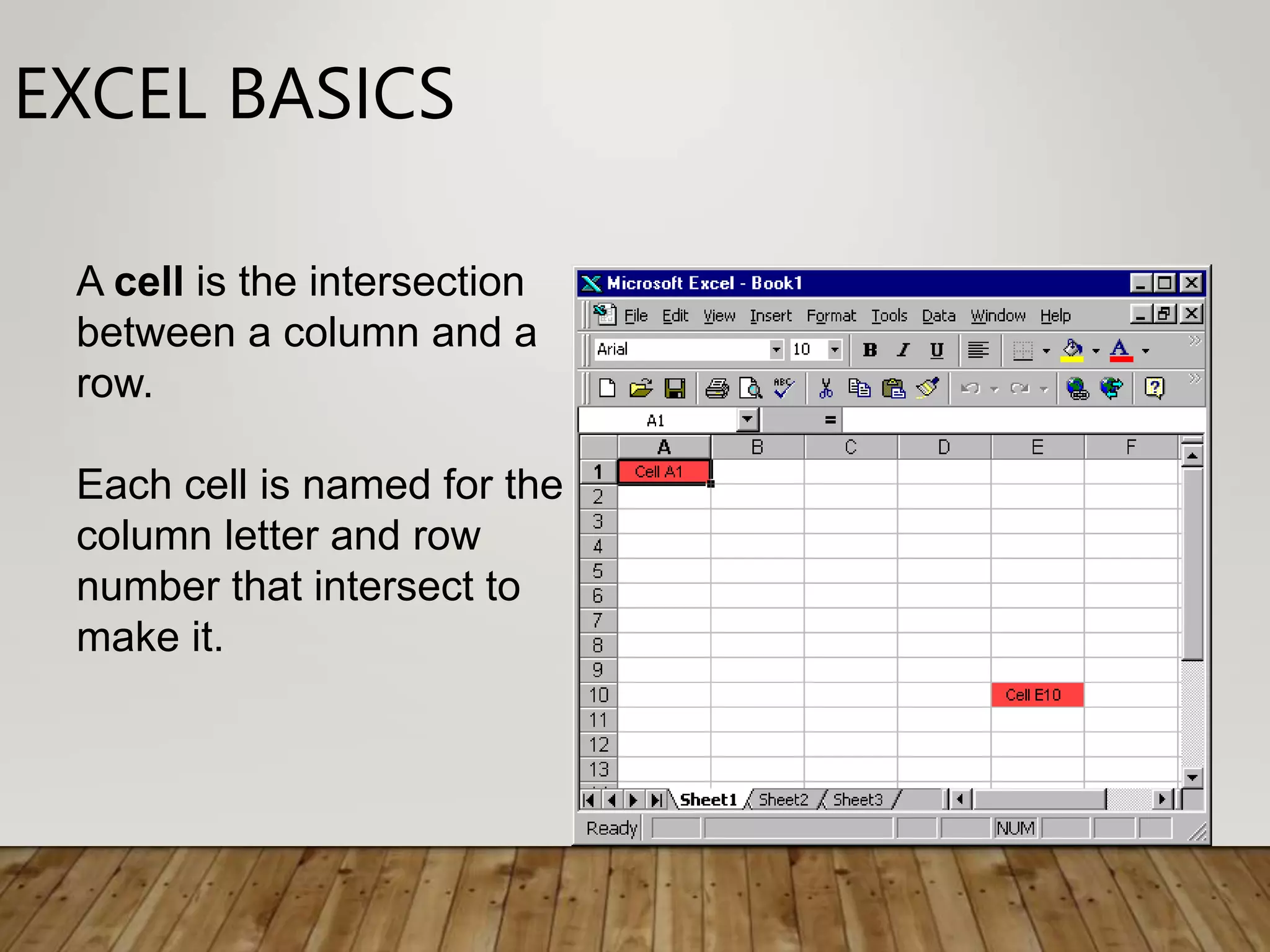
A cell is the intersection
between a column and a
row.
Each cell is named for the
column letter and row
number that intersect to
make it.
DATA ENTRY
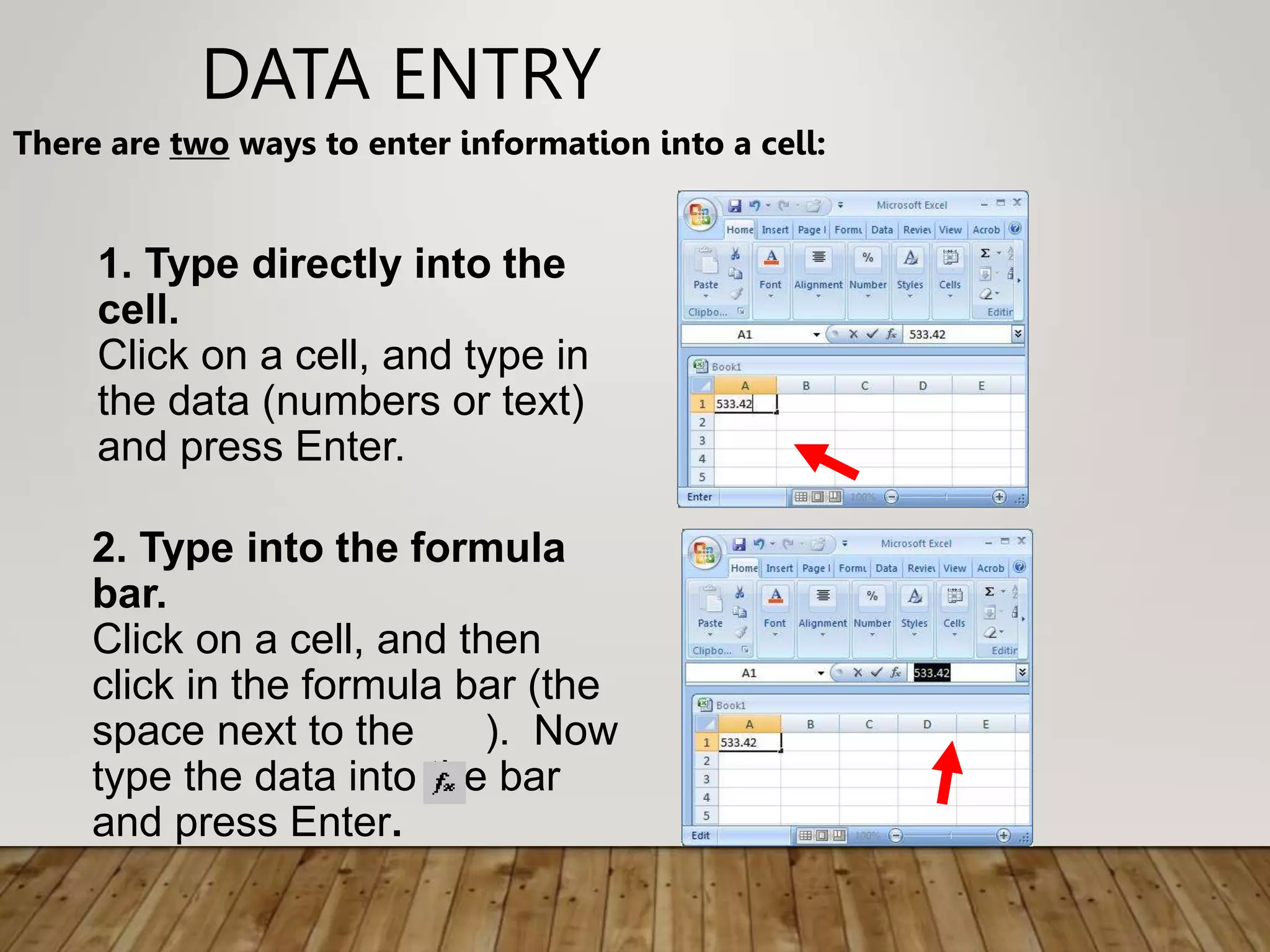
There are two ways to enter information into a cell:
1. Type directly into the
cell.
Click on a cell, and type in
the data (numbers or text)
and press Enter.
2. Type into the formula
bar.
Click on a cell, and then
click in the formula bar (the
space next to the ). Now
type the data into the bar
and press Enter.
Data Entry
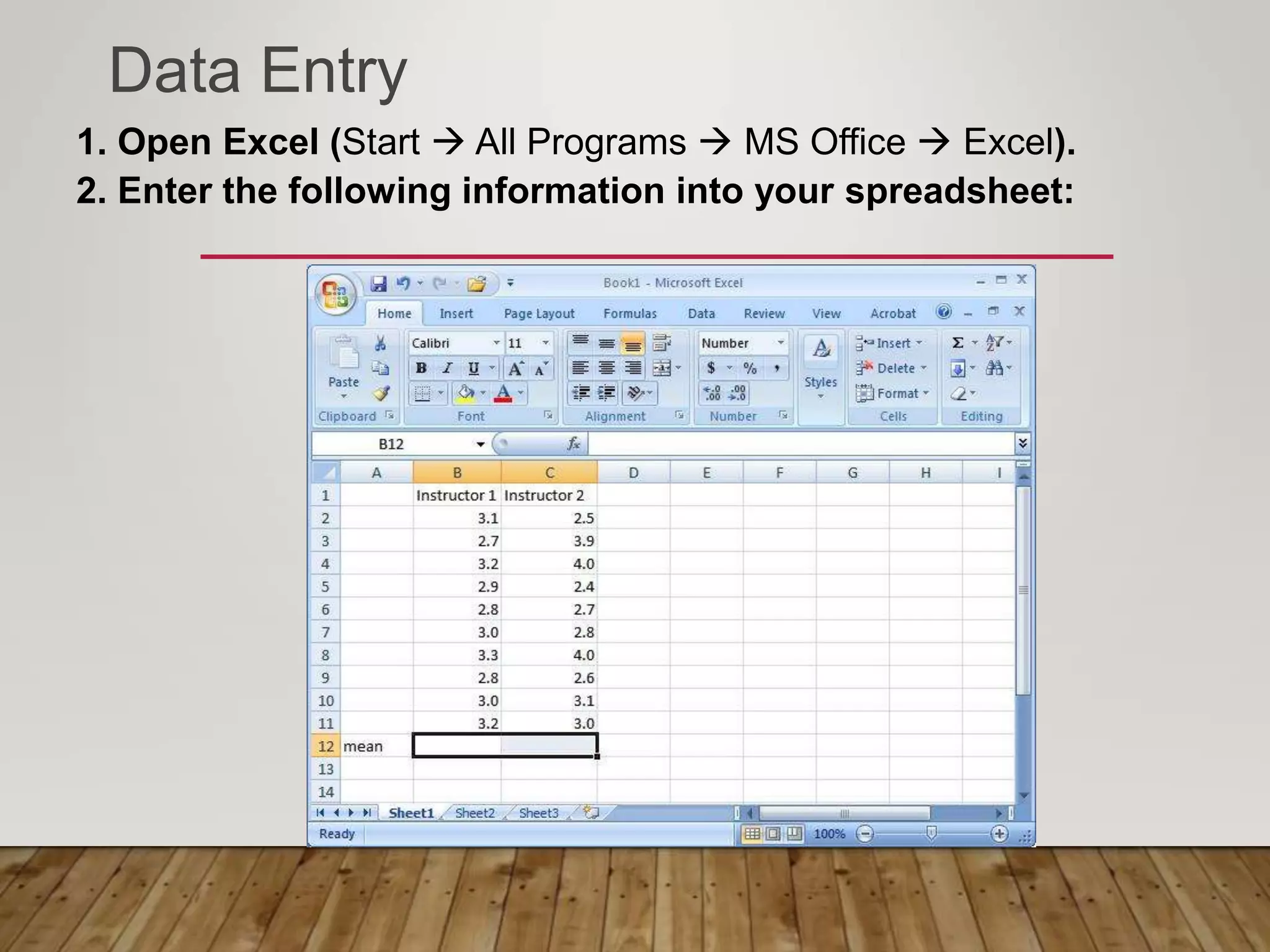
1. Open Excel (Start  All Programs  MS Office  Excel).
2. Enter the following information into your spreadsheet:
FORMULAS AND FUNCTIONS
• Formulas are equations that perform calculations in
your spreadsheet. Formulas always begin with an
equals sign (=). When you enter an equals sign into a
cell, you are basically telling Excel to “calculate this.”
• Functions are Excel-defined formulas. They take data
you select and enter, perform calculations on them,
and return value(s).

Excel Basics - 1.ppt

  • 1.
    INTRODUCTION TO EXCEL BASICSAND DESCRIPTIVE STATISTICS
  • 2.
    WE CAN USEEXCEL TO: 1. Store and organize data, 2. Analyze data, and 3. Represent data graphically (e.g., in bar graphs, histograms, and scatterplots)
  • 3.
    EXCEL BASICS This isa row. Rows are represented by numbers along the side of the sheet. This is a column. Columns are represented by letters across the top of the sheet. Excel spreadsheets organize information (text and numbers) by rows and columns:
  • 4.
    EXCEL BASICS A cellis the intersection between a column and a row. Each cell is named for the column letter and row number that intersect to make it.
  • 5.
    DATA ENTRY There aretwo ways to enter information into a cell: 1. Type directly into the cell. Click on a cell, and type in the data (numbers or text) and press Enter. 2. Type into the formula bar. Click on a cell, and then click in the formula bar (the space next to the ). Now type the data into the bar and press Enter.
  • 6.
    Data Entry 1. OpenExcel (Start  All Programs  MS Office  Excel). 2. Enter the following information into your spreadsheet:
  • 7.
    FORMULAS AND FUNCTIONS •Formulas are equations that perform calculations in your spreadsheet. Formulas always begin with an equals sign (=). When you enter an equals sign into a cell, you are basically telling Excel to “calculate this.” • Functions are Excel-defined formulas. They take data you select and enter, perform calculations on them, and return value(s).