info@krnetworkcloud.org
www.krnetworkcloud.org
+91-9555378418
RED HAT
CERTIFIED SYSTEM
ENGINEER
(RHCE)
Course Code - RH294
Automation with Ansible
Duration - 32 Hours
CONTENT
Unit 1 - An Introduction Ansible
Automating Linux Administration with Ansible
Quiz: Automating Linux Administration with Ansible
Installing Ansible Guided Exercise: Installing Ansible
Summary
Unit 2 - Deploying Ansible
Building an Ansible Inventory
Guided Exercise: Building an Ansible Inventory
Managing Ansible Configuration Files.
Guided Exercise: Managing Ansible Configuration Files
Running Ad Hoc Commands Guided Exercise: Running Ad Hoc
Commands
Lab: Deploying Ansible
Summary
Unit 3 - Implementing Playbooks
Writing and Running Playbooks
Guided Exercise: Writing and Running Playbooks
Implementing Multiple Plays
Guided Exercise: Implementing Multiple Plays.
Lab: Implementing Playbooks
Summary
Unit 4 - Managing Variables and Facts
Managing Variables
Guided Exercise: Managing Variables
Managing Secrets
Guided Exercise: Managing Secrets
Managing Facts
Guided Exercise: Managing Facts
Lab: Managing Variables and Facts
Summary
Unit 6 - Deploying Files To Managed Host
Modifying and Copying Fries to Hosts
Guided Exercise: Modifying and Copying Files to Hosts
Deploying Custom Files with Jinja2 Templates
Guided Exercise: Deploying Custom FiIes with Jinja2 Templates
Lab: Deploying Files to Managed Hosts
Summary
Unit 5 - Implementing Task Control
Writing Loops and Conditional Tasks
Guided Exercise: Writing Loops and Conditional Tasks.
Implementing Handlers
Guided Exercise: Implementing Handlers.
Handing Task Failure
Guided Exercise: Handing Task Failure
Lab: Implementing Task Control
Summary
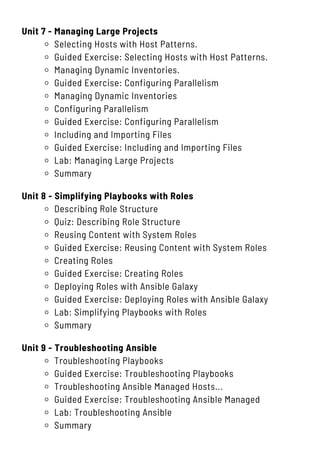
Unit 7 - Managing Large Projects
Selecting Hosts with Host Patterns.
Guided Exercise: Selecting Hosts with Host Patterns.
Managing Dynamic Inventories.
Guided Exercise: Configuring Parallelism
Managing Dynamic Inventories
Configuring Parallelism
Guided Exercise: Configuring Parallelism
Including and Importing Files
Guided Exercise: Including and Importing Files
Lab: Managing Large Projects
Summary
Unit 8 - Simplifying Playbooks with Roles
Describing Role Structure
Quiz: Describing Role Structure
Reusing Content with System Roles
Guided Exercise: Reusing Content with System Roles
Creating Roles
Guided Exercise: Creating Roles
Deploying Roles with Ansible Galaxy
Guided Exercise: Deploying Roles with Ansible Galaxy
Lab: Simplifying Playbooks with Roles
Summary
Unit 9 - Troubleshooting Ansible
Troubleshooting Playbooks
Guided Exercise: Troubleshooting Playbooks
Troubleshooting Ansible Managed Hosts...
Guided Exercise: Troubleshooting Ansible Managed
Lab: Troubleshooting Ansible
Summary
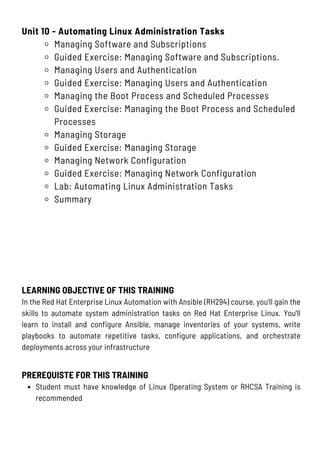
Unit 10 - Automating Linux Administration Tasks
Managing Software and Subscriptions
Guided Exercise: Managing Software and Subscriptions.
Managing Users and Authentication
Guided Exercise: Managing Users and Authentication
Managing the Boot Process and Scheduled Processes
Guided Exercise: Managing the Boot Process and Scheduled
Processes
Managing Storage
Guided Exercise: Managing Storage
Managing Network Configuration
Guided Exercise: Managing Network Configuration
Lab: Automating Linux Administration Tasks
Summary
LEARNING OBJECTIVE OF THIS TRAINING
In the Red Hat Enterprise Linux Automation with Ansible (RH294) course, you'll gain the
skills to automate system administration tasks on Red Hat Enterprise Linux. You'll
learn to install and configure Ansible, manage inventories of your systems, write
playbooks to automate repetitive tasks, configure applications, and orchestrate
deployments across your infrastructure
PREREQUISTE FOR THIS TRAINING
Student must have knowledge of Linux Operating System or RHCSA Training is
recommended
CERTIFICATION PATH
After completion of the training candidate can attempt its official Red Hat Exam
Exam Code - EX294K
Exam Name - Red Hat Certified Engineer (RHCE)
Exam Type - Practical based exam
Exam Format - Online Proctored
Exam Location - Remote Location or Official Testing Center
Number of Questions - 20
Exam Duration - 4 Hours (240 Minutes)
Maximum Marks - 300
Minimum Passing Marks - 210
Expiration - 3 Years
+91 9555378418
C-3/207, Second Floor, Kanishk Complex, Near Maharaja
Banquet Nirman Vihar Metro Station, Delhi-110092
www.krnetworkcloud.org
info@krnetworkcloud.org
KR NETWORK CLOUD
LEADING EDGE IT TRAINING
Checkoutthesocialmediatogetthelatestupdate
Contact KR Network Cloud using any of the following

EX294:- RedHat Certified Engineer (RHCE)

  • 1.
  • 2.
    CONTENT Unit 1 -An Introduction Ansible Automating Linux Administration with Ansible Quiz: Automating Linux Administration with Ansible Installing Ansible Guided Exercise: Installing Ansible Summary Unit 2 - Deploying Ansible Building an Ansible Inventory Guided Exercise: Building an Ansible Inventory Managing Ansible Configuration Files. Guided Exercise: Managing Ansible Configuration Files Running Ad Hoc Commands Guided Exercise: Running Ad Hoc Commands Lab: Deploying Ansible Summary Unit 3 - Implementing Playbooks Writing and Running Playbooks Guided Exercise: Writing and Running Playbooks Implementing Multiple Plays Guided Exercise: Implementing Multiple Plays. Lab: Implementing Playbooks Summary
  • 3.
    Unit 4 -Managing Variables and Facts Managing Variables Guided Exercise: Managing Variables Managing Secrets Guided Exercise: Managing Secrets Managing Facts Guided Exercise: Managing Facts Lab: Managing Variables and Facts Summary Unit 6 - Deploying Files To Managed Host Modifying and Copying Fries to Hosts Guided Exercise: Modifying and Copying Files to Hosts Deploying Custom Files with Jinja2 Templates Guided Exercise: Deploying Custom FiIes with Jinja2 Templates Lab: Deploying Files to Managed Hosts Summary Unit 5 - Implementing Task Control Writing Loops and Conditional Tasks Guided Exercise: Writing Loops and Conditional Tasks. Implementing Handlers Guided Exercise: Implementing Handlers. Handing Task Failure Guided Exercise: Handing Task Failure Lab: Implementing Task Control Summary
  • 4.
    Unit 7 -Managing Large Projects Selecting Hosts with Host Patterns. Guided Exercise: Selecting Hosts with Host Patterns. Managing Dynamic Inventories. Guided Exercise: Configuring Parallelism Managing Dynamic Inventories Configuring Parallelism Guided Exercise: Configuring Parallelism Including and Importing Files Guided Exercise: Including and Importing Files Lab: Managing Large Projects Summary Unit 8 - Simplifying Playbooks with Roles Describing Role Structure Quiz: Describing Role Structure Reusing Content with System Roles Guided Exercise: Reusing Content with System Roles Creating Roles Guided Exercise: Creating Roles Deploying Roles with Ansible Galaxy Guided Exercise: Deploying Roles with Ansible Galaxy Lab: Simplifying Playbooks with Roles Summary Unit 9 - Troubleshooting Ansible Troubleshooting Playbooks Guided Exercise: Troubleshooting Playbooks Troubleshooting Ansible Managed Hosts... Guided Exercise: Troubleshooting Ansible Managed Lab: Troubleshooting Ansible Summary
  • 5.
    Unit 10 -Automating Linux Administration Tasks Managing Software and Subscriptions Guided Exercise: Managing Software and Subscriptions. Managing Users and Authentication Guided Exercise: Managing Users and Authentication Managing the Boot Process and Scheduled Processes Guided Exercise: Managing the Boot Process and Scheduled Processes Managing Storage Guided Exercise: Managing Storage Managing Network Configuration Guided Exercise: Managing Network Configuration Lab: Automating Linux Administration Tasks Summary LEARNING OBJECTIVE OF THIS TRAINING In the Red Hat Enterprise Linux Automation with Ansible (RH294) course, you'll gain the skills to automate system administration tasks on Red Hat Enterprise Linux. You'll learn to install and configure Ansible, manage inventories of your systems, write playbooks to automate repetitive tasks, configure applications, and orchestrate deployments across your infrastructure PREREQUISTE FOR THIS TRAINING Student must have knowledge of Linux Operating System or RHCSA Training is recommended
  • 6.
    CERTIFICATION PATH After completionof the training candidate can attempt its official Red Hat Exam Exam Code - EX294K Exam Name - Red Hat Certified Engineer (RHCE) Exam Type - Practical based exam Exam Format - Online Proctored Exam Location - Remote Location or Official Testing Center Number of Questions - 20 Exam Duration - 4 Hours (240 Minutes) Maximum Marks - 300 Minimum Passing Marks - 210 Expiration - 3 Years
  • 7.
    +91 9555378418 C-3/207, SecondFloor, Kanishk Complex, Near Maharaja Banquet Nirman Vihar Metro Station, Delhi-110092 www.krnetworkcloud.org info@krnetworkcloud.org KR NETWORK CLOUD LEADING EDGE IT TRAINING Checkoutthesocialmediatogetthelatestupdate Contact KR Network Cloud using any of the following