WANT TO LEARN THE KEY
"BUILDING BLOCKS" FOR
DEVELOPING OFFICE ADD-INS?
CAMERON DWYER
CHIEF TECHNOLOGY OFFICER
ONEPLACE SOLUTIONS, AUSTRALIA
AGENDA
What are add-ins?
Common building blocks
App specific building blocks
Deployment
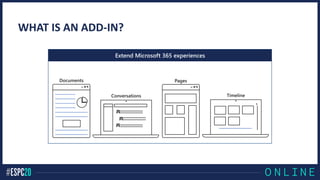
WHAT IS AN ADD-IN?
Extend Microsoft 365 experiences
Your web
server
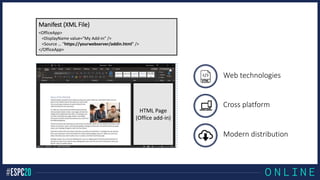
HTML Page
(Office add-in)
<OfficeApp>
<DisplayName value=“My Add-in” />
<Source … “https://yourwebserver/addin.html” />
</OfficeApp>
Manifest (XML File)
Web technologies
Cross platform
Modern distribution
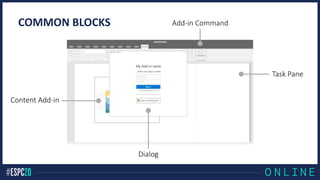
Add-in Command
Content Add-in
Dialog
Task Pane
COMMON BLOCKS
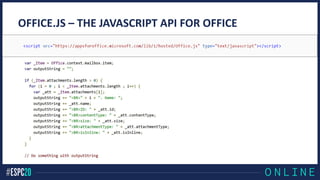
OFFICE.JS – THE JAVASCRIPT API FOR OFFICE
DEMO – COMMON BUILDING BLOCKS
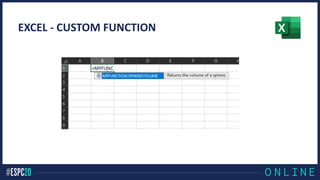
EXCEL - CUSTOM FUNCTION
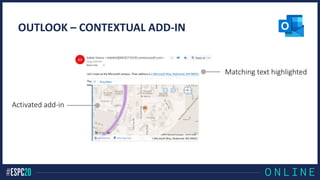
OUTLOOK – CONTEXTUAL ADD-IN
Matching text highlighted
Activated add-in
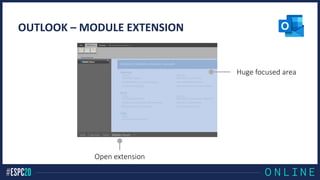
OUTLOOK – MODULE EXTENSION
Open extension
Huge focused area
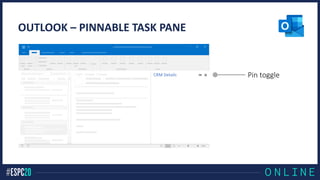
OUTLOOK – PINNABLE TASK PANE
CRM Details Pin toggle
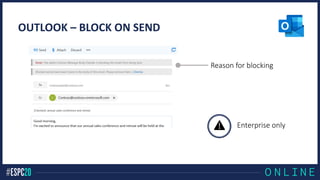
OUTLOOK – BLOCK ON SEND
Reason for blocking
Enterprise only
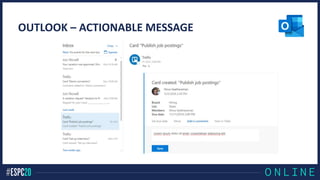
OUTLOOK – ACTIONABLE MESSAGE
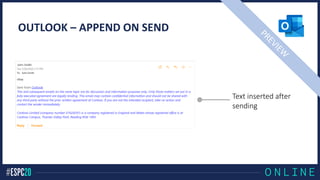
OUTLOOK – APPEND ON SEND
Text inserted after
sending
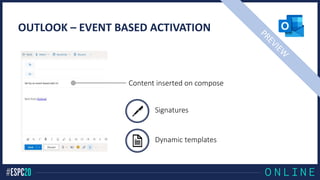
OUTLOOK – EVENT BASED ACTIVATION
Signatures
Dynamic templates
Content inserted on compose
Office.js API
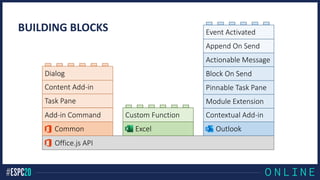
BUILDING BLOCKS
Common
Add-in Command
Task Pane
Content Add-in
Dialog
Excel
Custom Function
Outlook
Contextual Add-in
Module Extension
Pinnable Task Pane
Block On Send
Actionable Message
Append On Send
Event Activated
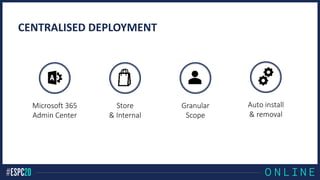
CENTRALISED DEPLOYMENT
Auto install
& removal
Store
& Internal
Granular
Scope
Microsoft 365
Admin Center
DEMO – MODERN DEPLOYMENT
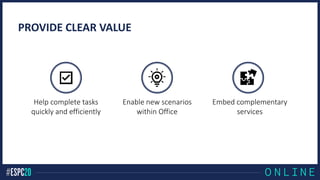
PROVIDE CLEAR VALUE
Help complete tasks
quickly and efficiently
Enable new scenarios
within Office
Embed complementary
services
RESOURCES
Microsoft Learn Modules
Introduction to Office client customization with add-ins
Understand Actionable Messages in Outlook Fundamentals
Microsoft Docs
Office Add-ins Documentation
Microsoft 365 Developer Bootcamps (free)
Microsoft 365 Developer Program (free)
camerondwyer.com@CameronDwyer

ESPC20 Learn the Key Building Blocks for Developing Office Add-ins