• Helpline Centers in Vijayawada:
     SRR & CVR Govt. Degree College
     Andhra Loyola College
     Govt., Polytechnic College
Candidates who fail to report for Certificates
verification will not be considered for
allotment of seats in any of the colleges
Hall ticket, Rank Card of EAMCET
SSC/ Intermediate or Equivalent marks memo
Study Certificate from VI to Intermediate (10+2)
Caste Certificate of SC/ST/BC/Minorities (if applicable)
Income Certificate issued by MRO issued after 01.01.2012 also
be submitted (for fee reimbursement/exemption).
PH/NCC/CAP/Sports and Games Certificates (if applicable)
Transfer Certificate.
Candidates will be issued a receipt of Certificates
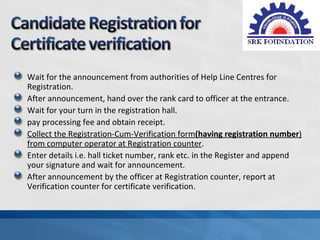
Wait for the announcement from authorities of Help Line Centres for
Registration.
After announcement, hand over the rank card to officer at the entrance.
Wait for your turn in the registration hall.
pay processing fee and obtain receipt.
Collect the Registration-Cum-Verification form(having registration number)
from computer operator at Registration counter.
Enter details i.e. hall ticket number, rank etc. in the Register and append
your signature and wait for announcement.
After announcement by the officer at Registration counter, report at
Verification counter for certificate verification.
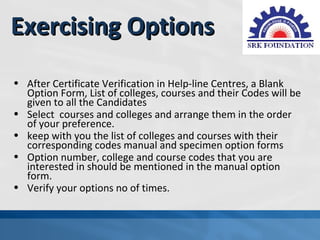
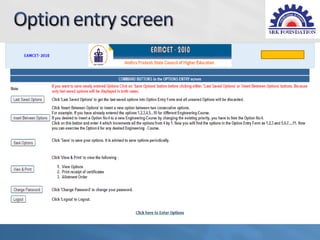
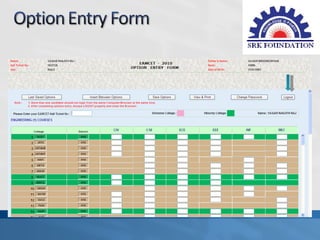
Exercising Options
• After Certificate Verification in Help-line Centres, a Blank
  Option Form, List of colleges, courses and their Codes will be
  given to all the Candidates
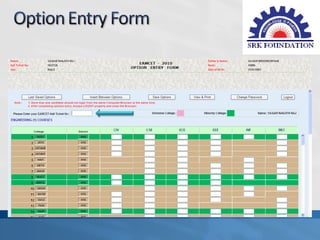
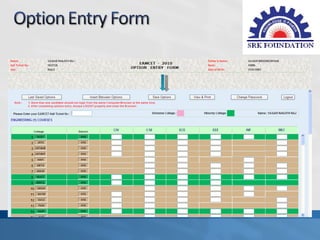
• Select courses and colleges and arrange them in the order
  of your preference.
• keep with you the list of colleges and courses with their
  corresponding codes manual and specimen option forms
• Option number, college and course codes that you are
  interested in should be mentioned in the manual option
  form.
• Verify your options no of times.
• Website URL


     www.apeamcet.nic.in
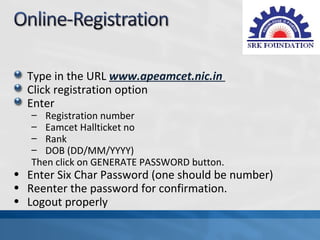
Type in the URL www.apeamcet.nic.in
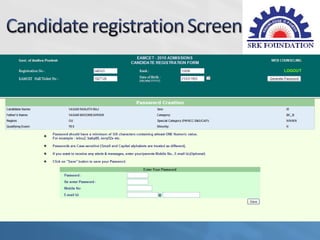
  Click registration option
  Enter
   – Registration number
   – Eamcet Hallticket no
   – Rank
   – DOB (DD/MM/YYYY)
   Then click on GENERATE PASSWORD button.
• Enter Six Char Password (one should be number)
• Reenter the password for confirmation.
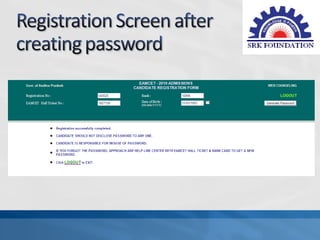
• Logout properly
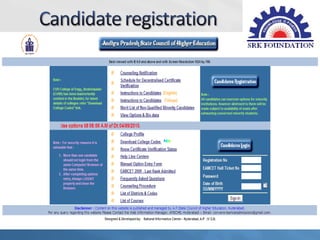
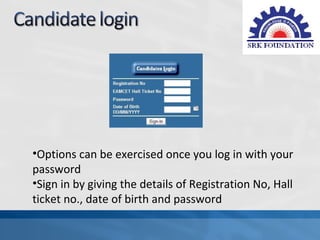
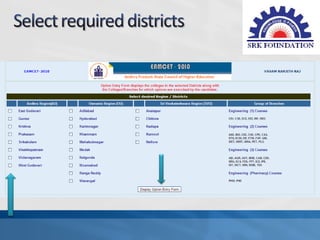
•Options can be exercised once you log in with your
password
•Sign in by giving the details of Registration No, Hall
ticket no., date of birth and password
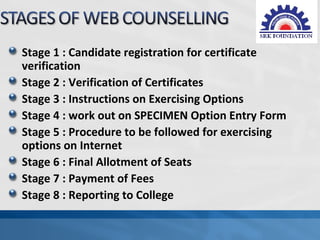
Stage 1 : Candidate registration for certificate
verification
Stage 2 : Verification of Certificates
Stage 3 : Instructions on Exercising Options
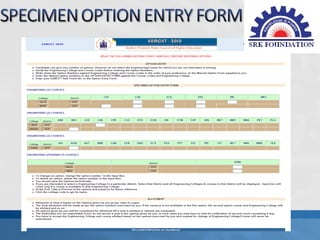
Stage 4 : work out on SPECIMEN Option Entry Form
Stage 5 : Procedure to be followed for exercising
options on Internet
Stage 6 : Final Allotment of Seats
Stage 7 : Payment of Fees
Stage 8 : Reporting to College
Take at least 3 photocopy sets of all your
certificates & receipts
Keep your password and login details at
secured place
Check receipt of certificate keenly.
Use only trusted Internet source
Do proper paper work before options entry
Save the options periodically.
You need to take print out or view your option
before you logout
If any Problem while loading the page, delete
temporary internet files (or you can use
ccleaner software)
Always save & logout for safe exit
Don’t share your password or any details with
others.
Don't logout without saving your options.
Don't prefer public/un-trusted internet cafe.
Avoid last day/minute hurries
Don’t rely on Unknown/unauthorized persons.
Don’t give your registration no, passwords to
any websites.
SRK Foundation & Eenadu
 wishing you all the best!!!

      Thank
      you…
      www.srkit.in

Eamcet 2012 web_counselling

  • 3.
    • Helpline Centersin Vijayawada: SRR & CVR Govt. Degree College Andhra Loyola College Govt., Polytechnic College
  • 4.
    Candidates who failto report for Certificates verification will not be considered for allotment of seats in any of the colleges
  • 6.
    Hall ticket, RankCard of EAMCET SSC/ Intermediate or Equivalent marks memo Study Certificate from VI to Intermediate (10+2) Caste Certificate of SC/ST/BC/Minorities (if applicable) Income Certificate issued by MRO issued after 01.01.2012 also be submitted (for fee reimbursement/exemption). PH/NCC/CAP/Sports and Games Certificates (if applicable) Transfer Certificate. Candidates will be issued a receipt of Certificates
  • 7.
    Wait for theannouncement from authorities of Help Line Centres for Registration. After announcement, hand over the rank card to officer at the entrance. Wait for your turn in the registration hall. pay processing fee and obtain receipt. Collect the Registration-Cum-Verification form(having registration number) from computer operator at Registration counter. Enter details i.e. hall ticket number, rank etc. in the Register and append your signature and wait for announcement. After announcement by the officer at Registration counter, report at Verification counter for certificate verification.
  • 8.
    Exercising Options • AfterCertificate Verification in Help-line Centres, a Blank Option Form, List of colleges, courses and their Codes will be given to all the Candidates • Select courses and colleges and arrange them in the order of your preference. • keep with you the list of colleges and courses with their corresponding codes manual and specimen option forms • Option number, college and course codes that you are interested in should be mentioned in the manual option form. • Verify your options no of times.
  • 9.
    • Website URL www.apeamcet.nic.in
  • 10.
    Type in theURL www.apeamcet.nic.in Click registration option Enter – Registration number – Eamcet Hallticket no – Rank – DOB (DD/MM/YYYY) Then click on GENERATE PASSWORD button. • Enter Six Char Password (one should be number) • Reenter the password for confirmation. • Logout properly
  • 14.
    •Options can beexercised once you log in with your password •Sign in by giving the details of Registration No, Hall ticket no., date of birth and password
  • 21.
    Stage 1 :Candidate registration for certificate verification Stage 2 : Verification of Certificates Stage 3 : Instructions on Exercising Options Stage 4 : work out on SPECIMEN Option Entry Form Stage 5 : Procedure to be followed for exercising options on Internet Stage 6 : Final Allotment of Seats Stage 7 : Payment of Fees Stage 8 : Reporting to College
  • 22.
    Take at least3 photocopy sets of all your certificates & receipts Keep your password and login details at secured place Check receipt of certificate keenly. Use only trusted Internet source Do proper paper work before options entry
  • 23.
    Save the optionsperiodically. You need to take print out or view your option before you logout If any Problem while loading the page, delete temporary internet files (or you can use ccleaner software) Always save & logout for safe exit
  • 24.
    Don’t share yourpassword or any details with others. Don't logout without saving your options. Don't prefer public/un-trusted internet cafe. Avoid last day/minute hurries Don’t rely on Unknown/unauthorized persons. Don’t give your registration no, passwords to any websites.
  • 26.
    SRK Foundation &Eenadu wishing you all the best!!! Thank you… www.srkit.in