Wednesday, January 14, 2014
Author: Hector Iribarne @hectoriribarne
Drupal Content Automation with Migrate 2.6
@hectoriribarne
Main Topics
Clean D7 install w/ Migrate module
Demo content import
Walkthrough the code
@hectoriribarne
Install D7
and the
Migrate Module
@hectoriribarne
Get Acquia Dev Desktop 2: https://docs.acquia.com/dev-desktop2
@hectoriribarne
Name your site:
@hectoriribarne
Open the new site:
@hectoriribarne
Finish intallation of Drupal 7:
@hectoriribarne
Configure new site:
@hectoriribarne
Open console:
@hectoriribarne
Hector’s base Drupal 7 configuration:
● cd sites/all/modules
● mkdir custom
● drush dl module_filter admin_menu pathauto views
token ctools entity migrate;drush en -y
module_filter admin_menu pathauto views
views_ui token ctools entity migrate migrate_ui;
drush en -y module_filter admin_menu;drush dis -y
overlay toolbar
@hectoriribarne
Add custom migrate 2.6 modules:
● Place custom modules migr8csv2article and
migr8csv2page in the sites/all/modules/custom
directory and enable the modules
● Create a data directory under the files folder
● Place CSV files article.csv and page.csv in the
sites/all/default/files/data directory
@hectoriribarne
Content Import
@hectoriribarne
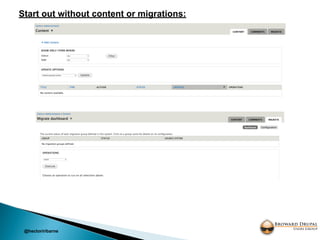
Start out without content or migrations:
@hectoriribarne
Enable Content Automation Migrate 2.6 modules:
@hectoriribarne
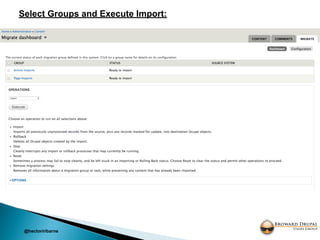
Select Groups and Execute Import:
@hectoriribarne
Post Import (Success):
@hectoriribarne
Content post import (Success):
@hectoriribarne
@hectoriribarne
Walkthrough
the code
@hectoriribarne
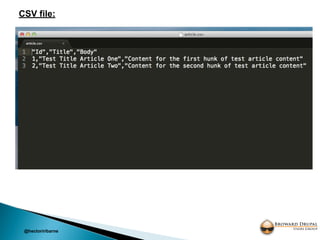
CSV file:
@hectoriribarne
Info file:
@hectoriribarne
Module file:
@hectoriribarne
Include file:
@hectoriribarne
References:
● https://www.drupal.org/project/migrate (migrate_example)
● http://www.kedrovsky.com/blog/2011/10/13/bulk-loading-
content-drupal-migrate-module/
Questions?
@hectoriribarne
Last but not least
@hectoriribarne
Follow us on Twitter
https://twitter.com/BrowardDrupal

Drupal content automation with migrate 2.6