Dropbox provides four main sharing methods—Shared Links,
Shared Folders, Dropbox Transfer, and File Requests—each
tailored for specific needs. Knowing which method to advise
can save time, safeguard sensitive information, and enhance
collaboration.
In this module, you will reinforce that knowledge with the help
of customer scenarios.
Click on the first lesson below, or the Start Course button
above, when you’re ready to begin.
REAL-WORLD SCENARIOS
Introduction & Learning Goals
Jessica P. Rocha
Dropbox Sharing Methods: Real-World
Applications
CONCLUSION
The first customer call
The second customer call
The third customer call
The fourth customer call
The fifth customer call
Key Takeaways
Illustrative image - support agent receives a question from a customer
Lesson 1 of 7
Introduction & Learning Goals
Imagine a customer reaching out, unsure of
the best way to share files for their specific
needs. Should they send a quick link, invite
collaborators to a shared folder, or request
files from others?
CONTINUE
Illustrative image - Share Illustrative image - Send Illustrative image - Collect
As a support agent, understanding these
options ensures you can guide them to the
best solution — helping them stay
productive while making the most of
Dropbox’s features.
Learning Goals
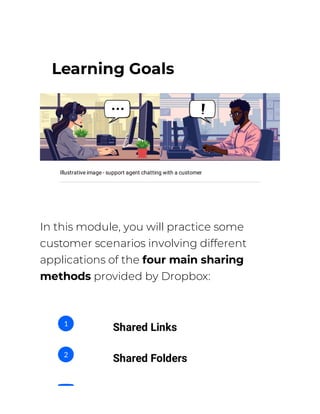
Illustrative image - support agent chatting with a customer
In this module, you will practice some
customer scenarios involving different
applications of the four main sharing
methods provided by Dropbox:
Shared Links
1
Shared Folders
2
Transfer
3
File Requests
4
By the end of this activity, you should
be able to:
Link the different
Dropbox sharing
methods with
their use cases.
1
When you are ready, press the
button below to get started!
Advise customers
on the best file-
sharing option
based on their
needs.
Navigate
customer inquiries
with a problem-
solving approach.
2
3
START PRACTICING
Lesson 2 of 7
The first customer call
Scene 1 Slide 1
Continue Next Slide
A Client Presentation
A customer reaches out to Dropbox
support to ask about the best sharing
method for their needs.
CONTINUE
Scene 1 Slide 2
0 Next Slide
1 Next Slide
2 Next Slide
Hi! I need to send our
company’s presentation to
a potential investor. I want
them to see it but not be
able to edit or download it.
What’s the best way?
Sending a Shared Link
1
Using a Shared Folder
2
Organising a File Transfer
3
Scene 1 Slide 3
Continue End of Scenario
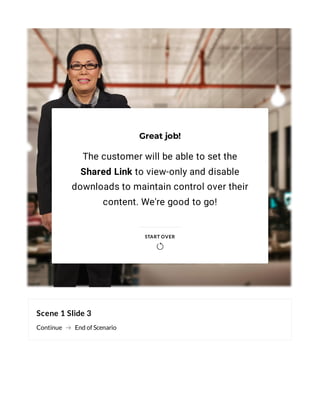
Great job!
The customer will be able to set the
Shared Link to view-only and disable
downloads to maintain control over their
content. We're good to go!
START OVER

Complete the content above before moving on.
Lesson 3 of 7
The second customer call
Scene 1 Slide 1
Continue Next Slide
Collecting Project Proposals
A customer reaches out to Dropbox
support to ask about the best sharing
method for their needs.
CONTINUE
Scene 1 Slide 2
0 Next Slide
1 Next Slide
2 Next Slide
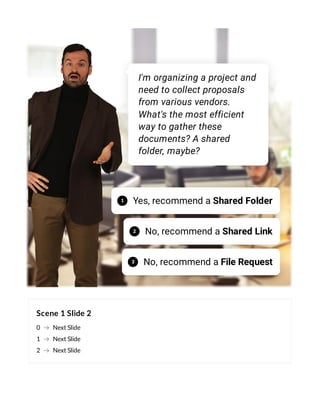
I'm organizing a project and
need to collect proposals
from various vendors.
What's the most efficient
way to gather these
documents? A shared
folder, maybe?
Yes, recommend a Shared Folder
1
No, recommend a Shared Link
2
No, recommend a File Request
3
Scene 1 Slide 3
Continue End of Scenario
Great job!
Using a File Request is the most efficient
method. The customer can create a file
request with specific instructions and a
deadline, then share the link with all
vendors.
START OVER

Complete the content above before moving on.
Lesson 4 of 7
The third customer call
Scene 1 Slide 1
Continue Next Slide
Sharing a Large Video File
A customer reaches out to Dropbox
support to ask about the best sharing
method for their needs.
CONTINUE
Scene 1 Slide 2
0 Next Slide
1 Next Slide
2 Next Slide
Hi, I need to send a large
video file to a client. The file
is too big to email, and I
want to ensure they can
download it securely.
What's the best way to
share this file?
Using a Shared Folder
1
Sending a Shared Link
2
Organising a File Transfer
3
Scene 1 Slide 3
Continue End of Scenario
Great job!
With Dropbox Transfer, the customer can
upload their video and send the transfer
link to their client. The client will not need a
Dropbox account and the link will expire
after a set period.
START OVER

Complete the content above before moving on.
Lesson 5 of 7
The fourth customer call
Scene 1 Slide 1
Continue Next Slide
Team Collaboration
A customer reaches out to Dropbox
support to ask about the best sharing
method for their needs.
CONTINUE
Scene 1 Slide 2
0 Next Slide
1 Next Slide
2 Next Slide
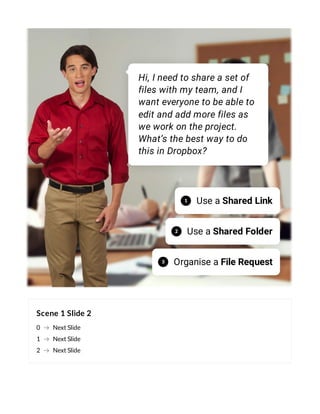
Hi, I need to share a set of
files with my team, and I
want everyone to be able to
edit and add more files as
we work on the project.
What’s the best way to do
this in Dropbox?
Use a Shared Link
1
Use a Shared Folder
2
Organise a File Request
3
Scene 1 Slide 3
Continue End of Scenario
Great job!
Now the customer can invite team
members to their Shared Folder by sending
email invitations directly from Dropbox,
and everyone will be able to collaborate in
real time.
START OVER

Complete the content above before moving on.
Lesson 6 of 7
The fifth customer call
Scene 1 Slide 1
Continue Next Slide
Sending a Large Report
A customer reaches out to Dropbox
support to ask about the best sharing
method for their needs.
CONTINUE
Scene 1 Slide 2
0 Next Slide
1 Next Slide
2 Next Slide
Hey, I need to send a report
to my client. It’s a pretty
large file, and I want to
make sure they can
download it easily. I don’t
need them to edit it, just
access it quickly. What
should I use?
Use a Shared Folder
1
Use a Shared Link
2
Use Dropbox Transfer
3
Scene 1 Slide 3
Continue End of Scenario
Great job!
With a Shared Link, the client will be able
to access the file instantly. It is also
possible to set permissions like View only
or add an expiration date, if needed.
START OVER

Complete the content above before moving on.
Lesson 7 of 7
Key Takeaways
Thank you!
You have sucessfully explored
some customer scenarios and the
different uses of Dropbox sharing
methods.
From now on, whether a customer
requires...
(flip the cards to continue)
... quick access with
a Shared Link
... seamless
collaboration
through a Shared
Folder
... a secure one-time
File Transfer
... you are now well-equipped to guide them
in choosing the best option for their
specific needs.
Congratulations!
... or an easy way to
collect files using
File Request,
You have reached the end of this module. You may
now close it.
CLOSE

Dropbox Sharing Methods: Real-World Applications

  • 1.
    Dropbox provides fourmain sharing methods—Shared Links, Shared Folders, Dropbox Transfer, and File Requests—each tailored for specific needs. Knowing which method to advise can save time, safeguard sensitive information, and enhance collaboration. In this module, you will reinforce that knowledge with the help of customer scenarios. Click on the first lesson below, or the Start Course button above, when you’re ready to begin. REAL-WORLD SCENARIOS Introduction & Learning Goals Jessica P. Rocha Dropbox Sharing Methods: Real-World Applications
  • 2.
    CONCLUSION The first customercall The second customer call The third customer call The fourth customer call The fifth customer call Key Takeaways
  • 3.
    Illustrative image -support agent receives a question from a customer Lesson 1 of 7 Introduction & Learning Goals Imagine a customer reaching out, unsure of the best way to share files for their specific needs. Should they send a quick link, invite collaborators to a shared folder, or request files from others?
  • 4.
    CONTINUE Illustrative image -Share Illustrative image - Send Illustrative image - Collect As a support agent, understanding these options ensures you can guide them to the best solution — helping them stay productive while making the most of Dropbox’s features.
  • 5.
    Learning Goals Illustrative image- support agent chatting with a customer In this module, you will practice some customer scenarios involving different applications of the four main sharing methods provided by Dropbox: Shared Links 1 Shared Folders 2
  • 6.
    Transfer 3 File Requests 4 By theend of this activity, you should be able to: Link the different Dropbox sharing methods with their use cases. 1
  • 7.
    When you areready, press the button below to get started! Advise customers on the best file- sharing option based on their needs. Navigate customer inquiries with a problem- solving approach. 2 3
  • 8.
  • 9.
    Lesson 2 of7 The first customer call
  • 10.
    Scene 1 Slide1 Continue Next Slide A Client Presentation A customer reaches out to Dropbox support to ask about the best sharing method for their needs. CONTINUE
  • 11.
    Scene 1 Slide2 0 Next Slide 1 Next Slide 2 Next Slide Hi! I need to send our company’s presentation to a potential investor. I want them to see it but not be able to edit or download it. What’s the best way? Sending a Shared Link 1 Using a Shared Folder 2 Organising a File Transfer 3
  • 12.
    Scene 1 Slide3 Continue End of Scenario Great job! The customer will be able to set the Shared Link to view-only and disable downloads to maintain control over their content. We're good to go! START OVER 
  • 13.
    Complete the contentabove before moving on.
  • 14.
    Lesson 3 of7 The second customer call
  • 15.
    Scene 1 Slide1 Continue Next Slide Collecting Project Proposals A customer reaches out to Dropbox support to ask about the best sharing method for their needs. CONTINUE
  • 16.
    Scene 1 Slide2 0 Next Slide 1 Next Slide 2 Next Slide I'm organizing a project and need to collect proposals from various vendors. What's the most efficient way to gather these documents? A shared folder, maybe? Yes, recommend a Shared Folder 1 No, recommend a Shared Link 2 No, recommend a File Request 3
  • 17.
    Scene 1 Slide3 Continue End of Scenario Great job! Using a File Request is the most efficient method. The customer can create a file request with specific instructions and a deadline, then share the link with all vendors. START OVER 
  • 18.
    Complete the contentabove before moving on.
  • 19.
    Lesson 4 of7 The third customer call
  • 20.
    Scene 1 Slide1 Continue Next Slide Sharing a Large Video File A customer reaches out to Dropbox support to ask about the best sharing method for their needs. CONTINUE
  • 21.
    Scene 1 Slide2 0 Next Slide 1 Next Slide 2 Next Slide Hi, I need to send a large video file to a client. The file is too big to email, and I want to ensure they can download it securely. What's the best way to share this file? Using a Shared Folder 1 Sending a Shared Link 2 Organising a File Transfer 3
  • 22.
    Scene 1 Slide3 Continue End of Scenario Great job! With Dropbox Transfer, the customer can upload their video and send the transfer link to their client. The client will not need a Dropbox account and the link will expire after a set period. START OVER 
  • 23.
    Complete the contentabove before moving on.
  • 24.
    Lesson 5 of7 The fourth customer call
  • 25.
    Scene 1 Slide1 Continue Next Slide Team Collaboration A customer reaches out to Dropbox support to ask about the best sharing method for their needs. CONTINUE
  • 26.
    Scene 1 Slide2 0 Next Slide 1 Next Slide 2 Next Slide Hi, I need to share a set of files with my team, and I want everyone to be able to edit and add more files as we work on the project. What’s the best way to do this in Dropbox? Use a Shared Link 1 Use a Shared Folder 2 Organise a File Request 3
  • 27.
    Scene 1 Slide3 Continue End of Scenario Great job! Now the customer can invite team members to their Shared Folder by sending email invitations directly from Dropbox, and everyone will be able to collaborate in real time. START OVER 
  • 28.
    Complete the contentabove before moving on.
  • 29.
    Lesson 6 of7 The fifth customer call
  • 30.
    Scene 1 Slide1 Continue Next Slide Sending a Large Report A customer reaches out to Dropbox support to ask about the best sharing method for their needs. CONTINUE
  • 31.
    Scene 1 Slide2 0 Next Slide 1 Next Slide 2 Next Slide Hey, I need to send a report to my client. It’s a pretty large file, and I want to make sure they can download it easily. I don’t need them to edit it, just access it quickly. What should I use? Use a Shared Folder 1 Use a Shared Link 2 Use Dropbox Transfer 3
  • 32.
    Scene 1 Slide3 Continue End of Scenario Great job! With a Shared Link, the client will be able to access the file instantly. It is also possible to set permissions like View only or add an expiration date, if needed. START OVER 
  • 33.
    Complete the contentabove before moving on.
  • 34.
    Lesson 7 of7 Key Takeaways Thank you! You have sucessfully explored some customer scenarios and the
  • 35.
    different uses ofDropbox sharing methods. From now on, whether a customer requires... (flip the cards to continue) ... quick access with a Shared Link
  • 36.
    ... seamless collaboration through aShared Folder ... a secure one-time File Transfer
  • 37.
    ... you arenow well-equipped to guide them in choosing the best option for their specific needs. Congratulations! ... or an easy way to collect files using File Request,
  • 38.
    You have reachedthe end of this module. You may now close it. CLOSE