
Dreamtrips	
  Local	
  Hong	
  Kong	
  
March	
  5,	
  2016	
  Updates	
  
Millie	
  Leung
WorldVentures	
  
International	
  
Marketing	
  Director	
  
&	
  International	
  Trainer
www.MillieLeung.com
www.Facebook.com/Fly.with.Millie
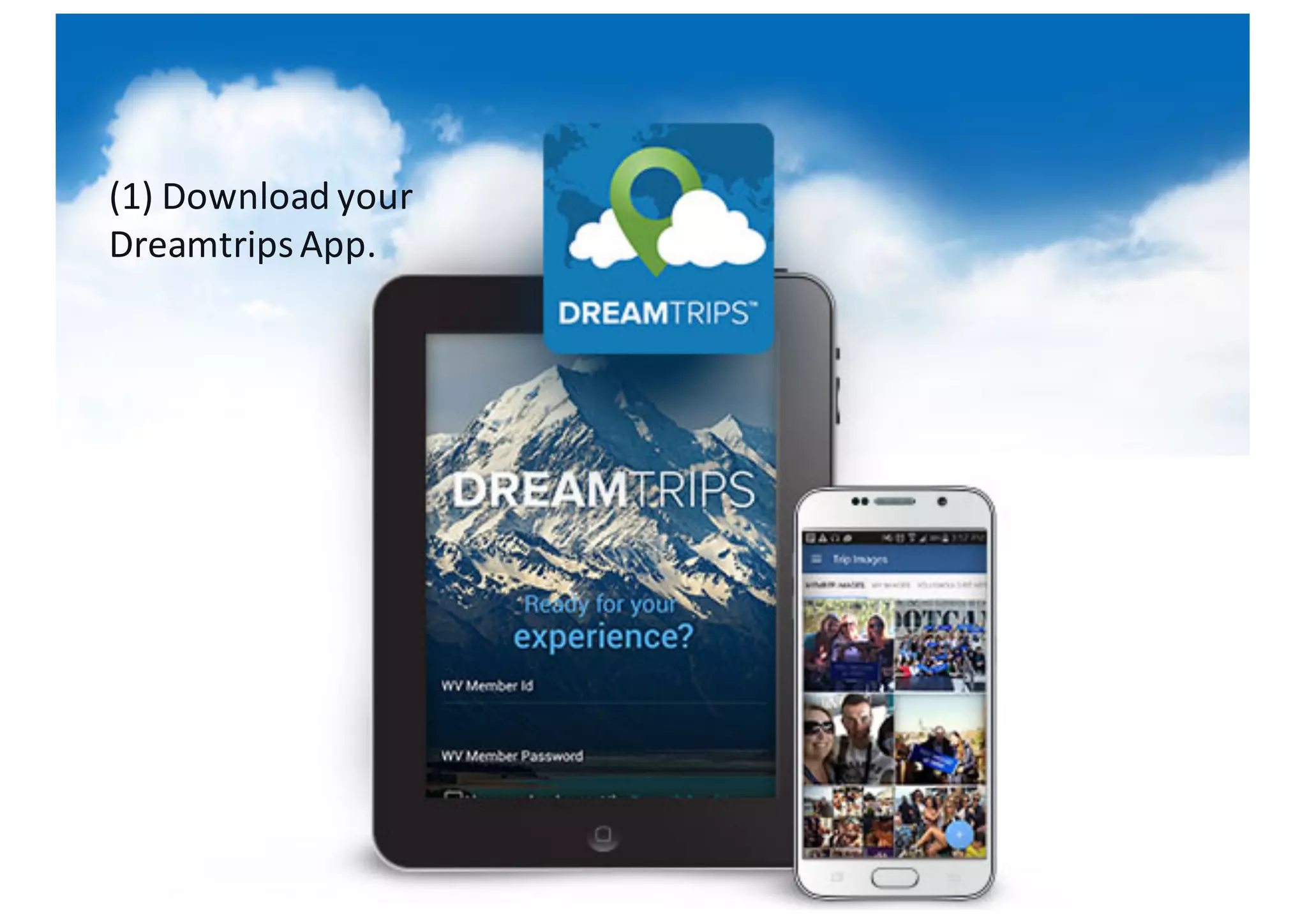
(1)	
  Download	
  your	
  
DreamtripsApp.
6xxxxxxx
(2)	
  Login	
  to	
  your
DreamtripsApp
(3)	
  If	
  you	
  are	
  on	
  iPhone,
go	
  to	
  ’’Discover’’	
  on	
  the	
  
lower	
  bottom.
(4)	
  Enter	
  "Hong	
  Kong".	
  
Under	
  the	
  "Dining”	
  tab	
  are	
  
restaurants	
  we	
  are	
  working	
  
towards	
  cooperating	
  in	
  the	
  future.
(5)	
  Under	
  the	
  “Offers”	
  tab	
  are	
  the	
  
restaurants	
  currently	
  partnering	
  
with	
  us!	
  	
  Feel	
  free	
  to	
  browse	
  
through	
  all	
  the	
  available	
  
restaurants	
  and	
  select	
  the	
  ones	
  
you	
  would	
  like	
  to	
  visit!	
  
(6)	
  On	
  each	
  restaurant,	
  you	
  will	
  
see	
  an	
  Icon	
  on	
  the	
  bottom	
  left.	
  	
  
A	
  blue	
  circle	
  indicates	
  Dreamtrips
points	
  earning.	
  	
  A	
  golden	
  yellow	
  
dot	
  indicates	
  perks	
  you	
  could	
  get	
  
when	
  you	
  dine	
  at	
  this	
  restaurant.	
  	
  
Of	
  course,	
  when	
  both	
  the	
  blue	
  
circle	
  and	
  the	
  golden	
  yellow	
  dot	
  
are	
  present,	
  that’s	
  the	
  best	
  deal!	
  	
  
You	
  will	
  get	
  both	
  the	
  Dreamtrips
points	
  AND	
  the	
  perks!
(7)	
  You	
  can	
  estimate	
  the	
  number	
  of	
  
Dreamtripspoints	
  you	
  will	
  get	
  by	
  
using	
  the	
  Points	
  Estimator	
  on	
  each	
  
restaurant.	
  	
  Please	
  note	
  that	
  points	
  
are	
  calculated	
  based	
  on	
  converted	
  
USD	
  amount	
  and	
  each	
  restaurant	
  Is	
  
likely	
  to	
  have	
  a	
  different	
  minimum	
  
spending	
  amount.
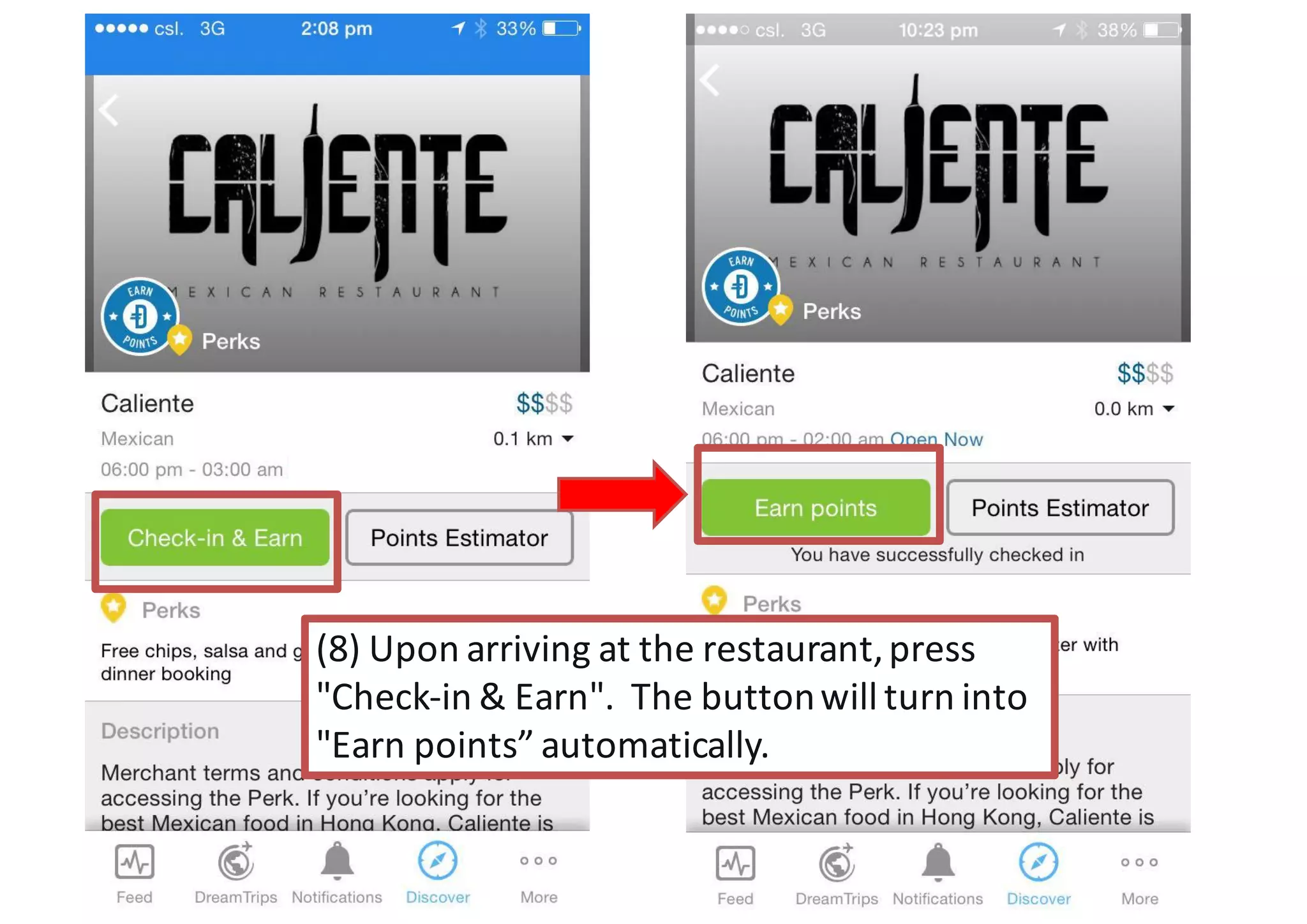
(8)	
  Upon	
  arriving	
  at	
  the	
  restaurant,	
  press	
  
"Check-­‐in	
  &	
  Earn".	
  	
  The	
  button	
  will	
  turn	
  into	
  
"Earn	
  points”	
  automatically.	
  
(9)	
  If	
  the	
  restaurant	
  provides	
  any	
  
additional	
  Perks,	
  you	
  can	
  show	
  the	
  
waiter/waitress	
  the	
  listed	
  perks	
  on	
  
your	
  DreamtripsApp.	
  	
  
(Millie	
  successfully	
  got	
  her	
  free	
  
salsa	
  at	
  this	
  Mexican	
  restaurant!)	
  
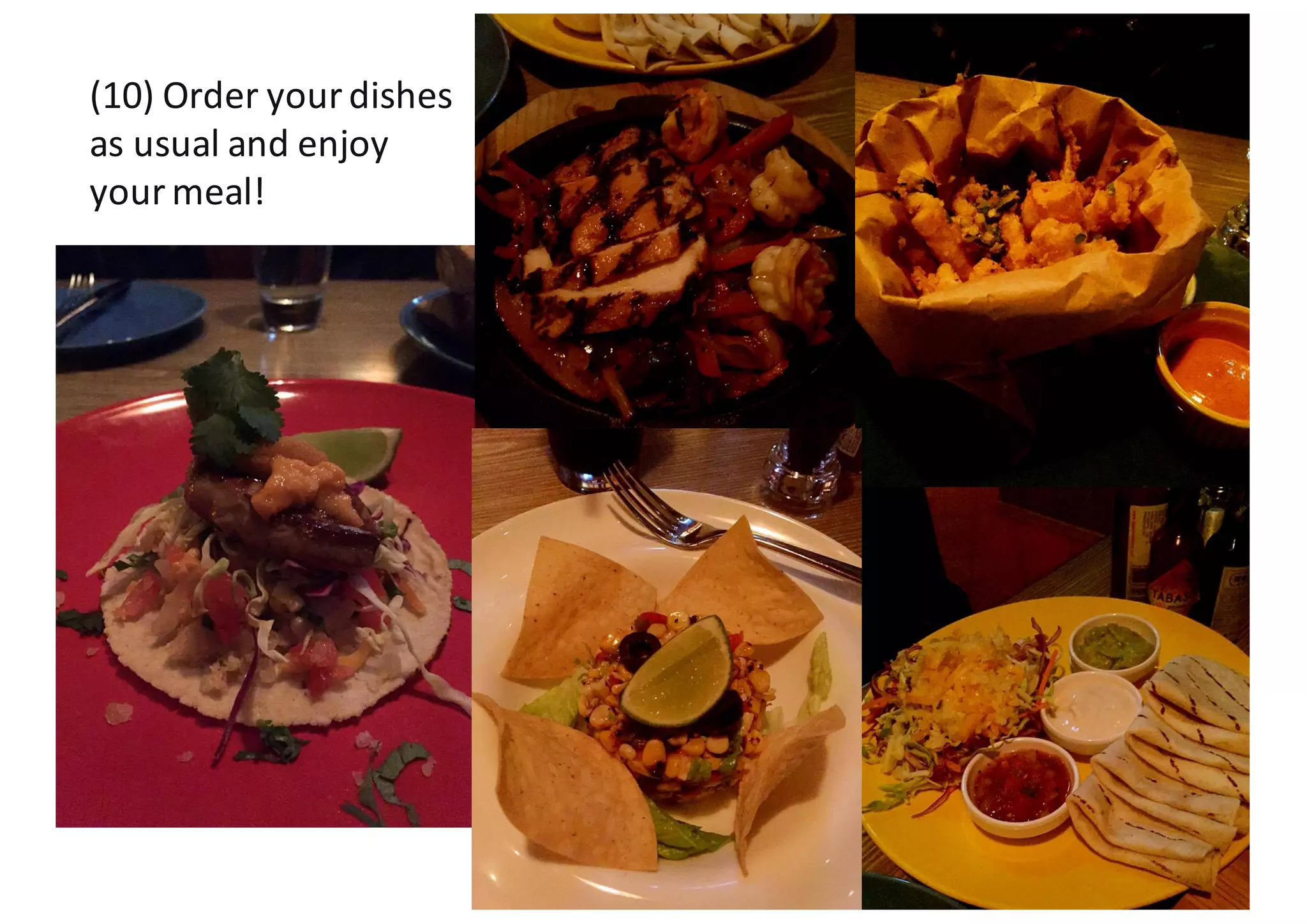
(10)	
  Order	
  your	
  dishes	
  
as	
  usual	
  and	
  enjoy	
  
your	
  meal!
(11)	
  Before	
  you	
  get	
  your	
  bills,	
  
you	
  can	
  use	
  the	
  Points	
  Estimator	
  
to	
  double-­‐check	
  the	
  number	
  of	
  
Dreamtripspoints	
  you	
  will	
  get	
  
on	
  your	
  meal	
  (this	
  is	
  optional)!
**	
  Typically,	
  you	
  can	
  earn	
  
between	
  10%	
  to	
  100%	
  of	
  your	
  
bill	
  as	
  Dreamtripspoints	
  
(based	
  on	
  USD	
  conversion)!
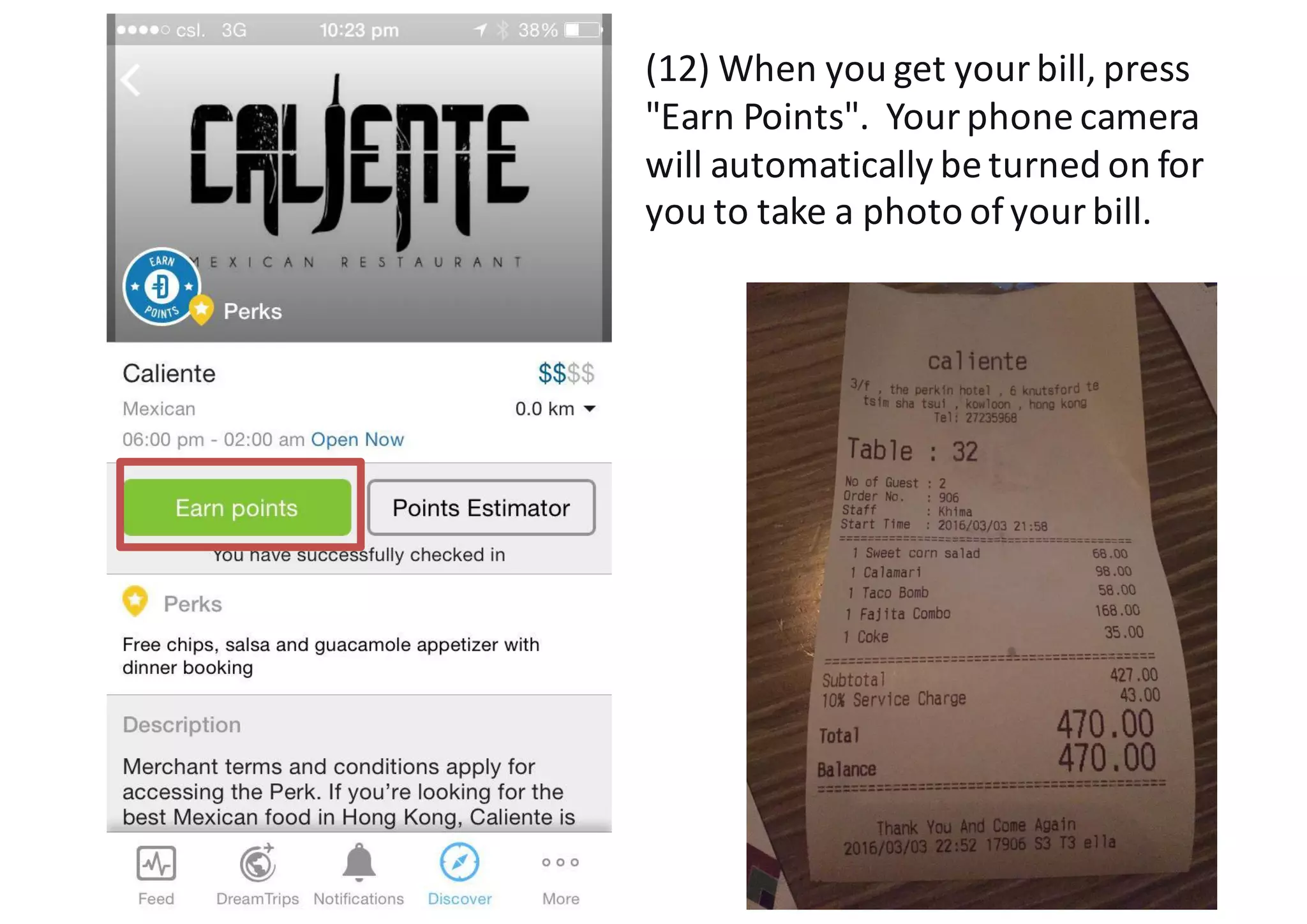
(12)	
  When	
  you	
  get	
  your	
  bill,	
  press	
  
"Earn	
  Points".	
  	
  Your	
  phone	
  camera	
  
will	
  automatically	
  be	
  turned	
  on	
  for	
  
you	
  to	
  take	
  a	
  photo	
  of	
  your	
  bill.
427
(13)	
  Enter	
  the	
  amount	
  of	
  
the	
  bill	
  (**	
  Not	
  including	
  
tips	
  and	
  tax).
Let	
  the	
  merchant	
  verifies	
  
the	
  amount	
  you	
  have	
  
entered	
  by	
  pressing	
  
"Verify	
  amount".
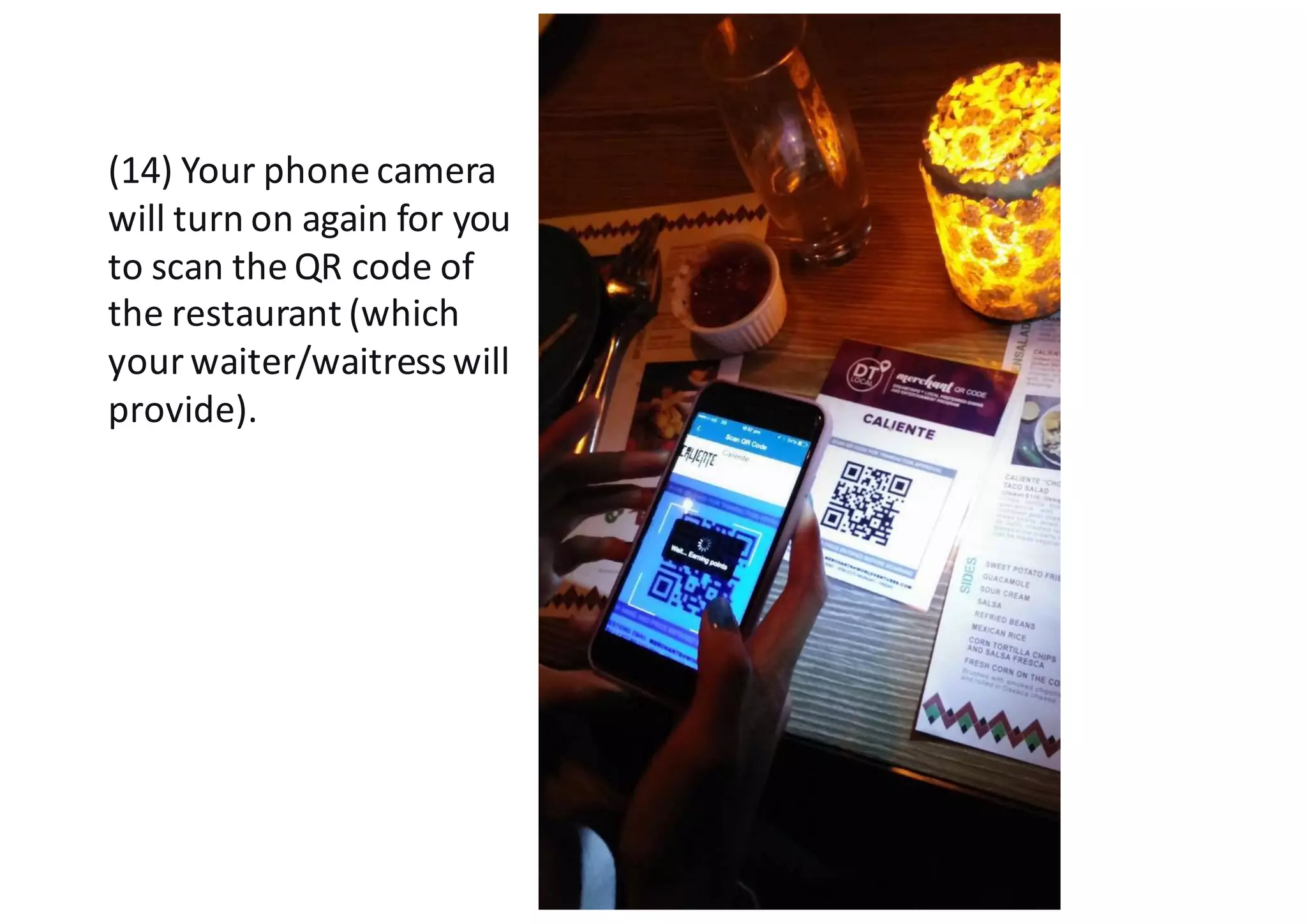
(14)	
  Your	
  phone	
  camera	
  
will	
  turn	
  on	
  again	
  for	
  you	
  
to	
  scan	
  the	
  QR	
  code	
  of	
  
the	
  restaurant	
  (which	
  
your	
  waiter/waitress	
  will	
  
provide).
(15)	
  Congratulations!	
  You	
  have	
  
earned	
  your	
  DreamtripsPoints!	
  	
  
The	
  points	
  are	
  immediately	
  
entered	
  into	
  your	
  Dreamtrips
membership	
  account!
Now	
  you	
  can	
  dine	
  your	
  way	
  to	
  
more	
  Dreamtripspoints	
  and	
  
travel	
  the	
  World!	
  Woohoo!
Millie	
  Leung
WorldVentures	
  
International	
  
Marketing	
  Director	
  
&	
  International	
  Trainer
WV國際行銷總監
和國際培訓講師
www.MillieLeung.com
www.Facebook.com/Fly.with.Millie

Dreamtrips Local Hong Kong (English)

  • 1.
    Dreamtrips  Local  Hong  Kong   March  5,  2016  Updates  
  • 2.
    Millie  Leung WorldVentures   International   Marketing  Director   &  International  Trainer www.MillieLeung.com www.Facebook.com/Fly.with.Millie
  • 3.
    (1)  Download  your   DreamtripsApp.
  • 4.
    6xxxxxxx (2)  Login  to  your DreamtripsApp
  • 5.
    (3)  If  you  are  on  iPhone, go  to  ’’Discover’’  on  the   lower  bottom.
  • 6.
    (4)  Enter  "Hong  Kong".   Under  the  "Dining”  tab  are   restaurants  we  are  working   towards  cooperating  in  the  future.
  • 7.
    (5)  Under  the  “Offers”  tab  are  the   restaurants  currently  partnering   with  us!    Feel  free  to  browse   through  all  the  available   restaurants  and  select  the  ones   you  would  like  to  visit!   (6)  On  each  restaurant,  you  will   see  an  Icon  on  the  bottom  left.     A  blue  circle  indicates  Dreamtrips points  earning.    A  golden  yellow   dot  indicates  perks  you  could  get   when  you  dine  at  this  restaurant.     Of  course,  when  both  the  blue   circle  and  the  golden  yellow  dot   are  present,  that’s  the  best  deal!     You  will  get  both  the  Dreamtrips points  AND  the  perks!
  • 8.
    (7)  You  can  estimate  the  number  of   Dreamtripspoints  you  will  get  by   using  the  Points  Estimator  on  each   restaurant.    Please  note  that  points   are  calculated  based  on  converted   USD  amount  and  each  restaurant  Is   likely  to  have  a  different  minimum   spending  amount.
  • 9.
    (8)  Upon  arriving  at  the  restaurant,  press   "Check-­‐in  &  Earn".    The  button  will  turn  into   "Earn  points”  automatically.  
  • 10.
    (9)  If  the  restaurant  provides  any   additional  Perks,  you  can  show  the   waiter/waitress  the  listed  perks  on   your  DreamtripsApp.     (Millie  successfully  got  her  free   salsa  at  this  Mexican  restaurant!)  
  • 11.
    (10)  Order  your  dishes   as  usual  and  enjoy   your  meal!
  • 12.
    (11)  Before  you  get  your  bills,   you  can  use  the  Points  Estimator   to  double-­‐check  the  number  of   Dreamtripspoints  you  will  get   on  your  meal  (this  is  optional)! **  Typically,  you  can  earn   between  10%  to  100%  of  your   bill  as  Dreamtripspoints   (based  on  USD  conversion)!
  • 13.
    (12)  When  you  get  your  bill,  press   "Earn  Points".    Your  phone  camera   will  automatically  be  turned  on  for   you  to  take  a  photo  of  your  bill.
  • 15.
    427 (13)  Enter  the  amount  of   the  bill  (**  Not  including   tips  and  tax). Let  the  merchant  verifies   the  amount  you  have   entered  by  pressing   "Verify  amount".
  • 16.
    (14)  Your  phone  camera   will  turn  on  again  for  you   to  scan  the  QR  code  of   the  restaurant  (which   your  waiter/waitress  will   provide).
  • 17.
    (15)  Congratulations!  You  have   earned  your  DreamtripsPoints!     The  points  are  immediately   entered  into  your  Dreamtrips membership  account! Now  you  can  dine  your  way  to   more  Dreamtripspoints  and   travel  the  World!  Woohoo!
  • 18.
    Millie  Leung WorldVentures   International   Marketing  Director   &  International  Trainer WV國際行銷總監 和國際培訓講師 www.MillieLeung.com www.Facebook.com/Fly.with.Millie