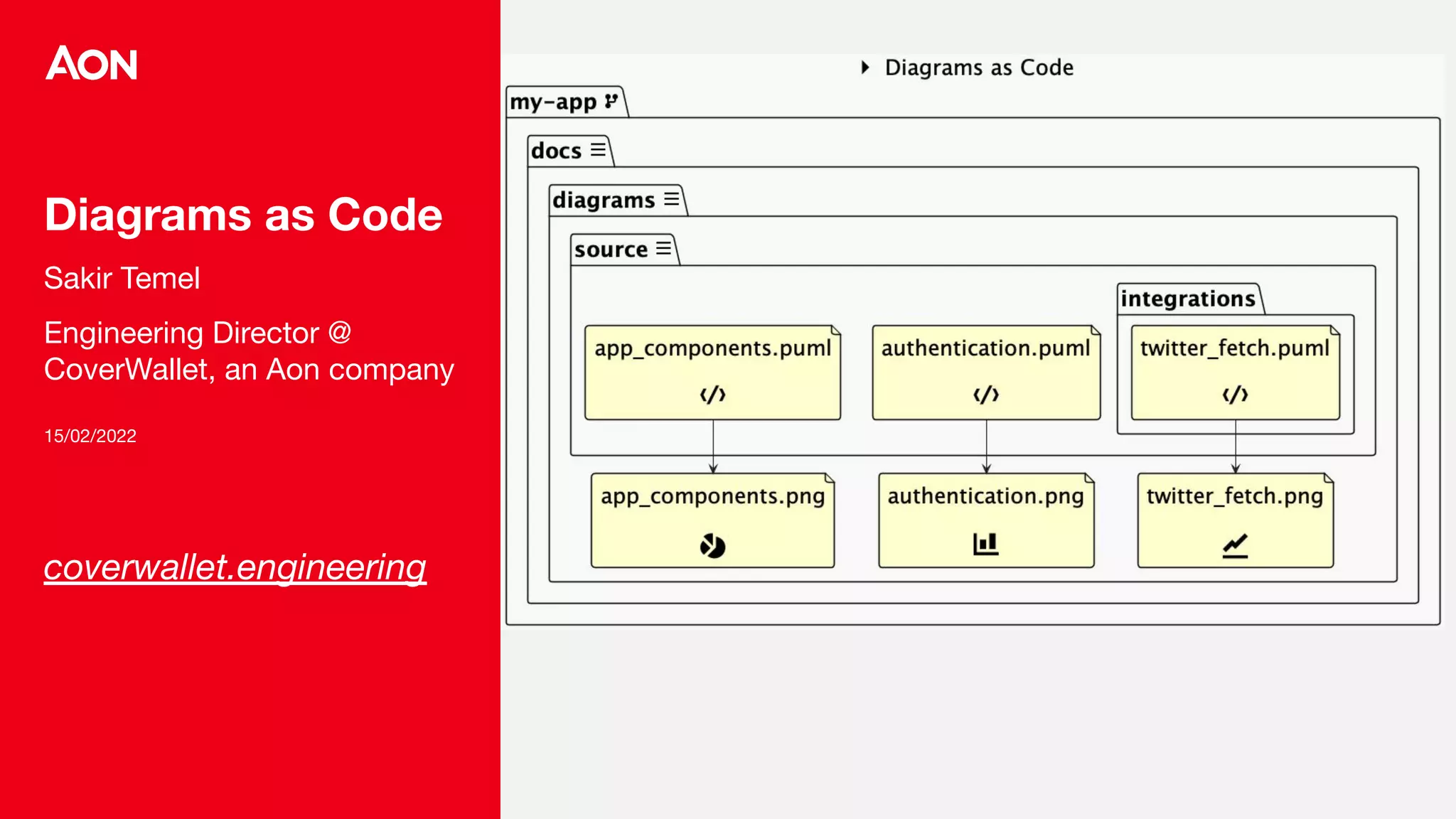
Diagrams as Code
Sakir Temel
Engineering Director @
CoverWallet, an Aon company
15/02/2022
coverwallet.engineering
2
Objectives
Messages to be taken
- Diagrams are useful
- Diagrams as Code can help a lot
- I can use diagrams as code starting from tomorrow
- I should explore the diagrams more
3
Diagrams are useful
4
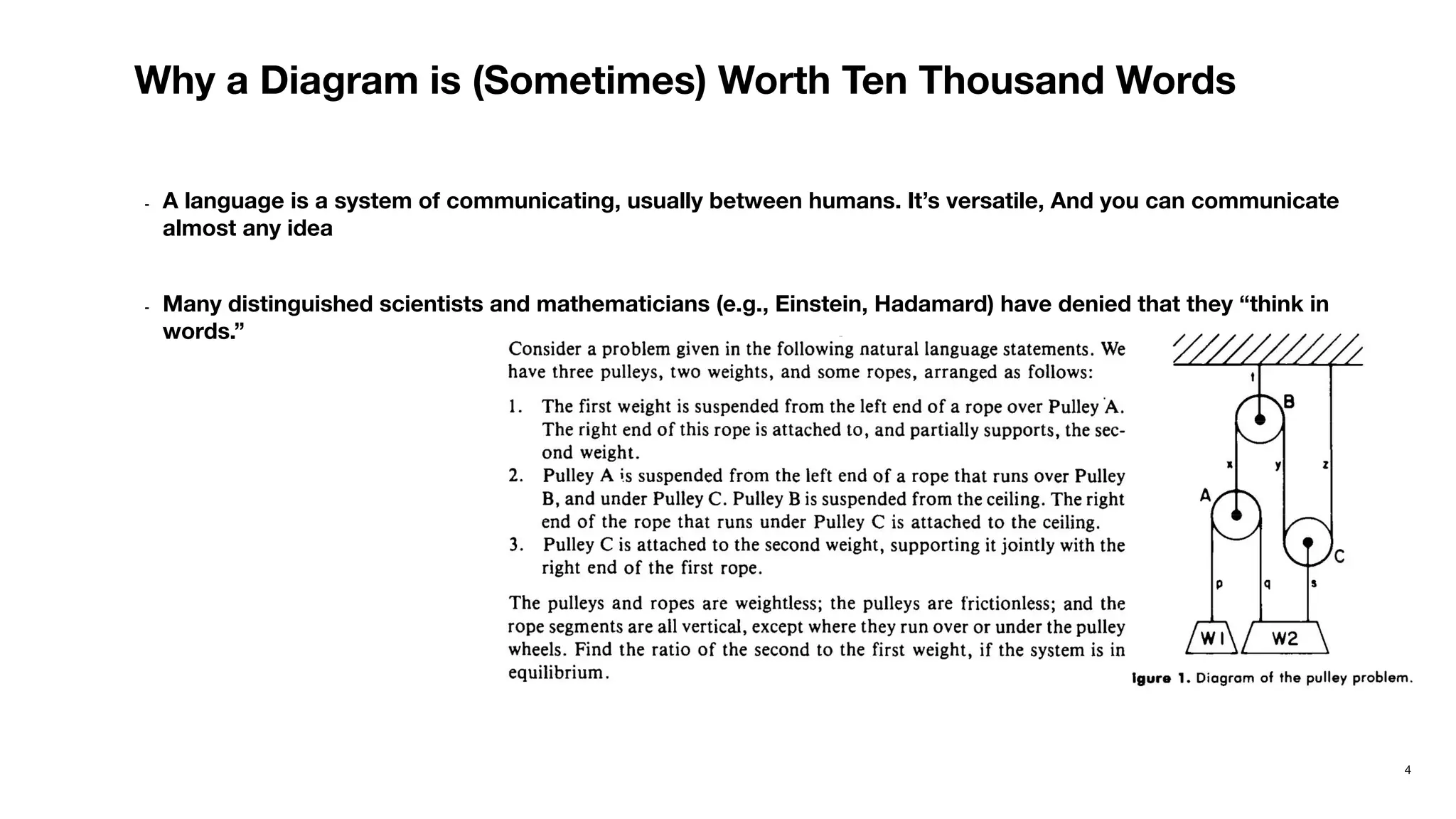
Why a Diagram is (Sometimes) Worth Ten Thousand Words
- A language is a system of communicating, usually between humans. It’s versatile, And you can communicate
almost any idea
- Many distinguished scientists and mathematicians (e.g., Einstein, Hadamard) have denied that they “think in
words.”
5
Why a Diagram is (Sometimes) Worth Ten Thousand Words
Why don’t we use diagrams?
6
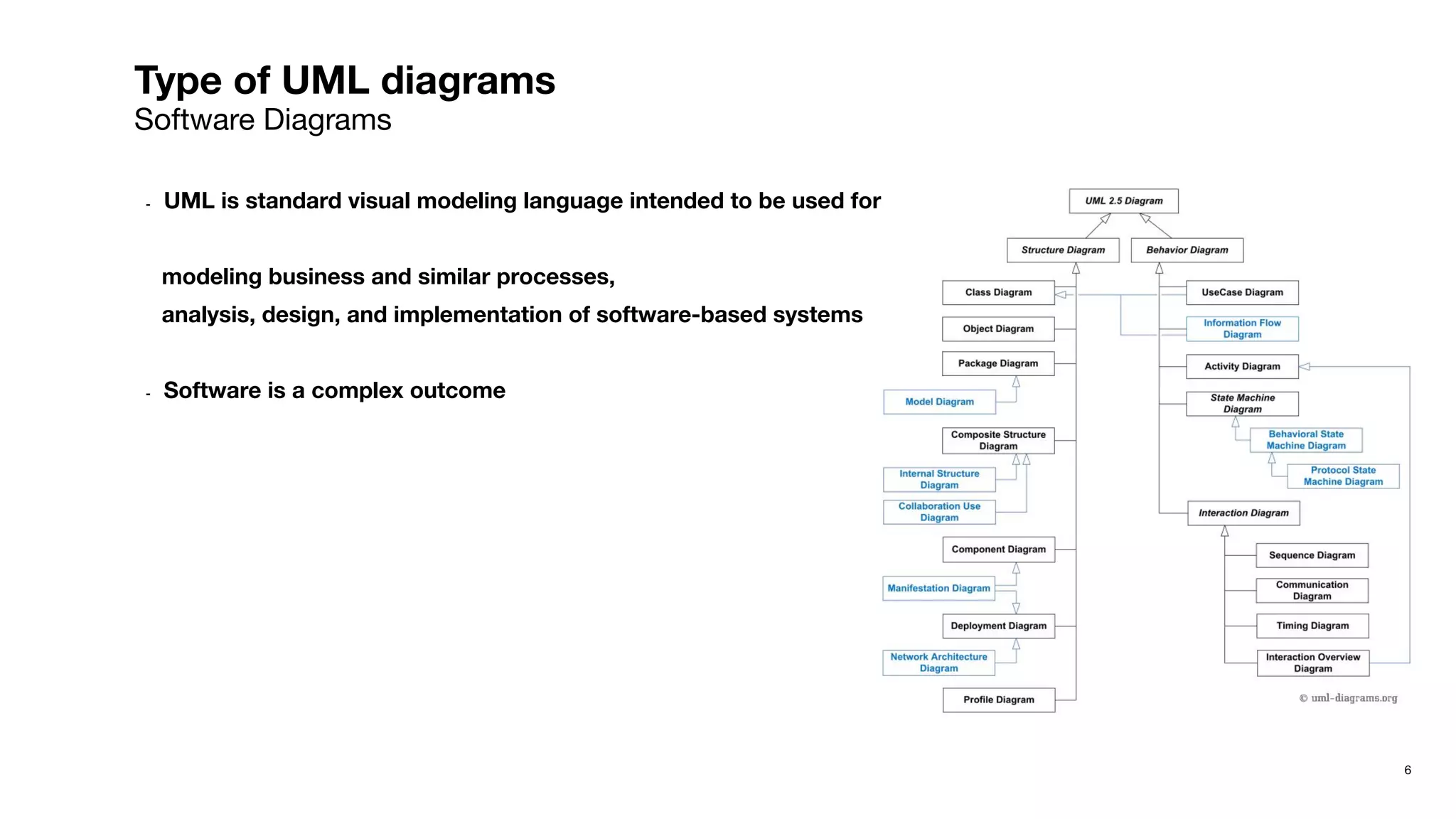
Type of UML diagrams
Software Diagrams
- UML is standard visual modeling language intended to be used for
modeling business and similar processes,
analysis, design, and implementation of software-based systems
- Software is a complex outcome
7
Where do we use the diagrams in Software Development
Simplifying communication during remote meetings
- Teams meetings
→ significant context onboarding, taking everyone into one picture quickly
- After/during meetings
→ Decisions are reflected easily
- Onboarding new people to a process / system
→ Reduce significant amount of time, fast ramp-up
- Reonboard yourself
→ Use your existing know-how to help
8
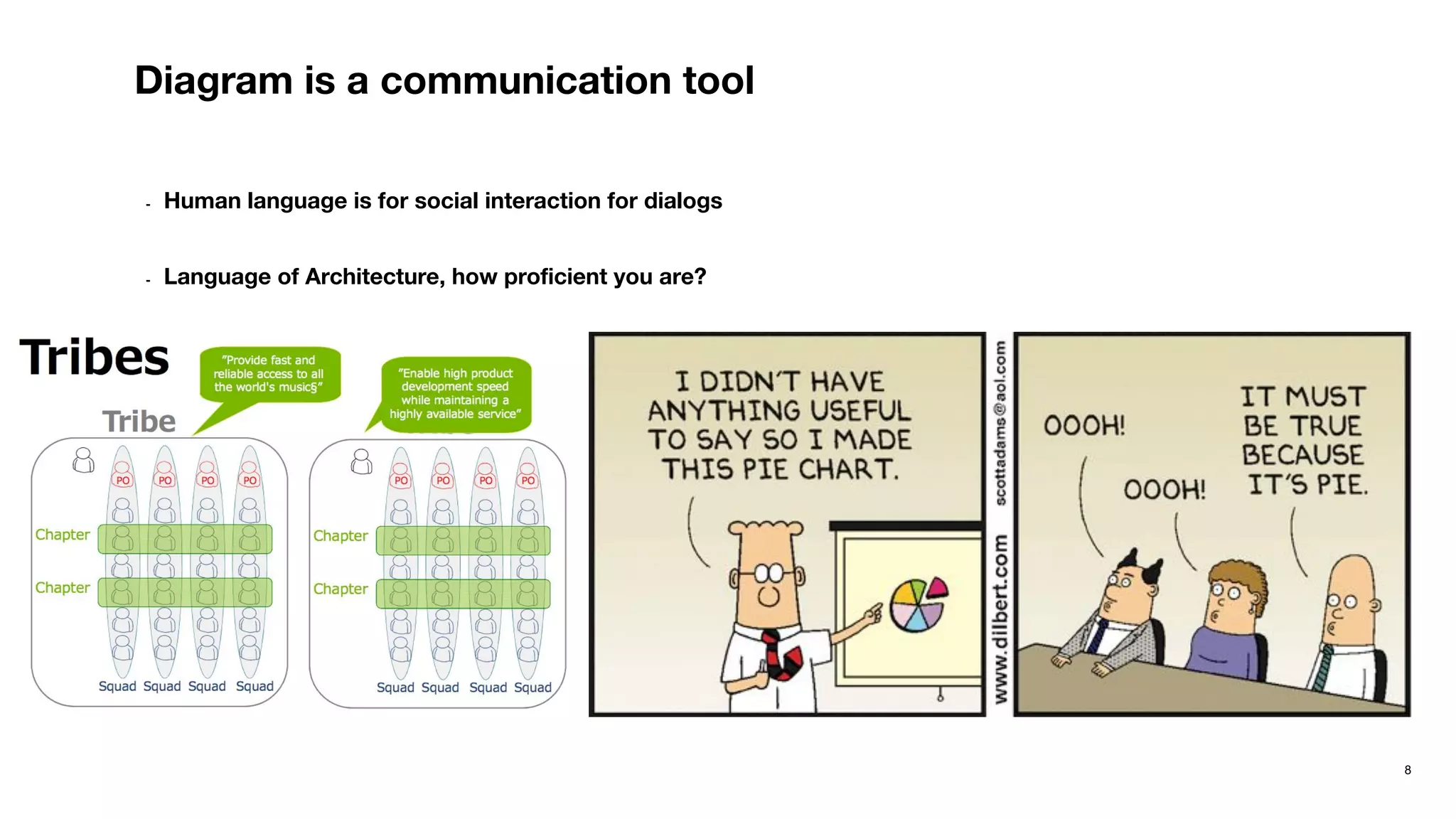
Diagram is a communication tool
- Human language is for social interaction for dialogs
- Language of Architecture, how proficient you are?
Diagrams as
Code can help
a lot
10
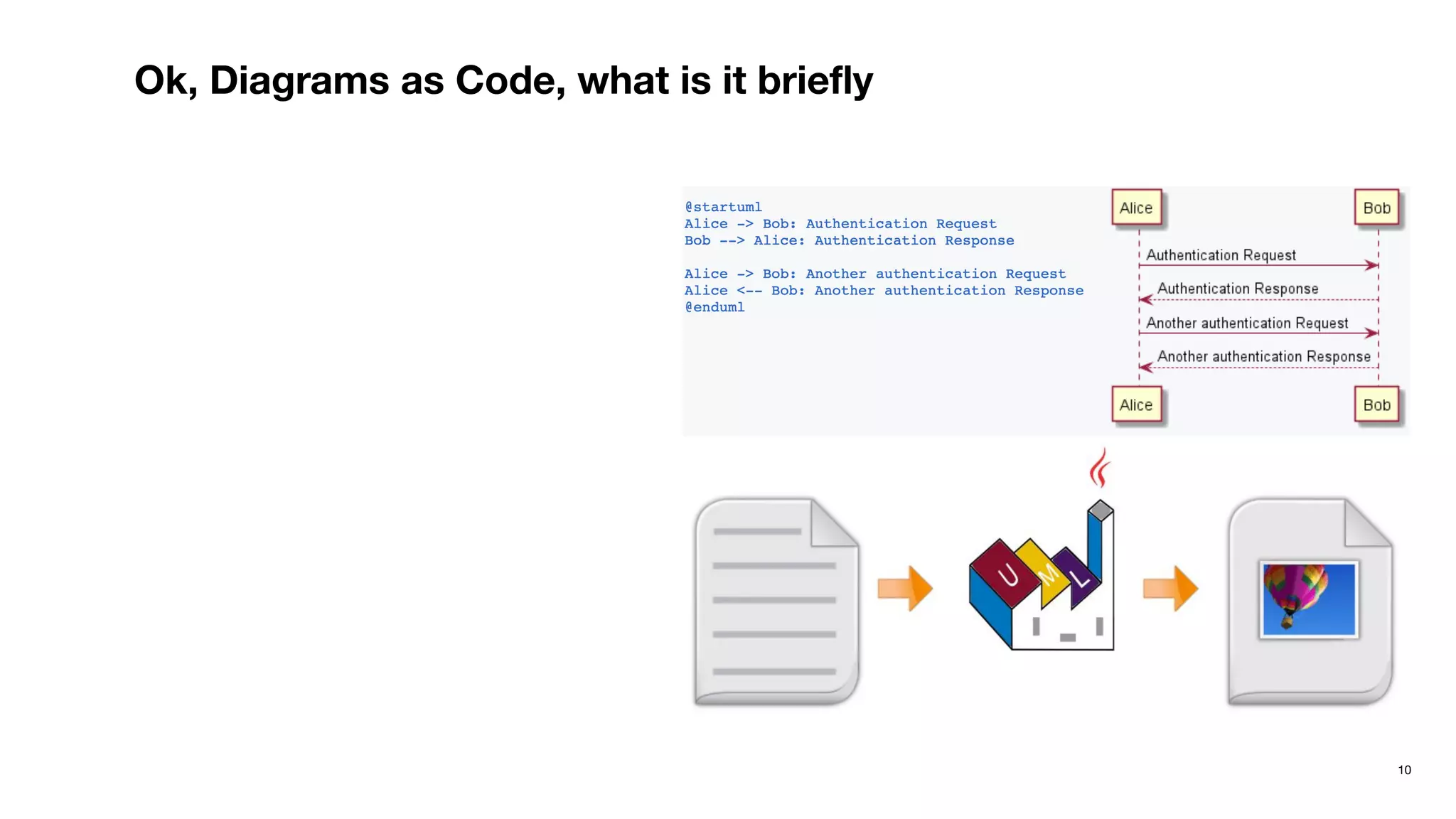
Ok, Diagrams as Code, what is it briefly
11
Where, my experience
- I got better on the diagrams that I use
Less text, more diagrams
Helps to fill in the gaps of documentation
- I don’t skip explaining some complex parts anymore <- fun now, as I “design” the things instead of “write”
- Supporting text & documentation that is “around” diagrams
12
My thoughts
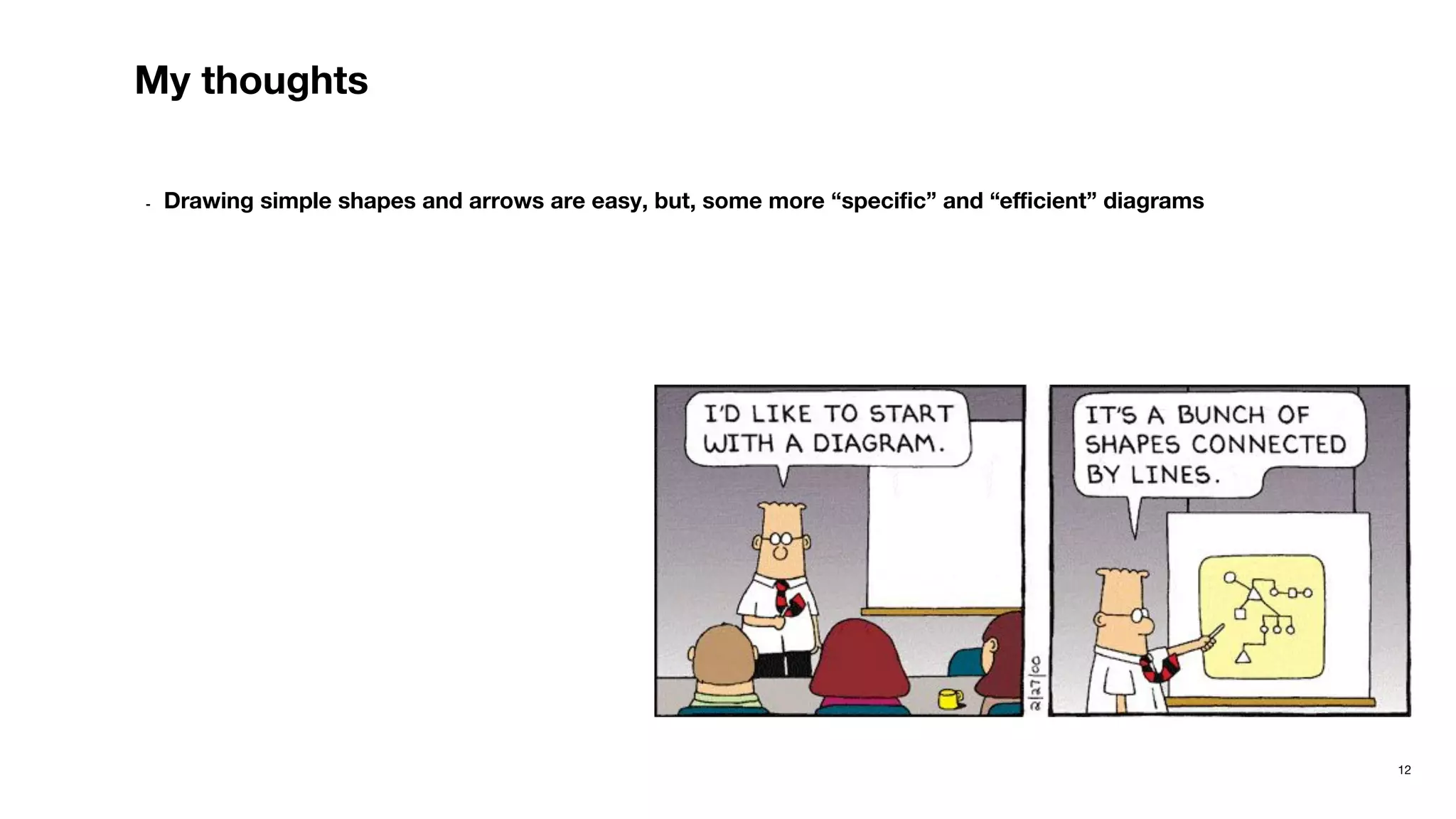
- Drawing simple shapes and arrows are easy, but, some more “specific” and “efficient” diagrams
I can use
diagrams as
code starting
from tomorrow
14
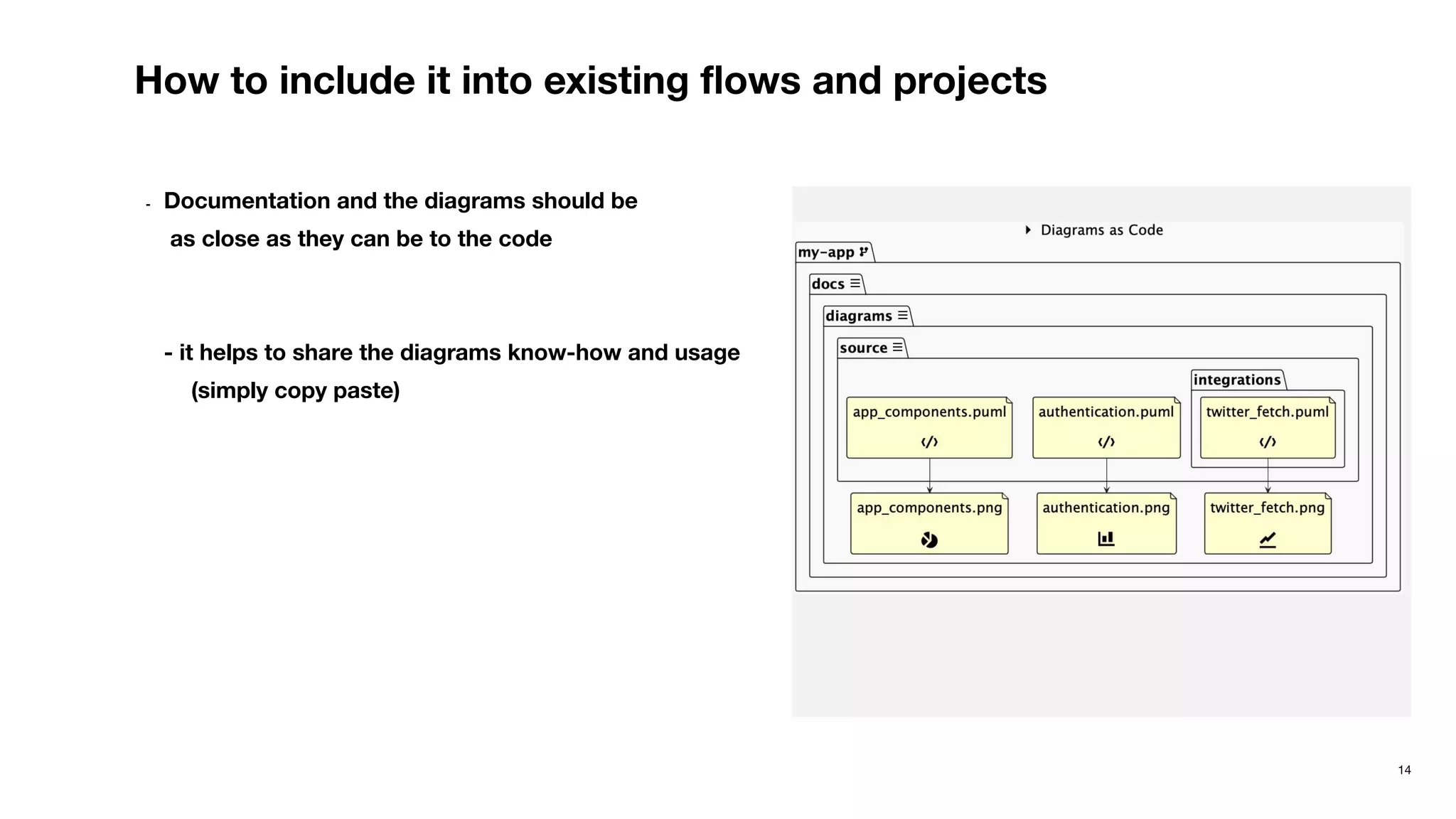
How to include it into existing flows and projects
- Documentation and the diagrams should be
as close as they can be to the code
- it helps to share the diagrams know-how and usage
(simply copy paste)
15
Some practices
You don’t have to be best at diagrams
- Evaluate, do mistakes
- Start with parts of your system which has a lot of Terminologies
16
What’s waiting for you
Embed them in the documentation
- It helps with diffing
17
Demo
- An open PR
I should explore
the diagrams
more
19
Advanced diagrams tips (VScode, gitlab) where to use
- VCS encourages drawing, avoids duplication
- Treating diagrams as Code helps with structuring, as we always do with the code
- Educates thanks to shared codebase for diagrams
- Solves which tool to use problem
- C4A, modeling, reusing
- Some automation / web server
20
Links
planttext.com
uml-diagrams.org
plantuml.com
real-world-plantuml.com
21
Thank You
Legal Copy Helvetica Regular 8/9.6 White
Thank You

Diagrams as Code

  • 1.
    Diagrams as Code SakirTemel Engineering Director @ CoverWallet, an Aon company 15/02/2022 coverwallet.engineering
  • 2.
    2 Objectives Messages to betaken - Diagrams are useful - Diagrams as Code can help a lot - I can use diagrams as code starting from tomorrow - I should explore the diagrams more
  • 3.
  • 4.
    4 Why a Diagramis (Sometimes) Worth Ten Thousand Words - A language is a system of communicating, usually between humans. It’s versatile, And you can communicate almost any idea - Many distinguished scientists and mathematicians (e.g., Einstein, Hadamard) have denied that they “think in words.”
  • 5.
    5 Why a Diagramis (Sometimes) Worth Ten Thousand Words Why don’t we use diagrams?
  • 6.
    6 Type of UMLdiagrams Software Diagrams - UML is standard visual modeling language intended to be used for modeling business and similar processes, analysis, design, and implementation of software-based systems - Software is a complex outcome
  • 7.
    7 Where do weuse the diagrams in Software Development Simplifying communication during remote meetings - Teams meetings → significant context onboarding, taking everyone into one picture quickly - After/during meetings → Decisions are reflected easily - Onboarding new people to a process / system → Reduce significant amount of time, fast ramp-up - Reonboard yourself → Use your existing know-how to help
  • 8.
    8 Diagram is acommunication tool - Human language is for social interaction for dialogs - Language of Architecture, how proficient you are?
  • 9.
  • 10.
    10 Ok, Diagrams asCode, what is it briefly
  • 11.
    11 Where, my experience -I got better on the diagrams that I use Less text, more diagrams Helps to fill in the gaps of documentation - I don’t skip explaining some complex parts anymore <- fun now, as I “design” the things instead of “write” - Supporting text & documentation that is “around” diagrams
  • 12.
    12 My thoughts - Drawingsimple shapes and arrows are easy, but, some more “specific” and “efficient” diagrams
  • 13.
    I can use diagramsas code starting from tomorrow
  • 14.
    14 How to includeit into existing flows and projects - Documentation and the diagrams should be as close as they can be to the code - it helps to share the diagrams know-how and usage (simply copy paste)
  • 15.
    15 Some practices You don’thave to be best at diagrams - Evaluate, do mistakes - Start with parts of your system which has a lot of Terminologies
  • 16.
    16 What’s waiting foryou Embed them in the documentation - It helps with diffing
  • 17.
  • 18.
    I should explore thediagrams more
  • 19.
    19 Advanced diagrams tips(VScode, gitlab) where to use - VCS encourages drawing, avoids duplication - Treating diagrams as Code helps with structuring, as we always do with the code - Educates thanks to shared codebase for diagrams - Solves which tool to use problem - C4A, modeling, reusing - Some automation / web server
  • 20.
  • 21.
    21 Thank You Legal CopyHelvetica Regular 8/9.6 White Thank You