Laravel 10
Developpement back-end
Pr. Y.abouqora
Laravel 01
Démarrer un projet
laravel
3
Plan
Jour 1
• Créer un projet Laravel
• Travailler avec la base de données.
• Travailler avec le modèle
• Travailler avec les contrôleurs
• Travailler avec les vues
Ce qu'il faut :
• Laragon
• phpMyAdmin
• VS Code
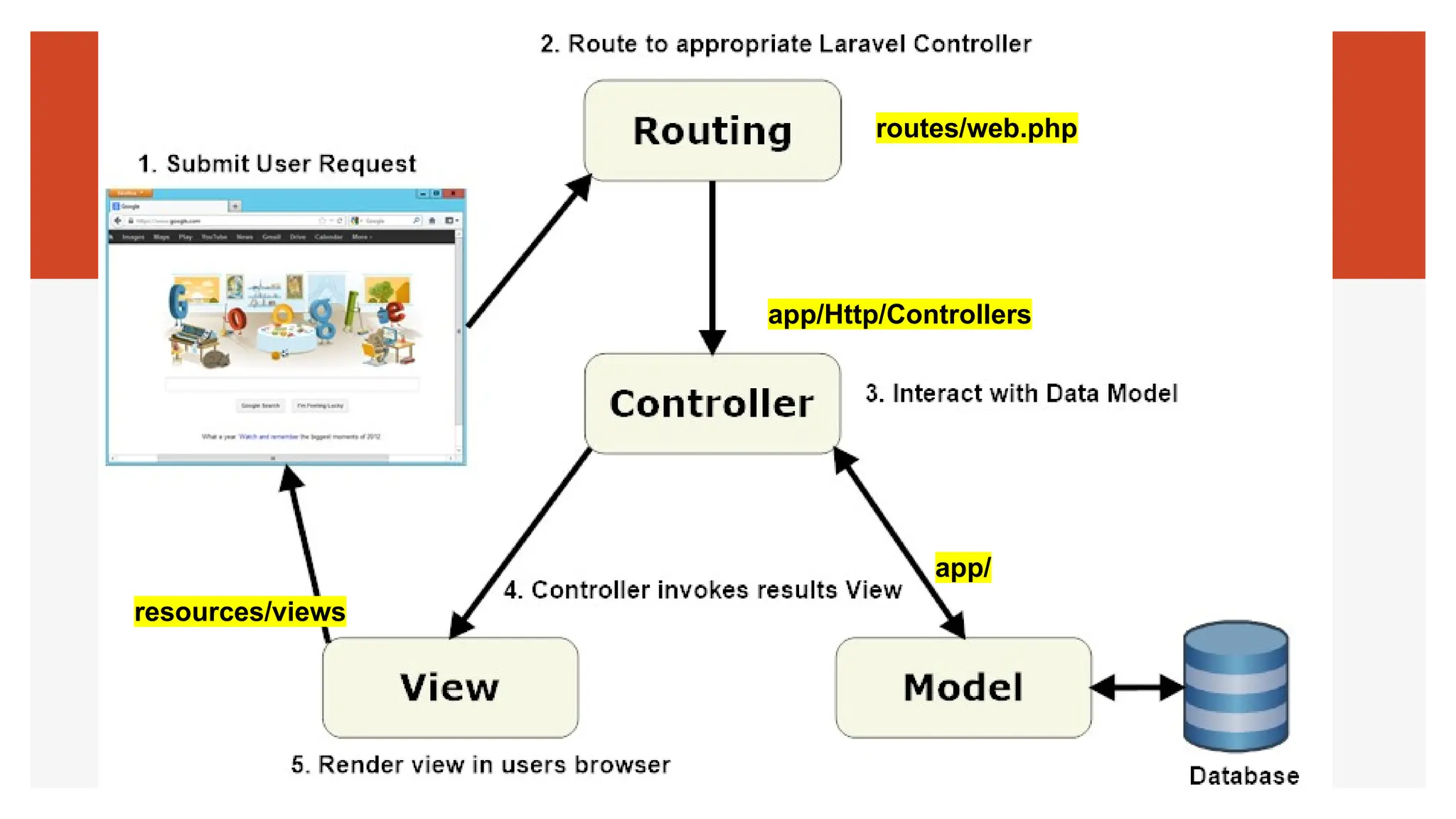
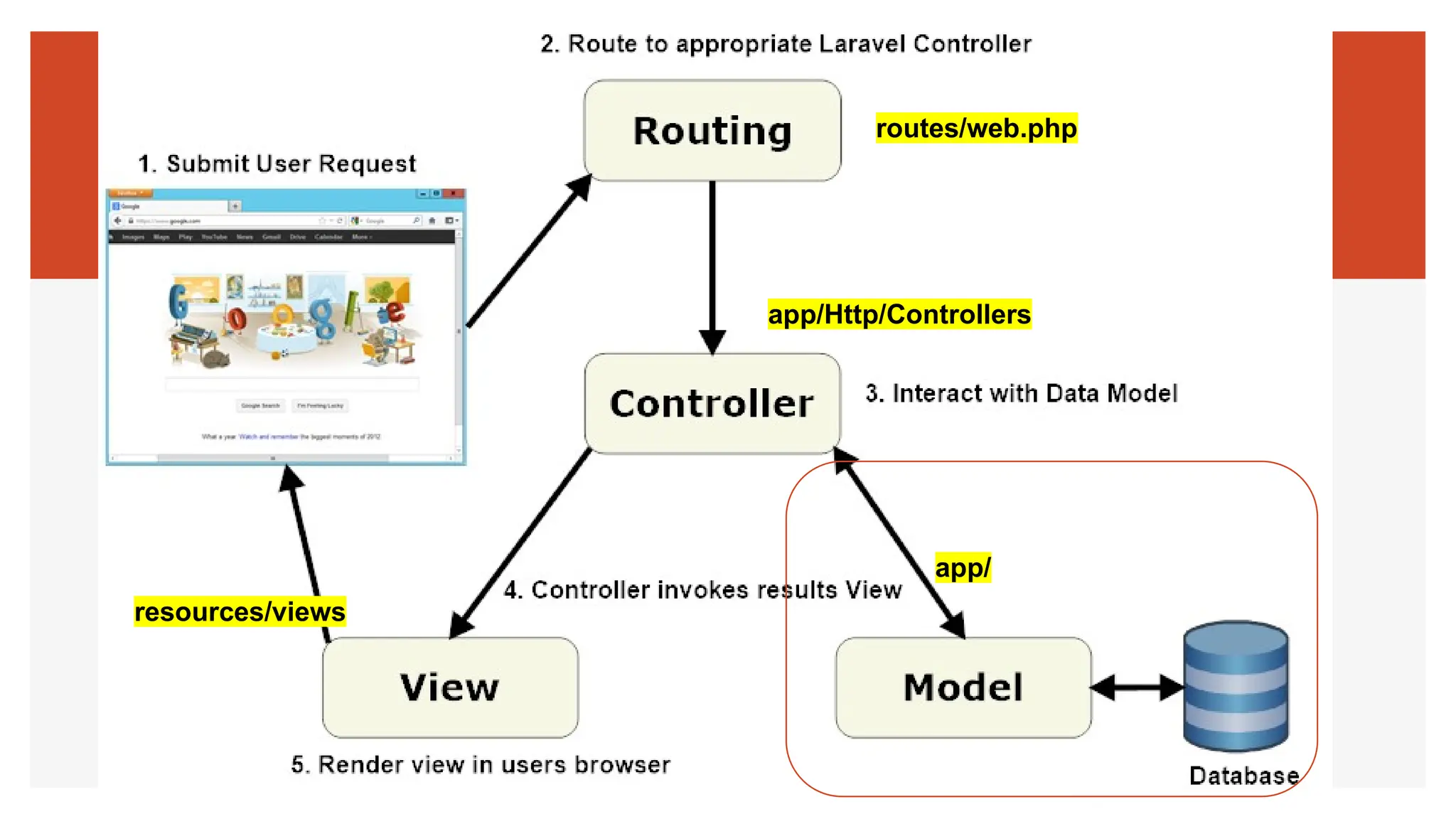
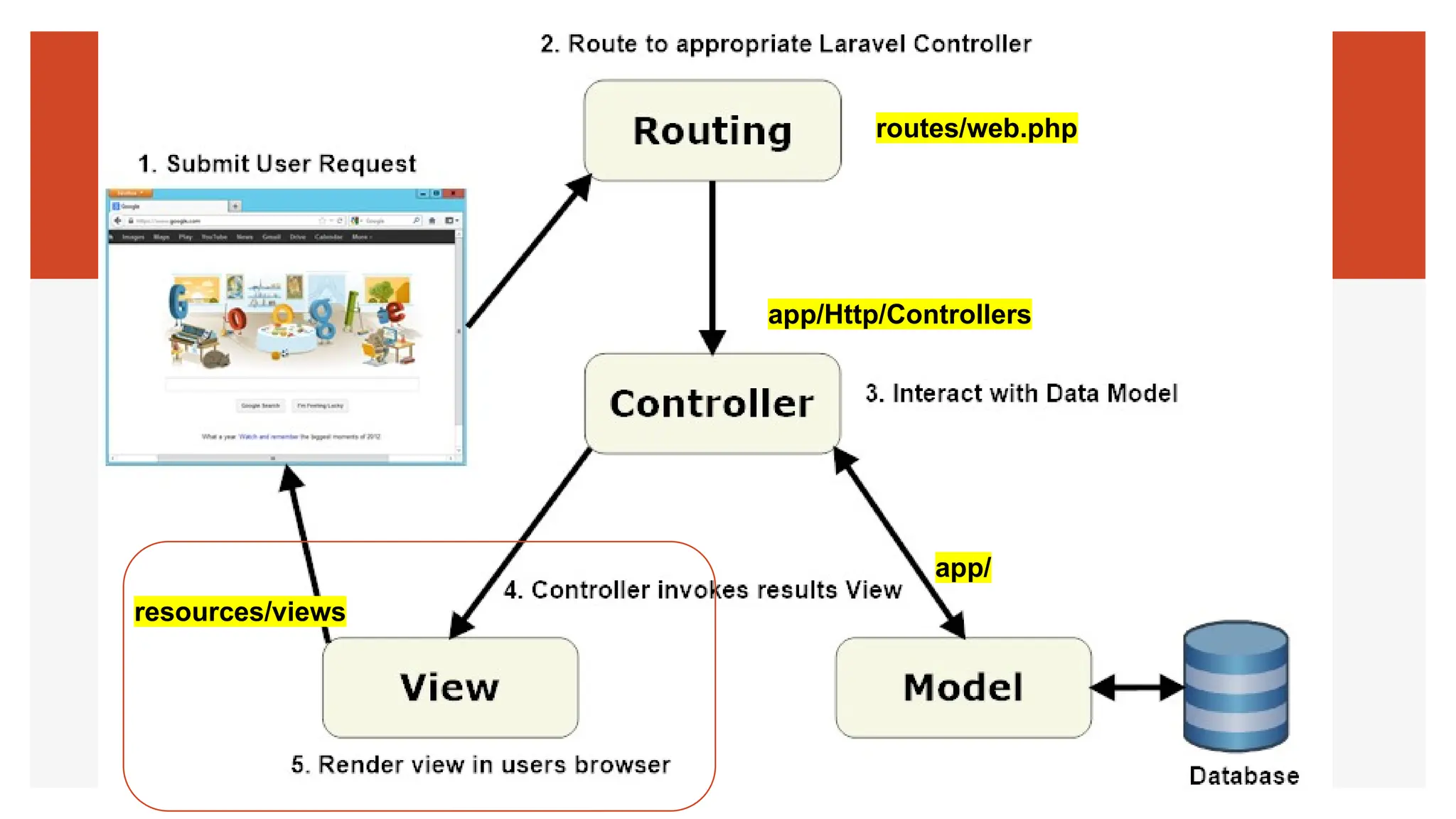
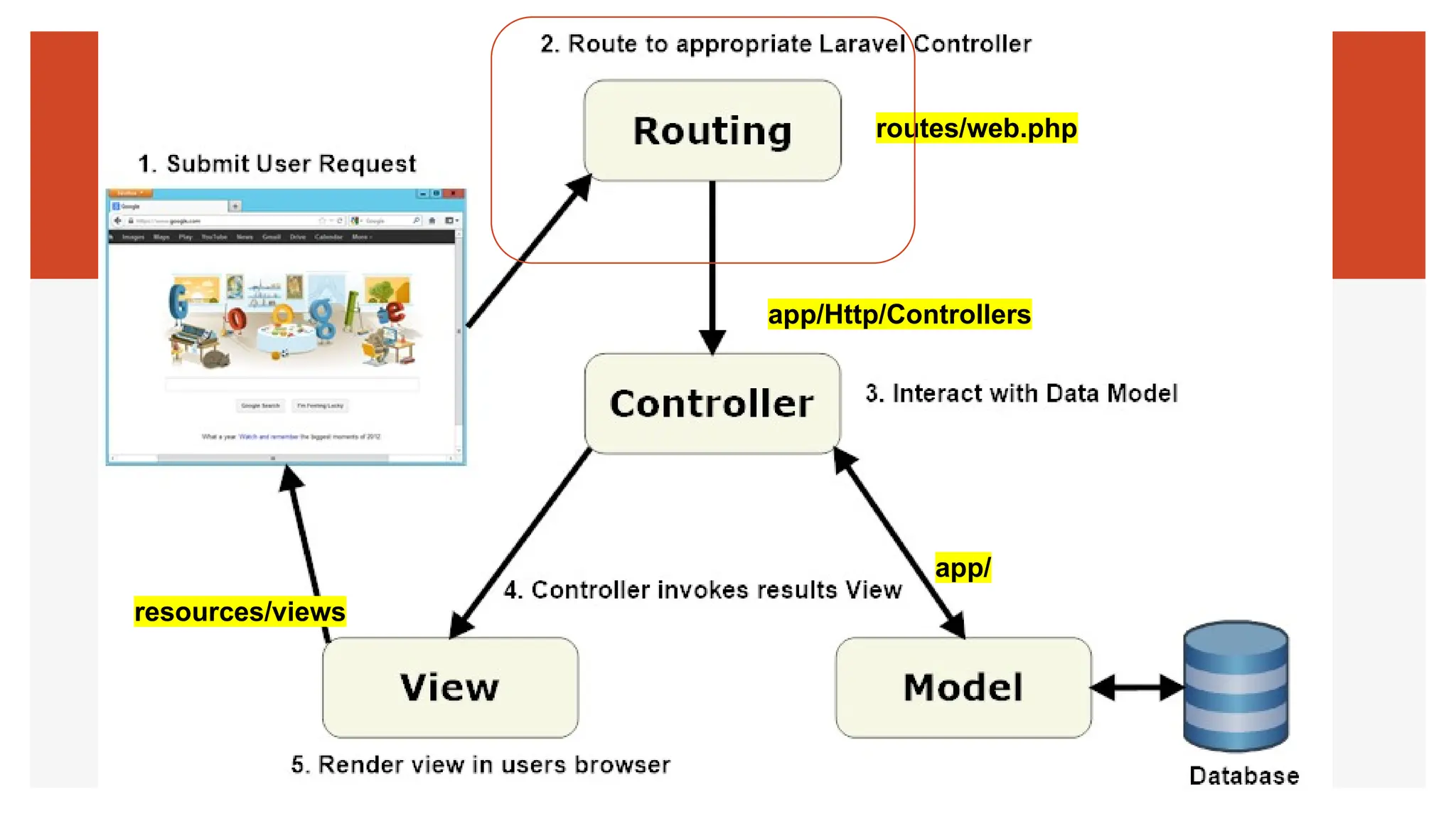
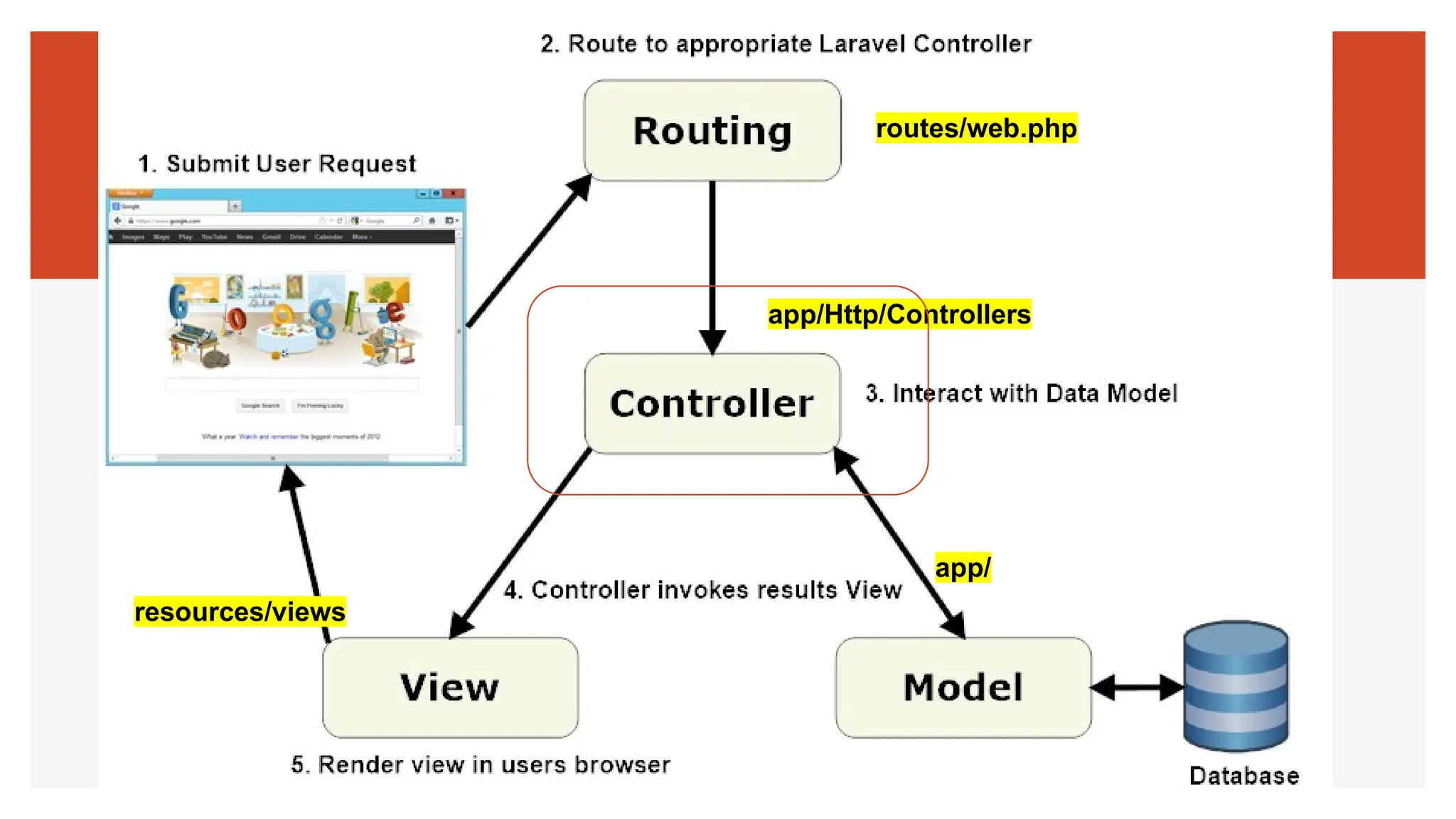
routes/web.php
app/Http/Controllers
app/
resources/views
5
Create Laravel First Project
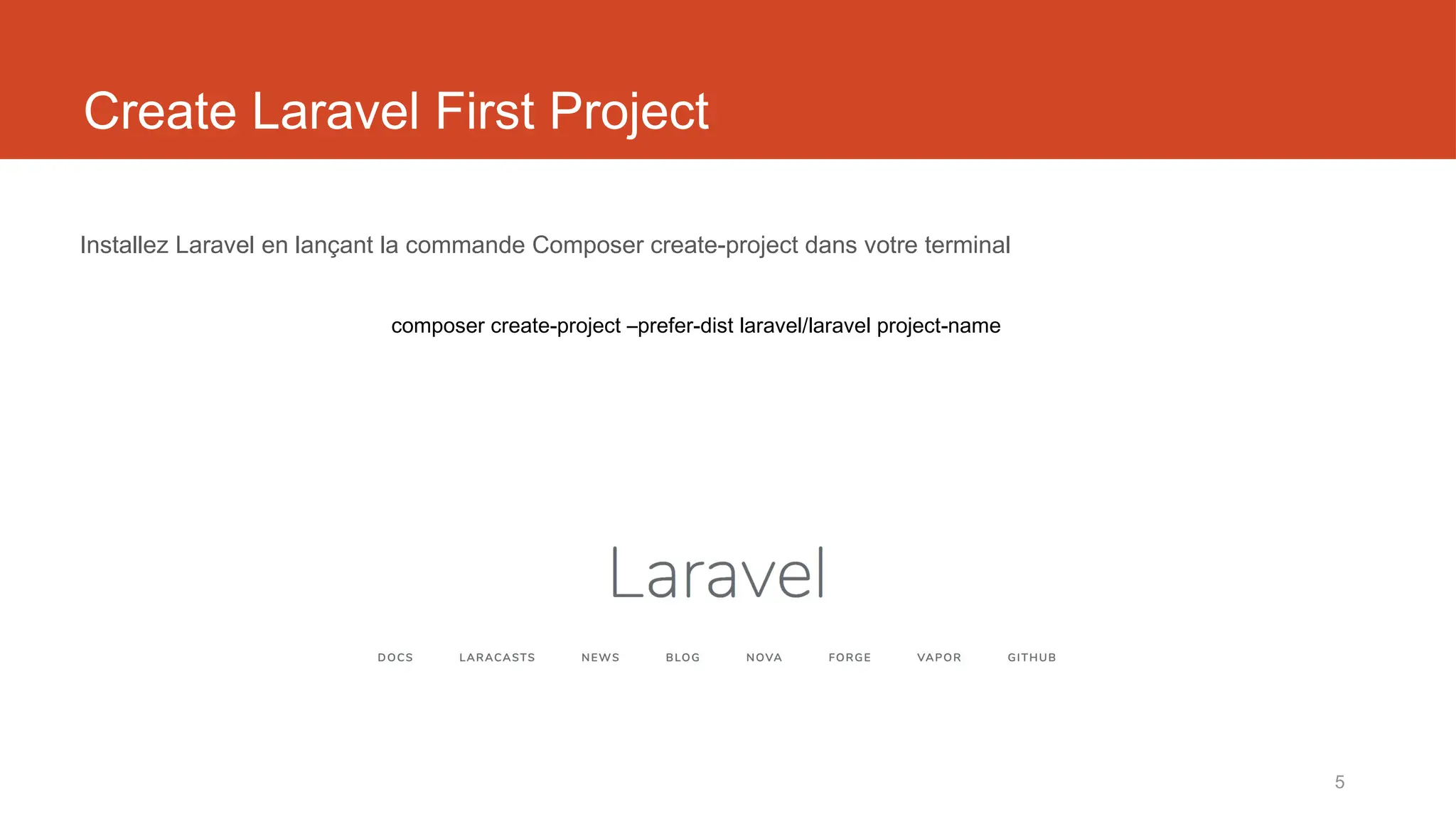
Installez Laravel en lançant la commande Composer create-project dans votre terminal
composer create-project –prefer-dist laravel/laravel project-name
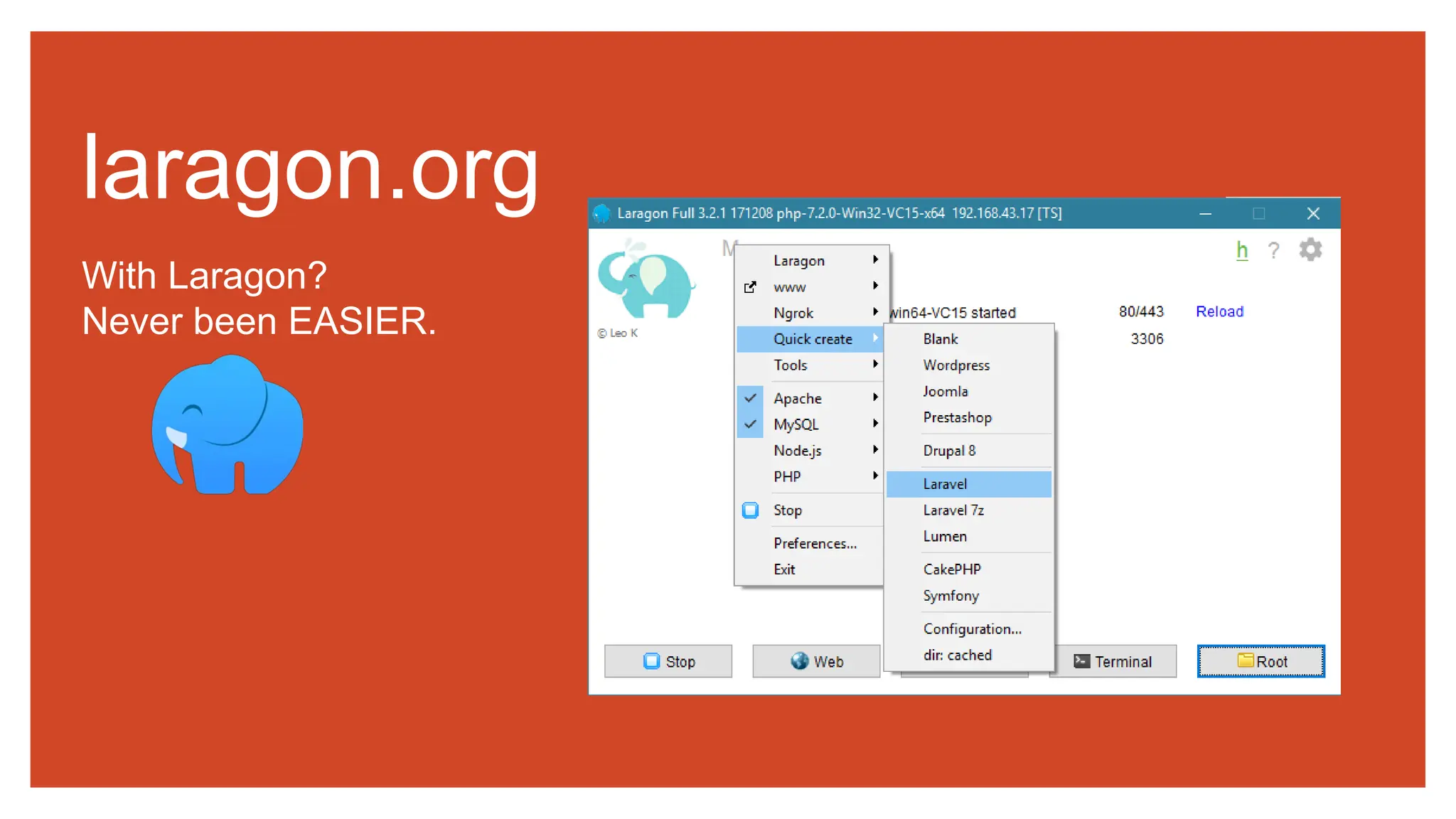
With Laragon?
Never been EASIER.
laragon.org
7
Laragon
Qu'est-ce que Laragon ?
Laragon est un environnement de développement universel portable, isolé, rapide et puissant
pour PHP, Node.js, Python, Java, Go, Ruby. Il est rapide, léger, facile à utiliser et à étendre.
Pourquoi Laragon ?
Laragon est idéal pour construire et gérer des applications web modernes. Il est axé sur la
performance - conçu autour de la stabilité, de la simplicité, de la flexibilité et de la liberté.
Laragon améliore le développement web. Les développeurs du monde entier utilisent Laragon
pour créer des applications rapidement et facilement. Il est utilisé par des milliers de
développeurs avec amour. Vous pouvez consulter les témoignages pour voir ce que les
utilisateurs pensent de Laragon et la page des caractéristiques pour plus de détails.
8
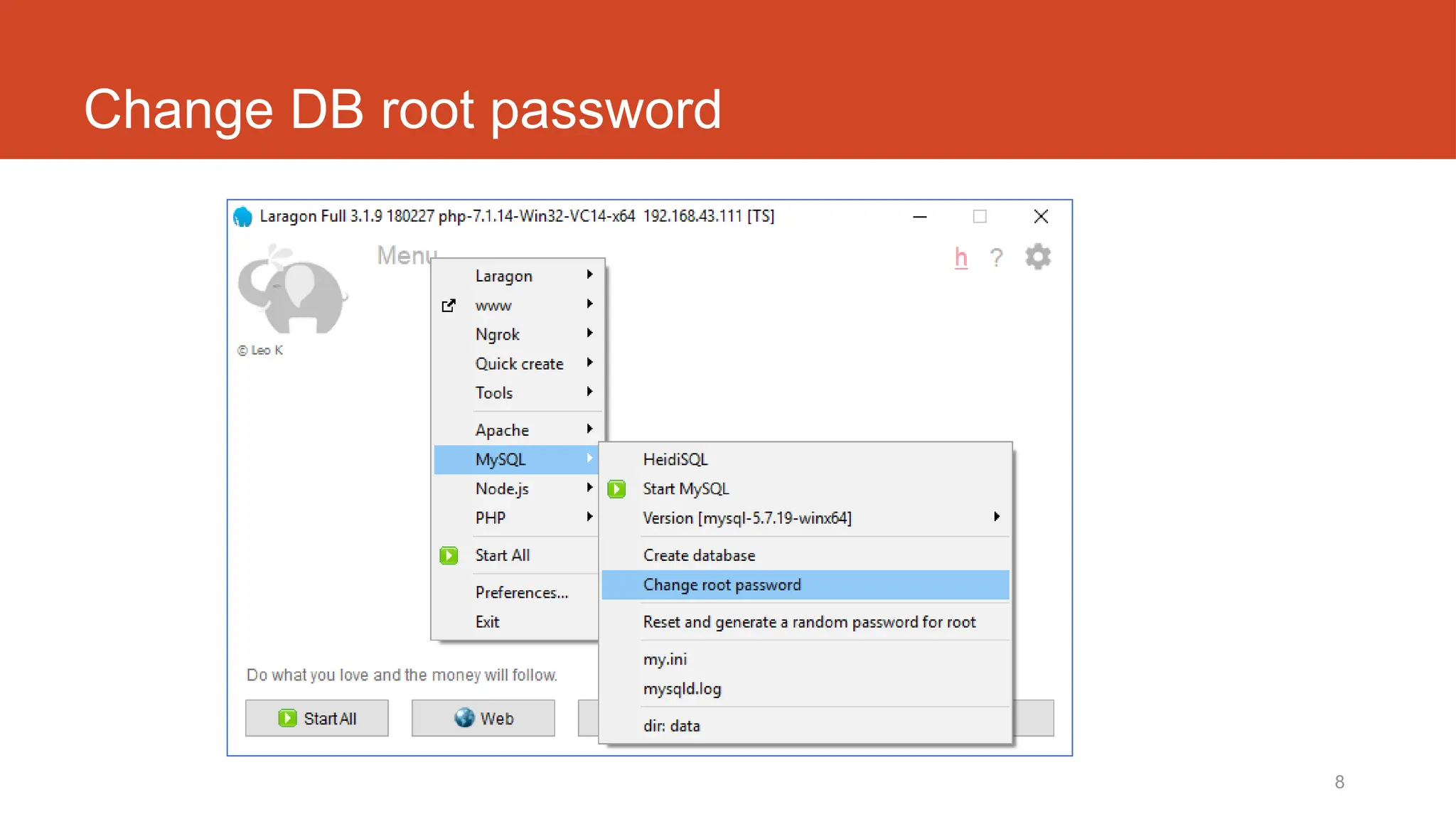
Change DB root password
Laravel t02
Comment ajouter facilement
une page de connexion et une
liste d'utilisateurs ?
10
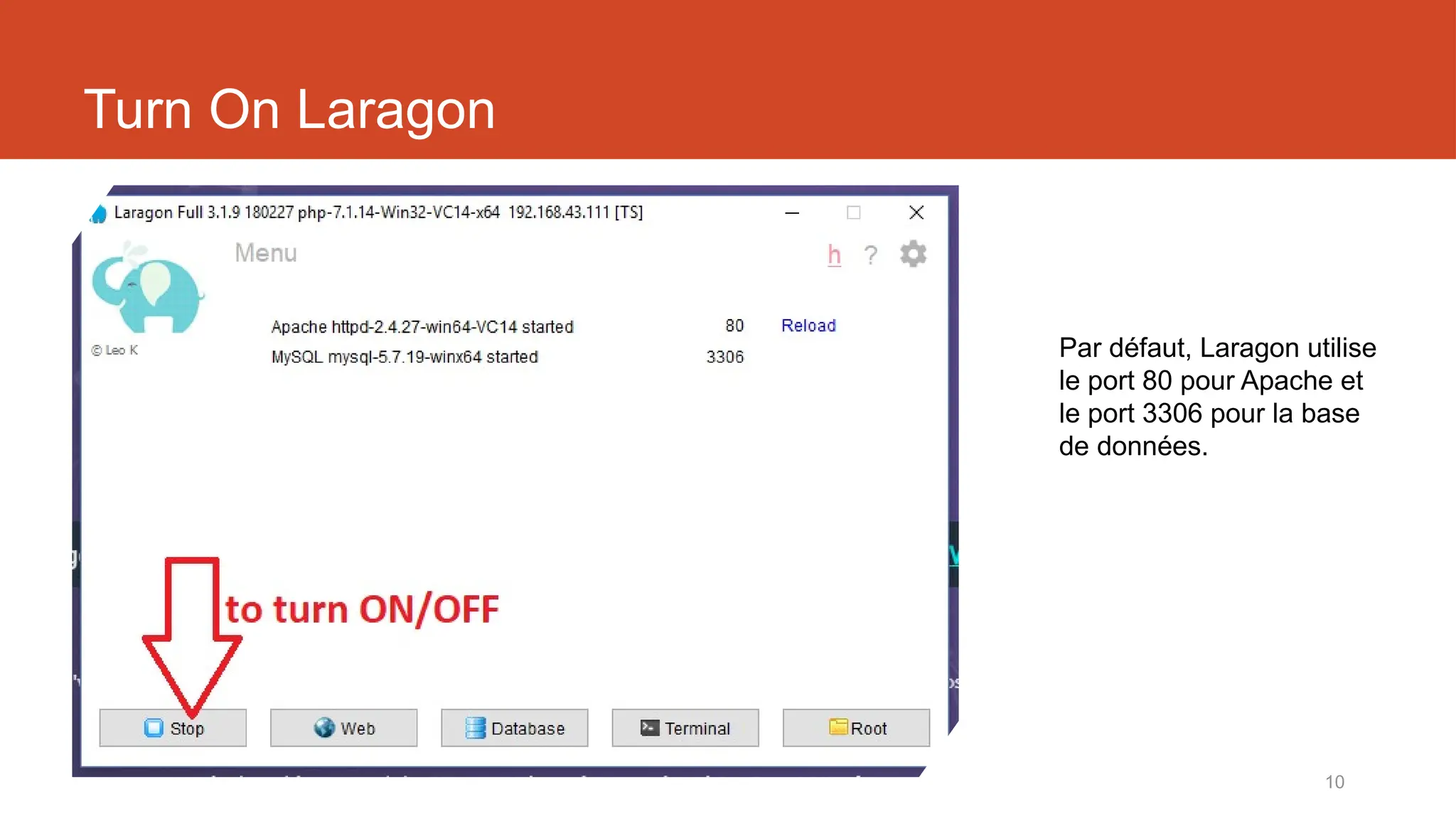
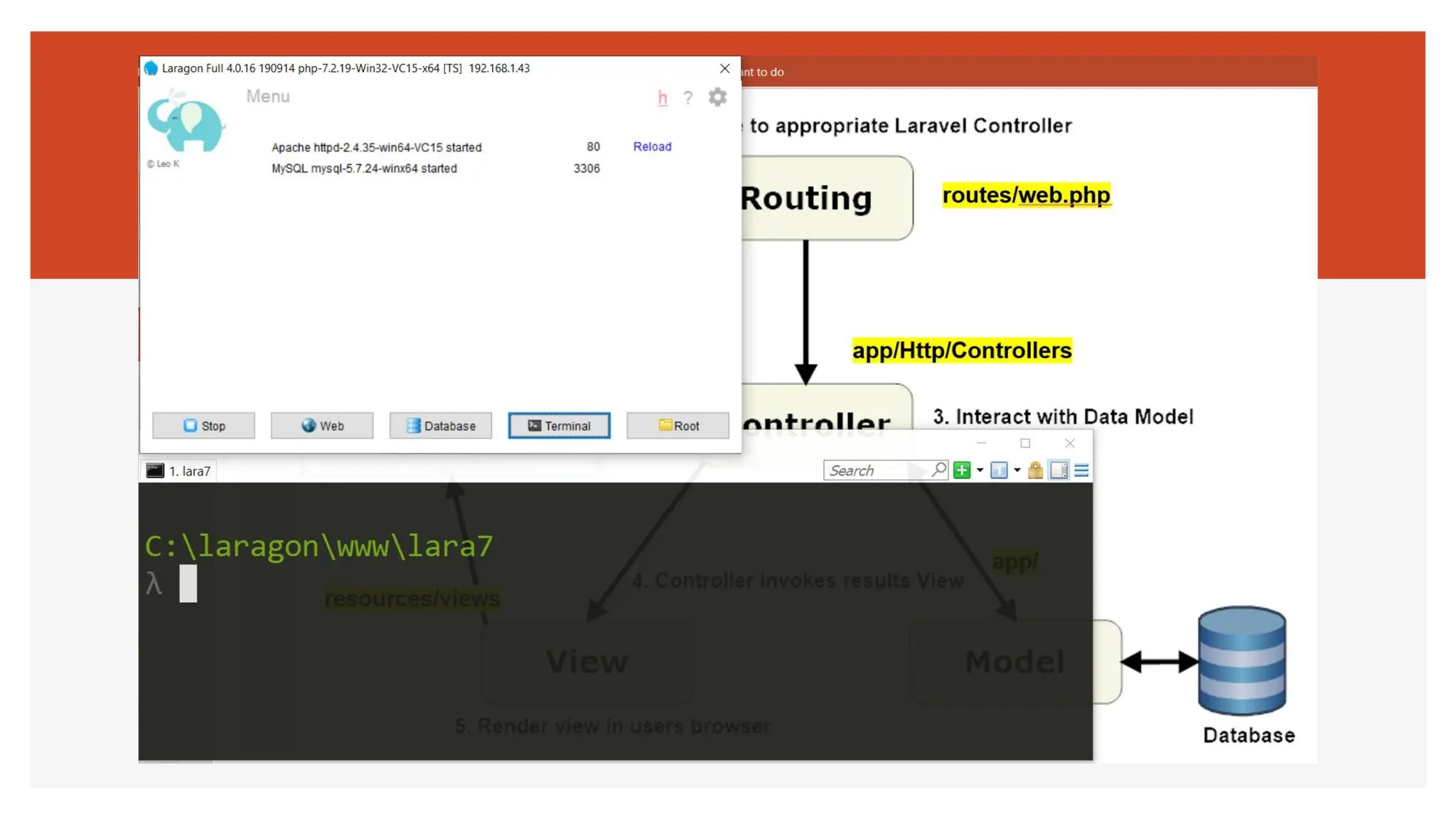
Turn On Laragon
Par défaut, Laragon utilise
le port 80 pour Apache et
le port 3306 pour la base
de données.
11
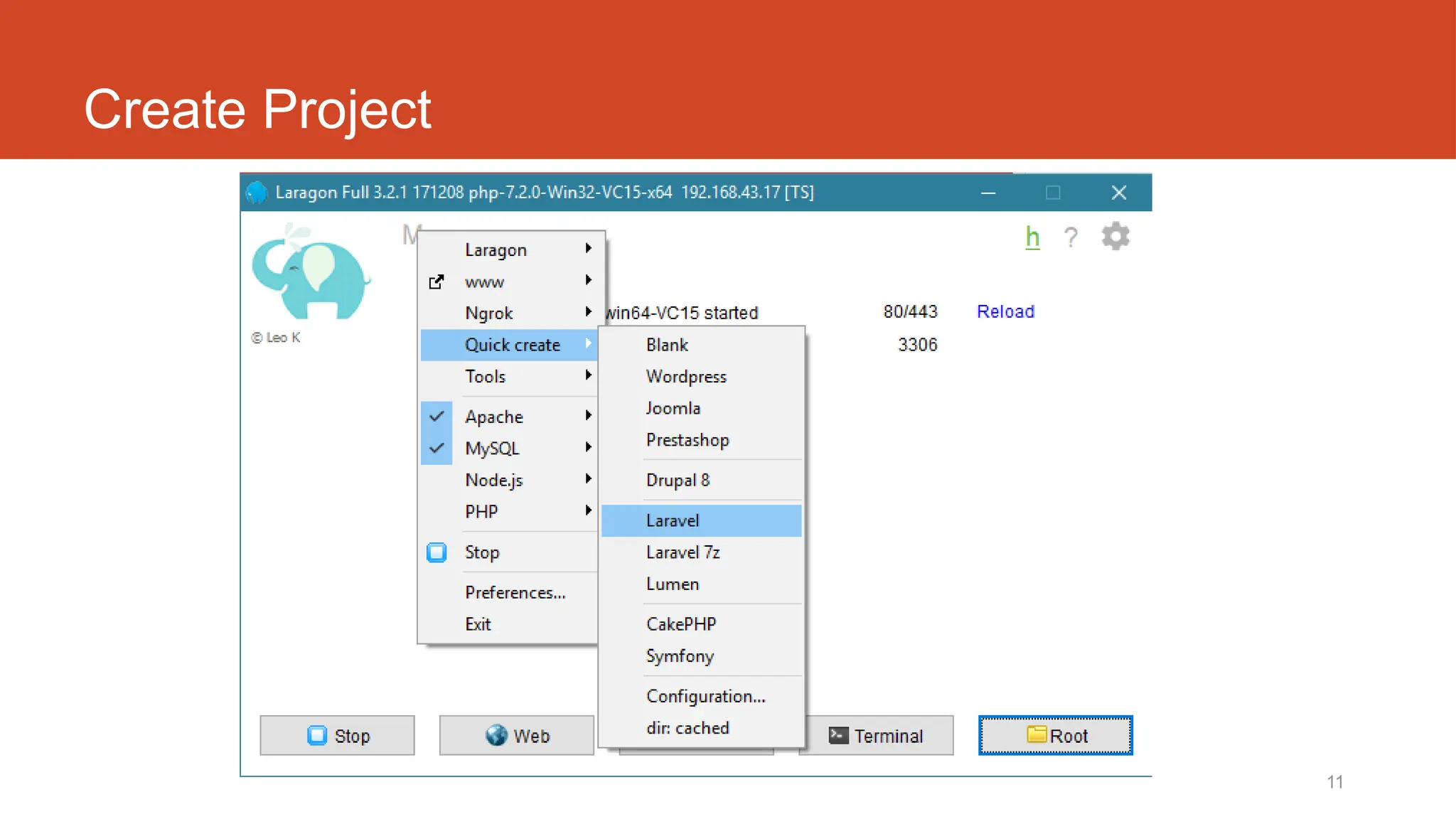
Create Project
12
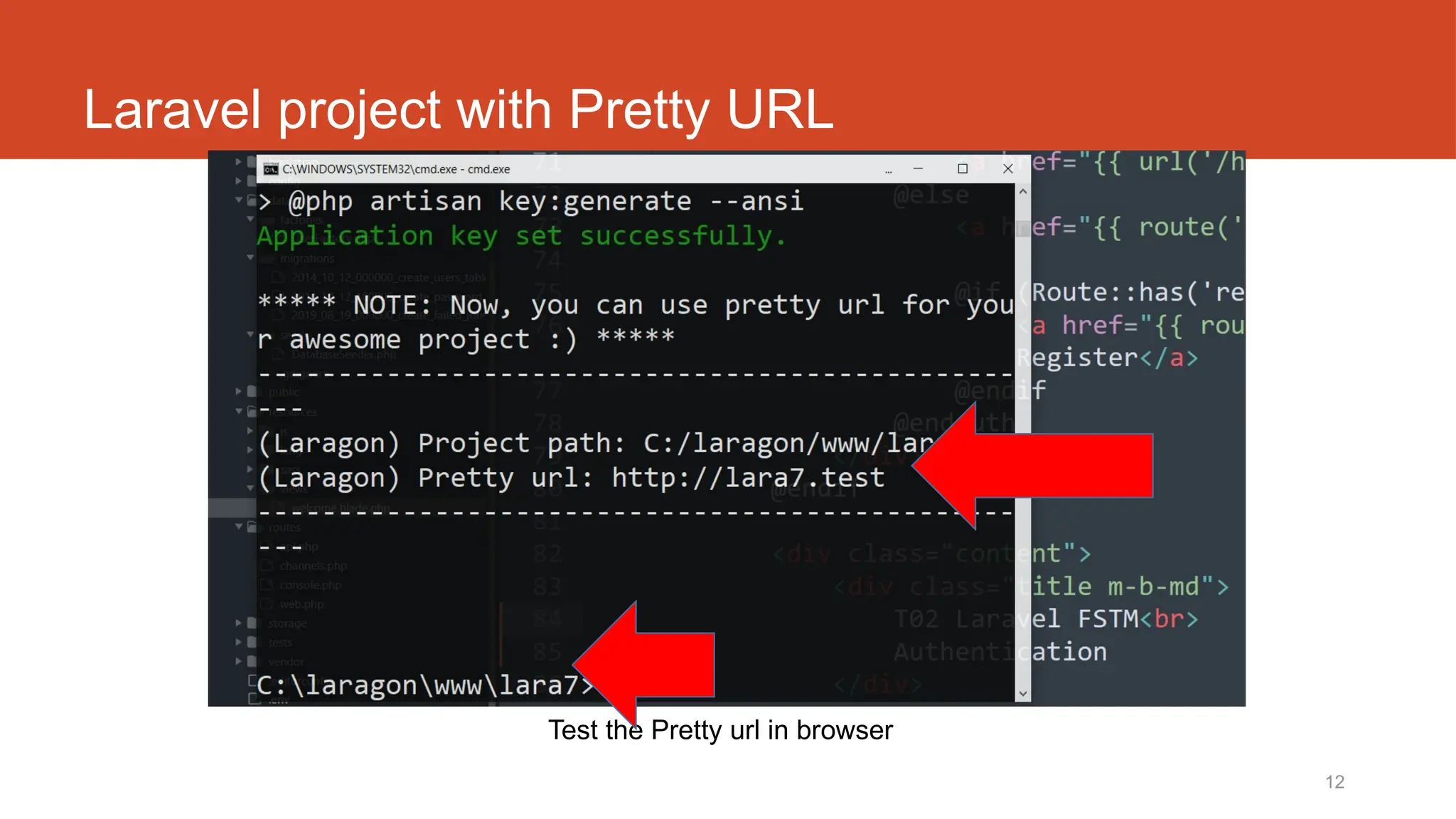
Laravel project with Pretty URL
Test the Pretty url in browser
13
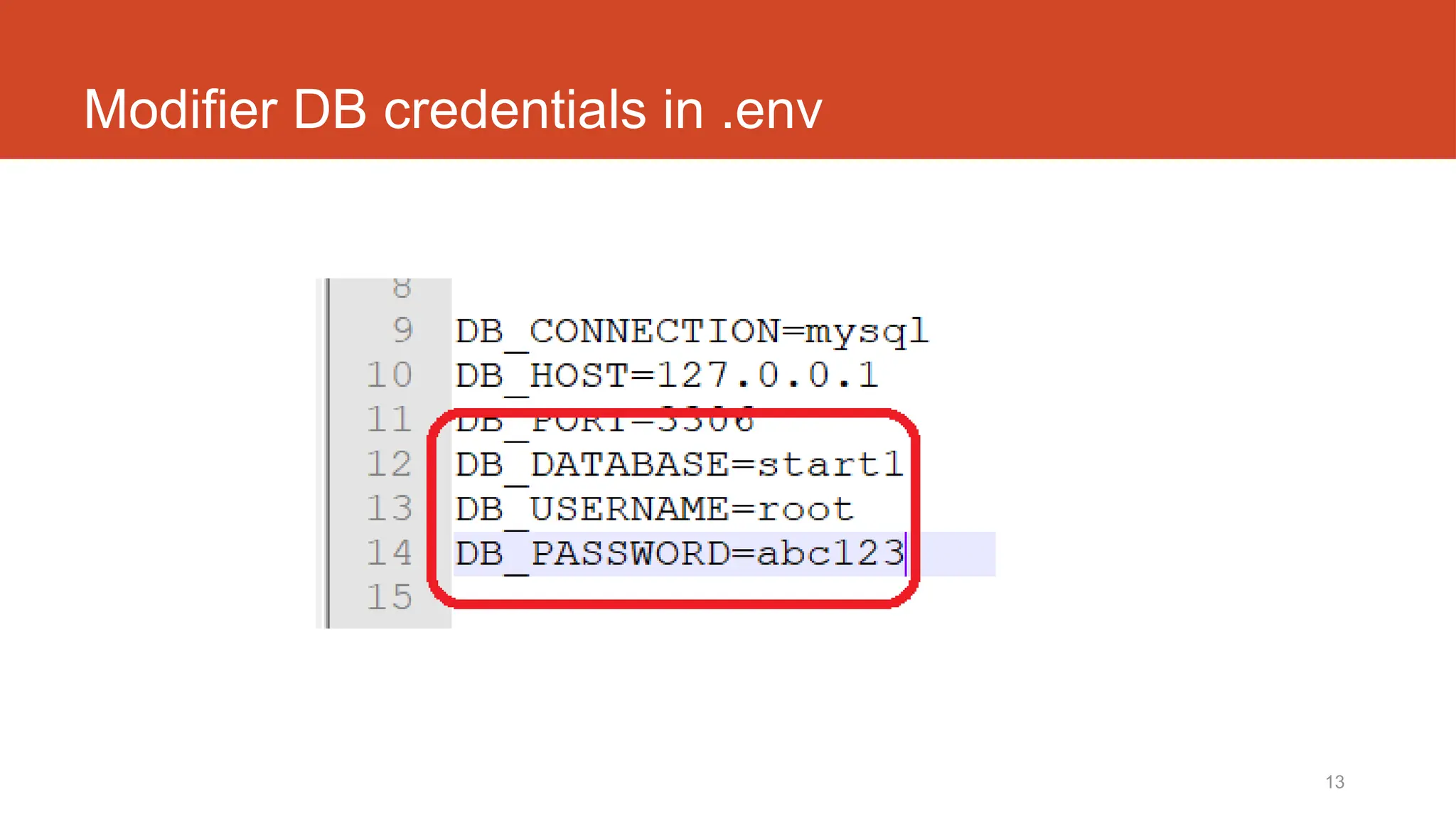
Modifier DB credentials in .env
14
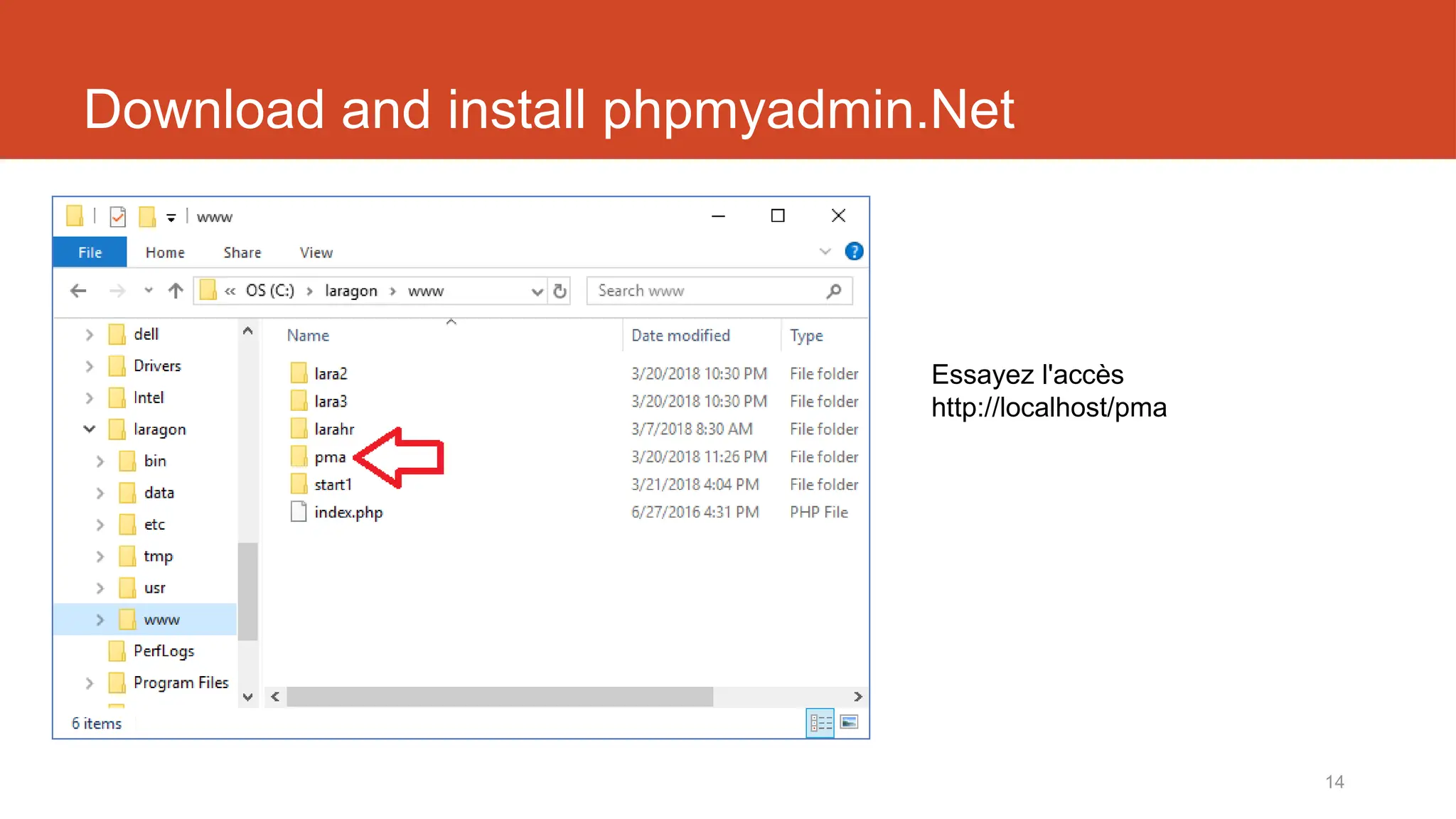
Download and install phpmyadmin.Net
Essayez l'accès
http://localhost/pma
15
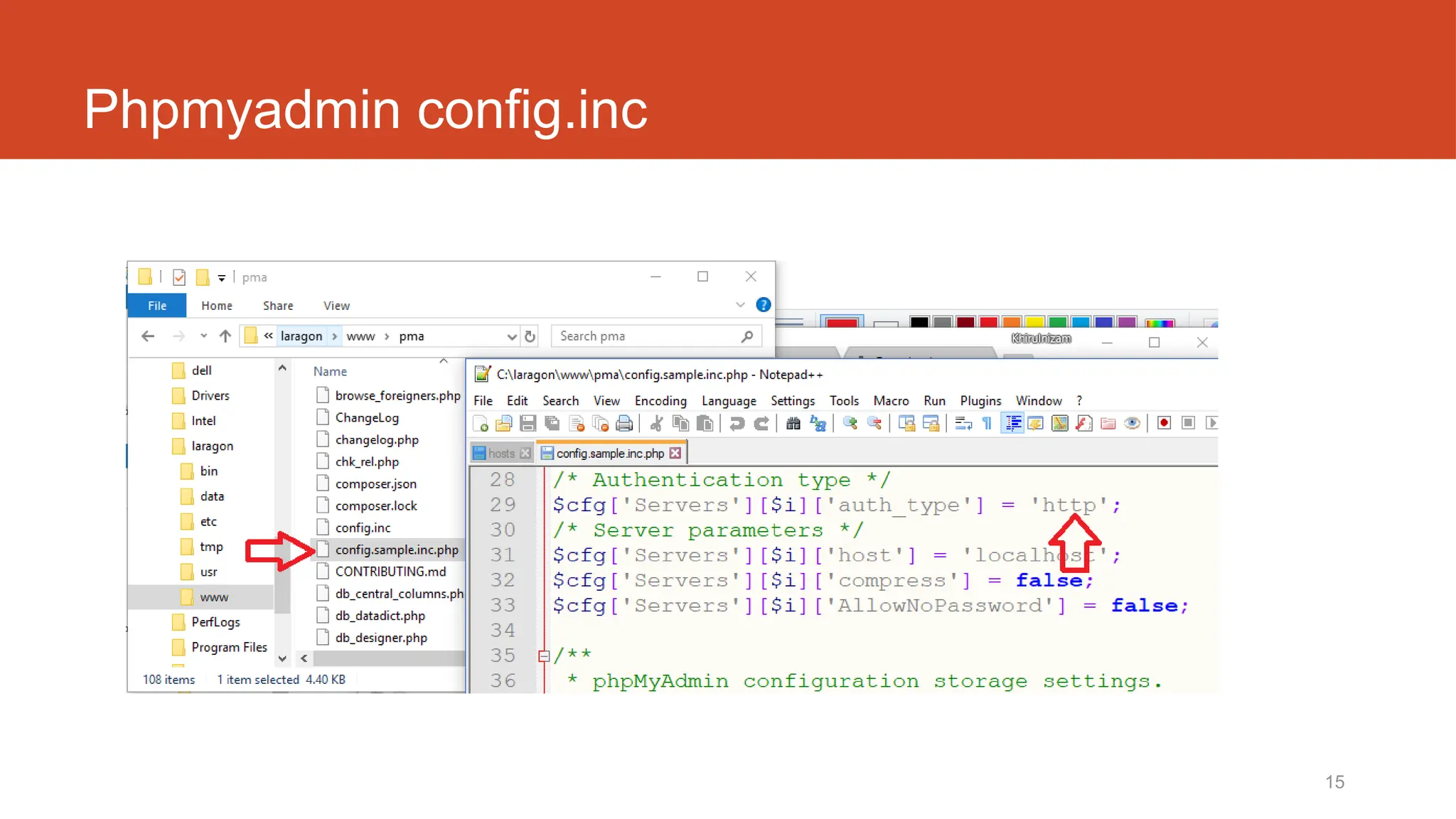
Phpmyadmin config.inc
16
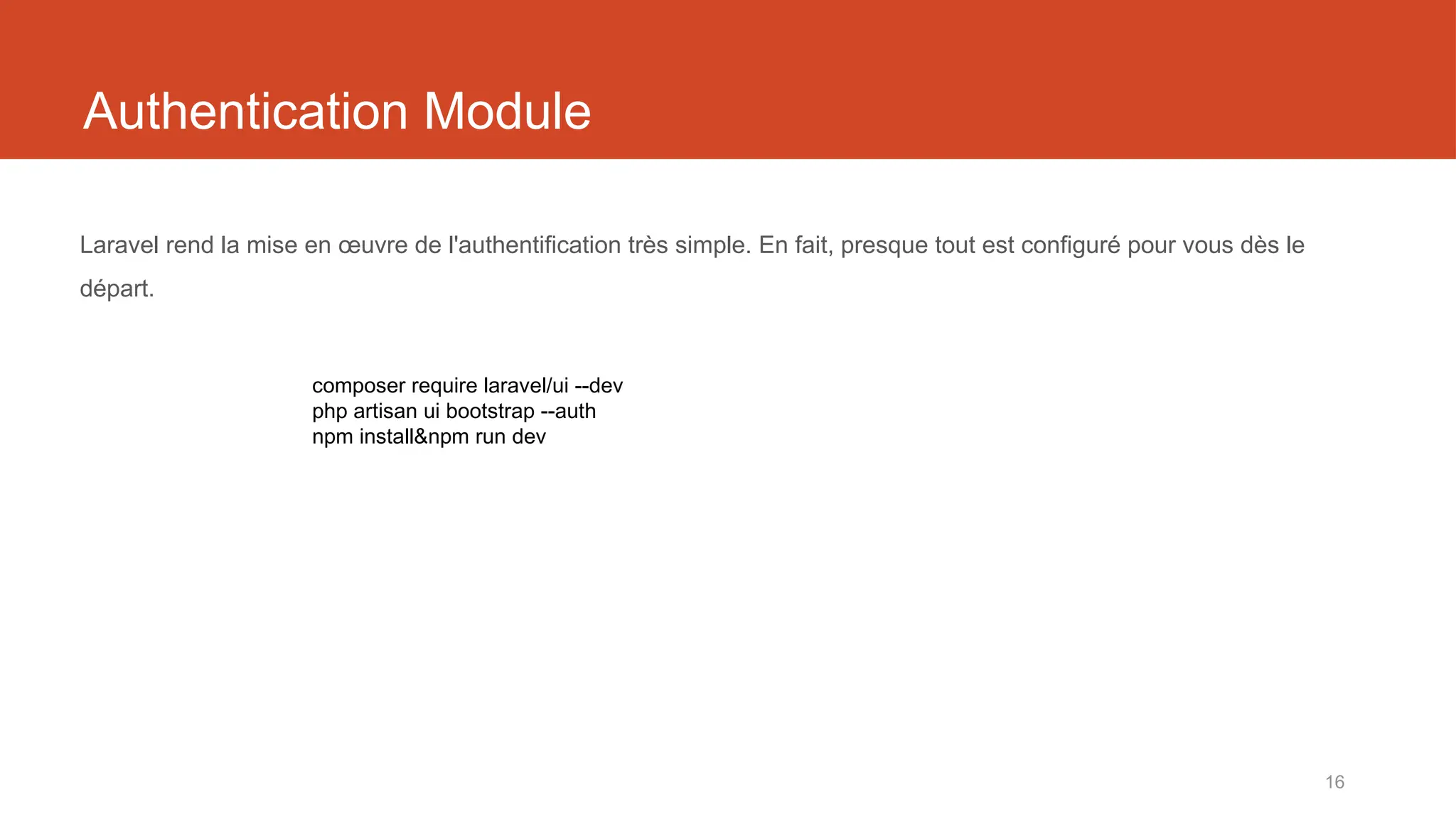
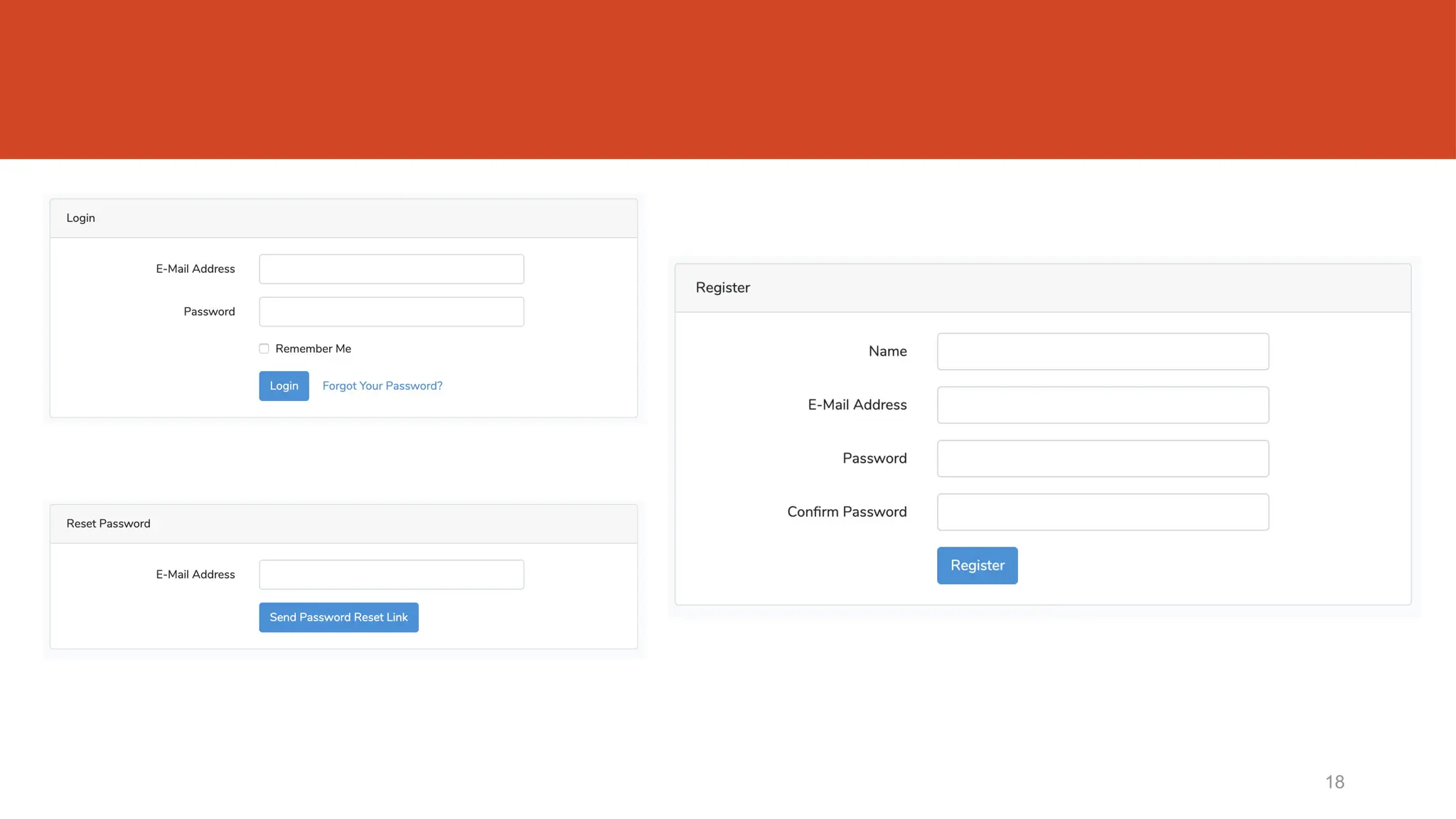
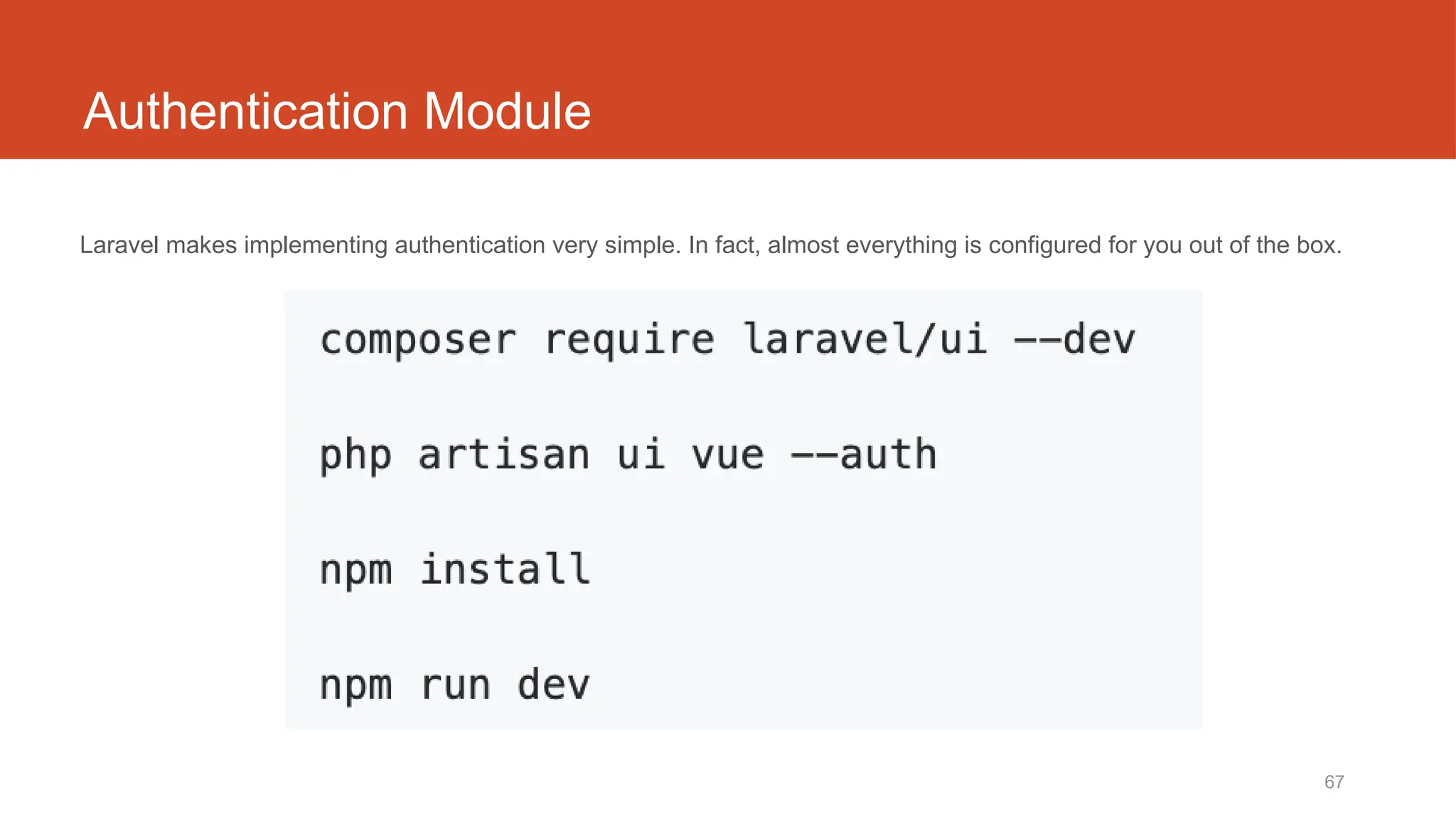
Authentication Module
Laravel rend la mise en œuvre de l'authentification très simple. En fait, presque tout est configuré pour vous dès le
départ.
composer require laravel/ui --dev
php artisan ui bootstrap --auth
npm install&npm run dev
17
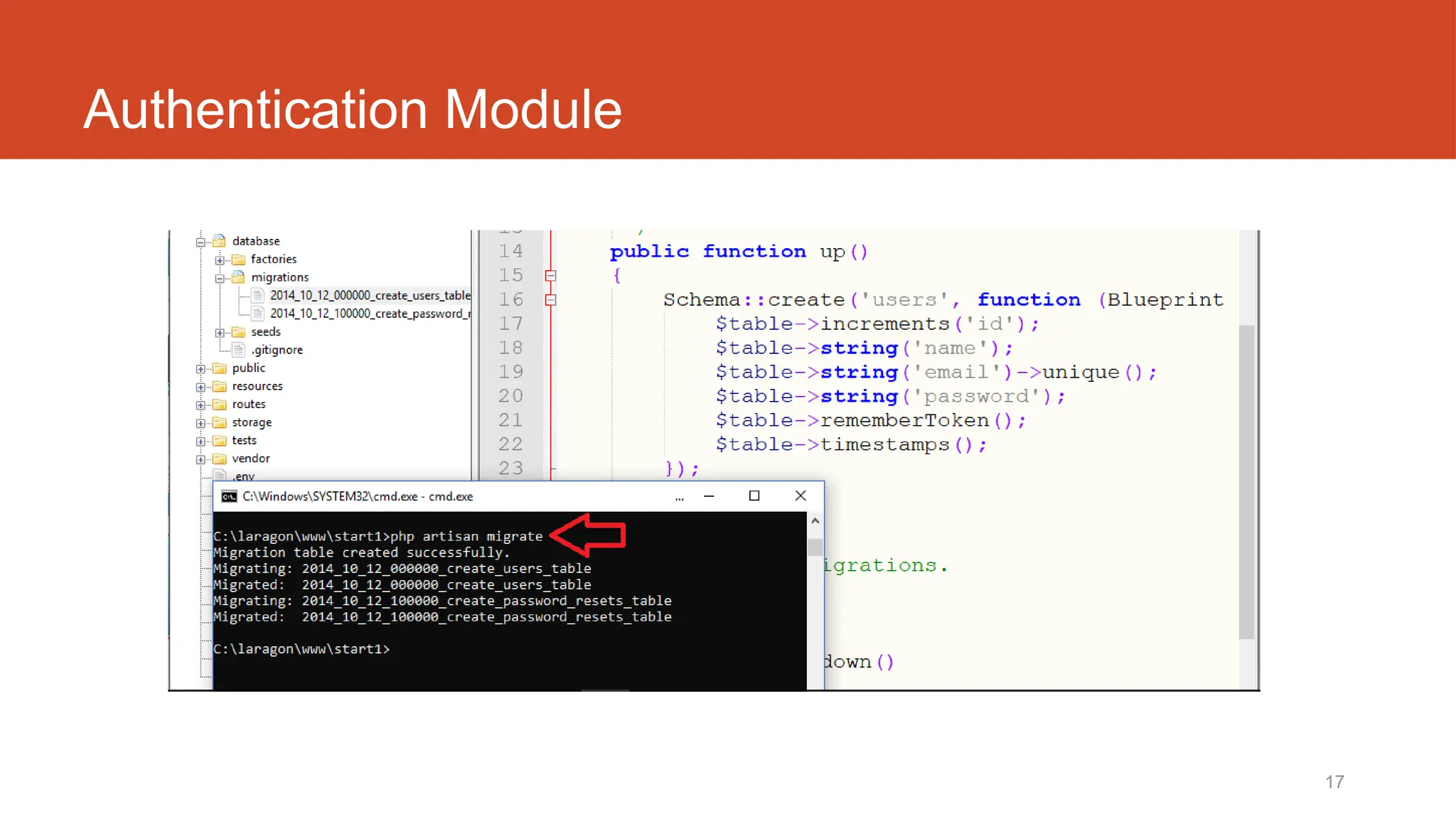
Authentication Module
18
Laravel t03
Base de données– migration, seeder & factory
routes/web.php
app/Http/Controllers
app/
resources/views
22
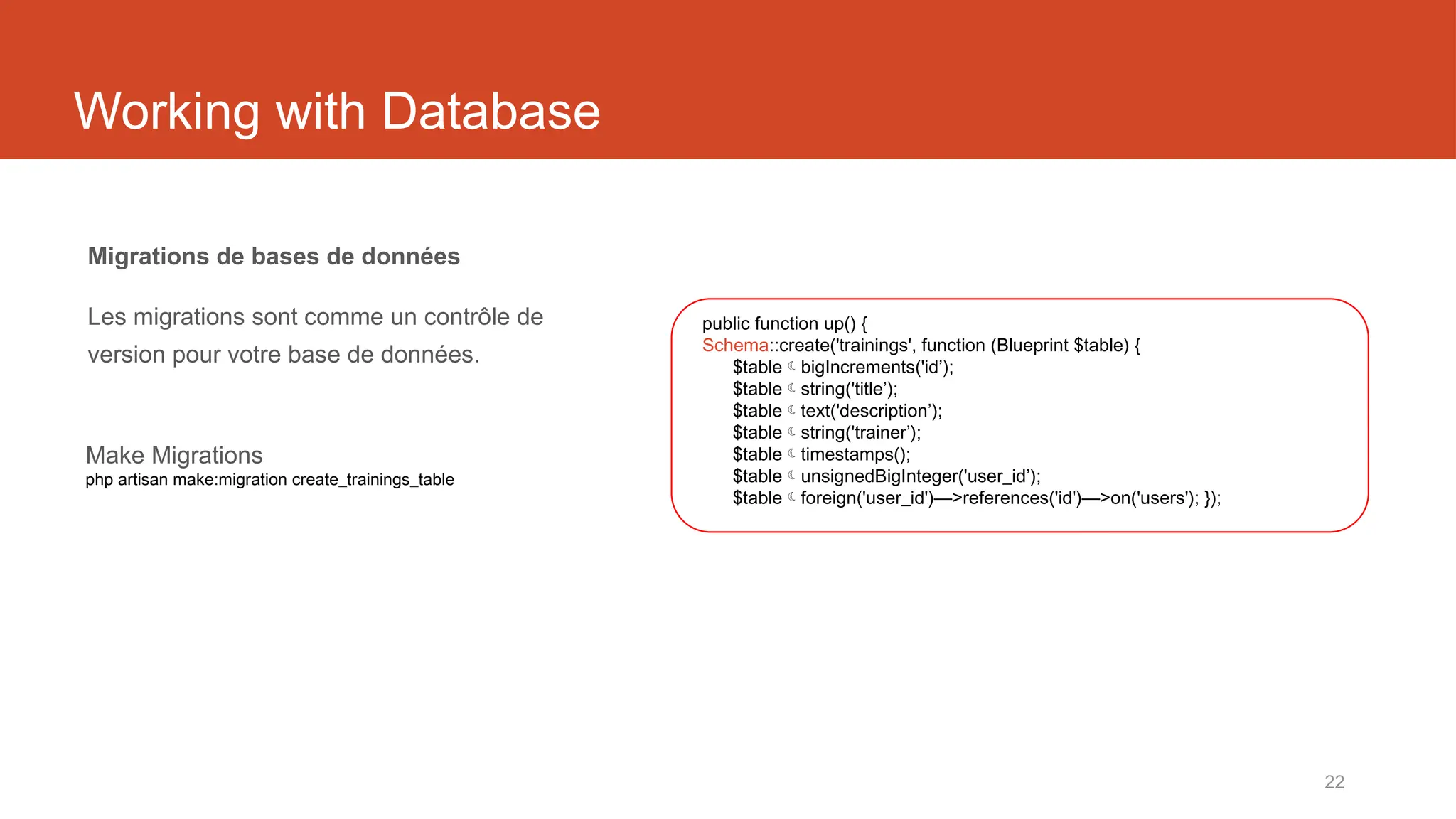
Working with Database
Migrations de bases de données
Les migrations sont comme un contrôle de
version pour votre base de données.
public function up() {
Schema::create('trainings', function (Blueprint $table) {
$tablebigIncrements('id’);
$tablestring('title’);
$tabletext('description’);
$tablestring('trainer’);
$tabletimestamps();
$tableunsignedBigInteger('user_id’);
$tableforeign('user_id')—>references('id')—>on('users'); });
Make Migrations
php artisan make:migration create_trainings_table
23
php artisan migrate
Run Migrations
php artisan migrate
24
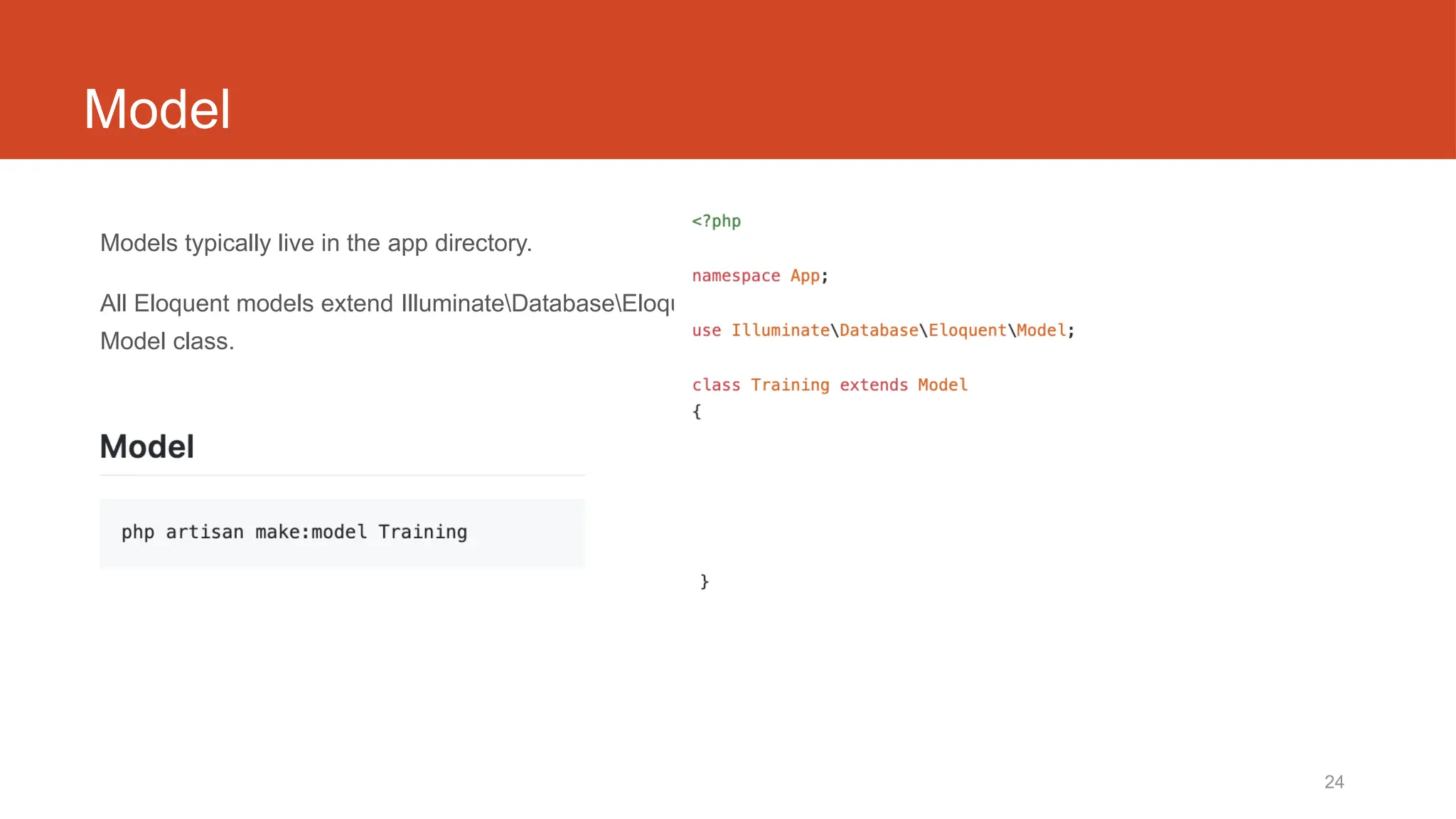
Model
Models typically live in the app directory.
All Eloquent models extend IlluminateDatabaseEloquent
Model class.
25
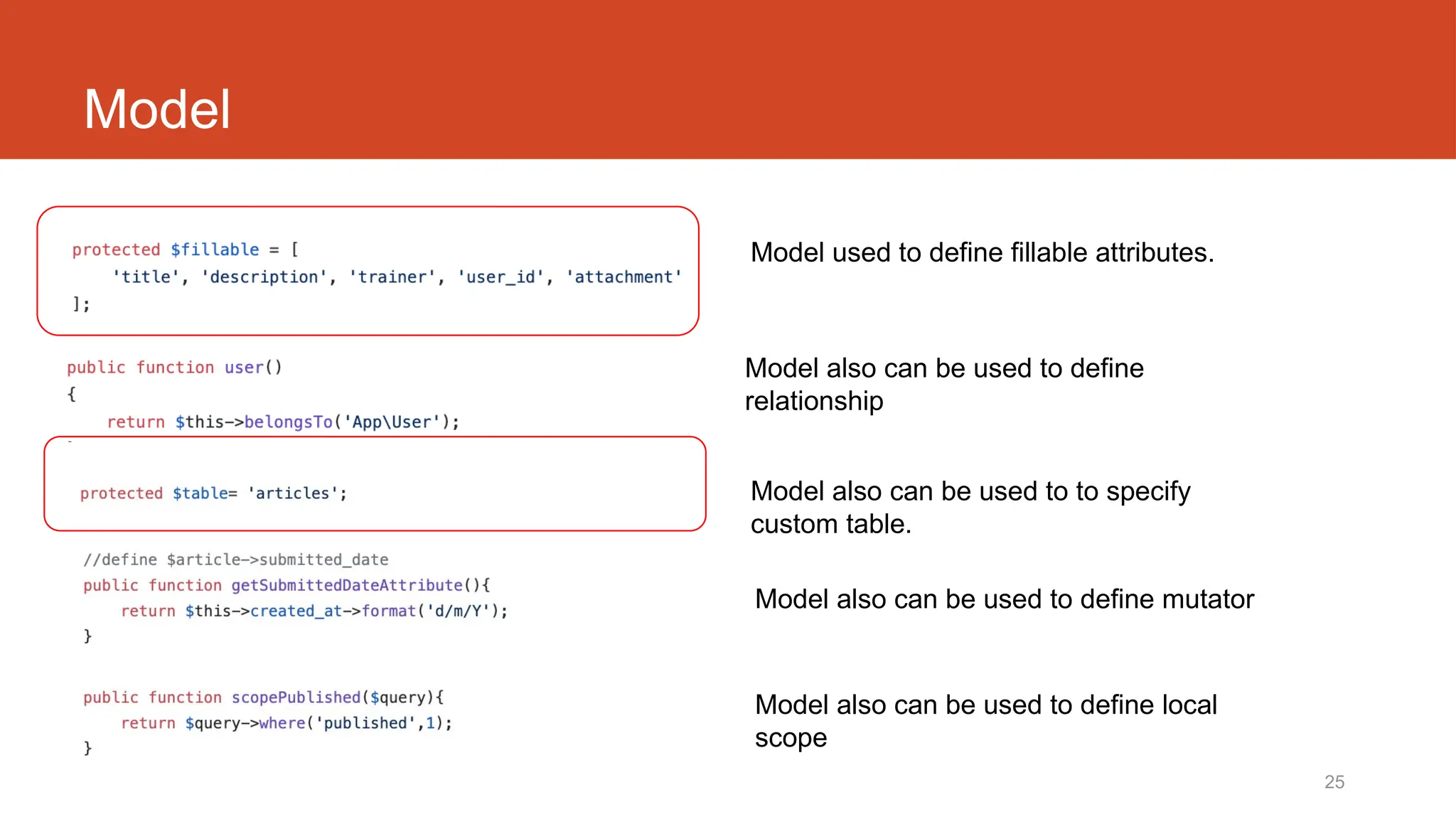
Model
Model also can be used to to specify
custom table.
Model also can be used to define mutator
Model also can be used to define local
scope
Model used to define fillable attributes.
Model also can be used to define
relationship
26
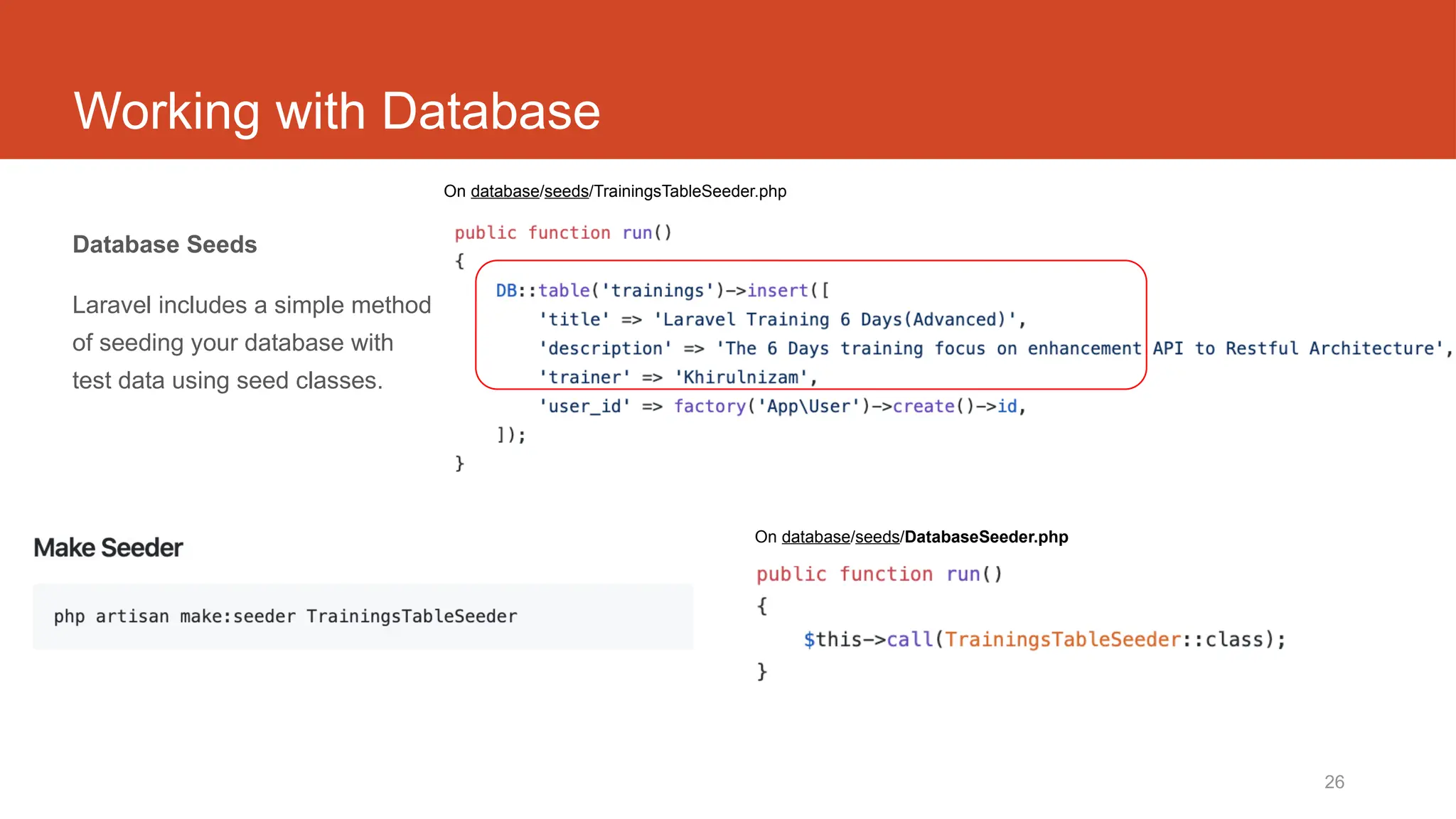
Working with Database
Database Seeds
Laravel includes a simple method
of seeding your database with
test data using seed classes.
On database/seeds/DatabaseSeeder.php
On database/seeds/TrainingsTableSeeder.php
27
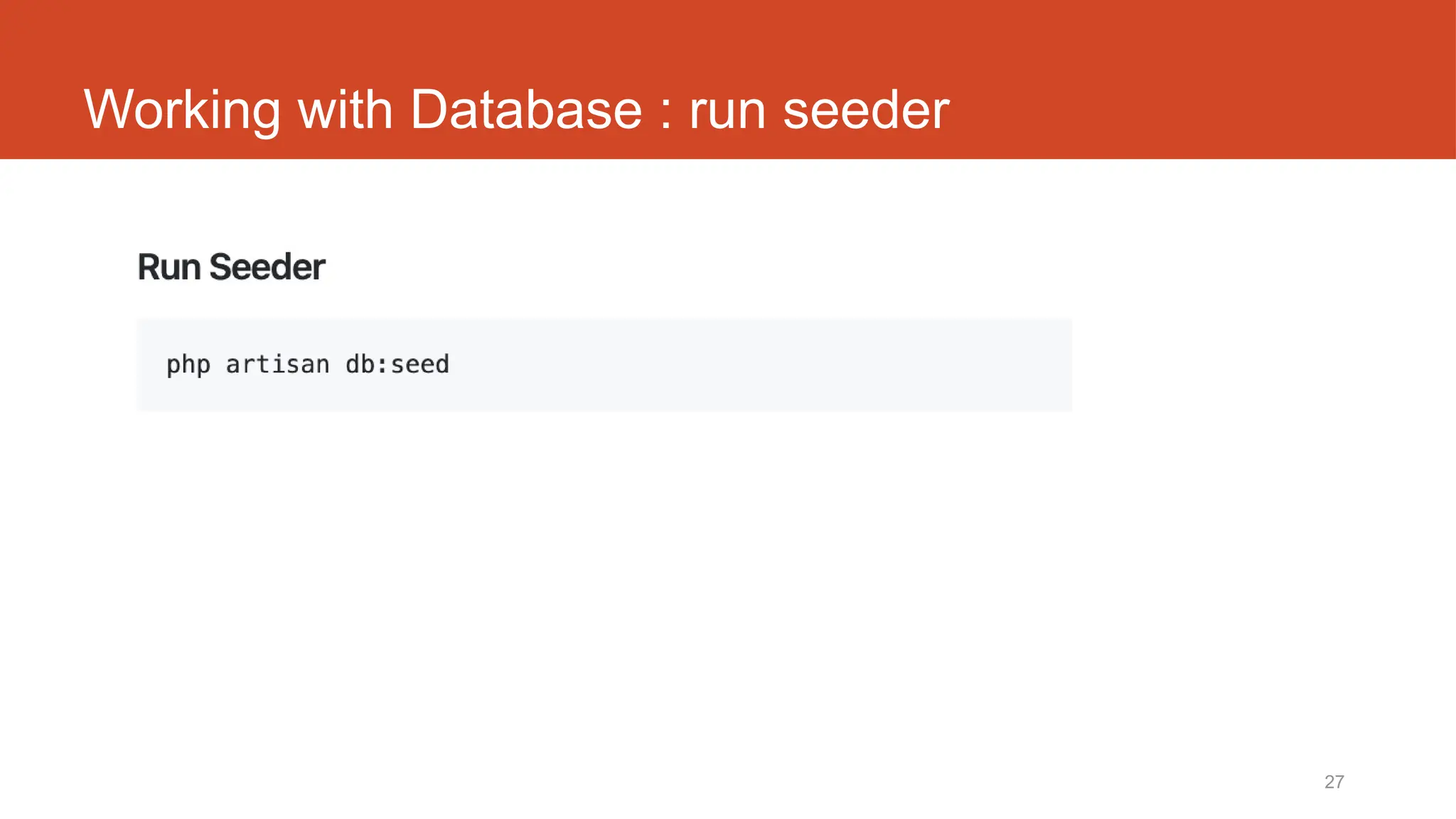
Working with Database : run seeder
28
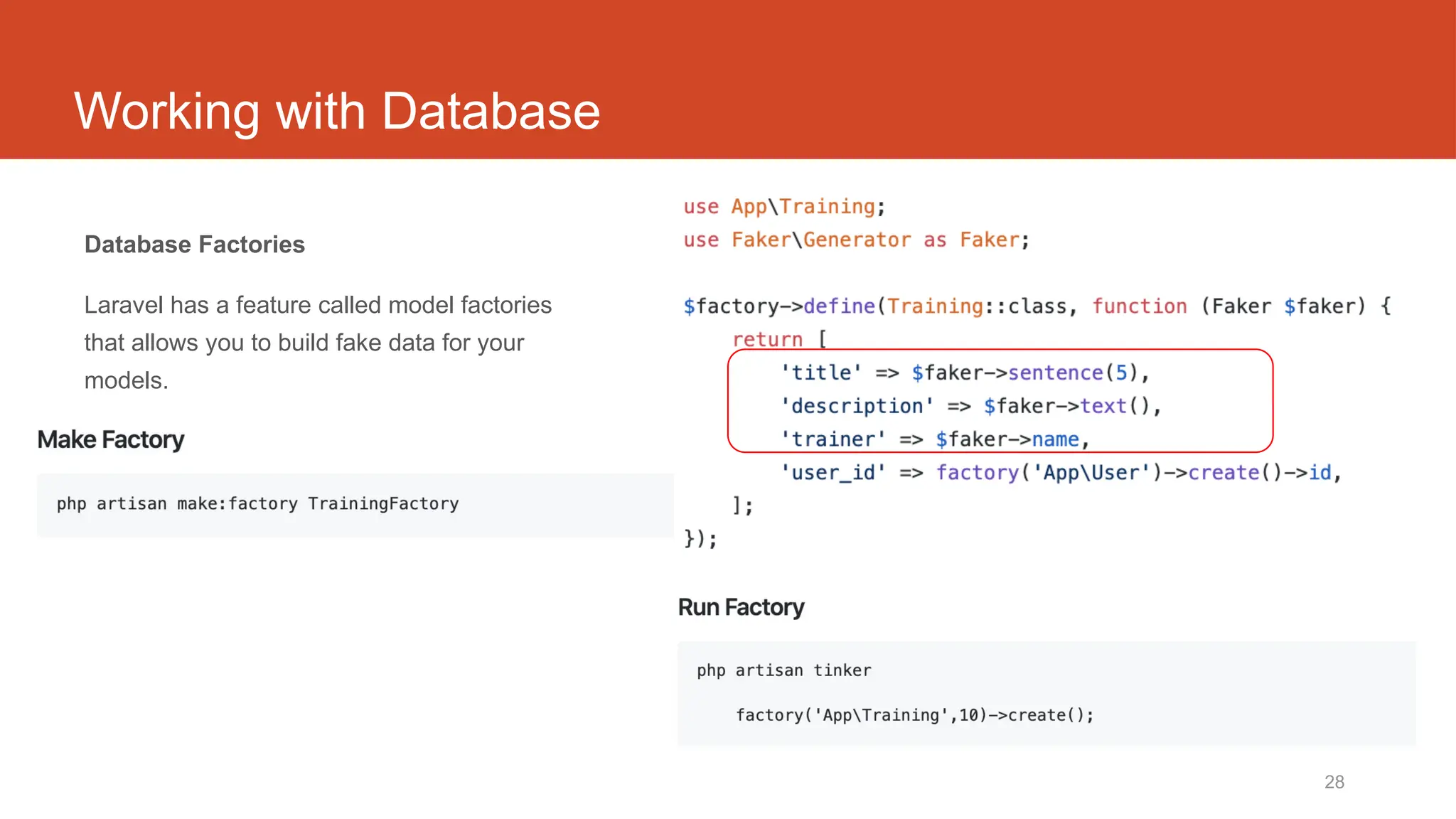
Working with Database
Database Factories
Laravel has a feature called model factories
that allows you to build fake data for your
models.
29
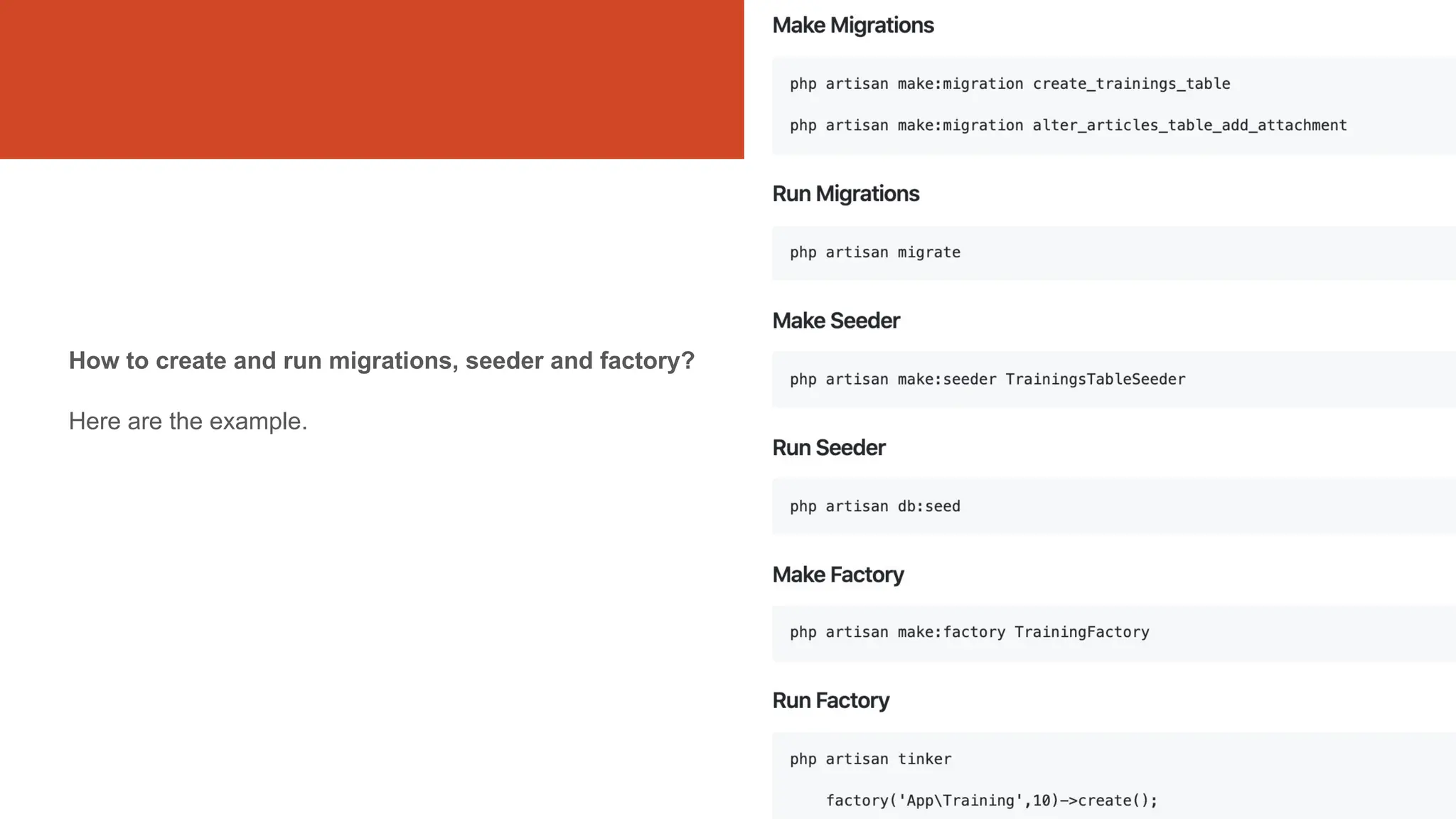
How to create and run migrations, seeder and factory?
Here are the example.
Laravel t04
Views
(create form, save new record, list records in index )
routes/web.php
app/Http/Controllers
app/
resources/views
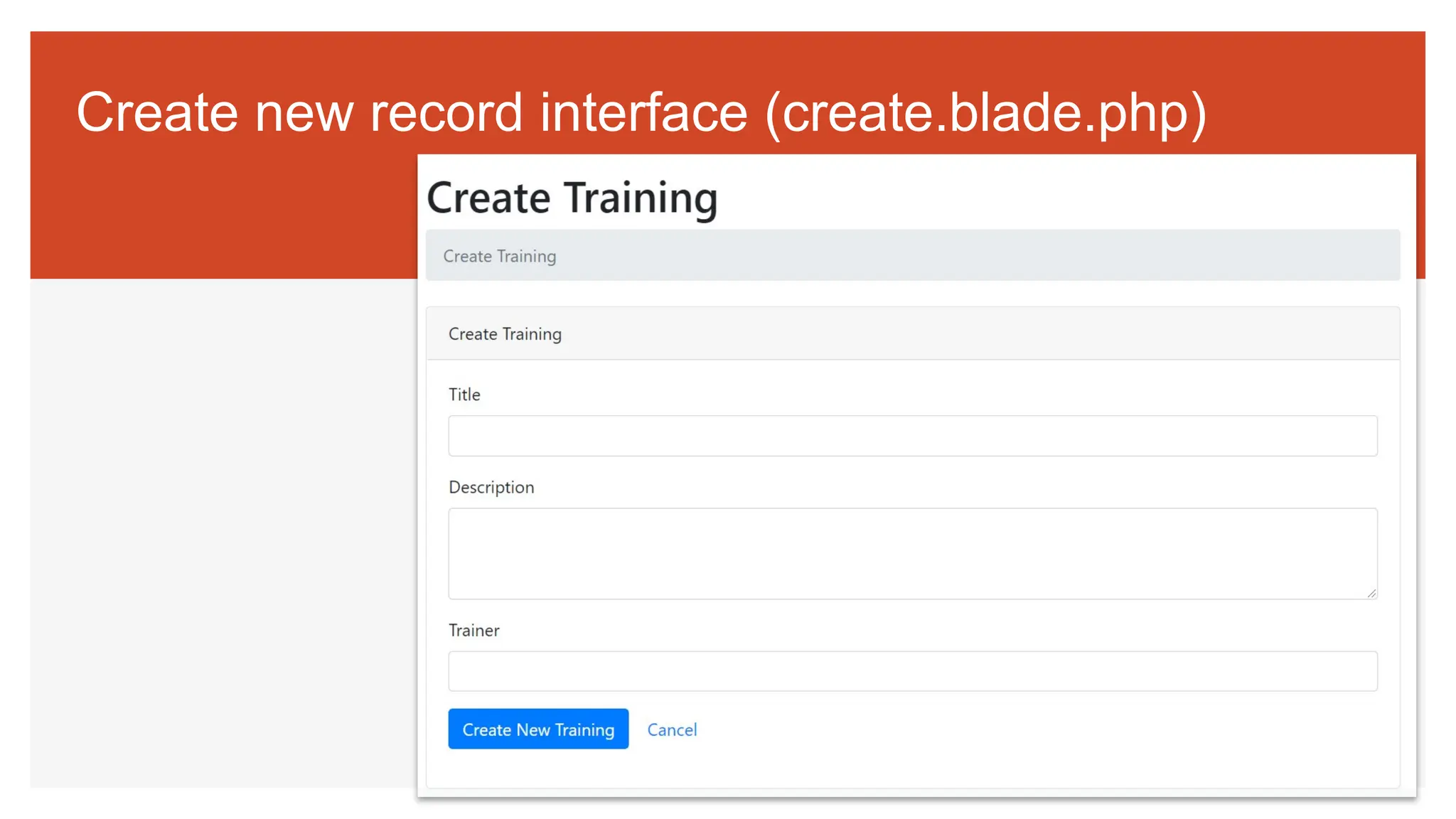
Create new record interface (create.blade.php)
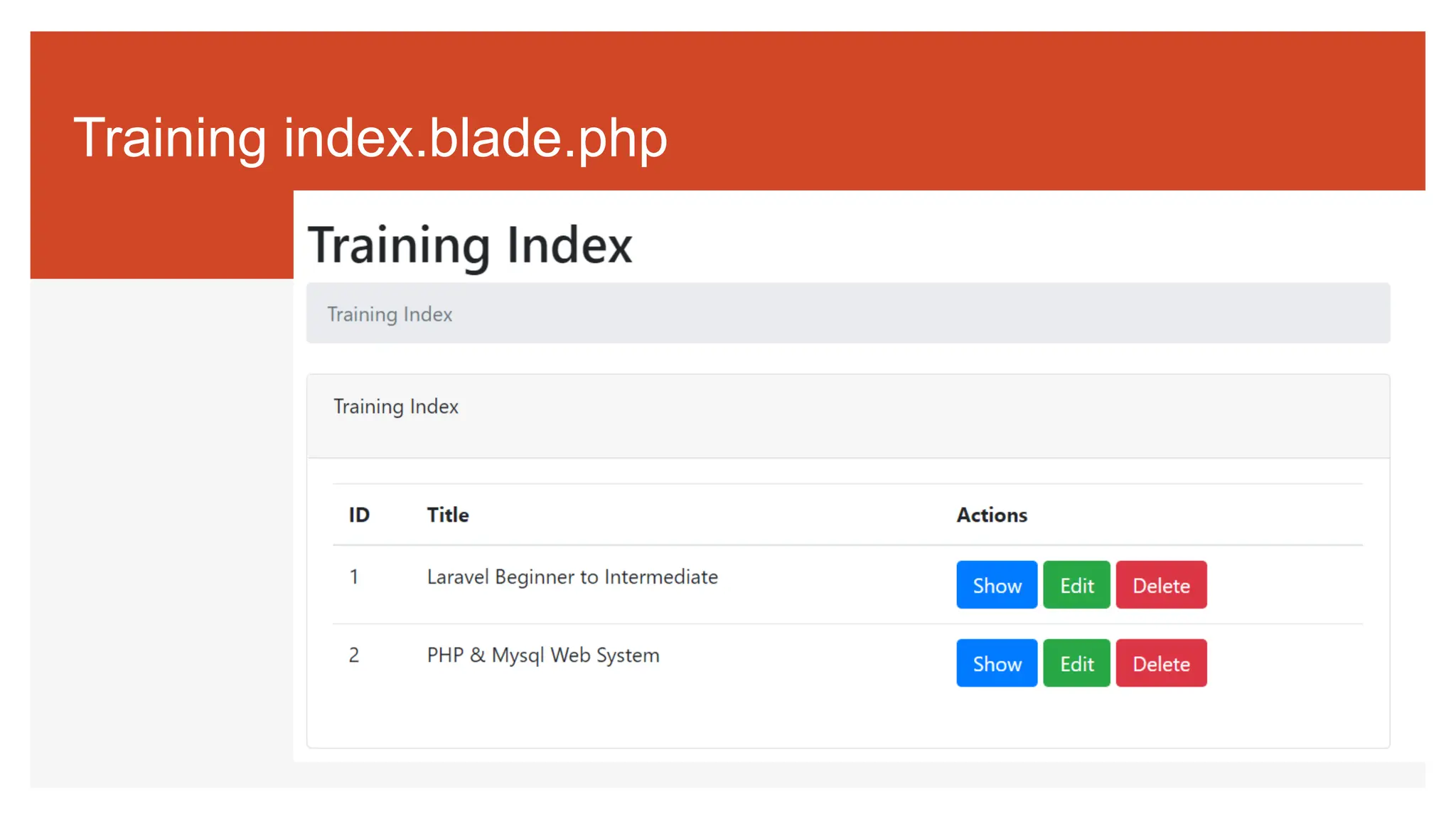
Training index.blade.php
34
Views
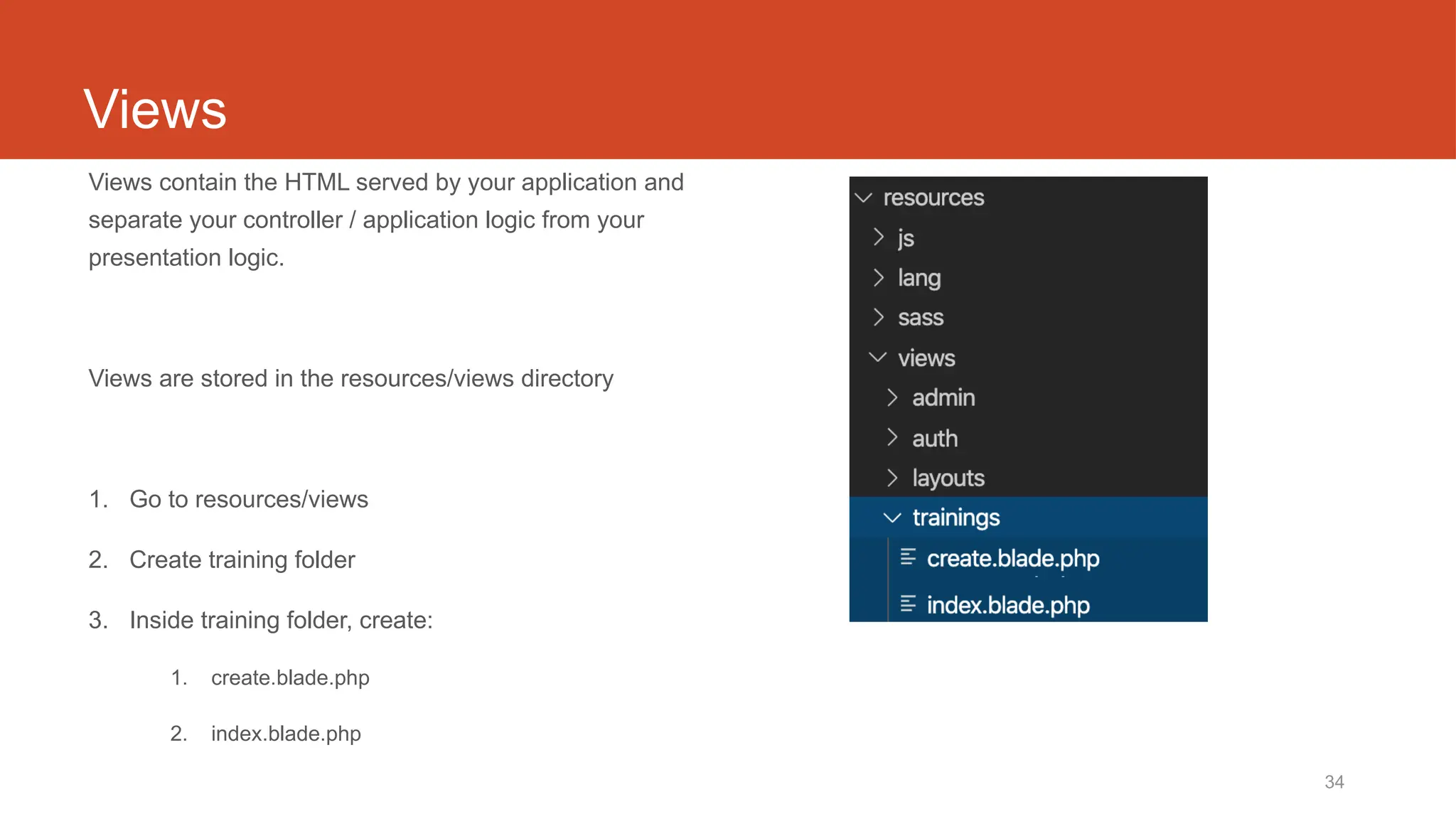
Views contain the HTML served by your application and
separate your controller / application logic from your
presentation logic.
Views are stored in the resources/views directory
1. Go to resources/views
2. Create training folder
3. Inside training folder, create:
1. create.blade.php
2. index.blade.php
35
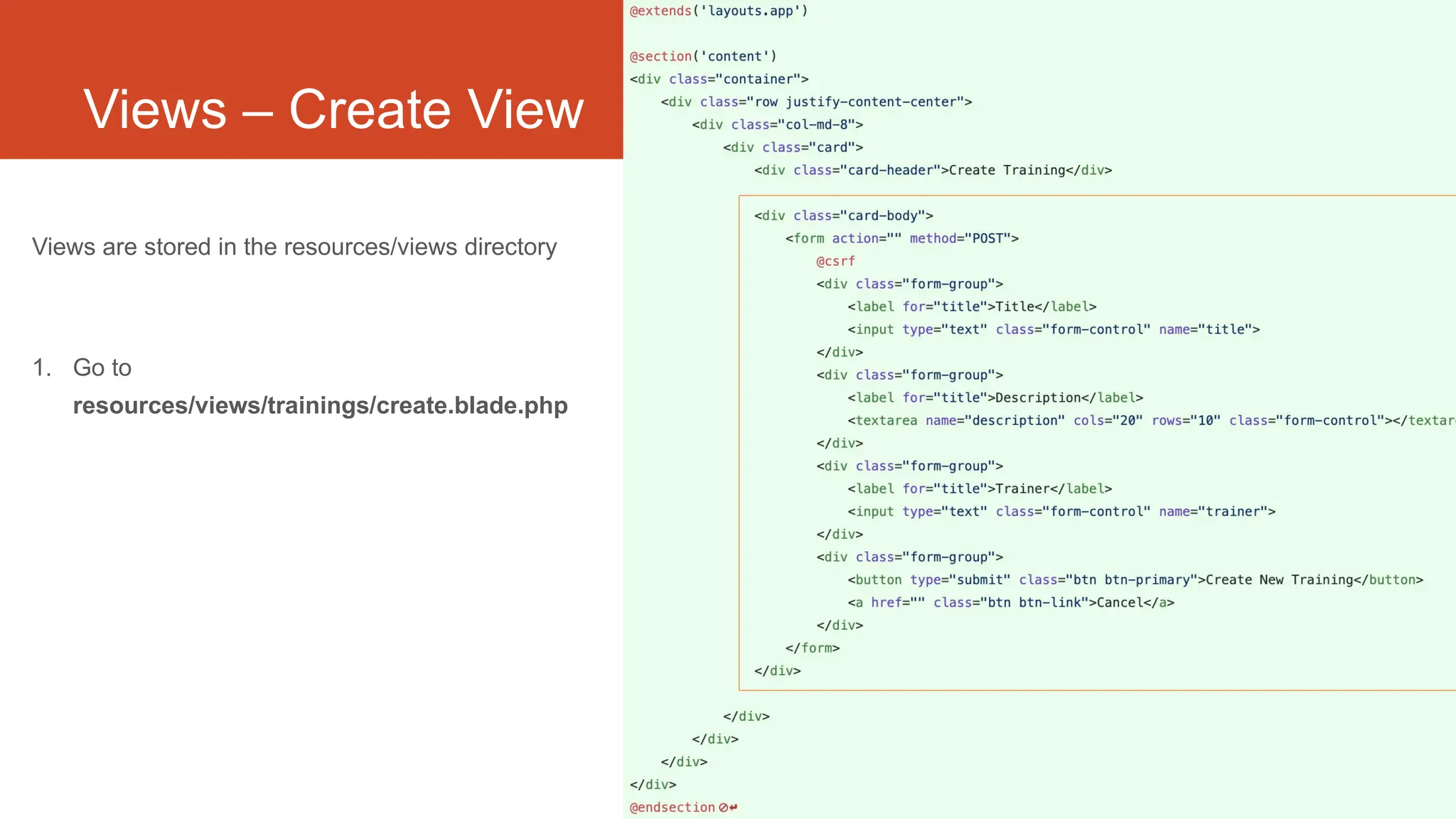
Views – Create View
Views are stored in the resources/views directory
1. Go to
resources/views/trainings/create.blade.php
36
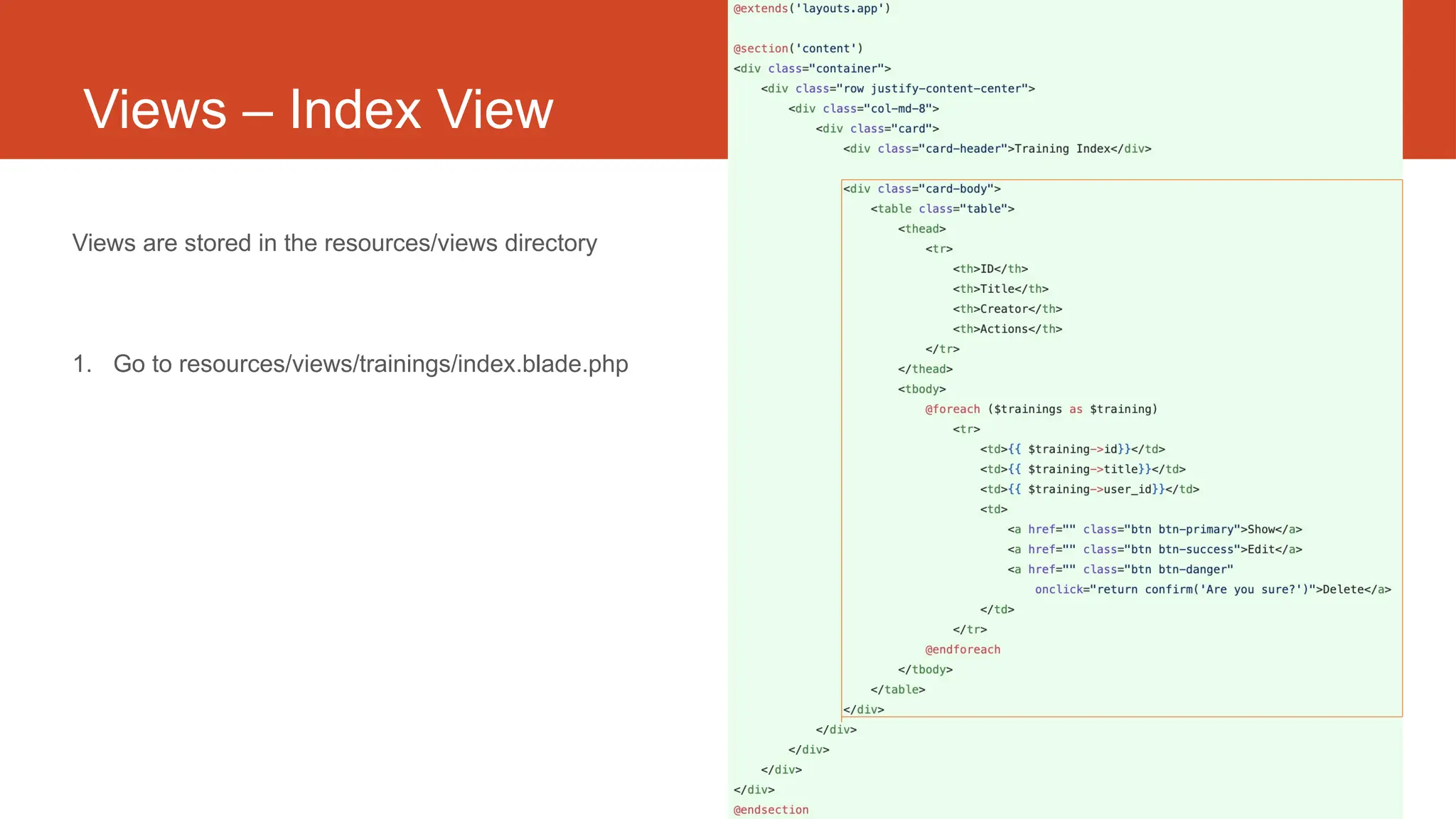
Views – Index View
Views are stored in the resources/views directory
1. Go to resources/views/trainings/index.blade.php
Laravel t07
Controller
routes/web.php
app/Http/Controllers
app/
resources/views
39
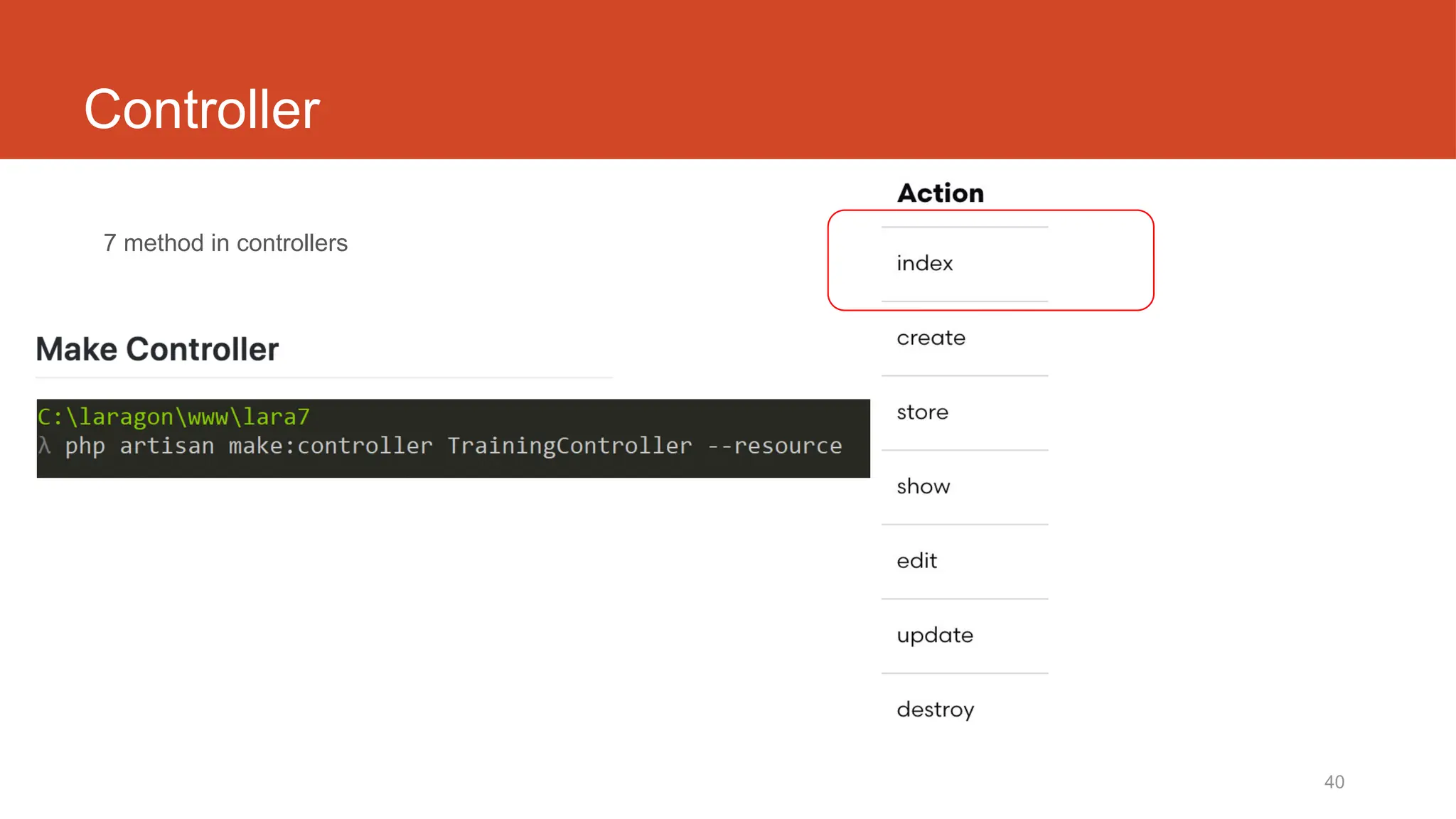
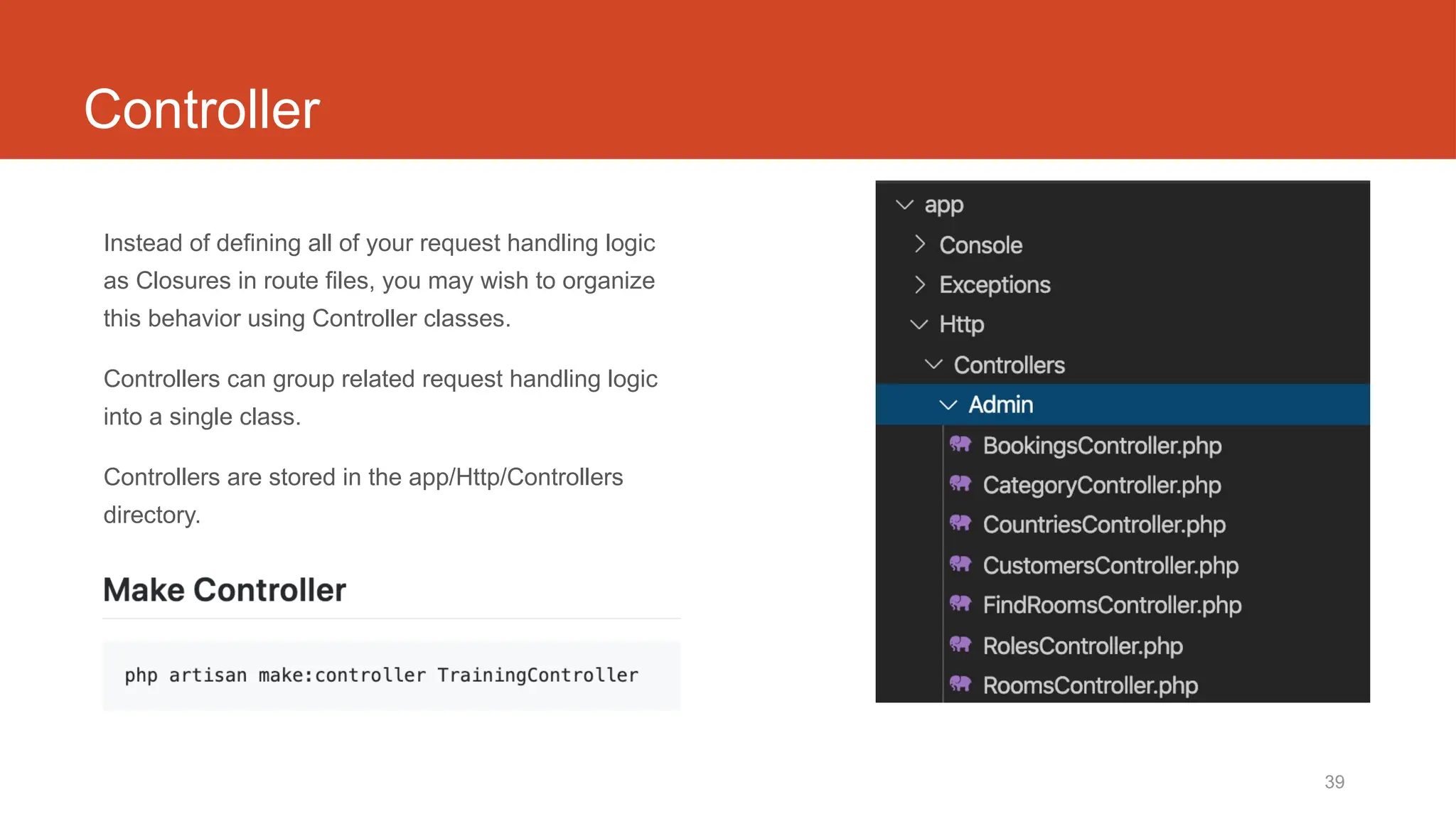
Controller
Instead of defining all of your request handling logic
as Closures in route files, you may wish to organize
this behavior using Controller classes.
Controllers can group related request handling logic
into a single class.
Controllers are stored in the app/Http/Controllers
directory.
40
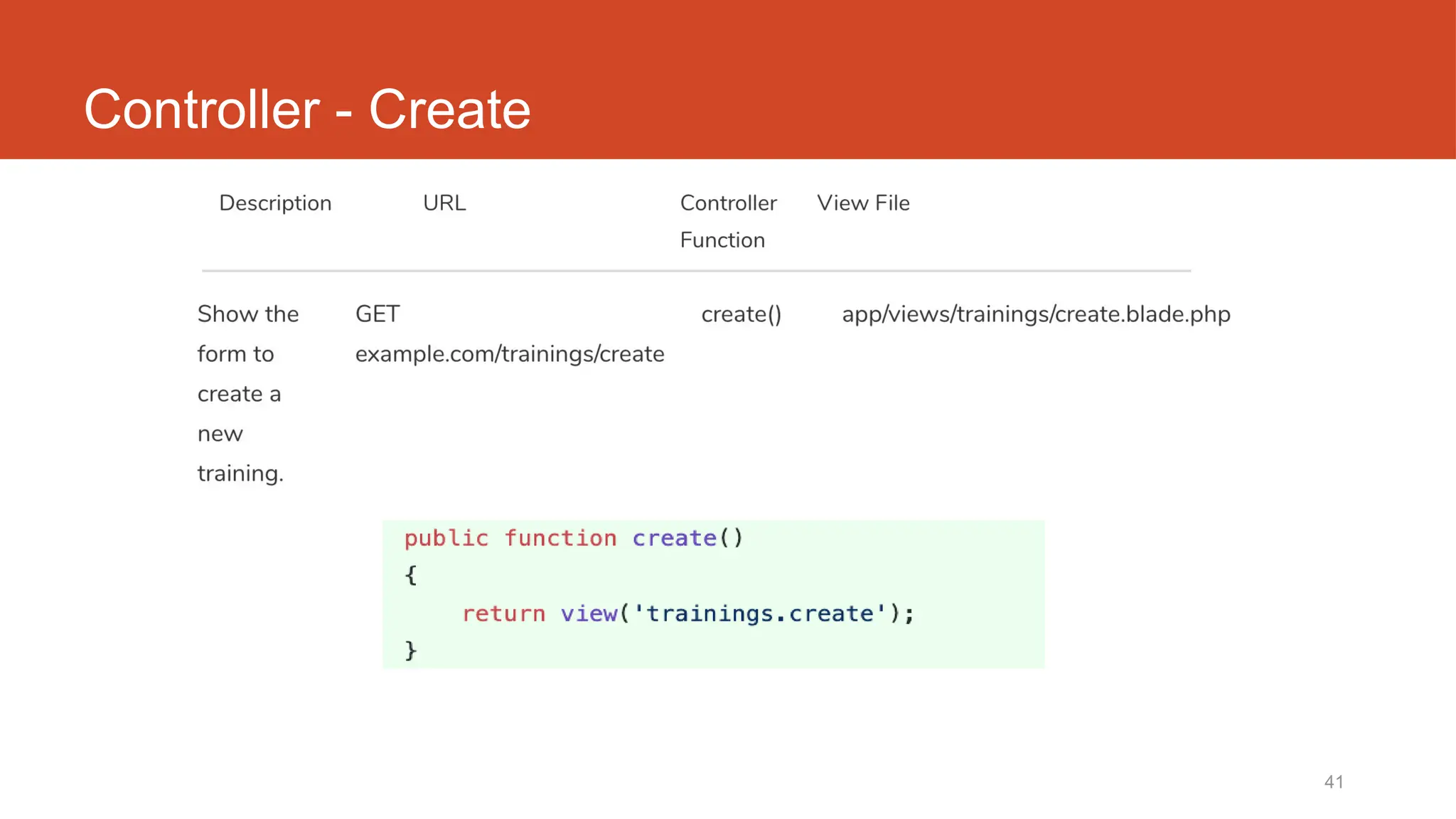
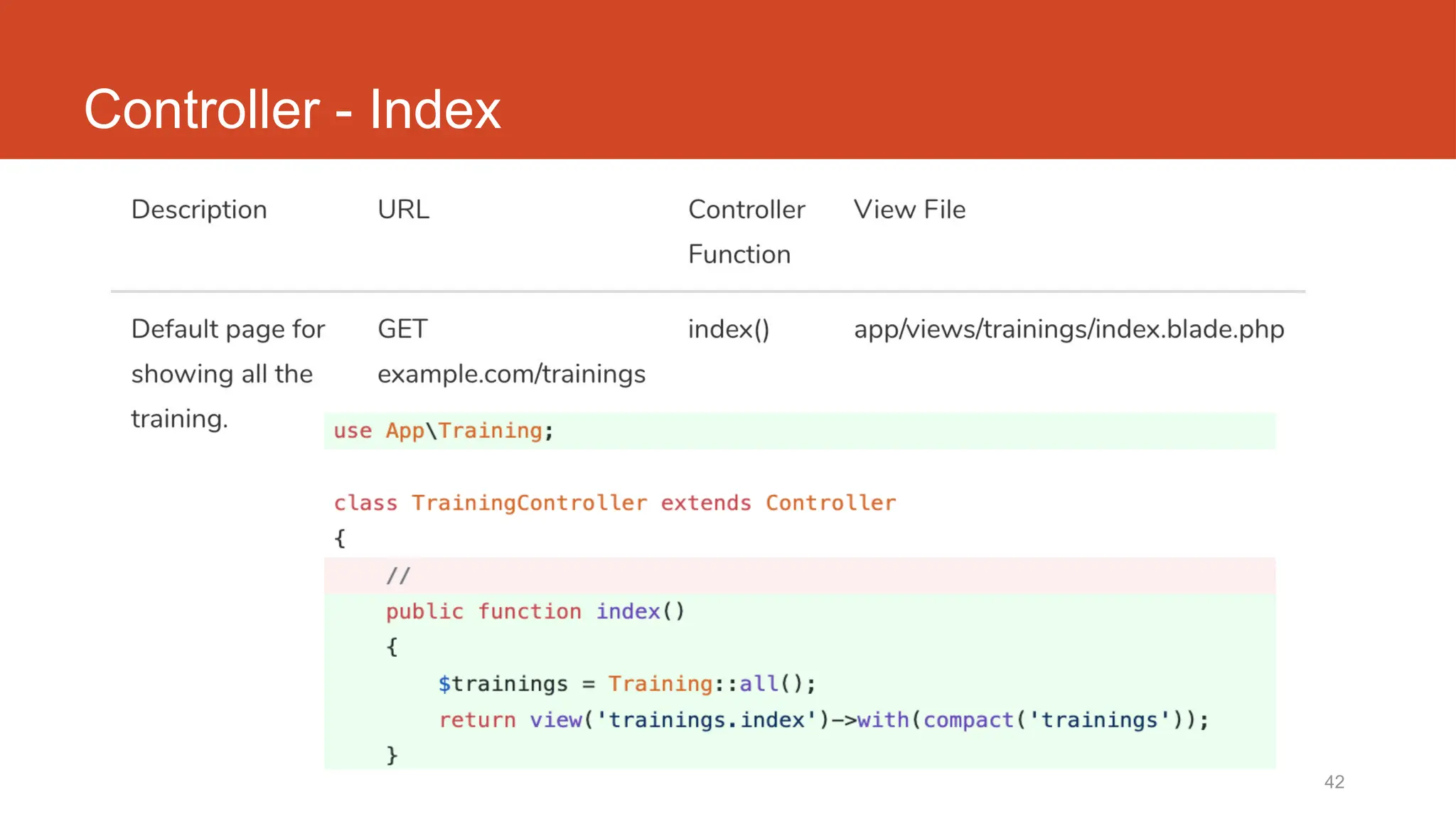
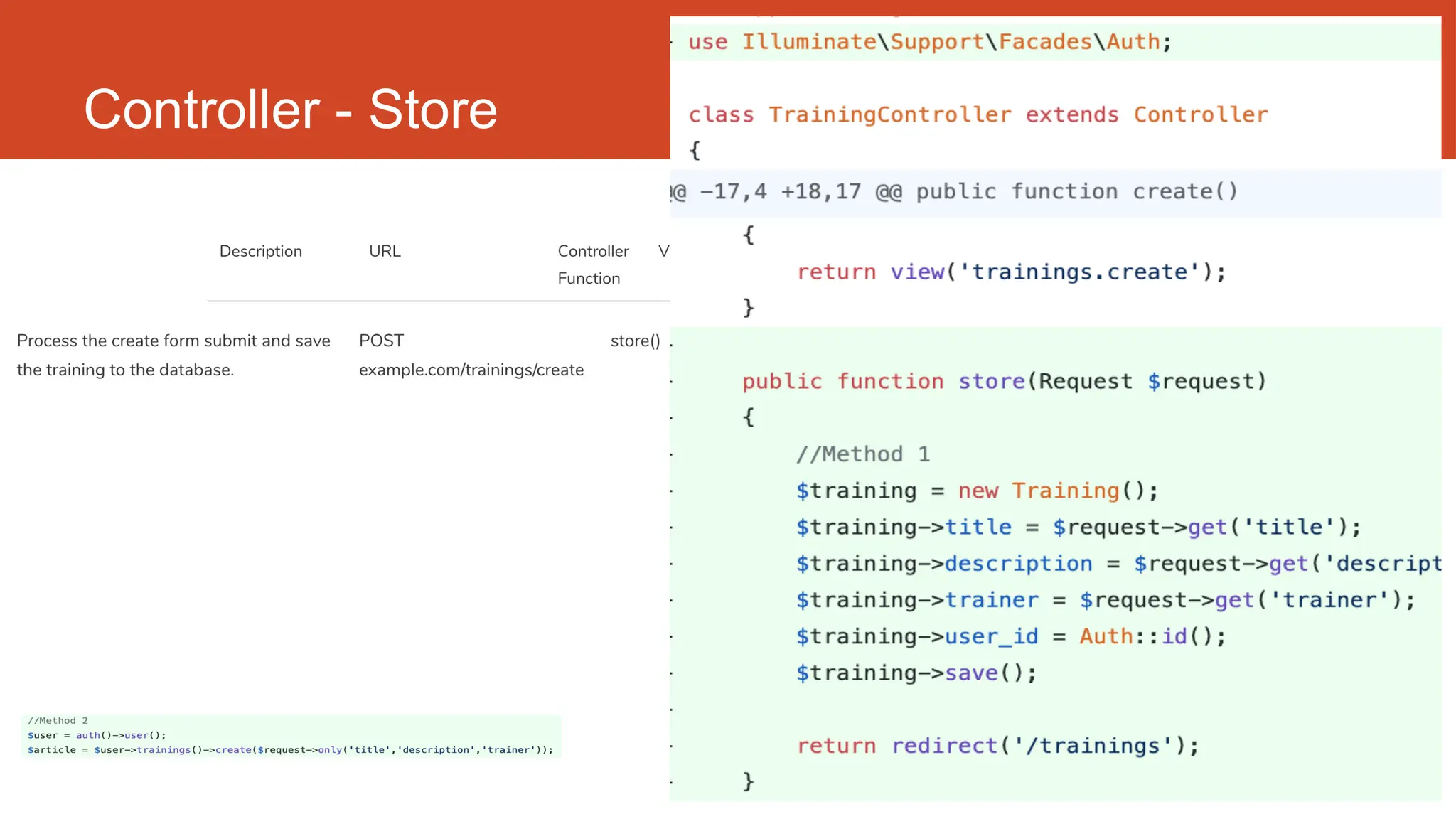
Controller
7 method in controllers
41
Controller - Create
42
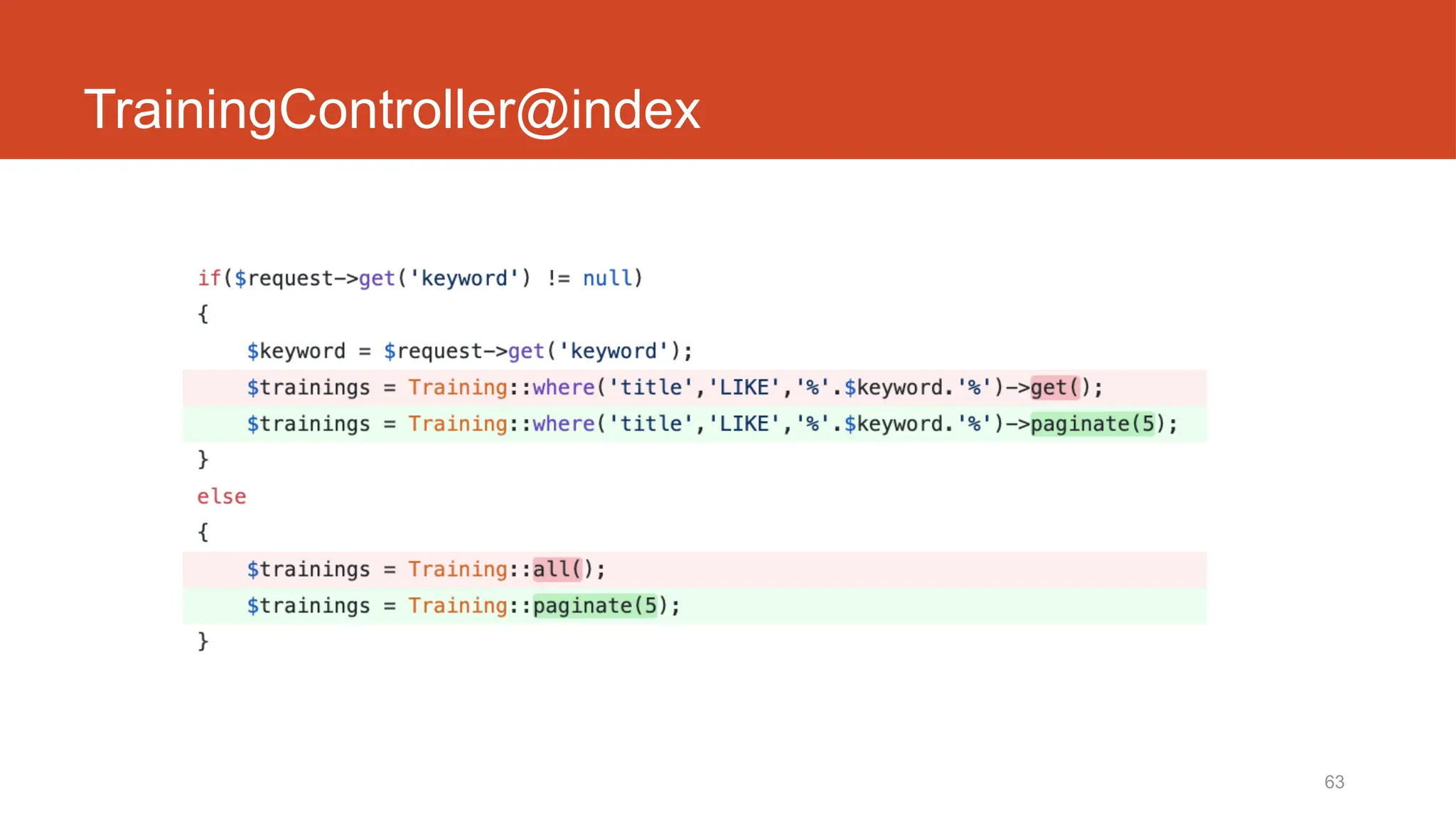
Controller - Index
43
Controller - Store
Laravel t09
Routing
routes/web.php
app/Http/Controllers
app/
resources/views
46
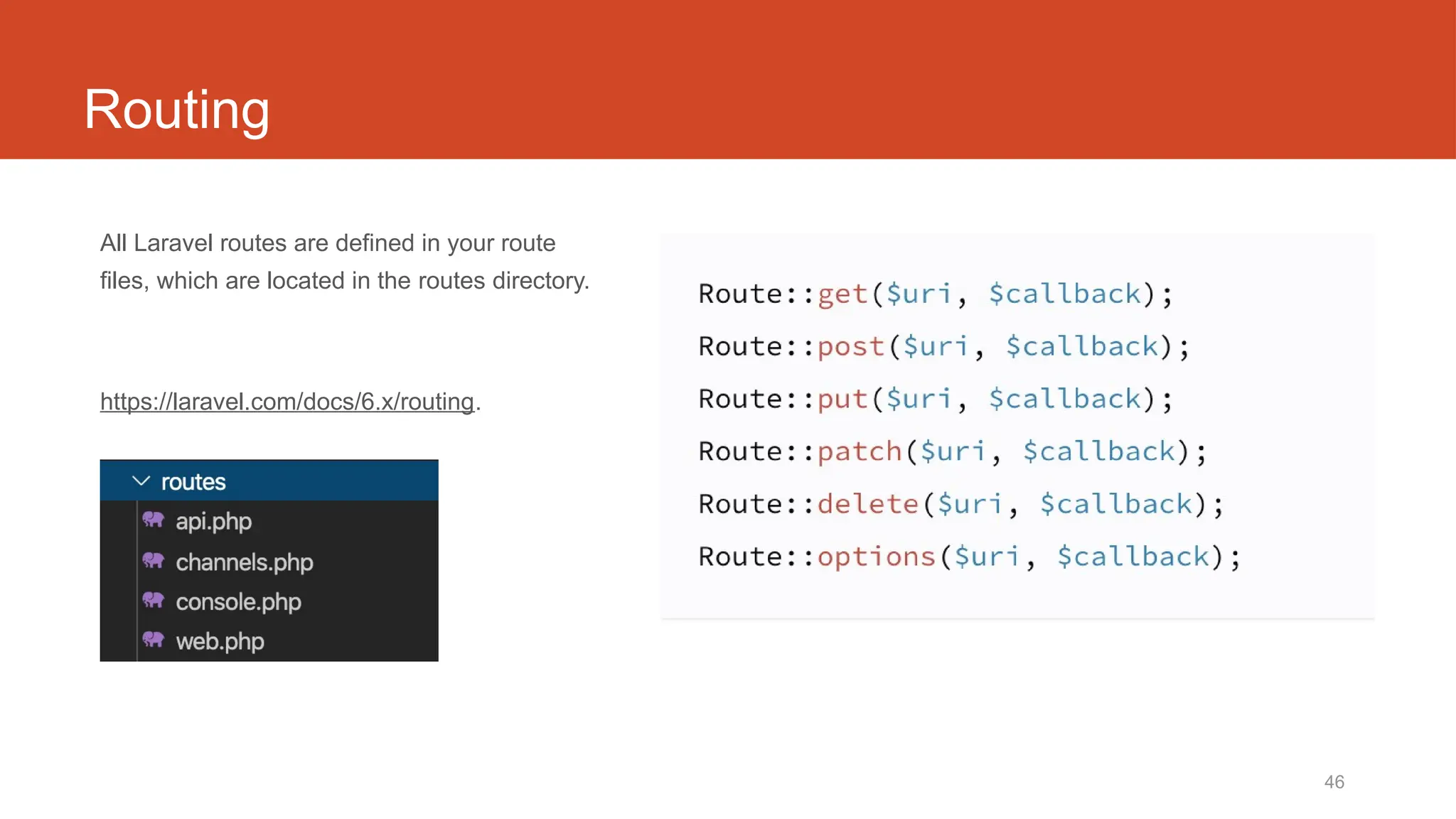
Routing
All Laravel routes are defined in your route
files, which are located in the routes directory.
https://laravel.com/docs/6.x/routing.
47
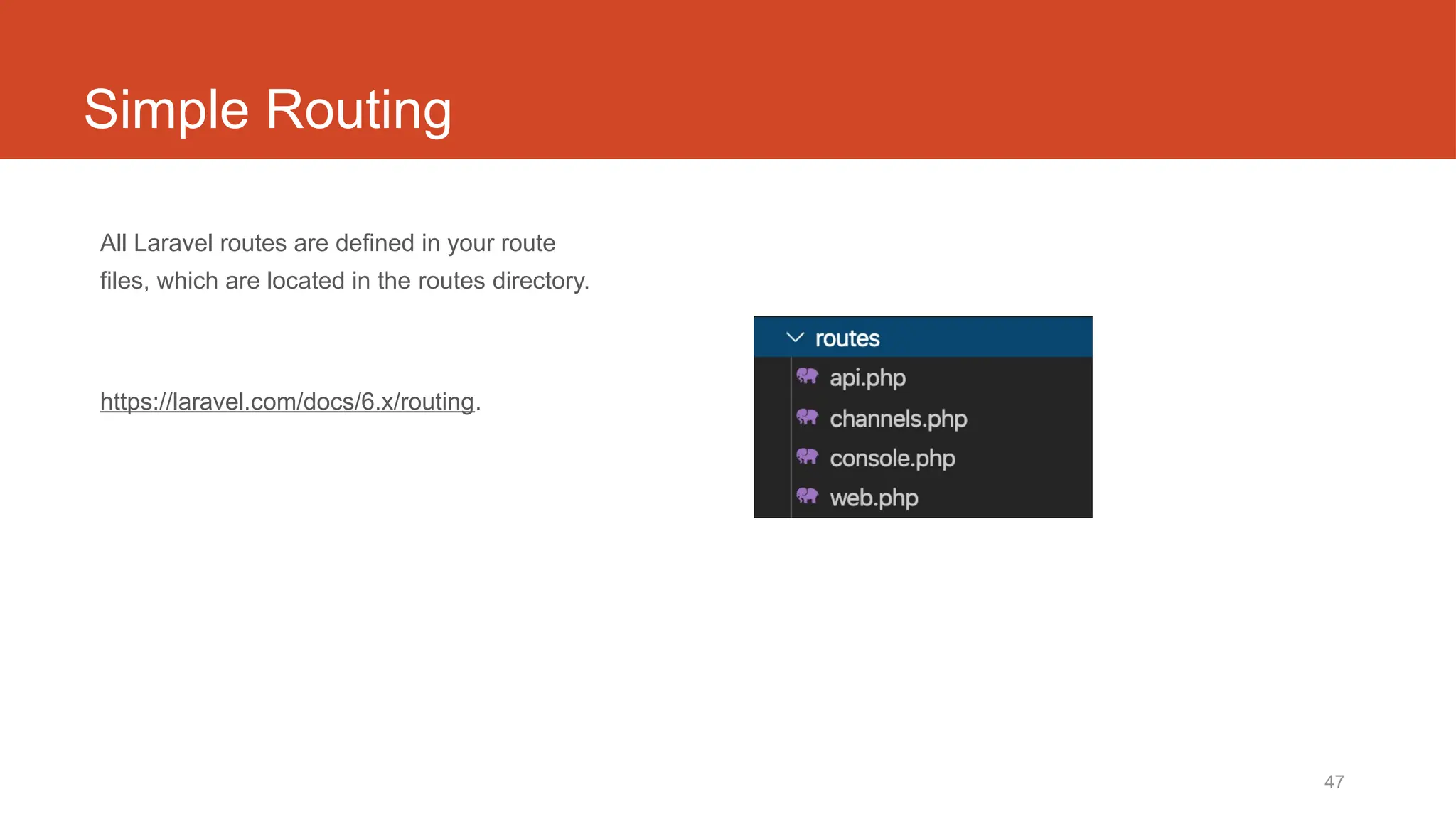
Simple Routing
All Laravel routes are defined in your route
files, which are located in the routes directory.
https://laravel.com/docs/6.x/routing.
48
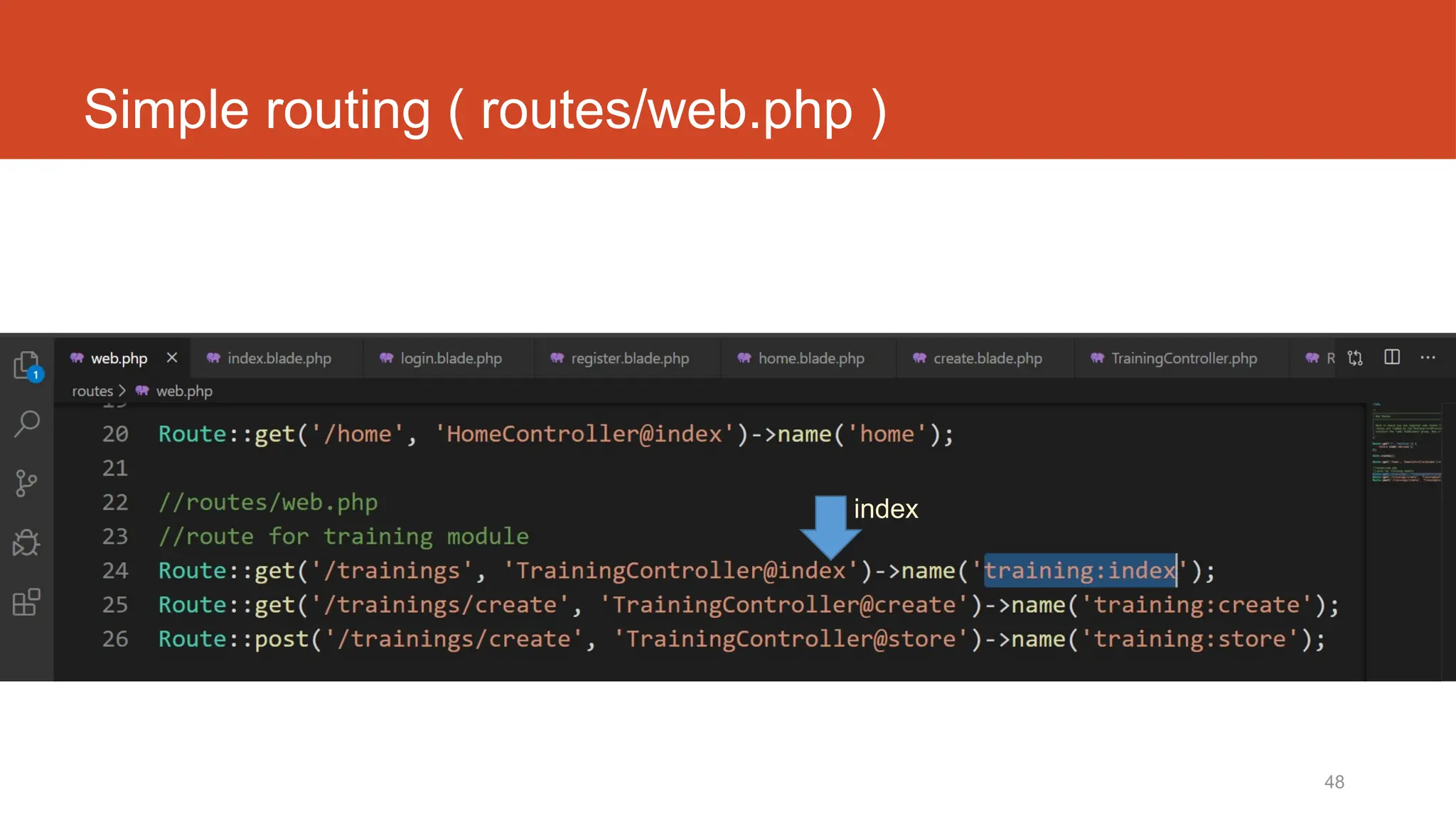
Simple routing ( routes/web.php )
index
49
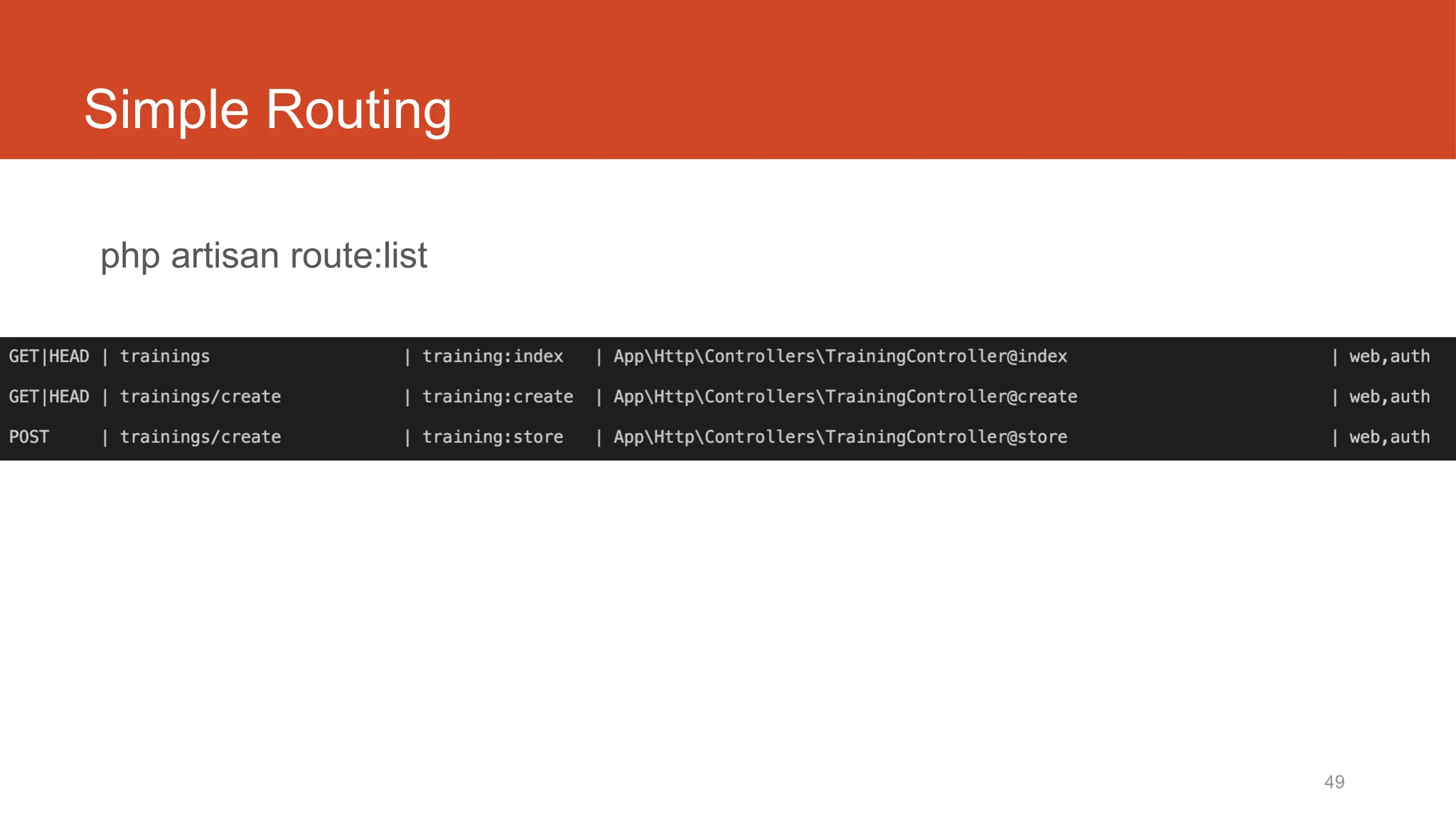
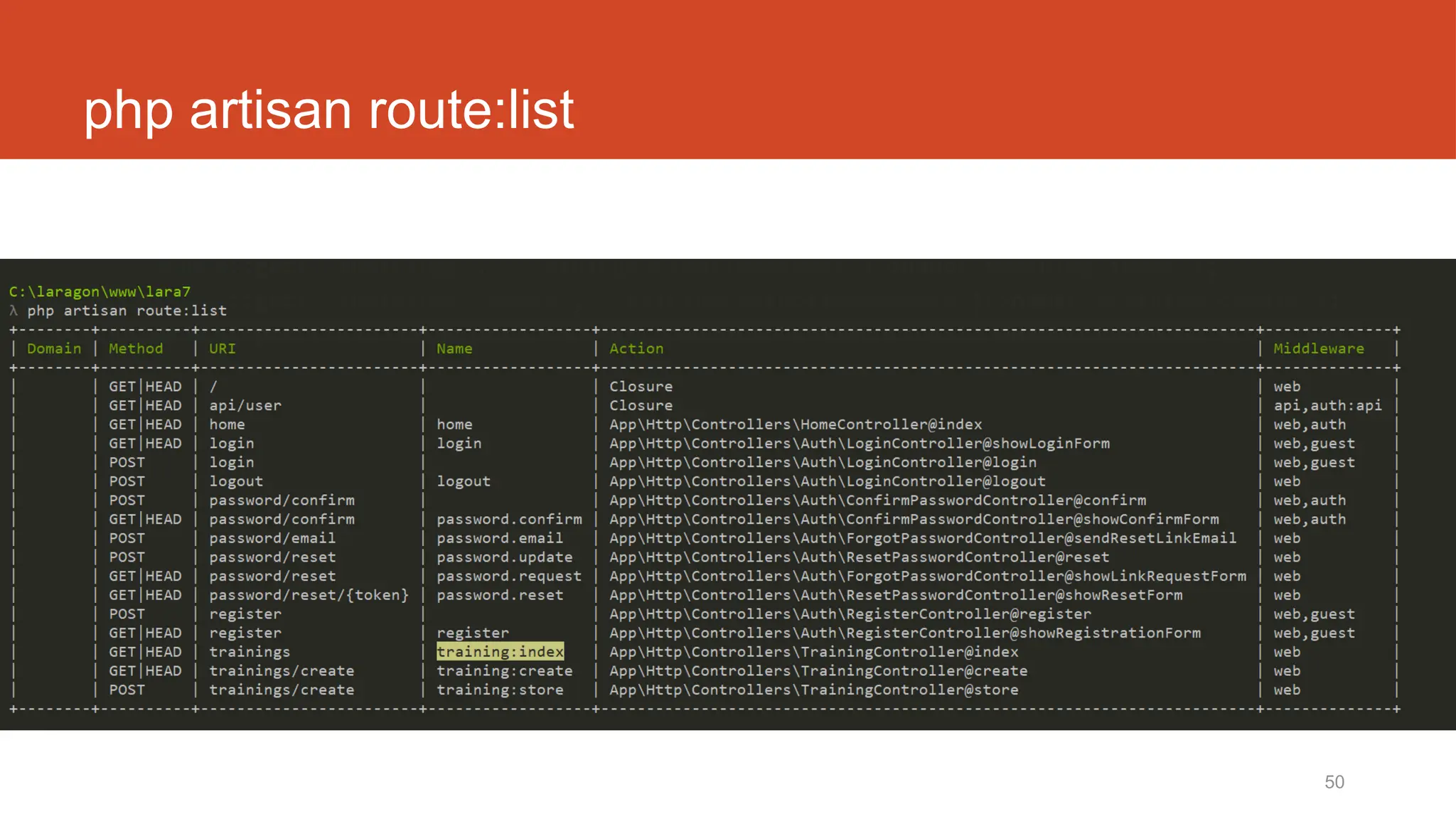
Simple Routing
php artisan route:list
https://laravel.com/docs/6.x/routing.
50
php artisan route:list
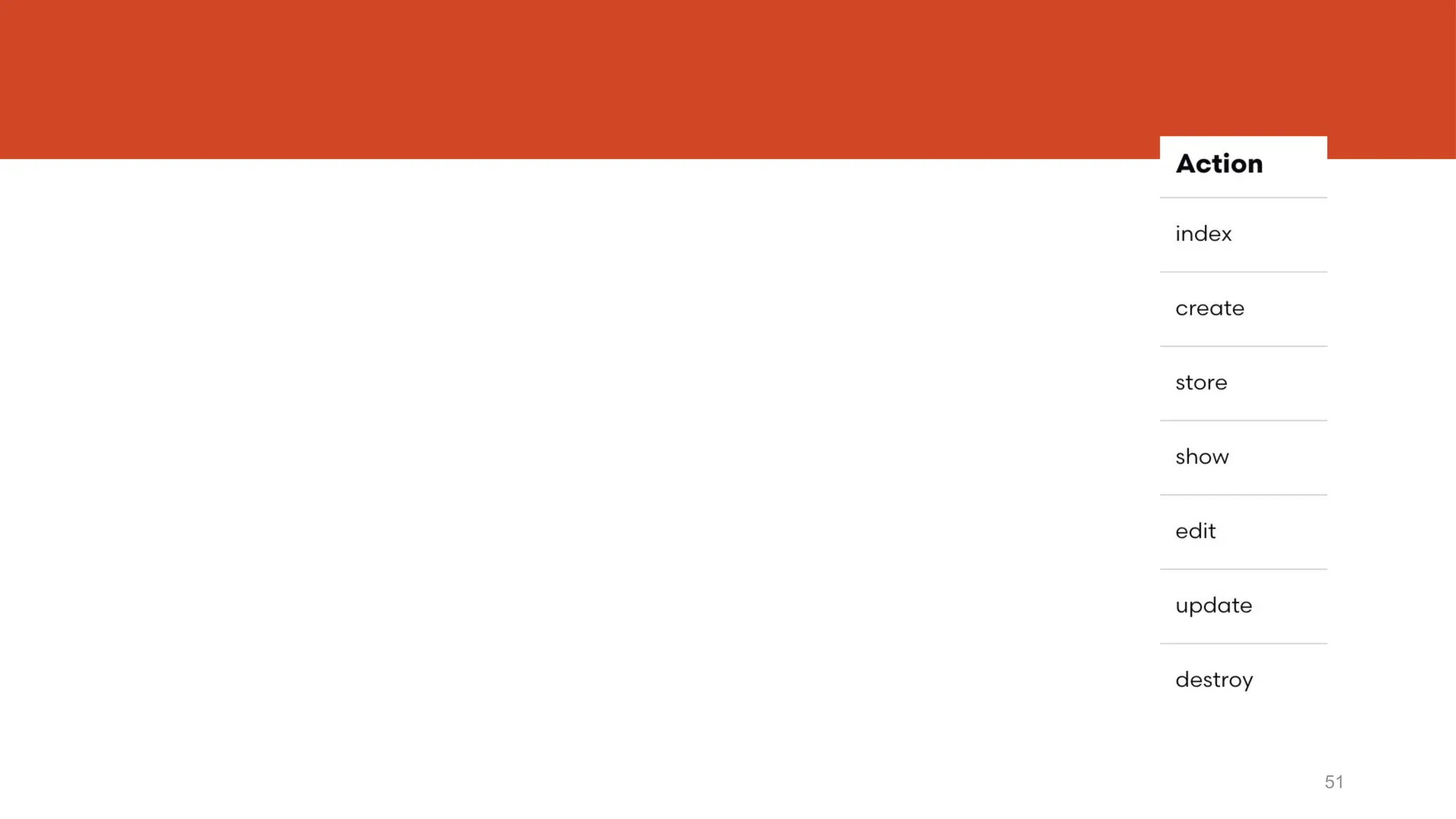
51
http://fstm.kuis.edu.my/blog/laravel 52
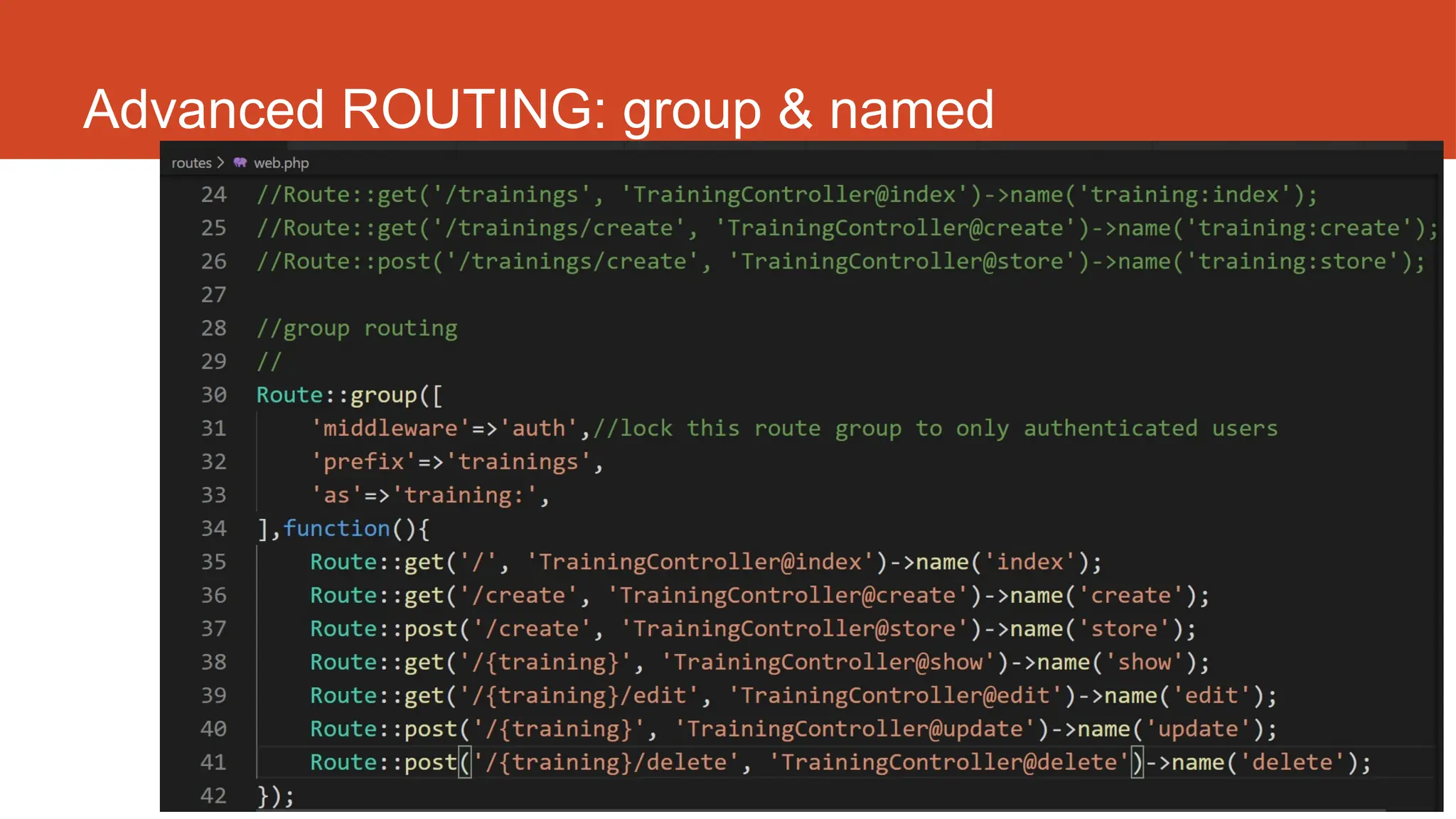
Advanced ROUTING: group & named
http://fstm.kuis.edu.my/blog/laravel 53
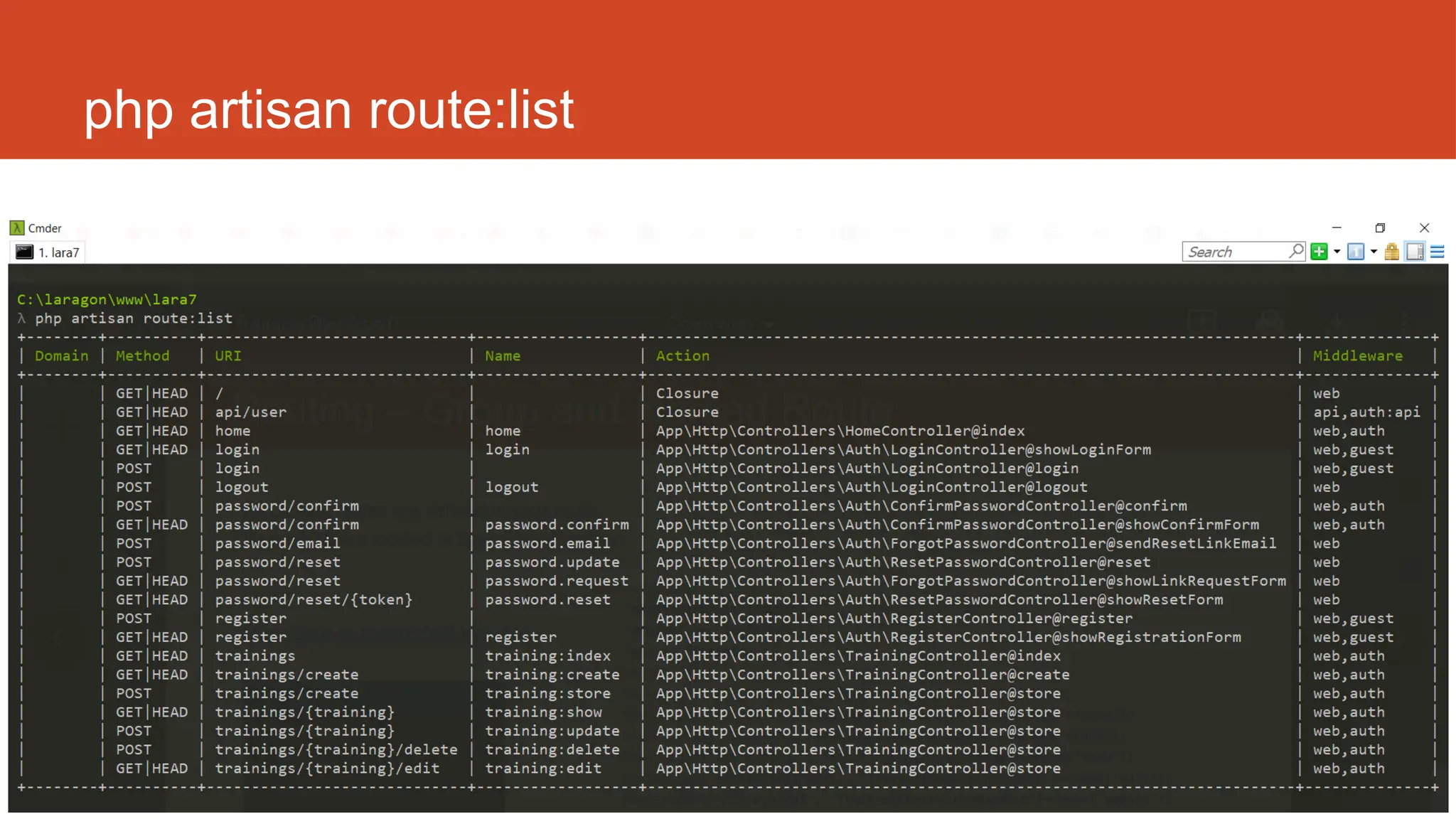
php artisan route:list
Laravel t07
Search
55
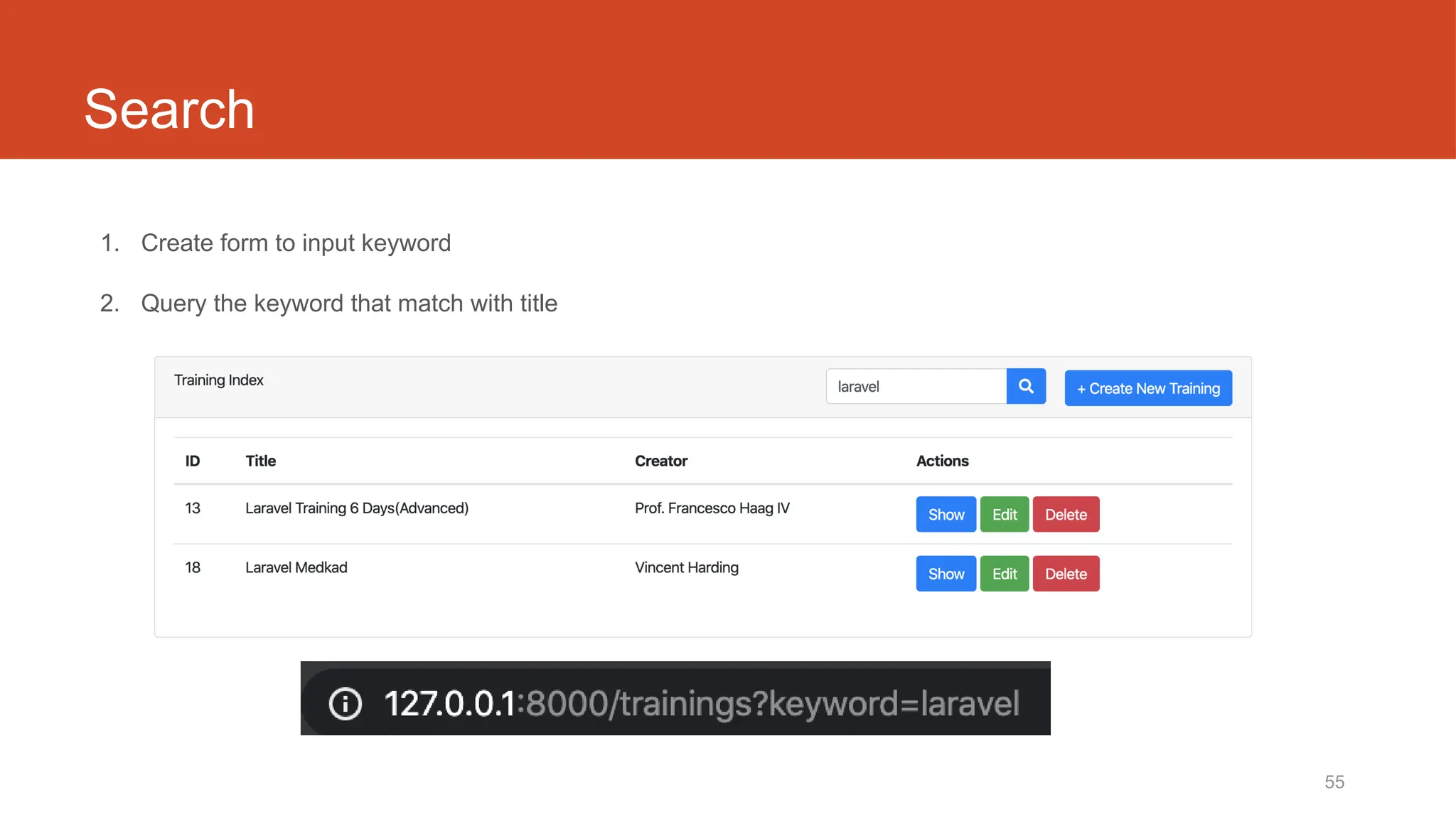
Search
1. Create form to input keyword
2. Query the keyword that match with title
56
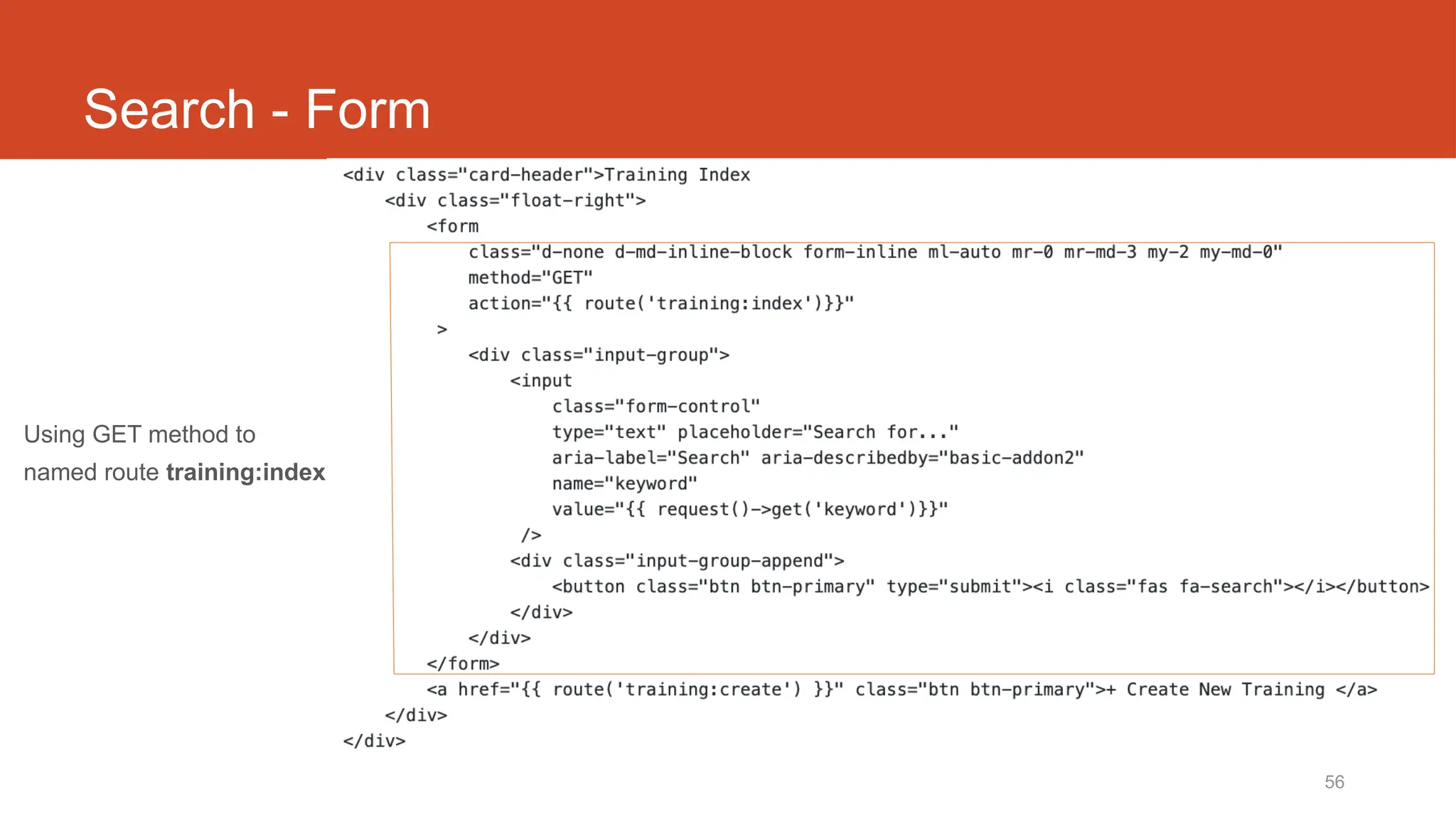
Search - Form
Using GET method to
named route training:index
57
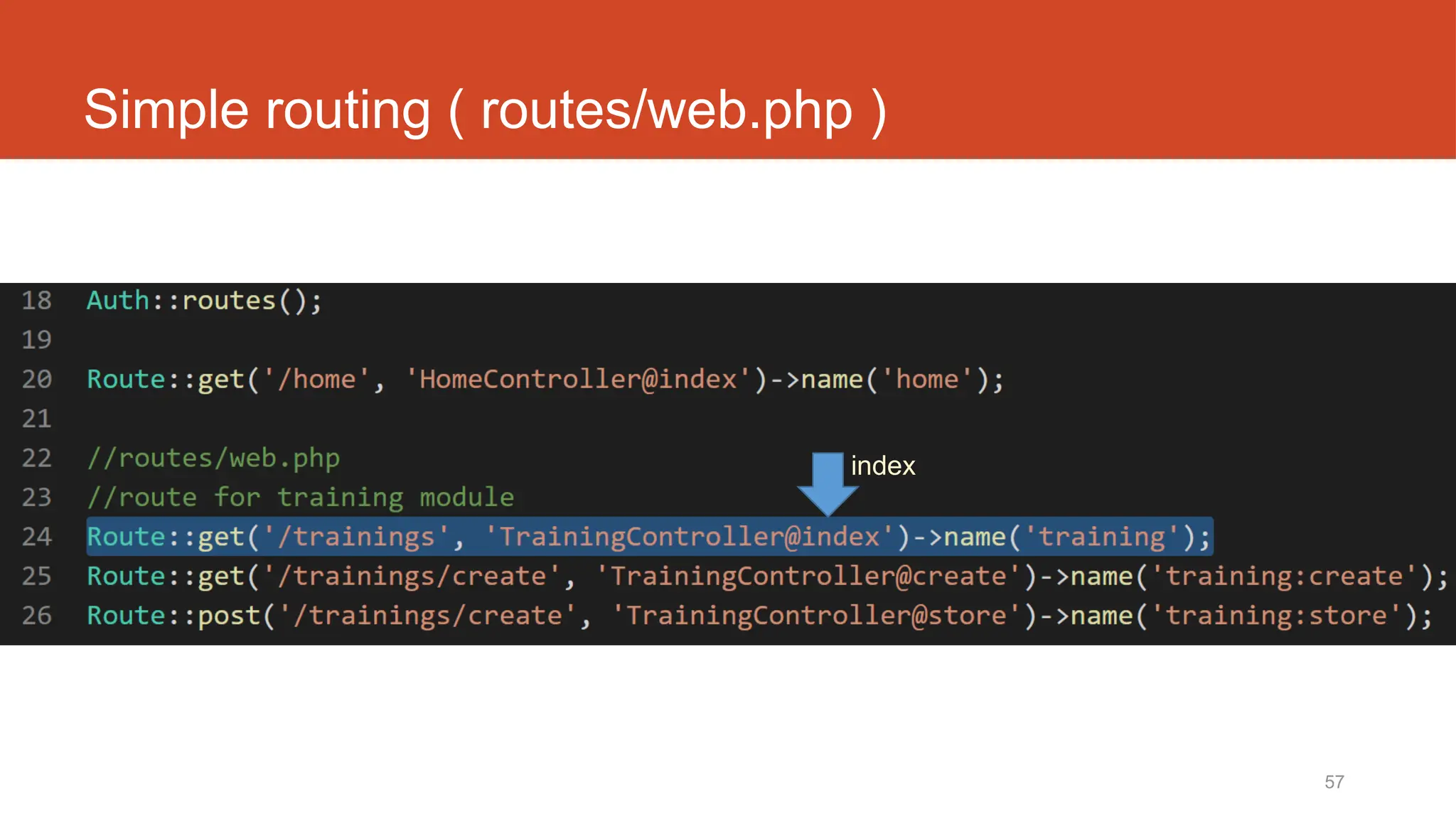
Simple routing ( routes/web.php )
index
58
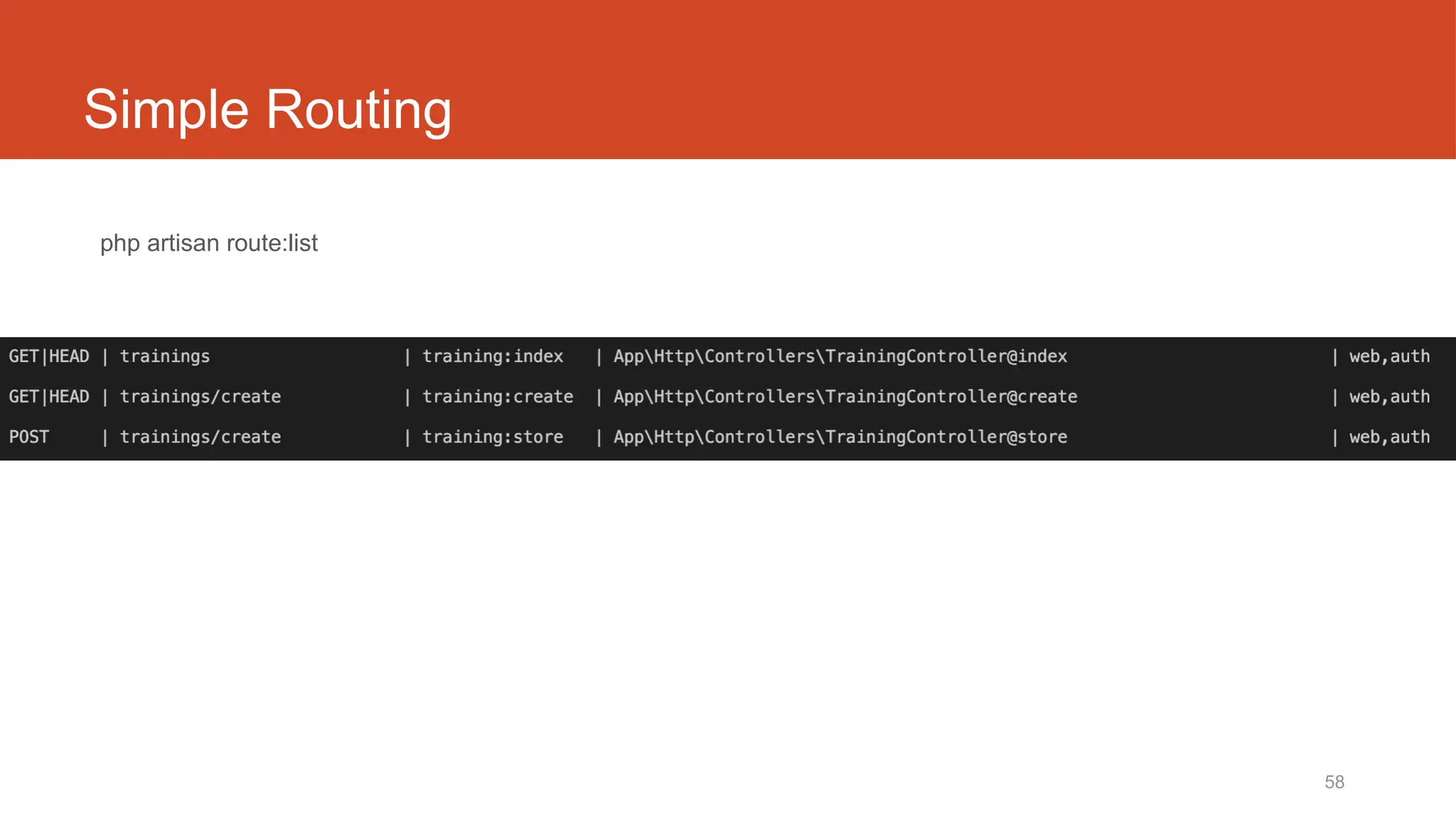
Simple Routing
php artisan route:list
https://laravel.com/docs/6.x/routing.
59
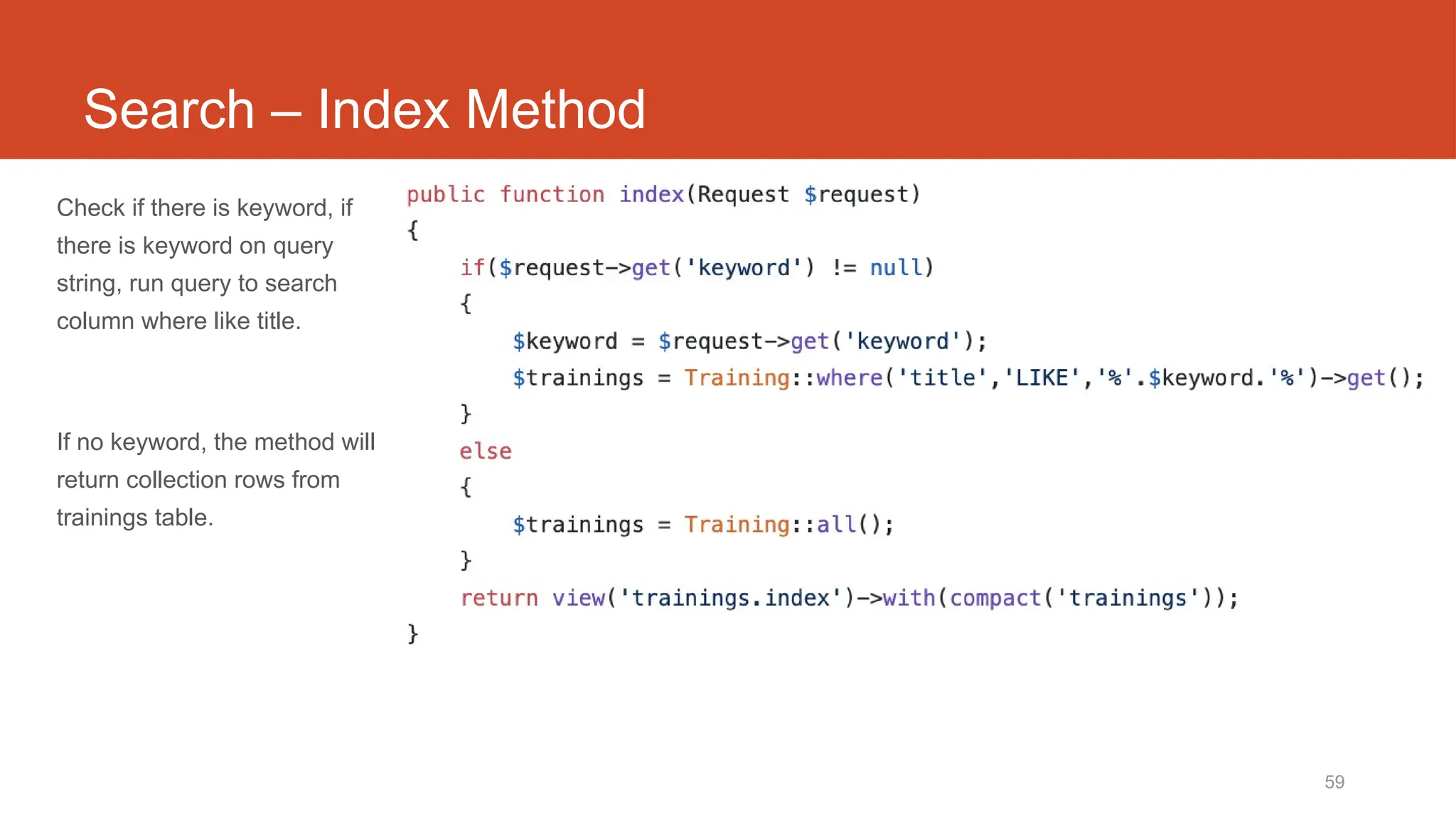
Search – Index Method
Check if there is keyword, if
there is keyword on query
string, run query to search
column where like title.
If no keyword, the method will
return collection rows from
trainings table.
Laravel t08
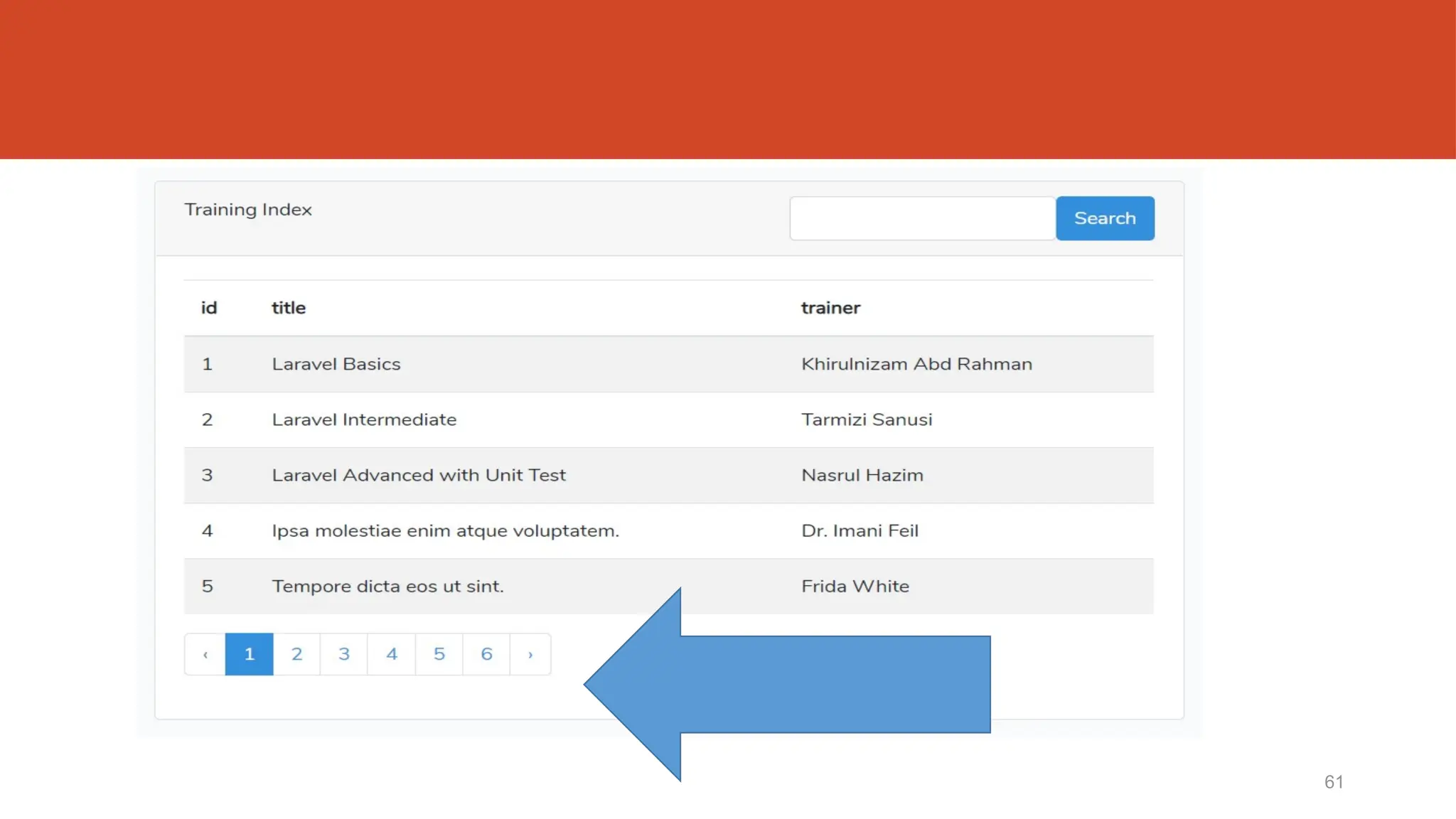
Pagination
61
62
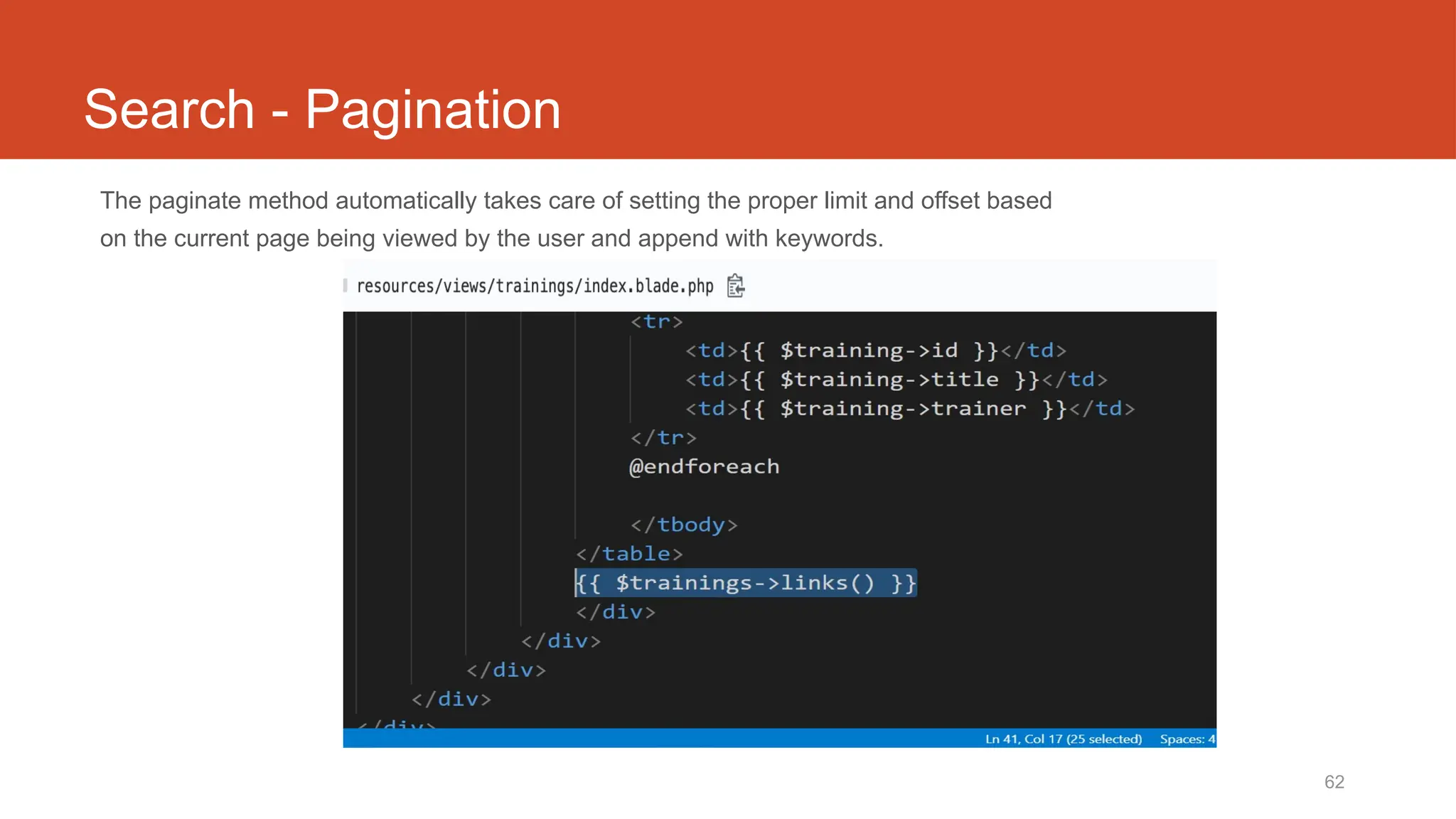
Search - Pagination
The paginate method automatically takes care of setting the proper limit and offset based
on the current page being viewed by the user and append with keywords.
63
TrainingController@index
64
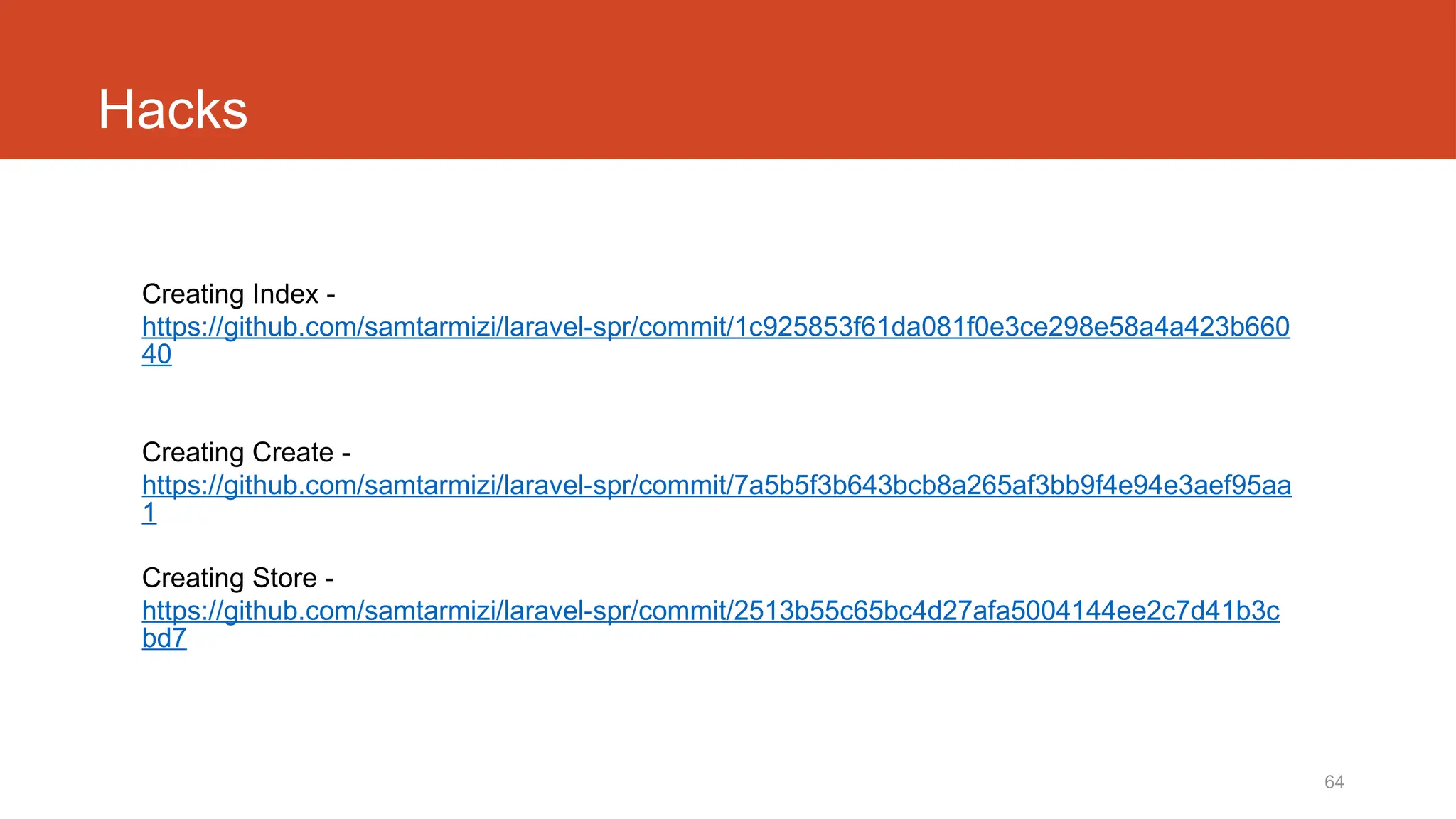
Hacks
Creating Index -
https://github.com/samtarmizi/laravel-spr/commit/1c925853f61da081f0e3ce298e58a4a423b660
40
Creating Create -
https://github.com/samtarmizi/laravel-spr/commit/7a5b5f3b643bcb8a265af3bb9f4e94e3aef95aa
1
Creating Store -
https://github.com/samtarmizi/laravel-spr/commit/2513b55c65bc4d27afa5004144ee2c7d41b3c
bd7
Laravel t10
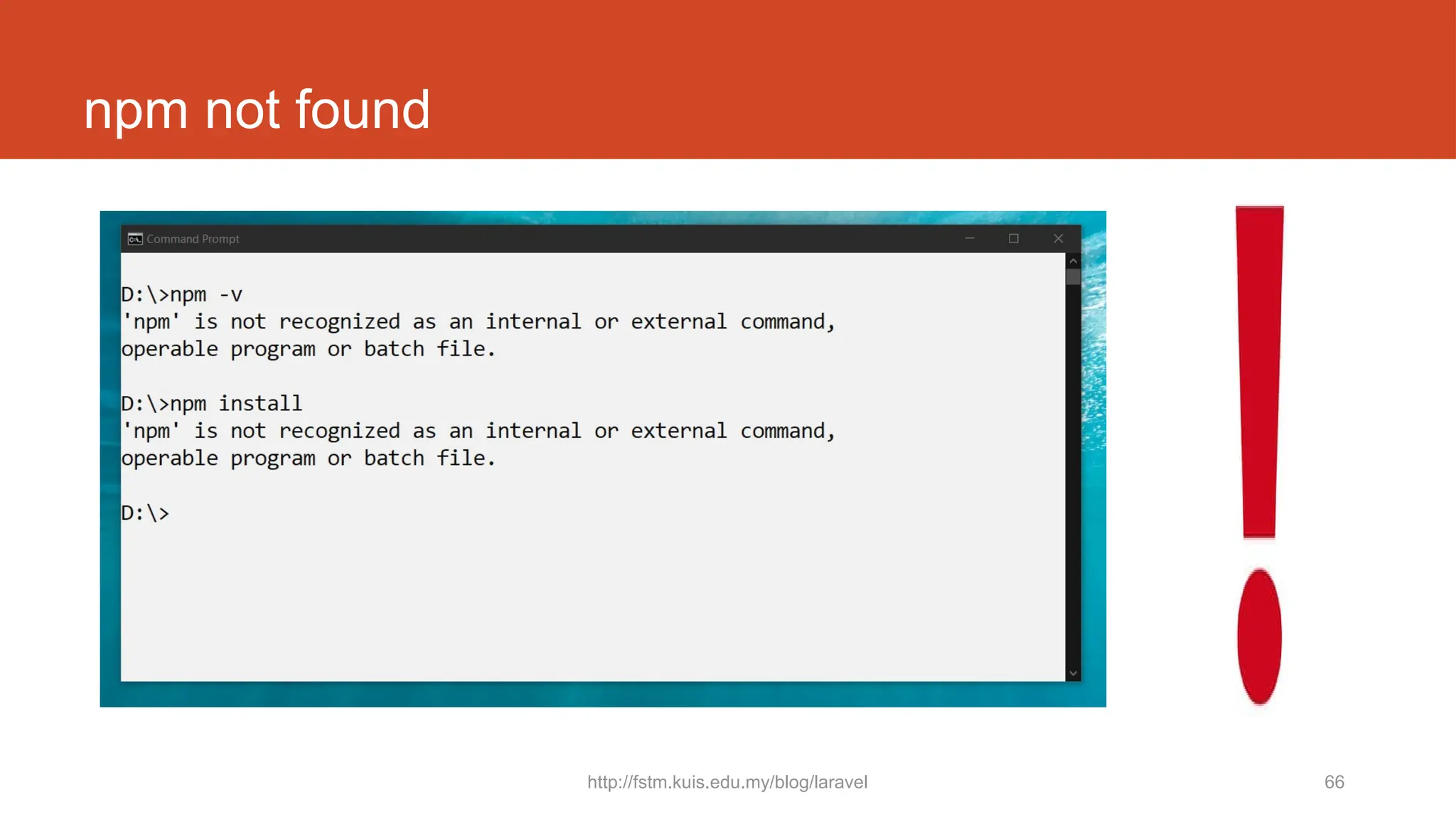
npm not found
http://fstm.kuis.edu.my/blog/laravel 66
npm not found
67
Authentication Module
Laravel makes implementing authentication very simple. In fact, almost everything is configured for you out of the box.
http://fstm.kuis.edu.my/blog/laravel 68
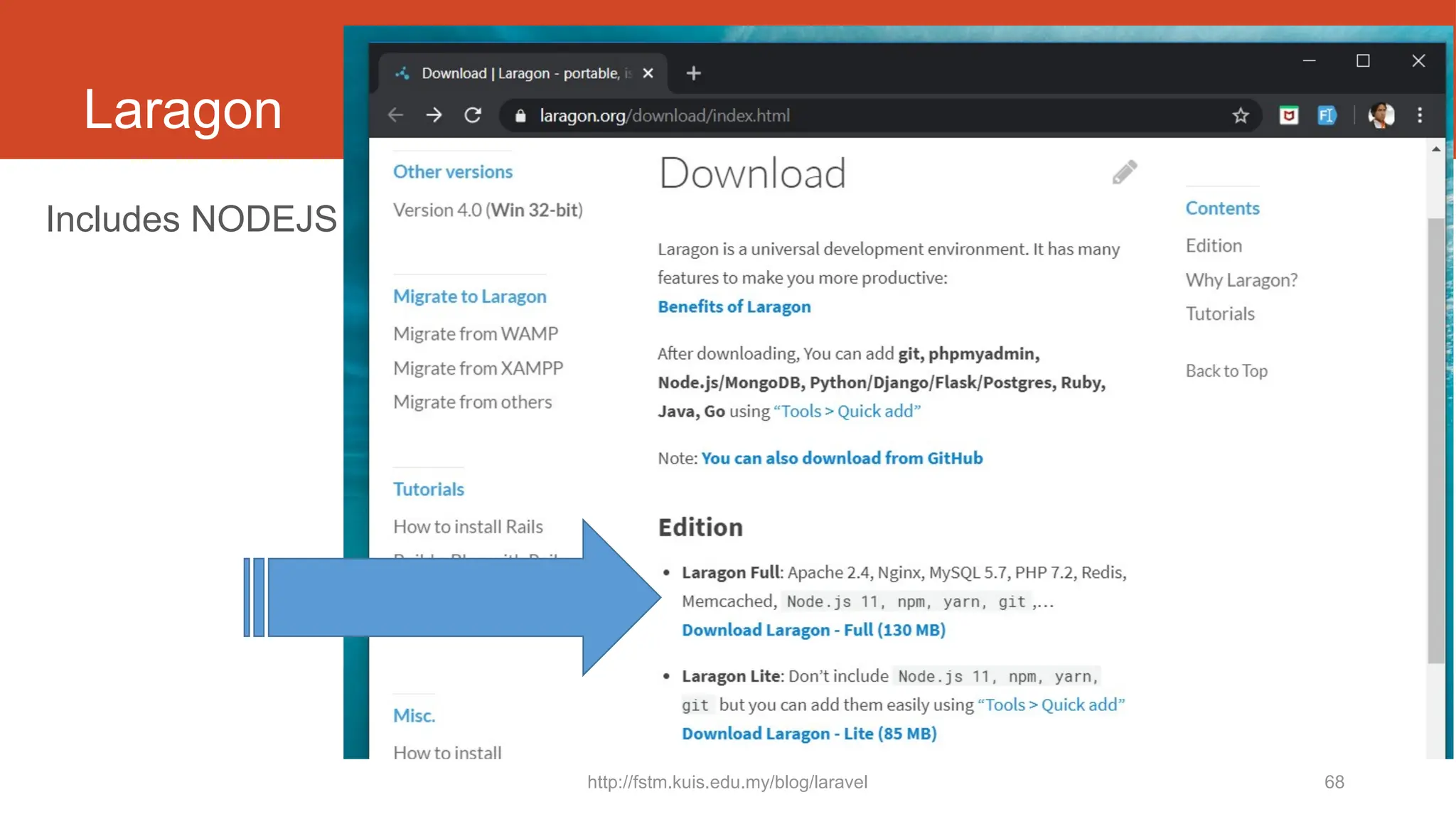
Laragon
Includes NODEJS
http://fstm.kuis.edu.my/blog/laravel 69
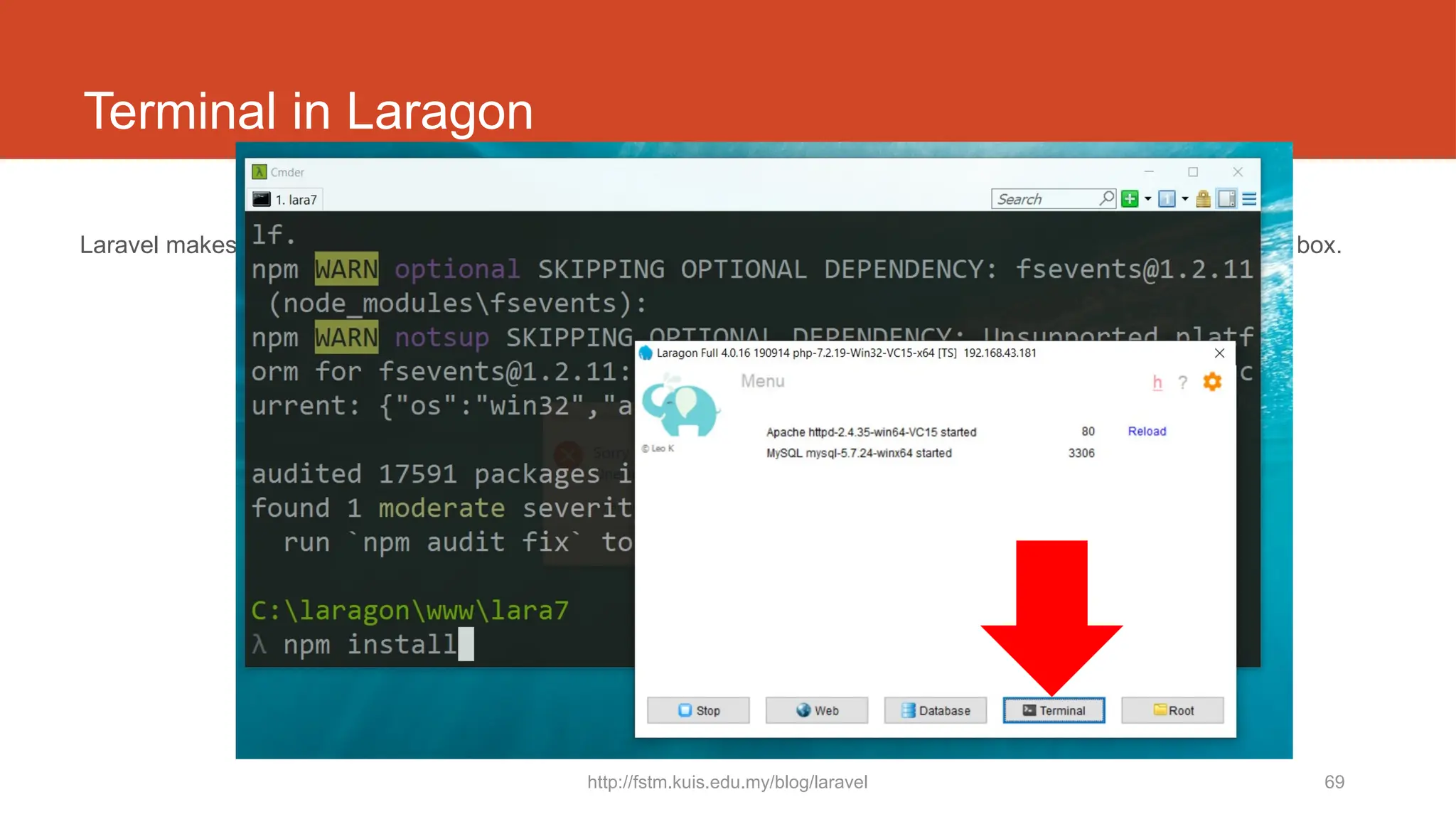
Terminal in Laragon
Laravel makes implementing authentication very simple. In fact, almost everything is configured for you out of the box.
http://fstm.kuis.edu.my/blog/laravel 70
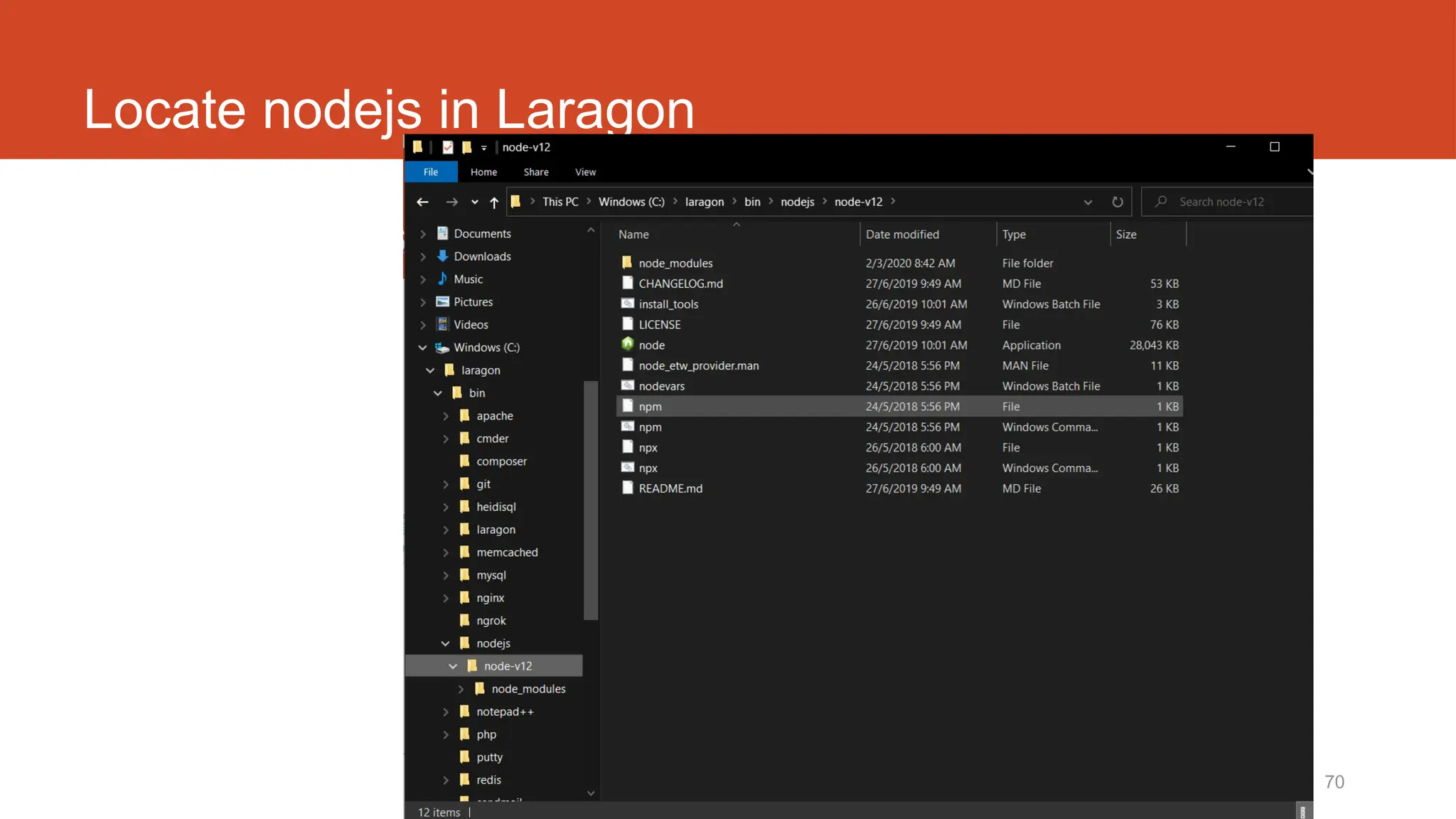
Locate nodejs in Laragon
http://fstm.kuis.edu.my/blog/laravel 71
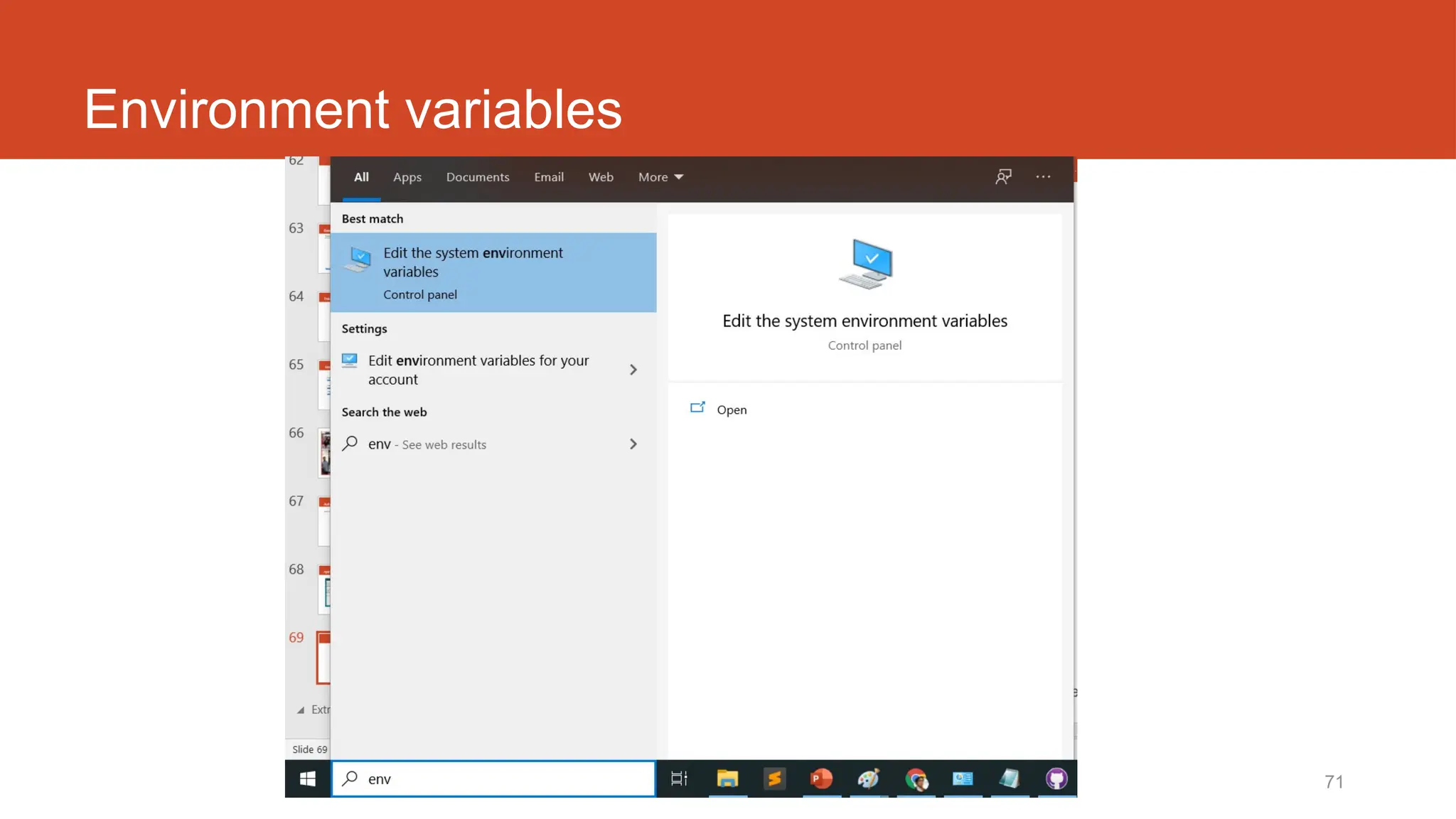
Environment variables
http://fstm.kuis.edu.my/blog/laravel 72
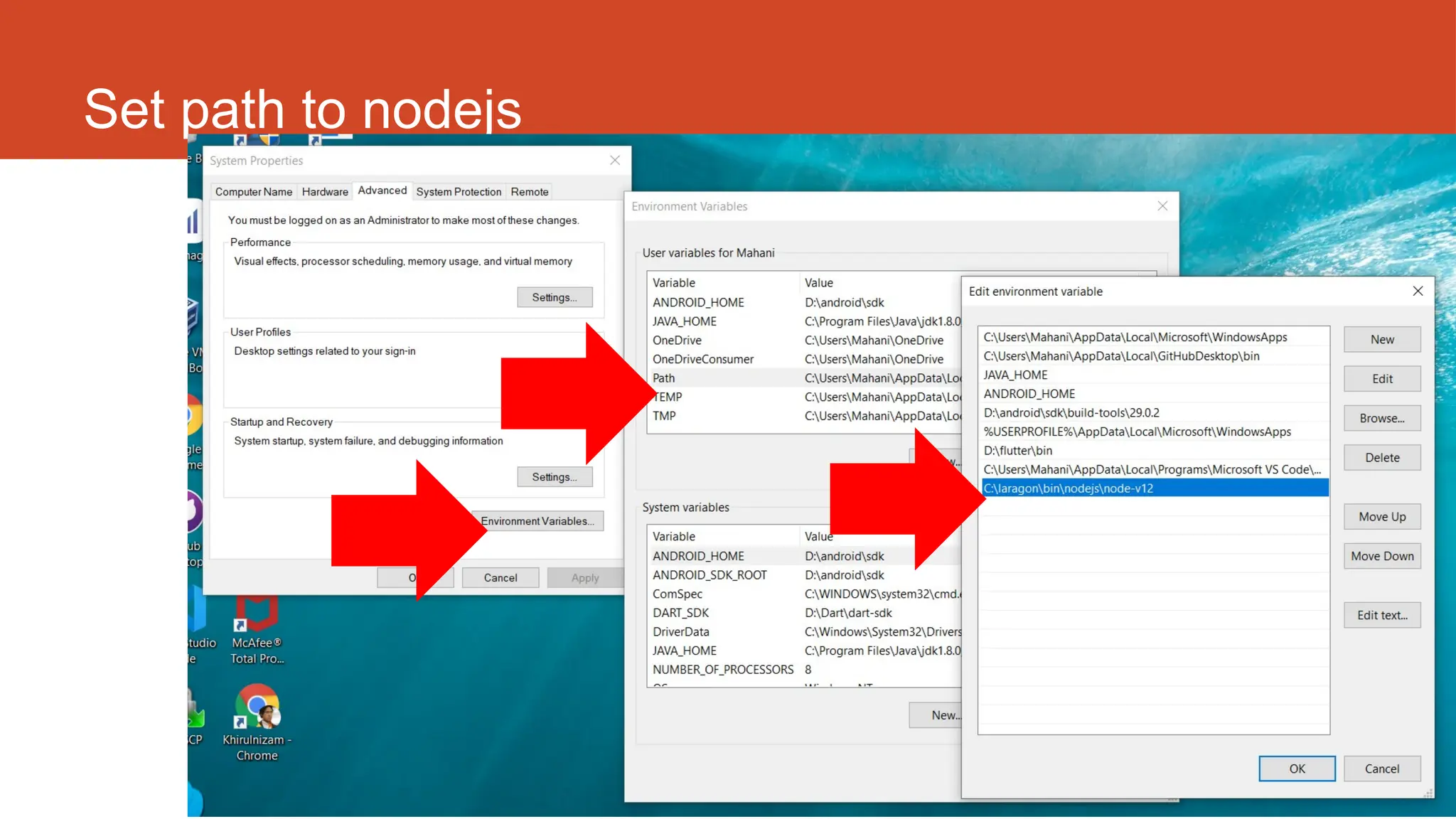
Set path to nodejs
http://fstm.kuis.edu.my/blog/laravel 73
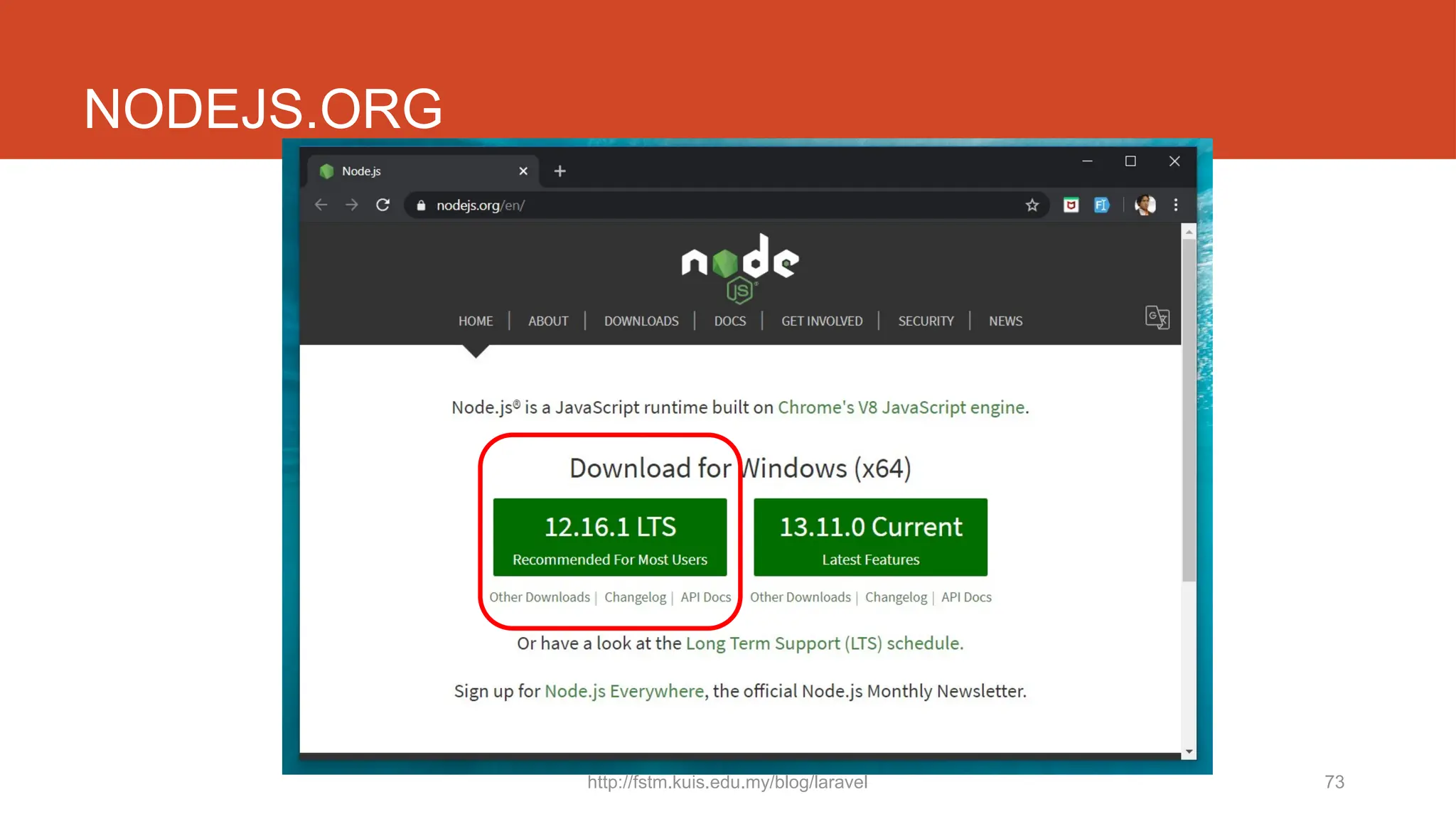
NODEJS.ORG
Laravel t11
Middleware
enforced Auth
http://fstm.kuis.edu.my/blog/laravel 75
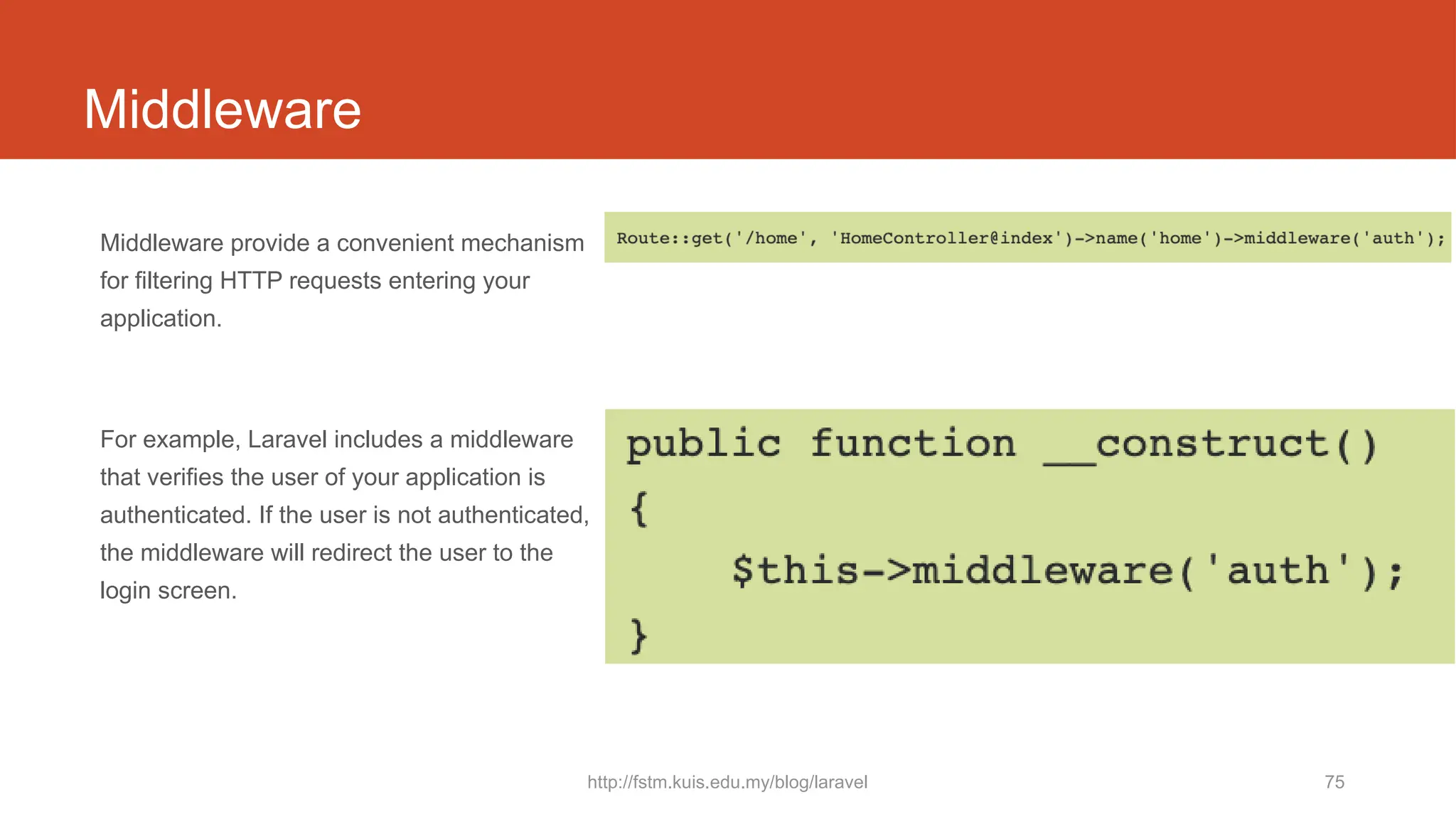
Middleware
Middleware provide a convenient mechanism
for filtering HTTP requests entering your
application.
For example, Laravel includes a middleware
that verifies the user of your application is
authenticated. If the user is not authenticated,
the middleware will redirect the user to the
login screen.
76
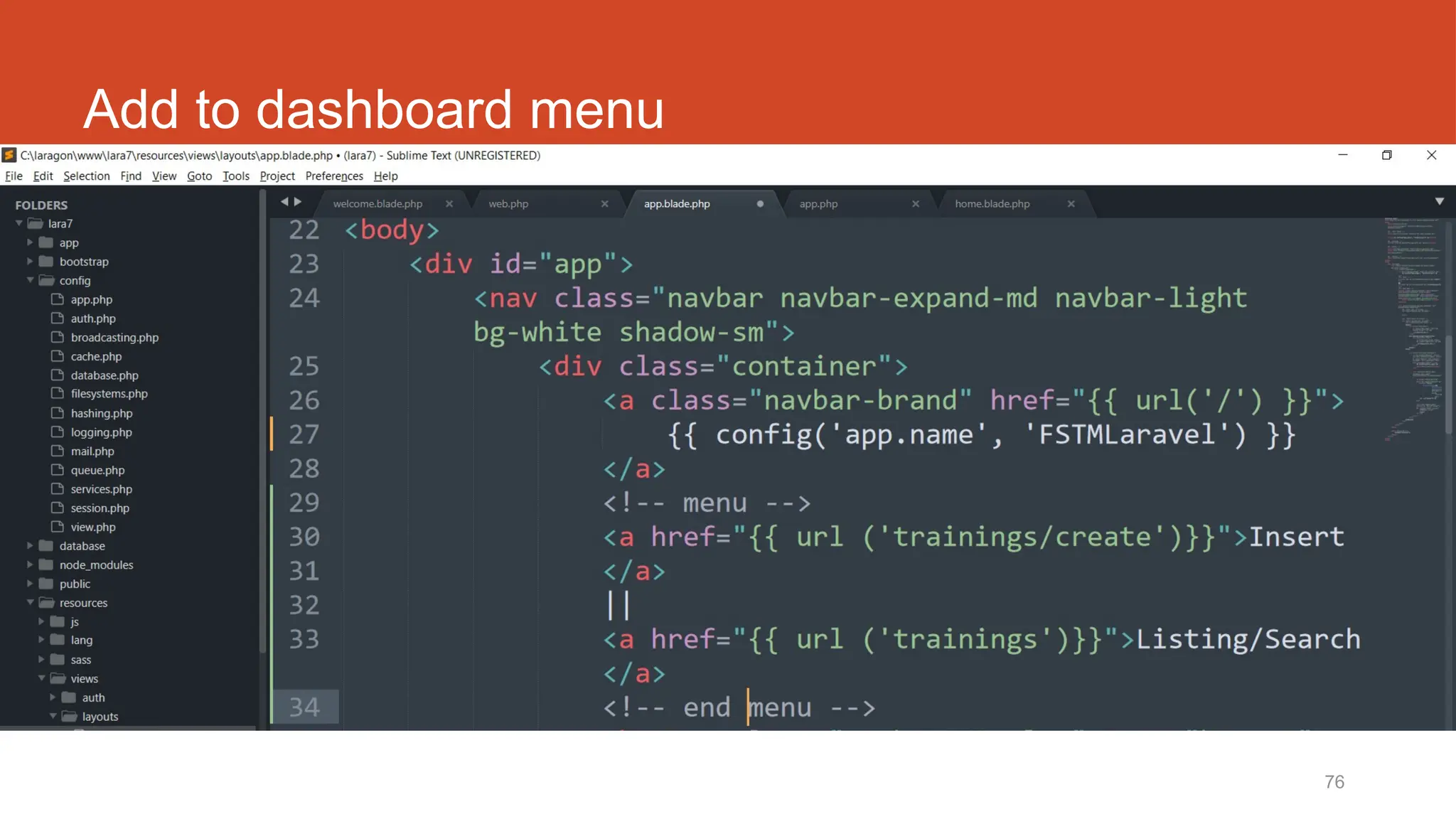
Add to dashboard menu
Laravel t12
Test Laravel project
from Github repo
http://fstm.kuis.edu.my/blog/laravel 78
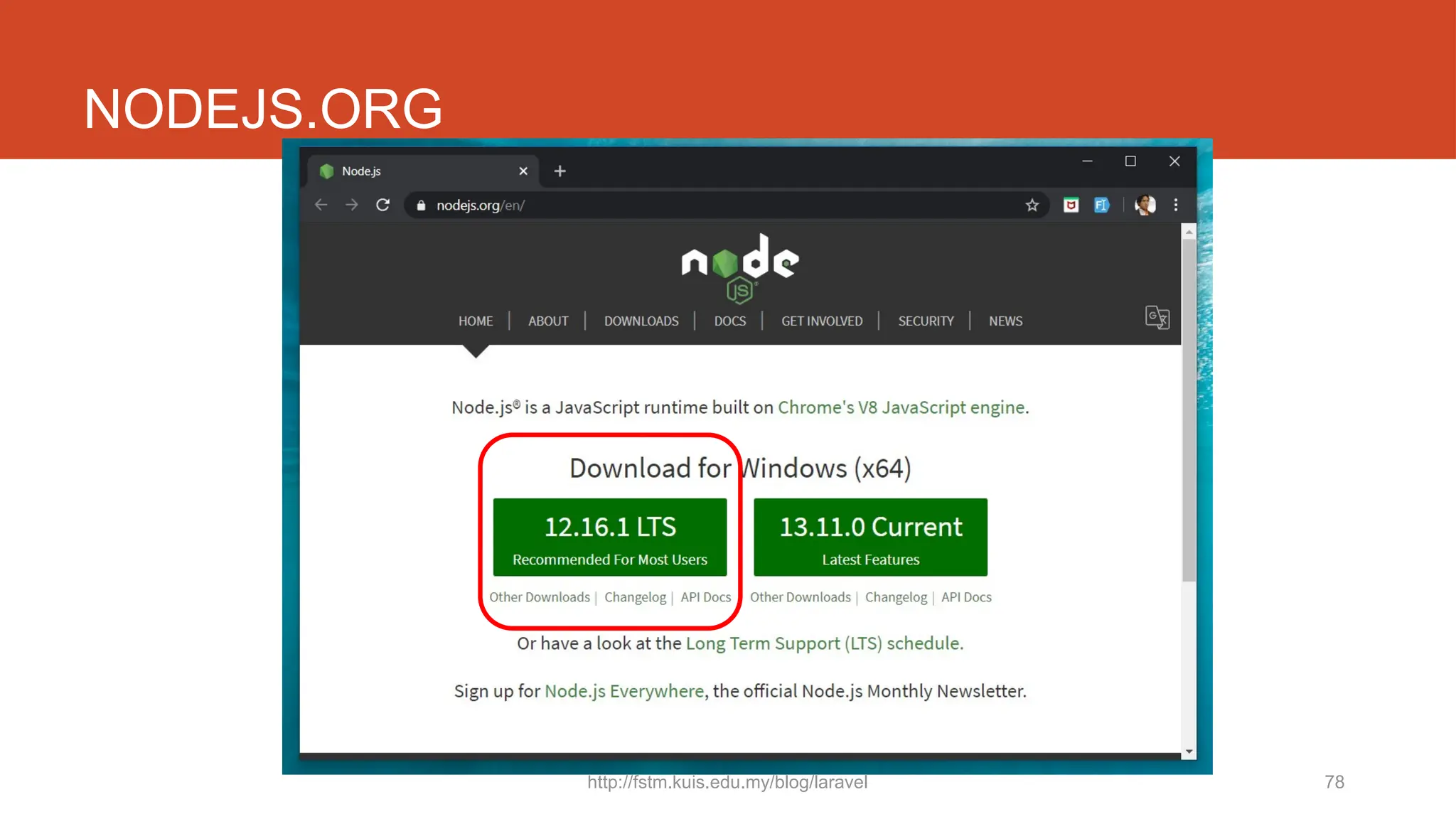
NODEJS.ORG
http://fstm.kuis.edu.my/blog/laravel 79
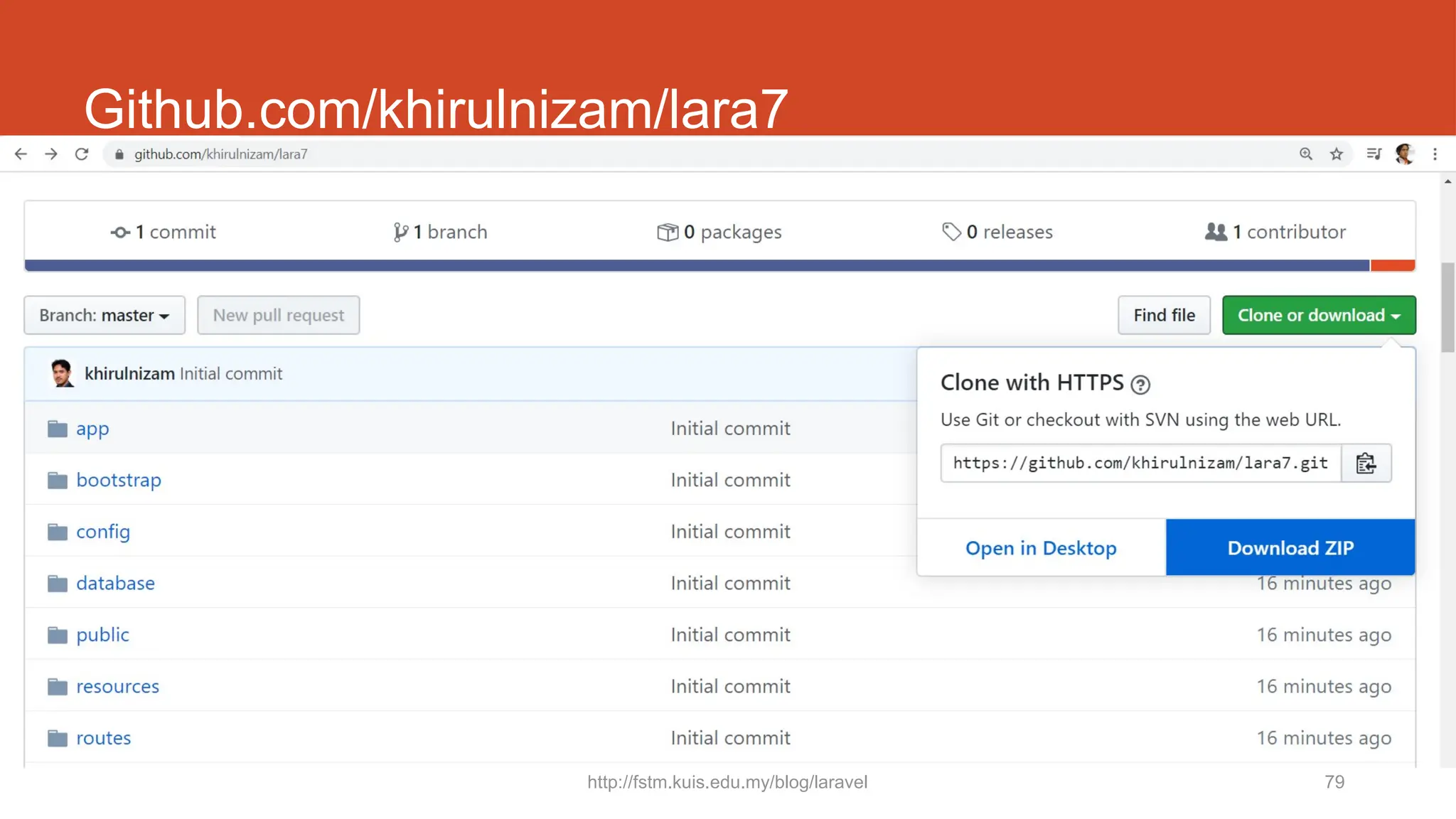
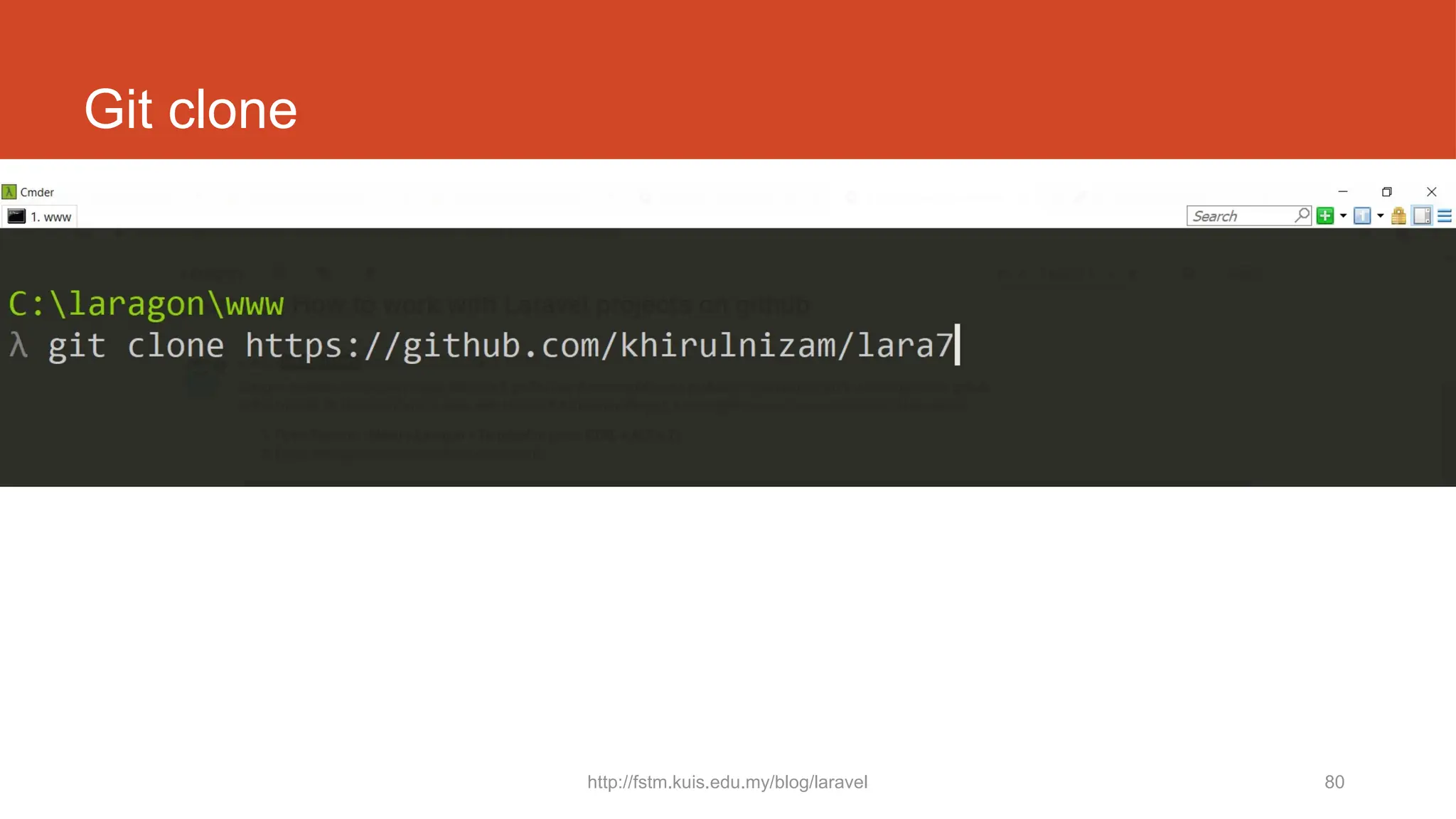
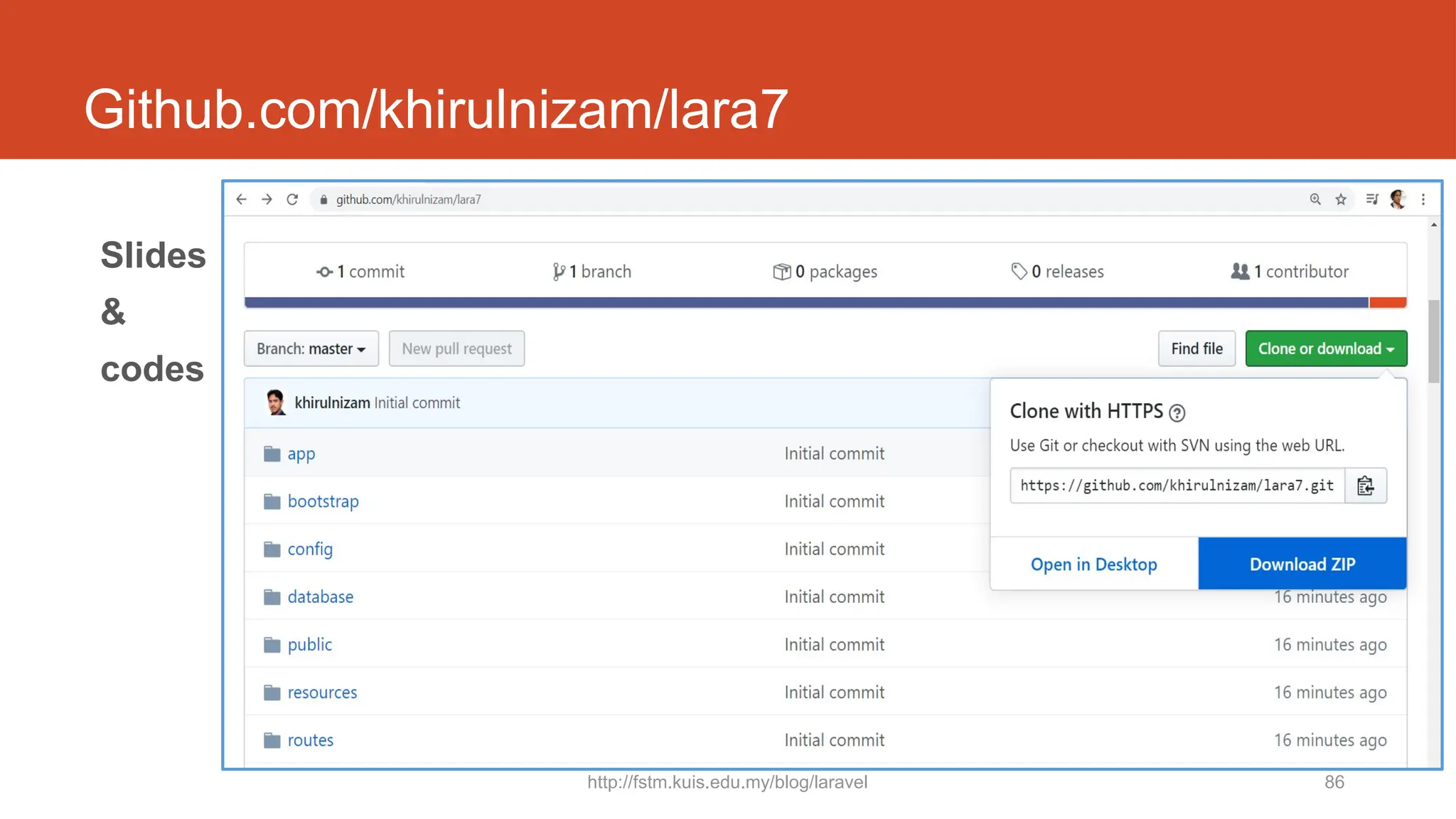
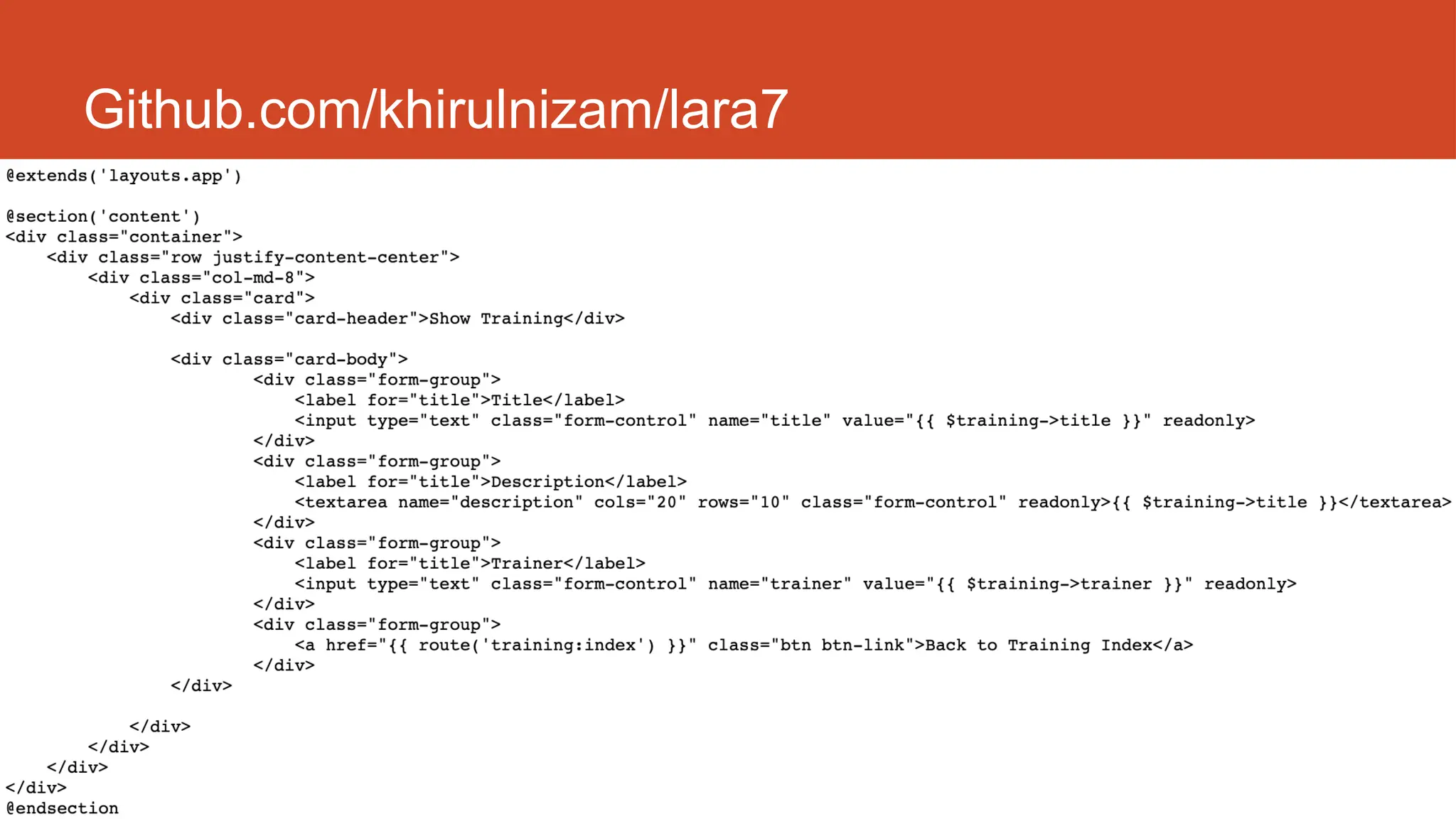
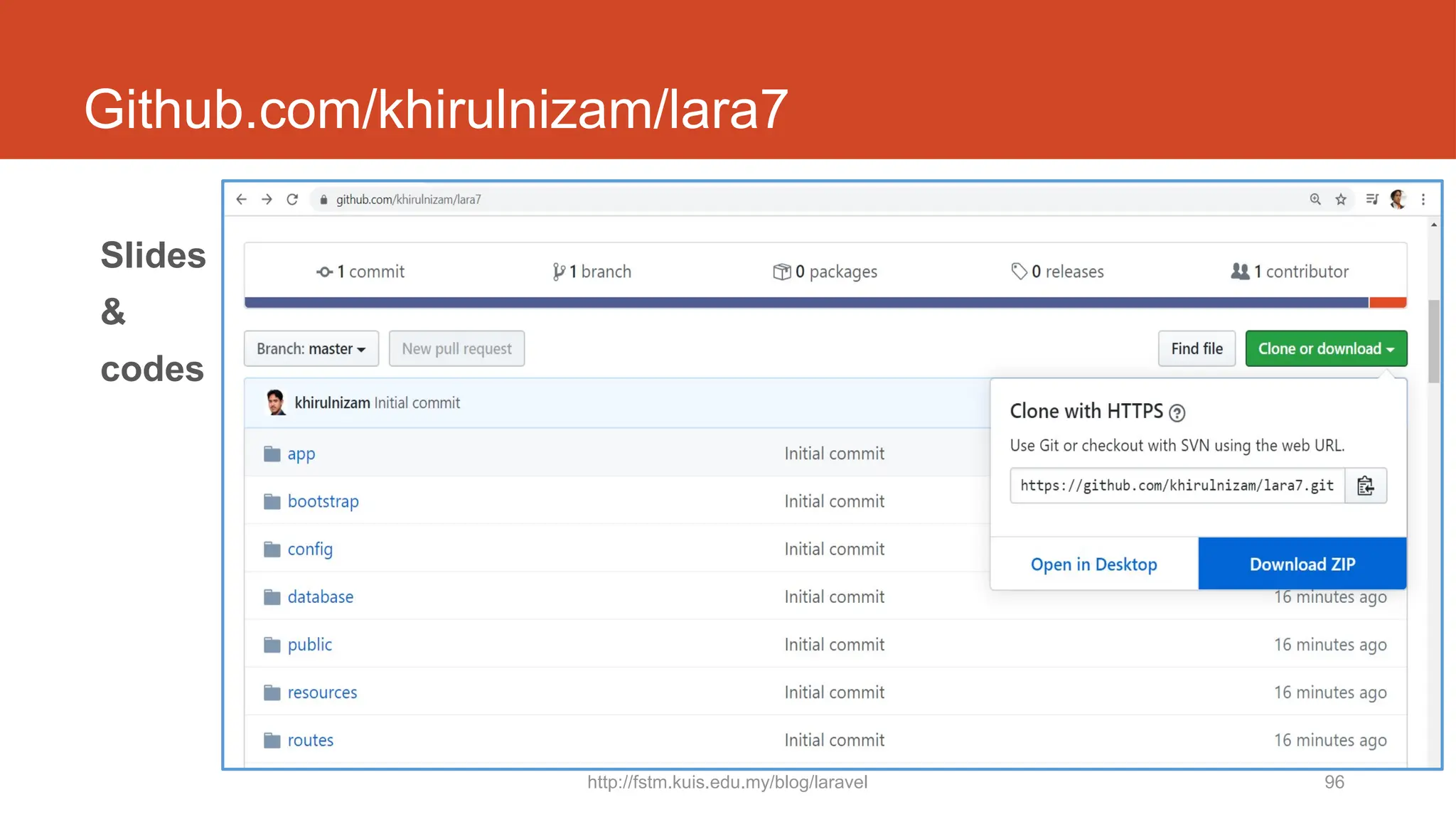
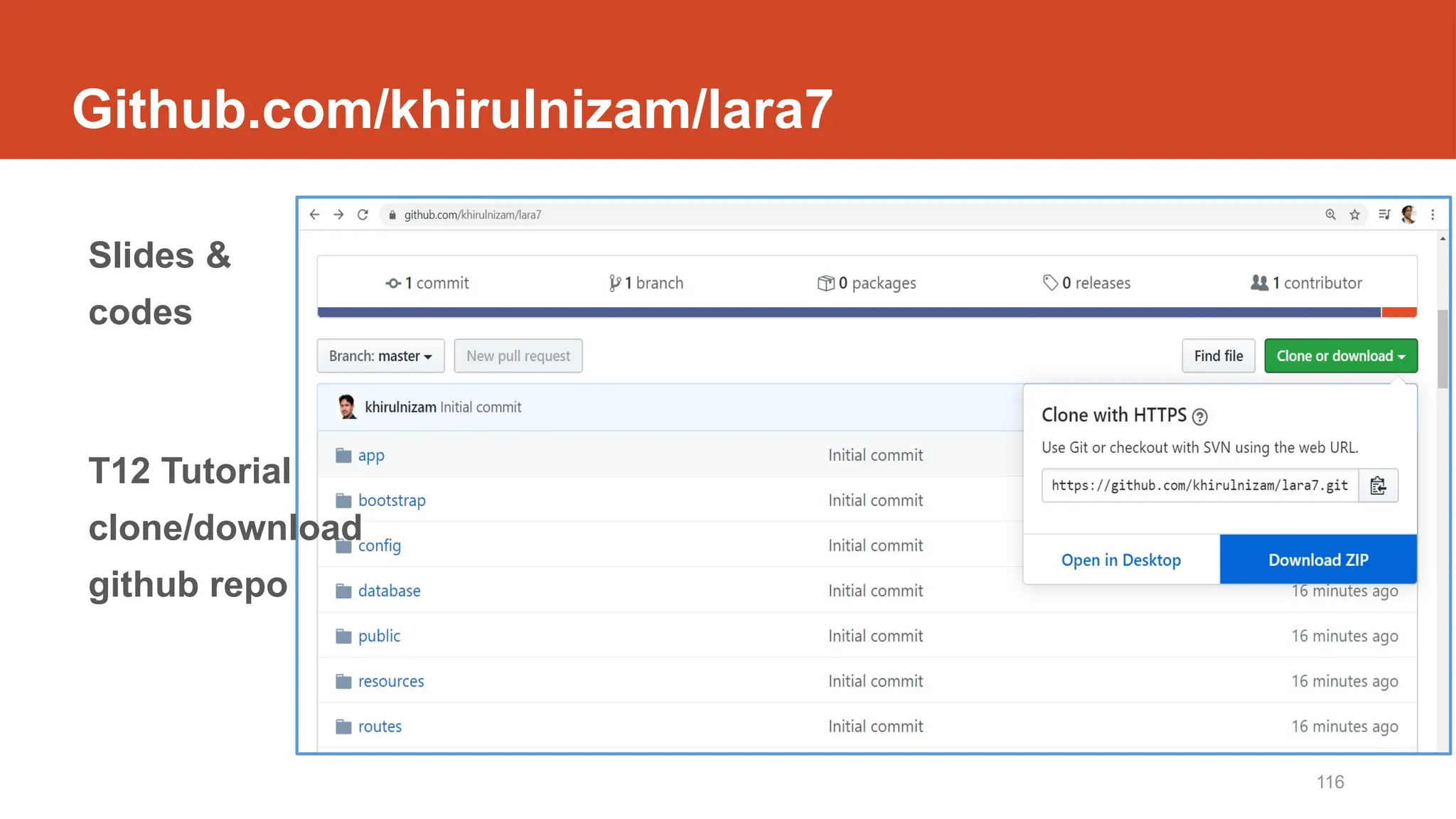
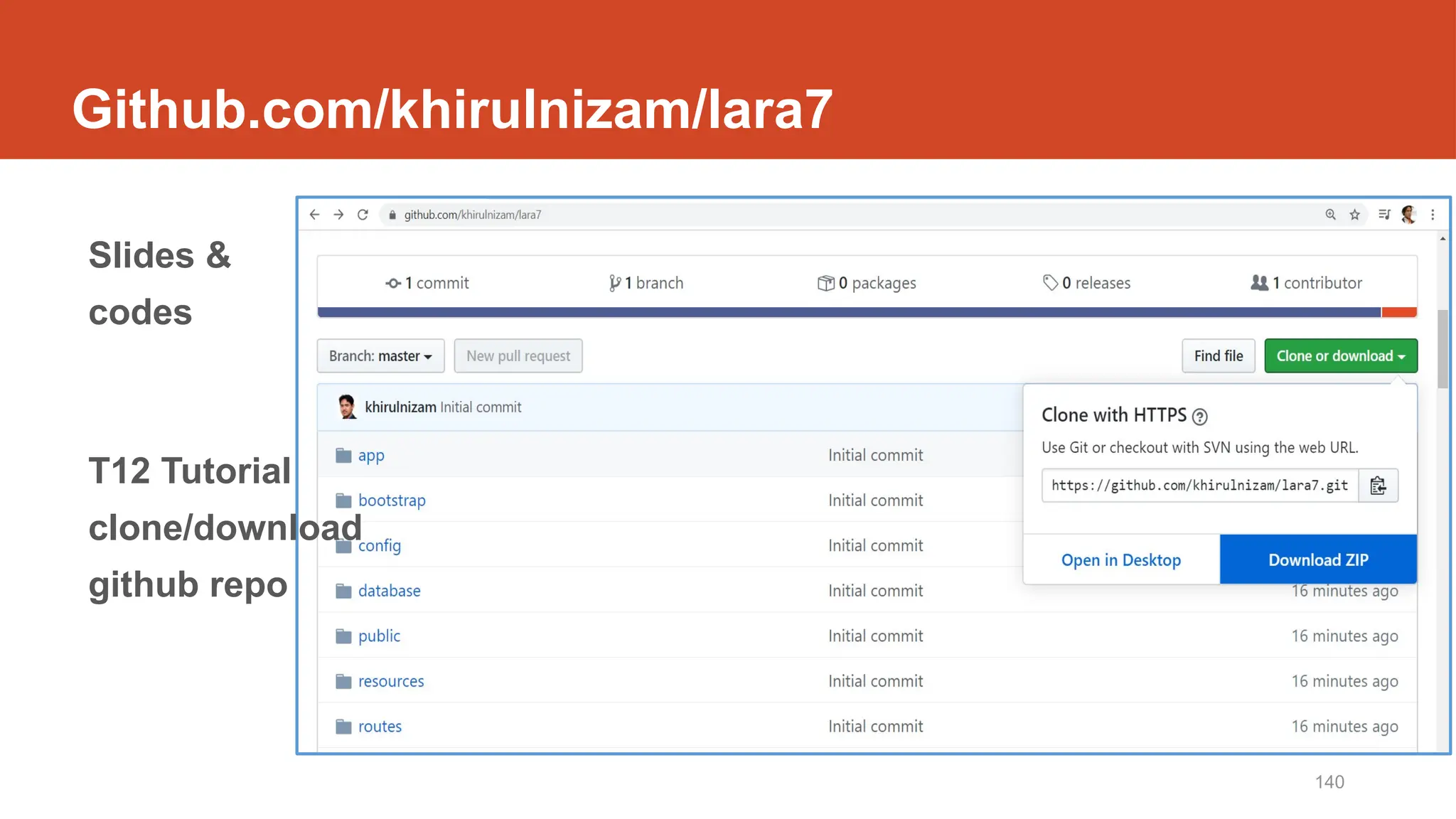
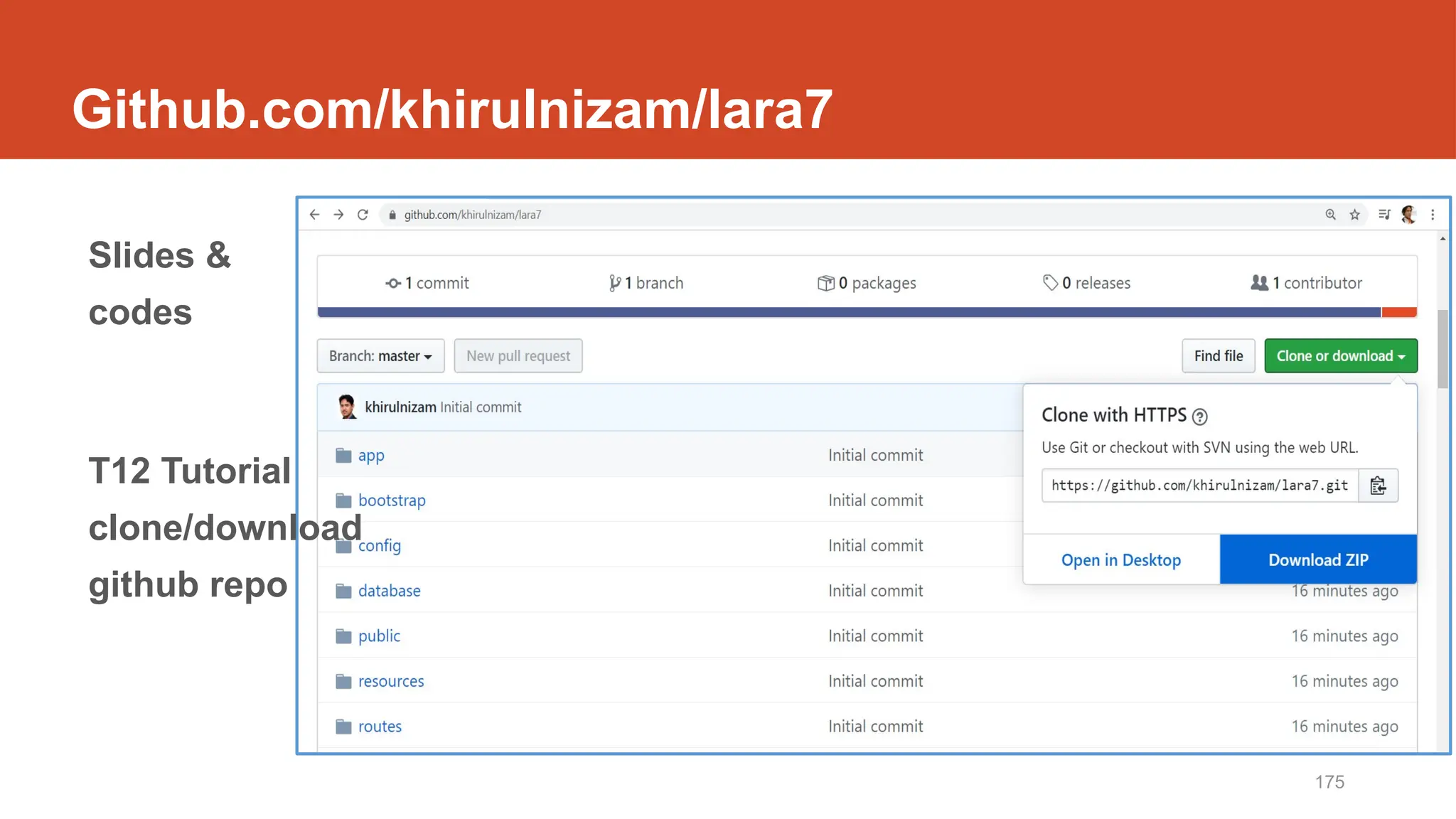
Github.com/khirulnizam/lara7
http://fstm.kuis.edu.my/blog/laravel 80
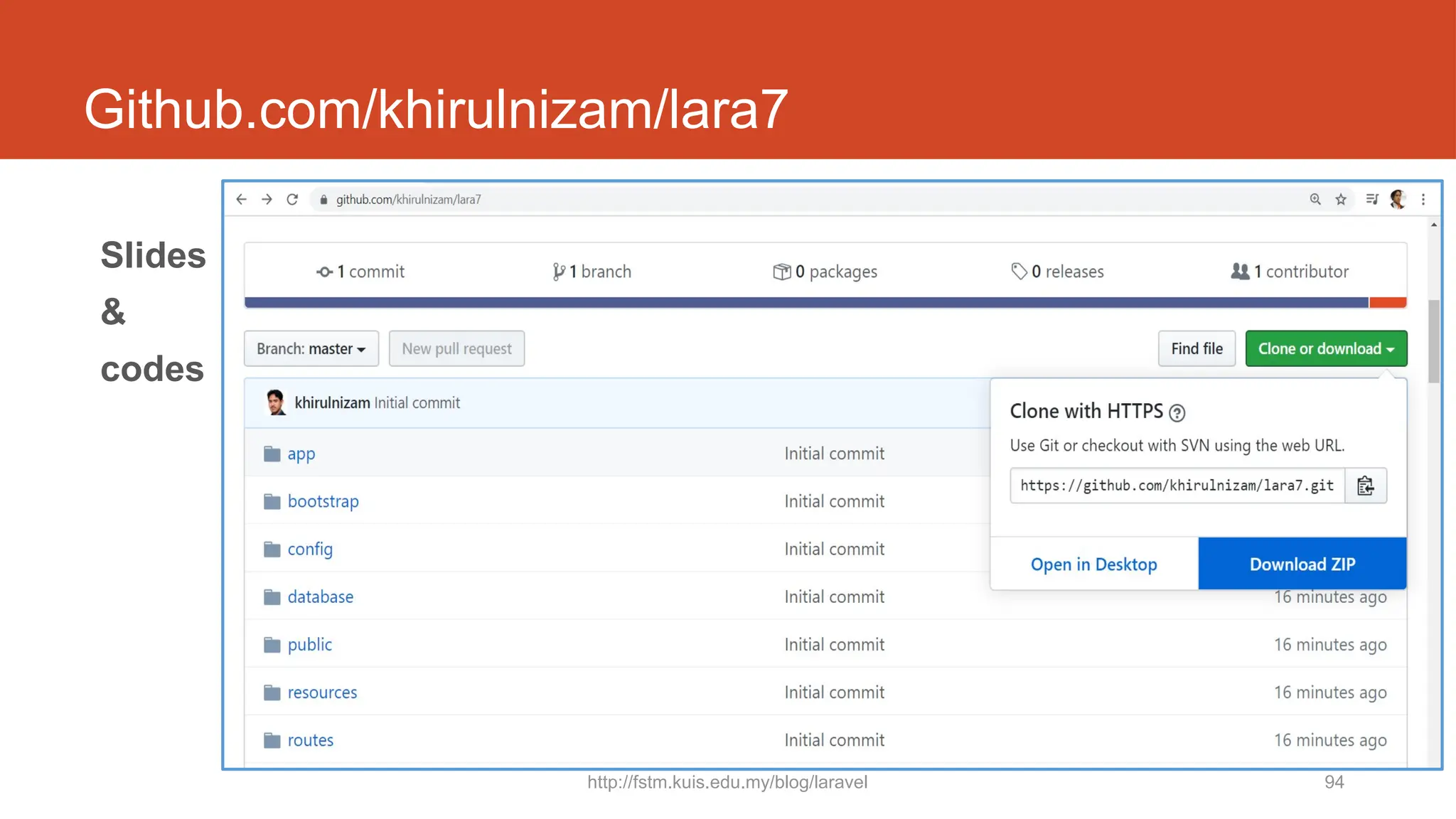
Git clone
http://fstm.kuis.edu.my/blog/laravel 81
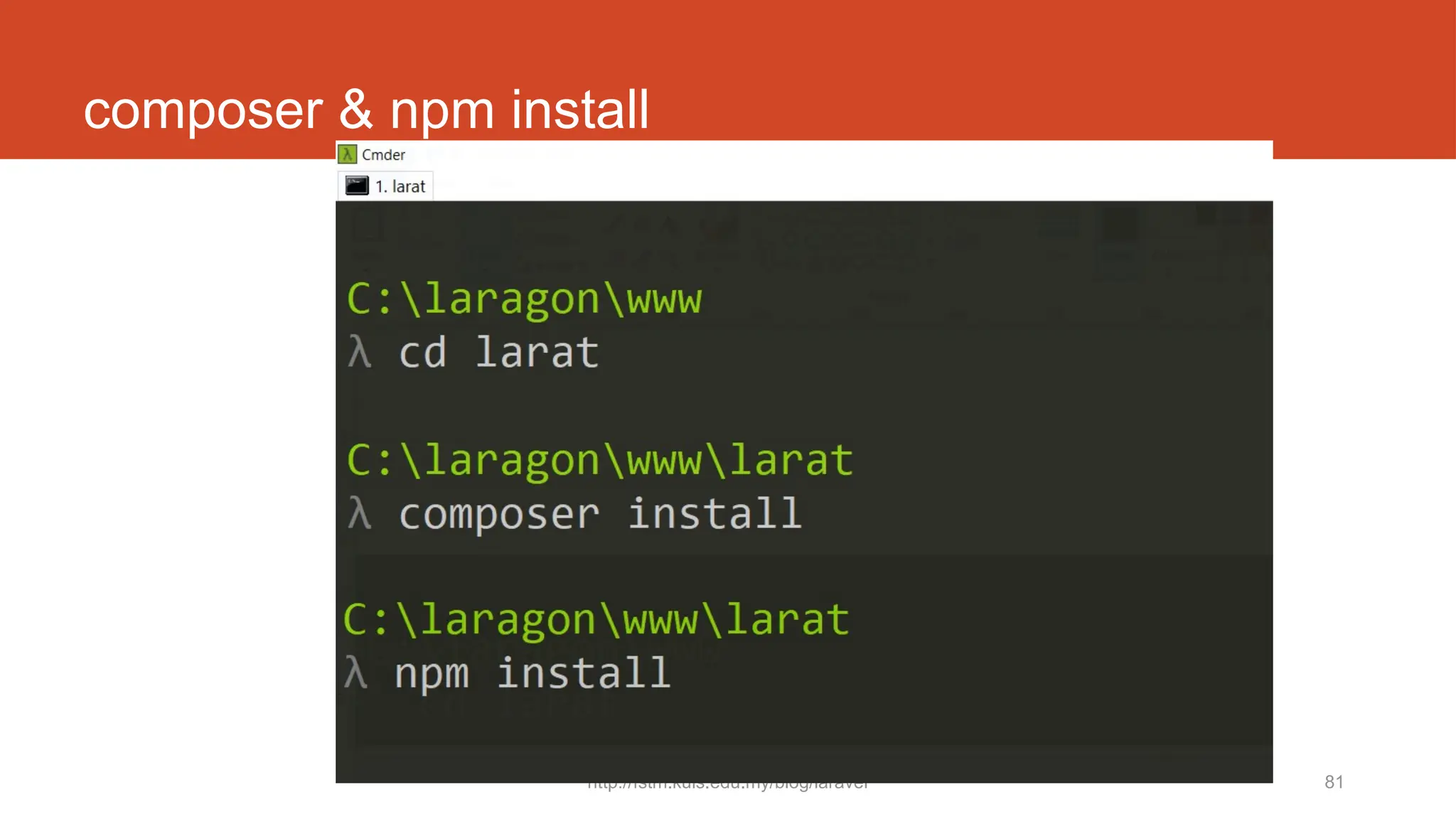
composer & npm install
82
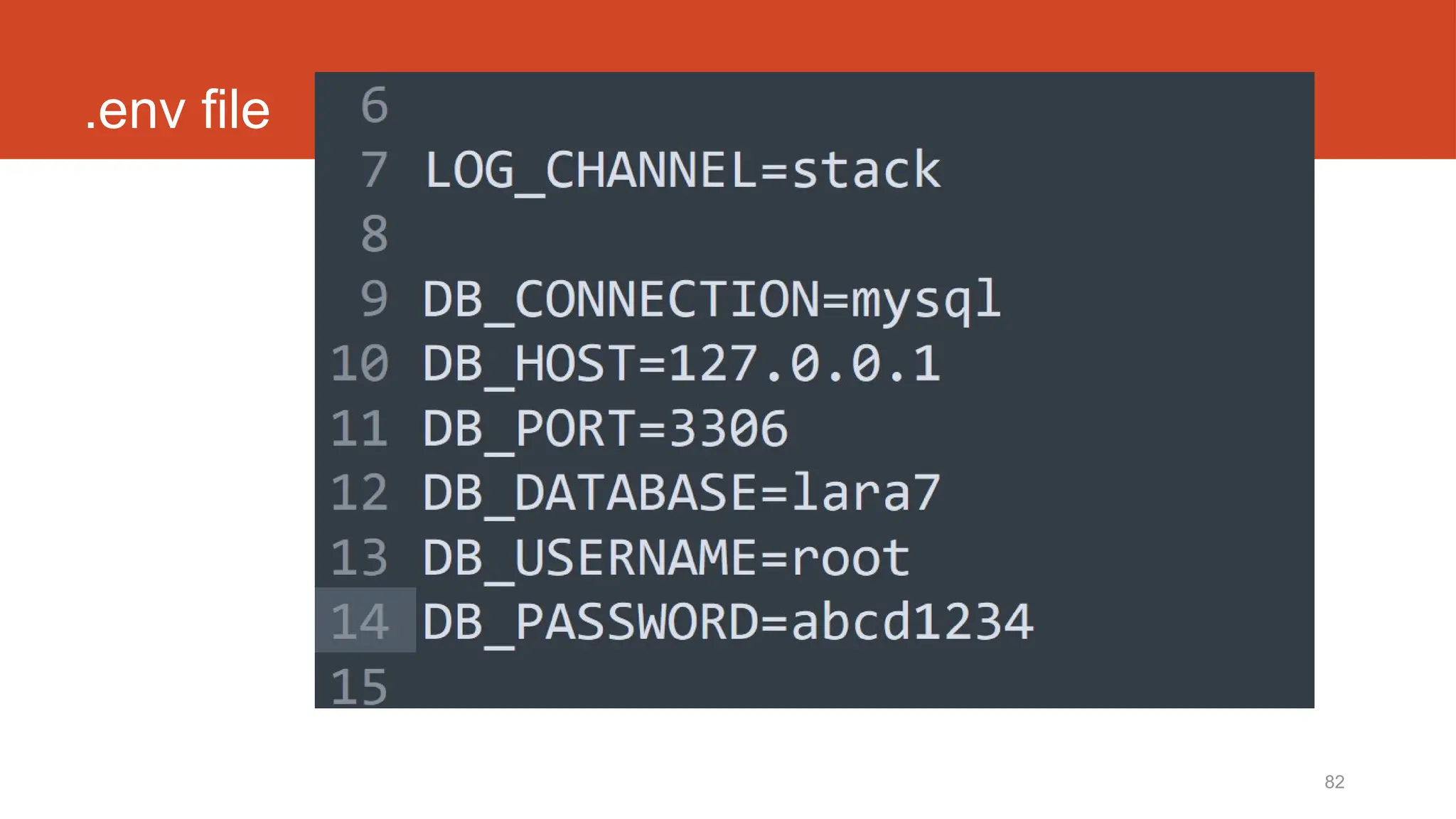
.env file
83
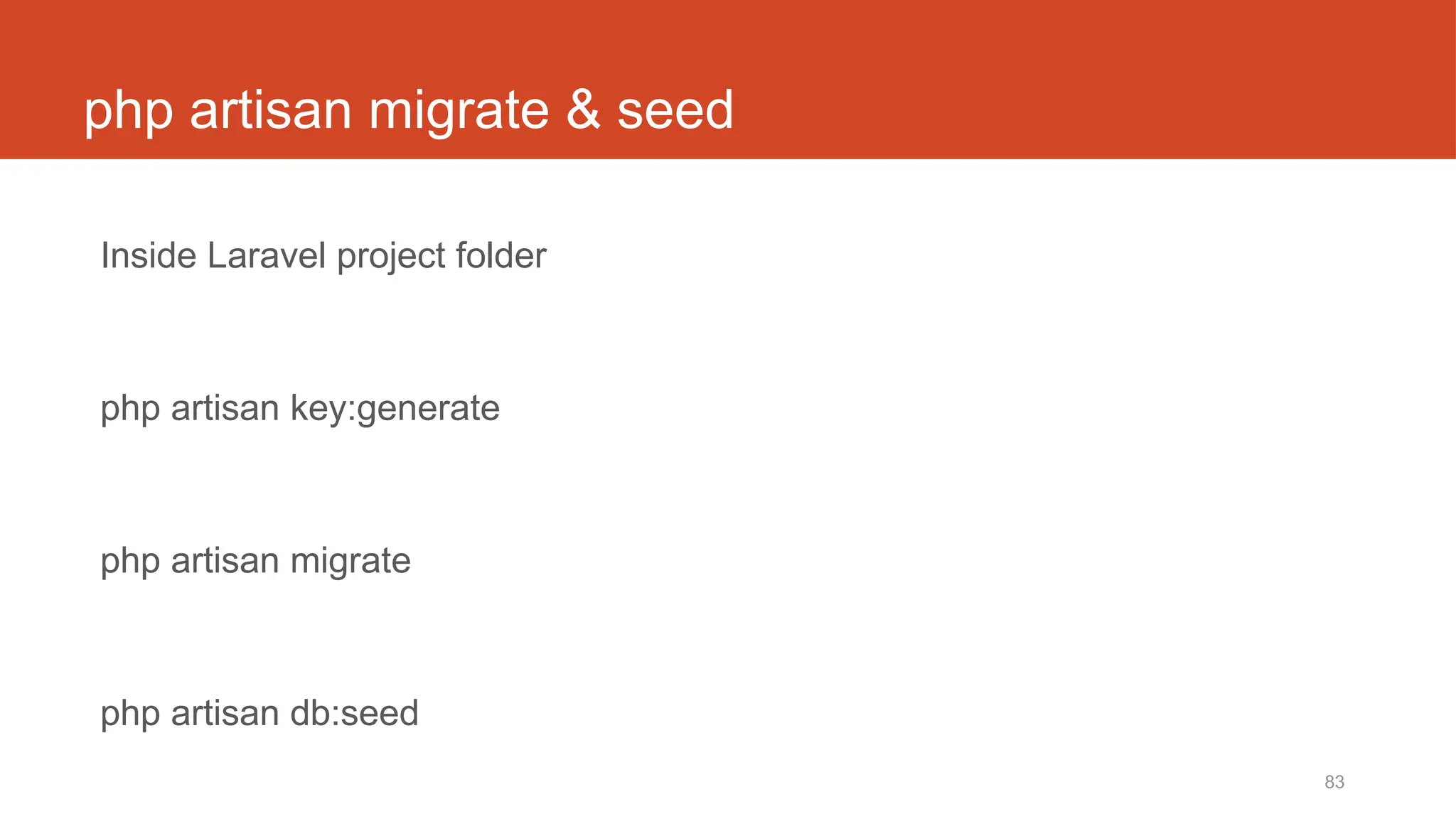
php artisan migrate & seed
Inside Laravel project folder
php artisan key:generate
php artisan migrate
php artisan db:seed
Laravel t13
Show records
http://fstm.kuis.edu.my/blog/laravel 85
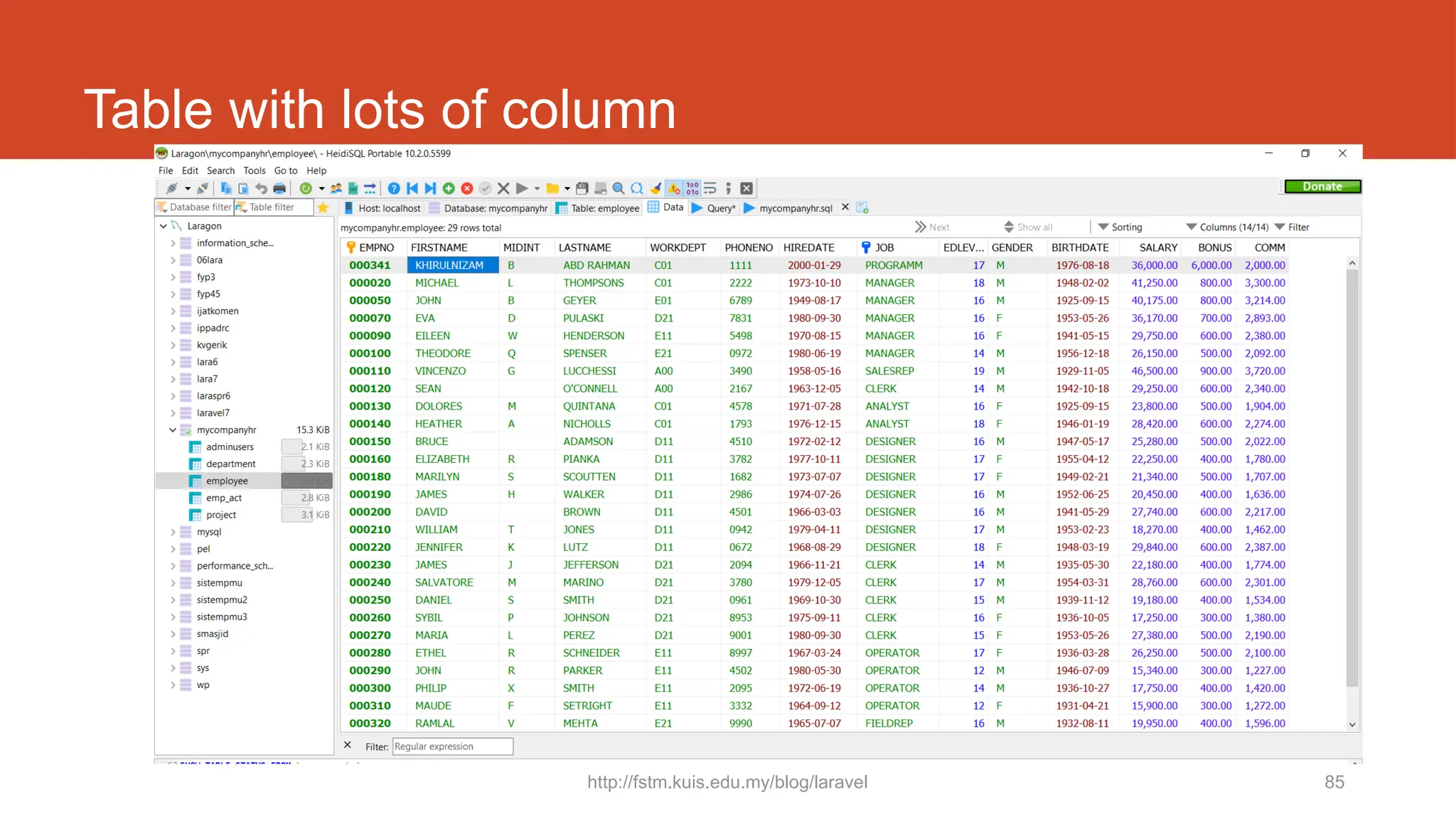
Table with lots of column
http://fstm.kuis.edu.my/blog/laravel 86
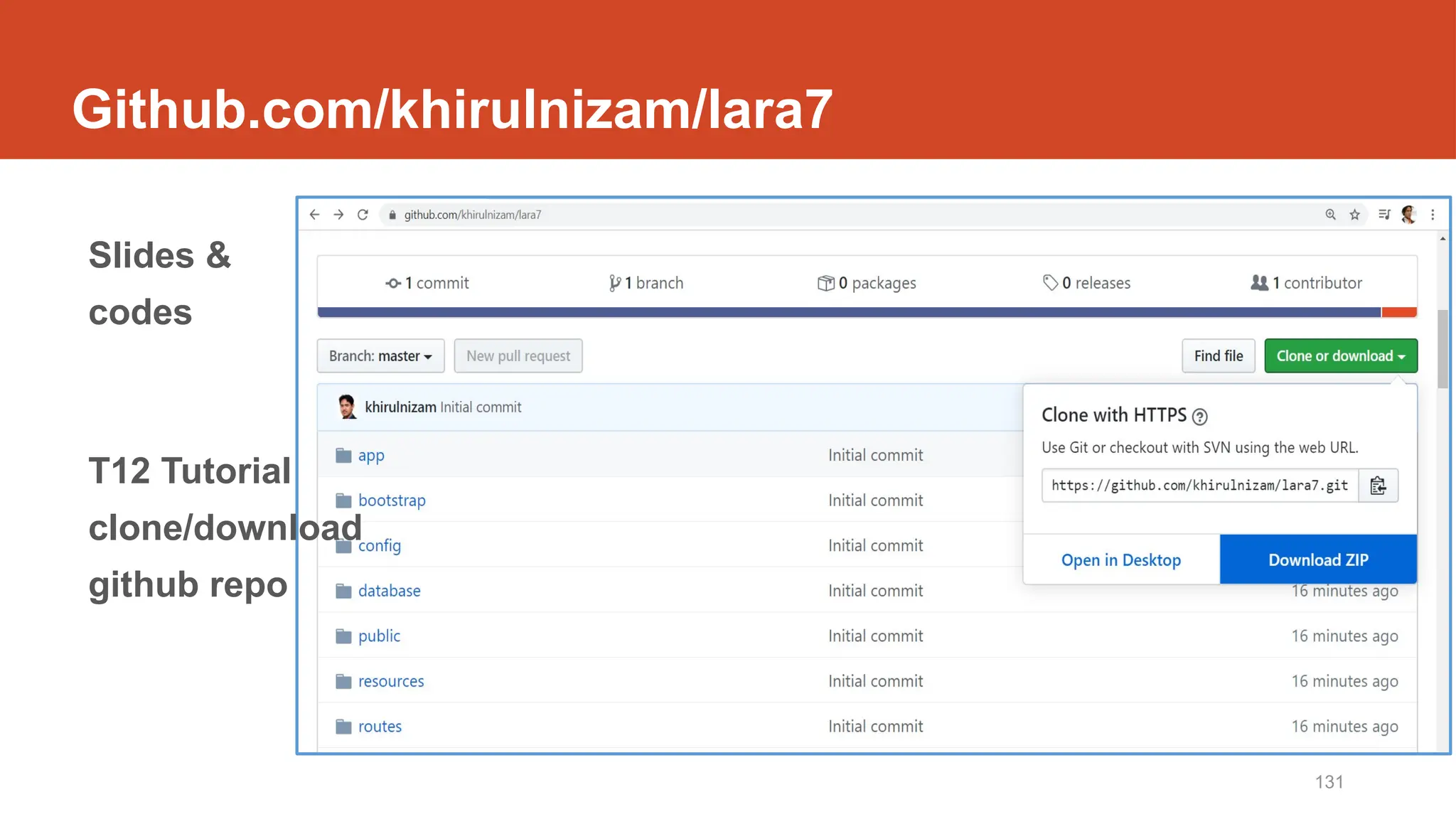
Github.com/khirulnizam/lara7
Slides
&
codes
10/20/2024 fstm.kuis.edu.my 87
DISCLAIMER
Codes are for demo purposes. Example showed here are only to
validate the proof of concepts. Security aspect the demonstrated
examples are beyond the coverage of these video tutorials. You
are advised to explore / sought after advanced/security topics of
PHP web programming as these tutorials only for beginner level.
Suitable to view in DESKTOP
http://fstm.kuis.edu.my/blog/laravel 88
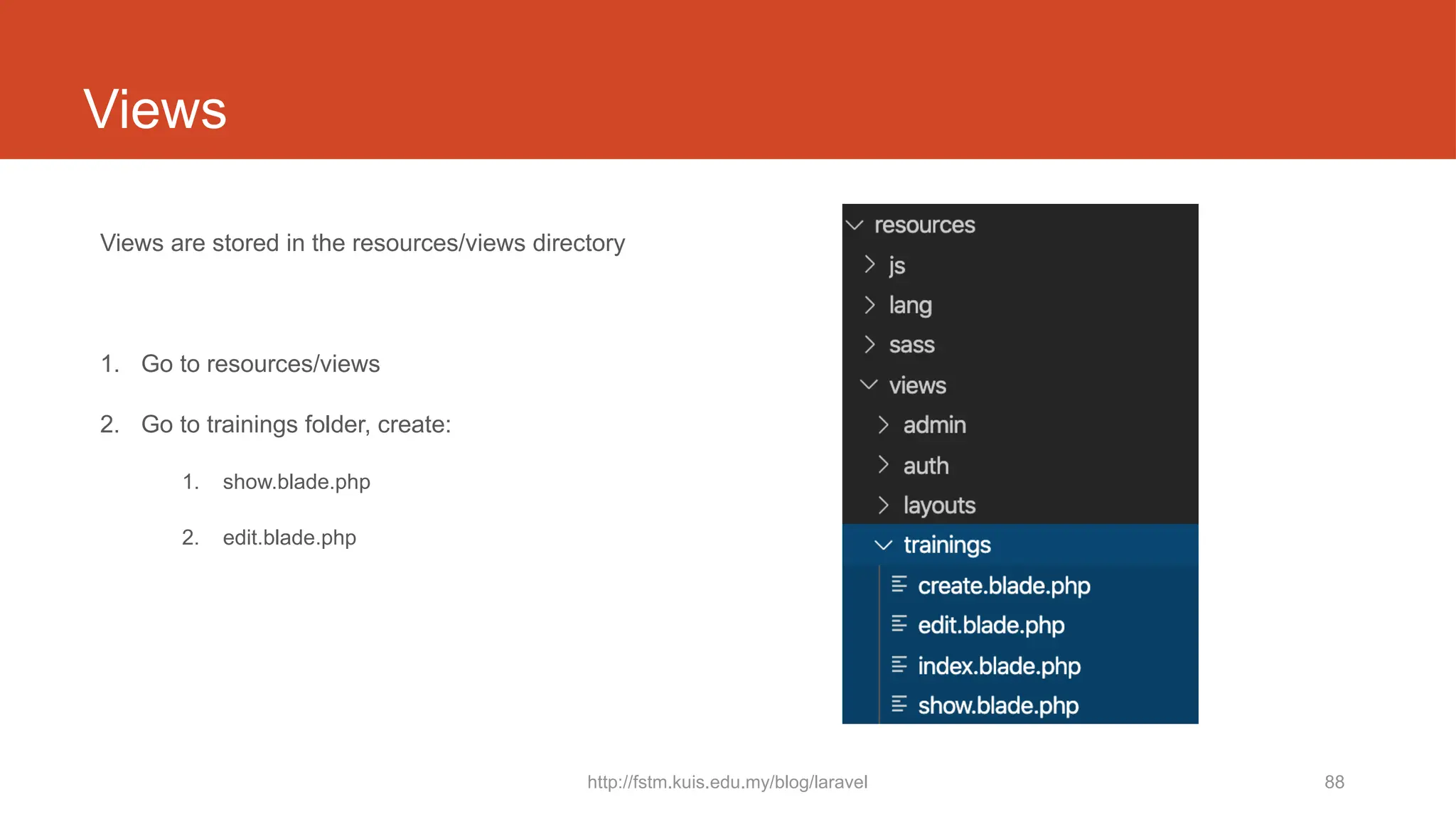
Views
Views are stored in the resources/views directory
1. Go to resources/views
2. Go to trainings folder, create:
1. show.blade.php
2. edit.blade.php
http://fstm.kuis.edu.my/blog/laravel 89
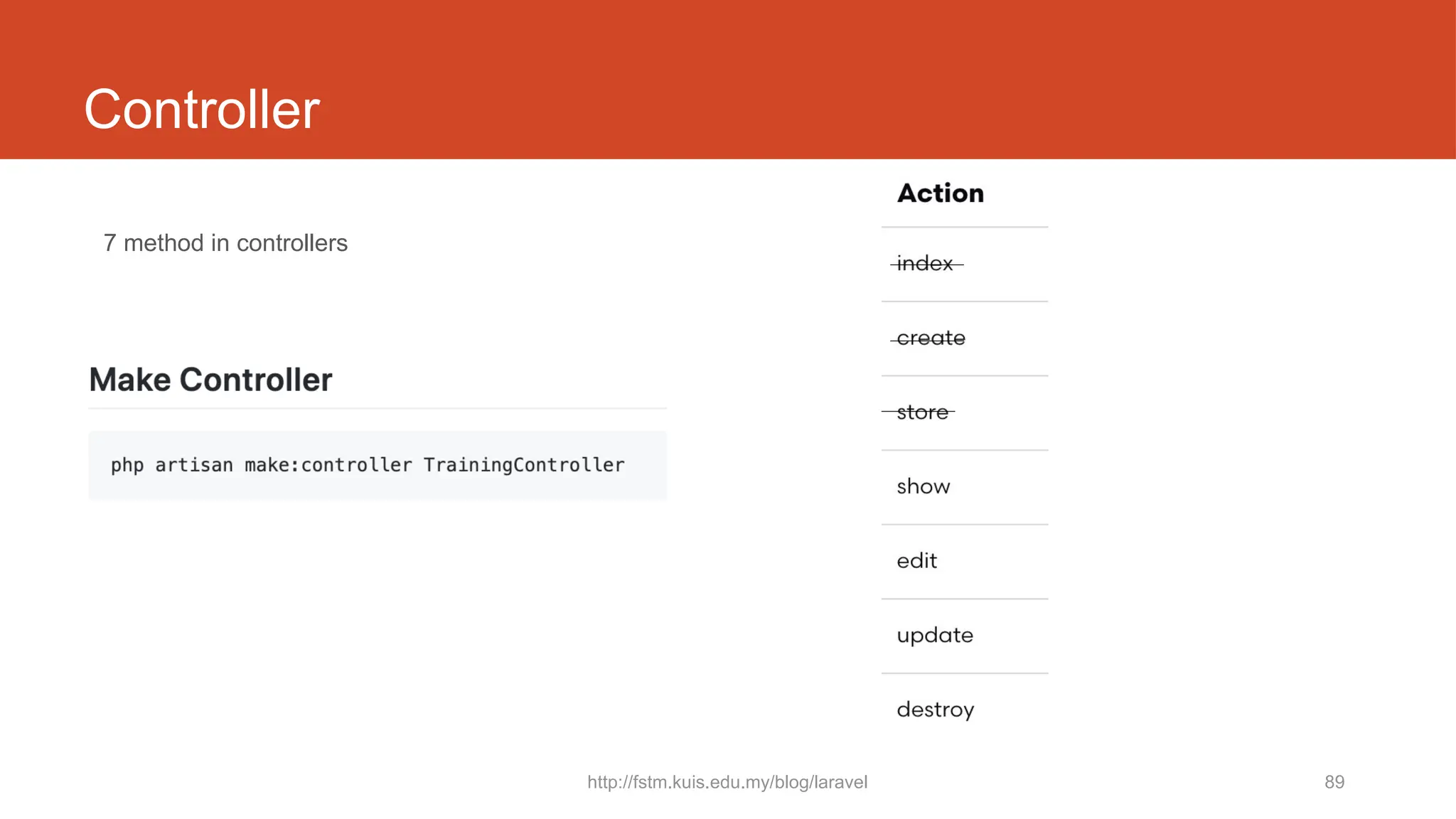
Controller
7 method in controllers
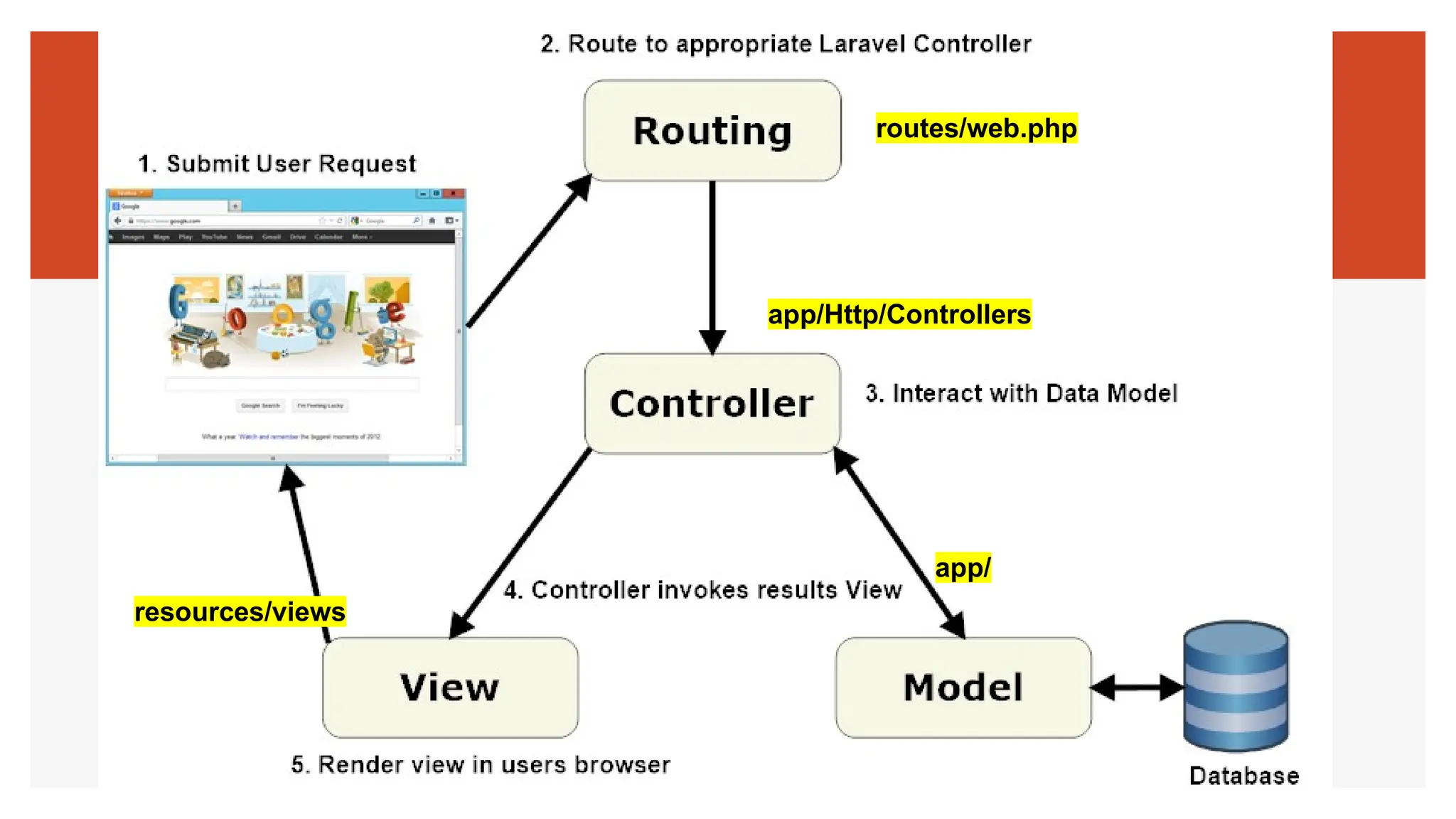
routes/web.php
app/Http/Controllers
app/
resources/views
http://fstm.kuis.edu.my/blog/laravel 91
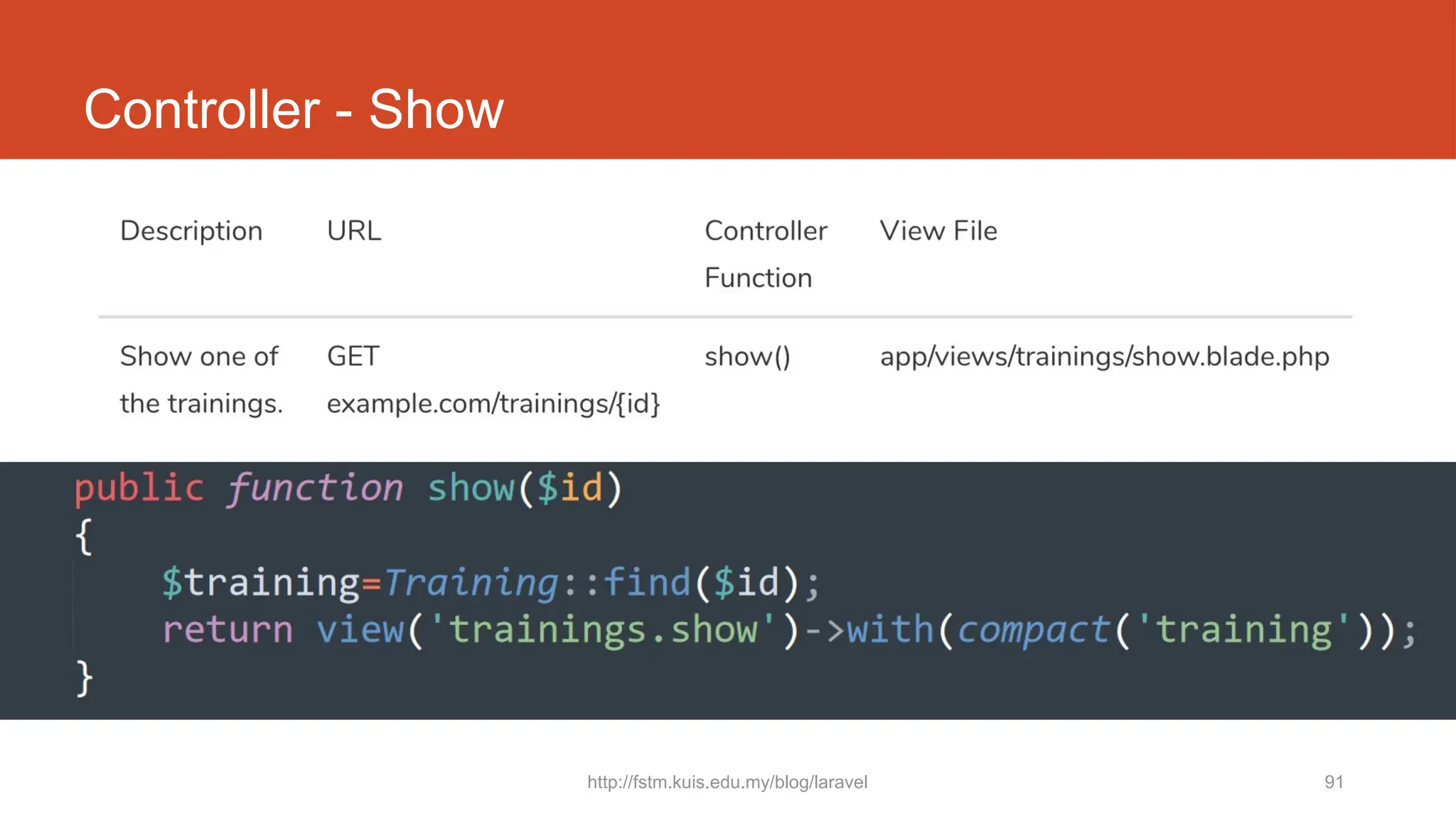
Controller - Show
http://fstm.kuis.edu.my/blog/laravel 92
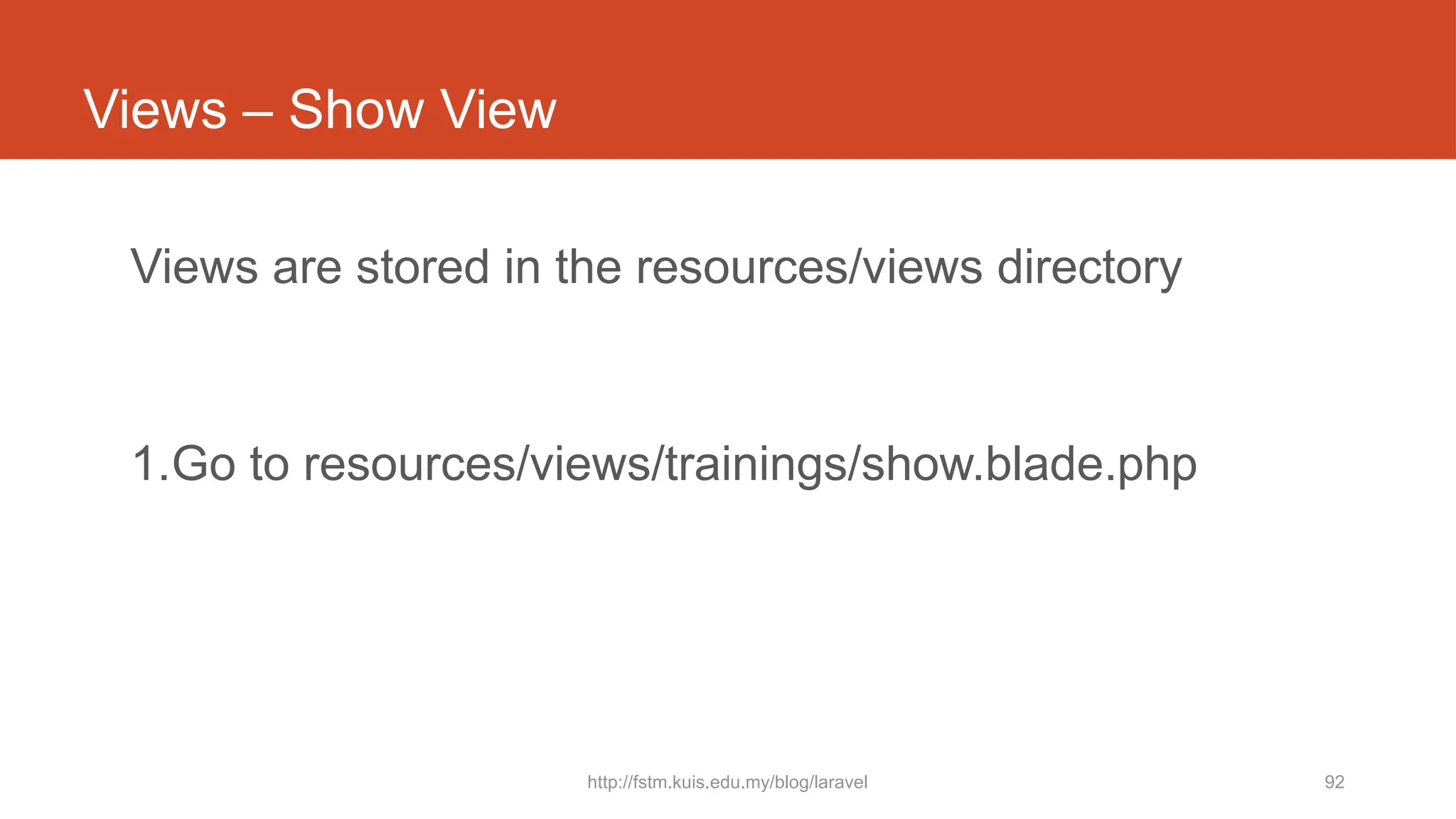
Views – Show View
Views are stored in the resources/views directory
1.Go to resources/views/trainings/show.blade.php
http://fstm.kuis.edu.my/blog/laravel 93
Github.com/khirulnizam/lara7
http://fstm.kuis.edu.my/blog/laravel 94
Github.com/khirulnizam/lara7
Slides
&
codes
Laravel t14
Font-awesome thru CDN
http://fstm.kuis.edu.my/blog/laravel 96
Github.com/khirulnizam/lara7
Slides
&
codes
97
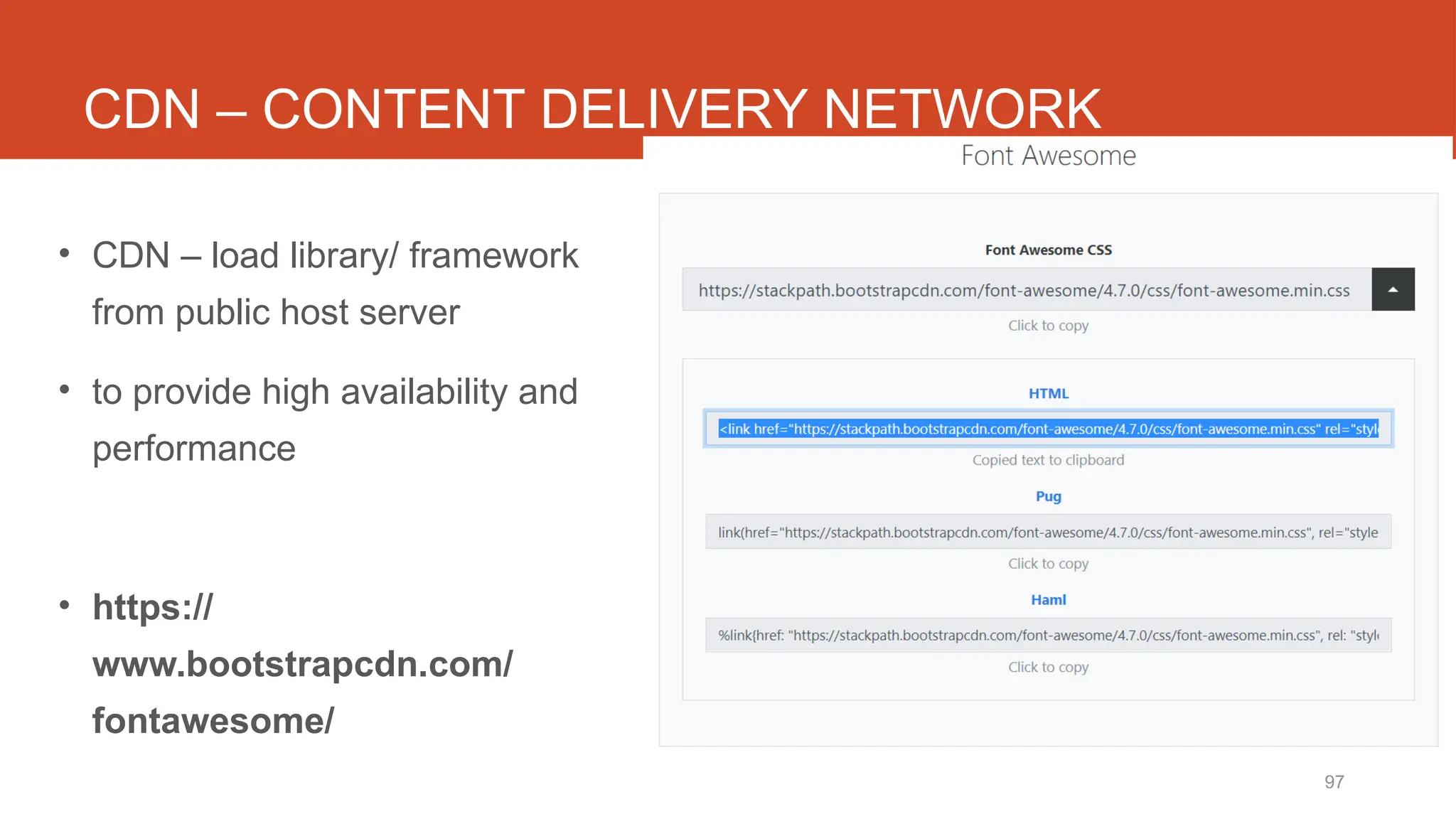
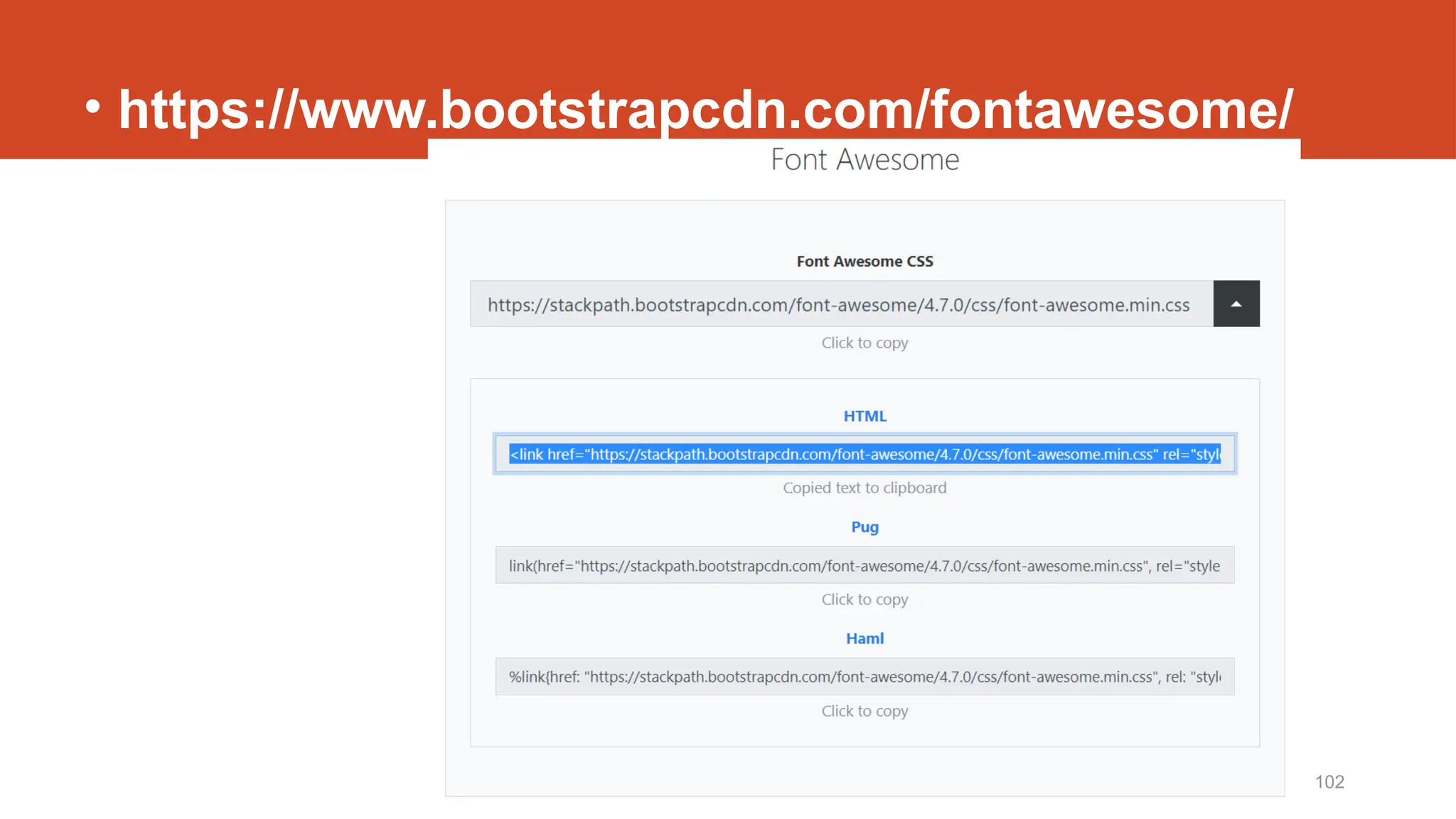
CDN – CONTENT DELIVERY NETWORK
• CDN – load library/ framework
from public host server
• to provide high availability and
performance
• https://
www.bootstrapcdn.com/
fontawesome/
http://fstm.kuis.edu.my/blog/laravel 98
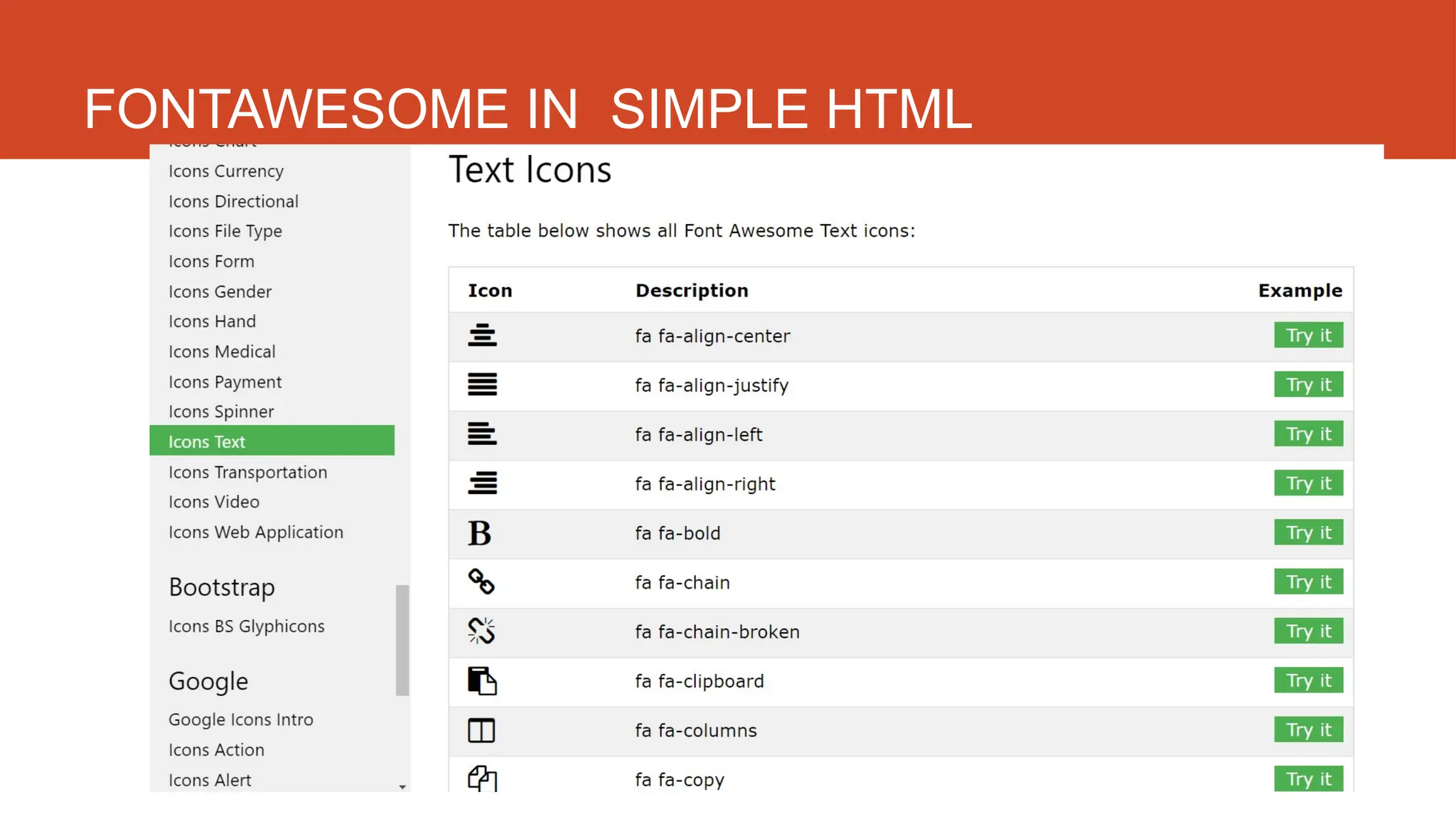
FONTAWESOME IN SIMPLE HTML
http://fstm.kuis.edu.my/blog/laravel 99
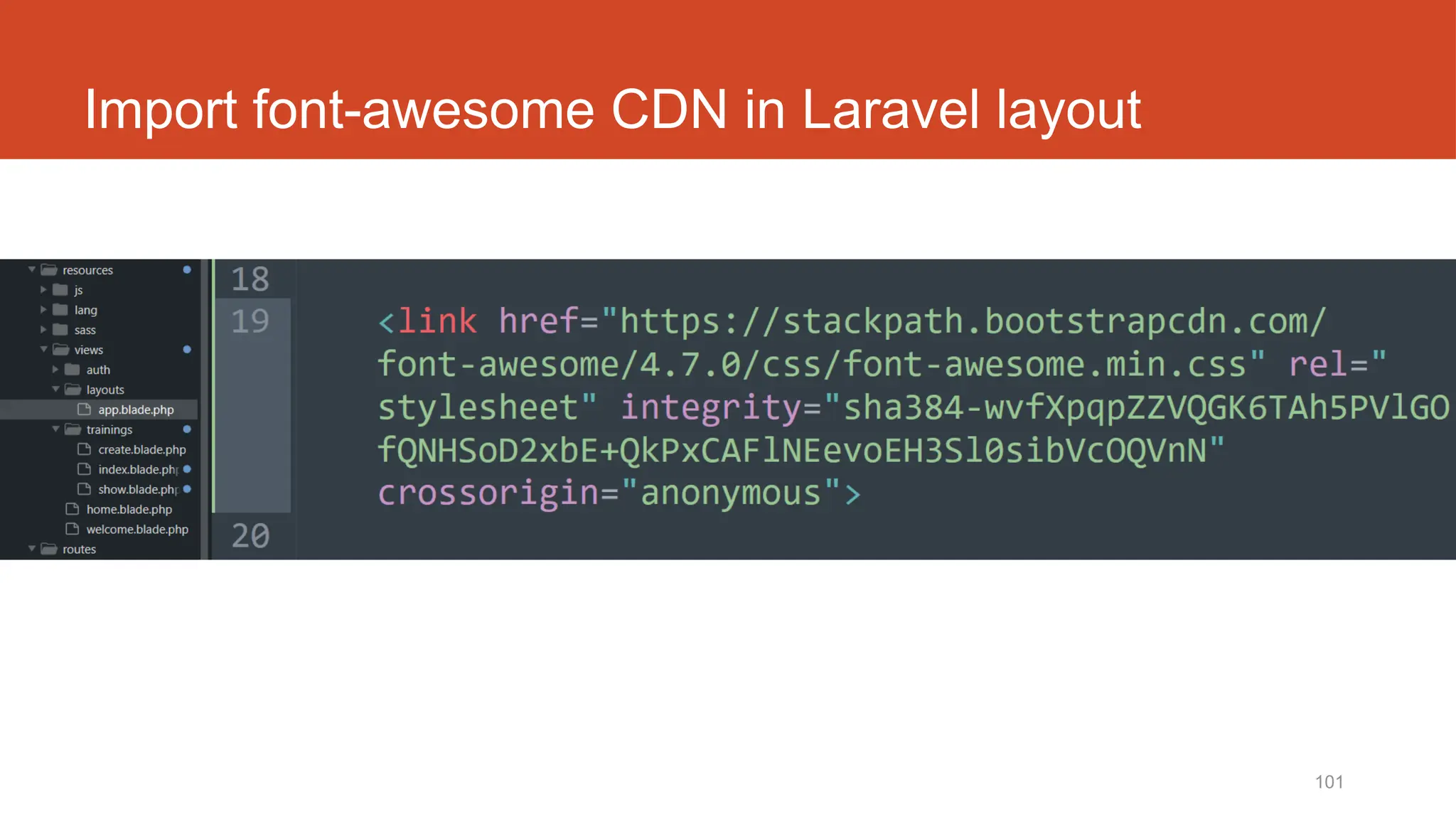
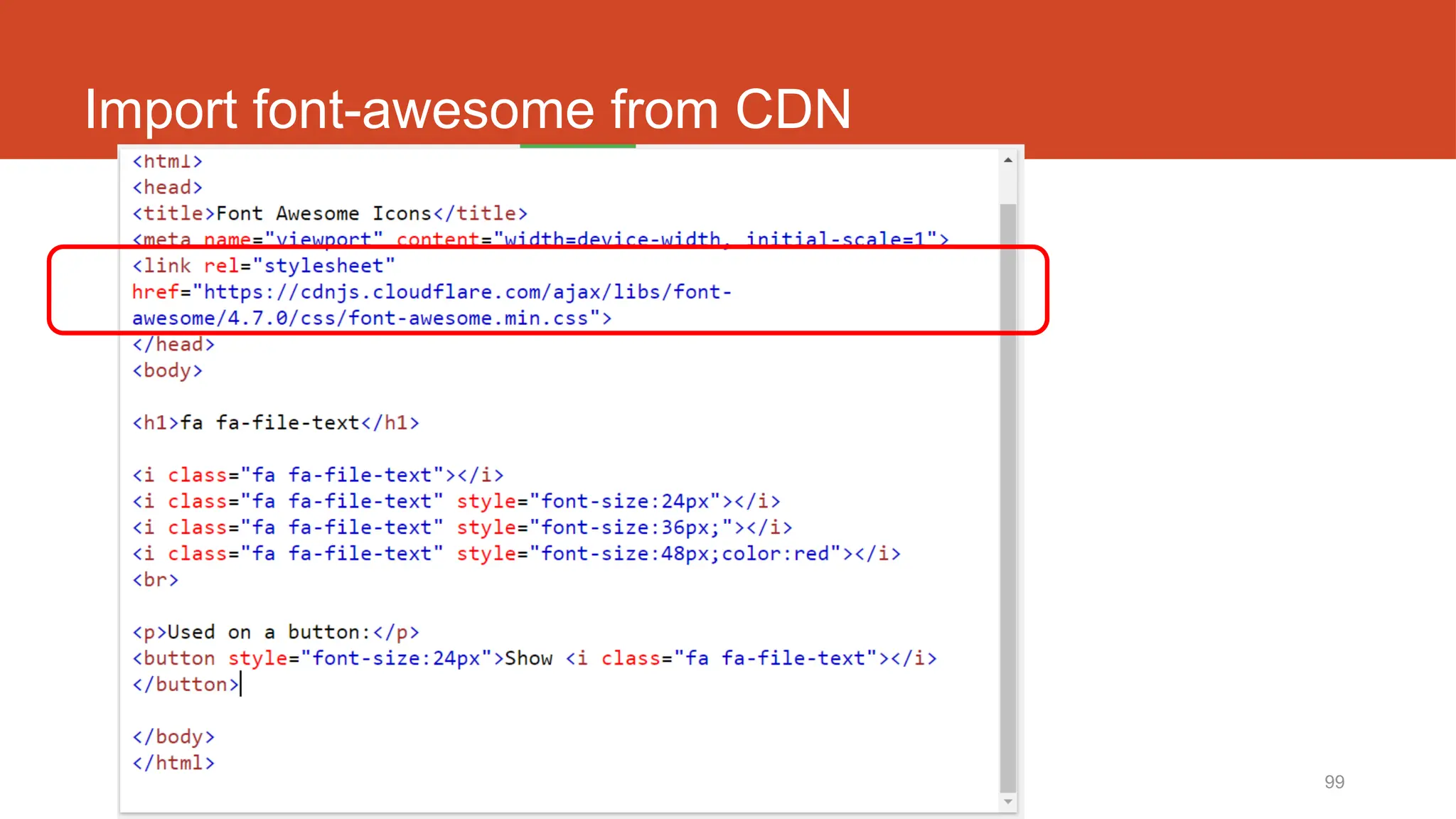
Import font-awesome from CDN
100
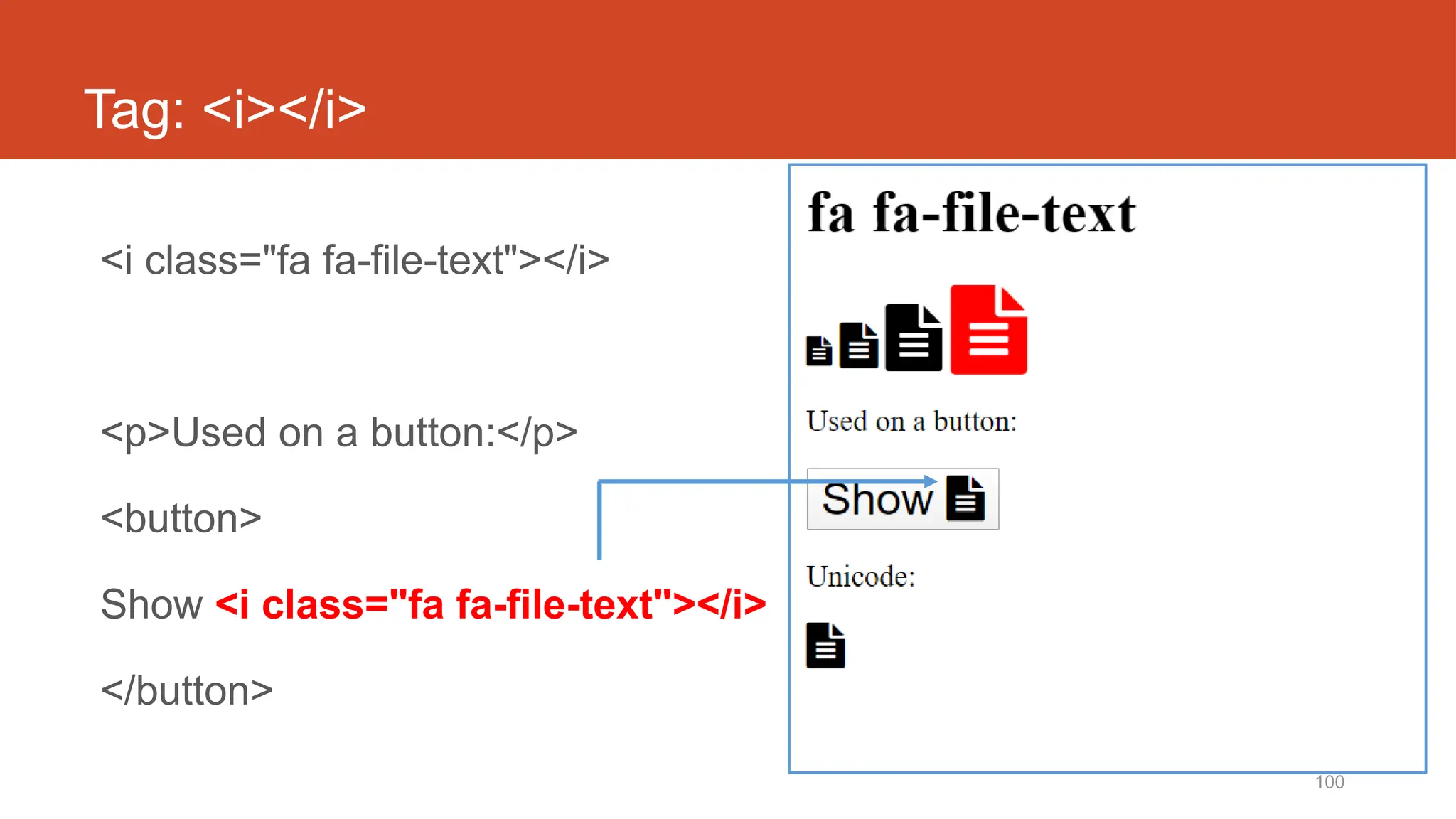
Tag: <i></i>
<i class="fa fa-file-text"></i>
<p>Used on a button:</p>
<button>
Show <i class="fa fa-file-text"></i>
</button>
101
Import font-awesome CDN in Laravel layout
http://fstm.kuis.edu.my/blog/laravel 102
• https://www.bootstrapcdn.com/fontawesome/
http://fstm.kuis.edu.my/blog/laravel 103
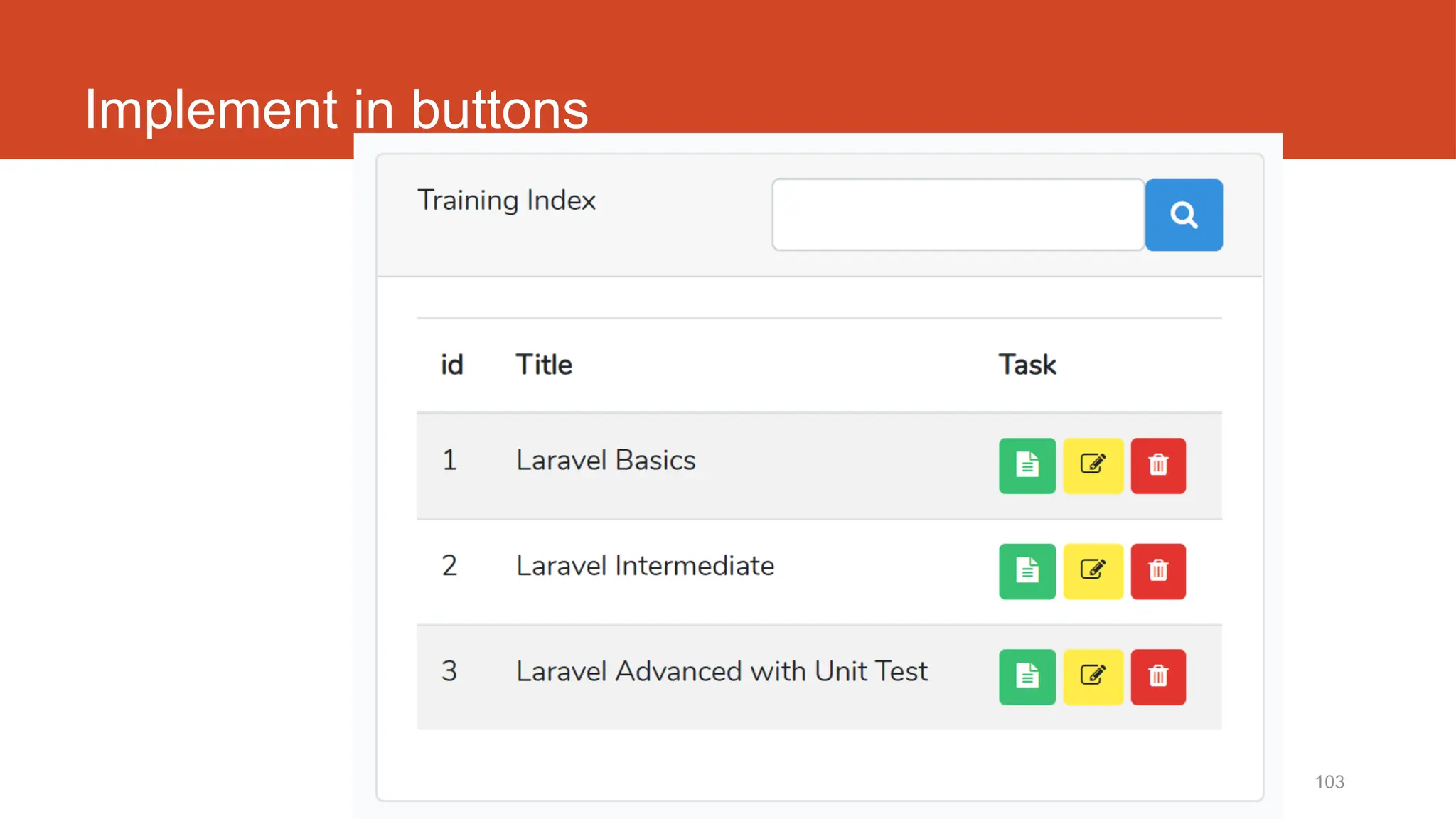
Implement in buttons
104
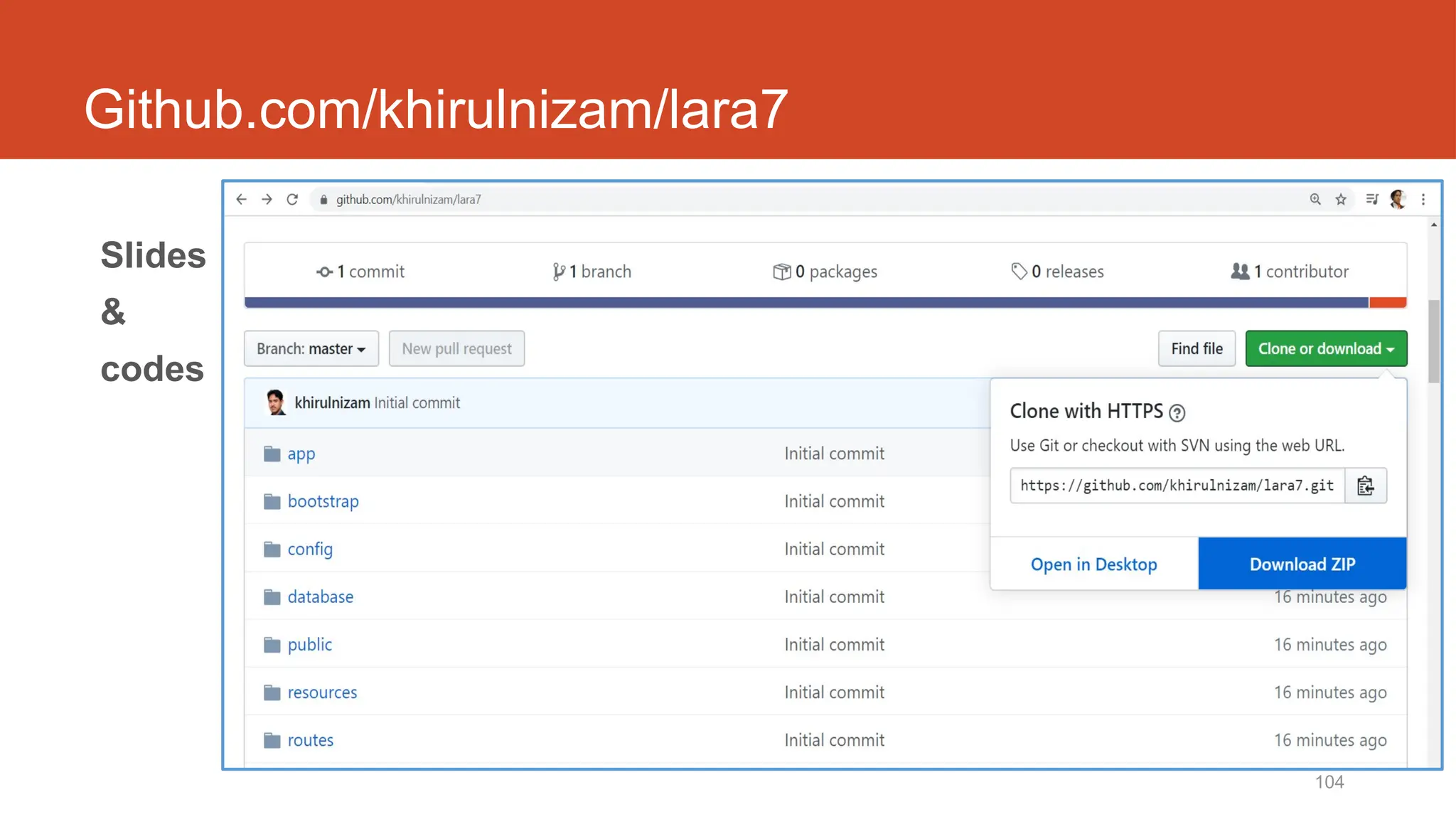
Github.com/khirulnizam/lara7
Slides
&
codes
Laravel t15
Edit/Update
10/20/2024 106
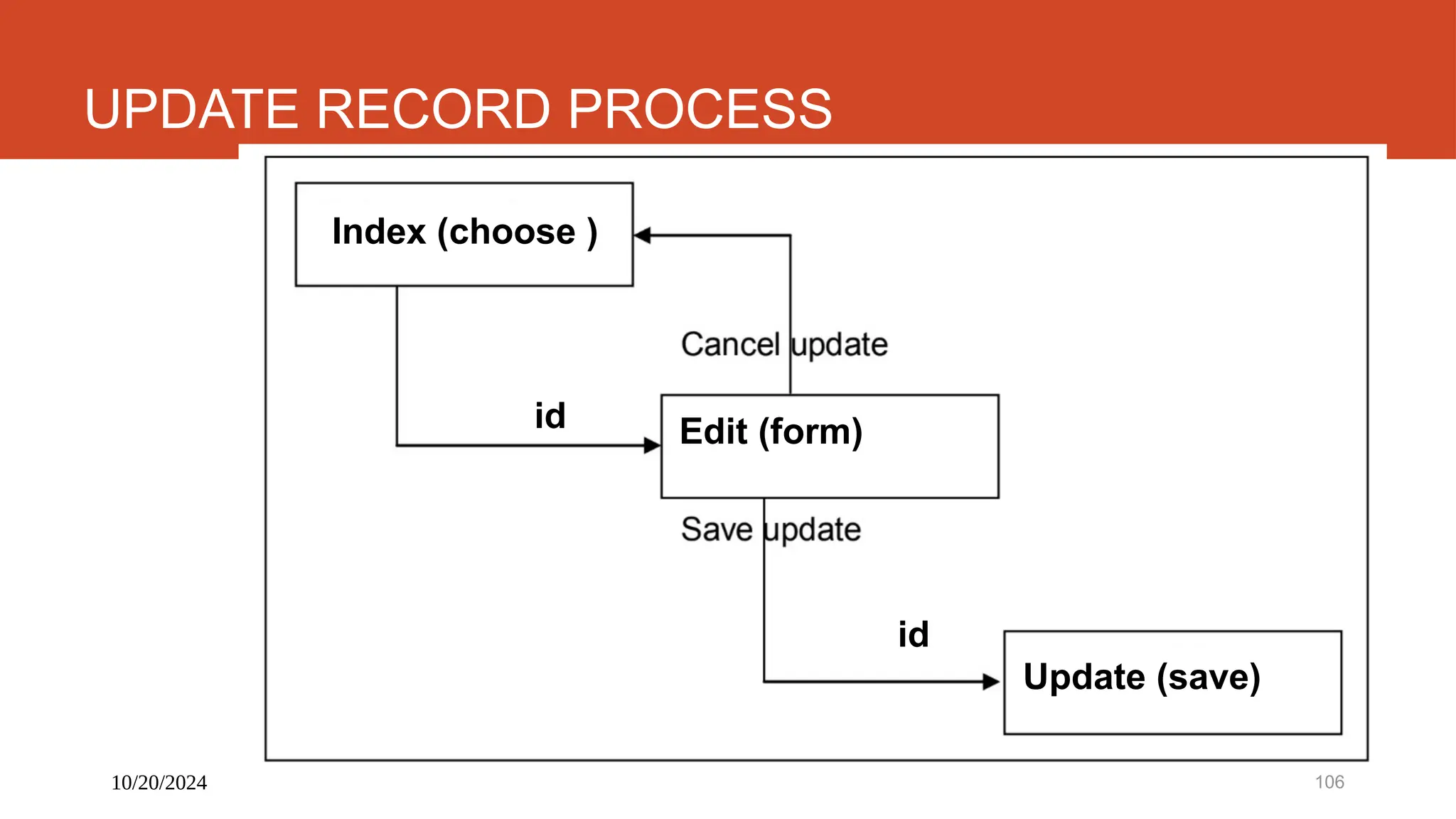
UPDATE RECORD PROCESS
Index (choose )
id
id
Edit (form)
Update (save)
10/20/2024 107
DISCLAIMER
Codes are for demo purposes. Example showed here are only to
validate the proof of concepts. Security aspect the demonstrated
examples are beyond the coverage of these video tutorials. You
are advised to explore / sought after advanced/security topics of
PHP web programming as these tutorials only for beginner level.
Suitable to view in DESKTOP
108
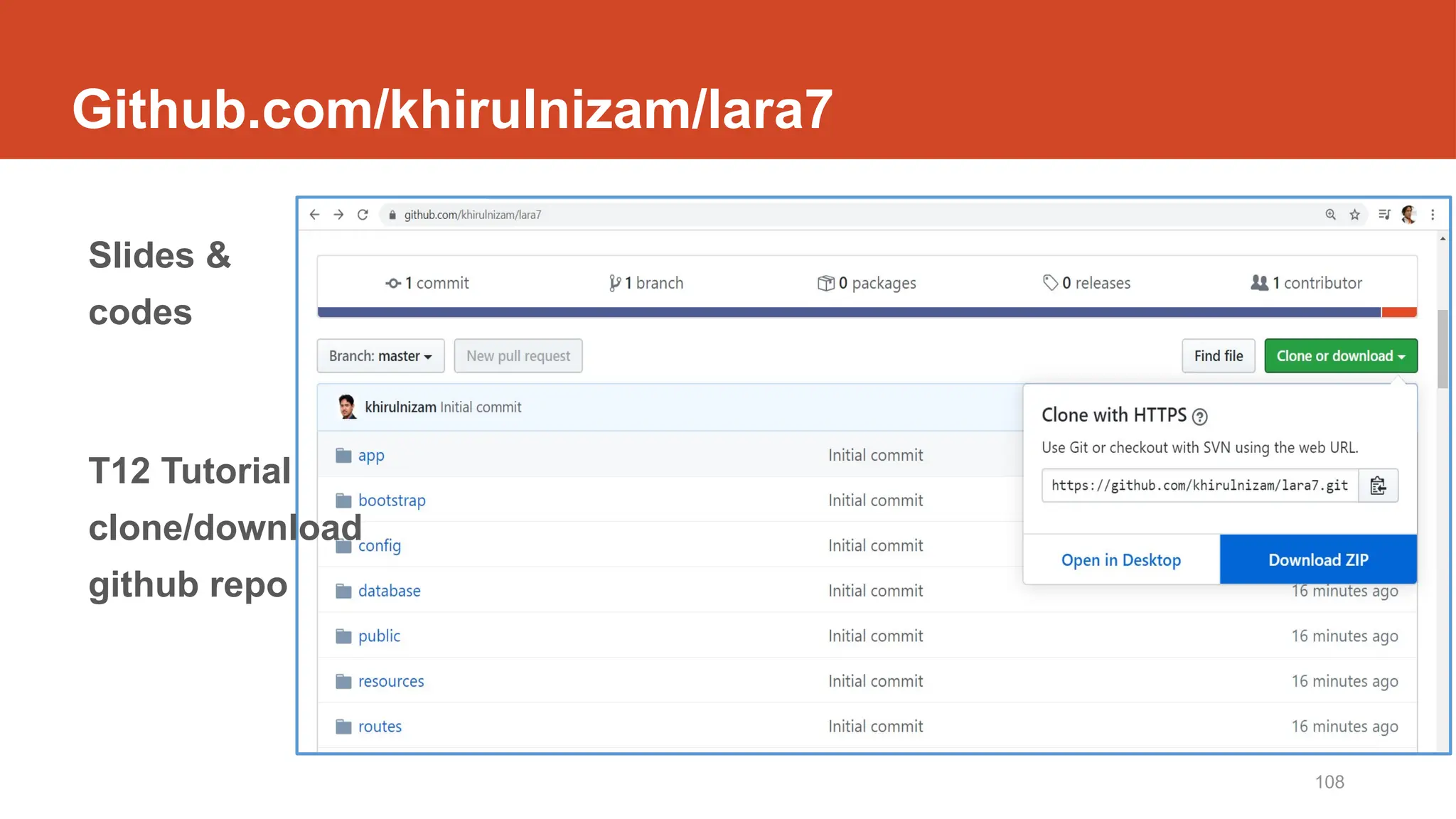
Github.com/khirulnizam/lara7
Slides &
codes
T12 Tutorial
clone/download
github repo
109
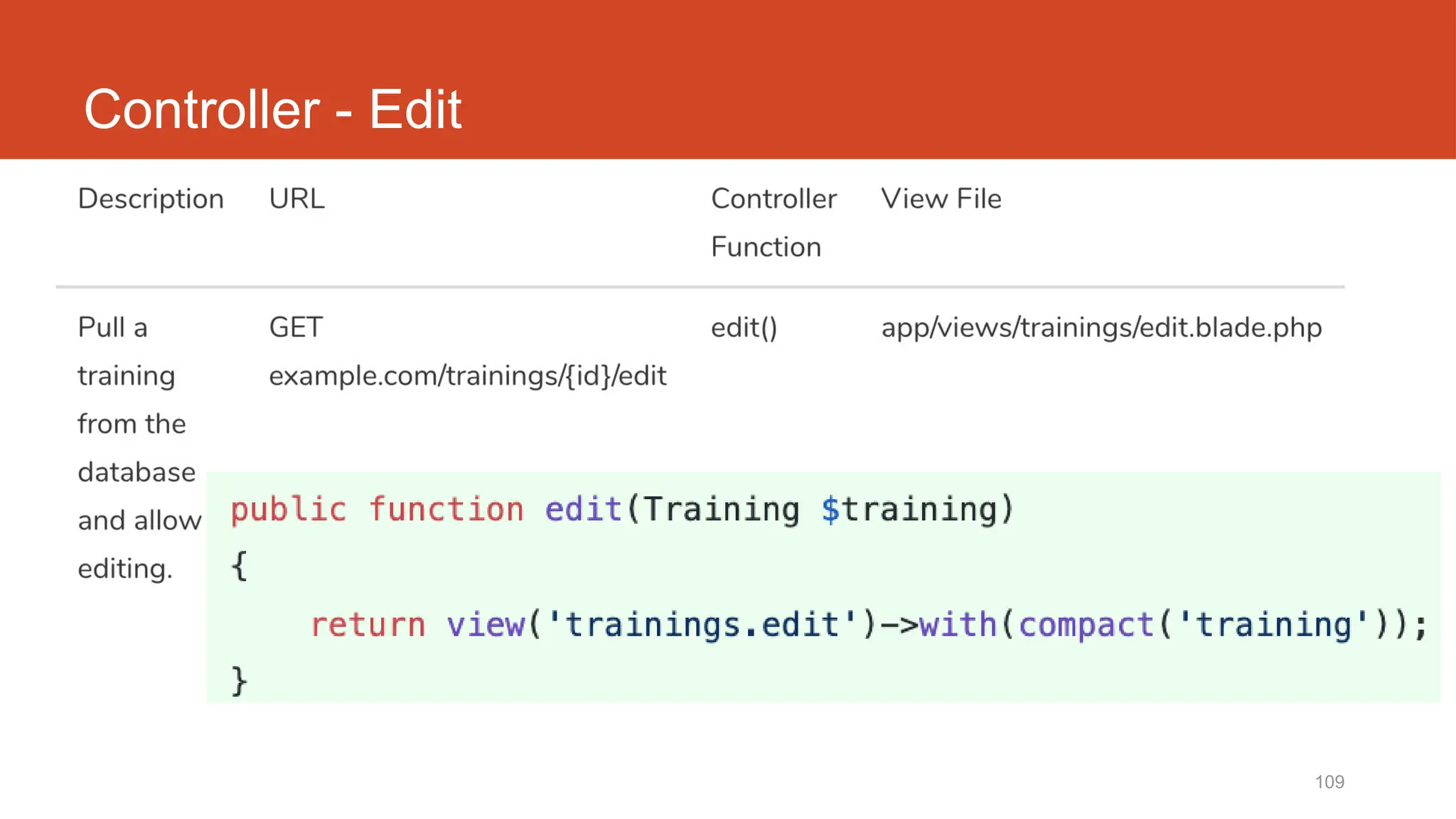
Controller - Edit
110
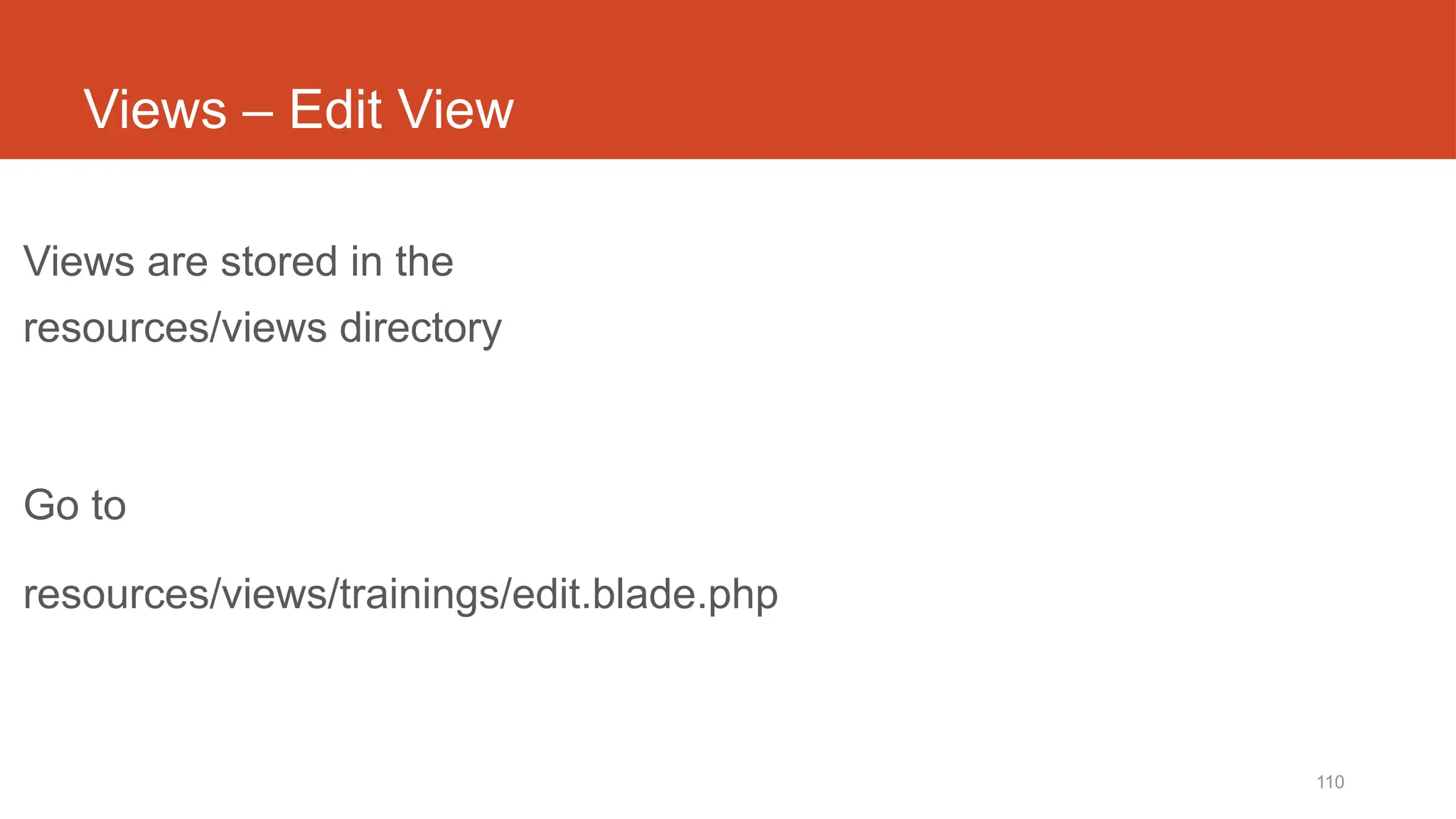
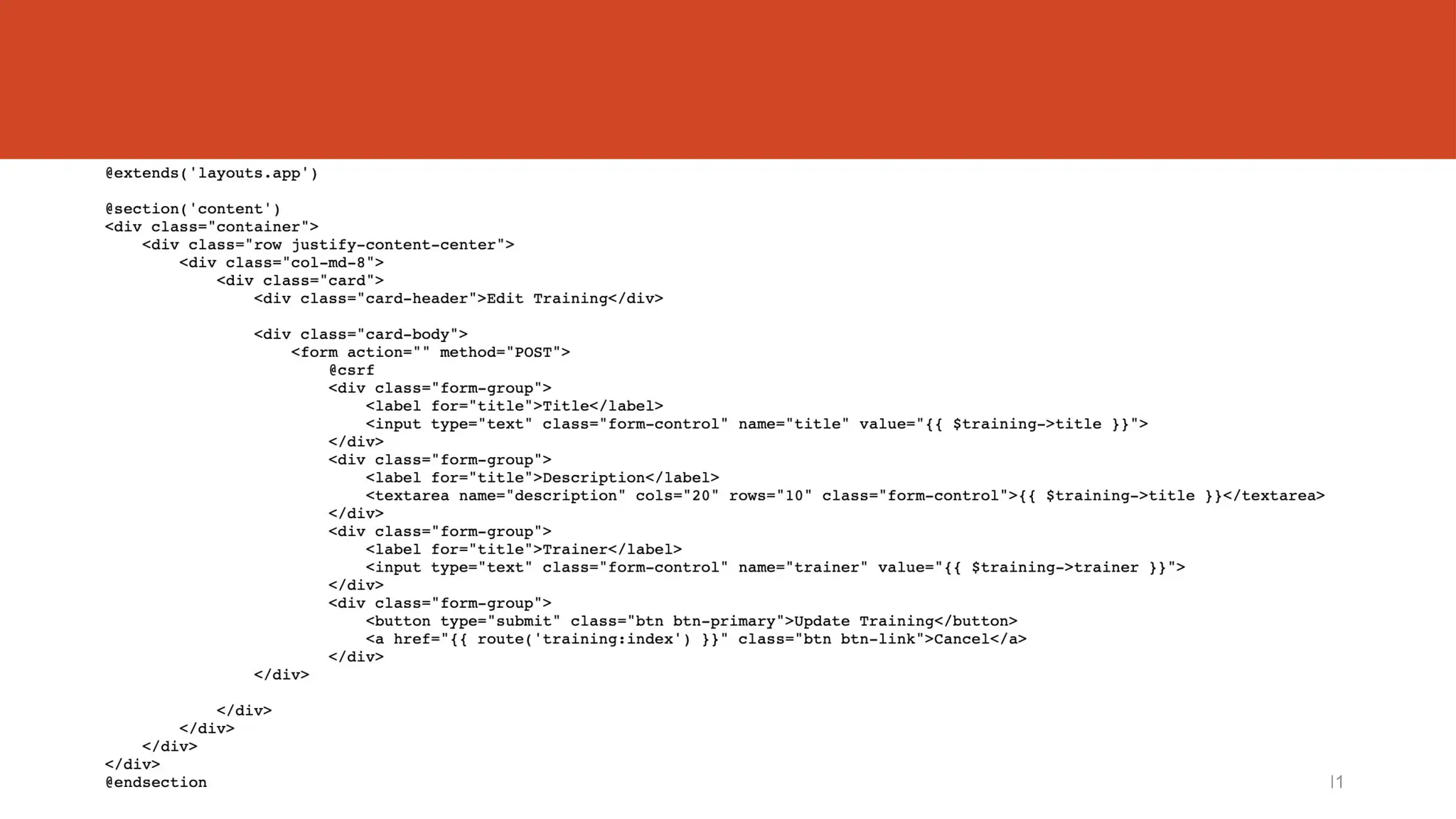
Views – Edit View
Views are stored in the
resources/views directory
Go to
resources/views/trainings/edit.blade.php
http://fstm.kuis.edu.my/blog/laravel 111
http://fstm.kuis.edu.my/blog/laravel 112
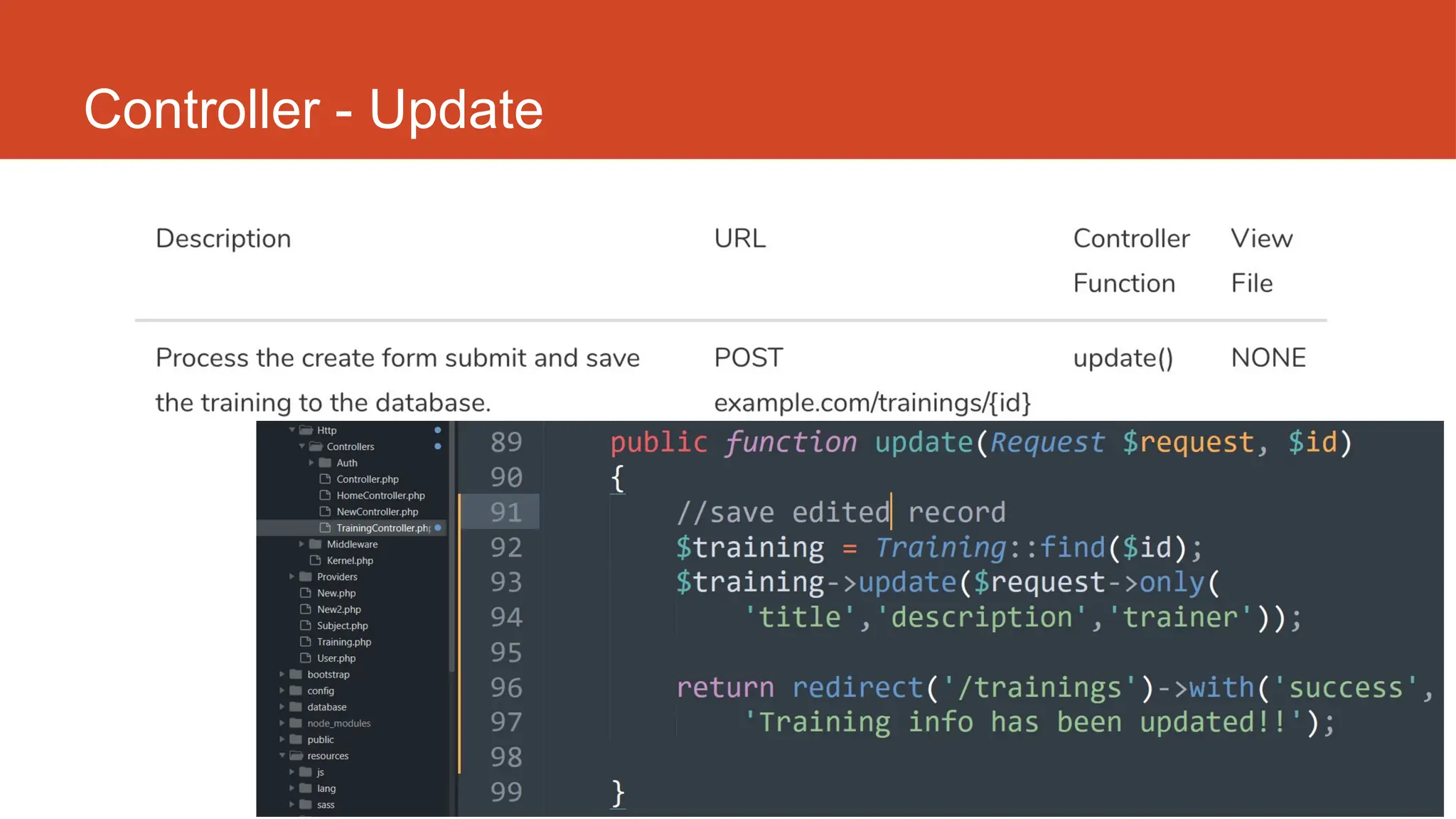
Controller - Update
http://fstm.kuis.edu.my/blog/laravel 113
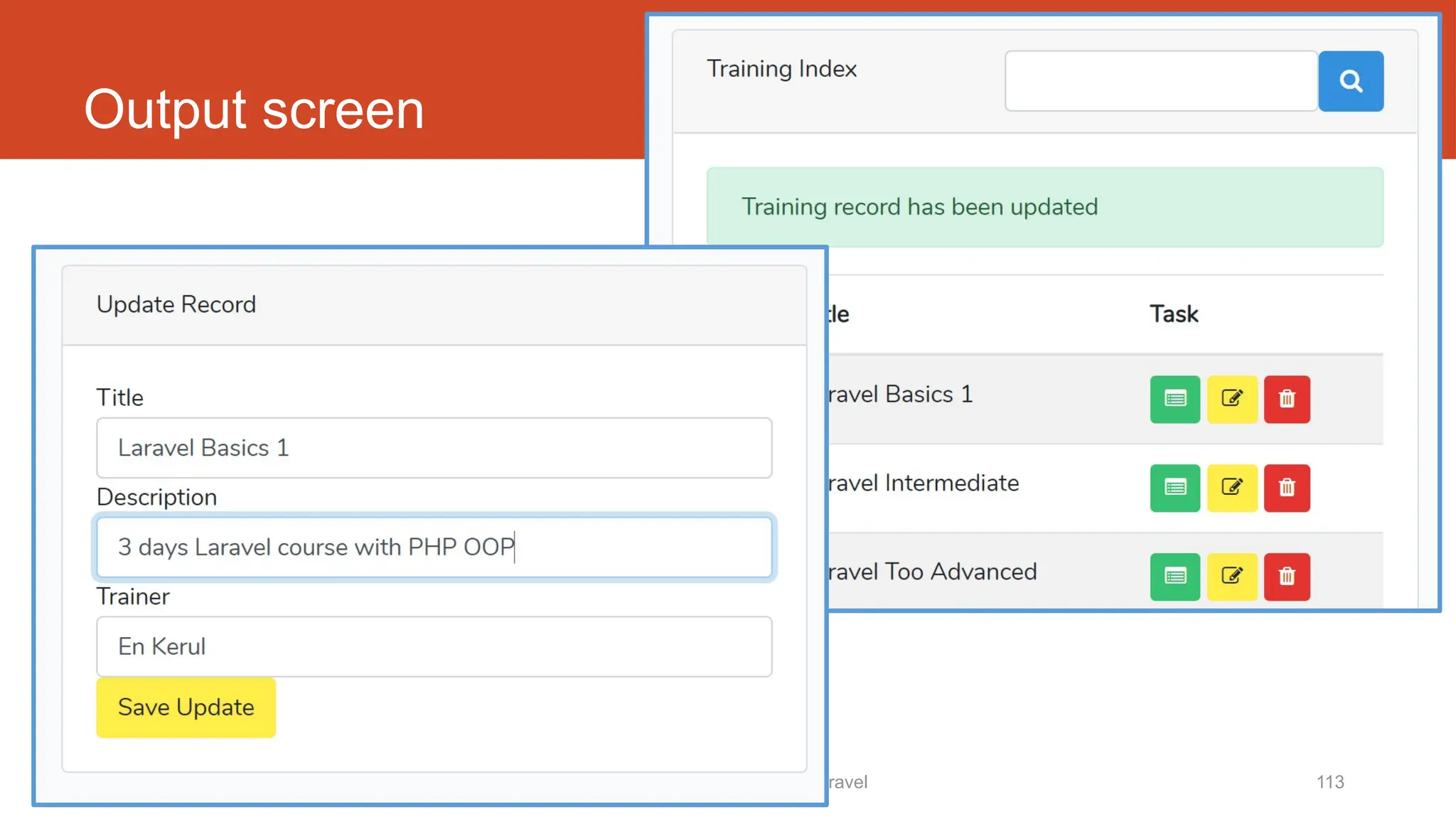
Output screen
Laravel t16
Delete records
10/20/2024 115
DISCLAIMER
Codes are for demo purposes. Example showed here are only to
validate the proof of concepts. Security aspect the demonstrated
examples are beyond the coverage of these video tutorials. You
are advised to explore / sought after advanced/security topics of
PHP web programming as these tutorials only for beginner level.
Suitable to view in DESKTOP
116
Github.com/khirulnizam/lara7
Slides &
codes
T12 Tutorial
clone/download
github repo
http://fstm.kuis.edu.my/blog/laravel 117
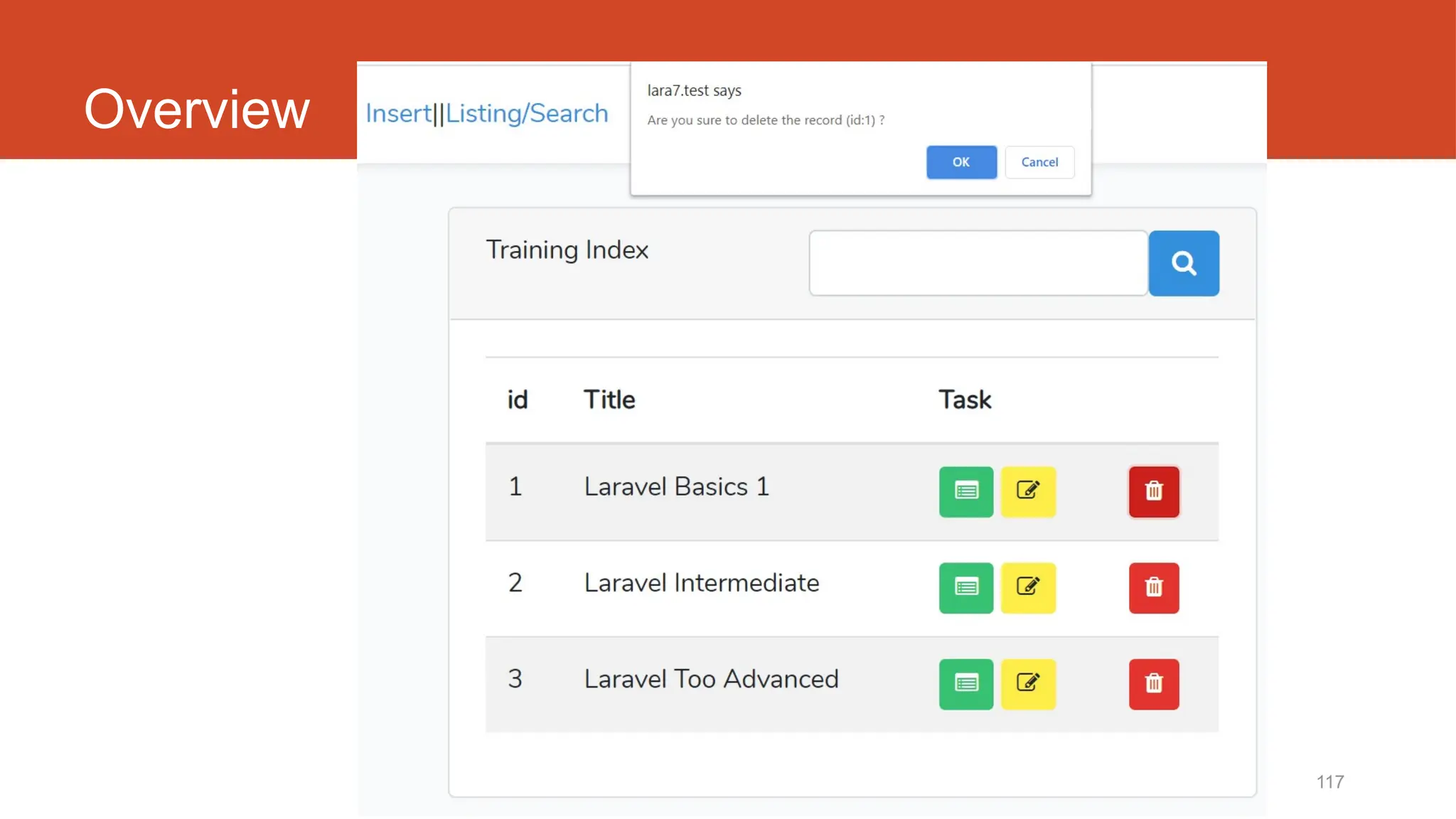
Overview
http://fstm.kuis.edu.my/blog/laravel 118
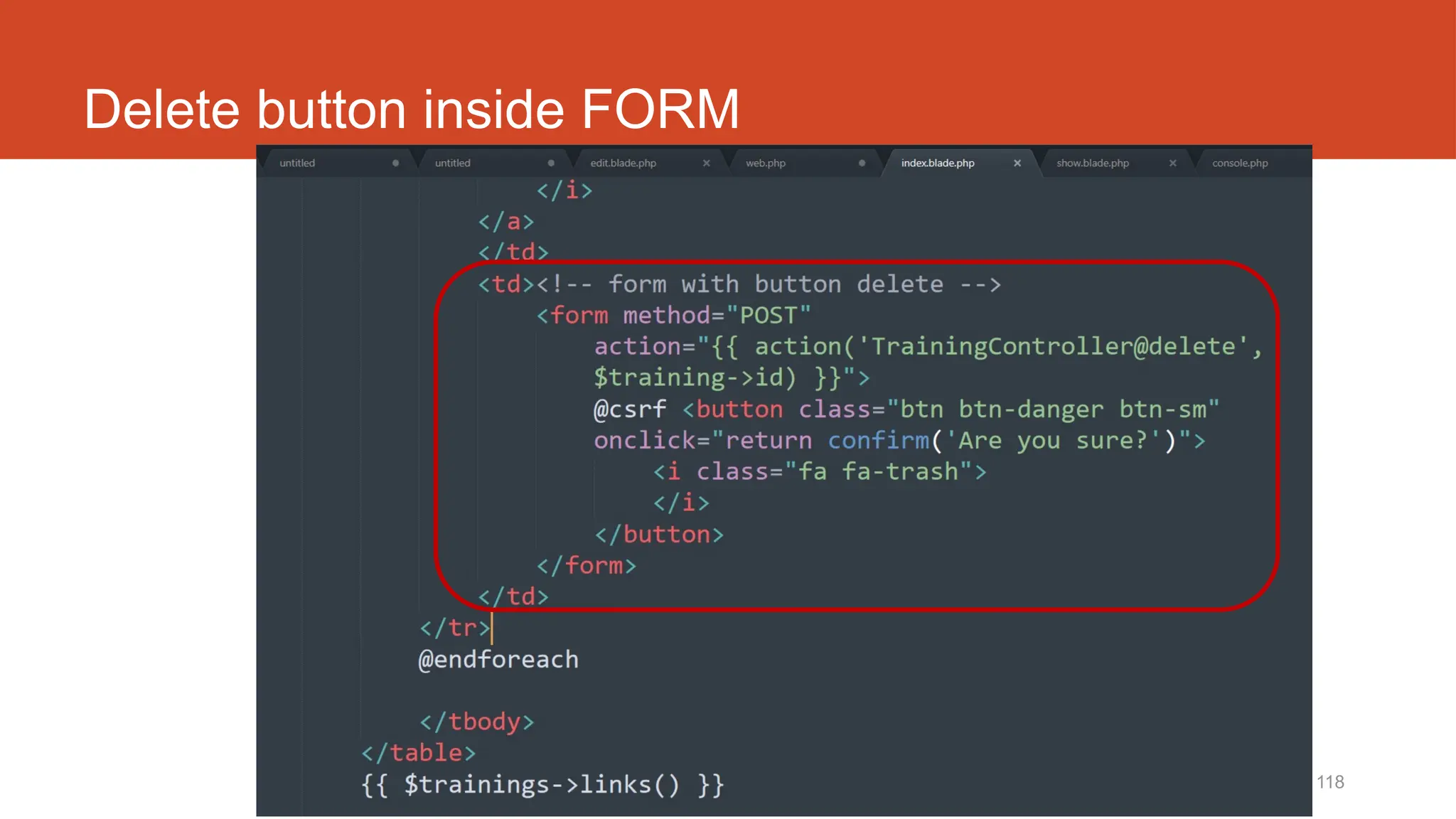
Delete button inside FORM
119
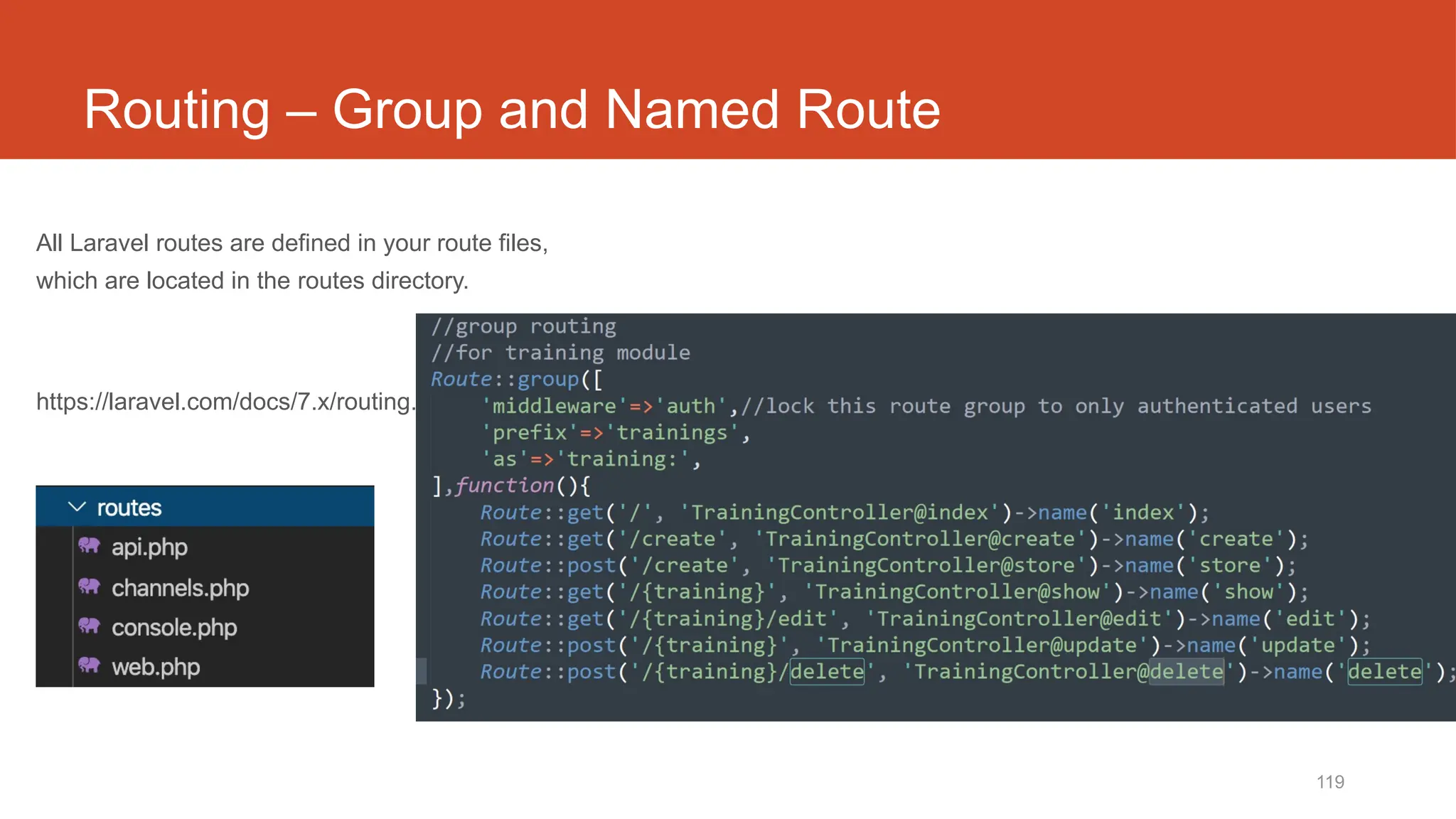
Routing – Group and Named Route
All Laravel routes are defined in your route files,
which are located in the routes directory.
https://laravel.com/docs/7.x/routing.
120
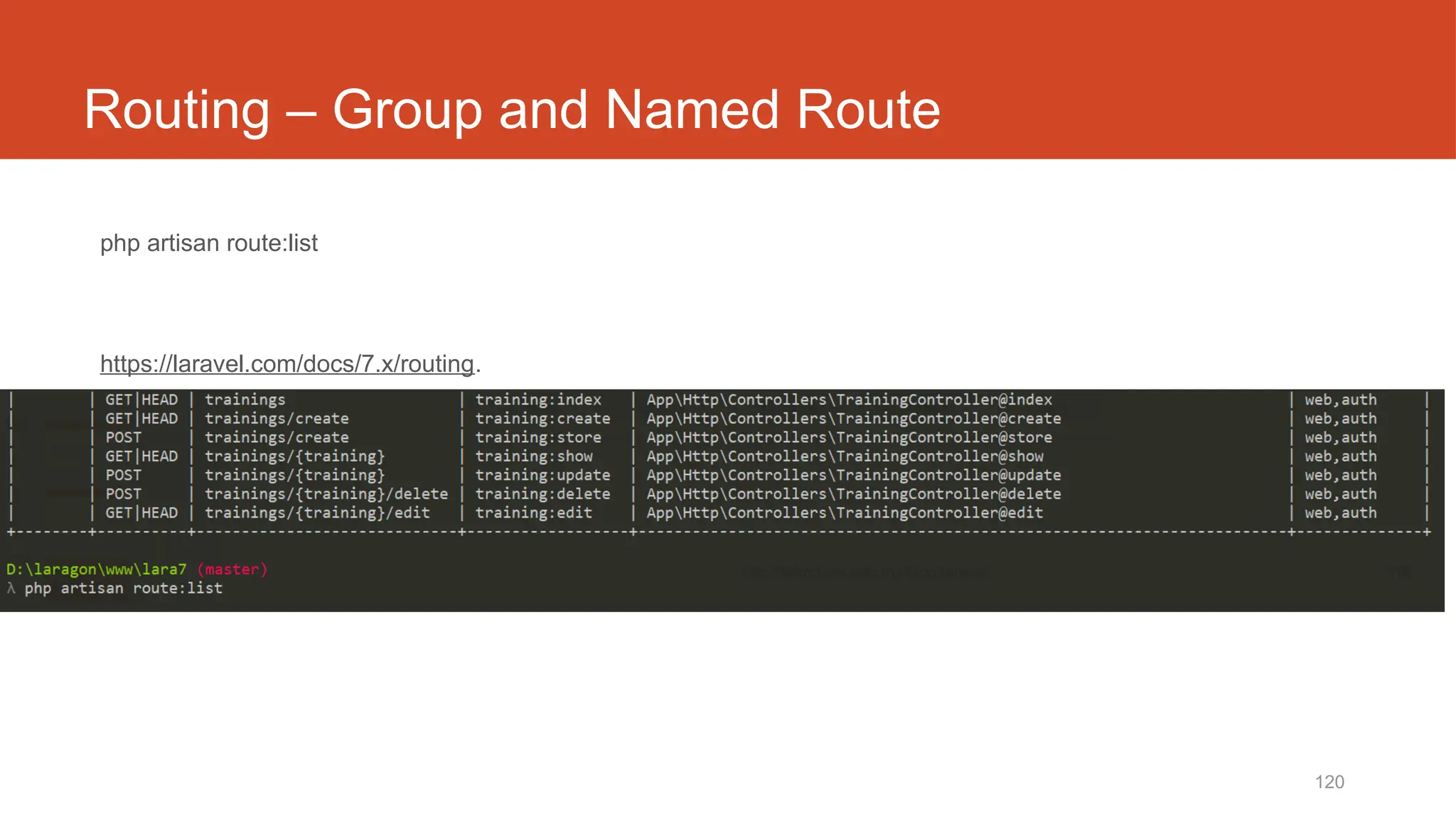
Routing – Group and Named Route
php artisan route:list
https://laravel.com/docs/7.x/routing.
121
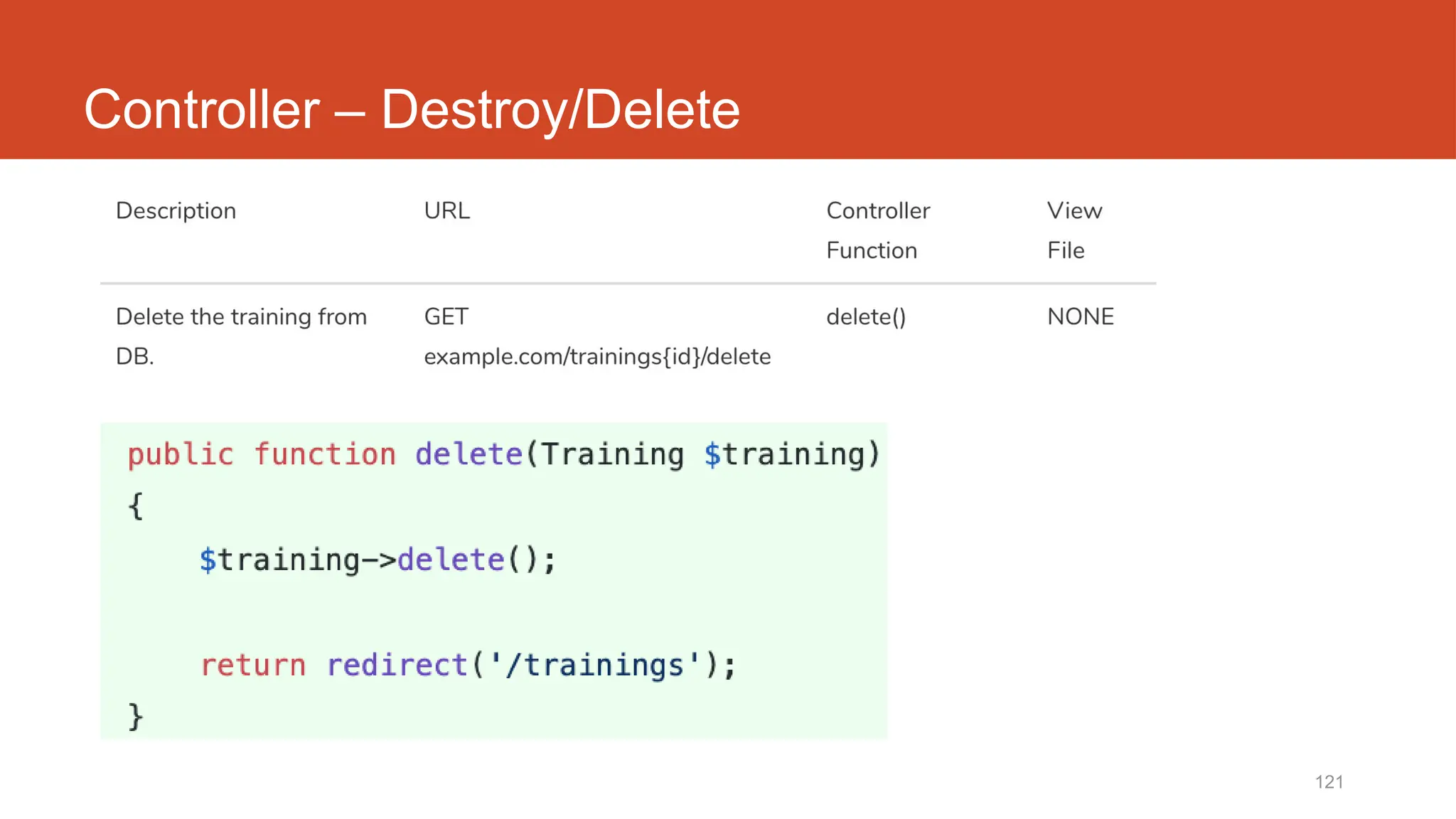
Controller – Destroy/Delete
Laravel t17
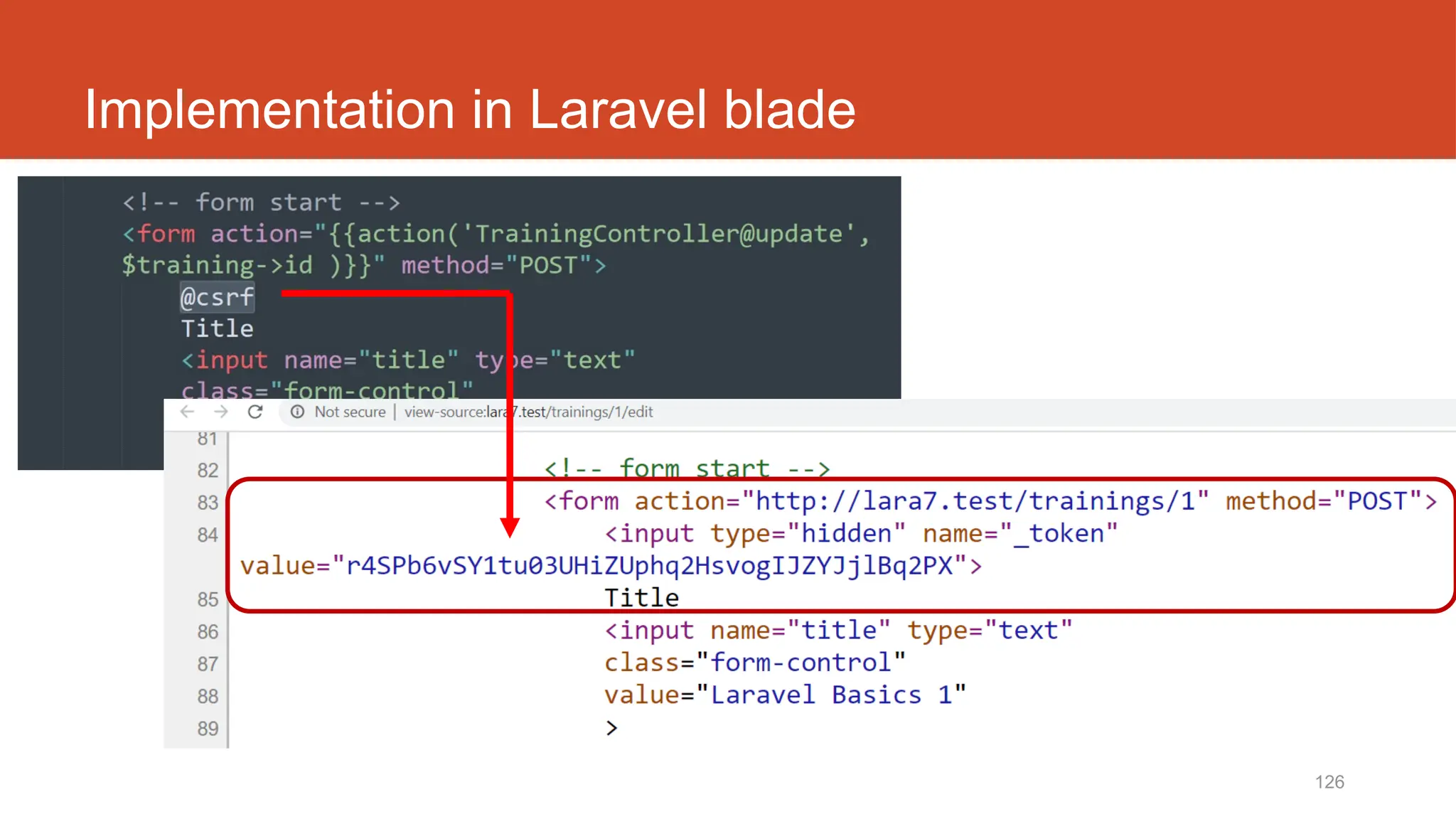
@csrf
(Built-in security token
for post method)
10/20/2024 123
DISCLAIMER
Codes are for demo purposes. Example showed here are only to
validate the proof of concepts. Security aspect the demonstrated
examples are beyond the coverage of these video tutorials. You
are advised to explore / sought after advanced/security topics of
PHP web programming as these tutorials only for beginner level.
Suitable to view in DESKTOP
124
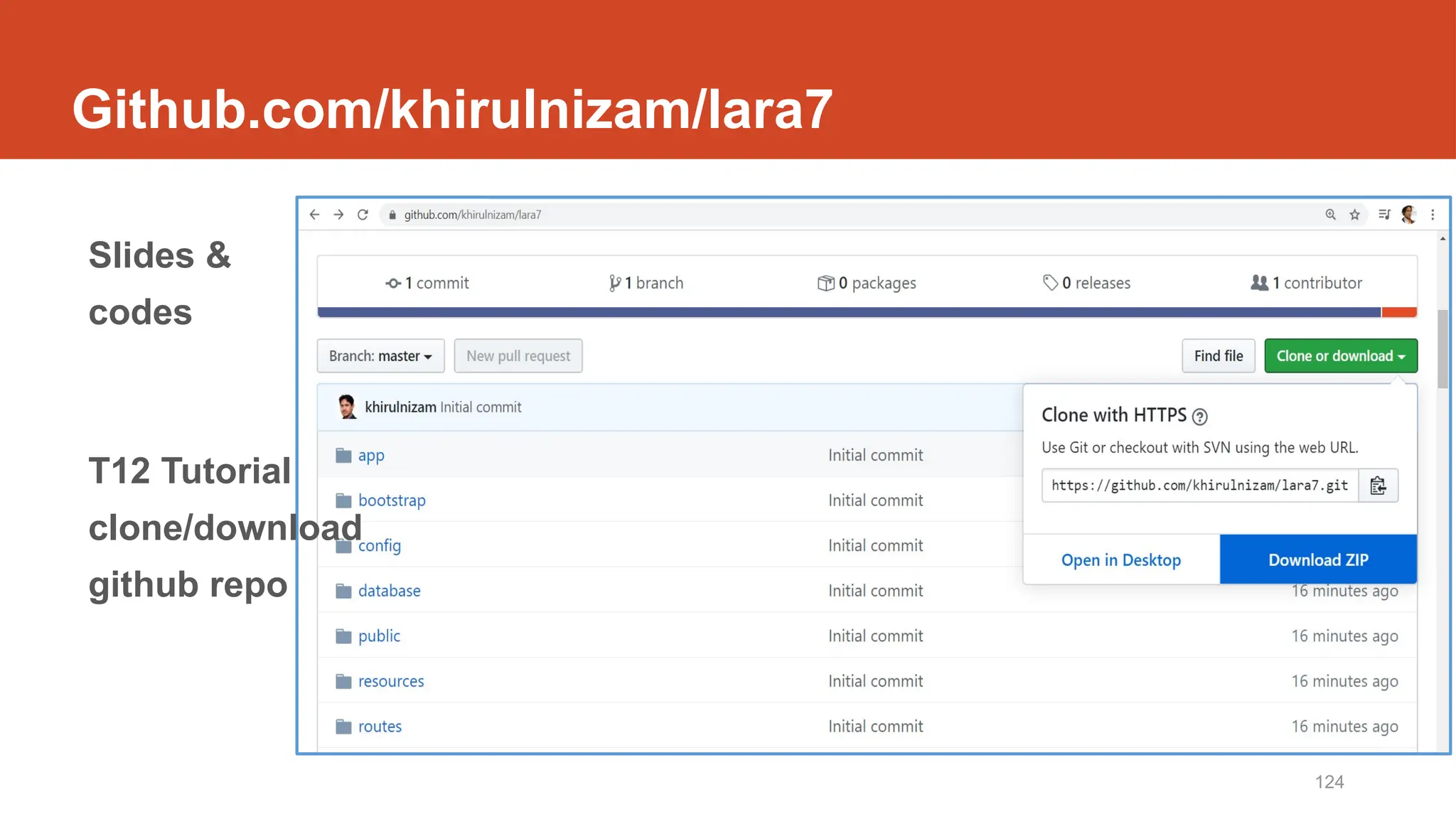
Github.com/khirulnizam/lara7
Slides &
codes
T12 Tutorial
clone/download
github repo
125
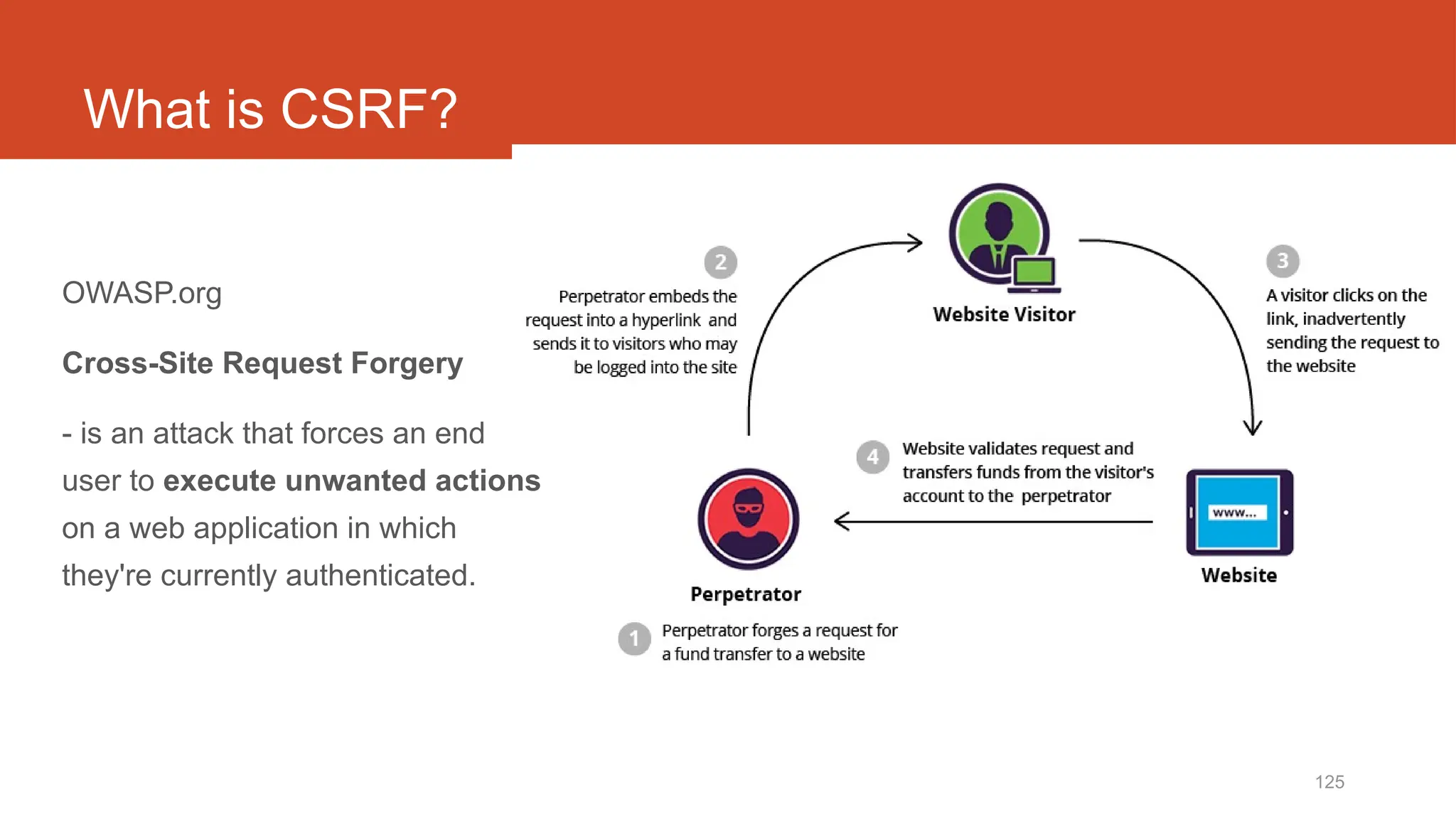
What is CSRF?
OWASP.org
Cross-Site Request Forgery
- is an attack that forces an end
user to execute unwanted actions
on a web application in which
they're currently authenticated.
126
Implementation in Laravel blade
http://fstm.kuis.edu.my/blog/laravel 127
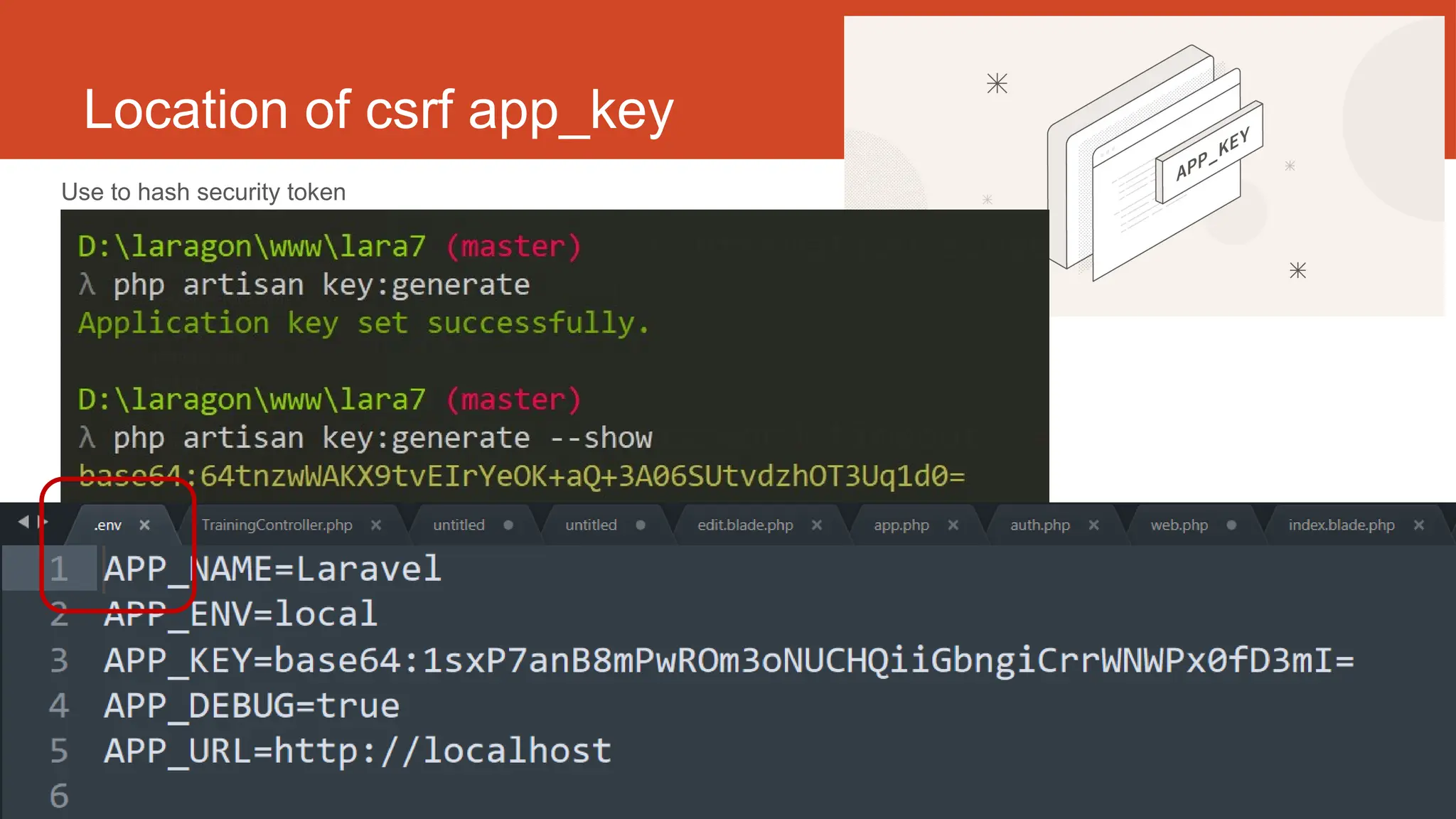
Location of csrf app_key
Use to hash security token
Laravel t18
Apply Bootstrap Layout
http://fstm.kuis.edu.my/blog/laravel 129
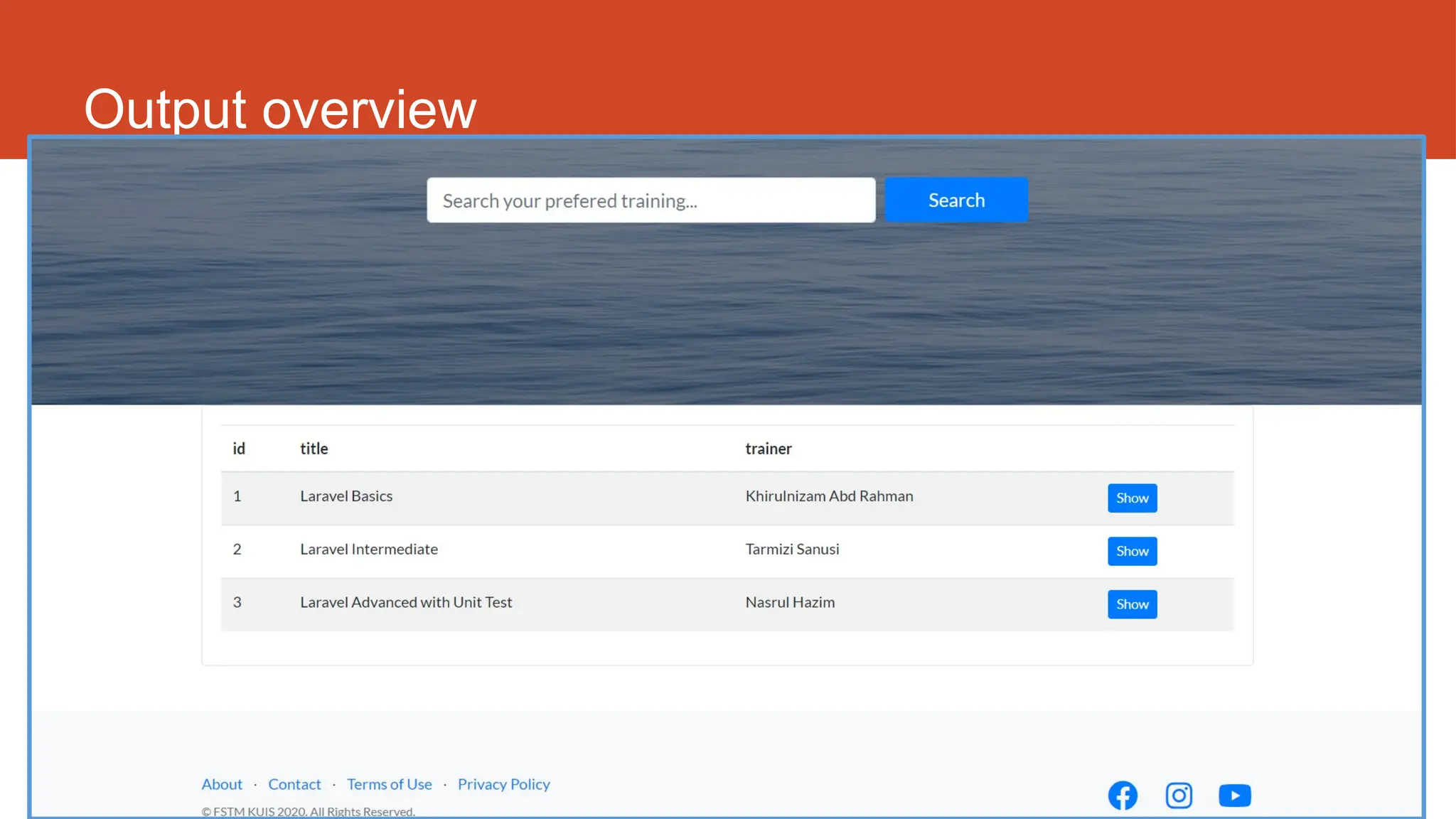
Output overview
10/20/2024 130
DISCLAIMER
Codes are for demo purposes. Example showed here are only to
validate the proof of concepts. Security aspect the demonstrated
examples are beyond the coverage of these video tutorials. You
are advised to explore / sought after advanced/security topics of
PHP web programming as these tutorials only for beginner level.
Suitable to view in DESKTOP
131
Github.com/khirulnizam/lara7
Slides &
codes
T12 Tutorial
clone/download
github repo
http://fstm.kuis.edu.my/blog/laravel 132
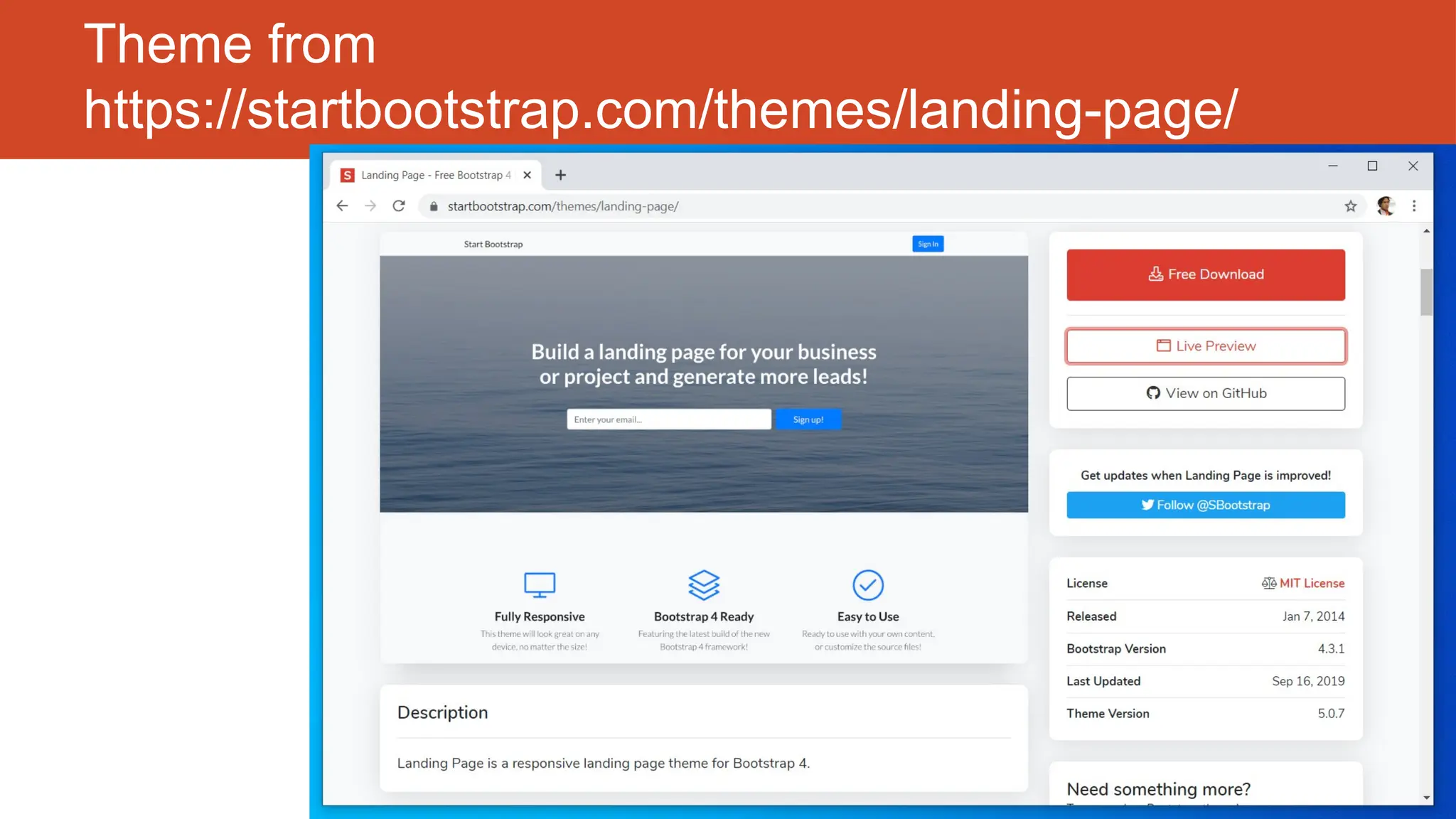
Theme from
https://startbootstrap.com/themes/landing-page/
http://fstm.kuis.edu.my/blog/laravel 133
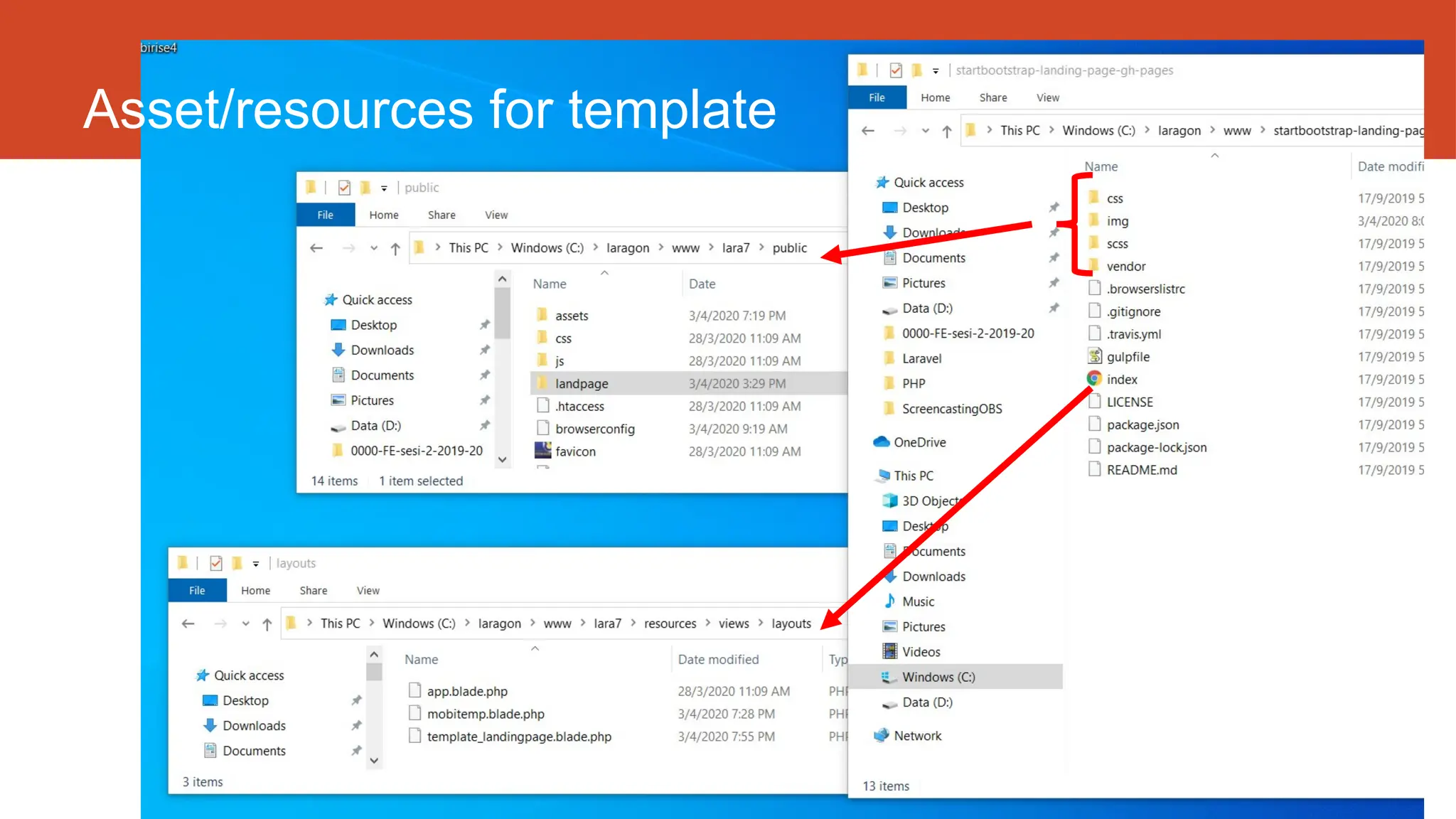
Asset/resources for template
http://fstm.kuis.edu.my/blog/laravel 134
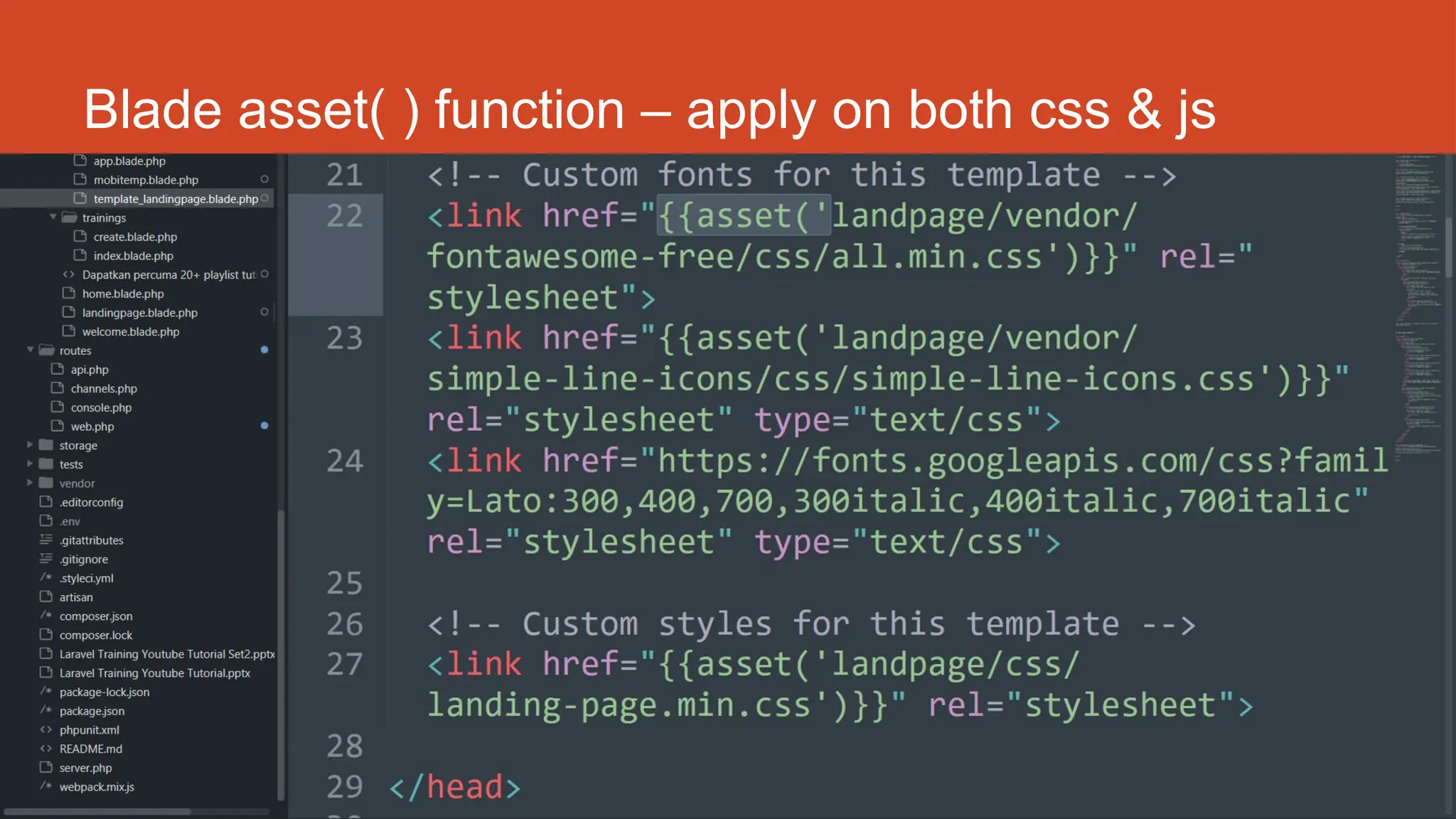
Blade asset( ) function – apply on both css & js
http://fstm.kuis.edu.my/blog/laravel 135
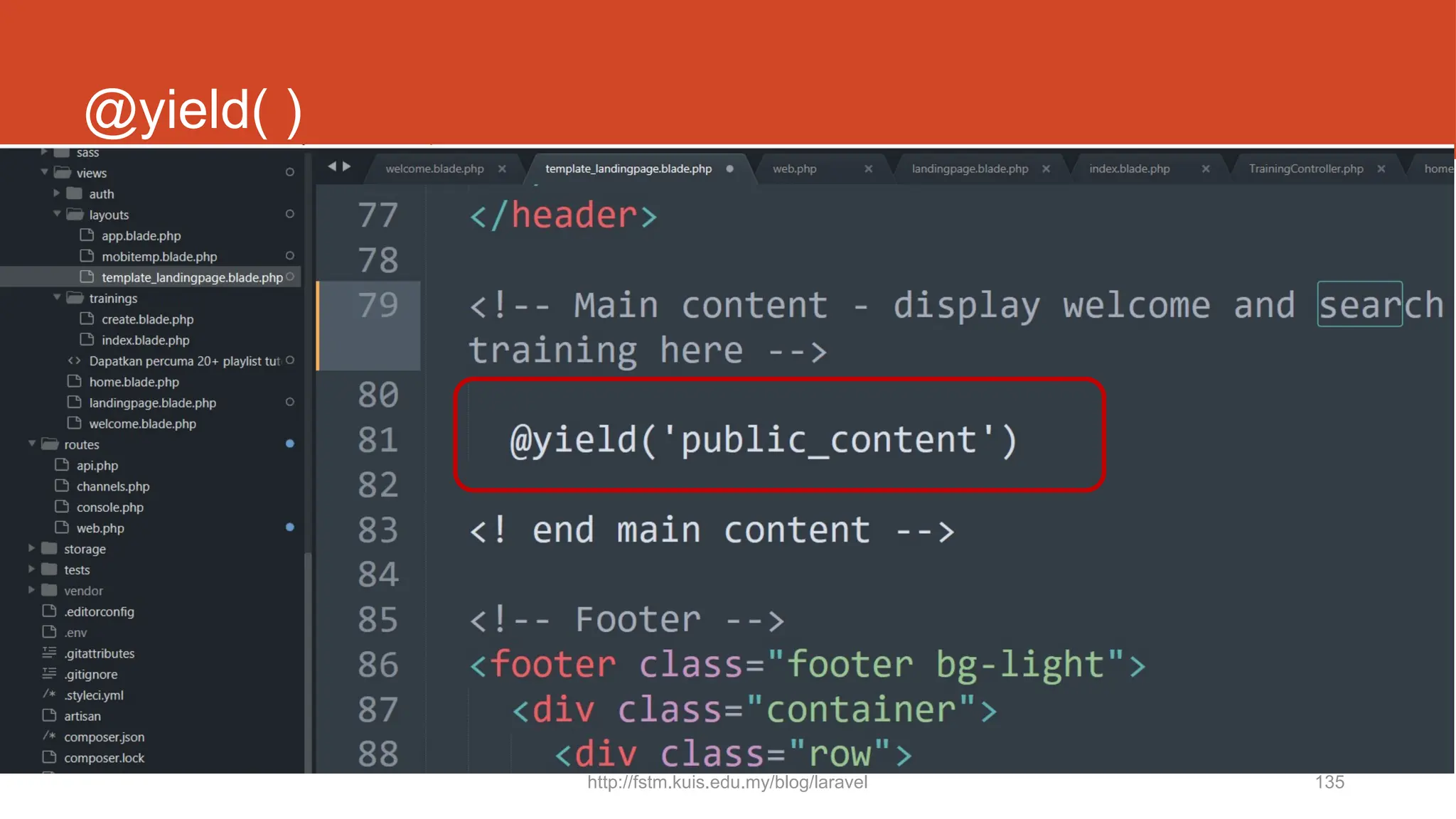
@yield( )
136
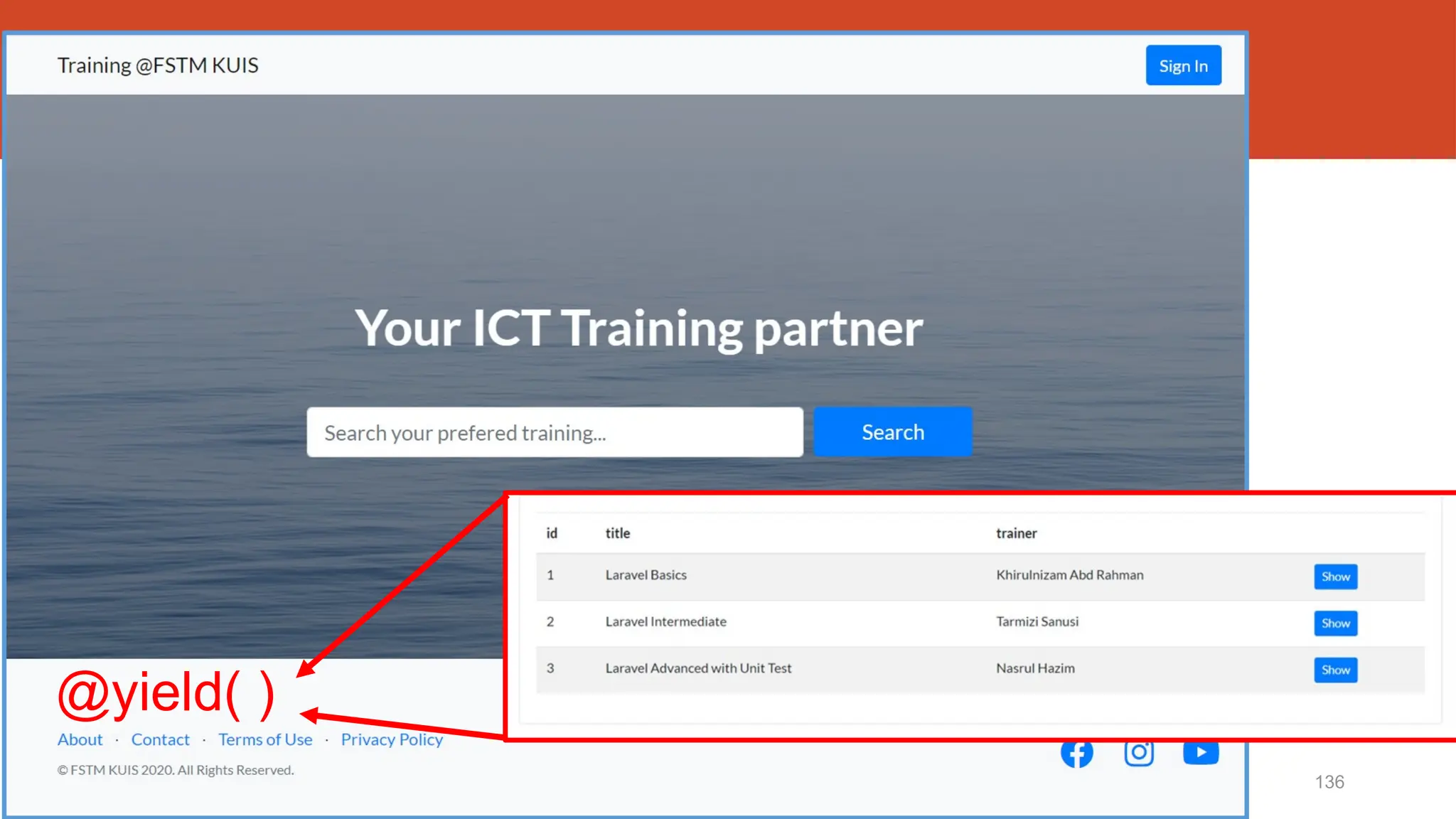
@yield( )
http://fstm.kuis.edu.my/blog/laravel 137
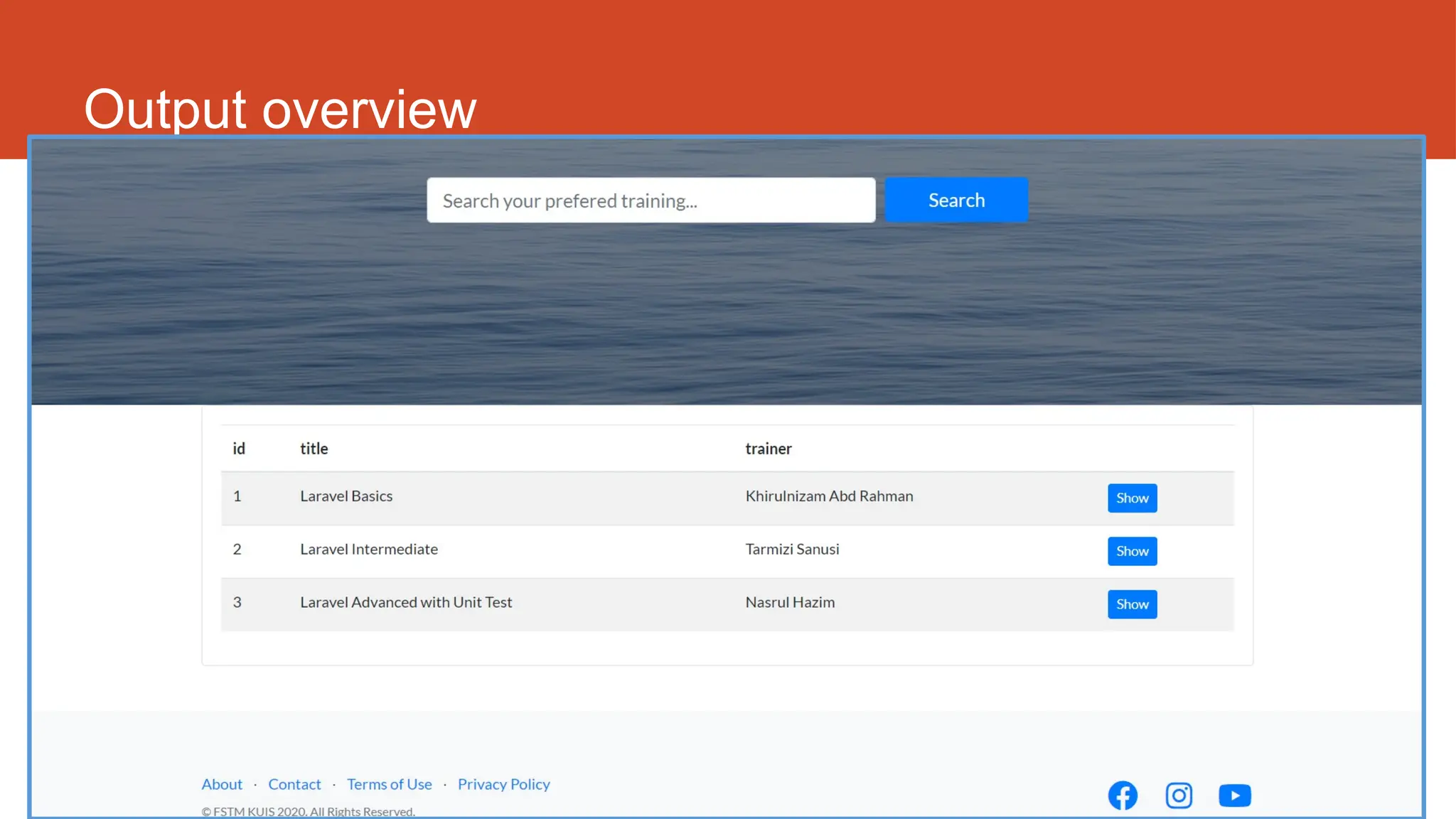
Output overview
http://fstm.kuis.edu.my/blog/laravel 138
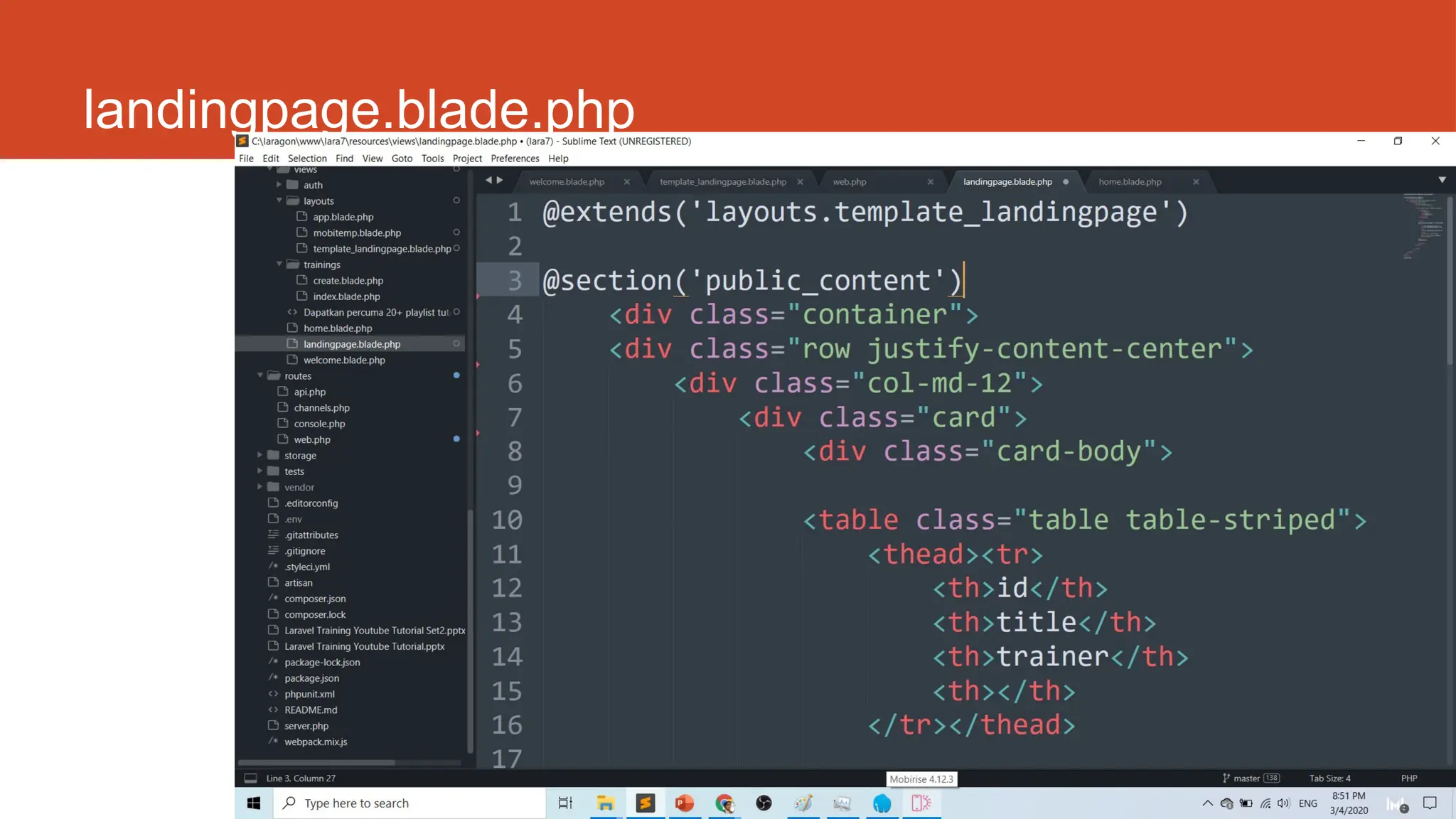
landingpage.blade.php
http://fstm.kuis.edu.my/blog/laravel 139
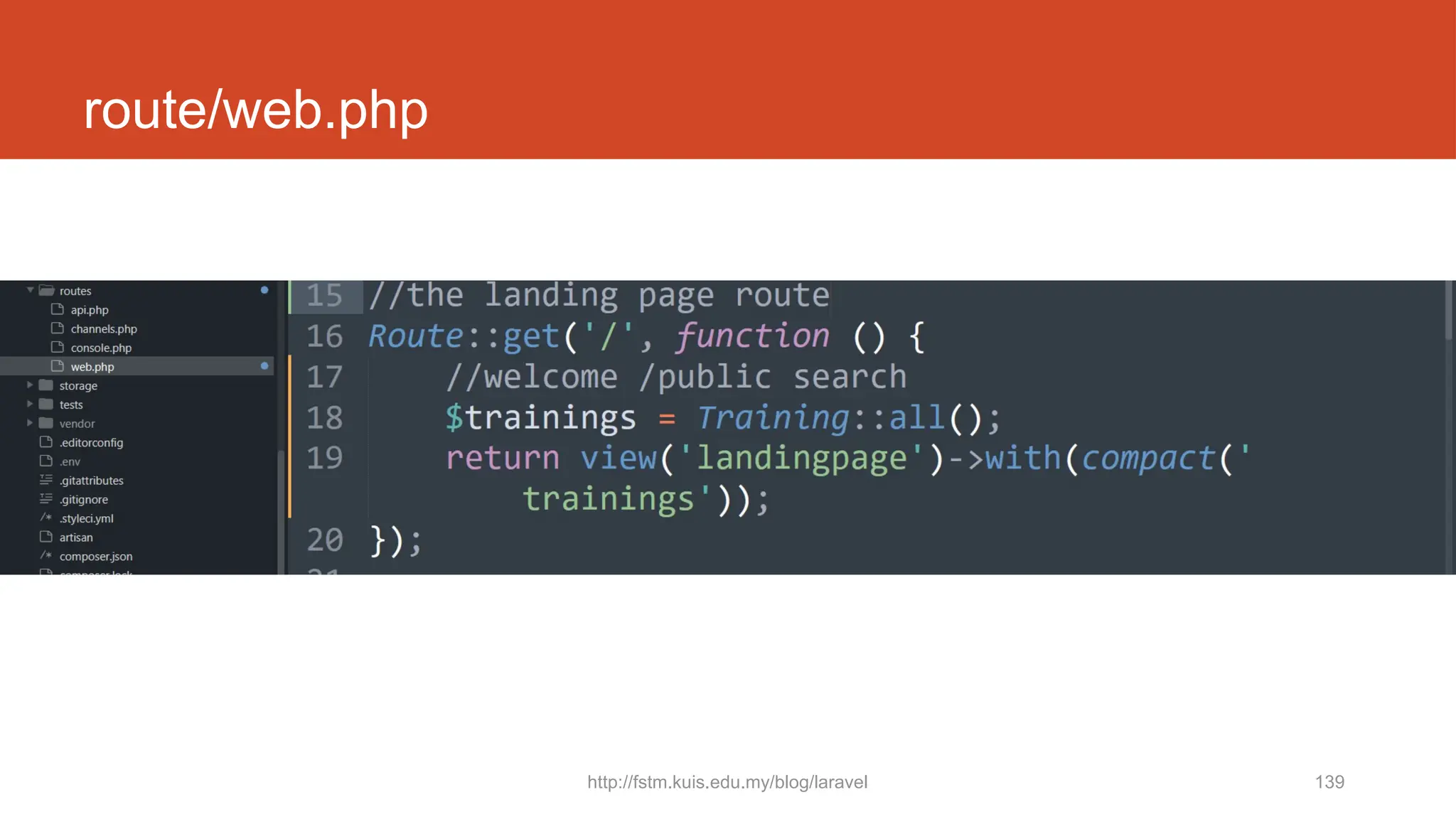
route/web.php
140
Github.com/khirulnizam/lara7
Slides &
codes
T12 Tutorial
clone/download
github repo
Laravel t19
Apply Bootstrap
on Admin Dashboard
http://fstm.kuis.edu.my/blog/laravel 142
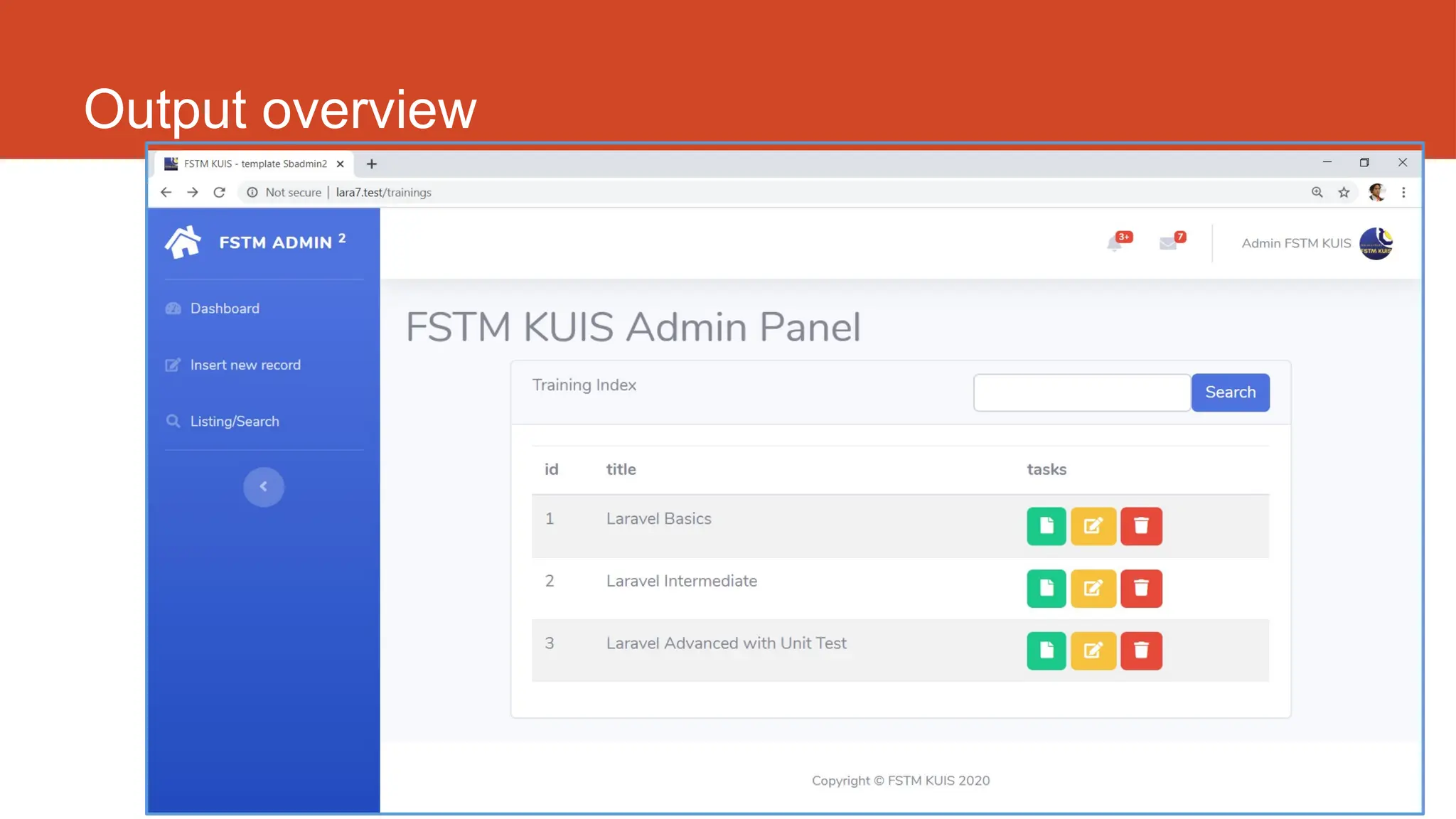
Output overview
10/20/2024 143
DISCLAIMER
Codes are for demo purposes. Example showed here are only to
validate the proof of concepts. Security aspect the demonstrated
examples are beyond the coverage of these video tutorials. You
are advised to explore / sought after advanced/security topics of
PHP web programming as these tutorials only for beginner level.
Suitable to view in DESKTOP
144
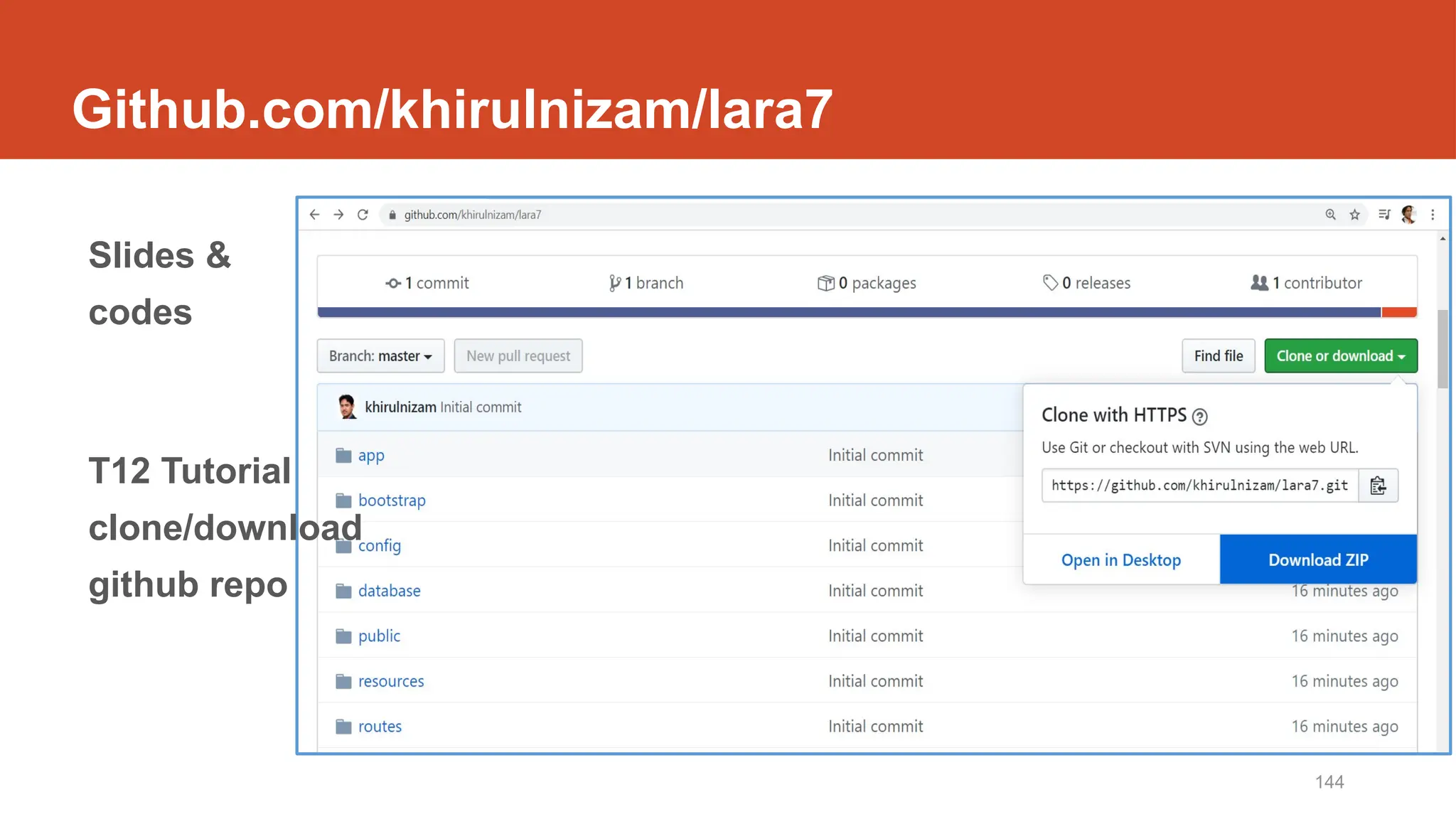
Github.com/khirulnizam/lara7
Slides &
codes
T12 Tutorial
clone/download
github repo
http://fstm.kuis.edu.my/blog/laravel 145
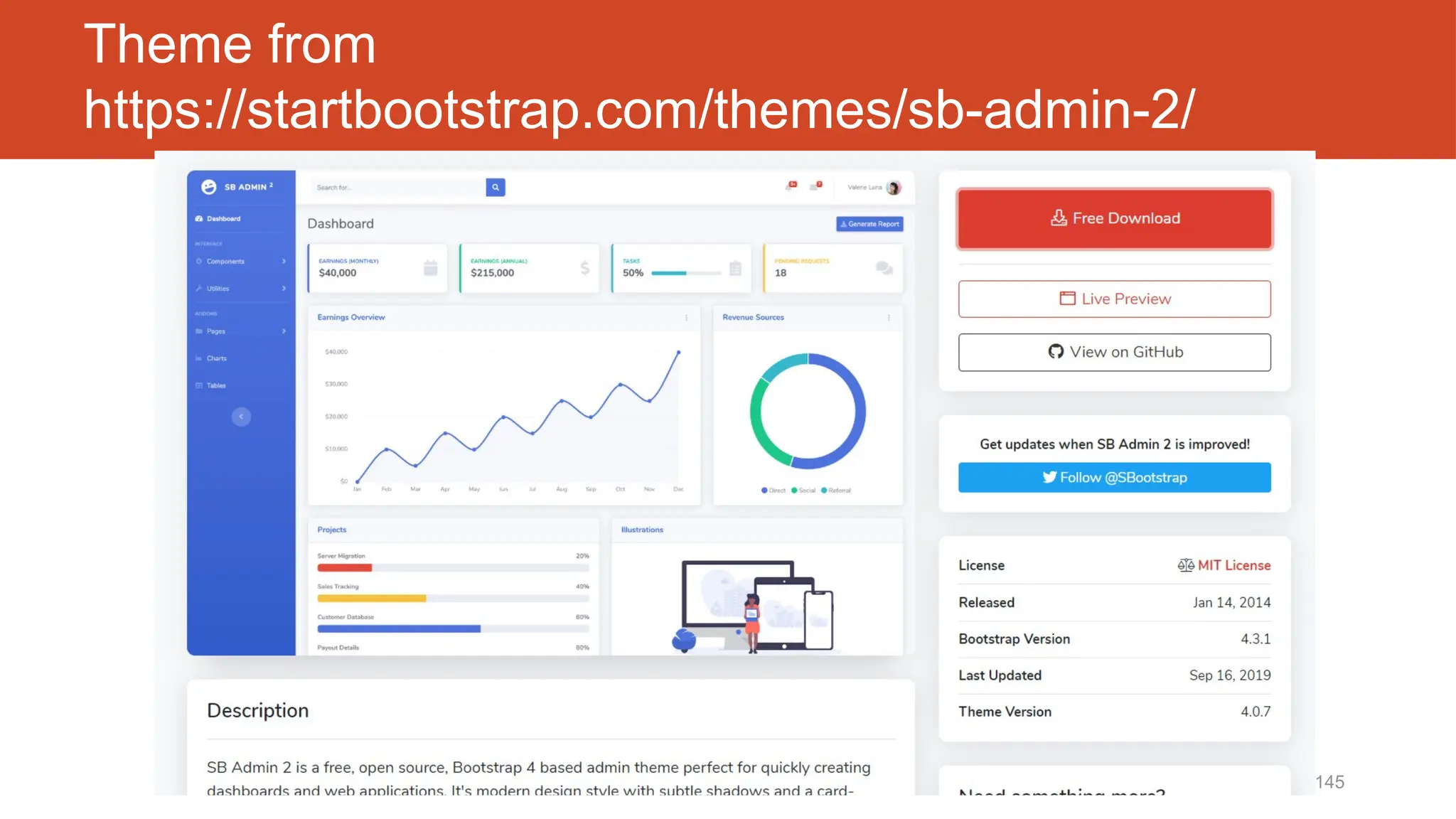
Theme from
https://startbootstrap.com/themes/sb-admin-2/
146
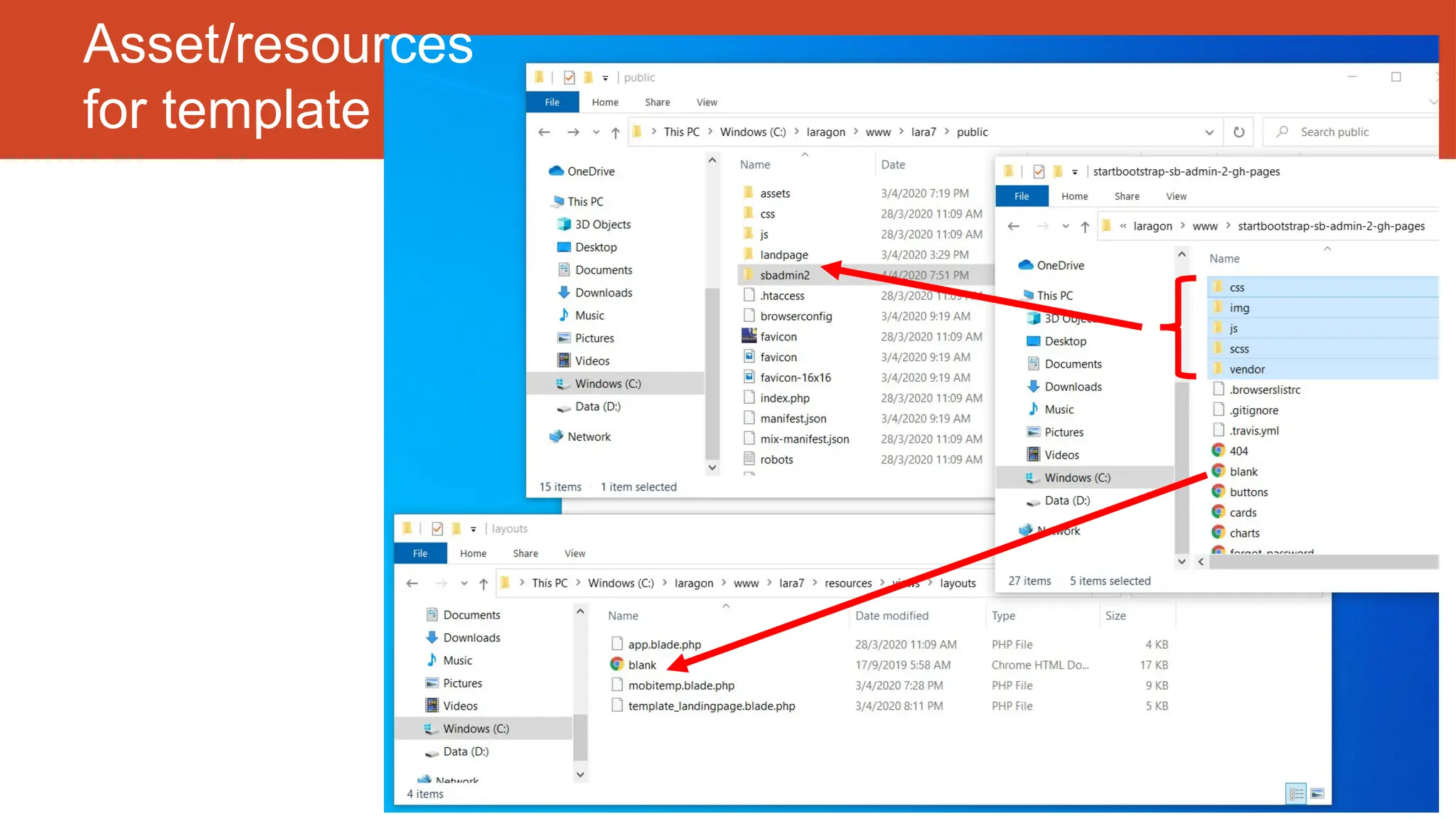
Asset/resources
for template
http://fstm.kuis.edu.my/blog/laravel 147
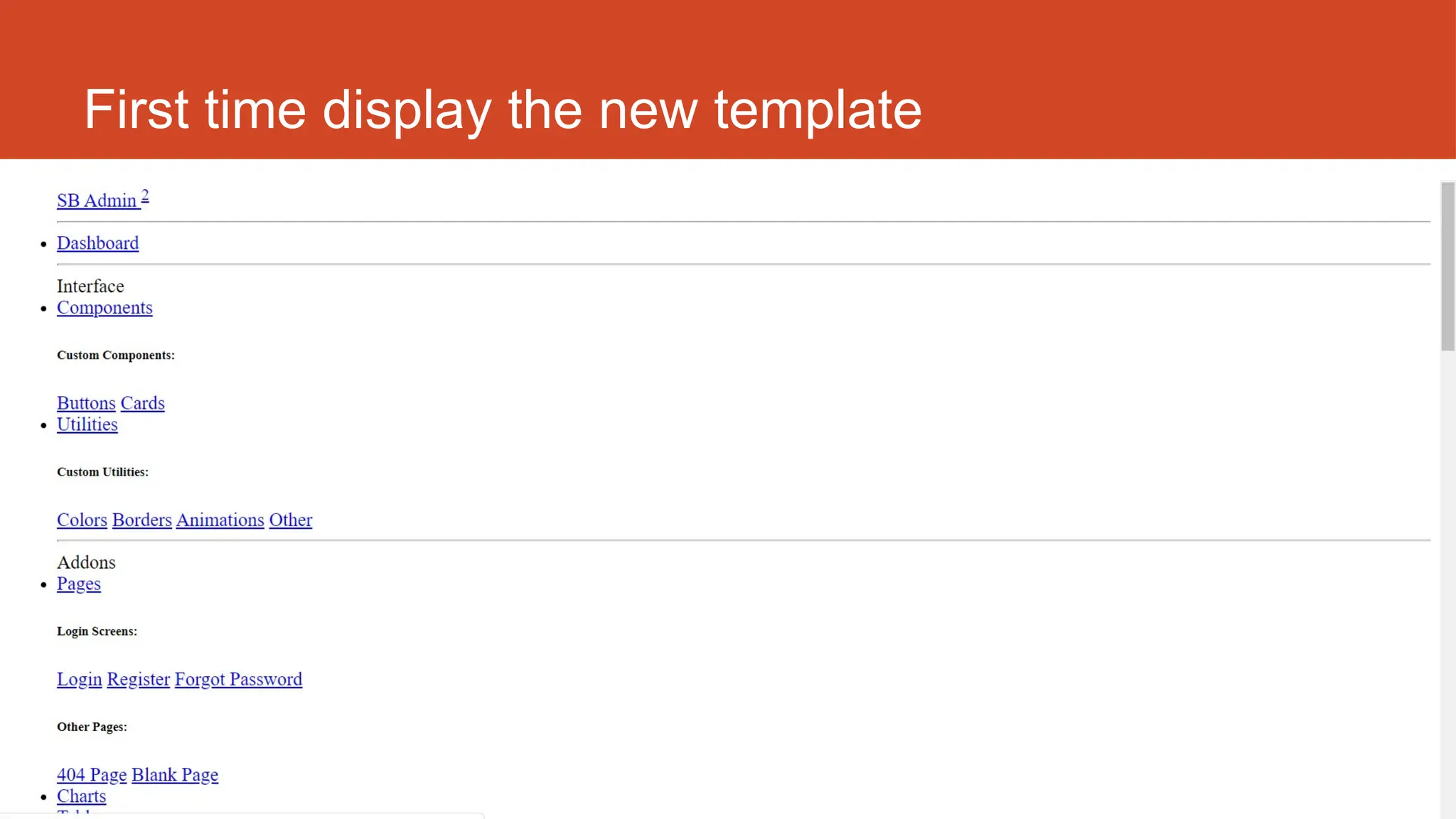
First time display the new template
148
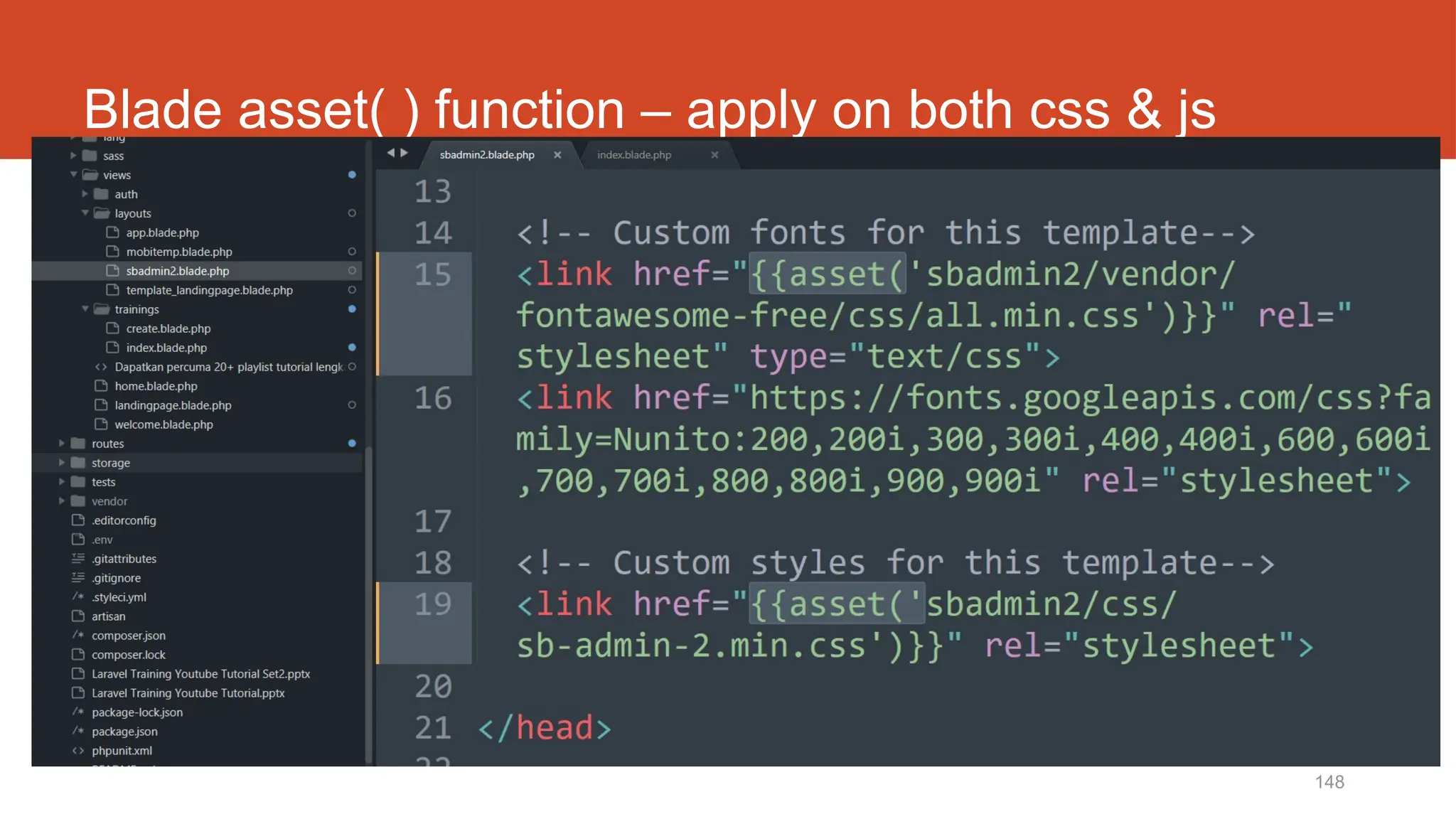
Blade asset( ) function – apply on both css & js
http://fstm.kuis.edu.my/blog/laravel 149
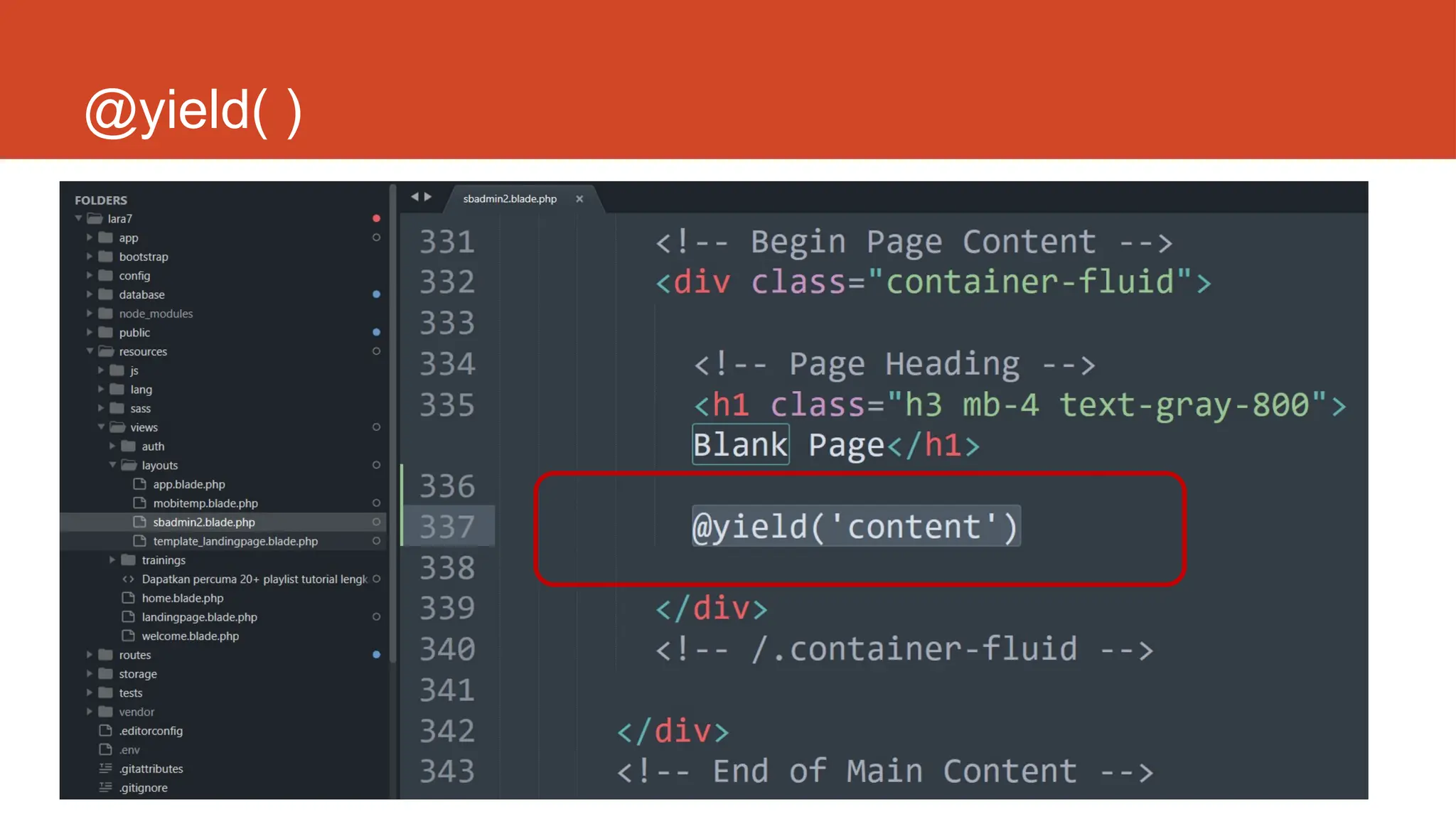
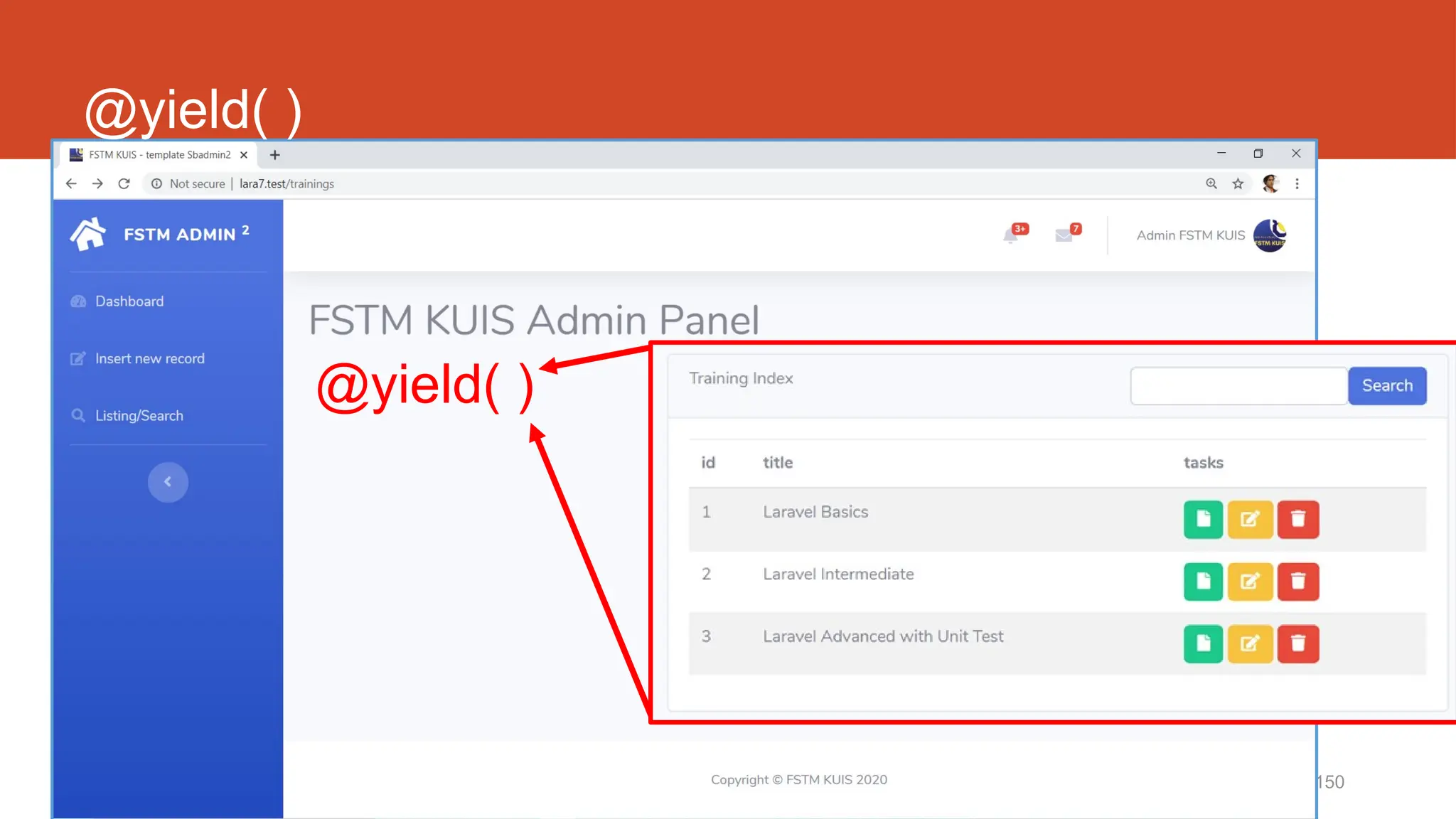
@yield( )
150
@yield( )
@yield( )
http://fstm.kuis.edu.my/blog/laravel 151
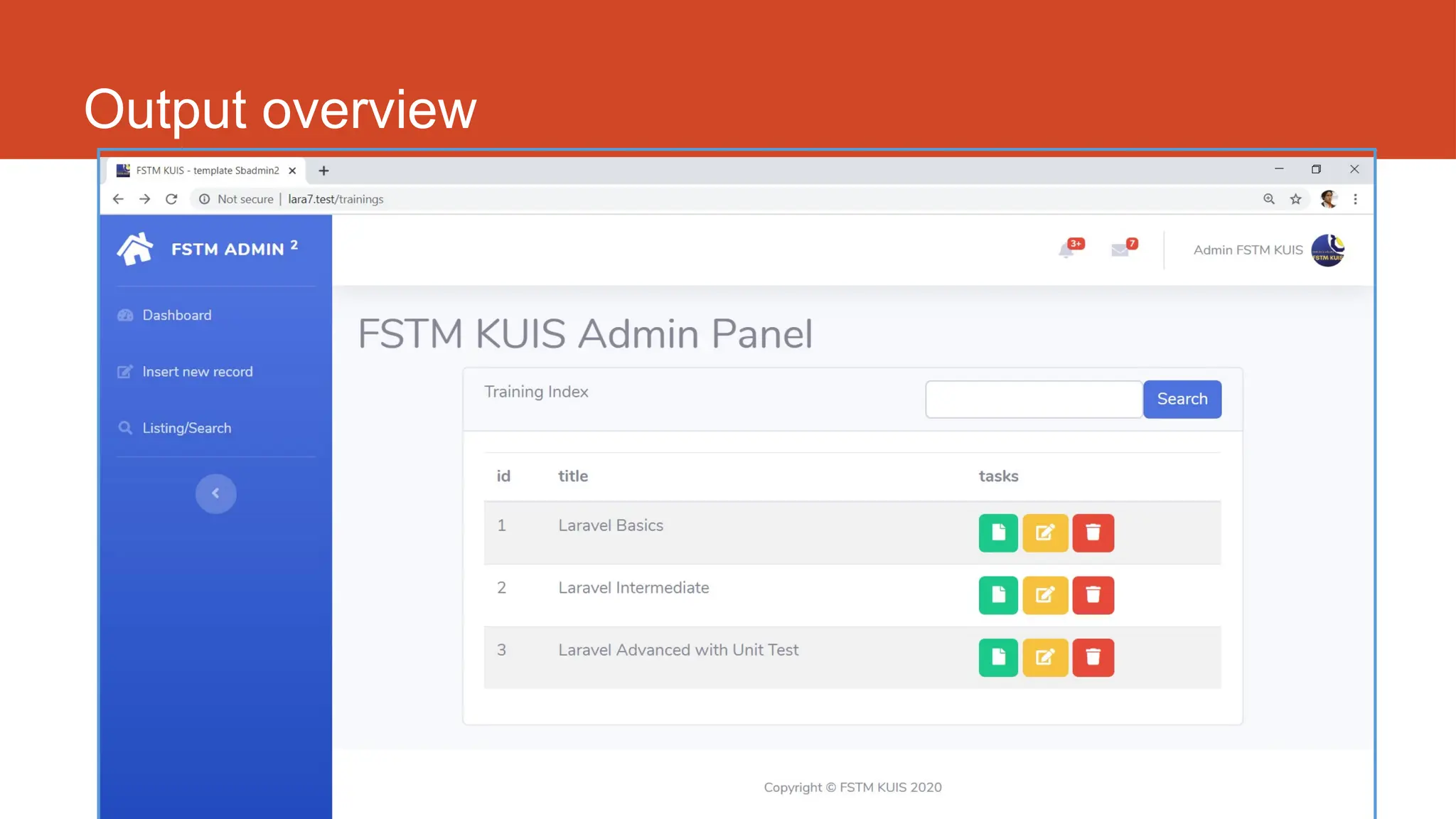
Output overview
http://fstm.kuis.edu.my/blog/laravel 152
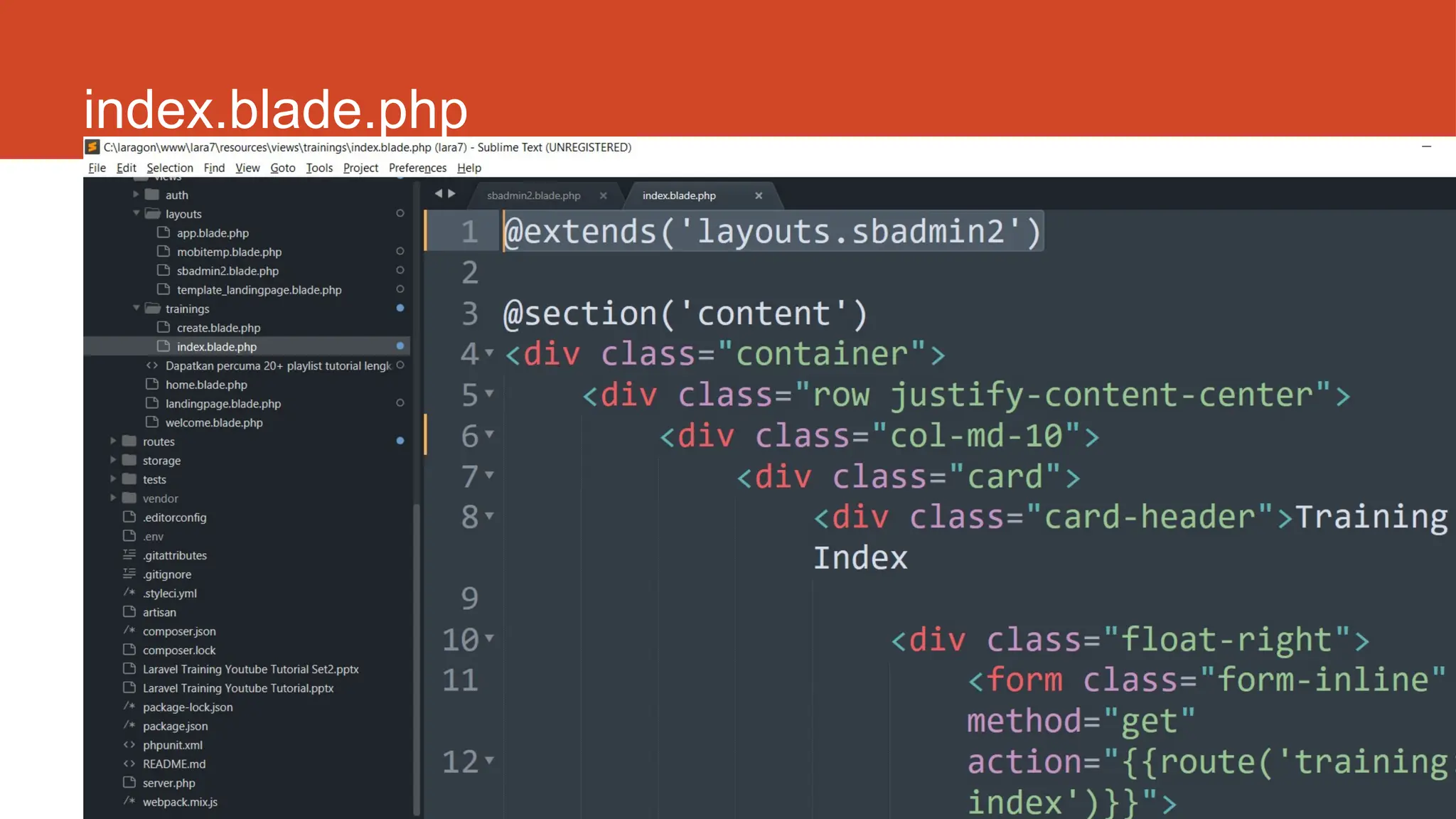
index.blade.php
153
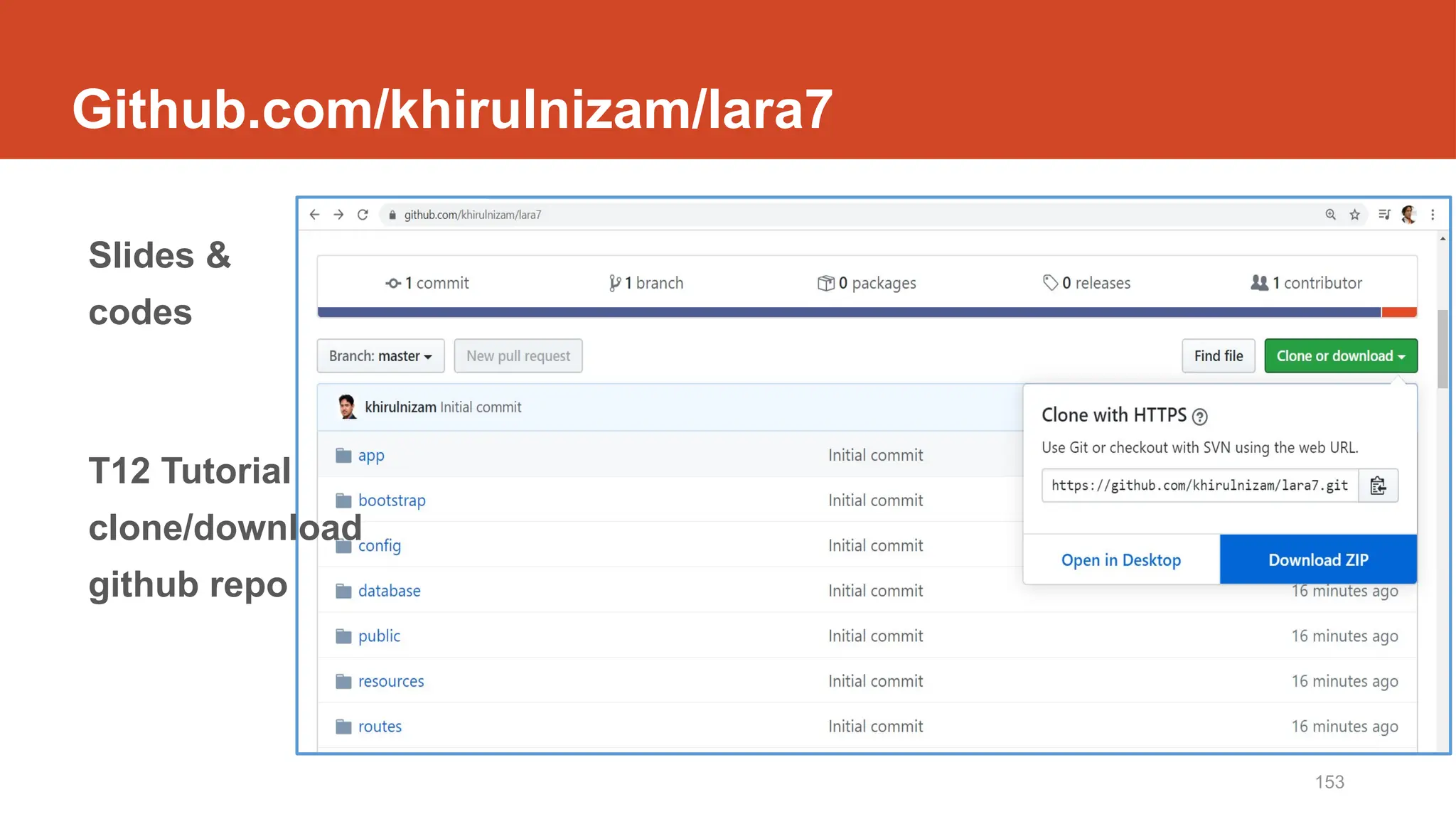
Github.com/khirulnizam/lara7
Slides &
codes
T12 Tutorial
clone/download
github repo
Laravel t20
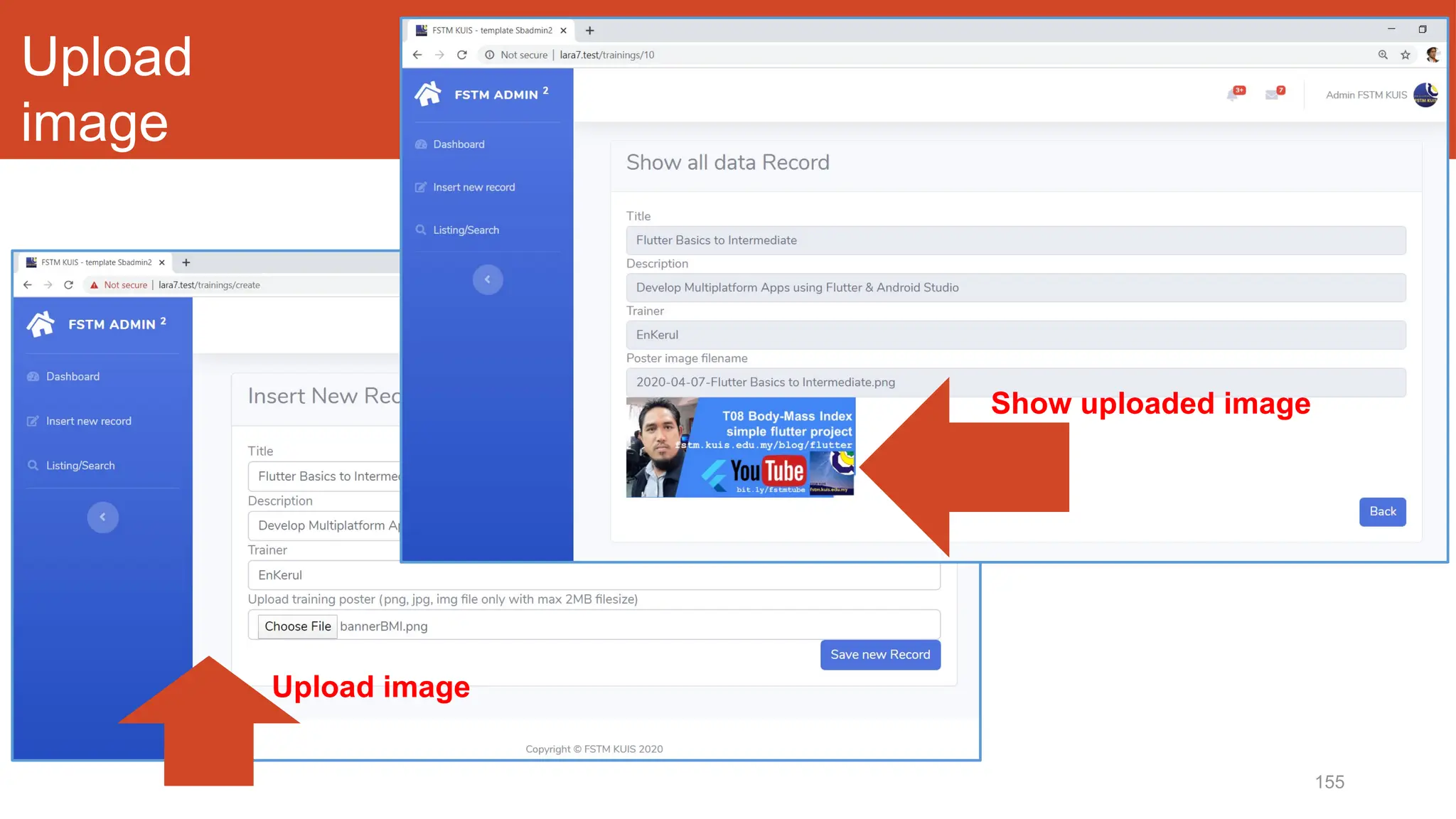
Muat naik fail gambar
155
Upload
image
Upload image
Show uploaded image
10/20/2024 156
DISCLAIMER
Codes are for demo purposes. Example showed here are only to
validate the proof of concepts. Security aspect the demonstrated
examples are beyond the coverage of these video tutorials. You
are advised to explore / sought after advanced/security topics of
PHP web programming as these tutorials only for beginner level.
Suitable to view in DESKTOP
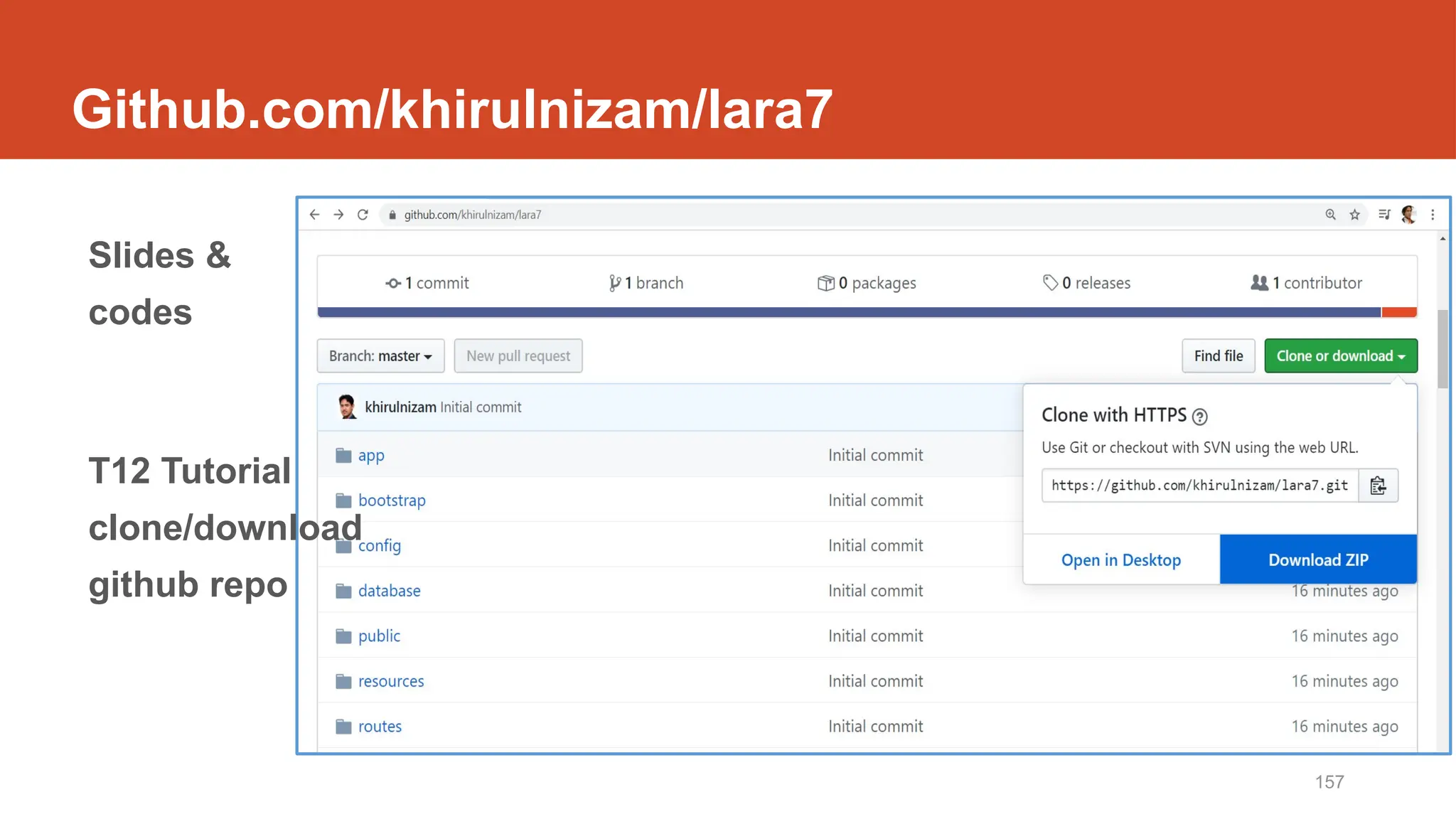
157
Github.com/khirulnizam/lara7
Slides &
codes
T12 Tutorial
clone/download
github repo
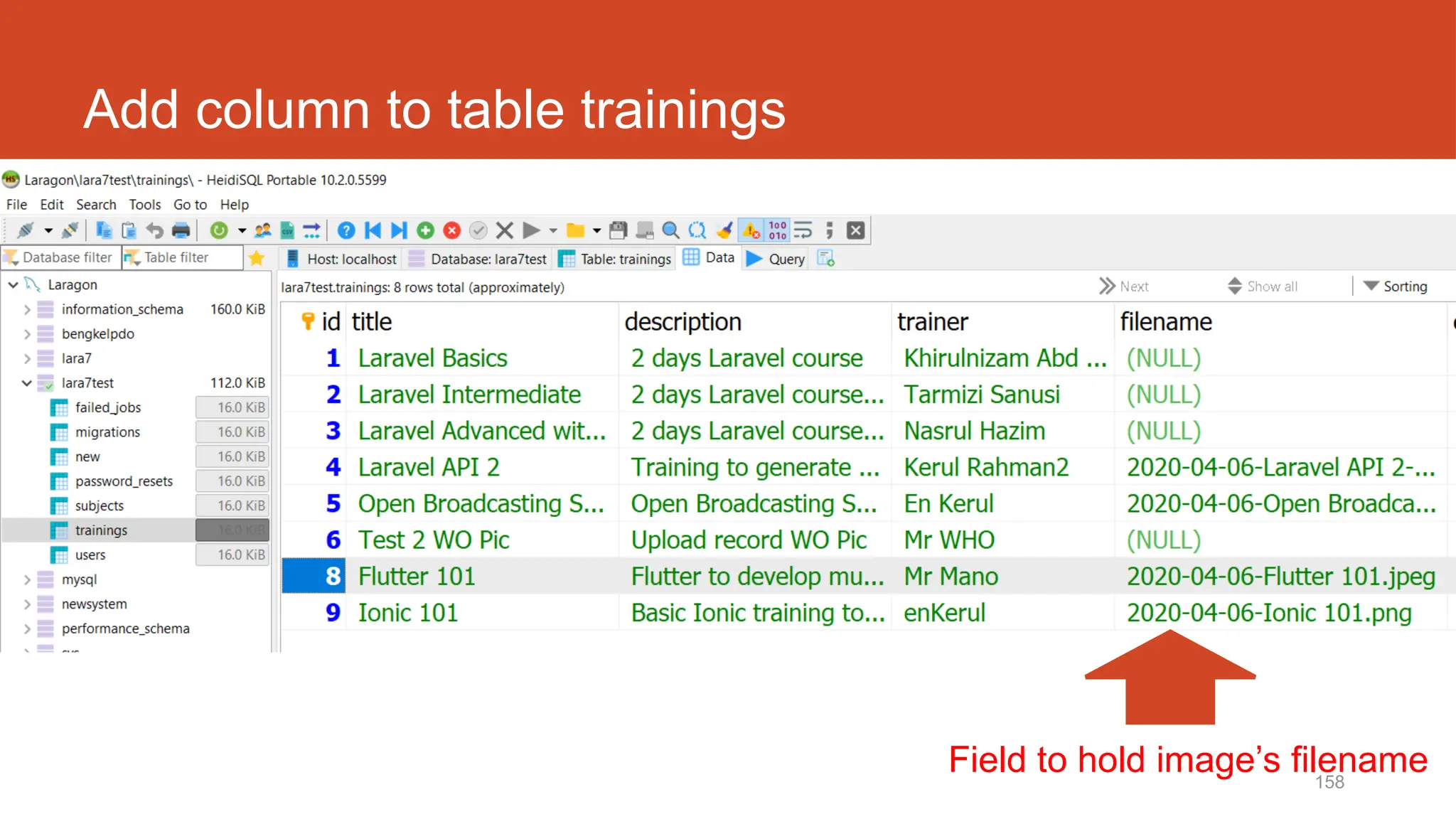
158
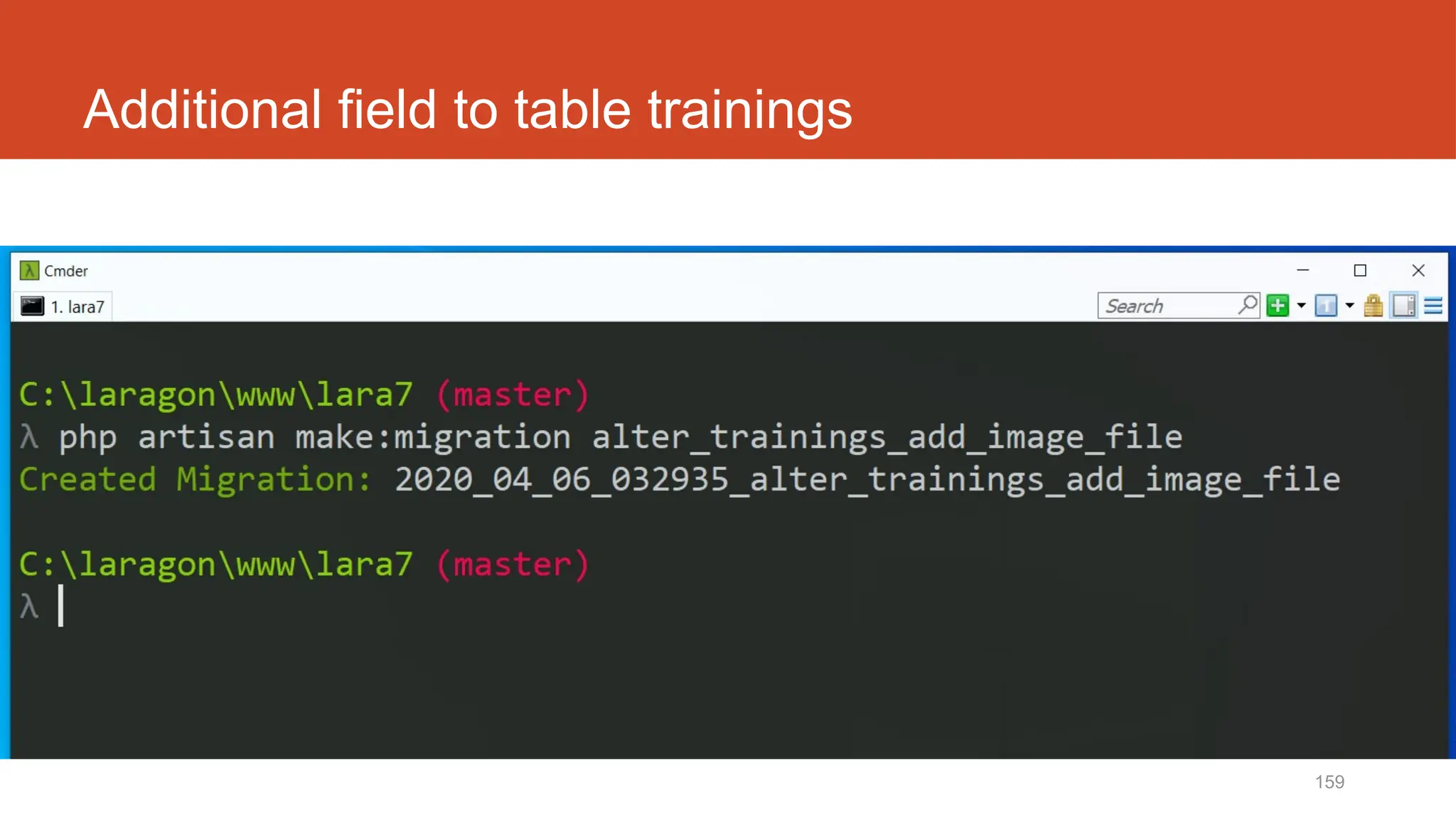
Add column to table trainings
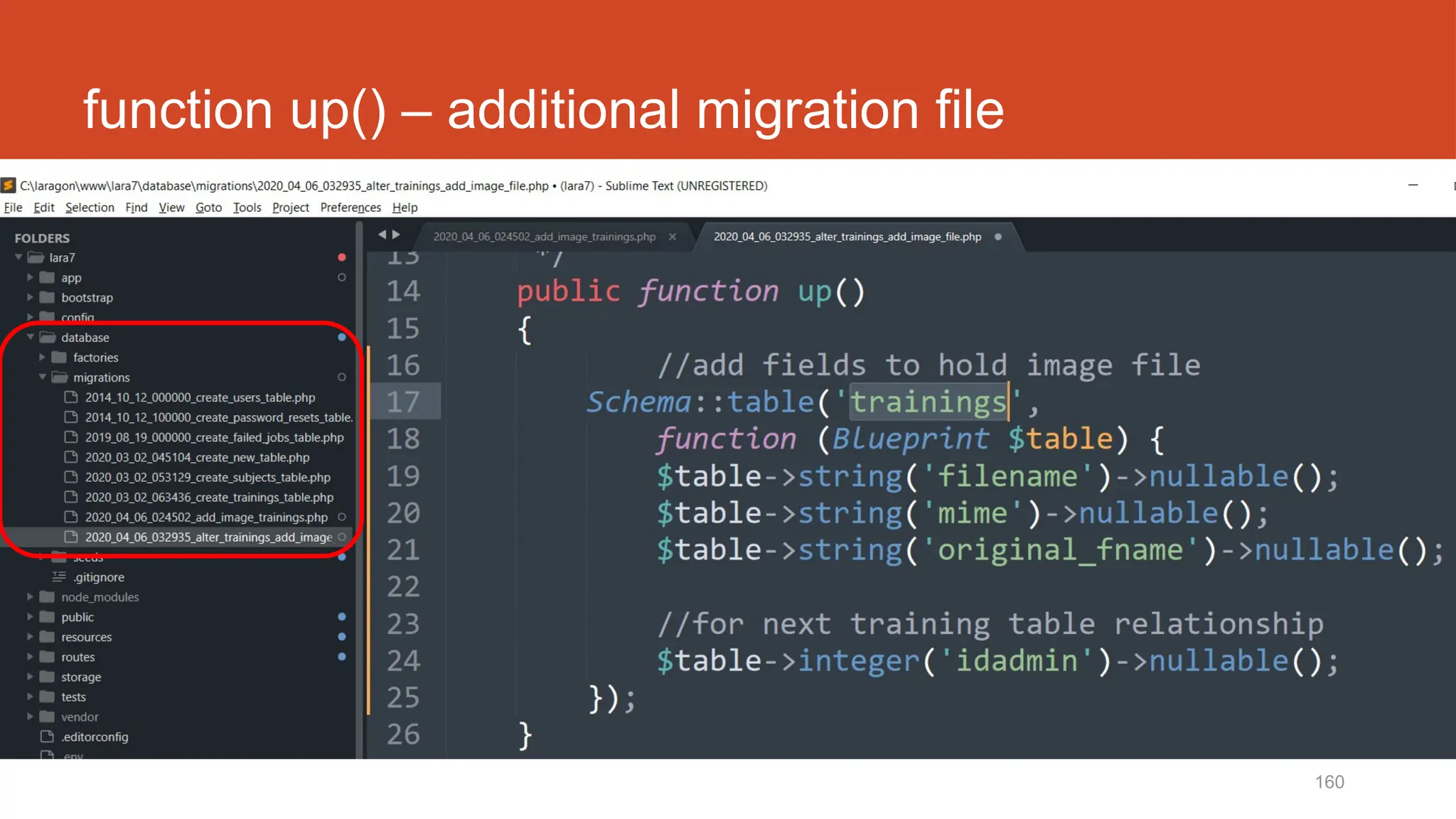
Field to hold image’s filename
159
Additional field to table trainings
160
function up() – additional migration file
161
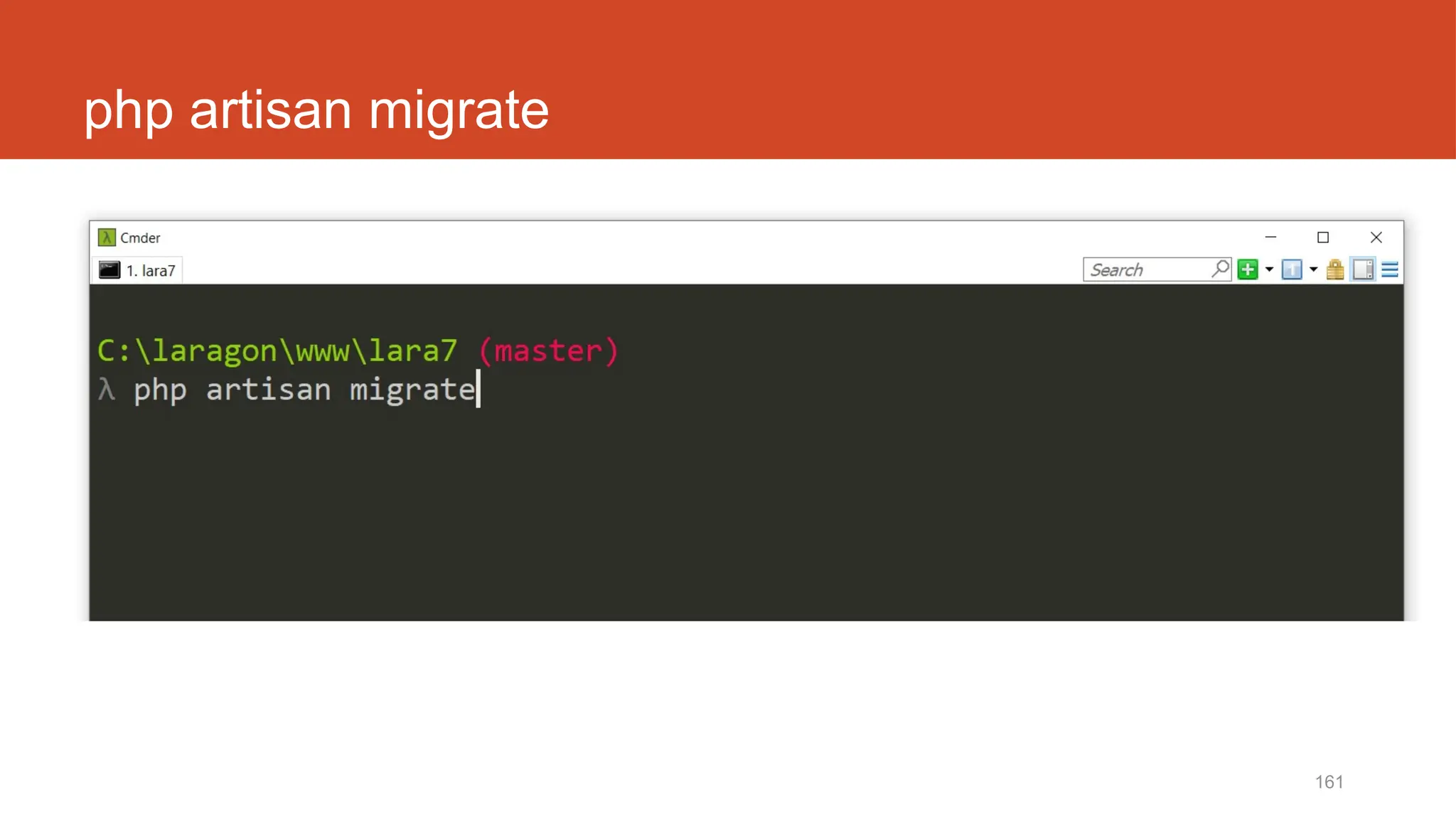
php artisan migrate
162
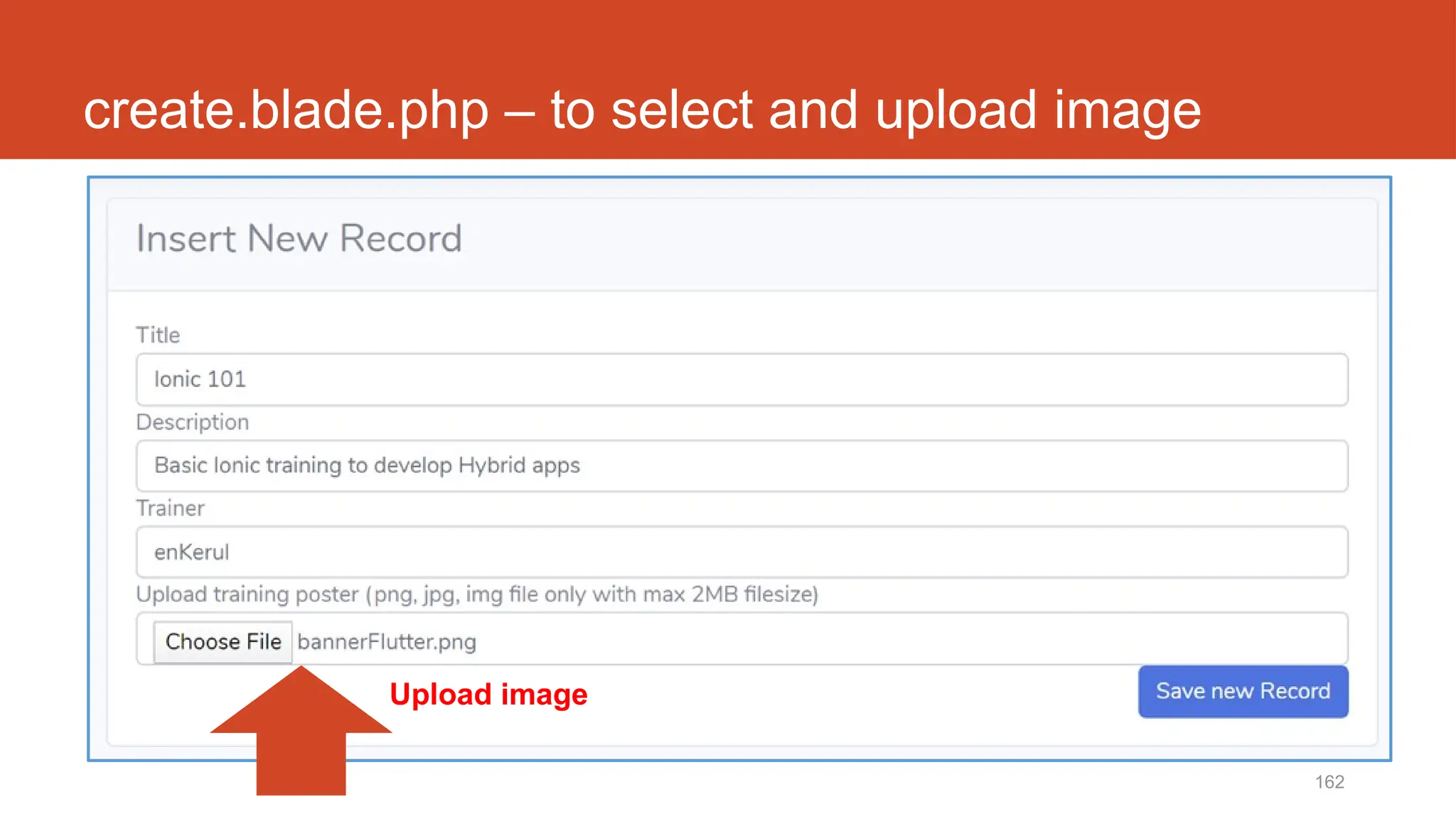
create.blade.php – to select and upload image
Upload image
163
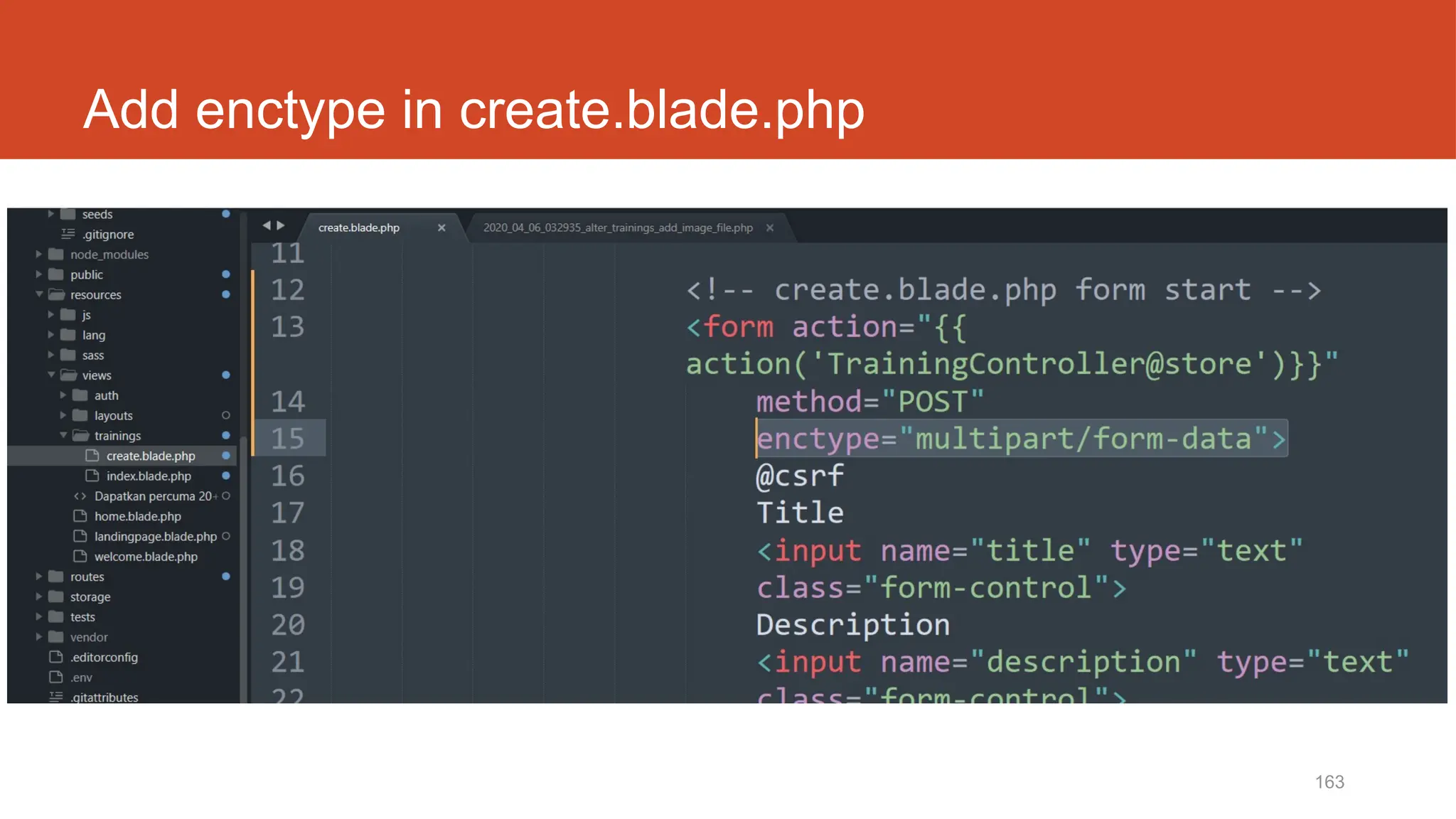
Add enctype in create.blade.php
164
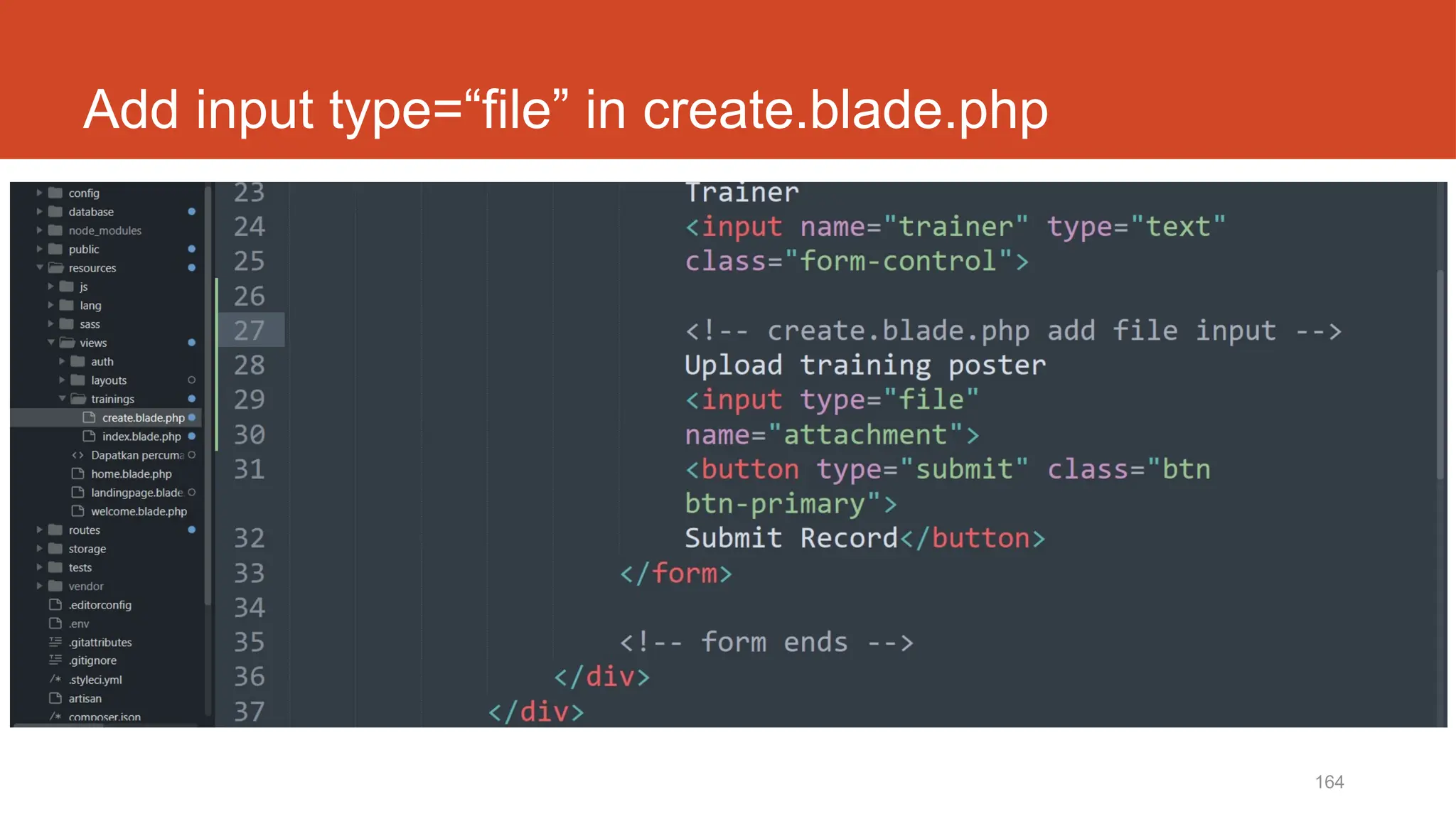
Add input type=“file” in create.blade.php
http://fstm.kuis.edu.my/blog/laravel 165
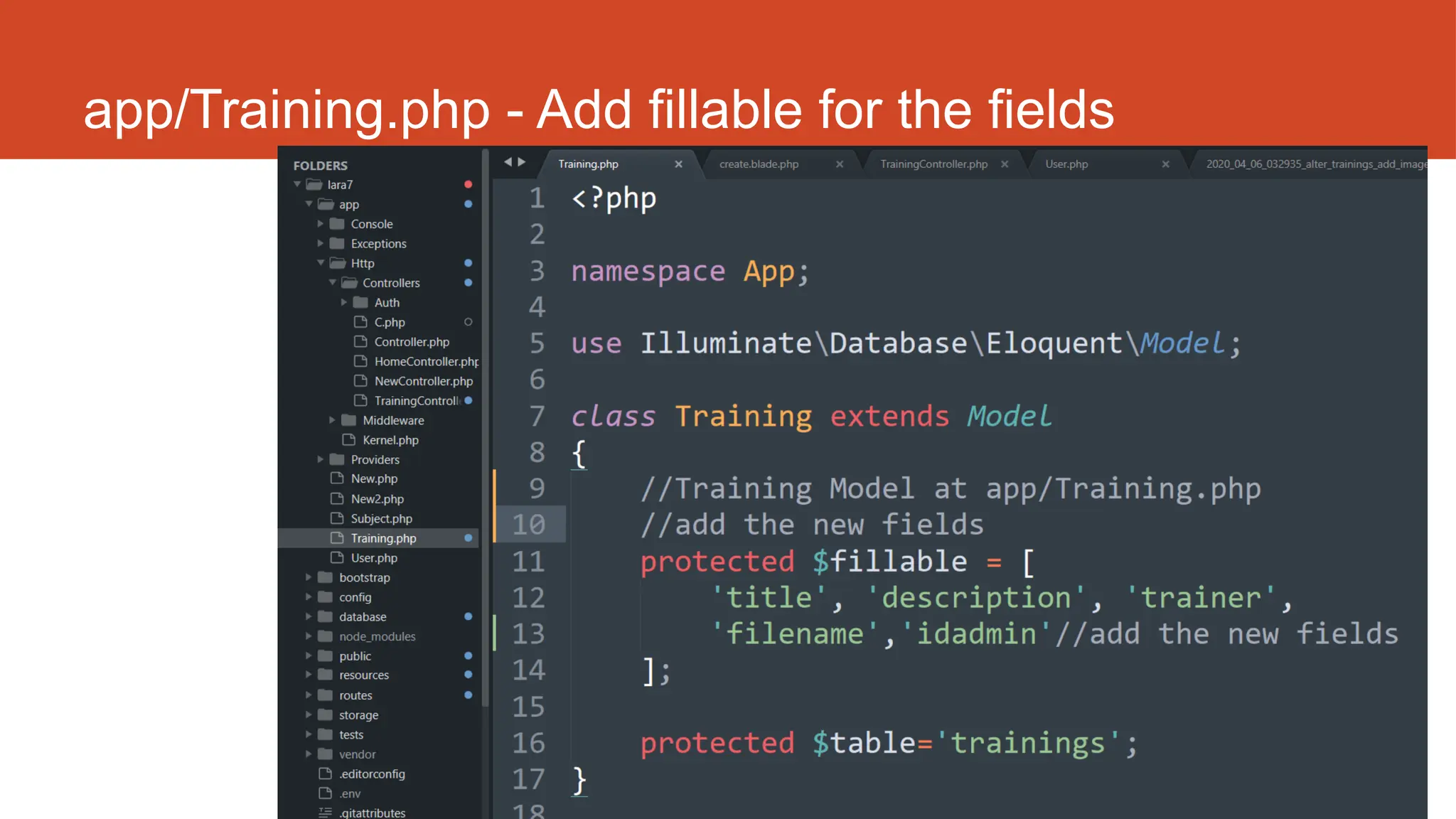
app/Training.php - Add fillable for the fields
166
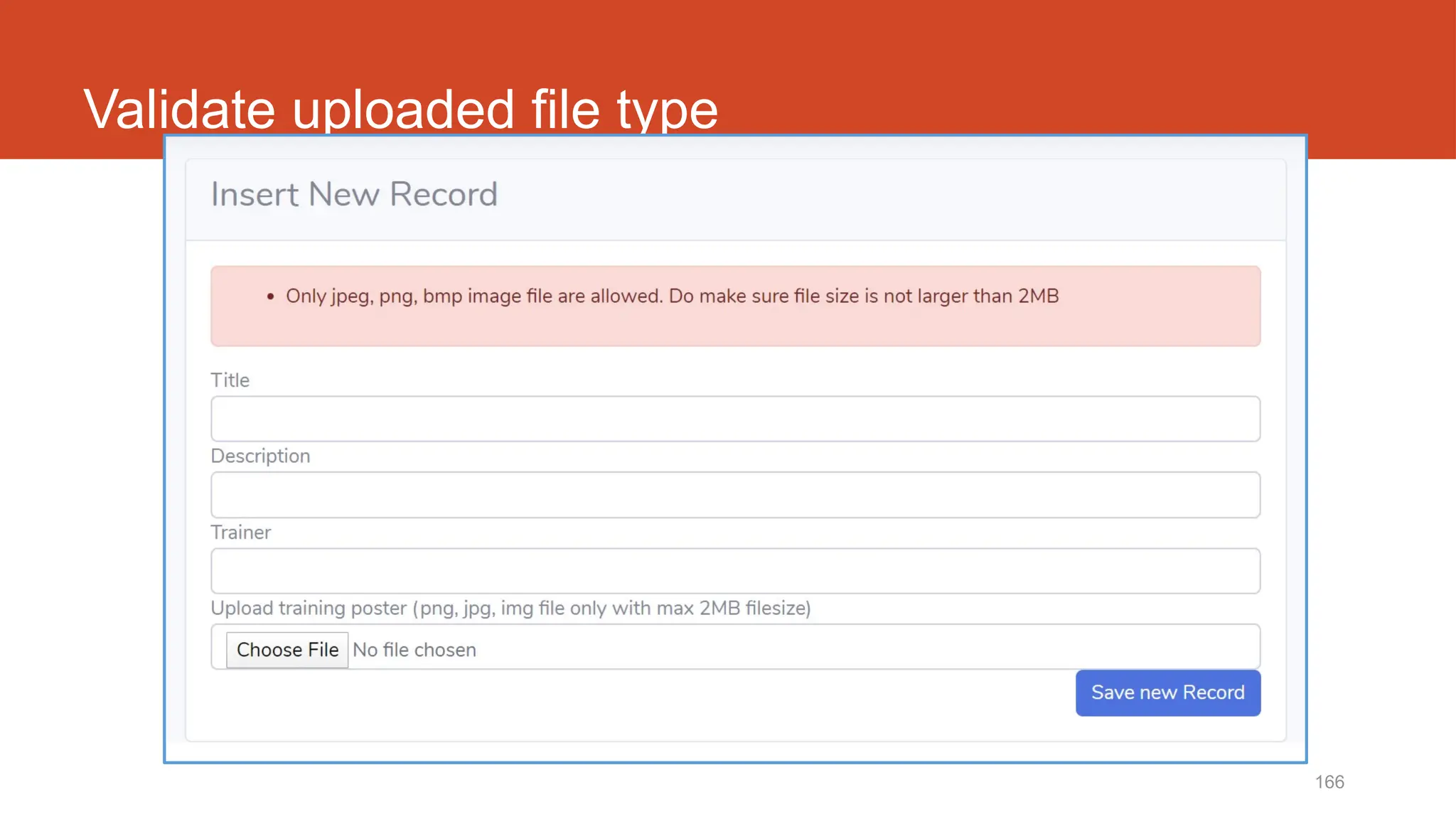
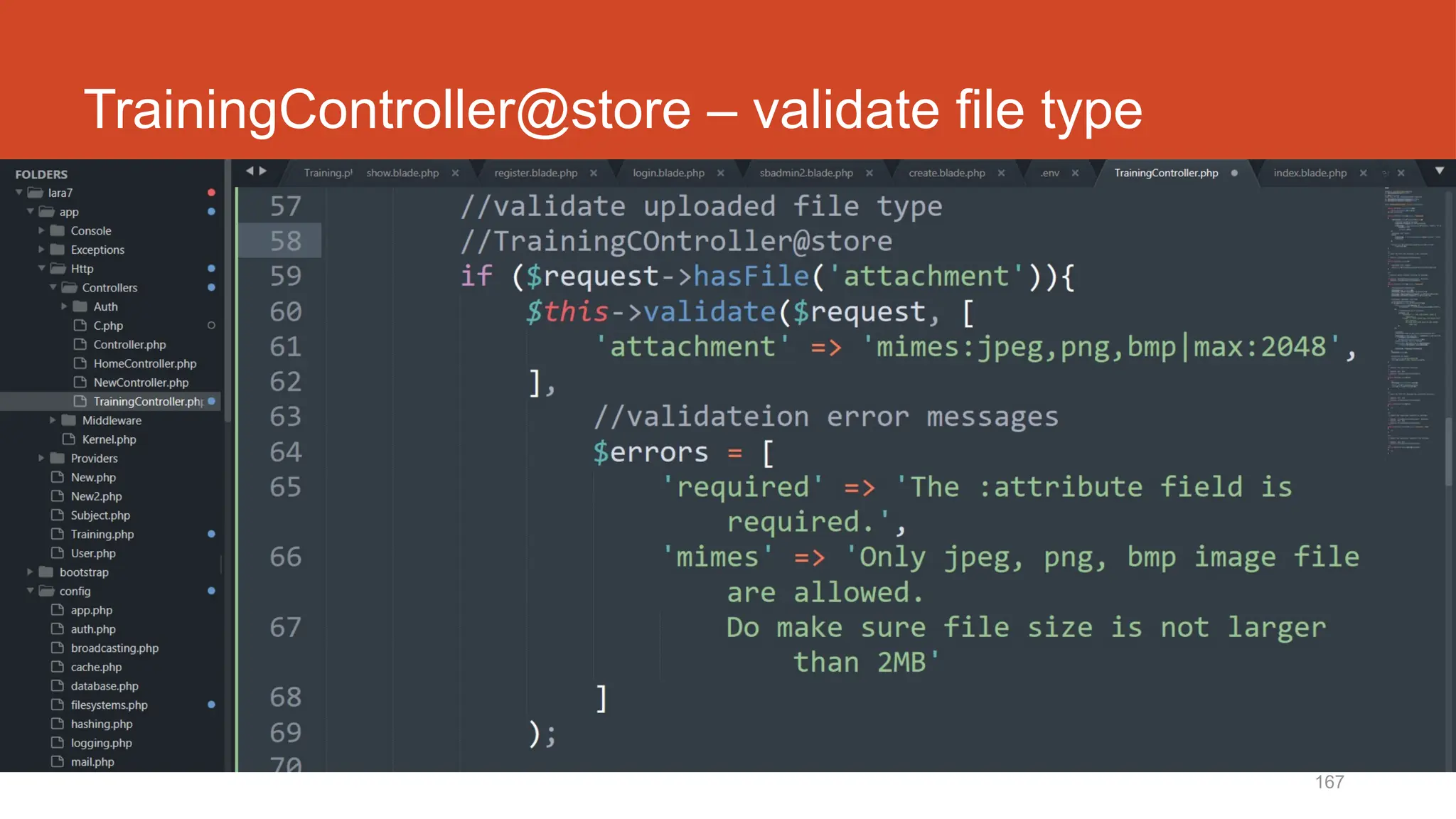
Validate uploaded file type
167
TrainingController@store – validate file type
http://fstm.kuis.edu.my/blog/laravel 168
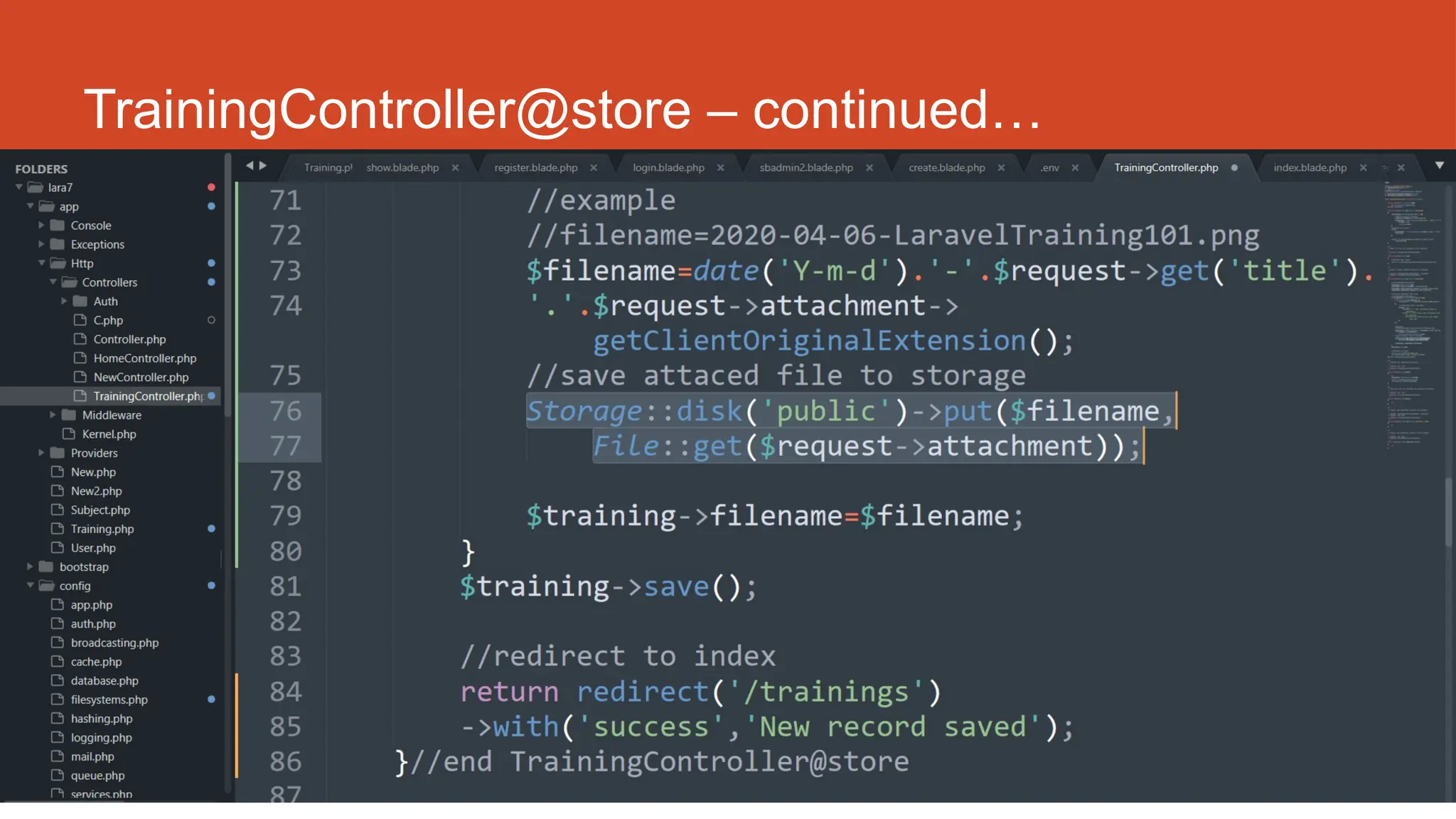
TrainingController@store – continued…
http://fstm.kuis.edu.my/blog/laravel 169
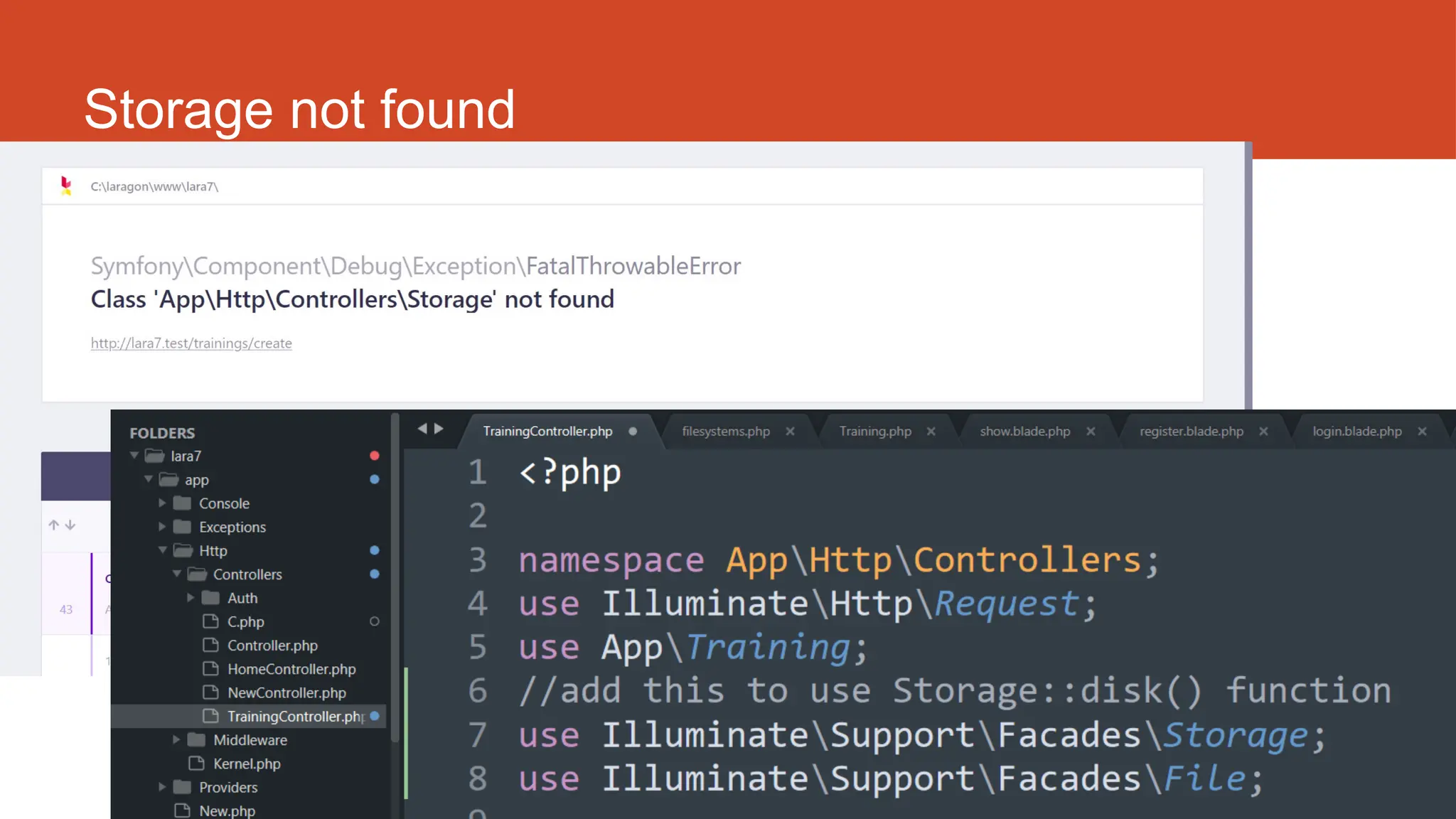
Storage not found
170
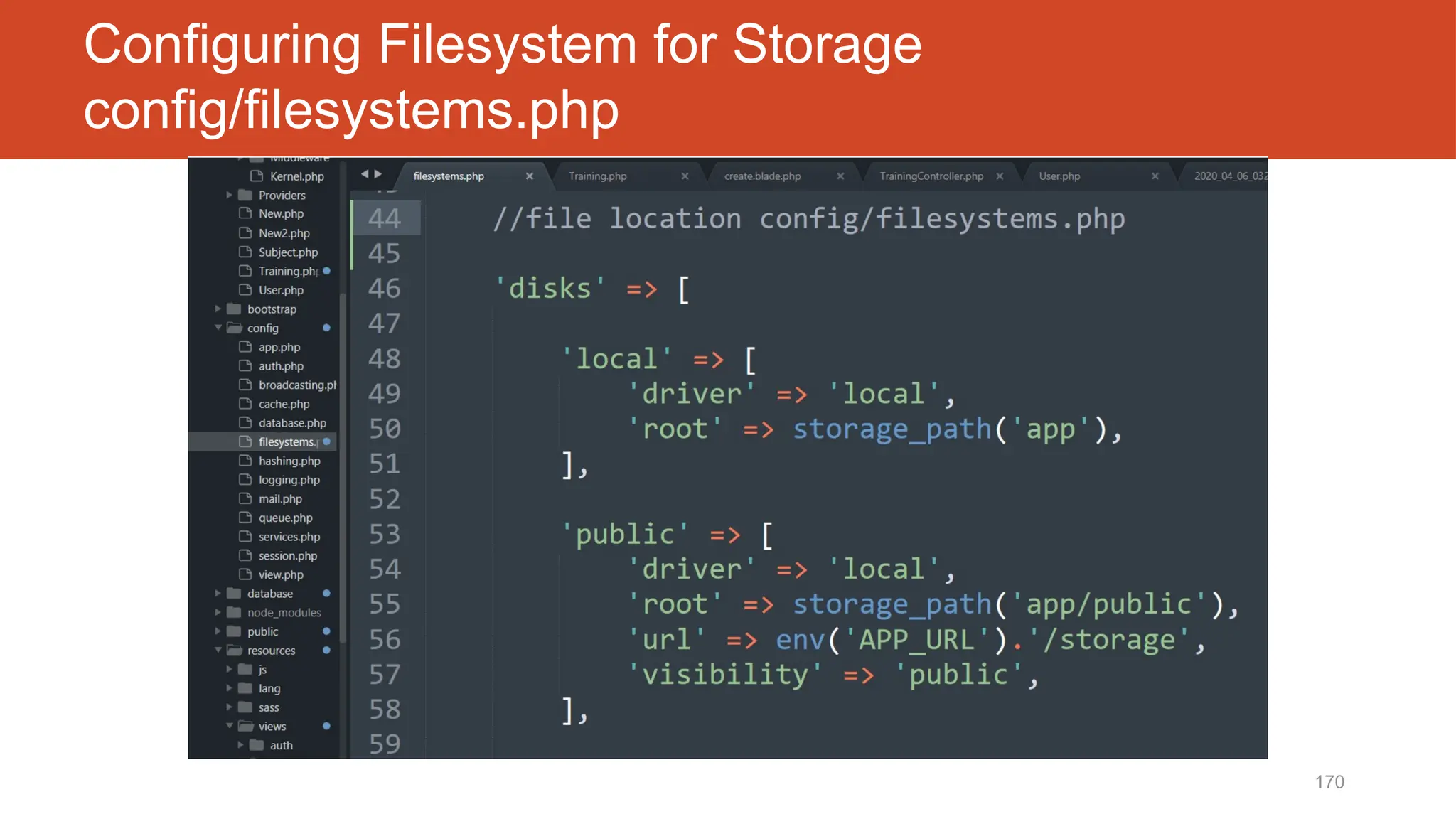
Configuring Filesystem for Storage
config/filesystems.php
171
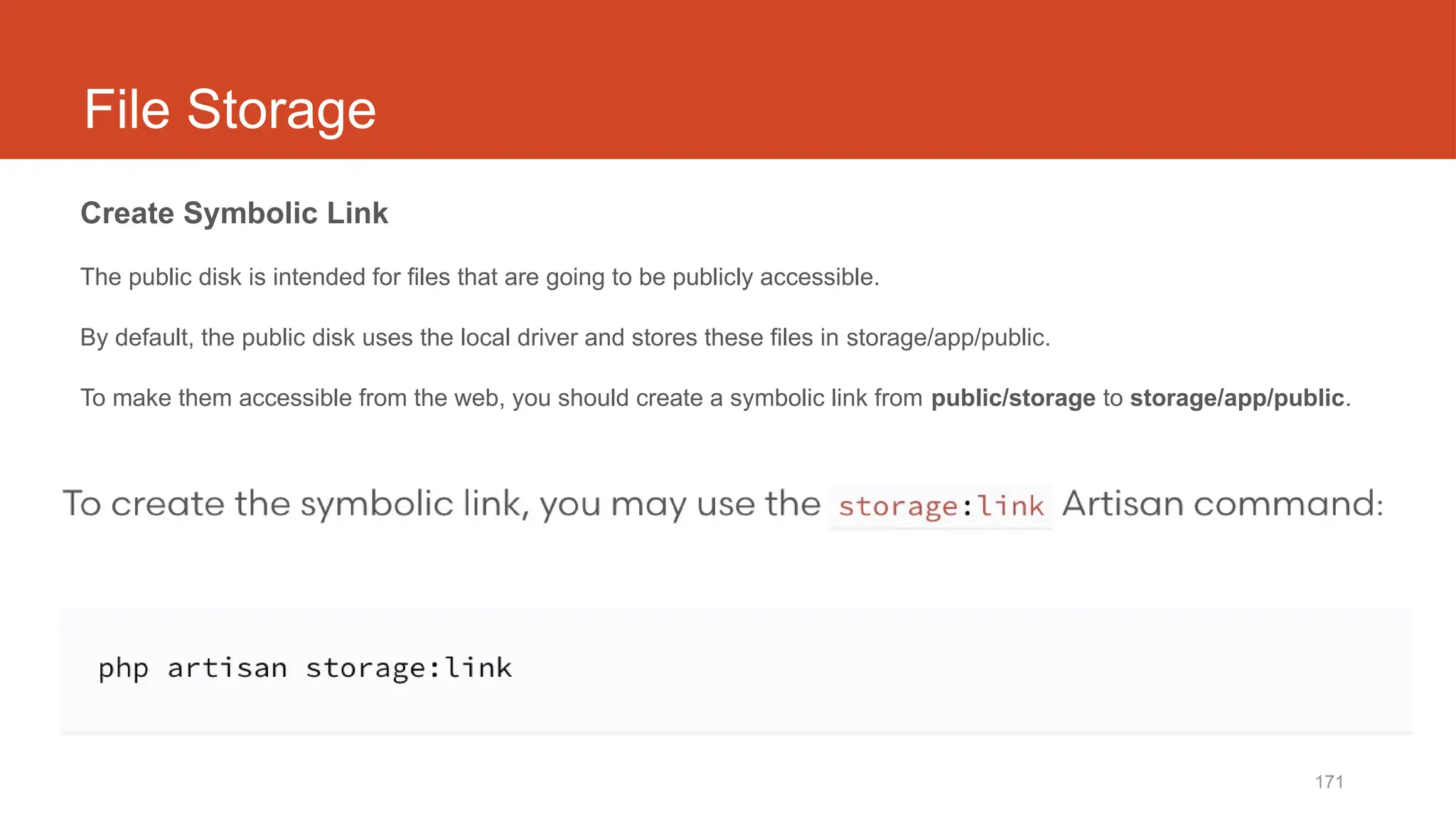
File Storage
Create Symbolic Link
The public disk is intended for files that are going to be publicly accessible.
By default, the public disk uses the local driver and stores these files in storage/app/public.
To make them accessible from the web, you should create a symbolic link from public/storage to storage/app/public.
172
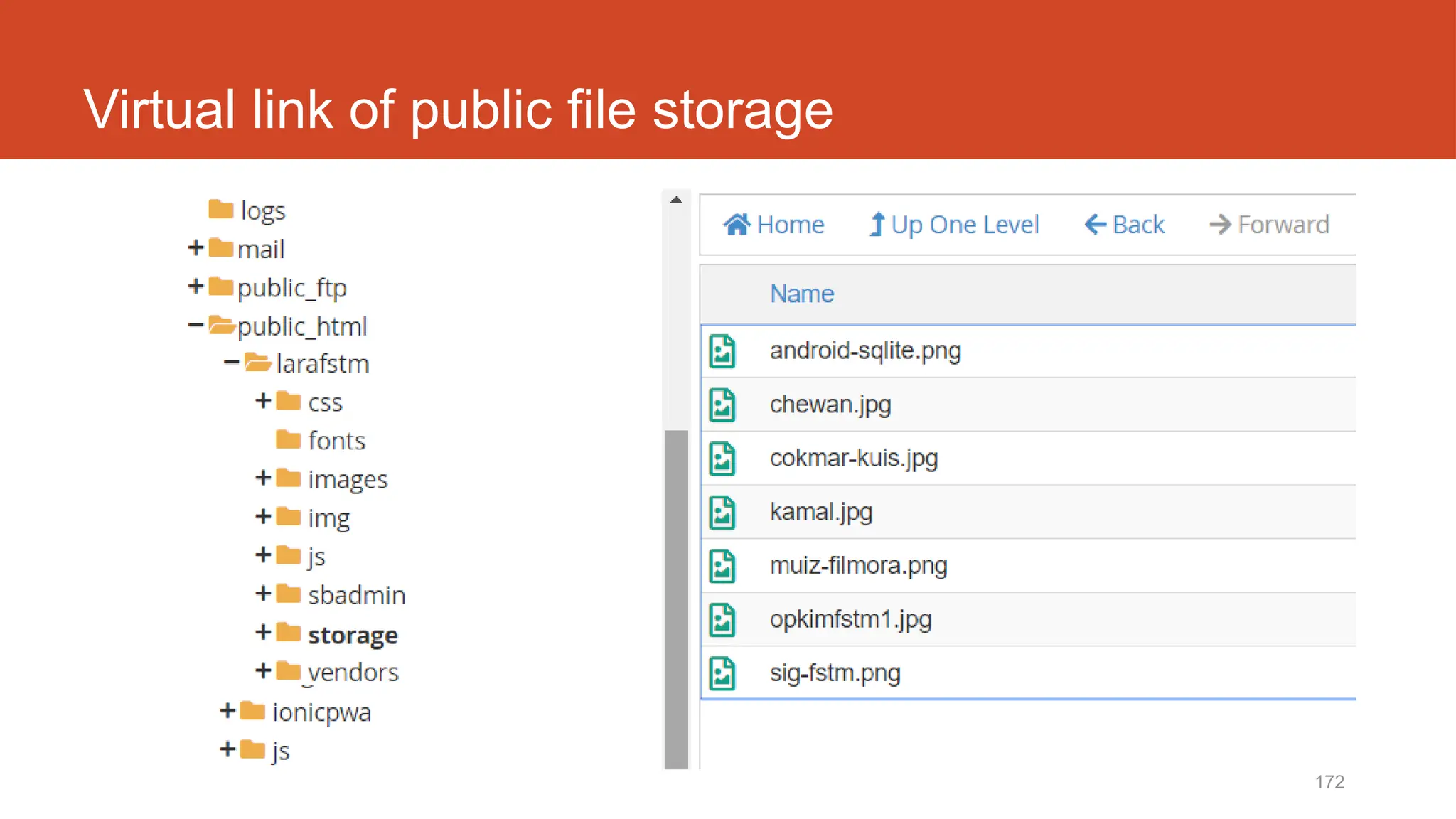
Virtual link of public file storage
http://fstm.kuis.edu.my/blog/laravel 173
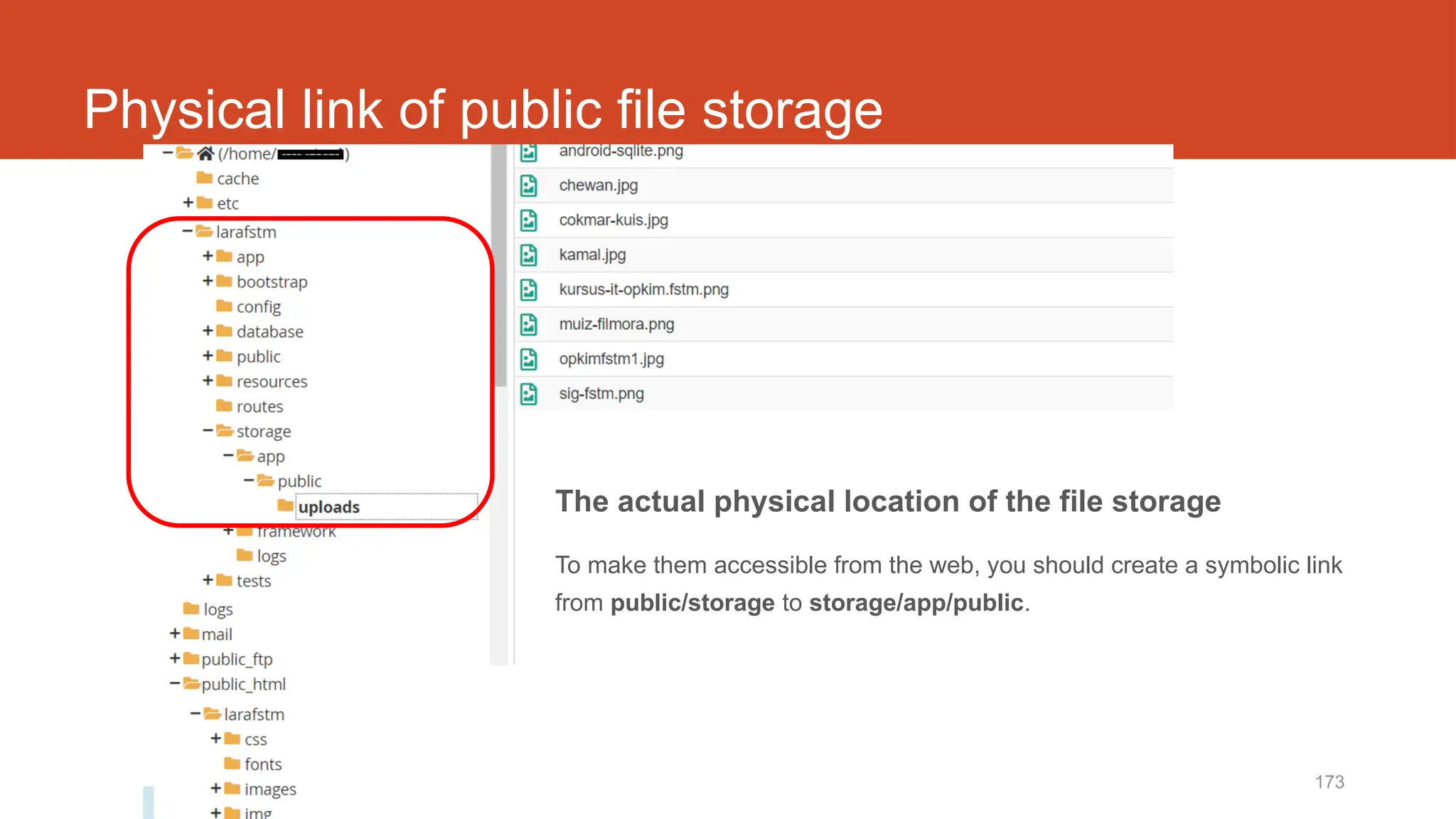
Physical link of public file storage
The actual physical location of the file storage
To make them accessible from the web, you should create a symbolic link
from public/storage to storage/app/public.
http://fstm.kuis.edu.my/blog/laravel 174
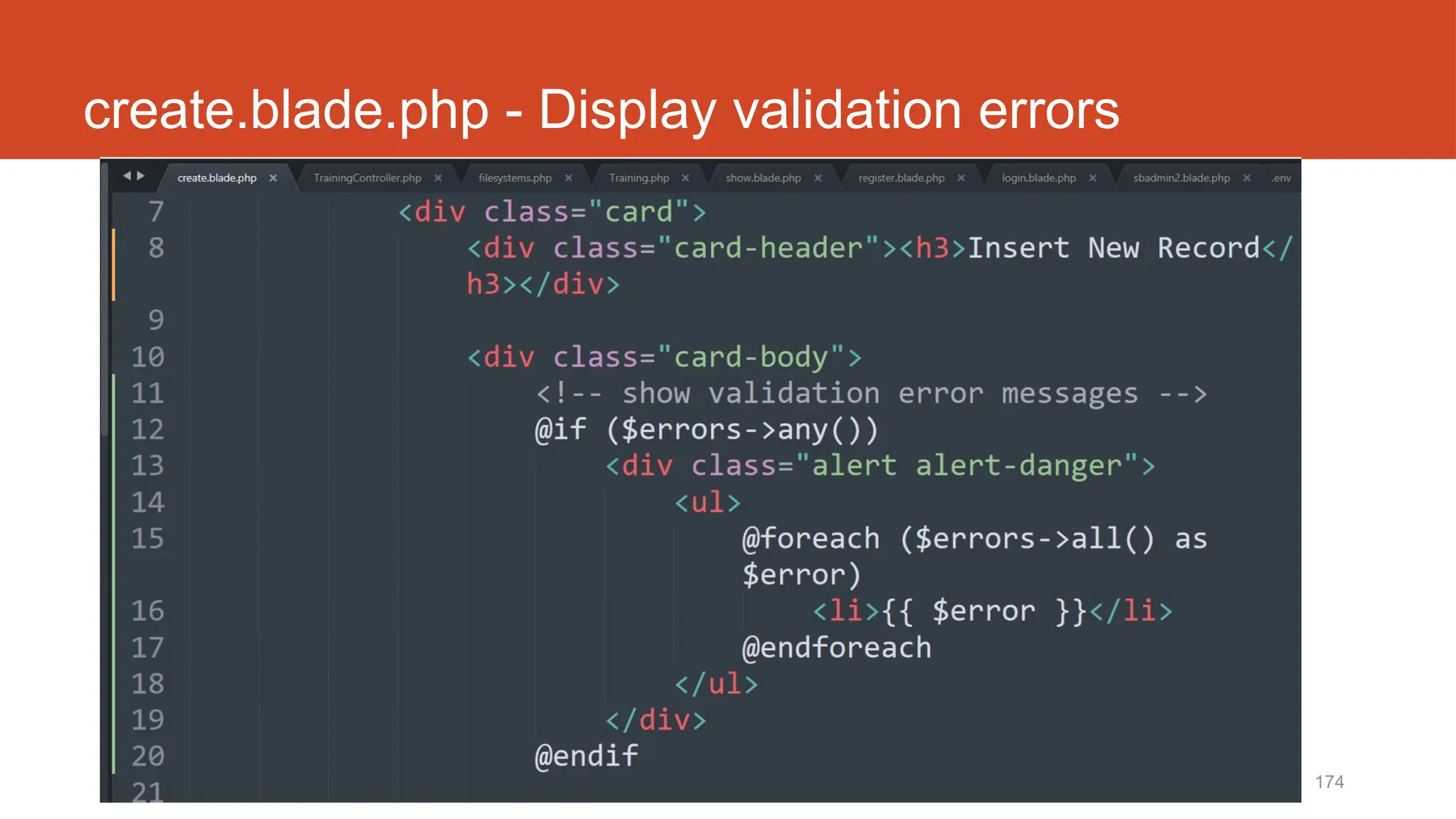
create.blade.php - Display validation errors
175
Github.com/khirulnizam/lara7
Slides &
codes
T12 Tutorial
clone/download
github repo
Laravel t19
Table relationship
Laravel t20
Insert record with drop
down data option
Laravel t21
Upload record with file
(Muat naik sebarang fail)

Developpement back-end -Initiation Laravel 10

Editor's Notes

  • #4 In Slide Show mode, select the arrows to visit links.
  • #20 In Slide Show mode, select the arrows to visit links.
  • #31 In Slide Show mode, select the arrows to visit links.
  • #38 In Slide Show mode, select the arrows to visit links.
  • #45 In Slide Show mode, select the arrows to visit links.
  • #90 In Slide Show mode, select the arrows to visit links.