



Mark Gu
SunGard (Asset Finance)
Developing Next-Gen
Enterprise Web
Application
Enterprise
 Background
 Goals
 Challenges & Solutions
Agenda
 A global leading provider of leasing and financing
software system
 Provides end-to-end capability eliminating the need for
companies to maintain multiple systems
 Has been on the market for more than 10 years
 More than 100 employees across multiple development
centres: New Zealand, India, and UK
Background - Business
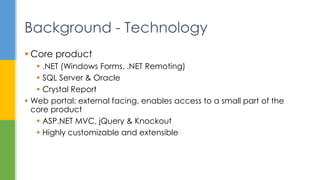
 Core product
 .NET (Windows Forms, .NET Remoting)
 SQL Server & Oracle
 Crystal Report
 Web portal: external facing, enables access to a small part of the
core product
 ASP.NET MVC, jQuery & Knockout
 Highly customizable and extensible
Background - Technology
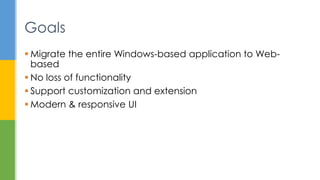
 Migrate the entire Windows-based application to Web-
based
 No loss of functionality
 Support customization and extension
 Modern & responsive UI
Goals
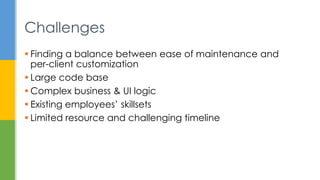
 Finding a balance between ease of maintenance and
per-client customization
 Large code base
 Complex business & UI logic
 Existing employees’ skillsets
 Limited resource and challenging timeline
Challenges
Challenge 1
Per-client Customization
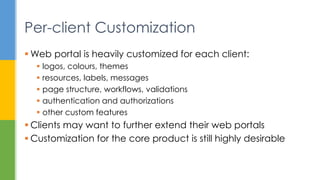
 Web portal is heavily customized for each client:
 logos, colours, themes
 resources, labels, messages
 page structure, workflows, validations
 authentication and authorizations
 other custom features
 Clients may want to further extend their web portals
 Customization for the core product is still highly desirable
Per-client Customization
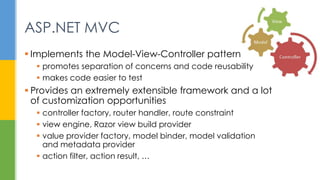
 Implements the Model-View-Controller pattern
 promotes separation of concerns and code reusability
 makes code easier to test
 Provides an extremely extensible framework and a lot
of customization opportunities
 controller factory, router handler, route constraint
 view engine, Razor view build provider
 value provider factory, model binder, model validation
and metadata provider
 action filter, action result, …
ASP.NET MVC
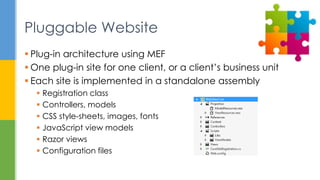
 Plug-in architecture using MEF
 One plug-in site for one client, or a client’s business unit
 Each site is implemented in a standalone assembly
 Registration class
 Controllers, models
 CSS style-sheets, images, fonts
 JavaScript view models
 Razor views
 Configuration files
Pluggable Website
 All pluggable websites are:
 deployed to a designated folder in the hosting web application
 loaded and filtered at the start-up time
 called into at appropriate times to perform initialization or other
business logic
 metadata about site name, priority, and dependencies
 routing table and constraints
 resources for labels, captions, and notification messages
 overridden controller or repository logic
Pluggable Website
Pluggable Website
public interface ISiteRegistration
{
string SiteName { get; }
void RegisterDependencies(IDependencyManager dependencyManager);
void LoadResources(ResourceGateway resourceGateway);
void RegisterIgnoreRoutes(RouteCollection routes);
void RegisterRoutes(RouteCollection routes);
}
[Export(typeof(ISiteRegistration))]
[ExportMetadata("SiteName", SiteConsts.SITE_NAME)]
public class ClientSiteRegistration : ISiteRegistration
{
public string SiteName
{
get { return SiteConsts.SITE_NAME; }
}
...
}
internal static class SiteCompositionManager
{
private static CompositionContainer _compositionContainer;
public static void Initialize()
{
var catalog = new AggregateCatalog();
catalog.Catalogs.Add(new AssemblyCatalog(Assembly.GetExecutingAssembly()));
var fullPath = HttpContext.Current.Server.MapPath("~/Sites");
if (Directory.Exists(fullPath))
{
foreach (DirectoryCatalog dirCatalog in GetDirectoryCatalogsRecursive(fullPath))
{
AppDomain.CurrentDomain.AppendPrivatePath(dirCatalog.Path);
catalog.Catalogs.Add(dirCatalog);
}
}
var filteredCatalog = new FilteredCatalog(catalog, ...);
_compositionContainer = new CompositionContainer(filteredCatalog);
}
public static void Compose(params object[] parts)
{
if (_compositionContainer != null)
_compositionContainer.ComposeParts(parts);
}
...
public class MyControllerFactory : DefaultControllerFactory
{
[ImportMany(RequiredCreationPolicy = CreationPolicy.Shared)]
private IEnumerable<Lazy<ISiteRegistration, ISiteRegistrationMetadata>> _sites;
public MyControllerFactory()
{
SiteCompositionManager.Compose(this);
...
public class MyRazorViewEngine : RazorViewEngine { ... }
[BuildProviderAppliesTo(BuildProviderAppliesTo.All)]
public class MyRazorBuildProvider : RazorBuildProvider { ... }
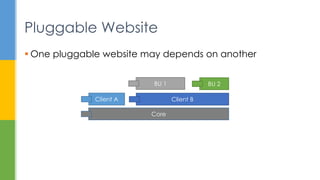
 One pluggable website may depends on another
Pluggable Website
Core
Client A Client B
BU 1 BU 2
Challenge 2
Complex Business & UI Logic
 Over 10 years of investment in the current code base
 More than 3.5 million LOC
 More than 1000 forms and user controls
 Complex business logic results in complex UI logic
 multi-level cascading dropdowns
 defaulting rules
 cyclic fields change notifications
 dynamic validations
 in memory states, temporary objects
 licensing, security role checking (nearly 1000 roles)
Complex Business & UI Logic
 Some “UI” logic should have been business logic
 Some UI logic can be re-expressed as business logic
 Some UI logic can be expressed using metadata
 visible
 enabled
 caption
 lookup
 validation: required, range, length, etc.
Where should UI logic go?
 .NET attributes attached to properties to
declaratively express UI logic
Metadata
[ReadOnly(true)]
public string A { get; set; }
[Visible(Property="A", Is="Foo")]
public int B { get; set; }
[OnChange(Send="Currency,Amount", Refresh="Rate,CalculationDate")]
public string D { get; set; }
[Enabled(Property="B", IsGreaterThan=1)]
public string C { get; set; }
 On page load, metadata is sent to client browser to be
processed:
 walk the object graph of a view model
 subscribe to change notifications of the targeted properties
 on a property’s value change, subscription is triggered and
predefined event handlers are fired
 Once the plumbing is done in the framework code,
developers don’t have to write a single line of JavaScript
Metadata
Challenge 3
Problems Introduced by Metadata
 .NET attributes aren’t expressive enough
 only suitable for extremely simple conditions
 difficult to read and understand
 Lots of magic strings
 difficult to refactor and results in run-time error
 Same logic needs to be repeated for multiple properties
 Slows page load & increase memory usage (IE8)
Problems Introduced by Metadata
[Visible(Property="Amount" IsGreaterThan=100 And=true
Property2="Code" Property2StartsWith="ISO-")]
public int A { get; set; }
 Attributes now only specifies the name of a method that
provides the actual logic
 The actual logic can now be written in plain C#
statements
 Use Roslyn & code generation to parse method bodies
and generate equivalent JavaScript statements
Roslyn & Code Generation
[Visible("IsBVisible")]
public int B { get; set; }
[Enabled("IsCEnabled")]
public string C { get; set; }
Roslyn & Code Generation
[Enabled(“IsDepartmentTypeEnabled")]
public DepartmentType DepartmentType { get; set; }
public bool IsDepartmentTypeEnabled()
{
return WarehouseState == WarehouseState.SelfWH && !string.IsNullOrEmpty(DepartmentName);
}
data.DepartmentType.extend({
enable: () => {
return data.WarehouseState() === Models.WarehouseState.SelfWH && data.DepartmentName();
}
});
ko.extenders.enable = (function (target, evaluator) {
target.enable = ko.computed(evaluator);
return target;
});
ko.bindingHandlers['meta'] = {
init: function (element, valueAccessor, allBindingsAccessor, viewModel, bindingContext) {
var value = valueAccessor();
if (!ko.isObservable(value)) {
return;
}
if (_.has(value, 'enabled')) {
ko.applyBindingsToNode($(element).find('.form-control')[0],
{ enable: value['enable'] },
bindingContext);
}
}
};
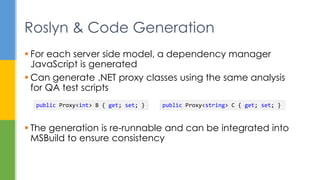
 For each server side model, a dependency manager
JavaScript is generated
 Can generate .NET proxy classes using the same analysis
for QA test scripts
 The generation is re-runnable and can be integrated into
MSBuild to ensure consistency
Roslyn & Code Generation
public Proxy<int> B { get; set; } public Proxy<string> C { get; set; }
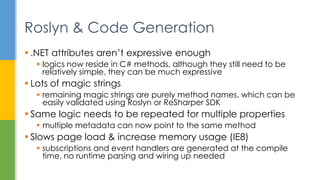
 .NET attributes aren’t expressive enough
 logics now reside in C# methods, although they still need to be
relatively simple, they can be much expressive
 Lots of magic strings
 remaining magic strings are purely method names, which can be
easily validated using Roslyn or ReSharper SDK
 Same logic needs to be repeated for multiple properties
 multiple metadata can now point to the same method
 Slows page load & increase memory usage (IE8)
 subscriptions and event handlers are generated at the compile
time, no runtime parsing and wiring up needed
Roslyn & Code Generation
Challenge 4
Existing Employees’ Skillsets
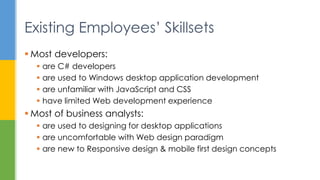
 Most developers:
 are C# developers
 are used to Windows desktop application development
 are unfamiliar with JavaScript and CSS
 have limited Web development experience
 Most of business analysts:
 are used to designing for desktop applications
 are uncomfortable with Web design paradigm
 are new to Responsive design & mobile first design concepts
Existing Employees’ Skillsets
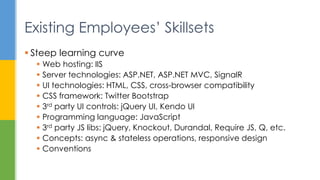
 Steep learning curve
 Web hosting: IIS
 Server technologies: ASP.NET, ASP.NET MVC, SignalR
 UI technologies: HTML, CSS, cross-browser compatibility
 CSS framework: Twitter Bootstrap
 3rd party UI controls: jQuery UI, Kendo UI
 Programming language: JavaScript
 3rd party JS libs: jQuery, Knockout, Durandal, Require JS, Q, etc.
 Concepts: async & stateless operations, responsive design
 Conventions
Existing Employees’ Skillsets
 Only a small number of experienced web developers write
raw HTML
 The rest of developers write in C#
 Only a small number of experienced UI designers edit CSS
 No developers touch CSS
 A rich set of UI framework elements and templates are
developed to facilitate the above
Say “NO” to HTML & CSS
 Similar to Html.EditFor(m => m.Name)
 A large number of HTML helpers and templates are
developed to ensure:
 the correct usage of HTML 5 elements
 consistent CSS classes and styling
 consistent structure for composite controls
 the ease of refactoring when design changes
 all visible texts are properly resourced
HTML Helpers & Templates
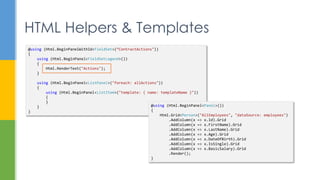
@using (Html.BeginPanelWithId<FieldSet>(“ContractActions"))
{
using (Html.BeginPanel<FieldSetLegend>())
{
Html.RenderText("Actions");
}
using (Html.BeginPanel<ListPanel>("foreach: allActions"))
{
using (Html.BeginPanel<ListItem>("template: { name: templateName }"))
{
}
}
}
@using (Html.BeginPanel<Panel>())
{
Html.Grid<Person>("AllEmployees", "dataSource: employees")
.AddColumn(x => x.Id).Grid
.AddColumn(x => x.FirstName).Grid
.AddColumn(x => x.LastName).Grid
.AddColumn(x => x.Age).Grid
.AddColumn(x => x.DateOfBirth).Grid
.AddColumn(x => x.IsSingle).Grid
.AddColumn(x => x.BasicSalary).Grid
.Render();
}
 Enforcement is done by keeping track of created UI
elements
 can be turned off for “RELEASE”
 HTML helpers are also designed to be open and flexible to
support power users to handle occasional one-off cases
HTML Helpers & Templates
 A rich set of metadata are developed to allow developers
to express JavaScript logic using C# constructs
 What happens if you really, really have to write in
JavaScript?
 don’t!!!
 You write in TypeScript
Say “NO” to JavaScript
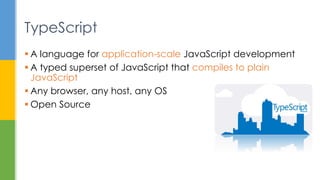
 A language for application-scale JavaScript development
 A typed superset of JavaScript that compiles to plain
JavaScript
 Any browser, any host, any OS
 Open Source
TypeScript
 High level constructs: module, interface, class, enum
 Accessibility: public, private, protected
 Inheritance: implements, extends, super, overrides
 Types: boolean, number, string, null, any, {}
 Anonymous type support: { id: number; name: string }
 Generic support: Array<string>, Promise<T>
 Casting: id: number = <number>obj.Id;
 Function overloading and optional parameters: (extraData?: any)
 Variable amounts of arguments: format(pattern: string, …args: any[])
 Lambda expression: (str1: string, str2: string) => str1 + str2
 CommonJS and AMD support: import, export, require
TypeScript – Language Features
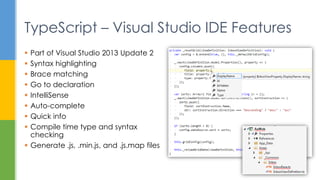
 Part of Visual Studio 2013 Update 2
 Syntax highlighting
 Brace matching
 Go to declaration
 IntelliSense
 Auto-complete
 Quick info
 Compile time type and syntax
checking
 Generate .js, .min.js, and .js.map files
TypeScript – Visual Studio IDE Features
 Type definitions can be created for existing 3rd party
JavaScript libraries
 Provides type checking and IntelliSense
 DefinitelyTyped contains more than 440 high quality type
definitions for well-known JavaScript libraries: jQuery,
Knockout, Underscore, Node, etc.
 The list is growing and updates are frequent
TypeScript – for 3rd Party JS Libraries
Developing Next-Gen Enterprise Web Application

Developing Next-Gen Enterprise Web Application

  • 1.
    Mark Gu SunGard (AssetFinance) Developing Next-Gen Enterprise Web Application Enterprise
  • 2.
     Background  Goals Challenges & Solutions Agenda
  • 3.
     A globalleading provider of leasing and financing software system  Provides end-to-end capability eliminating the need for companies to maintain multiple systems  Has been on the market for more than 10 years  More than 100 employees across multiple development centres: New Zealand, India, and UK Background - Business
  • 4.
     Core product .NET (Windows Forms, .NET Remoting)  SQL Server & Oracle  Crystal Report  Web portal: external facing, enables access to a small part of the core product  ASP.NET MVC, jQuery & Knockout  Highly customizable and extensible Background - Technology
  • 5.
     Migrate theentire Windows-based application to Web- based  No loss of functionality  Support customization and extension  Modern & responsive UI Goals
  • 6.
     Finding abalance between ease of maintenance and per-client customization  Large code base  Complex business & UI logic  Existing employees’ skillsets  Limited resource and challenging timeline Challenges
  • 7.
  • 8.
     Web portalis heavily customized for each client:  logos, colours, themes  resources, labels, messages  page structure, workflows, validations  authentication and authorizations  other custom features  Clients may want to further extend their web portals  Customization for the core product is still highly desirable Per-client Customization
  • 9.
     Implements theModel-View-Controller pattern  promotes separation of concerns and code reusability  makes code easier to test  Provides an extremely extensible framework and a lot of customization opportunities  controller factory, router handler, route constraint  view engine, Razor view build provider  value provider factory, model binder, model validation and metadata provider  action filter, action result, … ASP.NET MVC
  • 10.
     Plug-in architectureusing MEF  One plug-in site for one client, or a client’s business unit  Each site is implemented in a standalone assembly  Registration class  Controllers, models  CSS style-sheets, images, fonts  JavaScript view models  Razor views  Configuration files Pluggable Website
  • 11.
     All pluggablewebsites are:  deployed to a designated folder in the hosting web application  loaded and filtered at the start-up time  called into at appropriate times to perform initialization or other business logic  metadata about site name, priority, and dependencies  routing table and constraints  resources for labels, captions, and notification messages  overridden controller or repository logic Pluggable Website
  • 12.
    Pluggable Website public interfaceISiteRegistration { string SiteName { get; } void RegisterDependencies(IDependencyManager dependencyManager); void LoadResources(ResourceGateway resourceGateway); void RegisterIgnoreRoutes(RouteCollection routes); void RegisterRoutes(RouteCollection routes); } [Export(typeof(ISiteRegistration))] [ExportMetadata("SiteName", SiteConsts.SITE_NAME)] public class ClientSiteRegistration : ISiteRegistration { public string SiteName { get { return SiteConsts.SITE_NAME; } } ... } internal static class SiteCompositionManager { private static CompositionContainer _compositionContainer; public static void Initialize() { var catalog = new AggregateCatalog(); catalog.Catalogs.Add(new AssemblyCatalog(Assembly.GetExecutingAssembly())); var fullPath = HttpContext.Current.Server.MapPath("~/Sites"); if (Directory.Exists(fullPath)) { foreach (DirectoryCatalog dirCatalog in GetDirectoryCatalogsRecursive(fullPath)) { AppDomain.CurrentDomain.AppendPrivatePath(dirCatalog.Path); catalog.Catalogs.Add(dirCatalog); } } var filteredCatalog = new FilteredCatalog(catalog, ...); _compositionContainer = new CompositionContainer(filteredCatalog); } public static void Compose(params object[] parts) { if (_compositionContainer != null) _compositionContainer.ComposeParts(parts); } ... public class MyControllerFactory : DefaultControllerFactory { [ImportMany(RequiredCreationPolicy = CreationPolicy.Shared)] private IEnumerable<Lazy<ISiteRegistration, ISiteRegistrationMetadata>> _sites; public MyControllerFactory() { SiteCompositionManager.Compose(this); ... public class MyRazorViewEngine : RazorViewEngine { ... } [BuildProviderAppliesTo(BuildProviderAppliesTo.All)] public class MyRazorBuildProvider : RazorBuildProvider { ... }
  • 13.
     One pluggablewebsite may depends on another Pluggable Website Core Client A Client B BU 1 BU 2
  • 14.
  • 15.
     Over 10years of investment in the current code base  More than 3.5 million LOC  More than 1000 forms and user controls  Complex business logic results in complex UI logic  multi-level cascading dropdowns  defaulting rules  cyclic fields change notifications  dynamic validations  in memory states, temporary objects  licensing, security role checking (nearly 1000 roles) Complex Business & UI Logic
  • 16.
     Some “UI”logic should have been business logic  Some UI logic can be re-expressed as business logic  Some UI logic can be expressed using metadata  visible  enabled  caption  lookup  validation: required, range, length, etc. Where should UI logic go?
  • 17.
     .NET attributesattached to properties to declaratively express UI logic Metadata [ReadOnly(true)] public string A { get; set; } [Visible(Property="A", Is="Foo")] public int B { get; set; } [OnChange(Send="Currency,Amount", Refresh="Rate,CalculationDate")] public string D { get; set; } [Enabled(Property="B", IsGreaterThan=1)] public string C { get; set; }
  • 18.
     On pageload, metadata is sent to client browser to be processed:  walk the object graph of a view model  subscribe to change notifications of the targeted properties  on a property’s value change, subscription is triggered and predefined event handlers are fired  Once the plumbing is done in the framework code, developers don’t have to write a single line of JavaScript Metadata
  • 19.
  • 20.
     .NET attributesaren’t expressive enough  only suitable for extremely simple conditions  difficult to read and understand  Lots of magic strings  difficult to refactor and results in run-time error  Same logic needs to be repeated for multiple properties  Slows page load & increase memory usage (IE8) Problems Introduced by Metadata [Visible(Property="Amount" IsGreaterThan=100 And=true Property2="Code" Property2StartsWith="ISO-")] public int A { get; set; }
  • 21.
     Attributes nowonly specifies the name of a method that provides the actual logic  The actual logic can now be written in plain C# statements  Use Roslyn & code generation to parse method bodies and generate equivalent JavaScript statements Roslyn & Code Generation [Visible("IsBVisible")] public int B { get; set; } [Enabled("IsCEnabled")] public string C { get; set; }
  • 22.
    Roslyn & CodeGeneration [Enabled(“IsDepartmentTypeEnabled")] public DepartmentType DepartmentType { get; set; } public bool IsDepartmentTypeEnabled() { return WarehouseState == WarehouseState.SelfWH && !string.IsNullOrEmpty(DepartmentName); } data.DepartmentType.extend({ enable: () => { return data.WarehouseState() === Models.WarehouseState.SelfWH && data.DepartmentName(); } }); ko.extenders.enable = (function (target, evaluator) { target.enable = ko.computed(evaluator); return target; }); ko.bindingHandlers['meta'] = { init: function (element, valueAccessor, allBindingsAccessor, viewModel, bindingContext) { var value = valueAccessor(); if (!ko.isObservable(value)) { return; } if (_.has(value, 'enabled')) { ko.applyBindingsToNode($(element).find('.form-control')[0], { enable: value['enable'] }, bindingContext); } } };
  • 23.
     For eachserver side model, a dependency manager JavaScript is generated  Can generate .NET proxy classes using the same analysis for QA test scripts  The generation is re-runnable and can be integrated into MSBuild to ensure consistency Roslyn & Code Generation public Proxy<int> B { get; set; } public Proxy<string> C { get; set; }
  • 24.
     .NET attributesaren’t expressive enough  logics now reside in C# methods, although they still need to be relatively simple, they can be much expressive  Lots of magic strings  remaining magic strings are purely method names, which can be easily validated using Roslyn or ReSharper SDK  Same logic needs to be repeated for multiple properties  multiple metadata can now point to the same method  Slows page load & increase memory usage (IE8)  subscriptions and event handlers are generated at the compile time, no runtime parsing and wiring up needed Roslyn & Code Generation
  • 25.
  • 26.
     Most developers: are C# developers  are used to Windows desktop application development  are unfamiliar with JavaScript and CSS  have limited Web development experience  Most of business analysts:  are used to designing for desktop applications  are uncomfortable with Web design paradigm  are new to Responsive design & mobile first design concepts Existing Employees’ Skillsets
  • 27.
     Steep learningcurve  Web hosting: IIS  Server technologies: ASP.NET, ASP.NET MVC, SignalR  UI technologies: HTML, CSS, cross-browser compatibility  CSS framework: Twitter Bootstrap  3rd party UI controls: jQuery UI, Kendo UI  Programming language: JavaScript  3rd party JS libs: jQuery, Knockout, Durandal, Require JS, Q, etc.  Concepts: async & stateless operations, responsive design  Conventions Existing Employees’ Skillsets
  • 28.
     Only asmall number of experienced web developers write raw HTML  The rest of developers write in C#  Only a small number of experienced UI designers edit CSS  No developers touch CSS  A rich set of UI framework elements and templates are developed to facilitate the above Say “NO” to HTML & CSS
  • 29.
     Similar toHtml.EditFor(m => m.Name)  A large number of HTML helpers and templates are developed to ensure:  the correct usage of HTML 5 elements  consistent CSS classes and styling  consistent structure for composite controls  the ease of refactoring when design changes  all visible texts are properly resourced HTML Helpers & Templates
  • 30.
    HTML Helpers &Templates @using (Html.BeginPanelWithId<FieldSet>(“ContractActions")) { using (Html.BeginPanel<FieldSetLegend>()) { Html.RenderText("Actions"); } using (Html.BeginPanel<ListPanel>("foreach: allActions")) { using (Html.BeginPanel<ListItem>("template: { name: templateName }")) { } } } @using (Html.BeginPanel<Panel>()) { Html.Grid<Person>("AllEmployees", "dataSource: employees") .AddColumn(x => x.Id).Grid .AddColumn(x => x.FirstName).Grid .AddColumn(x => x.LastName).Grid .AddColumn(x => x.Age).Grid .AddColumn(x => x.DateOfBirth).Grid .AddColumn(x => x.IsSingle).Grid .AddColumn(x => x.BasicSalary).Grid .Render(); }
  • 31.
     Enforcement isdone by keeping track of created UI elements  can be turned off for “RELEASE”  HTML helpers are also designed to be open and flexible to support power users to handle occasional one-off cases HTML Helpers & Templates
  • 32.
     A richset of metadata are developed to allow developers to express JavaScript logic using C# constructs  What happens if you really, really have to write in JavaScript?  don’t!!!  You write in TypeScript Say “NO” to JavaScript
  • 33.
     A languagefor application-scale JavaScript development  A typed superset of JavaScript that compiles to plain JavaScript  Any browser, any host, any OS  Open Source TypeScript
  • 34.
     High levelconstructs: module, interface, class, enum  Accessibility: public, private, protected  Inheritance: implements, extends, super, overrides  Types: boolean, number, string, null, any, {}  Anonymous type support: { id: number; name: string }  Generic support: Array<string>, Promise<T>  Casting: id: number = <number>obj.Id;  Function overloading and optional parameters: (extraData?: any)  Variable amounts of arguments: format(pattern: string, …args: any[])  Lambda expression: (str1: string, str2: string) => str1 + str2  CommonJS and AMD support: import, export, require TypeScript – Language Features
  • 35.
     Part ofVisual Studio 2013 Update 2  Syntax highlighting  Brace matching  Go to declaration  IntelliSense  Auto-complete  Quick info  Compile time type and syntax checking  Generate .js, .min.js, and .js.map files TypeScript – Visual Studio IDE Features
  • 36.
     Type definitionscan be created for existing 3rd party JavaScript libraries  Provides type checking and IntelliSense  DefinitelyTyped contains more than 440 high quality type definitions for well-known JavaScript libraries: jQuery, Knockout, Underscore, Node, etc.  The list is growing and updates are frequent TypeScript – for 3rd Party JS Libraries