












WELCOME TO CROSS PLATFORM MOBILE WORLD &
MY PRESENTATION 
Fuat Buğra AYDIN
Hybrid Apps with Cordova,
Angular & IONIC
1
Content
• Mobile World
• Native Applications & Cross Platform(Hybrid Applications) ?
• Cordova and Cordova Architecture
• Cordova Installation
• What is IONIC?
• Why IONIC ?
• What technologies does it use ?
• Ionicons
• Some Ionic directives
• UI Component Overview
• IONIC CLI
• Ionic and Android Project File Structure
• Let’s code something
• Ionic Creator
• References 2
Apps in Mobile World
3
Do you need a mobile app ?
4
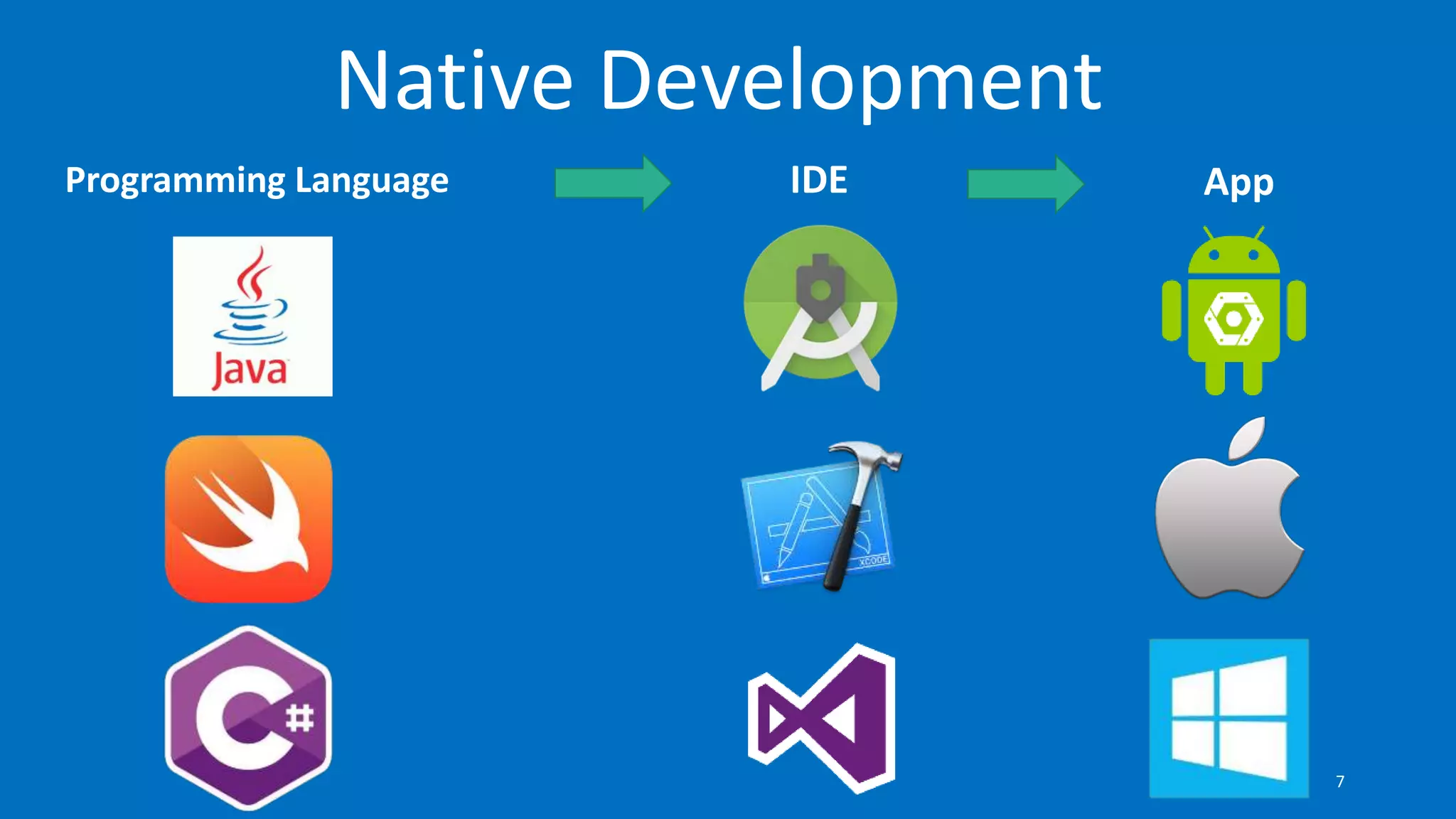
•Native applications
•Cross platform(hybrid) applications
You have 2 chance:
5
• Platform specific
• Respective development tools
• Best performance
• Time consuming
• Expensive development
Native Apps
6
Programming Language IDE App
Native Development
7
Well.. Want to support all major platforms
even mobile web ?
8
You need cool web technologies..
9
• Platform independent(IOS, Android, Windows phone etc.)
• HTML5,CSS3 & JS
• Limited performance
• Quick development
• Direct access to native APIs with Cordova
Hybrid Apps
10
More Platforms, More Problems
11
Apache Cordova is a platform for building native
mobile applications using HTML, CSS and
JavaScript
12
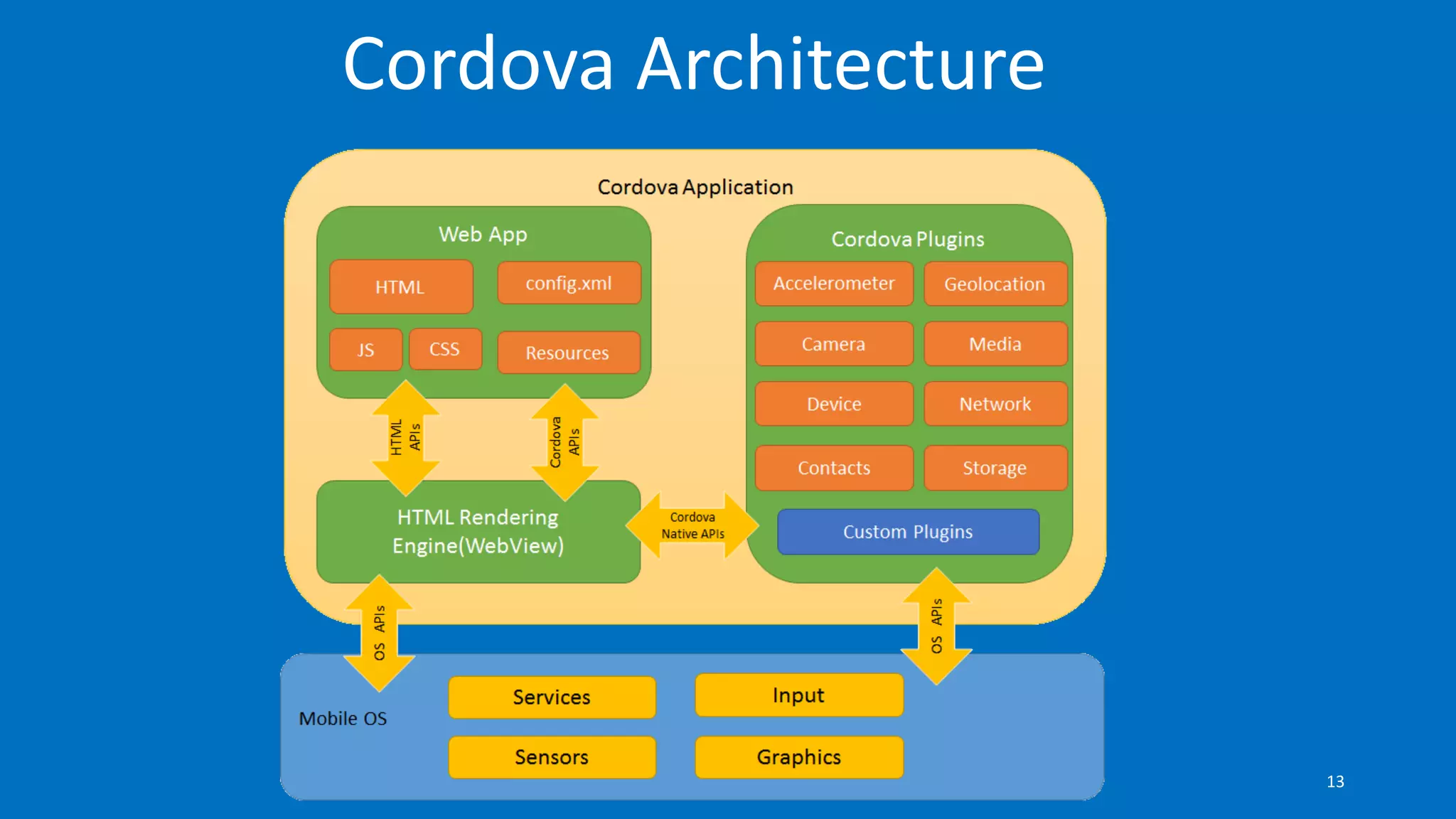
Cordova Architecture
13
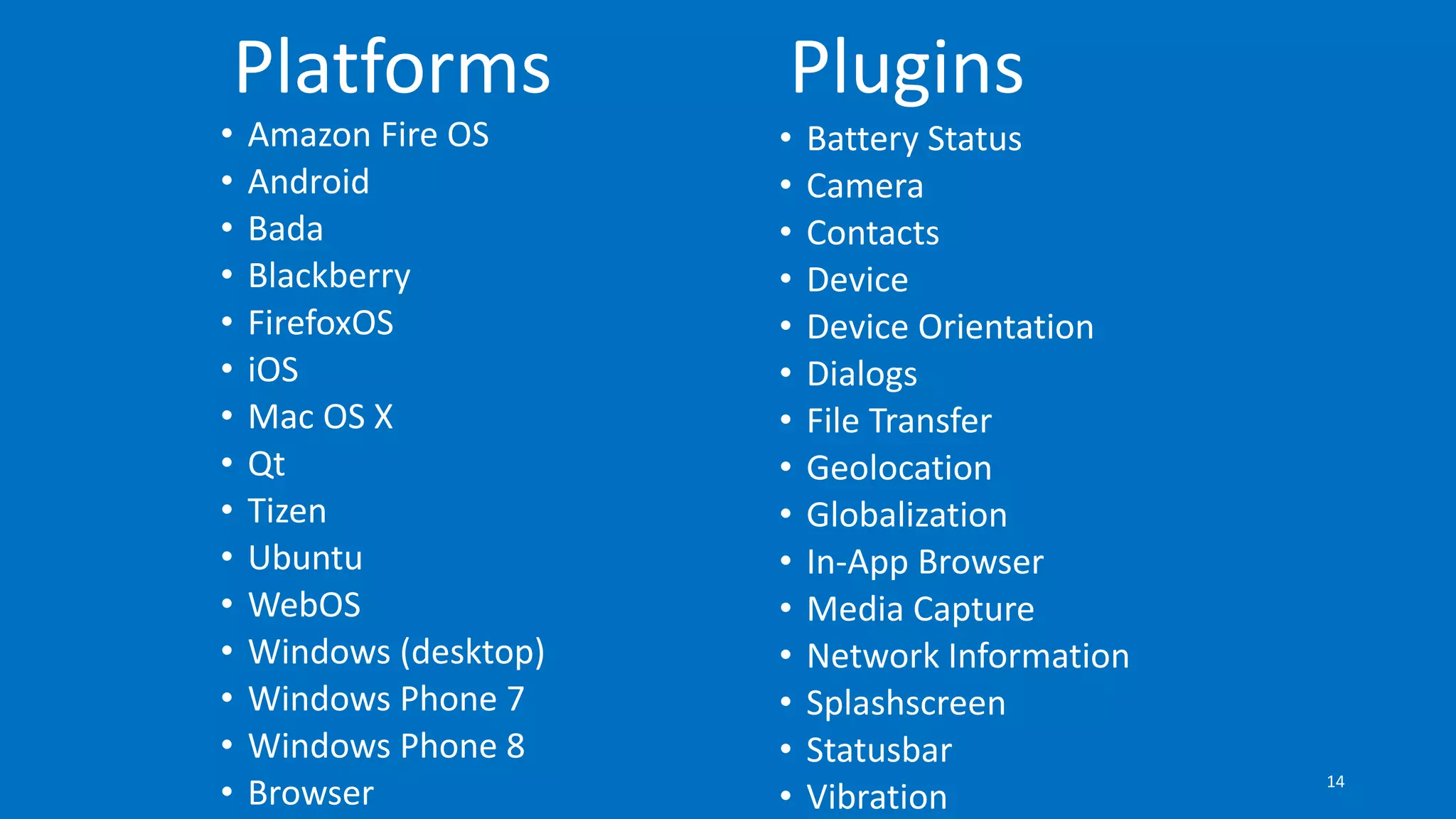
• Amazon Fire OS
• Android
• Bada
• Blackberry
• FirefoxOS
• iOS
• Mac OS X
• Qt
• Tizen
• Ubuntu
• WebOS
• Windows (desktop)
• Windows Phone 7
• Windows Phone 8
• Browser
Platforms
• Battery Status
• Camera
• Contacts
• Device
• Device Orientation
• Dialogs
• File Transfer
• Geolocation
• Globalization
• In-App Browser
• Media Capture
• Network Information
• Splashscreen
• Statusbar
• Vibration
Plugins
14
Installing Cordova
$ npm install -g cordova
15
What is Ionic ?
16
•A Front-end framework for mobile apps
•Contains a lot of mobile-optimized HTML, CSS and JS
components
•Best Friend with AngularJS
•Uses Cordova to create, build,run, deploy mobile apps
17
Why Ionic ?
• You can prepare the smooth interface and a practical way.
• Using Modern Web Technologies
• The performance-oriented hybrid roof you can see in the
market.
• Any changes you make with livereload seems to be instant.
• You can prototype your application with "Ionic Creator".
• You can upload your application to "Ionic View".
• You can develop your application with the module angularjs
state.
• You can code with SASS on CSS side. 18
What technologies does it use ?
19
Superheroic JavaScript MVW Framework
AngularJS Provides; Directives, Filters, Dependency
Injection, Two-way data binding, Services,
Testability
20
•Server side applications with JavaScript
•V8 JavaScript Engine(Google)
•Non-Blocking IO, asynchronous
mechanism.
•Very Fast
•npm is used to manage modules and
packages.
• ..
21
•Compress CSS files.
•Compress JavaScript files.
•Collect the CSS and JS files to a single file.
•You can create watcher to see changes
instatly
• …
22
•Developed by Twitter.
•Uses Git Version system
•Don’t need to go to development tool
location.
$ bower install bootstrap
23
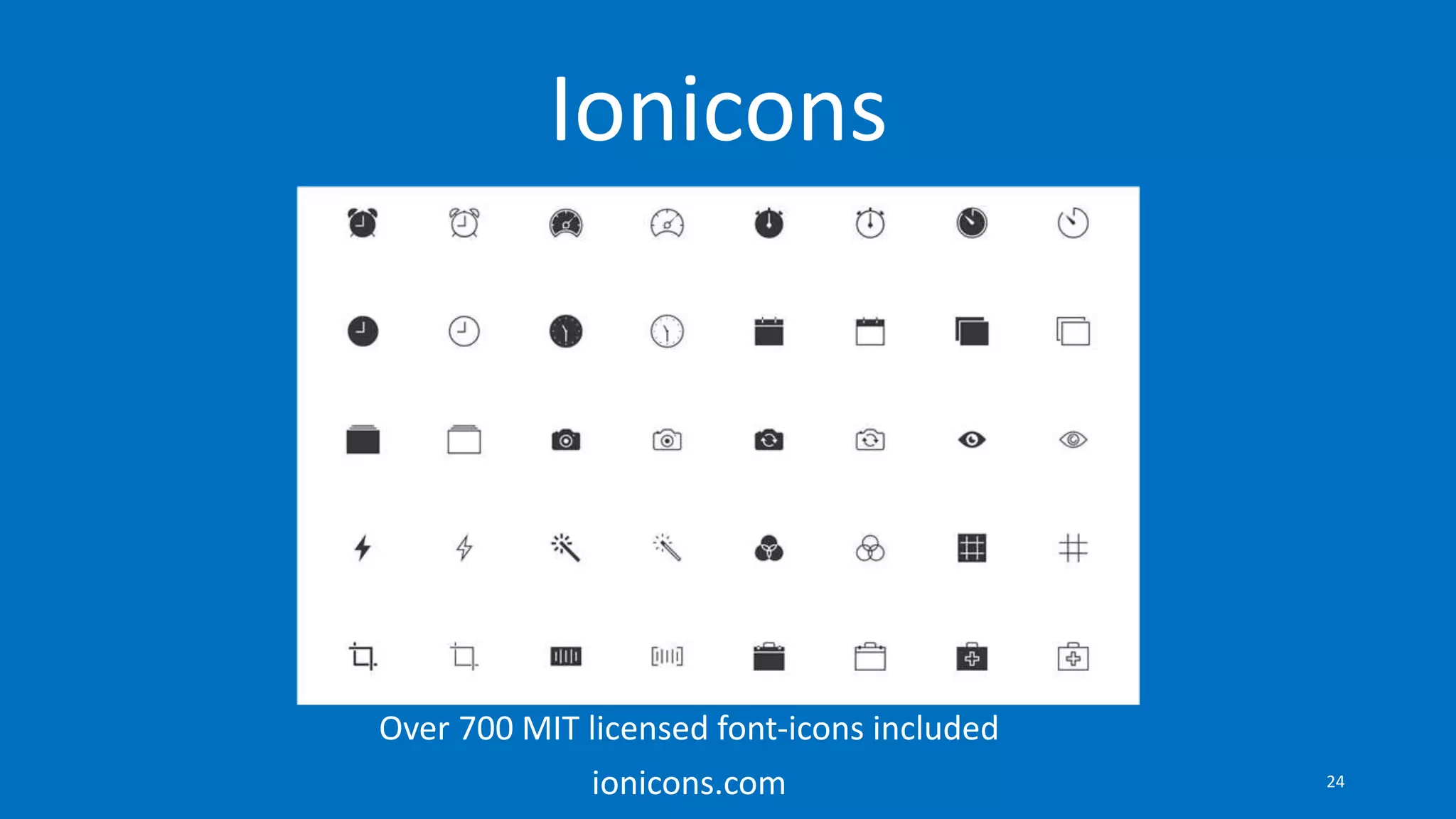
Ionicons
Over 700 MIT licensed font-icons included
ionicons.com 24
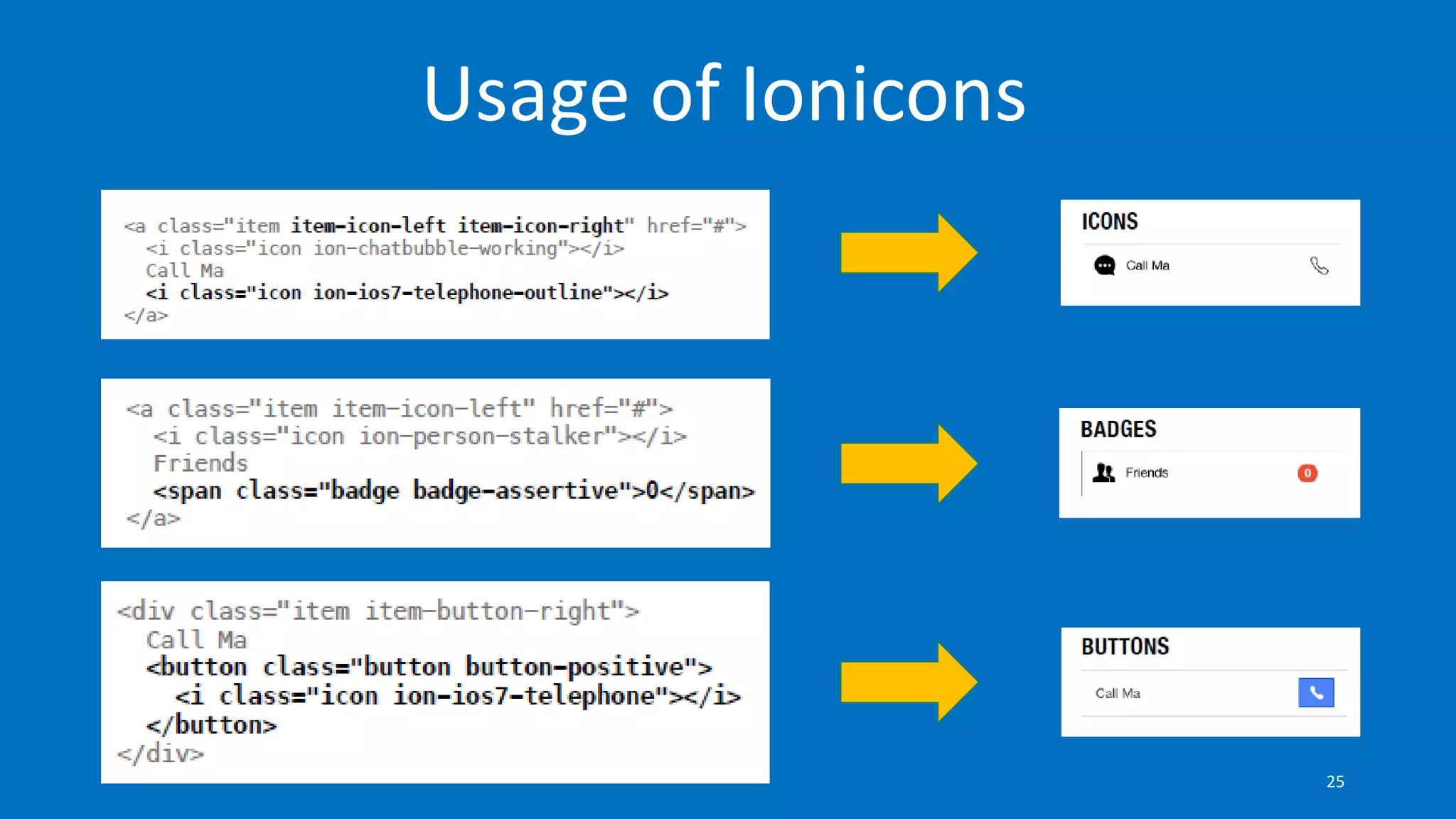
Usage of Ionicons
25
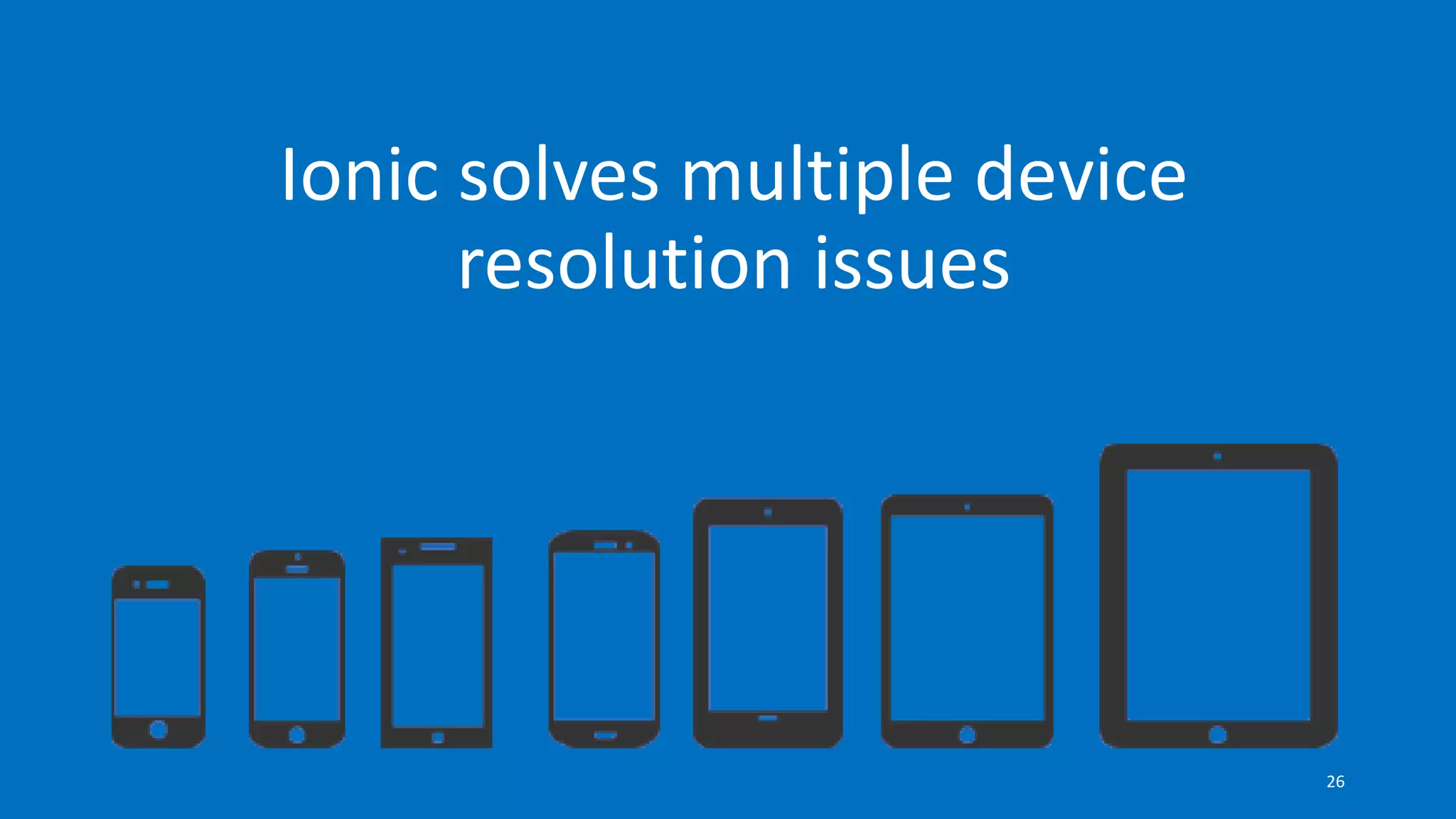
Ionic solves multiple device
resolution issues
26
Let’s see some ionic directives
27
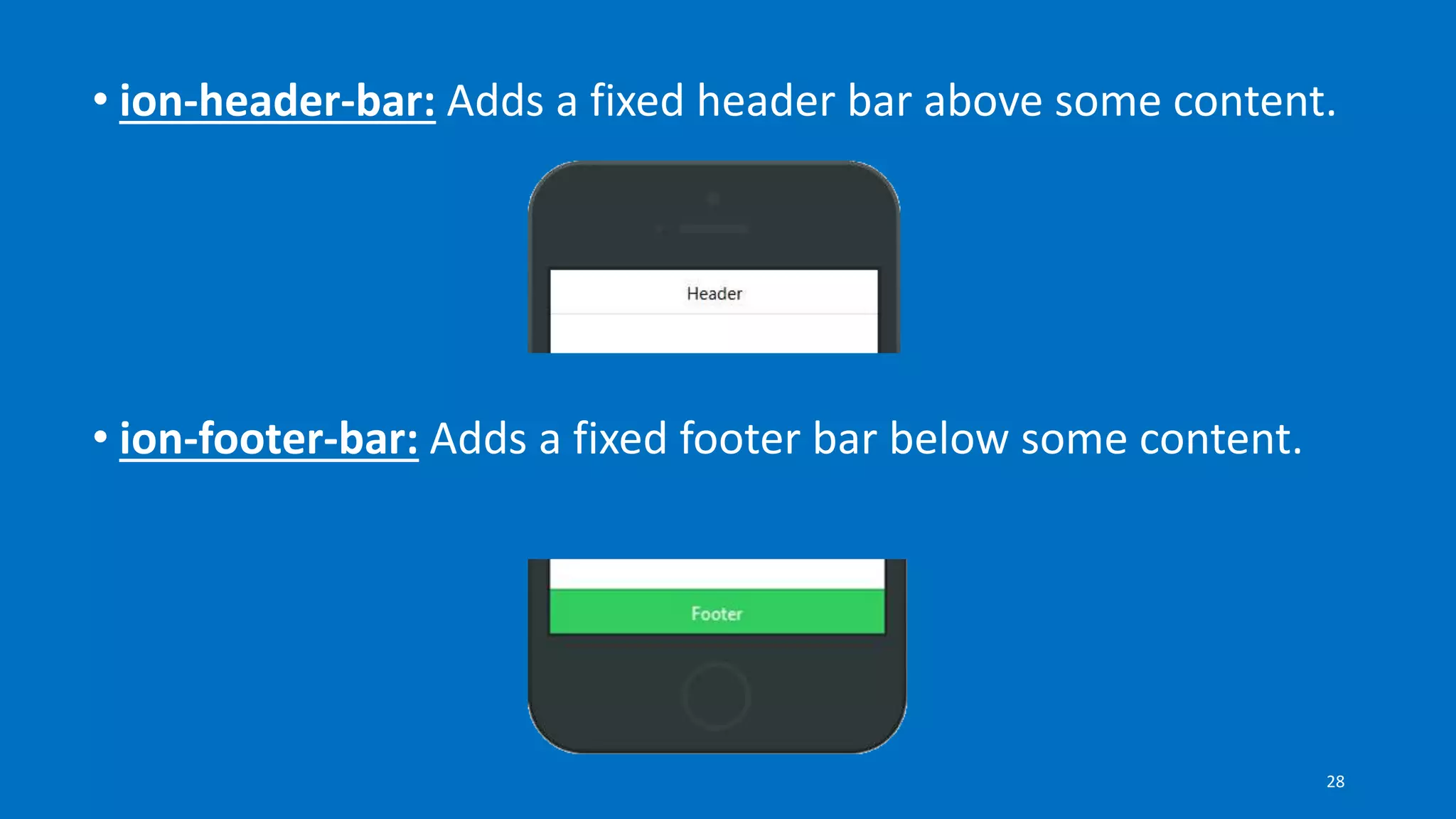
• ion-header-bar: Adds a fixed header bar above some content.
• ion-footer-bar: Adds a fixed footer bar below some content.
28
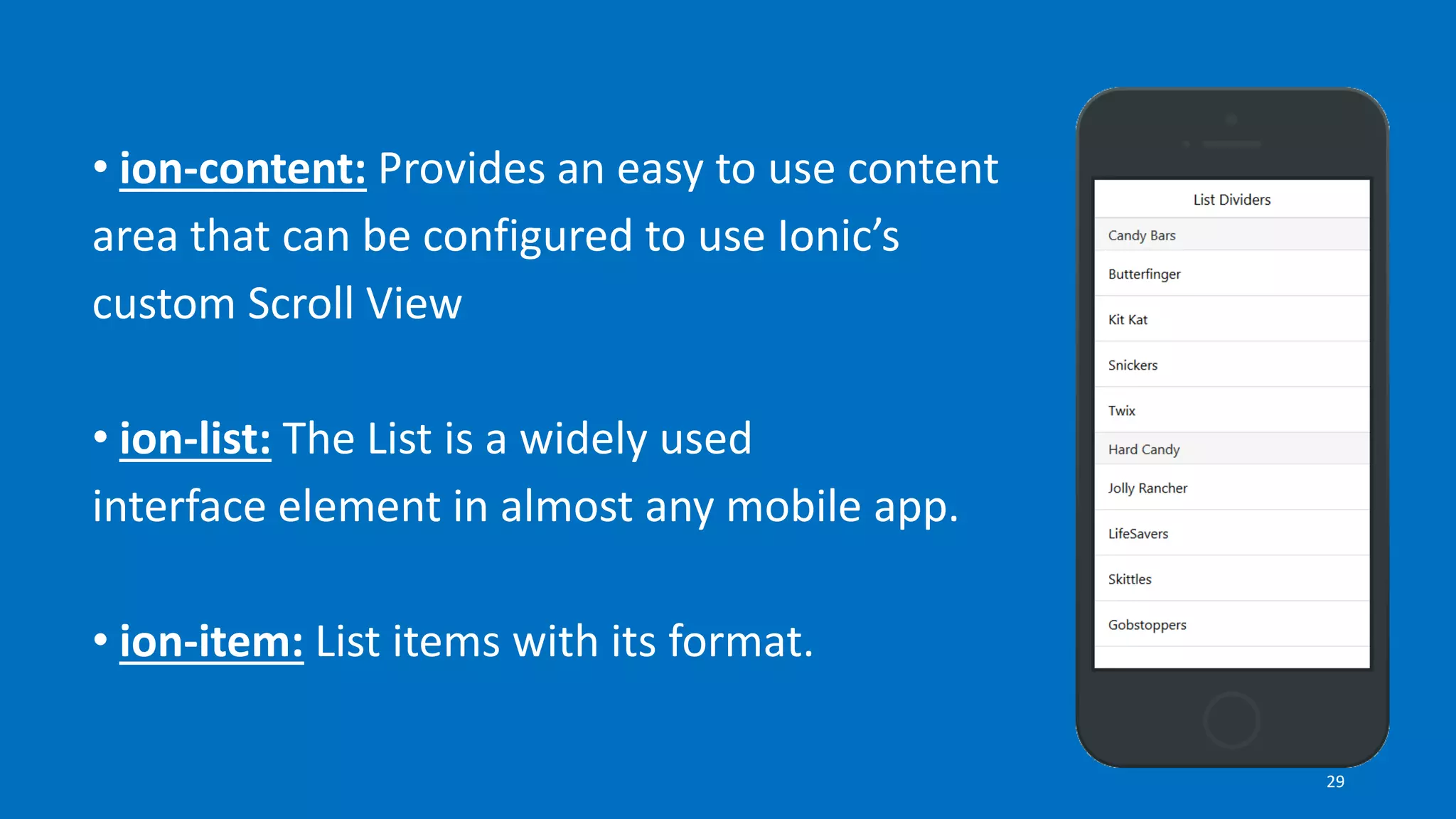
• ion-content: Provides an easy to use content
area that can be configured to use Ionic’s
custom Scroll View
• ion-list: The List is a widely used
interface element in almost any mobile app.
• ion-item: List items with its format.
29
UI Component Overview
30
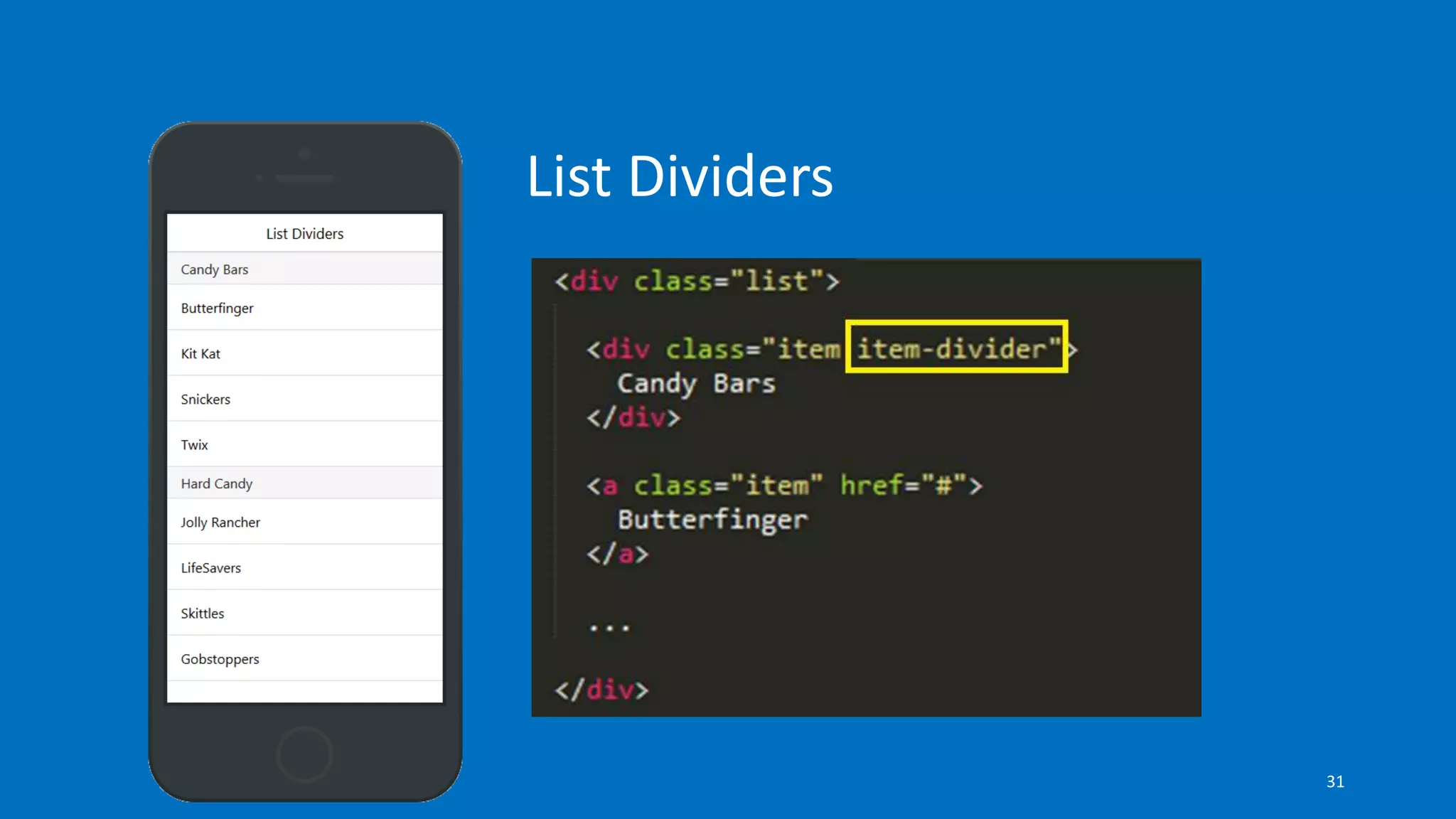
List Dividers
31
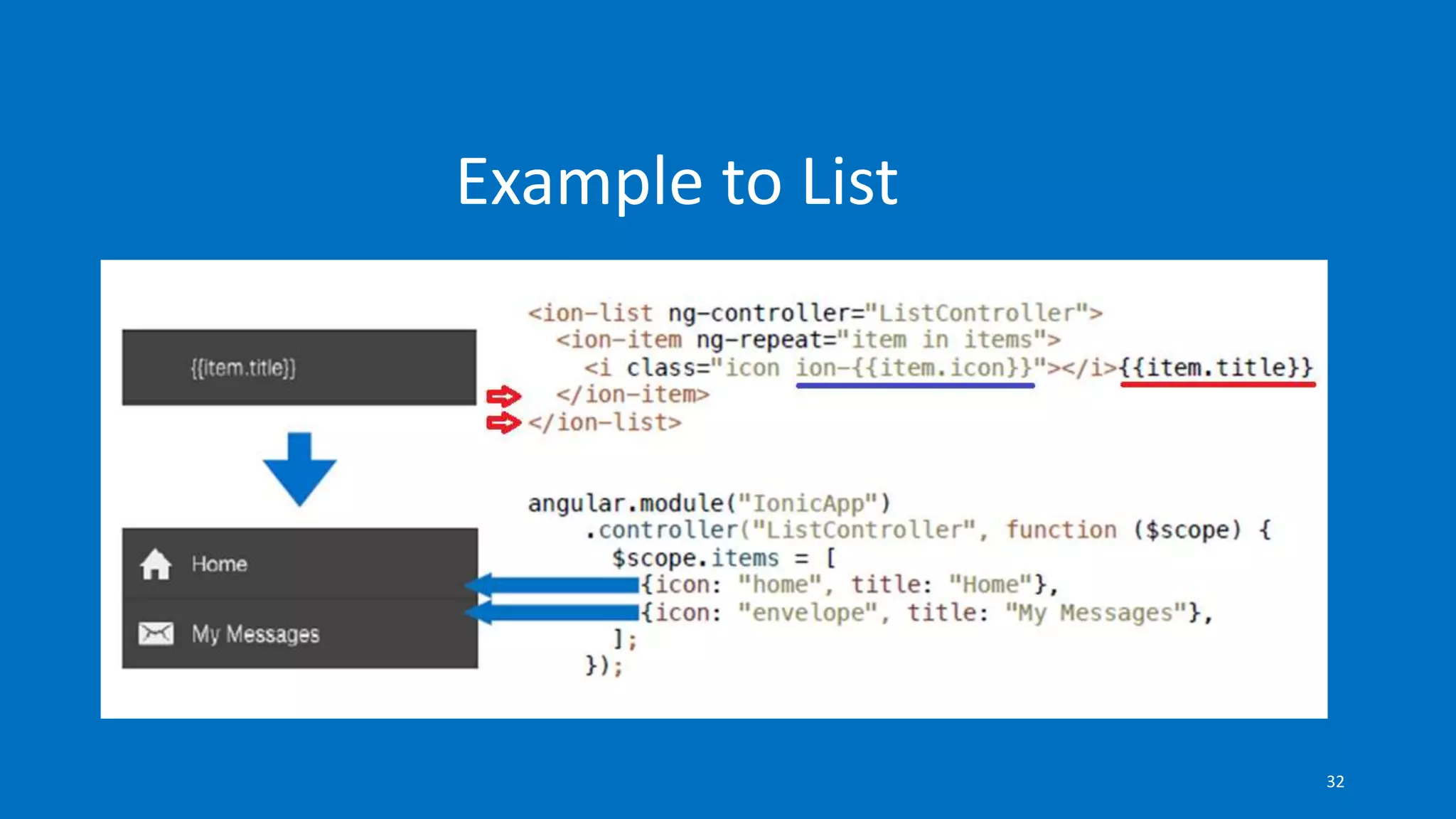
Example to List
32
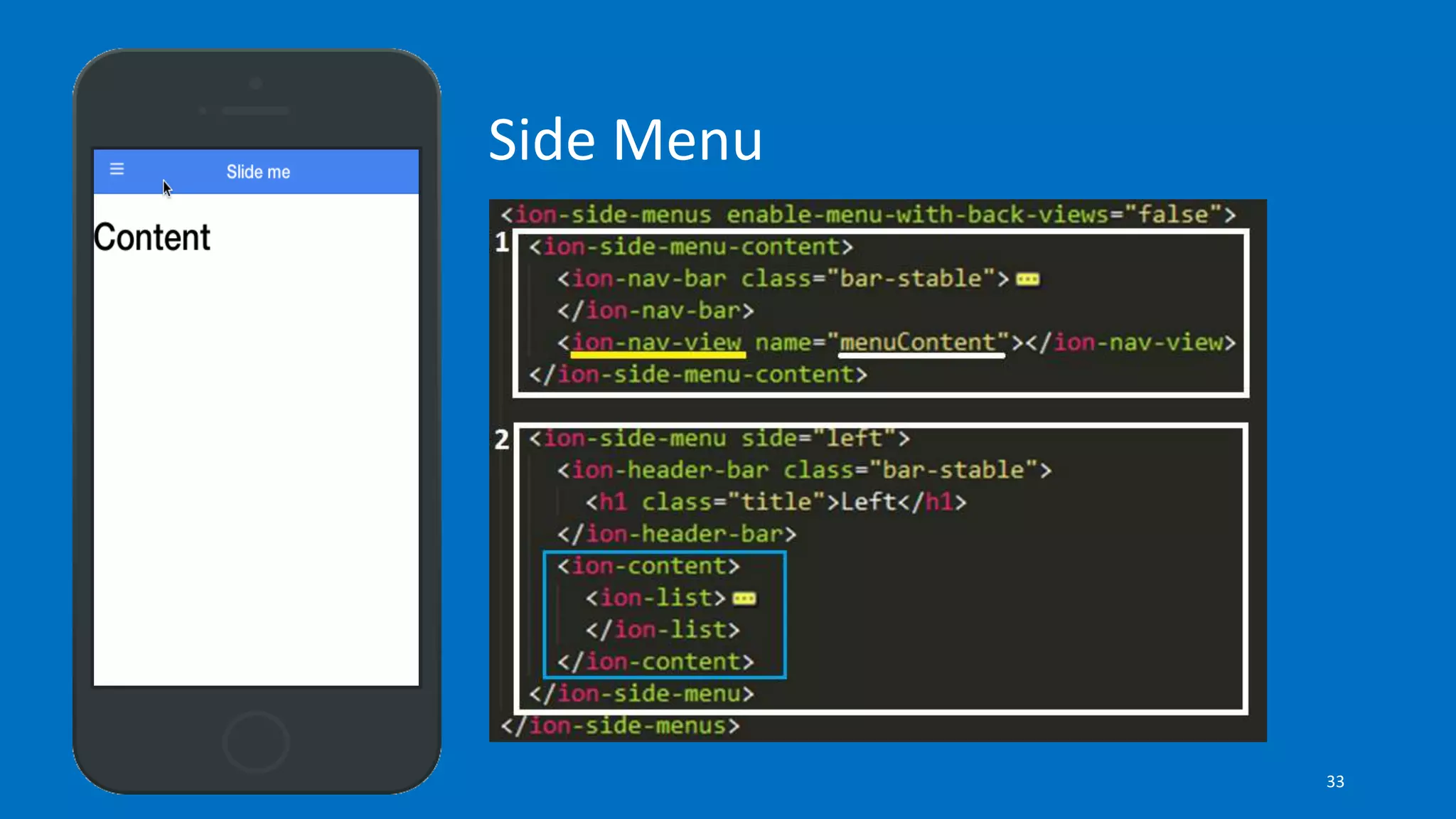
Side Menu
33
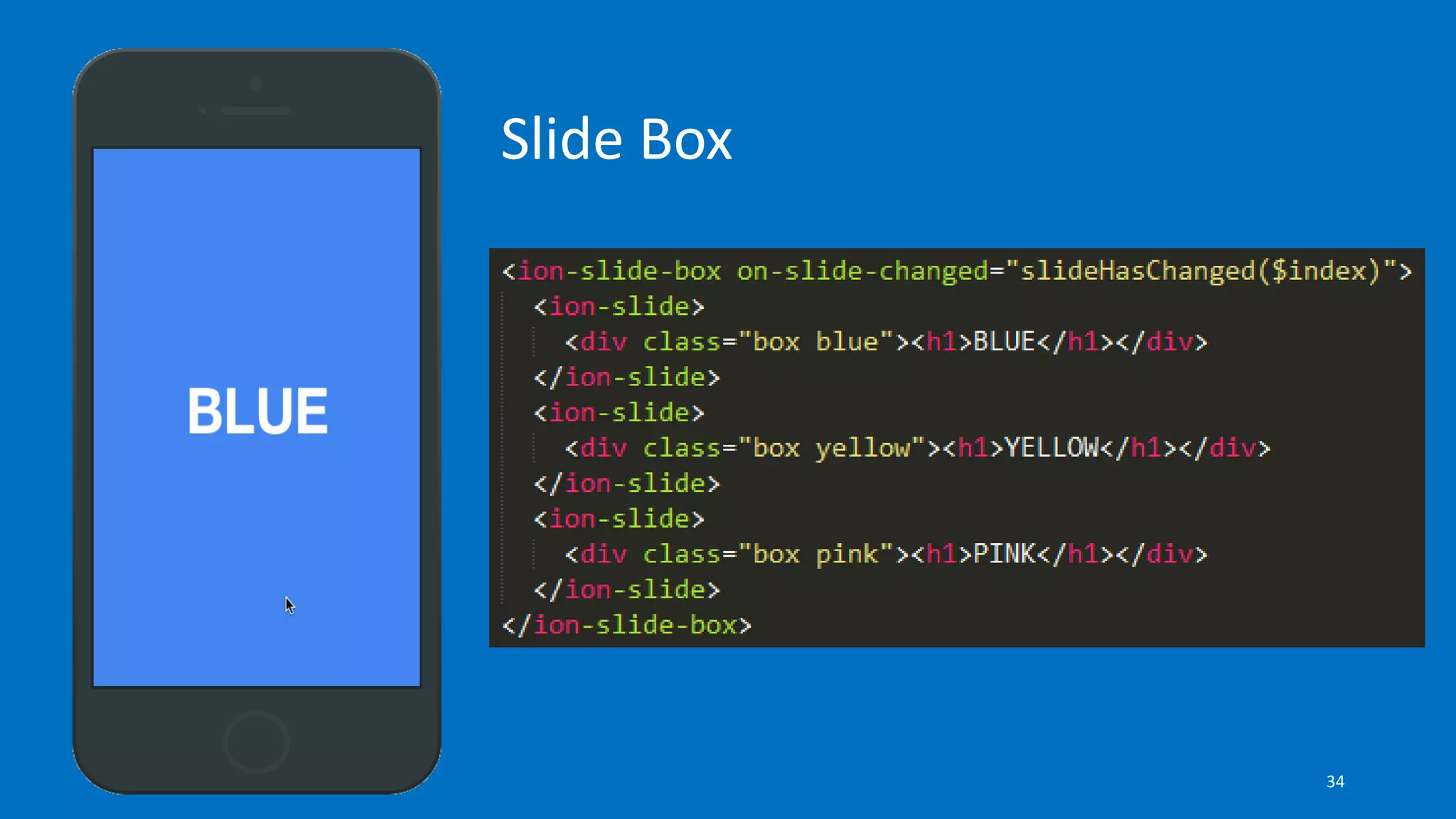
Slide Box
34
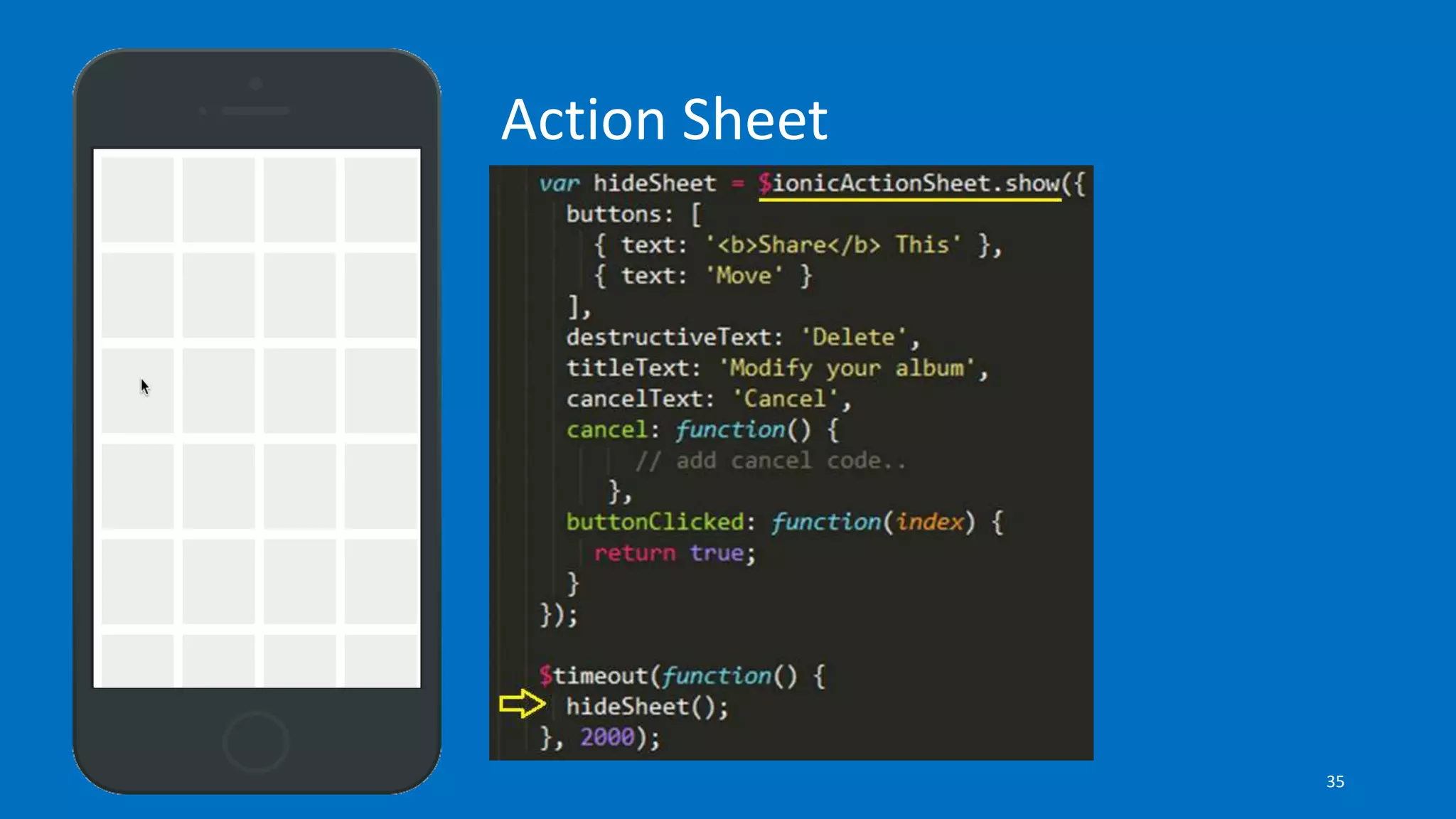
Action Sheet
35
36
Install Ionic & Cordova Globally
$ npm install -g ionic cordova
37
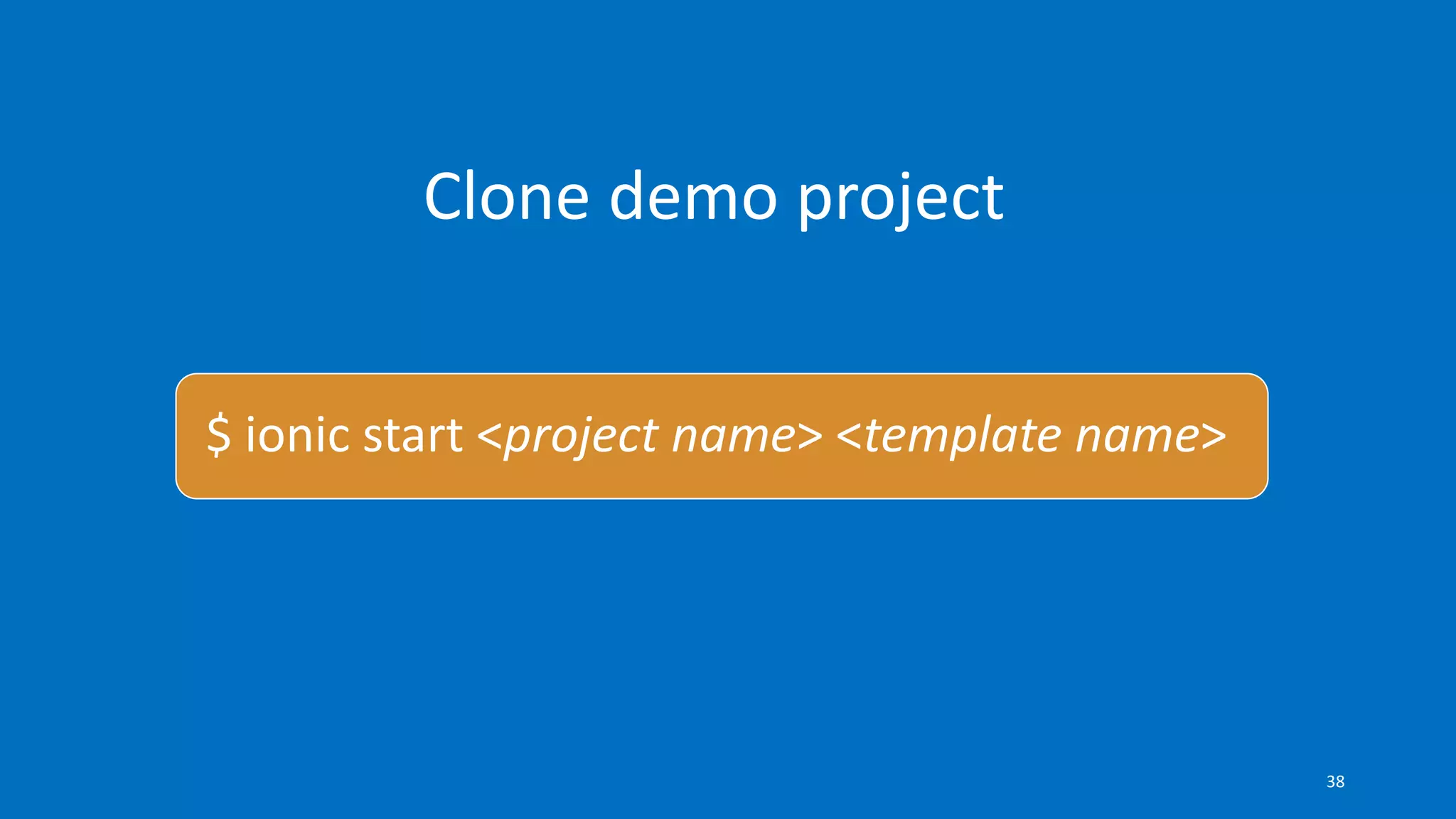
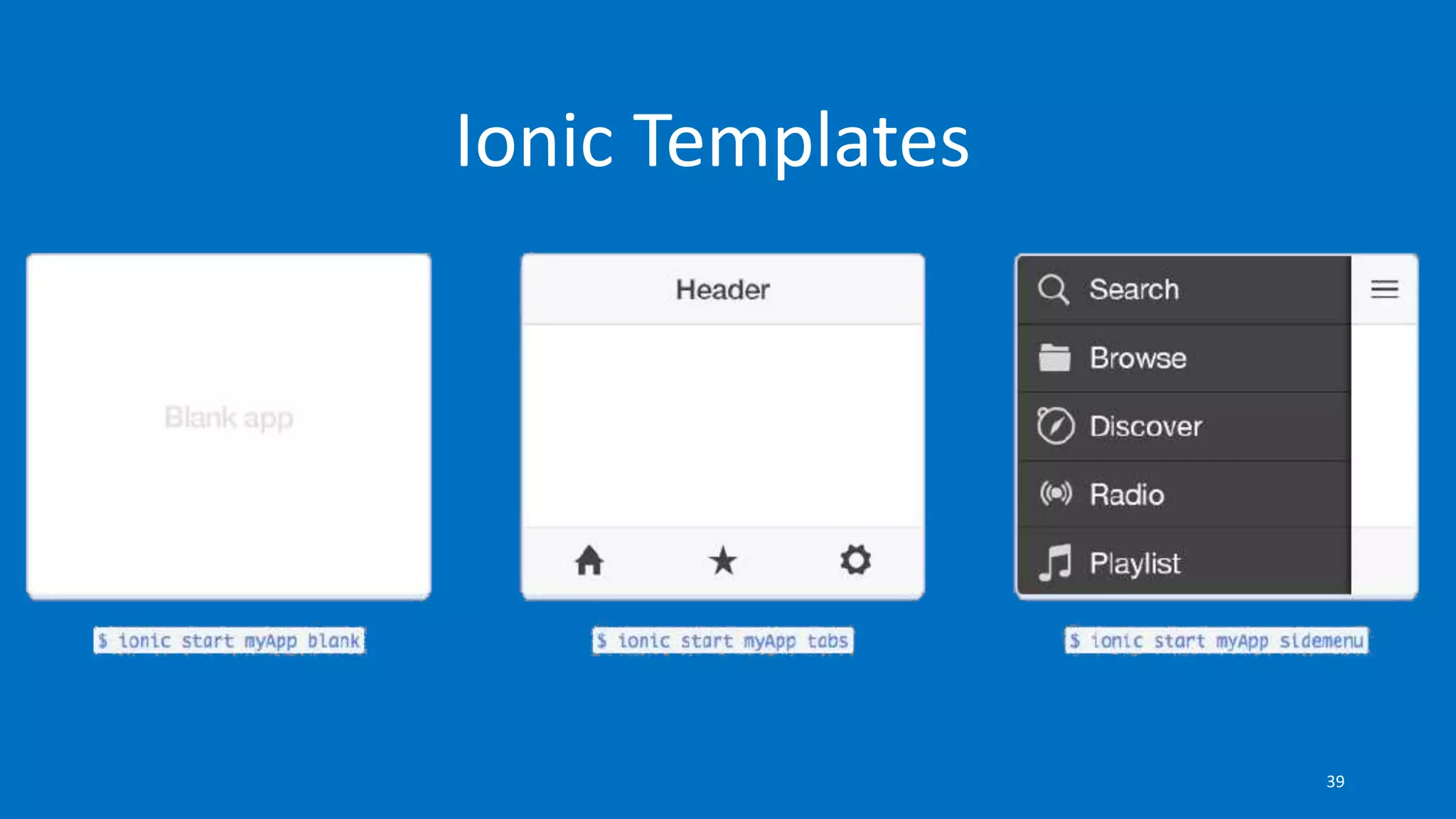
Clone demo project
$ ionic start <project name> <template name>
38
Ionic Templates
39
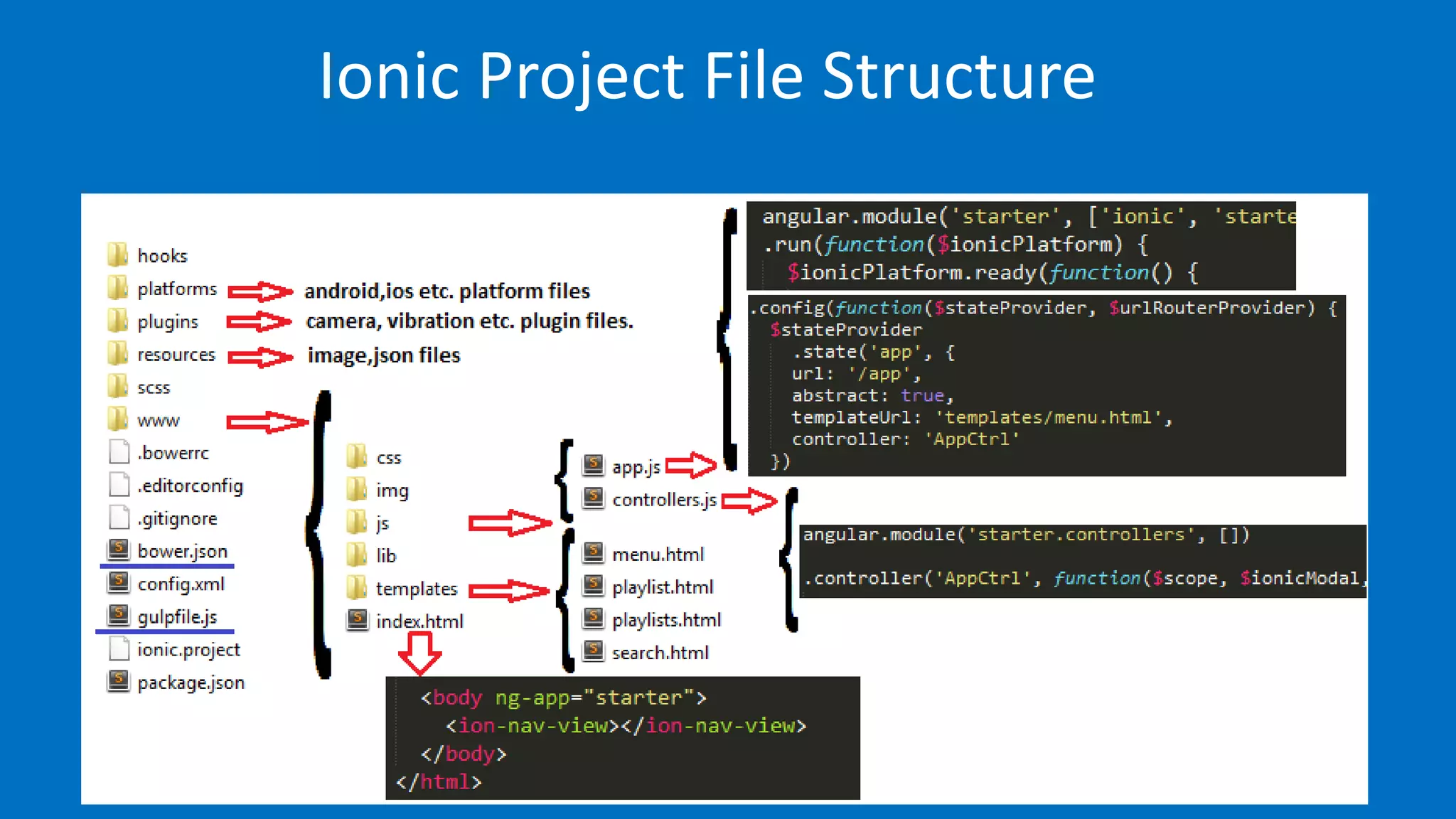
Ionic Project File Structure
40
Test on Web Browser
$ ionic serve
41
It is time to Google Chrome to test dynamic
changes
42
Add a platform
$ cd <project name>
$ ionic platform add <platform name>
43
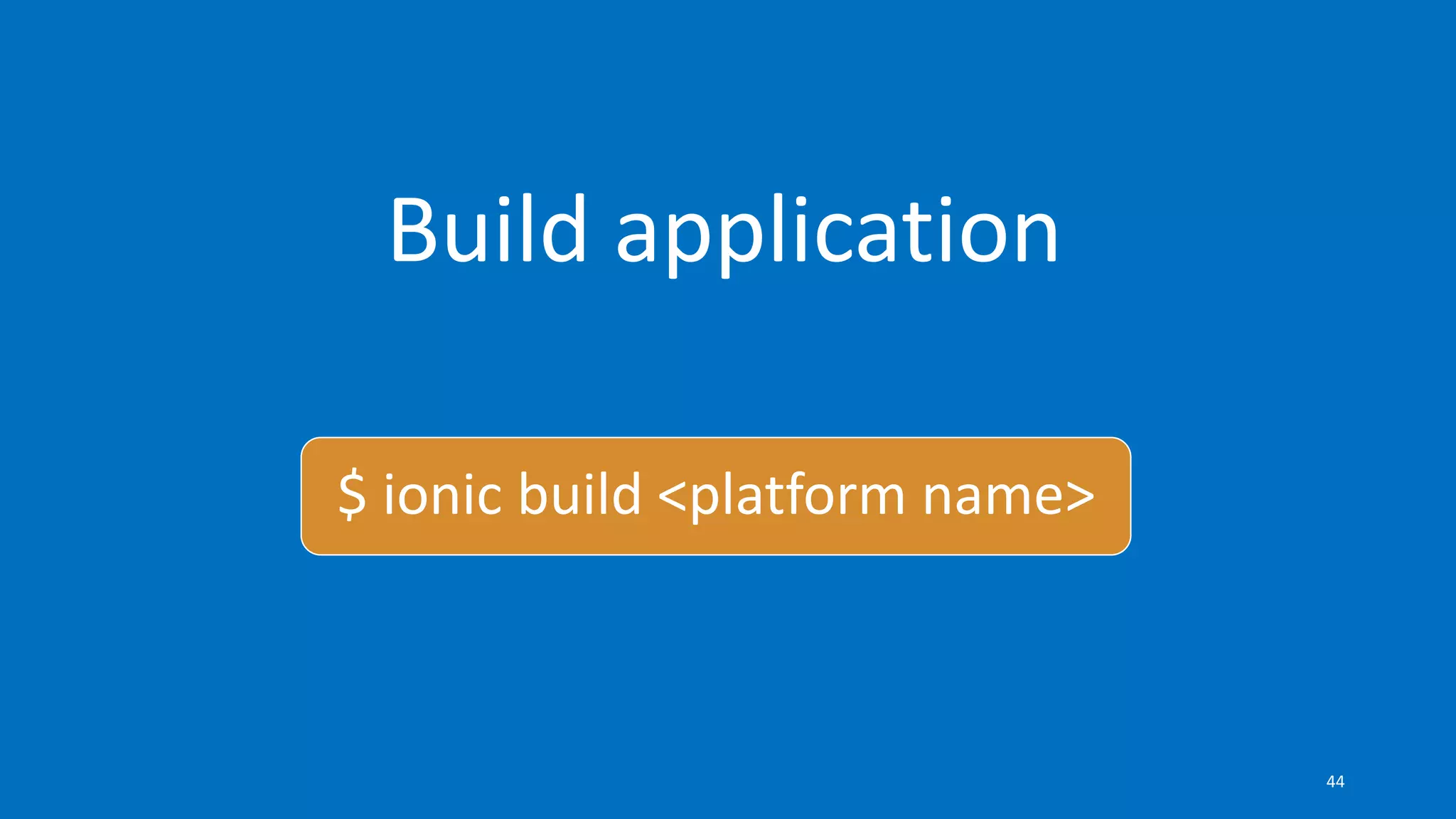
Build application
$ ionic build <platform name>
44
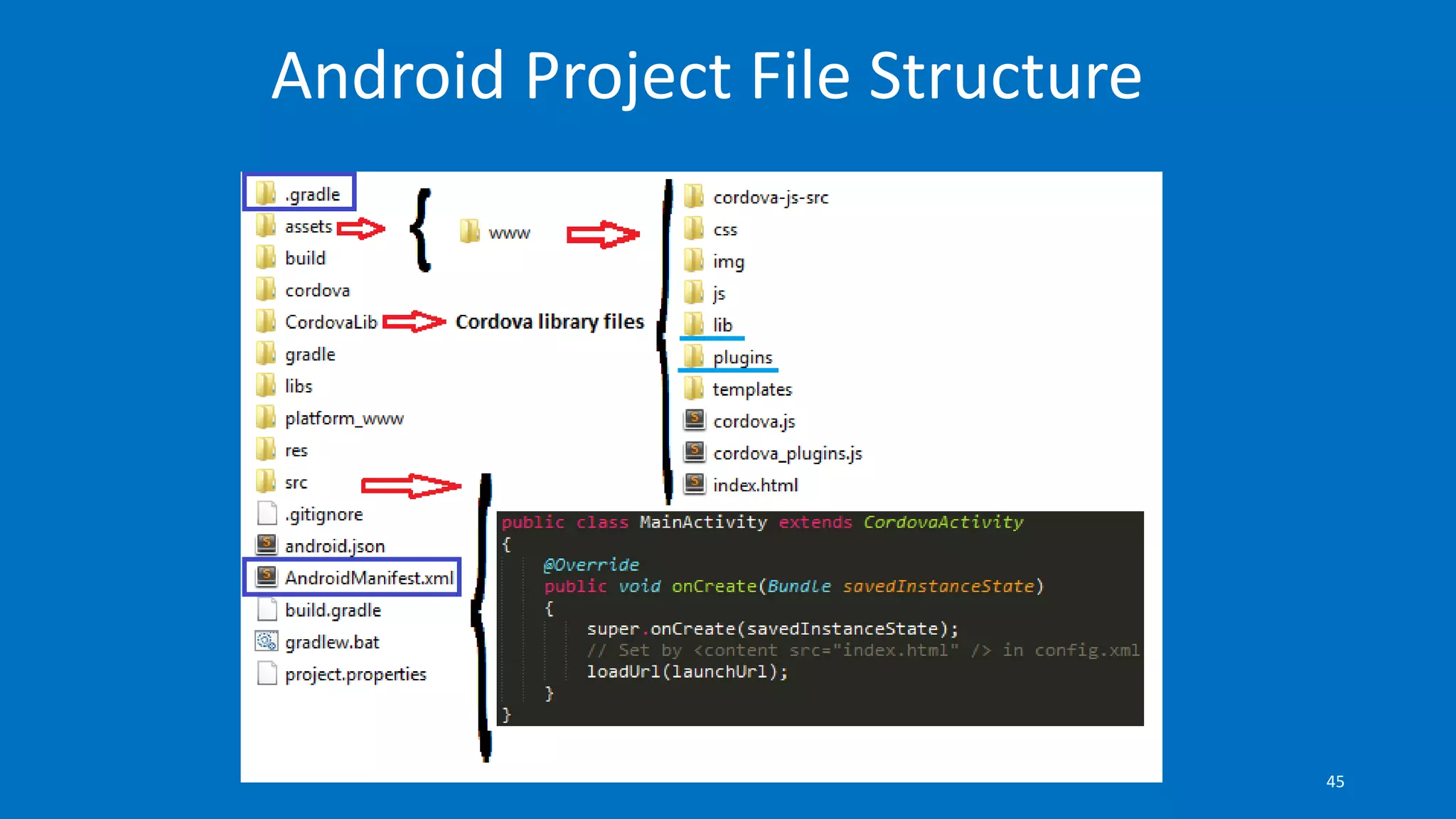
Android Project File Structure
45
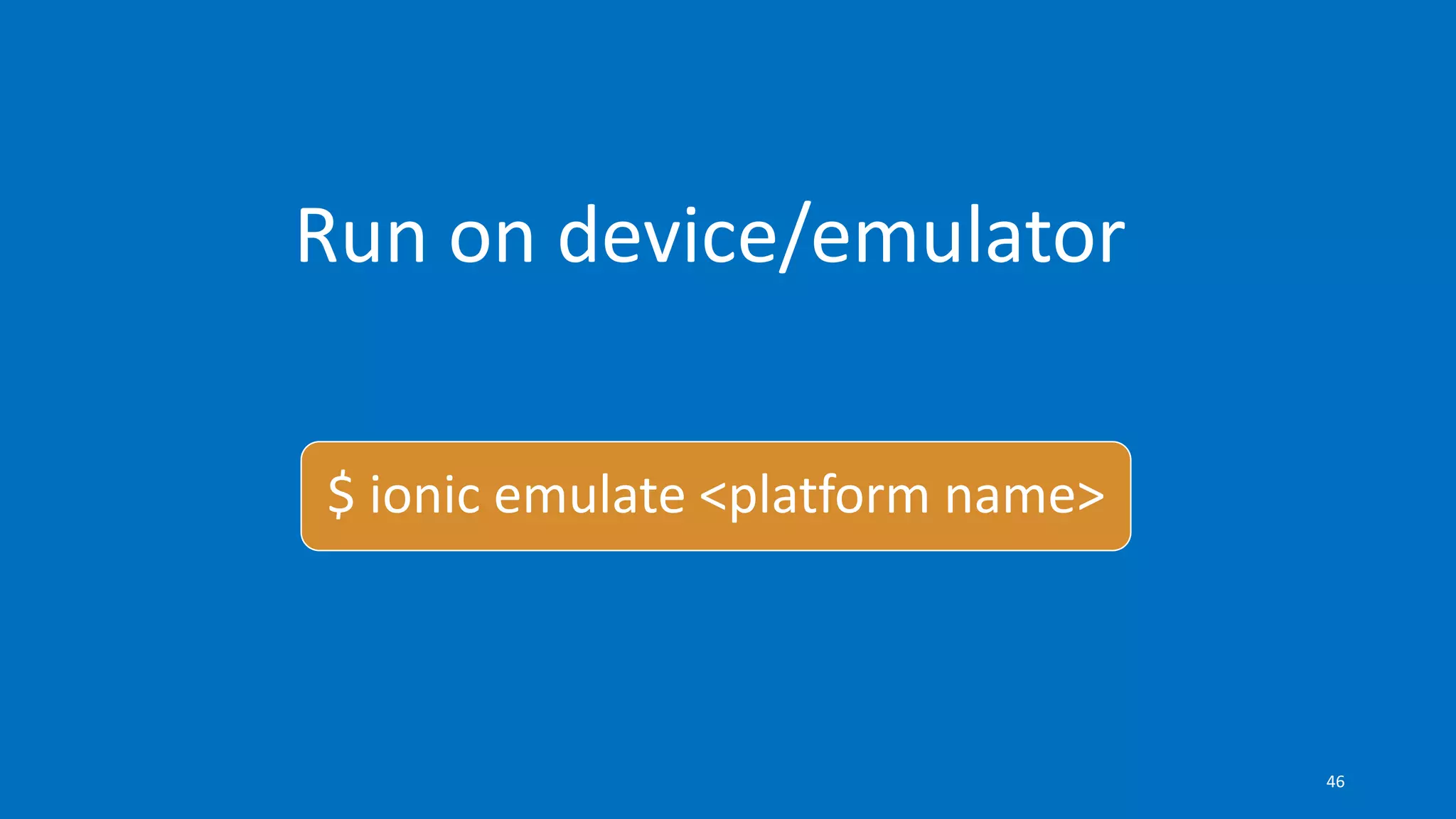
Run on device/emulator
$ ionic emulate <platform name>
46
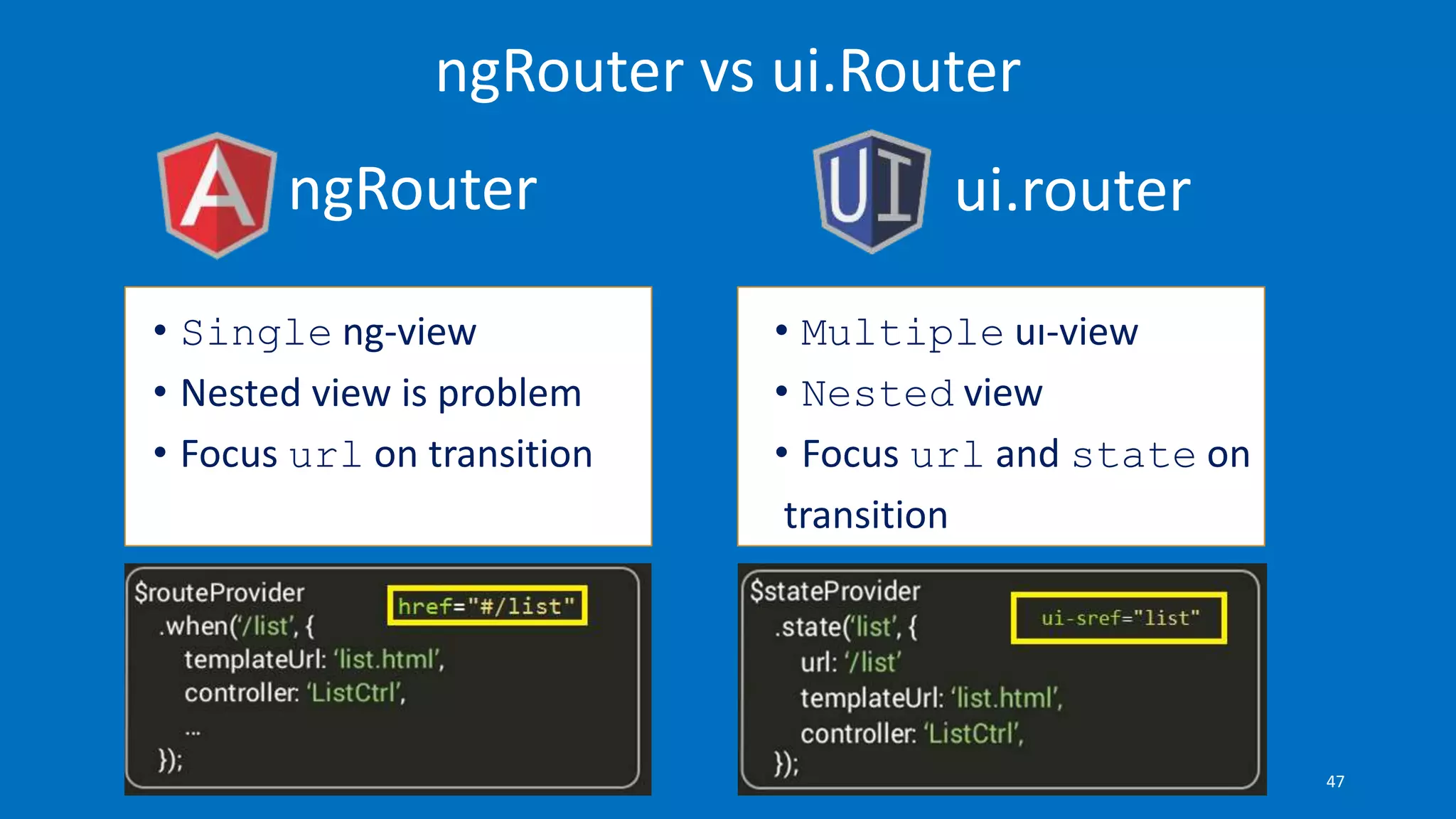
ngRouter ui.router
ngRouter vs ui.Router
• Single ng-view
• Nested view is problem
• Focus url on transition
• Multiple uı-view
• Nested view
• Focus url and state on
transition
47
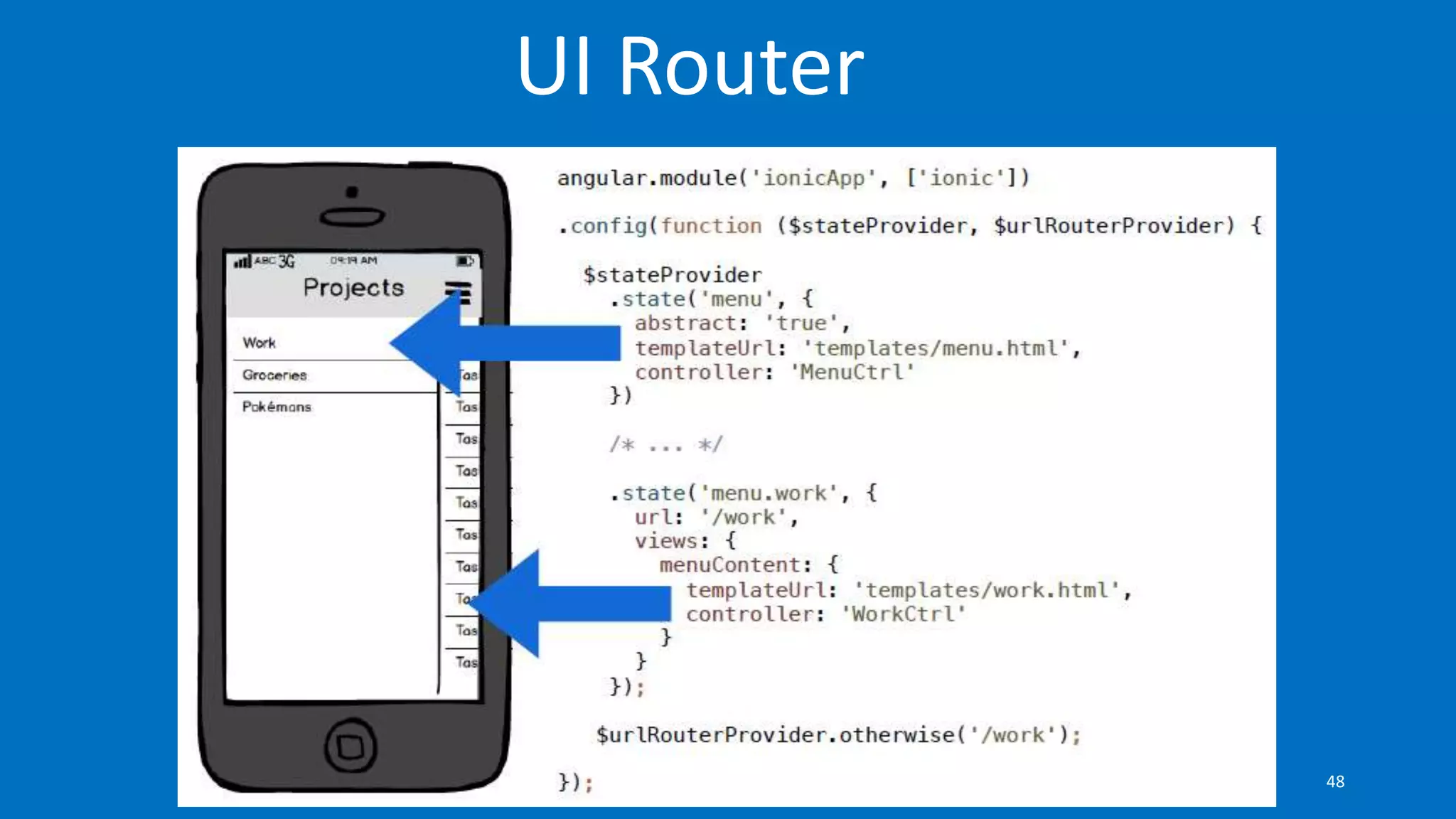
UI Router
48
Let’s code something
49
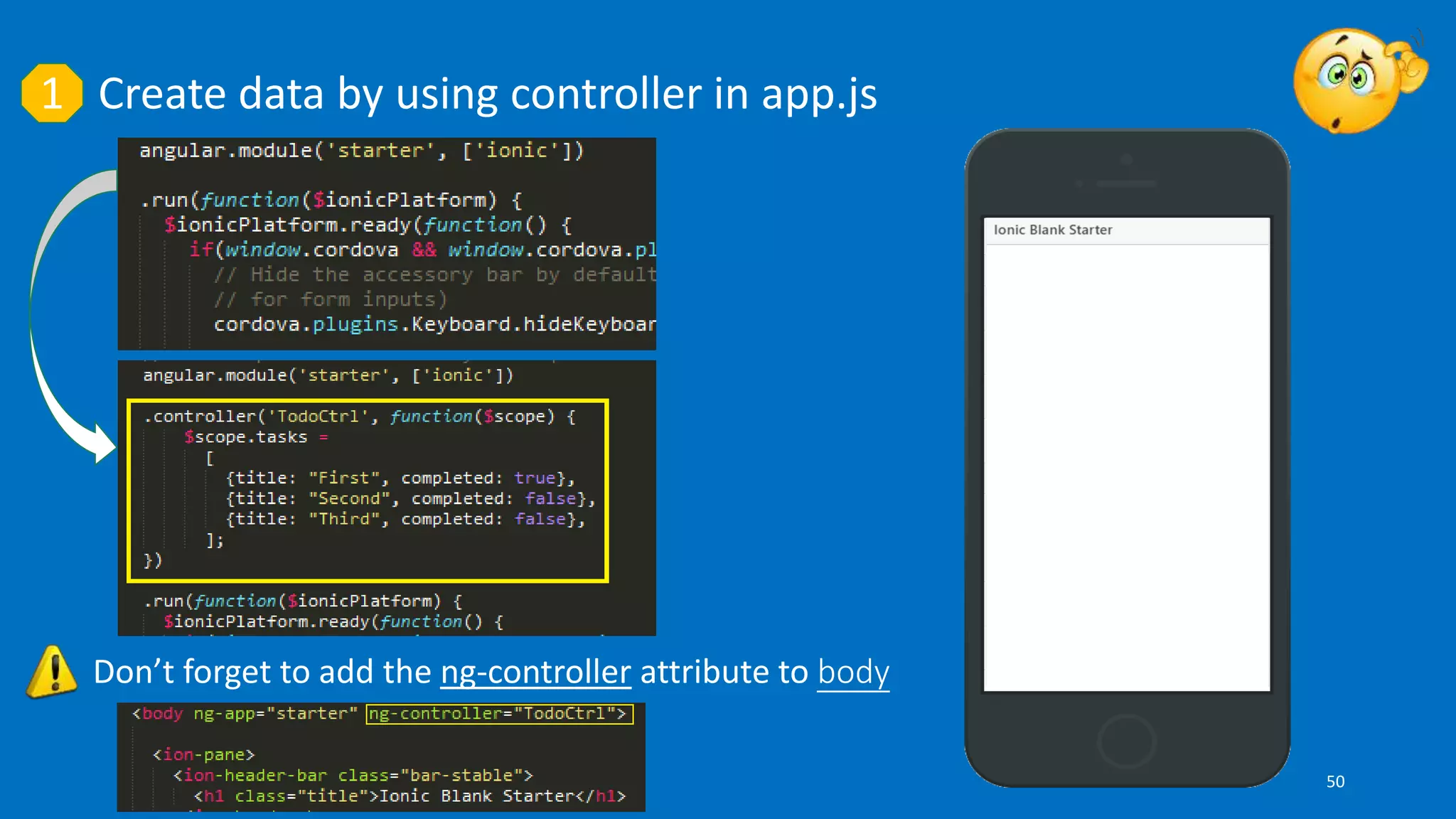
Create data by using controller in app.js1
Don’t forget to add the ng-controller attribute to body
50
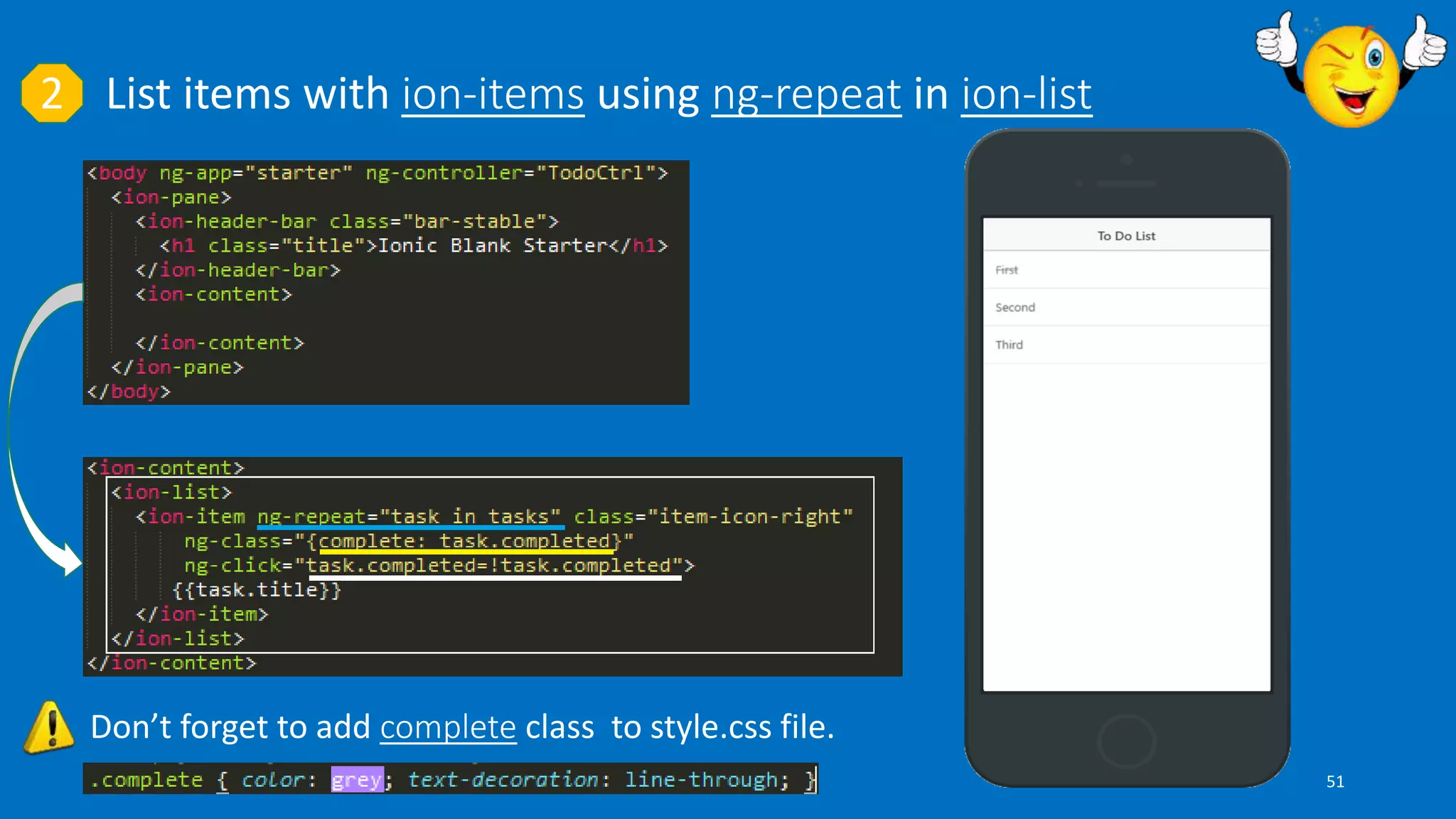
List items with ion-items using ng-repeat in ion-list2
Don’t forget to add complete class to style.css file.
51
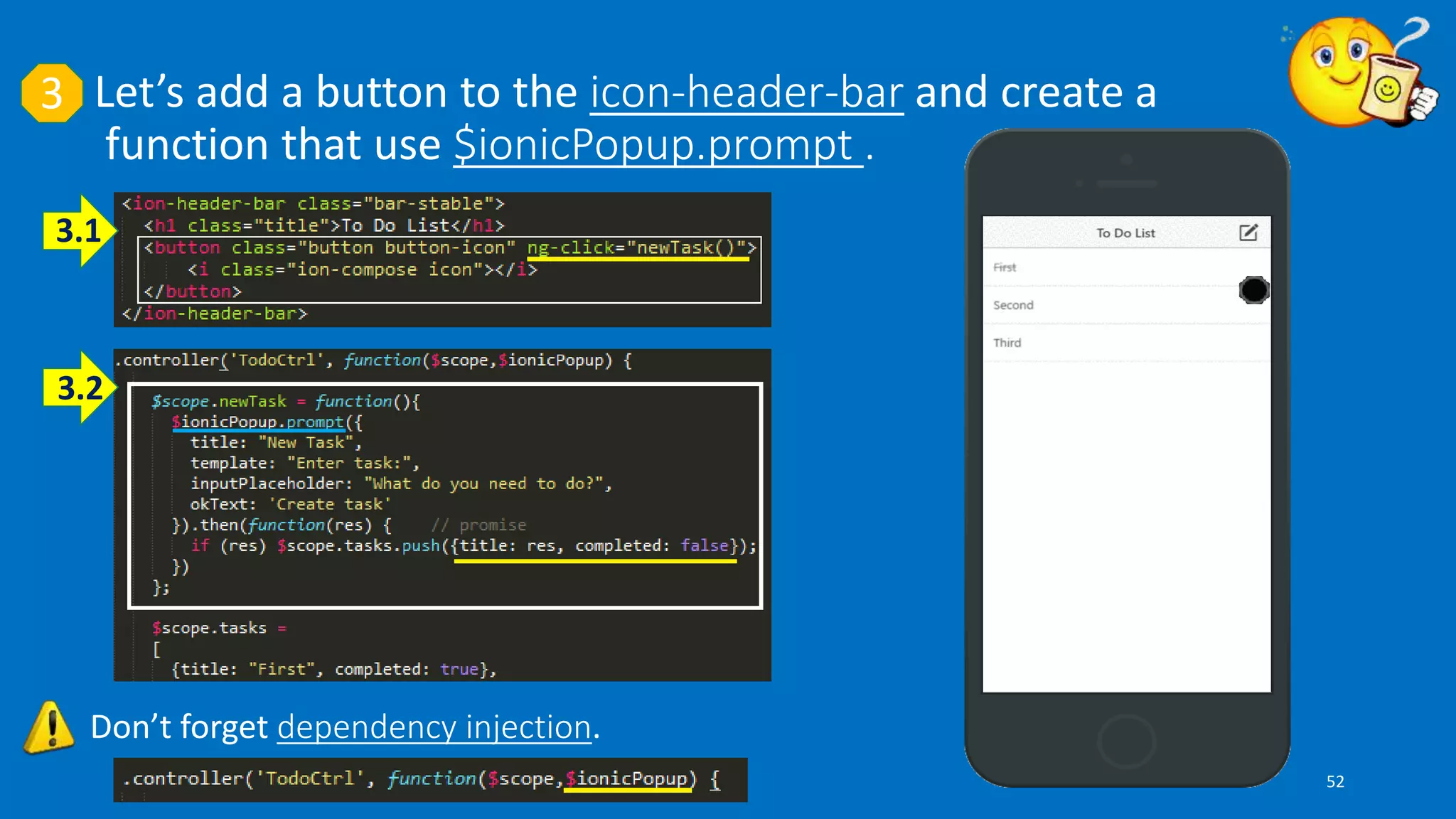
3
Don’t forget dependency injection.
Let’s add a button to the icon-header-bar and create a
function that use $ionicPopup.prompt .
3.1
3.2
52
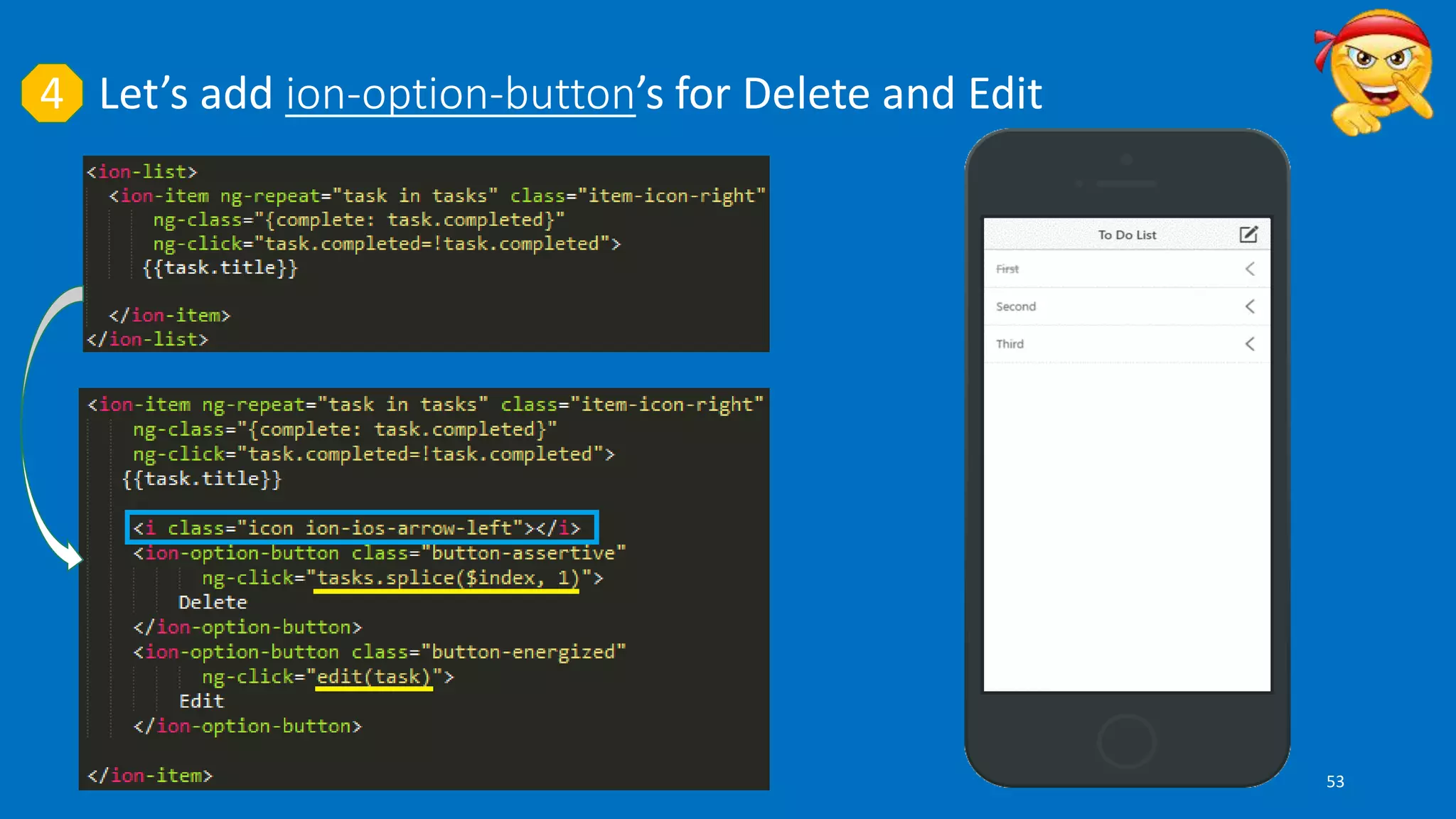
Let’s add ion-option-button’s for Delete and Edit4
53
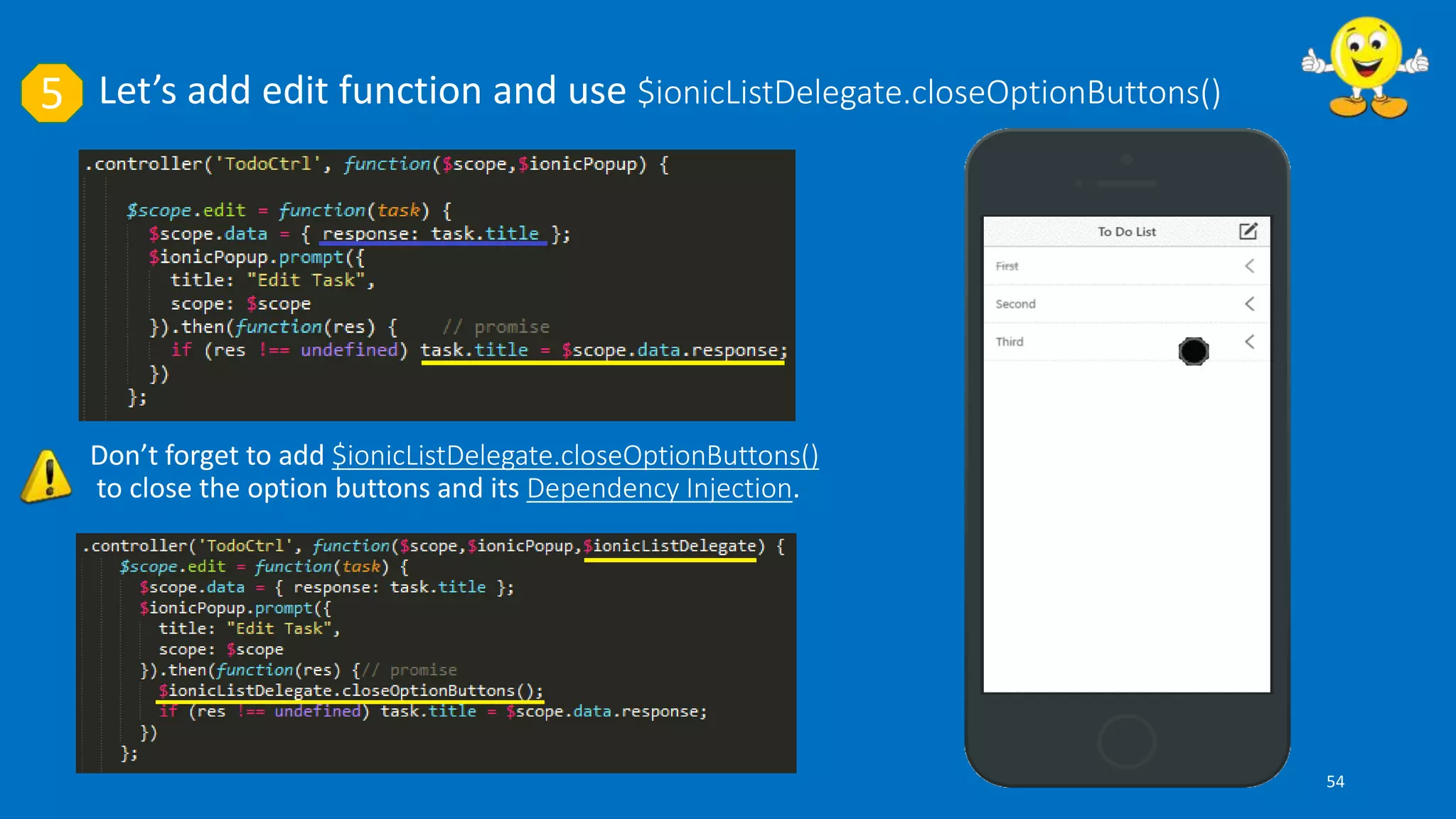
Let’s add edit function and use $ionicListDelegate.closeOptionButtons()5
Don’t forget to add $ionicListDelegate.closeOptionButtons()
to close the option buttons and its Dependency Injection.
54
Ionic Creator
55
References
• https://cordova.apache.org/
• http://ionicframework.com/
• https://www.thepolyglotdeveloper.com
• http://tolga.gezginis.com
• https://kodcu.com
• http://cihadhoruzoglu.com
• http://www.nodejstr.com
• http://www.w3schools.com/angular/
• http://blog.teamtreehouse.com
56
Questions ?
57

Developing Hybrid Applications with IONIC