Descriptions, Processes, & Instructions
Examples include operations manuals, product
demand specs, consultant study reports, sales
literature
1. Descriptions: lists the features, capabilities &
processes that a mechanism may use
 May begin with a sentence definition: A
domestic dog is a four-legged mammal that
may function as a pet, a worker, or a show
competitor.
DOCUMENTATION
2. Process Analyses: how something works
 Example: how an air bag works
3. Instructions: how to do something
 Example: how to send a fax
DOCUMENTATION
(CONTINUED)
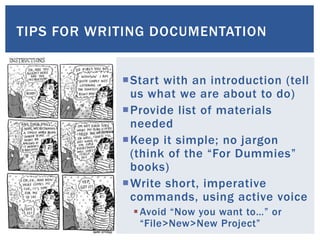
TIPS FOR WRITING DOCUMENTATION
Start with an introduction (tell
us what we are about to do)
Provide list of materials
needed
Keep it simple; no jargon
(think of the “For Dummies”
books)
Write short, imperative
commands, using active voice
Avoid “Now you want to…” or
“File>New>New Project”
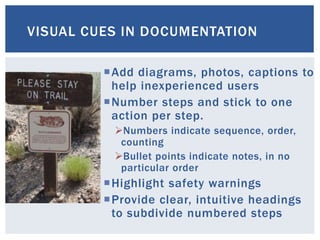
VISUAL CUES IN DOCUMENTATION
Add diagrams, photos, captions to
help inexperienced users
Number steps and stick to one
action per step.
Numbers indicate sequence, order,
counting
Bullet points indicate notes, in no
particular order
Highlight safety warnings
Provide clear, intuitive headings
to subdivide numbered steps
IKEA examples
 AVSIKT roll front cabinet 18x17"
 ALSVIK dual central kitchen faucet
EXAMPLES OF GRAPHICS IN
DOCUMENTATION
LESSONS FROM USER TESTING
Images may be more valuable than text in
some situations
• Clear, intuitive images can replace words
• Color makes a difference to many users
• Images need to be consistent in size, placement,
etc.
Experienced users can overlook poor
instructions; inexperienced users will become
confused, frustrated or will feel “dumb”
• Important to set expectations: we’re testing my
instructions, not your abilities, etc.
• Asking users to “think aloud” can identify problems
• Alertness to visual or auditory cues (frowning,
sighing) is important
 Howcast: video tutorials on all sorts of subjects
 The Product Manual Archive: Classic owners
manuals, catalogs, hang tags, and other things
 Instructables: eBooks, videos, and illustrated
tutorials on many subjects
 Warning Sign Generator: a place to experiment with
design and content of warning messages
HELPFUL RESOURCES
Follow me on Twitter
Visit my Workplace
Writing Blog
THE END

Descriptions, processes, and instructions

  • 1.
  • 2.
    Examples include operationsmanuals, product demand specs, consultant study reports, sales literature 1. Descriptions: lists the features, capabilities & processes that a mechanism may use  May begin with a sentence definition: A domestic dog is a four-legged mammal that may function as a pet, a worker, or a show competitor. DOCUMENTATION
  • 3.
    2. Process Analyses:how something works  Example: how an air bag works 3. Instructions: how to do something  Example: how to send a fax DOCUMENTATION (CONTINUED)
  • 4.
    TIPS FOR WRITINGDOCUMENTATION Start with an introduction (tell us what we are about to do) Provide list of materials needed Keep it simple; no jargon (think of the “For Dummies” books) Write short, imperative commands, using active voice Avoid “Now you want to…” or “File>New>New Project”
  • 5.
    VISUAL CUES INDOCUMENTATION Add diagrams, photos, captions to help inexperienced users Number steps and stick to one action per step. Numbers indicate sequence, order, counting Bullet points indicate notes, in no particular order Highlight safety warnings Provide clear, intuitive headings to subdivide numbered steps
  • 6.
    IKEA examples  AVSIKTroll front cabinet 18x17"  ALSVIK dual central kitchen faucet EXAMPLES OF GRAPHICS IN DOCUMENTATION
  • 7.
    LESSONS FROM USERTESTING Images may be more valuable than text in some situations • Clear, intuitive images can replace words • Color makes a difference to many users • Images need to be consistent in size, placement, etc. Experienced users can overlook poor instructions; inexperienced users will become confused, frustrated or will feel “dumb” • Important to set expectations: we’re testing my instructions, not your abilities, etc. • Asking users to “think aloud” can identify problems • Alertness to visual or auditory cues (frowning, sighing) is important
  • 8.
     Howcast: videotutorials on all sorts of subjects  The Product Manual Archive: Classic owners manuals, catalogs, hang tags, and other things  Instructables: eBooks, videos, and illustrated tutorials on many subjects  Warning Sign Generator: a place to experiment with design and content of warning messages HELPFUL RESOURCES
  • 9.
    Follow me onTwitter Visit my Workplace Writing Blog THE END