D E B U G G I N G P H P W I T H
X D E B U G
M A R K N I E B E R G A L L
https://joind.in/talk/14128
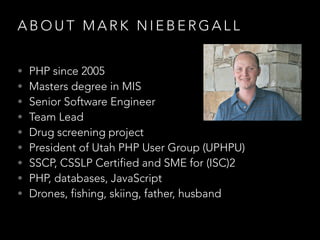
A B O U T M A R K N I E B E R G A L L
• PHP since 2005
• Masters degree in MIS
• Senior Software Engineer
• Team Lead
• Drug screening project
• President of Utah PHP User Group (UPHPU)
• SSCP, CSSLP Certified and SME for (ISC)2
• PHP, databases, JavaScript
• Drones, fishing, skiing, father, husband
A B O U T M A R K N I E B E R G A L L
D E B U G G I N G P H P W I T H X D E B U G
UPHPU
• Third Thursday of each month at 7pm
• Venue is Vivint in Lehi (3401 Ashton Blvd)
• Variety of PHP related topics
• Mostly local speakers, occasional traveling speaker
• Networking with other developers, companies
• Professional development
• uphpu.org
D E B U G G I N G P H P W I T H
D E B U G
D E B U G G I N G P H P W I T H X D E B U G
Overview
• What is Xdebug
• Why use Xdebug
• Setting up Xdebug
• Using Xdebug
W H AT I S X D E B U G
Xdebug
• Available since 2002
• Developed initially by Derick Rethans
• PHP extension
• Written in C
• Open source
• Used for debugging and profiling
• Uses DeBugGer Protocol (DBGp) for communication
W H Y U S E X D E B U G
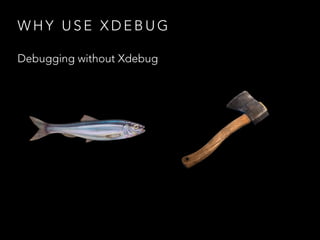
Debugging without Xdebug
W H Y U S E X D E B U G
Debugging without Xdebug
• echo $something;
• var_dump($other);
• print_r($data);
• error_log(__FILE__ . ‘ line ‘ . __LINE__);
W H Y U S E X D E B U G
Debugging without Xdebug
• Add outputs
• Load page
• Look for output
• Change some code
• Add more outputs
• Repeat
• Cleanup outputs without missing any
• Load page
W H Y U S E X D E B U G
Debugging with Xdebug
W H Y U S E X D E B U G
Debugging with Xdebug
• Add breakpoint(s)
• Load page
• Step into the code
W H Y U S E X D E B U G
Debugging with Xdebug
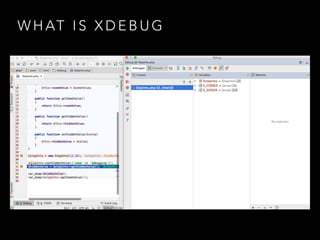
• Live values
• Follow actual code path
• Full stacktrace
W H Y U S E X D E B U G
Debugging with Xdebug
• Supported by most IDEs
• Faster development time
• Better understanding of what code is actually doing
• Does not require code changes to interrogate values
S E T T I N G U P X D E B U G
Fire up you development environment
S E T T I N G U P X D E B U G
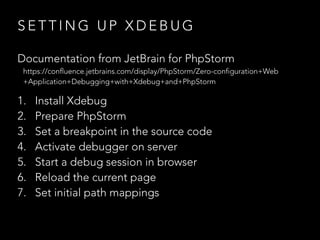
Documentation from JetBrain for PhpStorm
https://confluence.jetbrains.com/display/PhpStorm/Zero-configuration+Web
+Application+Debugging+with+Xdebug+and+PhpStorm
1. Install Xdebug
2. Prepare PhpStorm
3. Set a breakpoint in the source code
4. Activate debugger on server
5. Start a debug session in browser
6. Reload the current page
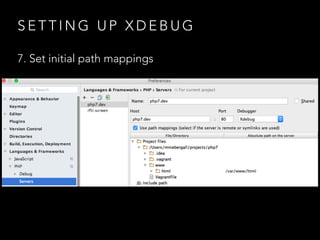
7. Set initial path mappings
S E T T I N G U P X D E B U G
1. Install Xdebug
S E T T I N G U P X D E B U G
1. Install Xdebug
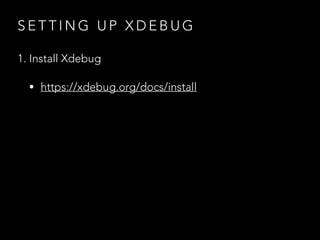
• https://xdebug.org/docs/install
S E T T I N G U P X D E B U G
1. Install Xdebug
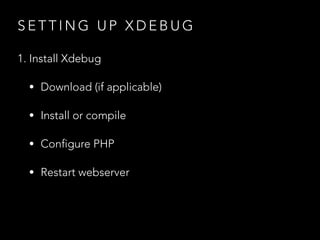
• Download (if applicable)
• Install or compile
• Configure PHP
• Restart webserver
S E T T I N G U P X D E B U G
1. Install Xdebug
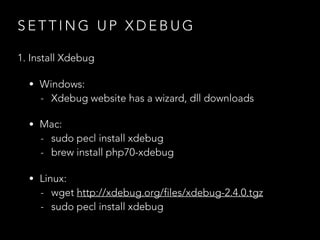
• Windows:
- Xdebug website has a wizard, dll downloads
• Mac:
- sudo pecl install xdebug
- brew install php70-xdebug
• Linux:
- wget http://xdebug.org/files/xdebug-2.4.0.tgz
- sudo pecl install xdebug
S E T T I N G U P X D E B U G
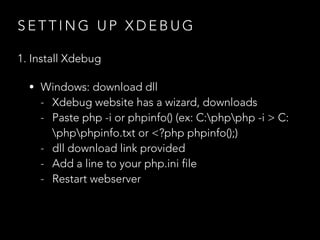
1. Install Xdebug
• Windows: download dll
- Xdebug website has a wizard, downloads
- Paste php -i or phpinfo() (ex: C:phpphp -i > C:
phpphpinfo.txt or <?php phpinfo();)
- dll download link provided
- Add a line to your php.ini file
- Restart webserver
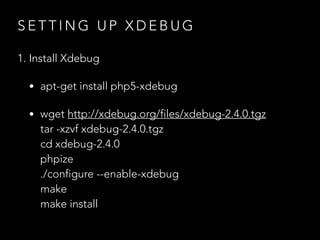
S E T T I N G U P X D E B U G
1. Install Xdebug
• apt-get install php5-xdebug
• wget http://xdebug.org/files/xdebug-2.4.0.tgz

tar -xzvf xdebug-2.4.0.tgz

cd xdebug-2.4.0

phpize

./configure --enable-xdebug

make

make install
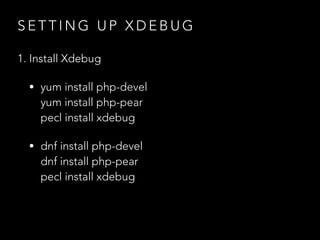
S E T T I N G U P X D E B U G
1. Install Xdebug
• yum install php-devel

yum install php-pear

pecl install xdebug
• dnf install php-devel

dnf install php-pear

pecl install xdebug
S E T T I N G U P X D E B U G
1. Install Xdebug
• Update php.ini by adding lines:


zend_extension = php_xdebug-2.4.0-5.5-vc11.dll


[xdebug]

xdebug.remote_enable = 1

xdebug.remote_port = 9000

xdebug.remote_host = localhost

xdebug.idekey = PHPSTORM

S E T T I N G U P X D E B U G
1. Install Xdebug
• Update php.ini by adding lines:


zend_extension = /usr/lib64/php/modules/xdebug.so


[xdebug]

xdebug.remote_enable = 1

xdebug.remote_port = 9000

xdebug.remote_host = localhost

xdebug.idekey = PHPSTORM

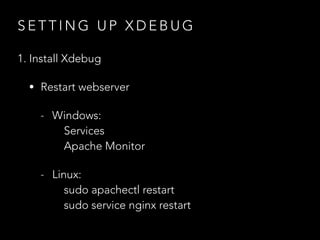
S E T T I N G U P X D E B U G
1. Install Xdebug
• Restart webserver
- Windows:

Services

Apache Monitor
- Linux:

sudo apachectl restart

sudo service nginx restart
S E T T I N G U P X D E B U G
1. Install Xdebug
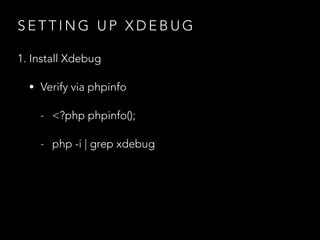
• Verify via phpinfo
- <?php phpinfo();
- php -i | grep xdebug
S E T T I N G U P X D E B U G
1. Install Xdebug
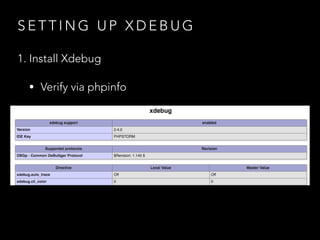
• Verify via phpinfo
S E T T I N G U P X D E B U G
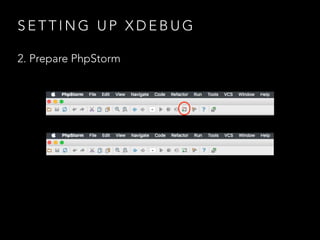
2. Prepare PhpStorm
S E T T I N G U P X D E B U G
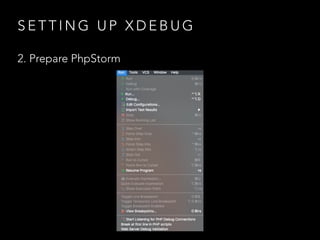
2. Prepare PhpStorm
• Start Listening for PHP Debug Connections
S E T T I N G U P X D E B U G
2. Prepare PhpStorm
S E T T I N G U P X D E B U G
2. Prepare PhpStorm
S E T T I N G U P X D E B U G
2. Prepare PhpStorm
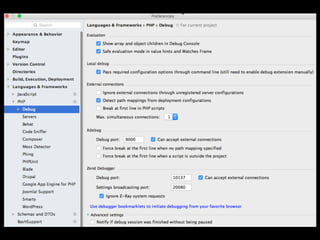
• Setup debug settings
S E T T I N G U P X D E B U G
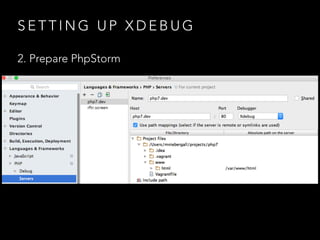
2. Prepare PhpStorm
• Setup project path mapping
S E T T I N G U P X D E B U G
2. Prepare PhpStorm
S E T T I N G U P X D E B U G
3. Set a breakpoint in the source code
S E T T I N G U P X D E B U G
3. Set a breakpoint in the source code
• Line you know will be hit
• Or break on first line
S E T T I N G U P X D E B U G
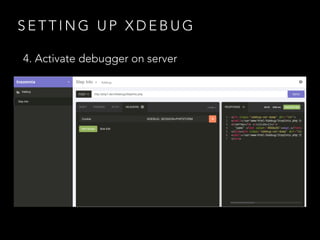
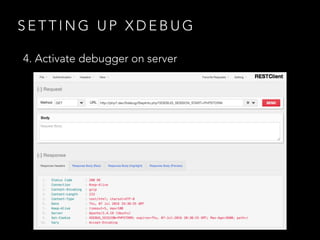
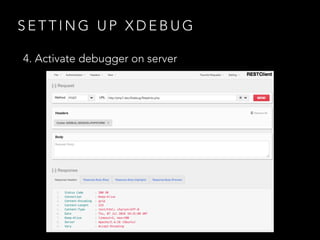
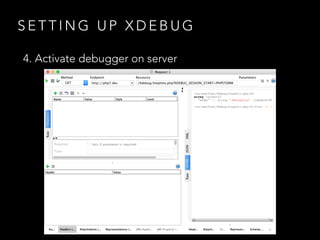
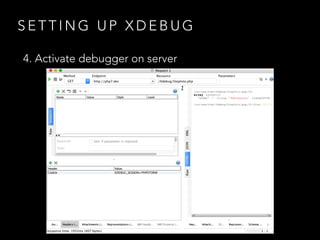
4. Activate debugger on server
S E T T I N G U P X D E B U G
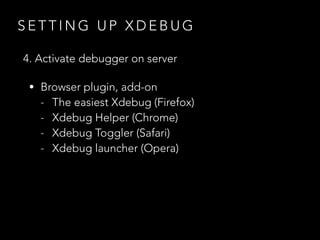
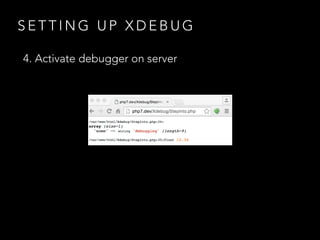
4. Activate debugger on server
• Browser plugin, add-on
- The easiest Xdebug (Firefox)
- Xdebug Helper (Chrome)
- Xdebug Toggler (Safari)
- Xdebug launcher (Opera)
S E T T I N G U P X D E B U G
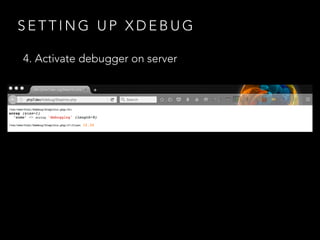
4. Activate debugger on server
S E T T I N G U P X D E B U G
4. Activate debugger on server
S E T T I N G U P X D E B U G
4. Activate debugger on server
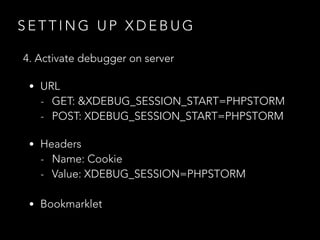
• URL
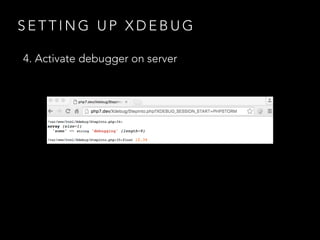
- GET: &XDEBUG_SESSION_START=PHPSTORM
- POST: XDEBUG_SESSION_START=PHPSTORM
• Headers
- Name: Cookie
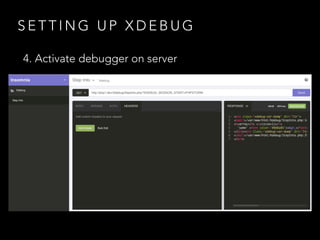
- Value: XDEBUG_SESSION=PHPSTORM
• Bookmarklet
S E T T I N G U P X D E B U G
4. Activate debugger on server
S E T T I N G U P X D E B U G
4. Activate debugger on server
S E T T I N G U P X D E B U G
4. Activate debugger on server
S E T T I N G U P X D E B U G
4. Activate debugger on server
S E T T I N G U P X D E B U G
4. Activate debugger on server
S E T T I N G U P X D E B U G
4. Activate debugger on server
S E T T I N G U P X D E B U G
4. Activate debugger on server
S E T T I N G U P X D E B U G
5. Start a debug session in browser
S E T T I N G U P X D E B U G
5. Start a debug session in browser
• Click the debug button in toolbar
• Add GET, POST, or COOKIE
S E T T I N G U P X D E B U G
6. Reload the current page
S E T T I N G U P X D E B U G
6. Reload the current page
S E T T I N G U P X D E B U G
7. Set initial path mappings
S E T T I N G U P X D E B U G
7. Set initial path mappings
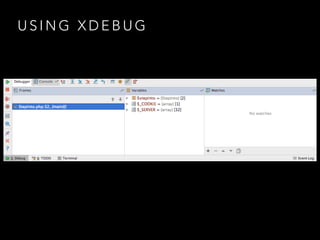
U S I N G X D E B U G
• Breakpoints
• Stepping through code
• Watches
• Console
U S I N G X D E B U G
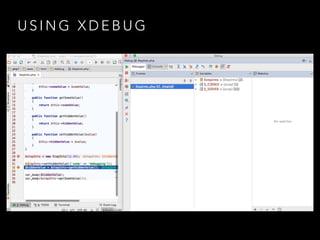
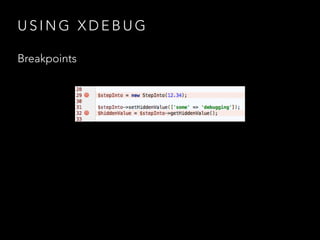
Breakpoints
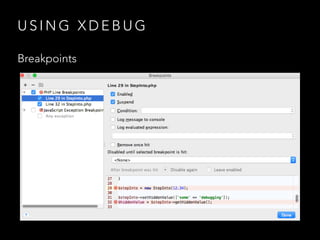
• Pause code execution at specific line
• Allowed multiple breakpoints
• Conditional breakpoints
U S I N G X D E B U G
Breakpoints
• Place strategically
• Not too early
• Not too late
• Not too many
• Remember time limit, increase if needed
• Use conditional breakpoints in loops
U S I N G X D E B U G
Breakpoints
U S I N G X D E B U G
Breakpoints
U S I N G X D E B U G
Stepping through code
U S I N G X D E B U G
Stepping through code
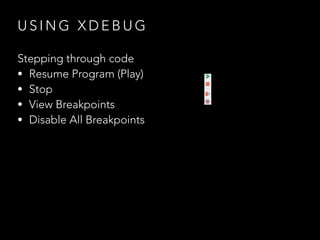
• Resume Program (Play)
• Stop
• View Breakpoints
• Disable All Breakpoints
U S I N G X D E B U G
Stepping through code
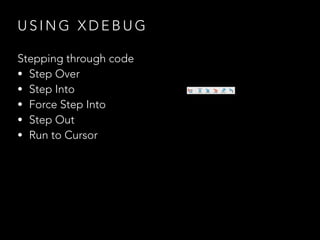
• Step Over
• Step Into
• Force Step Into
• Step Out
• Run to Cursor
U S I N G X D E B U G
Stepping through code
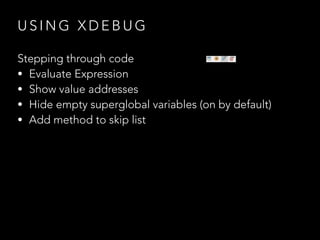
• Evaluate Expression
• Show value addresses
• Hide empty superglobal variables (on by default)
• Add method to skip list
U S I N G X D E B U G
Watches
U S I N G X D E B U G
Watches
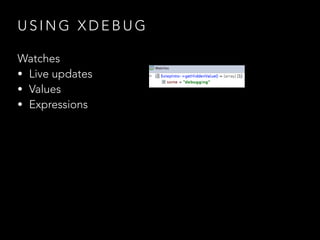
• Live updates
• Values
• Expressions
U S I N G X D E B U G
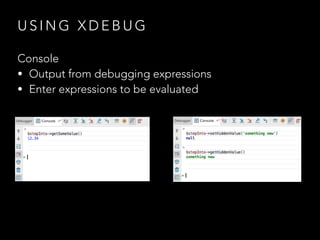
Console
U S I N G X D E B U G
Console
• Output from debugging expressions
• Enter expressions to be evaluated
S U M M A RY
S U M M A RY
• More efficient way to debug
• Visibility into code
• Ability to change code on the fly
• Watch values change line by line
• Better understanding of code path
Q U E S T I O N S ?
https://joind.in/talk/14128
S O U R C E S
• JetBrains documentation https://confluence.jetbrains.com/display/PhpStorm/Zero-
configuration+Web+Application+Debugging+with+Xdebug+and+PhpStorm
• Xdebug documentation https://xdebug.org/docs/install
• David Stockton, php[architect], January 2015, https://www.phparch.com/wp-
content/uploads/2015/01/levelup-xdebug-phparchitect-jan2015.pdf

Debugging PHP With Xdebug

  • 1.
    D E BU G G I N G P H P W I T H X D E B U G M A R K N I E B E R G A L L https://joind.in/talk/14128
  • 2.
    A B OU T M A R K N I E B E R G A L L • PHP since 2005 • Masters degree in MIS • Senior Software Engineer • Team Lead • Drug screening project • President of Utah PHP User Group (UPHPU) • SSCP, CSSLP Certified and SME for (ISC)2 • PHP, databases, JavaScript • Drones, fishing, skiing, father, husband
  • 3.
    A B OU T M A R K N I E B E R G A L L
  • 4.
    D E BU G G I N G P H P W I T H X D E B U G UPHPU • Third Thursday of each month at 7pm • Venue is Vivint in Lehi (3401 Ashton Blvd) • Variety of PHP related topics • Mostly local speakers, occasional traveling speaker • Networking with other developers, companies • Professional development • uphpu.org
  • 5.
    D E BU G G I N G P H P W I T H D E B U G
  • 6.
    D E BU G G I N G P H P W I T H X D E B U G Overview • What is Xdebug • Why use Xdebug • Setting up Xdebug • Using Xdebug
  • 7.
    W H ATI S X D E B U G
  • 8.
    W H ATI S X D E B U G
  • 9.
    W H ATI S X D E B U G Xdebug • Available since 2002 • Developed initially by Derick Rethans • PHP extension • Written in C • Open source • Used for debugging and profiling • Uses DeBugGer Protocol (DBGp) for communication
  • 10.
    W H YU S E X D E B U G
  • 11.
    W H YU S E X D E B U G Debugging without Xdebug
  • 12.
    W H YU S E X D E B U G Debugging without Xdebug • echo $something; • var_dump($other); • print_r($data); • error_log(__FILE__ . ‘ line ‘ . __LINE__);
  • 13.
    W H YU S E X D E B U G Debugging without Xdebug • Add outputs • Load page • Look for output • Change some code • Add more outputs • Repeat • Cleanup outputs without missing any • Load page
  • 14.
    W H YU S E X D E B U G Debugging with Xdebug
  • 15.
    W H YU S E X D E B U G Debugging with Xdebug • Add breakpoint(s) • Load page • Step into the code
  • 16.
    W H YU S E X D E B U G Debugging with Xdebug • Live values • Follow actual code path • Full stacktrace
  • 17.
    W H YU S E X D E B U G Debugging with Xdebug • Supported by most IDEs • Faster development time • Better understanding of what code is actually doing • Does not require code changes to interrogate values
  • 18.
    S E TT I N G U P X D E B U G
  • 19.
    S E TT I N G U P X D E B U G Fire up you development environment
  • 20.
    S E TT I N G U P X D E B U G Documentation from JetBrain for PhpStorm https://confluence.jetbrains.com/display/PhpStorm/Zero-configuration+Web +Application+Debugging+with+Xdebug+and+PhpStorm 1. Install Xdebug 2. Prepare PhpStorm 3. Set a breakpoint in the source code 4. Activate debugger on server 5. Start a debug session in browser 6. Reload the current page 7. Set initial path mappings
  • 21.
    S E TT I N G U P X D E B U G 1. Install Xdebug
  • 22.
    S E TT I N G U P X D E B U G 1. Install Xdebug • https://xdebug.org/docs/install
  • 23.
    S E TT I N G U P X D E B U G 1. Install Xdebug • Download (if applicable) • Install or compile • Configure PHP • Restart webserver
  • 24.
    S E TT I N G U P X D E B U G 1. Install Xdebug • Windows: - Xdebug website has a wizard, dll downloads • Mac: - sudo pecl install xdebug - brew install php70-xdebug • Linux: - wget http://xdebug.org/files/xdebug-2.4.0.tgz - sudo pecl install xdebug
  • 25.
    S E TT I N G U P X D E B U G 1. Install Xdebug • Windows: download dll - Xdebug website has a wizard, downloads - Paste php -i or phpinfo() (ex: C:phpphp -i > C: phpphpinfo.txt or <?php phpinfo();) - dll download link provided - Add a line to your php.ini file - Restart webserver
  • 26.
    S E TT I N G U P X D E B U G 1. Install Xdebug • apt-get install php5-xdebug • wget http://xdebug.org/files/xdebug-2.4.0.tgz
 tar -xzvf xdebug-2.4.0.tgz
 cd xdebug-2.4.0
 phpize
 ./configure --enable-xdebug
 make
 make install
  • 27.
    S E TT I N G U P X D E B U G 1. Install Xdebug • yum install php-devel
 yum install php-pear
 pecl install xdebug • dnf install php-devel
 dnf install php-pear
 pecl install xdebug
  • 28.
    S E TT I N G U P X D E B U G 1. Install Xdebug • Update php.ini by adding lines:
 
 zend_extension = php_xdebug-2.4.0-5.5-vc11.dll
 
 [xdebug]
 xdebug.remote_enable = 1
 xdebug.remote_port = 9000
 xdebug.remote_host = localhost
 xdebug.idekey = PHPSTORM

  • 29.
    S E TT I N G U P X D E B U G 1. Install Xdebug • Update php.ini by adding lines:
 
 zend_extension = /usr/lib64/php/modules/xdebug.so
 
 [xdebug]
 xdebug.remote_enable = 1
 xdebug.remote_port = 9000
 xdebug.remote_host = localhost
 xdebug.idekey = PHPSTORM

  • 30.
    S E TT I N G U P X D E B U G 1. Install Xdebug • Restart webserver - Windows:
 Services
 Apache Monitor - Linux:
 sudo apachectl restart
 sudo service nginx restart
  • 31.
    S E TT I N G U P X D E B U G 1. Install Xdebug • Verify via phpinfo - <?php phpinfo(); - php -i | grep xdebug
  • 32.
    S E TT I N G U P X D E B U G 1. Install Xdebug • Verify via phpinfo
  • 33.
    S E TT I N G U P X D E B U G 2. Prepare PhpStorm
  • 34.
    S E TT I N G U P X D E B U G 2. Prepare PhpStorm • Start Listening for PHP Debug Connections
  • 35.
    S E TT I N G U P X D E B U G 2. Prepare PhpStorm
  • 36.
    S E TT I N G U P X D E B U G 2. Prepare PhpStorm
  • 37.
    S E TT I N G U P X D E B U G 2. Prepare PhpStorm • Setup debug settings
  • 39.
    S E TT I N G U P X D E B U G 2. Prepare PhpStorm • Setup project path mapping
  • 40.
    S E TT I N G U P X D E B U G 2. Prepare PhpStorm
  • 41.
    S E TT I N G U P X D E B U G 3. Set a breakpoint in the source code
  • 42.
    S E TT I N G U P X D E B U G 3. Set a breakpoint in the source code • Line you know will be hit • Or break on first line
  • 44.
    S E TT I N G U P X D E B U G 4. Activate debugger on server
  • 45.
    S E TT I N G U P X D E B U G 4. Activate debugger on server • Browser plugin, add-on - The easiest Xdebug (Firefox) - Xdebug Helper (Chrome) - Xdebug Toggler (Safari) - Xdebug launcher (Opera)
  • 46.
    S E TT I N G U P X D E B U G 4. Activate debugger on server
  • 47.
    S E TT I N G U P X D E B U G 4. Activate debugger on server
  • 48.
    S E TT I N G U P X D E B U G 4. Activate debugger on server • URL - GET: &XDEBUG_SESSION_START=PHPSTORM - POST: XDEBUG_SESSION_START=PHPSTORM • Headers - Name: Cookie - Value: XDEBUG_SESSION=PHPSTORM • Bookmarklet
  • 49.
    S E TT I N G U P X D E B U G 4. Activate debugger on server
  • 50.
    S E TT I N G U P X D E B U G 4. Activate debugger on server
  • 51.
    S E TT I N G U P X D E B U G 4. Activate debugger on server
  • 52.
    S E TT I N G U P X D E B U G 4. Activate debugger on server
  • 53.
    S E TT I N G U P X D E B U G 4. Activate debugger on server
  • 54.
    S E TT I N G U P X D E B U G 4. Activate debugger on server
  • 55.
    S E TT I N G U P X D E B U G 4. Activate debugger on server
  • 56.
    S E TT I N G U P X D E B U G 5. Start a debug session in browser
  • 57.
    S E TT I N G U P X D E B U G 5. Start a debug session in browser • Click the debug button in toolbar • Add GET, POST, or COOKIE
  • 58.
    S E TT I N G U P X D E B U G 6. Reload the current page
  • 59.
    S E TT I N G U P X D E B U G 6. Reload the current page
  • 60.
    S E TT I N G U P X D E B U G 7. Set initial path mappings
  • 61.
    S E TT I N G U P X D E B U G 7. Set initial path mappings
  • 62.
    U S IN G X D E B U G
  • 63.
    U S IN G X D E B U G
  • 64.
    U S IN G X D E B U G • Breakpoints • Stepping through code • Watches • Console
  • 65.
    U S IN G X D E B U G
  • 66.
    U S IN G X D E B U G Breakpoints • Pause code execution at specific line • Allowed multiple breakpoints • Conditional breakpoints
  • 67.
    U S IN G X D E B U G Breakpoints • Place strategically • Not too early • Not too late • Not too many • Remember time limit, increase if needed • Use conditional breakpoints in loops
  • 68.
    U S IN G X D E B U G Breakpoints
  • 69.
    U S IN G X D E B U G Breakpoints
  • 70.
    U S IN G X D E B U G Stepping through code
  • 71.
    U S IN G X D E B U G Stepping through code • Resume Program (Play) • Stop • View Breakpoints • Disable All Breakpoints
  • 72.
    U S IN G X D E B U G Stepping through code • Step Over • Step Into • Force Step Into • Step Out • Run to Cursor
  • 73.
    U S IN G X D E B U G Stepping through code • Evaluate Expression • Show value addresses • Hide empty superglobal variables (on by default) • Add method to skip list
  • 74.
    U S IN G X D E B U G Watches
  • 75.
    U S IN G X D E B U G Watches • Live updates • Values • Expressions
  • 76.
    U S IN G X D E B U G Console
  • 77.
    U S IN G X D E B U G Console • Output from debugging expressions • Enter expressions to be evaluated
  • 78.
    S U MM A RY
  • 79.
    S U MM A RY • More efficient way to debug • Visibility into code • Ability to change code on the fly • Watch values change line by line • Better understanding of code path
  • 80.
    Q U ES T I O N S ? https://joind.in/talk/14128
  • 81.
    S O UR C E S • JetBrains documentation https://confluence.jetbrains.com/display/PhpStorm/Zero- configuration+Web+Application+Debugging+with+Xdebug+and+PhpStorm • Xdebug documentation https://xdebug.org/docs/install • David Stockton, php[architect], January 2015, https://www.phparch.com/wp- content/uploads/2015/01/levelup-xdebug-phparchitect-jan2015.pdf