Xdebug from A to X
           By
    Gennady Feldman
      Aug 25, 2009
Agenda
► Installation
► Error  Handling
► Debugging
► Profiling
► Function Traces
Xdebug Features
► Variable  display
► Stack Traces
► Profiling PHP Scripts
► Remote Debugging
► Function Traces
► Code Coverage Analysis*


* Not covered in this presentation.
Installing
► Xdebug   is a PHP extension. (written in C)
► Xdebug is Open Source so you could
  download and build/install it yourself.
► Almost every Linux distro today provides an
  Xdebug binary package.
► Binaries are also available for Windows from
  http://xdebug.org website.
Installing (Part 2)
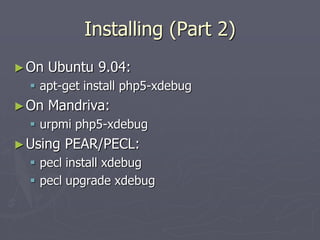
► On   Ubuntu 9.04:
   apt-get install php5-xdebug
► On   Mandriva:
   urpmi php5-xdebug
► Using   PEAR/PECL:
   pecl install xdebug
   pecl upgrade xdebug
Installing (Part 3)
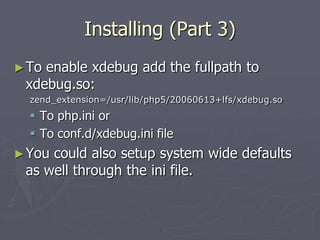
► Toenable xdebug add the fullpath to
 xdebug.so:
  zend_extension=/usr/lib/php5/20060613+lfs/xdebug.so
   To php.ini or
   To conf.d/xdebug.ini file
► Youcould also setup system wide defaults
 as well through the ini file.
Installing (Part 4)
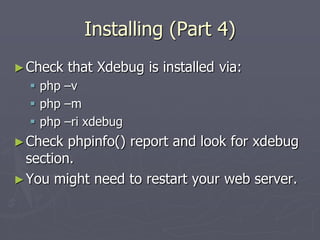
► Check   that Xdebug is installed via:
   php –v
   php –m
   php –ri xdebug
► Check  phpinfo() report and look for xdebug
  section.
► You might need to restart your web server.
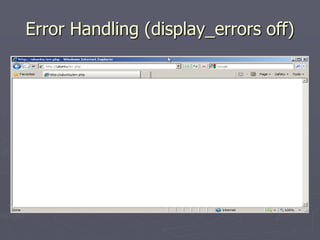
Error Handling (display_errors off)
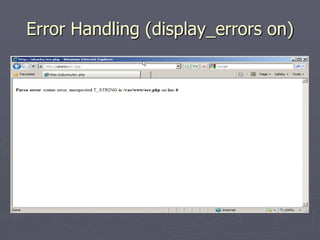
Error Handling (display_errors on)
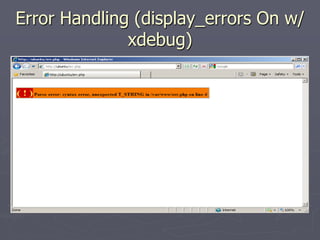
Error Handling (display_errors On w/
              xdebug)
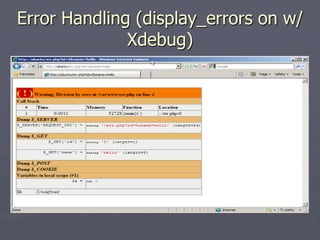
Error Handling (display_errors on w/
              Xdebug)
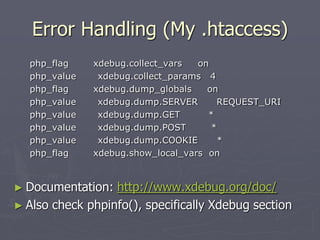
Error Handling (My .htaccess)
  php_flag    xdebug.collect_vars  on
  php_value    xdebug.collect_params 4
  php_flag    xdebug.dump_globals    on
  php_value    xdebug.dump.SERVER      REQUEST_URI
  php_value    xdebug.dump.GET       *
  php_value    xdebug.dump.POST       *
  php_value    xdebug.dump.COOKIE       *
  php_flag    xdebug.show_local_vars on


► Documentation:  http://www.xdebug.org/doc/
► Also check phpinfo(), specifically Xdebug section
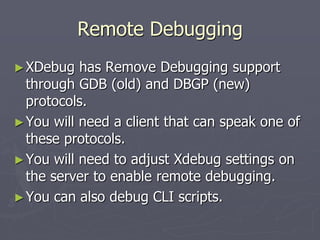
Remote Debugging
► XDebug   has Remove Debugging support
  through GDB (old) and DBGP (new)
  protocols.
► You will need a client that can speak one of
  these protocols.
► You will need to adjust Xdebug settings on
  the server to enable remote debugging.
► You can also debug CLI scripts.
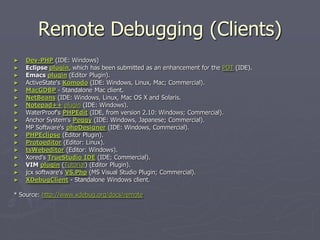
Remote Debugging (Clients)
►   Dev-PHP (IDE: Windows)
►   Eclipse plugin, which has been submitted as an enhancement for the PDT (IDE).
►   Emacs plugin (Editor Plugin).
►   ActiveState's Komodo (IDE: Windows, Linux, Mac; Commercial).
►   MacGDBP - Standalone Mac client.
►   NetBeans (IDE: Windows, Linux, Mac OS X and Solaris.
►   Notepad++ plugin (IDE: Windows).
►   WaterProof's PHPEdit (IDE, from version 2.10: Windows; Commercial).
►   Anchor System's Peggy (IDE: Windows, Japanese; Commercial).
►   MP Software's phpDesigner (IDE: Windows, Commercial).
►   PHPEclipse (Editor Plugin).
►   Protoeditor (Editor: Linux).
►   tsWebeditor (Editor: Windows).
►   Xored's TrueStudio IDE (IDE; Commercial).
►   VIM plugin (Tutorial) (Editor Plugin).
►   jcx software's VS.Php (MS Visual Studio Plugin; Commercial).
►   XDebugClient - Standalone Windows client.

* Source: http://www.xdebug.org/docs/remote
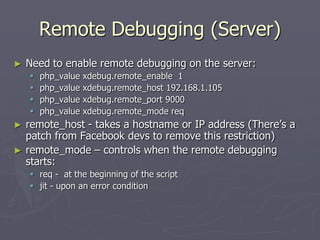
Remote Debugging (Server)
►   Need to enable remote debugging on the server:
       php_value   xdebug.remote_enable 1
       php_value   xdebug.remote_host 192.168.1.105
       php_value   xdebug.remote_port 9000
       php_value   xdebug.remote_mode req
►   remote_host - takes a hostname or IP address (There’s a
    patch from Facebook devs to remove this restriction)
►   remote_mode – controls when the remote debugging
    starts:
     req - at the beginning of the script
     jit - upon an error condition
Remote Debugging (Starting)
► xdebug_break(  )
► XDEBUG_SESSION_START variable passed
  via GET or POST sets XDEBUG_SESSION
  cookie.
► XDebug Helper Firefox Addon:
  https://addons.mozilla.org/en-
  US/firefox/addon/3960
Profiling
► Xdebug's   built-in profiler generates
  cachegrind files.
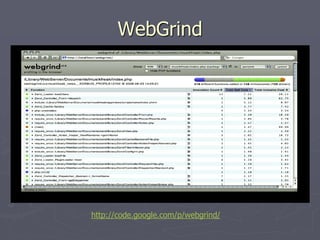
► You will need a tool that can read and
  visualize cachegrind files.
► You will need to adjust some XDebug
  settings in order to enable profiling on the
  server.
Profiling (Starting)
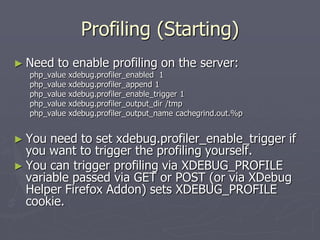
► Need   to enable profiling on the server:
  php_value   xdebug.profiler_enabled 1
  php_value   xdebug.profiler_append 1
  php_value   xdebug.profiler_enable_trigger 1
  php_value   xdebug.profiler_output_dir /tmp
  php_value   xdebug.profiler_output_name cachegrind.out.%p


► You  need to set xdebug.profiler_enable_trigger if
  you want to trigger the profiling yourself.
► You can trigger profiling via XDEBUG_PROFILE
  variable passed via GET or POST (or via XDebug
  Helper Firefox Addon) sets XDEBUG_PROFILE
  cookie.
WebGrind


http://code.google.com/p/webgrind/
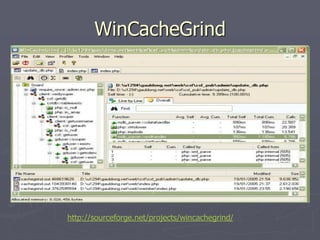
WinCacheGrind


http://sourceforge.net/projects/wincachegrind/
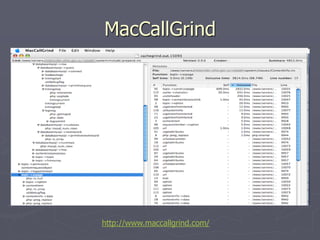
MacCallGrind


http://www.maccallgrind.com/
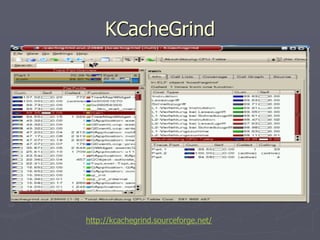
KCacheGrind


http://kcachegrind.sourceforge.net/
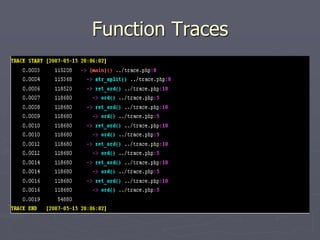
Function Traces
► Xdebug    allows you to log all function calls,
  including parameters and return values to a
  file in different formats.
► Function trace files contain a timeline and
  record of each function call in PHP including
  file and line number.
► It’s a great way to see exactly what’s going
  on. (At times a bit too much detail)
Function Traces
Function Traces (VIM Syntax)
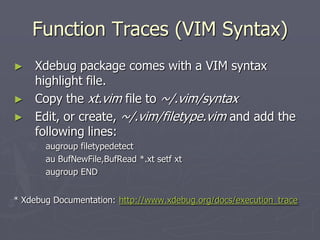
►   Xdebug package comes with a VIM syntax
    highlight file.
►   Copy the xt.vim file to ~/.vim/syntax
►   Edit, or create, ~/.vim/filetype.vim and add the
    following lines:
       augroup filetypedetect
       au BufNewFile,BufRead *.xt setf xt
       augroup END


* Xdebug Documentation: http://www.xdebug.org/docs/execution_trace
Function Traces
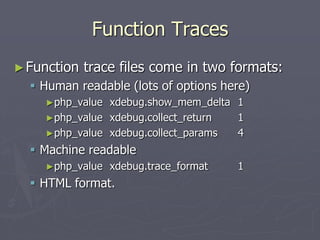
► Function   trace files come in two formats:
   Human readable (lots of options here)
    ►php_value xdebug.show_mem_delta 1
    ►php_value xdebug.collect_return 1
    ►php_value xdebug.collect_params 4
   Machine readable
    ►php_value   xdebug.trace_format   1
   HTML format.
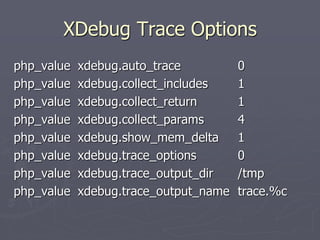
XDebug Trace Options
php_value   xdebug.auto_trace          0
php_value   xdebug.collect_includes    1
php_value   xdebug.collect_return      1
php_value   xdebug.collect_params      4
php_value   xdebug.show_mem_delta      1
php_value   xdebug.trace_options       0
php_value   xdebug.trace_output_dir    /tmp
php_value   xdebug.trace_output_name   trace.%c
Function Traces (Tips)
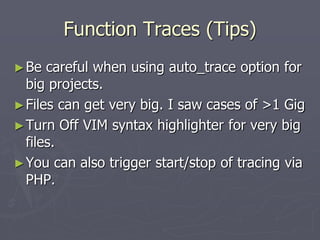
► Be  careful when using auto_trace option for
  big projects.
► Files can get very big. I saw cases of >1 Gig
► Turn Off VIM syntax highlighter for very big
  files.
► You can also trigger start/stop of tracing via
  PHP.
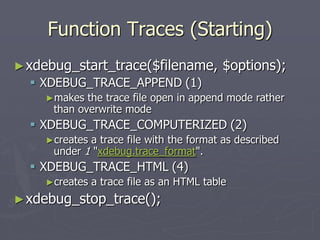
Function Traces (Starting)
► xdebug_start_trace($filename,            $options);
   XDEBUG_TRACE_APPEND (1)
    ►makes   the trace file open in append mode rather
      than overwrite mode
   XDEBUG_TRACE_COMPUTERIZED (2)
    ►creates a trace file with the format as described
      under 1 "xdebug.trace_format".
   XDEBUG_TRACE_HTML (4)
    ►creates   a trace file as an HTML table
► xdebug_stop_trace();
Contact Me
Gennady    Feldman
E-mail:     gena01@gena01.com
Website:    http://www.gena01.com
Blog:       http://www.gena01.com/blog
Twitter:    http://twitter.com/gena01

Xdebug from a to x

  • 1.
    Xdebug from Ato X By Gennady Feldman Aug 25, 2009
  • 2.
    Agenda ► Installation ► Error Handling ► Debugging ► Profiling ► Function Traces
  • 3.
    Xdebug Features ► Variable display ► Stack Traces ► Profiling PHP Scripts ► Remote Debugging ► Function Traces ► Code Coverage Analysis* * Not covered in this presentation.
  • 4.
    Installing ► Xdebug is a PHP extension. (written in C) ► Xdebug is Open Source so you could download and build/install it yourself. ► Almost every Linux distro today provides an Xdebug binary package. ► Binaries are also available for Windows from http://xdebug.org website.
  • 5.
    Installing (Part 2) ►On Ubuntu 9.04:  apt-get install php5-xdebug ► On Mandriva:  urpmi php5-xdebug ► Using PEAR/PECL:  pecl install xdebug  pecl upgrade xdebug
  • 6.
    Installing (Part 3) ►Toenable xdebug add the fullpath to xdebug.so: zend_extension=/usr/lib/php5/20060613+lfs/xdebug.so  To php.ini or  To conf.d/xdebug.ini file ► Youcould also setup system wide defaults as well through the ini file.
  • 7.
    Installing (Part 4) ►Check that Xdebug is installed via:  php –v  php –m  php –ri xdebug ► Check phpinfo() report and look for xdebug section. ► You might need to restart your web server.
  • 8.
  • 9.
  • 10.
  • 11.
  • 12.
    Error Handling (My.htaccess) php_flag xdebug.collect_vars on php_value xdebug.collect_params 4 php_flag xdebug.dump_globals on php_value xdebug.dump.SERVER REQUEST_URI php_value xdebug.dump.GET * php_value xdebug.dump.POST * php_value xdebug.dump.COOKIE * php_flag xdebug.show_local_vars on ► Documentation: http://www.xdebug.org/doc/ ► Also check phpinfo(), specifically Xdebug section
  • 13.
    Remote Debugging ► XDebug has Remove Debugging support through GDB (old) and DBGP (new) protocols. ► You will need a client that can speak one of these protocols. ► You will need to adjust Xdebug settings on the server to enable remote debugging. ► You can also debug CLI scripts.
  • 14.
    Remote Debugging (Clients) ► Dev-PHP (IDE: Windows) ► Eclipse plugin, which has been submitted as an enhancement for the PDT (IDE). ► Emacs plugin (Editor Plugin). ► ActiveState's Komodo (IDE: Windows, Linux, Mac; Commercial). ► MacGDBP - Standalone Mac client. ► NetBeans (IDE: Windows, Linux, Mac OS X and Solaris. ► Notepad++ plugin (IDE: Windows). ► WaterProof's PHPEdit (IDE, from version 2.10: Windows; Commercial). ► Anchor System's Peggy (IDE: Windows, Japanese; Commercial). ► MP Software's phpDesigner (IDE: Windows, Commercial). ► PHPEclipse (Editor Plugin). ► Protoeditor (Editor: Linux). ► tsWebeditor (Editor: Windows). ► Xored's TrueStudio IDE (IDE; Commercial). ► VIM plugin (Tutorial) (Editor Plugin). ► jcx software's VS.Php (MS Visual Studio Plugin; Commercial). ► XDebugClient - Standalone Windows client. * Source: http://www.xdebug.org/docs/remote
  • 15.
    Remote Debugging (Server) ► Need to enable remote debugging on the server:  php_value xdebug.remote_enable 1  php_value xdebug.remote_host 192.168.1.105  php_value xdebug.remote_port 9000  php_value xdebug.remote_mode req ► remote_host - takes a hostname or IP address (There’s a patch from Facebook devs to remove this restriction) ► remote_mode – controls when the remote debugging starts:  req - at the beginning of the script  jit - upon an error condition
  • 16.
    Remote Debugging (Starting) ►xdebug_break( ) ► XDEBUG_SESSION_START variable passed via GET or POST sets XDEBUG_SESSION cookie. ► XDebug Helper Firefox Addon: https://addons.mozilla.org/en- US/firefox/addon/3960
  • 17.
    Profiling ► Xdebug's built-in profiler generates cachegrind files. ► You will need a tool that can read and visualize cachegrind files. ► You will need to adjust some XDebug settings in order to enable profiling on the server.
  • 18.
    Profiling (Starting) ► Need to enable profiling on the server: php_value xdebug.profiler_enabled 1 php_value xdebug.profiler_append 1 php_value xdebug.profiler_enable_trigger 1 php_value xdebug.profiler_output_dir /tmp php_value xdebug.profiler_output_name cachegrind.out.%p ► You need to set xdebug.profiler_enable_trigger if you want to trigger the profiling yourself. ► You can trigger profiling via XDEBUG_PROFILE variable passed via GET or POST (or via XDebug Helper Firefox Addon) sets XDEBUG_PROFILE cookie.
  • 19.
  • 20.
  • 21.
  • 22.
  • 23.
    Function Traces ► Xdebug allows you to log all function calls, including parameters and return values to a file in different formats. ► Function trace files contain a timeline and record of each function call in PHP including file and line number. ► It’s a great way to see exactly what’s going on. (At times a bit too much detail)
  • 24.
  • 25.
    Function Traces (VIMSyntax) ► Xdebug package comes with a VIM syntax highlight file. ► Copy the xt.vim file to ~/.vim/syntax ► Edit, or create, ~/.vim/filetype.vim and add the following lines: augroup filetypedetect au BufNewFile,BufRead *.xt setf xt augroup END * Xdebug Documentation: http://www.xdebug.org/docs/execution_trace
  • 26.
    Function Traces ► Function trace files come in two formats:  Human readable (lots of options here) ►php_value xdebug.show_mem_delta 1 ►php_value xdebug.collect_return 1 ►php_value xdebug.collect_params 4  Machine readable ►php_value xdebug.trace_format 1  HTML format.
  • 27.
    XDebug Trace Options php_value xdebug.auto_trace 0 php_value xdebug.collect_includes 1 php_value xdebug.collect_return 1 php_value xdebug.collect_params 4 php_value xdebug.show_mem_delta 1 php_value xdebug.trace_options 0 php_value xdebug.trace_output_dir /tmp php_value xdebug.trace_output_name trace.%c
  • 28.
    Function Traces (Tips) ►Be careful when using auto_trace option for big projects. ► Files can get very big. I saw cases of >1 Gig ► Turn Off VIM syntax highlighter for very big files. ► You can also trigger start/stop of tracing via PHP.
  • 29.
    Function Traces (Starting) ►xdebug_start_trace($filename, $options);  XDEBUG_TRACE_APPEND (1) ►makes the trace file open in append mode rather than overwrite mode  XDEBUG_TRACE_COMPUTERIZED (2) ►creates a trace file with the format as described under 1 "xdebug.trace_format".  XDEBUG_TRACE_HTML (4) ►creates a trace file as an HTML table ► xdebug_stop_trace();
  • 30.
    Contact Me Gennady Feldman E-mail: gena01@gena01.com Website: http://www.gena01.com Blog: http://www.gena01.com/blog Twitter: http://twitter.com/gena01