The Debian Administrator's Handbook
     Debian Squeeze from Discovery to Mastery


         Raphaël Hertzog and Roland Mas

                   May 9, 2012
The Debian Administrator's Handbook
by Raphaël Hertzog and Roland Mas

Copyright © 2003, 2004, 2005, 2006, 2007, 2008, 2009, 2010, 2011, 2012 Raphaël Hertzog
Copyright © 2006, 2007, 2008, 2009, 2010, 2011, 2012 Roland Mas
Copyright © 2012 Freexian SARL


ISBN: 979-10-91414-00-5 (paperback)
ISBN: 979-10-91414-01-2 (ebook)
This book is available under the terms of two licenses compatible with the Debian Free Software Guide-
lines.
Creative Commons License Notice: This book is licensed under a Creative Commons Attribution-
ShareAlike 3.0 Unported License.
² http://creativecommons.org/licenses/by-sa/3.0/
GNU General Public License Notice: This book is free documentation: you can redistribute it and/or
modify it under the terms of the GNU General Public License as published by the Free Software Founda-
tion, either version 2 of the License, or (at your option) any later version.
This book is distributed in the hope that it will be useful, but WITHOUT ANY WARRANTY; without even
the implied warranty of MERCHANTABILITY or FITNESS FOR A PARTICULAR PURPOSE. See the GNU Gen-
eral Public License for more details.
You should have received a copy of the GNU General Public License along with this program. If not, see
http://www.gnu.org/licenses/.


 Show your appreciation
          This book is published under a free license because we want everybody to
          benefit from it. That said maintaining it takes time and lots of efforts, and
          we appreciate being thanked for this. If you find this book valuable, please
          consider contributing to its continued maintenance either by buying a pa-
          perback copy or by making a donation through the book's official website:
          ² http://debian-handbook.info
Contents
1. The Debian Project                                                                                                                                                                        1
  1.1 What Is Debian? . . . . . . . . . . . . . . . . . . . . . .                               .   .   .   .   .   .   .   .   .   .   .   .   .   .   .   .   .   .   .   .   .   .   .    2
         1.1.1 A Multi-Platform Operating System . . . . . . . . . .                            .   .   .   .   .   .   .   .   .   .   .   .   .   .   .   .   .   .   .   .   .   .   .    2
         1.1.2 The ality of Free Soware . . . . . . . . . . . . . .                           .   .   .   .   .   .   .   .   .   .   .   .   .   .   .   .   .   .   .   .   .   .   .    4
         1.1.3 The Legal Framework: A Non-Profit Organization . . .                             .   .   .   .   .   .   .   .   .   .   .   .   .   .   .   .   .   .   .   .   .   .   .    4
  1.2 The Foundation Documents . . . . . . . . . . . . . . .                                    .   .   .   .   .   .   .   .   .   .   .   .   .   .   .   .   .   .   .   .   .   .   .    5
         1.2.1 The Commitment towards Users . . . . . . . . . . . .                             .   .   .   .   .   .   .   .   .   .   .   .   .   .   .   .   .   .   .   .   .   .   .    5
         1.2.2 The Debian Free Soware Guidelines . . . . . . . . .                             .   .   .   .   .   .   .   .   .   .   .   .   .   .   .   .   .   .   .   .   .   .   .    7
  1.3 The Inner Workings of the Debian Project . . . . . .                                      .   .   .   .   .   .   .   .   .   .   .   .   .   .   .   .   .   .   .   .   .   .   .    9
         1.3.1 The Debian Developers . . . . . . . . . . . . . . . . .                          .   .   .   .   .   .   .   .   .   .   .   .   .   .   .   .   .   .   .   .   .   .   .   10
         1.3.2 The Active Role of Users . . . . . . . . . . . . . . . .                         .   .   .   .   .   .   .   .   .   .   .   .   .   .   .   .   .   .   .   .   .   .   .   14
         1.3.3 Teams and Sub-Projects . . . . . . . . . . . . . . . .                           .   .   .   .   .   .   .   .   .   .   .   .   .   .   .   .   .   .   .   .   .   .   .   16
                    1.3.3.1 Existing Debian Sub-Projects . . . . . . . . . .                    .   .   .   .   .   .   .   .   .   .   .   .   .   .   .   .   .   .   .   .   .   .   .   16
                    1.3.3.2 Administrative Teams . . . . . . . . . . . . . .                    .   .   .   .   .   .   .   .   .   .   .   .   .   .   .   .   .   .   .   .   .   .   .   18
                    1.3.3.3 Development Teams, Transversal Teams . . . . . .                    .   .   .   .   .   .   .   .   .   .   .   .   .   .   .   .   .   .   .   .   .   .   .   20
  1.4 The Role of Distributions . . . . . . . . . . . . . . . . .                               .   .   .   .   .   .   .   .   .   .   .   .   .   .   .   .   .   .   .   .   .   .   .   21
         1.4.1 The Installer: debian-installer . . . . . . . . . . . .                          .   .   .   .   .   .   .   .   .   .   .   .   .   .   .   .   .   .   .   .   .   .   .   21
         1.4.2 The Soware Library . . . . . . . . . . . . . . . . . .                          .   .   .   .   .   .   .   .   .   .   .   .   .   .   .   .   .   .   .   .   .   .   .   22
  1.5 Lifecycle of a Release . . . . . . . . . . . . . . . . . . .                              .   .   .   .   .   .   .   .   .   .   .   .   .   .   .   .   .   .   .   .   .   .   .   22
         1.5.1 The Experimental Status . . . . . . . . . . . . . . . .                          .   .   .   .   .   .   .   .   .   .   .   .   .   .   .   .   .   .   .   .   .   .   .   22
         1.5.2 The Unstable Status . . . . . . . . . . . . . . . . . . .                        .   .   .   .   .   .   .   .   .   .   .   .   .   .   .   .   .   .   .   .   .   .   .   23
         1.5.3 Migration to Testing . . . . . . . . . . . . . . . . . .                         .   .   .   .   .   .   .   .   .   .   .   .   .   .   .   .   .   .   .   .   .   .   .   24
         1.5.4 The Promotion from Testing to Stable . . . . . . . . .                           .   .   .   .   .   .   .   .   .   .   .   .   .   .   .   .   .   .   .   .   .   .   .   25
2. Presenting the Case Study                                                                                                                                                                31
  2.1 Fast Growing IT Needs . . . . . .             .   .  ..   .   .   .   .   .   .   .   .   .   .   .   .   .   .   .   .   .   .   .   .   .   .   .   .   .   .   .   .   .   .   .   32
  2.2 Master Plan . . . . . . . . . . . . .         .   .  ..   .   .   .   .   .   .   .   .   .   .   .   .   .   .   .   .   .   .   .   .   .   .   .   .   .   .   .   .   .   .   .   32
  2.3 Why a GNU/Linux Distribution?                 .   .  ..   .   .   .   .   .   .   .   .   .   .   .   .   .   .   .   .   .   .   .   .   .   .   .   .   .   .   .   .   .   .   .   33
  2.4 Why the Debian Distribution? .                .   .  ..   .   .   .   .   .   .   .   .   .   .   .   .   .   .   .   .   .   .   .   .   .   .   .   .   .   .   .   .   .   .   .   35
       2.4.1 Commercial and Community Driven Distributions .                                .   .   .   .   .   .   .   .   .   .   .   .   .   .   .   .   .   .   .   .   .   .   .   .   35
  2.5 Why Debian Squeeze? . . . . . . . . . . . . . . . . .                                 .   .   .   .   .   .   .   .   .   .   .   .   .   .   .   .   .   .   .   .   .   .   .   .   36
3. Analyzing the Existing Setup and Migrating                                                                                                                                               39
  3.1 Coexistence in Heterogeneous Environments . . . . . . . . . . . . . . . . . . . . . . . . . . .                                                                                       40
        3.1.1 Integration with Windows Machines . . . . . . . . . . . . . . . . . . . . . . . . . . . . . . . . .                                                                           40
        3.1.2 Integration with Mac OS machines . . . . . . . . . . . . . . . . . . . . . . . . . . . . . . . . .                                                                            40
3.1.3 Integration with Other Linux/Unix Machines                    .   .   .   .   .   .   .   .   .   .   .   .   .   .   .   .   .   .   .   .   .   .   .   .   .   .   .   .   40
          3.2 How To Migrate . . . . . . . . . . . .             . .   .   .   .   .   .   .   .   .   .   .   .   .   .   .   .   .   .   .   .   .   .   .   .   .   .   .   .   .   .   .   .   .   41
                3.2.1 Survey and Identify Services . . .         . .   .   .   .   .   .   .   .   .   .   .   .   .   .   .   .   .   .   .   .   .   .   .   .   .   .   .   .   .   .   .   .   .   41
                           3.2.1.1 Network and Processes . .     . .   .   .   .   .   .   .   .   .   .   .   .   .   .   .   .   .   .   .   .   .   .   .   .   .   .   .   .   .   .   .   .   .   41
                3.2.2 Backing up the Configuration . .           . .   .   .   .   .   .   .   .   .   .   .   .   .   .   .   .   .   .   .   .   .   .   .   .   .   .   .   .   .   .   .   .   .   42
                   3.2.3 Taking Over an Existing Debian Server .           .   .   .   .   .   .   .   .   .   .   .   .   .   .   .   .   .   .   .   .   .   .   .   .   .   .   .   .   .   .   .   43
                   3.2.4 Installing Debian . . . . . . . . . . . .         .   .   .   .   .   .   .   .   .   .   .   .   .   .   .   .   .   .   .   .   .   .   .   .   .   .   .   .   .   .   .   44
                   3.2.5 Installing and Configuring the Selected Services                  .   .   .   .   .   .   .   .   .   .   .   .   .   .   .   .   .   .   .   .   .   .   .   .   .   .   .   45
     4. Installation                                                                                                                                                                                   49
          4.1 Installation Methods            ...........                  .   .   .   .   .   .   .   .   .   .   .   .   .   .   .   .   .   .   .   .   .   .   .   .   .   .   .   .   .   .   .   50
                4.1.1 Installing from a CD-ROM/DVD-ROM .                   .   .   .   .   .   .   .   .   .   .   .   .   .   .   .   .   .   .   .   .   .   .   .   .   .   .   .   .   .   .   .   50
                4.1.2 Booting from a USB Key . . . . . . . .               .   .   .   .   .   .   .   .   .   .   .   .   .   .   .   .   .   .   .   .   .   .   .   .   .   .   .   .   .   .   .   51
                4.1.3 Installing through Network Booting . .               .   .   .   .   .   .   .   .   .   .   .   .   .   .   .   .   .   .   .   .   .   .   .   .   .   .   .   .   .   .   .   52
                4.1.4 Other Installation Methods . . . . . . .             .   .   .   .   .   .   .   .   .   .   .   .   .   .   .   .   .   .   .   .   .   .   .   .   .   .   .   .   .   .   .   52
          4.2 Installing, Step by Step . . . . . . . . . .                 .   .   .   .   .   .   .   .   .   .   .   .   .   .   .   .   .   .   .   .   .   .   .   .   .   .   .   .   .   .   .   52
                4.2.1 Booting and Starting the Installer . . .             .   .   .   .   .   .   .   .   .   .   .   .   .   .   .   .   .   .   .   .   .   .   .   .   .   .   .   .   .   .   .   52
                4.2.2 Selecting the language . . . . . . . . .             .   .   .   .   .   .   .   .   .   .   .   .   .   .   .   .   .   .   .   .   .   .   .   .   .   .   .   .   .   .   .   54
                4.2.3 Selecting the country . . . . . . . . . .            .   .   .   .   .   .   .   .   .   .   .   .   .   .   .   .   .   .   .   .   .   .   .   .   .   .   .   .   .   .   .   55
                4.2.4 Selecting the keyboard layout . . . . .              .   .   .   .   .   .   .   .   .   .   .   .   .   .   .   .   .   .   .   .   .   .   .   .   .   .   .   .   .   .   .   56
                4.2.5 Detecting Hardware . . . . . . . . . .               .   .   .   .   .   .   .   .   .   .   .   .   .   .   .   .   .   .   .   .   .   .   .   .   .   .   .   .   .   .   .   56
                4.2.6 Loading Components . . . . . . . . . .               .   .   .   .   .   .   .   .   .   .   .   .   .   .   .   .   .   .   .   .   .   .   .   .   .   .   .   .   .   .   .   57
                4.2.7 Detecting Network Hardware . . . . .                 .   .   .   .   .   .   .   .   .   .   .   .   .   .   .   .   .   .   .   .   .   .   .   .   .   .   .   .   .   .   .   57
                4.2.8 Configuring the Network . . . . . . . .              .   .   .   .   .   .   .   .   .   .   .   .   .   .   .   .   .   .   .   .   .   .   .   .   .   .   .   .   .   .   .   57
                4.2.9 Configuring the Clock . . . . . . . . .              .   .   .   .   .   .   .   .   .   .   .   .   .   .   .   .   .   .   .   .   .   .   .   .   .   .   .   .   .   .   .   58
                4.2.10 Administrator Password . . . . . . . .              .   .   .   .   .   .   .   .   .   .   .   .   .   .   .   .   .   .   .   .   .   .   .   .   .   .   .   .   .   .   .   58
                4.2.11 Creating the First User . . . . . . . .             .   .   .   .   .   .   .   .   .   .   .   .   .   .   .   .   .   .   .   .   .   .   .   .   .   .   .   .   .   .   .   59
                4.2.12 Detecting Disks and Other Devices . .               .   .   .   .   .   .   .   .   .   .   .   .   .   .   .   .   .   .   .   .   .   .   .   .   .   .   .   .   .   .   .   59
                4.2.13 Starting the Partitioning Tool . . . . .            .   .   .   .   .   .   .   .   .   .   .   .   .   .   .   .   .   .   .   .   .   .   .   .   .   .   .   .   .   .   .   59
                           4.2.13.1 Guided partitioning . . . . . .        .   .   .   .   .   .   .   .   .   .   .   .   .   .   .   .   .   .   .   .   .   .   .   .   .   .   .   .   .   .   .   61
                           4.2.13.2 Manual Partitioning . . . . . .        .   .   .   .   .   .   .   .   .   .   .   .   .   .   .   .   .   .   .   .   .   .   .   .   .   .   .   .   .   .   .   63
                               4.2.13.3 Configuring Multidisk Devices (Soware RAID)               .   .   .   .   .   .   .   .   .   .   .   .   .   .   .   .   .   .   .   .   .   .   .   .   .   65
                               4.2.13.4 Configuring the Logical Volume Manager (LVM)                   .   .   .   .   .   .   .   .   .   .   .   .   .   .   .   .   .   .   .   .   .   .   .   .   65
                                                              ...
                               4.2.13.5 Seing Up Encrypted Partitions             .   .   .   .   .   .   .   .   .   .   .   .   .   .   .   .   .   .   .   .   .   .   .   .   .   .   .   .   .   66
                   4.2.14 Installing the Base System ........                      .   .   .   .   .   .   .   .   .   .   .   .   .   .   .   .   .   .   .   .   .   .   .   .   .   .   .   .   .   67
                4.2.15 Configuring the Package Manager (apt) .                     .   .   .   .   .   .   .   .   .   .   .   .   .   .   .   .   .   .   .   .   .   .   .   .   .   .   .   .   .   67
                4.2.16 Debian Package Popularity Contest . . . .                   .   .   .   .   .   .   .   .   .   .   .   .   .   .   .   .   .   .   .   .   .   .   .   .   .   .   .   .   .   68
                4.2.17 Selecting Packages for Installation . . . .                 .   .   .   .   .   .   .   .   .   .   .   .   .   .   .   .   .   .   .   .   .   .   .   .   .   .   .   .   .   69
                4.2.18 Installing the GRUB Bootloader . . . . . .                  .   .   .   .   .   .   .   .   .   .   .   .   .   .   .   .   .   .   .   .   .   .   .   .   .   .   .   .   .   69
                4.2.19 Finishing the Installation and Rebooting .                  .   .   .   .   .   .   .   .   .   .   .   .   .   .   .   .   .   .   .   .   .   .   .   .   .   .   .   .   .   70
          4.3 Aer the First Boot . . . . . . . . . . . . . .                      .   .   .   .   .   .   .   .   .   .   .   .   .   .   .   .   .   .   .   .   .   .   .   .   .   .   .   .   .   70
                4.3.1 Installing Additional Soware . . . . . . .                  .   .   .   .   .   .   .   .   .   .   .   .   .   .   .   .   .   .   .   .   .   .   .   .   .   .   .   .   .   71
                4.3.2 Upgrading the System . . . . . . . . . . .                   .   .   .   .   .   .   .   .   .   .   .   .   .   .   .   .   .   .   .   .   .   .   .   .   .   .   .   .   .   72


IV   The Debian Administrator's Handbook
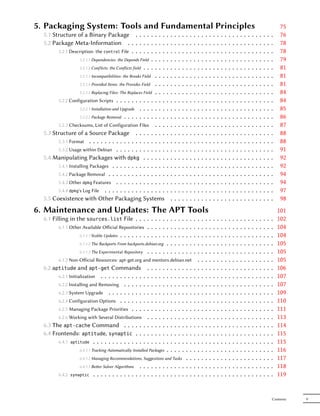
5. Packaging System: Tools and Fundamental Principles                                                                                                                                           75
  5.1 Structure of a Binary Package . . . . .                  ...             .   .   .   .   .   .   .   .   .   .   .   .   .   .   .   .   .   .   .   .   .   .   .   .   .   .   .   .    76
  5.2 Package Meta-Information . . . . . . .                   ...             .   .   .   .   .   .   .   .   .   .   .   .   .   .   .   .   .   .   .   .   .   .   .   .   .   .   .   .    78
        5.2.1 Description: the control File . . . . . .        ...             .   .   .   .   .   .   .   .   .   .   .   .   .   .   .   .   .   .   .   .   .   .   .   .   .   .   .   .    78
                  5.2.1.1 Dependencies: the Depends Field .    ...             .   .   .   .   .   .   .   .   .   .   .   .   .   .   .   .   .   .   .   .   .   .   .   .   .   .   .   .    79
                  5.2.1.2 Conflicts: the Conflicts field . . . ...             .   .   .   .   .   .   .   .   .   .   .   .   .   .   .   .   .   .   .   .   .   .   .   .   .   .   .   .    81
                   5.2.1.3 Incompatibilities: the Breaks Field . . .           .   .   .   .   .   .   .   .   .   .   .   .   .   .   .   .   .   .   .   .   .   .   .   .   .   .   .   .    81
                   5.2.1.4 Provided Items: the Provides Field . . .            .   .   .   .   .   .   .   .   .   .   .   .   .   .   .   .   .   .   .   .   .   .   .   .   .   .   .   .    81
                   5.2.1.5 Replacing Files: The Replaces Field . . .           .   .   .   .   .   .   .   .   .   .   .   .   .   .   .   .   .   .   .   .   .   .   .   .   .   .   .   .    84
        5.2.2 Configuration Scripts . . . . . . . . . . . . .                  .   .   .   .   .   .   .   .   .   .   .   .   .   .   .   .   .   .   .   .   .   .   .   .   .   .   .   .    84
                   5.2.2.1 Installation and Upgrade . . . . . . .              .   .   .   .   .   .   .   .   .   .   .   .   .   .   .   .   .   .   .   .   .   .   .   .   .   .   .   .    85
                   5.2.2.2 Package Removal . . . . . . . . . . .               .   .   .   .   .   .   .   .   .   .   .   .   .   .   .   .   .   .   .   .   .   .   .   .   .   .   .   .    86
        5.2.3 Checksums, List of Configuration Files . . .                     .   .   .   .   .   .   .   .   .   .   .   .   .   .   .   .   .   .   .   .   .   .   .   .   .   .   .   .    87
  5.3 Structure of a Source Package . . . . . . . .                            .   .   .   .   .   .   .   .   .   .   .   .   .   .   .   .   .   .   .   .   .   .   .   .   .   .   .   .    88
        5.3.1 Format . . . . . . . . . . . . . . . . . . . .                   .   .   .   .   .   .   .   .   .   .   .   .   .   .   .   .   .   .   .   .   .   .   .   .   .   .   .   .    88
        5.3.2 Usage within Debian . . . . . . . . . . . . .                    .   .   .   .   .   .   .   .   .   .   .   .   .   .   .   .   .   .   .   .   .   .   .   .   .   .   .   .    91
  5.4 Manipulating Packages with dpkg . . . . . .                              .   .   .   .   .   .   .   .   .   .   .   .   .   .   .   .   .   .   .   .   .   .   .   .   .   .   .   .    92
        5.4.1 Installing Packages . . . . . . . . . . . . . .                  .   .   .   .   .   .   .   .   .   .   .   .   .   .   .   .   .   .   .   .   .   .   .   .   .   .   .   .    92
        5.4.2 Package Removal . . . . . . . . . . . . . . .                    .   .   .   .   .   .   .   .   .   .   .   .   .   .   .   .   .   .   .   .   .   .   .   .   .   .   .   .    94
        5.4.3 Other dpkg Features . . . . . . . . . . . . .                    .   .   .   .   .   .   .   .   .   .   .   .   .   .   .   .   .   .   .   .   .   .   .   .   .   .   .   .    94
        5.4.4 dpkg's Log File . . . . . . . . . . . . . . . .                  .   .   .   .   .   .   .   .   .   .   .   .   .   .   .   .   .   .   .   .   .   .   .   .   .   .   .   .    97
  5.5 Coexistence with Other Packaging Systems                                     .   .   .   .   .   .   .   .   .   .   .   .   .   .   .   .   .   .   .   .   .   .   .   .   .   .   .    98
6. Maintenance and Updates: The APT Tools                                                                                                                                                      101
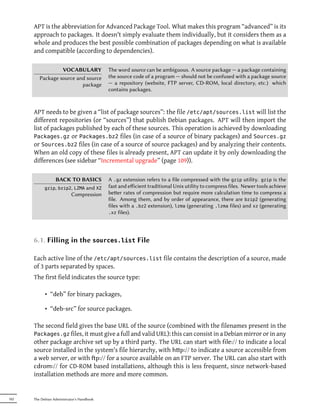
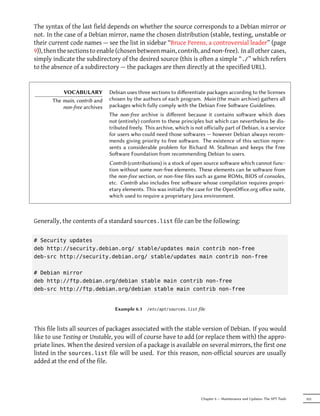
  6.1 Filling in the sources.list File . . . . . . . . . .                             .   .   .   .   .   .   .   .   .   .   .   .   .   .   .   .   .   .   .   .   .   .   .   .   .   .   102
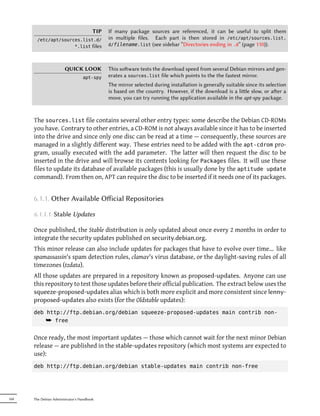
         6.1.1 Other Available Official Repositories . . . . . . .                      .   .   .   .   .   .   .   .   .   .   .   .   .   .   .   .   .   .   .   .   .   .   .   .   .   .   104
                   6.1.1.1 Stable Updates . . . . . . . . . . . . . .                  .   .   .   .   .   .   .   .   .   .   .   .   .   .   .   .   .   .   .   .   .   .   .   .   .   .   104
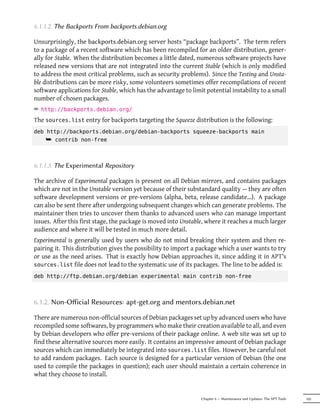
                   6.1.1.2 The Backports From backports.debian.org . .                 .   .   .   .   .   .   .   .   .   .   .   .   .   .   .   .   .   .   .   .   .   .   .   .   .   .   105
                   6.1.1.3 The Experimental Repository . . . . . . .                   .   .   .   .   .   .   .   .   .   .   .   .   .   .   .   .   .   .   .   .   .   .   .   .   .   .   105
          6.1.2 Non-Official Resources: apt-get.org and mentors.debian.net                                      .   .   .   .   .   .   .   .   .   .   .   .   .   .   .   .   .   .   .   .   105
  6.2 aptitude and apt-get Commands                        .   .   .   .  ..   .   .   .   .   .       .   .   .   .   .   .   .   .   .   .   .   .   .   .   .   .   .   .   .   .   .   .   106
        6.2.1 Initialization . . . . . . . . . . .      .  .   .   .   .  ..   .   .   .   .   .       .   .   .   .   .   .   .   .   .   .   .   .   .   .   .   .   .   .   .   .   .   .   107
        6.2.2 Installing and Removing . . . . .         .  .   .   .   .  ..   .   .   .   .   .       .   .   .   .   .   .   .   .   .   .   .   .   .   .   .   .   .   .   .   .   .   .   107
        6.2.3 System Upgrade . . . . . . . . .          .  .   .   .   .  ..   .   .   .   .   .       .   .   .   .   .   .   .   .   .   .   .   .   .   .   .   .   .   .   .   .   .   .   109
        6.2.4 Configuration Options . . . . . .         .  .   .   .   .  ..   .   .   .   .   .       .   .   .   .   .   .   .   .   .   .   .   .   .   .   .   .   .   .   .   .   .   .   110
        6.2.5 Managing Package Priorities . . .         .  .   .   .   .  ..   .   .   .   .   .       .   .   .   .   .   .   .   .   .   .   .   .   .   .   .   .   .   .   .   .   .   .   111
        6.2.6 Working with Several Distributions           .   .   .   .  ..   .   .   .   .   .       .   .   .   .   .   .   .   .   .   .   .   .   .   .   .   .   .   .   .   .   .   .   113
  6.3 The apt-cache Command . . . . . .                    .   .   .   .  ..   .   .   .   .   .       .   .   .   .   .   .   .   .   .   .   .   .   .   .   .   .   .   .   .   .   .   .   114
  6.4 Frontends: aptitude, synaptic . . .                  .   .   .   .  ..   .   .   .   .   .       .   .   .   .   .   .   .   .   .   .   .   .   .   .   .   .   .   .   .   .   .   .   115
        6.4.1 aptitude . . . . . . . . . . . . . .         .   .   .   .  ..   .   .   .   .   .       .   .   .   .   .   .   .   .   .   .   .   .   .   .   .   .   .   .   .   .   .   .   115
                  6.4.1.1 Tracking Automatically Installed Packages       .    .   .   .   .   .       .   .   .   .   .   .   .   .   .   .   .   .   .   .   .   .   .   .   .   .   .   .   116
                  6.4.1.2 Managing Recommendations, Suggestions and Tasks .                            .   .   .   .   .   .   .   .   .   .   .   .   .   .   .   .   .   .   .   .   .   .   117
                  6.4.1.3 Beer Solver Algorithms . . . . . . . . . . . . .                            .   .   .   .   .   .   .   .   .   .   .   .   .   .   .   .   .   .   .   .   .   .   118
        6.4.2 synaptic . . . . . . . . . . . . . . . . . . . . . . . . .                               .   .   .   .   .   .   .   .   .   .   .   .   .   .   .   .   .   .   .   .   .   .   119


                                                                                                                                                                                           Contents   V
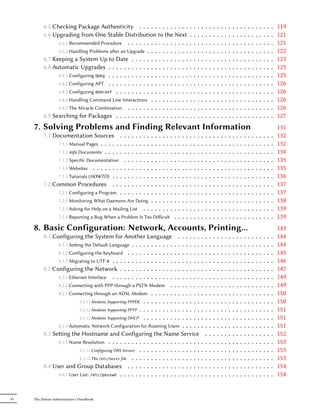
6.5 Checking Package Authenticity . . . . . . . . . . . . .                                          .   .   .   .   .   .   .   .   .   .   .   .   .   .   .   .   .   .   .   .   .   .   119
          6.6 Upgrading from One Stable Distribution to the Next                                               .   .   .   .   .   .   .   .   .   .   .   .   .   .   .   .   .   .   .   .   .   .   121
                6.6.1 Recommended Procedure . . . . . . . . . . . . . . . .                                    .   .   .   .   .   .   .   .   .   .   .   .   .   .   .   .   .   .   .   .   .   .   121
                6.6.2 Handling Problems aer an Upgrade . . . . . . . . . . .                                  .   .   .   .   .   .   .   .   .   .   .   .   .   .   .   .   .   .   .   .   .   .   122
          6.7 Keeping a System Up to Date . . . . . . . . . . . . . . .                                        .   .   .   .   .   .   .   .   .   .   .   .   .   .   .   .   .   .   .   .   .   .   123
          6.8 Automatic Upgrades . . . . . . . . . . . . . . . . . . . . .                                     .   .   .   .   .   .   .   .   .   .   .   .   .   .   .   .   .   .   .   .   .   .   125
                6.8.1 Configuring dpkg . . . . . . . . . . . . . . . . . . . . .                               .   .   .   .   .   .   .   .   .   .   .   .   .   .   .   .   .   .   .   .   .   .   125
                6.8.2 Configuring APT . . . . . . . . . . . . . . . . . . . . .                                .   .   .   .   .   .   .   .   .   .   .   .   .   .   .   .   .   .   .   .   .   .   126
                6.8.3 Configuring debconf . . . . . . . . . . . . . . . . . . .                                .   .   .   .   .   .   .   .   .   .   .   .   .   .   .   .   .   .   .   .   .   .   126
                6.8.4 Handling Command Line Interactions . . . . . . . . . .                                   .   .   .   .   .   .   .   .   .   .   .   .   .   .   .   .   .   .   .   .   .   .   126
                6.8.5 The Miracle Combination . . . . . . . . . . . . . . . .                                  .   .   .   .   .   .   .   .   .   .   .   .   .   .   .   .   .   .   .   .   .   .   126
          6.9 Searching for Packages . . . . . . . . . . . . . . . . . . .                                     .   .   .   .   .   .   .   .   .   .   .   .   .   .   .   .   .   .   .   .   .   .   127
     7. Solving Problems and Finding Relevant Information                                                                                                                                              131
          7.1 Documentation Sources . . .              .   .   .
                                                               .   .   .   .   .   .   .   .   .   .   .   .   .   .   .   .   .   .   .   .   .   .   .   .   .   .   .   .   .   .   .   .   .   .   132
                7.1.1 Manual Pages . . . . . . . .     .   .   .
                                                               .   .   .   .   .   .   .   .   .   .   .   .   .   .   .   .   .   .   .   .   .   .   .   .   .   .   .   .   .   .   .   .   .   .   132
                7.1.2 info Documents . . . . . . .     .   .   .
                                                               .   .   .   .   .   .   .   .   .   .   .   .   .   .   .   .   .   .   .   .   .   .   .   .   .   .   .   .   .   .   .   .   .   .   134
                7.1.3 Specific Documentation . .       .   .   .
                                                               .   .   .   .   .   .   .   .   .   .   .   .   .   .   .   .   .   .   .   .   .   .   .   .   .   .   .   .   .   .   .   .   .   .   135
                7.1.4 Websites . . . . . . . . . .     .   .   .
                                                               .   .   .   .   .   .   .   .   .   .   .   .   .   .   .   .   .   .   .   .   .   .   .   .   .   .   .   .   .   .   .   .   .   .   135
                7.1.5 Tutorials (HOWTO) . . . . .      .   .   .
                                                               .   .   .   .   .   .   .   .   .   .   .   .   .   .   .   .   .   .   .   .   .   .   .   .   .   .   .   .   .   .   .   .   .   .   136
          7.2 Common Procedures . . . . .              .   .   .
                                                               .   .   .   .   .   .   .   .   .   .   .   .   .   .   .   .   .   .   .   .   .   .   .   .   .   .   .   .   .   .   .   .   .   .   137
                7.2.1 Configuring a Program . . .      .   .   .
                                                               .   .   .   .   .   .   .   .   .   .   .   .   .   .   .   .   .   .   .   .   .   .   .   .   .   .   .   .   .   .   .   .   .   .   137
                   7.2.2 Monitoring What Daemons Are Doing .               .   .   .   .   .   .   .   .   .   .   .   .   .   .   .   .   .   .   .   .   .   .   .   .   .   .   .   .   .   .   .   138
                   7.2.3 Asking for Help on a Mailing List . . .           .   .   .   .   .   .   .   .   .   .   .   .   .   .   .   .   .   .   .   .   .   .   .   .   .   .   .   .   .   .   .   139
                   7.2.4 Reporting a Bug When a Problem Is Too Difficult                        .   .   .   .   .   .   .   .   .   .   .   .   .   .   .   .   .   .   .   .   .   .   .   .   .   .   139
     8. Basic Configuration: Network, Accounts, Printing…                                                                                                                                              143
          8.1 Configuring the System for Another Language                        .....             .                       .   .   .   .   .   .   .   .   .   .   .   .   .   .   .   .   .   .   .   144
                8.1.1 Seing the Default Language . . . . . . . . . . .      . .....               .                       .   .   .   .   .   .   .   .   .   .   .   .   .   .   .   .   .   .   .   144
                8.1.2 Configuring the Keyboard . . . . . . . . . . . .       . .....               .                       .   .   .   .   .   .   .   .   .   .   .   .   .   .   .   .   .   .   .   145
                8.1.3 Migrating to UTF-8 . . . . . . . . . . . . . . . .     . .....               .                       .   .   .   .   .   .   .   .   .   .   .   .   .   .   .   .   .   .   .   146
          8.2 Configuring the Network . . . . . . . . . . . . . .            . .....               .                       .   .   .   .   .   .   .   .   .   .   .   .   .   .   .   .   .   .   .   147
                8.2.1 Ethernet Interface . . . . . . . . . . . . . . . .     . .....               .                       .   .   .   .   .   .   .   .   .   .   .   .   .   .   .   .   .   .   .   149
                8.2.2 Connecting with PPP through a PSTN Modem .             . .....               .                       .   .   .   .   .   .   .   .   .   .   .   .   .   .   .   .   .   .   .   149
                8.2.3 Connecting through an ADSL Modem . . . . . .           . .....               .                       .   .   .   .   .   .   .   .   .   .   .   .   .   .   .   .   .   .   .   150
                           8.2.3.1 Modems Supporting PPPOE . . . . . . . .   . .....               .                       .   .   .   .   .   .   .   .   .   .   .   .   .   .   .   .   .   .   .   150
                           8.2.3.2 Modems Supporting PPTP . . . . . . . . .  . .....               .                       .   .   .   .   .   .   .   .   .   .   .   .   .   .   .   .   .   .   .   151
                           8.2.3.3 Modems Supporting DHCP . . . . . . . .    . .....               .                       .   .   .   .   .   .   .   .   .   .   .   .   .   .   .   .   .   .   .   151
                8.2.4 Automatic Network Configuration for Roaming Users . . . . .                                          .   .   .   .   .   .   .   .   .   .   .   .   .   .   .   .   .   .   .   151
          8.3 Seing the Hostname and Configuring the Name Service                                                             .   .   .   .   .   .   .   .   .   .   .   .   .   .   .   .   .   .   152
                8.3.1 Name Resolution . . . . . . . . . . . . . . . . . . . . . . . .                                      .   .   .   .   .   .   .   .   .   .   .   .   .   .   .   .   .   .   .   153
                           8.3.1.1 Configuring DNS Servers . . . . . . . . . . . . . . . .                                 .   .   .   .   .   .   .   .   .   .   .   .   .   .   .   .   .   .   .   153
                           8.3.1.2 The /etc/hosts file . . . . . . . . . . . . . . . . . .                                 .   .   .   .   .   .   .   .   .   .   .   .   .   .   .   .   .   .   .   153
          8.4 User and Group Databases . . . . . . . . . . . . . . . . . . .                                               .   .   .   .   .   .   .   .   .   .   .   .   .   .   .   .   .   .   .   154
                8.4.1 User List: /etc/passwd . . . . . . . . . . . . . . . . . . . . .                                     .   .   .   .   .   .   .   .   .   .   .   .   .   .   .   .   .   .   .   154


VI   The Debian Administrator's Handbook
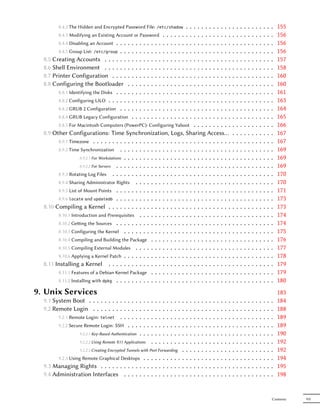
8.4.2 The Hidden and Encrypted Password File:                           ..........
                                                                          /etc/shadow             .   .                                           .   .   .   .   .   .   .   .   .   .   .   155
        8.4.3 Modifying an Existing Account or Password . . . . . .              ..........       .   .                                           .   .   .   .   .   .   .   .   .   .   .   156
        8.4.4 Disabling an Account . . . . . . . . . . . . . . . . . .           ..........       .   .                                           .   .   .   .   .   .   .   .   .   .   .   156
        8.4.5 Group List: /etc/group . . . . . . . . . . . . . . . . .           ..........       .   .                                           .   .   .   .   .   .   .   .   .   .   .   156
  8.5 Creating Accounts . . . . . . . . . . . . . . . . . . . . .                ..........       .   .                                           .   .   .   .   .   .   .   .   .   .   .   157
  8.6 Shell Environment . . . . . . . . . . . . . . . . . . . . .                ..........       .   .                                           .   .   .   .   .   .   .   .   .   .   .   158
  8.7 Printer Configuration . . . . . . . . . . . . . . . . . . .                ..........       .   .                                           .   .   .   .   .   .   .   .   .   .   .   160
  8.8 Configuring the Bootloader . . . . . . . . . . . . . . .                   ..........       .   .                                           .   .   .   .   .   .   .   .   .   .   .   160
        8.8.1 Identifying the Disks . . . . . . . . . . . . . . . . . .          ..........       .   .                                           .   .   .   .   .   .   .   .   .   .   .   161
        8.8.2 Configuring LILO . . . . . . . . . . . . . . . . . . . .           ..........       .   .                                           .   .   .   .   .   .   .   .   .   .   .   163
        8.8.3 GRUB 2 Configuration . . . . . . . . . . . . . . . . .             ..........       .   .                                           .   .   .   .   .   .   .   .   .   .   .   164
        8.8.4 GRUB Legacy Configuration . . . . . . . . . . . . . .              ..........       .   .                                           .   .   .   .   .   .   .   .   .   .   .   165
        8.8.5 For Macintosh Computers (PowerPC): Configuring Yaboot . . . . . . . . . .                                                           .   .   .   .   .   .   .   .   .   .   .   166
  8.9 Other Configurations: Time Synchronization, Logs, Sharing Access…                                                                           .   .   .   .   .   .   .   .   .   .   .   167
        8.9.1 Timezone . . . . . . . . . . . . . . . . . . . . . . . . . . . . . . . . . . . .                                                    .   .   .   .   .   .   .   .   .   .   .   167
        8.9.2 Time Synchronization . . . . . . . . . . . . . . . . . . . . . . . . . . . . .                                                      .   .   .   .   .   .   .   .   .   .   .   169
                    8.9.2.1 For Workstations . . . . . . . . . . . . . . . . . . . . . . . . . . . .                                              .   .   .   .   .   .   .   .   .   .   .   169
                    8.9.2.2 For Servers . . . . . . . . . . . . . . . . . . . . . . . . . . . . . .                                               .   .   .   .   .   .   .   .   .   .   .   169
        8.9.3 Rotating Log Files . . . . . . . . . . . . . . . . . . . . . . . . . . . . . . .                                                    .   .   .   .   .   .   .   .   .   .   .   170
        8.9.4 Sharing Administrator Rights . . . . . . . . . . . . . . . . . . . . . . . . .                                                      .   .   .   .   .   .   .   .   .   .   .   170
        8.9.5 List of Mount Points . . . . . . . . . . . . . . . . . . . . . . . . . . . . . .                                                    .   .   .   .   .   .   .   .   .   .   .   171
        8.9.6 locate and updatedb . . . . . . . . . . . . . . . . . . . . . . . . . . . . . .                                                     .   .   .   .   .   .   .   .   .   .   .   173
  8.10 Compiling a Kernel . . . . . . . . . . . . . . . . . . . . . . . . . . . . . . . .                                                         .   .   .   .   .   .   .   .   .   .   .   173
        8.10.1 Introduction and Prerequisites . . . . . . . . . . . . . . . . . . . . . . . .                                                     .   .   .   .   .   .   .   .   .   .   .   174
        8.10.2 Geing the Sources . . . . . . . . . . . . . . . . . . . . . . . . . . . . . .                                                     .   .   .   .   .   .   .   .   .   .   .   174
        8.10.3 Configuring the Kernel . . . . . . . . . . . . . . . . . . . . . . . . . . . .                                                     .   .   .   .   .   .   .   .   .   .   .   175
        8.10.4 Compiling and Building the Package . . . . . . . . . . . . . . . . . . . . .                                                       .   .   .   .   .   .   .   .   .   .   .   176
        8.10.5 Compiling External Modules . . . . . . . . . . . . . . . . . . . . . . . . .                                                       .   .   .   .   .   .   .   .   .   .   .   177
        8.10.6 Applying a Kernel Patch . . . . . . . . . . . . . . . . . . . . . . . . . . . .                                                    .   .   .   .   .   .   .   .   .   .   .   178
  8.11 Installing a Kernel . . . . . . . . . . . . . . . . . . . . . . . . . . . . . . . .                                                        .   .   .   .   .   .   .   .   .   .   .   179
        8.11.1 Features of a Debian Kernel Package . . . . . . . . . . . . . . . . . . . . .                                                      .   .   .   .   .   .   .   .   .   .   .   179
        8.11.2 Installing with dpkg . . . . . . . . . . . . . . . . . . . . . . . . . . . . . .                                                   .   .   .   .   .   .   .   .   .   .   .   180
9. Unix Services                                                                                                                                                                              183
  9.1 System Boot . . . . . . . . . . . .         .   .   .   .   .   .   .
                                                                          .   .   .   .   .   .   .   .   .   .   .   .   .   .   .   .   .   .   .   .   .   .   .   .   .   .   .   .   .   184
  9.2 Remote Login . . . . . . . . . . .          .   .   .   .   .   .   .
                                                                          .   .   .   .   .   .   .   .   .   .   .   .   .   .   .   .   .   .   .   .   .   .   .   .   .   .   .   .   .   188
        9.2.1 Remote Login: telnet . . . .        .   .   .   .   .   .   .
                                                                          .   .   .   .   .   .   .   .   .   .   .   .   .   .   .   .   .   .   .   .   .   .   .   .   .   .   .   .   .   189
        9.2.2 Secure Remote Login: SSH . .        .   .   .   .   .   .   .
                                                                          .   .   .   .   .   .   .   .   .   .   .   .   .   .   .   .   .   .   .   .   .   .   .   .   .   .   .   .   .   189
                  9.2.2.1 Key-Based Authentication    .   .   .   .   .   .
                                                                          .   .   .   .   .   .   .   .   .   .   .   .   .   .   .   .   .   .   .   .   .   .   .   .   .   .   .   .   .   190
                  9.2.2.2 Using Remote X11 Applications           .   .   .
                                                                          .   .   .   .   .   .   .   .   .   .   .   .   .   .   .   .   .   .   .   .   .   .   .   .   .   .   .   .   .   192
                  9.2.2.3 Creating Encrypted Tunnels with Port Forwarding .                       .   .   .   .   .   .   .   .   .   .   .   .   .   .   .   .   .   .   .   .   .   .   .   192
        9.2.3 Using Remote Graphical Desktops . . . . . . . . . . .                               .   .   .   .   .   .   .   .   .   .   .   .   .   .   .   .   .   .   .   .   .   .   .   194
  9.3 Managing Rights . . . . . . . . . . . . . . . . . . . . . .                                 .   .   .   .   .   .   .   .   .   .   .   .   .   .   .   .   .   .   .   .   .   .   .   195
  9.4 Administration Interfaces . . . . . . . . . . . . . . . .                                   .   .   .   .   .   .   .   .   .   .   .   .   .   .   .   .   .   .   .   .   .   .   .   198


                                                                                                                                                                                          Contents   VII
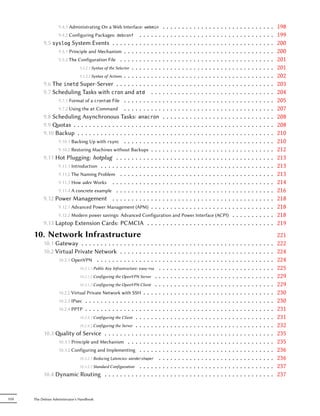
9.4.1 Administrating On a Web Interface:     webmin    .   .   .   .   .   ..  .   .   .   .   .   .   .   .   .   .   .   .       .   .   .   .   .   .   .   .   .   .   198
                  9.4.2 Configuring Packages: debconf . . . . . .           .   .   .   .   .   ..  .   .   .   .   .   .   .   .   .   .   .   .       .   .   .   .   .   .   .   .   .   .   199
            9.5 syslog System Events . . . . . . . . . . . . .              .   .   .   .   .   ..  .   .   .   .   .   .   .   .   .   .   .   .       .   .   .   .   .   .   .   .   .   .   200
                  9.5.1 Principle and Mechanism . . . . . . . . . .         .   .   .   .   .   ..  .   .   .   .   .   .   .   .   .   .   .   .       .   .   .   .   .   .   .   .   .   .   200
                  9.5.2 The Configuration File . . . . . . . . . . .        .   .   .   .   .   ..  .   .   .   .   .   .   .   .   .   .   .   .       .   .   .   .   .   .   .   .   .   .   201
                             9.5.2.1 Syntax of the Selector . . . . . . . . .   .   .   .   .   ..  .   .   .   .   .   .   .   .   .   .   .   .       .   .   .   .   .   .   .   .   .   .   201
                             9.5.2.2 Syntax of Actions . . . . . . . . . .  .   .   .   .   .   ..  .   .   .   .   .   .   .   .   .   .   .   .       .   .   .   .   .   .   .   .   .   .   202
            9.6 The inetd Super-Server . . . . . . . . . . . .              .   .   .   .   .   ..  .   .   .   .   .   .   .   .   .   .   .   .       .   .   .   .   .   .   .   .   .   .   203
            9.7 Scheduling Tasks with cron and atd . . .                    .   .   .   .   .   ..  .   .   .   .   .   .   .   .   .   .   .   .       .   .   .   .   .   .   .   .   .   .   204
                  9.7.1 Format of a crontab File . . . . . . . . . .        .   .   .   .   .   ..  .   .   .   .   .   .   .   .   .   .   .   .       .   .   .   .   .   .   .   .   .   .   205
                  9.7.2 Using the at Command . . . . . . . . . .            .   .   .   .   .   ..  .   .   .   .   .   .   .   .   .   .   .   .       .   .   .   .   .   .   .   .   .   .   207
            9.8 Scheduling Asynchronous Tasks: anacron                      .   .   .   .   .   ..  .   .   .   .   .   .   .   .   .   .   .   .       .   .   .   .   .   .   .   .   .   .   208
            9.9 otas . . . . . . . . . . . . . . . . . . . . . . .         .   .   .   .   .   ..  .   .   .   .   .   .   .   .   .   .   .   .       .   .   .   .   .   .   .   .   .   .   208
            9.10 Backup . . . . . . . . . . . . . . . . . . . . . .         .   .   .   .   .   ..  .   .   .   .   .   .   .   .   .   .   .   .       .   .   .   .   .   .   .   .   .   .   210
                  9.10.1 Backing Up with rsync . . . . . . . . . .          .   .   .   .   .   ..  .   .   .   .   .   .   .   .   .   .   .   .       .   .   .   .   .   .   .   .   .   .   210
                  9.10.2 Restoring Machines without Backups . . .           .   .   .   .   .   ..  .   .   .   .   .   .   .   .   .   .   .   .       .   .   .   .   .   .   .   .   .   .   212
            9.11 Hot Plugging: hotplug . . . . . . . . . . . .              .   .   .   .   .   ..  .   .   .   .   .   .   .   .   .   .   .   .       .   .   .   .   .   .   .   .   .   .   213
                  9.11.1 Introduction . . . . . . . . . . . . . . . .       .   .   .   .   .   ..  .   .   .   .   .   .   .   .   .   .   .   .       .   .   .   .   .   .   .   .   .   .   213
                  9.11.2 The Naming Problem . . . . . . . . . . .           .   .   .   .   .   ..  .   .   .   .   .   .   .   .   .   .   .   .       .   .   .   .   .   .   .   .   .   .   213
                  9.11.3 How udev Works . . . . . . . . . . . . .           .   .   .   .   .   ..  .   .   .   .   .   .   .   .   .   .   .   .       .   .   .   .   .   .   .   .   .   .   214
                  9.11.4 A concrete example . . . . . . . . . . . .         .   .   .   .   .   ..  .   .   .   .   .   .   .   .   .   .   .   .       .   .   .   .   .   .   .   .   .   .   216
            9.12 Power Management . . . . . . . . . . . . .                 .   .   .   .   .   ..  .   .   .   .   .   .   .   .   .   .   .   .       .   .   .   .   .   .   .   .   .   .   218
                  9.12.1 Advanced Power Management (APM) . . .              .   .   .   .   .   ..  .   .   .   .   .   .   .   .   .   .   .   .       .   .   .   .   .   .   .   .   .   .   218
                  9.12.2 Modern power savings: Advanced Configuration and Power Interface (ACPI) .                                                      .   .   .   .   .   .   .   .   .   .   218
            9.13 Laptop Extension Cards: PCMCIA . . . . . . . . . . . . . . . . . . . . . . .                                                           .   .   .   .   .   .   .   .   .   .   219
       10. Network Infrastructure                                                                                                                                                               221
            10.1 Gateway . . . . . . . . . . . . . . . . . . . . . .            .   .   .   .   .   .   .   .   .   .   .   .   .   .   .   .   .   .   .   .   .   .   .   .   .   .   .   .   222
            10.2 Virtual Private Network . . . . . . . . . . . .                .   .   .   .   .   .   .   .   .   .   .   .   .   .   .   .   .   .   .   .   .   .   .   .   .   .   .   .   224
                  10.2.1 OpenVPN . . . . . . . . . . . . . . . . . .            .   .   .   .   .   .   .   .   .   .   .   .   .   .   .   .   .   .   .   .   .   .   .   .   .   .   .   .   224
                             10.2.1.1 Public Key Infrastructure: easy-rsa . .   .   .   .   .   .   .   .   .   .   .   .   .   .   .   .   .   .   .   .   .   .   .   .   .   .   .   .   .   225
                             10.2.1.2 Configuring the OpenVPN Server . . .      .   .   .   .   .   .   .   .   .   .   .   .   .   .   .   .   .   .   .   .   .   .   .   .   .   .   .   .   229
                             10.2.1.3 Configuring the OpenVPN Client . . .      .   .   .   .   .   .   .   .   .   .   .   .   .   .   .   .   .   .   .   .   .   .   .   .   .   .   .   .   229
                  10.2.2 Virtual Private Network with SSH . . . . . .           .   .   .   .   .   .   .   .   .   .   .   .   .   .   .   .   .   .   .   .   .   .   .   .   .   .   .   .   230
                  10.2.3 IPsec . . . . . . . . . . . . . . . . . . . . .        .   .   .   .   .   .   .   .   .   .   .   .   .   .   .   .   .   .   .   .   .   .   .   .   .   .   .   .   230
                  10.2.4 PPTP . . . . . . . . . . . . . . . . . . . . .         .   .   .   .   .   .   .   .   .   .   .   .   .   .   .   .   .   .   .   .   .   .   .   .   .   .   .   .   231
                             10.2.4.1 Configuring the Client . . . . . . . .    .   .   .   .   .   .   .   .   .   .   .   .   .   .   .   .   .   .   .   .   .   .   .   .   .   .   .   .   231
                             10.2.4.2 Configuring the Server . . . . . . . .    .   .   .   .   .   .   .   .   .   .   .   .   .   .   .   .   .   .   .   .   .   .   .   .   .   .   .   .   232
            10.3 ality of Service . . . . . . . . . . . . . . . .              .   .   .   .   .   .   .   .   .   .   .   .   .   .   .   .   .   .   .   .   .   .   .   .   .   .   .   .   235
                  10.3.1 Principle and Mechanism . . . . . . . . . .            .   .   .   .   .   .   .   .   .   .   .   .   .   .   .   .   .   .   .   .   .   .   .   .   .   .   .   .   235
                  10.3.2 Configuring and Implementing . . . . . . .             .   .   .   .   .   .   .   .   .   .   .   .   .   .   .   .   .   .   .   .   .   .   .   .   .   .   .   .   236
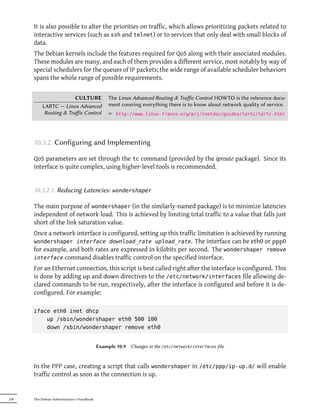
                             10.3.2.1 Reducing Latencies: wondershaper . .      .   .   .   .   .   .   .   .   .   .   .   .   .   .   .   .   .   .   .   .   .   .   .   .   .   .   .   .   236
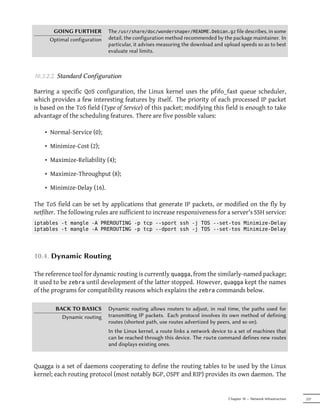
                             10.3.2.2 Standard Configuration . . . . . . .      .   .   .   .   .   .   .   .   .   .   .   .   .   .   .   .   .   .   .   .   .   .   .   .   .   .   .   .   237
            10.4 Dynamic Routing . . . . . . . . . . . . . . . .                .   .   .   .   .   .   .   .   .   .   .   .   .   .   .   .   .   .   .   .   .   .   .   .   .   .   .   .   237


VIII   The Debian Administrator's Handbook
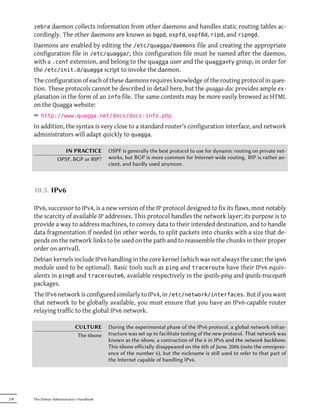
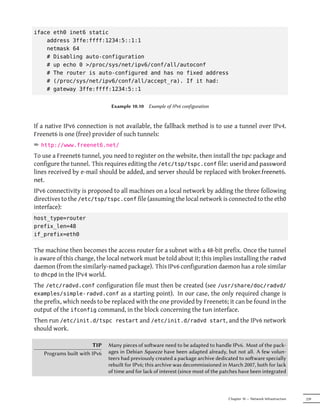
10.5 IPv6 . . . . . . . . . . . . . . . . .        .   .   .   .   .   .   .   .   .   .   .   .   .   .   .   .   .   .   .   .   .   .   .   .   .   .   .   .   .   .   .   .   .   .   .   .   238
  10.6 Domain Name Servers (DNS)                     .   .   .   .   .   .   .   .   .   .   .   .   .   .   .   .   .   .   .   .   .   .   .   .   .   .   .   .   .   .   .   .   .   .   .   .   240
        10.6.1 Principle and Mechanism . .           .   .   .   .   .   .   .   .   .   .   .   .   .   .   .   .   .   .   .   .   .   .   .   .   .   .   .   .   .   .   .   .   .   .   .   .   240
        10.6.2 Configuring . . . . . . . . .         .   .   .   .   .   .   .   .   .   .   .   .   .   .   .   .   .   .   .   .   .   .   .   .   .   .   .   .   .   .   .   .   .   .   .   .   241
  10.7 DHCP . . . . . . . . . . . . . . .            .   .   .   .   .   .   .   .   .   .   .   .   .   .   .   .   .   .   .   .   .   .   .   .   .   .   .   .   .   .   .   .   .   .   .   .   244
        10.7.1 Presentation . . . . . . . . .        .   .   .   .   .   .   .   .   .   .   .   .   .   .   .   .   .   .   .   .   .   .   .   .   .   .   .   .   .   .   .   .   .   .   .   .   244
        10.7.2 Configuring . . . . . . . . .         .   .   .   .   .   .   .   .   .   .   .   .   .   .   .   .   .   .   .   .   .   .   .   .   .   .   .   .   .   .   .   .   .   .   .   .   244
        10.7.3 DHCP and DNS . . . . . . .            .   .   .   .   .   .   .   .   .   .   .   .   .   .   .   .   .   .   .   .   .   .   .   .   .   .   .   .   .   .   .   .   .   .   .   .   245
  10.8 Network Diagnosis Tools . . .                 .   .   .   .   .   .   .   .   .   .   .   .   .   .   .   .   .   .   .   .   .   .   .   .   .   .   .   .   .   .   .   .   .   .   .   .   246
        10.8.1 Local Diagnosis: netstat . .          .   .   .   .   .   .   .   .   .   .   .   .   .   .   .   .   .   .   .   .   .   .   .   .   .   .   .   .   .   .   .   .   .   .   .   .   246
        10.8.2 Remote Diagnosis: nmap . . .          .   .   .   .   .   .   .   .   .   .   .   .   .   .   .   .   .   .   .   .   .   .   .   .   .   .   .   .   .   .   .   .   .   .   .   .   247
         10.8.3 Sniffers:   tcpdump   and wireshark           .   .   .   .   .   .   .   .   .   .   .   .   .   .   .   .   .   .   .   .   .   .   .   .   .   .   .   .   .   .   .   .   .   .   248
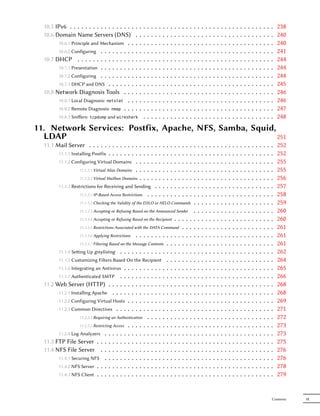
11. Network Services: Postfix, Apache, NFS, Samba, Squid,
  LDAP                                                    251
  11.1 Mail Server . . . . . . . . . . . . . .               .
                                                             .   .   .       .   .   .   .   .   .   .   .   .   .   .   .   .   .   .   .   .   .   .   .   .   .   .   .   .   .   .   .   .   .   252
        11.1.1 Installing Postfix . . . . . . . . .          .
                                                             .   .   .       .   .   .   .   .   .   .   .   .   .   .   .   .   .   .   .   .   .   .   .   .   .   .   .   .   .   .   .   .   .   252
        11.1.2 Configuring Virtual Domains . .               .
                                                             .   .   .       .   .   .   .   .   .   .   .   .   .   .   .   .   .   .   .   .   .   .   .   .   .   .   .   .   .   .   .   .   .   255
                   11.1.2.1 Virtual Alias Domains . .        .
                                                             .   .   .       .   .   .   .   .   .   .   .   .   .   .   .   .   .   .   .   .   .   .   .   .   .   .   .   .   .   .   .   .   .   255
                   11.1.2.2 Virtual Mailbox Domains .        .
                                                             .   .   .       .   .   .   .   .   .   .   .   .   .   .   .   .   .   .   .   .   .   .   .   .   .   .   .   .   .   .   .   .   .   256
         11.1.3 Restrictions for Receiving and Sending .                     .   .   .   .   .   .   .   .   .   .   .   .   .   .   .   .   .   .   .   .   .   .   .   .   .   .   .   .   .   .   257
                   11.1.3.1 IP-Based Access Restrictions . . .               .   .   .   .   .   .   .   .   .   .   .   .   .   .   .   .   .   .   .   .   .   .   .   .   .   .   .   .   .   .   258
                    11.1.3.2 Checking the Validity of the EHLO or HELO Commands                                  .   .   .   .   .   .   .   .   .   .   .   .   .   .   .   .   .   .   .   .   .   259
                    11.1.3.3 Accepting or Refusing Based on the Announced Sender                                 .   .   .   .   .   .   .   .   .   .   .   .   .   .   .   .   .   .   .   .   .   260
                    11.1.3.4 Accepting or Refusing Based on the Recipient                    ...         .   .   .   .   .   .   .   .   .   .   .   .   .   .   .   .   .   .   .   .   .   .   .   260
                    11.1.3.5 Restrictions Associated with the DATA Command                     .         .   .   .   .   .   .   .   .   .   .   .   .   .   .   .   .   .   .   .   .   .   .   .   261
                    11.1.3.6 Applying Restrictions .........                             .   ...         .   .   .   .   .   .   .   .   .   .   .   .   .   .   .   .   .   .   .   .   .   .   .   261
                                                                   .
                    11.1.3.7 Filtering Based on the Message Contents                     .   ...         .   .   .   .   .   .   .   .   .   .   .   .   .   .   .   .   .   .   .   .   .   .   .   261
        11.1.4 Seing Up greylisting . . . . . . . . . . . . .                           .   ...         .   .   .   .   .   .   .   .   .   .   .   .   .   .   .   .   .   .   .   .   .   .   .   262
        11.1.5 Customizing Filters Based On the Recipient .                              .   ...         .   .   .   .   .   .   .   .   .   .   .   .   .   .   .   .   .   .   .   .   .   .   .   264
        11.1.6 Integrating an Antivirus . . . . . . . . . . . .                          .   ...         .   .   .   .   .   .   .   .   .   .   .   .   .   .   .   .   .   .   .   .   .   .   .   265
        11.1.7 Authenticated SMTP . . . . . . . . . . . . .                              .   ...         .   .   .   .   .   .   .   .   .   .   .   .   .   .   .   .   .   .   .   .   .   .   .   266
  11.2 Web Server (HTTP) . . . . . . . . . . . . . . . .                                 .   ...         .   .   .   .   .   .   .   .   .   .   .   .   .   .   .   .   .   .   .   .   .   .   .   268
        11.2.1 Installing Apache . . . . . . . . . . . . . . .                           .   ...         .   .   .   .   .   .   .   .   .   .   .   .   .   .   .   .   .   .   .   .   .   .   .   268
        11.2.2 Configuring Virtual Hosts . . . . . . . . . . .                           .   ...         .   .   .   .   .   .   .   .   .   .   .   .   .   .   .   .   .   .   .   .   .   .   .   269
        11.2.3 Common Directives . . . . . . . . . . . . . .                             .   ...         .   .   .   .   .   .   .   .   .   .   .   .   .   .   .   .   .   .   .   .   .   .   .   271
                   11.2.3.1 Requiring an Authentication . . . . . .                      .   ...         .   .   .   .   .   .   .   .   .   .   .   .   .   .   .   .   .   .   .   .   .   .   .   272
                   11.2.3.2 Restricting Access . . . . . . . . . . .                     .   ...         .   .   .   .   .   .   .   .   .   .   .   .   .   .   .   .   .   .   .   .   .   .   .   273
        11.2.4 Log Analyzers . . . . . . . . . . . . . . . . .                           .   ...         .   .   .   .   .   .   .   .   .   .   .   .   .   .   .   .   .   .   .   .   .   .   .   273
  11.3 FTP File Server . . . . . . . . . . . . . . . . . . .                             .   ...         .   .   .   .   .   .   .   .   .   .   .   .   .   .   .   .   .   .   .   .   .   .   .   275
  11.4 NFS File Server . . . . . . . . . . . . . . . . . .                               .   ...         .   .   .   .   .   .   .   .   .   .   .   .   .   .   .   .   .   .   .   .   .   .   .   276
        11.4.1 Securing NFS . . . . . . . . . . . . . . . . .                            .   ...         .   .   .   .   .   .   .   .   .   .   .   .   .   .   .   .   .   .   .   .   .   .   .   276
        11.4.2 NFS Server . . . . . . . . . . . . . . . . . . .                          .   ...         .   .   .   .   .   .   .   .   .   .   .   .   .   .   .   .   .   .   .   .   .   .   .   278
        11.4.3 NFS Client . . . . . . . . . . . . . . . . . . .                          .   ...         .   .   .   .   .   .   .   .   .   .   .   .   .   .   .   .   .   .   .   .   .   .   .   279


                                                                                                                                                                                                 Contents   IX
11.5 Seing Up Windows Shares with Samba                               .   .   .   .   .   .   .   .   .   .   .   .   .   .   .   .   .   .   .   .   .   .   .   .   .   .   .   .   .   279
               11.5.1 Samba Server . . . . . . . . . . . . . . .                .   .   .   .   .   .   .   .   .   .   .   .   .   .   .   .   .   .   .   .   .   .   .   .   .   .   .   .   .   280
                           11.5.1.1 Configuring with debconf . . . . .          .   .   .   .   .   .   .   .   .   .   .   .   .   .   .   .   .   .   .   .   .   .   .   .   .   .   .   .   .   280
                           11.5.1.2 Configuring Manually . . . . . . .          .   .   .   .   .   .   .   .   .   .   .   .   .   .   .   .   .   .   .   .   .   .   .   .   .   .   .   .   .   281
               11.5.2 Samba Client . . . . . . . . . . . . . . .                .   .   .   .   .   .   .   .   .   .   .   .   .   .   .   .   .   .   .   .   .   .   .   .   .   .   .   .   .   284
                           11.5.2.1 The smbclient Program . . . . . .           .   .   .   .   .   .   .   .   .   .   .   .   .   .   .   .   .   .   .   .   .   .   .   .   .   .   .   .   .   284
                           11.5.2.2 Mounting Windows Shares . . . . .           .   .   .   .   .   .   .   .   .   .   .   .   .   .   .   .   .   .   .   .   .   .   .   .   .   .   .   .   .   284
                           11.5.2.3 Printing on a Shared Printer . . . .        .   .   .   .   .   .   .   .   .   .   .   .   .   .   .   .   .   .   .   .   .   .   .   .   .   .   .   .   .   285
         11.6 HTTP/FTP Proxy . . . . . . . . . . . . . . .                      .   .   .   .   .   .   .   .   .   .   .   .   .   .   .   .   .   .   .   .   .   .   .   .   .   .   .   .   .   286
               11.6.1 Installing . . . . . . . . . . . . . . . . . .            .   .   .   .   .   .   .   .   .   .   .   .   .   .   .   .   .   .   .   .   .   .   .   .   .   .   .   .   .   286
               11.6.2 Configuring a Cache . . . . . . . . . . .                 .   .   .   .   .   .   .   .   .   .   .   .   .   .   .   .   .   .   .   .   .   .   .   .   .   .   .   .   .   286
               11.6.3 Configuring a Filter . . . . . . . . . . . .              .   .   .   .   .   .   .   .   .   .   .   .   .   .   .   .   .   .   .   .   .   .   .   .   .   .   .   .   .   287
         11.7 LDAP Directory . . . . . . . . . . . . . . . .                    .   .   .   .   .   .   .   .   .   .   .   .   .   .   .   .   .   .   .   .   .   .   .   .   .   .   .   .   .   287
               11.7.1 Installing . . . . . . . . . . . . . . . . . .            .   .   .   .   .   .   .   .   .   .   .   .   .   .   .   .   .   .   .   .   .   .   .   .   .   .   .   .   .   288
               11.7.2 Filling in the Directory . . . . . . . . . .              .   .   .   .   .   .   .   .   .   .   .   .   .   .   .   .   .   .   .   .   .   .   .   .   .   .   .   .   .   289
               11.7.3 Managing Accounts with LDAP . . . . . .                   .   .   .   .   .   .   .   .   .   .   .   .   .   .   .   .   .   .   .   .   .   .   .   .   .   .   .   .   .   290
                           11.7.3.1 Configuring NSS . . . . . . . . .           .   .   .   .   .   .   .   .   .   .   .   .   .   .   .   .   .   .   .   .   .   .   .   .   .   .   .   .   .   290
                           11.7.3.2 Configuring PAM . . . . . . . . .           .   .   .   .   .   .   .   .   .   .   .   .   .   .   .   .   .   .   .   .   .   .   .   .   .   .   .   .   .   292
                           11.7.3.3 Securing LDAP Data Exchanges . . .          .   .   .   .   .   .   .   .   .   .   .   .   .   .   .   .   .   .   .   .   .   .   .   .   .   .   .   .   .   292
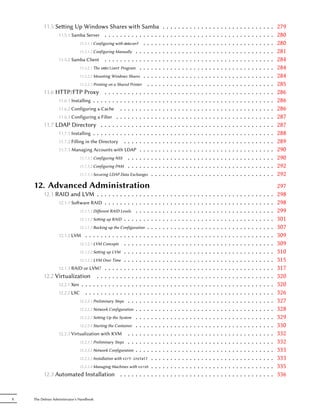
    12. Advanced Administration                                                                                                                                                                     297
         12.1 RAID and LVM . . . . . . . . . . .            .   . . .   .   .   .   .   .   .   .   .   .   .   .   .   .   .   .   .   .   .   .   .   .   .   .   .   .   .   .   .   .   .   .   298
               12.1.1 Soware RAID . . . . . . . . .        .   . . .   .   .   .   .   .   .   .   .   .   .   .   .   .   .   .   .   .   .   .   .   .   .   .   .   .   .   .   .   .   .   .   298
                         12.1.1.1 Different RAID Levels .    .   . . .   .   .   .   .   .   .   .   .   .   .   .   .   .   .   .   .   .   .   .   .   .   .   .   .   .   .   .   .   .   .   .   299
                         12.1.1.2 Seing up RAID . . . .    .   . . .   .   .   .   .   .   .   .   .   .   .   .   .   .   .   .   .   .   .   .   .   .   .   .   .   .   .   .   .   .   .   .   301
                          12.1.1.3 Backing up the Configuration   . .   .   .   .   .   .   .   .   .   .   .   .   .   .   .   .   .   .   .   .   .   .   .   .   .   .   .   .   .   .   .   .   307
               12.1.2 LVM . . . . . . . . . . . . . . . .         . .   .   .   .   .   .   .   .   .   .   .   .   .   .   .   .   .   .   .   .   .   .   .   .   .   .   .   .   .   .   .   .   309
                          12.1.2.1 LVM Concepts . . . . . .       . .   .   .   .   .   .   .   .   .   .   .   .   .   .   .   .   .   .   .   .   .   .   .   .   .   .   .   .   .   .   .   .   309
                          12.1.2.2 Seing up LVM . . . . . .      . .   .   .   .   .   .   .   .   .   .   .   .   .   .   .   .   .   .   .   .   .   .   .   .   .   .   .   .   .   .   .   .   310
                          12.1.2.3 LVM Over Time . . . . . .      . .   .   .   .   .   .   .   .   .   .   .   .   .   .   .   .   .   .   .   .   .   .   .   .   .   .   .   .   .   .   .   .   315
               12.1.3 RAID or LVM? . . . . . . . . . . .          . .   .   .   .   .   .   .   .   .   .   .   .   .   .   .   .   .   .   .   .   .   .   .   .   .   .   .   .   .   .   .   .   317
         12.2 Virtualization . . . . . . . . . . . . .            . .   .   .   .   .   .   .   .   .   .   .   .   .   .   .   .   .   .   .   .   .   .   .   .   .   .   .   .   .   .   .   .   320
               12.2.1 Xen . . . . . . . . . . . . . . . . .       . .   .   .   .   .   .   .   .   .   .   .   .   .   .   .   .   .   .   .   .   .   .   .   .   .   .   .   .   .   .   .   .   320
               12.2.2 LXC . . . . . . . . . . . . . . . .         . .   .   .   .   .   .   .   .   .   .   .   .   .   .   .   .   .   .   .   .   .   .   .   .   .   .   .   .   .   .   .   .   326
                          12.2.2.1 Preliminary Steps . . . . .    . .   .   .   .   .   .   .   .   .   .   .   .   .   .   .   .   .   .   .   .   .   .   .   .   .   .   .   .   .   .   .   .   327
                          12.2.2.2 Network Configuration . . .    . .   .   .   .   .   .   .   .   .   .   .   .   .   .   .   .   .   .   .   .   .   .   .   .   .   .   .   .   .   .   .   .   328
                          12.2.2.3 Seing Up the System . . .     . .   .   .   .   .   .   .   .   .   .   .   .   .   .   .   .   .   .   .   .   .   .   .   .   .   .   .   .   .   .   .   .   329
                          12.2.2.4 Starting the Container . . .   . .   .   .   .   .   .   .   .   .   .   .   .   .   .   .   .   .   .   .   .   .   .   .   .   .   .   .   .   .   .   .   .   330
               12.2.3 Virtualization with KVM . . . . .           . .   .   .   .   .   .   .   .   .   .   .   .   .   .   .   .   .   .   .   .   .   .   .   .   .   .   .   .   .   .   .   .   332
                          12.2.3.1 Preliminary Steps . . . . .    . .   .   .   .   .   .   .   .   .   .   .   .   .   .   .   .   .   .   .   .   .   .   .   .   .   .   .   .   .   .   .   .   332
                          12.2.3.2 Network Configuration . . .    . .   .   .   .   .   .   .   .   .   .   .   .   .   .   .   .   .   .   .   .   .   .   .   .   .   .   .   .   .   .   .   .   333
                          12.2.3.3 Installation with virt-install .     .   .   .   .   .   .   .   .   .   .   .   .   .   .   .   .   .   .   .   .   .   .   .   .   .   .   .   .   .   .   .   333
                          12.2.3.4 Managing Machines with virsh   .     .   .   .   .   .   .   .   .   .   .   .   .   .   .   .   .   .   .   .   .   .   .   .   .   .   .   .   .   .   .   .   335
         12.3 Automated Installation . . . . . . . . .                  .   .   .   .   .   .   .   .   .   .   .   .   .   .   .   .   .   .   .   .   .   .   .   .   .   .   .   .   .   .   .   336


X   The Debian Administrator's Handbook
12.3.1 Fully Automatic Installer (FAI)        .   .  ..   .   .       .   .   .   .   .   .   .   .   .   .   .   .   .   .   .   .   .   .   .   .   .   .   .   .   .   .   .   .   .   337
         12.3.2 Preseeding Debian-Installer . . .          .  ..   .   .       .   .   .   .   .   .   .   .   .   .   .   .   .   .   .   .   .   .   .   .   .   .   .   .   .   .   .   .   .   338
                    12.3.2.1 Using a Preseed File . . .    .  ..   .   .       .   .   .   .   .   .   .   .   .   .   .   .   .   .   .   .   .   .   .   .   .   .   .   .   .   .   .   .   .   338
                    12.3.2.2 Creating a Preseed File . .   .  ..   .   .       .   .   .   .   .   .   .   .   .   .   .   .   .   .   .   .   .   .   .   .   .   .   .   .   .   .   .   .   .   339
                   12.3.2.3 Creating a Customized Boot Media .                 .   .   .   .   .   .   .   .   .   .   .   .   .   .   .   .   .   .   .   .   .   .   .   .   .   .   .   .   .   339
         12.3.3 Simple-CDD: The All-In-One Solution . .                        .   .   .   .   .   .   .   .   .   .   .   .   .   .   .   .   .   .   .   .   .   .   .   .   .   .   .   .   .   341
                   12.3.3.1 Creating Profiles . . . . . . . . .                .   .   .   .   .   .   .   .   .   .   .   .   .   .   .   .   .   .   .   .   .   .   .   .   .   .   .   .   .   341
                    12.3.3.2 Configuring and Using build-simple-cdd                    .   .   .   .   .   .   .   .   .   .   .   .   .   .   .   .   .   .   .   .   .   .   .   .   .   .   .   342
                  12.3.3.3 Generating an ISO Image . . . . .               .   .   .   .   .   .   .   .   .   .   .   .   .   .   .   .   .   .   .   .   .   .   .   .   .   .   .   .   .   .   342
  12.4 Monitoring . . . . . . . . . . . . . . . . . .                      .   .   .   .   .   .   .   .   .   .   .   .   .   .   .   .   .   .   .   .   .   .   .   .   .   .   .   .   .   .   343
        12.4.1 Seing Up Munin . . . . . . . . . . . .                     .   .   .   .   .   .   .   .   .   .   .   .   .   .   .   .   .   .   .   .   .   .   .   .   .   .   .   .   .   .   343
                  12.4.1.1 Configuring Hosts To Monitor . .                .   .   .   .   .   .   .   .   .   .   .   .   .   .   .   .   .   .   .   .   .   .   .   .   .   .   .   .   .   .   343
                  12.4.1.2 Configuring the Grapher . . . . .               .   .   .   .   .   .   .   .   .   .   .   .   .   .   .   .   .   .   .   .   .   .   .   .   .   .   .   .   .   .   345
        12.4.2 Seing Up Nagios . . . . . . . . . . . .                    .   .   .   .   .   .   .   .   .   .   .   .   .   .   .   .   .   .   .   .   .   .   .   .   .   .   .   .   .   .   345
                  12.4.2.1 Installing . . . . . . . . . . . .              .   .   .   .   .   .   .   .   .   .   .   .   .   .   .   .   .   .   .   .   .   .   .   .   .   .   .   .   .   .   345
                  12.4.2.2 Configuring . . . . . . . . . .                 .   .   .   .   .   .   .   .   .   .   .   .   .   .   .   .   .   .   .   .   .   .   .   .   .   .   .   .   .   .   346
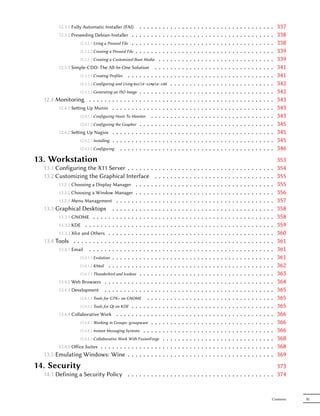
13. Workstation                                                                                                                                                                                    353
  13.1 Configuring the X11 Server . . . . . .              ..  .           .       .   .   .   .   .   .   .   .   .   .   .   .   .   .   .   .   .   .   .   .   .   .   .   .   .   .   .   .   354
  13.2 Customizing the Graphical Interface                   . .           .       .   .   .   .   .   .   .   .   .   .   .   .   .   .   .   .   .   .   .   .   .   .   .   .   .   .   .   .   355
        13.2.1 Choosing a Display Manager . . . .          ..  .           .       .   .   .   .   .   .   .   .   .   .   .   .   .   .   .   .   .   .   .   .   .   .   .   .   .   .   .   .   355
        13.2.2 Choosing a Window Manager . . . .           ..  .           .       .   .   .   .   .   .   .   .   .   .   .   .   .   .   .   .   .   .   .   .   .   .   .   .   .   .   .   .   356
        13.2.3 Menu Management . . . . . . . . .           ..  .           .       .   .   .   .   .   .   .   .   .   .   .   .   .   .   .   .   .   .   .   .   .   .   .   .   .   .   .   .   357
  13.3 Graphical Desktops . . . . . . . . . .              ..  .           .       .   .   .   .   .   .   .   .   .   .   .   .   .   .   .   .   .   .   .   .   .   .   .   .   .   .   .   .   358
        13.3.1 GNOME . . . . . . . . . . . . . . .         ..  .           .       .   .   .   .   .   .   .   .   .   .   .   .   .   .   .   .   .   .   .   .   .   .   .   .   .   .   .   .   358
        13.3.2 KDE . . . . . . . . . . . . . . . . .       ..  .           .       .   .   .   .   .   .   .   .   .   .   .   .   .   .   .   .   .   .   .   .   .   .   .   .   .   .   .   .   359
        13.3.3 Xfce and Others . . . . . . . . . . .       ..  .           .       .   .   .   .   .   .   .   .   .   .   .   .   .   .   .   .   .   .   .   .   .   .   .   .   .   .   .   .   360
  13.4 Tools . . . . . . . . . . . . . . . . . . . .       ..  .           .       .   .   .   .   .   .   .   .   .   .   .   .   .   .   .   .   .   .   .   .   .   .   .   .   .   .   .   .   361
        13.4.1 Email . . . . . . . . . . . . . . . .       ..  .           .       .   .   .   .   .   .   .   .   .   .   .   .   .   .   .   .   .   .   .   .   .   .   .   .   .   .   .   .   361
                   13.4.1.1 Evolution . . . . . . . . . .  ..  .           .       .   .   .   .   .   .   .   .   .   .   .   .   .   .   .   .   .   .   .   .   .   .   .   .   .   .   .   .   361
                   13.4.1.2 KMail . . . . . . . . . . .    ..  .           .       .   .   .   .   .   .   .   .   .   .   .   .   .   .   .   .   .   .   .   .   .   .   .   .   .   .   .   .   362
                   13.4.1.3 Thunderbird and Icedove . . .  ..  .           .       .   .   .   .   .   .   .   .   .   .   .   .   .   .   .   .   .   .   .   .   .   .   .   .   .   .   .   .   363
        13.4.2 Web Browsers . . . . . . . . . . . .        ..  .           .       .   .   .   .   .   .   .   .   .   .   .   .   .   .   .   .   .   .   .   .   .   .   .   .   .   .   .   .   364
        13.4.3 Development . . . . . . . . . . . .         ..  .           .       .   .   .   .   .   .   .   .   .   .   .   .   .   .   .   .   .   .   .   .   .   .   .   .   .   .   .   .   365
                   13.4.3.1 Tools for GTK+ on GNOME .      ..  .           .       .   .   .   .   .   .   .   .   .   .   .   .   .   .   .   .   .   .   .   .   .   .   .   .   .   .   .   .   365
                   13.4.3.2 Tools for Qt on KDE . . . . .  ..  .           .       .   .   .   .   .   .   .   .   .   .   .   .   .   .   .   .   .   .   .   .   .   .   .   .   .   .   .   .   365
        13.4.4 Collaborative Work . . . . . . . . .        ..  .           .       .   .   .   .   .   .   .   .   .   .   .   .   .   .   .   .   .   .   .   .   .   .   .   .   .   .   .   .   366
                    13.4.4.1 Working in Groups: groupware . .  .           .       .   .   .   .   .   .   .   .   .   .   .   .   .   .   .   .   .   .   .   .   .   .   .   .   .   .   .   .   366
                    13.4.4.2 Instant Messaging Systems . . . . .           .       .   .   .   .   .   .   .   .   .   .   .   .   .   .   .   .   .   .   .   .   .   .   .   .   .   .   .   .   366
                  13.4.4.3 Collaborative Work With FusionForge .                   .   .   .   .   .   .   .   .   .   .   .   .   .   .   .   .   .   .   .   .   .   .   .   .   .   .   .   .   368
        13.4.5 Office Suites . . . . . . . . . . . . . . . . .                      .   .   .   .   .   .   .   .   .   .   .   .   .   .   .   .   .   .   .   .   .   .   .   .   .   .   .   .   368
  13.5 Emulating Windows: Wine . . . . . . . . . .                                 .   .   .   .   .   .   .   .   .   .   .   .   .   .   .   .   .   .   .   .   .   .   .   .   .   .   .   .   369
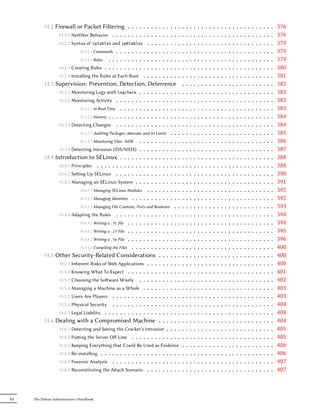
14. Security                                                                                                  373
  14.1 Defining a Security Policy . . . . . . . . . . . . . . . . . . . . . . . . . . . . . . . . . . . . . . 374


                                                                                                                                                                                               Contents   XI
14.2 Firewall or Packet Filtering . . . . . . . . . . . . .               .   .   .   .   .   .   .   .   .   .   .   .   .   .   .   .   .   .   .   .   .   .   .   .   .   376
                 14.2.1 Netfilter Behavior . . . . . . . . . . . . . . . . .         .   .   .   .   .   .   .   .   .   .   .   .   .   .   .   .   .   .   .   .   .   .   .   .   .   376
                 14.2.2 Syntax of iptables and ip6tables . . . . . . . .             .   .   .   .   .   .   .   .   .   .   .   .   .   .   .   .   .   .   .   .   .   .   .   .   .   379
                            14.2.2.1 Commands . . . . . . . . . . . . . . . .        .   .   .   .   .   .   .   .   .   .   .   .   .   .   .   .   .   .   .   .   .   .   .   .   .   379
                            14.2.2.2 Rules . . . . . . . . . . . . . . . . . .       .   .   .   .   .   .   .   .   .   .   .   .   .   .   .   .   .   .   .   .   .   .   .   .   .   379
                 14.2.3 Creating Rules . . . . . . . . . . . . . . . . . . .         .   .   .   .   .   .   .   .   .   .   .   .   .   .   .   .   .   .   .   .   .   .   .   .   .   380
                 14.2.4 Installing the Rules at Each Boot . . . . . . . . .          .   .   .   .   .   .   .   .   .   .   .   .   .   .   .   .   .   .   .   .   .   .   .   .   .   381
           14.3 Supervision: Prevention, Detection, Deterrence                           .   .   .   .   .   .   .   .   .   .   .   .   .   .   .   .   .   .   .   .   .   .   .   .   382
                 14.3.1 Monitoring Logs with logcheck . . . . . . . . . .            .   .   .   .   .   .   .   .   .   .   .   .   .   .   .   .   .   .   .   .   .   .   .   .   .   382
                 14.3.2 Monitoring Activity . . . . . . . . . . . . . . . .          .   .   .   .   .   .   .   .   .   .   .   .   .   .   .   .   .   .   .   .   .   .   .   .   .   383
                            14.3.2.1 In Real Time . . . . . . . . . . . . . . .      .   .   .   .   .   .   .   .   .   .   .   .   .   .   .   .   .   .   .   .   .   .   .   .   .   383
                            14.3.2.2 History . . . . . . . . . . . . . . . . . .     .   .   .   .   .   .   .   .   .   .   .   .   .   .   .   .   .   .   .   .   .   .   .   .   .   384
                 14.3.3 Detecting Changes . . . . . . . . . . . . . . . .            .   .   .   .   .   .   .   .   .   .   .   .   .   .   .   .   .   .   .   .   .   .   .   .   .   384
                            14.3.3.1 Auditing Packages: debsums and its Limits . .   .   .   .   .   .   .   .   .   .   .   .   .   .   .   .   .   .   .   .   .   .   .   .   .   .   385
                            14.3.3.2 Monitoring Files: AIDE . . . . . . . . . .      .   .   .   .   .   .   .   .   .   .   .   .   .   .   .   .   .   .   .   .   .   .   .   .   .   386
                 14.3.4 Detecting Intrusion (IDS/NIDS) . . . . . . . . . .           .   .   .   .   .   .   .   .   .   .   .   .   .   .   .   .   .   .   .   .   .   .   .   .   .   387
           14.4 Introduction to SELinux . . . . . . . . . . . . . . .                .   .   .   .   .   .   .   .   .   .   .   .   .   .   .   .   .   .   .   .   .   .   .   .   .   388
                 14.4.1 Principles . . . . . . . . . . . . . . . . . . . . .         .   .   .   .   .   .   .   .   .   .   .   .   .   .   .   .   .   .   .   .   .   .   .   .   .   388
                 14.4.2 Seing Up SELinux . . . . . . . . . . . . . . . .            .   .   .   .   .   .   .   .   .   .   .   .   .   .   .   .   .   .   .   .   .   .   .   .   .   390
                 14.4.3 Managing an SELinux System . . . . . . . . . . .             .   .   .   .   .   .   .   .   .   .   .   .   .   .   .   .   .   .   .   .   .   .   .   .   .   391
                            14.4.3.1 Managing SELinux Modules . . . . . . . .        .   .   .   .   .   .   .   .   .   .   .   .   .   .   .   .   .   .   .   .   .   .   .   .   .   392
                            14.4.3.2 Managing Identities . . . . . . . . . . . .     .   .   .   .   .   .   .   .   .   .   .   .   .   .   .   .   .   .   .   .   .   .   .   .   .   392
                            14.4.3.3 Managing File Contexts, Ports and Booleans .    .   .   .   .   .   .   .   .   .   .   .   .   .   .   .   .   .   .   .   .   .   .   .   .   .   393
                 14.4.4 Adapting the Rules . . . . . . . . . . . . . . . .           .   .   .   .   .   .   .   .   .   .   .   .   .   .   .   .   .   .   .   .   .   .   .   .   .   394
                            14.4.4.1 Writing a .fc file . . . . . . . . . . . . .    .   .   .   .   .   .   .   .   .   .   .   .   .   .   .   .   .   .   .   .   .   .   .   .   .   394
                            14.4.4.2 Writing a .if File . . . . . . . . . . . . .    .   .   .   .   .   .   .   .   .   .   .   .   .   .   .   .   .   .   .   .   .   .   .   .   .   395
                            14.4.4.3 Writing a .te File . . . . . . . . . . . . .    .   .   .   .   .   .   .   .   .   .   .   .   .   .   .   .   .   .   .   .   .   .   .   .   .   396
                            14.4.4.4 Compiling the Files . . . . . . . . . . . .     .   .   .   .   .   .   .   .   .   .   .   .   .   .   .   .   .   .   .   .   .   .   .   .   .   400
           14.5 Other Security-Related Considerations . . . . .                      .   .   .   .   .   .   .   .   .   .   .   .   .   .   .   .   .   .   .   .   .   .   .   .   .   400
                 14.5.1 Inherent Risks of Web Applications . . . . . . . .           .   .   .   .   .   .   .   .   .   .   .   .   .   .   .   .   .   .   .   .   .   .   .   .   .   400
                 14.5.2 Knowing What To Expect . . . . . . . . . . . . .             .   .   .   .   .   .   .   .   .   .   .   .   .   .   .   .   .   .   .   .   .   .   .   .   .   401
                 14.5.3 Choosing the Soware Wisely . . . . . . . . . .              .   .   .   .   .   .   .   .   .   .   .   .   .   .   .   .   .   .   .   .   .   .   .   .   .   402
                 14.5.4 Managing a Machine as a Whole . . . . . . . . .              .   .   .   .   .   .   .   .   .   .   .   .   .   .   .   .   .   .   .   .   .   .   .   .   .   403
                 14.5.5 Users Are Players . . . . . . . . . . . . . . . . .          .   .   .   .   .   .   .   .   .   .   .   .   .   .   .   .   .   .   .   .   .   .   .   .   .   403
                 14.5.6 Physical Security . . . . . . . . . . . . . . . . .          .   .   .   .   .   .   .   .   .   .   .   .   .   .   .   .   .   .   .   .   .   .   .   .   .   404
                 14.5.7 Legal Liability . . . . . . . . . . . . . . . . . . .        .   .   .   .   .   .   .   .   .   .   .   .   .   .   .   .   .   .   .   .   .   .   .   .   .   404
           14.6 Dealing with a Compromised Machine . . . . .                         .   .   .   .   .   .   .   .   .   .   .   .   .   .   .   .   .   .   .   .   .   .   .   .   .   404
                 14.6.1 Detecting and Seeing the Cracker's Intrusion . . .           .   .   .   .   .   .   .   .   .   .   .   .   .   .   .   .   .   .   .   .   .   .   .   .   .   405
                 14.6.2 Puing the Server Off-Line . . . . . . . . . . . .            .   .   .   .   .   .   .   .   .   .   .   .   .   .   .   .   .   .   .   .   .   .   .   .   .   405
                    14.6.3 Keeping Everything that Could Be Used as Evidence             .   .   .   .   .   .   .   .   .   .   .   .   .   .   .   .   .   .   .   .   .   .   .   .   406
                    14.6.4 Re-installing .....................                           .   .   .   .   .   .   .   .   .   .   .   .   .   .   .   .   .   .   .   .   .   .   .   .   406
                    14.6.5 Forensic Analysis . . . . . . . . . . . . . . . . . .         .   .   .   .   .   .   .   .   .   .   .   .   .   .   .   .   .   .   .   .   .   .   .   .   407
                    14.6.6 Reconstituting the Aack Scenario . . . . . . . . .           .   .   .   .   .   .   .   .   .   .   .   .   .   .   .   .   .   .   .   .   .   .   .   .   407


XII   The Debian Administrator's Handbook
15. Creating a Debian Package                                                                                                                                                                          411
  15.1 Rebuilding a Package from its Sources                                   .   .   .   .   .   .   .   .   .   .   .   .   .   .   .   .   .   .   .   .   .   .   .   .   .   .   .   .   .   .   412
        15.1.1 Geing the Sources . . . . . . . . . . .                        .   .   .   .   .   .   .   .   .   .   .   .   .   .   .   .   .   .   .   .   .   .   .   .   .   .   .   .   .   .   412
        15.1.2 Making Changes . . . . . . . . . . . .                          .   .   .   .   .   .   .   .   .   .   .   .   .   .   .   .   .   .   .   .   .   .   .   .   .   .   .   .   .   .   412
        15.1.3 Starting the Rebuild . . . . . . . . . . .                      .   .   .   .   .   .   .   .   .   .   .   .   .   .   .   .   .   .   .   .   .   .   .   .   .   .   .   .   .   .   413
  15.2 Building your First Package . . . . . . .                               .   .   .   .   .   .   .   .   .   .   .   .   .   .   .   .   .   .   .   .   .   .   .   .   .   .   .   .   .   .   415
        15.2.1 Meta-Packages or Fake Packages . . . .                          .   .   .   .   .   .   .   .   .   .   .   .   .   .   .   .   .   .   .   .   .   .   .   .   .   .   .   .   .   .   415
        15.2.2 Simple File Archive . . . . . . . . . . .                       .   .   .   .   .   .   .   .   .   .   .   .   .   .   .   .   .   .   .   .   .   .   .   .   .   .   .   .   .   .   416
  15.3 Creating a Package Repository for APT                                   .   .   .   .   .   .   .   .   .   .   .   .   .   .   .   .   .   .   .   .   .   .   .   .   .   .   .   .   .   .   420
  15.4 Becoming a Package Maintainer . . . .                                   .   .   .   .   .   .   .   .   .   .   .   .   .   .   .   .   .   .   .   .   .   .   .   .   .   .   .   .   .   .   422
        15.4.1 Learning to Make Packages . . . . . . .                         .   .   .   .   .   .   .   .   .   .   .   .   .   .   .   .   .   .   .   .   .   .   .   .   .   .   .   .   .   .   422
                   15.4.1.1 Rules . . . . . . . . . . . . .                    .   .   .   .   .   .   .   .   .   .   .   .   .   .   .   .   .   .   .   .   .   .   .   .   .   .   .   .   .   .   422
                   15.4.1.2 Procedures . . . . . . . . . . .                   .   .   .   .   .   .   .   .   .   .   .   .   .   .   .   .   .   .   .   .   .   .   .   .   .   .   .   .   .   .   423
                   15.4.1.3 Tools . . . . . . . . . . . . . .                  .   .   .   .   .   .   .   .   .   .   .   .   .   .   .   .   .   .   .   .   .   .   .   .   .   .   .   .   .   .   423
        15.4.2 Acceptance Process . . . . . . . . . . .                        .   .   .   .   .   .   .   .   .   .   .   .   .   .   .   .   .   .   .   .   .   .   .   .   .   .   .   .   .   .   424
                   15.4.2.1 Prerequisites . . . . . . . . . .                  .   .   .   .   .   .   .   .   .   .   .   .   .   .   .   .   .   .   .   .   .   .   .   .   .   .   .   .   .   .   425
                   15.4.2.2 Registration . . . . . . . . . .                   .   .   .   .   .   .   .   .   .   .   .   .   .   .   .   .   .   .   .   .   .   .   .   .   .   .   .   .   .   .   425
                   15.4.2.3 Accepting the Principles . . . . .                 .   .   .   .   .   .   .   .   .   .   .   .   .   .   .   .   .   .   .   .   .   .   .   .   .   .   .   .   .   .   426
                   15.4.2.4 Checking Skills . . . . . . . . .                  .   .   .   .   .   .   .   .   .   .   .   .   .   .   .   .   .   .   .   .   .   .   .   .   .   .   .   .   .   .   426
                   15.4.2.5 Final Approval . . . . . . . . .                   .   .   .   .   .   .   .   .   .   .   .   .   .   .   .   .   .   .   .   .   .   .   .   .   .   .   .   .   .   .   427
16. Conclusion: Debian's Future                                                                                  429
  16.1 Upcoming Developments . . . . . . . . . . . . . . . . . . . . . . . . . . . . . . . . . . . . . . . 430
  16.2 Debian's Future . . . . . . . . . . . . . . . . . . . . . . . . . . . . . . . . . . . . . . . . . . . . . 430
  16.3 Future of this Book . . . . . . . . . . . . . . . . . . . . . . . . . . . . . . . . . . . . . . . . . . . 431
A. Derivative Distributions                                                                                                                                                                            433
  A.1 Census and Cooperation              ..   .   .   .   .   .   .   .   .   .   .   .   .   .   .   .   .   .   .   .   .   .   .   .   .   .   .   .   .   .   .   .   .   .   .   .   .   .   .   433
  A.2 Ubuntu . . . . . . . . . . .        ..   .   .   .   .   .   .   .   .   .   .   .   .   .   .   .   .   .   .   .   .   .   .   .   .   .   .   .   .   .   .   .   .   .   .   .   .   .   .   433
  A.3 Knoppix . . . . . . . . . . .       ..   .   .   .   .   .   .   .   .   .   .   .   .   .   .   .   .   .   .   .   .   .   .   .   .   .   .   .   .   .   .   .   .   .   .   .   .   .   .   434
  A.4 Linux Mint . . . . . . . . .        ..   .   .   .   .   .   .   .   .   .   .   .   .   .   .   .   .   .   .   .   .   .   .   .   .   .   .   .   .   .   .   .   .   .   .   .   .   .   .   435
  A.5 SimplyMEPIS . . . . . . .           ..   .   .   .   .   .   .   .   .   .   .   .   .   .   .   .   .   .   .   .   .   .   .   .   .   .   .   .   .   .   .   .   .   .   .   .   .   .   .   435
  A.6 Aptosid (Formerly Sidux)             .   .   .   .   .   .   .   .   .   .   .   .   .   .   .   .   .   .   .   .   .   .   .   .   .   .   .   .   .   .   .   .   .   .   .   .   .   .   .   435
  A.7 Damn Small Linux . . . .            ..   .   .   .   .   .   .   .   .   .   .   .   .   .   .   .   .   .   .   .   .   .   .   .   .   .   .   .   .   .   .   .   .   .   .   .   .   .   .   436
  A.8 And Many More . . . . .             ..   .   .   .   .   .   .   .   .   .   .   .   .   .   .   .   .   .   .   .   .   .   .   .   .   .   .   .   .   .   .   .   .   .   .   .   .   .   .   436
B. Short Remedial Course                                                                                                                                                                               437
  B.1 Shell and Basic Commands . . . . . . . . . . . . .          .                                    .   .   .   .   .   .   .   .   .   .   .   .   .   .   .   .   .   .   .   .   .   .   .   .   437
        B.1.1 Browsing the Directory Tree and Managing Files .    .                                    .   .   .   .   .   .   .   .   .   .   .   .   .   .   .   .   .   .   .   .   .   .   .   .   437
        B.1.2 Displaying and Modifying Text Files . . . . . . . . .                                    .   .   .   .   .   .   .   .   .   .   .   .   .   .   .   .   .   .   .   .   .   .   .   .   438
        B.1.3 Searching for Files and within Files . . . . . . . ..                                    .   .   .   .   .   .   .   .   .   .   .   .   .   .   .   .   .   .   .   .   .   .   .   .   439
        B.1.4 Managing Processes . . . . . . . . . . . . . . . .  .                                    .   .   .   .   .   .   .   .   .   .   .   .   .   .   .   .   .   .   .   .   .   .   .   .   439
       B.1.5 System Information: Memory, Disk Space, Identity .                                        .   .   .   .   .   .   .   .   .   .   .   .   .   .   .   .   .   .   .   .   .   .   .   .   439
  B.2 Organization of the Filesystem Hierarchy . . . . .                                               .   .   .   .   .   .   .   .   .   .   .   .   .   .   .   .   .   .   .   .   .   .   .   .   440
       B.2.1 The Root Directory . . . . . . . . . . . . . . . . . .                                    .   .   .   .   .   .   .   .   .   .   .   .   .   .   .   .   .   .   .   .   .   .   .   .   440


                                                                                                                                                                                                   Contents   XIII
B.2.2 The User's Home Directory......................                        ..   .   .   .   .   .   .   .   .   .   .   .   .   .   .   441
           B.3 Inner Workings of a Computer: the Different Layers Involved                         .   .   .   .   .   .   .   .   .   .   .   .   .   .   .   441
                 B.3.1 The Deepest Layer: the Hardware . . . . . . . . . . . . . . . . . .       ..   .   .   .   .   .   .   .   .   .   .   .   .   .   .   442
                 B.3.2 The Starter: the BIOS . . . . . . . . . . . . . . . . . . . . . . . .     ..   .   .   .   .   .   .   .   .   .   .   .   .   .   .   442
                 B.3.3 The Kernel . . . . . . . . . . . . . . . . . . . . . . . . . . . . . .    ..   .   .   .   .   .   .   .   .   .   .   .   .   .   .   443
                 B.3.4 The User Space . . . . . . . . . . . . . . . . . . . . . . . . . . . .    ..   .   .   .   .   .   .   .   .   .   .   .   .   .   .   443
           B.4 Some Tasks Handled by the Kernel . . . . . . . . . . . . . . . . .                ..   .   .   .   .   .   .   .   .   .   .   .   .   .   .   444
                 B.4.1 Driving the Hardware . . . . . . . . . . . . . . . . . . . . . . . .      ..   .   .   .   .   .   .   .   .   .   .   .   .   .   .   444
                 B.4.2 Filesystems . . . . . . . . . . . . . . . . . . . . . . . . . . . . . .   ..   .   .   .   .   .   .   .   .   .   .   .   .   .   .   445
                 B.4.3 Shared Functions . . . . . . . . . . . . . . . . . . . . . . . . . . .    ..   .   .   .   .   .   .   .   .   .   .   .   .   .   .   446
                 B.4.4 Managing Processes . . . . . . . . . . . . . . . . . . . . . . . . .      ..   .   .   .   .   .   .   .   .   .   .   .   .   .   .   446
                 B.4.5 Rights Management . . . . . . . . . . . . . . . . . . . . . . . . .       ..   .   .   .   .   .   .   .   .   .   .   .   .   .   .   447
           B.5 The User Space . . . . . . . . . . . . . . . . . . . . . . . . . . . . . .        ..   .   .   .   .   .   .   .   .   .   .   .   .   .   .   447
                 B.5.1 Process . . . . . . . . . . . . . . . . . . . . . . . . . . . . . . . .   ..   .   .   .   .   .   .   .   .   .   .   .   .   .   .   447
                 B.5.2 Daemons . . . . . . . . . . . . . . . . . . . . . . . . . . . . . . .     ..   .   .   .   .   .   .   .   .   .   .   .   .   .   .   448
                 B.5.3 Inter-Process Communications . . . . . . . . . . . . . . . . . . .        ..   .   .   .   .   .   .   .   .   .   .   .   .   .   .   448
                 B.5.4 Libraries . . . . . . . . . . . . . . . . . . . . . . . . . . . . . . .   ..   .   .   .   .   .   .   .   .   .   .   .   .   .   .   449
      Index                                                                                                                                                   451


XIV   The Debian Administrator's Handbook
Preface
Many professionals are increasingly embracing Debian GNU/Linux, whose goal to create a rich
and flexible distribution that does not require too much maintenance fits their expectations.
They generally appreciate its robustness and reliability, its automation of secondary tasks, as
well as the coherence brought by the strict application of specifications and therefore the dura-
bility of achievements and skills.
At the same time, many influential actors in the computing industry have now come to under-
stand the strategic interest of using an elaborate distribution that is not managed by a commer-
cial entity. Some of their customers also understand — following the same logic — that a soft-
ware platform that does not depend on agreements between suppliers reduces the constraints
they will have after the purchase.
Finally, many beginners discover Debian through the Knoppix and Ubuntu projects, while oth-
ers “look under the hood” because they want to avoid empiricism.
Debian — which used to be low-profile — was first adopted by passionate users, who were often
attracted by the spirit it embodies. They found a project with clear goals and visible achieve-
ments, whose developers focus on creating a good design before building — thereby rejecting
the deadlines that often compromise the quality of so many other software projects. Debian is
led by its very actors. In other words, Debian users join a project that fully benefits from the
advantages of free software… so as to produce free software themselves.
The Debian Administrator's Handbook will guide you on your way to autonomy. It could only be
written by authors who master both the technical aspects and the inner workings of the De-
bian project, and who know the needs of seasoned professionals as well as enthusiasts. Raphaël
Hertzog and Roland Mas had the required qualities and managed to create and update this book.
I thank them very much for their work and have no doubt that reading this book will be both
helpful and pleasant.
Nat Makarevitch (PGP/GPG fingerprint: 2010 4A02 9C0E 7D1F 5631 ADF0 453C 4549 0230
D602)
Foreword
Linux has been garnering strength for the last few years, and its growing popularity drives more
and more users to make the jump. The first step on that path is to pick a distribution. This is
an important decision, because each distribution has its own peculiarities, and future migration
costs can be avoided if the right choice is made from the start.

        BACK TO BASICS          Strictly speaking, Linux is only a kernel, the core piece of soware siing be-
    Linux distribution, Linux   tween the hardware and the applications.
                       kernel   A “Linux distribution” is a full operating system; it usually includes the Linux
                                kernel, an installer program, and most importantly applications and other
                                soware required to turn a computer into an actually useful tool.


Debian GNU/Linux is a “generic” Linux distribution that fits most users. The purpose of this
book is to show its many aspects so you can make an informed decision when choosing.


Why This Book?


               CULTURE          Most Linux distributions are backed by a for-profit company that develops
   Commercial distributions     them and sells them under some kind of commercial scheme. Examples in-
                                clude Ubuntu, mainly developed by Canonical Ltd.; Mandriva Linux, by French
                                company Mandriva SA; and Suse Linux, maintained and made commercially
                                available by Novell.
                                At the other end of the spectrum lie the likes of Debian and the Apache So-
                                ware Foundation (which hosts the development for the Apache web server).
                                Debian is above all a project in the Free Soware world, implemented by vol-
                                unteers working together through the Internet.


Linux has gathered a fair amount of media coverage, which mostly benefits the distributions
supported by a real marketing department — in other words, to company-backed distributions
(Ubuntu, Red Hat, Suse, Mandriva, and so on). But Debian is far from being a marginal distri-
bution; according to a German study made in early 2009, Debian is the most widely used dis-
tribution on servers (with nearly half of the responding companies having at least one Debian
server), and the second most widely deployed on desktops (right behind Ubuntu, which is a
Debian derivative).
² http://www.heise.de/open/artikel/Eingesetzte-Produkte-224518.html
        The purpose of this book is to help you discover this distribution. We hope to share the ex-
        perience we've gathered since we joined the project as developers and contributors in 1998
        (Raphaël) and 2000 (Roland). With any luck, our enthusiasm will be communicative, and maybe
        you'll join us sometime…
        The first edition of this book (in 2004) served to fill a gaping hole: it was the first French-
        language book that focused exclusively on Debian. At that time, many other books were writ-
        ten on the topic both for French-speaking and English-speaking readers. Unfortunately almost
        none of them got updated, and today we again find ourselves in a situation where there are very
        few good books on Debian. We truly hope that this first English edition will fill this gap and help
        many users.


        Who Is this Book For?

        We tried to make this book useful for many categories of readers. First, systems administrators
        (both beginners and experienced) will find explanations about the installation and deployment
        of Debian on many computers. They will also get a glimpse of most of the services available on
        Debian, along with matching configuration instructions and a description of the specifics com-
        ing from the distribution. Understanding the mechanisms involved in Debian's development
        will enable them to deal with unforeseen problems, knowing that they can always find help
        within the community.
        Users of another Linux distribution, or of another Unix variant, will discover the specifics of
        Debian, and should become operational very quickly while benefitting fully from the unique
        advantages of this distribution.
        Finally, readers who already have some knowledge of Debian and want to know more about the
        community behind it should see their expectations fulfilled. This book should make them much
        closer to joining us as contributors.


        Chosen Approach

        All of the generic documentation you can find about GNU/Linux also applies to Debian, since
        Debian includes most common free software. However, the distribution brings many enhance-
        ments, which is why we chose to primarily describe the “Debian way” of doing things.
        It is interesting to follow the Debian recommendations, but it is even better to understand their
        rationale. Therefore, we won't restrict ourselves to practical explanations only; we will also de-
        scribe the project's workings, so as to provide you with comprehensive and consistent knowl-
        edge.


XVIII   The Debian Administrator's Handbook
Book Structure

Following the structure and aims of Eyrolles' “Administrator's Handbook” collection, this book
revolves around a case study providing both support and illustration for all topics being ad-
dressed.

                     NOTE      This book has its own website, which hosts whatever elements that can make
    Web site, authors' email   it more useful. In particular, it includes an online version of the book with
                               clickable links, and possible errata. Feel free to browse it and to leave us some
                               feedback. We will be happy to read your comments or support messages.
                               Send them by email to hertzog@debian.org (Raphaël) and lolando@debian.
                               org (Roland).
                               ² http://debian-handbook.info/


Chapter 1 focuses on a non-technical presentation of the Debian project and describes its goals
and organization. These aspects are important because they define a general framework that
others chapters will complete with more concrete information.
Chapters 2 and 3 provide a broad outline of the case study. At this point, novice readers can take
the time to read appendix B, where they'll find a short remedial course explaining a number of
basic computing notions, as well as concepts inherent to any Unix system.
To get on with our real subject matter, we will quite naturally start with the installation process
(chapter 4); chapters 5 and 6 will unveil basic tools that any Debian administrator will use,
such as those of the APT family, which is largely responsible for the distribution's excellent
reputation. These chapters are in no way reserved to professionals, since everyone is their own
administrator at home.
Chapter 7 will be an important parenthesis; it describes workflows to efficiently use documen-
tation and to quickly gain an understanding of problems in order to solve them.
The next chapters will be a more detailed tour of the system, starting with basic infrastructure
and services (chapters 8 to 10) and going progressively up the stack to reach the user appli-
cations in chapter 13. Chapter 12 deals with more advanced subjects that will most directly
concern administrators of large sets of computers (including servers), while chapter 14 is a
brief introduction to the wider subject of computer security and gives a few keys to avoid most
problems.
Chapter 15 is for administrators who want to go further and create their own Debian packages.

           VOCABULARY          A Debian package is an archive containing all the files required to install a
            Debian package     piece of soware. It is generally a file with a .deb extension, and it can be
                               handled with the dpkg command. Also called binary package, it contains files
                               that can be directly used (such as programs or documentation). On the other
                               hand, a source package contains the source code for the soware and the in-
                               structions required for building the binary package.


The present English version is based on the fifth edition of the French book. This fifth edi-


                                                                                                         Foreword   XIX
tion was an important update, covering version 6.0 of Debian, code-named Squeeze. Among the
     changes, Debian now sports two new architectures — kfreebsd-i386 and kfreebsd-amd64 — based on
     the FreeBSD kernel and supporting the associated technologies (jails, packet filter and so on). On
     Linux-based architectures, the 2.6.32 kernel extends support to all the main virtualization tech-
     nologies (Xen/OpenVZ/LXC/KVM, see Section 12.2, “Virtualization” (page 320)). All included
     packages have obviously been updated. Many improvements specifically target package main-
     tainers, who can now use a simplified debian/rules (with debhelper's dh command); they also
     benefit from a standard patch management system integrated to dpkg-source (by using the 3.
     0 (quilt) source package format).
     We have added some notes and remarks in sidebars. They have a variety of roles: they can draw
     attention to a difficult point, complete a notion of the case study, define some terms, or serve
     as reminders. Here is a list of the most common of these sidebars:

           • BACK TO BASICS: a reminder for some information that is supposed to be known;

           • VOCABULARY: defines a technical term, sometimes Debian specific;

           • COMMUNITY: highlights important persons or roles within the project;

           • POLICY: a rule or recommendation from the Debian Policy. This document is essential
             within the project, and describes how to package software. The parts of policy highlighted
             in this book bring direct benefits to users (for example, knowing that the policy standard-
             izes the location of documentation and examples makes it easy to find them even in a new
             package).

           • TOOL: presents a relevant tool or service;

           • IN PRACTICE: theory and practice do not always match; these sidebars contain advice
             resulting from our experience. They can also give detailed and concrete examples;

           • other more or less frequent sidebars are rather explicit: CULTURE, TIP, CAUTION, GOING
             FURTHER, SECURITY, and so on.


     Acknowledgments

     A Bit of History

     In 2003, Nat Makarevitch contacted me (Raphaël) because he wanted to publish a book on Debian
     in the Cahier de l'Admin (Admin's Handbook) collection that he was managing for Eyrolles, a
     leading French editor of technical books. I immediately accepted to write it. The first edition
     came out on 14th October 2004 and was a huge success — it was sold out barely four months
     later.
     Since then, we have released 4 other editions of the French book, one for each subsequent De-
     bian release. Roland Mas, who started working on the book as my proofreader, gradually became
     its co-author.


XX   The Debian Administrator's Handbook
While we were obviously satisfied with the book's success, we always hoped that Eyrolles would
convince an international editor to translate it into English. We had received numerous com-
ments explaining how the book helped people to get started with Debian, and we were keen to
have the book benefit more people in the same way.
Alas, no English-speaking editor that we contacted was willing to take the risk of translating
and publishing the book. Not put off by this small setback, we decided to negotiate with our
French editor Eyrolles to recuperate the necessary rights to translate the book into English and
to try to publish it ourselves.


A Crowd-Funded Translation

Translating a book of 450 pages is a considerable effort that requires several months of work.
For self-employed people like Roland and me, we had to ensure a minimum income to mobilize
the time necessary to complete the project. So we set up a crowd-funding campaign on Ulule
and asked people to pledge money towards the project.
² http://www.ulule.com/debian-handbook/
The campaign had two goals: raising €15,000 for the translation and completing a €25,000 liber-
ation fund to get the resulting book published under a free license — that is, a license that fully
follows the Debian Free Software Guidelines.
When the Ulule campaign ended, the first goal had been achieved with €24,345 raised. The
liberation fund was not complete however, with only €14,935 raised. As initially announced,
the liberation campaign continued independently from Ulule on the book's official website.
While we were busy translating the book, donations towards the liberation continued to flow
in… And in April 2012, the liberation fund was completed. You can thus benefit from this book
under the terms of a free license.
We would like to thank everybody who contributed to these fundraising campaigns, either by
pledging some money or by passing the word around. We couldn't have done it without you.


Supportive Companies and Organizations

We had the pleasure of getting significant contributions from many free software-friendly com-
panies and organizations. Thank you to Code Lutin1 , École Ouverte Francophone2 , Evolix3 , Fan-
tini Bakery4 , FSF France5 , Offensive Security6 (the company behind BackTrack Linux7 ), Open-

   1
     http://www.codelutin.com
   2
     http://eof.eu.org
   3
     http://www.evolix.fr
   4
     http://www.fantinibakery.com
   5
     http://fsffrance.org
   6
     http://www.offensive-security.com
   7
     http://www.backtrack-linux.org


                                                                                             Foreword   XXI
sides8 , Proxmox Server Solutions Gmbh9 , SSIELL (Société Solidaire d'Informatique En Logiciels
       Libres), and Syminet10 .
       We would also like to thank OMG! Ubuntu11 and April12 for their help in promoting the opera-
       tion.


       Individual Supporters

       With over 650 supporters in the initial fundraising, and several hundred more in the continued
       liberation campaign, it is thanks to people like you that this project has been possible. Thank
       you!
       We want to address our special thanks to those who contributed at least €35 (sometimes much
       more!) to the liberation fund. We are glad that there are so many people who share our values
       about freedom and yet recognize that we deserved a compensation for the work that we have
       put into this project.
       So thank you Alain Coron, Alain Thabaud, Alan Milnes, Alastair Sherringham, Alban Dum-
       erain, Alessio Spadaro, Alex King, Alexandre Dupas, Ambrose Andrews, Andre Klärner, An-
       dreas Olsson, Andrej Ricnik, Andrew Alderwick, Anselm Lingnau, Antoine Emerit, Armin F.
       Gnosa, Avétis Kazarian, Bdale Garbee, Benoit Barthelet, Bernard Zijlstra, Carles Guadall Blan-
       cafort, Carlos Horowicz — Planisys S.A., Charles Brisset, Charlie Orford, Chris Sykes, Chris-
       tian Bayle, Christian Leutloff, Christian Maier, Christian Perrier, Christophe Drevet, Christophe
       Schockaert (R3vLibre), Christopher Allan Webber, Colin Ameigh, Damien Dubédat, Dan Petters-
       son, Dave Lozier, David Bercot, David James, David Schmitt, David Tran Quang Ty, Elizabeth
       Young, Fabian Rodriguez, Ferenc Kiraly, Frédéric Perrenot — Intelligence Service 001, Fumi-
       hito Yoshida, Gian-Maria Daffré, Gilles Meier, Giorgio Cittadini, Héctor Orón Martínez, Henry,
       Herbert Kaminski, Hideki Yamane, Hoffmann Information Services GmbH, Holger Burkhardt,
       Horia Ardelean, Ivo Ugrina, Jan Dittberner, Jim Salter, Johannes Obermüller, Jonas Bofjäll, Jordi
       Fernandez Moledo, Jorg Willekens, Joshua, Kastrolis Imanta, Keisuke Nakao, Kévin Audebrand,
       Korbinian Preisler, Kristian Tizzard, Laurent Bruguière, Laurent Hamel, Leurent Sylvain, Loïc
       Revest, Luca Scarabello, Lukas Bai, Marc Singer, Marcelo Nicolas Manso, Marilyne et Thomas,
       Mark Janssen — Sig-I/O Automatisering, Mark Sheppard, Mark Symonds, Mathias Bocquet, Mat-
       teo Fulgheri, Michael Schaffner, Michele Baldessari, Mike Chaberski, Mike Linksvayer, Minh
       Ha Duong, Moreau Frédéric, Morphium, Nathael Pajani, Nathan Paul Simons, Nicholas David-
       son, Nicola Chiapolini, Ole-Morten, Olivier Mondoloni, Paolo Innocenti, Pascal Cuoq, Patrick
       Camelin, Per Carlson, Philip Bolting, Philippe Gauthier, Philippe Teuwen, PJ King, Praveen
       Arimbrathodiyil (j4v4m4n), Ralf Zimmermann, Ray McCarthy, Rich, Rikard Westman, Robert
       Kosch, Sander Scheepens, Sébastien Picard, Stappers, Stavros Giannouris, Steve-David Marguet,
       T. Gerigk, Tanguy Ortolo, Thomas Hochstein, Thomas Müller, Thomas Pierson, Tigran Zakoyan,
            8
              http://www.opensides.be
            9
              http://www.proxmox.com
           10
              http://www.syminet.com
           11
              http://www.omgubuntu.co.uk
           12
              http://www.april.org


XXII   The Debian Administrator's Handbook
Tobias Gruetzmacher, Tournier Simon, Trans-IP Internet Services, Viktor Ekmark, Vincent De-
meester, Vincent van Adrighem, Volker Schlecht, Werner Kuballa, Xavier Neys, and Yazid Cas-
sam Sulliman.


Special Thanks to Contributors

This book would not be what it is without the contributions of several persons who each played
an important role. We would like to thank Marilyne Brun, who helped us to translate the sample
chapter and who worked with us to define some common translation rules. She also revised
several chapters which were desperately in need of supplementary work. Thank you to Anthony
Baldwin (of Baldwin Linguas) who translated several chapters for us.
We benefited from the generous help of proofreaders: Daniel Phillips, Gerold Rupprecht, Gordon
Dey, Jacob Owens, and Tom Syroid. They each reviewed many chapters. Thank you very much!
If you have the pleasure to read these lines in a paperback copy of the book, then you should join
us to thank Benoît Guillon, Jean-Côme Charpentier, and Sébastien Mengin who worked on the
interior book design. Benoît is the upstream author of dblatex13 — the tool we used to convert
DocBook into LaTeX (and then PDF). Sébastien is the designer who created this nice book layout
and Jean-Côme is the LaTeX expert who implemented it as a stylesheet usable with dblatex.
Thank you guys for all the hard work!
Finally, thank you to Thierry Stempfel for the nice pictures introducing each chapter, and thank
you to Doru Patrascu for the beautiful book cover.


Personal Acknowledgments from Raphaël

First off, I would like to thank Nat Makarevitch, who offered me the possibility to write this book
and who provided strong guidance during the year it took to get it done. Thank you also to the
fine team at Eyrolles, and Muriel Shan Sei Fan in particular. She has been very patient with me
and I learned a lot with her.
The period of the Ulule campaign was very demanding for me but I would like to thank every-
body who helped to make it a success, and in particular the Ulule team who reacted very quickly
to my many requests. Thank you also to everybody who promoted the operation. I don't have
any exhaustive list (and if I had it would probably be too long) but I would like to thank a few peo-
ple who were in touch with me: Joey-Elijah Sneddon and Benjamin Humphrey of OMG! Ubuntu,
Frédéric Couchet of April.org, Jake Edge of Linux Weekly News, Clement Lefebvre of Linux Mint,
Ladislav Bodnar of Distrowatch, Steve Kemp of Debian-Administration.org, Christian Pfeiffer
Jensen of Debian-News.net, Artem Nosulchik of LinuxScrew.com, Stephan Ramoin of Gandi.net,
Matthew Bloch of Bytemark.co.uk, the team at Divergence FM, Rikki Kite of Linux New Media,
Jono Bacon, the marketing team at Eyrolles, and numerous others that I have forgotten (sorry
about that).
  13
       http://dblatex.sourceforge.net


                                                                                               Foreword   XXIII
I would like to address a special thanks to Roland Mas, my co-author. We have been collaborat-
       ing on this book since the start and he has always been up to the challenge. And I must say that
       completing the Debian Administrator's Handbook has been a lot of work…
       Last but not least, thank you to my wife, Sophie. She has been very supportive of my work on
       this book and on Debian in general. There have been too many days (and nights) when I left her
       alone with our 2-year-old son to make some progress on the book. I am grateful for her support
       and know how lucky I am to have her.


       Personal Acknowledgments from Roland

       Well, Raphaël preempted most of my “external” thank-yous already. I am still going to empha-
       size my personal gratitude to the good folks at Eyrolles, with whom collaboration has always
       been pleasant and smooth. Hopefully the results of their excellent advice hasn't been lost in
       translation.
       I am extremely grateful to Raphaël for taking on the administrative part of this English edi-
       tion. From organizing the funding campaign to the last details of the book layout, producing
       a translated book is so much more than just translating and proofreading, and Raphaël did (or
       delegated and supervised) it all. So thanks.
       Thanks also to all who more or less directly contributed to this book, by providing clarifications
       or explanations, or translating advice. They are too many to mention, but most of them can
       usually be found on various #debian-* IRC channels.
       There is of course some overlap with the previous set of people, but specific thanks are still in
       order for the people who actually do Debian. There wouldn't be much of a book without them,
       and I am still amazed at what the Debian project as a whole produces and makes available to
       any and all.
       More personal thanks go to my friends and my clients, for their understanding when I was less
       responsive because I was working on this book, and also for their constant support, encourage-
       ment and egging on. You know who you are; thanks.
       And finally; I am sure they would be surprised by being mentioned here, but I would like to
       extend my gratitude to Terry Pratchett, Jasper Fforde, Tom Holt, William Gibson, Neal Stephen-
       son, and of course the late Douglas Adams. The countless hours I spent enjoying their books are
       directly responsible for my being able to take part in translating this one.


XXIV   The Debian Administrator's Handbook
Keywords

 Objective
    Means
 Operation
 Volunteer
Chapter


             The Debian Project                                                                     1
                                                                                                      Contents

             What Is Debian?   2    The Foundation Documents 5       The Inner Workings of the Debian Project 9
                                                      The Role of Distributions 21     Lifecycle of a Release 22


Before diving right into the technology, let us have a look at what the Debian Project
is, its objectives, its means, and its operations.
1.1. What Is Debian?


                      CULTURE             Look no further: Debian is not an acronym. This name is, in reality, a contrac-
       Origin of the Debian name          tion of two first names: that of Ian Murdock, and his girlfriend at the time,
                                          Debra. Debra + Ian = Debian.


    Debian is a GNU/Linux and GNU/kFreeBSD distribution. We will discuss what a distribution is
    in further detail in Section 1.4, “The Role of Distributions” (page 21), but for now, we will simply
    state that it is a complete operating system, including software and systems for installation and
    management, all based on the Linux or FreeBSD kernel and free software (especially those from
    the GNU project).
    When he created Debian, in 1993, under the leadership of the FSF, Ian Murdock had clear ob-
    jectives, which he expressed in the Debian Manifesto. The free operating system that he sought
    would have to have two principal features. First, quality: Debian would be developed with the
    greatest care, to be worthy of the Linux kernel. It would also be a non-commercial distribution,
    sufficiently credible to compete with major commercial distributions. This double ambition
    would, in his eyes, only be achieved by opening the Debian development process just like that
    of Linux and the GNU project. Thus, peer review would continuously improve the product.

                    CULTURE               The GNU project is a range of free soware developed, or sponsored, by the
     GNU, the project of the FSF          Free Soware Foundation (FSF), originated by its iconic leader, Dr. Richard
                                          M. Stallman. GNU is a recursive acronym, standing for “GNU is Not Unix”.


                         CULTURE          FSF's founder and author of the GPL license, Richard M. Stallman (oen re-
                    Richard Stallman      ferred to by his initials, RMS) is a charismatic leader of the Free Soware
                                          movement. Due to his uncompromising positions, he's not unanimously ad-
                                          mired, but his non-technical contributions to Free Soware (in particular at
                                          the legal and philosophical level) are respected by everybody.


    1.1.1. A Multi-Platform Operating System


                  COMMUNITY               Ian Murdock, founder of the Debian project, was its first leader, from 1993
             Ian Murdock's journey        to 1996. Aer passing the baton to Bruce Perens, Ian took a less public role.
                                          He returned to working behind the scenes of the free soware community,
                                          creating the Progeny company, with the intention of marketing a distribu-
                                          tion derived from Debian. This venture was a commercial failure, sadly, and
                                          development abandoned. The company, aer several years of scraping by,
                                          simply as a service provider, eventually filed for bankruptcy in April of 2007.
                                          Of the various projects initiated by Progeny, only discover still remains. It is
                                          an automatic hardware detection tool.


2   The Debian Administrator's Handbook
Debian, remaining true to its initial principles, has had so much success that, today, it has
reached a tremendous size. The 11 architectures offered cover 9 hardware architectures and 2
kernels (Linux and FreeBSD). Furthermore, with more than 14,500 source packages, the available
software can meet almost any need that one could have, whether at home or in the enterprise.
This largess becomes, sometimes, an embarrassment of riches: it is really unreasonable to dis-
tribute 50 CD-ROMs to install a complete version on an Intel machine... This is why we think of
Debian ever increasingly as a “meta-distribution”, from which one extracts more specific distri-
butions intended for a particular public: Debian-Desktop for traditional office use, Debian-Edu
for education and pedagogical use in an academic environment, Debian-Med for medical appli-
cations, Debian-Junior for young children, etc. A more complete list can be found in the section
dedicated to that purpose, see Section 1.3.3.1, “Existing Debian Sub-Projects” (page 16).
These divisions are organized in a well-defined framework, thus guaranteeing hassle-free com-
patibility between the various “sub-distributions”. All of them follow the general planning for
release of new versions. Built on the same foundation, they can be easily extended, completed,
and personalized with applications available in the Debian repositories.
All of the Debian tools operate in this direction: debian-cd has for a long time now allowed the
creation of a set of CD-ROMs bearing only pre-selected packages; debian-installer is also a
modular installer, easily adapted to special needs. APT will install packages from various origins,
while guaranteeing the overall cohesion of the system.


                     TOOL      debian-cd   creates CD-ROM ISO installation images ready for use. Raphaël
 Creating a Debian CD-ROM      Hertzog is the author of the latest rewrite, but maintenance is essentially con-
                               ducted by Steve McIntyre. Any maer regarding this soware is discussed
                               (in English) on the debian-cd@lists.debian.org mailing list.


        BACK TO BASICS         The term “architecture” indicates a type of computer (the most known in-
       To each computer, its   clude Mac or PC). Each architecture is differentiated primarily according to
                architecture   its processor, usually incompatible with other processors. These differences
                               in hardware involve varying means of operation, thus requiring that soware
                               be compiled specifically for each architecture.
                               Most soware available in Debian is wrien in portable programming lan-
                               guages: the same source code can compile on various architectures. In effect,
                               an executable binary, always compiled for a specific architecture, will not usu-
                               ally function on the other architectures.
                               Recall that each program is created by writing source code; this source code is
                               a text file composed of instructions in a given programming language. Before
                               you can use the soware, it is necessary to compile the source code, which
                               means transforming the code into a binary (a series of machine instructions
                               executable by the processor). Each programming language has a specific com-
                               piler to execute this operation (for example, gcc for the C programming lan-
                               guage).


                                                                                        Chapter 1 — The Debian Project   3
TOOL      debian-installer    is the name of the Debian installation program. Its modu-
                                Installer   lar design allows it to be used in a broad range of installation scenarios. The
                                            development work is coordinated on the debian-boot@lists.debian.org mail-
                                            ing list under the direction of Otavio Salvador and Joey Hess.


    1.1.2. The ality of Free Soware

    Debian follows all of the principles of Free Software, and its new versions are not released until
    they are ready. Developers are not forced by some set schedule to rush to meet an arbitrary
    deadline. People frequently complain of the long time between Debian's stable releases, but this
    caution also ensures Debian's legendary reliability: long months of testing are indeed necessary
    for the full distribution to receive the “stable” label.
    Debian will not compromise on quality: all known critical bugs are resolved in any new version,
    even if this requires the initially forecast release date to be pushed back.
    Debian does not exclude any category of users, however small the minority. Its installation
    program has long been rough around the edges, because it was the only one able to operate
    on all of the architectures on which the Linux kernel runs. It wasn't possible to simply replace
    it with a program that was more user-friendly, but limited to only the PC (i386 architecture).
    Fortunately, since the arrival of the debian-installer, those days are over.


    1.1.3. The Legal Framework: A Non-Profit Organization

    Legally speaking, Debian is a project managed by an American not-for-profit, volunteer associ-
    ation. The project has a thousand Debian developers, but brings together a far greater number of
    contributors (translators, bug reporters, artists, casual developers, etc.).
    To carry its mission to fruition, Debian has a large infrastructure, with many servers connected
    across the Internet, offered by many sponsors.

                  COMMUNITY                 Debian doesn't own any server in its own name, since it is only a project within
            Behind Debian, the SPI          the association Soware in the Public Interest (SPI) which manages the hard-
             association, and local         ware and financial aspects (donations, purchase of hardware, etc.). While
                          branches          initially created specifically for the Debian project, this association now has
                                            a hand in other free soware projects, especially the PostgreSQL database,
                                            Freedesktop.org (project for standardization of various parts of modern graph-
                                            ical desktop environments, such as GNOME and KDE). The OpenOffice.org
                                            office suite has also long been a part of SPI, as well.
                                            ² http://www.spi-inc.org/
                                            In addition to SPI, various local associations collaborate closely with Debian
                                            in order to generate funds for Debian, without centralizing everything in the
                                            U.S.A. This setup avoids prohibitive international transfer costs, and fits well
                                            with the decentralized nature of the project. It is in this spirit that the Debian
                                            France association was founded in the summer of 2006. Do not hesitate to join
                                            and support the project!


4   The Debian Administrator's Handbook
² http://france.debian.net/


1.2. The Foundation Documents

Some years after its initial launch, Debian formalized the principles that it should follow as a
free software project. This activist step allows orderly and peaceful growth by ensuring that all
members progress in the same direction. To become a Debian developer, any candidate must
confirm and prove their support and adherence to the principles established in the project's
Foundation Documents.
The development process is constantly debated, but these Foundation Documents are widely
and consensually supported, thus rarely change. The Debian constitution also offers other guar-
antees: a qualified majority of three quarters is required to approve any amendment.


1.2.1. The Commitment towards Users

The project also has a “social contract”. What place does such a text have in a project only
intended for the development of an operating system? That is quite simple: Debian works for
its users, and thus, by extension, for society. This contract summarizes the commitments that
the project undertakes. Let us study them in greater detail:

   1. Debian will remain 100% free.
      This is Rule No. 1. Debian is and will remain composed entirely and exclusively of free
      software. Additionally, all software development within the Debian project, itself, will be
      free.

                 PERSPECTIVE      The first version of the Debian Social Contract said “Debian Will Re-
                 Beyond soware   main 100% Free Soware”. The disappearance of this word (with the
                                  ratification of Version 1.1 of the contract in April of 2004) indicates the
                                  will to achieve freedom, not only in soware, but also in the documen-
                                  tation and any other element that Debian wishes to provide within its
                                  operating system.
                                  This change, which was only intended as editorial, has, in reality, had
                                  numerous consequences, especially with the removal of some prob-
                                  lematic documentation. Furthermore, the increasing use of firmware
                                  in drivers poses problems: frequently non-free, they are, nonetheless,
                                  necessary for proper operation of the corresponding hardware.


   2. We will give back to the free software community.
      Any improvement contributed by the Debian project to a program integrated in the dis-
      tribution is sent back to the author of the program (called “upstream”). In general, Debian
      will cooperate with the community rather than work in isolation.


                                                                                     Chapter 1 — The Debian Project   5
COMMUNITY             The term “upstream author” means the author(s)/developer(s) of a pro-
               Upstream author, or Debian      gram, those who write and develop it. On the other hand, a “Debian
                               developer?      developer” works with an existing program to make it into a Debian
                                               package (the term “Debian maintainer” is beer suited).
                                               Frequently, the line of demarcation is not clear. The Debian main-
                                               tainer may write a patch, which benefits all users of the soware. In
                                               general, Debian encourages those in charge of a package in Debian to
                                               get involved in “upstream” development as well (they become, then,
                                               contributors, without being confined to the simple role of users of a
                                               program).


        3. We will not hide problems.
             Debian is not perfect, and, we will find new problems to fix every day. We will keep our
             entire bug report database open for public view at all times. Reports that people file on-
             line will promptly become visible to others.

        4. Our priorities are our users and free software.
             This commitment is more difficult to define. Debian imposes, thus, a bias when a decision
             must be made, and will discard an easy solution for the developers that will jeopardize
             the user experience, opting for a more elegant solution, even if it is more difficult to im-
             plement. This means to take into account, as a priority, the interests of the users and free
             software.

        5. Works that do not meet our free software standards.
             Debian accepts and understands that users often want to use some non-free programs.
             The project, thus, has made part of its infrastructure available to them, in order to dis-
             tribute as Debian packages software that authorizes it.

                            COMMUNITY          The commitment to maintain a structure to accommodate non-free
                 For or against the non-free   soware (i.e. the “non-free” section, see the sidebar “The main, contrib
                                    section?   and non-free archives” (page 103)) is frequently a subject of debate
                                               within the Debian community.
                                               Detractors argue that it turns people away from free soware equiv-
                                               alents, and contradicts the principle of serving only the free soware
                                               cause. Supporters flatly state that most of the non-free packages are
                                               “nearly free”, and held back by only one or two annoying restrictions
                                               (the most common being the prohibition against commercial usage of
                                               the soware). By distributing these programs in the non-free branch,
                                               we indirectly explain to the author that their creation would be beer
                                               known and more widely used if they could be included in the main
                                               section. They are, thus, politely invited to alter their license to serve
                                               this purpose.
                                               Aer a first, unfruitful aempt in 2004, the complete removal of the
                                               non-free section should not return to the agenda for several years,
                                               especially since it contains many useful documents that were moved
                                               simply because they did not meet the new requirements for the main


6   The Debian Administrator's Handbook
section. This is especially the case for certain soware documentation
                                    files issued by the GNU project (in particular, Emacs and Make).
                                    The existence of the non-free section particularly annoys the Free So-
                                    ware Foundation, causing it, thus, to refuse to officially recommend
                                    Debian as an operating system.


1.2.2. The Debian Free Soware Guidelines

This reference document defines which software is “free enough” to be included in Debian. If a
program's license is in accord with these principles, it can be included in the main section; on
the contrary, and provided that free distribution is permitted, it may be found in the non-free
section. The non-free section is not officially part of Debian; it is an added service provided to
users.
More than a selection criteria for Debian, this text has become an authority on the subject of free
software, and has served as the basis for the “Open Source definition”. It is, thus, historically
one of the first formalizations of the concept of “free software”.
The GNU General Public License, the BSD License, and the Artistic License are examples of tradi-
tional free licenses that follow the 9 points mentioned in this text. Below you will find the text
as it is published on the Debian website.
² http://www.debian.org/social_contract#guidelines


   1. Free redistribution. The license of a Debian component may not restrict any party from
      selling or giving away the software as a component of an aggregate software distribution
      containing programs from several different sources. The license may not require a royalty
      or other fee for such sale.


               BACK TO BASICS       The GNU GPL, the BSD license, and the Artistic License all comply
                    Free licenses   with the Debian Free Soware Guidelines, even though they are very
                                    different.
                                    The GNU GPL, used and promoted by the FSF (Free Soware Foun-
                                    dation), is the most common. A particular feature thereof is that any
                                    redistributed program or work derived from a program incorporating
                                    or using GPL code, can only be distributed according to its terms. It
                                    prohibits, thus, any reuse in a proprietary application. This poses seri-
                                    ous problems for the reuse of GPL code in free soware incompatible
                                    with this license. As such, it is sometimes impossible to link a pro-
                                    gram published under another free soware license with a library dis-
                                    tributed under the GPL. On the other hand, this license is very solid in
                                    American law: FSF lawyers have participated in the draing thereof,
                                    and have oen forced violators to reach an amicable agreement with
                                    the FSF without going to court.
                                    ² http://www.gnu.org/copyleft/gpl.html


                                                                                      Chapter 1 — The Debian Project   7
The BSD license is the least restrictive: everything is permied, in-
                                          cluding use of modified BSD code in a proprietary application. Mi-
                                          croso even uses it, basing the TCP/IP layer of Windows NT on that
                                          of the BSD kernel.
                                          ² http://www.opensource.org/licenses/bsd-license.php
                                          Finally, the Artistic License reaches a compromise between these two
                                          others: integration of code in a proprietary application is permied,
                                          but any modification must be published.
                                          ² http://www.opensource.org/licenses/artistic-license-2.0.
                                          php
                                          The complete text of these licenses is available in     /usr/share/
                                          common-licenses/ on any Debian system.


        2. Source code. The program must include source code, and must allow distribution in
           source code as well as compiled form.

        3. Derived works. The license must allow modifications and derived works, and must allow
           them to be distributed under the same terms as the license of the original software.

        4. Integrity of the author's source code. The license may restrict source-code from being
           distributed in modified form only if the license allows the distribution of “patch files” with
           the source code for the purpose of modifying the program at build time. The license must
           explicitly permit distribution of software built from modified source code. The license
           may require derived works to carry a different name or version number from the original
           software (This is a compromise. The Debian group encourages all authors not to restrict any files,
           source or binary, from being modified).

        5. No discrimination against persons or groups. The license must not discriminate
           against any person or group of persons.

        6. No discrimination against fields of endeavor. The license must not restrict anyone
           from making use of the program in a specific field of endeavor. For example, it may not
           restrict the program from being used in a business, or from being used for genetic re-
           search.

        7. Distribution of license. The rights attached to the program must apply to all to whom
           the program is redistributed without the need for execution of an additional license by
           those parties.

        8. License must not be specific to Debian. The rights attached to the program must not
           depend on the program being part of a Debian system. If the program is extracted from
           Debian and used or distributed without Debian but otherwise within the terms of the pro-
           gram's license, all parties to whom the program is redistributed should have the same
           rights as those that are granted in conjunction with the Debian system.

        9. License must not contaminate other software. The license must not place restrictions
           on other software that is distributed along with the licensed software. For example, the


8   The Debian Administrator's Handbook
license must not insist that all other programs distributed on the same medium must be
      free software.

                BACK TO BASICS         Copyle is a principle that consists in using copyrights to guarantee
                        Copyle        the freedom of a work and its derivatives, rather than restrict the rights
                                       of uses, as is the case with proprietary soware. It is, also, a play of
                                       words on the term “copyright”. Richard Stallman discovered the idea
                                       when a friend of his, fond of puns, wrote on an envelope addressed
                                       to him: “copyle: all rights reversed”. Copyle imposes preservation
                                       of all initial liberties upon distribution of an original or modified ver-
                                       sion of a program. It is, thus, not possible to distribute a program as
                                       proprietary soware if it is derived from code from a copyle released
                                       program.
                                       The copyle license most known is, of course, the GNU GPL, and
                                       derivatives thereof, the GNU LGPL or GNU Lesser General Public Li-
                                       cense, and the GNU FDL or GNU Free Documentation License. Sadly,
                                       the copyle licenses are generally incompatible with each other. Con-
                                       sequently, it is best to use only one of them.


            COMMUNITY           Bruce Perens, the second leader of the Debian project, just aer Ian Mur-
Bruce Perens, a controversial   dock, was very controversial in his dynamic and authoritarian methods. He
                      leader    nevertheless remains an important contributor to Debian, to whom Debian
                                is especially indebted for the editing of the famous “Debian Free Soware
                                Guidelines” (DFSG), an original idea of Ean Schuessler. Subsequently, Bruce
                                would derive from it the famous “Open Source Definition”, removing all ref-
                                erences to Debian from it.
                                ² http://www.opensource.org/
                                His departure from the project was quite emotional, but Bruce has remained
                                strongly aached to Debian, since he continues to promote this distribution
                                in political and economic spheres. He still sporadically appears on the e-mail
                                lists to give his advice and present his latests initiatives in favor of Debian.
                                Last anecdotal point, it was Bruce who was responsible for inspiring the dif-
                                ferent “codenames” for Debian versions (1.1 — Rex, 1.2 — Buzz, 1.3 — Bo, 2.0
                                — Hamm, 2.1 — Slink, 2.2 — Potato, 3.0 — Woody, 3.1 — Sarge, 4.0 — Etch, 5.0 —
                                Lenny, 6.0 — Squeeze, Testing — Wheezy, Unstable — Sid). They are taken from
                                the names of characters in the Toy Story movie. This animated film entirely
                                composed of computer graphics was produced by Pixar Studios, with whom
                                Bruce was employed at the time that he lead the Debian project. The name
                                “Sid” holds particular status, since it will eternally be associated with the Un-
                                stable branch. In the film, this character was the neighbor child, who was
                                always breaking toys — so beware of geing too close to Unstable. Otherwise,
                                Sid is also an acronym for “Still In Development”.


1.3. The Inner Workings of the Debian Project

The bounty produced by the Debian project results simultaneously from the work on the infras-
tructure performed by experienced Debian developers, individual or collective work of devel-
opers on Debian packages, and user feedback.


                                                                                          Chapter 1 — The Debian Project   9
1.3.1. The Debian Developers

     Debian developers have various responsibilities, and as official project members, they have
     great influence on the direction the project takes. A Debian developer is generally responsi-
     ble for at least one package, but according to their available time and desire, they are free to
     become involved in numerous teams, acquiring, thus, more responsibilities within the project.
     ² http://www.debian.org/devel/people
     ² http://www.debian.org/intro/organization
     ² http://wiki.debian.org/Teams


                              TOOL            Debian has a database including all developers registered with the project,
                Developer's database          and their relevant information (address, telephone, geographical coordinates
                                              such as longitude and latitude, etc.). Some information (first and last name,
                                              country, username within the project, IRC username, GnuPG key, etc.) are
                                              public and available on the Web.
                                              ² http://db.debian.org/
                                              The geographical coordinates allow the creation of a map locating all of the
                                              developers around the globe. Debian is truly an international project: Its de-
                                              velopers can be found an all continents, although the majority are in the West.


                                           Figure 1.1   World-wide distribution of Debian developers


     Package maintenance is a relatively regimented activity, very documented or even regulated.
     It must, in effect, respect all of the standards established by the Debian Policy. Fortunately, there
     many tools that facilitate the maintainer's work. The developer can, thus, focus on the specifics
     of their package and on more complex tasks, such as squashing bugs.
     ² http://www.debian.org/doc/debian-policy/


10   The Debian Administrator's Handbook
BACK TO BASICS           Maintaining a package entails, first, “packaging” a program. Specifically, this
  Package maintenance, the      means to define the means of installation so that, once installed, this pro-
          developer's work      gram will operate and comply with all of the rules the Debian project sets
                                for itself. The result of this operation is saved in a .deb file. Effective instal-
                                lation of the program will then require nothing more than extraction of this
                                compressed archive and execution of some pre-installation or post-installation
                                scripts contained therein.
                                Aer this initial phase, the maintenance cycle truly begins: preparation of up-
                                dates to follow the latest version of the Debian Policy, fixing bugs reported by
                                users, inclusion of a new “upstream” version of the program, which naturally
                                continues to develop simultaneously (e.g. at the time of the initial packag-
                                ing, the program was at version 1.2.3. Aer some months of development, the
                                original authors release a new stable version, numbered version 1.4.0. At this
                                point, the Debian maintainer should update the package, so that users can
                                benefit from its latest stable version).


The Policy, an essential element of the Debian Project, establishes the norms ensuring both the
quality of the packages and perfect interoperability of the distribution. Thanks to this Policy,
Debian remains consistent despite its gigantic size. This Policy is not fixed in stone, but contin-
uously evolves thanks to proposals formulated on the debian-policy@lists.debian.org mailing
list. Amendments that are approved by all are accepted and applied to the text by a small group
of maintainers who have no editorial responsibility (they only include the modifications agreed
upon by the Debian developers that are members of the above-mentioned list). You can read
current amendment proposals on the bug tracking system:
² http://bugs.debian.org/debian-policy

            COMMUNITY           Anyone can propose an amendment to the Debian Policy just by submit-
     Policy editorial process   ting a bug report with a severity level of “wishlist” against the debian-policy
                                package. The process that then starts is documented in /usr/share/doc/
                                debian-policy/Process.html: If it is acknowledged that the problem re-
                                vealed must be resolved by creating a new rule in the Debian Policy, discussion
                                thereof then begins on the debian-policy@lists.debian.org mailing list until a
                                consensus is reached and a proposal issued. Someone then dras the desired
                                amendment and submits it for approval (in the form of a patch to review).
                                As soon as two other developers approve the fact that the proposed amend-
                                ment reflects the consensus reached in the previous discussion (they “sec-
                                ond” it), the proposal can be included in the official document by one of the
                                debian-policy package maintainers. If the process fails at one of these steps,
                                the maintainers close the bug, classifying the proposal as rejected.


         DEBIAN POLICY          Documentation for each package is stored in /usr/share/doc/package/.
         The documentation      This directory oen contains a README.Debian file describing the Debian spe-
                                cific adjustments made by the package maintainer. It is, thus, wise to read
                                this file prior to any configuration, in order to benefit from their experience.
                                We also find a changelog.Debian.gz file describing the changes made from
                                one version to the next by the Debian maintainer. This is not to be confused


                                                                                           Chapter 1 — The Debian Project   11
with the changelog.gz file (or equivalent), which describes the changes made
                                           by the upstream developers. The copyright file includes information about
                                           the authors and the license covering the soware. Finally, we may also find
                                           a file named NEWS.Debian.gz, which allows the Debian developer to commu-
                                           nicate important information regarding updates (if apt-listchanges is used,
                                           the messages are automatically shown by apt). All other files are specific to
                                           the soware in question. We especially like to point out the examples sub-
                                           directory, which frequently contains examples of configuration files.


     The Policy covers very well the technical aspects of packaging. The size of the project also raises
     organizational problems; these are dealt with by the Debian Constitution, which establishes a
     structure and means for decision making.
     This constitution defines a certain number of roles and positions, plus responsibilities and au-
     thorities for each. It is particularly worth noting that Debian developers always have ultimate
     decision making authority by a vote of general resolution, wherein a qualified majority of three
     quarters (75%) of votes is required for significant alterations to be made (such as those with an
     impact on the Foundation Documents). However, developers annually elect a “leader” to repre-
     sent them in meetings, and ensure internal coordination between varying teams. This election
     is always a period of intense discussions. This leader's role is not formally defined by any docu-
     ment: candidates for this post usually propose their own definition of the position. In practice,
     the leader's roles include serving as a representative to the media, coordinating between “in-
     ternal” teams, and providing overall guidance to the project, within which the developers can
     relate: the views of the DPL are implicitly approved by the majority of project members.
     Specifically, the leader has real authority; his vote resolves tie votes; he can make any decision
     which is not already under the authority of someone else and can delegate part of his responsi-
     bilities.
     Since its inception, the project has been successively lead by Ian Murdock, Bruce Perens, Ian
     Jackson, Wichert Akkerman, Ben Collins, Bdale Garbee, Martin Michlmayr, Branden Robinson,
     Anthony Towns, Sam Hocevar, Steve McIntyre and Stefano Zacchiroli.
     The constitution also defines a “technical committee”. This committee's essential role is to
     decide on technical matters when the developers involved have not reached an agreement be-
     tween themselves. Otherwise, this committee plays an advisory role for any developer who
     fails to make a decision for which they are responsible. It is important to note that they only
     get involved when invited to do so by one of the parties in question.
     Finally, the constitution defines the position of “project secretary”, who is in charge of the or-
     ganization of votes related to the various elections and general resolutions.
     The “general resolution” procedure is fully detailed in the constitution, from the initial discus-
     sion period to the final counting of votes. For further details see:
     ² http://www.debian.org/devel/constitution.en.html


12   The Debian Administrator's Handbook
CULTURE         A “flamewar” is an exceedingly impassioned debate, which frequently ends
  Flamewar, discussion that     up with people aacking each other once all reasonable argumentation has
                catches fire    been exhausted on both sides. Certain themes are more frequently subject
                                to polemics than others (for example, the choice of text editor, “do you prefer
                                vi or emacs?”). The maers oen provoke very rapid e-mail exchanges due to
                                the sheer number of people with an opinion on the maer (everyone) and the
                                very personal nature of such questions.
                                Nothing particularly useful generally comes from such discussions; stay out
                                of such debates, and rapidly skim through their content. Full reading would
                                be too time-consuming.


Even if this constitution establishes a semblance of democracy, the daily reality is quite differ-
ent: Debian naturally follows the free software rules of the do-ocracy: it's the one who does, who
gets to decide. A lot of time can be wasted debating the respective merits of various ways to ap-
proach a problem; the chosen solution will be the first functional and satisfying one... honoring
the time that a competent person did put into it.
This is the only way to earns one's stripes: do something useful and show that one has worked
well. Many Debian “administrative” teams operate by appointment, preferring volunteers who
have already effectively contributed and proved their competence. This method is practical,
because the most of the work these teams do is public, therefore, accessible to any interested
developer. This is why Debian is often described as a “meritocracy”.

                 CULTURE        Meritocracy is a form of government in which authority is exercised by those
    Meritocracy, the reign of   with the greatest merit. For Debian, merit is a measure of competence, which
                  knowledge     is, itself, assessed by observation of past actions by one or more others within
                                the project (Stefano Zacchiroli, the current project leader, speaks of “do-
                                ocracy”, meaning “power to those who get things done”). Their simple ex-
                                istence proves a certain level of competence; their achievements generally be-
                                ing free soware, with available source code, which can easily be reviewed by
                                peers to assess their quality.


This effective operational method guarantees the quality of contributors in the “key” Debian
teams. This method is by no means perfect and occasionally there are those who do not ac-
cept this way of operating. The selection of developers accepted in the teams may appear a bit
arbitrary, or even unfair. Furthermore, not everybody has the same definition of the service
expected from these teams. For some, it is unacceptable to have to wait eight days for inclusion
of a new Debian package, while others will wait patiently for three weeks without a problem.
As such, there are regular complaints from the disgruntled about the “quality of service” from
some teams.

             COMMUNITY          The team in charge of admiing new developers is the most regularly criti-
          Integration of new    cized. One must acknowledge that, throughout the years, the Debian project
                maintainers     has become more and more demanding of the developers that it will accept.
                                Some people may see some injustice in that, but we must confess that, what


                                                                                         Chapter 1 — The Debian Project   13
were only lile challenges at the beginning have become much greater in a
                                           community of over 1,000 people, when it comes to ensuring the quality and
                                           integrity of everything that Debian produces for its users.
                                           Furthermore, the acceptance procedure is concluded by review of the candi-
                                           dacy by a small team, the Debian Account Managers. These managers are,
                                           thus, particularly exposed to criticism, since they have final say in the inclu-
                                           sion or rejection of a volunteer within the Debian developers community. In
                                           practice, sometimes they must delay the acceptance of a person until they
                                           have learned more about the operations of the project. One can, of course,
                                           contribute to Debian before being accepted as an official developer, by being
                                           sponsored by current developers.


     1.3.2. The Active Role of Users

     Is it relevant to mention the users among those who work within the Debian project? Yes: They
     play a critical role in the project. Far from being “passive”, some of our users run development
     versions of Debian and regularly file bug reports to indicate problems. Others go even further
     and submit improvements ideas, by filing a bug report with a severity level of “wishlist”, or even
     submit corrections to the source code, called “patches” (see sidebar “Patch, how to send a fix”
     (page 15)).


                              TOOL         The Debian Bug Tracking System (Debian BTS) envelopes the project. The
                 Bug tracking system       public part of the web interface allows users to view all bugs reported, with
                                           the option to display a sorted list of bugs selected according to various cri-
                                           teria, such as: affected package, severity, status, address of the reporter, ad-
                                           dress of the maintainer in charge of it, tag, etc. It is also possible to browse
                                           the complete historical listing of all discussions regarding each of the bugs.
                                           Below the surface, the Debian BTS communicates via e-mail: all informa-
                                           tion that it stores come from messages sent by the various persons involved.
                                           Any e-mail sent to 12345@bugs.debian.org will, thus, be assigned to the his-
                                           tory for bug no. 12345. Authorized persons may “close” a bug by writing
                                           a message describing the reasons for the decision to close to 12345-done@
                                           bugs.debian.org (a bug is closed when the indicated problem is resolved or
                                           no longer relevant). A new bug is reported by sending an e-mail to submit@
                                           bugs.debian.org according to a specific format which identifies the package
                                           in question. The address control@bugs.debian.org allows editing of all the
                                           “meta-information” related to a bug.
                                           Debian BTS has other functional features, as well, such as the use of tags for
                                           labeling bugs. For more information, see
                                           ² http://www.debian.org/Bugs/


                     VOCABULARY            The severity of a bug formally assigns a degree of gravity to the problem in-
                     Severity of a bug     dicated. Effectively, not all bugs have the same importance; for instance, a
                                           typing error in a man page is not comparable to a security vulnerability in
                                           server soware.


14   The Debian Administrator's Handbook
Debian uses an extended severity scale to precisely indicate the severity of a
                               bug. Each level is defined precisely in order to facilitate the selection thereof.
                               ² http://www.debian.org/Bugs/Developer#severities


Additionally, numerous satisfied users of the service offered by Debian like to make a contribu-
tion of their own to the project. As not everyone has appropriate levels of expertise in program-
ming, they choose, perhaps, to assist with the translation and review of documentation. There
are language-specific mailing lists for various languages. For French, for instance, it is debian-
l10n-french@lists.debian.org.
² http://www.debian.org/intl/french/

       BACK TO BASICS          “i18n” and “l10n” are the abbreviations for the words “internationalization”
    What are i18n and l10n?    and “localization”, respectively, preserving the initial and last leer of each
                               word, and the number of leers in the middle.
                               To “internationalize” a program consists of modifying it so that it can be trans-
                               lated (localized). This involves partially rewriting a program initially wrien
                               to work in one language in order to be able to open it to all languages.
                               To “localize” a program consists of translating the original messages (fre-
                               quently in English) to another language. For this, it must have already been
                               internationalized.
                               In summary, internationalization prepares the soware for translation, which
                               is then executed by localization.


        BACK TO BASICS         A patch is a file describing changes to be made to one or more reference files.
    Patch, how to send a fix   Specifically, it will contain a list of lines to be removed or added to the code,
                               as well as (sometimes) lines taken from the reference text, replacing the modi-
                               fications in context (they allow identification of the placement of the changes
                               if the line numbers have been changed).
                               The tool used for applying the modifications given in such a file is simply
                               called patch. The tool that creates it is called diff, and is used as follows:
                               $ diff -u file.old file.new >file.patch


                               The  file.patch file contains   the instructions for changing the content of
                               file.old into file.new. We      can send it to someone, who can then use it
                               to recreate file.new from the   two others, like this:
                               $ patch -p0 file.old <file.patch


                               The file, file.old, is now identical to file.new.


                     TOOL      The reportbug tool facilitates sending bug reports on a Debian package. It
Report a bug with reportbug    can check to make sure the bug in question hasn't already been filed, thus
                               prevent redundancy in the system. It reminds the user of the definitions of
                               the severity levels, for reporting to be as accurate as possible (the developer


                                                                                          Chapter 1 — The Debian Project   15
can always fine-tune these parameters later, if needed). It helps to write a
                                           complete bug report without the user needing to know the precise syntax, by
                                           writing it and allowing the user to edit it. This report will then be sent via an
                                           e-mail server (local, by default, but reportbug can also use a remote server).
                                           This tool first targets the development versions, only concerned with the res-
                                           olution of bugs. A stable version of Debian is, in effect, wrien in stone, with
                                           the exception of security updates or other important updates (if, for exam-
                                           ple, a package is not working at all). A correction of a minor bug in a Debian
                                           package must, thus, wait for the next stable version.


     All of these mechanisms are accentuated by user behavior. Far from being isolated, they are
     a true community within which numerous exchanges take place. We especially note that im-
     pressive activity on the user discussion mailing list, debian-user@lists.debian.org (Chapter 7,
     Solving Problems and Finding Relevant Information (page 132) discusses this in greater detail).
     Not only do users help themselves on technical issues that directly affect them, but they also
     discuss the best ways to contribute to the Debian project and help it move forward — discussions
     that frequently result in suggestions for improvements.
     Since Debian does not expend funds on any self-promoting marketing campaigns, its users play
     an essential role in its diffusion, ensuring its notoriety via word-of-mouth.
     This method functions quite well, since Debian fans are found at all levels of the free software
     community: from install parties (workshops where seasoned users assist newcomers to install
     the system) organized by local LUGs or “Linux User Groups”, to association booths at large tech
     conventions dealing with Linux, etc.
     Volunteers make posters, brochures, and other useful promotional materials for the project,
     which they make available to everyone, and which Debian provides freely on its website:
     ² http://www.debian.org/events/material


     1.3.3. Teams and Sub-Projects

     Debian is organized immediately around the concept of source packages, each with its main-
     tainer or group of maintainers. Numerous work teams have slowly appeared, ensuring admin-
     istration of the infrastructure, management of tasks not specific to any package in particular
     (quality assurance, Debian Policy, installer, etc.), with the latest teams growing up around sub-
     projects.


     1.3.3.1. Existing Debian Sub-Projects

     To each their own Debian! A sub-project is a group of volunteers interested in adapting Debian
     to specific needs. Beyond the selection of a sub-group of programs intended for a particular
     domain (education, medicine, multimedia creation, etc.), this also involves improving existing
     packages, packaging missing software, adapting the installer, creating specific documentation,
     and more.


16   The Debian Administrator's Handbook
VOCABULARY          The development process for a derivative distribution consists in starting with
  Sub-project and derivative   a particular version of Debian and making a number of modifications to it. The
                distribution   infrastructure used for this work is completely external to the Debian project.
                               There isn't necessarily a policy for contributing improvements. This difference
                               explains how a derivative distribution may “diverge” from its origins, and why
                               they have to regularly resynchronize with their source in order to benefit from
                               improvements made upstream.
                               On the other hand, a sub-project can not diverge, since all the work on it
                               consists of directly improving Debian in order to adapt it to a specific goal.
                               The most known distribution derived from Debian is, without a doubt,
                               Ubuntu, but there are many. See Appendix A, Derivative Distributions (page
                               433) to learn about their particularities and their positioning in relationship
                               to Debian.


Here is a small selection of current sub-projects:

    • Debian-Junior, by Ben Armstrong, offering an appealing and easy to use Debian system
      for children;

    • Debian-Edu, by Petter Reinholdtsen, focused on the creation of a specialized distribution
      for the academic world;

    • Debian Med, by Andreas Tille, dedicated to the medical field;

    • Debian-Multimedia, from the creators of Agnula, which deals with multimedia creation;

    • Debian-Desktop, by Colin Walters, focuses on the desktop;

    • Debian-Ham, created by Bruce Perens, targets ham radio enthusiasts;

    • Debian-NP (Non-Profit) is for not-for-profit organizations;

    • Debian-Lex, finally, is intended for work within the legal field.

This list will most likely continue to grow with time and improved perception of the advantages
of Debian sub-projects. Fully supported by the existing Debian infrastructure, they can, in effect,
focus on work with real added value, without worrying about remaining synchronized with
Debian, since they are developed within the project.

           PERSPECTIVE         Debian-Edu was, initially, a French project, created by Stéphane Casset and
        Debian in academia     Raphaël Hertzog, within the company, Logidée, on behalf of a pedagogical
                               documentation departmental center. Raphaël then integrated it with Debian
                               as a sub-project. Due to time constraints, it has not progressed further, as is
                               oen the case with free soware projects lacking contributors.
                               Likewise, a team of Norwegians worked on a similar distribution, also based on
                               the debian-installer. SkoleLinux's progress being significant, Raphaël sug-
                               gested that it become part of the Debian family and to take over the Debian-
                               Edu sub-project.


                                                                                       Chapter 1 — The Debian Project   17
PERSPECTIVE             Agnula was a European project, managed under the direction of an Italian
             Debian for multimedia         team. It entailed, for the “DeMuDi” part, the development of a version of
                                           Debian dedicated to multimedia applications. Certain members of the project,
                                           especially Marco Trevisani, wanted to perpetuate it by integrating it within
                                           the Debian Project. The Debian-Multimedia sub-project was born.
                                           ² http://wiki.debian.org/DebianMultimedia
                                           The project, however, had difficulty in forging an identity and taking off. Free
                                           Ekanayaka did the work within Debian, but offered the results under the form
                                           of a derivative distribution, which is now known as 64Studio. This distribution
                                           is affiliated with a new company that offers technical support.
                                           ² http://www.64studio.com/


     1.3.3.2. Administrative Teams

     Most administrative teams are relatively closed and recruit only by cooptation. The best means
     to become a part of one is to intelligently assist the current members, demonstrating that you
     have understood their objectives and methods of operation.
     The ftpmasters are in charge of the official archive of Debian packages. They maintain the pro-
     gram that receives packages sent by developers and automatically installs them, after some
     checks, on the reference server (p-master.debian.org).
     They must also verify the licenses of all new packages, in order to ensure that Debian may dis-
     tribute them, prior to including them in the corpus of existing packages. When a developer
     wishes to remove a package, they address this team through the bug tracking system and the
     “pseudo-package” ftp.debian.org.


                  VOCABULARY               The bug tracking system, initially designed to associate bug reports with a De-
             The pseudo-package, a         bian package, has proved very practical to manage other maers: lists of prob-
                   monitoring tool         lems to be resolved or tasks to manage without any link to a particular Debian
                                           package. The “pseudo-packages” allow, thus, certain teams to use the bug
                                           tracking system without associating a real package with their team. Every-
                                           one can, thus, report issues that needs to be dealt with. The BTS has an entry
                                           p.debian.org to report problems on the official package archive or simply to
                                           request removal of a package. Likewise, the pseudo-package www.debian.org
                                           refers to errors on the Debian website, and lists.debian.org gathers all the prob-
                                           lems concerning the mailing lists.


                           TOOL            FusionForge is a program that enables creation of sites similar to www.
     FusionForge, the Swiss Army           sourceforge.net, alioth.debian.org, or even savannah.gnu.org. It hosts projects
            Knife of collaborative         and provides a range of services that facilitate collaborative development.
                     development           Each project will have a dedicated virtual space there, including a web site,
                                           bug tracking system, patch monitoring system, survey tool, file storage, fo-
                                           rums, version control system repositories, mailing lists and various other re-
                                           lated services.


18   The Debian Administrator's Handbook
alioth.debian.org is Debian's FusionForge server, administered by Roland Mas,
                                 Tollef Fog Heen, Stephen Gran, and Christian Bayle. Any project involving one
                                 or more Debian developers can be hosted there.
                                 ² http://alioth.debian.org/
                                 Very complex for the broad scope of services that it offers, FusionForge is
                                 otherwise relatively easy to install, thanks to the exceptional work of Roland
                                 Mas and Christian Bayle on the fusionforge Debian package.


The debian-admin team (debian-admin@lists.debian.org), as one might expect, is responsible for
system administration of the many servers used by the project. They ensure optimal function-
ing of all base services (DNS, Web, e-mail, shell, etc.), install software requested by Debian de-
velopers, and take all precautions in regards to security.

                     TOOL        This is one of Raphaël's creations. The basic idea is, for a given package, to
    Package tracking system      centralize as much information as possible on a single page. Thus, one can
                                 quickly check the status of a program, identify tasks to be completed, and of-
                                 fer one's assistance. This is why this page gathers all bug statistics, available
                                 versions in each distribution, progress of a package in the Testing distribution,
                                 the status of translations of descriptions and debconf templates, the eventual
                                 availability of a new upstream version, notices of noncompliance with the lat-
                                 est version of the Debian Policy, information on the maintainer, and any other
                                 information that said maintainer wishes to include.
                                 ² http://packages.qa.debian.org/
                                 An e-mail subscription service completes this web interface. It automatically
                                 sends the following selected information to the list: bugs and related discus-
                                 sions, availability of a new version on the Debian servers, translations com-
                                 pleted (for revision), etc.
                                 Advanced users can, thus, follow all of this information closely and even con-
                                 tribute to the project, once they've got a good enough understanding of how
                                 it works.
                                 Another web interface, known as Debian Developer's Packages Overview
                                 (DDPO), provides each developer a synopsis of the status of all Debian pack-
                                 ages placed under their charge.
                                 ² http://qa.debian.org/developer.php
                                 These two websites comprise the tools for Debian QA (ality Assurance), the
                                 group responsible for quality assurance within Debian.


The listmasters administer the e-mail server that manages the mailing lists. They create new
lists, handle bounces (delivery failure notices), and maintain spam filters (unsolicited bulk e-
mail).

                 CULTURE         The mailing lists are, without a doubt, the best testimony to activity on a proj-
  Traffic on the mailing lists:   ect, since they keep track of everything that happens. Some statistics (from
                some figures     2007) regarding our mailing lists speak for themselves: Debian hosts more
                                 than 180 lists, totaling 175,000 individual subscriptions. The 45,000 messages
                                 sent each month generate 1 million e-mails daily.


                                                                                           Chapter 1 — The Debian Project   19
Each specific service has its own system administration team, generally composed of volunteers
     who have installed it (and also frequently programmed the corresponding tools themselves).
     This is the case of the bug tracking system (BTS), the package tracking system (PTS), alioth.
     debian.org (FusionForge server, see sidebar), the services available on qa.debian.org, lintian.
     debian.org, buildd.debian.org, cdimage.debian.org, etc.

     1.3.3.3. Development Teams, Transversal Teams

     Unlike administrative teams, the development teams are rather widely open, even to outside
     contributors. Even if Debian does not have a vocation to create software, the project needs some
     specific programs to meet its goals. Of course, developed under a free software license, these
     tools make use of methods proven elsewhere in the free software world.

                             CULTURE       CVS (Concurrent Versions System) is a tool for collaborative work on multiple
                                 CVS       files, while maintaining a history of modifications. The files in question are
                                           generally text files, such as a program's source code. If several people work
                                           together on the same file, cvs can only merge the alterations made if they were
                                           made to different portions of the file. Otherwise, these “conflicts” must be
                                           resolved by hand. This system manages modifications, line by line, by storing
                                           diff patches from one version to another.
                                           CVS uses a central archive (called a CVS repository) to store files and the
                                           history of their modifications (each revision is recorded in the form of a diff
                                           patch file, intended to be used on the prior version). Everyone checks out
                                           a particular version (working copy) to work on. The tool allows one to view
                                           the modifications made to the working copy (cvs diff), to record them in the
                                           central repository by creating a new entry in the versions history (cvs commit),
                                           to update the working copy to include modifications made in parallel by other
                                           uses (cvs update), and to record a particular configuration in the history in
                                           order to be able to easily extract it later on (cvs tag).
                                           CVS experts will know how to handle multiple concurrent versions of a project
                                           in development without them interfering with each other. These versions are
                                           called branches. This metaphor of a tree is fairly accurate, since a program is
                                           initially developed on a common trunk. When a milestone has been reached
                                           (such as version 1.0), development continues on two branches: the develop-
                                           ment branch prepares the next major release, and the maintenance branch
                                           manages updates and fixes for version 1.0.
                                           cvs, however, does have some limitations. It is unable to manage symbolic
                                           links, changes in file or directory names, the deletion of directories, etc. It has
                                           contributed to the appearance of more modern, and free alternatives which
                                           have filled in most of these gaps. These include, especially, subversion (svn),
                                           git, bazaar (bzr), and mercurial (hg).

                                           ² http://subversion.tigris.org/
                                           ² http://git-scm.com/
                                           ² http://bazaar-vcs.org/
                                           ² http://mercurial.selenic.com/


     Debian has developed little software of its own, but certain programs have assumed a starring


20   The Debian Administrator's Handbook
role, and their fame has spread beyond the scope of the project. Good examples are dpkg, the
Debian package management program (it is, in fact, an abbreviation of Debian PacKaGe), and
apt, a tool to automatically install any Debian package, and its dependencies, guaranteeing the
cohesion of the system after upgrade (its name is an acronym for Advanced Package Tool). Their
teams are, however, much smaller, since a rather high level of programming skill is required for
overall understanding of the operations of these types of programs.
The most important team is probably that for the Debian installation program, debian-insta
ller, which has accomplished a work of momentous proportions since its conception in 2001.
Numerous contributors were needed, since it is difficult to write a single program able to install
Debian on a dozen different architectures. Each one has its own mechanism for booting and
its own bootloader. All of this work is coordinated on the debian-boot@lists.debian.org mailing
list, under the direction of Otavio Salvador and Joey Hess.
² http://www.debian.org/devel/debian-installer/
² http://kitenet.net/~joey/blog/entry/d-i_retrospective/
The debian-cd program team, very small, has an even more modest objective. Many “small”
contributors are responsible for their architecture, since the main developer can not know all
the subtleties, nor the exact way to start the installer from the CD-ROM.
Many teams must collaborate with others in the activity of packaging: debian-qa@lists.debian.
org tries, for example, to ensure quality at all levels of the Debian project. The debian-policy@
lists.debian.org list develops Debian Policy according to proposals from all over the place. The
teams in charge of each architecture (debian-architecture@lists.debian.org) compile all pack-
ages, adapting them to their particular architecture, if needed.
Other teams manage the most important packages in order to ensure maintenance without plac-
ing too heavy a load on a single pair of shoulders; this is the case with the C library and debian-
glibc@lists.debian.org, the C compiler on the debian-gcc@lists.debian.org list, or Xorg on the
debian-x@lists.debian.org (this group is also known as the X Strike Force, coordinated by Cyril
Brulebois).


1.4. The Role of Distributions

A GNU/Linux distribution has two main objectives: install a free operating system on a com-
puter (either with or without an existing system or systems), and provide a range of software
covering all of the users' needs.


1.4.1. The Installer:   debian-installer

The debian-installer, designed to be extremely modular in order to be as generic as possi-
ble, answers the first. It covers a broad range of installation situations and in general, greatly
facilitates the creation of a derivative installer to correspond to a particular case.
This modularity, which makes it also very complex, may annoy the developers discovering this


                                                                               Chapter 1 — The Debian Project   21
tool. Whether used in graphical or text mode, the user's experience is still similar. Great efforts
     have been made to reduce the number of fields to fill; this explains the inclusion of automatic
     hardware detection software.
     It is interesting to note that distributions derived from Debian differ greatly on this aspect, and
     provide a more limited installer (often confined to the i386 architecture), but more user-friendly
     for the uninitiated. On the other hand, they usually refrain from straying too far from package
     contents in order to benefit as much as possible from the vast range of software offered without
     causing compatibility problems.


     1.4.2. The Soware Library

     Quantitatively, Debian is undeniably the leader in this respect, with over 14,500 source packages.
     Qualitatively, Debian’s policy and long testing period prior to releasing a new stable version,
     justify its reputation for cohesion and stability. As far as availability, everything is available
     on-line through numerous mirrors, updated every six hours.
     Many retailers sell CD-ROMs on the Internet at a very low price (often at cost), the “images”
     for which are freely available for download. There is only one drawback: the low frequency
     of releases of new stable versions (their development sometimes takes more than two years),
     which delays the inclusion of new software.
     Most new free software programs quickly find their way into the development version which
     allows them to be installed. If this requires too many updates due to their dependencies, the
     program can also be recompiled for the stable version of Debian (see Chapter 15, Creating a
     Debian Package (page 412) for more information on this topic).


     1.5. Lifecycle of a Release

     The project will simultaneously have three or four different versions of each program, named
     Experimental, Unstable, Testing, and Stable. Each one corresponds to a different phase in devel-
     opment. For a good understanding, let us take a look at a program's journey, from its initial
     packaging to inclusion in a stable version of Debian.

                     VOCABULARY            The term “release”, in the Debian project, indicates a particular version of
                          Release          a distribution (e.g., “unstable release” means “the unstable version”). It also
                                           indicates the public announcement of the launch of any new version (stable).


     1.5.1. The Experimental Status

     First let us take a look at the particular case of the Experimental distribution: this is a group of
     Debian packages corresponding to the software currently in development, and not necessarily
     completed, explaining its name. Not everything passes through this step; some developers add
     packages here in order to get feedback from more experienced (or braver) users.


22   The Debian Administrator's Handbook
Otherwise, this distribution frequently houses important modifications to base packages, whose
integration into Unstable with serious bugs would have critical repercussions. It is, thus, a com-
pletely isolated distribution, its packages never migrate to another version (except by direct,
express intervention of the maintainer or the ftpmasters).


1.5.2. The Unstable Status


Let us turn back to the case of a typical package. The maintainer creates an initial package,
which they compile for the Unstable version and place on the p-master.debian.org server. This
first event involves inspection and validation from the ftpmasters. The software is then avail-
able in the Unstable distribution, which is risky, but chosen by users who are more concerned
with staying close to the cutting edge, with more up to date packages, than they are worried
about serious bugs. They discover the program and then test it.
If they encounter bugs, they report them to the package's maintainer. The maintainer then
regularly prepares corrected versions, which they upload to the server.
Every newly updated package is updated on all Debian mirrors around the world within less than
six hours. The users then test the corrections and search for other problems resulting from the
modifications. Several updates may then occur rapidly. During these times, autobuilder robots
come into action. Most frequently, the maintainer has only one traditional PC and has com-
piled his package on i386 architecture (or amd64); the autobuilders take over and automatically
compile versions for all the other architectures. Some compilations may fail; the maintainer
will then receive a bug report indicating the problem, which is then to be corrected in the next
versions. When the bug is discovered by a specialist for the architecture in question, the bug
report may come with a patch ready to use.


                                                                              Chapter 1 — The Debian Project   23
Figure 1.2   Compilation of a package by the autobuilders


                  QUICK LOOK                  buildd is the abbreviation of “build daemon”. This program automatically re-
      buildd, the Debian package              compiles new versions of Debian packages on the architectures on which it is
                      recompiler              hosted (cross-compiling not always being sufficient) .
                                              Thus, to produce binaries for the sparc architecture, the project has sparc ma-
                                              chines available (specifically, Sun brand). The program buildd runs on them
                                              continuously to create package binaries for sparc from source packages sent
                                              by Debian developers.
                                              This soware is used on all the computers serving autobuilders for Debian.
                                              By extension, the term buildd frequently is used to refer to these machines,
                                              which are generally reserved solely for this purpose.


     1.5.3. Migration to Testing

     A bit later, the package will have matured; compiled on all the architectures, it will not have un-
     dergone recent modifications. It is then a candidate for inclusion in the Testing distribution — a
     group of Unstable packages chosen according to some quantifiable criteria. Every day a program
     automatically selects the packages to include in Testing, according to elements guaranteeing a
     certain level of quality:

         1. lack of critical bugs, or, at least fewer than the version currently included in Testing;


24   The Debian Administrator's Handbook
2. at least 10 days spent in Unstable, which is sufficient time to find and report any serious
      problems;

   3. successful compilation on all officially supported architectures;

   4. dependencies that can be satisfied in Testing, or that can at least be moved there together
      with the package in question.

This system is clearly not infallible; critical bugs are regularly found in packages included in
Testing. Still, it is generally effective, and Testing poses far fewer problems than Unstable, being
for many, a good compromise between stability and novelty.

                      NOTE      Very interesting in principle, Testing poses some practical problems: the tan-
       Limitations of Testing   gle of cross-dependencies between packages is such that a package can never
                                move there completely on its own. With packages all depending upon each
                                other, it is necessary to move a large number simultaneously, which is im-
                                possible when some are uploading updates regularly. On the other hand, the
                                script identifying the families of related packages works hard to create them
                                (this would be an NP-complete problem, for which, fortunately, we know some
                                good heuristics). This is why we can manually interact with and guide this
                                script by suggesting groups of packages, or imposing the inclusion of certain
                                packages in a group, even if this temporarily breaks some dependencies. This
                                functionality is accessible to the Release Managers and their assistants.
                                Recall that an NP-complete problem is of an exponential algorithmic com-
                                plexity according to the size of the data, here being the length of the code
                                (the number of figures) and the elements involved. The only way to resolve
                                it is frequently to examine all possible configurations, which could require
                                enormous means. A heuristic is an approximate, but satisfying, solution.


            COMMUNITY           Release Manager is an important title, associated with heavy responsibilities.
       The Release Manager      The bearer of this title must, in effect, manage the release of a new, stable
                                version of Debian, and define the process for development of Testing until it
                                meets the quality criteria for Stable. They also define a tentative schedule (not
                                always followed).
                                We also have Stable Release Managers, oen abbreviated SRM, who manage
                                and select updates for the current stable version of Debian. They systemati-
                                cally include security patches and examine all other proposals for inclusion, on
                                a case by case basis, sent by Debian developers eager to update their package
                                in the stable version.


1.5.4. The Promotion from Testing to Stable

Let us suppose that our package is now included in Testing. While it has room for improvement,
the manager thereof must continue to improve it and restart the process from Unstable (but its
later inclusion in Testing is generally faster: If it has not changed significantly, all of its depen-
dencies are already available). When it reaches perfection, the maintainer has completed their


                                                                                          Chapter 1 — The Debian Project   25
work. The next step is the inclusion in the Stable distribution, which is, in reality, a simple copy
     of Testing at a moment chosen by the Release Manager. Ideally this decision is made when the
     installer is ready, and when no program in Testing has any known critical bugs.
     Since this moment never truly arrives, in practice, Debian must compromise: remove packages
     whose maintainer has failed to correct bugs on time, or agree to release a distribution with
     some bugs in the thousands of programs. The Release Manager will have previously announced
     a freeze period, during which each update to Testing must be approved. The goal here is to
     prevent any new version (and its new bugs), and to only approve updates fixing bugs.


                                       Figure 1.3   A package's path through the various Debian versions


                  VOCABULARY                 During the freeze period, development of the Testing distribution is blocked;
         Freeze: the home straight           no more automatic updates are allowed. Only the Release Managers are then
                                             authorized to change packages, according to their own criteria. The purpose
                                             is to prevent the appearance of new bugs by introducing new versions; only
                                             thoroughly examined updates are authorized when they correct significant
                                             bugs.


     After the release of a new stable version, the Stable Release Manager manages all further devel-
     opment (called “revisions”, ex: 5.0.1, 5.0.2, 5.0.3 for version 5.0). These updates systematically
     include all security patches. They will also include the most important corrections (the main-
     tainer of a package must prove the gravity of the problem that they wish to correct in order to


26   The Debian Administrator's Handbook
have their updates included).
End of the journey: Our hypothetical package is now included in the stable distribution. This
journey, not without its difficulties, explains the significant delays separating the Debian Stable
releases. This contributes, over all, to its reputation for quality. Furthermore, the majority of
users are satisfied using one of the three distributions simultaneously available. The system
administrators, concerned above all, for the stability of their servers, mock the latest version of
GNOME; They can choose Debian Stable, and they will be satisfied. End users, more interested in
the latest versions of GNOME or KDE than in rock-solid stability, will find Debian Testing to be a
good compromise between a lack of serious problems and relatively up to date software. Finally,
developers and more experienced users may blaze the trail, testing all the latest developments
in Debian Unstable right out of the gate, at the risk of suffering the headaches and bugs inherent
in any new version of a program. To each their own Debian!


                                                                               Chapter 1 — The Debian Project   27
Figure 1.4   Chronological path of a program packaged by Debian
28   The Debian Administrator's Handbook
CULTURE      GNOME (GNU Network Object Model Environment) and KDE (K Desktop
GNOME and KDE, graphical   Environment) are the two most popular graphical desktop environments in
    desktop environments   the free soware world. A desktop environment is a set of programs grouped
                           together to allow easy management of the most common operations through
                           a graphical interface. They generally include a file manager, office suite, web
                           browser, e-mail program, multimedia accessories, etc. The most visible differ-
                           ence resides in the choice of the graphical library used: GNOME has chosen
                           GTK+ (free soware licensed under the LGPL), and KDE has selected Qt (from
                           the company, Trolltech, who released it under the GPL license).
                           ² http://www.gnome.org/
                           ² http://www.kde.org/


                                                                                   Chapter 1 — The Debian Project   29
Keywords

   Falcot Corp
          SMB
Strong Growth
   Master Plan
     Migration
Cost Reduction
Chapter


          Presenting the Case                                                                        2
                        Study
                                                                                                       Contents

                          Fast Growing IT Needs 32     Master Plan 32          Why a GNU/Linux Distribution?   33
                                                Why the Debian Distribution?   35       Why Debian Squeeze?    36


You are the system administrator of a growing small business. In collaboration with
your directors, you come to redefine the information systems master plan for the com-
ing year, and you choose to progressively migrate to Debian for reasons as much prac-
tical as economic. Let's see into more detail what's ahead of you...
We have envisioned this case study to approach all modern information system services cur-
     rently used in a medium sized company. After reading this book, you will have all of the ele-
     ments necessary to install Debian on your servers and fly on your own wings. You will also learn
     how to effectively find information in the event of difficulties.


     2.1. Fast Growing IT Needs

     Falcot Corp is a manufacturer of high quality audio equipment. The company is growing
     strongly, and has two facilities, one in Saint-Étienne, and another in Pau. The first has around
     150 employees; it hosts a factory for the manufacturing of speakers, a design lab, and all ad-
     ministrative office. The Pau site, which is smaller, only has about 50 workers, and produces
     amplifiers.


                            NOTE           The company, Falcot Corp, studied here, is completely fictional. Any resem-
        Fictional company created          blance to an existing company is purely coincidental. Likewise, certain exam-
                     for case study        ple data throughout this book may be fictional.


     The computer system has had difficulty keeping up with the company's growth, so they are now
     determined to completely redefine it to meet various goals established by management:

           • modern, easily scalable infrastructure;

           • reducing cost of software licenses thanks to use of Open Source software;

           • installation of an e-commerce website, possibly B2B (business to business, i.e. linking of
             information systems between different companies, such as a supplier and its clients);

           • significant improvement in security to better protect industrial secrets related to new
             products.

     Underlying these goals, the entire information system will be overhauled.


     2.2. Master Plan

     With your collaboration, IT management has conducted a slightly more extensive study, iden-
     tifying some constraints and defining a plan for migration to the chosen Open Source system,
     Debian.
     A significant constraint identified is that the accounting department uses specific software,
     which only runs on Microsoft Windows™. The laboratory, for its part, uses computer aided
     design software that runs on MacOS X™.


32   The Debian Administrator's Handbook
Figure 2.1   Overview of the Falcot Corp network


The switch to Debian will be gradual; a small business, with limited means, can not change
everything overnight. For starters, the IT staff must be trained in Debian administration. The
servers will then be converted, starting with the network infrastructure (routers, firewalls, etc.)
followed by the user services (file sharing, Web, SMTP, etc.). Then the office computers will be
gradually migrated to Debian, for each department to be trained (internally) during the deploy-
ment of the new system.


2.3. Why a GNU/Linux Distribution?

         BACK TO BASICS      Linux, as you already know, is only a kernel. The expressions, “Linux distribu-
       Linux or GNU/Linux?   tion” and “Linux system” are, thus, incorrect: they are, in reality, distributions
                             or systems based on Linux. These expressions fail to mention the soware that
                             always complete this kernel, among with are the programs developed by the
                             GNU Project. Dr. Richard Stallman, founder of this project, insists that the
                             expression “GNU/Linux” be systematically used, in order to beer recognize
                             the important contributions made by the GNU Project and the principles of
                             freedom upon which they are founded.
                             Debian has chosen to follow this recommendation, and, thus, name its dis-
                             tributions accordingly (thus, the latest stable release is Debian GNU/Linux
                             6.0).


                                                                                  Chapter 2 — Presenting the Case Study   33
Several factors have dictated this choice. The system administrator, who was familiar with this
     distribution, ensured it was listed among the candidates for the computer system overhaul. Dif-
     ficult economic conditions and ferocious competition have limited the budget for this operation,
     despite its critical importance for the future of the company. This is why Open Source solutions
     were swiftly chosen: several recent studies indicate they are less expensive than proprietary
     solutions, despite quality of service that is equal or better, so long as personnel qualified to run
     them are available.


                     IN PRACTICE           The Total Cost of Ownership is the total of all money expended for the posses-
             Total cost of ownership       sion or acquisition of an item, in this case referring to the operating system.
                              (TCO)        This price includes any possible license, costs for training personnel to work
                                           with the new soware, replacement of machines that are too slow, additional
                                           repairs, etc. Everything arising directly from the initial choice is taken into
                                           account.
                                           This TCO, which varies according to the criteria chosen in the assessment
                                           thereof, is rarely significant, in itself. However, it is very interesting to com-
                                           pare the TCO calculated according to the same rules. This assessment table
                                           is, thus, of paramount importance, and it is easy to manipulate it in order to
                                           draw a predefined conclusion. Thus, the TCO for a single machine doesn't
                                           make sense, since the cost of an administrator is also reflected in the total
                                           number of machines they manage, a number which obviously depend on the
                                           operating system and tools proposed.


     Among free operating systems, the IT department looked at the free BSD systems (OpenBSD,
     FreeBSD, and NetBSD), GNU Hurd, and Linux distributions. GNU Hurd, which has not yet re-
     leased a stable version, was immediately rejected. The choice is simpler between BSD and Linux.
     The former have many merits, especially on servers. Pragmatism indicates, however, the choice
     of a Linux system since, its installed base and popularity are both very significant and have
     numerous positive consequences. Consequent to this popularity, it is easier to find qualified
     personnel to administer Linux machines than technicians experienced with BSD. Furthermore,
     Linux adapts to newer hardware faster than BSD (although they are often neck and neck in this
     race). Finally, Linux distributions are often more adapted to user-friendly graphical user inter-
     faces, indispensable for beginners during migration of all office machines to a new system.


                  ALTERNATIVE              Since Debian Squeeze, it is possible to use Debian with a FreeBSD kernel on
            Debian GNU/kFreeBSD            32 and 64 bit computers; this is what the architectures, kfreebsd-i386 and
                                           kfreebsd-amd64 mean. While these architectures are labeled “experimental”
                                           (Technology Preview), already 70 to 80% of soware packaged by Debian is
                                           available for them.
                                           These architectures may be an appropriate choice for Falcot Corp adminis-
                                           trators, especially for a firewall (the kernel supports three different firewalls:
                                           IPF, IPFW, PF) or for a NAS (network aached storage system, for which the
                                           ZFS filesystem has been tested and approved).


34   The Debian Administrator's Handbook
2.4. Why the Debian Distribution?

Once Linux has been endorsed, a more specific option must be chosen. Again, the criteria to
consider abound. The distribution chosen must be able to operate for several years, since the
migration from one to another would entail additional costs (although less than if the migration
were between two totally different operating systems, such as Windows or Mac OS).
Sustainability is, thus, essential, and it must guarantee regular updates and security patches
over several years. The timing of updates is also significant, since, with so many machines to
manage, Falcot Corp can not handle this complex operation too frequently. The IT department,
therefore, insists on running the latest stable version of the distribution, benefiting from the
best technical assistance, and guaranteed security patches. In effect, security updates are gen-
erally only guaranteed for a limited duration on older versions of a distribution.
Finally, for reasons of homogeneity and ease of administration, the same distribution must run
on all the servers (some of which are Sparc machines, currently running Solaris) and office
computers.


2.4.1. Commercial and Community Driven Distributions

There are two main categories of Linux distributions: commercial and community driven. The
former, developed by companies, are sold with commercial support services. The latter are
developed according to the same open development model as the free software of which they
are comprised.
A commercial distribution will have, thus, a tendency to release new versions more frequently,
in order to better market updates and associated services. Their future is directly connected to
the commercial success of their company, and many have already disappeared (Caldera Linux,
StormLinux, etc.).
A community distribution doesn't follow any schedule but its own. Like the Linux kernel, new
versions are released when they are stable, never before. Its survival is guaranteed, as long as
it has enough individual developers or third party companies to support it.
A comparison of various Linux distributions led to the choice of Debian for various reasons:

    • It is a community distribution, with development ensured independently from any com-
      mercial constraints; its objectives are, thus, essentially of a technical nature, which seem
      to favor the overall quality of the product.

    • Of all community distributions, it is the most significant from any perspective: in num-
      ber of contributors, number of software packages available, and years of continuous ex-
      istence. The size of its community is an incontestable witness to its continuity.

    • Statistically, new versions are released every 18 to 24 months, a schedule which is agree-
      able to administrators.


                                                                          Chapter 2 — Presenting the Case Study   35
• A survey of several French service companies specialized in free software has shown that
             all of them provide technical assistance for Debian; it is also, for many of them, their
             chosen distribution, internally. This diversity of potential providers is a major asset for
             Falcot Corp's independence.

           • Finally, Debian is available on a multitude of architectures, including Sparc; it will, thus,
             be possible to install it on Falcot Corp's several Sun servers.

     Once Debian has been chosen, the matter of which version to use must be decided. Let's see why
     the administrators have picked Debian Squeeze.


     2.5. Why Debian Squeeze?

     At the time of this writing, Debian Squeeze was still the “Testing” distribution, but now, while
     you are reading, it will be the new “Stable” version of Debian. This is also the reason for which
     we speak of “Debian Squeeze”, rather than “Debian 6.0”, since the version number is not used
     prior to its effective release.
     You may note a few minor differences between what is written here and what you observe in
     practice, even though we have limited these discrepancies as much as possible.

                         PARTICIPATE       Do not hesitate to indicate any error herein to us by e-mail; You can reach
                                           Raphaël at hertzog@debian.org, and Roland at lolando@debian.org.


     The choice of Debian Squeeze is well justified based on the fact that any administrator concerned
     about the quality of their servers will naturally gravitate towards the stable version of Debian.
     Furthermore, this distribution introduces numerous interesting changes: support for the latest
     virtualization technologies (KVM), simplified PAM configuration, an improved installer sup-
     porting BTRFS, all bringing improvements that directly affect administrators.


36   The Debian Administrator's Handbook
Keywords

Existing Setup
        Reuse
    Migration
Chapter


Analyzing the Existing                                                                         3
 Setup and Migrating
                                                                                                 Contents

                                         Coexistence in Heterogeneous Environments 40   How To Migrate 41


Any computer system overhaul should take the existing system into account. This al-
lows reuse of available resources as much as possible and guarantees interoperability
of the various elements comprising the system. This study will introduce a generic
framework to follow in any migration of a computing infrastructure to Linux.
3.1. Coexistence in Heterogeneous Environments

     Debian integrates very well in all types of existing environments and plays well with any other
     operating system. This near-perfect harmony comes from market pressure which demands that
     software publishers develop programs that follow standards. Compliance with standards allow
     administrators to switch out programs: clients or servers, whether free or not.


     3.1.1. Integration with Windows Machines

     Samba's SMB/CIFS support ensures excellent communication within a Windows context. It
     shares files and print queues to Windows clients and includes software that allow a Linux ma-
     chine to use resources available on Windows servers.


                                   TOOL    Samba version 2 behaves like a Windows NT server (authentication, files, print
                                   Samba   queues, downloading printer drivers, DFS, etc.) Version 3 works with Active
                                           Directory, brings interoperability with NT4 domain controllers, and supports
                                           RPCs (Remote Procedure Calls). Version 4 is a rewrite (still experimental), the
                                           purpose of which is to provide functionality of a domain controller compatible
                                           with Active Directory.


     3.1.2. Integration with Mac OS machines

     Netatalk is a program which uses the Appletalk protocol (running on a Linux kernel) and allows
     Debian to interface with a Mac OS network. It ensures the operation of the file server and print
     queues, as well as time server (clock synchronization). Its router function allows interconnec-
     tion with Appletalk networks.


     3.1.3. Integration with Other Linux/Unix Machines

     Finally, NFS and NIS, both included, guarantee interaction with Unix systems. NFS ensures file
     server functionality, while NIS creates user directories. The BSD printing layer, used by most
     Unix systems, also allows sharing of print queues.


40   The Debian Administrator's Handbook
Figure 3.1   Coexistence of Debian with MacOS, Windows and Unix systems


3.2. How To Migrate

In order to guarantee continuity of the services, each computer migration must be planned
and executed according to the plan. Whatever the operating system used, this principle never
changes.


3.2.1. Survey and Identify Services

As simple as it seems, this step is essential. A serious administrator truly knows the principal
roles of each server, but such roles can change, and sometimes experienced users may have
installed “wild” services. Knowing that they exist will at least allow you to decide what to do
with them, rather than delete them haphazardly.
For this purpose, it is wise to inform your users of the project before migrating the server. To
involve them in the project, it may be useful to install the most common free software programs
on their desktops prior to migration, which they will come across again after the migration to
Debian; OpenOffice.org and the Mozilla suite are the best examples here.


3.2.1.1. Network and Processes

The nmap tool (in the package with the same name) will quickly identify Internet services hosted
by a network connected machine without even requiring to log in to it. Simply call the following
command on another machine connected to the same network:
$ nmap mirlaine
Starting Nmap 5.00 ( http://nmap.org ) at 2010-07-29 16:36 CET
Interesting ports on mirlaine (192.168.1.99):


                                                                       Chapter 3 — Analyzing the Existing Setup and Migrating   41
Not shown: 1694 closed ports
     PORT    STATE SERVICE
     22/tcp open ssh
     79/tcp open finger
     111/tcp open rpcbind

     Nmap done: 1 IP address (1 host up) scanned in 0.19 seconds


                 ALTERNATIVE               On a Linux machine, the netstat -tupan command will show the list of active
       Use netstat to find the list        or pending TCP sessions, as well UDP ports on which running programs are
              of available services        listening. This facilitates identification of services offered on the network.


                GOING FURTHER              Some network commands may work either with IPv4 (the default usually) or
                          IPv6             with IPv6. This is especially the case with the nmap and netstat commands,
                                           but also others, such as route or ip. The convention is that this behavior is
                                           enabled by the -6 command-line option.


     If the server is a Unix machine offering shell accounts to users, it is interesting to determine if
     processes are executed in the background in the absence of their owner. The command ps auxw
     displays a list of all processes with their user identity. By checking this information against the
     output of the who command, which gives a list of logged in users, it is possible to identify wild
     servers or programs running in the background. Looking at crontabs (tables listing automatic
     actions scheduled by users) will often provide interesting information on functions fulfilled by
     the server (a complete explanation of cron is available in Section 9.7, “Scheduling Tasks with
     cron and atd” (page 204)).
     In any case, it is essential to backup your servers: this allows recovery of information after the
     fact, when users will report specific problems due to the migration.


     3.2.2. Backing up the Configuration

     It is wise to retain the configuration of every service identified in order to be able to install the
     equivalent on the updated server. The strict minimum is to print the configuration files and
     make a backup copy of them.
     For Unix machines, the configuration files are usually found in /etc/, but they may be located
     in a sub-directory of /usr/local/. This is the case if a program has been installed from sources,
     rather than with a package. One may also find them, in some cases, under /opt/.
     For data managing services (such as databases), it is strongly recommended to export them to
     a standard format that will be easily imported by the new software. Such a format is usually in
     text mode and documented; it may be, for example, an SQL dump for a database, or an LDIF file
     for an LDAP server.


42   The Debian Administrator's Handbook
Figure 3.2   Database backups


Each server software is different, and it is impossible to detail all existing cases. See the new and
current software documentation to identify the exportable (thus, re-importable) portions and
those which will require manual manipulation. Reading this book will clarify the configuration
of the main Linux server programs.


3.2.3. Taking Over an Existing Debian Server

To effectively take over its maintenance, one may analyze a machine already running with De-
bian.
The first file to check is /etc/debian_version, which usually contains the version number for
the installed Debian system (it is part of the base-files package). If it indicates testing/unstable,
it means that the system was updated with packages coming from one of these two development
distributions.
The apt-show-versions program (from the Debian package of the same name) checks the list
of packages installed and identifies the versions available. aptitude can also be used for these
tasks, albeit in a less systematic manner.
A glance at the /etc/apt/sources.list file will show where the installed Debian packages
likely came from. If many unknown sources appear, the administrator may choose to com-
pletely reinstall the computer's system to ensure optimal compatibility with the software pro-
vided by Debian.
The sources.list file is often a good indicator: the majority of administrators keep, at least
in comments, the list of prior APT sources used. But you should not forget that sources used
in the past might have been deleted, and that some random packages grabbed on the Internet
might have been manually installed (with the dpkg command). In this case, the machine is
misleading in its appearance of “standard” Debian. This is why you should pay attention to
any indication that will give away the presence of external packages (appearance of deb files in
unusual directories, package version numbers with a special suffix indicating that it originated


                                                                     Chapter 3 — Analyzing the Existing Setup and Migrating   43
from outside the Debian project, such as ubuntu or ximian, etc.)
     Likewise, it is interesting to analyze the contents of the directory /usr/local/, intended to
     contain programs compiled and installed manually. Listing software installed in this manner is
     instructive, since this raises questions on the reasons for not using the corresponding Debian
     package, if such a package exists.

                       QUICK LOOK           The cru package proposes to list the available files that are not owned by any
                               cru         package. It has some filters (more or less effective, and more or less up to date)
                                            to avoid reporting some legitimate files (files generated by Debian packages,
                                            or generated configuration files not managed by dpkg, etc.).
                                            Be careful to not blindly delete everything that cruft might list!


     3.2.4. Installing Debian

     All information on the current server being now known, we can shut it down and begin to install
     Debian on it.
     To choose the appropriate version, we must know the computer's architecture. If it is a PC, it
     is most likely to be i386. In other cases, we can narrow down the possibilities according to the
     previously used system.


                                           Figure 3.3   Installing the appropriate Debian version


     Table 3.1, “Matching operating system and architecture” (page 45) is not intended to be exhaus-
     tive, but may be helpful. In any case, the original documentation for the computer is the most
     reliable source to find this information.


44   The Debian Administrator's Handbook
HARDWARE         Most recent computers have 64 bit Intel or AMD processors, compatible with
        Next-generation PC    older 32 bit processors; the soware compiled for “i386” architecture thus
                              works. On the other hand, this compatibility mode does not fully exploit the
                              capabilities of these new processors. This is why Debian provides soware
                              for “ia64” architecture for Intel Itanium chips and “amd64” for AMD chips.
                              This last also works with Intel “em64t” processors, which are very similar to
                              AMD64 processors.


  Operating System                                       Architecture(s)
  DEC Unix (OSF/1)                                       alpha, mipsel
  HP Unix                                                hppa
  IBM AIX                                                powerpc
  Irix                                                   mips
  MacOS                                                  powerpc, m68k, i386
  MVS                                                    s390
  Solaris, SunOS                                         sparc, m68k, i386
  Ultrix                                                 mips
  VMS                                                    alpha
  Windows NT                                             i386, alpha, mipsel
  Windows XP / Windows Server 2008                       i386, ia64, amd64
  Windows Vista / Windows 7                              i386, amd64


                             Table 3.1   Matching operating system and architecture


3.2.5. Installing and Configuring the Selected Services


Once Debian is installed, we must install and configure one by one all of the services that this
computer must host. The new configuration must take into consideration the prior one in order
to ensure a smooth transition. All the information collected in the first two steps are useful to
successfully complete this part.


                                                                          Chapter 3 — Analyzing the Existing Setup and Migrating   45
Figure 3.4   Install the selected services


     Prior to jumping in to this exercise with both feet, it is strongly recommended that you read
     the remainder of this book. After that you will have a more precise understanding of how to
     configure the expected services.


46   The Debian Administrator's Handbook
Keywords

       Installation
      Partitioning
       Formaing
       File System
       Boot Sector
Hardware Detection
Chapter


                                             Installation                                           4
                                                                                                      Contents

                              Installation Methods 50     Installing, Step by Step 52    Aer the First Boot 70


To use Debian, you need to install it on a computer; this task is taken care of by the
debian-installer program. A proper installation involves many operations. This
chapter reviews them in their chronological order.
BACK TO BASICS             Installing a computer is always simpler when you are familiar with the way
            A catch-up course in the       it works. If you are not, make a quick detour to Appendix B, Short Remedial
                         appendices        Course (page 437) before reading this chapter.


     The installer for Squeeze is based on debian-installer. Its modular design enables it to work in
     various scenarios and allows it to evolve and adapt to changes. Despite the limitations implied
     by the need to support a large number of architectures, this installer is very accessible to begin-
     ners, since it assists users at each stage of the process. Automatic hardware detection, guided
     partitioning, and graphical user interfaces have solved most of the problems that newbies used
     to face.
     Installation requires 56 MB of RAM (Random Access Memory) and at least 650 MB of hard drive
     space. All Falcot computers meet these criteria. Note, however, that these figures apply to the
     installation of a very limited system without a graphical desktop. A minimum of 512 MB of RAM
     and 5 GB of hard drive space are really recommended for a basic office desktop workstation.

                         BEWARE            If you already have Debian Lenny installed on your computer, this chapter is
             Upgrading from Lenny          not for you! Unlike other distributions, Debian allows updating a system from
                                           one version to the next without having to reinstall the system. Reinstalling, in
                                           addition to being unnecessary, could even be dangerous, since it could remove
                                           already installed programs.
                                           The upgrade process will be described in Section 6.6, “Upgrading from One
                                           Stable Distribution to the Next” (page 121).


     4.1. Installation Methods

     A Debian system can be installed from several types of media, as long as the BIOS of the machine
     allows it. You can for instance boot with a CD-ROM, a USB key, or even through a network.

              BACK TO BASICS               BIOS (which stands for Basic Input/Output System) is a soware that is in-
     BIOS, the hardware/soware            cluded in the motherboard (the electronic board connecting all peripherals)
                        interface          and executed when the computer is booted, in order to load an operating sys-
                                           tem (via an adapted bootloader). It stays in the background to provide an
                                           interface between the hardware and the soware (in our case, the Linux ker-
                                           nel).


     4.1.1. Installing from a CD-ROM/DVD-ROM

     The most widely used installation media is CD-ROM (or DVD-ROM, which behaves exactly the
     same way): the computer is booted from this media, and the installation program takes over.
     Various CD-ROMs have different purposes: netinst (network installation) contains the installer
     and the base Debian system; all other programs are then downloaded. Its “image”, that is the


50   The Debian Administrator's Handbook
ISO-9660 filesystem that contains the exact contents of the disk, only takes up about 150 MB.
Then we have the businesscard or bizcard CD-ROM, which only provides the installer, and which
requires all the Debian packages (including the base system) to be downloaded. Since its image
only takes up 35 MB, it can be burnt on a “business card” type CD-ROM, from which it takes its
name. Finally, the complete set offers all packages and allows for installation on a computer
that has no Internet access; it requires around 50 CD-ROMs (or eight DVD-ROMs, or two Blu-
ray disks). But the programs are divided among the disks according to their popularity and
importance; the first three disks will be sufficient for most installations, since they contain the
most used software.

                        TIP    Most installation CD- and DVD-ROMs work only with a specific hardware
    Multi-architecture disks   architecture. If you wish to download the complete images, you must take
                               care to choose those which work on the hardware of the computer on which
                               you wish to install them.
                               Some CD/DVD-ROM images can work on several architectures. We thus have
                               a netinst CD-ROM image for the i386 and amd64 architectures. There is also
                               a DVD-ROM image that contains the installer and a selection of binary pack-
                               ages for i386 and amd64, as well as the corresponding source packages.


To acquire Debian CD-ROM images, you may of course download them and burn them to disk.
You may also purchase them, and, thus, provide the project with a little financial support. Check
the website to see the list of CD-ROM image vendors and download sites.
² http://www.debian.org/CD/index.html

           IN PRACTICE         Debian CD-/DVD-ROMs can also be purchased; Raphaël Hertzog proposes
       Debian on CD-ROM        some on his blog, where 10% of the profit is donated to the Debian Project,
                               the remainder of which allows him to devote more time to Debian.
                               ² http://www.debian.org/CD/vendors/
                               ² http://raphaelhertzog.com/go/debian-cd/


4.1.2. Booting from a USB Key

Since recent computers are able to boot from USB devices, you can also install Debian from a
USB key (this is nothing more than a small flash-memory disk). Be aware, however, that not all
BIOSes are the same; some are able to boot from USB 2.0 devices, while others only work with
USB 1.1. Besides, the USB key must have 512-bytes sectors, and this feature, while common, is
never documented on the packaging of the keys you find for sale.
The installation manual explains how to create a USB key that contains the debian-installer.
The procedure has been significantly simplified with Squeeze, since the ISO images for i386 and
amd64 architectures are hybrid images that can boot from a CD-ROM as as well as from a USB
key.
You must first identify the peripheral name of the USB key (ex: /dev/sdb); the simplest means to
do this is to check the messages issued by the kernel using the dmesg command. Then you must


                                                                                          Chapter 4 — Installation   51
copy the previously downloaded ISO image (for example debian-6.0.0-amd64-i386-netinst.iso)
     with the command cat debian-6.0.0-amd64-i386-netinst.iso >/dev/sdb;sync. This
     command requires administrator rights, since it directly accesses the USB key peripheral and
     blindly erases its content.
     A more detailed explanation is available in the installation manual. Among other things, it de-
     scribes an alternative method of preparing a USB key that is more complex, but that allows to
     customize the installer's default options (those set in the kernel command line).
     ² http://www.debian.org/releases/stable/i386/ch04s03.html


     4.1.3. Installing through Network Booting

     Many BIOSes allow booting directly from the network by downloading the kernel to boot. This
     method (which has several names, such as PXE or TFTP boot) can be a life-saver if the computer
     does not have a CD-ROM reader, or if the BIOS can't boot from such media.
     This installation method works in two steps. First, while booting the computer, the BIOS (or
     the network card) issues a BOOTP/DHCP request to automatically acquire an IP address. When
     a BOOTP or DHCP server returns a response, it includes a filename, as well as network settings.
     After having configured the network, the client computer then issues a TFPT (Trivial File Trans-
     fer Protocol) request for a file whose name was previously indicated. Once this file is acquired, it
     is executed as though it were a bootloader. This then launches the Debian installation program,
     which is executed as though it were running from the hard drive, a CD-ROM, or a USB key.
     All the details of this method are available in the installation guide (“Preparing files for TFTP
     Net Booting” section).
     ² http://www.debian.org/releases/stable/i386/ch05s01.html#boot-tftp
     ² http://www.debian.org/releases/stable/i386/ch04s05.html


     4.1.4. Other Installation Methods

     When we have to deploy customized installations for a large number of computers, we generally
     choose an automated rather than a manual installation method. Depending on the situation
     and the complexity of the installations to be made, we can use FAI (Fully Automatic Installer,
     described in Section 12.3.1, “Fully Automatic Installer (FAI)” (page 337)), or even a customized
     installation CD with preseeding (see Section 12.3.2, “Preseeding Debian-Installer” (page 338)).


     4.2. Installing, Step by Step

     4.2.1. Booting and Starting the Installer

     Once the BIOS has begun booting from the CD- or DVD-ROM, the Isolinux bootloader menu ap-
     pears. At this stage, the Linux kernel is not yet loaded; this menu allows you to choose the kernel


52   The Debian Administrator's Handbook
to boot and enter possible parameters to be transferred to it in the process.
For a standard installation, you only need to choose “Install” or “Graphical install” (with the
arrows), then press the Enter key to initiate the remainder of the installation process. If the
DVD-ROM is a “Multi-arch” disk (such as the one included with this book), and the machine has
an Intel or AMD 64 bit processor, the menu options “64 bit install” and “64 bit graphical install”
enable the installation of the 64 bit variant (amd64) instead of the default 32 bit variant (i386).
In practice, the 64 bit version is only relevant on a server rather than a desktop workstation,
since it will cause difficulties with the use of certain non-free software that are released only as
binaries.

       GOING FURTHER            The fundamental difference between 32 and 64 bit systems is the size of mem-
            32 or 64 bits?      ory addresses. In theory, a 32 bit system can not work with more than 4 GB
                                of RAM (232 bytes). In practice, it is possible to work around this limitation
                                by using the 686-bigmem kernel variant, so long as the processor handles the
                                PAE (Physical Address Extension) functionality. Using it does have a notable
                                influence on system performance, however. This is why it is useful to use the
                                64 bit mode on a server with a large amount of RAM.
                                For an office computer (where a few percent difference in performance is neg-
                                ligible), you must keep in mind that some proprietary programs are not avail-
                                able in 64 bit versions (such as Skype and the plugin for handling Java applets
                                in web browsers, for example). It is technically possible to make them work
                                on 64 bit systems, but you have to install the 32 bit versions with all the neces-
                                sary libraries, and oen to use setarch or linux32 (in the util-linux package)
                                to trick applications regarding the nature of the system. This is very demand-
                                ing for a relatively small gain.


              IN PRACTICE       If the computer is already running Windows, it is not necessary to delete the
    Installation alongside an   system in order to install Debian. You can have both systems at once, each in-
   existing Windows system      stalled on a separate disk or partition, and choose which to start when booting
                                the computer. This configuration is oen called “dual boot”, and the Debian
                                installation system can set it up. This is done during the hard drive partition-
                                ing stage of installation and while seing up the bootloader (see the sidebars
                                in those sections).
                                If you already have a working Windows system, you can even do without the
                                recovery CD-ROM; Debian offers a Windows program that will download a
                                light Debian installer and set it up on the hard disk. You then only need to
                                reboot the computer and choose between normal Windows boot or booting
                                the installation program. You can also find it on a dedicated website with a
                                rather explicit name…
                                ² http://ftp.debian.org/debian/tools/win32-loader/stable/
                                ² http://www.goodbye-microsoft.com/


        BACK TO BASICS          The bootloader is a low-level program that is responsible for booting the Linux
              Boot loader       kernel just aer the BIOS passes off its control. To handle this task, it must
                                be able to locate the Linux kernel to boot on the disk. On i386/amd64 archi-
                                tectures, the two most used programs to perform this task are LILO, the older


                                                                                                Chapter 4 — Installation   53
of the two, and GRUB, a more modern challenger. Isolinux and Syslinux are
                                           alternatives frequently used to boot from removable media.


     Each menu entry hides a specific boot command line, which can be configured as needed by
     pressing the TAB key before validating the entry and booting. The “Help” menu entry displays
     the old command line interface, where the F1 to F10 keys display different help screens detailing
     the various options available at the prompt. You will rarely need to use this option except in
     very specific cases.
     The “expert” mode (accessible in the “Advanced Options” menu) details all possible options
     in the process of installation, and allows navigation between the various steps without them
     happening automatically in sequence. Be careful, this very verbose mode can be confusing due
     to the multitude of configuration choices that it offers.


                                                     Figure 4.1   Boot screen


     Once booted, the installation program guides you step by step throughout the process. This
     section presents each of these steps in detail. Here we follow the process of an installation from
     a Multi-Arch DVD-ROM; other types of installlations, (netinst or businesscard) may be slightly
     different. We will also address installation in graphical mode, but this differs from “classic”
     installation only in appearance.


     4.2.2. Selecting the language

     The installation program begins in English, but the first step allows the user to choose the lan-
     guage that will be used in the rest of the process. Choosing French, for example, will provide
     an installation entirely translated into French (and a system configured in French as a result).


54   The Debian Administrator's Handbook
This choice is also used to define more relevant default choices in subsequent stages (notably
the keyboard layout).


        BACK TO BASICS        Some steps in the installation process require you to enter information. These
        Navigating with the   screens have several areas that may “have focus” (text entry area, checkboxes,
                  keyboard    list of choices, OK and Cancel buons), and the TAB key allows you to move
                              from one to another.
                              In graphical mode, you can use the mouse.


                                    Figure 4.2   Selecting the language


4.2.3. Selecting the country

The second step consists in choosing your country. Associated with the language, this informa-
tion enables the program to offer the most appropriate keyboard layout. This will also influence
the configuration of the time zone. In the United States, a standard QWERTY keyboard is sug-
gested, and a choice of appropriate time zones is offered.


                                                                                           Chapter 4 — Installation   55
Figure 4.3   Selecting the country


     4.2.4. Selecting the keyboard layout

     The proposed “American English” keyboard corresponds to the usual QWERTY layout.


                                           Figure 4.4   Choice of keyboard


     4.2.5. Detecting Hardware

     This step is completely automatic in the vast majority of cases. The installer detects your hard-
     ware, and tries to identify the CD-ROM drive used in order to access its content. It loads the
     modules corresponding to the various hardware components detected, and then “mounts” the
     CD-ROM in order to read it. The previous steps were completely contained in the boot image
     included on the CD, a file of limited size and loaded into memory by the BIOS when booting from


56   The Debian Administrator's Handbook
the CD.
The installer can work with the vast majority of drives, especially standard ATAPI peripherals
(sometimes called IDE and EIDE). However, if detection of the CD-ROM reader fails, the installer
offers the choice to load a kernel module (for instance from a USB key) corresponding to the
CD-ROM driver.


4.2.6. Loading Components

With the contents of the CD now available, the installer downloads all the files necessary to
continue with its work. This includes additional drivers for the remaining hardware (especially
the network card), as well as all the components of the installation program.


4.2.7. Detecting Network Hardware

This automatic step tries to identify the network card and load the corresponding module. If
automatic detection fails, you can manually select the module to load. If no module works, it
is possible to load a specific module from a removable peripheral. This last solution is usually
only needed if the appropriate driver is not included in the standard Linux kernel, but available
elsewhere, such as the manufacturer's website.
This step must absolutely be successful for netinst or businesscard installations, since the Debian
packages must be loaded from the network.


4.2.8. Configuring the Network

Eager to automate the process as much as possible, the installer attempts an automatic DHCP
network configuration. If this fails, it offers more choices: try again with a normal DHCP con-
figuration, attempt DHCP configuration by declaring the name of the machine, or set up a static
network configuration.
This last option requires an IP address, a subnet mask, an IP address for a potential gateway, a
machine name, and a domain name.

                        TIP   If the local network is equipped with a DHCP server that you do not wish to
      Configuration without   use because you prefer to define a static IP address for the machine during
                     DHCP     installation, you can add the netcfg/use_dhcp=false option when booting
                              from the CD-ROM. You just need to go to the desired menu entry by pressing
                              the TAB key and add the desired option before pressing the Enter key.


                 BEWARE       Many local area networks are based on an implicit assumption that all ma-
           Do not improvise   chines can be trusted, and inadequate configuration of a single computer will
                              oen perturb the whole network. As a result, do not connect your machine
                              to a network without first agreeing with its administrator on the appropriate
                              seings (for example, the IP address, netmask, and broadcast address).


                                                                                          Chapter 4 — Installation   57
4.2.9. Configuring the Clock

     If the network is available, the system's internal clock is updated (in a one-shot way) from an
     NTP server. This way the timestamps on logs will be correct from the first boot. For them to
     remain consistently precise over time, an NTP daemon needs to be set up after initial installation
     (see Section 8.9.2, “Time Synchronization” (page 169)).


     4.2.10. Administrator Password

     The super-user root account, reserved for the machine's administrator, is automatically created
     during installation; this is why a password is requested. A confirmation (or two identical entries)
     will prevent any entry error which would later be difficult to amend.


                                                 Figure 4.5   Administrator Password


                      SECURITY             The root user's password should be long (6 characters or more) and impossible
           Administrator password          to guess. Indeed, any computer (and a fortiori any server) connected to the In-
                                           ternet is regularly targeted by automated connection aempts with the most
                                           obvious passwords. Sometimes it may even be subject to dictionary aacks,
                                           in which many combinations of words and numbers are tested as password.
                                           Avoid using the names of children or parents, dates of birth, etc.: many of your
                                           co-workers might know them, and you rarely want to give them free access
                                           to the computer in question.
                                           These remarks are equally applicable for other user passwords, but the conse-
                                           quences of a compromised account are less drastic for users without admin-
                                           istrative rights.
                                           If inspiration is lacking, do not hesitate to use password generators, such as
                                           pwgen (in the package of the same name).


58   The Debian Administrator's Handbook
4.2.11. Creating the First User

Debian also imposes the creation of a standard user account so that the administrator doesn't
get into the bad habit of working as root. The precautionary principle essentially means that
each task is performed with the minimum required rights, in order to limit the damage caused
by human error. This is why the installer will ask for the complete name of this first user, their
username, and their password (twice, to prevent the risk of erroneous input).


                                      Figure 4.6   Name of the first user


4.2.12. Detecting Disks and Other Devices

This step automatically detects the hard drives on which Debian may be installed. They will be
presented in the next step: partitioning.


4.2.13. Starting the Partitioning Tool

                CULTURE        Partitioning, an indispensable step in installation, consists in dividing the
        Uses of partitioning   available space on the hard drives (each subdivision thereof being called a
                               “partition”) according to the data to be stored on it and the use for which
                               the computer is intended. This step also includes choosing the filesystems to
                               be used. All of these decisions will have an influence on performance, data
                               security, and the administration of the server.


The partitioning step is traditionally difficult for new users. It is necessary to define the vari-
ous portions of the disks (or “partitions”) on which the Linux filesystems and virtual memory


                                                                                           Chapter 4 — Installation   59
(swap) will be stored. This task is complicated if another operating system that you want to
     keep is already on the machine. Indeed, you will then have to make sure that you do not alter
     its partitions (or that you resize them without causing damage).
     Fortunately, the partitioning software has an “guided” mode which recommends partitions for
     the user to make — in most cases, you can simply validate the software's suggestions.


                                           Figure 4.7   Choice of partitioning mode


     The first screen in the partitioning tool offers the choice of using an entire hard drive to create
     various partitions. For a (new) computer which will solely use Linux, this option is clearly the
     simplest, and you can choose the option “Guided - use entire disk”. If the computer has two hard
     drives for two operating systems, setting one drive for each is also a solution that can facilitate
     partitioning. In both of these cases, the next screen offers to choose the disk where Linux will
     be installed by selecting the corresponding entry (for example, “SCSI3 (0,0,0) (sda) - 12.9 GB ATA
     VBOX HARDDISK”). You then start guided partitioning.


60   The Debian Administrator's Handbook
Figure 4.8   Disk to use for guided partitioning


Guided partitioning can also set up LVM logical volumes instead of partitions (see below). Since
the remainder of the operation is the same, we will not go over the option “Guided - use entire
disk and set up LVM” (encrypted or not).
In other cases, when Linux must work alongside other already existing partitions, you need to
choose manual partitioning.


4.2.13.1. Guided partitioning


The guided partitioning tool offers three partitioning methods, which correspond to different
usages.


                                                                                   Chapter 4 — Installation   61
Figure 4.9   Guided partitioning


     The first method is called “All in one partition”. The entire Linux system tree is stored in a
     single filesystem, corresponding to the root / directory. This simple and robust partitioning
     fits perfectly for personal or single-user systems. In fact, two partitions will be created: the
     first will house the complete system, the second the virtual memory (swap).
     The second method, “Separate /home/ partition”, is similar, but splits the file hierarchy in two:
     one partition contains the Linux system (/), and the second contains “home directories” (mean-
     ing user data, in files and subdirectories available under /home/).
     The last partitioning method, called “Separate /home, /usr, /var, and /tmp partitions”, is ap-
     propriate for servers and multi-user systems. It divides the file tree into many partitions: in
     addition to the root (/) and user accounts (/home/) partitions, it also has partitions for applica-
     tions (/usr/), server software data (/var/, and temporary files (/tmp/). These divisions have
     several advantages. Users can not lock up the server by consuming all available hard drive space
     (they can only fill up /tmp/ and /home/). The daemon data (especially logs) can no longer clog
     up the rest of the system.

               BACK TO BASICS              A filesystem defines the way in which data is organized on the hard drive.
              Choosing a filesystem        Each existing filesystem has its merits and limitations. Some are more robust,
                                           others more effective: if you know your needs well, choosing the most appro-
                                           priate filesystem is possible. Various comparisons have already been made; it
                                           seems that ReiserFS is particularly efficient for reading many small files; XFS,
                                           in turn, works faster with large files. Ext3, the default filesystem for Debian,
                                           is a good compromise, based on the two previous versions of filesystems his-
                                           torically used in Linux (ext and ext2). You could also choose its successor ext4,
                                           which overcomes certain limitations of ext3 and is particularly appropriate for
                                           very large capacity hard drives. If you are particularly brave, you could exper-
                                           iment with the very promising btrfs, which includes numerous features that


62   The Debian Administrator's Handbook
require, to this day, the use of LVM and/or RAID.
                             A journalized filesystem (such as ext3, ext4, btrfs, reiserfs, or xfs) takes spe-
                             cial measures to make it possible to return to a prior consistent state aer
                             an abrupt interruption without completely analyzing the entire disk (as was
                             the case with the ext2 system). This functionality is carried out by filling in
                             a journal that describes the operations to conduct prior to actually executing
                             them. If an operation is interrupted, it will be possible to “replay” it from the
                             journal. Conversely, if an interruption occurs during an update of the journal,
                             the last requested change is simply ignored; the data being wrien could be
                             lost, but since the data on the disk has not changed, they have remained co-
                             herent. This is nothing more nor less than a transactional mechanism applied
                             to the filesystem.


After choosing the type of partition, the software calculates a suggestion, and describes it on the
screen; the user can then modify it if needed. You can, in particular, choose another filesystem if
the standard choice (ext3) isn't appropriate. In most cases, however, the proposed partitioning
is reasonable and it can be accepted by selecting the “Finish partitioning and write changes to
disk” entry.


                                   Figure 4.10   Validating partitioning


4.2.13.2. Manual Partitioning

Manual partitioning allows greater flexibility, allowing the user to choose the purpose and size
of each partition. Furthermore, this mode is unavoidable if you wish to use software RAID.


                                                                                            Chapter 4 — Installation   63
IN PRACTICE           To install Debian alongside an existing operating system (Windows or other),
               Shrinking a Windows         you must have some available hard drive space that is not being used by the
                           partition.      other system in order to be able to create the partitions dedicated to Debian.
                                           In most cases, this means shrinking a Windows partition and reusing the freed
                                           space.
                                           The Debian installer allows this operation when using the manual mode for
                                           partitioning. You only need to choose the Windows partition and enter its
                                           new size (this works the same with both FAT and NTFS partitions).


     The first screen displays the available disks, their partitions, and any possible free space that
     has not yet been partitioned. You can select each displayed element; pressing the Enter key
     then gives a list of possible actions.
     You can erase all partitions on a disk by selecting it.
     When selecting free space on a disk, you can manually create a new partition. You can also do
     this with guided partitioning, which is an interesting solution for a disk that already contains
     another operating system, but which you may wish to partition for Linux in a standard manner.
     See the previous section for more details on guided partitioning.

                 BACK TO BASICS            The mount point is the directory tree that will house the contents of the
                      Mount point          filesystem on the selected partition. Thus, a partition mounted at /home/ is
                                           traditionally intended to contain user data.
                                           When this directory is named “/”, it is known as the root of the file tree, and
                                           therefore the root of the partition that will actually host the Debian system.


                BACK TO BASICS             Virtual memory allows the Linux kernel, when lacking sufficient memory
              Virtual memory, swap         (RAM), to free a bit of storage by storing the parts of the RAM that have
                                           been inactive for some time on the swap partition of the hard disk.
                                           To simulate the additional memory, Windows uses a swap file that is directly
                                           contained in a filesystem. Conversely, Linux uses a partition dedicated to this
                                           purpose, hence the term “swap partition”.


     When choosing a partition, you can indicate the manner in which you are going to use it:

           • format it and include it in the file tree by choosing a mount point;
           • use it as a swap partition;
           • make it into a “physical volume for encryption” (to protect the confidentiality of data on
             certain partitions, see below);
           • make it a “physical volume for LVM” (this concept is discussed in greater detail later in
             this chapter);
           • use it as a RAID device (see later in this chapter);
           • or the choice not to use it, and therefore leave it unchanged.


64   The Debian Administrator's Handbook
4.2.13.3. Configuring Multidisk Devices (Soware RAID)

Some types of RAID allow the duplication of information stored on hard drives to prevent data
loss in the event of a hardware problem affecting one of them. Level 1 RAID keeps a simple,
identical copy (mirror) of a hard drive on another drive, while level 5 RAID splits redundant
data over several disks, thus allowing the complete reconstruction of a failing drive.
We will only describe level 1 RAID, which is the simplest to implement. The first step involves
creating two partitions of identical size located on two different hard drives, and to label them
“physical volume for RAID”.
You must then choose “Configure software RAID” in the partitioning tool to combine these two
partitions into a new virtual disk and select “Create MD device” in the configuration screen.
You then need to answer a series of questions about this new device. The first question asks
about the RAID level to use, which in our case will be “RAID1”. The second question asks about
the number of active devices — two in our case, which is the number of partitions that needs to
be included in this MD device. The third question is about the number of spare devices — 0; we
have not planned any additional disk to take over for a possible defective disk. The last question
requires you to choose the partitions for the RAID peripheral — these would be the two that we
have set aside for this purpose (make sure you only select the partitions that explicitly mention
“raid”).
Back to the main menu, a new virtual “RAID” disk appears. This disk is presented with a sin-
gle partition which can not be deleted, but whose use we can choose (just like for any other
partition).
For further details on RAID functions, please refer to Section 12.1.1, “Software RAID” (page 298).


4.2.13.4. Configuring the Logical Volume Manager (LVM)

LVM allows you to create “virtual” partitions that span over several disks. The benefits are
twofold: the size of the partitions are no longer limited by individual disks but by their cumu-
lative volume, and you can at any time increase the size of an existing partition by adding an
additional disk when needed.
LVM uses a particular terminology: a virtual partition is a “logical volume”, which is part of a
“volume group”, or an association of several “physical volumes”. Each of these terms in fact
corresponds to a “real” partition (or a software RAID device).
This technique works in a very simple way: each volume, whether physical or logical, is split
into blocks of the same size, which are made to correspond by LVM. The addition of a new disk
will cause the creation of a new physical volume, and these new blocks can be associated to
any volume group. All of the partitions in the volume group that is thus expanded will have
additional space into which they can extend.
The partitioning tool configures LVM in several steps. First you must create on the existing
disks the partitions that will be “physical volumes for LVM”. To activate LVM, you need to
choose “Configure the Logical Volume Manager (LVM)”, then on the same configuration screen


                                                                                   Chapter 4 — Installation   65
“Create a volume group”, to which you will associate the existing physical volumes. Finally,
     you can create logical volumes within this volume group. Note that the automatic partitioning
     system is able to do all of this implementation.
     In the partitioning menu, each physical volume will appear as a disk with a single partition
     which can not be deleted, but that you can use as desired.
     The usage of LVM is described in further detail in Section 12.1.2, “LVM” (page 309).


     4.2.13.5. Seing Up Encrypted Partitions

     To guarantee the confidentiality of your data, for instance in the event of the loss or theft of your
     computer or a hard drive, it is possible to encrypt the data on some partitions. This feature can
     be added underneath any filesystem, since, as for LVM, Linux (and more particularly the dm-
     crypt driver) uses the Device Mapper to create a virtual partition (whose content is protected)
     based on an underlying partition that will store the data in an encrypted form (thanks to LUKS,
     Linux Unified Key Setup, a standard format that enables the storage of encrypted data as well
     as meta-information that indicates the encryption algorithms used).


                      SECURITY             When an encrypted partition is used, the encryption key is stored in memory
          Encrypted swap partition         (RAM). Since retrieving this key allows the decryption of the data, it is of ut-
                                           most importance to avoid leaving a copy of this key that would be accessible
                                           to the possible thief of the computer or hard drive, or to a maintenance tech-
                                           nician. This is however something that can easily occur with a laptop, since
                                           when hibernating the contents of RAM is stored on the swap partition. If this
                                           partition isn't encrypted, the thief may access the key and use it to decrypt
                                           the data from the encrypted partitions. This is why, when you use encrypted
                                           partitions, it is imperative to also encrypt the swap partition!
                                           The Debian installer will warn the user if they try to make an encrypted par-
                                           tition while the swap partition isn't encrypted.


     To create an encrypted partition, you must first assign an available partition for this purpose.
     To do so, select a partition and indicate that it is to be used as a “physical volume for encryp-
     tion”. After partitioning the disk containing the physical volume to be made, choose “Configure
     encrypted volumes”. The software will then propose to initialize the physical volume with ran-
     dom data (making the localization of the real data more difficult), and will ask you to enter an
     “encryption passphrase”, which you will have to enter every time you boot your computer in
     order to access the content of the encrypted partition. Once this step has been completed, and
     you have returned to the partitioning tool menu, a new partition will be available in an “en-
     crypted volume”, which you can then configure just like any other partition. In most cases, this
     partition is used as a physical volume for LVM so as to protect several partitions (LVM logical
     volumes) with the same encryption key, including the swap partition (see sidebar).


66   The Debian Administrator's Handbook
4.2.14. Installing the Base System

This step, which doesn't require any user interaction, installs the Debian “base system” pack-
ages. This includes the dpkg and apt tools, which manage Debian packages, as well as the utili-
ties necessary to boot the system and start using it. The Debian packages are read from the disk
(if using a netinst CD or a complete CD-/DVD-ROM) or downloaded (when using a businesscard
installation disk).


                                Figure 4.11   Installation of the base system


4.2.15. Configuring the Package Manager (apt)

In order to be able to install additional software, APT needs to be configured and told where to
find Debian packages. This step is as automated as possible. It starts with a question asking if it
must use a network source for packages, or if it should only look for packages on the CD-ROM.

                   NOTE      If the installer detects a Debian installation disk in the CD/DVD reader, it is
Debian CD-ROM in the drive   not necessary to configure APT to go looking for packages on the network:
                             APT is automatically configured to read packages from a removable media
                             drive. If the disk is part of a set, the soware will offer to “explore” other disks
                             in order to reference all of the packages stored on them.


If getting packages from the network is requested, the next two questions allow to choose a
server from which to download these packages, by choosing successively a country and a mirror
available in that country (a mirror is a public server hosting copies of all the files of the Debian
server).


                                                                                              Chapter 4 — Installation   67
Figure 4.12 Selecting a Debian mirror


     Finally, the program proposes to use an HTTP proxy. If there is no proxy, Internet access will be
     direct. If you type hp://proxy.falcot.com:3128, APT will use the Falcot proxy/cache, a “Squid”
     program. You can find these settings by checking the configurations of a web browser on an-
     other machine connected to the same network.
     The files Packages.gz and Sources.gz are then automatically downloaded to update the list
     of packages recognized by APT.

                 BACK TO BASICS            An HTTP proxy is a server that forwards an HTTP request for network users.
                      HTTP proxy           It sometimes helps to speed up downloads by keeping a copy of files that have
                                           been transferred through it (we then speak of proxy/cache). In some cases, it is
                                           the only means of accessing an external web server; in such cases it is essential
                                           to answer the corresponding question during installation for the program to
                                           be able to download the Debian packages through it.
                                           Squid is the name of the server soware used by Falcot Corp to offer this
                                           service.


     4.2.16. Debian Package Popularity Contest

     The Debian system contains a package called popularity-contest, whose purpose is to compile
     package usage statistics. Each week, this program collects information on the packages installed
     and those used recently, and anonymously sends this information to the Debian project servers.
     The project can then use this information to determine the relative importance of each package,
     which influences the priority that will be granted to them. In particular, the most “popular”
     packages will be included in the installation CD-ROM, which will facilitate their access for users
     who do not wish to download them or to purchase a complete set.


68   The Debian Administrator's Handbook
This package is only activated on demand, out of respect for the confidentiality of users' usage.


4.2.17. Selecting Packages for Installation

The following step allows you to choose the purpose of the machine in very broad terms; the ten
suggested tasks correspond to lists of packages to be installed. The list of the packages that will
actually be installed will be fine-tuned and completed later on, but this provides a good starting
point in a simple manner.
Some packages are also automatically installed according to the hardware detected (thanks to
the program discover-pkginstall from the discover package). For instance, if a VirtualBox
virtual machine is detected, the program will install the virtualbox-ose-guest-dkms package, al-
lowing for better integration of the virtual machine with the host system.


                                        Figure 4.13   Task choices


4.2.18. Installing the GRUB Bootloader

The bootloader is the first program started by the BIOS. This program loads the Linux kernel
into memory and then executes it. It often offers a menu that allows the user to choose the
kernel to load and/or the operating system to boot.

                 BEWARE       This phase in the Debian installation process detects the operating systems
   Bootloader and dual boot   that are already installed on the computer, and automatically adds corre-
                              sponding entries in the boot menu, but not all installation programs do this.
                              In particular, if you install (or reinstall) Windows thereaer, the bootloader
                              will be erased. Debian will still be on the hard drive, but will no longer be


                                                                                           Chapter 4 — Installation   69
accessible from the boot menu. You would then have to boot the Debian in-
                                           stallation system in rescue mode to set up a less exclusive bootloader. This
                                           operation is described in detail in the installation manual.
                                           ² http://www.debian.org/releases/stable/i386/ch08s07.html


     By default, the menu proposed by GRUB contains all the installed Linux kernels, as well as any
     other detected operating systems. This is why you should accept the offer to install it in the
     Master Boot Record. Since keeping older kernel versions preserves the ability to boot the same
     system if the most recently installed kernel is defective or poorly adapted to the hardware, it is
     best to always keep at least three older versions.
     GRUB is the default bootloader installed by Debian thanks to its technical superiority: it works
     with most filesystems and therefore doesn't require an update after each installation of a new
     kernel, since it reads its configuration during boot and finds the exact position of the new kernel.
     Version 1 of GRUB (now known as “Grub Legacy”) couldn't handle all combinations of LVM and
     software RAID; version 2, installed by default, is more complete. There may still be situations
     where it is more recommendable to install LILO (another bootloader); the installer will suggest
     it automatically.
     For more information on configuring GRUB, please refer to Section 8.8.3, “GRUB 2 Configura-
     tion” (page 164).


                             BEWARE        LILO and GRUB, which are mentioned in this chapter, are bootloaders for
                       Bootloaders and     i386 and amd64 architectures. If you install Debian on another architecture,
                         architectures     you will need to use another bootloader. Among others, we can cite yaboot
                                           or quik for powerpc, silo for sparc, elilo for ia64, aboot for alpha, arcboot
                                           for mips, atari-bootstrap or vme-lilo for m68k.


     4.2.19. Finishing the Installation and Rebooting

     The installation is now complete, the program invites you to remove the CD-ROM from the
     reader and to restart the computer.


     4.3. Aer the First Boot

     If you activated the task “Graphical desktop environment”, the computer will display the gdm
     login manager.


70   The Debian Administrator's Handbook
Figure 4.14   First boot


The user that has already been created can then log in and begin working immediately.


4.3.1. Installing Additional Soware

The installed packages correspond to the profiles selected during installation, but not neces-
sarily to the use that will actually be made of the machine. As such, you might want to use a
package management tool to refine the selection of installed packages. The two most frequently
used tools (which are installed if the “Graphical desktop enviroment” profile was chosen) are
apt (accessible from the command line) and synaptic (System → Administration → Synaptic
Package Manager).
To facilitate the installation of coherent groups of programs, Debian creates “tasks” that are
dedicated to specific uses (mail server, file server, etc.). You already had the opportunity to
select them during installation, and you can access them again thanks to package management
tools such as aptitude (the tasks are listed in a distinct section) and synaptic (through the
menu Edit → Mark Packages by Task…).
Aptitude is an interface to APT in full-screen text mode. It allows the user to browse the list of
available packages according to various categories (installed or not-installed packages, by task,
by section, etc.), and to view all of the information available on each of them (dependencies,
conflicts, description, etc.). Each package can be marked “install” (to be installed, + key) or “re-
move” (to be removed, - key). All of these operations will be conducted simultaneously once
you've confirmed them by pressing the g key (“g” for “go!”). If you have forgotten some pro-
grams, no worries; you will be able to run aptitude again once the initial installation has been
completed.


                                                                                     Chapter 4 — Installation   71
TIP          Several tasks are dedicated to the localization of the system in other languages
      Debian thinks of speakers of         beyond English. They include translated documentation, dictionaries, and
           non-English languages           various other packages useful for speakers speakers of different languages.
                                           The appropriate task is automatically selected if a non-English language was
                                           chosen during installation.


                       CULTURE             Before aptitude, the standard program to select packages to be installed was
      dselect, the old interface to        dselect, the old graphical interface associated with dpkg. A difficult program
                  install packages         for beginners to use, it is not recommended.


     Of course, it is possible not to select any task to be installed. In this case, you can manually install
     the desired software with the apt-get or aptitude command (which are both accessible from
     the command line).

                  VOCABULARY               In the Debian packaging lingo, a “dependency” is another package necessary
             Package dependencies,         for the proper functioning of the package in question. Conversely, a “conflict”
                          conflicts        is a package that can not be installed side-by-side with another.
                                           These concepts are discussed in greater detail in Chapter 5, Packaging System:
                                           Tools and Fundamental Principles (page 76).


     4.3.2. Upgrading the System

     A first aptitude safe-upgrade (a command used to automatically update installed programs)
     is generally required, especially for possible security updates issued since the release of the
     latest Debian stable version. These updates may involve some additional questions through
     debconf, the standard Debian configuration tool. For further information on these updates
     conducted by aptitude, please refer to Section 6.2.3, “System Upgrade” (page 109).


72   The Debian Administrator's Handbook
Keywords

Binary package
Source package
          dpkg
  dependencies
       conflict
Chapter


               Packaging System:                                                                     5
                       Tools and
                    Fundamental
                       Principles
                                                                                                       Contents

          Structure of a Binary Package 76     Package Meta-Information 78      Structure of a Source Package 88
                             Manipulating Packages with dpkg 92     Coexistence with Other Packaging Systems 98


As a Debian system administrator, you will routinely handle .deb packages, since
they contain consistent functional units (applications, documentation, etc.), whose
installation and maintenance they facilitate. It is therefore a good idea to know what
they are and how to use them.
This chapter describes the structure and contents of “binary” and “source” packages. The for-
     mer are .deb files, directly usable by dpkg, while the latter contain the program source code, as
     well as instructions for building binary packages.


     5.1. Structure of a Binary Package

     The Debian package format is designed so that its content may be extracted on any Unix system
     that has the classic commands ar, tar, and gzip. This seemingly trivial property is important
     for portability and disaster recovery.
     Imagine, for example, that you mistakenly deleted the dpkg program, and that you could thus no
     longer install Debian packages. dpkg being a Debian package itself, it would seem your system
     would be done for... Fortunately, you know the format of a package and can therefore download
     the .deb file of the dpkg package and install it manually (see the “TOOLS” sidebar). If by some
     misfortune one or more of the programs ar, tar or gzip have disappeared, you will only need
     to copy the missing program from another system (since each of these operates in a completely
     autonomous manner, without dependencies, a simple copy will suffice).


                                 TOOLS     dpkg is the program that handles .deb files, notably extracting, analyzing, and
                      dpkg, APT   and ar   unpacking them.
                                           APT is a group of programs that allows the execution of higher-level modifica-
                                           tions to the system: installing or removing a package (while keeping depen-
                                           dencies satisfied), updating the system, listing the available packages, etc.
                                           As for the ar program, it allows handling files of the same name: ar t archive
                                           displays the list of files contained in such an archive, ar x archive extracts
                                           the files from the archive into the current working directory, ar d archive
                                           file deletes a file from the archive, etc. Its man page (ar(1)) documents its
                                           many other operations. ar is a very rudimentary tool that a Unix administra-
                                           tor would only use on rare occasions, but admins routinely use tar, a more
                                           evolved archive and file management program. This is why it is easy to restore
                                           dpkg in the event of an erroneous deletion. You would only have to download
                                           the Debian package and extract the content from the archive data.tar.gz in
                                           the system's root (/):
                                           # ar x dpkg_1.15.8.5_i386.deb
                                           # tar -C / -p -xzf data.tar.gz


                 BACK TO BASICS            It can be confusing for beginners to find references to “ar(1)” in the literature.
                 Man page notation         This is generally a convenient means of referring to the man page entitled ar
                                           in section 1.
                                           Sometimes this notation is also used to remove ambiguities, for example
                                           to distinguish between the printf command that can also be indicated by
                                           printf(1) and the printf function in the C programming language, which can
                                           also be referred to as printf(3).


76   The Debian Administrator's Handbook
Chapter 7, Solving Problems and Finding Relevant Information (page 132) dis-
                             cusses manual pages in further detail (see Section 7.1.1, “Manual Pages” (page
                             132)).


Have a look at the content of a .deb file:
$ ar t dpkg_1.15.8.5_i386.deb
debian-binary
control.tar.gz
data.tar.gz
$ ar x dpkg_1.15.8.5_i386.deb
$ ls
control.tar.gz data.tar.gz debian-binary                  dpkg_1.15.8.5_i386.deb
$ tar tzf data.tar.gz | head -15
./
./var/
./var/lib/
./var/lib/dpkg/
./var/lib/dpkg/updates/
./var/lib/dpkg/parts/
./var/lib/dpkg/info/
./var/lib/dpkg/alternatives/
./sbin/
./sbin/start-stop-daemon
./usr/
./usr/sbin/
./usr/sbin/install-info
./usr/bin/
./usr/bin/dpkg-split
$ tar tzf control.tar.gz
./
./control
./preinst
./md5sums
./conffiles
./postrm
./postinst
$ cat debian-binary
2.0


As you can see, the ar archive of a Debian package is comprised of three files:

    • debian-binary. This is a text file which simply indicates the version of the .deb file used
      (in 2011: version 2.0).


                                                              Chapter 5 — Packaging System: Tools and Fundamental Principles   77
• control.tar.gz. This archive file contains all of the available meta-information. In it,
             package management tools find, among other things, the name and version of the pack-
             age. Some of this meta-information allows them to determine if it is possible to install or
             uninstall the programs inside, for example according to the list of packages already on
             the machine.

           • data.tar.gz. This archive contains all of the files to be extracted from the package; this
             is where the executable files, documentation, etc., are all stored. Some packages may use
             other compression formats, in which case the file will be named differently (data.tar.
             bz2 for bzip2, data.tar.xz for XZ, data.tar.lzma for LZMA).


     5.2. Package Meta-Information

     The Debian package is not only an archive of files intended for installation. It is part of a larger
     whole, and it describes its relationship with other Debian packages (dependencies, conflicts,
     suggestions). It also provides scripts that enable the execution of commands at different stages
     in the package's lifecycle (installation, removal, upgrades). These data used by the package
     management tools are not part of the packaged software, but are, within the package, what is
     called its “meta-information” (information about other information).


     5.2.1. Description: the control File

     This file uses a structure similar to email headers (as defined by RFC 2822). For example, for apt,
     the control file looks like the following:
     $ apt-cache show apt
     Package: apt
     Priority: important
     Section: admin
     Installed-Size: 5612
     Maintainer: APT Development Team <deity@lists.debian.org>
     Architecture: i386
     Version: 0.8.0
     Replaces: manpages-pl (<< 20060617-3~)
     Provides: libapt-pkg4.10
     Depends: libc6 (>= 2.3.4), libgcc1 (>= 1:4.1.1), libstdc++6 (>= 4.4.0),
         ¯ zlib1g (>= 1:1.1.4), debian-archive-keyring, gnupg
     Suggests: aptitude | synaptic | wajig, dpkg-dev, apt-doc, bzip2, lzma, python
         ¯ -apt
     Conflicts: python-apt (<< 0.7.93.2~)
     Filename: pool/main/a/apt/apt_0.8.0_i386.deb
     Size: 1965454
     MD5sum: 43364819b898e49b8175e88ec5787241


78   The Debian Administrator's Handbook
SHA1: 350a8a7a43fe182d54f3b7d73b8032f85b5d7ddf
SHA256: a593e7d7f9b3cffa37770201a3c13bd2c8bc588bafbf39b4aaa5e13b5fb00b8b
Description: Advanced front-end for dpkg
 This is Debian's next generation front-end for the dpkg package manager.
 It provides the apt-get utility and APT dselect method that provides a
 simpler, safer way to install and upgrade packages.
 .
 APT features complete installation ordering, multiple source capability
 and several other unique features, see the Users Guide in apt-doc.
Tag: admin::package-management, hardware::storage, hardware::storage:cd,
    ¯ interface::commandline, network::client, protocol::{ftp,http,ipv6},
    ¯ role::program, suite::debian, use::downloading, use::searching, works-
    ¯ with::software:package


        BACK TO BASICS        RFC is the abbreviation of “Request For Comments”. An RFC is generally a
   RFC — Internet standards   technical document that describes what will become an Internet standard.
                              Before becoming standardized and frozen, these standards are submied for
                              public review (hence their name). The IETF (Internet Engineering Task Force)
                              decides on the evolution of the status of these documents (proposed standard,
                              dra standard, or standard).
                              RFC 2026 defines the process for standardization of Internet protocols.
                              ² http://www.faqs.org/rfcs/rfc2026.html


5.2.1.1. Dependencies: the Depends Field

The dependencies are defined in the Depends field in the package header. This is a list of condi-
tions to be met for the package to work correctly — this information is used by tools such as apt
in order to install the required libraries, in their appropriate versions, that the program to be
installed depends on. For each dependency, it is possible to restrict the range of versions that
meet that condition. In other words, it is possible to express the fact that we need the pack-
age libc6 in a version equal to or greater than “2.3.4” (written “libc6 (>=2.3.4)”). Version
comparison operators are as follows:

    • <<: less than;
    • <=: less than or equal to;
    • =: equal to (note, “2.6.1” is not equal to “2.6.1-1”);
    • >=: greater than or equal to;
    • >>: greater than.

In a list of conditions to be met, the comma serves as a separator. In logic, its meaning would be
interpreted as “and”. In conditions, the vertical bar (“|”) expresses “or” in logic (it is an inclusive


                                                               Chapter 5 — Packaging System: Tools and Fundamental Principles   79
“or”, as opposed to meaning “either/or”). Carrying greater priority than “and”, it can be used
     as many times as necessary. Thus, the dependency “(A or B) and C” is written A | B, C. In
     contrast, the expression “A or (B and C)” should be written as “(A or B) and (A or C)”, since the
     Depends field does not tolerate parentheses that change the order of priorities between the
     logical operators “or” and “and”. It would thus be written A | B, A | C.
     ² http://www.debian.org/doc/debian-policy/ch-relationships.html
     The dependencies system is a good mechanism for guaranteeing the operation of a program,
     but it has another use with “meta-packages”. These are empty packages that only describe
     dependencies. They facilitate the installation of a consistent group of programs preselected
     by the meta-package maintainer; as such, apt-get install meta-package will automatically
     install all of these programs using the meta-package's dependencies. The gnome, kde and linux-
     image-2.6-686 packages are examples of meta-packages.


                  DEBIAN POLICY            “Pre-dependencies”, which are listed in the “Pre-Depends” field in the package
                Pre-Depends, a more        headers, complete the normal dependencies; their syntax is identical. A nor-
                demanding Depends          mal dependency indicates that the package in question must be unpacked and
                                           configured before the package declaring the dependency. A pre-dependency
                                           stipulates that the package in question must be unpacked and configured be-
                                           fore execution of the pre-installation script of the package declaring the pre-
                                           dependency, that is before its installation.
                                           A pre-dependency is very demanding for apt, because it adds a strict con-
                                           straint on the ordering of the packages to install. As such, pre-dependencies
                                           are discouraged unless absolutely necessary. It is even recommended to con-
                                           sult other developers on debian-devel@lists.debian.org before adding a pre-
                                           dependency. It is generally possible to find another solution as a work-around.


             DEBIAN POLICY                 The Recommends and Suggests fields describe dependencies that are not com-
      Recommends, Suggests, and            pulsory. The “recommended” dependencies, the most important, considerably
               Enhances fields             improve the functionality offered by the package but are not indispensable to
                                           its operation. The “suggested” dependencies, of secondary importance, in-
                                           dicate that certain packages may complement and increase their respective
                                           utility, but it is perfectly reasonable to install one without the others.
                                           You should always install the “recommended” packages, unless you know ex-
                                           actly why you do not need them. Conversely, it is not necessary to install
                                           “suggested” packages unless you know why you need them.
                                           The Enhances field also describes a suggestion, but in a different context. It is
                                           indeed located in the suggested package, and not in the package that benefits
                                           from the suggestion. Its interest lies in that it is possible to add a suggestion
                                           without having to modify the package that is concerned. Thus, all add-ons,
                                           plug-ins, and other extensions of a program can then take place in the list of
                                           suggestions related to the soware. Although it has existed for several years,
                                           this last field is still largely ignored by programs such as apt-get or synaptic.
                                           Its purpose is for a suggestion made by the Enhances field to appear to the
                                           user in addition to the traditional suggestions — found in the Suggests field.


80   The Debian Administrator's Handbook
5.2.1.2. Conflicts: the Conflicts field

The Conflicts field indicates when a package cannot be installed simultaneously with another.
The most common reasons for this are that both packages include a file containing the same
name, or provide the same service on the same TCP port, or would hinder each other's operation.
dpkg  will refuse to install a package if it triggers a conflict with an already installed package,
except if the new package specifies that it will “replace” the installed packages, in which case
dpkg will choose to replace the old package with the new one. apt-get always follows your
instructions: if you choose to install a new package, it will automatically offer to uninstall the
package that poses a problem.


5.2.1.3. Incompatibilities: the Breaks Field

The Breaks field has an effect similar to that of the Conflicts field, but with a special meaning.
It signals that the installation of a package will “break” another package (or particular versions
of it). In general, this incompatibility between two packages is transitory, and the Breaks rela-
tionship specifically refers to the incompatible versions.
dpkg will refuse to install a package that breaks an already installed package, and apt-get will
try to resolve the problem by updating the package that would be broken to a newer version
(which is assumed to be fixed and, thus, compatible again).
This type of situation may occur in the case of updates without backwards compatibility: this is
the case if the new version no longer functions with the older version, and causes a malfunction
in another program without making special provisions. The Breaks field prevents the user from
running into these problems.


5.2.1.4. Provided Items: the Provides Field

This field introduces the very interesting concept of a “virtual package”. It has many roles, but
two are of particular importance. The first role consists in using a virtual package to associate a
generic service with it (the package “provides” the service). The second indicates that a package
completely replaces another, and that for this purpose it can also satisfy the dependencies that
the other would satisfy. It is thus possible to create a substitution package without having to
use the same package name.


          VOCABULARY          It is essential to clearly distinguish meta-packages from virtual packages. The
   Meta-package and virtual   former are real packages (including real .deb files), whose only purpose is to
                  package     express dependencies.
                              Virtual packages, however, do not exist physically; they are only a means of
                              identifying real packages based on common, logical criteria (service provided,
                              compatibility with a standard program or a pre-existing package, etc.).


                                                               Chapter 5 — Packaging System: Tools and Fundamental Principles   81
Providing a “Service” Let us discuss the first case in greater detail with an example: all mail
     servers, such as postfix or sendmail are said to “provide” the mail-transport-agent virtual package.
     Thus, any package that needs this service to be functional (e.g. a mailing list manager, such as
     smartlist or sympa) simply states in its dependencies that it requires a mail-transport-agent instead
     of specifying a large yet incomplete list of possible solutions (e.g. postfix | sendmail | exim
     | …). Furthermore, it is useless to install two mail servers on the same machine, which is why
     each of these packages declares a conflict with the mail-transport-agent virtual package. The
     conflict with itself is ignored by the system, but this technique will prohibit the installation of
     two mail servers side by side.


                  DEBIAN POLICY            For virtual packages to be useful, everyone must agree on their name. This
             List of virtual packages      is why they are standardized in the Debian Policy. The list includes among
                                           others mail-transport-agent for mail servers, c-compiler for C programming
                                           language compilers, www-browser for web browsers, hpd for web servers, p-
                                           server for FTP servers, x-terminal-emulator for terminal emulators in graphical
                                           mode (xterm ), and x-window-manager for window managers.
                                           The full list can be found on the Web, at
                                           ² http://www.debian.org/doc/packaging-manuals/
                                           virtual-package-names-list.txt


     Interchangeability with Another Package The Provides field is again interesting when the
     content of a package is included in a larger package. For example, the libdigest-md5-perl Perl
     module was an optional module in Perl 5.6, and has been integrated as standard in Perl 5.8 (and
     later versions, such as 5.10 present in Squeeze). As such, the package perl has since version 5.8
     declared Provides:libdigest-md5-perl so that the dependencies on this package are met if the
     user has Perl 5.8 or 5.10. The libdigest-md5-perl package itself has eventually been deleted, since
     it no longer had any purpose when old Perl versions were removed.


82   The Debian Administrator's Handbook
Figure 5.1   Use of a Provides field in order to not break dependencies


This feature is very useful, since it is never possible to anticipate the vagaries of development,
and it is necessary to be able to adjust to renaming, and other automatic replacement, of obso-
lete software.

       BACK TO BASICS          Perl (Practical Extraction and Report Language) is a very popular program-
       Perl, a programming     ming language. It has many ready-to-use modules that cover a vast spectrum
                   language    of applications, and that are distributed by the CPAN (Comprehensive Perl
                               Archive Network) servers, an exhaustive network of Perl packages.
                               ² http://www.perl.org/
                               ² http://www.cpan.org/
                               Since it is an interpreted language, a program wrien in Perl does not require
                               compilation prior to execution. This is why they are called “Perl scripts”.


Current Limitations Virtual packages suffer from some troubling limitations, the most sig-
nificant of which being the absence of a version number. To return to the previous example,
a dependency such as Depends:libdigest-md5-perl (>=1.6), despite the presence of Perl 5.10,
will never be considered as satisfied by the packaging system — while in fact it most likely is
satisfied. Unaware of this, the package system chooses the least risky option, assuming that the
versions do not match.

        GOING FURTHER          Although today virtual packages can't have versions, this will not necessarily
    Virtual package versions   always be the case. Indeed, apt is already able to manage the versions of


                                                                     Chapter 5 — Packaging System: Tools and Fundamental Principles   83
virtual packages and it is likely that dpkg eventually will too. We will then be
                                           able to write fields such as Provides:libstorable-perl (=1.7) to indicate that a
                                           package provides the same functionality as libstorable-perl in its 1.7 version.


     5.2.1.5. Replacing Files: The Replaces Field

     The Replaces field indicates that the package contains files that are also present in another
     package, but that the package is legitimately entitled to replace them. Without this specifi-
     cation, dpkg fails, stating that it can not overwrite the files of another package (in fact, it is
     possible to force it to do so with the --force-overwrite option). This allows identification of po-
     tential problems and requires the maintainer to study the matter prior to choosing whether to
     add such a field.
     The use of this field is justified when package names change or when a package is included in
     another. This also happens when the maintainer decides to distribute files differently among
     various binary packages produced from the same source package: a replaced file no longer be-
     longs to the old package, but only to the new one.
     If all of the files in an installed package have been replaced, the package is considered to be
     removed. Finally, this field also encourages dpkg to remove the replaced package where there
     is a conflict.

                GOING FURTHER              In the apt example above, we can see the presence of a field that we have
                     The Tag field         not yet described, the Tag field. This field does not describe a relationship
                                           between packages, but is simply a way of categorizing a package in a thematic
                                           taxonomy. This classification of packages according to several criteria (type
                                           of interface, programming language, domain of application, etc.) is a recent
                                           development in Debian. For this purpose, it is not yet integrated in all of
                                           its tools; aptitude displays these tags, and allows them to be used as search
                                           criteria. For those who are repelled by aptitude's search criteria, the following
                                           site allows navigation of the tag database:
                                           ² http://debtags.alioth.debian.org/


     5.2.2. Configuration Scripts

     In addition to the control file, the control.tar.gz archive for each Debian package may con-
     tain a number of scripts, called by dpkg at different stages in the processing of a package. The
     Debian Policy describes the possible cases in detail, specifying the scripts called and the argu-
     ments that they receive. These sequences may be complicated, since if one of the scripts fails,
     dpkg will try to return to a satisfactory state by canceling the installation or removal in progress
     (insofar as it is possible).

                GOING FURTHER              All of the configuration scripts for installed packages are stored in the /var/
                 dpkg data directory       lib/dpkg/info/ directory, in the form of a file prefixed with the package's


84   The Debian Administrator's Handbook
name. This directory also includes a file with the .list extension for each
                              package, containing the list of files that belong to that package.
                              The /var/lib/dpkg/status file contains a series of data blocks (in the format
                              of the famous mail headers, RFC 2822) describing the status of each pack-
                              age. The information from the control file of the installed packages is also
                              replicated there.


In general, the preinst script is executed prior to installation of the package, while the
postinst follows it. Likewise, prerm is invoked before removal of a package and postrm aft-
wards. An update of a package is equivalent to removal of the previous version and installation
of the new one. It is not possible to describe in detail all the possible scenarios here, but we will
discuss the most common two: an installation/update and a removal.

                CAUTION       The sequences described in this section call configuration scripts by specific
      Symbolic names of the   names, such as old-prerm or new-postinst. They are, respectively, the prerm
                    scripts   script contained in the old version of the package (installed before the update)
                              and the postinst script contained in the new version (installed by the update).


                        TIP   Manoj Srivastava made these diagrams explaining how the configuration
             State diagrams   scripts are called by dpkg. Similar diagrams have also been developed by the
                              Debian Women project; they are a bit simpler to understand, but less com-
                              plete.
                              ² http://people.debian.org/~srivasta/MaintainerScripts.html
                              ² http://wiki.debian.org/MaintainerScripts


5.2.2.1. Installation and Upgrade

Here is what happens during an installation (or an update):

   1. For an update, dpkg calls the old-prerm upgrade new-version.

   2. Still for an update, dpkg then executes new-preinst upgradeold-version; for a first
      installation, it executes new-preinst install. It may add the old version in the last
      parameter, if the package has already been installed and removed since (but not purged,
      the configuration files having been retained).

   3. The new package files are then unpacked. If a file already exists, it is replaced, but a
      backup copy is temporarily made.

   4. For an update, dpkg executes old-postrm upgrade new-version.

   5. dpkg updates all of the internal data (file list, configuration scripts, etc.) and removes the
      backups of the replaced files. This is the point of no return: dpkg no longer has access to
      all of the elements necessary to return to the previous state.


                                                               Chapter 5 — Packaging System: Tools and Fundamental Principles   85
6. dpkg will update the configuration files, asking the user to decide if it is unable to auto-
            matically manage this task. The details of this procedure are discussed in Section 5.2.3,
            “Checksums, List of Configuration Files” (page 87).

         7. Finally, dpkg configures the package by executing new-postinst configure last-ver
            sion-configured.


     5.2.2.2. Package Removal

     Here is what happens during a package removal:

         1. dpkg calls prerm remove.

         2. dpkg removes all of the package's files, with the exception of the configuration files and
            configuration scripts.

         3. dpkg executes postrm remove. All of the configuration scripts, except postrm, are re-
            moved. If the user has not used the “purge” option, the operations are completed there.

         4. For a complete purge of the package (command issued with dpkg --purge or dpkg -P),
            the configuration files are also deleted, as well as a certain number of copies (*.dpkg-tmp,
            *.dpkg-old, *.dpkg-new) and temporary files; dpkg then executes postrm purge.


                   VOCABULARY              When a Debian package is removed, the configuration files are retained in
           Purge, complete removal         order to facilitate possible re-installation. Likewise, the data generated by a
                                           daemon (such as the content of an LDAP server directory, or the content of a
                                           database for an SQL server) are usually retained.
                                           To remove all data associated with a package, it is necessary to “purge” the
                                           package with the command, dpkg -P package, apt-get remove --purge
                                           package or aptitude purge package.

                                           Given the definitive nature of such data removal, purge should not be taken
                                           lightly.


     The four scripts detailed below are complemented by a config script, provided by packages
     using debconf to acquire information from the user for configuration. During installation, this
     script defines in detail the questions asked by debconf. The responses are recorded in the deb
     conf database for future reference. The script is generally executed by apt prior to installing
     packages one by one in order to group all the questions and ask them all to the user at the
     beginning of the process. The pre- and post-installation scripts can then use this information
     to operate according to the user's wishes.

                                   TOOL    debconf was created to resolve a recurring problem in Debian. All Debian
                                 debconf   packages unable to function without a minimum of configuration used to ask
                                           questions with calls to the echo and readcommands in shell scripts such as


86   The Debian Administrator's Handbook
postinst and similar scripts.But this also means that during a large installa-
                                tion or update the user must stay with their computer to respond to various
                                questions that may arise at any time. These manual interactions have now
                                been almost entirely dispensed with, thanks to the debconf tool.
                                debconf   has many interesting features: it requires the developer to specify
                                user interaction; it allows localization of various strings of characters posted
                                (all translations are stored in the templates file describing the interactions);
                                it has different display models for presenting the questions to the user (text
                                mode, graphical mode, non-interactive); and it allows creation of a central
                                database of responses to share the same configuration with several comput-
                                ers… but the most important is that it is now possible to present all of the
                                questions in a block to the user prior to starting a long installation or up-
                                date process. The user can go about their business while the system handles
                                the installation on its own, without having to stay there staring at the screen
                                waiting for questions.


5.2.3. Checksums, List of Configuration Files

In addition to the configuration files mentioned in the previous sections, the control.tar.gz
file in a Debian package contains others. The first, md5sums, contains the list of digital finger-
prints for all of the package's files. Its main advantage is that it allows a tool such as debsums
(which we will study in Section 14.3.3.1, “Auditing Packages: debsums and its Limits” (page 385))
to check if these files have been modified since their installation.
conffiles lists package files that must be handled as configuration files.
                                                                        This involves a special
handling, since configuration files can be modified by the administrator, and the changes are
usually preserved during a package update.
In effect, in this situation, dpkg behaves as intelligently as possible: if the standard configuration
file has not changed between the two versions, it does nothing. If, however, the file has changed,
it will try to update this file. Two cases are possible: either the administrator has not touched
this configuration file, in which case dpkg automatically installs the new version; or the file has
been modified, in which case dpkg asks the administrator which version they wish to use (the
old one with modifications, or the new one provided with the package). To assist in making this
decision, dpkg offers to display a “diff” that shows the difference between the two versions. If
the user chooses to retain the old version, the new one will be stored in the same location in a
file with the .dpkg-dist suffix. If the user chooses the new version, the old one is retained in a
file with the .dpkg-old suffix. Another available action consists of momentarily interrupting
dpkg to edit the file and attempt to re-instate the relevant modifications (previously identified
with diff).

        GOING FURTHER           dpkg  handles configuration file updates, but regularly interrupts these oper-
  Avoiding the configuration    ations to ask for input from the administrator. This makes it less than enjoy-
               file questions   able for those who wish to run updates in a non-interactive manner. This is
                                why this program offers options that allow the system to respond automati-
                                cally according to the same logic: --force-confold retains the old version of


                                                                 Chapter 5 — Packaging System: Tools and Fundamental Principles   87
the file; --force-confnew wil use the new version of the file (these choices are
                                           respected, even if the file has not been changed by the administrator, which
                                           only rarely has the desired effect). Adding the --force-confdef option tells
                                           dpkg to use the default option when a choice is offered (in other words, when
                                           the original configuration file has not been touched), and only uses --force-
                                           confnew or --force-confold for other cases.

                                           These options apply to dpkg, but most of the time the administrator will work
                                           directly with the aptitude or apt-get programs. It is, thus, necessary to
                                           know the syntax used to indicate the options to pass to the dpkg command
                                           (their command line interfaces are very similar).
                                           # apt-get -o DPkg::Options::="--force-confdef" -o DPkg::options
                                               ¯ ::="--force-confold" dist-upgrade

                                           These options can be stored directly in the configuration for the apt program,
                                           rather than specified them each time on the command line. To do so, simply
                                           write the following line in the /etc/apt/apt.conf.d/local file:
                                           DPkg::Options { "--force-confdef"; "--force-confold"; }


                                           Including this option in the configuration file will allow it to also be used in
                                           a graphical interface such as aptitude.


             GOING FURTHER                 The option, --force-confask requires dpkg to display the questions about the
                Force dpkg to ask          configuration files, even in cases where they would not normally be necessary.
       configuration file questions        Thus, when reinstalling a package with this option, dpkg will ask the questions
                                           again for all of the configuration files modified by the administrator. This is
                                           very convenient, especially for reinstalling the original configuration file if it
                                           has been deleted and no other copy is available: a normal re-installation won't
                                           work, because dpkg considers removal as a form of legitimate modification,
                                           and, thus, doesn't install the desired configuration file.


     5.3. Structure of a Source Package

     5.3.1. Format

     A source package is usually comprised of three files, a .dsc, a .orig.tar.gz, and a .debian.
     tar.gz or .diff.gz. They allow creation of binary packages (.deb files described above) for
     the program(s) from their source code, written in a programming language.
     The .dsc (Debian Source Control) file is a short text file containing an RFC 2822 header (just
     like the control file studied in Section 5.2.1, “Description: the control File” (page 78)) which
     describes the source package and indicates which other files are part thereof. It is signed by its
     maintainer, which guarantees authenticity. See Section 6.5, “Checking Package Authenticity”
     (page 119) for further details on this subject.


88   The Debian Administrator's Handbook
-----BEGIN PGP SIGNED MESSAGE-----
Hash: SHA256

Format: 3.0 (quilt)
Source: zim
Binary: zim
Architecture: all
Version: 0.48-1
Maintainer: Emfox Zhou <emfox@debian.org>
Uploaders: Raphaël Hertzog <hertzog@debian.org>
Homepage: http://zim-wiki.org
Standards-Version: 3.9.0
Vcs-Browser: http://svn.debian.org/wsvn/collab-maint/deb-maint/zim/trunk?op=
    ¯ log
Vcs-Svn: svn://svn.debian.org/collab-maint/deb-maint/zim/trunk
Build-Depends: debhelper (>= 7.4.12), python-support (>= 0.8), xdg-utils,
    ¯ python (>= 2.5), libgtk2.0-0 (>= 2.6), python-gtk2, python-xdg, python-
    ¯ simplejson | python (>= 2.6)
Checksums-Sha1:
 bd84fa5104de5ed85a49723d26b350856de93217 966899 zim_0.48.orig.tar.gz
 352111ff372a20579664416c9abd4970839835b3 9615 zim_0.48-1.debian.tar.gz
Checksums-Sha256:
 77d8df7dc89b233fdc3aab1a8ad959c6888881ae160770f50bf880a56e02f895 966899
     ¯ zim_0.48.orig.tar.gz
 0fceab5d3b099075cd38c225fa4002d893c1cdf4bbcc51d1391a34248e1e1a22 9615 zim_0
     ¯ .48-1.debian.tar.gz
Files:
 88cfc18c0c7339528d5f5f463647bb5f 966899 zim_0.48.orig.tar.gz
 608b6e74aa14252dfc6236ab184bdb0c 9615 zim_0.48-1.debian.tar.gz

-----BEGIN PGP SIGNATURE-----
Version: GnuPG v1.4.10 (GNU/Linux)
Comment: Signed by Raphael Hertzog

iQEcBAEBCAAGBQJMSUAfAAoJEAOIHavrwpq5qjUIAKmM8p86GcHYTxMmKENoBUoW
UPi5R7DzrLMbFrUXKgXWLvEKQTXpmkJhh2aSWq2iY+5piBSHwMiITfaBTpdTRvzU
5nT/n9MlF8sJFESet/NgZaMPFDzWUbIy5aYbuG1TXmn/7XiDrBaQGiVqKkVLPrqc
yWhsotn3JNKIjbPDW/DjImYyKD5RZpXrbVjuIgDT1E6yxtNYwUyBlK0cx/GITNep
uV48hsT8cj0paqVXl5+P9Ww8XIE3clxNpE/45/tvKvkqGOeysc6OPAqsIw6HYFY9


                                              Chapter 5 — Packaging System: Tools and Fundamental Principles   89
0EnvMTfMpeQOA68ZqsNpUjomv5r/EGwdCbAWo5iJDsZzXQ1Feh6iSNrjv3yeRzg=
     =qnbh
     -----END PGP SIGNATURE-----


                                                      Example 5.1   A .dsc file


     Note that the source package also has dependencies (Build-Depends) completely distinct from
     those of binary packages, since they indicate tools required to compile the software in question
     and construct its binary package.

                          CAUTION          It is important to note here that there is no strong correspondence between
                Distinct namespaces        the name of the source package and that of the binary packages that they
                                           generate. It is easy enough to understand if you know that each source pack-
                                           age may generate several binary packages. This is why the .dsc file has fields
                                           for Source and Binary to explicitly name the source package and store the list
                                           of binary packages that it generates.


                       CULTURE             ite frequently, a source package (for a certain group of programs) can gen-
            Why divide into several        erate several binary packages. The reasons are multiple: a program may oen
                          packages         be used in different contexts, so a shared library may be installed to make an
                                           application work (for example, libc6), or when it can be installed to develop a
                                           new program (libc6-dev will then be the correct package). We find the same
                                           logic for client/server services where we want to install the server part on one
                                           machine and the client part on others (this is the case, for example, of openssh-
                                           server and openssh-client).
                                           Just as frequently, the documentation is provided in a dedicated package: the
                                           user may install it independently from the soware, and may at any time
                                           choose to remove it to save disk space. Additionally, this also saves disk
                                           space on the Debian mirrors, since the documentation package will be shared
                                           amongst all of the architectures (instead of having the documentation dupli-
                                           cated in the packages for each architecture).


                  PERSPECTIVE              Originally there was only one source package format. This is the 1.0 for-
          Different source package          mat, which associates an .orig.tar.gz archive to a .diff.gz “debianization”
                          formats          patch (there is also a variant, consisting of a single .tar.gz archive, which is
                                           automatically used if no .orig.tar.gz is available).
                                           Since Debian Squeeze, Debian developers have the option to use new for-
                                           mats that correct many problems of the historical format. Format 3.0 (quilt)
                                           can combine multiple upstream archives in the same source package: in ad-
                                           dition to the usual .orig.tar.gz, supplementary .orig- component.tar.gz
                                           archives. This is useful with soware that are distributed in several upstream
                                           components but for which a single source package is desired. These archives
                                           can also be compressed with bzip2 rather than gzip (lzma and xz are sup-
                                           ported by dpkg-source but not accepted into the official archive), which saves
                                           disk space and network resources. Finally, the monolithic patch, .diff.gz is
                                           replaced by a .debian.tar.gz archive containing the compiling instructions


90   The Debian Administrator's Handbook
and a set of upstream patches contributed by the package maintainer. These
                             last are recorded in a format compatible with quilt, a tool that facilitates the
                             management of a series of patches.


The .orig.tar.gz is an archive containing the program source code as provided by the original
developer. Developers are asked to not modify this archive in order to be able to easily check
the source and integrity of the file (by simple comparison with a checksum) and to respect the
wishes of some authors.
The .debian.tar.gz contains all of the modifications made by the Debian maintainer, espe-
cially the addition of a debian directory containing instructions to execute to construct a De-
bian package.


                    TOOL     If you have a source package, you can use the dpkg-source (from the dpkg-dev
    Decompressing a source   package) to decompress it:
                  package    $ dpkg-source -x package_0.7-1.dsc


                             You can also use apt-get to download a source package and unpack it right
                             away. It requires that the appropriate deb-src lines be present in the /etc/
                             apt/sources.list file, however (for further details, see Section 6.1, “Filling
                             in the sources.list File” (page 102)). These are used to list the “sources” of
                             source packages (meaning the servers on which a group of source packages
                             are hosted).
                             $ apt-get source package


5.3.2. Usage within Debian

The source package is the foundation of everything in Debian. All Debian packages come from a
source package, and each modification in a Debian package is the consequence of a modification
made to the source package. The Debian maintainers work with the source package, knowing,
however, the consequences of their actions on the binary packages. The fruits of their labors
are found, thus, in the source packages available from Debian: you can easily go back and follow
everything.
When a new version of a package (source package and one or more binary packages) arrives on
the Debian server, the source package is the most important. Indeed, it will then be used by
a network of machines of different architectures for compilation of the various architectures
supported by Debian. The fact that the developer also sends one or more binary packages for
a given architecture (usually i386 or amd64) is relatively unimportant, since these could just as
well have been automatically generated.


                                                              Chapter 5 — Packaging System: Tools and Fundamental Principles   91
5.4. Manipulating Packages with dpkg

     dpkg is the base command for handling Debian packages on the system. If you have .deb pack-
     ages, it is dpkg that allows installation or analysis of their contents. But this program only has
     a partial view of the Debian universe: it knows what is installed on the system, and whatever
     it is given on the command line, but knows nothing of the other available packages. As such, it
     will fail if a dependency is not met. Tools such as apt-get, on the contrary, will create a list of
     dependencies to be installed as automatically as possible.

                                 NOTE      dpkg should be seen as a system tool (backend), and apt-get as a tool closer to
                     dpkg   or apt-get?    the user, which overcomes the previous limitations. These tools work together,
                                           each one with its particularities, suited to specific tasks.


     5.4.1. Installing Packages

     dpkg is, above all, a tool for installing an already available Debian package (because it does not
     download anything). To do this, we use its -i or --install option.

     # dpkg -i man-db_2.5.7-4_i386.deb
     (Reading database... 284247 files and directories currently installed.)
     Preparing replacement man-db 2.5.7-3 (using .../man-db_2.5.7-4_i386.deb) ...
     Unpacking the man-db update...
     Configuring man-db (2.5.7-4) ...
     Updating database of manual pages ...
     Processing triggers for “doc-base”...
     Processing 1 modified documentation file(s)
     Recording documents with scrollkeeper ...


                                           Example 5.2   Installation of a package with dpkg


     We can see the different steps performed by dpkg; we know, thus, at what point any error may
     have occurred. The installation can also be effected in two stages: first unpacking, then config-
     uration. apt-get takes advantage of this, limiting the number of calls to dpkg (since each call
     is costly, due to loading of the database in memory, especially the list of already installed files).

     # dpkg --unpack man-db_2.5.7-4_i386.deb
     (Reading database... 284247 files already installed.)
     Preparing replacement of man-db 2.5.7-3 (using .../man-db_2.5.7-4_i386.deb) ...
     Unpacking the man-db update...
     Processing triggers for “doc-base”...
     Treatment of a modified documentation file(s)
     Recording documents with scrollkeeper ...
     # dpkg --configure man-db
     Configuring man-db (2.5.7-4) ...


92   The Debian Administrator's Handbook
Updating database of manual pages ...


                                Example 5.3   Separate unpacking and configuration


Sometimes dpkg will fail to install a package and return an error; if the user orders it to ignore
this, it will only issue a warning; it is for this reason that we have the different --force-* options.
The dpkg --force-help command, or documentation of this command, will give a complete
list of these options. The most frequent error, which you are bound to encounter sooner or later,
is a file collision. When a package contains a file that is already installed by another package,
dpkg will refuse to install it. The following messages will then appear:

Unpacking libisc52 (from .../libisc52_1%3a9.6.ESV.R1+dfsg-0+lenny2_amd64.deb)
    ¯ ...
dpkg : error processing /var/cache/apt/archives/libisc52_1%3a9.6.ESV.R1+dfsg
    ¯ -0+lenny2_amd64.deb (--unpack) :
 trying to overwrite "/usr/lib/libisc.so.50", which is also in package
     ¯ libisc50 1:9.6.1.dfsg.P1-3

In this case, if you think that replacing this file is not a significant risk to the stability of your
system (which is usually the case), you can use the option --force-overwrite, which tells dpkg
to ignore this error and overwrite the file.
While there are many available --force-* options, only --force-overwrite is likely to be used
regularly. These options only exist for exceptional situations, and it is better to leave them
alone as much as possible in order to respect the rules imposed by the packaging mechanism.
Do not forget, these rules ensure the consistency and stability of your system.

                 CAUTION        If you are not careful, the use of an option --force-* can lead to a system
    Effective use of --force-*   where the APT family of commands will refuse to function. In effect, some
                                of these options allow installation of a package when a dependency is not
                                met, or when there is a conflict. The result is an inconsistent system from the
                                point of view of dependencies, and the APT commands will refuse to execute
                                any action unless the action enables it to return the system to a consistent
                                state (this oen consists of installing the missing dependency or removing a
                                problematic package). This oen results in a message like this one, obtained
                                aer installing a new version of rdesktop while ignoring its dependency on a
                                newer version of the libc6:
                                # apt-get dist-upgrade
                                [...]
                                You can run "apt-get -f install" to correct these problems.
                                The following packages contain unmet dependencies:
                                  rdesktop: Depends on: libc6 (>= 2.5) but 2.3.6.ds1-13etch7 is
                                      ¯ installed
                                E: missing dependencies. Try to use the option -f.


                                A courageous administrator who is certain of the correctness of their analysis
                                may choose to ignore a dependency or conflict and use the corresponding -


                                                                   Chapter 5 — Packaging System: Tools and Fundamental Principles   93
-force-* option. In this case, if they want to be able to continue to use apt-
                                              get or aptitude, they must edit /var/lib/dpkg/status to delete/modify the
                                              dependency, or conflict, that they chose to override.
                                              This manipulation is an ugly hack, and should never be used, except in the
                                              most extreme case of necessity. ite frequently, a more fiing solution is to
                                              recompile the package that's causing the problem (see Section 15.1, “Rebuild-
                                              ing a Package from its Sources” (page 412)) or use a new version (potentially
                                              corrected) from a site such as backports.debian.org (see Section 6.1.1.2, “The
                                              Backports From backports.debian.org” (page 105)).


     5.4.2. Package Removal

     Invoking dpkg with the -r or --remove option, followed by the name of a package, removes that
     package. This removal is, however, not complete: all of the configuration files and scripts, log
     files (system logs) and other user data handled by the package remain. The reason for keeping
     them is to disable the program by uninstalling it, while preserving the option to reinstall it
     quickly and with the same configurations. To completely remove everything associated with a
     package, use the -P or --purge option, followed by the package name.

     # dpkg -r debian-cd
     (Reading database... 14170 files and directories already installed.)
     Removing debian-cd ...
     # dpkg -P debian-cd
     (Reading database... 13794 files and directories already installed.)
     Removing debian-cd ...
     Removing debian-cd configuration files...


                                           Example 5.4   Removal and purge of the debian-cd package


     5.4.3. Other dpkg Features


                 BACK TO BASICS               Most options are available in the “long” version (one or more relevant words,
                    Option syntax             preceded by a double dash) or a “short” version (a single leer, oen the ini-
                                              tial of one word from the long version, and preceded by a single dash). This
                                              convention is so common that it is a POSIX standard.


     Before concluding this section, we note that some dpkg options may query the internal database
     in order to obtain information. Giving first the long options and then corresponding short op-
     tions (that will evidently take the same possible arguments) we cite --listfiles package (or -L),
     which lists the files installed by this package; --search file (or -S), which finds the package from


94   The Debian Administrator's Handbook
which the file comes; --status package (or -s), which displays the headers of an installed pack-
age; --list (or -l), which displays the list of packages known to the system and their installation
status; --contents file.deb (or -c), which lists the files in the Debian package specified; --info
file.deb (or -I), which displays the headers of the Debian package.

$ dpkg -L base-passwd
/.
/usr
/usr/sbin
/usr/sbin/update-passwd
/usr/share
/usr/share/man
/usr/share/man/ru
/usr/share/man/ru/man8
/usr/share/man/ru/man8/update-passwd.8.gz
/usr/share/man/pl
/usr/share/man/pl/man8
/usr/share/man/pl/man8/update-passwd.8.gz
/usr/share/man/man8
/usr/share/man/man8/update-passwd.8.gz
/usr/share/man/fr
/usr/share/man/fr/man8
/usr/share/man/fr/man8/update-passwd.8.gz
/usr/share/doc-base
/usr/share/doc-base/users-and-groups
/usr/share/base-passwd
/usr/share/base-passwd/passwd.master
/usr/share/base-passwd/group.master
/usr/share/lintian
/usr/share/lintian/overrides
/usr/share/lintian/overrides/base-passwd
/usr/share/doc
/usr/share/doc/base-passwd
/usr/share/doc/base-passwd/copyright
/usr/share/doc/base-passwd/users-and-groups.html
/usr/share/doc/base-passwd/changelog.gz
/usr/share/doc/base-passwd/users-and-groups.txt.gz
/usr/share/doc/base-passwd/README
$ dpkg -S /bin/date
coreutils: /bin/date
$ dpkg -s coreutils
Package: coreutils
Essential: yes
Status: install ok installed
Priority: required
Section: utils
Installed-Size: 12188
Maintainer: Michael Stone <mstone@debian.org>
Architecture: i386
Version: 8.5-1
Replaces: mktemp, timeout
Pre-Depends: libacl1 (>= 2.2.11-1), libattr1 (>= 2.4.41-1), libc6 (>= 2.6), libselinux1
     ¯ (>= 1.32)
Conflicts: timeout
Description: GNU core utilities
 This package contains the basic file, shell and text manipulation
 utilities which are expected to exist on every operating system.
 .
 Specifically, this package includes:
 arch base64 basename cat chcon chgrp chmod chown chroot cksum comm cp


                                                          Chapter 5 — Packaging System: Tools and Fundamental Principles   95
csplit cut date dd df dir dircolors dirname du echo env expand expr
      factor false flock fmt fold groups head hostid id install join link ln
      logname ls md5sum mkdir mkfifo mknod mktemp mv nice nl nohup nproc od
      paste pathchk pinky pr printenv printf ptx pwd readlink rm rmdir runcon
      sha*sum seq shred sleep sort split stat stty sum sync tac tail tee test
      timeout touch tr true truncate tsort tty uname unexpand uniq unlink
      users vdir wc who whoami yes
     Homepage: http://gnu.org/software/coreutils
     $ dpkg -l 'b*' | head
     Desired=Unknown/Install/Remove/Purge/Hold
     | Status=Not/Inst/Conf-files/Unpacked/halF-conf/Half-inst/trig-aWait/Trig-pend
     |/ Err?=(none)/Reinst-required (Status,Err: uppercase=bad)
     ||/ Name                   Version    Description
     +++-===================-==========-============================================
     un backupninja          <none>    (no description available)
     un base                 <none>    (no description available)
     un base-config          <none>    (no description available)
     ii base-files           4          Debian base system miscellaneous files
     ii base-passwd          3.5.11     Debian base system master password and group
     $ dpkg -c /var/cache/apt/archives/iceweasel_2.0.0.18-0etch1_i386.deb

     drwxr-xr-x root/root         0 2008-11-23 23:18 ./
     drwxr-xr-x root/root         0 2008-11-23 23:16 ./etc/
     drwxr-xr-x root/root         0 2008-11-23 23:18 ./etc/iceweasel/
     drwxr-xr-x root/root         0 2008-11-23 23:18 ./etc/iceweasel/profile/
     -rw-r--r-- root/root      7138 2006-08-19 08:04 ./etc/iceweasel/profile/bookmarks.html
     -rw-r--r-- root/root       153 2006-09-14 19:13 ./etc/iceweasel/profile/localstore.rdf
     -rw-r--r-- root/root      3287 2005-02-01 18:36 ./etc/iceweasel/profile/search.rdf
     -rw-r--r-- root/root       287 2004-11-30 22:26 ./etc/iceweasel/profile/mimeTypes.rdf
     drwxr-xr-x root/root         0 2008-11-23 23:18 ./etc/iceweasel/profile/chrome/
     -rw-r--r-- root/root      1078 2004-11-30 22:26 ./etc/iceweasel/profile/chrome/userChrome
         ¯ -example.css
     -rw-r--r-- root/root       663 2004-11-30 22:26 ./etc/iceweasel/profile/chrome/
         ¯ userContent-example.css
     -rw-r--r-- root/root       347 2004-07-28 23:20 ./etc/iceweasel/profile/prefs.js
     -rw-r--r-- root/root        53 2008-11-23 22:43 ./etc/iceweasel/iceweaselrc
     [...]
     $ dpkg -I /var/cache/apt/archives/iceweasel_2.0.0.18-0etch1_i386.deb
      new Debian package, version 2.0.
      size 9126828 bytes : control file = 37297 bytes.
          346 bytes,     9 lines      conffiles
         1255 bytes,    20 lines      control
       122920 bytes, 1249 lines       md5sums
         1267 bytes,    37 lines   * postinst              #!/bin/sh
          293 bytes,     8 lines   * postrm                #!/bin/sh
         2763 bytes,    70 lines   * preinst               #!/bin/sh
          274 bytes,    12 lines   * prerm                 #!/bin/sh
      Package: iceweasel
      Version: 2.0.0.18-0etch1
      Section: web
      Priority: optional
      Architecture: i386
      Depends: fontconfig, psmisc, debianutils (>= 1.16), libatk1.0-0 (>= 1.12.2), libc6 (>=
           ¯ 2.3.6-6)...
      Suggests: iceweasel-gnome-support (= 2.0.0.18-0etch1), latex-xft-fonts, xprint,
           ¯ mozplugger, libkrb53
      Conflicts: mozilla-firefox (<< 1.5.dfsg-1), firefox (<< 2.0+dfsg-1)
      Replaces: mozilla-firefox, firefox (<< 2.0+dfsg-1)
      Provides: www-browser
      Installed-Size: 26364
      Maintainer: Eric Dorland <eric@debian.org>
      Description: lightweight web browser based on Mozilla


96   The Debian Administrator's Handbook
Iceweasel is a redesign of the Mozilla browser component, similar to
  Galeon, K-Meleon and Camino, but written using the XUL user interface
  language and designed to be lightweight and cross-platform.
  .
  This browser is based on the Firefox source-code, with minor
  modifications. Historically, this browser was previously known as
  Firebird and Phoenix.


                                   Example 5.5   Various queries with dpkg


       GOING FURTHER          Since dpkg is the program for handling Debian packages, it also provides the
     Comparison of versions   reference implementation of the logic of comparing version numbers. This
                              is why it has a --compare-versions option, usable by external programs (es-
                              pecially configuration scripts executed by dpkg itself). This option requires
                              three parameters: a version number, a comparison operator, and a second
                              version number. The different possible operators are lt (strictly less than), le
                              (less than or equal to), eq (equal), ne (not equal), ge (greater than or equal
                              to), and gt (strictly greater than). If the comparison is correct, dpkg gives the
                              return code, 0 (success); if not, it gives a non-zero return value (indicating
                              failure).
                              $   dpkg --compare-versions 1.2-3 gt 1.1-4
                              $   echo $?
                              0
                              $   dpkg --compare-versions 1.2-3 lt 1.1-4
                              $   echo $?
                              1
                              $   dpkg --compare-versions 2.6.0pre3-1 lt 2.6.0-1
                              $   echo $?
                              1


                              Note the unexpected failure of the last comparison: for dpkg, pre, usually
                              denoting a pre-release, has no particular meaning, and this program com-
                              pares the alphabetic characters in the same way as the numbers (a <b <c …),
                              in alphabetical order. This is why it considers “0pre3” to be greater than “0”.
                              When we want a package's version number to indicate that it is a pre-release,
                              we use the tilde character, “~”:
                              $ dpkg --compare-versions 2.6.0~pre3-1 lt 2.6.0-1
                              $ echo $?
                              0


5.4.4. dpkg's Log File

A recently introduced feature in dpkg is that it keeps a log of all of its actions in /var/log/
dpkg.log. This log is extremely verbose, since it details every one of the stages through which
packages handled by dpkg go. In addition to offering a way to track dpkg's behavior, it helps,


                                                                 Chapter 5 — Packaging System: Tools and Fundamental Principles   97
above all, to keep a history of the development of the system: one can find the exact moment
     when each package has been installed or updated, and this information can be extremely useful
     in understanding a recent change in behavior. Additionally, all versions being recorded, it is
     easy to cross-check the information with the changelog.Debian.gz for packages in question,
     or even with online bug reports.


     5.5. Coexistence with Other Packaging Systems

     Debian packages are not the only software packages used in the free software world. The main
     competitor is the RPM format for Red Hat Linux and its many derivatives. Red Hat is a very
     popular, commercial distribution. It is common for software provided by third parties to be
     offered as RPM packages rather than Debian.
     In this case, you should know that the program rpm, which handles RPM packages, is available
     as a Debian package, so it is possible to use this package format on Debian. Care should be taken,
     however, to limit these manipulations to extract the information from a package or to verify its
     integrity. It is, in truth, unreasonable to use rpm to install an RPM on a Debian system; RPM uses
     its own database, separate from those of native software (such as dpkg). This is why it is not
     possible to ensure a stable coexistence of two packaging systems.
     On the other hand, the alien utility can convert RPM packages into Debian packages, and vice
     versa.

                COMMUNITY                    If you regularly use the alien program to install RPM packages coming from
     Encouraging the adoption of             one of your providers, do not hesitate to write to them and amicably express
                                      .deb   your strong preference for the .deb format. Note that the format of the pack-
                                             age is not everything: a .deb package built with alien or prepared for a version
                                             of Debian different than that which you use, even for a derivative distribution
                                             like Ubuntu, would probably not offer the same level of quality and integration
                                             as a package specifically developed for Debian Squeeze.


     $ fakeroot alien --to-deb phpMyAdmin-2.0.5-2.noarch.rpm
     phpmyadmin_2.0.5-2_all.deb generated
     $ ls -s phpmyadmin_2.0.5-2_all.deb
       64 phpmyadmin_2.0.5-2_all.deb


     You will find that this process is extremely simple. You must know, however, that the package
     generated does not have any information on dependencies, since the dependencies in the two
     packaging formats don't have systematic correspondance. The administrator, thus, must man-
     ually ensure that the converted package will function correctly, and this is why Debian packages
     thus generated should be avoided as much as possible. Fortunately, Debian has the largest col-
     lection of software packages of all distributions, and it is likely that whatever you seek is already
     in there.
     Looking at the man page for the alien command, you will also note that this program also


98   The Debian Administrator's Handbook
handles other packaging formats, especially those from the Slackware distribution (they are a
simple tar.gz archive).
The stability of the software deployed using the dpkg tool contributes to Debian's fame. The
APT suite of tools, described in the following chapter, preserves this advantage, while relieving
the administrator from managing the status of packages, a necessary but difficult task.


                                                         Chapter 5 — Packaging System: Tools and Fundamental Principles   99
Keywords

    apt-get
  apt-cache
   aptitude
   synaptic
sources.list
 apt-cdrom
Chapter


                Maintenance and                                                                          6
                Updates: The APT
                            Tools
                                                                                                           Contents

                                   Filling in the sources.list File 102       aptitude   and apt-get Commands 106
    The apt-cache Command 114         Frontends:   aptitude, synaptic   115     Checking Package Authenticity 119
                    Upgrading from One Stable Distribution to the Next 121        Keeping a System Up to Date 123
                                                         Automatic Upgrades 125           Searching for Packages 127


What makes Debian so popular with administrators is how easily software can be
installed and how easily the whole system can be updated. This unique advantage
is largely due to the APT program, the features of which Falcot Corp administrators
studied with enthusiasm.
APT is the abbreviation for Advanced Package Tool. What makes this program “advanced” is its
      approach to packages. It doesn't simply evaluate them individually, but it considers them as a
      whole and produces the best possible combination of packages depending on what is available
      and compatible (according to dependencies).

                  VOCABULARY                The word source can be ambiguous. A source package — a package containing
         Package source and source          the source code of a program — should not be confused with a package source
                          package           — a repository (website, FTP server, CD-ROM, local directory, etc.) which
                                            contains packages.


      APT needs to be given a “list of package sources”: the file /etc/apt/sources.list will list the
      different repositories (or “sources”) that publish Debian packages. APT will then import the
      list of packages published by each of these sources. This operation is achieved by downloading
      Packages.gz or Packages.bz2 files (in case of a source of binary packages) and Sources.gz
      or Sources.bz2 files (in case of a source of source packages) and by analyzing their contents.
      When an old copy of these files is already present, APT can update it by only downloading the
      differences (see sidebar “Incremental upgrade” (page 109)).

                BACK TO BASICS              A .gz extension refers to a file compressed with the gzip utility. gzip is the
            gzip, bzip2, LZMA and XZ        fast and efficient traditional Unix utility to compress files. Newer tools achieve
                       Compression          beer rates of compression but require more calculation time to compress a
                                            file. Among them, and by order of appearance, there are bzip2 (generating
                                            files with a .bz2 extension), lzma (generating .lzma files) and xz (generating
                                            .xz files).


      6.1. Filling in the sources.list File

      Each active line of the /etc/apt/sources.list file contains the description of a source, made
      of 3 parts separated by spaces.
      The first field indicates the source type:

            • “deb” for binary packages,

            • “deb-src” for source packages.

      The second field gives the base URL of the source (combined with the filenames present in the
      Packages.gz files, it must give a full and valid URL): this can consist in a Debian mirror or in any
      other package archive set up by a third party. The URL can start with file:// to indicate a local
      source installed in the system's file hierarchy, with hp:// to indicate a source accessible from
      a web server, or with p:// for a source available on an FTP server. The URL can also start with
      cdrom:// for CD-ROM based installations, although this is less frequent, since network-based
      installation methods are more and more common.


102   The Debian Administrator's Handbook
The syntax of the last field depends on whether the source corresponds to a Debian mirror or
not. In the case of a Debian mirror, name the chosen distribution (stable, testing, unstable or
their current code names — see the list in sidebar “Bruce Perens, a controversial leader” (page
9)), then the sections to enable (chosen between main, contrib, and non-free). In all other cases,
simply indicate the subdirectory of the desired source (this is often a simple “./” which refers
to the absence of a subdirectory — the packages are then directly at the specified URL).


           VOCABULARY          Debian uses three sections to differentiate packages according to the licenses
       The main, contrib and   chosen by the authors of each program. Main (the main archive) gathers all
           non-free archives   packages which fully comply with the Debian Free Soware Guidelines.
                               The non-free archive is different because it contains soware which does
                               not (entirely) conform to these principles but which can nevertheless be dis-
                               tributed freely. This archive, which is not officially part of Debian, is a service
                               for users who could need those sowares — however Debian always recom-
                               mends giving priority to free soware. The existence of this section repre-
                               sents a considerable problem for Richard M. Stallman and keeps the Free
                               Soware Foundation from recommending Debian to users.
                               Contrib (contributions) is a stock of open source soware which cannot func-
                               tion without some non-free elements. These elements can be soware from
                               the non-free section, or non-free files such as game ROMs, BIOS of consoles,
                               etc. Contrib also includes free soware whose compilation requires propri-
                               etary elements. This was initially the case for the OpenOffice.org office suite,
                               which used to require a proprietary Java environment.


Generally, the contents of a standard sources.list file can be the following:

# Security updates
deb http://security.debian.org/ stable/updates main contrib non-free
deb-src http://security.debian.org/ stable/updates main contrib non-free

# Debian mirror
deb http://ftp.debian.org/debian stable main contrib non-free
deb-src http://ftp.debian.org/debian stable main contrib non-free


                                 Example 6.1    /etc/apt/sources.list   file


This file lists all sources of packages associated with the stable version of Debian. If you would
like to use Testing or Unstable, you will of course have to add (or replace them with) the appro-
priate lines. When the desired version of a package is available on several mirrors, the first one
listed in the sources.list file will be used. For this reason, non-official sources are usually
added at the end of the file.


                                                                         Chapter 6 — Maintenance and Updates: The APT Tools   103
TIP   If many package sources are referenced, it can be useful to split them
        /etc/apt/sources.list.d/              in multiple files. Each part is then stored in /etc/apt/sources.list.
                      *.list files            d/filename.list (see sidebar “Directories ending in .d” (page 110)).


                        QUICK LOOK            This soware tests the download speed from several Debian mirrors and gen-
                                  apt-spy     erates a sources.list file which points to the the fastest mirror.
                                              The mirror selected during installation is generally suitable since its selection
                                              is based on the country. However, if the download is a lile slow, or aer a
                                              move, you can try running the application available in the apt-spy package.


      The sources.list file contains several other entry types: some describe the Debian CD-ROMs
      you have. Contrary to other entries, a CD-ROM is not always available since it has to be inserted
      into the drive and since only one disc can be read at a time — consequently, these sources are
      managed in a slightly different way. These entries need to be added with the apt-cdrom pro-
      gram, usually executed with the add parameter. The latter will then request the disc to be
      inserted in the drive and will browse its contents looking for Packages files. It will use these
      files to update its database of available packages (this is usually done by the aptitude update
      command). From then on, APT can require the disc to be inserted if it needs one of its packages.


      6.1.1. Other Available Official Repositories

      6.1.1.1. Stable Updates

      Once published, the Stable distribution is only updated about once every 2 months in order to
      integrate the security updates published on security.debian.org.
      This minor release can also include updates for packages that have to evolve over time... like
      spamassassin's spam detection rules, clamav's virus database, or the daylight-saving rules of all
      timezones (tzdata).
      All those updates are prepared in a repository known as proposed-updates. Anyone can use
      this repository to test those updates before their official publication. The extract below uses the
      squeeze-proposed-updates alias which is both more explicit and more consistent since lenny-
      proposed-updates also exists (for the Oldstable updates):
      deb http://ftp.debian.org/debian squeeze-proposed-updates main contrib non-
          ¯ free

      Once ready, the most important updates — those which cannot wait for the next minor Debian
      release — are published in the stable-updates repository (which most systems are expected to
      use):
      deb http://ftp.debian.org/debian stable-updates main contrib non-free


104   The Debian Administrator's Handbook
6.1.1.2. The Backports From backports.debian.org

Unsurprisingly, the backports.debian.org server hosts “package backports”. The term refers
to a package of a recent software which has been recompiled for an older distribution, gener-
ally for Stable. When the distribution becomes a little dated, numerous software projects have
released new versions that are not integrated into the current Stable (which is only modified
to address the most critical problems, such as security problems). Since the Testing and Unsta-
ble distributions can be more risky, some volunteers sometimes offer recompilations of recent
software applications for Stable, which has the advantage to limit potential instability to a small
number of chosen packages.
² http://backports.debian.org/
The sources.list entry for backports targeting the Squeeze distribution is the following:
deb http://backports.debian.org/debian-backports squeeze-backports main
    ¯ contrib non-free


6.1.1.3. The Experimental Repository

The archive of Experimental packages is present on all Debian mirrors, and contains packages
which are not in the Unstable version yet because of their substandard quality — they are often
software development versions or pre-versions (alpha, beta, release candidate…). A package
can also be sent there after undergoing subsequent changes which can generate problems. The
maintainer then tries to uncover them thanks to advanced users who can manage important
issues. After this first stage, the package is moved into Unstable, where it reaches a much larger
audience and where it will be tested in much more detail.
Experimental is generally used by users who do not mind breaking their system and then re-
pairing it. This distribution gives the possibility to import a package which a user wants to try
or use as the need arises. That is exactly how Debian approaches it, since adding it in APT's
sources.list file does not lead to the systematic use of its packages. The line to be added is:

deb http://ftp.debian.org/debian experimental main contrib non-free


6.1.2. Non-Official Resources: apt-get.org and mentors.debian.net

There are numerous non-official sources of Debian packages set up by advanced users who have
recompiled some softwares, by programmers who make their creation available to all, and even
by Debian developers who offer pre-versions of their package online. A web site was set up to
find these alternative sources more easily. It contains an impressive amount of Debian package
sources which can immediately be integrated into sources.list files. However, be careful not
to add random packages. Each source is designed for a particular version of Debian (the one
used to compile the packages in question); each user should maintain a certain coherence in
what they choose to install.


                                                                 Chapter 6 — Maintenance and Updates: The APT Tools   105
² http://www.apt-get.org/
      The mentors.debian.net site is also interesting, since it gathers packages created by candidates
      to the status of official Debian developer or by volunteers who wish to create Debian packages
      without going through that process of integration. These packages are made available without
      any guarantee regarding their quality; make sure that you check their origin and integrity and
      then test them before you consider using them in production.

                     COMMUNITY              The debian.net domain is not an official resource of the Debian project. Each
                  The debian.net sites      Debian developer may use that domain name for their own use. These web-
                                            sites can contain unofficial services (sometimes personal sites) hosted on a
                                            machine which does not belong to the project and set up by Debian devel-
                                            opers, or even prototypes about to be moved on to debian.org. Two reasons
                                            can explain why some of these prototypes remain on debian.net: either no one
                                            has made the necessary effort to transform it into an official service (hosted
                                            on the debian.org domain, and with a certain guarantee of maintenance), or
                                            the service is too controversial to be officialized.


      Installing a package means giving root rights to its creator, because they decide on the contents
      of the initialization scripts which are run under that identity. Official Debian packages are cre-
      ated by volunteers who have been co-opted and reviewed and who can seal their packages so
      that their origin and integrity can be checked.
      In general, be wary of a package whose origin you don't know and which isn't hosted on one of
      the official Debian servers: evaluate the degree to which you can trust the creator, and check
      the integrity of the package.
      ² http://mentors.debian.net/

                 GOING FURTHER              A new service (introduced in April 2010) can be used to “go backwards in time”
                Old package versions:       and to find an old version of a package. It can be used for example to identify
                 snapshot.debian.org        which version of a package introduced a regression, and more concretely, to
                                            come back to the former version while waiting for the regression fix.


      6.2. aptitude and apt-get Commands

      APT is a vast project, whose original plans included a graphical interface. It is based on a library
      which contains the core application, and apt-get is the first interface — command-line based
      — which was developed within the project.
      Numerous other graphical interfaces then appeared as external projects: synaptic, aptitude
      (which includes both a text mode interface and a graphical one — even if not complete yet),
      wajig, etc. The most recommended interface, aptitude, is the one used during the installation
      of Debian. Since its command-line syntax is very similar to apt-get's, we will be focusing on
      aptitude in the examples given in this section. When there are major differences between
      aptitude and apt-get, these differences will be detailed.


106   The Debian Administrator's Handbook
6.2.1. Initialization

For any work with APT, the list of available packages needs to be updated; this can be done
simply through aptitude update. Depending on the speed of your connection, the operation
can take a while since it involves downloading a certain number of Packages.(gz|bz2) files
(or even Sources.(gz|bz2)), which have gradually become bigger and bigger as Debian has
developed (more than 8 MB for the largest Packages.gz — from the main section). Of course,
installing from a CD-ROM set does not require any downloading — in this case, the operation is
very fast.


6.2.2. Installing and Removing

With APT, packages can be added or removed from the system, respectively with aptitude
install package and aptitude remove package. In both cases, APT will automatically install
the necessary dependencies or delete the packages which depend on the package that is being
removed. The aptitude purge package or apt-get purge package commands involve a
complete uninstallation — the configuration files are also deleted.

                         TIP    It can be useful to systematically install the same list of packages on several
Installing the same selection   computers. This can be done quite easily.
   of packages several times    First, retrieve the list of packages installed on the computer which will serve
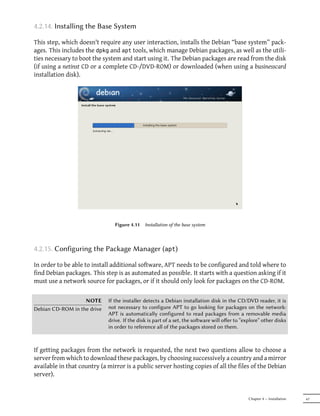
                                as the “model” to copy.
                                $ dpkg --get-selections >pkg-list


                                The pkg-list file then contains the list of installed packages. Next, transfer
                                the pkg-list file on the computers you want to update and use the following
                                commands:
                                # dpkg --set-selections <pkg-list
                                # apt-get dselect-upgrade


                                The first command registers the list of packages you wish to install, then the
                                apt-get invocation executes the required operations! aptitude does not have
                                this command.


                        TIP     It is possible to ask aptitude (or apt-get) to install certain packages and
  Removing and installing at    remove others on the same command line by adding a suffix. With an apti
             the same time      tude install command, add “-” to the names of the packages you wish to
                                remove. With an aptitude remove command, add “+” to the names of the
                                packages you wish to install.
                                The next example shows two different ways to install package1 and to remove
                                package2.
                                # aptitude install package1 package2-
                                [...]


                                                                         Chapter 6 — Maintenance and Updates: The APT Tools   107
# aptitude remove package1+ package2
                                              [...]


                                        TIP   The system can sometimes be damaged aer the removal or modification of
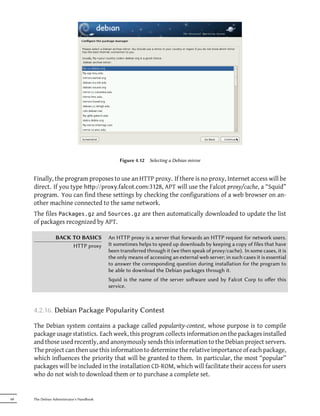
         apt-get --reinstall and              files in a package. The easiest way to retrieve these files is to reinstall the
              aptitude reinstall              affected package. Unfortunately, the packaging system finds that the laer
                                              is already installed and politely refuses to reinstall it; to avoid this, use the --
                                              reinstall option of the apt-get command. The following command reinstalls
                                              postfix even if it is already present:
                                              # apt-get --reinstall install postfix


                                              The aptitude command line is slightly different, but achieves the same result
                                              with aptitude reinstall postfix.
                                              The problem does not arise with       dpkg,   but the administrator rarely uses it
                                              directly.
                                              Be careful, using apt-get --reinstall to restore packages modified during
                                              an aack certainly cannot recover the system as it was. Section 14.6, “Dealing
                                              with a Compromised Machine” (page 404) details the necessary steps to take
                                              with a hacked system.


      If the file sources.list mentions several distributions, it is possible to give the version of the
      package to install. A specific version number can be requested with aptitude install pack
      age=version, but indicating its distribution of origin (Stable, Testing or Unstable) — with aptitu
      de install package/distribution — is usually preferred. With this command, it is possible
      to go back to an older version of a package (if for instance you know that it works well), provided
      that it is still available in one of the sources referenced by the sources.list file. Otherwise
      the snapshot.debian.org archive can come to the rescue (see sidebar “Old package versions:
      snapshot.debian.org” (page 106)).

      # aptitude install spamassassin/unstable


                                       Example 6.2   Installation of the unstable version of spamassassin


                GOING FURTHER                 APT keeps a copy of each downloaded .deb file in the directory /var/cache/
               The cache of .deb files        apt/archives/.   In case of frequent updates, this directory can quickly take a
                                              lot of disk space with several versions of each package; you should regularly
                                              sort through them. Two commands can be used: aptitude clean entirely
                                              empties the directory; aptitude autoclean only removes packages which
                                              cannot be downloaded (because they have disappeared from the Debian mir-
                                              ror) and are therefore clearly useless (the configuration parameter APT::Clean-
                                              Installed can prevent the removal of .deb files that are currently installed).


108   The Debian Administrator's Handbook
6.2.3. System Upgrade

Regular upgrades are recommended, because they include the latest security updates. To up-
grade, use aptitude safe-upgrade or apt-get upgrade (of course after aptitude update).
This command looks for installed packages which can be upgraded without removing any pack-
ages. In other words, the goal is to ensure the least intrusive upgrade possible. apt-get is
slightly more demanding than aptitude because it will refuse to install packages which were
not installed beforehand.

                       TIP   As we explained earlier, the aim of the aptitude update command is to down-
       Incremental upgrade   load for each package source the corresponding Packages (or Sources) file.
                             However, even aer a bzip2 compression, these files can remain rather large
                             (the Packages.bz2 for the main section of Squeeze takes more than 8 MB). If
                             you wish to upgrade regularly, these downloads can take up a lot of time.
                             A “new feature” (available since Etch) is that APT can now download the
                             changes since the previous update, as opposed to the entire file. To achieve
                             this, official Debian mirrors distribute different files which list the differences
                             between one version of the Packages file and the following version. They are
                             generated at each update of the archives and a history of one week is kept.
                             Each of these “diff” files only takes a few dozen kilobytes for Unstable, so that
                             the amount of data downloaded by a weekly aptitude update is oen divided
                             by 10. For distributions like Stable and Testing, which change less, the gain is
                             even more noticeable.
                             However, it can sometimes be of interest to force the download of the entire
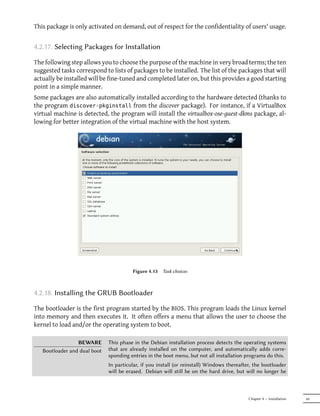
                             Packages.bz2 file, especially when the last upgrade is very old and when the
                             mechanism of incremental differences would not contribute much. This can
                             also be interesting when network access is very fast but when the processor of
                             the machine to upgrade is rather slow, since the time saved on the download
                             is more than lost when the computer calculates the new versions of these files
                             (starting with the older versions and applying the downloaded differences).
                             To do that, you can use the configuration parameter Acquire::Pdiffs and set it
                             to false.


aptitude   will generally select the most recent version number (except for Experimental pack-
ages, which are ignored by default whatever their version number). If you specified Testing or
Unstable in your sources.list, aptitude safe-upgrade will switch most of your Stable system
to Testing or Unstable, which might not be what you intended.
To tell aptitude to use a specific distribution when searching for upgraded packages, you need
to use the option -t or --target-release, followed by the name of the distribution you want (for
example: aptitude -t stable safe-upgrade). To avoid specifying this option every time you
use aptitude, you can add APT::Default-Release "stable"; in the file /etc/apt/apt.conf.d/
local.
For more important upgrades, such as the change from one major Debian versionto the next,
you need to use aptitude full-upgrade (the option used to be named dist-upgrade, for “dis-
tribution upgrade”). With this instruction, aptitude will complete the upgrade even if it has to
remove some obsolete packages or install new dependencies. This is also the command used by


                                                                      Chapter 6 — Maintenance and Updates: The APT Tools   109
users who work daily with the Debian Unstable release and follow its evolution day by day. It is
      so simple that it hardly needs explanation: APT's reputation is based on this great functionality.
      aptitude dist-upgrade is still available as a synonym for aptitude full-upgrade; apt-get
      only recognizes the former.


      6.2.4. Configuration Options

      Besides the configuration elements already mentioned, it is possible to configure certain aspects
      of APT by adding directives in a file of the /etc/apt/apt.conf.d/ directory. Remember for
      instance that it is possible for APT to tell dpkg to ignore file conflict errors by specifying DPkg:
      :Options { "--force-overwrite";}.
      If the Web can only be accessed through a proxy, add a line like Acquire::hp::proxy "hp://
      yourproxy:3128". For an FTP proxy, write Acquire::p::proxy "p://yourproxy". To discover
      more configuration options, read the apt.conf(5) manual page with the command man apt.
      conf (for details on manual pages, see next chapter).

                 BACK TO BASICS             Directories with a .d suffix are used more and more oen. Each directory
             Directories ending in .d       represents a configuration file which is split over multiple files. In this sense,
                                            all of the files in /etc/apt/apt.conf.d/ are instructions for the configuration
                                            of APT. APT includes them in alphabetical order, so that the last ones can
                                            modify a configuration element defined in one of the first ones.
                                            This structure brings some flexibility to the machine administrator and to the
                                            package maintainers. Indeed, the administrator can easily modify the config-
                                            uration of the soware by adding a ready-made file in the directory in ques-
                                            tion without having to change an existing file. Package maintainers use the
                                            same approach when they need to adapt the configuration of another soware
                                            to ensure that it perfectly co-exists with theirs. However, the Debian policy
                                            explicitly forbids modifying configuration files of other packages — only users
                                            are allowed to do this. Remember that during a package upgrade, the user
                                            gets to choose the version of the configuration file that should be kept when
                                            a modification has been detected. Any external modification of the file would
                                            trigger that request, which would disturb the administrator, who is sure not
                                            to have changed anything.
                                            Without a .d directory, it is impossible for an external package to change the
                                            seings of a program without modifying its configuration file. Instead it must
                                            invite the user to do it himself and lists the operations to be done in the file
                                            /usr/share/doc/package/README.Debian.
                                            Depending on the application, the .d directory is used directly or managed
                                            by an external script which will concatenate all the files to create the con-
                                            figuration file itself. It is important to execute the script aer any change
                                            in that directory so that the most recent modifications are taken into ac-
                                            count. In the same way, it is important not to work directly in the con-
                                            figuration file created automatically, since everything would be lost at the
                                            next execution of the script. Choosing one method (.d directory used di-
                                            rectly or a file generated from that directory) is usually imposed by imple-
                                            mentation constraints, but in both cases the gains in terms of configura-
                                            tion flexibility more than make up for the small complications that they en-
                                            tail. The Exim 4 mail server is an example of the generated file method:


110   The Debian Administrator's Handbook
it can be configured through several files (/etc/exim4/conf.d/*) which are
                             concatenated into /var/lib/exim4/config.autogenerated by the update-
                             exim4.conf command.


6.2.5. Managing Package Priorities

One of the most important aspects in the configuration of APT is the management of the pri-
orities associated with each package source. For instance, you might want to extend one dis-
tribution with one or two newer packages from Testing, Unstable or Experimental. It is possible
to assign a priority to each available package (the same package can have several priorities de-
pending on its version or the distribution providing it). These priorities will influence APT's
behavior: for each package, it will always select the version with the highest priority (except if
this version is older than the installed one and if its priority is less than 1000).
APT defines several default priorities. Each installed package version has a priority of 100. A
non-installed version has a priority of 500 by default, but it can jump to 990 if it is part of the
target release (defined with the -t command-line option or the APT::Target-Release configura-
tion directive).
You can modify the priorities by adding entries in the file /etc/apt/preferences with the
names of the affected packages, their version, their origin and their new priority.
APT will never install an older version of a package (that is, a package whose version number is
lower than the one of the currently installed package) except if its priority is higher than 1000.
APT will always install the highest priority package which follows this constraint. If two pack-
ages have the same priority, APT installs the newest one (whose version number is the highest).
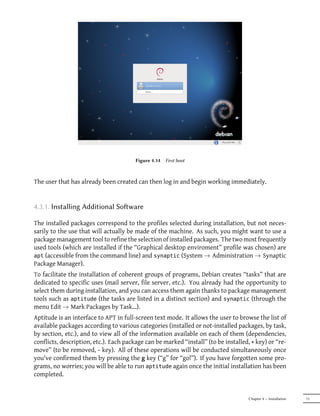
If two packages of same version have the same priority but differ in their content, APT installs
the version that is not installed (this rule has been created to cover the case of a package update
without the increment of the revision number, which is usually required).
In more concrete terms, a package whose priority is less than 0 will never be installed. A pack-
age with a priority ranging between 0 and 100 will only be installed if no other version of the
package is already installed. With a priority between 100 and 500, the package will only be in-
stalled if there is no other newer version installed or available in another distribution. A package
of priority between 500 and 990 will only be installed if there is no newer version installed or
available in the target distribution. With a priority between 990 and 1000, the package will be
installed except if the installed version is newer. A priority greater than 1000 will always lead
to the installation of the package even if it forces APT to downgrade to an older version.
When APT checks /etc/apt/preferences, it first takes into account the most specific entries
(often those specifying the concerned package), then the more generic ones (including for ex-
ample all the packages of a distribution). If several generic entries exist, the first match is used.
The available selection criteria include the package's name and the source providing it. Every
package source is identified by the information contained in a Release file that APT downloads
together with the Packages.gz files. It specifies the origin (usually “Debian” for the packages of
official mirrors, but it can also be a person's or an organization's name for third-parties reposi-


                                                                   Chapter 6 — Maintenance and Updates: The APT Tools   111
tories). It also gives the name of the distribution (usually Stable, Testing, Unstable or Experimental
      for the standard distributions provided by Debian) together with its version (for example 5.0
      for Debian Lenny). Let's have a look at its syntax through some realistic case studies of this
      mechanism.


                   SPECIFIC CASE            If you listed Experimental in your sources.list file, the corresponding pack-
             Priority of experimental       ages will almost never be installed because their default APT priority is 1.
                                            This is of course a specific case, designed to keep users from installing Ex-
                                            perimental packages by mistake. The packages can only be installed by typ-
                                            ing aptitude install package/experimental — users typing this command
                                            can only be aware of the risks that they take. It is still possible (though not
                                            recommended) to treat packages of Experimental like those of other distribu-
                                            tions by giving them a priority of 500. This is done with a specific entry in
                                            /etc/apt/preferences:

                                            Package: *
                                            Pin: release a=experimental
                                            Pin-Priority: 500


      Let's suppose that you only want to use packages from the stable version of Debian. Those
      provided in other versions should not be installed except if explicitly requested. You could
      write the following entries in the /etc/apt/preferences file:
      Package: *
      Pin: release a=stable
      Pin-Priority: 900

      Package: *
      Pin: release o=Debian
      Pin-Priority: -10


      a=stable defines the name of the selected distribution. o=Debian limits the scope to packages
      whose origin is “Debian”.
      Let's now assume that you have a server with several local programs depending on the version
      5.10 of Perl and that you want to ensure that upgrades will not install another version of it. You
      could use this entry:
      Package: perl
      Pin: version 5.10*
      Pin-Priority: 1001


      The reference documentation for this configuration file is available in the manual page apt_-
      preferences(5), which you can display with man apt_preferences.


112   The Debian Administrator's Handbook
TIP    There is no official syntax to put comments in the /etc/apt/preferences file,
    Comments in /etc/apt/     but some textual descriptions can be provided by puing one or more “Expla
               preferences    nation” fields at the start of each entry:
                              Explanation: The package xserver-xorg-video-intel provided
                              Explanation: in experimental can be used safely
                              Package: xserver-xorg-video-intel
                              Pin: release a=experimental
                              Pin-Priority: 500


6.2.6. Working with Several Distributions

aptitude being such a marvelous tool, it is tempting to pick packages coming from other distri-
butions. For example, after having installed a Stable system, you might want to try out a software
available in Testing or Unstable without diverging too much from the system's initial state.
Even if you will occasionnaly encounter problems while mixing packages from different distri-
butions, aptitude manages such coexistence very well and limits risks very effectively. The
best way to proceed is to list all distributions used in /etc/apt/sources.list (some people al-
ways put the three distributions, but remember that Unstable is reserved for experienced users)
and to define your reference distribution with the APT::Default-Release parameter (see Sec-
tion 6.2.3, “System Upgrade” (page 109)).
Let's suppose that Stable is your reference distribution but that Testing and Unstable are also listed
in your sources.list file. In this case, you can use aptitude install package/testing to
install a package from Testing. If the installation fails due to some unsatisfiable dependencies,
let it solve those dependencies within Testing by adding the -t testing parameter. The same
obviously applies to Unstable.
In this situation, upgrades (safe-upgrade and dist-upgrade) are done within Stable except for
packages already upgraded to an other distribution: those will follow updates available in the
other distributions. We'll explain this behavior with the help of the default priorities set by APT
below. Do not hesitate to use apt-cache policy (see sidebar) to verify the given priorities.
Everything centers around the fact that APT only considers packages of higher or equal ver-
sion than the installed one (assuming that /etc/apt/preferencs has not been used to force
priorities higher than 1000 for some packages).

                       TIP    To gain a beer understanding of the mechanism of priority, do not hesitate
          apt-cache policy    to execute apt-cache policy to display the default priority associated with
                              each package source. You can also use apt-cache policy package to display
                              the priorities of all available versions of a given package.


Let's assume that you have installed version 1 of a first package from Stable and that version 2
and 3 are available respectively in Testing and Unstable. The installed version has a priority of 100
but the version available in Stable (the very same) has a priority of 990 (because it is part of the


                                                                     Chapter 6 — Maintenance and Updates: The APT Tools   113
target release). Packages in Testing and Unstable have a priority of 500 (the default priority of a
      non-installed version). The winner is thus version 1 with a priority of 990. The package “stays
      in Stable”.
      Let's take the example of another package whose version 2 has been installed from Testing. Ver-
      sion 1 is available in Stable and version 3 in Unstable. Version 1 (of priority 990 — thus lower
      than 1000) is discarded because it is lower than the installed version. This only leaves version 2
      and 3, both of priority 500. Faced with this alternative, APT selects the newest version, the one
      from Unstable.If you don't want a package installed from Testing to migrate to Unstable, you have
      to assign a priority lower than 500 (490 for example) to packages coming from Unstable. You can
      modify /etc/apt/preferences to this effect:

      Package: *
      Pin: release a=unstable
      Pin-Priority: 490


      6.3. The apt-cache Command

      The apt-cache command can display much of the information stored in APT's internal
      database. This information is a sort of cache since it is gathered from the different sources
      listed in the sources.list file. This happens during the aptitude update operation.


                      VOCABULARY            A cache is a temporary storage system used to speed up frequent data access
                            Cache           when the usual access method is expensive (performance-wise). This concept
                                            can be applied in numerous situations and at different scales, from the core
                                            of microprocessors up to high-end storage systems.
                                            In the case of APT, the reference Packages files are those located on Debian
                                            mirrors. That said, it would be very ineffective to go through the network
                                            for every search that we might want to do in the database of available pack-
                                            ages. That is why APT stores a copy of those files (in /var/lib/apt/lists/)
                                            and searches are done within those local files. Similarly, /var/cache/apt/
                                            archives/ contains a cache of already downloaded packages to avoid down-
                                            loading them again if you need to reinstall them aer a removal.


      The apt-cache command can do keyword-based package searches with apt-cache search
      keyword. It can also display the headers of the package's available versions with apt-cache
      show package. This command provides the package's description, its dependencies, the name
      of its maintainer, etc. Note that aptitude search and aptitude show work in the same way.
      Some features are more rarely used. For instance, apt-cache policy displays the priorities of
      package sources as well as those of individual packages. Another example is apt-cache dumpa
      vail which displays the headers of all available versions of all packages. apt-cache pkgnames
      displays the list of all the packages which appear at least once in the cache.


114   The Debian Administrator's Handbook
6.4. Frontends:     aptitude, synaptic

APT is a C++ program whose code mainly resides in the libapt-pkg shared library. Using a
shared library facilitates the creation of user interfaces (front-ends), since the code contained
in the library can easily be reused. Historically, apt-get was only designed as a test front-end
for libapt-pkg but its success tends to obscure this fact.


6.4.1.   aptitude

aptitude is an interactive program that can be used in semi-graphical mode on the console. You
can browse the list of installed and available packages, look up all the available information,
and select packages to install or remove. The program is designed specifically to be used by
administrators, so that its default behaviors are much more intelligent than apt-get's, and its
interface much easier to understand.


                               Figure 6.1   The aptitude package manager


When it starts, aptitude shows a list of packages sorted by state (installed, non-installed, or
installed but not available on the mirrors — other sections display tasks, virtual packages, and
new packages that appeared recently on mirrors). To facilitate thematic browsing, other views
are available. In all cases, aptitude displays a list combining categories and packages on the
screen. Categories are organized through a tree structure, whose branches can respectively
be unfolded or closed with the Enter, [ and ] keys. + should be used to mark a package for in-
stallation, - to mark it for removal and _ to purge it (note than these keys can also be used for
categories, in which case the corresponding actions will be applied to all the packages of the


                                                                      Chapter 6 — Maintenance and Updates: The APT Tools   115
category). u updates the lists of available packages and Shift+u prepares a global system up-
      grade. g switches to a summary view of the requested changes (and typing g again will apply
      the changes), and q quits the current view. If you are in the initial view, this will effectively
      close aptitude.

               DOCUMENTATION                This section does not cover the finer details of using aptitude, it rather focuses
                                 aptitude   on giving you a survival kit to use it. aptitude is rather well documented
                                            and we advise you to use its complete manual available in the aptitude-doc-en
                                            package.
                                            ² file:///usr/share/doc/aptitude/html/en/index.html


      To search for a package, you can type / followed by a search pattern. This pattern matches
      the name of the package, but can also be applied to the description (if preceded by ~d), to the
      section (with ~s) or to other characteristics detailed in the documentation. The same patterns
      can filter the list of displayed packages: type the l key (as in limit) and enter the pattern.


      6.4.1.1. Tracking Automatically Installed Packages

      One of the essential functionnalities of aptitude (which has also been integrated to apt-get
      since Lenny) is the tracking of packages installed only through dependencies. These packages
      are called “automatic” and are tagged with an “A” in the list of packages — they often include
      libraries for instance. When a package is removed, the corresponding automatic packages are
      also selected for removal unless another “manually installed” package depends on them. It is
      possible to mark a package as automatic (with Shift+m) or to remove the mark (m key). When
      maintaining a system with aptitude, it is a good habit to mark as automatic any package that
      you don't need directly so that they are automatically removed when they aren't necessary
      anymore. You can either navigate the list of installed packages and play with Shift+m, or apply
      the flag to entire sections (for example the libs section). This habit can help you to keep your
      system tidy and offers a simple way to visualize the packages in use on a machine, without all
      the libraries and dependencies that you don't really care about. The related pattern that can be
      used with l (to activate the filter mode) is ~i!~M. It specifies that you only want to see installed
      packages (~i) not marked as automatic (!~M).
      People might want to know why an automatically installed package is present on the system.
      To get this information from the command-line, you can use aptitude why package:
      $ aptitude why python-debian
      i   aptitude         Recommends apt-xapian-index
      i A apt-xapian-index Depends    python-debian (>= 0.1.15)


         WORTH FOLLOWING                    Some of the advantages that aptitude historically had over apt-get have re-
      Recent evolutions of apt-get          cently disappeared. For instance, since the release of Lenny, apt-get memo-
                     and aptitude           rizes the packages that have been installed only to satisfy dependencies, just


116   The Debian Administrator's Handbook
like aptitude has always done. It can also follow recommendations expressed
                             by one package on another.
                             Among the recent evolutions of aptitude, a new version with a graphical in-
                             terface is currently being developed. Even if it's available in Squeeze (in the
                             separate aptitude-gtk package), it's not complete yet and is subject to stability
                             issues.


                   TOOL      Most of aptitude's features are accessible via the interactive interface as well
     Using aptitude on the   as via command-lines. These command-lines will seem familiar to regular
    command-line interface   users of apt-get and apt-cache.
                             The advanced features of aptitude are also available on the command-line.
                             You can use the same package search paerns as in the interactive version.
                             For example, if you want to run the previously suggested cleanup of “auto-
                             matic” packages, and if you know that none of the locally installed programs
                             require any particular libraries or Perl modules, you can mark the correspond-
                             ing packages as automatic with a single command:
                             # aptitude markauto '~slibs|~sperl'


                             Here, you can clearly see the power of the search paern system of aptitude,
                             which enables the instant selection of all the packages in the libs and perl
                             sections.
                             Beware, if some packages are marked as automatic and if no other package
                             depends on them, they will be removed immediately (aer a confirmation
                             request).


           ALTERNATIVE       Before aptitude came to life with its tracking of automatic packages, there
   deborphanand debfoster    were two utilities producing lists of unnecessary packages: deborphan and
                             debfoster.

                             deborphan   is the most rudimentary of both. It simply scans the libs and old
                             libs sections (in the absence of supplementary instructions) looking for the
                             packages that are currently installed and that no other packages depends on.
                             The resulting list can then serve as a basis to remove unneeded packages.
                             debfoster has a more elaborate approach, very similar to aptitude's: it main-
                             tains a list of packages that have been explicitly installed, and remembers
                             what packages are really required between each invocation. If new packages
                             appear on the system and if debfoster doesn't know them as required pack-
                             ages, they will be shown on the screen together with a list of their dependen-
                             cies. The program then offers a choice: remove the package (possibly together
                             with those that depend on it), mark it as explicitly required, or ignore it tem-
                             porarily.


6.4.1.2. Managing Recommendations, Suggestions and Tasks

Another interesting feature of aptitude is the fact that it respects recommendations between
packages while still giving users the choice not to install them on a case by case basis. For ex-
ample, the gnome-desktop-environment package recommends gnome-accessibility (among others).


                                                                       Chapter 6 — Maintenance and Updates: The APT Tools   117
When you select the former for installation, the latter will also be selected (and marked as auto-
      matic if not already installed on the system). Typing g will make it obvious: gnome-accessibility
      appears on the summary screen of pending actions in the list of packages installed automati-
      cally to satisfy dependencies. However, you can decide not to install it by deselecting it before
      confirming the operations.
      Note that this recommendation tracking feature does not apply to upgrades. For instance, if
      a new version of gnome-desktop-environment recommends a package that it did not recommend
      formerly, the package won't be marked for installation. However, it will be listed on the upgrade
      screen so that the administrator can still select it for installaion.
      Suggestions between packages are also taken into account, but in a manner adapted to their
      specific status. For example, since gnome-desktop-environment suggests gnome-audio, the latter
      will be displayed on the summary screen of pending actions (in the section of packages sug-
      gested by other packages). This way, it is visible and the administrator can decide whether to
      take the suggestion into account or not. Since it is only a suggestion and not a dependency
      or a recommendation, the package will not be selected automatically — its selection requires a
      manual intervention from the user (thus, the package will not be marked as automatic).
      In the same spirit, remember that aptitude makes intelligent use of the concept of task. Since
      tasks are displayed as categories in the screens of package lists, you can either select a full task
      for installation or removal, or browse the list of packages included in the task to select a smaller
      subset.


      6.4.1.3. Beer Solver Algorithms

      To conclude this section, let's note that aptitude has more elaborate algorithms compared to
      apt-get when it comes to resolving difficult situations. When a set of actions is requested and
      when these combined actions would lead to an incoherent system, aptitude evaluates several
      possible scenarios and presents them in order of decreasing relevance. However, these algo-
      rithms are not failproof. Fortunately there is always the possibility to manually select the ac-
      tions to perform. When the currently selected actions lead to contradictions, the upper part
      of the screen indicates a number of “broken” packages (and you can directly navigate to those
      packages by pressing b). It is then possible to manually build a solution for the problems found.
      In particular, you can get access to the different available versions by simply selecting the pack-
      age with Enter. If the selection of one of these versions solves the problem, you should not hesi-
      tate to use the function. When the number of broken packages gets down to zero, you can safely
      go the summary screen of pending actions for a last check before you apply them.

                                 NOTE       Like dpkg, aptitude keeps a trace of executed actions in its logfile (/var/log/
                          aptitude's log    aptitude). However, since both commands work at a very different level, you
                                            cannot find the same information in their respective logfiles. While dpkg logs
                                            all the operations executed on individual packages step by step, aptitude gives
                                            a broader view of high-level operations like a system-wide upgrade.
                                            Beware, this logfile only contains a summary of operations performed by apt
                                            itude. If other front-ends (or even dpkg itself) are occasionaly used, then


118   The Debian Administrator's Handbook
aptitude's   log will only contain a partial view of the operations, so you can't
                            rely on it to build a trustworthy history of the system.


6.4.2.   synaptic

synaptic is a graphical package manager for Debian which features a clean and efficient graph-
ical interface based on GTK+/GNOME. Its many ready-to-use filters give fast access to newly
available packages, installed packages, upgradable packages, obsolete packages and so on. If
you browse through these lists, you can select the operations to be done on the packages (in-
stall, upgrade, remove, purge); these operations are not performed immediately, but put into a
task list. A single click on a button then validates the operations, and they are performed in one
go.


                                 Figure 6.2   synaptic   package manager


6.5. Checking Package Authenticity

Security is very important for Falcot Corp administrators. Accordingly, they need to ensure
that they only install packages which are guaranteed to come from Debian with no tampering
on the way. A computer cracker could try to add malicious code to an otherwise legitimate
package. Such a package, if installed, could do anything the cracker designed it to do, including
for instance disclosing passwords or confidential information. To circumvent this risk, Debian


                                                                           Chapter 6 — Maintenance and Updates: The APT Tools   119
provides a tamper-proof seal to guarantee — at install time — that a package really comes from
      its official maintainer and hasn't been modified by a third party.
      The seal works with a chain of cryptographical hashes and a signature. The signed file is the
      Release file, provided by the Debian mirrors. It contains a list of the Packages files (including
      their compressed forms, Packages.gz and Packages.bz2, and the incremental versions), along
      with their MD5, SHA1 and SHA256 hashes, which ensures that the files haven't been tampered
      with. These Packages files contain a list of the Debian packages available on the mirror, along
      with their hashes, which ensures in turn that the contents of the packages themselves haven't
      been altered either.
      The trusted keys are managed with the apt-key command found in the apt package. This pro-
      gram maintains a keyring of GnuPG public keys, which are used to verify signatures in the
      Release.gpg files available on the mirrors. It can be used to add new keys manually (when
      non-official mirrors are needed). Generally however, only the official Debian keys are needed.
      These keys are automatically kept up-to-date by the debian-archive-keyring package (which in-
      vokes apt-key when it is installed or upgraded). However, the first installation of this particu-
      lar package requires caution: even if the package is signed like any other, the signature cannot
      be verified externally. Cautious administrators should therefore check the fingerprints of im-
      ported keys before trusting them to install new packages:
      # apt-key fingerprint
      /etc/apt/trusted.gpg
      --------------------
      pub   1024D/F42584E6 2008-04-06 [expires: 2012-05-15]
          Key fingerprint = 7F5A 4445 4C72 4A65 CBCD 4FB1 4D27 0D06 F425 84E6
      uid                  Lenny Stable Release Key <debian-release@lists.debian.org>

      pub   4096R/55BE302B 2009-01-27 [expires: 2012-12-31]
          Key fingerprint = 150C 8614 919D 8446 E01E 83AF 9AA3 8DCD 55BE 302B
      uid                  Debian Archive Automatic Signing Key (5.0/lenny) <ftpmaster@debian.org>

      pub   2048R/6D849617 2009-01-24 [expires: 2013-01-23]
          Key fingerprint = F6CF DE30 6133 3CE2 A43F DAF0 DFD9 9330 6D84 9617
      uid                  Debian-Volatile Archive Automatic Signing Key (5.0/lenny)

      pub   4096R/B98321F9 2010-08-07 [expires: 2017-08-05]
          Key fingerprint = 0E4E DE2C 7F3E 1FC0 D033 800E 6448 1591 B983 21F9
      uid                  Squeeze Stable Release Key <debian-release@lists.debian.org>

      pub   4096R/473041FA 2010-08-27 [expires: 2018-03-05]
          Key fingerprint = 9FED 2BCB DCD2 9CDF 7626 78CB AED4 B06F 4730 41FA
      uid                  Debian Archive Automatic Signing Key (6.0/squeeze) <ftpmaster@debian.org>


                      IN PRACTICE           When a third-party package source is added to the sources.list file, APT
                  Adding trusted keys       needs to be told about the corresponding GPG trusted key (otherwise it will
                                            keep complaining that it can't ensure the authenticity of the packages coming
                                            from that repository). The first step is of course to get the public key. More
                                            oen than not, the key will be provided as a small text file, which we'll call
                                            key.asc in the following examples.

                                            To add the key to the trusted keyring, the administrator can run apt-key a
                                            dd < key.asc. Another way is to use the synaptic graphical interface: its


120   The Debian Administrator's Handbook
“Authentication” tab in the Seings → Repositories menu gives the possibility
                             of importing a key from the key.asc file.
                             For people who would want a dedicated application and more details on the
                             trusted keys, it is possible to use gui-apt-key (in the package of the same
                             name), a small graphical user interface which manages the trusted keyring.


Once the appropriate keys are in the keyring, APT will check the signatures before any risky op-
eration, so that front-ends will display a warning if asked to install a package whose authenticity
can't be ascertained.


6.6. Upgrading from One Stable Distribution to the Next

One of the best-known features of Debian is its ability to upgrade an installed system from one
stable release to the next: dist-upgrade — a well-known phrase — has largely contributed to the
project's reputation. With a few precautions, upgrading a computer can take as little as a few
or a few dozen minutes depending on the download speed from the package repositories.


6.6.1. Recommended Procedure

Since Debian has quite some time to evolve in-between stable releases, you should read the
release notes before upgrading.

        BACK TO BASICS       The release notes for an operating system (and, more generally, for any so-
            Release notes    ware) are a document giving an overview of the soware, with some details
                             concerning the particularities of one version. These documents are generally
                             short compared to the complete documentation, and they usually list the fea-
                             tures which have been introduced since the previous version. They also give
                             details on upgrading procedures, warnings for users of previous versions, and
                             sometimes errata.
                             Release notes are available online: the release notes for the current stable
                             release have a dedicated URL, while older release notes can be found with
                             their codenames:
                             ² http://www.debian.org/releases/stable/releasenotes
                             ² http://www.debian.org/releases/lenny/releasenotes


In this section, we will focus on upgrading a Lenny system to Squeeze. This is a major operation
on a system; as such, it is never 100% risk-free, and should not be attempted before all important
data has been backed up.
Another good habit which makes the upgrade easier (and shorter) is to tidy your installed pack-
ages and keep only the ones that are really needed. Helpful tools to do that include aptitude,
deborphan and debfoster (see Section 6.4.1, “aptitude ” (page 115)). For example, you can
use the following command:


                                                                     Chapter 6 — Maintenance and Updates: The APT Tools   121
# deborphan | xargs aptitude remove


      Now for the upgrading itself. First, you need to change the /etc/apt/sources.list file to tell
      APT to get its packages from Squeeze instead of Lenny. If the file only contains references to
      Stable rather than explicit codenames, the change isn't even required, since Stable always refers
      to the latest released version of Debian. In both cases, the database of available packages must
      be refreshed (with the aptitude update command or the refresh button in synaptic).
      Once these new package sources are registered, you need to upgrade the aptitude and apt pack-
      ages; their versions in Lenny have some limitations that could compromise the automatic up-
      grade.
      Remember to upgrade (or install) the most essential packages listed below, otherwise you might
      find that your system is unbootable:

            • the bootloader grub-pc or grub-legacy (sometimes lilo);

            • the tools that build the initial ramdisk (initrd): initramfs-tools;

            • the standard library: libc6 or one of its optimized variants such as libc6-i686;

            • the management system for device files: udev;

            • last but not least, the kernel: depending on the hardware, the metapackages to use are
              linux-image-486, linux-image-686 or linux-image-686-bigmem. These packages will only work
              for the i386 architecture; owners of computers based on different hardware will use other
              packages, most likely linux-image-2.6-amd64 for AMD64 or linux-image-powerpc* for Pow-
              erPC).

      Once these first steps are done, it is time to handle the upgrade itself, either with aptitude or
      synaptic. You should carefully check the suggested actions before applying them: you might
      want to add suggested packages or deselect packages which are only recommended and known
      not to be useful. In any case, the front-end should come up with a scenario ending in a coherent
      and up-to-date Squeeze system. Then, all you need is to do is wait while the required packages
      are downloaded, answer the Debconf questions and possibly those about locally modified con-
      figuration files, and sit back while APT does its magic.


      6.6.2. Handling Problems aer an Upgrade

      In spite of the Debian maintainers' best efforts, a major system upgrade isn't always as smooth
      as you could wish. New software versions may be incompatible with previous ones (for in-
      stance, their default behavior or their data format may have changed). Also, some bugs may
      slip through the cracks despite the testing phase which always precedes a Debian release.
      To anticipate some of these problems, you can install the apt-listchanges package, which displays
      information about possible problems at the beginning of a package upgrade. This information is


122   The Debian Administrator's Handbook
compiled by the package maintainers and put in /usr/share/doc/package/NEWS.Debian files
for the benefit of users. Reading these files (possibly through apt-listchanges) should help you
avoid bad surprises.
You might sometimes find that the new version of a software doesn't work at all. This gen-
erally happens if the application isn't particularly popular and hasn't been tested enough; a
last-minute update can also introduce regressions which are only found after the stable release.
In both cases, the first thing to do is to have a look at the bug tracking system at hp://bugs.
debian.org/package, and check whether the problem has already been reported. If it hasn't,
you should report it yourself with reportbug. If it is already known, the bug report and the
associated messages are usually an excellent source of information related to the bug:

    • sometimes a patch already exists, and it is available on the bug report; you can then
      recompile a fixed version of the broken package locally (see Section 15.1, “Rebuilding a
      Package from its Sources” (page 412));
    • in other cases, users may have found a workaround for the problem and shared their
      insights about it in their replies to the report;
    • in yet other cases, a fixed package may have already been prepared and made public by
      the maintainer.

Depending on the severity of the bug, a new version of the package may be prepared specifically
for a new revision of the stable release. When this happens, the fixed package is made available
in the proposed-updates section of the Debian mirrors (see Section 6.1.1.1, “Stable Updates”
(page 104)). The corresponding entry can then be temporarily added to the sources.list file,
and updated packages can be installed with apt-get or aptitude.
Sometimes the fixed package isn't available in this section yet because it is pending a validation
by the Stable Release Managers. You can verify if that's the case on their web page. Packages
listed there aren't available yet, but at least you know that the publication process is ongoing.
² http://release.debian.org/proposed-updates/stable.html


6.7. Keeping a System Up to Date

The Debian distribution is dynamic and changes continually. Most of the changes are in the
Testing and Unstable versions, but even Stable is updated from time to time, mostly for security-
related fixes. Whatever version of Debian a system runs, it is generally a good idea to keep it up
to date, so that you can get the benefit of recent evolutions and bug fixes.
While it is of course possible to periodically run a tool to check for available updates and run the
upgrades, such a repetitive task is tedious, especially when it needs to be performed on several
machines. Fortunately, like many repetitive tasks, it can be partly automated, and a set of tools
have already been developed to that effect.
The first of these tools is apticron, in the package of the same name. Its main effect is to run
a script daily (via cron). The script updates the list of available packages, and, if some installed


                                                                  Chapter 6 — Maintenance and Updates: The APT Tools   123
packages are not in the latest available version, it sends an email with a list of these packages
      along with the changes that have been made in the new versions. Obviously, this package mostly
      targets users of Debian Stable, since the daily emails would be very long for the more mobile
      versions of Debian. When updates are available, apticron automatically downloads them. It
      does not install them — the administrator will still do it — but having the packages already
      downloaded and available locally (in APT's cache) makes the job faster.
      Administrators in charge of several computers will no doubt appreciate being informed of pend-
      ing upgrades, but the upgrades themselves are still as tedious as they used to be, which is where
      the /etc/cron.daily/apt script (in the apt package) comes in handy. This script is also run
      daily (and non-interactively) by cron. To control its behavior, use APT configuration variables
      (which are therefore stored in a file under /etc/apt/apt.conf.d/). The main three variables
      are:


      APT::Periodic::Update-Package-Lists This option allows you to specify the frequency (in
          days) at which the package lists are refreshed. apticron users can do without this vari-
          able, since apticron already does this task.


      APT::Periodic::Download-Upgradeable-Packages Again, this option indicates a fre-
          quency (in days), this time for the downloading of the actual packages. Again, apticron
          users won't need it.


      APT::Periodic::AutocleanInterval This last option covers a feature that apticron doesn't
          have. It controls how often obsolete packages (those not referenced by any distribution
          anymore) are removed from the APT cache. This keeps the APT cache at a reasonable size
          and means that you don't need to worry about that task.


      Other options can allow you to control the cache cleaning behavior with more precision. They
      are not listed here, but they are described in the /etc/cron.daily/apt script.
      These tools work very well for servers, but desktop users generally prefer a more interactive
      system. That is why the “Graphical desktop environment” task installs update-notifier and
      update-manager. The former displays an icon in the notification area of desktop environments
      when updates are available; clicking on this icon then runs update-manager, a simplified inter-
      face to perform updates. You can browse through available updates, read the description of the
      relevant packages and their changelog, and select whether to apply the update or not on a case-
      by-case basis. Note that these packages contain configuration data for /etc/cron.daily/apt
      so that it refreshes the lists of available packages and downloads the relevant ones. The update-
      notifier/update-manager combination is far from having as many features as aptitude and
      synaptic, since it only handles the upgrades of packages which are already installed; as a con-
      sequence, its minimalistic interface leaves little room for mistakes, and therefore little risk of
      breaking the system.


124   The Debian Administrator's Handbook
Figure 6.3   Upgrading with update-manager


6.8. Automatic Upgrades

Since Falcot Corp has many computers but only limited manpower, its administrators try to
make upgrades as automatic as possible. The programs in charge of these processes must there-
fore run with no human intervention.


6.8.1. Configuring dpkg

As we have already mentioned (see sidebar “Avoiding the configuration file questions” (page
87)), dpkg can be instructed not to ask for confirmation when replacing a configuration file
(with the --force-confdef --force-confold options). Interactions can, however, have three other
sources: some come from APT itself, some are handled by debconf, and some happen on the
command line due to package configuration scripts.


                                                                     Chapter 6 — Maintenance and Updates: The APT Tools   125
6.8.2. Configuring APT

      The case of APT is simple: the -y option (or --assume-yes) tells APT to consider the answer to
      all its questions to be “yes”.


      6.8.3. Configuring debconf

      The case of debconf deserves more details. This program was, from its inception, designed to
      control the relevance and volume of questions displayed to the user, as well as the way they are
      shown. That is why its configuration requests a minimal priority for questions; only questions
      above the minimal priority are displayed. debconf assumes the default answer (defined by the
      package maintainer) for questions which it decided to skip.
      The other relevant configuration element is the interface used by the front-end. If you choose
      noninteractive out of the choices, all user interaction is disabled. If a package tries to display
      an informative note, it will be sent to the administrator by email.
      To reconfigure debconf, use the dpkg-reconfigure tool from the debconf package; the relevant
      command is dpkg-reconfigure debconf. Note that the configured values can be temporarily
      overridden with environment variables when needed (for instance, DEBIAN_FRONTEND controls
      the interface, as documented in the debconf(7) manual page).


      6.8.4. Handling Command Line Interactions

      The last source of interactions, and the hardest to get rid of, is the configuration scripts run
      by dpkg. There is unfortunately no standard solution, and no answer is overwhelmingly better
      than another.
      The common approach is to suppress the standard input by redirecting the empty content of
      /dev/null into it with command </dev/null, or to feed it with an endless stream of newlines.
      None of these methods are 100 % reliable, but they generally lead to the default answers being
      used, since most scripts consider a lack of reply as an acceptance of the default value.


      6.8.5. The Miracle Combination

      By combining the previous elements, it is possible to design a small but rather reliable script
      which can handle automatic upgrades.

      export DEBIAN_FRONTEND=noninteractive
      yes '' | apt-get -y -o Dpkg::Options::="--force-confdef" -o Dpkg::Options
          ¯ ::="--force-confold" dist-upgrade

                                            Example 6.3   Non-interactive upgrade script


126   The Debian Administrator's Handbook
IN PRACTICE       Falcot computers are a heterogeneous system, with machines having various
       The Falcot Corp case   functions. Administrators will therefore pick the most relevant solution for
                              each computer.
                              In practice, the servers running Squeeze are configured with the “miracle com-
                              bination” above, and are kept up to date automatically. Only the most critical
                              servers (the firewalls, for instances) are set up with apticron, so that upgrades
                              always happen under the supervision of an administrator.
                              The office workstations in the administrative services also run Squeeze, but
                              they are configured with the update-notifier/update-manager combination,
                              so that users trigger the upgrades themselves. The rationale for this decision
                              is that if upgrades happen without an explicit action, the behavior of the com-
                              puter might change unexpectedly, which could cause confusion for the main
                              users.
                              In the lab, the few computers using Testing — to take advantage of the latest
                              soware versions — are not upgraded automatically either. Administrators
                              only configure APT to prepare the upgrades but not enact them; when they
                              decide to upgrade (manually), the tedious parts of refreshing package lists and
                              downloading packages will be avoided, and administrators can focus on the
                              really useful part.


6.9. Searching for Packages

With the large and ever-growing amount of software in Debian, there emerges a paradox: De-
bian usually has a tool for most tasks, but that tool can be very difficult to find amongst the
myriad other packages. The lack of appropriate ways to search for (and to find) the right tool
has long been a problem. Fortunately, this problem has almost entirely been solved.
The most trivial search possible is looking up an exact package name. If apt-cache show pac
kage returns a result, then the package exists. Unfortunately, this requires knowing or even
guessing the package name, which isn't always possible.

                      TIP     Some categories of packages are named according to a conventional naming
Package naming conventions    scheme; knowing the scheme can sometimes allow you to guess exact pack-
                              age names. For instance, for Perl modules, the convention says that a mod-
                              ule called XML::Handler::Composer upstream should be packaged as libxml-
                              handler-composer-perl. The library enabling the use of the gconf system from
                              Python is packaged as python-gconf. It is unfortunately not possible to define
                              a fully general naming scheme for all packages, even though package main-
                              tainers usually try to follow the choice of the upstream developers.


A slightly more successful searching pattern is a plain-text search in package names, but it re-
mains very limited. You can generally find results by searching package descriptions: since
each package has a more or less detailed description in addition to its package name, a keyword
search in these descriptions will often be useful. apt-cache is the tool of choice for this kind of
search; for instance, apt-cache search video will return a list of all packages whose name or
description contains the keyword “video”.


                                                                        Chapter 6 — Maintenance and Updates: The APT Tools   127
For more complex searches, a more powerful tool such as aptitude is required. aptitude al-
      lows you to search according to a logical expression based on the package's meta-data fields.
      For instance, the following command searches for packages whose name contains kino, whose
      description contains video and whose maintainer's name contains paul:
      $ aptitude search kino~dvideo~mpaul
      p   kino - Non-linear editor for Digital Video data
      $ aptitude show kino
      Package: kino
      State: not installed
      Version: 1.3.4-1+b1
      Priority: extra
      Section: video
      Maintainer: Paul Brossier <piem@debian.org>
      Uncompressed Size: 9519k
      Depends: libasound2 (> 1.0.18), libatk1.0-0 (>= 1.20.0),
               libavc1394-0 (>= 0.5.3), libavcodec52 (>= 4:0.5+svn20090706-3) |
               libavcodec-extra-52 (>= 4:0.5+svn20090706-3), libavformat52
               […]
      Recommends: ffmpeg, gawk | mawk, curl
      Suggests: udev | hotplug, vorbis-tools, sox, mjpegtools, lame, ffmpeg2theora
      Conflicts: kino-dvtitler, kino-timfx, kinoplus
      Replaces: kino-dvtitler, kino-timfx, kinoplus
      Provides: kino-dvtitler, kino-timfx, kinoplus
      Description: Non-linear editor for Digital Video data
       Kino allows you to record, create, edit, and play movies recorded with
       DV camcorders. This program uses many keyboard commands for fast
       navigating and editing inside the movie.

       The kino-timfx, kino-dvtitler and kinoplus sets of plugins, formerly
       distributed as separate packages, are now provided with Kino.
      Homepage: http://www.kinodv.org/

      Tags: hardware::camera, implemented-in::c, implemented-in::c++,
            interface::x11, role::program, scope::application,
            suite::gnome, uitoolkit::gtk, use::editing,
            works-with::video, x11::application


      The search only returns one package, kino, which satisfies all three criteria.
      Even these multi-criteria searches are rather unwieldy, which explains why they are not used as
      much as they could. A new tagging system has therefore been developed, and it provides a new
      approach to searching. Packages are given tags that provide a thematical classification along
      several strands, known as a “facet-based classification”. In the case of kino above, the package's
      tags indicate that Kino is a Gnome-based software that works on video data and whose main


128   The Debian Administrator's Handbook
purpose is editing.
Browsing this classification can help you to search for a package which corresponds to known
needs; even if it returns a (moderate) number of hits, the rest of the search can be done man-
ually. To do that, you can use the ~G search pattern in aptitude, but it is probably easier to
simply navigate the site where tags are managed:
² http://debtags.alioth.debian.org/cloud/
Selecting the works-with::video and use::editing tags yields a handful of packages, including
the kino and pitivi video editors. This system of classification is bound to be used more and more
as time goes on, and package managers will gradually provide efficient search interfaces based
on it.
To sum up, the best tool for the job depends on the complexity of the search that you wish to
do:

    • apt-cache only allows searching in package names and descriptions, which is very con-
      venient when looking for a particular package that matches a few target keywords;

    • when the search criteria also include relationships between packages or other meta-data
      such as the name of the maintainer, synaptic will be more useful;

    • when a tag-based search is needed, a good tool is packagesearch, a graphical interface
      dedicated to searching available packages along several criteria (including the names of
      the files that they contain);

    • finally, when the searches involve complex expressions with logic operations, the tool of
      choice will be aptitude's search pattern syntax, which is quite powerful despite being
      somewhat obscure; it works in both the command-line and the interactive modes.


                                                                Chapter 6 — Maintenance and Updates: The APT Tools   129
Keywords

  Documentation
Solving problems
         Log files
README.Debian
          Manual
             info
Chapter


    Solving Problems and                                                                         7
         Finding Relevant
              Information
                                                                                                   Contents

                                                      Documentation Sources 132       Common Procedures 137


For an administrator, the most important skill is to be able to cope with any situation,
known or unknown. This chapter gives a number of methods that will — hopefully
— allow you to isolate the cause of any problem that you will encounter, so that you
may be able to resolve them.
7.1. Documentation Sources

      Before you can understand what is really going on when there is a problem, you need to know
      the theoretical role played by each program involved in the problem. To do this, the best reflex
      to have is consult their documentation; but since these documentations are many and widely
      dispersed, you should know all the places where they can be found.


      7.1.1. Manual Pages


                              CULTURE       This acronym stands for “Read the F**king Manual”, but can also be expanded
                                 RTFM       in a friendlier variant, “Read the Fine Manual”. This phrase is sometimes used
                                            in (terse) responses to questions from newbies. It is rather abrupt, and betrays
                                            a certain annoyance at a question asked by someone who has not even both-
                                            ered to read the documentation. Some say that this classic response is beer
                                            than no response at all (since it indicates that the documentation contains the
                                            information sought), or than a more verbose and angry answer.
                                            In any case, if someone responds “RTFM” to you, it is oen wise not to take
                                            offense. Since this answer may be perceived as vexing, you might want to try
                                            and avoid receiving it. If the information that you need is not in the man-
                                            ual, which can happen, you might want to say so, preferably in your initial
                                            question. You should also describe the various steps that you have personally
                                            taken to find information before you raised a question on a forum. You can,
                                            before using forums, follow a few common sense recommendations, which
                                            have been listed by Eric Raymond.
                                            ² http://catb.org/~esr/faqs/smart-questions.html


      Manual pages, while relatively terse, contain a great deal of essential information. We will
      quickly go over the command for viewing them. Simply type man manual-page — the man-
      ual page usually goes by the same name as the command whose documentation is sought. For
      example, to learn about the possible options for the cp command, you would type the man cp
      command at the shell prompt (see sidebar).


                BACK TO BASICS              A command line interpreter, also called a “shell”, is a program that executes
          The shell, a command line         commands that are either entered by the user or stored in a script. In inter-
                          interpreter       active mode, it displays a prompt (usually ending in $ for a normal user, or
                                            by # for an administrator) indicating that it is ready to read a new command.
                                            Appendix B, Short Remedial Course (page 437) describes the basics of using
                                            the shell.
                                            The default and most commonly used shell is bash (Bourne Again SHell), but
                                            there are others, including dash, csh, tcsh and zsh.
                                            Among other things, most shells offer help during input at the prompt, such as
                                            the completion of command or file names (which you can generally activate by
                                            pressing the tab key), or recalling previous commands (history management).


132   The Debian Administrator's Handbook
Man pages not only document programs accessible from the command line, but also configu-
ration files, system calls, C library functions, and so forth. Sometimes names can collide. For
example, the shell's read command has the same name as the system call read. This is why
manual pages are organized in numbered sections:

   1. commands that can be executed from the command line;

   2. system calls (functions provided by the kernel);

   3. library functions (provided by system libraries);

   4. devices (under Unix, these are special files, usually placed in the /dev/ directory);

   5. config files (formats and conventions);

   6. games;

   7. sets of macros and standards;

   8. system administration commands;

   9. kernel routines.

It is possible to specify the section of the manual page that you are looking for: to view the doc-
umentation for the read system call, you would type man 2 read. When no section is explicitly
specified, the first section that has a manual page with the requested name will be shown. Thus,
man shadow returns shadow(5) because there are no manual pages for shadow in sections 1 to 4.


                       TIP   If you do not want to look at the full manual page, but only a short description
                    whatis   to confirm that it is what you are looking for, simply enter whatis command.
                             $ whatis scp
                             scp (1)     - secure copy (remote file copy program)


                             This short description is included in the NAME section at the beginning of all
                             manual pages.


Of course, if you do not know the names of the commands, the manual is not going to be of much
use to you. This is the purpose of the apropos command, which helps you conduct a search in
the manual pages, or more specifically in their short descriptions. Each manual page begins
essentially with a one line summary. apropos returns a list of manual pages that mention the
keyword(s) requested. If you choose them well, you will find the name of the command that
you need.


                                                                Chapter 7 — Solving Problems and Finding Relevant Information   133
$ apropos "copy file"
      cp (1)               -                copy   files   and directories
      cpio (1)             -                copy   files   to and from archives
      hcopy (1)            -                copy   files   from or to an HFS volume
      install (1)          -                copy   files   and set attributes


                                                Example 7.1    Finding cp with apropos


                               TIP          Many manual pages have a “SEE ALSO” section, usually at the end. It refers
        Browsing by following links         to other manual pages relevant to similar commands, or to external documen-
                                            tation. In this way, it is possible to find relevant documentation even when
                                            the first choice is not optimal.


      The man command is not the only means of consulting the manual pages, since konqueror (in
      KDE) and yelp (under GNOME) programs also offer this possibility. There is also a web interface,
      provided by the man2html package, which allows you to view manual pages in a web browser.
      On a computer where this package is installed, use this URL:
      ² http://localhost/cgi-bin/man/man2html
      This utility requires a web server. This is why you should choose to install this package on one
      of your servers: all users of the local network could benefit from this service (including non-
      Linux machines), and this will allow you not to set up an HTTP server on each workstation. If
      your server is also accessible from other networks, it may be desirable to restrict access to this
      service only to users of the local network.

                   DEBIAN POLICY            Debian requires each program to have a manual page. If the upstream au-
                  Required man pages        thor does not provide one, the Debian package maintainer will usually write
                                            a minimal page that will at the very least direct the reader to the location of
                                            the original documentation.


      7.1.2. info Documents

      The GNU project has written manuals for most of its programs in the info format; this is why
      many manual pages refer to the corresponding info documentation. This format offers some
      advantages, but the program to view these documents is also slightly more complex.
      It is of course called info, and it takes the name of the “node” to be consulted as argument. The
      info documentation has a hierarchical structure, and if you invoke info without parameters, it
      will display a list of the nodes available at the first level. Usually, nodes bear the name of the
      corresponding commands.


134   The Debian Administrator's Handbook
The navigation controls in the documentation are not particularly intuitive. The best method to
familiarize yourself with the program is probably to invoke it, then enter h (for “help”), and then
follow the instructions to learn through practice. Alternatively, you could also use a graphical
browser, which is a lot more user-friendly. Again, konqueror and yelp work; the info2www also
provides a web interface.
² http://localhost/cgi-bin/info2www
Note that the info system does not allow translation, unlike the man page system. info documents
are thus always in English. However, when you ask the info program to display a non-existing
info page, it will fall back on the man page by the same name (if it exists), which might be trans-
lated.


7.1.3. Specific Documentation

Each package includes its own documentation. Even the least well documented programs gen-
erally have a README file containing some interesting and/or important information. This doc-
umentation is installed in the /usr/share/doc/package/ directory (where package represents
the name of the package). If the documentation is particularly large, it may not be included in
the program's main package, but might be offloaded to a dedicated package which is usually
named package-doc. The main package generally recommends the documentation package so
that you can easily find it.
In the /usr/share/doc/package/ directory there are also some files provided by Debian and
which complete the documentation by specifying the package's particularities or improvements
compared to a traditional installation of the software. The README.Debian file also indicates all
of the adaptations that were made to comply with the Debian Policy. The changelog.Debian.
gz file allows the user to follow the modifications made to the package over time: it is very
useful to try to understand what has changed between two installed versions that do not have
the same behavior. Finally, there is sometimes a NEWS.Debian.gz file which documents the
major changes in the program that may directly concern the administrator.


7.1.4. Websites

In most cases, free software programs have websites that are used to distribute it and to unite
the community of its developers and users. These sites are frequently loaded with relevant in-
formation in various forms: official documentation, FAQ (Frequently Asked Questions), mailing
list archives, etc. Often, problems that you may have have already been the subject of many
questions; the FAQ or mailing list archives may have a solution for it. A good mastery of search
engines will prove immensely valuable to find relevant pages quickly (by restricting the search
to the Internet domain or sub-domain dedicated to the program). If the search returns too many
pages or if the results do not match what you seek, you can add the keyword debian to limit
results and target relevant information.


                                                           Chapter 7 — Solving Problems and Finding Relevant Information   135
TIPS        If the soware returns a very specific error message, enter it into the search
               From error to solution       engine (between double quotes, ", in order to search not for individual key-
                                            words, but for the complete phrase). In most cases, the first links returned
                                            will contain the answer that you need.
                                            In other cases, you will get very general errors, such as “Permission denied”.
                                            In this case, it is best to check the permissions of the elements involved (files,
                                            user ID, groups, etc.).


      If you do not know the address for the software's website, there are various means of getting it.
      First, check if there is a Homepage field in the package's meta-information (apt-cache show
      package). Alternately, the package description may contain a link to the program's official
      website. If no URL is indicated, look at /usr/share/doc/package/copyright. The Debian main-
      tainer generally indicates in this file where they got the program's source code, and this is likely
      to be the website that you need to find. If at this stage your search is still unfruitful, consult a
      free software directory, such as Freshmeat.net or Framasoft, or search directly with a search
      engine, such as Google or Yahoo.
      ² http://freshmeat.net/
      ² http://framasoft.org/
      You might also want to check the Debian wiki, a collaborative website where anybody, even
      simple visitors, can make suggestions directly from their browsers. It is used as much by de-
      velopers so as to design and specify their projects, as by users who share their knowledge by
      writing documents collaboratively.
      ² http://wiki.debian.org/


      7.1.5. Tutorials (HOWTO)

      A howto is a documentation that describes, in concrete terms and step by step, how to reach
      a predefined goal. The covered goals are relatively varied, but often technical in nature: for
      example, setting up IP Masquerading, configuring software RAID, installing a Samba server, etc.
      These documents often attempt to cover all of the potential problems likely to occur during the
      implementation of a given technology.
      Many such tutorials are managed by the Linux Documentation Project (LDP), whose website
      hosts all of these documents:
      ² http://www.tldp.org/
      To view them locally, just install the doc-linux-html package. Local HTML versions will then be
      available in the /usr/share/doc/HOWTO/ directory.
      Take these documents with a grain of salt. They are often several years old; the information they
      contain is sometimes obsolete. This phenomenon is even more frequent for their translations,
      since updates are neither systematic nor instant after the publication of a new version of the
      original documents. This is part of the joys of working in a volunteer environment and without


136   The Debian Administrator's Handbook
constraints...


7.2. Common Procedures

The purpose of this section is to present some general tips on certain operations that an ad-
ministrator will frequently have to perform. These procedures will of course not cover every
possible case in an exhaustive way, but they may serve as starting points for the more difficult
cases.

            DISCOVERY         Oen, documentation translated into a non-English language is available in a
   Documentation in French    separate package with the name of the corresponding package, followed by -
                              lang (where lang is the two-leer ISO code for the language).
                              Thus, the apt-howto-fr package contains the French translation of the howto
                              for APT. Likewise, the packages quick-reference-fr and debian-reference-fr (De-
                              bian reference) are the French versions of the references guides for Debian
                              (initially wrien in English by Osamu Aoki).


7.2.1. Configuring a Program

When you want to configure an unknown package, you must proceed in stages. First,
you should read what the package maintainer has documented. Reading /usr/share/
doc/package/README.Debian will indeed allow you to learn of specific provisions made to sim-
plify the use of the software. It is sometimes essential in order to understand the differences
from the original behavior of the program, as described in the general documentation, such
as howtos. Sometimes this file also details the most common errors in order for you to avoid
wasting time on common problems.
Then, you should look at the software's official documentation — refer to the previous section
to identify the various existing documentation sources. The command dpkg -L package gives
a list of files included in the package; you can therefore quickly identify the available documen-
tation (as well as the configuration files, located in /etc/). dpkg -s package produces the
package headers and shows any possible recommended or suggested packages; in there, you
can find documentation or a utility that will ease the configuration of the software.
Finally, the configuration files are often self-documented by many explanatory comments de-
tailing the various possible values for each configuration setting. So much so that it is sometimes
enough to just choose a line to activate from among those available. In some cases, examples of
configuration files are provided in the /usr/share/doc/package/examples/ directory. They
may serve as a basis for your own configuration file.

         DEBIAN POLICY        All examples must be installed in the /usr/share/doc/package/examples/
       Location of examples   directory. This may be a configuration file, program source code (an ex-
                              ample of the use of a library), or a data conversion script that the admin-
                              istrator can use in certain cases (such as to initialize a database). If the


                                                                Chapter 7 — Solving Problems and Finding Relevant Information   137
example is specific to a particular architecture, it should be installed in
                                            /usr/lib/package/examples/ and you should create a link pointing to that
                                            file in the /usr/share/doc/package/examples/ directory.


      7.2.2. Monitoring What Daemons Are Doing

      A daemon somewhat complicates one's understanding of a situation, since it does not interact
      directly with the administrator. To check that a daemon is actually working, you need to test
      it. For example, to check the Apache (web server) daemon, test it with an HTTP request.
      To allow such tests, each daemon generally records everything that it does, as well as any errors
      that it encounters, in what are called “log files” or “system logs”. Logs are stored in /var/log/
      or one of its subdirectories. To know the precise name of a log file for each daemon, see its
      documentation. Note: a single test is not always sufficient if it does not cover all the possible
      usage cases; some problems only occur in particular circumstances.


                             TOOL           rsyslogd  is special: it collects logs (internal system messages) that are sent
               The rsyslogd daemon          to it by other programs. Each log entry is associated with a subsystem (e-
                                            mail, kernel, authentication, etc.) and a priority, two bits of information that
                                            rsyslogd processes to decide on what to do. The log message may be recorded
                                            in various log files, and/or sent to an administration console. The details are
                                            defined in the /etc/rsyslog.conf configuration file (documented in the man-
                                            ual page of the same name).
                                            Certain C functions, which are specialized in sending logs, simplify the use
                                            of the rsyslogd daemon. However some daemons manage their own log files
                                            (this is the case, for example, of samba, that implements Windows shares on
                                            Linux).


                  BACK TO BASICS            A daemon is a program that is not explicitly invoked by the user and that stays
                          Daemon            in the background, waiting for a certain condition to be met before performing
                                            a task. Many server programs are daemons, a term that explains that the leer
                                            “d” is frequently present at the end of their name (sshd, smtpd, httpd, etc.).


      Any preventive operation begins by regularly consulting the most relevant server logs. You
      can thus diagnose problems before they are even reported by disgruntled users. Indeed users
      may sometimes wait for a problem to reoccur over several days before reporting it. You can
      use a specific tool to analyze the content of the larger log files. You can find such utilities for
      web servers (such as analog, awstats, webalizer for Apache), for FTP servers, for proxy/cache
      servers, for firewalls, for e-mail servers, for DNS servers, and even for print servers. Some of
      these utilities operate in a modular manner and allow analysis of several types of log files. This
      is the case of lire or also modlogan. Other tools, such as logcheck (a software discussed in
      Chapter 14, Security (page 374)), scan these files to search for alerts to be dealt with.


138   The Debian Administrator's Handbook
7.2.3. Asking for Help on a Mailing List

If your various searches haven't helped you to get to the root of a problem, it is possible to get
help from other, perhaps more experienced people. This is indeed the purpose of the debian-
user@lists.debian.org mailing list. As with any community, it has rules that need to be followed.
Before asking any question, you should check that your problem isn't already covered by recent
discussions on the list or by any official documentation.
² http://wiki.debian.org/DebianMailingLists
² http://lists.debian.org/debian-user/

                         TIP   For high volume mailing lists, such as debian-user@lists.debian.org, it may
   Reading a list on the Web   be worthwhile to go through them as a discussion forum (or newsgroup).
                               Gmane.org allows consultation of the Debian lists in this format. The list
                               mentioned above is available at:
                               ² http://dir.gmane.org/gmane.linux.debian.user


        BACK TO BASICS         In general, for all correspondence on e-mail lists, the rules of Netiquee should
         Netiquee applies     be followed. This term refers to a set of common sense rules, from common
                               courtesy to mistakes that should be avoided.
                               ² http://tools.ietf.org/html/rfc1855


Once you have met those two conditions, you can think of describing your problem to the mail-
ing list. Include as much relevant information as possible: various tests conducted, documenta-
tion consulted, how you attempted to diagnose the problem, the packages concerned or those
that may be involved, etc. Check the Debian Bug Tracking System (BTS, described in sidebar
“Bug tracking system” (page 14)) for similar problems, and mention the results of that search,
providing links to bugs found. BTS starts on:
² http://www.debian.org/Bugs/index.html
The more courteous and precise you have been, the greater your chances are of getting an an-
swer, or, at least, some elements of response. If you receive relevant information by private
e-mail, think of summarizing this information publicly so that others can benefit. Allow the
list's archives, searched through various search engines, to show the resolution for others who
may have the same question.


7.2.4. Reporting a Bug When a Problem Is Too Difficult

If all of your efforts to resolve a problem fail, it is possible that a resolution is not your respon-
sibility, and that the problem is due to a bug in the program. In this case, the proper procedure
is to report the bug to Debian or directly to the upstream developers. To do this, isolate the
problem as much as possible and create a minimal test situation in which it can be reproduced.
If you know which program is the apparent cause of the problem, you can find its correspond-
ing package using the command, dpkg -S file_in_question. Check the Bug Tracking System


                                                                  Chapter 7 — Solving Problems and Finding Relevant Information   139
(hp://bugs.debian.org/package) to ensure that the bug has not already been reported. You
      can then send your own bug report, using the reportbug command, including as much infor-
      mation as possible, especially a complete description of those minimal test cases that will allow
      anyone to recreate the bug.
      The elements of this chapter are a means of effectively resolving issues that the following chap-
      ters may bring about. Use them as often as necessary!


140   The Debian Administrator's Handbook
Keywords

   Configuration
    Localization
          Locales
        Network
Name resolution
            Users
          Groups
        Accounts
  Command-line
      interpreter
            Shell
         Printing
     Bootloader
Kernel compiling
Chapter


        Basic Configuration:                                                                          8
         Network, Accounts,
                  Printing…
                                                                                                        Contents

                              Configuring the System for Another Language 144       Configuring the Network 147
                   Seing the Hostname and Configuring the Name Service 152       User and Group Databases 154
                               Creating Accounts 157      Shell Environment 158        Printer Configuration 160
        Configuring the Bootloader 160     Other Configurations: Time Synchronization, Logs, Sharing Access…  167
                                                             Compiling a Kernel 173       Installing a Kernel 179


A computer with a new installation created with debian-installer is intended to
be as functional as possible, but many services still have to be configured. Further-
more, it is always good to know how to change certain configuration elements defined
during the initial installation process.
This chapter reviews everything included in what we could call the “basic configuration”: net-
      working, language and locales, users and groups, printing, mount points, etc.


      8.1. Configuring the System for Another Language

      If the system was installed using French, the machine will probably already have French set as
      the default language. But it is good to know what the installer does to set the language, so that
      later, if the need arises, you can change it.

                              TOOL          The locale command lists a summary of the current configuration of vari-
            The locale command to           ous locale parameters (date format, numbers format, etc.), presented in the
                 display the current        form of a group of standard environment variables dedicated to the dynamic
                       configuration        modification of these seings.


      8.1.1. Seing the Default Language

      A locale is a group of regional settings. This includes not only the language for text, but also
      the format for displaying numbers, dates, times, and monetary sums, as well as the method
      for alphabetical comparison (for alphabetically ordering items, to include accented characters,
      where applicable). Although each of these parameters can be specified independently from the
      others, we generally will use one locale, which is a coherent set of values for these parameters
      corresponding to a “region” in the broadest sense. These locales are usually indicated under the
      form, language-code_COUNTRY-CODE , sometimes with a suffix to specify the character set
      and encoding to be used. This enables consideration of idiomatic or typographical differences
      between different regions with a common language.

                            CULTURE         Historically, each locale has an associated “character set” (group of known
                          Character sets    characters) and a preferred “encoding” (internal representationfor characters
                                            within the computer).
                                            The ISO-8859-1 (or “Latin 1”) encoding, for instance, was used preferentially in
                                            France. But for historical reasons, it did not include certain characters (such as
                                            œ, Ÿ, and €). This problem prompted the creation of ISO-8859-15 (or “Latin 9”,
                                            or even “Latin 0”). Among others, it replaced respectively the former interna-
                                            tional currency symbol (a circle with four branches, ¤), “½”,“¼” and “¾” with
                                            the Euro symbol “€”, “œ”, “Œ” and “Ÿ”. Since the encoding for these two sets
                                            uses a single octet (8 bits) for each character, the sets only have room for
                                            256 characters. Other languages use other character sets or other encodings,
                                            either from the “Latin” family, or otherwise.
                                            Working with foreign languages oen implied regular switches between var-
                                            ious encodings and character sets. Furthermore, writing multilingual docu-
                                            ments led to further, almost intractable problems. Unicode (a super-catalog
                                            of nearly all writing systems from all of the world's languages) was created
                                            to work around this problem. One of Unicode's encodings, UTF-8, retains
                                            all 128 ASCII symbols (7-bit codes), but handles other characters differently.
                                            The others are preceded by a sequence of “escape” characters with a variable


144   The Debian Administrator's Handbook
length. This allows encoding all Unicode characters on a sequence of one or
                             more octets.
                             Applications have slowly migrated, and use of UTF-8 is now wide spread. This
                             was made easier by the fact that this encoding is the standard encoding for
                             XML documents. Outside of specific circumstances, this is the encoding that
                             should generally be used. It has become the default on new installations since
                             Etch.


The locales package includes all the elements required for proper functioning of “localization”
for various applications. During installation, this package will ask a few questions in order to
choose supported languages. This set of supported languages can be changed by running dpkg-
reconfigure locales.
You will be asked, first, to choose what “locales” to include. Selecting all English locales (mean-
ing those beginning with“en_US”) is a reasonable choice. Do not hesitate to choose other lo-
cales if the machine will host foreign users. This list of known locales on the system is stored
in the /etc/locale.gen file. It is possible to edit this file by hand, but you should run locale-
gen after any modifications. It will generate the necessary files for the proper functioning of
added locales and remove any obsolete files.
The second question, entitled “Set default locale”, requests a default locale. The recom-
mended choice in the U.S.A. is “en_US.UTF-8”. British English speakers will prefer “en_GB.
UTF-8”, and Canadians will prefer either en_CA.UTF-8” or, for French, “fr_CA.UTF-8”. The
/etc/default/locale file will then be modified to set the default locale for the environment
variable, LANG.

   BEHIND THE SCENES         The /etc/environment file provides the login, gdm, or even ssh programs with
/etc/environment and /etc/   the correct environment variables to be created.
           default/locale    These applications do not create these variables directly, but rather via a PAM
                             (pam_env.so) module. PAM (Pluggable Authentication Module) is a modular
                             library centralizing the mechanisms for authentication, session initialization,
                             and password management. See Section 11.7.3.2, “Configuring PAM” (page
                             292) for an example of PAM configuration.
                             The /etc/default/locale file works in a similar manner, but does not con-
                             tain the LANG environment variable. This means some PAM users will inherit
                             an environment without localization. Running server programs with regional
                             parameters is generally discouraged; on the other hand, using the implicit
                             regional seings is recommended for programs that open user sessions.


8.1.2. Configuring the Keyboard

Until Debian Lenny, the keyboard layout was controlled by two different systems: for the con-
sole, console-tools/console-data; for graphical environments, keyboard-configuration. Since Squeeze,
these two systems have been unified and keyboard-configuration controls the keyboard layout in
both console and graphical mode. The dpkg-reconfigure keyboard-configuration com-
mand can be used at any time to reset the keyboard layout.


                                                               Chapter 8 — Basic Configuration: Network, Accounts, Printing…   145
The questions are relevant to the physical keyboard layout (a standard PC keyboard in the US
      will be a “Generic 104 key”), then the layout to choose (generally “US”), and then the position
      of the AltGr key (right Alt). Finally comes the question of the key to use for the “Compose
      key”, which allows for entering special characters by combining keystrokes. Type successively
      Compose ' e and produce an e-acute (“é”). All these combinations are described in the /usr/
      share/X11/locale/en_US.UTF-8/Compose file (or another file, determined according to the
      current locale indicated by /usr/share/X11/locale/compose.dir).
      Note that the keyboard configuration for graphical mode described here only affects the default
      layout; the GNOME and KDE environments, among others, provide a keyboard control panel in
      their preferences allowing each user to have their own configuration. Some additional options
      regarding the behavior of some particular keys are also available in these control panels.


      8.1.3. Migrating to UTF-8

      The generalization of UTF-8 encoding has been a long awaited solution to numerous difficul-
      ties with interoperability, since it facilitates international exchange and removes the arbitrary
      limits on characters that can be used in a document. The one drawback is that it had to go
      through a rather difficult transition phase. Since it could not be completely transparent (that
      is, it could not happen at the same time all over the world over), two conversion operations
      were required: one on file contents, and the other on filenames. Fortunately, the bulk of this
      migration has been completed and we discuss it largely for reference.

                       CULTURE              When a text is sent (or stored) without encoding information, it is not always
       Mojibake and interpretation          possible for the recipient to know with certainty what convention to use for
                            errors          determining the meaning of a set of bytes. You can usually get an idea by get-
                                            ting statistics on the distribution of values present in the text, but that doesn't
                                            always give a definite answer. When the encoding system chosen for reading
                                            differs from that used in writing the file, the bytes are mis-interpreted, and
                                            you get, at best, errors on some characters, or, at worst, something completely
                                            illegible.
                                            Thus, if a French text appears normal with the exception of accented leers
                                            and certain symbols which appear to be replaced with sequences of characters
                                            like “é” or è” or “ç”, it is probably a file encoded as UTF-8 but interpreted
                                            as ISO-8859-1 or ISO-8859-15. This is a sign of a local installation that has not
                                            yet been migrated to UTF-8. If, instead, you see question marks instead of ac-
                                            cented leers — even if these question marks seem to also replace a character
                                            that should have followed the accented leer — it is likely that your installa-
                                            tion is already configured for UTF-8 and that you have been sent a document
                                            encoded in Western ISO.
                                            So much for “simple” cases. These cases only appear in Western culture, since
                                            Unicode (and UTF-8) was designed to maximize the common points with his-
                                            torical encodings for Western languages based on the Latin alphabet, which
                                            allows recognition of parts of the text even when some characters are missing.
                                            In more complex configurations, which, for example, involve two environ-
                                            ments corresponding to two different languages that do not use the same
                                            alphabet, you oen get completely illegible results — a series of abstract sym-
                                            bols that have nothing to do with each other. This is especially common


146   The Debian Administrator's Handbook
with Asian languages due to their numerous languages and writing systems.
                                 The Japanese word mojibake has been adopted to describe this phenomenon.
                                 When it appears, diagnosis is more complex and the simplest solution is oen
                                 to simply migrate to UTF-8 on both sides.


As far as file names are concerned, the migration can be relatively simple. The convmv tool (in
the package with the same name) was created specifically for this purpose; it allows renaming
files from one encoding to another. The use of this tool is relatively simple, but we recommend
doing it in two steps to avoid surprises. The following example illustrates a UTF-8 environment
containing directory names encoded in ISO-8859-15, and the use of convmv to rename them.
$ ls travail/
Ic?nes ?l?ments graphiques Textes
$ convmv -r -f iso-8859-15 -t utf-8 travail/
Starting a dry run without changes...
mv "travail/�l�ments graphiques"        "travail/Éléments graphiques"
mv "travail/Ic�nes"     "travail/Icônes"
No changes to your files done. Use --notest to finally rename the files.
$ convmv -r --notest -f iso-8859-15 -t utf-8 travail/
mv "travail/�l�ments graphiques"        "travail/Éléments graphiques"
mv "travail/Ic�nes"     "travail/Icônes"
Ready!
$ ls travail/
Éléments graphiques Icônes Textes


For the file content, conversion procedures are more complex due to the vast variety of exist-
ing file formats. Some file formats include encoding information that facilitates the tasks of the
software used to treat them; it is sufficient, then, to open these files and re-save them specifying
UTF-8 encoding. In other cases, you have to specify the original encoding (ISO-8859-1 or “West-
ern”, or ISO-8859-15 or “Western (European)”, according to the formulations) when opening
the file.
For simple text files, you can use recode (in the package of the same name) which allows auto-
matic recoding. This tool has numerous options so you can play with its behavior. We recom-
mend you consult the documentation, the recode(1) man page, or the recode info page (more
complete).


8.2. Configuring the Network


         BACK TO BASICS          Most modern local networks use the Ethernet protocol, where data is split
  Essential network concepts     into small blocks called frames and transmied on the wire one frame at a
(Ethernet, IP address, subnet,   time. Data speeds vary from 10 Mb/s for older Ethernet cards to 10 Gb/s in the
                  broadcast).    newest cards (with the most common rate currently growing from 100 Mb/s


                                                                   Chapter 8 — Basic Configuration: Network, Accounts, Printing…   147
to 1 Gb/s). The most widely used cables are called 10BASE-T, 100BASE-T,
                                            1000BASE-T or 10GBASE-T depending on the throughput they can reliably
                                            provide (the T stands for “twisted pair”); those cables end in an RJ45 connec-
                                            tor. There are other cable types, used mostly for speeds in above 1 Gb/s.
                                            An IP address is a number used to identify a network interface on a computer
                                            on a local network or the Internet. In the currently most widespread version
                                            of IP (IPv4), this number is encoded in 32 bits, and is usually represented as 4
                                            numbers separated by periods (e.g. 192.168.0.1), each number being between 0
                                            and 255 (inclusive, which corresponds to 8 bits of data). The next version of the
                                            protocol, IPv6, extends this addressing space to 128 bits, and the addresses are
                                            generally represented as series of hexadecimal numbers separated by colons
                                            (e.g., 2002:58bf:13bb:0002:0000:0000:0020, or 2002:58bf:13bb:2::20 for short).
                                            A subnet mask (netmask) defines in its binary code which portion of an IP
                                            address corresponds to the network, the remainder specifying the machine. In
                                            the example of configuring a static IPv4 address given here, the subnet mask,
                                            255.255.255.0 (24 “1”s followed by 8 “0”s in binary representation) indicates
                                            that the first 24 bits of the IP address correspond to the network address,
                                            and the other 8 are specific to the machine. In IPv6, for readability, only the
                                            number of “1”s is expressed; the netmask for an IPv6 network could, thus, be
                                            64.
                                            The network address is an IP address in which the part describing the ma-
                                            chine's number is 0. The range of IPv4 addresses in a complete network is of-
                                            ten indicated by the syntax, a.b.c.d/e, in which a.b.c.d is the network address
                                            and e is the name of the bits affected by the network part in an IP address. The
                                            example network would be wrien thus: 192.168.0.0/24. The syntax is similar
                                            in IPv6: 2002:58bf:13bb::/64.
                                            A router is a machine that connects several networks to each other. All traf-
                                            fic coming through a router is guided to the correct network. To do this, the
                                            router analyses incoming packets and redirects them according to the IP ad-
                                            dress of their destination. The router is oen known as a gateway; in this
                                            configuration, it works as a machine that helps reach out beyond a local net-
                                            work (towards an extended network, such as the Internet).
                                            The special broadcast address connects all the stations in a network. Almost
                                            never “routed”, it only functions on the network in question. Specifically, it
                                            indicates that a data packet address to the broadcast never passes through
                                            the router.
                                            This chapter focuses on IPv4 addresses, since they are currently the most com-
                                            monly used. The details of the IPv6 protocol are approached in Section 10.5,
                                            “IPv6” (page 238), but the concepts remain the same.


      Since the network is automatically configured during the initial installation, the /etc/
      network/interfaces file already contains a valid configuration. A line starting with auto gives
      a list of interfaces to be automatically configured on boot. This will often be eth0, which refers
      to the first Ethernet card.


148   The Debian Administrator's Handbook
8.2.1. Ethernet Interface

If the computer has an Ethernet card, the network that is associated with it must be configured
by choosing from one of two methods. The simplest method is dynamic configuration with
DHCP, and it requires a DHCP server on the local network. It may indicate a desired hostname,
corresponding to the hostname setting in the example below. The DHCP server then sends
configuration settings for the appropriate network.

auto eth0
iface eth0 inet dhcp
  hostname arrakis


                                     Example 8.1   DHCP configuration


A “static” configuration must indicate network settings in a fixed manner. This includes at least
the IP address and subnet mask; network and broadcast addresses are also sometimes listed. A
router connecting to the exterior will be specified as a gateway.

auto eth0
iface eth0 inet static
  address 192.168.0.3
  netmask 255.255.255.0
  broadcast 192.168.0.255
  network 192.168.0.0
  gateway 192.168.0.1


                                     Example 8.2    Static configuration


                    NOTE      It is possible not only to associate several interfaces to a single, physical net-
         Multiple addresses   work card, but also several IP addresses to a single interface. Remember also
                              that an IP address may correspond to any number of names via DNS, and that
                              a name may also correspond to any number of numerical IP addresses.
                              As you can guess, the configurations can be rather complex, but these options
                              are only used in very special cases. The examples cited here are typical of the
                              usual configurations.


8.2.2. Connecting with PPP through a PSTN Modem

A point to point (PPP) connection establishes an intermittent connection; this is the most com-
mon solution for connections made with a telephone modem (“PSTN modem”, since the con-
nection goes over the public switched telephone network).


                                                                   Chapter 8 — Basic Configuration: Network, Accounts, Printing…   149
A connection by telephone modem requires an account with an access provider, including a tele-
      phone number, username, password, and, sometimes the authentication protocol to be used.
      Such a connection is configured using the pppconfig tool in the Debian package of the same
      name. By default, it uses the access provider's connection. When in doubt about the authenti-
      cation protocol, choose PAP: it is offered by the majority of Internet service providers.
      After configuration, it is possible to connect using the pon command (giving it the name of the
      connection as a parameter, when the default value of provider is not appropriate). The link is
      disconnected with the poff command. These two commands can be executed by the root user,
      or by any other user, provided they are in the dip group.

                         TOOL                diald is an on-demand connection service that automatically establishes a
      On-demand connection with              connection when needed, by detecting an outgoing IP packet and disconnect-
                                     diald   ing aer a period of inactivity.


      8.2.3. Connecting through an ADSL Modem

      The generic term “ADSL modem” covers a multitude of devices with very different functions.
      The modems that are simplest to use with Linux are those that have an Ethernet interface. These
      tend to be popular; ADSL Internet service providers lend (or lease) a “box” with Ethernet inter-
      faces more and more frequently, instead of those with USB interfaces. According to the type of
      modem, the configuration required can vary widely.


      8.2.3.1. Modems Supporting PPPOE

      Some Ethernet modems work with the PPPOE protocol (Point to Point Protocol over Ethernet).
      The pppoeconf tool (from the package with the same name) will configure the connection. To do
      so, it modifies the /etc/ppp/peers/dsl-provider file with the settings provided and records
      the login information in the /etc/ppp/pap-secrets and /etc/ppp/chap-secrets files. It is
      recommended to accept all modifications that it proposes.
      Once this configuration is complete, you can open the ADSL connection with the command, pon
      dsl-provider and disconnect with poff dsl-provider.


                                   TIP       PPP connections over ADSL are, by definition, intermient. Since they are
                 Starting ppp via init       not billed according to time, there are few downsides to the temptation of
                                             keeping them always open; one simple means to do so is to use the init pro-
                                             cess to control the connection. All that's needed is to add a line such as the
                                             following at the end of the /etc/inittab file; then, any time the connection
                                             is disconnected, init will reconnect it.
                                             adsl:2345:respawn:/usr/sbin/pppd call dsl-provider


                                             Most ADSL connections disconnect on a daily basis, but this method reduces
                                             the duration of the interruption.


150   The Debian Administrator's Handbook
8.2.3.2. Modems Supporting PPTP

The PPTP (Point-to-Point Tunneling Protocol) protocol was created by Microsoft. Deployed at
the beginning of ADSL, it was quickly replaced by PPPOE. If this protocol is forced on you, see
Chapter 10, Network Infrastructure (page 222) in the section about virtual private networks
detailing PPTP.


8.2.3.3. Modems Supporting DHCP

When a modem is connected to the computer by an Ethernet cable (crossover cable) you typi-
cally configure a network connection by DHCP on the computer; the modem automatically acts
as a gateway by default and takes care of routing (meaning that it manages the network traffic
between the computer and the Internet).

       BACK TO BASICS           Computer network cards expect to receive data on specific wires in the cable,
 Crossover cable for a direct   and send their data on others. When you connect a computer to a local net-
       Ethernet connection      work, you usually connect a cable (straight or crossover) between the network
                                card and a repeater or switch. However, if you want to connect two comput-
                                ers directly (without an intermediary switch or repeater), you must route the
                                signal sent by one card to the receiving side of the other card, and vice-versa.
                                This is the purpose of a crossover cable, and the reason it is used.


In France, this method is used by Freebox, Neufbox, and Livebox, the ADSL modems provided
by the Free, SFR/Neuf, and Wanadoo/Orange ISPs. It is also provided by most “ADSL routers”
on the market.


8.2.4. Automatic Network Configuration for Roaming Users

Many Falcot engineers have a laptop computer that, for professional purposes, they also use
at home. The network configuration to use differs according to location. At home, it may be a
wifi network (protected by a WEP key), while the workplace uses a wired network for greater
security and more bandwidth.
To avoid having to manually connect or disconnect the corresponding network interfaces, ad-
ministrators installed the network-manager package on these roaming machines. This software
enables a user to easily switch from one network to another using a small icon displayed in the
notification area of their graphical desktop. Clicking on this icon displays a list of available net-
works (both wired and wireless), so they can simply choose the network they wish to use. The
program saves the configuration for the networks to which the user has already connected, and
automatically switches to the best available network when the current connection drops.
In order to do this, the program is structured in two parts: a daemon running as root handles
activation and configuration of network interfaces and a user interface controls this demon.
Only members of the “netdev” group have permissions to control this program.


                                                                   Chapter 8 — Basic Configuration: Network, Accounts, Printing…   151
Network Manager knows how to handle various types of connections (DHCP, manual configu-
      ration, local network), but only if the configuration is set with the program itself. This is why
      it will systematically ignore all network interfaces in /etc/network/interfaces for which
      it is not suited. The settings are very strict; details are available in the /usr/share/doc/
      network-manager/README.Debian file. Since Network Manager doesn't give details when no
      network connections are shown, the easy way is to delete from (/etc/network/interfaces)
      any configuration for all interfaces that must be managed by Network Manager.
      Note that this program is installed by default when the “Desktop Environment” task is chosen
      during initial installation.

                  ALTERNATIVE               More advanced users may want to try the guessnet package for automatic net-
         Configuration by “network          work configuration. A group of test scripts determine which network profile
                            profile”        should be activated and configure it on the fly.
                                            Users who prefer to manually select a network profile will prefer the netenv
                                            program, found in the package of the same name.


      8.3. Seing the Hostname and Configuring the Name Service

      The purpose of assigning names to IP numbers is to make them easier for people to remember.
      In reality, an IP address identifies a network interface associated with a device such as a network
      card. Since each machine can have several network cards, and several interfaces on each card,
      one single computer can have several names in the domain name system.
      Each machine is, however, identified by a main (or “canonical”) name, stored in the /etc/
      hostname file and communicated to the Linux kernel by initialization scripts through the
      hostname command. The current value is available in a virtual filesystem, and you can get it
      with the cat /proc/sys/kernel/hostname command.

                  BACK TO BASICS            The /proc/ and /sys/ file trees are generated by “virtual” filesystems. This is
           /proc/  and /sys/, virtual       a practical means of recovering information from the kernel (by listing virtual
                         filesystems        files) and communicating them to it (by writing to virtual files).
                                            /sys/  in particular is designed to provide access to internal kernel objects,
                                            especially those representing the various devices in the system. The kernel
                                            can, thus, share various pieces of information: the status of each device (for
                                            example, if it is in energy saving mode), whether it is a removable device, etc.
                                            Note that /sys/ has only existed since kernel version 2.6.


      Surprisingly, the domain name is not managed in the same way, but comes from the complete
      name of the machine, acquired through name resolution. You can change it in the /etc/hosts
      file; simply write a complete name for the machine there at the beginning of the list of names
      associated with the address of the machine, as in the following example:
      127.0.0.1                 localhost
      192.168.0.1               arrakis.falcot.com arrakis


152   The Debian Administrator's Handbook
8.3.1. Name Resolution

The mechanism for name resolution in Linux is modular and can use various sources of infor-
mation declared in the /etc/nsswitch.conf file. The entry that involves host name resolution
is hosts. By default, it contains dns files, which means that the system consults the /etc/hosts
file first, then DNS servers. NIS/NIS+ or LDAP servers are other possible sources.

                   NOTE      Be aware that the commands specifically intended to query DNS (especially
             NSS and DNS     host) do not use the standard name resolution mechanism (NSS). As a con-
                             sequence, they do not take into consideration /etc/nsswitch.conf, and thus,
                             not /etc/hosts either.


8.3.1.1. Configuring DNS Servers

DNS (Domain Name Service) is a distributed and hierarchal service mapping names to IP ad-
dresses, and vice-versa. Specifically, it can turn a human-friendly name such as www.eyrolles.
com into the actual IP address, 213.244.11.247.
To access DNS information, a DNS server must be available to relay requests. Falcot Corp has its
own, but an individual user is more likely to use the DNS servers provided by their ISP.
The DNS servers to be used are indicated in the /etc/resolv.conf, one per line, with the nam
eserver keyword preceding an IP address, as in the following example.
nameserver 212.27.32.176
nameserver 212.27.32.177
nameserver 8.8.8.8


8.3.1.2. The /etc/hosts file

If there is no name server on the local network, it is still possible to establish a small table
mapping IP addresses and machine hostnames in the /etc/hosts file, usually reserved for local
network stations. The syntax of this file is very simple: each line indicates a specific IP address
followed by the list of any associated names (the first being “completely qualified”, meaning it
includes the domain name).
This file is available even during network outages or when DNS servers are unreachable, but
will only really be useful when duplicated on all the machines on the network. The slightest
alteration in correspondence will require the file to be updated everywhere. This is why /etc/
hosts generally only contains the most important entries.
This file will be sufficient for a small network not connected to the Internet, but with 5 machines
or more, it is recommended to install a proper DNS server.


                                                             Chapter 8 — Basic Configuration: Network, Accounts, Printing…   153
TIP       Since applications check the /etc/hosts file before querying DNS, it is possi-
                        Bypassing DNS       ble to include information in there that is different from what the DNS would
                                            return, and therefore to bypass normal DNS-based name resolution.
                                            This allows, in the event of DNS changes not yet propagated, to test access to
                                            a website with the intended name even if this name is not properly mapped
                                            to the correct IP address yet.
                                            Another possible use for DNS redirection is to bypass traffic intended for a
                                            specific host to another local machine. For example, if a name server was
                                            configured to send ad banners, you could divert traffic to a local host which
                                            would bypass these ads resulting in more fluid, less distracting, navigation.


      8.4. User and Group Databases

      The list of users is usually stored in the /etc/passwd file, while the /etc/shadow file stores
      encrypted passwords. Both are text files, in a relatively simple format, which can be read and
      modified with a text editor. Each user is listed there on a line with several fields separated with
      a colon (“:”).

                                NOTE        The system files mentioned in this chapter are all plain text files, and can be
                   Editing system files     edited with a text editor. Considering their importance to core system func-
                                            tionality, it is always a good idea to take extra precautions when editing sys-
                                            tem files. First, always make a copy or backup of a system file before opening
                                            or altering it. Second, on servers or machines where more than one person
                                            could potentially access the same file at the same time, take extra steps to
                                            guard against file corruption.
                                            For this purpose, it is enough to use the vipw command to edit the /etc/
                                            passwd file, or vigr to edit /etc/group. These commands lock the file in ques-
                                            tion prior to running the text editor, (vi by default, unless the EDITOR envi-
                                            ronment variable has been altered). The -s option in these commands allows
                                            editing the corresponding shadow file.


               BACK TO BASICS               crypt is a one-way function that transforms a string (A) into    another string
         Crypt, a one-way function          (B) in a way that A cannot be derived from B. The only way to    identify A is to
                                            test all possible values, checking each one to determine if transformation by
                                            the function will produce B or not. It uses up to 8 characters as input (string
                                            A) and generates a string of 13, printable, ASCII characters (string B).


      8.4.1. User List:           /etc/passwd

      Here is the list of fields in the /etc/passwd file:

            • login, for example rhertzog;


154   The Debian Administrator's Handbook
• password: this is a password encrypted by a one-way function, either crypt or md5. The
      special value “x” indicates that the encrypted password is stored in /etc/shadow;

    • uid: unique number identifying each user;

    • gid: unique number for the user's main group (Debian creates a specific group for each
      user by default);

    • GECOS: data field usually containing the user's full name;

    • login directory, assigned to the user for storage of their personal files (the environment
      variable $HOME generally points here);

    • program to execute upon login. This is usually a command interpreter (shell), giving the
      user free reign. If you specify /bin/false (which does nothing and returns control im-
      mediately), the user can not login.


        BACK TO BASICS           A Unix group is an entity including several users so that they can easily share
              Unix group         files using the integrated permission system (by having precisely the same
                                 rights). You can also restrict use of certain programs to a specific group.


8.4.2. The Hidden and Encrypted Password File:                    /etc/shadow

The /etc/shadow file contains the following fields:

    • login

    • encrypted password;

    • several fields managing password expiration.


      DOCUMENTATION              These formats are documented in the following man pages: passwd(5),
  /etc/passwd, /etc/shadow       shadow(5), and group(5).
 and /etc/group file formats


                 SECURITY        /etc/shadow,  unlike its alter-ego, /etc/passwd, cannot be read by regular
   /etc/shadow   file security   users. Any encrypted password stored in /etc/passwd is readable by any-
                                 body; a cracker could try to “break” (or reveal) a password by one of several
                                 “brute force” methods which, simply put, guess at commonly used combina-
                                 tions of characters. This aack — called a "dictionary aack" — is no longer
                                 possible on systems using /etc/shadow.


                                                                   Chapter 8 — Basic Configuration: Network, Accounts, Printing…   155
8.4.3. Modifying an Existing Account or Password

      The following commands allow modification of the information stored in specific fields of the
      user databases: passwd permits a regular user to change their password, which in turn, updates
      the /etc/shadow file; chfn (CHange Full Name), reserved for the super-user (root), modifies the
      GECOS field. chsh (CHange SHell) allows the user to change their login shell, however available
      choices will be limited to those listed in /etc/shells; the administrator, on the other hand, is
      not bound by this restriction and can set the shell to any program of their choosing.
      Finally, the chage (CHange AGE) command allows the administrator to change the password
      expiration settings (the -l user option will list the current settings). You can also force the
      expiration of a password using the passwd -e user command, which will require the user to
      change their password the next time they log in.


      8.4.4. Disabling an Account

      You may find yourself needing to “disable an account” (lock out a user), as a disciplinary mea-
      sure, for the purposes of an investigation, or simply in the event of a prolonged or definitive
      absence of a user. A disabled account means the user cannot login or gain access to the ma-
      chine. The account remains intact on the machine and no files or data are deleted; it is simply
      inaccessible. This is accomplished by using the command passwd -l user (lock). Re-enabling
      the account is done in similar fashion, with the -u option (unlock).

              GOING FURTHER                 Instead of using the usual files to manage lists of users and groups, you could
         NSS and system databases           use other types of databases, such as LDAP or db, by using an appropri-
                                            ate NSS (Name Service Switch) module. The modules used are listed in the
                                            /etc/nsswitch.conf file, under the passwd, shadow and group entries. See
                                            Section 11.7.3.1, “Configuring NSS” (page 290) for a specific example of the
                                            use of an NSS module by LDAP.


      8.4.5. Group List:             /etc/group

      Groups are listed in the /etc/group file, a simple textual database in a format similar to that of
      the /etc/passwd file, with the following fields:

            • group name

            • password (optional): This is only used to join a group when one is not a usual member
              (with the newgrp or sg commands, see sidebar);

            • gid: unique group identification number

            • list of members: list of names of users who are members of the group, separated by com-
              mas.


156   The Debian Administrator's Handbook
BACK TO BASICS         Each user may be a member of many groups; one of them is their “main group”.
Working with several groups   A user's main group is, by default, created during initial user configuration. By
                              default, each file that a user creates belongs to them, as well as to their main
                              group. This is not always desirable; for example, when the user needs to work
                              in a directory shared by a group other than their main group. In this case, the
                              user needs to change their main group using one of the following commands:
                              newgrp, which starts a new shell, or sg, which simply executes a command
                              using the supplied alternate group. These commands also allow the user to
                              join a group to which they do not belong. If the group is password protected,
                              they will need to supply the appropriate password before the command is
                              executed.
                              Alternatively, the user can set the setgid bit on the directory, which causes
                              files created in that directory to automatically belong to the correct group.
                              For more details, see sidebar “setgid directory and sticky bit” (page 196).
                              The id command displays the current state of a user, with their personal iden-
                              tifier (uid variable), current main group (gid variable), and the list of groups
                              to which they belong (groups variable).


The groupadd and groupdel commands add or delete a group, respectively. The groupmod com-
mand modifies a group's information (its gid or identifier). The command passwd -g group
changes the password for the group, while the passwd -r -g group command deletes it.

                       TIP    The getent (get entries) command checks the system databases the standard
                    getent    way, using the appropriate library functions, which in turn call the NSS mod-
                              ules configured in the /etc/nsswitch.conf file. The command takes one or
                              two arguments: the name of the database to check, and a possible search key.
                              Thus, the command getent passwd rhertzog will give the information from
                              the user database regarding the user rhertzog.


8.5. Creating Accounts

One of the first actions an administrator needs to do when setting up a new machine is to create
user accounts. This is typically done using the adduser command which takes a user-name for
the new user to be created, as an argument.
The adduser command asks a few questions before creating the account, but its usage is fairly
straightforward. Its configuration file, /etc/adduser.conf, includes all the interesting set-
tings: it can be used to automatically set a quota for each new user by creating a user template,
or to change the location of user accounts; the latter is rarely useful, but it comes in handy
when you have a large number of users and want to divide their accounts over several disks, for
instance. You can also choose a different default shell.

        BACK TO BASICS        The term “quota” refers to a limit on machine resources that a user is allowed
                 ota         to use. This frequently refers to disk space.


                                                                 Chapter 8 — Basic Configuration: Network, Accounts, Printing…   157
The creation of an account populates the user's home directory with the contents of the /etc/
      skel/ template. This provides the user with a set of standard directories and configuration files.


      In some cases, it will be useful to add a user to a group (other than their default “main” group)
      in order to grant them additional permissions. For example, a user who is included in the au-
      dio group can access audio devices (see sidebar “Peripheral access permissions”). This can be
      achieved with a command such as adduser user group.


                BACK TO BASICS              Each hardware peripheral device is represented under Unix with a special
          Device access permissions         file, usually stored in the file tree under /dev/ (DEVices). Two types of spe-
                                            cial files exist according to the nature of the device: “character mode” and
                                            “block mode” files, each mode allowing for only a limited number of oper-
                                            ations. While character mode limits interaction with read/write operations,
                                            block mode also allows seeking within the available data. Finally, each spe-
                                            cial file is associated with two numbers (“major” and “minor”) that identify
                                            the device to the kernel in a unique manner. Such a file, created by the mknod
                                            command, simply contains a symbolic (and more human-friendly) name.
                                            The permissions of a special file map to the permissions necessary to access
                                            the device itself. Thus, a file such as /dev/mixer, representing the audio mixer,
                                            only has read/write permissions for the root user and members of the audio
                                            group. Only these users can operate the audio mixer.
                                            It should be noted that the combination of udev, consolekit and policykit can
                                            add additional permissions to allow users physically connected to the console
                                            (and not through the network) to access to certain devices.


      8.6. Shell Environment

      Command interpreters (or shells) are frequently a user's first point of contact with the com-
      puter, and they must therefore be rather friendly. Most of them use initialization scripts that
      allow configuration of their behavior (automatic completion, prompt text, etc.).
      bash,  the standard shell, uses the /etc/bash.bashrc initialization script for “interactive”
      shells, and /etc/profile for “login” shells.


                  BACK TO BASICS            In simple terms, a login shell is invoked when you log in to the console using
                 Login shell and (non)      telnet or ssh, or through an explicit bash --login command. Regardless of
                      interactive shell     whether it's a login shell or not, a shell can be interactive (in an xterm-type
                                            terminal for instance); or non-interactive (when executing a script).


                      DISCOVERY             Each command interpreter has a specific syntax and its own configuration
          Other shells, other scripts       files. Thus, zsh uses /etc/zshrc and /etc/zshenv; csh uses /etc/csh.cshrc,
                                            /etc/csh.login and /etc/csh.logout. The man pages for these programs
                                            document which files they use.


158   The Debian Administrator's Handbook
For bash, it is useful to activate “automatic completion” in the /etc/bash.bashrc file (simply
uncomment a few lines).

        BACK TO BASICS           Many command interpreters provide a completion feature, which allows the
      Automatic completion       shell to automatically complete a partially typed command name or argument
                                 when the user hits the Tab key. This lets users work more efficiently and be
                                 less error-prone.
                                 This function is very powerful and flexible. It is possible to configure its behav-
                                 ior according to each command. Thus, the first argument following apt-get
                                 will be proposed according to the syntax of this command, even if it does not
                                 match any file (in this case, the possible choices are install, remove, upgrade,
                                 etc.).


       BACK TO BASICS            The tilde is oen used to indicate the directory to which the environment vari-
     The tilde, a shortcut to    able, HOME, points (being the user's home directory, such as /home/rhertzog/).
                      HOME       Command interpreters automatically make the substitution: ~/hello.txt be-
                                 comes /home/rhertzog/hello.txt.
                                 The tilde also allows access to another user's home directory. Thus,                   ~rmas/
                                 bonjour.txt is synonymous with /home/rmas/bonjour.txt.


In addition to these common scripts, each user can create their own ~/.bashrc and ~/.bash_
profile to configure their shell. The most common changes are the addition of aliases; these
are words that are automatically replaced with the execution of a command, which makes it
faster to invoke that command. For instance, you could create the la alias for the command ls
-la | less command; then you only have to type la to inspect the contents of a directory in
detail.

        BACK TO BASICS           Environment variables allow storage of global seings for the shell or various
      Environment variables      other programs called. They are contextual (each process has its own set of
                                 environment variables) but inheritable. This last characteristic offers the pos-
                                 sibility for a login shell to declare variables which will be passed down to all
                                 programs it executes.


Setting default environment variables is an important element of shell configuration. Leaving
aside the variables specific to a shell, it is preferable to place them in the /etc/environment
file, since it is used by the various programs likely to initiate a shell session. Variables typi-
cally defined there include ORGANIZATION, which usually contains the name of the company or
organization, and HTTP_PROXY, which indicates the existence and location of an HTTP proxy.

                          TIP    Users oen want to configure their login and interactive shells in the same
        All shells configured    way. To do this, they choose to interpreter (or “source”) the content from
                   identically   ~/.bashrc in the ~/.bash_profile file. It is possible to do the same with files
                                 common to all users (by calling /etc/bash.bashrc from /etc/profile).


                                                                     Chapter 8 — Basic Configuration: Network, Accounts, Printing…   159
8.7. Printer Configuration

      Printer configuration used to cause a great many headaches for administrators and users alike.
      These headaches are now mostly a thing of the past, thanks to the creation of cups, the free print
      server using the IPP protocol (Internet Printing Protocol).
      This program is divided over several Debian packages: cups is the central print server; cups-bsd
      is a compatibility layer allowing use of commands from the traditional BSD printing system (lpd
      daemon, lpr and lpq commands, etc.); cups-client contains a group of programs to interact with
      the server (block or unblock a printer, view or delete print jobs in progress, etc.); and finally,
      cups-driver-gutenprint contains a collection of additional printer drivers for cups.


                       COMMUNITY            CUPS (Common Unix Printing System) is a trademark filed by the Easy So-
                            CUPS            ware Products company, when cups was created.
                                            ² http://www.easysw.com/


                             NOTE           The packages containing cups are currently called cups, cups-client, cups-bsd,
                   CUPS and CUPSYS          etc. In the Debian versions before Lenny, the packages had names built on
                                            the basis of cupsys. You may still find transition packages installed on some
                                            relatively old machines that have been updated over time.


      After installation of these different packages, cups is administered easily through a web in-
      terface accessible at the local address: hp://localhost:631/. There you can add printers (in-
      cluding network printers), remove, and administer them. You can also administer cups with
      the system-config-printer graphical interface (from the Debian package of the same name),
      which is installed by default if the “Desktop environment” task is chosen.


                              NOTE          cups no longer uses the /etc/printcap file, which is now obsolete. Programs
               Obsolescence of /etc/        that rely upon this file to get a list of available printers will, thus, fail. To avoid
                                 printcap   this problem, delete this file and make it a symbolic link (see sidebar “Sym-
                                            bolic links” (page 167)) to /var/run/cups/printcap, which is maintained by
                                            cups to ensure compatibility.


      8.8. Configuring the Bootloader

      It is probably already functional, but it is always good to know how to configure and install the
      bootloader in case it disappears from the Master Boot Record. This can occur after installation
      of another operating system, such as Windows. The following information can also help you to
      modify the bootloader configuration if needed.


160   The Debian Administrator's Handbook
BACK TO BASICS         The Master Boot Record (MBR) occupies the first 512 bytes of the first hard
       Master boot record     disk, and is the first thing loaded by the BIOS to hand over control to a pro-
                              gram capable of booting the desired operating system. In general, a boot-
                              loader is installed in the MBR, removing its previous content.


8.8.1. Identifying the Disks

                CULTURE       The /dev/ directory traditionally houses so-called “special” files, intended to
      udev, devfs and /dev/   represent system peripherals (see sidebar “Device access permissions” (page
                              158)). /dev/hda1 thus always corresponds to the first partition of the the first
                              IDE hard drive. This static structure does not allow dynamic seing of “ma-
                              jor” and “minor” numbers for these files, which forces kernel developers to
                              limit their number, since a priori assignment of the identifiers prohibits adding
                              more once these conventions are established.
                              To take into account the characteristics of more and more dynamic, modern
                              computers, the kernel has, at some time, offered an implementation of /dev/
                              by a virtual filesystem called defvs. In some cases, this makes it easier to find
                              files, since the naming convention uses a hierarchal structure: the first parti-
                              tion of the master hard drive on the first IDE bus was then represented by the
                              file, /dev/ide/host0/bus0/target0/lun0/part1. Not only were these nam-
                              ing conventions not very intuitive, but they were also hard-coded into the
                              kernel which presented problems for hot-pluggable drives because the corre-
                              sponding special file name would vary.
                              The current solution is the second incarnation of the process, udev, with which
                              the kernel delegates the choice of the device file names to be created to a
                              program in user space. This program (udevd) can then have all of the flexibility
                              of user space to decide what actions to take, naming of peripherals, etc.
                              With udev (user-space /dev/), a filesystem is stored in RAM and generated
                              automatically by udevd (and it hides the content of any /dev/ that may be
                              stored on-disk). udevd collaborates with the kernel's hotplug sub-system (see
                              Section 9.11, “Hot Plugging: hotplug” (page 213)) to detect the appearance
                              (hotplugging) of devices, then dynamically creates the corresponding special
                              files in /dev/. The content of /dev/ is, thus, lost on each reboot, but udev
                              recreates it systematically.
                              This mechanism allows the machine to dynamically choose the file name. You
                              can thus keep the same name for a given device, regardless of the connector
                              used or the connection order, which is especially useful when you use various
                              USB peripherals. The partition system on the first IDE hard drive can then be
                              called /dev/hda1 for backwards compatibility, or /dev/root-partition if you
                              prefer, or even both at the same time since udevd can be configured to auto-
                              matically create a symbolic link. Furthermore, /dev/ no longer contains useful
                              files at this time. Previously, some kernel modules did not automatically load
                              when you tried to access the corresponding peripheral; henceforth, the pe-
                              ripheral's special file no longer exists prior to loading the module, which is no
                              big deal, since most modules are loaded on boot thanks to automatic hard-
                              ware detection. But for undetectable peripherals (such as older disk drives or
                              PS/2 mice), this doesn't work. Consider adding the modules, floppy, psmouse
                              and mousedev to /etc/modules in order to force loading them on boot.


                                                                 Chapter 8 — Basic Configuration: Network, Accounts, Printing…   161
Configuration of the bootloader must identify the different hard drives and their partitions.
      Linux uses a special filesystem (in “block” mode) stored in the /dev/ directory, for this purpose.
      Historically, /dev/hda was the master disk on the first IDE controller, and /dev/hdb its first
      slave, /dev/hdc and /dev/hdd being, respectively, the master and slave disks on the second IDE
      controller, and so on down for any others. /dev/sda corresponded to the first SCSI drive, /dev/
      sdb being the second, etc. This naming scheme has been unified with the Linux kernel present
      in Squeeze, and all hard drives (IDE/PATA, SATA, SCSI, USB, IEEE 1394) are now represented by
      /dev/sd*.
      Each partition is represented by its number on the disk on which it resides: for instance, /dev/
      sda1 is the first partition on the first disk, and /dev/sdb3 is the third partition on the second
      disk.
      The PC architecture (or “i386”) is limited to four “primary” partitions per disk. To go beyond
      this limitation, one of them must be created as an “extended” partition, and it can then contain
      additional “secondary” partitions. These secondary partitions must be numbered from 5. Thus
      the first secondary partition could be /dev/sda5, followed by /dev/sda6, etc.
      It is not always easy to remember what disk is connected to which SATA controller, or in third
      position in the SCSI chain, especially since the naming of hotplugged hard drives (which in-
      cludes among others most SATA disks and external disks) can change from one boot to another.
      Fortunately, udev creates, in addition to /dev/sd*, symbolic links with a fixed name, which you
      could then use if you wished to identify a hard drive in a non-ambiguous manner. These sym-
      bolic links are stored in /dev/disk/by-id. On a machine with two physical disks, for example,
      one could find the following:

      mirexpress:/dev/disk/by-id# ls -l
      total 0
      lrwxrwxrwx 1 root root 9 23 jul. 08:58            ata-STM3500418AS_9VM3L3KP -> ../../
          ¯ sda
      lrwxrwxrwx 1 root root 10 23 jul. 08:58           ata-STM3500418AS_9VM3L3KP-part1 ->
          ¯ ../../sda1
      lrwxrwxrwx 1 root root 10 23 jul. 08:58           ata-STM3500418AS_9VM3L3KP-part2 ->
          ¯ ../../sda2
      [...]
      lrwxrwxrwx 1 root root 9 23 jul. 08:58            ata-WDC_WD5001AALS-00L3B2_WD-
          ¯ WCAT00241697 -> ../../sdb
      lrwxrwxrwx 1 root root 10 23 jul. 08:58           ata-WDC_WD5001AALS-00L3B2_WD-
          ¯ WCAT00241697-part1 -> ../../sdb1
      lrwxrwxrwx 1 root root 10 23 jul. 08:58           ata-WDC_WD5001AALS-00L3B2_WD-
          ¯ WCAT00241697-part2 -> ../../sdb2
      [...]
      lrwxrwxrwx 1 root root 9 23 jul. 08:58            scsi-SATA_STM3500418AS_9VM3L3KP ->
          ¯ ../../sda
      lrwxrwxrwx 1 root root 10 23 jul. 08:58           scsi-SATA_STM3500418AS_9VM3L3KP-part1
          ¯ -> ../../sda1


162   The Debian Administrator's Handbook
lrwxrwxrwx 1 root root 10 23 jul. 08:58           scsi-SATA_STM3500418AS_9VM3L3KP-part2
    ¯ -> ../../sda2
[...]
lrwxrwxrwx 1 root root 9 23 jul. 08:58            scsi-SATA_WDC_WD5001AALS-_WD-
    ¯ WCAT00241697 -> ../../sdb
lrwxrwxrwx 1 root root 10 23 jul. 08:58           scsi-SATA_WDC_WD5001AALS-_WD-
    ¯ WCAT00241697-part1 -> ../../sdb1
lrwxrwxrwx 1 root root 10 23 jul. 08:58           scsi-SATA_WDC_WD5001AALS-_WD-
    ¯ WCAT00241697-part2 -> ../../sdb2
[...]
lrwxrwxrwx 1 root root 9 23 jul. 16:48            usb-LaCie_iamaKey_3ed00e26ccc11a-0:0
    ¯ -> ../../sdc
lrwxrwxrwx 1 root root 10 23 jul. 16:48           usb-LaCie_iamaKey_3ed00e26ccc11a-0:0-
    ¯ part1 -> ../../sdc1
lrwxrwxrwx 1 root root 10 23 jul. 16:48           usb-LaCie_iamaKey_3ed00e26ccc11a-0:0-
    ¯ part2 -> ../../sdc2
[...]
lrwxrwxrwx 1 root root 9 23 jul. 08:58            wwn-0x5000c50015c4842f -> ../../sda
lrwxrwxrwx 1 root root 10 23 jul. 08:58           wwn-0x5000c50015c4842f-part1 ->
    ¯ ../../sda1
[...]
mirexpress:/dev/disk/by-id#

Note that some disks are listed several times (because they behave simultaneously as ATA disks
and SCSI disks), but the relevant information is mainly in the model and serial numbers of the
disks, from which you can find the peripheral file.
The example configuration files given in the following sections are based on the same setup: a
single master IDE disk, where the first partition is an old Windows installation and the second
contains Debian GNU/Linux.


8.8.2. Configuring LILO

LILO (LInux LOader) is the oldest bootloader — solid but rustic. It writes the physical address of
the kernel to boot on the MBR, which is why each update to LILO (or its configuration file) must
be followed by the command lilo. Forgetting to do so will render a system unable to boot if
the old kernel was removed or replaced as the new one will not be in the same location on the
disk.
LILO's configuration file is /etc/lilo.conf; a simple file for standard configuration is illus-
trated in the example below.

# The disk on which LILO should be installed.
# By indicating the disk and not a partition.
# you order LILO to be installed on the MBR.


                                                           Chapter 8 — Basic Configuration: Network, Accounts, Printing…   163
boot=/dev/sda
      # the partition that contains Debian
      root=/dev/sda2
      # the item to be loaded by defaul
      default=Linux

      # the most recent kernel image
      image=/vmlinuz
        label=Linux
        initrd=/initrd.img
        read-only

      # Old kernel (if the newly installed kernel doesn't boot)
      image=/vmlinuz.old
        label=LinuxOLD
        initrd=/initrd.img.old
        read-only
        optional

      # only for Linux/Windows dual boot
      other=/dev/sda1
        label=Windows


                                                 Example 8.3   LILO configuration file


      8.8.3. GRUB 2 Configuration

      GRUB (GRand Unified Bootloader) is more recent. It is not necessary to invoke it after each
      update of the kernel; GRUB knows how to read the filesystems and find the position of the kernel
      on the disk by itself. To install it on the MBR of the first disk, simply type grub-install /dev/
      sda.


                             NOTE           Squeeze contains both GRUB version 2 and version 1 (also called “GRUB
                   GRUB and GRUB 2          Legacy”). The grub package installs version 2 (through the package depen-
                                            dency system), and offers automatic migration during upgrades from Lenny.
                                            GRUB 1 is still available in the package grub-legacy.


                              NOTE          GRUB can only identify hard drives based on information provided by the
                Disk names for GRUB         BIOS. (hd0) corresponds to the first disk thus detected, (hd1) the second, etc.
                                            In most cases, this order corresponds exactly to the usual order of disks under
                                            Linux, but problems can occur when you associate SCSI and IDE disks. GRUB


164   The Debian Administrator's Handbook
stores correspondences that it detects in the file /boot/grub/device.map. If
                             you find errors there (because you know that your BIOS detects drives in a
                             different order), correct them manually and run grub-install again.
                             Partitions also have a specific name in GRUB. When you use “classical” par-
                             titions in MS-DOS format, the first partition on the first disk is labeled,
                             (hd0,msdos1), the second (hd0,msdos2), etc.


GRUB 2 configuration is stored in /boot/grub/grub.cfg, but this file (in Debian) is generated
from others. Be careful not to modify it by hand, since such local modifications will be lost
the next time update-grub is run (which may occur upon update of various packages). The
most common modifications of the /boot/grub/grub.cfg file (to add command line param-
eters to the kernel or change the duration that the menu is displayed, for example) are made
through the variables in /etc/default/grub. To add entries to the menu, you can either create
a /boot/grub/custom.cfg file or modify the /etc/grub.d/50_custom file. For more complex
configurations, you can modify other files in /etc/grub.d, or add to them; these scripts should
return configuration snippets, possibly by making use of external programs. These scripts are
the ones that will update the list of kernels to boot: 10_linux takes into consideration the in-
stalled Linux kernels; 20_linux takes into account Xen virtual systems, and 30_os-prober lists
other operating systems (Windows, Mac OSX, Hurd).


8.8.4. GRUB Legacy Configuration

Version 1 of GRUB can also read filesystems. It is installed using the grub-install /dev/sda
command.


                    NOTE     GRUB Legacy uses the same system for naming disks as GRUB 2, and the
      Disk names for GRUB    same /boot/grub/device.map file. On the other hand, it names partitions
                    Legacy   a lile differently: the first partition on the first disk is labeled (hd0,0), the
                             second (hd0,1), etc.


GRUB's configuration is in the /boot/grub/menu.lst file (see example).

# Boot automatically after 30 seconds
timeout 30
# Boot first entry by default
default 0
# If that fails, try the second
fallback 1

# Last kernel installed
title GNU/Linux
root (hd0,1)


                                                                Chapter 8 — Basic Configuration: Network, Accounts, Printing…   165
kernel /vmlinuz root=/dev/sda2
      initrd /initrd.img

      # Old kernel (if the most recent doesn't boot)
      title GNU/Linux OLD
      root (hd0,1)
      kernel /vmlinuz.old root=/dev/sda2
      initrd /initrd.img.old

      # Only for dual boot, Linux/Windows
      title Microsoft Windows
      rootnoverify (hd0,0)
      makeactive
      chainloader +1


                                            Example 8.4   GRUB configuration file


      8.8.5. For Macintosh Computers (PowerPC): Configuring Yaboot

      Yaboot is the bootloader used by old Macintosh computers using PowerPC processors. They do
      not boot like PCs, but rely on a “bootstrap” partition, from which the BIOS (or OpenFirmware)
      executes the loader, and on which the ybin program installs yaboot and its configuration file.
      You will only need to run this command again if the /etc/yaboot.conf is modified (it is dupli-
      cated on the bootstrap partition, and yaboot knows how to find the position of the kernels on
      the disks).
      Before executing ybin, you must first have a valid /etc/yaboot.conf. The following is an ex-
      ample of a minimal configuration.

      # bootstrap partition
      boot=/dev/sda2
      # the disk
      device=hd:
      # the Linux partition
      partition=3
      root=/dev/sda3
      # boot after 3 seconds of inactivity
      # (timeout is in tenths of seconds)
      timeout=30

      install=/usr/lib/yaboot/yaboot
      magicboot=/usr/lib/yaboot/ofboot
      enablecdboot


166   The Debian Administrator's Handbook
# last kernel installed
image=/vmlinux
        label=linux
        initrd=/initrd.img
        read-only

# old kernel
image=/vmlinux.old
        label=old
        initrd=/initrd.img.old
        read-only

# only for Linux/Mac OSX dual-boot
macosx=/dev/sda5

# bsd=/dev/sdaX and macos=/dev/sdaX
# are also possible


                                Example 8.5    Yaboot configuration file


8.9. Other Configurations: Time Synchronization, Logs, Sharing Access…

The many elements listed in this section are good to know for anyone who wants to master
all aspects of configuration of the GNU/Linux system. They are, however, treated briefly and
frequently refer to the documentation.


8.9.1. Timezone

       BACK TO BASICS      A symbolic link is a pointer to another file. When you access it, the file to
          Symbolic links   which it points is opened. Removal of the link will not cause deletion of the
                           file to which it points. Likewise, it does not have its own set of permissions,
                           but rather retains the permissions of its target. Finally, it can point to any
                           type of file: directories, special files (sockets, named pipes, device files, etc.),
                           even other symbolic links.
                           The ln -s target link-name command creates a symbolic link, named link-
                           name, pointing to target.
                           If the target does not exist, then the link is “broken” and accessing it will result
                           in an error indicating that the target file does not exist. If the link points to
                           another link, you will have a “chain” of links that turns into a “cycle” if one of
                           the targets points to one of its predecessors. In this case, accessing one of the
                           links in the cycle will result in a specific error (“too many levels of symbolic
                           links”); this means the kernel gave up aer several rounds of the cycle.


                                                                Chapter 8 — Basic Configuration: Network, Accounts, Printing…   167
The timezone, configured during initial installation, is a configuration item for the tzdata pack-
      age. To modify it, use the dpkg-reconfigure tzdata command, which allows you to choose the
      timezone to be used in an interactive manner (until lenny, the command to use was tzconfig).
      Its configuration is stored in the /etc/timezone file. Additionally, the corresponding file in
      the /usr/share/zoneinfo directory is copied in /etc/localtime; this file contains the rules
      governing the dates where daylight saving time is active, for countries that use it.
      When you need to temporarily change the timezone, use the TZ environment variable, which
      takes priority over the configured system default:

      $ date
      Wed Mar 28 15:51:19 CEST 2012
      $ TZ="Pacific/Honolulu" date
      Wed Mar 28 03:51:21 HST 2012


                             NOTE           There are two time sources in a computer. A computer's motherboard has a
             System clock, hardware         hardware clock, called the “CMOS clock”. This clock is not very precise, and
                               clock        provides rather slow access times. The operating system kernel has its own,
                                            the soware clock, which it keeps up to date with its own means (possibly
                                            with the help of time servers, see the “Time Synchronization” section). This
                                            system clock is generally more accurate, especially since it doesn't need access
                                            to hardware variables. However, since it only exists in live memory, it is zeroed
                                            out every time the machine is booted, contrary to the CMOS clock, which has
                                            a baery and therefores “survives” rebooting or halting of the machine. The
                                            system clock is, thus, set from the CMOS clock during boot, and the CMOS
                                            clock is updated on shutdown (to take into account possible changes or cor-
                                            rections if it has been improperly adjusted).
                                            In practice, there is a problem, since the CMOS clock is nothing more than
                                            a counter and contains no information regarding the time zone. There is a
                                            choice to make regarding its interpretation: either the system considers it
                                            runs in universal time (UTC, formerly GMT), or in local time. This choice
                                            could be a simple shi, but things are actually more complicated: as a result
                                            of daylight saving time, this offset is not constant. The result is that the sys-
                                            tem has no way to determine whether the offset is correct, especially around
                                            periods of time change. Since it is always possible to reconstruct local time
                                            from universal time and the timezone information, we strongly recommend
                                            using the CMOS clock in universal time.
                                            Unfortunately, Windows systems in their default configuration ignore this
                                            recommendation; they keep the CMOS clock on local time, applying time
                                            changes when booting the computer by trying to guess during time changes
                                            if the change has already been applied or not. This works relatively well, as
                                            long as the system has only Windows running on it. But when a computer has
                                            several systems (whether it be a “dual-boot” configuration or running other
                                            systems via virtual machine), chaos ensues, with no means to determine if
                                            the time is correct. If you absolutely must retain Windows on a computer,
                                            you should either configure it to keep the CMOS clock as UTC, or deactivate
                                            UTC in the /etc/default/rcS file on the Debian system (and make sure to
                                            manually check your clock in spring and autumn).


168   The Debian Administrator's Handbook
8.9.2. Time Synchronization

Time synchronization, which may seem superfluous on a computer, is very important on a net-
work. Since users do not have permissions allowing them to modify the date and time, it is im-
portant for this information to be precise to prevent confusion. Furthermore, having all of the
computers on a network synchronized allows better cross-referencing of information from logs
on different machines. Thus, in the event of an attack, it is easier to reconstruct the chronolog-
ical sequence of actions on the various machines involved in the compromise. Data collected
on several machines for statistical purposes won't make a great deal of sense if they are not
synchronized.

        BACK TO BASICS       NTP (Network Time Protocol) allows a machine to synchronize with others
                   NTP       fairly accurately, taking into consideration the delays induced by the transfer
                             of information over the network and other possible offsets.
                             While there are numerous NTP servers on the Internet, the more popular ones
                             may be overloaded. This is why we recommend using the pool.ntp.org NTP
                             server, which is, in reality, a group of machines that have agreed to serve as
                             public NTP servers. You could even limit use to a sub-group specific to a coun-
                             try, with, for example, us.pool.ntp.org for the United States, or ca.pool.ntp.org
                             for Canada, etc.
                             However, if you manage a large network, it is recommended that you install
                             your own NTP server, which will synchronize with the public servers. In this
                             case, all the other machines on your network can use your internal NTP server
                             instead of increasing the load on the public servers. You will also increase
                             homogeneity with your clocks, since all the machines will be synchronized on
                             the same source, and this source is very close in terms of network transfer
                             times.


8.9.2.1. For Workstations

Since work stations are regularly rebooted (even if only to save energy), synchronizing them
by NTP at boot is enough. To do so, simply install the ntpdate package. You can change the NTP
server used if needed by modifying the /etc/default/ntpdate file.


8.9.2.2. For Servers

Servers are only rarely rebooted, and it is very important for their system time to be correct.
To permanently maintain correct time, you would install a local NTP server, a service offered in
the ntp package. In its default configuration, the server will synchronize with pool.ntp.org and
provide time in response to requests coming from the local network. You can configure it by
editing the /etc/ntp.conf file, the most significant alteration being the NTP server to which
it refers. If the network has a lot of servers, it may be interesting to have one local time server
which synchronizes with the public servers and is used as a time source by the other servers of
the network.


                                                                Chapter 8 — Basic Configuration: Network, Accounts, Printing…   169
GOING FURTHER                   If time synchronization is particularly crucial to your network, it is possible to
      GPS modules and other time            equip a server with a GPS module (which will use the time from GPS satel-
                         sources            lites) or a DCF-77 module (which will sync time with the atomic clock near
                                            Frankfurt, Germany). In this case, the configuration of the NTP server is a
                                            lile more complicated, and prior consultation of the documentation is an
                                            absolute necessity.


      8.9.3. Rotating Log Files

      Log files can grow, fast, and it is necessary to archive them. The most common scheme is a
      rotating archive: the log file is regularly archived, and only the latest X archives are retained.
      logrotate, the program responsible for these rotations, follows directives given in the /etc/
      logrotate.conf file and all of the files in the /etc/logrotate.d/ directory. The administrator
      may modify these files, if they wish to adapt the log rotation policy defined by Debian. The
      logrotate(1) man page describes all of the options available in these configuration files. You
      may want to increase the number of files retained in log rotation, or move the log files to a
      specific directory dedicated to archiving them rather than delete them. You could also send
      them by e-mail to archive them elsewhere.
      The logrotate program is executed daily by the cron scheduling program (described in Sec-
      tion 9.7, “Scheduling Tasks with cron and atd” (page 204)).


      8.9.4. Sharing Administrator Rights

      Frequently, several administrators work on the same network. Sharing the the root passwords
      is not very elegant, and opens the door for abuse due to the anonymity such sharing creates.
      The solution to this problem is the sudo program, which allows certain users to execute certain
      commands with special rights. In the most common use case, sudo allows a trusted user to exe-
      cute any command as root. To do so, the user simply executes sudo command and authenticates
      using their personal password.
      When installed, the sudo package doesn't give anyone any rights. To delegate such rights, the
      administrator must use the visudo command, which allows them to modify the /etc/sudoers
      configuration file (here again, this will invoke the vi editor, or any other editor indicated in the
      EDITOR environment variable). Adding a line with username ALL=(ALL) ALL allows the user in
      question to execute any command as root.
      More sophisticated configurations allow authorization of only specific commands to specific
      users. All the details of the various possibilities are given in the sudoers(5) man page.


170   The Debian Administrator's Handbook
8.9.5. List of Mount Points


       BACK TO BASICS        In a Unix-like system such as Debian, files are organized in a single tree-like
 Mounting and unmounting     hierarchy of directories. The / directory is called the “root directory”; all addi-
                             tional directories are sub-directories within this root. “Mounting” is the action
                             of including the content of a peripheral device (oen a hard drive) into the sys-
                             tem's general file tree. As a consequence, if you use a separate hard drive to
                             store users' personal data, this disk will have to be “mounted” in the /home/
                             directory. The root filesystem is always mounted at boot by the kernel; other
                             devices are oen mounted later during the startup sequence or manually with
                             the mount command.
                             Some removable devices are automatically mounted when connected, espe-
                             cially when using the GNOME, KDE or other graphical desktop environments.
                             Others have to be mounted manually by the user. Likewise, they must be un-
                             mounted (removed from the file tree). Normal users do not usually have per-
                             mission to execute the mount and umount commands. The administrator can,
                             however, authorize these operations (independently for each mount point) by
                             including the user option in the /etc/fstab file.
                             The mount command can be used without arguments (it then lists all mounted
                             filesystems). The following parameters are required to mount or unmount a
                             device. For the complete list, please refer to the corresponding man pages,
                             mount(8) and umount(8). For simple cases, the syntax is simple too: for ex-
                             ample, to mount the /dev/sdc1 partition, which has an ext3 filesystem, into
                             the /mnt/tmp/ directory, you would simply run mount -t ext3 /dev/sdc1 /
                             mnt/tmp/.


The /etc/fstab file gives a list of all possible mounts that happen either automatically on boot
or manually for removable storage devices. Each mount point is described by a line with several
space-separated fields:

    • device to mount: this can be a local partition (hard drive, CD-ROM) or a remote filesystem
      (such as NFS).
      This field is frequently replaced with the unique ID of the filesystem (which you can de-
      termine with blkid device) prefixed with UUID=. This guards against a change in the
      name of the device in the event of addition or removal of disks, or if disks are detected in
      a different order.

    • mount point: this is the location on the local filesystem where the device, remote system,
      or partition will be mounted.

    • type: this field defines the filesystem used on the mounted device. ext3, vfat, ntfs, reise
      rfs, xfs are a few examples.

              BACK TO BASICS        NFS is a network filesystem; under Linux, it allows transparent access
        NFS, a network filesystem   to remote files by including them in the local filesystem.


                                                                 Chapter 8 — Basic Configuration: Network, Accounts, Printing…   171
A complete list of known filesystems is available in the mount(8) man page. The swap
               special value is for swap partitions; the auto special value tells the mount program to
               automatically detect the filesystem (which is especially useful for disk readers and USB
               keys, since each one might have a different filesystem);

            • options: there are many of them, depending on the filesystem, and they are documented
              in the mount man page. The most common are

                    – rw or ro, meaning, respectively, that the device will be mounted with read/write or
                      read-only permissions.
                    – noauto deactivates automatic mounting on boot.
                    – user authorizes all users to mount this filesystem (an operation which would other-
                      wise be restricted to the root user).
                    – defaults means the group of default options: rw, suid, dev, exec, auto, nouser and
                      async, each of which can be individually disabled after defaults by adding nosuid,
                      nodev and so on to block suid, dev and so on. Adding the user option reactivates it,
                      since defaults includes nouser.

            • backup: this field is almost always set to 0. When it is 1, it tells the dump tool that the
              partition contains data that is to be backed up.

            • check order: this last field indicates whether the integrity of the filesystem should be
              checked on boot, and in which order this check should be executed. If it is 0, no check is
              conducted. The root filesystem should have the value 1, while other permanent filesys-
              tems get the value 2.


      # /etc/fstab: static file system information.
      #
      # <file system> <mount point>   <type> <options>        <dump> <pass>
      proc            /proc           proc    defaults        0       0
      # / was on /dev/sda1 during installation
      UUID=c964222e-6af1-4985-be04-19d7c764d0a7 / ext3 errors=remount-ro 0 1
      # swap was on /dev/sda5 during installation
      UUID=ee880013-0f63-4251-b5c6-b771f53bd90e none swap sw 0        0
      /dev/scd0       /media/cdrom0   udf,iso9660 user,noauto 0       0
      /dev/fd0        /media/floppy   auto    rw,user,noauto 0        0
      arrakis:/shared /shared         nfs     defaults        0       0


                                            Example 8.6   Example /etc/fstab file:


      The last entry in this example corresponds to a network filesystem (NFS): the /shared/ direc-
      tory on the arrakis server is mounted at /shared/ on the local machine. The format of the
      /etc/fstab file is documented on the fstab(5) man page.


172   The Debian Administrator's Handbook
GOING FURTHER          The am-utils package provides the amd auto-mounting utility, able to mount
          Auto-mounting       removable media on demand when a user aempts to access their usual mount
                              point. It will unmount these devices when no process is accessing them any
                              longer.
                              Other auto-mounting utilities exist, such as automount in the autofs package.
                              Note also that GNOME, KDE, and other graphical desktop environments work
                              together with the hal (Hardware Abstraction Layer) system, and can automat-
                              ically mount removable media when they are connected.


8.9.6. locate and updatedb

The locate command can find the location of a file when you only know part of the name. It
sends a result almost instantaneously, since it consults a database that stores the location of all
the files on the system; this database is updated daily by the updatedb command (executed by
the /etc/cron.daily/find script).
Since anybody can use locate, it is important to ensure hidden files are not revealed to the user.
This is why the updatedb command runs with the limited permission of the nobody user, which
is a classic pattern on Unix systems for this kind of task. Furthermore, the administrator can
configure some directories to be skipped by simply listing them in the PRUNEDPATHS variable in
/etc/updatedb.conf.
The slocate package goes even further, by replacing the locate command with a more secure
version that only returns the names of files accessible to the user who employs it.


8.10. Compiling a Kernel

The kernels provided by Debian include the largest possible number of features, as well as the
maximum of drivers, in order to cover the broadest spectrum of existing hardware configura-
tions. This is why some users prefer to recompile the kernel in order to only include what they
specifically need. There are two reasons for this choice. First, it may be to optimize memory
consumption, since the kernel code, even if it is never used, occupies memory for nothing (and
never “goes down” on the swap space, since it is actual RAM that it uses), which can decrease
overall system performance. A locally compiled kernel can also limit the risk of security prob-
lems since only a fraction of the kernel code is compiled and run.

                     NOTE     If you choose to compile your own kernel, you must accept the consequences:
           Security updates   Debian can not ensure security updates for your custom kernel. By keeping
                              the kernel provided by Debian, you benefit from updates prepared by the De-
                              bian Project's security team.


Recompilation of the kernel is also necessary if you want to use certain features that are only
available as patches (and not included in the standard kernel version).


                                                               Chapter 8 — Basic Configuration: Network, Accounts, Printing…   173
8.10.1. Introduction and Prerequisites

      Debian manages the kernel in the form of a package, which is not how kernels have traditionally
      been compiled and installed. Specific tools have therefore been developed for this purpose.
      They allow easy creation of a Debian package from Linux kernel sources, possibly adding patches
      along the way. Since the kernel remains under the control of the packaging system, it can then
      be removed cleanly, or deployed on several machines. Furthermore, the scripts associated with
      these packages automate the interaction with the bootloader.
      To compile a Linux kernel the Debian way, you will need to use the tools included in the kernel-
      package package. Furthermore, the configuration step for the kernel requires the libncurses5-dev
      package. Finally, the fakeroot package will enable creation of the Debian package without using
      administrator's rights.


      8.10.2. Geing the Sources

      Like anything that can be useful on a Debian system, the Linux kernel sources are available
      in a package. To retrieve them, just install the linux-source-version package. The apt-cache
      search ˆlinux-source command lists the various kernel versions packaged by Debian. The
      latest version is available in the Unstable distribution: you can retrieve them without much risk
      (especially if your APT is configured according to the instructions of Section 6.2.6, “Working
      with Several Distributions” (page 113)). Note that the source code contained in these packages
      does not correspond precisely with that published by Linus Torvalds and the kernel developers;
      like all distributions, Debian applies a number of patches. These modifications include patches
      (some relevant to security problems) that are waiting to be included in the next version of the
      kernel, as well as some features that are specific to Debian (like cramfs, a filesystem specifically
      for the initrd image).

                       CULTURE              Historically, packages containing the Debian kernel were called kernel-image-
          Names of kernel packages          *, but they all actually contained a Linux kernel. Since Debian works with
                                            other kernels (Hurd or FreeBSD, for example), this was confusing. Nowa-
                                            days, the packages are called “linux-image-*"; the kernel-image-* packages
                                            are now empty shells and their only purpose is to facilitate the transition.
                                            Source packages for the Linux kernel are also called “linux-source-*”. As for
                                            packages containing patches, the transition is still in progress so both linux-
                                            patch-* packages and kernel-patch-* can still be found. kernel-package remains
                                            kernel-package, since it is not specific to Linux (it could, for example, prepare
                                            FreeBSD kernel packages).


      The remainder of this section focuses on the 2.6.32 version of the Linux kernel, but the examples
      can, of course, be adapted to the particular version of the kernel that you want.
      We assume the linux-source-2.6.32 package has been installed. It contains /usr/src/
      linux-source-2.6.32.tar.bz2, a compressed archive of the kernel sources. You must ex-
      tract these files in a new directory (not directly under /usr/src/, since there is no need for
      special permissions to compile a Linux kernel): ~/kernel/ is appropriate.


174   The Debian Administrator's Handbook
$ mkdir ~/kernel; cd ~/kernel
$ tar -xjf /usr/src/linux-source-2.6.32.tar.bz2


                  CULTURE       Traditionally, Linux kernel sources would be placed in /usr/src/linux/ thus
   Location of kernel sources   requiring root permissions for compilation. However, working with adminis-
                                trator rights should be avoided when not needed. There is a src group that
                                allows members to work in this directory, but working in /usr/src/ should be
                                avoided nevertheless. By keeping the kernel sources in a personal directory,
                                you get security on all counts: no files in /usr/ not known to the packaging
                                system, and no risk of misleading programs that read /usr/src/linux when
                                trying to gather information on the used kernel.


8.10.3. Configuring the Kernel

The next step consists of configuring the kernel according to your needs. The exact procedure
depends on the goals.
When recompiling a more recent version of the kernel (possibly with an additional patch), the
configuration will most likely be kept as close as possible to that proposed by Debian. In this
case, and rather than reconfiguring everything from scratch, it is sufficient to copy the /boot/
config- version file (the version is that of the kernel currently used, which can be found with
the uname -r command) into a .config file in the directory containing the kernel sources.
$ cp /boot/config-2.6.32-5-686 ~/kernel/linux-source-2.6.32/.config

Unless you need to change the configuration, you can stop here and skip to the next section.
If you need to change it, on the other hand, or if you decide to reconfigure everything from
scratch, you must take the time to configure your kernel. There are various dedicated interfaces
in the kernel source directory that can be used by calling the make target command, where
target is one of the values described below.
make menuconfig compiles and executes an text-mode interface (this is where the libncurses5-
dev package is required) which allows navigating the options available in a hierarchical struc-
ture. Pressing the Space key changes the value of the selected option, and Enter validates the
button selected at the bottom of the screen; Select returns to the selected sub-menu; Exit closes
the current screen and move back up in the hierarchy; Help will display more detailed infor-
mation on the role of the selected option. The arrows allow moving within the list of options
and buttons. To exit the configuration program, choose Exit from the main menu. The program
then offers to save the changes you've made; accept if you are satisfied with your choices.
Other interfaces have similar features, but they work within more modern graphical interfaces;
such as make xconfig which uses a Qt graphical interface, and make gconfig which uses GTK+.
The former requires libqt3-mt-dev, while the latter depends on libglade2-dev and libgtk2.0-dev.
The make-kpkg command, presented in the next paragraph, runs make oldconfig automati-
cally to ensure the presence of a kernel configuration. This configuration method simply reuses


                                                                 Chapter 8 — Basic Configuration: Network, Accounts, Printing…   175
the choices saved in the .config file. If there is no such file, it behaves like make config, a text
      interface that asks all questions (hundreds of them) one a time. If the .config file already exists
      but doesn't mention all the existing options, then this method will only ask questions for which
      the file has no saved answer.

                                        TIP   make-kpkg can be told to use configuration methods other than make oldco
                 make-kpkg --config           nfig, by indicating the target (menuconfig, xconfig or gconfig) in the make-
                                              kpkg invocation with the --config option.


      8.10.4. Compiling and Building the Package

                            NOTE              If you have already compiled once in the directory and wish to recompile with
         Clean up before rebuilding           new sources, you must run fakeroot make-kpkg clean. Additionally, this
                                              allows generating a package with a new name (different --append-to-version
                                              seing).


                               TIP            make-kpkg    uses information contained in the /etc/kernel-pkg.conf file to
             Kernel package headers           generate headers for the Debian kernel package. It is recommended to edit
                                              this file with correct information if you wish to publish your kernel package.


      Once the kernel configuration is ready, the make-pkg command provided by Debian compiles
      the kernel, then generates the corresponding Debian package (or packages). Just like make,
      make-pkg takes the name of a target to execute as an argument: kernel-image generates a com-
      piled kernel package, kernel-doc a package containing the documentation included with the
      kernel, kernel-headers a package of kernel header files (.h files for the kernel in the include/
      directory, which is useful for compilation of some external modules), and kernel-source creates
      a package containing the kernel sources.
      make-kpkg   also accepts several parameters: --append-to-version suffix appends suffix to the
      name of the kernel; the suffix is also included in the package name. --revision revision defines
      the version number of the package generated. Debian uses certain suffixes to identify standard
      kernels, compiled specifically for a given processor, or with certain options (-486, -686, -686-
      bigmem, -amd64, -vserver-686, -vserver-686-bigmem, -openvz-686, -xen-686). These suffixes
      are best avoided for local packages, so that they can be easily recognized from official packages
      issued by the Debian project.
      The make-kpkg program performs actions normally restricted to the root user when creating
      the Debian package; however, it can be tricked into working under a normal user's identity,
      with fakeroot (see sidebar “fakeroot” (page 414)).
      $ fakeroot make-kpkg --append-to-version -falcot --revision 1 --initrd kernel-image
      [...]
      $ ls ../*.deb
      ../linux-image-2.6.32-falcot_1_i386.deb


176   The Debian Administrator's Handbook
As you can see, the package is created with the name “linux-image-2.6.32-falcot_1_i386.
deb”.


8.10.5. Compiling External Modules

Some modules are maintained outside of the official Linux kernel. To use them, they must be
compiled alongside the matching kernel. A number of common third party modules are pro-
vided by Debian in dedicated packages: lustre-source for the Lustre filesystem, qc-usb-source for
the drivers for some USB webcams (Logitech QuickCam Express), etc.
These external packages are many and varied and we won't list them all here; the apt-cache
search source$ command can narrow down the search field. However, a complete list isn't
particularly useful since there is no particular reason for compiling external modules except
when you know you need it. In such cases, the device's documentation will typically detail the
specific module(s) it needs to function under Linux.
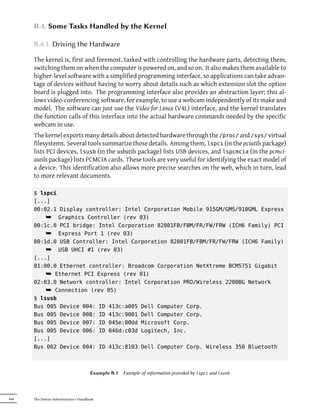
For example, let's look at the qc-usb-source package: after installation, a .tar.gz of the module's
sources is stored in /usr/src/. These sources must then be extracted to the working directory:
$ cd ~/kernel/
$ tar xjf /usr/src/qc-usb.tar.bz2
$ ls modules/
qc-usb


                     NOTE     When using the make-kpkg modules-image command, it is important to use
           Save the seings   the same --append-to-version seing used in the previous use of the com-
                              mand (probably make-kpkg kernel-image), since its value affects the name
                              of the directory in which the modules are installed, which must correspond
                              to the kernel version.
                              Note that make-kpkg must still be invoked from the kernel sources directory,
                              even when compiling external modules located in other directories.


The module sources are now located in the ~/kernel/modules/qc-usb/ directory. To compile
these modules and create a Debian package, we invoke make-kpkg with the modules-image tar-
get and indicate the location of the modules via the MODULE_LOC environment variable (without
this variable, it uses /usr/src/modules/, which won't work in our case). By default, it tries to
create the packages for all the external modules that can be found at this location extracted.
The --added-modules option allows to explicitly choose the external modules to compile. To
include more than one, separate them with a comma.
$ export MODULE_LOC=~/kernel/modules
$ cd ~/kernel/linux-source-2.6.32
$ fakeroot make-kpkg --append-to-version -falcot modules-image
[...]
Module /home/roland/kernel/modules/qc-usb processed fine


                                                               Chapter 8 — Basic Configuration: Network, Accounts, Printing…   177
$ ls ../*.deb
      ../linux-image-2.6.32-falcot_1_i386.deb
      ../qc-usb-modules-2.6.32-falcot_0.6.6-7+1_i386.deb


                               TIP          The whole process can be automated with module-assistant. This package was
             Automating the process         specifically designed to install the required tools and packages, compile an
                                            external module, and install it. Thus, the m-a a-i qc-usb-source command
                                            compiles the driver for the current kernel and installs it on the fly.
                                            The next step in automation is dkms, which automates the process from the
                                            time it is installed; the modules that use it (the *.dkms packages) are auto-
                                            matically compiled at the time of installation, for any kernel(s) currently in-
                                            stalled; DKMS also takes into account the installation of new kernels, their
                                            updates, and removal of obsolete modules upon deletion of a kernel package.
                                            This system is more recent (it didn't exist in Lenny), and it has not yet been
                                            generalized, but some modules already use it. For instance, simply installing
                                            the virtualbox-ose-dkms package ensures that the modules necessary for the
                                            VirtualBox virtualization system are available for all installed kernels, with no
                                            manual intervention required. It is necessary, however, to install the linux-
                                            headers-* package that matches to the installed kernel. The easiest way to
                                            do so is to install the corresponding meta-package; for instance, if you use
                                            linux-images-2.6-686, you would install linux-headers-2.6-686.


      8.10.6. Applying a Kernel Patch

      Some features are not included in the standard kernel due to a lack of maturity or to some
      disagreement between the maintainer of the source code and the kernel maintainers. Such
      features may be distributed as patches that anyone is free to apply to the kernel sources.
      Debian distributes some of these patches in linux-patch-* or kernel-patch-* packages (for instance,
      linux-patch-grsecurity2, which tightens some of the kernel's security policies). These packages
      install files in the /usr/src/kernel-patches/ directory.
      To apply one or more of these installed patches, use the patch command in the sources directory
      then start compilation of the kernel as described above.
      $ cd ~/kernel/linux-source-2.6.32
      $ fakeroot make-kpkg clean
      $ zcat /usr/src/kernel-patches/diffs/grsecurity2/grsecurity
          ¯ -2.1.14-2.6.32.13-201005151340.patch.gz | patch -p1
      $ fakeroot make-kpkg --append-to-version -grsec --revision 1 --initrd kernel-
          ¯ image
      $ ls ../*.deb
      ../linux-image-2.6.32-falcot_1_i386.deb
      ../qc-usb-modules-2.6.32-falcot_0.6.6-7+1_i386.deb
      ../linux-image-2.6.32-grsec_1_i386.deb


178   The Debian Administrator's Handbook
NOTE      Until Lenny, make-kpkg was able to apply one or more patches on the fly dur-
make-kpkg --added-patches      ing compilation of the kernel, which allowed replacing the manual patching
                               and unpatching with a command line option (in our example, --added-patches
                               grsecurity2). This feature was removed from the current version in Squeeze
                               since it was too fragile when faced with the huge variety of possible situa-
                               tions. In simple cases with a single patch, the patch can be applied manually;
                               for situations involving complex combinations of patches, it is preferable to
                               use a version tracking system such as Git, which will make the task easier (es-
                               pecially since patches are generally distributed by their authors in this form).


Note that a given patch may not necessarily work with every version of the kernel; it is possible
for patch to fail when applying them to kernel sources. An error message will be displayed
and give some details about the failure; in this case, refer to the documentation available in
the Debian package of the patch (in the /usr/share/doc/linux-patch-*/ directory). In most
cases, the maintainer indicates for which kernel versions their patch is intended.


8.11. Installing a Kernel

8.11.1. Features of a Debian Kernel Package


       GOING FURTHER           This section discusses the default behavior of a Debian Linux kernel package,
      Special configurations   but everything is configurable with the /etc/kernel-img.conf file. Consult
                               the associated man page to learn more: kernel-img.conf(5)


A Debian kernel package installs the kernel image (vmlinuz- version), its configuration
(config- version) and its symbols table (System.map- version) in /boot/. The symbols table
table helps developers understand the meaning of a kernel error message; without it, ker-
nel “oopses” (an “oops” is the kernel equivalent in the kernel of a segmentation fault for
user space programs, in other words messages generated following an invalid pointer deref-
erence) only contain numeric memory addresses, which is useless information without the ta-
ble mapping these addresses to symbols and function names. The modules are installed in the
/lib/modules/version/ directory.
The package's configuration scripts automatically generate an initrd image, which is a mini-
system designed to be loaded in memory (hence the name, which stands for “init ramdisk”) by
the bootloader, and used by the Linux kernel solely for loading the modules needed to access the
devices containing the complete Debian system (for example, the driver for IDE disks). Finally,
the post-installation scripts update the symbolic links /vmlinuz, /vmlinuz.old, /initrd.img
and /initrd.img.old so that they point to the latest two kernels installed, respectively, as well
as the corresponding initrd images.
lilo can work with these symbolic links by automatically using the last kernel installed, while
still allowing the machine to boot from the previous kernel if the last one installed doesn't work.


                                                                  Chapter 8 — Basic Configuration: Network, Accounts, Printing…   179
This requires, however, that lilo be run after each kernel installation. This can be automated,
      by setting do_bootloader =yes in /etc/kernel-img.conf.
      In most cases, grub will be your bootloader, and the default configuration will execute update-
      grub after each installation or removal of a kernel in order for the /boot/grub/grub.cfg file
      (or /boot/grub/menu.lst with GRUB Legacy) to be updated. This allows all installed kernels
      to be displayed (and available) in the GRUB menu at boot time.

      do_symlinks = yes
      relative_links = yes
      do_bootloader = no
      do_bootfloppy = no
      do_initrd = yes
      link_in_boot = no
      postinst_hook = update-grub
      postrm_hook = update-grub


                                            Example 8.7   Kernel package configuration file


      8.11.2. Installing with dpkg

      Using apt-get is so convenient that it makes it easy to forget about the lower-level tools, but the
      easiest way of installing a compiled kernel is to use a command such as dpkg -i package.deb,
      where package.deb is the name of a linux-image package such as linux-image-2.6.32-falcot_
      1_i386.deb.
      The configuration steps described in this chapter are basic and can lead both to a server sys-
      tem or a workstation, and it can be massively duplicated in semi-automated ways. However,
      it is not enough by itself to provide a fully configured system. A few pieces are still in need of
      configuration, starting with low-level programs known as the “Unix services”.


180   The Debian Administrator's Handbook
Keywords

System boot
  Initscripts
         SSH
      Telnet
      Rights
Permissions
Supervision
       Inetd
        Cron
     Backup
    Hotplug
   PCMCIA
        APM
       ACPI
Chapter


                                       Unix Services                                                      9
                                                                                                            Contents

           System Boot 184          Remote Login 188         Managing Rights 195        Administration Interfaces 198
          syslog   System Events 200          The inetd Super-Server 203       Scheduling Tasks with cron and atd 204
   Scheduling Asynchronous Tasks:   anacron   208       otas 208          Backup 210      Hot Plugging: hotplug 213
                                                    Power Management 218        Laptop Extension Cards: PCMCIA 219


This chapter covers a number of basic services that are common to many Unix sys-
tems. All administrators should be familiar with them.
9.1. System Boot

      When you boot the computer, the many messages scrolling by on the console display many
      automatic initializations and configurations that are being executed. Sometimes you may wish
      to slightly alter how this stage works, which means that you need to understand it well. That is
      the purpose of this section.
      First, the BIOS takes control of the computer, detects the disks, loads the Master Boot Record,
      and executes the bootloader. The bootloader takes over, finds the kernel on the disk, loads
      and executes it. The kernel is then initialized, and starts to search for and mount the partition
      containing the root filesystem, and finally executes the first program — init. Frequently, this
      “root partition” and this init are, in fact, located in a virtual filesystem that only exists in
      RAM (hence its name, “initramfs”, formerly called “initrd” for “initialization RAM disk”). This
      filesystem is loaded in memory by the bootloader, often from a file on a hard drive or from the
      network. It contains the bare minimum required by the kernel to load the “true” root filesystem:
      this may be driver modules for the hard drive, or other devices without which the system can
      not boot, or, more frequently, initialization scripts and modules for assembling RAID arrays,
      opening encrypted partitions, activating LVM volumes, etc. Once the root partition is mounted,
      the initramfs hands over control to the real init, and the machine goes back to the standard boot
      process.

                  SPECIFIC CASE             In some configurations, the BIOS may be configured not to execute the MBR,
          Booting from the network          but to seek its equivalent on the network, making it posssible to build com-
                                            puters without a hard drive, or which are completely reinstalled on each boot.
                                            This option is not available on all hardware and it generally requires an ap-
                                            propriate combination of BIOS and network card.
                                            Booting from the network can be used to launch the debian-installer or FAI
                                            (see Section 4.1, “Installation Methods” (page 50)).


                 BACK TO BASICS             A process is the representation in memory of a running program. It includes all
              The process, a program        of the information necessary for the proper execution of the soware (the code
                             instance       itself, but also the data that it has in memory, the list of files that it has opened,
                                            the network connections it has established, etc.). A single program may be
                                            instanciated into several processes, not necessarily running under different
                                            user IDs.


      Init executes several processes, following instructions from the /etc/inittab file. The first
      program that is executed (which corresponds to the sysinit step) is /etc/init.d/rcS, a script
      that executes all of the programs in the /etc/rcS.d/ directory.
      Among these, you will find successively programs in charge of:

            • configuring the console's keyboard;
            • loading drivers: most of the kernel modules are loaded by the kernel itself as the hardware
              is detected; extra drivers are then loaded automatically when the corresponding modules
              are listed in /etc/modules;


184   The Debian Administrator's Handbook
• checking the integrity of filesystems;

    • mounting local partitions;

    • configuring the network;

    • mounting network filesystems (NFS).

                 SECURITY       By convention, the first process that is booted is the init program. However,
Using a shell as init to gain   it is possible to pass an init option to the kernel indicating a different program.
                  root rights
                                Any person who is able to access the computer can press the Reset buon,
                                and thus reboot it. Then, at the bootloader's prompt, it is possible to pass
                                the init=/bin/sh option to the kernel to gain root access without knowing the
                                administrator's password.
                                To prevent this, you can protect the bootloader itself with a password. You
                                might also think about protecting access to the BIOS (a password protection
                                mechanism is almost always available), without which a malicious intruder
                                could still boot the machine on a removable media containing its own Linux
                                system, which they could then use to access data on the computer's hard
                                drives.
                                Finally, be aware that most BIOS have a generic password available. Initially
                                intended for troubleshooting for those who have forgoen their password,
                                these passwords are now public and available on the Internet (see for yourself
                                by searching for “generic BIOS passwords” in a search engine). All of these
                                protections will thus impede unauthorized access to the machine without be-
                                ing able to completely prevent it. There's no reliable way to protect a computer
                                if the aacker can physically access it; they could dismount the hard drives
                                to connect them to a computer under their own control anyway, or even steal
                                the entire machine, or erase the BIOS memory to reset the password…


         BACK TO BASICS         Kernel modules also have options that can be configured by puing some files
 Kernel modules and options     in /etc/modprobe.d/. These options are defined with directives like this: opti
                                ons module-name option-name=option-value. Several options can be specified
                                with a single directive if necessary.
                                These configuration files are intended for modprobe — the program that loads a
                                kernel module with its dependencies (modules can indeed call other modules).
                                This program is provided by the module-init-tools package.


After this stage, init takes over and starts the programs enabled in the default runlevel (which
is usually runlevel 2). It executes /etc/init.d/rc 2, a script that starts all services which are
listed in /etc/rc2.d/ and whose name start with the “S” letter. The two-figures number that
follows had historically been used to define the order in which services had to be started. In
Squeeze, the default boot system uses insserv, which schedules everything automatically based
on the scripts' dependencies. Each boot script thus declares the conditions that must be met
to start or stop the service (for example, if it must start before or after another service); init
then launches them in the order that meets these conditions. The static numbering of scripts is


                                                                                               Chapter 9 — Unix Services   185
therefore no longer taken into consideration (but they must always have a name beginning with
      “S” followed by two characters and the actual name of the script used for the dependencies).
      Generally, base services (such as logging with rsyslog, or port assignment with portmap) are
      started first, followed by standard services and the graphical interface (gdm).
      This dependency-based boot system makes it possible to automate re-numbering, which could
      be rather tedious if it had to be done manually, and it limits the risks of human error, since
      scheduling is conducted according to the parameters that are indicated. Another benefit is that
      services can be started in parallel when they are independent from one another, which can
      accelerate the boot process.

                     ALTERNATIVE            This book describes the boot system used by default in Debian (as imple-
                   Other boot systems       mented by sysvinit package), which is derived and inherited from System V
                                            Unix systems, but there are others.
                                            In the original System V, and in versions of Debian up to Lenny, the execution
                                            order of initialization scripts was defined only by the names of the /etc/rc*.
                                            d/S* symbolic links (and /etc/rc*.d/K* upon shutdown). This behavior can
                                            be re-established by seing CONCURRENCY=none in the /etc/default/rcS
                                            file.
                                            file-rc is another boot system with a very simple process. It keeps the principle
                                            of runlevels, but replaces the directories and symbolic links with a configura-
                                            tion file, which indicates to init the processes that must be started and their
                                            launch order
                                            The newly arrived upstart system is still not perfectly tested on Debian. It
                                            is event based: init scripts are no longer executed in a sequential order but in
                                            response to events such as the completion of another script upon which they
                                            are dependent. This system, started by Ubuntu, is present in Debian Squeeze,
                                            but is not the default; it comes, in fact, as a replacement for sysvinit, and one
                                            of the tasks launched by upstart is to launch the scripts wrien for traditional
                                            systems, especially those from the sysv-rc package.
                                            Another new option is systemd, but it still lacks the maturity needed to be
                                            part of Squeeze. Its approach is opposite to the previous systems; instead of
                                            preemptively launching all services, and having to deal with the question of
                                            scheduling, systemd chooses to start services on demand, somewhat along the
                                            principle of inetd. But this means that the boot system must be able to know
                                            how services are made available (it could be through a socket, a filesystem, or
                                            others), and thus requires small modifications of those services.
                                            There are also other systems and other operating modes, such as runit, minit,
                                            or initng, but they are relatively specialized and not widespread.


      init distinguishes several runlevels, so it can switch from one to another with the telinit
      new-level command. Immediately, init executes /etc/init.d/rc again with the new run-
      level. This script will then start the missing services and stop those that are no longer desired.
      To do this, it refers to the content of the /etc/rcX.d (where X represents the new runlevel).
      Scripts starting with “S” (as in “Start”) are services to be started; those starting with “K” (as
      in “Kill”) are the services to be stopped. The script does not start any service that was already
      active in the previous runlevel.


186   The Debian Administrator's Handbook
By default, Debian uses four different runlevels:

    • Level 0 is only used temporarily, while the computer is powering down. As such, it only
      contains many “K” scripts.
    • Level 1, also known as single-user mode, corresponds to the system in degraded mode; it
      includes only basic services, and is intended for maintenance operations where interac-
      tions with ordinary users are not desired.
    • Level 2 is the level for normal operation, which includes networking services, a graphical
      interface, user logins, etc.
    • Level 6 is similar to level 0, except that it is used during the shutdown phase that precedes
      a reboot.

Other levels exist, especially 3 to 5. By default they are configured to operate the same way as
level 2, but the administrator can modify them (by adding or deleting scripts in the correspond-
ing /etc/rcX.d directories) to adapt them to particular needs.


                          Figure 9.1   Boot sequence of a computer running Linux


All the scripts contained in the various /etc/rcX.d directories are really only symbolic links —
created upon package installation by the update-rc.d program — pointing to the actual scripts


                                                                                   Chapter 9 — Unix Services   187
which are stored in /etc/init.d/. The administrator can fine tune the services available in
      each runlevel by re-running update-rc.d with adjusted parameters. The update-rc.d(1) man-
      ual page describes the syntax in detail. Please note that removing all symbolic links (with the
      remove parameter) is not a good method to disable a service. Instead you should simply config-
      ure it to not start in the desired runlevel (while preserving the corresponding calls to stop it in
      the event that the service runs in the previous runlevel). Since update-rc.d has a somewhat
      convoluted interface, you may prefer using rcconf (from the rcconf package) which provides a
      more user-friendly interface.


                   DEBIAN POLICY            The maintainer scripts for Debian packages will sometimes restart certain
                   Restarting services      services to ensure their availability or get them to take certain options into
                                            account. The command that controls a service — /etc/init.d/service
                                            operation — doesn't take runlevel into consideration, assumes (wrongly) that
                                            the service is currently being used, and may thus initiate incorrect operations
                                            (starting a service that was deliberately stopped, or stopping a service that is
                                            already stopped, etc.). Debian therefore introduced the invoke-rc.d program:
                                            this program must be used by maintainer scripts to run services initialization
                                            scripts and it will only execute the necessary commands. Note that, contrary
                                            to common usage, the .d suffix is used here in a program name, and not in a
                                            directory.


      Finally, init starts control programs for various virtual consoles (getty). It displays a prompt,
      waiting for a username, then executes login user to initiate a session.


                    VOCABULARY              The first computers were usually separated into several, very large parts: the
                Console and terminal        storage enclosure and the central processing unit were separate from the pe-
                                            ripheral devices used by the operators to control them. These were part of
                                            a separate furniture, the “console”. This term was retained, but its meaning
                                            has changed. It has become more or less synonymous with “terminal”, being
                                            a keyboard and a screen.
                                            With the development of computers, operating systems have offered several
                                            virtual consoles to allow for several independent sessions at the same time,
                                            even if there is only one keyboard and screen. Most GNU/Linux systems offer
                                            six virtual consoles (in text mode), accessible by typing the key combinations
                                            Control+Alt+F1 through Control+Alt+F6.
                                            By extension, the terms “console” and “terminal” can also refer to a terminal
                                            emulator in a graphical X11 session (such as xterm, gnome-terminal or kons
                                            ole).


      9.2. Remote Login

      It is essential for an administrator to be able to connect to a computer remotely. Servers, con-
      fined in their own room, are rarely equipped with permanent keyboards and monitors — but
      they are connected to the network.


188   The Debian Administrator's Handbook
BACK TO BASICS         A system where several processes communicate with each other is oen de-
            Client, server     scribed with the “client/server” metaphor. The server is the program that
                               takes requests coming from a client and executes them. It is the client that
                               controls operations, the server doesn't take any initiative of its own.


9.2.1. Remote Login:      telnet

The telnet protocol, the oldest remote login service, is the worst in terms of security. Data and
passwords are sent in clear text — that is, not encrypted — leaving them vulnerable to anyone
snooping on the network. If necessary, take care to remove this obsolete service, that is no
longer installed by default:
# apt-get remove telnetd


There is, however, an adaptation that corrects its most crippling defects; it uses SSL (Secure
Socket Layer) to authenticate the partner and encrypt communications. The telnetd-ssl and
telnet-ssl packages provide, respectively, the server and client software.

           VOCABULARY          When you need to give a client the ability to conduct or trigger actions on a
  Authentication, encryption   server, security is important. You must ensure the identity of the client; this
                               is authentication. This identity usually consists of a password that must be
                               kept secret, or any other client could get the password. This is the purpose of
                               encryption, which is a form of encoding that allows two systems to commu-
                               nicate confidential information on a public channel while protecting it from
                               being readable to others.
                               Authentication and encryption are oen mentioned together, both because
                               they are frequently used together, and because they are usually implemented
                               with similar mathematical concepts.


9.2.2. Secure Remote Login: SSH

The SSH (Secured Shel) protocol, contrary to telnet, was designed with security and reliability in
mind. Connections using SSH are secure: the partner is authenticated and all data exchanges
are encrypted.

               CULTURE         SSH tools provide secure variants of the programs from the classic RSH (Re-
      SSH compared to RSH      mote Shell) family — rsh, rlogin, and rcp. These are still available in the
                               rsh-server and rsh-client packages, but their usage is strongly discouraged.


SSH also offers two file transfer services. scp is a command line tool that can be used like cp,
except that any path to another machine is prefixed with the machine's name, followed by a
colon.


                                                                                           Chapter 9 — Unix Services   189
$ scp file machine:/tmp/


      sftp   is an interactive command, similar to ftp. In a single session, sftp can transfer several
      files, and it is possible to manipulate remote files with it (delete, rename, change permissions,
      etc.).
      Debian uses OpenSSH, a free version of SSH maintained by the OpenBSD project (a free operat-
      ing system based on the BSD kernel, focused on security) and fork of the original SSH software
      developed by the SSH Communications Security Corp company, of Finland. This company ini-
      tially developed SSH as free software, but eventually decided to continue its development under
      a proprietary license. The OpenBSD project then created OpenSSH to maintain a free version of
      SSH.

                  BACK TO BASICS            A “fork”, in the soware field, means a new project that starts as a clone of an
                             Fork           existing project, and that will compete with it. From there on, both soware
                                            will usually quickly diverge in terms of new developments. A fork is oen the
                                            result of disagreements within the development team.
                                            The option to fork a project is a direct result of the very nature of free so-
                                            ware; a fork is a healthy event when it enables the continuation of a project
                                            as free soware (for example in case of license changes). A fork arising from
                                            technical or personal disagreements is oen a waste of human resources; an-
                                            other resolution would be preferable. Mergers of two projects that previously
                                            went through a prior fork are not unheard of.


      Since Etch, OpenSSH is split into two packages. The client part is in the openssh-client package,
      and the server is in the openssh-server package. The ssh meta-package depends on both parts
      and facilitates installation of both (apt-get install ssh).

              GOING FURTHER                 Some hardware provides native support of mathematical functions used by
          Hardware acceleration for         encryption, which can speed up the required calculations, thus increasing per-
                              SSH           formance of some tools (and lightening the load on the main processor). These
                                            tools notably include the OpenSSL library, which is in turn used by OpenSSH.
                                            Although a project for standardization of drivers is underway (notably at the
                                            kernel level), the variety of hardware is still managed inequitably and hetero-
                                            geneously. For example, the Padlock system included in Via C3 processors is
                                            only partially supported. While the Linux kernel does offer various encryption
                                            algorithms, the OpenSSL 0.9.8 library in Squeeze only handles delegation of
                                            AES encryption to the hardware dedicated to that purpose, but not the SHA
                                            algorithms; you have to recompile it with a patch.
                                            ² http://www.logix.cz/michal/devel/padlock/


      9.2.2.1. Key-Based Authentication

      Each time someone logs in over SSH, the remote server asks for a password to authenticate
      the user. This can be problematic if you want to automate a connection, or if you use a tool


190   The Debian Administrator's Handbook
that requires frequent connections over SSH. This is why SSH offers a key-based authentication
system.
The user generates a key pair on the client machine with ssh-keygen -t rsa; the public key is
stored in ~/.ssh/id_rsa.pub, while the corresponding private key is stored in ~/.ssh/id_rsa.
The user then uses ssh-copy-id server to add their public key to the ~/.ssh/authorized_
keys file on the server. If the private key was not protected with a “passphrase” at the time
of its creation, all subsequent logins on the server will work without a password. Otherwise,
the private key must be decrypted each time by entering the passphrase. Fortunately, ssh-
agent allows us to keep private keys in memory to not have to regularly re-enter the password.
For this, you simply use ssh-add (once per work session) provided that the session is already
associated with a functional instance of ssh-agent. Debian activates it by default in graphical
sessions, but this can be deactivated by changing /etc/X11/Xsession.options. For a console
session, you can manually start it with eval $(ssh-agent).

                 SECURITY       Whoever has the private key can login on the account thus configured. This
Protection of the private key   is why access to the private key is protected by a “passphrase”. Someone who
                                acquires a copy of a private key file (for example, ~/.ssh/id_rsa) still has to
                                know this phrase in order to be able to use it. This additional protection is not,
                                however, impregnable, and if you think that this file has been compromised,
                                it is best to disable that key on the computers in which it has been installed
                                (by removing it from the authorized_keys files) and replacing it with a newly
                                generated key.


                CULTURE         The OpenSSL library, as initially provided in Debian Etch, had a serious prob-
OpenSSL flaw in Debian Etch     lem in its random number generator (RNG). Indeed, the Debian maintainer
                                had made a change in order for the library to not be the source of warnings
                                for programs using it and that would be analyzed by memory testing tools
                                like valgrind. Unfortunately, this change also meant that the RNG was em-
                                ploying only one source of entropy corresponding to the process number (PID)
                                whose 32,000 possible values do not offer enough randomness.
                                ² http://www.debian.org/security/2008/dsa-1571
                                Specifically, whenever OpenSSL was used to generate a key, it always pro-
                                duced a key within a known set of hundreds of thousands of keys (32,000
                                multiplied by a small number of key lengths). This affected SSH keys, SSL
                                keys, and X.509 certificates used by numerous applications, such as Open-
                                VPN. A cracker had only to try all of the keys to gain unauthorized access. To
                                reduce the impact of the problem, the SSH daemon was modified to refuse
                                problematic keys that are listed in the openssh-blacklist and openssh-blacklist-
                                extra packages. Additionally, the ssh-vulnkey command allows identification
                                of possibly compromised keys in the system.
                                A more thorough analysis of this incident brings to light that it is the result
                                of multiple (small) problems, both at the OpenSSL project, as well as with
                                the Debian package maintainer. A widely used library like OpenSSL should
                                — without modifications — not generate warnings when tested by valgrind.
                                Furthermore, the code (especially the parts as sensitive as the RNG) should be
                                beer commented to prevent such errors. The Debian maintainer, for his part,
                                wanting to validate his modifications with the OpenSSL developers, simply ex-
                                plained his modifications without providing them the corresponding patch to


                                                                                               Chapter 9 — Unix Services   191
review. He also did not clearly identify himself as the maintainer of the corre-
                                            sponding Debian package. Finally, in his maintenance choices, the maintainer
                                            did not clearly document the changes made to the original code; all the mod-
                                            ifications are effectively stored in a Subversion repository, but they ended up
                                            all lumped into one single patch during creation of the source package.
                                            It is difficult under such conditions to find the corrective measures to prevent
                                            such incidents from recurring. The lesson to be learned here is that every
                                            divergence Debian introduces to upstream soware must be justified, docu-
                                            mented, submied to the upstream project when possible, and widely pub-
                                            licized. It is from this perspective that the new source package format (“3.0
                                            (quilt)”) and the Debian patch tracker were developed.
                                            ² http://patch-tracker.debian.org


      9.2.2.2. Using Remote X11 Applications

      The SSH protocol allows forwarding of graphical data (“X11” session, from the name of the most
      widespread graphical system in Unix); the server then keeps a dedicated channel for those data.
      Specifically, a graphical program executed remotely can be displayed on the X.org server of the
      local screen, and the whole session (input and display) will be secure. Since this feature allows
      remote applications to interfere with the local system, it is disabled by default. You can enable
      it by specifying X11Forwarding yes in the server configuration file (/etc/ssh/sshd_config).
      Finally, the user must also request it by adding the -X option to the ssh command-line.


      9.2.2.3. Creating Encrypted Tunnels with Port Forwarding

      Its -R and -L options allow ssh to create “encrypted tunnels” between two machines, securely
      forwarding a local TCP port (see sidebar “TCP/UDP” (page 222)) to a remote machine or vice
      versa.

                      VOCABULARY            The Internet, and most LANs that are connected to it, operate in packet mode
                            Tunnel          and not in connected mode, meaning that a packet issued from one computer
                                            to another is going to be stopped at several intermediary routers to find its
                                            way to its destination. You can still simulate a connected operation where the
                                            stream is encapsulated in normal IP packets. These packets follow their usual
                                            route, but the stream is reconstructed unchanged at the destination. We call
                                            this a “tunnel”, analogous to a road tunnel in which vehicles drive directly
                                            from the entrance (input) to the exit (output) without encountering any inter-
                                            sections, as opposed to a path on the surface that would involve intersections
                                            and changing direction.
                                            You can use this opportunity to add encryption to the tunnel: the stream that
                                            flows through it is then unrecognizable from the outside, but it is returned in
                                            decrypted form at the exit of the tunnel.


      ssh -L 8000:server:25 intermediary establishes an SSH session with the intermediary host
      and listens to local port 8000 (see Figure 9.2, “Forwarding a local port with SSH” (page 193)).


192   The Debian Administrator's Handbook
For any connection established on this port, ssh will initiate a connection from the intermediary
computer to port 25 on the server, and will bind both connections together.
ssh -R 8000:server:25 intermediary also establishes an SSH session to the intermediary
computer, but it is on this machine that ssh listens to port 8000 (see Figure 9.3, “Forwarding a
remote port with SSH” (page 194)). Any connection established on this port will cause ssh to
open a connection from the local machine on to port 25 of the server, and to bind both connec-
tions together.
In both cases, connections are made to port 25 on the server host, which pass through the SSH
tunnel established between the local machine and the intermediary machine. In the first case, the
entrance to the tunnel is local port 8000, and the data move towards the intermediary machine
before being directed to the server on the “public” network. In the second case, the input and
output in the tunnel are reversed; the entrance is port 8000 on the intermediary machine, the
output is on the local host, and the data are then directed to the server. In practice, the server
is usually either the local machine or the intermediary. That way SSH secures the connection
from one end to the other.


                              Figure 9.2   Forwarding a local port with SSH


                                                                                  Chapter 9 — Unix Services   193
Figure 9.3   Forwarding a remote port with SSH


      9.2.3. Using Remote Graphical Desktops

      VNC (Virtual Network Computing) allows remote access to graphical desktops.
      This tool is mostly used for technical assistance; the administrator can see the errors that the
      user is facing, and show them the correct course of action without having to stand by them.
      First, the user must authorize sharing their session. The GNOME and KDE graphical desk-
      top environments include, respectively, vino and krfb, which provide a graphical interface
      that allows sharing an existing session over VNC (found, respectively, in the menus at System
      → Preferences → Remote Desktop and K → Internet → Desktop Sharing). For other graphi-
      cal desktop environments, the x11vnc command (from the Debian package of the same name)
      serves the same purpose; you can make it available to the user with an explicit icon.
      When the graphical session is made available by VNC, the administrator must connect to it with
      a VNC client. GNOME has vinagre and tsclient for that, while KDE includes krdc (in the menu
      at K → Internet → Remote Desktop Client). There are other VNC clients that use the command
      line, such as xvnc4viewer in the Debian package of the same name. Once connected, the ad-
      ministrator can see what's going on, work on the machine remotely, and show the user how to
      proceed.
                           SECURITY         If you want to connect by VNC, and you don't want your data sent in clear
                         VNC over SSH       text on the network, it is possible to encapsulate the data in an SSH tunnel
                                            (see Section 9.2.2.3, “Creating Encrypted Tunnels with Port Forwarding” (page
                                            192)). You simply have to know that VNC uses port 5900 by default for the
                                            first screen (called “localhost:0”), 5901 for the second (called “localhost:1”), etc.
                                            The ssh -L localhost:5901:localhost:5900 -N -T machine command cre-
                                            ates a tunnel between local port 5901 in the localhost interface and port 5900
                                            of the machine host. The first “localhost” restricts SSH to listening to only that
                                            interface on the local machine. The second “localhost” indicates the interface
                                            on the remote machine which will receive the network traffic entering in “lo-
                                            calhost:5901”. Thus vncviewer localhost:1 will connect the VNC client to
                                            the remote screen, even though you indicate the name of the local machine.


194   The Debian Administrator's Handbook
When the VNC session is closed, remember to close the tunnel by also quiing
                             the corresponding SSH session.


        BACK TO BASICS       gdm, kdm and xdm are Display Managers. They take control of the graphical
          Display manager    interface shortly aer boot in order to provide the user a login screen. Once
                             the user has logged in, they execute the programs needed to start a graphical
                             work session.


VNC also works for mobile users, or company executives, who occasionally need to login from
their home to access a remote desktop similar to the one they use at work. The configuration
of such a service is more complicated: you first install the vnc4server package, change the con-
figuration of the display manager to accept XDMCP Query requests (for gdm, this can be done
graphically via the System → Administration → Login Screen menu and then the “Remote”
tab; note that this applies only to gdm and not gdm3, which is the version installed by default in
Squeeze), and finally, start the VNC server with inetd so that a session is automatically started
when a user tries to login. For example, you may add this line to /etc/inetd.conf:
5950   stream    tcp    nowait    nobody.tty       /usr/bin/Xvnc Xvnc -inetd -query
    ¯ localhost -once -geometry 1024x768 -depth 16 securitytypes=none

Redirecting incoming connections to the display manager solves the problem of authentication,
because only users with local accounts will pass the gdm login screen (or equivalent kdm, xdm,
etc.). As this operation allows multiple simultaneous logins without any problem (provided the
server is powerful enough), it can even be used to provide complete desktops for mobile users
(or for less powerful desktop systems, configured as thin clients). Users simply login to the
server's screen with vncviewer server:50, because the port used is 5950.


9.3. Managing Rights

Linux is definitely a multi-user system, so it is necessary to provide a permission system to
control the set of authorized operations on files and directories, which includes all the system
resources and devices (on a Unix system, any device is represented by a file or directory). This
principle is common to all Unix systems, but a reminder is always useful, especially as there are
some interesting and relatively unknown advanced uses.
Each file or folder has specific permissions for three categories of users:

    • its owner (symbolized by u as in “user”);
    • its owner group (symbolized by g as in “group”), representing all the members of the
      group;
    • the others (symbolized by o as in “other”).

Three types of rights can be combined:


                                                                                        Chapter 9 — Unix Services   195
• reading (symbolized by r as in “read”);

            • writing (or modifying, symbolized by w as in “write”);

            • executing (symbolized by x as in “eXecute”).

      In the case of a file, these rights are easily understood: read access allows reading the content
      (including copying), write access allows changing it, and execute access allows you to run it
      (which will only work if it's a program).

                       SECURITY             Two particular rights are relevant to executable files: setuid and setgid (sym-
      setuid and setgid executables         bolized with the leer “s”). Note that we frequently speak of “bit”, since each
                                            of these boolean values can be represented by a 0 or a 1. These two rights al-
                                            low any user to execute the program with the rights of the owner or the group,
                                            respectively. This mechanism grants access to features requiring higher level
                                            permissions than those you would usually have.
                                            Since a setuid root program is systematically run under the super-user iden-
                                            tity, it is very important to ensure it is secure and reliable. Indeed, a user
                                            who would manage to subvert it to call a command of their choice could then
                                            impersonate the root user and have all rights on the system.


      A directory is handled differently. Read access gives the right to consult the list of its entries
      (files and directories), write access allows creating or deleting files, and execute access allows
      crossing through it (especially to go there with the cd command). Being able to cross through
      a directory without being able to read it gives permission to access the entries therein that are
      known by name, but not to find them if you do not know that they exist or under what name.

                         SECURITY           The setgid bit also applies to directories. Any newly-created item in such di-
          setgid directory and sticky       rectories is automaticallly assigned the owner group of the parent directory,
                                   bit      instead of inheriting the creator's main group as usual. This setup avoids the
                                            user to have to change its main group (with the newgrp command) when work-
                                            ing in a file tree shared between several users of the same dedicated group.

                                            The “sticky” bit (symbolized by the leer “t”) is a permission that is only useful
                                            in directories. It is especially used for temporary directories where everybody
                                            have write access (such as /tmp/): it restricts deletion of files so that only their
                                            owner (or the owner of the parent directory) can do it. Lacking this, everyone
                                            could delete other users' files in /tmp/.


      Three commands control the permissions associated with a file:

            • chown user file changes the owner of the file;

            • chgrp group file alters the owner group;

            • chmod rights file changes the permissions for the file.


196   The Debian Administrator's Handbook
There are two ways of presenting rights. Among them, the symbolic representation is probably
the easiest to understand and remember. It involves the letter symbols mentioned above. You
can define rights for each category of users (u/g/o), by setting them explicitly (with =), by
adding (+), or subtracting (-). Thus the u=rwx,g+rw,o-r formula gives the owner read, write,
and execute rights, adds read and write rights for the owner group, and removes read rights
for other users. Rights not altered by the addition or subtraction in such a command remain
unmodified. The letter a, for “all”, covers all three categories of users, so that a=rx grants all
three categories the same rights (read and execute, but not write).
The (octal) numeric representation associates each right with a value: 4 for read, 2 for write,
and 1 for execute. We associate each combination of rights with the sum of the figures. Each
value is then assigned to different categories of users by putting them end to end in the usual
order (owner, group, others).
For instance, the chmod 754 file command will set the following rights: read, write and exe-
cute for the owner (since 7 = 4 + 2 + 1); read and execute for the group (since 5 = 4 + 1); read-only
for others. The 0 means no rights; thus chmod 600 file allows for read/write rights for the
owner, and no rights for anyone else. The most frequent right combinations are 755 for exe-
cutable files and directories, and 644 for data files.
To represent special rights, you can prefix a fourth digit to this number according to the same
principle, where the setuid, setgid and sticky bits are 4, 2 and 1, respectively. chmod 4754 will
associate the setuid bit with the previously described rights.
Note that the use of octal notation only allows to set all the rights at once on a file; you can not
use it to simply add a new right, such as read access for the group owner, since you must take
into account the existing rights and compute the new corresponding numerical value.

                       TIP    Sometimes we have to change rights for an entire file tree. All the commands
        Recursive operation   above have a -R option to operate recursively in sub-directories.
                              The distinction between directories and files sometimes causes problems with
                              recursive operations. That's why the “X” leer has been introduced in the
                              symbolic representation of rights. It represents a right to execute which ap-
                              plies only to directories (and not to files lacking this right). Thus, chmod -R
                              a+X directory will only add execute rights for all categoties of users (a) for all
                              of the sub-directories and files for which at least one category of user (even if
                              their sole owner) already has execute rights.


                        TIP   Frequently you want to change the group of a file at the same time that you
Changing the user and group   change the owner. The chown command has a special syntax for that: chown
                              user:group


       GOING FURTHER          When an application creates a file, it assigns indicative permissions, knowing
                     umask    that the system automatically removes certain rights, given by the command
                              umask. Enter umask in a shell; you will see a mask such as 0022. This is simply
                              an octal representation of the rights to be systematically removed (in this case,
                              the write right for the group and other users).


                                                                                             Chapter 9 — Unix Services   197
If you give it a new octal value, the umask command modifies the mask. Used
                                            in a shell initialization file (for example, ~/.bash_profile), it will effectively
                                            change the default mask for your work sessions.


      9.4. Administration Interfaces

      Using a graphical interface for administration is interesting in various circumstances. An ad-
      ministrator does not necessarily know all the configuration details for all their services, and
      doesn't always have the time to go seeking out the documentation on the matter. A graphical
      interface for administration can thus accelerate the deployment of a new service. It can also
      simplify the setup of services which are hard to configure.
      Such an interface is only an aid, and not an end in itself. In all cases, the administrator must
      master its behavior in order to understand and work around any potential problem.
      Since no interface is perfect, you may be tempted to try several solutions. This is to be avoided as
      much as possible, since different tools are sometimes incompatible in their work methods. Even
      if they all target to be very flexible and try to adopt the configuration file as a single reference,
      they are not always able to integrate external changes.


      9.4.1. Administrating On a Web Interface:                      webmin

      This is, without a doubt, one of the most successful administration interfaces. It is a modular
      system managed through a web browser, covering a wide array of areas and tools. Furthermore,
      it is internationalized and available in many languages.
      Sadly, webmin is no longer part of Debian since Etch. Its Debian maintainer — Jaldhar H. Vyas —
      removed the packages he created because he no longer had the time required to maintain them
      at an acceptable quality level. Nobody has officially taken over, so Squeeze does not have the
      webmin package.
      There is, however, an unofficial package distributed on the webmin.com website. Contrary
      to the packages included in Sarge, this package is monolithic; all of its configuration modules
      are installed and activated by default, even if the corresponding service is not installed on the
      machine.

                     SECURITY               On first login, identification is conduced with the root username and its usual
      Changing the root password            password. It is recommended to change the password used for webmin as soon
                                            as possible, so that if it is compromised, the root password for the server will
                                            not be involved, even if this confers important administrative rights to the
                                            machine.
                                            Beware! Since webmin has so many features, a malicious user accessing it
                                            could compromise the security of the entire system. In general, interfaces of
                                            this kind are not recommended for important systems with strong security
                                            constraints (firewall, sensitive servers, etc.).


198   The Debian Administrator's Handbook
Webmin is used through a web interface, but it does not require Apache to be installed. Essen-
tially, this software has its own integrated mini web server. This server listens by default on
port 10000 and accepts secure HTTP connections.
Included modules cover a wide variety of services, among which:

    • all base services: creation of users and groups, management of crontab files, init scripts,
      viewing of logs, etc.
    • bind: DNS server configuration (name service);
    • postfix: SMTP server configuration (e-mail);
    • inetd: configuration of the inetd super-server;
    • quota: user quota management;
    • dhcpd: DHCP server configuration;
    • proftpd: FTP server configuration;
    • samba: Samba file server configuration;
    • software: installation or removal of software from Debian packages and system updates.

The administration interface is available in a web browser at hps://localhost:10000. Beware!
Not all the modules are directly usable. Sometimes they must be configured by specifying the
locations of the corresponding configuration files and some executable files (program). Fre-
quently the system will politely prompt you when it fails to activate a requested module.

          ALTERNATIVE        The GNOME project also provides a graphical administration interface in
        gnome-system-tools   the gnome-system-tools package. Installed by default for a desktop sys-
                             tem, it includes applications that can be found in the menu at System →
                             Administration. Easy to use, these applications cover only a limited number
                             of base services: user and group management, time configuration, network
                             configuration, disk management, and management of startup services.


9.4.2. Configuring Packages:       debconf

Many packages are automatically configured after asking a few questions during installation
through the Debconf tool. These packages can be reconfigured by running dpkg-reconfigure
package.
For most cases, these settings are very simple; only a few important variables in the configu-
ration file are changed. These variables are often grouped between two “demarcation” lines so
that reconfiguration of the package only impacts the enclosed area. In other cases, reconfigu-
ration will not change anything if the script detects a manual modification of the configuration
file, in order to preserve these human interventions (because the script can't ensure that its
own modifications will not disrupt the existing settings).


                                                                                      Chapter 9 — Unix Services   199
DEBIAN POLICY            The Debian Policy expressly stipulates that everything should be done to pre-
                   Preserving changes       serve manual changes made to a configuration file, so more and more scripts
                                            take precautions when editing configuration files. The general principle is
                                            simple: the script will only make changes if it knows the status of the config-
                                            uration file, which is verified by comparing the checksum of the file against
                                            that of the last automatically generated file. If they are the same, the script
                                            is authorized to change the configuration file. Otherwise, it determines that
                                            the file has been changed and asks what action it should take (install the new
                                            file, save the old file, or try to integrate the new changes with the existing
                                            file). This precautionary principle has long been unique to Debian, but other
                                            distributions have gradually begun to embrace it.
                                            The ucf program (from the Debian package of the same name) can be used to
                                            implement such a behavior.


      9.5. syslog System Events

      9.5.1. Principle and Mechanism

      The rsyslogd daemon is responsible for collecting service messages coming from applications
      and the kernel, then distributing them into log files (usually stored in the /var/log/ directory).
      It obeys the /etc/rsyslog.conf configuration file.

                 SUPPLEMENTS                Debian Squeeze installs rsyslog by default, while older versions (up to Etch, but
           Moving from sysklogd to          not Lenny) used sysklogd. The transition was not automatic, and in the case
                           rsyslog          of an upgrade from Etch, rsyslog should be installed manually if you want to
                                            keep in sync with Debian's default choice.
                                            Migration from one to the other is painless, since the default configuration is
                                            very similar, and the syntax of the older /etc/syslog.conf is compatible with
                                            the new /etc/rsyslog.conf.


      Each log message is associated with an application subsystem (called “facility” in the documen-
      tation):

            • auth and authpriv: for authentication;

            • cron: comes from task scheduling services, cron and atd;

            • daemon: affects a daemon without any special classification (DNS, NTP, etc.);

            • p: concerns the FTP server;

            • kern: message coming from the kernel;

            • lpr: comes from the printing subsystem;

            • mail: comes from the e-mail subsystem;


200   The Debian Administrator's Handbook
• news: Usenet subsystem message (especially from an NNTP — Network News Transfer
      Protocol — server that manages newsgroups);

    • syslog: messages from the syslogd server, itself;

    • user: user messages (generic);

    • uucp: messages from the UUCP server (Unix to Unix Copy Program, an old protocol no-
      tably used to distribute e-mail messages);

    • local0 to local7: reserved for local use.

Each message is also associated with a priority level. Here is the list in decreasing order:

    • emerg: “Help!” There's an emergency, the system is probably unusable.

    • alert: hurry up, any delay can be dangerous, action must be taken immediately;

    • crit: conditions are critical;

    • err: error;

    • warn: warning (potential error);

    • notice: conditions are normal, but the message is important;

    • info: informative message;

    • debug: debugging message.


9.5.2. The Configuration File

The syntax of the /etc/rsyslog.conf file is detailed in the rsyslog.conf(5) manual page,
but there is also HTML documentation available in the rsyslog-doc package (/usr/share/doc/
rsyslog-doc/html/index.html). The overall principle is to write “selector” and “action”
pairs. The selector defines all relevant messages, and the actions describes how to deal with
them.


9.5.2.1. Syntax of the Selector

The selector is a semicolon-separated list of subsystem.priority pairs (example: auth.notice;
mail.info). An asterisk may represent all subsystems or all priorities (examples: *.alert or mail.
*). Several subsystems can be grouped, by separating them with a comma (example: auth,mail.
info). The priority indicated also covers messages of equal or higher priority; thus auth.alert
indicates the auth subsystem messages of alert or emerg priority. Prefixed with an exclamation
point (!), it indicates the opposite, in other words the strictly lower priorities; auth.!notice,
thus, indicates messages issued from auth, with info or debug priority. Prefixed with an equal


                                                                                  Chapter 9 — Unix Services   201
sign (=), it corresponds to precisely and only the priority indicated (auth.=notice only concerns
      messages from auth with notice priority).
      Each element in the list on the selector overrides previous elements. It is thus possible to restrict
      a set or to exclude certain elements from it. For example, kern.info;kern.!err means messages
      from the kernel with priority between info and warn. The none priority indicates the empty
      set (no priorities), and may serve to exclude a subsystem from a set of messages. Thus, *.crit;
      kern.none indicates all the messages of priority equal to or higher than crit not coming from
      the kernel.


      9.5.2.2. Syntax of Actions


             BACK TO BASICS                 A named pipe is a particular type of file that operates like a traditional pipe
      The named pipe, a persistent          (the pipe that you make with the “|” symbol on the command line), but via a
                              pipe          file. This mechanism has the advantage of being able to relate two unrelated
                                            processes. Anything wrien to a named pipe blocks the process that writes
                                            until another process aempts to read the data wrien. This second process
                                            reads the data wrien by the first, which can then resume execution.
                                            Such a file is created with the mkfifo command.


      The various possible actions are:

            • add the message to a file (example: /var/log/messages);

            • send the message to a remote syslog server (example: @log.falcot.com);

            • send the message to an existing named pipe (example: |/dev/xconsole);

            • send the message to one or more users, if they are logged in (example: root,rhertzog);

            • send the message to all logged in users (example: *);

            • write the message in a text console (example: /dev/y8).

                          SECURITY          It is a good idea to record the most important logs on a separate machine (per-
                       Forwarding logs      haps dedicated for this purpose), since this will prevent any possible intruder
                                            from removing traces of their intrusion (unless, of course, they also compro-
                                            mise this other server). Furthermore, in the event of a major problem (such
                                            as a kernel crash), you have the logs available on another machine, which in-
                                            creases your chances of determining the sequence of events that caused the
                                            crash.
                                            To accept log messages sent by other machines, you must reconfigure rsys-
                                            log: in practice, it is sufficient to activate the ready-for-use entries in /etc/
                                            rsyslog.conf ($ModLoad imudp and $UDPServerRun 514).


202   The Debian Administrator's Handbook
9.6. The inetd Super-Server

Inetd (often called “Internet super-server”) is a server of servers. It executes rarely used servers
on demand, so that they do not have to run continuously.
The /etc/inetd.conf file lists these servers and their usual ports. The inetd command listens
to all of them; when it detects a connection to any such port, it executes the corresponding
server program.


         DEBIAN POLICY          Packages frequently want to register a new server in the /etc/inetd.conf
  Register a server in inetd.   file, but Debian Policy prohibits any package from modifying a configuration
                        conf    file that it doesn't own. This is why the updated-inetd script (in the pack-
                                age with the same name) was created: It manages the configuration file, and
                                other packages can thus use it to register a new server to the super-server's
                                configuration.


Each significant line of the /etc/inetd.conf file describes a server through seven fields (sep-
arated by spaces):


    • The TCP or UDP port number, or the service name (which is mapped to a standard port
      number with the information contained in the /etc/services file).

    • The socket type: stream for a TCP connection, dgram for UDP datagrams.

    • The protocol: tcp or udp.

    • The options: two possible values: wait or nowait, to tell inetd whether it should wait
      or not for the end of the launched process before accepting another connection. For TCP
      connections, easily multiplexable, you can usually use nowait. For programs responding
      over UDP, you should use nowait only if the server is capable of managing several con-
      nections in parallel. You can suffix this field with a period, followed by the maximum
      number of connections authorized per minute (the default limit is 40).

    • The user name of the user under whose identity the server will run.

    • The full path to the server program to execute.

    • The arguments: this is a complete list of the program's arguments, including its own name
      (argv[0] in C).


The following example illustrates the most common cases:


                                                                                           Chapter 9 — Unix Services   203
talk   dgram udp wait                     nobody.tty /usr/sbin/in.talkd in.talkd
      finger stream tcp nowait                  nobody     /usr/sbin/tcpd     /usr/sbin/in.fingerd
      ident stream tcp nowait                   nobody     /usr/sbin/identd   identd -i


                                              Example 9.1    Excerpt from /etc/inetd.conf


      The tcpd program is frequently used in the /etc/inetd.conf file. It allows limiting incoming
      connections by applying access control rules, documented in the hosts_access(5) manual page,
      and which are configured in the /etc/hosts.allow and /etc/hosts.deny files. Once it has
      been determined that the connection is authorized, tcpd executes the real server (like /usr/
      bin/in.fingerd in our example).


                       COMMUNITY            Wietse Venema, whose expertise in security has made him a renowned pro-
                       Wietse Venema        grammer, is the author of the tcpd program. He is also the main creator of
                                            Postfix, the modular e-mail server (SMTP, Simple Mail Transfer Protocol), de-
                                            signed to be safer and more reliable than sendmail, which features a long
                                            history of security vulnerabilities.


                   ALTERNATIVE              There is no lack of alternatives. In addition to openbsd-inetd and netkit-inetd
             Other inetd commands           already mentioned, there are inetutils-inetd, micro-inetd, rlinetd and xinetd.
                                            This last incarnation of a super-server offers very interesting possibilities.
                                            Most notably, its configuration can be split into several files (stored, of course,
                                            in the /etc/xinetd.d/ directory), which can make an administrator's life eas-
                                            ier.


      9.7. Scheduling Tasks with cron and atd

      cron  is the daemon responsible for executing scheduled and recurring commands (every day,
      every week, etc.); atd is that which deals with commands to be executed a single time, but at a
      specific moment in the future.
      In a Unix system, many tasks are scheduled for regular execution:

            • rotating the logs;
            • updating the database for the locate program;
            • back-ups;
            • maintenance scripts (such as cleaning out temporary files).

      By default, all users can schedule the execution of tasks. Each user has thus their own crontab
      in which they can record scheduled commands. It can be edited by running crontab -e (its
      content is stored in the /var/spool/cron/crontabs/user file).


204   The Debian Administrator's Handbook
SECURITY        You can restrict access to cron by creating an explicit authorization file
     Restricting cron or atd    (whitelist) in /etc/cron.allow, in which you indicate the only users autho-
                                rized to schedule commands. All others will automatically be deprived of
                                this feature. Conversely, to only block one or two troublemakers, you could
                                write their username in the explicit prohibition file (blacklist), /etc/cron.
                                deny. This same feature is available for atd, with the /etc/at.allow and
                                /etc/at.deny files.


The root user has their own crontab, but can also use the /etc/crontab file, or write additional
crontab files in the /etc/cron.d directory. These last two solutions have the advantage of being
able to specify the user identity to use when executing the command.
The cron package includes by default some scheduled commands that execute:

    • programs in the /etc/cron.hourly/ directory once per hour;

    • programs in /etc/cron.daily/ once per day;

    • programs in /etc/cron.weekly/ once per week;

    • programs in /etc/cron.monthly/ once per month.

Many Debian packages rely on this service, they put maintenance scripts in these directories,
which ensure optimal operation of their services.


9.7.1. Format of a crontab File

                         TIP    cron recognizes some abbreviations which replace the first five fields          in a
     Text shortcuts for cron    crontab entry. They correspond to the most classic scheduling options:

                                  •   @yearly: once per year (January 1, at 00:00);
                                  •   @monthly: once per month (the 1st of the month, at 00:00);
                                  •   @weekly: once per week (Sunday at 00:00);
                                  •   @daily: once per day (at 00:00);
                                  •   @hourly: once per hour (at the beginning of each hour).


            SPECIAL CASE        In Debian, cron takes the time change (for Daylight Savings Time, or in fact for
  cron   and daylight savings   any significant change in the local time) into account as best as it can. Thus,
                        time.   the commands that should have been executed during an hour that never
                                existed (for example, tasks scheduled at 2:30 am during the Spring time change
                                in France, since at 2:00 am the clock jumps directly to 3:00 am) are executed
                                shortly aer the time change (thus around 3:00 am DST). On the other hand,
                                in autumn, when commands would be executed several times (2:30 am DST,
                                then an hour later at 2:30 am standard time, since at 3:00 am DST the clock
                                turns back to 2:00 am) are only executed once.


                                                                                             Chapter 9 — Unix Services   205
Be careful, however, if the order in which the different scheduled tasks and
                                            the delay between their respective executions maers, you should check the
                                            compatibility of these constraints with cron's behavior; if necessary, you can
                                            prepare a special schedule for the two problematic nights per year.


      Each significant line of a crontab describes a scheduled command with the six (or seven) follow-
      ing fields:

            • the value for the minute (number from 0 to 59);

            • the value for the hour (from 0 to 23);

            • the value for the day of the month (from 1 to 31);

            • the value for the month (from 1 to 12);

            • the value for the day of the week (from 0 to 7, 1 corresponding to Monday, Sunday being
              represented by both 0 and 7; it is also possible to use the first three letters of the name of
              the day of the week in English, such as Sun, Mon, etc.);

            • the user name under whose identity the command must be executed (in the /etc/
              crontab file and in the fragments located in /etc/cron.d/, but not in the users' own
              crontab files);

            • the command to execute (when the conditions defined by the first five columns are met).

      All these details are documented in the crontab(5) man page.
      Each value can be expressed in the form of a list of possible values (separated by commas). The
      syntax a-b describes the interval of all the values between a and b. The syntax a-b/c describes
      the interval with an increment of c (example: 0-10/2 means 0,2,4,6,8,10). An asterisk * is a
      wildcard, representing all possible values.

      #Format
      #min hour day mon dow                 command

      # Download data every night at 7:25 pm
       25 19    *   *   *    $HOME/bin/get.pl

      # 8:00 am, on weekdays (Monday through Friday)
       00 08    *   *   1-5 $HOME/bin/dosomething


206   The Debian Administrator's Handbook
# Restart the IRC proxy after each reboot
@reboot /usr/bin/dircproxy


                                  Example 9.2   Sample crontab file


                     TIP    To execute a command a single time, just aer booting the computer, you can
   Executing a command on   use the @reboot macro (a simple restart of cron does not trigger a command
                     boot   scheduled with @reboot). This macro replaces the first five fields of an entry
                            in the crontab.


9.7.2. Using the at Command

The at executes a command at a specified moment in the future. It takes the desired time and
date as command-line parameters, and the command to be executed in its standard input. The
command will be executed as if it had been entered in the current shell. at even takes care to
retain the current environment, in order to reproduce the same conditions when it executes
the command. The time is indicated by following the usual conventions: 16:12 or 4:12pm rep-
resents 4:12 pm. The date can be specified in several European and Western formats, including
DD.MM.YY (27.07.12 thus representing 27 July 2012), YYYY-MM-DD (this same date being
expressed as 2012-07-27), MM/DD/[CC]YY (ie., 12/25/12 or 12/25/2012 will be December 25,
2012), or simple MMDD[CC]YY (so that 122512 or 12252012 will, likewise, represent Decem-
ber 25, 2012). Without it, the command will be executed as soon as the clock reaches the time
indicated (the same day, or tomorrow if that time has already passed on the same day). You can
also simply write “today” or “tomorrow”, which is self-explanatory.

$ at 09:00 27.07.12 <<END
> echo "Don't forget to wish a Happy Birthday to Raphaël!" 
>   | mail lolando@debian.org
> END
warning: commands will be executed using /bin/sh
job 31 at Fri Jul 27 09:00:00 2012


An alternative syntax postpones the execution for a given duration: at now + number period.
The period can be minutes, hours, days, or weeks. The number simply indicates the number of
said units that must elapse before execution of the command.
To cancel a task scheduled by cron, simply run crontab -e and delete the corresponding line
in the crontab file. For at tasks, it is almost as easy: run atrm task-number. The task number
is indicated by the at command when you scheduled it, but you can find it again with the atq
command, which gives the current list of scheduled tasks.


                                                                                        Chapter 9 — Unix Services   207
9.8. Scheduling Asynchronous Tasks:                           anacron


      anacron  is the daemon that completes cron for computers that are not on at all times. Since
      regular tasks are usually scheduled for the middle of the night, they will never be executed if
      the computer is off at that time. The purpose of anacron is to execute them, taking into account
      periods in which the computer is not working.
      Please note that anacron will frequently execute such activity a few minutes after booting the
      machine, which can render the computer less responsive. This is why the tasks in the /etc/
      anacrontab file are started with the nice command, which reduces their execution priority
      and thus limits their impact on the rest of the system. Beware, the format of this file is not the
      same as that of /etc/crontab; if you have particular needs for anacron, see the anacrontab(5)
      manual page.

                  BACK TO BASICS            Unix systems (and thus Linux) are multi-tasking and multi-user systems. In-
                   Priorities and nice      deed, several processes can run in parallel, and be owned by different users:
                                            the kernel mediates access to the resources between the different processes.
                                            As a part of this task, it has a concept of priority, which allows it to favor
                                            certain processes over others, as needed. When you know that a process can
                                            run in low priority, you can indicate so by running it with nice program. The
                                            program will then have a smaller share of the CPU, and will have a smaller
                                            impact on other running processes. Of course, if no other processes needs to
                                            run, the program will not be artificially held back.
                                            nice works with levels of “niceness”:  the positive levels (from 1 to 19) progres-
                                            sively lower the priority, while the negative levels (from -1 to -20) will increate
                                            it — but only root can use these negative levels. Unless otherwise indicated
                                            (see the nice(1) manual page), nice increases the current level by 10.
                                            If you discover that an already running task should have been started with
                                            nice it is not too late to fix it; the renice command changes the priority of an
                                            already running process, in either direction (but reducing the “niceness” of a
                                            process is reserved to the root user).


      Installation of the anacron package deactivates execution by cron of the scripts in the /etc/
      cron.hourly/, /etc/cron.daily/, /etc/cron.weekly/, and /etc/cron.monthly/ directo-
      ries. This avoids their double execution by anacron and cron. The cron command remains ac-
      tive and will continue to handle the other scheduled tasks (especially those scheduled by users).


      9.9. otas

      The quota system allows limiting disk space allocated to a user or group of users. To set it up,
      you must have a kernel that supports it (compiled with the CONFIG_QUOTA option) — as is the
      case of Debian kernels. The quota management software is found in the quota Debian package.
      To activate them in a filesystem, you have to indicate the usrquota and grpquota options in
      /etc/fstab for the user and group quotas, respectively. Rebooting the computer will then


208   The Debian Administrator's Handbook
update the quotas in the absence of disk activity (a necessary condition for proper accounting
of already used disk space).
The edquota user (or edquota -g group) command allows you to change the limits while
examining current disk space usage.

        GOING FURTHER           The setquota program can be used in a script to automatically change many
Defining quotas with a script   quotas. Its setquota(8) manual page details the syntax to use.


The quota system allows you to set four limits:

    • two limits (called “soft” and “hard”) refer to the number of blocks consumed. If the
      filesystem was created with a block-size of 1 kilobyte, a block contains 1024 bytes from
      the same file. Unsaturated blocks thus induce losses of disk space. A quota of 100 blocks,
      which theoretically allows storage of 102,400 bytes, will however be saturated with just
      100 files of 500 bytes each, only representing 50,000 bytes in total.

    • two limits (soft and hard) refer to the number of inodes used. Each file occupies at least
      one inode to store information about it (permissions, owner, timestamp of last access,
      etc.). It is thus a limit on the number of user files.

A “soft” limit can be temporarily exceeded; the user will simply be warned that they are ex-
ceeding the quota by the warnquota command, which is usually invoked by cron. A “hard”
limit can never be exceeded: the system will refuse any operation that will cause a hard quota
to be exceeded.

            VOCABULARY          The filesystem divides the hard drive into blocks — small contiguous areas.
           Blocks and inodes    The size of these blocks is defined during creation of the filesystem, and gen-
                                erally varies between 1 and 8 kilobytes.
                                A block can be used either to store the real data of a file, or for meta-data
                                used by the filesystem. Among this meta-data, you will especially find the
                                inodes. An inode uses a block on the hard drive (but this block is not taken into
                                consideration in the block quota, only in the inode quota), and contains both
                                the information on the file to which it corresponds (name, owner, permissions,
                                etc.) and the pointers to the data blocks that are actually used. For very large
                                files that occupy more blocks than it is possible to reference in a single inode,
                                there is an indirect block system; the inode references a list of blocks that do
                                not directly contain data, but another list of blocks.


With the edquota -t command, you can define a maximum authorized “grace period” within
which a soft limit may be exceeded. After this period, the software limit will be treated like a
hard limit, and the user will have to reduce their disk space usage to within this limit in order
to be able to write anything to the hard drive.


                                                                                              Chapter 9 — Unix Services   209
GOING FURTHER                To automatically setup a quota for new users, you have to configure a template
          Seing up a default quota         user (with edquota or setquota) and indicate their user name in the QUOTAUSER
                      for new users         variable in the /etc/adduser.conf file. This quota configuration will then be
                                            automatically applied to each new user created with the adduser command.


      9.10. Backup

      Making backups is one of the main responsibilities of any administrator, but it is a complex
      subject, involving powerful tools which are often difficult to master.
      Many programs exist, such as amanda, a client/server system featuring many options, whose
      configuration is rather difficult. BackupPC is also a client/server solution, but with a web inter-
      face for configuration which makes it more user-friendly. Dozens of other Debian packages are
      dedicated to backup solutions, as you can easily confirm with apt-cache search backup.
      Rather than detailing some of them, this section will present the thoughts of the Falcot Corp
      administrators when they defined their backup strategy.
      At Falcot Corp, backups have two goals: recovering erroneously deleted files, and quickly restor-
      ing any computer (server or desktop) whose hard drive has failed.


      9.10.1. Backing Up with rsync

      Backups on tape having been deemed too slow and costly, data will be backed up on hard drives
      on a dedicated server, on which the use of software RAID (see Section 12.1.1, “Software RAID”
      (page 298)) will protect the data from hard drive failure. Desktop computers are not backed up
      individually, but users are advised that their personal account on their department's file server
      will be backed up. The rsync command (from the package of the same name) is used daily to
      back up these different servers.

               BACK TO BASICS               A hard link, as opposed to a symbolic link, can not be differentiated from the
      The hard link, a second name          linked file. Creating a hard link is essentially the same as giving an existing
                          for the file      file a second name. This is why the deletion of a hard link only removes one of
                                            the names associated with the file. As long as another name is still assigned
                                            to the file, the data therein remain present on the filesystem. It is interesting
                                            to note that, unlike a copy, the hard link does not take up additional space on
                                            the hard drive.
                                            A hard link is created with the ln target link command. The link file is then
                                            a new name for the target file. Hard links can only be created on the same
                                            filesystem, while symbolic links are not subject to this limitation.


      The available hard drive space prohibits implementation of a complete daily backup. As such,
      the rsync command is preceded by a duplication of the content of the previous backup with
      hard links, which prevents usage of too much hard drive space. The rsync process then only re-
      places files that have been modified since the last backup. With this mechanism a great number


210   The Debian Administrator's Handbook
of backups can be kept in a small amount of space. Since all backups are immediately available
and accessible (for example, in different directories of a given share on the network), you can
quickly make comparisons between two given dates.
This backup mechanism is easily implemented with the dirvish program. It uses a backup
storage space (“bank” in its vocabulary) in which it places timestamped copies of sets of backup
files (these sets are called “vaults” in the dirvish documentation).
The main configuration is in the /etc/dirvish/master.conf file. It defines the location of the
backup storage space, the list of “vaults” to manage, and default values for expiration of the
backups. The rest of the configuration is located in the bank/vault/dirvish/default.conf
files and contains the specific configuration for the corresponding set of files.

bank:
    /backup
exclude:
    lost+found/
    core
    *~
Runall:
    root    22:00
expire-default: +15 days
expire-rule:
#   MIN HR    DOM MON                DOW    STRFTIME_FMT
    *   *     *   *                  1      +3 months
    *   *     1-7 *                  1      +1 year
    *   *     1-7 1,4,7,10           1


                              Example 9.3   The /etc/dirvish/master.conf file


The bank setting indicates the directory in which the backups are stored. The exclude setting
allows you to indicate files (or file types) to exclude from the backup. The Runall is a list of file
sets to backup with a time-stamp for each set, which allows you to assign the correct date to the
copy, in case the backup is not triggered at precisely the assigned time. You have to indicate a
time just before the actual execution time (which is, by default, 10:04 pm in Debian, according
to /etc/cron.d/dirvish). Finally, the expire-default and expire-rule settings define the expi-
ration policy for backups. The above example keeps forever backups that are generated on the
first Sunday of each quarter, deletes after one year those from the first Sunday of each month,
and after 3 months those from other Sundays. Other daily backups are kept for 15 days. The
order of the rules does matter, Dirvish uses the last matching rule, or the expire-default one if
no other expire-rule matches.

            IN PRACTICE       The expiration rules are not used by dirvish-expire to do its job. In reality,
       Scheduled expiration   the expiration rules are applied when creating a new backup copy to define


                                                                                          Chapter 9 — Unix Services   211
the expiration date associated with that copy. dirvish-expire simply peruses
                                                the stored copies and deletes those for which the expiration date has passed.


      client: rivendell.falcot.com
      tree: /
      xdev: 1
      index: gzip
      image-default: %Y%m%d
      exclude:
          /var/cache/apt/archives/*.deb
          /var/cache/man/**
          /tmp/**
          /var/tmp/**
          *.bak


                                            Example 9.4   The /backup/root/dirvish/default.conf file


      The above example specifies the set of files to back up: these are files on the machine riven-
      dell.falcot.com (for local data backup, simply specify the name of the local machine as indicated by
      hostname), especially those in the root tree (tree:/), except those listed in exclude. The backup
      will be limited to the contents of one filesystem (xdev:1). It will not include files from other
      mount points. An index of saved files will be generated (index:gzip), and the image will be
      named according to the current date (image-default:%Y%m%d).
      There are many options available, all documented in the dirvish.conf(5) manual page. Once
      these configuration files are setup, you have to initialize each file set with the dirvish --
      vault vault --init command. From there on the daily invocation of dirvish-runall will
      automatically create a new backup copy just after having deleted those that expired.

                   IN PRACTICE                  When dirvish needs to save data to a remote machine, it will use ssh to con-
           Remote backup over SSH               nect to it, and will start rsync as a server. This requires the root user to be able
                                                to automatically connect to it. The use of an SSH authentication key allows
                                                precisely that (see Section 9.2.2.1, “Key-Based Authentication” (page 190)).


      9.10.2. Restoring Machines without Backups

      Desktop computers, which are not backed up, will be easy to regenerate from CD-ROMs made by
      the mondo program. These bootable CD-ROMs allow complete re-installation of the machine's
      system. But beware: files that are not part of the system or the user's home directory will not,
      themselves, be backed up by mondo. This includes, for example, users' local crontabs, as well as
      any changes made to system configuration since the preparation of the CD-ROM.


212   The Debian Administrator's Handbook
The Falcot Corp administrators are aware of the limits in their backup policy. Since they can't
protect the backup server as well as a tape in a fireproof safe, they have installed it in a sepa-
rate room so that a disaster such as a fire in the server room won't destroy backups along with
everything else. Furthermore, they do an incremental backup on DVD-ROM once per week —
only files that have been modified since the last backup are included.

        GOING FURTHER          Many services (such as SQL or LDAP databases) can not be backed up by sim-
  Backing up SQL and LDAP      ply copying their files (unnless they are properly interrupted during creation
                   services    of the backups, which is frequently problematic, since they are intended to be
                               available at all times). As such, it is necessary to use an “export” mechanism
                               to create a “data dump” that can be safely backed up. These are oen quite
                               large, but they compress well. To reduce the storage space required, you will
                               only store a complete text file per week, and a diff each day, which is created
                               with a command of the type diff file_from_yesterday file_from_today.
                               The xdelta program produces incremental differences from binary dumps.


                CULTURE        Historically, the simplest means of making a backup on Unix was to store
  TAR, the standard for tape   a TAR archive on a tape. The tar command even got its name from “Tape
                   backups     ARchive”.


9.11. Hot Plugging: hotplug

9.11.1. Introduction

The hotplug kernel subsystem loads drivers for peripherals that can be hotplugged. This includes
USB peripherals (increasingly common), PCMCIA (common expansion cards for laptops), IEEE
1394 (also called “Firewire” or “I-Link”), some SATA hard drives, and even, for some high-end
servers, PCI or SCSI devices. The kernel has a database that associates each device ID with the
required driver. This database is used during boot to load all the drivers for the peripheral
devices detected on the different buses mentioned, but also when an additional hotplug device
is connected. Once a driver is loaded, a message is sent to udevd so it will be able to create the
corresponding entry in /dev/.


9.11.2. The Naming Problem

Before the appearance of hotplug connections, it was easy to assign a fixed name to a device. It
was based simply on the position of the devices on their respective bus. But this is not possible
when such devices can come and go on the bus. The typical case is the use of a digital camera and
a USB key, both of which appear to the computer as disk drives. The first one connected may
be /dev/sdb and the second /dev/sdc (with /dev/sda representing the computer's own hard
drive). The device name is not fixed; it depends on the order in which devices are connected.
Additionally, more and more drivers use dynamic values for devices' major/minor numbers,
which makes it impossible to have static entries for the given devices, since these essential


                                                                                           Chapter 9 — Unix Services   213
characteristics may vary after a reboot.
      udev was created precisely to solve this problem.

                   IN PRACTICE              Many computers have multiple network cards (sometimes two wired inter-
        Network card management             faces and a wifi interface), and with hotplug support on most bus types, the
                                            2.6 kernel no longer guarantees fixed naming of network interfaces. But a user
                                            who wants to configure their network in /etc/network/interfaces needs a
                                            fixed name!
                                            It would be difficult to ask every user to create their own udev rules to address
                                            this problem. This is why udev was configured in a rather peculiar manner; on
                                            first boot (and, more generally, each time that a new network card appears)
                                            it uses the name of the network interface and its MAC address to create new
                                            rules that will reassign the same name on subsequents boots. These rules are
                                            stored in /etc/udev/rules.d/70-persistent-net.rules.
                                            This mechanism has some side effects that you should know about. Let's
                                            consider the case of computer that has only one PCI network card. The net-
                                            work interface is named eth0, logically. Now say the card breaks down, and
                                            the administrator replaces it; the new card will have a new MAC address.
                                            Since the old card was assigned the name, eth0, the new one will be assigned
                                            eth1, even though the eth0 card is gone for good (and the network will not
                                            be functional because /etc/network/interfaces likely configures an eth0 in-
                                            terface). In this case, it is enough to simply delete the /etc/udev/rules.d/
                                            70-persistent-net.rules file before rebooting the computer. The new card
                                            will then be given the expected eth0 name.


      9.11.3. How udev Works

      When udev is notified by the kernel of the appearance of a new device, it collects various infor-
      mation on the given device by consulting the corresponding entries in /sys/, especially those
      that uniquely identify it (MAC address for a network card, serial number for some USB devices,
      etc.).
      Armed with all of this information, udev then consults all of the rules contained in /etc/udev/
      rules.d/ and /lib/udev/rules.d/. In this process it decides how to name the device, what
      symbolic links to create (to give it alternative names), and what commands to execute. All of
      these files are consulted, and the rules are all evaluated sequentially (except when a file uses
      “GOTO” directives). Thus, there may be several rules that correspond to a given event.
      The syntax of rules files is quite simple: each row contains selection criteria and variable assign-
      ments. The former are used to select events for which there is a need to react, and the latter
      defines the action to take. They are all simply separated with commas, and the operator implic-
      itly differentiates between a selection criterion (with comparison operators, such as == or !=)
      or an assignment directive (with operators such as =, += or :=).
      Comparison operators are used on the following variables:

            • KERNEL: the name that the kernel assigns to the device;


214   The Debian Administrator's Handbook
• ACTION: the action corresponding to the event (“add” when a device has been added,
      “remove” when it has been removed);

    • DEVPATH: the path of the device's /sys/ entry;

    • SUBSYSTEM: the kernel subsystem which generated the request (there are many, but a
      few examples are “usb”, “ide”, “net”, “firmware”, etc.);

    • ATTR{aribut}: file contents of the attribute file in the /sys/$devpath/ directory of the
      device. This is where you find the MAC address and other bus specific identifiers;

    • KERNELS, SUBSYSTEMS and ATTRS{aributes} are variations that will try to match the
      different options on one of the parent devices of the current device;

    • PROGRAM: delegates the test to the indicated program (true if it returns 0, false if not).
      The content of the program's standard output is stored so that it can be reused by the
      RESULT test;
    • RESULT: execute tests on the standard output stored during the last call to PROGRAM.

The right operands can use pattern expressions to match several values at the same time. For
instance, * matches any string (even an empty one); ? matches any character, and [] matches
the set of characters listed between the square brackets (or the opposite thereof if the first
character is an exclamation point, and contiguous ranges of characters are indicated like a-z).
Regarding the assignment operators, = assigns a value (and replaces the current value); in the
case of a list, it is emptied and contains only the value assigned. := does the same, but prevents
later changes to the same variable. As for +=, it adds an item to a list. The following variables
can be changed:

    • NAME: the device filename to be created in /dev/. Only the first assignment counts; the
      others are ignored;

    • SYMLINK: the list of symbolic links that will point to the same device;

    • OWNER, GROUP and MODE define the user and group that owns the device, as well as
      the associated permission;

    • RUN: the list of programs to execute in response to this event.

The values assigned to these variables may use a number of substitutions:

    • $kernel or %k: equivalent to KERNEL;

    • $number or %n: the order number of the device, for example, for sda3, it would be “3”;

    • $devpath or %p: equivalent to DEVPATH;

    • $attr{aribute} or %s{aribute}: equivalent to ATTRS{aribute};


                                                                                  Chapter 9 — Unix Services   215
• $major or %M: the kernel major number of the device;

            • $minor or %m: the kernel minor number of the device;

            • $result or %c: the string output by the last program invoked by PROGRAM;

            • and, finally, %% and $$ for the percent and dollar sign, respectively.

      The above lists are not complete (they include only the most important parameters), but the
      udev(7) manual page should be.


      9.11.4. A concrete example

      Let us consider the case of a simple USB key and try to assign it a fixed name. First, you must
      find the elements that will identify it in a unique manner. For this, plug it in and run udevadm
      info -a -n /dev/sdc (replacing /dev/sdc with the actual name assigned to the key).

      # udevadm info -a -n /dev/sdc
      [...]
        looking at device '/devices/pci0000:00/0000:00:10.3/usb1
            ¯ /1-2/1-2.2/1-2.2:1.0/host9/target9:0:0/9:0:0:0/block/sdc':
          KERNEL=="sdc"
          SUBSYSTEM=="block"
          DRIVER==""
          ATTR{range}=="16"
          ATTR{ext_range}=="256"
          ATTR{removable}=="1"
          ATTR{ro}=="0"
          ATTR{size}=="126976"
          ATTR{alignment_offset}=="0"
          ATTR{capability}=="53"
          ATTR{stat}=="      51      100      1208     256        0                        0
              ¯         0        0        0       192     25        6"
          ATTR{inflight}=="        0        0"
      [...]
        looking at parent device '/devices/pci0000:00/0000:00:10.3/usb1
            ¯ /1-2/1-2.2/1-2.2:1.0/host9/target9:0:0/9:0:0:0':
          KERNELS=="9:0:0:0"
          SUBSYSTEMS=="scsi"
          DRIVERS=="sd"
          ATTRS{device_blocked}=="0"
          ATTRS{type}=="0"
          ATTRS{scsi_level}=="3"
          ATTRS{vendor}=="I0MEGA "
          ATTRS{model}=="UMni64MB*IOM2C4 "


216   The Debian Administrator's Handbook
ATTRS{rev}=="    "
    ATTRS{state}=="running"
[...]
    ATTRS{max_sectors}=="240"
[...]
  looking at parent device '/devices/pci0000:00/0000:00:10.3/usb1/1-2/1-2.2':
    KERNELS=="9:0:0:0"
    SUBSYSTEMS=="usb"
    DRIVERS=="usb"
    ATTRS{configuration}=="iCfg"
    ATTRS{bNumInterfaces}==" 1"
    ATTRS{bConfigurationValue}=="1"
    ATTRS{bmAttributes}=="80"
    ATTRS{bMaxPower}=="100mA"
    ATTRS{urbnum}=="398"
    ATTRS{idVendor}=="4146"
    ATTRS{idProduct}=="4146"
    ATTRS{bcdDevice}=="0100"
[...]
    ATTRS{manufacturer}=="USB Disk"
    ATTRS{product}=="USB Mass Storage Device"
    ATTRS{serial}=="M004021000001"
[...]


To create a new rule, you can use tests on the device's variables, as well as those of one of the
parent devices. The above case allows us to create two rules like these:

KERNEL=="sd?", SUBSYSTEM=="block", ATTRS{serial}=="M004021000001", SYMLINK+="
    ¯ usb_key/disk"
KERNEL=="sd?[0-9]", SUBSYSTEM=="block", ATTRS{serial}=="M004021000001",
    ¯ SYMLINK+="usb_key/part%n"


Once these rules are set in a file, named for example /etc/udev/rules.d/010_local.rules,
you can simply remove and reconnect the USB key. You can then see that /dev/usb_key/disk
represents the disk associated with the USB key, and /dev/usb_key/part1 is its first partition.


       GOING FURTHER        Like many daemons, udevd stores logs in /var/log/daemon.log. But it is not
         Debugging udev's   very verbose by default, and it's usually not enough to understand what's hap-
            configuration   pening. The udevadm control --log-priority=info command increases the
                            verbosity level and solves this problem. udevadm control --log-priority=
                            err returns to the default verbosity level.


                                                                                        Chapter 9 — Unix Services   217
9.12. Power Management

      The topic of power management is often problematic. Indeed, properly suspending the com-
      puter requires that all the computer's device drivers know how to put them to standby, and that
      they properly reconfigure the devices upon waking. Unfortunately, there are still many devices
      unable to sleep well under Linux, because their manufacturers have not provided the required
      specifications.

           WORTH FOLLOWING                  The soware suspend banner rallies several recent efforts to integrate reliable
               Soware suspend              hibernation under Linux, on disk or in memory. Recent kernels are relatively
                                            reliable in that regard, when used in cooperation with tools of the uswsusp
                                            package. Unfortunately the problems related to hibernation are not yet an-
                                            cient history, and you should run tests on your hardware before puing too
                                            much faith in its ability to wake from suspend.
                                            For those who want to learn more about how standby works with ACPI,
                                            Mahew Garre has an excellent article about this in his blog.
                                            ² http://www.advogato.org/article/913.html


      9.12.1. Advanced Power Management (APM)

      APM (Advanced Power Management) control is present in all Debian kernels, but disabled by
      default. To activate it, you add the apm=on option to the kernel parameters passed at boot
      time. With LILO, you would add the append="apm=on" directive to the block indicating which
      image to boot (in the /etc/lilo.conf file), and relaunch lilo. With GRUB2, you simply add
      apm=on to the GRUB_CMDLINE_LINUX= variable in /etc/default/grub, and run update-
      grub to regenerate the contents of the boot menu.
      The apmd package provides a daemon that looks for events connected to energy management
      (switching between AC and battery power on a laptop, etc.), and allows you to run specific com-
      mands in response.
      These days, APM is really only justified on older computers that do not support ACPI properly.
      In all other cases, ACPI should be used.


      9.12.2. Modern power savings: Advanced Configuration and Power Interface (ACPI)

      Linux supports ACPI (Advanced Configuration and Power Interface) — the most recent standard
      in power management. More powerful and flexible, it is also more complicated to implement.
      The acpid package is the counterpart to apmd for the ACPI world.
      If you know that your BIOS correctly manages ACPI, then this should be preferred over APM
      (removed upon update of the BIOS). When moving from one to the other, you must take care
      to remove the apmd package, since keeping it alongside with acpid could cause problems (and
      vice-versa).


218   The Debian Administrator's Handbook
ATTENTION       The graphics card driver oen has a problem with standby. In case of trouble,
 Graphics card and standby   it is a good idea to test the latest version of the X.org graphics server.


            HARDWARE         On Apple Powerbooks (thus PowerPC processors), apmd should be replaced
          Apple and power    with pmud.
             management


9.13. Laptop Extension Cards: PCMCIA

PCMCIA card drivers are built into the kernel as modules since kernel version 2.6.13. On a sys-
tem running Debian Squeeze, you simply have to install the user space support contained in the
pcmciautils package.
The wireless-tools package is also necessary for good management of Wifi cards.
Every time you connect or remove a card, the daemon configures or deconfigures it, by execut-
ing a script in the /etc/pcmcia/ directory, which gets its settings from the /etc/pcmcia/*.
opts files. These files have been slightly adapted to work with a Debian system; the configura-
tion of the network is delegated to ifup if the /etc/pcmcia/network.opts file does not take
care of it. The same is true for configuration of a wireless network, which can be specified in
/etc/network/interfaces instead of /etc/pcmcia/wireless.opts. The /usr/share/doc/
wireless-tools/README.Debian file also describes the syntax to use.
After this overview of basic services common to many Unix systems, we will focus on the envi-
ronment of the administered machines: the network. Many services are required for the net-
work to work properly. They will be discussed in the next chapter.


                                                                                        Chapter 9 — Unix Services   219
Keywords

  Network
  Gateway
   TCP/IP
      IPv6
      DNS
     Bind
    DHCP
      QoS
Chapter


                                      Network                                         10
                                 Infrastructure
                                                                                                  Contents

           Gateway 222       Virtual Private Network 224    ality of Service 235     Dynamic Routing 237
              IPv6 238      Domain Name Servers (DNS) 240      DHCP 244         Network Diagnosis Tools 246


Linux sports the whole Unix heritage for networking, and Debian provides a full set
of tools to create and manage them. This chapter reviews these tools.
10.1. Gateway

      A gateway is a system linking several networks. This term often refers to a local network's “exit
      point” on the mandatory path to all external IP addresses. The gateway is connected to each
      of the networks it links together, and acts as a router to convey IP packets between its various
      interfaces.

                  BACK TO BASICS            Most networks nowadays use the IP protocol (Internet Protocol). This pro-
                         IP packet          tocol segments the transmied data into limited-size packets. Each packet
                                            contains, in addition to its payload data, a number of details required for its
                                            proper routing.


                  BACK TO BASICS            Many programs do not handle the individual packets themselves, even though
                         TCP/UDP            the data they transmit does travel over IP; they oen use TCP (Transmission
                                            Control Protocol). TCP is a layer over IP allowing the establishment of con-
                                            nections dedicated to data streams between two points. The programs then
                                            only see an entry point into which data can be fed with the guarantee that the
                                            same data exits without loss (and in the same sequence) at the exit point at
                                            the other end of the connection. Although many kinds of errors can happen
                                            in the lower layers, they are compensated by TCP: lost packets are retrans-
                                            mied, and packets arriving out of order (for example, if they used different
                                            paths) are re-ordered appropriately.
                                            Another protocol relying on IP is UDP (User Datagram Protocol). In contrast to
                                            TCP, it is packet-oriented. Its goals are different: the purpose of UDP is only
                                            to transmit one packet from an application to another. The protocol does not
                                            try to compensate for possible packet loss on the way, nor does it ensure that
                                            packets are received in the same order as were sent. The main advantage to
                                            this protocol is that the latency is greatly improved, since the loss of a single
                                            packet does not delay the receiving of all following packets until the lost one
                                            is retransmied.
                                            TCP and UDP both involve ports, which are “extension numbers” for estab-
                                            lishing communication with a given application on a machine. This concept
                                            allows keeping several different communications in parallel with the same
                                            correspondent, since these communications can be distinguished by the port
                                            number.
                                            Some of these port numbers — standardized by the IANA (Internet Assigned
                                            Numbers Authority) — are “well-known” for being associated with network
                                            services. For instance, TCP port 25 is generally used by the email server.
                                            ² http://www.iana.org/assignments/port-numbers


      When a local network uses a private address range (not routable on the Internet), the gateway
      needs to implement address masquerading so that the machines on the network can communicate
      with the outside world. The masquerading operation is a kind of proxy operating on the network
      level: each outgoing connection from an internal machine is replaced with a connection from
      the gateway itself (since the gateway does have an external, routable address), the data going
      through the masqueraded connection is sent to the new one, and the data coming back in reply is


222   The Debian Administrator's Handbook
sent through to the masqueraded connection to the internal machine. The gateway uses a range
of dedicated TCP ports for this purpose, usually with very high numbers (over 60000). Each
connection coming from an internal machine then appears to the outside world as a connection
coming from one of these reserved ports.


                 CULTURE       RFC 1918 defines three ranges of IPv4 addresses not meant to be routed on the
       Private address range   Internet but only used in local networks. The first one, 10.0.0.0/8 (see sidebar
                               “Essential network concepts (Ethernet, IP address, subnet, broadcast).” (page
                               147)), is a class-A range (with 224 IP addresses). The second one, 172.16.0.0/12,
                               gathers 16 class-B ranges (172.16.0.0/16 to 172.31.0.0/16), each containing 216
                               IP addresses. Finally, 192.168.0.0/16 is a class-B range (grouping 256 class-C
                               ranges, 192.168.0.0/24 to 192.168.255.0/24, with 256 IP addresses each).
                               ² http://www.faqs.org/rfcs/rfc1918.html


The gateway can also perform two kinds of network address translation (or NAT for short). The first
kind, Destination NAT (DNAT) is a technique to alter the destination IP address (and/or the TCP
or UDP port) for a (generally) incoming connection. The connection tracking mechanism also
alters the following packets in the same connection to ensure continuity in the communication.
The second kind of NAT is Source NAT (SNAT), of which masquerading is a particular case; SNAT
alters the source IP address (and/or the TCP or UDP port) of a (generally) outgoing connection.
As for DNAT, all the packets in the connection are appropriately handled by the connection
tracking mechanism. Note that NAT is only relevant for IPv4 and its limited address space; in
IPv6, the wide availability of addresses greatly reduces the usefulness of NAT by allowing all
“internal” addresses to be directly routable on the Internet (this does not imply that internal
machines are accessible, since intermediary firewalls can filter traffic).


        BACK TO BASICS         A concrete application of DNAT is port forwarding. Incoming connections to
          Port forwarding      a given port of a machine are forwarded to a port on another machine. Other
                               solutions may exist for achieving a similar effect, though, especially at the
                               application level with ssh (see Section 9.2.2.3, “Creating Encrypted Tunnels
                               with Port Forwarding” (page 192)) or redir.


Enough theory, let's get practical. Turning a Debian system into a gateway is a simple matter of
enabling the appropriate option in the Linux kernel, by way of the /proc/ virtual filesystem:

# echo 1 > /proc/sys/net/ipv4/conf/default/forwarding


This option can also be automatically enabled on boot if /etc/sysctl.conf sets the net.ipv4.
conf.default.forwarding option to 1.


                                                                                     Chapter 10 — Network Infrastructure   223
net.ipv4.conf.default.forwarding = 1
      net.ipv4.conf.default.rp_filter = 1
      net.ipv4.tcp_syncookies = 1


                                            Example 10.1   The /etc/sysctl.conf file


      The same effect can be obtained for IPv6 by simply replacing ipv4 with ipv6 in the manual com-
      mand and using the net.ipv6.conf.all.forwarding line in /etc/sysctl.conf.
      Enabling IPv4 masquerading is a slightly more complex operation that involves configuring the
      netfilter firewall.
      Similarly, using NAT (for IPv4) requires configuring netfilter. Since the primary purpose of this
      component is packet filtering, the details are listed in Chapter 14: “Security” (see Section 14.2,
      “Firewall or Packet Filtering” (page 376)).


      10.2. Virtual Private Network

      A Virtual Private Network (VPN for short) is a way to link two different local networks through
      the Internet by way of a tunnel; the tunnel is usually encrypted for confidentiality. VPNs are
      often used to integrate a remote machine within a company's local network.
      Several tools provide this. OpenVPN is an efficient solution, easy to deploy and maintain, based
      on SSL/TLS. Another possibility is using IPsec to encrypt IP traffic between two machines; this
      encryption is transparent, which means that applications running on these hosts need not be
      modified to take the VPN into account. SSH can also be used to provide a VPN, in addition to its
      more conventional features. Finally, a VPN can be established using Microsoft's PPTP protocol.
      Other solutions exist, but are beyond the focus of this book.


      10.2.1. OpenVPN

      OpenVPN is a piece of software dedicated to creating virtual private networks. Its setup involves
      creating virtual network interfaces on the VPN server and on the client(s); both tun (for IP-
      level tunnels) and tap (for Ethernet-level tunnels) interfaces are supported. In practice, tun
      interfaces will most often be used except when the VPN clients are meant to be integrated into
      the server's local network by way of an Ethernet bridge.
      OpenVPN relies on OpenSSL for all the SSL/TLS cryptography and associated features (confiden-
      tiality, authentication, integrity, non-repudiation). It can be configured either with a shared
      private key or using X.509 certificates based on a public key infrastructure. The latter configu-
      ration is strongly preferred since it allows greater flexibility when faced with a growing number
      of roaming users accessing the VPN.


224   The Debian Administrator's Handbook
CULTURE       The SSL protocol (Secure Socket Layer) was invented by Netscape to secure
               SSL and TLS    connections to web servers. It was later standardized by IETF under the
                              acronym TLS (Transport Layer Security); TLS is very similar to SSLv3 with only
                              a few fixes and improvements.


10.2.1.1. Public Key Infrastructure: easy-rsa

The RSA algorithm is widely used in public-key cryptography. It involves a “key pair”, com-
prised of a private and a public key. The two keys are closely linked to each other, and their
mathematical properties are such that a message encrypted with the public key can only be
decrypted by someone knowing the private key, which ensures confidentiality. In the opposite
direction, a message encrypted with the private key can be decrypted by anyone knowing the
public key, which allows authenticating the origin of a message since only someone with ac-
cess to the private key could generate it. When associated with a digital hash function (MD5,
SHA1, or a more recent variant), this leads to a signature mechanism that can be applied to any
message.
However, anyone can create a key pair, store any identity on it, and pretend to be the identity
of their choice. One solution involves the concept of a Certification Authority (CA), formalized
by the X.509 standard. This term covers an entity that holds a trusted key pair known as a root
certificate. This certificate is only used to sign other certificates (key pairs), after proper steps
have been undertaken to check the identity stored on the key pair. Applications using X.509 can
then check the certificates presented to them, if they know about the trusted root certificates.
OpenVPN follows this rule. Since public CAs only emit certificates in exchange for a (hefty) fee, it
is also possible to create a private certification authority within the company. For that purpose,
OpenVPN provides the easy-rsa tool which serves as an X.509 certification infrastructure. Its
implementation is a set of scripts using the openssl command; these scripts can be found under
/usr/share/doc/openvpn/examples/easy-rsa/2.0/.
The Falcot Corp administrators use this tool to create the required certificates, both for the
server and the clients. This allows the configuration of all clients to be similar since they will
only have to be set up so as to trust certificates coming from Falcot's local CA. This CA is the first
certificate to create; to this end, the administrators copy the directory containing easy-rsa into
a more appropriate location, preferably on a machine not connected to the network in order to
mitigate the risk of the CA's private key being stolen.
$ cp -r /usr/share/doc/openvpn/examples/easy-rsa/2.0 pki-falcot
$ cd pki-falcot


They then store the required parameters into the vars file, especially those named with a KEY_-
prefix; these variables are then integrated into the environment:
$ vim vars
$ grep KEY_ vars
export KEY_CONFIG=`$EASY_RSA/whichopensslcnf $EASY_RSA`


                                                                                  Chapter 10 — Network Infrastructure   225
export KEY_DIR="$EASY_RSA/keys"
      echo NOTE: If you run ./clean-all, I will be doing a rm -rf on $KEY_DIR
      export KEY_SIZE=1024
      export KEY_EXPIRE=3650
      export KEY_COUNTRY="FR"
      export KEY_PROVINCE="Loire"
      export KEY_CITY="Saint-Étienne"
      export KEY_ORG="Falcot Corp"
      export KEY_EMAIL="admin@falcot.com"
      $ . ./vars
      NOTE: If you run ./clean-all, I will be doing a rm -rf on /home/rhertzog/pki-
          ¯ falcot/keys
      $ ./clean-all


      The next step is the creation of the CA's key pair itself (the two parts of the key pair will be
      stored under keys/ca.crt and keys/ca.key during this step):
      $ ./build-ca
      Generating a 1024 bit RSA private key
      ..............................................++++++
      .......................++++++
      writing new private key to 'ca.key'
      -----
      You are about to be asked to enter information that will be incorporated
      into your certificate request.
      What you are about to enter is what is called a Distinguished Name or a DN.
      There are quite a few fields but you can leave some blank
      For some fields there will be a default value,
      If you enter '.', the field will be left blank.
      -----
      Country Name (2 letter code) [FR]:
      State or Province Name (full name) [Loire]:
      Locality Name (eg, city) [Saint-Étienne]:
      Organization Name (eg, company) [Falcot Corp]:
      Organizational Unit Name (eg, section) []:
      Common Name (eg, your name or your server's hostname) [Falcot Corp CA]:
      Name []:
      Email Address [admin@falcot.com]:


      The certificate for the VPN server can now be created, as well as the Diffie-Hellman parameters
      required for the server side of an SSL/TLS connection. The VPN server is identified by its DNS
      name vpn.falcot.com; this name is re-used for the generated key files (keys/vpn.falcot.com.


226   The Debian Administrator's Handbook
crt for the public certificate, keys/vpn.falcot.com.keyfor the private key):

$ ./build-key-server vpn.falcot.com
Generating a 1024 bit RSA private key
...............++++++
...........++++++
writing new private key to 'vpn.falcot.com.key'
-----
You are about to be asked to enter information that will be incorporated
into your certificate request.
What you are about to enter is what is called a Distinguished Name or a DN.
There are quite a few fields but you can leave some blank
For some fields there will be a default value,
If you enter '.', the field will be left blank.
-----
Country Name (2 letter code) [FR]:
State or Province Name (full name) [Loire]:
Locality Name (eg, city) [Saint-Étienne]:
Organization Name (eg, company) [Falcot Corp]:
Organizational Unit Name (eg, section) []:
Common Name (eg, your name or your server's hostname) [vpn.falcot.com]:
Name []:
Email Address [admin@falcot.com]:

Please enter the following 'extra' attributes
to be sent with your certificate request
A challenge password []:
An optional company name []:
Using configuration from /home/rhertzog/pki-falcot/openssl.cnf
Check that the request matches the signature
Signature ok
The Subject's Distinguished Name is as follows
countryName           :PRINTABLE:'FR'
stateOrProvinceName   :PRINTABLE:'Loire'
localityName          :T61STRING:'Saint-0xFFFFFFC30xFFFFFF89tienne'
organizationName      :PRINTABLE:'Falcot Corp'
commonName            :PRINTABLE:'vpn.falcot.com'
emailAddress          :IA5STRING:'admin@falcot.com'
Certificate is to be certified until Oct 9 13:57:42 2020 GMT (3650 days)
Sign the certificate? [y/n]:y


1 out of 1 certificate requests certified, commit? [y/n]y
Write out database with 1 new entries


                                                                       Chapter 10 — Network Infrastructure   227
Data Base Updated
      $ ./build-dh
      Generating DH parameters, 1024 bit long safe prime, generator 2
      This is going to take a long time
      ..............+.......+.................................++*++*++*


      The following step creates certificates for the VPN clients; one certificate is required for each
      computer or person allowed to use the VPN:


      $ ./build-key JoeSmith
      Generating a 1024 bit RSA private key
      ................++++++
      .............................++++++
      writing new private key to 'JoeSmith.key'
      -----
      You are about to be asked to enter information that will be incorporated
      into your certificate request.
      What you are about to enter is what is called a Distinguished Name or a DN.
      There are quite a few fields but you can leave some blank
      For some fields there will be a default value,
      If you enter '.', the field will be left blank.
      -----
      Country Name (2 letter code) [FR]:
      State or Province Name (full name) [Loire]:
      Locality Name (eg, city) [Saint-Étienne]:
      Organization Name (eg, company) [Falcot Corp]:
      Organizational Unit Name (eg, section) []:
      Common Name (eg, your name or your server's hostname) [JoeSmith]:Joe Smith
      Name []:
      Email Address [admin@falcot.com]:joe@falcot.com
      […]


      Now all certificates have been created, they need to be copied where appropriate: the root
      certificate's public key (keys/ca.crt) will be stored on all machines (both server and clients)
      as /etc/ssl/certs/Falcot_CA.crt. The server's certificate is installed only on the server
      (keys/vpn.falcot.com.crt goes to /etc/ssl/vpn.falcot.com.crt, and keys/vpn.falcot.
      com.key goes to /etc/ssl/private/vpn.falcot.com.key with restricted permissions so that
      only the administrator can read it), with the corresponding Diffie-Hellman parameters (keys/
      dh1024.pem) installed to /etc/openvpn/dh1024.pem. Client certificates are installed on the
      corresponding VPN client in a similar fashion.


228   The Debian Administrator's Handbook
10.2.1.2. Configuring the OpenVPN Server

By default, the OpenVPN initialization script tries starting all virtual private networks defined in
/etc/openvpn/*.conf. Setting up a VPN server is therefore a matter of storing a correspond-
ing configuration file in this directory. A good starting point is /usr/share/doc/openvpn/
examples/sample-config-files/server.conf.gz, which leads to a rather standard server.
Of course, some parameters need to be adapted: ca, cert, key and dh need to describe the se-
lected locations (respectively, /etc/ssl/certs/Falcot_CA.crt, /etc/ssl/vpn.falcot.com.crt, /etc/
ssl/private/vpn.falcot.com.key and /etc/openvpn/dh1024.pem). The server 10.8.0.0 255.255.
255.0 directive defines the subnet to be used by the VPN; the server uses the first IP address in
that range (10.8.0.1) and the rest of the addresses are allocated to clients.
With this configuration, starting OpenVPN creates the virtual network interface, usually under
the tun0 name. However, firewalls are often configured at the same time as the real network
interfaces, which happens before OpenVPN starts. Good practice therefore recommends cre-
ating a persistent virtual network interface, and configuring OpenVPN to use this pre-existing
interface. This further allows choosing the name for this interface. To this end, openvpn --
mktun --dev vpn --dev-type tun creates a virtual network interface named vpn with type
tun; this command can easily be integrated in the firewall configuration script, or in an up di-
rective of the /etc/network/interfaces file. The OpenVPN configuration file must also be
updated accordingly, with the dev vpn and dev-type tun directives.
Barring further action, VPN clients can only access the VPN server itself by way of the 10.8.
0.1 address. Granting the clients access to the local network (192.168.0.0/24), requires adding
a push route 192.168.0.0 255.255.255.0 directive to the OpenVPN configuration so that VPN
clients automatically get a network route telling them that this network is reachable by way of
the VPN. Furthermore, machines on the local network also need to be informed that the route to
the VPN goes through the VPN server (this automatically works when the VPN server is installed
on the gateway). Alternatively, the VPN server can be configured to perform IP masquerading
so that connections coming from VPN clients appear as if they are coming from the VPN server
instead (see Section 10.1, “Gateway” (page 222)).


10.2.1.3. Configuring the OpenVPN Client

Setting up an OpenVPN client also requires creating a configuration file in /etc/openvpn/.
A standard configuration can be obtained by using /usr/share/doc/openvpn/examples/
sample-config-files/client.conf as a starting point. The remote vpn.falcot.com 1194 di-
rective describes the address and port of the OpenVPN server; the ca, cert and key also need to
be adapted to describe the locations of the key files.
If the VPN should not be started automatically on boot, set the AUTOSTART directive to none
in the /etc/default/openvpn file. Starting or stopping a given VPN connection is always pos-
sible with the commands /etc/init.d/openpvn start name and /etc/init.d/openpvn stop
name (where the connection name matches the one defined in /etc/openvpn/name.conf).
The network-manager-openvpn-gnome package contains an extension to Network Manager (see


                                                                             Chapter 10 — Network Infrastructure   229
Section 8.2.4, “Automatic Network Configuration for Roaming Users” (page 151)) that allows
      managing OpenVPN virtual private networks. This allows every user to configure OpenVPN
      connections graphically and to control them from the network management icon.


      10.2.2. Virtual Private Network with SSH

      There are actually two ways of creating a virtual private network with SSH. The historic one
      involves establishing a PPP layer over the SSH link. This method is described in a HOWTO doc-
      ument:
      ² http://www.tldp.org/HOWTO/ppp-ssh/
      The second method is more recent, and was introduced with OpenSSH 4.3; it is now possible
      for OpenSSH to create virtual network interfaces (tun*) on both sides of an SSH connection,
      and these virtual interfaces can be configured exactly as if they were physical interfaces. The
      tunneling system must first be enabled by setting PermitTunnel to “yes” in the SSH server con-
      figuration file (/etc/ssh/sshd_config). When establishing the SSH connection, the creation
      of a tunnel must be explicitly requested with the -w any:any option (any can be replaced with
      the desired tun device number). This requires the user to have administrator privilege on both
      sides, so as to be able to create the network device (in other words, the connection must be
      established as root).
      Both methods for creating a virtual private network over SSH are quite straightforward. How-
      ever, the VPN they provide is not the most efficient available; in particular, it does not handle
      high levels traffic very well.
      The explanation is that when a TCP/IP stack is encapsulated within a TCP/IP connection (for
      SSH), the TCP protocol is used two times, once for the SSH connection and once within the
      tunnel. This leads to problems, especially due to the way TCP adapts to network conditions by
      altering timeout delays. The following site describes the problem in more detail:
      ² http://sites.inka.de/sites/bigred/devel/tcp-tcp.html
      VPNs over SSH should therefore be restricted to one-off tunnels with no performance con-
      straints.


      10.2.3. IPsec

      IPsec, despite being the standard in IP VPNs, is rather more involved in its implementation. The
      IPsec engine itself is integrated in the Linux kernel; the required user-space parts, the control
      and configuration tools, are provided by the ipsec-tools package. In concrete terms, each host's
      /etc/ipsec-tools.conf contains the parameters for IPsec tunnels (or Security Associations, in
      the IPsec terminology) that the host is concerned with; /etc/init.d/setkey script provides
      a way to start and stop a tunnel (each tunnel is a secure link to another host connected to the
      virtual private network). This file can be built by hand from the documentation provided by
      the setkey(8) manual page. However, explicitly writing the parameters for all hosts in a non-
      trivial set of machines quickly becomes an arduous task, since the number of tunnels grows


230   The Debian Administrator's Handbook
fast. Installing an IKE daemon (for IPsec Key Exchange) such as racoon, strongswan or openswan
makes the process much simpler by bringing administration together at a central point, and
more secure by rotating the keys periodically.
In spite of its status as the reference, the complexity of setting up IPsec restricts its usage in
practice. OpenVPN-based solutions will generally be preferred when the required tunnels are
neither too many nor too dynamic.


                CAUTION        NATing firewalls and IPsec do not work well together: since IPsec signs the
             IPsec and NAT     packets, any change on these packets that the firewall might perform will
                               void the signature, and the packets will be rejected at their destination. Vari-
                               ous IPsec implementations now include the NAT-T technique (for NAT Traver-
                               sal), which basically encapsulates the IPsec packet within a standard UDP
                               packet.


                SECURITY       The standard mode of operation of IPsec involves data exchanges on UDP
         IPsec and firewalls   port 500 for key exchanges (also on UDP port 4500 if case NAT-T is in use).
                               Moreover, IPsec packets use two dedicated IP protocols that the firewall must
                               let through; reception of these packets is based on their protocol numbers, 50
                               (ESP) and 51 (AH).


10.2.4. PPTP

PPTP (for Point-to-Point Tunneling Protocol) uses two communication channels, one for control
data and one for payload data; the latter uses the GRE protocol (Generic Routing Encapsulation). A
standard PPP link is then set up over the data exchange channel.


10.2.4.1. Configuring the Client

The pptp-linux package contains an easily-configured PPTP client for Linux. The following in-
structions take their inspiration from the official documentation:
² http://pptpclient.sourceforge.net/howto-debian.phtml
The Falcot administrators created several files: /etc/ppp/options.pptp, /etc/ppp/peers/
falcot, /etc/ppp/ip-up.d/falcot, and /etc/ppp/ip-down.d/falcot.


# PPP options used for a PPTP connection
lock
noauth
nobsdcomp
nodeflate


                               Example 10.2   The /etc/ppp/options.pptp file


                                                                                     Chapter 10 — Network Infrastructure   231
# vpn.falcot.com is the PPTP server
      pty "pptp vpn.falcot.com --nolaunchpppd"
      # the connection will identify as the "vpn" user
      user vpn
      remotename pptp
      # encryption is needed
      require-mppe-128
      file /etc/ppp/options.pptp
      ipparam falcot


                                             Example 10.3     The /etc/ppp/peers/falcot file


      # Create the route to the Falcot network
      if [ "$6" = "falcot" ]; then
        # 192.168.0.0/24 is the (remote) Falcot network
        route add -net 192.168.0.0 netmask 255.255.255.0 dev $1
      fi


                                            Example 10.4 The /etc/ppp/ip-up.d/falcot file


      # Delete the route to the Falcot network
      if [ "$6" = "falcot" ]; then
        # 192.168.0.0/24 is the (remote) Falcot network
        route del -net 192.168.0.0 netmask 255.255.255.0 dev $1
      fi


                                            Example 10.5    The /etc/ppp/ip-down.d/falcot file


                             SECURITY        Securing PPTP involves using the MPPE feature (Microso Point-to-Point En-
                                 MPPE        cryption), which is available in official Debian kernels as a module.


      10.2.4.2. Configuring the Server


                          CAUTION            Intermediate firewalls need to be configured to let through IP packets using
                    PPTP and firewalls       protocol 47 (GRE). Moreover, the PPTP server's port 1723 needs to be open so
                                             that the communication channel can happen.


232   The Debian Administrator's Handbook
pptpd is the PPTP server for Linux. Its main configuration file, /etc/pptpd.conf, requires very
few changes: localip (local IP address) and remoteip (remote IP address). In the example below,
the PPTP server always uses the 192.168.0.199 address, and PPTP clients receive IP addresses
from 192.168.0.200 to 192.168.0.250.

# TAG: speed
#
#       Specifies the speed for the PPP daemon to talk at.
#
speed 115200

# TAG: option
#
#       Specifies the location of the PPP options file.
#       By default PPP looks in '/etc/ppp/options'
#
option /etc/ppp/pptpd-options

# TAG: debug
#
#       Turns on (more) debugging to syslog
#
# debug

# TAG: localip
# TAG: remoteip
#
#       Specifies the local and remote IP address ranges.
#
#       You can specify single IP addresses seperated by commas or you can
#       specify ranges, or both. For example:
#
#               192.168.0.234,192.168.0.245-249,192.168.0.254
#
#       IMPORTANT RESTRICTIONS:
#
#       1. No spaces are permitted between commas or within addresses.
#
#       2. If you give more IP addresses than MAX_CONNECTIONS, it will
#          start at the beginning of the list and go until it gets
#          MAX_CONNECTIONS IPs. Others will be ignored.
#
#       3. No shortcuts in ranges! ie. 234-8 does not mean 234 to 238,
#          you must type 234-238 if you mean this.


                                                                         Chapter 10 — Network Infrastructure   233
#
      #       4. If you give a single localIP, that's ok - all local IPs will
      #          be set to the given one. You MUST still give at least one remote
      #          IP for each simultaneous client.
      #
      #localip 192.168.0.234-238,192.168.0.245
      #remoteip 192.168.1.234-238,192.168.1.245
      #localip 10.0.1.1
      #remoteip 10.0.1.2-100
      localip 192.168.0.199
      remoteip 192.168.0.200-250


                                            Example 10.6   The /etc/pptpd.conf file


      The PPP configuration used by the PPTP server also requires a few changes in /etc/ppp/
      pptpd-options. The important parameters are the server name (pptp), the domain name
      (falcot.com), and the IP addresses for DNS and WINS servers.

      ## turn pppd syslog debugging on
      #debug

      ## change 'servername' to whatever you specify as your server name in chap-
          ¯ secrets
      name pptp
      ## change the domainname to your local domain
      domain falcot.com

      ## these are reasonable defaults for WinXXXX clients
      ## for the security related settings
      # The Debian pppd package now supports both MSCHAP and MPPE, so enable them
      # here. Please note that the kernel support for MPPE must also be present!
      auth
      require-chap
      require-mschap
      require-mschap-v2
      require-mppe-128

      ## Fill in your addresses
      ms-dns 192.168.0.1
      ms-wins 192.168.0.1

      ## Fill in your netmask
      netmask 255.255.255.0


234   The Debian Administrator's Handbook
## some defaults
nodefaultroute
proxyarp
lock


                               Example 10.7   The /etc/ppp/pptpd-options file


The last step involves registering the vpn user (and the associated password) in the /etc/ppp/
chap-secrets file. Contrary to other instances where an asterisk (*) would work, the server
name must be filled explicitly here. Furthermore, Windows PPTP clients identify themselves
under the DOMAINUSER form, instead of only providing a user name. This explains why the
file also mentions the FALCOTvpn user. It is also possible to specify individual IP addresses
for users; an asterisk in this field specifies that dynamic addressing should be used.

# Secrets for authentication using CHAP
# client        server secret       IP addresses
vpn             pptp    f@Lc3au     *
FALCOTvpn     pptp    f@Lc3au     *


                               Example 10.8   The /etc/ppp/chap-secrets file


               SECURITY        Microso's first PPTP implementation drew severe criticism because it had
        PPTP vulnerabilities   many security vulnerabilities; most have since then been fixed in more recent
                               versions. The configuration documented in this section uses the latest version
                               of the protocol. Be aware though that removing some options (such as req
                               uire-mppe-128 and require-mschap-v2) would make the service vulnerable
                               again.


10.3. ality of Service

10.3.1. Principle and Mechanism

Quality of Service (or QoS for short) refers to a set of techniques that guarantee or improve the
quality of the service provided to applications. The most popular such technique involves clas-
sifying the network traffic into categories, and differentiating the handling of traffic according
to which category it belongs in. The main application of this differentiated services concept is
traffic shaping, which limits the data transmission rates for connections related to some services
and/or hosts so as not to saturate the available bandwidth and starve important other services.
Traffic shaping is a particularly good fit for TCP traffic, since this protocol automatically adapts
to available bandwidth.


                                                                                   Chapter 10 — Network Infrastructure   235
It is also possible to alter the priorities on traffic, which allows prioritizing packets related to
      interactive services (such as ssh and telnet) or to services that only deal with small blocks of
      data.
      The Debian kernels include the features required for QoS along with their associated modules.
      These modules are many, and each of them provides a different service, most notably by way of
      special schedulers for the queues of IP packets; the wide range of available scheduler behaviors
      spans the whole range of possible requirements.


                        CULTURE                  The Linux Advanced Routing & Traffic Control HOWTO is the reference docu-
          LARTC — Linux Advanced                 ment covering everything there is to know about network quality of service.
           Routing & Traffic Control              ² http://www.linux-france.org/prj/inetdoc/guides/lartc/lartc.html


      10.3.2. Configuring and Implementing

      QoS parameters are set through the tc command (provided by the iproute package). Since its
      interface is quite complex, using higher-level tools is recommended.


      10.3.2.1. Reducing Latencies:                wondershaper

      The main purpose of wondershaper (in the similarly-named package) is to minimize latencies
      independent of network load. This is achieved by limiting total traffic to a value that falls just
      short of the link saturation value.
      Once a network interface is configured, setting up this traffic limitation is achieved by running
      wondershaper interface download_rate upload_rate. The interface can be eth0 or ppp0
      for example, and both rates are expressed in kilobits per second. The wondershaper remove
      interface command disables traffic control on the specified interface.
      For an Ethernet connection, this script is best called right after the interface is configured. This
      is done by adding up and down directives to the /etc/network/interfaces file allowing de-
      clared commands to be run, respectively, after the interface is configured and before it is de-
      configured. For example:

      iface eth0 inet dhcp
          up /sbin/wondershaper eth0 500 100
          down /sbin/wondershaper remove eth0


                                            Example 10.9 Changes in the /etc/network/interfaces file


      In the PPP case, creating a script that calls wondershaper in /etc/ppp/ip-up.d/ will enable
      traffic control as soon as the connection is up.


236   The Debian Administrator's Handbook
GOING FURTHER          The /usr/share/doc/wondershaper/README.Debian.gz file describes, in some
      Optimal configuration   detail, the configuration method recommended by the package maintainer. In
                              particular, it advises measuring the download and upload speeds so as to best
                              evaluate real limits.


10.3.2.2. Standard Configuration

Barring a specific QoS configuration, the Linux kernel uses the pfifo_fast queue scheduler,
which provides a few interesting features by itself. The priority of each processed IP packet
is based on the ToS field (Type of Service) of this packet; modifying this field is enough to take
advantage of the scheduling features. There are five possible values:

    • Normal-Service (0);

    • Minimize-Cost (2);

    • Maximize-Reliability (4);

    • Maximize-Throughput (8);

    • Minimize-Delay (16).

The ToS field can be set by applications that generate IP packets, or modified on the fly by
netfilter. The following rules are sufficient to increase responsiveness for a server's SSH service:
iptables -t mangle -A PREROUTING -p tcp --sport ssh -j TOS --set-tos Minimize-Delay
iptables -t mangle -A PREROUTING -p tcp --dport ssh -j TOS --set-tos Minimize-Delay


10.4. Dynamic Routing

The reference tool for dynamic routing is currently quagga, from the similarly-named package;
it used to be zebra until development of the latter stopped. However, quagga kept the names
of the programs for compatibility reasons which explains the zebra commands below.

        BACK TO BASICS        Dynamic routing allows routers to adjust, in real time, the paths used for
          Dynamic routing     transmiing IP packets. Each protocol involves its own method of defining
                              routes (shortest path, use routes advertized by peers, and so on).
                              In the Linux kernel, a route links a network device to a set of machines that
                              can be reached through this device. The route command defines new routes
                              and displays existing ones.


Quagga is a set of daemons cooperating to define the routing tables to be used by the Linux
kernel; each routing protocol (most notably BGP, OSPF and RIP) provides its own daemon. The


                                                                                  Chapter 10 — Network Infrastructure   237
zebra daemon collects information from other daemons and handles static routing tables ac-
      cordingly. The other daemons are known as bgpd, ospfd, ospf6d, ripd, and ripngd.
      Daemons are enabled by editing the /etc/quagga/daemons file and creating the appropriate
      configuration file in /etc/quagga/; this configuration file must be named after the daemon,
      with a .conf extension, and belong to the quagga user and the quaggavty group, in order for
      the /etc/init.d/quagga script to invoke the daemon.
      The configuration of each of these daemons requires knowledge of the routing protocol in ques-
      tion. These protocols cannot be described in detail here, but the quagga-doc provides ample ex-
      planation in the form of an info file. The same contents may be more easily browsed as HTML
      on the Quagga website:
      ² http://www.quagga.net/docs/docs-info.php
      In addition, the syntax is very close to a standard router's configuration interface, and network
      administrators will adapt quickly to quagga.

                     IN PRACTICE            OSPF is generally the best protocol to use for dynamic routing on private net-
                   OPSF, BGP or RIP?        works, but BGP is more common for Internet-wide routing. RIP is rather an-
                                            cient, and hardly used anymore.


      10.5. IPv6

      IPv6, successor to IPv4, is a new version of the IP protocol designed to fix its flaws, most notably
      the scarcity of available IP addresses. This protocol handles the network layer; its purpose is to
      provide a way to address machines, to convey data to their intended destination, and to handle
      data fragmentation if needed (in other words, to split packets into chunks with a size that de-
      pends on the network links to be used on the path and to reassemble the chunks in their proper
      order on arrival).
      Debian kernels include IPv6 handling in the core kernel (which was not always the case; the ipv6
      module used to be optional). Basic tools such as ping and traceroute have their IPv6 equiv-
      alents in ping6 and traceroute6, available respectively in the iputils-ping and iputils-tracepath
      packages.
      The IPv6 network is configured similarly to IPv4, in /etc/network/interfaces. But if you want
      that network to be globally available, you must ensure that you have an IPv6-capable router
      relaying traffic to the global IPv6 network.

                              CULTURE       During the experimental phase of the IPv6 protocol, a global network infras-
                               The 6bone    tructure was set up to facilitate testing of the new protocol. That network was
                                            known as the 6bone, a contraction of the 6 in IPv6 and the network backbone.
                                            This 6bone officially disappeared on the 6th of June, 2006 (note the omnipres-
                                            ence of the number 6), but the nickname is still used to refer to that part of
                                            the Internet capable of handling IPv6.


238   The Debian Administrator's Handbook
iface eth0 inet6 static
    address 3ffe:ffff:1234:5::1:1
    netmask 64
    # Disabling auto-configuration
    # up echo 0 >/proc/sys/net/ipv6/conf/all/autoconf
    # The router is auto-configured and has no fixed address
    # (/proc/sys/net/ipv6/conf/all/accept_ra). If it had:
    # gateway 3ffe:ffff:1234:5::1


                               Example 10.10 Example of IPv6 configuration


If a native IPv6 connection is not available, the fallback method is to use a tunnel over IPv4.
Freenet6 is one (free) provider of such tunnels:
² http://www.freenet6.net/
To use a Freenet6 tunnel, you need to register on the website, then install the tspc package and
configure the tunnel. This requires editing the /etc/tsp/tspc.conf file: userid and password
lines received by e-mail should be added, and server should be replaced with broker.freenet6.
net.
IPv6 connectivity is proposed to all machines on a local network by adding the three following
directives to the /etc/tsp/tspc.conf file (assuming the local network is connected to the eth0
interface):
host_type=router
prefix_len=48
if_prefix=eth0

The machine then becomes the access router for a subnet with a 48-bit prefix. Once the tunnel
is aware of this change, the local network must be told about it; this implies installing the radvd
daemon (from the similarly-named package). This IPv6 configuration daemon has a role similar
to dhcpd in the IPv4 world.
The /etc/radvd.conf configuration file must then be created (see /usr/share/doc/radvd/
examples/simple-radvd.conf as a starting point). In our case, the only required change is
the prefix, which needs to be replaced with the one provided by Freenet6; it can be found in the
output of the ifconfig command, in the block concerning the tun interface.
Then run /etc/init.d/tspc restart and /etc/init.d/radvd start, and the IPv6 network
should work.

                        TIP   Many pieces of soware need to be adapted to handle IPv6. Most of the pack-
   Programs built with IPv6   ages in Debian Squeeze have been adapted already, but not all. A few volun-
                              teers had previously created a package archive dedicated to soware specially
                              rebuilt for IPv6; this archive was decommissioned in March 2007, both for lack
                              of time and for lack of interest (since most of the patches have been integrated


                                                                                    Chapter 10 — Network Infrastructure   239
into the official packages). If your favourite package does not work with IPv6
                                            yet, help can be found on the debian-ipv6 mailing-list.
                                            ² http://lists.debian.org/debian-ipv6/


                           CAUTION          Native IPv6 (as opposed to a tunnel over IPv4) requires the firewall to accept
                     IPv6 and firewalls     the traffic, which uses IP protocol number 41. Connections can still be re-
                                            stricted, in the same fashion as for IPv4: the standard Debian kernels include
                                            an adaptation of netfilter for IPv6. This IPv6-enabled netfilter is configured in a
                                            similar fashion to its IPv4 counterpart, except the program to use is ip6tables
                                            instead of iptables.


      10.6. Domain Name Servers (DNS)

      10.6.1. Principle and Mechanism

      The Domain Name Service (DNS) is a fundamental component of the Internet: it maps host names
      to IP addresses (and vice-versa), which allows the use of www.debian.org instead of 82.195.75.
      97.
      DNS records are organized in zones; each zone matches either a domain (or a subdomain) or an
      IP address range (since IP addresses are generally allocated in consecutive ranges). A primary
      server is authoritative on the contents of a zone; secondary servers, usually hosted on separate
      machines, provide regularly refreshed copies of the primary zone.
      Each zone can contain records of various kinds (Resource Records):

            • A: IPv4 address.

            • CNAME: alias (canonical name).

            • MX: mail exchange, an email server. This information is used by other email servers to
              find where to send email addressed to a given address. Each MX record has a priority.
              The highest-priority server (with the lowest number) is tried first (see sidebar “SMTP”
              (page 252)); other servers are contacted in order of decreasing priority if the first one
              does not reply.

            • PTR: mapping of an IP address to a name. Such a record is stored in a “reverse DNS”
              zone named after the IP address range. For example, 1.168.192.in-addr.arpa is the zone
              containing the reverse mapping for all addresses in the 192.168.1.0/24 range.

            • AAAA: IPv6 address.

            • NS: maps a name to a name server. Each domain must have at least one NS record. These
              records point at a DNS server that can answer queries concerning this domain; they usu-
              ally point at the primary and secondary servers for the domain. These records also allow


240   The Debian Administrator's Handbook
DNS delegation; for instance, the falcot.com zone can include an NS record for internal.
      falcot.com, which means that the internal.falcot.com zone is handled by another server.
      Of course, this server must declare an internal.falcot.com zone.

The reference name server, Bind, was developed and is maintained by ISC (Internet Software Con-
sortium). It is provided in Debian by the bind9 package. Version 9 brings two major changes
compared to previous versions. First, the DNS server can now run under an unprivileged user,
so that a security vulnerability in the server does not grant root privileges to the attacker (as
was seen repeatedly with versions 8.x).
Furthermore, Bind supports the DNSSEC standard for signing (and therefore authenticating)
DNS records, which allows blocking any spoofing of this data during man-in-the-middle attacks.


                CULTURE       The DNSSEC norm is quite complex; this partly explains why it's not in
                 DNSSEC       widespread usage yet (even if it perfectly coexists with DNS servers unaware
                              of DNSSEC). To understand all the ins and outs, you should check the follow-
                              ing article.
                              ² http://en.wikipedia.org/wiki/Domain_Name_System_Security_
                              Extensions


10.6.2. Configuring

Configuration files for bind, irrespective of version, have the same structure.
The Falcot administrators created a primary falcot.com zone to store informations related to
this domain, and a 168.192.in-addr.arpa zone for reverse mapping of IP addresses in the local
networks.

                CAUTION       Reverse zones have a particular name. The zone covering the 192.168.0.0/16
     Names of reverse zones   network need to be named 168.192.in-addr.arpa: the IP address components
                              are reversed, and followed by the in-addr.arpa suffix.


                       TIP    The host command (in the bind9-host package) queries a DNS server, and
     Testing the DNS server   can be used to test the server configuration. For example, host machine.
                              falcot.com localhost checks the local server's reply for the machine.falcot.
                              com query. The host ipaddress localhost tests the reverse resolution.


The following configuration excerpts, taken from the Falcot files, can serve as starting points
to configure a DNS server:

zone "falcot.com" {
        type master;
        file "/etc/bind/db.falcot.com";


                                                                                 Chapter 10 — Network Infrastructure   241
allow-query { any; };
                     allow-transfer {
                             195.20.105.149/32 ; // ns0.xname.org
                             193.23.158.13/32 ; // ns1.xname.org
                     };
      };

      zone "internal.falcot.com" {
              type master;
              file "/etc/bind/db.internal.falcot.com";
              allow-query { 192.168.0.0/16; };
      };

      zone "168.192.in-addr.arpa" {
              type master;
              file "/etc/bind/db.192.168";
              allow-query { 192.168.0.0/16; };
      };


                                            Example 10.11   Excerpt of /etc/bind/named.conf.local


      ; falcot.com Zone
      ; admin.falcot.com. => zone contact: admin@falcot.com
      $TTL    604800
      @       IN      SOA     falcot.com. admin.falcot.com. (
                              20040121        ; Serial
                               604800         ; Refresh
                                86400         ; Retry
                              2419200         ; Expire
                               604800 )       ; Negative Cache TTL
      ;
      ; The @ refers to the zone name ("falcot.com" here)
      ; or to $ORIGIN if that directive has been used
      ;
      @       IN      NS      ns
      @       IN      NS      ns0.xname.org.

      interne IN                    NS          192.168.0.2

      @              IN             A           212.94.201.10
      @              IN             MX          5 mail
      @              IN             MX          10 mail2


242   The Debian Administrator's Handbook
ns      IN       A            212.94.201.10
mail    IN       A            212.94.201.10
mail2   IN       A            212.94.201.11
www     IN       A            212.94.201.11

dns     IN       CNAME        ns


                           Example 10.12 Excerpt of /etc/bind/db.falcot.com


             CAUTION         The syntax of machine names follows strict rules. For instance, machine im-
        Syntax of a name     plies machine.domain. If the domain name should not be appended to a name,
                             said name must be wrien as machine. (with a dot as suffix). Indicating a DNS
                             name outside the current domain therefore requires a syntax such as machine.
                             otherdomain.com. (with the final dot).


; Reverse zone for 192.168.0.0/16
; admin.falcot.com. => zone contact: admin@falcot.com
$TTL    604800
@       IN      SOA     ns.interne.falcot.com. admin.falcot.com. (
                        20040121        ; Serial
                         604800         ; Refresh
                          86400         ; Retry
                        2419200         ; Expire
                         604800 )       ; Negative Cache TTL

        IN       NS           ns.interne.falcot.com.

; 192.168.0.1 -> arrakis
1.0     IN      PTR     arrakis.interne.falcot.com.
; 192.168.0.2 -> neptune
2.0     IN      PTR     neptune.interne.falcot.com.

; 192.168.3.1 -> pau
1.3     IN      PTR           pau.interne.falcot.com.


                            Example 10.13   Excerpt of /etc/bind/db.192.168


                                                                                Chapter 10 — Network Infrastructure   243
10.7. DHCP

      10.7.1. Presentation

      DHCP (for Dynamic Host Configuration Protocol) is a protocol by which a machine can automati-
      cally get its network configuration when it boots. This allows centralizing the management of
      network configurations, and ensuring that all desktop machines get similar settings.
      A DHCP server provides many network-related parameters. The most common of these is an IP
      address and the network where the machine belongs, but it can also provide other information,
      such as DNS servers, WINS servers, NTP servers, and so on.
      The Internet Software Consortium (also involved in developing bind) is the main author of the
      DHCP server. The matching Debian package is isc-dhcp-server.


      10.7.2. Configuring

      The first elements that need to be edited in the DHCP server configuration file (/etc/dhcp/
      dhcpd.conf) are the domain name and the DNS servers. If this server is alone on the local
      network (as defined by the broadcast propagation), the authoritative directive must also be en-
      abled (or uncommented). One also needs to create a subnet section describing the local network
      and the configuration information to be provided. The following example fits a 192.168.0.0/24
      local network with a router at 192.168.0.1 serving as the gateway. Available IP addresses are in
      the range 192.168.0.128 to 192.168.0.254.

      #
      # Sample configuration file for ISC dhcpd for Debian
      #

      # The ddns-updates-style parameter controls whether or not the server will
      # attempt to do a DNS update when a lease is confirmed. We default to the
      # behavior of the version 2 packages ('none', since DHCP v2 didn't
      # have support for DDNS.)
      ddns-update-style interim;

      # option definitions common to all supported networks...
      option domain-name "internal.falcot.com";
      option domain-name-servers ns.internal.falcot.com;

      default-lease-time 600;
      max-lease-time 7200;

      # If this DHCP server is the official DHCP server for the local
      # network, the authoritative directive should be uncommented.


244   The Debian Administrator's Handbook
authoritative;

# Use this to send dhcp log messages to a different log file (you also
# have to hack syslog.conf to complete the redirection).
log-facility local7;

# My subnet
subnet 192.168.0.0 netmask 255.255.255.0 {
    option routers 192.168.0.1;
    option broadcast-address 192.168.0.255;
    range 192.168.0.128 192.168.0.254;
    ddns-domainname "internal.falcot.com";
}


                            Example 10.14   Excerpt of /etc/dhcp/dhcpd.conf


10.7.3. DHCP and DNS

A nice feature is the automated registering of DHCP clients in the DNS zone, so that each machine
gets a significant name (rather than something impersonal such as machine-192-168-0-131.
internal.falcot.com). Using this feature requires configuring the DNS server to accept updates
to the internal.falcot.com DNS zone from the DHCP server, and configuring the latter to submit
updates for each registration.
In the bind case, the allow-update directive needs to be added to each of the zones that the
DHCP server is to edit (the one for the internal.falcot.com domain, and the reverse zone). This
directive lists the IP addresses allowed to perform these updates; it should therefore contain
the possible addresses of the DHCP server (both the local address and the public address, if
appropriate).

allow-update { 127.0.0.1 192.168.0.1 212.94.201.10 !any };


Beware! An zone that can be modified will be changed by bind, and the latter will overwrite
its configuration files at regular intervals. Since this automated procedure produces files that
are less human-readable than manually-written ones, the Falcot administrators handle the inte
rnal.falcot.com domain with a delegated DNS server; this means the falcot.com zone file stays
firmly under their manual control.
The DHCP server configuration excerpt above already includes the directives required for DNS
zone updates: they are the ddns-update-style interim; and ddns-domain-name "internal.fal
cot.com"; lines in the block describing the subnet.


                                                                              Chapter 10 — Network Infrastructure   245
10.8. Network Diagnosis Tools

      When a network application does not run as expected, it is important to be able to look under
      the hood. Even when everything seems to run smoothly, running a network diagnosis can help
      ensure everything is working as it should. Several diagnosis tools exists for this purpose; each
      one operates on a different level.


      10.8.1. Local Diagnosis:              netstat

      Let's first mention the netstat command (in the net-tools package); it displays an instant sum-
      mary of a machine's network activity. When invoked with no argument, this command lists
      all open connections; this list can be very verbose since it includes many Unix-domain sockets
      (widely used by daemons) which do not involve the network at all (for example, dbus commu-
      nication, X11 traffic, and communications between virtual filesystems and the desktop).
      Common invocations therefore use options that alter netstat's behavior. The most frequently
      used options include:

            • -t, which filters the results to only include TCP connections;

            • -u, which works similarly for UDP connections; these options are not mutually exclusive,
              and one of them is enough to stop displaying Unix-domain connections;

            • -a, to also list listening sockets (waiting for incoming connections);

            • -n, to display the results numerically: IP addresses (no DNS resolution), port numbers (no
              aliases as defined in /etc/services) and user ids (no login names);

            • -p, to list the processes involved; this option is only useful when netstat is run as root,
              since normal users will only see their own processes;

            • -c, to continuously refresh the list of connections.

      Other options, documented in the netstat(8) manual page, provide an even finer control over
      the displayed results. In practice, the first five options are so often used together that systems
      and network administrators practically acquired netstat -tupan as a reflex. Typical results,
      on a lightly loaded machine, may look like the following:
      # netstat -tupan
      Active Internet connections (servers and established)
      Proto Recv-Q Send-Q Local Address           Foreign Address          State         PID/Program name
      tcp        0      0 0.0.0.0:22              0.0.0.0:*                LISTEN        2224/sshd
      tcp        0      0 127.0.0.1:25            0.0.0.0:*                LISTEN        994/exim4
      tcp        0      0 192.168.1.241:22        192.168.1.128:47372      ESTABLISHED   2944/sshd: roland [
      tcp        0      0 192.168.1.241:22        192.168.1.128:32970      ESTABLISHED   2232/sshd: roland [
      tcp6       0      0 :::22                   :::*                     LISTEN        2224/sshd
      tcp6       0      0 ::1:25                  :::*                     LISTEN        994/exim4
      udp        0      0 0.0.0.0:68              0.0.0.0:*                              633/dhclient
      udp        0      0 192.168.1.241:123       0.0.0.0:*                              764/ntpd
      udp        0      0 127.0.0.1:123           0.0.0.0:*                              764/ntpd
      udp        0      0 0.0.0.0:123             0.0.0.0:*                              764/ntpd


246   The Debian Administrator's Handbook
udp6       0      0   fe80::a00:27ff:fe6c:123   :::*                                764/ntpd
udp6       0      0   2002:52e0:87e4:0:a0:123   :::*                                764/ntpd
udp6       0      0   ::1:123                   :::*                                764/ntpd
udp6       0      0   :::123                    :::*                                764/ntpd


As expected, this lists established connections, two SSH connections in this case, and appli-
cations waiting for incoming connections (listed as LISTEN), notably the Exim4 email server
listening on port 25.


10.8.2. Remote Diagnosis:        nmap

nmap  (in the similarly-named package) is, in a way, the remote equivalent for netstat. It can
scan a set of “well-known” ports for one or several remote servers, and list the ports where an
application is found to answer to incoming connections. Furthermore, nmap is able to identify
some of these applications, sometimes even their version number. The counterpart of this tool
is that, since it runs remotely, it cannot provide information on processes or users; however, it
can operate on several targets at once.
A typical nmap invocation only uses the -A option (so that nmap attempts to identify the versions
of the server software it finds) followed by one or more IP addresses or DNS names of machines
to scan. Again, many more options exist to finely control the behavior of nmap; please refer to
the documentation in the nmap(1) manual page.
# nmap scouzmir

Starting Nmap 5.00 ( http://nmap.org ) at 2010-10-12 18:52 CEST
Interesting ports on 192.168.1.101:
Not shown: 998 closed ports
PORT    STATE SERVICE
22/tcp open ssh
111/tcp open rpcbind
MAC Address: 52:54:00:99:01:01 (QEMU Virtual NIC)

Nmap done: 1 IP address (1 host up) scanned in 2.11 seconds
# nmap -A localhost

Starting Nmap 5.00 ( http://nmap.org ) at 2010-10-12 18:59 CEST
Warning: Hostname localhost resolves to 2 IPs. Using 127.0.0.1.
Interesting ports on localhost (127.0.0.1):
Not shown: 997 closed ports
PORT    STATE SERVICE VERSION
22/tcp open ssh       OpenSSH 5.5p1 Debian 4 (protocol 2.0)
| ssh-hostkey: 1024 af:07:60:17:16:64:6f:ee:c4:ca:b5:64:1e:4a:4c:22 (DSA)
|_ 2048 25:b0:aa:6b:11:5a:56:b6:8d:2d:ed:b3:16:17:96:33 (RSA)
25/tcp open smtp      Exim smtpd 4.72
| smtp-commands: EHLO scouzmir.internal.placard.fr.eu.org Hello localhost [127.0.0.1], SIZE 52428800,
     ¯ PIPELINING, HELP
|_ HELP Commands supported: AUTH HELO EHLO MAIL RCPT DATA NOOP QUIT RSET HELP
111/tcp open rpcbind
| rpcinfo:
| 100000 2      111/udp rpcbind
| 100024 1 53273/udp status
| 100000 2      111/tcp rpcbind
|_ 100024 1 41127/tcp status
No exact OS matches for host (If you know what OS is running on it, see http://nmap.org/submit/ ).
TCP/IP fingerprint:
OS:SCAN(V=5.00%D=10/12%OT=22%CT=1%CU=34421%PV=N%DS=0%G=Y%TM=4CB4941A%P=i686
OS:-pc-linux-gnu)SEQ(SP=BF%GCD=1%ISR=CC%TI=Z%CI=Z%II=I%TS=8)OPS(O1=M400CST1
OS:1NW4%O2=M400CST11NW4%O3=M400CNNT11NW4%O4=M400CST11NW4%O5=M400CST11NW4%O6
OS:=M400CST11)WIN(W1=8000%W2=8000%W3=8000%W4=8000%W5=8000%W6=8000)ECN(R=Y%D
OS:F=Y%T=40%W=8018%O=M400CNNSNW4%CC=Y%Q=)T1(R=Y%DF=Y%T=40%S=O%A=S+%F=AS%RD=


                                                                               Chapter 10 — Network Infrastructure   247
OS:0%Q=)T2(R=N)T3(R=Y%DF=Y%T=40%W=8000%S=O%A=S+%F=AS%O=M400CST11NW4%RD=0%Q=
      OS:)T4(R=Y%DF=Y%T=40%W=0%S=A%A=Z%F=R%O=%RD=0%Q=)T5(R=Y%DF=Y%T=40%W=0%S=Z%A=
      OS:S+%F=AR%O=%RD=0%Q=)T6(R=Y%DF=Y%T=40%W=0%S=A%A=Z%F=R%O=%RD=0%Q=)T7(R=Y%DF
      OS:=Y%T=40%W=0%S=Z%A=S+%F=AR%O=%RD=0%Q=)U1(R=Y%DF=N%T=40%IPL=164%UN=0%RIPL=
      OS:G%RID=G%RIPCK=G%RUCK=G%RUD=G)IE(R=Y%DFI=N%T=40%CD=S)

      Network Distance: 0 hops
      Service Info: Host: scouzmir.internal.placard.fr.eu.org; OS: Linux

      OS and Service detection performed. Please report any incorrect results at http://nmap.org/submit/ .
      Nmap done: 1 IP address (1 host up) scanned in 21.32 seconds


      As expected, the SSH and Exim4 applications are listed. Note that not all applications listen on all
      IP addresses; since Exim4 is only accessible on the lo loopback interface, it only appears during
      an analysis of localhost and not when scanning scouzmir (which maps to the eth0 interface on
      the same machine).


      10.8.3. Sniffers:            tcpdump   and wireshark


      Sometimes, one needs to look at what actually goes on the wire, packet by packet. These cases
      call for a “frame analyzer”, more widely known as a sniffer. Such a tool observes all the packets
      that reach a given network interface, and displays them in a user-friendly way.
      The venerable tool in this domain is tcpdump, available as a standard tool on a wide range of
      platforms. It allows many kinds of network traffic capture, but the representation of this traffic
      stays rather obscure. We will therefore not describe it in further detail.
      A more recent (and more modern) tool, wireshark (in the wireshark package), is slowly becom-
      ing the new reference in network traffic analysis due to its many decoding modules that allow
      for a simplified analysis of the captured packets. The packets are displayed graphically with an
      organization based on the protocol layers. This allows a user to visualize all protocols involved
      in a packet. For example, given a packet containing an HTTP request, wireshark displays, sep-
      arately, the information concerning the physical layer, the Ethernet layer, the IP packet infor-
      mation, the TCP connection parameters, and finally the HTTP request itself.


248   The Debian Administrator's Handbook
Figure 10.1   The wireshark network traffic analyzer


In our example, the packets travelling over SSH are filtered out (with the !tcp.port ==22 filter).
The packet currently displayed was developed at the TCP and HTTP layers.

                        TIP     When one cannot run a graphical interface, or does not wish to do so for
wireshark with no graphical     whatever reason, a text-only version of wireshark also exists under the name
          interface: tshark     tshark (in a separate tshark package). Most of the capture and decoding fea-
                                tures are still available, but the lack of a graphical interface necessarily limits
                                the interactions with the program (filtering packets aer they've been cap-
                                tured, tracking of a given TCP connection, and so on). It can still be used as a
                                first approach. If further manipulations are intended and require the graphi-
                                cal interface, the packets can be saved to a file and this file can be loaded into
                                a graphical wireshark running on another machine.


                  CULTURE       wireshark seems to be relatively young; however, it is only the new name for a
    ethereal   and wireshark    soware application previously known as ethereal. When its main developer
                                le the company where he was employed, he was not able to arrange for the
                                transfer of the registered trademark. As an alternative he went for a name
                                change; only the name and the icons for the soware actually changed.


                                                                                        Chapter 10 — Network Infrastructure   249
Keywords

   Postfix
   Apache
     NFS
   Samba
    Squid
OpenLDAP
Chapter


        Network Services:                                                              11
     Postfix, Apache, NFS,
      Samba, Squid, LDAP
                                                                                                 Contents

                  Mail Server 252     Web Server (HTTP) 268     FTP File Server 275    NFS File Server 276
                 Seing Up Windows Shares with Samba 279      HTTP/FTP Proxy 286       LDAP Directory 287


Network services are the programs that users interact with directly in their daily
work. They're the tip of the information system iceberg, and this chapter focuses on
them; the hidden parts they rely on are the infrastructure we already described.
11.1. Mail Server

      The Falcot Corp administrators selected Postfix for the electronic mail server, due to its relia-
      bility and its ease of configuration. Indeed, its design enforces that each task is implemented in
      a process with the minimum set of required permissions, which is a great mitigation measure
      against security problems.

                      ALTERNATIVE           Debian uses Exim4 as the default email server (which is why the initial instal-
                      The Exim4 server      lation includes Exim4). The configuration is provided by a separate package,
                                            exim4-config, and automatically customized based on the answers to a set of
                                            Debconf questions very similar to the questions asked by the postfix package.
                                            The configuration can be either in one single file (/etc/exim4/exim4.conf.
                                            template) or split across a number of configuration snippets stored under
                                            /etc/exim4/conf.d/. In both cases, the files are not used directly by Exim4,
                                            but they are aggregated or parsed (by the update-exim4.conf command) into
                                            the authoritative file, /etc/exim4/exim4.conf.template (which is compiled
                                            to /var/lib/exim4/config.autogenerated, when Exim4 starts). update-
                                            exim4.conf allows replacing some tags in the configuration snippets by data
                                            deducted from the answers to the Debconf questions.
                                            The Exim4 configuration file syntax has its peculiarities and its learning curve;
                                            however, once these peculiarities are understood, Exim4 is a very complete and
                                            powerful email server, as evidenced by the tens of pages of documentation.
                                            ² http://www.exim.org/docs.html


      11.1.1. Installing Postfix

      The postfix package includes the main SMTP daemon. Other packages (such as postfix-ldap and
      postfix-pgsql) add extra functionality to Postfix, including access to mapping databases. You
      should only install them if you know you need them.

                  BACK TO BASICS            SMTP (Simple Mail Transfer Protocol) is the protocol used by mail servers to
                           SMTP             exchange and route emails.


      Several Debconf questions are asked during the installation of the package. The answers allow
      generating a first version of the /etc/postfix/main.cf configuration file.
      The first question deals with the type of setup. Only two of the proposed answers are relevant
      in case of an Internet-connected server, “Internet site” and “Internet with smarthost”. The for-
      mer is appropriate for a server that receives incoming email and sends outgoing email directly
      to its recipients, and is therefore well-adapted to the Falcot Corp case. The latter is appropri-
      ate for a server receiving incoming email nomally, but that sends outgoing email through an
      intermediate SMTP server — the “smarthost” — rather than directly to the recipient's server.
      This is mostly useful for individuals with a dynamic IP address, since many email servers reject
      messages coming straight from such an IP address. In this case, the smarthost will usually be


252   The Debian Administrator's Handbook
the ISP's SMTP server, which is always configured to accept email coming from the ISP's cus-
tomers and forward it apporpriately. This setup (with a smarthost) is also relevant for servers
that are not permanently connected to the internet, since it avoids having to manage a queue
of undeliverable messages that need to be retried later.


           VOCABULARY        ISP is the acronym for “Internet Service Provider”. It covers an entity, oen a
                   ISP       commercial company, that provides Internet connections and the associated
                             basic services (email, news and so on).


The second question deals with the full name of the machine, used to generate email addresses
from a local user name; the full name of the machine ends up as the part after the at-sign (“@”).
In the case of Falcot, the answer should be mail.falcot.com. This is the only question asked by
default, but the configuration it leads to is not complete enough for the needs of Falcot, which
is why the administrators run dpkg-reconfigure postfix so as to be able to customize more
parameters.
One of the extra questions asks for all the domain names related to this machine. The default list
includes its full name as well as a few synonyms for localhost, but the main falcot.com domain
needs to be added by hand. More generally, this question should usually be answered with all
the domain names for which this machine should serve as an MX server; in other words, all the
domain names for which the DNS says this machine will accept email. This information ends up
in the mydestination variable of the main Postfix configuration file, /etc/postfix/main.cf.


                        Figure 11.1 Role of the DNS MX record while sending a mail


                                                         Chapter 11 — Network Services: Postfix, Apache, NFS, Samba, Squid, LDAP   253
EXTRA              When the DNS does not have an MX record for a domain, the email server will
           erying the MX records           try sending the messages to the host itself, by using the matching A record
                                            (or AAAA in IPv6).


      In some cases, the installation can also ask what networks should be allowed to send email via
      the machine. In its default configuration, Postfix only accepts emails coming from the machine
      itself; the local network will usually be added. The Falcot Corp administrators added 192.168.0.
      0/16 to the default answer. If the question is not asked, the relevant variable in the configuration
      file is mynetworks, as seen in the example below.
      Local email can also be delivered through procmail. This tool allows users to sort their incom-
      ing email according to rules stored in their ~/.procmailrc file.
      After this first step, the administrators got the following configuration file; it will be used as a
      starting point for adding some extra functionality in the next sections.

      # See /usr/share/postfix/main.cf.dist for a commented, more complete version

      # Debian specific: Specifying a file name will cause the first
      # line of that file to be used as the name. The Debian default
      # is /etc/mailname.
      #myorigin = /etc/mailname

      smtpd_banner = $myhostname ESMTP $mail_name (Debian/GNU)
      biff = no

      # appending .domain is the MUA's job.
      append_dot_mydomain = no

      # Uncomment the next line to generate "delayed mail" warnings
      #delay_warning_time = 4h

      # TLS parameters
      smtpd_tls_cert_file=/etc/ssl/certs/ssl-cert-snakeoil.pem
      smtpd_tls_key_file=/etc/ssl/private/ssl-cert-snakeoil.key
      smtpd_use_tls=yes
      smtpd_tls_session_cache_database = btree:${queue_directory}/smtpd_scache
      smtp_tls_session_cache_database = btree:${queue_directory}/smtp_scache

      # See /usr/share/doc/postfix/TLS_README.gz in the postfix-doc package for
      # information on enabling SSL in the smtp client.

      myhostname = mail.falcot.com
      alias_maps = hash:/etc/aliases


254   The Debian Administrator's Handbook
alias_database = hash:/etc/aliases
myorigin = /etc/mailname
mydestination = mail.falcot.com, falcot.com, localhost, localhost.localdomain
relayhost =
mynetworks = 127.0.0.0/8 192.168.0.0/16
mailbox_command = procmail -a "$EXTENSION"
mailbox_size_limit = 0
recipient_delimiter = +
inet_interfaces = all
inet_protocols = all


                                 Example 11.1   Initial /etc/postfix/main.cf file


                 SECURITY        The snake oil certificates, like the snake oil “medicine” sold by unscrupulous
    Snake oil SSL certificates   quacks in old times, have absolutely no value, since they are generated simi-
                                 larly on all Debian systems, with the same “private” part. They should only be
                                 used for testing purposes, and normal service must use real certificates; these
                                 can be generated with the procedure described in Section 10.2.1.1, “Public Key
                                 Infrastructure: easy-rsa” (page 225).


11.1.2. Configuring Virtual Domains

The mail server can receive emails addressed to other domains besides the main domain; these
are then known as virtual domains. In most cases where this happens, the emails are not ul-
timately destined to local users. Postfix provides two interesting features for handling virtual
domains.


                 CAUTION         None of the virtual domains must be referenced in the mydestination vari-
        Virtual domains and      able; this variable only contains the names of the “canonical” domains di-
         canonical domains       rectly associated to the machine and its local users.


11.1.2.1. Virtual Alias Domains

A virtual alias domain only contains aliases, i.e. addresses that only forward emails to other
addresses.
Such a domain is enabled by adding its name to the virtual_alias_domains variable, and refer-
encing an address mapping file in the virtual_alias_maps variable.


                                                            Chapter 11 — Network Services: Postfix, Apache, NFS, Samba, Squid, LDAP   255
virtual_alias_domains = falcotsbrand.tm.fr
      virtual_alias_maps = hash:/etc/postfix/virtual


                                       Example 11.2   Directives to add in the /etc/postfix/main.cf file


      The /etc/postfix/virtual file describes mapping with a rather straightforward syntax: each
      line contains two fields separated by whitespace; the first field is the alias name, the second
      field is a list of email addresses where it redirects. The special @domain.tm.fr syntax covers all
      remaining aliases in a domain.

      webmaster@falcotsbrand.tm.fr jean@falcot.com
      contact@falcotsbrand.tm.fr    laure@falcot.com, sophie@falcot.com
      # The alias below is generic and covers all addresses within
      # the falcotsbrand.tm.fr domain not otherwise covered by this file.
      # These addresses forward email to the same user name in the
      # falcot.com domain.
      @falcotsbrand.tm.fr           @falcot.com


                                            Example 11.3     Example /etc/postfix/virtual file


      11.1.2.2. Virtual Mailbox Domains


                       CAUTION                Postfix does not allow using the same domain in both virtual_alias_doma
         Combined virtual domain?             ins and virtual_mailbox_domains. However, every domain of virtual_mailb
                                              ox_domains is implicitly included in virtual_alias_domains, which makes it
                                              possible to mix aliases and mailboxes within a virtual domain.


      Messages addressed to a virtual mailbox domain are stored in mailboxes not assigned to a local
      system user.
      Enabling a virtual mailbox domain requires naming this domain in the virtual_mailbox_doma
      ins variable, and referencing a mailbox mapping file in virtual_mailbox_maps. The virtual_-
      mailbox_base parameter contains the directory under which the mailboxes will be stored.
      The virtual_uid_maps parameter (respectively virtual_gid_maps) references the file contain-
      ing the mapping between the email address and the system user (respectively group) that
      “owns” the corresponding mailbox. To get all mailboxes owned by the same owner/group, the
      syntax is static:5000.

      virtual_mailbox_domains = falcot.org
      virtual_mailbox_maps = hash:/etc/postfix/vmailbox


256   The Debian Administrator's Handbook
virtual_mailbox_base = /var/mail/vhosts


                      Example 11.4   Directives to add in the /etc/postfix/main.cf file


Again, the syntax of the /etc/postfix/vmailbox file is quite straightforward: two fields sep-
arated with whitespace. The first field is an email address within one of the virtual domains,
and the second field is the location of the associated mailbox (relative to the directory specified
in virtual_mailbox_base). If the mailbox name ends with a slash (/), the emails will be stored in
the maildir format; otherwise, the traditional mbox format will be used. The maildir format uses
a whole directory to store a mailbox, each individual message being stored in a separate file.
In the mbox format, on the other hand, the whole mailbox is stored in one file, and each line
starting with “From ” (From followed by a space) signals the start of a new message.

# Jean's email is stored as maildir, with
# one file per email in a dedicated directory
jean@falcot.org falcot.org/jean/
# Sophie's email is stored in a traditional "mbox" file,
# with all mails concatenated into one single file
sophie@falcot.org falcot.org/sophie


                             Example 11.5    The /etc/postfix/vmailbox file


11.1.3. Restrictions for Receiving and Sending

The growing number of unsolicited bulk emails (spams) requires being increasingly strict when
deciding which emails a server should accept. This section presents some of the strategies in-
cluded in Postfix.

               CULTURE       “Spam” is a generic term used to designate all the unsolicited commercial
         The spam problem    emails (also known as UCEs) that flood our electronic mailboxes; the un-
                             scrupulous individuals sending them are known as spammers. They care lile
                             about the nuisance they cause, since sending an email costs very lile, and
                             only a very small percentage of recipients need to be aracted by the offers
                             for the spamming operation to make more money than it costs. The process
                             is mostly automated, and any email address made public (for instance, on a
                             web forum, or on the archives of a mailing list, or on a blog, and so on) will be
                             discovered by the spammers' robots, and subjected to a never-ending stream
                             of unsolicited messages.
                             All system administrators try to face this nuisance with spam filters, but of
                             course spammers keep adjusting to try to work around these filters. Some
                             even rent networks of machines compromised by a worm from various crime
                             syndicates. Recent statistics estimate that up to 95% of all emails circulating
                             on the Internet are spam!


                                                          Chapter 11 — Network Services: Postfix, Apache, NFS, Samba, Squid, LDAP   257
11.1.3.1. IP-Based Access Restrictions

      The smtpd_client_restrictions directive controls which machines are allowed to communicate
      with the email server.

      smtpd_client_restrictions = permit_mynetworks,
          warn_if_reject reject_unknown_client,
          check_client_access hash:/etc/postfix/access_clientip,
          reject_rbl_client sbl-xbl.spamhaus.org,
          reject_rbl_client list.dsbl.org


                                            Example 11.6   Restrictions Based on Client Address


      When a variable contains a list of rules, as in the example above, these rules are evaluated in
      order, from the first to the last. Each rule can accept the message, reject it, or leave the decision
      to a following rule. As a consequence, order matters, and simply switching two rules can lead
      to a widely different behaviour.
      The permit_mynetworks directive, used as the first rule, accepts all emails coming from a ma-
      chine in the local network (as defined by the mynetworks configuration variable).
      The second directive would normally reject emails coming from machines without a completely
      valid DNS configuration. Such a valid configuration means that the IP address can be resolved to
      a name, and that this name, in turn, resolves to the IP address. This restriction is often too strict,
      since many email servers do not have a reverse DNS for their IP address. This explains why the
      Falcot administrators prepended the warn_if_reject modifier to the reject_unknown_client
      directive: this modifier turns the rejection into a simple warning recorded in the logs. The
      administrators can then keep an eye on the number of messages that would be rejected if the
      rule were actually enforced, and make an informed decision later if they wish to enable such
      enforcement.

                                     TIP    The restriction criteria include administrator-modifiable tables listing combi-
                            access tables   nations of senders, IP addresses, and allowed or forbidden hostnames. These
                                            tables can be created from an uncompressed copy of the /usr/share/doc/
                                            postfix-doc/examples/access.gz file. This model is self-documented in its
                                            comments, which means each table describes its own syntax.
                                            The /etc/postfix/access_clientip table lists IP addresses and networks;
                                            /etc/postfix/access_helo lists domain names; /etc/postfix/access_
                                            sender contains sender email addresses. All these files need to be turned into
                                            hash-tables (a format optimized for fast access) aer each change, with the
                                            postmap /etc/postfix/file command.


      The third directive allows the administrator to set up a black list and a white list of email servers,
      stored in the /etc/postfix/access_clientip file. Servers in the white list are considered as
      trusted, and the emails coming from there therefore do not go through the following filtering
      rules.


258   The Debian Administrator's Handbook
The last two rules reject any message coming from a server listed in one of the indicated black
lists. RBL is an acronym for Remote Black List; there are several such lists, but they all list badly
configured servers that spammers use to relay their emails, as well as unexpected mail relays
such as machines infected with worms or viruses.


                        TIP   Black lists sometimes include a legitimate server that has been suffering an
        White list and RBLs   incident. In these situations, all emails coming from one of these servers would
                              be rejected unless the server is listed in a whitelist defined by /etc/postfix/
                              access_clientip.

                              Prudence therefore recommends including in the white list all the trusted
                              servers from which many emails are usually received.


11.1.3.2. Checking the Validity of the EHLO or HELO Commands

Each SMTP exchange starts with a HELO (or EHLO) command, followed by the name of the
sending email server; checking the validity of this name can be interesting.


smtpd_helo_restrictions = permit_mynetworks, reject_invalid_hostname,
    check_helo_access hash:/etc/postfix/access_helo,
    reject_non_fqdn_hostname, warn_if_reject reject_unknown_hostname


                         Example 11.7   Restrictions on the name announced in EHLO


The first permit_mynetworks directive allows all machines on the local network to introduce
themselves freely. This is important, be cause some email programs do not respect this part
of the SMTP protocol adequately enough, and they can introduce themselves with nonsensical
names.
The reject_invalid_hostname rule rejects emails when the EHLO announce lists a syntacti-
cally incorrect hostname. The reject_non_fqdn_hostname rule rejects messages when the an-
nounced hostname is not a fully-qualified domain name (including a domain name as well as
a host name). The reject_unknown_hostname rule rejects messages if the announced name
does not exist in the DNS. Since this last rule unfortunately leads to too many rejections, the
administrators turned its effect to a simple warning with the warn_if_reject modifier as a first
step; they may decide to remove this modifier at a later stage, after auditing the results of this
rule.
Using permit_mynetworks as the first rule has an interesting side effect: the following rules
only apply to hosts outside the local network. This allows blacklisting all hosts that announce
themselves as part of the falcot.com, for instance by adding a falcot.com REJECT You're not
in our network! line to the /etc/postfix/access_helo file.


                                                         Chapter 11 — Network Services: Postfix, Apache, NFS, Samba, Squid, LDAP   259
11.1.3.3. Accepting or Refusing Based on the Announced Sender

      Every message has a sender, announced by the MAIL FROM command of the SMTP protocol;
      again, this information can be validated in several different ways.

      smtpd_sender_restrictions =
          check_sender_access hash:/etc/postfix/access_sender,
          reject_unknown_sender_domain, reject_unlisted_sender,
          reject_non_fqdn_sender


                                             Example 11.8    Sender checks


      The /etc/postfix/access_sender table maps some special treatment to some senders. This
      usually means listing some senders into a white list or a black list.
      The reject_unknown_sender_domain rule requires a valid sender domain, since it is needed
      for a valid address. The reject_unlisted_sender rule rejects local senders if the address does not
      exist; this prevents emails from being sent from an invalid address in the falcot.com domain,
      and messages emanating from joe.bloggs@falcot.com are only accepted if such an address re-
      ally exists.
      Finally, the reject_non_fqdn_sender rule rejects emails purporting to come from addresses
      without a fully-qualified domain name. In practice, this means rejecting emails coming from
      user@machine: the address must be announced as either user@machine.example.com or
      user@example.com.

      11.1.3.4. Accepting or Refusing Based on the Recipient

      Each email has at least one recipient, announced with the RCPT TO command in the SMTP
      protocol. These addresses also warrant validation, even if that may be less relevant than the
      checks made on the sender address.

      smtpd_recipient_restrictions = permit_mynetworks,
          reject_unauth_destination, reject_unlisted_recipient,
          reject_non_fqdn_recipient


                                            Example 11.9    Recipient checks


      reject_unauth_destination is the basic rule that requires outside messages to be addressed to
      us; messages sent to an address not served by this server are rejected. Without this rule, a server
      becomes an open relay that allows spammers to sent unsolicited emails; this rule is therefore
      strongly recommended, and it will be located near the beginning of the list for preference, so
      as to avoid other rules to authorize the message to pass through before its destination has been
      checked.


260   The Debian Administrator's Handbook
The reject_unlisted_recipient rule rejects messages sent to non-existing local users, which
makes sense. Finally, the reject_non_fqdn_recipient rule rejects non-fully-qualified addresses;
this makes it impossible to send an email to jean or jean@machine, and requires using the full
address instead, such as jean@machine.falcot.com or jean@falcot.com.


11.1.3.5. Restrictions Associated with the DATA Command

The DATA command of SMTP is emitted before the contents of the message. It doesn't provide
any information per se, apart from announcing what comes next. It can still be subjected to
checks.

smtpd_data_restrictions = reject_unauth_pipelining


                                    Example 11.10   DATA checks


The reject_unauth_pipelining directives causes the message to be rejected if the sending party
sends a command before the reply to the previous command has been sent. This guards against a
common optimization used by spammer robots, since they usually don't care a fig about replies
and only focus on sending as many emails as possible in as short a time as possible.


11.1.3.6. Applying Restrictions

Although the above commands validate informations at various stages of the SMTP exchange,
Postfix only sends the actual rejection as a reply to the RCPT TO command.
This means that even if the message is rejected due to an invalid EHLO command, Postfix knows
the sender and the recipient when announcing the rejection. It can then log a more explicit
message than it could if the transaction had been interrupted from the start. In addition, a
number of SMTP clients do not expect failures on the early SMTP commands, and these clients
will be less disturbed by this late rejection.
A final advantage to this choice is that the rules can accumulate information during the various
stages of SMTP; this allows defining more fine-grained permissions, such as rejecting a non-local
connection if it announces itself with a local sender.


11.1.3.7. Filtering Based on the Message Contents

           QUICK LOOK       The /usr/share/doc/postfix-doc/examples/header_checks.gz file con-
            Regexp tables   tains many explanatory comments and can be used as a starting point for cre-
                            ating the /etc/postfix/header_checks and /etc/postfix/body_checks files.


The validation and restriction system would not be complete without a way to apply checks
to the message contents. Postfix differenciates the checks applying on the email headers from


                                                      Chapter 11 — Network Services: Postfix, Apache, NFS, Samba, Squid, LDAP   261
those applying to the email body.

      header_checks = regexp:/etc/postfix/header_checks
      body_checks = regexp:/etc/postfix/body_checks


                                                 Example 11.11    Enabling content-based filters


      Both files contain a list of regular expressions (commonly known as regexps or regexes) and as-
      sociated actions to be triggered when the email headers (or body) match the expression.

      /^X-Mailer: GOTO Sarbacane/ REJECT I fight spam (GOTO Sarbacane)
      /^Subject: *Your email contains VIRUSES/ DISCARD virus notification


                                            Example 11.12   Example /etc/postfix/header_checks file


                  BACK TO BASICS                The regular expression term (shortened to regexp or regex) references a generic
                   Regular expression           notation for expressing a descrition of the contents and/or structure of a string
                                                of characters. Certain special characters allow defining alternatives (for in-
                                                stance, foo|bar matches either “foo” or “bar”), sets of allowed characters (for
                                                instance, [0-9] means any digit, and . — a dot — means any character), quan-
                                                tifications (s? matches either s or the empty string, in other words 0 or 1
                                                occurrence of s; s+ matches one or more consecutive s characters; and so on).
                                                Parentheses allow grouping search results.
                                                The precise syntax of these expressions varies across the tools using them, but
                                                the basic features are similar.
                                                ² http://en.wikipedia.org/wiki/Regular_expression


      The first one checks the header mentioning the email software; if GOTO Sarbacane (a bulk
      email software) is found, the message is rejected. The second expression controls the message
      subject; if it mentions a virus notification, we can decide not to reject the message but to discard
      it immediately instead.
      Using these filters is a double-edged sword, because it is easy to make the rules too generic and
      to lose legitimate emails as a consequence. In these cases, not only the messages will be lost,
      but their senders will get unwanted (and annoying) error messages.


      11.1.4. Seing Up greylisting

      “Greylisting” is a filtering technique according to which a message is initially rejected with a
      temporary error code, and only accepted on a further try after some delay. This filtering is
      particularly efficient against spams sent by the many machines infected by worms and viruses,
      since these software rarely act as full SMTP agents (by checking the error code and retrying


262   The Debian Administrator's Handbook
failed messages later), especially since many of the harvested addresses are really invalid and
retrying would only mean losing time.
Postfix doesn't provide greylisting natively, but there is a feature by which the decision to ac-
cept or reject a given message can be delegated to an external program. The postgrey package
contains just such a program, designed to interface with this access policy delegation service.
Once postgrey is installed, it runs as a daemon and listens on port 60000. Postfix can then be
configured to use it, by adding the check_policy_service parameter as an extra restriction:
smtpd_recipient_restrictions = permit_mynetworks,
    [...]
    check_policy_service inet:127.0.0.1:60000

Each time Postfix reaches this rule in the ruleset, it will connect to the postgrey daemon and
send it information concerning the relevant message. On its side, Postgrey considers the IP
address/sender/recipient triplet and checks in its database whether that same triplet has been
seen recently. If so, Postgrey replies that the message should be accepted; if not, the reply
indicates that the message should be temporarily rejected, and the triplet gets recorded in the
database.
The main disadvantage of greylisting is that legitimate messages get delayed, which is not al-
ways acceptable. It also increases the burden on servers that send many legitimate emails.

           IN PRACTICE           Theoretically, greylisting should only delay the first mail from a given sender
 Shortcomings of greylisting     to a given recipient, and the typical delay is in the order of minutes. Reality,
                                 however, can differ slightly. Some large ISPs use clusters of SMTP servers, and
                                 when a message is initially rejected, the server that retries the transmission
                                 may not be the same as the initial one. When that happens, the second server
                                 gets a temporary error message due to greylisting too, and so on; it may take
                                 several hours until transmission is aempted by a server that has already been
                                 involved, since SMTP servers usually increase the delay between retries at
                                 each failure.
                                 As a consequence, the incoming IP address may vary in time even for a single
                                 sender. But it goes further: even the sender address can change. For instance,
                                 many mailing-list servers encode extra information in the sender address so
                                 as to be able to handle error messages (known as bounces). Each new message
                                 sent to a mailing-list may then need to go through greylisting, which means
                                 it has to be stored (temporarily) on the sender's server. For very large mailing-
                                 lists (with tens of thousands of subscribers), this can soon become a problem.
                                 To mitigate these drawbacks, Postgrey manages a whitelist of such sites,
                                 and messages emanating from them are immediately accepted without go-
                                 ing through greylisting. This list can easily be adapted to local needs, since
                                 it's stored in the /etc/postgrey/whitelist_clients file.


       GOING FURTHER             The drawbacks of greylisting can be mitigated by only using greylisting on the
   Selective greylisting with    subset of clients that are already considered as probable sources of spam (be-
                   whitelister   cause they are listed in a DNS black-list). This service is provided by whitelis-
                                 ter, another access policy daemon for Postfix that can be used as a filter just


                                                             Chapter 11 — Network Services: Postfix, Apache, NFS, Samba, Squid, LDAP   263
before Postgrey. If the client is not listed in any black-list, Whitelister tells
                                              Postfix to accept the message; otherwise, Whitelister's reply is that it has no
                                              opinion, and the message goes on to the next rule in the ruleset (which will
                                              usually be the call to Postgrey). Whitelister listens on port 10000 by default.
                                              smtpd_recipient_restrictions = permit_mynetworks,
                                                  [...]
                                                  check_policy_service inet:127.0.0.1:10000,
                                                  check_policy_service inet:127.0.0.1:60000


                                              Since Whitelister never triggers a definitive rejection, using aggressive DNS
                                              black-lists becomes reasonable, including those listing all dynamic IP ad-
                                              dresses from ISP clients (such as dynablock.njabl.org or dul.dnsbl.sorbs.net).
                                              This can be configured with the rbl parameter in the /etc/whitelister.conf
                                              configuration file.


      11.1.5. Customizing Filters Based On the Recipient

      The last two sections reviewed many of the possible restrictions. They all have their use in
      limiting the amount of received spam, but they also all have their drawbacks. It is therefore
      more and more common to customize the set of filters depending on the recipient. At Falcot
      Corp, greylisting is interesting for most users, but it hinders the work of some users who need
      a low latency in their emails (such as the technical support service). Similarly, the commercial
      service sometimes has problems receiving emails from some Asian providers who may be listed
      in black-lists; this service asked for a non-filtered address so as to be able to correspond.
      Postfix provides such a customization of filters with a “restriction class” concept. The classes
      are declared in the smtpd_restriction_classes parameter, and defined the same way as smtpd_-
      recipient_restrictions. The check_recipient_access directive then defines a table mapping a
      given recipient to the appropriate set of restrictions.

      smtpd_restriction_classes = greylisting, aggressive, permissive

      greylisting = check_policy_service inet:127.0.0.1:10000,
              check_policy_service inet:127.0.0.1:60000
      aggressive = reject_rbl_client sbl-xbl.spamhaus.org,
              check_policy_service inet:127.0.0.1:60000
      permissive = permit

      smtpd_recipient_restrictions = permit_mynetworks,
              reject_unauth_destination,
              check_recipient_access hash:/etc/postfix/recipient_access


                                            Example 11.13   Defining restriction classes in main.cf


264   The Debian Administrator's Handbook
# Unfiltered addresses
postmaster@falcot.com permissive
support@falcot.com     permissive
sales-asia@falcot.com permissive

# Aggressive filtering for some privileged users
joe@falcot.com         aggressive

# Special rule for the mailing-list manager
sympa@falcot.com       reject_unverified_sender

# Greylisting by default
falcot.com             greylisting


                         Example 11.14   The /etc/postfix/recipient_access file


11.1.6. Integrating an Antivirus

The many viruses circulating as attachments to emails make it important to set up an antivirus
at the entry point of the company network, since despite an awareness campaign, some users
will still open attachments from obviously shady messages.
The Falcot administrators selected clamav for their free antivirus. The main package is clamav,
but they also installed a few extra packages such as arj, unzoo, unrar and lha, since they are
required for the antivirus to analyze attachments archived in one of these formats.
The task of interfacing between antivirus and the email server goes to clamav-milter. A milter
(short for mail filter) is a filtering program specially designed to interface with email servers.
A milter uses a standard application programming interface (API) that provides much better
performance than filters external to the email servers. Milters were initially introduced by
Sendmail, but Postfix soon followed suit.

            QUICK LOOK        The spamass-milter package provides a milter based on SpamAssassin, the fa-
  A milter for Spamassassin   mous unsolicited email detector. It can be used to flag messages as probable
                              spams (by adding an extra header) and/or to reject the messages altogether if
                              their “spamminess” score goes beyond a given threshold.


Once the clamav-milter is installed, the /etc/default/clamav-milter file must be edited, so
that the milter is configured to run on a TCP port rather than on the default named socket:
SOCKET=inet:10002@127.0.0.1


                                                        Chapter 11 — Network Services: Postfix, Apache, NFS, Samba, Squid, LDAP   265
This new configuration is taken into account by running /etc/init.d/clamav-milter rest
      art.
      The standard ClamAV configuration fits most situations, but some important parameters can
      still be customized with dpkg-reconfigure clamav-base. Similarly, running dpkg-reconfig
      ure clamav-milter allows defining the mail filter's behaviour in some detail.
      The last step involves telling Postfix to use the recently-configured filter. This is a simple matter
      of adding the following directive to /etc/postfix/main.cf:
      # Virus check with clamav-milter
      smtpd_milters = inet:[127.0.0.1]:10002


      If the antivirus causes problems, this line can be commented out, and /etc/init.d/postfix
      reload should be run so that this change is taken into account.


                      IN PRACTICE           Once the antivirus is set up, its correct behaviour should be tested. The sim-
                 Testing the antivirus      plest way to do that is to send a test email with an aachment containing the
                                            eicar.com (or eicar.com.zip) file, which can be downloaded online:

                                            ² http://www.eicar.org/anti_virus_test_file.htm
                                            This file is not a true virus, but a test file that all antivirus soware on the
                                            market diagnose as a virus to allow checking installations.


      All messages handled by Postfix now go through the antivirus filter.


      11.1.7. Authenticated SMTP

      Being able to send emails requires an SMTP server to be reachable; it also requires said SMTP
      server to send emails through it. For roaming users, that may need regularly changing the
      configuration of the SMTP client, since Falcot's SMTP server rejects messages coming from IP
      addresses apparently not belonging to the company. Two solutions exist: either the roaming
      user installs an SMTP server on their computer, or they still use the company server with some
      means of authenticating as an employee. The former solution is not recommended since the
      computer won't be permanently connected, and it won't be able to retry sending messages in
      case of problems; we will focus on the latter solution.
      SMTP authentication in Postfix relies on SASL (Simple Authentication and Security Layer). It re-
      quires installing the libsasl2-modules and sasl2-bin packages, then registering a password in the
      SASL database for each user that needs authenticating on the SMTP server. This is done with the
      saslpasswd2 command, which takes several parameters. The -u option defines the authentica-
      tion domain, which must match the smtpd_sasl_local_domain parameter in the Postfix con-
      figuration. The -c option allows creating a user, and -f allows specifying the file to use if the
      SASL database needs to be stored at a different location than the default (/etc/sasldb2).
      # saslpasswd2 -h `postconf -h myhostname` -f /var/spool/postfix/etc/sasldb2 -c jean
      [... type jean's password twice ...]


266   The Debian Administrator's Handbook
Note that the SASL database was created in Postfix's directory. In order to ensure consistency,
we also turn /etc/sasldb2 into a symbolic link pointing at the database used by Postfix, with
the ln -sf /var/spool/postfix/etc/sasldb2 /etc/sasldb2 command.
Now we need to configure Postfix to use SASL. First the postfix user needs to be added to the sasl
group, so that it can access the SASL account database. A few new parameters are also needed to
enable SASL, and the smtpd_recipient_restrictions parameter needs to be configured to allow
SASL-authenticated clients to send emails freely.


# Enable SASL authentication
smtpd_sasl_auth_enable = yes
# Define the SASL authentication domain to use
smtpd_sasl_local_domain = $myhostname
[...]
# Adding permit_sasl_authenticated before reject_unauth_destination
# allows relaying mail sent by SASL-authenticated users
smtpd_recipient_restrictions = permit_mynetworks,
    permit_sasl_authenticated,
    reject_unauth_destination,
[...]


                         Example 11.15   Enabling SASL in /etc/postfix/main.cf


                  EXTRA      Most email clients are able to authenticate to an SMTP server before sending
 Authenticated SMTP client   outgoing messages, and using that feature is a simple maer of configuring
                             the appropriate parameters. If the client in use does not provide that feature,
                             the workaround is to use a local Postfix server and configure it to relay email
                             via the remote SMTP server. In this case, the local Postfix itself will be the
                             client that authenticates with SASL. Here are the required parameters:
                             smtp_sasl_auth_enable = yes
                             smtp_sasl_password_maps = hash:/etc/postfix/sasl_passwd
                             relay_host = [mail.falcot.com]


                             The /etc/postfix/sasl_passwd file needs to contain the username and pass-
                             word to use for authenticating on the smtp.falcot.com server. Here's an ex-
                             ample:
                             [mail.falcot.com]      joe:LyinIsji


                             As for all Postfix maps, this file must be turned into              /etc/postfix/sasl_
                             passwd.db  with the postmap command.


                                                        Chapter 11 — Network Services: Postfix, Apache, NFS, Samba, Squid, LDAP   267
11.2. Web Server (HTTP)

      The Falcot Corp administrators decided to use the Apache HTTP server, included in Debian
      Squeeze at version 2.2.16.

                      ALTERNATIVE           Apache is merely the most widely-known (and widely-used) web server, but
                     Other web servers      there are others; they can offer beer performance under certain workloads,
                                            but this has its counterpart in the smaller number of available features and
                                            modules. However, when the prospective web server is built to serve static
                                            files or to act as a proxy, the alternatives, such as nginx and lighpd, are worth
                                            investigating.


      11.2.1. Installing Apache

      By default, installing the apache2 package causes the apache2-mpm-worker version of Apache to
      be installed too. The apache2 package is an empty shell, and it only serves to ensure that one of
      the Apache versions is actually installed.
      The differences between the variants of Apache 2 are concentrated in the policy used to handle
      parallel processing of many requests; this policy is implemented by an MPM (short for Multi-
      Processing Module). Among the available MPMs, apache2-mpm-worker uses threads (lightweight
      processes), whereas apache2-mpm-prefork uses a pool of processes created in advance (the tra-
      ditional way, and the only one available in Apache 1.3). apache2-mpm-event also uses threads,
      but they are terminated earlier, when the incoming connection is only kept open by the HTTP
      keep-alive feature.
      The Falcot administrators also install libapache2-mod-php5 so as to include the PHP support in
      Apache. This causes apache2-mpm-worker to be removed, and apache2-mpm-prefork to be installed
      in its stead, since PHP only works under that particular MPM.

                       SECURITY             By default, Apache handles incoming requests under the identity of the www-
         Execution under the www-           data user. This means that a security vulnerability in a CGI script executed by
                          data user         Apache (for a dynamic page) won't compromise the whole system, but only
                                            the files owned by this particular user.
                                            Using the suexec modules allows bypassing this rule so that some CGI scripts
                                            are executed under the identity of another user. This is configured with a
                                            SuexecUserGroup usergroup directive in the Apache configuration.
                                            Another possibility is to use a dedicated MPM, such as the one provided by
                                            apache2-mpm-itk. This particular one has a slightly different behaviour: it
                                            allows “isolating” virtual hosts so that they each run as a different user. A
                                            vulnerability in one website therefore cannot compromise files belonging to
                                            the owner of another website.


                        QUICK LOOK          The full list of Apache standard modules can be found online.
                        List of modules     ² http://httpd.apache.org/docs/2.2/mod/index.html


268   The Debian Administrator's Handbook
Apache is a modular server, and many features are implemented by external modules that the
main program loads during its initialization. The default configuration only enables the most
common modules, but enabling new modules is a simple matter of running a2enmod module; to
disable a module, the command is a2dismod module. These programs actually only create (or
delete) symbolic links in /etc/apache2/mods-enabled/, pointing at the actual files (stored in
/etc/apache2/mods-available/).
With its default configuration, the web server listens on port 80 (as configured in /etc/
apache2/ports.conf), and serves pages from the /var/www/ directory (as configured in /etc/
apache2/sites-enabled/000-default).


       GOING FURTHER            Apache 2.2 includes the SSL module required for secure HTTP (HTTPS) out
     Adding support for SSL     of the box. It just needs to be enabled with a2enmod ssl, then the re-
                                quired directives have to be added to the configuration files. A configura-
                                tion example is provided in /usr/share/doc/apache2.2-common/examples/
                                apache2/extra/httpd-ssl.conf.gz.

                                ² http://httpd.apache.org/docs/2.2/mod/mod_ssl.html


11.2.2. Configuring Virtual Hosts

A virtual host is an extra identity for the web server.
Apache considers two different kinds of virtual hosts: those that are based on the IP address (or
the port), and those that rely on the domain name of the web server. The first method requires
allocating a different IP address (or port) for each site, whereas the second one can work on a
single IP address (and port), and the sites are differenciated by the hostname sent by the HTTP
client (which only works in version 1.1 of the HTTP protocol — fortunately that version is old
enough that all clients use it already).
The (increasing) scarcity of IPv4 addresses usually favours the second method; however, it is
made more complex if the virtual hosts need to provide HTTPS too, since the SSL protocol hasn't
always provided for name-based virtual hosting; the SNI extension (Server Name Indication) that
allows such a combination is not handled by all browsers. When several HTTPS sites need to
run on the same server, they will usually be differenciated either by running on a different port
or on a different IP address (IPv6 can help there).
The default configuration for Apache 2 enables name-based virtual hosts (with the NameVirtu
alHost *:80 directive in the /etc/apache2/ports.conf file). In addition, a default virtual host
is defined in the /etc/apache2/sites-enabled/000-default file; this virtual host will be used if no
host matching the request sent by the client is found.


                 CAUTION        Requests concerning unknown virtual hosts will always be served by the first
           First virtual host   defined virtual host, which is why we defined www.falcot.com first here.


                                                          Chapter 11 — Network Services: Postfix, Apache, NFS, Samba, Squid, LDAP   269
QUICK LOOK              Starting with Debian Squeeze, the Apache server supports an SSL protocol ex-
                 Apache supports SNI         tension called Server Name Indication (SNI). This extension allows the browser
                                             to send the hostname of the web server during the establishment of the SSL
                                             connection, much earlier than the HTTP request itself, which was previously
                                             used to identify the requested virtual host among those hosted on the same
                                             server (with the same IP address and port). This allows Apache to select the
                                             most appropriate SSL certificate for the transaction to proceed.
                                             Before SNI, Apache would always use the certificate defined in the default
                                             virtual host. Clients trying to access another virtual host would then display
                                             warnings, since the certificate they received didn't match the website they
                                             were trying to access. Fortunately, most browsers now work with SNI; this in-
                                             cludes Microso Internet Explorer starting with version 7.0 (starting on Vista),
                                             Mozilla Firefox starting with version 2.0, Apple Safari since version 3.2.1, and
                                             all versions of Google Chrome.
                                             The Apache package provided in Debian is built with support for SNI; no par-
                                             ticular configuration is therefore needed, apart from enabling name-based vir-
                                             tual hosting on port 443 (SSL) as well as the usual port 80. This is a simple
                                             maer of editing /etc/apache2/ports.conf so it includes the following:
                                             <IfModule mod_ssl.c>
                                                 NameVirtualHost *:443
                                                 Listen 443
                                             </IfModule>


                                             Care should also be taken to ensure that the configuration for the first vir-
                                             tual host (the one used by default) does enable TLSv1, since Apache uses the
                                             parameters of this first virtual host to establish secure connections, and they
                                             had beer allow them!


      Each extra virtual host is then described by a file stored in /etc/apache2/sites-available/.
      Setting up a website for the falcot.org domain is therefore a simple matter of creating the fol-
      lowing file, then enabling the virtual host with a2ensite www.falcot.org.

      <VirtualHost *:80>
      ServerName www.falcot.org
      ServerAlias falcot.org
      DocumentRoot /srv/www/www.falcot.org
      </VirtualHost>


                                  Example 11.16 The /etc/apache2/sites-available/www.falcot.org file


      The Apache server, as configured so far, uses the same log files for all virtual hosts (although
      this could be changed by adding CustomLog directives in the definitions of the virtual hosts). It
      therefore makes good sense to customize the format of this log file to have it include the name
      of the virtual host. This can be done by creating a /etc/apache2/conf.d/customlog file that
      defines a new format for all log files (with the LogFormat directive). The CustomLog line must
      also be removed (or commented out) from the /etc/apache2/sites-available/default file.


270   The Debian Administrator's Handbook
# New log format including (virtual) host name
LogFormat "%v %h %l %u %t "%r" %>s %b "%{Referer}i" "%{User-Agent}i"" vhost

# Now let's use this "vhost" format by default
CustomLog /var/log/apache2/access.log vhost


                        Example 11.17   The /etc/apache2/conf.d/customlog file


11.2.3. Common Directives

This section briefly reviews some of the commonly-used Apache configuration directives.
The main configuration file usually includes several Directory blocks; they allow specifying
different behaviors for the server depending on the location of the file being served. Such a
block commonly includes Options and AllowOverride directives.

<Directory /var/www>
Options Includes FollowSymlinks
AllowOverride All
DirectoryIndex index.php index.html index.htm
</Directory>


                                  Example 11.18     Directory block


The DirectoryIndex directive contains a list of files to try when the client request matches a
directory. The first existing file in the list is used and sent as a response.
The Options directive is followed by a list of options to enable. The None value disables all
options; correspondingly, All enables them all except MultiViews. Available options include:

    • ExecCGI indicates that CGI scripts can be executed.

    • FollowSymlinks tells the server that symbolic links can be followed, and that the re-
      sponse should contain the contents of the target of such links.

    • SymlinksIfOwnerMatch also tells the server to follow symbolic links, but only when the
      link and the its target have the same owner.

    • Includes enables Server Side Includes (SSI for short). These are directives embedded in
      HTML pages and executed on the fly for each request.

    • Indexes tells the server to list the contents of a directory if the HTTP request sent by
      the client points at a directory without an index file (ie, when no files mentioned by the
      DirectoryIndex directive exists in this directory).


                                                       Chapter 11 — Network Services: Postfix, Apache, NFS, Samba, Squid, LDAP   271
• MultiViews enables content negociation; this can be used by the server to return a web
              page matching the preferred language as configured in the browser.

                  BACK TO BASICS               The .htaccess file contains Apache configuration directives enforced each
                     .htaccess file            time a request concerns an element of the directory where it is stored. The
                                               scope of these directives also recurses to all the subdirectories within.
                                               Most of the directives that can occur in a Directory block are also legal in a
                                               .htaccess file.


      The AllowOverride directive lists all the options that can be enabled or disabled by way of a
      .htaccess file. A common use of this option is to restrict ExecCGI, so that the administrator
      chooses which users are allowed to run programs under the web server's identity (the www-
      data user).

      11.2.3.1. Requiring an Authentication

      In some circumstances, access to part of a website needs to be restricted, so only legitimate
      users who provide a username and a password are granted access to the contents.

      Require valid-user
      AuthName "Private directory"
      AuthType Basic
      AuthUserFile /etc/apache2/authfiles/htpasswd-private


                                            Example 11.19   .htaccess   file requiring an authentication


                             SECURITY           The authentication system used in the above example (Basic) has minimal
                             No security        security as the password is sent in clear text (it is only encoded as base64,
                                                which is a simple encoding rather than an encryption method). It should also
                                                be noted that the documents “protected” by this mechanism also go over the
                                                network in the clear. If security is important, the whole HTTP connection
                                                should be encrypted with SSL.


      The /etc/apache2/authfiles/htpasswd-private file contains a list of users and passwords;
      it is commonly manipulated with the htpasswd command. For example, the following command
      is used to add a user or change their password:
      # htpasswd /etc/apache2/authfiles/htpasswd-private user
      New password:
      Re-type new password:
      Adding password for user user


272   The Debian Administrator's Handbook
11.2.3.2. Restricting Access

The Allow from and Deny from directives control access restrictions for a directory (and its
subdirectories, recursively).
The Order directive tells the server of the order in which the Allow from and Deny from di-
rectives are applied; the last one that matches takes precedence. In concrete terms, Order
deny,allow allows access if no Deny from applies, or if an Allow from directive does. Con-
versely, Order allow,deny rejects access if no Allow from directive matches (or if a Deny from
directive applies).
The Allow from and Deny from directives can be followed by an IP address, a network (such as
192.168.0.0/255.255.255.0, 192.168.0.0/24 or even 192.168.0), a hostname or a domain name, or
the all keyword, designating everyone.

Order deny,allow
Allow from 192.168.0.0/16
Deny from all


                      Example 11.20   Reject by default but allow from the local network


11.2.4. Log Analyzers

A log analyzer is frequently installed on a web server; since the former provides the adminis-
trators with a precise idea of the usage patterns of the latter.
The Falcot Corp administrators selected AWStats (Advanced Web Statistics) to analyze their
Apache log files.
The first configuration step is the creation of the /etc/awstats/awstats.conf file. The /usr/
share/doc/awstats/examples/awstats.model.conf.gz template is a recommended starting
point, and the Falcot administrators keep it unchanged apart from the following parameters:
LogFile="/var/log/apache2/access.log"
LogFormat = "%virtualname %host %other %logname %time1 %methodurl %code %
    ¯ bytesd %refererquot %uaquot"
SiteDomain="www.falcot.com"
HostAliases="falcot.com REGEX[^.*.falcot.com$]"
DNSLookup=1
DirData="/var/lib/awstats"
DirIcons="/awstats-icon"
DirLang="/usr/share/awstats/lang"
LoadPlugin="tooltips"

All these parameters are documented by comments in the template file. In particular, the
LogFile and LogFormat parameters describe the location and format of the log file and the


                                                          Chapter 11 — Network Services: Postfix, Apache, NFS, Samba, Squid, LDAP   273
information it contains; SiteDomain and HostAliases list the various names under which the
      main web site is known.
      For high traffic sites, DNSLookup should usually not be set to 1; for smaller sites, such as the
      Falcot one described above, this setting allows getting more readable reports that include full
      machine names instead of raw IP addresses.


                          SECURITY              AWStats makes its statistics available on the website with no restrictions by
                    Access to statistics        default, but restrictions can be set up so that only a few (probably internal)
                                                IP addresses can access them; the list of allowed IP addresses needs to be
                                                defined in the AllowAccessFromWebToFollowingIPAddresses parameter


      AWStats will also be enabled for other virtual hosts; each virtual host needs its own configura-
      tion file, such as /etc/awstats/awstats.www.falcot.org.conf.

      Include "/etc/awstats/awstats.conf"
      SiteDomain="www.falcot.org"
      HostAliases="falcot.org"


                                            Example 11.21   AWStats configuration file for a virtual host


      This will only work if the /etc/awstats/awstats.conf file does not contain any Include di-
      rective, since AWStats cannot handle multi-level inclusions; unfortunately, the default file pro-
      vided by Debian does contain such a directive.
      To have this new virtual host taken into account, the /etc/cron.d/awstats needs to be edited
      to add an invocation such as the following: /usr/lib/cgi-bin/awstats.pl -config=www.
      falcot.org -update


      0,10,20,30,40,50 * * * * www-data [ -x /usr/lib/cgi-bin/awstats.pl -a -f /etc
          ¯ /awstats/awstats.conf -a -r /var/log/apache/access.log ] && /usr/lib/
          ¯ cgi-bin/awstats.pl -config=awstats -update >/dev/null && /usr/lib/cgi-
          ¯ bin/awstats.pl -config=www.falcot.org -update >/dev/null

                                                 Example 11.22    The /etc/cron.d/awstats file


      AWStats uses many icons stored in the /usr/share/awstats/icon/ directory. In order for
      these icons to be available on the web site, the Apache configuration needs to be adapted to
      include the following directive:
      Alias /awstats-icon/ /usr/share/awstats/icon/


      After a few minutes (and once the script has been run a few times), the results are available
      online:


274   The Debian Administrator's Handbook
² http://www.falcot.com/cgi-bin/awstats.pl
² http://www.falcot.org/cgi-bin/awstats.pl

                CAUTION        In order for the statistics to take all the logs into account, AWStats needs to
           Log file rotation   be run right before the Apache log files are rotated. This can be achieved by
                               adding a prerotate directive to the /etc/logrotate.d/apache2 file:
                               /var/log/apache2/*.log {
                                 weekly
                                 missingok
                                 rotate 52
                                 compress
                                 delaycompress
                                 notifempty
                                 create 644 root adm
                                 sharedscripts
                                 prerotate
                                   su - www-data -c "/usr/lib/cgi-bin/awstats.pl -config=awstats
                                        ¯ -update > /dev/null"
                                   su - www-data -c "/usr/lib/cgi-bin/awstats.pl -config=www.
                                        ¯ falcot.org -update > /dev/null"
                                 endscript
                                 postrotate
                                   if [ -f /var/run/apache2.pid ]; then
                                     /etc/init.d/apache2 restart > /dev/null
                                   fi
                                 endscript
                               }


                               Note also that the log files created by logrotate need to be readable by every-
                               one, especially AWStats. In the above example, this is ensured by the create
                               644 root adm line.


11.3. FTP File Server

FTP (File Transfer Protocol) is one of the first protocols of the Internet (RFC 959 was issued in
1985!). It was used to distribute files before the Web was even born (the HTTP protocol was
created in 1990, and formally defined in its 1.0 version by RFC 1945, issued in 1996).
This protocol allows both file uploads and file downloads; for this reason, it is still widely used
to deploy updates to a website hosted by one's Internet service provider (or any other entity
hosting websites). In these cases, secure access is enforced with a user identifier and password;
on successful authentication, the FTP server grants read-write access to that user's home direc-
tory.
Other FTP servers are mainly used to distribute files for public downloading; Debian packages
are a good example. The contents of these servers is fetched from other, geographically remote,
servers; it is then made available to less distant users. This means that client authentication
is not required; as a consequence, this operating mode is known as “anonymous FTP”. To be


                                                          Chapter 11 — Network Services: Postfix, Apache, NFS, Samba, Squid, LDAP   275
perfectly correct, the clients do authenticate with the anonymous username; the password is
      often, by convention, the user's email address, but the server ignores it.
      Many FTP servers are available in Debian (ftpd, proftpd, wu-ftpd and so on). The Falcot Corp
      administrators picked vsftpd because they only use the FTP server to distribute a few files (in-
      cluding a Debian package repository); since they don't need advanced features, they chose to
      focus on the security aspects.
      Installing the package creates an p system user. This account is always used for anonymous
      FTP connections, and its home directory (/home/ftp/) is the root of the tree made available
      to users connecting to this service. The default configuration (in /etc/vsftpd.conf) is very
      restrictive: it only allows read-only anonymous access (since the write_enable and anon_uplo
      ad_enable options are disabled), and local users cannot connect with their usual username and
      password and access their own files (local_enable option). However, this default configuration
      is well-suited to the needs at Falcot Corp.


      11.4. NFS File Server

      NFS (Network File System) is a protocol allowing remote access to a filesystem through the net-
      work. All Unix systems can work with this protocol; when Windows systems are involved,
      Samba must be used instead.
      NFS is a very useful tool, but its shortcomings must be kept in mind especially where security
      matters are concerned: all data goes over the network in the clear (a sniffer can intercept it); the
      server enforces access restrictions based on the client's IP address (which can be spoofed); and
      finally, when a client machine is granted access to a misconfigured NFS share, the client's root
      user can access all the files on the share (even those belonging to other users) since the server
      trusts the username it receives from the client (this is a historical limitation of the protocol).

               DOCUMENTATION                The NFS HOWTO is full of interesting information, including methods for
                   NFS HOWTO                optimizing performance. It also describes a way to secure NFS transfers with
                                            an SSH tunnel; however, that technique precludes the use of lockd).
                                            ² http://nfs.sourceforge.net/nfs-howto/


      11.4.1. Securing NFS

      Since NFS trusts the information it receives from the network, it is vital to ensure that only the
      machines allowed to use it can connect to the various required RPC servers. The firewall must
      also block IP spoofing so as to prevent an outside machine from acting as an inside one, and access
      to the appropriate ports must be restricted to the machines meant to access the NFS shares.

                  BACK TO BASICS            RPC (Remote Procedure Call) is a Unix standard for remote services. NFS is
                             RPC            one such service.


276   The Debian Administrator's Handbook
RPC services register to a directory known as the portmapper. A client wishing
                             to perform an NFS query first addresses the portmapper (on port 111, either
                             TCP or UDP), and asks for the NFS server; the reply usually mentions port
                             2049 (the default for NFS). Not all RPC services necessarily use a fixed port.


Other RPC services may be required for NFS to work optimally, including rpc.mountd, rpc.
statd and lockd. However, these services use a random port (assigned by the portmapper) by
default, which makes it difficult to filter traffic targeting these services. The Falcot Corp admin-
istrators found a work-around for this problem, described below.
The first two services mentioned above are implemented by user-space programs, started re-
spectively by /etc/init.d/nfs-kernel-server and /etc/init.d/nfs-common. They pro-
vide configuration options to force ports; the relevant files to modify to always use these options
are /etc/default/nfs-kernel-server and /etc/default/nfs-common.

# Number of servers to start up
RPCNFSDCOUNT=8

# Options for rpc.mountd
RPCMOUNTDOPTS="-p 2048"


                         Example 11.23   The /etc/default/nfs-kernel-server file


# Options for rpc.statd.
#   Should rpc.statd listen on a specific port?
#   If so, set this variable to a statd argument like: "--port 1000".
STATDOPTS="-p 2046 -o 2047"

# Are you _sure_ that your kernel does or does not need a lockd daemon?
# If so, set this variable to either "yes" or "no".
NEED_LOCKD=


                            Example 11.24   The /etc/default/nfs-common file


Once these changes are made and the services are restarted, rpc.mountd uses port 2048; rpc.
statd listens on port 2046 and uses port 2047 for outgoing connections.
The lockd service is handled by a kernel thread (lightweight process); this feature is built as
a module on Debian kernels. The module has two options allowing to always choose the same
port, nlm_udpport and nlm_tcpport. In order for these options to be systematically used, there
needs to be a /etc/modprobe.d/lockd file such as the following:


                                                        Chapter 11 — Network Services: Postfix, Apache, NFS, Samba, Squid, LDAP   277
options lockd nlm_udpport=2045 nlm_tcpport=2045


                                            Example 11.25   The /etc/modprobe.d/lockd file


      Once these parameters are set, it becomes easier to control access to the NFS service from the
      firewall in a fine-grained way by filtering access to ports 111 and 2045 through 2049 (both UDP
      and TCP).


      11.4.2. NFS Server

      The NFS server is part of the Linux kernel; in kernels provided by Debian it is built as a kernel
      module. If the NFS server is to be run automatically on boot, the nfs-kernel-server package should
      be installed; it contains the relevant start-up scripts.


                   ALTERNATIVE              nfs-user-server is an NFS server running as a traditional server, with a user-
           The nfs-user-server server       space program and not a kernel module. This version of NFS is mostly obsolete
                                            since the kernel-based NFS server is now mature and reliable.


      The NFS server configuration file, /etc/exports, lists the directories that are made available
      over the network (exported). For each NFS share, only the given list of machines is granted
      access. More fine-grained access control can be obtained with a few options. The syntax for
      this file is quite simple:
      /directory/to/share machine1(option1,option2,...) machine2(...) ...


      Each machine can be identified either by its DNS name or its IP address. Whole sets of machines
      can also be specified using either a syntax such as *.falcot.com or an IP address range such as
      192.168.0.0/255.255.255.0 or 192.168.0.0/24.
      Directories are made available as read-only by default (or with the ro option). The rw option
      allows read-write access. NFS clients typically connect from a port restricted to root (in other
      words, below 1024); this restriction can be lifted by the insecure option (the secure option is
      implicit, but it can be made explicit if needed for clarity).
      By default, the server only answers an NFS query when the current disk operation is complete
      (sync option); this can be disabled with the async option. Asynchronous writes increase per-
      formance a bit, but they decrease reliability since there's a data loss risk in case of the server
      crashing between the acknowledgement of the write and the actual write on disk. Since the
      default value changed recently (as compared to the historical value of NFS), an explicit setting
      is recommended.
      In order to not give root access to the filesystem to any NFS client, all queries appearing to
      come from a root user are considered by the server as coming from the anonymous user. This


278   The Debian Administrator's Handbook
behaviour corresponds to the root_squash option, and is enabled by default. The no_root_-
squash option, which disables this behavior, is risky and should only be used in controlled en-
vironments. The anonuid=uid and anongid=gid options allow specifying another fake user to
be used instead of anonymous.
Other options are available; they are documented in the exports(5) manual page.


                 CAUTION        The /etc/init.d/nfs-kernel-server boot script only starts the server if the
           First installation   /etc/exports lists one or more valid NFS shares. On initial configuration,
                                once this file has been edited to contain valid entries, the NFS server must
                                therefore be started with the following command:
                                # /etc/init.d/nfs-kernel-server start


11.4.3. NFS Client

As with other filesystems, integrating an NFS share into the system hierarchy requires mount-
ing. Since this filesystem has its peculiarities, a few adjustments were required in the syntaxes
of the mount command and the /etc/fstab file.

# mount -t nfs -o rw,nosuid arrakis.interne.falcot.com:/srv/shared /shared


                         Example 11.26    Manually mounting with the mount command


arrakis.interne.falcot.com:/srv/shared /shared nfs rw,nosuid 0 0


                                Example 11.27   NFS entry in the /etc/fstab file


The entry described above mounts, at system startup, the /srv/shared/ NFS directory from
the arrakis server into the local /shared/ directory. Read-write access is requested (hence the
rw parameter). The nosuid option is a protection measure that wipes any setuid or setgit bit
from programs stored on the share. If the NFS share is only meant to store documents, another
recommended option is noexec, which prevents executing programs stored on the share.
The nfs(5) manual page describes all the options in some detail.


11.5. Seing Up Windows Shares with Samba

Samba is a suite of tools handling the SMB protocol (now called “CIFS”) on Linux. This protocol
is used by Windows for network shares and shared printers.


                                                           Chapter 11 — Network Services: Postfix, Apache, NFS, Samba, Squid, LDAP   279
Samba can also act as an NT domain controller. This is an outstanding tool for ensuring seamless
      integration of Linux servers and the office desktop machines still running Windows.


      11.5.1. Samba Server

      The samba package contains the main two servers of Samba 3, smbd and nmbd.

                           TOOL             SWAT (Samba Web Administration Tool) is a web interface that allows config-
        Administrating Samba with           uring the Samba service. Since the swat package does not enable its config-
                            SWAT            uration interface by default, it must be enabled manually with update-inetd
                                            --enable swat.

                                            SWAT then becomes available at the hp://localhost:901 URL. Accessing it
                                            means using the root account (and its usual password). Note that SWAT
                                            rewrites the smb.conf in its own idiom, so it makes sense to make a backup
                                            copy beforehand if you're only interested in testing this tool.
                                            SWAT is very user-friendly; its interface includes an assistant that allows
                                            defining the server's role in three questions. All global options can still be con-
                                            figured, as well as those for all the existing shares, and of course new shares
                                            can be added. Each option comes with a link to the relevant documentation.


               DOCUMENTATION                The Samba server is extremely configurable and versatile, and can address
                   Going further            a great many different use cases matching very different requirements and
                                            network architectures. This book only focuses on the use case where Samba
                                            is used as main domain controller, but it can also be a simple server on the
                                            domain and delegate authentication to the main controller (which could be a
                                            Windows server).
                                            The documentation available in the samba-doc package is very well wrien. In
                                            particular, the Samba 3 By Example document (available as /usr/share/doc/
                                            samba-doc/htmldocs/Samba3-ByExample/index.html) deals with a concrete
                                            use case that evolves alongside the growing company.


                             TOOL           Winbind gives system administrators the option of using a Windows NT server
               Authenticating with a        as an authentication server. Winbind also integrates cleanly with PAM and
                    Windows Server          NSS. This allows seing up Linux machines where all users of an NT domain
                                            automatically get an account.
                                            More information can be found in the /usr/share/doc/samba-doc/htmldocs/
                                            Samba3-HOWTO/winbind.html   file.


      11.5.1.1. Configuring with debconf

      The package sets up a minimal configuration based on the answers to a few Debconf questions
      asked during the initial installation; this configuration step can be replayed later with dpkg-
      reconfigure samba-common samba.


280   The Debian Administrator's Handbook
The first piece of required information is the name of the workgroup where the Samba server
will belong (the answer is FALCOTNET in our case). Another question asks whether passwords
should be encrypted. The answer is that they should, because it's a requirement for the most
recent Windows clients; besides, this increases security. The counterpart is that this required
managing Samba passwords separately from the Unix passwords.
The package also proposes identifying the WINS server from the information provided by the
DHCP daemon. The Falcot Corp administrators rejected this option, since they intend to use the
Samba server itself as the WINS server.
The next question is about whether servers should be started by inetd or as stand-alone dae-
mons. Using inetd is only interesting when Samba is rarely used; the Falcot administrators
therefore picked stand-alone daemons.
Finally, the package proposes creating a /var/lib/samba/passdb.tdb file for storing en-
crypted passwords; this option was accepted, since this system is much more efficient than the
standard /etc/samba/smbpasswd text file.


11.5.1.2. Configuring Manually

Changes to smb.conf      The requirements at Falcot require other options to be modified in the
/etc/samba/smb.conf configuration file. The following excerpts summarize the changes that
were effected in the [global] section.
[global]

## Browsing/Identification ###

# Change this to the workgroup/NT-domain name your Samba server will part of
   workgroup = FALCOTNET

# server string is the equivalent of the NT Description field
   server string = %h server (Samba %v)

# Windows Internet Name Serving Support Section:
# WINS Support - Tells the NMBD component of Samba to enable its WINS Server
   wins support = yes 1
                       x


[...]

####### Authentication #######

#   "security = user" is always a good idea. This will require a Unix account
#   in this server for every user accessing the server. See
#   /usr/share/doc/samba-doc/htmldocs/Samba3-HOWTO/ServerType.html
#   in the samba-doc package for details.


                                                   Chapter 11 — Network Services: Postfix, Apache, NFS, Samba, Squid, LDAP   281
security = user
                                            x
                                            2


      # You may wish to use password encryption. See the section on
      # 'encrypt passwords' in the smb.conf(5) manpage before enabling.
         encrypt passwords = true

      # If you are using encrypted passwords, Samba will need to know what
      # password database type you are using.
         passdb backend = tdbsam guest

      [...]

      ########## Printing ##########

      # If you want to automatically load your printer list rather
      # than setting them up individually then you'll need this
         load printers = yes 3
                              x


      # lpr(ng) printing. You may wish to override the location of the
      # printcap file
      ;   printing = bsd
      ;   printcap name = /etc/printcap

      # CUPS printing. See also the cupsaddsmb(8) manpage in the
      # cups-client package.
         printing = cups 4
                          x
         printcap name = cups

      [...]

      ######## File sharing ########

      # Name mangling options
      ;   preserve case = yes
      ;   short preserve case = yes

      unix charset=ISO8859-1
                                                x
                                                5


       1x      Indicates that Samba should act as a Netbios name server (WINS) for the local network.
       2x      This is the default value for this parameter; however, since it is central to the Samba
               configuration, filling it explicitly is recommended. Each user must authenticate before
               accessing any share.


282   The Debian Administrator's Handbook
3x    Tells Samba to automatically share all local printers that exist in the CUPS configuration.
      Restricting access to these printers is still possible, by adding appropriate sections.

4x    Specifies the printing system in use; in our case, CUPS.

5x    Specifies the character set and encoding used for file names under Linux. The default
      value is UTF8 (Unicode).


Adding Users Each Samba user needs an account on the server; the Unix accounts must be
created first, then the user needs to be registered in Samba's database. The Unix step is done
quite normally (using adduser for instance).
Adding an existing user to the Samba database is a matter of running the smbpasswd -a user
command; this command asks for the password interactively.
A user can be deleted with the smbpasswd -x user command. A Samba account can also be
temporarily disabled (with smbpasswd -d user) and re-enabled later (with smbpasswd -e
user).


Switching to Domain Controller This section documents how the Falcot administrators went
even further, by turning the Samba server into a domain controller providing roaming profiles
(which allow users to find their desktop no matter what machine they connect to).
They first added a few extra directives in the [global] section of the configuration file:
domain logons = yes
                                          x
                                          1

preferred master = yes
logon path = %Lprofiles%U
                                          x
                                          2

logon script = scripts/logon.bat
                                          x
                                          3


1x    Enables the domain controller functionality.

2x    Specifies the location of the users' home directories. These are stored on a dedicated
      share, which allows enabling specific options (in particular, profile acls, a requirement
      for compatibility with Windows 2000, XP and Vista).

3x    Specifies the batch (non-interactive) script that is to be run on the client Windows ma-
      chine every time a session is opened. In this case, /var/lib/samba/netlogon/scripts/
      logon.bat. The script needs to be in DOS format, where the lines are separated by a
      carriage-return character and a line-feed character; if the file was created on Linux, run-
      ning unix2dos will convert it.
      The commands used most widely in these scripts allow the automatic creation of network
      drives and synchronizing the system time.


                                                     Chapter 11 — Network Services: Postfix, Apache, NFS, Samba, Squid, LDAP   283
net time ARRAKIS /set /yes
      net use H: /home
      net use U: ARRAKISutils


                                            Example 11.28   The logon.bat file


      Two extra shares, and their associated directories, were also created:
      [netlogon]
      comment = Network Logon Service
      path = /var/lib/samba/netlogon
      guest ok = yes
      writable = no
      share modes = no

      [profiles]
      comment = Profile Share
      path = /var/lib/samba/profiles
      read only = No
      profile acls = Yes


      The home directories for all users must also be created (as /var/lib/samba/profiles/user),
      and each of them must be owned by the matching user.


      11.5.2. Samba Client

      The client features in Samba allow a Linux machine to access Windows shares and shared print-
      ers. The required programs are available in the smbfs and smbclient packages.


      11.5.2.1. The smbclient Program

      The smbclient program queries SMB servers. It accepts a -U user option, for connecting to the
      server under a specific identity. smbclient //server/share accesses the share in an interac-
      tive way similar to the command-line FTP client. smbclient -L server lists all available (and
      visible) shares on a server.


      11.5.2.2. Mounting Windows Shares

      The smbmount command allows mounting a Windows share into the Linux filesystem hierarchy.


284   The Debian Administrator's Handbook
smbmount //arrakis/shared /shared -o credentials=/usr/local/etc/smb-
    ¯ credentials

                                 Example 11.29   Mounting a Windows share


The /usr/local/etc/smb-credentials file (which must not be readable by users) has the fol-
lowing format:
username = user
password = password


Other options can be specified on the command-line; their full list is available in the smb-
mount(1) manual page. Two options in particular can be interesting: uid and gid allow forcing
the owner and group of files available on the mount, so as not to restrict access to root.
The smbumount command unmounts an SMB share.

           ALTERNATIVE         The mount command itself does not handle CIFS; however, when asked to
 Using mount for a Windows     mount an unknown filesystem type, it tries delegating the task to a mount.
                      share    type. Since the smbfs package does provide a mount.cifs command, it then
                               becomes possible to mount a Windows share with the standard mount com-
                               mand:
                               mount -t cifs -o credentials=/usr/local/etc/smb-credentials //
                                   ¯ server/shared /shared

                               This also allows configuring an SMB mount in the standard /etc/fstab file:
                               //server/shared /shared cifs credentials=/usr/local/etc/smb-
                                   ¯ credentials


11.5.2.3. Printing on a Shared Printer

CUPS is an elegant solution for printing from a Linux workstation to a printer shared by a Win-
dows machine. When the smbclient is installed, CUPS allows installing Windows shared printers
automatically.
Here are the required steps:

    • Enter the CUPS configuration interface:
      hp://localhost:631/admin.

    • Click on “Add Printer”, then enter the data relevant to this printer.

    • When choosing the printer device, pick “Windows Printer via SAMBA”.


                                                         Chapter 11 — Network Services: Postfix, Apache, NFS, Samba, Squid, LDAP   285
• The URI describing the printer looks like the following:
               smb://user:password@server/printer .

      Voilà, the printer is operational!


      11.6. HTTP/FTP Proxy

      An HTTP/FTP proxy acts as an intermediary for HTTP and/or FTP connections. Its role is
      twofold:

            • Caching: recently downloaded documents are copied locally, which avoids multiple
              downloads.

            • Filtering server: if use of the proxy is mandated (and outgoing connections are blocked
              unless they go through the proxy), then the proxy can determine whether or not the
              request is to be granted.

      Falcot Corp selected Squid as their proxy server.


      11.6.1. Installing

      The squid Debian package only contains the modular (caching) proxy. Turning it into a filtering
      server requires installing the additional squidguard package. In addition, squid-cgi provides a
      querying and administration interface for a Squid proxy.
      Prior to installing, care should be taken to check that the system can identify its own complete
      name: the hostname -f must return a fully-qualified name (including a domain). If it does
      not, then the /etc/hosts file should be edited to contain the full name of the system (for in-
      stance, arrakis.falcot.com). The official computer name should be validated with the network
      administrator in order to avoid potential name conflicts.


      11.6.2. Configuring a Cache

      Enabling the caching server feature is a simple matter of editing the /etc/squid/squid.conf
      configuration file and allowing machines from the local network to run queries through the
      proxy. The following example shows the modifications made by the Falcot Corp administrators:

      # INSERT YOUR OWN RULE(S) HERE TO ALLOW ACCESS FROM YOUR CLIENTS

      # Example rule allowing access from your local networks. Adapt
      # to list your (internal) IP networks from where browsing should
      # be allowed
      acl our_networks src 192.168.1.0/24 192.168.2.0/24


286   The Debian Administrator's Handbook
http_access allow our_networks
http_access allow localhost
# And finally deny all other access to this proxy
http_access deny all


                         Example 11.30   The /etc/squid/squid.conf file (excerpts)


11.6.3. Configuring a Filter

squid itself does not perform the filtering; this action is delegated to squidGuard. The former
must then be configured to interact with the latter. This involves adding the following directive
to the /etc/squid/squid.conf file:
redirect_program /usr/bin/squidGuard -c /etc/squid/squidGuard.conf

The /usr/lib/cgi-bin/squidGuard.cgi CGI program also needs to be installed, using /usr/
share/doc/squidguard/examples/squidGuard.cgi.gz as a starting point. Required modifi-
cations to this script are the $proxy and $proxymaster variables (the name of the proxy and
the administrator's contact e-mail, respectively). The $image and $redirect variables should
point to existing images representing the rejection of a query.
The filter is enabled with the /etc/init.d/squid reload command. However, since the squid-
guard package does no filtering by default, it is the administrator's task to define the policy. This
can be done by customizing the /etc/squid/squidGuard.conf file.
The working database must be regenerated with update-squidguard after each change of the
squidGuard configuration file (or one of the lists of domains or URLs it mentions). The config-
uration file syntax is documented on the following website:
² http://www.squidguard.org/Doc/configure.html

           ALTERNATIVE       The dansguardian package is an alternative to squidguard. This soware does
            DansGuardian     not simply handle a black-list of forbidden URLs, but it can take advantage of
                             the PICS system (Platform for Internet Content Selection) to decide whether a
                             page is acceptable by dynamic analysis of its contents.


11.7. LDAP Directory

OpenLDAP is an implementation of the LDAP protocol; in other words, it's a special-purpose
database designed for storing directories. In the most common use case, using an LDAP server
allows centralizing management of user accounts and the related permissions. Moreover, an
LDAP database is easily replicated, which allows setting up multiple synchronized LDAP servers.
When the network and the user base grows quickly, the load can then be balanced across several
servers.


                                                         Chapter 11 — Network Services: Postfix, Apache, NFS, Samba, Squid, LDAP   287
LDAP data is structured and hierarchical. The structure is defined by “schemas” which describe
      the kind of objects that the database can store, with a list of all their possible attributes. The syn-
      tax used to refer to a particular object in the database is based on this structure, which explains
      its complexity.


      11.7.1. Installing

      The slapd package contains the OpenLDAP server. The ldap-utils package includes command-line
      tools for interacting with LDAP servers.
      Installing slapd normally asks a few debconf questions; this configuration phase can be forced
      by the dpkg-reconfigure slapd command.

            • Omit OpenLDAP server configuration? No, of course, we want to configure this service.

            • DNS domain name: “falcot.com”.

            • Organization name: “Falcot Corp”.

            • An administrative passwords needs to be typed in.

            • Database backend to use: “HDB”.

            • Do you want the database to be removed when slapd is purged? No. No point in risking
              losing the database in case of a mistake.

            • Move old database? This question is only asked when the configuration is attempted while
              a database already exists. Only answer “yes” if you actually want to start again from a
              clean database, for instance if you run dpkg-reconfigure slapd right after the initial
              installation.

            • Allow LDAPv2 protocol? No, there's no point in that. All the tools we're going to use
              understand the LDAPv3 protocol.

                  BACK TO BASICS            An LDIF file (LDAP Data Interchange Format) is a portable text file describing
                       LDIF format          the contents of an LDAP database (or a portion thereof); this can then be used
                                            to inject the data into any other LDAP server.


      A minimal database is now configured, as demonstrated by the following query:
      $   ldapsearch -x -b dc=falcot,dc=com
      #   extended LDIF
      #
      #   LDAPv3
      #   base <dc=falcot,dc=com> with scope sub
      #   filter: (objectclass=*)
      #   requesting: ALL


288   The Debian Administrator's Handbook
#

# falcot.com
dn: dc=falcot,dc=com
objectClass: top
objectClass: dcObject
objectClass: organization
o: Falcot Corp
dc: falcot

# admin, falcot.com
dn: cn=admin,dc=falcot,dc=com
objectClass: simpleSecurityObject
objectClass: organizationalRole
cn: admin
description: LDAP administrator

# search result
search: 2
result: 0 Success

# numResponses: 3
# numEntries: 2


The query returned two objects: the organization itself, and the administrative user.


11.7.2. Filling in the Directory

Since an empty database is not particularly useful, we're going to inject into it all the existing
directories; this includes the users, groups, services and hosts databases.
The migrationtools package provides a set of scripts dedicated to extract data from the standard
Unix directories (/etc/passwd, /etc/group, /etc/services, /etc/hosts and so on), convert
this data, and inject it into the LDAP database.
Once the package is installed, the /etc/migrationtools/migrate_common.ph must be edited;
the IGNORE_UID_BELOW and IGNORE_GID_BELOW options need to be enabled (uncommenting
them is enough).
The actual migration operation is handled by the migrate_all_online.sh command, as fol-
lows:
# cd /usr/share/migrationtools
# LDAPADD="/usr/bin/ldapadd -c" ETC_ALIASES=/dev/null ./migrate_all_online.sh


                                                    Chapter 11 — Network Services: Postfix, Apache, NFS, Samba, Squid, LDAP   289
The migrate_all_online.sh asks a few questions about the LDAP database into which the data
      is to be migrated. Table 11.1 summarizes the answers given in the Falcot use-case.

          Question                                                      Answer
          X.500 naming context                                          dc=falcot,dc=com
          LDAP server hostname                                          localhost
          Manager DN                                                    cn=admin,dc=falcot,dc=com
          Bind credentials                                              the administrative password
          Create DUAConfigProfile                                       no


                                 Table 11.1   Answers to questions asked by the migrate_all_online.sh script


      We deliberately ignore migration of the /etc/aliases file, since the standard schema as pro-
      vided by Debian does not include the structures that this script uses to describe email aliases.
      Should we want to integrate this data into the directory, the /etc/ldap/schema/misc.schema
      file should be added to the standard schema.

                         TOOL                 The luma command (in the package of the same name) is a graphical tool
      Browsing an LDAP directory              allowing to browse and edit an LDAP database. It's an interesting tool that
                                              provides an administrator with a good overview of the hierarchical structure
                                              of the LDAP data.


      Also note the use of the -c option to the ldapadd command; this option requests that pro-
      cessing doesn't stop in case of error. Using this option is required because converting the
      /etc/services often generates a few errors that can safely be ignored.


      11.7.3. Managing Accounts with LDAP

      Now the LDAP database contains some useful information, the time has come to make use of
      this data. This section focuses on how to configure a Linux system so that the various system
      directories use the LDAP database.


      11.7.3.1. Configuring NSS

      The NSS system (Name Service Switch, see sidebar “NSS and system databases” (page 156)) is
      a modular system designed to define or fetch information for system directories. Using LDAP
      as a source of data for NSS requires installing the libnss-ldap package. Its installation asks a few
      questions; the answers are summarized in Table 11.2 .
      The /etc/nsswitch.conf file then needs to be modified, so as to configure NSS to use the
      freshly-installed ldap module.


290   The Debian Administrator's Handbook
Question                                        Answer
    LDAP server Uniform Resource Identifier         ldap://ldap.falcot.com
    Distinguished name of the search base           dc=falcot,dc=com
    LDAP version to use                             3
    Does the LDAP database require login?           no 
    LDAP account for root                           cn=admin,dc=falcot,dc=com
    LDAP root account password                      the administrative password


                            Table 11.2 Configuring the libnss-ldap package


#   /etc/nsswitch.conf
#
#   Example configuration of GNU Name Service Switch functionality.
#   If you have the `glibc-doc' and `info' packages installed, try:
#   `info libc "Name Service Switch"' for information about this file.

passwd: ldap compat
group: ldap compat
shadow: ldap compat

hosts: files dns ldap
networks: ldap files

protocols: ldap db files
services: ldap db files
ethers: ldap db files
rpc: ldap db files

netgroup: files


                             Example 11.31   The /etc/nsswitch.conf file


The ldap module is usually inserted before others, and it will therefore be queried first. The
notable exception is the hosts service since contacting the LDAP server requires consulting
DNS first (to resolve ldap.falcot.com). Without this exception, a hostname query would try to
ask the LDAP server; this would trigger a name resolution for the LDAP server, and so on in an
infinite loop. As for the netgroup services, it is not yet handled by the LDAP module.
If the LDAP server should be considered authoritative (and the local files used by the files
module disregarded), services can be configured with the following syntax:
service:ldap [NOTFOUND=return] files.


                                                       Chapter 11 — Network Services: Postfix, Apache, NFS, Samba, Squid, LDAP   291
If the requested entry does not exist in the LDAP database, the query will return a “not existing”
      reply even if the resource does exist in one of the local files; these local files will only be used
      when the LDAP service is down.


      11.7.3.2. Configuring PAM

      This section describes a PAM configuration (see sidebar “/etc/environment and /etc/defa
      ult/locale” (page 145)) that will allow applications to perform the required authentications
      against the LDAP database.

                         CAUTION            Changing the standard PAM configuration used by various programs is a sen-
               Broken authentication        sitive operation. A mistake can lead to broken authentication, which could
                                            prevent logging in. Keeping a root shell open is therefore a good precaution.
                                            If configuration errors occur, they can be then fixed and the services restarted
                                            with minimal effort.


      The LDAP module for PAM is provided by the libpam-ldap package. Installing this package asks
      a few questions very similar to those in libnss-ldap; some configuration parameters (such as the
      URI for the LDAP server) are even actually shared with the libnss-ldap package. Answers are
      summarized in Table 11.3 .
          Question                                                   Answer
                                                                     Yes. This allows using the usual passwd
          Allow LDAP admin account to behave like
                                                                     command for changing passwords stored in
          local root?
                                                                     the LDAP database.
          Does the LDAP database require logging in?                 no 
          LDAP account for root                                      cn=admin,dc=falcot,dc=com
          LDAP root account password                                 the LDAP database administrative password


                                               Table 11.3   Configuration of libpam-ldap


      Installing libpam-ldap automatically adapts the default PAM configuration defined in the /etc/
      pam.d/common-auth, /etc/pam.d/common-password and /etc/pam.d/common-account files.
      This mechanism uses the dedicated pam-auth-update tool (provided by the libpam-runtime
      package). This tool can also be run by the administrator should they wish to enable or disable
      PAM modules.


      11.7.3.3. Securing LDAP Data Exchanges

      By default, the LDAP protocol transits on the network as cleartext; this includes the (encrypted)
      passwords. Since the encrypted passwords can be extracted from the network, they can be
      vulnerable to dictionary-type attacks. This can be avoided by using an extra encryption layer;
      enabling this layer is the topic of this section.


292   The Debian Administrator's Handbook
Configuring the Server The first step is to create a key pair (comprising a public key and a
private key) for the LDAP server. This necessitates installing the openssl package. Running /usr/
lib/ssl/misc/CA.pl -newcert asks a few mundane questions (location, organization name
and so on). The answer to the “common name” question must be the fully-qualified hostname
for the LDAP server; in our case, ldap.falcot.com.
This command creates a certificate in the newcert.pem file; the corresponding private key is
stored in newkey.pem.
Now these keys have to be installed in their standard location:
# mv newkey.pem /etc/ssl/private/ldap-key.pem
# chmod 0600 /etc/ssl/private/ldap-key.pem
# mv newcert.pem /etc/ssl/certs/ldap-cert.pem


The slapd daemon also needs to be told to use these keys for encryption; this involves adding
the following directives to the /etc/ldap/slapd.conf file:

# TLS support
TLSCipherSuite HIGH
TLSCertificateFile /etc/ssl/certs/ldap-cert.pem
TLSCertificateKeyFile /etc/ssl/private/ldap-key.pem


                            Example 11.32   Configuring slapd for encryption


The last step for enabling encryption involves changing the SLAPD_SERVICES variable in the
/etc/default/slapd file. We'll play it safe and disable unsecured LDAP altogether.


# Default location of the slapd.conf file
SLAPD_CONF=

# System account to run the slapd server under. If empty the server
# will run as root.
SLAPD_USER=

# System group to run the slapd server under. If empty the server will
# run in the primary group of its user.
SLAPD_GROUP=

# Path to the pid file of the slapd server. If not set the init.d script
# will try to figure it out from $SLAPD_CONF (/etc/ldap/slapd.conf)
SLAPD_PIDFILE=

# Configure if the slurpd daemon should be started. Possible values:
# - yes:   Always start slurpd


                                                       Chapter 11 — Network Services: Postfix, Apache, NFS, Samba, Squid, LDAP   293
# - no:    Never start slurpd
      # - auto: Start slurpd if a replica option is found in slapd.conf
      # (default)
      SLURPD_START=auto

      # slapd normally serves ldap only on all TCP-ports 389. slapd can also
      # service requests on TCP-port 636 (ldaps) and requests via unix
      # sockets.
      # Example usage:
      SLAPD_SERVICES="ldaps:/// ldapi:///"

      # Additional options to pass to slapd and slurpd
      SLAPD_OPTIONS=""
      SLURPD_OPTIONS=""


                                            Example 11.33   The /etc/default/slapd file


      Configuring the Client On the client side, the configuration for the libpam-ldap and libnss-ldap
      modules needs to be modified by adding the ssl on directive to the /etc/pam_ldap.conf and
      /etc/libnss-ldap.conf configuration files.
      LDAP clients also need to be able to authenticate the server by knowing its public key. This
      requires installing a copy of the key (for instance as /etc/ssl/certs/ldap-cert.pem), and
      reference the location of this copy in the /etc/ldap/ldap.conf file.

      #
      # LDAP Defaults
      #

      # See ldap.conf(5) for details
      # This file should be world readable but not world writable.

      BASE         dc=falcot,dc=com
      URI          ldaps://ldap.falcot.com

      #SIZELIMIT                    12
      #TIMELIMIT                    15
      #DEREF                        never

      TLS_CACERT /etc/ssl/certs/ldap-cert.pem


                                            Example 11.34   The /etc/ldap/ldap.conf file


294   The Debian Administrator's Handbook
This chapter sampled only a fraction of the available server software; however, most of the com-
mon network services were described. Now it is time for an even more technical chapter: we'll
go into deeper detail for some concepts, describe massive deployments and virtualization.


                                                   Chapter 11 — Network Services: Postfix, Apache, NFS, Samba, Squid, LDAP   295
Keywords

         RAID
          LVM
            FAI
   Preseeding
  Monitoring
Virtualization
           Xen
           LXC
Chapter


                                 Advanced                                                  12
                             Administration
                                                                                                 Contents

                RAID and LVM 298        Virtualization 320    Automated Installation 336   Monitoring 343


This chapter revisits some aspects we already described, with a different perspective:
instead of installing one single computer, we will study mass-deployment systems;
instead of creating RAID or LVM volumes at install time, we'll learn to do it by hand
so we can later revise our initial choices. Finally, we will discuss monitoring tools
and virtualization techniques. As a consequence, this chapter is more particularly
targeting professional administrators, and focuses somewhat less on individuals re-
sponsible for their home network.
12.1. RAID and LVM

      Chapter 4, Installation (page 50) presented these technologies from the point of view of the in-
      staller, and how it integrated them to make their deployment easy from the start. After the
      initial installation, an administrator must be able to handle evolving storage space needs with-
      out having to resort to an expensive reinstallation. They must therefore master the required
      tools for manipulating RAID and LVM volumes.
      RAID and LVM are both techniques to abstract the mounted volumes from their physical coun-
      terparts (actual hard-disk drives or partitions thereof); the former secures the data by introduc-
      ing redundancy, the latter makes data management more flexible and independent of the actual
      size of the underlying disks. In both cases, the system ends up with new block devices, which
      can be used to create filesystems or swap space, without necessarily having them mapped to one
      physical disk. RAID and LVM come from quite different backgrounds, but their functionality can
      overlap somewhat, which is why they are ofter mentioned together.


                    PERSPECTIVE             While LVM and RAID are two distinct kernel subsystems that come between
            Btrfs combines LVM and          the disk block devices and their filesystems, btrfs is a new filesystem, initially
                              RAID          developed at Oracle, that purports to combine the featuresets of LVM and
                                            RAID and much more. It is mostly functional, although still tagged “experi-
                                            mental” because its development is incomplete (some features aren't imple-
                                            mented yet).
                                            ² http://btrfs.wiki.kernel.org/
                                            Among the noteworthy features are the ability to take a snapshot of a filesys-
                                            tem tree at any point in time. This snapshot copy doesn't initially use any
                                            disk space, the data only being duplicated when one of the copies is modified.
                                            The filesystem also handles transparent compression of files, and checksums
                                            ensure the integrity of all stored data.


      In both the RAID and LVM cases, the kernel provides a block device file, similar to the ones
      corresponding to a hard disk drive or a partition. When an application, or another part of the
      kernel, requires access to a block of such a device, the appropriate subsystem routes the block
      to the relevant physical layer. Depending on the configuration, this block can be stored on one
      or several physical disks, and its physical location may not be directly correlated to the location
      of the block in the logical device.


      12.1.1. Soware RAID

      RAID means Redundant Array of Independent Disks. The goal of this system is to prevent data loss
      in case of hard disk failure. The general principle is quite simple: data are stored on several
      physical disks instead of only one, with a configurable level of redundancy. Depending on this
      amount of redundancy, and even in the event of an unexpected disk failure, data can be loss-
      lessly reconstructed from the remaining disks.


298   The Debian Administrator's Handbook
CULTURE       The I in RAID initially stood for inexpensive, because RAID allowed a dras-
 Independent or inexpensive?   tic increase in data safety without requiring investing in expensive high-end
                               disks. Probably due to image concerns, however, it's now more customarily
                               considered to stand for independent, which doesn't have the unsavoury flavour
                               of cheapness.


RAID can be implemented either by dedicated hardware (RAID modules integrated into SCSI or
SATA controller cards) or by software abstraction (the kernel). Whether hardware or software,
a RAID system with enough redundancy can transparently stay operational when a disk fails;
the upper layers of the stack (applications) can even keep accessing the data in spite of the
failure. Of course, this “degraded mode” can have an impact on performance, and redundancy
is reduced, so a further disk failure can lead to data loss. In practice, therefore, one will strive
to only stay in this degraded mode for as long as it takes to replace the failed disk. Once the new
disk is in place, the RAID system can reconstruct the required data so as to return to a safe mode.
The applications won't notice anything, apart from potentially reduced access speed, while the
array is in degraded mode or during the reconstruction phase.


12.1.1.1. Different RAID Levels

RAID has actually several levels, differenciated by their layout and the amount of redundancy
they provide. The more redundant, the more failure-proof, since the system will be able to keep
working with more failed disks. The counterpart is that the usable space shrinks; seen the other
way, more disks will be needed to store the same amount of data.

Linear RAID Even though the kernel's RAID subsystem allows creating “linear RAID”, this is
     not proper RAID, since this setup doesn't involve any redundancy. The kernel merely
     aggregates several disks end-to-end and provides the resulting aggregated volume as one
     virtual disk (one block device). That's about its only function. This setup is rarely used
     by itself (see later for the exceptions), especially since the lack of redundancy means that
     one disk failing makes the whole aggregate, and therefore all the data, unavailable.
RAID-0 This level doesn't provide any redundancy either, but disks aren't simply stuck on end
     one after another: they are divided in stripes, and the blocks on the virtual device are
     stored on stripes on alternating physical disks. In a two-disk RAID-0 setup, for instance,
     even-numbered blocks of the virtual device will be stored on the first physical disk, while
     odd-numbered blocks will end up on the second physical disk.
      This system doesn't aim at increasing reliability, since (as in the linear case) the availabil-
      ity of all the data is jeopardized as soon as one disk fails, but at increasing performance:
      during sequential access to large amounts of contiguous data, the kernel will be able to
      read from both disks (or write to them) in parallel, which increases the data transfer rate.
      However, RAID-0 use is shrinking, its niche being filled by LVM (see later).
RAID-1 This level, also known as “RAID mirroring”, is both the simplest and the most widely
     used setup. In its standard form, it uses two physical disks of the same size, and provides


                                                                                 Chapter 12 — Advanced Administration   299
a logical volume of the same size again. Data are stored identically on both disks, hence
               the “mirror” nickname. When one disk fails, the data is still available on the other. For
               really critical data, RAID-1 can of course be set up on more than two disks, with a direct
               impact on the ratio of hardware cost versus available payload space.

                                       NOTE          If two disks of different sizes are set up in a mirror, the bigger one will
                        Disks and cluster sizes      not be fully used, since it will contain the same data as the smallest
                                                     one and nothing more. The useful available space provided by a RAID-
                                                     1 volume therefore matches the size of the smallest disk in the array.
                                                     This still holds for RAID volumes with a higher RAID level, even though
                                                     redundancy is stored differently.
                                                     It is therefore important, when seing up RAID arrays (except for
                                                     RAID-0 and “linear RAID”), to only assemble disks of identical, or very
                                                     close, sizes, to avoid wasting resources.


                                           NOTE      RAID levels that include redundancy allow assigning more disks than
                                       Spare disks   required to an array. The extra disks are used as spares when one of
                                                     the main disks fails. For instance, in a mirror of two disks plus one
                                                     spare, if one of the first two disks fails, the kernel will automatically
                                                     (and immediately) reconstruct the mirror using the spare disk, so that
                                                     redundancy stays assured aer the reconstruction time. This can be
                                                     used as another kind of safeguard for critical data.
                                                     One would be forgiven for wondering how this is beer than simply
                                                     mirroring on three disks to start with. The advantage of the “spare
                                                     disk” configuration is that the spare disk can be shared across several
                                                     RAID volumes. For instance, one can have three mirrored volumes,
                                                     with redundancy assured even in the event of one disk failure, with
                                                     only seven disks (three pairs, plus one shared spare), instead of the
                                                     nine disks that would be required by three triplets.


               This RAID level, although expensive (since only half of the physical storage space, at best,
               is useful), is widely used in practice. It is simple to understand, and it allows very sim-
               ple backups: since both disks have identical contents, one of them can be temporarily
               extracted with no impact on the working system. Read performance is often increased
               since the kernel can read half of the data on each disk in parallel, while write perfor-
               mance isn't too severely degraded. In case of a RAID-1 array of N disks, the data stays
               available even with N-1 disk failures.

      RAID-4 This RAID level, not widely used, uses N disks to store useful data, and an extra disk to
           store redundancy information. If that disk fails, the system can reconstruct its contents
           from the other N. If one of the N data disks fails, the remaining N-1 combined with the
           “parity” disk contain enough information to reconstruct the required data.
               RAID-4 isn't too expensive since it only involves a one-in-N increase in costs and has no
               noticeable impact on read performance, but writes are slowed down. Furthermore, since
               a write to any of the N disks also involves a write to the parity disk, the latter sees many
               more writes than the former, and its lifespan can shorten dramatically as a consequence.
               Data on a RAID-4 array is safe only up to one failed disk (of the N+1).


300   The Debian Administrator's Handbook
RAID-5 RAID-5 addresses the asymmetry issue of RAID-4: parity blocks are spread over all of
     the N+1 disks, with no single disk having a particular role.
      Read and write performance are identical to RAID-4. Here again, the system stays func-
      tional with up to one failed disk (of the N+1), but no more.

RAID-6 RAID-6 can be considered an extension of RAID-5, where each series of N blocks involves
     two redundancy blocks, and each such series of N+2 blocks is spread over N+2 disks.
      This RAID level is slightly more expensive than the previous two, but it brings some extra
      safety since up to two drives (of the N+2) can fail without compromising data availabil-
      ity. The counterpart is that write operations now involve writing one data block and two
      redundancy blocks, which makes them even slower.

RAID-1+0 This isn't stricly speaking, a RAID level, but a stacking of two RAID groupings. Start-
     ing from 2×N disks, one first sets them up by pairs into N RAID-1 volumes; these N volumes
     are then aggregated into one, either by “linear RAID” or (increasingly) by LVM. This last
     case goes farther than pure RAID, but there's no problem with that.
      RAID-1+0 can survive multiple disk failures: up to N in the 2×N array described above,
      provided that at least one disk keeps working in each of the RAID-1 pairs.

              GOING FURTHER         RAID-10 is generally considered a synonym of RAID-1+0, but a Linux
                      RAID-10       specificity makes it actually a generalization. This setup allows a sys-
                                    tem where each block is stored on two different disks, even with an
                                    odd number of disks, the copies being spread out along a configurable
                                    model.
                                    Performances will vary depending on the chosen repartition model and
                                    redundancy level, and of the workload of the logical volume.


Obviously, the RAID level will be chosen according to the constraints and requirements of each
application. Note that a single computer can have several distinct RAID arrays with different
configurations.


12.1.1.2. Seing up RAID

Setting up RAID volumes requires the mdadm package; it provides the mdadm command, which
allows creating and manipulating RAID arrays, as well as scripts and tools integrating it to the
rest of the system, including the monitoring system.
Our example will be a server with a number of disks, some of which are already used, the rest
being available to setup RAID. We initially have the following disks and partitions:

    • the sda disk, 4 GB, is entirely available;

    • the sde disk, 4 GB, is also entirely available;

    • on the sdg disk, only partition sdg2 (about 4 GB) is available;


                                                                                Chapter 12 — Advanced Administration   301
• finally, a sdh disk, still 4 GB, entirely available.

      We're going to use these physical elements to build two volumes, one RAID-0 and one mirror
      (RAID-1). Let's start with the RAID-0 volume:

                              NOTE          The /proc/mdstat file lists existing volumes and their states. When creating a
           Identifying existing RAID        new RAID volume, care should be taken not to name it the same as an existing
                             volumes        volume.


      # mdadm --create /dev/md0 --level=0 --raid-devices=2 /dev/sda /dev/sde
      mdadm: Defaulting to version 1.2 metadata
      mdadm: array /dev/md0 started.
      # mdadm --query /dev/md0
      /dev/md0: 8.00GiB raid0 2 devices, 0 spares. Use mdadm --detail for more
          ¯ detail.
      # mdadm --detail /dev/md0
      /dev/md0:
              Version : 1.2
        Creation Time : Thu Sep 30 15:21:15 2010
           Raid Level : raid0
           Array Size : 8388480 (8.00 GiB 8.59 GB)
         Raid Devices : 2
        Total Devices : 2
          Persistence : Superblock is persistent

          Update Time               :   Thu Sep 30 15:21:15 2010
                State               :   active
       Active Devices               :   2
      Working Devices               :   2
       Failed Devices               :   0
        Spare Devices               :   0

               Chunk Size : 512K

                         Name : squeeze:0 (local to host squeeze)
                         UUID : 0012a273:cbdb8b83:0ee15f7f:aec5e3c3
                       Events : 0

          Number   Major   Minor                    RaidDevice State
             0       8        0                         0      active sync              /dev/sda
             1       8       64                         1      active sync              /dev/sde
      # mkfs.ext4 /dev/md0

      mke2fs 1.41.12 (17-May-2010)


302   The Debian Administrator's Handbook
Filesystem label=
OS type: Linux
Block size=4096 (log=2)
Fragment size=4096 (log=2)
Stride=0 blocks, Stripe width=0 blocks
524288 inodes, 2097152 blocks
104857 blocks (5.00%) reserved for the super user
First data block=0
Maximum filesystem blocks=2147483648
55 block groups
32768 blocks per group, 32768 fragments per group
8160 inodes per group
Superblock backups stored on blocks:
        32768, 98304, 163840, 229376, 294912, 819200, 884736, 1605632

Writing inode tables: done
Creating journal (32768 blocks): done
Writing superblocks and filesystem accounting information: done

This filesystem will be automatically checked every 26 mounts or
180 days, whichever comes first. Use tune2fs -c or -i to override.
# mkdir /srv/raid-0
# mount /dev/md0 /srv/raid-0
# df -h /srv/raid-0
Filesystem            Size Used Avail Use% Mounted on
/dev/md0              8.0G 249M 7.4G     4% /srv/raid-0


The mdadm --create command requires several parameters: the name of the volume to create
(/dev/md*, with MD standing for Multiple Device), the RAID level, the number of disks (which
is compulsory despite being mostly meaningful only with RAID-1 and above), and the physical
drives to use. Once the device is created, we can use it like we'd use a normal partition, create a
filesystem on it, mount that filesystem, and so on. Note that our creation of a RAID-0 volume on
md0 is nothing but coincidence, and the numbering of the array doesn't need to be correlated
to the chosen amount of redundancy.
Creation of a RAID-1 follows a similar fashion, the differences only being noticeable after the
creation:
# mdadm --create /dev/md1 --level=1 --raid-devices=2 /dev/sdg2 /dev/sdh
mdadm: largest drive (/dev/sdg2) exceed size (4194240K) by more than 1%
Continue creating array? y
mdadm: array /dev/md1 started.
# mdadm --query /dev/md1
/dev/md1: 4.00GiB raid1 2 devices, 0 spares. Use mdadm --detail for more
    ¯ detail.


                                                                          Chapter 12 — Advanced Administration   303
# mdadm --detail /dev/md1
      /dev/md1:
              Version : 1.2
        Creation Time : Thu Sep 30 15:39:13 2010
           Raid Level : raid1
           Array Size : 4194240 (4.00 GiB 4.29 GB)
        Used Dev Size : 4194240 (4.00 GiB 4.29 GB)
         Raid Devices : 2
        Total Devices : 2
          Persistence : Superblock is persistent

          Update Time               :   Thu Sep 30 15:39:26 2010
                State               :   active, resyncing
       Active Devices               :   2
      Working Devices               :   2
       Failed Devices               :   0
        Spare Devices               :   0

       Rebuild Status : 10% complete

                         Name : squeeze:1 (local to host squeeze)
                         UUID : 20a8419b:41612750:b9171cfe:00d9a432
                       Events : 27

          Number   Major   Minor                    RaidDevice State
             0       8       98                         0      active sync           /dev/sdg2
             1       8      112                         1      active sync           /dev/sdh
      # mdadm --detail /dev/md1
      /dev/md1:
      [...]
                State : active
      [...]


                                TIP         As illustrated by our example, RAID devices can be constructed out of disk
          RAID, disks and partitions        partitions, and do not require full disks.


      A few remarks are in order. First, mdadm notices that the physical elements have different sizes;
      since this implies that some space will be lost on the bigger element, a confirmation is required.
      More importantly, note the state of the mirror. The normal state of a RAID mirror is that both
      disks have exactly the same contents. However, nothing guarantees this is the case when the
      volume is first created. The RAID subsystem will therefore provide that guarantee itself, and


304   The Debian Administrator's Handbook
there will be a synchronisation phase as soon as the RAID device is created. After some time
(the exact amount will depend on the actual size of the disks…), the RAID array switches to the
“active” state. Note that during this reconstruction phase, the mirror is in a degraded mode,
and redundancy isn't assured. A disk failing during that risk window could lead to losing all the
data. Large amounts of critical data, however, are rarely stored on a freshly created RAID array
before its initial synchronisation. Note that even in degraded mode, the /dev/md1 is usable, and
a filesystem can be created on it, as well as some data copied on it.

                          TIP   Sometimes two disks are not immediately available when one wants to start
Starting a mirror in degraded   a RAID-1 mirror, for instance because one of the disks one plans to include
                        mode    is already used to store the data one wants to move to the array. In such
                                circumstances, it is possible to deliberately create a degraded RAID-1 array
                                by passing missing instead of a device file as one of the arguments to mdadm.
                                Once the data have been copied to the “mirror”, the old disk can be added to
                                the array. A synchronisation will then take place, giving us the redundancy
                                that was wanted in the first place.


                        TIP     RAID-1 volumes are oen created to be used as a new disk, oen considered
 Seing up a mirror without     blank. The actual initial contents of the disk is therefore not very relevant,
            synchronisation     since one only needs to know that the data wrien aer the creation of the
                                volume, in particular the filesystem, can be accessed later.
                                One might therefore wonder about the point of synchronising both disks at
                                creation time. Why care whether the contents are identical on zones of the
                                volume that we know will only be read aer we have wrien to them?
                                Fortunately, this synchronisation phase can be avoided by passing the --
                                assume-clean option to mdadm. However, this option can lead to surprises in
                                cases where the initial data will be read (for instance if a filesystem is already
                                present on the physical disks), which is why it isn't enabled by default.


Now let's see what happens when one of the elements of the RAID-1 array fails. mdadm, in par-
ticular its --fail option, allows simulating such a disk failure:
# mdadm /dev/md1 --fail /dev/sdh
mdadm: set /dev/sdh faulty in /dev/md1
# mdadm --detail /dev/md1
/dev/md1:
[...]
    Update Time : Thu Sep 30 15:45:50 2010
          State : active, degraded
 Active Devices : 1
Working Devices : 1
 Failed Devices : 1
  Spare Devices : 0

               Name : squeeze:1          (local to host squeeze)


                                                                                     Chapter 12 — Advanced Administration   305
UUID : 20a8419b:41612750:b9171cfe:00d9a432
                       Events : 35

             Number           Major         Minor   RaidDevice State
                0               8             98        0      active sync   /dev/sdg2
                1               0              0        1      removed

                   2              8         112         -     faulty spare   /dev/sdh


      The contents of the volume are still accessible (and, if it's mounted, the applications don't notice
      a thing), but the data safety isn't assured anymore: should the sdg disk fail in turn, the data
      would be lost. We want to avoid that risk, so we'll replace the failed disk with a new one, sdi:

      # mdadm /dev/md1 --add /dev/sdi
      mdadm: added /dev/sdi
      # mdadm --detail /dev/md1
      /dev/md1:
      [...]
         Raid Devices : 2
        Total Devices : 3
          Persistence : Superblock is persistent

          Update Time               :   Thu Sep 30 15:52:29 2010
                State               :   active, degraded, recovering
       Active Devices               :   1
      Working Devices               :   2
       Failed Devices               :   1
        Spare Devices               :   1

       Rebuild Status : 45% complete

                         Name : squeeze:1 (local to host squeeze)
                         UUID : 20a8419b:41612750:b9171cfe:00d9a432
                       Events : 53

             Number           Major         Minor   RaidDevice State
                0               8             98        0      active sync   /dev/sdg2
                3               8            128        1      spare rebuilding   /dev/sdi

             2       8      112                         -     faulty spare   /dev/sdh
      # [...]
      [...]
      # mdadm --detail /dev/md1
      /dev/md1:


306   The Debian Administrator's Handbook
[...]
    Update Time      :   Thu Sep 30 15:52:35 2010
          State      :   active
 Active Devices      :   2
Working Devices      :   2
 Failed Devices      :   1
  Spare Devices      :   0

               Name : squeeze:1 (local to host squeeze)
               UUID : 20a8419b:41612750:b9171cfe:00d9a432
             Events : 71

     Number      Major      Minor     RaidDevice State
        0          8          98          0      active sync            /dev/sdg2
        1          8         128          1      active sync            /dev/sdi

         2          8        112            -        faulty spare        /dev/sdh


Here again, the kernel automatically triggers a reconstruction phase during which the volume,
although still accessible, is in a degraded mode. Once the reconstruction is over, the RAID array
is back to a normal state. One can then tell the system that the sdh disk is about to be removed
from the array, so as to end up with a classical RAID mirror on two disks:
# mdadm /dev/md1 --remove /dev/sdh
mdadm: hot removed /dev/sdh from /dev/md1
# mdadm --detail /dev/md1
/dev/md1:
[...]
    Number   Major   Minor   RaidDevice State
       0       8       98        0      active sync                     /dev/sdg2
       1       8      128        1      active sync                     /dev/sdi


From then on, the drive can be physically removed when the server is next switched off, or even
hot-removed when the hardware configuration allows hot-swap. Such configurations include
some SCSI controllers, most SATA disks, and external drives operating on USB or Firewire.


12.1.1.3. Backing up the Configuration

Most of the meta-data concerning RAID volumes are saved directly on the disks that make up
these arrays, so that the kernel can detect the arrays and their components and assemble them
automatically when the system starts up. However, backing up this configuration is encouraged,
because this detection isn't fail-proof, and it's only expected that it will fail precisely in sensitive
circumstances. In our example, if the sdh disk failure had been real (instead of simulated) and
the system had been restarted without removing this sdh disk, this disk could start working


                                                                              Chapter 12 — Advanced Administration   307
again due to having been probed during the reboot. The kernel would then have three physical
      elements, each claiming to contain half of the same RAID volume. Another source of confusion
      can come when RAID volumes from two servers are consolidated onto one server only. If these
      arrays were running normally before the disks were moved, the kernel would be able to detect
      and reassemble the pairs properly; but if the moved disks had been aggregated into an md1 on
      the old server, and the new server already has an md1, one of the mirrors would be renamed.
      Backing up the configuration is therefore important, if only for reference. The standard way to
      do it is by editing the /etc/mdadm/mdadm.conf file, an example of which is listed here:

      # mdadm.conf
      #
      # Please refer to mdadm.conf(5) for information about this file.
      #

      # by default, scan all partitions (/proc/partitions) for MD superblocks.
      # alternatively, specify devices to scan, using wildcards if desired.
      DEVICE /dev/sd*

      # auto-create devices with Debian standard permissions
      CREATE owner=root group=disk mode=0660 auto=yes

      # automatically tag new arrays as belonging to the local system
      HOMEHOST <system>

      # instruct the monitoring daemon where to send mail alerts
      MAILADDR root

      ARRAY /dev/md0 metadata=1.2 name=squeeze:0 UUID=6194b63f:69a40eb5:a79b7ad3:
          ¯ c91f20ee
      ARRAY /dev/md1 metadata=1.2 name=squeeze:1 UUID=20a8419b:41612750:b9171cfe:00
          ¯ d9a432


                                            Example 12.1   mdadm   configuration file


      One of the most useful details is the DEVICE option, which lists the devices where the system
      will automatically look for components of RAID volumes at start-up time. In our example, we
      replaced the default value, partitions, with an explicit list of device files, since we chose to use
      entire disks and not only partitions, for some volumes.
      The last two lines in our example are those allowing the kernel to safely pick which volume
      number to assign to which array. The metadata stored on the disks themselves are enough to
      re-assemble the volumes, but not to determine the volume number (and the matching /dev/md*
      device name).


308   The Debian Administrator's Handbook
Fortunately, these lines can be generated automatically:
# mdadm --misc --detail --brief /dev/md?
ARRAY /dev/md0 metadata=1.2 name=squeeze:0 UUID=6194b63f:69a40eb5:a79b7ad3:
    ¯ c91f20ee
ARRAY /dev/md1 metadata=1.2 name=squeeze:1 UUID=20a8419b:41612750:b9171cfe:00
    ¯ d9a432

The contents of these last two lines doesn't depend on the list of disks included in the volume.
It is therefore not necessary to regenerate these lines when replacing a failed disk with a new
one. On the other hand, care must be taken to update the file when creating or deleting a RAID
array.


12.1.2. LVM

LVM, the Logical Volume Manager, is another approach to abstracting logical volumes from their
physical supports, which focuses on increasing flexibility rather than increasing reliability.
LVM allows changing a logical volume transparently as far as the applications are concerned;
for instance, it is possible to add new disks, migrate the data to them, and remove the old disks,
without unmounting the volume.


12.1.2.1. LVM Concepts

This flexibility is attained by a level of abstraction involving three concepts.
First, the PV (Physical Volume) is the entity closest to the hardware: it can be partitions on a disk,
or a full disk, or even any other block device. Note that when a physical element is set up to be
a PV for LVM, it should only be accessed via LVM, otherwise the system will get confused.
A number of PVs can be clustered in a VG (Volume Group), which can be compared to disks both
virtual and extensible. VGs are abstract, and don't appear in a device file in the /dev hierarchy,
so there's no risk of using them directly.
The third kind of object is the LV (Logical Volume), which is a chunk of a VG; if we keep the VG-
as-disk analogy, the LV compares to a partition. The LV appear as block device with an entry
in /dev, and it can be used as any other physical partition can be (most commonly, to host a
filesystem or swap space).
The important thing is that the splitting of a VG into LVs is entirely independent of its physical
components (the PVs). A VG with only a single physical component (a disk for instance) can be
split into a dozen logical volumes; similarly, a VG can use several physical disks and appear as a
single large logical volume. The only constraint is that obviously the total size allocated to LVs
can't be bigger than the total capacity of the PVs in the volume group.
It often makes sense, however, to have some kind of homogeneity among the physical compo-
nents of a VG, and to split the VG into logical volumes that will have similar usage patterns.
For instance, if the available hardware includes fast disks and slower disks, the fast ones could


                                                                             Chapter 12 — Advanced Administration   309
be clustered into one VG and the slower ones into another; chunks of the first one can then be
      assigned to applications requiring fast data access, while the second one will be kept for less
      demanding tasks.
      In any case, keep in mind that an LV isn't particularly attached to any one PV. It is possible to
      influence where the data from an LV are physically stored, but this possibility isn't required
      for day-to-day use. On the contrary: when the set of physical components of a VG evolves, the
      physical storage locations corresponding to a particular LV can be migrated across disks (while
      staying within the PVs assigned to the VG, of course).


      12.1.2.2. Seing up LVM

      Let us now follow, step by step, the process of setting up LVM for a typical use case: we want
      to simplify a complex storage situation. Such a situation usually happens after some long and
      convoluted history of accumulated temporary measures. For the purposes of illustration, we'll
      consider a server where the storage needs have changed over time, ending up in a maze of
      available partitions split over several partially used disks. In more concrete terms, the following
      partitions are available:


            • on the sdb disk, a sdb2 partition, 4 GB;

            • on the sdc disk, a sdc3 partition, 3 GB;

            • the sdd disk, 4 GB, in fully available;

            • on the sdf disk, a sdf1 partition, 4 GB; and a sdf2 partition, 5 GB.


      In addition, let's assume that disks sdb and sdf are faster than the other two.
      Our goal is to set up three logical volumes for three different applications: a file server requir-
      ing 5 GB of storage space, a database (1 GB) and some space for back-ups (12 GB). The first two
      need good performance, but back-ups are less critical in terms of access speed. All these con-
      straints prevent the use of partitions on their own; using LVM can abstract the physical size of
      the devices, so the only limit is the total available space.
      The required tools are in the lvm2 package and its dependencies. When they're installed, setting
      up LVM takes three steps, matching the three levels of concepts.
      First, we prepare the physical volumes using pvcreate:

      # pvdisplay
      # pvcreate /dev/sdb2
        Physical volume "/dev/sdb2" successfully created


310   The Debian Administrator's Handbook
# pvdisplay

  "/dev/sdb2" is a new physical volume of "4,00 GiB"
  --- NEW Physical volume ---
  PV Name               /dev/sdb2
  VG Name
  PV Size               4.00 GiB
  Allocatable           NO
  PE Size (KByte)       0
  Total PE              0
  Free PE               0
  Allocated PE          0
  PV UUID               9JuaGR-W7jc-pNgj-NU4l-2IX1-kUJ7-m8cRim

# for i in sdc3 sdd sdf1 sdf2 ; do pvcreate /dev/$i ; done
  Physical volume "/dev/sdc3" successfully created
  Physical volume "/dev/sdd" successfully created
  Physical volume "/dev/sdf1" successfully created
  Physical volume "/dev/sdf2" successfully created
# pvdisplay -C
  PV         VG   Fmt Attr PSize PFree
  /dev/sdb2       lvm2 a-   4.00g 4.00g
  /dev/sdc3       lvm2 a-   3.09g 3.09g
  /dev/sdd        lvm2 a-   4.00g 4.00g
  /dev/sdf1       lvm2 a-   4.10g 4.10g
  /dev/sdf2       lvm2 a-   5.22g 5.22g


So far, so good; note that a PV can be set up on a full disk as well as on individual partitions of
it. As shown above, the pvdisplay command lists the existing PVs, with two possible output
formats.
Now let's assemble these physical elements into VGs using vgcreate. We'll gather only PVs
from the fast disks into a vg_critical VG; the other VG, vg_normal, will also include slower
elements.
# vgdisplay
# vgcreate vg_critical /dev/sdb2 /dev/sdf1
  Volume group "vg_critical" successfully created
# vgdisplay
  --- Volume group ---
  VG Name               vg_critical
  System ID
  Format                lvm2
  Metadata Areas        2
  Metadata Sequence No 1


                                                                          Chapter 12 — Advanced Administration   311
VG Access                          read/write
         VG Status                          resizable
         MAX LV                             0
         Cur LV                             0
         Open LV                            0
         Max PV                             0
         Cur PV                             2
         Act PV                             2
         VG Size                            8.14 GB
         PE Size                            4.00 MB
         Total PE                           2084
         Alloc PE / Size                    0 / 0
         Free PE / Size                     2084 / 8.14 GB
         VG UUID                            6eG6BW-MmJE-KB0J-dsB2-52iL-N6eD-1paeo8

      # vgcreate vg_normal /dev/sdc3 /dev/sdd              /dev/sdf2
        Volume group "vg_normal" successfully              created
      # vgdisplay -C
        VG          #PV #LV #SN Attr   VSize               VFree
        vg_critical   2   0   0 wz--n- 8.14g                8.14g
        vg_normal     3   0   0 wz--n- 12.30g              12.30g


      Here again, commands are rather straightforward (and vgdisplay proposes two output for-
      mats). Note that it's quite possible to use two partitions of the same physical disk into two
      different VGs. Note also that we used a vg_ prefix to name our VGs, but it's nothing more than
      a convention.
      We now have two “virtual disks”, sized about 8 GB and 12 GB, respectively. Let's now carve
      them up into “virtual partitions” (LVs). This involves the lvcreate command, and a slightly
      more complex syntax:
      # lvdisplay
      # lvcreate -n lv_files -L 5G vg_critical
        Logical volume "lv_files" created
      # lvdisplay
        --- Logical volume ---
        LV Name                /dev/vg_critical/lv_files
        VG Name                vg_critical
        LV UUID                4QLhl3-2cON-jRgQ-X4eT-93J4-6Ox9-GyRx3M
        LV Write Access        read/write
        LV Status              available
        # open                 0
        LV Size                5.00 GB
        Current LE             1280
        Segments               2


312   The Debian Administrator's Handbook
Allocation                   inherit
  Read ahead sectors           auto
  - currently set to           256
  Block device                 253:0

# lvcreate -n lv_base -L 1G vg_critical
  Logical volume "lv_base" created
# lvcreate -n lv_backups -L 12G vg_normal
  Logical volume "lv_backups" created
# lvdisplay -C
  LV         VG          Attr   LSize Origin Snap%                      Move Log Copy%              Convert
  lv_base    vg_critical -wi-a- 1.00G
  lv_files   vg_critical -wi-a- 5.00G
  lv_backups vg_normal   -wi-a- 12.00G


Two parameters are required when creating logical volumes; they must be passed to the lvcre
ate as options. The name of the LV to be created is specified with the -n option, and its size is
generally given using the -L option. We also need to tell the command what VG to operate on,
of course, hence the last parameter on the command line.

       GOING FURTHER        The lvcreate command has several options to allow tweaking how the LV is
         lvcreate options   created.
                            Let's first describe the -l option, with which the LV's size can be given as a
                            number of blocks (as opposed to the “human” units we used above). These
                            blocks (called PEs, physical extents, in LVM terms) are contiguous units of
                            storage space in PVs, and they can't be split across LVs. When one wants to
                            define storage space for an LV with some precision, for instance to use the full
                            available space, the -l option will probably be preferred over -L.
                            It's also possible to hint at the physical location of an LV, so that its extents
                            are stored on a particular PV (while staying within the ones assigned to the
                            VG, of course). Since we know that sdb is faster than sdf, we may want to
                            store the lv_base there if we want to give an advantage to the database server
                            compared to the file server. The command line becomes: lvcreate -n lv_-
                            base -L 1G vg_critical /dev/sdb2. Note that this command can fail if
                            the PV doesn't have enough free extents. In our example, we would probably
                            have to create lv_base before lv_files to avoid this situation – or free up
                            some space on sdb2 with the pvmove command.


Logical volumes, once created, end up as block device files in /dev/mapper/:
# ls -l /dev/mapper
total 0
crw-rw---- 1 root root       10, 59      5   oct.    17:40    control
lrwxrwxrwx 1 root root            7      5   oct.    18:14    vg_critical-lv_base -> ../dm-1
lrwxrwxrwx 1 root root            7      5   oct.    18:14    vg_critical-lv_files -> ../dm-0
lrwxrwxrwx 1 root root            7      5   oct.    18:14    vg_normal-lv_backups -> ../dm-2


                                                                                 Chapter 12 — Advanced Administration   313
# ls -l /dev/dm-*
      brw-rw---- 1 root disk 253,                   0    5 oct.     18:14 /dev/dm-0
      brw-rw---- 1 root disk 253,                   1    5 oct.     18:14 /dev/dm-1
      brw-rw---- 1 root disk 253,                   2    5 oct.     18:14 /dev/dm-2


                          NOTE              When the computer boots, the /etc/init.d/lvm script scans the available de-
       Autodetecting LVM volumes            vices; those that have been initialised as physical volumes for LVM are regis-
                                            tered into the LVM subsystem, those that belong to volume groups are assem-
                                            bled, and the relevant logical volumes are started and made available. There is
                                            therefore no need to edit configuration files when creating or modifying LVM
                                            volumes.
                                            Note, however, that the layout of the LVM elements (physical and logical vol-
                                            umes, and volume groups) is backed up in /etc/lvm/backup, which can be
                                            useful in case of a problem (or just to sneak a peek under the hood).


      To make things easier, convenience symbolic links are also created in directories matching the
      VGs:
      # ls -l /dev/vg_critical
      total 0
      lrwxrwxrwx 1 root root 7                  5 oct.     18:14 lv_base -> ../dm-1
      lrwxrwxrwx 1 root root 7                  5 oct.     18:14 lv_files -> ../dm-0
      # ls -l /dev/vg_normal
      total 0
      lrwxrwxrwx 1 root root 7                  5 oct.     18:14 lv_backups -> ../dm-2


      The LVs can then be used exactly like standard partitions:
      # mkfs.ext4 /dev/vg_normal/lv_backups
      mke2fs 1.41.12 (17-May-2010)
      Filesystem label=
      OS type: Linux
      Block size=4096 (log=2)
      [...]
      This filesystem will be automatically checked every 34 mounts or
      180 days, whichever comes first. Use tune2fs -c or -i to override.
      # mkdir /srv/backups
      # mount /dev/vg_normal/lv_backups /srv/backups
      # df -h /srv/backups
      Filesystem            Size Used Avail Use% Mounted on
      /dev/mapper/vg_normal-lv_backups
                             12G 159M    12G   2% /srv/backups
      # [...]
      [...]


314   The Debian Administrator's Handbook
# cat /etc/fstab
[...]
/dev/vg_critical/lv_base          /srv/base           ext4
/dev/vg_critical/lv_files         /srv/files          ext4
/dev/vg_normal/lv_backups         /srv/backups        ext4


From the applications' point of view, the myriad small partitions have now been abstracted into
one large 12 GB volume, with a friendlier name.


12.1.2.3. LVM Over Time

Even though the ability to aggregate partitions or physical disks is convenient, this is not the
main advantage brought by LVM. The flexibility it brings is especially noticed as time passes,
when needs evolve. In our example, let's assume that new large files must be stored, and that
the LV dedicated to the file server is too small to contain them. Since we haven't used the
whole space available in vg_critical, we can grow lv_files. For that purpose, we'll use the
lvresize command, then resize2fs to adapt the filesystem accordingly:

# df -h /srv/files/
Filesystem            Size Used Avail Use% Mounted on/dev/mapper/vg_critical
    ¯ -lv_files                       5.0G 4.6G 142M 98% /srv/files
# lvdisplay -C vg_critical/lv_files
  LV       VG          Attr   LSize Origin Snap% Move Log Copy% Convert
  lv_files vg_critical -wi-ao 5.00g
# vgdisplay -C vg_critical
  VG          #PV #LV #SN Attr   VSize VFree
  vg_critical   2   2   0 wz--n- 8.14g 2.14g
# lvresize -L 7G vg_critical/lv_files
  Extending logical volume lv_files to 7.00 GB
  Logical volume lv_files successfully resized
# lvdisplay -C vg_critical/lv_files
  LV       VG          Attr   LSize Origin Snap% Move Log Copy% Convert
  lv_files vg_critique -wi-ao 7.00g
# resize2fs /dev/vg_critical/lv_files
resize2fs 1.41.12 (17-May-2010)
Filesystem at /dev/vg_critical/lv_files is mounted on /srv/files; on-line
    ¯ resizing required
old desc_blocks = 1, new_desc_blocks = 1
Performing an on-line resize of /dev/vg_critical/lv_files to 1835008 (4k)
    ¯ blocks.
The filesystem on /dev/vg_critical/lv_files is now 1835008 blocks long.


                                                                        Chapter 12 — Advanced Administration   315
# df -h /srv/files/
      Filesystem            Size Used Avail Use% Mounted on
      /dev/mapper/vg_critical-lv_files
                            6.9G 4.6G 2.1G 70% /srv/files


                            CAUTION         Not all filesystems can be resized online; resizing a volume can therefore
                   Resizing filesystems     require unmounting the filesystem first and remounting it aerwards. Of
                                            course, if one wants to shrink the space allocated to an LV, the filesystem
                                            must be shrunk first; the order is reversed when the resizing goes in the other
                                            direction: the logical volume must be grown before the filesystem on it. It's
                                            rather straightforward, since at no time must the filesystem size be larger
                                            than the block device where it resides (whether that device is a physical par-
                                            tition or a logical volume).
                                            The ext3, ext4 and xfs filesystems can be grown online, without unmounting;
                                            shrinking requires an unmount. The reiserfs filesystem allows online resizing
                                            in both directions. The venerable ext2 allows neither, and always requires
                                            unmounting.


      We could proceed in a similar fashion to extend the volume hosting the database, only we've
      reached the VG's available space limit:
      # df -h /srv/base/
      Filesystem            Size Used Avail Use% Mounted on
      /dev/mapper/vg_critical-lv_base
                           1008M 835M 123M 88% /srv/base
      # vgdisplay -C vg_critical
        VG          #PV #LV #SN Attr   VSize VFree
        vg_critical   2   2   0 wz--n- 8.14g 144.00m


      No matter, since LVM allows adding physical volumes to existing volume groups. For instance,
      maybe we've noticed that the sdb1 partition, which was so far used outside of LVM, only con-
      tained archives that could be moved to lv_backups. We can now recycle it and integrate it to the
      volume group, and thereby reclaim some available space. This is the purpose of the vgextend
      command. Of course, the partition must be prepared as a physical volume beforehand. Once the
      VG has been extended, we can use similar commands as previously to grow the logical volume
      then the filesystem:
      # pvcreate /dev/sdb1
        Physical volume "/dev/sdb1" successfully created
      # vgextend vg_critical /dev/sdb1
        Volume group "vg_critical" successfully extended
      # vgdisplay -C vg_critical
        VG          #PV #LV #SN Attr   VSize VFree
        vg_critical   3   2   0 wz--n- 9.09g 1.09g
      # [...]


316   The Debian Administrator's Handbook
[...]
# df -h /srv/base/
Filesystem            Size Used Avail Use% Mounted on
/dev/mapper/vg_critical-lv_base
                      2.0G 835M 1.1G 44% /srv/base


       GOING FURTHER         LVM also caters for more advanced uses, where many details can be specified
          Advanced LVM       by hand. For instance, an administrator can tweak the size of the blocks that
                             make up physical and logical volumes, as well as their physical layout. It is
                             also possible to move blocks across PVs, for instance to fine-tune performance
                             or, in a more mundane way, to free a PV when one needs to extract the corre-
                             sponding physical disk from the VG (whether to affect it to another VG or to
                             remove it from LVM altogether). The manual pages describing the commands
                             are generally clear and detailed. A good entry point is the lvm(8) manual page.


12.1.3. RAID or LVM?

RAID and LVM both bring undisputable advantages as soon as one leaves the simple case of a
desktop computer with a single hard disk where the usage pattern doesn't change over time.
However, RAID and LVM go in two different directions, with diverging goals, and it is legitimate
to wonder which one should be adopted. The most appropriate answer will of course depend
on current and foreseeable requirements.
There are a few simple cases where the question doesn't really arise. If the requirement is to
safeguard data against hardware failures, then obviously RAID will be set up on a redundant
array of disks, since LVM doesn't really address this problem. If, on the other hand, the need is
for a flexible storage scheme where the volumes are made independent of the physical layout
of the disks, RAID doesn't help much and LVM will be the natural choice.
The third notable use case is when one just wants to aggregate two disks into one volume, either
for performance reasons or to have a single filesystem that is larger than any of the available
disks. This case can be addressed both by a RAID-0 (or even linear-RAID) and by an LVM vol-
ume. When in this situation, and barring extra constraints (keeping in line with the rest of the
computers if they only use RAID), the configuration of choice will often be LVM. The initial set
up is slightly more complex, but that slight increase in complexity more than makes up for the
extra flexibility that LVM brings if the requirements change or if new disks need to be added.
Then of course, there is the really interesting use case, where the storage system needs to be
made both resistant to hardware failure and flexible when it comes to volume allocation. Nei-
ther RAID nor LVM can address both requirements on their own; no matter, this is where we
use both at the same time — or rather, one on top of the other. The scheme that has all but
become a standard since RAID and LVM have reached maturity is to ensure data redundancy
first by grouping disks in a small number of large RAID arrays, and to use these RAID arrays as
LVM physical volumes; logical partitions will then be carved from these LVs for filesystems. The
selling point of this setup is that when a disk fails, only a small number of RAID arrays will need


                                                                                Chapter 12 — Advanced Administration   317
to be reconstructed, thereby limiting the time spent by the administrator for recovery.
      Let's take a concrete example: the public relations department at Falcot Corp needs a worksta-
      tion for video editing, but the department's budget doesn't allow investing in high-end hard-
      ware from the bottom up. A decision is made to favour the hardware that is specific to the
      graphic nature of the work (monitor and video card), and to stay with generic hardware for
      storage. However, as is widely known, digital video does have some particular requirements for
      its storage: the amount of data to store is large, and the throughput rate for reading and writing
      this data is important for the overall system performance (more than typical access time, for
      instance). These constraints need to be fulfilled with generic hardware, in this case two 300 GB
      SATA hard disk drives; the system data must also be made resistant to hardware failure, as well
      as some of the user data. Edited videoclips must indeed be safe, but video rushes pending editing
      are less critical, since they're still on the videotapes.
      RAID-1 and LVM are combined to satisfy these constraints. The disks are attached to two differ-
      ent SATA controllers to optimize parallel access and reduce the risk of a simultaneous failure,
      and they therefore appear as sda and sdc. They are partitioned identically along the following
      scheme:
      # fdisk -l /dev/sda

      Disk /dev/hda: 300.0 GB, 300090728448 bytes
      255 heads, 63 sectors/track, 36483 cylinders
      Units = cylinders of 16065 * 512 = 8225280 bytes
      Sector size (logical/physical): 512 bytes / 512 bytes
      I/O size (minimum/optimal): 512 bytes / 512 bytes
      Disk identifier: 0x00039a9f

         Device Boot                        Start     End      Blocks    Id   System
      /dev/sda1   *                             1     124      995998+   fd   Linux raid   autodetect
      /dev/sda2                               125     248      996030    82   Linux swap   / Solaris
      /dev/sda3                               249   36483   291057637+    5   Extended
      /dev/sda5                               249   12697    99996561    fd   Linux raid   autodetect
      /dev/sda6                             12698   25146    99996561    fd   Linux raid   autodetect
      /dev/sda7                             25147   36483    91064421    8e   Linux LVM


            • The first partitions of both disks (about 1 GB) are assembled into a RAID-1 volume, md0.
              This mirror is directly used to store the root filesystem.
            • The sda2 and sdc2 partitions are used as swap partitions, providing a total 2 GB of swap
              space. With 1 GB of RAM, the workstation has a comfortable amount of available memory.
            • The sda5 and sdc5 partitions, as well as sda6 and sdc6, are assembled into two new RAID-
              1 volumes of about 100 GB each, md1 and md2. Both these mirrors are initialized as physical
              volumes for LVM, and assigned to the vg_raid volume group. This VG thus contains about
              200 GB of safe space.


318   The Debian Administrator's Handbook
• The remaining partitions, sda7 and sdc7, are directly used as physical volumes, and as-
      signed to another VG called vg_bulk, which therefore ends up with roughly 200 GB of
      space.


Once the VGs are created, they can be partitioned in a very flexible way. One must keep in mind
that LVs created in vg_raid will be preserved even if one of the disks fails, which will not be
the case for LVs created in vg_bulk; on the other hand, the latter will be allocated in parallel
on both disks, which allows higher read or write speeds for large files.
We'll therefore create the lv_usr, lv_var and lv_home LVs on vg_raid, to host the matching
filesystems; another large LV, lv_movies, will be used to host the definitive versions of movies
after editing. The other VG will be split into a large lv_rushes, for data straight out of the
digital video cameras, and a lv_tmp for temporary files. The location of the work area is a less
straightforward choice to make: while good performance is needed for that volume, is it worth
risking losing work if a disk fails during an editing session? Depending on the answer to that
question, the relevant LV will be created on one VG or the other.
We now have both some redundancy for important data and much flexibility in how the avail-
able space is split across the applications. Should new software be installed later on (for editing
audio clips, for instance), the LV hosting /usr/ can be grown painlessly.


                   NOTE      We could have set up one RAID-1 volume only, to serve as a physical volume
Why three RAID-1 volumes?    for vg_raid. Why create three of them, then?
                             The rationale for the first split (md0 vs. the others) is about data safety: data
                             wrien to both elements of a RAID-1 mirror are exactly the same, and it is
                             therefore possible to bypass the RAID layer and mount one of the disks di-
                             rectly. In case of a kernel bug, for instance, or if the LVM metadata become
                             corrupted, it is still possible to boot a minimal system to access critical data
                             such as the layout of disks in the RAID and LVM volumes; the metadata can
                             then be reconstructed and the files can be accessed again, so that the system
                             can be brought back to its nominal state.
                             The rationale for the second split (md1 vs. md2) is less clear-cut, and more re-
                             lated to acknowledging that the future is uncertain. When the workstation
                             is first assembled, the exact storage requirements are not necessarily known
                             with perfect precision; they can also evolve over time. In our case, we can't
                             know in advance the actual storage space requirements for video rushes and
                             complete video clips. If one particular clip needs a very large amount of rushes,
                             and the VG dedicated to redundant data is less than halfway full, we can re-
                             use some of its unneeded space. We can remove one of the physical volumes,
                             say md2 from vg_raid and either assign it to vg_bulk directly (if the expected
                             duration of the operation is short enough that we can live with the tempo-
                             rary drop in performance), or undo the RAID setup on md2 and integrate its
                             components sda6 and sdc6 into the bulk VG (which grows by 200 GB instead
                             of 100 GB); the lv_rushes logical volume can then be grown according to re-
                             quirements.


                                                                                  Chapter 12 — Advanced Administration   319
12.2. Virtualization

      Virtualization is one of the most major advances in the recent years of computing. The term
      covers various abstractions and techniques simulating virtual computers with a variable degree
      of independence on the actual hardware. One physical server can then host several systems
      working at the same time and in isolation. Applications are many, and often derive from this
      isolation: test environments with varying configurations for instance, or separation of hosted
      services across different virtual machines for security.
      There are multiple virtualization solutions, each with its own pros and cons. This book will
      focus on Xen, LXC, and KVM, but other noteworthy implementations include the following:

            • QEMU is a software emulator for a full computer; performances are far from the speed
              one could achieve running natively, but this allows running unmodified or experimental
              operating systems on the emulated hardware. It also allows emulating a different hard-
              ware architecture: for instance, an i386 system can emulate an arm computer. QEMU is
              free software.
               ² http://www.qemu.org/

            • Bochs is another free virtual machine, but it only emulates the i386 architecture.

            • VMWare is a proprietary virtual machine; being one of the oldest out there, it's also one
              of the most widely-known. It works on principles similar to QEMU. VMWare proposes
              advanced features such as snapshotting a running virtual machine.
               ² http://www.vmware.com/

            • VirtualBox is a virtual machine that is mostly free software (although some extra compo-
              nents are under a proprietary license). Although younger than VMWare and restricted
              to the i386 and amd64 architectures, it shows promise; it already allows snapshotting, for
              instance. VirtualBox has been part of Debian since Lenny.
               ² http://www.virtualbox.org/


      12.2.1. Xen

      Xen is a “paravirtualization” solution. It introduces a thin abstraction layer, called a “hypervi-
      sor”, between the hardware and the upper systems; this acts as a referee that controls access
      to hardware from the virtual machines. However, it only handles a few of the instructions, the
      rest is directly executed by the hardware on behalf of the systems. The main advantage is that
      performances are not degraded, and systems run close to native speed; the drawback is that the
      kernels of the operating systems one wishes to use on a Xen hypervisor need to be adapted to
      run on Xen.
      Let's spend some time on terms. The hypervisor is the lowest layer, that runs directly on the
      hardware, even below the kernel. This hypervisor can split the rest of the software across sev-
      eral domains, which can be seen as so many virtual machines. One of these domains (the first one


320   The Debian Administrator's Handbook
that gets started) is known as dom0, and has a special role, since only this domain can control
the hypervisor and the execution of other domains. These other domains are known as domU. In
other words, and from a user point of view, the dom0 matches the “host” of other virtualizaton
systems, while a domU can be seen as a “guest”.


                 CULTURE       Xen was initially developed as a set of patches that lived out of the official tree,
Xen and the various versions   and not integrated to the Linux kernel. At the same time, several upcoming
                    of Linux   virtualization systems (including KVM) required some generic virtualization-
                               related functions to facilitate their integration, and the Linux kernel gained
                               this set of functions (known as the paravirt_ops or pv_ops interface). Since
                               the Xen patches were duplicating some of the functionality of this interface,
                               they couldn't be accepted officially.
                               Xensource, the company behind Xen, therefore had to port Xen to this new
                               framework, so that the Xen patches could be merged into the official Linux
                               kernel. That meant a lot of code rewrite, and although Xensource soon had
                               a working version based on the paravirt_ops interface, the patches were only
                               progressively merged into the official kernel. The merge was completed in
                               Linux 3.0.
                               ² http://wiki.xensource.com/xenwiki/XenParavirtOps
                               Although Squeeze is based on version 2.6.32 of the Linux kernel, a version
                               including the Xen patches from Xensource is also available in the linux-
                               image-2.6-xen-686 and linux-image-2.6-xen-amd64 packages. This distribution-
                               specific patching means that the available featureset depends on the distibu-
                               tion; discrepancies in the versions of the code, or even integration of code still
                               under development into some distributions also mean differences in the sup-
                               ported features. This problem should be greatly reduced now that Xen has
                               been officially merged into Linux.
                               ² http://wiki.xen.org/xenwiki/XenKernelFeatures


Using Xen under Debian requires three components:


                     NOTE      Xen is currently only available for the i386 and amd64 architectures. More-
   Architectures compatible    over, it uses processor instructions that haven't always been provided in all
                   with Xen    i386-class computers. Note that most of the Pentium-class (or beer) proces-
                               sors made aer 2001 will work, so this restriction won't apply to very many
                               situations.


                CULTURE        Xen requires modifications to all the operating systems one wants to run on
  Xen and non-Linux kernels    it; not all kernels have the same level of maturity in this regard. Many are
                               fully-functional, both as dom0 and domU: Linux 2.6 (as patched by Debian)
                               and 3.0, NetBSD 4.0 and later, and OpenSolaris. Others, such as OpenBSD
                               4.0, FreeBSD 8 and Plan 9, only work as a domU.
                               However, if Xen can rely on the hardware functions dedicated to virtualiza-
                               tion (which are only present in more recent processors), even non-modified
                               operating systems can run as domU (including Windows).


                                                                                     Chapter 12 — Advanced Administration   321
• The hypervisor itself. According to the available hardware, the appropriate package will
              be either xen-hypervisor-4.0-i386 or xen-hypervisor-4.0-amd64.

            • A kernel with the appropriate patches allowing it to work on that hypervisor. In the 2.6.32
              case relevant to Squeeze, the available hardware will dictate the choice among the various
              available xen-linux-system-2.6.32-5-xen-* packages.

            • The i386 architecture also requires a standard library with the appropriate patches taking
              advantage of Xen; this is in the libc6-xen package.

      In order to avoid the hassle of selecting these components by hand, a few convenience packages
      (such as xen-linux-system-2.6.32-5-xen-686 and variants) have been made available; they all pull in
      a known-good combination of the appropriate hypervisor and kernel packages. The hypervisor
      also brings xen-utils-4.0, which contains tools to control the hypervisor from the dom0. This in
      turn brings the appropriate standard library. During the installation of all that, configuration
      scripts also create a new entry in the Grub bootloader menu, so as to start the chosen kernel
      in a Xen dom0. Note however that this entry is not usually set to be the first one in the list,
      and will therefore not be selected by default. If that is not the desired behavior, the following
      commands will change it:
      # mv /etc/grub.d/20_linux_xen /etc/grub.d/09_linux_xen
      # update-grub


      Once these prerequisites are installed, the next step is to test the behaviour of the dom0 by
      itself; this involves a reboot to the hypervisor and the Xen kernel. The system should boot in its
      standard fashion, with a few extra messages on the console during the early initialization steps.
      Now is the time to actually install useful systems on the domU systems, using the tools from
      xen-tools. This package provides the xen-create-image command, which largely automates the
      task. The only mandatory parameter is --hostname, giving a name to the domU; other options
      are important, but they can be stored in the /etc/xen-tools/xen-tools.conf configuration
      file, and their absence from the command line doesn't trigger an error. It is therefore important
      to either check the contents of this file before creating images, or to use extra parameters in
      the xen-create-image invocation. Important parameters of note include the following:

            • --memory, to specify the amount of RAM dedicated to the newly created system;

            • --size and --swap, to define the size of the “virtual disks” available to the domU;

            • --debootstrap, to cause the new system to be installed with debootstrap; in that case,
              the --dist option will also most often be used (with a distribution name such as squeeze).

                          GOING FURTHER          If the Xen image is not meant to run Debian but another system, an-
                       Installing a non-Debian   other potentially interesting option is --rpmstrap, to invoke rpmstrap
                             system in a domU    in order to initialize a new RPM-based system (such as Fedora, CentOS


322   The Debian Administrator's Handbook
or Mandriva). Other methods include --copy, to copy an image from an
                                   existing system, and --tar, to extract the system image from an archive.
                                   In case of a non-Linux system, care should be taken to define the kernel
                                   the domU must use, using the --kernel option.


    • --dhcp states that the domU's network configuration should be obtained by DHCP while
      --ip allows defining a static IP address.

    • Lastly, a storage method must be chosen for the images to be created (those that will be
      seen as hard disk drives from the domU). The simplest method, corresponding to the --
      dir option, is to create one file on the dom0 for each device the domU should be provided.
      For systems using LVM, the alternative is to use the --lvm option, followed by the name
      of a volume group; xen-create-image will then create a new logical volume inside that
      group, and this logical volume will be made available to the domU as a hard disk drive.

                           NOTE    Entire hard disks can also be exported to the domU, as well as parti-
             Storage in the domU   tions, RAID arrays or pre-existing LVM logical volumes. These opera-
                                   tions are not automated by xen-create-image, however, so editing the
                                   Xen image's configuration file is in order aer its initial creation with
                                   xen-create-image.


Once these choices are made, we can create the image for our future Xen domU:
# xen-create-image --hostname=testxen

General Information
--------------------
Hostname       : testxen
Distribution   : squeeze
Mirror         : http://ftp.us.debian.org/debian/
Partitions     : swap             128Mb (swap)
                  /               4Gb   (ext3)
Image type     : sparse
Memory size    : 128Mb
Kernel path    : /boot/vmlinuz-2.6.32-5-xen-686
Initrd path    : /boot/initrd.img-2.6.32-5-xen-686
[...]
Logfile produced at:
         /var/log/xen-tools/testxen.log

Installation Summary
---------------------
Hostname        : testxen
Distribution    : squeeze
IP-Address(es) : dynamic


                                                                                Chapter 12 — Advanced Administration   323
RSA Fingerprint :                     25:6b:6b:c7:84:03:9e:8b:82:da:84:c0:08:cd:29:94
      Root Password   :                     52emxRmM


      We now have a virtual machine, but it is currently not running (and therefore only using space
      on the dom0's hard disk). Of course, we can create more images, possibly with different param-
      eters.
      Before turning these virtual machines on, we need to define how they'll be accessed. They can
      of course be considered as isolated machines, only accessed through their system console, but
      this rarely matches the usage pattern. Most of the time, a domU will be considered as a remote
      server, and accessed only through a network. However, it would be quite inconvenient to add
      a network card for each domU; which is why Xen allows creating virtual interfaces, that each
      domain can see and use in a standard way. Note that these cards, even though they're virtual,
      will only be useful once connected to a network, even a virtual one. Xen has several network
      models for that:

            • The simplest model is the bridge model; all the eth0 network cards (both in the dom0 and
              the domU systems) behave as if they were directly plugged into an Ethernet switch.
            • Then comes the routing mode, where the dom0 behaves as a router that stands between
              the domU systems and the (physical) external network.
            • Finally, in the NAT mode, the dom0 is again between the domU systems and the rest of
              the network, but the domU systems are not directly accessible from outside, and traffic
              goes through some network address translation on the dom0.

      These three networking nodes involve a number of interfaces with unusual names, such as vif*,
      veth*, peth* and xenbr0. The Xen hypervisor arranges them in whichever layout has been
      defined, under the control of the user-space tools. Since the NAT and routing modes are only
      adapted to particular cases, we will only address the bridging model.
      The standard configuration of the Xen packages does not change the system-wide network con-
      figuration. However, the xend daemon is configured to integrate virtual network interfaces into
      any pre-existing network bridge (with xenbr0 taking precedence if several such bridges exist).
      We must therefore set up a bridge in /etc/network/interfaces (which requires installing the
      bridge-utils package, which is why the xen-utils-4.0 recommends it) to replace the existing eth0
      entry:
      auto xenbr0
      iface xenbr0 inet dhcp
          bridge_ports eth0
          bridge_maxwait 0


      After rebooting to make sure the bridge is automatically created, we can now start the domU
      with the Xen control tools, in particular the xm command. This command allows different ma-
      nipulations on the domains, including listing them and, starting/stopping them.


324   The Debian Administrator's Handbook
# xm list
Name                            ID Mem VCPUs State                       Time(s)
Domain-0                         0 940     1 r-----                      3896.9
# xm create testxen.cfg
Using config file "/etc/xen/testxen.cfg".
Started domain testxen (id=1)
# xm list
Name                            ID Mem VCPUs State                       Time(s)
Domain-0                         0 873     1 r-----                      3917.1
testxen                          1 128     1 -b----                         3.7


              CAUTION       While it is of course possible to have several domU systems running in parallel,
 Only one domU per image!   they will all need to use their own image, since each domU is made to believe it
                            runs on its own hardware (apart from the small slice of the kernel that talks to
                            the hypervisor). In particular, it isn't possible for two domU systems running
                            simultaneously to share storage space. If the domU systems are not run at
                            the same time, it is however quite possible to reuse a single swap partition, or
                            the partition hosting the /home filesystem.


Note that the testxen domU uses real memory taken from the RAM that would otherwise be
available to the dom0, not simulated memory. Care should therefore be taken, when building a
server meant to host Xen instances, to provision the physical RAM accordingly.
Voilà! Our virtual machine is starting up. We can access it in one of two modes. The usual way
is to connect to it “remotely” through the network, as we would connect to a real machine;
this will usually require setting up either a DHCP server or some DNS configuration. The other
way, which may be the only way if the network configuration was incorrect, is to use the hvc0
console, with the xm console command:

# xm console testxen
[...]
Starting enhanced syslogd: rsyslogd.
Starting periodic command scheduler: cron.
Starting OpenBSD Secure Shell server: sshd.

Debian GNU/Linux 6.0 testxen hvc0

testxen login:


One can then open a session, just like one would do if sitting at the virtual machine's keyboard.
Detaching from this console is achieved through the Control+] key combination.


                                                                                Chapter 12 — Advanced Administration   325
TIP           Sometimes one wishes to start a domU system and get to its console straight
       Geing the console straight          away; this is why the xm create command takes a -c switch. Starting a domU
                             away           with this switch will display all the messages as the system boots.


                                   TOOL     ConVirt (in the convirt package, previously XenMan) is a graphical interface
                                  ConVirt   allowing controlling Xen domains installed on a machine. It provides most of
                                            the features of the xm command.


      Once the domU is up, it can be used just like any other server (since it is a GNU/Linux system
      after all). However, its virtual machine status allows some extra features. For instance, a domU
      can be temporarily paused then resumed, with the xm pause and xm unpause commands. Note
      that even though a paused domU does not use any processor power, its allocated memory is
      still in use. It may be interesting to consider the xm save and xm restore commands: saving
      a domU frees the resources that were previously used by this domU, including RAM. When re-
      stored (or unpaused, for that matter), a domU doesn't even notice anything beyond the passage
      of time. If a domU was running when the dom0 is shut down, the packaged scripts automati-
      cally save the domU, and restore it on the next boot. This will of course involve the standard
      inconvenience incurred when hibernating a laptop computer, for instance; in particular, if the
      domU is suspended for too long, network connections may expire. Note also that Xen is so far
      incompatible with a large part of ACPI power management, which precludes suspending the
      host (dom0) system.

               DOCUMENTATION                Most of the xm subcommands expect one or more arguments, oen a domU
                     xm options             name. These arguments are well described in the xm(1) manual page.


      Halting or rebooting a domU can be done either from within the domU (with the shutdown
      command) or from the dom0, with xm shutdown or xm reboot.

                 GOING FURTHER              Xen has many more features than we can describe in these few paragraphs.
                     Advanced Xen           In particular, the system is very dynamic, and many parameters for one do-
                                            main (such as the amount of allocated memory, the visible hard drives, the
                                            behaviour of the task scheduler, and so on) can be adjusted even when that
                                            domain is running. A domU can even be migrated across servers without being
                                            shut down, and without losing its network connections! For all these advanced
                                            aspects, the primary source of information is the official Xen documentation.
                                            ² http://www.xen.org/support/documentation.html


      12.2.2. LXC

      Even though it's used to build “virtual machines”, LXC is not, strictly speaking, a virtualization
      system, but a system to isolate groups of processes from each other even though they all run on
      the same host. It takes advantages of a set of recent evolutions in the Linux kernel, collectively


326   The Debian Administrator's Handbook
known as control groups, by which different sets of processes called “groups” have different views
of certain aspects of the overall system. Most notable among these aspects are the process iden-
tifiers, the network configuration, and the mount points. Such a group of isolated processes will
not have any access to the other processes in the system, and its accesses to the filesystem can
be restricted to a specific subset. It can also have its own network interface and routing table,
and it may be configured to only see a subset of the available devices present on the system.
These features can be combined to isolate a whole process family starting from the init process,
and the resulting set looks very much like a virtual machine. The official name for such a setup is
a “container” (hence the LXC moniker: LinuX Containers), but a rather important difference with
“real” virtual machines such as provided by Xen or KVM is that there's no second kernel; the
container uses the very same kernel as the host system. This has both pros and cons: advantages
include the total lack of overhead and therefore performance costs, and the fact that the kernel
has a global vision of all the processes running on the system, so the scheduling can be more
efficient than it would be if two independent kernels were to schedule different task sets. Chief
among the inconveniences is the impossibility to run a different kernel in a container (whether
a different Linux version or a different operating system altogether).

                     NOTE      LXC containers do not provide the level of isolation achieved by heavier emu-
        LXC isolation limits   lators or virtualizers. In particular:

                                 •   the Squeeze standard kernel does not allow limiting the amount of mem-
                                     ory available to a container; this feature exists, and can be enabled by
                                     rebuilding the kernel with the Memory Resource Controller option, but
                                     it is still considered somewhat experimental, and it has a (slight) cost
                                     on overall system performance, which is why it's disabled by default;
                                 •   since the kernel is shared among the host system and the containers,
                                     processes constrained to containers can still access the kernel messages,
                                     which can lead to information leaks if messages are emied by a con-
                                     tainer;
                                 •   for similar reasons, if a container is compromised and a kernel vulnera-
                                     bility is exploited, the other containers may be affected too;
                                 •   on the filesystem, the kernel checks permissions according to the nu-
                                     merical identifiers for users and groups; these identifiers may designate
                                     different users and groups depending on the container, which should be
                                     kept in mind if writable parts of the filesystem are shared among con-
                                     tainers.


Since we're dealing with isolation and not plain virtualization, setting up LXC containers is more
complex than just running debian-installer on a virtual machine. We'll describe a few prerequi-
sites, then go on to the network configuration; we will then be able to actually create the system
to be run in the container.


12.2.2.1. Preliminary Steps

The lxc package contains the tools required to run LXC, and must therefore be installed.


                                                                                  Chapter 12 — Advanced Administration   327
LXC also requires the control groups configuration system, which is a virtual filesystem to be
      mounted on /sys/fs/cgroup. The /etc/fstab should therefore include the following entry:
      # /etc/fstab: static file system information.
      [...]
      cgroup            /sys/fs/cgroup           cgroup                  defaults             0         0


      /sys/fs/cgroup    will then be mounted automatically at boot time; if no immediate reboot is
      planned, the filesystem should be manually mounted with mount /sys/fs/cgroup.


      12.2.2.2. Network Configuration

      The goal of installing LXC is to set up virtual machines; while we could of course keep them
      isolated from the network, and only communicate with them via the filesystem, most use cases
      involve giving at least minimal network access to the containers. In the typical case, each con-
      tainer will get a virtual network interface, connected to the real network through a bridge. This
      virtual interface can be plugged either directly onto the host's physical network interface (in
      which case the container is directly on the network), or onto another virtual interface defined
      on the host (and the host can then filter or route traffic). In both cases, the bridge-utils package
      will be required.
      The simple case is just a matter of editing /etc/network/interfaces, moving the configura-
      tion for the physical interface (for instance eth0) to a bridge interface (usually br0), and config-
      uring the link between them. For instance, if the network interface configuration file initially
      contains entries such as the following:
      auto eth0
      iface eth0 inet dhcp


      They should be disabled and replaced with the following:
      #auto eth0
      #iface eth0 inet dhcp

      auto br0
      iface br0 inet dhcp
        bridge-ports eth0


      The effect of this configuration will be similar to what would be obtained if the containers
      were machines plugged into the same physical network as the host. The “bridge” configura-
      tion makes the Ethernet frames on all the bridged interfaces, which includes the physical eth0
      as well as the interfaces defined for the containers.
      In cases where this configuration cannot be used (for instance if no public IP addresses can be as-
      signed to the containers), a virtual tap interface will be created and connected to the bridge. The
      equivalent network topology then becomes that of a host with a second network card plugged


328   The Debian Administrator's Handbook
into a separate switch, with the containers also plugged into that switch. The host must then
act as a gateway for the containers if they are meant to communicate with the outside world.
In addition to bridge-utils, this “rich” configuration requires the vde2 package; the /etc/
network/interfaces file then becomes:

# Interface eth0 is unchanged
auto eth0
iface eth0 inet dhcp

# Virtual interface
auto tap0
iface tap0 inet manual
  vde2-switch -t tap0

# Bridge for containers
auto br0
iface br0 inet static
  bridge-ports tap0
  address 10.0.0.1
  netmask 255.255.255.0


The network can then be either be set up statically in the containers, or dynamically with DHCP
server running on the host. Such a DHCP server will need to be configured to answer queries
on the br0 interface.


12.2.2.3. Seing Up the System

Let us now set up the filesystem to be used by the container. Since this “virtual machine” will not
run directly on the hardware, some tweaks are required when compared to a standard filesys-
tem, especially as far as the kernel, devices and consoles are concerned. Fortunately, the lxc in-
cludes scripts that mostly automate this configuration. For instance, the following commands
(which require the debootstrap package) will install a Debian container:
root@scouzmir:~# mkdir /var/lib/lxc/testlxc/
root@scouzmir:~# /usr/lib/lxc/templates/lxc-debian -p /var/lib/lxc/testlxc/
debootstrap is /usr/sbin/debootstrap
Checking cache download in /var/cache/lxc/debian/rootfs-i386 ...
Downloading debian minimal ...
I: Retrieving Release
I: Retrieving Packages
[...]
 Removing any system startup links for /etc/init.d/hwclockfirst.sh ...
   /etc/rcS.d/S08hwclockfirst.sh
Root password is 'root', please change !


                                                                           Chapter 12 — Advanced Administration   329
root@scouzmir:~#


      Note that the filesystem is initially created in /var/cache/lxc, then moved to its destination
      directory. This allows creating identical containers much more quickly, since only copying is
      then required.
      Note also that the lxc-debian command as shipped in Squeeze unfortunately creates a Lenny
      system, and not a Squeeze system as one could expect. This problem can be worked around by
      simply installing a newer version of the package (starting from 0.7.3-1).
      The newly-created filesystem now contains a minimal Debian system, adapted to the afore-
      mentioned “simple” network configuration. In the “rich” configuration, the /var/lib/lxc/
      testlxc/rootfs/etc/network/interfaces file will need some modifications; more impor-
      tant, though, is that the network interface that the container sees must not be the host's phys-
      ical interface. This can be configured by adding a few lxc.network.* entries to the container's
      configuration file, /var/lib/lxc/testlxc/config:
      lxc.network.type = veth
      lxc.network.flags = up
      lxc.network.link = br0
      lxc.network.hwaddr = 4a:49:43:49:79:20


      These entries mean, respectively, that a virtual interface will be created in the container; that
      it will automatically be brought up when said container is started; that it will automatically be
      connected to the br0 bridge on the host; and that its MAC address will be as specified. Should
      this last entry be missing or disabled, a random MAC address will be generated.


      12.2.2.4. Starting the Container

      Now that our virtual machine image is ready, let's start the container:
      root@scouzmir:~# lxc-start --name=testlxc
      INIT: version 2.86 booting
      Activating swap...done.
      Cleaning up ifupdown....
      Checking file systems...fsck 1.41.3 (12-Oct-2008)
      done.
      Setting kernel variables (/etc/sysctl.conf)...done.
      Mounting local filesystems...done.
      Activating swapfile swap...done.
      Setting up networking....
      Configuring network interfaces...Internet Systems Consortium DHCP Client V3.1.1
      Copyright 2004-2008 Internet Systems Consortium.
      All rights reserved.
      For info, please visit http://www.isc.org/sw/dhcp/

      Listening on LPF/eth0/52:54:00:99:01:01
      Sending on   LPF/eth0/52:54:00:99:01:01
      Sending on   Socket/fallback
      DHCPDISCOVER on eth0 to 255.255.255.255 port 67 interval 4
      DHCPOFFER from 192.168.1.2
      DHCPREQUEST on eth0 to 255.255.255.255 port 67
      DHCPACK from 192.168.1.2
      bound to 192.168.1.243 -- renewal in 1392 seconds.


330   The Debian Administrator's Handbook
done.
INIT: Entering runlevel: 3
Starting OpenBSD Secure Shell server: sshd.

Debian GNU/Linux 5.0 scouzmir console

scouzmir login: root
Password:
Linux scouzmir 2.6.32-5-686 #1 SMP Tue Mar 8 21:36:00 UTC 2011 i686

The programs included with the Debian GNU/Linux system are free software;
the exact distribution terms for each program are described in the
individual files in /usr/share/doc/*/copyright.

Debian GNU/Linux comes with ABSOLUTELY NO WARRANTY,     to the extent
permitted by applicable law.
scouzmir:~# ps auxwf
USER       PID %CPU %MEM    VSZ   RSS TTY      STAT     START    TIME COMMAND
root         1 0.0 0.2     1984   680 ?        Ss       08:44    0:00 init [3]
root       197 0.0 0.1     2064   364 ?        Ss       08:44    0:00 dhclient3 -pf /var/run/dhclient.
     ¯ eth0.pid -lf /var/lib/dhcp3/dhclien
root       286 0.1 0.4     2496 1256 console Ss         08:44    0:00   /bin/login --
root       291 0.7 0.5     2768 1504 console S          08:46    0:00    _ -bash
root       296 0.0 0.3     2300   876 console R+        08:46    0:00        _ ps auxwf
root       287 0.0 0.2     1652   560 tty1     Ss+      08:44    0:00   /sbin/getty 38400     tty1    linux
root       288 0.0 0.2     1652   560 tty2     Ss+      08:44    0:00   /sbin/getty 38400     tty2    linux
root       289 0.0 0.2     1652   556 tty3     Ss+      08:44    0:00   /sbin/getty 38400     tty3    linux
root       290 0.0 0.2     1652   560 tty4     Ss+      08:44    0:00   /sbin/getty 38400     tty4    linux
scouzmir:~#


We are now in the container; our access to the processes is restricted to only those started from
the container itself, and our access to the filesystem is similarly restricted to the dedicated sub-
set of the full filesystem (/var/lib/lxc/testlxc/rootfs), in which root's password is initially
set to root.
Should we want to run the container as a background process, we would invoke lxc-start with
the --daemon option. We can then interrupt the container with a command such as lxc-kill
--name=testlxc.
The lxc package contains an initialization script that can automatically start one or several con-
tainers when the host boots; its configuration file, /etc/default/lxc, is relatively straightfor-
ward; note that the container configuration files need to be stored in /etc/lxc/; many users
may prefer symbolic links, such as can be created with ln -s /var/lib/lxc/testlxc/config
/etc/lxc/testlxc.config.

       GOING FURTHER          Since LXC is a very lightweight isolation system, it can be particularly adapted
        Mass virtualization   to massive hosting of virtual servers. The network configuration will probably
                              be a bit more advanced than what we described above, but the “rich” config-
                              uration using tap and veth interfaces should be enough in many cases.
                              It may also make sense to share part of the filesystem, such as the /usr and
                              /lib subtrees, so as to avoid duplicating the soware that may need to be
                              common to several containers. This will usually be achieved with lxc.mount.
                              entry entries in the containers configuration file. An interesting side-effect
                              is that the processes will then use less physical memory, since the kernel is
                              able to detect that the programs are shared. The marginal cost of one extra
                              container can then be reduced to the disk space dedicated to its specific data,
                              and a few extra processes that the kernel must schedule and manage.


                                                                                  Chapter 12 — Advanced Administration   331
We haven't described all the available options, of course; more comprehensive
                                            information can be obtained from the lxc(7) and lxc.conf(5) manual pages and
                                            the ones they reference.


      12.2.3. Virtualization with KVM

      KVM, which stands for Kernel-based Virtual Machine, is first and foremost a kernel module pro-
      viding most of the infrastructure that can be used by a virtualizer, but it is not a virtualizer by
      itself. Actual control for the virtualization is handled by a QEMU-based application. Don't worry
      if this section mentions qemu-* commands: it's still about KVM.
      Unlike other virtualization systems, KVM was merged into the Linux kernel right from the start.
      Its developers chose to take advantage of the processor instruction sets dedicated to virtualiza-
      tion (Intel-VT and AMD-V), which keeps KVM lightweight, elegant and not resource-hungry.
      The counterpart, of course, is that KVM only works on i386 and amd64 processors, and only
      those recent enough to have these instruction sets.
      With Red Hat actively supporting its development, KVM looks poised to become the reference
      for Linux virtualization.


      12.2.3.1. Preliminary Steps

      Unlike such tools as VirtualBox, KVM itself doesn't include any user-interface for creating and
      managing virtual machines. The qemu-kvm package only provides an executable able to start a
      virtual machine, as well as an initialization script that loads the appropriate kernel modules.
      Fortunately, Red Hat also provides another set of tools to address that problem, by develop-
      ing the libvirt library and the associated virtual-manager tools. libvirt allows managing virtual
      machines in a uniform way, independently of the virtualization system involved behind the
      scenes (it currently supports QEMU, KVM, Xen, LXC, OpenVZ, VirtualBox, VMWare and UML).
      virtual-manager is a graphical interface that uses libvirt to create and manage virtual ma-
      chines.
      We first install the required packages, with apt-get install qemu-kvm libvirt-bin virti
      nst virtual-manager virt-viewer. libvirt-bin provides the libvirtd daemon, which allows
      (potentially remote) management of the virtual machines running of the host, and starts the
      required VMs when the host boots. In addition, this package provides the virsh command-line
      tool, which allows controlling the libvirtd-managed machines.
      The virtinst package provides virt-install, which allows creating virtual machines from the
      command line. Finally, virt-viewer allows accessing a VM's graphical console.


332   The Debian Administrator's Handbook
12.2.3.2. Network Configuration

Just as in Xen and LXC, the most frequent network configuration involves a bridge grouping the
network interfaces of the virtual machines (see Section 12.2.2.2, “Network Configuration” (page
328)).
Alternatively, and in the default configuration provided by KVM, the virtual machine is assigned
a private address (in the 192.168.122.0/24 range), and NAT is set up so that the VM can access
the outside network.
The rest of this section assumes that the host has an eth0 physical interface and a br0 bridge,
and that the former is connected to the latter.


12.2.3.3. Installation with virt-install

Creating a virtual machine is very similar to installing a normal system, except that the virtual
machine's characteristics are described in a seemingly endless command line.
Practically speaking, this means we will use the Debian installer, by booting the virtual machine
on a virtual DVD-ROM drive that maps to a Debian DVD image stored on the host system. The
VM will export its graphical console over the VNC protocol (see Section 9.2.3, “Using Remote
Graphical Desktops” (page 194) for details), which will allow us to control the installation pro-
cess.
We first need to tell libvirtd where to store the disk images, unless the default location (/var/
lib/libvirt/images/) is fine.

# virsh pool-create-as srv-kvm dir --target /srv/kvm


Let us now start the installation process for the virtual machine, and have a closer look at virt-
install's most important options. This command registers the virtual machine and its param-
eters in libvirtd, then starts it so that its installation can proceed.
# virt-install --connect qemu:///system   1         x
               --virt-type kvm
                                          x
                                          2

               --name testkvm
                                          x
                                          3

               --ram 1024
                                          x
                                          4

               --disk /srv/kvm/testkvm.qcow,format=qcow2,size=10                      5x
               --cdrom /srv/isos/debian-6.0.0-amd64-DVD-1.iso                         6x
               --network bridge=br0
                                          x
                                          7

               --vnc
                                          x
                                          8

               --os-type linux
                                          x
                                          9

               --os-variant debiansqueeze

Starting install...
Allocating 'testkvm.qcow'                      |   10 GB        00:00
Creating domain...                             |     0 B        00:00


                                                                          Chapter 12 — Advanced Administration   333
Cannot open display:
      Run 'virt-viewer --help' to see a full list of available command line options
          ¯ .
      Domain installation still in progress. You can reconnect
      to the console to complete the installation process.


       1x      The --connect option specifies the “hypervisor” to use. Its form is that of an URL con-
               taining a virtualization system (xen://, qemu://, lxc://, openvz://, vbox://, and so on) and
               the machine that should host the VM (this can be left empty in the case of the local host).
               In addition to that, and in the QEMU/KVM case, each user can manage virtual machines
               working with restricted permissions, and the URL path allows differenciating “system”
               machines (/system) from others (/session).
       2x      Since KVM is managed the same way as QEMU, the --virt-type kvm allows specifying the
               use of KVM even though the URL looks like QEMU.
       3x      The --name option defines a (unique) name for the virtual machine.
       4x      The --ram option allows specifying the amount of RAM (in MB) to allocate for the virtual
               machine.
       5x      The --disk specifies the location of the image file that is to represent our virtual machine's
               hard disk; that file is created, unless present, with a size (in GB) specified by the size
               parameter. The format parameter allows choosing among several ways of storing the
               image file. The default format (raw) is a single file exactly matching the disk's size and
               contents. We picked a more advanced format here, that is specific to QEMU and allows
               starting with a small file that only grows when the virtual machine starts actually using
               space.
       6x      The --cdrom option is used to indicate where to find the optical disk to use for installation.
               The path can be either a local path for an ISO file, an URL where the file can be obtained,
               or the device file of a physical CD-ROM drive (i.e. /dev/cdrom).
       7x      The --network specifies how the virtual network card integrates in the host's network
               configuration. The default behaviour (which we explicitly forced in our example) is to
               integrate it into any pre-existing network bridge. If no such bridge exists, the virtual
               machine will only reach the physical network through NAT, so it gets an address in a
               private subnet range (192.168.122.0/24).
       8x      --vnc states that the graphical console should be made available using VNC. The default
               behaviour for the associated VNC server is no only listen on the local interface; if the VNC
               client is to be run on a different host, establishing the connection will require setting up
               an SSH tunnel (see Section 9.2.2.3, “Creating Encrypted Tunnels with Port Forwarding”
               (page 192)). Alternatively, the --vnclisten=0.0.0.0 can be used so that the VNC server


334   The Debian Administrator's Handbook
is accessible from all interfaces; note that if you do that, you really should design your
       firewall accordingly.
9x     The --os-type and --os-variant options allow optimizing a few parameters of the virtual
       machine, based on some of the known features of the operating system mentioned there.

At this point, the virtual machine is running, and we need to connect to the graphical console
to proceed with the installation process. If the previous operation was run from a graphical
desktop environment, this connection should be automatically started. If not, or if we operate
remotely, virt-viewer can be used to run it:
$ virt-viewer --connect qemu+ssh://root@server/system
root@server's password:


When the installation process ends, the virtual machine is restarted, now ready for use.


12.2.3.4. Managing Machines with virsh

Now that the installation is done, let us see how to handle the available virtual machines. The
first thing to try is to ask libvirtd for the list of the virtual machines it manages:
# virsh -c qemu:///system list --all
 Id Name                 State
----------------------------------
  - testkvm              shut off


Let's start our test virtual machine:
# virsh -c qemu:///system start testkvm
Domain testkvm started


We can now get the connection instructions for the graphical console:
# virsh -c qemu:///system vncdisplay testkvm
:0


Other available virsh subcommands include:

     • reboot to restart a virtual machine;

     • shutdown to trigger a clean shutdown;

     • destroy, to stop it brutally;

     • suspend to pause it;


                                                                         Chapter 12 — Advanced Administration   335
• resume to unpause it;

            • autostart to enable (or disable, with the --disable option) starting the virtual machine
              automatically when the host starts;

            • undefine to remove all traces of the virtual machine from libvirtd.

      All these subcommands take a virtual machine identifier as a parameter.


      12.3. Automated Installation

      The Falcot Corp administrators, like many administrators of large IT services, need tools to in-
      stall (or reinstall) quickly, and automatically if possible, their new machines.
      These requirements can be met by a wide range of solutions. On the one hand, generic tools
      such as SystemImager handle this by creating an image based on a template machine, then de-
      ploy that image to the target systems; at the other end of the spectrum, the standard Debian
      installer can be preseeded with a configuration file giving the answers to the questions asked
      during the installation process. As a sort of middle ground, a hybrid tool such as FAI (Fully
      Automatic Installer) installs machines using the packaging system, but it also uses its own infras-
      tructure for tasks that are more specific to massive deployments (such as starting, partitioning,
      configuration and so on).
      Each of these solutions has its pros and cons: SystemImager works independently from any par-
      ticular packaging system, which allows it to manage large sets of machines using several distinct
      Linux distributions. It also includes an update system that doesn't require a reinstallation, but
      this update system can only be reliable if the machines are not modified independently; in other
      words, the user must not update any software on their own, or install any other software. Simi-
      larly, security updates must not be automated, because they have to go through the centralized
      reference image maintained by SystemImager. This solution also requires the target machines
      to be homogenous, otherwise many different images would have to be kept and managed (an
      i386 image won't fit on a powerpc machine, and so on).
      On the other hand, an automated installation using debian-installer can adapt to the specifics
      of each machine: the installer will fetch the appropriate kernel and software packages from the
      relevant repositories, detect available hardware, partition the whole hard disk to take advan-
      tage of all the available space, install the corresponding Debian system, and set up an appropri-
      ate bootloader. However, the standard installer will only install standard Debian versions, with
      the base system and a set of pre-selected “tasks”; this precludes installing a particular system
      with non-packaged applications. Fulfilling this particular need requires customizing the in-
      staller… Fortunately, the installer is very modular, and there are tools to automate most of the
      work required for this customization, most importantly simple-CDD (CDD being an acronym for
      Custom Debian Derivatives). Even the simple-CDD solution, however, only handles initial instal-
      lations; this is usually not a problem since the APT tools allow efficient deployment of updates
      later on.


336   The Debian Administrator's Handbook
We will only give a rough overview of FAI, and skip SystemImager altogether (which is no longer
in Debian), in order to focus more intently on debian-installer and simple-CDD, which are more
interesting in a Debian-only context.


12.3.1. Fully Automatic Installer (FAI)

Fully Automatic Installer is probably the oldest automated deployment system for Debian, which
explains its status as a reference; but its very flexible nature only just compensates for the com-
plexity it involves.
FAI requires a server system to store deployment information and allow target machines to boot
from the network. This server requires the fai-server package (or fai-quickstart, which also brings
the required elements for a standard configuration).
FAI uses a specific approach for defining the various installable profiles. Instead of simply dupli-
cating a reference installation, FAI is a full-fledged installer, fully configurable via a set of files
and scripts stored on the server; the default location /srv/fai/config/ is not automatically
created, so the administrator needs to create it along with the relevant files. Most of the times,
these files will be customized from the example files available in the documentation for the fai-
doc package, more particularly the /usr/share/doc/fai-doc/examples/simple/ directory.
Once the profiles are defined, the fai-setup command generates the elements required to start
an FAI installation; this mostly means preparing or updating a minimal system (NFS-root) used
during installation. An alternative is to generate a dedicated boot CD with fai-cd.
Creating all these configuration files requires some understanding of the way FAI works. A
typical installation process is made of the following steps:

    • fetching a kernel from the network, and booting it;

    • mounting the root filesystem from NFS;

    • executing /usr/sbin/fai, which controls the rest of the process (the next steps are
      therefore initiated by this script);

    • copying the configuration space from the server into /fai/;

    • running fai-class. The /fai/class/[0-9][0-9]* scripts are executed in turn, and re-
      turn names of “classes” that apply to the machine being installed; this information will
      serve as a base for the following steps. This allows for some flexibility in defining the
      services to be installed and configured.

    • fetching a number of configuration variables, depending on the relevant classes;

    • partitioning the disks and formatting the partitions, based on information provided in
      /fai/disk_config/class;

    • mounting said partitions;


                                                                              Chapter 12 — Advanced Administration   337
• installing the base system;

            • preseeding the Debconf database with fai-debconf;

            • fetching the list of available packages for APT;

            • installing the packages listed in /fai/package_config/class;

            • executing the post-configuration scripts, /fai/scripts/class/[0-9][0-9]*;

            • recording the installation logs, unmounting the partitions, and rebooting.


      12.3.2. Preseeding Debian-Installer

      At the end of the day, the best tool to install Debian systems should logically be the official
      Debian installer. This is why, right from its inception, debian-installer has been designed for
      automated use, taking advantage of the infrastructure provided by debconf. The latter allows,
      on the one hand, to reduce the number of questions asked (hidden questions will use the pro-
      vided default answer), and on the other hand, to provide the default answers separately, so that
      installation can be non-interactive. This last feature is known as preseeding.

              GOING FURTHER                 Preseeding allows to provide a set of answers to Debconf questions at instal-
         Debconf with a centralized         lation time, but these answers are static and do not evolve as time passes.
                          database          Since already-installed machines may need upgrading, and new answers may
                                            become required, the /etc/debconf.conf configuration file can be set up so
                                            that Debconf uses external data sources (such as an LDAP directory server,
                                            or a remote file mounted via NFS or Samba). Several external data sources
                                            can be defined at the same time, and they complement one another. The lo-
                                            cal database is still used (for read-write access), but the remote databases are
                                            usually restricted to reading. The debconf.conf(5) manual page describes all
                                            the possibilities in detail.


      12.3.2.1. Using a Preseed File

      There are several places where the installer can get a preseeding file:

            • in the initrd used to start the machine; in this case, preseeding happens at the very begin-
              ning of the installation, and all questions can be avoided. The file just needs to be called
              preseed.cfg and stored in the initrd root.

            • on the boot media (CD or USB key); preseeding then happens as soon as the media is
              mounted, which means right after the questions about language and keyboard layout.
              The preseed/file boot parameter can be used to indicate the location of the preseeding
              file (for instance, /cdrom/preseed.cfg when the installation is done off a CD-ROM, or
              /hd-media/preseed.cfg in the USB-key case).


338   The Debian Administrator's Handbook
• from the network; preseeding then only happens after the network is (automatically) con-
      figured; the relevant boot parameter is then preseed/url=hp://server/preseed.cfg.

At a glance, including the preseeding file in the initrd looks like the most interesting solution;
however, it is rarely used in practice, because generating an installer initrd is rather complex.
The other two solutions are much more common, especially since boot parameters provide an-
other way to preseed the answers to the first questions of the installation process. The usual
way to save the bother of typing these boot parameters by hand at each installation is to save
them into the configuration for isolinux (in the CD-ROM case) or syslinux (USB key).


12.3.2.2. Creating a Preseed File

A preseed file is a plain text file, where each line contains the answer to one Debconf question.
A line is split across four fields separated by whitespace (spaces or tabs), as in, for instance, d-i
mirror/suite string stable:

    • the first field is the “owner” of the question; “d-i” is used for questions relevant to the
      installer, but it can also be a package name for questions coming from Debian packages;
    • the second field is an identifier for the question;
    • third, the type of question;
    • the fourth and last field contains the value for the answer; note that it must be separated
      from the third field with a single space, so that the value can start with whitespace.

The simplest way to write a preseed file is to install a system by hand. Then debconf-get-
selections --installer will provide the answers concerning the installer. Answers about
other packages can be obtained with debconf-get-selections. However, a cleaner solution is
to write the preseed file by hand, starting from an example and the reference documentation:
with such an approach, only questions where the default answer needs to be overridden can be
preseeded; using the priority=critical boot parameter will instruct Debconf to only ask critical
questions, and use the default answer for others.

      DOCUMENTATION            The installation guide, available online, includes detailed documentation on
 Installation guide appendix   the use of a preseed file in an appendix. It also includes a detailed and com-
                               mented sample file, which can serve as a base for local customizations.
                               ² http://www.debian.org/releases/squeeze/i386/apb.html
                               ² http://www.debian.org/releases/squeeze/example-preseed.txt


12.3.2.3. Creating a Customized Boot Media

Knowing where to store the preseed file is all very well, but the location isn't everything: one
must, one way or another, alter the installation boot media to change the boot parameters and
add the preseed file.


                                                                                  Chapter 12 — Advanced Administration   339
Booting From the Network When a computer is booted from the network, the server sending
      the initialization elements also defines the boot parameters. Thus, the change needs to be made
      in the PXE configuration for the boot server; more specifically, in its /tftpboot/pxelinux.
      cfg/default configuration file. Setting up network boot is a prerequisite; see the Installation
      Guide for details.
      ² http://www.debian.org/releases/squeeze/i386/ch04s05.html


      Preparing a Bootable USB Key Once a bootable key has been prepared (see Section 4.1.2,
      “Booting from a USB Key” (page 51)), a few extra operations are needed. Assuming the key
      contents are available under /media/usbdisk/:

            • copy the preseed file to /media/usbdisk/preseed.cfg

            • edit /media/usbdisk/syslinux.cfg and add required boot parameters (see example be-
              low).


      default vmlinuz
      append preseed/file=/hd-media/preseed.cfg locale=en_US console-keymaps-at/
          ¯ keymap=us languagechooser/language-name=English countrychooser/
          ¯ shortlist=US vga=normal initrd=initrd.gz --

                                            Example 12.2   syslinux.cfg file and preseeding parameters


      Creating a CD-ROM Image A USB key is a read-write media, so it was easy for us to add a file
      there and change a few parameters. In the CD-ROM case, the operation is more complex, since
      we need to regenerate a full ISO image. This task is handled by debian-cd, but this tool is rather
      awkward to use: it needs a local mirror, and it requires an understanding of all the options
      provided by /usr/share/debian-cd/CONF.sh; even then, make must be invoked several times.
      /usr/share/debian-cd/README is therefore a very recommended read.
      Having said that, debian-cd always operates in a similar way: an “image” directory with the
      exact contents of the CD-ROM is generated, then converted to an ISO file with a tool such as
      genisoimage, mkisofs or xorriso. The image directory is finalized after debian-cd's make im
      age-trees step. At that point, we insert the preseed file into the approriate directory (usually
      $TDIR/squeeze/CD1/, $TDIR being one of the parameters defined by the CONF.sh configuration
      file). The CD-ROM uses isolinux as its bootloader, and its configuration file must be adapted
      from what debian-cd generated, in order to insert the required boot parameters (the specific
      file is $TDIR/squeeze/boot1/isolinux/isolinux.cfg). Then the “normal” process can be
      resumed, and we can go on to generating the ISO image with make image CD=1 (or make images
      if several CD-ROMs are generated).


340   The Debian Administrator's Handbook
12.3.3. Simple-CDD: The All-In-One Solution

Simply using a preseed file is not enough to fulfill all the requirements that may appear for
large deployments. Even though it is possible to execute a few scripts at the end of the normal
installation process, the selection of the set of packages to install is still not quite flexible (ba-
sically, only “tasks” can be selected); more important, this only allows installing official Debian
packages, and precludes locally-generated ones.
On the other hand, debian-cd is able to integrate external packages, and debian-installer can
be extended by inserting new steps in the installation process. By combining these capabilities,
it should be possible to create a customized installer that fulfills our needs; it should even be
able to configure some services after unpacking the required packages. Fortunately, this is not
a mere hypothesis, since this is exactly what Simple-CDD (in the simple-cdd package) does.
The purpose of Simple-CDD is to allow anyone to easily create a distribution derived from De-
bian, by selecting a subset of the available packages, preconfiguring them with Debconf, adding
specific software, and executing custom scripts at the end of the installation process. This
matches the “universal operating system” philosophy, since anyone can adapt it to their own
needs.


12.3.3.1. Creating Profiles

Simple-CDD defines “profiles” that match the FAI “classes” concept, and a machine can
have several profiles (determined at installation time). A profile is defined by a set of
profiles/profile.* files:


    • the .description file contains a one-line description for the profile;

    • the .packages file lists packages that will automatically be installed if the profile is se-
      lected;

    • the .downloads file lists packages that will be stored onto the installation media, but not
      necessarily installed;

    • the .preseed file contains preseeding information for Debconf questions (for the installer
      and/or for packages);

    • the .postinst file contains a script that will be run at the end of the installation process;

    • lastly, the .conf file allows changing some Simple-CDD parameters based on the profiles
      to be included in an image.

The default profile has a particular role, since it is always selected; it contains the bare minimum
required for Simple-CDD to work. The only thing that is usually customized in this profile is
the simple-cdd/profiles preseed parameter: this allows avoiding the question, introduced by
Simple-CDD, about what profiles to install.


                                                                             Chapter 12 — Advanced Administration   341
Note also that the commands will need to be invoked from the parent directory of the profiles
      directory.


      12.3.3.2. Configuring and Using build-simple-cdd


                   QUICK LOOK               An example of a Simple-CDD configuration file, with all possible param-
         Detailed configuration file        eters, is included in the package (/usr/share/doc/simple-cdd/examples/
                                            simple-cdd.conf.detailed.gz). This can be used as a starting point when
                                            creating a custom configuration file.


      Simple-CDD requires many parameters to operate fully. They will most often be gathered in a
      configuration file, which build-simple-cdd can be pointed at with the --conf option, but they
      can also be specified via dedicated parameters given to build-simple-cdd. Here is an overview
      of how this command behaves, and how its parameters are used:

            • the profiles parameter lists the profiles that will be included on the generated CD-ROM
              image;
            • based on the list of required packages, Simple-CDD downloads the appropriate files from
              the server mentioned in server, and gathers them into a partial mirror (which will later
              be given to debian-cd);
            • the custom packages mentioned in local_packages are also integrated into this local mir-
              ror;
            • debian-cd is then executed (within a default location that can be configured with the deb
              ian_cd_dir variable), with the list of packages to integrate;
            • once debian-cd has prepared its directory, Simple-CDD applies some changes to this di-
              rectory:
                    – files containing the profiles are added in a simple-cdd subdirectory (that will end
                      up on the CD-ROM);
                    – other files listed in the all_extras parameter are also added;
                    – the boot parameters are adjusted so as to enable the preseeding. Questions concern-
                      ing language and country can be avoided if the required information is stored in the
                      language and country variables.
            • debian-cd then generates the final ISO image.


      12.3.3.3. Generating an ISO Image

      Once we have written a configuration file and defined our profiles, the remaining step is to
      invoke build-simple-cdd --conf simple-cdd.conf. After a few minutes, we get the required
      image in images/debian-6.0-i386-CD-1.iso.


342   The Debian Administrator's Handbook
12.4. Monitoring

Monitoring is a generic term, and the various involved activities have several goals: on the one
hand, following usage of the resources provided by a machine allows anticipating saturation
and the subsequent required upgrades; on the other hand, alerting the administrator as soon as
a service is unavailable or not working properly means the problem can be fixed earlier.
Munin covers the first area, by displaying graphical charts for historical values of a number of pa-
rameters (used RAM, occupied disk space, processor load, network traffic, Apache/MySQL load,
and so on). Nagios covers the second area, by regularly checking that the services are work-
ing and available, and sending alerts through the appropriate channels (e-mails, text messages,
and so on). Both have a modular design, which makes it easy to create new plug-ins to monitor
specific parameters or services.

           ALTERNATIVE         Although Munin and Nagios are in very common use, they are not the only
       Zabbix, an integrated   players in the monitoring field, and each of them only handles half of the
            monitoring tool    task (graphing on one side, alerting on the other). Zabbix, on the other hand,
                               integrates both parts of monitoring; it also has a web interface for configuring
                               the most common aspects. It has grown by leaps and bounds during the last
                               few years, and can now be considered a viable contender.
                               ² http://www.zabbix.org/


           ALTERNATIVE         Spurred by divergences in opinions concerning the development model for
       Icinga, a Nagios fork   Nagios (which is controlled by a company), a number of developers forked
                               Nagios and use Icinga as their new name. Icinga is still compatible — so far —
                               with Nagios configurations and plugins, but it also adds extra features.
                               ² http://www.icinga.org/


12.4.1. Seing Up Munin

The purpose of Munin is to monitor many machines; therefore, it quite naturally uses a clien-
t/server architecture. The central host — the grapher — collects data from all the monitored
hosts, and generates historical graphs.


12.4.1.1. Configuring Hosts To Monitor

The first step is to install the munin-node package. The daemon installed by this package lis-
tens on port 4949 and sends back the data collected by all the active plugins. Each plugin is
a simple program returning a description of the collected data as well as the latest measured
value. Plugins are stored in /usr/share/munin/plugins/, but only those with a symbolic link
in /etc/munin/plugins/ are really used.
When the package is installed, a set of active plugins is determined based on the available soft-
ware and the current configuration of the host. However, this autoconfiguration depends on


                                                                                   Chapter 12 — Advanced Administration   343
a feature that each plugin must provide, and it is usually a good idea to review and tweak the
      results by hand. It would be interesting to have comprehensive documentation for each plugin,
      but unfortunately there's no such official documentation. However, all plugins are scripts and
      most are rather simple and well-commented. Browsing /etc/munin/plugins/ is therefore a
      good way of getting an idea of what each plugin is about and determining which should be re-
      moved. Similarly, enabling an interesting plugin found in /usr/share/munin/plugins/ is a
      simple matter of setting up a symbolic link with ln -sf /usr/share/munin/plugins/plugin
      /etc/munin/plugins/. Note that when a plugin name ends with an underscore “_”, the plu-
      gin requires a parameter. This parameter must be stored in the name of the symbolic link; for
      instance, the “if_” plugin must be enabled with a if_eth0 symbolic link, and it will monitor
      network traffic on the eth0 interface.
      Once all plugins are correctly set up, the daemon configuration must be updated to describe
      access control for the collected data. This involves allow directives in the /etc/munin/
      munin-node.conf file. The default configuration is allow ˆ127.0.0.1$, and only allows ac-
      cess to the local host. An administrator will usually add a similar line containing the IP address
      of the grapher host, then restart the daemon with invoke-rc.d munin-node restart.

                GOING FURTHER               Despite the lack of official documentation for standard plugins, Munin does
               Creating local plugins       include detailed documentation on how plugins should behave, and how to
                                            develop new plugins.
                                            ² http://munin-monitoring.org/wiki/Documentation
                                            A plugin is best tested when run in the same conditions as it would be when
                                            triggered by munin-node; this can be simulated by running munin-run plugin
                                            as root. A potential second parameter given to this command (such as config)
                                            is passed to the plugin as a parameter.
                                            When a plugin is invoked with the config parameter, it must describe itself by
                                            returning a set of fields:
                                            $ sudo munin-run load config
                                            graph_title Load average
                                            graph_args --base 1000 -l 0
                                            graph_vlabel load
                                            graph_scale no
                                            graph_category system
                                            load.label load
                                            graph_info The load average of the machine describes how many
                                                ¯ processes are in the run-queue (scheduled to run "
                                                ¯ immediately").
                                            load.info 5 minute load average


                                            The various available fields are described by the “configuration protocol” spec-
                                            ification available on the Munin website.
                                            ² http://munin-monitoring.org/wiki/protocol-config
                                            When invoked without a parameter, the plugin simply returns the last mea-
                                            sured values; for instance, executing sudo munin-run load could return load.
                                            value 0.12.


344   The Debian Administrator's Handbook
Finally, when a plugin is invoked with the autoconf parameter, it should return
                              “yes” (and a 0 exit status) or “no” (with a 1 exit status) according to whether
                              the plugin should be enabled on this host.


12.4.1.2. Configuring the Grapher

The “grapher” is simply the computer that aggregates the data and generate the corresponding
graphs. The required software is in the munin package. The standard configuration runs munin-
cron (once every 5 minutes), which gathers data from all the hosts listed in /etc/munin/munin.
conf (only the local host is listed by default), saves the historical data in RRD files (Round Robin
Database, a file format designed to store data varying in time) stored under /var/lib/munin/
and generates an HTML page with the graphs in /var/cache/munin/www/.
All monitored machines must therefore be listed in the /etc/munin/munin.conf configuration
file. Each machine is listed as a full section with a name matching the machine and at least an
address entry giving the corresponding IP address.
[ftp.falcot.com]
    address 192.168.0.12
    use_node_name yes


Sections can be more complex, and describe extra graphs that could be created by combining
data coming from several machines. The samples provided in the configuration file are good
starting points for customization.
The last step is to publish the generated pages; this involves configuring a web server so that the
contents of /var/cache/munin/www/ are made available on a website. Access to this website
will often be restricted, using either an authentication mechanism or IP-based access control.
See Section 11.2, “Web Server (HTTP)” (page 268) for the relevant details.


12.4.2. Seing Up Nagios

Unlike Munin, Nagios does not necessarily require installing anything on the monitored hosts;
most of the time, Nagios is used to check the availability of network services. For instance,
Nagios can connect to a web server and check that a given web page can be obtained within a
given time.


12.4.2.1. Installing

The first step in setting up Nagios is to install the nagios3, nagios-plugins and nagios3-doc packages.
Installing the packages configures the web interface and creates a first nagiosadmin user (for
which it asks for a password). Adding other users is a simple matter of inserting them in the
/etc/nagios3/htpasswd.users file with Apache's htpasswd command. If no Debconf question


                                                                                 Chapter 12 — Advanced Administration   345
was displayed during installation, dpkg-reconfigure nagios3-cgi can be used to define the
      nagiosadmin password.
      Pointing a browser at hp://server/nagios3/ displays the web interface; in particular, note that
      Nagios already monitors some parameters of the machine where it runs. However, some inter-
      active features such as adding comments to a host do not work. These features are disabled in
      the default configuration for Nagios, which is very restrictive for security reasons.
      As documented in /usr/share/doc/nagios3/README.Debian, enabling some features involves
      editing /etc/nagios3/nagios.cfg and setting its check_external_commands parameter to
      “1”. We also need to set up write permissions for the di
Debian Handbook
Debian Handbook
Debian Handbook
Debian Handbook
Debian Handbook
Debian Handbook
Debian Handbook
Debian Handbook
Debian Handbook
Debian Handbook
Debian Handbook
Debian Handbook
Debian Handbook
Debian Handbook
Debian Handbook
Debian Handbook
Debian Handbook
Debian Handbook
Debian Handbook
Debian Handbook
Debian Handbook
Debian Handbook
Debian Handbook
Debian Handbook
Debian Handbook
Debian Handbook
Debian Handbook
Debian Handbook
Debian Handbook
Debian Handbook
Debian Handbook
Debian Handbook
Debian Handbook
Debian Handbook
Debian Handbook
Debian Handbook
Debian Handbook
Debian Handbook
Debian Handbook
Debian Handbook
Debian Handbook
Debian Handbook
Debian Handbook
Debian Handbook
Debian Handbook
Debian Handbook
Debian Handbook
Debian Handbook
Debian Handbook
Debian Handbook
Debian Handbook
Debian Handbook
Debian Handbook
Debian Handbook
Debian Handbook
Debian Handbook
Debian Handbook
Debian Handbook
Debian Handbook
Debian Handbook
Debian Handbook
Debian Handbook
Debian Handbook
Debian Handbook
Debian Handbook
Debian Handbook
Debian Handbook
Debian Handbook
Debian Handbook
Debian Handbook
Debian Handbook
Debian Handbook
Debian Handbook
Debian Handbook
Debian Handbook
Debian Handbook
Debian Handbook
Debian Handbook
Debian Handbook
Debian Handbook
Debian Handbook
Debian Handbook
Debian Handbook
Debian Handbook
Debian Handbook
Debian Handbook
Debian Handbook
Debian Handbook
Debian Handbook
Debian Handbook
Debian Handbook
Debian Handbook
Debian Handbook
Debian Handbook
Debian Handbook
Debian Handbook
Debian Handbook
Debian Handbook
Debian Handbook
Debian Handbook
Debian Handbook
Debian Handbook
Debian Handbook
Debian Handbook
Debian Handbook
Debian Handbook
Debian Handbook
Debian Handbook
Debian Handbook
Debian Handbook
Debian Handbook
Debian Handbook
Debian Handbook
Debian Handbook
Debian Handbook
Debian Handbook
Debian Handbook
Debian Handbook
Debian Handbook
Debian Handbook
Debian Handbook
Debian Handbook
Debian Handbook

Debian Handbook

  • 1.
    The Debian Administrator'sHandbook Debian Squeeze from Discovery to Mastery Raphaël Hertzog and Roland Mas May 9, 2012
  • 2.
    The Debian Administrator'sHandbook by Raphaël Hertzog and Roland Mas Copyright © 2003, 2004, 2005, 2006, 2007, 2008, 2009, 2010, 2011, 2012 Raphaël Hertzog Copyright © 2006, 2007, 2008, 2009, 2010, 2011, 2012 Roland Mas Copyright © 2012 Freexian SARL ISBN: 979-10-91414-00-5 (paperback) ISBN: 979-10-91414-01-2 (ebook) This book is available under the terms of two licenses compatible with the Debian Free Software Guide- lines. Creative Commons License Notice: This book is licensed under a Creative Commons Attribution- ShareAlike 3.0 Unported License. ² http://creativecommons.org/licenses/by-sa/3.0/ GNU General Public License Notice: This book is free documentation: you can redistribute it and/or modify it under the terms of the GNU General Public License as published by the Free Software Founda- tion, either version 2 of the License, or (at your option) any later version. This book is distributed in the hope that it will be useful, but WITHOUT ANY WARRANTY; without even the implied warranty of MERCHANTABILITY or FITNESS FOR A PARTICULAR PURPOSE. See the GNU Gen- eral Public License for more details. You should have received a copy of the GNU General Public License along with this program. If not, see http://www.gnu.org/licenses/. Show your appreciation This book is published under a free license because we want everybody to benefit from it. That said maintaining it takes time and lots of efforts, and we appreciate being thanked for this. If you find this book valuable, please consider contributing to its continued maintenance either by buying a pa- perback copy or by making a donation through the book's official website: ² http://debian-handbook.info
  • 3.
    Contents 1. The DebianProject 1 1.1 What Is Debian? . . . . . . . . . . . . . . . . . . . . . . . . . . . . . . . . . . . . . . . . . . . . . 2 1.1.1 A Multi-Platform Operating System . . . . . . . . . . . . . . . . . . . . . . . . . . . . . . . . . 2 1.1.2 The ality of Free Soware . . . . . . . . . . . . . . . . . . . . . . . . . . . . . . . . . . . . . 4 1.1.3 The Legal Framework: A Non-Profit Organization . . . . . . . . . . . . . . . . . . . . . . . . . . 4 1.2 The Foundation Documents . . . . . . . . . . . . . . . . . . . . . . . . . . . . . . . . . . . . . . 5 1.2.1 The Commitment towards Users . . . . . . . . . . . . . . . . . . . . . . . . . . . . . . . . . . . 5 1.2.2 The Debian Free Soware Guidelines . . . . . . . . . . . . . . . . . . . . . . . . . . . . . . . . 7 1.3 The Inner Workings of the Debian Project . . . . . . . . . . . . . . . . . . . . . . . . . . . . . 9 1.3.1 The Debian Developers . . . . . . . . . . . . . . . . . . . . . . . . . . . . . . . . . . . . . . . . 10 1.3.2 The Active Role of Users . . . . . . . . . . . . . . . . . . . . . . . . . . . . . . . . . . . . . . . 14 1.3.3 Teams and Sub-Projects . . . . . . . . . . . . . . . . . . . . . . . . . . . . . . . . . . . . . . . 16 1.3.3.1 Existing Debian Sub-Projects . . . . . . . . . . . . . . . . . . . . . . . . . . . . . . . . . 16 1.3.3.2 Administrative Teams . . . . . . . . . . . . . . . . . . . . . . . . . . . . . . . . . . . . . 18 1.3.3.3 Development Teams, Transversal Teams . . . . . . . . . . . . . . . . . . . . . . . . . . . . . 20 1.4 The Role of Distributions . . . . . . . . . . . . . . . . . . . . . . . . . . . . . . . . . . . . . . . . 21 1.4.1 The Installer: debian-installer . . . . . . . . . . . . . . . . . . . . . . . . . . . . . . . . . . . 21 1.4.2 The Soware Library . . . . . . . . . . . . . . . . . . . . . . . . . . . . . . . . . . . . . . . . . 22 1.5 Lifecycle of a Release . . . . . . . . . . . . . . . . . . . . . . . . . . . . . . . . . . . . . . . . . . 22 1.5.1 The Experimental Status . . . . . . . . . . . . . . . . . . . . . . . . . . . . . . . . . . . . . . . 22 1.5.2 The Unstable Status . . . . . . . . . . . . . . . . . . . . . . . . . . . . . . . . . . . . . . . . . . 23 1.5.3 Migration to Testing . . . . . . . . . . . . . . . . . . . . . . . . . . . . . . . . . . . . . . . . . 24 1.5.4 The Promotion from Testing to Stable . . . . . . . . . . . . . . . . . . . . . . . . . . . . . . . . 25 2. Presenting the Case Study 31 2.1 Fast Growing IT Needs . . . . . . . . .. . . . . . . . . . . . . . . . . . . . . . . . . . . . . . . . 32 2.2 Master Plan . . . . . . . . . . . . . . . .. . . . . . . . . . . . . . . . . . . . . . . . . . . . . . . . 32 2.3 Why a GNU/Linux Distribution? . . .. . . . . . . . . . . . . . . . . . . . . . . . . . . . . . . . 33 2.4 Why the Debian Distribution? . . . .. . . . . . . . . . . . . . . . . . . . . . . . . . . . . . . . 35 2.4.1 Commercial and Community Driven Distributions . . . . . . . . . . . . . . . . . . . . . . . . . 35 2.5 Why Debian Squeeze? . . . . . . . . . . . . . . . . . . . . . . . . . . . . . . . . . . . . . . . . . 36 3. Analyzing the Existing Setup and Migrating 39 3.1 Coexistence in Heterogeneous Environments . . . . . . . . . . . . . . . . . . . . . . . . . . . 40 3.1.1 Integration with Windows Machines . . . . . . . . . . . . . . . . . . . . . . . . . . . . . . . . . 40 3.1.2 Integration with Mac OS machines . . . . . . . . . . . . . . . . . . . . . . . . . . . . . . . . . 40
  • 4.
    3.1.3 Integration withOther Linux/Unix Machines . . . . . . . . . . . . . . . . . . . . . . . . . . . . 40 3.2 How To Migrate . . . . . . . . . . . . . . . . . . . . . . . . . . . . . . . . . . . . . . . . . . . . . . 41 3.2.1 Survey and Identify Services . . . . . . . . . . . . . . . . . . . . . . . . . . . . . . . . . . . . . 41 3.2.1.1 Network and Processes . . . . . . . . . . . . . . . . . . . . . . . . . . . . . . . . . . . . 41 3.2.2 Backing up the Configuration . . . . . . . . . . . . . . . . . . . . . . . . . . . . . . . . . . . . 42 3.2.3 Taking Over an Existing Debian Server . . . . . . . . . . . . . . . . . . . . . . . . . . . . . . . . 43 3.2.4 Installing Debian . . . . . . . . . . . . . . . . . . . . . . . . . . . . . . . . . . . . . . . . . . . 44 3.2.5 Installing and Configuring the Selected Services . . . . . . . . . . . . . . . . . . . . . . . . . . . 45 4. Installation 49 4.1 Installation Methods ........... . . . . . . . . . . . . . . . . . . . . . . . . . . . . . . . 50 4.1.1 Installing from a CD-ROM/DVD-ROM . . . . . . . . . . . . . . . . . . . . . . . . . . . . . . . . 50 4.1.2 Booting from a USB Key . . . . . . . . . . . . . . . . . . . . . . . . . . . . . . . . . . . . . . . 51 4.1.3 Installing through Network Booting . . . . . . . . . . . . . . . . . . . . . . . . . . . . . . . . . 52 4.1.4 Other Installation Methods . . . . . . . . . . . . . . . . . . . . . . . . . . . . . . . . . . . . . . 52 4.2 Installing, Step by Step . . . . . . . . . . . . . . . . . . . . . . . . . . . . . . . . . . . . . . . . . 52 4.2.1 Booting and Starting the Installer . . . . . . . . . . . . . . . . . . . . . . . . . . . . . . . . . . 52 4.2.2 Selecting the language . . . . . . . . . . . . . . . . . . . . . . . . . . . . . . . . . . . . . . . . 54 4.2.3 Selecting the country . . . . . . . . . . . . . . . . . . . . . . . . . . . . . . . . . . . . . . . . . 55 4.2.4 Selecting the keyboard layout . . . . . . . . . . . . . . . . . . . . . . . . . . . . . . . . . . . . 56 4.2.5 Detecting Hardware . . . . . . . . . . . . . . . . . . . . . . . . . . . . . . . . . . . . . . . . . 56 4.2.6 Loading Components . . . . . . . . . . . . . . . . . . . . . . . . . . . . . . . . . . . . . . . . . 57 4.2.7 Detecting Network Hardware . . . . . . . . . . . . . . . . . . . . . . . . . . . . . . . . . . . . 57 4.2.8 Configuring the Network . . . . . . . . . . . . . . . . . . . . . . . . . . . . . . . . . . . . . . . 57 4.2.9 Configuring the Clock . . . . . . . . . . . . . . . . . . . . . . . . . . . . . . . . . . . . . . . . 58 4.2.10 Administrator Password . . . . . . . . . . . . . . . . . . . . . . . . . . . . . . . . . . . . . . . 58 4.2.11 Creating the First User . . . . . . . . . . . . . . . . . . . . . . . . . . . . . . . . . . . . . . . 59 4.2.12 Detecting Disks and Other Devices . . . . . . . . . . . . . . . . . . . . . . . . . . . . . . . . . 59 4.2.13 Starting the Partitioning Tool . . . . . . . . . . . . . . . . . . . . . . . . . . . . . . . . . . . . 59 4.2.13.1 Guided partitioning . . . . . . . . . . . . . . . . . . . . . . . . . . . . . . . . . . . . . 61 4.2.13.2 Manual Partitioning . . . . . . . . . . . . . . . . . . . . . . . . . . . . . . . . . . . . . 63 4.2.13.3 Configuring Multidisk Devices (Soware RAID) . . . . . . . . . . . . . . . . . . . . . . . . . 65 4.2.13.4 Configuring the Logical Volume Manager (LVM) . . . . . . . . . . . . . . . . . . . . . . . . 65 ... 4.2.13.5 Seing Up Encrypted Partitions . . . . . . . . . . . . . . . . . . . . . . . . . . . . . 66 4.2.14 Installing the Base System ........ . . . . . . . . . . . . . . . . . . . . . . . . . . . . . 67 4.2.15 Configuring the Package Manager (apt) . . . . . . . . . . . . . . . . . . . . . . . . . . . . . . 67 4.2.16 Debian Package Popularity Contest . . . . . . . . . . . . . . . . . . . . . . . . . . . . . . . . . 68 4.2.17 Selecting Packages for Installation . . . . . . . . . . . . . . . . . . . . . . . . . . . . . . . . . 69 4.2.18 Installing the GRUB Bootloader . . . . . . . . . . . . . . . . . . . . . . . . . . . . . . . . . . . 69 4.2.19 Finishing the Installation and Rebooting . . . . . . . . . . . . . . . . . . . . . . . . . . . . . . 70 4.3 Aer the First Boot . . . . . . . . . . . . . . . . . . . . . . . . . . . . . . . . . . . . . . . . . . . 70 4.3.1 Installing Additional Soware . . . . . . . . . . . . . . . . . . . . . . . . . . . . . . . . . . . . 71 4.3.2 Upgrading the System . . . . . . . . . . . . . . . . . . . . . . . . . . . . . . . . . . . . . . . . 72 IV The Debian Administrator's Handbook
  • 5.
    5. Packaging System:Tools and Fundamental Principles 75 5.1 Structure of a Binary Package . . . . . ... . . . . . . . . . . . . . . . . . . . . . . . . . . . . 76 5.2 Package Meta-Information . . . . . . . ... . . . . . . . . . . . . . . . . . . . . . . . . . . . . 78 5.2.1 Description: the control File . . . . . . ... . . . . . . . . . . . . . . . . . . . . . . . . . . . . 78 5.2.1.1 Dependencies: the Depends Field . ... . . . . . . . . . . . . . . . . . . . . . . . . . . . . 79 5.2.1.2 Conflicts: the Conflicts field . . . ... . . . . . . . . . . . . . . . . . . . . . . . . . . . . 81 5.2.1.3 Incompatibilities: the Breaks Field . . . . . . . . . . . . . . . . . . . . . . . . . . . . . . . 81 5.2.1.4 Provided Items: the Provides Field . . . . . . . . . . . . . . . . . . . . . . . . . . . . . . . 81 5.2.1.5 Replacing Files: The Replaces Field . . . . . . . . . . . . . . . . . . . . . . . . . . . . . . . 84 5.2.2 Configuration Scripts . . . . . . . . . . . . . . . . . . . . . . . . . . . . . . . . . . . . . . . . . 84 5.2.2.1 Installation and Upgrade . . . . . . . . . . . . . . . . . . . . . . . . . . . . . . . . . . . 85 5.2.2.2 Package Removal . . . . . . . . . . . . . . . . . . . . . . . . . . . . . . . . . . . . . . . 86 5.2.3 Checksums, List of Configuration Files . . . . . . . . . . . . . . . . . . . . . . . . . . . . . . . 87 5.3 Structure of a Source Package . . . . . . . . . . . . . . . . . . . . . . . . . . . . . . . . . . . . 88 5.3.1 Format . . . . . . . . . . . . . . . . . . . . . . . . . . . . . . . . . . . . . . . . . . . . . . . . 88 5.3.2 Usage within Debian . . . . . . . . . . . . . . . . . . . . . . . . . . . . . . . . . . . . . . . . . 91 5.4 Manipulating Packages with dpkg . . . . . . . . . . . . . . . . . . . . . . . . . . . . . . . . . . 92 5.4.1 Installing Packages . . . . . . . . . . . . . . . . . . . . . . . . . . . . . . . . . . . . . . . . . . 92 5.4.2 Package Removal . . . . . . . . . . . . . . . . . . . . . . . . . . . . . . . . . . . . . . . . . . . 94 5.4.3 Other dpkg Features . . . . . . . . . . . . . . . . . . . . . . . . . . . . . . . . . . . . . . . . . 94 5.4.4 dpkg's Log File . . . . . . . . . . . . . . . . . . . . . . . . . . . . . . . . . . . . . . . . . . . . 97 5.5 Coexistence with Other Packaging Systems . . . . . . . . . . . . . . . . . . . . . . . . . . . 98 6. Maintenance and Updates: The APT Tools 101 6.1 Filling in the sources.list File . . . . . . . . . . . . . . . . . . . . . . . . . . . . . . . . . . . . 102 6.1.1 Other Available Official Repositories . . . . . . . . . . . . . . . . . . . . . . . . . . . . . . . . . 104 6.1.1.1 Stable Updates . . . . . . . . . . . . . . . . . . . . . . . . . . . . . . . . . . . . . . . . 104 6.1.1.2 The Backports From backports.debian.org . . . . . . . . . . . . . . . . . . . . . . . . . . . . 105 6.1.1.3 The Experimental Repository . . . . . . . . . . . . . . . . . . . . . . . . . . . . . . . . . 105 6.1.2 Non-Official Resources: apt-get.org and mentors.debian.net . . . . . . . . . . . . . . . . . . . . 105 6.2 aptitude and apt-get Commands . . . . .. . . . . . . . . . . . . . . . . . . . . . . . . . . . 106 6.2.1 Initialization . . . . . . . . . . . . . . . . .. . . . . . . . . . . . . . . . . . . . . . . . . . . . 107 6.2.2 Installing and Removing . . . . . . . . . . .. . . . . . . . . . . . . . . . . . . . . . . . . . . . 107 6.2.3 System Upgrade . . . . . . . . . . . . . . .. . . . . . . . . . . . . . . . . . . . . . . . . . . . 109 6.2.4 Configuration Options . . . . . . . . . . . .. . . . . . . . . . . . . . . . . . . . . . . . . . . . 110 6.2.5 Managing Package Priorities . . . . . . . . .. . . . . . . . . . . . . . . . . . . . . . . . . . . . 111 6.2.6 Working with Several Distributions . . . . .. . . . . . . . . . . . . . . . . . . . . . . . . . . . 113 6.3 The apt-cache Command . . . . . . . . . . .. . . . . . . . . . . . . . . . . . . . . . . . . . . . 114 6.4 Frontends: aptitude, synaptic . . . . . . . .. . . . . . . . . . . . . . . . . . . . . . . . . . . . 115 6.4.1 aptitude . . . . . . . . . . . . . . . . . . .. . . . . . . . . . . . . . . . . . . . . . . . . . . . 115 6.4.1.1 Tracking Automatically Installed Packages . . . . . . . . . . . . . . . . . . . . . . . . . . . . 116 6.4.1.2 Managing Recommendations, Suggestions and Tasks . . . . . . . . . . . . . . . . . . . . . . . 117 6.4.1.3 Beer Solver Algorithms . . . . . . . . . . . . . . . . . . . . . . . . . . . . . . . . . . . 118 6.4.2 synaptic . . . . . . . . . . . . . . . . . . . . . . . . . . . . . . . . . . . . . . . . . . . . . . . 119 Contents V
  • 6.
    6.5 Checking PackageAuthenticity . . . . . . . . . . . . . . . . . . . . . . . . . . . . . . . . . . . 119 6.6 Upgrading from One Stable Distribution to the Next . . . . . . . . . . . . . . . . . . . . . . 121 6.6.1 Recommended Procedure . . . . . . . . . . . . . . . . . . . . . . . . . . . . . . . . . . . . . . 121 6.6.2 Handling Problems aer an Upgrade . . . . . . . . . . . . . . . . . . . . . . . . . . . . . . . . . 122 6.7 Keeping a System Up to Date . . . . . . . . . . . . . . . . . . . . . . . . . . . . . . . . . . . . . 123 6.8 Automatic Upgrades . . . . . . . . . . . . . . . . . . . . . . . . . . . . . . . . . . . . . . . . . . . 125 6.8.1 Configuring dpkg . . . . . . . . . . . . . . . . . . . . . . . . . . . . . . . . . . . . . . . . . . . 125 6.8.2 Configuring APT . . . . . . . . . . . . . . . . . . . . . . . . . . . . . . . . . . . . . . . . . . . 126 6.8.3 Configuring debconf . . . . . . . . . . . . . . . . . . . . . . . . . . . . . . . . . . . . . . . . . 126 6.8.4 Handling Command Line Interactions . . . . . . . . . . . . . . . . . . . . . . . . . . . . . . . . 126 6.8.5 The Miracle Combination . . . . . . . . . . . . . . . . . . . . . . . . . . . . . . . . . . . . . . 126 6.9 Searching for Packages . . . . . . . . . . . . . . . . . . . . . . . . . . . . . . . . . . . . . . . . . 127 7. Solving Problems and Finding Relevant Information 131 7.1 Documentation Sources . . . . . . . . . . . . . . . . . . . . . . . . . . . . . . . . . . . . . . . . 132 7.1.1 Manual Pages . . . . . . . . . . . . . . . . . . . . . . . . . . . . . . . . . . . . . . . . . . . . . 132 7.1.2 info Documents . . . . . . . . . . . . . . . . . . . . . . . . . . . . . . . . . . . . . . . . . . . . 134 7.1.3 Specific Documentation . . . . . . . . . . . . . . . . . . . . . . . . . . . . . . . . . . . . . . . 135 7.1.4 Websites . . . . . . . . . . . . . . . . . . . . . . . . . . . . . . . . . . . . . . . . . . . . . . . 135 7.1.5 Tutorials (HOWTO) . . . . . . . . . . . . . . . . . . . . . . . . . . . . . . . . . . . . . . . . . . 136 7.2 Common Procedures . . . . . . . . . . . . . . . . . . . . . . . . . . . . . . . . . . . . . . . . . . 137 7.2.1 Configuring a Program . . . . . . . . . . . . . . . . . . . . . . . . . . . . . . . . . . . . . . . . 137 7.2.2 Monitoring What Daemons Are Doing . . . . . . . . . . . . . . . . . . . . . . . . . . . . . . . . 138 7.2.3 Asking for Help on a Mailing List . . . . . . . . . . . . . . . . . . . . . . . . . . . . . . . . . . 139 7.2.4 Reporting a Bug When a Problem Is Too Difficult . . . . . . . . . . . . . . . . . . . . . . . . . . 139 8. Basic Configuration: Network, Accounts, Printing… 143 8.1 Configuring the System for Another Language ..... . . . . . . . . . . . . . . . . . . . . 144 8.1.1 Seing the Default Language . . . . . . . . . . . . ..... . . . . . . . . . . . . . . . . . . . . 144 8.1.2 Configuring the Keyboard . . . . . . . . . . . . . ..... . . . . . . . . . . . . . . . . . . . . 145 8.1.3 Migrating to UTF-8 . . . . . . . . . . . . . . . . . ..... . . . . . . . . . . . . . . . . . . . . 146 8.2 Configuring the Network . . . . . . . . . . . . . . . ..... . . . . . . . . . . . . . . . . . . . . 147 8.2.1 Ethernet Interface . . . . . . . . . . . . . . . . . ..... . . . . . . . . . . . . . . . . . . . . 149 8.2.2 Connecting with PPP through a PSTN Modem . . ..... . . . . . . . . . . . . . . . . . . . . 149 8.2.3 Connecting through an ADSL Modem . . . . . . . ..... . . . . . . . . . . . . . . . . . . . . 150 8.2.3.1 Modems Supporting PPPOE . . . . . . . . . ..... . . . . . . . . . . . . . . . . . . . . 150 8.2.3.2 Modems Supporting PPTP . . . . . . . . . . ..... . . . . . . . . . . . . . . . . . . . . 151 8.2.3.3 Modems Supporting DHCP . . . . . . . . . ..... . . . . . . . . . . . . . . . . . . . . 151 8.2.4 Automatic Network Configuration for Roaming Users . . . . . . . . . . . . . . . . . . . . . . . . 151 8.3 Seing the Hostname and Configuring the Name Service . . . . . . . . . . . . . . . . . . 152 8.3.1 Name Resolution . . . . . . . . . . . . . . . . . . . . . . . . . . . . . . . . . . . . . . . . . . . 153 8.3.1.1 Configuring DNS Servers . . . . . . . . . . . . . . . . . . . . . . . . . . . . . . . . . . . 153 8.3.1.2 The /etc/hosts file . . . . . . . . . . . . . . . . . . . . . . . . . . . . . . . . . . . . . 153 8.4 User and Group Databases . . . . . . . . . . . . . . . . . . . . . . . . . . . . . . . . . . . . . . 154 8.4.1 User List: /etc/passwd . . . . . . . . . . . . . . . . . . . . . . . . . . . . . . . . . . . . . . . . 154 VI The Debian Administrator's Handbook
  • 7.
    8.4.2 The Hiddenand Encrypted Password File: .......... /etc/shadow . . . . . . . . . . . . . 155 8.4.3 Modifying an Existing Account or Password . . . . . . .......... . . . . . . . . . . . . . 156 8.4.4 Disabling an Account . . . . . . . . . . . . . . . . . . .......... . . . . . . . . . . . . . 156 8.4.5 Group List: /etc/group . . . . . . . . . . . . . . . . . .......... . . . . . . . . . . . . . 156 8.5 Creating Accounts . . . . . . . . . . . . . . . . . . . . . .......... . . . . . . . . . . . . . 157 8.6 Shell Environment . . . . . . . . . . . . . . . . . . . . . .......... . . . . . . . . . . . . . 158 8.7 Printer Configuration . . . . . . . . . . . . . . . . . . . .......... . . . . . . . . . . . . . 160 8.8 Configuring the Bootloader . . . . . . . . . . . . . . . .......... . . . . . . . . . . . . . 160 8.8.1 Identifying the Disks . . . . . . . . . . . . . . . . . . .......... . . . . . . . . . . . . . 161 8.8.2 Configuring LILO . . . . . . . . . . . . . . . . . . . . .......... . . . . . . . . . . . . . 163 8.8.3 GRUB 2 Configuration . . . . . . . . . . . . . . . . . .......... . . . . . . . . . . . . . 164 8.8.4 GRUB Legacy Configuration . . . . . . . . . . . . . . .......... . . . . . . . . . . . . . 165 8.8.5 For Macintosh Computers (PowerPC): Configuring Yaboot . . . . . . . . . . . . . . . . . . . . . 166 8.9 Other Configurations: Time Synchronization, Logs, Sharing Access… . . . . . . . . . . . 167 8.9.1 Timezone . . . . . . . . . . . . . . . . . . . . . . . . . . . . . . . . . . . . . . . . . . . . . . . 167 8.9.2 Time Synchronization . . . . . . . . . . . . . . . . . . . . . . . . . . . . . . . . . . . . . . . . 169 8.9.2.1 For Workstations . . . . . . . . . . . . . . . . . . . . . . . . . . . . . . . . . . . . . . . 169 8.9.2.2 For Servers . . . . . . . . . . . . . . . . . . . . . . . . . . . . . . . . . . . . . . . . . 169 8.9.3 Rotating Log Files . . . . . . . . . . . . . . . . . . . . . . . . . . . . . . . . . . . . . . . . . . 170 8.9.4 Sharing Administrator Rights . . . . . . . . . . . . . . . . . . . . . . . . . . . . . . . . . . . . 170 8.9.5 List of Mount Points . . . . . . . . . . . . . . . . . . . . . . . . . . . . . . . . . . . . . . . . . 171 8.9.6 locate and updatedb . . . . . . . . . . . . . . . . . . . . . . . . . . . . . . . . . . . . . . . . . 173 8.10 Compiling a Kernel . . . . . . . . . . . . . . . . . . . . . . . . . . . . . . . . . . . . . . . . . . . 173 8.10.1 Introduction and Prerequisites . . . . . . . . . . . . . . . . . . . . . . . . . . . . . . . . . . . 174 8.10.2 Geing the Sources . . . . . . . . . . . . . . . . . . . . . . . . . . . . . . . . . . . . . . . . . 174 8.10.3 Configuring the Kernel . . . . . . . . . . . . . . . . . . . . . . . . . . . . . . . . . . . . . . . 175 8.10.4 Compiling and Building the Package . . . . . . . . . . . . . . . . . . . . . . . . . . . . . . . . 176 8.10.5 Compiling External Modules . . . . . . . . . . . . . . . . . . . . . . . . . . . . . . . . . . . . 177 8.10.6 Applying a Kernel Patch . . . . . . . . . . . . . . . . . . . . . . . . . . . . . . . . . . . . . . . 178 8.11 Installing a Kernel . . . . . . . . . . . . . . . . . . . . . . . . . . . . . . . . . . . . . . . . . . . 179 8.11.1 Features of a Debian Kernel Package . . . . . . . . . . . . . . . . . . . . . . . . . . . . . . . . 179 8.11.2 Installing with dpkg . . . . . . . . . . . . . . . . . . . . . . . . . . . . . . . . . . . . . . . . . 180 9. Unix Services 183 9.1 System Boot . . . . . . . . . . . . . . . . . . . . . . . . . . . . . . . . . . . . . . . . . . . . . . . . 184 9.2 Remote Login . . . . . . . . . . . . . . . . . . . . . . . . . . . . . . . . . . . . . . . . . . . . . . . 188 9.2.1 Remote Login: telnet . . . . . . . . . . . . . . . . . . . . . . . . . . . . . . . . . . . . . . . . 189 9.2.2 Secure Remote Login: SSH . . . . . . . . . . . . . . . . . . . . . . . . . . . . . . . . . . . . . . 189 9.2.2.1 Key-Based Authentication . . . . . . . . . . . . . . . . . . . . . . . . . . . . . . . . . . . 190 9.2.2.2 Using Remote X11 Applications . . . . . . . . . . . . . . . . . . . . . . . . . . . . . . . . 192 9.2.2.3 Creating Encrypted Tunnels with Port Forwarding . . . . . . . . . . . . . . . . . . . . . . . . 192 9.2.3 Using Remote Graphical Desktops . . . . . . . . . . . . . . . . . . . . . . . . . . . . . . . . . . 194 9.3 Managing Rights . . . . . . . . . . . . . . . . . . . . . . . . . . . . . . . . . . . . . . . . . . . . . 195 9.4 Administration Interfaces . . . . . . . . . . . . . . . . . . . . . . . . . . . . . . . . . . . . . . . 198 Contents VII
  • 8.
    9.4.1 Administrating Ona Web Interface: webmin . . . . . .. . . . . . . . . . . . . . . . . . . . . . . 198 9.4.2 Configuring Packages: debconf . . . . . . . . . . . .. . . . . . . . . . . . . . . . . . . . . . . 199 9.5 syslog System Events . . . . . . . . . . . . . . . . . . .. . . . . . . . . . . . . . . . . . . . . . . 200 9.5.1 Principle and Mechanism . . . . . . . . . . . . . . . .. . . . . . . . . . . . . . . . . . . . . . . 200 9.5.2 The Configuration File . . . . . . . . . . . . . . . . .. . . . . . . . . . . . . . . . . . . . . . . 201 9.5.2.1 Syntax of the Selector . . . . . . . . . . . . . .. . . . . . . . . . . . . . . . . . . . . . . 201 9.5.2.2 Syntax of Actions . . . . . . . . . . . . . . . .. . . . . . . . . . . . . . . . . . . . . . . 202 9.6 The inetd Super-Server . . . . . . . . . . . . . . . . . .. . . . . . . . . . . . . . . . . . . . . . . 203 9.7 Scheduling Tasks with cron and atd . . . . . . . . .. . . . . . . . . . . . . . . . . . . . . . . 204 9.7.1 Format of a crontab File . . . . . . . . . . . . . . . .. . . . . . . . . . . . . . . . . . . . . . . 205 9.7.2 Using the at Command . . . . . . . . . . . . . . . .. . . . . . . . . . . . . . . . . . . . . . . 207 9.8 Scheduling Asynchronous Tasks: anacron . . . . . .. . . . . . . . . . . . . . . . . . . . . . . 208 9.9 otas . . . . . . . . . . . . . . . . . . . . . . . . . . . . .. . . . . . . . . . . . . . . . . . . . . . . 208 9.10 Backup . . . . . . . . . . . . . . . . . . . . . . . . . . . .. . . . . . . . . . . . . . . . . . . . . . . 210 9.10.1 Backing Up with rsync . . . . . . . . . . . . . . . .. . . . . . . . . . . . . . . . . . . . . . . 210 9.10.2 Restoring Machines without Backups . . . . . . . . .. . . . . . . . . . . . . . . . . . . . . . . 212 9.11 Hot Plugging: hotplug . . . . . . . . . . . . . . . . . .. . . . . . . . . . . . . . . . . . . . . . . 213 9.11.1 Introduction . . . . . . . . . . . . . . . . . . . . . .. . . . . . . . . . . . . . . . . . . . . . . 213 9.11.2 The Naming Problem . . . . . . . . . . . . . . . . .. . . . . . . . . . . . . . . . . . . . . . . 213 9.11.3 How udev Works . . . . . . . . . . . . . . . . . . .. . . . . . . . . . . . . . . . . . . . . . . 214 9.11.4 A concrete example . . . . . . . . . . . . . . . . . .. . . . . . . . . . . . . . . . . . . . . . . 216 9.12 Power Management . . . . . . . . . . . . . . . . . . .. . . . . . . . . . . . . . . . . . . . . . . 218 9.12.1 Advanced Power Management (APM) . . . . . . . . .. . . . . . . . . . . . . . . . . . . . . . . 218 9.12.2 Modern power savings: Advanced Configuration and Power Interface (ACPI) . . . . . . . . . . . 218 9.13 Laptop Extension Cards: PCMCIA . . . . . . . . . . . . . . . . . . . . . . . . . . . . . . . . . 219 10. Network Infrastructure 221 10.1 Gateway . . . . . . . . . . . . . . . . . . . . . . . . . . . . . . . . . . . . . . . . . . . . . . . . . . 222 10.2 Virtual Private Network . . . . . . . . . . . . . . . . . . . . . . . . . . . . . . . . . . . . . . . . 224 10.2.1 OpenVPN . . . . . . . . . . . . . . . . . . . . . . . . . . . . . . . . . . . . . . . . . . . . . . 224 10.2.1.1 Public Key Infrastructure: easy-rsa . . . . . . . . . . . . . . . . . . . . . . . . . . . . . . 225 10.2.1.2 Configuring the OpenVPN Server . . . . . . . . . . . . . . . . . . . . . . . . . . . . . . . 229 10.2.1.3 Configuring the OpenVPN Client . . . . . . . . . . . . . . . . . . . . . . . . . . . . . . . 229 10.2.2 Virtual Private Network with SSH . . . . . . . . . . . . . . . . . . . . . . . . . . . . . . . . . . 230 10.2.3 IPsec . . . . . . . . . . . . . . . . . . . . . . . . . . . . . . . . . . . . . . . . . . . . . . . . . 230 10.2.4 PPTP . . . . . . . . . . . . . . . . . . . . . . . . . . . . . . . . . . . . . . . . . . . . . . . . . 231 10.2.4.1 Configuring the Client . . . . . . . . . . . . . . . . . . . . . . . . . . . . . . . . . . . . 231 10.2.4.2 Configuring the Server . . . . . . . . . . . . . . . . . . . . . . . . . . . . . . . . . . . . 232 10.3 ality of Service . . . . . . . . . . . . . . . . . . . . . . . . . . . . . . . . . . . . . . . . . . . . 235 10.3.1 Principle and Mechanism . . . . . . . . . . . . . . . . . . . . . . . . . . . . . . . . . . . . . . 235 10.3.2 Configuring and Implementing . . . . . . . . . . . . . . . . . . . . . . . . . . . . . . . . . . . 236 10.3.2.1 Reducing Latencies: wondershaper . . . . . . . . . . . . . . . . . . . . . . . . . . . . . . 236 10.3.2.2 Standard Configuration . . . . . . . . . . . . . . . . . . . . . . . . . . . . . . . . . . . 237 10.4 Dynamic Routing . . . . . . . . . . . . . . . . . . . . . . . . . . . . . . . . . . . . . . . . . . . . 237 VIII The Debian Administrator's Handbook
  • 9.
    10.5 IPv6 .. . . . . . . . . . . . . . . . . . . . . . . . . . . . . . . . . . . . . . . . . . . . . . . . . . . . 238 10.6 Domain Name Servers (DNS) . . . . . . . . . . . . . . . . . . . . . . . . . . . . . . . . . . . . 240 10.6.1 Principle and Mechanism . . . . . . . . . . . . . . . . . . . . . . . . . . . . . . . . . . . . . . 240 10.6.2 Configuring . . . . . . . . . . . . . . . . . . . . . . . . . . . . . . . . . . . . . . . . . . . . . 241 10.7 DHCP . . . . . . . . . . . . . . . . . . . . . . . . . . . . . . . . . . . . . . . . . . . . . . . . . . . 244 10.7.1 Presentation . . . . . . . . . . . . . . . . . . . . . . . . . . . . . . . . . . . . . . . . . . . . . 244 10.7.2 Configuring . . . . . . . . . . . . . . . . . . . . . . . . . . . . . . . . . . . . . . . . . . . . . 244 10.7.3 DHCP and DNS . . . . . . . . . . . . . . . . . . . . . . . . . . . . . . . . . . . . . . . . . . . 245 10.8 Network Diagnosis Tools . . . . . . . . . . . . . . . . . . . . . . . . . . . . . . . . . . . . . . . 246 10.8.1 Local Diagnosis: netstat . . . . . . . . . . . . . . . . . . . . . . . . . . . . . . . . . . . . . . 246 10.8.2 Remote Diagnosis: nmap . . . . . . . . . . . . . . . . . . . . . . . . . . . . . . . . . . . . . . . 247 10.8.3 Sniffers: tcpdump and wireshark . . . . . . . . . . . . . . . . . . . . . . . . . . . . . . . . . . 248 11. Network Services: Postfix, Apache, NFS, Samba, Squid, LDAP 251 11.1 Mail Server . . . . . . . . . . . . . . . . . . . . . . . . . . . . . . . . . . . . . . . . . . . . . . . . 252 11.1.1 Installing Postfix . . . . . . . . . . . . . . . . . . . . . . . . . . . . . . . . . . . . . . . . . . . 252 11.1.2 Configuring Virtual Domains . . . . . . . . . . . . . . . . . . . . . . . . . . . . . . . . . . . . 255 11.1.2.1 Virtual Alias Domains . . . . . . . . . . . . . . . . . . . . . . . . . . . . . . . . . . . . 255 11.1.2.2 Virtual Mailbox Domains . . . . . . . . . . . . . . . . . . . . . . . . . . . . . . . . . . . 256 11.1.3 Restrictions for Receiving and Sending . . . . . . . . . . . . . . . . . . . . . . . . . . . . . . . 257 11.1.3.1 IP-Based Access Restrictions . . . . . . . . . . . . . . . . . . . . . . . . . . . . . . . . . 258 11.1.3.2 Checking the Validity of the EHLO or HELO Commands . . . . . . . . . . . . . . . . . . . . . 259 11.1.3.3 Accepting or Refusing Based on the Announced Sender . . . . . . . . . . . . . . . . . . . . . 260 11.1.3.4 Accepting or Refusing Based on the Recipient ... . . . . . . . . . . . . . . . . . . . . . . . 260 11.1.3.5 Restrictions Associated with the DATA Command . . . . . . . . . . . . . . . . . . . . . . . . 261 11.1.3.6 Applying Restrictions ......... . ... . . . . . . . . . . . . . . . . . . . . . . . 261 . 11.1.3.7 Filtering Based on the Message Contents . ... . . . . . . . . . . . . . . . . . . . . . . . 261 11.1.4 Seing Up greylisting . . . . . . . . . . . . . . ... . . . . . . . . . . . . . . . . . . . . . . . 262 11.1.5 Customizing Filters Based On the Recipient . . ... . . . . . . . . . . . . . . . . . . . . . . . 264 11.1.6 Integrating an Antivirus . . . . . . . . . . . . . ... . . . . . . . . . . . . . . . . . . . . . . . 265 11.1.7 Authenticated SMTP . . . . . . . . . . . . . . ... . . . . . . . . . . . . . . . . . . . . . . . 266 11.2 Web Server (HTTP) . . . . . . . . . . . . . . . . . ... . . . . . . . . . . . . . . . . . . . . . . . 268 11.2.1 Installing Apache . . . . . . . . . . . . . . . . ... . . . . . . . . . . . . . . . . . . . . . . . 268 11.2.2 Configuring Virtual Hosts . . . . . . . . . . . . ... . . . . . . . . . . . . . . . . . . . . . . . 269 11.2.3 Common Directives . . . . . . . . . . . . . . . ... . . . . . . . . . . . . . . . . . . . . . . . 271 11.2.3.1 Requiring an Authentication . . . . . . . ... . . . . . . . . . . . . . . . . . . . . . . . 272 11.2.3.2 Restricting Access . . . . . . . . . . . . ... . . . . . . . . . . . . . . . . . . . . . . . 273 11.2.4 Log Analyzers . . . . . . . . . . . . . . . . . . ... . . . . . . . . . . . . . . . . . . . . . . . 273 11.3 FTP File Server . . . . . . . . . . . . . . . . . . . . ... . . . . . . . . . . . . . . . . . . . . . . . 275 11.4 NFS File Server . . . . . . . . . . . . . . . . . . . ... . . . . . . . . . . . . . . . . . . . . . . . 276 11.4.1 Securing NFS . . . . . . . . . . . . . . . . . . ... . . . . . . . . . . . . . . . . . . . . . . . 276 11.4.2 NFS Server . . . . . . . . . . . . . . . . . . . . ... . . . . . . . . . . . . . . . . . . . . . . . 278 11.4.3 NFS Client . . . . . . . . . . . . . . . . . . . . ... . . . . . . . . . . . . . . . . . . . . . . . 279 Contents IX
  • 10.
    11.5 Seing UpWindows Shares with Samba . . . . . . . . . . . . . . . . . . . . . . . . . . . . . 279 11.5.1 Samba Server . . . . . . . . . . . . . . . . . . . . . . . . . . . . . . . . . . . . . . . . . . . . 280 11.5.1.1 Configuring with debconf . . . . . . . . . . . . . . . . . . . . . . . . . . . . . . . . . . 280 11.5.1.2 Configuring Manually . . . . . . . . . . . . . . . . . . . . . . . . . . . . . . . . . . . . 281 11.5.2 Samba Client . . . . . . . . . . . . . . . . . . . . . . . . . . . . . . . . . . . . . . . . . . . . 284 11.5.2.1 The smbclient Program . . . . . . . . . . . . . . . . . . . . . . . . . . . . . . . . . . . 284 11.5.2.2 Mounting Windows Shares . . . . . . . . . . . . . . . . . . . . . . . . . . . . . . . . . . 284 11.5.2.3 Printing on a Shared Printer . . . . . . . . . . . . . . . . . . . . . . . . . . . . . . . . . 285 11.6 HTTP/FTP Proxy . . . . . . . . . . . . . . . . . . . . . . . . . . . . . . . . . . . . . . . . . . . . 286 11.6.1 Installing . . . . . . . . . . . . . . . . . . . . . . . . . . . . . . . . . . . . . . . . . . . . . . . 286 11.6.2 Configuring a Cache . . . . . . . . . . . . . . . . . . . . . . . . . . . . . . . . . . . . . . . . 286 11.6.3 Configuring a Filter . . . . . . . . . . . . . . . . . . . . . . . . . . . . . . . . . . . . . . . . . 287 11.7 LDAP Directory . . . . . . . . . . . . . . . . . . . . . . . . . . . . . . . . . . . . . . . . . . . . . 287 11.7.1 Installing . . . . . . . . . . . . . . . . . . . . . . . . . . . . . . . . . . . . . . . . . . . . . . . 288 11.7.2 Filling in the Directory . . . . . . . . . . . . . . . . . . . . . . . . . . . . . . . . . . . . . . . 289 11.7.3 Managing Accounts with LDAP . . . . . . . . . . . . . . . . . . . . . . . . . . . . . . . . . . . 290 11.7.3.1 Configuring NSS . . . . . . . . . . . . . . . . . . . . . . . . . . . . . . . . . . . . . . 290 11.7.3.2 Configuring PAM . . . . . . . . . . . . . . . . . . . . . . . . . . . . . . . . . . . . . . 292 11.7.3.3 Securing LDAP Data Exchanges . . . . . . . . . . . . . . . . . . . . . . . . . . . . . . . . 292 12. Advanced Administration 297 12.1 RAID and LVM . . . . . . . . . . . . . . . . . . . . . . . . . . . . . . . . . . . . . . . . . . . . . . 298 12.1.1 Soware RAID . . . . . . . . . . . . . . . . . . . . . . . . . . . . . . . . . . . . . . . . . . . . 298 12.1.1.1 Different RAID Levels . . . . . . . . . . . . . . . . . . . . . . . . . . . . . . . . . . . . 299 12.1.1.2 Seing up RAID . . . . . . . . . . . . . . . . . . . . . . . . . . . . . . . . . . . . . . . 301 12.1.1.3 Backing up the Configuration . . . . . . . . . . . . . . . . . . . . . . . . . . . . . . . . . 307 12.1.2 LVM . . . . . . . . . . . . . . . . . . . . . . . . . . . . . . . . . . . . . . . . . . . . . . . . . 309 12.1.2.1 LVM Concepts . . . . . . . . . . . . . . . . . . . . . . . . . . . . . . . . . . . . . . . 309 12.1.2.2 Seing up LVM . . . . . . . . . . . . . . . . . . . . . . . . . . . . . . . . . . . . . . . 310 12.1.2.3 LVM Over Time . . . . . . . . . . . . . . . . . . . . . . . . . . . . . . . . . . . . . . . 315 12.1.3 RAID or LVM? . . . . . . . . . . . . . . . . . . . . . . . . . . . . . . . . . . . . . . . . . . . . 317 12.2 Virtualization . . . . . . . . . . . . . . . . . . . . . . . . . . . . . . . . . . . . . . . . . . . . . . 320 12.2.1 Xen . . . . . . . . . . . . . . . . . . . . . . . . . . . . . . . . . . . . . . . . . . . . . . . . . . 320 12.2.2 LXC . . . . . . . . . . . . . . . . . . . . . . . . . . . . . . . . . . . . . . . . . . . . . . . . . 326 12.2.2.1 Preliminary Steps . . . . . . . . . . . . . . . . . . . . . . . . . . . . . . . . . . . . . . 327 12.2.2.2 Network Configuration . . . . . . . . . . . . . . . . . . . . . . . . . . . . . . . . . . . . 328 12.2.2.3 Seing Up the System . . . . . . . . . . . . . . . . . . . . . . . . . . . . . . . . . . . . 329 12.2.2.4 Starting the Container . . . . . . . . . . . . . . . . . . . . . . . . . . . . . . . . . . . . 330 12.2.3 Virtualization with KVM . . . . . . . . . . . . . . . . . . . . . . . . . . . . . . . . . . . . . . 332 12.2.3.1 Preliminary Steps . . . . . . . . . . . . . . . . . . . . . . . . . . . . . . . . . . . . . . 332 12.2.3.2 Network Configuration . . . . . . . . . . . . . . . . . . . . . . . . . . . . . . . . . . . . 333 12.2.3.3 Installation with virt-install . . . . . . . . . . . . . . . . . . . . . . . . . . . . . . . . 333 12.2.3.4 Managing Machines with virsh . . . . . . . . . . . . . . . . . . . . . . . . . . . . . . . . 335 12.3 Automated Installation . . . . . . . . . . . . . . . . . . . . . . . . . . . . . . . . . . . . . . . . 336 X The Debian Administrator's Handbook
  • 11.
    12.3.1 Fully AutomaticInstaller (FAI) . . .. . . . . . . . . . . . . . . . . . . . . . . . . . . . . . . . 337 12.3.2 Preseeding Debian-Installer . . . . .. . . . . . . . . . . . . . . . . . . . . . . . . . . . . . . . 338 12.3.2.1 Using a Preseed File . . . . .. . . . . . . . . . . . . . . . . . . . . . . . . . . . . . . . 338 12.3.2.2 Creating a Preseed File . . . .. . . . . . . . . . . . . . . . . . . . . . . . . . . . . . . . 339 12.3.2.3 Creating a Customized Boot Media . . . . . . . . . . . . . . . . . . . . . . . . . . . . . . 339 12.3.3 Simple-CDD: The All-In-One Solution . . . . . . . . . . . . . . . . . . . . . . . . . . . . . . . 341 12.3.3.1 Creating Profiles . . . . . . . . . . . . . . . . . . . . . . . . . . . . . . . . . . . . . . 341 12.3.3.2 Configuring and Using build-simple-cdd . . . . . . . . . . . . . . . . . . . . . . . . . . . 342 12.3.3.3 Generating an ISO Image . . . . . . . . . . . . . . . . . . . . . . . . . . . . . . . . . . . 342 12.4 Monitoring . . . . . . . . . . . . . . . . . . . . . . . . . . . . . . . . . . . . . . . . . . . . . . . . 343 12.4.1 Seing Up Munin . . . . . . . . . . . . . . . . . . . . . . . . . . . . . . . . . . . . . . . . . . 343 12.4.1.1 Configuring Hosts To Monitor . . . . . . . . . . . . . . . . . . . . . . . . . . . . . . . . 343 12.4.1.2 Configuring the Grapher . . . . . . . . . . . . . . . . . . . . . . . . . . . . . . . . . . . 345 12.4.2 Seing Up Nagios . . . . . . . . . . . . . . . . . . . . . . . . . . . . . . . . . . . . . . . . . . 345 12.4.2.1 Installing . . . . . . . . . . . . . . . . . . . . . . . . . . . . . . . . . . . . . . . . . . 345 12.4.2.2 Configuring . . . . . . . . . . . . . . . . . . . . . . . . . . . . . . . . . . . . . . . . 346 13. Workstation 353 13.1 Configuring the X11 Server . . . . . . .. . . . . . . . . . . . . . . . . . . . . . . . . . . . . . . 354 13.2 Customizing the Graphical Interface . . . . . . . . . . . . . . . . . . . . . . . . . . . . . . . 355 13.2.1 Choosing a Display Manager . . . . .. . . . . . . . . . . . . . . . . . . . . . . . . . . . . . . 355 13.2.2 Choosing a Window Manager . . . . .. . . . . . . . . . . . . . . . . . . . . . . . . . . . . . . 356 13.2.3 Menu Management . . . . . . . . . .. . . . . . . . . . . . . . . . . . . . . . . . . . . . . . . 357 13.3 Graphical Desktops . . . . . . . . . . .. . . . . . . . . . . . . . . . . . . . . . . . . . . . . . . 358 13.3.1 GNOME . . . . . . . . . . . . . . . .. . . . . . . . . . . . . . . . . . . . . . . . . . . . . . . 358 13.3.2 KDE . . . . . . . . . . . . . . . . . .. . . . . . . . . . . . . . . . . . . . . . . . . . . . . . . 359 13.3.3 Xfce and Others . . . . . . . . . . . .. . . . . . . . . . . . . . . . . . . . . . . . . . . . . . . 360 13.4 Tools . . . . . . . . . . . . . . . . . . . . .. . . . . . . . . . . . . . . . . . . . . . . . . . . . . . . 361 13.4.1 Email . . . . . . . . . . . . . . . . .. . . . . . . . . . . . . . . . . . . . . . . . . . . . . . . 361 13.4.1.1 Evolution . . . . . . . . . . .. . . . . . . . . . . . . . . . . . . . . . . . . . . . . . . 361 13.4.1.2 KMail . . . . . . . . . . . .. . . . . . . . . . . . . . . . . . . . . . . . . . . . . . . 362 13.4.1.3 Thunderbird and Icedove . . . .. . . . . . . . . . . . . . . . . . . . . . . . . . . . . . . 363 13.4.2 Web Browsers . . . . . . . . . . . . .. . . . . . . . . . . . . . . . . . . . . . . . . . . . . . . 364 13.4.3 Development . . . . . . . . . . . . .. . . . . . . . . . . . . . . . . . . . . . . . . . . . . . . 365 13.4.3.1 Tools for GTK+ on GNOME . .. . . . . . . . . . . . . . . . . . . . . . . . . . . . . . . 365 13.4.3.2 Tools for Qt on KDE . . . . . .. . . . . . . . . . . . . . . . . . . . . . . . . . . . . . . 365 13.4.4 Collaborative Work . . . . . . . . . .. . . . . . . . . . . . . . . . . . . . . . . . . . . . . . . 366 13.4.4.1 Working in Groups: groupware . . . . . . . . . . . . . . . . . . . . . . . . . . . . . . . . 366 13.4.4.2 Instant Messaging Systems . . . . . . . . . . . . . . . . . . . . . . . . . . . . . . . . . . 366 13.4.4.3 Collaborative Work With FusionForge . . . . . . . . . . . . . . . . . . . . . . . . . . . . . 368 13.4.5 Office Suites . . . . . . . . . . . . . . . . . . . . . . . . . . . . . . . . . . . . . . . . . . . . . 368 13.5 Emulating Windows: Wine . . . . . . . . . . . . . . . . . . . . . . . . . . . . . . . . . . . . . . 369 14. Security 373 14.1 Defining a Security Policy . . . . . . . . . . . . . . . . . . . . . . . . . . . . . . . . . . . . . . 374 Contents XI
  • 12.
    14.2 Firewall orPacket Filtering . . . . . . . . . . . . . . . . . . . . . . . . . . . . . . . . . . . . . . 376 14.2.1 Netfilter Behavior . . . . . . . . . . . . . . . . . . . . . . . . . . . . . . . . . . . . . . . . . . 376 14.2.2 Syntax of iptables and ip6tables . . . . . . . . . . . . . . . . . . . . . . . . . . . . . . . . . 379 14.2.2.1 Commands . . . . . . . . . . . . . . . . . . . . . . . . . . . . . . . . . . . . . . . . . 379 14.2.2.2 Rules . . . . . . . . . . . . . . . . . . . . . . . . . . . . . . . . . . . . . . . . . . . 379 14.2.3 Creating Rules . . . . . . . . . . . . . . . . . . . . . . . . . . . . . . . . . . . . . . . . . . . . 380 14.2.4 Installing the Rules at Each Boot . . . . . . . . . . . . . . . . . . . . . . . . . . . . . . . . . . 381 14.3 Supervision: Prevention, Detection, Deterrence . . . . . . . . . . . . . . . . . . . . . . . . 382 14.3.1 Monitoring Logs with logcheck . . . . . . . . . . . . . . . . . . . . . . . . . . . . . . . . . . . 382 14.3.2 Monitoring Activity . . . . . . . . . . . . . . . . . . . . . . . . . . . . . . . . . . . . . . . . . 383 14.3.2.1 In Real Time . . . . . . . . . . . . . . . . . . . . . . . . . . . . . . . . . . . . . . . . 383 14.3.2.2 History . . . . . . . . . . . . . . . . . . . . . . . . . . . . . . . . . . . . . . . . . . . 384 14.3.3 Detecting Changes . . . . . . . . . . . . . . . . . . . . . . . . . . . . . . . . . . . . . . . . . 384 14.3.3.1 Auditing Packages: debsums and its Limits . . . . . . . . . . . . . . . . . . . . . . . . . . . 385 14.3.3.2 Monitoring Files: AIDE . . . . . . . . . . . . . . . . . . . . . . . . . . . . . . . . . . . 386 14.3.4 Detecting Intrusion (IDS/NIDS) . . . . . . . . . . . . . . . . . . . . . . . . . . . . . . . . . . . 387 14.4 Introduction to SELinux . . . . . . . . . . . . . . . . . . . . . . . . . . . . . . . . . . . . . . . . 388 14.4.1 Principles . . . . . . . . . . . . . . . . . . . . . . . . . . . . . . . . . . . . . . . . . . . . . . 388 14.4.2 Seing Up SELinux . . . . . . . . . . . . . . . . . . . . . . . . . . . . . . . . . . . . . . . . . 390 14.4.3 Managing an SELinux System . . . . . . . . . . . . . . . . . . . . . . . . . . . . . . . . . . . . 391 14.4.3.1 Managing SELinux Modules . . . . . . . . . . . . . . . . . . . . . . . . . . . . . . . . . 392 14.4.3.2 Managing Identities . . . . . . . . . . . . . . . . . . . . . . . . . . . . . . . . . . . . . 392 14.4.3.3 Managing File Contexts, Ports and Booleans . . . . . . . . . . . . . . . . . . . . . . . . . . 393 14.4.4 Adapting the Rules . . . . . . . . . . . . . . . . . . . . . . . . . . . . . . . . . . . . . . . . . 394 14.4.4.1 Writing a .fc file . . . . . . . . . . . . . . . . . . . . . . . . . . . . . . . . . . . . . . 394 14.4.4.2 Writing a .if File . . . . . . . . . . . . . . . . . . . . . . . . . . . . . . . . . . . . . . 395 14.4.4.3 Writing a .te File . . . . . . . . . . . . . . . . . . . . . . . . . . . . . . . . . . . . . . 396 14.4.4.4 Compiling the Files . . . . . . . . . . . . . . . . . . . . . . . . . . . . . . . . . . . . . 400 14.5 Other Security-Related Considerations . . . . . . . . . . . . . . . . . . . . . . . . . . . . . . 400 14.5.1 Inherent Risks of Web Applications . . . . . . . . . . . . . . . . . . . . . . . . . . . . . . . . . 400 14.5.2 Knowing What To Expect . . . . . . . . . . . . . . . . . . . . . . . . . . . . . . . . . . . . . . 401 14.5.3 Choosing the Soware Wisely . . . . . . . . . . . . . . . . . . . . . . . . . . . . . . . . . . . 402 14.5.4 Managing a Machine as a Whole . . . . . . . . . . . . . . . . . . . . . . . . . . . . . . . . . . 403 14.5.5 Users Are Players . . . . . . . . . . . . . . . . . . . . . . . . . . . . . . . . . . . . . . . . . . 403 14.5.6 Physical Security . . . . . . . . . . . . . . . . . . . . . . . . . . . . . . . . . . . . . . . . . . 404 14.5.7 Legal Liability . . . . . . . . . . . . . . . . . . . . . . . . . . . . . . . . . . . . . . . . . . . . 404 14.6 Dealing with a Compromised Machine . . . . . . . . . . . . . . . . . . . . . . . . . . . . . . 404 14.6.1 Detecting and Seeing the Cracker's Intrusion . . . . . . . . . . . . . . . . . . . . . . . . . . . . 405 14.6.2 Puing the Server Off-Line . . . . . . . . . . . . . . . . . . . . . . . . . . . . . . . . . . . . . 405 14.6.3 Keeping Everything that Could Be Used as Evidence . . . . . . . . . . . . . . . . . . . . . . . . 406 14.6.4 Re-installing ..................... . . . . . . . . . . . . . . . . . . . . . . . . 406 14.6.5 Forensic Analysis . . . . . . . . . . . . . . . . . . . . . . . . . . . . . . . . . . . . . . . . . . 407 14.6.6 Reconstituting the Aack Scenario . . . . . . . . . . . . . . . . . . . . . . . . . . . . . . . . . 407 XII The Debian Administrator's Handbook
  • 13.
    15. Creating aDebian Package 411 15.1 Rebuilding a Package from its Sources . . . . . . . . . . . . . . . . . . . . . . . . . . . . . . 412 15.1.1 Geing the Sources . . . . . . . . . . . . . . . . . . . . . . . . . . . . . . . . . . . . . . . . . 412 15.1.2 Making Changes . . . . . . . . . . . . . . . . . . . . . . . . . . . . . . . . . . . . . . . . . . 412 15.1.3 Starting the Rebuild . . . . . . . . . . . . . . . . . . . . . . . . . . . . . . . . . . . . . . . . . 413 15.2 Building your First Package . . . . . . . . . . . . . . . . . . . . . . . . . . . . . . . . . . . . . 415 15.2.1 Meta-Packages or Fake Packages . . . . . . . . . . . . . . . . . . . . . . . . . . . . . . . . . . 415 15.2.2 Simple File Archive . . . . . . . . . . . . . . . . . . . . . . . . . . . . . . . . . . . . . . . . . 416 15.3 Creating a Package Repository for APT . . . . . . . . . . . . . . . . . . . . . . . . . . . . . . 420 15.4 Becoming a Package Maintainer . . . . . . . . . . . . . . . . . . . . . . . . . . . . . . . . . . 422 15.4.1 Learning to Make Packages . . . . . . . . . . . . . . . . . . . . . . . . . . . . . . . . . . . . . 422 15.4.1.1 Rules . . . . . . . . . . . . . . . . . . . . . . . . . . . . . . . . . . . . . . . . . . . 422 15.4.1.2 Procedures . . . . . . . . . . . . . . . . . . . . . . . . . . . . . . . . . . . . . . . . . 423 15.4.1.3 Tools . . . . . . . . . . . . . . . . . . . . . . . . . . . . . . . . . . . . . . . . . . . . 423 15.4.2 Acceptance Process . . . . . . . . . . . . . . . . . . . . . . . . . . . . . . . . . . . . . . . . . 424 15.4.2.1 Prerequisites . . . . . . . . . . . . . . . . . . . . . . . . . . . . . . . . . . . . . . . . 425 15.4.2.2 Registration . . . . . . . . . . . . . . . . . . . . . . . . . . . . . . . . . . . . . . . . 425 15.4.2.3 Accepting the Principles . . . . . . . . . . . . . . . . . . . . . . . . . . . . . . . . . . . 426 15.4.2.4 Checking Skills . . . . . . . . . . . . . . . . . . . . . . . . . . . . . . . . . . . . . . . 426 15.4.2.5 Final Approval . . . . . . . . . . . . . . . . . . . . . . . . . . . . . . . . . . . . . . . 427 16. Conclusion: Debian's Future 429 16.1 Upcoming Developments . . . . . . . . . . . . . . . . . . . . . . . . . . . . . . . . . . . . . . . 430 16.2 Debian's Future . . . . . . . . . . . . . . . . . . . . . . . . . . . . . . . . . . . . . . . . . . . . . 430 16.3 Future of this Book . . . . . . . . . . . . . . . . . . . . . . . . . . . . . . . . . . . . . . . . . . . 431 A. Derivative Distributions 433 A.1 Census and Cooperation .. . . . . . . . . . . . . . . . . . . . . . . . . . . . . . . . . . . . . . . 433 A.2 Ubuntu . . . . . . . . . . . .. . . . . . . . . . . . . . . . . . . . . . . . . . . . . . . . . . . . . . . 433 A.3 Knoppix . . . . . . . . . . . .. . . . . . . . . . . . . . . . . . . . . . . . . . . . . . . . . . . . . . . 434 A.4 Linux Mint . . . . . . . . . .. . . . . . . . . . . . . . . . . . . . . . . . . . . . . . . . . . . . . . . 435 A.5 SimplyMEPIS . . . . . . . .. . . . . . . . . . . . . . . . . . . . . . . . . . . . . . . . . . . . . . . 435 A.6 Aptosid (Formerly Sidux) . . . . . . . . . . . . . . . . . . . . . . . . . . . . . . . . . . . . . . . 435 A.7 Damn Small Linux . . . . .. . . . . . . . . . . . . . . . . . . . . . . . . . . . . . . . . . . . . . . 436 A.8 And Many More . . . . . .. . . . . . . . . . . . . . . . . . . . . . . . . . . . . . . . . . . . . . . 436 B. Short Remedial Course 437 B.1 Shell and Basic Commands . . . . . . . . . . . . . . . . . . . . . . . . . . . . . . . . . . . . . . 437 B.1.1 Browsing the Directory Tree and Managing Files . . . . . . . . . . . . . . . . . . . . . . . . . . 437 B.1.2 Displaying and Modifying Text Files . . . . . . . . . . . . . . . . . . . . . . . . . . . . . . . . . 438 B.1.3 Searching for Files and within Files . . . . . . . .. . . . . . . . . . . . . . . . . . . . . . . . . 439 B.1.4 Managing Processes . . . . . . . . . . . . . . . . . . . . . . . . . . . . . . . . . . . . . . . . . 439 B.1.5 System Information: Memory, Disk Space, Identity . . . . . . . . . . . . . . . . . . . . . . . . . 439 B.2 Organization of the Filesystem Hierarchy . . . . . . . . . . . . . . . . . . . . . . . . . . . . . 440 B.2.1 The Root Directory . . . . . . . . . . . . . . . . . . . . . . . . . . . . . . . . . . . . . . . . . . 440 Contents XIII
  • 14.
    B.2.2 The User'sHome Directory...................... .. . . . . . . . . . . . . . . 441 B.3 Inner Workings of a Computer: the Different Layers Involved . . . . . . . . . . . . . . . 441 B.3.1 The Deepest Layer: the Hardware . . . . . . . . . . . . . . . . . . .. . . . . . . . . . . . . . . 442 B.3.2 The Starter: the BIOS . . . . . . . . . . . . . . . . . . . . . . . . .. . . . . . . . . . . . . . . 442 B.3.3 The Kernel . . . . . . . . . . . . . . . . . . . . . . . . . . . . . . .. . . . . . . . . . . . . . . 443 B.3.4 The User Space . . . . . . . . . . . . . . . . . . . . . . . . . . . . .. . . . . . . . . . . . . . . 443 B.4 Some Tasks Handled by the Kernel . . . . . . . . . . . . . . . . . .. . . . . . . . . . . . . . . 444 B.4.1 Driving the Hardware . . . . . . . . . . . . . . . . . . . . . . . . .. . . . . . . . . . . . . . . 444 B.4.2 Filesystems . . . . . . . . . . . . . . . . . . . . . . . . . . . . . . .. . . . . . . . . . . . . . . 445 B.4.3 Shared Functions . . . . . . . . . . . . . . . . . . . . . . . . . . . .. . . . . . . . . . . . . . . 446 B.4.4 Managing Processes . . . . . . . . . . . . . . . . . . . . . . . . . .. . . . . . . . . . . . . . . 446 B.4.5 Rights Management . . . . . . . . . . . . . . . . . . . . . . . . . .. . . . . . . . . . . . . . . 447 B.5 The User Space . . . . . . . . . . . . . . . . . . . . . . . . . . . . . . .. . . . . . . . . . . . . . . 447 B.5.1 Process . . . . . . . . . . . . . . . . . . . . . . . . . . . . . . . . .. . . . . . . . . . . . . . . 447 B.5.2 Daemons . . . . . . . . . . . . . . . . . . . . . . . . . . . . . . . .. . . . . . . . . . . . . . . 448 B.5.3 Inter-Process Communications . . . . . . . . . . . . . . . . . . . .. . . . . . . . . . . . . . . 448 B.5.4 Libraries . . . . . . . . . . . . . . . . . . . . . . . . . . . . . . . .. . . . . . . . . . . . . . . 449 Index 451 XIV The Debian Administrator's Handbook
  • 15.
    Preface Many professionals areincreasingly embracing Debian GNU/Linux, whose goal to create a rich and flexible distribution that does not require too much maintenance fits their expectations. They generally appreciate its robustness and reliability, its automation of secondary tasks, as well as the coherence brought by the strict application of specifications and therefore the dura- bility of achievements and skills. At the same time, many influential actors in the computing industry have now come to under- stand the strategic interest of using an elaborate distribution that is not managed by a commer- cial entity. Some of their customers also understand — following the same logic — that a soft- ware platform that does not depend on agreements between suppliers reduces the constraints they will have after the purchase. Finally, many beginners discover Debian through the Knoppix and Ubuntu projects, while oth- ers “look under the hood” because they want to avoid empiricism. Debian — which used to be low-profile — was first adopted by passionate users, who were often attracted by the spirit it embodies. They found a project with clear goals and visible achieve- ments, whose developers focus on creating a good design before building — thereby rejecting the deadlines that often compromise the quality of so many other software projects. Debian is led by its very actors. In other words, Debian users join a project that fully benefits from the advantages of free software… so as to produce free software themselves. The Debian Administrator's Handbook will guide you on your way to autonomy. It could only be written by authors who master both the technical aspects and the inner workings of the De- bian project, and who know the needs of seasoned professionals as well as enthusiasts. Raphaël Hertzog and Roland Mas had the required qualities and managed to create and update this book. I thank them very much for their work and have no doubt that reading this book will be both helpful and pleasant. Nat Makarevitch (PGP/GPG fingerprint: 2010 4A02 9C0E 7D1F 5631 ADF0 453C 4549 0230 D602)
  • 17.
    Foreword Linux has beengarnering strength for the last few years, and its growing popularity drives more and more users to make the jump. The first step on that path is to pick a distribution. This is an important decision, because each distribution has its own peculiarities, and future migration costs can be avoided if the right choice is made from the start. BACK TO BASICS Strictly speaking, Linux is only a kernel, the core piece of soware siing be- Linux distribution, Linux tween the hardware and the applications. kernel A “Linux distribution” is a full operating system; it usually includes the Linux kernel, an installer program, and most importantly applications and other soware required to turn a computer into an actually useful tool. Debian GNU/Linux is a “generic” Linux distribution that fits most users. The purpose of this book is to show its many aspects so you can make an informed decision when choosing. Why This Book? CULTURE Most Linux distributions are backed by a for-profit company that develops Commercial distributions them and sells them under some kind of commercial scheme. Examples in- clude Ubuntu, mainly developed by Canonical Ltd.; Mandriva Linux, by French company Mandriva SA; and Suse Linux, maintained and made commercially available by Novell. At the other end of the spectrum lie the likes of Debian and the Apache So- ware Foundation (which hosts the development for the Apache web server). Debian is above all a project in the Free Soware world, implemented by vol- unteers working together through the Internet. Linux has gathered a fair amount of media coverage, which mostly benefits the distributions supported by a real marketing department — in other words, to company-backed distributions (Ubuntu, Red Hat, Suse, Mandriva, and so on). But Debian is far from being a marginal distri- bution; according to a German study made in early 2009, Debian is the most widely used dis- tribution on servers (with nearly half of the responding companies having at least one Debian server), and the second most widely deployed on desktops (right behind Ubuntu, which is a Debian derivative).
  • 18.
    ² http://www.heise.de/open/artikel/Eingesetzte-Produkte-224518.html The purpose of this book is to help you discover this distribution. We hope to share the ex- perience we've gathered since we joined the project as developers and contributors in 1998 (Raphaël) and 2000 (Roland). With any luck, our enthusiasm will be communicative, and maybe you'll join us sometime… The first edition of this book (in 2004) served to fill a gaping hole: it was the first French- language book that focused exclusively on Debian. At that time, many other books were writ- ten on the topic both for French-speaking and English-speaking readers. Unfortunately almost none of them got updated, and today we again find ourselves in a situation where there are very few good books on Debian. We truly hope that this first English edition will fill this gap and help many users. Who Is this Book For? We tried to make this book useful for many categories of readers. First, systems administrators (both beginners and experienced) will find explanations about the installation and deployment of Debian on many computers. They will also get a glimpse of most of the services available on Debian, along with matching configuration instructions and a description of the specifics com- ing from the distribution. Understanding the mechanisms involved in Debian's development will enable them to deal with unforeseen problems, knowing that they can always find help within the community. Users of another Linux distribution, or of another Unix variant, will discover the specifics of Debian, and should become operational very quickly while benefitting fully from the unique advantages of this distribution. Finally, readers who already have some knowledge of Debian and want to know more about the community behind it should see their expectations fulfilled. This book should make them much closer to joining us as contributors. Chosen Approach All of the generic documentation you can find about GNU/Linux also applies to Debian, since Debian includes most common free software. However, the distribution brings many enhance- ments, which is why we chose to primarily describe the “Debian way” of doing things. It is interesting to follow the Debian recommendations, but it is even better to understand their rationale. Therefore, we won't restrict ourselves to practical explanations only; we will also de- scribe the project's workings, so as to provide you with comprehensive and consistent knowl- edge. XVIII The Debian Administrator's Handbook
  • 19.
    Book Structure Following thestructure and aims of Eyrolles' “Administrator's Handbook” collection, this book revolves around a case study providing both support and illustration for all topics being ad- dressed. NOTE This book has its own website, which hosts whatever elements that can make Web site, authors' email it more useful. In particular, it includes an online version of the book with clickable links, and possible errata. Feel free to browse it and to leave us some feedback. We will be happy to read your comments or support messages. Send them by email to hertzog@debian.org (Raphaël) and lolando@debian. org (Roland). ² http://debian-handbook.info/ Chapter 1 focuses on a non-technical presentation of the Debian project and describes its goals and organization. These aspects are important because they define a general framework that others chapters will complete with more concrete information. Chapters 2 and 3 provide a broad outline of the case study. At this point, novice readers can take the time to read appendix B, where they'll find a short remedial course explaining a number of basic computing notions, as well as concepts inherent to any Unix system. To get on with our real subject matter, we will quite naturally start with the installation process (chapter 4); chapters 5 and 6 will unveil basic tools that any Debian administrator will use, such as those of the APT family, which is largely responsible for the distribution's excellent reputation. These chapters are in no way reserved to professionals, since everyone is their own administrator at home. Chapter 7 will be an important parenthesis; it describes workflows to efficiently use documen- tation and to quickly gain an understanding of problems in order to solve them. The next chapters will be a more detailed tour of the system, starting with basic infrastructure and services (chapters 8 to 10) and going progressively up the stack to reach the user appli- cations in chapter 13. Chapter 12 deals with more advanced subjects that will most directly concern administrators of large sets of computers (including servers), while chapter 14 is a brief introduction to the wider subject of computer security and gives a few keys to avoid most problems. Chapter 15 is for administrators who want to go further and create their own Debian packages. VOCABULARY A Debian package is an archive containing all the files required to install a Debian package piece of soware. It is generally a file with a .deb extension, and it can be handled with the dpkg command. Also called binary package, it contains files that can be directly used (such as programs or documentation). On the other hand, a source package contains the source code for the soware and the in- structions required for building the binary package. The present English version is based on the fifth edition of the French book. This fifth edi- Foreword XIX
  • 20.
    tion was animportant update, covering version 6.0 of Debian, code-named Squeeze. Among the changes, Debian now sports two new architectures — kfreebsd-i386 and kfreebsd-amd64 — based on the FreeBSD kernel and supporting the associated technologies (jails, packet filter and so on). On Linux-based architectures, the 2.6.32 kernel extends support to all the main virtualization tech- nologies (Xen/OpenVZ/LXC/KVM, see Section 12.2, “Virtualization” (page 320)). All included packages have obviously been updated. Many improvements specifically target package main- tainers, who can now use a simplified debian/rules (with debhelper's dh command); they also benefit from a standard patch management system integrated to dpkg-source (by using the 3. 0 (quilt) source package format). We have added some notes and remarks in sidebars. They have a variety of roles: they can draw attention to a difficult point, complete a notion of the case study, define some terms, or serve as reminders. Here is a list of the most common of these sidebars: • BACK TO BASICS: a reminder for some information that is supposed to be known; • VOCABULARY: defines a technical term, sometimes Debian specific; • COMMUNITY: highlights important persons or roles within the project; • POLICY: a rule or recommendation from the Debian Policy. This document is essential within the project, and describes how to package software. The parts of policy highlighted in this book bring direct benefits to users (for example, knowing that the policy standard- izes the location of documentation and examples makes it easy to find them even in a new package). • TOOL: presents a relevant tool or service; • IN PRACTICE: theory and practice do not always match; these sidebars contain advice resulting from our experience. They can also give detailed and concrete examples; • other more or less frequent sidebars are rather explicit: CULTURE, TIP, CAUTION, GOING FURTHER, SECURITY, and so on. Acknowledgments A Bit of History In 2003, Nat Makarevitch contacted me (Raphaël) because he wanted to publish a book on Debian in the Cahier de l'Admin (Admin's Handbook) collection that he was managing for Eyrolles, a leading French editor of technical books. I immediately accepted to write it. The first edition came out on 14th October 2004 and was a huge success — it was sold out barely four months later. Since then, we have released 4 other editions of the French book, one for each subsequent De- bian release. Roland Mas, who started working on the book as my proofreader, gradually became its co-author. XX The Debian Administrator's Handbook
  • 21.
    While we wereobviously satisfied with the book's success, we always hoped that Eyrolles would convince an international editor to translate it into English. We had received numerous com- ments explaining how the book helped people to get started with Debian, and we were keen to have the book benefit more people in the same way. Alas, no English-speaking editor that we contacted was willing to take the risk of translating and publishing the book. Not put off by this small setback, we decided to negotiate with our French editor Eyrolles to recuperate the necessary rights to translate the book into English and to try to publish it ourselves. A Crowd-Funded Translation Translating a book of 450 pages is a considerable effort that requires several months of work. For self-employed people like Roland and me, we had to ensure a minimum income to mobilize the time necessary to complete the project. So we set up a crowd-funding campaign on Ulule and asked people to pledge money towards the project. ² http://www.ulule.com/debian-handbook/ The campaign had two goals: raising €15,000 for the translation and completing a €25,000 liber- ation fund to get the resulting book published under a free license — that is, a license that fully follows the Debian Free Software Guidelines. When the Ulule campaign ended, the first goal had been achieved with €24,345 raised. The liberation fund was not complete however, with only €14,935 raised. As initially announced, the liberation campaign continued independently from Ulule on the book's official website. While we were busy translating the book, donations towards the liberation continued to flow in… And in April 2012, the liberation fund was completed. You can thus benefit from this book under the terms of a free license. We would like to thank everybody who contributed to these fundraising campaigns, either by pledging some money or by passing the word around. We couldn't have done it without you. Supportive Companies and Organizations We had the pleasure of getting significant contributions from many free software-friendly com- panies and organizations. Thank you to Code Lutin1 , École Ouverte Francophone2 , Evolix3 , Fan- tini Bakery4 , FSF France5 , Offensive Security6 (the company behind BackTrack Linux7 ), Open- 1 http://www.codelutin.com 2 http://eof.eu.org 3 http://www.evolix.fr 4 http://www.fantinibakery.com 5 http://fsffrance.org 6 http://www.offensive-security.com 7 http://www.backtrack-linux.org Foreword XXI
  • 22.
    sides8 , ProxmoxServer Solutions Gmbh9 , SSIELL (Société Solidaire d'Informatique En Logiciels Libres), and Syminet10 . We would also like to thank OMG! Ubuntu11 and April12 for their help in promoting the opera- tion. Individual Supporters With over 650 supporters in the initial fundraising, and several hundred more in the continued liberation campaign, it is thanks to people like you that this project has been possible. Thank you! We want to address our special thanks to those who contributed at least €35 (sometimes much more!) to the liberation fund. We are glad that there are so many people who share our values about freedom and yet recognize that we deserved a compensation for the work that we have put into this project. So thank you Alain Coron, Alain Thabaud, Alan Milnes, Alastair Sherringham, Alban Dum- erain, Alessio Spadaro, Alex King, Alexandre Dupas, Ambrose Andrews, Andre Klärner, An- dreas Olsson, Andrej Ricnik, Andrew Alderwick, Anselm Lingnau, Antoine Emerit, Armin F. Gnosa, Avétis Kazarian, Bdale Garbee, Benoit Barthelet, Bernard Zijlstra, Carles Guadall Blan- cafort, Carlos Horowicz — Planisys S.A., Charles Brisset, Charlie Orford, Chris Sykes, Chris- tian Bayle, Christian Leutloff, Christian Maier, Christian Perrier, Christophe Drevet, Christophe Schockaert (R3vLibre), Christopher Allan Webber, Colin Ameigh, Damien Dubédat, Dan Petters- son, Dave Lozier, David Bercot, David James, David Schmitt, David Tran Quang Ty, Elizabeth Young, Fabian Rodriguez, Ferenc Kiraly, Frédéric Perrenot — Intelligence Service 001, Fumi- hito Yoshida, Gian-Maria Daffré, Gilles Meier, Giorgio Cittadini, Héctor Orón Martínez, Henry, Herbert Kaminski, Hideki Yamane, Hoffmann Information Services GmbH, Holger Burkhardt, Horia Ardelean, Ivo Ugrina, Jan Dittberner, Jim Salter, Johannes Obermüller, Jonas Bofjäll, Jordi Fernandez Moledo, Jorg Willekens, Joshua, Kastrolis Imanta, Keisuke Nakao, Kévin Audebrand, Korbinian Preisler, Kristian Tizzard, Laurent Bruguière, Laurent Hamel, Leurent Sylvain, Loïc Revest, Luca Scarabello, Lukas Bai, Marc Singer, Marcelo Nicolas Manso, Marilyne et Thomas, Mark Janssen — Sig-I/O Automatisering, Mark Sheppard, Mark Symonds, Mathias Bocquet, Mat- teo Fulgheri, Michael Schaffner, Michele Baldessari, Mike Chaberski, Mike Linksvayer, Minh Ha Duong, Moreau Frédéric, Morphium, Nathael Pajani, Nathan Paul Simons, Nicholas David- son, Nicola Chiapolini, Ole-Morten, Olivier Mondoloni, Paolo Innocenti, Pascal Cuoq, Patrick Camelin, Per Carlson, Philip Bolting, Philippe Gauthier, Philippe Teuwen, PJ King, Praveen Arimbrathodiyil (j4v4m4n), Ralf Zimmermann, Ray McCarthy, Rich, Rikard Westman, Robert Kosch, Sander Scheepens, Sébastien Picard, Stappers, Stavros Giannouris, Steve-David Marguet, T. Gerigk, Tanguy Ortolo, Thomas Hochstein, Thomas Müller, Thomas Pierson, Tigran Zakoyan, 8 http://www.opensides.be 9 http://www.proxmox.com 10 http://www.syminet.com 11 http://www.omgubuntu.co.uk 12 http://www.april.org XXII The Debian Administrator's Handbook
  • 23.
    Tobias Gruetzmacher, TournierSimon, Trans-IP Internet Services, Viktor Ekmark, Vincent De- meester, Vincent van Adrighem, Volker Schlecht, Werner Kuballa, Xavier Neys, and Yazid Cas- sam Sulliman. Special Thanks to Contributors This book would not be what it is without the contributions of several persons who each played an important role. We would like to thank Marilyne Brun, who helped us to translate the sample chapter and who worked with us to define some common translation rules. She also revised several chapters which were desperately in need of supplementary work. Thank you to Anthony Baldwin (of Baldwin Linguas) who translated several chapters for us. We benefited from the generous help of proofreaders: Daniel Phillips, Gerold Rupprecht, Gordon Dey, Jacob Owens, and Tom Syroid. They each reviewed many chapters. Thank you very much! If you have the pleasure to read these lines in a paperback copy of the book, then you should join us to thank Benoît Guillon, Jean-Côme Charpentier, and Sébastien Mengin who worked on the interior book design. Benoît is the upstream author of dblatex13 — the tool we used to convert DocBook into LaTeX (and then PDF). Sébastien is the designer who created this nice book layout and Jean-Côme is the LaTeX expert who implemented it as a stylesheet usable with dblatex. Thank you guys for all the hard work! Finally, thank you to Thierry Stempfel for the nice pictures introducing each chapter, and thank you to Doru Patrascu for the beautiful book cover. Personal Acknowledgments from Raphaël First off, I would like to thank Nat Makarevitch, who offered me the possibility to write this book and who provided strong guidance during the year it took to get it done. Thank you also to the fine team at Eyrolles, and Muriel Shan Sei Fan in particular. She has been very patient with me and I learned a lot with her. The period of the Ulule campaign was very demanding for me but I would like to thank every- body who helped to make it a success, and in particular the Ulule team who reacted very quickly to my many requests. Thank you also to everybody who promoted the operation. I don't have any exhaustive list (and if I had it would probably be too long) but I would like to thank a few peo- ple who were in touch with me: Joey-Elijah Sneddon and Benjamin Humphrey of OMG! Ubuntu, Frédéric Couchet of April.org, Jake Edge of Linux Weekly News, Clement Lefebvre of Linux Mint, Ladislav Bodnar of Distrowatch, Steve Kemp of Debian-Administration.org, Christian Pfeiffer Jensen of Debian-News.net, Artem Nosulchik of LinuxScrew.com, Stephan Ramoin of Gandi.net, Matthew Bloch of Bytemark.co.uk, the team at Divergence FM, Rikki Kite of Linux New Media, Jono Bacon, the marketing team at Eyrolles, and numerous others that I have forgotten (sorry about that). 13 http://dblatex.sourceforge.net Foreword XXIII
  • 24.
    I would liketo address a special thanks to Roland Mas, my co-author. We have been collaborat- ing on this book since the start and he has always been up to the challenge. And I must say that completing the Debian Administrator's Handbook has been a lot of work… Last but not least, thank you to my wife, Sophie. She has been very supportive of my work on this book and on Debian in general. There have been too many days (and nights) when I left her alone with our 2-year-old son to make some progress on the book. I am grateful for her support and know how lucky I am to have her. Personal Acknowledgments from Roland Well, Raphaël preempted most of my “external” thank-yous already. I am still going to empha- size my personal gratitude to the good folks at Eyrolles, with whom collaboration has always been pleasant and smooth. Hopefully the results of their excellent advice hasn't been lost in translation. I am extremely grateful to Raphaël for taking on the administrative part of this English edi- tion. From organizing the funding campaign to the last details of the book layout, producing a translated book is so much more than just translating and proofreading, and Raphaël did (or delegated and supervised) it all. So thanks. Thanks also to all who more or less directly contributed to this book, by providing clarifications or explanations, or translating advice. They are too many to mention, but most of them can usually be found on various #debian-* IRC channels. There is of course some overlap with the previous set of people, but specific thanks are still in order for the people who actually do Debian. There wouldn't be much of a book without them, and I am still amazed at what the Debian project as a whole produces and makes available to any and all. More personal thanks go to my friends and my clients, for their understanding when I was less responsive because I was working on this book, and also for their constant support, encourage- ment and egging on. You know who you are; thanks. And finally; I am sure they would be surprised by being mentioned here, but I would like to extend my gratitude to Terry Pratchett, Jasper Fforde, Tom Holt, William Gibson, Neal Stephen- son, and of course the late Douglas Adams. The countless hours I spent enjoying their books are directly responsible for my being able to take part in translating this one. XXIV The Debian Administrator's Handbook
  • 26.
    Keywords Objective Means Operation Volunteer
  • 27.
    Chapter The Debian Project 1 Contents What Is Debian? 2 The Foundation Documents 5 The Inner Workings of the Debian Project 9 The Role of Distributions 21 Lifecycle of a Release 22 Before diving right into the technology, let us have a look at what the Debian Project is, its objectives, its means, and its operations.
  • 28.
    1.1. What IsDebian? CULTURE Look no further: Debian is not an acronym. This name is, in reality, a contrac- Origin of the Debian name tion of two first names: that of Ian Murdock, and his girlfriend at the time, Debra. Debra + Ian = Debian. Debian is a GNU/Linux and GNU/kFreeBSD distribution. We will discuss what a distribution is in further detail in Section 1.4, “The Role of Distributions” (page 21), but for now, we will simply state that it is a complete operating system, including software and systems for installation and management, all based on the Linux or FreeBSD kernel and free software (especially those from the GNU project). When he created Debian, in 1993, under the leadership of the FSF, Ian Murdock had clear ob- jectives, which he expressed in the Debian Manifesto. The free operating system that he sought would have to have two principal features. First, quality: Debian would be developed with the greatest care, to be worthy of the Linux kernel. It would also be a non-commercial distribution, sufficiently credible to compete with major commercial distributions. This double ambition would, in his eyes, only be achieved by opening the Debian development process just like that of Linux and the GNU project. Thus, peer review would continuously improve the product. CULTURE The GNU project is a range of free soware developed, or sponsored, by the GNU, the project of the FSF Free Soware Foundation (FSF), originated by its iconic leader, Dr. Richard M. Stallman. GNU is a recursive acronym, standing for “GNU is Not Unix”. CULTURE FSF's founder and author of the GPL license, Richard M. Stallman (oen re- Richard Stallman ferred to by his initials, RMS) is a charismatic leader of the Free Soware movement. Due to his uncompromising positions, he's not unanimously ad- mired, but his non-technical contributions to Free Soware (in particular at the legal and philosophical level) are respected by everybody. 1.1.1. A Multi-Platform Operating System COMMUNITY Ian Murdock, founder of the Debian project, was its first leader, from 1993 Ian Murdock's journey to 1996. Aer passing the baton to Bruce Perens, Ian took a less public role. He returned to working behind the scenes of the free soware community, creating the Progeny company, with the intention of marketing a distribu- tion derived from Debian. This venture was a commercial failure, sadly, and development abandoned. The company, aer several years of scraping by, simply as a service provider, eventually filed for bankruptcy in April of 2007. Of the various projects initiated by Progeny, only discover still remains. It is an automatic hardware detection tool. 2 The Debian Administrator's Handbook
  • 29.
    Debian, remaining trueto its initial principles, has had so much success that, today, it has reached a tremendous size. The 11 architectures offered cover 9 hardware architectures and 2 kernels (Linux and FreeBSD). Furthermore, with more than 14,500 source packages, the available software can meet almost any need that one could have, whether at home or in the enterprise. This largess becomes, sometimes, an embarrassment of riches: it is really unreasonable to dis- tribute 50 CD-ROMs to install a complete version on an Intel machine... This is why we think of Debian ever increasingly as a “meta-distribution”, from which one extracts more specific distri- butions intended for a particular public: Debian-Desktop for traditional office use, Debian-Edu for education and pedagogical use in an academic environment, Debian-Med for medical appli- cations, Debian-Junior for young children, etc. A more complete list can be found in the section dedicated to that purpose, see Section 1.3.3.1, “Existing Debian Sub-Projects” (page 16). These divisions are organized in a well-defined framework, thus guaranteeing hassle-free com- patibility between the various “sub-distributions”. All of them follow the general planning for release of new versions. Built on the same foundation, they can be easily extended, completed, and personalized with applications available in the Debian repositories. All of the Debian tools operate in this direction: debian-cd has for a long time now allowed the creation of a set of CD-ROMs bearing only pre-selected packages; debian-installer is also a modular installer, easily adapted to special needs. APT will install packages from various origins, while guaranteeing the overall cohesion of the system. TOOL debian-cd creates CD-ROM ISO installation images ready for use. Raphaël Creating a Debian CD-ROM Hertzog is the author of the latest rewrite, but maintenance is essentially con- ducted by Steve McIntyre. Any maer regarding this soware is discussed (in English) on the debian-cd@lists.debian.org mailing list. BACK TO BASICS The term “architecture” indicates a type of computer (the most known in- To each computer, its clude Mac or PC). Each architecture is differentiated primarily according to architecture its processor, usually incompatible with other processors. These differences in hardware involve varying means of operation, thus requiring that soware be compiled specifically for each architecture. Most soware available in Debian is wrien in portable programming lan- guages: the same source code can compile on various architectures. In effect, an executable binary, always compiled for a specific architecture, will not usu- ally function on the other architectures. Recall that each program is created by writing source code; this source code is a text file composed of instructions in a given programming language. Before you can use the soware, it is necessary to compile the source code, which means transforming the code into a binary (a series of machine instructions executable by the processor). Each programming language has a specific com- piler to execute this operation (for example, gcc for the C programming lan- guage). Chapter 1 — The Debian Project 3
  • 30.
    TOOL debian-installer is the name of the Debian installation program. Its modu- Installer lar design allows it to be used in a broad range of installation scenarios. The development work is coordinated on the debian-boot@lists.debian.org mail- ing list under the direction of Otavio Salvador and Joey Hess. 1.1.2. The ality of Free Soware Debian follows all of the principles of Free Software, and its new versions are not released until they are ready. Developers are not forced by some set schedule to rush to meet an arbitrary deadline. People frequently complain of the long time between Debian's stable releases, but this caution also ensures Debian's legendary reliability: long months of testing are indeed necessary for the full distribution to receive the “stable” label. Debian will not compromise on quality: all known critical bugs are resolved in any new version, even if this requires the initially forecast release date to be pushed back. Debian does not exclude any category of users, however small the minority. Its installation program has long been rough around the edges, because it was the only one able to operate on all of the architectures on which the Linux kernel runs. It wasn't possible to simply replace it with a program that was more user-friendly, but limited to only the PC (i386 architecture). Fortunately, since the arrival of the debian-installer, those days are over. 1.1.3. The Legal Framework: A Non-Profit Organization Legally speaking, Debian is a project managed by an American not-for-profit, volunteer associ- ation. The project has a thousand Debian developers, but brings together a far greater number of contributors (translators, bug reporters, artists, casual developers, etc.). To carry its mission to fruition, Debian has a large infrastructure, with many servers connected across the Internet, offered by many sponsors. COMMUNITY Debian doesn't own any server in its own name, since it is only a project within Behind Debian, the SPI the association Soware in the Public Interest (SPI) which manages the hard- association, and local ware and financial aspects (donations, purchase of hardware, etc.). While branches initially created specifically for the Debian project, this association now has a hand in other free soware projects, especially the PostgreSQL database, Freedesktop.org (project for standardization of various parts of modern graph- ical desktop environments, such as GNOME and KDE). The OpenOffice.org office suite has also long been a part of SPI, as well. ² http://www.spi-inc.org/ In addition to SPI, various local associations collaborate closely with Debian in order to generate funds for Debian, without centralizing everything in the U.S.A. This setup avoids prohibitive international transfer costs, and fits well with the decentralized nature of the project. It is in this spirit that the Debian France association was founded in the summer of 2006. Do not hesitate to join and support the project! 4 The Debian Administrator's Handbook
  • 31.
    ² http://france.debian.net/ 1.2. TheFoundation Documents Some years after its initial launch, Debian formalized the principles that it should follow as a free software project. This activist step allows orderly and peaceful growth by ensuring that all members progress in the same direction. To become a Debian developer, any candidate must confirm and prove their support and adherence to the principles established in the project's Foundation Documents. The development process is constantly debated, but these Foundation Documents are widely and consensually supported, thus rarely change. The Debian constitution also offers other guar- antees: a qualified majority of three quarters is required to approve any amendment. 1.2.1. The Commitment towards Users The project also has a “social contract”. What place does such a text have in a project only intended for the development of an operating system? That is quite simple: Debian works for its users, and thus, by extension, for society. This contract summarizes the commitments that the project undertakes. Let us study them in greater detail: 1. Debian will remain 100% free. This is Rule No. 1. Debian is and will remain composed entirely and exclusively of free software. Additionally, all software development within the Debian project, itself, will be free. PERSPECTIVE The first version of the Debian Social Contract said “Debian Will Re- Beyond soware main 100% Free Soware”. The disappearance of this word (with the ratification of Version 1.1 of the contract in April of 2004) indicates the will to achieve freedom, not only in soware, but also in the documen- tation and any other element that Debian wishes to provide within its operating system. This change, which was only intended as editorial, has, in reality, had numerous consequences, especially with the removal of some prob- lematic documentation. Furthermore, the increasing use of firmware in drivers poses problems: frequently non-free, they are, nonetheless, necessary for proper operation of the corresponding hardware. 2. We will give back to the free software community. Any improvement contributed by the Debian project to a program integrated in the dis- tribution is sent back to the author of the program (called “upstream”). In general, Debian will cooperate with the community rather than work in isolation. Chapter 1 — The Debian Project 5
  • 32.
    COMMUNITY The term “upstream author” means the author(s)/developer(s) of a pro- Upstream author, or Debian gram, those who write and develop it. On the other hand, a “Debian developer? developer” works with an existing program to make it into a Debian package (the term “Debian maintainer” is beer suited). Frequently, the line of demarcation is not clear. The Debian main- tainer may write a patch, which benefits all users of the soware. In general, Debian encourages those in charge of a package in Debian to get involved in “upstream” development as well (they become, then, contributors, without being confined to the simple role of users of a program). 3. We will not hide problems. Debian is not perfect, and, we will find new problems to fix every day. We will keep our entire bug report database open for public view at all times. Reports that people file on- line will promptly become visible to others. 4. Our priorities are our users and free software. This commitment is more difficult to define. Debian imposes, thus, a bias when a decision must be made, and will discard an easy solution for the developers that will jeopardize the user experience, opting for a more elegant solution, even if it is more difficult to im- plement. This means to take into account, as a priority, the interests of the users and free software. 5. Works that do not meet our free software standards. Debian accepts and understands that users often want to use some non-free programs. The project, thus, has made part of its infrastructure available to them, in order to dis- tribute as Debian packages software that authorizes it. COMMUNITY The commitment to maintain a structure to accommodate non-free For or against the non-free soware (i.e. the “non-free” section, see the sidebar “The main, contrib section? and non-free archives” (page 103)) is frequently a subject of debate within the Debian community. Detractors argue that it turns people away from free soware equiv- alents, and contradicts the principle of serving only the free soware cause. Supporters flatly state that most of the non-free packages are “nearly free”, and held back by only one or two annoying restrictions (the most common being the prohibition against commercial usage of the soware). By distributing these programs in the non-free branch, we indirectly explain to the author that their creation would be beer known and more widely used if they could be included in the main section. They are, thus, politely invited to alter their license to serve this purpose. Aer a first, unfruitful aempt in 2004, the complete removal of the non-free section should not return to the agenda for several years, especially since it contains many useful documents that were moved simply because they did not meet the new requirements for the main 6 The Debian Administrator's Handbook
  • 33.
    section. This isespecially the case for certain soware documentation files issued by the GNU project (in particular, Emacs and Make). The existence of the non-free section particularly annoys the Free So- ware Foundation, causing it, thus, to refuse to officially recommend Debian as an operating system. 1.2.2. The Debian Free Soware Guidelines This reference document defines which software is “free enough” to be included in Debian. If a program's license is in accord with these principles, it can be included in the main section; on the contrary, and provided that free distribution is permitted, it may be found in the non-free section. The non-free section is not officially part of Debian; it is an added service provided to users. More than a selection criteria for Debian, this text has become an authority on the subject of free software, and has served as the basis for the “Open Source definition”. It is, thus, historically one of the first formalizations of the concept of “free software”. The GNU General Public License, the BSD License, and the Artistic License are examples of tradi- tional free licenses that follow the 9 points mentioned in this text. Below you will find the text as it is published on the Debian website. ² http://www.debian.org/social_contract#guidelines 1. Free redistribution. The license of a Debian component may not restrict any party from selling or giving away the software as a component of an aggregate software distribution containing programs from several different sources. The license may not require a royalty or other fee for such sale. BACK TO BASICS The GNU GPL, the BSD license, and the Artistic License all comply Free licenses with the Debian Free Soware Guidelines, even though they are very different. The GNU GPL, used and promoted by the FSF (Free Soware Foun- dation), is the most common. A particular feature thereof is that any redistributed program or work derived from a program incorporating or using GPL code, can only be distributed according to its terms. It prohibits, thus, any reuse in a proprietary application. This poses seri- ous problems for the reuse of GPL code in free soware incompatible with this license. As such, it is sometimes impossible to link a pro- gram published under another free soware license with a library dis- tributed under the GPL. On the other hand, this license is very solid in American law: FSF lawyers have participated in the draing thereof, and have oen forced violators to reach an amicable agreement with the FSF without going to court. ² http://www.gnu.org/copyleft/gpl.html Chapter 1 — The Debian Project 7
  • 34.
    The BSD licenseis the least restrictive: everything is permied, in- cluding use of modified BSD code in a proprietary application. Mi- croso even uses it, basing the TCP/IP layer of Windows NT on that of the BSD kernel. ² http://www.opensource.org/licenses/bsd-license.php Finally, the Artistic License reaches a compromise between these two others: integration of code in a proprietary application is permied, but any modification must be published. ² http://www.opensource.org/licenses/artistic-license-2.0. php The complete text of these licenses is available in /usr/share/ common-licenses/ on any Debian system. 2. Source code. The program must include source code, and must allow distribution in source code as well as compiled form. 3. Derived works. The license must allow modifications and derived works, and must allow them to be distributed under the same terms as the license of the original software. 4. Integrity of the author's source code. The license may restrict source-code from being distributed in modified form only if the license allows the distribution of “patch files” with the source code for the purpose of modifying the program at build time. The license must explicitly permit distribution of software built from modified source code. The license may require derived works to carry a different name or version number from the original software (This is a compromise. The Debian group encourages all authors not to restrict any files, source or binary, from being modified). 5. No discrimination against persons or groups. The license must not discriminate against any person or group of persons. 6. No discrimination against fields of endeavor. The license must not restrict anyone from making use of the program in a specific field of endeavor. For example, it may not restrict the program from being used in a business, or from being used for genetic re- search. 7. Distribution of license. The rights attached to the program must apply to all to whom the program is redistributed without the need for execution of an additional license by those parties. 8. License must not be specific to Debian. The rights attached to the program must not depend on the program being part of a Debian system. If the program is extracted from Debian and used or distributed without Debian but otherwise within the terms of the pro- gram's license, all parties to whom the program is redistributed should have the same rights as those that are granted in conjunction with the Debian system. 9. License must not contaminate other software. The license must not place restrictions on other software that is distributed along with the licensed software. For example, the 8 The Debian Administrator's Handbook
  • 35.
    license must notinsist that all other programs distributed on the same medium must be free software. BACK TO BASICS Copyle is a principle that consists in using copyrights to guarantee Copyle the freedom of a work and its derivatives, rather than restrict the rights of uses, as is the case with proprietary soware. It is, also, a play of words on the term “copyright”. Richard Stallman discovered the idea when a friend of his, fond of puns, wrote on an envelope addressed to him: “copyle: all rights reversed”. Copyle imposes preservation of all initial liberties upon distribution of an original or modified ver- sion of a program. It is, thus, not possible to distribute a program as proprietary soware if it is derived from code from a copyle released program. The copyle license most known is, of course, the GNU GPL, and derivatives thereof, the GNU LGPL or GNU Lesser General Public Li- cense, and the GNU FDL or GNU Free Documentation License. Sadly, the copyle licenses are generally incompatible with each other. Con- sequently, it is best to use only one of them. COMMUNITY Bruce Perens, the second leader of the Debian project, just aer Ian Mur- Bruce Perens, a controversial dock, was very controversial in his dynamic and authoritarian methods. He leader nevertheless remains an important contributor to Debian, to whom Debian is especially indebted for the editing of the famous “Debian Free Soware Guidelines” (DFSG), an original idea of Ean Schuessler. Subsequently, Bruce would derive from it the famous “Open Source Definition”, removing all ref- erences to Debian from it. ² http://www.opensource.org/ His departure from the project was quite emotional, but Bruce has remained strongly aached to Debian, since he continues to promote this distribution in political and economic spheres. He still sporadically appears on the e-mail lists to give his advice and present his latests initiatives in favor of Debian. Last anecdotal point, it was Bruce who was responsible for inspiring the dif- ferent “codenames” for Debian versions (1.1 — Rex, 1.2 — Buzz, 1.3 — Bo, 2.0 — Hamm, 2.1 — Slink, 2.2 — Potato, 3.0 — Woody, 3.1 — Sarge, 4.0 — Etch, 5.0 — Lenny, 6.0 — Squeeze, Testing — Wheezy, Unstable — Sid). They are taken from the names of characters in the Toy Story movie. This animated film entirely composed of computer graphics was produced by Pixar Studios, with whom Bruce was employed at the time that he lead the Debian project. The name “Sid” holds particular status, since it will eternally be associated with the Un- stable branch. In the film, this character was the neighbor child, who was always breaking toys — so beware of geing too close to Unstable. Otherwise, Sid is also an acronym for “Still In Development”. 1.3. The Inner Workings of the Debian Project The bounty produced by the Debian project results simultaneously from the work on the infras- tructure performed by experienced Debian developers, individual or collective work of devel- opers on Debian packages, and user feedback. Chapter 1 — The Debian Project 9
  • 36.
    1.3.1. The DebianDevelopers Debian developers have various responsibilities, and as official project members, they have great influence on the direction the project takes. A Debian developer is generally responsi- ble for at least one package, but according to their available time and desire, they are free to become involved in numerous teams, acquiring, thus, more responsibilities within the project. ² http://www.debian.org/devel/people ² http://www.debian.org/intro/organization ² http://wiki.debian.org/Teams TOOL Debian has a database including all developers registered with the project, Developer's database and their relevant information (address, telephone, geographical coordinates such as longitude and latitude, etc.). Some information (first and last name, country, username within the project, IRC username, GnuPG key, etc.) are public and available on the Web. ² http://db.debian.org/ The geographical coordinates allow the creation of a map locating all of the developers around the globe. Debian is truly an international project: Its de- velopers can be found an all continents, although the majority are in the West. Figure 1.1 World-wide distribution of Debian developers Package maintenance is a relatively regimented activity, very documented or even regulated. It must, in effect, respect all of the standards established by the Debian Policy. Fortunately, there many tools that facilitate the maintainer's work. The developer can, thus, focus on the specifics of their package and on more complex tasks, such as squashing bugs. ² http://www.debian.org/doc/debian-policy/ 10 The Debian Administrator's Handbook
  • 37.
    BACK TO BASICS Maintaining a package entails, first, “packaging” a program. Specifically, this Package maintenance, the means to define the means of installation so that, once installed, this pro- developer's work gram will operate and comply with all of the rules the Debian project sets for itself. The result of this operation is saved in a .deb file. Effective instal- lation of the program will then require nothing more than extraction of this compressed archive and execution of some pre-installation or post-installation scripts contained therein. Aer this initial phase, the maintenance cycle truly begins: preparation of up- dates to follow the latest version of the Debian Policy, fixing bugs reported by users, inclusion of a new “upstream” version of the program, which naturally continues to develop simultaneously (e.g. at the time of the initial packag- ing, the program was at version 1.2.3. Aer some months of development, the original authors release a new stable version, numbered version 1.4.0. At this point, the Debian maintainer should update the package, so that users can benefit from its latest stable version). The Policy, an essential element of the Debian Project, establishes the norms ensuring both the quality of the packages and perfect interoperability of the distribution. Thanks to this Policy, Debian remains consistent despite its gigantic size. This Policy is not fixed in stone, but contin- uously evolves thanks to proposals formulated on the debian-policy@lists.debian.org mailing list. Amendments that are approved by all are accepted and applied to the text by a small group of maintainers who have no editorial responsibility (they only include the modifications agreed upon by the Debian developers that are members of the above-mentioned list). You can read current amendment proposals on the bug tracking system: ² http://bugs.debian.org/debian-policy COMMUNITY Anyone can propose an amendment to the Debian Policy just by submit- Policy editorial process ting a bug report with a severity level of “wishlist” against the debian-policy package. The process that then starts is documented in /usr/share/doc/ debian-policy/Process.html: If it is acknowledged that the problem re- vealed must be resolved by creating a new rule in the Debian Policy, discussion thereof then begins on the debian-policy@lists.debian.org mailing list until a consensus is reached and a proposal issued. Someone then dras the desired amendment and submits it for approval (in the form of a patch to review). As soon as two other developers approve the fact that the proposed amend- ment reflects the consensus reached in the previous discussion (they “sec- ond” it), the proposal can be included in the official document by one of the debian-policy package maintainers. If the process fails at one of these steps, the maintainers close the bug, classifying the proposal as rejected. DEBIAN POLICY Documentation for each package is stored in /usr/share/doc/package/. The documentation This directory oen contains a README.Debian file describing the Debian spe- cific adjustments made by the package maintainer. It is, thus, wise to read this file prior to any configuration, in order to benefit from their experience. We also find a changelog.Debian.gz file describing the changes made from one version to the next by the Debian maintainer. This is not to be confused Chapter 1 — The Debian Project 11
  • 38.
    with the changelog.gzfile (or equivalent), which describes the changes made by the upstream developers. The copyright file includes information about the authors and the license covering the soware. Finally, we may also find a file named NEWS.Debian.gz, which allows the Debian developer to commu- nicate important information regarding updates (if apt-listchanges is used, the messages are automatically shown by apt). All other files are specific to the soware in question. We especially like to point out the examples sub- directory, which frequently contains examples of configuration files. The Policy covers very well the technical aspects of packaging. The size of the project also raises organizational problems; these are dealt with by the Debian Constitution, which establishes a structure and means for decision making. This constitution defines a certain number of roles and positions, plus responsibilities and au- thorities for each. It is particularly worth noting that Debian developers always have ultimate decision making authority by a vote of general resolution, wherein a qualified majority of three quarters (75%) of votes is required for significant alterations to be made (such as those with an impact on the Foundation Documents). However, developers annually elect a “leader” to repre- sent them in meetings, and ensure internal coordination between varying teams. This election is always a period of intense discussions. This leader's role is not formally defined by any docu- ment: candidates for this post usually propose their own definition of the position. In practice, the leader's roles include serving as a representative to the media, coordinating between “in- ternal” teams, and providing overall guidance to the project, within which the developers can relate: the views of the DPL are implicitly approved by the majority of project members. Specifically, the leader has real authority; his vote resolves tie votes; he can make any decision which is not already under the authority of someone else and can delegate part of his responsi- bilities. Since its inception, the project has been successively lead by Ian Murdock, Bruce Perens, Ian Jackson, Wichert Akkerman, Ben Collins, Bdale Garbee, Martin Michlmayr, Branden Robinson, Anthony Towns, Sam Hocevar, Steve McIntyre and Stefano Zacchiroli. The constitution also defines a “technical committee”. This committee's essential role is to decide on technical matters when the developers involved have not reached an agreement be- tween themselves. Otherwise, this committee plays an advisory role for any developer who fails to make a decision for which they are responsible. It is important to note that they only get involved when invited to do so by one of the parties in question. Finally, the constitution defines the position of “project secretary”, who is in charge of the or- ganization of votes related to the various elections and general resolutions. The “general resolution” procedure is fully detailed in the constitution, from the initial discus- sion period to the final counting of votes. For further details see: ² http://www.debian.org/devel/constitution.en.html 12 The Debian Administrator's Handbook
  • 39.
    CULTURE A “flamewar” is an exceedingly impassioned debate, which frequently ends Flamewar, discussion that up with people aacking each other once all reasonable argumentation has catches fire been exhausted on both sides. Certain themes are more frequently subject to polemics than others (for example, the choice of text editor, “do you prefer vi or emacs?”). The maers oen provoke very rapid e-mail exchanges due to the sheer number of people with an opinion on the maer (everyone) and the very personal nature of such questions. Nothing particularly useful generally comes from such discussions; stay out of such debates, and rapidly skim through their content. Full reading would be too time-consuming. Even if this constitution establishes a semblance of democracy, the daily reality is quite differ- ent: Debian naturally follows the free software rules of the do-ocracy: it's the one who does, who gets to decide. A lot of time can be wasted debating the respective merits of various ways to ap- proach a problem; the chosen solution will be the first functional and satisfying one... honoring the time that a competent person did put into it. This is the only way to earns one's stripes: do something useful and show that one has worked well. Many Debian “administrative” teams operate by appointment, preferring volunteers who have already effectively contributed and proved their competence. This method is practical, because the most of the work these teams do is public, therefore, accessible to any interested developer. This is why Debian is often described as a “meritocracy”. CULTURE Meritocracy is a form of government in which authority is exercised by those Meritocracy, the reign of with the greatest merit. For Debian, merit is a measure of competence, which knowledge is, itself, assessed by observation of past actions by one or more others within the project (Stefano Zacchiroli, the current project leader, speaks of “do- ocracy”, meaning “power to those who get things done”). Their simple ex- istence proves a certain level of competence; their achievements generally be- ing free soware, with available source code, which can easily be reviewed by peers to assess their quality. This effective operational method guarantees the quality of contributors in the “key” Debian teams. This method is by no means perfect and occasionally there are those who do not ac- cept this way of operating. The selection of developers accepted in the teams may appear a bit arbitrary, or even unfair. Furthermore, not everybody has the same definition of the service expected from these teams. For some, it is unacceptable to have to wait eight days for inclusion of a new Debian package, while others will wait patiently for three weeks without a problem. As such, there are regular complaints from the disgruntled about the “quality of service” from some teams. COMMUNITY The team in charge of admiing new developers is the most regularly criti- Integration of new cized. One must acknowledge that, throughout the years, the Debian project maintainers has become more and more demanding of the developers that it will accept. Some people may see some injustice in that, but we must confess that, what Chapter 1 — The Debian Project 13
  • 40.
    were only lilechallenges at the beginning have become much greater in a community of over 1,000 people, when it comes to ensuring the quality and integrity of everything that Debian produces for its users. Furthermore, the acceptance procedure is concluded by review of the candi- dacy by a small team, the Debian Account Managers. These managers are, thus, particularly exposed to criticism, since they have final say in the inclu- sion or rejection of a volunteer within the Debian developers community. In practice, sometimes they must delay the acceptance of a person until they have learned more about the operations of the project. One can, of course, contribute to Debian before being accepted as an official developer, by being sponsored by current developers. 1.3.2. The Active Role of Users Is it relevant to mention the users among those who work within the Debian project? Yes: They play a critical role in the project. Far from being “passive”, some of our users run development versions of Debian and regularly file bug reports to indicate problems. Others go even further and submit improvements ideas, by filing a bug report with a severity level of “wishlist”, or even submit corrections to the source code, called “patches” (see sidebar “Patch, how to send a fix” (page 15)). TOOL The Debian Bug Tracking System (Debian BTS) envelopes the project. The Bug tracking system public part of the web interface allows users to view all bugs reported, with the option to display a sorted list of bugs selected according to various cri- teria, such as: affected package, severity, status, address of the reporter, ad- dress of the maintainer in charge of it, tag, etc. It is also possible to browse the complete historical listing of all discussions regarding each of the bugs. Below the surface, the Debian BTS communicates via e-mail: all informa- tion that it stores come from messages sent by the various persons involved. Any e-mail sent to 12345@bugs.debian.org will, thus, be assigned to the his- tory for bug no. 12345. Authorized persons may “close” a bug by writing a message describing the reasons for the decision to close to 12345-done@ bugs.debian.org (a bug is closed when the indicated problem is resolved or no longer relevant). A new bug is reported by sending an e-mail to submit@ bugs.debian.org according to a specific format which identifies the package in question. The address control@bugs.debian.org allows editing of all the “meta-information” related to a bug. Debian BTS has other functional features, as well, such as the use of tags for labeling bugs. For more information, see ² http://www.debian.org/Bugs/ VOCABULARY The severity of a bug formally assigns a degree of gravity to the problem in- Severity of a bug dicated. Effectively, not all bugs have the same importance; for instance, a typing error in a man page is not comparable to a security vulnerability in server soware. 14 The Debian Administrator's Handbook
  • 41.
    Debian uses anextended severity scale to precisely indicate the severity of a bug. Each level is defined precisely in order to facilitate the selection thereof. ² http://www.debian.org/Bugs/Developer#severities Additionally, numerous satisfied users of the service offered by Debian like to make a contribu- tion of their own to the project. As not everyone has appropriate levels of expertise in program- ming, they choose, perhaps, to assist with the translation and review of documentation. There are language-specific mailing lists for various languages. For French, for instance, it is debian- l10n-french@lists.debian.org. ² http://www.debian.org/intl/french/ BACK TO BASICS “i18n” and “l10n” are the abbreviations for the words “internationalization” What are i18n and l10n? and “localization”, respectively, preserving the initial and last leer of each word, and the number of leers in the middle. To “internationalize” a program consists of modifying it so that it can be trans- lated (localized). This involves partially rewriting a program initially wrien to work in one language in order to be able to open it to all languages. To “localize” a program consists of translating the original messages (fre- quently in English) to another language. For this, it must have already been internationalized. In summary, internationalization prepares the soware for translation, which is then executed by localization. BACK TO BASICS A patch is a file describing changes to be made to one or more reference files. Patch, how to send a fix Specifically, it will contain a list of lines to be removed or added to the code, as well as (sometimes) lines taken from the reference text, replacing the modi- fications in context (they allow identification of the placement of the changes if the line numbers have been changed). The tool used for applying the modifications given in such a file is simply called patch. The tool that creates it is called diff, and is used as follows: $ diff -u file.old file.new >file.patch The file.patch file contains the instructions for changing the content of file.old into file.new. We can send it to someone, who can then use it to recreate file.new from the two others, like this: $ patch -p0 file.old <file.patch The file, file.old, is now identical to file.new. TOOL The reportbug tool facilitates sending bug reports on a Debian package. It Report a bug with reportbug can check to make sure the bug in question hasn't already been filed, thus prevent redundancy in the system. It reminds the user of the definitions of the severity levels, for reporting to be as accurate as possible (the developer Chapter 1 — The Debian Project 15
  • 42.
    can always fine-tunethese parameters later, if needed). It helps to write a complete bug report without the user needing to know the precise syntax, by writing it and allowing the user to edit it. This report will then be sent via an e-mail server (local, by default, but reportbug can also use a remote server). This tool first targets the development versions, only concerned with the res- olution of bugs. A stable version of Debian is, in effect, wrien in stone, with the exception of security updates or other important updates (if, for exam- ple, a package is not working at all). A correction of a minor bug in a Debian package must, thus, wait for the next stable version. All of these mechanisms are accentuated by user behavior. Far from being isolated, they are a true community within which numerous exchanges take place. We especially note that im- pressive activity on the user discussion mailing list, debian-user@lists.debian.org (Chapter 7, Solving Problems and Finding Relevant Information (page 132) discusses this in greater detail). Not only do users help themselves on technical issues that directly affect them, but they also discuss the best ways to contribute to the Debian project and help it move forward — discussions that frequently result in suggestions for improvements. Since Debian does not expend funds on any self-promoting marketing campaigns, its users play an essential role in its diffusion, ensuring its notoriety via word-of-mouth. This method functions quite well, since Debian fans are found at all levels of the free software community: from install parties (workshops where seasoned users assist newcomers to install the system) organized by local LUGs or “Linux User Groups”, to association booths at large tech conventions dealing with Linux, etc. Volunteers make posters, brochures, and other useful promotional materials for the project, which they make available to everyone, and which Debian provides freely on its website: ² http://www.debian.org/events/material 1.3.3. Teams and Sub-Projects Debian is organized immediately around the concept of source packages, each with its main- tainer or group of maintainers. Numerous work teams have slowly appeared, ensuring admin- istration of the infrastructure, management of tasks not specific to any package in particular (quality assurance, Debian Policy, installer, etc.), with the latest teams growing up around sub- projects. 1.3.3.1. Existing Debian Sub-Projects To each their own Debian! A sub-project is a group of volunteers interested in adapting Debian to specific needs. Beyond the selection of a sub-group of programs intended for a particular domain (education, medicine, multimedia creation, etc.), this also involves improving existing packages, packaging missing software, adapting the installer, creating specific documentation, and more. 16 The Debian Administrator's Handbook
  • 43.
    VOCABULARY The development process for a derivative distribution consists in starting with Sub-project and derivative a particular version of Debian and making a number of modifications to it. The distribution infrastructure used for this work is completely external to the Debian project. There isn't necessarily a policy for contributing improvements. This difference explains how a derivative distribution may “diverge” from its origins, and why they have to regularly resynchronize with their source in order to benefit from improvements made upstream. On the other hand, a sub-project can not diverge, since all the work on it consists of directly improving Debian in order to adapt it to a specific goal. The most known distribution derived from Debian is, without a doubt, Ubuntu, but there are many. See Appendix A, Derivative Distributions (page 433) to learn about their particularities and their positioning in relationship to Debian. Here is a small selection of current sub-projects: • Debian-Junior, by Ben Armstrong, offering an appealing and easy to use Debian system for children; • Debian-Edu, by Petter Reinholdtsen, focused on the creation of a specialized distribution for the academic world; • Debian Med, by Andreas Tille, dedicated to the medical field; • Debian-Multimedia, from the creators of Agnula, which deals with multimedia creation; • Debian-Desktop, by Colin Walters, focuses on the desktop; • Debian-Ham, created by Bruce Perens, targets ham radio enthusiasts; • Debian-NP (Non-Profit) is for not-for-profit organizations; • Debian-Lex, finally, is intended for work within the legal field. This list will most likely continue to grow with time and improved perception of the advantages of Debian sub-projects. Fully supported by the existing Debian infrastructure, they can, in effect, focus on work with real added value, without worrying about remaining synchronized with Debian, since they are developed within the project. PERSPECTIVE Debian-Edu was, initially, a French project, created by Stéphane Casset and Debian in academia Raphaël Hertzog, within the company, Logidée, on behalf of a pedagogical documentation departmental center. Raphaël then integrated it with Debian as a sub-project. Due to time constraints, it has not progressed further, as is oen the case with free soware projects lacking contributors. Likewise, a team of Norwegians worked on a similar distribution, also based on the debian-installer. SkoleLinux's progress being significant, Raphaël sug- gested that it become part of the Debian family and to take over the Debian- Edu sub-project. Chapter 1 — The Debian Project 17
  • 44.
    PERSPECTIVE Agnula was a European project, managed under the direction of an Italian Debian for multimedia team. It entailed, for the “DeMuDi” part, the development of a version of Debian dedicated to multimedia applications. Certain members of the project, especially Marco Trevisani, wanted to perpetuate it by integrating it within the Debian Project. The Debian-Multimedia sub-project was born. ² http://wiki.debian.org/DebianMultimedia The project, however, had difficulty in forging an identity and taking off. Free Ekanayaka did the work within Debian, but offered the results under the form of a derivative distribution, which is now known as 64Studio. This distribution is affiliated with a new company that offers technical support. ² http://www.64studio.com/ 1.3.3.2. Administrative Teams Most administrative teams are relatively closed and recruit only by cooptation. The best means to become a part of one is to intelligently assist the current members, demonstrating that you have understood their objectives and methods of operation. The ftpmasters are in charge of the official archive of Debian packages. They maintain the pro- gram that receives packages sent by developers and automatically installs them, after some checks, on the reference server (p-master.debian.org). They must also verify the licenses of all new packages, in order to ensure that Debian may dis- tribute them, prior to including them in the corpus of existing packages. When a developer wishes to remove a package, they address this team through the bug tracking system and the “pseudo-package” ftp.debian.org. VOCABULARY The bug tracking system, initially designed to associate bug reports with a De- The pseudo-package, a bian package, has proved very practical to manage other maers: lists of prob- monitoring tool lems to be resolved or tasks to manage without any link to a particular Debian package. The “pseudo-packages” allow, thus, certain teams to use the bug tracking system without associating a real package with their team. Every- one can, thus, report issues that needs to be dealt with. The BTS has an entry p.debian.org to report problems on the official package archive or simply to request removal of a package. Likewise, the pseudo-package www.debian.org refers to errors on the Debian website, and lists.debian.org gathers all the prob- lems concerning the mailing lists. TOOL FusionForge is a program that enables creation of sites similar to www. FusionForge, the Swiss Army sourceforge.net, alioth.debian.org, or even savannah.gnu.org. It hosts projects Knife of collaborative and provides a range of services that facilitate collaborative development. development Each project will have a dedicated virtual space there, including a web site, bug tracking system, patch monitoring system, survey tool, file storage, fo- rums, version control system repositories, mailing lists and various other re- lated services. 18 The Debian Administrator's Handbook
  • 45.
    alioth.debian.org is Debian'sFusionForge server, administered by Roland Mas, Tollef Fog Heen, Stephen Gran, and Christian Bayle. Any project involving one or more Debian developers can be hosted there. ² http://alioth.debian.org/ Very complex for the broad scope of services that it offers, FusionForge is otherwise relatively easy to install, thanks to the exceptional work of Roland Mas and Christian Bayle on the fusionforge Debian package. The debian-admin team (debian-admin@lists.debian.org), as one might expect, is responsible for system administration of the many servers used by the project. They ensure optimal function- ing of all base services (DNS, Web, e-mail, shell, etc.), install software requested by Debian de- velopers, and take all precautions in regards to security. TOOL This is one of Raphaël's creations. The basic idea is, for a given package, to Package tracking system centralize as much information as possible on a single page. Thus, one can quickly check the status of a program, identify tasks to be completed, and of- fer one's assistance. This is why this page gathers all bug statistics, available versions in each distribution, progress of a package in the Testing distribution, the status of translations of descriptions and debconf templates, the eventual availability of a new upstream version, notices of noncompliance with the lat- est version of the Debian Policy, information on the maintainer, and any other information that said maintainer wishes to include. ² http://packages.qa.debian.org/ An e-mail subscription service completes this web interface. It automatically sends the following selected information to the list: bugs and related discus- sions, availability of a new version on the Debian servers, translations com- pleted (for revision), etc. Advanced users can, thus, follow all of this information closely and even con- tribute to the project, once they've got a good enough understanding of how it works. Another web interface, known as Debian Developer's Packages Overview (DDPO), provides each developer a synopsis of the status of all Debian pack- ages placed under their charge. ² http://qa.debian.org/developer.php These two websites comprise the tools for Debian QA (ality Assurance), the group responsible for quality assurance within Debian. The listmasters administer the e-mail server that manages the mailing lists. They create new lists, handle bounces (delivery failure notices), and maintain spam filters (unsolicited bulk e- mail). CULTURE The mailing lists are, without a doubt, the best testimony to activity on a proj- Traffic on the mailing lists: ect, since they keep track of everything that happens. Some statistics (from some figures 2007) regarding our mailing lists speak for themselves: Debian hosts more than 180 lists, totaling 175,000 individual subscriptions. The 45,000 messages sent each month generate 1 million e-mails daily. Chapter 1 — The Debian Project 19
  • 46.
    Each specific servicehas its own system administration team, generally composed of volunteers who have installed it (and also frequently programmed the corresponding tools themselves). This is the case of the bug tracking system (BTS), the package tracking system (PTS), alioth. debian.org (FusionForge server, see sidebar), the services available on qa.debian.org, lintian. debian.org, buildd.debian.org, cdimage.debian.org, etc. 1.3.3.3. Development Teams, Transversal Teams Unlike administrative teams, the development teams are rather widely open, even to outside contributors. Even if Debian does not have a vocation to create software, the project needs some specific programs to meet its goals. Of course, developed under a free software license, these tools make use of methods proven elsewhere in the free software world. CULTURE CVS (Concurrent Versions System) is a tool for collaborative work on multiple CVS files, while maintaining a history of modifications. The files in question are generally text files, such as a program's source code. If several people work together on the same file, cvs can only merge the alterations made if they were made to different portions of the file. Otherwise, these “conflicts” must be resolved by hand. This system manages modifications, line by line, by storing diff patches from one version to another. CVS uses a central archive (called a CVS repository) to store files and the history of their modifications (each revision is recorded in the form of a diff patch file, intended to be used on the prior version). Everyone checks out a particular version (working copy) to work on. The tool allows one to view the modifications made to the working copy (cvs diff), to record them in the central repository by creating a new entry in the versions history (cvs commit), to update the working copy to include modifications made in parallel by other uses (cvs update), and to record a particular configuration in the history in order to be able to easily extract it later on (cvs tag). CVS experts will know how to handle multiple concurrent versions of a project in development without them interfering with each other. These versions are called branches. This metaphor of a tree is fairly accurate, since a program is initially developed on a common trunk. When a milestone has been reached (such as version 1.0), development continues on two branches: the develop- ment branch prepares the next major release, and the maintenance branch manages updates and fixes for version 1.0. cvs, however, does have some limitations. It is unable to manage symbolic links, changes in file or directory names, the deletion of directories, etc. It has contributed to the appearance of more modern, and free alternatives which have filled in most of these gaps. These include, especially, subversion (svn), git, bazaar (bzr), and mercurial (hg). ² http://subversion.tigris.org/ ² http://git-scm.com/ ² http://bazaar-vcs.org/ ² http://mercurial.selenic.com/ Debian has developed little software of its own, but certain programs have assumed a starring 20 The Debian Administrator's Handbook
  • 47.
    role, and theirfame has spread beyond the scope of the project. Good examples are dpkg, the Debian package management program (it is, in fact, an abbreviation of Debian PacKaGe), and apt, a tool to automatically install any Debian package, and its dependencies, guaranteeing the cohesion of the system after upgrade (its name is an acronym for Advanced Package Tool). Their teams are, however, much smaller, since a rather high level of programming skill is required for overall understanding of the operations of these types of programs. The most important team is probably that for the Debian installation program, debian-insta ller, which has accomplished a work of momentous proportions since its conception in 2001. Numerous contributors were needed, since it is difficult to write a single program able to install Debian on a dozen different architectures. Each one has its own mechanism for booting and its own bootloader. All of this work is coordinated on the debian-boot@lists.debian.org mailing list, under the direction of Otavio Salvador and Joey Hess. ² http://www.debian.org/devel/debian-installer/ ² http://kitenet.net/~joey/blog/entry/d-i_retrospective/ The debian-cd program team, very small, has an even more modest objective. Many “small” contributors are responsible for their architecture, since the main developer can not know all the subtleties, nor the exact way to start the installer from the CD-ROM. Many teams must collaborate with others in the activity of packaging: debian-qa@lists.debian. org tries, for example, to ensure quality at all levels of the Debian project. The debian-policy@ lists.debian.org list develops Debian Policy according to proposals from all over the place. The teams in charge of each architecture (debian-architecture@lists.debian.org) compile all pack- ages, adapting them to their particular architecture, if needed. Other teams manage the most important packages in order to ensure maintenance without plac- ing too heavy a load on a single pair of shoulders; this is the case with the C library and debian- glibc@lists.debian.org, the C compiler on the debian-gcc@lists.debian.org list, or Xorg on the debian-x@lists.debian.org (this group is also known as the X Strike Force, coordinated by Cyril Brulebois). 1.4. The Role of Distributions A GNU/Linux distribution has two main objectives: install a free operating system on a com- puter (either with or without an existing system or systems), and provide a range of software covering all of the users' needs. 1.4.1. The Installer: debian-installer The debian-installer, designed to be extremely modular in order to be as generic as possi- ble, answers the first. It covers a broad range of installation situations and in general, greatly facilitates the creation of a derivative installer to correspond to a particular case. This modularity, which makes it also very complex, may annoy the developers discovering this Chapter 1 — The Debian Project 21
  • 48.
    tool. Whether usedin graphical or text mode, the user's experience is still similar. Great efforts have been made to reduce the number of fields to fill; this explains the inclusion of automatic hardware detection software. It is interesting to note that distributions derived from Debian differ greatly on this aspect, and provide a more limited installer (often confined to the i386 architecture), but more user-friendly for the uninitiated. On the other hand, they usually refrain from straying too far from package contents in order to benefit as much as possible from the vast range of software offered without causing compatibility problems. 1.4.2. The Soware Library Quantitatively, Debian is undeniably the leader in this respect, with over 14,500 source packages. Qualitatively, Debian’s policy and long testing period prior to releasing a new stable version, justify its reputation for cohesion and stability. As far as availability, everything is available on-line through numerous mirrors, updated every six hours. Many retailers sell CD-ROMs on the Internet at a very low price (often at cost), the “images” for which are freely available for download. There is only one drawback: the low frequency of releases of new stable versions (their development sometimes takes more than two years), which delays the inclusion of new software. Most new free software programs quickly find their way into the development version which allows them to be installed. If this requires too many updates due to their dependencies, the program can also be recompiled for the stable version of Debian (see Chapter 15, Creating a Debian Package (page 412) for more information on this topic). 1.5. Lifecycle of a Release The project will simultaneously have three or four different versions of each program, named Experimental, Unstable, Testing, and Stable. Each one corresponds to a different phase in devel- opment. For a good understanding, let us take a look at a program's journey, from its initial packaging to inclusion in a stable version of Debian. VOCABULARY The term “release”, in the Debian project, indicates a particular version of Release a distribution (e.g., “unstable release” means “the unstable version”). It also indicates the public announcement of the launch of any new version (stable). 1.5.1. The Experimental Status First let us take a look at the particular case of the Experimental distribution: this is a group of Debian packages corresponding to the software currently in development, and not necessarily completed, explaining its name. Not everything passes through this step; some developers add packages here in order to get feedback from more experienced (or braver) users. 22 The Debian Administrator's Handbook
  • 49.
    Otherwise, this distributionfrequently houses important modifications to base packages, whose integration into Unstable with serious bugs would have critical repercussions. It is, thus, a com- pletely isolated distribution, its packages never migrate to another version (except by direct, express intervention of the maintainer or the ftpmasters). 1.5.2. The Unstable Status Let us turn back to the case of a typical package. The maintainer creates an initial package, which they compile for the Unstable version and place on the p-master.debian.org server. This first event involves inspection and validation from the ftpmasters. The software is then avail- able in the Unstable distribution, which is risky, but chosen by users who are more concerned with staying close to the cutting edge, with more up to date packages, than they are worried about serious bugs. They discover the program and then test it. If they encounter bugs, they report them to the package's maintainer. The maintainer then regularly prepares corrected versions, which they upload to the server. Every newly updated package is updated on all Debian mirrors around the world within less than six hours. The users then test the corrections and search for other problems resulting from the modifications. Several updates may then occur rapidly. During these times, autobuilder robots come into action. Most frequently, the maintainer has only one traditional PC and has com- piled his package on i386 architecture (or amd64); the autobuilders take over and automatically compile versions for all the other architectures. Some compilations may fail; the maintainer will then receive a bug report indicating the problem, which is then to be corrected in the next versions. When the bug is discovered by a specialist for the architecture in question, the bug report may come with a patch ready to use. Chapter 1 — The Debian Project 23
  • 50.
    Figure 1.2 Compilation of a package by the autobuilders QUICK LOOK buildd is the abbreviation of “build daemon”. This program automatically re- buildd, the Debian package compiles new versions of Debian packages on the architectures on which it is recompiler hosted (cross-compiling not always being sufficient) . Thus, to produce binaries for the sparc architecture, the project has sparc ma- chines available (specifically, Sun brand). The program buildd runs on them continuously to create package binaries for sparc from source packages sent by Debian developers. This soware is used on all the computers serving autobuilders for Debian. By extension, the term buildd frequently is used to refer to these machines, which are generally reserved solely for this purpose. 1.5.3. Migration to Testing A bit later, the package will have matured; compiled on all the architectures, it will not have un- dergone recent modifications. It is then a candidate for inclusion in the Testing distribution — a group of Unstable packages chosen according to some quantifiable criteria. Every day a program automatically selects the packages to include in Testing, according to elements guaranteeing a certain level of quality: 1. lack of critical bugs, or, at least fewer than the version currently included in Testing; 24 The Debian Administrator's Handbook
  • 51.
    2. at least10 days spent in Unstable, which is sufficient time to find and report any serious problems; 3. successful compilation on all officially supported architectures; 4. dependencies that can be satisfied in Testing, or that can at least be moved there together with the package in question. This system is clearly not infallible; critical bugs are regularly found in packages included in Testing. Still, it is generally effective, and Testing poses far fewer problems than Unstable, being for many, a good compromise between stability and novelty. NOTE Very interesting in principle, Testing poses some practical problems: the tan- Limitations of Testing gle of cross-dependencies between packages is such that a package can never move there completely on its own. With packages all depending upon each other, it is necessary to move a large number simultaneously, which is im- possible when some are uploading updates regularly. On the other hand, the script identifying the families of related packages works hard to create them (this would be an NP-complete problem, for which, fortunately, we know some good heuristics). This is why we can manually interact with and guide this script by suggesting groups of packages, or imposing the inclusion of certain packages in a group, even if this temporarily breaks some dependencies. This functionality is accessible to the Release Managers and their assistants. Recall that an NP-complete problem is of an exponential algorithmic com- plexity according to the size of the data, here being the length of the code (the number of figures) and the elements involved. The only way to resolve it is frequently to examine all possible configurations, which could require enormous means. A heuristic is an approximate, but satisfying, solution. COMMUNITY Release Manager is an important title, associated with heavy responsibilities. The Release Manager The bearer of this title must, in effect, manage the release of a new, stable version of Debian, and define the process for development of Testing until it meets the quality criteria for Stable. They also define a tentative schedule (not always followed). We also have Stable Release Managers, oen abbreviated SRM, who manage and select updates for the current stable version of Debian. They systemati- cally include security patches and examine all other proposals for inclusion, on a case by case basis, sent by Debian developers eager to update their package in the stable version. 1.5.4. The Promotion from Testing to Stable Let us suppose that our package is now included in Testing. While it has room for improvement, the manager thereof must continue to improve it and restart the process from Unstable (but its later inclusion in Testing is generally faster: If it has not changed significantly, all of its depen- dencies are already available). When it reaches perfection, the maintainer has completed their Chapter 1 — The Debian Project 25
  • 52.
    work. The nextstep is the inclusion in the Stable distribution, which is, in reality, a simple copy of Testing at a moment chosen by the Release Manager. Ideally this decision is made when the installer is ready, and when no program in Testing has any known critical bugs. Since this moment never truly arrives, in practice, Debian must compromise: remove packages whose maintainer has failed to correct bugs on time, or agree to release a distribution with some bugs in the thousands of programs. The Release Manager will have previously announced a freeze period, during which each update to Testing must be approved. The goal here is to prevent any new version (and its new bugs), and to only approve updates fixing bugs. Figure 1.3 A package's path through the various Debian versions VOCABULARY During the freeze period, development of the Testing distribution is blocked; Freeze: the home straight no more automatic updates are allowed. Only the Release Managers are then authorized to change packages, according to their own criteria. The purpose is to prevent the appearance of new bugs by introducing new versions; only thoroughly examined updates are authorized when they correct significant bugs. After the release of a new stable version, the Stable Release Manager manages all further devel- opment (called “revisions”, ex: 5.0.1, 5.0.2, 5.0.3 for version 5.0). These updates systematically include all security patches. They will also include the most important corrections (the main- tainer of a package must prove the gravity of the problem that they wish to correct in order to 26 The Debian Administrator's Handbook
  • 53.
    have their updatesincluded). End of the journey: Our hypothetical package is now included in the stable distribution. This journey, not without its difficulties, explains the significant delays separating the Debian Stable releases. This contributes, over all, to its reputation for quality. Furthermore, the majority of users are satisfied using one of the three distributions simultaneously available. The system administrators, concerned above all, for the stability of their servers, mock the latest version of GNOME; They can choose Debian Stable, and they will be satisfied. End users, more interested in the latest versions of GNOME or KDE than in rock-solid stability, will find Debian Testing to be a good compromise between a lack of serious problems and relatively up to date software. Finally, developers and more experienced users may blaze the trail, testing all the latest developments in Debian Unstable right out of the gate, at the risk of suffering the headaches and bugs inherent in any new version of a program. To each their own Debian! Chapter 1 — The Debian Project 27
  • 54.
    Figure 1.4 Chronological path of a program packaged by Debian 28 The Debian Administrator's Handbook
  • 55.
    CULTURE GNOME (GNU Network Object Model Environment) and KDE (K Desktop GNOME and KDE, graphical Environment) are the two most popular graphical desktop environments in desktop environments the free soware world. A desktop environment is a set of programs grouped together to allow easy management of the most common operations through a graphical interface. They generally include a file manager, office suite, web browser, e-mail program, multimedia accessories, etc. The most visible differ- ence resides in the choice of the graphical library used: GNOME has chosen GTK+ (free soware licensed under the LGPL), and KDE has selected Qt (from the company, Trolltech, who released it under the GPL license). ² http://www.gnome.org/ ² http://www.kde.org/ Chapter 1 — The Debian Project 29
  • 56.
    Keywords Falcot Corp SMB Strong Growth Master Plan Migration Cost Reduction
  • 57.
    Chapter Presenting the Case 2 Study Contents Fast Growing IT Needs 32 Master Plan 32 Why a GNU/Linux Distribution? 33 Why the Debian Distribution? 35 Why Debian Squeeze? 36 You are the system administrator of a growing small business. In collaboration with your directors, you come to redefine the information systems master plan for the com- ing year, and you choose to progressively migrate to Debian for reasons as much prac- tical as economic. Let's see into more detail what's ahead of you...
  • 58.
    We have envisionedthis case study to approach all modern information system services cur- rently used in a medium sized company. After reading this book, you will have all of the ele- ments necessary to install Debian on your servers and fly on your own wings. You will also learn how to effectively find information in the event of difficulties. 2.1. Fast Growing IT Needs Falcot Corp is a manufacturer of high quality audio equipment. The company is growing strongly, and has two facilities, one in Saint-Étienne, and another in Pau. The first has around 150 employees; it hosts a factory for the manufacturing of speakers, a design lab, and all ad- ministrative office. The Pau site, which is smaller, only has about 50 workers, and produces amplifiers. NOTE The company, Falcot Corp, studied here, is completely fictional. Any resem- Fictional company created blance to an existing company is purely coincidental. Likewise, certain exam- for case study ple data throughout this book may be fictional. The computer system has had difficulty keeping up with the company's growth, so they are now determined to completely redefine it to meet various goals established by management: • modern, easily scalable infrastructure; • reducing cost of software licenses thanks to use of Open Source software; • installation of an e-commerce website, possibly B2B (business to business, i.e. linking of information systems between different companies, such as a supplier and its clients); • significant improvement in security to better protect industrial secrets related to new products. Underlying these goals, the entire information system will be overhauled. 2.2. Master Plan With your collaboration, IT management has conducted a slightly more extensive study, iden- tifying some constraints and defining a plan for migration to the chosen Open Source system, Debian. A significant constraint identified is that the accounting department uses specific software, which only runs on Microsoft Windows™. The laboratory, for its part, uses computer aided design software that runs on MacOS X™. 32 The Debian Administrator's Handbook
  • 59.
    Figure 2.1 Overview of the Falcot Corp network The switch to Debian will be gradual; a small business, with limited means, can not change everything overnight. For starters, the IT staff must be trained in Debian administration. The servers will then be converted, starting with the network infrastructure (routers, firewalls, etc.) followed by the user services (file sharing, Web, SMTP, etc.). Then the office computers will be gradually migrated to Debian, for each department to be trained (internally) during the deploy- ment of the new system. 2.3. Why a GNU/Linux Distribution? BACK TO BASICS Linux, as you already know, is only a kernel. The expressions, “Linux distribu- Linux or GNU/Linux? tion” and “Linux system” are, thus, incorrect: they are, in reality, distributions or systems based on Linux. These expressions fail to mention the soware that always complete this kernel, among with are the programs developed by the GNU Project. Dr. Richard Stallman, founder of this project, insists that the expression “GNU/Linux” be systematically used, in order to beer recognize the important contributions made by the GNU Project and the principles of freedom upon which they are founded. Debian has chosen to follow this recommendation, and, thus, name its dis- tributions accordingly (thus, the latest stable release is Debian GNU/Linux 6.0). Chapter 2 — Presenting the Case Study 33
  • 60.
    Several factors havedictated this choice. The system administrator, who was familiar with this distribution, ensured it was listed among the candidates for the computer system overhaul. Dif- ficult economic conditions and ferocious competition have limited the budget for this operation, despite its critical importance for the future of the company. This is why Open Source solutions were swiftly chosen: several recent studies indicate they are less expensive than proprietary solutions, despite quality of service that is equal or better, so long as personnel qualified to run them are available. IN PRACTICE The Total Cost of Ownership is the total of all money expended for the posses- Total cost of ownership sion or acquisition of an item, in this case referring to the operating system. (TCO) This price includes any possible license, costs for training personnel to work with the new soware, replacement of machines that are too slow, additional repairs, etc. Everything arising directly from the initial choice is taken into account. This TCO, which varies according to the criteria chosen in the assessment thereof, is rarely significant, in itself. However, it is very interesting to com- pare the TCO calculated according to the same rules. This assessment table is, thus, of paramount importance, and it is easy to manipulate it in order to draw a predefined conclusion. Thus, the TCO for a single machine doesn't make sense, since the cost of an administrator is also reflected in the total number of machines they manage, a number which obviously depend on the operating system and tools proposed. Among free operating systems, the IT department looked at the free BSD systems (OpenBSD, FreeBSD, and NetBSD), GNU Hurd, and Linux distributions. GNU Hurd, which has not yet re- leased a stable version, was immediately rejected. The choice is simpler between BSD and Linux. The former have many merits, especially on servers. Pragmatism indicates, however, the choice of a Linux system since, its installed base and popularity are both very significant and have numerous positive consequences. Consequent to this popularity, it is easier to find qualified personnel to administer Linux machines than technicians experienced with BSD. Furthermore, Linux adapts to newer hardware faster than BSD (although they are often neck and neck in this race). Finally, Linux distributions are often more adapted to user-friendly graphical user inter- faces, indispensable for beginners during migration of all office machines to a new system. ALTERNATIVE Since Debian Squeeze, it is possible to use Debian with a FreeBSD kernel on Debian GNU/kFreeBSD 32 and 64 bit computers; this is what the architectures, kfreebsd-i386 and kfreebsd-amd64 mean. While these architectures are labeled “experimental” (Technology Preview), already 70 to 80% of soware packaged by Debian is available for them. These architectures may be an appropriate choice for Falcot Corp adminis- trators, especially for a firewall (the kernel supports three different firewalls: IPF, IPFW, PF) or for a NAS (network aached storage system, for which the ZFS filesystem has been tested and approved). 34 The Debian Administrator's Handbook
  • 61.
    2.4. Why theDebian Distribution? Once Linux has been endorsed, a more specific option must be chosen. Again, the criteria to consider abound. The distribution chosen must be able to operate for several years, since the migration from one to another would entail additional costs (although less than if the migration were between two totally different operating systems, such as Windows or Mac OS). Sustainability is, thus, essential, and it must guarantee regular updates and security patches over several years. The timing of updates is also significant, since, with so many machines to manage, Falcot Corp can not handle this complex operation too frequently. The IT department, therefore, insists on running the latest stable version of the distribution, benefiting from the best technical assistance, and guaranteed security patches. In effect, security updates are gen- erally only guaranteed for a limited duration on older versions of a distribution. Finally, for reasons of homogeneity and ease of administration, the same distribution must run on all the servers (some of which are Sparc machines, currently running Solaris) and office computers. 2.4.1. Commercial and Community Driven Distributions There are two main categories of Linux distributions: commercial and community driven. The former, developed by companies, are sold with commercial support services. The latter are developed according to the same open development model as the free software of which they are comprised. A commercial distribution will have, thus, a tendency to release new versions more frequently, in order to better market updates and associated services. Their future is directly connected to the commercial success of their company, and many have already disappeared (Caldera Linux, StormLinux, etc.). A community distribution doesn't follow any schedule but its own. Like the Linux kernel, new versions are released when they are stable, never before. Its survival is guaranteed, as long as it has enough individual developers or third party companies to support it. A comparison of various Linux distributions led to the choice of Debian for various reasons: • It is a community distribution, with development ensured independently from any com- mercial constraints; its objectives are, thus, essentially of a technical nature, which seem to favor the overall quality of the product. • Of all community distributions, it is the most significant from any perspective: in num- ber of contributors, number of software packages available, and years of continuous ex- istence. The size of its community is an incontestable witness to its continuity. • Statistically, new versions are released every 18 to 24 months, a schedule which is agree- able to administrators. Chapter 2 — Presenting the Case Study 35
  • 62.
    • A surveyof several French service companies specialized in free software has shown that all of them provide technical assistance for Debian; it is also, for many of them, their chosen distribution, internally. This diversity of potential providers is a major asset for Falcot Corp's independence. • Finally, Debian is available on a multitude of architectures, including Sparc; it will, thus, be possible to install it on Falcot Corp's several Sun servers. Once Debian has been chosen, the matter of which version to use must be decided. Let's see why the administrators have picked Debian Squeeze. 2.5. Why Debian Squeeze? At the time of this writing, Debian Squeeze was still the “Testing” distribution, but now, while you are reading, it will be the new “Stable” version of Debian. This is also the reason for which we speak of “Debian Squeeze”, rather than “Debian 6.0”, since the version number is not used prior to its effective release. You may note a few minor differences between what is written here and what you observe in practice, even though we have limited these discrepancies as much as possible. PARTICIPATE Do not hesitate to indicate any error herein to us by e-mail; You can reach Raphaël at hertzog@debian.org, and Roland at lolando@debian.org. The choice of Debian Squeeze is well justified based on the fact that any administrator concerned about the quality of their servers will naturally gravitate towards the stable version of Debian. Furthermore, this distribution introduces numerous interesting changes: support for the latest virtualization technologies (KVM), simplified PAM configuration, an improved installer sup- porting BTRFS, all bringing improvements that directly affect administrators. 36 The Debian Administrator's Handbook
  • 64.
    Keywords Existing Setup Reuse Migration
  • 65.
    Chapter Analyzing the Existing 3 Setup and Migrating Contents Coexistence in Heterogeneous Environments 40 How To Migrate 41 Any computer system overhaul should take the existing system into account. This al- lows reuse of available resources as much as possible and guarantees interoperability of the various elements comprising the system. This study will introduce a generic framework to follow in any migration of a computing infrastructure to Linux.
  • 66.
    3.1. Coexistence inHeterogeneous Environments Debian integrates very well in all types of existing environments and plays well with any other operating system. This near-perfect harmony comes from market pressure which demands that software publishers develop programs that follow standards. Compliance with standards allow administrators to switch out programs: clients or servers, whether free or not. 3.1.1. Integration with Windows Machines Samba's SMB/CIFS support ensures excellent communication within a Windows context. It shares files and print queues to Windows clients and includes software that allow a Linux ma- chine to use resources available on Windows servers. TOOL Samba version 2 behaves like a Windows NT server (authentication, files, print Samba queues, downloading printer drivers, DFS, etc.) Version 3 works with Active Directory, brings interoperability with NT4 domain controllers, and supports RPCs (Remote Procedure Calls). Version 4 is a rewrite (still experimental), the purpose of which is to provide functionality of a domain controller compatible with Active Directory. 3.1.2. Integration with Mac OS machines Netatalk is a program which uses the Appletalk protocol (running on a Linux kernel) and allows Debian to interface with a Mac OS network. It ensures the operation of the file server and print queues, as well as time server (clock synchronization). Its router function allows interconnec- tion with Appletalk networks. 3.1.3. Integration with Other Linux/Unix Machines Finally, NFS and NIS, both included, guarantee interaction with Unix systems. NFS ensures file server functionality, while NIS creates user directories. The BSD printing layer, used by most Unix systems, also allows sharing of print queues. 40 The Debian Administrator's Handbook
  • 67.
    Figure 3.1 Coexistence of Debian with MacOS, Windows and Unix systems 3.2. How To Migrate In order to guarantee continuity of the services, each computer migration must be planned and executed according to the plan. Whatever the operating system used, this principle never changes. 3.2.1. Survey and Identify Services As simple as it seems, this step is essential. A serious administrator truly knows the principal roles of each server, but such roles can change, and sometimes experienced users may have installed “wild” services. Knowing that they exist will at least allow you to decide what to do with them, rather than delete them haphazardly. For this purpose, it is wise to inform your users of the project before migrating the server. To involve them in the project, it may be useful to install the most common free software programs on their desktops prior to migration, which they will come across again after the migration to Debian; OpenOffice.org and the Mozilla suite are the best examples here. 3.2.1.1. Network and Processes The nmap tool (in the package with the same name) will quickly identify Internet services hosted by a network connected machine without even requiring to log in to it. Simply call the following command on another machine connected to the same network: $ nmap mirlaine Starting Nmap 5.00 ( http://nmap.org ) at 2010-07-29 16:36 CET Interesting ports on mirlaine (192.168.1.99): Chapter 3 — Analyzing the Existing Setup and Migrating 41
  • 68.
    Not shown: 1694closed ports PORT STATE SERVICE 22/tcp open ssh 79/tcp open finger 111/tcp open rpcbind Nmap done: 1 IP address (1 host up) scanned in 0.19 seconds ALTERNATIVE On a Linux machine, the netstat -tupan command will show the list of active Use netstat to find the list or pending TCP sessions, as well UDP ports on which running programs are of available services listening. This facilitates identification of services offered on the network. GOING FURTHER Some network commands may work either with IPv4 (the default usually) or IPv6 with IPv6. This is especially the case with the nmap and netstat commands, but also others, such as route or ip. The convention is that this behavior is enabled by the -6 command-line option. If the server is a Unix machine offering shell accounts to users, it is interesting to determine if processes are executed in the background in the absence of their owner. The command ps auxw displays a list of all processes with their user identity. By checking this information against the output of the who command, which gives a list of logged in users, it is possible to identify wild servers or programs running in the background. Looking at crontabs (tables listing automatic actions scheduled by users) will often provide interesting information on functions fulfilled by the server (a complete explanation of cron is available in Section 9.7, “Scheduling Tasks with cron and atd” (page 204)). In any case, it is essential to backup your servers: this allows recovery of information after the fact, when users will report specific problems due to the migration. 3.2.2. Backing up the Configuration It is wise to retain the configuration of every service identified in order to be able to install the equivalent on the updated server. The strict minimum is to print the configuration files and make a backup copy of them. For Unix machines, the configuration files are usually found in /etc/, but they may be located in a sub-directory of /usr/local/. This is the case if a program has been installed from sources, rather than with a package. One may also find them, in some cases, under /opt/. For data managing services (such as databases), it is strongly recommended to export them to a standard format that will be easily imported by the new software. Such a format is usually in text mode and documented; it may be, for example, an SQL dump for a database, or an LDIF file for an LDAP server. 42 The Debian Administrator's Handbook
  • 69.
    Figure 3.2 Database backups Each server software is different, and it is impossible to detail all existing cases. See the new and current software documentation to identify the exportable (thus, re-importable) portions and those which will require manual manipulation. Reading this book will clarify the configuration of the main Linux server programs. 3.2.3. Taking Over an Existing Debian Server To effectively take over its maintenance, one may analyze a machine already running with De- bian. The first file to check is /etc/debian_version, which usually contains the version number for the installed Debian system (it is part of the base-files package). If it indicates testing/unstable, it means that the system was updated with packages coming from one of these two development distributions. The apt-show-versions program (from the Debian package of the same name) checks the list of packages installed and identifies the versions available. aptitude can also be used for these tasks, albeit in a less systematic manner. A glance at the /etc/apt/sources.list file will show where the installed Debian packages likely came from. If many unknown sources appear, the administrator may choose to com- pletely reinstall the computer's system to ensure optimal compatibility with the software pro- vided by Debian. The sources.list file is often a good indicator: the majority of administrators keep, at least in comments, the list of prior APT sources used. But you should not forget that sources used in the past might have been deleted, and that some random packages grabbed on the Internet might have been manually installed (with the dpkg command). In this case, the machine is misleading in its appearance of “standard” Debian. This is why you should pay attention to any indication that will give away the presence of external packages (appearance of deb files in unusual directories, package version numbers with a special suffix indicating that it originated Chapter 3 — Analyzing the Existing Setup and Migrating 43
  • 70.
    from outside theDebian project, such as ubuntu or ximian, etc.) Likewise, it is interesting to analyze the contents of the directory /usr/local/, intended to contain programs compiled and installed manually. Listing software installed in this manner is instructive, since this raises questions on the reasons for not using the corresponding Debian package, if such a package exists. QUICK LOOK The cru package proposes to list the available files that are not owned by any cru package. It has some filters (more or less effective, and more or less up to date) to avoid reporting some legitimate files (files generated by Debian packages, or generated configuration files not managed by dpkg, etc.). Be careful to not blindly delete everything that cruft might list! 3.2.4. Installing Debian All information on the current server being now known, we can shut it down and begin to install Debian on it. To choose the appropriate version, we must know the computer's architecture. If it is a PC, it is most likely to be i386. In other cases, we can narrow down the possibilities according to the previously used system. Figure 3.3 Installing the appropriate Debian version Table 3.1, “Matching operating system and architecture” (page 45) is not intended to be exhaus- tive, but may be helpful. In any case, the original documentation for the computer is the most reliable source to find this information. 44 The Debian Administrator's Handbook
  • 71.
    HARDWARE Most recent computers have 64 bit Intel or AMD processors, compatible with Next-generation PC older 32 bit processors; the soware compiled for “i386” architecture thus works. On the other hand, this compatibility mode does not fully exploit the capabilities of these new processors. This is why Debian provides soware for “ia64” architecture for Intel Itanium chips and “amd64” for AMD chips. This last also works with Intel “em64t” processors, which are very similar to AMD64 processors. Operating System Architecture(s) DEC Unix (OSF/1) alpha, mipsel HP Unix hppa IBM AIX powerpc Irix mips MacOS powerpc, m68k, i386 MVS s390 Solaris, SunOS sparc, m68k, i386 Ultrix mips VMS alpha Windows NT i386, alpha, mipsel Windows XP / Windows Server 2008 i386, ia64, amd64 Windows Vista / Windows 7 i386, amd64 Table 3.1 Matching operating system and architecture 3.2.5. Installing and Configuring the Selected Services Once Debian is installed, we must install and configure one by one all of the services that this computer must host. The new configuration must take into consideration the prior one in order to ensure a smooth transition. All the information collected in the first two steps are useful to successfully complete this part. Chapter 3 — Analyzing the Existing Setup and Migrating 45
  • 72.
    Figure 3.4 Install the selected services Prior to jumping in to this exercise with both feet, it is strongly recommended that you read the remainder of this book. After that you will have a more precise understanding of how to configure the expected services. 46 The Debian Administrator's Handbook
  • 74.
    Keywords Installation Partitioning Formaing File System Boot Sector Hardware Detection
  • 75.
    Chapter Installation 4 Contents Installation Methods 50 Installing, Step by Step 52 Aer the First Boot 70 To use Debian, you need to install it on a computer; this task is taken care of by the debian-installer program. A proper installation involves many operations. This chapter reviews them in their chronological order.
  • 76.
    BACK TO BASICS Installing a computer is always simpler when you are familiar with the way A catch-up course in the it works. If you are not, make a quick detour to Appendix B, Short Remedial appendices Course (page 437) before reading this chapter. The installer for Squeeze is based on debian-installer. Its modular design enables it to work in various scenarios and allows it to evolve and adapt to changes. Despite the limitations implied by the need to support a large number of architectures, this installer is very accessible to begin- ners, since it assists users at each stage of the process. Automatic hardware detection, guided partitioning, and graphical user interfaces have solved most of the problems that newbies used to face. Installation requires 56 MB of RAM (Random Access Memory) and at least 650 MB of hard drive space. All Falcot computers meet these criteria. Note, however, that these figures apply to the installation of a very limited system without a graphical desktop. A minimum of 512 MB of RAM and 5 GB of hard drive space are really recommended for a basic office desktop workstation. BEWARE If you already have Debian Lenny installed on your computer, this chapter is Upgrading from Lenny not for you! Unlike other distributions, Debian allows updating a system from one version to the next without having to reinstall the system. Reinstalling, in addition to being unnecessary, could even be dangerous, since it could remove already installed programs. The upgrade process will be described in Section 6.6, “Upgrading from One Stable Distribution to the Next” (page 121). 4.1. Installation Methods A Debian system can be installed from several types of media, as long as the BIOS of the machine allows it. You can for instance boot with a CD-ROM, a USB key, or even through a network. BACK TO BASICS BIOS (which stands for Basic Input/Output System) is a soware that is in- BIOS, the hardware/soware cluded in the motherboard (the electronic board connecting all peripherals) interface and executed when the computer is booted, in order to load an operating sys- tem (via an adapted bootloader). It stays in the background to provide an interface between the hardware and the soware (in our case, the Linux ker- nel). 4.1.1. Installing from a CD-ROM/DVD-ROM The most widely used installation media is CD-ROM (or DVD-ROM, which behaves exactly the same way): the computer is booted from this media, and the installation program takes over. Various CD-ROMs have different purposes: netinst (network installation) contains the installer and the base Debian system; all other programs are then downloaded. Its “image”, that is the 50 The Debian Administrator's Handbook
  • 77.
    ISO-9660 filesystem thatcontains the exact contents of the disk, only takes up about 150 MB. Then we have the businesscard or bizcard CD-ROM, which only provides the installer, and which requires all the Debian packages (including the base system) to be downloaded. Since its image only takes up 35 MB, it can be burnt on a “business card” type CD-ROM, from which it takes its name. Finally, the complete set offers all packages and allows for installation on a computer that has no Internet access; it requires around 50 CD-ROMs (or eight DVD-ROMs, or two Blu- ray disks). But the programs are divided among the disks according to their popularity and importance; the first three disks will be sufficient for most installations, since they contain the most used software. TIP Most installation CD- and DVD-ROMs work only with a specific hardware Multi-architecture disks architecture. If you wish to download the complete images, you must take care to choose those which work on the hardware of the computer on which you wish to install them. Some CD/DVD-ROM images can work on several architectures. We thus have a netinst CD-ROM image for the i386 and amd64 architectures. There is also a DVD-ROM image that contains the installer and a selection of binary pack- ages for i386 and amd64, as well as the corresponding source packages. To acquire Debian CD-ROM images, you may of course download them and burn them to disk. You may also purchase them, and, thus, provide the project with a little financial support. Check the website to see the list of CD-ROM image vendors and download sites. ² http://www.debian.org/CD/index.html IN PRACTICE Debian CD-/DVD-ROMs can also be purchased; Raphaël Hertzog proposes Debian on CD-ROM some on his blog, where 10% of the profit is donated to the Debian Project, the remainder of which allows him to devote more time to Debian. ² http://www.debian.org/CD/vendors/ ² http://raphaelhertzog.com/go/debian-cd/ 4.1.2. Booting from a USB Key Since recent computers are able to boot from USB devices, you can also install Debian from a USB key (this is nothing more than a small flash-memory disk). Be aware, however, that not all BIOSes are the same; some are able to boot from USB 2.0 devices, while others only work with USB 1.1. Besides, the USB key must have 512-bytes sectors, and this feature, while common, is never documented on the packaging of the keys you find for sale. The installation manual explains how to create a USB key that contains the debian-installer. The procedure has been significantly simplified with Squeeze, since the ISO images for i386 and amd64 architectures are hybrid images that can boot from a CD-ROM as as well as from a USB key. You must first identify the peripheral name of the USB key (ex: /dev/sdb); the simplest means to do this is to check the messages issued by the kernel using the dmesg command. Then you must Chapter 4 — Installation 51
  • 78.
    copy the previouslydownloaded ISO image (for example debian-6.0.0-amd64-i386-netinst.iso) with the command cat debian-6.0.0-amd64-i386-netinst.iso >/dev/sdb;sync. This command requires administrator rights, since it directly accesses the USB key peripheral and blindly erases its content. A more detailed explanation is available in the installation manual. Among other things, it de- scribes an alternative method of preparing a USB key that is more complex, but that allows to customize the installer's default options (those set in the kernel command line). ² http://www.debian.org/releases/stable/i386/ch04s03.html 4.1.3. Installing through Network Booting Many BIOSes allow booting directly from the network by downloading the kernel to boot. This method (which has several names, such as PXE or TFTP boot) can be a life-saver if the computer does not have a CD-ROM reader, or if the BIOS can't boot from such media. This installation method works in two steps. First, while booting the computer, the BIOS (or the network card) issues a BOOTP/DHCP request to automatically acquire an IP address. When a BOOTP or DHCP server returns a response, it includes a filename, as well as network settings. After having configured the network, the client computer then issues a TFPT (Trivial File Trans- fer Protocol) request for a file whose name was previously indicated. Once this file is acquired, it is executed as though it were a bootloader. This then launches the Debian installation program, which is executed as though it were running from the hard drive, a CD-ROM, or a USB key. All the details of this method are available in the installation guide (“Preparing files for TFTP Net Booting” section). ² http://www.debian.org/releases/stable/i386/ch05s01.html#boot-tftp ² http://www.debian.org/releases/stable/i386/ch04s05.html 4.1.4. Other Installation Methods When we have to deploy customized installations for a large number of computers, we generally choose an automated rather than a manual installation method. Depending on the situation and the complexity of the installations to be made, we can use FAI (Fully Automatic Installer, described in Section 12.3.1, “Fully Automatic Installer (FAI)” (page 337)), or even a customized installation CD with preseeding (see Section 12.3.2, “Preseeding Debian-Installer” (page 338)). 4.2. Installing, Step by Step 4.2.1. Booting and Starting the Installer Once the BIOS has begun booting from the CD- or DVD-ROM, the Isolinux bootloader menu ap- pears. At this stage, the Linux kernel is not yet loaded; this menu allows you to choose the kernel 52 The Debian Administrator's Handbook
  • 79.
    to boot andenter possible parameters to be transferred to it in the process. For a standard installation, you only need to choose “Install” or “Graphical install” (with the arrows), then press the Enter key to initiate the remainder of the installation process. If the DVD-ROM is a “Multi-arch” disk (such as the one included with this book), and the machine has an Intel or AMD 64 bit processor, the menu options “64 bit install” and “64 bit graphical install” enable the installation of the 64 bit variant (amd64) instead of the default 32 bit variant (i386). In practice, the 64 bit version is only relevant on a server rather than a desktop workstation, since it will cause difficulties with the use of certain non-free software that are released only as binaries. GOING FURTHER The fundamental difference between 32 and 64 bit systems is the size of mem- 32 or 64 bits? ory addresses. In theory, a 32 bit system can not work with more than 4 GB of RAM (232 bytes). In practice, it is possible to work around this limitation by using the 686-bigmem kernel variant, so long as the processor handles the PAE (Physical Address Extension) functionality. Using it does have a notable influence on system performance, however. This is why it is useful to use the 64 bit mode on a server with a large amount of RAM. For an office computer (where a few percent difference in performance is neg- ligible), you must keep in mind that some proprietary programs are not avail- able in 64 bit versions (such as Skype and the plugin for handling Java applets in web browsers, for example). It is technically possible to make them work on 64 bit systems, but you have to install the 32 bit versions with all the neces- sary libraries, and oen to use setarch or linux32 (in the util-linux package) to trick applications regarding the nature of the system. This is very demand- ing for a relatively small gain. IN PRACTICE If the computer is already running Windows, it is not necessary to delete the Installation alongside an system in order to install Debian. You can have both systems at once, each in- existing Windows system stalled on a separate disk or partition, and choose which to start when booting the computer. This configuration is oen called “dual boot”, and the Debian installation system can set it up. This is done during the hard drive partition- ing stage of installation and while seing up the bootloader (see the sidebars in those sections). If you already have a working Windows system, you can even do without the recovery CD-ROM; Debian offers a Windows program that will download a light Debian installer and set it up on the hard disk. You then only need to reboot the computer and choose between normal Windows boot or booting the installation program. You can also find it on a dedicated website with a rather explicit name… ² http://ftp.debian.org/debian/tools/win32-loader/stable/ ² http://www.goodbye-microsoft.com/ BACK TO BASICS The bootloader is a low-level program that is responsible for booting the Linux Boot loader kernel just aer the BIOS passes off its control. To handle this task, it must be able to locate the Linux kernel to boot on the disk. On i386/amd64 archi- tectures, the two most used programs to perform this task are LILO, the older Chapter 4 — Installation 53
  • 80.
    of the two,and GRUB, a more modern challenger. Isolinux and Syslinux are alternatives frequently used to boot from removable media. Each menu entry hides a specific boot command line, which can be configured as needed by pressing the TAB key before validating the entry and booting. The “Help” menu entry displays the old command line interface, where the F1 to F10 keys display different help screens detailing the various options available at the prompt. You will rarely need to use this option except in very specific cases. The “expert” mode (accessible in the “Advanced Options” menu) details all possible options in the process of installation, and allows navigation between the various steps without them happening automatically in sequence. Be careful, this very verbose mode can be confusing due to the multitude of configuration choices that it offers. Figure 4.1 Boot screen Once booted, the installation program guides you step by step throughout the process. This section presents each of these steps in detail. Here we follow the process of an installation from a Multi-Arch DVD-ROM; other types of installlations, (netinst or businesscard) may be slightly different. We will also address installation in graphical mode, but this differs from “classic” installation only in appearance. 4.2.2. Selecting the language The installation program begins in English, but the first step allows the user to choose the lan- guage that will be used in the rest of the process. Choosing French, for example, will provide an installation entirely translated into French (and a system configured in French as a result). 54 The Debian Administrator's Handbook
  • 81.
    This choice isalso used to define more relevant default choices in subsequent stages (notably the keyboard layout). BACK TO BASICS Some steps in the installation process require you to enter information. These Navigating with the screens have several areas that may “have focus” (text entry area, checkboxes, keyboard list of choices, OK and Cancel buons), and the TAB key allows you to move from one to another. In graphical mode, you can use the mouse. Figure 4.2 Selecting the language 4.2.3. Selecting the country The second step consists in choosing your country. Associated with the language, this informa- tion enables the program to offer the most appropriate keyboard layout. This will also influence the configuration of the time zone. In the United States, a standard QWERTY keyboard is sug- gested, and a choice of appropriate time zones is offered. Chapter 4 — Installation 55
  • 82.
    Figure 4.3 Selecting the country 4.2.4. Selecting the keyboard layout The proposed “American English” keyboard corresponds to the usual QWERTY layout. Figure 4.4 Choice of keyboard 4.2.5. Detecting Hardware This step is completely automatic in the vast majority of cases. The installer detects your hard- ware, and tries to identify the CD-ROM drive used in order to access its content. It loads the modules corresponding to the various hardware components detected, and then “mounts” the CD-ROM in order to read it. The previous steps were completely contained in the boot image included on the CD, a file of limited size and loaded into memory by the BIOS when booting from 56 The Debian Administrator's Handbook
  • 83.
    the CD. The installercan work with the vast majority of drives, especially standard ATAPI peripherals (sometimes called IDE and EIDE). However, if detection of the CD-ROM reader fails, the installer offers the choice to load a kernel module (for instance from a USB key) corresponding to the CD-ROM driver. 4.2.6. Loading Components With the contents of the CD now available, the installer downloads all the files necessary to continue with its work. This includes additional drivers for the remaining hardware (especially the network card), as well as all the components of the installation program. 4.2.7. Detecting Network Hardware This automatic step tries to identify the network card and load the corresponding module. If automatic detection fails, you can manually select the module to load. If no module works, it is possible to load a specific module from a removable peripheral. This last solution is usually only needed if the appropriate driver is not included in the standard Linux kernel, but available elsewhere, such as the manufacturer's website. This step must absolutely be successful for netinst or businesscard installations, since the Debian packages must be loaded from the network. 4.2.8. Configuring the Network Eager to automate the process as much as possible, the installer attempts an automatic DHCP network configuration. If this fails, it offers more choices: try again with a normal DHCP con- figuration, attempt DHCP configuration by declaring the name of the machine, or set up a static network configuration. This last option requires an IP address, a subnet mask, an IP address for a potential gateway, a machine name, and a domain name. TIP If the local network is equipped with a DHCP server that you do not wish to Configuration without use because you prefer to define a static IP address for the machine during DHCP installation, you can add the netcfg/use_dhcp=false option when booting from the CD-ROM. You just need to go to the desired menu entry by pressing the TAB key and add the desired option before pressing the Enter key. BEWARE Many local area networks are based on an implicit assumption that all ma- Do not improvise chines can be trusted, and inadequate configuration of a single computer will oen perturb the whole network. As a result, do not connect your machine to a network without first agreeing with its administrator on the appropriate seings (for example, the IP address, netmask, and broadcast address). Chapter 4 — Installation 57
  • 84.
    4.2.9. Configuring theClock If the network is available, the system's internal clock is updated (in a one-shot way) from an NTP server. This way the timestamps on logs will be correct from the first boot. For them to remain consistently precise over time, an NTP daemon needs to be set up after initial installation (see Section 8.9.2, “Time Synchronization” (page 169)). 4.2.10. Administrator Password The super-user root account, reserved for the machine's administrator, is automatically created during installation; this is why a password is requested. A confirmation (or two identical entries) will prevent any entry error which would later be difficult to amend. Figure 4.5 Administrator Password SECURITY The root user's password should be long (6 characters or more) and impossible Administrator password to guess. Indeed, any computer (and a fortiori any server) connected to the In- ternet is regularly targeted by automated connection aempts with the most obvious passwords. Sometimes it may even be subject to dictionary aacks, in which many combinations of words and numbers are tested as password. Avoid using the names of children or parents, dates of birth, etc.: many of your co-workers might know them, and you rarely want to give them free access to the computer in question. These remarks are equally applicable for other user passwords, but the conse- quences of a compromised account are less drastic for users without admin- istrative rights. If inspiration is lacking, do not hesitate to use password generators, such as pwgen (in the package of the same name). 58 The Debian Administrator's Handbook
  • 85.
    4.2.11. Creating theFirst User Debian also imposes the creation of a standard user account so that the administrator doesn't get into the bad habit of working as root. The precautionary principle essentially means that each task is performed with the minimum required rights, in order to limit the damage caused by human error. This is why the installer will ask for the complete name of this first user, their username, and their password (twice, to prevent the risk of erroneous input). Figure 4.6 Name of the first user 4.2.12. Detecting Disks and Other Devices This step automatically detects the hard drives on which Debian may be installed. They will be presented in the next step: partitioning. 4.2.13. Starting the Partitioning Tool CULTURE Partitioning, an indispensable step in installation, consists in dividing the Uses of partitioning available space on the hard drives (each subdivision thereof being called a “partition”) according to the data to be stored on it and the use for which the computer is intended. This step also includes choosing the filesystems to be used. All of these decisions will have an influence on performance, data security, and the administration of the server. The partitioning step is traditionally difficult for new users. It is necessary to define the vari- ous portions of the disks (or “partitions”) on which the Linux filesystems and virtual memory Chapter 4 — Installation 59
  • 86.
    (swap) will bestored. This task is complicated if another operating system that you want to keep is already on the machine. Indeed, you will then have to make sure that you do not alter its partitions (or that you resize them without causing damage). Fortunately, the partitioning software has an “guided” mode which recommends partitions for the user to make — in most cases, you can simply validate the software's suggestions. Figure 4.7 Choice of partitioning mode The first screen in the partitioning tool offers the choice of using an entire hard drive to create various partitions. For a (new) computer which will solely use Linux, this option is clearly the simplest, and you can choose the option “Guided - use entire disk”. If the computer has two hard drives for two operating systems, setting one drive for each is also a solution that can facilitate partitioning. In both of these cases, the next screen offers to choose the disk where Linux will be installed by selecting the corresponding entry (for example, “SCSI3 (0,0,0) (sda) - 12.9 GB ATA VBOX HARDDISK”). You then start guided partitioning. 60 The Debian Administrator's Handbook
  • 87.
    Figure 4.8 Disk to use for guided partitioning Guided partitioning can also set up LVM logical volumes instead of partitions (see below). Since the remainder of the operation is the same, we will not go over the option “Guided - use entire disk and set up LVM” (encrypted or not). In other cases, when Linux must work alongside other already existing partitions, you need to choose manual partitioning. 4.2.13.1. Guided partitioning The guided partitioning tool offers three partitioning methods, which correspond to different usages. Chapter 4 — Installation 61
  • 88.
    Figure 4.9 Guided partitioning The first method is called “All in one partition”. The entire Linux system tree is stored in a single filesystem, corresponding to the root / directory. This simple and robust partitioning fits perfectly for personal or single-user systems. In fact, two partitions will be created: the first will house the complete system, the second the virtual memory (swap). The second method, “Separate /home/ partition”, is similar, but splits the file hierarchy in two: one partition contains the Linux system (/), and the second contains “home directories” (mean- ing user data, in files and subdirectories available under /home/). The last partitioning method, called “Separate /home, /usr, /var, and /tmp partitions”, is ap- propriate for servers and multi-user systems. It divides the file tree into many partitions: in addition to the root (/) and user accounts (/home/) partitions, it also has partitions for applica- tions (/usr/), server software data (/var/, and temporary files (/tmp/). These divisions have several advantages. Users can not lock up the server by consuming all available hard drive space (they can only fill up /tmp/ and /home/). The daemon data (especially logs) can no longer clog up the rest of the system. BACK TO BASICS A filesystem defines the way in which data is organized on the hard drive. Choosing a filesystem Each existing filesystem has its merits and limitations. Some are more robust, others more effective: if you know your needs well, choosing the most appro- priate filesystem is possible. Various comparisons have already been made; it seems that ReiserFS is particularly efficient for reading many small files; XFS, in turn, works faster with large files. Ext3, the default filesystem for Debian, is a good compromise, based on the two previous versions of filesystems his- torically used in Linux (ext and ext2). You could also choose its successor ext4, which overcomes certain limitations of ext3 and is particularly appropriate for very large capacity hard drives. If you are particularly brave, you could exper- iment with the very promising btrfs, which includes numerous features that 62 The Debian Administrator's Handbook
  • 89.
    require, to thisday, the use of LVM and/or RAID. A journalized filesystem (such as ext3, ext4, btrfs, reiserfs, or xfs) takes spe- cial measures to make it possible to return to a prior consistent state aer an abrupt interruption without completely analyzing the entire disk (as was the case with the ext2 system). This functionality is carried out by filling in a journal that describes the operations to conduct prior to actually executing them. If an operation is interrupted, it will be possible to “replay” it from the journal. Conversely, if an interruption occurs during an update of the journal, the last requested change is simply ignored; the data being wrien could be lost, but since the data on the disk has not changed, they have remained co- herent. This is nothing more nor less than a transactional mechanism applied to the filesystem. After choosing the type of partition, the software calculates a suggestion, and describes it on the screen; the user can then modify it if needed. You can, in particular, choose another filesystem if the standard choice (ext3) isn't appropriate. In most cases, however, the proposed partitioning is reasonable and it can be accepted by selecting the “Finish partitioning and write changes to disk” entry. Figure 4.10 Validating partitioning 4.2.13.2. Manual Partitioning Manual partitioning allows greater flexibility, allowing the user to choose the purpose and size of each partition. Furthermore, this mode is unavoidable if you wish to use software RAID. Chapter 4 — Installation 63
  • 90.
    IN PRACTICE To install Debian alongside an existing operating system (Windows or other), Shrinking a Windows you must have some available hard drive space that is not being used by the partition. other system in order to be able to create the partitions dedicated to Debian. In most cases, this means shrinking a Windows partition and reusing the freed space. The Debian installer allows this operation when using the manual mode for partitioning. You only need to choose the Windows partition and enter its new size (this works the same with both FAT and NTFS partitions). The first screen displays the available disks, their partitions, and any possible free space that has not yet been partitioned. You can select each displayed element; pressing the Enter key then gives a list of possible actions. You can erase all partitions on a disk by selecting it. When selecting free space on a disk, you can manually create a new partition. You can also do this with guided partitioning, which is an interesting solution for a disk that already contains another operating system, but which you may wish to partition for Linux in a standard manner. See the previous section for more details on guided partitioning. BACK TO BASICS The mount point is the directory tree that will house the contents of the Mount point filesystem on the selected partition. Thus, a partition mounted at /home/ is traditionally intended to contain user data. When this directory is named “/”, it is known as the root of the file tree, and therefore the root of the partition that will actually host the Debian system. BACK TO BASICS Virtual memory allows the Linux kernel, when lacking sufficient memory Virtual memory, swap (RAM), to free a bit of storage by storing the parts of the RAM that have been inactive for some time on the swap partition of the hard disk. To simulate the additional memory, Windows uses a swap file that is directly contained in a filesystem. Conversely, Linux uses a partition dedicated to this purpose, hence the term “swap partition”. When choosing a partition, you can indicate the manner in which you are going to use it: • format it and include it in the file tree by choosing a mount point; • use it as a swap partition; • make it into a “physical volume for encryption” (to protect the confidentiality of data on certain partitions, see below); • make it a “physical volume for LVM” (this concept is discussed in greater detail later in this chapter); • use it as a RAID device (see later in this chapter); • or the choice not to use it, and therefore leave it unchanged. 64 The Debian Administrator's Handbook
  • 91.
    4.2.13.3. Configuring MultidiskDevices (Soware RAID) Some types of RAID allow the duplication of information stored on hard drives to prevent data loss in the event of a hardware problem affecting one of them. Level 1 RAID keeps a simple, identical copy (mirror) of a hard drive on another drive, while level 5 RAID splits redundant data over several disks, thus allowing the complete reconstruction of a failing drive. We will only describe level 1 RAID, which is the simplest to implement. The first step involves creating two partitions of identical size located on two different hard drives, and to label them “physical volume for RAID”. You must then choose “Configure software RAID” in the partitioning tool to combine these two partitions into a new virtual disk and select “Create MD device” in the configuration screen. You then need to answer a series of questions about this new device. The first question asks about the RAID level to use, which in our case will be “RAID1”. The second question asks about the number of active devices — two in our case, which is the number of partitions that needs to be included in this MD device. The third question is about the number of spare devices — 0; we have not planned any additional disk to take over for a possible defective disk. The last question requires you to choose the partitions for the RAID peripheral — these would be the two that we have set aside for this purpose (make sure you only select the partitions that explicitly mention “raid”). Back to the main menu, a new virtual “RAID” disk appears. This disk is presented with a sin- gle partition which can not be deleted, but whose use we can choose (just like for any other partition). For further details on RAID functions, please refer to Section 12.1.1, “Software RAID” (page 298). 4.2.13.4. Configuring the Logical Volume Manager (LVM) LVM allows you to create “virtual” partitions that span over several disks. The benefits are twofold: the size of the partitions are no longer limited by individual disks but by their cumu- lative volume, and you can at any time increase the size of an existing partition by adding an additional disk when needed. LVM uses a particular terminology: a virtual partition is a “logical volume”, which is part of a “volume group”, or an association of several “physical volumes”. Each of these terms in fact corresponds to a “real” partition (or a software RAID device). This technique works in a very simple way: each volume, whether physical or logical, is split into blocks of the same size, which are made to correspond by LVM. The addition of a new disk will cause the creation of a new physical volume, and these new blocks can be associated to any volume group. All of the partitions in the volume group that is thus expanded will have additional space into which they can extend. The partitioning tool configures LVM in several steps. First you must create on the existing disks the partitions that will be “physical volumes for LVM”. To activate LVM, you need to choose “Configure the Logical Volume Manager (LVM)”, then on the same configuration screen Chapter 4 — Installation 65
  • 92.
    “Create a volumegroup”, to which you will associate the existing physical volumes. Finally, you can create logical volumes within this volume group. Note that the automatic partitioning system is able to do all of this implementation. In the partitioning menu, each physical volume will appear as a disk with a single partition which can not be deleted, but that you can use as desired. The usage of LVM is described in further detail in Section 12.1.2, “LVM” (page 309). 4.2.13.5. Seing Up Encrypted Partitions To guarantee the confidentiality of your data, for instance in the event of the loss or theft of your computer or a hard drive, it is possible to encrypt the data on some partitions. This feature can be added underneath any filesystem, since, as for LVM, Linux (and more particularly the dm- crypt driver) uses the Device Mapper to create a virtual partition (whose content is protected) based on an underlying partition that will store the data in an encrypted form (thanks to LUKS, Linux Unified Key Setup, a standard format that enables the storage of encrypted data as well as meta-information that indicates the encryption algorithms used). SECURITY When an encrypted partition is used, the encryption key is stored in memory Encrypted swap partition (RAM). Since retrieving this key allows the decryption of the data, it is of ut- most importance to avoid leaving a copy of this key that would be accessible to the possible thief of the computer or hard drive, or to a maintenance tech- nician. This is however something that can easily occur with a laptop, since when hibernating the contents of RAM is stored on the swap partition. If this partition isn't encrypted, the thief may access the key and use it to decrypt the data from the encrypted partitions. This is why, when you use encrypted partitions, it is imperative to also encrypt the swap partition! The Debian installer will warn the user if they try to make an encrypted par- tition while the swap partition isn't encrypted. To create an encrypted partition, you must first assign an available partition for this purpose. To do so, select a partition and indicate that it is to be used as a “physical volume for encryp- tion”. After partitioning the disk containing the physical volume to be made, choose “Configure encrypted volumes”. The software will then propose to initialize the physical volume with ran- dom data (making the localization of the real data more difficult), and will ask you to enter an “encryption passphrase”, which you will have to enter every time you boot your computer in order to access the content of the encrypted partition. Once this step has been completed, and you have returned to the partitioning tool menu, a new partition will be available in an “en- crypted volume”, which you can then configure just like any other partition. In most cases, this partition is used as a physical volume for LVM so as to protect several partitions (LVM logical volumes) with the same encryption key, including the swap partition (see sidebar). 66 The Debian Administrator's Handbook
  • 93.
    4.2.14. Installing theBase System This step, which doesn't require any user interaction, installs the Debian “base system” pack- ages. This includes the dpkg and apt tools, which manage Debian packages, as well as the utili- ties necessary to boot the system and start using it. The Debian packages are read from the disk (if using a netinst CD or a complete CD-/DVD-ROM) or downloaded (when using a businesscard installation disk). Figure 4.11 Installation of the base system 4.2.15. Configuring the Package Manager (apt) In order to be able to install additional software, APT needs to be configured and told where to find Debian packages. This step is as automated as possible. It starts with a question asking if it must use a network source for packages, or if it should only look for packages on the CD-ROM. NOTE If the installer detects a Debian installation disk in the CD/DVD reader, it is Debian CD-ROM in the drive not necessary to configure APT to go looking for packages on the network: APT is automatically configured to read packages from a removable media drive. If the disk is part of a set, the soware will offer to “explore” other disks in order to reference all of the packages stored on them. If getting packages from the network is requested, the next two questions allow to choose a server from which to download these packages, by choosing successively a country and a mirror available in that country (a mirror is a public server hosting copies of all the files of the Debian server). Chapter 4 — Installation 67
  • 94.
    Figure 4.12 Selectinga Debian mirror Finally, the program proposes to use an HTTP proxy. If there is no proxy, Internet access will be direct. If you type hp://proxy.falcot.com:3128, APT will use the Falcot proxy/cache, a “Squid” program. You can find these settings by checking the configurations of a web browser on an- other machine connected to the same network. The files Packages.gz and Sources.gz are then automatically downloaded to update the list of packages recognized by APT. BACK TO BASICS An HTTP proxy is a server that forwards an HTTP request for network users. HTTP proxy It sometimes helps to speed up downloads by keeping a copy of files that have been transferred through it (we then speak of proxy/cache). In some cases, it is the only means of accessing an external web server; in such cases it is essential to answer the corresponding question during installation for the program to be able to download the Debian packages through it. Squid is the name of the server soware used by Falcot Corp to offer this service. 4.2.16. Debian Package Popularity Contest The Debian system contains a package called popularity-contest, whose purpose is to compile package usage statistics. Each week, this program collects information on the packages installed and those used recently, and anonymously sends this information to the Debian project servers. The project can then use this information to determine the relative importance of each package, which influences the priority that will be granted to them. In particular, the most “popular” packages will be included in the installation CD-ROM, which will facilitate their access for users who do not wish to download them or to purchase a complete set. 68 The Debian Administrator's Handbook
  • 95.
    This package isonly activated on demand, out of respect for the confidentiality of users' usage. 4.2.17. Selecting Packages for Installation The following step allows you to choose the purpose of the machine in very broad terms; the ten suggested tasks correspond to lists of packages to be installed. The list of the packages that will actually be installed will be fine-tuned and completed later on, but this provides a good starting point in a simple manner. Some packages are also automatically installed according to the hardware detected (thanks to the program discover-pkginstall from the discover package). For instance, if a VirtualBox virtual machine is detected, the program will install the virtualbox-ose-guest-dkms package, al- lowing for better integration of the virtual machine with the host system. Figure 4.13 Task choices 4.2.18. Installing the GRUB Bootloader The bootloader is the first program started by the BIOS. This program loads the Linux kernel into memory and then executes it. It often offers a menu that allows the user to choose the kernel to load and/or the operating system to boot. BEWARE This phase in the Debian installation process detects the operating systems Bootloader and dual boot that are already installed on the computer, and automatically adds corre- sponding entries in the boot menu, but not all installation programs do this. In particular, if you install (or reinstall) Windows thereaer, the bootloader will be erased. Debian will still be on the hard drive, but will no longer be Chapter 4 — Installation 69
  • 96.
    accessible from theboot menu. You would then have to boot the Debian in- stallation system in rescue mode to set up a less exclusive bootloader. This operation is described in detail in the installation manual. ² http://www.debian.org/releases/stable/i386/ch08s07.html By default, the menu proposed by GRUB contains all the installed Linux kernels, as well as any other detected operating systems. This is why you should accept the offer to install it in the Master Boot Record. Since keeping older kernel versions preserves the ability to boot the same system if the most recently installed kernel is defective or poorly adapted to the hardware, it is best to always keep at least three older versions. GRUB is the default bootloader installed by Debian thanks to its technical superiority: it works with most filesystems and therefore doesn't require an update after each installation of a new kernel, since it reads its configuration during boot and finds the exact position of the new kernel. Version 1 of GRUB (now known as “Grub Legacy”) couldn't handle all combinations of LVM and software RAID; version 2, installed by default, is more complete. There may still be situations where it is more recommendable to install LILO (another bootloader); the installer will suggest it automatically. For more information on configuring GRUB, please refer to Section 8.8.3, “GRUB 2 Configura- tion” (page 164). BEWARE LILO and GRUB, which are mentioned in this chapter, are bootloaders for Bootloaders and i386 and amd64 architectures. If you install Debian on another architecture, architectures you will need to use another bootloader. Among others, we can cite yaboot or quik for powerpc, silo for sparc, elilo for ia64, aboot for alpha, arcboot for mips, atari-bootstrap or vme-lilo for m68k. 4.2.19. Finishing the Installation and Rebooting The installation is now complete, the program invites you to remove the CD-ROM from the reader and to restart the computer. 4.3. Aer the First Boot If you activated the task “Graphical desktop environment”, the computer will display the gdm login manager. 70 The Debian Administrator's Handbook
  • 97.
    Figure 4.14 First boot The user that has already been created can then log in and begin working immediately. 4.3.1. Installing Additional Soware The installed packages correspond to the profiles selected during installation, but not neces- sarily to the use that will actually be made of the machine. As such, you might want to use a package management tool to refine the selection of installed packages. The two most frequently used tools (which are installed if the “Graphical desktop enviroment” profile was chosen) are apt (accessible from the command line) and synaptic (System → Administration → Synaptic Package Manager). To facilitate the installation of coherent groups of programs, Debian creates “tasks” that are dedicated to specific uses (mail server, file server, etc.). You already had the opportunity to select them during installation, and you can access them again thanks to package management tools such as aptitude (the tasks are listed in a distinct section) and synaptic (through the menu Edit → Mark Packages by Task…). Aptitude is an interface to APT in full-screen text mode. It allows the user to browse the list of available packages according to various categories (installed or not-installed packages, by task, by section, etc.), and to view all of the information available on each of them (dependencies, conflicts, description, etc.). Each package can be marked “install” (to be installed, + key) or “re- move” (to be removed, - key). All of these operations will be conducted simultaneously once you've confirmed them by pressing the g key (“g” for “go!”). If you have forgotten some pro- grams, no worries; you will be able to run aptitude again once the initial installation has been completed. Chapter 4 — Installation 71
  • 98.
    TIP Several tasks are dedicated to the localization of the system in other languages Debian thinks of speakers of beyond English. They include translated documentation, dictionaries, and non-English languages various other packages useful for speakers speakers of different languages. The appropriate task is automatically selected if a non-English language was chosen during installation. CULTURE Before aptitude, the standard program to select packages to be installed was dselect, the old interface to dselect, the old graphical interface associated with dpkg. A difficult program install packages for beginners to use, it is not recommended. Of course, it is possible not to select any task to be installed. In this case, you can manually install the desired software with the apt-get or aptitude command (which are both accessible from the command line). VOCABULARY In the Debian packaging lingo, a “dependency” is another package necessary Package dependencies, for the proper functioning of the package in question. Conversely, a “conflict” conflicts is a package that can not be installed side-by-side with another. These concepts are discussed in greater detail in Chapter 5, Packaging System: Tools and Fundamental Principles (page 76). 4.3.2. Upgrading the System A first aptitude safe-upgrade (a command used to automatically update installed programs) is generally required, especially for possible security updates issued since the release of the latest Debian stable version. These updates may involve some additional questions through debconf, the standard Debian configuration tool. For further information on these updates conducted by aptitude, please refer to Section 6.2.3, “System Upgrade” (page 109). 72 The Debian Administrator's Handbook
  • 100.
    Keywords Binary package Source package dpkg dependencies conflict
  • 101.
    Chapter Packaging System: 5 Tools and Fundamental Principles Contents Structure of a Binary Package 76 Package Meta-Information 78 Structure of a Source Package 88 Manipulating Packages with dpkg 92 Coexistence with Other Packaging Systems 98 As a Debian system administrator, you will routinely handle .deb packages, since they contain consistent functional units (applications, documentation, etc.), whose installation and maintenance they facilitate. It is therefore a good idea to know what they are and how to use them.
  • 102.
    This chapter describesthe structure and contents of “binary” and “source” packages. The for- mer are .deb files, directly usable by dpkg, while the latter contain the program source code, as well as instructions for building binary packages. 5.1. Structure of a Binary Package The Debian package format is designed so that its content may be extracted on any Unix system that has the classic commands ar, tar, and gzip. This seemingly trivial property is important for portability and disaster recovery. Imagine, for example, that you mistakenly deleted the dpkg program, and that you could thus no longer install Debian packages. dpkg being a Debian package itself, it would seem your system would be done for... Fortunately, you know the format of a package and can therefore download the .deb file of the dpkg package and install it manually (see the “TOOLS” sidebar). If by some misfortune one or more of the programs ar, tar or gzip have disappeared, you will only need to copy the missing program from another system (since each of these operates in a completely autonomous manner, without dependencies, a simple copy will suffice). TOOLS dpkg is the program that handles .deb files, notably extracting, analyzing, and dpkg, APT and ar unpacking them. APT is a group of programs that allows the execution of higher-level modifica- tions to the system: installing or removing a package (while keeping depen- dencies satisfied), updating the system, listing the available packages, etc. As for the ar program, it allows handling files of the same name: ar t archive displays the list of files contained in such an archive, ar x archive extracts the files from the archive into the current working directory, ar d archive file deletes a file from the archive, etc. Its man page (ar(1)) documents its many other operations. ar is a very rudimentary tool that a Unix administra- tor would only use on rare occasions, but admins routinely use tar, a more evolved archive and file management program. This is why it is easy to restore dpkg in the event of an erroneous deletion. You would only have to download the Debian package and extract the content from the archive data.tar.gz in the system's root (/): # ar x dpkg_1.15.8.5_i386.deb # tar -C / -p -xzf data.tar.gz BACK TO BASICS It can be confusing for beginners to find references to “ar(1)” in the literature. Man page notation This is generally a convenient means of referring to the man page entitled ar in section 1. Sometimes this notation is also used to remove ambiguities, for example to distinguish between the printf command that can also be indicated by printf(1) and the printf function in the C programming language, which can also be referred to as printf(3). 76 The Debian Administrator's Handbook
  • 103.
    Chapter 7, Solving Problemsand Finding Relevant Information (page 132) dis- cusses manual pages in further detail (see Section 7.1.1, “Manual Pages” (page 132)). Have a look at the content of a .deb file: $ ar t dpkg_1.15.8.5_i386.deb debian-binary control.tar.gz data.tar.gz $ ar x dpkg_1.15.8.5_i386.deb $ ls control.tar.gz data.tar.gz debian-binary dpkg_1.15.8.5_i386.deb $ tar tzf data.tar.gz | head -15 ./ ./var/ ./var/lib/ ./var/lib/dpkg/ ./var/lib/dpkg/updates/ ./var/lib/dpkg/parts/ ./var/lib/dpkg/info/ ./var/lib/dpkg/alternatives/ ./sbin/ ./sbin/start-stop-daemon ./usr/ ./usr/sbin/ ./usr/sbin/install-info ./usr/bin/ ./usr/bin/dpkg-split $ tar tzf control.tar.gz ./ ./control ./preinst ./md5sums ./conffiles ./postrm ./postinst $ cat debian-binary 2.0 As you can see, the ar archive of a Debian package is comprised of three files: • debian-binary. This is a text file which simply indicates the version of the .deb file used (in 2011: version 2.0). Chapter 5 — Packaging System: Tools and Fundamental Principles 77
  • 104.
    • control.tar.gz. Thisarchive file contains all of the available meta-information. In it, package management tools find, among other things, the name and version of the pack- age. Some of this meta-information allows them to determine if it is possible to install or uninstall the programs inside, for example according to the list of packages already on the machine. • data.tar.gz. This archive contains all of the files to be extracted from the package; this is where the executable files, documentation, etc., are all stored. Some packages may use other compression formats, in which case the file will be named differently (data.tar. bz2 for bzip2, data.tar.xz for XZ, data.tar.lzma for LZMA). 5.2. Package Meta-Information The Debian package is not only an archive of files intended for installation. It is part of a larger whole, and it describes its relationship with other Debian packages (dependencies, conflicts, suggestions). It also provides scripts that enable the execution of commands at different stages in the package's lifecycle (installation, removal, upgrades). These data used by the package management tools are not part of the packaged software, but are, within the package, what is called its “meta-information” (information about other information). 5.2.1. Description: the control File This file uses a structure similar to email headers (as defined by RFC 2822). For example, for apt, the control file looks like the following: $ apt-cache show apt Package: apt Priority: important Section: admin Installed-Size: 5612 Maintainer: APT Development Team <deity@lists.debian.org> Architecture: i386 Version: 0.8.0 Replaces: manpages-pl (<< 20060617-3~) Provides: libapt-pkg4.10 Depends: libc6 (>= 2.3.4), libgcc1 (>= 1:4.1.1), libstdc++6 (>= 4.4.0), ¯ zlib1g (>= 1:1.1.4), debian-archive-keyring, gnupg Suggests: aptitude | synaptic | wajig, dpkg-dev, apt-doc, bzip2, lzma, python ¯ -apt Conflicts: python-apt (<< 0.7.93.2~) Filename: pool/main/a/apt/apt_0.8.0_i386.deb Size: 1965454 MD5sum: 43364819b898e49b8175e88ec5787241 78 The Debian Administrator's Handbook
  • 105.
    SHA1: 350a8a7a43fe182d54f3b7d73b8032f85b5d7ddf SHA256: a593e7d7f9b3cffa37770201a3c13bd2c8bc588bafbf39b4aaa5e13b5fb00b8b Description:Advanced front-end for dpkg This is Debian's next generation front-end for the dpkg package manager. It provides the apt-get utility and APT dselect method that provides a simpler, safer way to install and upgrade packages. . APT features complete installation ordering, multiple source capability and several other unique features, see the Users Guide in apt-doc. Tag: admin::package-management, hardware::storage, hardware::storage:cd, ¯ interface::commandline, network::client, protocol::{ftp,http,ipv6}, ¯ role::program, suite::debian, use::downloading, use::searching, works- ¯ with::software:package BACK TO BASICS RFC is the abbreviation of “Request For Comments”. An RFC is generally a RFC — Internet standards technical document that describes what will become an Internet standard. Before becoming standardized and frozen, these standards are submied for public review (hence their name). The IETF (Internet Engineering Task Force) decides on the evolution of the status of these documents (proposed standard, dra standard, or standard). RFC 2026 defines the process for standardization of Internet protocols. ² http://www.faqs.org/rfcs/rfc2026.html 5.2.1.1. Dependencies: the Depends Field The dependencies are defined in the Depends field in the package header. This is a list of condi- tions to be met for the package to work correctly — this information is used by tools such as apt in order to install the required libraries, in their appropriate versions, that the program to be installed depends on. For each dependency, it is possible to restrict the range of versions that meet that condition. In other words, it is possible to express the fact that we need the pack- age libc6 in a version equal to or greater than “2.3.4” (written “libc6 (>=2.3.4)”). Version comparison operators are as follows: • <<: less than; • <=: less than or equal to; • =: equal to (note, “2.6.1” is not equal to “2.6.1-1”); • >=: greater than or equal to; • >>: greater than. In a list of conditions to be met, the comma serves as a separator. In logic, its meaning would be interpreted as “and”. In conditions, the vertical bar (“|”) expresses “or” in logic (it is an inclusive Chapter 5 — Packaging System: Tools and Fundamental Principles 79
  • 106.
    “or”, as opposedto meaning “either/or”). Carrying greater priority than “and”, it can be used as many times as necessary. Thus, the dependency “(A or B) and C” is written A | B, C. In contrast, the expression “A or (B and C)” should be written as “(A or B) and (A or C)”, since the Depends field does not tolerate parentheses that change the order of priorities between the logical operators “or” and “and”. It would thus be written A | B, A | C. ² http://www.debian.org/doc/debian-policy/ch-relationships.html The dependencies system is a good mechanism for guaranteeing the operation of a program, but it has another use with “meta-packages”. These are empty packages that only describe dependencies. They facilitate the installation of a consistent group of programs preselected by the meta-package maintainer; as such, apt-get install meta-package will automatically install all of these programs using the meta-package's dependencies. The gnome, kde and linux- image-2.6-686 packages are examples of meta-packages. DEBIAN POLICY “Pre-dependencies”, which are listed in the “Pre-Depends” field in the package Pre-Depends, a more headers, complete the normal dependencies; their syntax is identical. A nor- demanding Depends mal dependency indicates that the package in question must be unpacked and configured before the package declaring the dependency. A pre-dependency stipulates that the package in question must be unpacked and configured be- fore execution of the pre-installation script of the package declaring the pre- dependency, that is before its installation. A pre-dependency is very demanding for apt, because it adds a strict con- straint on the ordering of the packages to install. As such, pre-dependencies are discouraged unless absolutely necessary. It is even recommended to con- sult other developers on debian-devel@lists.debian.org before adding a pre- dependency. It is generally possible to find another solution as a work-around. DEBIAN POLICY The Recommends and Suggests fields describe dependencies that are not com- Recommends, Suggests, and pulsory. The “recommended” dependencies, the most important, considerably Enhances fields improve the functionality offered by the package but are not indispensable to its operation. The “suggested” dependencies, of secondary importance, in- dicate that certain packages may complement and increase their respective utility, but it is perfectly reasonable to install one without the others. You should always install the “recommended” packages, unless you know ex- actly why you do not need them. Conversely, it is not necessary to install “suggested” packages unless you know why you need them. The Enhances field also describes a suggestion, but in a different context. It is indeed located in the suggested package, and not in the package that benefits from the suggestion. Its interest lies in that it is possible to add a suggestion without having to modify the package that is concerned. Thus, all add-ons, plug-ins, and other extensions of a program can then take place in the list of suggestions related to the soware. Although it has existed for several years, this last field is still largely ignored by programs such as apt-get or synaptic. Its purpose is for a suggestion made by the Enhances field to appear to the user in addition to the traditional suggestions — found in the Suggests field. 80 The Debian Administrator's Handbook
  • 107.
    5.2.1.2. Conflicts: theConflicts field The Conflicts field indicates when a package cannot be installed simultaneously with another. The most common reasons for this are that both packages include a file containing the same name, or provide the same service on the same TCP port, or would hinder each other's operation. dpkg will refuse to install a package if it triggers a conflict with an already installed package, except if the new package specifies that it will “replace” the installed packages, in which case dpkg will choose to replace the old package with the new one. apt-get always follows your instructions: if you choose to install a new package, it will automatically offer to uninstall the package that poses a problem. 5.2.1.3. Incompatibilities: the Breaks Field The Breaks field has an effect similar to that of the Conflicts field, but with a special meaning. It signals that the installation of a package will “break” another package (or particular versions of it). In general, this incompatibility between two packages is transitory, and the Breaks rela- tionship specifically refers to the incompatible versions. dpkg will refuse to install a package that breaks an already installed package, and apt-get will try to resolve the problem by updating the package that would be broken to a newer version (which is assumed to be fixed and, thus, compatible again). This type of situation may occur in the case of updates without backwards compatibility: this is the case if the new version no longer functions with the older version, and causes a malfunction in another program without making special provisions. The Breaks field prevents the user from running into these problems. 5.2.1.4. Provided Items: the Provides Field This field introduces the very interesting concept of a “virtual package”. It has many roles, but two are of particular importance. The first role consists in using a virtual package to associate a generic service with it (the package “provides” the service). The second indicates that a package completely replaces another, and that for this purpose it can also satisfy the dependencies that the other would satisfy. It is thus possible to create a substitution package without having to use the same package name. VOCABULARY It is essential to clearly distinguish meta-packages from virtual packages. The Meta-package and virtual former are real packages (including real .deb files), whose only purpose is to package express dependencies. Virtual packages, however, do not exist physically; they are only a means of identifying real packages based on common, logical criteria (service provided, compatibility with a standard program or a pre-existing package, etc.). Chapter 5 — Packaging System: Tools and Fundamental Principles 81
  • 108.
    Providing a “Service”Let us discuss the first case in greater detail with an example: all mail servers, such as postfix or sendmail are said to “provide” the mail-transport-agent virtual package. Thus, any package that needs this service to be functional (e.g. a mailing list manager, such as smartlist or sympa) simply states in its dependencies that it requires a mail-transport-agent instead of specifying a large yet incomplete list of possible solutions (e.g. postfix | sendmail | exim | …). Furthermore, it is useless to install two mail servers on the same machine, which is why each of these packages declares a conflict with the mail-transport-agent virtual package. The conflict with itself is ignored by the system, but this technique will prohibit the installation of two mail servers side by side. DEBIAN POLICY For virtual packages to be useful, everyone must agree on their name. This List of virtual packages is why they are standardized in the Debian Policy. The list includes among others mail-transport-agent for mail servers, c-compiler for C programming language compilers, www-browser for web browsers, hpd for web servers, p- server for FTP servers, x-terminal-emulator for terminal emulators in graphical mode (xterm ), and x-window-manager for window managers. The full list can be found on the Web, at ² http://www.debian.org/doc/packaging-manuals/ virtual-package-names-list.txt Interchangeability with Another Package The Provides field is again interesting when the content of a package is included in a larger package. For example, the libdigest-md5-perl Perl module was an optional module in Perl 5.6, and has been integrated as standard in Perl 5.8 (and later versions, such as 5.10 present in Squeeze). As such, the package perl has since version 5.8 declared Provides:libdigest-md5-perl so that the dependencies on this package are met if the user has Perl 5.8 or 5.10. The libdigest-md5-perl package itself has eventually been deleted, since it no longer had any purpose when old Perl versions were removed. 82 The Debian Administrator's Handbook
  • 109.
    Figure 5.1 Use of a Provides field in order to not break dependencies This feature is very useful, since it is never possible to anticipate the vagaries of development, and it is necessary to be able to adjust to renaming, and other automatic replacement, of obso- lete software. BACK TO BASICS Perl (Practical Extraction and Report Language) is a very popular program- Perl, a programming ming language. It has many ready-to-use modules that cover a vast spectrum language of applications, and that are distributed by the CPAN (Comprehensive Perl Archive Network) servers, an exhaustive network of Perl packages. ² http://www.perl.org/ ² http://www.cpan.org/ Since it is an interpreted language, a program wrien in Perl does not require compilation prior to execution. This is why they are called “Perl scripts”. Current Limitations Virtual packages suffer from some troubling limitations, the most sig- nificant of which being the absence of a version number. To return to the previous example, a dependency such as Depends:libdigest-md5-perl (>=1.6), despite the presence of Perl 5.10, will never be considered as satisfied by the packaging system — while in fact it most likely is satisfied. Unaware of this, the package system chooses the least risky option, assuming that the versions do not match. GOING FURTHER Although today virtual packages can't have versions, this will not necessarily Virtual package versions always be the case. Indeed, apt is already able to manage the versions of Chapter 5 — Packaging System: Tools and Fundamental Principles 83
  • 110.
    virtual packages andit is likely that dpkg eventually will too. We will then be able to write fields such as Provides:libstorable-perl (=1.7) to indicate that a package provides the same functionality as libstorable-perl in its 1.7 version. 5.2.1.5. Replacing Files: The Replaces Field The Replaces field indicates that the package contains files that are also present in another package, but that the package is legitimately entitled to replace them. Without this specifi- cation, dpkg fails, stating that it can not overwrite the files of another package (in fact, it is possible to force it to do so with the --force-overwrite option). This allows identification of po- tential problems and requires the maintainer to study the matter prior to choosing whether to add such a field. The use of this field is justified when package names change or when a package is included in another. This also happens when the maintainer decides to distribute files differently among various binary packages produced from the same source package: a replaced file no longer be- longs to the old package, but only to the new one. If all of the files in an installed package have been replaced, the package is considered to be removed. Finally, this field also encourages dpkg to remove the replaced package where there is a conflict. GOING FURTHER In the apt example above, we can see the presence of a field that we have The Tag field not yet described, the Tag field. This field does not describe a relationship between packages, but is simply a way of categorizing a package in a thematic taxonomy. This classification of packages according to several criteria (type of interface, programming language, domain of application, etc.) is a recent development in Debian. For this purpose, it is not yet integrated in all of its tools; aptitude displays these tags, and allows them to be used as search criteria. For those who are repelled by aptitude's search criteria, the following site allows navigation of the tag database: ² http://debtags.alioth.debian.org/ 5.2.2. Configuration Scripts In addition to the control file, the control.tar.gz archive for each Debian package may con- tain a number of scripts, called by dpkg at different stages in the processing of a package. The Debian Policy describes the possible cases in detail, specifying the scripts called and the argu- ments that they receive. These sequences may be complicated, since if one of the scripts fails, dpkg will try to return to a satisfactory state by canceling the installation or removal in progress (insofar as it is possible). GOING FURTHER All of the configuration scripts for installed packages are stored in the /var/ dpkg data directory lib/dpkg/info/ directory, in the form of a file prefixed with the package's 84 The Debian Administrator's Handbook
  • 111.
    name. This directoryalso includes a file with the .list extension for each package, containing the list of files that belong to that package. The /var/lib/dpkg/status file contains a series of data blocks (in the format of the famous mail headers, RFC 2822) describing the status of each pack- age. The information from the control file of the installed packages is also replicated there. In general, the preinst script is executed prior to installation of the package, while the postinst follows it. Likewise, prerm is invoked before removal of a package and postrm aft- wards. An update of a package is equivalent to removal of the previous version and installation of the new one. It is not possible to describe in detail all the possible scenarios here, but we will discuss the most common two: an installation/update and a removal. CAUTION The sequences described in this section call configuration scripts by specific Symbolic names of the names, such as old-prerm or new-postinst. They are, respectively, the prerm scripts script contained in the old version of the package (installed before the update) and the postinst script contained in the new version (installed by the update). TIP Manoj Srivastava made these diagrams explaining how the configuration State diagrams scripts are called by dpkg. Similar diagrams have also been developed by the Debian Women project; they are a bit simpler to understand, but less com- plete. ² http://people.debian.org/~srivasta/MaintainerScripts.html ² http://wiki.debian.org/MaintainerScripts 5.2.2.1. Installation and Upgrade Here is what happens during an installation (or an update): 1. For an update, dpkg calls the old-prerm upgrade new-version. 2. Still for an update, dpkg then executes new-preinst upgradeold-version; for a first installation, it executes new-preinst install. It may add the old version in the last parameter, if the package has already been installed and removed since (but not purged, the configuration files having been retained). 3. The new package files are then unpacked. If a file already exists, it is replaced, but a backup copy is temporarily made. 4. For an update, dpkg executes old-postrm upgrade new-version. 5. dpkg updates all of the internal data (file list, configuration scripts, etc.) and removes the backups of the replaced files. This is the point of no return: dpkg no longer has access to all of the elements necessary to return to the previous state. Chapter 5 — Packaging System: Tools and Fundamental Principles 85
  • 112.
    6. dpkg willupdate the configuration files, asking the user to decide if it is unable to auto- matically manage this task. The details of this procedure are discussed in Section 5.2.3, “Checksums, List of Configuration Files” (page 87). 7. Finally, dpkg configures the package by executing new-postinst configure last-ver sion-configured. 5.2.2.2. Package Removal Here is what happens during a package removal: 1. dpkg calls prerm remove. 2. dpkg removes all of the package's files, with the exception of the configuration files and configuration scripts. 3. dpkg executes postrm remove. All of the configuration scripts, except postrm, are re- moved. If the user has not used the “purge” option, the operations are completed there. 4. For a complete purge of the package (command issued with dpkg --purge or dpkg -P), the configuration files are also deleted, as well as a certain number of copies (*.dpkg-tmp, *.dpkg-old, *.dpkg-new) and temporary files; dpkg then executes postrm purge. VOCABULARY When a Debian package is removed, the configuration files are retained in Purge, complete removal order to facilitate possible re-installation. Likewise, the data generated by a daemon (such as the content of an LDAP server directory, or the content of a database for an SQL server) are usually retained. To remove all data associated with a package, it is necessary to “purge” the package with the command, dpkg -P package, apt-get remove --purge package or aptitude purge package. Given the definitive nature of such data removal, purge should not be taken lightly. The four scripts detailed below are complemented by a config script, provided by packages using debconf to acquire information from the user for configuration. During installation, this script defines in detail the questions asked by debconf. The responses are recorded in the deb conf database for future reference. The script is generally executed by apt prior to installing packages one by one in order to group all the questions and ask them all to the user at the beginning of the process. The pre- and post-installation scripts can then use this information to operate according to the user's wishes. TOOL debconf was created to resolve a recurring problem in Debian. All Debian debconf packages unable to function without a minimum of configuration used to ask questions with calls to the echo and readcommands in shell scripts such as 86 The Debian Administrator's Handbook
  • 113.
    postinst and similarscripts.But this also means that during a large installa- tion or update the user must stay with their computer to respond to various questions that may arise at any time. These manual interactions have now been almost entirely dispensed with, thanks to the debconf tool. debconf has many interesting features: it requires the developer to specify user interaction; it allows localization of various strings of characters posted (all translations are stored in the templates file describing the interactions); it has different display models for presenting the questions to the user (text mode, graphical mode, non-interactive); and it allows creation of a central database of responses to share the same configuration with several comput- ers… but the most important is that it is now possible to present all of the questions in a block to the user prior to starting a long installation or up- date process. The user can go about their business while the system handles the installation on its own, without having to stay there staring at the screen waiting for questions. 5.2.3. Checksums, List of Configuration Files In addition to the configuration files mentioned in the previous sections, the control.tar.gz file in a Debian package contains others. The first, md5sums, contains the list of digital finger- prints for all of the package's files. Its main advantage is that it allows a tool such as debsums (which we will study in Section 14.3.3.1, “Auditing Packages: debsums and its Limits” (page 385)) to check if these files have been modified since their installation. conffiles lists package files that must be handled as configuration files. This involves a special handling, since configuration files can be modified by the administrator, and the changes are usually preserved during a package update. In effect, in this situation, dpkg behaves as intelligently as possible: if the standard configuration file has not changed between the two versions, it does nothing. If, however, the file has changed, it will try to update this file. Two cases are possible: either the administrator has not touched this configuration file, in which case dpkg automatically installs the new version; or the file has been modified, in which case dpkg asks the administrator which version they wish to use (the old one with modifications, or the new one provided with the package). To assist in making this decision, dpkg offers to display a “diff” that shows the difference between the two versions. If the user chooses to retain the old version, the new one will be stored in the same location in a file with the .dpkg-dist suffix. If the user chooses the new version, the old one is retained in a file with the .dpkg-old suffix. Another available action consists of momentarily interrupting dpkg to edit the file and attempt to re-instate the relevant modifications (previously identified with diff). GOING FURTHER dpkg handles configuration file updates, but regularly interrupts these oper- Avoiding the configuration ations to ask for input from the administrator. This makes it less than enjoy- file questions able for those who wish to run updates in a non-interactive manner. This is why this program offers options that allow the system to respond automati- cally according to the same logic: --force-confold retains the old version of Chapter 5 — Packaging System: Tools and Fundamental Principles 87
  • 114.
    the file; --force-confnewwil use the new version of the file (these choices are respected, even if the file has not been changed by the administrator, which only rarely has the desired effect). Adding the --force-confdef option tells dpkg to use the default option when a choice is offered (in other words, when the original configuration file has not been touched), and only uses --force- confnew or --force-confold for other cases. These options apply to dpkg, but most of the time the administrator will work directly with the aptitude or apt-get programs. It is, thus, necessary to know the syntax used to indicate the options to pass to the dpkg command (their command line interfaces are very similar). # apt-get -o DPkg::Options::="--force-confdef" -o DPkg::options ¯ ::="--force-confold" dist-upgrade These options can be stored directly in the configuration for the apt program, rather than specified them each time on the command line. To do so, simply write the following line in the /etc/apt/apt.conf.d/local file: DPkg::Options { "--force-confdef"; "--force-confold"; } Including this option in the configuration file will allow it to also be used in a graphical interface such as aptitude. GOING FURTHER The option, --force-confask requires dpkg to display the questions about the Force dpkg to ask configuration files, even in cases where they would not normally be necessary. configuration file questions Thus, when reinstalling a package with this option, dpkg will ask the questions again for all of the configuration files modified by the administrator. This is very convenient, especially for reinstalling the original configuration file if it has been deleted and no other copy is available: a normal re-installation won't work, because dpkg considers removal as a form of legitimate modification, and, thus, doesn't install the desired configuration file. 5.3. Structure of a Source Package 5.3.1. Format A source package is usually comprised of three files, a .dsc, a .orig.tar.gz, and a .debian. tar.gz or .diff.gz. They allow creation of binary packages (.deb files described above) for the program(s) from their source code, written in a programming language. The .dsc (Debian Source Control) file is a short text file containing an RFC 2822 header (just like the control file studied in Section 5.2.1, “Description: the control File” (page 78)) which describes the source package and indicates which other files are part thereof. It is signed by its maintainer, which guarantees authenticity. See Section 6.5, “Checking Package Authenticity” (page 119) for further details on this subject. 88 The Debian Administrator's Handbook
  • 115.
    -----BEGIN PGP SIGNEDMESSAGE----- Hash: SHA256 Format: 3.0 (quilt) Source: zim Binary: zim Architecture: all Version: 0.48-1 Maintainer: Emfox Zhou <emfox@debian.org> Uploaders: Raphaël Hertzog <hertzog@debian.org> Homepage: http://zim-wiki.org Standards-Version: 3.9.0 Vcs-Browser: http://svn.debian.org/wsvn/collab-maint/deb-maint/zim/trunk?op= ¯ log Vcs-Svn: svn://svn.debian.org/collab-maint/deb-maint/zim/trunk Build-Depends: debhelper (>= 7.4.12), python-support (>= 0.8), xdg-utils, ¯ python (>= 2.5), libgtk2.0-0 (>= 2.6), python-gtk2, python-xdg, python- ¯ simplejson | python (>= 2.6) Checksums-Sha1: bd84fa5104de5ed85a49723d26b350856de93217 966899 zim_0.48.orig.tar.gz 352111ff372a20579664416c9abd4970839835b3 9615 zim_0.48-1.debian.tar.gz Checksums-Sha256: 77d8df7dc89b233fdc3aab1a8ad959c6888881ae160770f50bf880a56e02f895 966899 ¯ zim_0.48.orig.tar.gz 0fceab5d3b099075cd38c225fa4002d893c1cdf4bbcc51d1391a34248e1e1a22 9615 zim_0 ¯ .48-1.debian.tar.gz Files: 88cfc18c0c7339528d5f5f463647bb5f 966899 zim_0.48.orig.tar.gz 608b6e74aa14252dfc6236ab184bdb0c 9615 zim_0.48-1.debian.tar.gz -----BEGIN PGP SIGNATURE----- Version: GnuPG v1.4.10 (GNU/Linux) Comment: Signed by Raphael Hertzog iQEcBAEBCAAGBQJMSUAfAAoJEAOIHavrwpq5qjUIAKmM8p86GcHYTxMmKENoBUoW UPi5R7DzrLMbFrUXKgXWLvEKQTXpmkJhh2aSWq2iY+5piBSHwMiITfaBTpdTRvzU 5nT/n9MlF8sJFESet/NgZaMPFDzWUbIy5aYbuG1TXmn/7XiDrBaQGiVqKkVLPrqc yWhsotn3JNKIjbPDW/DjImYyKD5RZpXrbVjuIgDT1E6yxtNYwUyBlK0cx/GITNep uV48hsT8cj0paqVXl5+P9Ww8XIE3clxNpE/45/tvKvkqGOeysc6OPAqsIw6HYFY9 Chapter 5 — Packaging System: Tools and Fundamental Principles 89
  • 116.
    0EnvMTfMpeQOA68ZqsNpUjomv5r/EGwdCbAWo5iJDsZzXQ1Feh6iSNrjv3yeRzg= =qnbh -----END PGP SIGNATURE----- Example 5.1 A .dsc file Note that the source package also has dependencies (Build-Depends) completely distinct from those of binary packages, since they indicate tools required to compile the software in question and construct its binary package. CAUTION It is important to note here that there is no strong correspondence between Distinct namespaces the name of the source package and that of the binary packages that they generate. It is easy enough to understand if you know that each source pack- age may generate several binary packages. This is why the .dsc file has fields for Source and Binary to explicitly name the source package and store the list of binary packages that it generates. CULTURE ite frequently, a source package (for a certain group of programs) can gen- Why divide into several erate several binary packages. The reasons are multiple: a program may oen packages be used in different contexts, so a shared library may be installed to make an application work (for example, libc6), or when it can be installed to develop a new program (libc6-dev will then be the correct package). We find the same logic for client/server services where we want to install the server part on one machine and the client part on others (this is the case, for example, of openssh- server and openssh-client). Just as frequently, the documentation is provided in a dedicated package: the user may install it independently from the soware, and may at any time choose to remove it to save disk space. Additionally, this also saves disk space on the Debian mirrors, since the documentation package will be shared amongst all of the architectures (instead of having the documentation dupli- cated in the packages for each architecture). PERSPECTIVE Originally there was only one source package format. This is the 1.0 for- Different source package mat, which associates an .orig.tar.gz archive to a .diff.gz “debianization” formats patch (there is also a variant, consisting of a single .tar.gz archive, which is automatically used if no .orig.tar.gz is available). Since Debian Squeeze, Debian developers have the option to use new for- mats that correct many problems of the historical format. Format 3.0 (quilt) can combine multiple upstream archives in the same source package: in ad- dition to the usual .orig.tar.gz, supplementary .orig- component.tar.gz archives. This is useful with soware that are distributed in several upstream components but for which a single source package is desired. These archives can also be compressed with bzip2 rather than gzip (lzma and xz are sup- ported by dpkg-source but not accepted into the official archive), which saves disk space and network resources. Finally, the monolithic patch, .diff.gz is replaced by a .debian.tar.gz archive containing the compiling instructions 90 The Debian Administrator's Handbook
  • 117.
    and a setof upstream patches contributed by the package maintainer. These last are recorded in a format compatible with quilt, a tool that facilitates the management of a series of patches. The .orig.tar.gz is an archive containing the program source code as provided by the original developer. Developers are asked to not modify this archive in order to be able to easily check the source and integrity of the file (by simple comparison with a checksum) and to respect the wishes of some authors. The .debian.tar.gz contains all of the modifications made by the Debian maintainer, espe- cially the addition of a debian directory containing instructions to execute to construct a De- bian package. TOOL If you have a source package, you can use the dpkg-source (from the dpkg-dev Decompressing a source package) to decompress it: package $ dpkg-source -x package_0.7-1.dsc You can also use apt-get to download a source package and unpack it right away. It requires that the appropriate deb-src lines be present in the /etc/ apt/sources.list file, however (for further details, see Section 6.1, “Filling in the sources.list File” (page 102)). These are used to list the “sources” of source packages (meaning the servers on which a group of source packages are hosted). $ apt-get source package 5.3.2. Usage within Debian The source package is the foundation of everything in Debian. All Debian packages come from a source package, and each modification in a Debian package is the consequence of a modification made to the source package. The Debian maintainers work with the source package, knowing, however, the consequences of their actions on the binary packages. The fruits of their labors are found, thus, in the source packages available from Debian: you can easily go back and follow everything. When a new version of a package (source package and one or more binary packages) arrives on the Debian server, the source package is the most important. Indeed, it will then be used by a network of machines of different architectures for compilation of the various architectures supported by Debian. The fact that the developer also sends one or more binary packages for a given architecture (usually i386 or amd64) is relatively unimportant, since these could just as well have been automatically generated. Chapter 5 — Packaging System: Tools and Fundamental Principles 91
  • 118.
    5.4. Manipulating Packageswith dpkg dpkg is the base command for handling Debian packages on the system. If you have .deb pack- ages, it is dpkg that allows installation or analysis of their contents. But this program only has a partial view of the Debian universe: it knows what is installed on the system, and whatever it is given on the command line, but knows nothing of the other available packages. As such, it will fail if a dependency is not met. Tools such as apt-get, on the contrary, will create a list of dependencies to be installed as automatically as possible. NOTE dpkg should be seen as a system tool (backend), and apt-get as a tool closer to dpkg or apt-get? the user, which overcomes the previous limitations. These tools work together, each one with its particularities, suited to specific tasks. 5.4.1. Installing Packages dpkg is, above all, a tool for installing an already available Debian package (because it does not download anything). To do this, we use its -i or --install option. # dpkg -i man-db_2.5.7-4_i386.deb (Reading database... 284247 files and directories currently installed.) Preparing replacement man-db 2.5.7-3 (using .../man-db_2.5.7-4_i386.deb) ... Unpacking the man-db update... Configuring man-db (2.5.7-4) ... Updating database of manual pages ... Processing triggers for “doc-base”... Processing 1 modified documentation file(s) Recording documents with scrollkeeper ... Example 5.2 Installation of a package with dpkg We can see the different steps performed by dpkg; we know, thus, at what point any error may have occurred. The installation can also be effected in two stages: first unpacking, then config- uration. apt-get takes advantage of this, limiting the number of calls to dpkg (since each call is costly, due to loading of the database in memory, especially the list of already installed files). # dpkg --unpack man-db_2.5.7-4_i386.deb (Reading database... 284247 files already installed.) Preparing replacement of man-db 2.5.7-3 (using .../man-db_2.5.7-4_i386.deb) ... Unpacking the man-db update... Processing triggers for “doc-base”... Treatment of a modified documentation file(s) Recording documents with scrollkeeper ... # dpkg --configure man-db Configuring man-db (2.5.7-4) ... 92 The Debian Administrator's Handbook
  • 119.
    Updating database ofmanual pages ... Example 5.3 Separate unpacking and configuration Sometimes dpkg will fail to install a package and return an error; if the user orders it to ignore this, it will only issue a warning; it is for this reason that we have the different --force-* options. The dpkg --force-help command, or documentation of this command, will give a complete list of these options. The most frequent error, which you are bound to encounter sooner or later, is a file collision. When a package contains a file that is already installed by another package, dpkg will refuse to install it. The following messages will then appear: Unpacking libisc52 (from .../libisc52_1%3a9.6.ESV.R1+dfsg-0+lenny2_amd64.deb) ¯ ... dpkg : error processing /var/cache/apt/archives/libisc52_1%3a9.6.ESV.R1+dfsg ¯ -0+lenny2_amd64.deb (--unpack) : trying to overwrite "/usr/lib/libisc.so.50", which is also in package ¯ libisc50 1:9.6.1.dfsg.P1-3 In this case, if you think that replacing this file is not a significant risk to the stability of your system (which is usually the case), you can use the option --force-overwrite, which tells dpkg to ignore this error and overwrite the file. While there are many available --force-* options, only --force-overwrite is likely to be used regularly. These options only exist for exceptional situations, and it is better to leave them alone as much as possible in order to respect the rules imposed by the packaging mechanism. Do not forget, these rules ensure the consistency and stability of your system. CAUTION If you are not careful, the use of an option --force-* can lead to a system Effective use of --force-* where the APT family of commands will refuse to function. In effect, some of these options allow installation of a package when a dependency is not met, or when there is a conflict. The result is an inconsistent system from the point of view of dependencies, and the APT commands will refuse to execute any action unless the action enables it to return the system to a consistent state (this oen consists of installing the missing dependency or removing a problematic package). This oen results in a message like this one, obtained aer installing a new version of rdesktop while ignoring its dependency on a newer version of the libc6: # apt-get dist-upgrade [...] You can run "apt-get -f install" to correct these problems. The following packages contain unmet dependencies: rdesktop: Depends on: libc6 (>= 2.5) but 2.3.6.ds1-13etch7 is ¯ installed E: missing dependencies. Try to use the option -f. A courageous administrator who is certain of the correctness of their analysis may choose to ignore a dependency or conflict and use the corresponding - Chapter 5 — Packaging System: Tools and Fundamental Principles 93
  • 120.
    -force-* option. Inthis case, if they want to be able to continue to use apt- get or aptitude, they must edit /var/lib/dpkg/status to delete/modify the dependency, or conflict, that they chose to override. This manipulation is an ugly hack, and should never be used, except in the most extreme case of necessity. ite frequently, a more fiing solution is to recompile the package that's causing the problem (see Section 15.1, “Rebuild- ing a Package from its Sources” (page 412)) or use a new version (potentially corrected) from a site such as backports.debian.org (see Section 6.1.1.2, “The Backports From backports.debian.org” (page 105)). 5.4.2. Package Removal Invoking dpkg with the -r or --remove option, followed by the name of a package, removes that package. This removal is, however, not complete: all of the configuration files and scripts, log files (system logs) and other user data handled by the package remain. The reason for keeping them is to disable the program by uninstalling it, while preserving the option to reinstall it quickly and with the same configurations. To completely remove everything associated with a package, use the -P or --purge option, followed by the package name. # dpkg -r debian-cd (Reading database... 14170 files and directories already installed.) Removing debian-cd ... # dpkg -P debian-cd (Reading database... 13794 files and directories already installed.) Removing debian-cd ... Removing debian-cd configuration files... Example 5.4 Removal and purge of the debian-cd package 5.4.3. Other dpkg Features BACK TO BASICS Most options are available in the “long” version (one or more relevant words, Option syntax preceded by a double dash) or a “short” version (a single leer, oen the ini- tial of one word from the long version, and preceded by a single dash). This convention is so common that it is a POSIX standard. Before concluding this section, we note that some dpkg options may query the internal database in order to obtain information. Giving first the long options and then corresponding short op- tions (that will evidently take the same possible arguments) we cite --listfiles package (or -L), which lists the files installed by this package; --search file (or -S), which finds the package from 94 The Debian Administrator's Handbook
  • 121.
    which the filecomes; --status package (or -s), which displays the headers of an installed pack- age; --list (or -l), which displays the list of packages known to the system and their installation status; --contents file.deb (or -c), which lists the files in the Debian package specified; --info file.deb (or -I), which displays the headers of the Debian package. $ dpkg -L base-passwd /. /usr /usr/sbin /usr/sbin/update-passwd /usr/share /usr/share/man /usr/share/man/ru /usr/share/man/ru/man8 /usr/share/man/ru/man8/update-passwd.8.gz /usr/share/man/pl /usr/share/man/pl/man8 /usr/share/man/pl/man8/update-passwd.8.gz /usr/share/man/man8 /usr/share/man/man8/update-passwd.8.gz /usr/share/man/fr /usr/share/man/fr/man8 /usr/share/man/fr/man8/update-passwd.8.gz /usr/share/doc-base /usr/share/doc-base/users-and-groups /usr/share/base-passwd /usr/share/base-passwd/passwd.master /usr/share/base-passwd/group.master /usr/share/lintian /usr/share/lintian/overrides /usr/share/lintian/overrides/base-passwd /usr/share/doc /usr/share/doc/base-passwd /usr/share/doc/base-passwd/copyright /usr/share/doc/base-passwd/users-and-groups.html /usr/share/doc/base-passwd/changelog.gz /usr/share/doc/base-passwd/users-and-groups.txt.gz /usr/share/doc/base-passwd/README $ dpkg -S /bin/date coreutils: /bin/date $ dpkg -s coreutils Package: coreutils Essential: yes Status: install ok installed Priority: required Section: utils Installed-Size: 12188 Maintainer: Michael Stone <mstone@debian.org> Architecture: i386 Version: 8.5-1 Replaces: mktemp, timeout Pre-Depends: libacl1 (>= 2.2.11-1), libattr1 (>= 2.4.41-1), libc6 (>= 2.6), libselinux1 ¯ (>= 1.32) Conflicts: timeout Description: GNU core utilities This package contains the basic file, shell and text manipulation utilities which are expected to exist on every operating system. . Specifically, this package includes: arch base64 basename cat chcon chgrp chmod chown chroot cksum comm cp Chapter 5 — Packaging System: Tools and Fundamental Principles 95
  • 122.
    csplit cut datedd df dir dircolors dirname du echo env expand expr factor false flock fmt fold groups head hostid id install join link ln logname ls md5sum mkdir mkfifo mknod mktemp mv nice nl nohup nproc od paste pathchk pinky pr printenv printf ptx pwd readlink rm rmdir runcon sha*sum seq shred sleep sort split stat stty sum sync tac tail tee test timeout touch tr true truncate tsort tty uname unexpand uniq unlink users vdir wc who whoami yes Homepage: http://gnu.org/software/coreutils $ dpkg -l 'b*' | head Desired=Unknown/Install/Remove/Purge/Hold | Status=Not/Inst/Conf-files/Unpacked/halF-conf/Half-inst/trig-aWait/Trig-pend |/ Err?=(none)/Reinst-required (Status,Err: uppercase=bad) ||/ Name Version Description +++-===================-==========-============================================ un backupninja <none> (no description available) un base <none> (no description available) un base-config <none> (no description available) ii base-files 4 Debian base system miscellaneous files ii base-passwd 3.5.11 Debian base system master password and group $ dpkg -c /var/cache/apt/archives/iceweasel_2.0.0.18-0etch1_i386.deb drwxr-xr-x root/root 0 2008-11-23 23:18 ./ drwxr-xr-x root/root 0 2008-11-23 23:16 ./etc/ drwxr-xr-x root/root 0 2008-11-23 23:18 ./etc/iceweasel/ drwxr-xr-x root/root 0 2008-11-23 23:18 ./etc/iceweasel/profile/ -rw-r--r-- root/root 7138 2006-08-19 08:04 ./etc/iceweasel/profile/bookmarks.html -rw-r--r-- root/root 153 2006-09-14 19:13 ./etc/iceweasel/profile/localstore.rdf -rw-r--r-- root/root 3287 2005-02-01 18:36 ./etc/iceweasel/profile/search.rdf -rw-r--r-- root/root 287 2004-11-30 22:26 ./etc/iceweasel/profile/mimeTypes.rdf drwxr-xr-x root/root 0 2008-11-23 23:18 ./etc/iceweasel/profile/chrome/ -rw-r--r-- root/root 1078 2004-11-30 22:26 ./etc/iceweasel/profile/chrome/userChrome ¯ -example.css -rw-r--r-- root/root 663 2004-11-30 22:26 ./etc/iceweasel/profile/chrome/ ¯ userContent-example.css -rw-r--r-- root/root 347 2004-07-28 23:20 ./etc/iceweasel/profile/prefs.js -rw-r--r-- root/root 53 2008-11-23 22:43 ./etc/iceweasel/iceweaselrc [...] $ dpkg -I /var/cache/apt/archives/iceweasel_2.0.0.18-0etch1_i386.deb new Debian package, version 2.0. size 9126828 bytes : control file = 37297 bytes. 346 bytes, 9 lines conffiles 1255 bytes, 20 lines control 122920 bytes, 1249 lines md5sums 1267 bytes, 37 lines * postinst #!/bin/sh 293 bytes, 8 lines * postrm #!/bin/sh 2763 bytes, 70 lines * preinst #!/bin/sh 274 bytes, 12 lines * prerm #!/bin/sh Package: iceweasel Version: 2.0.0.18-0etch1 Section: web Priority: optional Architecture: i386 Depends: fontconfig, psmisc, debianutils (>= 1.16), libatk1.0-0 (>= 1.12.2), libc6 (>= ¯ 2.3.6-6)... Suggests: iceweasel-gnome-support (= 2.0.0.18-0etch1), latex-xft-fonts, xprint, ¯ mozplugger, libkrb53 Conflicts: mozilla-firefox (<< 1.5.dfsg-1), firefox (<< 2.0+dfsg-1) Replaces: mozilla-firefox, firefox (<< 2.0+dfsg-1) Provides: www-browser Installed-Size: 26364 Maintainer: Eric Dorland <eric@debian.org> Description: lightweight web browser based on Mozilla 96 The Debian Administrator's Handbook
  • 123.
    Iceweasel is aredesign of the Mozilla browser component, similar to Galeon, K-Meleon and Camino, but written using the XUL user interface language and designed to be lightweight and cross-platform. . This browser is based on the Firefox source-code, with minor modifications. Historically, this browser was previously known as Firebird and Phoenix. Example 5.5 Various queries with dpkg GOING FURTHER Since dpkg is the program for handling Debian packages, it also provides the Comparison of versions reference implementation of the logic of comparing version numbers. This is why it has a --compare-versions option, usable by external programs (es- pecially configuration scripts executed by dpkg itself). This option requires three parameters: a version number, a comparison operator, and a second version number. The different possible operators are lt (strictly less than), le (less than or equal to), eq (equal), ne (not equal), ge (greater than or equal to), and gt (strictly greater than). If the comparison is correct, dpkg gives the return code, 0 (success); if not, it gives a non-zero return value (indicating failure). $ dpkg --compare-versions 1.2-3 gt 1.1-4 $ echo $? 0 $ dpkg --compare-versions 1.2-3 lt 1.1-4 $ echo $? 1 $ dpkg --compare-versions 2.6.0pre3-1 lt 2.6.0-1 $ echo $? 1 Note the unexpected failure of the last comparison: for dpkg, pre, usually denoting a pre-release, has no particular meaning, and this program com- pares the alphabetic characters in the same way as the numbers (a <b <c …), in alphabetical order. This is why it considers “0pre3” to be greater than “0”. When we want a package's version number to indicate that it is a pre-release, we use the tilde character, “~”: $ dpkg --compare-versions 2.6.0~pre3-1 lt 2.6.0-1 $ echo $? 0 5.4.4. dpkg's Log File A recently introduced feature in dpkg is that it keeps a log of all of its actions in /var/log/ dpkg.log. This log is extremely verbose, since it details every one of the stages through which packages handled by dpkg go. In addition to offering a way to track dpkg's behavior, it helps, Chapter 5 — Packaging System: Tools and Fundamental Principles 97
  • 124.
    above all, tokeep a history of the development of the system: one can find the exact moment when each package has been installed or updated, and this information can be extremely useful in understanding a recent change in behavior. Additionally, all versions being recorded, it is easy to cross-check the information with the changelog.Debian.gz for packages in question, or even with online bug reports. 5.5. Coexistence with Other Packaging Systems Debian packages are not the only software packages used in the free software world. The main competitor is the RPM format for Red Hat Linux and its many derivatives. Red Hat is a very popular, commercial distribution. It is common for software provided by third parties to be offered as RPM packages rather than Debian. In this case, you should know that the program rpm, which handles RPM packages, is available as a Debian package, so it is possible to use this package format on Debian. Care should be taken, however, to limit these manipulations to extract the information from a package or to verify its integrity. It is, in truth, unreasonable to use rpm to install an RPM on a Debian system; RPM uses its own database, separate from those of native software (such as dpkg). This is why it is not possible to ensure a stable coexistence of two packaging systems. On the other hand, the alien utility can convert RPM packages into Debian packages, and vice versa. COMMUNITY If you regularly use the alien program to install RPM packages coming from Encouraging the adoption of one of your providers, do not hesitate to write to them and amicably express .deb your strong preference for the .deb format. Note that the format of the pack- age is not everything: a .deb package built with alien or prepared for a version of Debian different than that which you use, even for a derivative distribution like Ubuntu, would probably not offer the same level of quality and integration as a package specifically developed for Debian Squeeze. $ fakeroot alien --to-deb phpMyAdmin-2.0.5-2.noarch.rpm phpmyadmin_2.0.5-2_all.deb generated $ ls -s phpmyadmin_2.0.5-2_all.deb 64 phpmyadmin_2.0.5-2_all.deb You will find that this process is extremely simple. You must know, however, that the package generated does not have any information on dependencies, since the dependencies in the two packaging formats don't have systematic correspondance. The administrator, thus, must man- ually ensure that the converted package will function correctly, and this is why Debian packages thus generated should be avoided as much as possible. Fortunately, Debian has the largest col- lection of software packages of all distributions, and it is likely that whatever you seek is already in there. Looking at the man page for the alien command, you will also note that this program also 98 The Debian Administrator's Handbook
  • 125.
    handles other packagingformats, especially those from the Slackware distribution (they are a simple tar.gz archive). The stability of the software deployed using the dpkg tool contributes to Debian's fame. The APT suite of tools, described in the following chapter, preserves this advantage, while relieving the administrator from managing the status of packages, a necessary but difficult task. Chapter 5 — Packaging System: Tools and Fundamental Principles 99
  • 126.
    Keywords apt-get apt-cache aptitude synaptic sources.list apt-cdrom
  • 127.
    Chapter Maintenance and 6 Updates: The APT Tools Contents Filling in the sources.list File 102 aptitude and apt-get Commands 106 The apt-cache Command 114 Frontends: aptitude, synaptic 115 Checking Package Authenticity 119 Upgrading from One Stable Distribution to the Next 121 Keeping a System Up to Date 123 Automatic Upgrades 125 Searching for Packages 127 What makes Debian so popular with administrators is how easily software can be installed and how easily the whole system can be updated. This unique advantage is largely due to the APT program, the features of which Falcot Corp administrators studied with enthusiasm.
  • 128.
    APT is theabbreviation for Advanced Package Tool. What makes this program “advanced” is its approach to packages. It doesn't simply evaluate them individually, but it considers them as a whole and produces the best possible combination of packages depending on what is available and compatible (according to dependencies). VOCABULARY The word source can be ambiguous. A source package — a package containing Package source and source the source code of a program — should not be confused with a package source package — a repository (website, FTP server, CD-ROM, local directory, etc.) which contains packages. APT needs to be given a “list of package sources”: the file /etc/apt/sources.list will list the different repositories (or “sources”) that publish Debian packages. APT will then import the list of packages published by each of these sources. This operation is achieved by downloading Packages.gz or Packages.bz2 files (in case of a source of binary packages) and Sources.gz or Sources.bz2 files (in case of a source of source packages) and by analyzing their contents. When an old copy of these files is already present, APT can update it by only downloading the differences (see sidebar “Incremental upgrade” (page 109)). BACK TO BASICS A .gz extension refers to a file compressed with the gzip utility. gzip is the gzip, bzip2, LZMA and XZ fast and efficient traditional Unix utility to compress files. Newer tools achieve Compression beer rates of compression but require more calculation time to compress a file. Among them, and by order of appearance, there are bzip2 (generating files with a .bz2 extension), lzma (generating .lzma files) and xz (generating .xz files). 6.1. Filling in the sources.list File Each active line of the /etc/apt/sources.list file contains the description of a source, made of 3 parts separated by spaces. The first field indicates the source type: • “deb” for binary packages, • “deb-src” for source packages. The second field gives the base URL of the source (combined with the filenames present in the Packages.gz files, it must give a full and valid URL): this can consist in a Debian mirror or in any other package archive set up by a third party. The URL can start with file:// to indicate a local source installed in the system's file hierarchy, with hp:// to indicate a source accessible from a web server, or with p:// for a source available on an FTP server. The URL can also start with cdrom:// for CD-ROM based installations, although this is less frequent, since network-based installation methods are more and more common. 102 The Debian Administrator's Handbook
  • 129.
    The syntax ofthe last field depends on whether the source corresponds to a Debian mirror or not. In the case of a Debian mirror, name the chosen distribution (stable, testing, unstable or their current code names — see the list in sidebar “Bruce Perens, a controversial leader” (page 9)), then the sections to enable (chosen between main, contrib, and non-free). In all other cases, simply indicate the subdirectory of the desired source (this is often a simple “./” which refers to the absence of a subdirectory — the packages are then directly at the specified URL). VOCABULARY Debian uses three sections to differentiate packages according to the licenses The main, contrib and chosen by the authors of each program. Main (the main archive) gathers all non-free archives packages which fully comply with the Debian Free Soware Guidelines. The non-free archive is different because it contains soware which does not (entirely) conform to these principles but which can nevertheless be dis- tributed freely. This archive, which is not officially part of Debian, is a service for users who could need those sowares — however Debian always recom- mends giving priority to free soware. The existence of this section repre- sents a considerable problem for Richard M. Stallman and keeps the Free Soware Foundation from recommending Debian to users. Contrib (contributions) is a stock of open source soware which cannot func- tion without some non-free elements. These elements can be soware from the non-free section, or non-free files such as game ROMs, BIOS of consoles, etc. Contrib also includes free soware whose compilation requires propri- etary elements. This was initially the case for the OpenOffice.org office suite, which used to require a proprietary Java environment. Generally, the contents of a standard sources.list file can be the following: # Security updates deb http://security.debian.org/ stable/updates main contrib non-free deb-src http://security.debian.org/ stable/updates main contrib non-free # Debian mirror deb http://ftp.debian.org/debian stable main contrib non-free deb-src http://ftp.debian.org/debian stable main contrib non-free Example 6.1 /etc/apt/sources.list file This file lists all sources of packages associated with the stable version of Debian. If you would like to use Testing or Unstable, you will of course have to add (or replace them with) the appro- priate lines. When the desired version of a package is available on several mirrors, the first one listed in the sources.list file will be used. For this reason, non-official sources are usually added at the end of the file. Chapter 6 — Maintenance and Updates: The APT Tools 103
  • 130.
    TIP If many package sources are referenced, it can be useful to split them /etc/apt/sources.list.d/ in multiple files. Each part is then stored in /etc/apt/sources.list. *.list files d/filename.list (see sidebar “Directories ending in .d” (page 110)). QUICK LOOK This soware tests the download speed from several Debian mirrors and gen- apt-spy erates a sources.list file which points to the the fastest mirror. The mirror selected during installation is generally suitable since its selection is based on the country. However, if the download is a lile slow, or aer a move, you can try running the application available in the apt-spy package. The sources.list file contains several other entry types: some describe the Debian CD-ROMs you have. Contrary to other entries, a CD-ROM is not always available since it has to be inserted into the drive and since only one disc can be read at a time — consequently, these sources are managed in a slightly different way. These entries need to be added with the apt-cdrom pro- gram, usually executed with the add parameter. The latter will then request the disc to be inserted in the drive and will browse its contents looking for Packages files. It will use these files to update its database of available packages (this is usually done by the aptitude update command). From then on, APT can require the disc to be inserted if it needs one of its packages. 6.1.1. Other Available Official Repositories 6.1.1.1. Stable Updates Once published, the Stable distribution is only updated about once every 2 months in order to integrate the security updates published on security.debian.org. This minor release can also include updates for packages that have to evolve over time... like spamassassin's spam detection rules, clamav's virus database, or the daylight-saving rules of all timezones (tzdata). All those updates are prepared in a repository known as proposed-updates. Anyone can use this repository to test those updates before their official publication. The extract below uses the squeeze-proposed-updates alias which is both more explicit and more consistent since lenny- proposed-updates also exists (for the Oldstable updates): deb http://ftp.debian.org/debian squeeze-proposed-updates main contrib non- ¯ free Once ready, the most important updates — those which cannot wait for the next minor Debian release — are published in the stable-updates repository (which most systems are expected to use): deb http://ftp.debian.org/debian stable-updates main contrib non-free 104 The Debian Administrator's Handbook
  • 131.
    6.1.1.2. The BackportsFrom backports.debian.org Unsurprisingly, the backports.debian.org server hosts “package backports”. The term refers to a package of a recent software which has been recompiled for an older distribution, gener- ally for Stable. When the distribution becomes a little dated, numerous software projects have released new versions that are not integrated into the current Stable (which is only modified to address the most critical problems, such as security problems). Since the Testing and Unsta- ble distributions can be more risky, some volunteers sometimes offer recompilations of recent software applications for Stable, which has the advantage to limit potential instability to a small number of chosen packages. ² http://backports.debian.org/ The sources.list entry for backports targeting the Squeeze distribution is the following: deb http://backports.debian.org/debian-backports squeeze-backports main ¯ contrib non-free 6.1.1.3. The Experimental Repository The archive of Experimental packages is present on all Debian mirrors, and contains packages which are not in the Unstable version yet because of their substandard quality — they are often software development versions or pre-versions (alpha, beta, release candidate…). A package can also be sent there after undergoing subsequent changes which can generate problems. The maintainer then tries to uncover them thanks to advanced users who can manage important issues. After this first stage, the package is moved into Unstable, where it reaches a much larger audience and where it will be tested in much more detail. Experimental is generally used by users who do not mind breaking their system and then re- pairing it. This distribution gives the possibility to import a package which a user wants to try or use as the need arises. That is exactly how Debian approaches it, since adding it in APT's sources.list file does not lead to the systematic use of its packages. The line to be added is: deb http://ftp.debian.org/debian experimental main contrib non-free 6.1.2. Non-Official Resources: apt-get.org and mentors.debian.net There are numerous non-official sources of Debian packages set up by advanced users who have recompiled some softwares, by programmers who make their creation available to all, and even by Debian developers who offer pre-versions of their package online. A web site was set up to find these alternative sources more easily. It contains an impressive amount of Debian package sources which can immediately be integrated into sources.list files. However, be careful not to add random packages. Each source is designed for a particular version of Debian (the one used to compile the packages in question); each user should maintain a certain coherence in what they choose to install. Chapter 6 — Maintenance and Updates: The APT Tools 105
  • 132.
    ² http://www.apt-get.org/ The mentors.debian.net site is also interesting, since it gathers packages created by candidates to the status of official Debian developer or by volunteers who wish to create Debian packages without going through that process of integration. These packages are made available without any guarantee regarding their quality; make sure that you check their origin and integrity and then test them before you consider using them in production. COMMUNITY The debian.net domain is not an official resource of the Debian project. Each The debian.net sites Debian developer may use that domain name for their own use. These web- sites can contain unofficial services (sometimes personal sites) hosted on a machine which does not belong to the project and set up by Debian devel- opers, or even prototypes about to be moved on to debian.org. Two reasons can explain why some of these prototypes remain on debian.net: either no one has made the necessary effort to transform it into an official service (hosted on the debian.org domain, and with a certain guarantee of maintenance), or the service is too controversial to be officialized. Installing a package means giving root rights to its creator, because they decide on the contents of the initialization scripts which are run under that identity. Official Debian packages are cre- ated by volunteers who have been co-opted and reviewed and who can seal their packages so that their origin and integrity can be checked. In general, be wary of a package whose origin you don't know and which isn't hosted on one of the official Debian servers: evaluate the degree to which you can trust the creator, and check the integrity of the package. ² http://mentors.debian.net/ GOING FURTHER A new service (introduced in April 2010) can be used to “go backwards in time” Old package versions: and to find an old version of a package. It can be used for example to identify snapshot.debian.org which version of a package introduced a regression, and more concretely, to come back to the former version while waiting for the regression fix. 6.2. aptitude and apt-get Commands APT is a vast project, whose original plans included a graphical interface. It is based on a library which contains the core application, and apt-get is the first interface — command-line based — which was developed within the project. Numerous other graphical interfaces then appeared as external projects: synaptic, aptitude (which includes both a text mode interface and a graphical one — even if not complete yet), wajig, etc. The most recommended interface, aptitude, is the one used during the installation of Debian. Since its command-line syntax is very similar to apt-get's, we will be focusing on aptitude in the examples given in this section. When there are major differences between aptitude and apt-get, these differences will be detailed. 106 The Debian Administrator's Handbook
  • 133.
    6.2.1. Initialization For anywork with APT, the list of available packages needs to be updated; this can be done simply through aptitude update. Depending on the speed of your connection, the operation can take a while since it involves downloading a certain number of Packages.(gz|bz2) files (or even Sources.(gz|bz2)), which have gradually become bigger and bigger as Debian has developed (more than 8 MB for the largest Packages.gz — from the main section). Of course, installing from a CD-ROM set does not require any downloading — in this case, the operation is very fast. 6.2.2. Installing and Removing With APT, packages can be added or removed from the system, respectively with aptitude install package and aptitude remove package. In both cases, APT will automatically install the necessary dependencies or delete the packages which depend on the package that is being removed. The aptitude purge package or apt-get purge package commands involve a complete uninstallation — the configuration files are also deleted. TIP It can be useful to systematically install the same list of packages on several Installing the same selection computers. This can be done quite easily. of packages several times First, retrieve the list of packages installed on the computer which will serve as the “model” to copy. $ dpkg --get-selections >pkg-list The pkg-list file then contains the list of installed packages. Next, transfer the pkg-list file on the computers you want to update and use the following commands: # dpkg --set-selections <pkg-list # apt-get dselect-upgrade The first command registers the list of packages you wish to install, then the apt-get invocation executes the required operations! aptitude does not have this command. TIP It is possible to ask aptitude (or apt-get) to install certain packages and Removing and installing at remove others on the same command line by adding a suffix. With an apti the same time tude install command, add “-” to the names of the packages you wish to remove. With an aptitude remove command, add “+” to the names of the packages you wish to install. The next example shows two different ways to install package1 and to remove package2. # aptitude install package1 package2- [...] Chapter 6 — Maintenance and Updates: The APT Tools 107
  • 134.
    # aptitude removepackage1+ package2 [...] TIP The system can sometimes be damaged aer the removal or modification of apt-get --reinstall and files in a package. The easiest way to retrieve these files is to reinstall the aptitude reinstall affected package. Unfortunately, the packaging system finds that the laer is already installed and politely refuses to reinstall it; to avoid this, use the -- reinstall option of the apt-get command. The following command reinstalls postfix even if it is already present: # apt-get --reinstall install postfix The aptitude command line is slightly different, but achieves the same result with aptitude reinstall postfix. The problem does not arise with dpkg, but the administrator rarely uses it directly. Be careful, using apt-get --reinstall to restore packages modified during an aack certainly cannot recover the system as it was. Section 14.6, “Dealing with a Compromised Machine” (page 404) details the necessary steps to take with a hacked system. If the file sources.list mentions several distributions, it is possible to give the version of the package to install. A specific version number can be requested with aptitude install pack age=version, but indicating its distribution of origin (Stable, Testing or Unstable) — with aptitu de install package/distribution — is usually preferred. With this command, it is possible to go back to an older version of a package (if for instance you know that it works well), provided that it is still available in one of the sources referenced by the sources.list file. Otherwise the snapshot.debian.org archive can come to the rescue (see sidebar “Old package versions: snapshot.debian.org” (page 106)). # aptitude install spamassassin/unstable Example 6.2 Installation of the unstable version of spamassassin GOING FURTHER APT keeps a copy of each downloaded .deb file in the directory /var/cache/ The cache of .deb files apt/archives/. In case of frequent updates, this directory can quickly take a lot of disk space with several versions of each package; you should regularly sort through them. Two commands can be used: aptitude clean entirely empties the directory; aptitude autoclean only removes packages which cannot be downloaded (because they have disappeared from the Debian mir- ror) and are therefore clearly useless (the configuration parameter APT::Clean- Installed can prevent the removal of .deb files that are currently installed). 108 The Debian Administrator's Handbook
  • 135.
    6.2.3. System Upgrade Regularupgrades are recommended, because they include the latest security updates. To up- grade, use aptitude safe-upgrade or apt-get upgrade (of course after aptitude update). This command looks for installed packages which can be upgraded without removing any pack- ages. In other words, the goal is to ensure the least intrusive upgrade possible. apt-get is slightly more demanding than aptitude because it will refuse to install packages which were not installed beforehand. TIP As we explained earlier, the aim of the aptitude update command is to down- Incremental upgrade load for each package source the corresponding Packages (or Sources) file. However, even aer a bzip2 compression, these files can remain rather large (the Packages.bz2 for the main section of Squeeze takes more than 8 MB). If you wish to upgrade regularly, these downloads can take up a lot of time. A “new feature” (available since Etch) is that APT can now download the changes since the previous update, as opposed to the entire file. To achieve this, official Debian mirrors distribute different files which list the differences between one version of the Packages file and the following version. They are generated at each update of the archives and a history of one week is kept. Each of these “diff” files only takes a few dozen kilobytes for Unstable, so that the amount of data downloaded by a weekly aptitude update is oen divided by 10. For distributions like Stable and Testing, which change less, the gain is even more noticeable. However, it can sometimes be of interest to force the download of the entire Packages.bz2 file, especially when the last upgrade is very old and when the mechanism of incremental differences would not contribute much. This can also be interesting when network access is very fast but when the processor of the machine to upgrade is rather slow, since the time saved on the download is more than lost when the computer calculates the new versions of these files (starting with the older versions and applying the downloaded differences). To do that, you can use the configuration parameter Acquire::Pdiffs and set it to false. aptitude will generally select the most recent version number (except for Experimental pack- ages, which are ignored by default whatever their version number). If you specified Testing or Unstable in your sources.list, aptitude safe-upgrade will switch most of your Stable system to Testing or Unstable, which might not be what you intended. To tell aptitude to use a specific distribution when searching for upgraded packages, you need to use the option -t or --target-release, followed by the name of the distribution you want (for example: aptitude -t stable safe-upgrade). To avoid specifying this option every time you use aptitude, you can add APT::Default-Release "stable"; in the file /etc/apt/apt.conf.d/ local. For more important upgrades, such as the change from one major Debian versionto the next, you need to use aptitude full-upgrade (the option used to be named dist-upgrade, for “dis- tribution upgrade”). With this instruction, aptitude will complete the upgrade even if it has to remove some obsolete packages or install new dependencies. This is also the command used by Chapter 6 — Maintenance and Updates: The APT Tools 109
  • 136.
    users who workdaily with the Debian Unstable release and follow its evolution day by day. It is so simple that it hardly needs explanation: APT's reputation is based on this great functionality. aptitude dist-upgrade is still available as a synonym for aptitude full-upgrade; apt-get only recognizes the former. 6.2.4. Configuration Options Besides the configuration elements already mentioned, it is possible to configure certain aspects of APT by adding directives in a file of the /etc/apt/apt.conf.d/ directory. Remember for instance that it is possible for APT to tell dpkg to ignore file conflict errors by specifying DPkg: :Options { "--force-overwrite";}. If the Web can only be accessed through a proxy, add a line like Acquire::hp::proxy "hp:// yourproxy:3128". For an FTP proxy, write Acquire::p::proxy "p://yourproxy". To discover more configuration options, read the apt.conf(5) manual page with the command man apt. conf (for details on manual pages, see next chapter). BACK TO BASICS Directories with a .d suffix are used more and more oen. Each directory Directories ending in .d represents a configuration file which is split over multiple files. In this sense, all of the files in /etc/apt/apt.conf.d/ are instructions for the configuration of APT. APT includes them in alphabetical order, so that the last ones can modify a configuration element defined in one of the first ones. This structure brings some flexibility to the machine administrator and to the package maintainers. Indeed, the administrator can easily modify the config- uration of the soware by adding a ready-made file in the directory in ques- tion without having to change an existing file. Package maintainers use the same approach when they need to adapt the configuration of another soware to ensure that it perfectly co-exists with theirs. However, the Debian policy explicitly forbids modifying configuration files of other packages — only users are allowed to do this. Remember that during a package upgrade, the user gets to choose the version of the configuration file that should be kept when a modification has been detected. Any external modification of the file would trigger that request, which would disturb the administrator, who is sure not to have changed anything. Without a .d directory, it is impossible for an external package to change the seings of a program without modifying its configuration file. Instead it must invite the user to do it himself and lists the operations to be done in the file /usr/share/doc/package/README.Debian. Depending on the application, the .d directory is used directly or managed by an external script which will concatenate all the files to create the con- figuration file itself. It is important to execute the script aer any change in that directory so that the most recent modifications are taken into ac- count. In the same way, it is important not to work directly in the con- figuration file created automatically, since everything would be lost at the next execution of the script. Choosing one method (.d directory used di- rectly or a file generated from that directory) is usually imposed by imple- mentation constraints, but in both cases the gains in terms of configura- tion flexibility more than make up for the small complications that they en- tail. The Exim 4 mail server is an example of the generated file method: 110 The Debian Administrator's Handbook
  • 137.
    it can beconfigured through several files (/etc/exim4/conf.d/*) which are concatenated into /var/lib/exim4/config.autogenerated by the update- exim4.conf command. 6.2.5. Managing Package Priorities One of the most important aspects in the configuration of APT is the management of the pri- orities associated with each package source. For instance, you might want to extend one dis- tribution with one or two newer packages from Testing, Unstable or Experimental. It is possible to assign a priority to each available package (the same package can have several priorities de- pending on its version or the distribution providing it). These priorities will influence APT's behavior: for each package, it will always select the version with the highest priority (except if this version is older than the installed one and if its priority is less than 1000). APT defines several default priorities. Each installed package version has a priority of 100. A non-installed version has a priority of 500 by default, but it can jump to 990 if it is part of the target release (defined with the -t command-line option or the APT::Target-Release configura- tion directive). You can modify the priorities by adding entries in the file /etc/apt/preferences with the names of the affected packages, their version, their origin and their new priority. APT will never install an older version of a package (that is, a package whose version number is lower than the one of the currently installed package) except if its priority is higher than 1000. APT will always install the highest priority package which follows this constraint. If two pack- ages have the same priority, APT installs the newest one (whose version number is the highest). If two packages of same version have the same priority but differ in their content, APT installs the version that is not installed (this rule has been created to cover the case of a package update without the increment of the revision number, which is usually required). In more concrete terms, a package whose priority is less than 0 will never be installed. A pack- age with a priority ranging between 0 and 100 will only be installed if no other version of the package is already installed. With a priority between 100 and 500, the package will only be in- stalled if there is no other newer version installed or available in another distribution. A package of priority between 500 and 990 will only be installed if there is no newer version installed or available in the target distribution. With a priority between 990 and 1000, the package will be installed except if the installed version is newer. A priority greater than 1000 will always lead to the installation of the package even if it forces APT to downgrade to an older version. When APT checks /etc/apt/preferences, it first takes into account the most specific entries (often those specifying the concerned package), then the more generic ones (including for ex- ample all the packages of a distribution). If several generic entries exist, the first match is used. The available selection criteria include the package's name and the source providing it. Every package source is identified by the information contained in a Release file that APT downloads together with the Packages.gz files. It specifies the origin (usually “Debian” for the packages of official mirrors, but it can also be a person's or an organization's name for third-parties reposi- Chapter 6 — Maintenance and Updates: The APT Tools 111
  • 138.
    tories). It alsogives the name of the distribution (usually Stable, Testing, Unstable or Experimental for the standard distributions provided by Debian) together with its version (for example 5.0 for Debian Lenny). Let's have a look at its syntax through some realistic case studies of this mechanism. SPECIFIC CASE If you listed Experimental in your sources.list file, the corresponding pack- Priority of experimental ages will almost never be installed because their default APT priority is 1. This is of course a specific case, designed to keep users from installing Ex- perimental packages by mistake. The packages can only be installed by typ- ing aptitude install package/experimental — users typing this command can only be aware of the risks that they take. It is still possible (though not recommended) to treat packages of Experimental like those of other distribu- tions by giving them a priority of 500. This is done with a specific entry in /etc/apt/preferences: Package: * Pin: release a=experimental Pin-Priority: 500 Let's suppose that you only want to use packages from the stable version of Debian. Those provided in other versions should not be installed except if explicitly requested. You could write the following entries in the /etc/apt/preferences file: Package: * Pin: release a=stable Pin-Priority: 900 Package: * Pin: release o=Debian Pin-Priority: -10 a=stable defines the name of the selected distribution. o=Debian limits the scope to packages whose origin is “Debian”. Let's now assume that you have a server with several local programs depending on the version 5.10 of Perl and that you want to ensure that upgrades will not install another version of it. You could use this entry: Package: perl Pin: version 5.10* Pin-Priority: 1001 The reference documentation for this configuration file is available in the manual page apt_- preferences(5), which you can display with man apt_preferences. 112 The Debian Administrator's Handbook
  • 139.
    TIP There is no official syntax to put comments in the /etc/apt/preferences file, Comments in /etc/apt/ but some textual descriptions can be provided by puing one or more “Expla preferences nation” fields at the start of each entry: Explanation: The package xserver-xorg-video-intel provided Explanation: in experimental can be used safely Package: xserver-xorg-video-intel Pin: release a=experimental Pin-Priority: 500 6.2.6. Working with Several Distributions aptitude being such a marvelous tool, it is tempting to pick packages coming from other distri- butions. For example, after having installed a Stable system, you might want to try out a software available in Testing or Unstable without diverging too much from the system's initial state. Even if you will occasionnaly encounter problems while mixing packages from different distri- butions, aptitude manages such coexistence very well and limits risks very effectively. The best way to proceed is to list all distributions used in /etc/apt/sources.list (some people al- ways put the three distributions, but remember that Unstable is reserved for experienced users) and to define your reference distribution with the APT::Default-Release parameter (see Sec- tion 6.2.3, “System Upgrade” (page 109)). Let's suppose that Stable is your reference distribution but that Testing and Unstable are also listed in your sources.list file. In this case, you can use aptitude install package/testing to install a package from Testing. If the installation fails due to some unsatisfiable dependencies, let it solve those dependencies within Testing by adding the -t testing parameter. The same obviously applies to Unstable. In this situation, upgrades (safe-upgrade and dist-upgrade) are done within Stable except for packages already upgraded to an other distribution: those will follow updates available in the other distributions. We'll explain this behavior with the help of the default priorities set by APT below. Do not hesitate to use apt-cache policy (see sidebar) to verify the given priorities. Everything centers around the fact that APT only considers packages of higher or equal ver- sion than the installed one (assuming that /etc/apt/preferencs has not been used to force priorities higher than 1000 for some packages). TIP To gain a beer understanding of the mechanism of priority, do not hesitate apt-cache policy to execute apt-cache policy to display the default priority associated with each package source. You can also use apt-cache policy package to display the priorities of all available versions of a given package. Let's assume that you have installed version 1 of a first package from Stable and that version 2 and 3 are available respectively in Testing and Unstable. The installed version has a priority of 100 but the version available in Stable (the very same) has a priority of 990 (because it is part of the Chapter 6 — Maintenance and Updates: The APT Tools 113
  • 140.
    target release). Packagesin Testing and Unstable have a priority of 500 (the default priority of a non-installed version). The winner is thus version 1 with a priority of 990. The package “stays in Stable”. Let's take the example of another package whose version 2 has been installed from Testing. Ver- sion 1 is available in Stable and version 3 in Unstable. Version 1 (of priority 990 — thus lower than 1000) is discarded because it is lower than the installed version. This only leaves version 2 and 3, both of priority 500. Faced with this alternative, APT selects the newest version, the one from Unstable.If you don't want a package installed from Testing to migrate to Unstable, you have to assign a priority lower than 500 (490 for example) to packages coming from Unstable. You can modify /etc/apt/preferences to this effect: Package: * Pin: release a=unstable Pin-Priority: 490 6.3. The apt-cache Command The apt-cache command can display much of the information stored in APT's internal database. This information is a sort of cache since it is gathered from the different sources listed in the sources.list file. This happens during the aptitude update operation. VOCABULARY A cache is a temporary storage system used to speed up frequent data access Cache when the usual access method is expensive (performance-wise). This concept can be applied in numerous situations and at different scales, from the core of microprocessors up to high-end storage systems. In the case of APT, the reference Packages files are those located on Debian mirrors. That said, it would be very ineffective to go through the network for every search that we might want to do in the database of available pack- ages. That is why APT stores a copy of those files (in /var/lib/apt/lists/) and searches are done within those local files. Similarly, /var/cache/apt/ archives/ contains a cache of already downloaded packages to avoid down- loading them again if you need to reinstall them aer a removal. The apt-cache command can do keyword-based package searches with apt-cache search keyword. It can also display the headers of the package's available versions with apt-cache show package. This command provides the package's description, its dependencies, the name of its maintainer, etc. Note that aptitude search and aptitude show work in the same way. Some features are more rarely used. For instance, apt-cache policy displays the priorities of package sources as well as those of individual packages. Another example is apt-cache dumpa vail which displays the headers of all available versions of all packages. apt-cache pkgnames displays the list of all the packages which appear at least once in the cache. 114 The Debian Administrator's Handbook
  • 141.
    6.4. Frontends: aptitude, synaptic APT is a C++ program whose code mainly resides in the libapt-pkg shared library. Using a shared library facilitates the creation of user interfaces (front-ends), since the code contained in the library can easily be reused. Historically, apt-get was only designed as a test front-end for libapt-pkg but its success tends to obscure this fact. 6.4.1. aptitude aptitude is an interactive program that can be used in semi-graphical mode on the console. You can browse the list of installed and available packages, look up all the available information, and select packages to install or remove. The program is designed specifically to be used by administrators, so that its default behaviors are much more intelligent than apt-get's, and its interface much easier to understand. Figure 6.1 The aptitude package manager When it starts, aptitude shows a list of packages sorted by state (installed, non-installed, or installed but not available on the mirrors — other sections display tasks, virtual packages, and new packages that appeared recently on mirrors). To facilitate thematic browsing, other views are available. In all cases, aptitude displays a list combining categories and packages on the screen. Categories are organized through a tree structure, whose branches can respectively be unfolded or closed with the Enter, [ and ] keys. + should be used to mark a package for in- stallation, - to mark it for removal and _ to purge it (note than these keys can also be used for categories, in which case the corresponding actions will be applied to all the packages of the Chapter 6 — Maintenance and Updates: The APT Tools 115
  • 142.
    category). u updatesthe lists of available packages and Shift+u prepares a global system up- grade. g switches to a summary view of the requested changes (and typing g again will apply the changes), and q quits the current view. If you are in the initial view, this will effectively close aptitude. DOCUMENTATION This section does not cover the finer details of using aptitude, it rather focuses aptitude on giving you a survival kit to use it. aptitude is rather well documented and we advise you to use its complete manual available in the aptitude-doc-en package. ² file:///usr/share/doc/aptitude/html/en/index.html To search for a package, you can type / followed by a search pattern. This pattern matches the name of the package, but can also be applied to the description (if preceded by ~d), to the section (with ~s) or to other characteristics detailed in the documentation. The same patterns can filter the list of displayed packages: type the l key (as in limit) and enter the pattern. 6.4.1.1. Tracking Automatically Installed Packages One of the essential functionnalities of aptitude (which has also been integrated to apt-get since Lenny) is the tracking of packages installed only through dependencies. These packages are called “automatic” and are tagged with an “A” in the list of packages — they often include libraries for instance. When a package is removed, the corresponding automatic packages are also selected for removal unless another “manually installed” package depends on them. It is possible to mark a package as automatic (with Shift+m) or to remove the mark (m key). When maintaining a system with aptitude, it is a good habit to mark as automatic any package that you don't need directly so that they are automatically removed when they aren't necessary anymore. You can either navigate the list of installed packages and play with Shift+m, or apply the flag to entire sections (for example the libs section). This habit can help you to keep your system tidy and offers a simple way to visualize the packages in use on a machine, without all the libraries and dependencies that you don't really care about. The related pattern that can be used with l (to activate the filter mode) is ~i!~M. It specifies that you only want to see installed packages (~i) not marked as automatic (!~M). People might want to know why an automatically installed package is present on the system. To get this information from the command-line, you can use aptitude why package: $ aptitude why python-debian i aptitude Recommends apt-xapian-index i A apt-xapian-index Depends python-debian (>= 0.1.15) WORTH FOLLOWING Some of the advantages that aptitude historically had over apt-get have re- Recent evolutions of apt-get cently disappeared. For instance, since the release of Lenny, apt-get memo- and aptitude rizes the packages that have been installed only to satisfy dependencies, just 116 The Debian Administrator's Handbook
  • 143.
    like aptitude hasalways done. It can also follow recommendations expressed by one package on another. Among the recent evolutions of aptitude, a new version with a graphical in- terface is currently being developed. Even if it's available in Squeeze (in the separate aptitude-gtk package), it's not complete yet and is subject to stability issues. TOOL Most of aptitude's features are accessible via the interactive interface as well Using aptitude on the as via command-lines. These command-lines will seem familiar to regular command-line interface users of apt-get and apt-cache. The advanced features of aptitude are also available on the command-line. You can use the same package search paerns as in the interactive version. For example, if you want to run the previously suggested cleanup of “auto- matic” packages, and if you know that none of the locally installed programs require any particular libraries or Perl modules, you can mark the correspond- ing packages as automatic with a single command: # aptitude markauto '~slibs|~sperl' Here, you can clearly see the power of the search paern system of aptitude, which enables the instant selection of all the packages in the libs and perl sections. Beware, if some packages are marked as automatic and if no other package depends on them, they will be removed immediately (aer a confirmation request). ALTERNATIVE Before aptitude came to life with its tracking of automatic packages, there deborphanand debfoster were two utilities producing lists of unnecessary packages: deborphan and debfoster. deborphan is the most rudimentary of both. It simply scans the libs and old libs sections (in the absence of supplementary instructions) looking for the packages that are currently installed and that no other packages depends on. The resulting list can then serve as a basis to remove unneeded packages. debfoster has a more elaborate approach, very similar to aptitude's: it main- tains a list of packages that have been explicitly installed, and remembers what packages are really required between each invocation. If new packages appear on the system and if debfoster doesn't know them as required pack- ages, they will be shown on the screen together with a list of their dependen- cies. The program then offers a choice: remove the package (possibly together with those that depend on it), mark it as explicitly required, or ignore it tem- porarily. 6.4.1.2. Managing Recommendations, Suggestions and Tasks Another interesting feature of aptitude is the fact that it respects recommendations between packages while still giving users the choice not to install them on a case by case basis. For ex- ample, the gnome-desktop-environment package recommends gnome-accessibility (among others). Chapter 6 — Maintenance and Updates: The APT Tools 117
  • 144.
    When you selectthe former for installation, the latter will also be selected (and marked as auto- matic if not already installed on the system). Typing g will make it obvious: gnome-accessibility appears on the summary screen of pending actions in the list of packages installed automati- cally to satisfy dependencies. However, you can decide not to install it by deselecting it before confirming the operations. Note that this recommendation tracking feature does not apply to upgrades. For instance, if a new version of gnome-desktop-environment recommends a package that it did not recommend formerly, the package won't be marked for installation. However, it will be listed on the upgrade screen so that the administrator can still select it for installaion. Suggestions between packages are also taken into account, but in a manner adapted to their specific status. For example, since gnome-desktop-environment suggests gnome-audio, the latter will be displayed on the summary screen of pending actions (in the section of packages sug- gested by other packages). This way, it is visible and the administrator can decide whether to take the suggestion into account or not. Since it is only a suggestion and not a dependency or a recommendation, the package will not be selected automatically — its selection requires a manual intervention from the user (thus, the package will not be marked as automatic). In the same spirit, remember that aptitude makes intelligent use of the concept of task. Since tasks are displayed as categories in the screens of package lists, you can either select a full task for installation or removal, or browse the list of packages included in the task to select a smaller subset. 6.4.1.3. Beer Solver Algorithms To conclude this section, let's note that aptitude has more elaborate algorithms compared to apt-get when it comes to resolving difficult situations. When a set of actions is requested and when these combined actions would lead to an incoherent system, aptitude evaluates several possible scenarios and presents them in order of decreasing relevance. However, these algo- rithms are not failproof. Fortunately there is always the possibility to manually select the ac- tions to perform. When the currently selected actions lead to contradictions, the upper part of the screen indicates a number of “broken” packages (and you can directly navigate to those packages by pressing b). It is then possible to manually build a solution for the problems found. In particular, you can get access to the different available versions by simply selecting the pack- age with Enter. If the selection of one of these versions solves the problem, you should not hesi- tate to use the function. When the number of broken packages gets down to zero, you can safely go the summary screen of pending actions for a last check before you apply them. NOTE Like dpkg, aptitude keeps a trace of executed actions in its logfile (/var/log/ aptitude's log aptitude). However, since both commands work at a very different level, you cannot find the same information in their respective logfiles. While dpkg logs all the operations executed on individual packages step by step, aptitude gives a broader view of high-level operations like a system-wide upgrade. Beware, this logfile only contains a summary of operations performed by apt itude. If other front-ends (or even dpkg itself) are occasionaly used, then 118 The Debian Administrator's Handbook
  • 145.
    aptitude's log will only contain a partial view of the operations, so you can't rely on it to build a trustworthy history of the system. 6.4.2. synaptic synaptic is a graphical package manager for Debian which features a clean and efficient graph- ical interface based on GTK+/GNOME. Its many ready-to-use filters give fast access to newly available packages, installed packages, upgradable packages, obsolete packages and so on. If you browse through these lists, you can select the operations to be done on the packages (in- stall, upgrade, remove, purge); these operations are not performed immediately, but put into a task list. A single click on a button then validates the operations, and they are performed in one go. Figure 6.2 synaptic package manager 6.5. Checking Package Authenticity Security is very important for Falcot Corp administrators. Accordingly, they need to ensure that they only install packages which are guaranteed to come from Debian with no tampering on the way. A computer cracker could try to add malicious code to an otherwise legitimate package. Such a package, if installed, could do anything the cracker designed it to do, including for instance disclosing passwords or confidential information. To circumvent this risk, Debian Chapter 6 — Maintenance and Updates: The APT Tools 119
  • 146.
    provides a tamper-proofseal to guarantee — at install time — that a package really comes from its official maintainer and hasn't been modified by a third party. The seal works with a chain of cryptographical hashes and a signature. The signed file is the Release file, provided by the Debian mirrors. It contains a list of the Packages files (including their compressed forms, Packages.gz and Packages.bz2, and the incremental versions), along with their MD5, SHA1 and SHA256 hashes, which ensures that the files haven't been tampered with. These Packages files contain a list of the Debian packages available on the mirror, along with their hashes, which ensures in turn that the contents of the packages themselves haven't been altered either. The trusted keys are managed with the apt-key command found in the apt package. This pro- gram maintains a keyring of GnuPG public keys, which are used to verify signatures in the Release.gpg files available on the mirrors. It can be used to add new keys manually (when non-official mirrors are needed). Generally however, only the official Debian keys are needed. These keys are automatically kept up-to-date by the debian-archive-keyring package (which in- vokes apt-key when it is installed or upgraded). However, the first installation of this particu- lar package requires caution: even if the package is signed like any other, the signature cannot be verified externally. Cautious administrators should therefore check the fingerprints of im- ported keys before trusting them to install new packages: # apt-key fingerprint /etc/apt/trusted.gpg -------------------- pub 1024D/F42584E6 2008-04-06 [expires: 2012-05-15] Key fingerprint = 7F5A 4445 4C72 4A65 CBCD 4FB1 4D27 0D06 F425 84E6 uid Lenny Stable Release Key <debian-release@lists.debian.org> pub 4096R/55BE302B 2009-01-27 [expires: 2012-12-31] Key fingerprint = 150C 8614 919D 8446 E01E 83AF 9AA3 8DCD 55BE 302B uid Debian Archive Automatic Signing Key (5.0/lenny) <ftpmaster@debian.org> pub 2048R/6D849617 2009-01-24 [expires: 2013-01-23] Key fingerprint = F6CF DE30 6133 3CE2 A43F DAF0 DFD9 9330 6D84 9617 uid Debian-Volatile Archive Automatic Signing Key (5.0/lenny) pub 4096R/B98321F9 2010-08-07 [expires: 2017-08-05] Key fingerprint = 0E4E DE2C 7F3E 1FC0 D033 800E 6448 1591 B983 21F9 uid Squeeze Stable Release Key <debian-release@lists.debian.org> pub 4096R/473041FA 2010-08-27 [expires: 2018-03-05] Key fingerprint = 9FED 2BCB DCD2 9CDF 7626 78CB AED4 B06F 4730 41FA uid Debian Archive Automatic Signing Key (6.0/squeeze) <ftpmaster@debian.org> IN PRACTICE When a third-party package source is added to the sources.list file, APT Adding trusted keys needs to be told about the corresponding GPG trusted key (otherwise it will keep complaining that it can't ensure the authenticity of the packages coming from that repository). The first step is of course to get the public key. More oen than not, the key will be provided as a small text file, which we'll call key.asc in the following examples. To add the key to the trusted keyring, the administrator can run apt-key a dd < key.asc. Another way is to use the synaptic graphical interface: its 120 The Debian Administrator's Handbook
  • 147.
    “Authentication” tab inthe Seings → Repositories menu gives the possibility of importing a key from the key.asc file. For people who would want a dedicated application and more details on the trusted keys, it is possible to use gui-apt-key (in the package of the same name), a small graphical user interface which manages the trusted keyring. Once the appropriate keys are in the keyring, APT will check the signatures before any risky op- eration, so that front-ends will display a warning if asked to install a package whose authenticity can't be ascertained. 6.6. Upgrading from One Stable Distribution to the Next One of the best-known features of Debian is its ability to upgrade an installed system from one stable release to the next: dist-upgrade — a well-known phrase — has largely contributed to the project's reputation. With a few precautions, upgrading a computer can take as little as a few or a few dozen minutes depending on the download speed from the package repositories. 6.6.1. Recommended Procedure Since Debian has quite some time to evolve in-between stable releases, you should read the release notes before upgrading. BACK TO BASICS The release notes for an operating system (and, more generally, for any so- Release notes ware) are a document giving an overview of the soware, with some details concerning the particularities of one version. These documents are generally short compared to the complete documentation, and they usually list the fea- tures which have been introduced since the previous version. They also give details on upgrading procedures, warnings for users of previous versions, and sometimes errata. Release notes are available online: the release notes for the current stable release have a dedicated URL, while older release notes can be found with their codenames: ² http://www.debian.org/releases/stable/releasenotes ² http://www.debian.org/releases/lenny/releasenotes In this section, we will focus on upgrading a Lenny system to Squeeze. This is a major operation on a system; as such, it is never 100% risk-free, and should not be attempted before all important data has been backed up. Another good habit which makes the upgrade easier (and shorter) is to tidy your installed pack- ages and keep only the ones that are really needed. Helpful tools to do that include aptitude, deborphan and debfoster (see Section 6.4.1, “aptitude ” (page 115)). For example, you can use the following command: Chapter 6 — Maintenance and Updates: The APT Tools 121
  • 148.
    # deborphan |xargs aptitude remove Now for the upgrading itself. First, you need to change the /etc/apt/sources.list file to tell APT to get its packages from Squeeze instead of Lenny. If the file only contains references to Stable rather than explicit codenames, the change isn't even required, since Stable always refers to the latest released version of Debian. In both cases, the database of available packages must be refreshed (with the aptitude update command or the refresh button in synaptic). Once these new package sources are registered, you need to upgrade the aptitude and apt pack- ages; their versions in Lenny have some limitations that could compromise the automatic up- grade. Remember to upgrade (or install) the most essential packages listed below, otherwise you might find that your system is unbootable: • the bootloader grub-pc or grub-legacy (sometimes lilo); • the tools that build the initial ramdisk (initrd): initramfs-tools; • the standard library: libc6 or one of its optimized variants such as libc6-i686; • the management system for device files: udev; • last but not least, the kernel: depending on the hardware, the metapackages to use are linux-image-486, linux-image-686 or linux-image-686-bigmem. These packages will only work for the i386 architecture; owners of computers based on different hardware will use other packages, most likely linux-image-2.6-amd64 for AMD64 or linux-image-powerpc* for Pow- erPC). Once these first steps are done, it is time to handle the upgrade itself, either with aptitude or synaptic. You should carefully check the suggested actions before applying them: you might want to add suggested packages or deselect packages which are only recommended and known not to be useful. In any case, the front-end should come up with a scenario ending in a coherent and up-to-date Squeeze system. Then, all you need is to do is wait while the required packages are downloaded, answer the Debconf questions and possibly those about locally modified con- figuration files, and sit back while APT does its magic. 6.6.2. Handling Problems aer an Upgrade In spite of the Debian maintainers' best efforts, a major system upgrade isn't always as smooth as you could wish. New software versions may be incompatible with previous ones (for in- stance, their default behavior or their data format may have changed). Also, some bugs may slip through the cracks despite the testing phase which always precedes a Debian release. To anticipate some of these problems, you can install the apt-listchanges package, which displays information about possible problems at the beginning of a package upgrade. This information is 122 The Debian Administrator's Handbook
  • 149.
    compiled by thepackage maintainers and put in /usr/share/doc/package/NEWS.Debian files for the benefit of users. Reading these files (possibly through apt-listchanges) should help you avoid bad surprises. You might sometimes find that the new version of a software doesn't work at all. This gen- erally happens if the application isn't particularly popular and hasn't been tested enough; a last-minute update can also introduce regressions which are only found after the stable release. In both cases, the first thing to do is to have a look at the bug tracking system at hp://bugs. debian.org/package, and check whether the problem has already been reported. If it hasn't, you should report it yourself with reportbug. If it is already known, the bug report and the associated messages are usually an excellent source of information related to the bug: • sometimes a patch already exists, and it is available on the bug report; you can then recompile a fixed version of the broken package locally (see Section 15.1, “Rebuilding a Package from its Sources” (page 412)); • in other cases, users may have found a workaround for the problem and shared their insights about it in their replies to the report; • in yet other cases, a fixed package may have already been prepared and made public by the maintainer. Depending on the severity of the bug, a new version of the package may be prepared specifically for a new revision of the stable release. When this happens, the fixed package is made available in the proposed-updates section of the Debian mirrors (see Section 6.1.1.1, “Stable Updates” (page 104)). The corresponding entry can then be temporarily added to the sources.list file, and updated packages can be installed with apt-get or aptitude. Sometimes the fixed package isn't available in this section yet because it is pending a validation by the Stable Release Managers. You can verify if that's the case on their web page. Packages listed there aren't available yet, but at least you know that the publication process is ongoing. ² http://release.debian.org/proposed-updates/stable.html 6.7. Keeping a System Up to Date The Debian distribution is dynamic and changes continually. Most of the changes are in the Testing and Unstable versions, but even Stable is updated from time to time, mostly for security- related fixes. Whatever version of Debian a system runs, it is generally a good idea to keep it up to date, so that you can get the benefit of recent evolutions and bug fixes. While it is of course possible to periodically run a tool to check for available updates and run the upgrades, such a repetitive task is tedious, especially when it needs to be performed on several machines. Fortunately, like many repetitive tasks, it can be partly automated, and a set of tools have already been developed to that effect. The first of these tools is apticron, in the package of the same name. Its main effect is to run a script daily (via cron). The script updates the list of available packages, and, if some installed Chapter 6 — Maintenance and Updates: The APT Tools 123
  • 150.
    packages are notin the latest available version, it sends an email with a list of these packages along with the changes that have been made in the new versions. Obviously, this package mostly targets users of Debian Stable, since the daily emails would be very long for the more mobile versions of Debian. When updates are available, apticron automatically downloads them. It does not install them — the administrator will still do it — but having the packages already downloaded and available locally (in APT's cache) makes the job faster. Administrators in charge of several computers will no doubt appreciate being informed of pend- ing upgrades, but the upgrades themselves are still as tedious as they used to be, which is where the /etc/cron.daily/apt script (in the apt package) comes in handy. This script is also run daily (and non-interactively) by cron. To control its behavior, use APT configuration variables (which are therefore stored in a file under /etc/apt/apt.conf.d/). The main three variables are: APT::Periodic::Update-Package-Lists This option allows you to specify the frequency (in days) at which the package lists are refreshed. apticron users can do without this vari- able, since apticron already does this task. APT::Periodic::Download-Upgradeable-Packages Again, this option indicates a fre- quency (in days), this time for the downloading of the actual packages. Again, apticron users won't need it. APT::Periodic::AutocleanInterval This last option covers a feature that apticron doesn't have. It controls how often obsolete packages (those not referenced by any distribution anymore) are removed from the APT cache. This keeps the APT cache at a reasonable size and means that you don't need to worry about that task. Other options can allow you to control the cache cleaning behavior with more precision. They are not listed here, but they are described in the /etc/cron.daily/apt script. These tools work very well for servers, but desktop users generally prefer a more interactive system. That is why the “Graphical desktop environment” task installs update-notifier and update-manager. The former displays an icon in the notification area of desktop environments when updates are available; clicking on this icon then runs update-manager, a simplified inter- face to perform updates. You can browse through available updates, read the description of the relevant packages and their changelog, and select whether to apply the update or not on a case- by-case basis. Note that these packages contain configuration data for /etc/cron.daily/apt so that it refreshes the lists of available packages and downloads the relevant ones. The update- notifier/update-manager combination is far from having as many features as aptitude and synaptic, since it only handles the upgrades of packages which are already installed; as a con- sequence, its minimalistic interface leaves little room for mistakes, and therefore little risk of breaking the system. 124 The Debian Administrator's Handbook
  • 151.
    Figure 6.3 Upgrading with update-manager 6.8. Automatic Upgrades Since Falcot Corp has many computers but only limited manpower, its administrators try to make upgrades as automatic as possible. The programs in charge of these processes must there- fore run with no human intervention. 6.8.1. Configuring dpkg As we have already mentioned (see sidebar “Avoiding the configuration file questions” (page 87)), dpkg can be instructed not to ask for confirmation when replacing a configuration file (with the --force-confdef --force-confold options). Interactions can, however, have three other sources: some come from APT itself, some are handled by debconf, and some happen on the command line due to package configuration scripts. Chapter 6 — Maintenance and Updates: The APT Tools 125
  • 152.
    6.8.2. Configuring APT The case of APT is simple: the -y option (or --assume-yes) tells APT to consider the answer to all its questions to be “yes”. 6.8.3. Configuring debconf The case of debconf deserves more details. This program was, from its inception, designed to control the relevance and volume of questions displayed to the user, as well as the way they are shown. That is why its configuration requests a minimal priority for questions; only questions above the minimal priority are displayed. debconf assumes the default answer (defined by the package maintainer) for questions which it decided to skip. The other relevant configuration element is the interface used by the front-end. If you choose noninteractive out of the choices, all user interaction is disabled. If a package tries to display an informative note, it will be sent to the administrator by email. To reconfigure debconf, use the dpkg-reconfigure tool from the debconf package; the relevant command is dpkg-reconfigure debconf. Note that the configured values can be temporarily overridden with environment variables when needed (for instance, DEBIAN_FRONTEND controls the interface, as documented in the debconf(7) manual page). 6.8.4. Handling Command Line Interactions The last source of interactions, and the hardest to get rid of, is the configuration scripts run by dpkg. There is unfortunately no standard solution, and no answer is overwhelmingly better than another. The common approach is to suppress the standard input by redirecting the empty content of /dev/null into it with command </dev/null, or to feed it with an endless stream of newlines. None of these methods are 100 % reliable, but they generally lead to the default answers being used, since most scripts consider a lack of reply as an acceptance of the default value. 6.8.5. The Miracle Combination By combining the previous elements, it is possible to design a small but rather reliable script which can handle automatic upgrades. export DEBIAN_FRONTEND=noninteractive yes '' | apt-get -y -o Dpkg::Options::="--force-confdef" -o Dpkg::Options ¯ ::="--force-confold" dist-upgrade Example 6.3 Non-interactive upgrade script 126 The Debian Administrator's Handbook
  • 153.
    IN PRACTICE Falcot computers are a heterogeneous system, with machines having various The Falcot Corp case functions. Administrators will therefore pick the most relevant solution for each computer. In practice, the servers running Squeeze are configured with the “miracle com- bination” above, and are kept up to date automatically. Only the most critical servers (the firewalls, for instances) are set up with apticron, so that upgrades always happen under the supervision of an administrator. The office workstations in the administrative services also run Squeeze, but they are configured with the update-notifier/update-manager combination, so that users trigger the upgrades themselves. The rationale for this decision is that if upgrades happen without an explicit action, the behavior of the com- puter might change unexpectedly, which could cause confusion for the main users. In the lab, the few computers using Testing — to take advantage of the latest soware versions — are not upgraded automatically either. Administrators only configure APT to prepare the upgrades but not enact them; when they decide to upgrade (manually), the tedious parts of refreshing package lists and downloading packages will be avoided, and administrators can focus on the really useful part. 6.9. Searching for Packages With the large and ever-growing amount of software in Debian, there emerges a paradox: De- bian usually has a tool for most tasks, but that tool can be very difficult to find amongst the myriad other packages. The lack of appropriate ways to search for (and to find) the right tool has long been a problem. Fortunately, this problem has almost entirely been solved. The most trivial search possible is looking up an exact package name. If apt-cache show pac kage returns a result, then the package exists. Unfortunately, this requires knowing or even guessing the package name, which isn't always possible. TIP Some categories of packages are named according to a conventional naming Package naming conventions scheme; knowing the scheme can sometimes allow you to guess exact pack- age names. For instance, for Perl modules, the convention says that a mod- ule called XML::Handler::Composer upstream should be packaged as libxml- handler-composer-perl. The library enabling the use of the gconf system from Python is packaged as python-gconf. It is unfortunately not possible to define a fully general naming scheme for all packages, even though package main- tainers usually try to follow the choice of the upstream developers. A slightly more successful searching pattern is a plain-text search in package names, but it re- mains very limited. You can generally find results by searching package descriptions: since each package has a more or less detailed description in addition to its package name, a keyword search in these descriptions will often be useful. apt-cache is the tool of choice for this kind of search; for instance, apt-cache search video will return a list of all packages whose name or description contains the keyword “video”. Chapter 6 — Maintenance and Updates: The APT Tools 127
  • 154.
    For more complexsearches, a more powerful tool such as aptitude is required. aptitude al- lows you to search according to a logical expression based on the package's meta-data fields. For instance, the following command searches for packages whose name contains kino, whose description contains video and whose maintainer's name contains paul: $ aptitude search kino~dvideo~mpaul p kino - Non-linear editor for Digital Video data $ aptitude show kino Package: kino State: not installed Version: 1.3.4-1+b1 Priority: extra Section: video Maintainer: Paul Brossier <piem@debian.org> Uncompressed Size: 9519k Depends: libasound2 (> 1.0.18), libatk1.0-0 (>= 1.20.0), libavc1394-0 (>= 0.5.3), libavcodec52 (>= 4:0.5+svn20090706-3) | libavcodec-extra-52 (>= 4:0.5+svn20090706-3), libavformat52 […] Recommends: ffmpeg, gawk | mawk, curl Suggests: udev | hotplug, vorbis-tools, sox, mjpegtools, lame, ffmpeg2theora Conflicts: kino-dvtitler, kino-timfx, kinoplus Replaces: kino-dvtitler, kino-timfx, kinoplus Provides: kino-dvtitler, kino-timfx, kinoplus Description: Non-linear editor for Digital Video data Kino allows you to record, create, edit, and play movies recorded with DV camcorders. This program uses many keyboard commands for fast navigating and editing inside the movie. The kino-timfx, kino-dvtitler and kinoplus sets of plugins, formerly distributed as separate packages, are now provided with Kino. Homepage: http://www.kinodv.org/ Tags: hardware::camera, implemented-in::c, implemented-in::c++, interface::x11, role::program, scope::application, suite::gnome, uitoolkit::gtk, use::editing, works-with::video, x11::application The search only returns one package, kino, which satisfies all three criteria. Even these multi-criteria searches are rather unwieldy, which explains why they are not used as much as they could. A new tagging system has therefore been developed, and it provides a new approach to searching. Packages are given tags that provide a thematical classification along several strands, known as a “facet-based classification”. In the case of kino above, the package's tags indicate that Kino is a Gnome-based software that works on video data and whose main 128 The Debian Administrator's Handbook
  • 155.
    purpose is editing. Browsingthis classification can help you to search for a package which corresponds to known needs; even if it returns a (moderate) number of hits, the rest of the search can be done man- ually. To do that, you can use the ~G search pattern in aptitude, but it is probably easier to simply navigate the site where tags are managed: ² http://debtags.alioth.debian.org/cloud/ Selecting the works-with::video and use::editing tags yields a handful of packages, including the kino and pitivi video editors. This system of classification is bound to be used more and more as time goes on, and package managers will gradually provide efficient search interfaces based on it. To sum up, the best tool for the job depends on the complexity of the search that you wish to do: • apt-cache only allows searching in package names and descriptions, which is very con- venient when looking for a particular package that matches a few target keywords; • when the search criteria also include relationships between packages or other meta-data such as the name of the maintainer, synaptic will be more useful; • when a tag-based search is needed, a good tool is packagesearch, a graphical interface dedicated to searching available packages along several criteria (including the names of the files that they contain); • finally, when the searches involve complex expressions with logic operations, the tool of choice will be aptitude's search pattern syntax, which is quite powerful despite being somewhat obscure; it works in both the command-line and the interactive modes. Chapter 6 — Maintenance and Updates: The APT Tools 129
  • 156.
    Keywords Documentation Solvingproblems Log files README.Debian Manual info
  • 157.
    Chapter Solving Problems and 7 Finding Relevant Information Contents Documentation Sources 132 Common Procedures 137 For an administrator, the most important skill is to be able to cope with any situation, known or unknown. This chapter gives a number of methods that will — hopefully — allow you to isolate the cause of any problem that you will encounter, so that you may be able to resolve them.
  • 158.
    7.1. Documentation Sources Before you can understand what is really going on when there is a problem, you need to know the theoretical role played by each program involved in the problem. To do this, the best reflex to have is consult their documentation; but since these documentations are many and widely dispersed, you should know all the places where they can be found. 7.1.1. Manual Pages CULTURE This acronym stands for “Read the F**king Manual”, but can also be expanded RTFM in a friendlier variant, “Read the Fine Manual”. This phrase is sometimes used in (terse) responses to questions from newbies. It is rather abrupt, and betrays a certain annoyance at a question asked by someone who has not even both- ered to read the documentation. Some say that this classic response is beer than no response at all (since it indicates that the documentation contains the information sought), or than a more verbose and angry answer. In any case, if someone responds “RTFM” to you, it is oen wise not to take offense. Since this answer may be perceived as vexing, you might want to try and avoid receiving it. If the information that you need is not in the man- ual, which can happen, you might want to say so, preferably in your initial question. You should also describe the various steps that you have personally taken to find information before you raised a question on a forum. You can, before using forums, follow a few common sense recommendations, which have been listed by Eric Raymond. ² http://catb.org/~esr/faqs/smart-questions.html Manual pages, while relatively terse, contain a great deal of essential information. We will quickly go over the command for viewing them. Simply type man manual-page — the man- ual page usually goes by the same name as the command whose documentation is sought. For example, to learn about the possible options for the cp command, you would type the man cp command at the shell prompt (see sidebar). BACK TO BASICS A command line interpreter, also called a “shell”, is a program that executes The shell, a command line commands that are either entered by the user or stored in a script. In inter- interpreter active mode, it displays a prompt (usually ending in $ for a normal user, or by # for an administrator) indicating that it is ready to read a new command. Appendix B, Short Remedial Course (page 437) describes the basics of using the shell. The default and most commonly used shell is bash (Bourne Again SHell), but there are others, including dash, csh, tcsh and zsh. Among other things, most shells offer help during input at the prompt, such as the completion of command or file names (which you can generally activate by pressing the tab key), or recalling previous commands (history management). 132 The Debian Administrator's Handbook
  • 159.
    Man pages notonly document programs accessible from the command line, but also configu- ration files, system calls, C library functions, and so forth. Sometimes names can collide. For example, the shell's read command has the same name as the system call read. This is why manual pages are organized in numbered sections: 1. commands that can be executed from the command line; 2. system calls (functions provided by the kernel); 3. library functions (provided by system libraries); 4. devices (under Unix, these are special files, usually placed in the /dev/ directory); 5. config files (formats and conventions); 6. games; 7. sets of macros and standards; 8. system administration commands; 9. kernel routines. It is possible to specify the section of the manual page that you are looking for: to view the doc- umentation for the read system call, you would type man 2 read. When no section is explicitly specified, the first section that has a manual page with the requested name will be shown. Thus, man shadow returns shadow(5) because there are no manual pages for shadow in sections 1 to 4. TIP If you do not want to look at the full manual page, but only a short description whatis to confirm that it is what you are looking for, simply enter whatis command. $ whatis scp scp (1) - secure copy (remote file copy program) This short description is included in the NAME section at the beginning of all manual pages. Of course, if you do not know the names of the commands, the manual is not going to be of much use to you. This is the purpose of the apropos command, which helps you conduct a search in the manual pages, or more specifically in their short descriptions. Each manual page begins essentially with a one line summary. apropos returns a list of manual pages that mention the keyword(s) requested. If you choose them well, you will find the name of the command that you need. Chapter 7 — Solving Problems and Finding Relevant Information 133
  • 160.
    $ apropos "copyfile" cp (1) - copy files and directories cpio (1) - copy files to and from archives hcopy (1) - copy files from or to an HFS volume install (1) - copy files and set attributes Example 7.1 Finding cp with apropos TIP Many manual pages have a “SEE ALSO” section, usually at the end. It refers Browsing by following links to other manual pages relevant to similar commands, or to external documen- tation. In this way, it is possible to find relevant documentation even when the first choice is not optimal. The man command is not the only means of consulting the manual pages, since konqueror (in KDE) and yelp (under GNOME) programs also offer this possibility. There is also a web interface, provided by the man2html package, which allows you to view manual pages in a web browser. On a computer where this package is installed, use this URL: ² http://localhost/cgi-bin/man/man2html This utility requires a web server. This is why you should choose to install this package on one of your servers: all users of the local network could benefit from this service (including non- Linux machines), and this will allow you not to set up an HTTP server on each workstation. If your server is also accessible from other networks, it may be desirable to restrict access to this service only to users of the local network. DEBIAN POLICY Debian requires each program to have a manual page. If the upstream au- Required man pages thor does not provide one, the Debian package maintainer will usually write a minimal page that will at the very least direct the reader to the location of the original documentation. 7.1.2. info Documents The GNU project has written manuals for most of its programs in the info format; this is why many manual pages refer to the corresponding info documentation. This format offers some advantages, but the program to view these documents is also slightly more complex. It is of course called info, and it takes the name of the “node” to be consulted as argument. The info documentation has a hierarchical structure, and if you invoke info without parameters, it will display a list of the nodes available at the first level. Usually, nodes bear the name of the corresponding commands. 134 The Debian Administrator's Handbook
  • 161.
    The navigation controlsin the documentation are not particularly intuitive. The best method to familiarize yourself with the program is probably to invoke it, then enter h (for “help”), and then follow the instructions to learn through practice. Alternatively, you could also use a graphical browser, which is a lot more user-friendly. Again, konqueror and yelp work; the info2www also provides a web interface. ² http://localhost/cgi-bin/info2www Note that the info system does not allow translation, unlike the man page system. info documents are thus always in English. However, when you ask the info program to display a non-existing info page, it will fall back on the man page by the same name (if it exists), which might be trans- lated. 7.1.3. Specific Documentation Each package includes its own documentation. Even the least well documented programs gen- erally have a README file containing some interesting and/or important information. This doc- umentation is installed in the /usr/share/doc/package/ directory (where package represents the name of the package). If the documentation is particularly large, it may not be included in the program's main package, but might be offloaded to a dedicated package which is usually named package-doc. The main package generally recommends the documentation package so that you can easily find it. In the /usr/share/doc/package/ directory there are also some files provided by Debian and which complete the documentation by specifying the package's particularities or improvements compared to a traditional installation of the software. The README.Debian file also indicates all of the adaptations that were made to comply with the Debian Policy. The changelog.Debian. gz file allows the user to follow the modifications made to the package over time: it is very useful to try to understand what has changed between two installed versions that do not have the same behavior. Finally, there is sometimes a NEWS.Debian.gz file which documents the major changes in the program that may directly concern the administrator. 7.1.4. Websites In most cases, free software programs have websites that are used to distribute it and to unite the community of its developers and users. These sites are frequently loaded with relevant in- formation in various forms: official documentation, FAQ (Frequently Asked Questions), mailing list archives, etc. Often, problems that you may have have already been the subject of many questions; the FAQ or mailing list archives may have a solution for it. A good mastery of search engines will prove immensely valuable to find relevant pages quickly (by restricting the search to the Internet domain or sub-domain dedicated to the program). If the search returns too many pages or if the results do not match what you seek, you can add the keyword debian to limit results and target relevant information. Chapter 7 — Solving Problems and Finding Relevant Information 135
  • 162.
    TIPS If the soware returns a very specific error message, enter it into the search From error to solution engine (between double quotes, ", in order to search not for individual key- words, but for the complete phrase). In most cases, the first links returned will contain the answer that you need. In other cases, you will get very general errors, such as “Permission denied”. In this case, it is best to check the permissions of the elements involved (files, user ID, groups, etc.). If you do not know the address for the software's website, there are various means of getting it. First, check if there is a Homepage field in the package's meta-information (apt-cache show package). Alternately, the package description may contain a link to the program's official website. If no URL is indicated, look at /usr/share/doc/package/copyright. The Debian main- tainer generally indicates in this file where they got the program's source code, and this is likely to be the website that you need to find. If at this stage your search is still unfruitful, consult a free software directory, such as Freshmeat.net or Framasoft, or search directly with a search engine, such as Google or Yahoo. ² http://freshmeat.net/ ² http://framasoft.org/ You might also want to check the Debian wiki, a collaborative website where anybody, even simple visitors, can make suggestions directly from their browsers. It is used as much by de- velopers so as to design and specify their projects, as by users who share their knowledge by writing documents collaboratively. ² http://wiki.debian.org/ 7.1.5. Tutorials (HOWTO) A howto is a documentation that describes, in concrete terms and step by step, how to reach a predefined goal. The covered goals are relatively varied, but often technical in nature: for example, setting up IP Masquerading, configuring software RAID, installing a Samba server, etc. These documents often attempt to cover all of the potential problems likely to occur during the implementation of a given technology. Many such tutorials are managed by the Linux Documentation Project (LDP), whose website hosts all of these documents: ² http://www.tldp.org/ To view them locally, just install the doc-linux-html package. Local HTML versions will then be available in the /usr/share/doc/HOWTO/ directory. Take these documents with a grain of salt. They are often several years old; the information they contain is sometimes obsolete. This phenomenon is even more frequent for their translations, since updates are neither systematic nor instant after the publication of a new version of the original documents. This is part of the joys of working in a volunteer environment and without 136 The Debian Administrator's Handbook
  • 163.
    constraints... 7.2. Common Procedures Thepurpose of this section is to present some general tips on certain operations that an ad- ministrator will frequently have to perform. These procedures will of course not cover every possible case in an exhaustive way, but they may serve as starting points for the more difficult cases. DISCOVERY Oen, documentation translated into a non-English language is available in a Documentation in French separate package with the name of the corresponding package, followed by - lang (where lang is the two-leer ISO code for the language). Thus, the apt-howto-fr package contains the French translation of the howto for APT. Likewise, the packages quick-reference-fr and debian-reference-fr (De- bian reference) are the French versions of the references guides for Debian (initially wrien in English by Osamu Aoki). 7.2.1. Configuring a Program When you want to configure an unknown package, you must proceed in stages. First, you should read what the package maintainer has documented. Reading /usr/share/ doc/package/README.Debian will indeed allow you to learn of specific provisions made to sim- plify the use of the software. It is sometimes essential in order to understand the differences from the original behavior of the program, as described in the general documentation, such as howtos. Sometimes this file also details the most common errors in order for you to avoid wasting time on common problems. Then, you should look at the software's official documentation — refer to the previous section to identify the various existing documentation sources. The command dpkg -L package gives a list of files included in the package; you can therefore quickly identify the available documen- tation (as well as the configuration files, located in /etc/). dpkg -s package produces the package headers and shows any possible recommended or suggested packages; in there, you can find documentation or a utility that will ease the configuration of the software. Finally, the configuration files are often self-documented by many explanatory comments de- tailing the various possible values for each configuration setting. So much so that it is sometimes enough to just choose a line to activate from among those available. In some cases, examples of configuration files are provided in the /usr/share/doc/package/examples/ directory. They may serve as a basis for your own configuration file. DEBIAN POLICY All examples must be installed in the /usr/share/doc/package/examples/ Location of examples directory. This may be a configuration file, program source code (an ex- ample of the use of a library), or a data conversion script that the admin- istrator can use in certain cases (such as to initialize a database). If the Chapter 7 — Solving Problems and Finding Relevant Information 137
  • 164.
    example is specificto a particular architecture, it should be installed in /usr/lib/package/examples/ and you should create a link pointing to that file in the /usr/share/doc/package/examples/ directory. 7.2.2. Monitoring What Daemons Are Doing A daemon somewhat complicates one's understanding of a situation, since it does not interact directly with the administrator. To check that a daemon is actually working, you need to test it. For example, to check the Apache (web server) daemon, test it with an HTTP request. To allow such tests, each daemon generally records everything that it does, as well as any errors that it encounters, in what are called “log files” or “system logs”. Logs are stored in /var/log/ or one of its subdirectories. To know the precise name of a log file for each daemon, see its documentation. Note: a single test is not always sufficient if it does not cover all the possible usage cases; some problems only occur in particular circumstances. TOOL rsyslogd is special: it collects logs (internal system messages) that are sent The rsyslogd daemon to it by other programs. Each log entry is associated with a subsystem (e- mail, kernel, authentication, etc.) and a priority, two bits of information that rsyslogd processes to decide on what to do. The log message may be recorded in various log files, and/or sent to an administration console. The details are defined in the /etc/rsyslog.conf configuration file (documented in the man- ual page of the same name). Certain C functions, which are specialized in sending logs, simplify the use of the rsyslogd daemon. However some daemons manage their own log files (this is the case, for example, of samba, that implements Windows shares on Linux). BACK TO BASICS A daemon is a program that is not explicitly invoked by the user and that stays Daemon in the background, waiting for a certain condition to be met before performing a task. Many server programs are daemons, a term that explains that the leer “d” is frequently present at the end of their name (sshd, smtpd, httpd, etc.). Any preventive operation begins by regularly consulting the most relevant server logs. You can thus diagnose problems before they are even reported by disgruntled users. Indeed users may sometimes wait for a problem to reoccur over several days before reporting it. You can use a specific tool to analyze the content of the larger log files. You can find such utilities for web servers (such as analog, awstats, webalizer for Apache), for FTP servers, for proxy/cache servers, for firewalls, for e-mail servers, for DNS servers, and even for print servers. Some of these utilities operate in a modular manner and allow analysis of several types of log files. This is the case of lire or also modlogan. Other tools, such as logcheck (a software discussed in Chapter 14, Security (page 374)), scan these files to search for alerts to be dealt with. 138 The Debian Administrator's Handbook
  • 165.
    7.2.3. Asking forHelp on a Mailing List If your various searches haven't helped you to get to the root of a problem, it is possible to get help from other, perhaps more experienced people. This is indeed the purpose of the debian- user@lists.debian.org mailing list. As with any community, it has rules that need to be followed. Before asking any question, you should check that your problem isn't already covered by recent discussions on the list or by any official documentation. ² http://wiki.debian.org/DebianMailingLists ² http://lists.debian.org/debian-user/ TIP For high volume mailing lists, such as debian-user@lists.debian.org, it may Reading a list on the Web be worthwhile to go through them as a discussion forum (or newsgroup). Gmane.org allows consultation of the Debian lists in this format. The list mentioned above is available at: ² http://dir.gmane.org/gmane.linux.debian.user BACK TO BASICS In general, for all correspondence on e-mail lists, the rules of Netiquee should Netiquee applies be followed. This term refers to a set of common sense rules, from common courtesy to mistakes that should be avoided. ² http://tools.ietf.org/html/rfc1855 Once you have met those two conditions, you can think of describing your problem to the mail- ing list. Include as much relevant information as possible: various tests conducted, documenta- tion consulted, how you attempted to diagnose the problem, the packages concerned or those that may be involved, etc. Check the Debian Bug Tracking System (BTS, described in sidebar “Bug tracking system” (page 14)) for similar problems, and mention the results of that search, providing links to bugs found. BTS starts on: ² http://www.debian.org/Bugs/index.html The more courteous and precise you have been, the greater your chances are of getting an an- swer, or, at least, some elements of response. If you receive relevant information by private e-mail, think of summarizing this information publicly so that others can benefit. Allow the list's archives, searched through various search engines, to show the resolution for others who may have the same question. 7.2.4. Reporting a Bug When a Problem Is Too Difficult If all of your efforts to resolve a problem fail, it is possible that a resolution is not your respon- sibility, and that the problem is due to a bug in the program. In this case, the proper procedure is to report the bug to Debian or directly to the upstream developers. To do this, isolate the problem as much as possible and create a minimal test situation in which it can be reproduced. If you know which program is the apparent cause of the problem, you can find its correspond- ing package using the command, dpkg -S file_in_question. Check the Bug Tracking System Chapter 7 — Solving Problems and Finding Relevant Information 139
  • 166.
    (hp://bugs.debian.org/package) to ensurethat the bug has not already been reported. You can then send your own bug report, using the reportbug command, including as much infor- mation as possible, especially a complete description of those minimal test cases that will allow anyone to recreate the bug. The elements of this chapter are a means of effectively resolving issues that the following chap- ters may bring about. Use them as often as necessary! 140 The Debian Administrator's Handbook
  • 168.
    Keywords Configuration Localization Locales Network Name resolution Users Groups Accounts Command-line interpreter Shell Printing Bootloader Kernel compiling
  • 169.
    Chapter Basic Configuration: 8 Network, Accounts, Printing… Contents Configuring the System for Another Language 144 Configuring the Network 147 Seing the Hostname and Configuring the Name Service 152 User and Group Databases 154 Creating Accounts 157 Shell Environment 158 Printer Configuration 160 Configuring the Bootloader 160 Other Configurations: Time Synchronization, Logs, Sharing Access… 167 Compiling a Kernel 173 Installing a Kernel 179 A computer with a new installation created with debian-installer is intended to be as functional as possible, but many services still have to be configured. Further- more, it is always good to know how to change certain configuration elements defined during the initial installation process.
  • 170.
    This chapter reviewseverything included in what we could call the “basic configuration”: net- working, language and locales, users and groups, printing, mount points, etc. 8.1. Configuring the System for Another Language If the system was installed using French, the machine will probably already have French set as the default language. But it is good to know what the installer does to set the language, so that later, if the need arises, you can change it. TOOL The locale command lists a summary of the current configuration of vari- The locale command to ous locale parameters (date format, numbers format, etc.), presented in the display the current form of a group of standard environment variables dedicated to the dynamic configuration modification of these seings. 8.1.1. Seing the Default Language A locale is a group of regional settings. This includes not only the language for text, but also the format for displaying numbers, dates, times, and monetary sums, as well as the method for alphabetical comparison (for alphabetically ordering items, to include accented characters, where applicable). Although each of these parameters can be specified independently from the others, we generally will use one locale, which is a coherent set of values for these parameters corresponding to a “region” in the broadest sense. These locales are usually indicated under the form, language-code_COUNTRY-CODE , sometimes with a suffix to specify the character set and encoding to be used. This enables consideration of idiomatic or typographical differences between different regions with a common language. CULTURE Historically, each locale has an associated “character set” (group of known Character sets characters) and a preferred “encoding” (internal representationfor characters within the computer). The ISO-8859-1 (or “Latin 1”) encoding, for instance, was used preferentially in France. But for historical reasons, it did not include certain characters (such as œ, Ÿ, and €). This problem prompted the creation of ISO-8859-15 (or “Latin 9”, or even “Latin 0”). Among others, it replaced respectively the former interna- tional currency symbol (a circle with four branches, ¤), “½”,“¼” and “¾” with the Euro symbol “€”, “œ”, “Œ” and “Ÿ”. Since the encoding for these two sets uses a single octet (8 bits) for each character, the sets only have room for 256 characters. Other languages use other character sets or other encodings, either from the “Latin” family, or otherwise. Working with foreign languages oen implied regular switches between var- ious encodings and character sets. Furthermore, writing multilingual docu- ments led to further, almost intractable problems. Unicode (a super-catalog of nearly all writing systems from all of the world's languages) was created to work around this problem. One of Unicode's encodings, UTF-8, retains all 128 ASCII symbols (7-bit codes), but handles other characters differently. The others are preceded by a sequence of “escape” characters with a variable 144 The Debian Administrator's Handbook
  • 171.
    length. This allowsencoding all Unicode characters on a sequence of one or more octets. Applications have slowly migrated, and use of UTF-8 is now wide spread. This was made easier by the fact that this encoding is the standard encoding for XML documents. Outside of specific circumstances, this is the encoding that should generally be used. It has become the default on new installations since Etch. The locales package includes all the elements required for proper functioning of “localization” for various applications. During installation, this package will ask a few questions in order to choose supported languages. This set of supported languages can be changed by running dpkg- reconfigure locales. You will be asked, first, to choose what “locales” to include. Selecting all English locales (mean- ing those beginning with“en_US”) is a reasonable choice. Do not hesitate to choose other lo- cales if the machine will host foreign users. This list of known locales on the system is stored in the /etc/locale.gen file. It is possible to edit this file by hand, but you should run locale- gen after any modifications. It will generate the necessary files for the proper functioning of added locales and remove any obsolete files. The second question, entitled “Set default locale”, requests a default locale. The recom- mended choice in the U.S.A. is “en_US.UTF-8”. British English speakers will prefer “en_GB. UTF-8”, and Canadians will prefer either en_CA.UTF-8” or, for French, “fr_CA.UTF-8”. The /etc/default/locale file will then be modified to set the default locale for the environment variable, LANG. BEHIND THE SCENES The /etc/environment file provides the login, gdm, or even ssh programs with /etc/environment and /etc/ the correct environment variables to be created. default/locale These applications do not create these variables directly, but rather via a PAM (pam_env.so) module. PAM (Pluggable Authentication Module) is a modular library centralizing the mechanisms for authentication, session initialization, and password management. See Section 11.7.3.2, “Configuring PAM” (page 292) for an example of PAM configuration. The /etc/default/locale file works in a similar manner, but does not con- tain the LANG environment variable. This means some PAM users will inherit an environment without localization. Running server programs with regional parameters is generally discouraged; on the other hand, using the implicit regional seings is recommended for programs that open user sessions. 8.1.2. Configuring the Keyboard Until Debian Lenny, the keyboard layout was controlled by two different systems: for the con- sole, console-tools/console-data; for graphical environments, keyboard-configuration. Since Squeeze, these two systems have been unified and keyboard-configuration controls the keyboard layout in both console and graphical mode. The dpkg-reconfigure keyboard-configuration com- mand can be used at any time to reset the keyboard layout. Chapter 8 — Basic Configuration: Network, Accounts, Printing… 145
  • 172.
    The questions arerelevant to the physical keyboard layout (a standard PC keyboard in the US will be a “Generic 104 key”), then the layout to choose (generally “US”), and then the position of the AltGr key (right Alt). Finally comes the question of the key to use for the “Compose key”, which allows for entering special characters by combining keystrokes. Type successively Compose ' e and produce an e-acute (“é”). All these combinations are described in the /usr/ share/X11/locale/en_US.UTF-8/Compose file (or another file, determined according to the current locale indicated by /usr/share/X11/locale/compose.dir). Note that the keyboard configuration for graphical mode described here only affects the default layout; the GNOME and KDE environments, among others, provide a keyboard control panel in their preferences allowing each user to have their own configuration. Some additional options regarding the behavior of some particular keys are also available in these control panels. 8.1.3. Migrating to UTF-8 The generalization of UTF-8 encoding has been a long awaited solution to numerous difficul- ties with interoperability, since it facilitates international exchange and removes the arbitrary limits on characters that can be used in a document. The one drawback is that it had to go through a rather difficult transition phase. Since it could not be completely transparent (that is, it could not happen at the same time all over the world over), two conversion operations were required: one on file contents, and the other on filenames. Fortunately, the bulk of this migration has been completed and we discuss it largely for reference. CULTURE When a text is sent (or stored) without encoding information, it is not always Mojibake and interpretation possible for the recipient to know with certainty what convention to use for errors determining the meaning of a set of bytes. You can usually get an idea by get- ting statistics on the distribution of values present in the text, but that doesn't always give a definite answer. When the encoding system chosen for reading differs from that used in writing the file, the bytes are mis-interpreted, and you get, at best, errors on some characters, or, at worst, something completely illegible. Thus, if a French text appears normal with the exception of accented leers and certain symbols which appear to be replaced with sequences of characters like “é” or è” or “ç”, it is probably a file encoded as UTF-8 but interpreted as ISO-8859-1 or ISO-8859-15. This is a sign of a local installation that has not yet been migrated to UTF-8. If, instead, you see question marks instead of ac- cented leers — even if these question marks seem to also replace a character that should have followed the accented leer — it is likely that your installa- tion is already configured for UTF-8 and that you have been sent a document encoded in Western ISO. So much for “simple” cases. These cases only appear in Western culture, since Unicode (and UTF-8) was designed to maximize the common points with his- torical encodings for Western languages based on the Latin alphabet, which allows recognition of parts of the text even when some characters are missing. In more complex configurations, which, for example, involve two environ- ments corresponding to two different languages that do not use the same alphabet, you oen get completely illegible results — a series of abstract sym- bols that have nothing to do with each other. This is especially common 146 The Debian Administrator's Handbook
  • 173.
    with Asian languagesdue to their numerous languages and writing systems. The Japanese word mojibake has been adopted to describe this phenomenon. When it appears, diagnosis is more complex and the simplest solution is oen to simply migrate to UTF-8 on both sides. As far as file names are concerned, the migration can be relatively simple. The convmv tool (in the package with the same name) was created specifically for this purpose; it allows renaming files from one encoding to another. The use of this tool is relatively simple, but we recommend doing it in two steps to avoid surprises. The following example illustrates a UTF-8 environment containing directory names encoded in ISO-8859-15, and the use of convmv to rename them. $ ls travail/ Ic?nes ?l?ments graphiques Textes $ convmv -r -f iso-8859-15 -t utf-8 travail/ Starting a dry run without changes... mv "travail/�l�ments graphiques" "travail/Éléments graphiques" mv "travail/Ic�nes" "travail/Icônes" No changes to your files done. Use --notest to finally rename the files. $ convmv -r --notest -f iso-8859-15 -t utf-8 travail/ mv "travail/�l�ments graphiques" "travail/Éléments graphiques" mv "travail/Ic�nes" "travail/Icônes" Ready! $ ls travail/ Éléments graphiques Icônes Textes For the file content, conversion procedures are more complex due to the vast variety of exist- ing file formats. Some file formats include encoding information that facilitates the tasks of the software used to treat them; it is sufficient, then, to open these files and re-save them specifying UTF-8 encoding. In other cases, you have to specify the original encoding (ISO-8859-1 or “West- ern”, or ISO-8859-15 or “Western (European)”, according to the formulations) when opening the file. For simple text files, you can use recode (in the package of the same name) which allows auto- matic recoding. This tool has numerous options so you can play with its behavior. We recom- mend you consult the documentation, the recode(1) man page, or the recode info page (more complete). 8.2. Configuring the Network BACK TO BASICS Most modern local networks use the Ethernet protocol, where data is split Essential network concepts into small blocks called frames and transmied on the wire one frame at a (Ethernet, IP address, subnet, time. Data speeds vary from 10 Mb/s for older Ethernet cards to 10 Gb/s in the broadcast). newest cards (with the most common rate currently growing from 100 Mb/s Chapter 8 — Basic Configuration: Network, Accounts, Printing… 147
  • 174.
    to 1 Gb/s). Themost widely used cables are called 10BASE-T, 100BASE-T, 1000BASE-T or 10GBASE-T depending on the throughput they can reliably provide (the T stands for “twisted pair”); those cables end in an RJ45 connec- tor. There are other cable types, used mostly for speeds in above 1 Gb/s. An IP address is a number used to identify a network interface on a computer on a local network or the Internet. In the currently most widespread version of IP (IPv4), this number is encoded in 32 bits, and is usually represented as 4 numbers separated by periods (e.g. 192.168.0.1), each number being between 0 and 255 (inclusive, which corresponds to 8 bits of data). The next version of the protocol, IPv6, extends this addressing space to 128 bits, and the addresses are generally represented as series of hexadecimal numbers separated by colons (e.g., 2002:58bf:13bb:0002:0000:0000:0020, or 2002:58bf:13bb:2::20 for short). A subnet mask (netmask) defines in its binary code which portion of an IP address corresponds to the network, the remainder specifying the machine. In the example of configuring a static IPv4 address given here, the subnet mask, 255.255.255.0 (24 “1”s followed by 8 “0”s in binary representation) indicates that the first 24 bits of the IP address correspond to the network address, and the other 8 are specific to the machine. In IPv6, for readability, only the number of “1”s is expressed; the netmask for an IPv6 network could, thus, be 64. The network address is an IP address in which the part describing the ma- chine's number is 0. The range of IPv4 addresses in a complete network is of- ten indicated by the syntax, a.b.c.d/e, in which a.b.c.d is the network address and e is the name of the bits affected by the network part in an IP address. The example network would be wrien thus: 192.168.0.0/24. The syntax is similar in IPv6: 2002:58bf:13bb::/64. A router is a machine that connects several networks to each other. All traf- fic coming through a router is guided to the correct network. To do this, the router analyses incoming packets and redirects them according to the IP ad- dress of their destination. The router is oen known as a gateway; in this configuration, it works as a machine that helps reach out beyond a local net- work (towards an extended network, such as the Internet). The special broadcast address connects all the stations in a network. Almost never “routed”, it only functions on the network in question. Specifically, it indicates that a data packet address to the broadcast never passes through the router. This chapter focuses on IPv4 addresses, since they are currently the most com- monly used. The details of the IPv6 protocol are approached in Section 10.5, “IPv6” (page 238), but the concepts remain the same. Since the network is automatically configured during the initial installation, the /etc/ network/interfaces file already contains a valid configuration. A line starting with auto gives a list of interfaces to be automatically configured on boot. This will often be eth0, which refers to the first Ethernet card. 148 The Debian Administrator's Handbook
  • 175.
    8.2.1. Ethernet Interface Ifthe computer has an Ethernet card, the network that is associated with it must be configured by choosing from one of two methods. The simplest method is dynamic configuration with DHCP, and it requires a DHCP server on the local network. It may indicate a desired hostname, corresponding to the hostname setting in the example below. The DHCP server then sends configuration settings for the appropriate network. auto eth0 iface eth0 inet dhcp hostname arrakis Example 8.1 DHCP configuration A “static” configuration must indicate network settings in a fixed manner. This includes at least the IP address and subnet mask; network and broadcast addresses are also sometimes listed. A router connecting to the exterior will be specified as a gateway. auto eth0 iface eth0 inet static address 192.168.0.3 netmask 255.255.255.0 broadcast 192.168.0.255 network 192.168.0.0 gateway 192.168.0.1 Example 8.2 Static configuration NOTE It is possible not only to associate several interfaces to a single, physical net- Multiple addresses work card, but also several IP addresses to a single interface. Remember also that an IP address may correspond to any number of names via DNS, and that a name may also correspond to any number of numerical IP addresses. As you can guess, the configurations can be rather complex, but these options are only used in very special cases. The examples cited here are typical of the usual configurations. 8.2.2. Connecting with PPP through a PSTN Modem A point to point (PPP) connection establishes an intermittent connection; this is the most com- mon solution for connections made with a telephone modem (“PSTN modem”, since the con- nection goes over the public switched telephone network). Chapter 8 — Basic Configuration: Network, Accounts, Printing… 149
  • 176.
    A connection bytelephone modem requires an account with an access provider, including a tele- phone number, username, password, and, sometimes the authentication protocol to be used. Such a connection is configured using the pppconfig tool in the Debian package of the same name. By default, it uses the access provider's connection. When in doubt about the authenti- cation protocol, choose PAP: it is offered by the majority of Internet service providers. After configuration, it is possible to connect using the pon command (giving it the name of the connection as a parameter, when the default value of provider is not appropriate). The link is disconnected with the poff command. These two commands can be executed by the root user, or by any other user, provided they are in the dip group. TOOL diald is an on-demand connection service that automatically establishes a On-demand connection with connection when needed, by detecting an outgoing IP packet and disconnect- diald ing aer a period of inactivity. 8.2.3. Connecting through an ADSL Modem The generic term “ADSL modem” covers a multitude of devices with very different functions. The modems that are simplest to use with Linux are those that have an Ethernet interface. These tend to be popular; ADSL Internet service providers lend (or lease) a “box” with Ethernet inter- faces more and more frequently, instead of those with USB interfaces. According to the type of modem, the configuration required can vary widely. 8.2.3.1. Modems Supporting PPPOE Some Ethernet modems work with the PPPOE protocol (Point to Point Protocol over Ethernet). The pppoeconf tool (from the package with the same name) will configure the connection. To do so, it modifies the /etc/ppp/peers/dsl-provider file with the settings provided and records the login information in the /etc/ppp/pap-secrets and /etc/ppp/chap-secrets files. It is recommended to accept all modifications that it proposes. Once this configuration is complete, you can open the ADSL connection with the command, pon dsl-provider and disconnect with poff dsl-provider. TIP PPP connections over ADSL are, by definition, intermient. Since they are Starting ppp via init not billed according to time, there are few downsides to the temptation of keeping them always open; one simple means to do so is to use the init pro- cess to control the connection. All that's needed is to add a line such as the following at the end of the /etc/inittab file; then, any time the connection is disconnected, init will reconnect it. adsl:2345:respawn:/usr/sbin/pppd call dsl-provider Most ADSL connections disconnect on a daily basis, but this method reduces the duration of the interruption. 150 The Debian Administrator's Handbook
  • 177.
    8.2.3.2. Modems SupportingPPTP The PPTP (Point-to-Point Tunneling Protocol) protocol was created by Microsoft. Deployed at the beginning of ADSL, it was quickly replaced by PPPOE. If this protocol is forced on you, see Chapter 10, Network Infrastructure (page 222) in the section about virtual private networks detailing PPTP. 8.2.3.3. Modems Supporting DHCP When a modem is connected to the computer by an Ethernet cable (crossover cable) you typi- cally configure a network connection by DHCP on the computer; the modem automatically acts as a gateway by default and takes care of routing (meaning that it manages the network traffic between the computer and the Internet). BACK TO BASICS Computer network cards expect to receive data on specific wires in the cable, Crossover cable for a direct and send their data on others. When you connect a computer to a local net- Ethernet connection work, you usually connect a cable (straight or crossover) between the network card and a repeater or switch. However, if you want to connect two comput- ers directly (without an intermediary switch or repeater), you must route the signal sent by one card to the receiving side of the other card, and vice-versa. This is the purpose of a crossover cable, and the reason it is used. In France, this method is used by Freebox, Neufbox, and Livebox, the ADSL modems provided by the Free, SFR/Neuf, and Wanadoo/Orange ISPs. It is also provided by most “ADSL routers” on the market. 8.2.4. Automatic Network Configuration for Roaming Users Many Falcot engineers have a laptop computer that, for professional purposes, they also use at home. The network configuration to use differs according to location. At home, it may be a wifi network (protected by a WEP key), while the workplace uses a wired network for greater security and more bandwidth. To avoid having to manually connect or disconnect the corresponding network interfaces, ad- ministrators installed the network-manager package on these roaming machines. This software enables a user to easily switch from one network to another using a small icon displayed in the notification area of their graphical desktop. Clicking on this icon displays a list of available net- works (both wired and wireless), so they can simply choose the network they wish to use. The program saves the configuration for the networks to which the user has already connected, and automatically switches to the best available network when the current connection drops. In order to do this, the program is structured in two parts: a daemon running as root handles activation and configuration of network interfaces and a user interface controls this demon. Only members of the “netdev” group have permissions to control this program. Chapter 8 — Basic Configuration: Network, Accounts, Printing… 151
  • 178.
    Network Manager knowshow to handle various types of connections (DHCP, manual configu- ration, local network), but only if the configuration is set with the program itself. This is why it will systematically ignore all network interfaces in /etc/network/interfaces for which it is not suited. The settings are very strict; details are available in the /usr/share/doc/ network-manager/README.Debian file. Since Network Manager doesn't give details when no network connections are shown, the easy way is to delete from (/etc/network/interfaces) any configuration for all interfaces that must be managed by Network Manager. Note that this program is installed by default when the “Desktop Environment” task is chosen during initial installation. ALTERNATIVE More advanced users may want to try the guessnet package for automatic net- Configuration by “network work configuration. A group of test scripts determine which network profile profile” should be activated and configure it on the fly. Users who prefer to manually select a network profile will prefer the netenv program, found in the package of the same name. 8.3. Seing the Hostname and Configuring the Name Service The purpose of assigning names to IP numbers is to make them easier for people to remember. In reality, an IP address identifies a network interface associated with a device such as a network card. Since each machine can have several network cards, and several interfaces on each card, one single computer can have several names in the domain name system. Each machine is, however, identified by a main (or “canonical”) name, stored in the /etc/ hostname file and communicated to the Linux kernel by initialization scripts through the hostname command. The current value is available in a virtual filesystem, and you can get it with the cat /proc/sys/kernel/hostname command. BACK TO BASICS The /proc/ and /sys/ file trees are generated by “virtual” filesystems. This is /proc/ and /sys/, virtual a practical means of recovering information from the kernel (by listing virtual filesystems files) and communicating them to it (by writing to virtual files). /sys/ in particular is designed to provide access to internal kernel objects, especially those representing the various devices in the system. The kernel can, thus, share various pieces of information: the status of each device (for example, if it is in energy saving mode), whether it is a removable device, etc. Note that /sys/ has only existed since kernel version 2.6. Surprisingly, the domain name is not managed in the same way, but comes from the complete name of the machine, acquired through name resolution. You can change it in the /etc/hosts file; simply write a complete name for the machine there at the beginning of the list of names associated with the address of the machine, as in the following example: 127.0.0.1 localhost 192.168.0.1 arrakis.falcot.com arrakis 152 The Debian Administrator's Handbook
  • 179.
    8.3.1. Name Resolution Themechanism for name resolution in Linux is modular and can use various sources of infor- mation declared in the /etc/nsswitch.conf file. The entry that involves host name resolution is hosts. By default, it contains dns files, which means that the system consults the /etc/hosts file first, then DNS servers. NIS/NIS+ or LDAP servers are other possible sources. NOTE Be aware that the commands specifically intended to query DNS (especially NSS and DNS host) do not use the standard name resolution mechanism (NSS). As a con- sequence, they do not take into consideration /etc/nsswitch.conf, and thus, not /etc/hosts either. 8.3.1.1. Configuring DNS Servers DNS (Domain Name Service) is a distributed and hierarchal service mapping names to IP ad- dresses, and vice-versa. Specifically, it can turn a human-friendly name such as www.eyrolles. com into the actual IP address, 213.244.11.247. To access DNS information, a DNS server must be available to relay requests. Falcot Corp has its own, but an individual user is more likely to use the DNS servers provided by their ISP. The DNS servers to be used are indicated in the /etc/resolv.conf, one per line, with the nam eserver keyword preceding an IP address, as in the following example. nameserver 212.27.32.176 nameserver 212.27.32.177 nameserver 8.8.8.8 8.3.1.2. The /etc/hosts file If there is no name server on the local network, it is still possible to establish a small table mapping IP addresses and machine hostnames in the /etc/hosts file, usually reserved for local network stations. The syntax of this file is very simple: each line indicates a specific IP address followed by the list of any associated names (the first being “completely qualified”, meaning it includes the domain name). This file is available even during network outages or when DNS servers are unreachable, but will only really be useful when duplicated on all the machines on the network. The slightest alteration in correspondence will require the file to be updated everywhere. This is why /etc/ hosts generally only contains the most important entries. This file will be sufficient for a small network not connected to the Internet, but with 5 machines or more, it is recommended to install a proper DNS server. Chapter 8 — Basic Configuration: Network, Accounts, Printing… 153
  • 180.
    TIP Since applications check the /etc/hosts file before querying DNS, it is possi- Bypassing DNS ble to include information in there that is different from what the DNS would return, and therefore to bypass normal DNS-based name resolution. This allows, in the event of DNS changes not yet propagated, to test access to a website with the intended name even if this name is not properly mapped to the correct IP address yet. Another possible use for DNS redirection is to bypass traffic intended for a specific host to another local machine. For example, if a name server was configured to send ad banners, you could divert traffic to a local host which would bypass these ads resulting in more fluid, less distracting, navigation. 8.4. User and Group Databases The list of users is usually stored in the /etc/passwd file, while the /etc/shadow file stores encrypted passwords. Both are text files, in a relatively simple format, which can be read and modified with a text editor. Each user is listed there on a line with several fields separated with a colon (“:”). NOTE The system files mentioned in this chapter are all plain text files, and can be Editing system files edited with a text editor. Considering their importance to core system func- tionality, it is always a good idea to take extra precautions when editing sys- tem files. First, always make a copy or backup of a system file before opening or altering it. Second, on servers or machines where more than one person could potentially access the same file at the same time, take extra steps to guard against file corruption. For this purpose, it is enough to use the vipw command to edit the /etc/ passwd file, or vigr to edit /etc/group. These commands lock the file in ques- tion prior to running the text editor, (vi by default, unless the EDITOR envi- ronment variable has been altered). The -s option in these commands allows editing the corresponding shadow file. BACK TO BASICS crypt is a one-way function that transforms a string (A) into another string Crypt, a one-way function (B) in a way that A cannot be derived from B. The only way to identify A is to test all possible values, checking each one to determine if transformation by the function will produce B or not. It uses up to 8 characters as input (string A) and generates a string of 13, printable, ASCII characters (string B). 8.4.1. User List: /etc/passwd Here is the list of fields in the /etc/passwd file: • login, for example rhertzog; 154 The Debian Administrator's Handbook
  • 181.
    • password: thisis a password encrypted by a one-way function, either crypt or md5. The special value “x” indicates that the encrypted password is stored in /etc/shadow; • uid: unique number identifying each user; • gid: unique number for the user's main group (Debian creates a specific group for each user by default); • GECOS: data field usually containing the user's full name; • login directory, assigned to the user for storage of their personal files (the environment variable $HOME generally points here); • program to execute upon login. This is usually a command interpreter (shell), giving the user free reign. If you specify /bin/false (which does nothing and returns control im- mediately), the user can not login. BACK TO BASICS A Unix group is an entity including several users so that they can easily share Unix group files using the integrated permission system (by having precisely the same rights). You can also restrict use of certain programs to a specific group. 8.4.2. The Hidden and Encrypted Password File: /etc/shadow The /etc/shadow file contains the following fields: • login • encrypted password; • several fields managing password expiration. DOCUMENTATION These formats are documented in the following man pages: passwd(5), /etc/passwd, /etc/shadow shadow(5), and group(5). and /etc/group file formats SECURITY /etc/shadow, unlike its alter-ego, /etc/passwd, cannot be read by regular /etc/shadow file security users. Any encrypted password stored in /etc/passwd is readable by any- body; a cracker could try to “break” (or reveal) a password by one of several “brute force” methods which, simply put, guess at commonly used combina- tions of characters. This aack — called a "dictionary aack" — is no longer possible on systems using /etc/shadow. Chapter 8 — Basic Configuration: Network, Accounts, Printing… 155
  • 182.
    8.4.3. Modifying anExisting Account or Password The following commands allow modification of the information stored in specific fields of the user databases: passwd permits a regular user to change their password, which in turn, updates the /etc/shadow file; chfn (CHange Full Name), reserved for the super-user (root), modifies the GECOS field. chsh (CHange SHell) allows the user to change their login shell, however available choices will be limited to those listed in /etc/shells; the administrator, on the other hand, is not bound by this restriction and can set the shell to any program of their choosing. Finally, the chage (CHange AGE) command allows the administrator to change the password expiration settings (the -l user option will list the current settings). You can also force the expiration of a password using the passwd -e user command, which will require the user to change their password the next time they log in. 8.4.4. Disabling an Account You may find yourself needing to “disable an account” (lock out a user), as a disciplinary mea- sure, for the purposes of an investigation, or simply in the event of a prolonged or definitive absence of a user. A disabled account means the user cannot login or gain access to the ma- chine. The account remains intact on the machine and no files or data are deleted; it is simply inaccessible. This is accomplished by using the command passwd -l user (lock). Re-enabling the account is done in similar fashion, with the -u option (unlock). GOING FURTHER Instead of using the usual files to manage lists of users and groups, you could NSS and system databases use other types of databases, such as LDAP or db, by using an appropri- ate NSS (Name Service Switch) module. The modules used are listed in the /etc/nsswitch.conf file, under the passwd, shadow and group entries. See Section 11.7.3.1, “Configuring NSS” (page 290) for a specific example of the use of an NSS module by LDAP. 8.4.5. Group List: /etc/group Groups are listed in the /etc/group file, a simple textual database in a format similar to that of the /etc/passwd file, with the following fields: • group name • password (optional): This is only used to join a group when one is not a usual member (with the newgrp or sg commands, see sidebar); • gid: unique group identification number • list of members: list of names of users who are members of the group, separated by com- mas. 156 The Debian Administrator's Handbook
  • 183.
    BACK TO BASICS Each user may be a member of many groups; one of them is their “main group”. Working with several groups A user's main group is, by default, created during initial user configuration. By default, each file that a user creates belongs to them, as well as to their main group. This is not always desirable; for example, when the user needs to work in a directory shared by a group other than their main group. In this case, the user needs to change their main group using one of the following commands: newgrp, which starts a new shell, or sg, which simply executes a command using the supplied alternate group. These commands also allow the user to join a group to which they do not belong. If the group is password protected, they will need to supply the appropriate password before the command is executed. Alternatively, the user can set the setgid bit on the directory, which causes files created in that directory to automatically belong to the correct group. For more details, see sidebar “setgid directory and sticky bit” (page 196). The id command displays the current state of a user, with their personal iden- tifier (uid variable), current main group (gid variable), and the list of groups to which they belong (groups variable). The groupadd and groupdel commands add or delete a group, respectively. The groupmod com- mand modifies a group's information (its gid or identifier). The command passwd -g group changes the password for the group, while the passwd -r -g group command deletes it. TIP The getent (get entries) command checks the system databases the standard getent way, using the appropriate library functions, which in turn call the NSS mod- ules configured in the /etc/nsswitch.conf file. The command takes one or two arguments: the name of the database to check, and a possible search key. Thus, the command getent passwd rhertzog will give the information from the user database regarding the user rhertzog. 8.5. Creating Accounts One of the first actions an administrator needs to do when setting up a new machine is to create user accounts. This is typically done using the adduser command which takes a user-name for the new user to be created, as an argument. The adduser command asks a few questions before creating the account, but its usage is fairly straightforward. Its configuration file, /etc/adduser.conf, includes all the interesting set- tings: it can be used to automatically set a quota for each new user by creating a user template, or to change the location of user accounts; the latter is rarely useful, but it comes in handy when you have a large number of users and want to divide their accounts over several disks, for instance. You can also choose a different default shell. BACK TO BASICS The term “quota” refers to a limit on machine resources that a user is allowed ota to use. This frequently refers to disk space. Chapter 8 — Basic Configuration: Network, Accounts, Printing… 157
  • 184.
    The creation ofan account populates the user's home directory with the contents of the /etc/ skel/ template. This provides the user with a set of standard directories and configuration files. In some cases, it will be useful to add a user to a group (other than their default “main” group) in order to grant them additional permissions. For example, a user who is included in the au- dio group can access audio devices (see sidebar “Peripheral access permissions”). This can be achieved with a command such as adduser user group. BACK TO BASICS Each hardware peripheral device is represented under Unix with a special Device access permissions file, usually stored in the file tree under /dev/ (DEVices). Two types of spe- cial files exist according to the nature of the device: “character mode” and “block mode” files, each mode allowing for only a limited number of oper- ations. While character mode limits interaction with read/write operations, block mode also allows seeking within the available data. Finally, each spe- cial file is associated with two numbers (“major” and “minor”) that identify the device to the kernel in a unique manner. Such a file, created by the mknod command, simply contains a symbolic (and more human-friendly) name. The permissions of a special file map to the permissions necessary to access the device itself. Thus, a file such as /dev/mixer, representing the audio mixer, only has read/write permissions for the root user and members of the audio group. Only these users can operate the audio mixer. It should be noted that the combination of udev, consolekit and policykit can add additional permissions to allow users physically connected to the console (and not through the network) to access to certain devices. 8.6. Shell Environment Command interpreters (or shells) are frequently a user's first point of contact with the com- puter, and they must therefore be rather friendly. Most of them use initialization scripts that allow configuration of their behavior (automatic completion, prompt text, etc.). bash, the standard shell, uses the /etc/bash.bashrc initialization script for “interactive” shells, and /etc/profile for “login” shells. BACK TO BASICS In simple terms, a login shell is invoked when you log in to the console using Login shell and (non) telnet or ssh, or through an explicit bash --login command. Regardless of interactive shell whether it's a login shell or not, a shell can be interactive (in an xterm-type terminal for instance); or non-interactive (when executing a script). DISCOVERY Each command interpreter has a specific syntax and its own configuration Other shells, other scripts files. Thus, zsh uses /etc/zshrc and /etc/zshenv; csh uses /etc/csh.cshrc, /etc/csh.login and /etc/csh.logout. The man pages for these programs document which files they use. 158 The Debian Administrator's Handbook
  • 185.
    For bash, itis useful to activate “automatic completion” in the /etc/bash.bashrc file (simply uncomment a few lines). BACK TO BASICS Many command interpreters provide a completion feature, which allows the Automatic completion shell to automatically complete a partially typed command name or argument when the user hits the Tab key. This lets users work more efficiently and be less error-prone. This function is very powerful and flexible. It is possible to configure its behav- ior according to each command. Thus, the first argument following apt-get will be proposed according to the syntax of this command, even if it does not match any file (in this case, the possible choices are install, remove, upgrade, etc.). BACK TO BASICS The tilde is oen used to indicate the directory to which the environment vari- The tilde, a shortcut to able, HOME, points (being the user's home directory, such as /home/rhertzog/). HOME Command interpreters automatically make the substitution: ~/hello.txt be- comes /home/rhertzog/hello.txt. The tilde also allows access to another user's home directory. Thus, ~rmas/ bonjour.txt is synonymous with /home/rmas/bonjour.txt. In addition to these common scripts, each user can create their own ~/.bashrc and ~/.bash_ profile to configure their shell. The most common changes are the addition of aliases; these are words that are automatically replaced with the execution of a command, which makes it faster to invoke that command. For instance, you could create the la alias for the command ls -la | less command; then you only have to type la to inspect the contents of a directory in detail. BACK TO BASICS Environment variables allow storage of global seings for the shell or various Environment variables other programs called. They are contextual (each process has its own set of environment variables) but inheritable. This last characteristic offers the pos- sibility for a login shell to declare variables which will be passed down to all programs it executes. Setting default environment variables is an important element of shell configuration. Leaving aside the variables specific to a shell, it is preferable to place them in the /etc/environment file, since it is used by the various programs likely to initiate a shell session. Variables typi- cally defined there include ORGANIZATION, which usually contains the name of the company or organization, and HTTP_PROXY, which indicates the existence and location of an HTTP proxy. TIP Users oen want to configure their login and interactive shells in the same All shells configured way. To do this, they choose to interpreter (or “source”) the content from identically ~/.bashrc in the ~/.bash_profile file. It is possible to do the same with files common to all users (by calling /etc/bash.bashrc from /etc/profile). Chapter 8 — Basic Configuration: Network, Accounts, Printing… 159
  • 186.
    8.7. Printer Configuration Printer configuration used to cause a great many headaches for administrators and users alike. These headaches are now mostly a thing of the past, thanks to the creation of cups, the free print server using the IPP protocol (Internet Printing Protocol). This program is divided over several Debian packages: cups is the central print server; cups-bsd is a compatibility layer allowing use of commands from the traditional BSD printing system (lpd daemon, lpr and lpq commands, etc.); cups-client contains a group of programs to interact with the server (block or unblock a printer, view or delete print jobs in progress, etc.); and finally, cups-driver-gutenprint contains a collection of additional printer drivers for cups. COMMUNITY CUPS (Common Unix Printing System) is a trademark filed by the Easy So- CUPS ware Products company, when cups was created. ² http://www.easysw.com/ NOTE The packages containing cups are currently called cups, cups-client, cups-bsd, CUPS and CUPSYS etc. In the Debian versions before Lenny, the packages had names built on the basis of cupsys. You may still find transition packages installed on some relatively old machines that have been updated over time. After installation of these different packages, cups is administered easily through a web in- terface accessible at the local address: hp://localhost:631/. There you can add printers (in- cluding network printers), remove, and administer them. You can also administer cups with the system-config-printer graphical interface (from the Debian package of the same name), which is installed by default if the “Desktop environment” task is chosen. NOTE cups no longer uses the /etc/printcap file, which is now obsolete. Programs Obsolescence of /etc/ that rely upon this file to get a list of available printers will, thus, fail. To avoid printcap this problem, delete this file and make it a symbolic link (see sidebar “Sym- bolic links” (page 167)) to /var/run/cups/printcap, which is maintained by cups to ensure compatibility. 8.8. Configuring the Bootloader It is probably already functional, but it is always good to know how to configure and install the bootloader in case it disappears from the Master Boot Record. This can occur after installation of another operating system, such as Windows. The following information can also help you to modify the bootloader configuration if needed. 160 The Debian Administrator's Handbook
  • 187.
    BACK TO BASICS The Master Boot Record (MBR) occupies the first 512 bytes of the first hard Master boot record disk, and is the first thing loaded by the BIOS to hand over control to a pro- gram capable of booting the desired operating system. In general, a boot- loader is installed in the MBR, removing its previous content. 8.8.1. Identifying the Disks CULTURE The /dev/ directory traditionally houses so-called “special” files, intended to udev, devfs and /dev/ represent system peripherals (see sidebar “Device access permissions” (page 158)). /dev/hda1 thus always corresponds to the first partition of the the first IDE hard drive. This static structure does not allow dynamic seing of “ma- jor” and “minor” numbers for these files, which forces kernel developers to limit their number, since a priori assignment of the identifiers prohibits adding more once these conventions are established. To take into account the characteristics of more and more dynamic, modern computers, the kernel has, at some time, offered an implementation of /dev/ by a virtual filesystem called defvs. In some cases, this makes it easier to find files, since the naming convention uses a hierarchal structure: the first parti- tion of the master hard drive on the first IDE bus was then represented by the file, /dev/ide/host0/bus0/target0/lun0/part1. Not only were these nam- ing conventions not very intuitive, but they were also hard-coded into the kernel which presented problems for hot-pluggable drives because the corre- sponding special file name would vary. The current solution is the second incarnation of the process, udev, with which the kernel delegates the choice of the device file names to be created to a program in user space. This program (udevd) can then have all of the flexibility of user space to decide what actions to take, naming of peripherals, etc. With udev (user-space /dev/), a filesystem is stored in RAM and generated automatically by udevd (and it hides the content of any /dev/ that may be stored on-disk). udevd collaborates with the kernel's hotplug sub-system (see Section 9.11, “Hot Plugging: hotplug” (page 213)) to detect the appearance (hotplugging) of devices, then dynamically creates the corresponding special files in /dev/. The content of /dev/ is, thus, lost on each reboot, but udev recreates it systematically. This mechanism allows the machine to dynamically choose the file name. You can thus keep the same name for a given device, regardless of the connector used or the connection order, which is especially useful when you use various USB peripherals. The partition system on the first IDE hard drive can then be called /dev/hda1 for backwards compatibility, or /dev/root-partition if you prefer, or even both at the same time since udevd can be configured to auto- matically create a symbolic link. Furthermore, /dev/ no longer contains useful files at this time. Previously, some kernel modules did not automatically load when you tried to access the corresponding peripheral; henceforth, the pe- ripheral's special file no longer exists prior to loading the module, which is no big deal, since most modules are loaded on boot thanks to automatic hard- ware detection. But for undetectable peripherals (such as older disk drives or PS/2 mice), this doesn't work. Consider adding the modules, floppy, psmouse and mousedev to /etc/modules in order to force loading them on boot. Chapter 8 — Basic Configuration: Network, Accounts, Printing… 161
  • 188.
    Configuration of thebootloader must identify the different hard drives and their partitions. Linux uses a special filesystem (in “block” mode) stored in the /dev/ directory, for this purpose. Historically, /dev/hda was the master disk on the first IDE controller, and /dev/hdb its first slave, /dev/hdc and /dev/hdd being, respectively, the master and slave disks on the second IDE controller, and so on down for any others. /dev/sda corresponded to the first SCSI drive, /dev/ sdb being the second, etc. This naming scheme has been unified with the Linux kernel present in Squeeze, and all hard drives (IDE/PATA, SATA, SCSI, USB, IEEE 1394) are now represented by /dev/sd*. Each partition is represented by its number on the disk on which it resides: for instance, /dev/ sda1 is the first partition on the first disk, and /dev/sdb3 is the third partition on the second disk. The PC architecture (or “i386”) is limited to four “primary” partitions per disk. To go beyond this limitation, one of them must be created as an “extended” partition, and it can then contain additional “secondary” partitions. These secondary partitions must be numbered from 5. Thus the first secondary partition could be /dev/sda5, followed by /dev/sda6, etc. It is not always easy to remember what disk is connected to which SATA controller, or in third position in the SCSI chain, especially since the naming of hotplugged hard drives (which in- cludes among others most SATA disks and external disks) can change from one boot to another. Fortunately, udev creates, in addition to /dev/sd*, symbolic links with a fixed name, which you could then use if you wished to identify a hard drive in a non-ambiguous manner. These sym- bolic links are stored in /dev/disk/by-id. On a machine with two physical disks, for example, one could find the following: mirexpress:/dev/disk/by-id# ls -l total 0 lrwxrwxrwx 1 root root 9 23 jul. 08:58 ata-STM3500418AS_9VM3L3KP -> ../../ ¯ sda lrwxrwxrwx 1 root root 10 23 jul. 08:58 ata-STM3500418AS_9VM3L3KP-part1 -> ¯ ../../sda1 lrwxrwxrwx 1 root root 10 23 jul. 08:58 ata-STM3500418AS_9VM3L3KP-part2 -> ¯ ../../sda2 [...] lrwxrwxrwx 1 root root 9 23 jul. 08:58 ata-WDC_WD5001AALS-00L3B2_WD- ¯ WCAT00241697 -> ../../sdb lrwxrwxrwx 1 root root 10 23 jul. 08:58 ata-WDC_WD5001AALS-00L3B2_WD- ¯ WCAT00241697-part1 -> ../../sdb1 lrwxrwxrwx 1 root root 10 23 jul. 08:58 ata-WDC_WD5001AALS-00L3B2_WD- ¯ WCAT00241697-part2 -> ../../sdb2 [...] lrwxrwxrwx 1 root root 9 23 jul. 08:58 scsi-SATA_STM3500418AS_9VM3L3KP -> ¯ ../../sda lrwxrwxrwx 1 root root 10 23 jul. 08:58 scsi-SATA_STM3500418AS_9VM3L3KP-part1 ¯ -> ../../sda1 162 The Debian Administrator's Handbook
  • 189.
    lrwxrwxrwx 1 rootroot 10 23 jul. 08:58 scsi-SATA_STM3500418AS_9VM3L3KP-part2 ¯ -> ../../sda2 [...] lrwxrwxrwx 1 root root 9 23 jul. 08:58 scsi-SATA_WDC_WD5001AALS-_WD- ¯ WCAT00241697 -> ../../sdb lrwxrwxrwx 1 root root 10 23 jul. 08:58 scsi-SATA_WDC_WD5001AALS-_WD- ¯ WCAT00241697-part1 -> ../../sdb1 lrwxrwxrwx 1 root root 10 23 jul. 08:58 scsi-SATA_WDC_WD5001AALS-_WD- ¯ WCAT00241697-part2 -> ../../sdb2 [...] lrwxrwxrwx 1 root root 9 23 jul. 16:48 usb-LaCie_iamaKey_3ed00e26ccc11a-0:0 ¯ -> ../../sdc lrwxrwxrwx 1 root root 10 23 jul. 16:48 usb-LaCie_iamaKey_3ed00e26ccc11a-0:0- ¯ part1 -> ../../sdc1 lrwxrwxrwx 1 root root 10 23 jul. 16:48 usb-LaCie_iamaKey_3ed00e26ccc11a-0:0- ¯ part2 -> ../../sdc2 [...] lrwxrwxrwx 1 root root 9 23 jul. 08:58 wwn-0x5000c50015c4842f -> ../../sda lrwxrwxrwx 1 root root 10 23 jul. 08:58 wwn-0x5000c50015c4842f-part1 -> ¯ ../../sda1 [...] mirexpress:/dev/disk/by-id# Note that some disks are listed several times (because they behave simultaneously as ATA disks and SCSI disks), but the relevant information is mainly in the model and serial numbers of the disks, from which you can find the peripheral file. The example configuration files given in the following sections are based on the same setup: a single master IDE disk, where the first partition is an old Windows installation and the second contains Debian GNU/Linux. 8.8.2. Configuring LILO LILO (LInux LOader) is the oldest bootloader — solid but rustic. It writes the physical address of the kernel to boot on the MBR, which is why each update to LILO (or its configuration file) must be followed by the command lilo. Forgetting to do so will render a system unable to boot if the old kernel was removed or replaced as the new one will not be in the same location on the disk. LILO's configuration file is /etc/lilo.conf; a simple file for standard configuration is illus- trated in the example below. # The disk on which LILO should be installed. # By indicating the disk and not a partition. # you order LILO to be installed on the MBR. Chapter 8 — Basic Configuration: Network, Accounts, Printing… 163
  • 190.
    boot=/dev/sda # the partition that contains Debian root=/dev/sda2 # the item to be loaded by defaul default=Linux # the most recent kernel image image=/vmlinuz label=Linux initrd=/initrd.img read-only # Old kernel (if the newly installed kernel doesn't boot) image=/vmlinuz.old label=LinuxOLD initrd=/initrd.img.old read-only optional # only for Linux/Windows dual boot other=/dev/sda1 label=Windows Example 8.3 LILO configuration file 8.8.3. GRUB 2 Configuration GRUB (GRand Unified Bootloader) is more recent. It is not necessary to invoke it after each update of the kernel; GRUB knows how to read the filesystems and find the position of the kernel on the disk by itself. To install it on the MBR of the first disk, simply type grub-install /dev/ sda. NOTE Squeeze contains both GRUB version 2 and version 1 (also called “GRUB GRUB and GRUB 2 Legacy”). The grub package installs version 2 (through the package depen- dency system), and offers automatic migration during upgrades from Lenny. GRUB 1 is still available in the package grub-legacy. NOTE GRUB can only identify hard drives based on information provided by the Disk names for GRUB BIOS. (hd0) corresponds to the first disk thus detected, (hd1) the second, etc. In most cases, this order corresponds exactly to the usual order of disks under Linux, but problems can occur when you associate SCSI and IDE disks. GRUB 164 The Debian Administrator's Handbook
  • 191.
    stores correspondences thatit detects in the file /boot/grub/device.map. If you find errors there (because you know that your BIOS detects drives in a different order), correct them manually and run grub-install again. Partitions also have a specific name in GRUB. When you use “classical” par- titions in MS-DOS format, the first partition on the first disk is labeled, (hd0,msdos1), the second (hd0,msdos2), etc. GRUB 2 configuration is stored in /boot/grub/grub.cfg, but this file (in Debian) is generated from others. Be careful not to modify it by hand, since such local modifications will be lost the next time update-grub is run (which may occur upon update of various packages). The most common modifications of the /boot/grub/grub.cfg file (to add command line param- eters to the kernel or change the duration that the menu is displayed, for example) are made through the variables in /etc/default/grub. To add entries to the menu, you can either create a /boot/grub/custom.cfg file or modify the /etc/grub.d/50_custom file. For more complex configurations, you can modify other files in /etc/grub.d, or add to them; these scripts should return configuration snippets, possibly by making use of external programs. These scripts are the ones that will update the list of kernels to boot: 10_linux takes into consideration the in- stalled Linux kernels; 20_linux takes into account Xen virtual systems, and 30_os-prober lists other operating systems (Windows, Mac OSX, Hurd). 8.8.4. GRUB Legacy Configuration Version 1 of GRUB can also read filesystems. It is installed using the grub-install /dev/sda command. NOTE GRUB Legacy uses the same system for naming disks as GRUB 2, and the Disk names for GRUB same /boot/grub/device.map file. On the other hand, it names partitions Legacy a lile differently: the first partition on the first disk is labeled (hd0,0), the second (hd0,1), etc. GRUB's configuration is in the /boot/grub/menu.lst file (see example). # Boot automatically after 30 seconds timeout 30 # Boot first entry by default default 0 # If that fails, try the second fallback 1 # Last kernel installed title GNU/Linux root (hd0,1) Chapter 8 — Basic Configuration: Network, Accounts, Printing… 165
  • 192.
    kernel /vmlinuz root=/dev/sda2 initrd /initrd.img # Old kernel (if the most recent doesn't boot) title GNU/Linux OLD root (hd0,1) kernel /vmlinuz.old root=/dev/sda2 initrd /initrd.img.old # Only for dual boot, Linux/Windows title Microsoft Windows rootnoverify (hd0,0) makeactive chainloader +1 Example 8.4 GRUB configuration file 8.8.5. For Macintosh Computers (PowerPC): Configuring Yaboot Yaboot is the bootloader used by old Macintosh computers using PowerPC processors. They do not boot like PCs, but rely on a “bootstrap” partition, from which the BIOS (or OpenFirmware) executes the loader, and on which the ybin program installs yaboot and its configuration file. You will only need to run this command again if the /etc/yaboot.conf is modified (it is dupli- cated on the bootstrap partition, and yaboot knows how to find the position of the kernels on the disks). Before executing ybin, you must first have a valid /etc/yaboot.conf. The following is an ex- ample of a minimal configuration. # bootstrap partition boot=/dev/sda2 # the disk device=hd: # the Linux partition partition=3 root=/dev/sda3 # boot after 3 seconds of inactivity # (timeout is in tenths of seconds) timeout=30 install=/usr/lib/yaboot/yaboot magicboot=/usr/lib/yaboot/ofboot enablecdboot 166 The Debian Administrator's Handbook
  • 193.
    # last kernelinstalled image=/vmlinux label=linux initrd=/initrd.img read-only # old kernel image=/vmlinux.old label=old initrd=/initrd.img.old read-only # only for Linux/Mac OSX dual-boot macosx=/dev/sda5 # bsd=/dev/sdaX and macos=/dev/sdaX # are also possible Example 8.5 Yaboot configuration file 8.9. Other Configurations: Time Synchronization, Logs, Sharing Access… The many elements listed in this section are good to know for anyone who wants to master all aspects of configuration of the GNU/Linux system. They are, however, treated briefly and frequently refer to the documentation. 8.9.1. Timezone BACK TO BASICS A symbolic link is a pointer to another file. When you access it, the file to Symbolic links which it points is opened. Removal of the link will not cause deletion of the file to which it points. Likewise, it does not have its own set of permissions, but rather retains the permissions of its target. Finally, it can point to any type of file: directories, special files (sockets, named pipes, device files, etc.), even other symbolic links. The ln -s target link-name command creates a symbolic link, named link- name, pointing to target. If the target does not exist, then the link is “broken” and accessing it will result in an error indicating that the target file does not exist. If the link points to another link, you will have a “chain” of links that turns into a “cycle” if one of the targets points to one of its predecessors. In this case, accessing one of the links in the cycle will result in a specific error (“too many levels of symbolic links”); this means the kernel gave up aer several rounds of the cycle. Chapter 8 — Basic Configuration: Network, Accounts, Printing… 167
  • 194.
    The timezone, configuredduring initial installation, is a configuration item for the tzdata pack- age. To modify it, use the dpkg-reconfigure tzdata command, which allows you to choose the timezone to be used in an interactive manner (until lenny, the command to use was tzconfig). Its configuration is stored in the /etc/timezone file. Additionally, the corresponding file in the /usr/share/zoneinfo directory is copied in /etc/localtime; this file contains the rules governing the dates where daylight saving time is active, for countries that use it. When you need to temporarily change the timezone, use the TZ environment variable, which takes priority over the configured system default: $ date Wed Mar 28 15:51:19 CEST 2012 $ TZ="Pacific/Honolulu" date Wed Mar 28 03:51:21 HST 2012 NOTE There are two time sources in a computer. A computer's motherboard has a System clock, hardware hardware clock, called the “CMOS clock”. This clock is not very precise, and clock provides rather slow access times. The operating system kernel has its own, the soware clock, which it keeps up to date with its own means (possibly with the help of time servers, see the “Time Synchronization” section). This system clock is generally more accurate, especially since it doesn't need access to hardware variables. However, since it only exists in live memory, it is zeroed out every time the machine is booted, contrary to the CMOS clock, which has a baery and therefores “survives” rebooting or halting of the machine. The system clock is, thus, set from the CMOS clock during boot, and the CMOS clock is updated on shutdown (to take into account possible changes or cor- rections if it has been improperly adjusted). In practice, there is a problem, since the CMOS clock is nothing more than a counter and contains no information regarding the time zone. There is a choice to make regarding its interpretation: either the system considers it runs in universal time (UTC, formerly GMT), or in local time. This choice could be a simple shi, but things are actually more complicated: as a result of daylight saving time, this offset is not constant. The result is that the sys- tem has no way to determine whether the offset is correct, especially around periods of time change. Since it is always possible to reconstruct local time from universal time and the timezone information, we strongly recommend using the CMOS clock in universal time. Unfortunately, Windows systems in their default configuration ignore this recommendation; they keep the CMOS clock on local time, applying time changes when booting the computer by trying to guess during time changes if the change has already been applied or not. This works relatively well, as long as the system has only Windows running on it. But when a computer has several systems (whether it be a “dual-boot” configuration or running other systems via virtual machine), chaos ensues, with no means to determine if the time is correct. If you absolutely must retain Windows on a computer, you should either configure it to keep the CMOS clock as UTC, or deactivate UTC in the /etc/default/rcS file on the Debian system (and make sure to manually check your clock in spring and autumn). 168 The Debian Administrator's Handbook
  • 195.
    8.9.2. Time Synchronization Timesynchronization, which may seem superfluous on a computer, is very important on a net- work. Since users do not have permissions allowing them to modify the date and time, it is im- portant for this information to be precise to prevent confusion. Furthermore, having all of the computers on a network synchronized allows better cross-referencing of information from logs on different machines. Thus, in the event of an attack, it is easier to reconstruct the chronolog- ical sequence of actions on the various machines involved in the compromise. Data collected on several machines for statistical purposes won't make a great deal of sense if they are not synchronized. BACK TO BASICS NTP (Network Time Protocol) allows a machine to synchronize with others NTP fairly accurately, taking into consideration the delays induced by the transfer of information over the network and other possible offsets. While there are numerous NTP servers on the Internet, the more popular ones may be overloaded. This is why we recommend using the pool.ntp.org NTP server, which is, in reality, a group of machines that have agreed to serve as public NTP servers. You could even limit use to a sub-group specific to a coun- try, with, for example, us.pool.ntp.org for the United States, or ca.pool.ntp.org for Canada, etc. However, if you manage a large network, it is recommended that you install your own NTP server, which will synchronize with the public servers. In this case, all the other machines on your network can use your internal NTP server instead of increasing the load on the public servers. You will also increase homogeneity with your clocks, since all the machines will be synchronized on the same source, and this source is very close in terms of network transfer times. 8.9.2.1. For Workstations Since work stations are regularly rebooted (even if only to save energy), synchronizing them by NTP at boot is enough. To do so, simply install the ntpdate package. You can change the NTP server used if needed by modifying the /etc/default/ntpdate file. 8.9.2.2. For Servers Servers are only rarely rebooted, and it is very important for their system time to be correct. To permanently maintain correct time, you would install a local NTP server, a service offered in the ntp package. In its default configuration, the server will synchronize with pool.ntp.org and provide time in response to requests coming from the local network. You can configure it by editing the /etc/ntp.conf file, the most significant alteration being the NTP server to which it refers. If the network has a lot of servers, it may be interesting to have one local time server which synchronizes with the public servers and is used as a time source by the other servers of the network. Chapter 8 — Basic Configuration: Network, Accounts, Printing… 169
  • 196.
    GOING FURTHER If time synchronization is particularly crucial to your network, it is possible to GPS modules and other time equip a server with a GPS module (which will use the time from GPS satel- sources lites) or a DCF-77 module (which will sync time with the atomic clock near Frankfurt, Germany). In this case, the configuration of the NTP server is a lile more complicated, and prior consultation of the documentation is an absolute necessity. 8.9.3. Rotating Log Files Log files can grow, fast, and it is necessary to archive them. The most common scheme is a rotating archive: the log file is regularly archived, and only the latest X archives are retained. logrotate, the program responsible for these rotations, follows directives given in the /etc/ logrotate.conf file and all of the files in the /etc/logrotate.d/ directory. The administrator may modify these files, if they wish to adapt the log rotation policy defined by Debian. The logrotate(1) man page describes all of the options available in these configuration files. You may want to increase the number of files retained in log rotation, or move the log files to a specific directory dedicated to archiving them rather than delete them. You could also send them by e-mail to archive them elsewhere. The logrotate program is executed daily by the cron scheduling program (described in Sec- tion 9.7, “Scheduling Tasks with cron and atd” (page 204)). 8.9.4. Sharing Administrator Rights Frequently, several administrators work on the same network. Sharing the the root passwords is not very elegant, and opens the door for abuse due to the anonymity such sharing creates. The solution to this problem is the sudo program, which allows certain users to execute certain commands with special rights. In the most common use case, sudo allows a trusted user to exe- cute any command as root. To do so, the user simply executes sudo command and authenticates using their personal password. When installed, the sudo package doesn't give anyone any rights. To delegate such rights, the administrator must use the visudo command, which allows them to modify the /etc/sudoers configuration file (here again, this will invoke the vi editor, or any other editor indicated in the EDITOR environment variable). Adding a line with username ALL=(ALL) ALL allows the user in question to execute any command as root. More sophisticated configurations allow authorization of only specific commands to specific users. All the details of the various possibilities are given in the sudoers(5) man page. 170 The Debian Administrator's Handbook
  • 197.
    8.9.5. List ofMount Points BACK TO BASICS In a Unix-like system such as Debian, files are organized in a single tree-like Mounting and unmounting hierarchy of directories. The / directory is called the “root directory”; all addi- tional directories are sub-directories within this root. “Mounting” is the action of including the content of a peripheral device (oen a hard drive) into the sys- tem's general file tree. As a consequence, if you use a separate hard drive to store users' personal data, this disk will have to be “mounted” in the /home/ directory. The root filesystem is always mounted at boot by the kernel; other devices are oen mounted later during the startup sequence or manually with the mount command. Some removable devices are automatically mounted when connected, espe- cially when using the GNOME, KDE or other graphical desktop environments. Others have to be mounted manually by the user. Likewise, they must be un- mounted (removed from the file tree). Normal users do not usually have per- mission to execute the mount and umount commands. The administrator can, however, authorize these operations (independently for each mount point) by including the user option in the /etc/fstab file. The mount command can be used without arguments (it then lists all mounted filesystems). The following parameters are required to mount or unmount a device. For the complete list, please refer to the corresponding man pages, mount(8) and umount(8). For simple cases, the syntax is simple too: for ex- ample, to mount the /dev/sdc1 partition, which has an ext3 filesystem, into the /mnt/tmp/ directory, you would simply run mount -t ext3 /dev/sdc1 / mnt/tmp/. The /etc/fstab file gives a list of all possible mounts that happen either automatically on boot or manually for removable storage devices. Each mount point is described by a line with several space-separated fields: • device to mount: this can be a local partition (hard drive, CD-ROM) or a remote filesystem (such as NFS). This field is frequently replaced with the unique ID of the filesystem (which you can de- termine with blkid device) prefixed with UUID=. This guards against a change in the name of the device in the event of addition or removal of disks, or if disks are detected in a different order. • mount point: this is the location on the local filesystem where the device, remote system, or partition will be mounted. • type: this field defines the filesystem used on the mounted device. ext3, vfat, ntfs, reise rfs, xfs are a few examples. BACK TO BASICS NFS is a network filesystem; under Linux, it allows transparent access NFS, a network filesystem to remote files by including them in the local filesystem. Chapter 8 — Basic Configuration: Network, Accounts, Printing… 171
  • 198.
    A complete listof known filesystems is available in the mount(8) man page. The swap special value is for swap partitions; the auto special value tells the mount program to automatically detect the filesystem (which is especially useful for disk readers and USB keys, since each one might have a different filesystem); • options: there are many of them, depending on the filesystem, and they are documented in the mount man page. The most common are – rw or ro, meaning, respectively, that the device will be mounted with read/write or read-only permissions. – noauto deactivates automatic mounting on boot. – user authorizes all users to mount this filesystem (an operation which would other- wise be restricted to the root user). – defaults means the group of default options: rw, suid, dev, exec, auto, nouser and async, each of which can be individually disabled after defaults by adding nosuid, nodev and so on to block suid, dev and so on. Adding the user option reactivates it, since defaults includes nouser. • backup: this field is almost always set to 0. When it is 1, it tells the dump tool that the partition contains data that is to be backed up. • check order: this last field indicates whether the integrity of the filesystem should be checked on boot, and in which order this check should be executed. If it is 0, no check is conducted. The root filesystem should have the value 1, while other permanent filesys- tems get the value 2. # /etc/fstab: static file system information. # # <file system> <mount point> <type> <options> <dump> <pass> proc /proc proc defaults 0 0 # / was on /dev/sda1 during installation UUID=c964222e-6af1-4985-be04-19d7c764d0a7 / ext3 errors=remount-ro 0 1 # swap was on /dev/sda5 during installation UUID=ee880013-0f63-4251-b5c6-b771f53bd90e none swap sw 0 0 /dev/scd0 /media/cdrom0 udf,iso9660 user,noauto 0 0 /dev/fd0 /media/floppy auto rw,user,noauto 0 0 arrakis:/shared /shared nfs defaults 0 0 Example 8.6 Example /etc/fstab file: The last entry in this example corresponds to a network filesystem (NFS): the /shared/ direc- tory on the arrakis server is mounted at /shared/ on the local machine. The format of the /etc/fstab file is documented on the fstab(5) man page. 172 The Debian Administrator's Handbook
  • 199.
    GOING FURTHER The am-utils package provides the amd auto-mounting utility, able to mount Auto-mounting removable media on demand when a user aempts to access their usual mount point. It will unmount these devices when no process is accessing them any longer. Other auto-mounting utilities exist, such as automount in the autofs package. Note also that GNOME, KDE, and other graphical desktop environments work together with the hal (Hardware Abstraction Layer) system, and can automat- ically mount removable media when they are connected. 8.9.6. locate and updatedb The locate command can find the location of a file when you only know part of the name. It sends a result almost instantaneously, since it consults a database that stores the location of all the files on the system; this database is updated daily by the updatedb command (executed by the /etc/cron.daily/find script). Since anybody can use locate, it is important to ensure hidden files are not revealed to the user. This is why the updatedb command runs with the limited permission of the nobody user, which is a classic pattern on Unix systems for this kind of task. Furthermore, the administrator can configure some directories to be skipped by simply listing them in the PRUNEDPATHS variable in /etc/updatedb.conf. The slocate package goes even further, by replacing the locate command with a more secure version that only returns the names of files accessible to the user who employs it. 8.10. Compiling a Kernel The kernels provided by Debian include the largest possible number of features, as well as the maximum of drivers, in order to cover the broadest spectrum of existing hardware configura- tions. This is why some users prefer to recompile the kernel in order to only include what they specifically need. There are two reasons for this choice. First, it may be to optimize memory consumption, since the kernel code, even if it is never used, occupies memory for nothing (and never “goes down” on the swap space, since it is actual RAM that it uses), which can decrease overall system performance. A locally compiled kernel can also limit the risk of security prob- lems since only a fraction of the kernel code is compiled and run. NOTE If you choose to compile your own kernel, you must accept the consequences: Security updates Debian can not ensure security updates for your custom kernel. By keeping the kernel provided by Debian, you benefit from updates prepared by the De- bian Project's security team. Recompilation of the kernel is also necessary if you want to use certain features that are only available as patches (and not included in the standard kernel version). Chapter 8 — Basic Configuration: Network, Accounts, Printing… 173
  • 200.
    8.10.1. Introduction andPrerequisites Debian manages the kernel in the form of a package, which is not how kernels have traditionally been compiled and installed. Specific tools have therefore been developed for this purpose. They allow easy creation of a Debian package from Linux kernel sources, possibly adding patches along the way. Since the kernel remains under the control of the packaging system, it can then be removed cleanly, or deployed on several machines. Furthermore, the scripts associated with these packages automate the interaction with the bootloader. To compile a Linux kernel the Debian way, you will need to use the tools included in the kernel- package package. Furthermore, the configuration step for the kernel requires the libncurses5-dev package. Finally, the fakeroot package will enable creation of the Debian package without using administrator's rights. 8.10.2. Geing the Sources Like anything that can be useful on a Debian system, the Linux kernel sources are available in a package. To retrieve them, just install the linux-source-version package. The apt-cache search ˆlinux-source command lists the various kernel versions packaged by Debian. The latest version is available in the Unstable distribution: you can retrieve them without much risk (especially if your APT is configured according to the instructions of Section 6.2.6, “Working with Several Distributions” (page 113)). Note that the source code contained in these packages does not correspond precisely with that published by Linus Torvalds and the kernel developers; like all distributions, Debian applies a number of patches. These modifications include patches (some relevant to security problems) that are waiting to be included in the next version of the kernel, as well as some features that are specific to Debian (like cramfs, a filesystem specifically for the initrd image). CULTURE Historically, packages containing the Debian kernel were called kernel-image- Names of kernel packages *, but they all actually contained a Linux kernel. Since Debian works with other kernels (Hurd or FreeBSD, for example), this was confusing. Nowa- days, the packages are called “linux-image-*"; the kernel-image-* packages are now empty shells and their only purpose is to facilitate the transition. Source packages for the Linux kernel are also called “linux-source-*”. As for packages containing patches, the transition is still in progress so both linux- patch-* packages and kernel-patch-* can still be found. kernel-package remains kernel-package, since it is not specific to Linux (it could, for example, prepare FreeBSD kernel packages). The remainder of this section focuses on the 2.6.32 version of the Linux kernel, but the examples can, of course, be adapted to the particular version of the kernel that you want. We assume the linux-source-2.6.32 package has been installed. It contains /usr/src/ linux-source-2.6.32.tar.bz2, a compressed archive of the kernel sources. You must ex- tract these files in a new directory (not directly under /usr/src/, since there is no need for special permissions to compile a Linux kernel): ~/kernel/ is appropriate. 174 The Debian Administrator's Handbook
  • 201.
    $ mkdir ~/kernel;cd ~/kernel $ tar -xjf /usr/src/linux-source-2.6.32.tar.bz2 CULTURE Traditionally, Linux kernel sources would be placed in /usr/src/linux/ thus Location of kernel sources requiring root permissions for compilation. However, working with adminis- trator rights should be avoided when not needed. There is a src group that allows members to work in this directory, but working in /usr/src/ should be avoided nevertheless. By keeping the kernel sources in a personal directory, you get security on all counts: no files in /usr/ not known to the packaging system, and no risk of misleading programs that read /usr/src/linux when trying to gather information on the used kernel. 8.10.3. Configuring the Kernel The next step consists of configuring the kernel according to your needs. The exact procedure depends on the goals. When recompiling a more recent version of the kernel (possibly with an additional patch), the configuration will most likely be kept as close as possible to that proposed by Debian. In this case, and rather than reconfiguring everything from scratch, it is sufficient to copy the /boot/ config- version file (the version is that of the kernel currently used, which can be found with the uname -r command) into a .config file in the directory containing the kernel sources. $ cp /boot/config-2.6.32-5-686 ~/kernel/linux-source-2.6.32/.config Unless you need to change the configuration, you can stop here and skip to the next section. If you need to change it, on the other hand, or if you decide to reconfigure everything from scratch, you must take the time to configure your kernel. There are various dedicated interfaces in the kernel source directory that can be used by calling the make target command, where target is one of the values described below. make menuconfig compiles and executes an text-mode interface (this is where the libncurses5- dev package is required) which allows navigating the options available in a hierarchical struc- ture. Pressing the Space key changes the value of the selected option, and Enter validates the button selected at the bottom of the screen; Select returns to the selected sub-menu; Exit closes the current screen and move back up in the hierarchy; Help will display more detailed infor- mation on the role of the selected option. The arrows allow moving within the list of options and buttons. To exit the configuration program, choose Exit from the main menu. The program then offers to save the changes you've made; accept if you are satisfied with your choices. Other interfaces have similar features, but they work within more modern graphical interfaces; such as make xconfig which uses a Qt graphical interface, and make gconfig which uses GTK+. The former requires libqt3-mt-dev, while the latter depends on libglade2-dev and libgtk2.0-dev. The make-kpkg command, presented in the next paragraph, runs make oldconfig automati- cally to ensure the presence of a kernel configuration. This configuration method simply reuses Chapter 8 — Basic Configuration: Network, Accounts, Printing… 175
  • 202.
    the choices savedin the .config file. If there is no such file, it behaves like make config, a text interface that asks all questions (hundreds of them) one a time. If the .config file already exists but doesn't mention all the existing options, then this method will only ask questions for which the file has no saved answer. TIP make-kpkg can be told to use configuration methods other than make oldco make-kpkg --config nfig, by indicating the target (menuconfig, xconfig or gconfig) in the make- kpkg invocation with the --config option. 8.10.4. Compiling and Building the Package NOTE If you have already compiled once in the directory and wish to recompile with Clean up before rebuilding new sources, you must run fakeroot make-kpkg clean. Additionally, this allows generating a package with a new name (different --append-to-version seing). TIP make-kpkg uses information contained in the /etc/kernel-pkg.conf file to Kernel package headers generate headers for the Debian kernel package. It is recommended to edit this file with correct information if you wish to publish your kernel package. Once the kernel configuration is ready, the make-pkg command provided by Debian compiles the kernel, then generates the corresponding Debian package (or packages). Just like make, make-pkg takes the name of a target to execute as an argument: kernel-image generates a com- piled kernel package, kernel-doc a package containing the documentation included with the kernel, kernel-headers a package of kernel header files (.h files for the kernel in the include/ directory, which is useful for compilation of some external modules), and kernel-source creates a package containing the kernel sources. make-kpkg also accepts several parameters: --append-to-version suffix appends suffix to the name of the kernel; the suffix is also included in the package name. --revision revision defines the version number of the package generated. Debian uses certain suffixes to identify standard kernels, compiled specifically for a given processor, or with certain options (-486, -686, -686- bigmem, -amd64, -vserver-686, -vserver-686-bigmem, -openvz-686, -xen-686). These suffixes are best avoided for local packages, so that they can be easily recognized from official packages issued by the Debian project. The make-kpkg program performs actions normally restricted to the root user when creating the Debian package; however, it can be tricked into working under a normal user's identity, with fakeroot (see sidebar “fakeroot” (page 414)). $ fakeroot make-kpkg --append-to-version -falcot --revision 1 --initrd kernel-image [...] $ ls ../*.deb ../linux-image-2.6.32-falcot_1_i386.deb 176 The Debian Administrator's Handbook
  • 203.
    As you cansee, the package is created with the name “linux-image-2.6.32-falcot_1_i386. deb”. 8.10.5. Compiling External Modules Some modules are maintained outside of the official Linux kernel. To use them, they must be compiled alongside the matching kernel. A number of common third party modules are pro- vided by Debian in dedicated packages: lustre-source for the Lustre filesystem, qc-usb-source for the drivers for some USB webcams (Logitech QuickCam Express), etc. These external packages are many and varied and we won't list them all here; the apt-cache search source$ command can narrow down the search field. However, a complete list isn't particularly useful since there is no particular reason for compiling external modules except when you know you need it. In such cases, the device's documentation will typically detail the specific module(s) it needs to function under Linux. For example, let's look at the qc-usb-source package: after installation, a .tar.gz of the module's sources is stored in /usr/src/. These sources must then be extracted to the working directory: $ cd ~/kernel/ $ tar xjf /usr/src/qc-usb.tar.bz2 $ ls modules/ qc-usb NOTE When using the make-kpkg modules-image command, it is important to use Save the seings the same --append-to-version seing used in the previous use of the com- mand (probably make-kpkg kernel-image), since its value affects the name of the directory in which the modules are installed, which must correspond to the kernel version. Note that make-kpkg must still be invoked from the kernel sources directory, even when compiling external modules located in other directories. The module sources are now located in the ~/kernel/modules/qc-usb/ directory. To compile these modules and create a Debian package, we invoke make-kpkg with the modules-image tar- get and indicate the location of the modules via the MODULE_LOC environment variable (without this variable, it uses /usr/src/modules/, which won't work in our case). By default, it tries to create the packages for all the external modules that can be found at this location extracted. The --added-modules option allows to explicitly choose the external modules to compile. To include more than one, separate them with a comma. $ export MODULE_LOC=~/kernel/modules $ cd ~/kernel/linux-source-2.6.32 $ fakeroot make-kpkg --append-to-version -falcot modules-image [...] Module /home/roland/kernel/modules/qc-usb processed fine Chapter 8 — Basic Configuration: Network, Accounts, Printing… 177
  • 204.
    $ ls ../*.deb ../linux-image-2.6.32-falcot_1_i386.deb ../qc-usb-modules-2.6.32-falcot_0.6.6-7+1_i386.deb TIP The whole process can be automated with module-assistant. This package was Automating the process specifically designed to install the required tools and packages, compile an external module, and install it. Thus, the m-a a-i qc-usb-source command compiles the driver for the current kernel and installs it on the fly. The next step in automation is dkms, which automates the process from the time it is installed; the modules that use it (the *.dkms packages) are auto- matically compiled at the time of installation, for any kernel(s) currently in- stalled; DKMS also takes into account the installation of new kernels, their updates, and removal of obsolete modules upon deletion of a kernel package. This system is more recent (it didn't exist in Lenny), and it has not yet been generalized, but some modules already use it. For instance, simply installing the virtualbox-ose-dkms package ensures that the modules necessary for the VirtualBox virtualization system are available for all installed kernels, with no manual intervention required. It is necessary, however, to install the linux- headers-* package that matches to the installed kernel. The easiest way to do so is to install the corresponding meta-package; for instance, if you use linux-images-2.6-686, you would install linux-headers-2.6-686. 8.10.6. Applying a Kernel Patch Some features are not included in the standard kernel due to a lack of maturity or to some disagreement between the maintainer of the source code and the kernel maintainers. Such features may be distributed as patches that anyone is free to apply to the kernel sources. Debian distributes some of these patches in linux-patch-* or kernel-patch-* packages (for instance, linux-patch-grsecurity2, which tightens some of the kernel's security policies). These packages install files in the /usr/src/kernel-patches/ directory. To apply one or more of these installed patches, use the patch command in the sources directory then start compilation of the kernel as described above. $ cd ~/kernel/linux-source-2.6.32 $ fakeroot make-kpkg clean $ zcat /usr/src/kernel-patches/diffs/grsecurity2/grsecurity ¯ -2.1.14-2.6.32.13-201005151340.patch.gz | patch -p1 $ fakeroot make-kpkg --append-to-version -grsec --revision 1 --initrd kernel- ¯ image $ ls ../*.deb ../linux-image-2.6.32-falcot_1_i386.deb ../qc-usb-modules-2.6.32-falcot_0.6.6-7+1_i386.deb ../linux-image-2.6.32-grsec_1_i386.deb 178 The Debian Administrator's Handbook
  • 205.
    NOTE Until Lenny, make-kpkg was able to apply one or more patches on the fly dur- make-kpkg --added-patches ing compilation of the kernel, which allowed replacing the manual patching and unpatching with a command line option (in our example, --added-patches grsecurity2). This feature was removed from the current version in Squeeze since it was too fragile when faced with the huge variety of possible situa- tions. In simple cases with a single patch, the patch can be applied manually; for situations involving complex combinations of patches, it is preferable to use a version tracking system such as Git, which will make the task easier (es- pecially since patches are generally distributed by their authors in this form). Note that a given patch may not necessarily work with every version of the kernel; it is possible for patch to fail when applying them to kernel sources. An error message will be displayed and give some details about the failure; in this case, refer to the documentation available in the Debian package of the patch (in the /usr/share/doc/linux-patch-*/ directory). In most cases, the maintainer indicates for which kernel versions their patch is intended. 8.11. Installing a Kernel 8.11.1. Features of a Debian Kernel Package GOING FURTHER This section discusses the default behavior of a Debian Linux kernel package, Special configurations but everything is configurable with the /etc/kernel-img.conf file. Consult the associated man page to learn more: kernel-img.conf(5) A Debian kernel package installs the kernel image (vmlinuz- version), its configuration (config- version) and its symbols table (System.map- version) in /boot/. The symbols table table helps developers understand the meaning of a kernel error message; without it, ker- nel “oopses” (an “oops” is the kernel equivalent in the kernel of a segmentation fault for user space programs, in other words messages generated following an invalid pointer deref- erence) only contain numeric memory addresses, which is useless information without the ta- ble mapping these addresses to symbols and function names. The modules are installed in the /lib/modules/version/ directory. The package's configuration scripts automatically generate an initrd image, which is a mini- system designed to be loaded in memory (hence the name, which stands for “init ramdisk”) by the bootloader, and used by the Linux kernel solely for loading the modules needed to access the devices containing the complete Debian system (for example, the driver for IDE disks). Finally, the post-installation scripts update the symbolic links /vmlinuz, /vmlinuz.old, /initrd.img and /initrd.img.old so that they point to the latest two kernels installed, respectively, as well as the corresponding initrd images. lilo can work with these symbolic links by automatically using the last kernel installed, while still allowing the machine to boot from the previous kernel if the last one installed doesn't work. Chapter 8 — Basic Configuration: Network, Accounts, Printing… 179
  • 206.
    This requires, however,that lilo be run after each kernel installation. This can be automated, by setting do_bootloader =yes in /etc/kernel-img.conf. In most cases, grub will be your bootloader, and the default configuration will execute update- grub after each installation or removal of a kernel in order for the /boot/grub/grub.cfg file (or /boot/grub/menu.lst with GRUB Legacy) to be updated. This allows all installed kernels to be displayed (and available) in the GRUB menu at boot time. do_symlinks = yes relative_links = yes do_bootloader = no do_bootfloppy = no do_initrd = yes link_in_boot = no postinst_hook = update-grub postrm_hook = update-grub Example 8.7 Kernel package configuration file 8.11.2. Installing with dpkg Using apt-get is so convenient that it makes it easy to forget about the lower-level tools, but the easiest way of installing a compiled kernel is to use a command such as dpkg -i package.deb, where package.deb is the name of a linux-image package such as linux-image-2.6.32-falcot_ 1_i386.deb. The configuration steps described in this chapter are basic and can lead both to a server sys- tem or a workstation, and it can be massively duplicated in semi-automated ways. However, it is not enough by itself to provide a fully configured system. A few pieces are still in need of configuration, starting with low-level programs known as the “Unix services”. 180 The Debian Administrator's Handbook
  • 208.
    Keywords System boot Initscripts SSH Telnet Rights Permissions Supervision Inetd Cron Backup Hotplug PCMCIA APM ACPI
  • 209.
    Chapter Unix Services 9 Contents System Boot 184 Remote Login 188 Managing Rights 195 Administration Interfaces 198 syslog System Events 200 The inetd Super-Server 203 Scheduling Tasks with cron and atd 204 Scheduling Asynchronous Tasks: anacron 208 otas 208 Backup 210 Hot Plugging: hotplug 213 Power Management 218 Laptop Extension Cards: PCMCIA 219 This chapter covers a number of basic services that are common to many Unix sys- tems. All administrators should be familiar with them.
  • 210.
    9.1. System Boot When you boot the computer, the many messages scrolling by on the console display many automatic initializations and configurations that are being executed. Sometimes you may wish to slightly alter how this stage works, which means that you need to understand it well. That is the purpose of this section. First, the BIOS takes control of the computer, detects the disks, loads the Master Boot Record, and executes the bootloader. The bootloader takes over, finds the kernel on the disk, loads and executes it. The kernel is then initialized, and starts to search for and mount the partition containing the root filesystem, and finally executes the first program — init. Frequently, this “root partition” and this init are, in fact, located in a virtual filesystem that only exists in RAM (hence its name, “initramfs”, formerly called “initrd” for “initialization RAM disk”). This filesystem is loaded in memory by the bootloader, often from a file on a hard drive or from the network. It contains the bare minimum required by the kernel to load the “true” root filesystem: this may be driver modules for the hard drive, or other devices without which the system can not boot, or, more frequently, initialization scripts and modules for assembling RAID arrays, opening encrypted partitions, activating LVM volumes, etc. Once the root partition is mounted, the initramfs hands over control to the real init, and the machine goes back to the standard boot process. SPECIFIC CASE In some configurations, the BIOS may be configured not to execute the MBR, Booting from the network but to seek its equivalent on the network, making it posssible to build com- puters without a hard drive, or which are completely reinstalled on each boot. This option is not available on all hardware and it generally requires an ap- propriate combination of BIOS and network card. Booting from the network can be used to launch the debian-installer or FAI (see Section 4.1, “Installation Methods” (page 50)). BACK TO BASICS A process is the representation in memory of a running program. It includes all The process, a program of the information necessary for the proper execution of the soware (the code instance itself, but also the data that it has in memory, the list of files that it has opened, the network connections it has established, etc.). A single program may be instanciated into several processes, not necessarily running under different user IDs. Init executes several processes, following instructions from the /etc/inittab file. The first program that is executed (which corresponds to the sysinit step) is /etc/init.d/rcS, a script that executes all of the programs in the /etc/rcS.d/ directory. Among these, you will find successively programs in charge of: • configuring the console's keyboard; • loading drivers: most of the kernel modules are loaded by the kernel itself as the hardware is detected; extra drivers are then loaded automatically when the corresponding modules are listed in /etc/modules; 184 The Debian Administrator's Handbook
  • 211.
    • checking theintegrity of filesystems; • mounting local partitions; • configuring the network; • mounting network filesystems (NFS). SECURITY By convention, the first process that is booted is the init program. However, Using a shell as init to gain it is possible to pass an init option to the kernel indicating a different program. root rights Any person who is able to access the computer can press the Reset buon, and thus reboot it. Then, at the bootloader's prompt, it is possible to pass the init=/bin/sh option to the kernel to gain root access without knowing the administrator's password. To prevent this, you can protect the bootloader itself with a password. You might also think about protecting access to the BIOS (a password protection mechanism is almost always available), without which a malicious intruder could still boot the machine on a removable media containing its own Linux system, which they could then use to access data on the computer's hard drives. Finally, be aware that most BIOS have a generic password available. Initially intended for troubleshooting for those who have forgoen their password, these passwords are now public and available on the Internet (see for yourself by searching for “generic BIOS passwords” in a search engine). All of these protections will thus impede unauthorized access to the machine without be- ing able to completely prevent it. There's no reliable way to protect a computer if the aacker can physically access it; they could dismount the hard drives to connect them to a computer under their own control anyway, or even steal the entire machine, or erase the BIOS memory to reset the password… BACK TO BASICS Kernel modules also have options that can be configured by puing some files Kernel modules and options in /etc/modprobe.d/. These options are defined with directives like this: opti ons module-name option-name=option-value. Several options can be specified with a single directive if necessary. These configuration files are intended for modprobe — the program that loads a kernel module with its dependencies (modules can indeed call other modules). This program is provided by the module-init-tools package. After this stage, init takes over and starts the programs enabled in the default runlevel (which is usually runlevel 2). It executes /etc/init.d/rc 2, a script that starts all services which are listed in /etc/rc2.d/ and whose name start with the “S” letter. The two-figures number that follows had historically been used to define the order in which services had to be started. In Squeeze, the default boot system uses insserv, which schedules everything automatically based on the scripts' dependencies. Each boot script thus declares the conditions that must be met to start or stop the service (for example, if it must start before or after another service); init then launches them in the order that meets these conditions. The static numbering of scripts is Chapter 9 — Unix Services 185
  • 212.
    therefore no longertaken into consideration (but they must always have a name beginning with “S” followed by two characters and the actual name of the script used for the dependencies). Generally, base services (such as logging with rsyslog, or port assignment with portmap) are started first, followed by standard services and the graphical interface (gdm). This dependency-based boot system makes it possible to automate re-numbering, which could be rather tedious if it had to be done manually, and it limits the risks of human error, since scheduling is conducted according to the parameters that are indicated. Another benefit is that services can be started in parallel when they are independent from one another, which can accelerate the boot process. ALTERNATIVE This book describes the boot system used by default in Debian (as imple- Other boot systems mented by sysvinit package), which is derived and inherited from System V Unix systems, but there are others. In the original System V, and in versions of Debian up to Lenny, the execution order of initialization scripts was defined only by the names of the /etc/rc*. d/S* symbolic links (and /etc/rc*.d/K* upon shutdown). This behavior can be re-established by seing CONCURRENCY=none in the /etc/default/rcS file. file-rc is another boot system with a very simple process. It keeps the principle of runlevels, but replaces the directories and symbolic links with a configura- tion file, which indicates to init the processes that must be started and their launch order The newly arrived upstart system is still not perfectly tested on Debian. It is event based: init scripts are no longer executed in a sequential order but in response to events such as the completion of another script upon which they are dependent. This system, started by Ubuntu, is present in Debian Squeeze, but is not the default; it comes, in fact, as a replacement for sysvinit, and one of the tasks launched by upstart is to launch the scripts wrien for traditional systems, especially those from the sysv-rc package. Another new option is systemd, but it still lacks the maturity needed to be part of Squeeze. Its approach is opposite to the previous systems; instead of preemptively launching all services, and having to deal with the question of scheduling, systemd chooses to start services on demand, somewhat along the principle of inetd. But this means that the boot system must be able to know how services are made available (it could be through a socket, a filesystem, or others), and thus requires small modifications of those services. There are also other systems and other operating modes, such as runit, minit, or initng, but they are relatively specialized and not widespread. init distinguishes several runlevels, so it can switch from one to another with the telinit new-level command. Immediately, init executes /etc/init.d/rc again with the new run- level. This script will then start the missing services and stop those that are no longer desired. To do this, it refers to the content of the /etc/rcX.d (where X represents the new runlevel). Scripts starting with “S” (as in “Start”) are services to be started; those starting with “K” (as in “Kill”) are the services to be stopped. The script does not start any service that was already active in the previous runlevel. 186 The Debian Administrator's Handbook
  • 213.
    By default, Debianuses four different runlevels: • Level 0 is only used temporarily, while the computer is powering down. As such, it only contains many “K” scripts. • Level 1, also known as single-user mode, corresponds to the system in degraded mode; it includes only basic services, and is intended for maintenance operations where interac- tions with ordinary users are not desired. • Level 2 is the level for normal operation, which includes networking services, a graphical interface, user logins, etc. • Level 6 is similar to level 0, except that it is used during the shutdown phase that precedes a reboot. Other levels exist, especially 3 to 5. By default they are configured to operate the same way as level 2, but the administrator can modify them (by adding or deleting scripts in the correspond- ing /etc/rcX.d directories) to adapt them to particular needs. Figure 9.1 Boot sequence of a computer running Linux All the scripts contained in the various /etc/rcX.d directories are really only symbolic links — created upon package installation by the update-rc.d program — pointing to the actual scripts Chapter 9 — Unix Services 187
  • 214.
    which are storedin /etc/init.d/. The administrator can fine tune the services available in each runlevel by re-running update-rc.d with adjusted parameters. The update-rc.d(1) man- ual page describes the syntax in detail. Please note that removing all symbolic links (with the remove parameter) is not a good method to disable a service. Instead you should simply config- ure it to not start in the desired runlevel (while preserving the corresponding calls to stop it in the event that the service runs in the previous runlevel). Since update-rc.d has a somewhat convoluted interface, you may prefer using rcconf (from the rcconf package) which provides a more user-friendly interface. DEBIAN POLICY The maintainer scripts for Debian packages will sometimes restart certain Restarting services services to ensure their availability or get them to take certain options into account. The command that controls a service — /etc/init.d/service operation — doesn't take runlevel into consideration, assumes (wrongly) that the service is currently being used, and may thus initiate incorrect operations (starting a service that was deliberately stopped, or stopping a service that is already stopped, etc.). Debian therefore introduced the invoke-rc.d program: this program must be used by maintainer scripts to run services initialization scripts and it will only execute the necessary commands. Note that, contrary to common usage, the .d suffix is used here in a program name, and not in a directory. Finally, init starts control programs for various virtual consoles (getty). It displays a prompt, waiting for a username, then executes login user to initiate a session. VOCABULARY The first computers were usually separated into several, very large parts: the Console and terminal storage enclosure and the central processing unit were separate from the pe- ripheral devices used by the operators to control them. These were part of a separate furniture, the “console”. This term was retained, but its meaning has changed. It has become more or less synonymous with “terminal”, being a keyboard and a screen. With the development of computers, operating systems have offered several virtual consoles to allow for several independent sessions at the same time, even if there is only one keyboard and screen. Most GNU/Linux systems offer six virtual consoles (in text mode), accessible by typing the key combinations Control+Alt+F1 through Control+Alt+F6. By extension, the terms “console” and “terminal” can also refer to a terminal emulator in a graphical X11 session (such as xterm, gnome-terminal or kons ole). 9.2. Remote Login It is essential for an administrator to be able to connect to a computer remotely. Servers, con- fined in their own room, are rarely equipped with permanent keyboards and monitors — but they are connected to the network. 188 The Debian Administrator's Handbook
  • 215.
    BACK TO BASICS A system where several processes communicate with each other is oen de- Client, server scribed with the “client/server” metaphor. The server is the program that takes requests coming from a client and executes them. It is the client that controls operations, the server doesn't take any initiative of its own. 9.2.1. Remote Login: telnet The telnet protocol, the oldest remote login service, is the worst in terms of security. Data and passwords are sent in clear text — that is, not encrypted — leaving them vulnerable to anyone snooping on the network. If necessary, take care to remove this obsolete service, that is no longer installed by default: # apt-get remove telnetd There is, however, an adaptation that corrects its most crippling defects; it uses SSL (Secure Socket Layer) to authenticate the partner and encrypt communications. The telnetd-ssl and telnet-ssl packages provide, respectively, the server and client software. VOCABULARY When you need to give a client the ability to conduct or trigger actions on a Authentication, encryption server, security is important. You must ensure the identity of the client; this is authentication. This identity usually consists of a password that must be kept secret, or any other client could get the password. This is the purpose of encryption, which is a form of encoding that allows two systems to commu- nicate confidential information on a public channel while protecting it from being readable to others. Authentication and encryption are oen mentioned together, both because they are frequently used together, and because they are usually implemented with similar mathematical concepts. 9.2.2. Secure Remote Login: SSH The SSH (Secured Shel) protocol, contrary to telnet, was designed with security and reliability in mind. Connections using SSH are secure: the partner is authenticated and all data exchanges are encrypted. CULTURE SSH tools provide secure variants of the programs from the classic RSH (Re- SSH compared to RSH mote Shell) family — rsh, rlogin, and rcp. These are still available in the rsh-server and rsh-client packages, but their usage is strongly discouraged. SSH also offers two file transfer services. scp is a command line tool that can be used like cp, except that any path to another machine is prefixed with the machine's name, followed by a colon. Chapter 9 — Unix Services 189
  • 216.
    $ scp filemachine:/tmp/ sftp is an interactive command, similar to ftp. In a single session, sftp can transfer several files, and it is possible to manipulate remote files with it (delete, rename, change permissions, etc.). Debian uses OpenSSH, a free version of SSH maintained by the OpenBSD project (a free operat- ing system based on the BSD kernel, focused on security) and fork of the original SSH software developed by the SSH Communications Security Corp company, of Finland. This company ini- tially developed SSH as free software, but eventually decided to continue its development under a proprietary license. The OpenBSD project then created OpenSSH to maintain a free version of SSH. BACK TO BASICS A “fork”, in the soware field, means a new project that starts as a clone of an Fork existing project, and that will compete with it. From there on, both soware will usually quickly diverge in terms of new developments. A fork is oen the result of disagreements within the development team. The option to fork a project is a direct result of the very nature of free so- ware; a fork is a healthy event when it enables the continuation of a project as free soware (for example in case of license changes). A fork arising from technical or personal disagreements is oen a waste of human resources; an- other resolution would be preferable. Mergers of two projects that previously went through a prior fork are not unheard of. Since Etch, OpenSSH is split into two packages. The client part is in the openssh-client package, and the server is in the openssh-server package. The ssh meta-package depends on both parts and facilitates installation of both (apt-get install ssh). GOING FURTHER Some hardware provides native support of mathematical functions used by Hardware acceleration for encryption, which can speed up the required calculations, thus increasing per- SSH formance of some tools (and lightening the load on the main processor). These tools notably include the OpenSSL library, which is in turn used by OpenSSH. Although a project for standardization of drivers is underway (notably at the kernel level), the variety of hardware is still managed inequitably and hetero- geneously. For example, the Padlock system included in Via C3 processors is only partially supported. While the Linux kernel does offer various encryption algorithms, the OpenSSL 0.9.8 library in Squeeze only handles delegation of AES encryption to the hardware dedicated to that purpose, but not the SHA algorithms; you have to recompile it with a patch. ² http://www.logix.cz/michal/devel/padlock/ 9.2.2.1. Key-Based Authentication Each time someone logs in over SSH, the remote server asks for a password to authenticate the user. This can be problematic if you want to automate a connection, or if you use a tool 190 The Debian Administrator's Handbook
  • 217.
    that requires frequentconnections over SSH. This is why SSH offers a key-based authentication system. The user generates a key pair on the client machine with ssh-keygen -t rsa; the public key is stored in ~/.ssh/id_rsa.pub, while the corresponding private key is stored in ~/.ssh/id_rsa. The user then uses ssh-copy-id server to add their public key to the ~/.ssh/authorized_ keys file on the server. If the private key was not protected with a “passphrase” at the time of its creation, all subsequent logins on the server will work without a password. Otherwise, the private key must be decrypted each time by entering the passphrase. Fortunately, ssh- agent allows us to keep private keys in memory to not have to regularly re-enter the password. For this, you simply use ssh-add (once per work session) provided that the session is already associated with a functional instance of ssh-agent. Debian activates it by default in graphical sessions, but this can be deactivated by changing /etc/X11/Xsession.options. For a console session, you can manually start it with eval $(ssh-agent). SECURITY Whoever has the private key can login on the account thus configured. This Protection of the private key is why access to the private key is protected by a “passphrase”. Someone who acquires a copy of a private key file (for example, ~/.ssh/id_rsa) still has to know this phrase in order to be able to use it. This additional protection is not, however, impregnable, and if you think that this file has been compromised, it is best to disable that key on the computers in which it has been installed (by removing it from the authorized_keys files) and replacing it with a newly generated key. CULTURE The OpenSSL library, as initially provided in Debian Etch, had a serious prob- OpenSSL flaw in Debian Etch lem in its random number generator (RNG). Indeed, the Debian maintainer had made a change in order for the library to not be the source of warnings for programs using it and that would be analyzed by memory testing tools like valgrind. Unfortunately, this change also meant that the RNG was em- ploying only one source of entropy corresponding to the process number (PID) whose 32,000 possible values do not offer enough randomness. ² http://www.debian.org/security/2008/dsa-1571 Specifically, whenever OpenSSL was used to generate a key, it always pro- duced a key within a known set of hundreds of thousands of keys (32,000 multiplied by a small number of key lengths). This affected SSH keys, SSL keys, and X.509 certificates used by numerous applications, such as Open- VPN. A cracker had only to try all of the keys to gain unauthorized access. To reduce the impact of the problem, the SSH daemon was modified to refuse problematic keys that are listed in the openssh-blacklist and openssh-blacklist- extra packages. Additionally, the ssh-vulnkey command allows identification of possibly compromised keys in the system. A more thorough analysis of this incident brings to light that it is the result of multiple (small) problems, both at the OpenSSL project, as well as with the Debian package maintainer. A widely used library like OpenSSL should — without modifications — not generate warnings when tested by valgrind. Furthermore, the code (especially the parts as sensitive as the RNG) should be beer commented to prevent such errors. The Debian maintainer, for his part, wanting to validate his modifications with the OpenSSL developers, simply ex- plained his modifications without providing them the corresponding patch to Chapter 9 — Unix Services 191
  • 218.
    review. He alsodid not clearly identify himself as the maintainer of the corre- sponding Debian package. Finally, in his maintenance choices, the maintainer did not clearly document the changes made to the original code; all the mod- ifications are effectively stored in a Subversion repository, but they ended up all lumped into one single patch during creation of the source package. It is difficult under such conditions to find the corrective measures to prevent such incidents from recurring. The lesson to be learned here is that every divergence Debian introduces to upstream soware must be justified, docu- mented, submied to the upstream project when possible, and widely pub- licized. It is from this perspective that the new source package format (“3.0 (quilt)”) and the Debian patch tracker were developed. ² http://patch-tracker.debian.org 9.2.2.2. Using Remote X11 Applications The SSH protocol allows forwarding of graphical data (“X11” session, from the name of the most widespread graphical system in Unix); the server then keeps a dedicated channel for those data. Specifically, a graphical program executed remotely can be displayed on the X.org server of the local screen, and the whole session (input and display) will be secure. Since this feature allows remote applications to interfere with the local system, it is disabled by default. You can enable it by specifying X11Forwarding yes in the server configuration file (/etc/ssh/sshd_config). Finally, the user must also request it by adding the -X option to the ssh command-line. 9.2.2.3. Creating Encrypted Tunnels with Port Forwarding Its -R and -L options allow ssh to create “encrypted tunnels” between two machines, securely forwarding a local TCP port (see sidebar “TCP/UDP” (page 222)) to a remote machine or vice versa. VOCABULARY The Internet, and most LANs that are connected to it, operate in packet mode Tunnel and not in connected mode, meaning that a packet issued from one computer to another is going to be stopped at several intermediary routers to find its way to its destination. You can still simulate a connected operation where the stream is encapsulated in normal IP packets. These packets follow their usual route, but the stream is reconstructed unchanged at the destination. We call this a “tunnel”, analogous to a road tunnel in which vehicles drive directly from the entrance (input) to the exit (output) without encountering any inter- sections, as opposed to a path on the surface that would involve intersections and changing direction. You can use this opportunity to add encryption to the tunnel: the stream that flows through it is then unrecognizable from the outside, but it is returned in decrypted form at the exit of the tunnel. ssh -L 8000:server:25 intermediary establishes an SSH session with the intermediary host and listens to local port 8000 (see Figure 9.2, “Forwarding a local port with SSH” (page 193)). 192 The Debian Administrator's Handbook
  • 219.
    For any connectionestablished on this port, ssh will initiate a connection from the intermediary computer to port 25 on the server, and will bind both connections together. ssh -R 8000:server:25 intermediary also establishes an SSH session to the intermediary computer, but it is on this machine that ssh listens to port 8000 (see Figure 9.3, “Forwarding a remote port with SSH” (page 194)). Any connection established on this port will cause ssh to open a connection from the local machine on to port 25 of the server, and to bind both connec- tions together. In both cases, connections are made to port 25 on the server host, which pass through the SSH tunnel established between the local machine and the intermediary machine. In the first case, the entrance to the tunnel is local port 8000, and the data move towards the intermediary machine before being directed to the server on the “public” network. In the second case, the input and output in the tunnel are reversed; the entrance is port 8000 on the intermediary machine, the output is on the local host, and the data are then directed to the server. In practice, the server is usually either the local machine or the intermediary. That way SSH secures the connection from one end to the other. Figure 9.2 Forwarding a local port with SSH Chapter 9 — Unix Services 193
  • 220.
    Figure 9.3 Forwarding a remote port with SSH 9.2.3. Using Remote Graphical Desktops VNC (Virtual Network Computing) allows remote access to graphical desktops. This tool is mostly used for technical assistance; the administrator can see the errors that the user is facing, and show them the correct course of action without having to stand by them. First, the user must authorize sharing their session. The GNOME and KDE graphical desk- top environments include, respectively, vino and krfb, which provide a graphical interface that allows sharing an existing session over VNC (found, respectively, in the menus at System → Preferences → Remote Desktop and K → Internet → Desktop Sharing). For other graphi- cal desktop environments, the x11vnc command (from the Debian package of the same name) serves the same purpose; you can make it available to the user with an explicit icon. When the graphical session is made available by VNC, the administrator must connect to it with a VNC client. GNOME has vinagre and tsclient for that, while KDE includes krdc (in the menu at K → Internet → Remote Desktop Client). There are other VNC clients that use the command line, such as xvnc4viewer in the Debian package of the same name. Once connected, the ad- ministrator can see what's going on, work on the machine remotely, and show the user how to proceed. SECURITY If you want to connect by VNC, and you don't want your data sent in clear VNC over SSH text on the network, it is possible to encapsulate the data in an SSH tunnel (see Section 9.2.2.3, “Creating Encrypted Tunnels with Port Forwarding” (page 192)). You simply have to know that VNC uses port 5900 by default for the first screen (called “localhost:0”), 5901 for the second (called “localhost:1”), etc. The ssh -L localhost:5901:localhost:5900 -N -T machine command cre- ates a tunnel between local port 5901 in the localhost interface and port 5900 of the machine host. The first “localhost” restricts SSH to listening to only that interface on the local machine. The second “localhost” indicates the interface on the remote machine which will receive the network traffic entering in “lo- calhost:5901”. Thus vncviewer localhost:1 will connect the VNC client to the remote screen, even though you indicate the name of the local machine. 194 The Debian Administrator's Handbook
  • 221.
    When the VNCsession is closed, remember to close the tunnel by also quiing the corresponding SSH session. BACK TO BASICS gdm, kdm and xdm are Display Managers. They take control of the graphical Display manager interface shortly aer boot in order to provide the user a login screen. Once the user has logged in, they execute the programs needed to start a graphical work session. VNC also works for mobile users, or company executives, who occasionally need to login from their home to access a remote desktop similar to the one they use at work. The configuration of such a service is more complicated: you first install the vnc4server package, change the con- figuration of the display manager to accept XDMCP Query requests (for gdm, this can be done graphically via the System → Administration → Login Screen menu and then the “Remote” tab; note that this applies only to gdm and not gdm3, which is the version installed by default in Squeeze), and finally, start the VNC server with inetd so that a session is automatically started when a user tries to login. For example, you may add this line to /etc/inetd.conf: 5950 stream tcp nowait nobody.tty /usr/bin/Xvnc Xvnc -inetd -query ¯ localhost -once -geometry 1024x768 -depth 16 securitytypes=none Redirecting incoming connections to the display manager solves the problem of authentication, because only users with local accounts will pass the gdm login screen (or equivalent kdm, xdm, etc.). As this operation allows multiple simultaneous logins without any problem (provided the server is powerful enough), it can even be used to provide complete desktops for mobile users (or for less powerful desktop systems, configured as thin clients). Users simply login to the server's screen with vncviewer server:50, because the port used is 5950. 9.3. Managing Rights Linux is definitely a multi-user system, so it is necessary to provide a permission system to control the set of authorized operations on files and directories, which includes all the system resources and devices (on a Unix system, any device is represented by a file or directory). This principle is common to all Unix systems, but a reminder is always useful, especially as there are some interesting and relatively unknown advanced uses. Each file or folder has specific permissions for three categories of users: • its owner (symbolized by u as in “user”); • its owner group (symbolized by g as in “group”), representing all the members of the group; • the others (symbolized by o as in “other”). Three types of rights can be combined: Chapter 9 — Unix Services 195
  • 222.
    • reading (symbolizedby r as in “read”); • writing (or modifying, symbolized by w as in “write”); • executing (symbolized by x as in “eXecute”). In the case of a file, these rights are easily understood: read access allows reading the content (including copying), write access allows changing it, and execute access allows you to run it (which will only work if it's a program). SECURITY Two particular rights are relevant to executable files: setuid and setgid (sym- setuid and setgid executables bolized with the leer “s”). Note that we frequently speak of “bit”, since each of these boolean values can be represented by a 0 or a 1. These two rights al- low any user to execute the program with the rights of the owner or the group, respectively. This mechanism grants access to features requiring higher level permissions than those you would usually have. Since a setuid root program is systematically run under the super-user iden- tity, it is very important to ensure it is secure and reliable. Indeed, a user who would manage to subvert it to call a command of their choice could then impersonate the root user and have all rights on the system. A directory is handled differently. Read access gives the right to consult the list of its entries (files and directories), write access allows creating or deleting files, and execute access allows crossing through it (especially to go there with the cd command). Being able to cross through a directory without being able to read it gives permission to access the entries therein that are known by name, but not to find them if you do not know that they exist or under what name. SECURITY The setgid bit also applies to directories. Any newly-created item in such di- setgid directory and sticky rectories is automaticallly assigned the owner group of the parent directory, bit instead of inheriting the creator's main group as usual. This setup avoids the user to have to change its main group (with the newgrp command) when work- ing in a file tree shared between several users of the same dedicated group. The “sticky” bit (symbolized by the leer “t”) is a permission that is only useful in directories. It is especially used for temporary directories where everybody have write access (such as /tmp/): it restricts deletion of files so that only their owner (or the owner of the parent directory) can do it. Lacking this, everyone could delete other users' files in /tmp/. Three commands control the permissions associated with a file: • chown user file changes the owner of the file; • chgrp group file alters the owner group; • chmod rights file changes the permissions for the file. 196 The Debian Administrator's Handbook
  • 223.
    There are twoways of presenting rights. Among them, the symbolic representation is probably the easiest to understand and remember. It involves the letter symbols mentioned above. You can define rights for each category of users (u/g/o), by setting them explicitly (with =), by adding (+), or subtracting (-). Thus the u=rwx,g+rw,o-r formula gives the owner read, write, and execute rights, adds read and write rights for the owner group, and removes read rights for other users. Rights not altered by the addition or subtraction in such a command remain unmodified. The letter a, for “all”, covers all three categories of users, so that a=rx grants all three categories the same rights (read and execute, but not write). The (octal) numeric representation associates each right with a value: 4 for read, 2 for write, and 1 for execute. We associate each combination of rights with the sum of the figures. Each value is then assigned to different categories of users by putting them end to end in the usual order (owner, group, others). For instance, the chmod 754 file command will set the following rights: read, write and exe- cute for the owner (since 7 = 4 + 2 + 1); read and execute for the group (since 5 = 4 + 1); read-only for others. The 0 means no rights; thus chmod 600 file allows for read/write rights for the owner, and no rights for anyone else. The most frequent right combinations are 755 for exe- cutable files and directories, and 644 for data files. To represent special rights, you can prefix a fourth digit to this number according to the same principle, where the setuid, setgid and sticky bits are 4, 2 and 1, respectively. chmod 4754 will associate the setuid bit with the previously described rights. Note that the use of octal notation only allows to set all the rights at once on a file; you can not use it to simply add a new right, such as read access for the group owner, since you must take into account the existing rights and compute the new corresponding numerical value. TIP Sometimes we have to change rights for an entire file tree. All the commands Recursive operation above have a -R option to operate recursively in sub-directories. The distinction between directories and files sometimes causes problems with recursive operations. That's why the “X” leer has been introduced in the symbolic representation of rights. It represents a right to execute which ap- plies only to directories (and not to files lacking this right). Thus, chmod -R a+X directory will only add execute rights for all categoties of users (a) for all of the sub-directories and files for which at least one category of user (even if their sole owner) already has execute rights. TIP Frequently you want to change the group of a file at the same time that you Changing the user and group change the owner. The chown command has a special syntax for that: chown user:group GOING FURTHER When an application creates a file, it assigns indicative permissions, knowing umask that the system automatically removes certain rights, given by the command umask. Enter umask in a shell; you will see a mask such as 0022. This is simply an octal representation of the rights to be systematically removed (in this case, the write right for the group and other users). Chapter 9 — Unix Services 197
  • 224.
    If you giveit a new octal value, the umask command modifies the mask. Used in a shell initialization file (for example, ~/.bash_profile), it will effectively change the default mask for your work sessions. 9.4. Administration Interfaces Using a graphical interface for administration is interesting in various circumstances. An ad- ministrator does not necessarily know all the configuration details for all their services, and doesn't always have the time to go seeking out the documentation on the matter. A graphical interface for administration can thus accelerate the deployment of a new service. It can also simplify the setup of services which are hard to configure. Such an interface is only an aid, and not an end in itself. In all cases, the administrator must master its behavior in order to understand and work around any potential problem. Since no interface is perfect, you may be tempted to try several solutions. This is to be avoided as much as possible, since different tools are sometimes incompatible in their work methods. Even if they all target to be very flexible and try to adopt the configuration file as a single reference, they are not always able to integrate external changes. 9.4.1. Administrating On a Web Interface: webmin This is, without a doubt, one of the most successful administration interfaces. It is a modular system managed through a web browser, covering a wide array of areas and tools. Furthermore, it is internationalized and available in many languages. Sadly, webmin is no longer part of Debian since Etch. Its Debian maintainer — Jaldhar H. Vyas — removed the packages he created because he no longer had the time required to maintain them at an acceptable quality level. Nobody has officially taken over, so Squeeze does not have the webmin package. There is, however, an unofficial package distributed on the webmin.com website. Contrary to the packages included in Sarge, this package is monolithic; all of its configuration modules are installed and activated by default, even if the corresponding service is not installed on the machine. SECURITY On first login, identification is conduced with the root username and its usual Changing the root password password. It is recommended to change the password used for webmin as soon as possible, so that if it is compromised, the root password for the server will not be involved, even if this confers important administrative rights to the machine. Beware! Since webmin has so many features, a malicious user accessing it could compromise the security of the entire system. In general, interfaces of this kind are not recommended for important systems with strong security constraints (firewall, sensitive servers, etc.). 198 The Debian Administrator's Handbook
  • 225.
    Webmin is usedthrough a web interface, but it does not require Apache to be installed. Essen- tially, this software has its own integrated mini web server. This server listens by default on port 10000 and accepts secure HTTP connections. Included modules cover a wide variety of services, among which: • all base services: creation of users and groups, management of crontab files, init scripts, viewing of logs, etc. • bind: DNS server configuration (name service); • postfix: SMTP server configuration (e-mail); • inetd: configuration of the inetd super-server; • quota: user quota management; • dhcpd: DHCP server configuration; • proftpd: FTP server configuration; • samba: Samba file server configuration; • software: installation or removal of software from Debian packages and system updates. The administration interface is available in a web browser at hps://localhost:10000. Beware! Not all the modules are directly usable. Sometimes they must be configured by specifying the locations of the corresponding configuration files and some executable files (program). Fre- quently the system will politely prompt you when it fails to activate a requested module. ALTERNATIVE The GNOME project also provides a graphical administration interface in gnome-system-tools the gnome-system-tools package. Installed by default for a desktop sys- tem, it includes applications that can be found in the menu at System → Administration. Easy to use, these applications cover only a limited number of base services: user and group management, time configuration, network configuration, disk management, and management of startup services. 9.4.2. Configuring Packages: debconf Many packages are automatically configured after asking a few questions during installation through the Debconf tool. These packages can be reconfigured by running dpkg-reconfigure package. For most cases, these settings are very simple; only a few important variables in the configu- ration file are changed. These variables are often grouped between two “demarcation” lines so that reconfiguration of the package only impacts the enclosed area. In other cases, reconfigu- ration will not change anything if the script detects a manual modification of the configuration file, in order to preserve these human interventions (because the script can't ensure that its own modifications will not disrupt the existing settings). Chapter 9 — Unix Services 199
  • 226.
    DEBIAN POLICY The Debian Policy expressly stipulates that everything should be done to pre- Preserving changes serve manual changes made to a configuration file, so more and more scripts take precautions when editing configuration files. The general principle is simple: the script will only make changes if it knows the status of the config- uration file, which is verified by comparing the checksum of the file against that of the last automatically generated file. If they are the same, the script is authorized to change the configuration file. Otherwise, it determines that the file has been changed and asks what action it should take (install the new file, save the old file, or try to integrate the new changes with the existing file). This precautionary principle has long been unique to Debian, but other distributions have gradually begun to embrace it. The ucf program (from the Debian package of the same name) can be used to implement such a behavior. 9.5. syslog System Events 9.5.1. Principle and Mechanism The rsyslogd daemon is responsible for collecting service messages coming from applications and the kernel, then distributing them into log files (usually stored in the /var/log/ directory). It obeys the /etc/rsyslog.conf configuration file. SUPPLEMENTS Debian Squeeze installs rsyslog by default, while older versions (up to Etch, but Moving from sysklogd to not Lenny) used sysklogd. The transition was not automatic, and in the case rsyslog of an upgrade from Etch, rsyslog should be installed manually if you want to keep in sync with Debian's default choice. Migration from one to the other is painless, since the default configuration is very similar, and the syntax of the older /etc/syslog.conf is compatible with the new /etc/rsyslog.conf. Each log message is associated with an application subsystem (called “facility” in the documen- tation): • auth and authpriv: for authentication; • cron: comes from task scheduling services, cron and atd; • daemon: affects a daemon without any special classification (DNS, NTP, etc.); • p: concerns the FTP server; • kern: message coming from the kernel; • lpr: comes from the printing subsystem; • mail: comes from the e-mail subsystem; 200 The Debian Administrator's Handbook
  • 227.
    • news: Usenetsubsystem message (especially from an NNTP — Network News Transfer Protocol — server that manages newsgroups); • syslog: messages from the syslogd server, itself; • user: user messages (generic); • uucp: messages from the UUCP server (Unix to Unix Copy Program, an old protocol no- tably used to distribute e-mail messages); • local0 to local7: reserved for local use. Each message is also associated with a priority level. Here is the list in decreasing order: • emerg: “Help!” There's an emergency, the system is probably unusable. • alert: hurry up, any delay can be dangerous, action must be taken immediately; • crit: conditions are critical; • err: error; • warn: warning (potential error); • notice: conditions are normal, but the message is important; • info: informative message; • debug: debugging message. 9.5.2. The Configuration File The syntax of the /etc/rsyslog.conf file is detailed in the rsyslog.conf(5) manual page, but there is also HTML documentation available in the rsyslog-doc package (/usr/share/doc/ rsyslog-doc/html/index.html). The overall principle is to write “selector” and “action” pairs. The selector defines all relevant messages, and the actions describes how to deal with them. 9.5.2.1. Syntax of the Selector The selector is a semicolon-separated list of subsystem.priority pairs (example: auth.notice; mail.info). An asterisk may represent all subsystems or all priorities (examples: *.alert or mail. *). Several subsystems can be grouped, by separating them with a comma (example: auth,mail. info). The priority indicated also covers messages of equal or higher priority; thus auth.alert indicates the auth subsystem messages of alert or emerg priority. Prefixed with an exclamation point (!), it indicates the opposite, in other words the strictly lower priorities; auth.!notice, thus, indicates messages issued from auth, with info or debug priority. Prefixed with an equal Chapter 9 — Unix Services 201
  • 228.
    sign (=), itcorresponds to precisely and only the priority indicated (auth.=notice only concerns messages from auth with notice priority). Each element in the list on the selector overrides previous elements. It is thus possible to restrict a set or to exclude certain elements from it. For example, kern.info;kern.!err means messages from the kernel with priority between info and warn. The none priority indicates the empty set (no priorities), and may serve to exclude a subsystem from a set of messages. Thus, *.crit; kern.none indicates all the messages of priority equal to or higher than crit not coming from the kernel. 9.5.2.2. Syntax of Actions BACK TO BASICS A named pipe is a particular type of file that operates like a traditional pipe The named pipe, a persistent (the pipe that you make with the “|” symbol on the command line), but via a pipe file. This mechanism has the advantage of being able to relate two unrelated processes. Anything wrien to a named pipe blocks the process that writes until another process aempts to read the data wrien. This second process reads the data wrien by the first, which can then resume execution. Such a file is created with the mkfifo command. The various possible actions are: • add the message to a file (example: /var/log/messages); • send the message to a remote syslog server (example: @log.falcot.com); • send the message to an existing named pipe (example: |/dev/xconsole); • send the message to one or more users, if they are logged in (example: root,rhertzog); • send the message to all logged in users (example: *); • write the message in a text console (example: /dev/y8). SECURITY It is a good idea to record the most important logs on a separate machine (per- Forwarding logs haps dedicated for this purpose), since this will prevent any possible intruder from removing traces of their intrusion (unless, of course, they also compro- mise this other server). Furthermore, in the event of a major problem (such as a kernel crash), you have the logs available on another machine, which in- creases your chances of determining the sequence of events that caused the crash. To accept log messages sent by other machines, you must reconfigure rsys- log: in practice, it is sufficient to activate the ready-for-use entries in /etc/ rsyslog.conf ($ModLoad imudp and $UDPServerRun 514). 202 The Debian Administrator's Handbook
  • 229.
    9.6. The inetdSuper-Server Inetd (often called “Internet super-server”) is a server of servers. It executes rarely used servers on demand, so that they do not have to run continuously. The /etc/inetd.conf file lists these servers and their usual ports. The inetd command listens to all of them; when it detects a connection to any such port, it executes the corresponding server program. DEBIAN POLICY Packages frequently want to register a new server in the /etc/inetd.conf Register a server in inetd. file, but Debian Policy prohibits any package from modifying a configuration conf file that it doesn't own. This is why the updated-inetd script (in the pack- age with the same name) was created: It manages the configuration file, and other packages can thus use it to register a new server to the super-server's configuration. Each significant line of the /etc/inetd.conf file describes a server through seven fields (sep- arated by spaces): • The TCP or UDP port number, or the service name (which is mapped to a standard port number with the information contained in the /etc/services file). • The socket type: stream for a TCP connection, dgram for UDP datagrams. • The protocol: tcp or udp. • The options: two possible values: wait or nowait, to tell inetd whether it should wait or not for the end of the launched process before accepting another connection. For TCP connections, easily multiplexable, you can usually use nowait. For programs responding over UDP, you should use nowait only if the server is capable of managing several con- nections in parallel. You can suffix this field with a period, followed by the maximum number of connections authorized per minute (the default limit is 40). • The user name of the user under whose identity the server will run. • The full path to the server program to execute. • The arguments: this is a complete list of the program's arguments, including its own name (argv[0] in C). The following example illustrates the most common cases: Chapter 9 — Unix Services 203
  • 230.
    talk dgram udp wait nobody.tty /usr/sbin/in.talkd in.talkd finger stream tcp nowait nobody /usr/sbin/tcpd /usr/sbin/in.fingerd ident stream tcp nowait nobody /usr/sbin/identd identd -i Example 9.1 Excerpt from /etc/inetd.conf The tcpd program is frequently used in the /etc/inetd.conf file. It allows limiting incoming connections by applying access control rules, documented in the hosts_access(5) manual page, and which are configured in the /etc/hosts.allow and /etc/hosts.deny files. Once it has been determined that the connection is authorized, tcpd executes the real server (like /usr/ bin/in.fingerd in our example). COMMUNITY Wietse Venema, whose expertise in security has made him a renowned pro- Wietse Venema grammer, is the author of the tcpd program. He is also the main creator of Postfix, the modular e-mail server (SMTP, Simple Mail Transfer Protocol), de- signed to be safer and more reliable than sendmail, which features a long history of security vulnerabilities. ALTERNATIVE There is no lack of alternatives. In addition to openbsd-inetd and netkit-inetd Other inetd commands already mentioned, there are inetutils-inetd, micro-inetd, rlinetd and xinetd. This last incarnation of a super-server offers very interesting possibilities. Most notably, its configuration can be split into several files (stored, of course, in the /etc/xinetd.d/ directory), which can make an administrator's life eas- ier. 9.7. Scheduling Tasks with cron and atd cron is the daemon responsible for executing scheduled and recurring commands (every day, every week, etc.); atd is that which deals with commands to be executed a single time, but at a specific moment in the future. In a Unix system, many tasks are scheduled for regular execution: • rotating the logs; • updating the database for the locate program; • back-ups; • maintenance scripts (such as cleaning out temporary files). By default, all users can schedule the execution of tasks. Each user has thus their own crontab in which they can record scheduled commands. It can be edited by running crontab -e (its content is stored in the /var/spool/cron/crontabs/user file). 204 The Debian Administrator's Handbook
  • 231.
    SECURITY You can restrict access to cron by creating an explicit authorization file Restricting cron or atd (whitelist) in /etc/cron.allow, in which you indicate the only users autho- rized to schedule commands. All others will automatically be deprived of this feature. Conversely, to only block one or two troublemakers, you could write their username in the explicit prohibition file (blacklist), /etc/cron. deny. This same feature is available for atd, with the /etc/at.allow and /etc/at.deny files. The root user has their own crontab, but can also use the /etc/crontab file, or write additional crontab files in the /etc/cron.d directory. These last two solutions have the advantage of being able to specify the user identity to use when executing the command. The cron package includes by default some scheduled commands that execute: • programs in the /etc/cron.hourly/ directory once per hour; • programs in /etc/cron.daily/ once per day; • programs in /etc/cron.weekly/ once per week; • programs in /etc/cron.monthly/ once per month. Many Debian packages rely on this service, they put maintenance scripts in these directories, which ensure optimal operation of their services. 9.7.1. Format of a crontab File TIP cron recognizes some abbreviations which replace the first five fields in a Text shortcuts for cron crontab entry. They correspond to the most classic scheduling options: • @yearly: once per year (January 1, at 00:00); • @monthly: once per month (the 1st of the month, at 00:00); • @weekly: once per week (Sunday at 00:00); • @daily: once per day (at 00:00); • @hourly: once per hour (at the beginning of each hour). SPECIAL CASE In Debian, cron takes the time change (for Daylight Savings Time, or in fact for cron and daylight savings any significant change in the local time) into account as best as it can. Thus, time. the commands that should have been executed during an hour that never existed (for example, tasks scheduled at 2:30 am during the Spring time change in France, since at 2:00 am the clock jumps directly to 3:00 am) are executed shortly aer the time change (thus around 3:00 am DST). On the other hand, in autumn, when commands would be executed several times (2:30 am DST, then an hour later at 2:30 am standard time, since at 3:00 am DST the clock turns back to 2:00 am) are only executed once. Chapter 9 — Unix Services 205
  • 232.
    Be careful, however,if the order in which the different scheduled tasks and the delay between their respective executions maers, you should check the compatibility of these constraints with cron's behavior; if necessary, you can prepare a special schedule for the two problematic nights per year. Each significant line of a crontab describes a scheduled command with the six (or seven) follow- ing fields: • the value for the minute (number from 0 to 59); • the value for the hour (from 0 to 23); • the value for the day of the month (from 1 to 31); • the value for the month (from 1 to 12); • the value for the day of the week (from 0 to 7, 1 corresponding to Monday, Sunday being represented by both 0 and 7; it is also possible to use the first three letters of the name of the day of the week in English, such as Sun, Mon, etc.); • the user name under whose identity the command must be executed (in the /etc/ crontab file and in the fragments located in /etc/cron.d/, but not in the users' own crontab files); • the command to execute (when the conditions defined by the first five columns are met). All these details are documented in the crontab(5) man page. Each value can be expressed in the form of a list of possible values (separated by commas). The syntax a-b describes the interval of all the values between a and b. The syntax a-b/c describes the interval with an increment of c (example: 0-10/2 means 0,2,4,6,8,10). An asterisk * is a wildcard, representing all possible values. #Format #min hour day mon dow command # Download data every night at 7:25 pm 25 19 * * * $HOME/bin/get.pl # 8:00 am, on weekdays (Monday through Friday) 00 08 * * 1-5 $HOME/bin/dosomething 206 The Debian Administrator's Handbook
  • 233.
    # Restart theIRC proxy after each reboot @reboot /usr/bin/dircproxy Example 9.2 Sample crontab file TIP To execute a command a single time, just aer booting the computer, you can Executing a command on use the @reboot macro (a simple restart of cron does not trigger a command boot scheduled with @reboot). This macro replaces the first five fields of an entry in the crontab. 9.7.2. Using the at Command The at executes a command at a specified moment in the future. It takes the desired time and date as command-line parameters, and the command to be executed in its standard input. The command will be executed as if it had been entered in the current shell. at even takes care to retain the current environment, in order to reproduce the same conditions when it executes the command. The time is indicated by following the usual conventions: 16:12 or 4:12pm rep- resents 4:12 pm. The date can be specified in several European and Western formats, including DD.MM.YY (27.07.12 thus representing 27 July 2012), YYYY-MM-DD (this same date being expressed as 2012-07-27), MM/DD/[CC]YY (ie., 12/25/12 or 12/25/2012 will be December 25, 2012), or simple MMDD[CC]YY (so that 122512 or 12252012 will, likewise, represent Decem- ber 25, 2012). Without it, the command will be executed as soon as the clock reaches the time indicated (the same day, or tomorrow if that time has already passed on the same day). You can also simply write “today” or “tomorrow”, which is self-explanatory. $ at 09:00 27.07.12 <<END > echo "Don't forget to wish a Happy Birthday to Raphaël!" > | mail lolando@debian.org > END warning: commands will be executed using /bin/sh job 31 at Fri Jul 27 09:00:00 2012 An alternative syntax postpones the execution for a given duration: at now + number period. The period can be minutes, hours, days, or weeks. The number simply indicates the number of said units that must elapse before execution of the command. To cancel a task scheduled by cron, simply run crontab -e and delete the corresponding line in the crontab file. For at tasks, it is almost as easy: run atrm task-number. The task number is indicated by the at command when you scheduled it, but you can find it again with the atq command, which gives the current list of scheduled tasks. Chapter 9 — Unix Services 207
  • 234.
    9.8. Scheduling AsynchronousTasks: anacron anacron is the daemon that completes cron for computers that are not on at all times. Since regular tasks are usually scheduled for the middle of the night, they will never be executed if the computer is off at that time. The purpose of anacron is to execute them, taking into account periods in which the computer is not working. Please note that anacron will frequently execute such activity a few minutes after booting the machine, which can render the computer less responsive. This is why the tasks in the /etc/ anacrontab file are started with the nice command, which reduces their execution priority and thus limits their impact on the rest of the system. Beware, the format of this file is not the same as that of /etc/crontab; if you have particular needs for anacron, see the anacrontab(5) manual page. BACK TO BASICS Unix systems (and thus Linux) are multi-tasking and multi-user systems. In- Priorities and nice deed, several processes can run in parallel, and be owned by different users: the kernel mediates access to the resources between the different processes. As a part of this task, it has a concept of priority, which allows it to favor certain processes over others, as needed. When you know that a process can run in low priority, you can indicate so by running it with nice program. The program will then have a smaller share of the CPU, and will have a smaller impact on other running processes. Of course, if no other processes needs to run, the program will not be artificially held back. nice works with levels of “niceness”: the positive levels (from 1 to 19) progres- sively lower the priority, while the negative levels (from -1 to -20) will increate it — but only root can use these negative levels. Unless otherwise indicated (see the nice(1) manual page), nice increases the current level by 10. If you discover that an already running task should have been started with nice it is not too late to fix it; the renice command changes the priority of an already running process, in either direction (but reducing the “niceness” of a process is reserved to the root user). Installation of the anacron package deactivates execution by cron of the scripts in the /etc/ cron.hourly/, /etc/cron.daily/, /etc/cron.weekly/, and /etc/cron.monthly/ directo- ries. This avoids their double execution by anacron and cron. The cron command remains ac- tive and will continue to handle the other scheduled tasks (especially those scheduled by users). 9.9. otas The quota system allows limiting disk space allocated to a user or group of users. To set it up, you must have a kernel that supports it (compiled with the CONFIG_QUOTA option) — as is the case of Debian kernels. The quota management software is found in the quota Debian package. To activate them in a filesystem, you have to indicate the usrquota and grpquota options in /etc/fstab for the user and group quotas, respectively. Rebooting the computer will then 208 The Debian Administrator's Handbook
  • 235.
    update the quotasin the absence of disk activity (a necessary condition for proper accounting of already used disk space). The edquota user (or edquota -g group) command allows you to change the limits while examining current disk space usage. GOING FURTHER The setquota program can be used in a script to automatically change many Defining quotas with a script quotas. Its setquota(8) manual page details the syntax to use. The quota system allows you to set four limits: • two limits (called “soft” and “hard”) refer to the number of blocks consumed. If the filesystem was created with a block-size of 1 kilobyte, a block contains 1024 bytes from the same file. Unsaturated blocks thus induce losses of disk space. A quota of 100 blocks, which theoretically allows storage of 102,400 bytes, will however be saturated with just 100 files of 500 bytes each, only representing 50,000 bytes in total. • two limits (soft and hard) refer to the number of inodes used. Each file occupies at least one inode to store information about it (permissions, owner, timestamp of last access, etc.). It is thus a limit on the number of user files. A “soft” limit can be temporarily exceeded; the user will simply be warned that they are ex- ceeding the quota by the warnquota command, which is usually invoked by cron. A “hard” limit can never be exceeded: the system will refuse any operation that will cause a hard quota to be exceeded. VOCABULARY The filesystem divides the hard drive into blocks — small contiguous areas. Blocks and inodes The size of these blocks is defined during creation of the filesystem, and gen- erally varies between 1 and 8 kilobytes. A block can be used either to store the real data of a file, or for meta-data used by the filesystem. Among this meta-data, you will especially find the inodes. An inode uses a block on the hard drive (but this block is not taken into consideration in the block quota, only in the inode quota), and contains both the information on the file to which it corresponds (name, owner, permissions, etc.) and the pointers to the data blocks that are actually used. For very large files that occupy more blocks than it is possible to reference in a single inode, there is an indirect block system; the inode references a list of blocks that do not directly contain data, but another list of blocks. With the edquota -t command, you can define a maximum authorized “grace period” within which a soft limit may be exceeded. After this period, the software limit will be treated like a hard limit, and the user will have to reduce their disk space usage to within this limit in order to be able to write anything to the hard drive. Chapter 9 — Unix Services 209
  • 236.
    GOING FURTHER To automatically setup a quota for new users, you have to configure a template Seing up a default quota user (with edquota or setquota) and indicate their user name in the QUOTAUSER for new users variable in the /etc/adduser.conf file. This quota configuration will then be automatically applied to each new user created with the adduser command. 9.10. Backup Making backups is one of the main responsibilities of any administrator, but it is a complex subject, involving powerful tools which are often difficult to master. Many programs exist, such as amanda, a client/server system featuring many options, whose configuration is rather difficult. BackupPC is also a client/server solution, but with a web inter- face for configuration which makes it more user-friendly. Dozens of other Debian packages are dedicated to backup solutions, as you can easily confirm with apt-cache search backup. Rather than detailing some of them, this section will present the thoughts of the Falcot Corp administrators when they defined their backup strategy. At Falcot Corp, backups have two goals: recovering erroneously deleted files, and quickly restor- ing any computer (server or desktop) whose hard drive has failed. 9.10.1. Backing Up with rsync Backups on tape having been deemed too slow and costly, data will be backed up on hard drives on a dedicated server, on which the use of software RAID (see Section 12.1.1, “Software RAID” (page 298)) will protect the data from hard drive failure. Desktop computers are not backed up individually, but users are advised that their personal account on their department's file server will be backed up. The rsync command (from the package of the same name) is used daily to back up these different servers. BACK TO BASICS A hard link, as opposed to a symbolic link, can not be differentiated from the The hard link, a second name linked file. Creating a hard link is essentially the same as giving an existing for the file file a second name. This is why the deletion of a hard link only removes one of the names associated with the file. As long as another name is still assigned to the file, the data therein remain present on the filesystem. It is interesting to note that, unlike a copy, the hard link does not take up additional space on the hard drive. A hard link is created with the ln target link command. The link file is then a new name for the target file. Hard links can only be created on the same filesystem, while symbolic links are not subject to this limitation. The available hard drive space prohibits implementation of a complete daily backup. As such, the rsync command is preceded by a duplication of the content of the previous backup with hard links, which prevents usage of too much hard drive space. The rsync process then only re- places files that have been modified since the last backup. With this mechanism a great number 210 The Debian Administrator's Handbook
  • 237.
    of backups canbe kept in a small amount of space. Since all backups are immediately available and accessible (for example, in different directories of a given share on the network), you can quickly make comparisons between two given dates. This backup mechanism is easily implemented with the dirvish program. It uses a backup storage space (“bank” in its vocabulary) in which it places timestamped copies of sets of backup files (these sets are called “vaults” in the dirvish documentation). The main configuration is in the /etc/dirvish/master.conf file. It defines the location of the backup storage space, the list of “vaults” to manage, and default values for expiration of the backups. The rest of the configuration is located in the bank/vault/dirvish/default.conf files and contains the specific configuration for the corresponding set of files. bank: /backup exclude: lost+found/ core *~ Runall: root 22:00 expire-default: +15 days expire-rule: # MIN HR DOM MON DOW STRFTIME_FMT * * * * 1 +3 months * * 1-7 * 1 +1 year * * 1-7 1,4,7,10 1 Example 9.3 The /etc/dirvish/master.conf file The bank setting indicates the directory in which the backups are stored. The exclude setting allows you to indicate files (or file types) to exclude from the backup. The Runall is a list of file sets to backup with a time-stamp for each set, which allows you to assign the correct date to the copy, in case the backup is not triggered at precisely the assigned time. You have to indicate a time just before the actual execution time (which is, by default, 10:04 pm in Debian, according to /etc/cron.d/dirvish). Finally, the expire-default and expire-rule settings define the expi- ration policy for backups. The above example keeps forever backups that are generated on the first Sunday of each quarter, deletes after one year those from the first Sunday of each month, and after 3 months those from other Sundays. Other daily backups are kept for 15 days. The order of the rules does matter, Dirvish uses the last matching rule, or the expire-default one if no other expire-rule matches. IN PRACTICE The expiration rules are not used by dirvish-expire to do its job. In reality, Scheduled expiration the expiration rules are applied when creating a new backup copy to define Chapter 9 — Unix Services 211
  • 238.
    the expiration dateassociated with that copy. dirvish-expire simply peruses the stored copies and deletes those for which the expiration date has passed. client: rivendell.falcot.com tree: / xdev: 1 index: gzip image-default: %Y%m%d exclude: /var/cache/apt/archives/*.deb /var/cache/man/** /tmp/** /var/tmp/** *.bak Example 9.4 The /backup/root/dirvish/default.conf file The above example specifies the set of files to back up: these are files on the machine riven- dell.falcot.com (for local data backup, simply specify the name of the local machine as indicated by hostname), especially those in the root tree (tree:/), except those listed in exclude. The backup will be limited to the contents of one filesystem (xdev:1). It will not include files from other mount points. An index of saved files will be generated (index:gzip), and the image will be named according to the current date (image-default:%Y%m%d). There are many options available, all documented in the dirvish.conf(5) manual page. Once these configuration files are setup, you have to initialize each file set with the dirvish -- vault vault --init command. From there on the daily invocation of dirvish-runall will automatically create a new backup copy just after having deleted those that expired. IN PRACTICE When dirvish needs to save data to a remote machine, it will use ssh to con- Remote backup over SSH nect to it, and will start rsync as a server. This requires the root user to be able to automatically connect to it. The use of an SSH authentication key allows precisely that (see Section 9.2.2.1, “Key-Based Authentication” (page 190)). 9.10.2. Restoring Machines without Backups Desktop computers, which are not backed up, will be easy to regenerate from CD-ROMs made by the mondo program. These bootable CD-ROMs allow complete re-installation of the machine's system. But beware: files that are not part of the system or the user's home directory will not, themselves, be backed up by mondo. This includes, for example, users' local crontabs, as well as any changes made to system configuration since the preparation of the CD-ROM. 212 The Debian Administrator's Handbook
  • 239.
    The Falcot Corpadministrators are aware of the limits in their backup policy. Since they can't protect the backup server as well as a tape in a fireproof safe, they have installed it in a sepa- rate room so that a disaster such as a fire in the server room won't destroy backups along with everything else. Furthermore, they do an incremental backup on DVD-ROM once per week — only files that have been modified since the last backup are included. GOING FURTHER Many services (such as SQL or LDAP databases) can not be backed up by sim- Backing up SQL and LDAP ply copying their files (unnless they are properly interrupted during creation services of the backups, which is frequently problematic, since they are intended to be available at all times). As such, it is necessary to use an “export” mechanism to create a “data dump” that can be safely backed up. These are oen quite large, but they compress well. To reduce the storage space required, you will only store a complete text file per week, and a diff each day, which is created with a command of the type diff file_from_yesterday file_from_today. The xdelta program produces incremental differences from binary dumps. CULTURE Historically, the simplest means of making a backup on Unix was to store TAR, the standard for tape a TAR archive on a tape. The tar command even got its name from “Tape backups ARchive”. 9.11. Hot Plugging: hotplug 9.11.1. Introduction The hotplug kernel subsystem loads drivers for peripherals that can be hotplugged. This includes USB peripherals (increasingly common), PCMCIA (common expansion cards for laptops), IEEE 1394 (also called “Firewire” or “I-Link”), some SATA hard drives, and even, for some high-end servers, PCI or SCSI devices. The kernel has a database that associates each device ID with the required driver. This database is used during boot to load all the drivers for the peripheral devices detected on the different buses mentioned, but also when an additional hotplug device is connected. Once a driver is loaded, a message is sent to udevd so it will be able to create the corresponding entry in /dev/. 9.11.2. The Naming Problem Before the appearance of hotplug connections, it was easy to assign a fixed name to a device. It was based simply on the position of the devices on their respective bus. But this is not possible when such devices can come and go on the bus. The typical case is the use of a digital camera and a USB key, both of which appear to the computer as disk drives. The first one connected may be /dev/sdb and the second /dev/sdc (with /dev/sda representing the computer's own hard drive). The device name is not fixed; it depends on the order in which devices are connected. Additionally, more and more drivers use dynamic values for devices' major/minor numbers, which makes it impossible to have static entries for the given devices, since these essential Chapter 9 — Unix Services 213
  • 240.
    characteristics may varyafter a reboot. udev was created precisely to solve this problem. IN PRACTICE Many computers have multiple network cards (sometimes two wired inter- Network card management faces and a wifi interface), and with hotplug support on most bus types, the 2.6 kernel no longer guarantees fixed naming of network interfaces. But a user who wants to configure their network in /etc/network/interfaces needs a fixed name! It would be difficult to ask every user to create their own udev rules to address this problem. This is why udev was configured in a rather peculiar manner; on first boot (and, more generally, each time that a new network card appears) it uses the name of the network interface and its MAC address to create new rules that will reassign the same name on subsequents boots. These rules are stored in /etc/udev/rules.d/70-persistent-net.rules. This mechanism has some side effects that you should know about. Let's consider the case of computer that has only one PCI network card. The net- work interface is named eth0, logically. Now say the card breaks down, and the administrator replaces it; the new card will have a new MAC address. Since the old card was assigned the name, eth0, the new one will be assigned eth1, even though the eth0 card is gone for good (and the network will not be functional because /etc/network/interfaces likely configures an eth0 in- terface). In this case, it is enough to simply delete the /etc/udev/rules.d/ 70-persistent-net.rules file before rebooting the computer. The new card will then be given the expected eth0 name. 9.11.3. How udev Works When udev is notified by the kernel of the appearance of a new device, it collects various infor- mation on the given device by consulting the corresponding entries in /sys/, especially those that uniquely identify it (MAC address for a network card, serial number for some USB devices, etc.). Armed with all of this information, udev then consults all of the rules contained in /etc/udev/ rules.d/ and /lib/udev/rules.d/. In this process it decides how to name the device, what symbolic links to create (to give it alternative names), and what commands to execute. All of these files are consulted, and the rules are all evaluated sequentially (except when a file uses “GOTO” directives). Thus, there may be several rules that correspond to a given event. The syntax of rules files is quite simple: each row contains selection criteria and variable assign- ments. The former are used to select events for which there is a need to react, and the latter defines the action to take. They are all simply separated with commas, and the operator implic- itly differentiates between a selection criterion (with comparison operators, such as == or !=) or an assignment directive (with operators such as =, += or :=). Comparison operators are used on the following variables: • KERNEL: the name that the kernel assigns to the device; 214 The Debian Administrator's Handbook
  • 241.
    • ACTION: theaction corresponding to the event (“add” when a device has been added, “remove” when it has been removed); • DEVPATH: the path of the device's /sys/ entry; • SUBSYSTEM: the kernel subsystem which generated the request (there are many, but a few examples are “usb”, “ide”, “net”, “firmware”, etc.); • ATTR{aribut}: file contents of the attribute file in the /sys/$devpath/ directory of the device. This is where you find the MAC address and other bus specific identifiers; • KERNELS, SUBSYSTEMS and ATTRS{aributes} are variations that will try to match the different options on one of the parent devices of the current device; • PROGRAM: delegates the test to the indicated program (true if it returns 0, false if not). The content of the program's standard output is stored so that it can be reused by the RESULT test; • RESULT: execute tests on the standard output stored during the last call to PROGRAM. The right operands can use pattern expressions to match several values at the same time. For instance, * matches any string (even an empty one); ? matches any character, and [] matches the set of characters listed between the square brackets (or the opposite thereof if the first character is an exclamation point, and contiguous ranges of characters are indicated like a-z). Regarding the assignment operators, = assigns a value (and replaces the current value); in the case of a list, it is emptied and contains only the value assigned. := does the same, but prevents later changes to the same variable. As for +=, it adds an item to a list. The following variables can be changed: • NAME: the device filename to be created in /dev/. Only the first assignment counts; the others are ignored; • SYMLINK: the list of symbolic links that will point to the same device; • OWNER, GROUP and MODE define the user and group that owns the device, as well as the associated permission; • RUN: the list of programs to execute in response to this event. The values assigned to these variables may use a number of substitutions: • $kernel or %k: equivalent to KERNEL; • $number or %n: the order number of the device, for example, for sda3, it would be “3”; • $devpath or %p: equivalent to DEVPATH; • $attr{aribute} or %s{aribute}: equivalent to ATTRS{aribute}; Chapter 9 — Unix Services 215
  • 242.
    • $major or%M: the kernel major number of the device; • $minor or %m: the kernel minor number of the device; • $result or %c: the string output by the last program invoked by PROGRAM; • and, finally, %% and $$ for the percent and dollar sign, respectively. The above lists are not complete (they include only the most important parameters), but the udev(7) manual page should be. 9.11.4. A concrete example Let us consider the case of a simple USB key and try to assign it a fixed name. First, you must find the elements that will identify it in a unique manner. For this, plug it in and run udevadm info -a -n /dev/sdc (replacing /dev/sdc with the actual name assigned to the key). # udevadm info -a -n /dev/sdc [...] looking at device '/devices/pci0000:00/0000:00:10.3/usb1 ¯ /1-2/1-2.2/1-2.2:1.0/host9/target9:0:0/9:0:0:0/block/sdc': KERNEL=="sdc" SUBSYSTEM=="block" DRIVER=="" ATTR{range}=="16" ATTR{ext_range}=="256" ATTR{removable}=="1" ATTR{ro}=="0" ATTR{size}=="126976" ATTR{alignment_offset}=="0" ATTR{capability}=="53" ATTR{stat}==" 51 100 1208 256 0 0 ¯ 0 0 0 192 25 6" ATTR{inflight}==" 0 0" [...] looking at parent device '/devices/pci0000:00/0000:00:10.3/usb1 ¯ /1-2/1-2.2/1-2.2:1.0/host9/target9:0:0/9:0:0:0': KERNELS=="9:0:0:0" SUBSYSTEMS=="scsi" DRIVERS=="sd" ATTRS{device_blocked}=="0" ATTRS{type}=="0" ATTRS{scsi_level}=="3" ATTRS{vendor}=="I0MEGA " ATTRS{model}=="UMni64MB*IOM2C4 " 216 The Debian Administrator's Handbook
  • 243.
    ATTRS{rev}==" " ATTRS{state}=="running" [...] ATTRS{max_sectors}=="240" [...] looking at parent device '/devices/pci0000:00/0000:00:10.3/usb1/1-2/1-2.2': KERNELS=="9:0:0:0" SUBSYSTEMS=="usb" DRIVERS=="usb" ATTRS{configuration}=="iCfg" ATTRS{bNumInterfaces}==" 1" ATTRS{bConfigurationValue}=="1" ATTRS{bmAttributes}=="80" ATTRS{bMaxPower}=="100mA" ATTRS{urbnum}=="398" ATTRS{idVendor}=="4146" ATTRS{idProduct}=="4146" ATTRS{bcdDevice}=="0100" [...] ATTRS{manufacturer}=="USB Disk" ATTRS{product}=="USB Mass Storage Device" ATTRS{serial}=="M004021000001" [...] To create a new rule, you can use tests on the device's variables, as well as those of one of the parent devices. The above case allows us to create two rules like these: KERNEL=="sd?", SUBSYSTEM=="block", ATTRS{serial}=="M004021000001", SYMLINK+=" ¯ usb_key/disk" KERNEL=="sd?[0-9]", SUBSYSTEM=="block", ATTRS{serial}=="M004021000001", ¯ SYMLINK+="usb_key/part%n" Once these rules are set in a file, named for example /etc/udev/rules.d/010_local.rules, you can simply remove and reconnect the USB key. You can then see that /dev/usb_key/disk represents the disk associated with the USB key, and /dev/usb_key/part1 is its first partition. GOING FURTHER Like many daemons, udevd stores logs in /var/log/daemon.log. But it is not Debugging udev's very verbose by default, and it's usually not enough to understand what's hap- configuration pening. The udevadm control --log-priority=info command increases the verbosity level and solves this problem. udevadm control --log-priority= err returns to the default verbosity level. Chapter 9 — Unix Services 217
  • 244.
    9.12. Power Management The topic of power management is often problematic. Indeed, properly suspending the com- puter requires that all the computer's device drivers know how to put them to standby, and that they properly reconfigure the devices upon waking. Unfortunately, there are still many devices unable to sleep well under Linux, because their manufacturers have not provided the required specifications. WORTH FOLLOWING The soware suspend banner rallies several recent efforts to integrate reliable Soware suspend hibernation under Linux, on disk or in memory. Recent kernels are relatively reliable in that regard, when used in cooperation with tools of the uswsusp package. Unfortunately the problems related to hibernation are not yet an- cient history, and you should run tests on your hardware before puing too much faith in its ability to wake from suspend. For those who want to learn more about how standby works with ACPI, Mahew Garre has an excellent article about this in his blog. ² http://www.advogato.org/article/913.html 9.12.1. Advanced Power Management (APM) APM (Advanced Power Management) control is present in all Debian kernels, but disabled by default. To activate it, you add the apm=on option to the kernel parameters passed at boot time. With LILO, you would add the append="apm=on" directive to the block indicating which image to boot (in the /etc/lilo.conf file), and relaunch lilo. With GRUB2, you simply add apm=on to the GRUB_CMDLINE_LINUX= variable in /etc/default/grub, and run update- grub to regenerate the contents of the boot menu. The apmd package provides a daemon that looks for events connected to energy management (switching between AC and battery power on a laptop, etc.), and allows you to run specific com- mands in response. These days, APM is really only justified on older computers that do not support ACPI properly. In all other cases, ACPI should be used. 9.12.2. Modern power savings: Advanced Configuration and Power Interface (ACPI) Linux supports ACPI (Advanced Configuration and Power Interface) — the most recent standard in power management. More powerful and flexible, it is also more complicated to implement. The acpid package is the counterpart to apmd for the ACPI world. If you know that your BIOS correctly manages ACPI, then this should be preferred over APM (removed upon update of the BIOS). When moving from one to the other, you must take care to remove the apmd package, since keeping it alongside with acpid could cause problems (and vice-versa). 218 The Debian Administrator's Handbook
  • 245.
    ATTENTION The graphics card driver oen has a problem with standby. In case of trouble, Graphics card and standby it is a good idea to test the latest version of the X.org graphics server. HARDWARE On Apple Powerbooks (thus PowerPC processors), apmd should be replaced Apple and power with pmud. management 9.13. Laptop Extension Cards: PCMCIA PCMCIA card drivers are built into the kernel as modules since kernel version 2.6.13. On a sys- tem running Debian Squeeze, you simply have to install the user space support contained in the pcmciautils package. The wireless-tools package is also necessary for good management of Wifi cards. Every time you connect or remove a card, the daemon configures or deconfigures it, by execut- ing a script in the /etc/pcmcia/ directory, which gets its settings from the /etc/pcmcia/*. opts files. These files have been slightly adapted to work with a Debian system; the configura- tion of the network is delegated to ifup if the /etc/pcmcia/network.opts file does not take care of it. The same is true for configuration of a wireless network, which can be specified in /etc/network/interfaces instead of /etc/pcmcia/wireless.opts. The /usr/share/doc/ wireless-tools/README.Debian file also describes the syntax to use. After this overview of basic services common to many Unix systems, we will focus on the envi- ronment of the administered machines: the network. Many services are required for the net- work to work properly. They will be discussed in the next chapter. Chapter 9 — Unix Services 219
  • 246.
    Keywords Network Gateway TCP/IP IPv6 DNS Bind DHCP QoS
  • 247.
    Chapter Network 10 Infrastructure Contents Gateway 222 Virtual Private Network 224 ality of Service 235 Dynamic Routing 237 IPv6 238 Domain Name Servers (DNS) 240 DHCP 244 Network Diagnosis Tools 246 Linux sports the whole Unix heritage for networking, and Debian provides a full set of tools to create and manage them. This chapter reviews these tools.
  • 248.
    10.1. Gateway A gateway is a system linking several networks. This term often refers to a local network's “exit point” on the mandatory path to all external IP addresses. The gateway is connected to each of the networks it links together, and acts as a router to convey IP packets between its various interfaces. BACK TO BASICS Most networks nowadays use the IP protocol (Internet Protocol). This pro- IP packet tocol segments the transmied data into limited-size packets. Each packet contains, in addition to its payload data, a number of details required for its proper routing. BACK TO BASICS Many programs do not handle the individual packets themselves, even though TCP/UDP the data they transmit does travel over IP; they oen use TCP (Transmission Control Protocol). TCP is a layer over IP allowing the establishment of con- nections dedicated to data streams between two points. The programs then only see an entry point into which data can be fed with the guarantee that the same data exits without loss (and in the same sequence) at the exit point at the other end of the connection. Although many kinds of errors can happen in the lower layers, they are compensated by TCP: lost packets are retrans- mied, and packets arriving out of order (for example, if they used different paths) are re-ordered appropriately. Another protocol relying on IP is UDP (User Datagram Protocol). In contrast to TCP, it is packet-oriented. Its goals are different: the purpose of UDP is only to transmit one packet from an application to another. The protocol does not try to compensate for possible packet loss on the way, nor does it ensure that packets are received in the same order as were sent. The main advantage to this protocol is that the latency is greatly improved, since the loss of a single packet does not delay the receiving of all following packets until the lost one is retransmied. TCP and UDP both involve ports, which are “extension numbers” for estab- lishing communication with a given application on a machine. This concept allows keeping several different communications in parallel with the same correspondent, since these communications can be distinguished by the port number. Some of these port numbers — standardized by the IANA (Internet Assigned Numbers Authority) — are “well-known” for being associated with network services. For instance, TCP port 25 is generally used by the email server. ² http://www.iana.org/assignments/port-numbers When a local network uses a private address range (not routable on the Internet), the gateway needs to implement address masquerading so that the machines on the network can communicate with the outside world. The masquerading operation is a kind of proxy operating on the network level: each outgoing connection from an internal machine is replaced with a connection from the gateway itself (since the gateway does have an external, routable address), the data going through the masqueraded connection is sent to the new one, and the data coming back in reply is 222 The Debian Administrator's Handbook
  • 249.
    sent through tothe masqueraded connection to the internal machine. The gateway uses a range of dedicated TCP ports for this purpose, usually with very high numbers (over 60000). Each connection coming from an internal machine then appears to the outside world as a connection coming from one of these reserved ports. CULTURE RFC 1918 defines three ranges of IPv4 addresses not meant to be routed on the Private address range Internet but only used in local networks. The first one, 10.0.0.0/8 (see sidebar “Essential network concepts (Ethernet, IP address, subnet, broadcast).” (page 147)), is a class-A range (with 224 IP addresses). The second one, 172.16.0.0/12, gathers 16 class-B ranges (172.16.0.0/16 to 172.31.0.0/16), each containing 216 IP addresses. Finally, 192.168.0.0/16 is a class-B range (grouping 256 class-C ranges, 192.168.0.0/24 to 192.168.255.0/24, with 256 IP addresses each). ² http://www.faqs.org/rfcs/rfc1918.html The gateway can also perform two kinds of network address translation (or NAT for short). The first kind, Destination NAT (DNAT) is a technique to alter the destination IP address (and/or the TCP or UDP port) for a (generally) incoming connection. The connection tracking mechanism also alters the following packets in the same connection to ensure continuity in the communication. The second kind of NAT is Source NAT (SNAT), of which masquerading is a particular case; SNAT alters the source IP address (and/or the TCP or UDP port) of a (generally) outgoing connection. As for DNAT, all the packets in the connection are appropriately handled by the connection tracking mechanism. Note that NAT is only relevant for IPv4 and its limited address space; in IPv6, the wide availability of addresses greatly reduces the usefulness of NAT by allowing all “internal” addresses to be directly routable on the Internet (this does not imply that internal machines are accessible, since intermediary firewalls can filter traffic). BACK TO BASICS A concrete application of DNAT is port forwarding. Incoming connections to Port forwarding a given port of a machine are forwarded to a port on another machine. Other solutions may exist for achieving a similar effect, though, especially at the application level with ssh (see Section 9.2.2.3, “Creating Encrypted Tunnels with Port Forwarding” (page 192)) or redir. Enough theory, let's get practical. Turning a Debian system into a gateway is a simple matter of enabling the appropriate option in the Linux kernel, by way of the /proc/ virtual filesystem: # echo 1 > /proc/sys/net/ipv4/conf/default/forwarding This option can also be automatically enabled on boot if /etc/sysctl.conf sets the net.ipv4. conf.default.forwarding option to 1. Chapter 10 — Network Infrastructure 223
  • 250.
    net.ipv4.conf.default.forwarding = 1 net.ipv4.conf.default.rp_filter = 1 net.ipv4.tcp_syncookies = 1 Example 10.1 The /etc/sysctl.conf file The same effect can be obtained for IPv6 by simply replacing ipv4 with ipv6 in the manual com- mand and using the net.ipv6.conf.all.forwarding line in /etc/sysctl.conf. Enabling IPv4 masquerading is a slightly more complex operation that involves configuring the netfilter firewall. Similarly, using NAT (for IPv4) requires configuring netfilter. Since the primary purpose of this component is packet filtering, the details are listed in Chapter 14: “Security” (see Section 14.2, “Firewall or Packet Filtering” (page 376)). 10.2. Virtual Private Network A Virtual Private Network (VPN for short) is a way to link two different local networks through the Internet by way of a tunnel; the tunnel is usually encrypted for confidentiality. VPNs are often used to integrate a remote machine within a company's local network. Several tools provide this. OpenVPN is an efficient solution, easy to deploy and maintain, based on SSL/TLS. Another possibility is using IPsec to encrypt IP traffic between two machines; this encryption is transparent, which means that applications running on these hosts need not be modified to take the VPN into account. SSH can also be used to provide a VPN, in addition to its more conventional features. Finally, a VPN can be established using Microsoft's PPTP protocol. Other solutions exist, but are beyond the focus of this book. 10.2.1. OpenVPN OpenVPN is a piece of software dedicated to creating virtual private networks. Its setup involves creating virtual network interfaces on the VPN server and on the client(s); both tun (for IP- level tunnels) and tap (for Ethernet-level tunnels) interfaces are supported. In practice, tun interfaces will most often be used except when the VPN clients are meant to be integrated into the server's local network by way of an Ethernet bridge. OpenVPN relies on OpenSSL for all the SSL/TLS cryptography and associated features (confiden- tiality, authentication, integrity, non-repudiation). It can be configured either with a shared private key or using X.509 certificates based on a public key infrastructure. The latter configu- ration is strongly preferred since it allows greater flexibility when faced with a growing number of roaming users accessing the VPN. 224 The Debian Administrator's Handbook
  • 251.
    CULTURE The SSL protocol (Secure Socket Layer) was invented by Netscape to secure SSL and TLS connections to web servers. It was later standardized by IETF under the acronym TLS (Transport Layer Security); TLS is very similar to SSLv3 with only a few fixes and improvements. 10.2.1.1. Public Key Infrastructure: easy-rsa The RSA algorithm is widely used in public-key cryptography. It involves a “key pair”, com- prised of a private and a public key. The two keys are closely linked to each other, and their mathematical properties are such that a message encrypted with the public key can only be decrypted by someone knowing the private key, which ensures confidentiality. In the opposite direction, a message encrypted with the private key can be decrypted by anyone knowing the public key, which allows authenticating the origin of a message since only someone with ac- cess to the private key could generate it. When associated with a digital hash function (MD5, SHA1, or a more recent variant), this leads to a signature mechanism that can be applied to any message. However, anyone can create a key pair, store any identity on it, and pretend to be the identity of their choice. One solution involves the concept of a Certification Authority (CA), formalized by the X.509 standard. This term covers an entity that holds a trusted key pair known as a root certificate. This certificate is only used to sign other certificates (key pairs), after proper steps have been undertaken to check the identity stored on the key pair. Applications using X.509 can then check the certificates presented to them, if they know about the trusted root certificates. OpenVPN follows this rule. Since public CAs only emit certificates in exchange for a (hefty) fee, it is also possible to create a private certification authority within the company. For that purpose, OpenVPN provides the easy-rsa tool which serves as an X.509 certification infrastructure. Its implementation is a set of scripts using the openssl command; these scripts can be found under /usr/share/doc/openvpn/examples/easy-rsa/2.0/. The Falcot Corp administrators use this tool to create the required certificates, both for the server and the clients. This allows the configuration of all clients to be similar since they will only have to be set up so as to trust certificates coming from Falcot's local CA. This CA is the first certificate to create; to this end, the administrators copy the directory containing easy-rsa into a more appropriate location, preferably on a machine not connected to the network in order to mitigate the risk of the CA's private key being stolen. $ cp -r /usr/share/doc/openvpn/examples/easy-rsa/2.0 pki-falcot $ cd pki-falcot They then store the required parameters into the vars file, especially those named with a KEY_- prefix; these variables are then integrated into the environment: $ vim vars $ grep KEY_ vars export KEY_CONFIG=`$EASY_RSA/whichopensslcnf $EASY_RSA` Chapter 10 — Network Infrastructure 225
  • 252.
    export KEY_DIR="$EASY_RSA/keys" echo NOTE: If you run ./clean-all, I will be doing a rm -rf on $KEY_DIR export KEY_SIZE=1024 export KEY_EXPIRE=3650 export KEY_COUNTRY="FR" export KEY_PROVINCE="Loire" export KEY_CITY="Saint-Étienne" export KEY_ORG="Falcot Corp" export KEY_EMAIL="admin@falcot.com" $ . ./vars NOTE: If you run ./clean-all, I will be doing a rm -rf on /home/rhertzog/pki- ¯ falcot/keys $ ./clean-all The next step is the creation of the CA's key pair itself (the two parts of the key pair will be stored under keys/ca.crt and keys/ca.key during this step): $ ./build-ca Generating a 1024 bit RSA private key ..............................................++++++ .......................++++++ writing new private key to 'ca.key' ----- You are about to be asked to enter information that will be incorporated into your certificate request. What you are about to enter is what is called a Distinguished Name or a DN. There are quite a few fields but you can leave some blank For some fields there will be a default value, If you enter '.', the field will be left blank. ----- Country Name (2 letter code) [FR]: State or Province Name (full name) [Loire]: Locality Name (eg, city) [Saint-Étienne]: Organization Name (eg, company) [Falcot Corp]: Organizational Unit Name (eg, section) []: Common Name (eg, your name or your server's hostname) [Falcot Corp CA]: Name []: Email Address [admin@falcot.com]: The certificate for the VPN server can now be created, as well as the Diffie-Hellman parameters required for the server side of an SSL/TLS connection. The VPN server is identified by its DNS name vpn.falcot.com; this name is re-used for the generated key files (keys/vpn.falcot.com. 226 The Debian Administrator's Handbook
  • 253.
    crt for thepublic certificate, keys/vpn.falcot.com.keyfor the private key): $ ./build-key-server vpn.falcot.com Generating a 1024 bit RSA private key ...............++++++ ...........++++++ writing new private key to 'vpn.falcot.com.key' ----- You are about to be asked to enter information that will be incorporated into your certificate request. What you are about to enter is what is called a Distinguished Name or a DN. There are quite a few fields but you can leave some blank For some fields there will be a default value, If you enter '.', the field will be left blank. ----- Country Name (2 letter code) [FR]: State or Province Name (full name) [Loire]: Locality Name (eg, city) [Saint-Étienne]: Organization Name (eg, company) [Falcot Corp]: Organizational Unit Name (eg, section) []: Common Name (eg, your name or your server's hostname) [vpn.falcot.com]: Name []: Email Address [admin@falcot.com]: Please enter the following 'extra' attributes to be sent with your certificate request A challenge password []: An optional company name []: Using configuration from /home/rhertzog/pki-falcot/openssl.cnf Check that the request matches the signature Signature ok The Subject's Distinguished Name is as follows countryName :PRINTABLE:'FR' stateOrProvinceName :PRINTABLE:'Loire' localityName :T61STRING:'Saint-0xFFFFFFC30xFFFFFF89tienne' organizationName :PRINTABLE:'Falcot Corp' commonName :PRINTABLE:'vpn.falcot.com' emailAddress :IA5STRING:'admin@falcot.com' Certificate is to be certified until Oct 9 13:57:42 2020 GMT (3650 days) Sign the certificate? [y/n]:y 1 out of 1 certificate requests certified, commit? [y/n]y Write out database with 1 new entries Chapter 10 — Network Infrastructure 227
  • 254.
    Data Base Updated $ ./build-dh Generating DH parameters, 1024 bit long safe prime, generator 2 This is going to take a long time ..............+.......+.................................++*++*++* The following step creates certificates for the VPN clients; one certificate is required for each computer or person allowed to use the VPN: $ ./build-key JoeSmith Generating a 1024 bit RSA private key ................++++++ .............................++++++ writing new private key to 'JoeSmith.key' ----- You are about to be asked to enter information that will be incorporated into your certificate request. What you are about to enter is what is called a Distinguished Name or a DN. There are quite a few fields but you can leave some blank For some fields there will be a default value, If you enter '.', the field will be left blank. ----- Country Name (2 letter code) [FR]: State or Province Name (full name) [Loire]: Locality Name (eg, city) [Saint-Étienne]: Organization Name (eg, company) [Falcot Corp]: Organizational Unit Name (eg, section) []: Common Name (eg, your name or your server's hostname) [JoeSmith]:Joe Smith Name []: Email Address [admin@falcot.com]:joe@falcot.com […] Now all certificates have been created, they need to be copied where appropriate: the root certificate's public key (keys/ca.crt) will be stored on all machines (both server and clients) as /etc/ssl/certs/Falcot_CA.crt. The server's certificate is installed only on the server (keys/vpn.falcot.com.crt goes to /etc/ssl/vpn.falcot.com.crt, and keys/vpn.falcot. com.key goes to /etc/ssl/private/vpn.falcot.com.key with restricted permissions so that only the administrator can read it), with the corresponding Diffie-Hellman parameters (keys/ dh1024.pem) installed to /etc/openvpn/dh1024.pem. Client certificates are installed on the corresponding VPN client in a similar fashion. 228 The Debian Administrator's Handbook
  • 255.
    10.2.1.2. Configuring theOpenVPN Server By default, the OpenVPN initialization script tries starting all virtual private networks defined in /etc/openvpn/*.conf. Setting up a VPN server is therefore a matter of storing a correspond- ing configuration file in this directory. A good starting point is /usr/share/doc/openvpn/ examples/sample-config-files/server.conf.gz, which leads to a rather standard server. Of course, some parameters need to be adapted: ca, cert, key and dh need to describe the se- lected locations (respectively, /etc/ssl/certs/Falcot_CA.crt, /etc/ssl/vpn.falcot.com.crt, /etc/ ssl/private/vpn.falcot.com.key and /etc/openvpn/dh1024.pem). The server 10.8.0.0 255.255. 255.0 directive defines the subnet to be used by the VPN; the server uses the first IP address in that range (10.8.0.1) and the rest of the addresses are allocated to clients. With this configuration, starting OpenVPN creates the virtual network interface, usually under the tun0 name. However, firewalls are often configured at the same time as the real network interfaces, which happens before OpenVPN starts. Good practice therefore recommends cre- ating a persistent virtual network interface, and configuring OpenVPN to use this pre-existing interface. This further allows choosing the name for this interface. To this end, openvpn -- mktun --dev vpn --dev-type tun creates a virtual network interface named vpn with type tun; this command can easily be integrated in the firewall configuration script, or in an up di- rective of the /etc/network/interfaces file. The OpenVPN configuration file must also be updated accordingly, with the dev vpn and dev-type tun directives. Barring further action, VPN clients can only access the VPN server itself by way of the 10.8. 0.1 address. Granting the clients access to the local network (192.168.0.0/24), requires adding a push route 192.168.0.0 255.255.255.0 directive to the OpenVPN configuration so that VPN clients automatically get a network route telling them that this network is reachable by way of the VPN. Furthermore, machines on the local network also need to be informed that the route to the VPN goes through the VPN server (this automatically works when the VPN server is installed on the gateway). Alternatively, the VPN server can be configured to perform IP masquerading so that connections coming from VPN clients appear as if they are coming from the VPN server instead (see Section 10.1, “Gateway” (page 222)). 10.2.1.3. Configuring the OpenVPN Client Setting up an OpenVPN client also requires creating a configuration file in /etc/openvpn/. A standard configuration can be obtained by using /usr/share/doc/openvpn/examples/ sample-config-files/client.conf as a starting point. The remote vpn.falcot.com 1194 di- rective describes the address and port of the OpenVPN server; the ca, cert and key also need to be adapted to describe the locations of the key files. If the VPN should not be started automatically on boot, set the AUTOSTART directive to none in the /etc/default/openvpn file. Starting or stopping a given VPN connection is always pos- sible with the commands /etc/init.d/openpvn start name and /etc/init.d/openpvn stop name (where the connection name matches the one defined in /etc/openvpn/name.conf). The network-manager-openvpn-gnome package contains an extension to Network Manager (see Chapter 10 — Network Infrastructure 229
  • 256.
    Section 8.2.4, “Automatic NetworkConfiguration for Roaming Users” (page 151)) that allows managing OpenVPN virtual private networks. This allows every user to configure OpenVPN connections graphically and to control them from the network management icon. 10.2.2. Virtual Private Network with SSH There are actually two ways of creating a virtual private network with SSH. The historic one involves establishing a PPP layer over the SSH link. This method is described in a HOWTO doc- ument: ² http://www.tldp.org/HOWTO/ppp-ssh/ The second method is more recent, and was introduced with OpenSSH 4.3; it is now possible for OpenSSH to create virtual network interfaces (tun*) on both sides of an SSH connection, and these virtual interfaces can be configured exactly as if they were physical interfaces. The tunneling system must first be enabled by setting PermitTunnel to “yes” in the SSH server con- figuration file (/etc/ssh/sshd_config). When establishing the SSH connection, the creation of a tunnel must be explicitly requested with the -w any:any option (any can be replaced with the desired tun device number). This requires the user to have administrator privilege on both sides, so as to be able to create the network device (in other words, the connection must be established as root). Both methods for creating a virtual private network over SSH are quite straightforward. How- ever, the VPN they provide is not the most efficient available; in particular, it does not handle high levels traffic very well. The explanation is that when a TCP/IP stack is encapsulated within a TCP/IP connection (for SSH), the TCP protocol is used two times, once for the SSH connection and once within the tunnel. This leads to problems, especially due to the way TCP adapts to network conditions by altering timeout delays. The following site describes the problem in more detail: ² http://sites.inka.de/sites/bigred/devel/tcp-tcp.html VPNs over SSH should therefore be restricted to one-off tunnels with no performance con- straints. 10.2.3. IPsec IPsec, despite being the standard in IP VPNs, is rather more involved in its implementation. The IPsec engine itself is integrated in the Linux kernel; the required user-space parts, the control and configuration tools, are provided by the ipsec-tools package. In concrete terms, each host's /etc/ipsec-tools.conf contains the parameters for IPsec tunnels (or Security Associations, in the IPsec terminology) that the host is concerned with; /etc/init.d/setkey script provides a way to start and stop a tunnel (each tunnel is a secure link to another host connected to the virtual private network). This file can be built by hand from the documentation provided by the setkey(8) manual page. However, explicitly writing the parameters for all hosts in a non- trivial set of machines quickly becomes an arduous task, since the number of tunnels grows 230 The Debian Administrator's Handbook
  • 257.
    fast. Installing anIKE daemon (for IPsec Key Exchange) such as racoon, strongswan or openswan makes the process much simpler by bringing administration together at a central point, and more secure by rotating the keys periodically. In spite of its status as the reference, the complexity of setting up IPsec restricts its usage in practice. OpenVPN-based solutions will generally be preferred when the required tunnels are neither too many nor too dynamic. CAUTION NATing firewalls and IPsec do not work well together: since IPsec signs the IPsec and NAT packets, any change on these packets that the firewall might perform will void the signature, and the packets will be rejected at their destination. Vari- ous IPsec implementations now include the NAT-T technique (for NAT Traver- sal), which basically encapsulates the IPsec packet within a standard UDP packet. SECURITY The standard mode of operation of IPsec involves data exchanges on UDP IPsec and firewalls port 500 for key exchanges (also on UDP port 4500 if case NAT-T is in use). Moreover, IPsec packets use two dedicated IP protocols that the firewall must let through; reception of these packets is based on their protocol numbers, 50 (ESP) and 51 (AH). 10.2.4. PPTP PPTP (for Point-to-Point Tunneling Protocol) uses two communication channels, one for control data and one for payload data; the latter uses the GRE protocol (Generic Routing Encapsulation). A standard PPP link is then set up over the data exchange channel. 10.2.4.1. Configuring the Client The pptp-linux package contains an easily-configured PPTP client for Linux. The following in- structions take their inspiration from the official documentation: ² http://pptpclient.sourceforge.net/howto-debian.phtml The Falcot administrators created several files: /etc/ppp/options.pptp, /etc/ppp/peers/ falcot, /etc/ppp/ip-up.d/falcot, and /etc/ppp/ip-down.d/falcot. # PPP options used for a PPTP connection lock noauth nobsdcomp nodeflate Example 10.2 The /etc/ppp/options.pptp file Chapter 10 — Network Infrastructure 231
  • 258.
    # vpn.falcot.com isthe PPTP server pty "pptp vpn.falcot.com --nolaunchpppd" # the connection will identify as the "vpn" user user vpn remotename pptp # encryption is needed require-mppe-128 file /etc/ppp/options.pptp ipparam falcot Example 10.3 The /etc/ppp/peers/falcot file # Create the route to the Falcot network if [ "$6" = "falcot" ]; then # 192.168.0.0/24 is the (remote) Falcot network route add -net 192.168.0.0 netmask 255.255.255.0 dev $1 fi Example 10.4 The /etc/ppp/ip-up.d/falcot file # Delete the route to the Falcot network if [ "$6" = "falcot" ]; then # 192.168.0.0/24 is the (remote) Falcot network route del -net 192.168.0.0 netmask 255.255.255.0 dev $1 fi Example 10.5 The /etc/ppp/ip-down.d/falcot file SECURITY Securing PPTP involves using the MPPE feature (Microso Point-to-Point En- MPPE cryption), which is available in official Debian kernels as a module. 10.2.4.2. Configuring the Server CAUTION Intermediate firewalls need to be configured to let through IP packets using PPTP and firewalls protocol 47 (GRE). Moreover, the PPTP server's port 1723 needs to be open so that the communication channel can happen. 232 The Debian Administrator's Handbook
  • 259.
    pptpd is thePPTP server for Linux. Its main configuration file, /etc/pptpd.conf, requires very few changes: localip (local IP address) and remoteip (remote IP address). In the example below, the PPTP server always uses the 192.168.0.199 address, and PPTP clients receive IP addresses from 192.168.0.200 to 192.168.0.250. # TAG: speed # # Specifies the speed for the PPP daemon to talk at. # speed 115200 # TAG: option # # Specifies the location of the PPP options file. # By default PPP looks in '/etc/ppp/options' # option /etc/ppp/pptpd-options # TAG: debug # # Turns on (more) debugging to syslog # # debug # TAG: localip # TAG: remoteip # # Specifies the local and remote IP address ranges. # # You can specify single IP addresses seperated by commas or you can # specify ranges, or both. For example: # # 192.168.0.234,192.168.0.245-249,192.168.0.254 # # IMPORTANT RESTRICTIONS: # # 1. No spaces are permitted between commas or within addresses. # # 2. If you give more IP addresses than MAX_CONNECTIONS, it will # start at the beginning of the list and go until it gets # MAX_CONNECTIONS IPs. Others will be ignored. # # 3. No shortcuts in ranges! ie. 234-8 does not mean 234 to 238, # you must type 234-238 if you mean this. Chapter 10 — Network Infrastructure 233
  • 260.
    # # 4. If you give a single localIP, that's ok - all local IPs will # be set to the given one. You MUST still give at least one remote # IP for each simultaneous client. # #localip 192.168.0.234-238,192.168.0.245 #remoteip 192.168.1.234-238,192.168.1.245 #localip 10.0.1.1 #remoteip 10.0.1.2-100 localip 192.168.0.199 remoteip 192.168.0.200-250 Example 10.6 The /etc/pptpd.conf file The PPP configuration used by the PPTP server also requires a few changes in /etc/ppp/ pptpd-options. The important parameters are the server name (pptp), the domain name (falcot.com), and the IP addresses for DNS and WINS servers. ## turn pppd syslog debugging on #debug ## change 'servername' to whatever you specify as your server name in chap- ¯ secrets name pptp ## change the domainname to your local domain domain falcot.com ## these are reasonable defaults for WinXXXX clients ## for the security related settings # The Debian pppd package now supports both MSCHAP and MPPE, so enable them # here. Please note that the kernel support for MPPE must also be present! auth require-chap require-mschap require-mschap-v2 require-mppe-128 ## Fill in your addresses ms-dns 192.168.0.1 ms-wins 192.168.0.1 ## Fill in your netmask netmask 255.255.255.0 234 The Debian Administrator's Handbook
  • 261.
    ## some defaults nodefaultroute proxyarp lock Example 10.7 The /etc/ppp/pptpd-options file The last step involves registering the vpn user (and the associated password) in the /etc/ppp/ chap-secrets file. Contrary to other instances where an asterisk (*) would work, the server name must be filled explicitly here. Furthermore, Windows PPTP clients identify themselves under the DOMAINUSER form, instead of only providing a user name. This explains why the file also mentions the FALCOTvpn user. It is also possible to specify individual IP addresses for users; an asterisk in this field specifies that dynamic addressing should be used. # Secrets for authentication using CHAP # client server secret IP addresses vpn pptp f@Lc3au * FALCOTvpn pptp f@Lc3au * Example 10.8 The /etc/ppp/chap-secrets file SECURITY Microso's first PPTP implementation drew severe criticism because it had PPTP vulnerabilities many security vulnerabilities; most have since then been fixed in more recent versions. The configuration documented in this section uses the latest version of the protocol. Be aware though that removing some options (such as req uire-mppe-128 and require-mschap-v2) would make the service vulnerable again. 10.3. ality of Service 10.3.1. Principle and Mechanism Quality of Service (or QoS for short) refers to a set of techniques that guarantee or improve the quality of the service provided to applications. The most popular such technique involves clas- sifying the network traffic into categories, and differentiating the handling of traffic according to which category it belongs in. The main application of this differentiated services concept is traffic shaping, which limits the data transmission rates for connections related to some services and/or hosts so as not to saturate the available bandwidth and starve important other services. Traffic shaping is a particularly good fit for TCP traffic, since this protocol automatically adapts to available bandwidth. Chapter 10 — Network Infrastructure 235
  • 262.
    It is alsopossible to alter the priorities on traffic, which allows prioritizing packets related to interactive services (such as ssh and telnet) or to services that only deal with small blocks of data. The Debian kernels include the features required for QoS along with their associated modules. These modules are many, and each of them provides a different service, most notably by way of special schedulers for the queues of IP packets; the wide range of available scheduler behaviors spans the whole range of possible requirements. CULTURE The Linux Advanced Routing & Traffic Control HOWTO is the reference docu- LARTC — Linux Advanced ment covering everything there is to know about network quality of service. Routing & Traffic Control ² http://www.linux-france.org/prj/inetdoc/guides/lartc/lartc.html 10.3.2. Configuring and Implementing QoS parameters are set through the tc command (provided by the iproute package). Since its interface is quite complex, using higher-level tools is recommended. 10.3.2.1. Reducing Latencies: wondershaper The main purpose of wondershaper (in the similarly-named package) is to minimize latencies independent of network load. This is achieved by limiting total traffic to a value that falls just short of the link saturation value. Once a network interface is configured, setting up this traffic limitation is achieved by running wondershaper interface download_rate upload_rate. The interface can be eth0 or ppp0 for example, and both rates are expressed in kilobits per second. The wondershaper remove interface command disables traffic control on the specified interface. For an Ethernet connection, this script is best called right after the interface is configured. This is done by adding up and down directives to the /etc/network/interfaces file allowing de- clared commands to be run, respectively, after the interface is configured and before it is de- configured. For example: iface eth0 inet dhcp up /sbin/wondershaper eth0 500 100 down /sbin/wondershaper remove eth0 Example 10.9 Changes in the /etc/network/interfaces file In the PPP case, creating a script that calls wondershaper in /etc/ppp/ip-up.d/ will enable traffic control as soon as the connection is up. 236 The Debian Administrator's Handbook
  • 263.
    GOING FURTHER The /usr/share/doc/wondershaper/README.Debian.gz file describes, in some Optimal configuration detail, the configuration method recommended by the package maintainer. In particular, it advises measuring the download and upload speeds so as to best evaluate real limits. 10.3.2.2. Standard Configuration Barring a specific QoS configuration, the Linux kernel uses the pfifo_fast queue scheduler, which provides a few interesting features by itself. The priority of each processed IP packet is based on the ToS field (Type of Service) of this packet; modifying this field is enough to take advantage of the scheduling features. There are five possible values: • Normal-Service (0); • Minimize-Cost (2); • Maximize-Reliability (4); • Maximize-Throughput (8); • Minimize-Delay (16). The ToS field can be set by applications that generate IP packets, or modified on the fly by netfilter. The following rules are sufficient to increase responsiveness for a server's SSH service: iptables -t mangle -A PREROUTING -p tcp --sport ssh -j TOS --set-tos Minimize-Delay iptables -t mangle -A PREROUTING -p tcp --dport ssh -j TOS --set-tos Minimize-Delay 10.4. Dynamic Routing The reference tool for dynamic routing is currently quagga, from the similarly-named package; it used to be zebra until development of the latter stopped. However, quagga kept the names of the programs for compatibility reasons which explains the zebra commands below. BACK TO BASICS Dynamic routing allows routers to adjust, in real time, the paths used for Dynamic routing transmiing IP packets. Each protocol involves its own method of defining routes (shortest path, use routes advertized by peers, and so on). In the Linux kernel, a route links a network device to a set of machines that can be reached through this device. The route command defines new routes and displays existing ones. Quagga is a set of daemons cooperating to define the routing tables to be used by the Linux kernel; each routing protocol (most notably BGP, OSPF and RIP) provides its own daemon. The Chapter 10 — Network Infrastructure 237
  • 264.
    zebra daemon collectsinformation from other daemons and handles static routing tables ac- cordingly. The other daemons are known as bgpd, ospfd, ospf6d, ripd, and ripngd. Daemons are enabled by editing the /etc/quagga/daemons file and creating the appropriate configuration file in /etc/quagga/; this configuration file must be named after the daemon, with a .conf extension, and belong to the quagga user and the quaggavty group, in order for the /etc/init.d/quagga script to invoke the daemon. The configuration of each of these daemons requires knowledge of the routing protocol in ques- tion. These protocols cannot be described in detail here, but the quagga-doc provides ample ex- planation in the form of an info file. The same contents may be more easily browsed as HTML on the Quagga website: ² http://www.quagga.net/docs/docs-info.php In addition, the syntax is very close to a standard router's configuration interface, and network administrators will adapt quickly to quagga. IN PRACTICE OSPF is generally the best protocol to use for dynamic routing on private net- OPSF, BGP or RIP? works, but BGP is more common for Internet-wide routing. RIP is rather an- cient, and hardly used anymore. 10.5. IPv6 IPv6, successor to IPv4, is a new version of the IP protocol designed to fix its flaws, most notably the scarcity of available IP addresses. This protocol handles the network layer; its purpose is to provide a way to address machines, to convey data to their intended destination, and to handle data fragmentation if needed (in other words, to split packets into chunks with a size that de- pends on the network links to be used on the path and to reassemble the chunks in their proper order on arrival). Debian kernels include IPv6 handling in the core kernel (which was not always the case; the ipv6 module used to be optional). Basic tools such as ping and traceroute have their IPv6 equiv- alents in ping6 and traceroute6, available respectively in the iputils-ping and iputils-tracepath packages. The IPv6 network is configured similarly to IPv4, in /etc/network/interfaces. But if you want that network to be globally available, you must ensure that you have an IPv6-capable router relaying traffic to the global IPv6 network. CULTURE During the experimental phase of the IPv6 protocol, a global network infras- The 6bone tructure was set up to facilitate testing of the new protocol. That network was known as the 6bone, a contraction of the 6 in IPv6 and the network backbone. This 6bone officially disappeared on the 6th of June, 2006 (note the omnipres- ence of the number 6), but the nickname is still used to refer to that part of the Internet capable of handling IPv6. 238 The Debian Administrator's Handbook
  • 265.
    iface eth0 inet6static address 3ffe:ffff:1234:5::1:1 netmask 64 # Disabling auto-configuration # up echo 0 >/proc/sys/net/ipv6/conf/all/autoconf # The router is auto-configured and has no fixed address # (/proc/sys/net/ipv6/conf/all/accept_ra). If it had: # gateway 3ffe:ffff:1234:5::1 Example 10.10 Example of IPv6 configuration If a native IPv6 connection is not available, the fallback method is to use a tunnel over IPv4. Freenet6 is one (free) provider of such tunnels: ² http://www.freenet6.net/ To use a Freenet6 tunnel, you need to register on the website, then install the tspc package and configure the tunnel. This requires editing the /etc/tsp/tspc.conf file: userid and password lines received by e-mail should be added, and server should be replaced with broker.freenet6. net. IPv6 connectivity is proposed to all machines on a local network by adding the three following directives to the /etc/tsp/tspc.conf file (assuming the local network is connected to the eth0 interface): host_type=router prefix_len=48 if_prefix=eth0 The machine then becomes the access router for a subnet with a 48-bit prefix. Once the tunnel is aware of this change, the local network must be told about it; this implies installing the radvd daemon (from the similarly-named package). This IPv6 configuration daemon has a role similar to dhcpd in the IPv4 world. The /etc/radvd.conf configuration file must then be created (see /usr/share/doc/radvd/ examples/simple-radvd.conf as a starting point). In our case, the only required change is the prefix, which needs to be replaced with the one provided by Freenet6; it can be found in the output of the ifconfig command, in the block concerning the tun interface. Then run /etc/init.d/tspc restart and /etc/init.d/radvd start, and the IPv6 network should work. TIP Many pieces of soware need to be adapted to handle IPv6. Most of the pack- Programs built with IPv6 ages in Debian Squeeze have been adapted already, but not all. A few volun- teers had previously created a package archive dedicated to soware specially rebuilt for IPv6; this archive was decommissioned in March 2007, both for lack of time and for lack of interest (since most of the patches have been integrated Chapter 10 — Network Infrastructure 239
  • 266.
    into the officialpackages). If your favourite package does not work with IPv6 yet, help can be found on the debian-ipv6 mailing-list. ² http://lists.debian.org/debian-ipv6/ CAUTION Native IPv6 (as opposed to a tunnel over IPv4) requires the firewall to accept IPv6 and firewalls the traffic, which uses IP protocol number 41. Connections can still be re- stricted, in the same fashion as for IPv4: the standard Debian kernels include an adaptation of netfilter for IPv6. This IPv6-enabled netfilter is configured in a similar fashion to its IPv4 counterpart, except the program to use is ip6tables instead of iptables. 10.6. Domain Name Servers (DNS) 10.6.1. Principle and Mechanism The Domain Name Service (DNS) is a fundamental component of the Internet: it maps host names to IP addresses (and vice-versa), which allows the use of www.debian.org instead of 82.195.75. 97. DNS records are organized in zones; each zone matches either a domain (or a subdomain) or an IP address range (since IP addresses are generally allocated in consecutive ranges). A primary server is authoritative on the contents of a zone; secondary servers, usually hosted on separate machines, provide regularly refreshed copies of the primary zone. Each zone can contain records of various kinds (Resource Records): • A: IPv4 address. • CNAME: alias (canonical name). • MX: mail exchange, an email server. This information is used by other email servers to find where to send email addressed to a given address. Each MX record has a priority. The highest-priority server (with the lowest number) is tried first (see sidebar “SMTP” (page 252)); other servers are contacted in order of decreasing priority if the first one does not reply. • PTR: mapping of an IP address to a name. Such a record is stored in a “reverse DNS” zone named after the IP address range. For example, 1.168.192.in-addr.arpa is the zone containing the reverse mapping for all addresses in the 192.168.1.0/24 range. • AAAA: IPv6 address. • NS: maps a name to a name server. Each domain must have at least one NS record. These records point at a DNS server that can answer queries concerning this domain; they usu- ally point at the primary and secondary servers for the domain. These records also allow 240 The Debian Administrator's Handbook
  • 267.
    DNS delegation; forinstance, the falcot.com zone can include an NS record for internal. falcot.com, which means that the internal.falcot.com zone is handled by another server. Of course, this server must declare an internal.falcot.com zone. The reference name server, Bind, was developed and is maintained by ISC (Internet Software Con- sortium). It is provided in Debian by the bind9 package. Version 9 brings two major changes compared to previous versions. First, the DNS server can now run under an unprivileged user, so that a security vulnerability in the server does not grant root privileges to the attacker (as was seen repeatedly with versions 8.x). Furthermore, Bind supports the DNSSEC standard for signing (and therefore authenticating) DNS records, which allows blocking any spoofing of this data during man-in-the-middle attacks. CULTURE The DNSSEC norm is quite complex; this partly explains why it's not in DNSSEC widespread usage yet (even if it perfectly coexists with DNS servers unaware of DNSSEC). To understand all the ins and outs, you should check the follow- ing article. ² http://en.wikipedia.org/wiki/Domain_Name_System_Security_ Extensions 10.6.2. Configuring Configuration files for bind, irrespective of version, have the same structure. The Falcot administrators created a primary falcot.com zone to store informations related to this domain, and a 168.192.in-addr.arpa zone for reverse mapping of IP addresses in the local networks. CAUTION Reverse zones have a particular name. The zone covering the 192.168.0.0/16 Names of reverse zones network need to be named 168.192.in-addr.arpa: the IP address components are reversed, and followed by the in-addr.arpa suffix. TIP The host command (in the bind9-host package) queries a DNS server, and Testing the DNS server can be used to test the server configuration. For example, host machine. falcot.com localhost checks the local server's reply for the machine.falcot. com query. The host ipaddress localhost tests the reverse resolution. The following configuration excerpts, taken from the Falcot files, can serve as starting points to configure a DNS server: zone "falcot.com" { type master; file "/etc/bind/db.falcot.com"; Chapter 10 — Network Infrastructure 241
  • 268.
    allow-query { any;}; allow-transfer { 195.20.105.149/32 ; // ns0.xname.org 193.23.158.13/32 ; // ns1.xname.org }; }; zone "internal.falcot.com" { type master; file "/etc/bind/db.internal.falcot.com"; allow-query { 192.168.0.0/16; }; }; zone "168.192.in-addr.arpa" { type master; file "/etc/bind/db.192.168"; allow-query { 192.168.0.0/16; }; }; Example 10.11 Excerpt of /etc/bind/named.conf.local ; falcot.com Zone ; admin.falcot.com. => zone contact: admin@falcot.com $TTL 604800 @ IN SOA falcot.com. admin.falcot.com. ( 20040121 ; Serial 604800 ; Refresh 86400 ; Retry 2419200 ; Expire 604800 ) ; Negative Cache TTL ; ; The @ refers to the zone name ("falcot.com" here) ; or to $ORIGIN if that directive has been used ; @ IN NS ns @ IN NS ns0.xname.org. interne IN NS 192.168.0.2 @ IN A 212.94.201.10 @ IN MX 5 mail @ IN MX 10 mail2 242 The Debian Administrator's Handbook
  • 269.
    ns IN A 212.94.201.10 mail IN A 212.94.201.10 mail2 IN A 212.94.201.11 www IN A 212.94.201.11 dns IN CNAME ns Example 10.12 Excerpt of /etc/bind/db.falcot.com CAUTION The syntax of machine names follows strict rules. For instance, machine im- Syntax of a name plies machine.domain. If the domain name should not be appended to a name, said name must be wrien as machine. (with a dot as suffix). Indicating a DNS name outside the current domain therefore requires a syntax such as machine. otherdomain.com. (with the final dot). ; Reverse zone for 192.168.0.0/16 ; admin.falcot.com. => zone contact: admin@falcot.com $TTL 604800 @ IN SOA ns.interne.falcot.com. admin.falcot.com. ( 20040121 ; Serial 604800 ; Refresh 86400 ; Retry 2419200 ; Expire 604800 ) ; Negative Cache TTL IN NS ns.interne.falcot.com. ; 192.168.0.1 -> arrakis 1.0 IN PTR arrakis.interne.falcot.com. ; 192.168.0.2 -> neptune 2.0 IN PTR neptune.interne.falcot.com. ; 192.168.3.1 -> pau 1.3 IN PTR pau.interne.falcot.com. Example 10.13 Excerpt of /etc/bind/db.192.168 Chapter 10 — Network Infrastructure 243
  • 270.
    10.7. DHCP 10.7.1. Presentation DHCP (for Dynamic Host Configuration Protocol) is a protocol by which a machine can automati- cally get its network configuration when it boots. This allows centralizing the management of network configurations, and ensuring that all desktop machines get similar settings. A DHCP server provides many network-related parameters. The most common of these is an IP address and the network where the machine belongs, but it can also provide other information, such as DNS servers, WINS servers, NTP servers, and so on. The Internet Software Consortium (also involved in developing bind) is the main author of the DHCP server. The matching Debian package is isc-dhcp-server. 10.7.2. Configuring The first elements that need to be edited in the DHCP server configuration file (/etc/dhcp/ dhcpd.conf) are the domain name and the DNS servers. If this server is alone on the local network (as defined by the broadcast propagation), the authoritative directive must also be en- abled (or uncommented). One also needs to create a subnet section describing the local network and the configuration information to be provided. The following example fits a 192.168.0.0/24 local network with a router at 192.168.0.1 serving as the gateway. Available IP addresses are in the range 192.168.0.128 to 192.168.0.254. # # Sample configuration file for ISC dhcpd for Debian # # The ddns-updates-style parameter controls whether or not the server will # attempt to do a DNS update when a lease is confirmed. We default to the # behavior of the version 2 packages ('none', since DHCP v2 didn't # have support for DDNS.) ddns-update-style interim; # option definitions common to all supported networks... option domain-name "internal.falcot.com"; option domain-name-servers ns.internal.falcot.com; default-lease-time 600; max-lease-time 7200; # If this DHCP server is the official DHCP server for the local # network, the authoritative directive should be uncommented. 244 The Debian Administrator's Handbook
  • 271.
    authoritative; # Use thisto send dhcp log messages to a different log file (you also # have to hack syslog.conf to complete the redirection). log-facility local7; # My subnet subnet 192.168.0.0 netmask 255.255.255.0 { option routers 192.168.0.1; option broadcast-address 192.168.0.255; range 192.168.0.128 192.168.0.254; ddns-domainname "internal.falcot.com"; } Example 10.14 Excerpt of /etc/dhcp/dhcpd.conf 10.7.3. DHCP and DNS A nice feature is the automated registering of DHCP clients in the DNS zone, so that each machine gets a significant name (rather than something impersonal such as machine-192-168-0-131. internal.falcot.com). Using this feature requires configuring the DNS server to accept updates to the internal.falcot.com DNS zone from the DHCP server, and configuring the latter to submit updates for each registration. In the bind case, the allow-update directive needs to be added to each of the zones that the DHCP server is to edit (the one for the internal.falcot.com domain, and the reverse zone). This directive lists the IP addresses allowed to perform these updates; it should therefore contain the possible addresses of the DHCP server (both the local address and the public address, if appropriate). allow-update { 127.0.0.1 192.168.0.1 212.94.201.10 !any }; Beware! An zone that can be modified will be changed by bind, and the latter will overwrite its configuration files at regular intervals. Since this automated procedure produces files that are less human-readable than manually-written ones, the Falcot administrators handle the inte rnal.falcot.com domain with a delegated DNS server; this means the falcot.com zone file stays firmly under their manual control. The DHCP server configuration excerpt above already includes the directives required for DNS zone updates: they are the ddns-update-style interim; and ddns-domain-name "internal.fal cot.com"; lines in the block describing the subnet. Chapter 10 — Network Infrastructure 245
  • 272.
    10.8. Network DiagnosisTools When a network application does not run as expected, it is important to be able to look under the hood. Even when everything seems to run smoothly, running a network diagnosis can help ensure everything is working as it should. Several diagnosis tools exists for this purpose; each one operates on a different level. 10.8.1. Local Diagnosis: netstat Let's first mention the netstat command (in the net-tools package); it displays an instant sum- mary of a machine's network activity. When invoked with no argument, this command lists all open connections; this list can be very verbose since it includes many Unix-domain sockets (widely used by daemons) which do not involve the network at all (for example, dbus commu- nication, X11 traffic, and communications between virtual filesystems and the desktop). Common invocations therefore use options that alter netstat's behavior. The most frequently used options include: • -t, which filters the results to only include TCP connections; • -u, which works similarly for UDP connections; these options are not mutually exclusive, and one of them is enough to stop displaying Unix-domain connections; • -a, to also list listening sockets (waiting for incoming connections); • -n, to display the results numerically: IP addresses (no DNS resolution), port numbers (no aliases as defined in /etc/services) and user ids (no login names); • -p, to list the processes involved; this option is only useful when netstat is run as root, since normal users will only see their own processes; • -c, to continuously refresh the list of connections. Other options, documented in the netstat(8) manual page, provide an even finer control over the displayed results. In practice, the first five options are so often used together that systems and network administrators practically acquired netstat -tupan as a reflex. Typical results, on a lightly loaded machine, may look like the following: # netstat -tupan Active Internet connections (servers and established) Proto Recv-Q Send-Q Local Address Foreign Address State PID/Program name tcp 0 0 0.0.0.0:22 0.0.0.0:* LISTEN 2224/sshd tcp 0 0 127.0.0.1:25 0.0.0.0:* LISTEN 994/exim4 tcp 0 0 192.168.1.241:22 192.168.1.128:47372 ESTABLISHED 2944/sshd: roland [ tcp 0 0 192.168.1.241:22 192.168.1.128:32970 ESTABLISHED 2232/sshd: roland [ tcp6 0 0 :::22 :::* LISTEN 2224/sshd tcp6 0 0 ::1:25 :::* LISTEN 994/exim4 udp 0 0 0.0.0.0:68 0.0.0.0:* 633/dhclient udp 0 0 192.168.1.241:123 0.0.0.0:* 764/ntpd udp 0 0 127.0.0.1:123 0.0.0.0:* 764/ntpd udp 0 0 0.0.0.0:123 0.0.0.0:* 764/ntpd 246 The Debian Administrator's Handbook
  • 273.
    udp6 0 0 fe80::a00:27ff:fe6c:123 :::* 764/ntpd udp6 0 0 2002:52e0:87e4:0:a0:123 :::* 764/ntpd udp6 0 0 ::1:123 :::* 764/ntpd udp6 0 0 :::123 :::* 764/ntpd As expected, this lists established connections, two SSH connections in this case, and appli- cations waiting for incoming connections (listed as LISTEN), notably the Exim4 email server listening on port 25. 10.8.2. Remote Diagnosis: nmap nmap (in the similarly-named package) is, in a way, the remote equivalent for netstat. It can scan a set of “well-known” ports for one or several remote servers, and list the ports where an application is found to answer to incoming connections. Furthermore, nmap is able to identify some of these applications, sometimes even their version number. The counterpart of this tool is that, since it runs remotely, it cannot provide information on processes or users; however, it can operate on several targets at once. A typical nmap invocation only uses the -A option (so that nmap attempts to identify the versions of the server software it finds) followed by one or more IP addresses or DNS names of machines to scan. Again, many more options exist to finely control the behavior of nmap; please refer to the documentation in the nmap(1) manual page. # nmap scouzmir Starting Nmap 5.00 ( http://nmap.org ) at 2010-10-12 18:52 CEST Interesting ports on 192.168.1.101: Not shown: 998 closed ports PORT STATE SERVICE 22/tcp open ssh 111/tcp open rpcbind MAC Address: 52:54:00:99:01:01 (QEMU Virtual NIC) Nmap done: 1 IP address (1 host up) scanned in 2.11 seconds # nmap -A localhost Starting Nmap 5.00 ( http://nmap.org ) at 2010-10-12 18:59 CEST Warning: Hostname localhost resolves to 2 IPs. Using 127.0.0.1. Interesting ports on localhost (127.0.0.1): Not shown: 997 closed ports PORT STATE SERVICE VERSION 22/tcp open ssh OpenSSH 5.5p1 Debian 4 (protocol 2.0) | ssh-hostkey: 1024 af:07:60:17:16:64:6f:ee:c4:ca:b5:64:1e:4a:4c:22 (DSA) |_ 2048 25:b0:aa:6b:11:5a:56:b6:8d:2d:ed:b3:16:17:96:33 (RSA) 25/tcp open smtp Exim smtpd 4.72 | smtp-commands: EHLO scouzmir.internal.placard.fr.eu.org Hello localhost [127.0.0.1], SIZE 52428800, ¯ PIPELINING, HELP |_ HELP Commands supported: AUTH HELO EHLO MAIL RCPT DATA NOOP QUIT RSET HELP 111/tcp open rpcbind | rpcinfo: | 100000 2 111/udp rpcbind | 100024 1 53273/udp status | 100000 2 111/tcp rpcbind |_ 100024 1 41127/tcp status No exact OS matches for host (If you know what OS is running on it, see http://nmap.org/submit/ ). TCP/IP fingerprint: OS:SCAN(V=5.00%D=10/12%OT=22%CT=1%CU=34421%PV=N%DS=0%G=Y%TM=4CB4941A%P=i686 OS:-pc-linux-gnu)SEQ(SP=BF%GCD=1%ISR=CC%TI=Z%CI=Z%II=I%TS=8)OPS(O1=M400CST1 OS:1NW4%O2=M400CST11NW4%O3=M400CNNT11NW4%O4=M400CST11NW4%O5=M400CST11NW4%O6 OS:=M400CST11)WIN(W1=8000%W2=8000%W3=8000%W4=8000%W5=8000%W6=8000)ECN(R=Y%D OS:F=Y%T=40%W=8018%O=M400CNNSNW4%CC=Y%Q=)T1(R=Y%DF=Y%T=40%S=O%A=S+%F=AS%RD= Chapter 10 — Network Infrastructure 247
  • 274.
    OS:0%Q=)T2(R=N)T3(R=Y%DF=Y%T=40%W=8000%S=O%A=S+%F=AS%O=M400CST11NW4%RD=0%Q= OS:)T4(R=Y%DF=Y%T=40%W=0%S=A%A=Z%F=R%O=%RD=0%Q=)T5(R=Y%DF=Y%T=40%W=0%S=Z%A= OS:S+%F=AR%O=%RD=0%Q=)T6(R=Y%DF=Y%T=40%W=0%S=A%A=Z%F=R%O=%RD=0%Q=)T7(R=Y%DF OS:=Y%T=40%W=0%S=Z%A=S+%F=AR%O=%RD=0%Q=)U1(R=Y%DF=N%T=40%IPL=164%UN=0%RIPL= OS:G%RID=G%RIPCK=G%RUCK=G%RUD=G)IE(R=Y%DFI=N%T=40%CD=S) Network Distance: 0 hops Service Info: Host: scouzmir.internal.placard.fr.eu.org; OS: Linux OS and Service detection performed. Please report any incorrect results at http://nmap.org/submit/ . Nmap done: 1 IP address (1 host up) scanned in 21.32 seconds As expected, the SSH and Exim4 applications are listed. Note that not all applications listen on all IP addresses; since Exim4 is only accessible on the lo loopback interface, it only appears during an analysis of localhost and not when scanning scouzmir (which maps to the eth0 interface on the same machine). 10.8.3. Sniffers: tcpdump and wireshark Sometimes, one needs to look at what actually goes on the wire, packet by packet. These cases call for a “frame analyzer”, more widely known as a sniffer. Such a tool observes all the packets that reach a given network interface, and displays them in a user-friendly way. The venerable tool in this domain is tcpdump, available as a standard tool on a wide range of platforms. It allows many kinds of network traffic capture, but the representation of this traffic stays rather obscure. We will therefore not describe it in further detail. A more recent (and more modern) tool, wireshark (in the wireshark package), is slowly becom- ing the new reference in network traffic analysis due to its many decoding modules that allow for a simplified analysis of the captured packets. The packets are displayed graphically with an organization based on the protocol layers. This allows a user to visualize all protocols involved in a packet. For example, given a packet containing an HTTP request, wireshark displays, sep- arately, the information concerning the physical layer, the Ethernet layer, the IP packet infor- mation, the TCP connection parameters, and finally the HTTP request itself. 248 The Debian Administrator's Handbook
  • 275.
    Figure 10.1 The wireshark network traffic analyzer In our example, the packets travelling over SSH are filtered out (with the !tcp.port ==22 filter). The packet currently displayed was developed at the TCP and HTTP layers. TIP When one cannot run a graphical interface, or does not wish to do so for wireshark with no graphical whatever reason, a text-only version of wireshark also exists under the name interface: tshark tshark (in a separate tshark package). Most of the capture and decoding fea- tures are still available, but the lack of a graphical interface necessarily limits the interactions with the program (filtering packets aer they've been cap- tured, tracking of a given TCP connection, and so on). It can still be used as a first approach. If further manipulations are intended and require the graphi- cal interface, the packets can be saved to a file and this file can be loaded into a graphical wireshark running on another machine. CULTURE wireshark seems to be relatively young; however, it is only the new name for a ethereal and wireshark soware application previously known as ethereal. When its main developer le the company where he was employed, he was not able to arrange for the transfer of the registered trademark. As an alternative he went for a name change; only the name and the icons for the soware actually changed. Chapter 10 — Network Infrastructure 249
  • 276.
    Keywords Postfix Apache NFS Samba Squid OpenLDAP
  • 277.
    Chapter Network Services: 11 Postfix, Apache, NFS, Samba, Squid, LDAP Contents Mail Server 252 Web Server (HTTP) 268 FTP File Server 275 NFS File Server 276 Seing Up Windows Shares with Samba 279 HTTP/FTP Proxy 286 LDAP Directory 287 Network services are the programs that users interact with directly in their daily work. They're the tip of the information system iceberg, and this chapter focuses on them; the hidden parts they rely on are the infrastructure we already described.
  • 278.
    11.1. Mail Server The Falcot Corp administrators selected Postfix for the electronic mail server, due to its relia- bility and its ease of configuration. Indeed, its design enforces that each task is implemented in a process with the minimum set of required permissions, which is a great mitigation measure against security problems. ALTERNATIVE Debian uses Exim4 as the default email server (which is why the initial instal- The Exim4 server lation includes Exim4). The configuration is provided by a separate package, exim4-config, and automatically customized based on the answers to a set of Debconf questions very similar to the questions asked by the postfix package. The configuration can be either in one single file (/etc/exim4/exim4.conf. template) or split across a number of configuration snippets stored under /etc/exim4/conf.d/. In both cases, the files are not used directly by Exim4, but they are aggregated or parsed (by the update-exim4.conf command) into the authoritative file, /etc/exim4/exim4.conf.template (which is compiled to /var/lib/exim4/config.autogenerated, when Exim4 starts). update- exim4.conf allows replacing some tags in the configuration snippets by data deducted from the answers to the Debconf questions. The Exim4 configuration file syntax has its peculiarities and its learning curve; however, once these peculiarities are understood, Exim4 is a very complete and powerful email server, as evidenced by the tens of pages of documentation. ² http://www.exim.org/docs.html 11.1.1. Installing Postfix The postfix package includes the main SMTP daemon. Other packages (such as postfix-ldap and postfix-pgsql) add extra functionality to Postfix, including access to mapping databases. You should only install them if you know you need them. BACK TO BASICS SMTP (Simple Mail Transfer Protocol) is the protocol used by mail servers to SMTP exchange and route emails. Several Debconf questions are asked during the installation of the package. The answers allow generating a first version of the /etc/postfix/main.cf configuration file. The first question deals with the type of setup. Only two of the proposed answers are relevant in case of an Internet-connected server, “Internet site” and “Internet with smarthost”. The for- mer is appropriate for a server that receives incoming email and sends outgoing email directly to its recipients, and is therefore well-adapted to the Falcot Corp case. The latter is appropri- ate for a server receiving incoming email nomally, but that sends outgoing email through an intermediate SMTP server — the “smarthost” — rather than directly to the recipient's server. This is mostly useful for individuals with a dynamic IP address, since many email servers reject messages coming straight from such an IP address. In this case, the smarthost will usually be 252 The Debian Administrator's Handbook
  • 279.
    the ISP's SMTPserver, which is always configured to accept email coming from the ISP's cus- tomers and forward it apporpriately. This setup (with a smarthost) is also relevant for servers that are not permanently connected to the internet, since it avoids having to manage a queue of undeliverable messages that need to be retried later. VOCABULARY ISP is the acronym for “Internet Service Provider”. It covers an entity, oen a ISP commercial company, that provides Internet connections and the associated basic services (email, news and so on). The second question deals with the full name of the machine, used to generate email addresses from a local user name; the full name of the machine ends up as the part after the at-sign (“@”). In the case of Falcot, the answer should be mail.falcot.com. This is the only question asked by default, but the configuration it leads to is not complete enough for the needs of Falcot, which is why the administrators run dpkg-reconfigure postfix so as to be able to customize more parameters. One of the extra questions asks for all the domain names related to this machine. The default list includes its full name as well as a few synonyms for localhost, but the main falcot.com domain needs to be added by hand. More generally, this question should usually be answered with all the domain names for which this machine should serve as an MX server; in other words, all the domain names for which the DNS says this machine will accept email. This information ends up in the mydestination variable of the main Postfix configuration file, /etc/postfix/main.cf. Figure 11.1 Role of the DNS MX record while sending a mail Chapter 11 — Network Services: Postfix, Apache, NFS, Samba, Squid, LDAP 253
  • 280.
    EXTRA When the DNS does not have an MX record for a domain, the email server will erying the MX records try sending the messages to the host itself, by using the matching A record (or AAAA in IPv6). In some cases, the installation can also ask what networks should be allowed to send email via the machine. In its default configuration, Postfix only accepts emails coming from the machine itself; the local network will usually be added. The Falcot Corp administrators added 192.168.0. 0/16 to the default answer. If the question is not asked, the relevant variable in the configuration file is mynetworks, as seen in the example below. Local email can also be delivered through procmail. This tool allows users to sort their incom- ing email according to rules stored in their ~/.procmailrc file. After this first step, the administrators got the following configuration file; it will be used as a starting point for adding some extra functionality in the next sections. # See /usr/share/postfix/main.cf.dist for a commented, more complete version # Debian specific: Specifying a file name will cause the first # line of that file to be used as the name. The Debian default # is /etc/mailname. #myorigin = /etc/mailname smtpd_banner = $myhostname ESMTP $mail_name (Debian/GNU) biff = no # appending .domain is the MUA's job. append_dot_mydomain = no # Uncomment the next line to generate "delayed mail" warnings #delay_warning_time = 4h # TLS parameters smtpd_tls_cert_file=/etc/ssl/certs/ssl-cert-snakeoil.pem smtpd_tls_key_file=/etc/ssl/private/ssl-cert-snakeoil.key smtpd_use_tls=yes smtpd_tls_session_cache_database = btree:${queue_directory}/smtpd_scache smtp_tls_session_cache_database = btree:${queue_directory}/smtp_scache # See /usr/share/doc/postfix/TLS_README.gz in the postfix-doc package for # information on enabling SSL in the smtp client. myhostname = mail.falcot.com alias_maps = hash:/etc/aliases 254 The Debian Administrator's Handbook
  • 281.
    alias_database = hash:/etc/aliases myorigin= /etc/mailname mydestination = mail.falcot.com, falcot.com, localhost, localhost.localdomain relayhost = mynetworks = 127.0.0.0/8 192.168.0.0/16 mailbox_command = procmail -a "$EXTENSION" mailbox_size_limit = 0 recipient_delimiter = + inet_interfaces = all inet_protocols = all Example 11.1 Initial /etc/postfix/main.cf file SECURITY The snake oil certificates, like the snake oil “medicine” sold by unscrupulous Snake oil SSL certificates quacks in old times, have absolutely no value, since they are generated simi- larly on all Debian systems, with the same “private” part. They should only be used for testing purposes, and normal service must use real certificates; these can be generated with the procedure described in Section 10.2.1.1, “Public Key Infrastructure: easy-rsa” (page 225). 11.1.2. Configuring Virtual Domains The mail server can receive emails addressed to other domains besides the main domain; these are then known as virtual domains. In most cases where this happens, the emails are not ul- timately destined to local users. Postfix provides two interesting features for handling virtual domains. CAUTION None of the virtual domains must be referenced in the mydestination vari- Virtual domains and able; this variable only contains the names of the “canonical” domains di- canonical domains rectly associated to the machine and its local users. 11.1.2.1. Virtual Alias Domains A virtual alias domain only contains aliases, i.e. addresses that only forward emails to other addresses. Such a domain is enabled by adding its name to the virtual_alias_domains variable, and refer- encing an address mapping file in the virtual_alias_maps variable. Chapter 11 — Network Services: Postfix, Apache, NFS, Samba, Squid, LDAP 255
  • 282.
    virtual_alias_domains = falcotsbrand.tm.fr virtual_alias_maps = hash:/etc/postfix/virtual Example 11.2 Directives to add in the /etc/postfix/main.cf file The /etc/postfix/virtual file describes mapping with a rather straightforward syntax: each line contains two fields separated by whitespace; the first field is the alias name, the second field is a list of email addresses where it redirects. The special @domain.tm.fr syntax covers all remaining aliases in a domain. webmaster@falcotsbrand.tm.fr jean@falcot.com contact@falcotsbrand.tm.fr laure@falcot.com, sophie@falcot.com # The alias below is generic and covers all addresses within # the falcotsbrand.tm.fr domain not otherwise covered by this file. # These addresses forward email to the same user name in the # falcot.com domain. @falcotsbrand.tm.fr @falcot.com Example 11.3 Example /etc/postfix/virtual file 11.1.2.2. Virtual Mailbox Domains CAUTION Postfix does not allow using the same domain in both virtual_alias_doma Combined virtual domain? ins and virtual_mailbox_domains. However, every domain of virtual_mailb ox_domains is implicitly included in virtual_alias_domains, which makes it possible to mix aliases and mailboxes within a virtual domain. Messages addressed to a virtual mailbox domain are stored in mailboxes not assigned to a local system user. Enabling a virtual mailbox domain requires naming this domain in the virtual_mailbox_doma ins variable, and referencing a mailbox mapping file in virtual_mailbox_maps. The virtual_- mailbox_base parameter contains the directory under which the mailboxes will be stored. The virtual_uid_maps parameter (respectively virtual_gid_maps) references the file contain- ing the mapping between the email address and the system user (respectively group) that “owns” the corresponding mailbox. To get all mailboxes owned by the same owner/group, the syntax is static:5000. virtual_mailbox_domains = falcot.org virtual_mailbox_maps = hash:/etc/postfix/vmailbox 256 The Debian Administrator's Handbook
  • 283.
    virtual_mailbox_base = /var/mail/vhosts Example 11.4 Directives to add in the /etc/postfix/main.cf file Again, the syntax of the /etc/postfix/vmailbox file is quite straightforward: two fields sep- arated with whitespace. The first field is an email address within one of the virtual domains, and the second field is the location of the associated mailbox (relative to the directory specified in virtual_mailbox_base). If the mailbox name ends with a slash (/), the emails will be stored in the maildir format; otherwise, the traditional mbox format will be used. The maildir format uses a whole directory to store a mailbox, each individual message being stored in a separate file. In the mbox format, on the other hand, the whole mailbox is stored in one file, and each line starting with “From ” (From followed by a space) signals the start of a new message. # Jean's email is stored as maildir, with # one file per email in a dedicated directory jean@falcot.org falcot.org/jean/ # Sophie's email is stored in a traditional "mbox" file, # with all mails concatenated into one single file sophie@falcot.org falcot.org/sophie Example 11.5 The /etc/postfix/vmailbox file 11.1.3. Restrictions for Receiving and Sending The growing number of unsolicited bulk emails (spams) requires being increasingly strict when deciding which emails a server should accept. This section presents some of the strategies in- cluded in Postfix. CULTURE “Spam” is a generic term used to designate all the unsolicited commercial The spam problem emails (also known as UCEs) that flood our electronic mailboxes; the un- scrupulous individuals sending them are known as spammers. They care lile about the nuisance they cause, since sending an email costs very lile, and only a very small percentage of recipients need to be aracted by the offers for the spamming operation to make more money than it costs. The process is mostly automated, and any email address made public (for instance, on a web forum, or on the archives of a mailing list, or on a blog, and so on) will be discovered by the spammers' robots, and subjected to a never-ending stream of unsolicited messages. All system administrators try to face this nuisance with spam filters, but of course spammers keep adjusting to try to work around these filters. Some even rent networks of machines compromised by a worm from various crime syndicates. Recent statistics estimate that up to 95% of all emails circulating on the Internet are spam! Chapter 11 — Network Services: Postfix, Apache, NFS, Samba, Squid, LDAP 257
  • 284.
    11.1.3.1. IP-Based AccessRestrictions The smtpd_client_restrictions directive controls which machines are allowed to communicate with the email server. smtpd_client_restrictions = permit_mynetworks, warn_if_reject reject_unknown_client, check_client_access hash:/etc/postfix/access_clientip, reject_rbl_client sbl-xbl.spamhaus.org, reject_rbl_client list.dsbl.org Example 11.6 Restrictions Based on Client Address When a variable contains a list of rules, as in the example above, these rules are evaluated in order, from the first to the last. Each rule can accept the message, reject it, or leave the decision to a following rule. As a consequence, order matters, and simply switching two rules can lead to a widely different behaviour. The permit_mynetworks directive, used as the first rule, accepts all emails coming from a ma- chine in the local network (as defined by the mynetworks configuration variable). The second directive would normally reject emails coming from machines without a completely valid DNS configuration. Such a valid configuration means that the IP address can be resolved to a name, and that this name, in turn, resolves to the IP address. This restriction is often too strict, since many email servers do not have a reverse DNS for their IP address. This explains why the Falcot administrators prepended the warn_if_reject modifier to the reject_unknown_client directive: this modifier turns the rejection into a simple warning recorded in the logs. The administrators can then keep an eye on the number of messages that would be rejected if the rule were actually enforced, and make an informed decision later if they wish to enable such enforcement. TIP The restriction criteria include administrator-modifiable tables listing combi- access tables nations of senders, IP addresses, and allowed or forbidden hostnames. These tables can be created from an uncompressed copy of the /usr/share/doc/ postfix-doc/examples/access.gz file. This model is self-documented in its comments, which means each table describes its own syntax. The /etc/postfix/access_clientip table lists IP addresses and networks; /etc/postfix/access_helo lists domain names; /etc/postfix/access_ sender contains sender email addresses. All these files need to be turned into hash-tables (a format optimized for fast access) aer each change, with the postmap /etc/postfix/file command. The third directive allows the administrator to set up a black list and a white list of email servers, stored in the /etc/postfix/access_clientip file. Servers in the white list are considered as trusted, and the emails coming from there therefore do not go through the following filtering rules. 258 The Debian Administrator's Handbook
  • 285.
    The last tworules reject any message coming from a server listed in one of the indicated black lists. RBL is an acronym for Remote Black List; there are several such lists, but they all list badly configured servers that spammers use to relay their emails, as well as unexpected mail relays such as machines infected with worms or viruses. TIP Black lists sometimes include a legitimate server that has been suffering an White list and RBLs incident. In these situations, all emails coming from one of these servers would be rejected unless the server is listed in a whitelist defined by /etc/postfix/ access_clientip. Prudence therefore recommends including in the white list all the trusted servers from which many emails are usually received. 11.1.3.2. Checking the Validity of the EHLO or HELO Commands Each SMTP exchange starts with a HELO (or EHLO) command, followed by the name of the sending email server; checking the validity of this name can be interesting. smtpd_helo_restrictions = permit_mynetworks, reject_invalid_hostname, check_helo_access hash:/etc/postfix/access_helo, reject_non_fqdn_hostname, warn_if_reject reject_unknown_hostname Example 11.7 Restrictions on the name announced in EHLO The first permit_mynetworks directive allows all machines on the local network to introduce themselves freely. This is important, be cause some email programs do not respect this part of the SMTP protocol adequately enough, and they can introduce themselves with nonsensical names. The reject_invalid_hostname rule rejects emails when the EHLO announce lists a syntacti- cally incorrect hostname. The reject_non_fqdn_hostname rule rejects messages when the an- nounced hostname is not a fully-qualified domain name (including a domain name as well as a host name). The reject_unknown_hostname rule rejects messages if the announced name does not exist in the DNS. Since this last rule unfortunately leads to too many rejections, the administrators turned its effect to a simple warning with the warn_if_reject modifier as a first step; they may decide to remove this modifier at a later stage, after auditing the results of this rule. Using permit_mynetworks as the first rule has an interesting side effect: the following rules only apply to hosts outside the local network. This allows blacklisting all hosts that announce themselves as part of the falcot.com, for instance by adding a falcot.com REJECT You're not in our network! line to the /etc/postfix/access_helo file. Chapter 11 — Network Services: Postfix, Apache, NFS, Samba, Squid, LDAP 259
  • 286.
    11.1.3.3. Accepting orRefusing Based on the Announced Sender Every message has a sender, announced by the MAIL FROM command of the SMTP protocol; again, this information can be validated in several different ways. smtpd_sender_restrictions = check_sender_access hash:/etc/postfix/access_sender, reject_unknown_sender_domain, reject_unlisted_sender, reject_non_fqdn_sender Example 11.8 Sender checks The /etc/postfix/access_sender table maps some special treatment to some senders. This usually means listing some senders into a white list or a black list. The reject_unknown_sender_domain rule requires a valid sender domain, since it is needed for a valid address. The reject_unlisted_sender rule rejects local senders if the address does not exist; this prevents emails from being sent from an invalid address in the falcot.com domain, and messages emanating from joe.bloggs@falcot.com are only accepted if such an address re- ally exists. Finally, the reject_non_fqdn_sender rule rejects emails purporting to come from addresses without a fully-qualified domain name. In practice, this means rejecting emails coming from user@machine: the address must be announced as either user@machine.example.com or user@example.com. 11.1.3.4. Accepting or Refusing Based on the Recipient Each email has at least one recipient, announced with the RCPT TO command in the SMTP protocol. These addresses also warrant validation, even if that may be less relevant than the checks made on the sender address. smtpd_recipient_restrictions = permit_mynetworks, reject_unauth_destination, reject_unlisted_recipient, reject_non_fqdn_recipient Example 11.9 Recipient checks reject_unauth_destination is the basic rule that requires outside messages to be addressed to us; messages sent to an address not served by this server are rejected. Without this rule, a server becomes an open relay that allows spammers to sent unsolicited emails; this rule is therefore strongly recommended, and it will be located near the beginning of the list for preference, so as to avoid other rules to authorize the message to pass through before its destination has been checked. 260 The Debian Administrator's Handbook
  • 287.
    The reject_unlisted_recipient rulerejects messages sent to non-existing local users, which makes sense. Finally, the reject_non_fqdn_recipient rule rejects non-fully-qualified addresses; this makes it impossible to send an email to jean or jean@machine, and requires using the full address instead, such as jean@machine.falcot.com or jean@falcot.com. 11.1.3.5. Restrictions Associated with the DATA Command The DATA command of SMTP is emitted before the contents of the message. It doesn't provide any information per se, apart from announcing what comes next. It can still be subjected to checks. smtpd_data_restrictions = reject_unauth_pipelining Example 11.10 DATA checks The reject_unauth_pipelining directives causes the message to be rejected if the sending party sends a command before the reply to the previous command has been sent. This guards against a common optimization used by spammer robots, since they usually don't care a fig about replies and only focus on sending as many emails as possible in as short a time as possible. 11.1.3.6. Applying Restrictions Although the above commands validate informations at various stages of the SMTP exchange, Postfix only sends the actual rejection as a reply to the RCPT TO command. This means that even if the message is rejected due to an invalid EHLO command, Postfix knows the sender and the recipient when announcing the rejection. It can then log a more explicit message than it could if the transaction had been interrupted from the start. In addition, a number of SMTP clients do not expect failures on the early SMTP commands, and these clients will be less disturbed by this late rejection. A final advantage to this choice is that the rules can accumulate information during the various stages of SMTP; this allows defining more fine-grained permissions, such as rejecting a non-local connection if it announces itself with a local sender. 11.1.3.7. Filtering Based on the Message Contents QUICK LOOK The /usr/share/doc/postfix-doc/examples/header_checks.gz file con- Regexp tables tains many explanatory comments and can be used as a starting point for cre- ating the /etc/postfix/header_checks and /etc/postfix/body_checks files. The validation and restriction system would not be complete without a way to apply checks to the message contents. Postfix differenciates the checks applying on the email headers from Chapter 11 — Network Services: Postfix, Apache, NFS, Samba, Squid, LDAP 261
  • 288.
    those applying tothe email body. header_checks = regexp:/etc/postfix/header_checks body_checks = regexp:/etc/postfix/body_checks Example 11.11 Enabling content-based filters Both files contain a list of regular expressions (commonly known as regexps or regexes) and as- sociated actions to be triggered when the email headers (or body) match the expression. /^X-Mailer: GOTO Sarbacane/ REJECT I fight spam (GOTO Sarbacane) /^Subject: *Your email contains VIRUSES/ DISCARD virus notification Example 11.12 Example /etc/postfix/header_checks file BACK TO BASICS The regular expression term (shortened to regexp or regex) references a generic Regular expression notation for expressing a descrition of the contents and/or structure of a string of characters. Certain special characters allow defining alternatives (for in- stance, foo|bar matches either “foo” or “bar”), sets of allowed characters (for instance, [0-9] means any digit, and . — a dot — means any character), quan- tifications (s? matches either s or the empty string, in other words 0 or 1 occurrence of s; s+ matches one or more consecutive s characters; and so on). Parentheses allow grouping search results. The precise syntax of these expressions varies across the tools using them, but the basic features are similar. ² http://en.wikipedia.org/wiki/Regular_expression The first one checks the header mentioning the email software; if GOTO Sarbacane (a bulk email software) is found, the message is rejected. The second expression controls the message subject; if it mentions a virus notification, we can decide not to reject the message but to discard it immediately instead. Using these filters is a double-edged sword, because it is easy to make the rules too generic and to lose legitimate emails as a consequence. In these cases, not only the messages will be lost, but their senders will get unwanted (and annoying) error messages. 11.1.4. Seing Up greylisting “Greylisting” is a filtering technique according to which a message is initially rejected with a temporary error code, and only accepted on a further try after some delay. This filtering is particularly efficient against spams sent by the many machines infected by worms and viruses, since these software rarely act as full SMTP agents (by checking the error code and retrying 262 The Debian Administrator's Handbook
  • 289.
    failed messages later),especially since many of the harvested addresses are really invalid and retrying would only mean losing time. Postfix doesn't provide greylisting natively, but there is a feature by which the decision to ac- cept or reject a given message can be delegated to an external program. The postgrey package contains just such a program, designed to interface with this access policy delegation service. Once postgrey is installed, it runs as a daemon and listens on port 60000. Postfix can then be configured to use it, by adding the check_policy_service parameter as an extra restriction: smtpd_recipient_restrictions = permit_mynetworks, [...] check_policy_service inet:127.0.0.1:60000 Each time Postfix reaches this rule in the ruleset, it will connect to the postgrey daemon and send it information concerning the relevant message. On its side, Postgrey considers the IP address/sender/recipient triplet and checks in its database whether that same triplet has been seen recently. If so, Postgrey replies that the message should be accepted; if not, the reply indicates that the message should be temporarily rejected, and the triplet gets recorded in the database. The main disadvantage of greylisting is that legitimate messages get delayed, which is not al- ways acceptable. It also increases the burden on servers that send many legitimate emails. IN PRACTICE Theoretically, greylisting should only delay the first mail from a given sender Shortcomings of greylisting to a given recipient, and the typical delay is in the order of minutes. Reality, however, can differ slightly. Some large ISPs use clusters of SMTP servers, and when a message is initially rejected, the server that retries the transmission may not be the same as the initial one. When that happens, the second server gets a temporary error message due to greylisting too, and so on; it may take several hours until transmission is aempted by a server that has already been involved, since SMTP servers usually increase the delay between retries at each failure. As a consequence, the incoming IP address may vary in time even for a single sender. But it goes further: even the sender address can change. For instance, many mailing-list servers encode extra information in the sender address so as to be able to handle error messages (known as bounces). Each new message sent to a mailing-list may then need to go through greylisting, which means it has to be stored (temporarily) on the sender's server. For very large mailing- lists (with tens of thousands of subscribers), this can soon become a problem. To mitigate these drawbacks, Postgrey manages a whitelist of such sites, and messages emanating from them are immediately accepted without go- ing through greylisting. This list can easily be adapted to local needs, since it's stored in the /etc/postgrey/whitelist_clients file. GOING FURTHER The drawbacks of greylisting can be mitigated by only using greylisting on the Selective greylisting with subset of clients that are already considered as probable sources of spam (be- whitelister cause they are listed in a DNS black-list). This service is provided by whitelis- ter, another access policy daemon for Postfix that can be used as a filter just Chapter 11 — Network Services: Postfix, Apache, NFS, Samba, Squid, LDAP 263
  • 290.
    before Postgrey. Ifthe client is not listed in any black-list, Whitelister tells Postfix to accept the message; otherwise, Whitelister's reply is that it has no opinion, and the message goes on to the next rule in the ruleset (which will usually be the call to Postgrey). Whitelister listens on port 10000 by default. smtpd_recipient_restrictions = permit_mynetworks, [...] check_policy_service inet:127.0.0.1:10000, check_policy_service inet:127.0.0.1:60000 Since Whitelister never triggers a definitive rejection, using aggressive DNS black-lists becomes reasonable, including those listing all dynamic IP ad- dresses from ISP clients (such as dynablock.njabl.org or dul.dnsbl.sorbs.net). This can be configured with the rbl parameter in the /etc/whitelister.conf configuration file. 11.1.5. Customizing Filters Based On the Recipient The last two sections reviewed many of the possible restrictions. They all have their use in limiting the amount of received spam, but they also all have their drawbacks. It is therefore more and more common to customize the set of filters depending on the recipient. At Falcot Corp, greylisting is interesting for most users, but it hinders the work of some users who need a low latency in their emails (such as the technical support service). Similarly, the commercial service sometimes has problems receiving emails from some Asian providers who may be listed in black-lists; this service asked for a non-filtered address so as to be able to correspond. Postfix provides such a customization of filters with a “restriction class” concept. The classes are declared in the smtpd_restriction_classes parameter, and defined the same way as smtpd_- recipient_restrictions. The check_recipient_access directive then defines a table mapping a given recipient to the appropriate set of restrictions. smtpd_restriction_classes = greylisting, aggressive, permissive greylisting = check_policy_service inet:127.0.0.1:10000, check_policy_service inet:127.0.0.1:60000 aggressive = reject_rbl_client sbl-xbl.spamhaus.org, check_policy_service inet:127.0.0.1:60000 permissive = permit smtpd_recipient_restrictions = permit_mynetworks, reject_unauth_destination, check_recipient_access hash:/etc/postfix/recipient_access Example 11.13 Defining restriction classes in main.cf 264 The Debian Administrator's Handbook
  • 291.
    # Unfiltered addresses postmaster@falcot.compermissive support@falcot.com permissive sales-asia@falcot.com permissive # Aggressive filtering for some privileged users joe@falcot.com aggressive # Special rule for the mailing-list manager sympa@falcot.com reject_unverified_sender # Greylisting by default falcot.com greylisting Example 11.14 The /etc/postfix/recipient_access file 11.1.6. Integrating an Antivirus The many viruses circulating as attachments to emails make it important to set up an antivirus at the entry point of the company network, since despite an awareness campaign, some users will still open attachments from obviously shady messages. The Falcot administrators selected clamav for their free antivirus. The main package is clamav, but they also installed a few extra packages such as arj, unzoo, unrar and lha, since they are required for the antivirus to analyze attachments archived in one of these formats. The task of interfacing between antivirus and the email server goes to clamav-milter. A milter (short for mail filter) is a filtering program specially designed to interface with email servers. A milter uses a standard application programming interface (API) that provides much better performance than filters external to the email servers. Milters were initially introduced by Sendmail, but Postfix soon followed suit. QUICK LOOK The spamass-milter package provides a milter based on SpamAssassin, the fa- A milter for Spamassassin mous unsolicited email detector. It can be used to flag messages as probable spams (by adding an extra header) and/or to reject the messages altogether if their “spamminess” score goes beyond a given threshold. Once the clamav-milter is installed, the /etc/default/clamav-milter file must be edited, so that the milter is configured to run on a TCP port rather than on the default named socket: SOCKET=inet:10002@127.0.0.1 Chapter 11 — Network Services: Postfix, Apache, NFS, Samba, Squid, LDAP 265
  • 292.
    This new configurationis taken into account by running /etc/init.d/clamav-milter rest art. The standard ClamAV configuration fits most situations, but some important parameters can still be customized with dpkg-reconfigure clamav-base. Similarly, running dpkg-reconfig ure clamav-milter allows defining the mail filter's behaviour in some detail. The last step involves telling Postfix to use the recently-configured filter. This is a simple matter of adding the following directive to /etc/postfix/main.cf: # Virus check with clamav-milter smtpd_milters = inet:[127.0.0.1]:10002 If the antivirus causes problems, this line can be commented out, and /etc/init.d/postfix reload should be run so that this change is taken into account. IN PRACTICE Once the antivirus is set up, its correct behaviour should be tested. The sim- Testing the antivirus plest way to do that is to send a test email with an aachment containing the eicar.com (or eicar.com.zip) file, which can be downloaded online: ² http://www.eicar.org/anti_virus_test_file.htm This file is not a true virus, but a test file that all antivirus soware on the market diagnose as a virus to allow checking installations. All messages handled by Postfix now go through the antivirus filter. 11.1.7. Authenticated SMTP Being able to send emails requires an SMTP server to be reachable; it also requires said SMTP server to send emails through it. For roaming users, that may need regularly changing the configuration of the SMTP client, since Falcot's SMTP server rejects messages coming from IP addresses apparently not belonging to the company. Two solutions exist: either the roaming user installs an SMTP server on their computer, or they still use the company server with some means of authenticating as an employee. The former solution is not recommended since the computer won't be permanently connected, and it won't be able to retry sending messages in case of problems; we will focus on the latter solution. SMTP authentication in Postfix relies on SASL (Simple Authentication and Security Layer). It re- quires installing the libsasl2-modules and sasl2-bin packages, then registering a password in the SASL database for each user that needs authenticating on the SMTP server. This is done with the saslpasswd2 command, which takes several parameters. The -u option defines the authentica- tion domain, which must match the smtpd_sasl_local_domain parameter in the Postfix con- figuration. The -c option allows creating a user, and -f allows specifying the file to use if the SASL database needs to be stored at a different location than the default (/etc/sasldb2). # saslpasswd2 -h `postconf -h myhostname` -f /var/spool/postfix/etc/sasldb2 -c jean [... type jean's password twice ...] 266 The Debian Administrator's Handbook
  • 293.
    Note that theSASL database was created in Postfix's directory. In order to ensure consistency, we also turn /etc/sasldb2 into a symbolic link pointing at the database used by Postfix, with the ln -sf /var/spool/postfix/etc/sasldb2 /etc/sasldb2 command. Now we need to configure Postfix to use SASL. First the postfix user needs to be added to the sasl group, so that it can access the SASL account database. A few new parameters are also needed to enable SASL, and the smtpd_recipient_restrictions parameter needs to be configured to allow SASL-authenticated clients to send emails freely. # Enable SASL authentication smtpd_sasl_auth_enable = yes # Define the SASL authentication domain to use smtpd_sasl_local_domain = $myhostname [...] # Adding permit_sasl_authenticated before reject_unauth_destination # allows relaying mail sent by SASL-authenticated users smtpd_recipient_restrictions = permit_mynetworks, permit_sasl_authenticated, reject_unauth_destination, [...] Example 11.15 Enabling SASL in /etc/postfix/main.cf EXTRA Most email clients are able to authenticate to an SMTP server before sending Authenticated SMTP client outgoing messages, and using that feature is a simple maer of configuring the appropriate parameters. If the client in use does not provide that feature, the workaround is to use a local Postfix server and configure it to relay email via the remote SMTP server. In this case, the local Postfix itself will be the client that authenticates with SASL. Here are the required parameters: smtp_sasl_auth_enable = yes smtp_sasl_password_maps = hash:/etc/postfix/sasl_passwd relay_host = [mail.falcot.com] The /etc/postfix/sasl_passwd file needs to contain the username and pass- word to use for authenticating on the smtp.falcot.com server. Here's an ex- ample: [mail.falcot.com] joe:LyinIsji As for all Postfix maps, this file must be turned into /etc/postfix/sasl_ passwd.db with the postmap command. Chapter 11 — Network Services: Postfix, Apache, NFS, Samba, Squid, LDAP 267
  • 294.
    11.2. Web Server(HTTP) The Falcot Corp administrators decided to use the Apache HTTP server, included in Debian Squeeze at version 2.2.16. ALTERNATIVE Apache is merely the most widely-known (and widely-used) web server, but Other web servers there are others; they can offer beer performance under certain workloads, but this has its counterpart in the smaller number of available features and modules. However, when the prospective web server is built to serve static files or to act as a proxy, the alternatives, such as nginx and lighpd, are worth investigating. 11.2.1. Installing Apache By default, installing the apache2 package causes the apache2-mpm-worker version of Apache to be installed too. The apache2 package is an empty shell, and it only serves to ensure that one of the Apache versions is actually installed. The differences between the variants of Apache 2 are concentrated in the policy used to handle parallel processing of many requests; this policy is implemented by an MPM (short for Multi- Processing Module). Among the available MPMs, apache2-mpm-worker uses threads (lightweight processes), whereas apache2-mpm-prefork uses a pool of processes created in advance (the tra- ditional way, and the only one available in Apache 1.3). apache2-mpm-event also uses threads, but they are terminated earlier, when the incoming connection is only kept open by the HTTP keep-alive feature. The Falcot administrators also install libapache2-mod-php5 so as to include the PHP support in Apache. This causes apache2-mpm-worker to be removed, and apache2-mpm-prefork to be installed in its stead, since PHP only works under that particular MPM. SECURITY By default, Apache handles incoming requests under the identity of the www- Execution under the www- data user. This means that a security vulnerability in a CGI script executed by data user Apache (for a dynamic page) won't compromise the whole system, but only the files owned by this particular user. Using the suexec modules allows bypassing this rule so that some CGI scripts are executed under the identity of another user. This is configured with a SuexecUserGroup usergroup directive in the Apache configuration. Another possibility is to use a dedicated MPM, such as the one provided by apache2-mpm-itk. This particular one has a slightly different behaviour: it allows “isolating” virtual hosts so that they each run as a different user. A vulnerability in one website therefore cannot compromise files belonging to the owner of another website. QUICK LOOK The full list of Apache standard modules can be found online. List of modules ² http://httpd.apache.org/docs/2.2/mod/index.html 268 The Debian Administrator's Handbook
  • 295.
    Apache is amodular server, and many features are implemented by external modules that the main program loads during its initialization. The default configuration only enables the most common modules, but enabling new modules is a simple matter of running a2enmod module; to disable a module, the command is a2dismod module. These programs actually only create (or delete) symbolic links in /etc/apache2/mods-enabled/, pointing at the actual files (stored in /etc/apache2/mods-available/). With its default configuration, the web server listens on port 80 (as configured in /etc/ apache2/ports.conf), and serves pages from the /var/www/ directory (as configured in /etc/ apache2/sites-enabled/000-default). GOING FURTHER Apache 2.2 includes the SSL module required for secure HTTP (HTTPS) out Adding support for SSL of the box. It just needs to be enabled with a2enmod ssl, then the re- quired directives have to be added to the configuration files. A configura- tion example is provided in /usr/share/doc/apache2.2-common/examples/ apache2/extra/httpd-ssl.conf.gz. ² http://httpd.apache.org/docs/2.2/mod/mod_ssl.html 11.2.2. Configuring Virtual Hosts A virtual host is an extra identity for the web server. Apache considers two different kinds of virtual hosts: those that are based on the IP address (or the port), and those that rely on the domain name of the web server. The first method requires allocating a different IP address (or port) for each site, whereas the second one can work on a single IP address (and port), and the sites are differenciated by the hostname sent by the HTTP client (which only works in version 1.1 of the HTTP protocol — fortunately that version is old enough that all clients use it already). The (increasing) scarcity of IPv4 addresses usually favours the second method; however, it is made more complex if the virtual hosts need to provide HTTPS too, since the SSL protocol hasn't always provided for name-based virtual hosting; the SNI extension (Server Name Indication) that allows such a combination is not handled by all browsers. When several HTTPS sites need to run on the same server, they will usually be differenciated either by running on a different port or on a different IP address (IPv6 can help there). The default configuration for Apache 2 enables name-based virtual hosts (with the NameVirtu alHost *:80 directive in the /etc/apache2/ports.conf file). In addition, a default virtual host is defined in the /etc/apache2/sites-enabled/000-default file; this virtual host will be used if no host matching the request sent by the client is found. CAUTION Requests concerning unknown virtual hosts will always be served by the first First virtual host defined virtual host, which is why we defined www.falcot.com first here. Chapter 11 — Network Services: Postfix, Apache, NFS, Samba, Squid, LDAP 269
  • 296.
    QUICK LOOK Starting with Debian Squeeze, the Apache server supports an SSL protocol ex- Apache supports SNI tension called Server Name Indication (SNI). This extension allows the browser to send the hostname of the web server during the establishment of the SSL connection, much earlier than the HTTP request itself, which was previously used to identify the requested virtual host among those hosted on the same server (with the same IP address and port). This allows Apache to select the most appropriate SSL certificate for the transaction to proceed. Before SNI, Apache would always use the certificate defined in the default virtual host. Clients trying to access another virtual host would then display warnings, since the certificate they received didn't match the website they were trying to access. Fortunately, most browsers now work with SNI; this in- cludes Microso Internet Explorer starting with version 7.0 (starting on Vista), Mozilla Firefox starting with version 2.0, Apple Safari since version 3.2.1, and all versions of Google Chrome. The Apache package provided in Debian is built with support for SNI; no par- ticular configuration is therefore needed, apart from enabling name-based vir- tual hosting on port 443 (SSL) as well as the usual port 80. This is a simple maer of editing /etc/apache2/ports.conf so it includes the following: <IfModule mod_ssl.c> NameVirtualHost *:443 Listen 443 </IfModule> Care should also be taken to ensure that the configuration for the first vir- tual host (the one used by default) does enable TLSv1, since Apache uses the parameters of this first virtual host to establish secure connections, and they had beer allow them! Each extra virtual host is then described by a file stored in /etc/apache2/sites-available/. Setting up a website for the falcot.org domain is therefore a simple matter of creating the fol- lowing file, then enabling the virtual host with a2ensite www.falcot.org. <VirtualHost *:80> ServerName www.falcot.org ServerAlias falcot.org DocumentRoot /srv/www/www.falcot.org </VirtualHost> Example 11.16 The /etc/apache2/sites-available/www.falcot.org file The Apache server, as configured so far, uses the same log files for all virtual hosts (although this could be changed by adding CustomLog directives in the definitions of the virtual hosts). It therefore makes good sense to customize the format of this log file to have it include the name of the virtual host. This can be done by creating a /etc/apache2/conf.d/customlog file that defines a new format for all log files (with the LogFormat directive). The CustomLog line must also be removed (or commented out) from the /etc/apache2/sites-available/default file. 270 The Debian Administrator's Handbook
  • 297.
    # New logformat including (virtual) host name LogFormat "%v %h %l %u %t "%r" %>s %b "%{Referer}i" "%{User-Agent}i"" vhost # Now let's use this "vhost" format by default CustomLog /var/log/apache2/access.log vhost Example 11.17 The /etc/apache2/conf.d/customlog file 11.2.3. Common Directives This section briefly reviews some of the commonly-used Apache configuration directives. The main configuration file usually includes several Directory blocks; they allow specifying different behaviors for the server depending on the location of the file being served. Such a block commonly includes Options and AllowOverride directives. <Directory /var/www> Options Includes FollowSymlinks AllowOverride All DirectoryIndex index.php index.html index.htm </Directory> Example 11.18 Directory block The DirectoryIndex directive contains a list of files to try when the client request matches a directory. The first existing file in the list is used and sent as a response. The Options directive is followed by a list of options to enable. The None value disables all options; correspondingly, All enables them all except MultiViews. Available options include: • ExecCGI indicates that CGI scripts can be executed. • FollowSymlinks tells the server that symbolic links can be followed, and that the re- sponse should contain the contents of the target of such links. • SymlinksIfOwnerMatch also tells the server to follow symbolic links, but only when the link and the its target have the same owner. • Includes enables Server Side Includes (SSI for short). These are directives embedded in HTML pages and executed on the fly for each request. • Indexes tells the server to list the contents of a directory if the HTTP request sent by the client points at a directory without an index file (ie, when no files mentioned by the DirectoryIndex directive exists in this directory). Chapter 11 — Network Services: Postfix, Apache, NFS, Samba, Squid, LDAP 271
  • 298.
    • MultiViews enablescontent negociation; this can be used by the server to return a web page matching the preferred language as configured in the browser. BACK TO BASICS The .htaccess file contains Apache configuration directives enforced each .htaccess file time a request concerns an element of the directory where it is stored. The scope of these directives also recurses to all the subdirectories within. Most of the directives that can occur in a Directory block are also legal in a .htaccess file. The AllowOverride directive lists all the options that can be enabled or disabled by way of a .htaccess file. A common use of this option is to restrict ExecCGI, so that the administrator chooses which users are allowed to run programs under the web server's identity (the www- data user). 11.2.3.1. Requiring an Authentication In some circumstances, access to part of a website needs to be restricted, so only legitimate users who provide a username and a password are granted access to the contents. Require valid-user AuthName "Private directory" AuthType Basic AuthUserFile /etc/apache2/authfiles/htpasswd-private Example 11.19 .htaccess file requiring an authentication SECURITY The authentication system used in the above example (Basic) has minimal No security security as the password is sent in clear text (it is only encoded as base64, which is a simple encoding rather than an encryption method). It should also be noted that the documents “protected” by this mechanism also go over the network in the clear. If security is important, the whole HTTP connection should be encrypted with SSL. The /etc/apache2/authfiles/htpasswd-private file contains a list of users and passwords; it is commonly manipulated with the htpasswd command. For example, the following command is used to add a user or change their password: # htpasswd /etc/apache2/authfiles/htpasswd-private user New password: Re-type new password: Adding password for user user 272 The Debian Administrator's Handbook
  • 299.
    11.2.3.2. Restricting Access TheAllow from and Deny from directives control access restrictions for a directory (and its subdirectories, recursively). The Order directive tells the server of the order in which the Allow from and Deny from di- rectives are applied; the last one that matches takes precedence. In concrete terms, Order deny,allow allows access if no Deny from applies, or if an Allow from directive does. Con- versely, Order allow,deny rejects access if no Allow from directive matches (or if a Deny from directive applies). The Allow from and Deny from directives can be followed by an IP address, a network (such as 192.168.0.0/255.255.255.0, 192.168.0.0/24 or even 192.168.0), a hostname or a domain name, or the all keyword, designating everyone. Order deny,allow Allow from 192.168.0.0/16 Deny from all Example 11.20 Reject by default but allow from the local network 11.2.4. Log Analyzers A log analyzer is frequently installed on a web server; since the former provides the adminis- trators with a precise idea of the usage patterns of the latter. The Falcot Corp administrators selected AWStats (Advanced Web Statistics) to analyze their Apache log files. The first configuration step is the creation of the /etc/awstats/awstats.conf file. The /usr/ share/doc/awstats/examples/awstats.model.conf.gz template is a recommended starting point, and the Falcot administrators keep it unchanged apart from the following parameters: LogFile="/var/log/apache2/access.log" LogFormat = "%virtualname %host %other %logname %time1 %methodurl %code % ¯ bytesd %refererquot %uaquot" SiteDomain="www.falcot.com" HostAliases="falcot.com REGEX[^.*.falcot.com$]" DNSLookup=1 DirData="/var/lib/awstats" DirIcons="/awstats-icon" DirLang="/usr/share/awstats/lang" LoadPlugin="tooltips" All these parameters are documented by comments in the template file. In particular, the LogFile and LogFormat parameters describe the location and format of the log file and the Chapter 11 — Network Services: Postfix, Apache, NFS, Samba, Squid, LDAP 273
  • 300.
    information it contains;SiteDomain and HostAliases list the various names under which the main web site is known. For high traffic sites, DNSLookup should usually not be set to 1; for smaller sites, such as the Falcot one described above, this setting allows getting more readable reports that include full machine names instead of raw IP addresses. SECURITY AWStats makes its statistics available on the website with no restrictions by Access to statistics default, but restrictions can be set up so that only a few (probably internal) IP addresses can access them; the list of allowed IP addresses needs to be defined in the AllowAccessFromWebToFollowingIPAddresses parameter AWStats will also be enabled for other virtual hosts; each virtual host needs its own configura- tion file, such as /etc/awstats/awstats.www.falcot.org.conf. Include "/etc/awstats/awstats.conf" SiteDomain="www.falcot.org" HostAliases="falcot.org" Example 11.21 AWStats configuration file for a virtual host This will only work if the /etc/awstats/awstats.conf file does not contain any Include di- rective, since AWStats cannot handle multi-level inclusions; unfortunately, the default file pro- vided by Debian does contain such a directive. To have this new virtual host taken into account, the /etc/cron.d/awstats needs to be edited to add an invocation such as the following: /usr/lib/cgi-bin/awstats.pl -config=www. falcot.org -update 0,10,20,30,40,50 * * * * www-data [ -x /usr/lib/cgi-bin/awstats.pl -a -f /etc ¯ /awstats/awstats.conf -a -r /var/log/apache/access.log ] && /usr/lib/ ¯ cgi-bin/awstats.pl -config=awstats -update >/dev/null && /usr/lib/cgi- ¯ bin/awstats.pl -config=www.falcot.org -update >/dev/null Example 11.22 The /etc/cron.d/awstats file AWStats uses many icons stored in the /usr/share/awstats/icon/ directory. In order for these icons to be available on the web site, the Apache configuration needs to be adapted to include the following directive: Alias /awstats-icon/ /usr/share/awstats/icon/ After a few minutes (and once the script has been run a few times), the results are available online: 274 The Debian Administrator's Handbook
  • 301.
    ² http://www.falcot.com/cgi-bin/awstats.pl ² http://www.falcot.org/cgi-bin/awstats.pl CAUTION In order for the statistics to take all the logs into account, AWStats needs to Log file rotation be run right before the Apache log files are rotated. This can be achieved by adding a prerotate directive to the /etc/logrotate.d/apache2 file: /var/log/apache2/*.log { weekly missingok rotate 52 compress delaycompress notifempty create 644 root adm sharedscripts prerotate su - www-data -c "/usr/lib/cgi-bin/awstats.pl -config=awstats ¯ -update > /dev/null" su - www-data -c "/usr/lib/cgi-bin/awstats.pl -config=www. ¯ falcot.org -update > /dev/null" endscript postrotate if [ -f /var/run/apache2.pid ]; then /etc/init.d/apache2 restart > /dev/null fi endscript } Note also that the log files created by logrotate need to be readable by every- one, especially AWStats. In the above example, this is ensured by the create 644 root adm line. 11.3. FTP File Server FTP (File Transfer Protocol) is one of the first protocols of the Internet (RFC 959 was issued in 1985!). It was used to distribute files before the Web was even born (the HTTP protocol was created in 1990, and formally defined in its 1.0 version by RFC 1945, issued in 1996). This protocol allows both file uploads and file downloads; for this reason, it is still widely used to deploy updates to a website hosted by one's Internet service provider (or any other entity hosting websites). In these cases, secure access is enforced with a user identifier and password; on successful authentication, the FTP server grants read-write access to that user's home direc- tory. Other FTP servers are mainly used to distribute files for public downloading; Debian packages are a good example. The contents of these servers is fetched from other, geographically remote, servers; it is then made available to less distant users. This means that client authentication is not required; as a consequence, this operating mode is known as “anonymous FTP”. To be Chapter 11 — Network Services: Postfix, Apache, NFS, Samba, Squid, LDAP 275
  • 302.
    perfectly correct, theclients do authenticate with the anonymous username; the password is often, by convention, the user's email address, but the server ignores it. Many FTP servers are available in Debian (ftpd, proftpd, wu-ftpd and so on). The Falcot Corp administrators picked vsftpd because they only use the FTP server to distribute a few files (in- cluding a Debian package repository); since they don't need advanced features, they chose to focus on the security aspects. Installing the package creates an p system user. This account is always used for anonymous FTP connections, and its home directory (/home/ftp/) is the root of the tree made available to users connecting to this service. The default configuration (in /etc/vsftpd.conf) is very restrictive: it only allows read-only anonymous access (since the write_enable and anon_uplo ad_enable options are disabled), and local users cannot connect with their usual username and password and access their own files (local_enable option). However, this default configuration is well-suited to the needs at Falcot Corp. 11.4. NFS File Server NFS (Network File System) is a protocol allowing remote access to a filesystem through the net- work. All Unix systems can work with this protocol; when Windows systems are involved, Samba must be used instead. NFS is a very useful tool, but its shortcomings must be kept in mind especially where security matters are concerned: all data goes over the network in the clear (a sniffer can intercept it); the server enforces access restrictions based on the client's IP address (which can be spoofed); and finally, when a client machine is granted access to a misconfigured NFS share, the client's root user can access all the files on the share (even those belonging to other users) since the server trusts the username it receives from the client (this is a historical limitation of the protocol). DOCUMENTATION The NFS HOWTO is full of interesting information, including methods for NFS HOWTO optimizing performance. It also describes a way to secure NFS transfers with an SSH tunnel; however, that technique precludes the use of lockd). ² http://nfs.sourceforge.net/nfs-howto/ 11.4.1. Securing NFS Since NFS trusts the information it receives from the network, it is vital to ensure that only the machines allowed to use it can connect to the various required RPC servers. The firewall must also block IP spoofing so as to prevent an outside machine from acting as an inside one, and access to the appropriate ports must be restricted to the machines meant to access the NFS shares. BACK TO BASICS RPC (Remote Procedure Call) is a Unix standard for remote services. NFS is RPC one such service. 276 The Debian Administrator's Handbook
  • 303.
    RPC services registerto a directory known as the portmapper. A client wishing to perform an NFS query first addresses the portmapper (on port 111, either TCP or UDP), and asks for the NFS server; the reply usually mentions port 2049 (the default for NFS). Not all RPC services necessarily use a fixed port. Other RPC services may be required for NFS to work optimally, including rpc.mountd, rpc. statd and lockd. However, these services use a random port (assigned by the portmapper) by default, which makes it difficult to filter traffic targeting these services. The Falcot Corp admin- istrators found a work-around for this problem, described below. The first two services mentioned above are implemented by user-space programs, started re- spectively by /etc/init.d/nfs-kernel-server and /etc/init.d/nfs-common. They pro- vide configuration options to force ports; the relevant files to modify to always use these options are /etc/default/nfs-kernel-server and /etc/default/nfs-common. # Number of servers to start up RPCNFSDCOUNT=8 # Options for rpc.mountd RPCMOUNTDOPTS="-p 2048" Example 11.23 The /etc/default/nfs-kernel-server file # Options for rpc.statd. # Should rpc.statd listen on a specific port? # If so, set this variable to a statd argument like: "--port 1000". STATDOPTS="-p 2046 -o 2047" # Are you _sure_ that your kernel does or does not need a lockd daemon? # If so, set this variable to either "yes" or "no". NEED_LOCKD= Example 11.24 The /etc/default/nfs-common file Once these changes are made and the services are restarted, rpc.mountd uses port 2048; rpc. statd listens on port 2046 and uses port 2047 for outgoing connections. The lockd service is handled by a kernel thread (lightweight process); this feature is built as a module on Debian kernels. The module has two options allowing to always choose the same port, nlm_udpport and nlm_tcpport. In order for these options to be systematically used, there needs to be a /etc/modprobe.d/lockd file such as the following: Chapter 11 — Network Services: Postfix, Apache, NFS, Samba, Squid, LDAP 277
  • 304.
    options lockd nlm_udpport=2045nlm_tcpport=2045 Example 11.25 The /etc/modprobe.d/lockd file Once these parameters are set, it becomes easier to control access to the NFS service from the firewall in a fine-grained way by filtering access to ports 111 and 2045 through 2049 (both UDP and TCP). 11.4.2. NFS Server The NFS server is part of the Linux kernel; in kernels provided by Debian it is built as a kernel module. If the NFS server is to be run automatically on boot, the nfs-kernel-server package should be installed; it contains the relevant start-up scripts. ALTERNATIVE nfs-user-server is an NFS server running as a traditional server, with a user- The nfs-user-server server space program and not a kernel module. This version of NFS is mostly obsolete since the kernel-based NFS server is now mature and reliable. The NFS server configuration file, /etc/exports, lists the directories that are made available over the network (exported). For each NFS share, only the given list of machines is granted access. More fine-grained access control can be obtained with a few options. The syntax for this file is quite simple: /directory/to/share machine1(option1,option2,...) machine2(...) ... Each machine can be identified either by its DNS name or its IP address. Whole sets of machines can also be specified using either a syntax such as *.falcot.com or an IP address range such as 192.168.0.0/255.255.255.0 or 192.168.0.0/24. Directories are made available as read-only by default (or with the ro option). The rw option allows read-write access. NFS clients typically connect from a port restricted to root (in other words, below 1024); this restriction can be lifted by the insecure option (the secure option is implicit, but it can be made explicit if needed for clarity). By default, the server only answers an NFS query when the current disk operation is complete (sync option); this can be disabled with the async option. Asynchronous writes increase per- formance a bit, but they decrease reliability since there's a data loss risk in case of the server crashing between the acknowledgement of the write and the actual write on disk. Since the default value changed recently (as compared to the historical value of NFS), an explicit setting is recommended. In order to not give root access to the filesystem to any NFS client, all queries appearing to come from a root user are considered by the server as coming from the anonymous user. This 278 The Debian Administrator's Handbook
  • 305.
    behaviour corresponds tothe root_squash option, and is enabled by default. The no_root_- squash option, which disables this behavior, is risky and should only be used in controlled en- vironments. The anonuid=uid and anongid=gid options allow specifying another fake user to be used instead of anonymous. Other options are available; they are documented in the exports(5) manual page. CAUTION The /etc/init.d/nfs-kernel-server boot script only starts the server if the First installation /etc/exports lists one or more valid NFS shares. On initial configuration, once this file has been edited to contain valid entries, the NFS server must therefore be started with the following command: # /etc/init.d/nfs-kernel-server start 11.4.3. NFS Client As with other filesystems, integrating an NFS share into the system hierarchy requires mount- ing. Since this filesystem has its peculiarities, a few adjustments were required in the syntaxes of the mount command and the /etc/fstab file. # mount -t nfs -o rw,nosuid arrakis.interne.falcot.com:/srv/shared /shared Example 11.26 Manually mounting with the mount command arrakis.interne.falcot.com:/srv/shared /shared nfs rw,nosuid 0 0 Example 11.27 NFS entry in the /etc/fstab file The entry described above mounts, at system startup, the /srv/shared/ NFS directory from the arrakis server into the local /shared/ directory. Read-write access is requested (hence the rw parameter). The nosuid option is a protection measure that wipes any setuid or setgit bit from programs stored on the share. If the NFS share is only meant to store documents, another recommended option is noexec, which prevents executing programs stored on the share. The nfs(5) manual page describes all the options in some detail. 11.5. Seing Up Windows Shares with Samba Samba is a suite of tools handling the SMB protocol (now called “CIFS”) on Linux. This protocol is used by Windows for network shares and shared printers. Chapter 11 — Network Services: Postfix, Apache, NFS, Samba, Squid, LDAP 279
  • 306.
    Samba can alsoact as an NT domain controller. This is an outstanding tool for ensuring seamless integration of Linux servers and the office desktop machines still running Windows. 11.5.1. Samba Server The samba package contains the main two servers of Samba 3, smbd and nmbd. TOOL SWAT (Samba Web Administration Tool) is a web interface that allows config- Administrating Samba with uring the Samba service. Since the swat package does not enable its config- SWAT uration interface by default, it must be enabled manually with update-inetd --enable swat. SWAT then becomes available at the hp://localhost:901 URL. Accessing it means using the root account (and its usual password). Note that SWAT rewrites the smb.conf in its own idiom, so it makes sense to make a backup copy beforehand if you're only interested in testing this tool. SWAT is very user-friendly; its interface includes an assistant that allows defining the server's role in three questions. All global options can still be con- figured, as well as those for all the existing shares, and of course new shares can be added. Each option comes with a link to the relevant documentation. DOCUMENTATION The Samba server is extremely configurable and versatile, and can address Going further a great many different use cases matching very different requirements and network architectures. This book only focuses on the use case where Samba is used as main domain controller, but it can also be a simple server on the domain and delegate authentication to the main controller (which could be a Windows server). The documentation available in the samba-doc package is very well wrien. In particular, the Samba 3 By Example document (available as /usr/share/doc/ samba-doc/htmldocs/Samba3-ByExample/index.html) deals with a concrete use case that evolves alongside the growing company. TOOL Winbind gives system administrators the option of using a Windows NT server Authenticating with a as an authentication server. Winbind also integrates cleanly with PAM and Windows Server NSS. This allows seing up Linux machines where all users of an NT domain automatically get an account. More information can be found in the /usr/share/doc/samba-doc/htmldocs/ Samba3-HOWTO/winbind.html file. 11.5.1.1. Configuring with debconf The package sets up a minimal configuration based on the answers to a few Debconf questions asked during the initial installation; this configuration step can be replayed later with dpkg- reconfigure samba-common samba. 280 The Debian Administrator's Handbook
  • 307.
    The first pieceof required information is the name of the workgroup where the Samba server will belong (the answer is FALCOTNET in our case). Another question asks whether passwords should be encrypted. The answer is that they should, because it's a requirement for the most recent Windows clients; besides, this increases security. The counterpart is that this required managing Samba passwords separately from the Unix passwords. The package also proposes identifying the WINS server from the information provided by the DHCP daemon. The Falcot Corp administrators rejected this option, since they intend to use the Samba server itself as the WINS server. The next question is about whether servers should be started by inetd or as stand-alone dae- mons. Using inetd is only interesting when Samba is rarely used; the Falcot administrators therefore picked stand-alone daemons. Finally, the package proposes creating a /var/lib/samba/passdb.tdb file for storing en- crypted passwords; this option was accepted, since this system is much more efficient than the standard /etc/samba/smbpasswd text file. 11.5.1.2. Configuring Manually Changes to smb.conf The requirements at Falcot require other options to be modified in the /etc/samba/smb.conf configuration file. The following excerpts summarize the changes that were effected in the [global] section. [global] ## Browsing/Identification ### # Change this to the workgroup/NT-domain name your Samba server will part of workgroup = FALCOTNET # server string is the equivalent of the NT Description field server string = %h server (Samba %v) # Windows Internet Name Serving Support Section: # WINS Support - Tells the NMBD component of Samba to enable its WINS Server wins support = yes 1 x [...] ####### Authentication ####### # "security = user" is always a good idea. This will require a Unix account # in this server for every user accessing the server. See # /usr/share/doc/samba-doc/htmldocs/Samba3-HOWTO/ServerType.html # in the samba-doc package for details. Chapter 11 — Network Services: Postfix, Apache, NFS, Samba, Squid, LDAP 281
  • 308.
    security = user x 2 # You may wish to use password encryption. See the section on # 'encrypt passwords' in the smb.conf(5) manpage before enabling. encrypt passwords = true # If you are using encrypted passwords, Samba will need to know what # password database type you are using. passdb backend = tdbsam guest [...] ########## Printing ########## # If you want to automatically load your printer list rather # than setting them up individually then you'll need this load printers = yes 3 x # lpr(ng) printing. You may wish to override the location of the # printcap file ; printing = bsd ; printcap name = /etc/printcap # CUPS printing. See also the cupsaddsmb(8) manpage in the # cups-client package. printing = cups 4 x printcap name = cups [...] ######## File sharing ######## # Name mangling options ; preserve case = yes ; short preserve case = yes unix charset=ISO8859-1 x 5 1x Indicates that Samba should act as a Netbios name server (WINS) for the local network. 2x This is the default value for this parameter; however, since it is central to the Samba configuration, filling it explicitly is recommended. Each user must authenticate before accessing any share. 282 The Debian Administrator's Handbook
  • 309.
    3x Tells Samba to automatically share all local printers that exist in the CUPS configuration. Restricting access to these printers is still possible, by adding appropriate sections. 4x Specifies the printing system in use; in our case, CUPS. 5x Specifies the character set and encoding used for file names under Linux. The default value is UTF8 (Unicode). Adding Users Each Samba user needs an account on the server; the Unix accounts must be created first, then the user needs to be registered in Samba's database. The Unix step is done quite normally (using adduser for instance). Adding an existing user to the Samba database is a matter of running the smbpasswd -a user command; this command asks for the password interactively. A user can be deleted with the smbpasswd -x user command. A Samba account can also be temporarily disabled (with smbpasswd -d user) and re-enabled later (with smbpasswd -e user). Switching to Domain Controller This section documents how the Falcot administrators went even further, by turning the Samba server into a domain controller providing roaming profiles (which allow users to find their desktop no matter what machine they connect to). They first added a few extra directives in the [global] section of the configuration file: domain logons = yes x 1 preferred master = yes logon path = %Lprofiles%U x 2 logon script = scripts/logon.bat x 3 1x Enables the domain controller functionality. 2x Specifies the location of the users' home directories. These are stored on a dedicated share, which allows enabling specific options (in particular, profile acls, a requirement for compatibility with Windows 2000, XP and Vista). 3x Specifies the batch (non-interactive) script that is to be run on the client Windows ma- chine every time a session is opened. In this case, /var/lib/samba/netlogon/scripts/ logon.bat. The script needs to be in DOS format, where the lines are separated by a carriage-return character and a line-feed character; if the file was created on Linux, run- ning unix2dos will convert it. The commands used most widely in these scripts allow the automatic creation of network drives and synchronizing the system time. Chapter 11 — Network Services: Postfix, Apache, NFS, Samba, Squid, LDAP 283
  • 310.
    net time ARRAKIS/set /yes net use H: /home net use U: ARRAKISutils Example 11.28 The logon.bat file Two extra shares, and their associated directories, were also created: [netlogon] comment = Network Logon Service path = /var/lib/samba/netlogon guest ok = yes writable = no share modes = no [profiles] comment = Profile Share path = /var/lib/samba/profiles read only = No profile acls = Yes The home directories for all users must also be created (as /var/lib/samba/profiles/user), and each of them must be owned by the matching user. 11.5.2. Samba Client The client features in Samba allow a Linux machine to access Windows shares and shared print- ers. The required programs are available in the smbfs and smbclient packages. 11.5.2.1. The smbclient Program The smbclient program queries SMB servers. It accepts a -U user option, for connecting to the server under a specific identity. smbclient //server/share accesses the share in an interac- tive way similar to the command-line FTP client. smbclient -L server lists all available (and visible) shares on a server. 11.5.2.2. Mounting Windows Shares The smbmount command allows mounting a Windows share into the Linux filesystem hierarchy. 284 The Debian Administrator's Handbook
  • 311.
    smbmount //arrakis/shared /shared-o credentials=/usr/local/etc/smb- ¯ credentials Example 11.29 Mounting a Windows share The /usr/local/etc/smb-credentials file (which must not be readable by users) has the fol- lowing format: username = user password = password Other options can be specified on the command-line; their full list is available in the smb- mount(1) manual page. Two options in particular can be interesting: uid and gid allow forcing the owner and group of files available on the mount, so as not to restrict access to root. The smbumount command unmounts an SMB share. ALTERNATIVE The mount command itself does not handle CIFS; however, when asked to Using mount for a Windows mount an unknown filesystem type, it tries delegating the task to a mount. share type. Since the smbfs package does provide a mount.cifs command, it then becomes possible to mount a Windows share with the standard mount com- mand: mount -t cifs -o credentials=/usr/local/etc/smb-credentials // ¯ server/shared /shared This also allows configuring an SMB mount in the standard /etc/fstab file: //server/shared /shared cifs credentials=/usr/local/etc/smb- ¯ credentials 11.5.2.3. Printing on a Shared Printer CUPS is an elegant solution for printing from a Linux workstation to a printer shared by a Win- dows machine. When the smbclient is installed, CUPS allows installing Windows shared printers automatically. Here are the required steps: • Enter the CUPS configuration interface: hp://localhost:631/admin. • Click on “Add Printer”, then enter the data relevant to this printer. • When choosing the printer device, pick “Windows Printer via SAMBA”. Chapter 11 — Network Services: Postfix, Apache, NFS, Samba, Squid, LDAP 285
  • 312.
    • The URIdescribing the printer looks like the following: smb://user:password@server/printer . Voilà, the printer is operational! 11.6. HTTP/FTP Proxy An HTTP/FTP proxy acts as an intermediary for HTTP and/or FTP connections. Its role is twofold: • Caching: recently downloaded documents are copied locally, which avoids multiple downloads. • Filtering server: if use of the proxy is mandated (and outgoing connections are blocked unless they go through the proxy), then the proxy can determine whether or not the request is to be granted. Falcot Corp selected Squid as their proxy server. 11.6.1. Installing The squid Debian package only contains the modular (caching) proxy. Turning it into a filtering server requires installing the additional squidguard package. In addition, squid-cgi provides a querying and administration interface for a Squid proxy. Prior to installing, care should be taken to check that the system can identify its own complete name: the hostname -f must return a fully-qualified name (including a domain). If it does not, then the /etc/hosts file should be edited to contain the full name of the system (for in- stance, arrakis.falcot.com). The official computer name should be validated with the network administrator in order to avoid potential name conflicts. 11.6.2. Configuring a Cache Enabling the caching server feature is a simple matter of editing the /etc/squid/squid.conf configuration file and allowing machines from the local network to run queries through the proxy. The following example shows the modifications made by the Falcot Corp administrators: # INSERT YOUR OWN RULE(S) HERE TO ALLOW ACCESS FROM YOUR CLIENTS # Example rule allowing access from your local networks. Adapt # to list your (internal) IP networks from where browsing should # be allowed acl our_networks src 192.168.1.0/24 192.168.2.0/24 286 The Debian Administrator's Handbook
  • 313.
    http_access allow our_networks http_accessallow localhost # And finally deny all other access to this proxy http_access deny all Example 11.30 The /etc/squid/squid.conf file (excerpts) 11.6.3. Configuring a Filter squid itself does not perform the filtering; this action is delegated to squidGuard. The former must then be configured to interact with the latter. This involves adding the following directive to the /etc/squid/squid.conf file: redirect_program /usr/bin/squidGuard -c /etc/squid/squidGuard.conf The /usr/lib/cgi-bin/squidGuard.cgi CGI program also needs to be installed, using /usr/ share/doc/squidguard/examples/squidGuard.cgi.gz as a starting point. Required modifi- cations to this script are the $proxy and $proxymaster variables (the name of the proxy and the administrator's contact e-mail, respectively). The $image and $redirect variables should point to existing images representing the rejection of a query. The filter is enabled with the /etc/init.d/squid reload command. However, since the squid- guard package does no filtering by default, it is the administrator's task to define the policy. This can be done by customizing the /etc/squid/squidGuard.conf file. The working database must be regenerated with update-squidguard after each change of the squidGuard configuration file (or one of the lists of domains or URLs it mentions). The config- uration file syntax is documented on the following website: ² http://www.squidguard.org/Doc/configure.html ALTERNATIVE The dansguardian package is an alternative to squidguard. This soware does DansGuardian not simply handle a black-list of forbidden URLs, but it can take advantage of the PICS system (Platform for Internet Content Selection) to decide whether a page is acceptable by dynamic analysis of its contents. 11.7. LDAP Directory OpenLDAP is an implementation of the LDAP protocol; in other words, it's a special-purpose database designed for storing directories. In the most common use case, using an LDAP server allows centralizing management of user accounts and the related permissions. Moreover, an LDAP database is easily replicated, which allows setting up multiple synchronized LDAP servers. When the network and the user base grows quickly, the load can then be balanced across several servers. Chapter 11 — Network Services: Postfix, Apache, NFS, Samba, Squid, LDAP 287
  • 314.
    LDAP data isstructured and hierarchical. The structure is defined by “schemas” which describe the kind of objects that the database can store, with a list of all their possible attributes. The syn- tax used to refer to a particular object in the database is based on this structure, which explains its complexity. 11.7.1. Installing The slapd package contains the OpenLDAP server. The ldap-utils package includes command-line tools for interacting with LDAP servers. Installing slapd normally asks a few debconf questions; this configuration phase can be forced by the dpkg-reconfigure slapd command. • Omit OpenLDAP server configuration? No, of course, we want to configure this service. • DNS domain name: “falcot.com”. • Organization name: “Falcot Corp”. • An administrative passwords needs to be typed in. • Database backend to use: “HDB”. • Do you want the database to be removed when slapd is purged? No. No point in risking losing the database in case of a mistake. • Move old database? This question is only asked when the configuration is attempted while a database already exists. Only answer “yes” if you actually want to start again from a clean database, for instance if you run dpkg-reconfigure slapd right after the initial installation. • Allow LDAPv2 protocol? No, there's no point in that. All the tools we're going to use understand the LDAPv3 protocol. BACK TO BASICS An LDIF file (LDAP Data Interchange Format) is a portable text file describing LDIF format the contents of an LDAP database (or a portion thereof); this can then be used to inject the data into any other LDAP server. A minimal database is now configured, as demonstrated by the following query: $ ldapsearch -x -b dc=falcot,dc=com # extended LDIF # # LDAPv3 # base <dc=falcot,dc=com> with scope sub # filter: (objectclass=*) # requesting: ALL 288 The Debian Administrator's Handbook
  • 315.
    # # falcot.com dn: dc=falcot,dc=com objectClass:top objectClass: dcObject objectClass: organization o: Falcot Corp dc: falcot # admin, falcot.com dn: cn=admin,dc=falcot,dc=com objectClass: simpleSecurityObject objectClass: organizationalRole cn: admin description: LDAP administrator # search result search: 2 result: 0 Success # numResponses: 3 # numEntries: 2 The query returned two objects: the organization itself, and the administrative user. 11.7.2. Filling in the Directory Since an empty database is not particularly useful, we're going to inject into it all the existing directories; this includes the users, groups, services and hosts databases. The migrationtools package provides a set of scripts dedicated to extract data from the standard Unix directories (/etc/passwd, /etc/group, /etc/services, /etc/hosts and so on), convert this data, and inject it into the LDAP database. Once the package is installed, the /etc/migrationtools/migrate_common.ph must be edited; the IGNORE_UID_BELOW and IGNORE_GID_BELOW options need to be enabled (uncommenting them is enough). The actual migration operation is handled by the migrate_all_online.sh command, as fol- lows: # cd /usr/share/migrationtools # LDAPADD="/usr/bin/ldapadd -c" ETC_ALIASES=/dev/null ./migrate_all_online.sh Chapter 11 — Network Services: Postfix, Apache, NFS, Samba, Squid, LDAP 289
  • 316.
    The migrate_all_online.sh asksa few questions about the LDAP database into which the data is to be migrated. Table 11.1 summarizes the answers given in the Falcot use-case. Question Answer X.500 naming context dc=falcot,dc=com LDAP server hostname localhost Manager DN cn=admin,dc=falcot,dc=com Bind credentials the administrative password Create DUAConfigProfile no Table 11.1 Answers to questions asked by the migrate_all_online.sh script We deliberately ignore migration of the /etc/aliases file, since the standard schema as pro- vided by Debian does not include the structures that this script uses to describe email aliases. Should we want to integrate this data into the directory, the /etc/ldap/schema/misc.schema file should be added to the standard schema. TOOL The luma command (in the package of the same name) is a graphical tool Browsing an LDAP directory allowing to browse and edit an LDAP database. It's an interesting tool that provides an administrator with a good overview of the hierarchical structure of the LDAP data. Also note the use of the -c option to the ldapadd command; this option requests that pro- cessing doesn't stop in case of error. Using this option is required because converting the /etc/services often generates a few errors that can safely be ignored. 11.7.3. Managing Accounts with LDAP Now the LDAP database contains some useful information, the time has come to make use of this data. This section focuses on how to configure a Linux system so that the various system directories use the LDAP database. 11.7.3.1. Configuring NSS The NSS system (Name Service Switch, see sidebar “NSS and system databases” (page 156)) is a modular system designed to define or fetch information for system directories. Using LDAP as a source of data for NSS requires installing the libnss-ldap package. Its installation asks a few questions; the answers are summarized in Table 11.2 . The /etc/nsswitch.conf file then needs to be modified, so as to configure NSS to use the freshly-installed ldap module. 290 The Debian Administrator's Handbook
  • 317.
    Question Answer LDAP server Uniform Resource Identifier ldap://ldap.falcot.com Distinguished name of the search base dc=falcot,dc=com LDAP version to use 3 Does the LDAP database require login? no  LDAP account for root cn=admin,dc=falcot,dc=com LDAP root account password the administrative password Table 11.2 Configuring the libnss-ldap package # /etc/nsswitch.conf # # Example configuration of GNU Name Service Switch functionality. # If you have the `glibc-doc' and `info' packages installed, try: # `info libc "Name Service Switch"' for information about this file. passwd: ldap compat group: ldap compat shadow: ldap compat hosts: files dns ldap networks: ldap files protocols: ldap db files services: ldap db files ethers: ldap db files rpc: ldap db files netgroup: files Example 11.31 The /etc/nsswitch.conf file The ldap module is usually inserted before others, and it will therefore be queried first. The notable exception is the hosts service since contacting the LDAP server requires consulting DNS first (to resolve ldap.falcot.com). Without this exception, a hostname query would try to ask the LDAP server; this would trigger a name resolution for the LDAP server, and so on in an infinite loop. As for the netgroup services, it is not yet handled by the LDAP module. If the LDAP server should be considered authoritative (and the local files used by the files module disregarded), services can be configured with the following syntax: service:ldap [NOTFOUND=return] files. Chapter 11 — Network Services: Postfix, Apache, NFS, Samba, Squid, LDAP 291
  • 318.
    If the requestedentry does not exist in the LDAP database, the query will return a “not existing” reply even if the resource does exist in one of the local files; these local files will only be used when the LDAP service is down. 11.7.3.2. Configuring PAM This section describes a PAM configuration (see sidebar “/etc/environment and /etc/defa ult/locale” (page 145)) that will allow applications to perform the required authentications against the LDAP database. CAUTION Changing the standard PAM configuration used by various programs is a sen- Broken authentication sitive operation. A mistake can lead to broken authentication, which could prevent logging in. Keeping a root shell open is therefore a good precaution. If configuration errors occur, they can be then fixed and the services restarted with minimal effort. The LDAP module for PAM is provided by the libpam-ldap package. Installing this package asks a few questions very similar to those in libnss-ldap; some configuration parameters (such as the URI for the LDAP server) are even actually shared with the libnss-ldap package. Answers are summarized in Table 11.3 . Question Answer Yes. This allows using the usual passwd Allow LDAP admin account to behave like command for changing passwords stored in local root? the LDAP database. Does the LDAP database require logging in? no  LDAP account for root cn=admin,dc=falcot,dc=com LDAP root account password the LDAP database administrative password Table 11.3 Configuration of libpam-ldap Installing libpam-ldap automatically adapts the default PAM configuration defined in the /etc/ pam.d/common-auth, /etc/pam.d/common-password and /etc/pam.d/common-account files. This mechanism uses the dedicated pam-auth-update tool (provided by the libpam-runtime package). This tool can also be run by the administrator should they wish to enable or disable PAM modules. 11.7.3.3. Securing LDAP Data Exchanges By default, the LDAP protocol transits on the network as cleartext; this includes the (encrypted) passwords. Since the encrypted passwords can be extracted from the network, they can be vulnerable to dictionary-type attacks. This can be avoided by using an extra encryption layer; enabling this layer is the topic of this section. 292 The Debian Administrator's Handbook
  • 319.
    Configuring the ServerThe first step is to create a key pair (comprising a public key and a private key) for the LDAP server. This necessitates installing the openssl package. Running /usr/ lib/ssl/misc/CA.pl -newcert asks a few mundane questions (location, organization name and so on). The answer to the “common name” question must be the fully-qualified hostname for the LDAP server; in our case, ldap.falcot.com. This command creates a certificate in the newcert.pem file; the corresponding private key is stored in newkey.pem. Now these keys have to be installed in their standard location: # mv newkey.pem /etc/ssl/private/ldap-key.pem # chmod 0600 /etc/ssl/private/ldap-key.pem # mv newcert.pem /etc/ssl/certs/ldap-cert.pem The slapd daemon also needs to be told to use these keys for encryption; this involves adding the following directives to the /etc/ldap/slapd.conf file: # TLS support TLSCipherSuite HIGH TLSCertificateFile /etc/ssl/certs/ldap-cert.pem TLSCertificateKeyFile /etc/ssl/private/ldap-key.pem Example 11.32 Configuring slapd for encryption The last step for enabling encryption involves changing the SLAPD_SERVICES variable in the /etc/default/slapd file. We'll play it safe and disable unsecured LDAP altogether. # Default location of the slapd.conf file SLAPD_CONF= # System account to run the slapd server under. If empty the server # will run as root. SLAPD_USER= # System group to run the slapd server under. If empty the server will # run in the primary group of its user. SLAPD_GROUP= # Path to the pid file of the slapd server. If not set the init.d script # will try to figure it out from $SLAPD_CONF (/etc/ldap/slapd.conf) SLAPD_PIDFILE= # Configure if the slurpd daemon should be started. Possible values: # - yes: Always start slurpd Chapter 11 — Network Services: Postfix, Apache, NFS, Samba, Squid, LDAP 293
  • 320.
    # - no: Never start slurpd # - auto: Start slurpd if a replica option is found in slapd.conf # (default) SLURPD_START=auto # slapd normally serves ldap only on all TCP-ports 389. slapd can also # service requests on TCP-port 636 (ldaps) and requests via unix # sockets. # Example usage: SLAPD_SERVICES="ldaps:/// ldapi:///" # Additional options to pass to slapd and slurpd SLAPD_OPTIONS="" SLURPD_OPTIONS="" Example 11.33 The /etc/default/slapd file Configuring the Client On the client side, the configuration for the libpam-ldap and libnss-ldap modules needs to be modified by adding the ssl on directive to the /etc/pam_ldap.conf and /etc/libnss-ldap.conf configuration files. LDAP clients also need to be able to authenticate the server by knowing its public key. This requires installing a copy of the key (for instance as /etc/ssl/certs/ldap-cert.pem), and reference the location of this copy in the /etc/ldap/ldap.conf file. # # LDAP Defaults # # See ldap.conf(5) for details # This file should be world readable but not world writable. BASE dc=falcot,dc=com URI ldaps://ldap.falcot.com #SIZELIMIT 12 #TIMELIMIT 15 #DEREF never TLS_CACERT /etc/ssl/certs/ldap-cert.pem Example 11.34 The /etc/ldap/ldap.conf file 294 The Debian Administrator's Handbook
  • 321.
    This chapter sampledonly a fraction of the available server software; however, most of the com- mon network services were described. Now it is time for an even more technical chapter: we'll go into deeper detail for some concepts, describe massive deployments and virtualization. Chapter 11 — Network Services: Postfix, Apache, NFS, Samba, Squid, LDAP 295
  • 322.
    Keywords RAID LVM FAI Preseeding Monitoring Virtualization Xen LXC
  • 323.
    Chapter Advanced 12 Administration Contents RAID and LVM 298 Virtualization 320 Automated Installation 336 Monitoring 343 This chapter revisits some aspects we already described, with a different perspective: instead of installing one single computer, we will study mass-deployment systems; instead of creating RAID or LVM volumes at install time, we'll learn to do it by hand so we can later revise our initial choices. Finally, we will discuss monitoring tools and virtualization techniques. As a consequence, this chapter is more particularly targeting professional administrators, and focuses somewhat less on individuals re- sponsible for their home network.
  • 324.
    12.1. RAID andLVM Chapter 4, Installation (page 50) presented these technologies from the point of view of the in- staller, and how it integrated them to make their deployment easy from the start. After the initial installation, an administrator must be able to handle evolving storage space needs with- out having to resort to an expensive reinstallation. They must therefore master the required tools for manipulating RAID and LVM volumes. RAID and LVM are both techniques to abstract the mounted volumes from their physical coun- terparts (actual hard-disk drives or partitions thereof); the former secures the data by introduc- ing redundancy, the latter makes data management more flexible and independent of the actual size of the underlying disks. In both cases, the system ends up with new block devices, which can be used to create filesystems or swap space, without necessarily having them mapped to one physical disk. RAID and LVM come from quite different backgrounds, but their functionality can overlap somewhat, which is why they are ofter mentioned together. PERSPECTIVE While LVM and RAID are two distinct kernel subsystems that come between Btrfs combines LVM and the disk block devices and their filesystems, btrfs is a new filesystem, initially RAID developed at Oracle, that purports to combine the featuresets of LVM and RAID and much more. It is mostly functional, although still tagged “experi- mental” because its development is incomplete (some features aren't imple- mented yet). ² http://btrfs.wiki.kernel.org/ Among the noteworthy features are the ability to take a snapshot of a filesys- tem tree at any point in time. This snapshot copy doesn't initially use any disk space, the data only being duplicated when one of the copies is modified. The filesystem also handles transparent compression of files, and checksums ensure the integrity of all stored data. In both the RAID and LVM cases, the kernel provides a block device file, similar to the ones corresponding to a hard disk drive or a partition. When an application, or another part of the kernel, requires access to a block of such a device, the appropriate subsystem routes the block to the relevant physical layer. Depending on the configuration, this block can be stored on one or several physical disks, and its physical location may not be directly correlated to the location of the block in the logical device. 12.1.1. Soware RAID RAID means Redundant Array of Independent Disks. The goal of this system is to prevent data loss in case of hard disk failure. The general principle is quite simple: data are stored on several physical disks instead of only one, with a configurable level of redundancy. Depending on this amount of redundancy, and even in the event of an unexpected disk failure, data can be loss- lessly reconstructed from the remaining disks. 298 The Debian Administrator's Handbook
  • 325.
    CULTURE The I in RAID initially stood for inexpensive, because RAID allowed a dras- Independent or inexpensive? tic increase in data safety without requiring investing in expensive high-end disks. Probably due to image concerns, however, it's now more customarily considered to stand for independent, which doesn't have the unsavoury flavour of cheapness. RAID can be implemented either by dedicated hardware (RAID modules integrated into SCSI or SATA controller cards) or by software abstraction (the kernel). Whether hardware or software, a RAID system with enough redundancy can transparently stay operational when a disk fails; the upper layers of the stack (applications) can even keep accessing the data in spite of the failure. Of course, this “degraded mode” can have an impact on performance, and redundancy is reduced, so a further disk failure can lead to data loss. In practice, therefore, one will strive to only stay in this degraded mode for as long as it takes to replace the failed disk. Once the new disk is in place, the RAID system can reconstruct the required data so as to return to a safe mode. The applications won't notice anything, apart from potentially reduced access speed, while the array is in degraded mode or during the reconstruction phase. 12.1.1.1. Different RAID Levels RAID has actually several levels, differenciated by their layout and the amount of redundancy they provide. The more redundant, the more failure-proof, since the system will be able to keep working with more failed disks. The counterpart is that the usable space shrinks; seen the other way, more disks will be needed to store the same amount of data. Linear RAID Even though the kernel's RAID subsystem allows creating “linear RAID”, this is not proper RAID, since this setup doesn't involve any redundancy. The kernel merely aggregates several disks end-to-end and provides the resulting aggregated volume as one virtual disk (one block device). That's about its only function. This setup is rarely used by itself (see later for the exceptions), especially since the lack of redundancy means that one disk failing makes the whole aggregate, and therefore all the data, unavailable. RAID-0 This level doesn't provide any redundancy either, but disks aren't simply stuck on end one after another: they are divided in stripes, and the blocks on the virtual device are stored on stripes on alternating physical disks. In a two-disk RAID-0 setup, for instance, even-numbered blocks of the virtual device will be stored on the first physical disk, while odd-numbered blocks will end up on the second physical disk. This system doesn't aim at increasing reliability, since (as in the linear case) the availabil- ity of all the data is jeopardized as soon as one disk fails, but at increasing performance: during sequential access to large amounts of contiguous data, the kernel will be able to read from both disks (or write to them) in parallel, which increases the data transfer rate. However, RAID-0 use is shrinking, its niche being filled by LVM (see later). RAID-1 This level, also known as “RAID mirroring”, is both the simplest and the most widely used setup. In its standard form, it uses two physical disks of the same size, and provides Chapter 12 — Advanced Administration 299
  • 326.
    a logical volumeof the same size again. Data are stored identically on both disks, hence the “mirror” nickname. When one disk fails, the data is still available on the other. For really critical data, RAID-1 can of course be set up on more than two disks, with a direct impact on the ratio of hardware cost versus available payload space. NOTE If two disks of different sizes are set up in a mirror, the bigger one will Disks and cluster sizes not be fully used, since it will contain the same data as the smallest one and nothing more. The useful available space provided by a RAID- 1 volume therefore matches the size of the smallest disk in the array. This still holds for RAID volumes with a higher RAID level, even though redundancy is stored differently. It is therefore important, when seing up RAID arrays (except for RAID-0 and “linear RAID”), to only assemble disks of identical, or very close, sizes, to avoid wasting resources. NOTE RAID levels that include redundancy allow assigning more disks than Spare disks required to an array. The extra disks are used as spares when one of the main disks fails. For instance, in a mirror of two disks plus one spare, if one of the first two disks fails, the kernel will automatically (and immediately) reconstruct the mirror using the spare disk, so that redundancy stays assured aer the reconstruction time. This can be used as another kind of safeguard for critical data. One would be forgiven for wondering how this is beer than simply mirroring on three disks to start with. The advantage of the “spare disk” configuration is that the spare disk can be shared across several RAID volumes. For instance, one can have three mirrored volumes, with redundancy assured even in the event of one disk failure, with only seven disks (three pairs, plus one shared spare), instead of the nine disks that would be required by three triplets. This RAID level, although expensive (since only half of the physical storage space, at best, is useful), is widely used in practice. It is simple to understand, and it allows very sim- ple backups: since both disks have identical contents, one of them can be temporarily extracted with no impact on the working system. Read performance is often increased since the kernel can read half of the data on each disk in parallel, while write perfor- mance isn't too severely degraded. In case of a RAID-1 array of N disks, the data stays available even with N-1 disk failures. RAID-4 This RAID level, not widely used, uses N disks to store useful data, and an extra disk to store redundancy information. If that disk fails, the system can reconstruct its contents from the other N. If one of the N data disks fails, the remaining N-1 combined with the “parity” disk contain enough information to reconstruct the required data. RAID-4 isn't too expensive since it only involves a one-in-N increase in costs and has no noticeable impact on read performance, but writes are slowed down. Furthermore, since a write to any of the N disks also involves a write to the parity disk, the latter sees many more writes than the former, and its lifespan can shorten dramatically as a consequence. Data on a RAID-4 array is safe only up to one failed disk (of the N+1). 300 The Debian Administrator's Handbook
  • 327.
    RAID-5 RAID-5 addressesthe asymmetry issue of RAID-4: parity blocks are spread over all of the N+1 disks, with no single disk having a particular role. Read and write performance are identical to RAID-4. Here again, the system stays func- tional with up to one failed disk (of the N+1), but no more. RAID-6 RAID-6 can be considered an extension of RAID-5, where each series of N blocks involves two redundancy blocks, and each such series of N+2 blocks is spread over N+2 disks. This RAID level is slightly more expensive than the previous two, but it brings some extra safety since up to two drives (of the N+2) can fail without compromising data availabil- ity. The counterpart is that write operations now involve writing one data block and two redundancy blocks, which makes them even slower. RAID-1+0 This isn't stricly speaking, a RAID level, but a stacking of two RAID groupings. Start- ing from 2×N disks, one first sets them up by pairs into N RAID-1 volumes; these N volumes are then aggregated into one, either by “linear RAID” or (increasingly) by LVM. This last case goes farther than pure RAID, but there's no problem with that. RAID-1+0 can survive multiple disk failures: up to N in the 2×N array described above, provided that at least one disk keeps working in each of the RAID-1 pairs. GOING FURTHER RAID-10 is generally considered a synonym of RAID-1+0, but a Linux RAID-10 specificity makes it actually a generalization. This setup allows a sys- tem where each block is stored on two different disks, even with an odd number of disks, the copies being spread out along a configurable model. Performances will vary depending on the chosen repartition model and redundancy level, and of the workload of the logical volume. Obviously, the RAID level will be chosen according to the constraints and requirements of each application. Note that a single computer can have several distinct RAID arrays with different configurations. 12.1.1.2. Seing up RAID Setting up RAID volumes requires the mdadm package; it provides the mdadm command, which allows creating and manipulating RAID arrays, as well as scripts and tools integrating it to the rest of the system, including the monitoring system. Our example will be a server with a number of disks, some of which are already used, the rest being available to setup RAID. We initially have the following disks and partitions: • the sda disk, 4 GB, is entirely available; • the sde disk, 4 GB, is also entirely available; • on the sdg disk, only partition sdg2 (about 4 GB) is available; Chapter 12 — Advanced Administration 301
  • 328.
    • finally, asdh disk, still 4 GB, entirely available. We're going to use these physical elements to build two volumes, one RAID-0 and one mirror (RAID-1). Let's start with the RAID-0 volume: NOTE The /proc/mdstat file lists existing volumes and their states. When creating a Identifying existing RAID new RAID volume, care should be taken not to name it the same as an existing volumes volume. # mdadm --create /dev/md0 --level=0 --raid-devices=2 /dev/sda /dev/sde mdadm: Defaulting to version 1.2 metadata mdadm: array /dev/md0 started. # mdadm --query /dev/md0 /dev/md0: 8.00GiB raid0 2 devices, 0 spares. Use mdadm --detail for more ¯ detail. # mdadm --detail /dev/md0 /dev/md0: Version : 1.2 Creation Time : Thu Sep 30 15:21:15 2010 Raid Level : raid0 Array Size : 8388480 (8.00 GiB 8.59 GB) Raid Devices : 2 Total Devices : 2 Persistence : Superblock is persistent Update Time : Thu Sep 30 15:21:15 2010 State : active Active Devices : 2 Working Devices : 2 Failed Devices : 0 Spare Devices : 0 Chunk Size : 512K Name : squeeze:0 (local to host squeeze) UUID : 0012a273:cbdb8b83:0ee15f7f:aec5e3c3 Events : 0 Number Major Minor RaidDevice State 0 8 0 0 active sync /dev/sda 1 8 64 1 active sync /dev/sde # mkfs.ext4 /dev/md0 mke2fs 1.41.12 (17-May-2010) 302 The Debian Administrator's Handbook
  • 329.
    Filesystem label= OS type:Linux Block size=4096 (log=2) Fragment size=4096 (log=2) Stride=0 blocks, Stripe width=0 blocks 524288 inodes, 2097152 blocks 104857 blocks (5.00%) reserved for the super user First data block=0 Maximum filesystem blocks=2147483648 55 block groups 32768 blocks per group, 32768 fragments per group 8160 inodes per group Superblock backups stored on blocks: 32768, 98304, 163840, 229376, 294912, 819200, 884736, 1605632 Writing inode tables: done Creating journal (32768 blocks): done Writing superblocks and filesystem accounting information: done This filesystem will be automatically checked every 26 mounts or 180 days, whichever comes first. Use tune2fs -c or -i to override. # mkdir /srv/raid-0 # mount /dev/md0 /srv/raid-0 # df -h /srv/raid-0 Filesystem Size Used Avail Use% Mounted on /dev/md0 8.0G 249M 7.4G 4% /srv/raid-0 The mdadm --create command requires several parameters: the name of the volume to create (/dev/md*, with MD standing for Multiple Device), the RAID level, the number of disks (which is compulsory despite being mostly meaningful only with RAID-1 and above), and the physical drives to use. Once the device is created, we can use it like we'd use a normal partition, create a filesystem on it, mount that filesystem, and so on. Note that our creation of a RAID-0 volume on md0 is nothing but coincidence, and the numbering of the array doesn't need to be correlated to the chosen amount of redundancy. Creation of a RAID-1 follows a similar fashion, the differences only being noticeable after the creation: # mdadm --create /dev/md1 --level=1 --raid-devices=2 /dev/sdg2 /dev/sdh mdadm: largest drive (/dev/sdg2) exceed size (4194240K) by more than 1% Continue creating array? y mdadm: array /dev/md1 started. # mdadm --query /dev/md1 /dev/md1: 4.00GiB raid1 2 devices, 0 spares. Use mdadm --detail for more ¯ detail. Chapter 12 — Advanced Administration 303
  • 330.
    # mdadm --detail/dev/md1 /dev/md1: Version : 1.2 Creation Time : Thu Sep 30 15:39:13 2010 Raid Level : raid1 Array Size : 4194240 (4.00 GiB 4.29 GB) Used Dev Size : 4194240 (4.00 GiB 4.29 GB) Raid Devices : 2 Total Devices : 2 Persistence : Superblock is persistent Update Time : Thu Sep 30 15:39:26 2010 State : active, resyncing Active Devices : 2 Working Devices : 2 Failed Devices : 0 Spare Devices : 0 Rebuild Status : 10% complete Name : squeeze:1 (local to host squeeze) UUID : 20a8419b:41612750:b9171cfe:00d9a432 Events : 27 Number Major Minor RaidDevice State 0 8 98 0 active sync /dev/sdg2 1 8 112 1 active sync /dev/sdh # mdadm --detail /dev/md1 /dev/md1: [...] State : active [...] TIP As illustrated by our example, RAID devices can be constructed out of disk RAID, disks and partitions partitions, and do not require full disks. A few remarks are in order. First, mdadm notices that the physical elements have different sizes; since this implies that some space will be lost on the bigger element, a confirmation is required. More importantly, note the state of the mirror. The normal state of a RAID mirror is that both disks have exactly the same contents. However, nothing guarantees this is the case when the volume is first created. The RAID subsystem will therefore provide that guarantee itself, and 304 The Debian Administrator's Handbook
  • 331.
    there will bea synchronisation phase as soon as the RAID device is created. After some time (the exact amount will depend on the actual size of the disks…), the RAID array switches to the “active” state. Note that during this reconstruction phase, the mirror is in a degraded mode, and redundancy isn't assured. A disk failing during that risk window could lead to losing all the data. Large amounts of critical data, however, are rarely stored on a freshly created RAID array before its initial synchronisation. Note that even in degraded mode, the /dev/md1 is usable, and a filesystem can be created on it, as well as some data copied on it. TIP Sometimes two disks are not immediately available when one wants to start Starting a mirror in degraded a RAID-1 mirror, for instance because one of the disks one plans to include mode is already used to store the data one wants to move to the array. In such circumstances, it is possible to deliberately create a degraded RAID-1 array by passing missing instead of a device file as one of the arguments to mdadm. Once the data have been copied to the “mirror”, the old disk can be added to the array. A synchronisation will then take place, giving us the redundancy that was wanted in the first place. TIP RAID-1 volumes are oen created to be used as a new disk, oen considered Seing up a mirror without blank. The actual initial contents of the disk is therefore not very relevant, synchronisation since one only needs to know that the data wrien aer the creation of the volume, in particular the filesystem, can be accessed later. One might therefore wonder about the point of synchronising both disks at creation time. Why care whether the contents are identical on zones of the volume that we know will only be read aer we have wrien to them? Fortunately, this synchronisation phase can be avoided by passing the -- assume-clean option to mdadm. However, this option can lead to surprises in cases where the initial data will be read (for instance if a filesystem is already present on the physical disks), which is why it isn't enabled by default. Now let's see what happens when one of the elements of the RAID-1 array fails. mdadm, in par- ticular its --fail option, allows simulating such a disk failure: # mdadm /dev/md1 --fail /dev/sdh mdadm: set /dev/sdh faulty in /dev/md1 # mdadm --detail /dev/md1 /dev/md1: [...] Update Time : Thu Sep 30 15:45:50 2010 State : active, degraded Active Devices : 1 Working Devices : 1 Failed Devices : 1 Spare Devices : 0 Name : squeeze:1 (local to host squeeze) Chapter 12 — Advanced Administration 305
  • 332.
    UUID : 20a8419b:41612750:b9171cfe:00d9a432 Events : 35 Number Major Minor RaidDevice State 0 8 98 0 active sync /dev/sdg2 1 0 0 1 removed 2 8 112 - faulty spare /dev/sdh The contents of the volume are still accessible (and, if it's mounted, the applications don't notice a thing), but the data safety isn't assured anymore: should the sdg disk fail in turn, the data would be lost. We want to avoid that risk, so we'll replace the failed disk with a new one, sdi: # mdadm /dev/md1 --add /dev/sdi mdadm: added /dev/sdi # mdadm --detail /dev/md1 /dev/md1: [...] Raid Devices : 2 Total Devices : 3 Persistence : Superblock is persistent Update Time : Thu Sep 30 15:52:29 2010 State : active, degraded, recovering Active Devices : 1 Working Devices : 2 Failed Devices : 1 Spare Devices : 1 Rebuild Status : 45% complete Name : squeeze:1 (local to host squeeze) UUID : 20a8419b:41612750:b9171cfe:00d9a432 Events : 53 Number Major Minor RaidDevice State 0 8 98 0 active sync /dev/sdg2 3 8 128 1 spare rebuilding /dev/sdi 2 8 112 - faulty spare /dev/sdh # [...] [...] # mdadm --detail /dev/md1 /dev/md1: 306 The Debian Administrator's Handbook
  • 333.
    [...] Update Time : Thu Sep 30 15:52:35 2010 State : active Active Devices : 2 Working Devices : 2 Failed Devices : 1 Spare Devices : 0 Name : squeeze:1 (local to host squeeze) UUID : 20a8419b:41612750:b9171cfe:00d9a432 Events : 71 Number Major Minor RaidDevice State 0 8 98 0 active sync /dev/sdg2 1 8 128 1 active sync /dev/sdi 2 8 112 - faulty spare /dev/sdh Here again, the kernel automatically triggers a reconstruction phase during which the volume, although still accessible, is in a degraded mode. Once the reconstruction is over, the RAID array is back to a normal state. One can then tell the system that the sdh disk is about to be removed from the array, so as to end up with a classical RAID mirror on two disks: # mdadm /dev/md1 --remove /dev/sdh mdadm: hot removed /dev/sdh from /dev/md1 # mdadm --detail /dev/md1 /dev/md1: [...] Number Major Minor RaidDevice State 0 8 98 0 active sync /dev/sdg2 1 8 128 1 active sync /dev/sdi From then on, the drive can be physically removed when the server is next switched off, or even hot-removed when the hardware configuration allows hot-swap. Such configurations include some SCSI controllers, most SATA disks, and external drives operating on USB or Firewire. 12.1.1.3. Backing up the Configuration Most of the meta-data concerning RAID volumes are saved directly on the disks that make up these arrays, so that the kernel can detect the arrays and their components and assemble them automatically when the system starts up. However, backing up this configuration is encouraged, because this detection isn't fail-proof, and it's only expected that it will fail precisely in sensitive circumstances. In our example, if the sdh disk failure had been real (instead of simulated) and the system had been restarted without removing this sdh disk, this disk could start working Chapter 12 — Advanced Administration 307
  • 334.
    again due tohaving been probed during the reboot. The kernel would then have three physical elements, each claiming to contain half of the same RAID volume. Another source of confusion can come when RAID volumes from two servers are consolidated onto one server only. If these arrays were running normally before the disks were moved, the kernel would be able to detect and reassemble the pairs properly; but if the moved disks had been aggregated into an md1 on the old server, and the new server already has an md1, one of the mirrors would be renamed. Backing up the configuration is therefore important, if only for reference. The standard way to do it is by editing the /etc/mdadm/mdadm.conf file, an example of which is listed here: # mdadm.conf # # Please refer to mdadm.conf(5) for information about this file. # # by default, scan all partitions (/proc/partitions) for MD superblocks. # alternatively, specify devices to scan, using wildcards if desired. DEVICE /dev/sd* # auto-create devices with Debian standard permissions CREATE owner=root group=disk mode=0660 auto=yes # automatically tag new arrays as belonging to the local system HOMEHOST <system> # instruct the monitoring daemon where to send mail alerts MAILADDR root ARRAY /dev/md0 metadata=1.2 name=squeeze:0 UUID=6194b63f:69a40eb5:a79b7ad3: ¯ c91f20ee ARRAY /dev/md1 metadata=1.2 name=squeeze:1 UUID=20a8419b:41612750:b9171cfe:00 ¯ d9a432 Example 12.1 mdadm configuration file One of the most useful details is the DEVICE option, which lists the devices where the system will automatically look for components of RAID volumes at start-up time. In our example, we replaced the default value, partitions, with an explicit list of device files, since we chose to use entire disks and not only partitions, for some volumes. The last two lines in our example are those allowing the kernel to safely pick which volume number to assign to which array. The metadata stored on the disks themselves are enough to re-assemble the volumes, but not to determine the volume number (and the matching /dev/md* device name). 308 The Debian Administrator's Handbook
  • 335.
    Fortunately, these linescan be generated automatically: # mdadm --misc --detail --brief /dev/md? ARRAY /dev/md0 metadata=1.2 name=squeeze:0 UUID=6194b63f:69a40eb5:a79b7ad3: ¯ c91f20ee ARRAY /dev/md1 metadata=1.2 name=squeeze:1 UUID=20a8419b:41612750:b9171cfe:00 ¯ d9a432 The contents of these last two lines doesn't depend on the list of disks included in the volume. It is therefore not necessary to regenerate these lines when replacing a failed disk with a new one. On the other hand, care must be taken to update the file when creating or deleting a RAID array. 12.1.2. LVM LVM, the Logical Volume Manager, is another approach to abstracting logical volumes from their physical supports, which focuses on increasing flexibility rather than increasing reliability. LVM allows changing a logical volume transparently as far as the applications are concerned; for instance, it is possible to add new disks, migrate the data to them, and remove the old disks, without unmounting the volume. 12.1.2.1. LVM Concepts This flexibility is attained by a level of abstraction involving three concepts. First, the PV (Physical Volume) is the entity closest to the hardware: it can be partitions on a disk, or a full disk, or even any other block device. Note that when a physical element is set up to be a PV for LVM, it should only be accessed via LVM, otherwise the system will get confused. A number of PVs can be clustered in a VG (Volume Group), which can be compared to disks both virtual and extensible. VGs are abstract, and don't appear in a device file in the /dev hierarchy, so there's no risk of using them directly. The third kind of object is the LV (Logical Volume), which is a chunk of a VG; if we keep the VG- as-disk analogy, the LV compares to a partition. The LV appear as block device with an entry in /dev, and it can be used as any other physical partition can be (most commonly, to host a filesystem or swap space). The important thing is that the splitting of a VG into LVs is entirely independent of its physical components (the PVs). A VG with only a single physical component (a disk for instance) can be split into a dozen logical volumes; similarly, a VG can use several physical disks and appear as a single large logical volume. The only constraint is that obviously the total size allocated to LVs can't be bigger than the total capacity of the PVs in the volume group. It often makes sense, however, to have some kind of homogeneity among the physical compo- nents of a VG, and to split the VG into logical volumes that will have similar usage patterns. For instance, if the available hardware includes fast disks and slower disks, the fast ones could Chapter 12 — Advanced Administration 309
  • 336.
    be clustered intoone VG and the slower ones into another; chunks of the first one can then be assigned to applications requiring fast data access, while the second one will be kept for less demanding tasks. In any case, keep in mind that an LV isn't particularly attached to any one PV. It is possible to influence where the data from an LV are physically stored, but this possibility isn't required for day-to-day use. On the contrary: when the set of physical components of a VG evolves, the physical storage locations corresponding to a particular LV can be migrated across disks (while staying within the PVs assigned to the VG, of course). 12.1.2.2. Seing up LVM Let us now follow, step by step, the process of setting up LVM for a typical use case: we want to simplify a complex storage situation. Such a situation usually happens after some long and convoluted history of accumulated temporary measures. For the purposes of illustration, we'll consider a server where the storage needs have changed over time, ending up in a maze of available partitions split over several partially used disks. In more concrete terms, the following partitions are available: • on the sdb disk, a sdb2 partition, 4 GB; • on the sdc disk, a sdc3 partition, 3 GB; • the sdd disk, 4 GB, in fully available; • on the sdf disk, a sdf1 partition, 4 GB; and a sdf2 partition, 5 GB. In addition, let's assume that disks sdb and sdf are faster than the other two. Our goal is to set up three logical volumes for three different applications: a file server requir- ing 5 GB of storage space, a database (1 GB) and some space for back-ups (12 GB). The first two need good performance, but back-ups are less critical in terms of access speed. All these con- straints prevent the use of partitions on their own; using LVM can abstract the physical size of the devices, so the only limit is the total available space. The required tools are in the lvm2 package and its dependencies. When they're installed, setting up LVM takes three steps, matching the three levels of concepts. First, we prepare the physical volumes using pvcreate: # pvdisplay # pvcreate /dev/sdb2 Physical volume "/dev/sdb2" successfully created 310 The Debian Administrator's Handbook
  • 337.
    # pvdisplay "/dev/sdb2" is a new physical volume of "4,00 GiB" --- NEW Physical volume --- PV Name /dev/sdb2 VG Name PV Size 4.00 GiB Allocatable NO PE Size (KByte) 0 Total PE 0 Free PE 0 Allocated PE 0 PV UUID 9JuaGR-W7jc-pNgj-NU4l-2IX1-kUJ7-m8cRim # for i in sdc3 sdd sdf1 sdf2 ; do pvcreate /dev/$i ; done Physical volume "/dev/sdc3" successfully created Physical volume "/dev/sdd" successfully created Physical volume "/dev/sdf1" successfully created Physical volume "/dev/sdf2" successfully created # pvdisplay -C PV VG Fmt Attr PSize PFree /dev/sdb2 lvm2 a- 4.00g 4.00g /dev/sdc3 lvm2 a- 3.09g 3.09g /dev/sdd lvm2 a- 4.00g 4.00g /dev/sdf1 lvm2 a- 4.10g 4.10g /dev/sdf2 lvm2 a- 5.22g 5.22g So far, so good; note that a PV can be set up on a full disk as well as on individual partitions of it. As shown above, the pvdisplay command lists the existing PVs, with two possible output formats. Now let's assemble these physical elements into VGs using vgcreate. We'll gather only PVs from the fast disks into a vg_critical VG; the other VG, vg_normal, will also include slower elements. # vgdisplay # vgcreate vg_critical /dev/sdb2 /dev/sdf1 Volume group "vg_critical" successfully created # vgdisplay --- Volume group --- VG Name vg_critical System ID Format lvm2 Metadata Areas 2 Metadata Sequence No 1 Chapter 12 — Advanced Administration 311
  • 338.
    VG Access read/write VG Status resizable MAX LV 0 Cur LV 0 Open LV 0 Max PV 0 Cur PV 2 Act PV 2 VG Size 8.14 GB PE Size 4.00 MB Total PE 2084 Alloc PE / Size 0 / 0 Free PE / Size 2084 / 8.14 GB VG UUID 6eG6BW-MmJE-KB0J-dsB2-52iL-N6eD-1paeo8 # vgcreate vg_normal /dev/sdc3 /dev/sdd /dev/sdf2 Volume group "vg_normal" successfully created # vgdisplay -C VG #PV #LV #SN Attr VSize VFree vg_critical 2 0 0 wz--n- 8.14g 8.14g vg_normal 3 0 0 wz--n- 12.30g 12.30g Here again, commands are rather straightforward (and vgdisplay proposes two output for- mats). Note that it's quite possible to use two partitions of the same physical disk into two different VGs. Note also that we used a vg_ prefix to name our VGs, but it's nothing more than a convention. We now have two “virtual disks”, sized about 8 GB and 12 GB, respectively. Let's now carve them up into “virtual partitions” (LVs). This involves the lvcreate command, and a slightly more complex syntax: # lvdisplay # lvcreate -n lv_files -L 5G vg_critical Logical volume "lv_files" created # lvdisplay --- Logical volume --- LV Name /dev/vg_critical/lv_files VG Name vg_critical LV UUID 4QLhl3-2cON-jRgQ-X4eT-93J4-6Ox9-GyRx3M LV Write Access read/write LV Status available # open 0 LV Size 5.00 GB Current LE 1280 Segments 2 312 The Debian Administrator's Handbook
  • 339.
    Allocation inherit Read ahead sectors auto - currently set to 256 Block device 253:0 # lvcreate -n lv_base -L 1G vg_critical Logical volume "lv_base" created # lvcreate -n lv_backups -L 12G vg_normal Logical volume "lv_backups" created # lvdisplay -C LV VG Attr LSize Origin Snap% Move Log Copy% Convert lv_base vg_critical -wi-a- 1.00G lv_files vg_critical -wi-a- 5.00G lv_backups vg_normal -wi-a- 12.00G Two parameters are required when creating logical volumes; they must be passed to the lvcre ate as options. The name of the LV to be created is specified with the -n option, and its size is generally given using the -L option. We also need to tell the command what VG to operate on, of course, hence the last parameter on the command line. GOING FURTHER The lvcreate command has several options to allow tweaking how the LV is lvcreate options created. Let's first describe the -l option, with which the LV's size can be given as a number of blocks (as opposed to the “human” units we used above). These blocks (called PEs, physical extents, in LVM terms) are contiguous units of storage space in PVs, and they can't be split across LVs. When one wants to define storage space for an LV with some precision, for instance to use the full available space, the -l option will probably be preferred over -L. It's also possible to hint at the physical location of an LV, so that its extents are stored on a particular PV (while staying within the ones assigned to the VG, of course). Since we know that sdb is faster than sdf, we may want to store the lv_base there if we want to give an advantage to the database server compared to the file server. The command line becomes: lvcreate -n lv_- base -L 1G vg_critical /dev/sdb2. Note that this command can fail if the PV doesn't have enough free extents. In our example, we would probably have to create lv_base before lv_files to avoid this situation – or free up some space on sdb2 with the pvmove command. Logical volumes, once created, end up as block device files in /dev/mapper/: # ls -l /dev/mapper total 0 crw-rw---- 1 root root 10, 59 5 oct. 17:40 control lrwxrwxrwx 1 root root 7 5 oct. 18:14 vg_critical-lv_base -> ../dm-1 lrwxrwxrwx 1 root root 7 5 oct. 18:14 vg_critical-lv_files -> ../dm-0 lrwxrwxrwx 1 root root 7 5 oct. 18:14 vg_normal-lv_backups -> ../dm-2 Chapter 12 — Advanced Administration 313
  • 340.
    # ls -l/dev/dm-* brw-rw---- 1 root disk 253, 0 5 oct. 18:14 /dev/dm-0 brw-rw---- 1 root disk 253, 1 5 oct. 18:14 /dev/dm-1 brw-rw---- 1 root disk 253, 2 5 oct. 18:14 /dev/dm-2 NOTE When the computer boots, the /etc/init.d/lvm script scans the available de- Autodetecting LVM volumes vices; those that have been initialised as physical volumes for LVM are regis- tered into the LVM subsystem, those that belong to volume groups are assem- bled, and the relevant logical volumes are started and made available. There is therefore no need to edit configuration files when creating or modifying LVM volumes. Note, however, that the layout of the LVM elements (physical and logical vol- umes, and volume groups) is backed up in /etc/lvm/backup, which can be useful in case of a problem (or just to sneak a peek under the hood). To make things easier, convenience symbolic links are also created in directories matching the VGs: # ls -l /dev/vg_critical total 0 lrwxrwxrwx 1 root root 7 5 oct. 18:14 lv_base -> ../dm-1 lrwxrwxrwx 1 root root 7 5 oct. 18:14 lv_files -> ../dm-0 # ls -l /dev/vg_normal total 0 lrwxrwxrwx 1 root root 7 5 oct. 18:14 lv_backups -> ../dm-2 The LVs can then be used exactly like standard partitions: # mkfs.ext4 /dev/vg_normal/lv_backups mke2fs 1.41.12 (17-May-2010) Filesystem label= OS type: Linux Block size=4096 (log=2) [...] This filesystem will be automatically checked every 34 mounts or 180 days, whichever comes first. Use tune2fs -c or -i to override. # mkdir /srv/backups # mount /dev/vg_normal/lv_backups /srv/backups # df -h /srv/backups Filesystem Size Used Avail Use% Mounted on /dev/mapper/vg_normal-lv_backups 12G 159M 12G 2% /srv/backups # [...] [...] 314 The Debian Administrator's Handbook
  • 341.
    # cat /etc/fstab [...] /dev/vg_critical/lv_base /srv/base ext4 /dev/vg_critical/lv_files /srv/files ext4 /dev/vg_normal/lv_backups /srv/backups ext4 From the applications' point of view, the myriad small partitions have now been abstracted into one large 12 GB volume, with a friendlier name. 12.1.2.3. LVM Over Time Even though the ability to aggregate partitions or physical disks is convenient, this is not the main advantage brought by LVM. The flexibility it brings is especially noticed as time passes, when needs evolve. In our example, let's assume that new large files must be stored, and that the LV dedicated to the file server is too small to contain them. Since we haven't used the whole space available in vg_critical, we can grow lv_files. For that purpose, we'll use the lvresize command, then resize2fs to adapt the filesystem accordingly: # df -h /srv/files/ Filesystem Size Used Avail Use% Mounted on/dev/mapper/vg_critical ¯ -lv_files 5.0G 4.6G 142M 98% /srv/files # lvdisplay -C vg_critical/lv_files LV VG Attr LSize Origin Snap% Move Log Copy% Convert lv_files vg_critical -wi-ao 5.00g # vgdisplay -C vg_critical VG #PV #LV #SN Attr VSize VFree vg_critical 2 2 0 wz--n- 8.14g 2.14g # lvresize -L 7G vg_critical/lv_files Extending logical volume lv_files to 7.00 GB Logical volume lv_files successfully resized # lvdisplay -C vg_critical/lv_files LV VG Attr LSize Origin Snap% Move Log Copy% Convert lv_files vg_critique -wi-ao 7.00g # resize2fs /dev/vg_critical/lv_files resize2fs 1.41.12 (17-May-2010) Filesystem at /dev/vg_critical/lv_files is mounted on /srv/files; on-line ¯ resizing required old desc_blocks = 1, new_desc_blocks = 1 Performing an on-line resize of /dev/vg_critical/lv_files to 1835008 (4k) ¯ blocks. The filesystem on /dev/vg_critical/lv_files is now 1835008 blocks long. Chapter 12 — Advanced Administration 315
  • 342.
    # df -h/srv/files/ Filesystem Size Used Avail Use% Mounted on /dev/mapper/vg_critical-lv_files 6.9G 4.6G 2.1G 70% /srv/files CAUTION Not all filesystems can be resized online; resizing a volume can therefore Resizing filesystems require unmounting the filesystem first and remounting it aerwards. Of course, if one wants to shrink the space allocated to an LV, the filesystem must be shrunk first; the order is reversed when the resizing goes in the other direction: the logical volume must be grown before the filesystem on it. It's rather straightforward, since at no time must the filesystem size be larger than the block device where it resides (whether that device is a physical par- tition or a logical volume). The ext3, ext4 and xfs filesystems can be grown online, without unmounting; shrinking requires an unmount. The reiserfs filesystem allows online resizing in both directions. The venerable ext2 allows neither, and always requires unmounting. We could proceed in a similar fashion to extend the volume hosting the database, only we've reached the VG's available space limit: # df -h /srv/base/ Filesystem Size Used Avail Use% Mounted on /dev/mapper/vg_critical-lv_base 1008M 835M 123M 88% /srv/base # vgdisplay -C vg_critical VG #PV #LV #SN Attr VSize VFree vg_critical 2 2 0 wz--n- 8.14g 144.00m No matter, since LVM allows adding physical volumes to existing volume groups. For instance, maybe we've noticed that the sdb1 partition, which was so far used outside of LVM, only con- tained archives that could be moved to lv_backups. We can now recycle it and integrate it to the volume group, and thereby reclaim some available space. This is the purpose of the vgextend command. Of course, the partition must be prepared as a physical volume beforehand. Once the VG has been extended, we can use similar commands as previously to grow the logical volume then the filesystem: # pvcreate /dev/sdb1 Physical volume "/dev/sdb1" successfully created # vgextend vg_critical /dev/sdb1 Volume group "vg_critical" successfully extended # vgdisplay -C vg_critical VG #PV #LV #SN Attr VSize VFree vg_critical 3 2 0 wz--n- 9.09g 1.09g # [...] 316 The Debian Administrator's Handbook
  • 343.
    [...] # df -h/srv/base/ Filesystem Size Used Avail Use% Mounted on /dev/mapper/vg_critical-lv_base 2.0G 835M 1.1G 44% /srv/base GOING FURTHER LVM also caters for more advanced uses, where many details can be specified Advanced LVM by hand. For instance, an administrator can tweak the size of the blocks that make up physical and logical volumes, as well as their physical layout. It is also possible to move blocks across PVs, for instance to fine-tune performance or, in a more mundane way, to free a PV when one needs to extract the corre- sponding physical disk from the VG (whether to affect it to another VG or to remove it from LVM altogether). The manual pages describing the commands are generally clear and detailed. A good entry point is the lvm(8) manual page. 12.1.3. RAID or LVM? RAID and LVM both bring undisputable advantages as soon as one leaves the simple case of a desktop computer with a single hard disk where the usage pattern doesn't change over time. However, RAID and LVM go in two different directions, with diverging goals, and it is legitimate to wonder which one should be adopted. The most appropriate answer will of course depend on current and foreseeable requirements. There are a few simple cases where the question doesn't really arise. If the requirement is to safeguard data against hardware failures, then obviously RAID will be set up on a redundant array of disks, since LVM doesn't really address this problem. If, on the other hand, the need is for a flexible storage scheme where the volumes are made independent of the physical layout of the disks, RAID doesn't help much and LVM will be the natural choice. The third notable use case is when one just wants to aggregate two disks into one volume, either for performance reasons or to have a single filesystem that is larger than any of the available disks. This case can be addressed both by a RAID-0 (or even linear-RAID) and by an LVM vol- ume. When in this situation, and barring extra constraints (keeping in line with the rest of the computers if they only use RAID), the configuration of choice will often be LVM. The initial set up is slightly more complex, but that slight increase in complexity more than makes up for the extra flexibility that LVM brings if the requirements change or if new disks need to be added. Then of course, there is the really interesting use case, where the storage system needs to be made both resistant to hardware failure and flexible when it comes to volume allocation. Nei- ther RAID nor LVM can address both requirements on their own; no matter, this is where we use both at the same time — or rather, one on top of the other. The scheme that has all but become a standard since RAID and LVM have reached maturity is to ensure data redundancy first by grouping disks in a small number of large RAID arrays, and to use these RAID arrays as LVM physical volumes; logical partitions will then be carved from these LVs for filesystems. The selling point of this setup is that when a disk fails, only a small number of RAID arrays will need Chapter 12 — Advanced Administration 317
  • 344.
    to be reconstructed,thereby limiting the time spent by the administrator for recovery. Let's take a concrete example: the public relations department at Falcot Corp needs a worksta- tion for video editing, but the department's budget doesn't allow investing in high-end hard- ware from the bottom up. A decision is made to favour the hardware that is specific to the graphic nature of the work (monitor and video card), and to stay with generic hardware for storage. However, as is widely known, digital video does have some particular requirements for its storage: the amount of data to store is large, and the throughput rate for reading and writing this data is important for the overall system performance (more than typical access time, for instance). These constraints need to be fulfilled with generic hardware, in this case two 300 GB SATA hard disk drives; the system data must also be made resistant to hardware failure, as well as some of the user data. Edited videoclips must indeed be safe, but video rushes pending editing are less critical, since they're still on the videotapes. RAID-1 and LVM are combined to satisfy these constraints. The disks are attached to two differ- ent SATA controllers to optimize parallel access and reduce the risk of a simultaneous failure, and they therefore appear as sda and sdc. They are partitioned identically along the following scheme: # fdisk -l /dev/sda Disk /dev/hda: 300.0 GB, 300090728448 bytes 255 heads, 63 sectors/track, 36483 cylinders Units = cylinders of 16065 * 512 = 8225280 bytes Sector size (logical/physical): 512 bytes / 512 bytes I/O size (minimum/optimal): 512 bytes / 512 bytes Disk identifier: 0x00039a9f Device Boot Start End Blocks Id System /dev/sda1 * 1 124 995998+ fd Linux raid autodetect /dev/sda2 125 248 996030 82 Linux swap / Solaris /dev/sda3 249 36483 291057637+ 5 Extended /dev/sda5 249 12697 99996561 fd Linux raid autodetect /dev/sda6 12698 25146 99996561 fd Linux raid autodetect /dev/sda7 25147 36483 91064421 8e Linux LVM • The first partitions of both disks (about 1 GB) are assembled into a RAID-1 volume, md0. This mirror is directly used to store the root filesystem. • The sda2 and sdc2 partitions are used as swap partitions, providing a total 2 GB of swap space. With 1 GB of RAM, the workstation has a comfortable amount of available memory. • The sda5 and sdc5 partitions, as well as sda6 and sdc6, are assembled into two new RAID- 1 volumes of about 100 GB each, md1 and md2. Both these mirrors are initialized as physical volumes for LVM, and assigned to the vg_raid volume group. This VG thus contains about 200 GB of safe space. 318 The Debian Administrator's Handbook
  • 345.
    • The remainingpartitions, sda7 and sdc7, are directly used as physical volumes, and as- signed to another VG called vg_bulk, which therefore ends up with roughly 200 GB of space. Once the VGs are created, they can be partitioned in a very flexible way. One must keep in mind that LVs created in vg_raid will be preserved even if one of the disks fails, which will not be the case for LVs created in vg_bulk; on the other hand, the latter will be allocated in parallel on both disks, which allows higher read or write speeds for large files. We'll therefore create the lv_usr, lv_var and lv_home LVs on vg_raid, to host the matching filesystems; another large LV, lv_movies, will be used to host the definitive versions of movies after editing. The other VG will be split into a large lv_rushes, for data straight out of the digital video cameras, and a lv_tmp for temporary files. The location of the work area is a less straightforward choice to make: while good performance is needed for that volume, is it worth risking losing work if a disk fails during an editing session? Depending on the answer to that question, the relevant LV will be created on one VG or the other. We now have both some redundancy for important data and much flexibility in how the avail- able space is split across the applications. Should new software be installed later on (for editing audio clips, for instance), the LV hosting /usr/ can be grown painlessly. NOTE We could have set up one RAID-1 volume only, to serve as a physical volume Why three RAID-1 volumes? for vg_raid. Why create three of them, then? The rationale for the first split (md0 vs. the others) is about data safety: data wrien to both elements of a RAID-1 mirror are exactly the same, and it is therefore possible to bypass the RAID layer and mount one of the disks di- rectly. In case of a kernel bug, for instance, or if the LVM metadata become corrupted, it is still possible to boot a minimal system to access critical data such as the layout of disks in the RAID and LVM volumes; the metadata can then be reconstructed and the files can be accessed again, so that the system can be brought back to its nominal state. The rationale for the second split (md1 vs. md2) is less clear-cut, and more re- lated to acknowledging that the future is uncertain. When the workstation is first assembled, the exact storage requirements are not necessarily known with perfect precision; they can also evolve over time. In our case, we can't know in advance the actual storage space requirements for video rushes and complete video clips. If one particular clip needs a very large amount of rushes, and the VG dedicated to redundant data is less than halfway full, we can re- use some of its unneeded space. We can remove one of the physical volumes, say md2 from vg_raid and either assign it to vg_bulk directly (if the expected duration of the operation is short enough that we can live with the tempo- rary drop in performance), or undo the RAID setup on md2 and integrate its components sda6 and sdc6 into the bulk VG (which grows by 200 GB instead of 100 GB); the lv_rushes logical volume can then be grown according to re- quirements. Chapter 12 — Advanced Administration 319
  • 346.
    12.2. Virtualization Virtualization is one of the most major advances in the recent years of computing. The term covers various abstractions and techniques simulating virtual computers with a variable degree of independence on the actual hardware. One physical server can then host several systems working at the same time and in isolation. Applications are many, and often derive from this isolation: test environments with varying configurations for instance, or separation of hosted services across different virtual machines for security. There are multiple virtualization solutions, each with its own pros and cons. This book will focus on Xen, LXC, and KVM, but other noteworthy implementations include the following: • QEMU is a software emulator for a full computer; performances are far from the speed one could achieve running natively, but this allows running unmodified or experimental operating systems on the emulated hardware. It also allows emulating a different hard- ware architecture: for instance, an i386 system can emulate an arm computer. QEMU is free software. ² http://www.qemu.org/ • Bochs is another free virtual machine, but it only emulates the i386 architecture. • VMWare is a proprietary virtual machine; being one of the oldest out there, it's also one of the most widely-known. It works on principles similar to QEMU. VMWare proposes advanced features such as snapshotting a running virtual machine. ² http://www.vmware.com/ • VirtualBox is a virtual machine that is mostly free software (although some extra compo- nents are under a proprietary license). Although younger than VMWare and restricted to the i386 and amd64 architectures, it shows promise; it already allows snapshotting, for instance. VirtualBox has been part of Debian since Lenny. ² http://www.virtualbox.org/ 12.2.1. Xen Xen is a “paravirtualization” solution. It introduces a thin abstraction layer, called a “hypervi- sor”, between the hardware and the upper systems; this acts as a referee that controls access to hardware from the virtual machines. However, it only handles a few of the instructions, the rest is directly executed by the hardware on behalf of the systems. The main advantage is that performances are not degraded, and systems run close to native speed; the drawback is that the kernels of the operating systems one wishes to use on a Xen hypervisor need to be adapted to run on Xen. Let's spend some time on terms. The hypervisor is the lowest layer, that runs directly on the hardware, even below the kernel. This hypervisor can split the rest of the software across sev- eral domains, which can be seen as so many virtual machines. One of these domains (the first one 320 The Debian Administrator's Handbook
  • 347.
    that gets started)is known as dom0, and has a special role, since only this domain can control the hypervisor and the execution of other domains. These other domains are known as domU. In other words, and from a user point of view, the dom0 matches the “host” of other virtualizaton systems, while a domU can be seen as a “guest”. CULTURE Xen was initially developed as a set of patches that lived out of the official tree, Xen and the various versions and not integrated to the Linux kernel. At the same time, several upcoming of Linux virtualization systems (including KVM) required some generic virtualization- related functions to facilitate their integration, and the Linux kernel gained this set of functions (known as the paravirt_ops or pv_ops interface). Since the Xen patches were duplicating some of the functionality of this interface, they couldn't be accepted officially. Xensource, the company behind Xen, therefore had to port Xen to this new framework, so that the Xen patches could be merged into the official Linux kernel. That meant a lot of code rewrite, and although Xensource soon had a working version based on the paravirt_ops interface, the patches were only progressively merged into the official kernel. The merge was completed in Linux 3.0. ² http://wiki.xensource.com/xenwiki/XenParavirtOps Although Squeeze is based on version 2.6.32 of the Linux kernel, a version including the Xen patches from Xensource is also available in the linux- image-2.6-xen-686 and linux-image-2.6-xen-amd64 packages. This distribution- specific patching means that the available featureset depends on the distibu- tion; discrepancies in the versions of the code, or even integration of code still under development into some distributions also mean differences in the sup- ported features. This problem should be greatly reduced now that Xen has been officially merged into Linux. ² http://wiki.xen.org/xenwiki/XenKernelFeatures Using Xen under Debian requires three components: NOTE Xen is currently only available for the i386 and amd64 architectures. More- Architectures compatible over, it uses processor instructions that haven't always been provided in all with Xen i386-class computers. Note that most of the Pentium-class (or beer) proces- sors made aer 2001 will work, so this restriction won't apply to very many situations. CULTURE Xen requires modifications to all the operating systems one wants to run on Xen and non-Linux kernels it; not all kernels have the same level of maturity in this regard. Many are fully-functional, both as dom0 and domU: Linux 2.6 (as patched by Debian) and 3.0, NetBSD 4.0 and later, and OpenSolaris. Others, such as OpenBSD 4.0, FreeBSD 8 and Plan 9, only work as a domU. However, if Xen can rely on the hardware functions dedicated to virtualiza- tion (which are only present in more recent processors), even non-modified operating systems can run as domU (including Windows). Chapter 12 — Advanced Administration 321
  • 348.
    • The hypervisoritself. According to the available hardware, the appropriate package will be either xen-hypervisor-4.0-i386 or xen-hypervisor-4.0-amd64. • A kernel with the appropriate patches allowing it to work on that hypervisor. In the 2.6.32 case relevant to Squeeze, the available hardware will dictate the choice among the various available xen-linux-system-2.6.32-5-xen-* packages. • The i386 architecture also requires a standard library with the appropriate patches taking advantage of Xen; this is in the libc6-xen package. In order to avoid the hassle of selecting these components by hand, a few convenience packages (such as xen-linux-system-2.6.32-5-xen-686 and variants) have been made available; they all pull in a known-good combination of the appropriate hypervisor and kernel packages. The hypervisor also brings xen-utils-4.0, which contains tools to control the hypervisor from the dom0. This in turn brings the appropriate standard library. During the installation of all that, configuration scripts also create a new entry in the Grub bootloader menu, so as to start the chosen kernel in a Xen dom0. Note however that this entry is not usually set to be the first one in the list, and will therefore not be selected by default. If that is not the desired behavior, the following commands will change it: # mv /etc/grub.d/20_linux_xen /etc/grub.d/09_linux_xen # update-grub Once these prerequisites are installed, the next step is to test the behaviour of the dom0 by itself; this involves a reboot to the hypervisor and the Xen kernel. The system should boot in its standard fashion, with a few extra messages on the console during the early initialization steps. Now is the time to actually install useful systems on the domU systems, using the tools from xen-tools. This package provides the xen-create-image command, which largely automates the task. The only mandatory parameter is --hostname, giving a name to the domU; other options are important, but they can be stored in the /etc/xen-tools/xen-tools.conf configuration file, and their absence from the command line doesn't trigger an error. It is therefore important to either check the contents of this file before creating images, or to use extra parameters in the xen-create-image invocation. Important parameters of note include the following: • --memory, to specify the amount of RAM dedicated to the newly created system; • --size and --swap, to define the size of the “virtual disks” available to the domU; • --debootstrap, to cause the new system to be installed with debootstrap; in that case, the --dist option will also most often be used (with a distribution name such as squeeze). GOING FURTHER If the Xen image is not meant to run Debian but another system, an- Installing a non-Debian other potentially interesting option is --rpmstrap, to invoke rpmstrap system in a domU in order to initialize a new RPM-based system (such as Fedora, CentOS 322 The Debian Administrator's Handbook
  • 349.
    or Mandriva). Othermethods include --copy, to copy an image from an existing system, and --tar, to extract the system image from an archive. In case of a non-Linux system, care should be taken to define the kernel the domU must use, using the --kernel option. • --dhcp states that the domU's network configuration should be obtained by DHCP while --ip allows defining a static IP address. • Lastly, a storage method must be chosen for the images to be created (those that will be seen as hard disk drives from the domU). The simplest method, corresponding to the -- dir option, is to create one file on the dom0 for each device the domU should be provided. For systems using LVM, the alternative is to use the --lvm option, followed by the name of a volume group; xen-create-image will then create a new logical volume inside that group, and this logical volume will be made available to the domU as a hard disk drive. NOTE Entire hard disks can also be exported to the domU, as well as parti- Storage in the domU tions, RAID arrays or pre-existing LVM logical volumes. These opera- tions are not automated by xen-create-image, however, so editing the Xen image's configuration file is in order aer its initial creation with xen-create-image. Once these choices are made, we can create the image for our future Xen domU: # xen-create-image --hostname=testxen General Information -------------------- Hostname : testxen Distribution : squeeze Mirror : http://ftp.us.debian.org/debian/ Partitions : swap 128Mb (swap) / 4Gb (ext3) Image type : sparse Memory size : 128Mb Kernel path : /boot/vmlinuz-2.6.32-5-xen-686 Initrd path : /boot/initrd.img-2.6.32-5-xen-686 [...] Logfile produced at: /var/log/xen-tools/testxen.log Installation Summary --------------------- Hostname : testxen Distribution : squeeze IP-Address(es) : dynamic Chapter 12 — Advanced Administration 323
  • 350.
    RSA Fingerprint : 25:6b:6b:c7:84:03:9e:8b:82:da:84:c0:08:cd:29:94 Root Password : 52emxRmM We now have a virtual machine, but it is currently not running (and therefore only using space on the dom0's hard disk). Of course, we can create more images, possibly with different param- eters. Before turning these virtual machines on, we need to define how they'll be accessed. They can of course be considered as isolated machines, only accessed through their system console, but this rarely matches the usage pattern. Most of the time, a domU will be considered as a remote server, and accessed only through a network. However, it would be quite inconvenient to add a network card for each domU; which is why Xen allows creating virtual interfaces, that each domain can see and use in a standard way. Note that these cards, even though they're virtual, will only be useful once connected to a network, even a virtual one. Xen has several network models for that: • The simplest model is the bridge model; all the eth0 network cards (both in the dom0 and the domU systems) behave as if they were directly plugged into an Ethernet switch. • Then comes the routing mode, where the dom0 behaves as a router that stands between the domU systems and the (physical) external network. • Finally, in the NAT mode, the dom0 is again between the domU systems and the rest of the network, but the domU systems are not directly accessible from outside, and traffic goes through some network address translation on the dom0. These three networking nodes involve a number of interfaces with unusual names, such as vif*, veth*, peth* and xenbr0. The Xen hypervisor arranges them in whichever layout has been defined, under the control of the user-space tools. Since the NAT and routing modes are only adapted to particular cases, we will only address the bridging model. The standard configuration of the Xen packages does not change the system-wide network con- figuration. However, the xend daemon is configured to integrate virtual network interfaces into any pre-existing network bridge (with xenbr0 taking precedence if several such bridges exist). We must therefore set up a bridge in /etc/network/interfaces (which requires installing the bridge-utils package, which is why the xen-utils-4.0 recommends it) to replace the existing eth0 entry: auto xenbr0 iface xenbr0 inet dhcp bridge_ports eth0 bridge_maxwait 0 After rebooting to make sure the bridge is automatically created, we can now start the domU with the Xen control tools, in particular the xm command. This command allows different ma- nipulations on the domains, including listing them and, starting/stopping them. 324 The Debian Administrator's Handbook
  • 351.
    # xm list Name ID Mem VCPUs State Time(s) Domain-0 0 940 1 r----- 3896.9 # xm create testxen.cfg Using config file "/etc/xen/testxen.cfg". Started domain testxen (id=1) # xm list Name ID Mem VCPUs State Time(s) Domain-0 0 873 1 r----- 3917.1 testxen 1 128 1 -b---- 3.7 CAUTION While it is of course possible to have several domU systems running in parallel, Only one domU per image! they will all need to use their own image, since each domU is made to believe it runs on its own hardware (apart from the small slice of the kernel that talks to the hypervisor). In particular, it isn't possible for two domU systems running simultaneously to share storage space. If the domU systems are not run at the same time, it is however quite possible to reuse a single swap partition, or the partition hosting the /home filesystem. Note that the testxen domU uses real memory taken from the RAM that would otherwise be available to the dom0, not simulated memory. Care should therefore be taken, when building a server meant to host Xen instances, to provision the physical RAM accordingly. Voilà! Our virtual machine is starting up. We can access it in one of two modes. The usual way is to connect to it “remotely” through the network, as we would connect to a real machine; this will usually require setting up either a DHCP server or some DNS configuration. The other way, which may be the only way if the network configuration was incorrect, is to use the hvc0 console, with the xm console command: # xm console testxen [...] Starting enhanced syslogd: rsyslogd. Starting periodic command scheduler: cron. Starting OpenBSD Secure Shell server: sshd. Debian GNU/Linux 6.0 testxen hvc0 testxen login: One can then open a session, just like one would do if sitting at the virtual machine's keyboard. Detaching from this console is achieved through the Control+] key combination. Chapter 12 — Advanced Administration 325
  • 352.
    TIP Sometimes one wishes to start a domU system and get to its console straight Geing the console straight away; this is why the xm create command takes a -c switch. Starting a domU away with this switch will display all the messages as the system boots. TOOL ConVirt (in the convirt package, previously XenMan) is a graphical interface ConVirt allowing controlling Xen domains installed on a machine. It provides most of the features of the xm command. Once the domU is up, it can be used just like any other server (since it is a GNU/Linux system after all). However, its virtual machine status allows some extra features. For instance, a domU can be temporarily paused then resumed, with the xm pause and xm unpause commands. Note that even though a paused domU does not use any processor power, its allocated memory is still in use. It may be interesting to consider the xm save and xm restore commands: saving a domU frees the resources that were previously used by this domU, including RAM. When re- stored (or unpaused, for that matter), a domU doesn't even notice anything beyond the passage of time. If a domU was running when the dom0 is shut down, the packaged scripts automati- cally save the domU, and restore it on the next boot. This will of course involve the standard inconvenience incurred when hibernating a laptop computer, for instance; in particular, if the domU is suspended for too long, network connections may expire. Note also that Xen is so far incompatible with a large part of ACPI power management, which precludes suspending the host (dom0) system. DOCUMENTATION Most of the xm subcommands expect one or more arguments, oen a domU xm options name. These arguments are well described in the xm(1) manual page. Halting or rebooting a domU can be done either from within the domU (with the shutdown command) or from the dom0, with xm shutdown or xm reboot. GOING FURTHER Xen has many more features than we can describe in these few paragraphs. Advanced Xen In particular, the system is very dynamic, and many parameters for one do- main (such as the amount of allocated memory, the visible hard drives, the behaviour of the task scheduler, and so on) can be adjusted even when that domain is running. A domU can even be migrated across servers without being shut down, and without losing its network connections! For all these advanced aspects, the primary source of information is the official Xen documentation. ² http://www.xen.org/support/documentation.html 12.2.2. LXC Even though it's used to build “virtual machines”, LXC is not, strictly speaking, a virtualization system, but a system to isolate groups of processes from each other even though they all run on the same host. It takes advantages of a set of recent evolutions in the Linux kernel, collectively 326 The Debian Administrator's Handbook
  • 353.
    known as controlgroups, by which different sets of processes called “groups” have different views of certain aspects of the overall system. Most notable among these aspects are the process iden- tifiers, the network configuration, and the mount points. Such a group of isolated processes will not have any access to the other processes in the system, and its accesses to the filesystem can be restricted to a specific subset. It can also have its own network interface and routing table, and it may be configured to only see a subset of the available devices present on the system. These features can be combined to isolate a whole process family starting from the init process, and the resulting set looks very much like a virtual machine. The official name for such a setup is a “container” (hence the LXC moniker: LinuX Containers), but a rather important difference with “real” virtual machines such as provided by Xen or KVM is that there's no second kernel; the container uses the very same kernel as the host system. This has both pros and cons: advantages include the total lack of overhead and therefore performance costs, and the fact that the kernel has a global vision of all the processes running on the system, so the scheduling can be more efficient than it would be if two independent kernels were to schedule different task sets. Chief among the inconveniences is the impossibility to run a different kernel in a container (whether a different Linux version or a different operating system altogether). NOTE LXC containers do not provide the level of isolation achieved by heavier emu- LXC isolation limits lators or virtualizers. In particular: • the Squeeze standard kernel does not allow limiting the amount of mem- ory available to a container; this feature exists, and can be enabled by rebuilding the kernel with the Memory Resource Controller option, but it is still considered somewhat experimental, and it has a (slight) cost on overall system performance, which is why it's disabled by default; • since the kernel is shared among the host system and the containers, processes constrained to containers can still access the kernel messages, which can lead to information leaks if messages are emied by a con- tainer; • for similar reasons, if a container is compromised and a kernel vulnera- bility is exploited, the other containers may be affected too; • on the filesystem, the kernel checks permissions according to the nu- merical identifiers for users and groups; these identifiers may designate different users and groups depending on the container, which should be kept in mind if writable parts of the filesystem are shared among con- tainers. Since we're dealing with isolation and not plain virtualization, setting up LXC containers is more complex than just running debian-installer on a virtual machine. We'll describe a few prerequi- sites, then go on to the network configuration; we will then be able to actually create the system to be run in the container. 12.2.2.1. Preliminary Steps The lxc package contains the tools required to run LXC, and must therefore be installed. Chapter 12 — Advanced Administration 327
  • 354.
    LXC also requiresthe control groups configuration system, which is a virtual filesystem to be mounted on /sys/fs/cgroup. The /etc/fstab should therefore include the following entry: # /etc/fstab: static file system information. [...] cgroup /sys/fs/cgroup cgroup defaults 0 0 /sys/fs/cgroup will then be mounted automatically at boot time; if no immediate reboot is planned, the filesystem should be manually mounted with mount /sys/fs/cgroup. 12.2.2.2. Network Configuration The goal of installing LXC is to set up virtual machines; while we could of course keep them isolated from the network, and only communicate with them via the filesystem, most use cases involve giving at least minimal network access to the containers. In the typical case, each con- tainer will get a virtual network interface, connected to the real network through a bridge. This virtual interface can be plugged either directly onto the host's physical network interface (in which case the container is directly on the network), or onto another virtual interface defined on the host (and the host can then filter or route traffic). In both cases, the bridge-utils package will be required. The simple case is just a matter of editing /etc/network/interfaces, moving the configura- tion for the physical interface (for instance eth0) to a bridge interface (usually br0), and config- uring the link between them. For instance, if the network interface configuration file initially contains entries such as the following: auto eth0 iface eth0 inet dhcp They should be disabled and replaced with the following: #auto eth0 #iface eth0 inet dhcp auto br0 iface br0 inet dhcp bridge-ports eth0 The effect of this configuration will be similar to what would be obtained if the containers were machines plugged into the same physical network as the host. The “bridge” configura- tion makes the Ethernet frames on all the bridged interfaces, which includes the physical eth0 as well as the interfaces defined for the containers. In cases where this configuration cannot be used (for instance if no public IP addresses can be as- signed to the containers), a virtual tap interface will be created and connected to the bridge. The equivalent network topology then becomes that of a host with a second network card plugged 328 The Debian Administrator's Handbook
  • 355.
    into a separateswitch, with the containers also plugged into that switch. The host must then act as a gateway for the containers if they are meant to communicate with the outside world. In addition to bridge-utils, this “rich” configuration requires the vde2 package; the /etc/ network/interfaces file then becomes: # Interface eth0 is unchanged auto eth0 iface eth0 inet dhcp # Virtual interface auto tap0 iface tap0 inet manual vde2-switch -t tap0 # Bridge for containers auto br0 iface br0 inet static bridge-ports tap0 address 10.0.0.1 netmask 255.255.255.0 The network can then be either be set up statically in the containers, or dynamically with DHCP server running on the host. Such a DHCP server will need to be configured to answer queries on the br0 interface. 12.2.2.3. Seing Up the System Let us now set up the filesystem to be used by the container. Since this “virtual machine” will not run directly on the hardware, some tweaks are required when compared to a standard filesys- tem, especially as far as the kernel, devices and consoles are concerned. Fortunately, the lxc in- cludes scripts that mostly automate this configuration. For instance, the following commands (which require the debootstrap package) will install a Debian container: root@scouzmir:~# mkdir /var/lib/lxc/testlxc/ root@scouzmir:~# /usr/lib/lxc/templates/lxc-debian -p /var/lib/lxc/testlxc/ debootstrap is /usr/sbin/debootstrap Checking cache download in /var/cache/lxc/debian/rootfs-i386 ... Downloading debian minimal ... I: Retrieving Release I: Retrieving Packages [...] Removing any system startup links for /etc/init.d/hwclockfirst.sh ... /etc/rcS.d/S08hwclockfirst.sh Root password is 'root', please change ! Chapter 12 — Advanced Administration 329
  • 356.
    root@scouzmir:~# Note that the filesystem is initially created in /var/cache/lxc, then moved to its destination directory. This allows creating identical containers much more quickly, since only copying is then required. Note also that the lxc-debian command as shipped in Squeeze unfortunately creates a Lenny system, and not a Squeeze system as one could expect. This problem can be worked around by simply installing a newer version of the package (starting from 0.7.3-1). The newly-created filesystem now contains a minimal Debian system, adapted to the afore- mentioned “simple” network configuration. In the “rich” configuration, the /var/lib/lxc/ testlxc/rootfs/etc/network/interfaces file will need some modifications; more impor- tant, though, is that the network interface that the container sees must not be the host's phys- ical interface. This can be configured by adding a few lxc.network.* entries to the container's configuration file, /var/lib/lxc/testlxc/config: lxc.network.type = veth lxc.network.flags = up lxc.network.link = br0 lxc.network.hwaddr = 4a:49:43:49:79:20 These entries mean, respectively, that a virtual interface will be created in the container; that it will automatically be brought up when said container is started; that it will automatically be connected to the br0 bridge on the host; and that its MAC address will be as specified. Should this last entry be missing or disabled, a random MAC address will be generated. 12.2.2.4. Starting the Container Now that our virtual machine image is ready, let's start the container: root@scouzmir:~# lxc-start --name=testlxc INIT: version 2.86 booting Activating swap...done. Cleaning up ifupdown.... Checking file systems...fsck 1.41.3 (12-Oct-2008) done. Setting kernel variables (/etc/sysctl.conf)...done. Mounting local filesystems...done. Activating swapfile swap...done. Setting up networking.... Configuring network interfaces...Internet Systems Consortium DHCP Client V3.1.1 Copyright 2004-2008 Internet Systems Consortium. All rights reserved. For info, please visit http://www.isc.org/sw/dhcp/ Listening on LPF/eth0/52:54:00:99:01:01 Sending on LPF/eth0/52:54:00:99:01:01 Sending on Socket/fallback DHCPDISCOVER on eth0 to 255.255.255.255 port 67 interval 4 DHCPOFFER from 192.168.1.2 DHCPREQUEST on eth0 to 255.255.255.255 port 67 DHCPACK from 192.168.1.2 bound to 192.168.1.243 -- renewal in 1392 seconds. 330 The Debian Administrator's Handbook
  • 357.
    done. INIT: Entering runlevel:3 Starting OpenBSD Secure Shell server: sshd. Debian GNU/Linux 5.0 scouzmir console scouzmir login: root Password: Linux scouzmir 2.6.32-5-686 #1 SMP Tue Mar 8 21:36:00 UTC 2011 i686 The programs included with the Debian GNU/Linux system are free software; the exact distribution terms for each program are described in the individual files in /usr/share/doc/*/copyright. Debian GNU/Linux comes with ABSOLUTELY NO WARRANTY, to the extent permitted by applicable law. scouzmir:~# ps auxwf USER PID %CPU %MEM VSZ RSS TTY STAT START TIME COMMAND root 1 0.0 0.2 1984 680 ? Ss 08:44 0:00 init [3] root 197 0.0 0.1 2064 364 ? Ss 08:44 0:00 dhclient3 -pf /var/run/dhclient. ¯ eth0.pid -lf /var/lib/dhcp3/dhclien root 286 0.1 0.4 2496 1256 console Ss 08:44 0:00 /bin/login -- root 291 0.7 0.5 2768 1504 console S 08:46 0:00 _ -bash root 296 0.0 0.3 2300 876 console R+ 08:46 0:00 _ ps auxwf root 287 0.0 0.2 1652 560 tty1 Ss+ 08:44 0:00 /sbin/getty 38400 tty1 linux root 288 0.0 0.2 1652 560 tty2 Ss+ 08:44 0:00 /sbin/getty 38400 tty2 linux root 289 0.0 0.2 1652 556 tty3 Ss+ 08:44 0:00 /sbin/getty 38400 tty3 linux root 290 0.0 0.2 1652 560 tty4 Ss+ 08:44 0:00 /sbin/getty 38400 tty4 linux scouzmir:~# We are now in the container; our access to the processes is restricted to only those started from the container itself, and our access to the filesystem is similarly restricted to the dedicated sub- set of the full filesystem (/var/lib/lxc/testlxc/rootfs), in which root's password is initially set to root. Should we want to run the container as a background process, we would invoke lxc-start with the --daemon option. We can then interrupt the container with a command such as lxc-kill --name=testlxc. The lxc package contains an initialization script that can automatically start one or several con- tainers when the host boots; its configuration file, /etc/default/lxc, is relatively straightfor- ward; note that the container configuration files need to be stored in /etc/lxc/; many users may prefer symbolic links, such as can be created with ln -s /var/lib/lxc/testlxc/config /etc/lxc/testlxc.config. GOING FURTHER Since LXC is a very lightweight isolation system, it can be particularly adapted Mass virtualization to massive hosting of virtual servers. The network configuration will probably be a bit more advanced than what we described above, but the “rich” config- uration using tap and veth interfaces should be enough in many cases. It may also make sense to share part of the filesystem, such as the /usr and /lib subtrees, so as to avoid duplicating the soware that may need to be common to several containers. This will usually be achieved with lxc.mount. entry entries in the containers configuration file. An interesting side-effect is that the processes will then use less physical memory, since the kernel is able to detect that the programs are shared. The marginal cost of one extra container can then be reduced to the disk space dedicated to its specific data, and a few extra processes that the kernel must schedule and manage. Chapter 12 — Advanced Administration 331
  • 358.
    We haven't describedall the available options, of course; more comprehensive information can be obtained from the lxc(7) and lxc.conf(5) manual pages and the ones they reference. 12.2.3. Virtualization with KVM KVM, which stands for Kernel-based Virtual Machine, is first and foremost a kernel module pro- viding most of the infrastructure that can be used by a virtualizer, but it is not a virtualizer by itself. Actual control for the virtualization is handled by a QEMU-based application. Don't worry if this section mentions qemu-* commands: it's still about KVM. Unlike other virtualization systems, KVM was merged into the Linux kernel right from the start. Its developers chose to take advantage of the processor instruction sets dedicated to virtualiza- tion (Intel-VT and AMD-V), which keeps KVM lightweight, elegant and not resource-hungry. The counterpart, of course, is that KVM only works on i386 and amd64 processors, and only those recent enough to have these instruction sets. With Red Hat actively supporting its development, KVM looks poised to become the reference for Linux virtualization. 12.2.3.1. Preliminary Steps Unlike such tools as VirtualBox, KVM itself doesn't include any user-interface for creating and managing virtual machines. The qemu-kvm package only provides an executable able to start a virtual machine, as well as an initialization script that loads the appropriate kernel modules. Fortunately, Red Hat also provides another set of tools to address that problem, by develop- ing the libvirt library and the associated virtual-manager tools. libvirt allows managing virtual machines in a uniform way, independently of the virtualization system involved behind the scenes (it currently supports QEMU, KVM, Xen, LXC, OpenVZ, VirtualBox, VMWare and UML). virtual-manager is a graphical interface that uses libvirt to create and manage virtual ma- chines. We first install the required packages, with apt-get install qemu-kvm libvirt-bin virti nst virtual-manager virt-viewer. libvirt-bin provides the libvirtd daemon, which allows (potentially remote) management of the virtual machines running of the host, and starts the required VMs when the host boots. In addition, this package provides the virsh command-line tool, which allows controlling the libvirtd-managed machines. The virtinst package provides virt-install, which allows creating virtual machines from the command line. Finally, virt-viewer allows accessing a VM's graphical console. 332 The Debian Administrator's Handbook
  • 359.
    12.2.3.2. Network Configuration Justas in Xen and LXC, the most frequent network configuration involves a bridge grouping the network interfaces of the virtual machines (see Section 12.2.2.2, “Network Configuration” (page 328)). Alternatively, and in the default configuration provided by KVM, the virtual machine is assigned a private address (in the 192.168.122.0/24 range), and NAT is set up so that the VM can access the outside network. The rest of this section assumes that the host has an eth0 physical interface and a br0 bridge, and that the former is connected to the latter. 12.2.3.3. Installation with virt-install Creating a virtual machine is very similar to installing a normal system, except that the virtual machine's characteristics are described in a seemingly endless command line. Practically speaking, this means we will use the Debian installer, by booting the virtual machine on a virtual DVD-ROM drive that maps to a Debian DVD image stored on the host system. The VM will export its graphical console over the VNC protocol (see Section 9.2.3, “Using Remote Graphical Desktops” (page 194) for details), which will allow us to control the installation pro- cess. We first need to tell libvirtd where to store the disk images, unless the default location (/var/ lib/libvirt/images/) is fine. # virsh pool-create-as srv-kvm dir --target /srv/kvm Let us now start the installation process for the virtual machine, and have a closer look at virt- install's most important options. This command registers the virtual machine and its param- eters in libvirtd, then starts it so that its installation can proceed. # virt-install --connect qemu:///system 1 x --virt-type kvm x 2 --name testkvm x 3 --ram 1024 x 4 --disk /srv/kvm/testkvm.qcow,format=qcow2,size=10 5x --cdrom /srv/isos/debian-6.0.0-amd64-DVD-1.iso 6x --network bridge=br0 x 7 --vnc x 8 --os-type linux x 9 --os-variant debiansqueeze Starting install... Allocating 'testkvm.qcow' | 10 GB 00:00 Creating domain... | 0 B 00:00 Chapter 12 — Advanced Administration 333
  • 360.
    Cannot open display: Run 'virt-viewer --help' to see a full list of available command line options ¯ . Domain installation still in progress. You can reconnect to the console to complete the installation process. 1x The --connect option specifies the “hypervisor” to use. Its form is that of an URL con- taining a virtualization system (xen://, qemu://, lxc://, openvz://, vbox://, and so on) and the machine that should host the VM (this can be left empty in the case of the local host). In addition to that, and in the QEMU/KVM case, each user can manage virtual machines working with restricted permissions, and the URL path allows differenciating “system” machines (/system) from others (/session). 2x Since KVM is managed the same way as QEMU, the --virt-type kvm allows specifying the use of KVM even though the URL looks like QEMU. 3x The --name option defines a (unique) name for the virtual machine. 4x The --ram option allows specifying the amount of RAM (in MB) to allocate for the virtual machine. 5x The --disk specifies the location of the image file that is to represent our virtual machine's hard disk; that file is created, unless present, with a size (in GB) specified by the size parameter. The format parameter allows choosing among several ways of storing the image file. The default format (raw) is a single file exactly matching the disk's size and contents. We picked a more advanced format here, that is specific to QEMU and allows starting with a small file that only grows when the virtual machine starts actually using space. 6x The --cdrom option is used to indicate where to find the optical disk to use for installation. The path can be either a local path for an ISO file, an URL where the file can be obtained, or the device file of a physical CD-ROM drive (i.e. /dev/cdrom). 7x The --network specifies how the virtual network card integrates in the host's network configuration. The default behaviour (which we explicitly forced in our example) is to integrate it into any pre-existing network bridge. If no such bridge exists, the virtual machine will only reach the physical network through NAT, so it gets an address in a private subnet range (192.168.122.0/24). 8x --vnc states that the graphical console should be made available using VNC. The default behaviour for the associated VNC server is no only listen on the local interface; if the VNC client is to be run on a different host, establishing the connection will require setting up an SSH tunnel (see Section 9.2.2.3, “Creating Encrypted Tunnels with Port Forwarding” (page 192)). Alternatively, the --vnclisten=0.0.0.0 can be used so that the VNC server 334 The Debian Administrator's Handbook
  • 361.
    is accessible fromall interfaces; note that if you do that, you really should design your firewall accordingly. 9x The --os-type and --os-variant options allow optimizing a few parameters of the virtual machine, based on some of the known features of the operating system mentioned there. At this point, the virtual machine is running, and we need to connect to the graphical console to proceed with the installation process. If the previous operation was run from a graphical desktop environment, this connection should be automatically started. If not, or if we operate remotely, virt-viewer can be used to run it: $ virt-viewer --connect qemu+ssh://root@server/system root@server's password: root@server's password: When the installation process ends, the virtual machine is restarted, now ready for use. 12.2.3.4. Managing Machines with virsh Now that the installation is done, let us see how to handle the available virtual machines. The first thing to try is to ask libvirtd for the list of the virtual machines it manages: # virsh -c qemu:///system list --all Id Name State ---------------------------------- - testkvm shut off Let's start our test virtual machine: # virsh -c qemu:///system start testkvm Domain testkvm started We can now get the connection instructions for the graphical console: # virsh -c qemu:///system vncdisplay testkvm :0 Other available virsh subcommands include: • reboot to restart a virtual machine; • shutdown to trigger a clean shutdown; • destroy, to stop it brutally; • suspend to pause it; Chapter 12 — Advanced Administration 335
  • 362.
    • resume tounpause it; • autostart to enable (or disable, with the --disable option) starting the virtual machine automatically when the host starts; • undefine to remove all traces of the virtual machine from libvirtd. All these subcommands take a virtual machine identifier as a parameter. 12.3. Automated Installation The Falcot Corp administrators, like many administrators of large IT services, need tools to in- stall (or reinstall) quickly, and automatically if possible, their new machines. These requirements can be met by a wide range of solutions. On the one hand, generic tools such as SystemImager handle this by creating an image based on a template machine, then de- ploy that image to the target systems; at the other end of the spectrum, the standard Debian installer can be preseeded with a configuration file giving the answers to the questions asked during the installation process. As a sort of middle ground, a hybrid tool such as FAI (Fully Automatic Installer) installs machines using the packaging system, but it also uses its own infras- tructure for tasks that are more specific to massive deployments (such as starting, partitioning, configuration and so on). Each of these solutions has its pros and cons: SystemImager works independently from any par- ticular packaging system, which allows it to manage large sets of machines using several distinct Linux distributions. It also includes an update system that doesn't require a reinstallation, but this update system can only be reliable if the machines are not modified independently; in other words, the user must not update any software on their own, or install any other software. Simi- larly, security updates must not be automated, because they have to go through the centralized reference image maintained by SystemImager. This solution also requires the target machines to be homogenous, otherwise many different images would have to be kept and managed (an i386 image won't fit on a powerpc machine, and so on). On the other hand, an automated installation using debian-installer can adapt to the specifics of each machine: the installer will fetch the appropriate kernel and software packages from the relevant repositories, detect available hardware, partition the whole hard disk to take advan- tage of all the available space, install the corresponding Debian system, and set up an appropri- ate bootloader. However, the standard installer will only install standard Debian versions, with the base system and a set of pre-selected “tasks”; this precludes installing a particular system with non-packaged applications. Fulfilling this particular need requires customizing the in- staller… Fortunately, the installer is very modular, and there are tools to automate most of the work required for this customization, most importantly simple-CDD (CDD being an acronym for Custom Debian Derivatives). Even the simple-CDD solution, however, only handles initial instal- lations; this is usually not a problem since the APT tools allow efficient deployment of updates later on. 336 The Debian Administrator's Handbook
  • 363.
    We will onlygive a rough overview of FAI, and skip SystemImager altogether (which is no longer in Debian), in order to focus more intently on debian-installer and simple-CDD, which are more interesting in a Debian-only context. 12.3.1. Fully Automatic Installer (FAI) Fully Automatic Installer is probably the oldest automated deployment system for Debian, which explains its status as a reference; but its very flexible nature only just compensates for the com- plexity it involves. FAI requires a server system to store deployment information and allow target machines to boot from the network. This server requires the fai-server package (or fai-quickstart, which also brings the required elements for a standard configuration). FAI uses a specific approach for defining the various installable profiles. Instead of simply dupli- cating a reference installation, FAI is a full-fledged installer, fully configurable via a set of files and scripts stored on the server; the default location /srv/fai/config/ is not automatically created, so the administrator needs to create it along with the relevant files. Most of the times, these files will be customized from the example files available in the documentation for the fai- doc package, more particularly the /usr/share/doc/fai-doc/examples/simple/ directory. Once the profiles are defined, the fai-setup command generates the elements required to start an FAI installation; this mostly means preparing or updating a minimal system (NFS-root) used during installation. An alternative is to generate a dedicated boot CD with fai-cd. Creating all these configuration files requires some understanding of the way FAI works. A typical installation process is made of the following steps: • fetching a kernel from the network, and booting it; • mounting the root filesystem from NFS; • executing /usr/sbin/fai, which controls the rest of the process (the next steps are therefore initiated by this script); • copying the configuration space from the server into /fai/; • running fai-class. The /fai/class/[0-9][0-9]* scripts are executed in turn, and re- turn names of “classes” that apply to the machine being installed; this information will serve as a base for the following steps. This allows for some flexibility in defining the services to be installed and configured. • fetching a number of configuration variables, depending on the relevant classes; • partitioning the disks and formatting the partitions, based on information provided in /fai/disk_config/class; • mounting said partitions; Chapter 12 — Advanced Administration 337
  • 364.
    • installing thebase system; • preseeding the Debconf database with fai-debconf; • fetching the list of available packages for APT; • installing the packages listed in /fai/package_config/class; • executing the post-configuration scripts, /fai/scripts/class/[0-9][0-9]*; • recording the installation logs, unmounting the partitions, and rebooting. 12.3.2. Preseeding Debian-Installer At the end of the day, the best tool to install Debian systems should logically be the official Debian installer. This is why, right from its inception, debian-installer has been designed for automated use, taking advantage of the infrastructure provided by debconf. The latter allows, on the one hand, to reduce the number of questions asked (hidden questions will use the pro- vided default answer), and on the other hand, to provide the default answers separately, so that installation can be non-interactive. This last feature is known as preseeding. GOING FURTHER Preseeding allows to provide a set of answers to Debconf questions at instal- Debconf with a centralized lation time, but these answers are static and do not evolve as time passes. database Since already-installed machines may need upgrading, and new answers may become required, the /etc/debconf.conf configuration file can be set up so that Debconf uses external data sources (such as an LDAP directory server, or a remote file mounted via NFS or Samba). Several external data sources can be defined at the same time, and they complement one another. The lo- cal database is still used (for read-write access), but the remote databases are usually restricted to reading. The debconf.conf(5) manual page describes all the possibilities in detail. 12.3.2.1. Using a Preseed File There are several places where the installer can get a preseeding file: • in the initrd used to start the machine; in this case, preseeding happens at the very begin- ning of the installation, and all questions can be avoided. The file just needs to be called preseed.cfg and stored in the initrd root. • on the boot media (CD or USB key); preseeding then happens as soon as the media is mounted, which means right after the questions about language and keyboard layout. The preseed/file boot parameter can be used to indicate the location of the preseeding file (for instance, /cdrom/preseed.cfg when the installation is done off a CD-ROM, or /hd-media/preseed.cfg in the USB-key case). 338 The Debian Administrator's Handbook
  • 365.
    • from thenetwork; preseeding then only happens after the network is (automatically) con- figured; the relevant boot parameter is then preseed/url=hp://server/preseed.cfg. At a glance, including the preseeding file in the initrd looks like the most interesting solution; however, it is rarely used in practice, because generating an installer initrd is rather complex. The other two solutions are much more common, especially since boot parameters provide an- other way to preseed the answers to the first questions of the installation process. The usual way to save the bother of typing these boot parameters by hand at each installation is to save them into the configuration for isolinux (in the CD-ROM case) or syslinux (USB key). 12.3.2.2. Creating a Preseed File A preseed file is a plain text file, where each line contains the answer to one Debconf question. A line is split across four fields separated by whitespace (spaces or tabs), as in, for instance, d-i mirror/suite string stable: • the first field is the “owner” of the question; “d-i” is used for questions relevant to the installer, but it can also be a package name for questions coming from Debian packages; • the second field is an identifier for the question; • third, the type of question; • the fourth and last field contains the value for the answer; note that it must be separated from the third field with a single space, so that the value can start with whitespace. The simplest way to write a preseed file is to install a system by hand. Then debconf-get- selections --installer will provide the answers concerning the installer. Answers about other packages can be obtained with debconf-get-selections. However, a cleaner solution is to write the preseed file by hand, starting from an example and the reference documentation: with such an approach, only questions where the default answer needs to be overridden can be preseeded; using the priority=critical boot parameter will instruct Debconf to only ask critical questions, and use the default answer for others. DOCUMENTATION The installation guide, available online, includes detailed documentation on Installation guide appendix the use of a preseed file in an appendix. It also includes a detailed and com- mented sample file, which can serve as a base for local customizations. ² http://www.debian.org/releases/squeeze/i386/apb.html ² http://www.debian.org/releases/squeeze/example-preseed.txt 12.3.2.3. Creating a Customized Boot Media Knowing where to store the preseed file is all very well, but the location isn't everything: one must, one way or another, alter the installation boot media to change the boot parameters and add the preseed file. Chapter 12 — Advanced Administration 339
  • 366.
    Booting From theNetwork When a computer is booted from the network, the server sending the initialization elements also defines the boot parameters. Thus, the change needs to be made in the PXE configuration for the boot server; more specifically, in its /tftpboot/pxelinux. cfg/default configuration file. Setting up network boot is a prerequisite; see the Installation Guide for details. ² http://www.debian.org/releases/squeeze/i386/ch04s05.html Preparing a Bootable USB Key Once a bootable key has been prepared (see Section 4.1.2, “Booting from a USB Key” (page 51)), a few extra operations are needed. Assuming the key contents are available under /media/usbdisk/: • copy the preseed file to /media/usbdisk/preseed.cfg • edit /media/usbdisk/syslinux.cfg and add required boot parameters (see example be- low). default vmlinuz append preseed/file=/hd-media/preseed.cfg locale=en_US console-keymaps-at/ ¯ keymap=us languagechooser/language-name=English countrychooser/ ¯ shortlist=US vga=normal initrd=initrd.gz -- Example 12.2 syslinux.cfg file and preseeding parameters Creating a CD-ROM Image A USB key is a read-write media, so it was easy for us to add a file there and change a few parameters. In the CD-ROM case, the operation is more complex, since we need to regenerate a full ISO image. This task is handled by debian-cd, but this tool is rather awkward to use: it needs a local mirror, and it requires an understanding of all the options provided by /usr/share/debian-cd/CONF.sh; even then, make must be invoked several times. /usr/share/debian-cd/README is therefore a very recommended read. Having said that, debian-cd always operates in a similar way: an “image” directory with the exact contents of the CD-ROM is generated, then converted to an ISO file with a tool such as genisoimage, mkisofs or xorriso. The image directory is finalized after debian-cd's make im age-trees step. At that point, we insert the preseed file into the approriate directory (usually $TDIR/squeeze/CD1/, $TDIR being one of the parameters defined by the CONF.sh configuration file). The CD-ROM uses isolinux as its bootloader, and its configuration file must be adapted from what debian-cd generated, in order to insert the required boot parameters (the specific file is $TDIR/squeeze/boot1/isolinux/isolinux.cfg). Then the “normal” process can be resumed, and we can go on to generating the ISO image with make image CD=1 (or make images if several CD-ROMs are generated). 340 The Debian Administrator's Handbook
  • 367.
    12.3.3. Simple-CDD: TheAll-In-One Solution Simply using a preseed file is not enough to fulfill all the requirements that may appear for large deployments. Even though it is possible to execute a few scripts at the end of the normal installation process, the selection of the set of packages to install is still not quite flexible (ba- sically, only “tasks” can be selected); more important, this only allows installing official Debian packages, and precludes locally-generated ones. On the other hand, debian-cd is able to integrate external packages, and debian-installer can be extended by inserting new steps in the installation process. By combining these capabilities, it should be possible to create a customized installer that fulfills our needs; it should even be able to configure some services after unpacking the required packages. Fortunately, this is not a mere hypothesis, since this is exactly what Simple-CDD (in the simple-cdd package) does. The purpose of Simple-CDD is to allow anyone to easily create a distribution derived from De- bian, by selecting a subset of the available packages, preconfiguring them with Debconf, adding specific software, and executing custom scripts at the end of the installation process. This matches the “universal operating system” philosophy, since anyone can adapt it to their own needs. 12.3.3.1. Creating Profiles Simple-CDD defines “profiles” that match the FAI “classes” concept, and a machine can have several profiles (determined at installation time). A profile is defined by a set of profiles/profile.* files: • the .description file contains a one-line description for the profile; • the .packages file lists packages that will automatically be installed if the profile is se- lected; • the .downloads file lists packages that will be stored onto the installation media, but not necessarily installed; • the .preseed file contains preseeding information for Debconf questions (for the installer and/or for packages); • the .postinst file contains a script that will be run at the end of the installation process; • lastly, the .conf file allows changing some Simple-CDD parameters based on the profiles to be included in an image. The default profile has a particular role, since it is always selected; it contains the bare minimum required for Simple-CDD to work. The only thing that is usually customized in this profile is the simple-cdd/profiles preseed parameter: this allows avoiding the question, introduced by Simple-CDD, about what profiles to install. Chapter 12 — Advanced Administration 341
  • 368.
    Note also thatthe commands will need to be invoked from the parent directory of the profiles directory. 12.3.3.2. Configuring and Using build-simple-cdd QUICK LOOK An example of a Simple-CDD configuration file, with all possible param- Detailed configuration file eters, is included in the package (/usr/share/doc/simple-cdd/examples/ simple-cdd.conf.detailed.gz). This can be used as a starting point when creating a custom configuration file. Simple-CDD requires many parameters to operate fully. They will most often be gathered in a configuration file, which build-simple-cdd can be pointed at with the --conf option, but they can also be specified via dedicated parameters given to build-simple-cdd. Here is an overview of how this command behaves, and how its parameters are used: • the profiles parameter lists the profiles that will be included on the generated CD-ROM image; • based on the list of required packages, Simple-CDD downloads the appropriate files from the server mentioned in server, and gathers them into a partial mirror (which will later be given to debian-cd); • the custom packages mentioned in local_packages are also integrated into this local mir- ror; • debian-cd is then executed (within a default location that can be configured with the deb ian_cd_dir variable), with the list of packages to integrate; • once debian-cd has prepared its directory, Simple-CDD applies some changes to this di- rectory: – files containing the profiles are added in a simple-cdd subdirectory (that will end up on the CD-ROM); – other files listed in the all_extras parameter are also added; – the boot parameters are adjusted so as to enable the preseeding. Questions concern- ing language and country can be avoided if the required information is stored in the language and country variables. • debian-cd then generates the final ISO image. 12.3.3.3. Generating an ISO Image Once we have written a configuration file and defined our profiles, the remaining step is to invoke build-simple-cdd --conf simple-cdd.conf. After a few minutes, we get the required image in images/debian-6.0-i386-CD-1.iso. 342 The Debian Administrator's Handbook
  • 369.
    12.4. Monitoring Monitoring isa generic term, and the various involved activities have several goals: on the one hand, following usage of the resources provided by a machine allows anticipating saturation and the subsequent required upgrades; on the other hand, alerting the administrator as soon as a service is unavailable or not working properly means the problem can be fixed earlier. Munin covers the first area, by displaying graphical charts for historical values of a number of pa- rameters (used RAM, occupied disk space, processor load, network traffic, Apache/MySQL load, and so on). Nagios covers the second area, by regularly checking that the services are work- ing and available, and sending alerts through the appropriate channels (e-mails, text messages, and so on). Both have a modular design, which makes it easy to create new plug-ins to monitor specific parameters or services. ALTERNATIVE Although Munin and Nagios are in very common use, they are not the only Zabbix, an integrated players in the monitoring field, and each of them only handles half of the monitoring tool task (graphing on one side, alerting on the other). Zabbix, on the other hand, integrates both parts of monitoring; it also has a web interface for configuring the most common aspects. It has grown by leaps and bounds during the last few years, and can now be considered a viable contender. ² http://www.zabbix.org/ ALTERNATIVE Spurred by divergences in opinions concerning the development model for Icinga, a Nagios fork Nagios (which is controlled by a company), a number of developers forked Nagios and use Icinga as their new name. Icinga is still compatible — so far — with Nagios configurations and plugins, but it also adds extra features. ² http://www.icinga.org/ 12.4.1. Seing Up Munin The purpose of Munin is to monitor many machines; therefore, it quite naturally uses a clien- t/server architecture. The central host — the grapher — collects data from all the monitored hosts, and generates historical graphs. 12.4.1.1. Configuring Hosts To Monitor The first step is to install the munin-node package. The daemon installed by this package lis- tens on port 4949 and sends back the data collected by all the active plugins. Each plugin is a simple program returning a description of the collected data as well as the latest measured value. Plugins are stored in /usr/share/munin/plugins/, but only those with a symbolic link in /etc/munin/plugins/ are really used. When the package is installed, a set of active plugins is determined based on the available soft- ware and the current configuration of the host. However, this autoconfiguration depends on Chapter 12 — Advanced Administration 343
  • 370.
    a feature thateach plugin must provide, and it is usually a good idea to review and tweak the results by hand. It would be interesting to have comprehensive documentation for each plugin, but unfortunately there's no such official documentation. However, all plugins are scripts and most are rather simple and well-commented. Browsing /etc/munin/plugins/ is therefore a good way of getting an idea of what each plugin is about and determining which should be re- moved. Similarly, enabling an interesting plugin found in /usr/share/munin/plugins/ is a simple matter of setting up a symbolic link with ln -sf /usr/share/munin/plugins/plugin /etc/munin/plugins/. Note that when a plugin name ends with an underscore “_”, the plu- gin requires a parameter. This parameter must be stored in the name of the symbolic link; for instance, the “if_” plugin must be enabled with a if_eth0 symbolic link, and it will monitor network traffic on the eth0 interface. Once all plugins are correctly set up, the daemon configuration must be updated to describe access control for the collected data. This involves allow directives in the /etc/munin/ munin-node.conf file. The default configuration is allow ˆ127.0.0.1$, and only allows ac- cess to the local host. An administrator will usually add a similar line containing the IP address of the grapher host, then restart the daemon with invoke-rc.d munin-node restart. GOING FURTHER Despite the lack of official documentation for standard plugins, Munin does Creating local plugins include detailed documentation on how plugins should behave, and how to develop new plugins. ² http://munin-monitoring.org/wiki/Documentation A plugin is best tested when run in the same conditions as it would be when triggered by munin-node; this can be simulated by running munin-run plugin as root. A potential second parameter given to this command (such as config) is passed to the plugin as a parameter. When a plugin is invoked with the config parameter, it must describe itself by returning a set of fields: $ sudo munin-run load config graph_title Load average graph_args --base 1000 -l 0 graph_vlabel load graph_scale no graph_category system load.label load graph_info The load average of the machine describes how many ¯ processes are in the run-queue (scheduled to run " ¯ immediately"). load.info 5 minute load average The various available fields are described by the “configuration protocol” spec- ification available on the Munin website. ² http://munin-monitoring.org/wiki/protocol-config When invoked without a parameter, the plugin simply returns the last mea- sured values; for instance, executing sudo munin-run load could return load. value 0.12. 344 The Debian Administrator's Handbook
  • 371.
    Finally, when aplugin is invoked with the autoconf parameter, it should return “yes” (and a 0 exit status) or “no” (with a 1 exit status) according to whether the plugin should be enabled on this host. 12.4.1.2. Configuring the Grapher The “grapher” is simply the computer that aggregates the data and generate the corresponding graphs. The required software is in the munin package. The standard configuration runs munin- cron (once every 5 minutes), which gathers data from all the hosts listed in /etc/munin/munin. conf (only the local host is listed by default), saves the historical data in RRD files (Round Robin Database, a file format designed to store data varying in time) stored under /var/lib/munin/ and generates an HTML page with the graphs in /var/cache/munin/www/. All monitored machines must therefore be listed in the /etc/munin/munin.conf configuration file. Each machine is listed as a full section with a name matching the machine and at least an address entry giving the corresponding IP address. [ftp.falcot.com] address 192.168.0.12 use_node_name yes Sections can be more complex, and describe extra graphs that could be created by combining data coming from several machines. The samples provided in the configuration file are good starting points for customization. The last step is to publish the generated pages; this involves configuring a web server so that the contents of /var/cache/munin/www/ are made available on a website. Access to this website will often be restricted, using either an authentication mechanism or IP-based access control. See Section 11.2, “Web Server (HTTP)” (page 268) for the relevant details. 12.4.2. Seing Up Nagios Unlike Munin, Nagios does not necessarily require installing anything on the monitored hosts; most of the time, Nagios is used to check the availability of network services. For instance, Nagios can connect to a web server and check that a given web page can be obtained within a given time. 12.4.2.1. Installing The first step in setting up Nagios is to install the nagios3, nagios-plugins and nagios3-doc packages. Installing the packages configures the web interface and creates a first nagiosadmin user (for which it asks for a password). Adding other users is a simple matter of inserting them in the /etc/nagios3/htpasswd.users file with Apache's htpasswd command. If no Debconf question Chapter 12 — Advanced Administration 345
  • 372.
    was displayed duringinstallation, dpkg-reconfigure nagios3-cgi can be used to define the nagiosadmin password. Pointing a browser at hp://server/nagios3/ displays the web interface; in particular, note that Nagios already monitors some parameters of the machine where it runs. However, some inter- active features such as adding comments to a host do not work. These features are disabled in the default configuration for Nagios, which is very restrictive for security reasons. As documented in /usr/share/doc/nagios3/README.Debian, enabling some features involves editing /etc/nagios3/nagios.cfg and setting its check_external_commands parameter to “1”. We also need to set up write permissions for the di