Nayyab Mir
1922110025
Topic: Data Types and Objects
DataTypesin
C#:-
 A data type specifies the size and type of variable
values.
 It means we must declare the type of a variable that
indicates the kind of values it is going to store, such as
integer, float, decimal, text, etc.
DataTypes
inC#:-
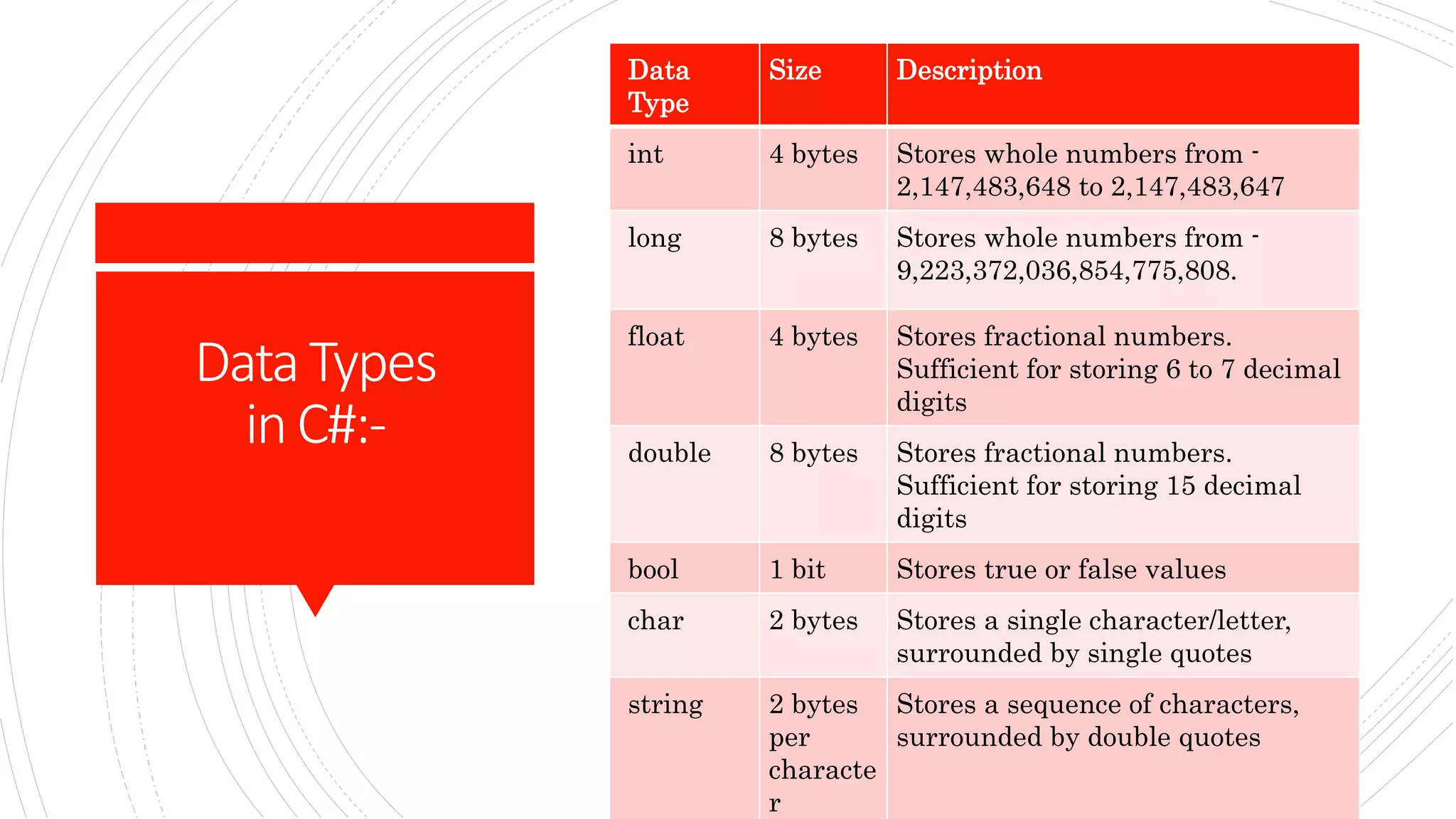
Data
Type
Size Description
int 4 bytes Stores whole numbers from -
2,147,483,648 to 2,147,483,647
long 8 bytes Stores whole numbers from -
9,223,372,036,854,775,808.
float 4 bytes Stores fractional numbers.
Sufficient for storing 6 to 7 decimal
digits
double 8 bytes Stores fractional numbers.
Sufficient for storing 15 decimal
digits
bool 1 bit Stores true or false values
char 2 bytes Stores a single character/letter,
surrounded by single quotes
string 2 bytes
per
characte
r
Stores a sequence of characters,
surrounded by double quotes
C#Classesand
Objects:-
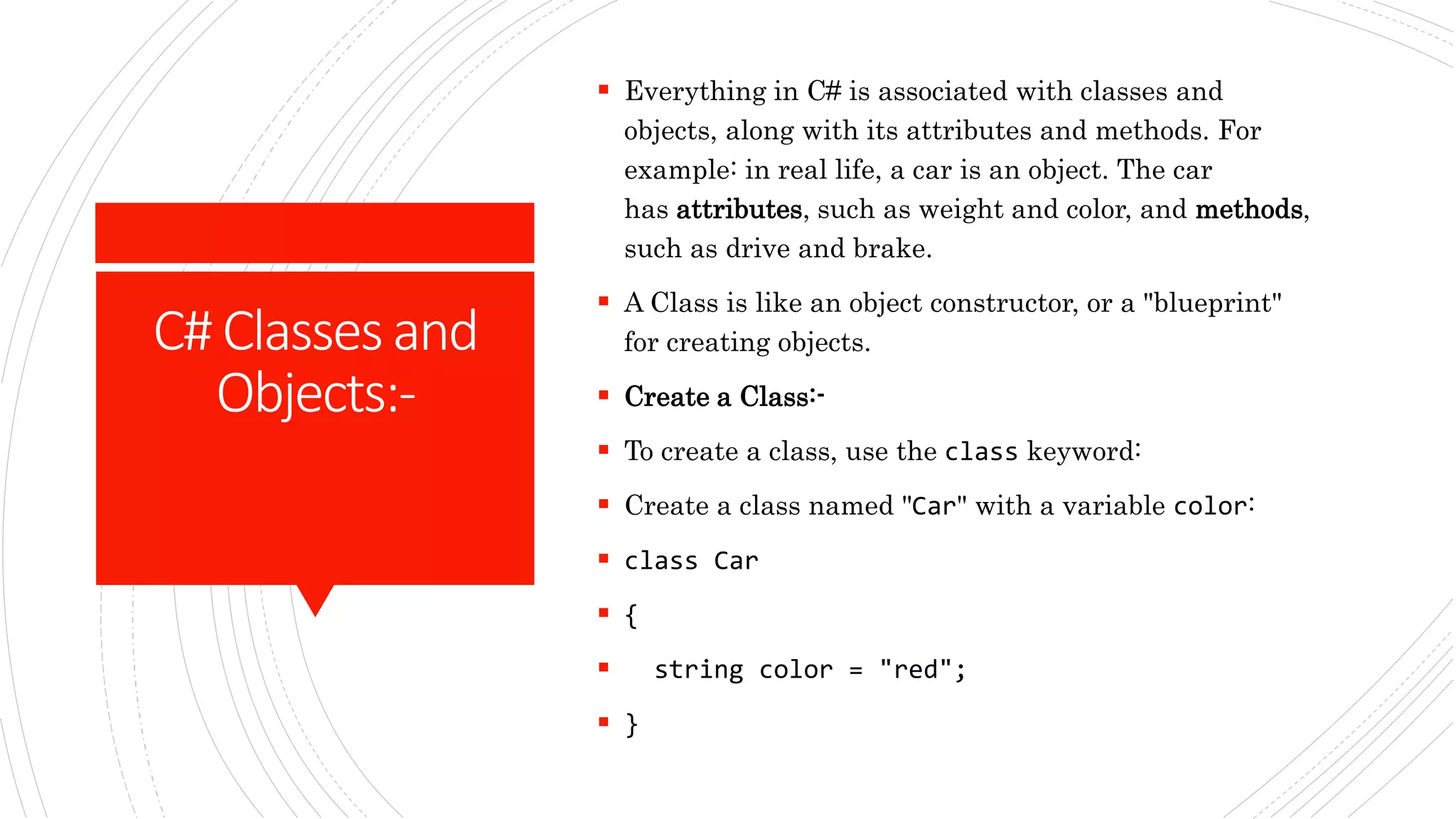
 Everything in C# is associated with classes and
objects, along with its attributes and methods. For
example: in real life, a car is an object. The car
has attributes, such as weight and color, and methods,
such as drive and brake.
 A Class is like an object constructor, or a "blueprint"
for creating objects.
 Create a Class:-
 To create a class, use the class keyword:
 Create a class named "Car" with a variable color:
 class Car
 {
 string color = "red";
 }
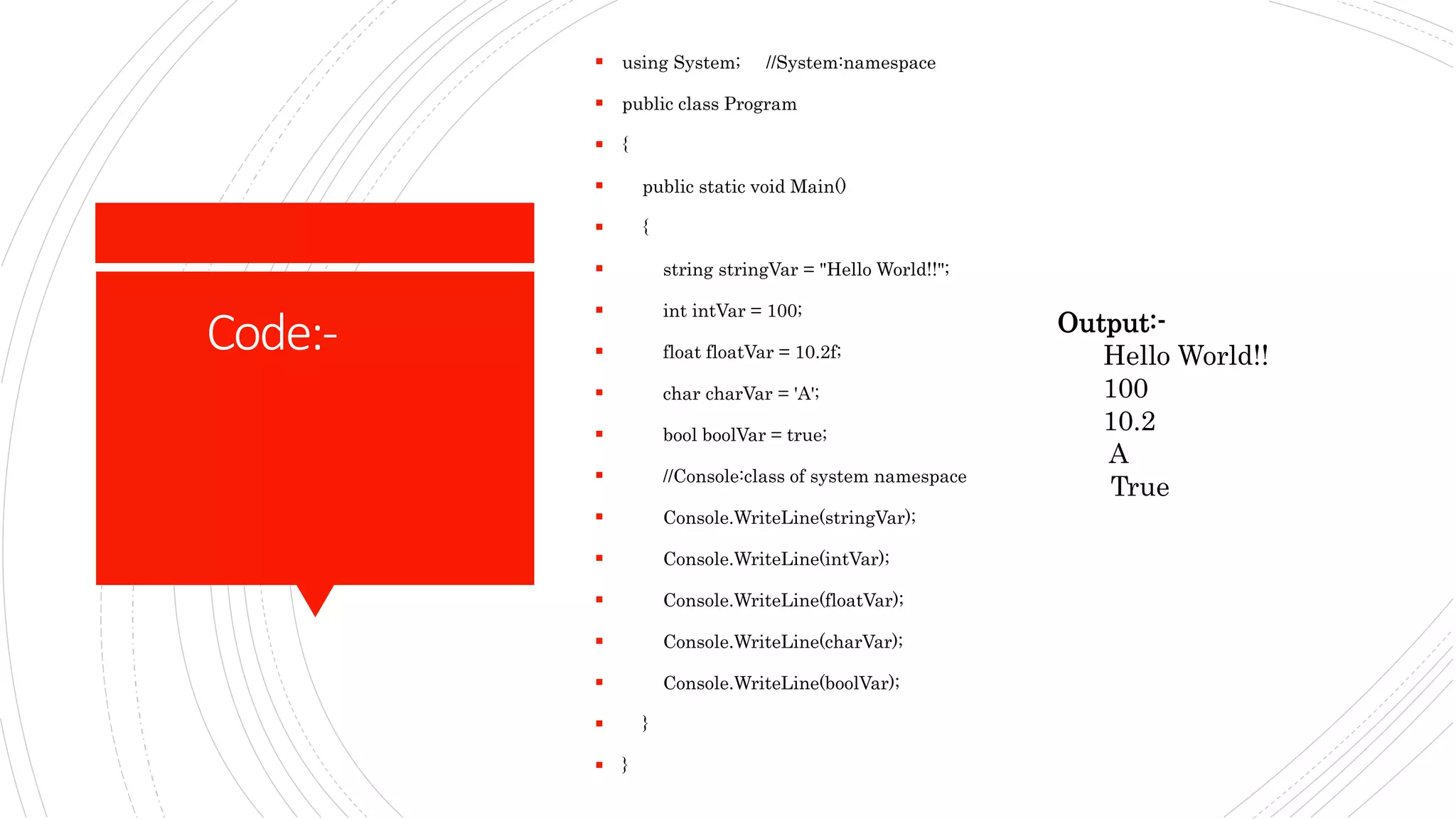
Code:-
 using System; //System:namespace
 public class Program
 {
 public static void Main()
 {
 string stringVar = "Hello World!!";
 int intVar = 100;
 float floatVar = 10.2f;
 char charVar = 'A';
 bool boolVar = true;
 //Console:class of system namespace
 Console.WriteLine(stringVar);
 Console.WriteLine(intVar);
 Console.WriteLine(floatVar);
 Console.WriteLine(charVar);
 Console.WriteLine(boolVar);
 }
 }
Output:-
Hello World!!
100
10.2
A
True
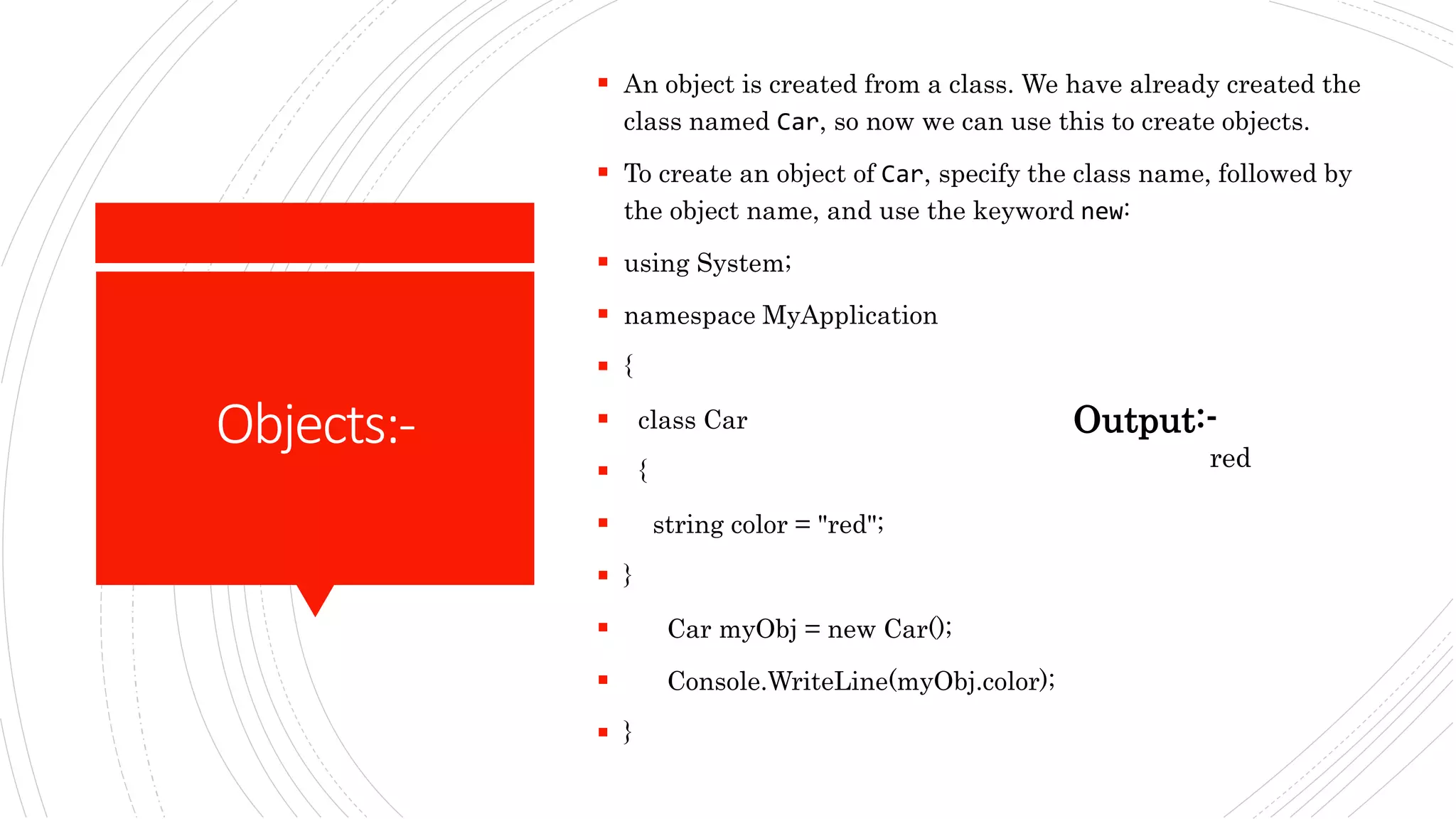
Objects:-
 An object is created from a class. We have already created the
class named Car, so now we can use this to create objects.
 To create an object of Car, specify the class name, followed by
the object name, and use the keyword new:
 using System;
 namespace MyApplication
 {
 class Car
 {
 string color = "red";
 }
 Car myObj = new Car();
 Console.WriteLine(myObj.color);
 }
Output:-
red

Data Types & Objects .pptx

  • 1.
  • 2.
    DataTypesin C#:-  A datatype specifies the size and type of variable values.  It means we must declare the type of a variable that indicates the kind of values it is going to store, such as integer, float, decimal, text, etc.
  • 3.
    DataTypes inC#:- Data Type Size Description int 4bytes Stores whole numbers from - 2,147,483,648 to 2,147,483,647 long 8 bytes Stores whole numbers from - 9,223,372,036,854,775,808. float 4 bytes Stores fractional numbers. Sufficient for storing 6 to 7 decimal digits double 8 bytes Stores fractional numbers. Sufficient for storing 15 decimal digits bool 1 bit Stores true or false values char 2 bytes Stores a single character/letter, surrounded by single quotes string 2 bytes per characte r Stores a sequence of characters, surrounded by double quotes
  • 4.
    C#Classesand Objects:-  Everything inC# is associated with classes and objects, along with its attributes and methods. For example: in real life, a car is an object. The car has attributes, such as weight and color, and methods, such as drive and brake.  A Class is like an object constructor, or a "blueprint" for creating objects.  Create a Class:-  To create a class, use the class keyword:  Create a class named "Car" with a variable color:  class Car  {  string color = "red";  }
  • 5.
    Code:-  using System;//System:namespace  public class Program  {  public static void Main()  {  string stringVar = "Hello World!!";  int intVar = 100;  float floatVar = 10.2f;  char charVar = 'A';  bool boolVar = true;  //Console:class of system namespace  Console.WriteLine(stringVar);  Console.WriteLine(intVar);  Console.WriteLine(floatVar);  Console.WriteLine(charVar);  Console.WriteLine(boolVar);  }  } Output:- Hello World!! 100 10.2 A True
  • 6.
    Objects:-  An objectis created from a class. We have already created the class named Car, so now we can use this to create objects.  To create an object of Car, specify the class name, followed by the object name, and use the keyword new:  using System;  namespace MyApplication  {  class Car  {  string color = "red";  }  Car myObj = new Car();  Console.WriteLine(myObj.color);  } Output:- red