April 11, 2018
Data Science for Fundraising: Build Data-Driven Solutions Using R
Rodger Devine
April 11, 2018Meeting of the Minds 2018
Session Overview
Welcome
Data Science for Fundraising
Introduction to R and R Studio
Loading and Preparing Data with R
Building Solutions Using R – Analysis
Building Solutions Using R – Visualization
Building Solutions Using R – Model Building
Takeaways
2
Session Overview
3
• We will cover a lot of ground
• Solution details and additional support references
will be provided
Welcome
4
Thank you Cal Poly Pomona and
MOTM 2018 community!
Introduction
5
• Experience: 15+ years in higher education, software
development, enterprise IT delivery, financial systems
integration, data analytics, advancement operations,
program management, team building and executive
leadership
• Graduate Studies: search engine technology, data analysis,
applied statistics, organizational management, etc.
• Expertise: information retrieval, natural language
processing, statistical modeling, recommender systems,
business process design, strategic planning and consulting
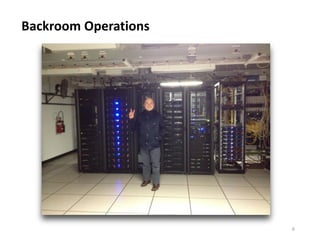
Backroom Operations
6
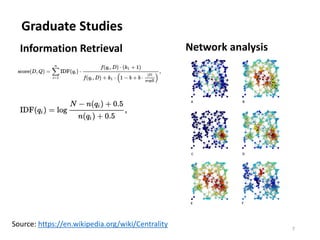
Graduate Studies
7
Information Retrieval Network analysis
Source: https://en.wikipedia.org/wiki/Centrality
Audience
8
• Who’s in the room today?
• Where are you from?
• Which sectors are represented?
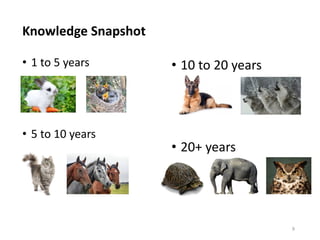
Knowledge Snapshot
9
• 1 to 5 years
• 5 to 10 years
• 10 to 20 years
• 20+ years
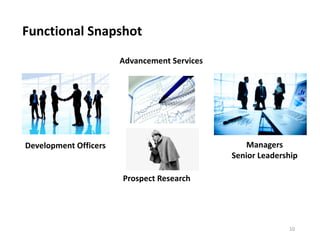
Functional Snapshot
10
Development Officers
Advancement Services
Prospect Research
Managers
Senior Leadership
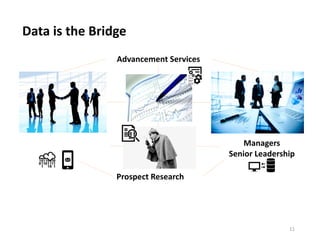
Data is the Bridge
11
Advancement Services
Prospect Research
Managers
Senior Leadership
Community
12
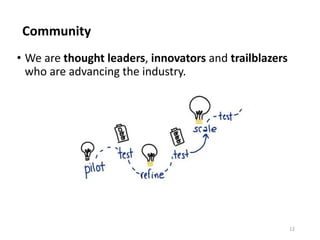
• We are thought leaders, innovators and trailblazers
who are advancing the industry.
Leading the Way
13
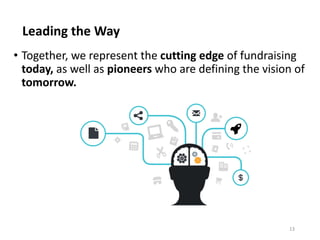
• Together, we represent the cutting edge of fundraising
today, as well as pioneers who are defining the vision of
tomorrow.
Pathway to Innovation
14
15
Data Science
• Converting data into actionable insights
• Identifying trends
• Recognizing patterns
• Visualizing complex data
• Making future predictions using past data
16
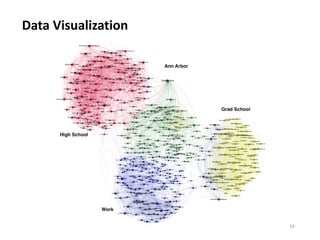
Data Visualization
17
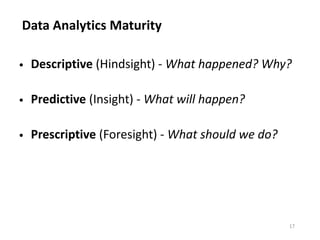
Data Analytics Maturity
• Descriptive (Hindsight) - What happened? Why?
• Predictive (Insight) - What will happen?
• Prescriptive (Foresight) - What should we do?
18
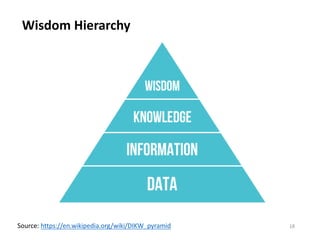
Wisdom Hierarchy
Source: https://en.wikipedia.org/wiki/DIKW_pyramid
19
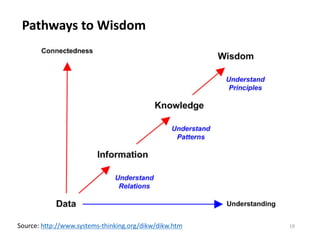
Pathways to Wisdom
Source: http://www.systems-thinking.org/dikw/dikw.htm
20
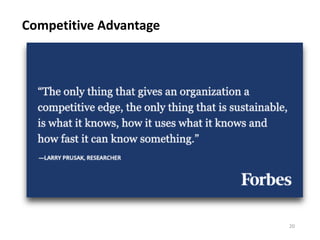
Competitive Advantage
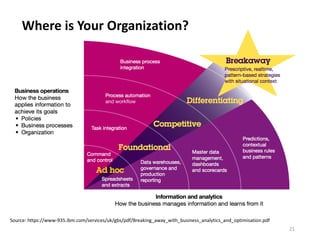
Where is Your Organization?
21
Source: https://www-935.ibm.com/services/uk/gbs/pdf/Breaking_away_with_business_analytics_and_optimisation.pdf
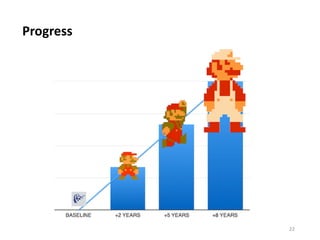
Progress
22
Data Science for Fundraising
23
• Improve results (ROI, results, outcomes)
• Increase efficiencies (resources, time)
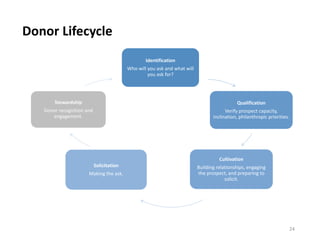
Donor Lifecycle
24
Identification
Who will you ask and what will
you ask for?
Qualification
Verify prospect capacity,
inclination, philanthropic priorities.
Cultivation
Building relationships, engaging
the prospect, and preparing to
solicit.
Solicitation
Making the ask.
Stewardship
Donor recognition and
engagement.
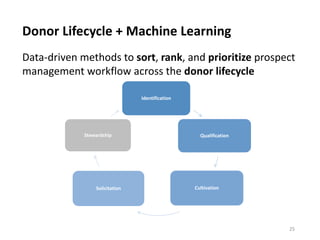
Donor Lifecycle + Machine Learning
25
Data-driven methods to sort, rank, and prioritize prospect
management workflow across the donor lifecycle
Identification
Qualification
CultivationSolicitation
Stewardship
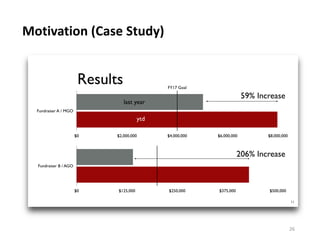
Motivation (Case Study)
26
Machine Learning
27
Machine learning is the study of computer-
based tools to build models that learn and
make predictions using data.
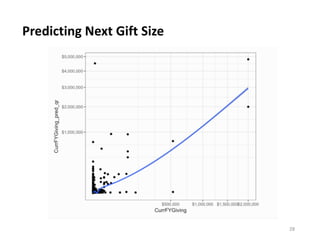
Predicting Next Gift Size
28
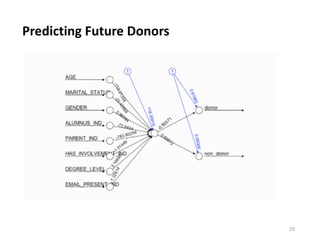
Predicting Future Donors
29
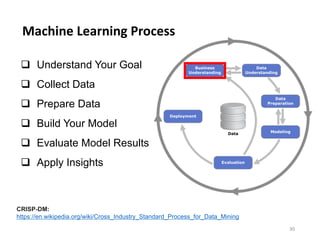
Machine Learning Process
30
q Understand Your Goal
q Collect Data
q Prepare Data
q Build Your Model
q Evaluate Model Results
q Apply Insights
CRISP-DM:
https://en.wikipedia.org/wiki/Cross_Industry_Standard_Process_for_Data_Mining
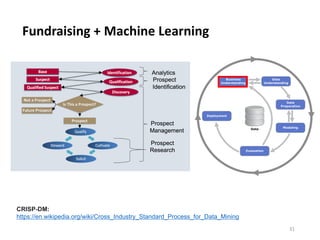
Fundraising + Machine Learning
31
CRISP-DM:
https://en.wikipedia.org/wiki/Cross_Industry_Standard_Process_for_Data_Mining
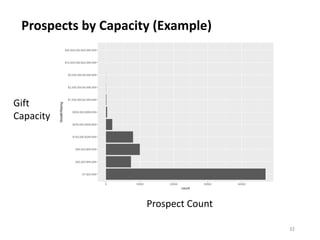
Prospects by Capacity (Example)
32
Gift
Capacity
Prospect Count
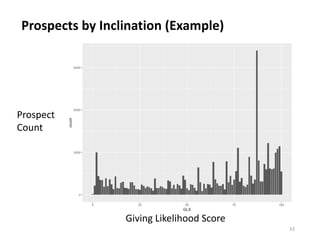
Prospects by Inclination (Example)
33
Prospect
Count
Giving Likelihood Score
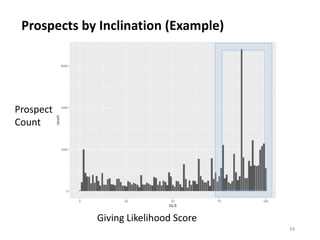
Prospects by Inclination (Example)
34
Prospect
Count
Giving Likelihood Score
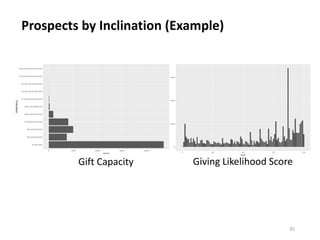
Prospects by Inclination (Example)
35
Giving Likelihood ScoreGift Capacity
Powerful Combinations
36
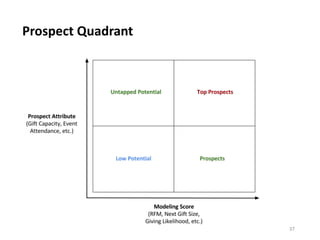
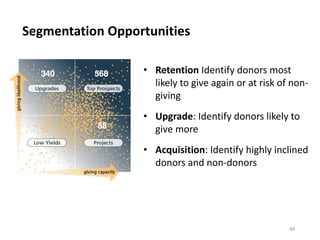
Prospect Quadrant
37
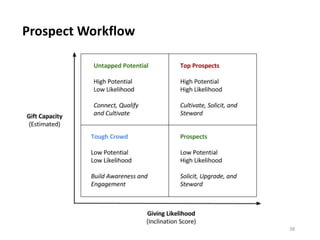
Prospect Workflow
38
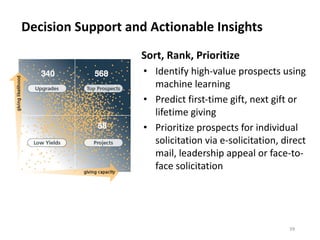
Decision Support and Actionable Insights
39
Sort, Rank, Prioritize
• Identify high-value prospects using
machine learning
• Predict first-time gift, next gift or
lifetime giving
• Prioritize prospects for individual
solicitation via e-solicitation, direct
mail, leadership appeal or face-to-
face solicitation
Segmentation Opportunities
40
• Retention Identify donors most
likely to give again or at risk of non-
giving
• Upgrade: Identify donors likely to
give more
• Acquisition: Identify highly inclined
donors and non-donors
How Do We Do This?
41
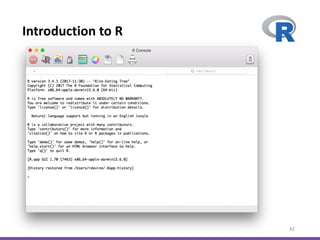
Introduction to R
42
Why R?
43
• Open-Source Tool (Free)
• Popular and Multi-platform
• Robust User-Community
• 12k+ FREE packages/libraries available
• Powerful, Portable and Scalable
Download R
44
https://www.r-project.org/
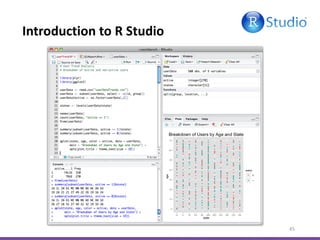
Introduction to R Studio
45
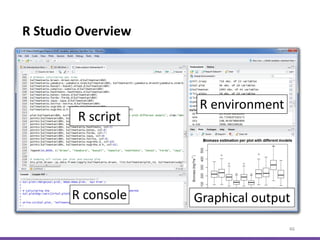
R Studio Overview
46
Download R Studio
47
https://www.rstudio.com/products/rstudio/download/
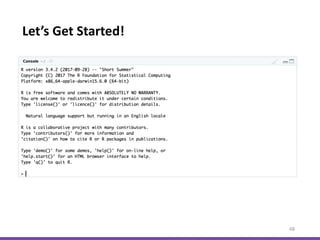
Let’s Get Started!
48
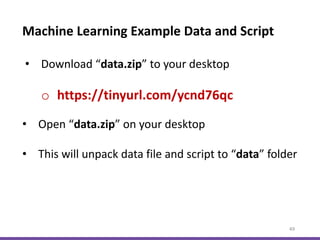
Machine Learning Example Data and Script
49
• Download “data.zip” to your desktop
o https://tinyurl.com/ycnd76qc
• Open “data.zip” on your desktop
• This will unpack data file and script to “data” folder
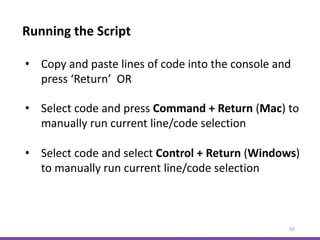
Running the Script
50
• Copy and paste lines of code into the console and
press ‘Return’ OR
• Select code and press Command + Return (Mac) to
manually run current line/code selection
• Select code and select Control + Return (Windows)
to manually run current line/code selection
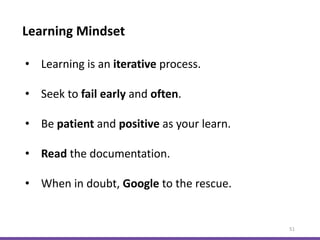
Learning Mindset
51
• Learning is an iterative process.
• Seek to fail early and often.
• Be patient and positive as your learn.
• Read the documentation.
• When in doubt, Google to the rescue.
Install R Libraries
52
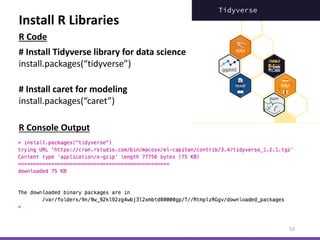
Install R Libraries
53
# Install Tidyverse library for data science
install.packages(“tidyverse”)
R Console Output
# Install caret for modeling
install.packages(“caret”)
R Code
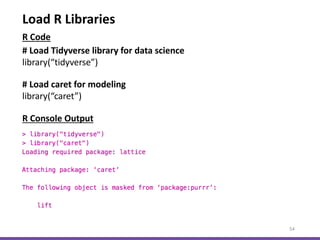
Load R Libraries
54
# Load Tidyverse library for data science
library(“tidyverse”)
# Load caret for modeling
library(“caret”)
R Console Output
R Code
55
Loading Data
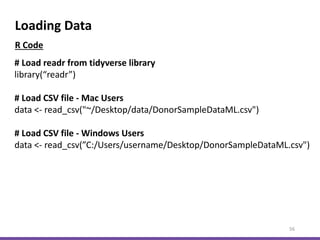
Loading Data
56
# Load readr from tidyverse library
library(“readr”)
# Load CSV file - Mac Users
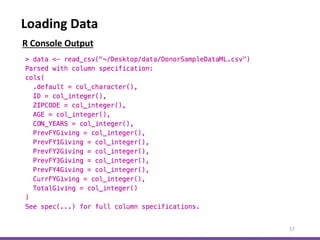
data <- read_csv("~/Desktop/data/DonorSampleDataML.csv")
# Load CSV file - Windows Users
data <- read_csv(”C:/Users/username/Desktop/DonorSampleDataML.csv")
R Code
Loading Data
57
R Console Output
Inspect Data
58
Inspect Data
59
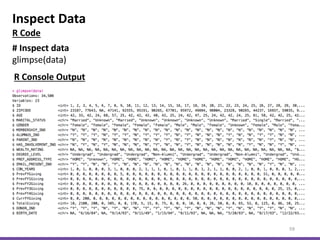
# Inspect data
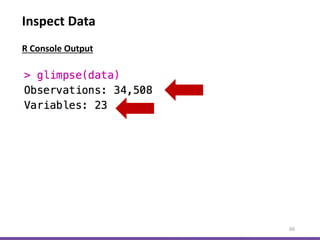
glimpse(data)
R Console Output
R Code
Inspect Data
60
R Console Output
Inspect Data
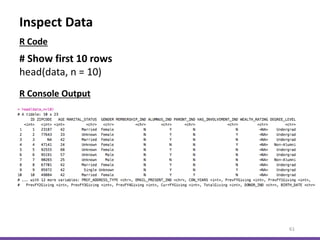
61
# Show first 10 rows
head(data, n = 10)
R Console Output
R Code
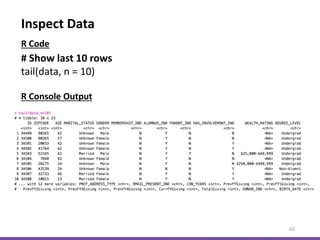
Inspect Data
62
# Show last 10 rows
tail(data, n = 10)
R Code
R Console Output
63
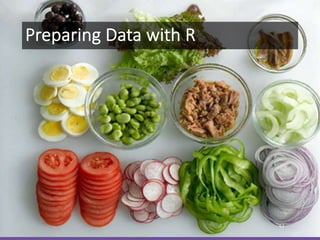
Preparing Data with R
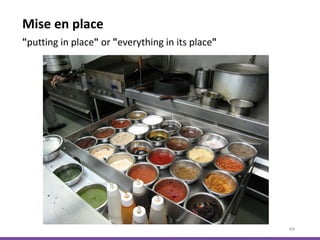
Mise en place
64
"putting in place" or "everything in its place"
Prepare Data
65
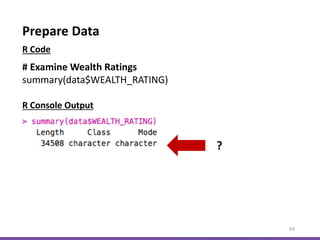
# Examine Wealth Ratings
summary(data$WEALTH_RATING)
R Console Output
R Code
?
Prepare Data
66
R Console Output
R Code
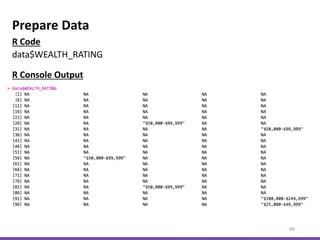
data$WEALTH_RATING
67
Don’t Boil the Ocean
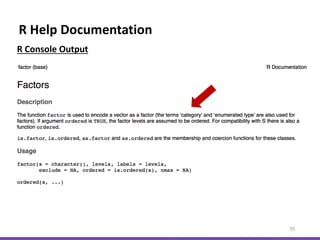
R Help Documentation
68
R Console Output
R Code
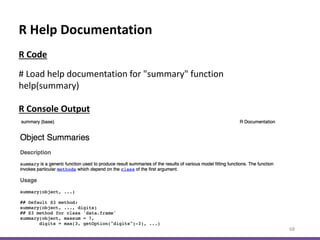
# Load help documentation for "summary" function
help(summary)
R Help Documentation
69
R Console Output
R Help Documentation
70
R Console Output
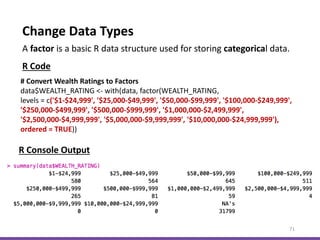
Change Data Types
71
# Convert Wealth Ratings to Factors
data$WEALTH_RATING <- with(data, factor(WEALTH_RATING,
levels = c('$1-$24,999', '$25,000-$49,999', '$50,000-$99,999', '$100,000-$249,999',
'$250,000-$499,999', '$500,000-$999,999', '$1,000,000-$2,499,999',
'$2,500,000-$4,999,999', '$5,000,000-$9,999,999', '$10,000,000-$24,999,999'),
ordered = TRUE))
A factor is a basic R data structure used for storing categorical data.
R Code
R Console Output
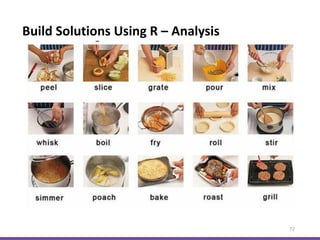
Build Solutions Using R – Analysis
72
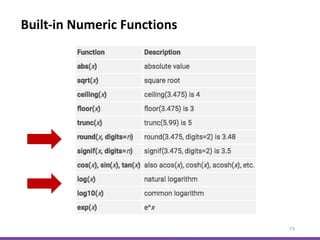
Built-in Numeric Functions
73
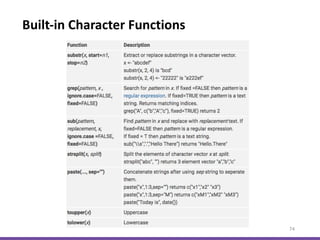
Built-in Character Functions
74
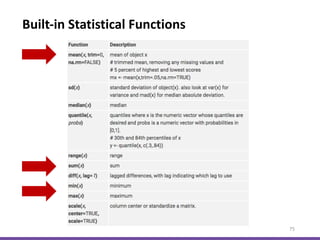
Built-in Statistical Functions
75
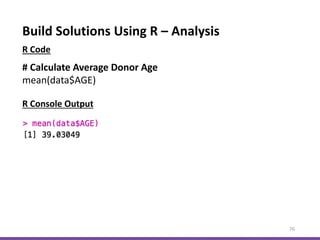
Build Solutions Using R – Analysis
76
# Calculate Average Donor Age
mean(data$AGE)
R Console Output
R Code
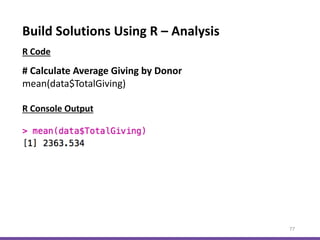
Build Solutions Using R – Analysis
77
# Calculate Average Giving by Donor
mean(data$TotalGiving)
R Console Output
R Code
Build Solutions Using R – Analysis
78
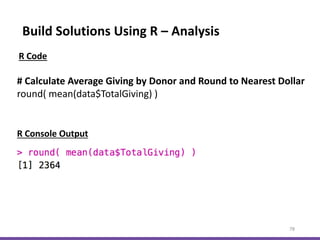
# Calculate Average Giving by Donor and Round to Nearest Dollar
round( mean(data$TotalGiving) )
R Console Output
R Code
Build Solutions Using R – Analysis
79
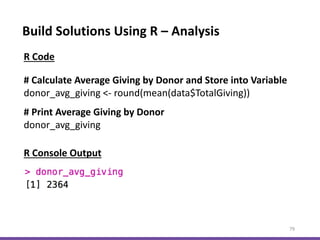
# Calculate Average Giving by Donor and Store into Variable
donor_avg_giving <- round(mean(data$TotalGiving))
R Console Output
R Code
# Print Average Giving by Donor
donor_avg_giving
Build Solutions Using R – Analysis
80
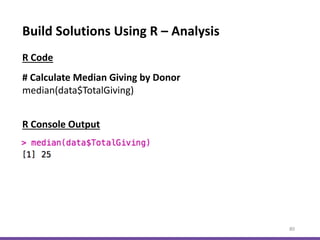
# Calculate Median Giving by Donor
median(data$TotalGiving)
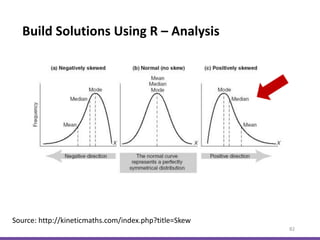
R Console Output
R Code
Build Solutions Using R – Analysis
81
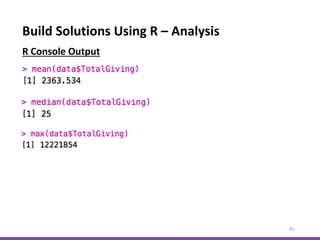
R Console Output
Build Solutions Using R – Analysis
82
Source: http://kineticmaths.com/index.php?title=Skew
Build Solutions Using R – Analysis
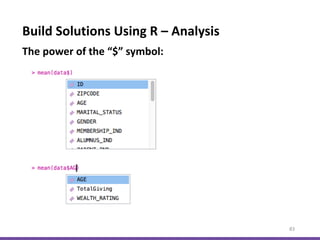
83
The power of the “$” symbol:
Build Solutions Using R – Visualization
84
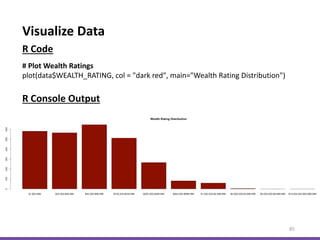
Visualize Data
85
# Plot Wealth Ratings
plot(data$WEALTH_RATING, col = "dark red", main="Wealth Rating Distribution")
R Code
R Console Output
Visualize Data
86
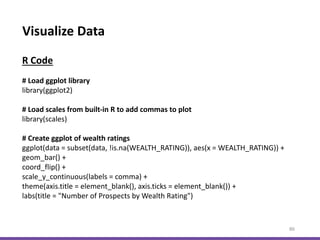
# Load ggplot library
library(ggplot2)
# Load scales from built-in R to add commas to plot
library(scales)
# Create ggplot of wealth ratings
ggplot(data = subset(data, !is.na(WEALTH_RATING)), aes(x = WEALTH_RATING)) +
geom_bar() +
coord_flip() +
scale_y_continuous(labels = comma) +
theme(axis.title = element_blank(), axis.ticks = element_blank()) +
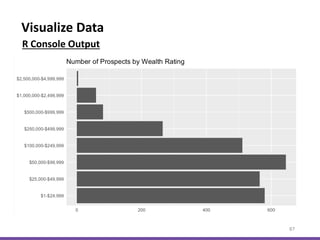
labs(title = "Number of Prospects by Wealth Rating")
R Code
Visualize Data
87
R Console Output
Build Solutions Using R – Model Building
88
Define a Business Problem
89
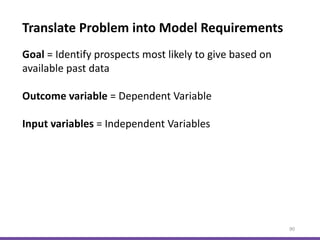
Goal = Identify prospects most likely to give based on
available past data
90
Goal = Identify prospects most likely to give based on
available past data
Outcome variable = Dependent Variable
Input variables = Independent Variables
Translate Problem into Model Requirements
91
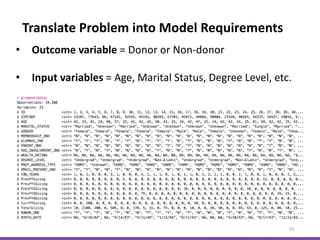
• Outcome variable = Donor or Non-donor
• Input variables = Age, Marital Status, Degree Level, etc.
Translate Problem into Model Requirements
Selecting Models and Features
92
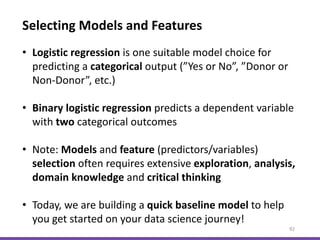
• Logistic regression is one suitable model choice for
predicting a categorical output (”Yes or No”, ”Donor or
Non-Donor”, etc.)
• Binary logistic regression predicts a dependent variable
with two categorical outcomes
• Note: Models and feature (predictors/variables)
selection often requires extensive exploration, analysis,
domain knowledge and critical thinking
• Today, we are building a quick baseline model to help
you get started on your data science journey!
Load R Model Libraries and Data
93
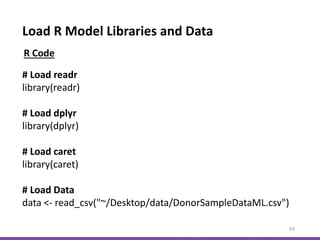
# Load readr
library(readr)
# Load dplyr
library(dplyr)
# Load caret
library(caret)
# Load Data
data <- read_csv("~/Desktop/data/DonorSampleDataML.csv")
R Code
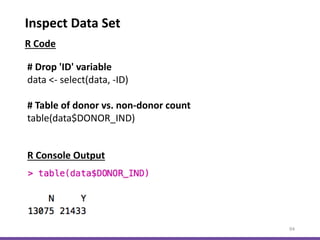
Inspect Data Set
94
# Drop 'ID' variable
data <- select(data, -ID)
# Table of donor vs. non-donor count
table(data$DONOR_IND)
R Console Output
R Code
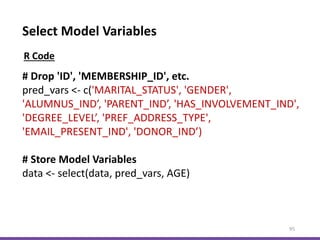
Select Model Variables
95
# Drop 'ID', 'MEMBERSHIP_ID', etc.
pred_vars <- c('MARITAL_STATUS', 'GENDER',
'ALUMNUS_IND’, 'PARENT_IND’, 'HAS_INVOLVEMENT_IND',
'DEGREE_LEVEL’, 'PREF_ADDRESS_TYPE',
'EMAIL_PRESENT_IND', 'DONOR_IND’)
# Store Model Variables
data <- select(data, pred_vars, AGE)
R Code
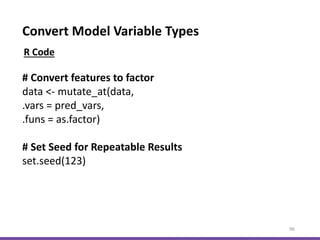
Convert Model Variable Types
96
# Convert features to factor
data <- mutate_at(data,
.vars = pred_vars,
.funs = as.factor)
# Set Seed for Repeatable Results
set.seed(123)
R Code
Build Training and Test Data Sets
97
# Create Training and Test Data Set Indices
dd_index <- sample(2, nrow(data),
replace = TRUE,
prob = c(0.7, 0.3))
# Build Training Data Set
dd_trainset <- data[dd_index == 1, ]
# Build Test Data Set
dd_testset <- data[dd_index == 2, ]
R Code
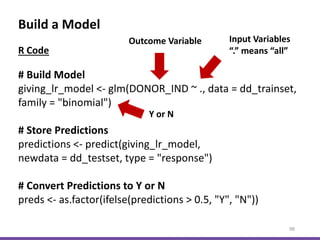
Build a Model
98
# Build Model
giving_lr_model <- glm(DONOR_IND ~ ., data = dd_trainset,
family = "binomial")
# Store Predictions
predictions <- predict(giving_lr_model,
newdata = dd_testset, type = "response")
# Convert Predictions to Y or N
preds <- as.factor(ifelse(predictions > 0.5, "Y", "N"))
R Code
Outcome Variable Input Variables
“.” means “all”
Y or N
Evaluate Model
99
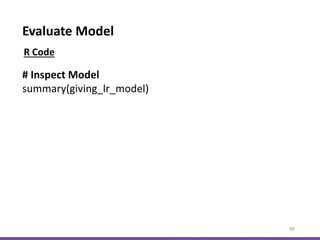
# Inspect Model
summary(giving_lr_model)
R Code
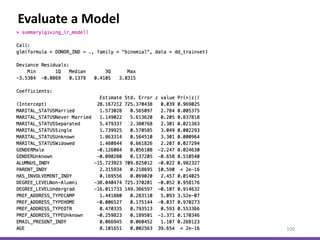
Evaluate a Model
100
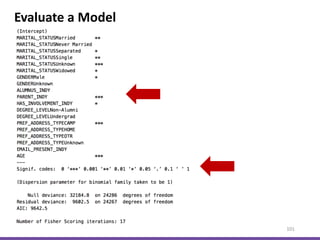
Evaluate a Model
101
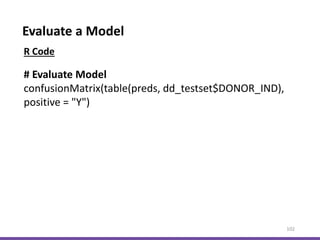
Evaluate a Model
102
# Evaluate Model
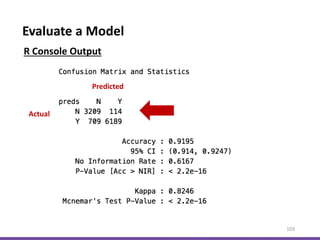
confusionMatrix(table(preds, dd_testset$DONOR_IND),
positive = "Y")
R Code
Evaluate a Model
103
R Console Output
Predicted
Actual
Evaluate a Model
104
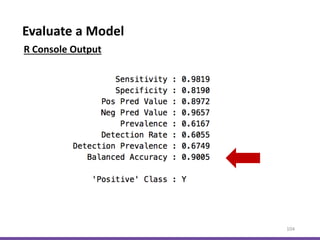
R Console Output
Looking Ahead
105
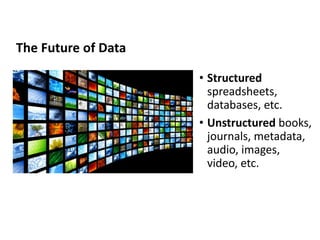
The Future of Data
• Structured
spreadsheets,
databases, etc.
• Unstructured books,
journals, metadata,
audio, images,
video, etc.
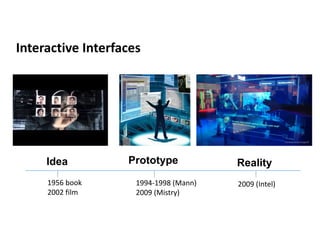
Interactive Interfaces
Prototype RealityIdea
1956 book
2002 film
1994-1998 (Mann)
2009 (Mistry)
2009 (Intel)
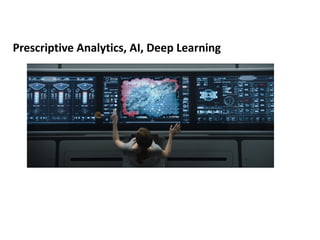
Prescriptive Analytics, AI, Deep Learning
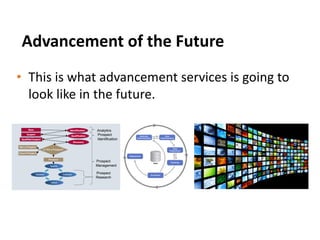
Advancement of the Future
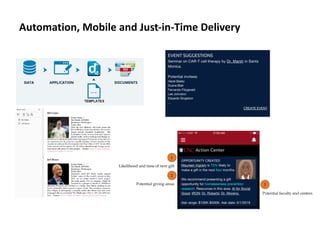
• This is what advancement services is going to
look like in the future.
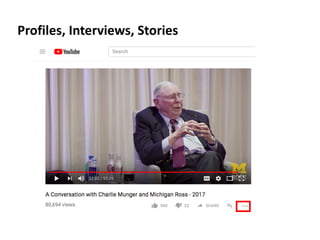
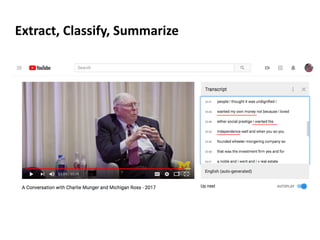
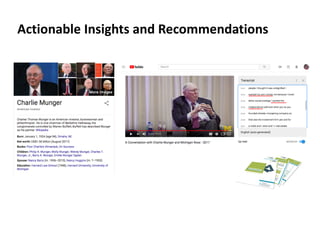
Profiles, Interviews, Stories
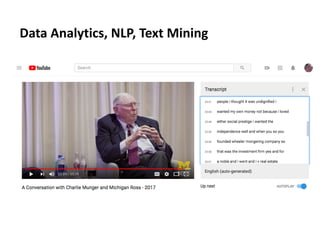
Data Analytics, NLP, Text Mining
Extract, Classify, Summarize
Actionable Insights and Recommendations
Automation, Mobile and Just-in-Time Delivery
Be a Lifelong Learner
115
Takeaways
116
• The purpose of analytics is to add value.
• Lead with business purpose to guide solutions.
• Start where you are right now.
• Solicit feedback often.
Takeaways
117
• Fail early and often to drive improvement with real users.
• Get involved with the MOTM community.
• Build a community of support and expertise within and
across your organization.
• Be a learn-it-all, not a know-it-all.
118
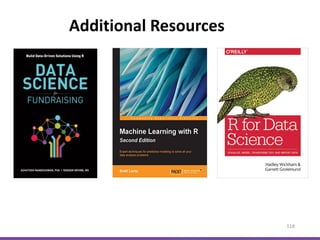
Additional Resources
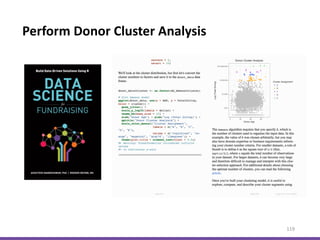
Perform Donor Cluster Analysis
119
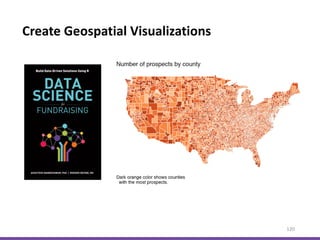
Create Geospatial Visualizations
120
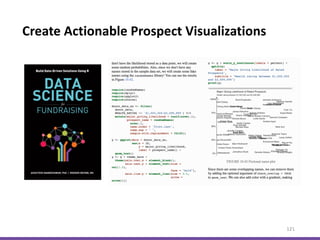
Create Actionable Prospect Visualizations
121
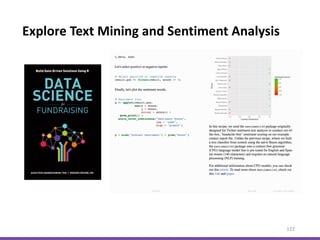
Explore Text Mining and Sentiment Analysis
122
123
Data Science for Fundraising: Build Data-Driven Solutions Using R
http://nandeshwar.info/ds4fundraising/
Quick-R Built-in Functions
https://www.statmethods.net/management/functions.html
Questions?
124
Email: rodger.devine@gmail.com
Blog: https://www.rodgerdevine.blog/
LinkedIn: https://www.linkedin.com/in/rodgerdevine/
125

Data Science for Fundraising: Build Data-Driven Solutions Using R - Rodger Devine 2018