Data Crawler using Python (I)
2017/08/06 (Wed.)
WeiYuan
site: v123582.github.io
line: weiwei63
§ 全端⼯程師 + 資料科學家
略懂⼀點網站前後端開發技術,學過資料探勘與機器
學習的⽪⽑。平時熱愛參與技術社群聚會及貢獻開源
程式的樂趣。
Outline
§ 網站運作架構
§ 資料爬蟲與搜尋引擎
§ 資料爬蟲 - 靜態網頁篇
§ 網頁資料取得: urllib, request
§ 網頁解析器: BeatifulSoup
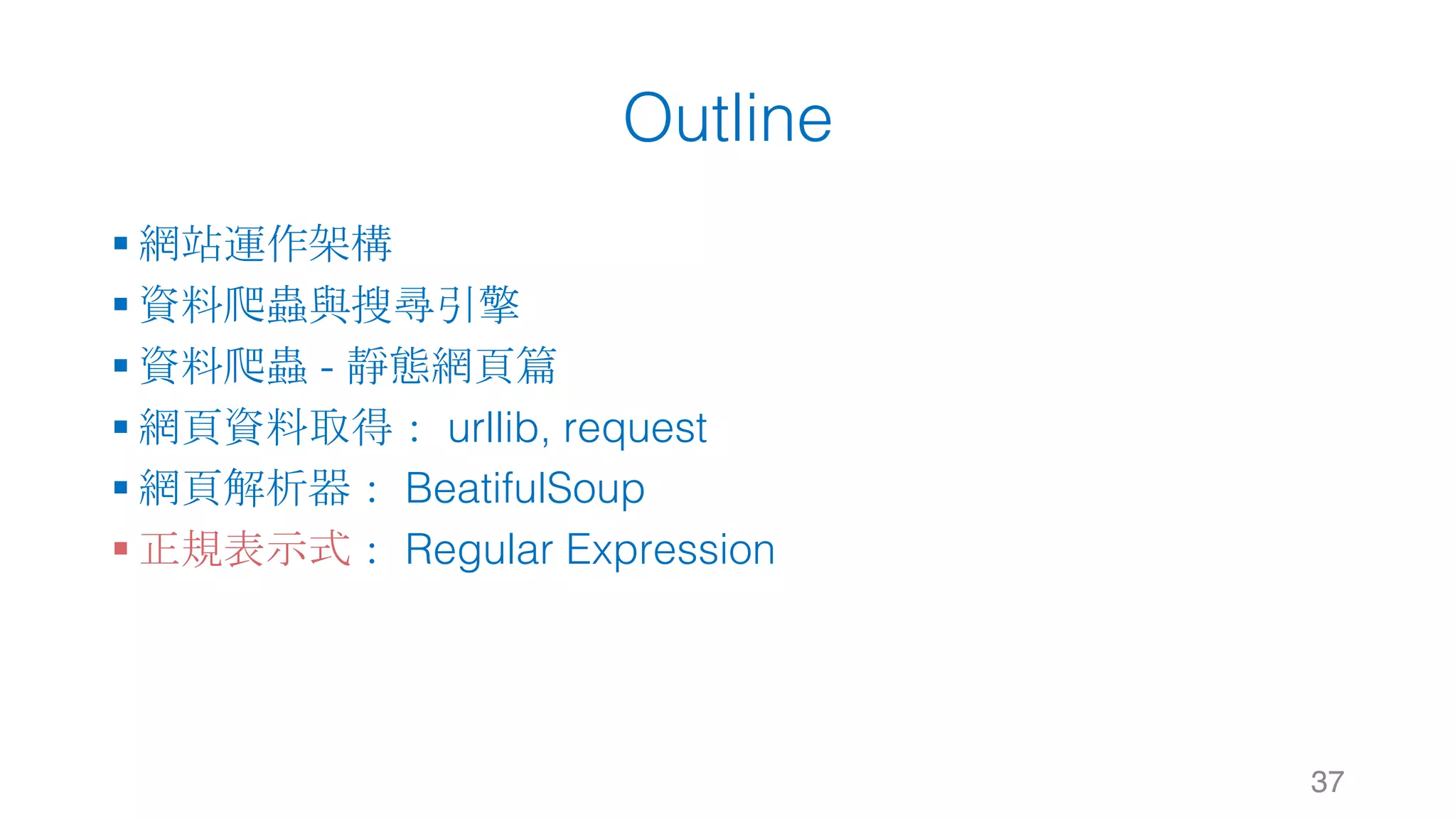
§ 正規表示式: Regular Expression
3
Outline
§ 網站運作架構
§ 資料爬蟲與搜尋引擎
§ 資料爬蟲 - 靜態網頁篇
§ 網頁資料取得: urllib, request
§ 網頁解析器: BeatifulSoup
§ 正規表示式: Regular Expression
4
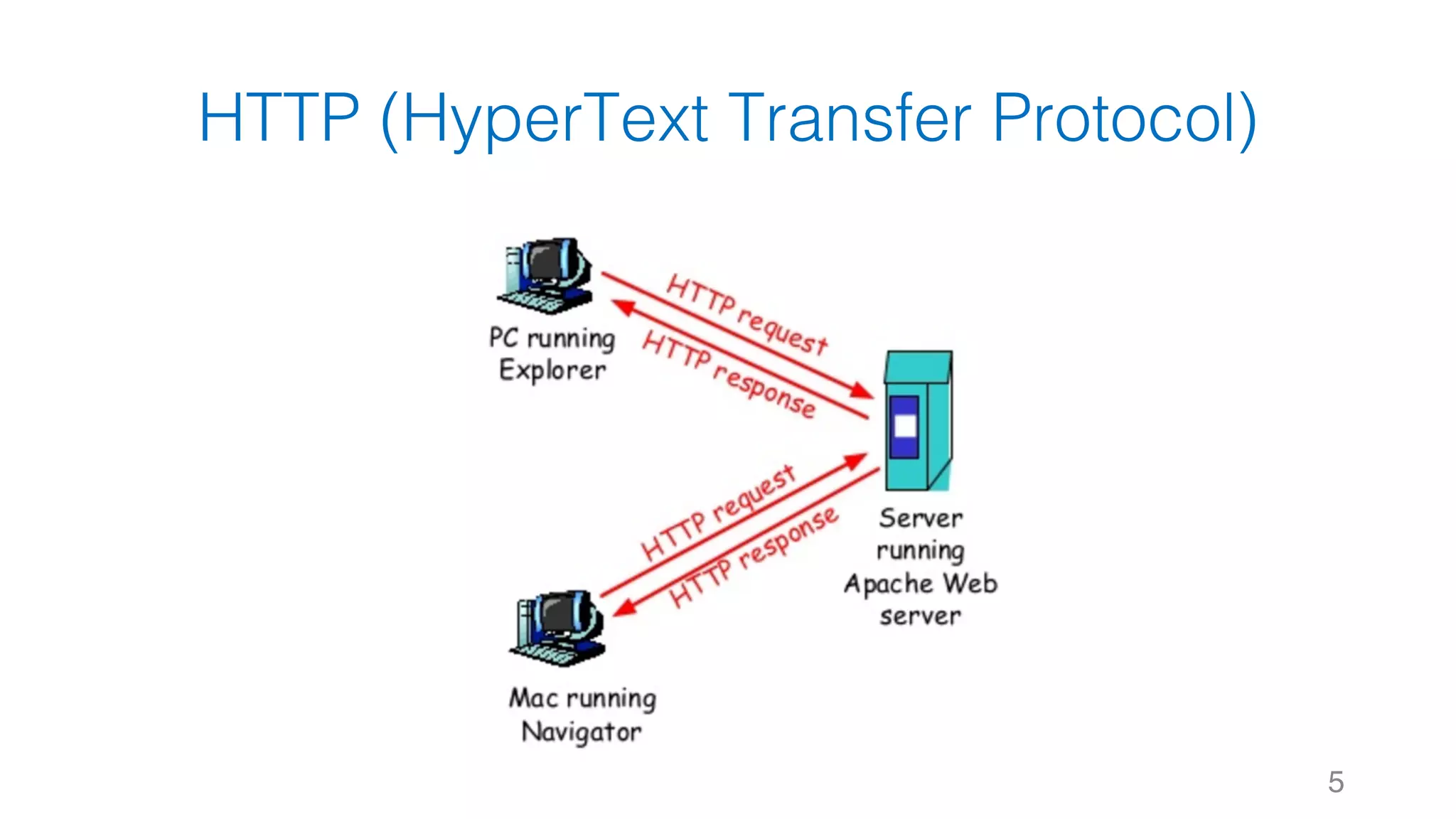
HTTP (HyperText Transfer Protocol)
5
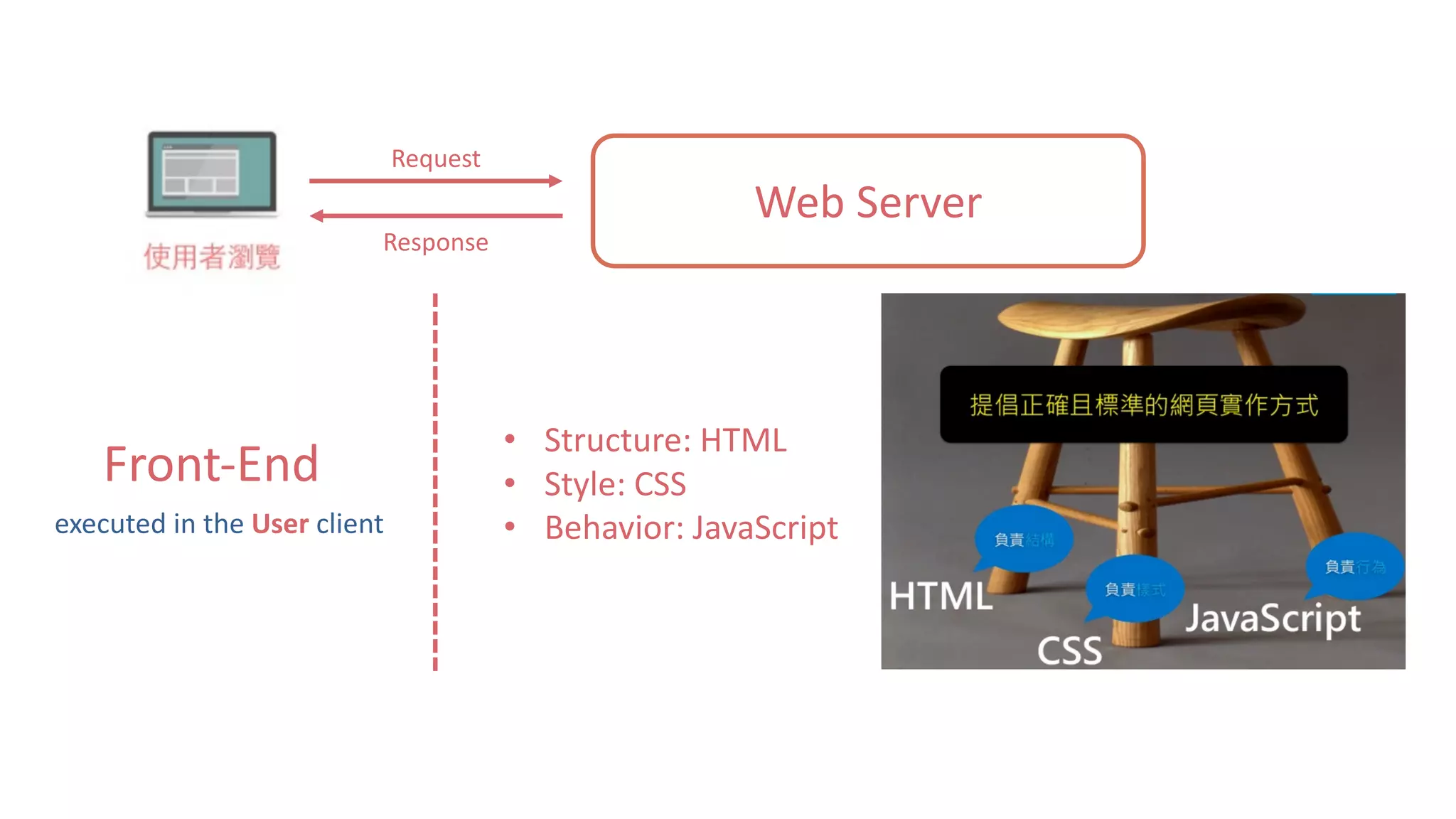
Web	Server
Request
Response
Front-End
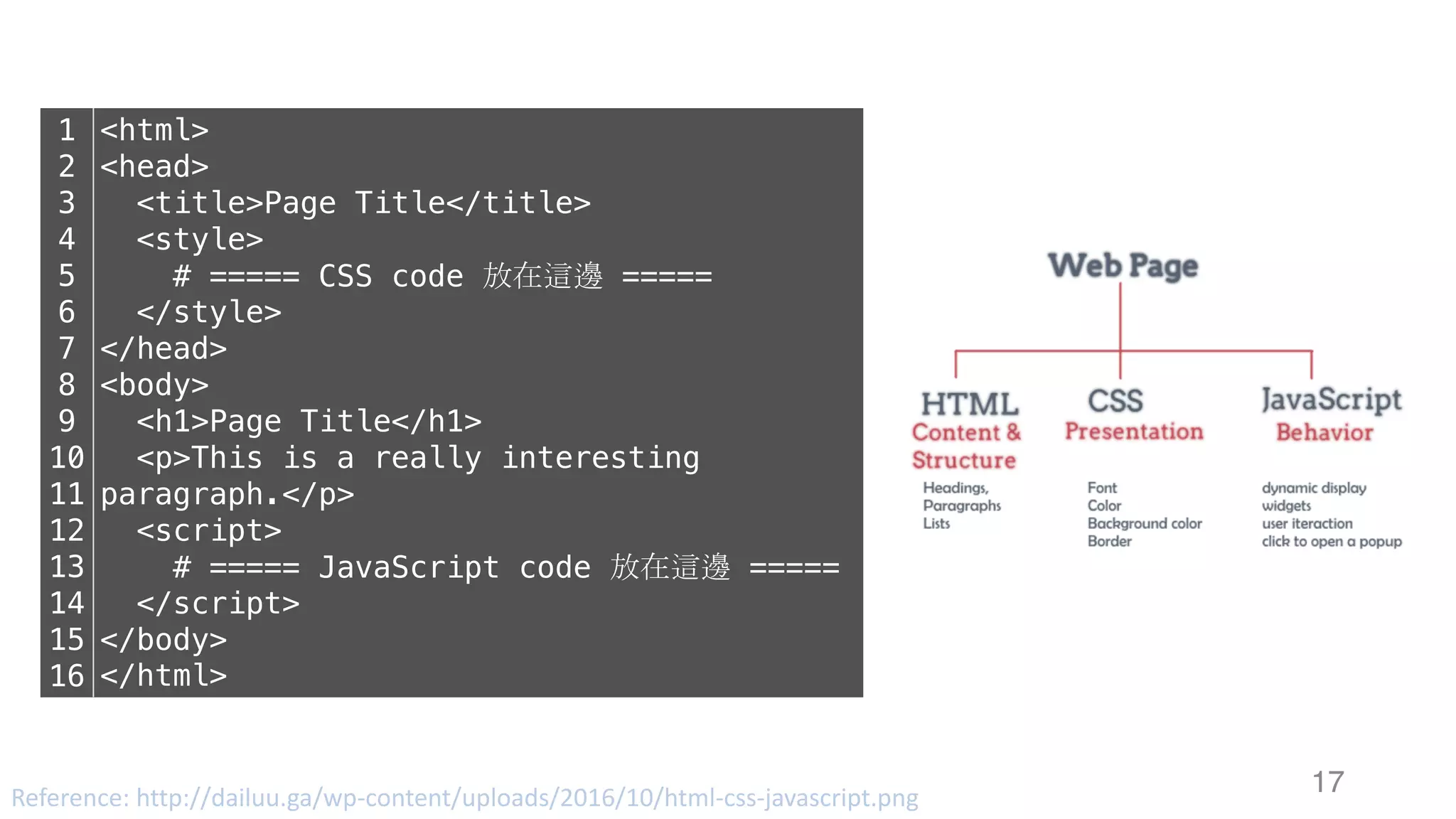
• Structure:	HTML
• Style:	CSS
• Behavior:	JavaScriptexecuted	in	the	User client
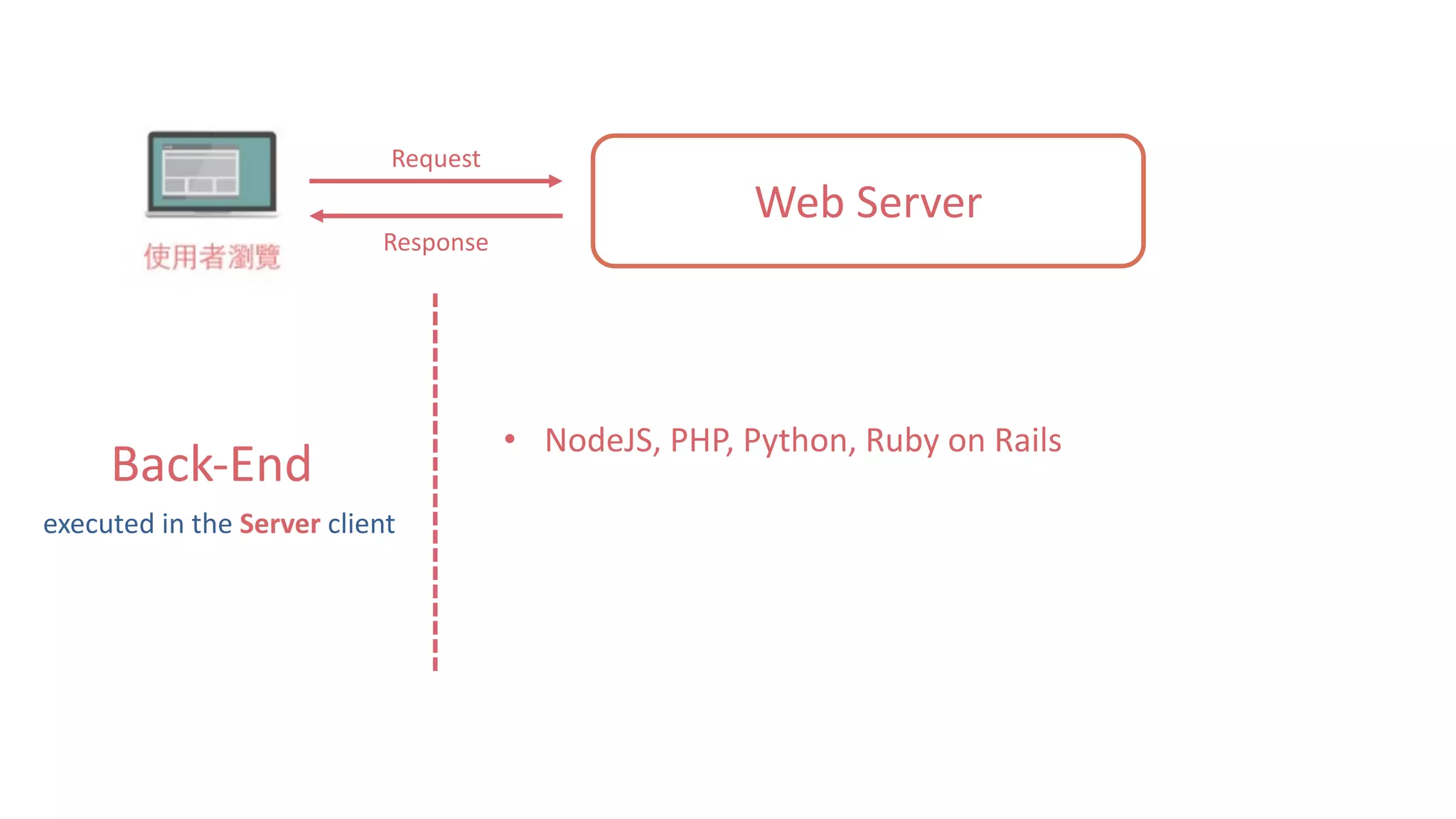
Web	Server
Request
Response
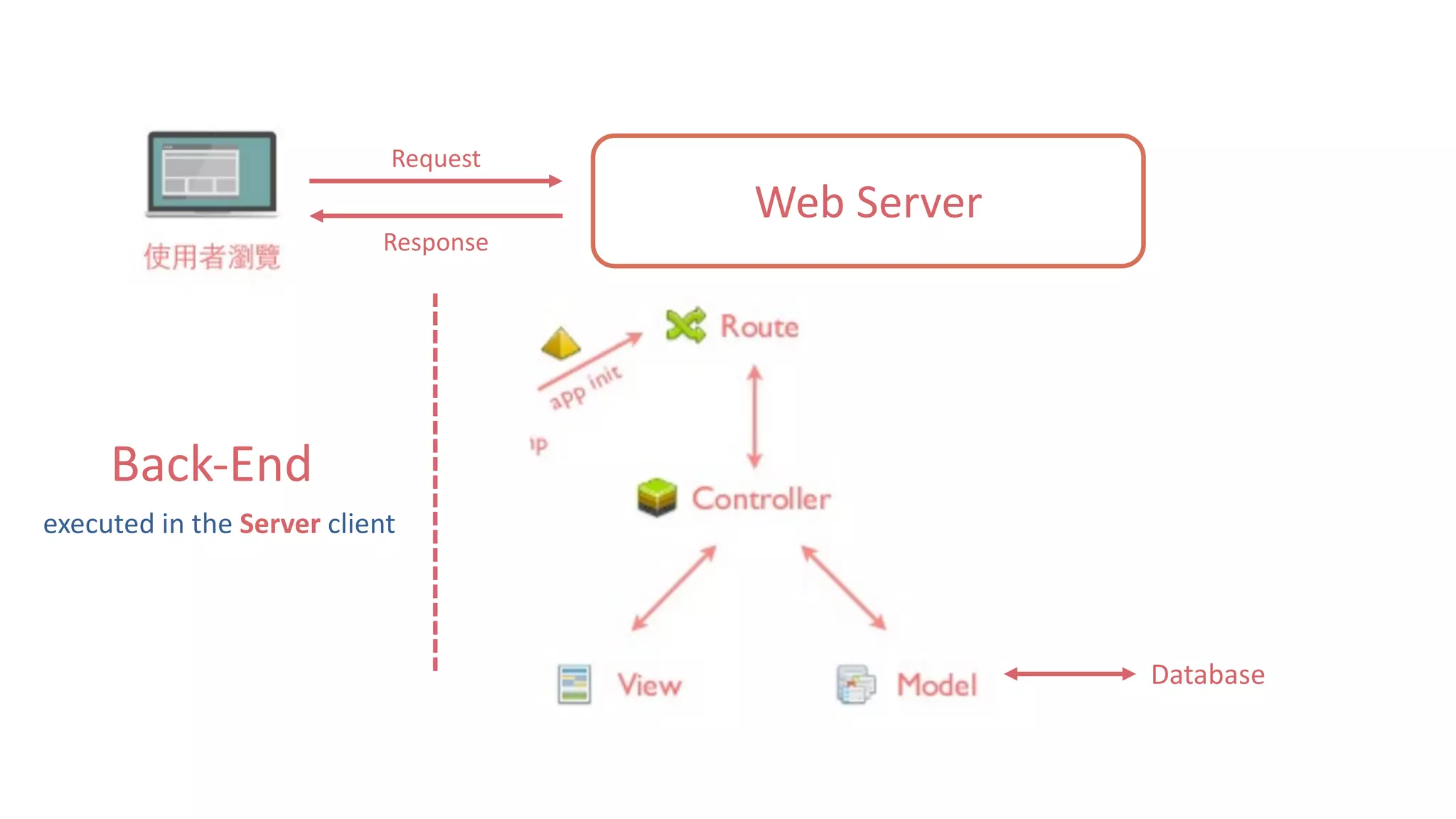
Back-End
• NodeJS,	PHP,	Python,	Ruby	on	Rails
executed	in	the	Server client
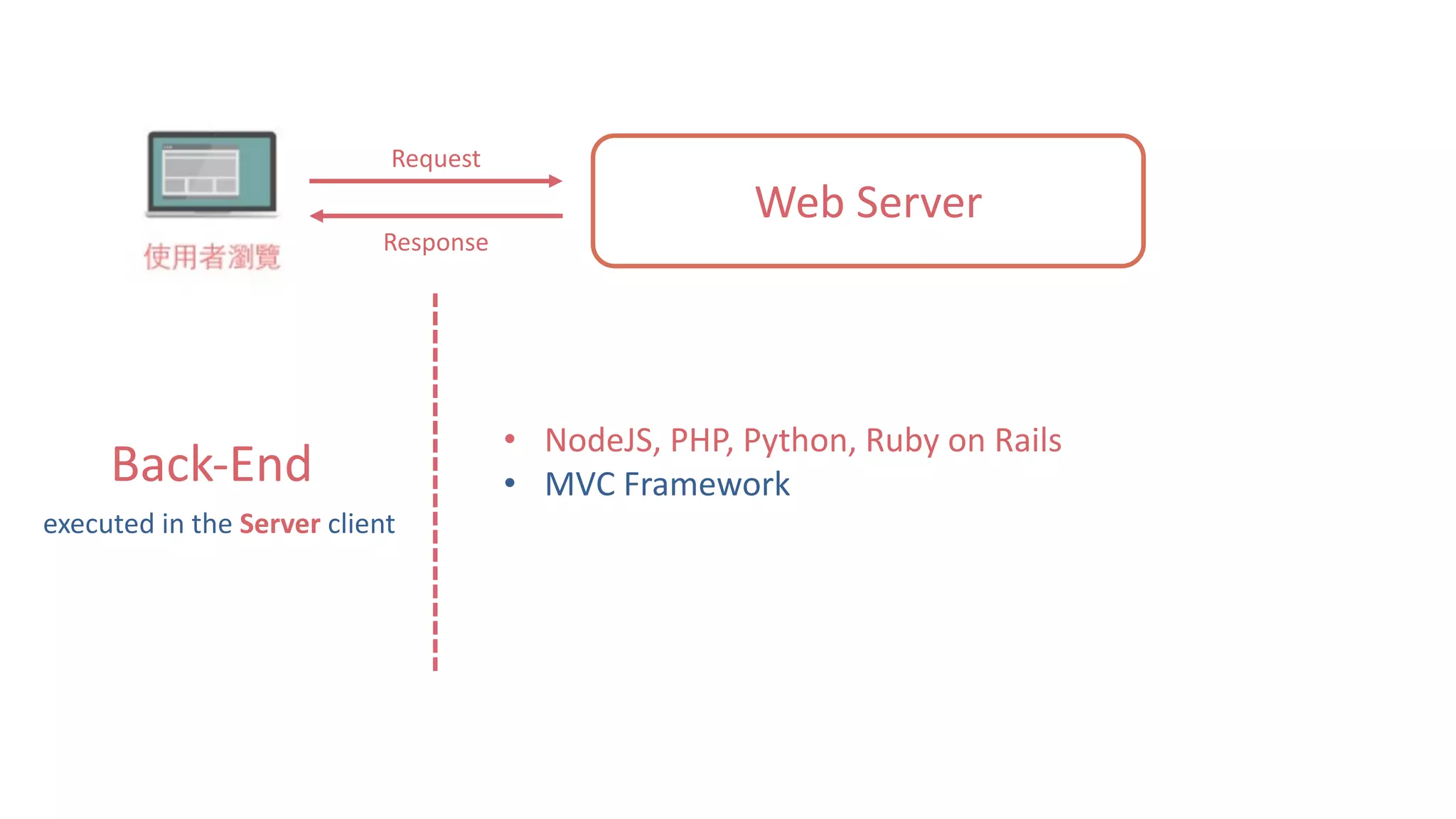
Web	Server
Request
Response
Back-End
• NodeJS,	PHP,	Python,	Ruby	on	Rails
• MVC	Framework
executed	in	the	Server client
Web	Server
Request
Response
Back-End
executed	in	the	Server client
Database
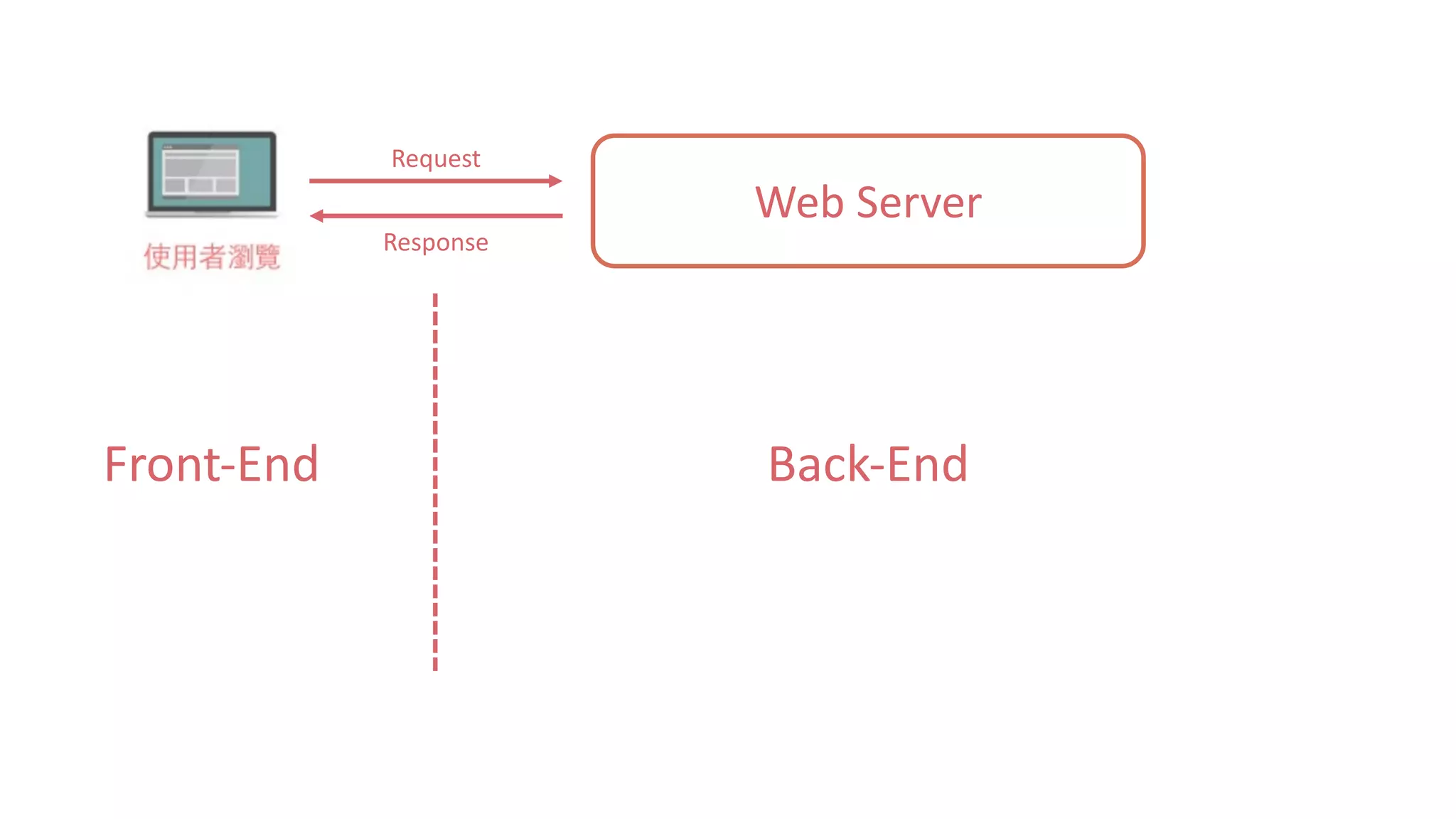
Web	Server
Request
Response
Front-End Back-End
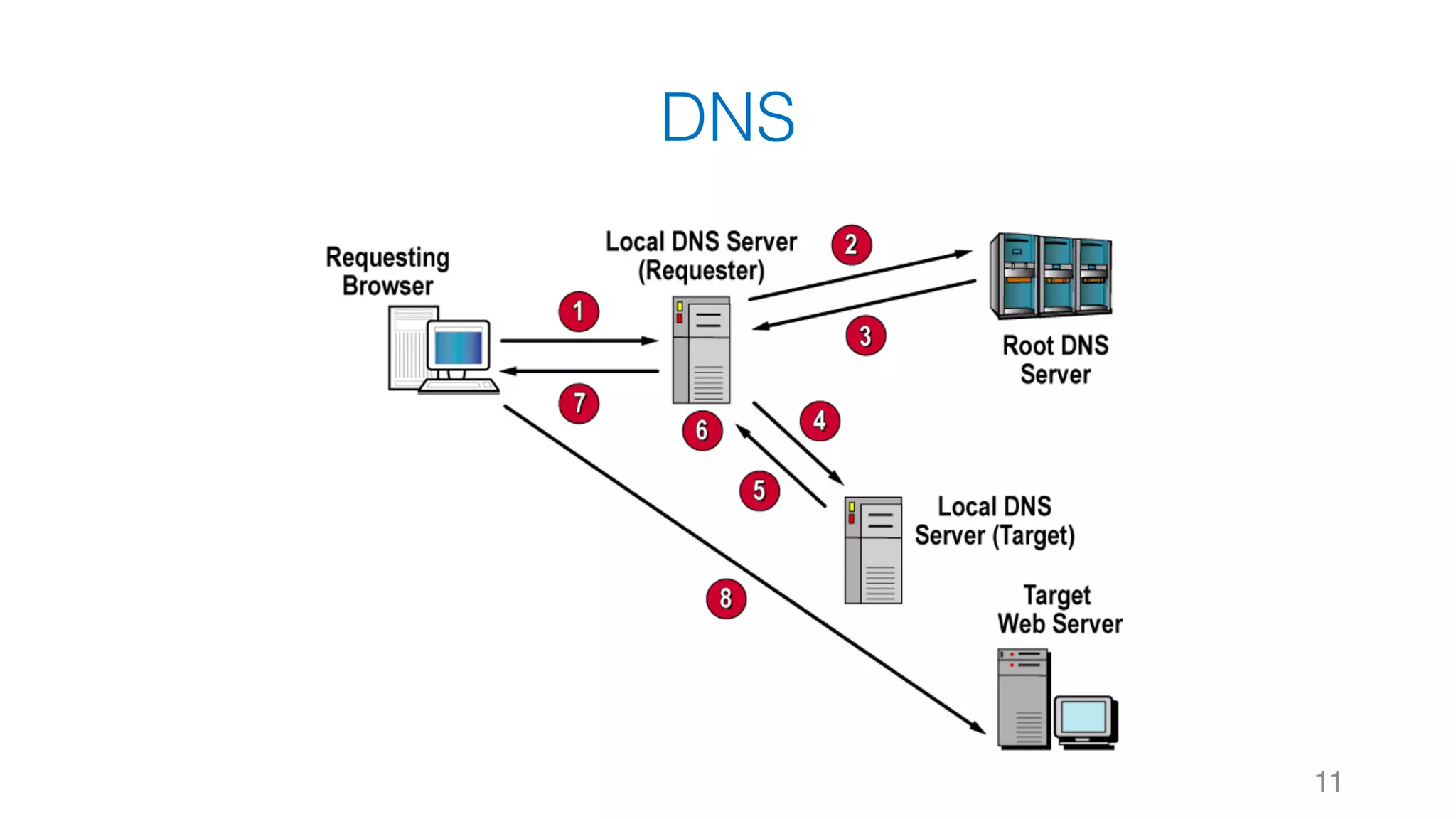
DNS
11
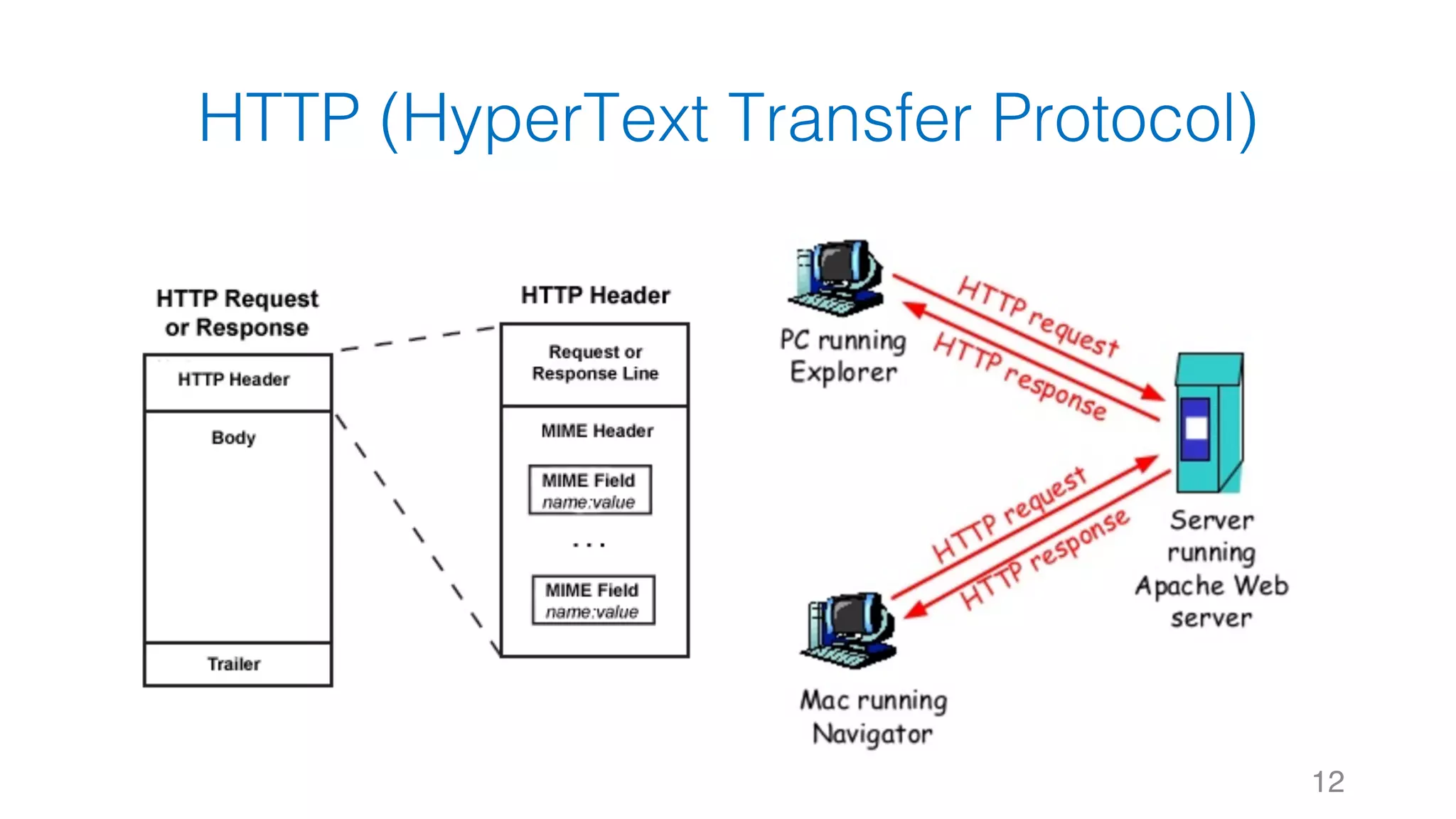
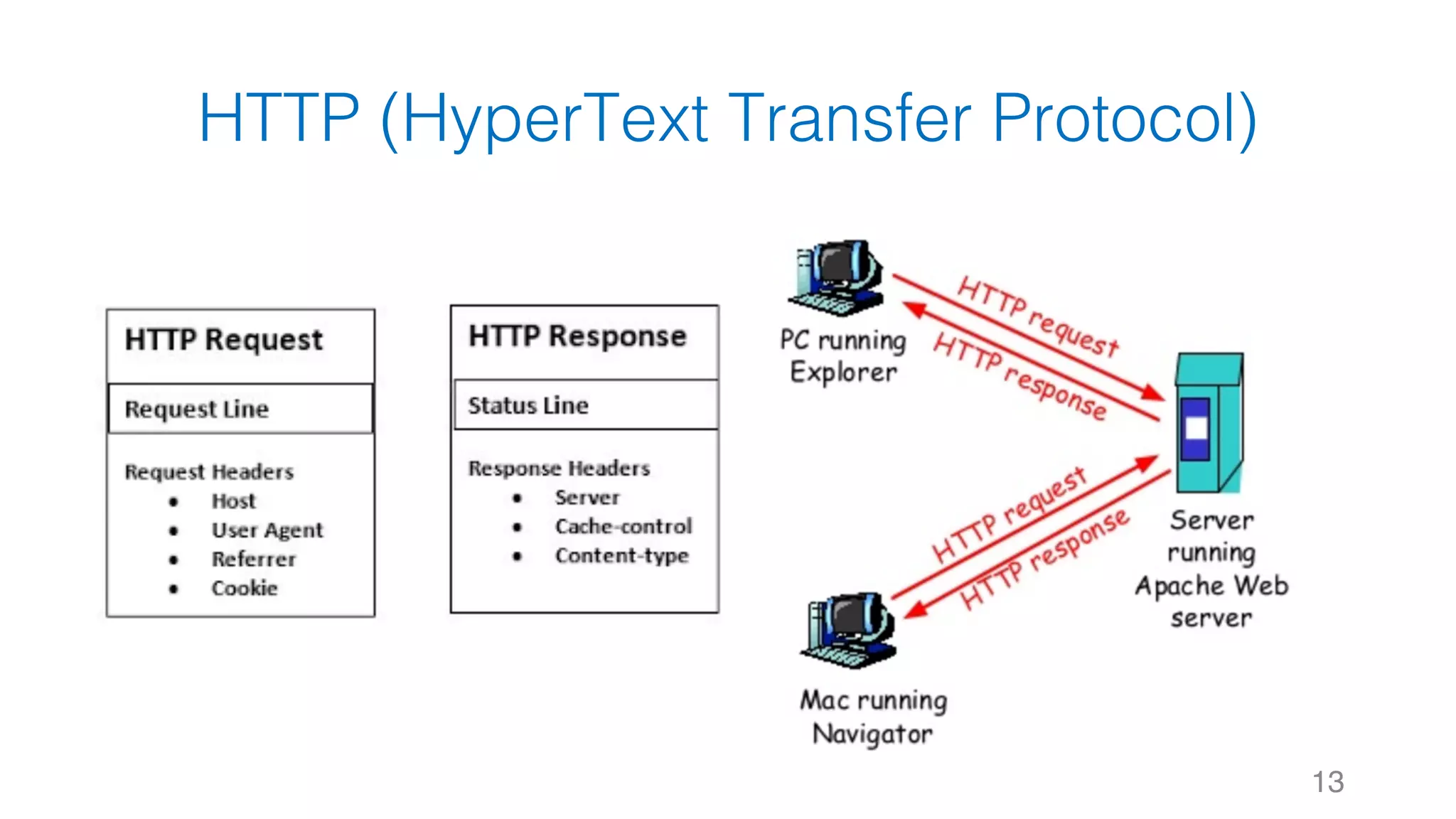
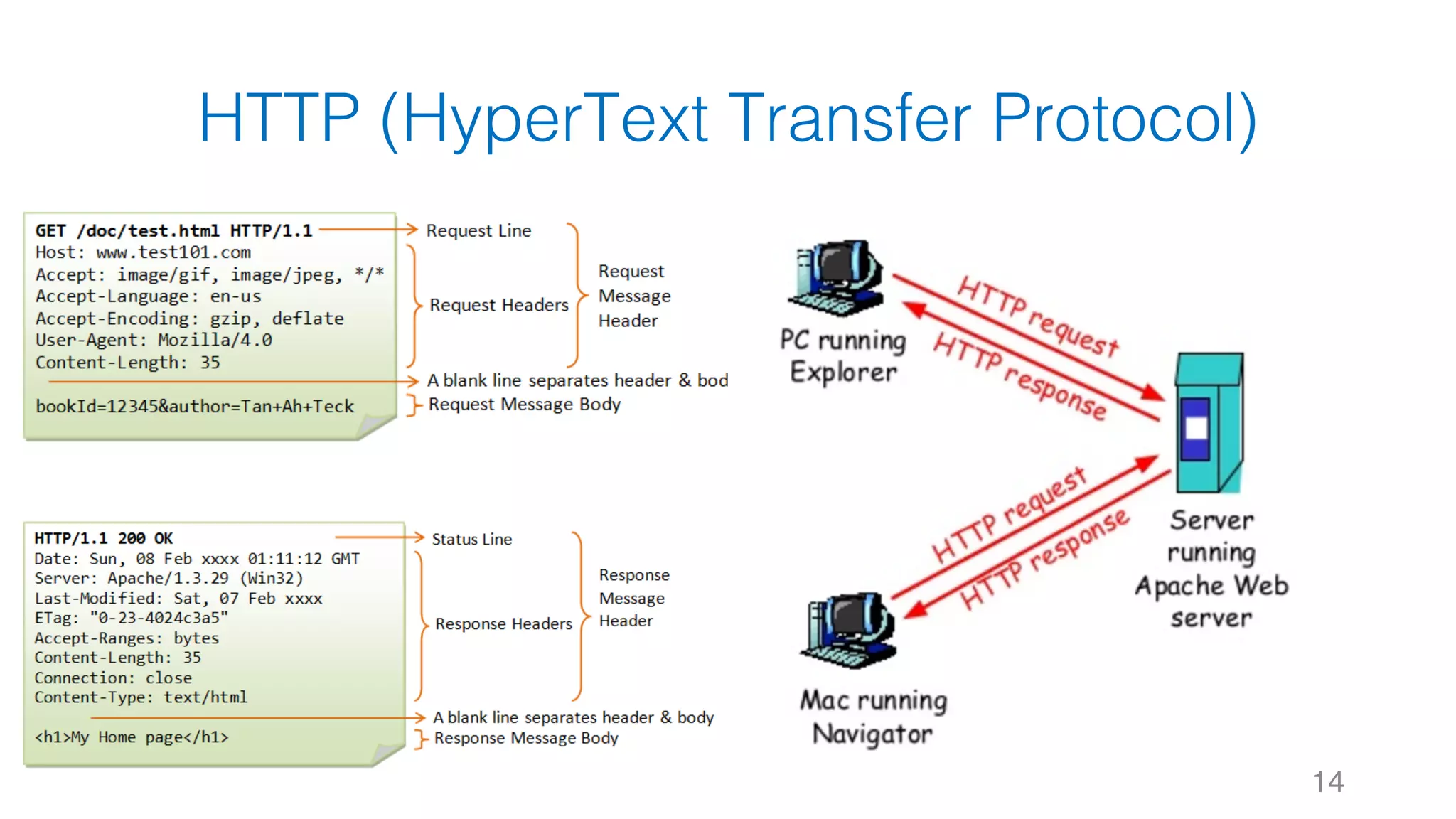
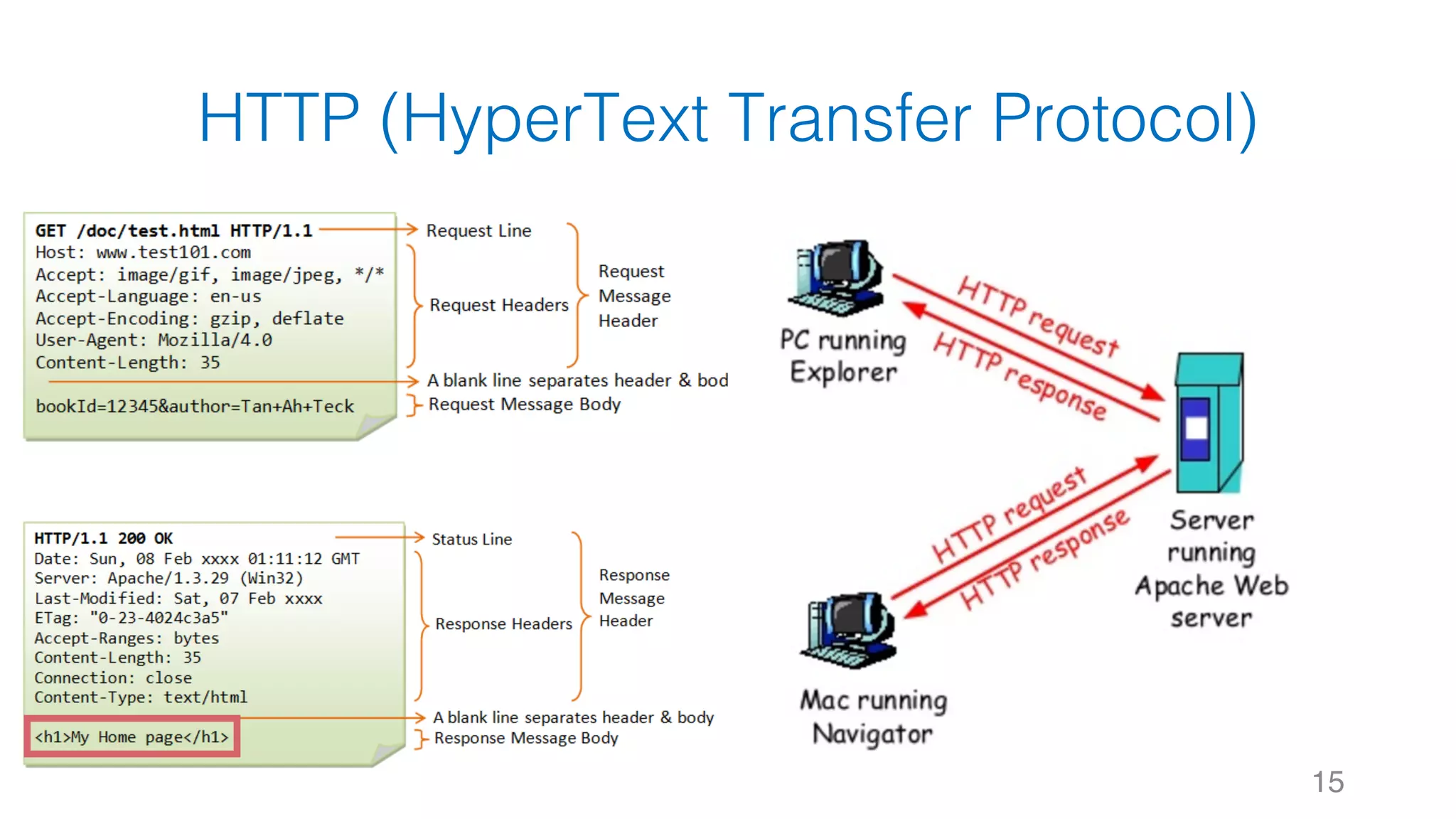
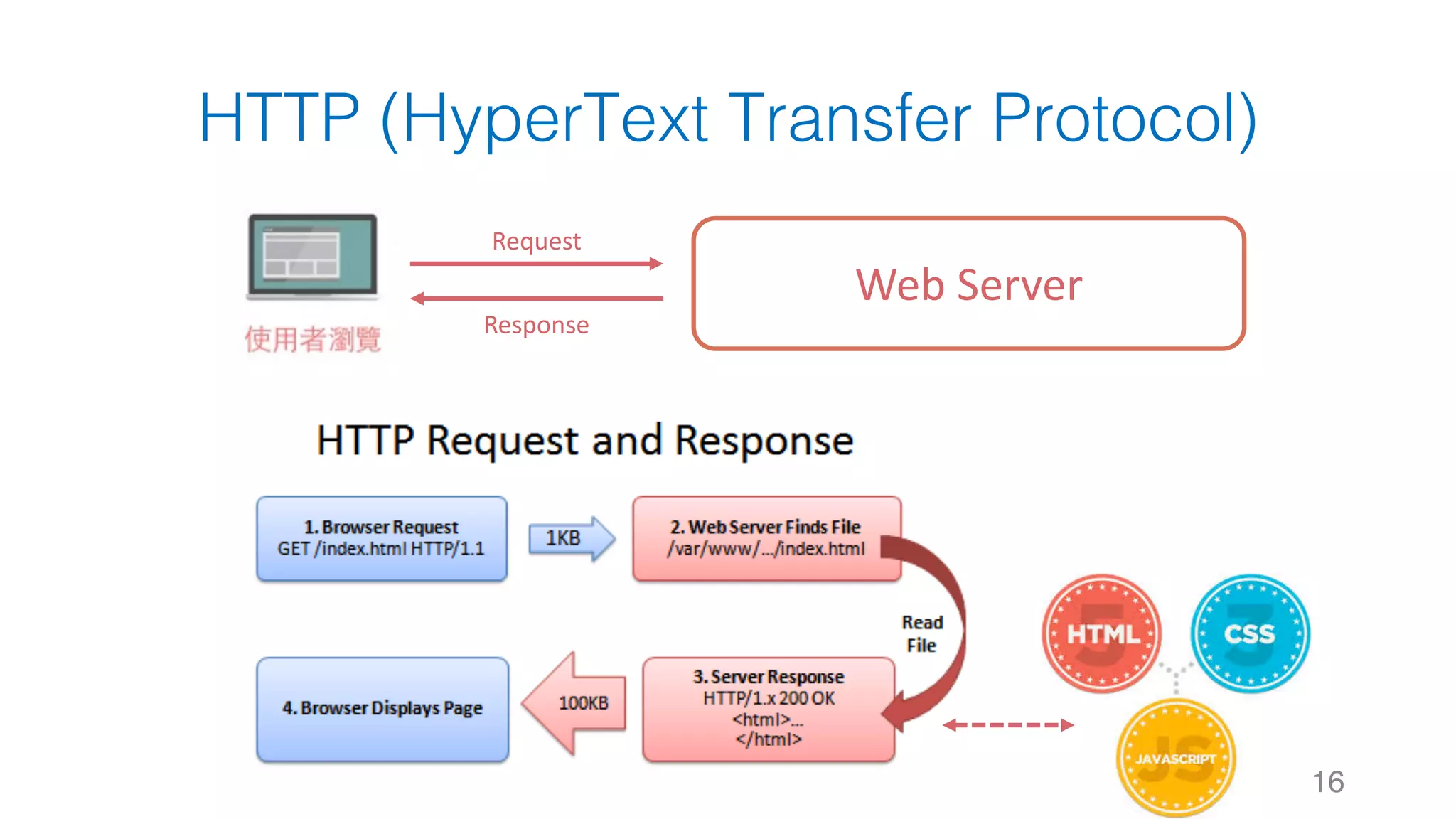
HTTP (HyperText Transfer Protocol)
12
HTTP (HyperText Transfer Protocol)
13
HTTP (HyperText Transfer Protocol)
14
HTTP (HyperText Transfer Protocol)
15
HTTP (HyperText Transfer Protocol)
16
Web	Server
Request
Response
17Reference:	http://dailuu.ga/wp-content/uploads/2016/10/html-css-javascript.png
1
2
3
4
5
6
7
8
9
10
11
12
13
14
15
16
<html>
<head>
<title>Page Title</title>
<style>
# ===== CSS code 放在這邊 =====
</style>
</head>
<body>
<h1>Page Title</h1>
<p>This is a really interesting
paragraph.</p>
<script>
# ===== JavaScript code 放在這邊 =====
</script>
</body>
</html>
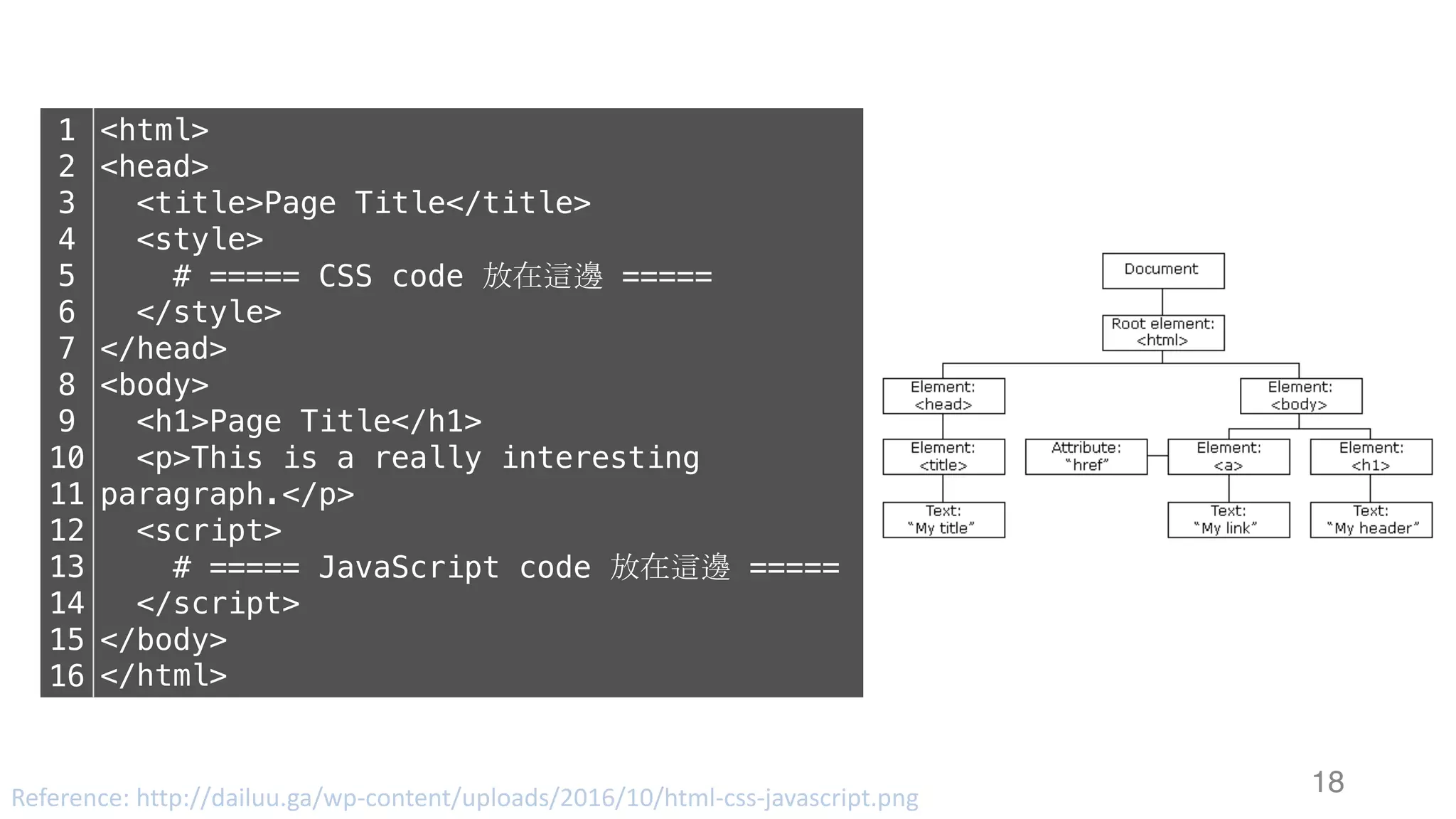
18Reference:	http://dailuu.ga/wp-content/uploads/2016/10/html-css-javascript.png
1
2
3
4
5
6
7
8
9
10
11
12
13
14
15
16
<html>
<head>
<title>Page Title</title>
<style>
# ===== CSS code 放在這邊 =====
</style>
</head>
<body>
<h1>Page Title</h1>
<p>This is a really interesting
paragraph.</p>
<script>
# ===== JavaScript code 放在這邊 =====
</script>
</body>
</html>
Outline
§ 網站運作架構
§ 資料爬蟲與搜尋引擎
§ 資料爬蟲 - 靜態網頁篇
§ 網頁資料取得: urllib, request
§ 網頁解析器: BeatifulSoup
§ 正規表示式: Regular Expression
19
20
Outline
§ 網站運作架構
§ 資料爬蟲與搜尋引擎
§ 資料爬蟲 - 靜態網頁與動態網頁
§ 網頁資料取得: urllib, request
§ 網頁解析器: BeatifulSoup
§ 正規表示式: Regular Expression
21
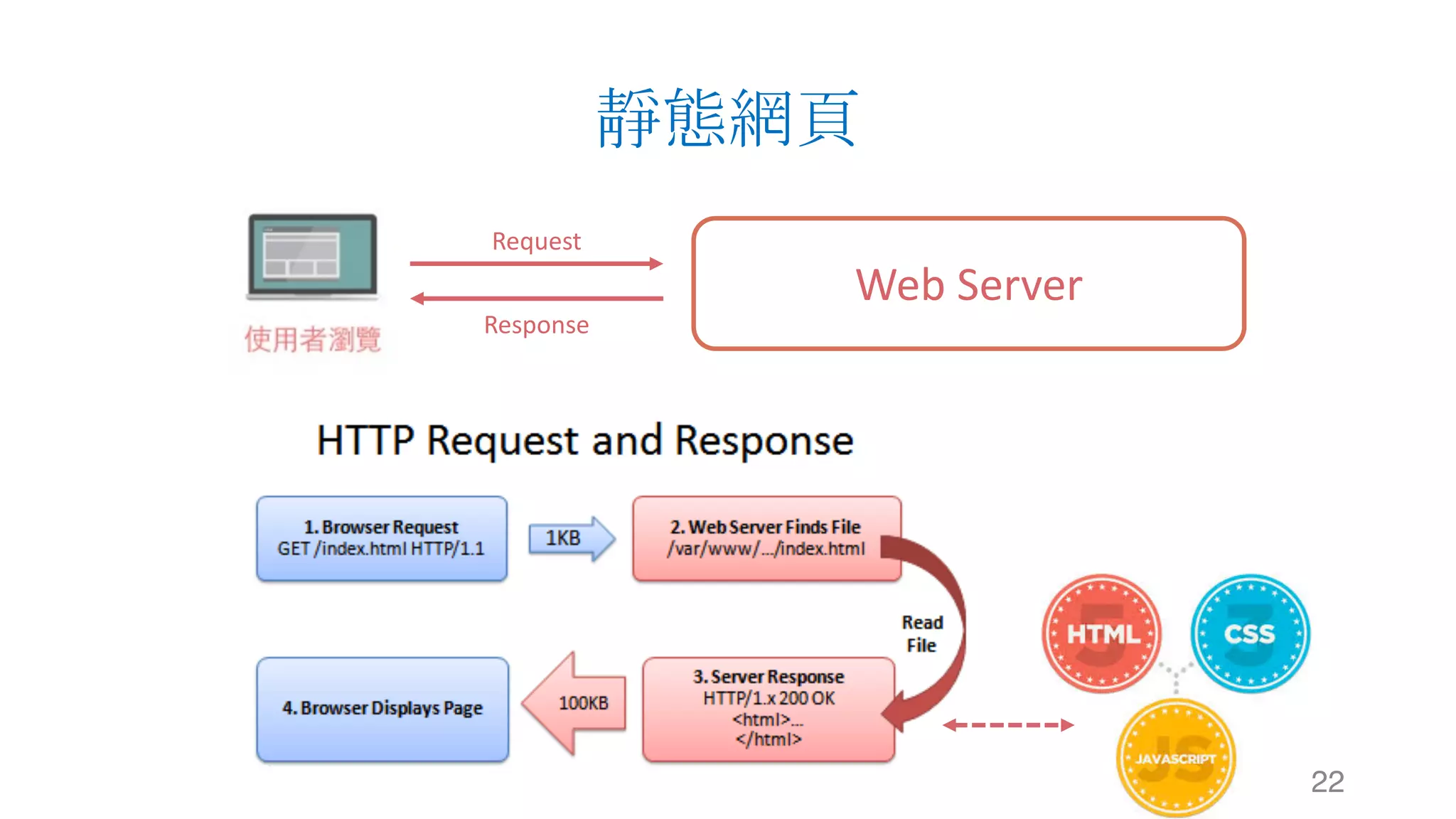
靜態網頁
22
Web	Server
Request
Response
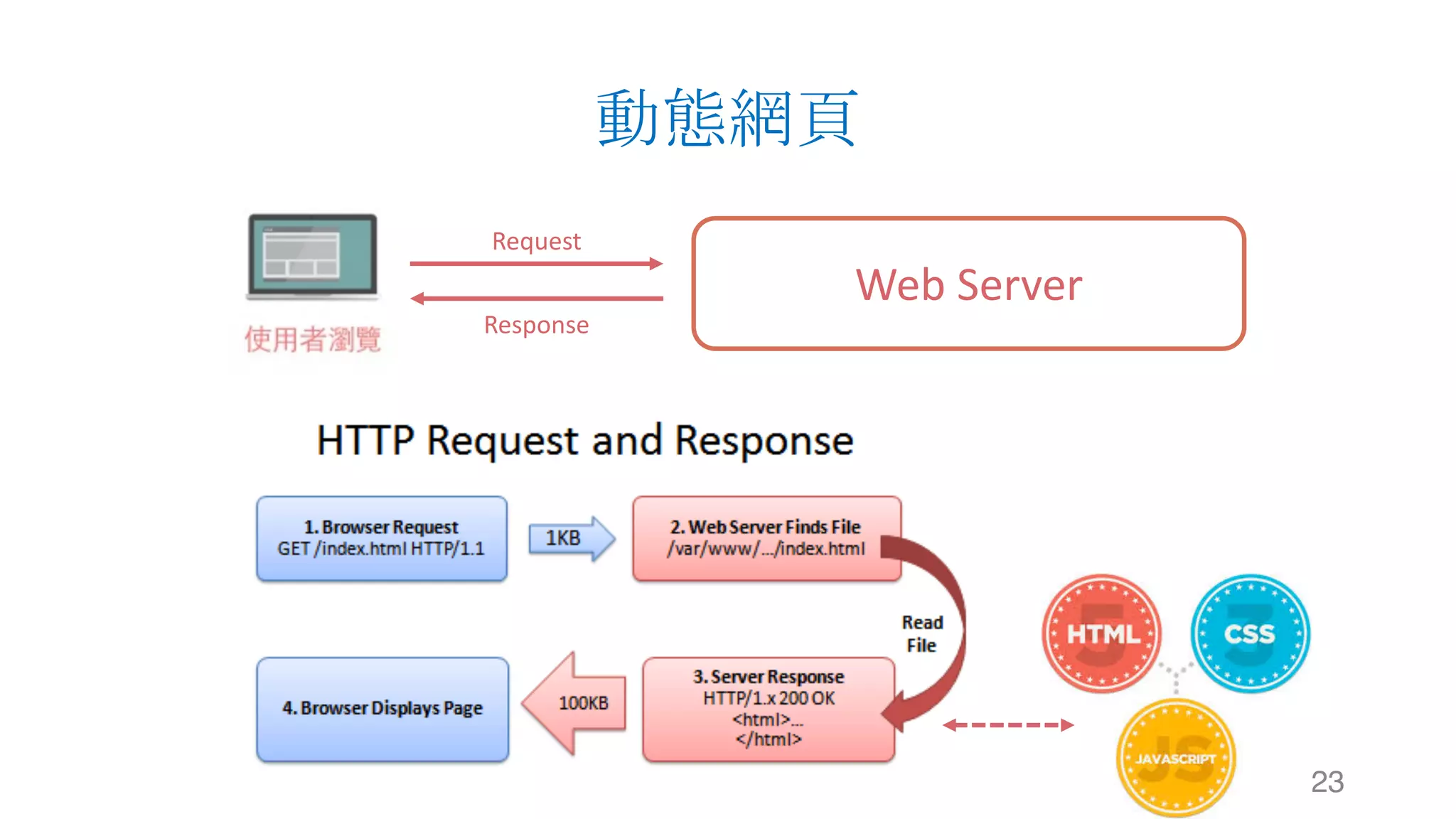
動態網頁
23
Web	Server
Request
Response
Outline
§ 網站運作架構
§ 資料爬蟲與搜尋引擎
§ 資料爬蟲 - 靜態網頁篇
§ 網頁資料取得: urllib, request
§ 網頁解析器: BeatifulSoup
§ 正規表示式: Regular Expression
24
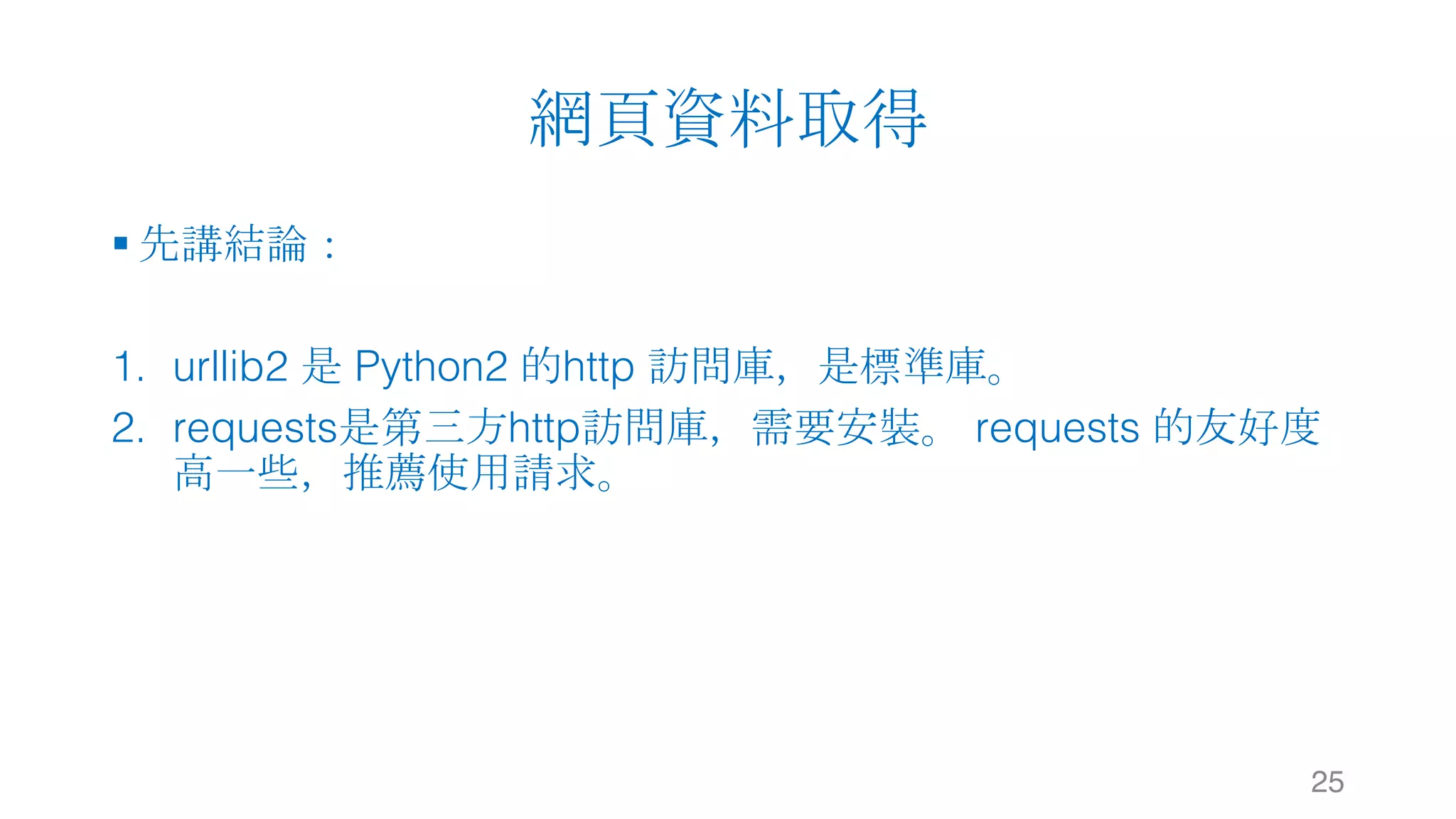
網頁資料取得
§ 先講結論:
1. urllib2 是 Python2 的http 訪問庫,是標準庫。
2. requests是第三方http訪問庫,需要安裝。 requests 的友好度
高一些,推薦使用請求。
25
urllib (Python2)
urllib urllib2
26
urllib (Python3)
urllib
27
request
requests
28
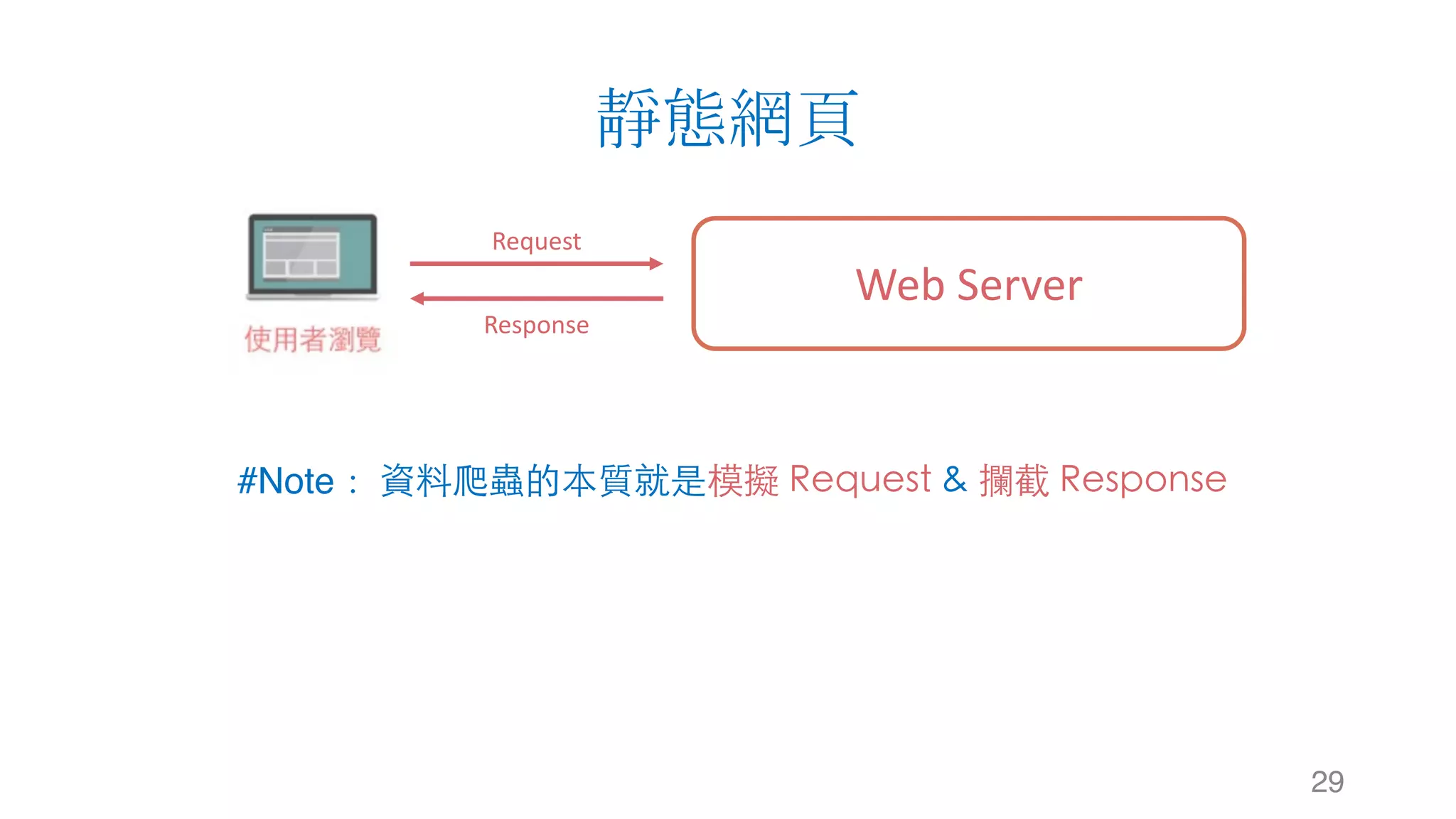
靜態網頁
29
Web	Server
Request
Response
#Note: 資料爬蟲的本質就是模擬 Request & 攔截 Response
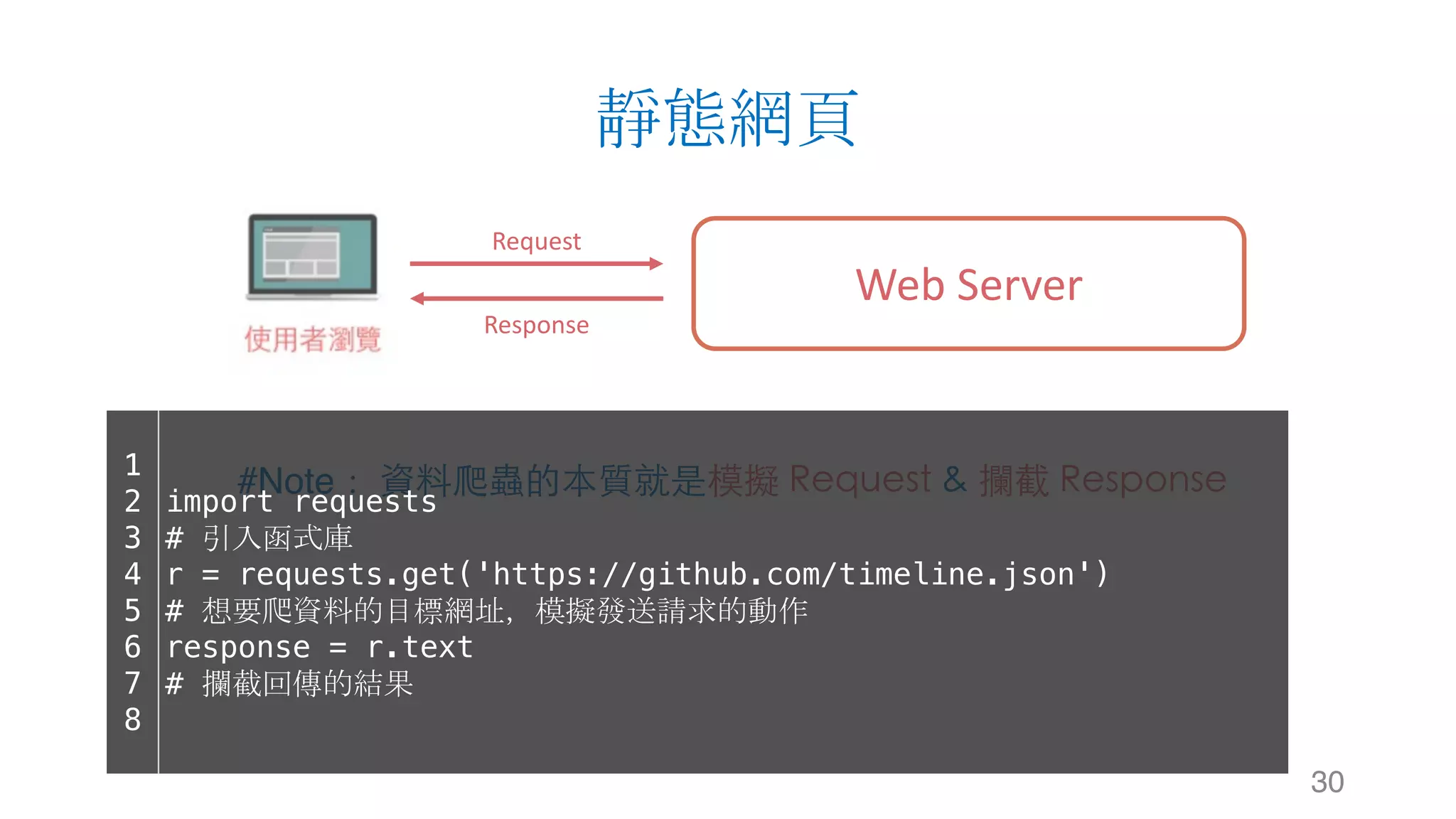
靜態網頁
30
Web	Server
Request
Response
#Note: 資料爬蟲的本質就是模擬 Request & 攔截 Response1
2
3
4
5
6
7
8
import requests
# 引入函式庫
r = requests.get('https://github.com/timeline.json')
# 想要爬資料的目標網址,模擬發送請求的動作
response = r.text
# 攔截回傳的結果
Outline
§ 網站運作架構
§ 資料爬蟲與搜尋引擎
§ 資料爬蟲 - 靜態網頁篇
§ 網頁資料取得: urllib, request
§ 網頁解析器: BeatifulSoup
§ 正規表示式: Regular Expression
31
靜態網頁
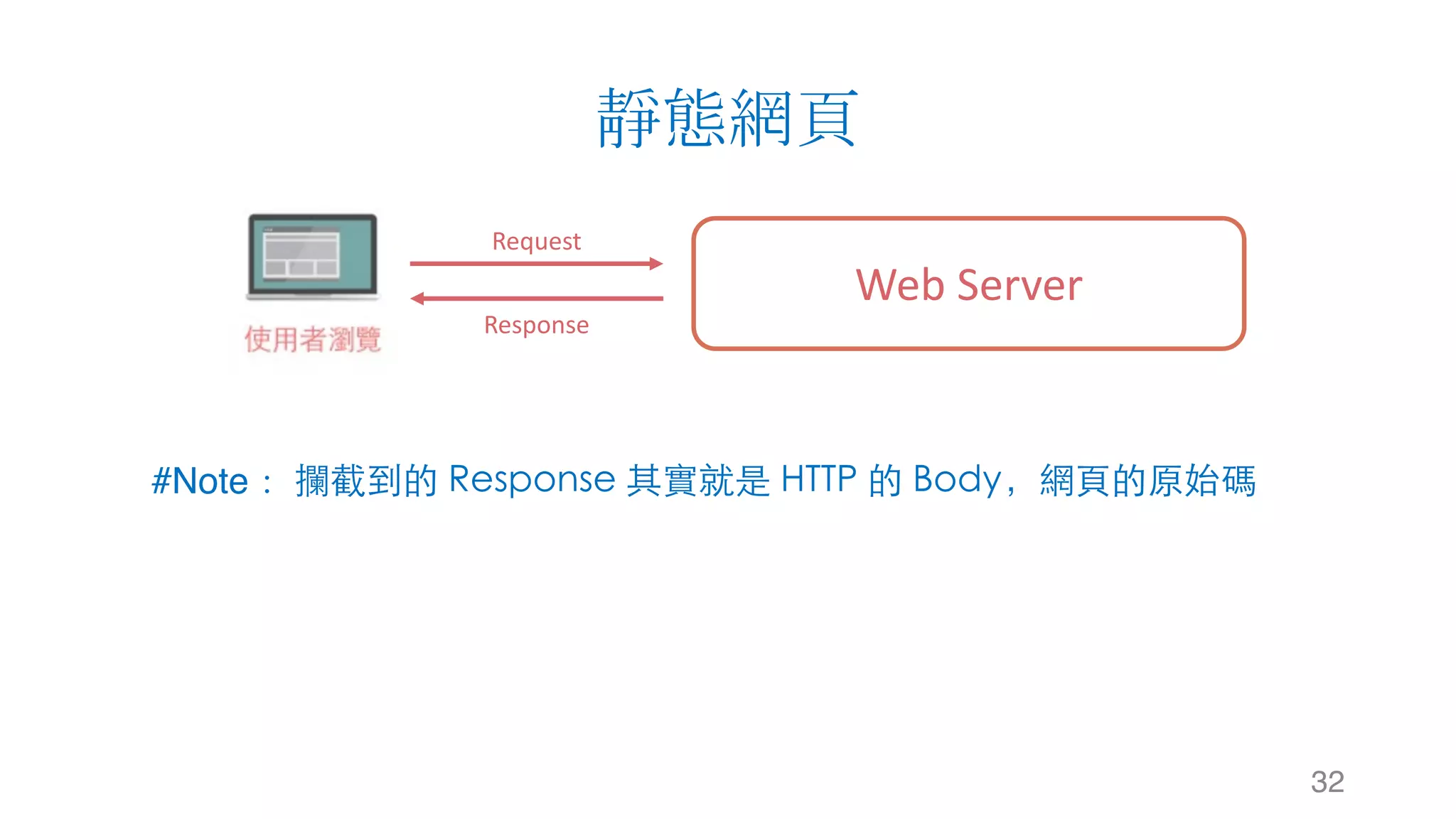
32
Web	Server
Request
Response
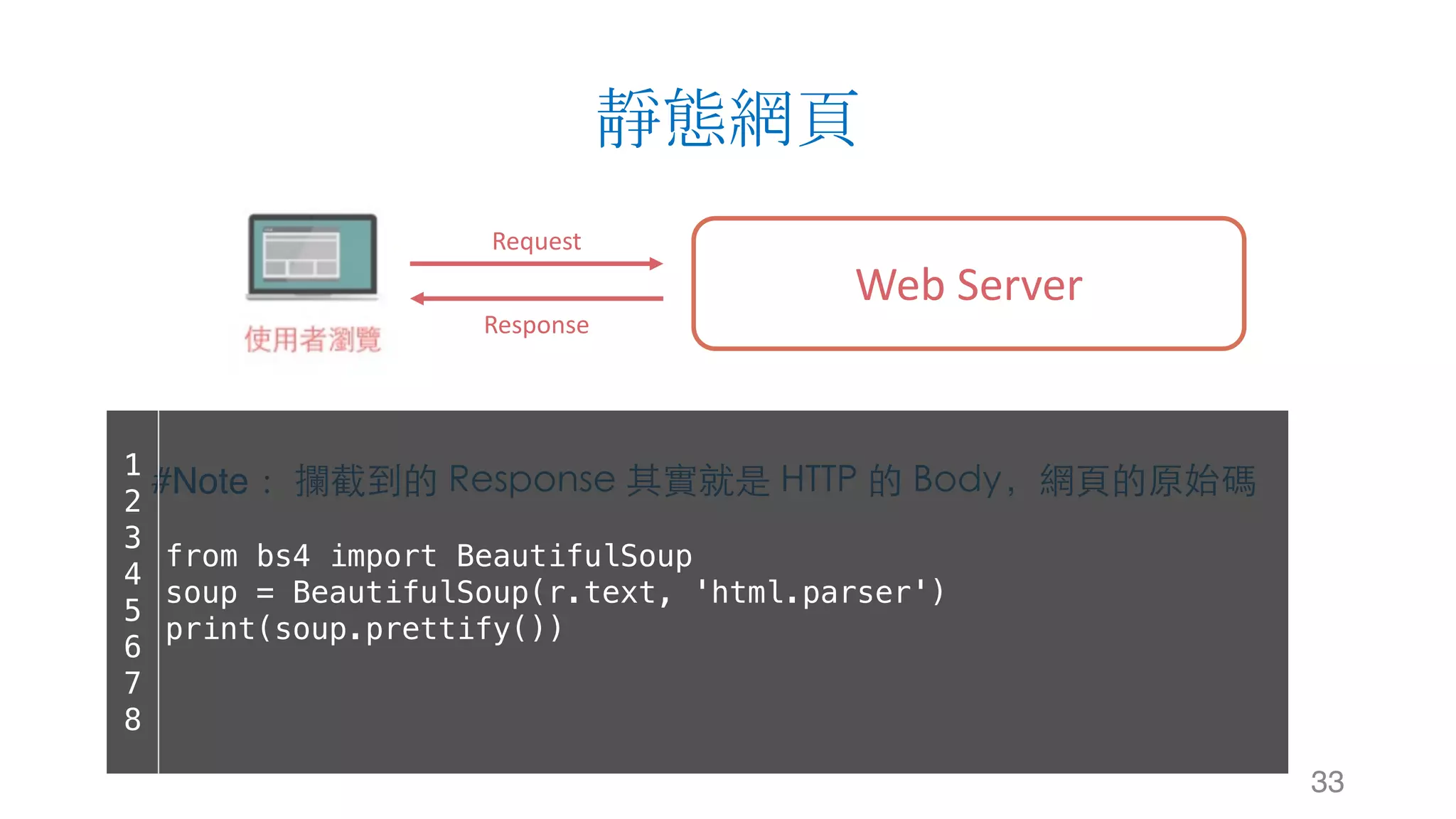
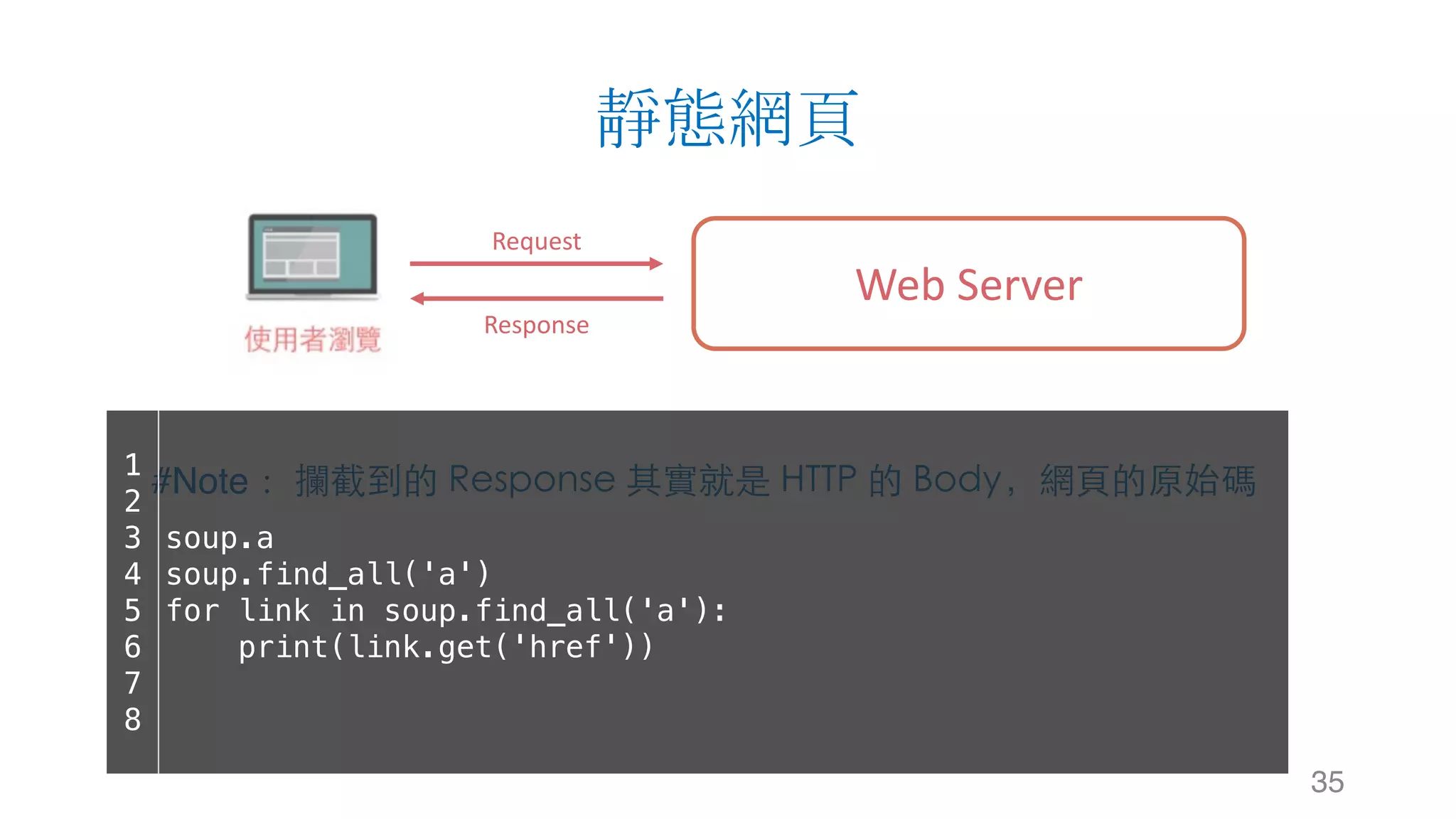
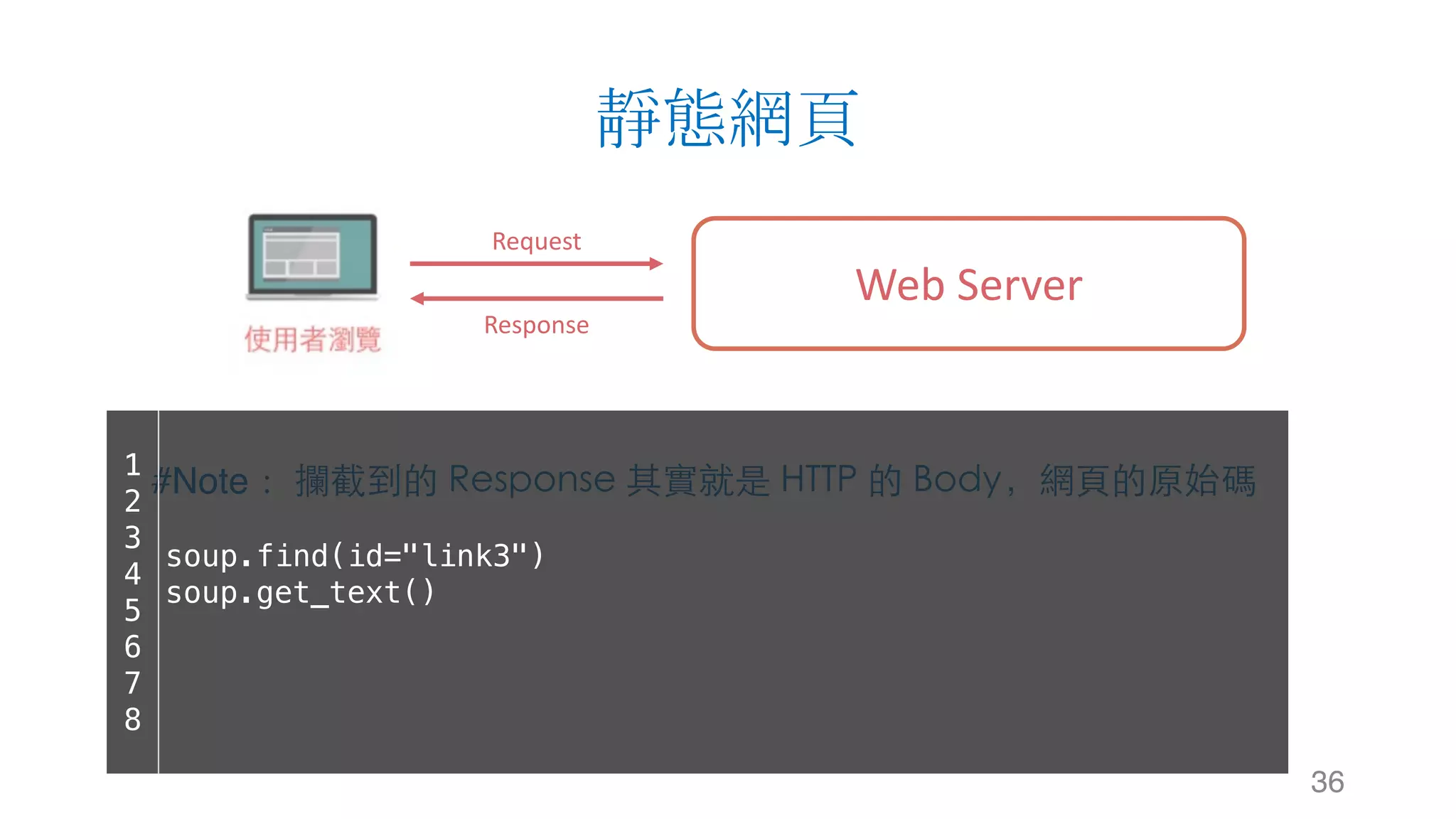
#Note: 攔截到的 Response 其實就是 HTTP 的 Body,網⾴的原始碼
靜態網頁
33
Web	Server
Request
Response
#Note: 攔截到的 Response 其實就是 HTTP 的 Body,網⾴的原始碼1
2
3
4
5
6
7
8
from bs4 import BeautifulSoup
soup = BeautifulSoup(r.text, 'html.parser')
print(soup.prettify())
靜態網頁
34
Web	Server
Request
Response
#Note: 攔截到的 Response 其實就是 HTTP 的 Body,網⾴的原始碼1
2
3
4
5
6
7
8
soup.title
soup.title.name
soup.title.string
soup.title.parent.name
soup.p
soup.p['class']
靜態網頁
35
Web	Server
Request
Response
#Note: 攔截到的 Response 其實就是 HTTP 的 Body,網⾴的原始碼1
2
3
4
5
6
7
8
soup.a
soup.find_all('a')
for link in soup.find_all('a'):
print(link.get('href'))
靜態網頁
36
Web	Server
Request
Response
#Note: 攔截到的 Response 其實就是 HTTP 的 Body,網⾴的原始碼1
2
3
4
5
6
7
8
soup.find(id="link3")
soup.get_text()
Outline
§ 網站運作架構
§ 資料爬蟲與搜尋引擎
§ 資料爬蟲 - 靜態網頁篇
§ 網頁資料取得: urllib, request
§ 網頁解析器: BeatifulSoup
§ 正規表示式: Regular Expression
37
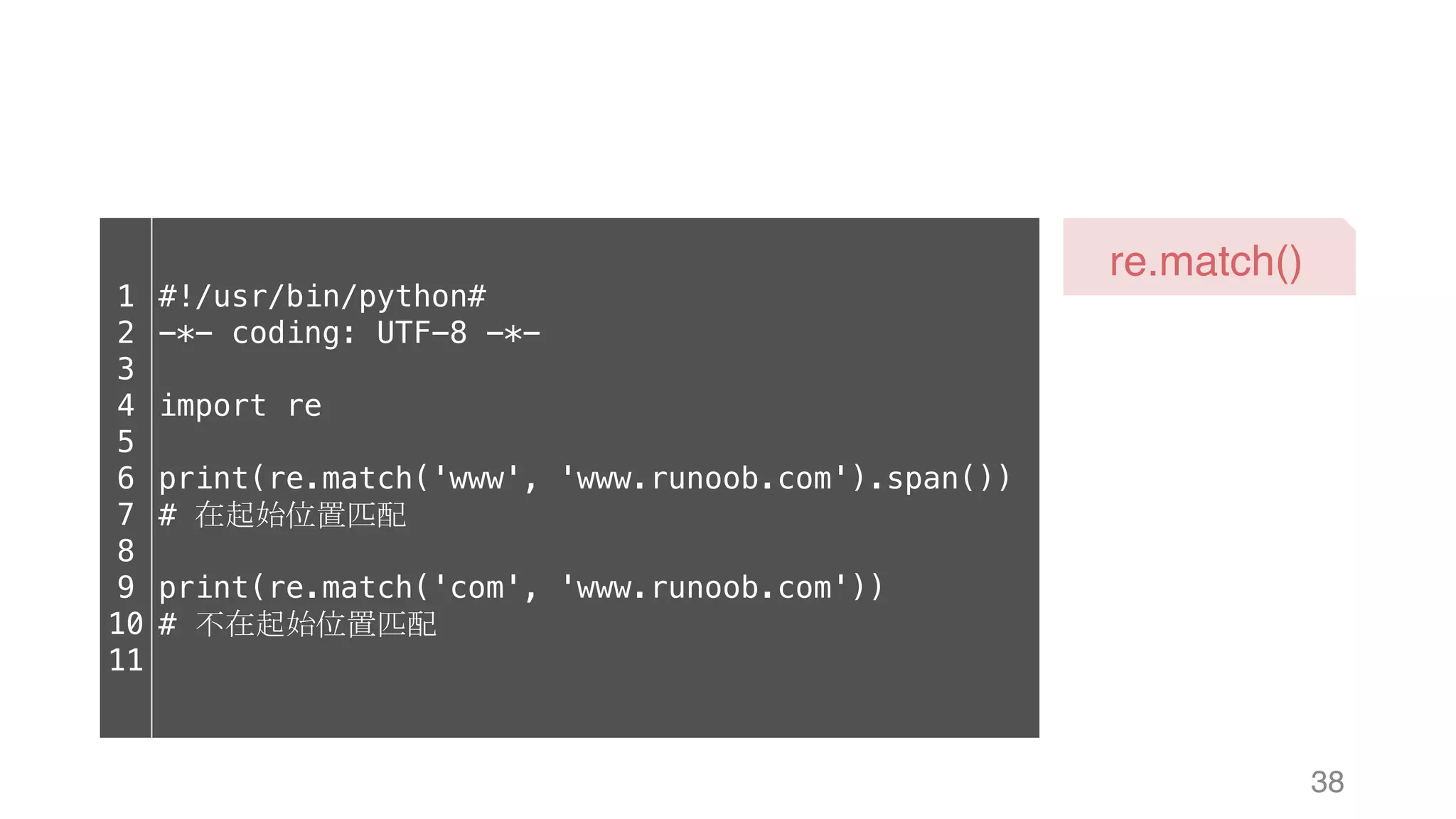
38
re.match()
1
2
3
4
5
6
7
8
9
10
11
#!/usr/bin/python#
-*- coding: UTF-8 -*-
import re
print(re.match('www', 'www.runoob.com').span())
# 在起始位置匹配
print(re.match('com', 'www.runoob.com'))
# 不在起始位置匹配
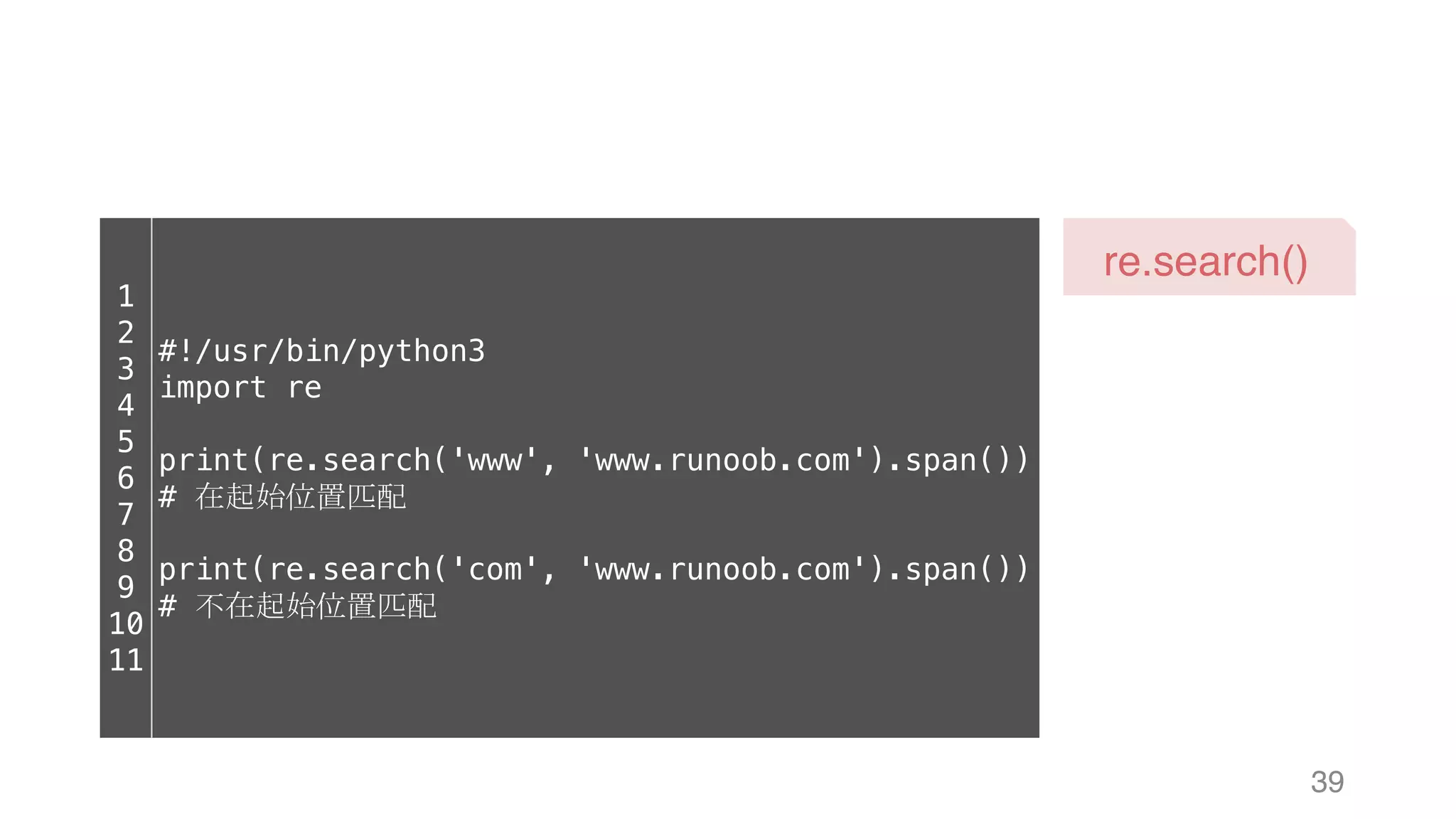
39
re.search()
1
2
3
4
5
6
7
8
9
10
11
#!/usr/bin/python3
import re
print(re.search('www', 'www.runoob.com').span())
# 在起始位置匹配
print(re.search('com', 'www.runoob.com').span())
# 不在起始位置匹配
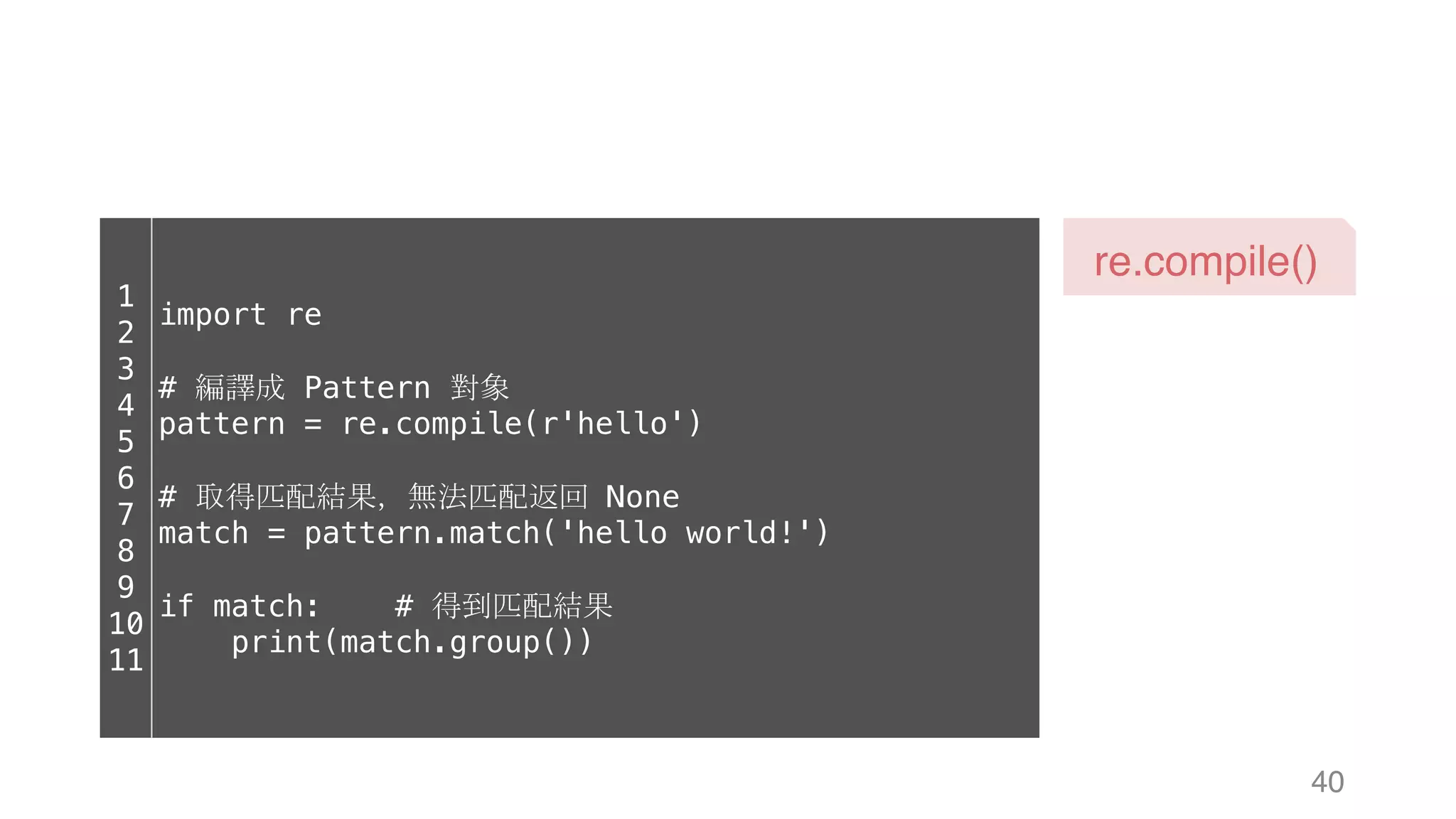
40
re.compile()
1
2
3
4
5
6
7
8
9
10
11
import re
# 編譯成 Pattern 對象
pattern = re.compile(r'hello')
# 取得匹配結果,無法匹配返回 None
match = pattern.match('hello world!')
if match: # 得到匹配結果
print(match.group())
Thanks for listening.
2017/08/06 (Wed.) Data Crawler using Python (I)
Wei-Yuan Chang
v123582@gmail.com
v123582.github.io

Data Crawler using Python (I) | WeiYuan