Unit-4
Data Communication
and Network
What is data Communication?
• Exchange of digital information between two digital
devices is data communication.
• Data Communications is the transfer of data or
information between a source and a receiver. The
source transmits the data and the receiver receives it.
• The actual generation of the information is not part of
Data Communications nor is the resulting action of the
information at the receiver. Data Communication is
interested in the transfer of data, the method of transfer
and the preservation of the data during the transfer
process.
Types Of Data Communication
• Simplex
• Half Duplex
• Full Duplex
• Serial
Simplex
• A simplex communication system sends a message in only
one direction. The message source works as the transmitter.
• It sends the message over the data channel to the receiver.
The receiver is the destination of the message.
• Examples of simplex data communication include radio
stations and TV broadcasts. With the simplex channel, there
is no ability by the receiver to respond to the message.
• For example, a radio station plays a song on your car radio.
The data transferred is the song. You do not have the
opportunity to send a message back via your car radio to the
station.
half-duplex
• A data communication system provides messages in both
directions but only allows transfer in one direction at a
time.
• Once a party begins sending a transmission, the receiver
must wait until the signal stops before responding.
• If the two data transfers attempt to send at the same time,
they both fail.
• For instance, if you talk on a CB radio, you press a button
and speak. If the receiver attempts to press the button and
speak at the same time, neither one of you hear either
message. The system is not capable of sending both ways
simultaneously.
full duplex
• A full duplex is a communication that works both ways
at the same time.
• Essentially, full duplex data communication is a set of
two simplex channels, one works as a forward channel
and the other as a reserve channel. The two channels
link together at some point.
• An example of a full duplex communication system is a
landline telephone. When talking on a telephone, both
parties have the ability to speak at the same time. The
data, carried both ways through the telephone line, runs
simultaneously.
Serial communication
• Serial communication takes a data communication,
breaks it up into small pieces, and sends the message
one bit at a time through a channel.
• The receiver collects the small bits and reassembles
them to compose the original message.
• Serial communication is the most common type of
communication between electronic devices. 
• One example of serial communication in action is the
data sent from a modem to the service provider.
Communication Media
• Magnetic Media
• Twisted Pair Cable
• Coaxial Cable
• Power Lines
• Fiber Optics
Magnetic Media
• One of the most convenient way to transfer data from one
computer to another,
• For an example, say a Bank has Gigs of bytes of their
customers’ data which stores a backup copy of it at some
geographically far place for security and uncertain reasons
like war or tsunami. If the Bank needs to store its copy of
data which is Hundreds of GBs, transfer through Internet is
not feasible way. Even WAN links may not support such
high speed or if they do cost will be too high to afford.
• In these kinds of cases, data backup is stored onto magnetic
tapes or magnetic discs and then shifted physically at
remote places.
Twisted pair cable
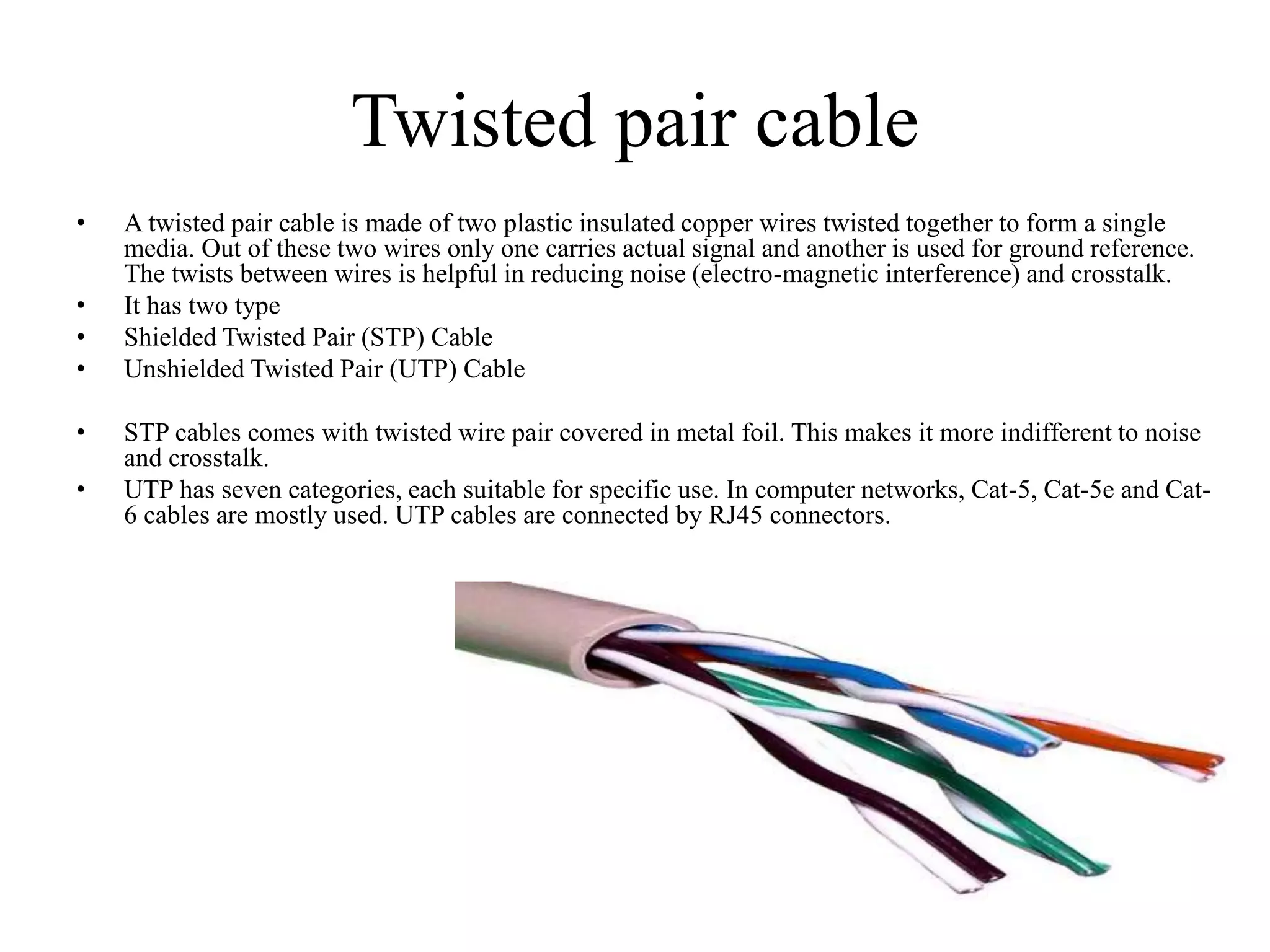
• A twisted pair cable is made of two plastic insulated copper wires twisted together to form a single
media. Out of these two wires only one carries actual signal and another is used for ground reference.
The twists between wires is helpful in reducing noise (electro-magnetic interference) and crosstalk.
• It has two type
• Shielded Twisted Pair (STP) Cable
• Unshielded Twisted Pair (UTP) Cable
• STP cables comes with twisted wire pair covered in metal foil. This makes it more indifferent to noise
and crosstalk.
• UTP has seven categories, each suitable for specific use. In computer networks, Cat-5, Cat-5e and Cat-
6 cables are mostly used. UTP cables are connected by RJ45 connectors.
Coaxial Cable
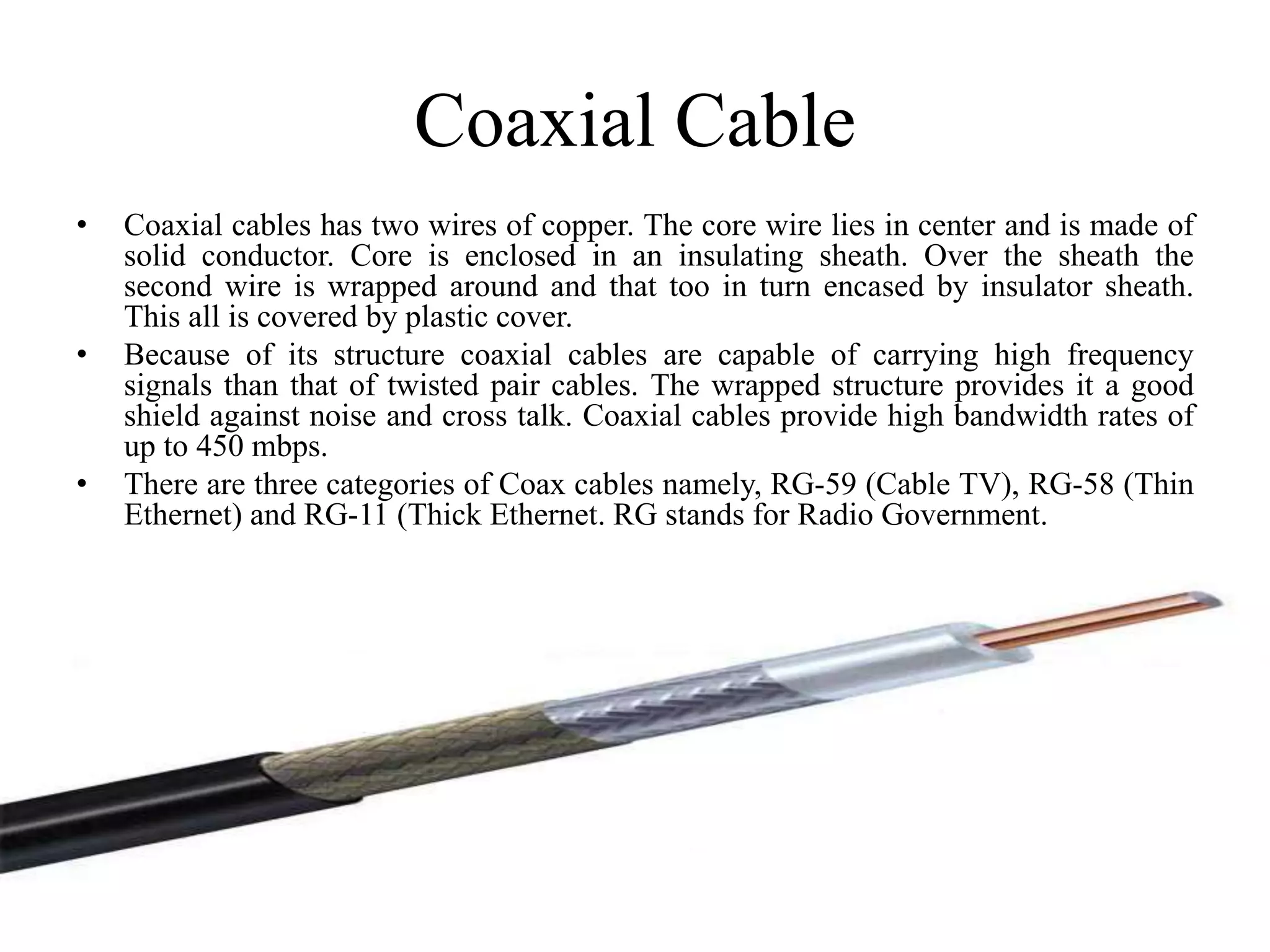
• Coaxial cables has two wires of copper. The core wire lies in center and is made of
solid conductor. Core is enclosed in an insulating sheath. Over the sheath the
second wire is wrapped around and that too in turn encased by insulator sheath.
This all is covered by plastic cover.
• Because of its structure coaxial cables are capable of carrying high frequency
signals than that of twisted pair cables. The wrapped structure provides it a good
shield against noise and cross talk. Coaxial cables provide high bandwidth rates of
up to 450 mbps.
• There are three categories of Coax cables namely, RG-59 (Cable TV), RG-58 (Thin
Ethernet) and RG-11 (Thick Ethernet. RG stands for Radio Government.
Fiber Optics
• Fiber Optic works on the properties of
light. When light ray hits at critical
angle it tends to refracts at 90 degree.
This property has been used in fiber
optic.
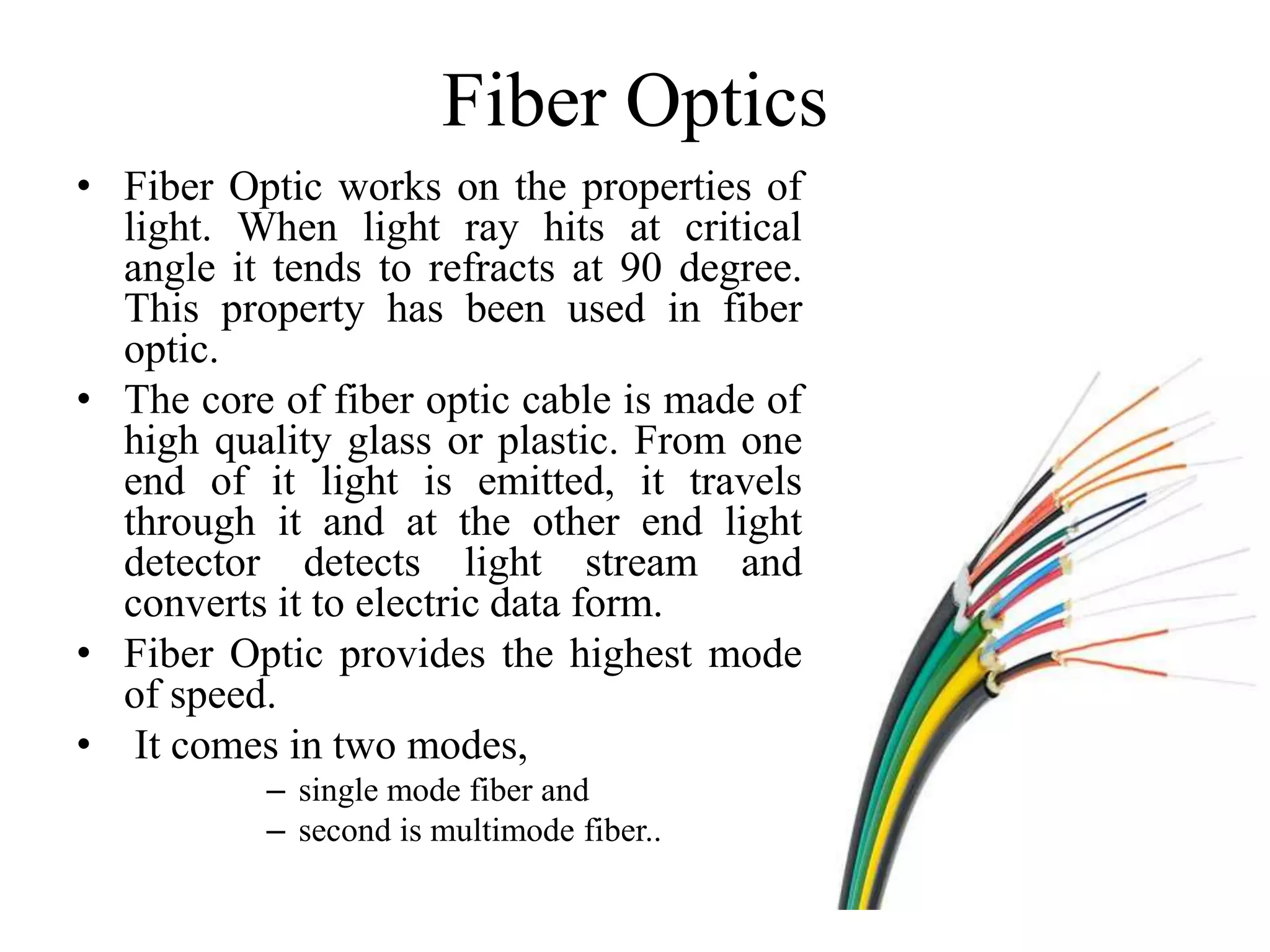
• The core of fiber optic cable is made of
high quality glass or plastic. From one
end of it light is emitted, it travels
through it and at the other end light
detector detects light stream and
converts it to electric data form.
• Fiber Optic provides the highest mode
of speed.
• It comes in two modes,
– single mode fiber and
– second is multimode fiber..
Network Topology
Definition of
Network Topology
Types of
Network Topology
Differentiation Between the
Types of Network Topology
CONTENT
What is a Topology ?
The physical topology of a network
refers to the configuration of cables,
computers and other peripherals.
DEFINITION
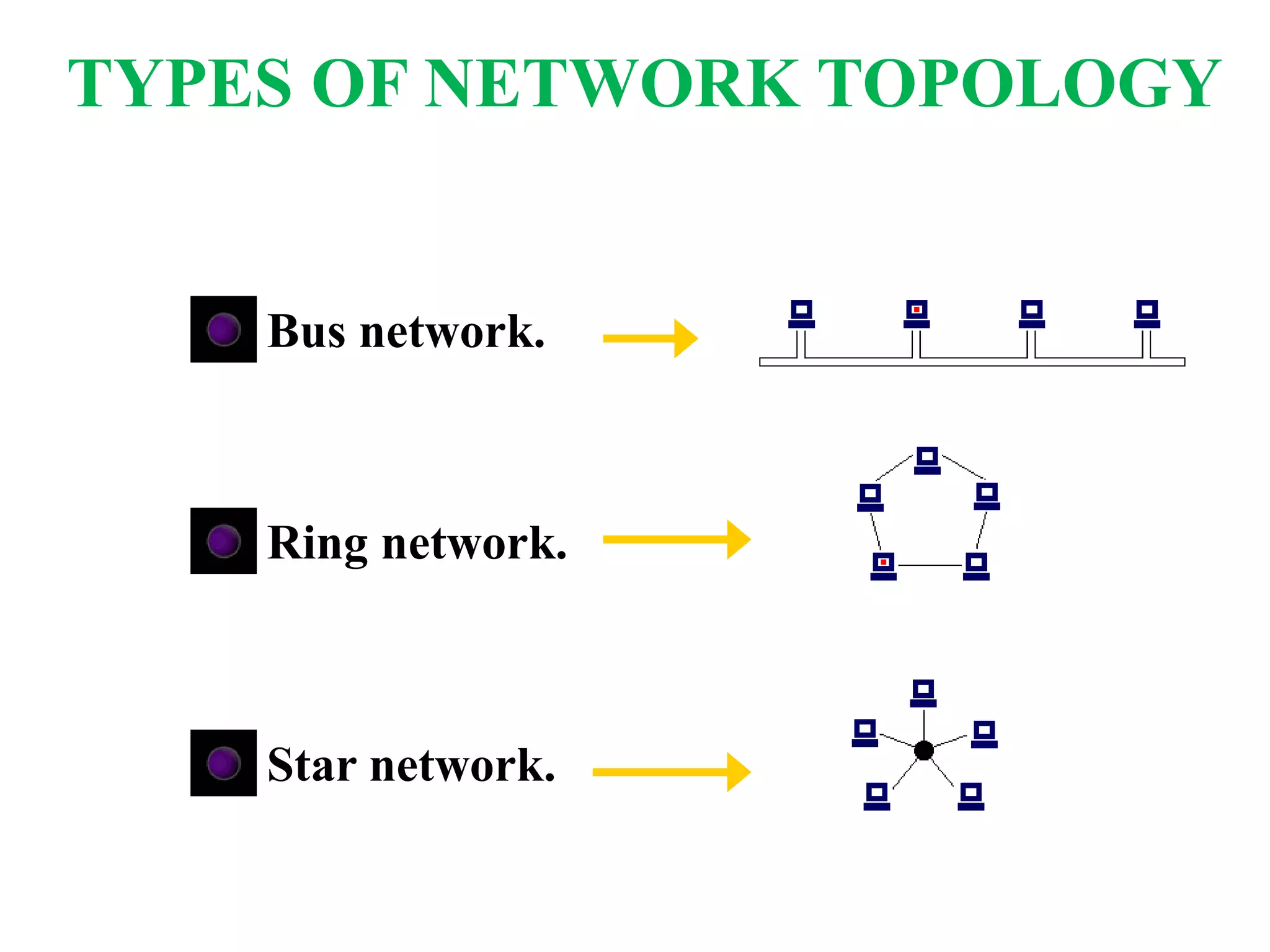
Bus network.
Ring network.
Star network.
TYPES OF NETWORK TOPOLOGY
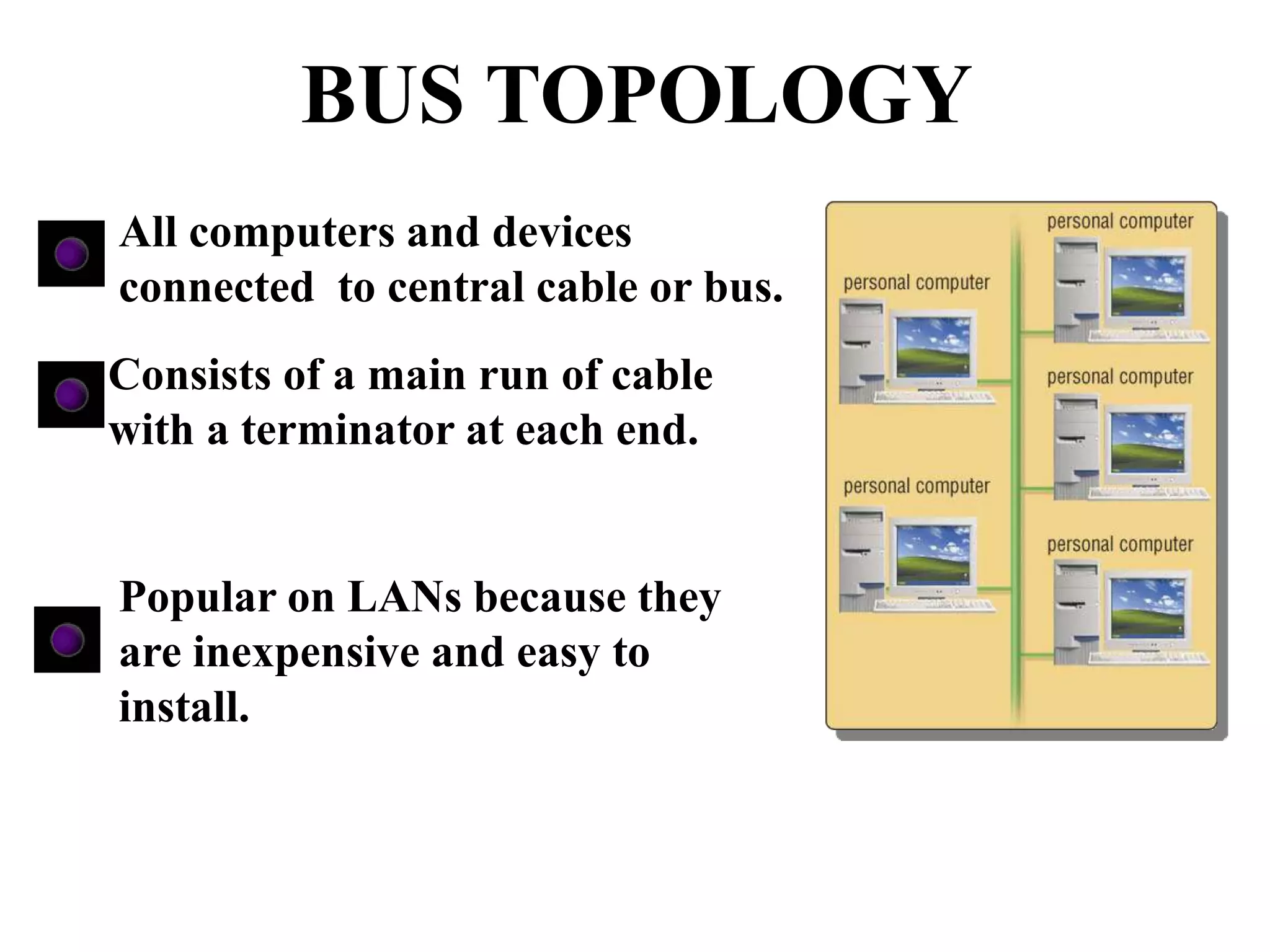
All computers and devices
connected to central cable or bus.
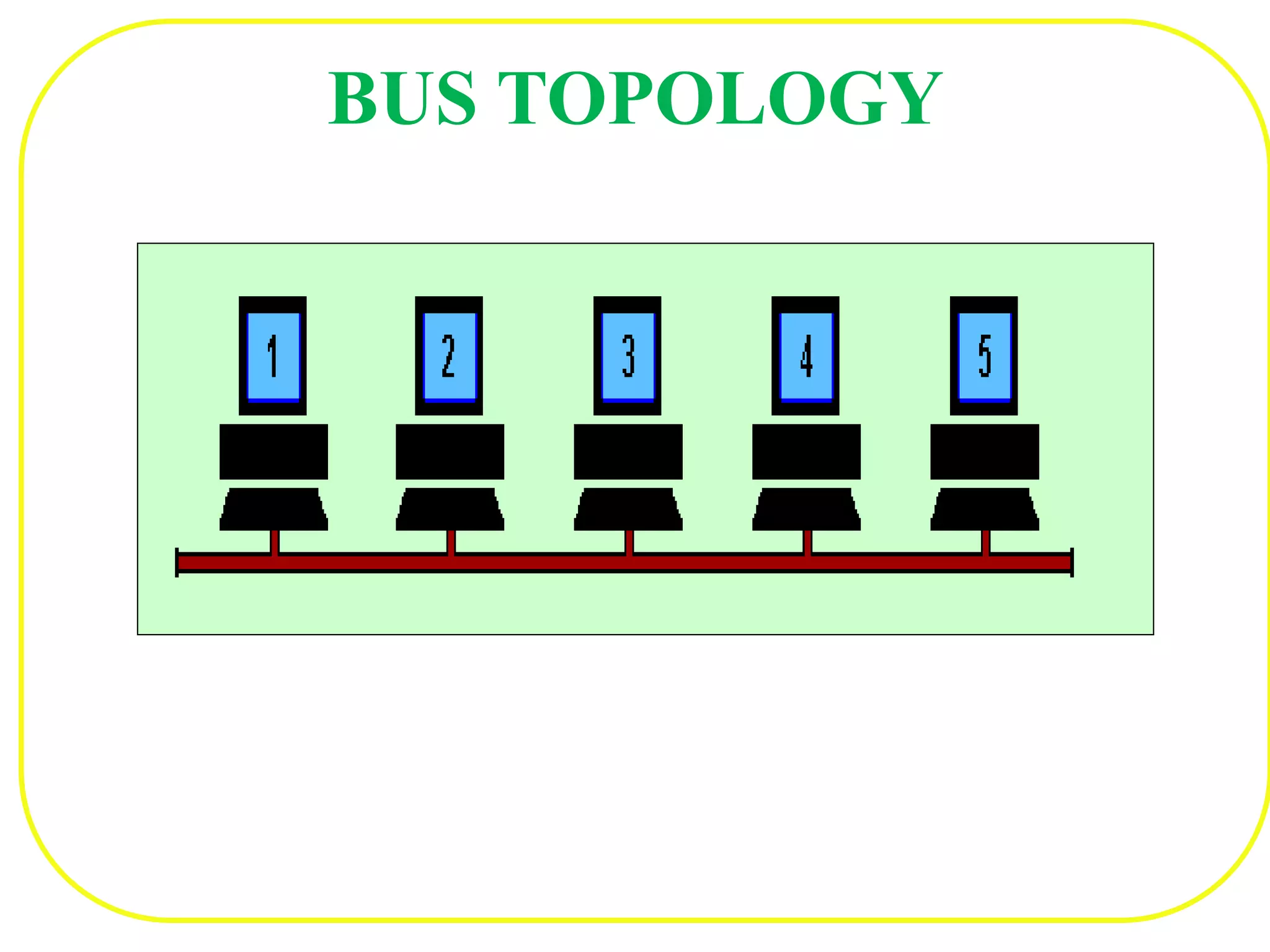
Consists of a main run of cable
with a terminator at each end.
Popular on LANs because they
are inexpensive and easy to
install.
BUS TOPOLOGY
BUS TOPOLOGY
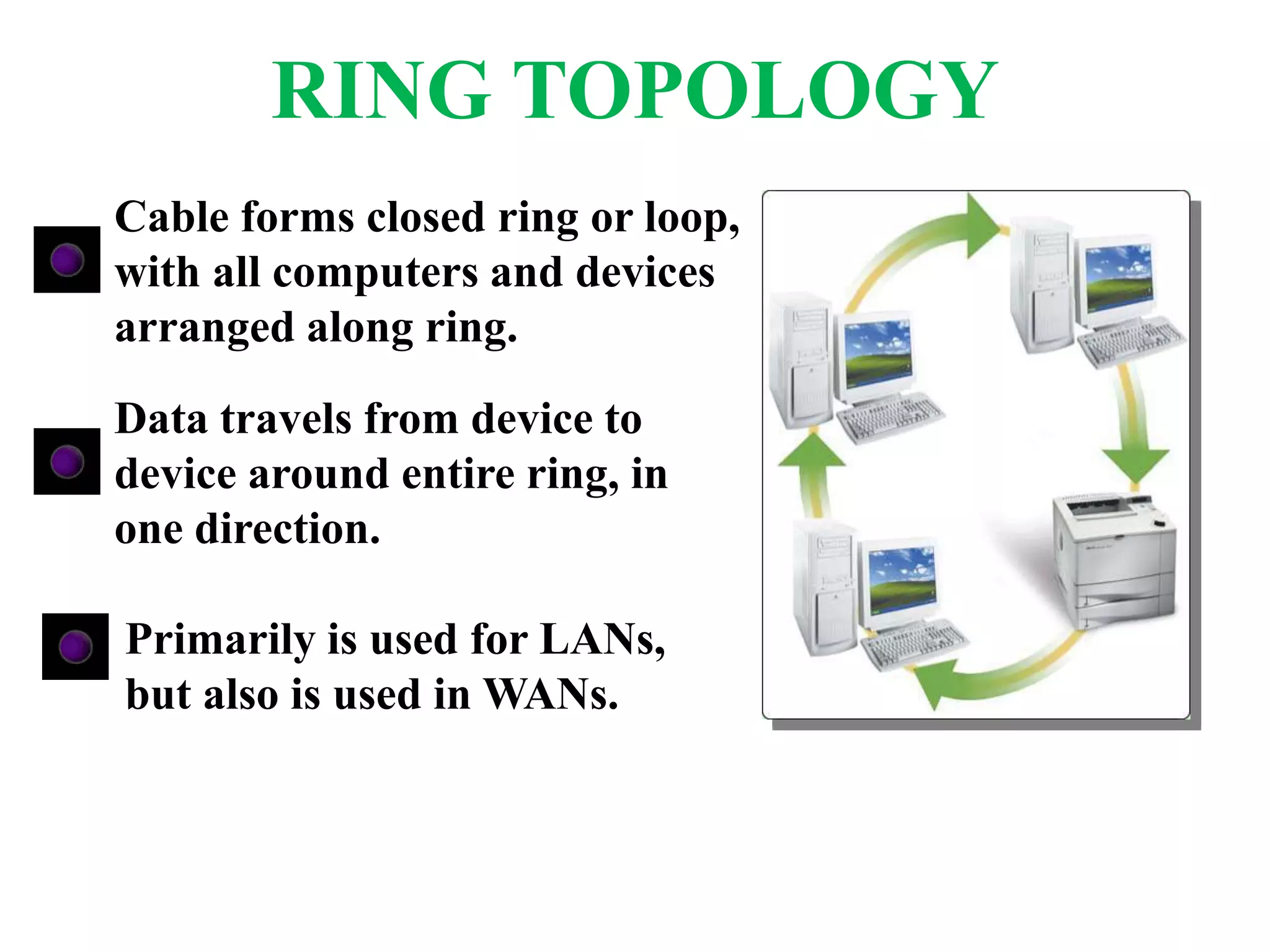
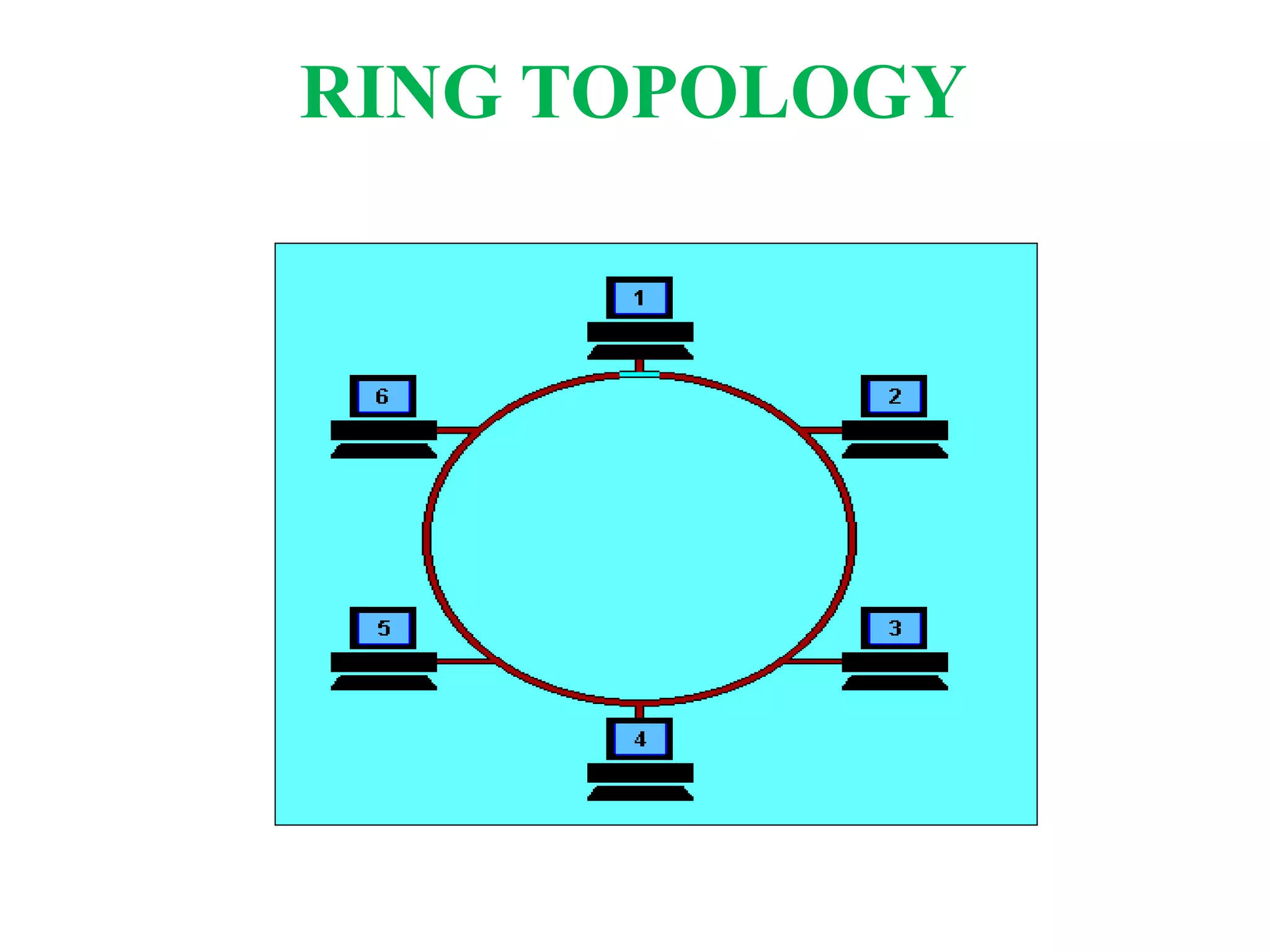
Cable forms closed ring or loop,
with all computers and devices
arranged along ring.
Data travels from device to
device around entire ring, in
one direction.
Primarily is used for LANs,
but also is used in WANs.
RING TOPOLOGY
RING TOPOLOGY
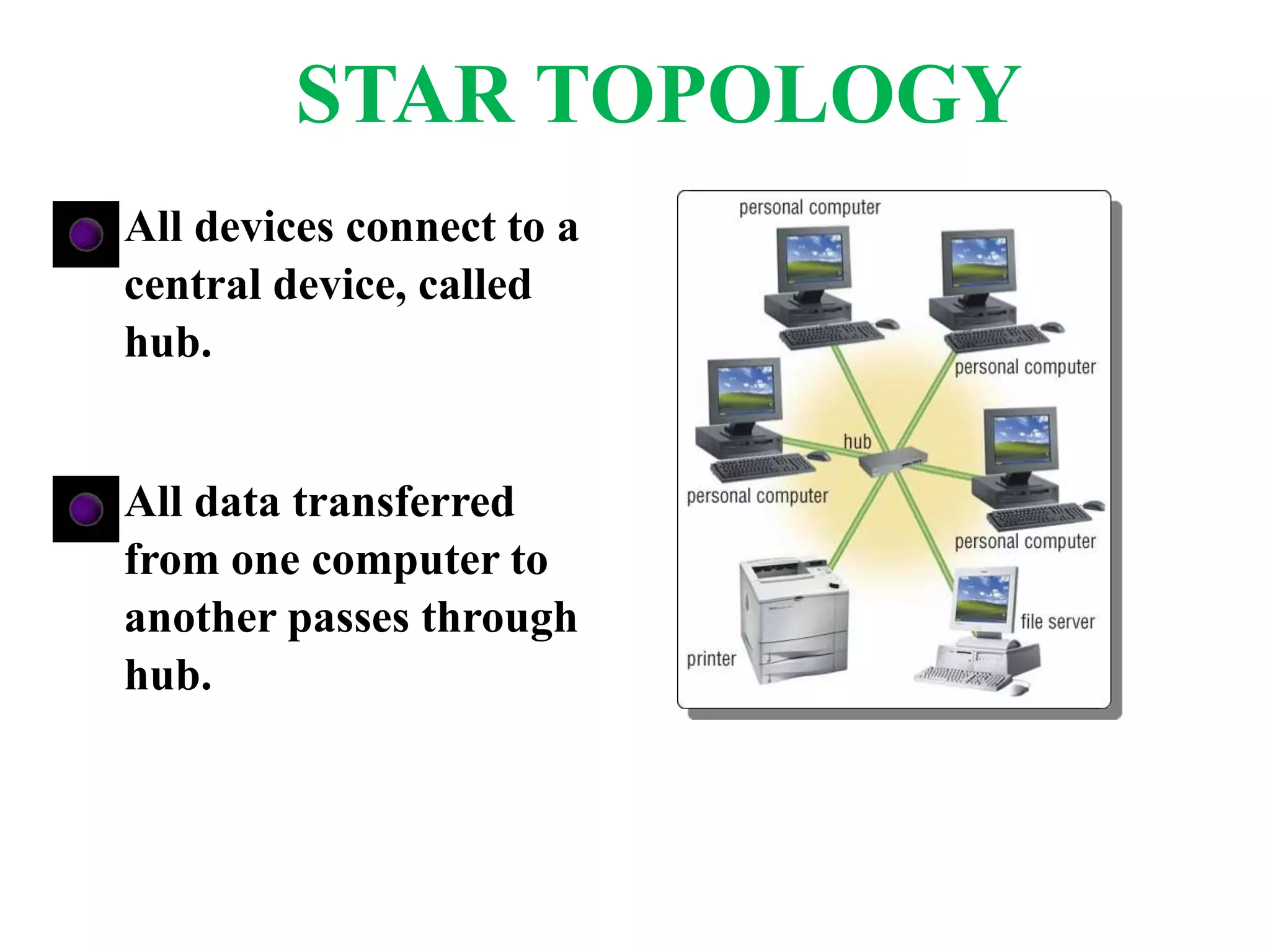
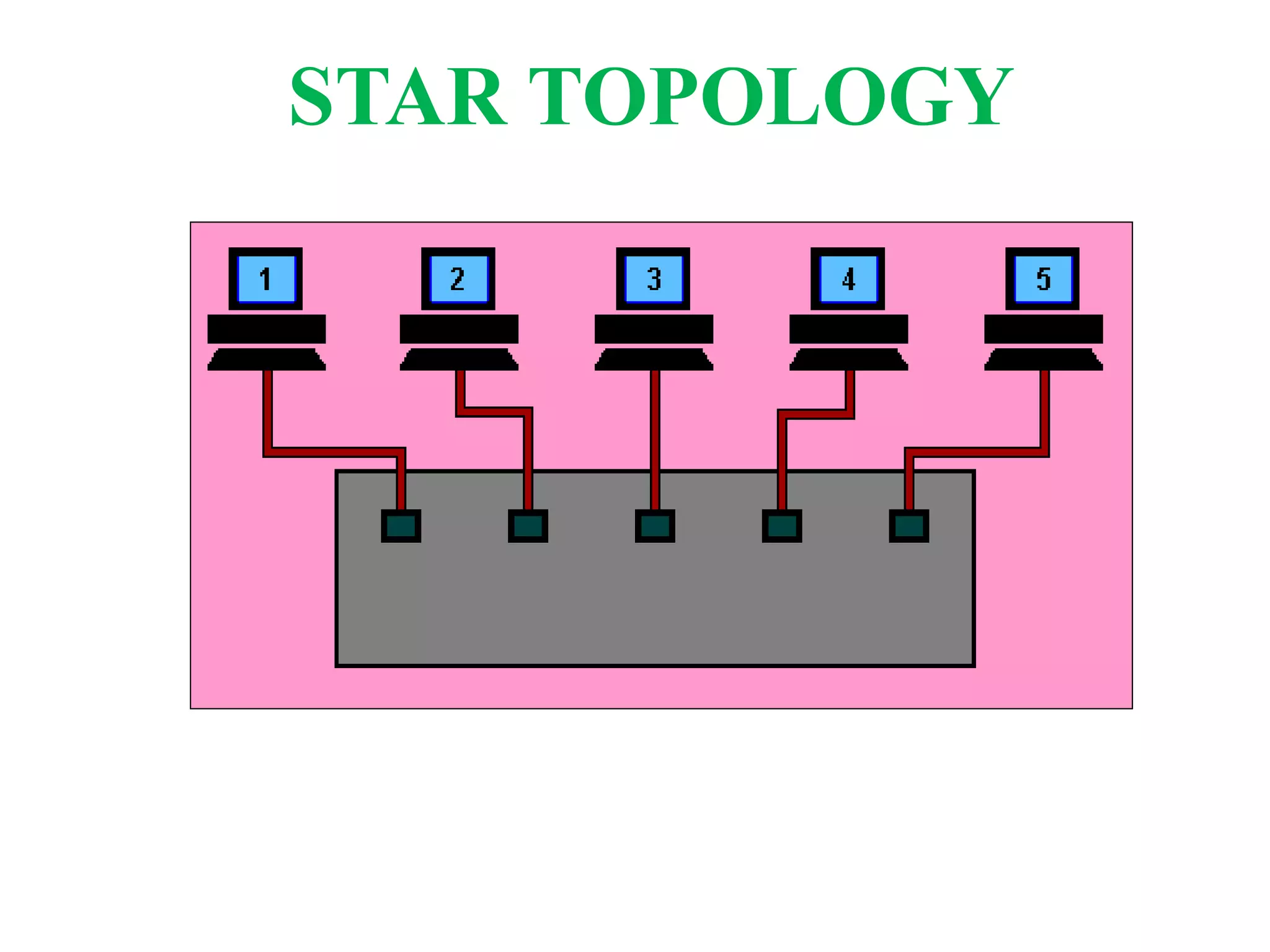
All devices connect to a
central device, called
hub.
All data transferred
from one computer to
another passes through
hub.
STAR TOPOLOGY
STAR TOPOLOGY
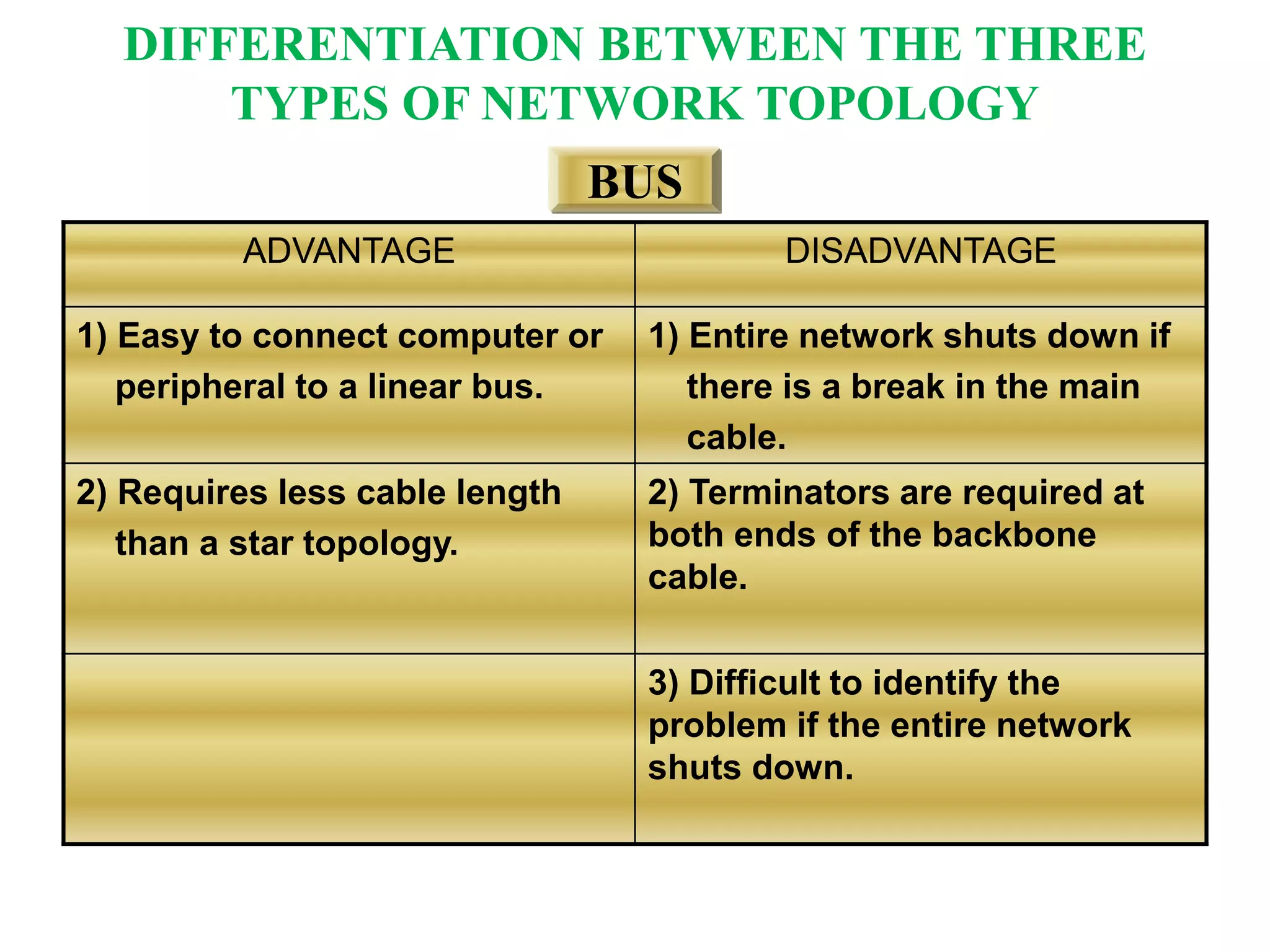
ADVANTAGE DISADVANTAGE
1) Easy to connect computer or
peripheral to a linear bus.
1) Entire network shuts down if
there is a break in the main
cable.
2) Requires less cable length
than a star topology.
2) Terminators are required at
both ends of the backbone
cable.
3) Difficult to identify the
problem if the entire network
shuts down.
BUS
DIFFERENTIATION BETWEEN THE THREE
TYPES OF NETWORK TOPOLOGY
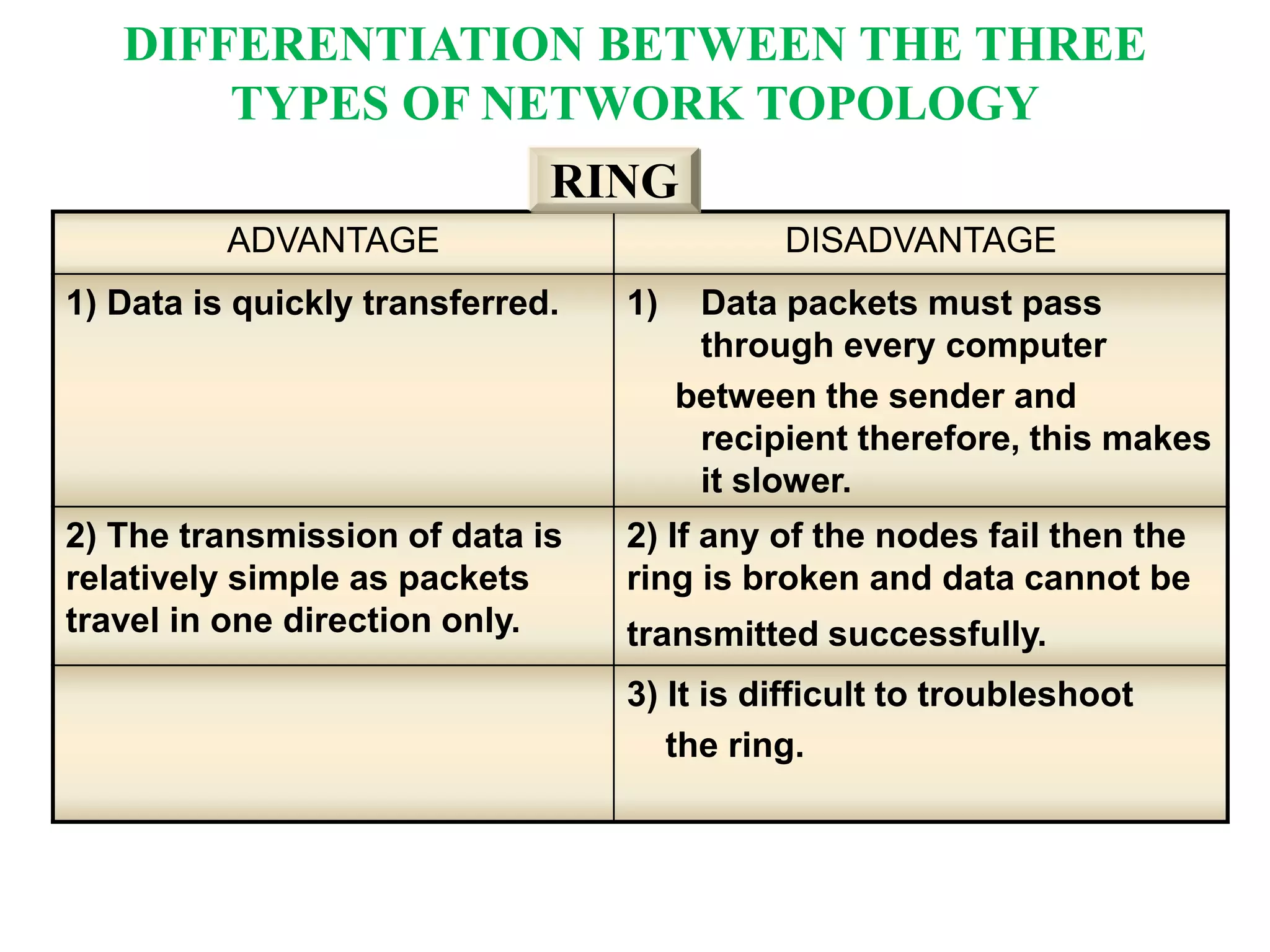
ADVANTAGE DISADVANTAGE
1) Data is quickly transferred. 1) Data packets must pass
through every computer
between the sender and
recipient therefore, this makes
it slower.
2) The transmission of data is
relatively simple as packets
travel in one direction only.
2) If any of the nodes fail then the
ring is broken and data cannot be
transmitted successfully.
3) It is difficult to troubleshoot
the ring.
RING
DIFFERENTIATION BETWEEN THE THREE
TYPES OF NETWORK TOPOLOGY
ADVANTAGE DISADVANTAGE
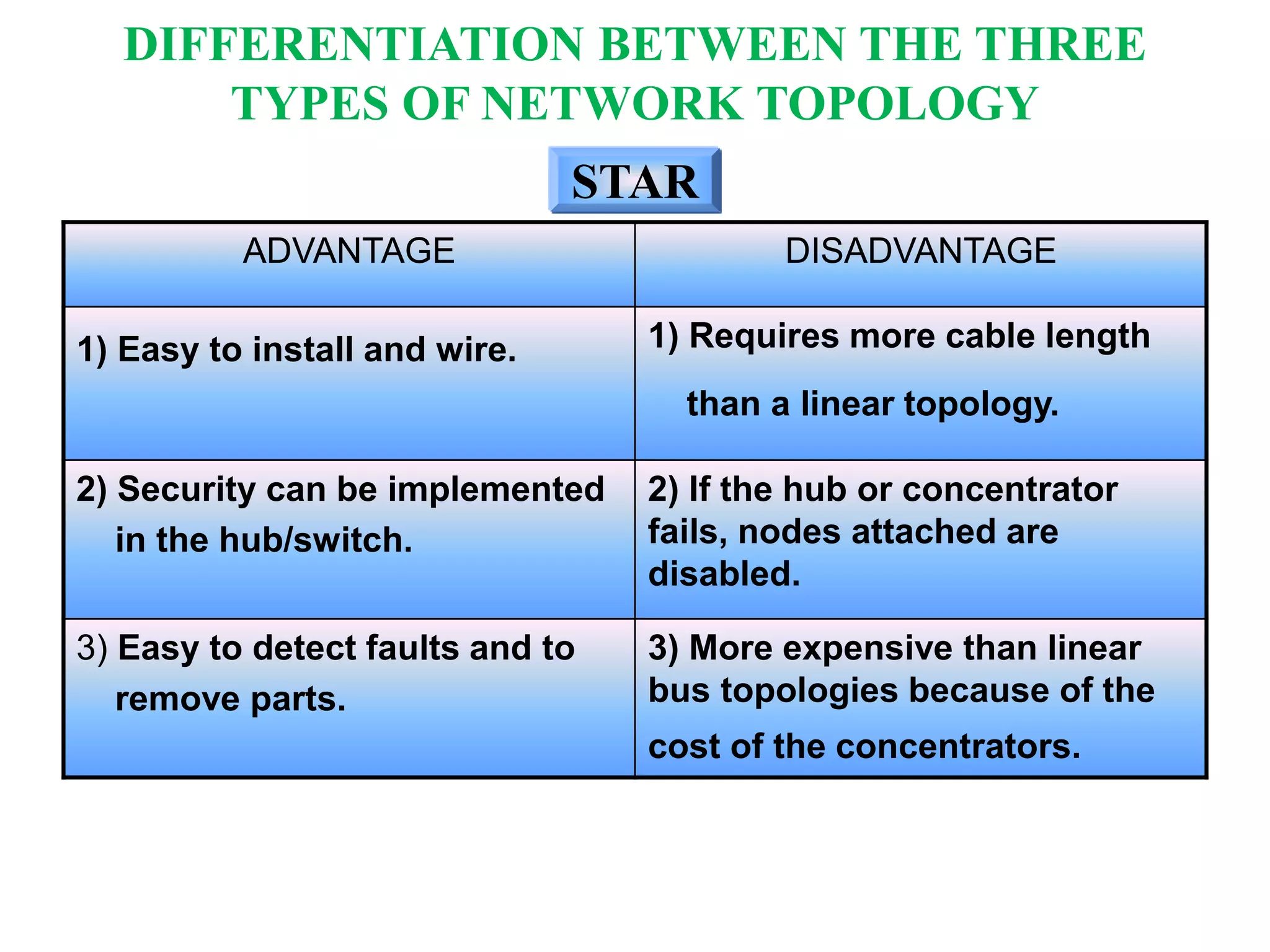
1) Easy to install and wire. 1) Requires more cable length
than a linear topology.
2) Security can be implemented
in the hub/switch.
2) If the hub or concentrator
fails, nodes attached are
disabled.
3) Easy to detect faults and to
remove parts.
3) More expensive than linear
bus topologies because of the
cost of the concentrators.
STAR
DIFFERENTIATION BETWEEN THE THREE
TYPES OF NETWORK TOPOLOGY
DEFINITION
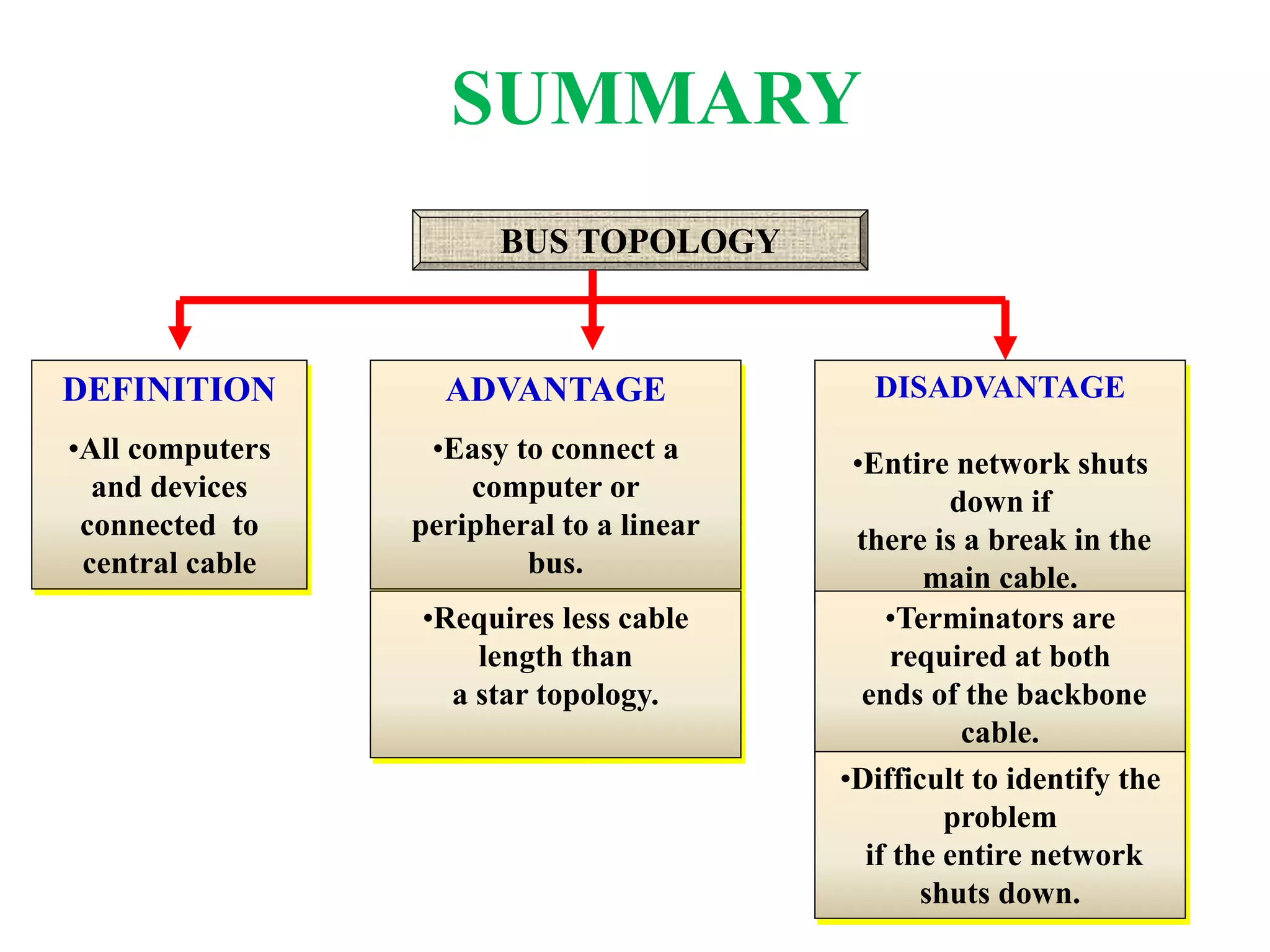
•All computers
and devices
connected to
central cable
BUS TOPOLOGY
ADVANTAGE
•Easy to connect a
computer or
peripheral to a linear
bus.
•Requires less cable
length than
a star topology.
DISADVANTAGE
•Entire network shuts
down if
there is a break in the
main cable.
•Terminators are
required at both
ends of the backbone
cable.
•Difficult to identify the
problem
if the entire network
shuts down.
SUMMARY
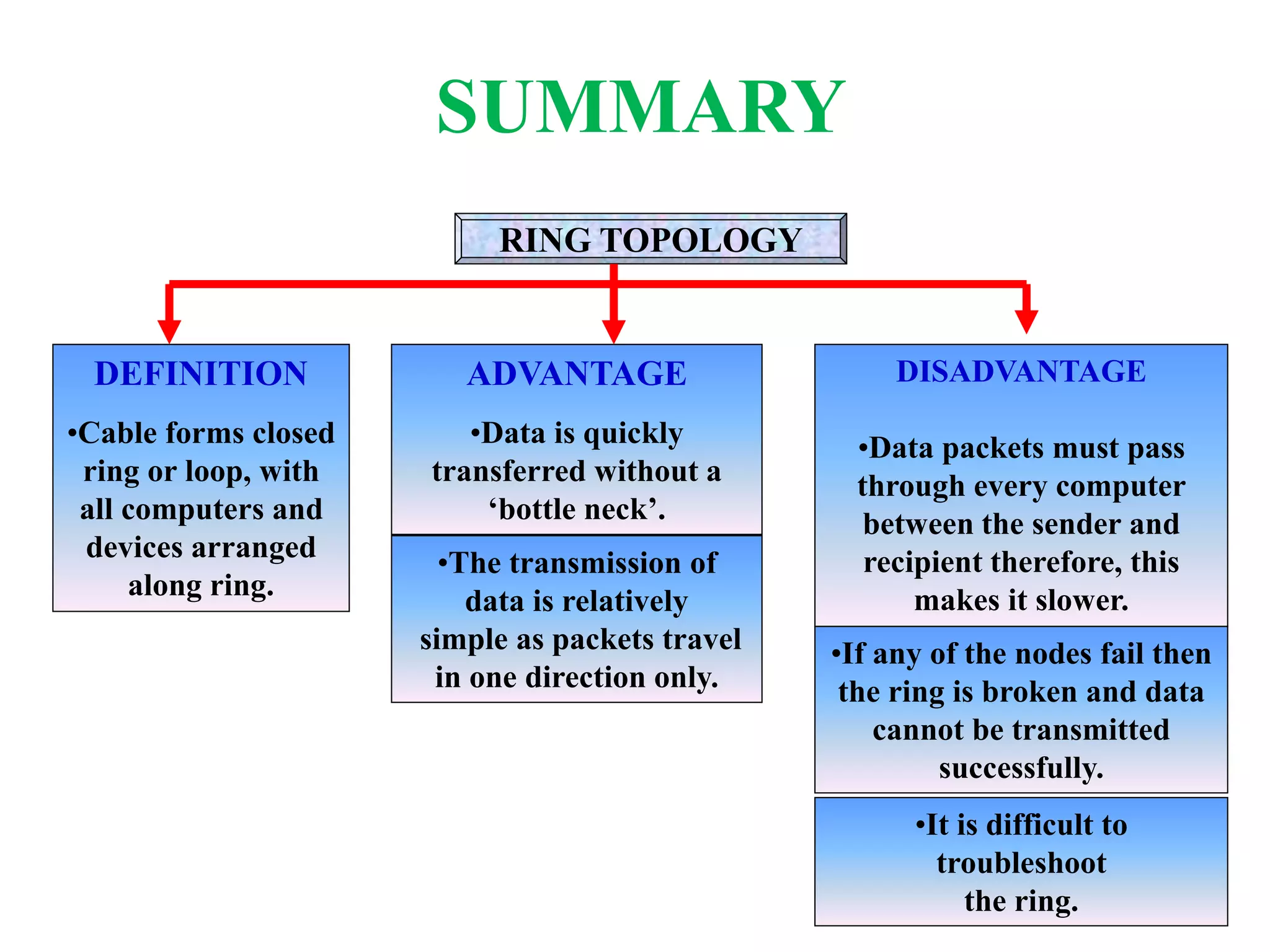
RING TOPOLOGY
DEFINITION
•Cable forms closed
ring or loop, with
all computers and
devices arranged
along ring.
ADVANTAGE
•Data is quickly
transferred without a
‘bottle neck’.
•The transmission of
data is relatively
simple as packets travel
in one direction only.
DISADVANTAGE
•Data packets must pass
through every computer
between the sender and
recipient therefore, this
makes it slower.
•If any of the nodes fail then
the ring is broken and data
cannot be transmitted
successfully.
•It is difficult to
troubleshoot
the ring.
SUMMARY
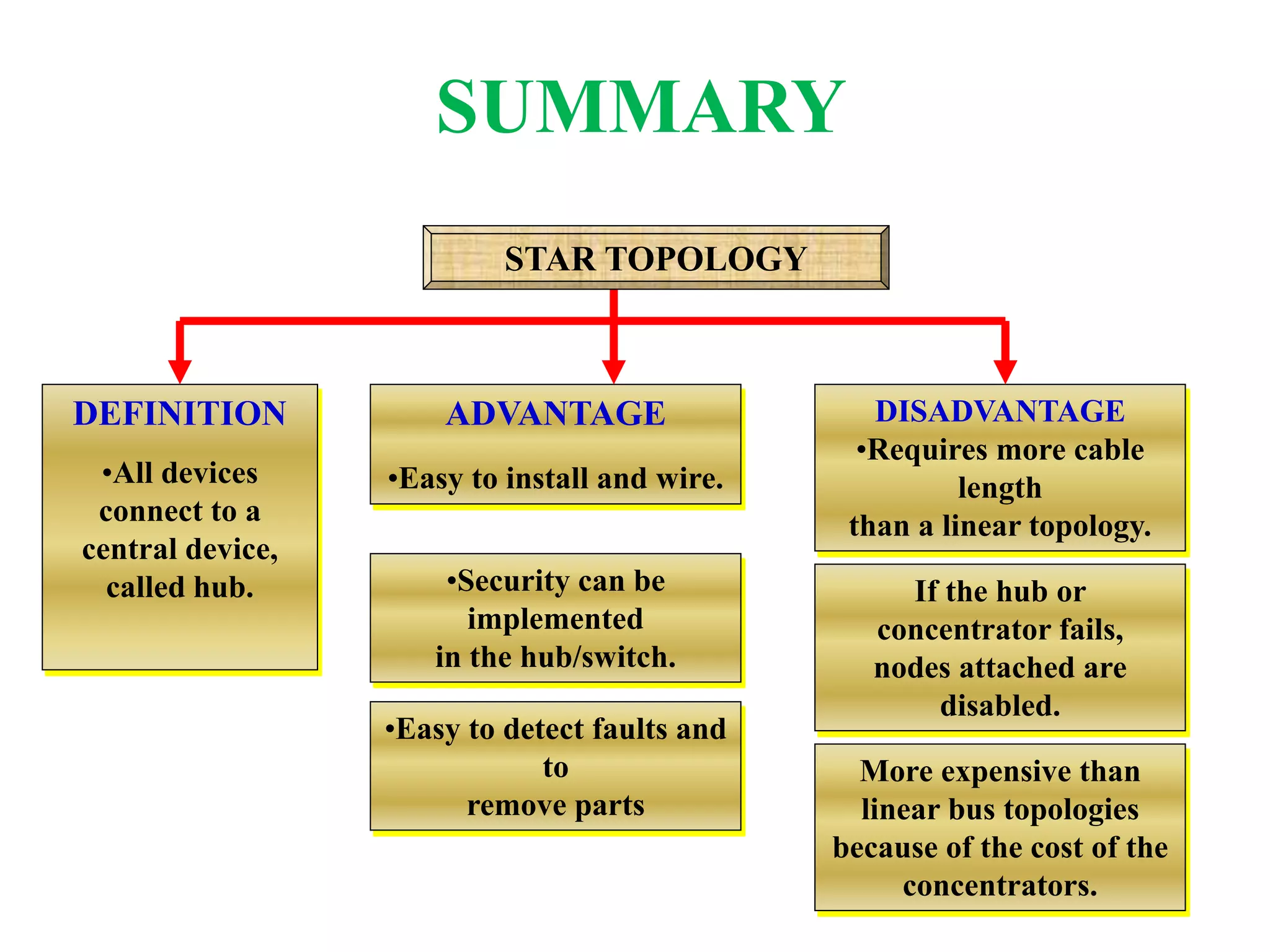
DEFINITION
•All devices
connect to a
central device,
called hub.
ADVANTAGE
•Easy to install and wire.
•Security can be
implemented
in the hub/switch.
DISADVANTAGE
•Requires more cable
length
than a linear topology.
If the hub or
concentrator fails,
nodes attached are
disabled.
More expensive than
linear bus topologies
because of the cost of the
concentrators.
STAR TOPOLOGY
•Easy to detect faults and
to
remove parts
SUMMARY

Data communication and network

  • 1.
  • 2.
    What is dataCommunication? • Exchange of digital information between two digital devices is data communication. • Data Communications is the transfer of data or information between a source and a receiver. The source transmits the data and the receiver receives it. • The actual generation of the information is not part of Data Communications nor is the resulting action of the information at the receiver. Data Communication is interested in the transfer of data, the method of transfer and the preservation of the data during the transfer process.
  • 3.
    Types Of DataCommunication • Simplex • Half Duplex • Full Duplex • Serial
  • 4.
    Simplex • A simplexcommunication system sends a message in only one direction. The message source works as the transmitter. • It sends the message over the data channel to the receiver. The receiver is the destination of the message. • Examples of simplex data communication include radio stations and TV broadcasts. With the simplex channel, there is no ability by the receiver to respond to the message. • For example, a radio station plays a song on your car radio. The data transferred is the song. You do not have the opportunity to send a message back via your car radio to the station.
  • 5.
    half-duplex • A datacommunication system provides messages in both directions but only allows transfer in one direction at a time. • Once a party begins sending a transmission, the receiver must wait until the signal stops before responding. • If the two data transfers attempt to send at the same time, they both fail. • For instance, if you talk on a CB radio, you press a button and speak. If the receiver attempts to press the button and speak at the same time, neither one of you hear either message. The system is not capable of sending both ways simultaneously.
  • 6.
    full duplex • Afull duplex is a communication that works both ways at the same time. • Essentially, full duplex data communication is a set of two simplex channels, one works as a forward channel and the other as a reserve channel. The two channels link together at some point. • An example of a full duplex communication system is a landline telephone. When talking on a telephone, both parties have the ability to speak at the same time. The data, carried both ways through the telephone line, runs simultaneously.
  • 7.
    Serial communication • Serialcommunication takes a data communication, breaks it up into small pieces, and sends the message one bit at a time through a channel. • The receiver collects the small bits and reassembles them to compose the original message. • Serial communication is the most common type of communication between electronic devices. • One example of serial communication in action is the data sent from a modem to the service provider.
  • 8.
    Communication Media • MagneticMedia • Twisted Pair Cable • Coaxial Cable • Power Lines • Fiber Optics
  • 9.
    Magnetic Media • Oneof the most convenient way to transfer data from one computer to another, • For an example, say a Bank has Gigs of bytes of their customers’ data which stores a backup copy of it at some geographically far place for security and uncertain reasons like war or tsunami. If the Bank needs to store its copy of data which is Hundreds of GBs, transfer through Internet is not feasible way. Even WAN links may not support such high speed or if they do cost will be too high to afford. • In these kinds of cases, data backup is stored onto magnetic tapes or magnetic discs and then shifted physically at remote places.
  • 10.
    Twisted pair cable •A twisted pair cable is made of two plastic insulated copper wires twisted together to form a single media. Out of these two wires only one carries actual signal and another is used for ground reference. The twists between wires is helpful in reducing noise (electro-magnetic interference) and crosstalk. • It has two type • Shielded Twisted Pair (STP) Cable • Unshielded Twisted Pair (UTP) Cable • STP cables comes with twisted wire pair covered in metal foil. This makes it more indifferent to noise and crosstalk. • UTP has seven categories, each suitable for specific use. In computer networks, Cat-5, Cat-5e and Cat- 6 cables are mostly used. UTP cables are connected by RJ45 connectors.
  • 11.
    Coaxial Cable • Coaxialcables has two wires of copper. The core wire lies in center and is made of solid conductor. Core is enclosed in an insulating sheath. Over the sheath the second wire is wrapped around and that too in turn encased by insulator sheath. This all is covered by plastic cover. • Because of its structure coaxial cables are capable of carrying high frequency signals than that of twisted pair cables. The wrapped structure provides it a good shield against noise and cross talk. Coaxial cables provide high bandwidth rates of up to 450 mbps. • There are three categories of Coax cables namely, RG-59 (Cable TV), RG-58 (Thin Ethernet) and RG-11 (Thick Ethernet. RG stands for Radio Government.
  • 12.
    Fiber Optics • FiberOptic works on the properties of light. When light ray hits at critical angle it tends to refracts at 90 degree. This property has been used in fiber optic. • The core of fiber optic cable is made of high quality glass or plastic. From one end of it light is emitted, it travels through it and at the other end light detector detects light stream and converts it to electric data form. • Fiber Optic provides the highest mode of speed. • It comes in two modes, – single mode fiber and – second is multimode fiber..
  • 13.
  • 14.
    Definition of Network Topology Typesof Network Topology Differentiation Between the Types of Network Topology CONTENT
  • 15.
    What is aTopology ? The physical topology of a network refers to the configuration of cables, computers and other peripherals. DEFINITION
  • 16.
    Bus network. Ring network. Starnetwork. TYPES OF NETWORK TOPOLOGY
  • 17.
    All computers anddevices connected to central cable or bus. Consists of a main run of cable with a terminator at each end. Popular on LANs because they are inexpensive and easy to install. BUS TOPOLOGY
  • 18.
  • 19.
    Cable forms closedring or loop, with all computers and devices arranged along ring. Data travels from device to device around entire ring, in one direction. Primarily is used for LANs, but also is used in WANs. RING TOPOLOGY
  • 20.
  • 21.
    All devices connectto a central device, called hub. All data transferred from one computer to another passes through hub. STAR TOPOLOGY
  • 22.
  • 23.
    ADVANTAGE DISADVANTAGE 1) Easyto connect computer or peripheral to a linear bus. 1) Entire network shuts down if there is a break in the main cable. 2) Requires less cable length than a star topology. 2) Terminators are required at both ends of the backbone cable. 3) Difficult to identify the problem if the entire network shuts down. BUS DIFFERENTIATION BETWEEN THE THREE TYPES OF NETWORK TOPOLOGY
  • 24.
    ADVANTAGE DISADVANTAGE 1) Datais quickly transferred. 1) Data packets must pass through every computer between the sender and recipient therefore, this makes it slower. 2) The transmission of data is relatively simple as packets travel in one direction only. 2) If any of the nodes fail then the ring is broken and data cannot be transmitted successfully. 3) It is difficult to troubleshoot the ring. RING DIFFERENTIATION BETWEEN THE THREE TYPES OF NETWORK TOPOLOGY
  • 25.
    ADVANTAGE DISADVANTAGE 1) Easyto install and wire. 1) Requires more cable length than a linear topology. 2) Security can be implemented in the hub/switch. 2) If the hub or concentrator fails, nodes attached are disabled. 3) Easy to detect faults and to remove parts. 3) More expensive than linear bus topologies because of the cost of the concentrators. STAR DIFFERENTIATION BETWEEN THE THREE TYPES OF NETWORK TOPOLOGY
  • 26.
    DEFINITION •All computers and devices connectedto central cable BUS TOPOLOGY ADVANTAGE •Easy to connect a computer or peripheral to a linear bus. •Requires less cable length than a star topology. DISADVANTAGE •Entire network shuts down if there is a break in the main cable. •Terminators are required at both ends of the backbone cable. •Difficult to identify the problem if the entire network shuts down. SUMMARY
  • 27.
    RING TOPOLOGY DEFINITION •Cable formsclosed ring or loop, with all computers and devices arranged along ring. ADVANTAGE •Data is quickly transferred without a ‘bottle neck’. •The transmission of data is relatively simple as packets travel in one direction only. DISADVANTAGE •Data packets must pass through every computer between the sender and recipient therefore, this makes it slower. •If any of the nodes fail then the ring is broken and data cannot be transmitted successfully. •It is difficult to troubleshoot the ring. SUMMARY
  • 28.
    DEFINITION •All devices connect toa central device, called hub. ADVANTAGE •Easy to install and wire. •Security can be implemented in the hub/switch. DISADVANTAGE •Requires more cable length than a linear topology. If the hub or concentrator fails, nodes attached are disabled. More expensive than linear bus topologies because of the cost of the concentrators. STAR TOPOLOGY •Easy to detect faults and to remove parts SUMMARY