Networking Basics
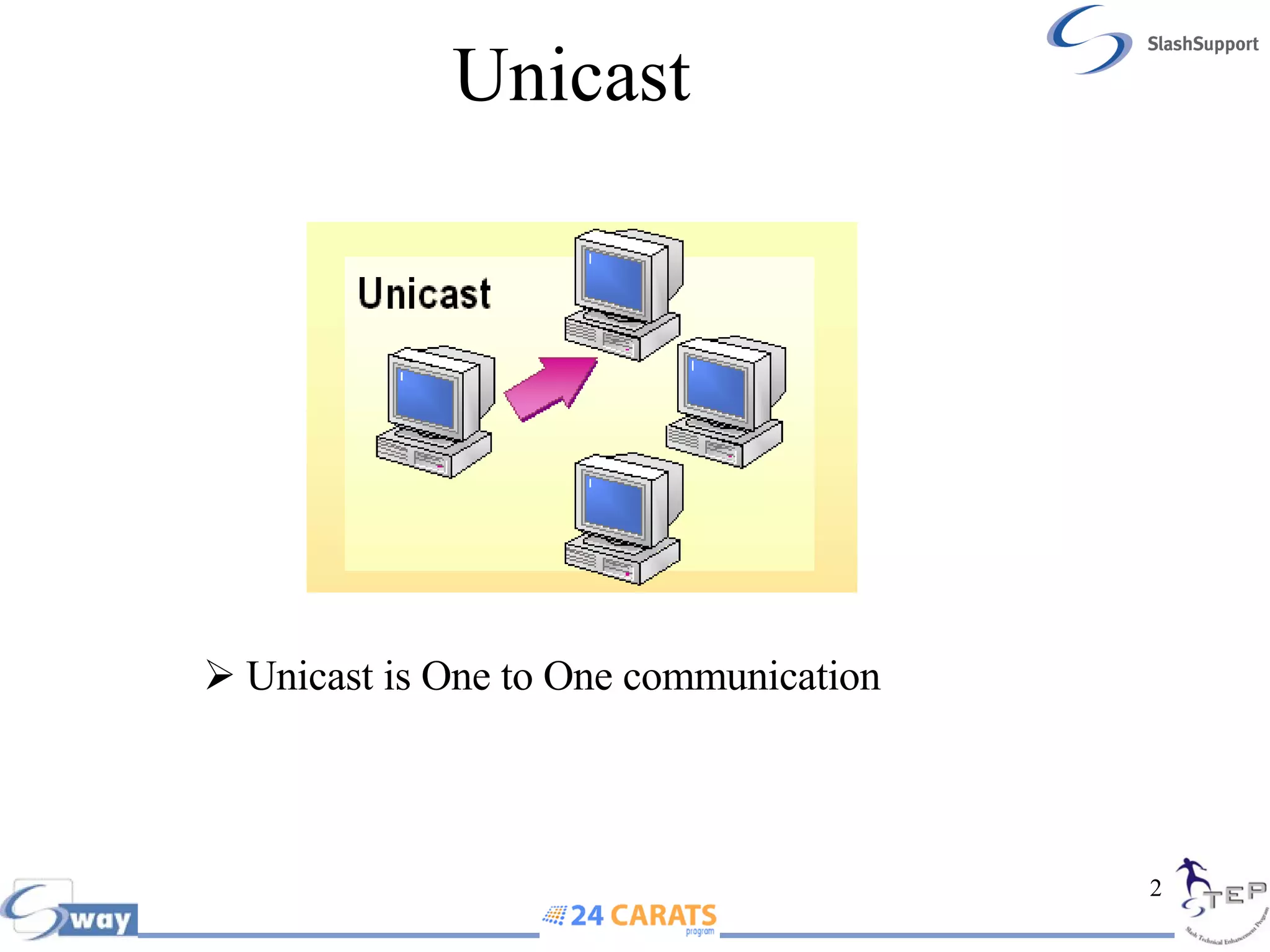
Unicast Unicast is One to One communication
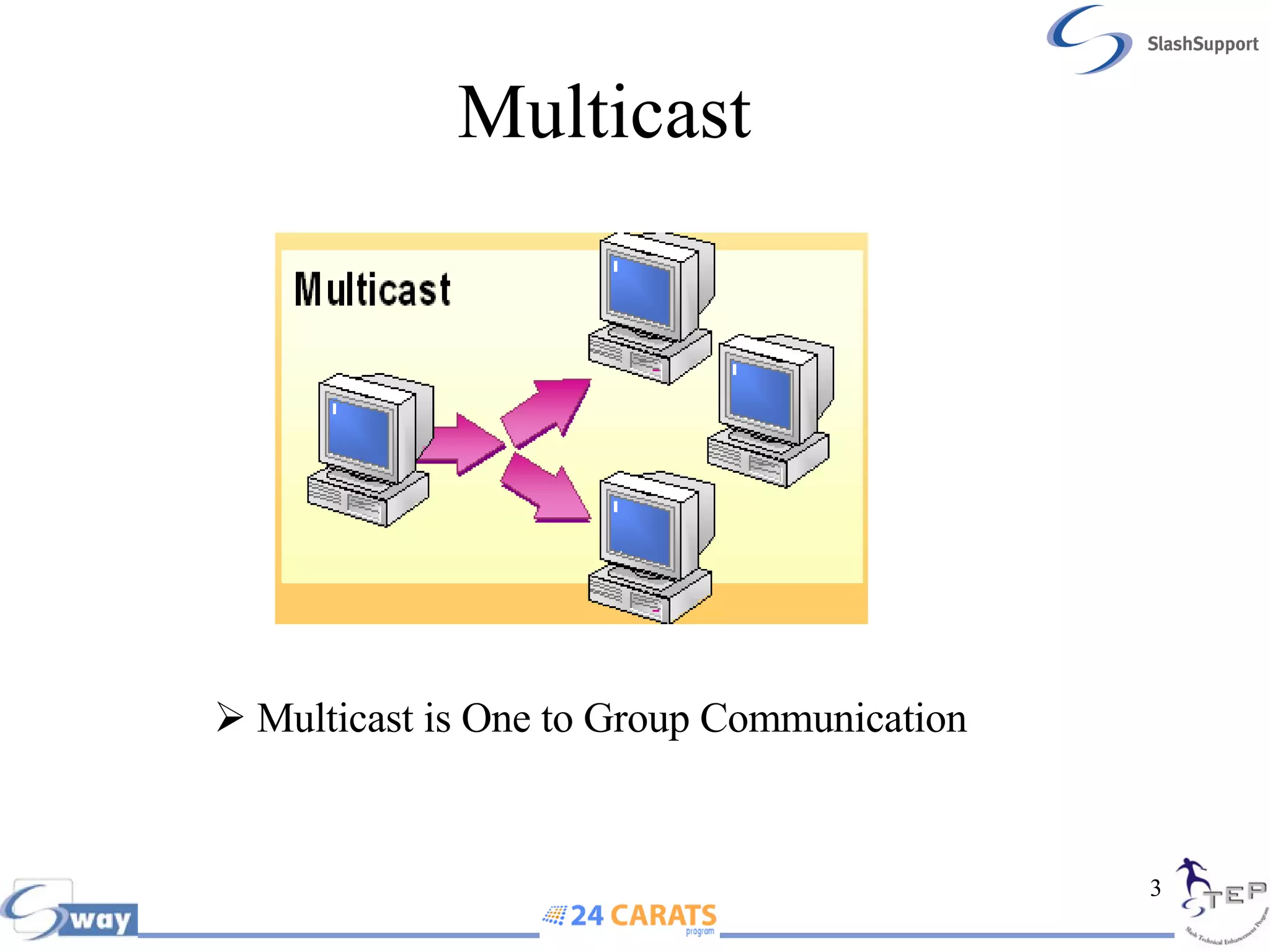
Multicast  Multicast is One to Group Communication
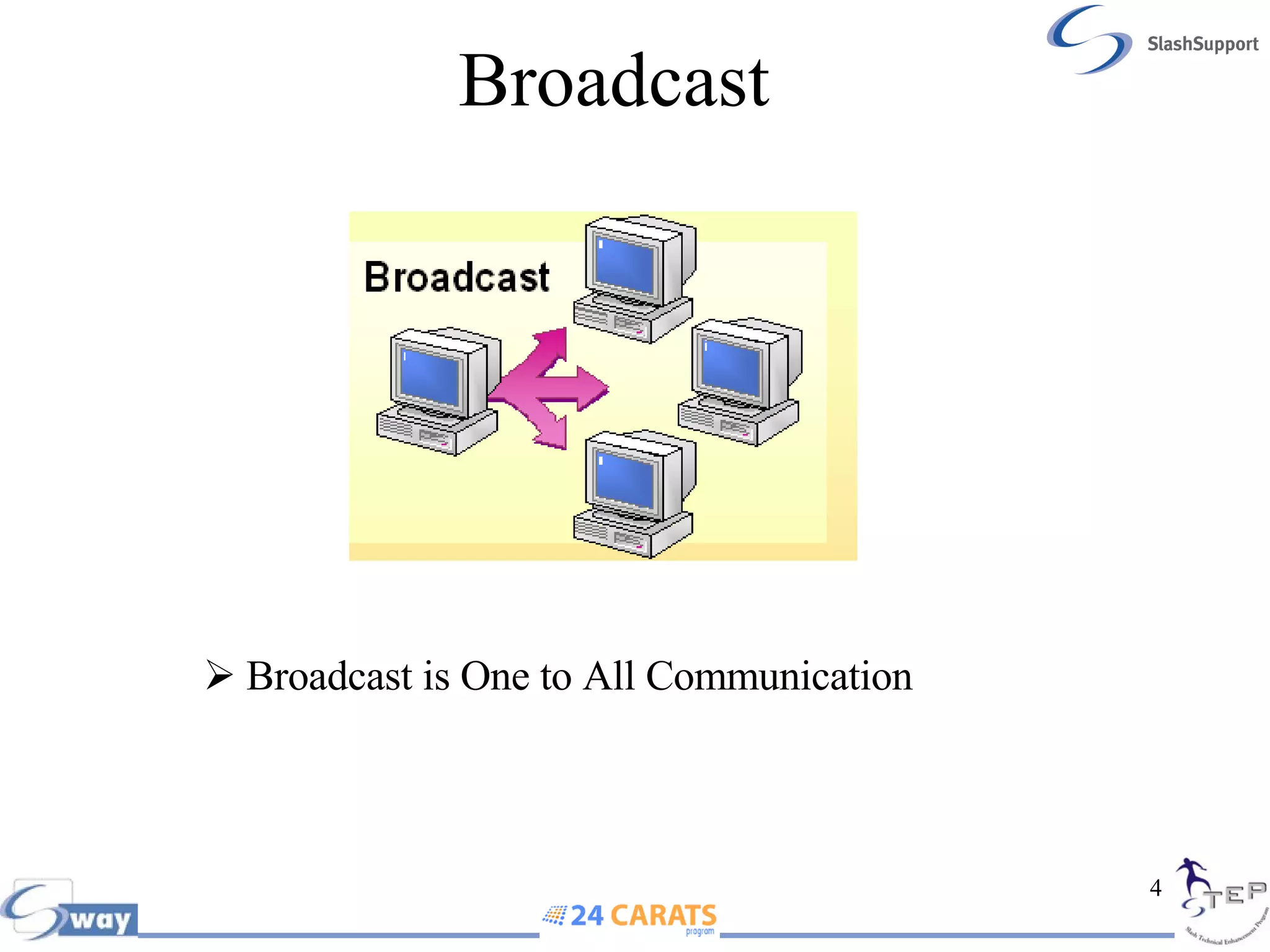
Broadcast Broadcast is One to All Communication
Topology A topology is a description of any kind of locality in terms of its layout. In communication networks, a topology is a usually schematic description of the arrangement of a network, including its nodes and connecting lines  The physical topology   of a network describes the layout of the cables and workstations and the location of all network components Common Topology: Bus,  Ring, Star and  Mesh
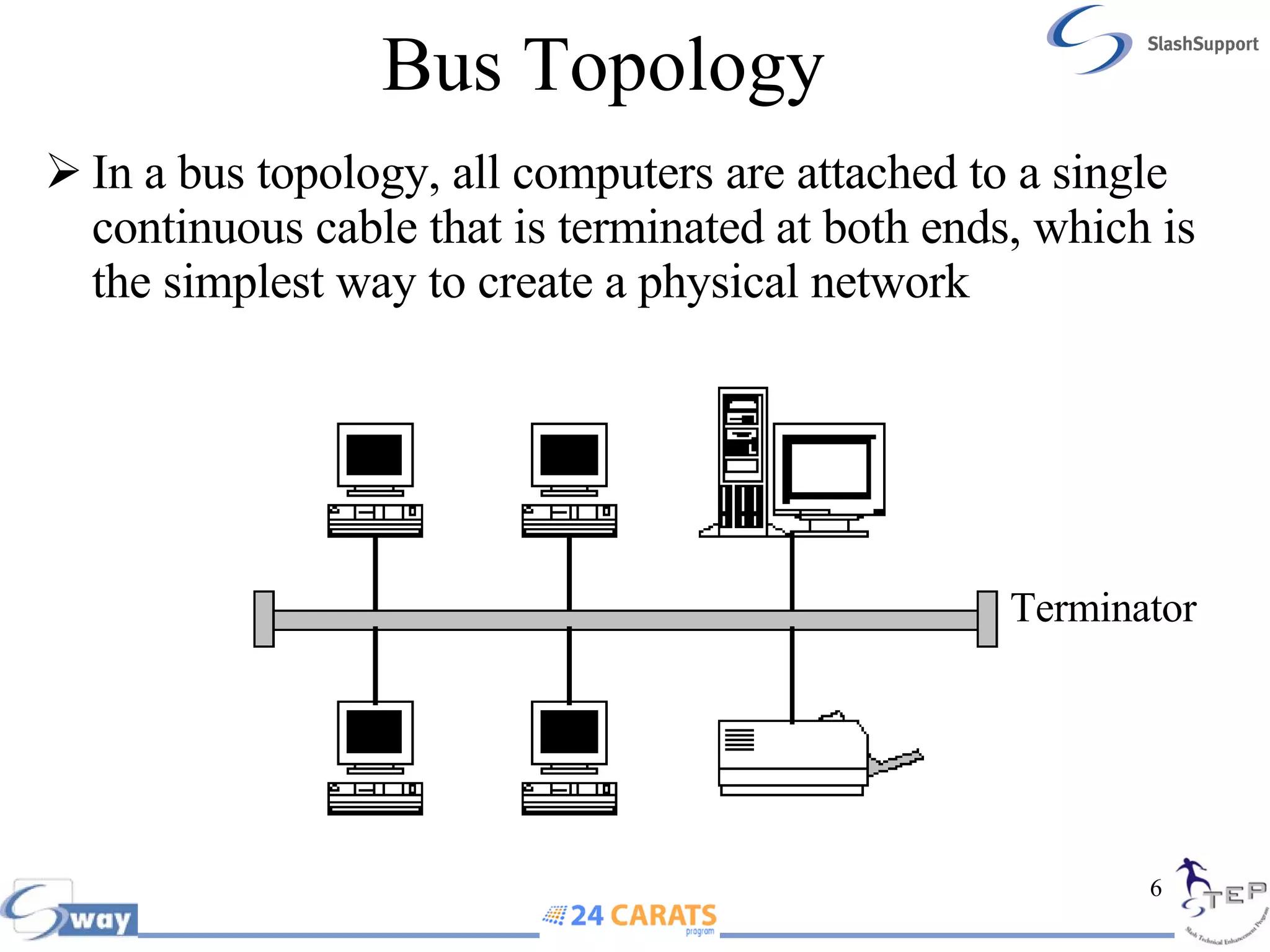
Bus Topology In a bus topology, all computers are attached to a single continuous cable that is terminated at both ends, which is the simplest way to create a physical network Terminator
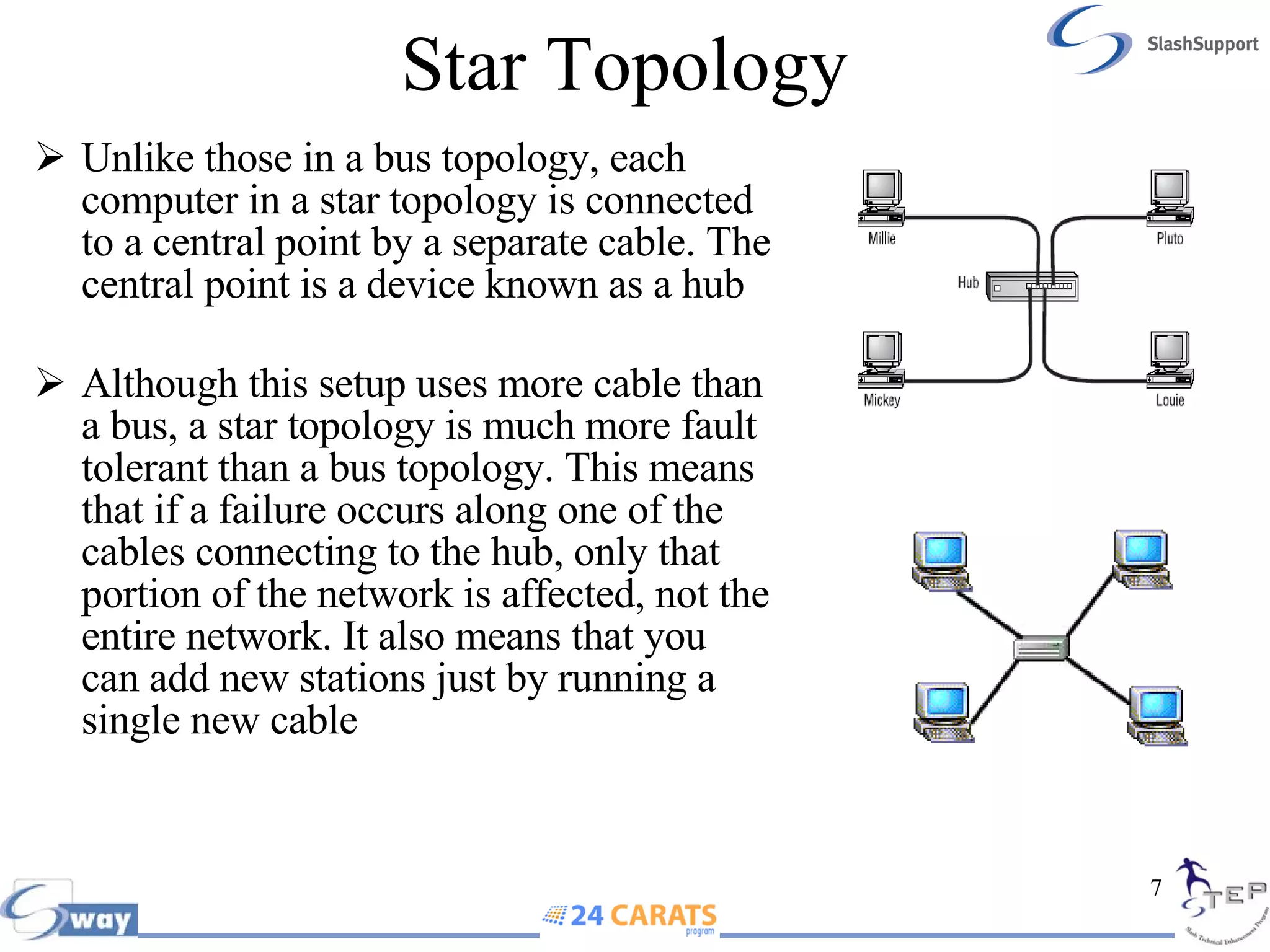
Star Topology Unlike those in a bus topology, each computer in a star topology   is connected to a central point by a separate cable. The central point is a device known as a hub Although this setup uses more cable than a bus, a star topology is much more fault tolerant than a bus topology. This means that if a failure occurs along one of the cables connecting to the hub, only that portion of the network is affected, not the entire network. It also means that you can add new stations just by running a single new cable
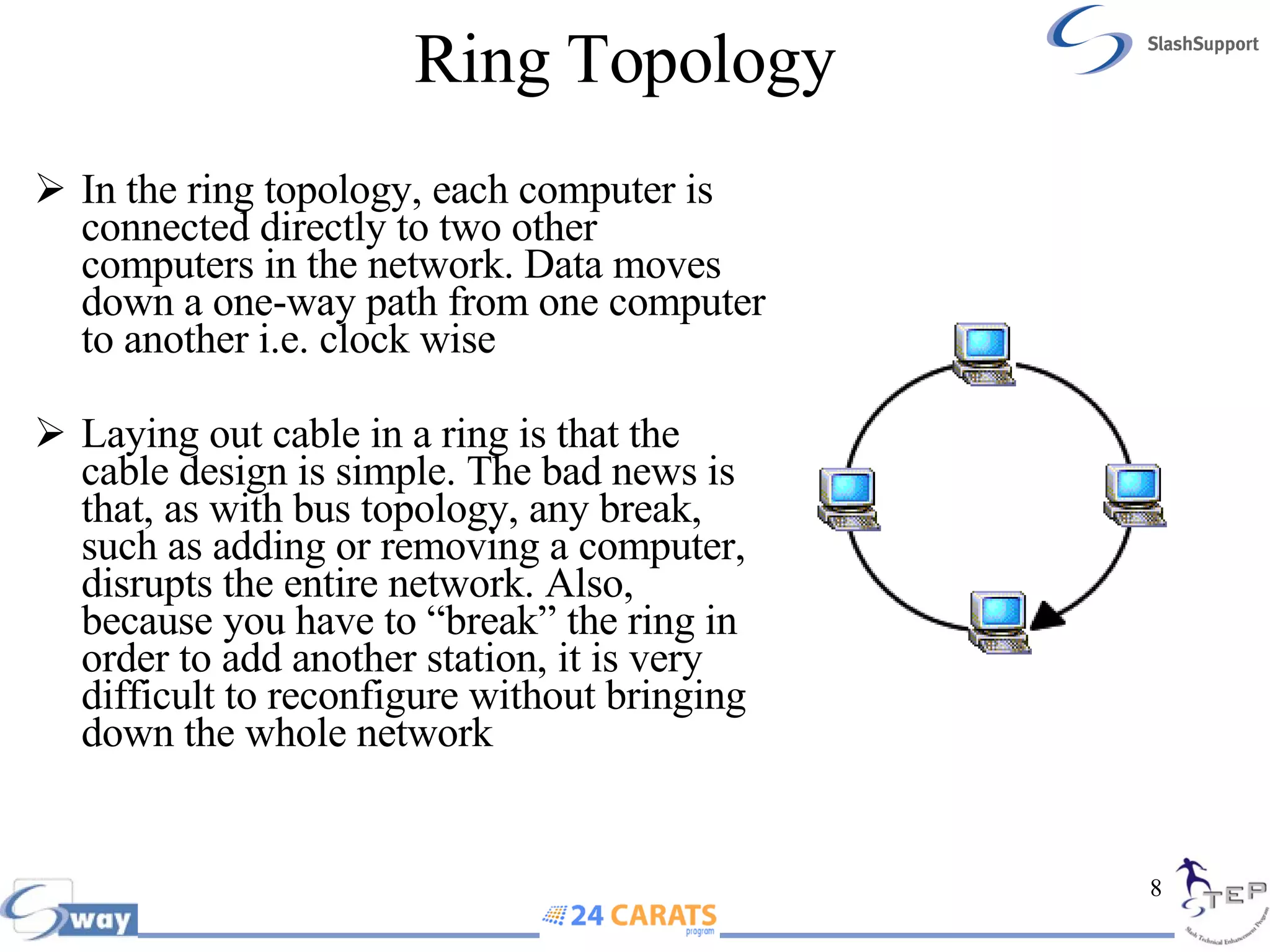
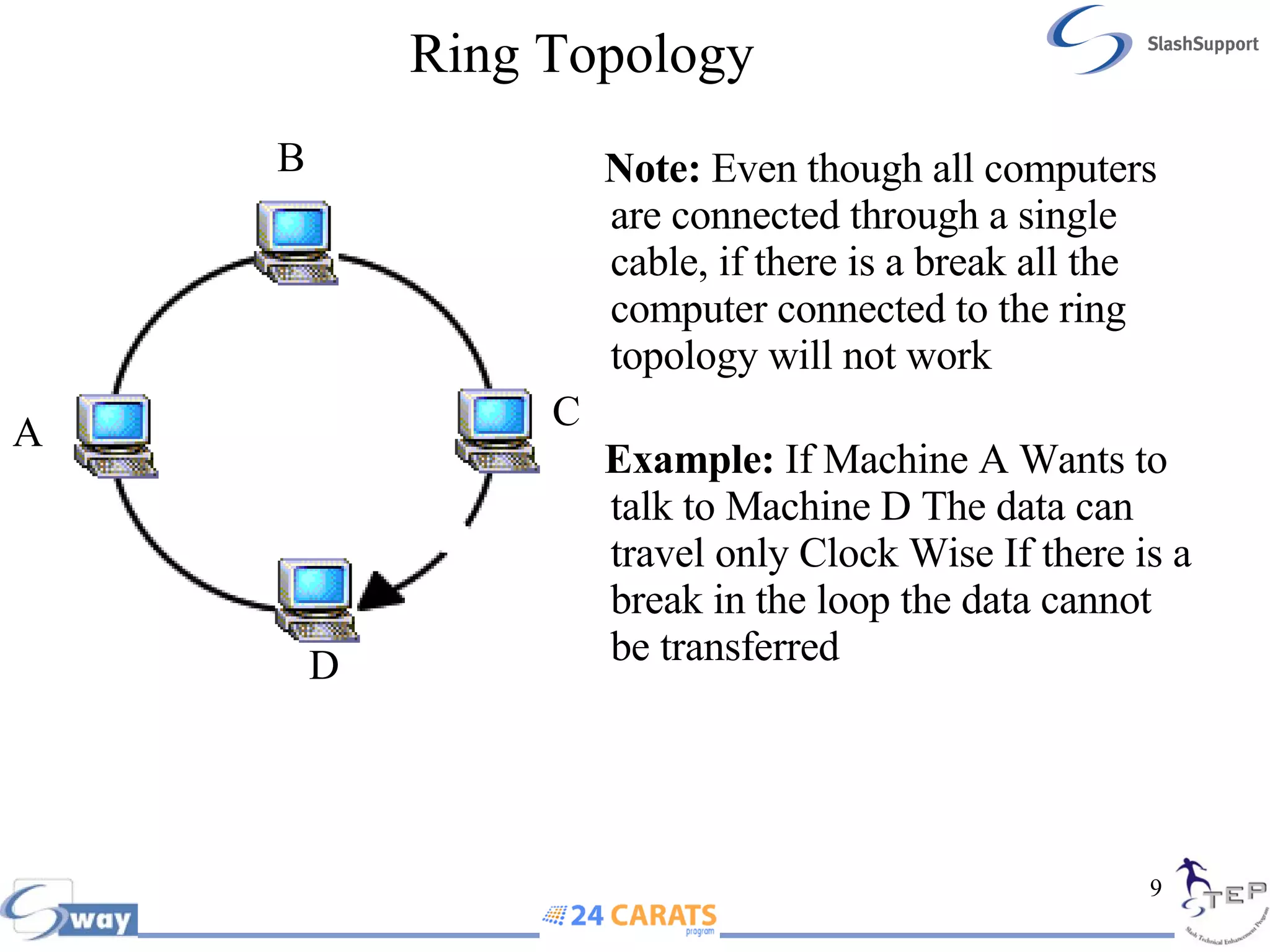
Ring Topology In the ring topology, each computer is connected directly to two other computers in the network. Data moves down a one-way path from one computer to another i.e. clock wise Laying out cable in a ring is that the cable design is simple. The bad news is that, as with bus topology, any break, such as adding or removing a computer, disrupts the entire network. Also, because you have to “break” the ring in order to add another station, it is very difficult to reconfigure without bringing down the whole network
Ring Topology Note:  Even though all computers are connected through a single cable, if there is a break all the computer connected to the ring topology will not work  Example:  If Machine A Wants to talk to Machine D The data can travel only Clock Wise If there is a break in the loop the data cannot be transferred  A B C D
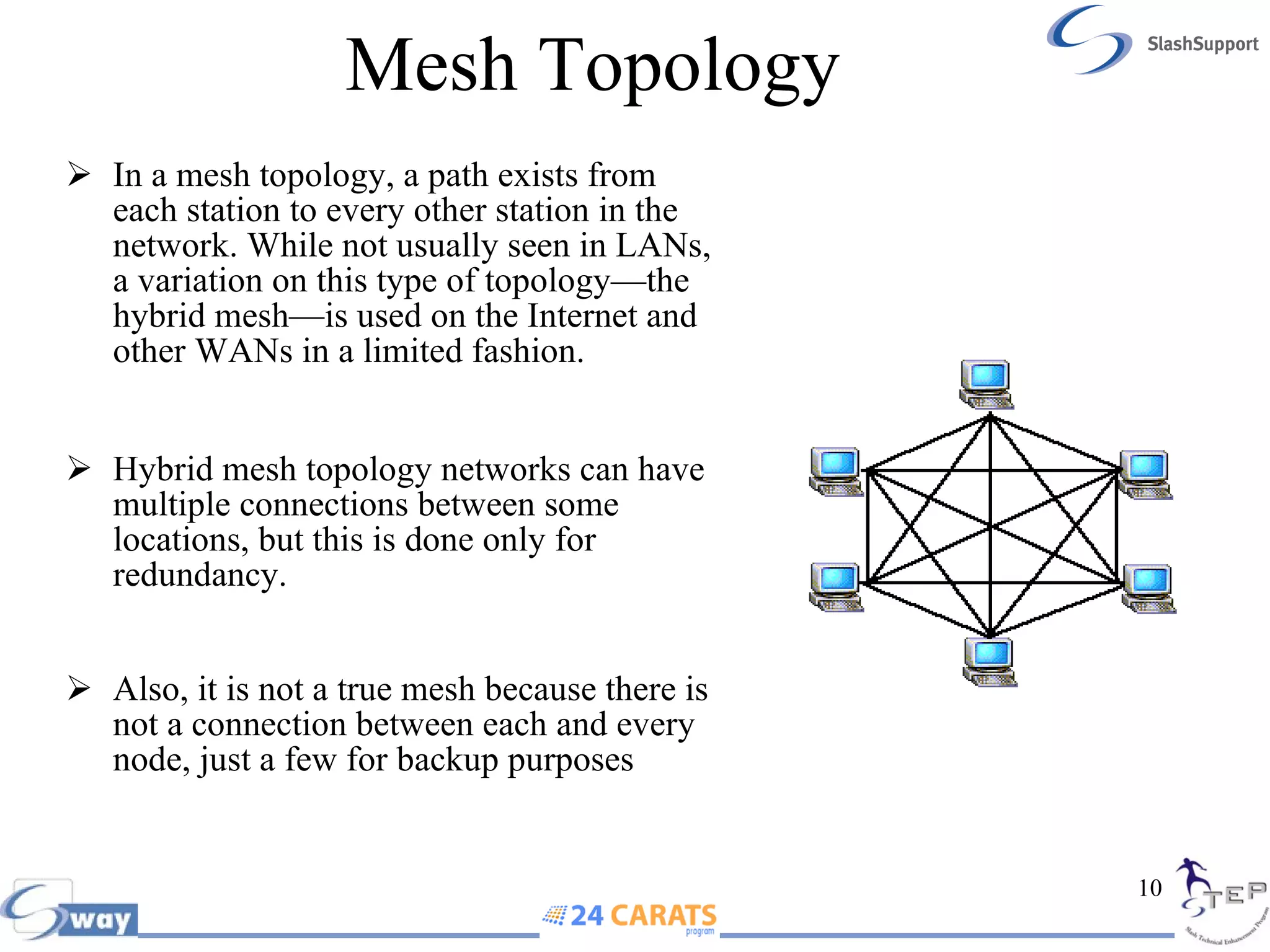
Mesh Topology In a mesh topology, a path exists from each station to every other station in the network. While not usually seen in LANs, a variation on this type of topology—the hybrid mesh—is used on the Internet and other WANs in a limited fashion.  Hybrid mesh topology networks can have multiple connections between some locations, but this is done only for redundancy.  Also, it is not a true mesh because there is not a connection between each and every node, just a few for backup purposes
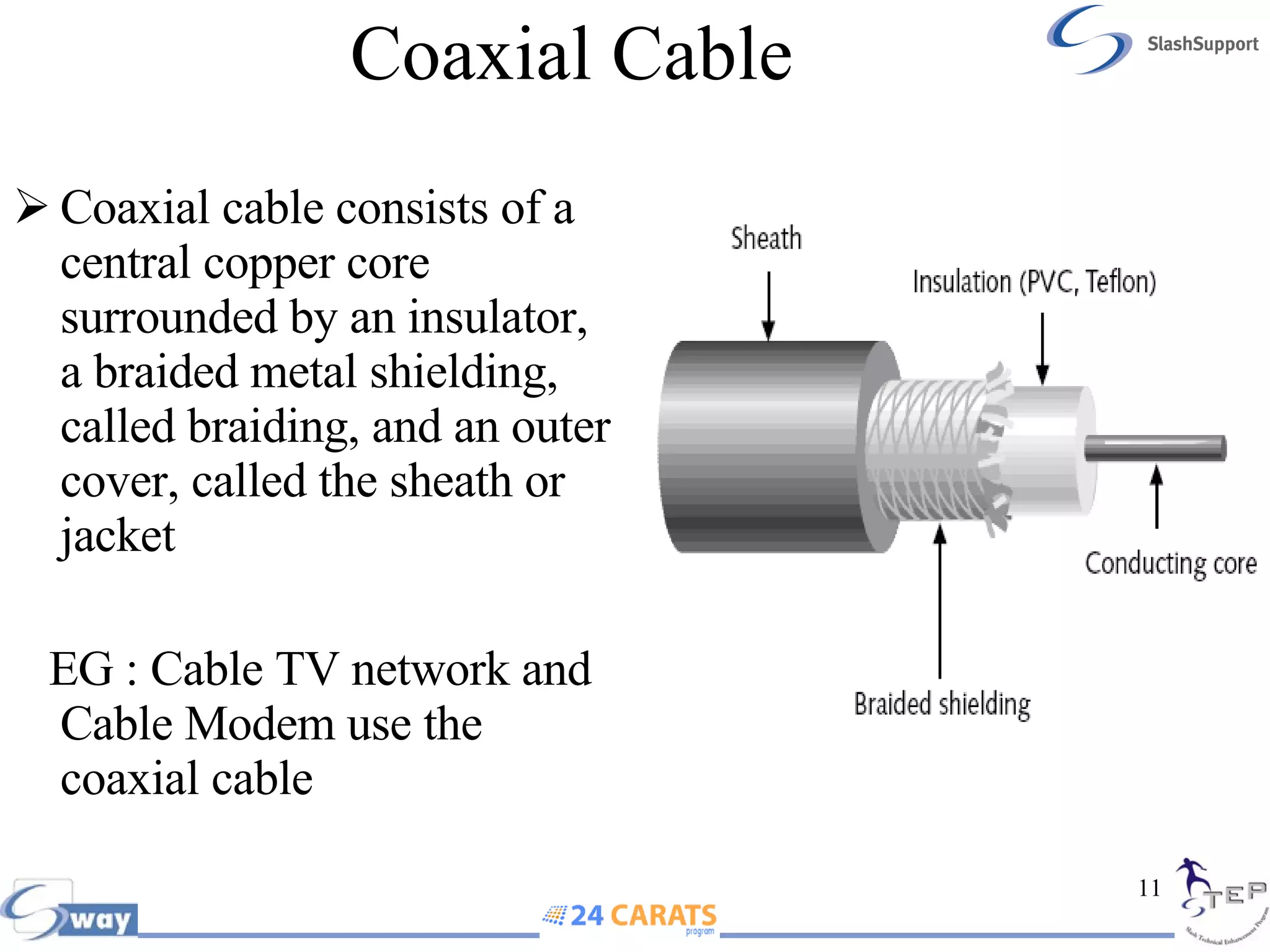
Coaxial Cable Coaxial cable consists of a central copper core surrounded by an insulator, a braided metal shielding, called braiding, and an outer cover, called the sheath or jacket EG : Cable TV network and Cable Modem use the coaxial cable
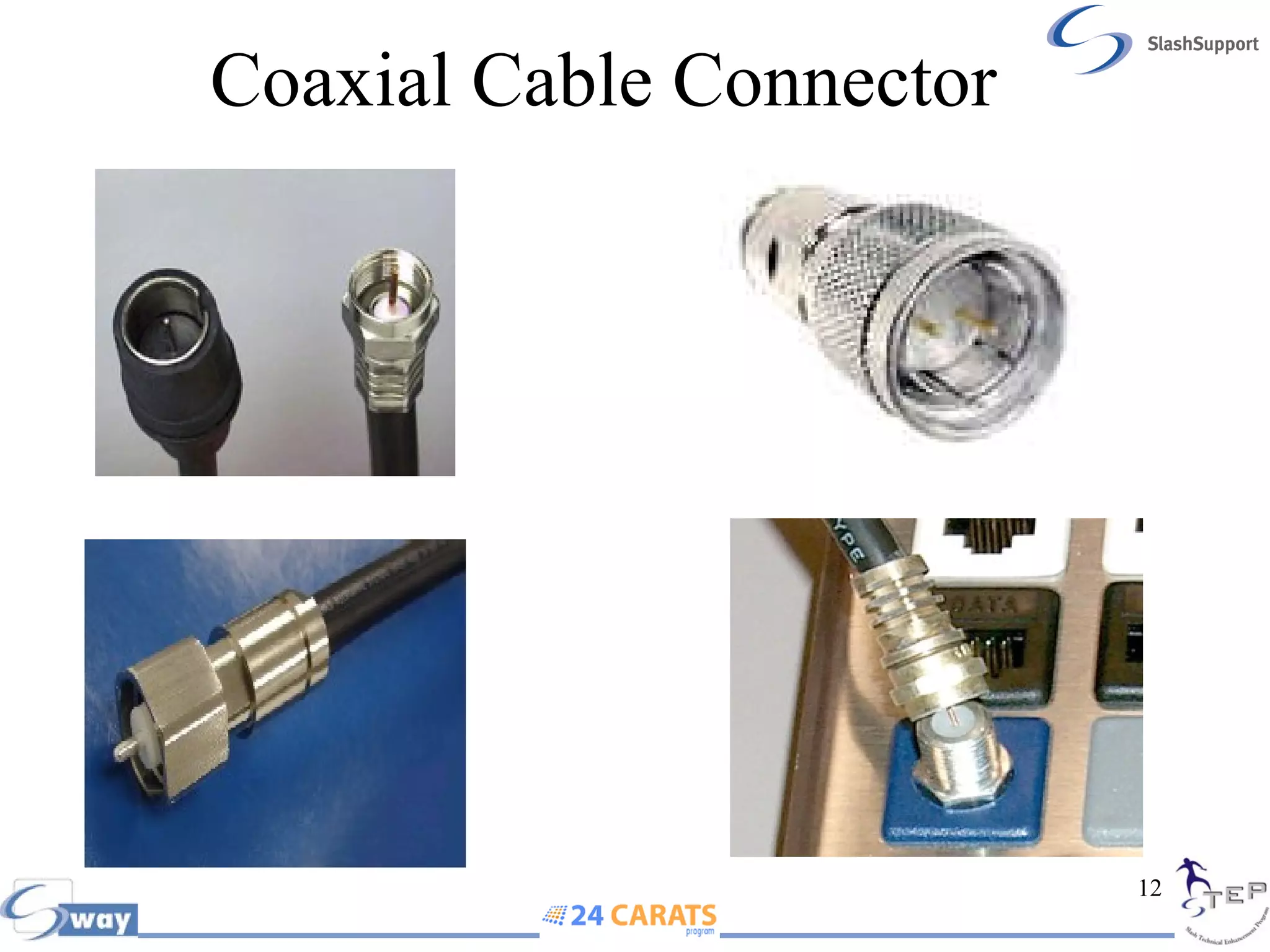
Coaxial Cable Connector
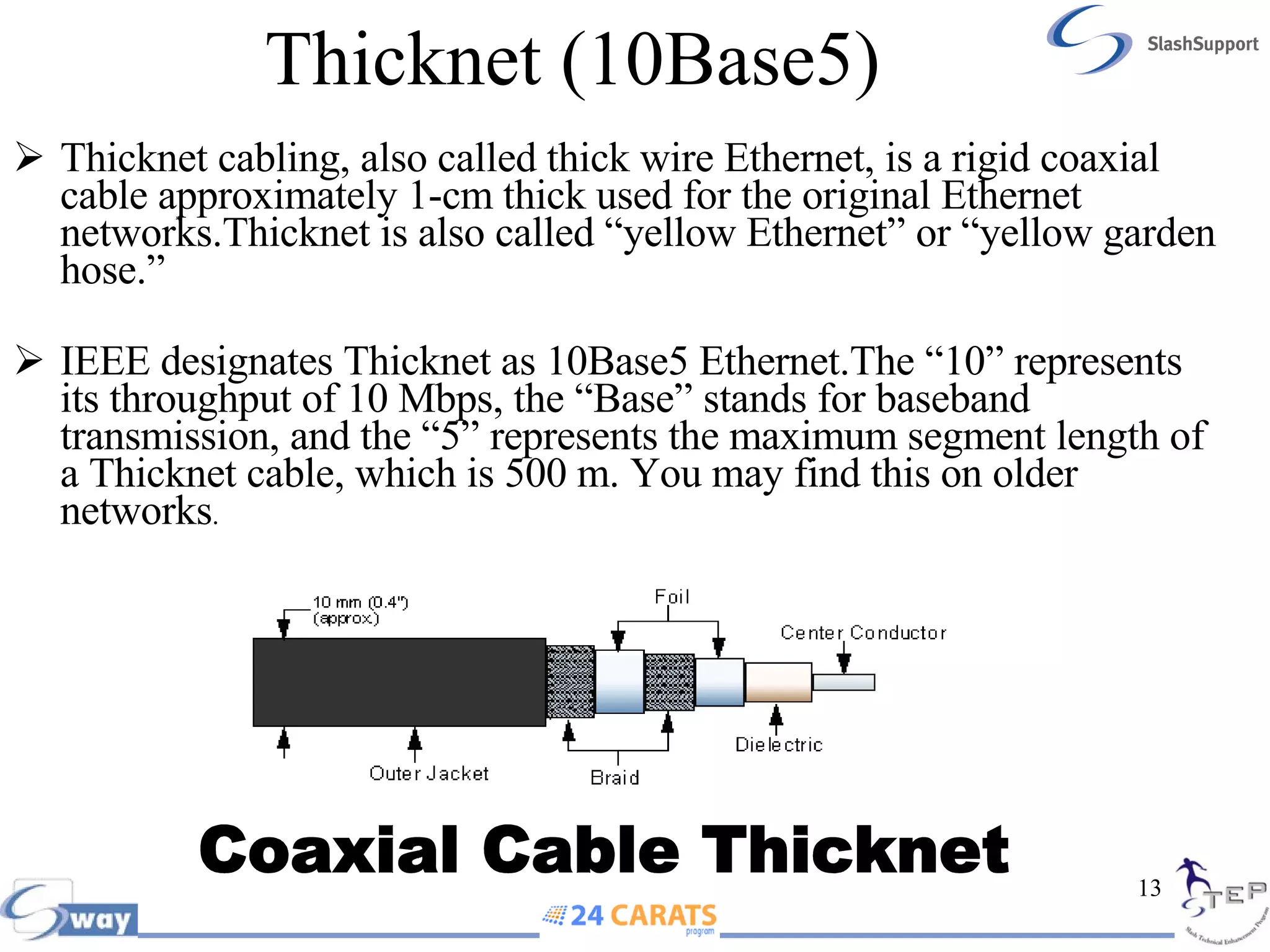
Thicknet (10Base5)  Thicknet cabling, also called thick wire Ethernet, is a rigid coaxial cable approximately 1-cm thick used for the original Ethernet networks.Thicknet is also called “yellow Ethernet” or “yellow garden hose.” IEEE designates Thicknet as 10Base5 Ethernet.The “10” represents its throughput of 10 Mbps, the “Base” stands for baseband transmission, and the “5” represents the maximum segment length of a Thicknet cable, which is 500 m. You may find this on older networks . Coaxial Cable Thicknet
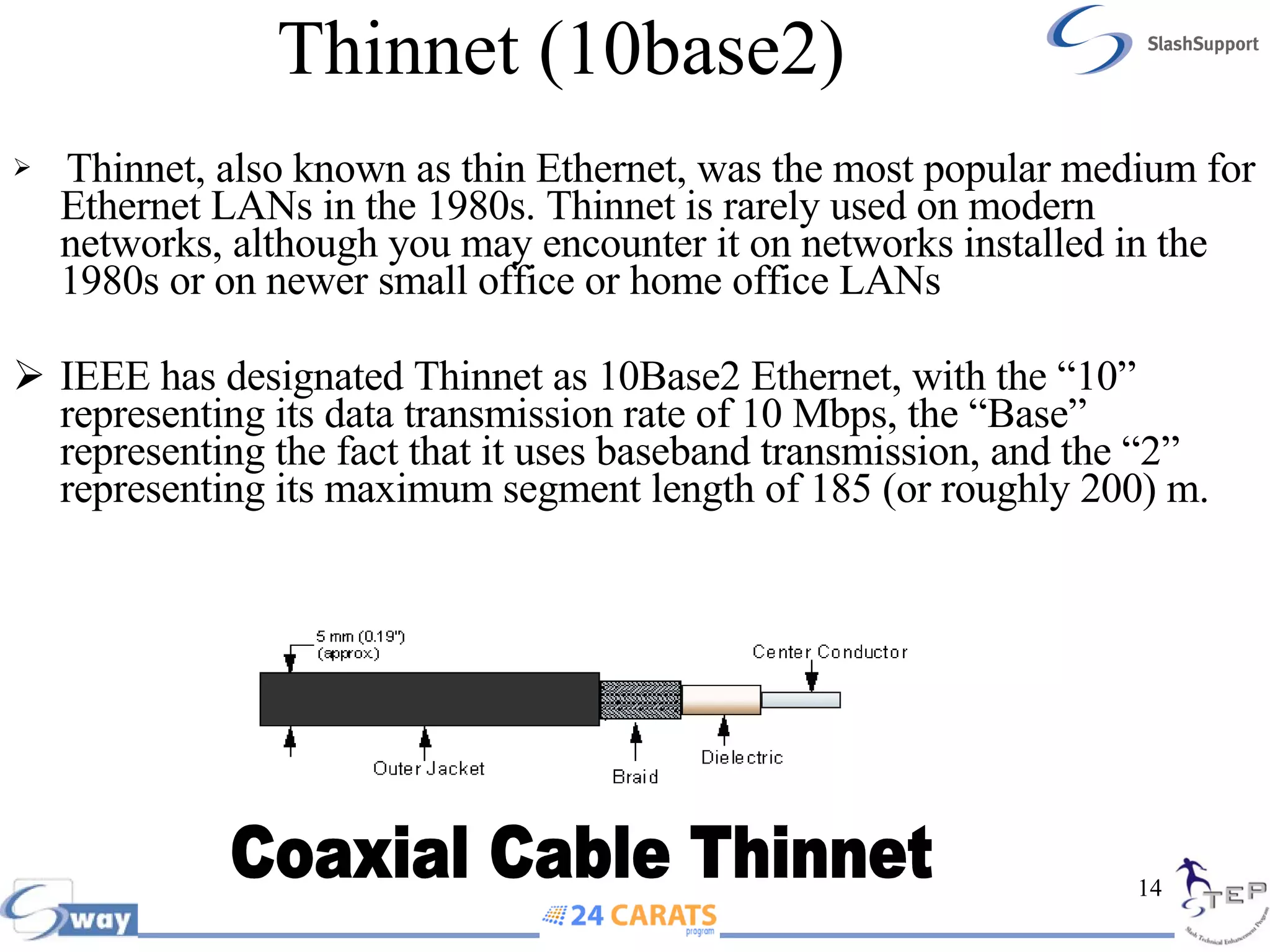
Thinnet (10base2) Thinnet, also known as thin Ethernet, was the most popular medium for Ethernet LANs in the 1980s. Thinnet is rarely used on modern networks, although you may encounter it on networks installed in the 1980s or on newer small office or home office LANs IEEE has designated Thinnet as 10Base2 Ethernet, with the “10” representing its data transmission rate of 10 Mbps, the “Base” representing the fact that it uses baseband transmission, and the “2” representing its maximum segment length of 185 (or roughly 200) m. Coaxial Cable Thinnet
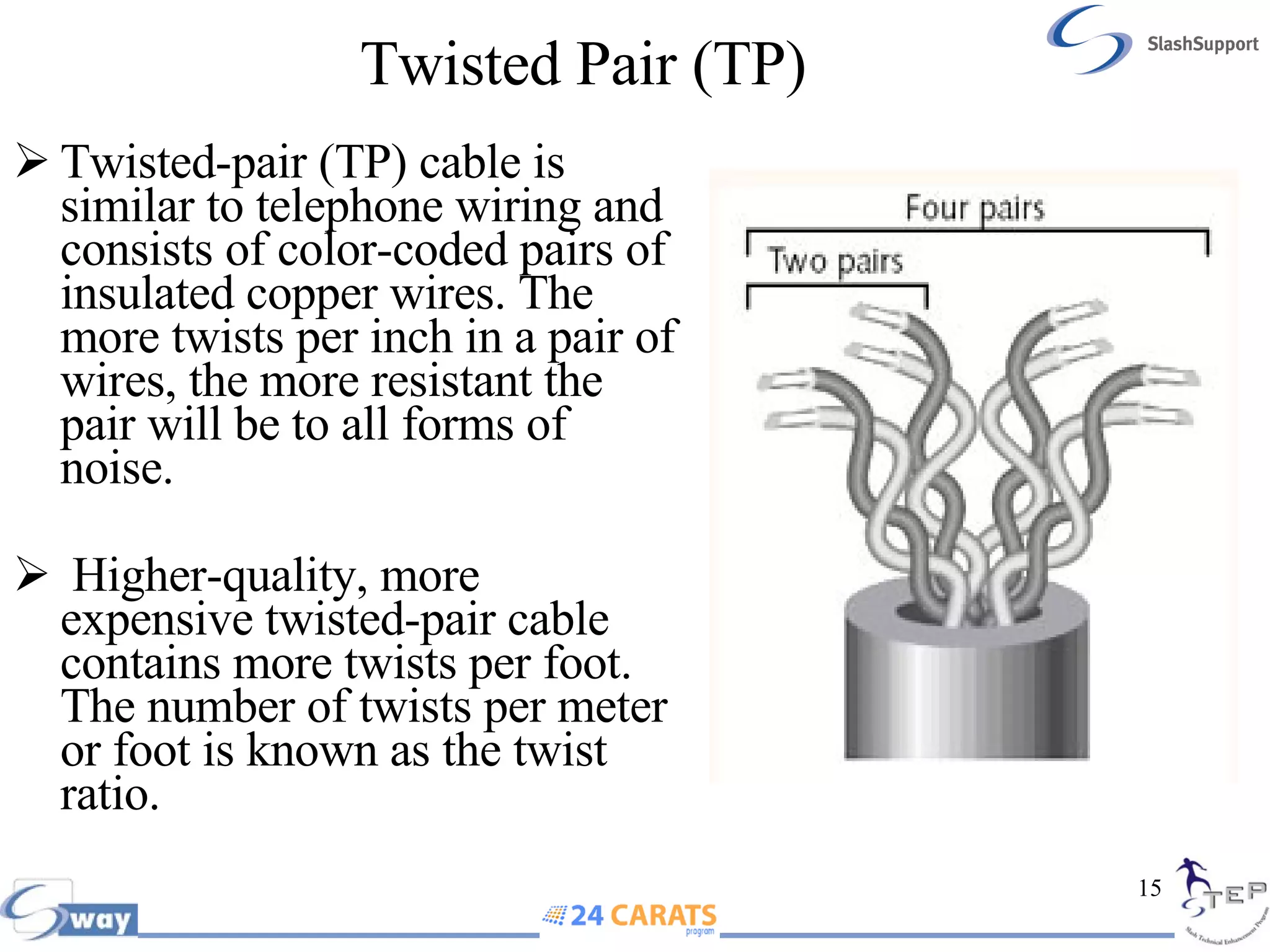
Twisted Pair (TP)   Twisted-pair (TP) cable is similar to telephone wiring and consists of color-coded pairs of insulated copper wires. The more twists per inch in a pair of wires, the more resistant the pair will be to all forms of noise. Higher-quality, more expensive twisted-pair cable contains more twists per foot. The number of twists per meter or foot is known as the twist ratio.
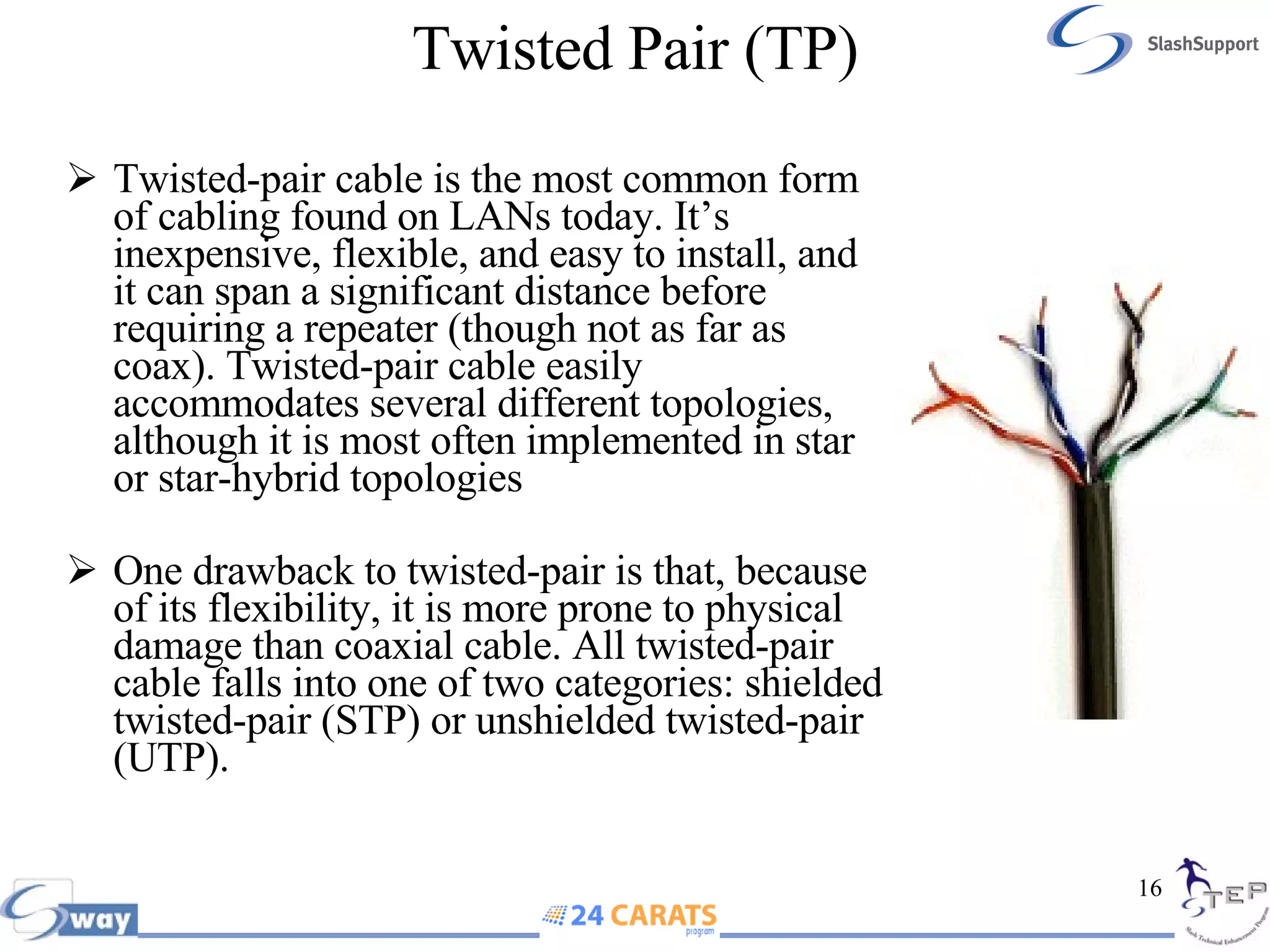
Twisted Pair (TP) Twisted-pair cable is the most common form of cabling found on LANs today. It’s inexpensive, flexible, and easy to install, and it can span a significant distance before requiring a repeater (though not as far as coax). Twisted-pair cable easily accommodates several different topologies, although it is most often implemented in star or star-hybrid topologies One drawback to twisted-pair is that, because of its flexibility, it is more prone to physical damage than coaxial cable. All twisted-pair cable falls into one of two categories: shielded twisted-pair (STP) or unshielded twisted-pair (UTP).
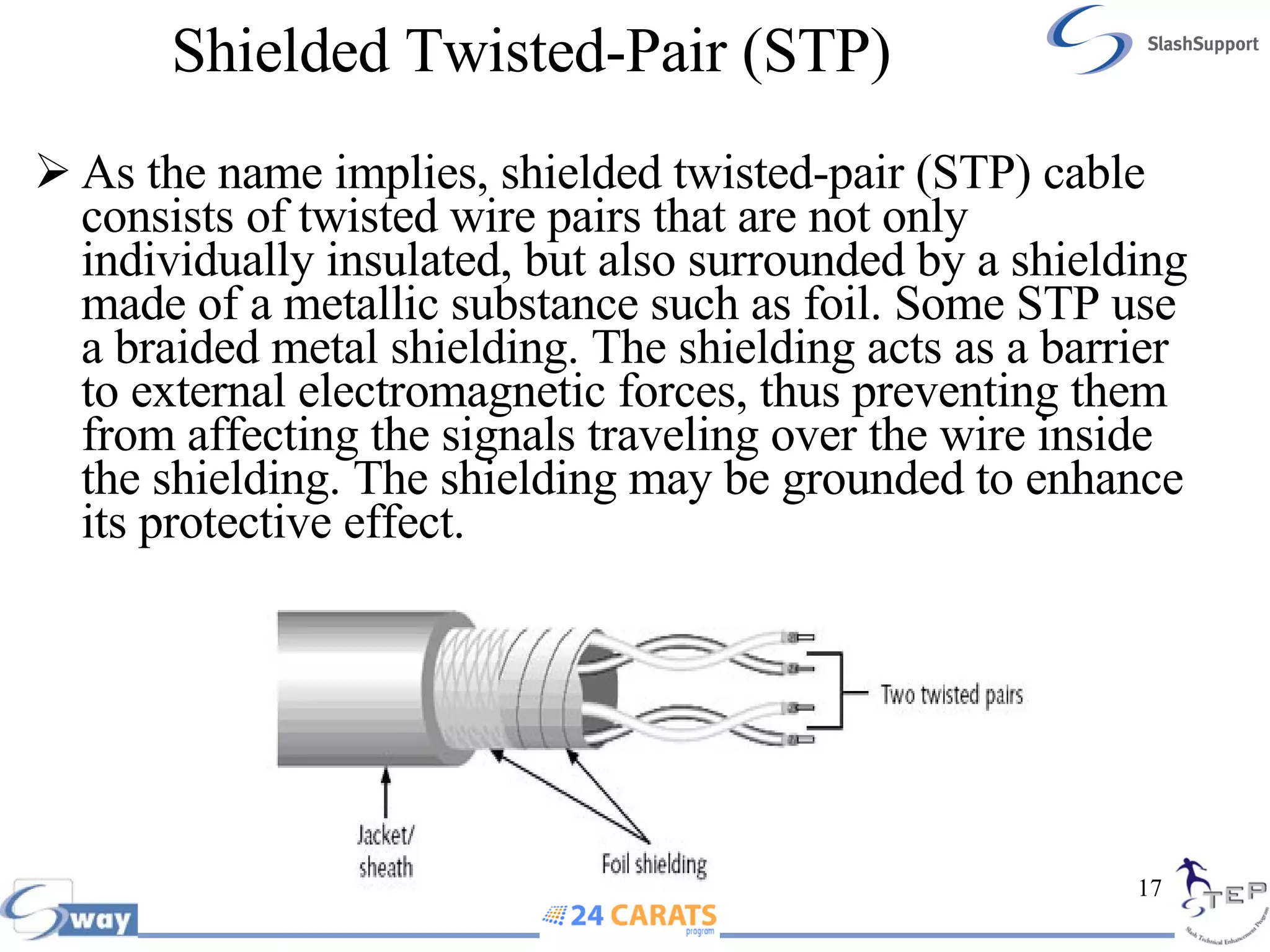
Shielded Twisted-Pair (STP)   As the name implies, shielded twisted-pair (STP) cable consists of twisted wire pairs that are not only individually insulated, but also surrounded by a shielding made of a metallic substance such as foil. Some STP use a braided metal shielding. The shielding acts as a barrier to external electromagnetic forces, thus preventing them from affecting the signals traveling over the wire inside the shielding. The shielding may be grounded to enhance its protective effect.
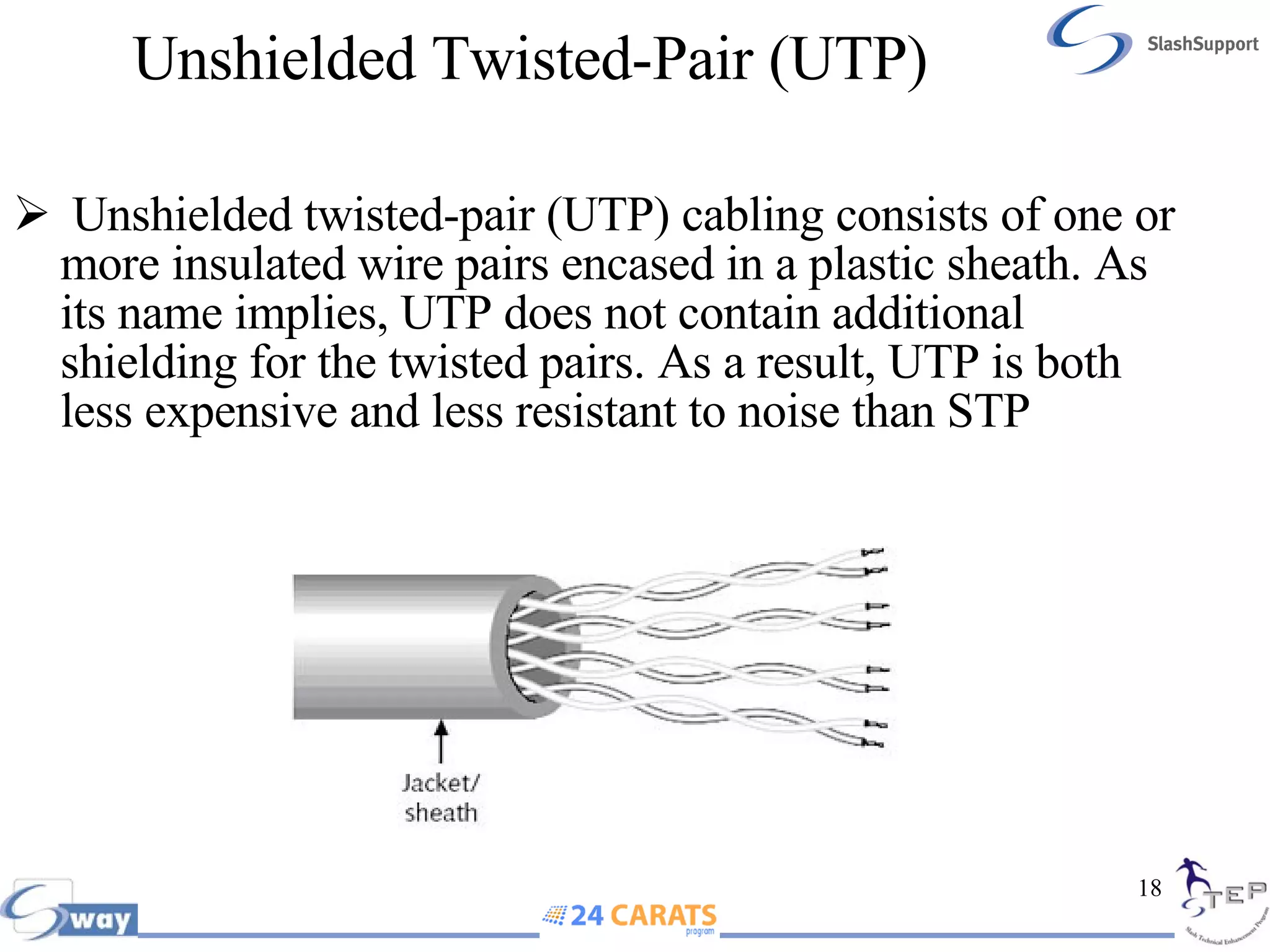
Unshielded Twisted-Pair (UTP)   Unshielded twisted-pair (UTP) cabling consists of one or more insulated wire pairs encased in a plastic sheath. As its name implies, UTP does not contain additional shielding for the twisted pairs. As a result, UTP is both less expensive and less resistant to noise than STP
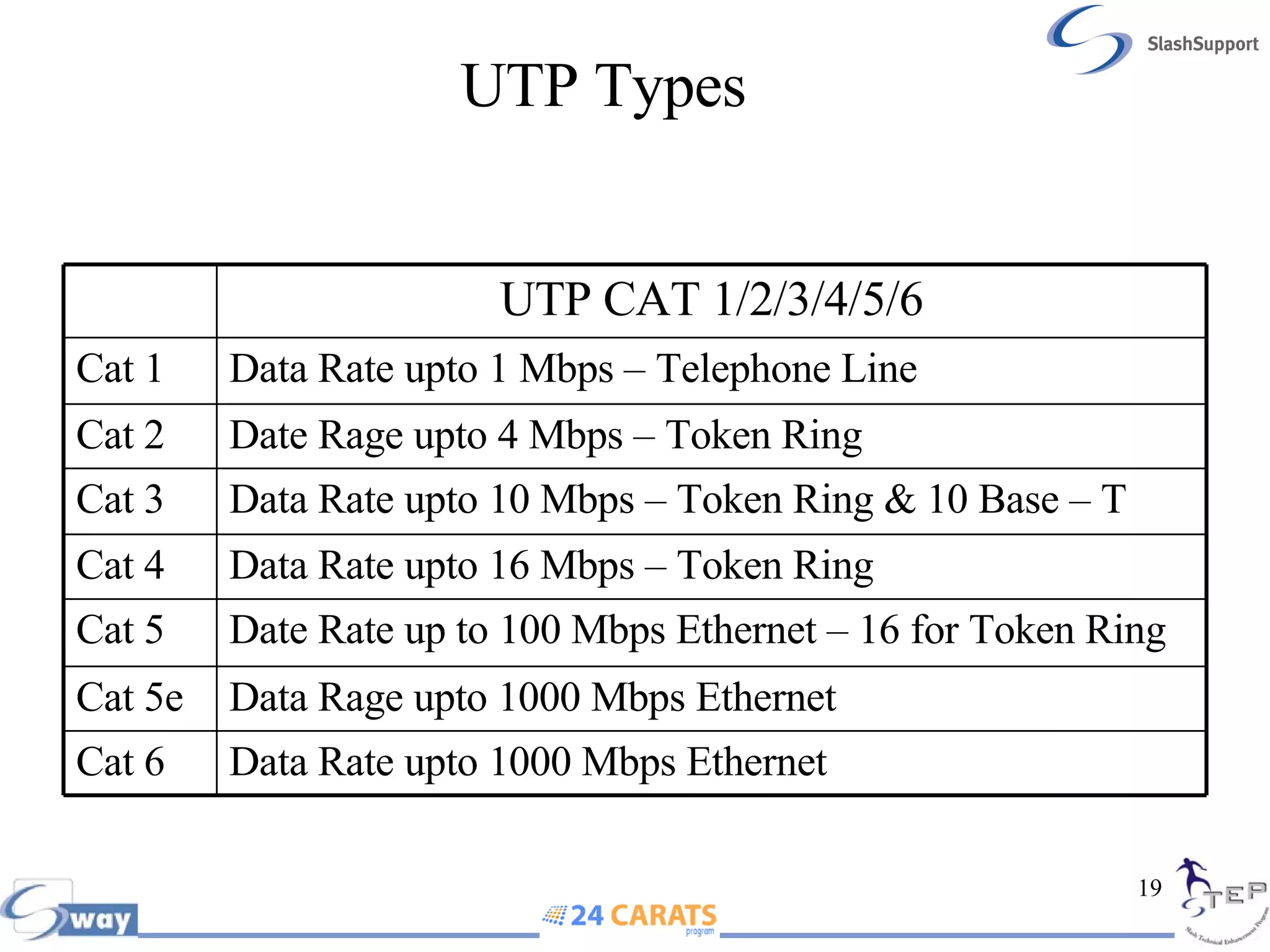
UTP Types Data Rate upto 1000 Mbps Ethernet Cat 6 Data Rage upto 1000 Mbps Ethernet Cat 5e Date Rate up to 100 Mbps Ethernet – 16 for Token Ring Cat 5 Data Rate upto 16 Mbps – Token Ring Cat 4 Data Rate upto 10 Mbps – Token Ring & 10 Base – T Cat 3 Date Rage upto 4 Mbps – Token Ring Cat 2 Data Rate upto 1 Mbps – Telephone Line Cat 1 UTP CAT 1/2/3/4/5/6
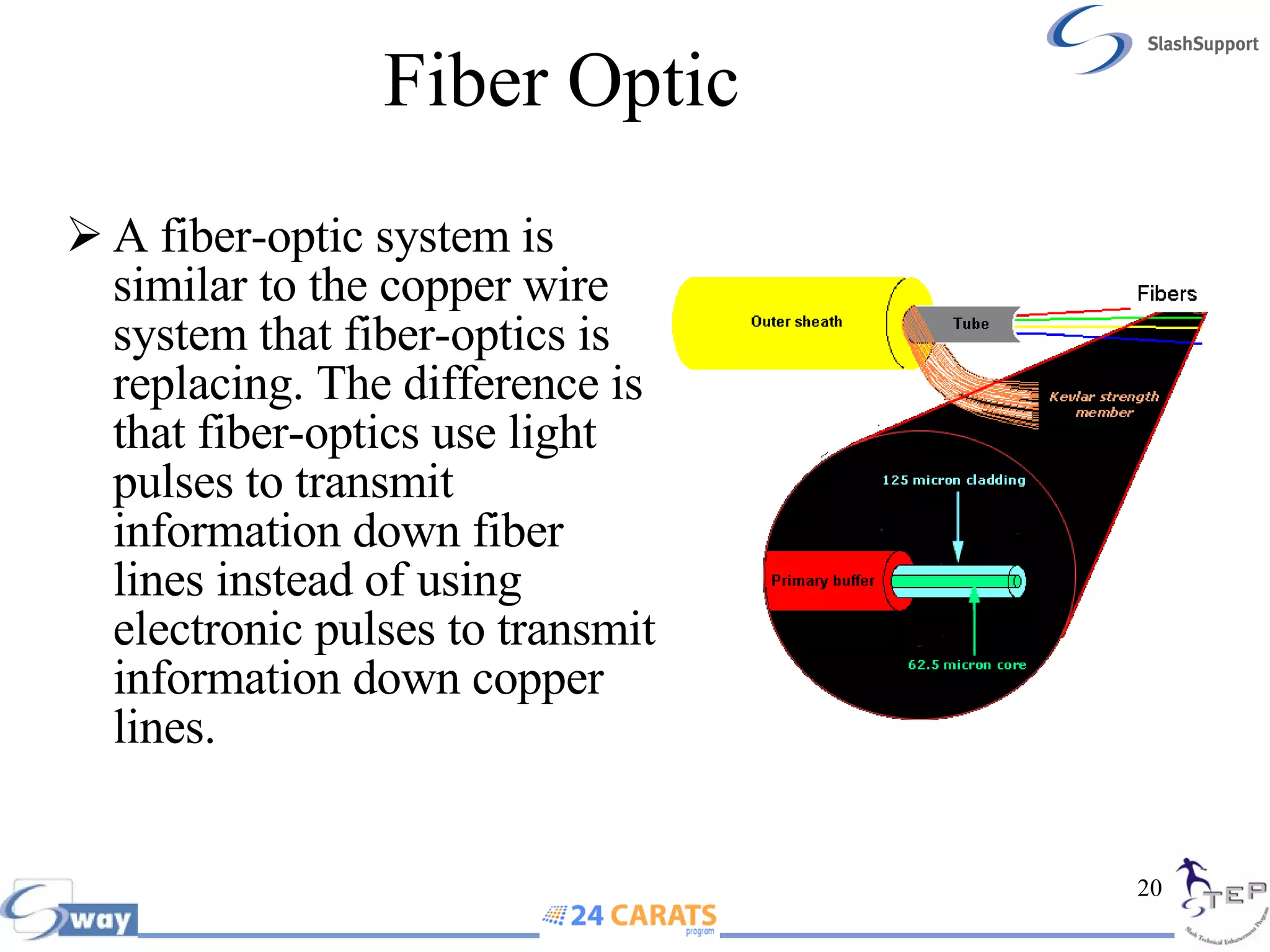
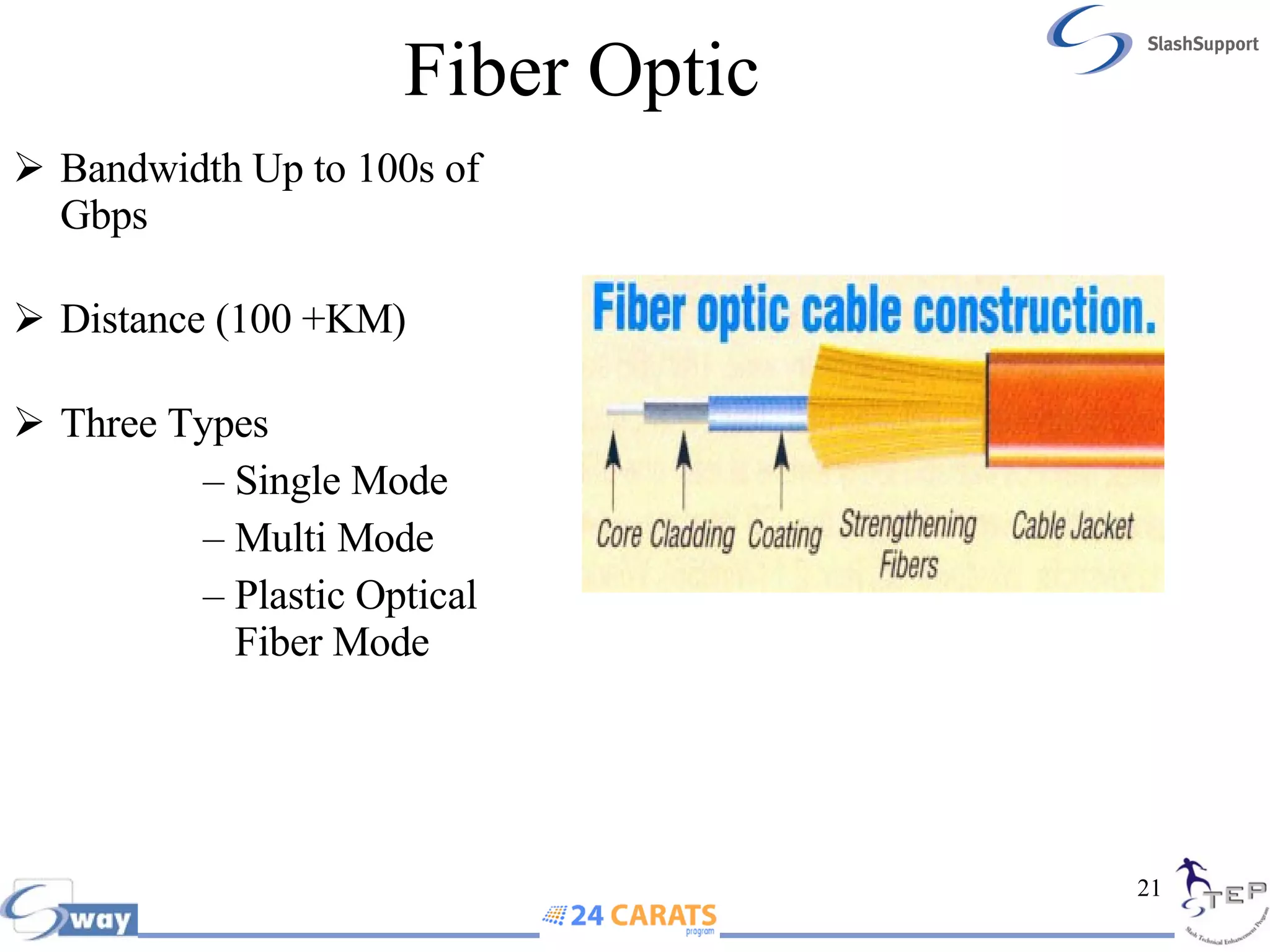
Fiber Optic  A fiber-optic system is similar to the copper wire system that fiber-optics is replacing. The difference is that fiber-optics use light pulses to transmit information down fiber lines instead of using electronic pulses to transmit information down copper lines.
Fiber Optic Bandwidth Up to 100s of Gbps Distance (100 +KM) Three Types Single Mode Multi Mode Plastic Optical Fiber Mode
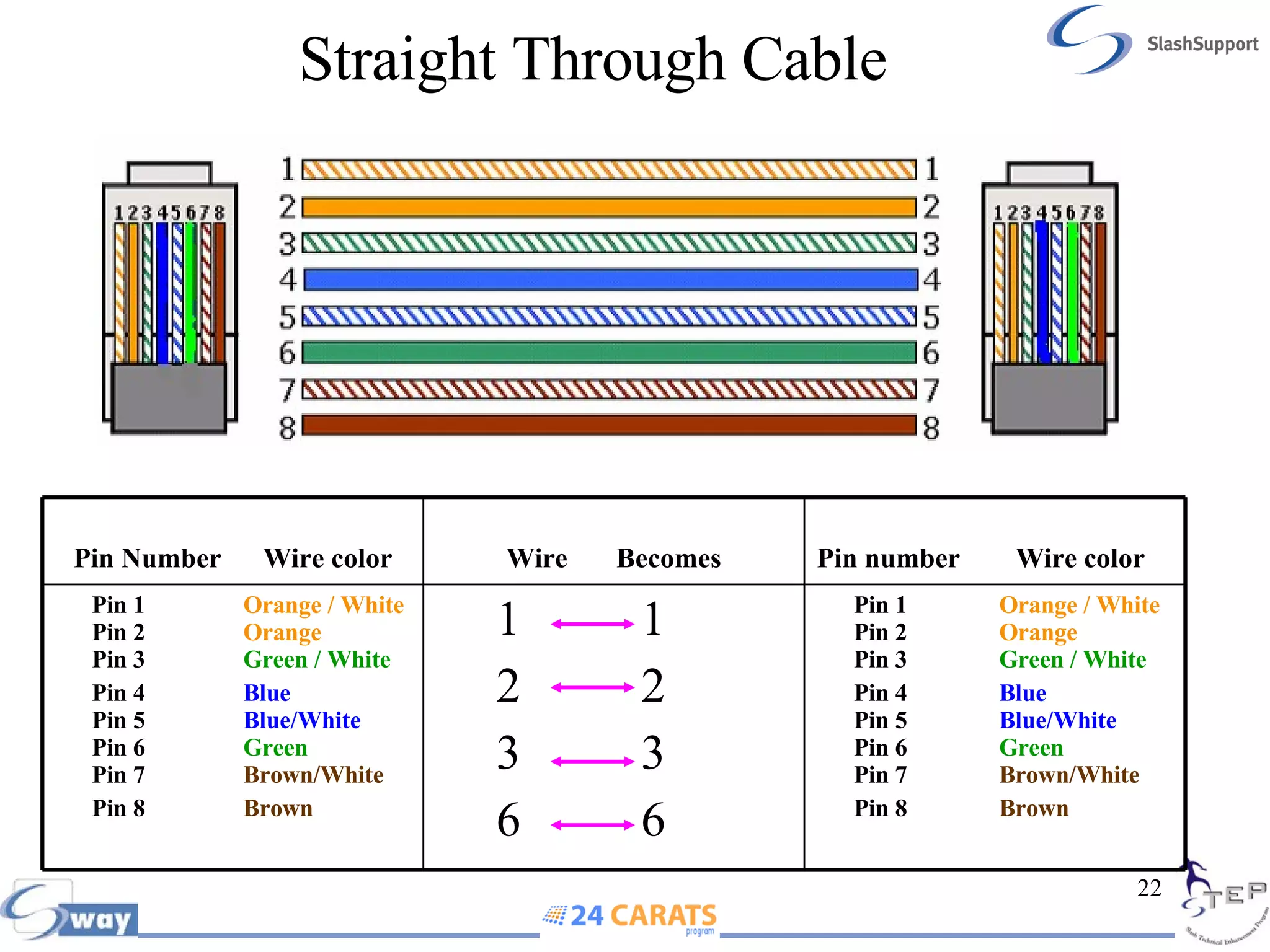
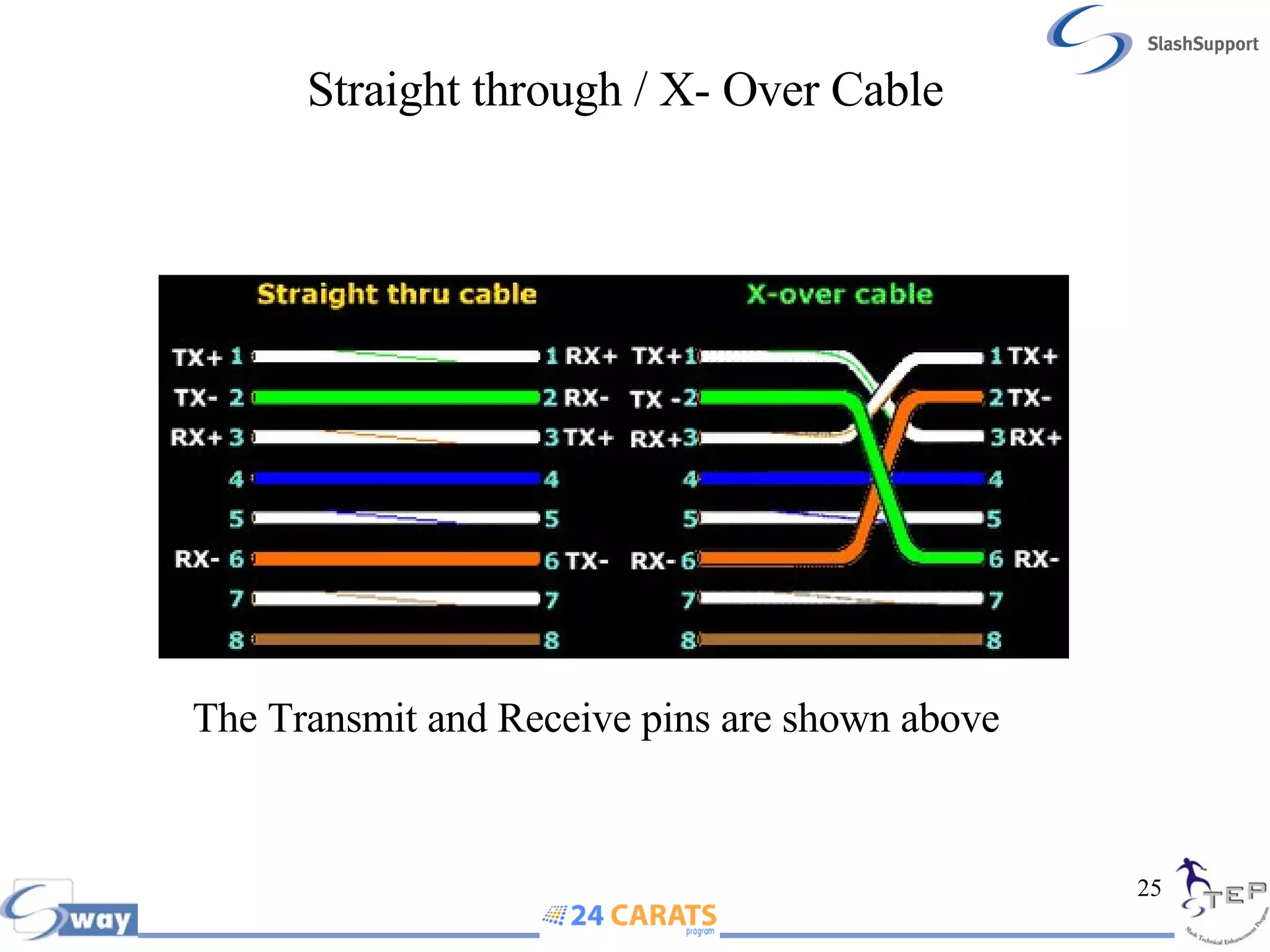
Straight Through Cable Pin 1  Orange / White   Pin 2  Orange   Pin 3  Green / White Pin 4  Blue   Pin 5  Blue/White   Pin 6  Green   Pin 7  Brown/White Pin 8  Brown 1  1 2  2 3  3 6  6 Pin 1  Orange / White   Pin 2  Orange   Pin 3  Green / White Pin 4  Blue   Pin 5  Blue/White   Pin 6  Green   Pin 7  Brown/White Pin 8  Brown   Pin number  Wire color  Wire  Becomes Pin Number  Wire color
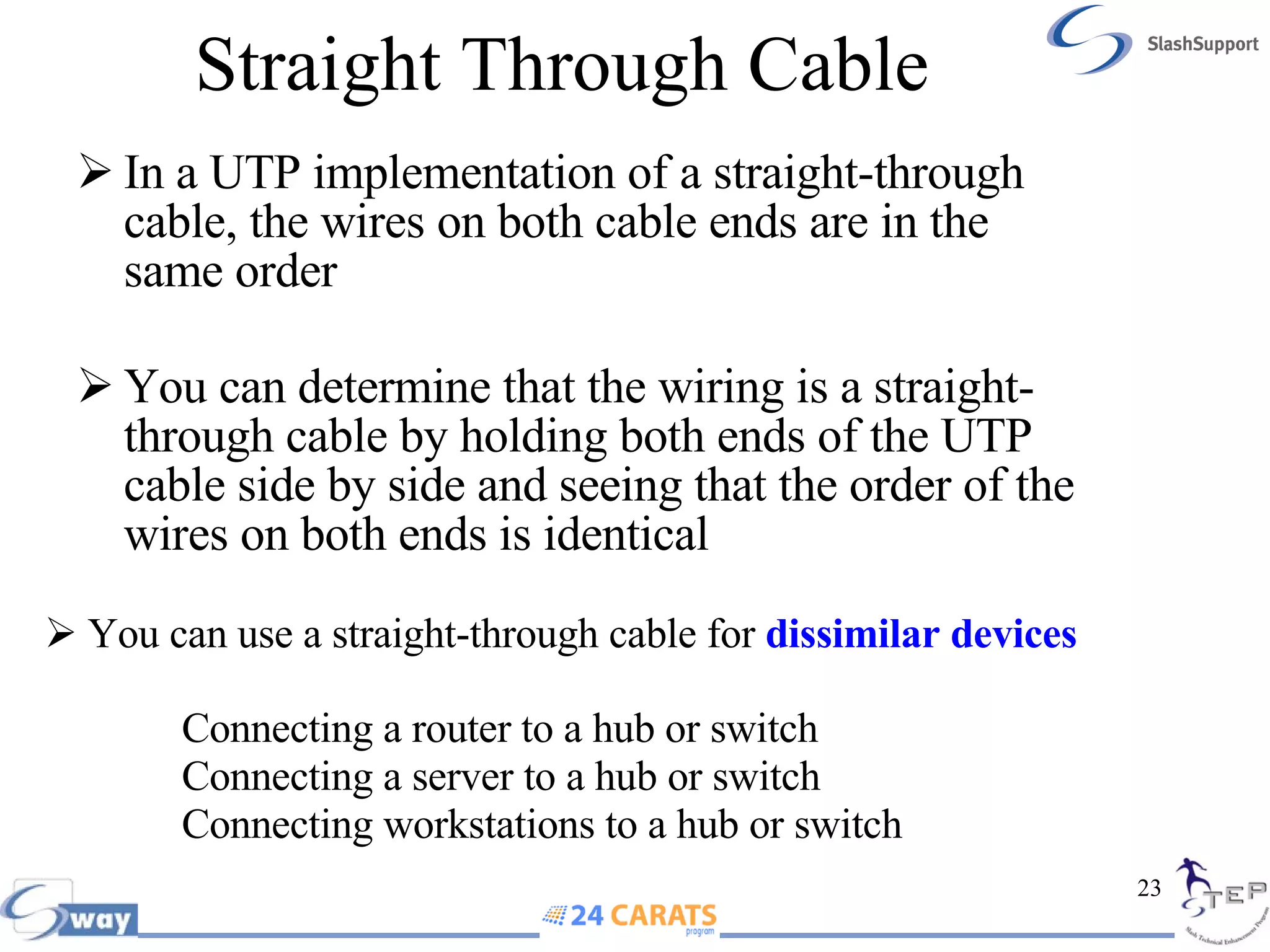
Straight Through Cable  In a UTP implementation of a straight-through cable, the wires on both cable ends are in the same order You can determine that the wiring is a straight-through cable by holding both ends of the UTP cable side by side and seeing that the order of the wires on both ends is identical You can use a straight-through cable for  dissimilar devices   Connecting a router to a hub or switch    Connecting a server to a hub or switch    Connecting workstations to a hub or switch
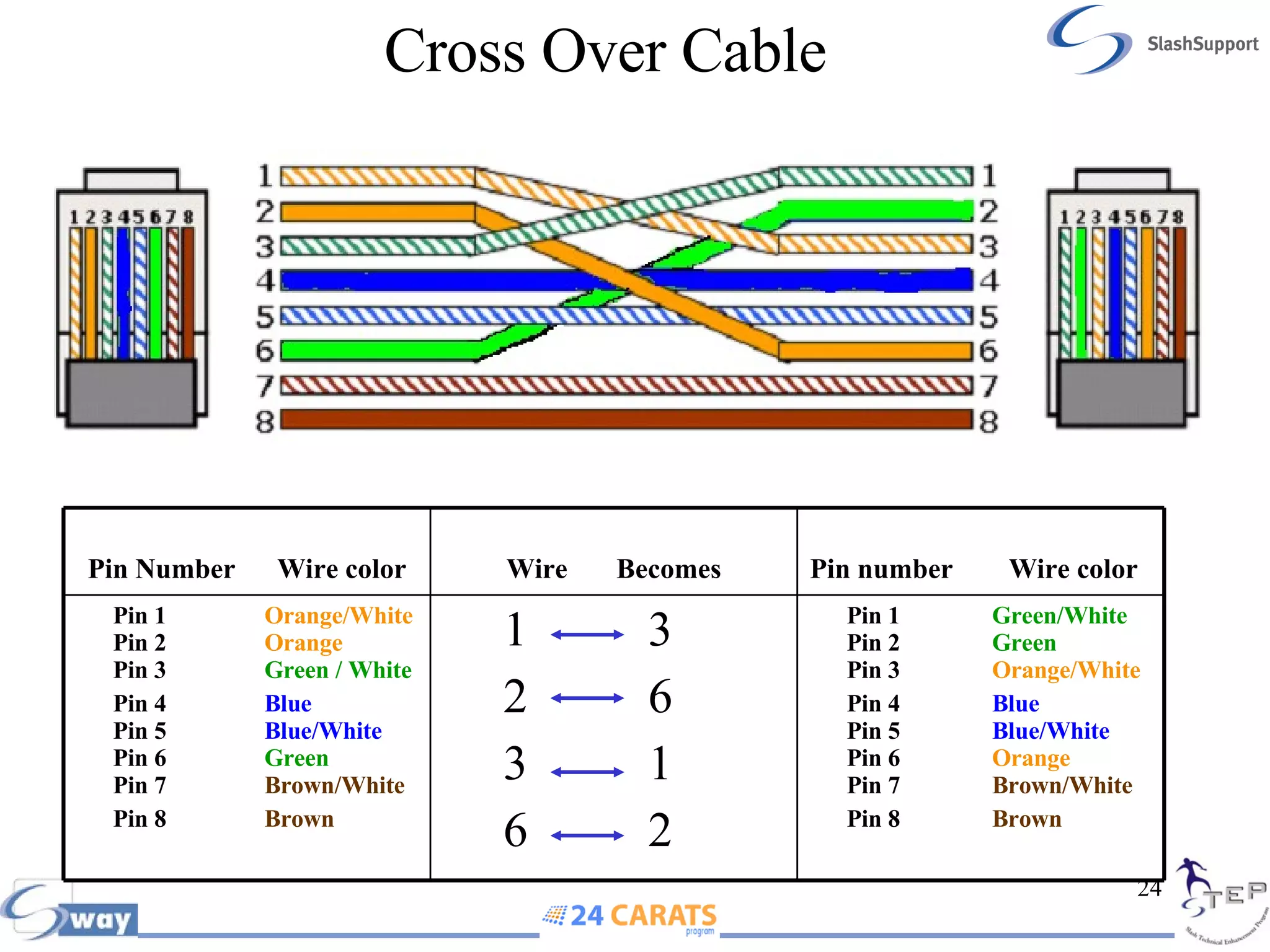
Cross Over Cable   Pin 1  Green/White   Pin 2  Green   Pin 3  Orange/White Pin 4  Blue   Pin 5  Blue/White   Pin 6  Orange   Pin 7  Brown/White Pin 8  Brown 1  3 2  6 3  1 6  2 Pin 1  Orange/White   Pin 2  Orange   Pin 3  Green / White Pin 4  Blue   Pin 5  Blue/White   Pin 6  Green   Pin 7  Brown/White Pin 8  Brown   Pin number  Wire color  Wire  Becomes Pin Number  Wire color
Straight through / X- Over Cable   The Transmit and Receive pins are shown above
Cross Over Cable In the implementation of a crossover, the wires on each end of the cable are crossed  Transmit to Receive and Receive to Transmit on each side, for both tip and ring Notice that pin 1 on one side connects to pin 3 on the other side, and pin 2 connects to pin 6 on the opposite end You can use a crossover cable for  similar devices Connecting uplinks between switches  Connecting hubs to switches  Connecting a hub to another hub.
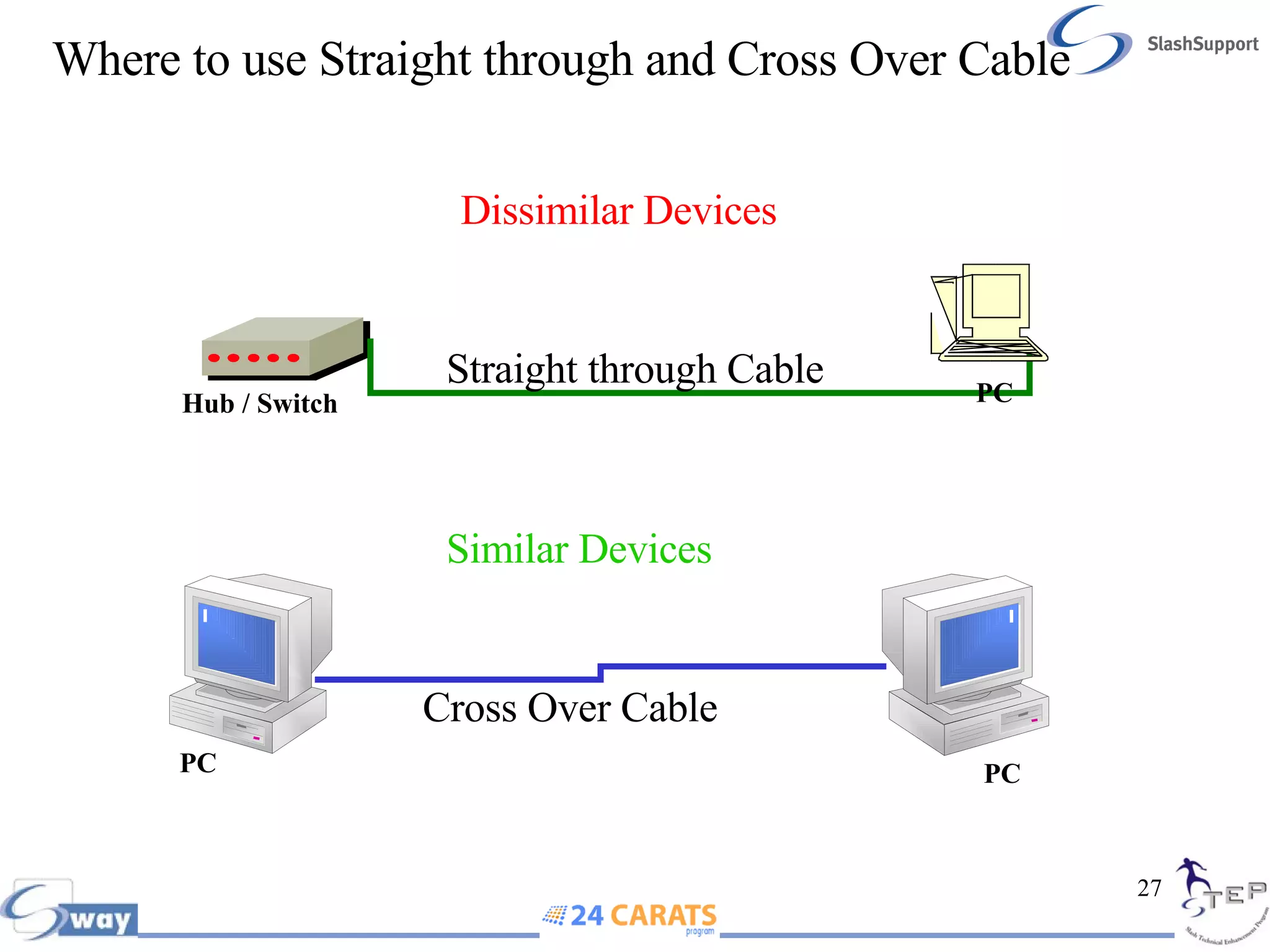
Where to use Straight through and Cross Over Cable Similar Devices Cross Over Cable Dissimilar Devices Straight through Cable Hub / Switch PC PC PC
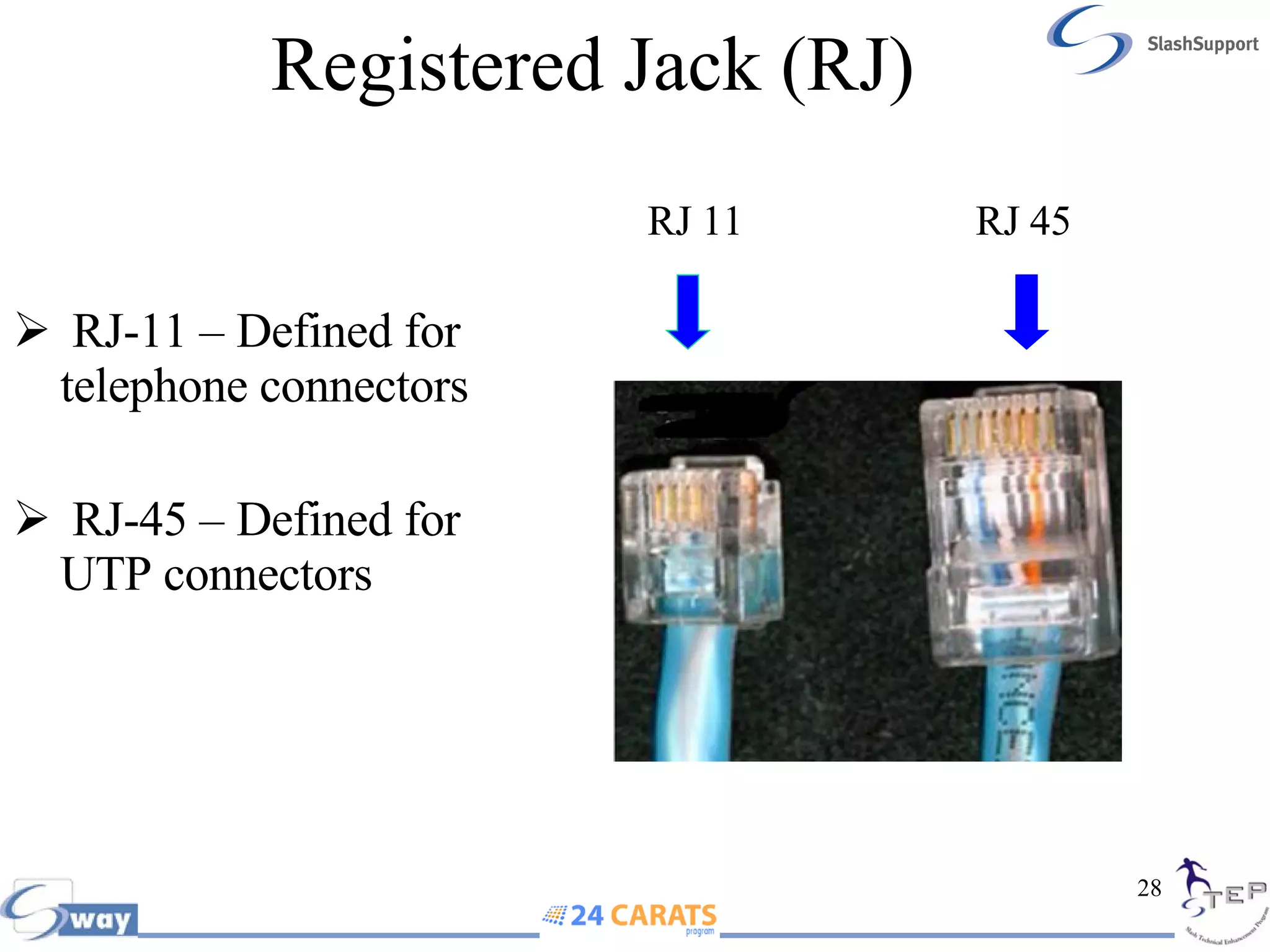
Registered Jack (RJ) RJ-11 – Defined for telephone connectors RJ-45 – Defined for UTP connectors RJ 45 RJ 11
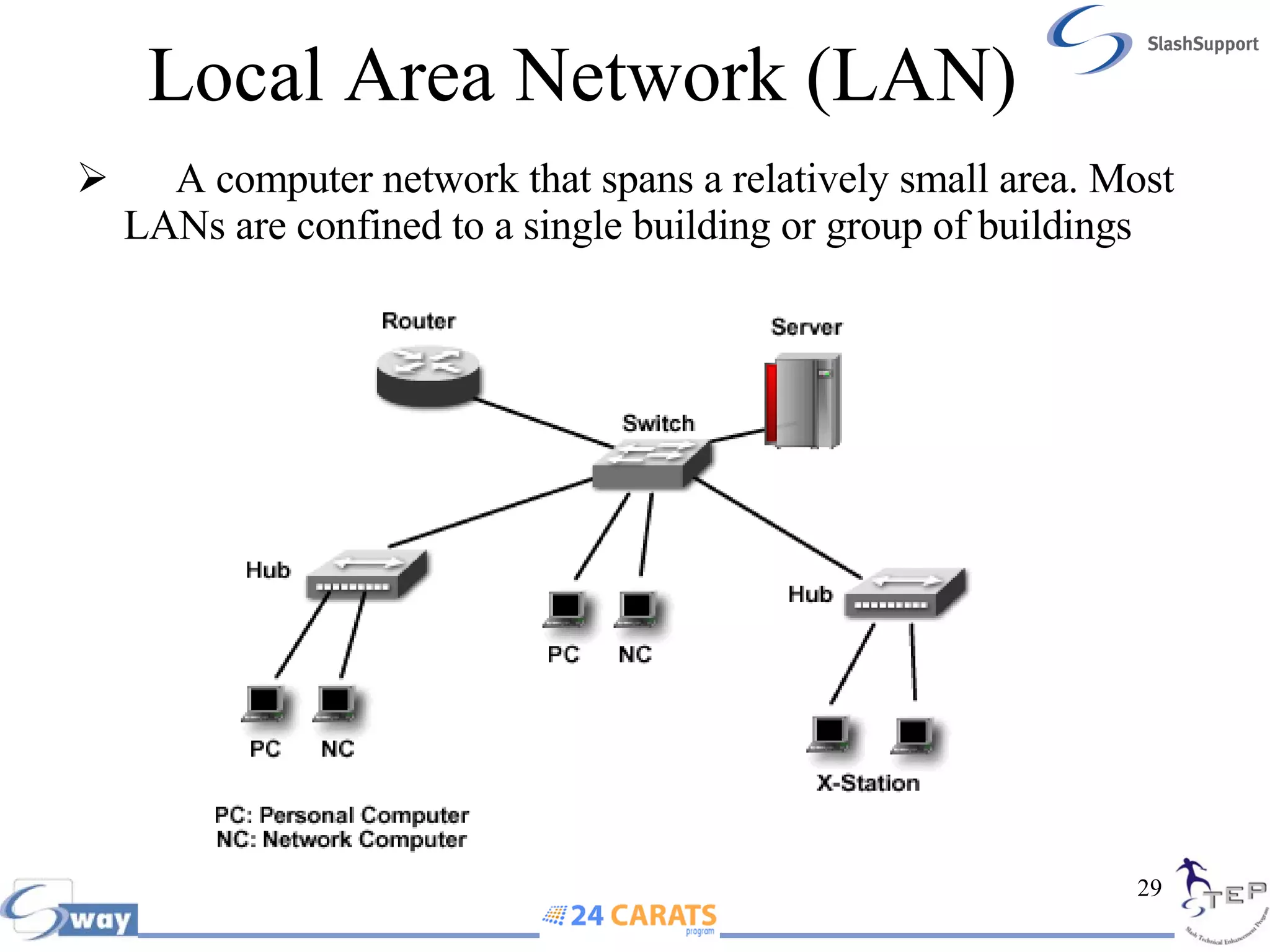
Local Area Network (LAN) A computer network that spans a relatively small area. Most LANs are confined to a single building or group of buildings
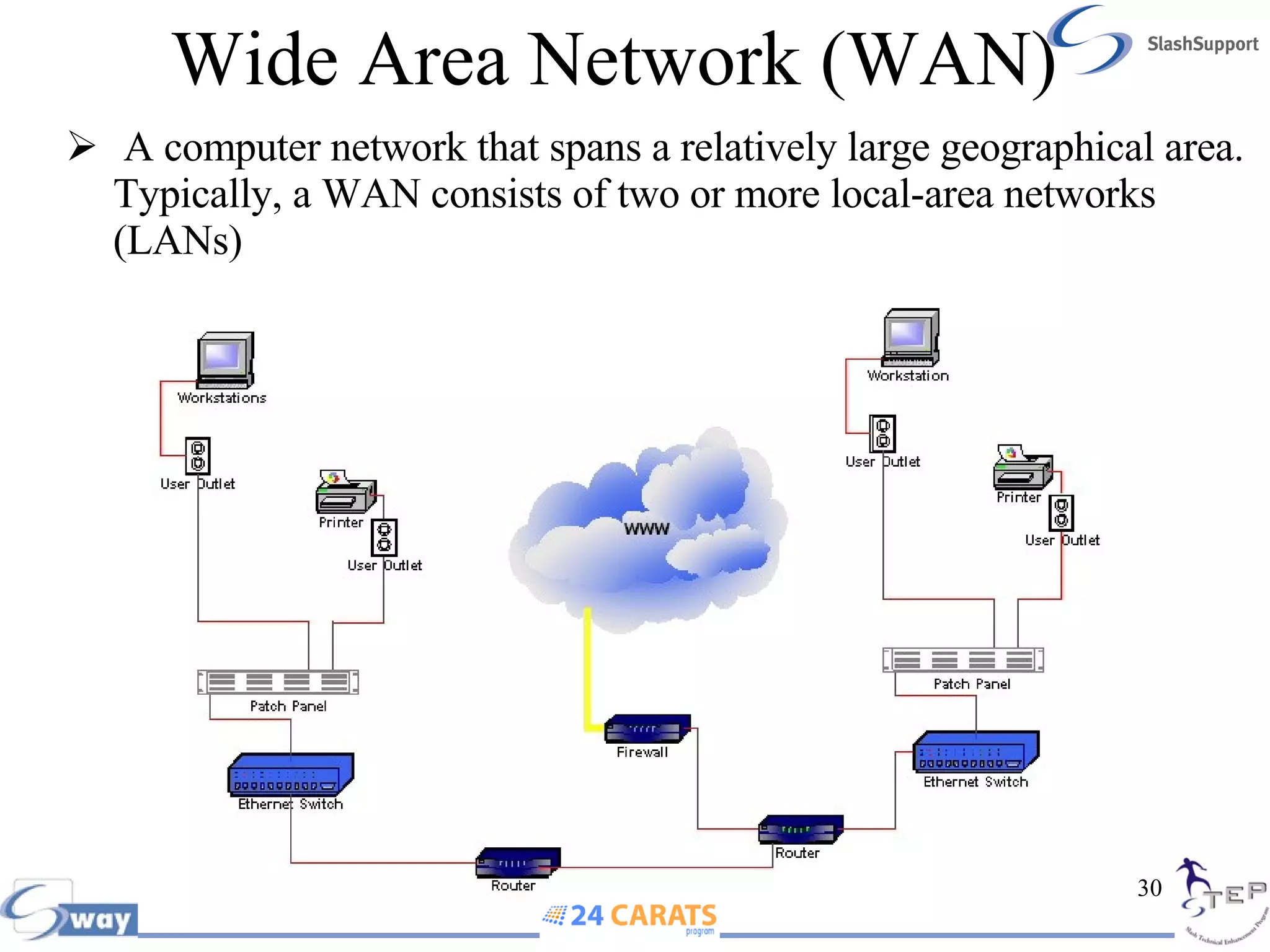
Wide Area Network (WAN) A computer network that spans a relatively large geographical area. Typically, a WAN consists of two or more local-area networks (LANs)
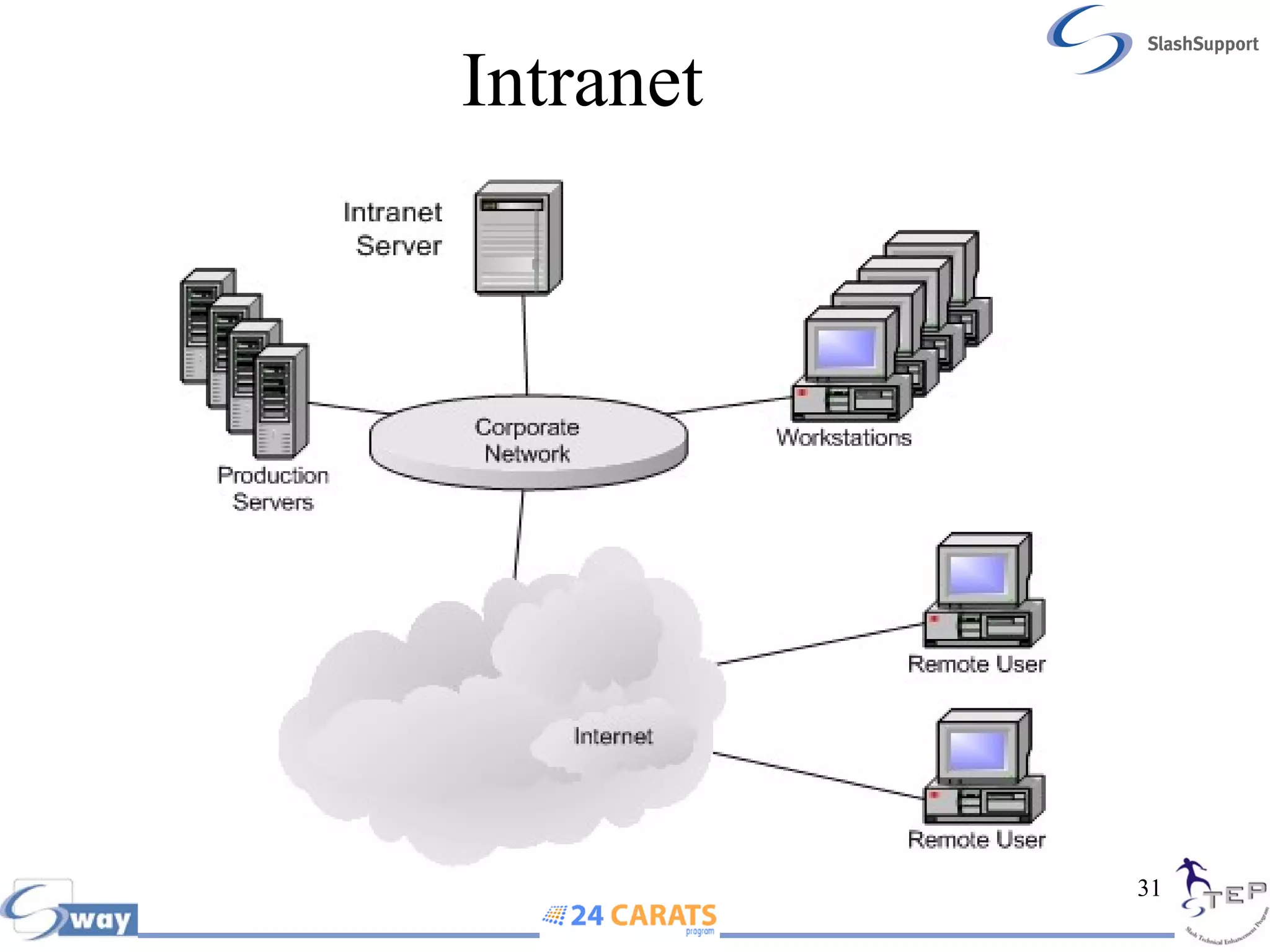
Intranet
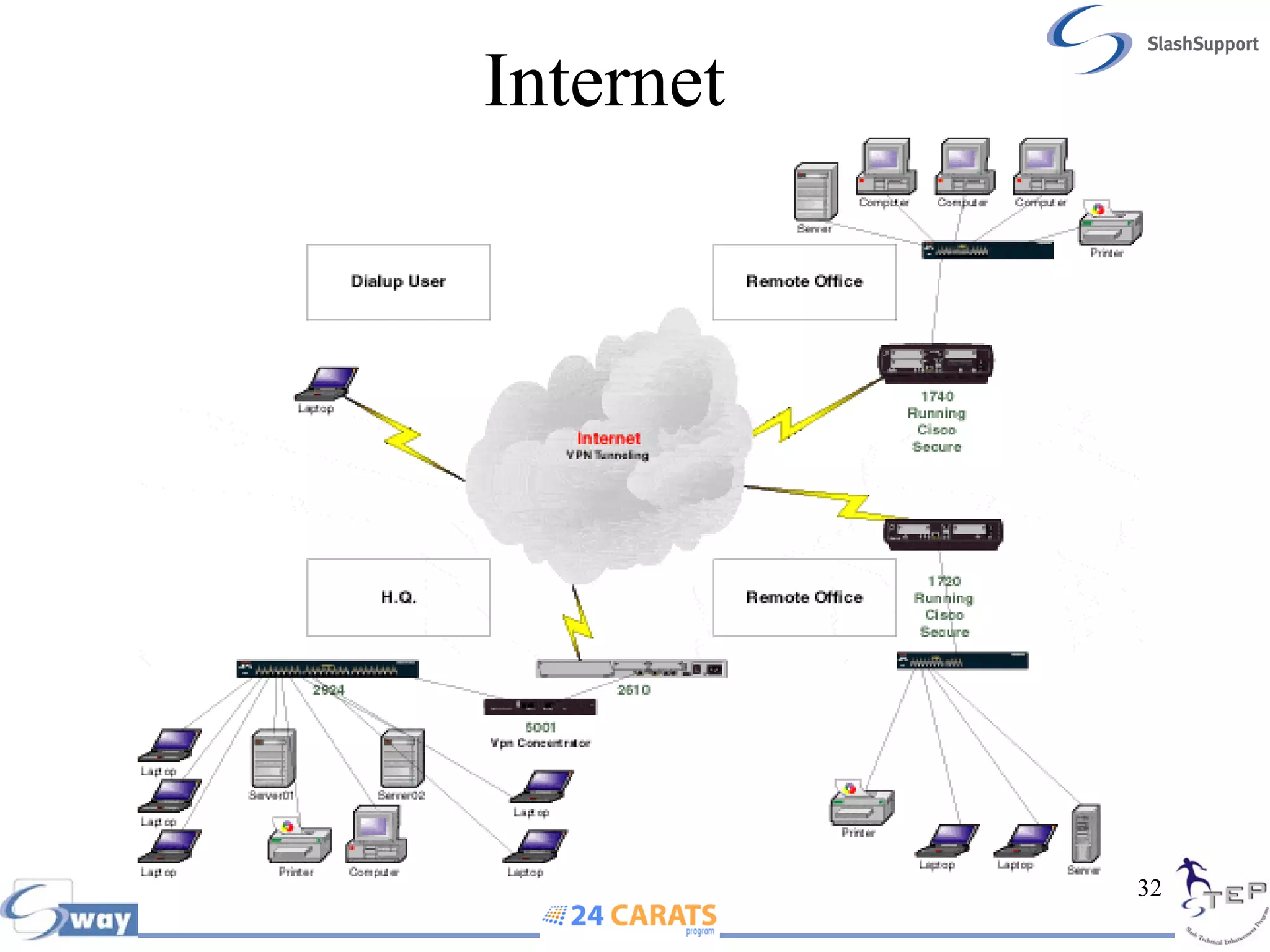
Internet
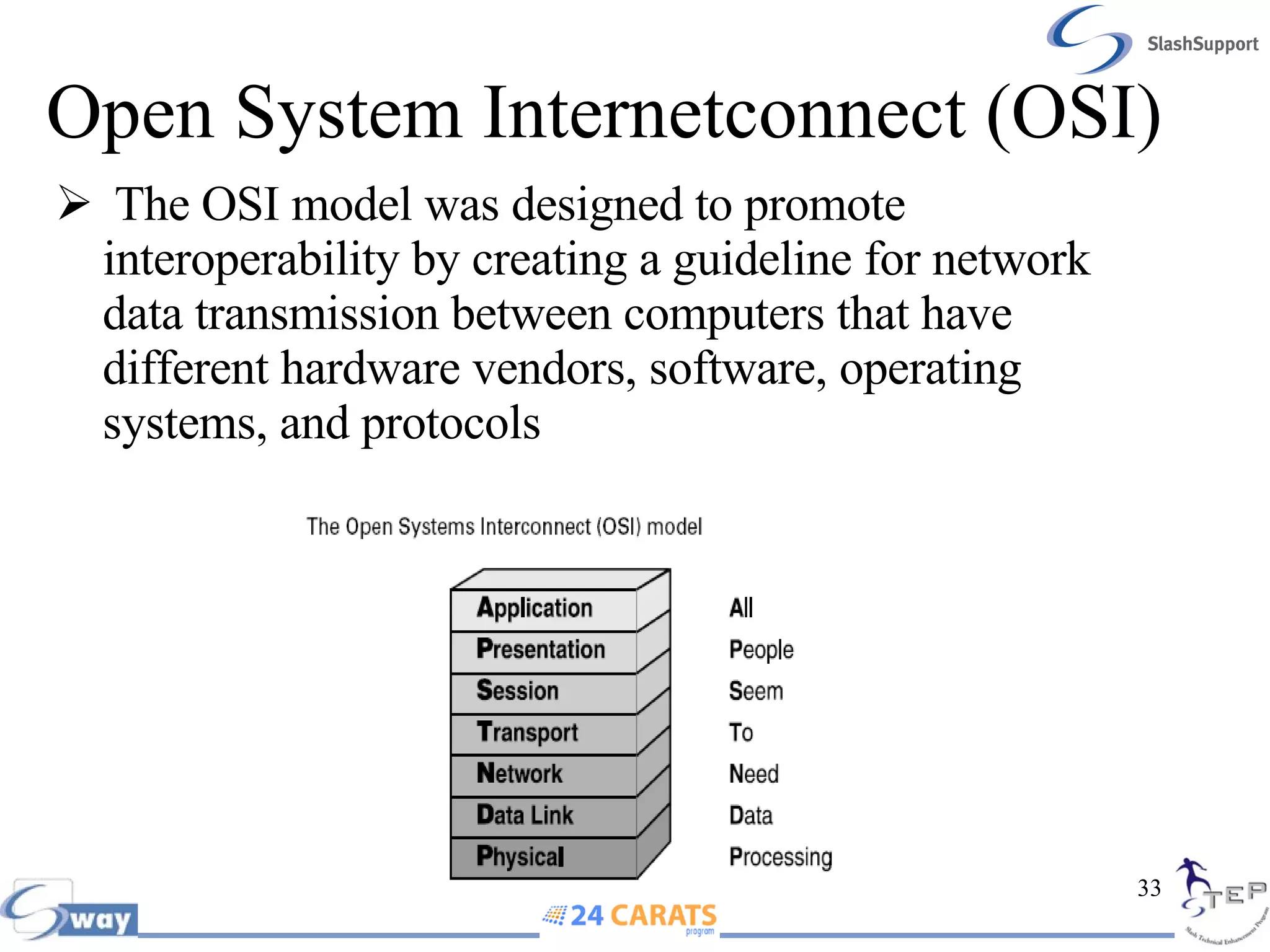
Open System Internetconnect (OSI)  The OSI model was designed to promote interoperability by creating a guideline for network data transmission between computers that have different hardware vendors, software, operating systems, and protocols
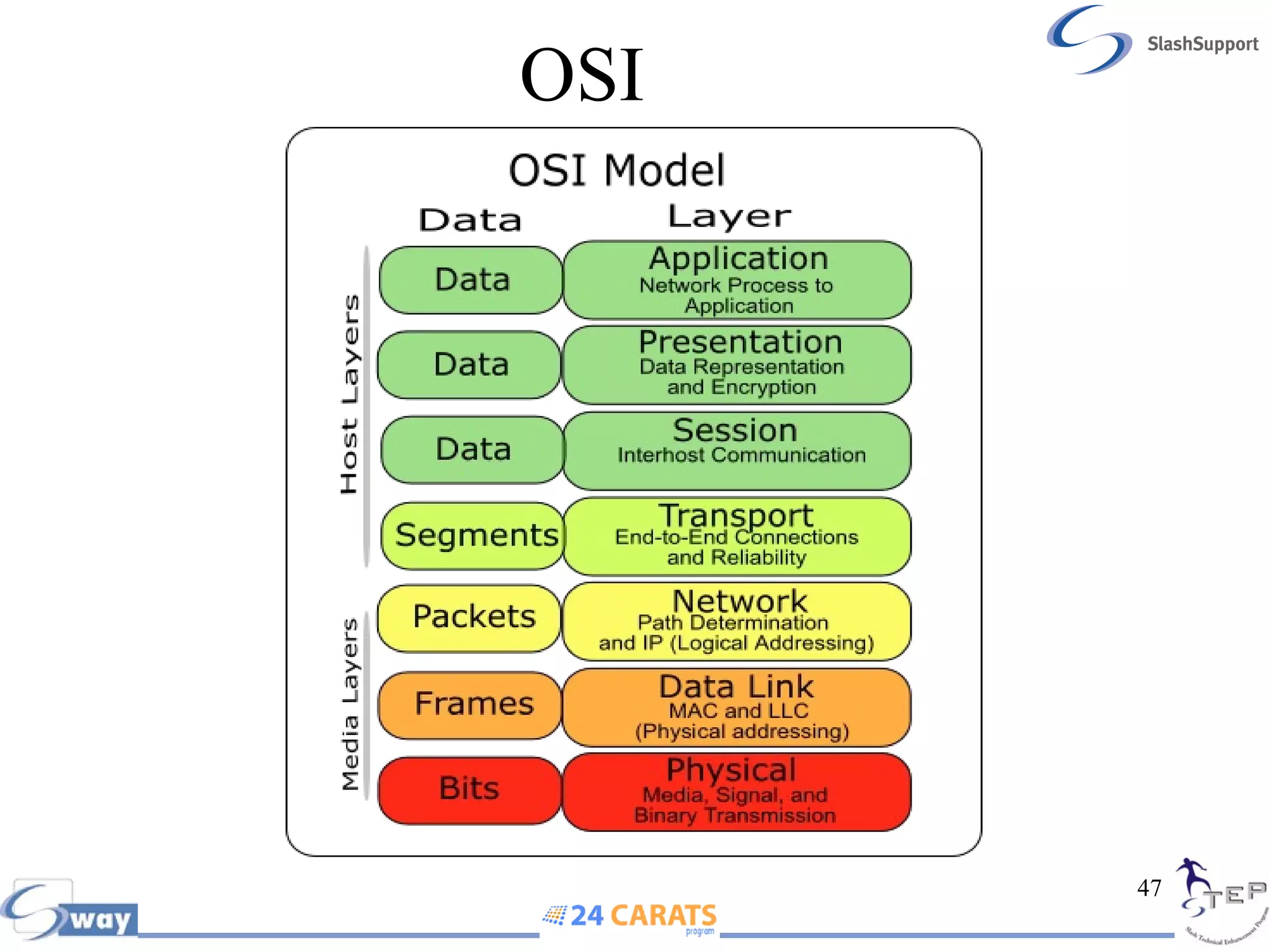
OSI  The OSI reference model illustrates the networking process as being divided into seven layers. This theoretical construct makes it easier to learn and understand the concepts involved. At the top of the model is the application that requires access to a resource on the network, and at the bottom is the network medium itself As data moves down through the layers of the model, the various protocols operating there prepare and package it for transmission over the network. Once the data arrives at its destination, it moves up through the layers on the receiving system, where the same protocols perform the same process in reverse
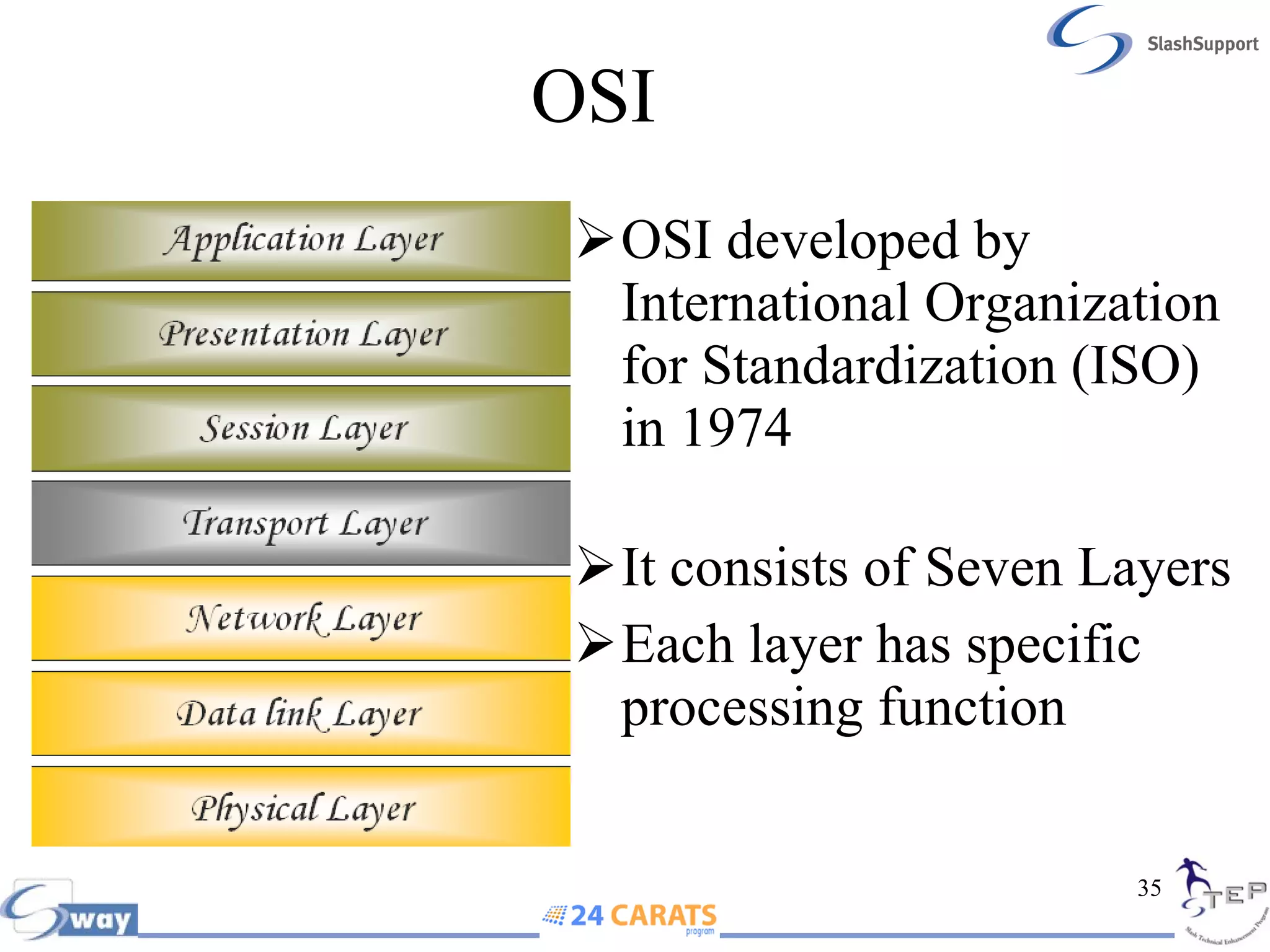
OSI  OSI developed by International Organization for Standardization (ISO) in 1974 It consists of Seven Layers Each layer has specific processing function
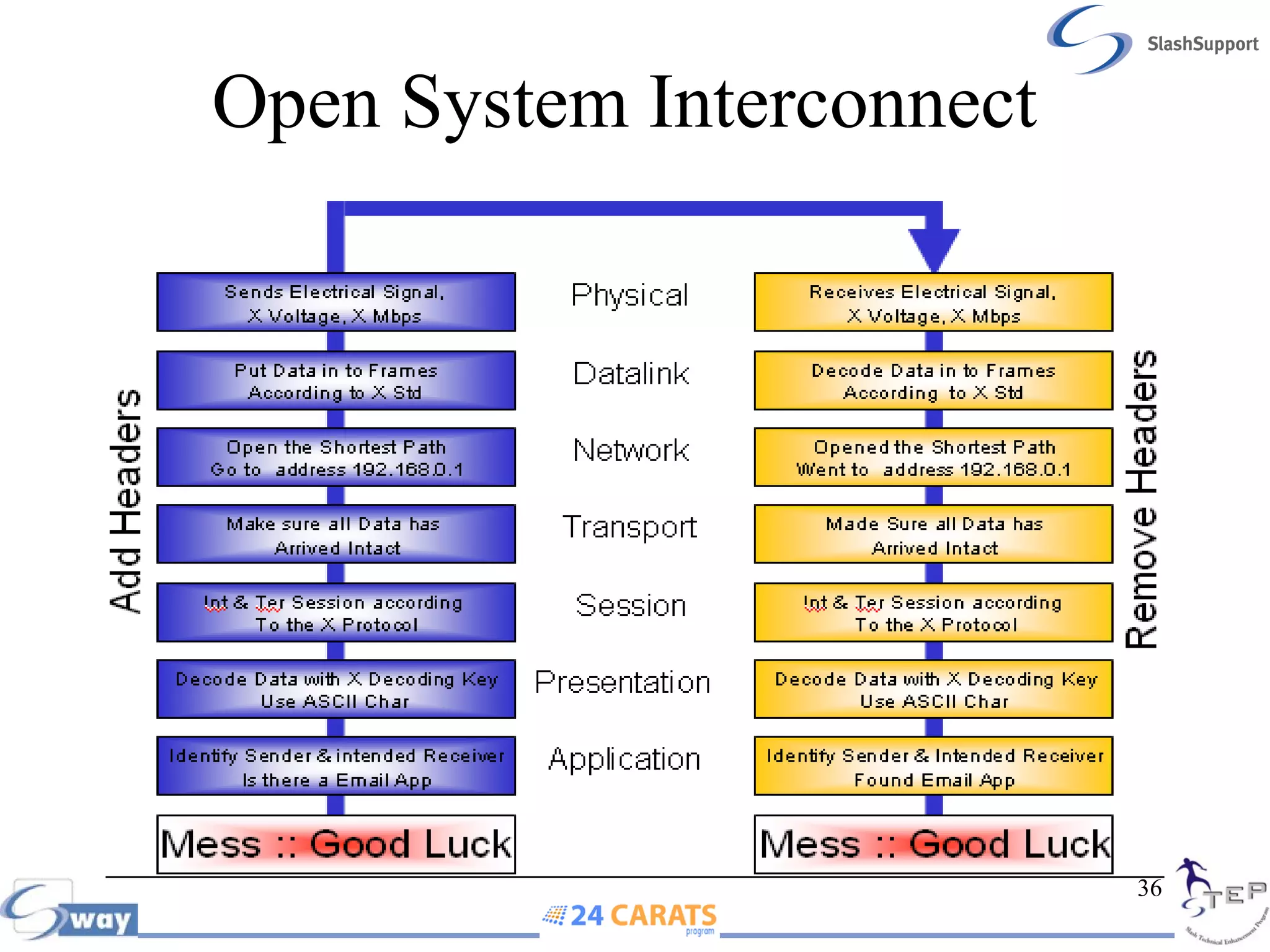
Open System Interconnect
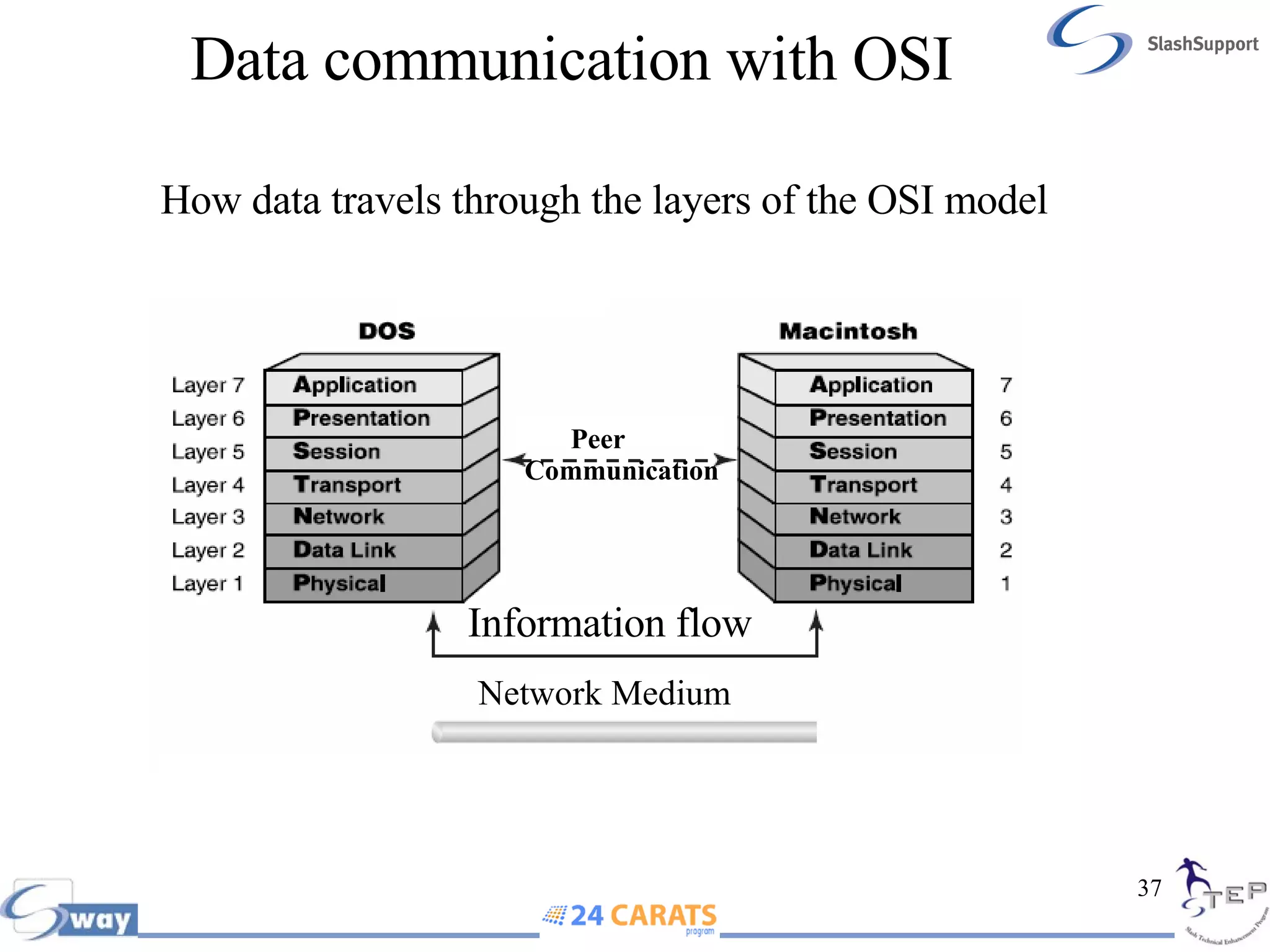
Data communication with OSI How data travels through the layers of the OSI model Peer  Communication  Information flow Network Medium
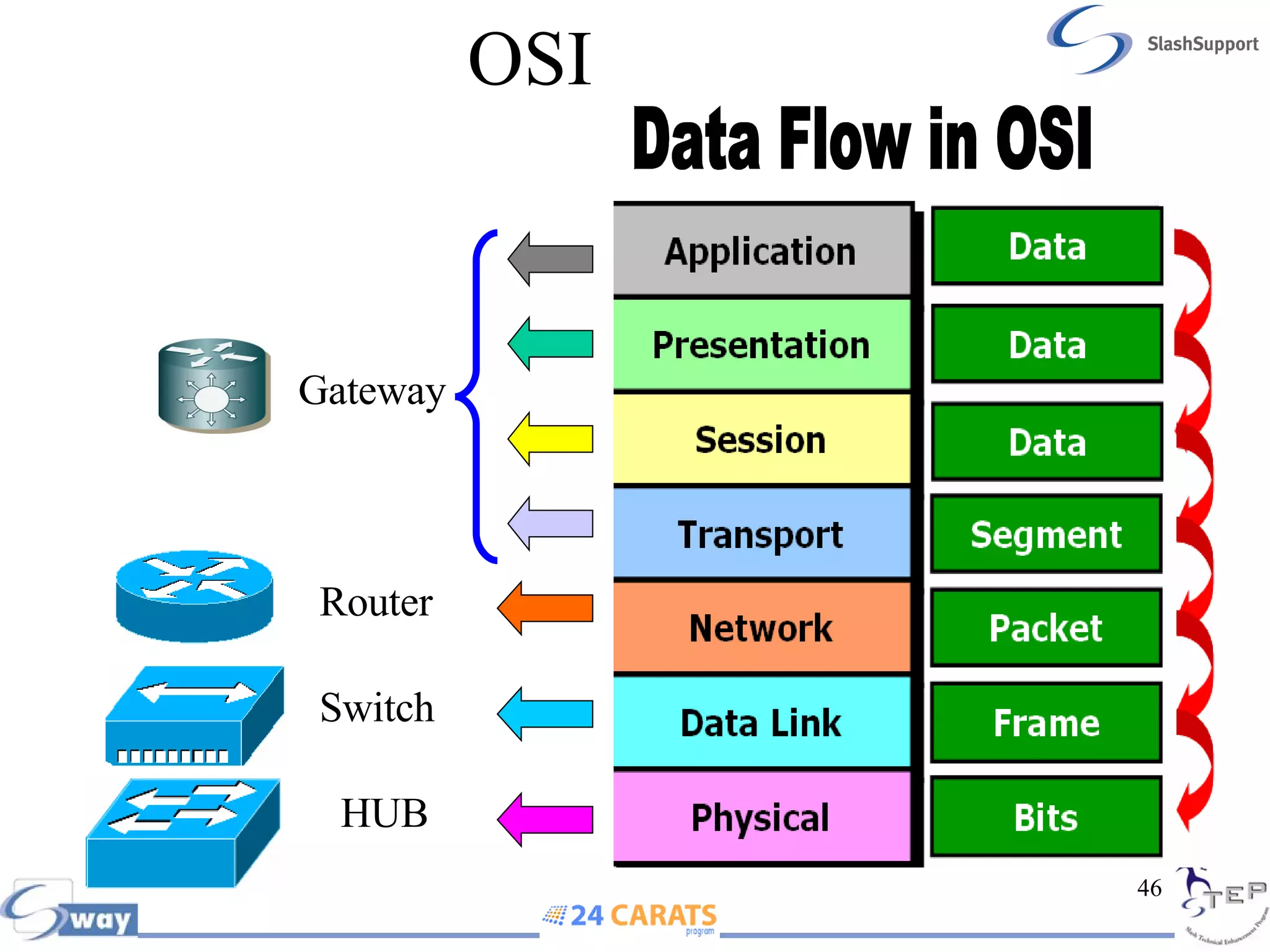
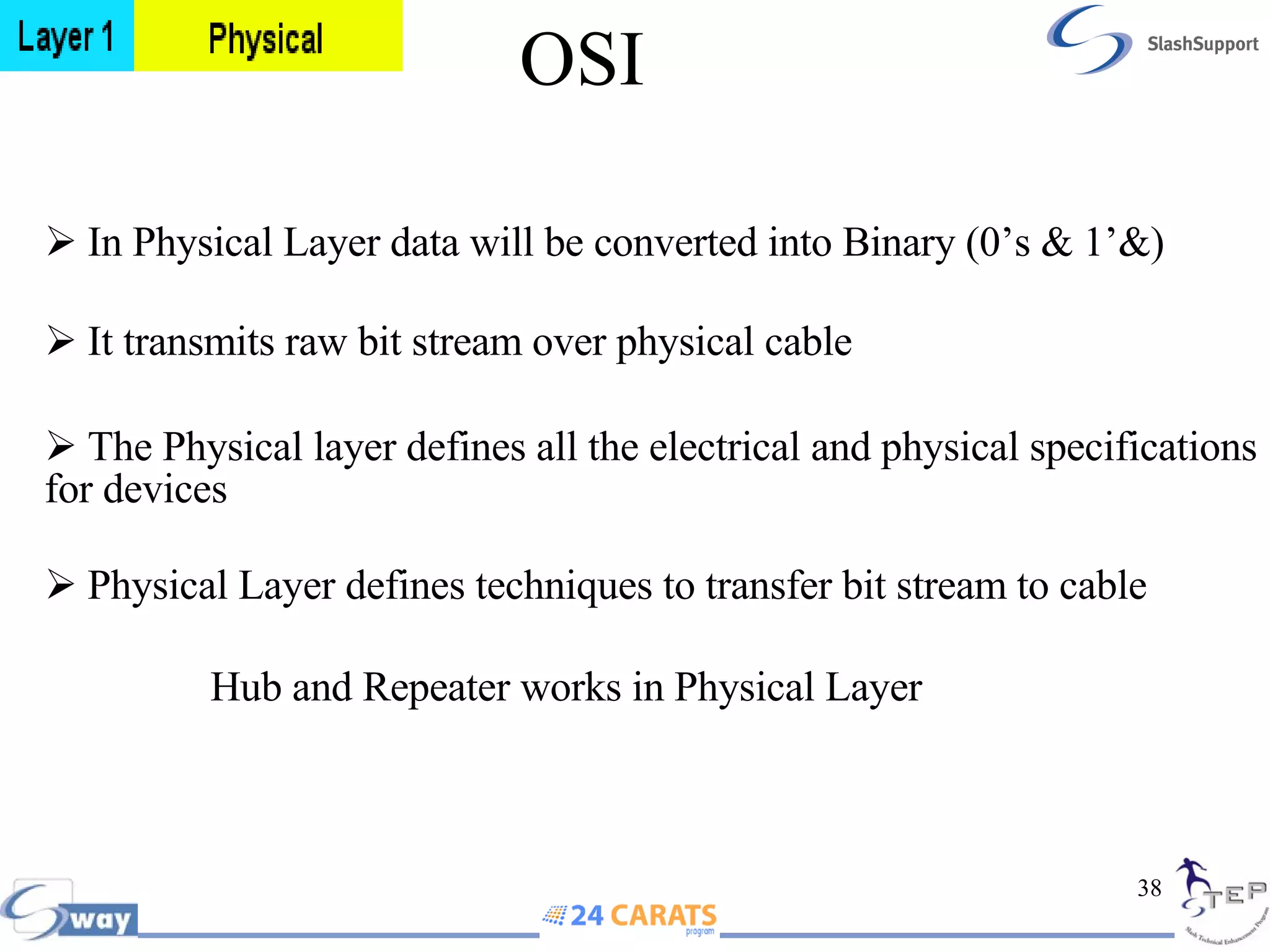
OSI In Physical Layer data will be converted into Binary (0’s & 1’&) It transmits raw bit stream over physical cable  The Physical layer defines all the electrical and physical specifications for devices   Physical Layer defines techniques to transfer bit stream to cable   Hub and Repeater works in Physical Layer
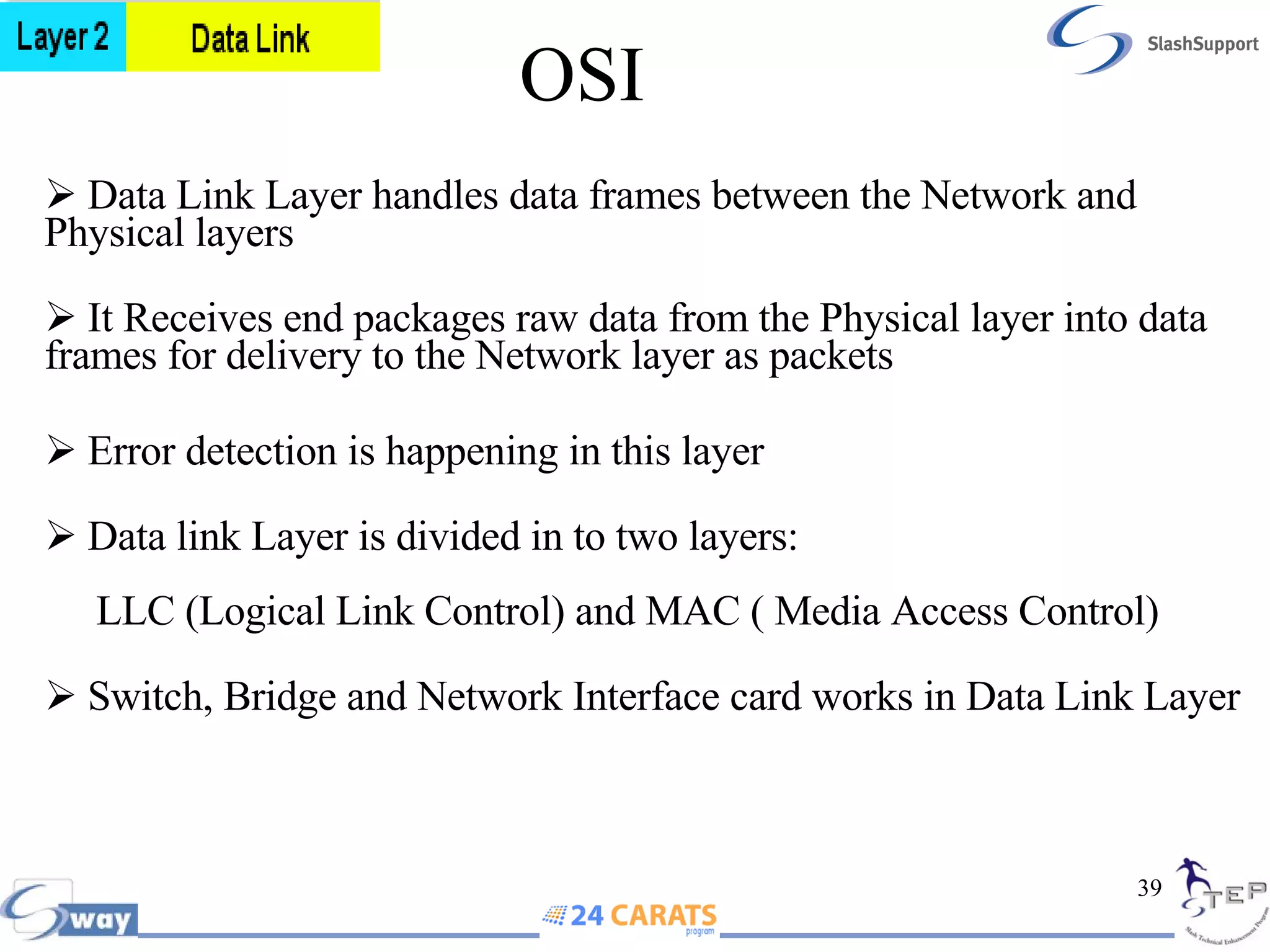
OSI Data Link Layer handles data frames between the Network and Physical layers  It Receives end packages raw data from the Physical layer into data frames for delivery to the Network layer as packets Error detection is happening in this layer Data link Layer is divided in to two layers:     LLC (Logical Link Control) and MAC ( Media Access Control) Switch, Bridge and Network Interface card works in Data Link Layer
OSI Network Layer is responsible for providing best path for data to reach the destination Logical addressing is happening in this layer Network Layer translates logical network address and names to their physical address (e.g. computer name = MAC address) Router works in Network Layer
OSI Transport Layer is responsible for reliable delivery of data. It is also known as the heart of OSI layers Provides error-checking to guarantee error-free data delivery, with on losses or duplications  Provides acknowledgment of successful transmissions; requests retransmission if some packets don’t arrive error-free  The major function of the Transport Layer is Error Correction  Identifying Service,  Multiplexing & De-multiplexing and Segmentation are happening in this layer  Brouter and Gateway works in Transport Layer
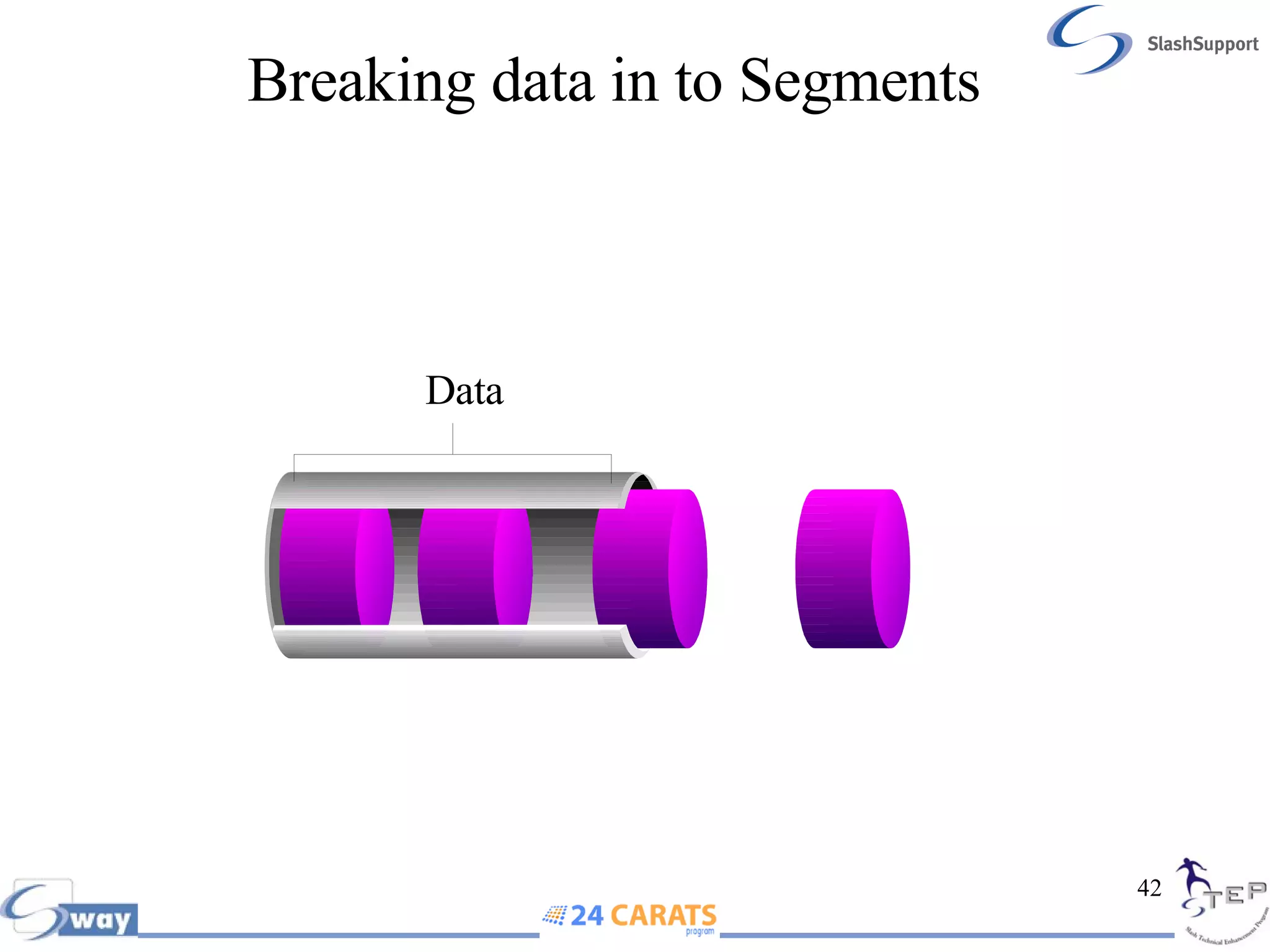
Breaking data in to Segments Data
OSI Session Layer is responsible for establishing, maintaining and terminating session  Responsible for name recognition (identification) so only the designated parties can participate in the session  Manages who can transmit data at a certain time and for how long Provides synchronization services by planning check points in the data stream if session fails, only data after the most recent checkpoint need be transmitted  Gateway works in Session Layer
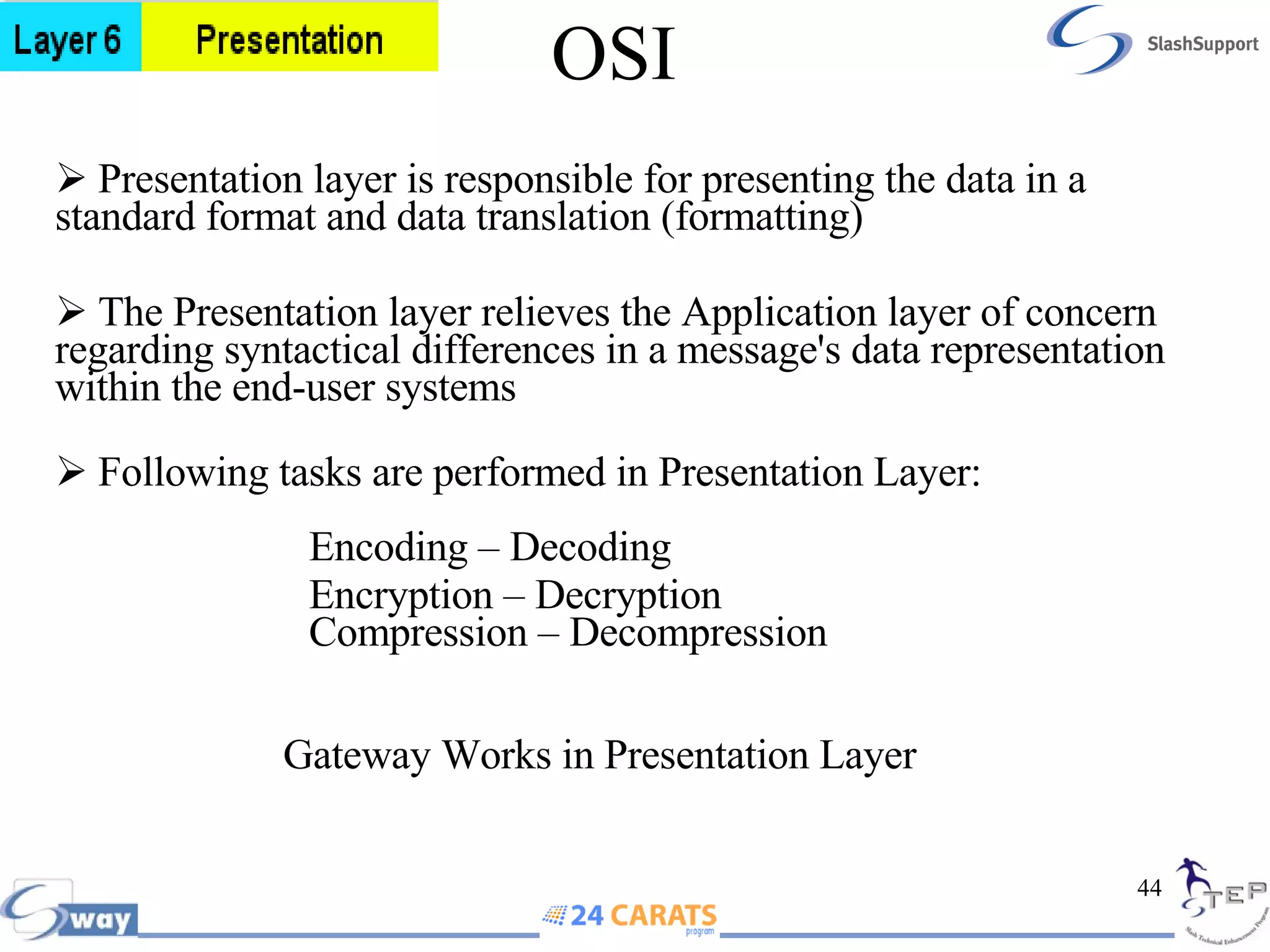
OSI Presentation layer is responsible for presenting the data in a standard format and data translation (formatting) The Presentation layer relieves the Application layer of concern regarding syntactical differences in a message's data representation within the end-user systems  Following tasks are performed in Presentation Layer:  Encoding – Decoding Encryption – Decryption  Compression – Decompression  Gateway Works in Presentation Layer
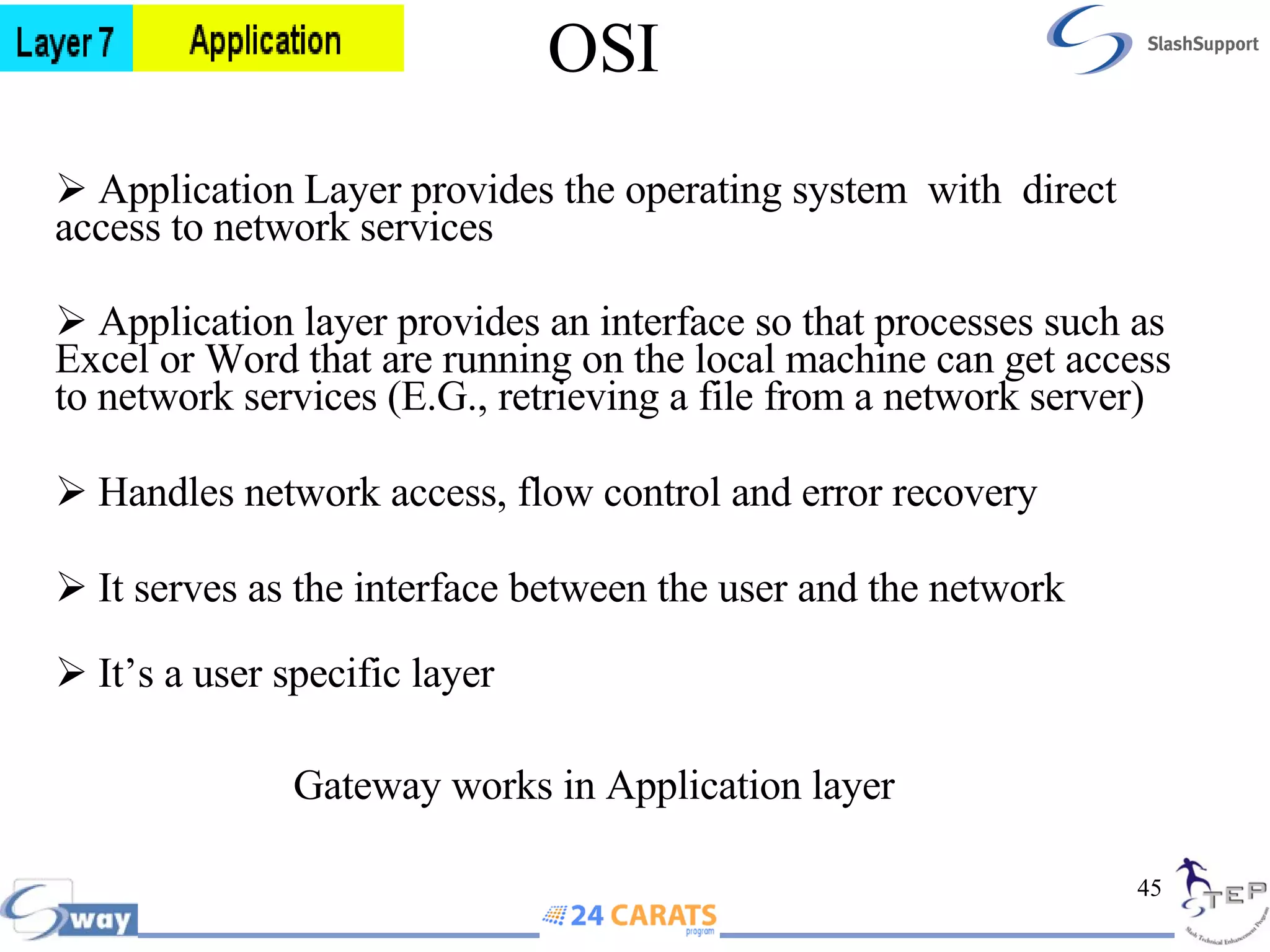
OSI Application Layer provides the operating system  with  direct access to network services  Application layer provides an interface so that processes such as Excel or Word that are running on the local machine can get access to network services (E.G., retrieving a file from a network server)  Handles network access, flow control and error recovery  It serves as the interface between the user and the network It’s a user specific layer    Gateway works in Application layer
OSI  Data Flow in OSI HUB Switch Router Gateway
OSI
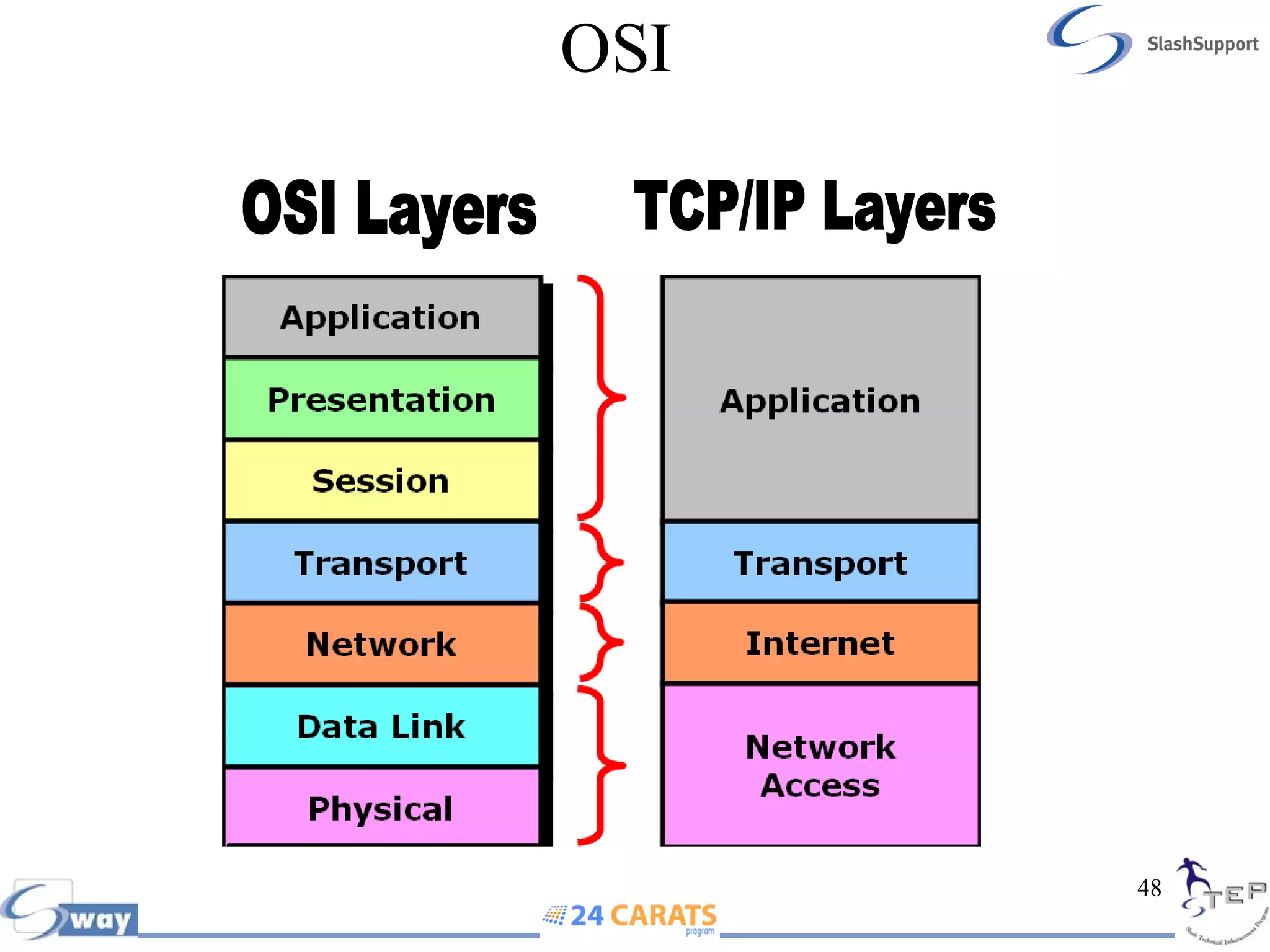
OSI  OSI Layers TCP/IP Layers
IP Addressing Internet Protocol Address is given to the computer as an identifier to a computer in a TCP/IP Network  IP Address is also known as Logical Address IP Address works in Layer 3 (Network) Two versions of IP Addressing  IP Version 4 - 32 bit address (Currently we are using)  IP Version 6 - 128 bit address
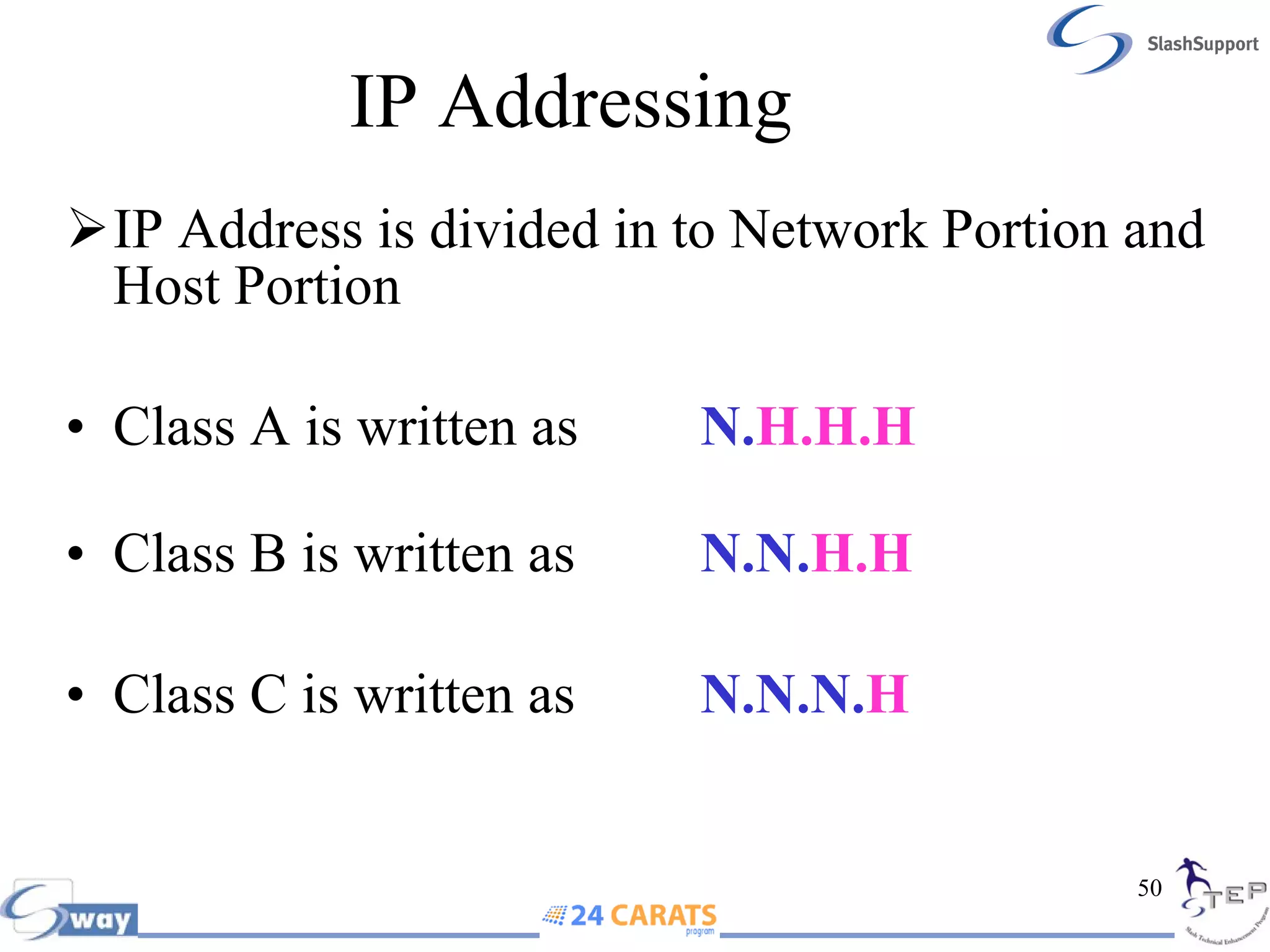
IP Addressing  IP Address is divided in to Network Portion and Host Portion  Class A is written as N. H.H.H Class B is written as N.N. H.H Class C is written as N.N.N. H
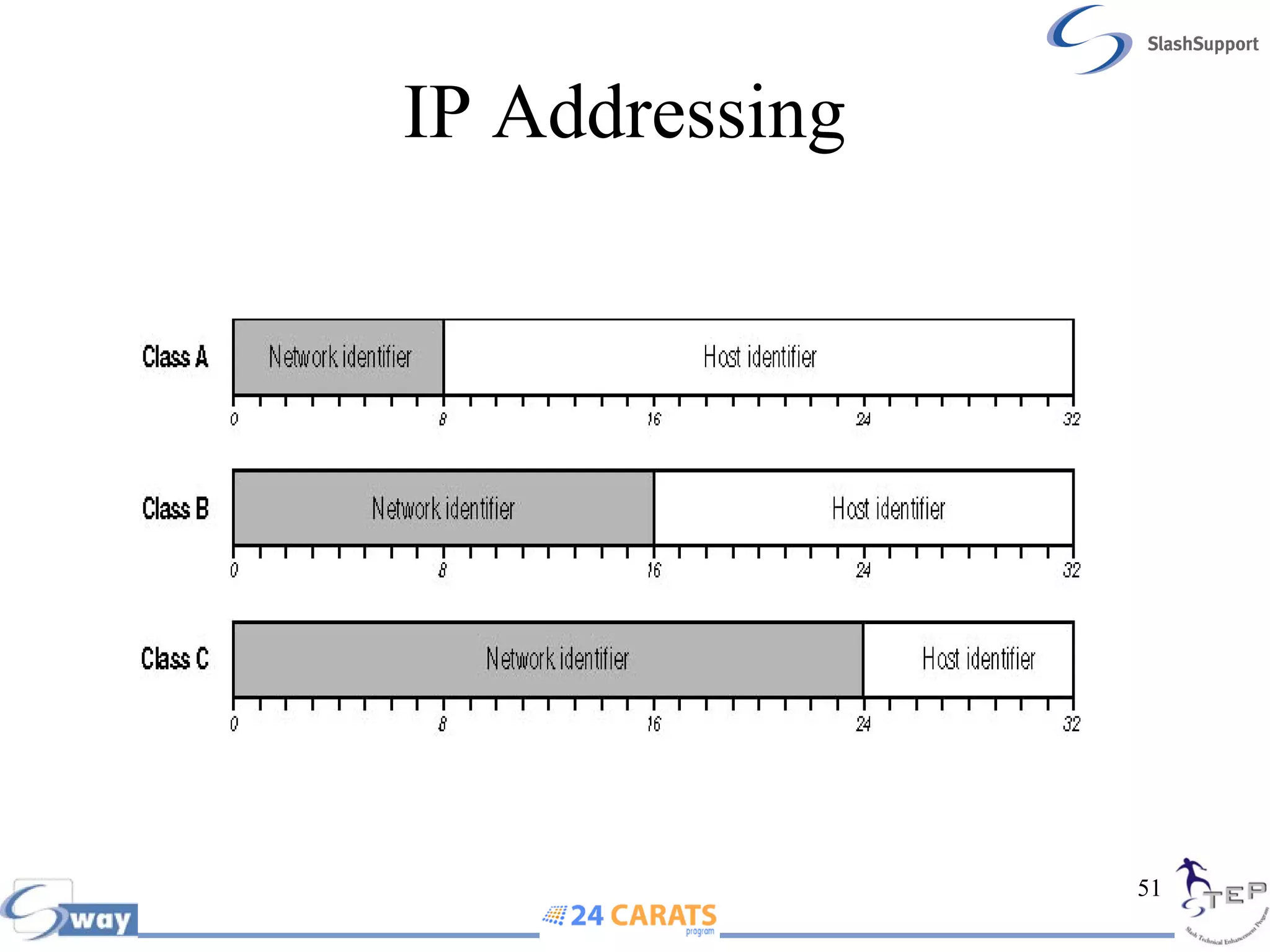
IP Addressing
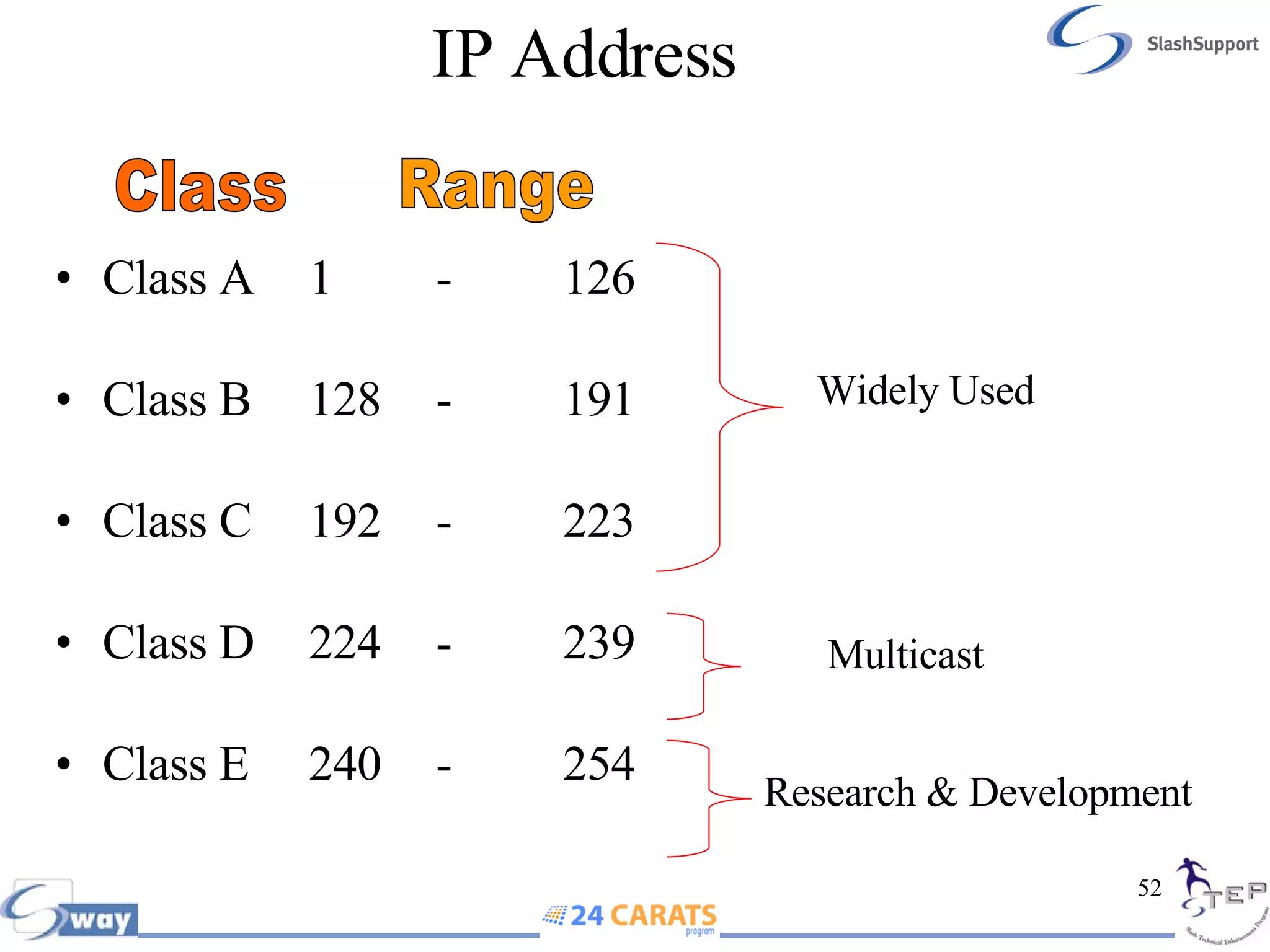
IP Address  Class A 1 - 126 Class B 128 - 191 Class C 192 - 223 Class D 224 - 239 Class E 240 - 254 Class Range Widely Used Multicast Research & Development
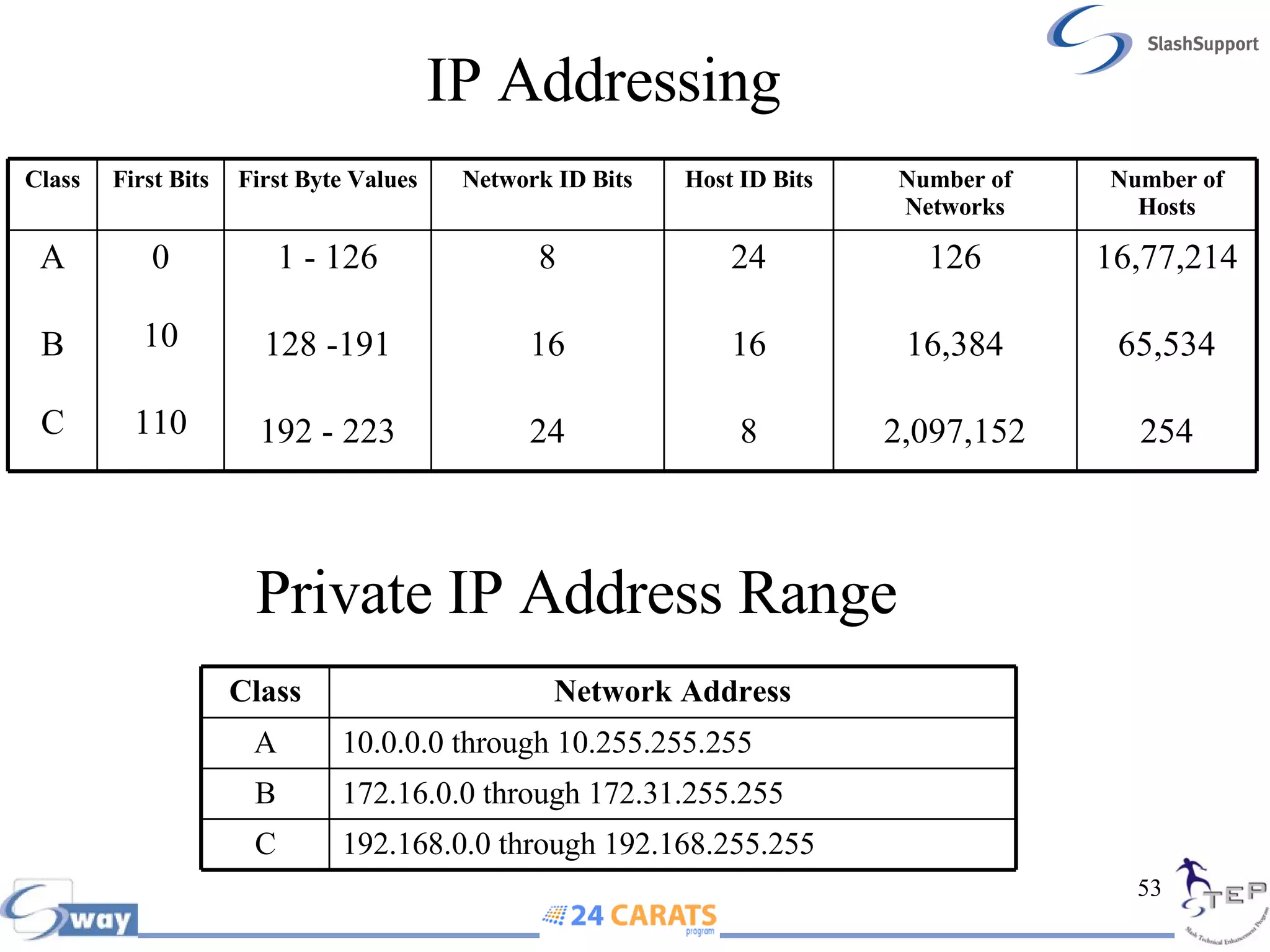
IP Addressing Private IP Address Range  16,77,214 65,534 254 126 16,384 2,097,152 24 16 8 8 16 24 1 - 126 128 -191 192 - 223 0 10 110 A B C Number of Hosts Number of Networks Host ID Bits Network ID Bits First Byte Values First Bits Class 192.168.0.0 through 192.168.255.255 C 172.16.0.0 through 172.31.255.255 B 10.0.0.0 through 10.255.255.255 A Network Address Class
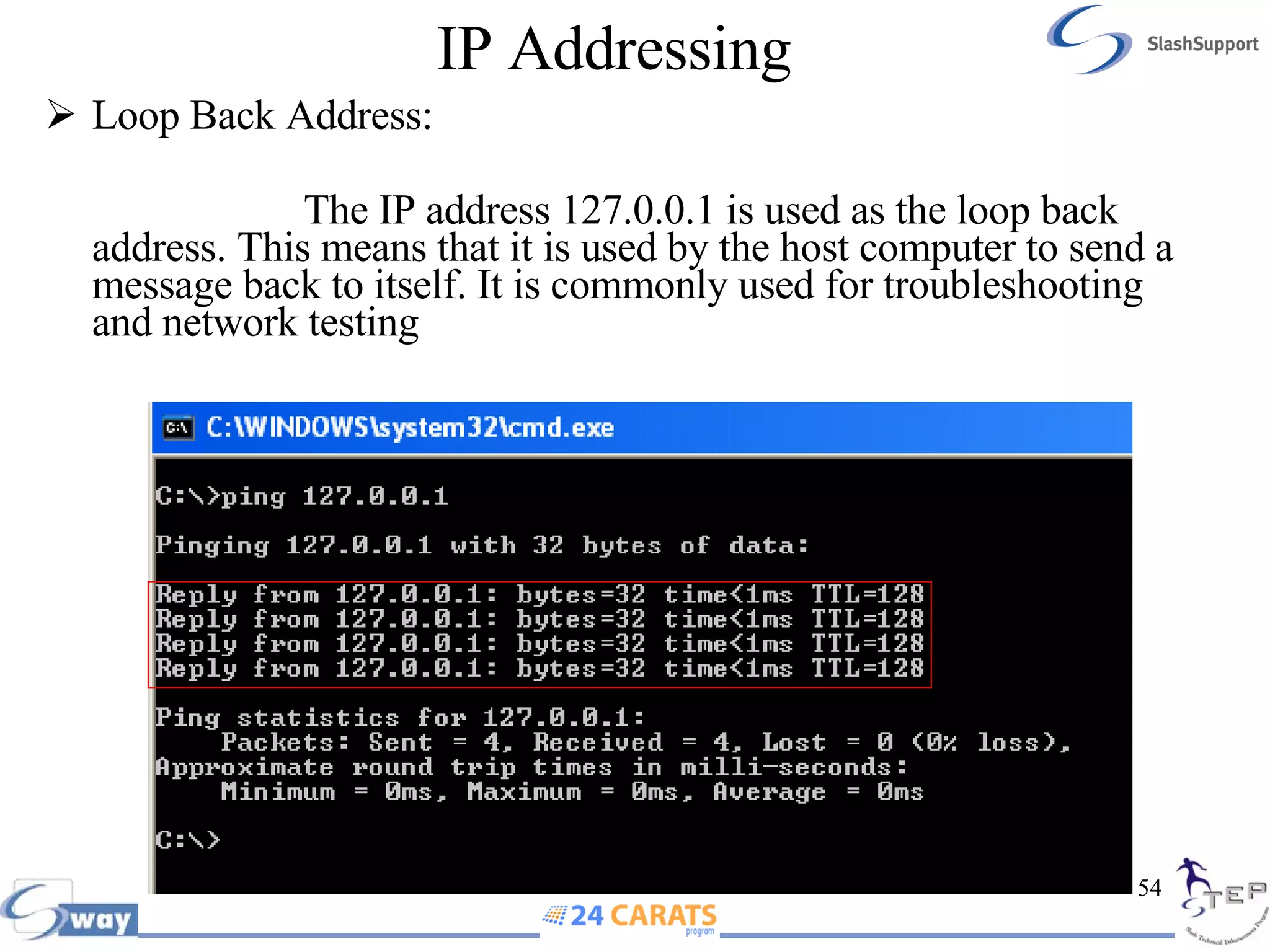
IP Addressing Loop Back Address:  The IP address 127.0.0.1 is used as the loop back address. This means that it is used by the host computer to send a message back to itself. It is commonly used for troubleshooting and network testing
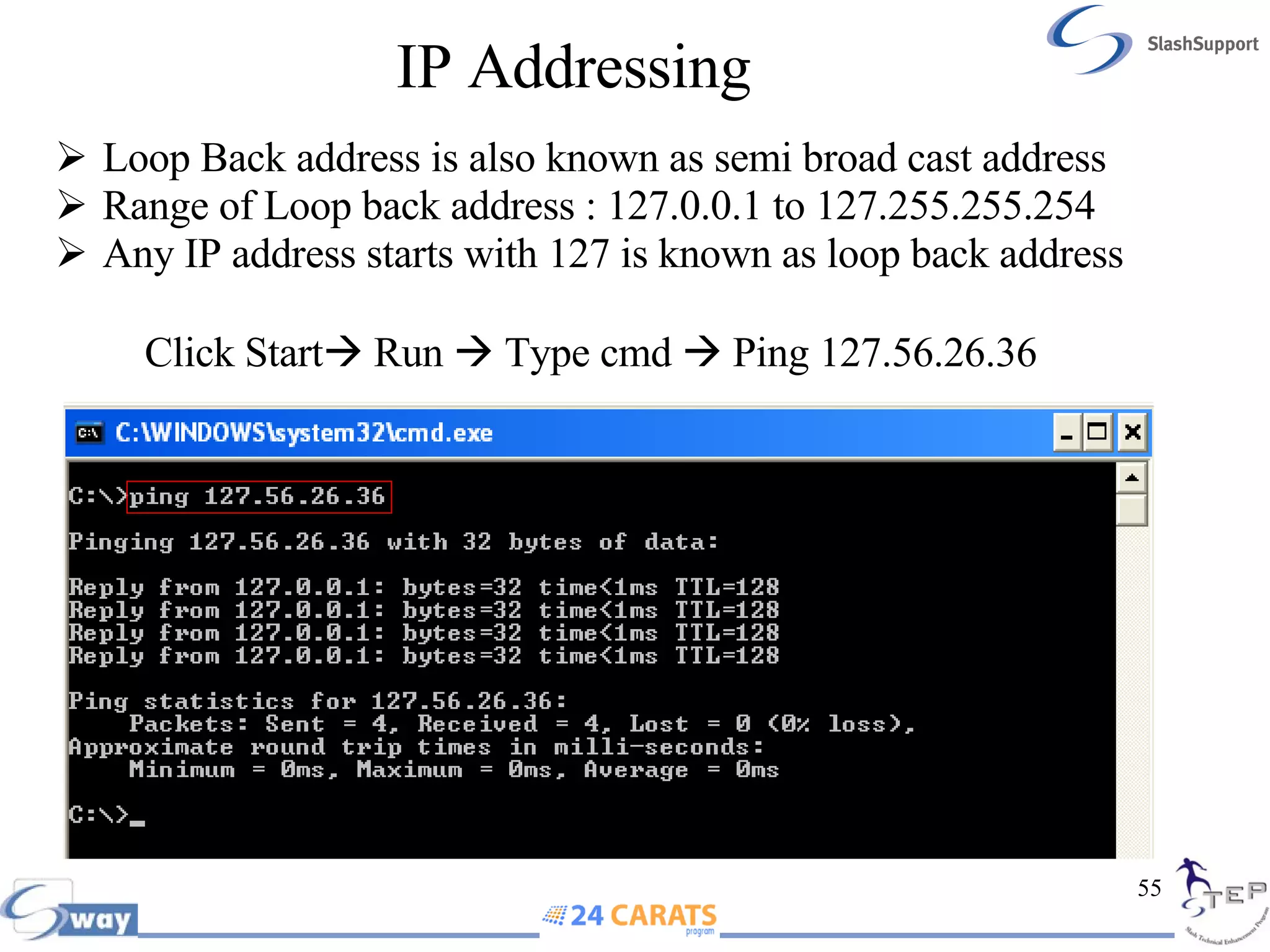
IP Addressing   Loop Back address is also known as semi broad cast address Range of Loop back address : 127.0.0.1 to 127.255.255.254 Any IP address starts with 127 is known as loop back address  Click Start   Run    Type cmd    Ping 127.56.26.36
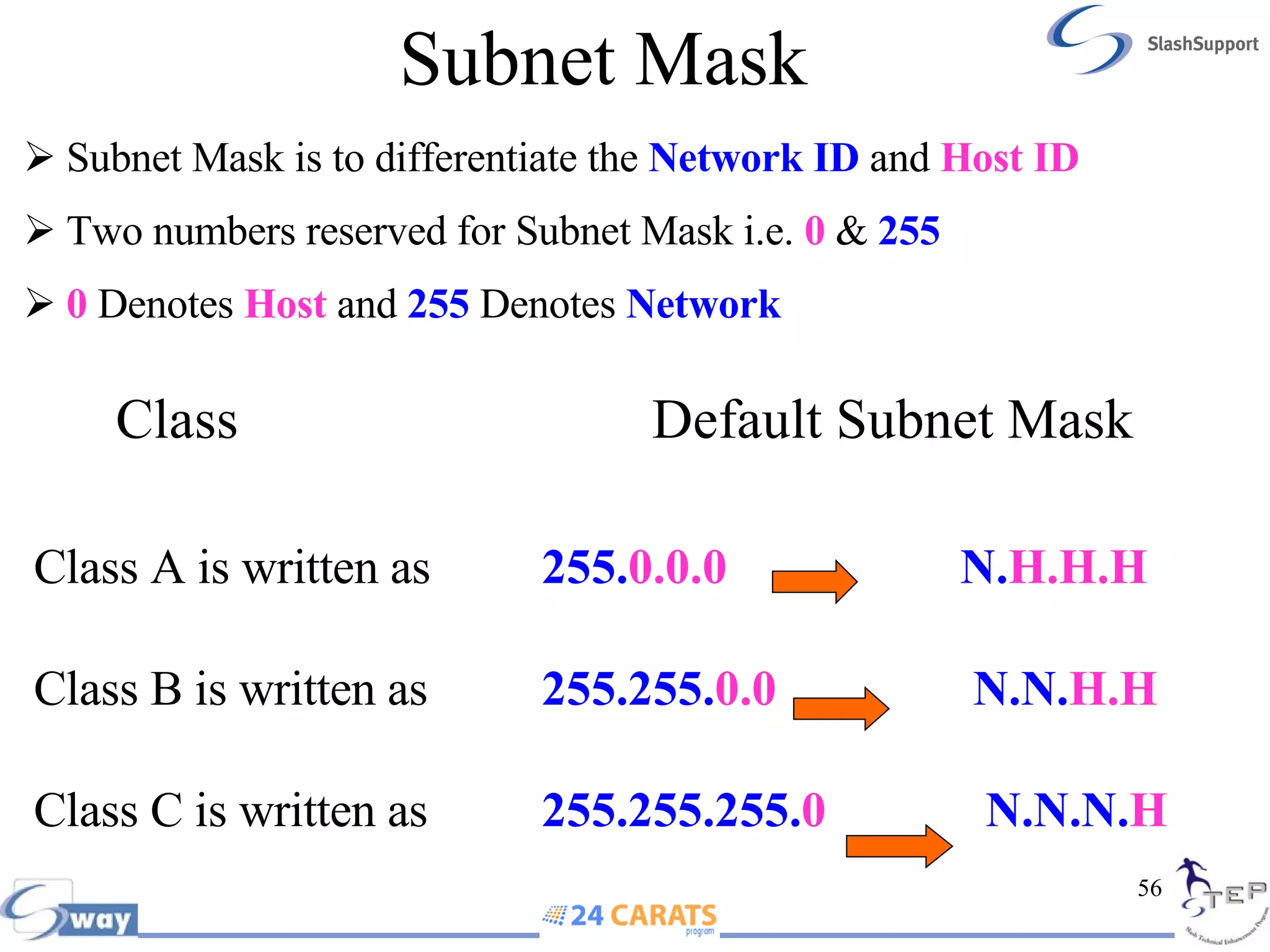
Subnet Mask Class   Default Subnet Mask Class A is written as 255. 0.0.0  N. H.H.H Class B is written as 255.255. 0.0  N.N. H.H Class C is written as 255.255.255. 0  N.N.N. H Subnet Mask is to differentiate the  Network ID  and  Host ID Two numbers reserved for Subnet Mask i.e.   0   &  255 0   Denotes  Host  and  255  Denotes  Network
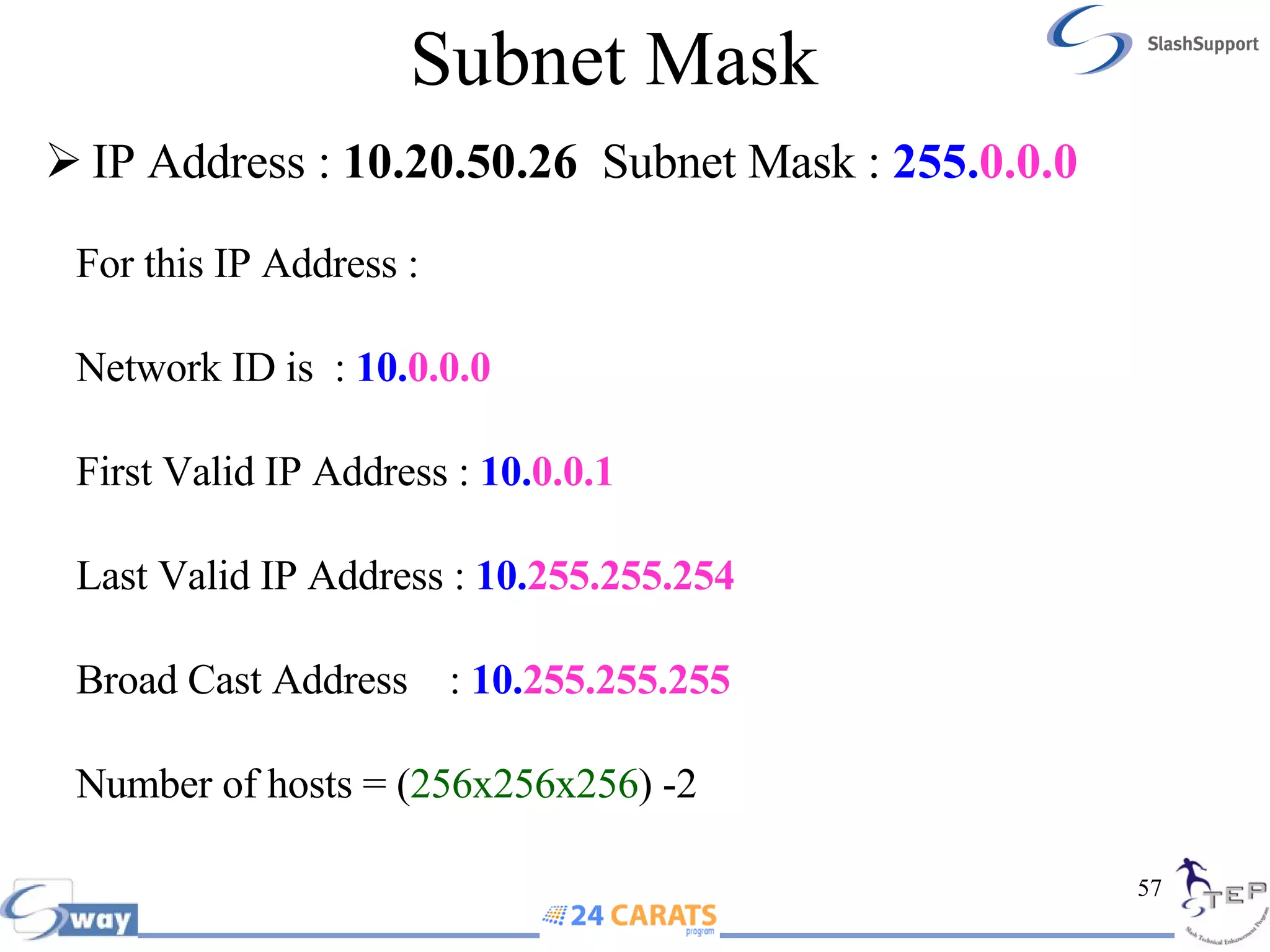
Subnet Mask IP Address :  10.20.50.26   Subnet Mask :  255. 0.0.0   For this IP Address : Network ID is  :  10. 0.0.0 First Valid IP Address :  10. 0.0.1   Last Valid IP Address :  10. 255.255.254 Broad Cast Address  :  10. 255.255.255 Number of hosts =   ( 256x256x256 ) -2
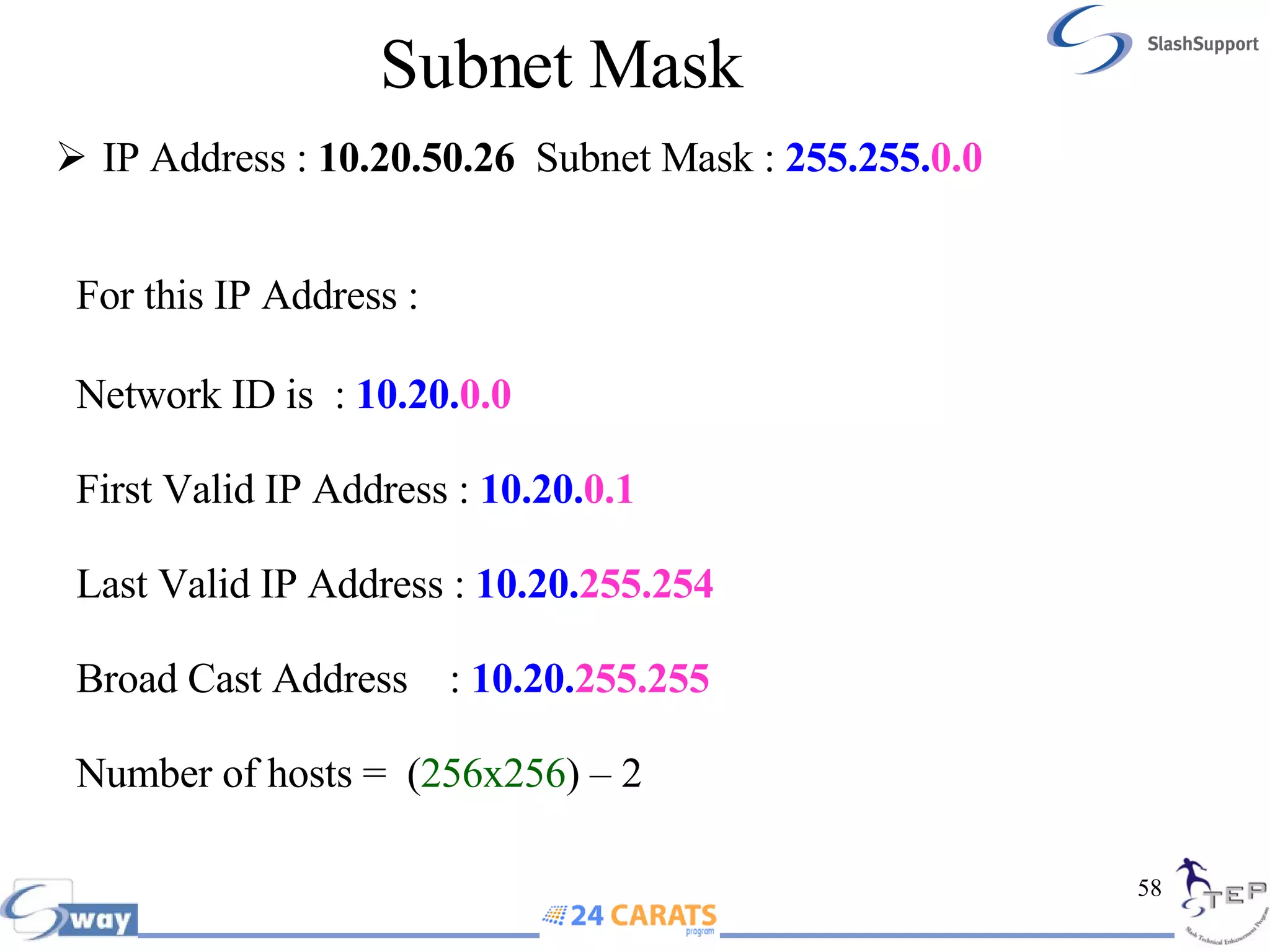
Subnet Mask IP Address :  10.20.50.26  Subnet Mask :  255.255. 0.0   For this IP Address : Network ID is  :  10.20. 0.0 First Valid IP Address :  10.20. 0.1 Last Valid IP Address :  10.20. 255.254 Broad Cast Address  :  10.20. 255.255 Number of hosts =  ( 256x256 )   – 2
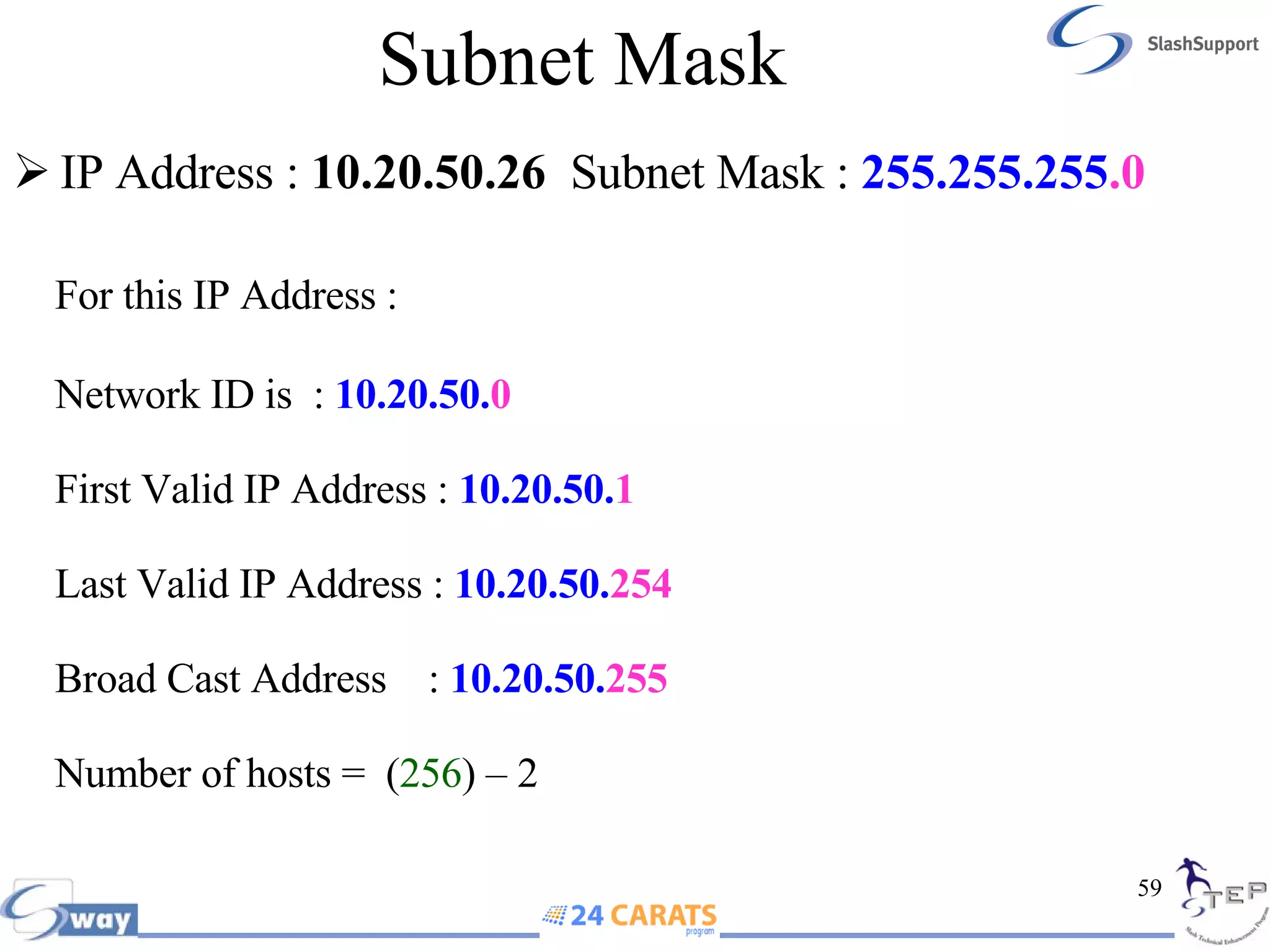
Subnet Mask IP Address :  10.20.50.26  Subnet Mask :  255.255.255 .0   For this IP Address : Network ID is  :  10.20.50. 0 First Valid IP Address :  10.20.50. 1 Last Valid IP Address :  10.20.50. 254 Broad Cast Address  :  10.20.50. 255  Number of hosts =  ( 256 )   – 2
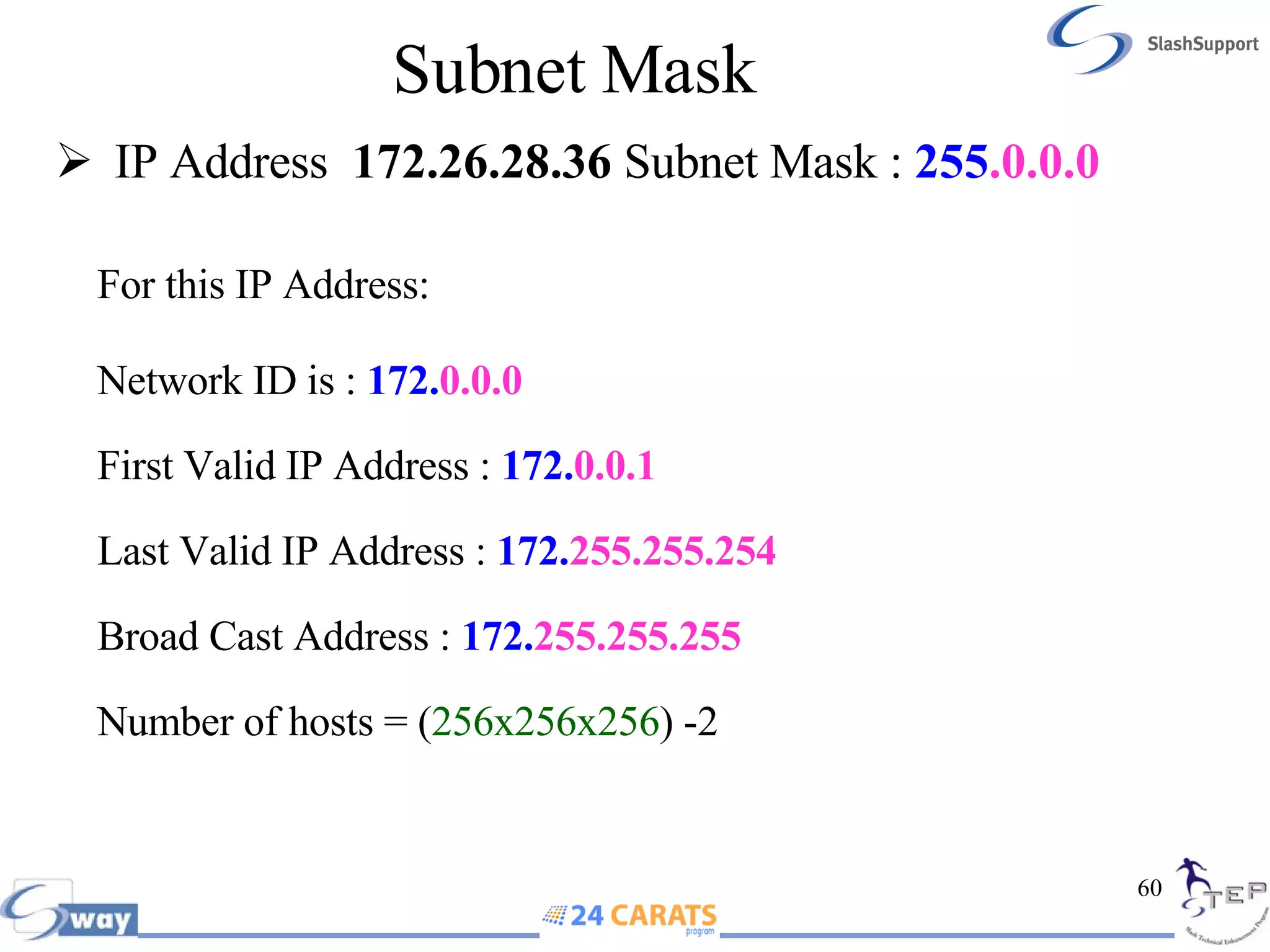
Subnet Mask  IP Address  172.26.28.36  Subnet Mask :  255 .0.0.0 For this IP Address: Network ID is :  172. 0.0.0 First Valid IP Address :  172. 0.0.1 Last Valid IP Address :   172. 255.255.254 Broad Cast Address :  172. 255.255.255 Number of hosts =   ( 256x256x256 ) -2
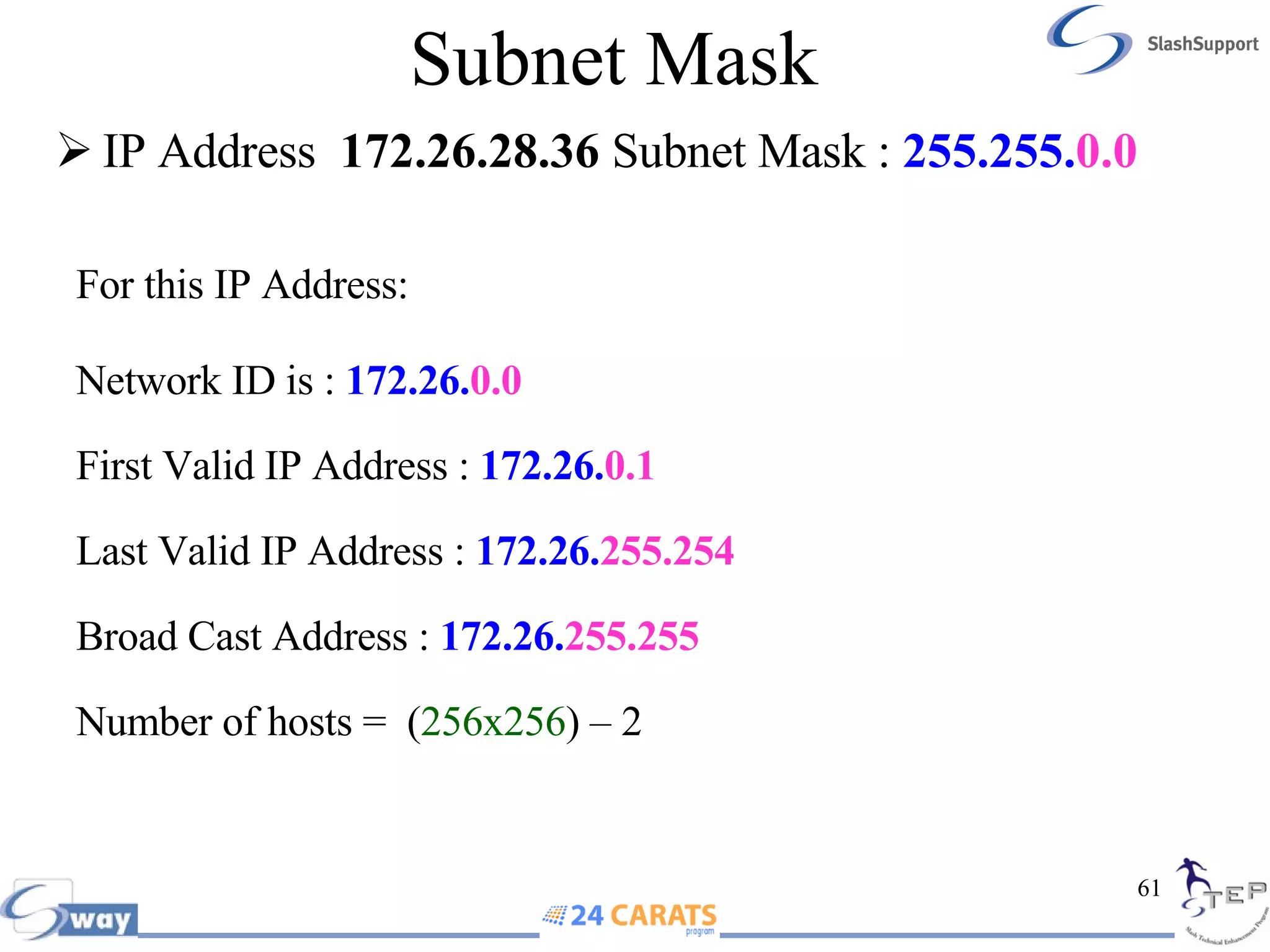
Subnet Mask IP Address  172.26.28.36  Subnet Mask :  255.255. 0.0 For this IP Address: Network ID is :  172.26. 0.0 First Valid IP Address :  172.26. 0.1 Last Valid IP Address :  172.26. 255.254 Broad Cast Address :  172.26. 255.255 Number of hosts =  ( 256x256 )   – 2
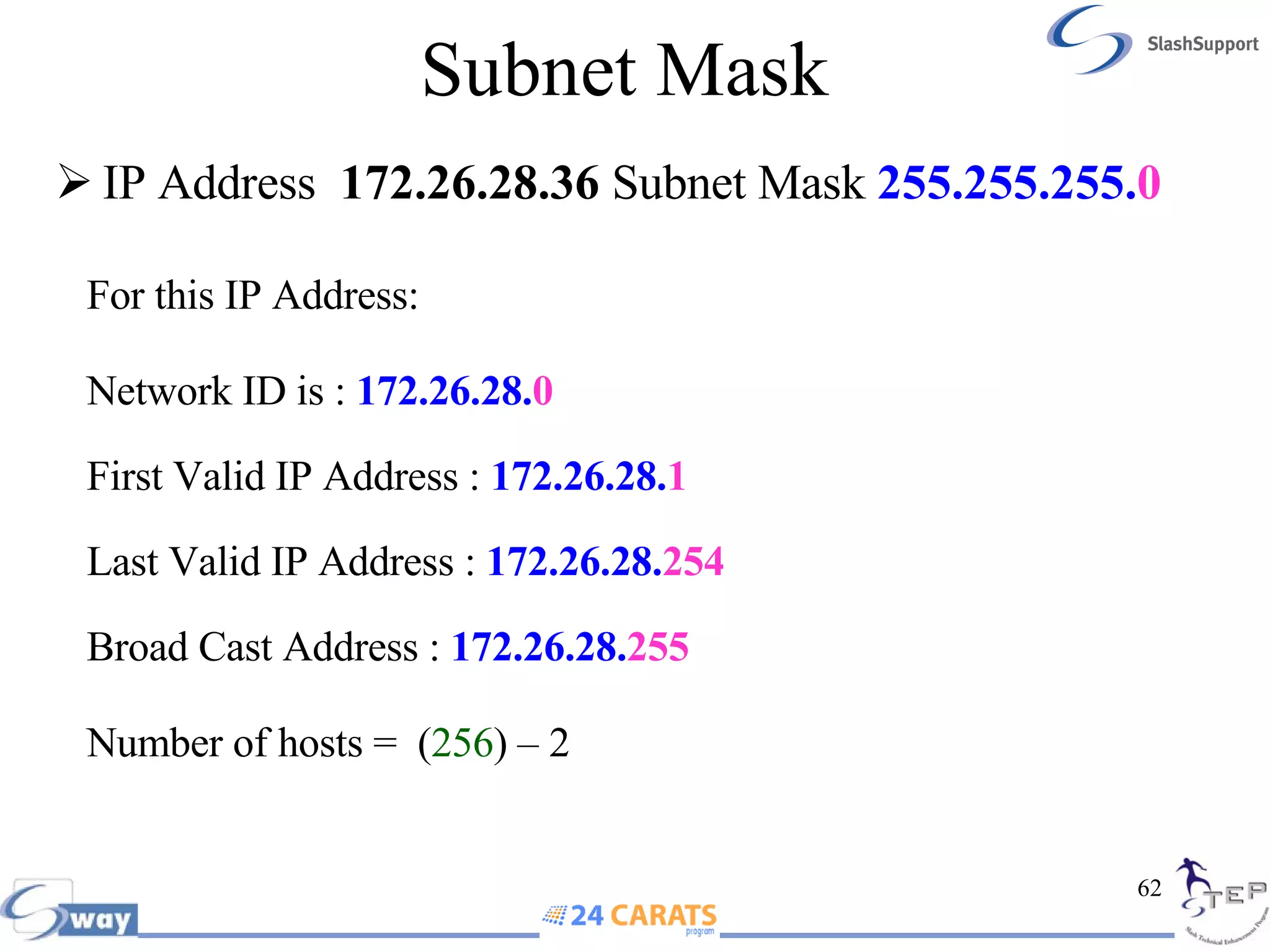
Subnet Mask IP Address  172.26.28.36  Subnet Mask  255.255.255. 0 For this IP Address: Network ID is :  172.26.28. 0 First Valid IP Address :  172.26.28. 1 Last Valid IP Address :  172.26.28. 254 Broad Cast Address :  172.26.28. 255 Number of hosts =  ( 256 )   – 2
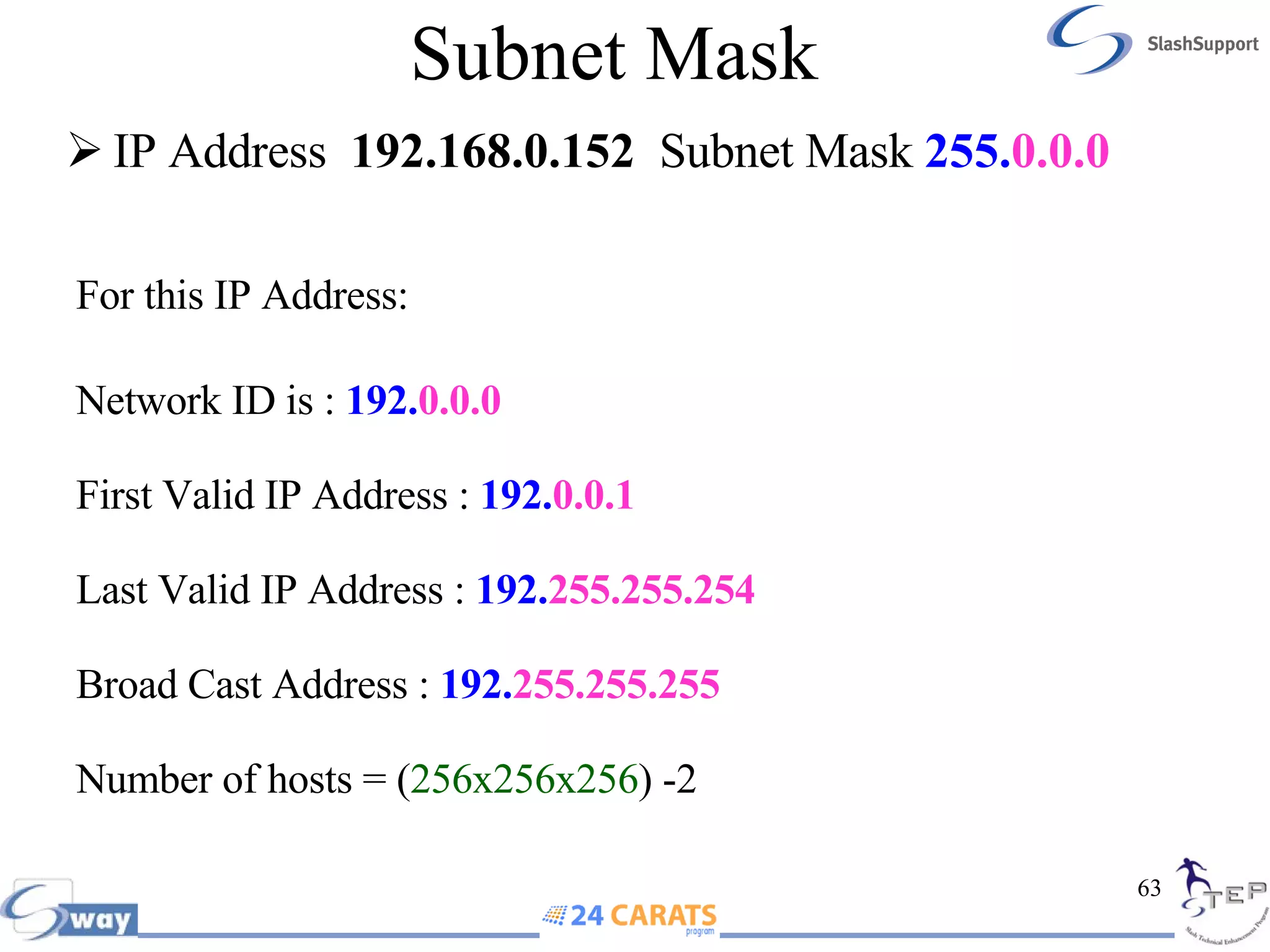
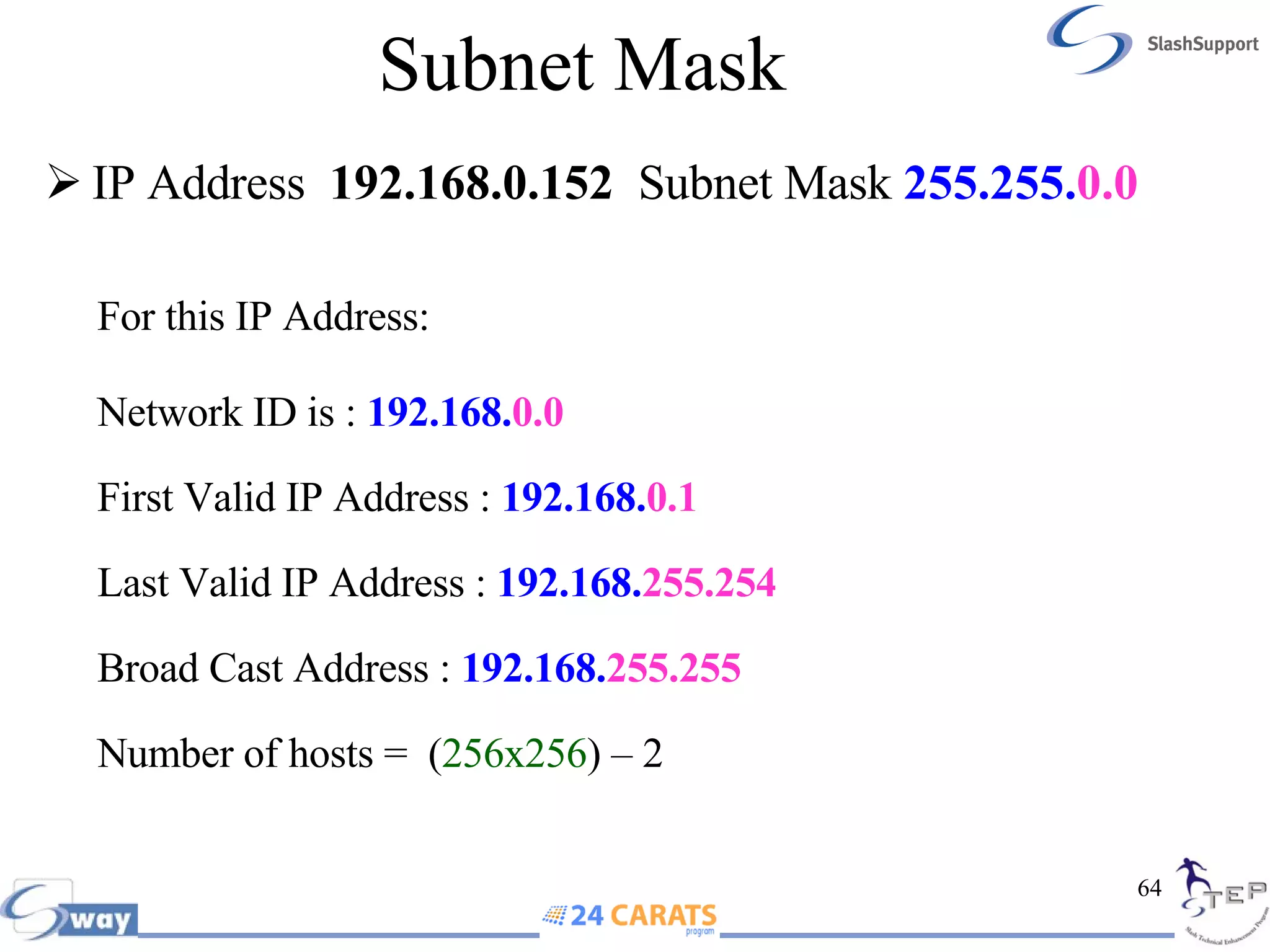
Subnet Mask IP Address  192.168.0.152   Subnet Mask  255. 0.0.0 For this IP Address: Network ID is :  192. 0.0.0 First Valid IP Address :  192. 0.0.1 Last Valid IP Address :  192. 255.255.254 Broad Cast Address :  192. 255.255.255 Number of hosts =   ( 256x256x256 ) -2
Subnet Mask IP Address  192.168.0.152   Subnet Mask  255.255. 0.0 For this IP Address: Network ID is :  192.168. 0.0 First Valid IP Address :  192.168. 0.1 Last Valid IP Address :  192.168. 255.254 Broad Cast Address :  192.168. 255.255 Number of hosts =  ( 256x256 )   – 2
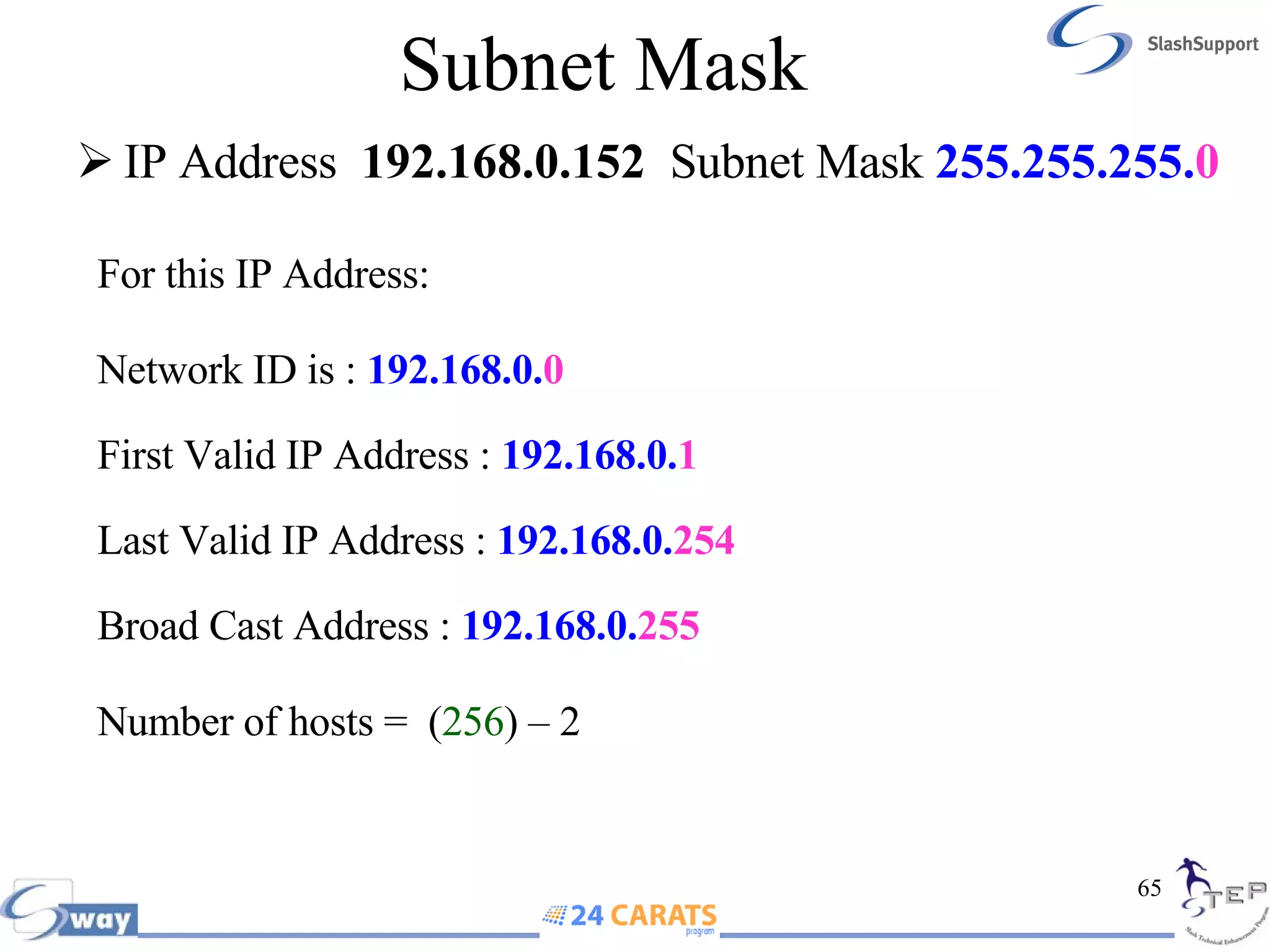
Subnet Mask For this IP Address: Network ID is :  192.168.0. 0 First Valid IP Address :  192.168.0. 1 Last Valid IP Address :  192.168.0. 254 Broad Cast Address :  192.168.0. 255 Number of hosts =  ( 256 )   – 2   IP Address  192.168.0.152   Subnet Mask  255.255.255. 0
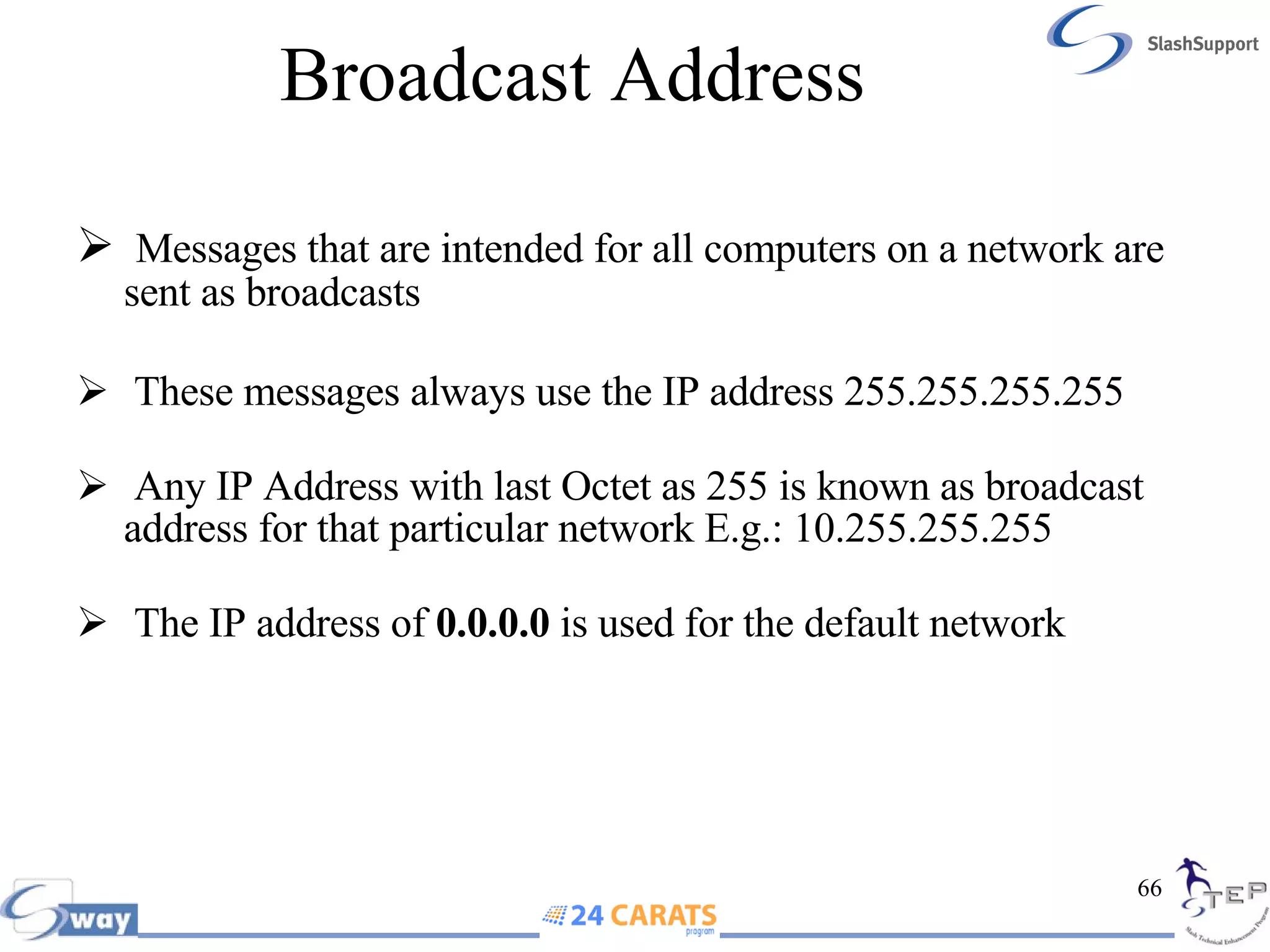
Broadcast Address  Messages that are intended for all computers on a network are sent as broadcasts These messages always use the IP address 255.255.255.255  Any IP Address with last Octet as 255 is known as broadcast address for that particular network E.g.: 10.255.255.255  The IP address of  0.0.0.0  is used for the default network
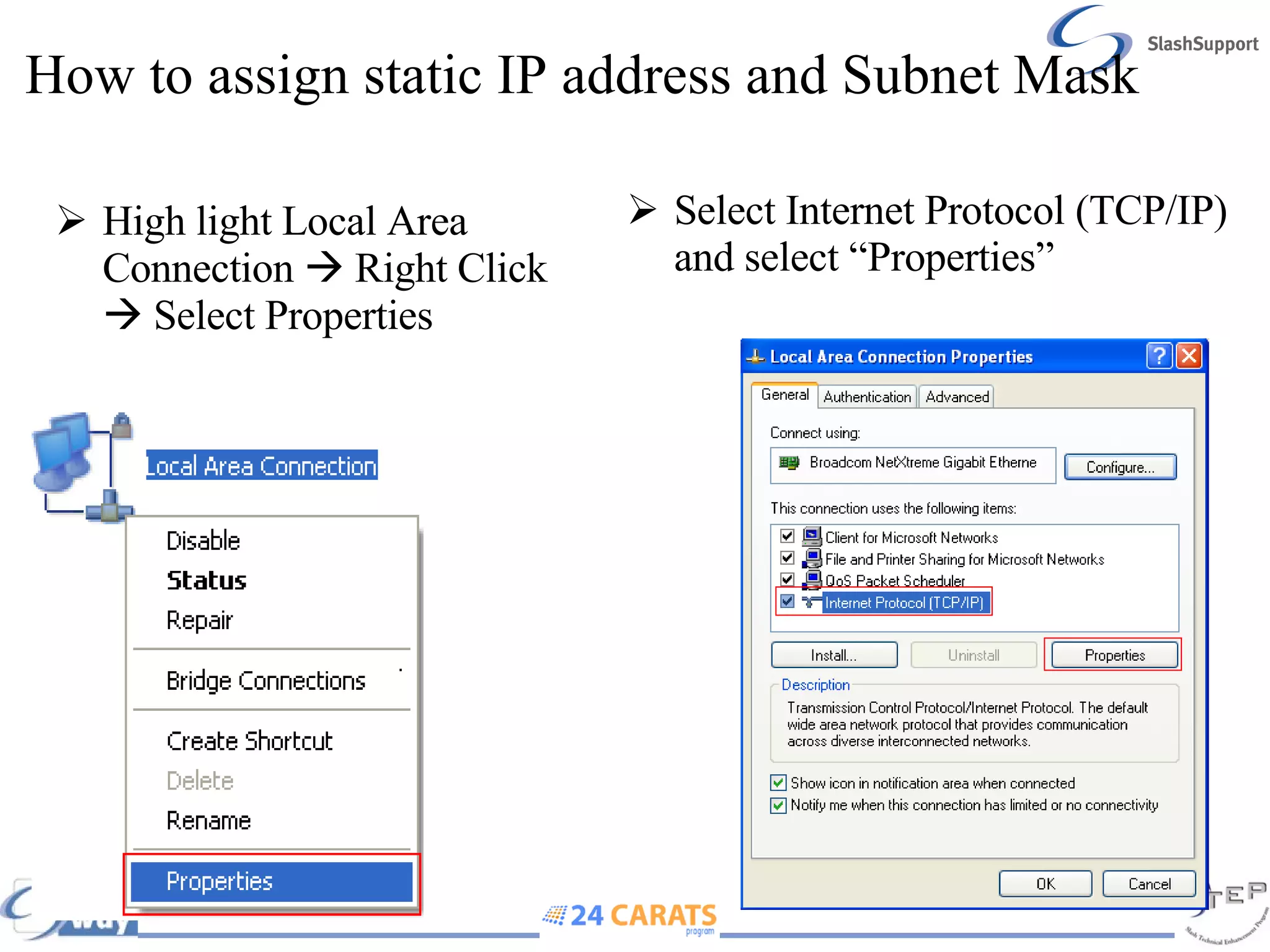
How to assign static IP address and Subnet Mask High light Local Area Connection    Right Click    Select Properties Select Internet Protocol (TCP/IP) and select “Properties”
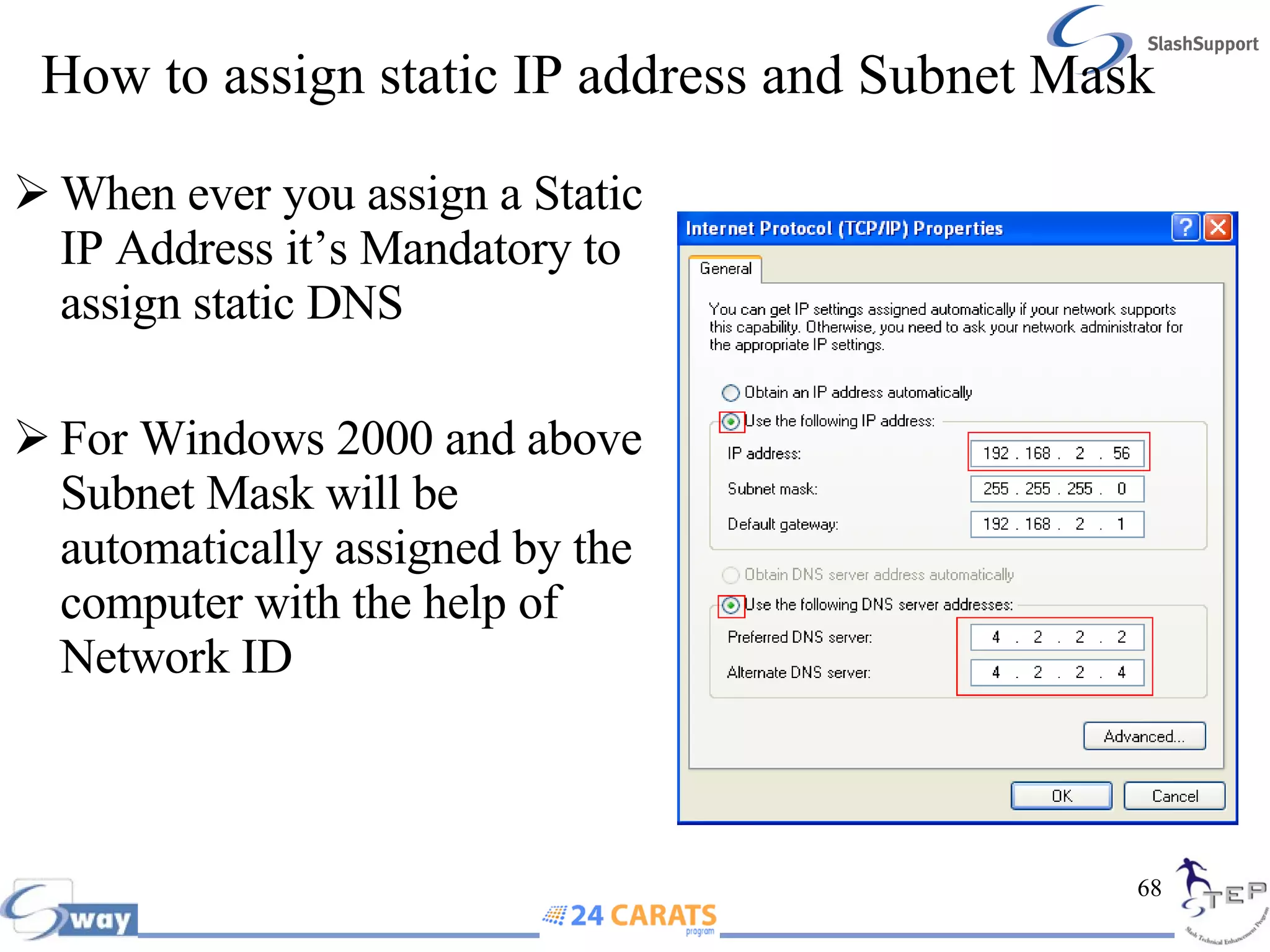
How to assign static IP address and Subnet Mask When ever you assign a Static IP Address it’s Mandatory to assign static DNS For Windows 2000 and above Subnet Mask will be automatically assigned by the computer with the help of Network ID
Mac Address The Media Access Control address (MAC) can be equated to the serial number of the NIC. Every IP packet is sent out of your NIC wrapped inside an Ethernet frame which uses MAC addresses to direct traffic on your locally attached network MAC addresses therefore only have significance on the locally attached network. As the packet hops across the Internet, its source/destination IP address stays the same, but the MAC addresses are reassigned by each router on the way using a process called ARP
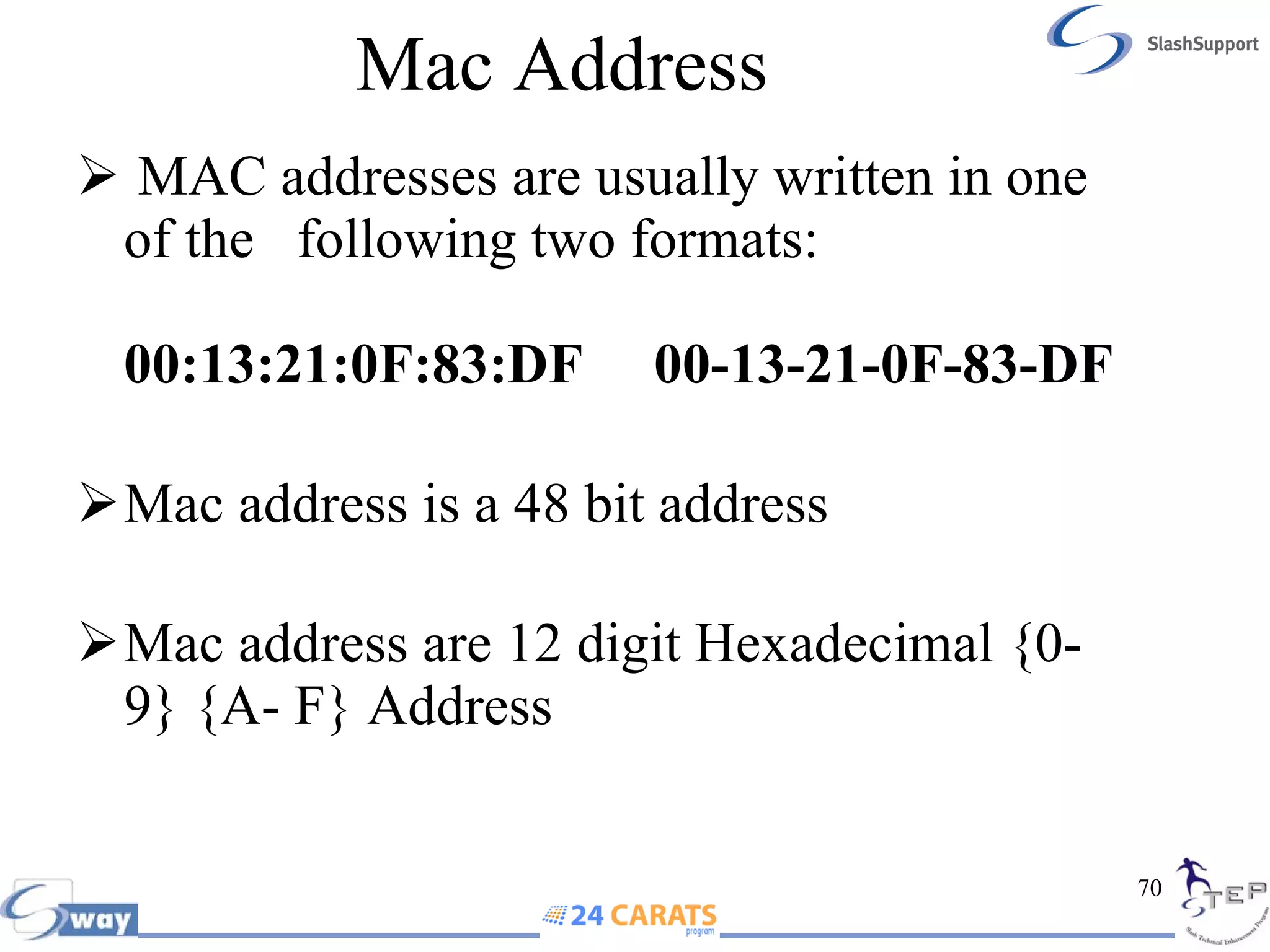
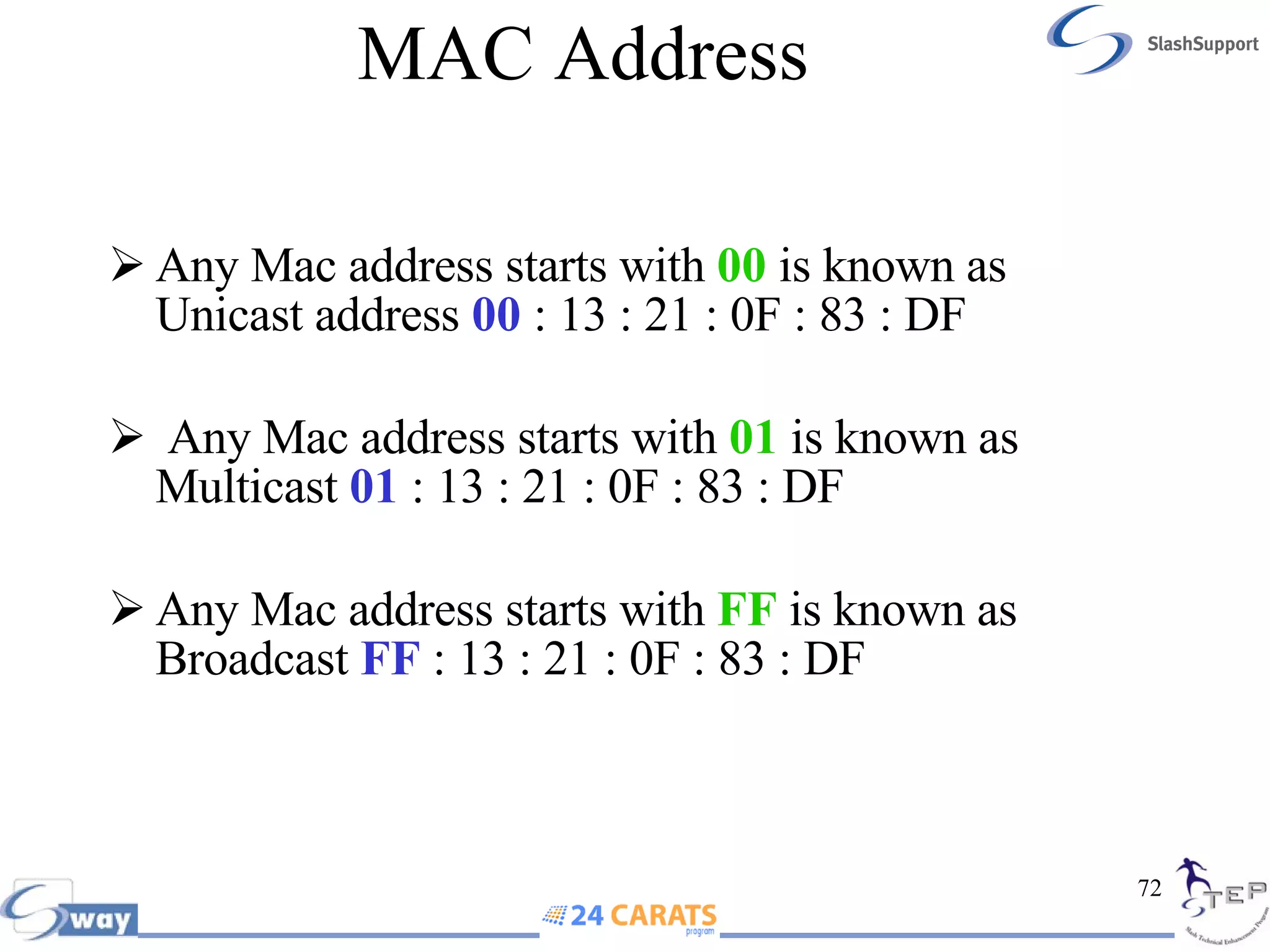
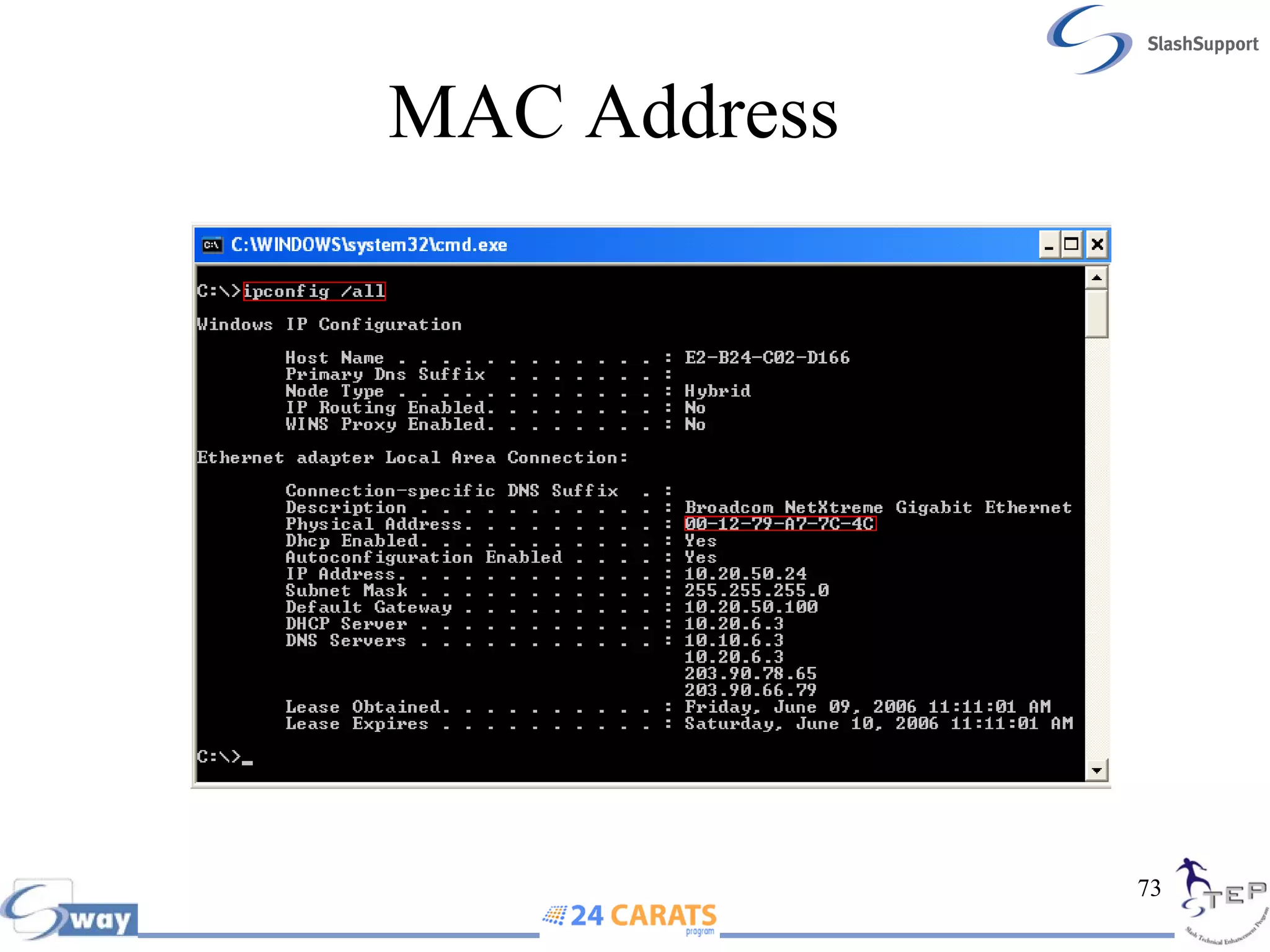
Mac Address  MAC addresses are usually written in one of the  following two formats: 00:13:21:0F:83:DF  00-13-21-0F-83-DF Mac address is a 48 bit address Mac address are 12 digit Hexadecimal {0-9} {A- F} Address
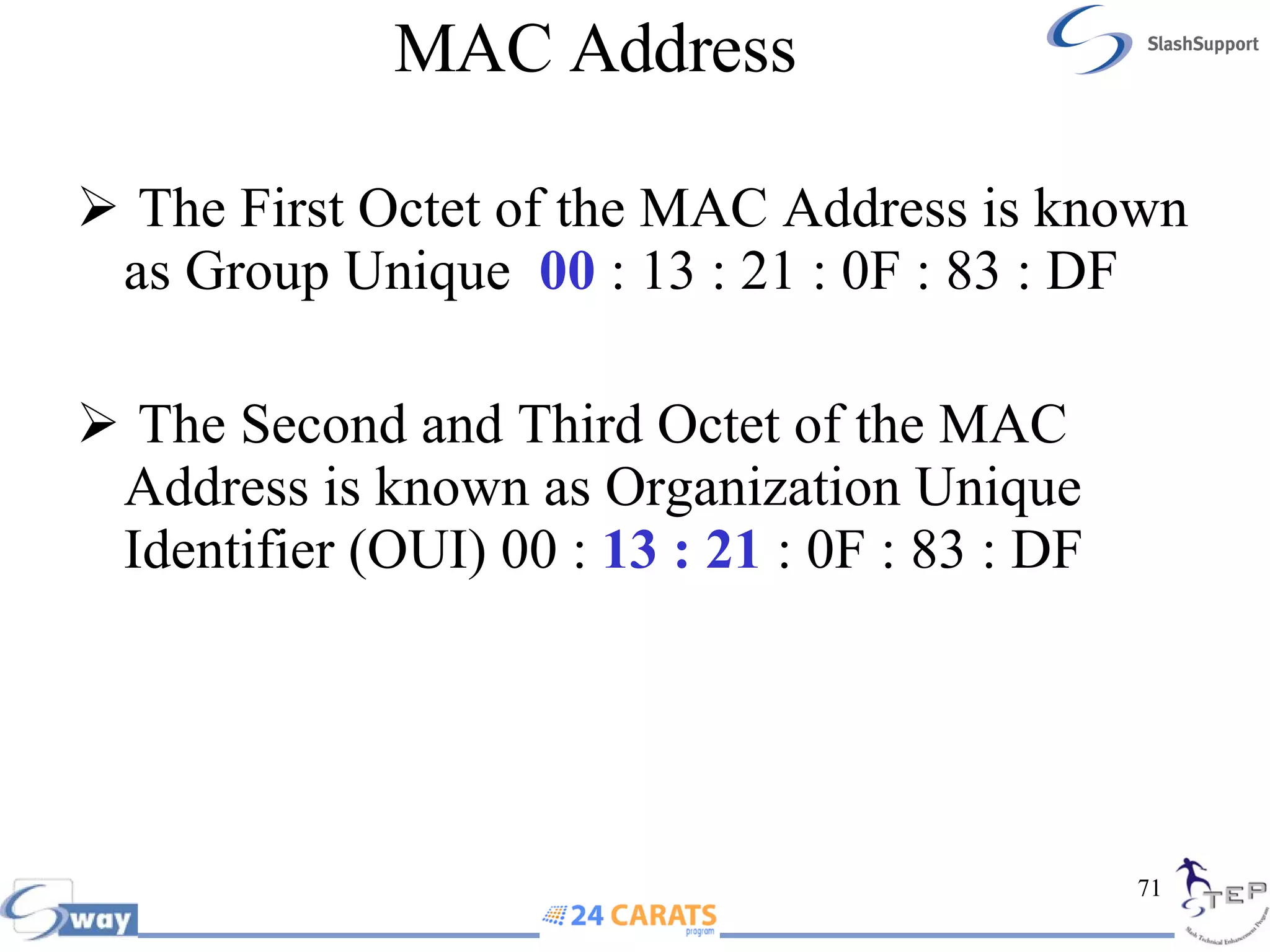
MAC Address  The First Octet of the MAC Address is known as Group Unique  00  : 13 : 21 : 0F : 83 : DF The Second and Third Octet of the MAC Address is known as Organization Unique Identifier (OUI) 00 :  13 : 21  : 0F : 83 : DF
MAC Address  Any Mac address starts with  00  is known as Unicast address  00  : 13 : 21 : 0F : 83 : DF Any Mac address starts with  01  is known as Multicast  01  : 13 : 21 : 0F : 83 : DF Any Mac address starts with  FF  is known as Broadcast  FF  : 13 : 21 : 0F : 83 : DF
MAC Address
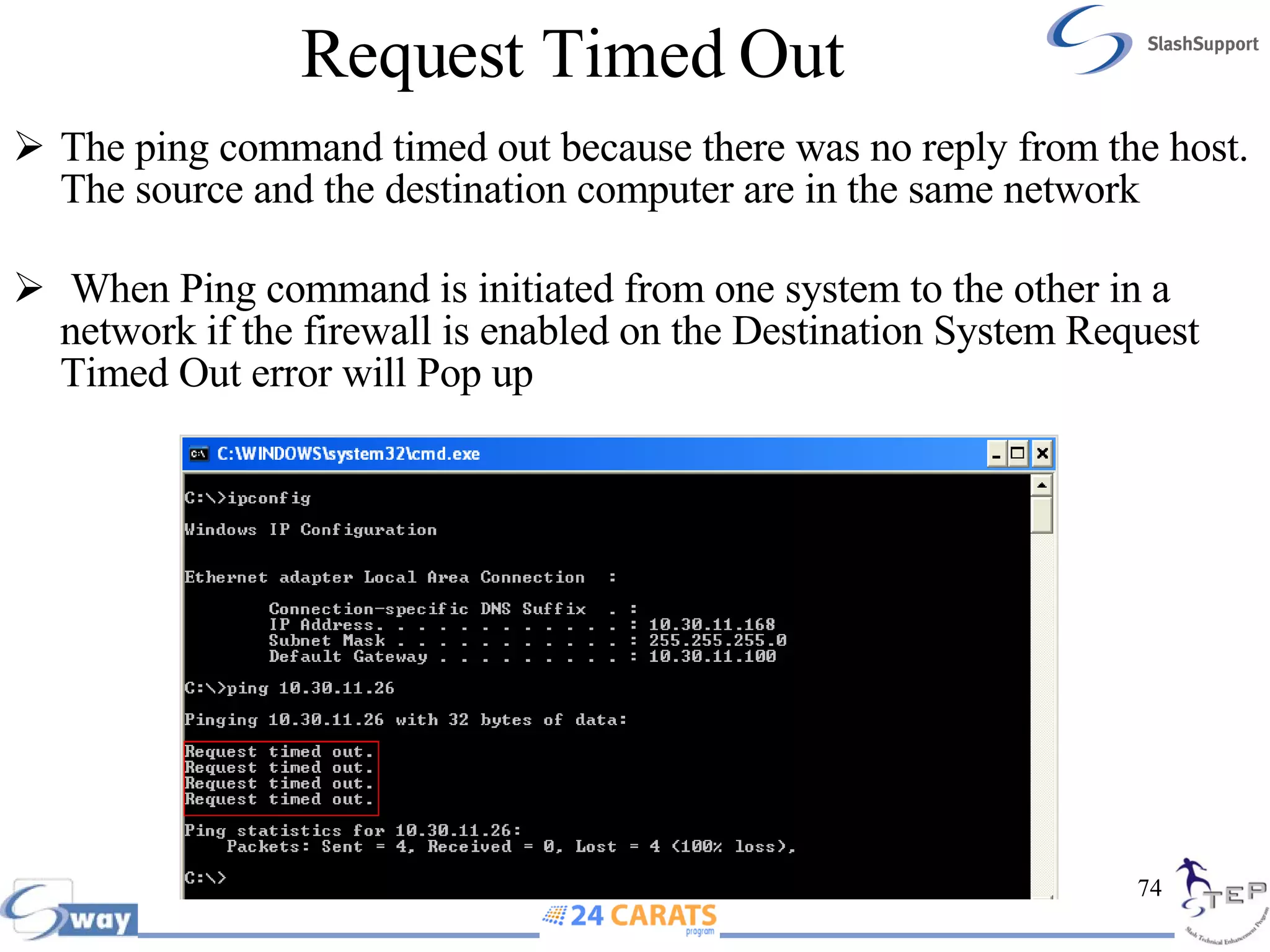
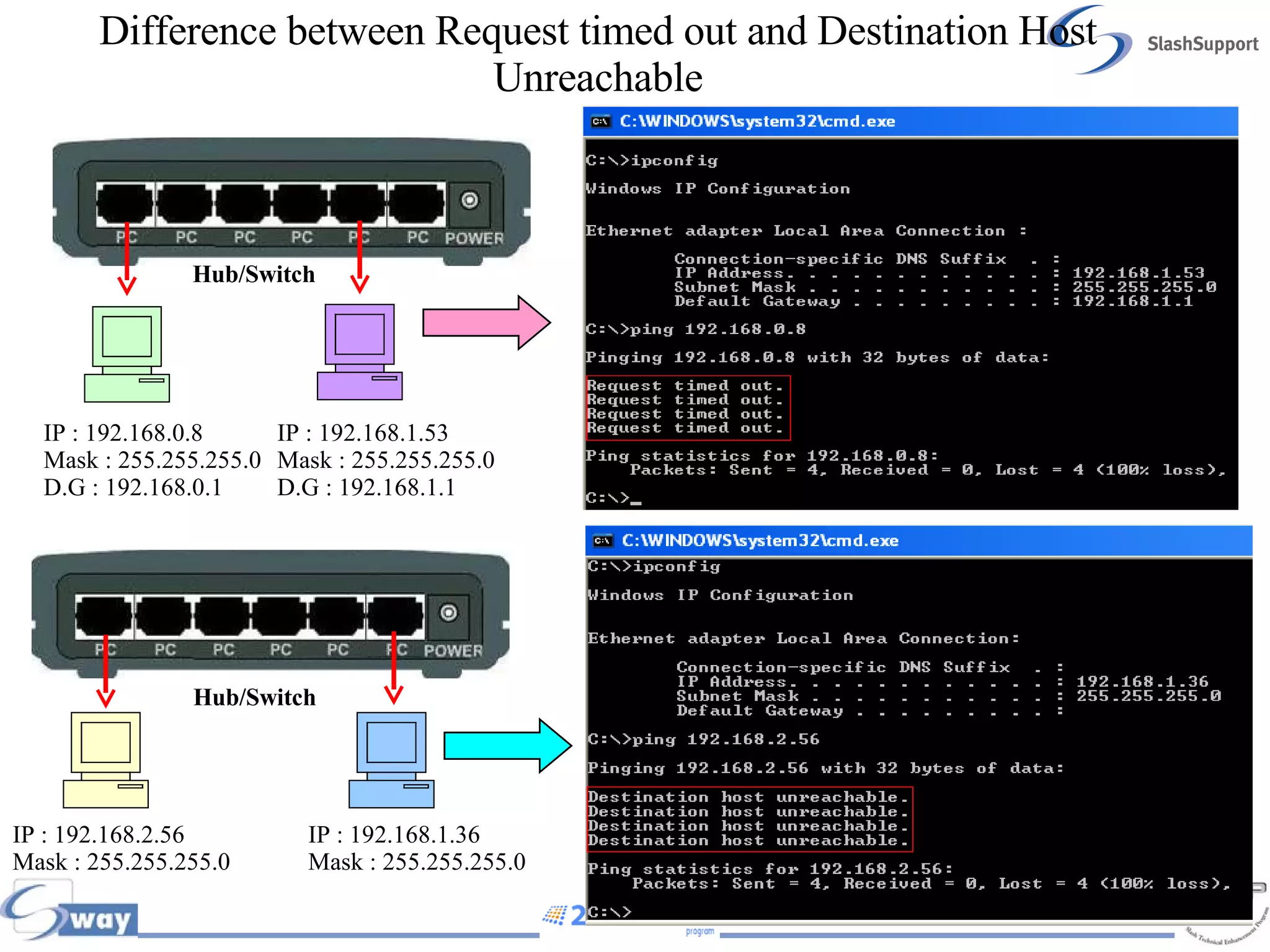
Request Timed Out The ping command timed out because there was no reply from the host. The source and the destination computer are in the same network When Ping command is initiated from one system to the other in a network if the firewall is enabled on the Destination System Request Timed Out error will Pop up
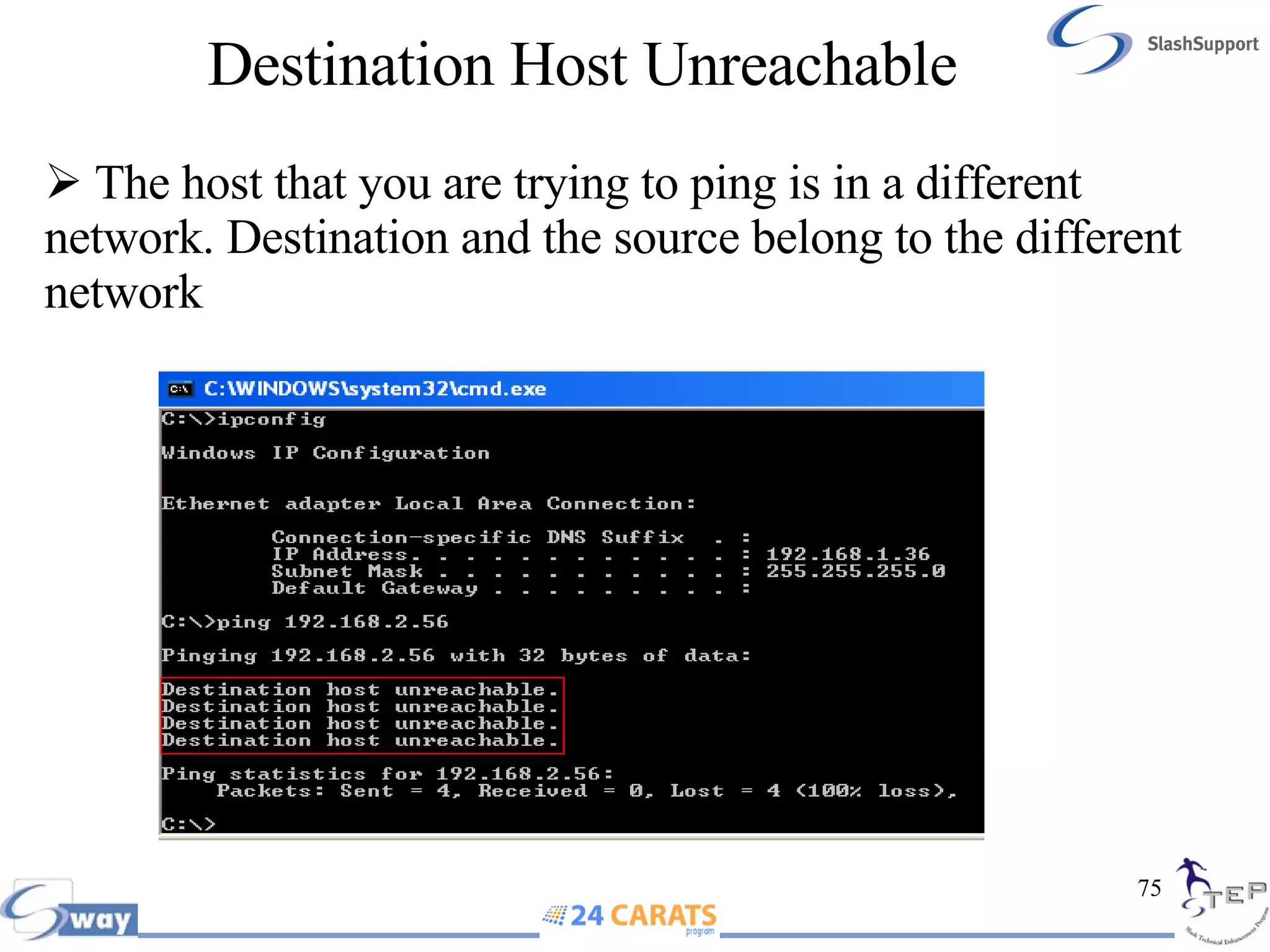
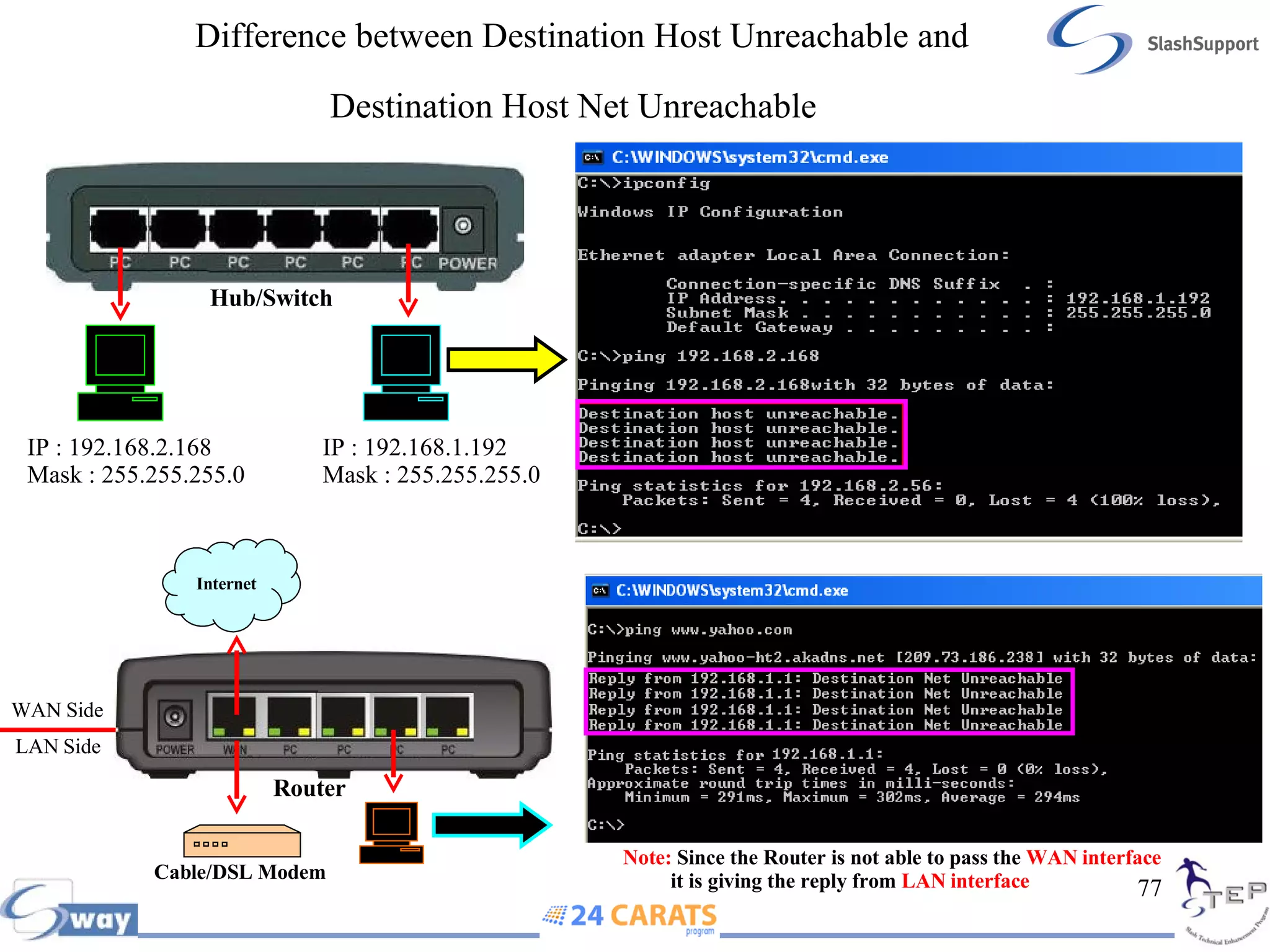
Destination Host Unreachable The host that you are trying to ping is in a different network. Destination and the source belong to the different network
Difference between Request timed out and Destination Host Unreachable IP : 192.168.1.53 Mask : 255.255.255.0 D.G : 192.168.1.1 IP : 192.168.0.8 Mask : 255.255.255.0 D.G : 192.168.0.1 IP : 192.168.2.56 Mask : 255.255.255.0 IP : 192.168.1.36 Mask : 255.255.255.0 Hub/Switch Hub/Switch
Difference between Destination Host Unreachable and Destination Host Net Unreachable   Cable/DSL Modem WAN Side LAN Side Note:  Since the Router is not able to pass the  WAN interface  it is giving the reply from  LAN interface IP : 192.168.2.168 Mask : 255.255.255.0 IP : 192.168.1.192 Mask : 255.255.255.0 Hub/Switch Router Internet
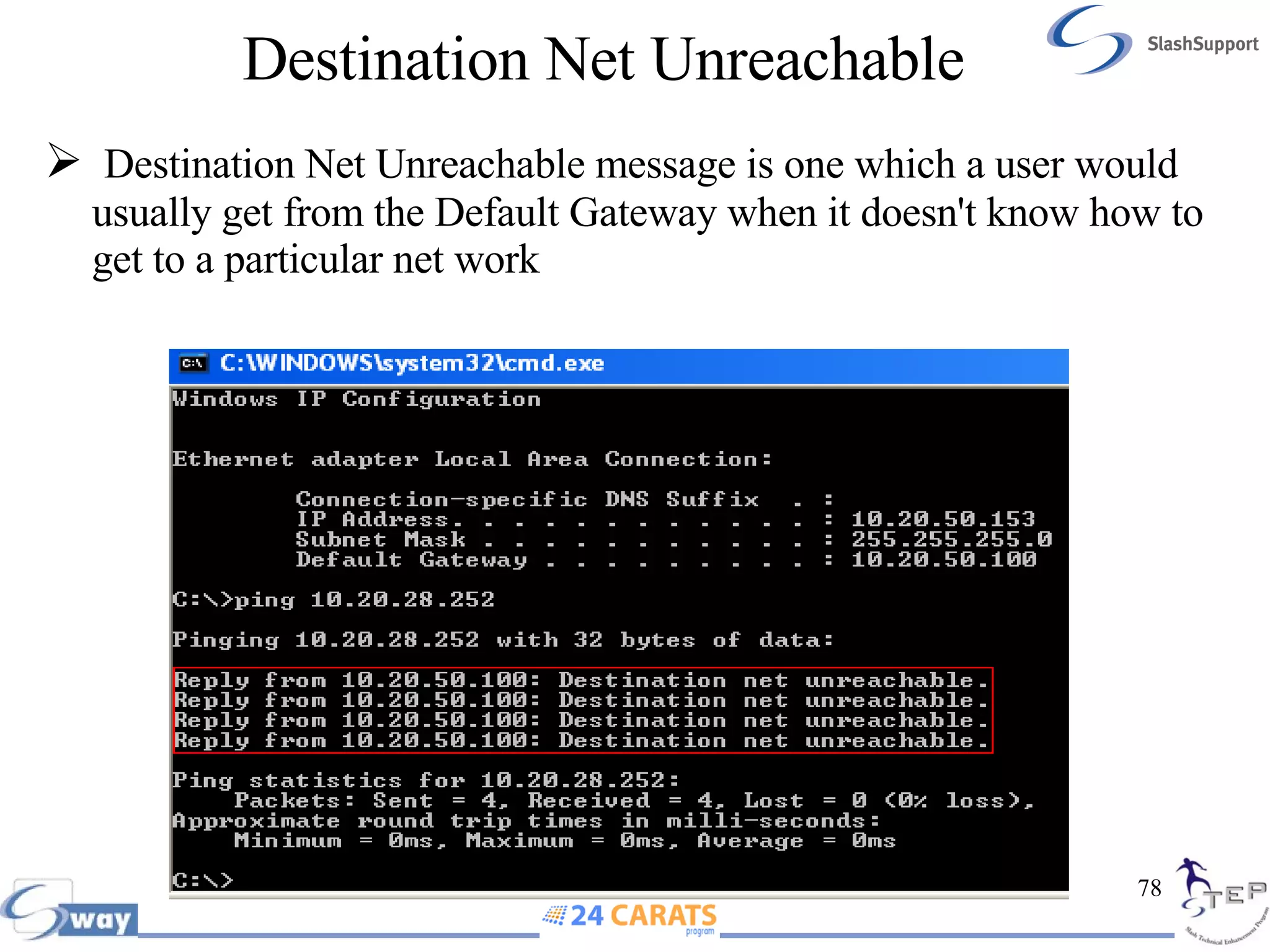
Destination Net Unreachable Destination Net Unreachable   message is one which a user would usually get from the Default Gateway when it doesn't know how to get to a particular net work
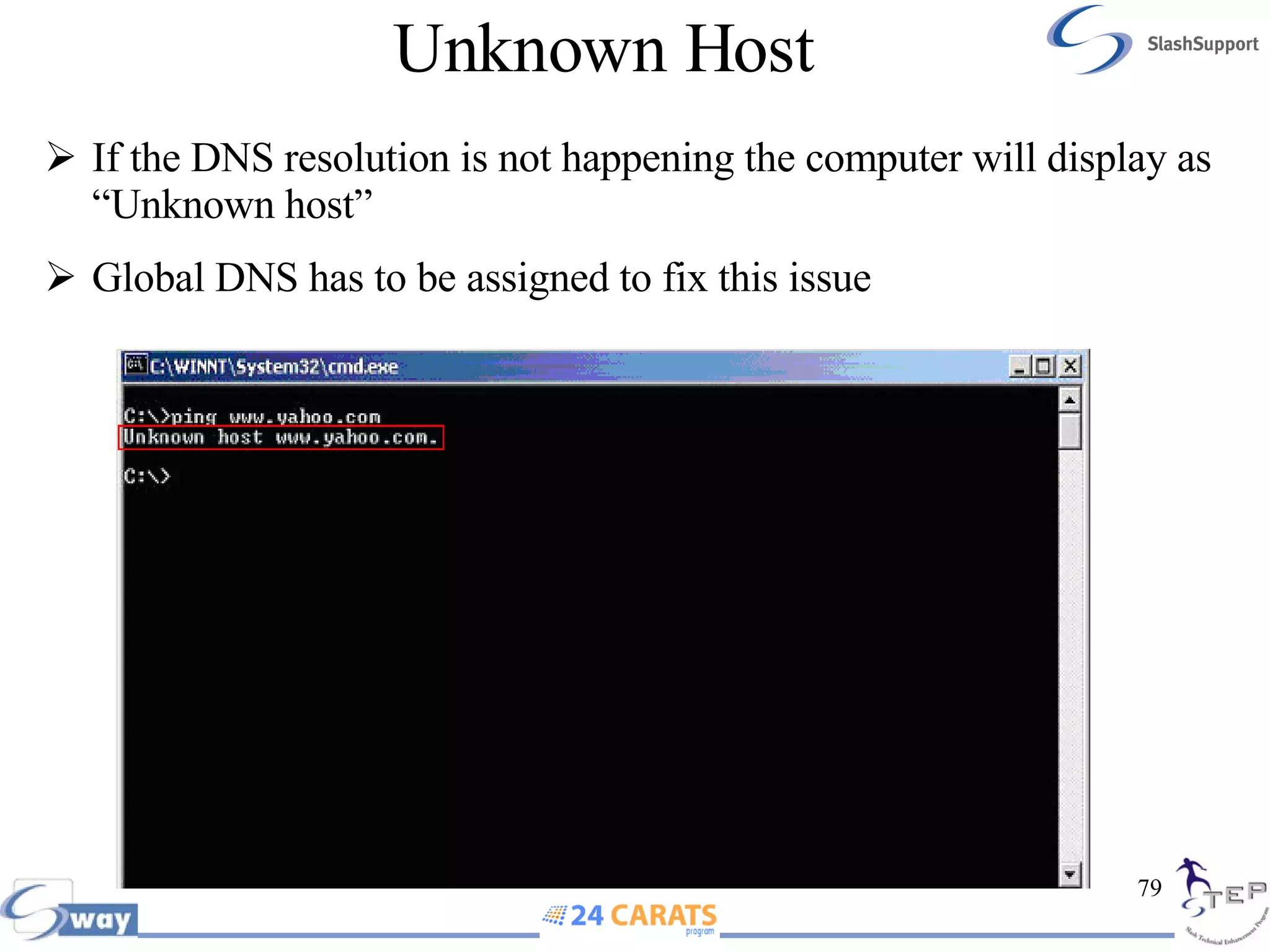
Unknown Host If the DNS resolution is not happening the computer will display as “Unknown host” Global DNS has to be assigned to fix this issue
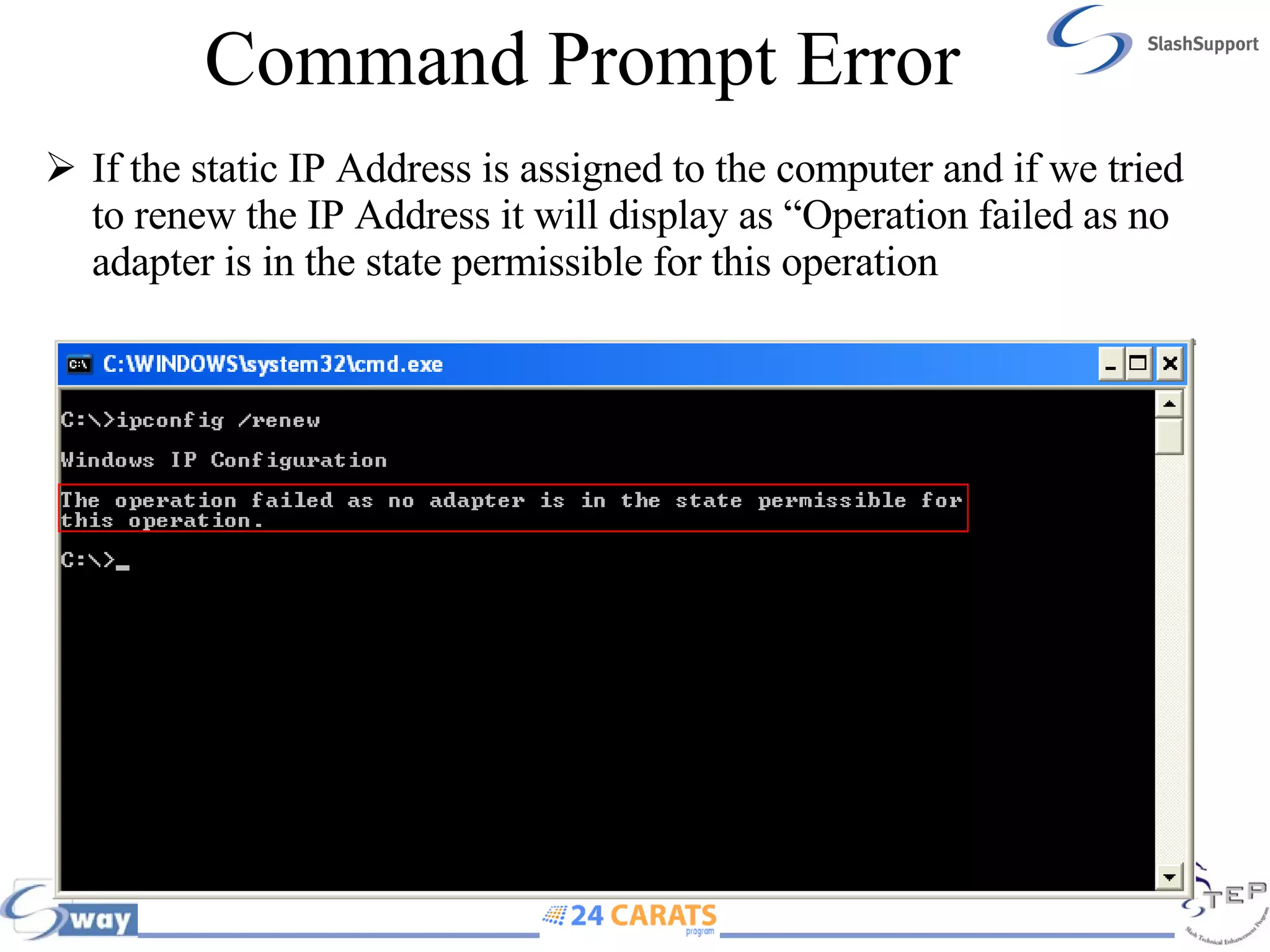
Command Prompt Error If the static IP Address is assigned to the computer and if we tried to renew the IP Address it will display as “Operation failed as no adapter is in the state permissible for this operation
Error Code 28 (Command Prompt Direct Firewall or PIX or Norton Internet Security Installed (NIS)
Error Code 65 (Command Prompt Anti Spy Ware or Zone Alarm in the Computer
Socket Error
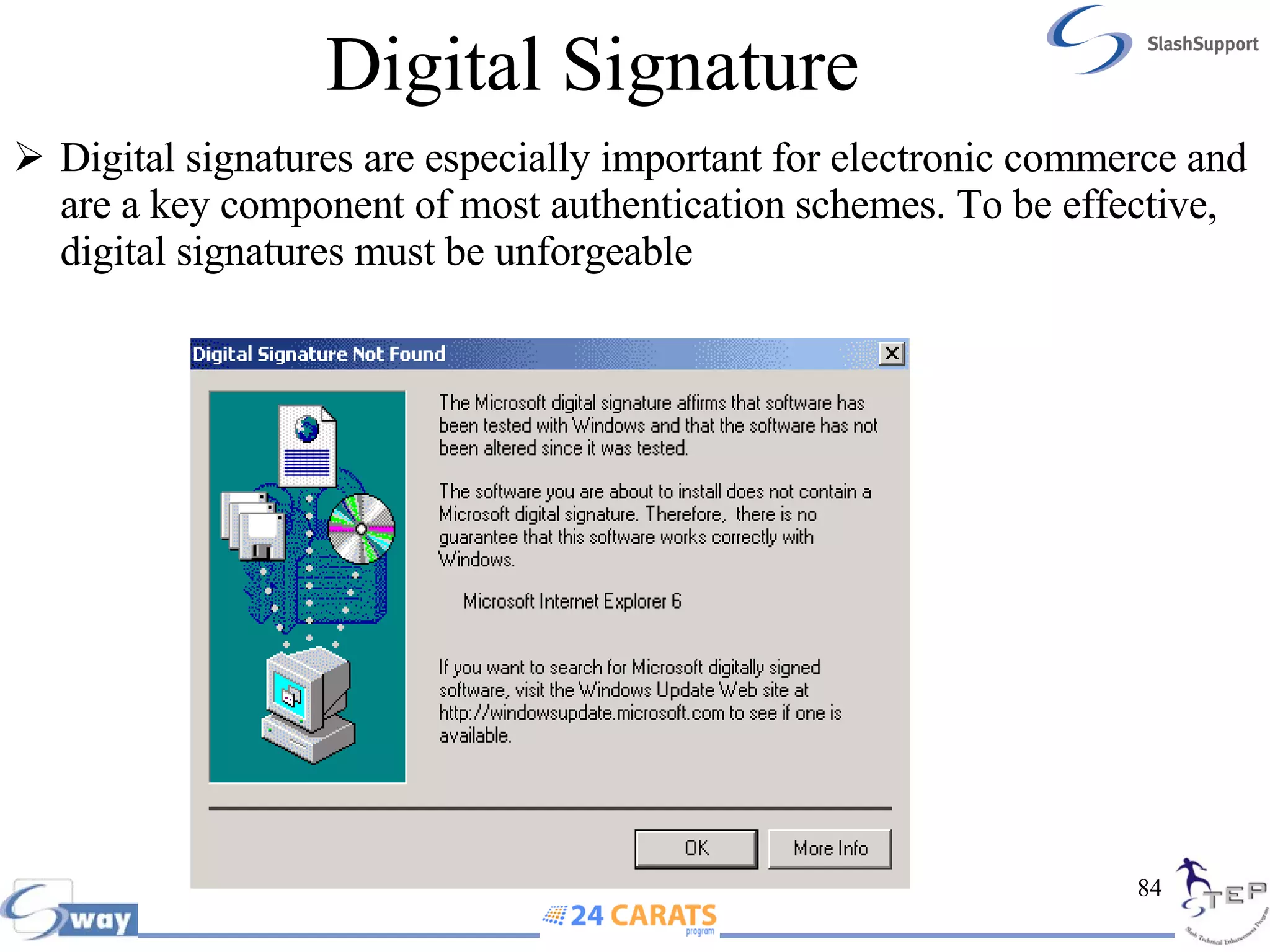
Digital Signature Digital signatures are especially important for electronic commerce and are a key component of most authentication schemes. To be effective, digital signatures must be unforgeable
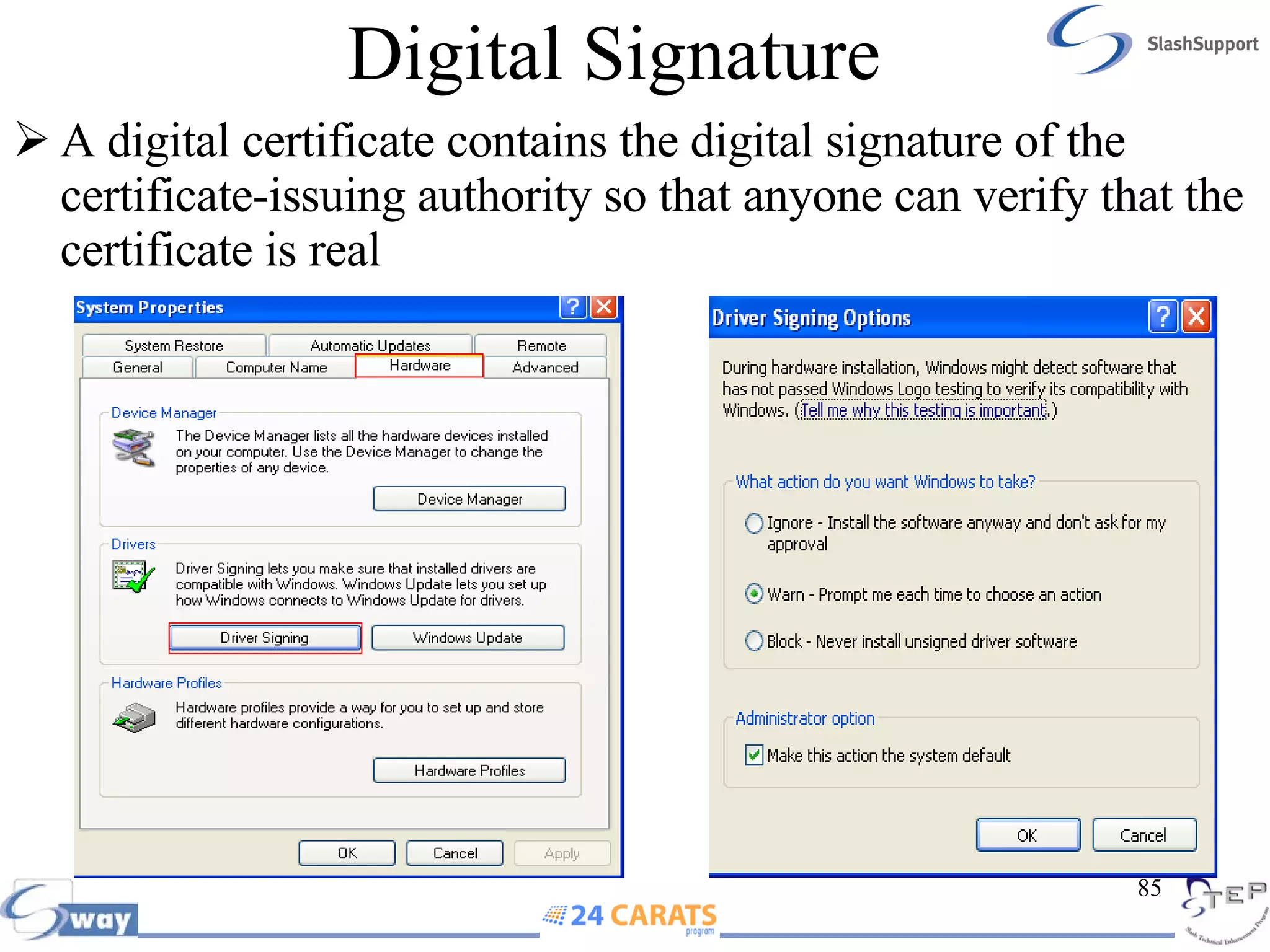
Digital Signature A digital certificate contains the digital signature of the certificate-issuing authority so that anyone can verify that the certificate is real
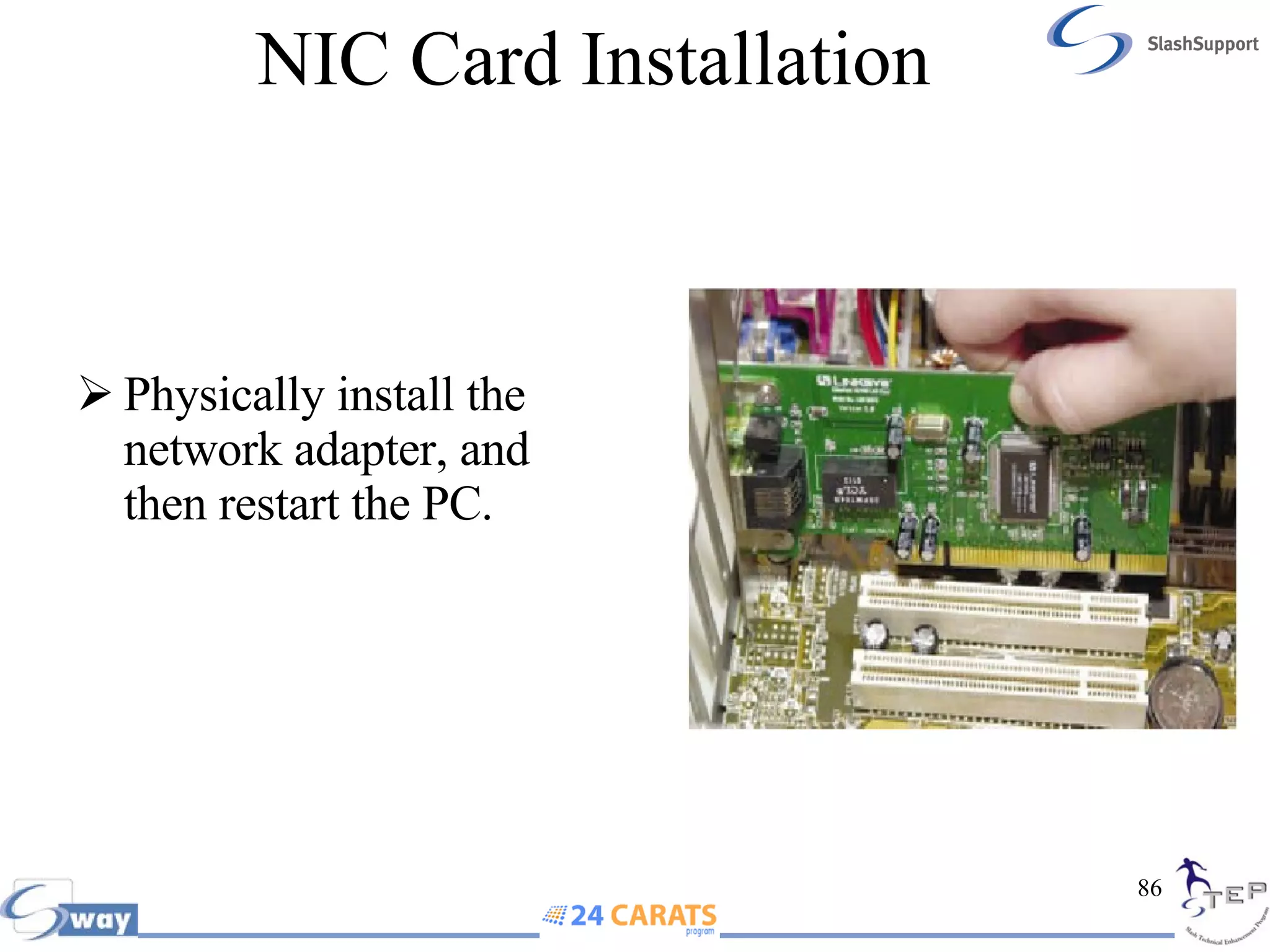
NIC Card Installation  Physically install the network adapter, and then restart the PC.
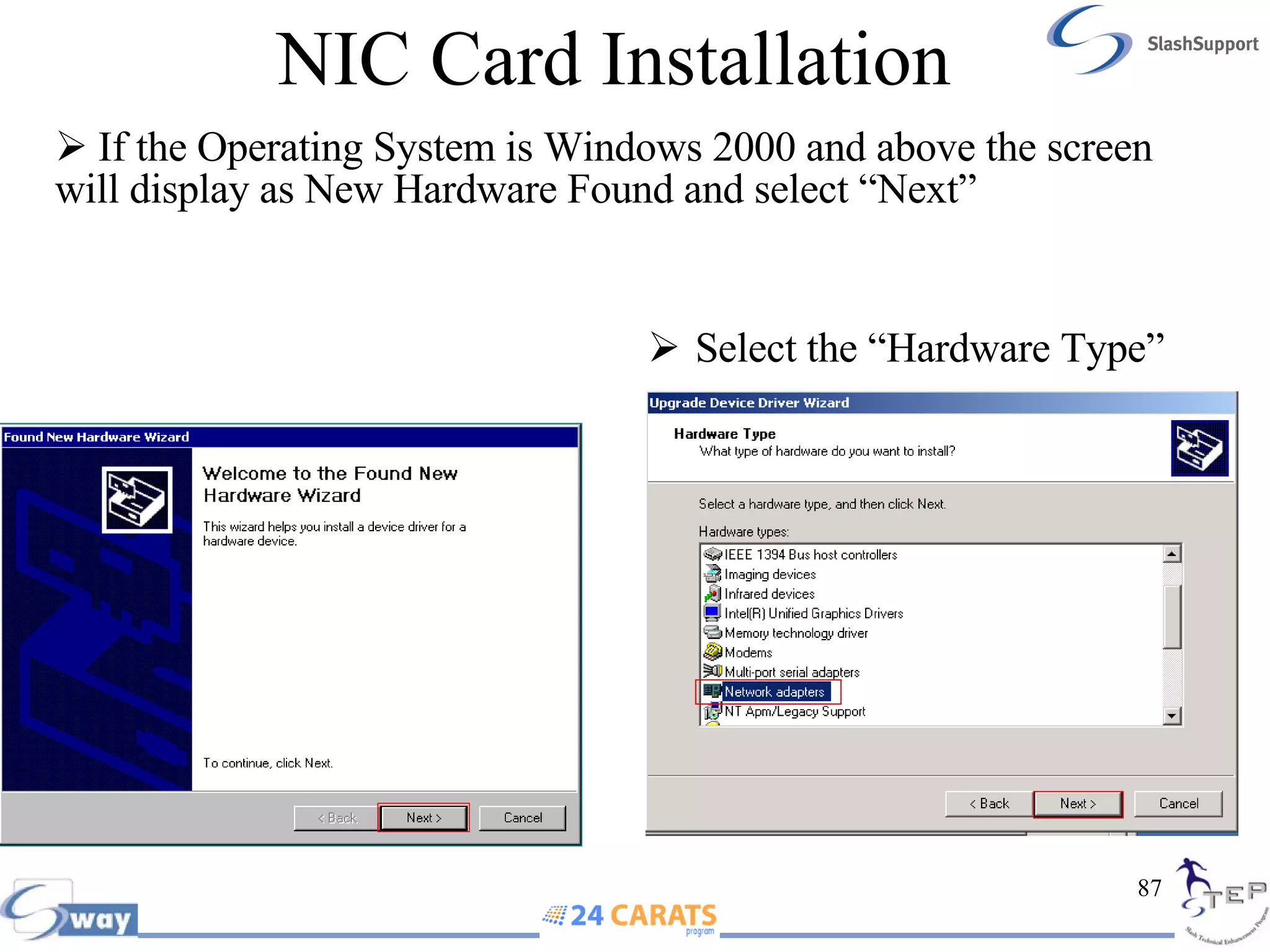
NIC Card Installation If the Operating System is Windows 2000 and above the screen will display as New Hardware Found and select “Next” Select the “Hardware Type”
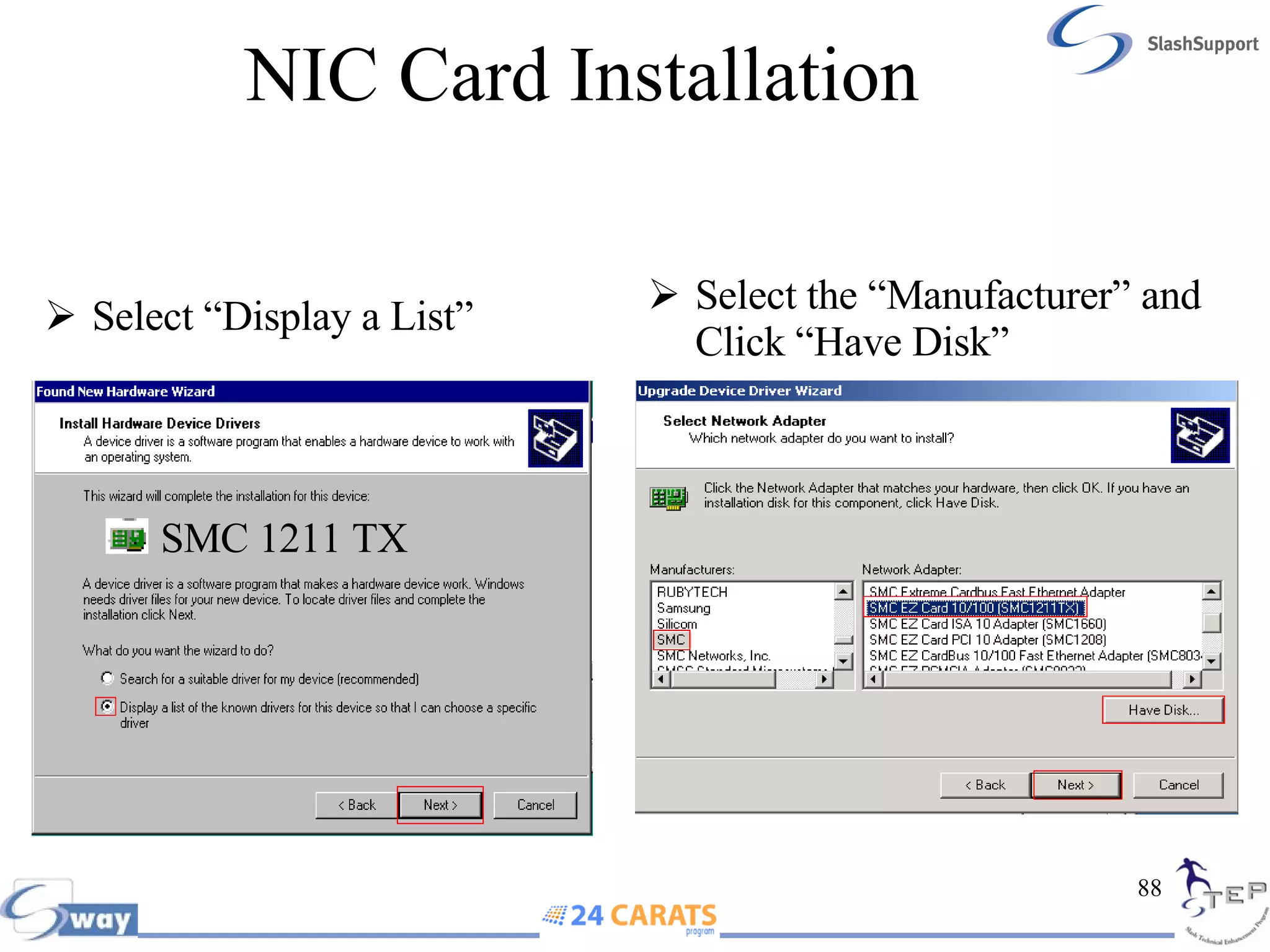
NIC Card Installation SMC 1211 TX Select “Display a List” Select the “Manufacturer” and Click “Have Disk”
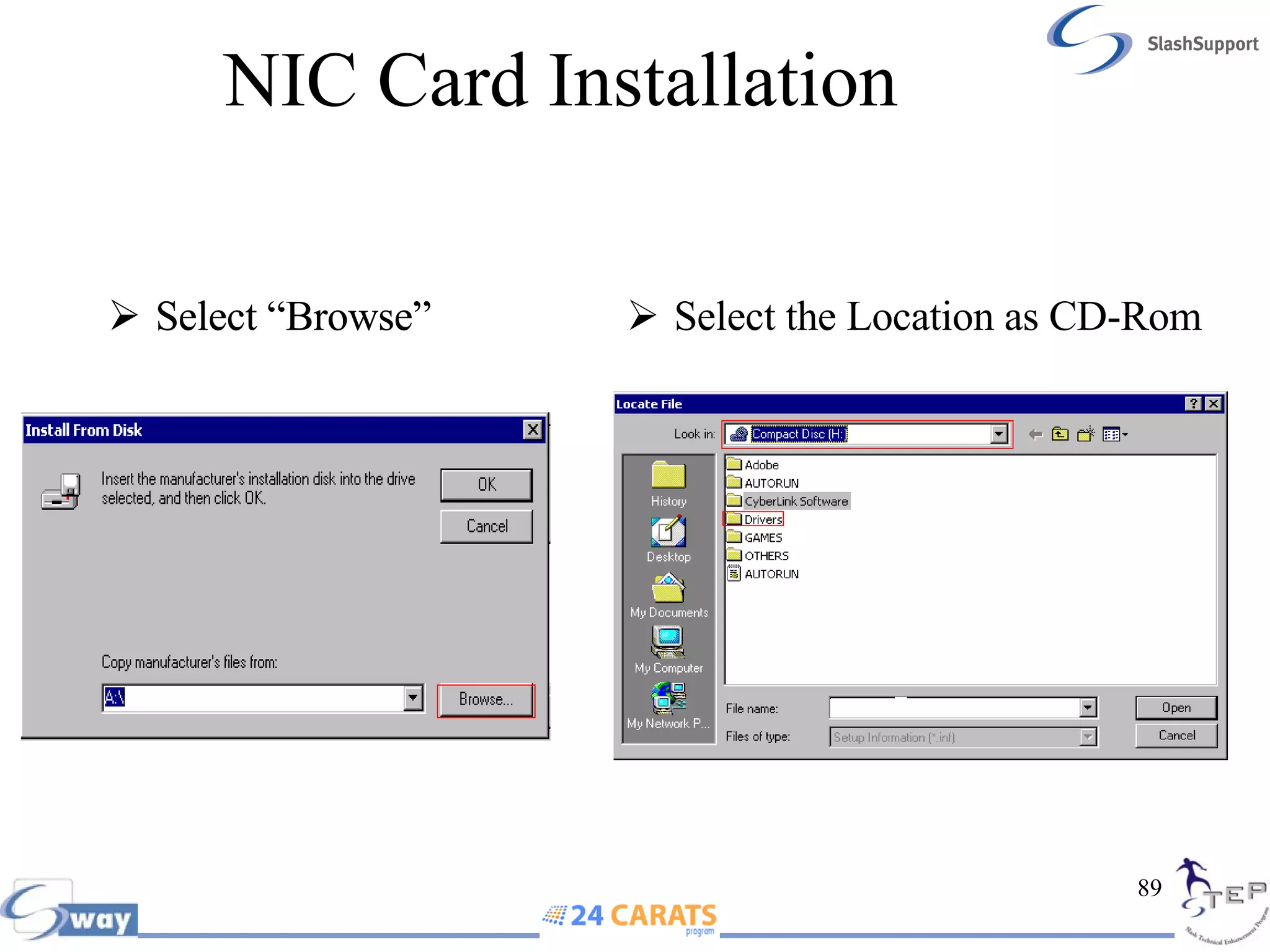
NIC Card Installation Select “Browse” Select the Location as CD-Rom  Select “Browse”
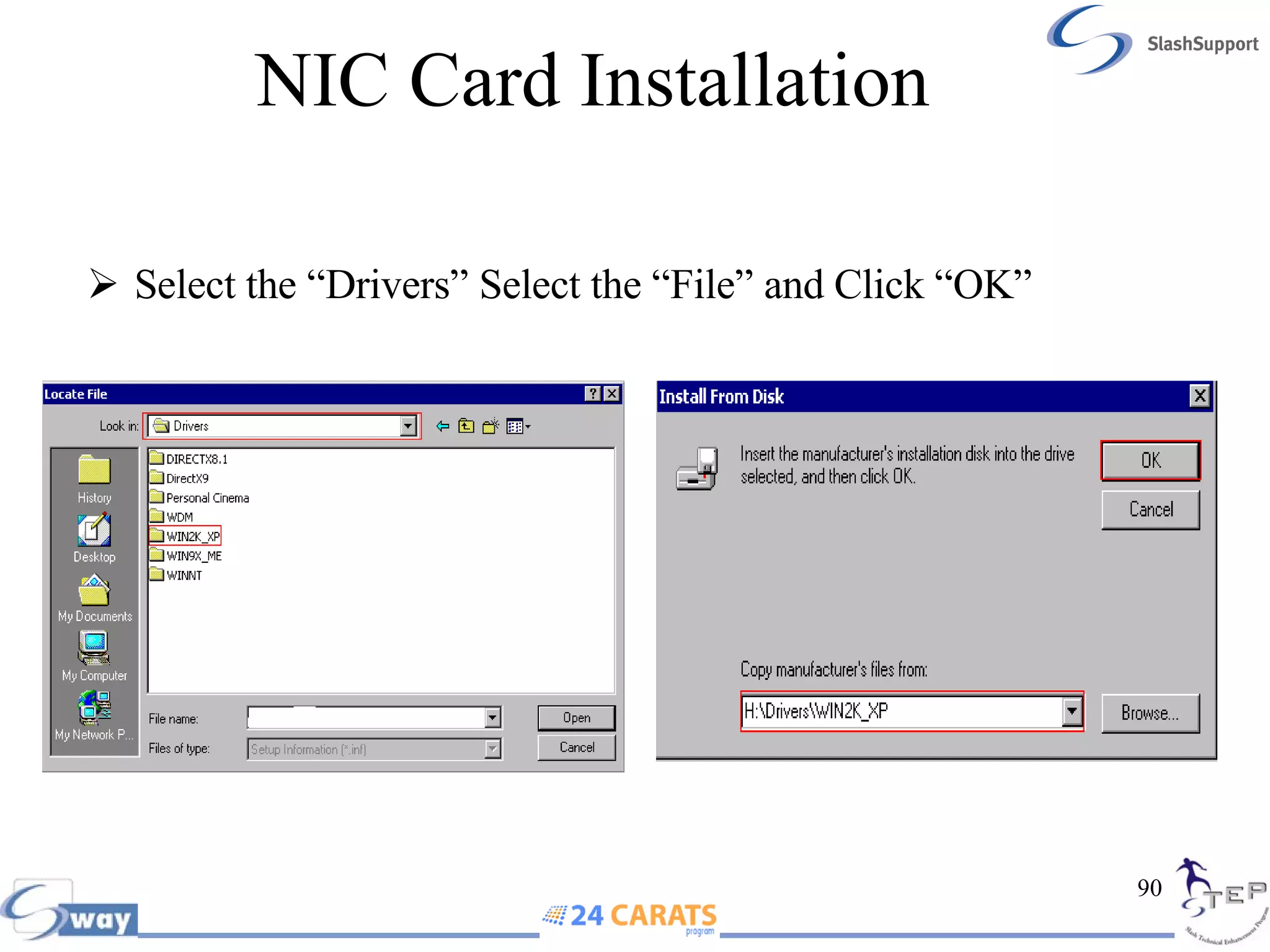
NIC Card Installation Select the “Drivers” Select the “File” and Click “OK”
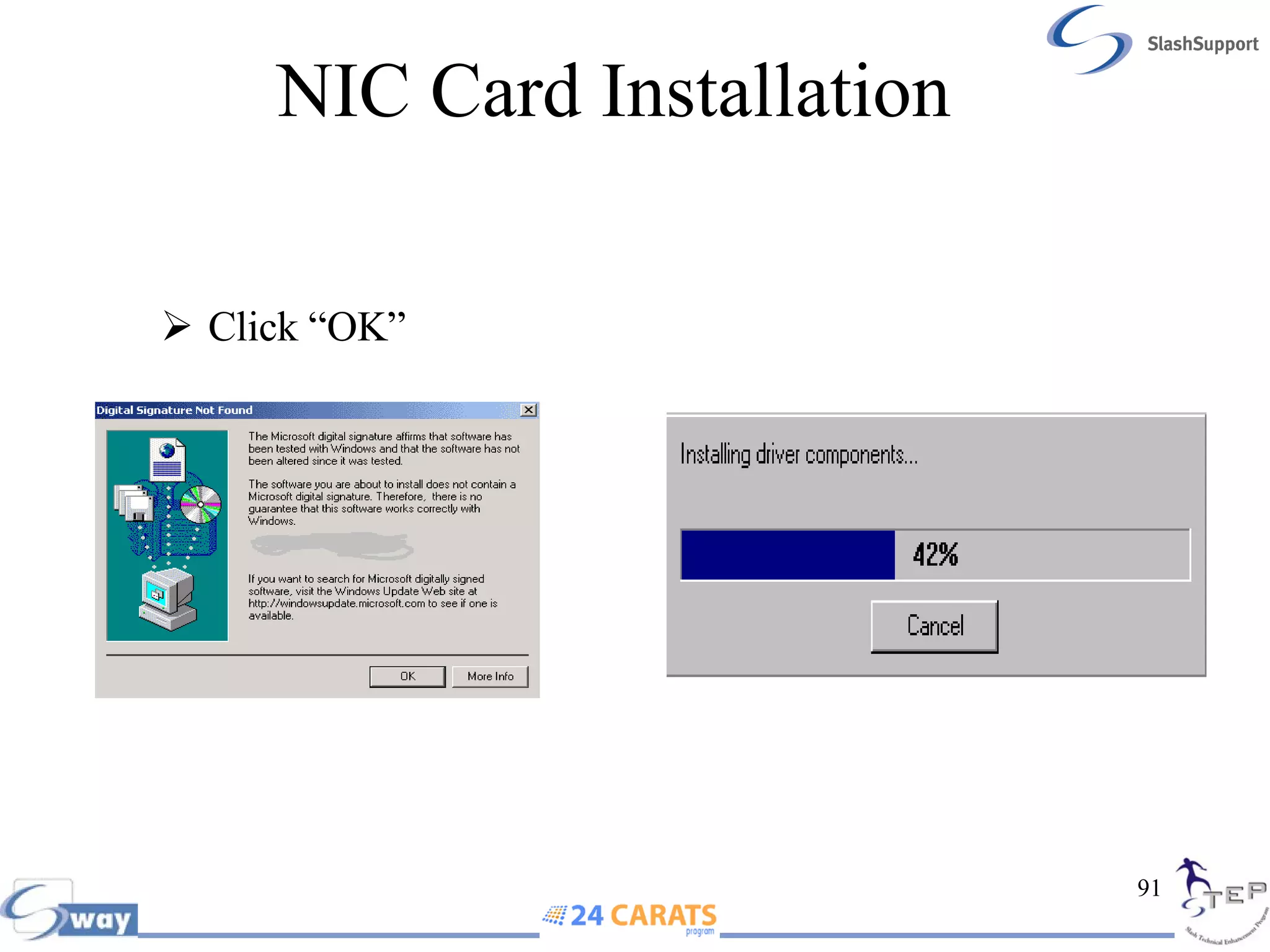
NIC Card Installation Click “OK”
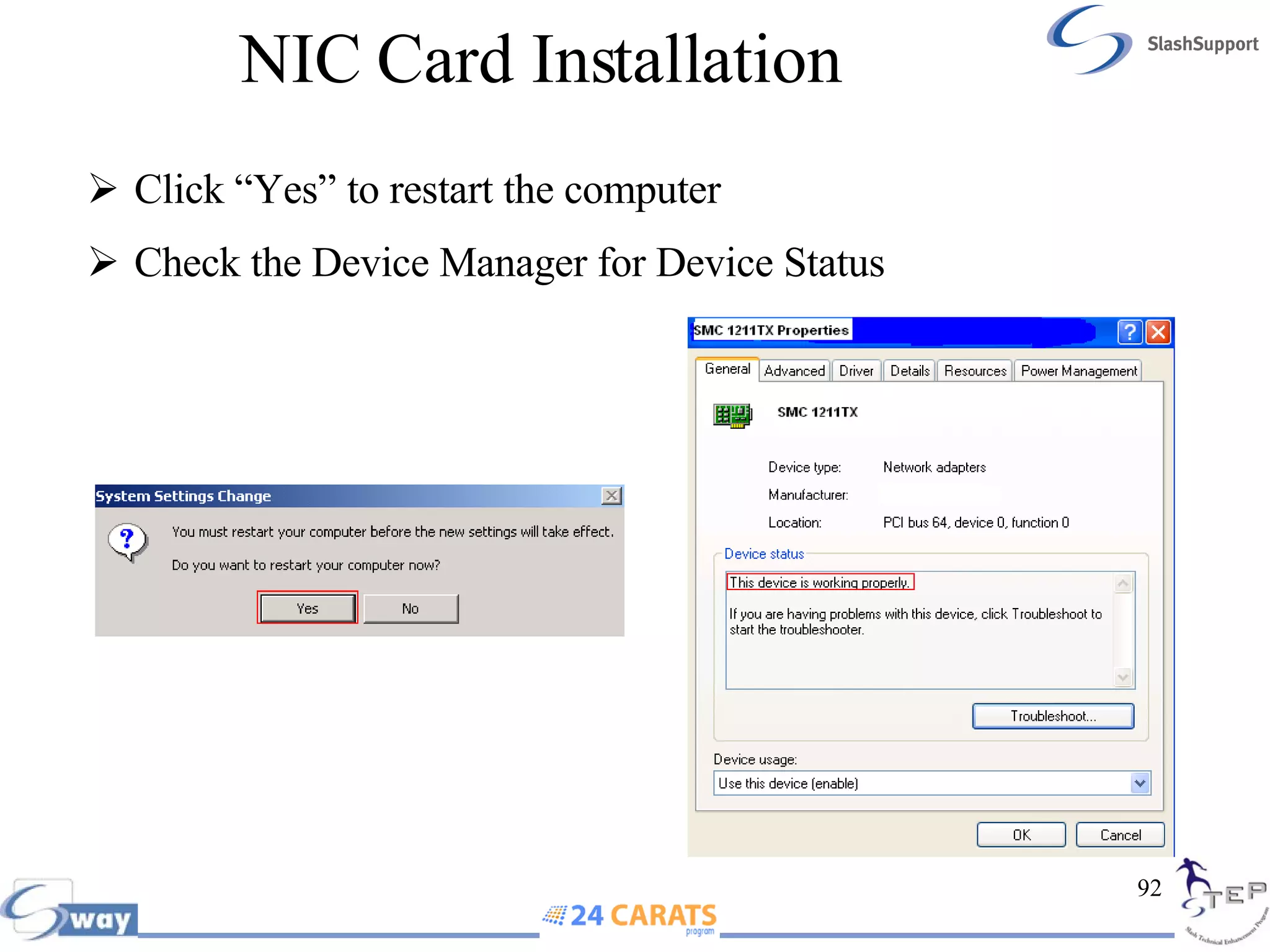
NIC Card Installation Click “Yes” to restart the computer Check the Device Manager for Device Status

Networking Basics

  • 1.
  • 2.
    Unicast Unicast isOne to One communication
  • 3.
    Multicast Multicastis One to Group Communication
  • 4.
    Broadcast Broadcast isOne to All Communication
  • 5.
    Topology A topologyis a description of any kind of locality in terms of its layout. In communication networks, a topology is a usually schematic description of the arrangement of a network, including its nodes and connecting lines The physical topology of a network describes the layout of the cables and workstations and the location of all network components Common Topology: Bus, Ring, Star and Mesh
  • 6.
    Bus Topology Ina bus topology, all computers are attached to a single continuous cable that is terminated at both ends, which is the simplest way to create a physical network Terminator
  • 7.
    Star Topology Unlikethose in a bus topology, each computer in a star topology is connected to a central point by a separate cable. The central point is a device known as a hub Although this setup uses more cable than a bus, a star topology is much more fault tolerant than a bus topology. This means that if a failure occurs along one of the cables connecting to the hub, only that portion of the network is affected, not the entire network. It also means that you can add new stations just by running a single new cable
  • 8.
    Ring Topology Inthe ring topology, each computer is connected directly to two other computers in the network. Data moves down a one-way path from one computer to another i.e. clock wise Laying out cable in a ring is that the cable design is simple. The bad news is that, as with bus topology, any break, such as adding or removing a computer, disrupts the entire network. Also, because you have to “break” the ring in order to add another station, it is very difficult to reconfigure without bringing down the whole network
  • 9.
    Ring Topology Note: Even though all computers are connected through a single cable, if there is a break all the computer connected to the ring topology will not work Example: If Machine A Wants to talk to Machine D The data can travel only Clock Wise If there is a break in the loop the data cannot be transferred A B C D
  • 10.
    Mesh Topology Ina mesh topology, a path exists from each station to every other station in the network. While not usually seen in LANs, a variation on this type of topology—the hybrid mesh—is used on the Internet and other WANs in a limited fashion. Hybrid mesh topology networks can have multiple connections between some locations, but this is done only for redundancy. Also, it is not a true mesh because there is not a connection between each and every node, just a few for backup purposes
  • 11.
    Coaxial Cable Coaxialcable consists of a central copper core surrounded by an insulator, a braided metal shielding, called braiding, and an outer cover, called the sheath or jacket EG : Cable TV network and Cable Modem use the coaxial cable
  • 12.
  • 13.
    Thicknet (10Base5) Thicknet cabling, also called thick wire Ethernet, is a rigid coaxial cable approximately 1-cm thick used for the original Ethernet networks.Thicknet is also called “yellow Ethernet” or “yellow garden hose.” IEEE designates Thicknet as 10Base5 Ethernet.The “10” represents its throughput of 10 Mbps, the “Base” stands for baseband transmission, and the “5” represents the maximum segment length of a Thicknet cable, which is 500 m. You may find this on older networks . Coaxial Cable Thicknet
  • 14.
    Thinnet (10base2) Thinnet,also known as thin Ethernet, was the most popular medium for Ethernet LANs in the 1980s. Thinnet is rarely used on modern networks, although you may encounter it on networks installed in the 1980s or on newer small office or home office LANs IEEE has designated Thinnet as 10Base2 Ethernet, with the “10” representing its data transmission rate of 10 Mbps, the “Base” representing the fact that it uses baseband transmission, and the “2” representing its maximum segment length of 185 (or roughly 200) m. Coaxial Cable Thinnet
  • 15.
    Twisted Pair (TP) Twisted-pair (TP) cable is similar to telephone wiring and consists of color-coded pairs of insulated copper wires. The more twists per inch in a pair of wires, the more resistant the pair will be to all forms of noise. Higher-quality, more expensive twisted-pair cable contains more twists per foot. The number of twists per meter or foot is known as the twist ratio.
  • 16.
    Twisted Pair (TP)Twisted-pair cable is the most common form of cabling found on LANs today. It’s inexpensive, flexible, and easy to install, and it can span a significant distance before requiring a repeater (though not as far as coax). Twisted-pair cable easily accommodates several different topologies, although it is most often implemented in star or star-hybrid topologies One drawback to twisted-pair is that, because of its flexibility, it is more prone to physical damage than coaxial cable. All twisted-pair cable falls into one of two categories: shielded twisted-pair (STP) or unshielded twisted-pair (UTP).
  • 17.
    Shielded Twisted-Pair (STP) As the name implies, shielded twisted-pair (STP) cable consists of twisted wire pairs that are not only individually insulated, but also surrounded by a shielding made of a metallic substance such as foil. Some STP use a braided metal shielding. The shielding acts as a barrier to external electromagnetic forces, thus preventing them from affecting the signals traveling over the wire inside the shielding. The shielding may be grounded to enhance its protective effect.
  • 18.
    Unshielded Twisted-Pair (UTP) Unshielded twisted-pair (UTP) cabling consists of one or more insulated wire pairs encased in a plastic sheath. As its name implies, UTP does not contain additional shielding for the twisted pairs. As a result, UTP is both less expensive and less resistant to noise than STP
  • 19.
    UTP Types DataRate upto 1000 Mbps Ethernet Cat 6 Data Rage upto 1000 Mbps Ethernet Cat 5e Date Rate up to 100 Mbps Ethernet – 16 for Token Ring Cat 5 Data Rate upto 16 Mbps – Token Ring Cat 4 Data Rate upto 10 Mbps – Token Ring & 10 Base – T Cat 3 Date Rage upto 4 Mbps – Token Ring Cat 2 Data Rate upto 1 Mbps – Telephone Line Cat 1 UTP CAT 1/2/3/4/5/6
  • 20.
    Fiber Optic A fiber-optic system is similar to the copper wire system that fiber-optics is replacing. The difference is that fiber-optics use light pulses to transmit information down fiber lines instead of using electronic pulses to transmit information down copper lines.
  • 21.
    Fiber Optic BandwidthUp to 100s of Gbps Distance (100 +KM) Three Types Single Mode Multi Mode Plastic Optical Fiber Mode
  • 22.
    Straight Through CablePin 1 Orange / White Pin 2 Orange Pin 3 Green / White Pin 4 Blue Pin 5 Blue/White Pin 6 Green Pin 7 Brown/White Pin 8 Brown 1 1 2 2 3 3 6 6 Pin 1 Orange / White Pin 2 Orange Pin 3 Green / White Pin 4 Blue Pin 5 Blue/White Pin 6 Green Pin 7 Brown/White Pin 8 Brown Pin number Wire color Wire Becomes Pin Number Wire color
  • 23.
    Straight Through Cable In a UTP implementation of a straight-through cable, the wires on both cable ends are in the same order You can determine that the wiring is a straight-through cable by holding both ends of the UTP cable side by side and seeing that the order of the wires on both ends is identical You can use a straight-through cable for dissimilar devices Connecting a router to a hub or switch Connecting a server to a hub or switch Connecting workstations to a hub or switch
  • 24.
    Cross Over Cable Pin 1 Green/White Pin 2 Green Pin 3 Orange/White Pin 4 Blue Pin 5 Blue/White Pin 6 Orange Pin 7 Brown/White Pin 8 Brown 1 3 2 6 3 1 6 2 Pin 1 Orange/White Pin 2 Orange Pin 3 Green / White Pin 4 Blue Pin 5 Blue/White Pin 6 Green Pin 7 Brown/White Pin 8 Brown Pin number Wire color Wire Becomes Pin Number Wire color
  • 25.
    Straight through /X- Over Cable The Transmit and Receive pins are shown above
  • 26.
    Cross Over CableIn the implementation of a crossover, the wires on each end of the cable are crossed Transmit to Receive and Receive to Transmit on each side, for both tip and ring Notice that pin 1 on one side connects to pin 3 on the other side, and pin 2 connects to pin 6 on the opposite end You can use a crossover cable for similar devices Connecting uplinks between switches Connecting hubs to switches Connecting a hub to another hub.
  • 27.
    Where to useStraight through and Cross Over Cable Similar Devices Cross Over Cable Dissimilar Devices Straight through Cable Hub / Switch PC PC PC
  • 28.
    Registered Jack (RJ)RJ-11 – Defined for telephone connectors RJ-45 – Defined for UTP connectors RJ 45 RJ 11
  • 29.
    Local Area Network(LAN) A computer network that spans a relatively small area. Most LANs are confined to a single building or group of buildings
  • 30.
    Wide Area Network(WAN) A computer network that spans a relatively large geographical area. Typically, a WAN consists of two or more local-area networks (LANs)
  • 31.
  • 32.
  • 33.
    Open System Internetconnect(OSI) The OSI model was designed to promote interoperability by creating a guideline for network data transmission between computers that have different hardware vendors, software, operating systems, and protocols
  • 34.
    OSI TheOSI reference model illustrates the networking process as being divided into seven layers. This theoretical construct makes it easier to learn and understand the concepts involved. At the top of the model is the application that requires access to a resource on the network, and at the bottom is the network medium itself As data moves down through the layers of the model, the various protocols operating there prepare and package it for transmission over the network. Once the data arrives at its destination, it moves up through the layers on the receiving system, where the same protocols perform the same process in reverse
  • 35.
    OSI OSIdeveloped by International Organization for Standardization (ISO) in 1974 It consists of Seven Layers Each layer has specific processing function
  • 36.
  • 37.
    Data communication withOSI How data travels through the layers of the OSI model Peer Communication Information flow Network Medium
  • 38.
    OSI In PhysicalLayer data will be converted into Binary (0’s & 1’&) It transmits raw bit stream over physical cable The Physical layer defines all the electrical and physical specifications for devices Physical Layer defines techniques to transfer bit stream to cable Hub and Repeater works in Physical Layer
  • 39.
    OSI Data LinkLayer handles data frames between the Network and Physical layers It Receives end packages raw data from the Physical layer into data frames for delivery to the Network layer as packets Error detection is happening in this layer Data link Layer is divided in to two layers: LLC (Logical Link Control) and MAC ( Media Access Control) Switch, Bridge and Network Interface card works in Data Link Layer
  • 40.
    OSI Network Layeris responsible for providing best path for data to reach the destination Logical addressing is happening in this layer Network Layer translates logical network address and names to their physical address (e.g. computer name = MAC address) Router works in Network Layer
  • 41.
    OSI Transport Layeris responsible for reliable delivery of data. It is also known as the heart of OSI layers Provides error-checking to guarantee error-free data delivery, with on losses or duplications Provides acknowledgment of successful transmissions; requests retransmission if some packets don’t arrive error-free The major function of the Transport Layer is Error Correction Identifying Service, Multiplexing & De-multiplexing and Segmentation are happening in this layer Brouter and Gateway works in Transport Layer
  • 42.
    Breaking data into Segments Data
  • 43.
    OSI Session Layeris responsible for establishing, maintaining and terminating session Responsible for name recognition (identification) so only the designated parties can participate in the session Manages who can transmit data at a certain time and for how long Provides synchronization services by planning check points in the data stream if session fails, only data after the most recent checkpoint need be transmitted Gateway works in Session Layer
  • 44.
    OSI Presentation layeris responsible for presenting the data in a standard format and data translation (formatting) The Presentation layer relieves the Application layer of concern regarding syntactical differences in a message's data representation within the end-user systems Following tasks are performed in Presentation Layer: Encoding – Decoding Encryption – Decryption Compression – Decompression Gateway Works in Presentation Layer
  • 45.
    OSI Application Layerprovides the operating system with direct access to network services Application layer provides an interface so that processes such as Excel or Word that are running on the local machine can get access to network services (E.G., retrieving a file from a network server) Handles network access, flow control and error recovery It serves as the interface between the user and the network It’s a user specific layer Gateway works in Application layer
  • 46.
    OSI DataFlow in OSI HUB Switch Router Gateway
  • 47.
  • 48.
    OSI OSILayers TCP/IP Layers
  • 49.
    IP Addressing InternetProtocol Address is given to the computer as an identifier to a computer in a TCP/IP Network IP Address is also known as Logical Address IP Address works in Layer 3 (Network) Two versions of IP Addressing IP Version 4 - 32 bit address (Currently we are using) IP Version 6 - 128 bit address
  • 50.
    IP Addressing IP Address is divided in to Network Portion and Host Portion Class A is written as N. H.H.H Class B is written as N.N. H.H Class C is written as N.N.N. H
  • 51.
  • 52.
    IP Address Class A 1 - 126 Class B 128 - 191 Class C 192 - 223 Class D 224 - 239 Class E 240 - 254 Class Range Widely Used Multicast Research & Development
  • 53.
    IP Addressing PrivateIP Address Range 16,77,214 65,534 254 126 16,384 2,097,152 24 16 8 8 16 24 1 - 126 128 -191 192 - 223 0 10 110 A B C Number of Hosts Number of Networks Host ID Bits Network ID Bits First Byte Values First Bits Class 192.168.0.0 through 192.168.255.255 C 172.16.0.0 through 172.31.255.255 B 10.0.0.0 through 10.255.255.255 A Network Address Class
  • 54.
    IP Addressing LoopBack Address: The IP address 127.0.0.1 is used as the loop back address. This means that it is used by the host computer to send a message back to itself. It is commonly used for troubleshooting and network testing
  • 55.
    IP Addressing Loop Back address is also known as semi broad cast address Range of Loop back address : 127.0.0.1 to 127.255.255.254 Any IP address starts with 127 is known as loop back address Click Start  Run  Type cmd  Ping 127.56.26.36
  • 56.
    Subnet Mask Class Default Subnet Mask Class A is written as 255. 0.0.0 N. H.H.H Class B is written as 255.255. 0.0 N.N. H.H Class C is written as 255.255.255. 0 N.N.N. H Subnet Mask is to differentiate the Network ID and Host ID Two numbers reserved for Subnet Mask i.e. 0 & 255 0 Denotes Host and 255 Denotes Network
  • 57.
    Subnet Mask IPAddress : 10.20.50.26 Subnet Mask : 255. 0.0.0 For this IP Address : Network ID is : 10. 0.0.0 First Valid IP Address : 10. 0.0.1 Last Valid IP Address : 10. 255.255.254 Broad Cast Address : 10. 255.255.255 Number of hosts = ( 256x256x256 ) -2
  • 58.
    Subnet Mask IPAddress : 10.20.50.26 Subnet Mask : 255.255. 0.0 For this IP Address : Network ID is : 10.20. 0.0 First Valid IP Address : 10.20. 0.1 Last Valid IP Address : 10.20. 255.254 Broad Cast Address : 10.20. 255.255 Number of hosts = ( 256x256 ) – 2
  • 59.
    Subnet Mask IPAddress : 10.20.50.26 Subnet Mask : 255.255.255 .0 For this IP Address : Network ID is : 10.20.50. 0 First Valid IP Address : 10.20.50. 1 Last Valid IP Address : 10.20.50. 254 Broad Cast Address : 10.20.50. 255 Number of hosts = ( 256 ) – 2
  • 60.
    Subnet Mask IP Address 172.26.28.36 Subnet Mask : 255 .0.0.0 For this IP Address: Network ID is : 172. 0.0.0 First Valid IP Address : 172. 0.0.1 Last Valid IP Address : 172. 255.255.254 Broad Cast Address : 172. 255.255.255 Number of hosts = ( 256x256x256 ) -2
  • 61.
    Subnet Mask IPAddress 172.26.28.36 Subnet Mask : 255.255. 0.0 For this IP Address: Network ID is : 172.26. 0.0 First Valid IP Address : 172.26. 0.1 Last Valid IP Address : 172.26. 255.254 Broad Cast Address : 172.26. 255.255 Number of hosts = ( 256x256 ) – 2
  • 62.
    Subnet Mask IPAddress 172.26.28.36 Subnet Mask 255.255.255. 0 For this IP Address: Network ID is : 172.26.28. 0 First Valid IP Address : 172.26.28. 1 Last Valid IP Address : 172.26.28. 254 Broad Cast Address : 172.26.28. 255 Number of hosts = ( 256 ) – 2
  • 63.
    Subnet Mask IPAddress 192.168.0.152 Subnet Mask 255. 0.0.0 For this IP Address: Network ID is : 192. 0.0.0 First Valid IP Address : 192. 0.0.1 Last Valid IP Address : 192. 255.255.254 Broad Cast Address : 192. 255.255.255 Number of hosts = ( 256x256x256 ) -2
  • 64.
    Subnet Mask IPAddress 192.168.0.152 Subnet Mask 255.255. 0.0 For this IP Address: Network ID is : 192.168. 0.0 First Valid IP Address : 192.168. 0.1 Last Valid IP Address : 192.168. 255.254 Broad Cast Address : 192.168. 255.255 Number of hosts = ( 256x256 ) – 2
  • 65.
    Subnet Mask Forthis IP Address: Network ID is : 192.168.0. 0 First Valid IP Address : 192.168.0. 1 Last Valid IP Address : 192.168.0. 254 Broad Cast Address : 192.168.0. 255 Number of hosts = ( 256 ) – 2 IP Address 192.168.0.152 Subnet Mask 255.255.255. 0
  • 66.
    Broadcast Address Messages that are intended for all computers on a network are sent as broadcasts These messages always use the IP address 255.255.255.255 Any IP Address with last Octet as 255 is known as broadcast address for that particular network E.g.: 10.255.255.255 The IP address of 0.0.0.0 is used for the default network
  • 67.
    How to assignstatic IP address and Subnet Mask High light Local Area Connection  Right Click  Select Properties Select Internet Protocol (TCP/IP) and select “Properties”
  • 68.
    How to assignstatic IP address and Subnet Mask When ever you assign a Static IP Address it’s Mandatory to assign static DNS For Windows 2000 and above Subnet Mask will be automatically assigned by the computer with the help of Network ID
  • 69.
    Mac Address TheMedia Access Control address (MAC) can be equated to the serial number of the NIC. Every IP packet is sent out of your NIC wrapped inside an Ethernet frame which uses MAC addresses to direct traffic on your locally attached network MAC addresses therefore only have significance on the locally attached network. As the packet hops across the Internet, its source/destination IP address stays the same, but the MAC addresses are reassigned by each router on the way using a process called ARP
  • 70.
    Mac Address MAC addresses are usually written in one of the following two formats: 00:13:21:0F:83:DF 00-13-21-0F-83-DF Mac address is a 48 bit address Mac address are 12 digit Hexadecimal {0-9} {A- F} Address
  • 71.
    MAC Address The First Octet of the MAC Address is known as Group Unique 00 : 13 : 21 : 0F : 83 : DF The Second and Third Octet of the MAC Address is known as Organization Unique Identifier (OUI) 00 : 13 : 21 : 0F : 83 : DF
  • 72.
    MAC Address Any Mac address starts with 00 is known as Unicast address 00 : 13 : 21 : 0F : 83 : DF Any Mac address starts with 01 is known as Multicast 01 : 13 : 21 : 0F : 83 : DF Any Mac address starts with FF is known as Broadcast FF : 13 : 21 : 0F : 83 : DF
  • 73.
  • 74.
    Request Timed OutThe ping command timed out because there was no reply from the host. The source and the destination computer are in the same network When Ping command is initiated from one system to the other in a network if the firewall is enabled on the Destination System Request Timed Out error will Pop up
  • 75.
    Destination Host UnreachableThe host that you are trying to ping is in a different network. Destination and the source belong to the different network
  • 76.
    Difference between Requesttimed out and Destination Host Unreachable IP : 192.168.1.53 Mask : 255.255.255.0 D.G : 192.168.1.1 IP : 192.168.0.8 Mask : 255.255.255.0 D.G : 192.168.0.1 IP : 192.168.2.56 Mask : 255.255.255.0 IP : 192.168.1.36 Mask : 255.255.255.0 Hub/Switch Hub/Switch
  • 77.
    Difference between DestinationHost Unreachable and Destination Host Net Unreachable Cable/DSL Modem WAN Side LAN Side Note: Since the Router is not able to pass the WAN interface it is giving the reply from LAN interface IP : 192.168.2.168 Mask : 255.255.255.0 IP : 192.168.1.192 Mask : 255.255.255.0 Hub/Switch Router Internet
  • 78.
    Destination Net UnreachableDestination Net Unreachable message is one which a user would usually get from the Default Gateway when it doesn't know how to get to a particular net work
  • 79.
    Unknown Host Ifthe DNS resolution is not happening the computer will display as “Unknown host” Global DNS has to be assigned to fix this issue
  • 80.
    Command Prompt ErrorIf the static IP Address is assigned to the computer and if we tried to renew the IP Address it will display as “Operation failed as no adapter is in the state permissible for this operation
  • 81.
    Error Code 28(Command Prompt Direct Firewall or PIX or Norton Internet Security Installed (NIS)
  • 82.
    Error Code 65(Command Prompt Anti Spy Ware or Zone Alarm in the Computer
  • 83.
  • 84.
    Digital Signature Digitalsignatures are especially important for electronic commerce and are a key component of most authentication schemes. To be effective, digital signatures must be unforgeable
  • 85.
    Digital Signature Adigital certificate contains the digital signature of the certificate-issuing authority so that anyone can verify that the certificate is real
  • 86.
    NIC Card Installation Physically install the network adapter, and then restart the PC.
  • 87.
    NIC Card InstallationIf the Operating System is Windows 2000 and above the screen will display as New Hardware Found and select “Next” Select the “Hardware Type”
  • 88.
    NIC Card InstallationSMC 1211 TX Select “Display a List” Select the “Manufacturer” and Click “Have Disk”
  • 89.
    NIC Card InstallationSelect “Browse” Select the Location as CD-Rom Select “Browse”
  • 90.
    NIC Card InstallationSelect the “Drivers” Select the “File” and Click “OK”
  • 91.
    NIC Card InstallationClick “OK”
  • 92.
    NIC Card InstallationClick “Yes” to restart the computer Check the Device Manager for Device Status