Unit III: Adding Styles
and Interactivity Using
  CSS and Javascript
CSS Font Properties
• The CSS Font Properties allow
  you to specify the font
  characteristic such as
  fonts, font size, font style, etc.
Property        Description                Example
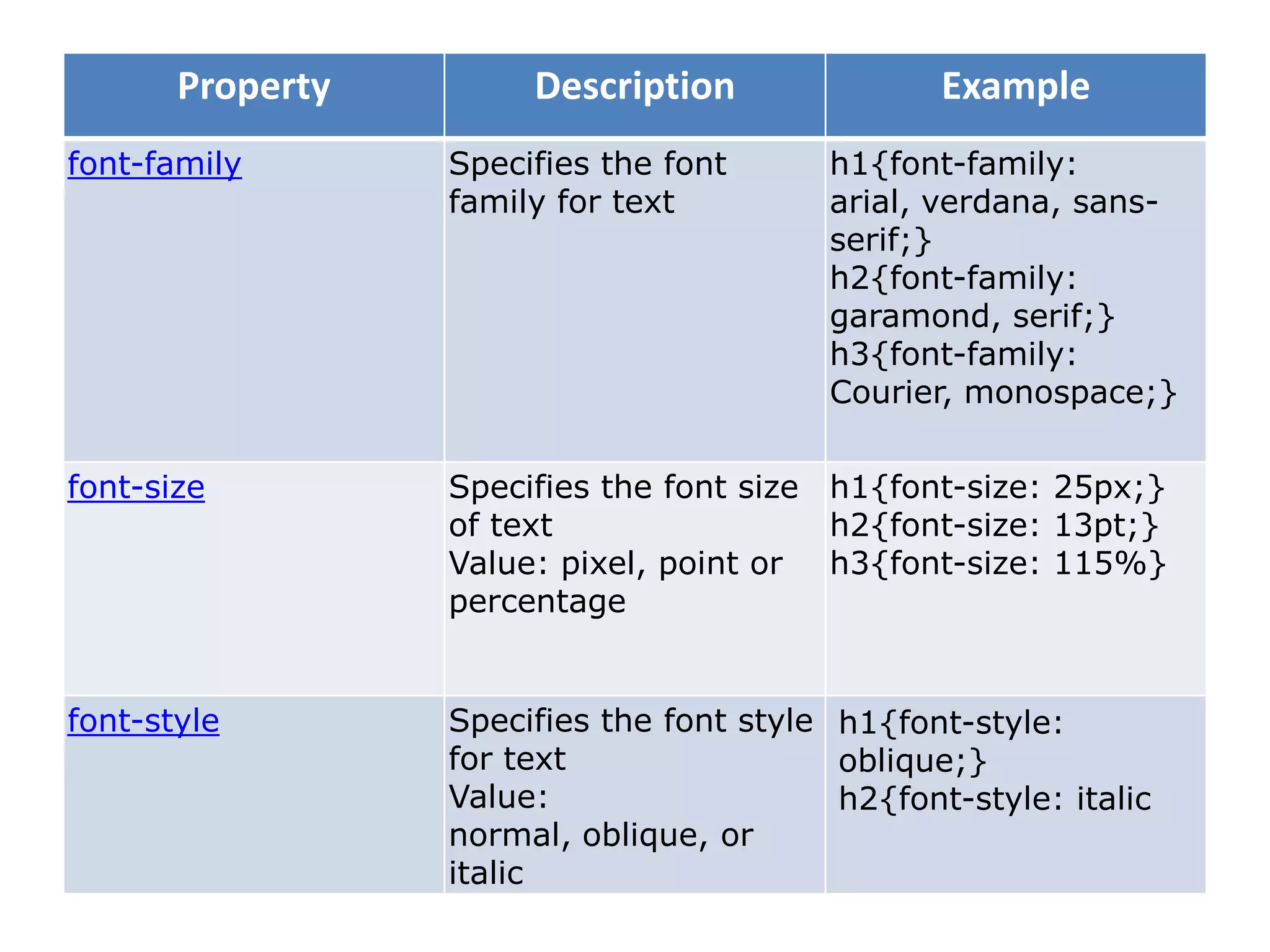
font-family       Specifies the font      h1{font-family:
                  family for text         arial, verdana, sans-
                                          serif;}
                                          h2{font-family:
                                          garamond, serif;}
                                          h3{font-family:
                                          Courier, monospace;}

font-size         Specifies the font size h1{font-size: 25px;}
                  of text                 h2{font-size: 13pt;}
                  Value: pixel, point or h3{font-size: 115%}
                  percentage


font-style        Specifies the font style h1{font-style:
                  for text                 oblique;}
                  Value:                   h2{font-style: italic
                  normal, oblique, or
                  italic
Property     Description               Example
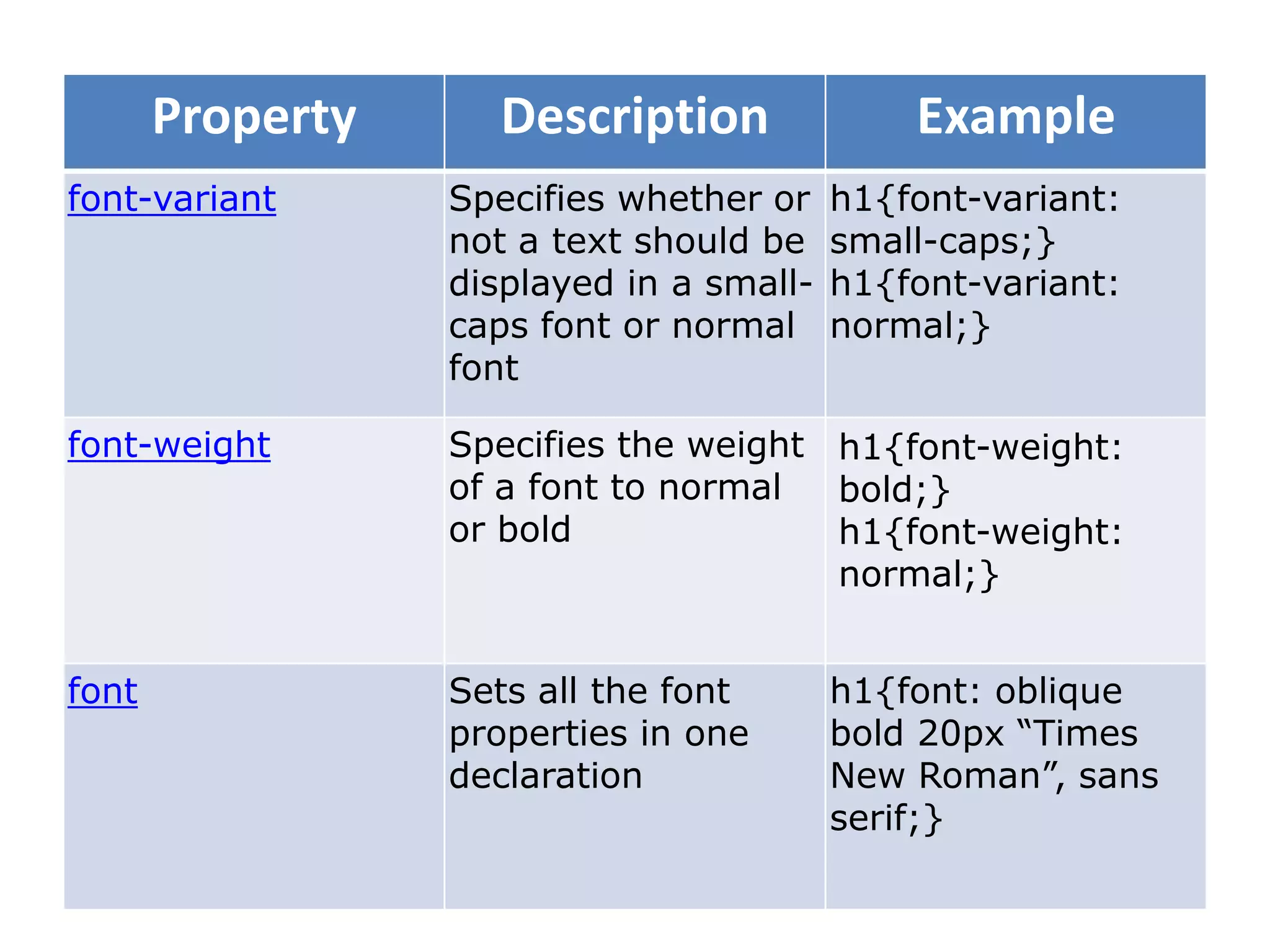
font-variant      Specifies whether or    h1{font-variant:
                  not a text should be    small-caps;}
                  displayed in a small-   h1{font-variant:
                  caps font or normal     normal;}
                  font

font-weight       Specifies the weight h1{font-weight:
                  of a font to normal  bold;}
                  or bold              h1{font-weight:
                                       normal;}


font              Sets all the font       h1{font: oblique
                  properties in one       bold 20px “Times
                  declaration             New Roman”, sans
                                          serif;}
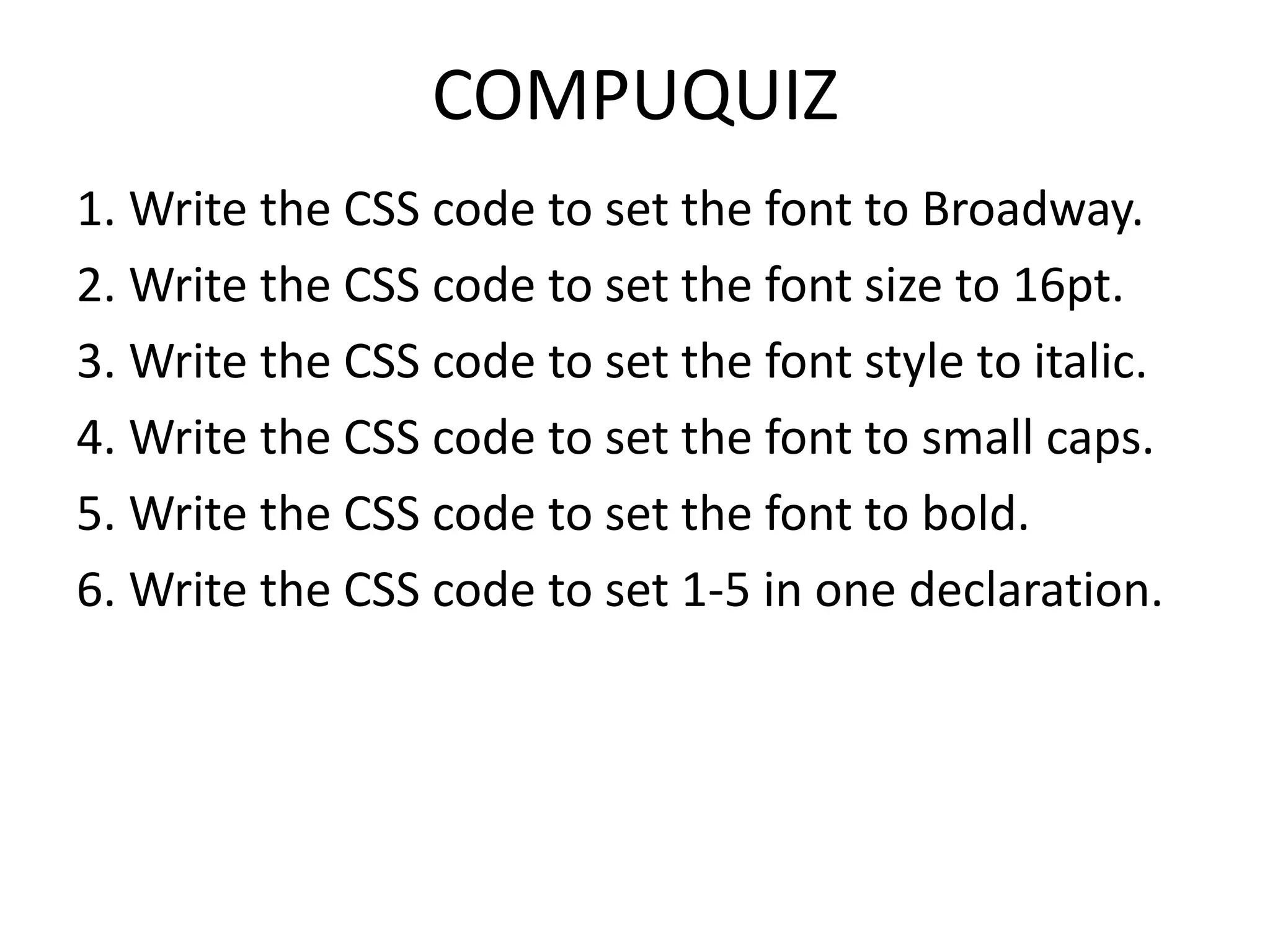
COMPUQUIZ
1. Write the CSS code to set the font to Broadway.
2. Write the CSS code to set the font size to 16pt.
3. Write the CSS code to set the font style to italic.
4. Write the CSS code to set the font to small caps.
5. Write the CSS code to set the font to bold.
6. Write the CSS code to set 1-5 in one declaration.
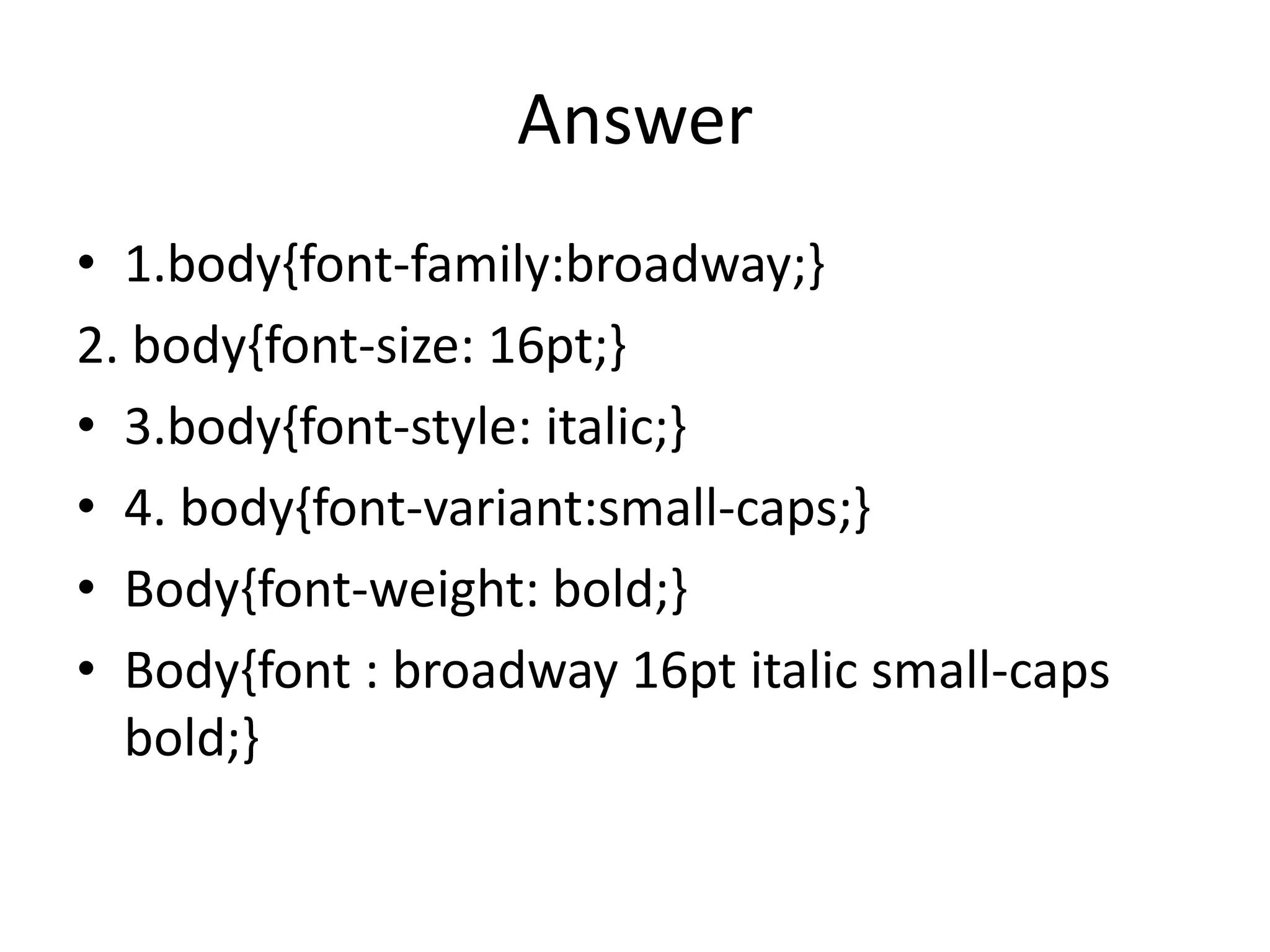
Answer
• 1.body{font-family:broadway;}
2. body{font-size: 16pt;}
• 3.body{font-style: italic;}
• 4. body{font-variant:small-caps;}
• Body{font-weight: bold;}
• Body{font : broadway 16pt italic small-caps
  bold;}

Css font properties

  • 1.
    Unit III: AddingStyles and Interactivity Using CSS and Javascript
  • 2.
    CSS Font Properties •The CSS Font Properties allow you to specify the font characteristic such as fonts, font size, font style, etc.
  • 3.
    Property Description Example font-family Specifies the font h1{font-family: family for text arial, verdana, sans- serif;} h2{font-family: garamond, serif;} h3{font-family: Courier, monospace;} font-size Specifies the font size h1{font-size: 25px;} of text h2{font-size: 13pt;} Value: pixel, point or h3{font-size: 115%} percentage font-style Specifies the font style h1{font-style: for text oblique;} Value: h2{font-style: italic normal, oblique, or italic
  • 4.
    Property Description Example font-variant Specifies whether or h1{font-variant: not a text should be small-caps;} displayed in a small- h1{font-variant: caps font or normal normal;} font font-weight Specifies the weight h1{font-weight: of a font to normal bold;} or bold h1{font-weight: normal;} font Sets all the font h1{font: oblique properties in one bold 20px “Times declaration New Roman”, sans serif;}
  • 5.
    COMPUQUIZ 1. Write theCSS code to set the font to Broadway. 2. Write the CSS code to set the font size to 16pt. 3. Write the CSS code to set the font style to italic. 4. Write the CSS code to set the font to small caps. 5. Write the CSS code to set the font to bold. 6. Write the CSS code to set 1-5 in one declaration.
  • 6.
    Answer • 1.body{font-family:broadway;} 2. body{font-size:16pt;} • 3.body{font-style: italic;} • 4. body{font-variant:small-caps;} • Body{font-weight: bold;} • Body{font : broadway 16pt italic small-caps bold;}