WDS
CS KKU
322 432 Web Design Technology
By Yaowaluck Promdee, Sumonta Kasemvilas
Computer Science Khon Kaen University
CSS Box Model
Margin, Padding and Border
Web Design Technology -2015 1
WDS
CS KKU
Web Design Technology -2015 2
Index
•  CSS Border
•  Outline
•  Box model
•  Margin
•  Padding
•  Example
LAB#7
WDS
CS KKU
Web Design Technology -2015 3
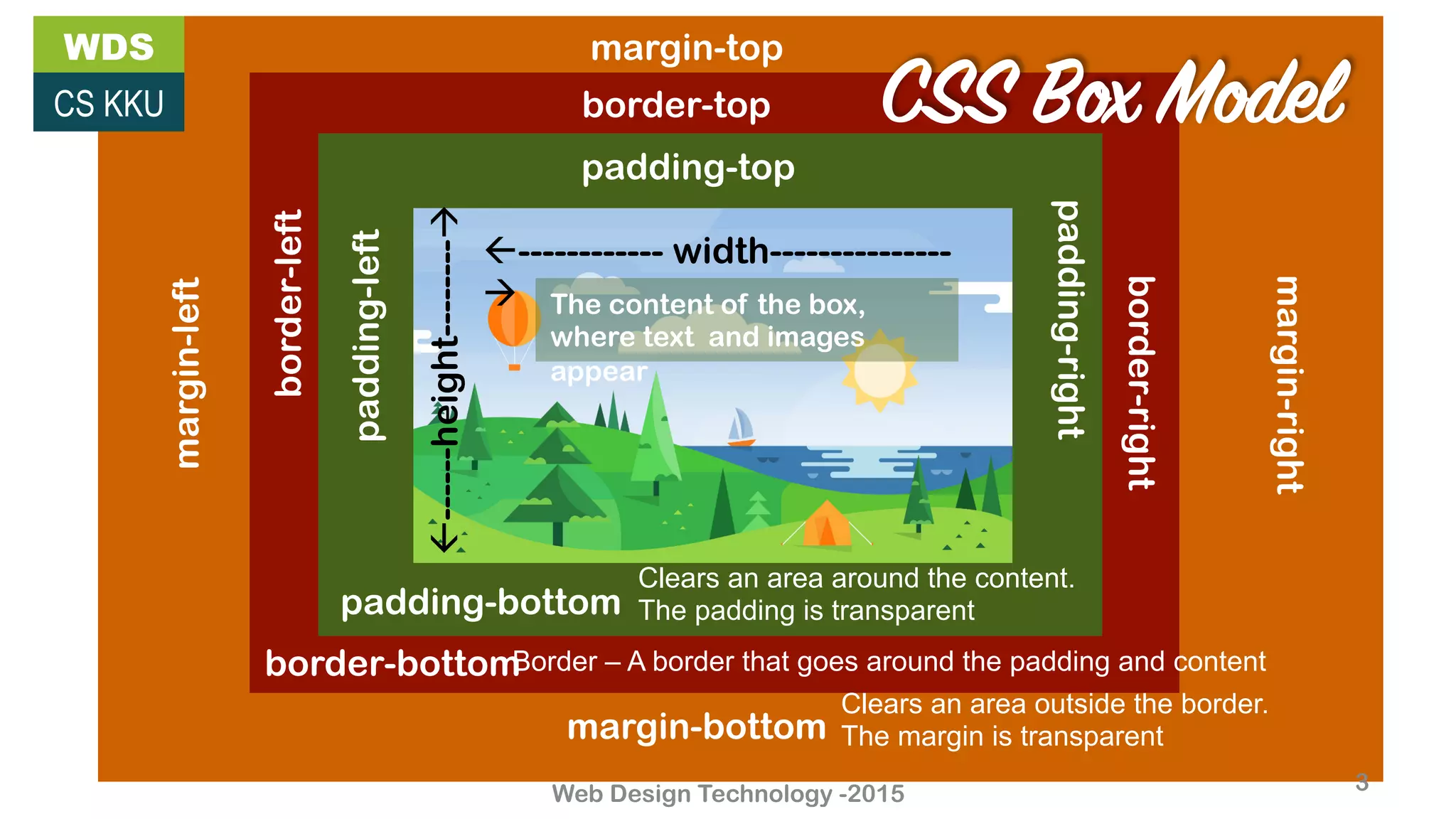
margin-bottom
margin-right
margin-left
margin-top
border-bottom
border-right
border-top
border-left
padding-left
padding-top
padding-right
padding-bottom
Clears an area outside the border.
The margin is transparent
Border – A border that goes around the padding and content
Clears an area around the content.
The padding is transparent
ß------------ width---------------
à
ß------height--------à
The content of the box,
where text and images
appear
CSS Box Model
WDS
CS KKU
Web Design Technology -2015 4
Border
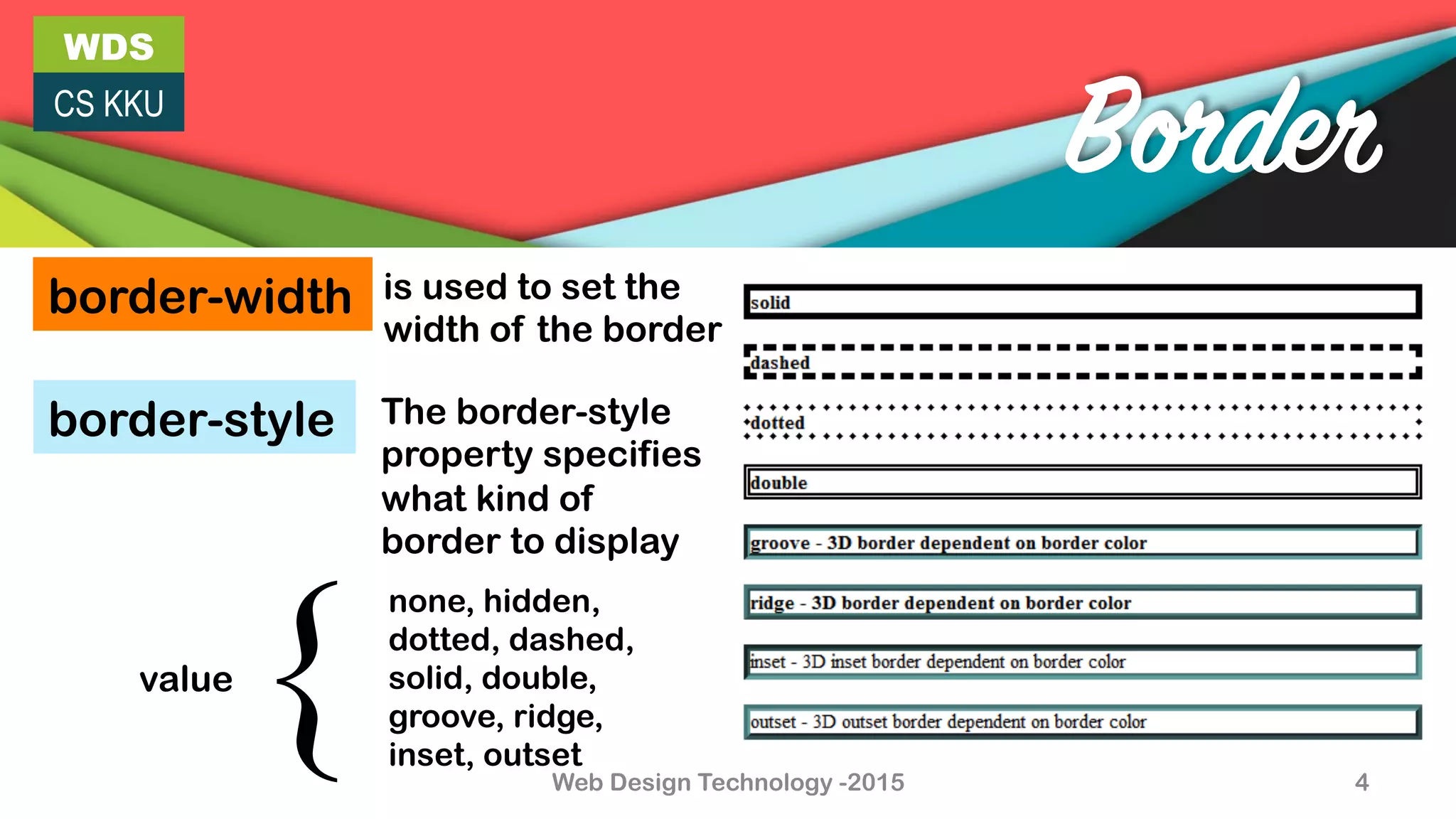
border-width is used to set the
width of the border
border-style The border-style
property specifies
what kind of
border to display
none, hidden,
dotted, dashed,
solid, double,
groove, ridge,
inset, outset
value
{!
WDS
CS KKU
Web Design Technology -2015 5
Border
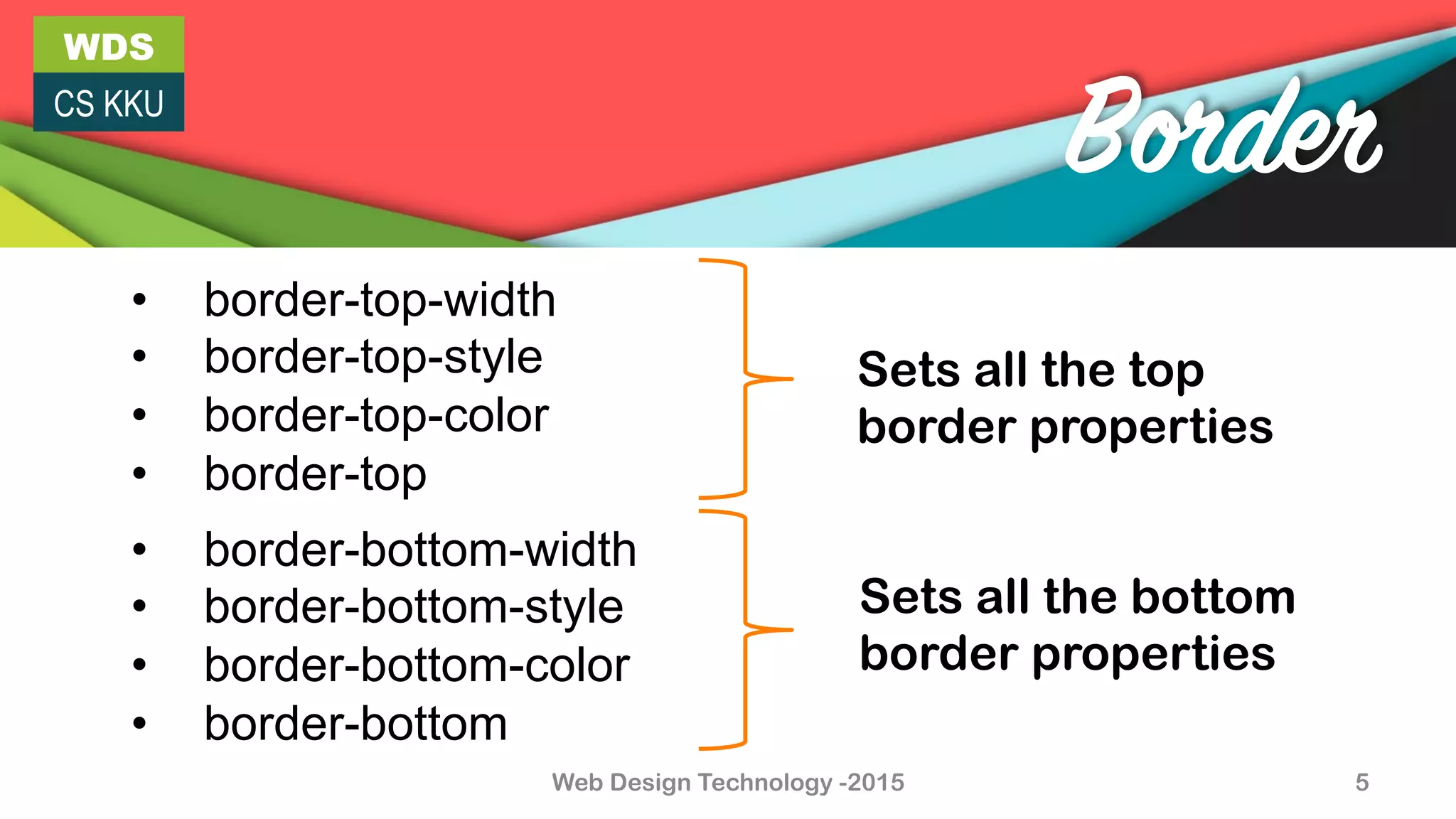
•  border-top-width
•  border-top-style
•  border-top-color
•  border-top
•  border-bottom-width
•  border-bottom-style
•  border-bottom-color
•  border-bottom
Sets all the top
border properties
Sets all the bottom
border properties
WDS
CS KKU
Web Design Technology -2015 6
Border
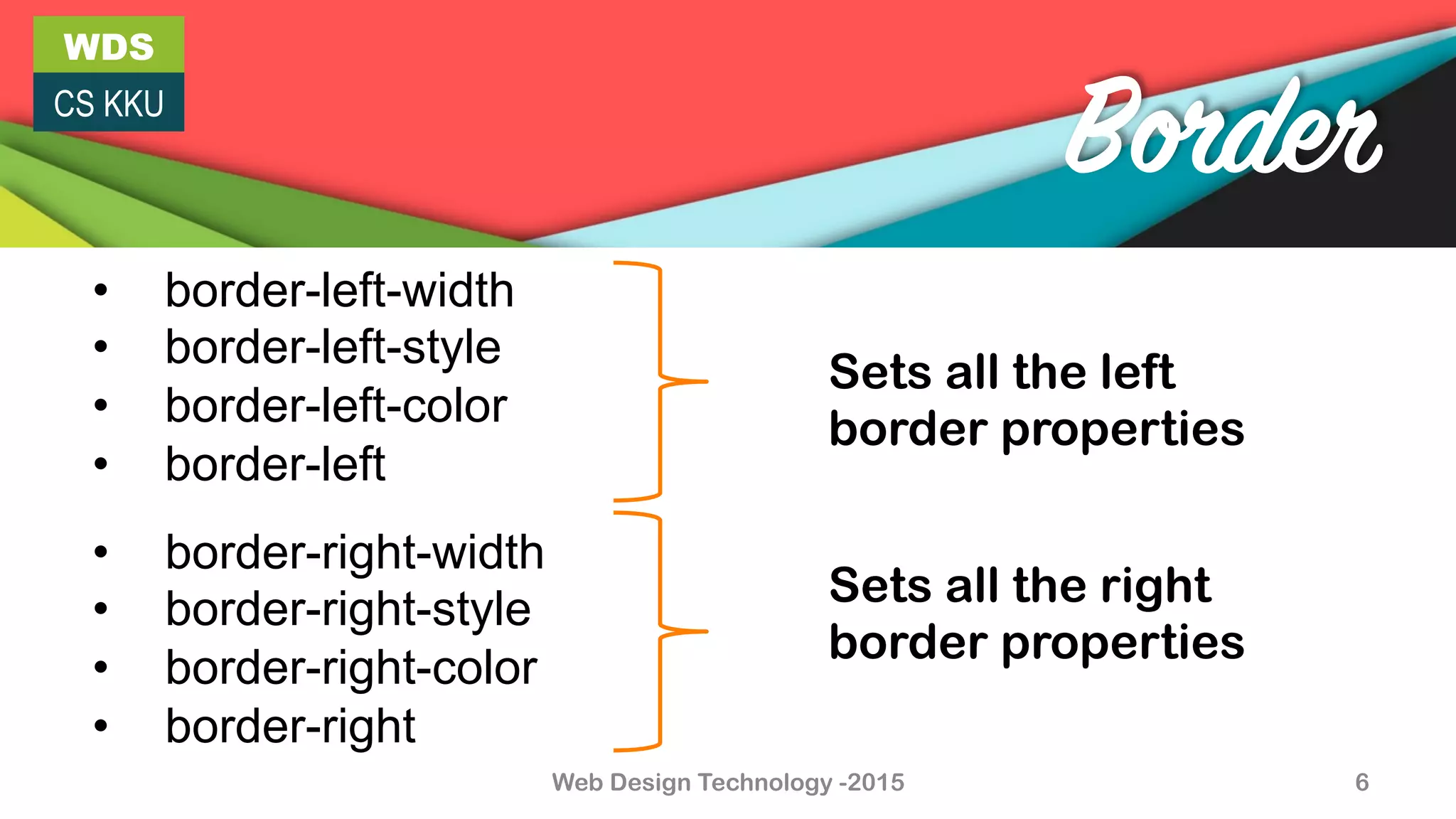
•  border-right-width
•  border-right-style
•  border-right-color
•  border-right
•  border-left-width
•  border-left-style
•  border-left-color
•  border-left
Sets all the left
border properties
Sets all the right
border properties
WDS
CS KKU
Web Design Technology -2015 7
CSS3 Border
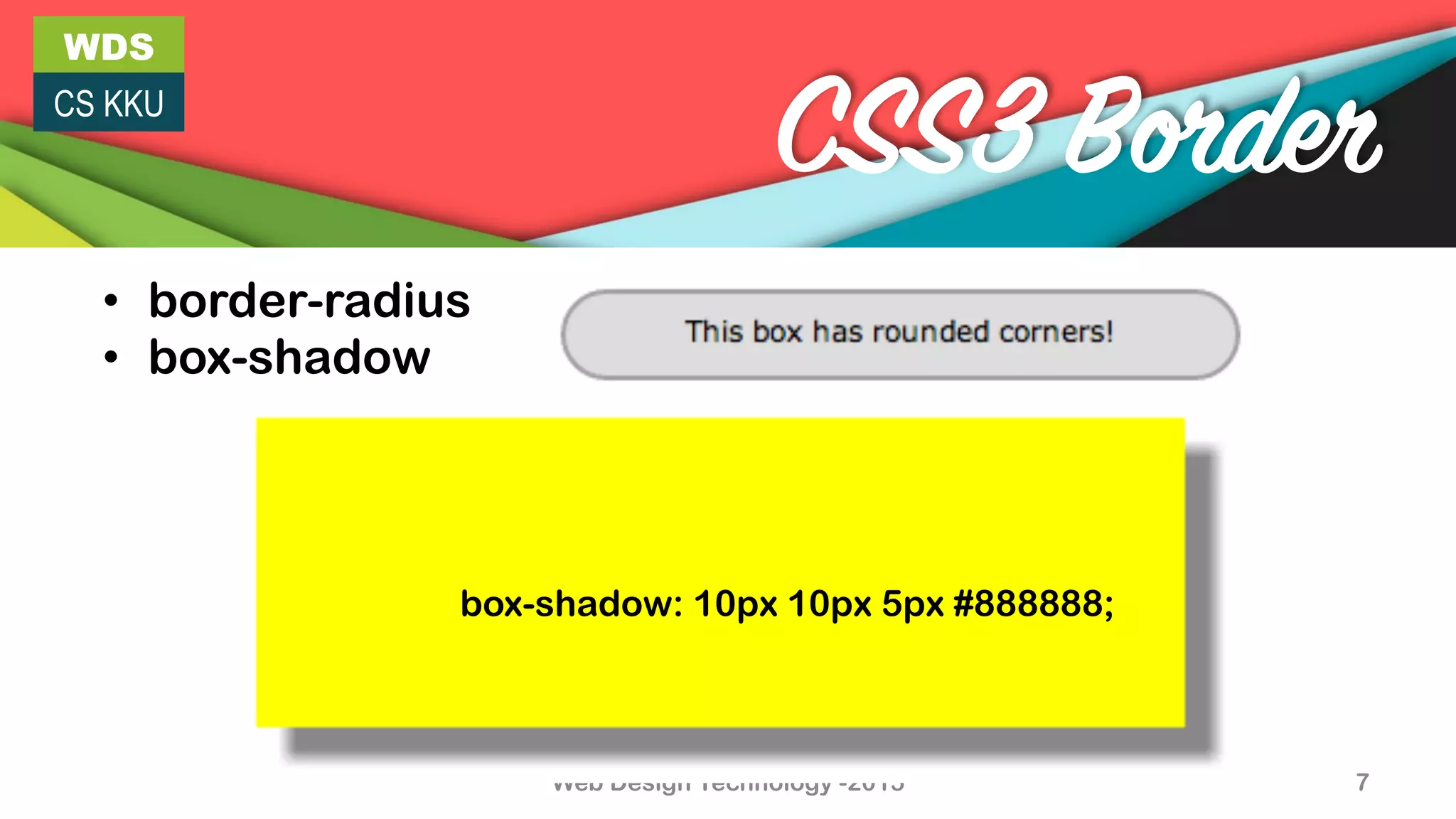
•  border-radius
•  box-shadow
box-shadow: 10px 10px 5px #888888;
WDS
CS KKU
Web Design Technology -2015 8
CSS3 Border
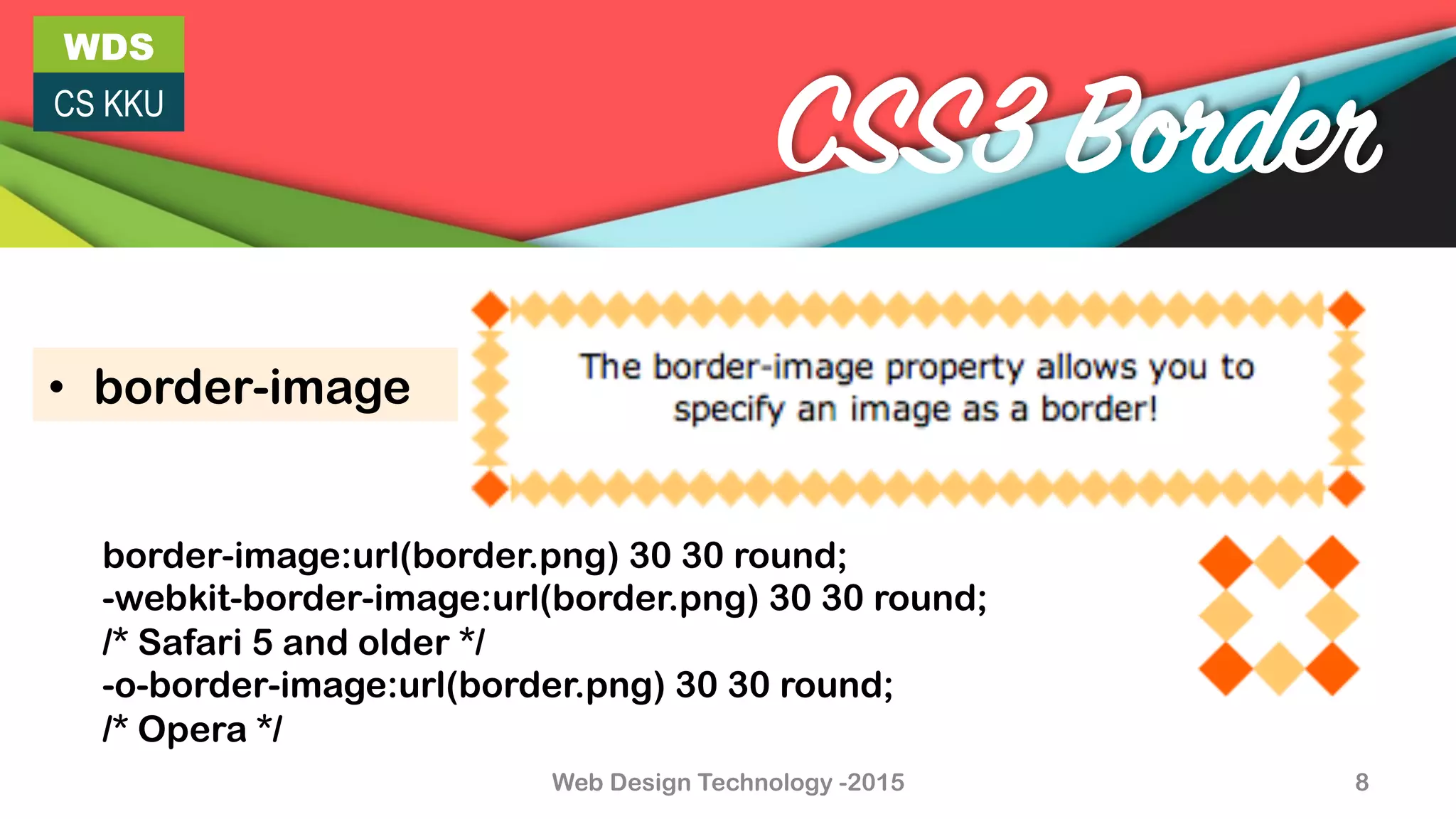
•  border-image
border-image:url(border.png) 30 30 round;
-webkit-border-image:url(border.png) 30 30 round;
/* Safari 5 and older */
-o-border-image:url(border.png) 30 30 round;
/* Opera */
WDS
CS KKU
9
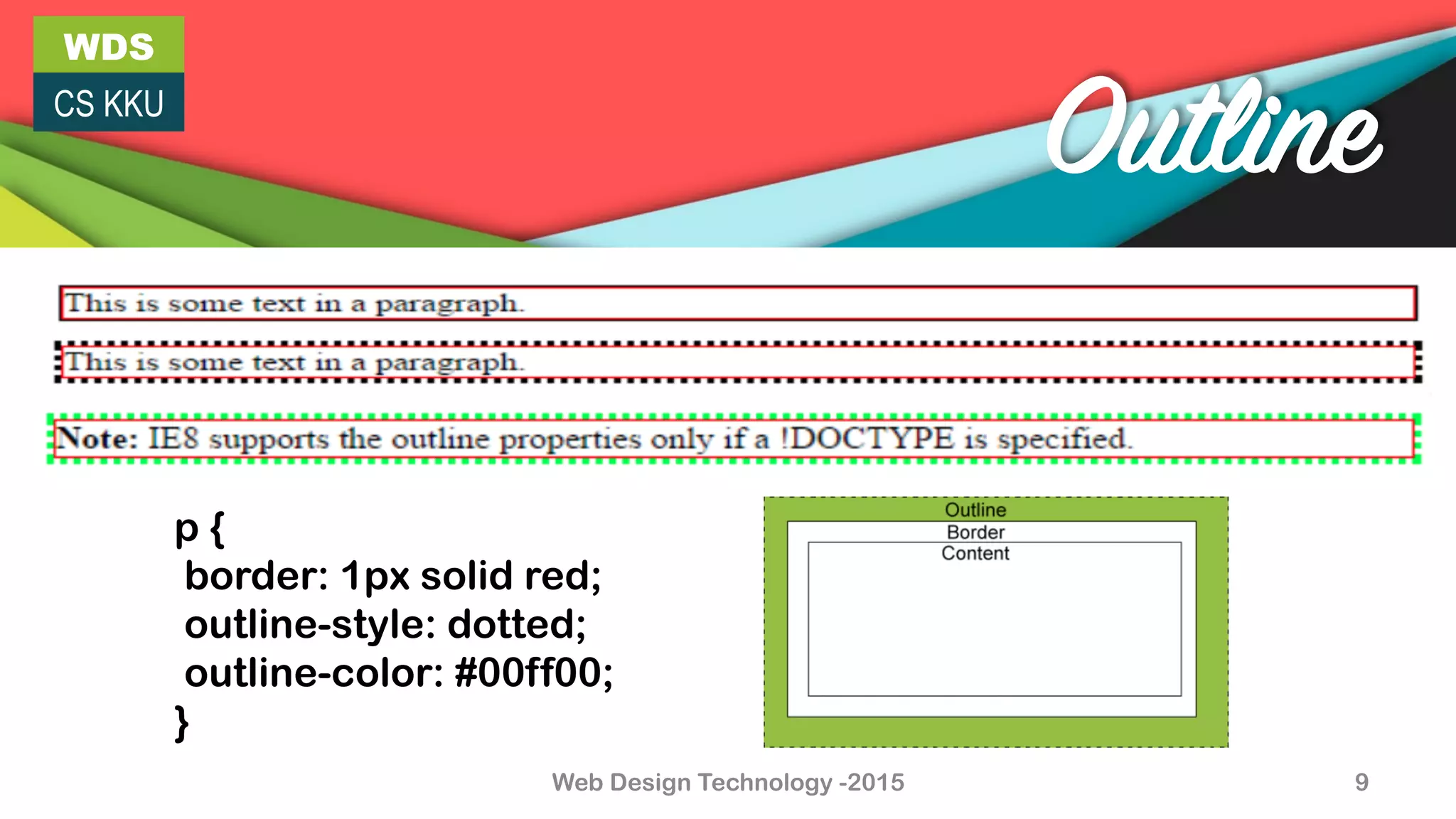
Outline
p {
border: 1px solid red;
outline-style: dotted;
outline-color: #00ff00;
}
Web Design Technology -2015
WDS
CS KKU
Web Design Technology -2015 10
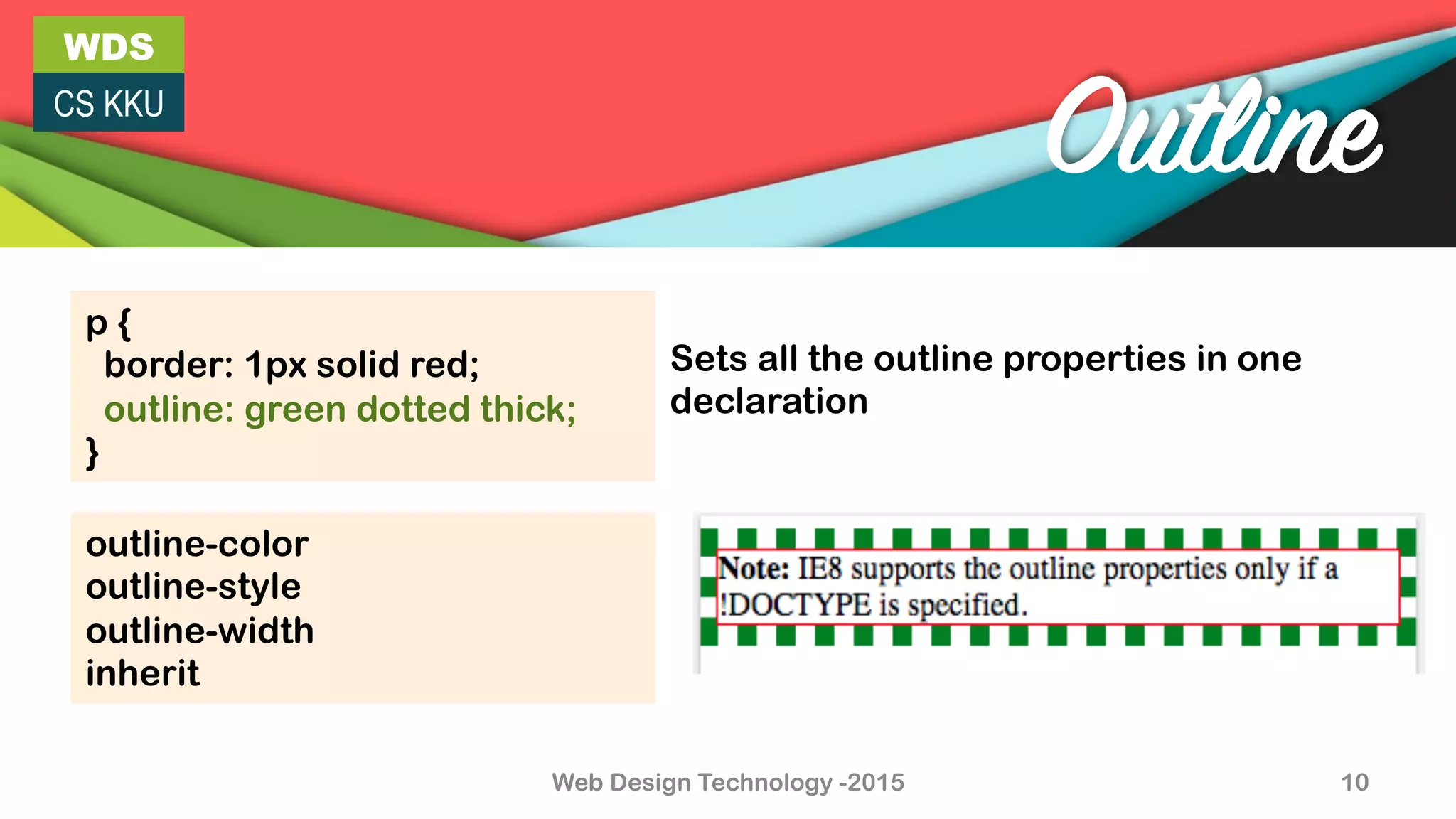
Outline
p {
border: 1px solid red;
outline: green dotted thick;
}
Sets all the outline properties in one
declaration
outline-color
outline-style
outline-width
inherit
Web Design Technology -2015 11
WDS
CS KKU
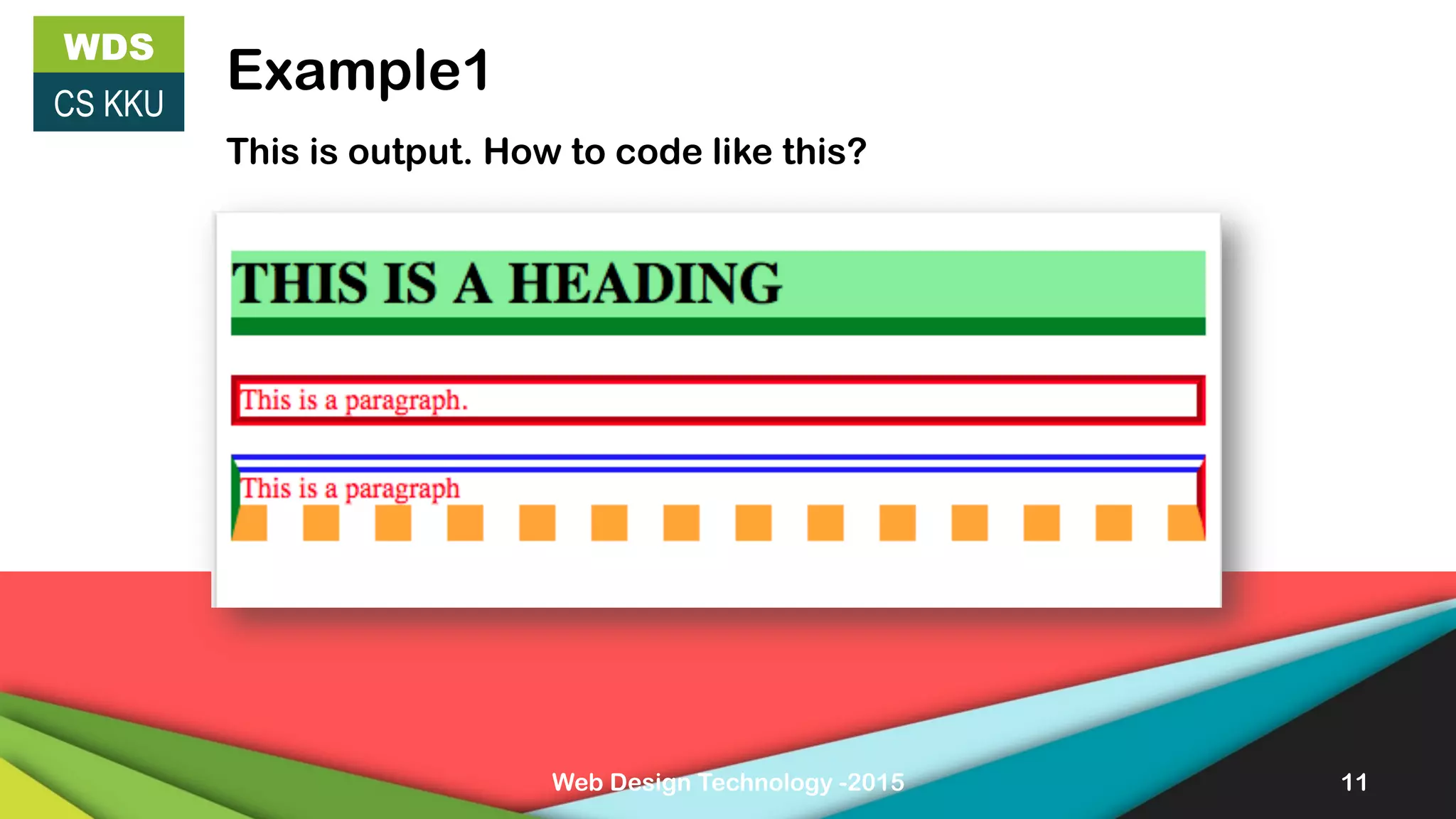
Example1
This is output. How to code like this?
WDS
CS KKU
Web Design Technology -2015 12
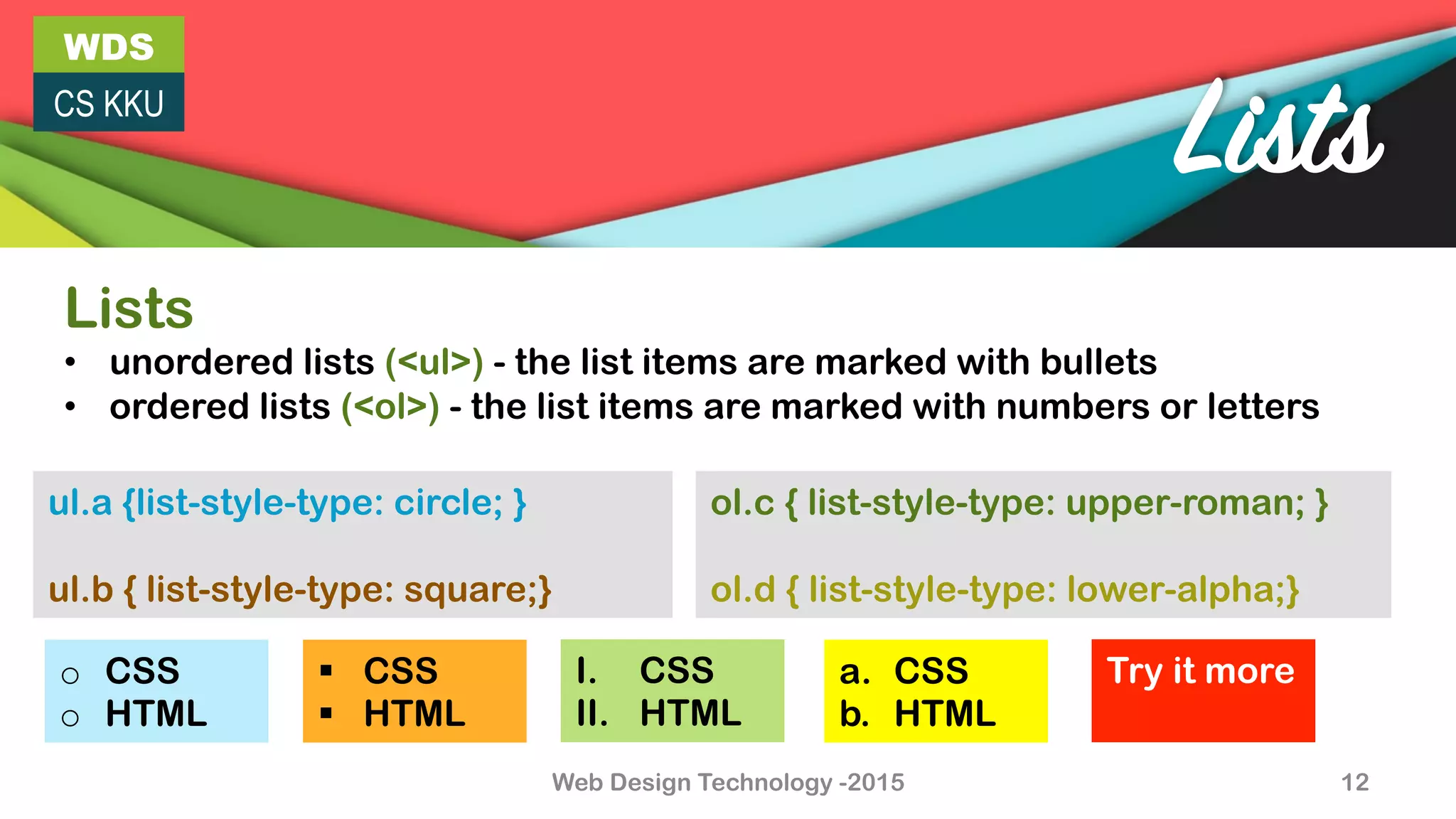
Lists
Lists
•  unordered lists (<ul>) - the list items are marked with bullets
•  ordered lists (<ol>) - the list items are marked with numbers or letters
ol.c { list-style-type: upper-roman; }
ol.d { list-style-type: lower-alpha;}
ul.a {list-style-type: circle; }
ul.b { list-style-type: square;}
o  CSS
o  HTML
I.  CSS
II.  HTML
§  CSS
§  HTML
a.  CSS
b.  HTML
Try it more
WDS
CS KKU
Web Design Technology -2015 13
Margin
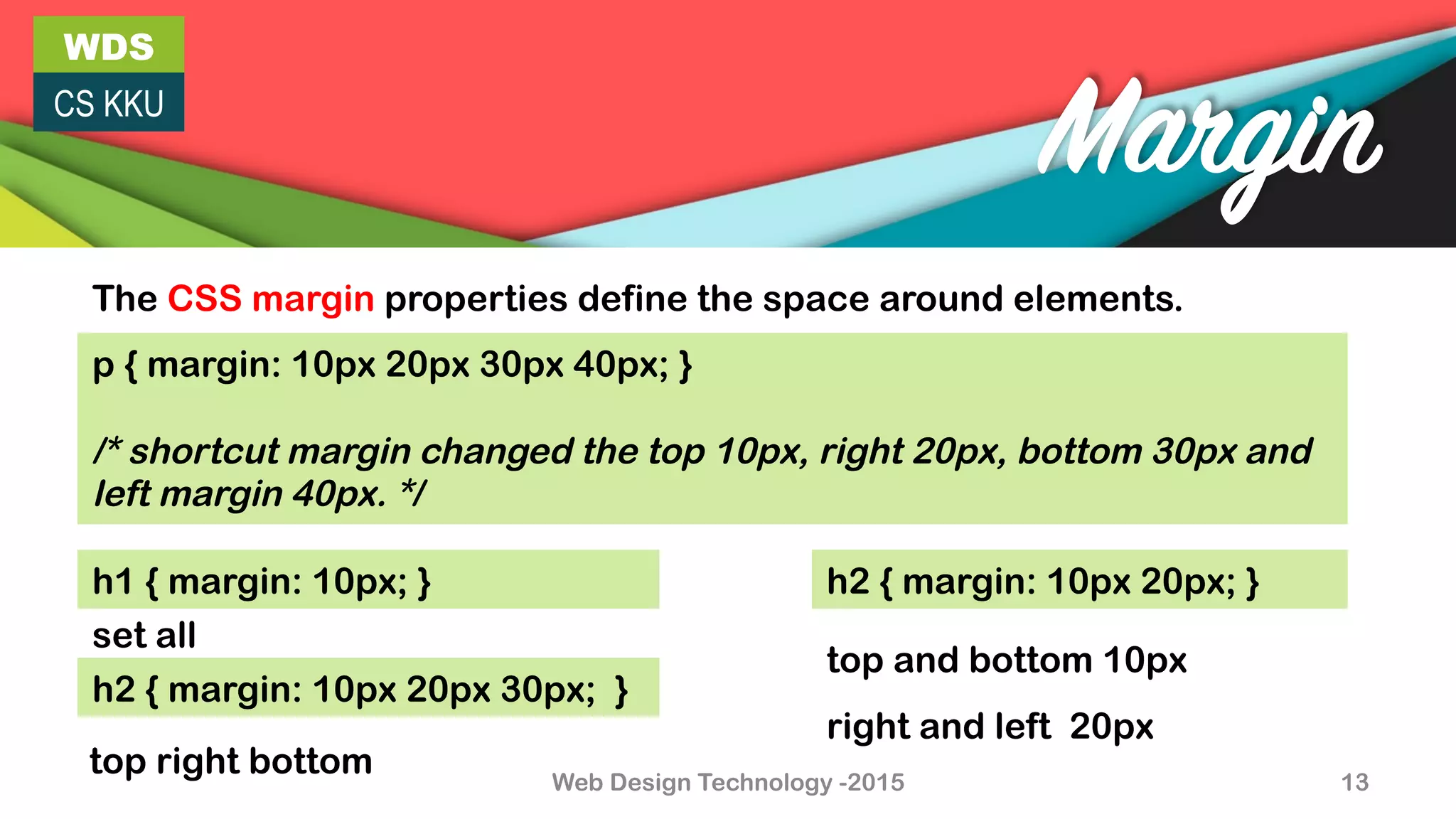
The CSS margin properties define the space around elements.
p { margin: 10px 20px 30px 40px; }
/* shortcut margin changed the top 10px, right 20px, bottom 30px and
left margin 40px. */
h1 { margin: 10px; }
h2 { margin: 10px 20px 30px; }
h2 { margin: 10px 20px; }
top right bottom
set all
top and bottom 10px
right and left 20px
Web Design Technology -2015 14
WDS
CS KKU
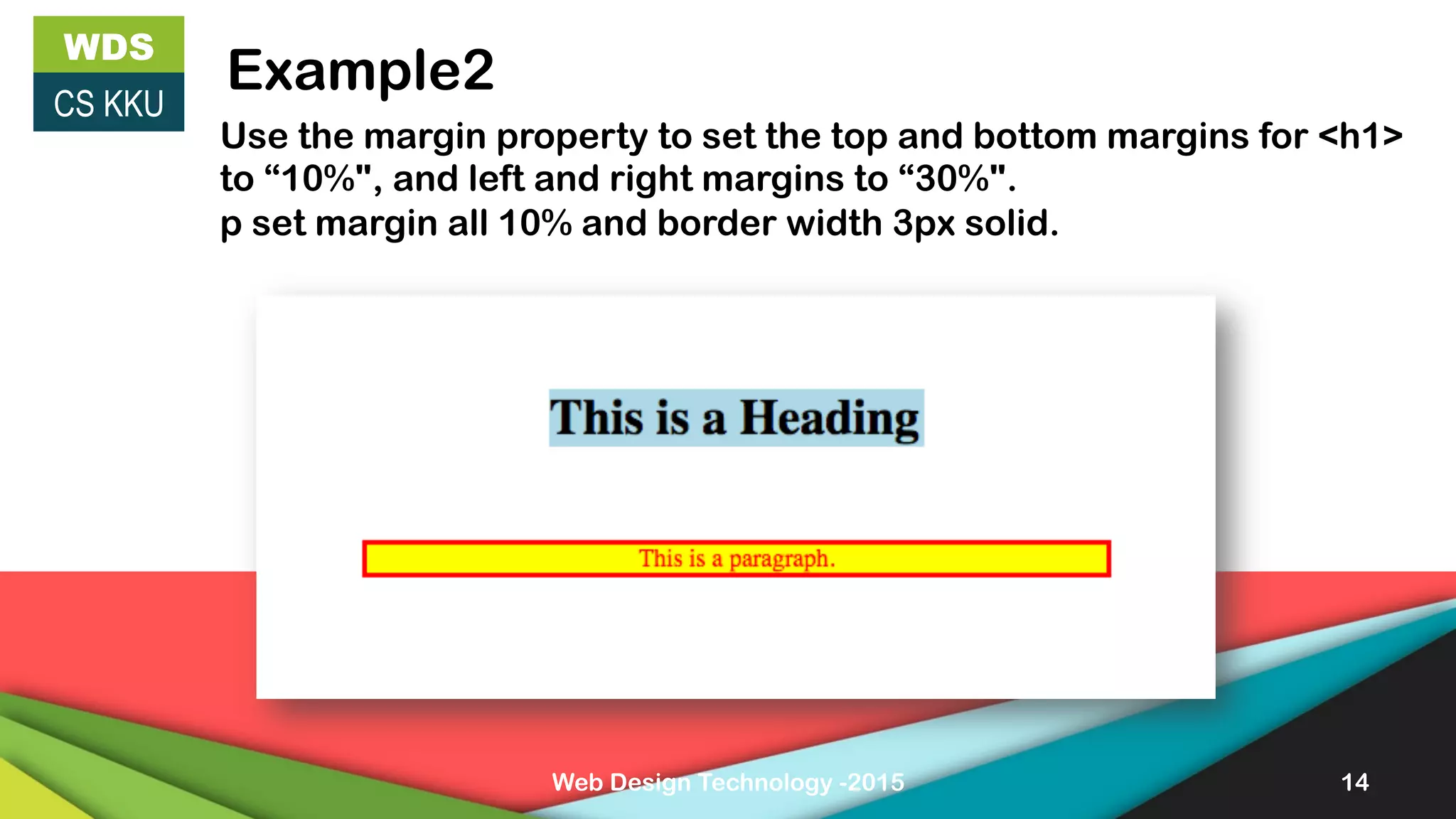
Example2
Use the margin property to set the top and bottom margins for <h1>
to “10%", and left and right margins to “30%".
p set margin all 10% and border width 3px solid.
WDS
CS KKU
Web Design Technology -2015 15
Padding
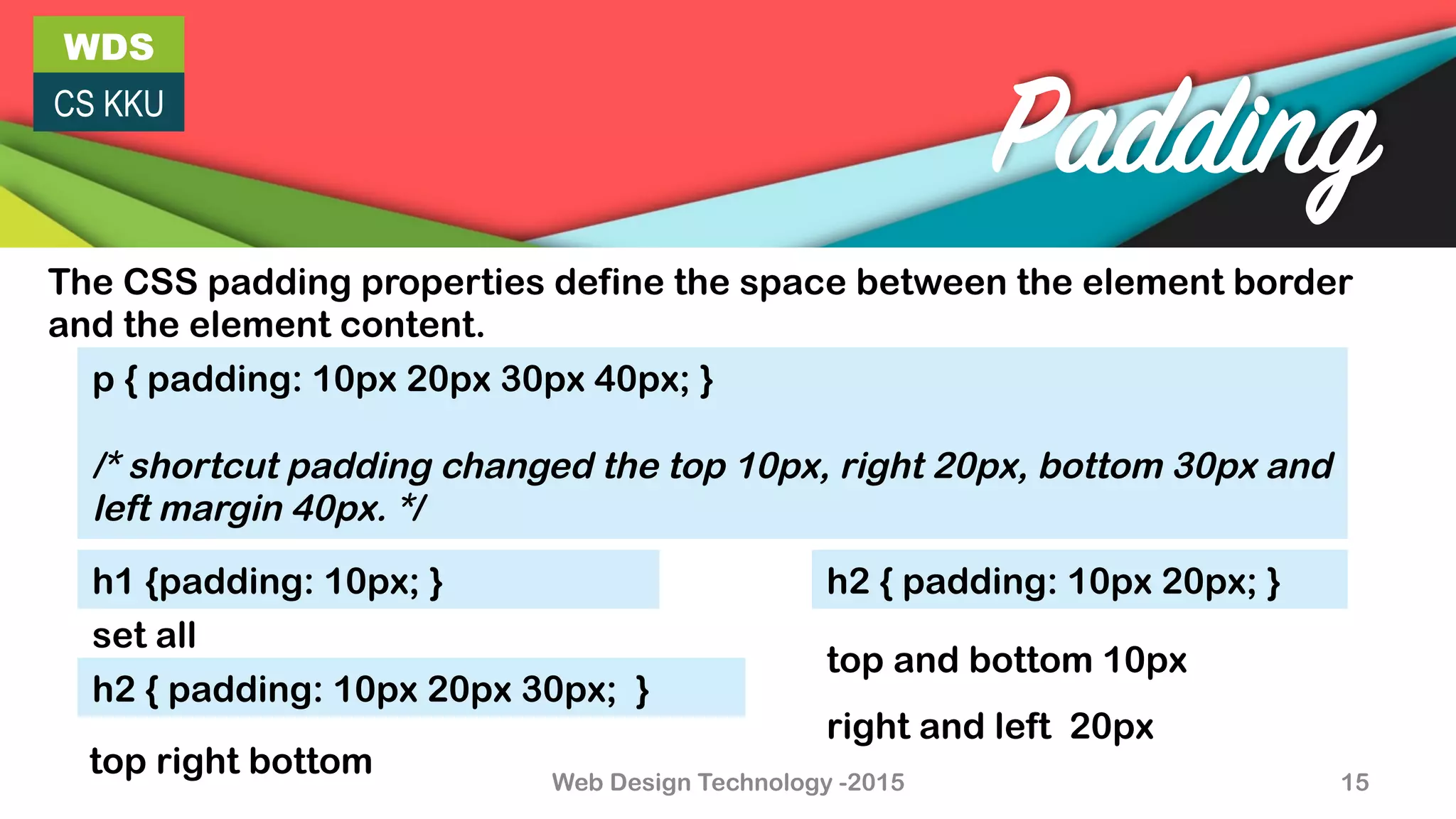
The CSS padding properties define the space between the element border
and the element content.
p { padding: 10px 20px 30px 40px; }
/* shortcut padding changed the top 10px, right 20px, bottom 30px and
left margin 40px. */
h1 {padding: 10px; }
h2 { padding: 10px 20px 30px; }
h2 { padding: 10px 20px; }
top right bottom
set all
top and bottom 10px
right and left 20px
WDS
CS KKU
Web Design Technology -2015 16
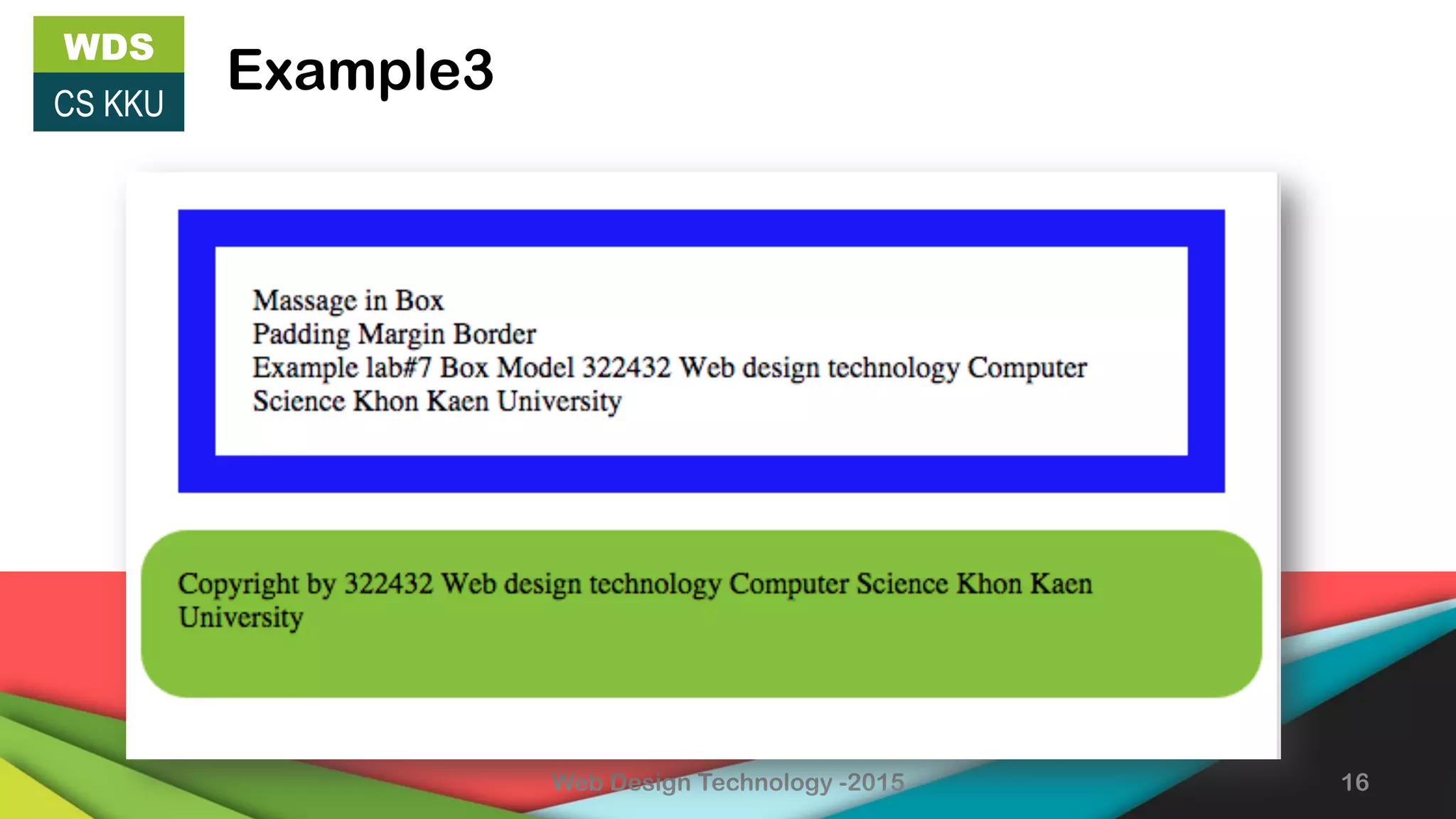
Example3
Web Design Technology -2015 17
WDS
CS KKU
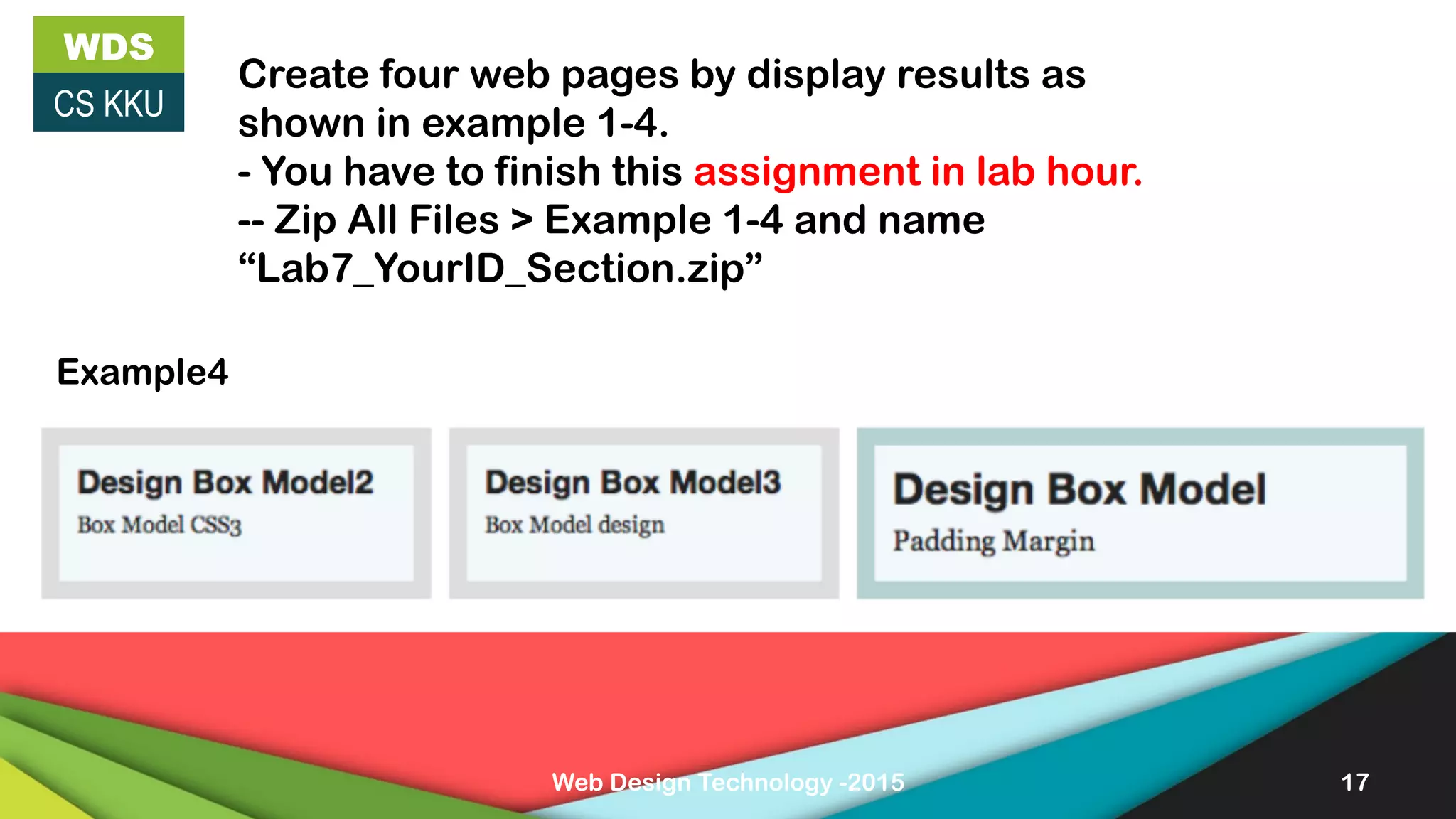
Create four web pages by display results as
shown in example 1-4.
- You have to finish this assignment in lab hour.
-- Zip All Files > Example 1-4 and name
“Lab7_YourID_Section.zip”
Example4

CSS Boc model

  • 1.
    WDS CS KKU 322 432Web Design Technology By Yaowaluck Promdee, Sumonta Kasemvilas Computer Science Khon Kaen University CSS Box Model Margin, Padding and Border Web Design Technology -2015 1
  • 2.
    WDS CS KKU Web DesignTechnology -2015 2 Index •  CSS Border •  Outline •  Box model •  Margin •  Padding •  Example LAB#7
  • 3.
    WDS CS KKU Web DesignTechnology -2015 3 margin-bottom margin-right margin-left margin-top border-bottom border-right border-top border-left padding-left padding-top padding-right padding-bottom Clears an area outside the border. The margin is transparent Border – A border that goes around the padding and content Clears an area around the content. The padding is transparent ß------------ width--------------- à ß------height--------à The content of the box, where text and images appear CSS Box Model
  • 4.
    WDS CS KKU Web DesignTechnology -2015 4 Border border-width is used to set the width of the border border-style The border-style property specifies what kind of border to display none, hidden, dotted, dashed, solid, double, groove, ridge, inset, outset value {!
  • 5.
    WDS CS KKU Web DesignTechnology -2015 5 Border •  border-top-width •  border-top-style •  border-top-color •  border-top •  border-bottom-width •  border-bottom-style •  border-bottom-color •  border-bottom Sets all the top border properties Sets all the bottom border properties
  • 6.
    WDS CS KKU Web DesignTechnology -2015 6 Border •  border-right-width •  border-right-style •  border-right-color •  border-right •  border-left-width •  border-left-style •  border-left-color •  border-left Sets all the left border properties Sets all the right border properties
  • 7.
    WDS CS KKU Web DesignTechnology -2015 7 CSS3 Border •  border-radius •  box-shadow box-shadow: 10px 10px 5px #888888;
  • 8.
    WDS CS KKU Web DesignTechnology -2015 8 CSS3 Border •  border-image border-image:url(border.png) 30 30 round; -webkit-border-image:url(border.png) 30 30 round; /* Safari 5 and older */ -o-border-image:url(border.png) 30 30 round; /* Opera */
  • 9.
    WDS CS KKU 9 Outline p { border:1px solid red; outline-style: dotted; outline-color: #00ff00; } Web Design Technology -2015
  • 10.
    WDS CS KKU Web DesignTechnology -2015 10 Outline p { border: 1px solid red; outline: green dotted thick; } Sets all the outline properties in one declaration outline-color outline-style outline-width inherit
  • 11.
    Web Design Technology-2015 11 WDS CS KKU Example1 This is output. How to code like this?
  • 12.
    WDS CS KKU Web DesignTechnology -2015 12 Lists Lists •  unordered lists (<ul>) - the list items are marked with bullets •  ordered lists (<ol>) - the list items are marked with numbers or letters ol.c { list-style-type: upper-roman; } ol.d { list-style-type: lower-alpha;} ul.a {list-style-type: circle; } ul.b { list-style-type: square;} o  CSS o  HTML I.  CSS II.  HTML §  CSS §  HTML a.  CSS b.  HTML Try it more
  • 13.
    WDS CS KKU Web DesignTechnology -2015 13 Margin The CSS margin properties define the space around elements. p { margin: 10px 20px 30px 40px; } /* shortcut margin changed the top 10px, right 20px, bottom 30px and left margin 40px. */ h1 { margin: 10px; } h2 { margin: 10px 20px 30px; } h2 { margin: 10px 20px; } top right bottom set all top and bottom 10px right and left 20px
  • 14.
    Web Design Technology-2015 14 WDS CS KKU Example2 Use the margin property to set the top and bottom margins for <h1> to “10%", and left and right margins to “30%". p set margin all 10% and border width 3px solid.
  • 15.
    WDS CS KKU Web DesignTechnology -2015 15 Padding The CSS padding properties define the space between the element border and the element content. p { padding: 10px 20px 30px 40px; } /* shortcut padding changed the top 10px, right 20px, bottom 30px and left margin 40px. */ h1 {padding: 10px; } h2 { padding: 10px 20px 30px; } h2 { padding: 10px 20px; } top right bottom set all top and bottom 10px right and left 20px
  • 16.
    WDS CS KKU Web DesignTechnology -2015 16 Example3
  • 17.
    Web Design Technology-2015 17 WDS CS KKU Create four web pages by display results as shown in example 1-4. - You have to finish this assignment in lab hour. -- Zip All Files > Example 1-4 and name “Lab7_YourID_Section.zip” Example4