Creating Links
WEEK 2.3
A portfoliois used to plan, organize and
document education, work samples and
skills. The main focus of the portfolio is to
showcase a person’s skills and talents
through his works.
Creating Links
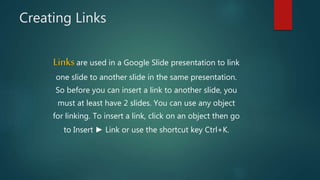
Linksare used in a Google Slide presentation to link
one slide to another slide in the same presentation.
So before you can insert a link to another slide, you
must at least have 2 slides. You can use any object
for linking. To insert a link, click on an object then go
to Insert ► Link or use the shortcut key Ctrl+K.
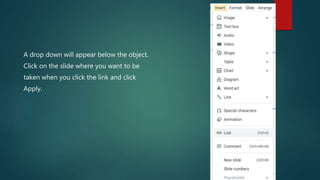
A drop down will appear below the object.
Click on the slide where you want to be
taken when you click the link and click
Apply.
Creating links week_2_3

Creating links week_2_3

  • 1.
  • 2.
    A portfoliois usedto plan, organize and document education, work samples and skills. The main focus of the portfolio is to showcase a person’s skills and talents through his works.
  • 3.
    Creating Links Linksare usedin a Google Slide presentation to link one slide to another slide in the same presentation. So before you can insert a link to another slide, you must at least have 2 slides. You can use any object for linking. To insert a link, click on an object then go to Insert ► Link or use the shortcut key Ctrl+K.
  • 4.
    A drop downwill appear below the object. Click on the slide where you want to be taken when you click the link and click Apply.