System Center  Operations  Manager 2007 Mesut ALADAĞ  Teknoloji Direktörü / MCT [email_address] 15:00’da Başlayacaktır.
Ajanda SCOM  Kurulum Gereksinimleri System Center Operations Manager (SCOM) incelemesi Sorularınız
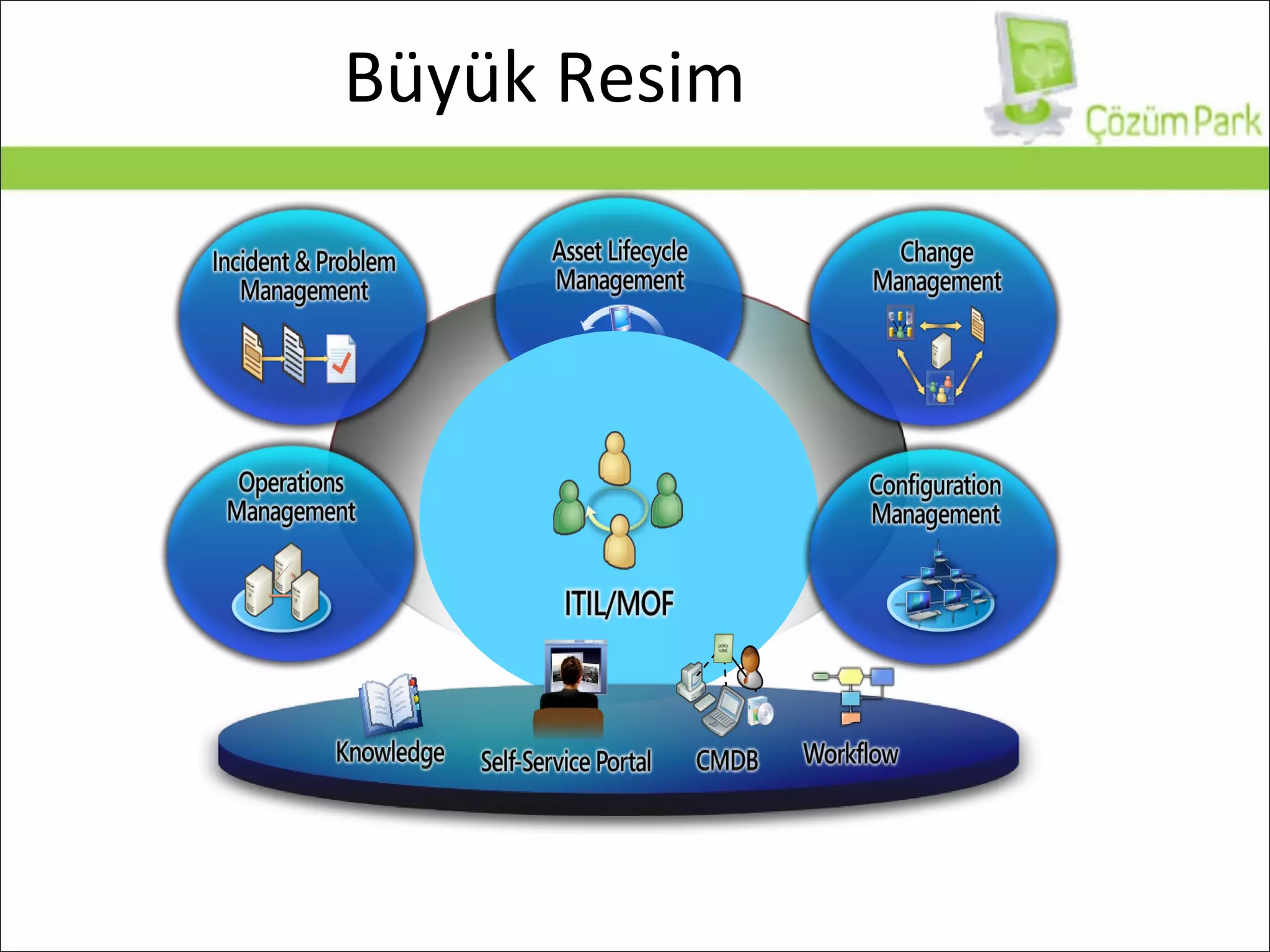
Büyük Resim
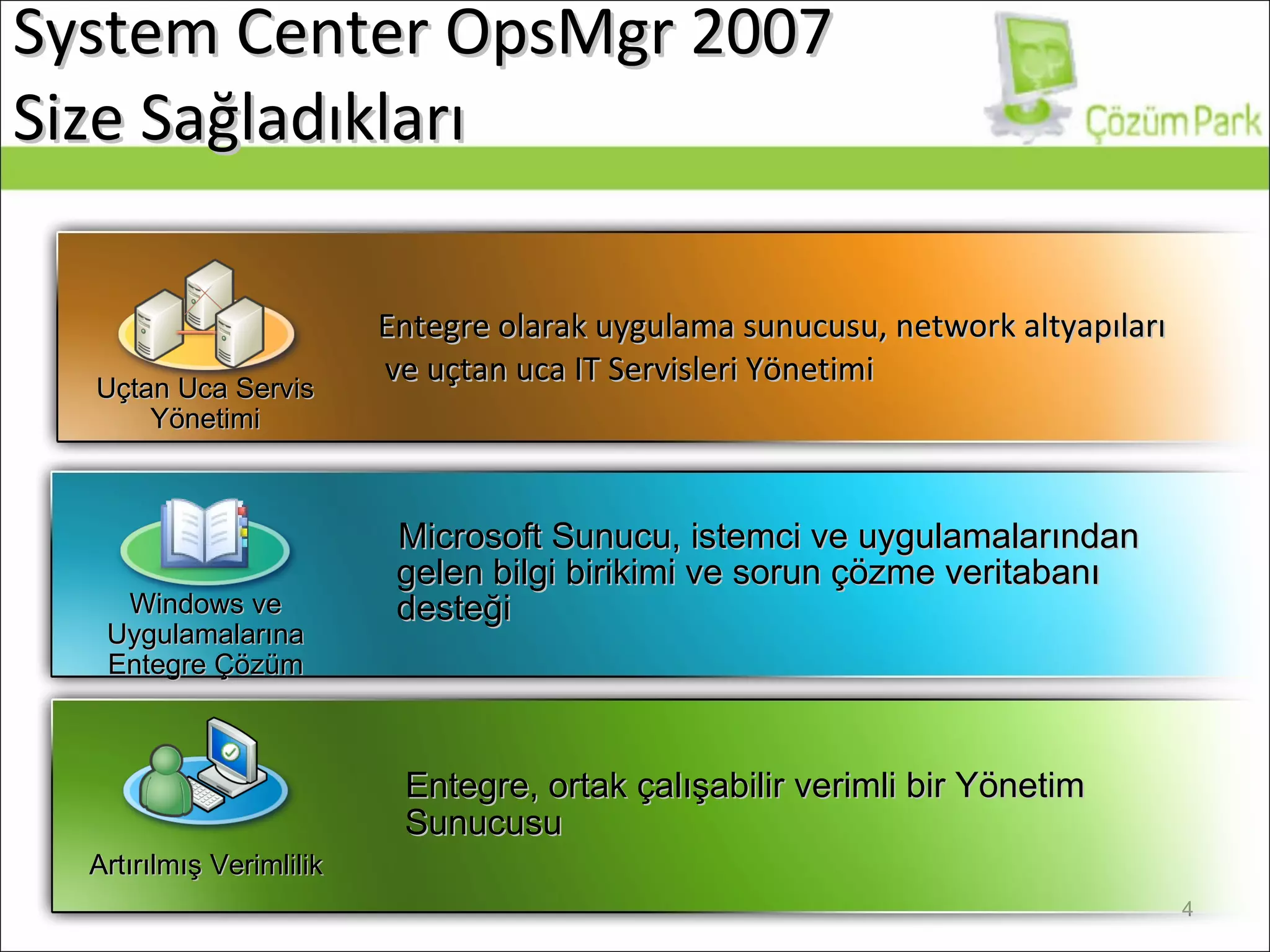
System Center   OpsMgr 200 7  Size Sağladıkları   Entegre olarak uygulama sunucusu, network altyapıları ve uçtan uca IT Servisleri Yönetimi Microsoft  Sunucu, istemci ve uygulamalarından gelen bilgi birikimi ve sorun çözme veritabanı desteği Entegre, ortak çalışabilir verimli bir Yönetim Sunucusu Artırılmış Verimlilik Windows ve Uygulamalarına Entegre Çözüm Uçtan Uca Servis Yönetimi
Siz buradayken sistem odanızda... Kaç bilgisayarınızın işlemcisi son 10 dakikadır %90 üzerinde çalışıyor? Active Directory DC’ler arasındaki replikasyon durdu! Exchange Server Information Store durdu! Web sitenizde bir dakika içinde kaç tane 404/500 hatası oluştu? Veritabanı sunucunuzda problem yaşanıyor mu? Dosya sunucunuz RAID disklerinden birinde bad sector olduğunu bildirdi? Tarifeli yedekleme işleminiz disk dolu olduğu için tamamlanamadı Ankara hattınızda sürekli hat düşüyor
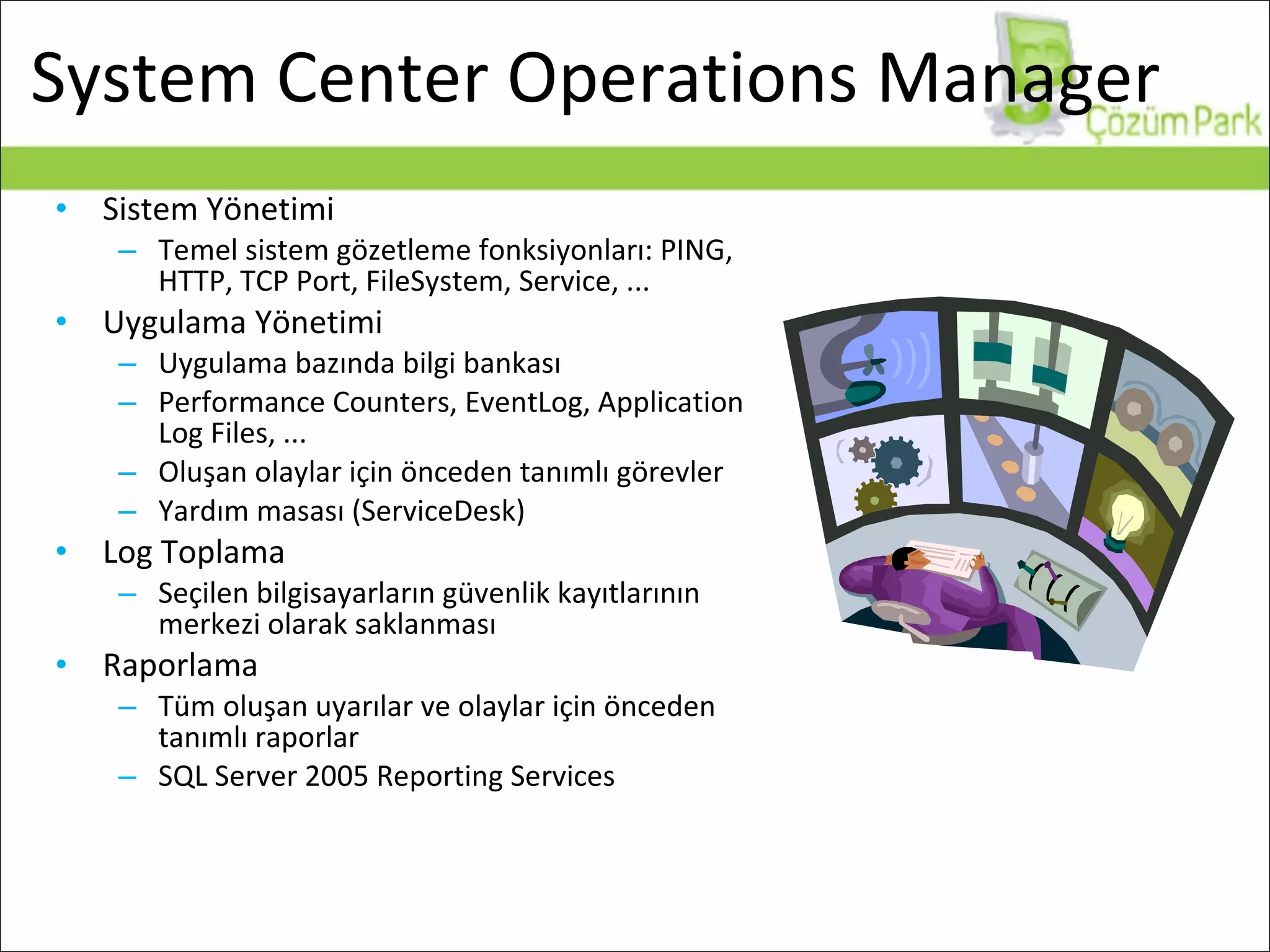
System Center Operations Manager Sistem Yönetimi Temel sistem gözetleme fonksiyonları: PING, HTTP, TCP Port, FileSystem, Service, ... Uygulama Yönetimi Uygulama bazında bilgi bankası Performance Counters, EventLog, Application Log Files, ... Oluşan olaylar için önceden tanımlı görevler Yardım masası (ServiceDesk) Log Toplama Seçilen bilgisayarların güvenlik kayıtlarının merkezi olarak saklanması Raporlama Tüm oluşan uyarılar ve olaylar için önceden tanımlı raporlar SQL Server 2005 Reporting Services
Yönetim Paketleri...
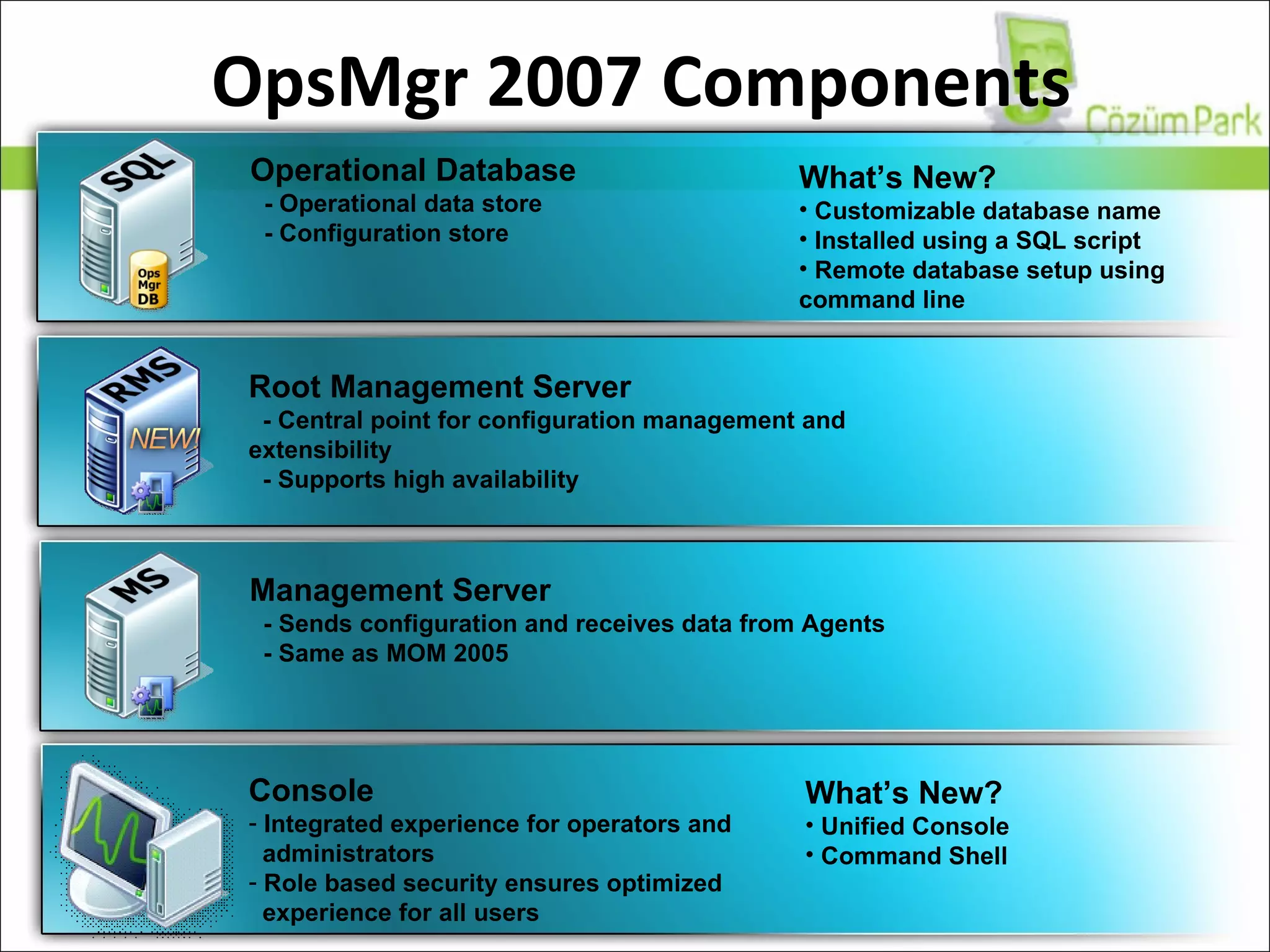
OpsMgr 2007 Components What’s New? Unified Console Command Shell Console Integrated experience for operators and administrators Role based security ensures optimized  experience for all users Operational Database - Operational data store - Configuration store Root Management Server   - Central point for configuration management and extensibility - Supports high availability Management Server - Sends configuration and receives data from Agents  - Same as MOM 2005 What’s New? Customizable database name Installed using a SQL script Remote database setup using  command line
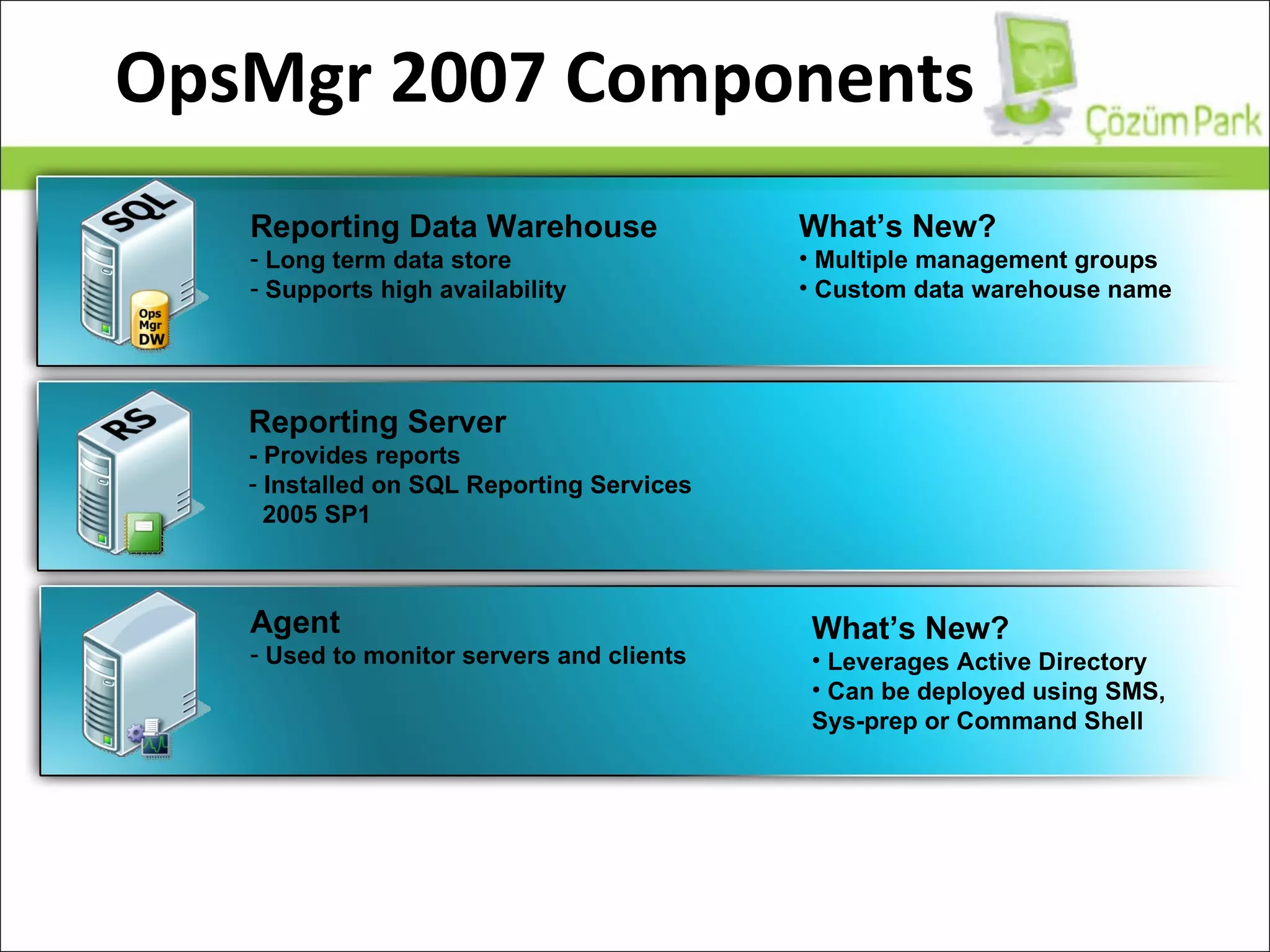
OpsMgr 2007 Components Reporting Data Warehouse Long term data store  Supports high availability Reporting Server - Provides reports Installed on SQL Reporting Services 2005 SP1 Agent Used to monitor servers and clients What’s New? Multiple management groups Custom data warehouse name What’s New? Leverages Active Directory Can be deployed using SMS, Sys-prep or Command Shell
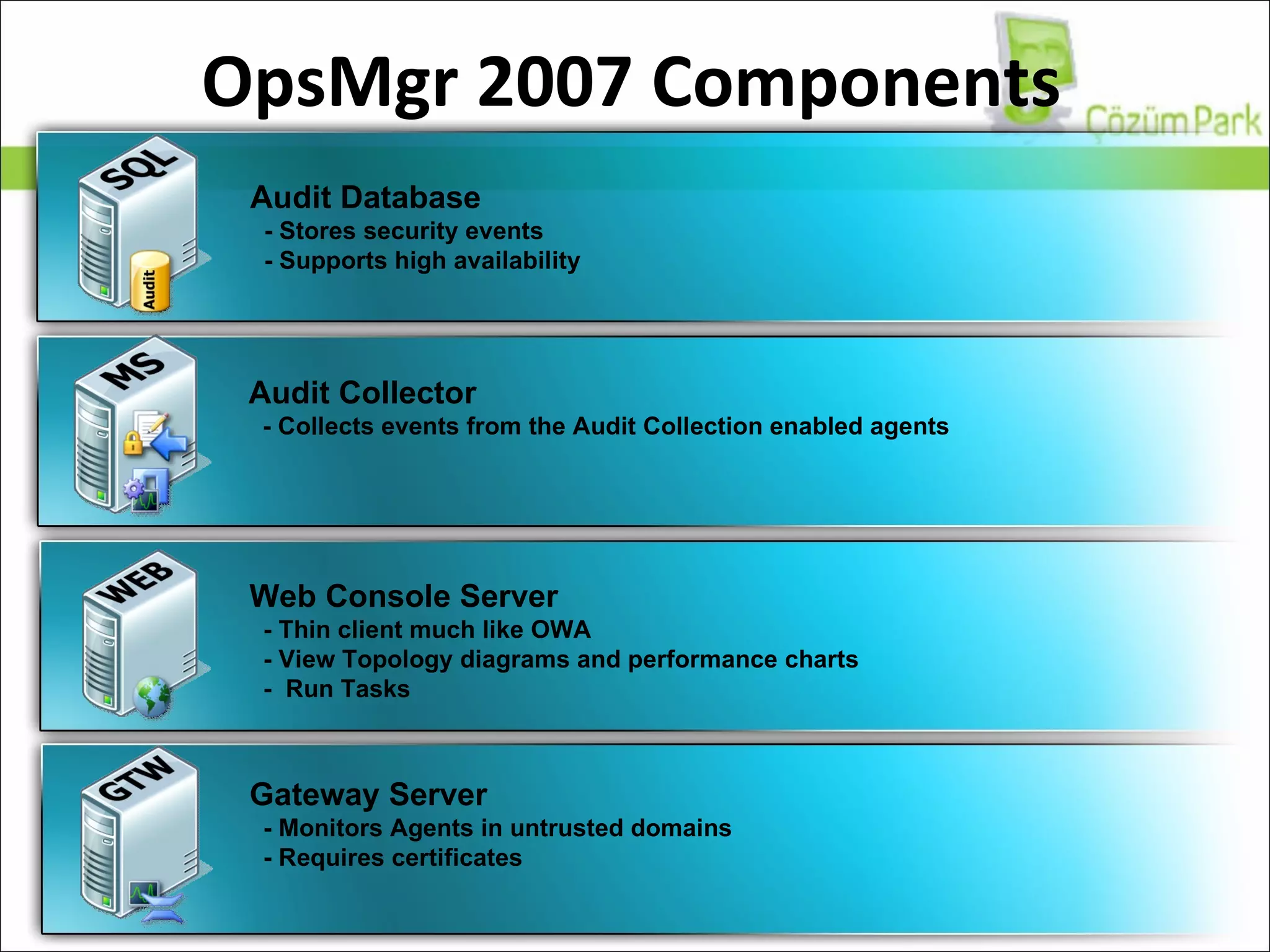
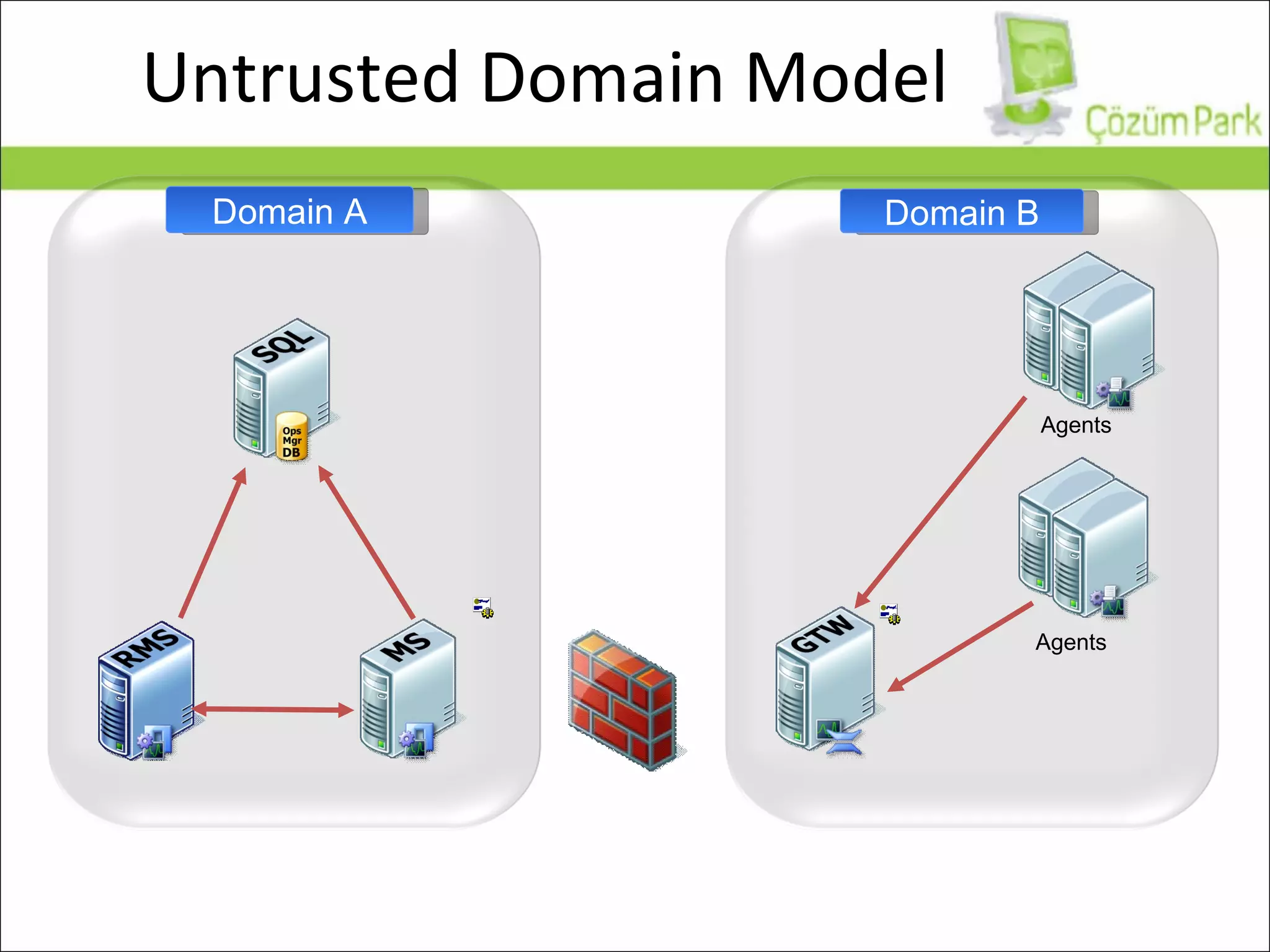
OpsMgr 2007 Components Audit Database - Stores security events - Supports high availability Audit Collector - Collects events from the Audit Collection enabled agents Web Console Server - Thin client much like OWA - View Topology diagrams and performance charts -  Run Tasks Gateway Server - Monitors Agents in untrusted domains - Requires certificates
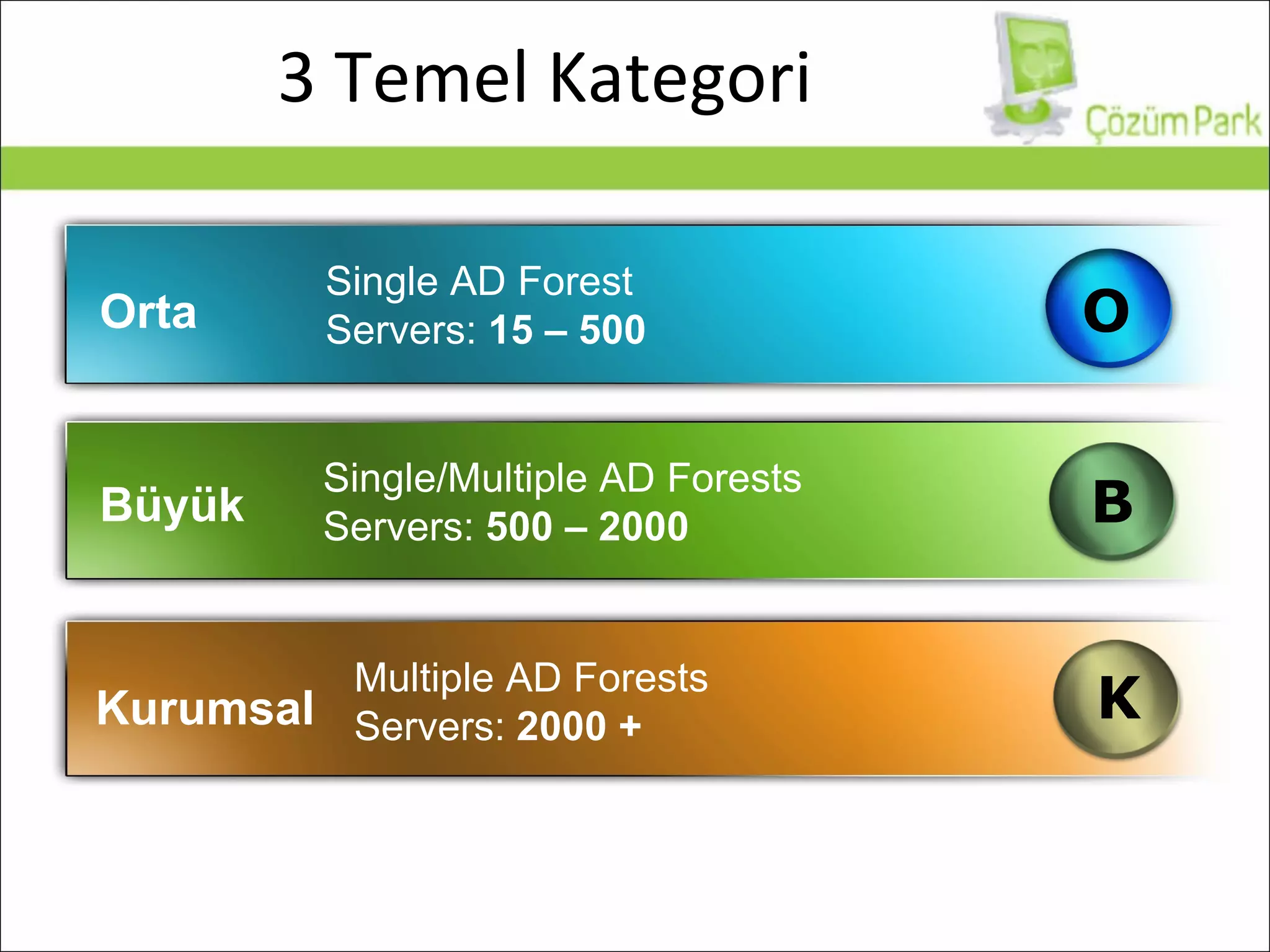
3 Temel Kategori Orta Büyük Kurumsal Single AD Forest Servers:  15 – 500 Single/Multiple AD Forests Servers:  500 – 2000 Multiple AD Forests Servers:  2000 + B K O
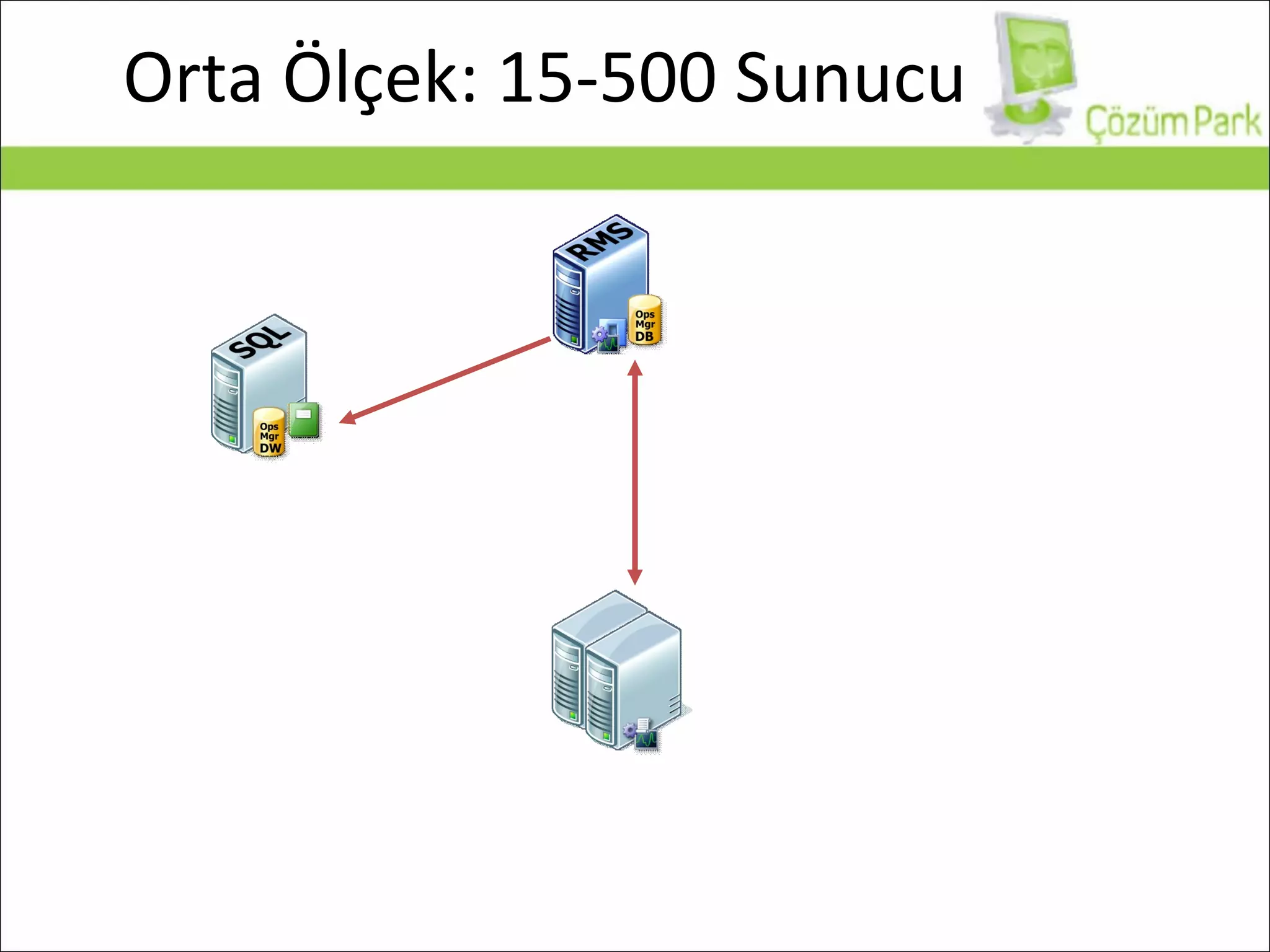
Orta Ölçek: 15-500 Sunucu
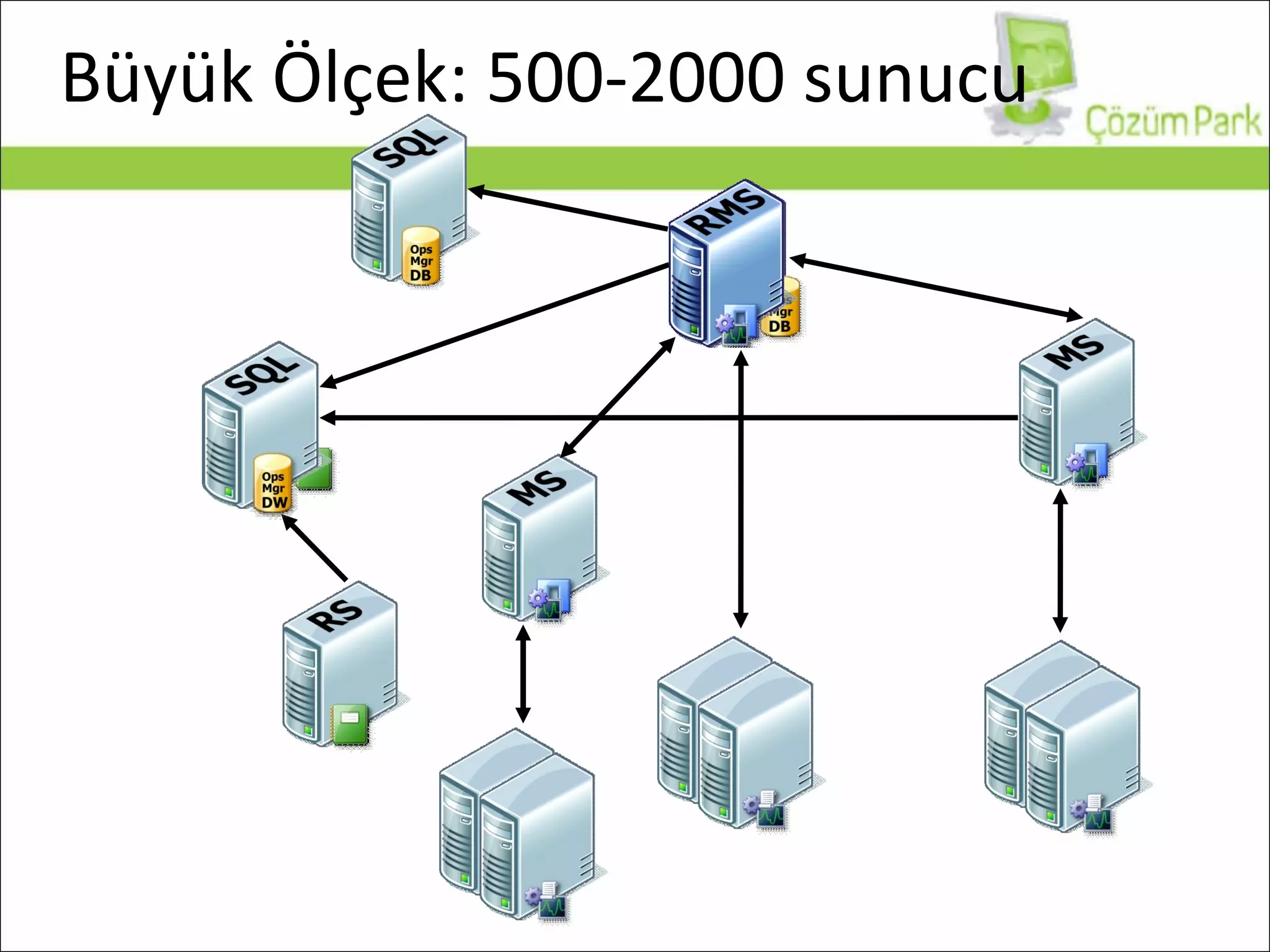
Büyük Ölçek: 500-2000 sunucu
Untrusted Domain Model Domain A Domain B Agents Agents
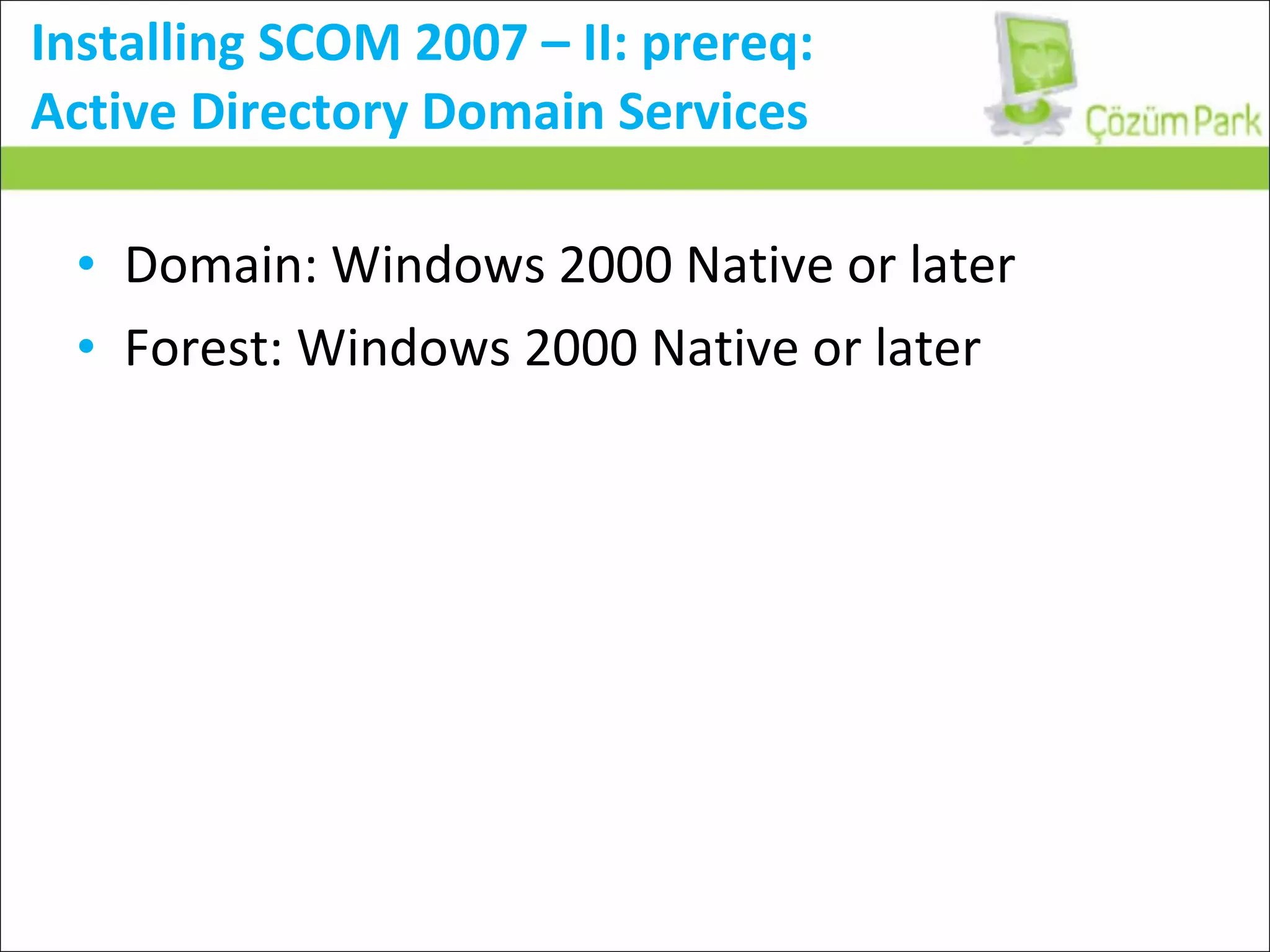
Installing SCOM 2007 – II: prereq:  Active Directory Domain Services Domain: Windows 2000 Native or later Forest: Windows 2000 Native or later
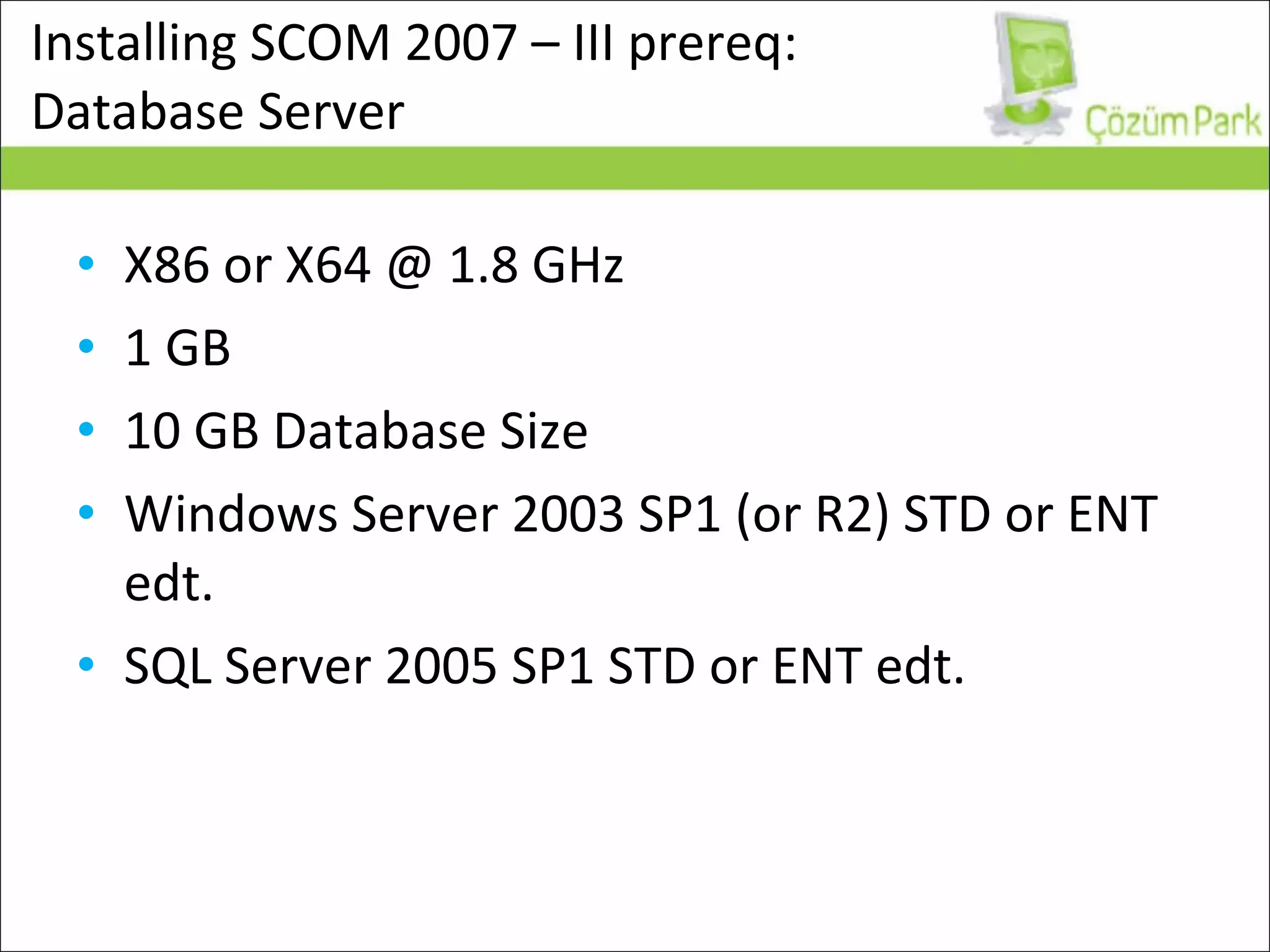
Installing SCOM 2007 – III prereq:  Database Server X86 or X64 @ 1.8 GHz 1 GB 10 GB Database Size Windows Server 2003 SP1 (or R2) STD or ENT edt. SQL Server 2005 SP1 STD or ENT edt.
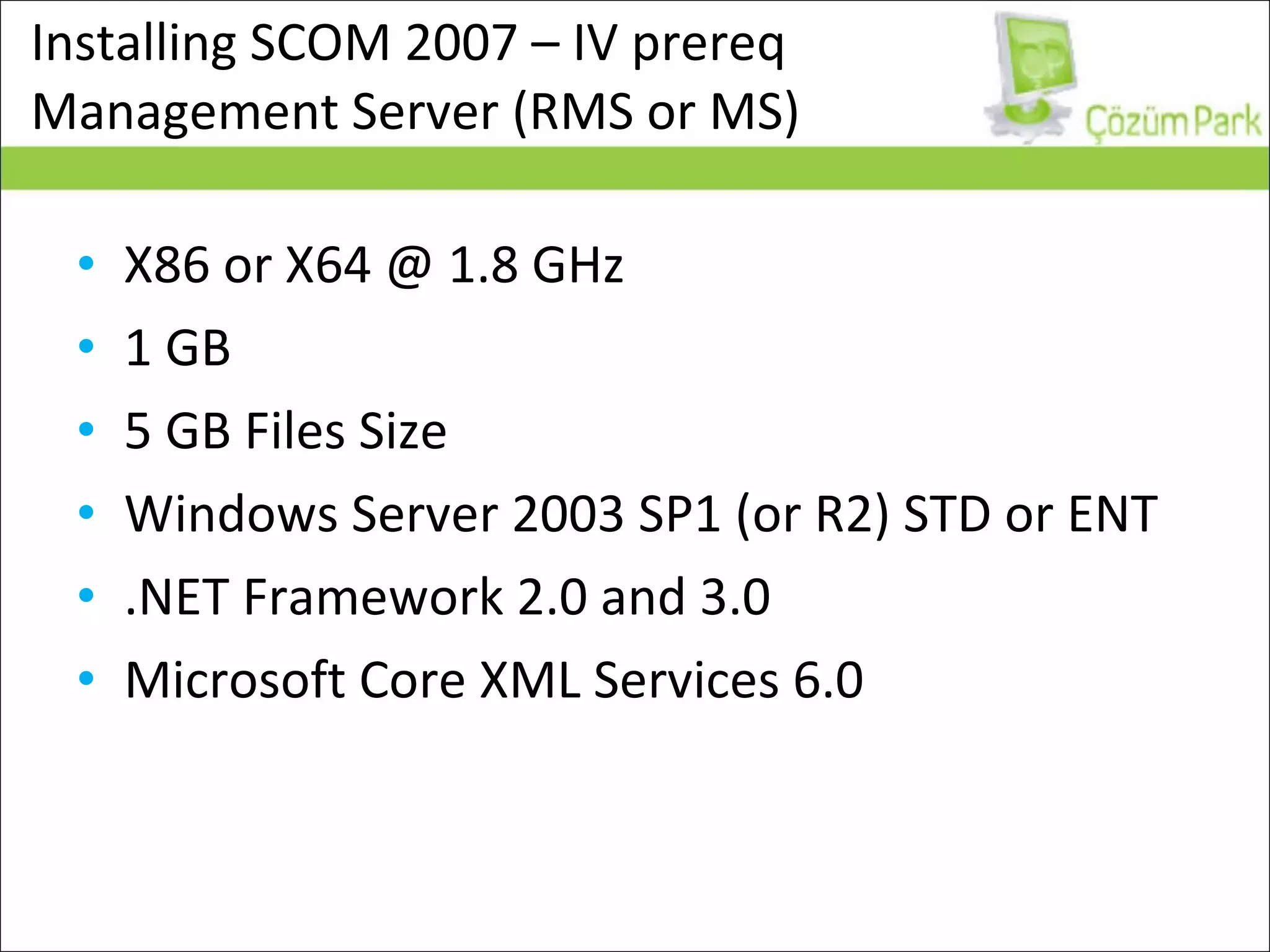
Installing SCOM 2007 – IV prereq  Management Server (RMS or MS) X86 or X64 @ 1.8 GHz 1 GB 5 GB Files Size Windows Server 2003 SP1 (or R2) STD or ENT .NET Framework 2.0 and 3.0 Microsoft Core XML Services 6.0
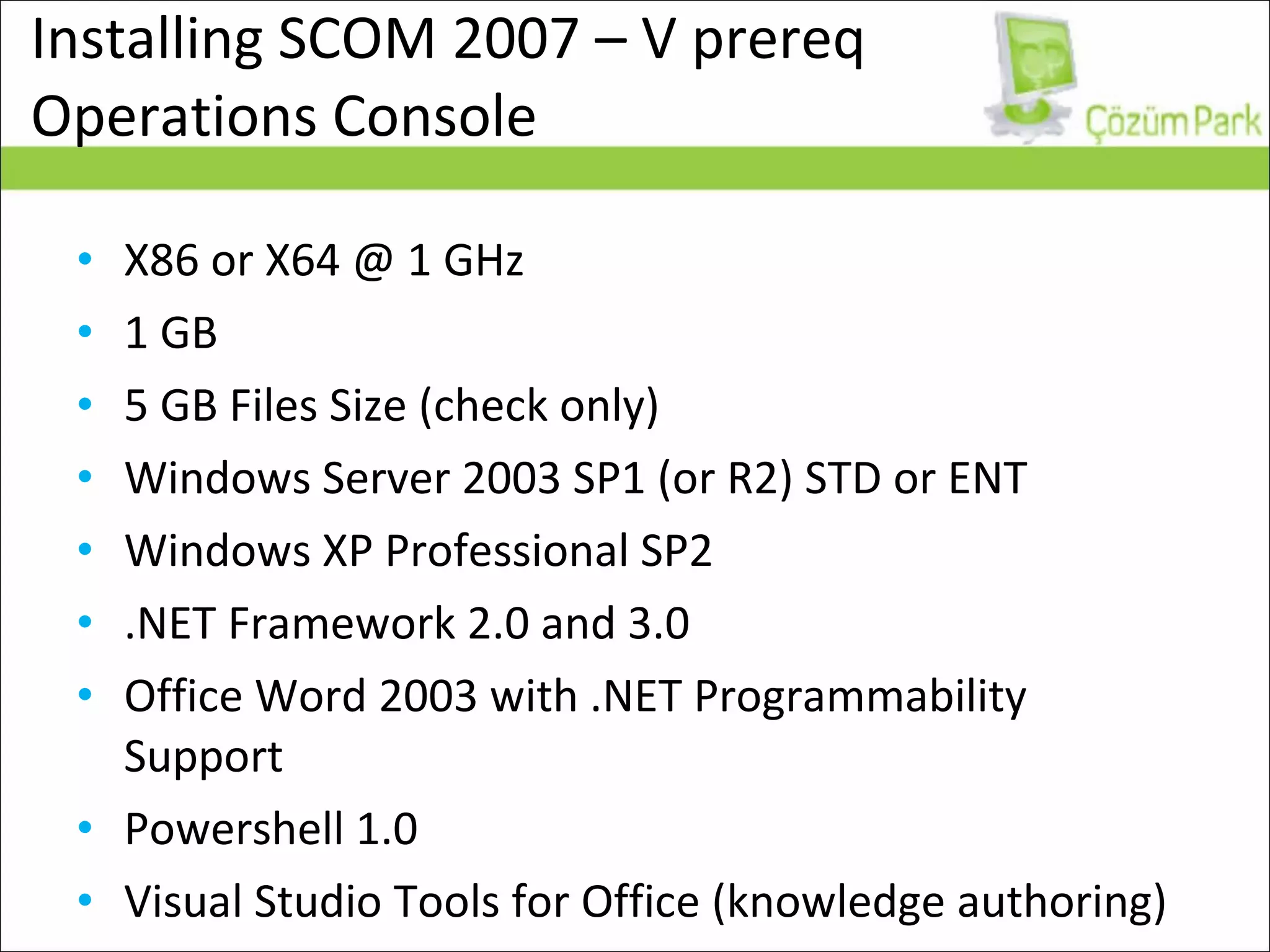
Installing SCOM 2007 – V prereq Operations Console X86 or X64 @ 1 GHz 1 GB 5 GB Files Size (check only) Windows Server 2003 SP1 (or R2) STD or ENT  Windows XP Professional SP2 .NET Framework 2.0 and 3.0 Office Word 2003 with .NET Programmability Support Powershell 1.0 Visual Studio Tools for Office (knowledge authoring)
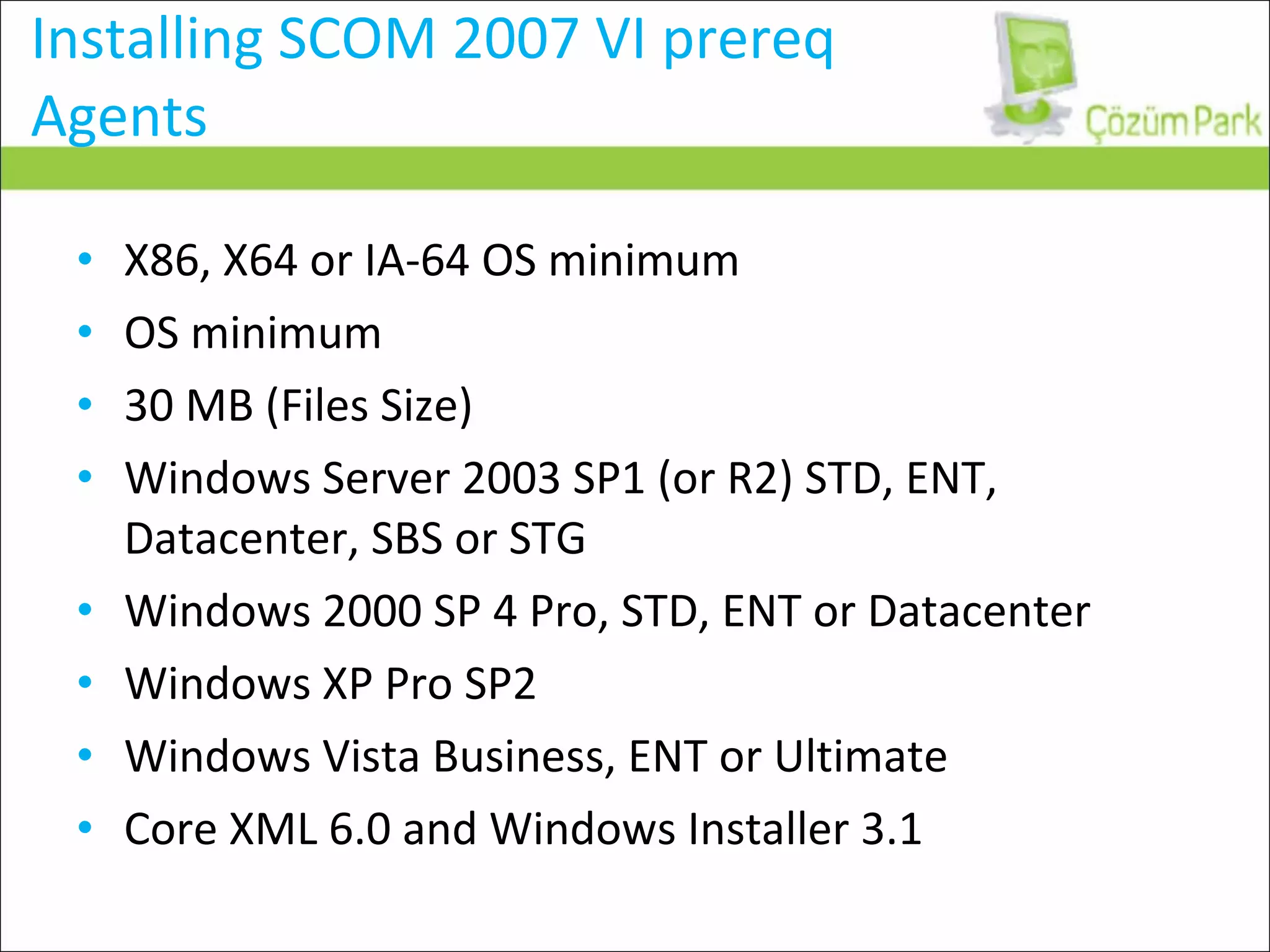
Installing SCOM 2007 VI prereq Agents X86, X64 or IA-64 OS minimum OS minimum 30 MB (Files Size) Windows Server 2003 SP1 (or R2) STD, ENT, Datacenter, SBS or STG Windows 2000 SP 4 Pro, STD, ENT or Datacenter Windows XP Pro SP2 Windows Vista Business, ENT or Ultimate Core XML 6.0 and Windows Installer 3.1
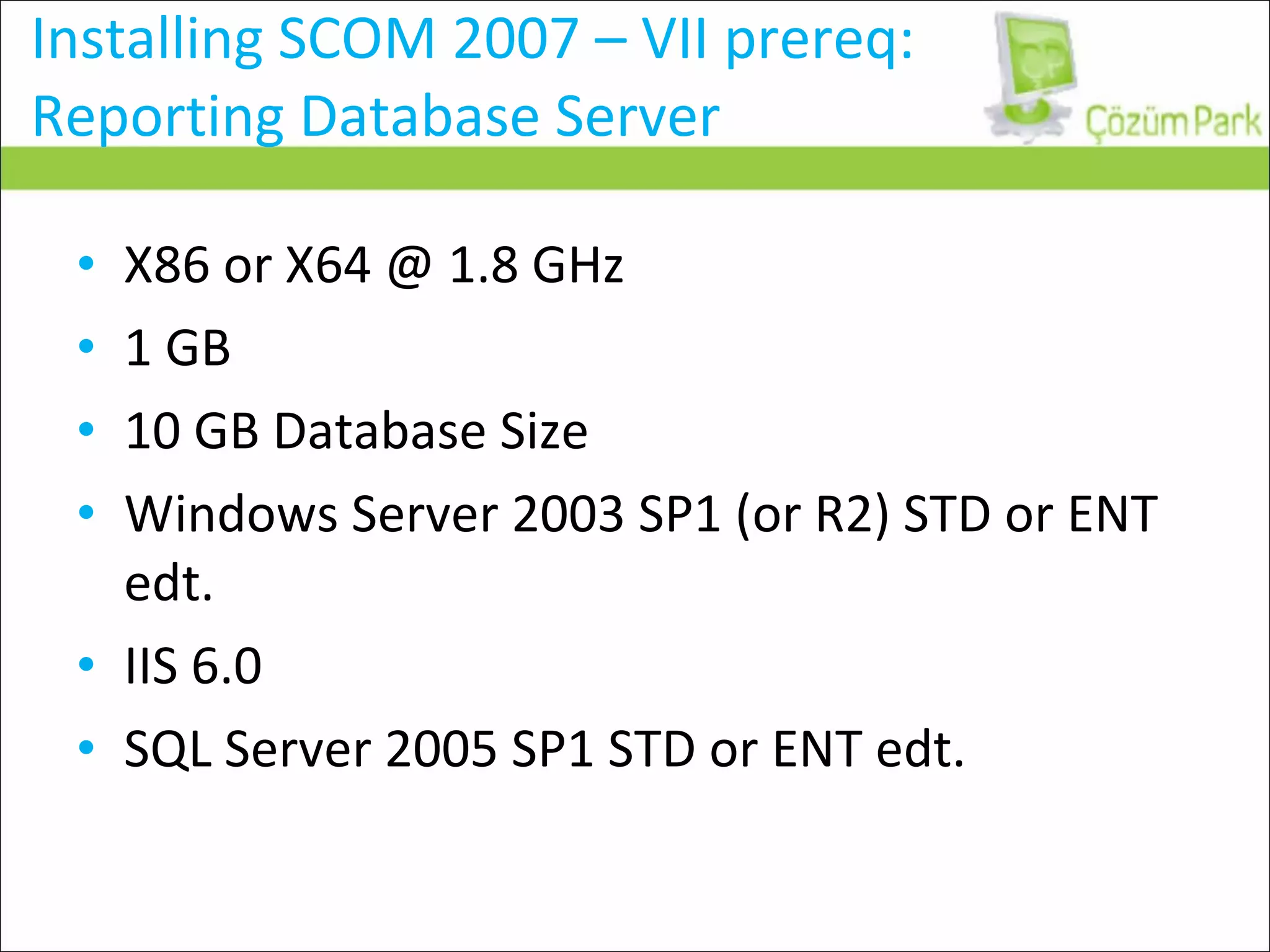
Installing SCOM 2007 – VII prereq: Reporting Database Server X86 or X64 @ 1.8 GHz 1 GB 10 GB Database Size Windows Server 2003 SP1 (or R2) STD or ENT edt. IIS 6.0 SQL Server 2005 SP1 STD or ENT edt.
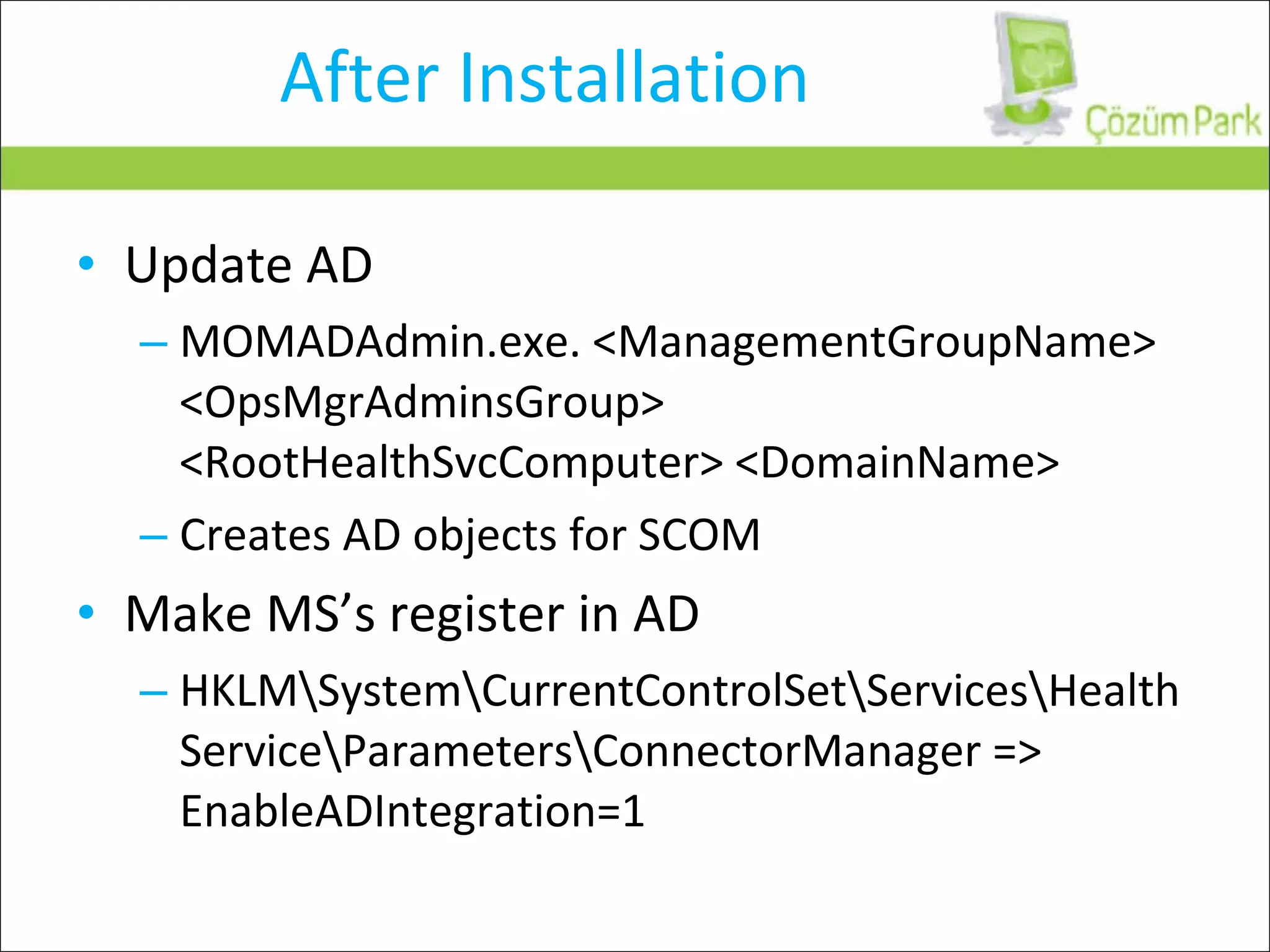
After Installation Update AD MOMADAdmin.exe. <ManagementGroupName> <OpsMgrAdminsGroup> <RootHealthSvcComputer> <DomainName> Creates AD objects for SCOM Make MS’s register in AD HKLM\System\CurrentControlSet\Services\HealthService\Parameters\ConnectorManager => EnableADIntegration=1
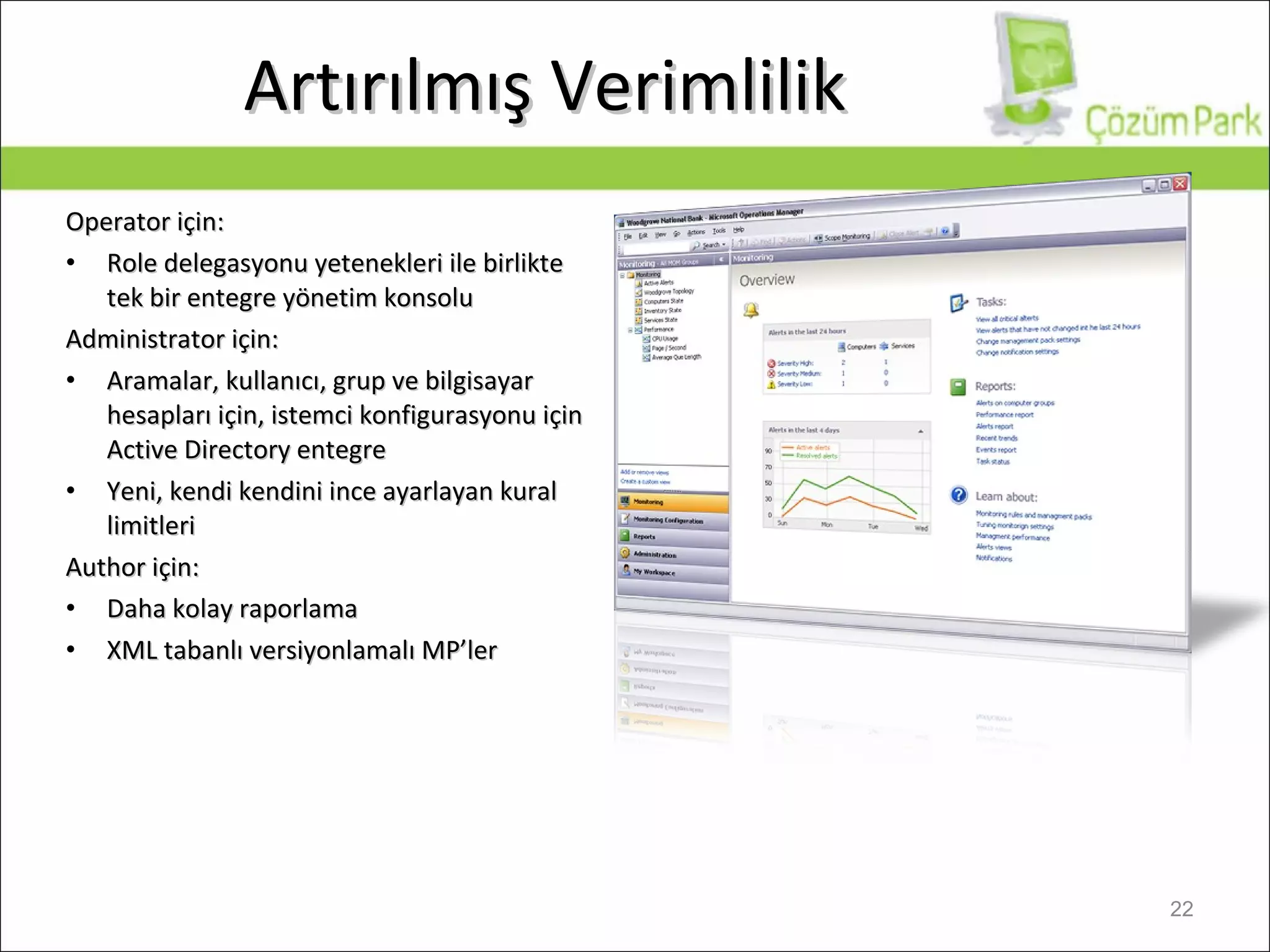
Artırılmış Verimlilik Operator  için: Role delegasyonu yetenekleri ile birlikte tek bir entegre yönetim konsolu Administrator  için: Aramalar, kullanıcı, grup ve bilgisayar hesapları için, istemci konfigurasyonu için  Active Directory  entegre Yeni, kendi kendini ince ayarlayan kural limitleri Author  için: Daha kolay raporlama XML  tabanlı versiyonlamalı  MP ’ler
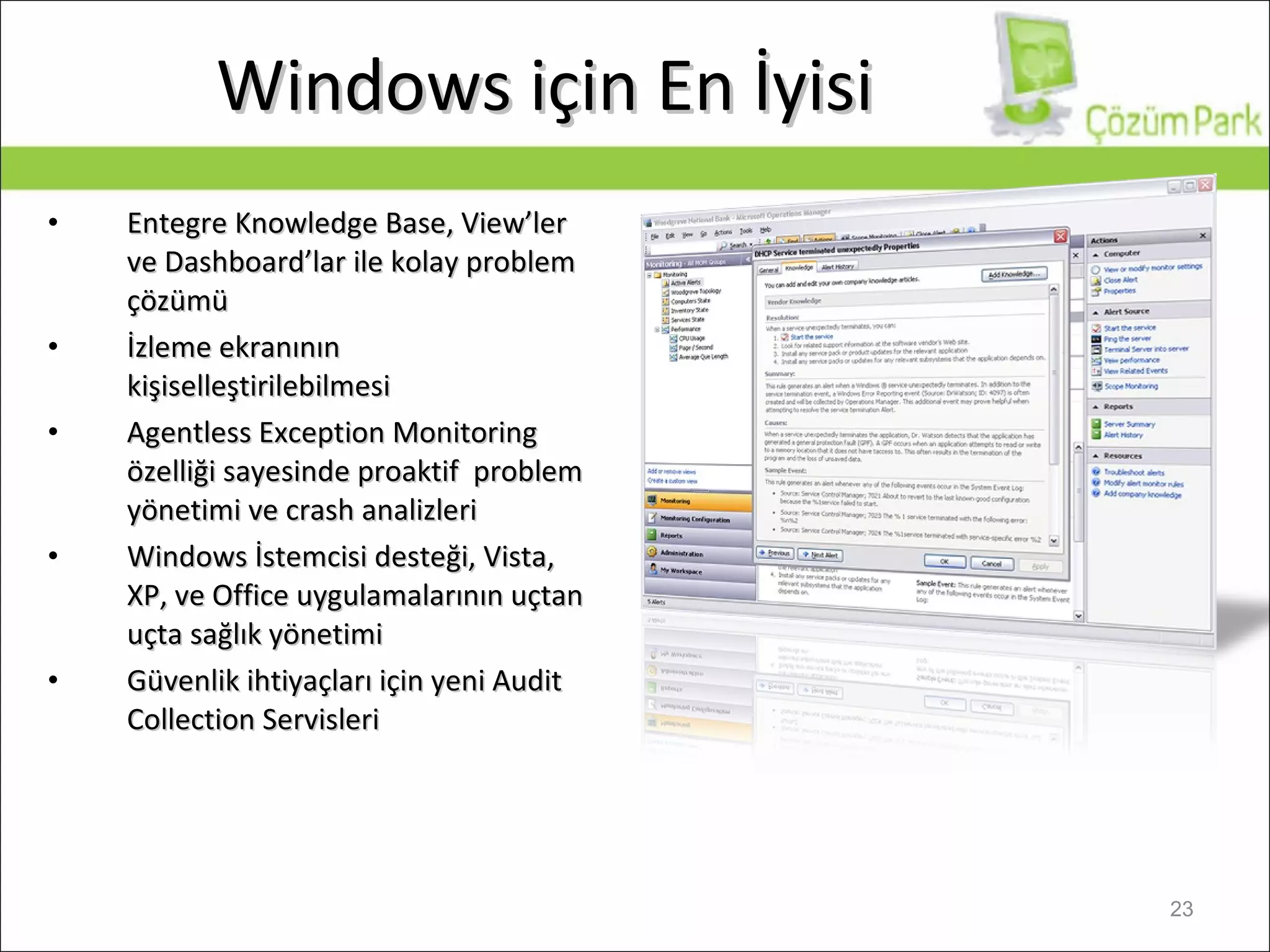
Windows  için En İyisi Entegre Knowledge Base, View’ler ve Dashboard’lar ile kolay problem çözümü İzleme ekranının kişiselleştirilebilmesi Agentless Exception Monitoring  özelliği sayesinde p roa ktif  problem  yönetimi ve crash analizleri   Windows  İstemcisi desteği,  Vista, XP,  ve  Office  uygulamalarının uçtan uçta sağlık yönetimi Güvenlik ihtiyaçları için yeni Audit Collection Servisleri
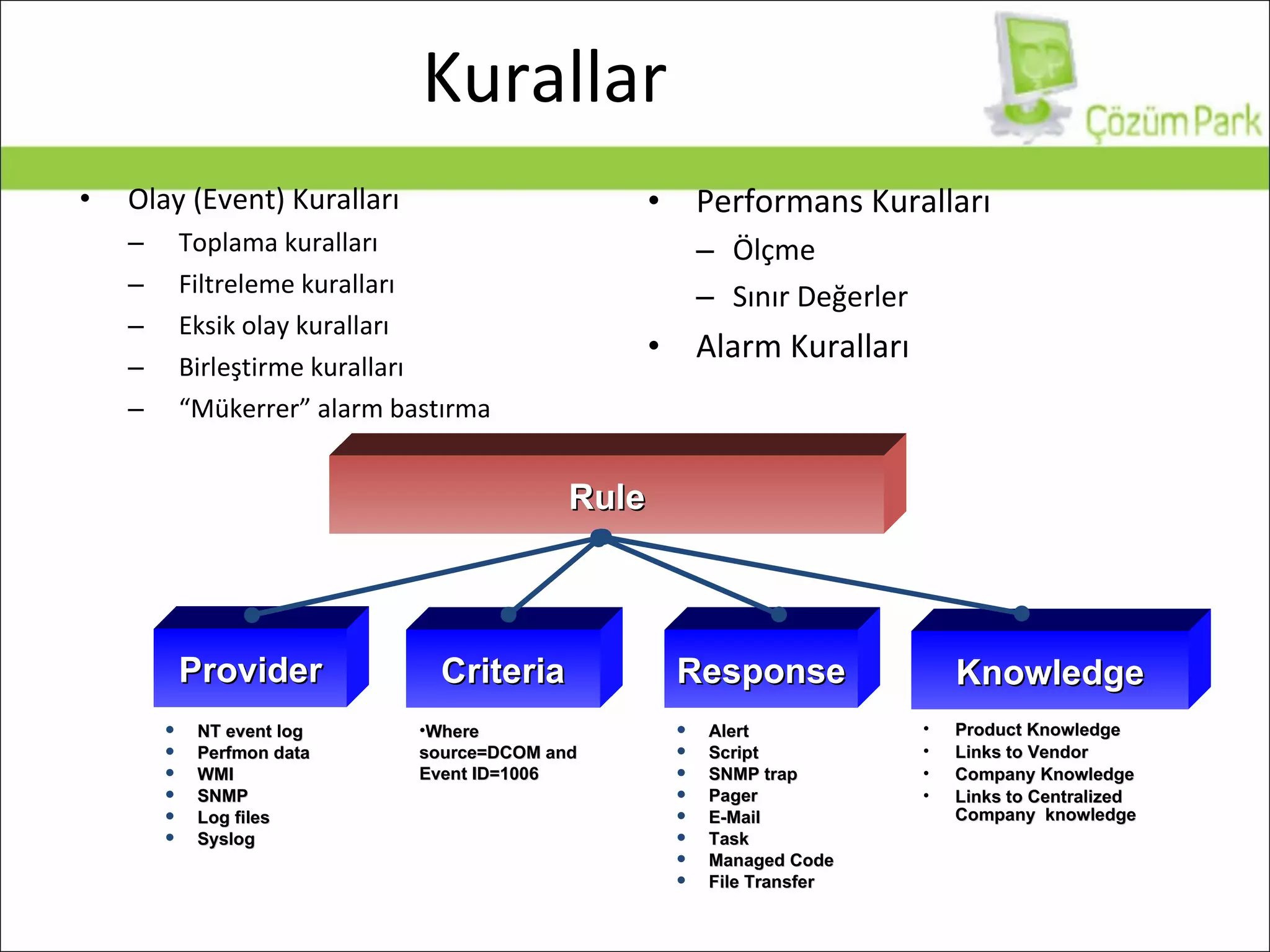
Olay (Event) Kuralları Toplama kuralları Filtreleme kuralları Eksik olay kuralları Birleştirme kuralları “ Mükerrer” alarm bastırma Performans Kuralları Ölçme Sınır Değerler Alarm Kuralları Kurallar Rule Criteria Where source=DCOM and Event ID=1006 Provider NT event log Perfmon data WMI SNMP Log files Syslog Response Alert Script SNMP trap Pager E-Mail Task Managed Code File Transfer Knowledge Product Knowledge Links to Vendor  Company Knowledge Links to Centralized Company  knowledge
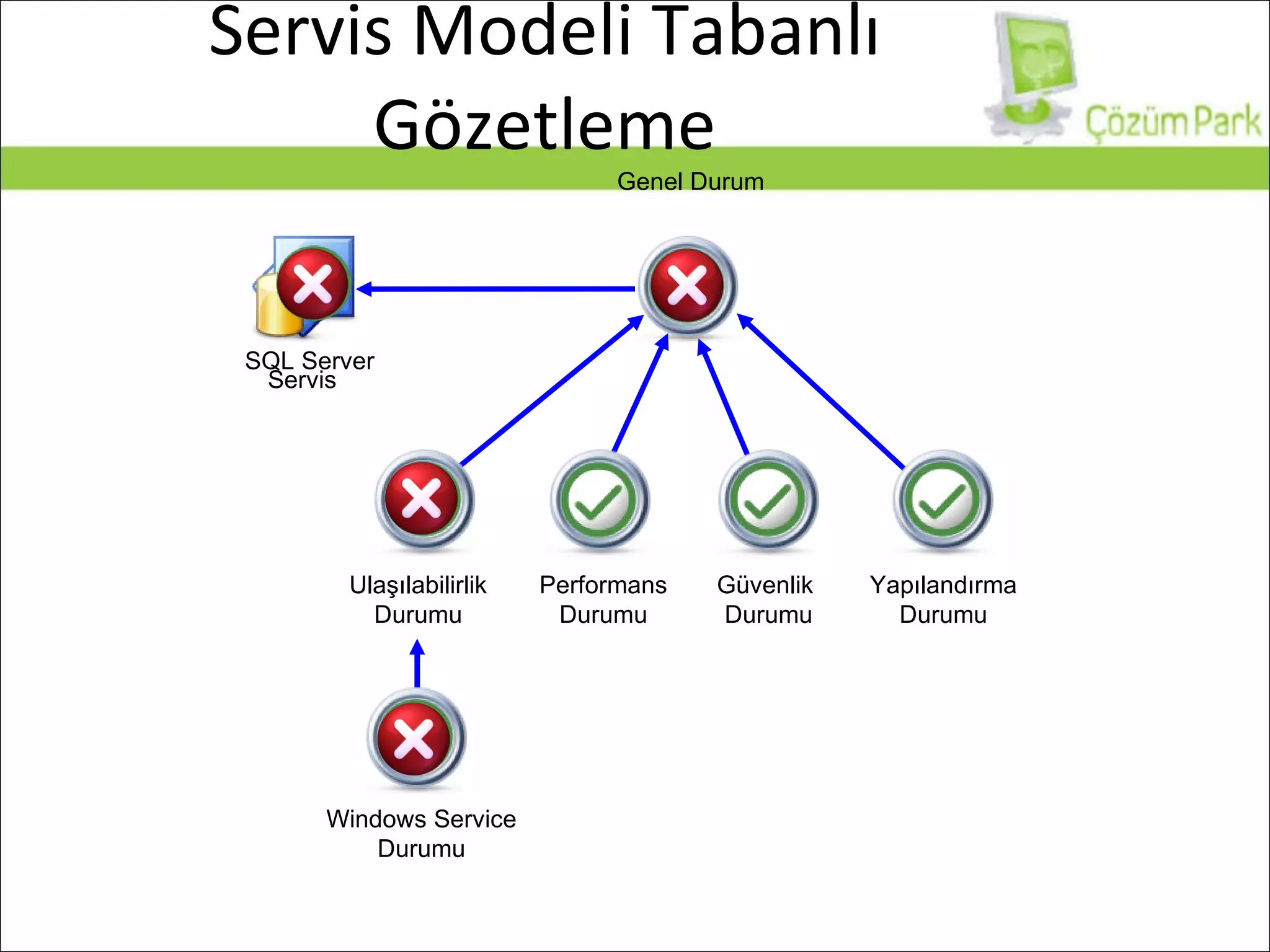
Servis Modeli Tabanlı Gözetleme Ulaşılabilirlik Durumu Performans Durumu Güvenlik  Durumu Yapılandırma Durumu Genel Durum Servis SQL Server Windows Service  Durumu
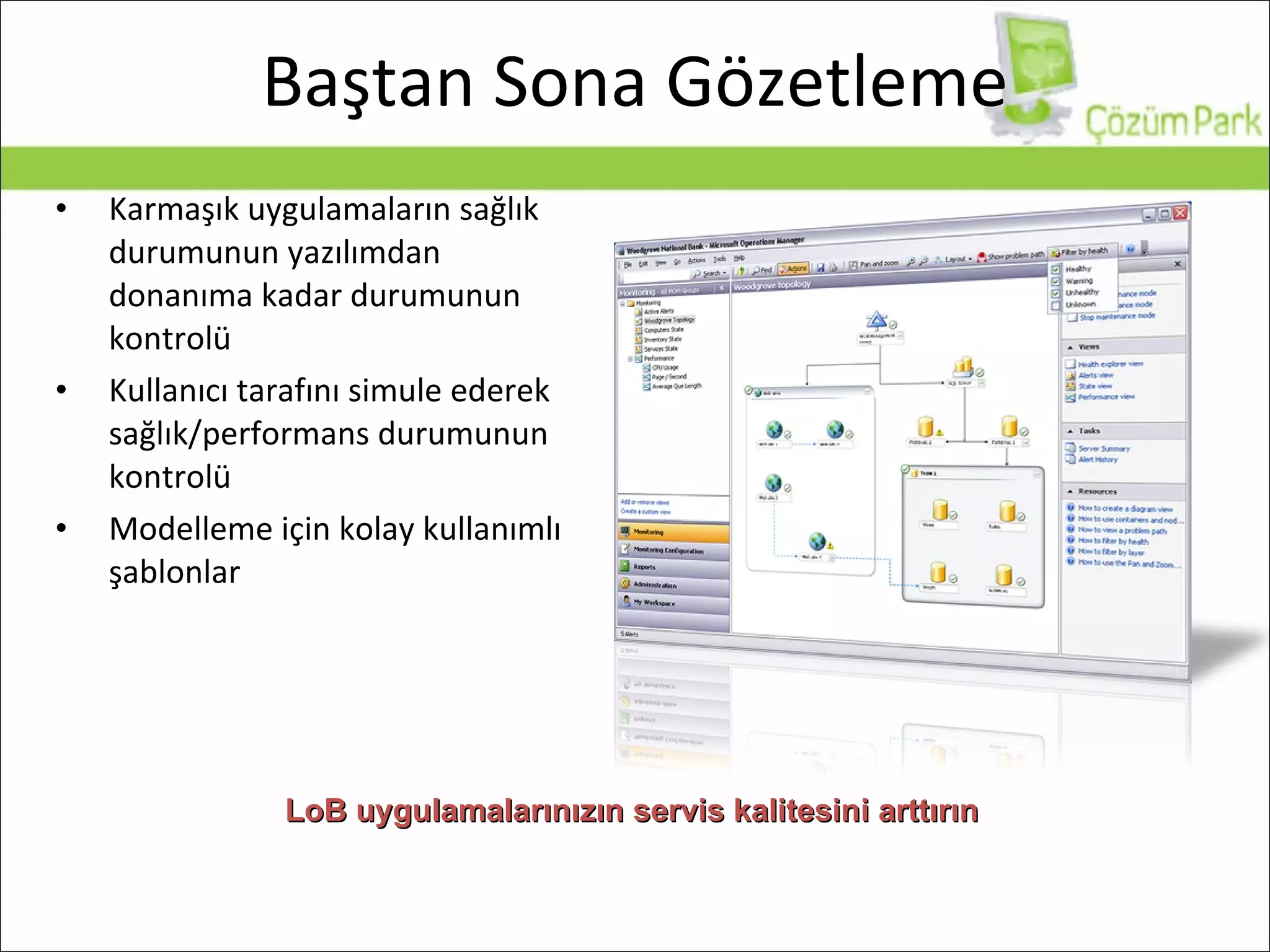
Karmaşık uygulamaların sağlık durumunun yazılımdan donanıma kadar durumunun kontrolü Kullanıcı tarafını simule ederek sağlık/performans durumunun kontrolü Modelleme için kolay kullanımlı şablonlar Baştan Sona Gözetleme LoB uygulamalarınızın servis kalitesini arttırın
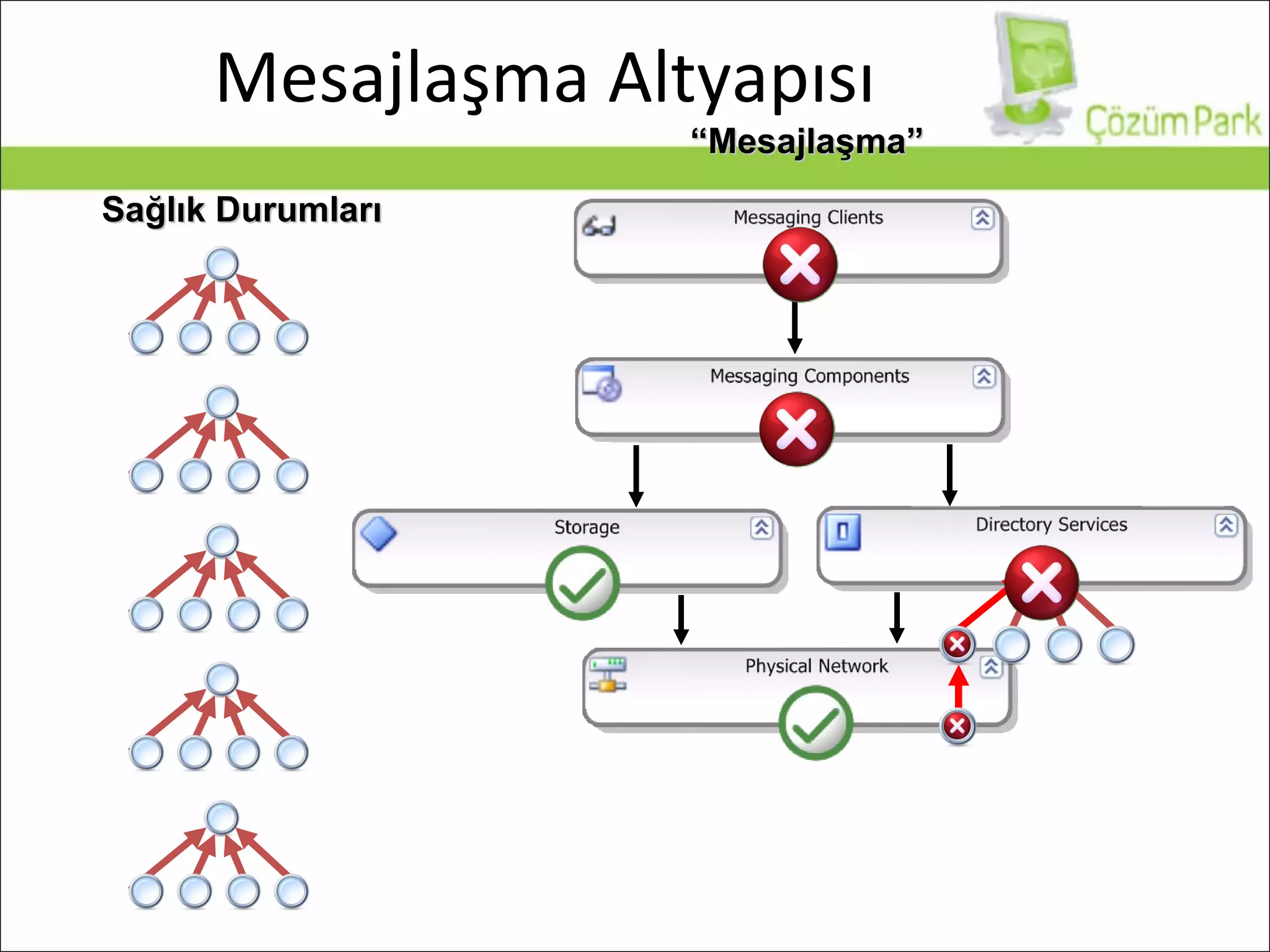
Mesajlaşma Altyapısı Sağlık Durumları “ Mesajlaşma”
Gerçek Hayattan Örnekler... Önemli bir servis durdu Active Directory replikasyonunda problem Exchange Server yavaş E-posta gönderiminde problem var Veritabanı sunucunuzda performans problemleri yaşıyorsunuz Temizlik elemanı Switch’in güç kablosunu söktü!
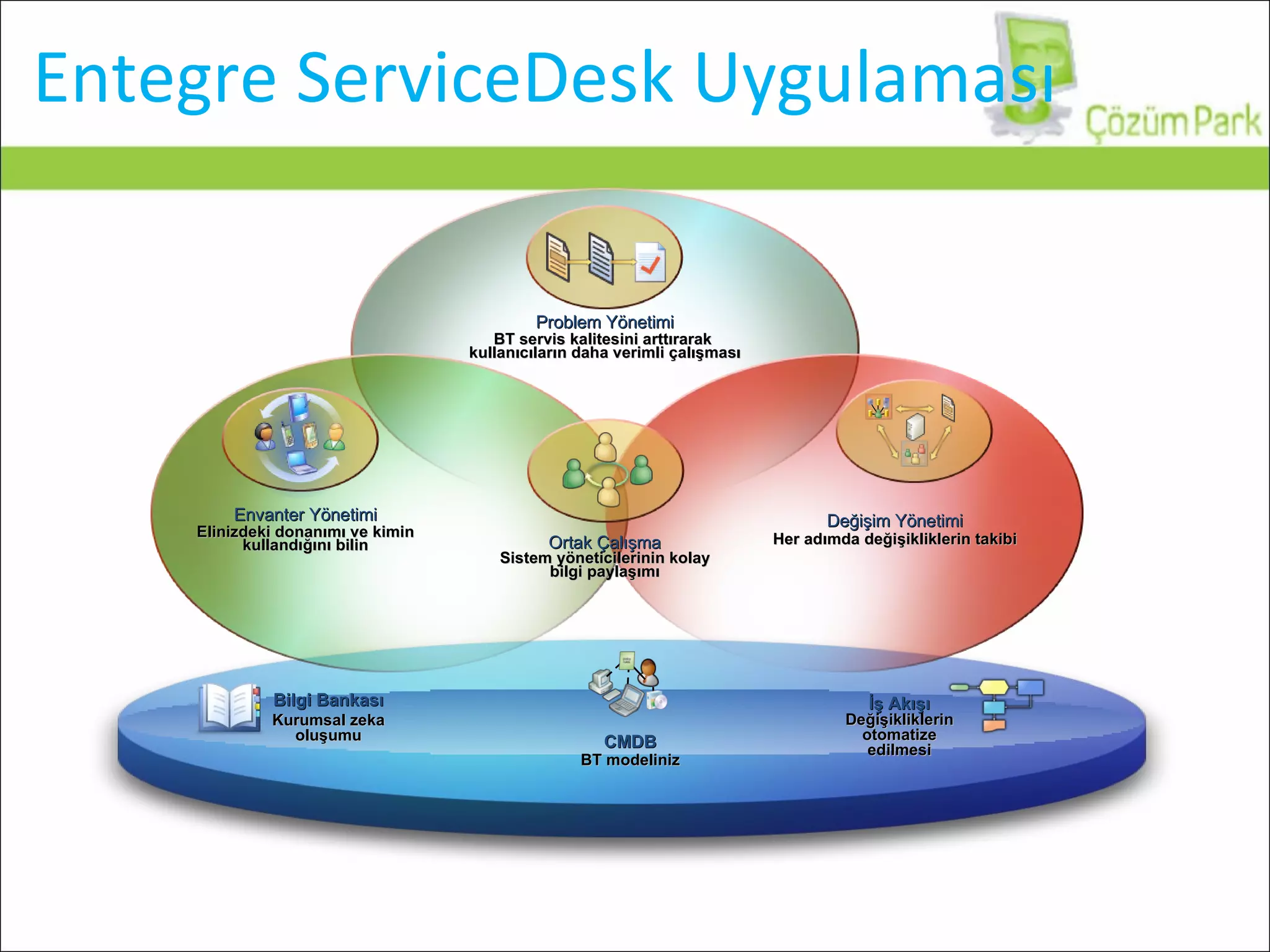
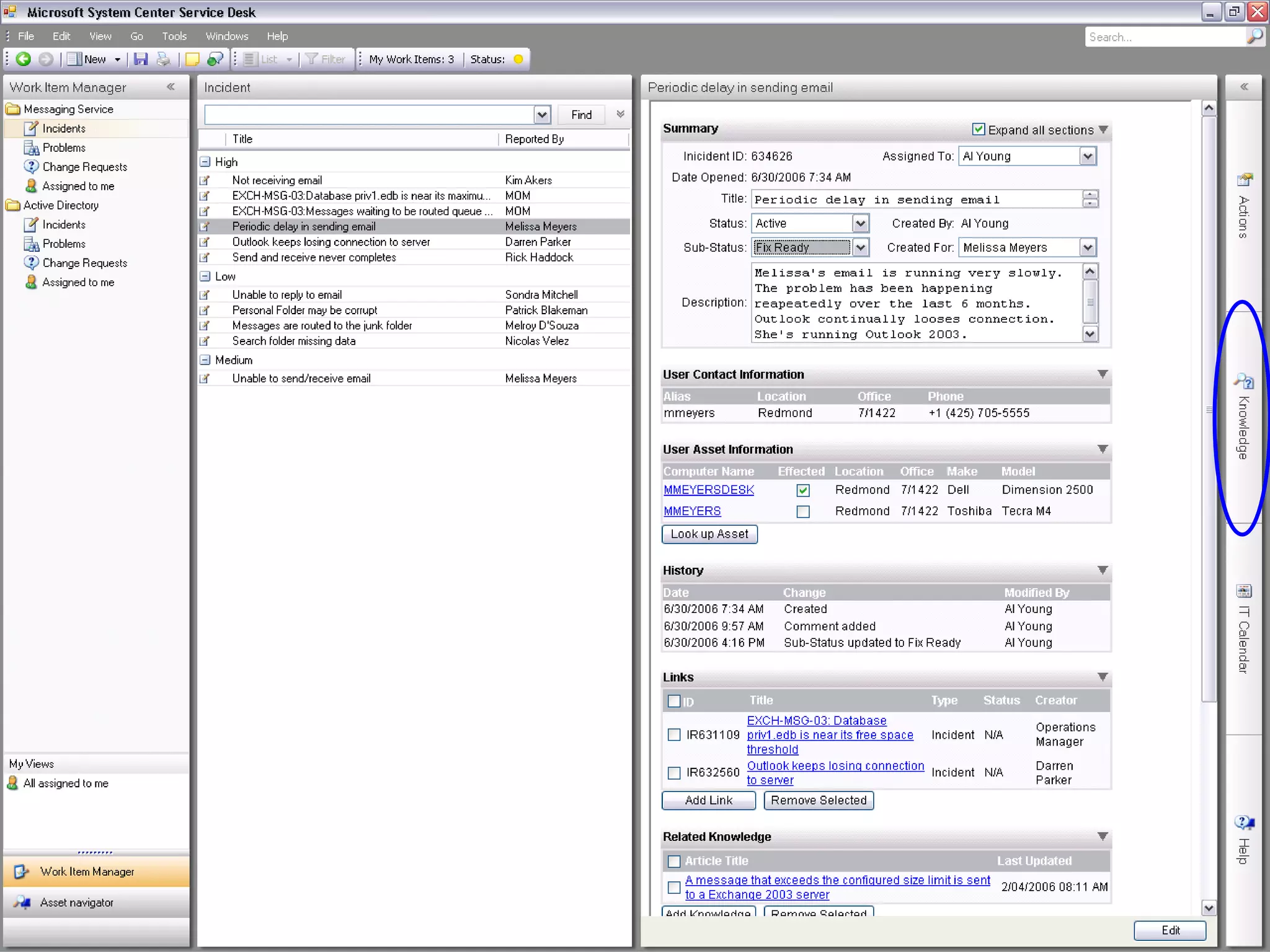
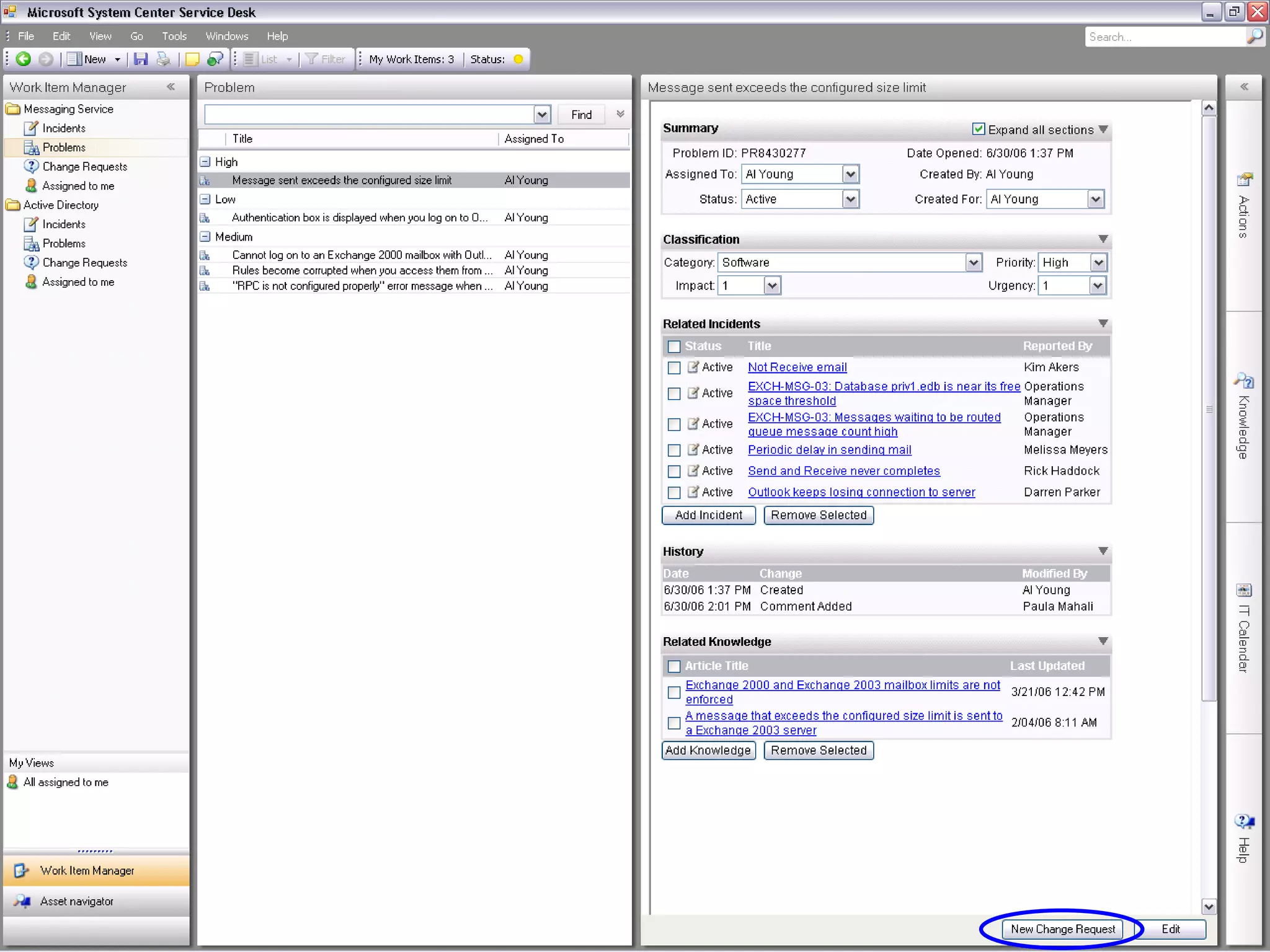
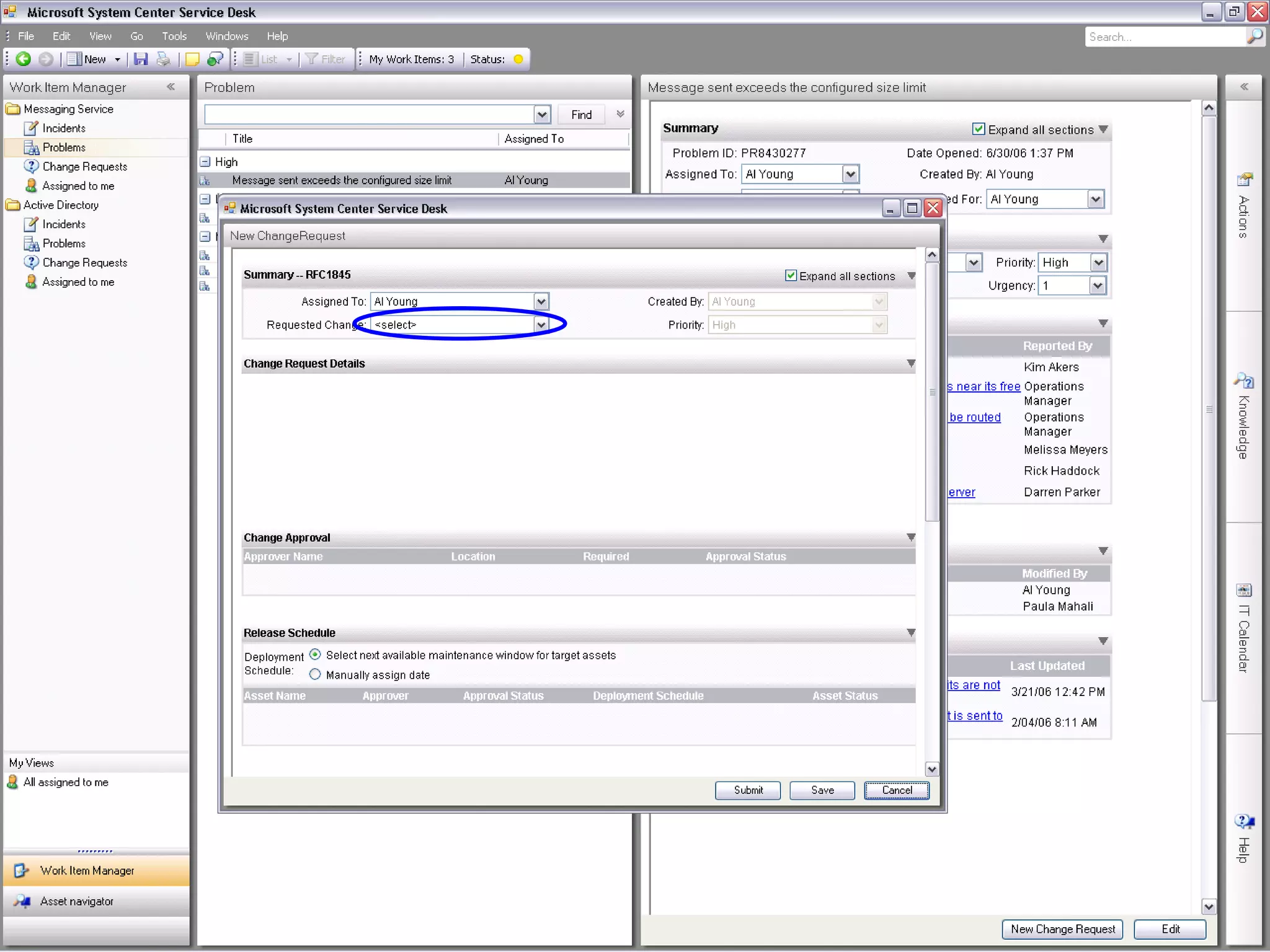
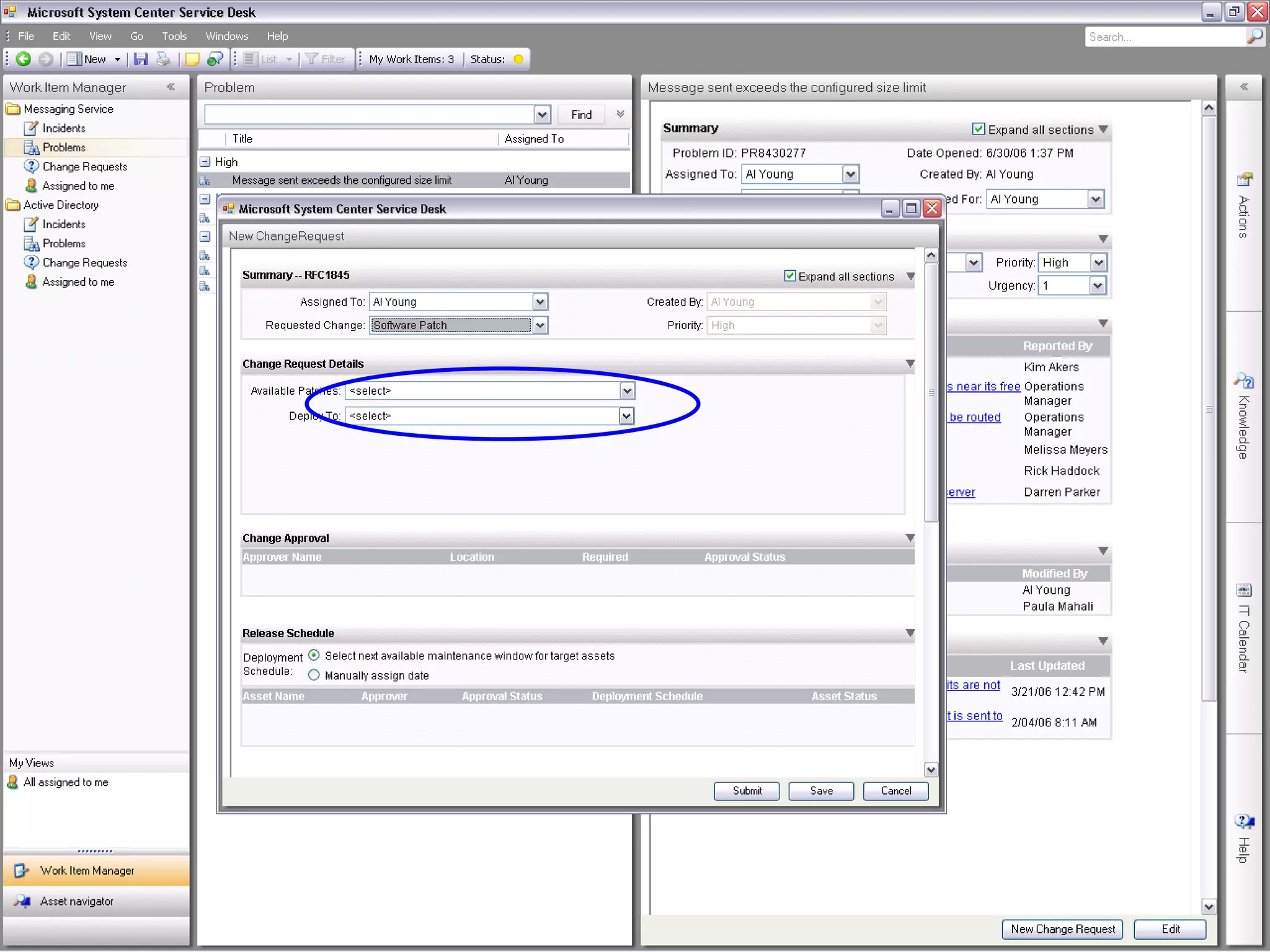
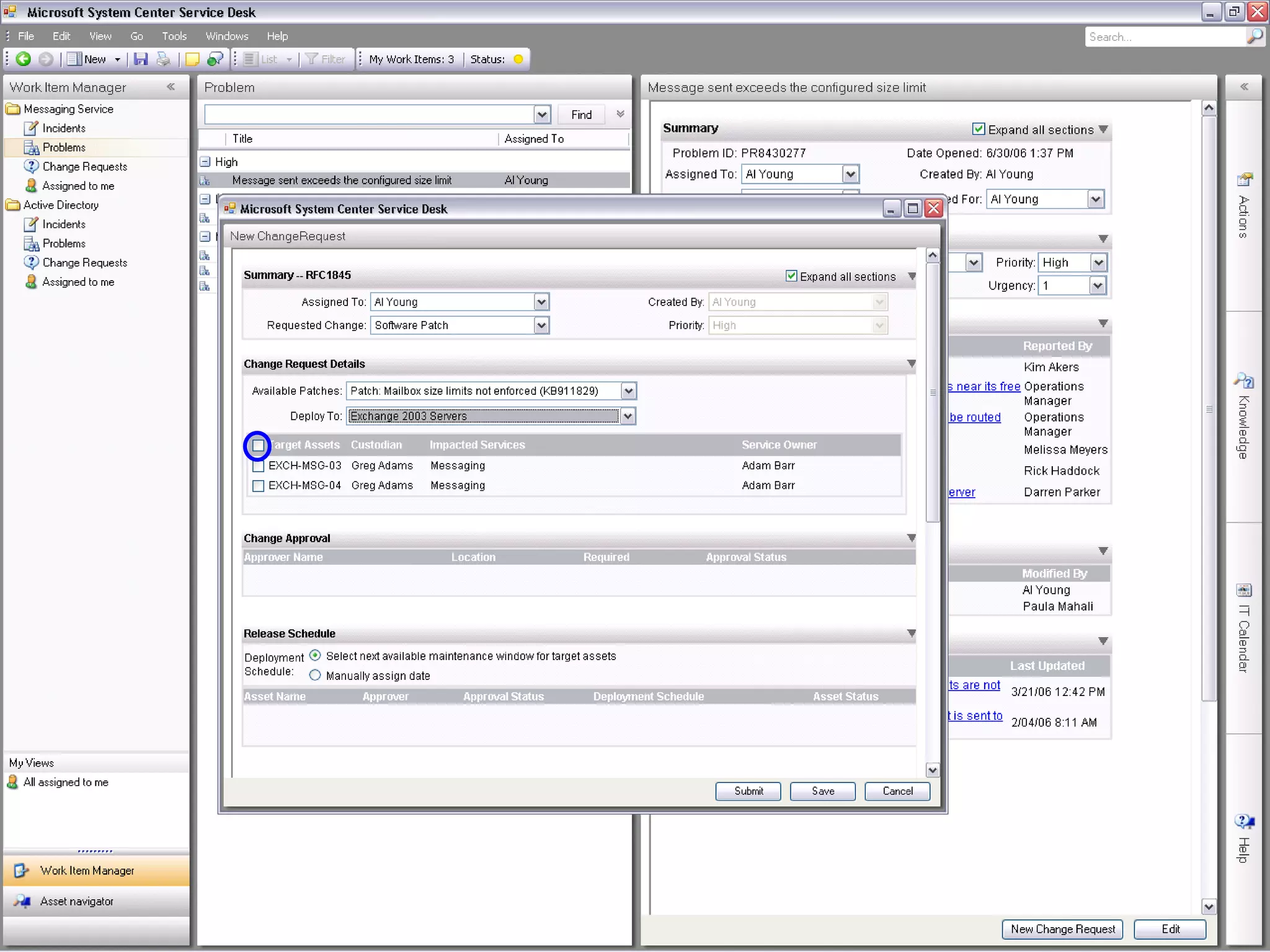
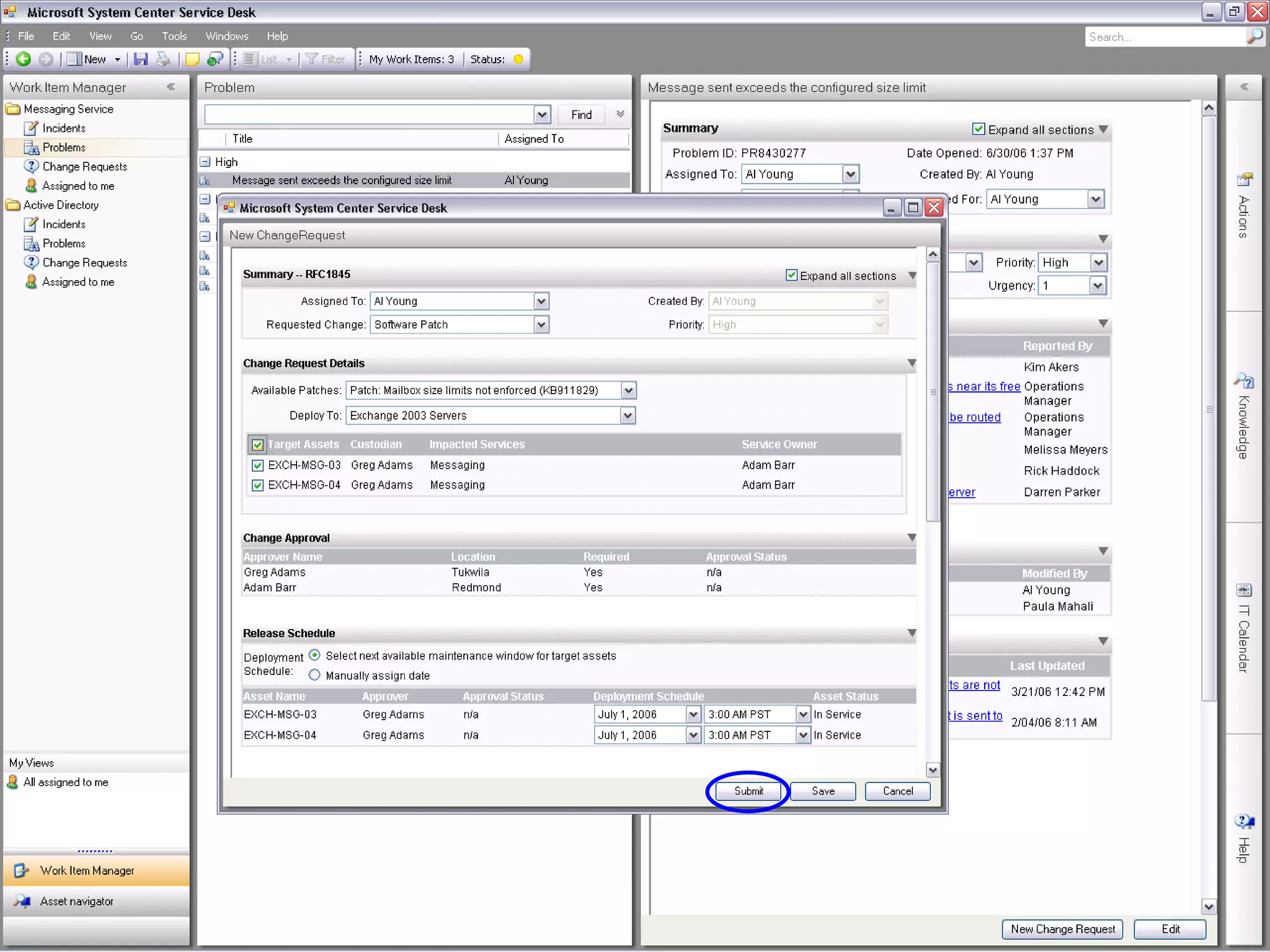
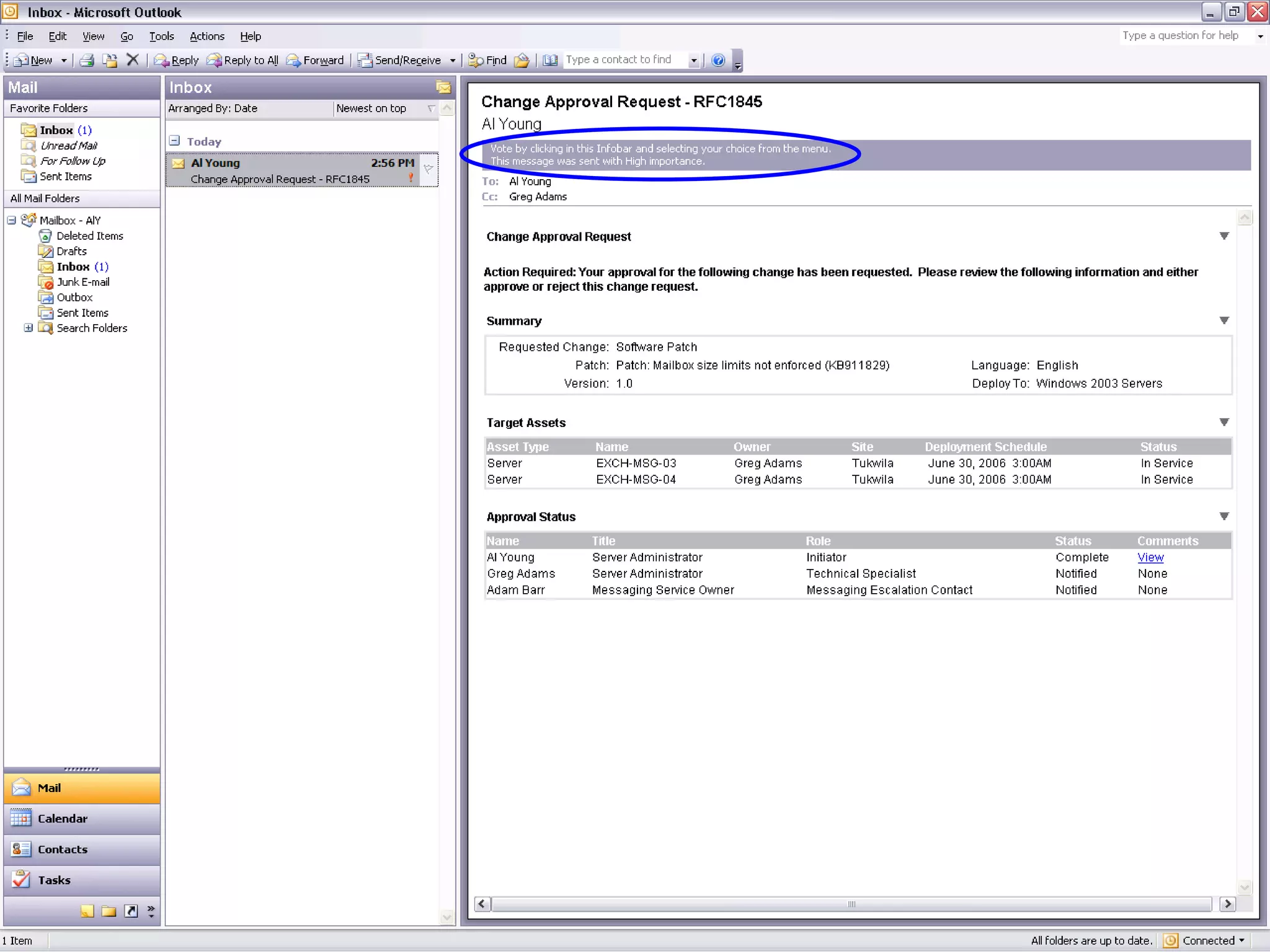
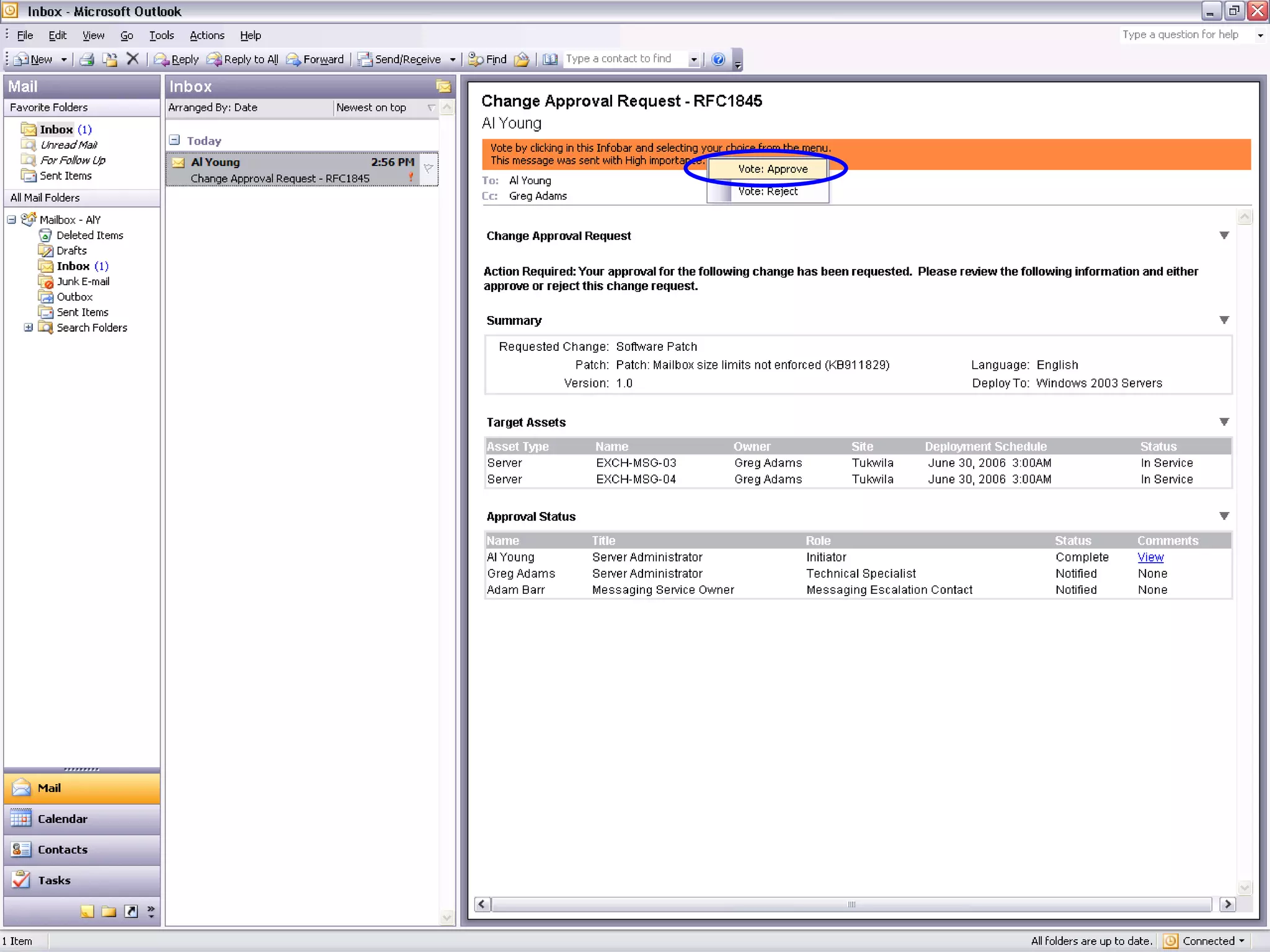
Entegre ServiceDesk Uygulaması CMDB BT modeliniz Bilgi Bankası Kurumsal zeka oluşumu İş Akışı Değişikliklerin otomatize edilmesi Problem Yönetimi BT servis kalitesini arttırarak  kullanıcıların daha verimli çalışması Envanter Yönetimi Elinizdeki donanımı ve kimin kullandığını bilin Değişim Yönetimi Her adımda değişikliklerin takibi Ortak Çalışma   Sistem yöneticilerinin kolay  bilgi paylaşımı


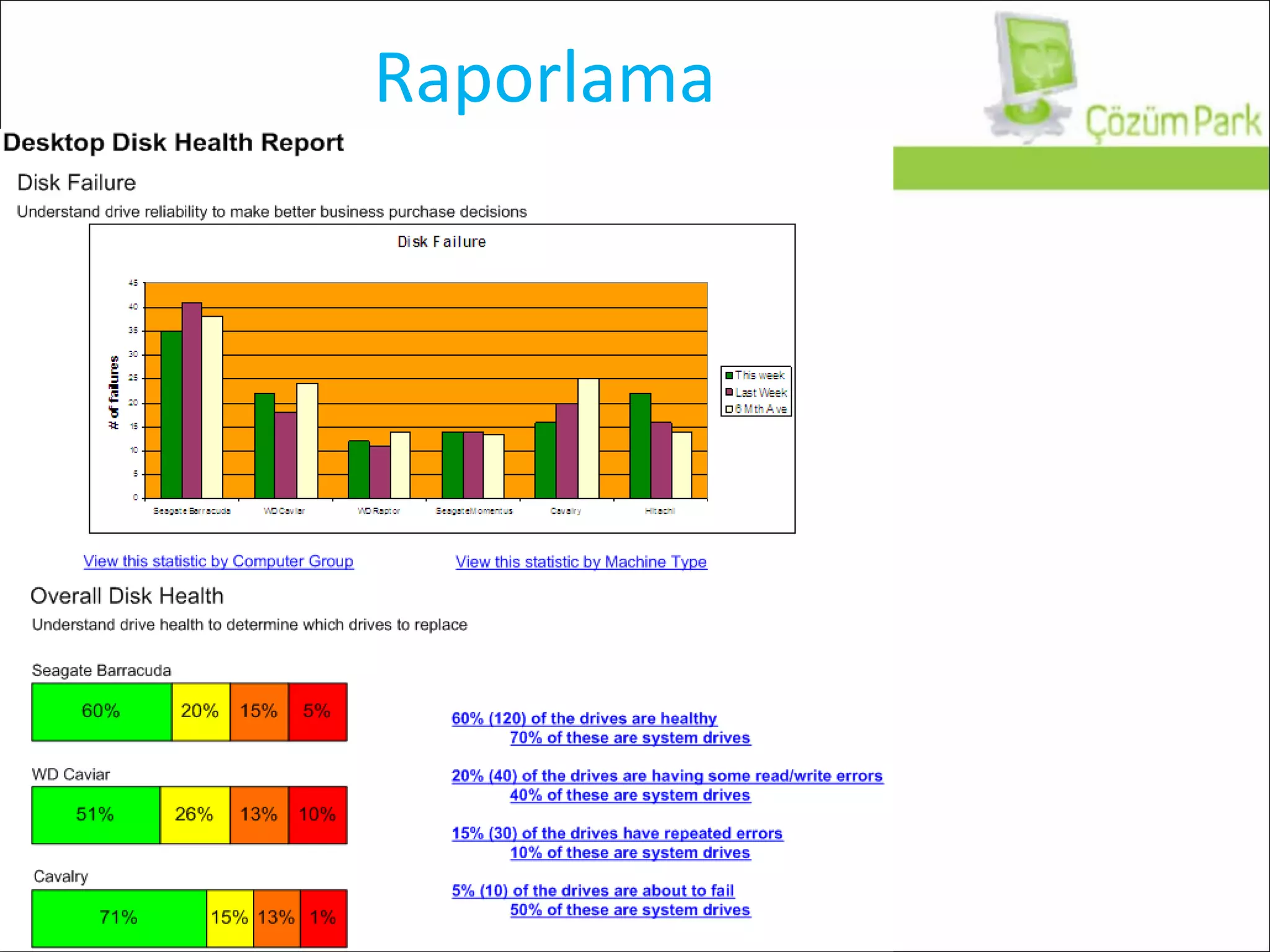
Raporlama
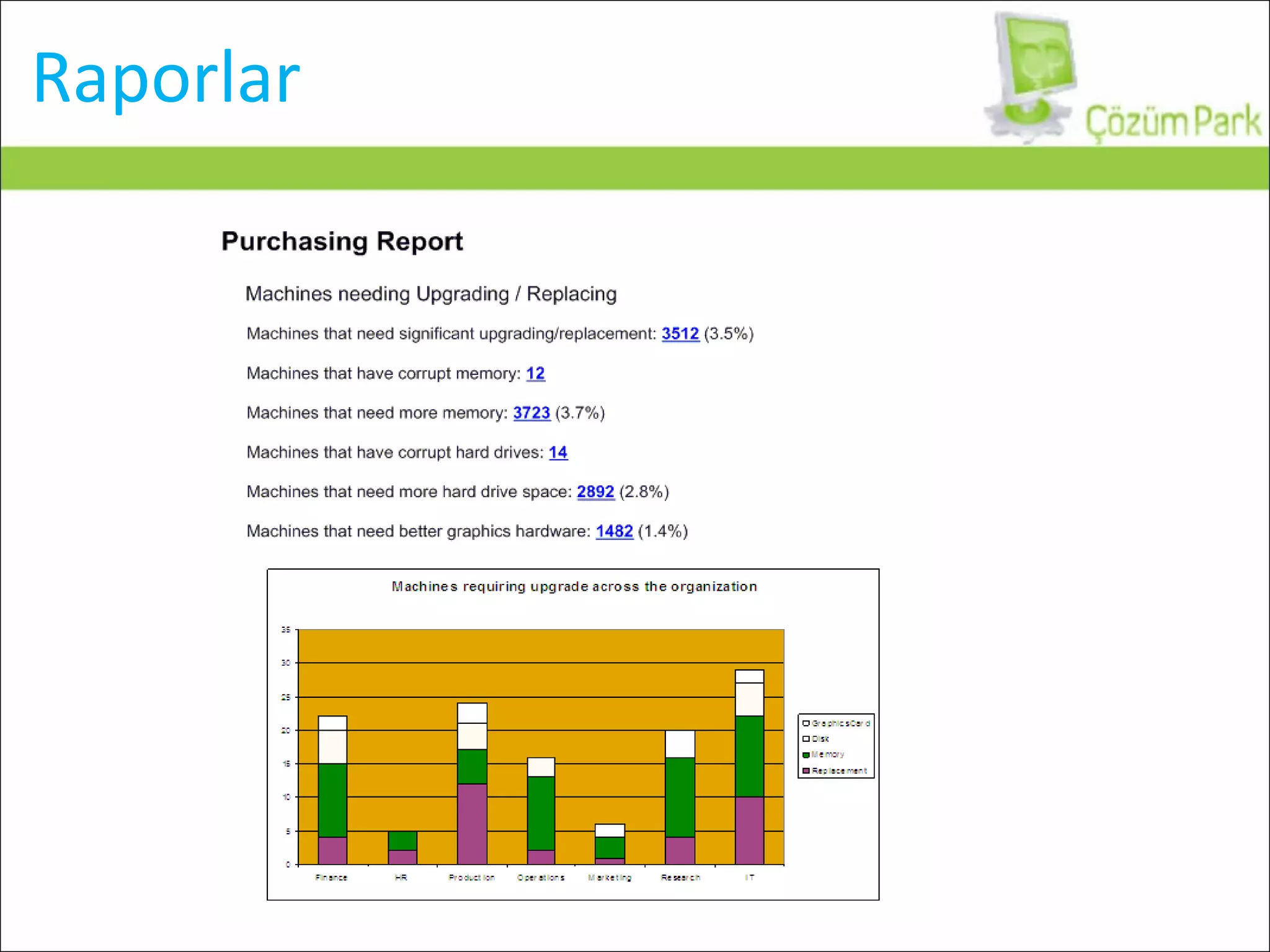
Raporlar
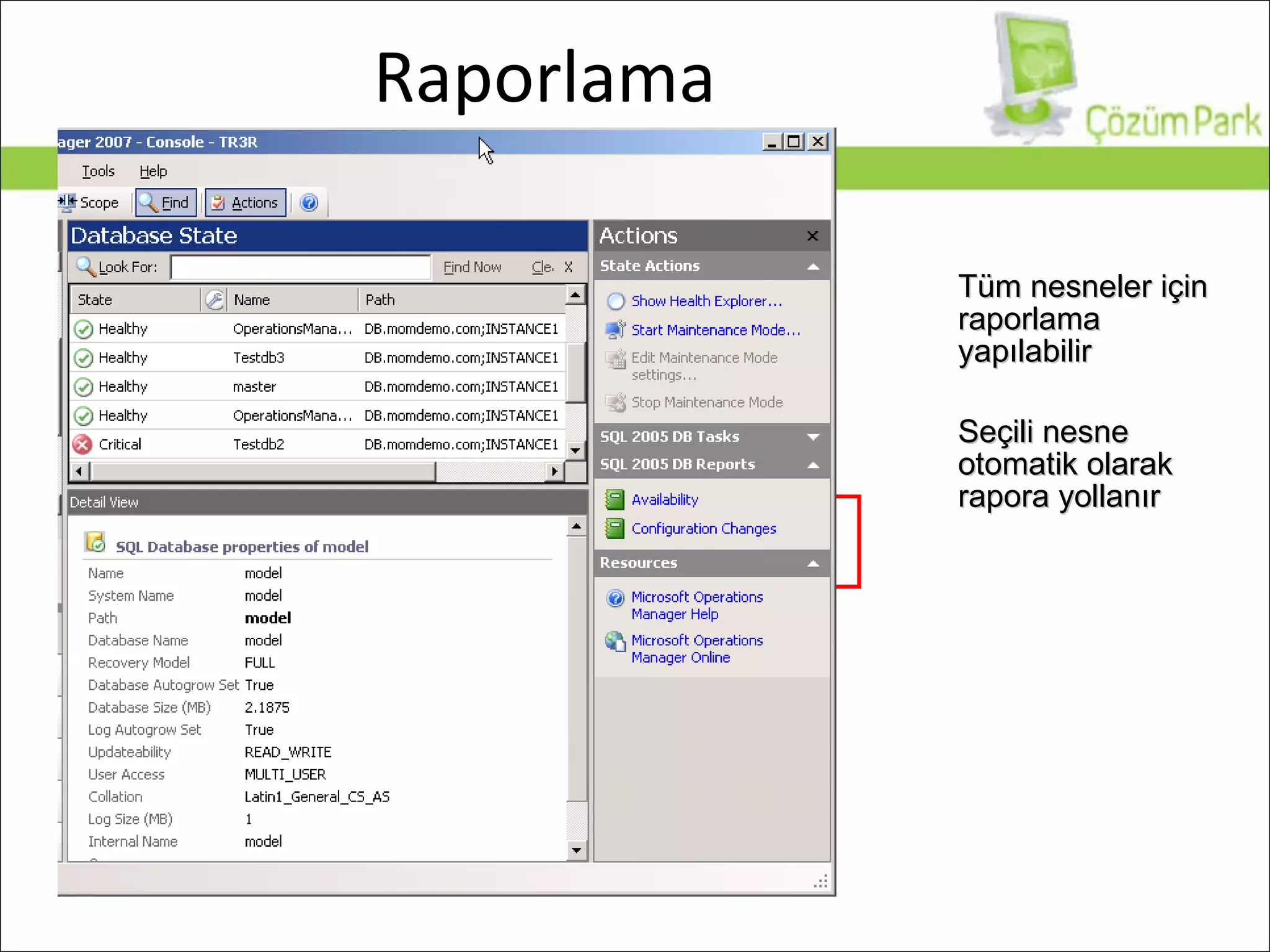
Raporlama Tüm nesneler için raporlama yapılabilir Seçili nesne otomatik olarak rapora yollanır
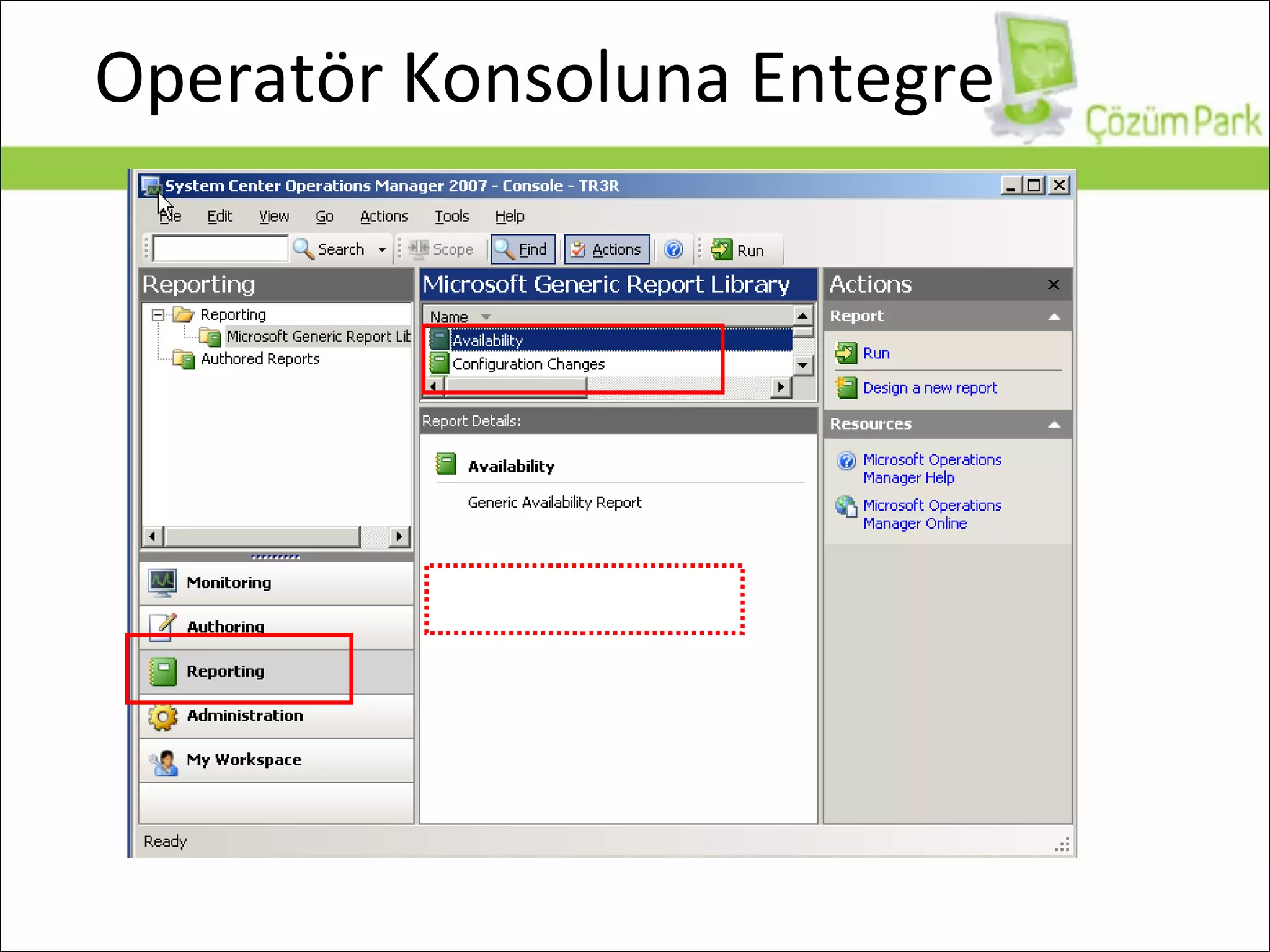
Operatör Konsoluna Entegre
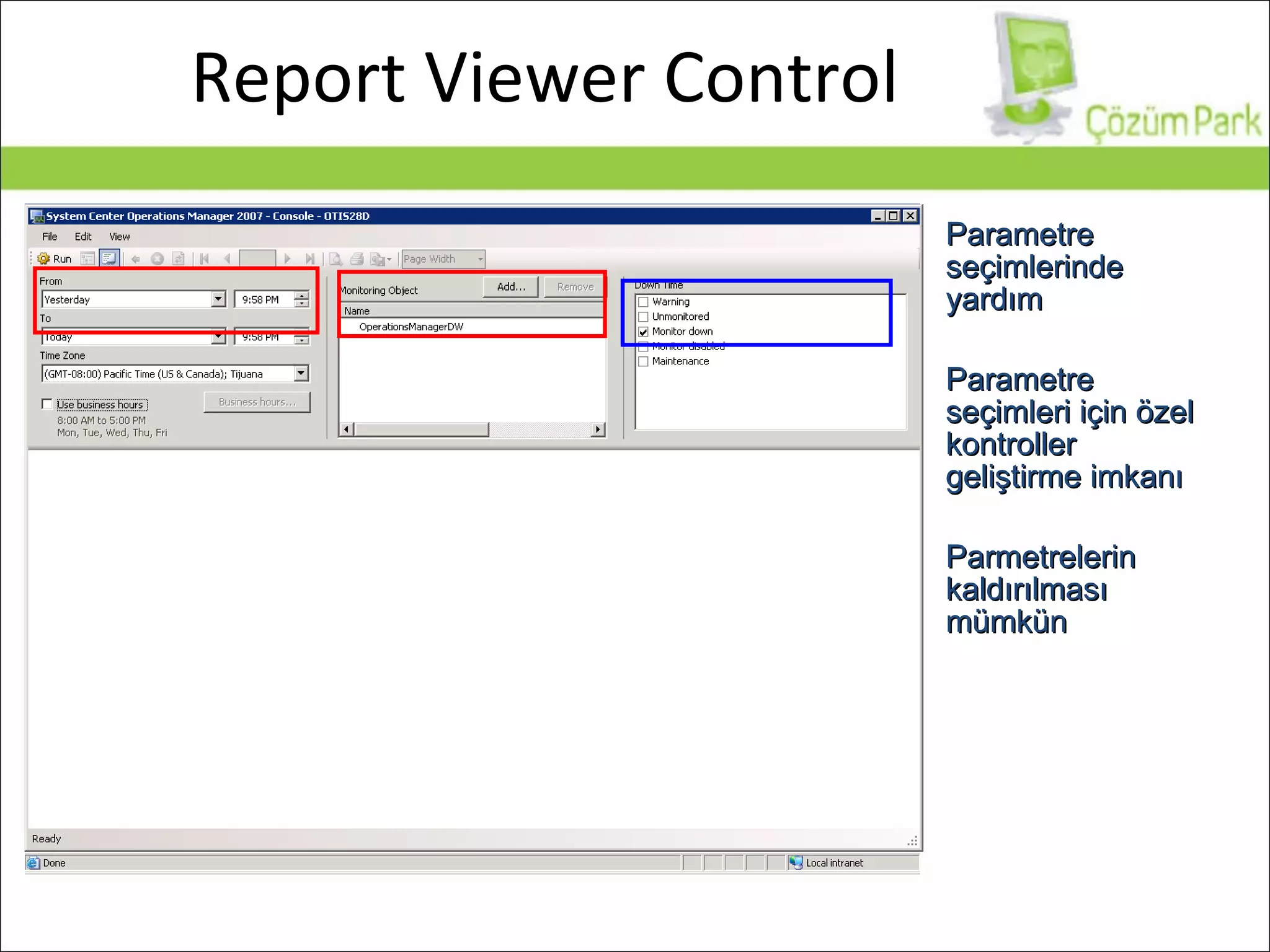
Report Viewer Control Parametre seçimlerinde yardım Parametre seçimleri için özel kontroller geliştirme imkanı Parmetrelerin kaldırılması mümkün
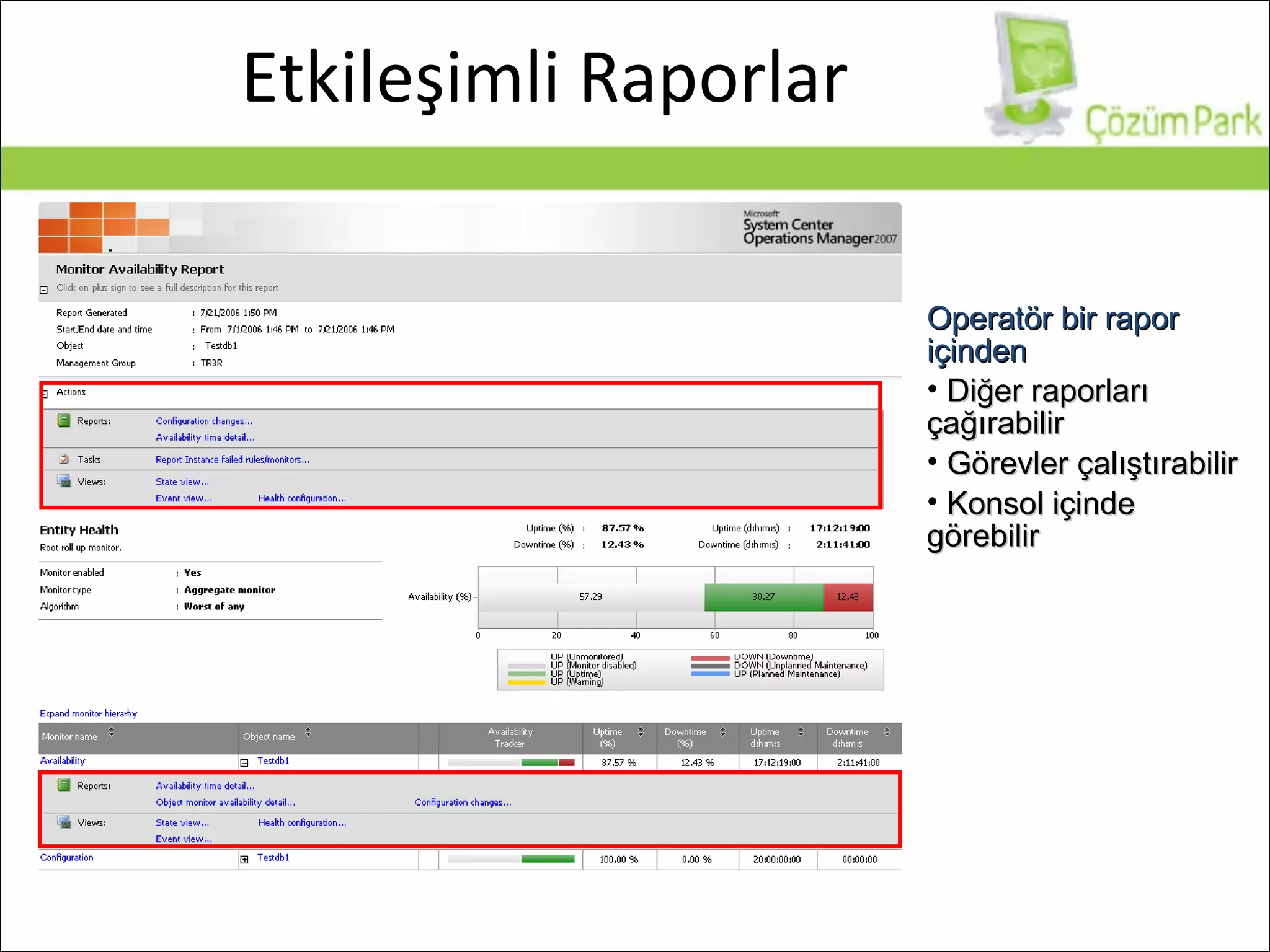
Etkileşimli Raporlar Operatör bir rapor içinden Diğer raporları çağırabilir Görevler çalıştırabilir Konsol içinde  görebilir
Sorularınız ?
Teşekkürler www.cozumpark.com   |  www.mesutaladag.com   Mesut ALADAĞ  Teknoloji Direktörü / MCT [email_address]

Cp Scom

  • 1.
    System Center Operations Manager 2007 Mesut ALADAĞ Teknoloji Direktörü / MCT [email_address] 15:00’da Başlayacaktır.
  • 2.
    Ajanda SCOM Kurulum Gereksinimleri System Center Operations Manager (SCOM) incelemesi Sorularınız
  • 3.
  • 4.
    System Center OpsMgr 200 7 Size Sağladıkları Entegre olarak uygulama sunucusu, network altyapıları ve uçtan uca IT Servisleri Yönetimi Microsoft Sunucu, istemci ve uygulamalarından gelen bilgi birikimi ve sorun çözme veritabanı desteği Entegre, ortak çalışabilir verimli bir Yönetim Sunucusu Artırılmış Verimlilik Windows ve Uygulamalarına Entegre Çözüm Uçtan Uca Servis Yönetimi
  • 5.
    Siz buradayken sistemodanızda... Kaç bilgisayarınızın işlemcisi son 10 dakikadır %90 üzerinde çalışıyor? Active Directory DC’ler arasındaki replikasyon durdu! Exchange Server Information Store durdu! Web sitenizde bir dakika içinde kaç tane 404/500 hatası oluştu? Veritabanı sunucunuzda problem yaşanıyor mu? Dosya sunucunuz RAID disklerinden birinde bad sector olduğunu bildirdi? Tarifeli yedekleme işleminiz disk dolu olduğu için tamamlanamadı Ankara hattınızda sürekli hat düşüyor
  • 6.
    System Center OperationsManager Sistem Yönetimi Temel sistem gözetleme fonksiyonları: PING, HTTP, TCP Port, FileSystem, Service, ... Uygulama Yönetimi Uygulama bazında bilgi bankası Performance Counters, EventLog, Application Log Files, ... Oluşan olaylar için önceden tanımlı görevler Yardım masası (ServiceDesk) Log Toplama Seçilen bilgisayarların güvenlik kayıtlarının merkezi olarak saklanması Raporlama Tüm oluşan uyarılar ve olaylar için önceden tanımlı raporlar SQL Server 2005 Reporting Services
  • 7.
  • 8.
    OpsMgr 2007 ComponentsWhat’s New? Unified Console Command Shell Console Integrated experience for operators and administrators Role based security ensures optimized experience for all users Operational Database - Operational data store - Configuration store Root Management Server - Central point for configuration management and extensibility - Supports high availability Management Server - Sends configuration and receives data from Agents - Same as MOM 2005 What’s New? Customizable database name Installed using a SQL script Remote database setup using command line
  • 9.
    OpsMgr 2007 ComponentsReporting Data Warehouse Long term data store Supports high availability Reporting Server - Provides reports Installed on SQL Reporting Services 2005 SP1 Agent Used to monitor servers and clients What’s New? Multiple management groups Custom data warehouse name What’s New? Leverages Active Directory Can be deployed using SMS, Sys-prep or Command Shell
  • 10.
    OpsMgr 2007 ComponentsAudit Database - Stores security events - Supports high availability Audit Collector - Collects events from the Audit Collection enabled agents Web Console Server - Thin client much like OWA - View Topology diagrams and performance charts - Run Tasks Gateway Server - Monitors Agents in untrusted domains - Requires certificates
  • 11.
    3 Temel KategoriOrta Büyük Kurumsal Single AD Forest Servers: 15 – 500 Single/Multiple AD Forests Servers: 500 – 2000 Multiple AD Forests Servers: 2000 + B K O
  • 12.
  • 13.
  • 14.
    Untrusted Domain ModelDomain A Domain B Agents Agents
  • 15.
    Installing SCOM 2007– II: prereq: Active Directory Domain Services Domain: Windows 2000 Native or later Forest: Windows 2000 Native or later
  • 16.
    Installing SCOM 2007– III prereq: Database Server X86 or X64 @ 1.8 GHz 1 GB 10 GB Database Size Windows Server 2003 SP1 (or R2) STD or ENT edt. SQL Server 2005 SP1 STD or ENT edt.
  • 17.
    Installing SCOM 2007– IV prereq Management Server (RMS or MS) X86 or X64 @ 1.8 GHz 1 GB 5 GB Files Size Windows Server 2003 SP1 (or R2) STD or ENT .NET Framework 2.0 and 3.0 Microsoft Core XML Services 6.0
  • 18.
    Installing SCOM 2007– V prereq Operations Console X86 or X64 @ 1 GHz 1 GB 5 GB Files Size (check only) Windows Server 2003 SP1 (or R2) STD or ENT Windows XP Professional SP2 .NET Framework 2.0 and 3.0 Office Word 2003 with .NET Programmability Support Powershell 1.0 Visual Studio Tools for Office (knowledge authoring)
  • 19.
    Installing SCOM 2007VI prereq Agents X86, X64 or IA-64 OS minimum OS minimum 30 MB (Files Size) Windows Server 2003 SP1 (or R2) STD, ENT, Datacenter, SBS or STG Windows 2000 SP 4 Pro, STD, ENT or Datacenter Windows XP Pro SP2 Windows Vista Business, ENT or Ultimate Core XML 6.0 and Windows Installer 3.1
  • 20.
    Installing SCOM 2007– VII prereq: Reporting Database Server X86 or X64 @ 1.8 GHz 1 GB 10 GB Database Size Windows Server 2003 SP1 (or R2) STD or ENT edt. IIS 6.0 SQL Server 2005 SP1 STD or ENT edt.
  • 21.
    After Installation UpdateAD MOMADAdmin.exe. <ManagementGroupName> <OpsMgrAdminsGroup> <RootHealthSvcComputer> <DomainName> Creates AD objects for SCOM Make MS’s register in AD HKLM\System\CurrentControlSet\Services\HealthService\Parameters\ConnectorManager => EnableADIntegration=1
  • 22.
    Artırılmış Verimlilik Operator için: Role delegasyonu yetenekleri ile birlikte tek bir entegre yönetim konsolu Administrator için: Aramalar, kullanıcı, grup ve bilgisayar hesapları için, istemci konfigurasyonu için Active Directory entegre Yeni, kendi kendini ince ayarlayan kural limitleri Author için: Daha kolay raporlama XML tabanlı versiyonlamalı MP ’ler
  • 23.
    Windows içinEn İyisi Entegre Knowledge Base, View’ler ve Dashboard’lar ile kolay problem çözümü İzleme ekranının kişiselleştirilebilmesi Agentless Exception Monitoring özelliği sayesinde p roa ktif problem yönetimi ve crash analizleri Windows İstemcisi desteği, Vista, XP, ve Office uygulamalarının uçtan uçta sağlık yönetimi Güvenlik ihtiyaçları için yeni Audit Collection Servisleri
  • 24.
    Olay (Event) KurallarıToplama kuralları Filtreleme kuralları Eksik olay kuralları Birleştirme kuralları “ Mükerrer” alarm bastırma Performans Kuralları Ölçme Sınır Değerler Alarm Kuralları Kurallar Rule Criteria Where source=DCOM and Event ID=1006 Provider NT event log Perfmon data WMI SNMP Log files Syslog Response Alert Script SNMP trap Pager E-Mail Task Managed Code File Transfer Knowledge Product Knowledge Links to Vendor Company Knowledge Links to Centralized Company knowledge
  • 25.
    Servis Modeli TabanlıGözetleme Ulaşılabilirlik Durumu Performans Durumu Güvenlik Durumu Yapılandırma Durumu Genel Durum Servis SQL Server Windows Service Durumu
  • 26.
    Karmaşık uygulamaların sağlıkdurumunun yazılımdan donanıma kadar durumunun kontrolü Kullanıcı tarafını simule ederek sağlık/performans durumunun kontrolü Modelleme için kolay kullanımlı şablonlar Baştan Sona Gözetleme LoB uygulamalarınızın servis kalitesini arttırın
  • 27.
    Mesajlaşma Altyapısı SağlıkDurumları “ Mesajlaşma”
  • 28.
    Gerçek Hayattan Örnekler...Önemli bir servis durdu Active Directory replikasyonunda problem Exchange Server yavaş E-posta gönderiminde problem var Veritabanı sunucunuzda performans problemleri yaşıyorsunuz Temizlik elemanı Switch’in güç kablosunu söktü!
  • 29.
    Entegre ServiceDesk UygulamasıCMDB BT modeliniz Bilgi Bankası Kurumsal zeka oluşumu İş Akışı Değişikliklerin otomatize edilmesi Problem Yönetimi BT servis kalitesini arttırarak kullanıcıların daha verimli çalışması Envanter Yönetimi Elinizdeki donanımı ve kimin kullandığını bilin Değişim Yönetimi Her adımda değişikliklerin takibi Ortak Çalışma Sistem yöneticilerinin kolay bilgi paylaşımı
  • 30.
  • 31.
  • 32.
  • 33.
  • 34.
  • 35.
  • 36.
  • 37.
  • 38.
  • 39.
  • 40.
  • 41.
  • 42.
  • 43.
    Raporlama Tüm nesneleriçin raporlama yapılabilir Seçili nesne otomatik olarak rapora yollanır
  • 44.
  • 45.
    Report Viewer ControlParametre seçimlerinde yardım Parametre seçimleri için özel kontroller geliştirme imkanı Parmetrelerin kaldırılması mümkün
  • 46.
    Etkileşimli Raporlar Operatörbir rapor içinden Diğer raporları çağırabilir Görevler çalıştırabilir Konsol içinde görebilir
  • 47.
  • 48.
    Teşekkürler www.cozumpark.com | www.mesutaladag.com Mesut ALADAĞ Teknoloji Direktörü / MCT [email_address]

Editor's Notes

  • #2 10/10/09 22:29 © 2007 Microsoft Corporation. All rights reserved. Microsoft, Windows, Windows Vista and other product names are or may be registered trademarks and/or trademarks in the U.S. and/or other countries. The information herein is for informational purposes only and represents the current view of Microsoft Corporation as of the date of this presentation. Because Microsoft must respond to changing market conditions, it should not be interpreted to be a commitment on the part of Microsoft, and Microsoft cannot guarantee the accuracy of any information provided after the date of this presentation. MICROSOFT MAKES NO WARRANTIES, EXPRESS, IMPLIED OR STATUTORY, AS TO THE INFORMATION IN THIS PRESENTATION.
  • #5 10/10/09 22:29 © 2005 Microsoft Corporation. All rights reserved. This presentation is for informational purposes only. Microsoft makes no warranties, express or implied, in this summary.
  • #8 10/10/09 22:29 © 2005 Microsoft Corporation. All rights reserved. This presentation is for informational purposes only. Microsoft makes no warranties, express or implied, in this summary.
  • #12 Microsoft Management Summit 2007 March 26-30, 2007 | San Diego, CA 10/10/09 22:29 © 2006 Microsoft Corporation. All rights reserved. Microsoft, Windows, Windows Vista and other product names are or may be registered trademarks and/or trademarks in the U.S. and/or other countries. The information herein is for informational purposes only and represents the current view of Microsoft Corporation as of the date of this presentation. Because Microsoft must respond to changing market conditions, it should not be interpreted to be a commitment on the part of Microsoft, and Microsoft cannot guarantee the accuracy of any information provided after the date of this presentation. MICROSOFT MAKES NO WARRANTIES, EXPRESS, IMPLIED OR STATUTORY, AS TO THE INFORMATION IN THIS PRESENTATION.
  • #13 Microsoft Management Summit 2007 March 26-30, 2007 | San Diego, CA 10/10/09 22:29 © 2006 Microsoft Corporation. All rights reserved. Microsoft, Windows, Windows Vista and other product names are or may be registered trademarks and/or trademarks in the U.S. and/or other countries. The information herein is for informational purposes only and represents the current view of Microsoft Corporation as of the date of this presentation. Because Microsoft must respond to changing market conditions, it should not be interpreted to be a commitment on the part of Microsoft, and Microsoft cannot guarantee the accuracy of any information provided after the date of this presentation. MICROSOFT MAKES NO WARRANTIES, EXPRESS, IMPLIED OR STATUTORY, AS TO THE INFORMATION IN THIS PRESENTATION.
  • #15 Microsoft Management Summit 2007 March 26-30, 2007 | San Diego, CA 10/10/09 22:29 © 2006 Microsoft Corporation. All rights reserved. Microsoft, Windows, Windows Vista and other product names are or may be registered trademarks and/or trademarks in the U.S. and/or other countries. The information herein is for informational purposes only and represents the current view of Microsoft Corporation as of the date of this presentation. Because Microsoft must respond to changing market conditions, it should not be interpreted to be a commitment on the part of Microsoft, and Microsoft cannot guarantee the accuracy of any information provided after the date of this presentation. MICROSOFT MAKES NO WARRANTIES, EXPRESS, IMPLIED OR STATUTORY, AS TO THE INFORMATION IN THIS PRESENTATION.
  • #23 10/10/09 22:29 © 2005 Microsoft Corporation. All rights reserved. This presentation is for informational purposes only. Microsoft makes no warranties, express or implied, in this summary.
  • #24 10/10/09 22:29 © 2005 Microsoft Corporation. All rights reserved. This presentation is for informational purposes only. Microsoft makes no warranties, express or implied, in this summary.
  • #26 10/10/09 22:29 © 2005 Microsoft Corporation. All rights reserved. This presentation is for informational purposes only. Microsoft makes no warranties, express or implied, in this summary.
  • #27 10/10/09 22:29 © 2005 Microsoft Corporation. All rights reserved. This presentation is for informational purposes only. Microsoft makes no warranties, express or implied, in this summary.
  • #28 10/10/09 22:29 © 2005 Microsoft Corporation. All rights reserved. This presentation is for informational purposes only. Microsoft makes no warranties, express or implied, in this summary.
  • #44 10/10/09 22:29 © 2005 Microsoft Corporation. All rights reserved. This presentation is for informational purposes only. Microsoft makes no warranties, express or implied, in this summary.
  • #45 10/10/09 22:29 © 2005 Microsoft Corporation. All rights reserved. This presentation is for informational purposes only. Microsoft makes no warranties, express or implied, in this summary.
  • #46 10/10/09 22:29 © 2005 Microsoft Corporation. All rights reserved. This presentation is for informational purposes only. Microsoft makes no warranties, express or implied, in this summary.
  • #47 10/10/09 22:29 © 2005 Microsoft Corporation. All rights reserved. This presentation is for informational purposes only. Microsoft makes no warranties, express or implied, in this summary.