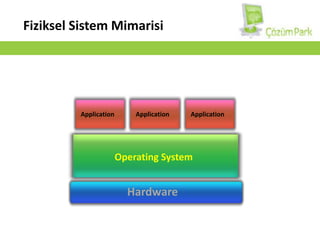
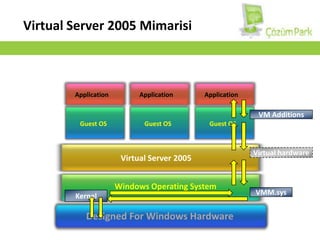
Windows OperatingSystemVirtual Server2005 MimarisiApplicationApplicationApplicationVM AdditionsGuest OSGuest OSGuest OSVirtual hardwareVirtual Server 2005VMM.sysKernelDesignedFor Windows Hardware
8.
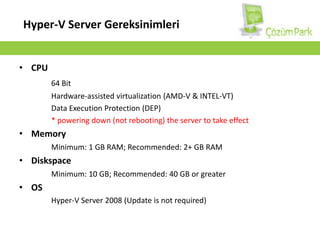
UygulamalarVSCWindows Server 2003,2008WindowsKernelWindowsKernelHyper-V MimarisiParentPartitionChildPartitionSanallaştırma KatmanıVM WorkerProcessWMI ProviderVMServiceUygulamalarUygulamalarUser ModeXen-enabledLinux KernelWindows Server 2008x64Non hypervisor aware OSLinux VSCsVSPHypercall AdapterVMBusEmulationVMBusVMBusKernel ModeWindows hypervisorDesignedFor x64 Windows Server 2008 Hardware
9.
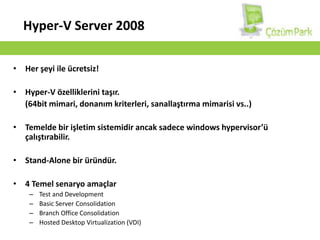
Hyper-V Server GereksinimleriCPU64BitHardware-assisted virtualization (AMD-V & INTEL-VT)Data Execution Protection (DEP)*powering down (not rebooting) the server to take effectMemoryMinimum: 1 GB RAM; Recommended: 2+ GB RAMDiskspaceMinimum: 10 GB; Recommended: 40 GB or greaterOSHyper-V Server 2008 (Update is not required)
10.
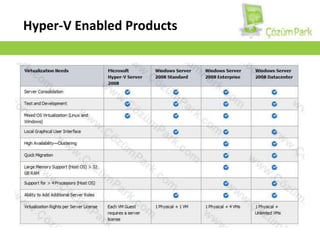
Hyper-V Server 2008Herşeyi ile ücretsiz!Hyper-V özelliklerini taşır. (64bit mimari, donanım kriterleri, sanallaştırma mimarisi vs..)Temelde bir işletim sistemidir ancak sadece windowshypervisor’ü çalıştırabilir.Stand-Alone bir üründür.4 Temel senaryo amaçlarTest and DevelopmentBasic Server ConsolidationBranch Office ConsolidationHosted Desktop Virtualization (VDI)
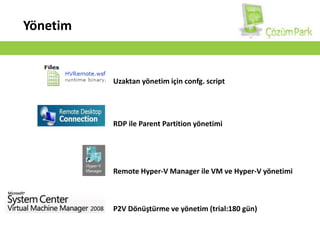
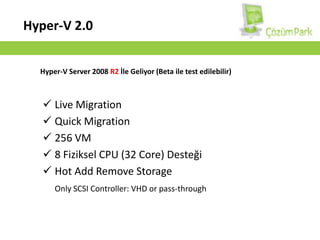
Özellikler/LimitlerDESTEKLENİRDESTEKLENMEZX64 ve X86VM’s Windows/linuxVM başına 4 VP192 VM4 Fiziksel Processor1,2,4 Core32 GB Fiziksel BellekGelişmiş Depolama BirimiSATA, eSATA, PATA, SAS, SCSI, USB, FIrewireiSCSI, Fiber Channel, SAS Snapshot, VSS, HA
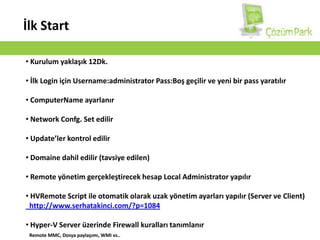
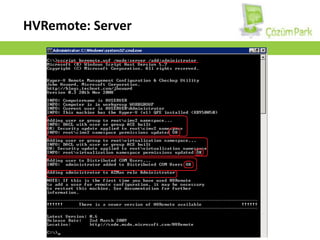
UpgradeYönetimUzaktan yönetim içinconfg. scriptRDP ile ParentPartition yönetimiRemoteHyper-V Manager ile VM ve Hyper-V yönetimi P2V Dönüştürme ve yönetim (trial:180 gün)