ARRA and

EMR Usability
What Providers Need to Know


   Conflict of Interest Disclosure

        Jeff Belden MD
 Dr. Belden is on the faculty at University of Missouri
    - Columbia, which has a contractual consulting
    relationship with Cerner for EMR research and
    development.

 Dr. Belden has no financial interest.
Conflict of Interest Disclosure

   Janey Barnes PhD
       Contracted Research:
       • Allscripts,
       • Patagonia Health,
       • Duke Health Systems


Crisis
Really big c
               oncern


 Low EMR Adoption Rates
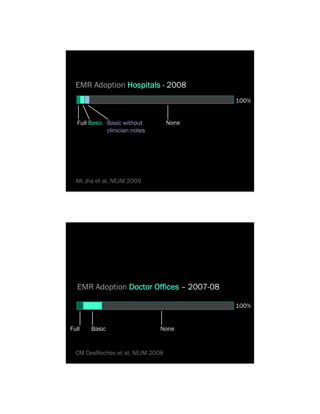
EMR Adoption Hospitals - 2008
                                          100%


  Full Basic Basic without        None
             clinician notes


  AK Jha et al, NEJM 2009


  EMR Adoption Doctor Offices – 2007-08

                                          100%


Full   Basic                   None


  CM DesRoches et al, NEJM 2008
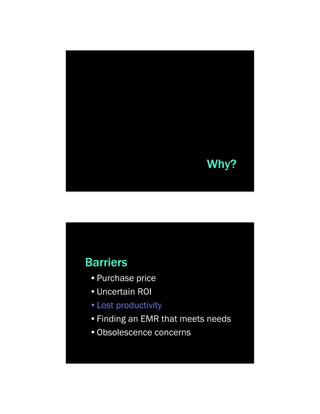
Why?


Barriers
•Purchase price
•Uncertain ROI
•Lost productivity
•Finding an EMR that meets needs
•Obsolescence concerns
Usability missing


Smelcer 2009


               EMR
    What is ^usability?
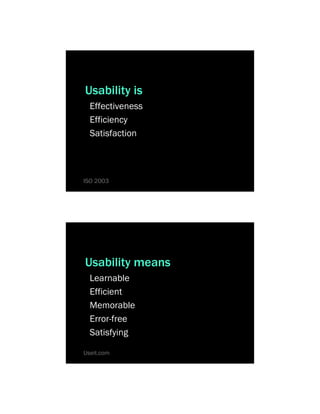
Usability is
  Effectiveness
  Efficiency
  Satisfaction


ISO 2003


Usability means
  Learnable
  Efficient
  Memorable
  Error-free
  Satisfying

Useit.com
Current EMRs
lack good usability


Smelcer 2009


                  examples
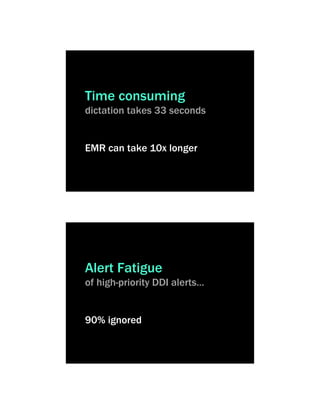
Time consuming
dictation takes 33 seconds


EMR can take 10x longer


Alert Fatigue
of high-priority DDI alerts…


90% ignored
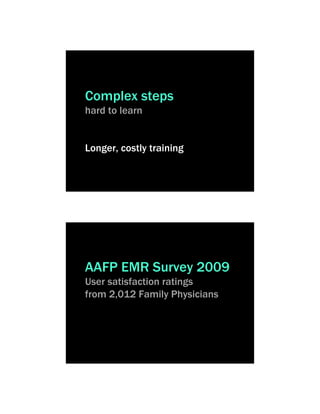
Complex steps
hard to learn


Longer, costly training


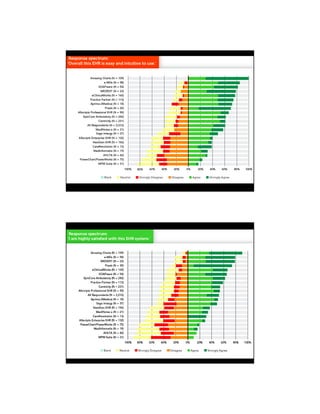
AAFP EMR Survey 2009
User satisfaction ratings
from 2,012 Family Physicians
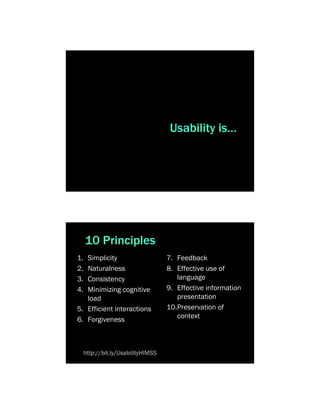
Usability is…


     10 Principles
1. Simplicity                       7. Feedback
2. Naturalness                      8. Effective use of
3. Consistency                         language
4. Minimizing cognitive             9. Effective information
   load                                presentation
5. Efficient interactions           10.Preservation of
6. Forgiveness                         context


     http://bit.ly/UsabilityHIMSS
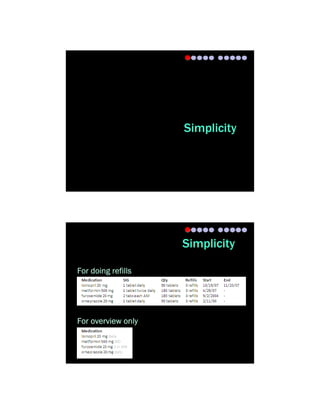
Simplicity


                    Simplicity

For doing refills


For overview only
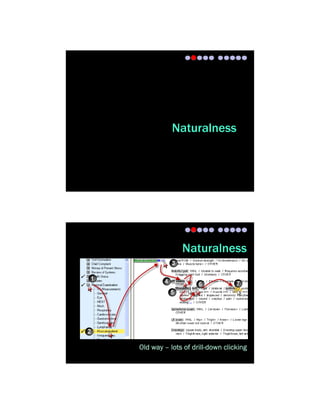
Naturalness


              Naturalness


Old way – lots of drill-down clicking
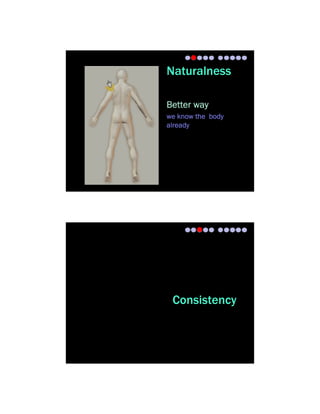
Naturalness

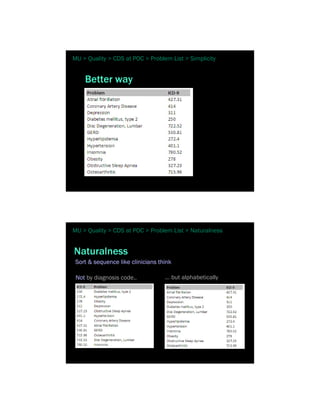
Better way
we know the body
already


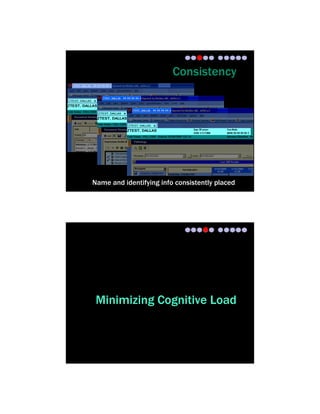
 Consistency
Consistency


Name and identifying info consistently placed


 Minimizing Cognitive Load
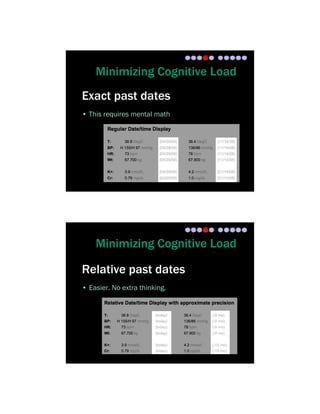
Minimizing Cognitive Load
Exact past dates
• This requires mental math


    Minimizing Cognitive Load

Relative past dates
• Easier. No extra thinking.
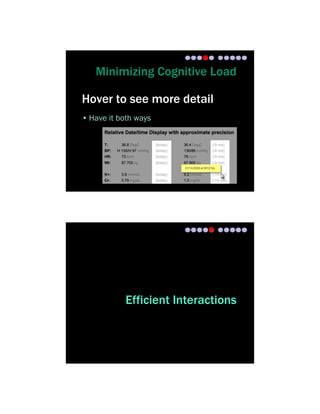
Minimizing Cognitive Load

Hover to see more detail
• Have it both ways


            Efficient Interactions
Efficient Interactions
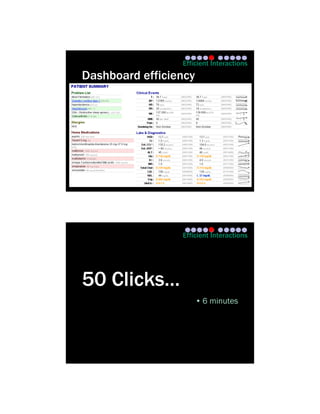
Dashboard efficiency


                 Efficient Interactions


50 Clicks…
                       • 6 minutes
Efficient Interactions


2 Clicks…
                              • 1-2 minutes


                            Efficient Interactions


Dashboard benefits
• Single visual plane
• No navigation away needed
• No need to recall last screen’s content
• Use hover-over, or pop-up windoids
Efficient Interactions


Dashboard principle
Show me   WINWINIANM
  (what I need, when I need it, and nothing more)


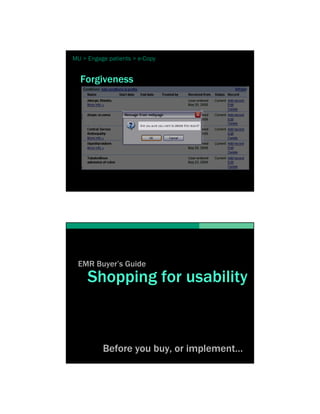
                           Forgiveness
Forgiveness

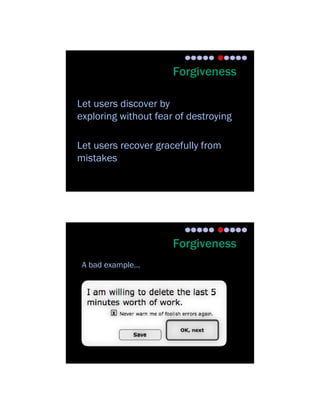
Let users discover by
exploring without fear of destroying

Let users recover gracefully from
mistakes


                      Forgiveness
 A bad example…
Feedback


                            Feedback

• Don’t keep the user wondering
• Show expected delays
• Confirm changes that aren’t evident
Feedback


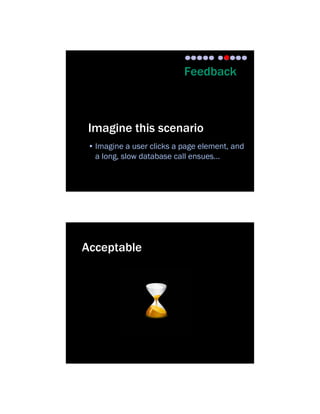
 Imagine this scenario
 • Imagine a user clicks a page element, and
   a long, slow database call ensues…


Acceptable
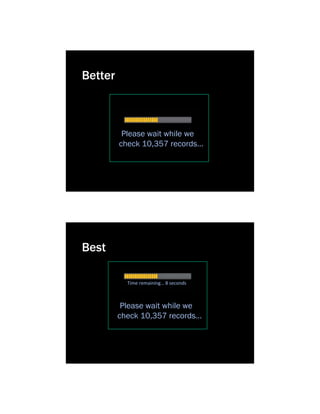
Better


          Please wait while we
         check 10,357 records…


Best

           Time remaining… 8 seconds


          Please wait while we
         check 10,357 records…
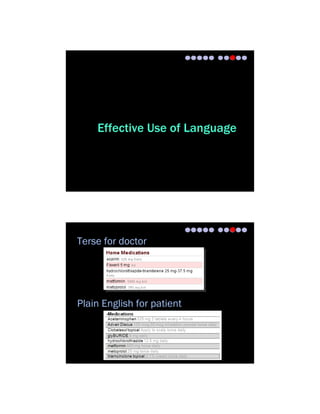
Effective Use of Language


Terse for doctor


Plain English for patient
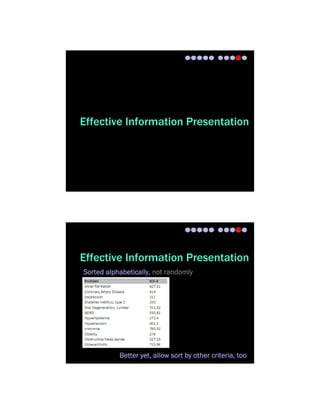
Effective Information Presentation


Effective Information Presentation
Sorted alphabetically, not randomly


           Better yet, allow sort by other criteria, too
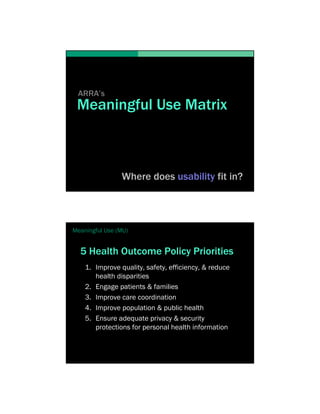
Preservation of Context


 Preservation of Context
ARRA’s
 Meaningful Use Matrix


                Where does usability fit in?


Meaningful Use (MU)


  5 Health Outcome Policy Priorities
    1. Improve quality, safety, efficiency, & reduce
       health disparities
    2. Engage patients & families
    3. Improve care coordination
    4. Improve population & public health
    5. Ensure adequate privacy & security
       protections for personal health information
Meaningful Use (MU)


  We picked 3
    1. Improve quality, safety, efficiency, & reduce
       health disparities
    2. Engage patients & families
    3. Improve care coordination
    4. Improve population & public health
    5. Ensure privacy & security protections for
       personal health information


MU > Improve Quality


  1. Improve Quality…
    1. Evidence-based CPOE
    2. Clinical decision support at the Point-of-care
    3. Registries for patient outreach
MU > Quality > EBM CPOE


           Evidence-based CPOE
                …building ruts to quality & safety


                                      examples…


MU > Quality > EBM CPOE


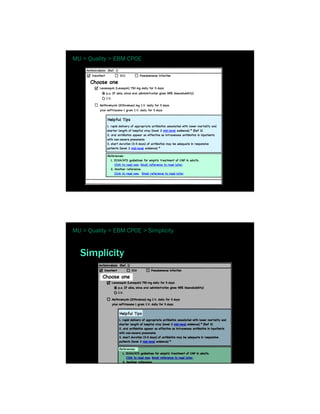
  Antibiotic Selection for
  Community-Acquired Pneumonia


   Usability principles
   1. Simplicity
   2. Efficient interactions
   3. Minimizing cognitive load
MU > Quality > EBM CPOE


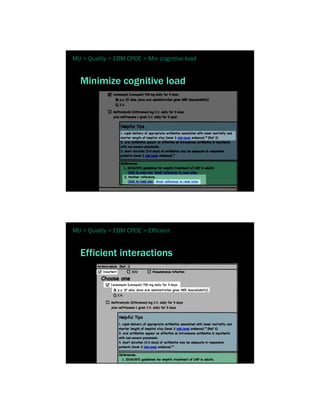
MU > Quality > EBM CPOE > Simplicity


  Simplicity
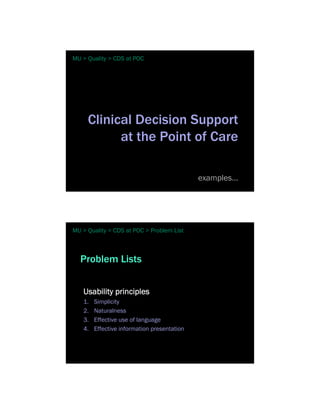
MU > Quality > EBM CPOE > Min cognitive load


  Minimize cognitive load


MU > Quality > EBM CPOE > Efficient


  Efficient interactions
MU > Quality > CDS at POC


     Clinical Decision Support
           at the Point of Care

                                             examples…


MU > Quality > CDS at POC > Problem List


  Problem Lists


   Usability principles
   1.   Simplicity
   2.   Naturalness
   3.   Effective use of language
   4.   Effective information presentation
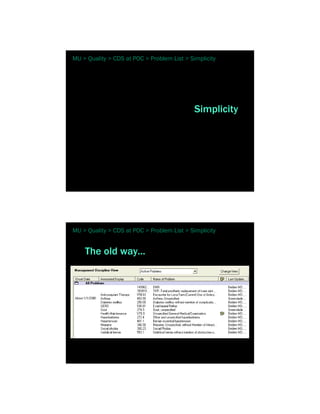
MU > Quality > CDS at POC > Problem List > Simplicity


                                             Simplicity


MU > Quality > CDS at POC > Problem List > Simplicity


    The old way...
MU > Quality > CDS at POC > Problem List > Simplicity


    Better way


MU > Quality > CDS at POC > Problem List > Naturalness


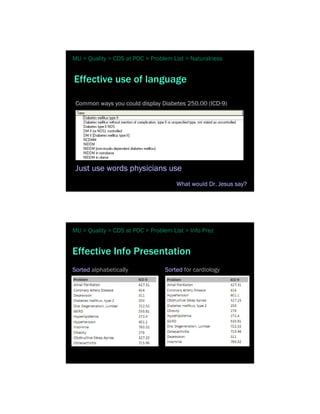
Naturalness
 Sort & sequence like clinicians think

 Not by diagnosis code..           … but alphabetically
MU > Quality > CDS at POC > Problem List > Naturalness


Effective use of language

 Common ways you could display Diabetes 250.00 (ICD-9)


 Just use words physicians use
                                      What would Dr. Jesus say?


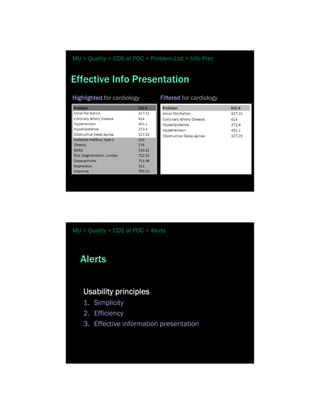
MU > Quality > CDS at POC > Problem List > Info Prez


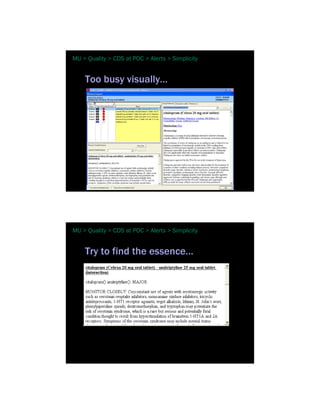
Effective Info Presentation
Sorted alphabetically             Sorted for cardiology
MU > Quality > CDS at POC > Problem List > Info Prez


Effective Info Presentation
Highlighted for cardiology      Filtered for cardiology


MU > Quality > CDS at POC > Alerts


   Alerts


    Usability principles
    1. Simplicity
    2. Efficiency
    3. Effective information presentation
MU > Quality > CDS at POC > Alerts > Simplicity


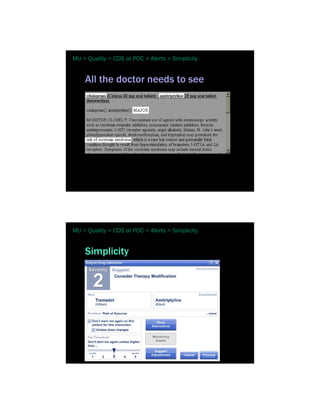
    Too busy visually…


MU > Quality > CDS at POC > Alerts > Simplicity


    Try to find the essence…
MU > Quality > CDS at POC > Alerts > Simplicity


    All the doctor needs to see


MU > Quality > CDS at POC > Alerts > Simplicity


    Simplicity
MU > Quality > CDS at POC > Alerts > Info Presentation


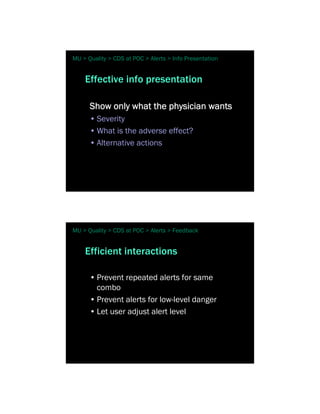
    Effective info presentation

      Show only what the physician wants
      • Severity
      • What is the adverse effect?
      • Alternative actions


MU > Quality > CDS at POC > Alerts > Feedback


    Efficient interactions

      • Prevent repeated alerts for same
        combo
      • Prevent alerts for low-level danger
      • Let user adjust alert level
MU > Quality > CDS at POC > Lab


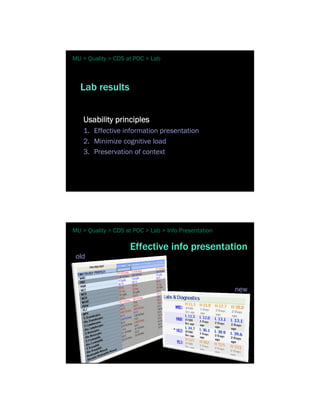
  Lab results


   Usability principles
   1. Effective information presentation
   2. Minimize cognitive load
   3. Preservation of context


MU > Quality > CDS at POC > Lab > Info Presentation

                    Effective info presentation
 old


                                                      new
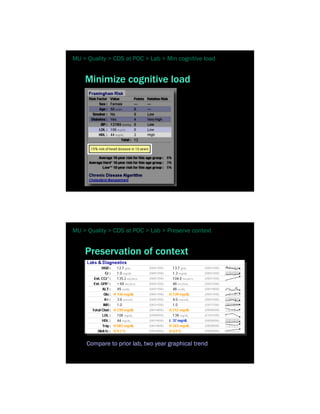
MU > Quality > CDS at POC > Lab > Min cognitive load


    Minimize cognitive load


MU > Quality > CDS at POC > Lab > Preserve context


    Preservation of context


     Compare to prior lab, two year graphical trend
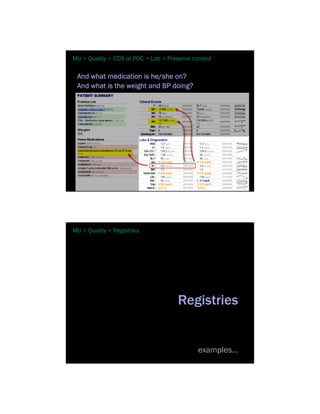
MU > Quality > CDS at POC > Lab > Preserve context

 And what medication is he/she on?
 And what is the weight and BP doing?


MU > Quality > Registries


                                     Registries


                                             examples…
MU > Quality > CDS at POC > Problem List


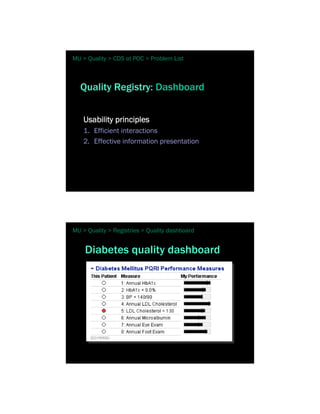
  Quality Registry: Dashboard


    Usability principles
    1. Efficient interactions
    2. Effective information presentation


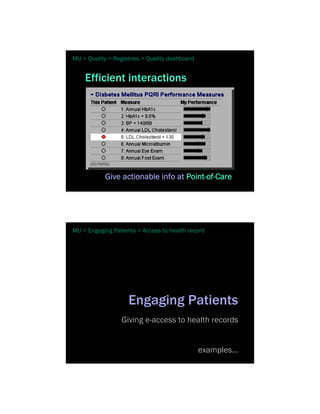
MU > Quality > Registries > Quality dashboard


    Diabetes quality dashboard
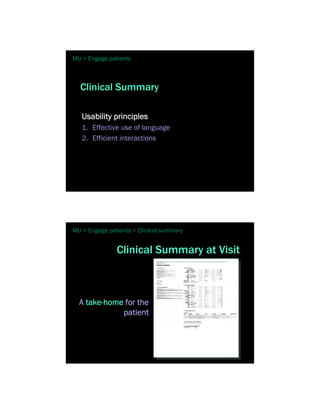
MU > Quality > Registries > Quality dashboard


    Efficient interactions


            Give actionable info at Point-of-Care


MU > Engaging Patients > Access to health record


                    Engaging Patients
                  Giving e-access to health records


                                                examples…
MU > Engage patients


  Clinical Summary

   Usability principles
   1. Effective use of language
   2. Efficient interactions


MU > Engage patients > Clinical summary


               Clinical Summary at Visit


  A take-home for the
             patient
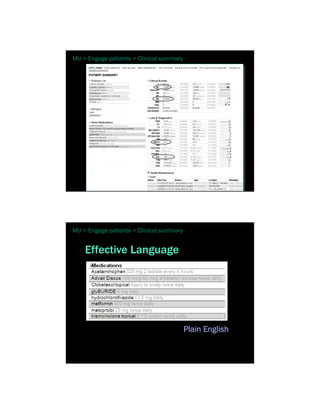
MU > Engage patients > Clinical summary


MU > Engage patients > Clinical summary


    Effective Language


                                          Plain English
MU > Engage patients > Clinical summary


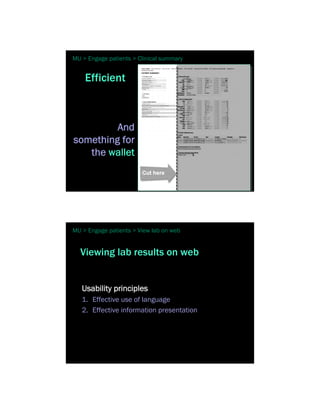
    Efficient


         And
something for
   the wallet


MU > Engage patients > View lab on web


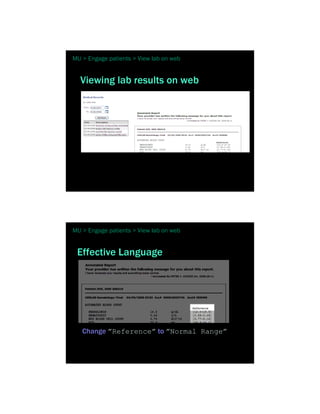
  Viewing lab results on web


   Usability principles
   1. Effective use of language
   2. Effective information presentation
MU > Engage patients > View lab on web


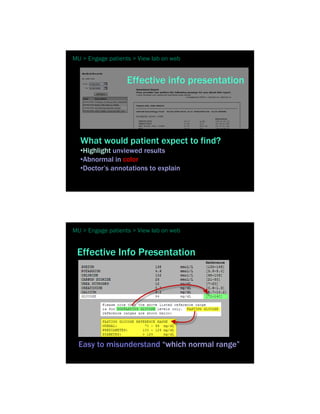
  Viewing lab results on web


MU > Engage patients > View lab on web


 Effective Language


   Change ”Reference” to ”Normal Range”
MU > Engage patients > View lab on web


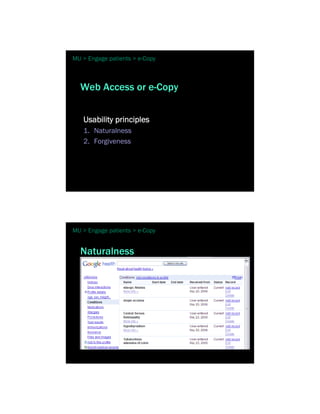
                   Effective info presentation


  What would patient expect to find?
  •Highlight unviewed results
  •Abnormal in color
  •Doctor’s annotations to explain


MU > Engage patients > View lab on web


 Effective Info Presentation


  Easy to misunderstand “which normal range”
MU > Engage patients > e-Copy


  Web Access or e-Copy


   Usability principles
   1. Naturalness
   2. Forgiveness


MU > Engage patients > e-Copy


  Naturalness
MU > Engage patients > e-Copy


  Forgiveness


 EMR Buyer’s Guide
     Shopping for usability


          Before you buy, or implement…
MU > Before you buy


 It’s a process…
  Define what’s Important to You
  • Evaluate your alternatives
  • Select the alternative that is best for your
  team


MU > Before you buy


 What’s important to you
  Effectiveness
  •What do you want /need from your EMR?
  •How will this product meet those wants / needs?
  •See barriers when you try the product?
MU > Before you buy


 What’s important to you
  Efficiency
  •What outcomes should be better
    • Faster
    • more robust
    • have better payoff


MU > Before you buy


 What’s important to you
  Satisfaction
  •Of which users?
  •For which key tasks?
  •In which clinical setting or environment?
MU > Before you buy


  Evaluate Your Alternatives
  What do your friends say
     • Ask, ask, ask!
     • Go watch your friends at work on their EMR
        • with their actual patients.
        • not a demo in the office.
        • watch others while you are there.


MU > Before you buy


  Evaluate Your Alternatives
  What do your colleagues say
     • Blogs, etc.

  What do your professional groups & others say
     • KLAS
     • AAFP
     • Your state’s academy of …
MU > Before you buy


  Evaluate Your Alternatives
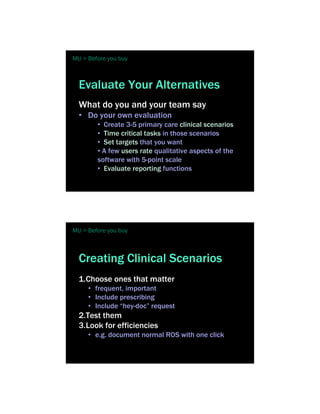
  What do you and your team say
  • Do your own evaluation
        • Create 3-5 primary care clinical scenarios
        • Time critical tasks in those scenarios
        • Set targets that you want
        • A few users rate qualitative aspects of the
        software with 5-point scale
        • Evaluate reporting functions


MU > Before you buy


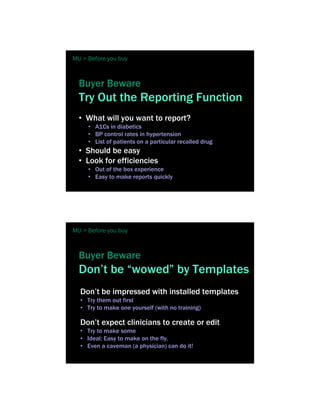
  Creating Clinical Scenarios
  1.Choose ones that matter
     • frequent, important
     • Include prescribing
     • Include “hey-doc” request
  2.Test them
  3.Look for efficiencies
     • e.g. document normal ROS with one click
MU > Before you buy


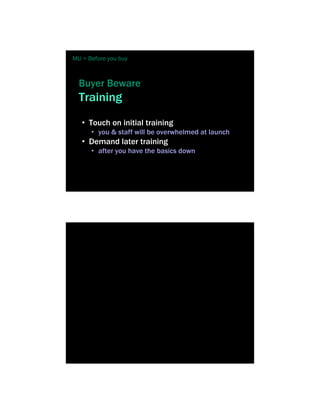
  Buyer Beware
  Try Out the Reporting Function
  • What will you want to report?
     • A1Cs in diabetics
     • BP control rates in hypertension
     • List of patients on a particular recalled drug
  • Should be easy
  • Look for efficiencies
     • Out of the box experience
     • Easy to make reports quickly


MU > Before you buy


  Buyer Beware
  Don’t be “wowed” by Templates
  Don’t be impressed with installed templates
  • Try them out first
  • Try to make one yourself (with no training)

  Don’t expect clinicians to create or edit
  • Try to make some
  • Ideal: Easy to make on the fly.
  • Even a caveman (a physician) can do it!
MU > Before you buy


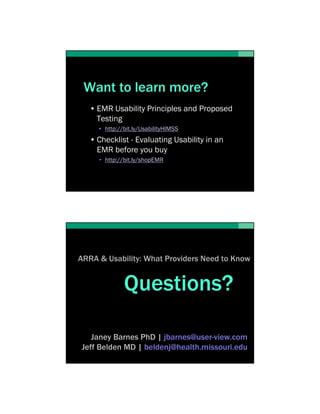
  Buyer Beware
  Training
   • Touch on initial training
      • you & staff will be overwhelmed at launch
   • Demand later training
      • after you have the basics down
Want to learn more?
   • EMR Usability Principles and Proposed
     Testing
     • http://bit.ly/UsabilityHIMSS
   • Checklist - Evaluating Usability in an
     EMR before you buy
     • http://bit.ly/shopEMR


ARRA & Usability: What Providers Need to Know


              Questions?

   Janey Barnes PhD | jbarnes@user-view.com
Jeff Belden MD | beldenj@health.missouri.edu
Want to learn more?
• EMR Usability Principles and Proposed
  Testing
  • http://bit.ly/UsabilityHIMSS
• Checklist - Evaluating Usability in an
  EMR before you buy
  • http://bit.ly/shopEMR


              Janey Barnes PhD | jbarnes@user-view.com
           Jeff Belden MD | beldenj@health.missouri.edu

Content redirector

  • 1.
    ARRA and EMR Usability WhatProviders Need to Know Conflict of Interest Disclosure Jeff Belden MD Dr. Belden is on the faculty at University of Missouri - Columbia, which has a contractual consulting relationship with Cerner for EMR research and development. Dr. Belden has no financial interest.
  • 2.
    Conflict of InterestDisclosure Janey Barnes PhD Contracted Research: • Allscripts, • Patagonia Health, • Duke Health Systems Crisis
  • 3.
    Really big c oncern Low EMR Adoption Rates
  • 4.
    EMR Adoption Hospitals- 2008 100% Full Basic Basic without None clinician notes AK Jha et al, NEJM 2009 EMR Adoption Doctor Offices – 2007-08 100% Full Basic None CM DesRoches et al, NEJM 2008
  • 5.
    Why? Barriers •Purchase price •Uncertain ROI •Lostproductivity •Finding an EMR that meets needs •Obsolescence concerns
  • 6.
    Usability missing Smelcer 2009 EMR What is ^usability?
  • 7.
    Usability is Effectiveness Efficiency Satisfaction ISO 2003 Usability means Learnable Efficient Memorable Error-free Satisfying Useit.com
  • 8.
    Current EMRs lack goodusability Smelcer 2009 examples
  • 9.
    Time consuming dictation takes33 seconds EMR can take 10x longer Alert Fatigue of high-priority DDI alerts… 90% ignored
  • 10.
    Complex steps hard tolearn Longer, costly training AAFP EMR Survey 2009 User satisfaction ratings from 2,012 Family Physicians
  • 12.
    Usability is… 10 Principles 1. Simplicity 7. Feedback 2. Naturalness 8. Effective use of 3. Consistency language 4. Minimizing cognitive 9. Effective information load presentation 5. Efficient interactions 10.Preservation of 6. Forgiveness context http://bit.ly/UsabilityHIMSS
  • 13.
    Simplicity Simplicity For doing refills For overview only
  • 14.
    Naturalness Naturalness Old way – lots of drill-down clicking
  • 15.
    Naturalness Better way we knowthe body already Consistency
  • 16.
    Consistency Name and identifyinginfo consistently placed Minimizing Cognitive Load
  • 17.
    Minimizing Cognitive Load Exactpast dates • This requires mental math Minimizing Cognitive Load Relative past dates • Easier. No extra thinking.
  • 18.
    Minimizing Cognitive Load Hoverto see more detail • Have it both ways Efficient Interactions
  • 19.
    Efficient Interactions Dashboard efficiency Efficient Interactions 50 Clicks… • 6 minutes
  • 20.
    Efficient Interactions 2 Clicks… • 1-2 minutes Efficient Interactions Dashboard benefits • Single visual plane • No navigation away needed • No need to recall last screen’s content • Use hover-over, or pop-up windoids
  • 21.
    Efficient Interactions Dashboard principle Showme WINWINIANM (what I need, when I need it, and nothing more) Forgiveness
  • 22.
    Forgiveness Let users discoverby exploring without fear of destroying Let users recover gracefully from mistakes Forgiveness A bad example…
  • 23.
    Feedback Feedback • Don’t keep the user wondering • Show expected delays • Confirm changes that aren’t evident
  • 24.
    Feedback Imagine thisscenario • Imagine a user clicks a page element, and a long, slow database call ensues… Acceptable
  • 25.
    Better Please wait while we check 10,357 records… Best Time remaining… 8 seconds Please wait while we check 10,357 records…
  • 26.
    Effective Use ofLanguage Terse for doctor Plain English for patient
  • 27.
    Effective Information Presentation EffectiveInformation Presentation Sorted alphabetically, not randomly Better yet, allow sort by other criteria, too
  • 28.
    Preservation of Context Preservation of Context
  • 29.
    ARRA’s Meaningful UseMatrix Where does usability fit in? Meaningful Use (MU) 5 Health Outcome Policy Priorities 1. Improve quality, safety, efficiency, & reduce health disparities 2. Engage patients & families 3. Improve care coordination 4. Improve population & public health 5. Ensure adequate privacy & security protections for personal health information
  • 30.
    Meaningful Use (MU) We picked 3 1. Improve quality, safety, efficiency, & reduce health disparities 2. Engage patients & families 3. Improve care coordination 4. Improve population & public health 5. Ensure privacy & security protections for personal health information MU > Improve Quality 1. Improve Quality… 1. Evidence-based CPOE 2. Clinical decision support at the Point-of-care 3. Registries for patient outreach
  • 31.
    MU > Quality> EBM CPOE Evidence-based CPOE …building ruts to quality & safety examples… MU > Quality > EBM CPOE Antibiotic Selection for Community-Acquired Pneumonia Usability principles 1. Simplicity 2. Efficient interactions 3. Minimizing cognitive load
  • 32.
    MU > Quality> EBM CPOE MU > Quality > EBM CPOE > Simplicity Simplicity
  • 33.
    MU > Quality> EBM CPOE > Min cognitive load Minimize cognitive load MU > Quality > EBM CPOE > Efficient Efficient interactions
  • 34.
    MU > Quality> CDS at POC Clinical Decision Support at the Point of Care examples… MU > Quality > CDS at POC > Problem List Problem Lists Usability principles 1. Simplicity 2. Naturalness 3. Effective use of language 4. Effective information presentation
  • 35.
    MU > Quality> CDS at POC > Problem List > Simplicity Simplicity MU > Quality > CDS at POC > Problem List > Simplicity The old way...
  • 36.
    MU > Quality> CDS at POC > Problem List > Simplicity Better way MU > Quality > CDS at POC > Problem List > Naturalness Naturalness Sort & sequence like clinicians think Not by diagnosis code.. … but alphabetically
  • 37.
    MU > Quality> CDS at POC > Problem List > Naturalness Effective use of language Common ways you could display Diabetes 250.00 (ICD-9) Just use words physicians use What would Dr. Jesus say? MU > Quality > CDS at POC > Problem List > Info Prez Effective Info Presentation Sorted alphabetically Sorted for cardiology
  • 38.
    MU > Quality> CDS at POC > Problem List > Info Prez Effective Info Presentation Highlighted for cardiology Filtered for cardiology MU > Quality > CDS at POC > Alerts Alerts Usability principles 1. Simplicity 2. Efficiency 3. Effective information presentation
  • 39.
    MU > Quality> CDS at POC > Alerts > Simplicity Too busy visually… MU > Quality > CDS at POC > Alerts > Simplicity Try to find the essence…
  • 40.
    MU > Quality> CDS at POC > Alerts > Simplicity All the doctor needs to see MU > Quality > CDS at POC > Alerts > Simplicity Simplicity
  • 41.
    MU > Quality> CDS at POC > Alerts > Info Presentation Effective info presentation Show only what the physician wants • Severity • What is the adverse effect? • Alternative actions MU > Quality > CDS at POC > Alerts > Feedback Efficient interactions • Prevent repeated alerts for same combo • Prevent alerts for low-level danger • Let user adjust alert level
  • 42.
    MU > Quality> CDS at POC > Lab Lab results Usability principles 1. Effective information presentation 2. Minimize cognitive load 3. Preservation of context MU > Quality > CDS at POC > Lab > Info Presentation Effective info presentation old new
  • 43.
    MU > Quality> CDS at POC > Lab > Min cognitive load Minimize cognitive load MU > Quality > CDS at POC > Lab > Preserve context Preservation of context Compare to prior lab, two year graphical trend
  • 44.
    MU > Quality> CDS at POC > Lab > Preserve context And what medication is he/she on? And what is the weight and BP doing? MU > Quality > Registries Registries examples…
  • 45.
    MU > Quality> CDS at POC > Problem List Quality Registry: Dashboard Usability principles 1. Efficient interactions 2. Effective information presentation MU > Quality > Registries > Quality dashboard Diabetes quality dashboard
  • 46.
    MU > Quality> Registries > Quality dashboard Efficient interactions Give actionable info at Point-of-Care MU > Engaging Patients > Access to health record Engaging Patients Giving e-access to health records examples…
  • 47.
    MU > Engagepatients Clinical Summary Usability principles 1. Effective use of language 2. Efficient interactions MU > Engage patients > Clinical summary Clinical Summary at Visit A take-home for the patient
  • 48.
    MU > Engagepatients > Clinical summary MU > Engage patients > Clinical summary Effective Language Plain English
  • 49.
    MU > Engagepatients > Clinical summary Efficient And something for the wallet MU > Engage patients > View lab on web Viewing lab results on web Usability principles 1. Effective use of language 2. Effective information presentation
  • 50.
    MU > Engagepatients > View lab on web Viewing lab results on web MU > Engage patients > View lab on web Effective Language Change ”Reference” to ”Normal Range”
  • 51.
    MU > Engagepatients > View lab on web Effective info presentation What would patient expect to find? •Highlight unviewed results •Abnormal in color •Doctor’s annotations to explain MU > Engage patients > View lab on web Effective Info Presentation Easy to misunderstand “which normal range”
  • 52.
    MU > Engagepatients > e-Copy Web Access or e-Copy Usability principles 1. Naturalness 2. Forgiveness MU > Engage patients > e-Copy Naturalness
  • 53.
    MU > Engagepatients > e-Copy Forgiveness EMR Buyer’s Guide Shopping for usability Before you buy, or implement…
  • 54.
    MU > Beforeyou buy It’s a process… Define what’s Important to You • Evaluate your alternatives • Select the alternative that is best for your team MU > Before you buy What’s important to you Effectiveness •What do you want /need from your EMR? •How will this product meet those wants / needs? •See barriers when you try the product?
  • 55.
    MU > Beforeyou buy What’s important to you Efficiency •What outcomes should be better • Faster • more robust • have better payoff MU > Before you buy What’s important to you Satisfaction •Of which users? •For which key tasks? •In which clinical setting or environment?
  • 56.
    MU > Beforeyou buy Evaluate Your Alternatives What do your friends say • Ask, ask, ask! • Go watch your friends at work on their EMR • with their actual patients. • not a demo in the office. • watch others while you are there. MU > Before you buy Evaluate Your Alternatives What do your colleagues say • Blogs, etc. What do your professional groups & others say • KLAS • AAFP • Your state’s academy of …
  • 57.
    MU > Beforeyou buy Evaluate Your Alternatives What do you and your team say • Do your own evaluation • Create 3-5 primary care clinical scenarios • Time critical tasks in those scenarios • Set targets that you want • A few users rate qualitative aspects of the software with 5-point scale • Evaluate reporting functions MU > Before you buy Creating Clinical Scenarios 1.Choose ones that matter • frequent, important • Include prescribing • Include “hey-doc” request 2.Test them 3.Look for efficiencies • e.g. document normal ROS with one click
  • 58.
    MU > Beforeyou buy Buyer Beware Try Out the Reporting Function • What will you want to report? • A1Cs in diabetics • BP control rates in hypertension • List of patients on a particular recalled drug • Should be easy • Look for efficiencies • Out of the box experience • Easy to make reports quickly MU > Before you buy Buyer Beware Don’t be “wowed” by Templates Don’t be impressed with installed templates • Try them out first • Try to make one yourself (with no training) Don’t expect clinicians to create or edit • Try to make some • Ideal: Easy to make on the fly. • Even a caveman (a physician) can do it!
  • 59.
    MU > Beforeyou buy Buyer Beware Training • Touch on initial training • you & staff will be overwhelmed at launch • Demand later training • after you have the basics down
  • 60.
    Want to learnmore? • EMR Usability Principles and Proposed Testing • http://bit.ly/UsabilityHIMSS • Checklist - Evaluating Usability in an EMR before you buy • http://bit.ly/shopEMR ARRA & Usability: What Providers Need to Know Questions? Janey Barnes PhD | jbarnes@user-view.com Jeff Belden MD | beldenj@health.missouri.edu
  • 61.
    Want to learnmore? • EMR Usability Principles and Proposed Testing • http://bit.ly/UsabilityHIMSS • Checklist - Evaluating Usability in an EMR before you buy • http://bit.ly/shopEMR Janey Barnes PhD | jbarnes@user-view.com Jeff Belden MD | beldenj@health.missouri.edu