Containers aren’t just for
microservices –
Containerizing Legacy
Workloads
Oscar Renalias
Senior Technology Architect
@oscarrenalias
github.com/oscarrenalias
github.com/Accenture
oscar.renalias@accenture.com
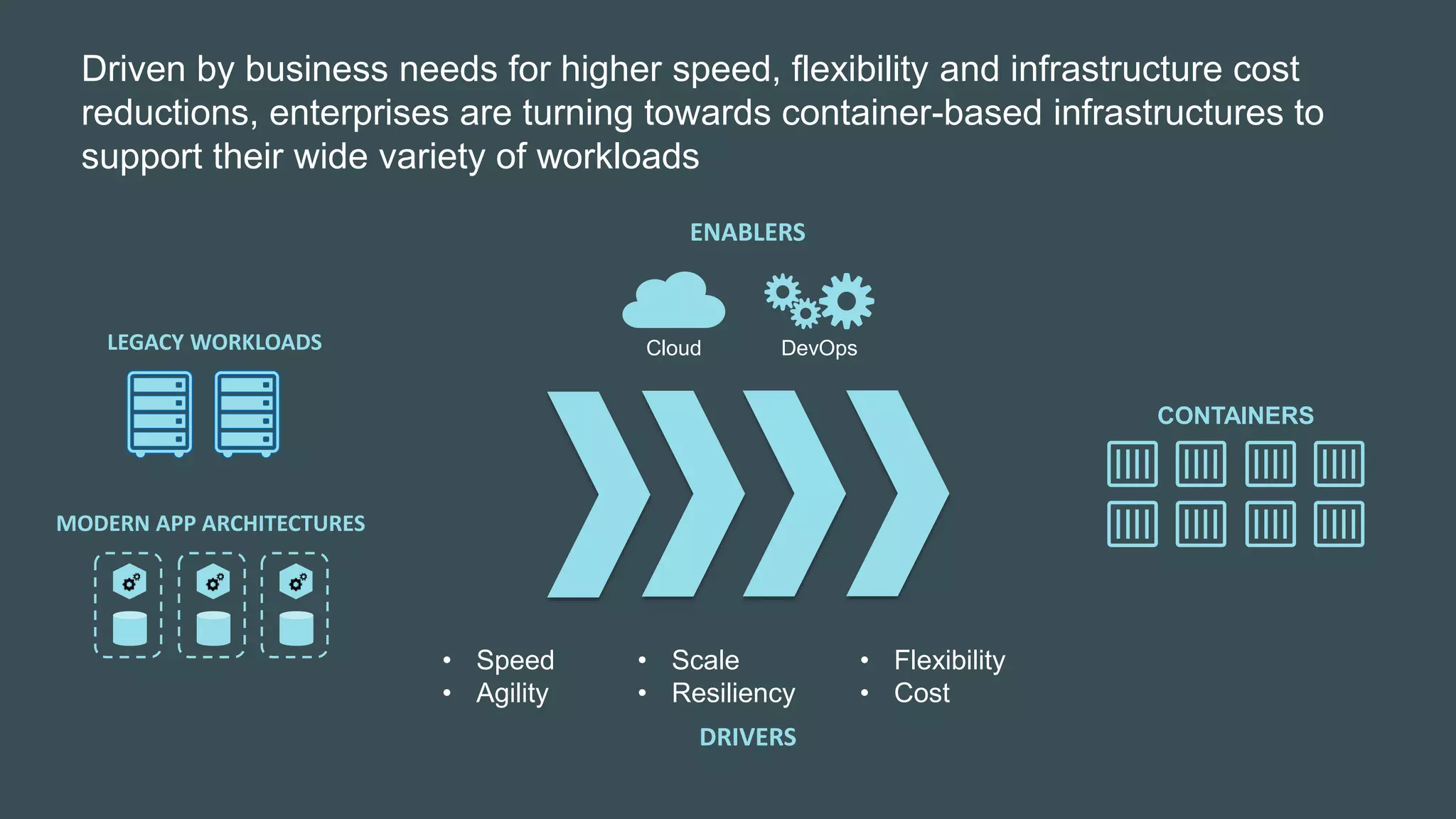
Driven by business needs for higher speed, flexibility and infrastructure cost
reductions, enterprises are turning towards container-based infrastructures to
support their wide variety of workloads
DRIVERS
• Speed
• Agility
• Flexibility
• Cost
• Scale
• Resiliency
ENABLERS
Cloud DevOps
CONTAINERS
MODERN APP ARCHITECTURES
LEGACY WORKLOADS
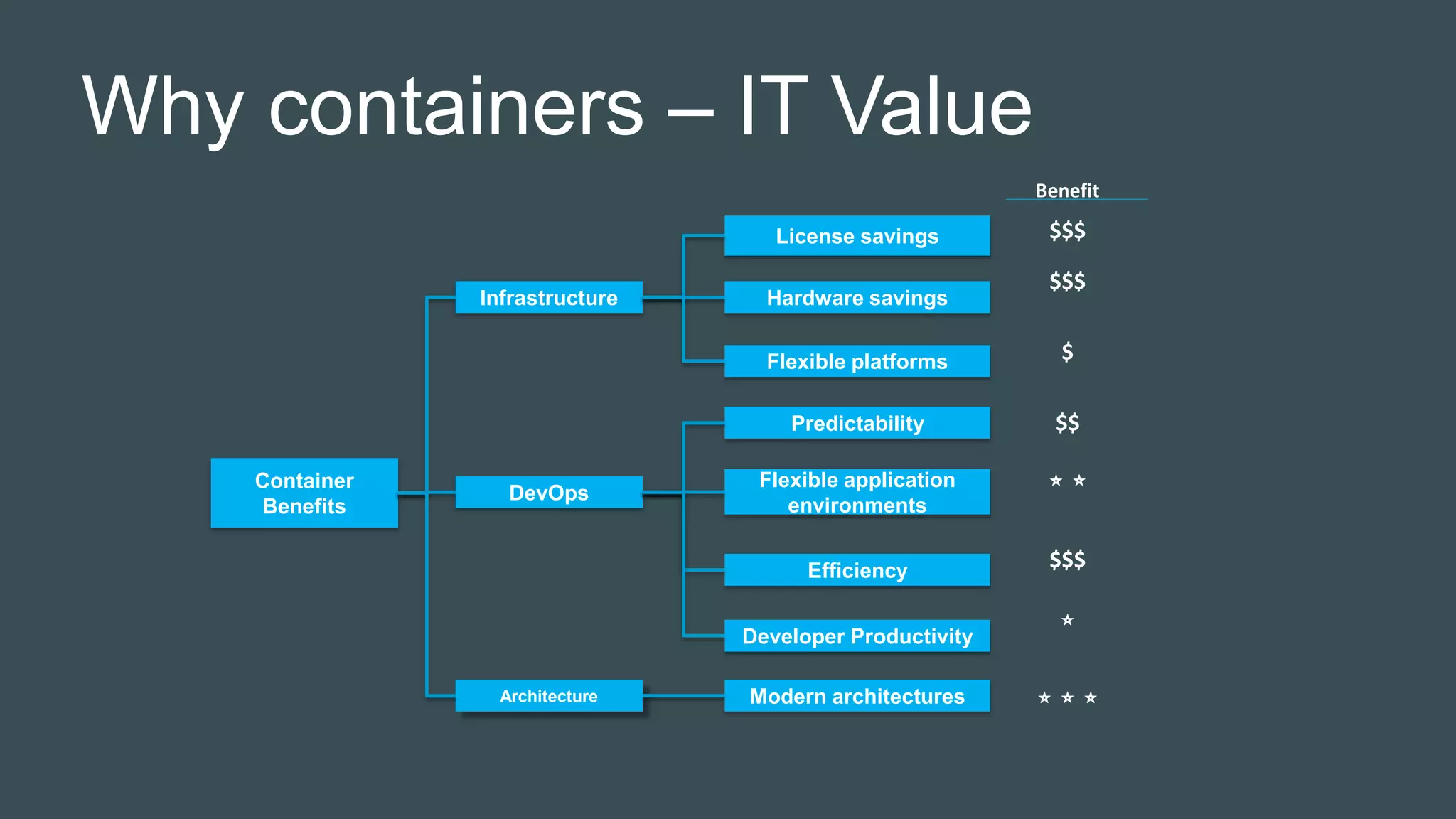
Why containers – IT Value
Benefit
Container
Benefits
Infrastructure
DevOps
Architecture
License savings
Hardware savings
Flexible platforms
Predictability
Flexible application
environments
Efficiency
Modern architectures
Developer Productivity
$$$
⭐ ⭐
$$$
$
$$
$$$
⭐
⭐ ⭐ ⭐
Why containers – Business Value
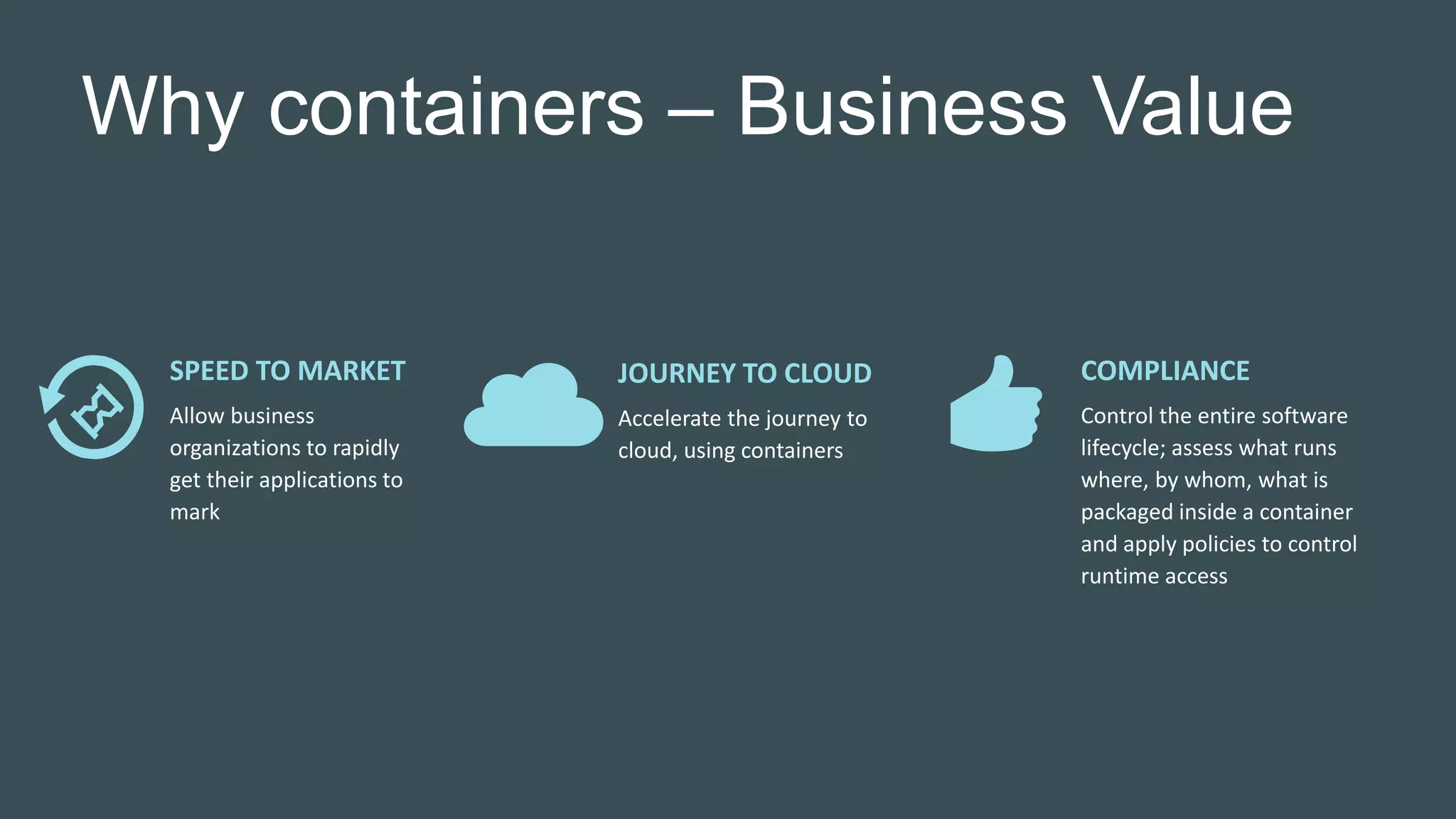
SPEED TO MARKET
Allow business
organizations to rapidly
get their applications to
mark
JOURNEY TO CLOUD
Accelerate the journey to
cloud, using containers
COMPLIANCE
Control the entire software
lifecycle; assess what runs
where, by whom, what is
packaged inside a container
and apply policies to control
runtime access
Legacy workload migration in the real
world
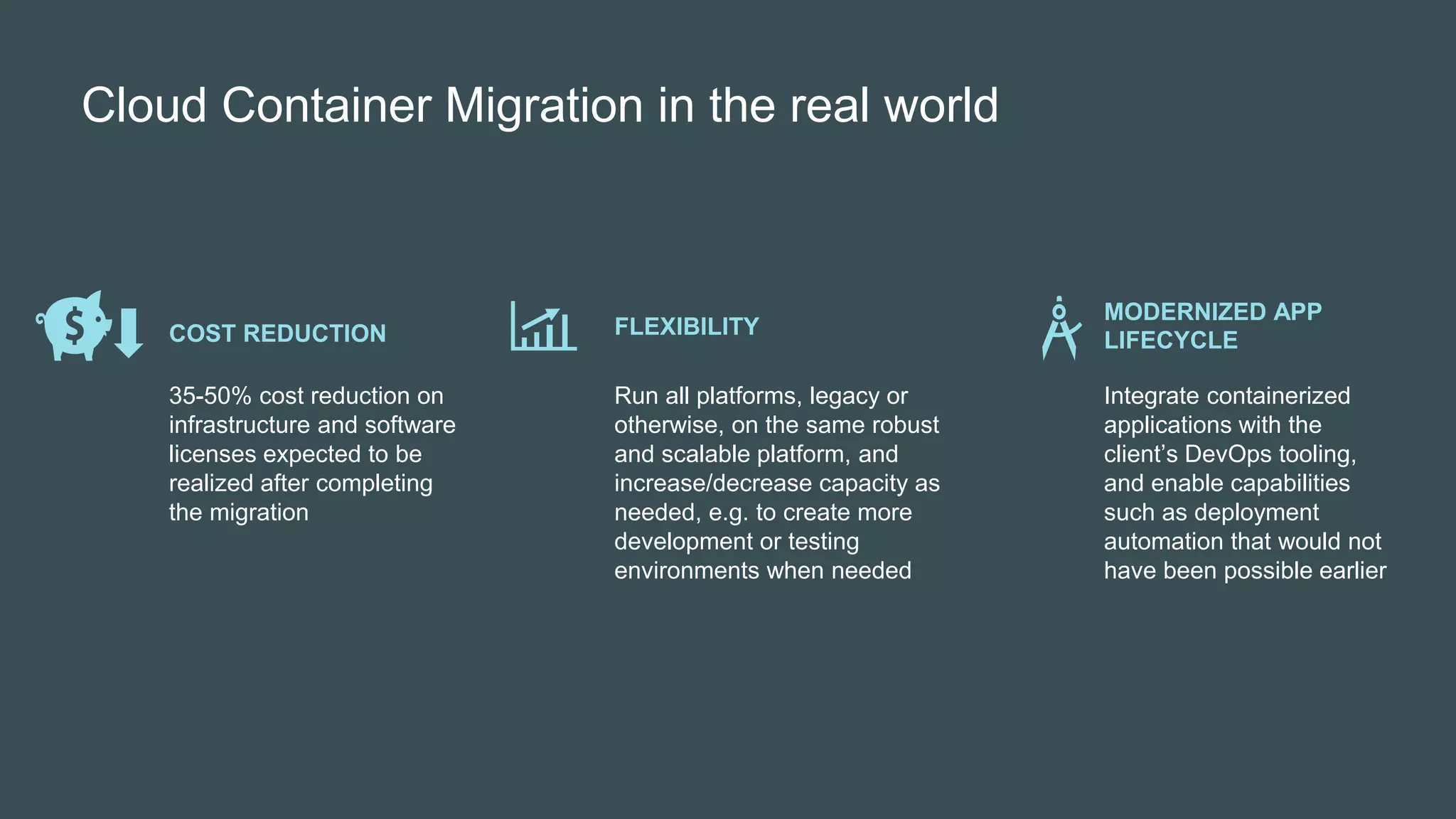
Cloud Container Migration in the real world
Run all platforms, legacy or
otherwise, on the same robust
and scalable platform, and
increase/decrease capacity as
needed, e.g. to create more
development or testing
environments when needed
FLEXIBILITY
35-50% cost reduction on
infrastructure and software
licenses expected to be
realized after completing
the migration
COST REDUCTION
Integrate containerized
applications with the
client’s DevOps tooling,
and enable capabilities
such as deployment
automation that would not
have been possible earlier
MODERNIZED APP
LIFECYCLE
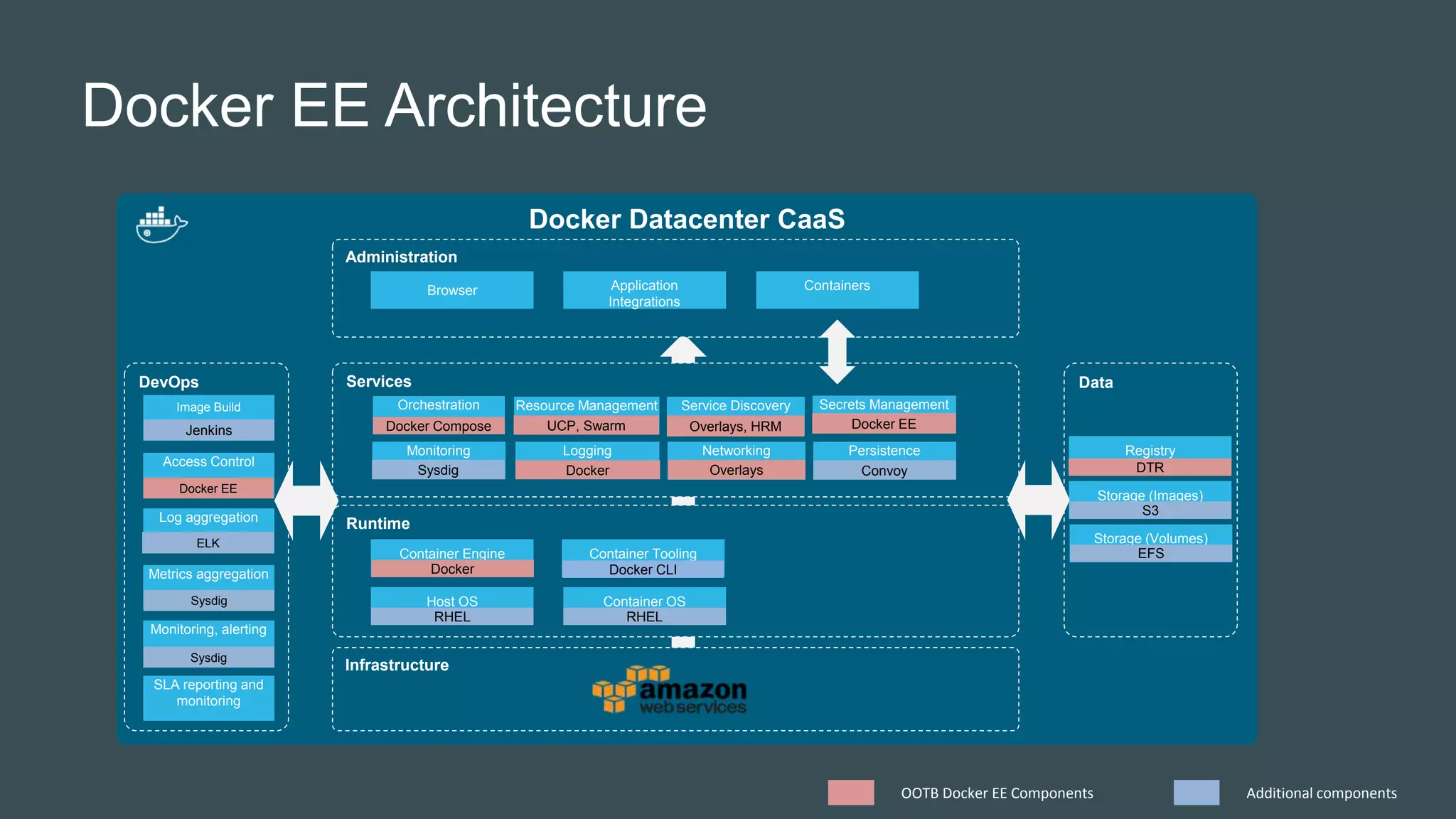
Docker EE Architecture
Docker Datacenter CaaS
Infrastructure
Runtime
Services
Administration
Host OS Container OS
Container Engine Container Tooling
Orchestration Resource Management Service Discovery
PersistenceNetworking
Browser Application
Integrations
Containers
Data
Registry
Storage (Images)
Monitoring
DevOps
Logging
Image Build
Access Control
Log aggregation
Metrics aggregation
Monitoring, alerting
SLA reporting and
monitoring
Secrets Management
Docker Compose UCP, Swarm Overlays, HRM
Sysdig Docker Overlays Convoy DTR
S3
Docker Docker CLI
RHEL RHEL
Jenkins
Docker EE
ELK
Sysdig
Sysdig
OOTB Docker EE Components Additional components
Docker EE
Storage (Volumes)
EFS
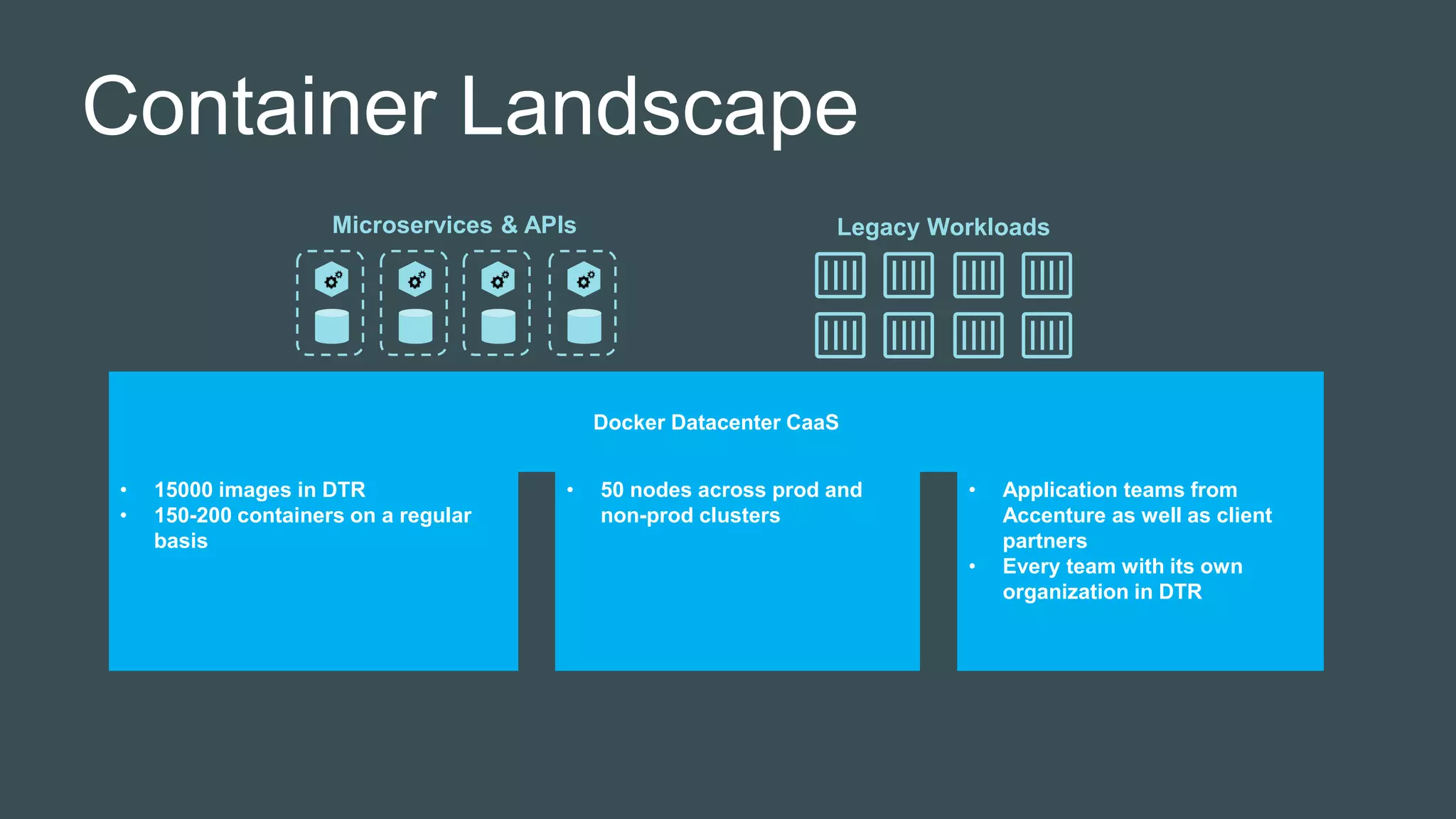
Container Landscape
Docker Datacenter CaaS
Legacy Workloads
• 15000 images in DTR
• 150-200 containers on a regular
basis
• 50 nodes across prod and
non-prod clusters
• Application teams from
Accenture as well as client
partners
• Every team with its own
organization in DTR
Microservices & APIs
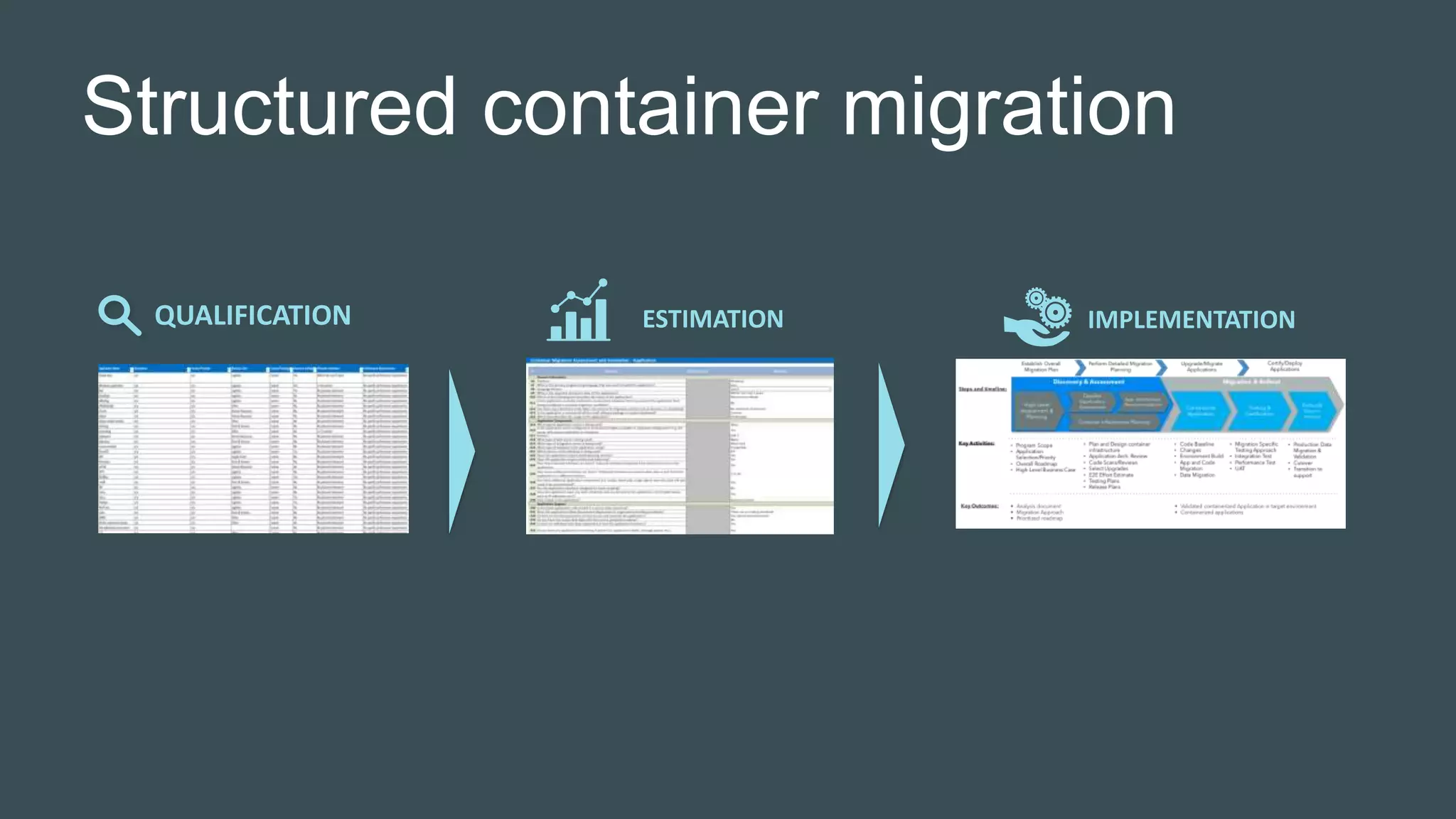
Structured container migration
QUALIFICATION ESTIMATION IMPLEMENTATION
Lessons learned
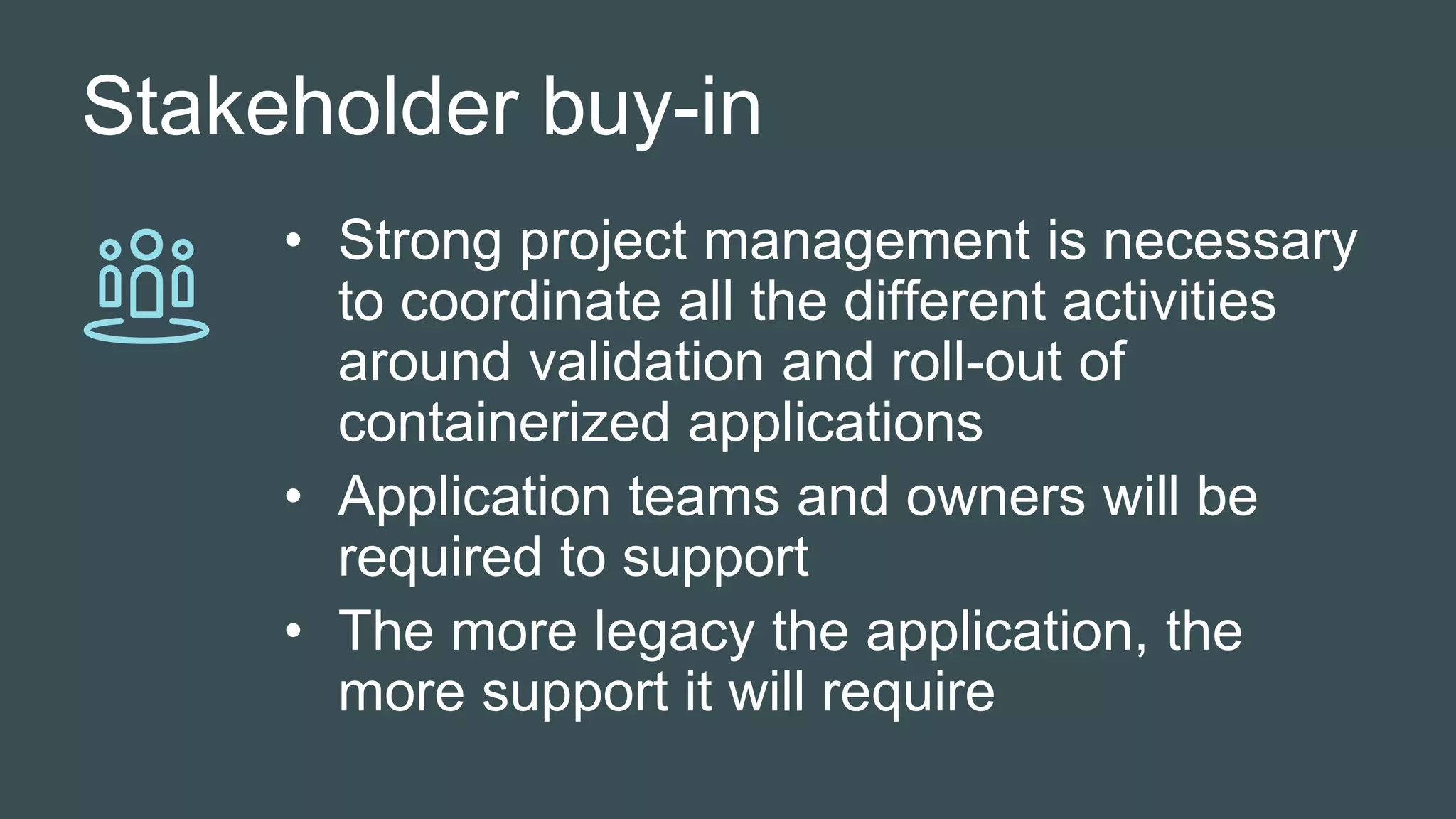
Stakeholder buy-in
• Strong project management is necessary
to coordinate all the different activities
around validation and roll-out of
containerized applications
• Application teams and owners will be
required to support
• The more legacy the application, the
more support it will require
Approach
Containerizing by “sucking in” a bunch
of folders and dumping them into a
containe image is feasible, but not
sustainable
Application Impact
The approach to
non-functional
requirements are
applied differently
in a containerized
environment – it
impacts the way
applications are
containerized
• High availability
– let UCP
handle it
• Scalability –
run more
container
instances in
parallel
Roadmap and evolution
Docker is evolving very fast – too fast,
or not fast enough for your needs?
Networking, Routing and Discovery
• Overlay networks are sufficient to support routing
and discovery within the cluster.
• Outside the cluster:
Layer 7 routing is straightforward with HRM
Layer 4 routing (e.g. JMS, RMI) is a bit more
complicated
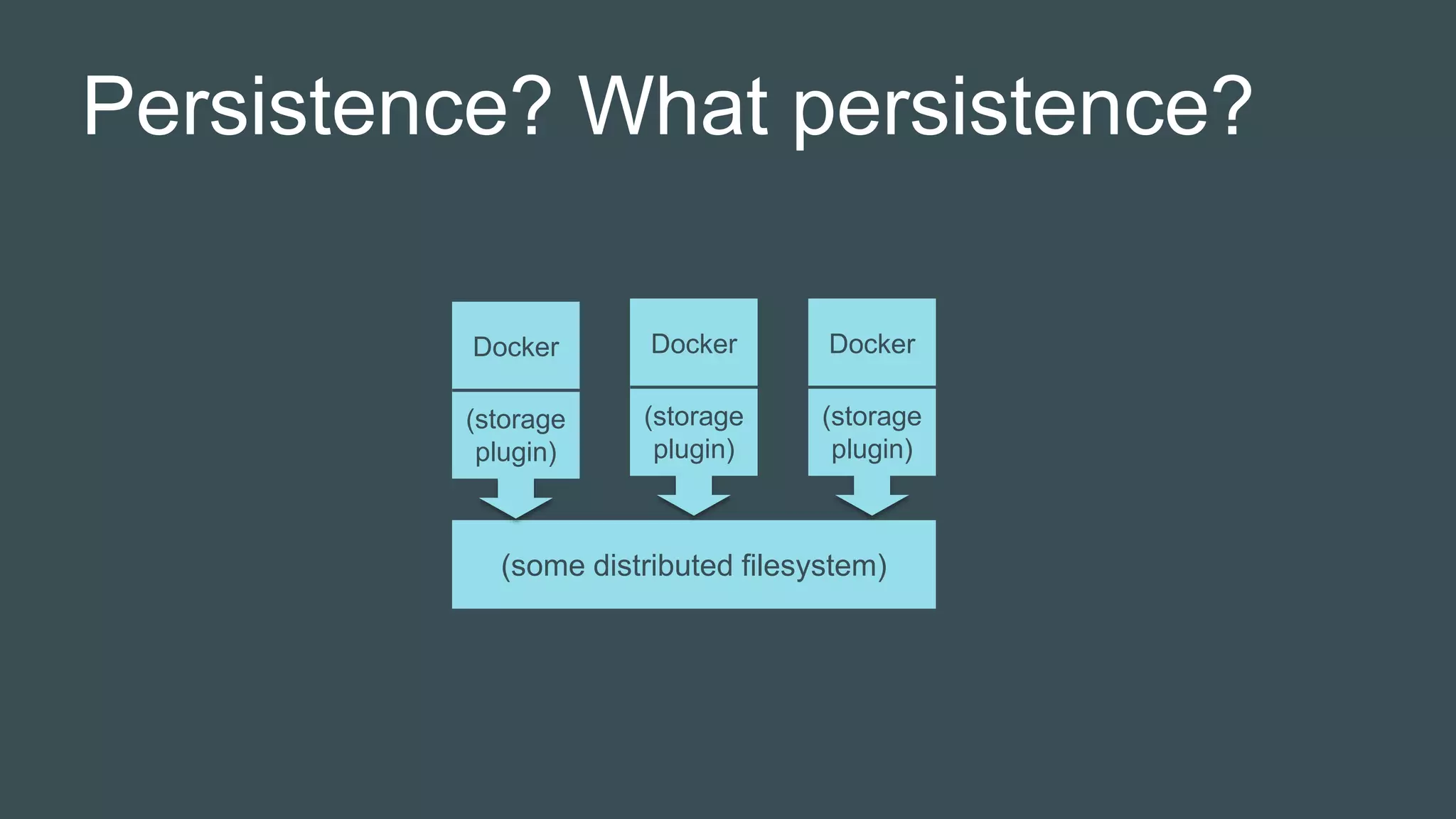
Persistence? What persistence?
(some distributed filesystem)
(storage
plugin)
Docker
(storage
plugin)
Docker
(storage
plugin)
Docker
Cluster Upgrades
Upgrades to DTR and UCP must be
approached carefully, and can still go
wrong
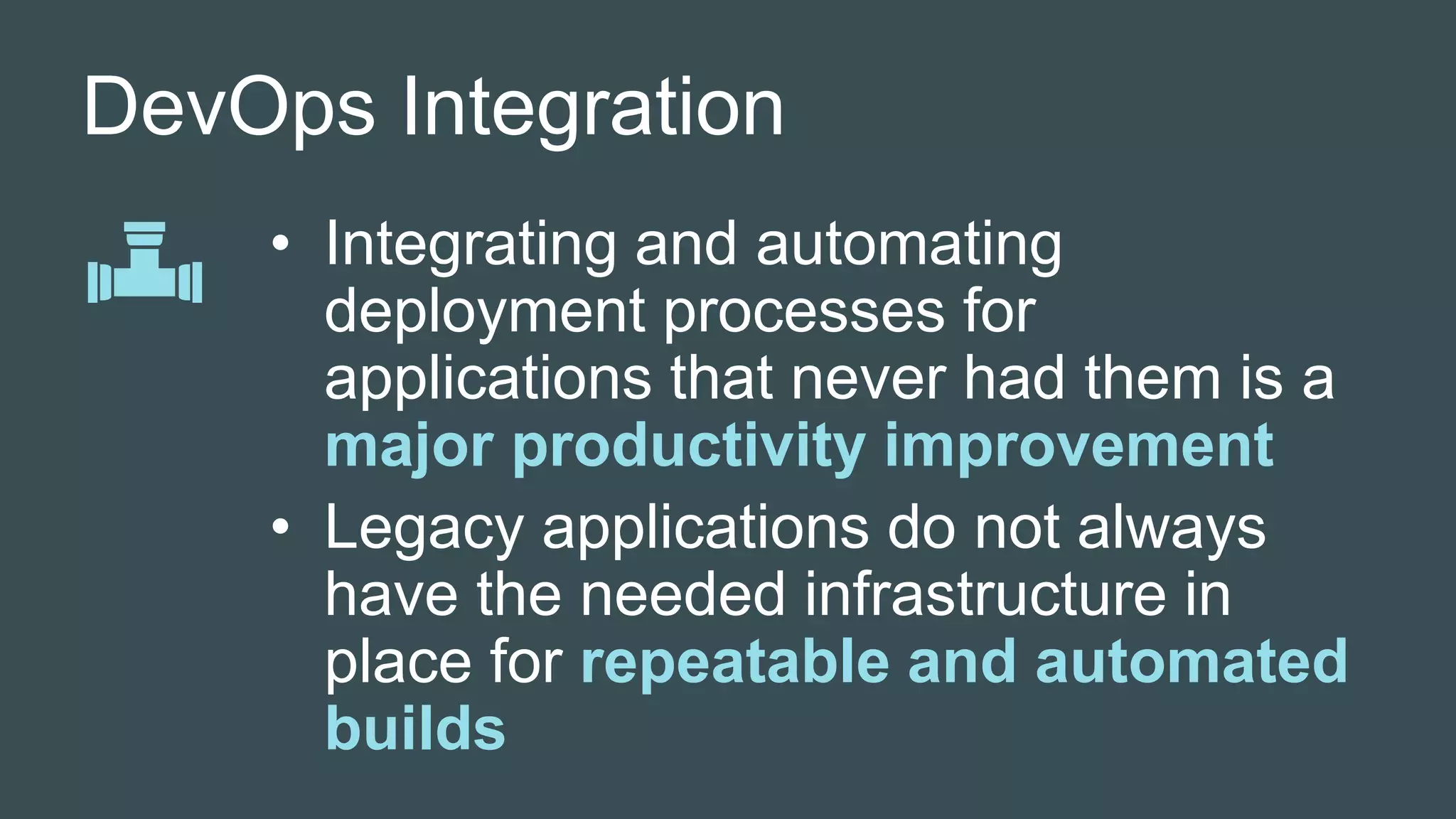
DevOps Integration
• Integrating and automating
deployment processes for
applications that never had them is a
major productivity improvement
• Legacy applications do not always
have the needed infrastructure in
place for repeatable and automated
builds
Validation
Legacy code tends to be light on
tests, and that complicates validation
and assurance phases of the
containerization process
Operations
Traditional operational tooling
cannot currently deal with
containers; new tools are likely
going to be needed

Containers aren’t just for microservices – Containerizing Legacy Workloads

  • 1.
    Containers aren’t justfor microservices – Containerizing Legacy Workloads
  • 2.
    Oscar Renalias Senior TechnologyArchitect @oscarrenalias github.com/oscarrenalias github.com/Accenture oscar.renalias@accenture.com
  • 3.
    Driven by businessneeds for higher speed, flexibility and infrastructure cost reductions, enterprises are turning towards container-based infrastructures to support their wide variety of workloads DRIVERS • Speed • Agility • Flexibility • Cost • Scale • Resiliency ENABLERS Cloud DevOps CONTAINERS MODERN APP ARCHITECTURES LEGACY WORKLOADS
  • 4.
    Why containers –IT Value Benefit Container Benefits Infrastructure DevOps Architecture License savings Hardware savings Flexible platforms Predictability Flexible application environments Efficiency Modern architectures Developer Productivity $$$ ⭐ ⭐ $$$ $ $$ $$$ ⭐ ⭐ ⭐ ⭐
  • 5.
    Why containers –Business Value SPEED TO MARKET Allow business organizations to rapidly get their applications to mark JOURNEY TO CLOUD Accelerate the journey to cloud, using containers COMPLIANCE Control the entire software lifecycle; assess what runs where, by whom, what is packaged inside a container and apply policies to control runtime access
  • 6.
    Legacy workload migrationin the real world
  • 7.
    Cloud Container Migrationin the real world Run all platforms, legacy or otherwise, on the same robust and scalable platform, and increase/decrease capacity as needed, e.g. to create more development or testing environments when needed FLEXIBILITY 35-50% cost reduction on infrastructure and software licenses expected to be realized after completing the migration COST REDUCTION Integrate containerized applications with the client’s DevOps tooling, and enable capabilities such as deployment automation that would not have been possible earlier MODERNIZED APP LIFECYCLE
  • 8.
    Docker EE Architecture DockerDatacenter CaaS Infrastructure Runtime Services Administration Host OS Container OS Container Engine Container Tooling Orchestration Resource Management Service Discovery PersistenceNetworking Browser Application Integrations Containers Data Registry Storage (Images) Monitoring DevOps Logging Image Build Access Control Log aggregation Metrics aggregation Monitoring, alerting SLA reporting and monitoring Secrets Management Docker Compose UCP, Swarm Overlays, HRM Sysdig Docker Overlays Convoy DTR S3 Docker Docker CLI RHEL RHEL Jenkins Docker EE ELK Sysdig Sysdig OOTB Docker EE Components Additional components Docker EE Storage (Volumes) EFS
  • 9.
    Container Landscape Docker DatacenterCaaS Legacy Workloads • 15000 images in DTR • 150-200 containers on a regular basis • 50 nodes across prod and non-prod clusters • Application teams from Accenture as well as client partners • Every team with its own organization in DTR Microservices & APIs
  • 10.
  • 11.
  • 12.
    Stakeholder buy-in • Strongproject management is necessary to coordinate all the different activities around validation and roll-out of containerized applications • Application teams and owners will be required to support • The more legacy the application, the more support it will require
  • 13.
    Approach Containerizing by “suckingin” a bunch of folders and dumping them into a containe image is feasible, but not sustainable
  • 14.
    Application Impact The approachto non-functional requirements are applied differently in a containerized environment – it impacts the way applications are containerized • High availability – let UCP handle it • Scalability – run more container instances in parallel
  • 15.
    Roadmap and evolution Dockeris evolving very fast – too fast, or not fast enough for your needs?
  • 16.
    Networking, Routing andDiscovery • Overlay networks are sufficient to support routing and discovery within the cluster. • Outside the cluster: Layer 7 routing is straightforward with HRM Layer 4 routing (e.g. JMS, RMI) is a bit more complicated
  • 17.
    Persistence? What persistence? (somedistributed filesystem) (storage plugin) Docker (storage plugin) Docker (storage plugin) Docker
  • 18.
    Cluster Upgrades Upgrades toDTR and UCP must be approached carefully, and can still go wrong
  • 19.
    DevOps Integration • Integratingand automating deployment processes for applications that never had them is a major productivity improvement • Legacy applications do not always have the needed infrastructure in place for repeatable and automated builds
  • 20.
    Validation Legacy code tendsto be light on tests, and that complicates validation and assurance phases of the containerization process
  • 21.
    Operations Traditional operational tooling cannotcurrently deal with containers; new tools are likely going to be needed

Editor's Notes

  • #4 Very high-level business case.
  • #6 Business value very much depends on the industry, but these tend to be consistently cited as part of container migrations.
  • #9 Docker does not address all areas of the full container platform lifecycle, and strategic enhancements were needed to address existing gaps.
  • #11 QUALIFICATION Top-down, uses relatively high-level questions to estimate a ”containerization factor”. Used for prioritizing and planning Uses a set of high-level questions to identify the overall suitability of the application to be migrated to a container Provides a Containerization Index per application Questions and factors be tuned to account for client environments and context Populated by migration teams, supported by container experts ESTIMATION Bottom up, uses very detailed questions to determine overall migration estimate across relevant areas Supports a detailed bottom-up estimation model using a detailed questionnaire Provides an estimate across key containerization areas: Components, Support, Security, Architecture, DevOps, Data & Storage Populated by container experts with key input from application owners/architects IMPLEMENTATION Industrialized, structured delivery methodology based on patterns and best practices adapted to Docker EE
  • #14 Not sustainable in the long run, does not provide any of the DevOps and container benefits
  • #18 Some key capabilities currently require third party plugins; over time, we expect that Docker EE will provide more platform-level capabilities such as built-in support for persistence, more advanced monitoring and better integration with external logging
  • #22 Container-native tooling is going to be needed