Containerized Build
BUILDING YOUR CODE USING CONTAINERS….AND SOME SCRIPTS
HO PENG FOONG
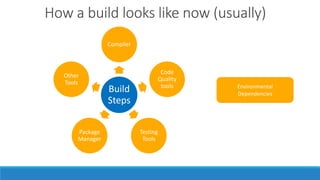
Build
Steps
Compiler
Code
Quality
tools
Testing
Tools
Package
Manager
Other
Tools
How a build looks like now (usually)
Environmental
Dependencies
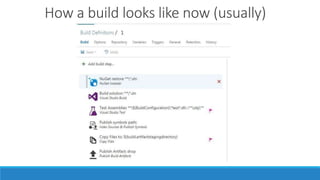
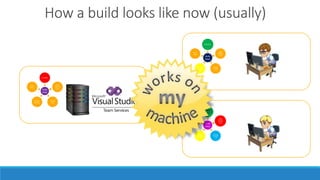
How a build looks like now (usually)
Build
Steps
Compiler
Code
Quality
tools
Testing
Tools
Package
Manager
Other
Tools
Build
Steps
Compiler
Code
Quality
tools
Testing
Tools
Package
Manager
Other
Tools
Build
Steps
Compiler
Code
Quality
tools
Testing
Tools
Package
Manager
Other
Tools
Build
Script
Compiler
Code
Quality
tools
Testing
Tools
Package
Manager
Other
Tools
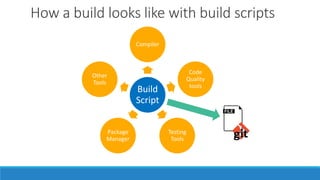
How a build looks like with build scripts
Build
Script
Compiler
Code
Quality
tools
Testing
Tools
Package
Manager
Other
Tools
Build
Script
Compiler
Code
Quality
tools
Testing
Tools
Package
Manager
Other
Tools
Build
Script
Compiler
Code
Quality
tools
Testing
Tools
Package
Manager
Other
Tools
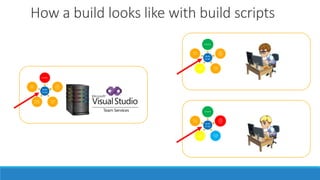
How a build looks like with build scripts
Build
Script
Compiler
Code
Quality
tools
Testing
Tools
Package
Manager
Other
Tools
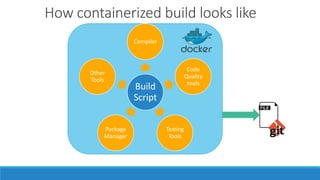
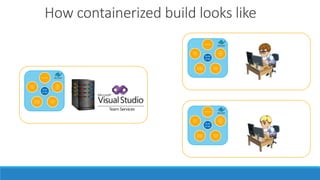
How containerized build looks like
Advantages of containerized build
◦ Repeatable builds
◦ Less of “build works on my machine” scenarios
◦ Environment is versioned controlled. Can go back in time to build older versions.
◦ Faster ramp up for new team members.
◦ Can ask new team members to code with only Notepad & Docker 😎
◦ Simplify IT infrastructure work. Less variants of build agents.
◦ Portability
Build
Script
Compiler
Code
Quality
tools
Testing
Tools
Package
Manager
Other
Tools
Build
Script
Compiler
Code
Quality
tools
Testing
Tools
Package
Manager
Other
Tools
Build
Script
Compiler
Code
Quality
tools
Testing
Tools
Package
Manager
Other
Tools
How containerized build looks like
What’s needed
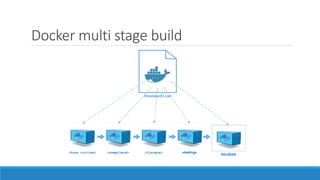
Docker multi stage build
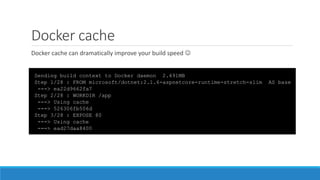
Docker cache
Sending build context to Docker daemon 2.491MB
Step 1/28 : FROM microsoft/dotnet:2.1.6-aspnetcore-runtime-stretch-slim AS base
---> ea22d9662fa7
Step 2/28 : WORKDIR /app
---> Using cache
---> 526306fb506d
Step 3/28 : EXPOSE 80
---> Using cache
---> ead27daa8400
Docker cache can dramatically improve your build speed 
Demo
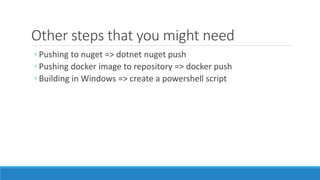
Other steps that you might need
◦ Pushing to nuget => dotnet nuget push
◦ Pushing docker image to repository => docker push
◦ Building in Windows => create a powershell script
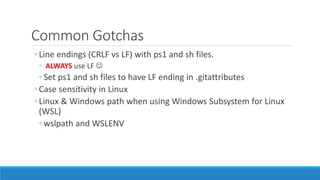
Common Gotchas
◦ Line endings (CRLF vs LF) with ps1 and sh files.
◦ ALWAYS use LF 
◦ Set ps1 and sh files to have LF ending in .gitattributes
◦ Case sensitivity in Linux
◦ Linux & Windows path when using Windows Subsystem for Linux
(WSL)
◦ wslpath and WSLENV
Key takeaway
◦ If you’re not building using build scripts, consider using them
◦ If you’re building build script and want to take things further, take a look at containerized build 
The End
HO PENG FOONG
pengfoong@gmail.com

Containerized build

Editor's Notes

  • #3 No version control for “build steps” (when not using pipelines.yaml)
  • #5 Need someone to configure the build server Hard to debug when something goes wrong in build server, cannot reproduce easily Tough on newcomers
  • #9 How long does it take for a new developer to setup their machine? Have you been in a situation where nobody remembers/knows how to configure the build server? Or when you need to keep certain versions of Visual Studio around? Or when something was upgraded and build breaks?