ConstraintLayout
+ Diego Nascimento
Software Engineer at CESAR
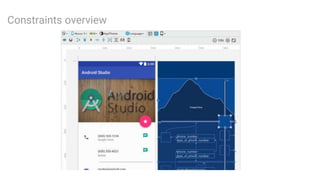
Constraints overview
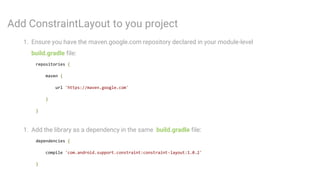
Add ConstraintLayout to you project
1. Ensure you have the maven.google.com repository declared in your module-level
build.gradle file:
repositories {
maven {
url 'https://maven.google.com'
}
}
1. Add the library as a dependency in the same build.gradle file:
dependencies {
compile 'com.android.support.constraint:constraint-layout:1.0.2'
}
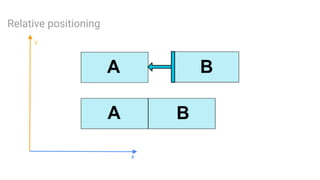
Relative positioning
y
x
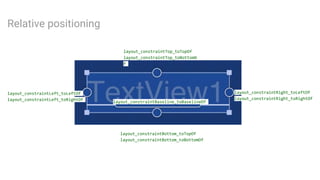
Relative positioning
layout_constraintLeft_toLeftOf
layout_constraintLeft_toRightOf
layout_constraintRight_toLeftOf
layout_constraintRight_toRightOf
layout_constraintTop_toTopOf
layout_constraintTop_toBottomO
f
layout_constraintBottom_toTopOf
layout_constraintBottom_toBottomOf
layout_constraintBaseline_toBaselineOf
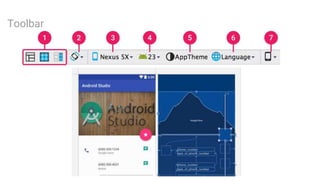
Toolbar
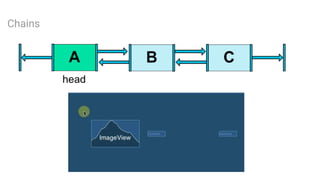
Chains
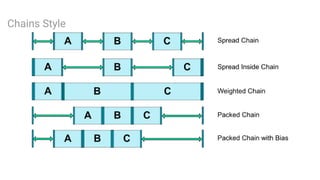
Chains Style
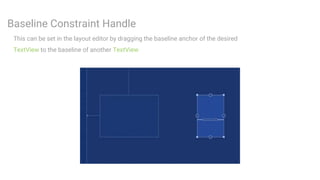
Baseline Constraint Handle
This can be set in the layout editor by dragging the baseline anchor of the desired
TextView to the baseline of another TextView
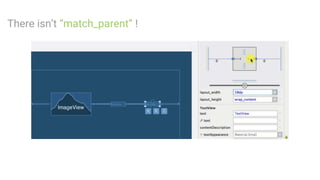
There isn’t “match_parent” !
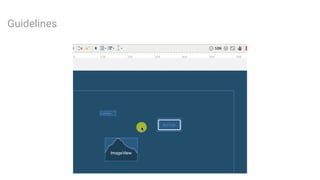
Guidelines
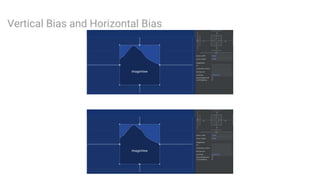
Vertical Bias and Horizontal Bias
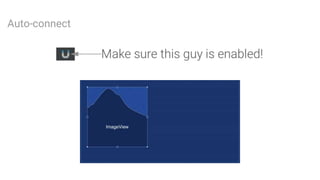
Auto-connect
Pratice
ConstraintSet
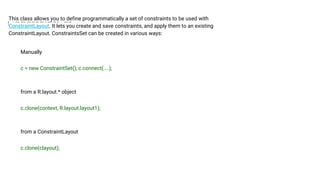
This class allows you to define programmatically a set of constraints to be used with
ConstraintLayout. It lets you create and save constraints, and apply them to an existing
ConstraintLayout. ConstraintsSet can be created in various ways:
Manually
c = new ConstraintSet(); c.connect(....);
from a R.layout.* object
c.clone(context, R.layout.layout1);
from a ConstraintLayout
c.clone(clayout);
Reference
https://developer.android.com/training/constraint-layout/index.html#adjust-the-view-size
https://medium.com/google-developers/building-interfaces-with-constraintlayout-
3958fa38a9f7
https://codelabs.developers.google.com/codelabs/constraint-layout/#0
https://developer.android.com/reference/android/support/constraint/ConstraintSet.html

Constraint layout