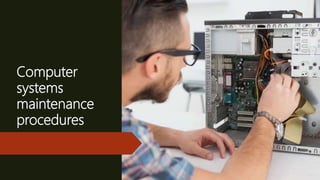
Computer
systems
maintenance
procedures
Learning Objectives;
 Identify various maintenance procedure.
 Check and conduct maintenance to a device.
Let Us Try
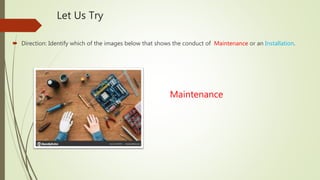
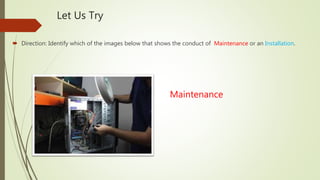
 Direction: Identify which of the images below that shows the conduct of Maintenance or an Installation.
Maintenance
Let Us Try
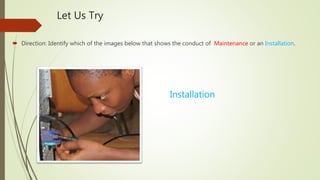
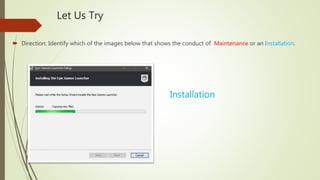
 Direction: Identify which of the images below that shows the conduct of Maintenance or an Installation.
Installation
Let Us Try
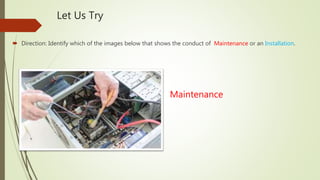
 Direction: Identify which of the images below that shows the conduct of Maintenance or an Installation.
Maintenance
Let Us Try
 Direction: Identify which of the images below that shows the conduct of Maintenance or an Installation.
Installation
Let Us Try
 Direction: Identify which of the images below that shows the conduct of Maintenance or an Installation.
Maintenance
Computer Systems Maintenance
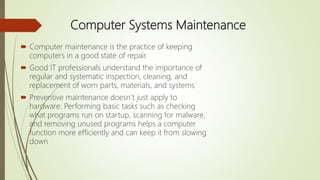
 Computer maintenance is the practice of keeping
computers in a good state of repair.
 Good IT professionals understand the importance of
regular and systematic inspection, cleaning, and
replacement of worn parts, materials, and systems
 Preventive maintenance doesn’t just apply to
hardware. Performing basic tasks such as checking
what programs run on startup, scanning for malware,
and removing unused programs helps a computer
function more efficiently and can keep it from slowing
down
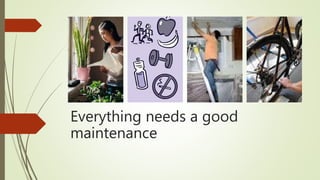
Everything needs a good
maintenance
Benefits of Maintenance
 Improve data protection.
 Extend the life of the
components.
 Improves equipment stability.
 Reduces the number of
equipment failures.
Preventive Maintenance Hardware
1. Remove dust from fans
2. Remove dust from power supply
3. Remove dust from the components
inside the computer and the peripheral
equipment such as printer
4. Clean the mouse , keyboard and display
using compress air and lint free cloth.
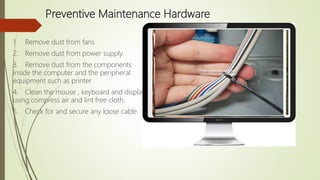
5. Check for and secure any loose cable
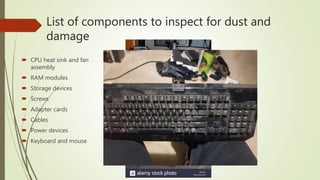
List of components to inspect for dust and
damage
 CPU heat sink and fan
assembly
 RAM modules
 Storage devices
 Screws
 Adapter cards
 Cables
 Power devices
 Keyboard and mouse
Preventive Maintenance - Software
 Review and install the
appropriate security, software,
and driver updates.
 Update the virus definition files
and scan for viruses and spyware.
 Remove unwanted or unused
programs.
 Scan hard drives for errors and
defragment hard drives.
 Back up files
Let Us Practice
Direction. Identify which statement was correct in the conduct of maintenance. Answer in True or
False
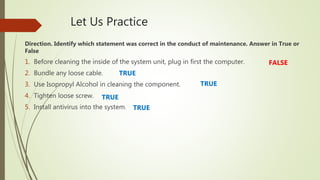
1. Before cleaning the inside of the system unit, plug in first the computer.
2. Bundle any loose cable.
3. Use Isopropyl Alcohol in cleaning the component.
4. Tighten loose screw.
5. Install antivirus into the system.
FALSE
TRUE
TRUE
TRUE
TRUE

Lesson 3

  • 1.
  • 2.
    Learning Objectives;  Identifyvarious maintenance procedure.  Check and conduct maintenance to a device.
  • 3.
    Let Us Try Direction: Identify which of the images below that shows the conduct of Maintenance or an Installation. Maintenance
  • 4.
    Let Us Try Direction: Identify which of the images below that shows the conduct of Maintenance or an Installation. Installation
  • 5.
    Let Us Try Direction: Identify which of the images below that shows the conduct of Maintenance or an Installation. Maintenance
  • 6.
    Let Us Try Direction: Identify which of the images below that shows the conduct of Maintenance or an Installation. Installation
  • 7.
    Let Us Try Direction: Identify which of the images below that shows the conduct of Maintenance or an Installation. Maintenance
  • 8.
    Computer Systems Maintenance Computer maintenance is the practice of keeping computers in a good state of repair.  Good IT professionals understand the importance of regular and systematic inspection, cleaning, and replacement of worn parts, materials, and systems  Preventive maintenance doesn’t just apply to hardware. Performing basic tasks such as checking what programs run on startup, scanning for malware, and removing unused programs helps a computer function more efficiently and can keep it from slowing down
  • 9.
    Everything needs agood maintenance
  • 10.
    Benefits of Maintenance Improve data protection.  Extend the life of the components.  Improves equipment stability.  Reduces the number of equipment failures.
  • 11.
    Preventive Maintenance Hardware 1.Remove dust from fans 2. Remove dust from power supply 3. Remove dust from the components inside the computer and the peripheral equipment such as printer 4. Clean the mouse , keyboard and display using compress air and lint free cloth. 5. Check for and secure any loose cable
  • 12.
    List of componentsto inspect for dust and damage  CPU heat sink and fan assembly  RAM modules  Storage devices  Screws  Adapter cards  Cables  Power devices  Keyboard and mouse
  • 13.
    Preventive Maintenance -Software  Review and install the appropriate security, software, and driver updates.  Update the virus definition files and scan for viruses and spyware.  Remove unwanted or unused programs.  Scan hard drives for errors and defragment hard drives.  Back up files
  • 14.
    Let Us Practice Direction.Identify which statement was correct in the conduct of maintenance. Answer in True or False 1. Before cleaning the inside of the system unit, plug in first the computer. 2. Bundle any loose cable. 3. Use Isopropyl Alcohol in cleaning the component. 4. Tighten loose screw. 5. Install antivirus into the system. FALSE TRUE TRUE TRUE TRUE