1 | P a g e 3 r d
Q u a r t e r
C o m p u t e r S y s t e m s S e r v i c i n g
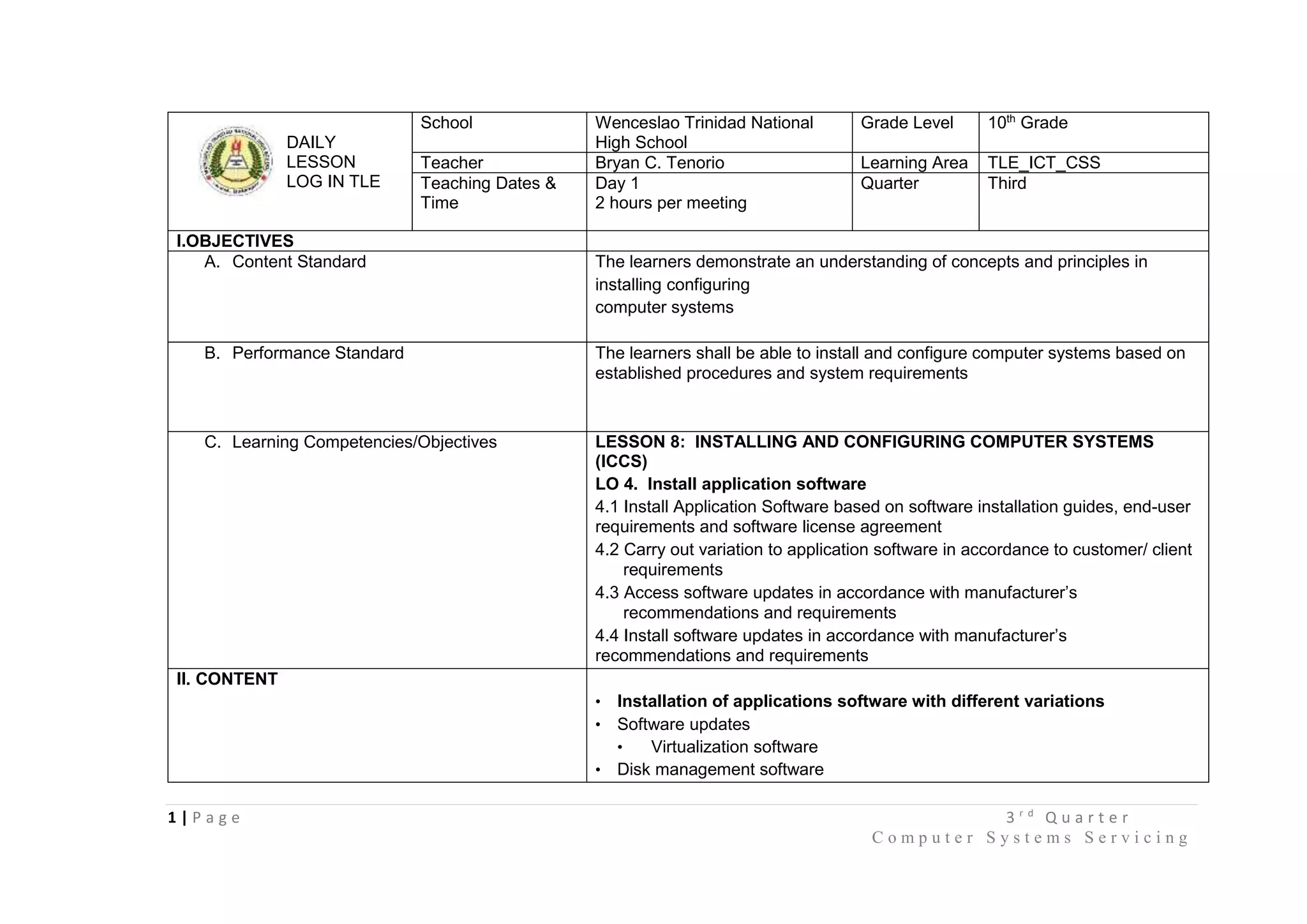
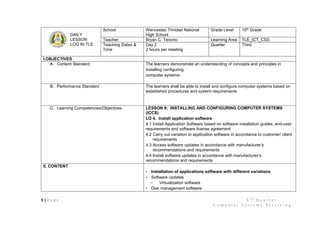
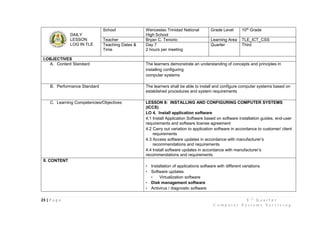
DAILY
LESSON
LOG IN TLE
School Wenceslao Trinidad National
High School
Grade Level 10th
Grade
Teacher Bryan C. Tenorio Learning Area TLE_ICT_CSS
Teaching Dates &
Time
Day 1
2 hours per meeting
Quarter Third
I.OBJECTIVES
A. Content Standard The learners demonstrate an understanding of concepts and principles in
installing configuring
computer systems
B. Performance Standard The learners shall be able to install and configure computer systems based on
established procedures and system requirements
C. Learning Competencies/Objectives LESSON 8: INSTALLING AND CONFIGURING COMPUTER SYSTEMS
(ICCS)
LO 4. Install application software
4.1 Install Application Software based on software installation guides, end-user
requirements and software license agreement
4.2 Carry out variation to application software in accordance to customer/ client
requirements
4.3 Access software updates in accordance with manufacturer’s
recommendations and requirements
4.4 Install software updates in accordance with manufacturer’s
recommendations and requirements
II. CONTENT
• Installation of applications software with different variations
• Software updates
• Virtualization software
• Disk management software
2 | P a g e 3 r d
Q u a r t e r
C o m p u t e r S y s t e m s S e r v i c i n g
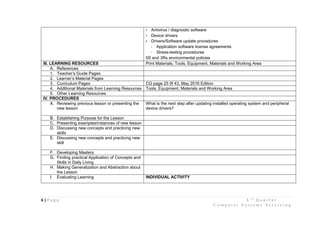
• Antivirus / diagnostic software
• Device drivers
• Drivers/Software update procedures
- Application software license agreements
- Stress-testing procedures
5S and 3Rs environmental policies
III. LEARNING RESOURCES Print Materials, Tools, Equipment, Materials and Working Area
A. References
1. Teacher’s Guide Pages
2. Learner’s Material Pages
3. Curriculum Pages CG page 25 0f 43, May 2016 Edition
4. Additional Materials from Learning Resources Tools, Equipment, Materials and Working Area
5. Other Learning Resources
IV. PROCEDURES
A. Reviewing previous lesson or presenting the
new lesson
What is the next step after updating installed operating system and peripheral
device drivers?
B. Establishing Purpose for the Lesson Why do we install an application software to our computers?
Why do we also update the application software?
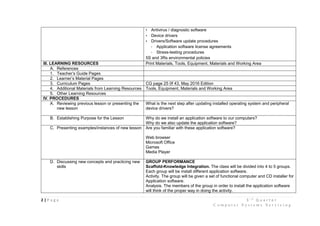
C. Presenting examples/instances of new lesson Are you familiar with these application software?
Web browser
Microsoft Office
Games
Media Player
D. Discussing new concepts and practicing new
skills
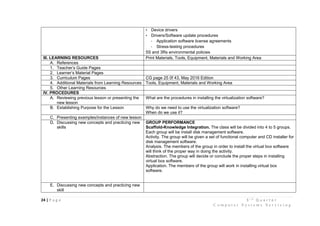
GROUP PERFORMANCE
Scaffold-Knowledge Integration. The class will be divided into 4 to 5 groups.
Each group will be install different application software.
Activity. The group will be given a set of functional computer and CD installer for
Application software.
Analysis. The members of the group in order to install the application software
will think of the proper way in doing the activity.
3 | P a g e 3 r d
Q u a r t e r
C o m p u t e r S y s t e m s S e r v i c i n g
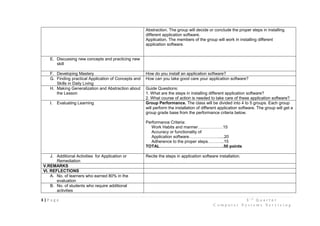
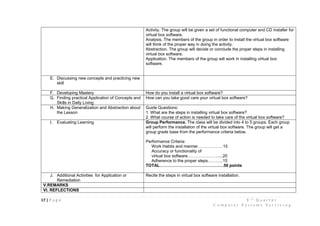
Abstraction. The group will decide or conclude the proper steps in installing
different application software.
Application. The members of the group will work in installing different
application software.
E. Discussing new concepts and practicing new
skill
F. Developing Mastery How do you install an application software?
G. Finding practical Application of Concepts and
Skills in Daily Living
How can you take good care your application software?
H. Making Generalization and Abstraction about
the Lesson
Guide Questions:
1. What are the steps in installing different application software?
2. What course of action is needed to take care of these application software?
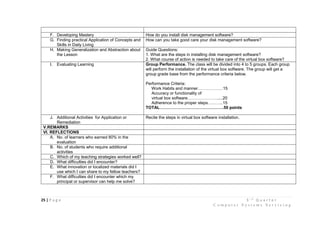
I. Evaluating Learning Group Performance. The class will be divided into 4 to 5 groups. Each group
will perform the installation of different application software. The group will get a
group grade base from the performance criteria below.
Performance Criteria:
Work Habits and manner………………15
Accuracy or functionality of
Application software………………….....20
Adherence to the proper steps………...15
TOTAL……………………………………….50 points
J. Additional Activities for Application or
Remediation
Recite the steps in application software installation.
V.REMARKS
VI. REFLECTIONS
A. No. of learners who earned 80% in the
evaluation
B. No. of students who require additional
activities
4 | P a g e 3 r d
Q u a r t e r
C o m p u t e r S y s t e m s S e r v i c i n g
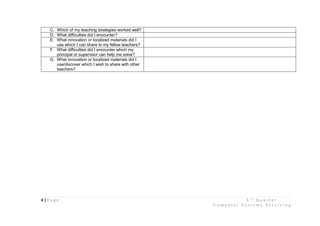
C. Which of my teaching strategies worked well?
D. What difficulties did I encounter?
E. What innovation or localized materials did I
use which I can share to my fellow teachers?
F. What difficulties did I encounter which my
principal or supervisor can help me solve?
G. What innovation or localized materials did I
use/discover which I wish to share with other
teachers?
5 | P a g e 3 r d
Q u a r t e r
C o m p u t e r S y s t e m s S e r v i c i n g
DAILY
LESSON
LOG IN TLE
School Wenceslao Trinidad National
High School
Grade Level 10th
Grade
Teacher Bryan C. Tenorio Learning Area TLE_ICT_CSS
Teaching Dates &
Time
Day 2
2 hours per meeting
Quarter Third
I.OBJECTIVES
A. Content Standard The learners demonstrate an understanding of concepts and principles in
installing configuring
computer systems
B. Performance Standard The learners shall be able to install and configure computer systems based on
established procedures and system requirements
C. Learning Competencies/Objectives LESSON 8: INSTALLING AND CONFIGURING COMPUTER SYSTEMS
(ICCS)
LO 4. Install application software
4.1 Install Application Software based on software installation guides, end-user
requirements and software license agreement
4.2 Carry out variation to application software in accordance to customer/ client
requirements
4.3 Access software updates in accordance with manufacturer’s
recommendations and requirements
4.4 Install software updates in accordance with manufacturer’s
recommendations and requirements
II. CONTENT
• Installation of applications software with different variations
• Software updates
• Virtualization software
• Disk management software
6 | P a g e 3 r d
Q u a r t e r
C o m p u t e r S y s t e m s S e r v i c i n g
• Antivirus / diagnostic software
• Device drivers
• Drivers/Software update procedures
- Application software license agreements
- Stress-testing procedures
5S and 3Rs environmental policies
III. LEARNING RESOURCES Print Materials, Tools, Equipment, Materials and Working Area
A. References
1. Teacher’s Guide Pages
2. Learner’s Material Pages
3. Curriculum Pages CG page 25 0f 43, May 2016 Edition
4. Additional Materials from Learning Resources Tools, Equipment, Materials and Working Area
5. Other Learning Resources
IV. PROCEDURES
A. Reviewing previous lesson or presenting the
new lesson
What is the next step after updating installed operating system and peripheral
device drivers?
B. Establishing Purpose for the Lesson
C. Presenting examples/instances of new lesson
D. Discussing new concepts and practicing new
skills
E. Discussing new concepts and practicing new
skill
F. Developing Mastery
G. Finding practical Application of Concepts and
Skills in Daily Living
H. Making Generalization and Abstraction about
the Lesson
I. Evaluating Learning INDIVIDUAL ACTIVITY
7 | P a g e 3 r d
Q u a r t e r
C o m p u t e r S y s t e m s S e r v i c i n g
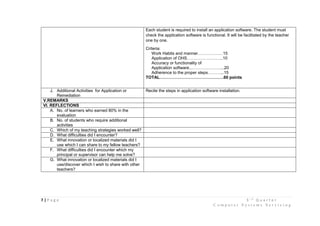
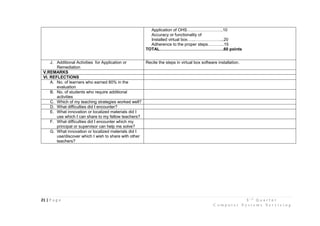
Each student is required to install an application software. The student must
check the application software is functional. It will be facilitated by the teacher
one by one.
Criteria:
Work Habits and manner………………15
Application of OHS……………………..10
Accuracy or functionality of
Application software..…………………...20
Adherence to the proper steps………...15
TOTAL……………………………………….60 points
J. Additional Activities for Application or
Remediation
Recite the steps in application software installation.
V.REMARKS
VI. REFLECTIONS
A. No. of learners who earned 80% in the
evaluation
B. No. of students who require additional
activities
C. Which of my teaching strategies worked well?
D. What difficulties did I encounter?
E. What innovation or localized materials did I
use which I can share to my fellow teachers?
F. What difficulties did I encounter which my
principal or supervisor can help me solve?
G. What innovation or localized materials did I
use/discover which I wish to share with other
teachers?
8 | P a g e 3 r d
Q u a r t e r
C o m p u t e r S y s t e m s S e r v i c i n g
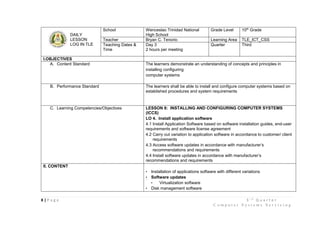
DAILY
LESSON
LOG IN TLE
School Wenceslao Trinidad National
High School
Grade Level 10th
Grade
Teacher Bryan C. Tenorio Learning Area TLE_ICT_CSS
Teaching Dates &
Time
Day 3
2 hours per meeting
Quarter Third
I.OBJECTIVES
A. Content Standard The learners demonstrate an understanding of concepts and principles in
installing configuring
computer systems
B. Performance Standard The learners shall be able to install and configure computer systems based on
established procedures and system requirements
C. Learning Competencies/Objectives LESSON 8: INSTALLING AND CONFIGURING COMPUTER SYSTEMS
(ICCS)
LO 4. Install application software
4.1 Install Application Software based on software installation guides, end-user
requirements and software license agreement
4.2 Carry out variation to application software in accordance to customer/ client
requirements
4.3 Access software updates in accordance with manufacturer’s
recommendations and requirements
4.4 Install software updates in accordance with manufacturer’s
recommendations and requirements
II. CONTENT
• Installation of applications software with different variations
• Software updates
• Virtualization software
• Disk management software
9 | P a g e 3 r d
Q u a r t e r
C o m p u t e r S y s t e m s S e r v i c i n g
• Antivirus / diagnostic software
• Device drivers
• Drivers/Software update procedures
- Application software license agreements
- Stress-testing procedures
5S and 3Rs environmental policies
III. LEARNING RESOURCES Print Materials, Tools, Equipment, Materials and Working Area
A. References
1. Teacher’s Guide Pages
2. Learner’s Material Pages
3. Curriculum Pages CG page 25 0f 43, May 2016 Edition
4. Additional Materials from Learning Resources Tools, Equipment, Materials and Working Area
5. Other Learning Resources
IV. PROCEDURES
A. Reviewing previous lesson or presenting the
new lesson
What is the next step after installing application software?
B. Establishing Purpose for the Lesson Why do we need to check the software updates of our computers?
Why do we also update the application software?
C. Presenting examples/instances of new lesson Are you familiar with this icon?
D. Discussing new concepts and practicing new
skills
GROUP PERFORMANCE
Scaffold-Knowledge Integration. The class will be divided into 4 to 5 groups.
Each group will be install different application software.
10 | P a g e 3 r d
Q u a r t e r
C o m p u t e r S y s t e m s S e r v i c i n g
Activity. The group will be given a set of functional computer and CD installer for
Application software.
Analysis. The members of the group in order to install the application software
will think of the proper way in doing the activity.
Abstraction. The group will decide or conclude the proper steps in installing
different application software.
Application. The members of the group will work in installing different
application software.
E. Discussing new concepts and practicing new
skill
F. Developing Mastery How do you install an application software?
G. Finding practical Application of Concepts and
Skills in Daily Living
How can you take good care your application software?
H. Making Generalization and Abstraction about
the Lesson
Guide Questions:
1. What are the steps in installing different application software?
2. What course of action is needed to take care of these application software?
I. Evaluating Learning Group Performance. The class will be divided into 4 to 5 groups. Each group
will perform the installation of different application software. The group will get a
group grade base from the performance criteria below.
Performance Criteria:
Work Habits and manner………………15
Accuracy or functionality of
Application software………………….....20
Adherence to the proper steps………...15
TOTAL……………………………………….50 points
J. Additional Activities for Application or
Remediation
Recite the steps in application software installation.
V.REMARKS
VI. REFLECTIONS
11 | P a g e 3 r d
Q u a r t e r
C o m p u t e r S y s t e m s S e r v i c i n g
A. No. of learners who earned 80% in the
evaluation
B. No. of students who require additional
activities
C. Which of my teaching strategies worked well?
D. What difficulties did I encounter?
E. What innovation or localized materials did I
use which I can share to my fellow teachers?
F. What difficulties did I encounter which my
principal or supervisor can help me solve?
G. What innovation or localized materials did I
use/discover which I wish to share with other
teachers?
12 | P a g e 3 r d
Q u a r t e r
C o m p u t e r S y s t e m s S e r v i c i n g
DAILY
LESSON
LOG IN TLE
School Wenceslao Trinidad National
High School
Grade Level 10th
Grade
Teacher Bryan C. Tenorio Learning Area TLE_ICT_CSS
Teaching Dates &
Time
Day 4
2 hours per meeting
Quarter Third
I.OBJECTIVES
A. Content Standard The learners demonstrate an understanding of concepts and principles in
installing configuring
computer systems
B. Performance Standard The learners shall be able to install and configure computer systems based on
established procedures and system requirements
C. Learning Competencies/Objectives LESSON 8: INSTALLING AND CONFIGURING COMPUTER SYSTEMS
(ICCS)
LO 4. Install application software
4.1 Install Application Software based on software installation guides, end-user
requirements and software license agreement
4.2 Carry out variation to application software in accordance to customer/ client
requirements
4.3 Access software updates in accordance with manufacturer’s
recommendations and requirements
4.4 Install software updates in accordance with manufacturer’s
recommendations and requirements
II. CONTENT
• Installation of applications software with different variations
• Software updates
• Virtualization software
• Disk management software
13 | P a g e 3 r d
Q u a r t e r
C o m p u t e r S y s t e m s S e r v i c i n g
• Antivirus / diagnostic software
• Device drivers
• Drivers/Software update procedures
- Application software license agreements
- Stress-testing procedures
5S and 3Rs environmental policies
III. LEARNING RESOURCES Print Materials, Tools, Equipment, Materials and Working Area
A. References
1. Teacher’s Guide Pages
2. Learner’s Material Pages
3. Curriculum Pages CG page 25 0f 43, May 2016 Edition
4. Additional Materials from Learning Resources Tools, Equipment, Materials and Working Area
5. Other Learning Resources
IV. PROCEDURES
A. Reviewing previous lesson or presenting the
new lesson
What is the next step after updating the software?
B. Establishing Purpose for the Lesson
C. Presenting examples/instances of new lesson
D. Discussing new concepts and practicing new
skills
E. Discussing new concepts and practicing new
skill
F. Developing Mastery
G. Finding practical Application of Concepts and
Skills in Daily Living
H. Making Generalization and Abstraction about
the Lesson
I. Evaluating Learning INDIVIDUAL ACTIVITY
Each student is required to do the software updates. The student must update
the software. It will be facilitated by the teacher one by one.
Criteria:
14 | P a g e 3 r d
Q u a r t e r
C o m p u t e r S y s t e m s S e r v i c i n g
Work Habits and manner………………15
Application of OHS……………………..10
Accuracy or functionality of
Software updates…...…………………...20
Adherence to the proper steps………...15
TOTAL……………………………………….60 points
J. Additional Activities for Application or
Remediation
Recite the steps in updating software.
V.REMARKS
VI. REFLECTIONS
A. No. of learners who earned 80% in the
evaluation
B. No. of students who require additional
activities
C. Which of my teaching strategies worked well?
D. What difficulties did I encounter?
E. What innovation or localized materials did I
use which I can share to my fellow teachers?
F. What difficulties did I encounter which my
principal or supervisor can help me solve?
G. What innovation or localized materials did I
use/discover which I wish to share with other
teachers?
15 | P a g e 3 r d
Q u a r t e r
C o m p u t e r S y s t e m s S e r v i c i n g
DAILY
LESSON
LOG IN TLE
School Wenceslao Trinidad National
High School
Grade Level 10th
Grade
Teacher Bryan C. Tenorio Learning Area TLE_ICT_CSS
Teaching Dates &
Time
Day 5
2 hours per meeting
Quarter Third
I.OBJECTIVES
A. Content Standard The learners demonstrate an understanding of concepts and principles in
installing configuring
computer systems
B. Performance Standard The learners shall be able to install and configure computer systems based on
established procedures and system requirements
C. Learning Competencies/Objectives LESSON 8: INSTALLING AND CONFIGURING COMPUTER SYSTEMS
(ICCS)
LO 4. Install application software
4.1 Install Application Software based on software installation guides, end-user
requirements and software license agreement
4.2 Carry out variation to application software in accordance to customer/ client
requirements
4.3 Access software updates in accordance with manufacturer’s
recommendations and requirements
4.4 Install software updates in accordance with manufacturer’s
recommendations and requirements
II. CONTENT
• Installation of applications software with different variations
• Software updates
• Virtualization software
• Disk management software
• Antivirus / diagnostic software
16 | P a g e 3 r d
Q u a r t e r
C o m p u t e r S y s t e m s S e r v i c i n g
• Device drivers
• Drivers/Software update procedures
- Application software license agreements
- Stress-testing procedures
5S and 3Rs environmental policies
III. LEARNING RESOURCES Print Materials, Tools, Equipment, Materials and Working Area
A. References
1. Teacher’s Guide Pages
2. Learner’s Material Pages
3. Curriculum Pages CG page 25 0f 43, May 2016 Edition
4. Additional Materials from Learning Resources Tools, Equipment, Materials and Working Area
5. Other Learning Resources
IV. PROCEDURES
A. Reviewing previous lesson or presenting the
new lesson
What are the steps in updating the software?
B. Establishing Purpose for the Lesson Why do we need to use the virtualization software?
C. Presenting examples/instances of new lesson
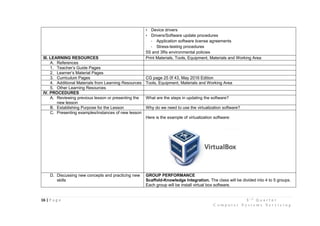
Here is the example of virtualization software:
D. Discussing new concepts and practicing new
skills
GROUP PERFORMANCE
Scaffold-Knowledge Integration. The class will be divided into 4 to 5 groups.
Each group will be install virtual box software.
17 | P a g e 3 r d
Q u a r t e r
C o m p u t e r S y s t e m s S e r v i c i n g
Activity. The group will be given a set of functional computer and CD installer for
virtual box software.
Analysis. The members of the group in order to install the virtual box software
will think of the proper way in doing the activity.
Abstraction. The group will decide or conclude the proper steps in installing
virtual box software.
Application. The members of the group will work in installing virtual box
software.
E. Discussing new concepts and practicing new
skill
F. Developing Mastery How do you install a virtual box software?
G. Finding practical Application of Concepts and
Skills in Daily Living
How can you take good care your virtual box software?
H. Making Generalization and Abstraction about
the Lesson
Guide Questions:
1. What are the steps in installing virtual box software?
2. What course of action is needed to take care of the virtual box software?
I. Evaluating Learning Group Performance. The class will be divided into 4 to 5 groups. Each group
will perform the installation of the virtual box software. The group will get a
group grade base from the performance criteria below.
Performance Criteria:
Work Habits and manner………………15
Accuracy or functionality of
virtual box software………………….....20
Adherence to the proper steps………..15
TOTAL……………………………………….50 points
J. Additional Activities for Application or
Remediation
Recite the steps in virtual box software installation.
V.REMARKS
VI. REFLECTIONS
18 | P a g e 3 r d
Q u a r t e r
C o m p u t e r S y s t e m s S e r v i c i n g
A. No. of learners who earned 80% in the
evaluation
B. No. of students who require additional
activities
C. Which of my teaching strategies worked well?
D. What difficulties did I encounter?
E. What innovation or localized materials did I
use which I can share to my fellow teachers?
F. What difficulties did I encounter which my
principal or supervisor can help me solve?
G. What innovation or localized materials did I
use/discover which I wish to share with other
teachers?
19 | P a g e 3 r d
Q u a r t e r
C o m p u t e r S y s t e m s S e r v i c i n g
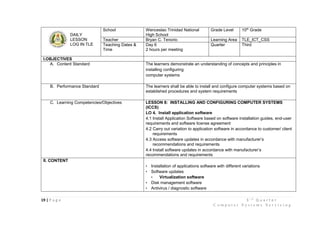
DAILY
LESSON
LOG IN TLE
School Wenceslao Trinidad National
High School
Grade Level 10th
Grade
Teacher Bryan C. Tenorio Learning Area TLE_ICT_CSS
Teaching Dates &
Time
Day 6
2 hours per meeting
Quarter Third
I.OBJECTIVES
A. Content Standard The learners demonstrate an understanding of concepts and principles in
installing configuring
computer systems
B. Performance Standard The learners shall be able to install and configure computer systems based on
established procedures and system requirements
C. Learning Competencies/Objectives LESSON 8: INSTALLING AND CONFIGURING COMPUTER SYSTEMS
(ICCS)
LO 4. Install application software
4.1 Install Application Software based on software installation guides, end-user
requirements and software license agreement
4.2 Carry out variation to application software in accordance to customer/ client
requirements
4.3 Access software updates in accordance with manufacturer’s
recommendations and requirements
4.4 Install software updates in accordance with manufacturer’s
recommendations and requirements
II. CONTENT
• Installation of applications software with different variations
• Software updates
• Virtualization software
• Disk management software
• Antivirus / diagnostic software
20 | P a g e 3 r d
Q u a r t e r
C o m p u t e r S y s t e m s S e r v i c i n g
• Device drivers
• Drivers/Software update procedures
- Application software license agreements
- Stress-testing procedures
5S and 3Rs environmental policies
III. LEARNING RESOURCES Print Materials, Tools, Equipment, Materials and Working Area
A. References
1. Teacher’s Guide Pages
2. Learner’s Material Pages
3. Curriculum Pages CG page 25 0f 43, May 2016 Edition
4. Additional Materials from Learning Resources Tools, Equipment, Materials and Working Area
5. Other Learning Resources
IV. PROCEDURES
A. Reviewing previous lesson or presenting the
new lesson
What are the steps in updating the software?
B. Establishing Purpose for the Lesson
C. Presenting examples/instances of new lesson
D. Discussing new concepts and practicing new
skills
E. Discussing new concepts and practicing new
skill
F. Developing Mastery
G. Finding practical Application of Concepts and
Skills in Daily Living
H. Making Generalization and Abstraction about
the Lesson
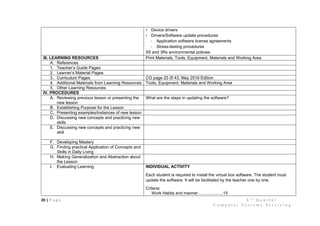
I. Evaluating Learning INDIVIDUAL ACTIVITY
Each student is required to install the virtual box software. The student must
update the software. It will be facilitated by the teacher one by one.
Criteria:
Work Habits and manner………………15
21 | P a g e 3 r d
Q u a r t e r
C o m p u t e r S y s t e m s S e r v i c i n g
Application of OHS……………………..10
Accuracy or functionality of
Installed virtual box…...………………...20
Adherence to the proper steps………...15
TOTAL……………………………………….60 points
J. Additional Activities for Application or
Remediation
Recite the steps in virtual box software installation.
V.REMARKS
VI. REFLECTIONS
A. No. of learners who earned 80% in the
evaluation
B. No. of students who require additional
activities
C. Which of my teaching strategies worked well?
D. What difficulties did I encounter?
E. What innovation or localized materials did I
use which I can share to my fellow teachers?
F. What difficulties did I encounter which my
principal or supervisor can help me solve?
G. What innovation or localized materials did I
use/discover which I wish to share with other
teachers?
22 | P a g e 3 r d
Q u a r t e r
C o m p u t e r S y s t e m s S e r v i c i n g
23 | P a g e 3 r d
Q u a r t e r
C o m p u t e r S y s t e m s S e r v i c i n g
DAILY
LESSON
LOG IN TLE
School Wenceslao Trinidad National
High School
Grade Level 10th
Grade
Teacher Bryan C. Tenorio Learning Area TLE_ICT_CSS
Teaching Dates &
Time
Day 7
2 hours per meeting
Quarter Third
I.OBJECTIVES
A. Content Standard The learners demonstrate an understanding of concepts and principles in
installing configuring
computer systems
B. Performance Standard The learners shall be able to install and configure computer systems based on
established procedures and system requirements
C. Learning Competencies/Objectives LESSON 8: INSTALLING AND CONFIGURING COMPUTER SYSTEMS
(ICCS)
LO 4. Install application software
4.1 Install Application Software based on software installation guides, end-user
requirements and software license agreement
4.2 Carry out variation to application software in accordance to customer/ client
requirements
4.3 Access software updates in accordance with manufacturer’s
recommendations and requirements
4.4 Install software updates in accordance with manufacturer’s
recommendations and requirements
II. CONTENT
• Installation of applications software with different variations
• Software updates
• Virtualization software
• Disk management software
• Antivirus / diagnostic software
24 | P a g e 3 r d
Q u a r t e r
C o m p u t e r S y s t e m s S e r v i c i n g
• Device drivers
• Drivers/Software update procedures
- Application software license agreements
- Stress-testing procedures
5S and 3Rs environmental policies
III. LEARNING RESOURCES Print Materials, Tools, Equipment, Materials and Working Area
A. References
1. Teacher’s Guide Pages
2. Learner’s Material Pages
3. Curriculum Pages CG page 25 0f 43, May 2016 Edition
4. Additional Materials from Learning Resources Tools, Equipment, Materials and Working Area
5. Other Learning Resources
IV. PROCEDURES
A. Reviewing previous lesson or presenting the
new lesson
What are the procedures in installing the virtualization software?
B. Establishing Purpose for the Lesson Why do we need to use the virtualization software?
When do we use it?
C. Presenting examples/instances of new lesson
D. Discussing new concepts and practicing new
skills
GROUP PERFORMANCE
Scaffold-Knowledge Integration. The class will be divided into 4 to 5 groups.
Each group will be install disk management software.
Activity. The group will be given a set of functional computer and CD installer for
disk management software.
Analysis. The members of the group in order to install the virtual box software
will think of the proper way in doing the activity.
Abstraction. The group will decide or conclude the proper steps in installing
virtual box software.
Application. The members of the group will work in installing virtual box
software.
E. Discussing new concepts and practicing new
skill
25 | P a g e 3 r d
Q u a r t e r
C o m p u t e r S y s t e m s S e r v i c i n g
F. Developing Mastery How do you install disk management software?
G. Finding practical Application of Concepts and
Skills in Daily Living
How can you take good care your disk management software?
H. Making Generalization and Abstraction about
the Lesson
Guide Questions:
1. What are the steps in installing disk management software?
2. What course of action is needed to take care of the virtual box software?
I. Evaluating Learning Group Performance. The class will be divided into 4 to 5 groups. Each group
will perform the installation of the virtual box software. The group will get a
group grade base from the performance criteria below.
Performance Criteria:
Work Habits and manner………………15
Accuracy or functionality of
virtual box software………………….....20
Adherence to the proper steps………..15
TOTAL……………………………………….50 points
J. Additional Activities for Application or
Remediation
Recite the steps in virtual box software installation.
V.REMARKS
VI. REFLECTIONS
A. No. of learners who earned 80% in the
evaluation
B. No. of students who require additional
activities
C. Which of my teaching strategies worked well?
D. What difficulties did I encounter?
E. What innovation or localized materials did I
use which I can share to my fellow teachers?
F. What difficulties did I encounter which my
principal or supervisor can help me solve?
26 | P a g e 3 r d
Q u a r t e r
C o m p u t e r S y s t e m s S e r v i c i n g
G. What innovation or localized materials did I
use/discover which I wish to share with other
teachers?

3rd-Quarter-Daily-Lesson-Log.docx

  • 1.
    1 | Pa g e 3 r d Q u a r t e r C o m p u t e r S y s t e m s S e r v i c i n g DAILY LESSON LOG IN TLE School Wenceslao Trinidad National High School Grade Level 10th Grade Teacher Bryan C. Tenorio Learning Area TLE_ICT_CSS Teaching Dates & Time Day 1 2 hours per meeting Quarter Third I.OBJECTIVES A. Content Standard The learners demonstrate an understanding of concepts and principles in installing configuring computer systems B. Performance Standard The learners shall be able to install and configure computer systems based on established procedures and system requirements C. Learning Competencies/Objectives LESSON 8: INSTALLING AND CONFIGURING COMPUTER SYSTEMS (ICCS) LO 4. Install application software 4.1 Install Application Software based on software installation guides, end-user requirements and software license agreement 4.2 Carry out variation to application software in accordance to customer/ client requirements 4.3 Access software updates in accordance with manufacturer’s recommendations and requirements 4.4 Install software updates in accordance with manufacturer’s recommendations and requirements II. CONTENT • Installation of applications software with different variations • Software updates • Virtualization software • Disk management software
  • 2.
    2 | Pa g e 3 r d Q u a r t e r C o m p u t e r S y s t e m s S e r v i c i n g • Antivirus / diagnostic software • Device drivers • Drivers/Software update procedures - Application software license agreements - Stress-testing procedures 5S and 3Rs environmental policies III. LEARNING RESOURCES Print Materials, Tools, Equipment, Materials and Working Area A. References 1. Teacher’s Guide Pages 2. Learner’s Material Pages 3. Curriculum Pages CG page 25 0f 43, May 2016 Edition 4. Additional Materials from Learning Resources Tools, Equipment, Materials and Working Area 5. Other Learning Resources IV. PROCEDURES A. Reviewing previous lesson or presenting the new lesson What is the next step after updating installed operating system and peripheral device drivers? B. Establishing Purpose for the Lesson Why do we install an application software to our computers? Why do we also update the application software? C. Presenting examples/instances of new lesson Are you familiar with these application software? Web browser Microsoft Office Games Media Player D. Discussing new concepts and practicing new skills GROUP PERFORMANCE Scaffold-Knowledge Integration. The class will be divided into 4 to 5 groups. Each group will be install different application software. Activity. The group will be given a set of functional computer and CD installer for Application software. Analysis. The members of the group in order to install the application software will think of the proper way in doing the activity.
  • 3.
    3 | Pa g e 3 r d Q u a r t e r C o m p u t e r S y s t e m s S e r v i c i n g Abstraction. The group will decide or conclude the proper steps in installing different application software. Application. The members of the group will work in installing different application software. E. Discussing new concepts and practicing new skill F. Developing Mastery How do you install an application software? G. Finding practical Application of Concepts and Skills in Daily Living How can you take good care your application software? H. Making Generalization and Abstraction about the Lesson Guide Questions: 1. What are the steps in installing different application software? 2. What course of action is needed to take care of these application software? I. Evaluating Learning Group Performance. The class will be divided into 4 to 5 groups. Each group will perform the installation of different application software. The group will get a group grade base from the performance criteria below. Performance Criteria: Work Habits and manner………………15 Accuracy or functionality of Application software………………….....20 Adherence to the proper steps………...15 TOTAL……………………………………….50 points J. Additional Activities for Application or Remediation Recite the steps in application software installation. V.REMARKS VI. REFLECTIONS A. No. of learners who earned 80% in the evaluation B. No. of students who require additional activities
  • 4.
    4 | Pa g e 3 r d Q u a r t e r C o m p u t e r S y s t e m s S e r v i c i n g C. Which of my teaching strategies worked well? D. What difficulties did I encounter? E. What innovation or localized materials did I use which I can share to my fellow teachers? F. What difficulties did I encounter which my principal or supervisor can help me solve? G. What innovation or localized materials did I use/discover which I wish to share with other teachers?
  • 5.
    5 | Pa g e 3 r d Q u a r t e r C o m p u t e r S y s t e m s S e r v i c i n g DAILY LESSON LOG IN TLE School Wenceslao Trinidad National High School Grade Level 10th Grade Teacher Bryan C. Tenorio Learning Area TLE_ICT_CSS Teaching Dates & Time Day 2 2 hours per meeting Quarter Third I.OBJECTIVES A. Content Standard The learners demonstrate an understanding of concepts and principles in installing configuring computer systems B. Performance Standard The learners shall be able to install and configure computer systems based on established procedures and system requirements C. Learning Competencies/Objectives LESSON 8: INSTALLING AND CONFIGURING COMPUTER SYSTEMS (ICCS) LO 4. Install application software 4.1 Install Application Software based on software installation guides, end-user requirements and software license agreement 4.2 Carry out variation to application software in accordance to customer/ client requirements 4.3 Access software updates in accordance with manufacturer’s recommendations and requirements 4.4 Install software updates in accordance with manufacturer’s recommendations and requirements II. CONTENT • Installation of applications software with different variations • Software updates • Virtualization software • Disk management software
  • 6.
    6 | Pa g e 3 r d Q u a r t e r C o m p u t e r S y s t e m s S e r v i c i n g • Antivirus / diagnostic software • Device drivers • Drivers/Software update procedures - Application software license agreements - Stress-testing procedures 5S and 3Rs environmental policies III. LEARNING RESOURCES Print Materials, Tools, Equipment, Materials and Working Area A. References 1. Teacher’s Guide Pages 2. Learner’s Material Pages 3. Curriculum Pages CG page 25 0f 43, May 2016 Edition 4. Additional Materials from Learning Resources Tools, Equipment, Materials and Working Area 5. Other Learning Resources IV. PROCEDURES A. Reviewing previous lesson or presenting the new lesson What is the next step after updating installed operating system and peripheral device drivers? B. Establishing Purpose for the Lesson C. Presenting examples/instances of new lesson D. Discussing new concepts and practicing new skills E. Discussing new concepts and practicing new skill F. Developing Mastery G. Finding practical Application of Concepts and Skills in Daily Living H. Making Generalization and Abstraction about the Lesson I. Evaluating Learning INDIVIDUAL ACTIVITY
  • 7.
    7 | Pa g e 3 r d Q u a r t e r C o m p u t e r S y s t e m s S e r v i c i n g Each student is required to install an application software. The student must check the application software is functional. It will be facilitated by the teacher one by one. Criteria: Work Habits and manner………………15 Application of OHS……………………..10 Accuracy or functionality of Application software..…………………...20 Adherence to the proper steps………...15 TOTAL……………………………………….60 points J. Additional Activities for Application or Remediation Recite the steps in application software installation. V.REMARKS VI. REFLECTIONS A. No. of learners who earned 80% in the evaluation B. No. of students who require additional activities C. Which of my teaching strategies worked well? D. What difficulties did I encounter? E. What innovation or localized materials did I use which I can share to my fellow teachers? F. What difficulties did I encounter which my principal or supervisor can help me solve? G. What innovation or localized materials did I use/discover which I wish to share with other teachers?
  • 8.
    8 | Pa g e 3 r d Q u a r t e r C o m p u t e r S y s t e m s S e r v i c i n g DAILY LESSON LOG IN TLE School Wenceslao Trinidad National High School Grade Level 10th Grade Teacher Bryan C. Tenorio Learning Area TLE_ICT_CSS Teaching Dates & Time Day 3 2 hours per meeting Quarter Third I.OBJECTIVES A. Content Standard The learners demonstrate an understanding of concepts and principles in installing configuring computer systems B. Performance Standard The learners shall be able to install and configure computer systems based on established procedures and system requirements C. Learning Competencies/Objectives LESSON 8: INSTALLING AND CONFIGURING COMPUTER SYSTEMS (ICCS) LO 4. Install application software 4.1 Install Application Software based on software installation guides, end-user requirements and software license agreement 4.2 Carry out variation to application software in accordance to customer/ client requirements 4.3 Access software updates in accordance with manufacturer’s recommendations and requirements 4.4 Install software updates in accordance with manufacturer’s recommendations and requirements II. CONTENT • Installation of applications software with different variations • Software updates • Virtualization software • Disk management software
  • 9.
    9 | Pa g e 3 r d Q u a r t e r C o m p u t e r S y s t e m s S e r v i c i n g • Antivirus / diagnostic software • Device drivers • Drivers/Software update procedures - Application software license agreements - Stress-testing procedures 5S and 3Rs environmental policies III. LEARNING RESOURCES Print Materials, Tools, Equipment, Materials and Working Area A. References 1. Teacher’s Guide Pages 2. Learner’s Material Pages 3. Curriculum Pages CG page 25 0f 43, May 2016 Edition 4. Additional Materials from Learning Resources Tools, Equipment, Materials and Working Area 5. Other Learning Resources IV. PROCEDURES A. Reviewing previous lesson or presenting the new lesson What is the next step after installing application software? B. Establishing Purpose for the Lesson Why do we need to check the software updates of our computers? Why do we also update the application software? C. Presenting examples/instances of new lesson Are you familiar with this icon? D. Discussing new concepts and practicing new skills GROUP PERFORMANCE Scaffold-Knowledge Integration. The class will be divided into 4 to 5 groups. Each group will be install different application software.
  • 10.
    10 | Pa g e 3 r d Q u a r t e r C o m p u t e r S y s t e m s S e r v i c i n g Activity. The group will be given a set of functional computer and CD installer for Application software. Analysis. The members of the group in order to install the application software will think of the proper way in doing the activity. Abstraction. The group will decide or conclude the proper steps in installing different application software. Application. The members of the group will work in installing different application software. E. Discussing new concepts and practicing new skill F. Developing Mastery How do you install an application software? G. Finding practical Application of Concepts and Skills in Daily Living How can you take good care your application software? H. Making Generalization and Abstraction about the Lesson Guide Questions: 1. What are the steps in installing different application software? 2. What course of action is needed to take care of these application software? I. Evaluating Learning Group Performance. The class will be divided into 4 to 5 groups. Each group will perform the installation of different application software. The group will get a group grade base from the performance criteria below. Performance Criteria: Work Habits and manner………………15 Accuracy or functionality of Application software………………….....20 Adherence to the proper steps………...15 TOTAL……………………………………….50 points J. Additional Activities for Application or Remediation Recite the steps in application software installation. V.REMARKS VI. REFLECTIONS
  • 11.
    11 | Pa g e 3 r d Q u a r t e r C o m p u t e r S y s t e m s S e r v i c i n g A. No. of learners who earned 80% in the evaluation B. No. of students who require additional activities C. Which of my teaching strategies worked well? D. What difficulties did I encounter? E. What innovation or localized materials did I use which I can share to my fellow teachers? F. What difficulties did I encounter which my principal or supervisor can help me solve? G. What innovation or localized materials did I use/discover which I wish to share with other teachers?
  • 12.
    12 | Pa g e 3 r d Q u a r t e r C o m p u t e r S y s t e m s S e r v i c i n g DAILY LESSON LOG IN TLE School Wenceslao Trinidad National High School Grade Level 10th Grade Teacher Bryan C. Tenorio Learning Area TLE_ICT_CSS Teaching Dates & Time Day 4 2 hours per meeting Quarter Third I.OBJECTIVES A. Content Standard The learners demonstrate an understanding of concepts and principles in installing configuring computer systems B. Performance Standard The learners shall be able to install and configure computer systems based on established procedures and system requirements C. Learning Competencies/Objectives LESSON 8: INSTALLING AND CONFIGURING COMPUTER SYSTEMS (ICCS) LO 4. Install application software 4.1 Install Application Software based on software installation guides, end-user requirements and software license agreement 4.2 Carry out variation to application software in accordance to customer/ client requirements 4.3 Access software updates in accordance with manufacturer’s recommendations and requirements 4.4 Install software updates in accordance with manufacturer’s recommendations and requirements II. CONTENT • Installation of applications software with different variations • Software updates • Virtualization software • Disk management software
  • 13.
    13 | Pa g e 3 r d Q u a r t e r C o m p u t e r S y s t e m s S e r v i c i n g • Antivirus / diagnostic software • Device drivers • Drivers/Software update procedures - Application software license agreements - Stress-testing procedures 5S and 3Rs environmental policies III. LEARNING RESOURCES Print Materials, Tools, Equipment, Materials and Working Area A. References 1. Teacher’s Guide Pages 2. Learner’s Material Pages 3. Curriculum Pages CG page 25 0f 43, May 2016 Edition 4. Additional Materials from Learning Resources Tools, Equipment, Materials and Working Area 5. Other Learning Resources IV. PROCEDURES A. Reviewing previous lesson or presenting the new lesson What is the next step after updating the software? B. Establishing Purpose for the Lesson C. Presenting examples/instances of new lesson D. Discussing new concepts and practicing new skills E. Discussing new concepts and practicing new skill F. Developing Mastery G. Finding practical Application of Concepts and Skills in Daily Living H. Making Generalization and Abstraction about the Lesson I. Evaluating Learning INDIVIDUAL ACTIVITY Each student is required to do the software updates. The student must update the software. It will be facilitated by the teacher one by one. Criteria:
  • 14.
    14 | Pa g e 3 r d Q u a r t e r C o m p u t e r S y s t e m s S e r v i c i n g Work Habits and manner………………15 Application of OHS……………………..10 Accuracy or functionality of Software updates…...…………………...20 Adherence to the proper steps………...15 TOTAL……………………………………….60 points J. Additional Activities for Application or Remediation Recite the steps in updating software. V.REMARKS VI. REFLECTIONS A. No. of learners who earned 80% in the evaluation B. No. of students who require additional activities C. Which of my teaching strategies worked well? D. What difficulties did I encounter? E. What innovation or localized materials did I use which I can share to my fellow teachers? F. What difficulties did I encounter which my principal or supervisor can help me solve? G. What innovation or localized materials did I use/discover which I wish to share with other teachers?
  • 15.
    15 | Pa g e 3 r d Q u a r t e r C o m p u t e r S y s t e m s S e r v i c i n g DAILY LESSON LOG IN TLE School Wenceslao Trinidad National High School Grade Level 10th Grade Teacher Bryan C. Tenorio Learning Area TLE_ICT_CSS Teaching Dates & Time Day 5 2 hours per meeting Quarter Third I.OBJECTIVES A. Content Standard The learners demonstrate an understanding of concepts and principles in installing configuring computer systems B. Performance Standard The learners shall be able to install and configure computer systems based on established procedures and system requirements C. Learning Competencies/Objectives LESSON 8: INSTALLING AND CONFIGURING COMPUTER SYSTEMS (ICCS) LO 4. Install application software 4.1 Install Application Software based on software installation guides, end-user requirements and software license agreement 4.2 Carry out variation to application software in accordance to customer/ client requirements 4.3 Access software updates in accordance with manufacturer’s recommendations and requirements 4.4 Install software updates in accordance with manufacturer’s recommendations and requirements II. CONTENT • Installation of applications software with different variations • Software updates • Virtualization software • Disk management software • Antivirus / diagnostic software
  • 16.
    16 | Pa g e 3 r d Q u a r t e r C o m p u t e r S y s t e m s S e r v i c i n g • Device drivers • Drivers/Software update procedures - Application software license agreements - Stress-testing procedures 5S and 3Rs environmental policies III. LEARNING RESOURCES Print Materials, Tools, Equipment, Materials and Working Area A. References 1. Teacher’s Guide Pages 2. Learner’s Material Pages 3. Curriculum Pages CG page 25 0f 43, May 2016 Edition 4. Additional Materials from Learning Resources Tools, Equipment, Materials and Working Area 5. Other Learning Resources IV. PROCEDURES A. Reviewing previous lesson or presenting the new lesson What are the steps in updating the software? B. Establishing Purpose for the Lesson Why do we need to use the virtualization software? C. Presenting examples/instances of new lesson Here is the example of virtualization software: D. Discussing new concepts and practicing new skills GROUP PERFORMANCE Scaffold-Knowledge Integration. The class will be divided into 4 to 5 groups. Each group will be install virtual box software.
  • 17.
    17 | Pa g e 3 r d Q u a r t e r C o m p u t e r S y s t e m s S e r v i c i n g Activity. The group will be given a set of functional computer and CD installer for virtual box software. Analysis. The members of the group in order to install the virtual box software will think of the proper way in doing the activity. Abstraction. The group will decide or conclude the proper steps in installing virtual box software. Application. The members of the group will work in installing virtual box software. E. Discussing new concepts and practicing new skill F. Developing Mastery How do you install a virtual box software? G. Finding practical Application of Concepts and Skills in Daily Living How can you take good care your virtual box software? H. Making Generalization and Abstraction about the Lesson Guide Questions: 1. What are the steps in installing virtual box software? 2. What course of action is needed to take care of the virtual box software? I. Evaluating Learning Group Performance. The class will be divided into 4 to 5 groups. Each group will perform the installation of the virtual box software. The group will get a group grade base from the performance criteria below. Performance Criteria: Work Habits and manner………………15 Accuracy or functionality of virtual box software………………….....20 Adherence to the proper steps………..15 TOTAL……………………………………….50 points J. Additional Activities for Application or Remediation Recite the steps in virtual box software installation. V.REMARKS VI. REFLECTIONS
  • 18.
    18 | Pa g e 3 r d Q u a r t e r C o m p u t e r S y s t e m s S e r v i c i n g A. No. of learners who earned 80% in the evaluation B. No. of students who require additional activities C. Which of my teaching strategies worked well? D. What difficulties did I encounter? E. What innovation or localized materials did I use which I can share to my fellow teachers? F. What difficulties did I encounter which my principal or supervisor can help me solve? G. What innovation or localized materials did I use/discover which I wish to share with other teachers?
  • 19.
    19 | Pa g e 3 r d Q u a r t e r C o m p u t e r S y s t e m s S e r v i c i n g DAILY LESSON LOG IN TLE School Wenceslao Trinidad National High School Grade Level 10th Grade Teacher Bryan C. Tenorio Learning Area TLE_ICT_CSS Teaching Dates & Time Day 6 2 hours per meeting Quarter Third I.OBJECTIVES A. Content Standard The learners demonstrate an understanding of concepts and principles in installing configuring computer systems B. Performance Standard The learners shall be able to install and configure computer systems based on established procedures and system requirements C. Learning Competencies/Objectives LESSON 8: INSTALLING AND CONFIGURING COMPUTER SYSTEMS (ICCS) LO 4. Install application software 4.1 Install Application Software based on software installation guides, end-user requirements and software license agreement 4.2 Carry out variation to application software in accordance to customer/ client requirements 4.3 Access software updates in accordance with manufacturer’s recommendations and requirements 4.4 Install software updates in accordance with manufacturer’s recommendations and requirements II. CONTENT • Installation of applications software with different variations • Software updates • Virtualization software • Disk management software • Antivirus / diagnostic software
  • 20.
    20 | Pa g e 3 r d Q u a r t e r C o m p u t e r S y s t e m s S e r v i c i n g • Device drivers • Drivers/Software update procedures - Application software license agreements - Stress-testing procedures 5S and 3Rs environmental policies III. LEARNING RESOURCES Print Materials, Tools, Equipment, Materials and Working Area A. References 1. Teacher’s Guide Pages 2. Learner’s Material Pages 3. Curriculum Pages CG page 25 0f 43, May 2016 Edition 4. Additional Materials from Learning Resources Tools, Equipment, Materials and Working Area 5. Other Learning Resources IV. PROCEDURES A. Reviewing previous lesson or presenting the new lesson What are the steps in updating the software? B. Establishing Purpose for the Lesson C. Presenting examples/instances of new lesson D. Discussing new concepts and practicing new skills E. Discussing new concepts and practicing new skill F. Developing Mastery G. Finding practical Application of Concepts and Skills in Daily Living H. Making Generalization and Abstraction about the Lesson I. Evaluating Learning INDIVIDUAL ACTIVITY Each student is required to install the virtual box software. The student must update the software. It will be facilitated by the teacher one by one. Criteria: Work Habits and manner………………15
  • 21.
    21 | Pa g e 3 r d Q u a r t e r C o m p u t e r S y s t e m s S e r v i c i n g Application of OHS……………………..10 Accuracy or functionality of Installed virtual box…...………………...20 Adherence to the proper steps………...15 TOTAL……………………………………….60 points J. Additional Activities for Application or Remediation Recite the steps in virtual box software installation. V.REMARKS VI. REFLECTIONS A. No. of learners who earned 80% in the evaluation B. No. of students who require additional activities C. Which of my teaching strategies worked well? D. What difficulties did I encounter? E. What innovation or localized materials did I use which I can share to my fellow teachers? F. What difficulties did I encounter which my principal or supervisor can help me solve? G. What innovation or localized materials did I use/discover which I wish to share with other teachers?
  • 22.
    22 | Pa g e 3 r d Q u a r t e r C o m p u t e r S y s t e m s S e r v i c i n g
  • 23.
    23 | Pa g e 3 r d Q u a r t e r C o m p u t e r S y s t e m s S e r v i c i n g DAILY LESSON LOG IN TLE School Wenceslao Trinidad National High School Grade Level 10th Grade Teacher Bryan C. Tenorio Learning Area TLE_ICT_CSS Teaching Dates & Time Day 7 2 hours per meeting Quarter Third I.OBJECTIVES A. Content Standard The learners demonstrate an understanding of concepts and principles in installing configuring computer systems B. Performance Standard The learners shall be able to install and configure computer systems based on established procedures and system requirements C. Learning Competencies/Objectives LESSON 8: INSTALLING AND CONFIGURING COMPUTER SYSTEMS (ICCS) LO 4. Install application software 4.1 Install Application Software based on software installation guides, end-user requirements and software license agreement 4.2 Carry out variation to application software in accordance to customer/ client requirements 4.3 Access software updates in accordance with manufacturer’s recommendations and requirements 4.4 Install software updates in accordance with manufacturer’s recommendations and requirements II. CONTENT • Installation of applications software with different variations • Software updates • Virtualization software • Disk management software • Antivirus / diagnostic software
  • 24.
    24 | Pa g e 3 r d Q u a r t e r C o m p u t e r S y s t e m s S e r v i c i n g • Device drivers • Drivers/Software update procedures - Application software license agreements - Stress-testing procedures 5S and 3Rs environmental policies III. LEARNING RESOURCES Print Materials, Tools, Equipment, Materials and Working Area A. References 1. Teacher’s Guide Pages 2. Learner’s Material Pages 3. Curriculum Pages CG page 25 0f 43, May 2016 Edition 4. Additional Materials from Learning Resources Tools, Equipment, Materials and Working Area 5. Other Learning Resources IV. PROCEDURES A. Reviewing previous lesson or presenting the new lesson What are the procedures in installing the virtualization software? B. Establishing Purpose for the Lesson Why do we need to use the virtualization software? When do we use it? C. Presenting examples/instances of new lesson D. Discussing new concepts and practicing new skills GROUP PERFORMANCE Scaffold-Knowledge Integration. The class will be divided into 4 to 5 groups. Each group will be install disk management software. Activity. The group will be given a set of functional computer and CD installer for disk management software. Analysis. The members of the group in order to install the virtual box software will think of the proper way in doing the activity. Abstraction. The group will decide or conclude the proper steps in installing virtual box software. Application. The members of the group will work in installing virtual box software. E. Discussing new concepts and practicing new skill
  • 25.
    25 | Pa g e 3 r d Q u a r t e r C o m p u t e r S y s t e m s S e r v i c i n g F. Developing Mastery How do you install disk management software? G. Finding practical Application of Concepts and Skills in Daily Living How can you take good care your disk management software? H. Making Generalization and Abstraction about the Lesson Guide Questions: 1. What are the steps in installing disk management software? 2. What course of action is needed to take care of the virtual box software? I. Evaluating Learning Group Performance. The class will be divided into 4 to 5 groups. Each group will perform the installation of the virtual box software. The group will get a group grade base from the performance criteria below. Performance Criteria: Work Habits and manner………………15 Accuracy or functionality of virtual box software………………….....20 Adherence to the proper steps………..15 TOTAL……………………………………….50 points J. Additional Activities for Application or Remediation Recite the steps in virtual box software installation. V.REMARKS VI. REFLECTIONS A. No. of learners who earned 80% in the evaluation B. No. of students who require additional activities C. Which of my teaching strategies worked well? D. What difficulties did I encounter? E. What innovation or localized materials did I use which I can share to my fellow teachers? F. What difficulties did I encounter which my principal or supervisor can help me solve?
  • 26.
    26 | Pa g e 3 r d Q u a r t e r C o m p u t e r S y s t e m s S e r v i c i n g G. What innovation or localized materials did I use/discover which I wish to share with other teachers?