preencoded.png
Mastering CAD
Layer Management
Unlock the power of layers in CAD software to organize your designs
and streamline your workflow.
MM
by Menna Mounir
preencoded.png
preencoded.png
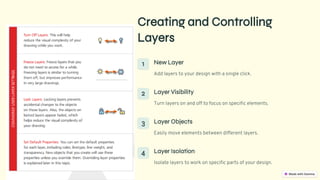
Creating and Controlling
Layers
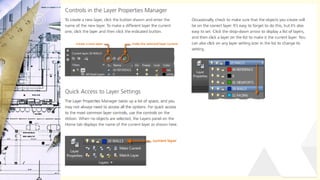
1 New Layer
Add layers to your design with a single click.
2 Layer Visibility
Turn layers on and off to focus on specific elements.
3 Layer Objects
Easily move elements between different layers.
4 Layer Isolation
Isolate layers to work on specific parts of your design.
preencoded.png
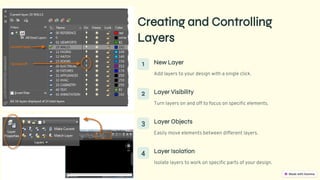
Creating and Controlling
Layers
1 New Layer
Add layers to your design with a single click.
2 Layer Visibility
Turn layers on and off to focus on specific elements.
3 Layer Objects
Easily move elements between different layers.
4 Layer Isolation
Isolate layers to work on specific parts of your design.
preencoded.png
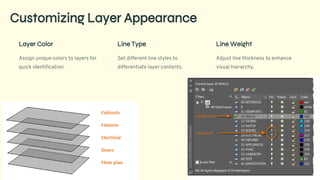
Customizing Layer Appearance
Layer Color
Assign unique colors to layers for
quick identification.
Line Type
Set different line styles to
differentiate layer contents.
Line Weight
Adjust line thickness to enhance
visual hierarchy.
preencoded.png
preencoded.png
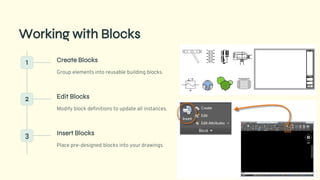
Working with Blocks
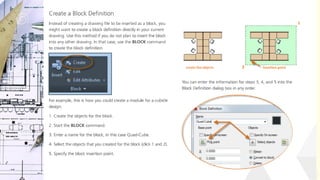
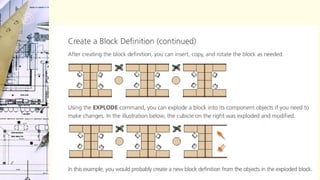
1 Create Blocks
Group elements into reusable building blocks.
2 Edit Blocks
Modify block definitions to update all instances.
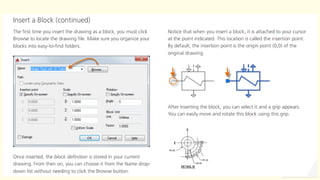
3 Insert Blocks
Place pre-designed blocks into your drawings.
preencoded.png
preencoded.png
preencoded.png
preencoded.png
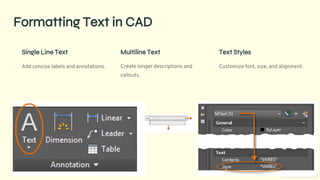
Formatting Text in CAD
Single Line Text
Add concise labels and annotations.
Multiline Text
Create longer descriptions and
callouts.
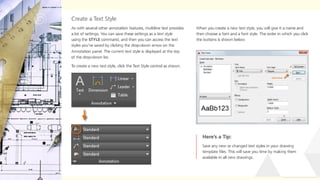
Text Styles
Customize font, size, and alignment.
preencoded.png
preencoded.png
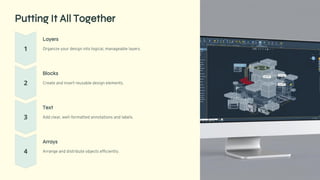
Putting It All Together
Layers
Organize your design into logical, manageable layers.
Blocks
Create and insert reusable design elements.
Text
Add clear, well-formatted annotations and labels.
Arrays
Arrange and distribute objects efficiently.

computer application LEC 04 LAYERS+TEXT.pdf