COLOR THEROY IN GRAPHIC DESIGN HANDBOOK FOR BEGINNERS
1.
GK, Intro 1Hofstra University 1
Computer Graphics
Gerda Kamberova
2.
GK, Intro 1Hofstra University 2
Outline
Computer Graphics (CG) definition
CG applications
CG main tasks: modeling, rendering, animation
CG standard
CG and other disciplines
Course overview
Advanced CG
Graphics system architectures
Raster graphics: CRT and frame buffer
3.
GK, Intro 1Hofstra University 3
Computer Graphics
Definition: “combining hardware approaches with
software algorithms to facilitate the manipulation of
visual information.”
Subareas:
hardware and system architecture,
image synthesis,
animation,
applications.
4.
GK, Intro 1Hofstra University 4
Applications
User interfaces: point and click, desk-top publishing
Interactive plotting/drawing (in business, science,
engineering). Goal is to summarize info, outline trends, and
help make decisions.
Computer-aided design (one of the earliest applications)
Simulation and animation for visualization and
entertainment
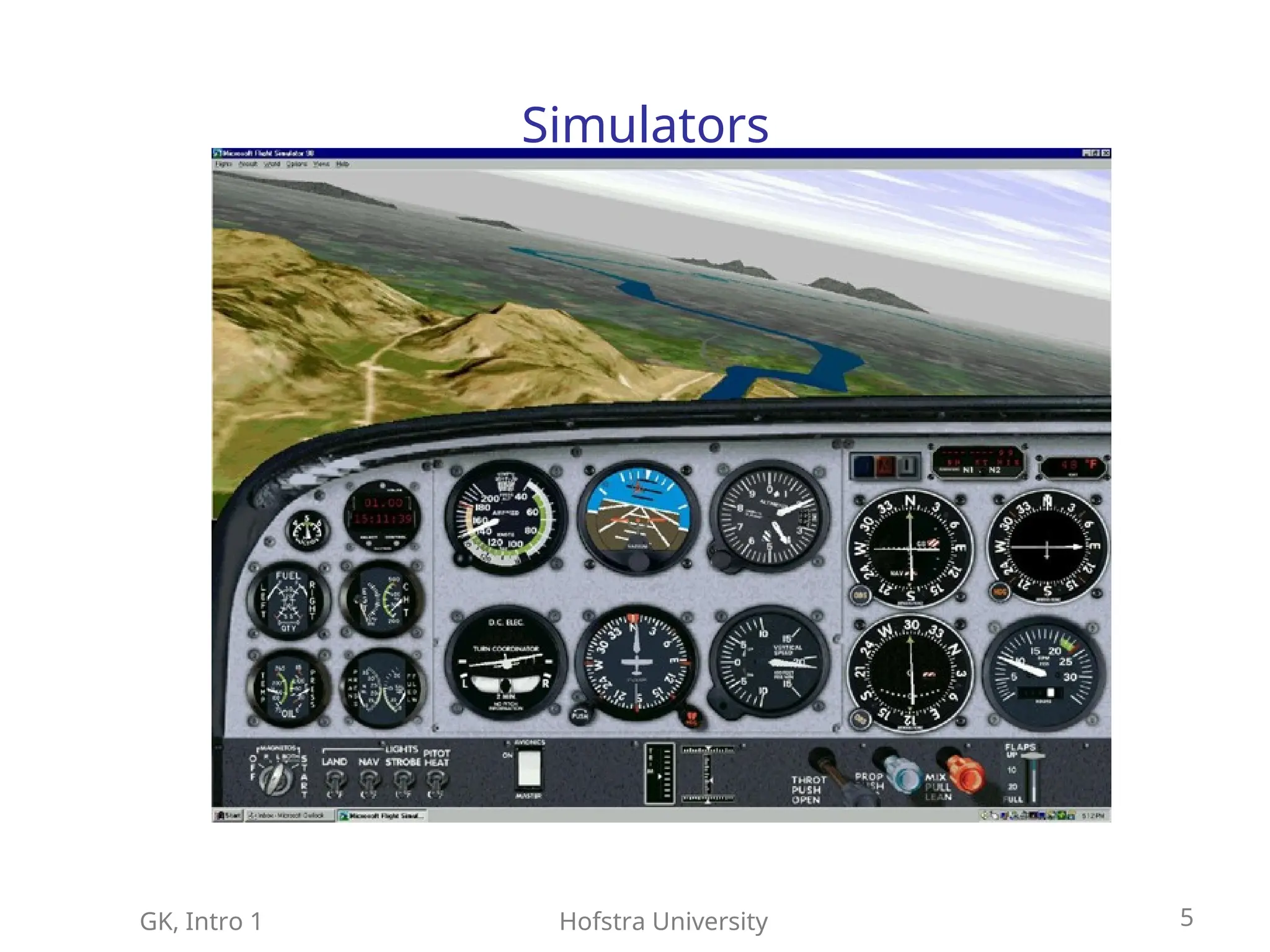
Education and training (flight simulators, battlefield
management, trauma and surgery training)
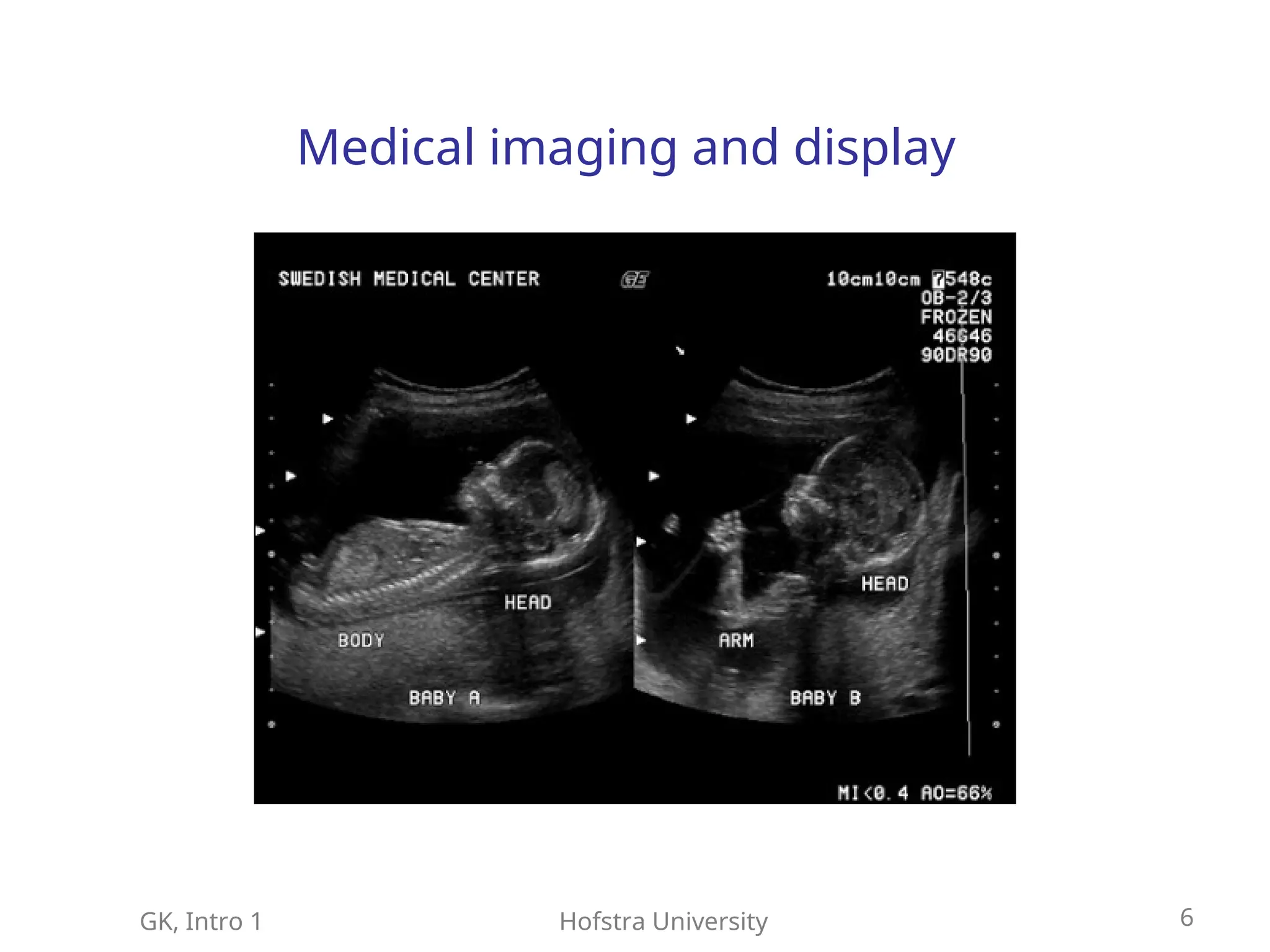
Medicine: medical imaging, training, computer-aided
surgery, telemedicine
Art and commerce
Communication
GK, Intro 1Hofstra University 6
Medical imaging and display
7.
GK, Intro 1Hofstra University 7
Computer Graphics: Main Tasks
Modeling
Rendering (image synthesis)
Animation
8.
GK, Intro 1Hofstra University 8
Modeling
Describing objects
Mainly, 3D object geometry
Could include topology, material
properties, photometry
The objects could be real or artificial
9.
GK, Intro 1Hofstra University 9
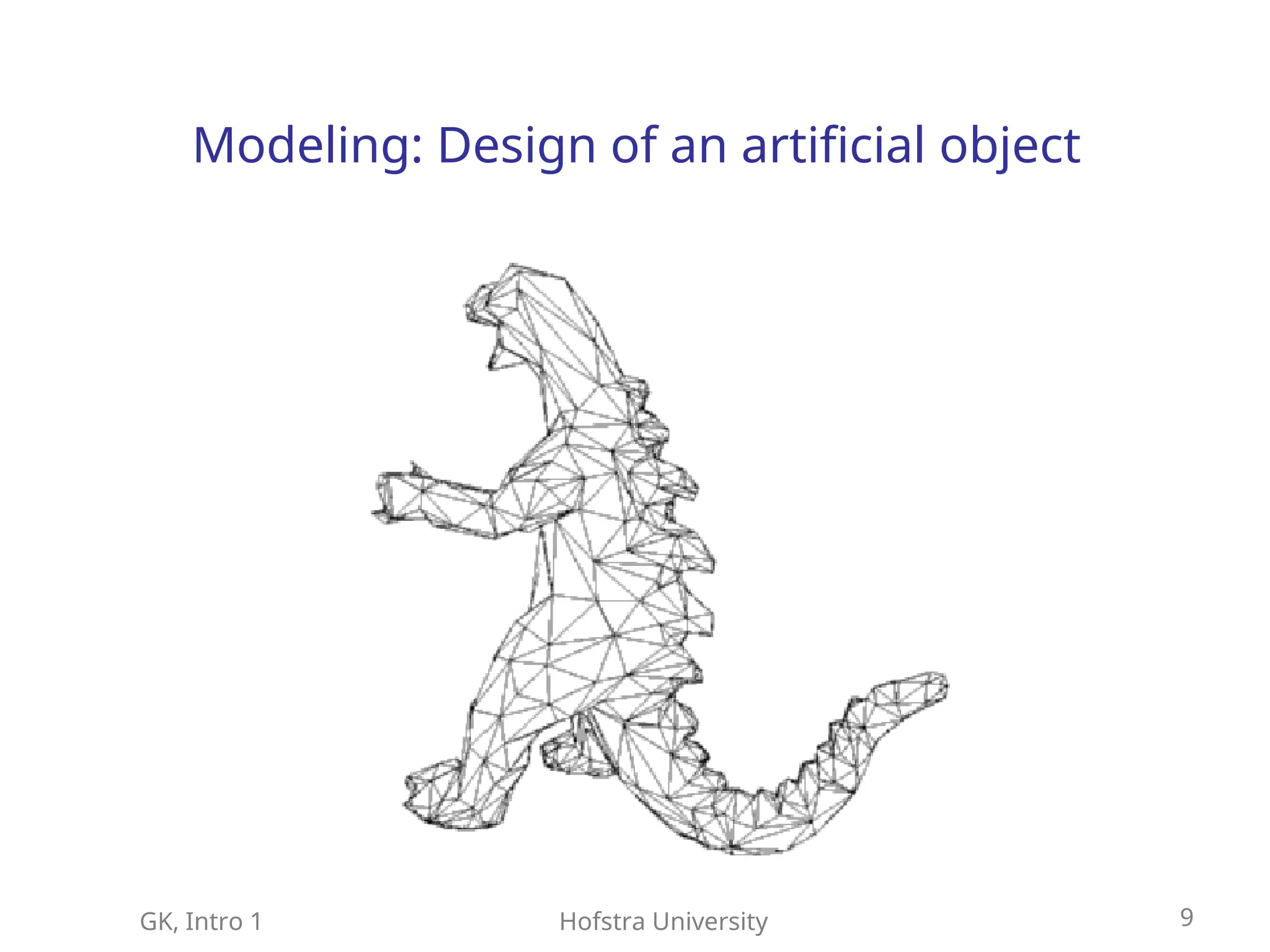
Modeling: Design of an artificial object
10.
GK, Intro 1Hofstra University 10
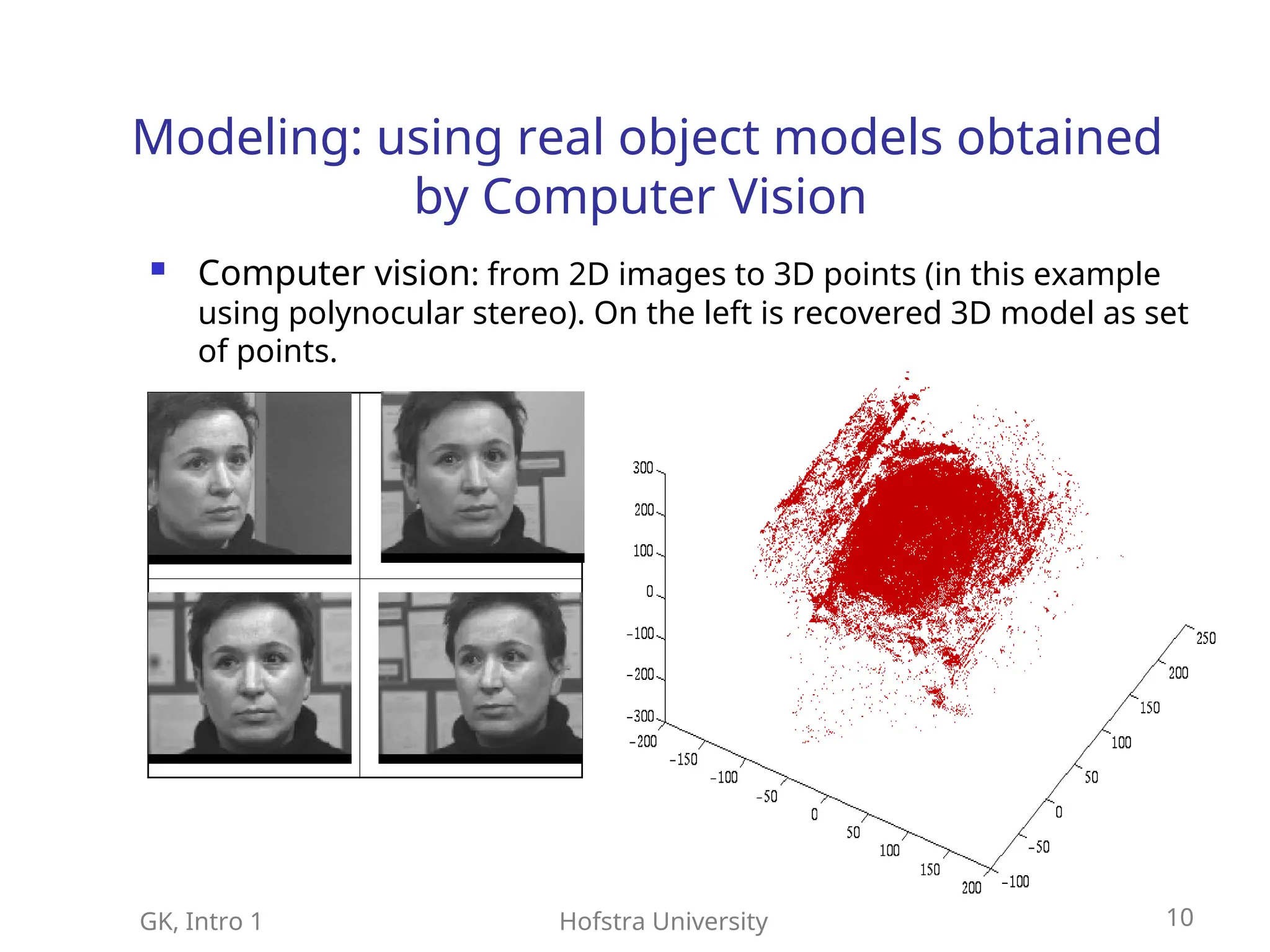
Modeling: using real object models obtained
by Computer Vision
Computer vision: from 2D images to 3D points (in this example
using polynocular stereo). On the left is recovered 3D model as set
of points.
11.
GK, Intro 1Hofstra University 11
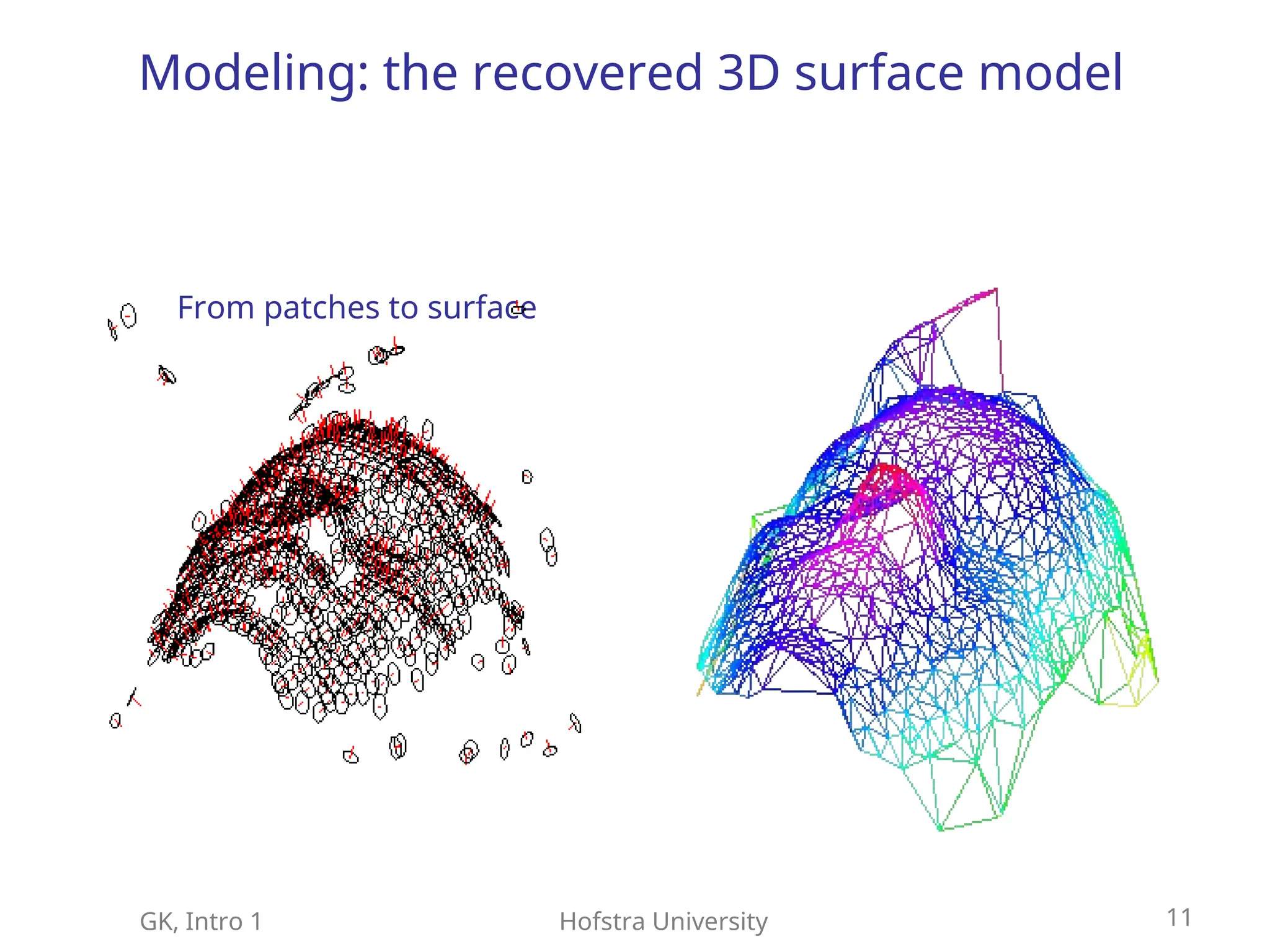
Modeling: the recovered 3D surface model
From patches to surface
12.
GK, Intro 1Hofstra University 12
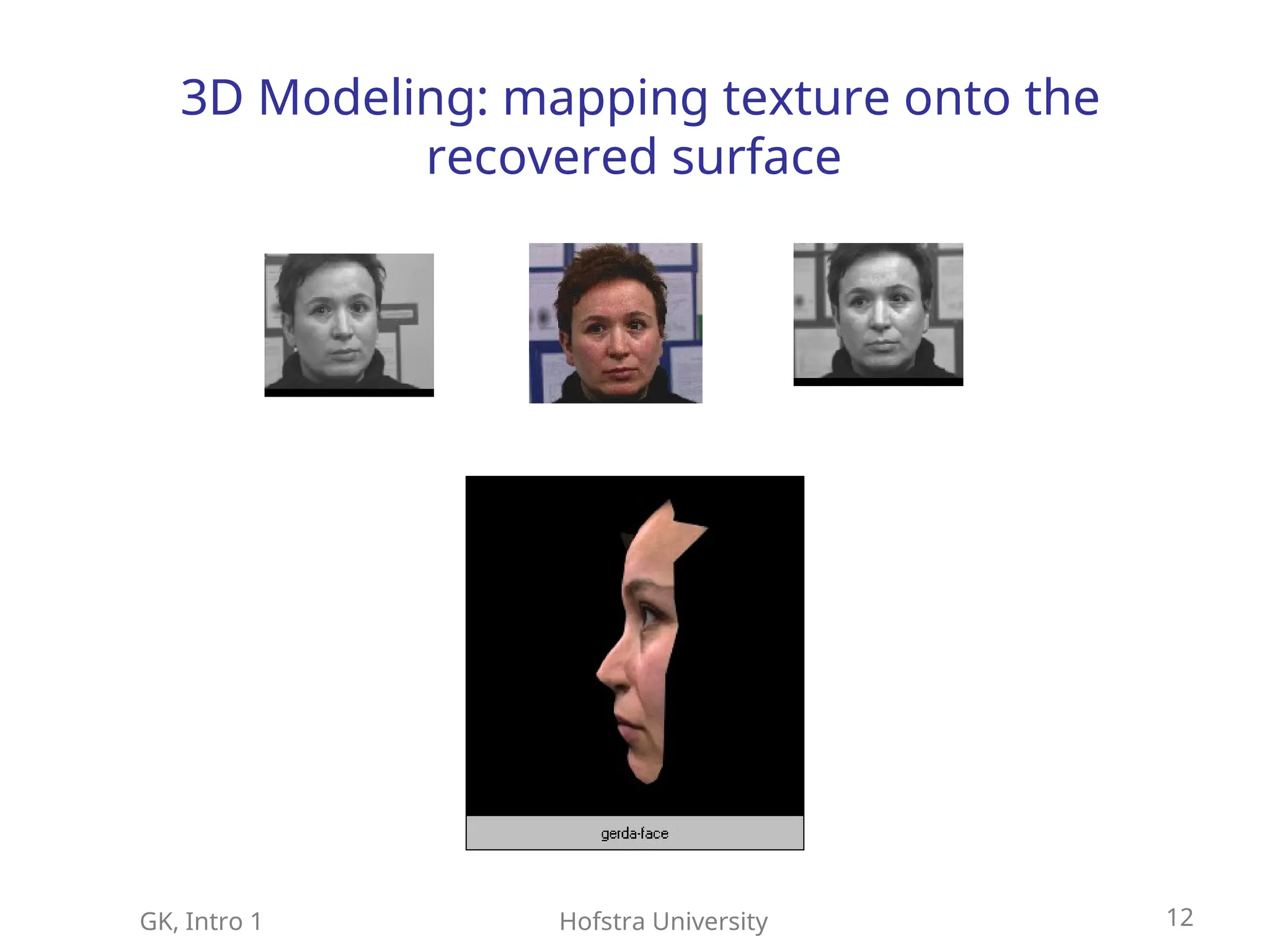
3D Modeling: mapping texture onto the
recovered surface
13.
GK, Intro 1Hofstra University 13
Rendering
Generating 2D images of the modeled 3D objects
Includes
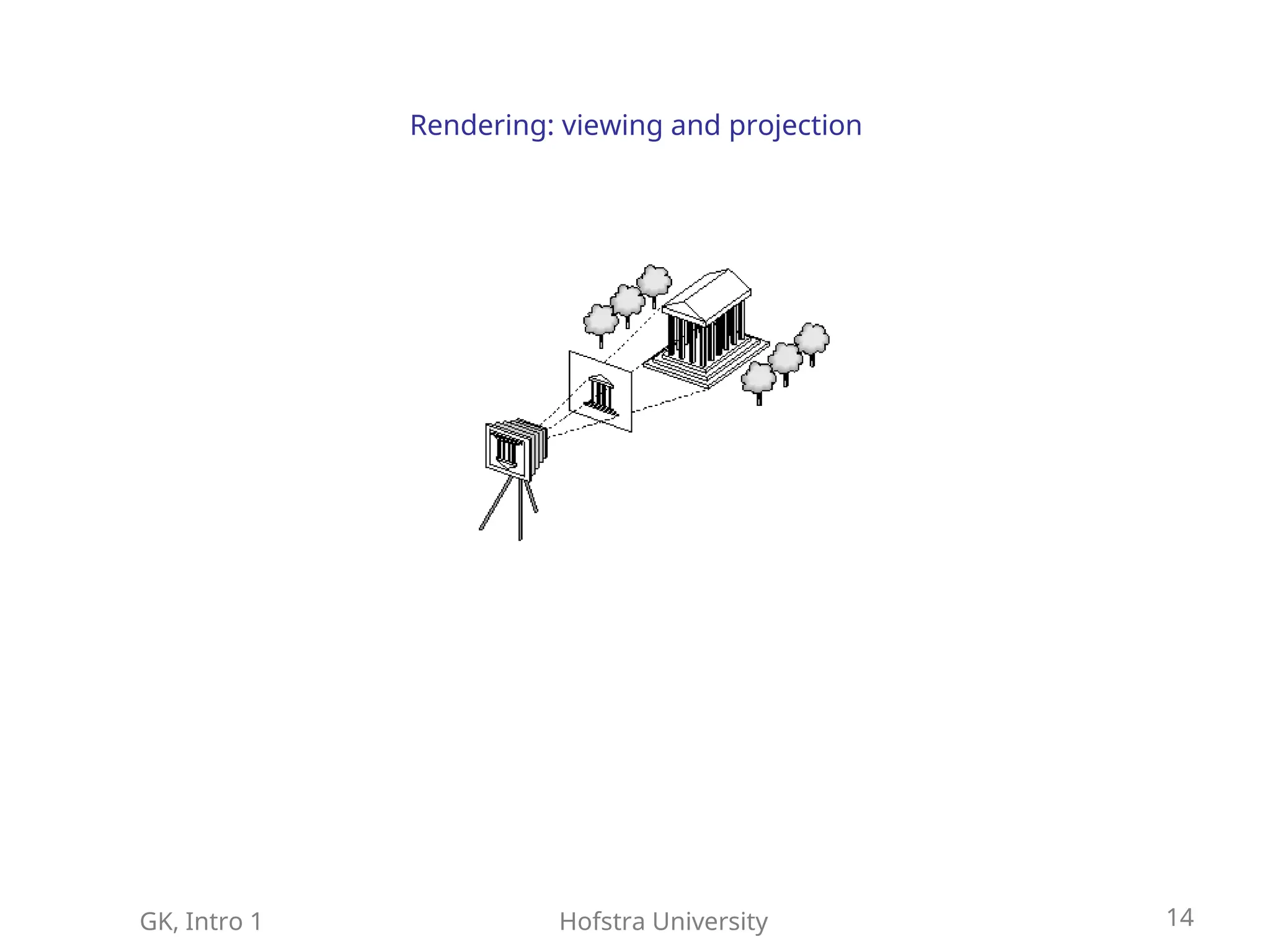
Viewing model (where is the “camera” that takes the
picture, how is it oriented)
Projection model (what are the “camera” parameters,
like lens type, aperture)
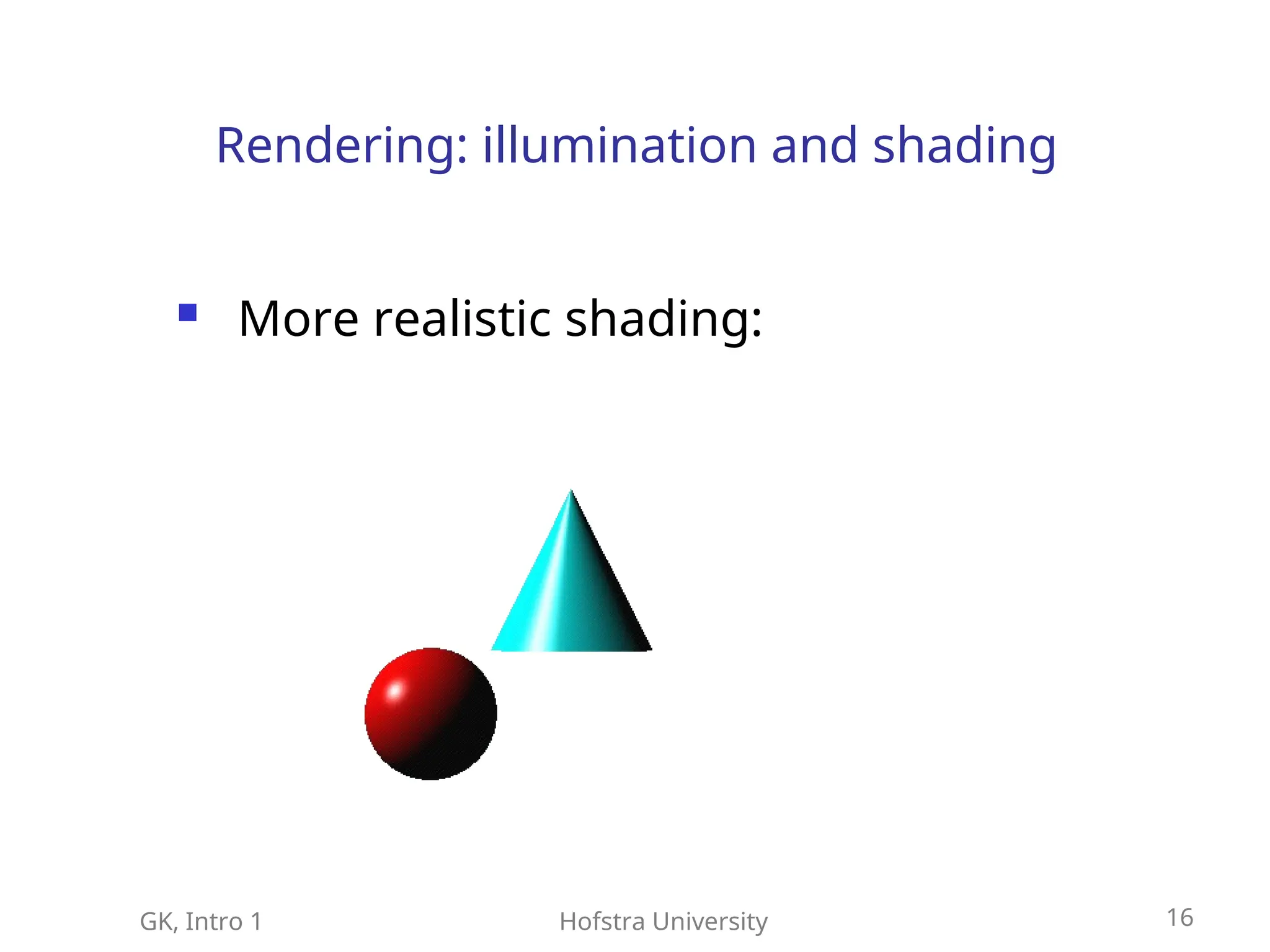
Illumination model (what are the lighting conditions)
Shading model and surface properties (material,
reflectance, secularities, texture)
Rasterization (from 2D continuous images to
discretized image in the Frame Buffer)
14.
GK, Intro 1Hofstra University 14
Rendering: viewing and projection
15.
GK, Intro 1Hofstra University 15
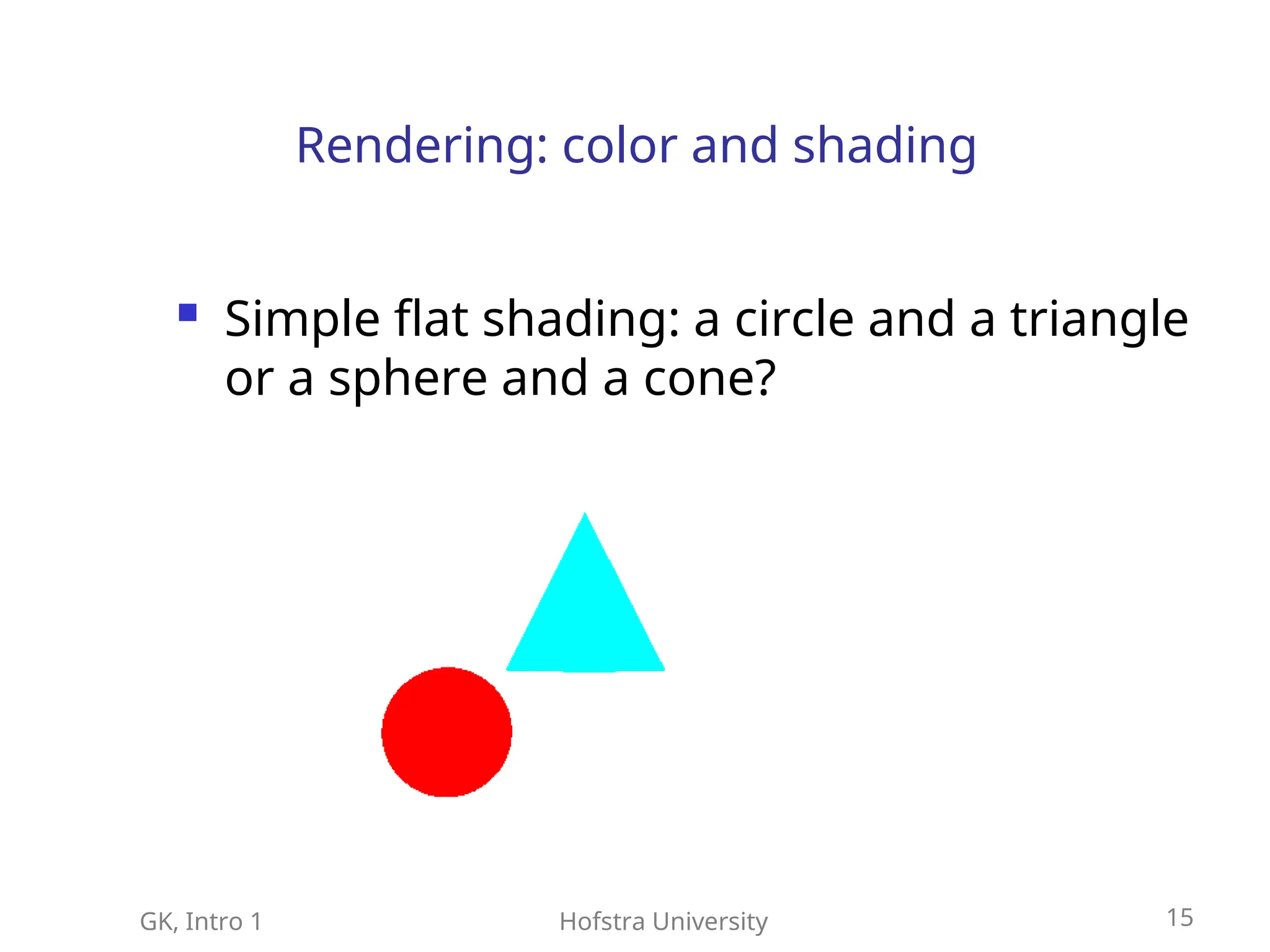
Rendering: color and shading
Simple flat shading: a circle and a triangle
or a sphere and a cone?
16.
GK, Intro 1Hofstra University 16
Rendering: illumination and shading
More realistic shading:
17.
GK, Intro 1Hofstra University 17
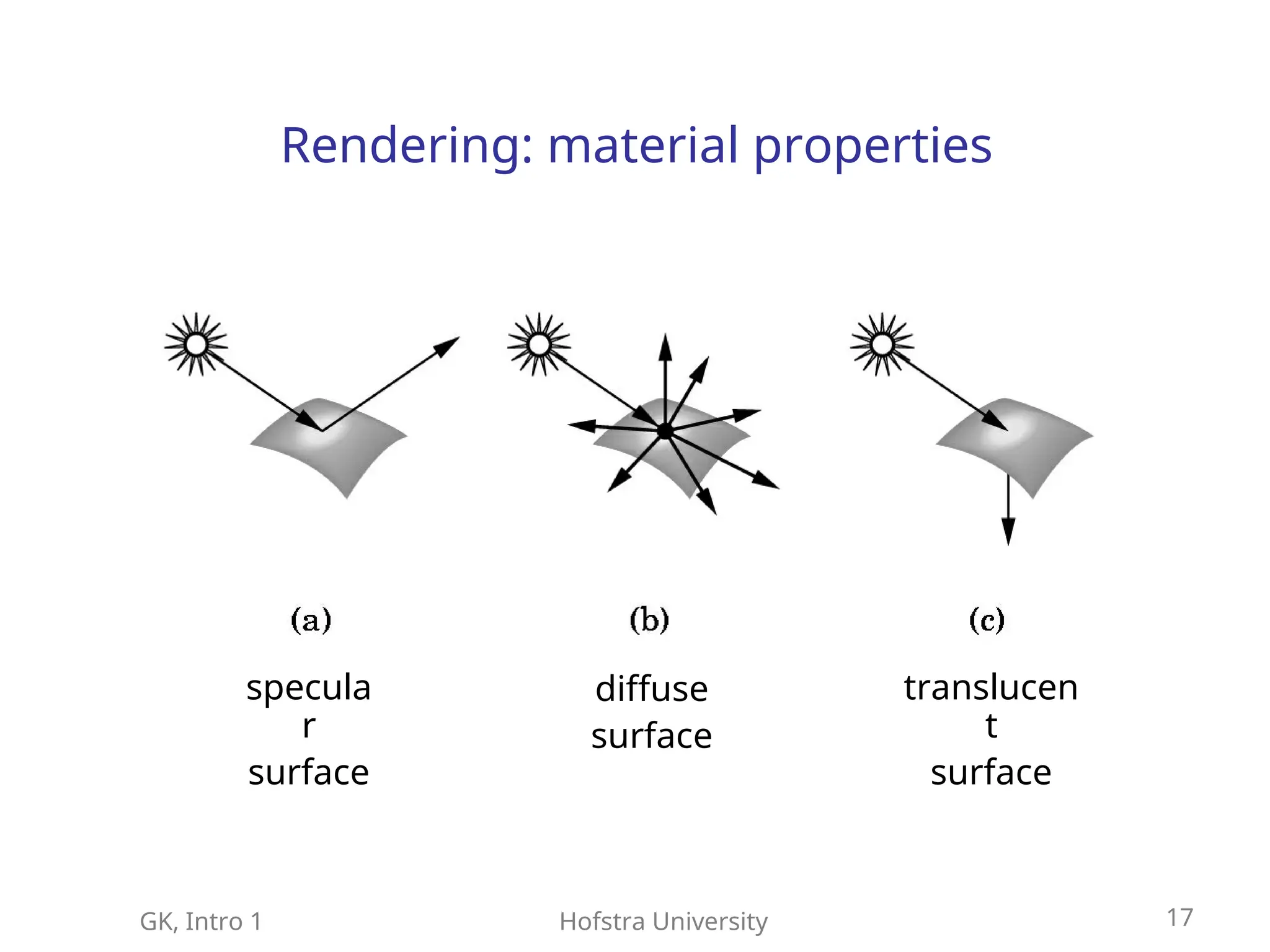
Rendering: material properties
specula
r
surface
diffuse
surface
translucen
t
surface
18.
GK, Intro 1Hofstra University 18
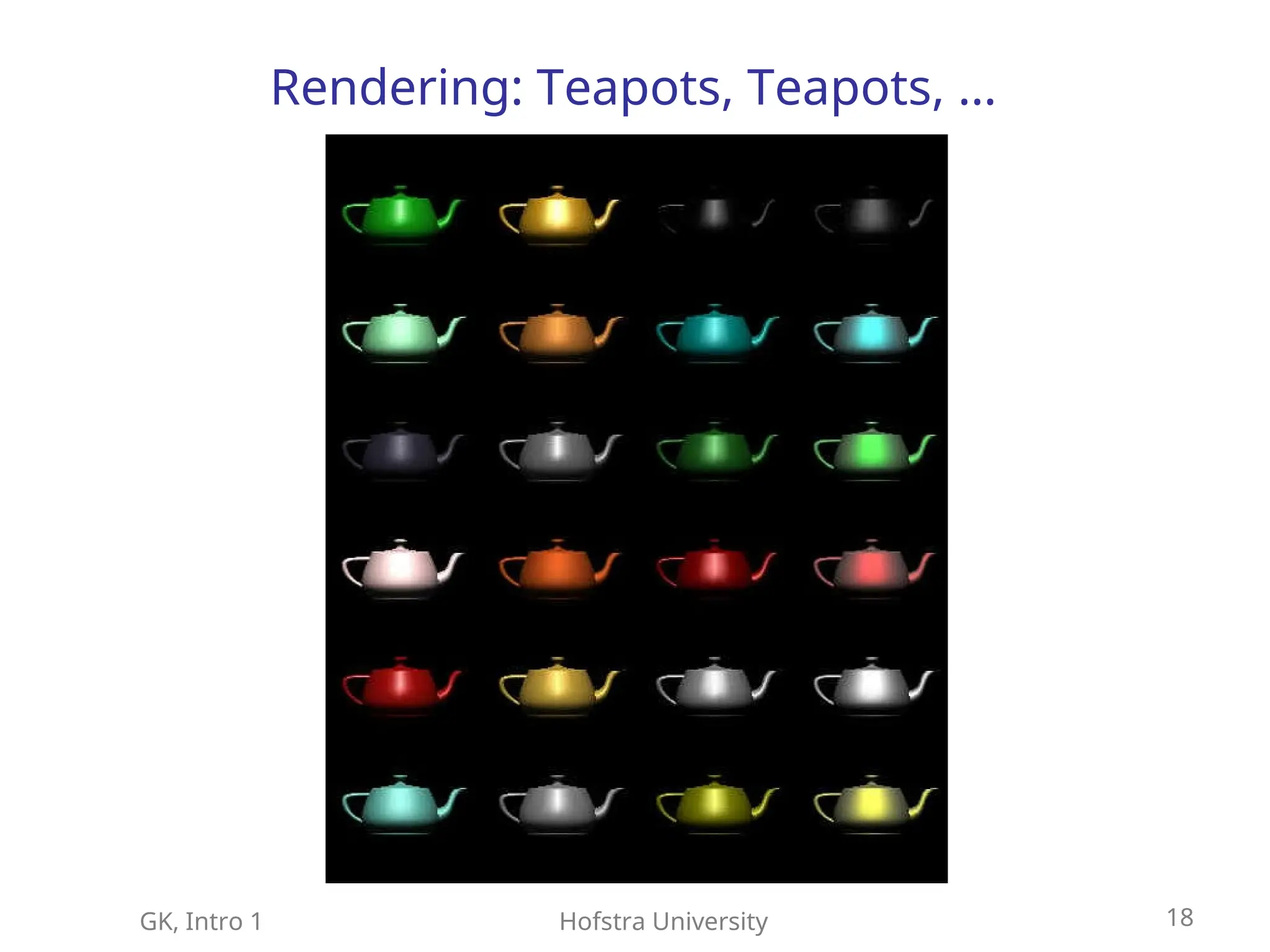
Rendering: Teapots, Teapots, …
19.
GK, Intro 1Hofstra University 19
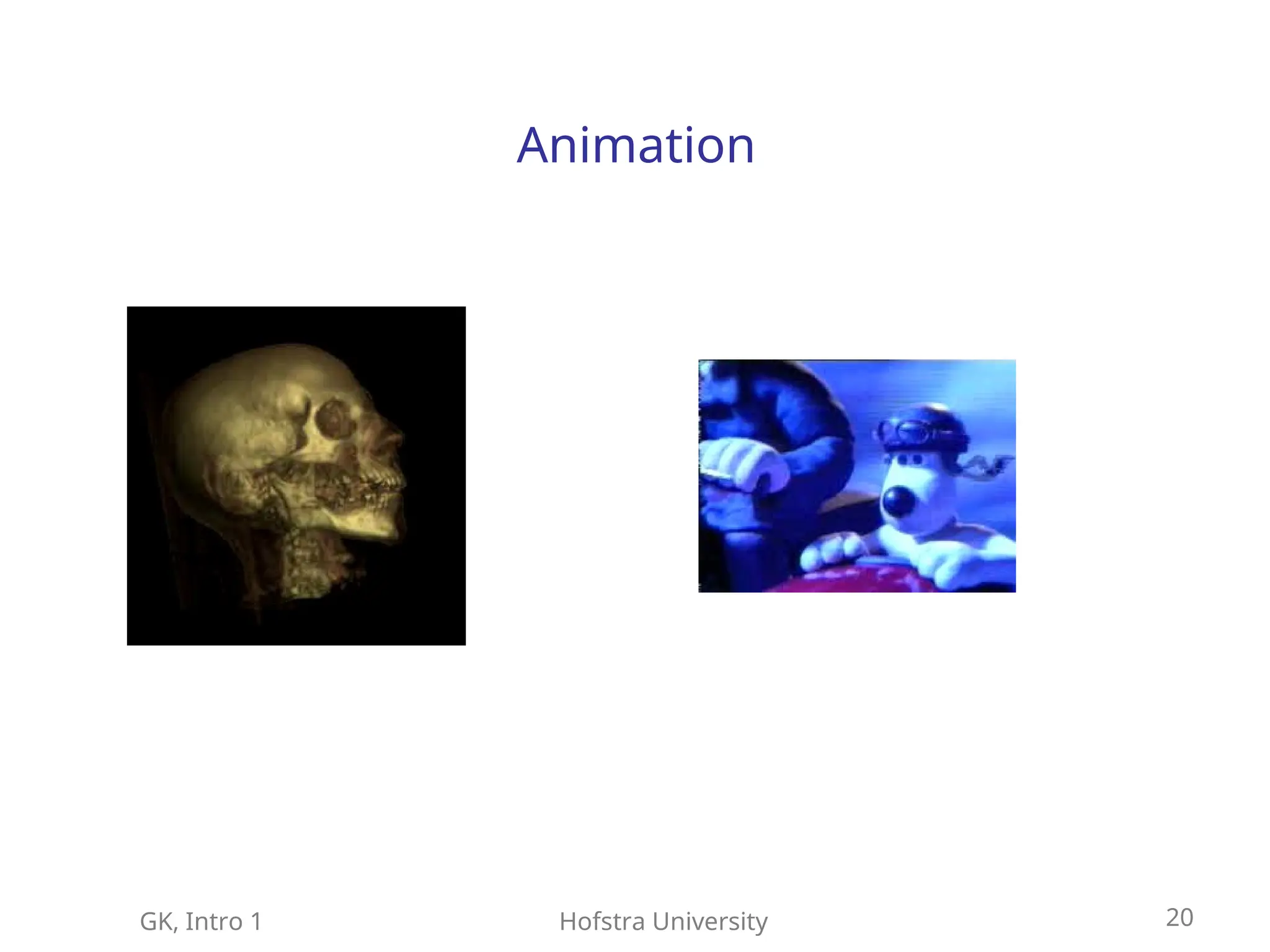
Animation
Modeling and rendering objects with
attributes that change over time (position,
geometry, topology, color, texture, etc.)
GK, Intro 1Hofstra University 21
Graphics Standard
Goal: portability
portability, standard graphics functions
, standard graphics functions
are
are independent of programming language
independent of programming language,
,
bindings are defined for various languages
bindings are defined for various languages
GKS, PHIGS, OpenGL, Java3D
GKS, PHIGS, OpenGL, Java3D
The standard provides
The standard provides specifications for basic
specifications for basic
graphics functions
graphics functions. To insure independence
. To insure independence
and portability, there is no standard for
and portability, there is no standard for
graphics interface to output devices, image
graphics interface to output devices, image
formats, or transfer protocols
formats, or transfer protocols
22.
GK, Intro 1Hofstra University 22
Graphics Standard
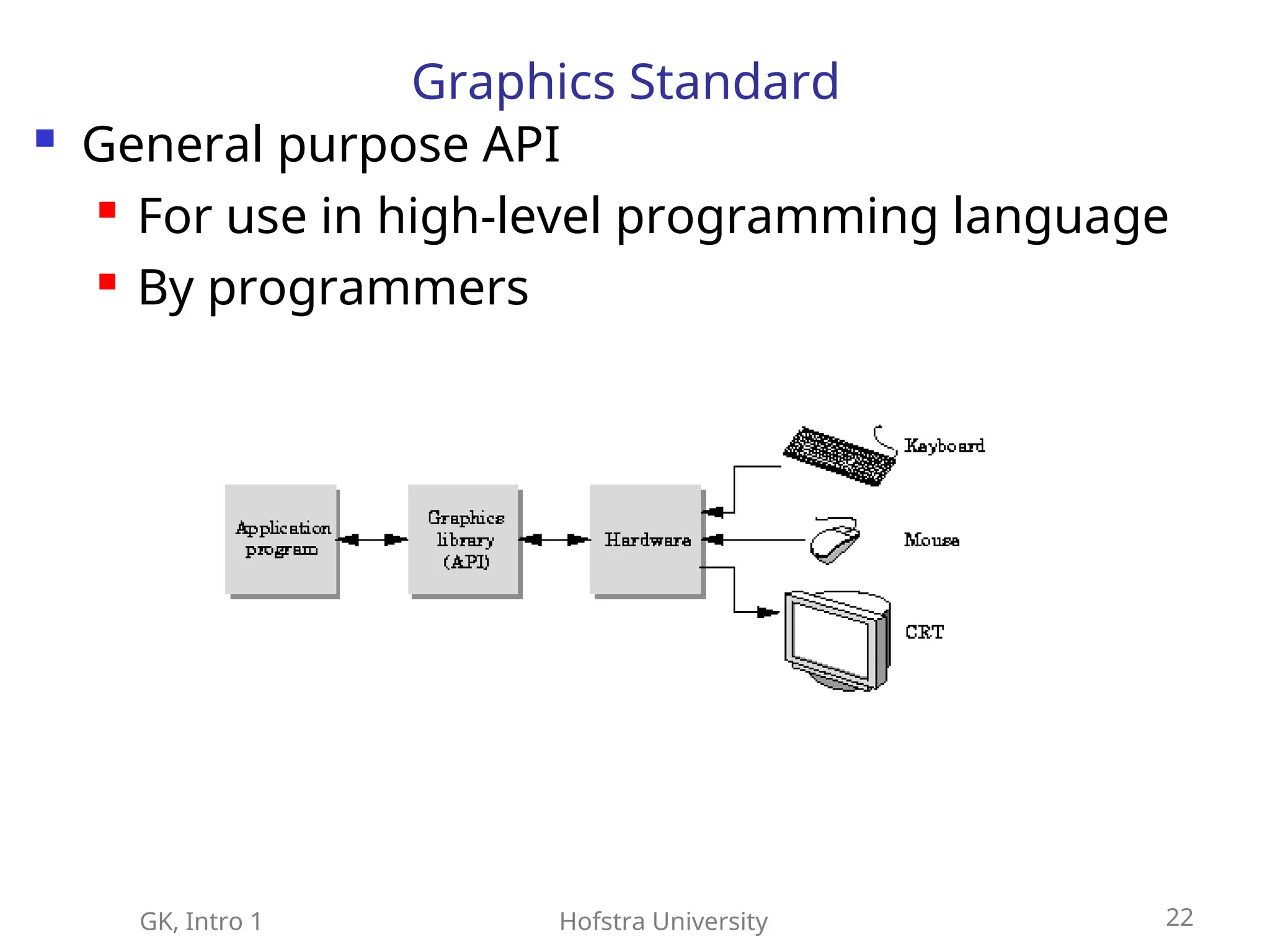
General purpose API
For use in high-level programming language
By programmers
23.
GK, Intro 1Hofstra University 23
Graphics Standard
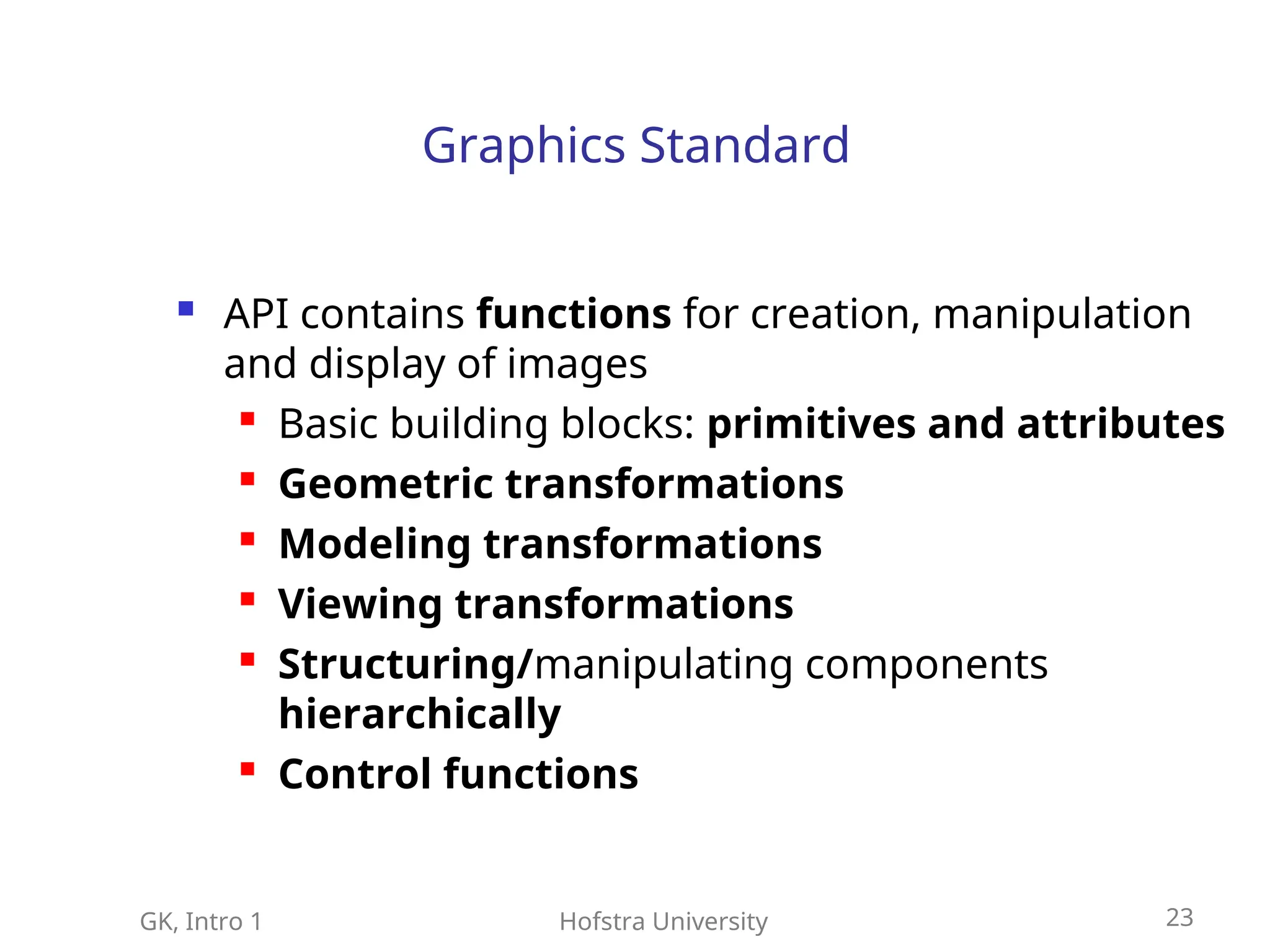
API contains functions for creation, manipulation
and display of images
Basic building blocks: primitives and attributes
Geometric transformations
Modeling transformations
Viewing transformations
Structuring/manipulating components
hierarchically
Control functions
24.
GK, Intro 1Hofstra University 24
Computer Graphics
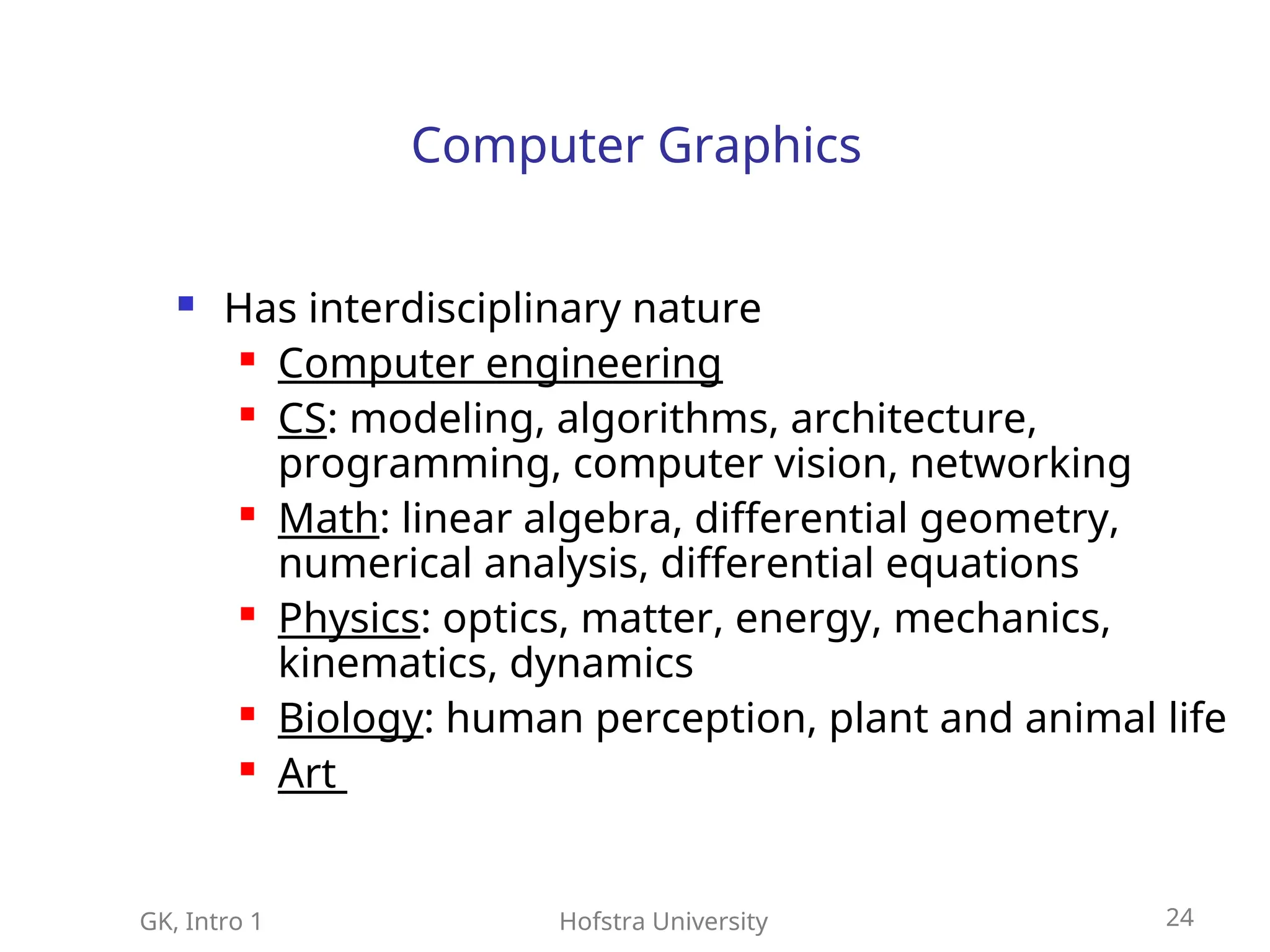
Has interdisciplinary nature
Computer engineering
CS: modeling, algorithms, architecture,
programming, computer vision, networking
Math: linear algebra, differential geometry,
numerical analysis, differential equations
Physics: optics, matter, energy, mechanics,
kinematics, dynamics
Biology: human perception, plant and animal life
Art
25.
GK, Intro 1Hofstra University 25
Topics
Hardware architecture: raster graphics, FB
Graphics Standard:KGS, PHIGS, OpenGL
Interaction
3D geometry and modeling
Viewing
Rasterization
Illumination, shading
Rendering system
26.
GK, Intro 1Hofstra University 26
Topics (cont)
Hierarchical modeling and Animation
Texture, antialiasing
3D modeling with parametric surfaces
Applications: visualization, virtual reality
Physics based modeling
3D modeling: surfaces and shapes
27.
GK, Intro 1Hofstra University 27
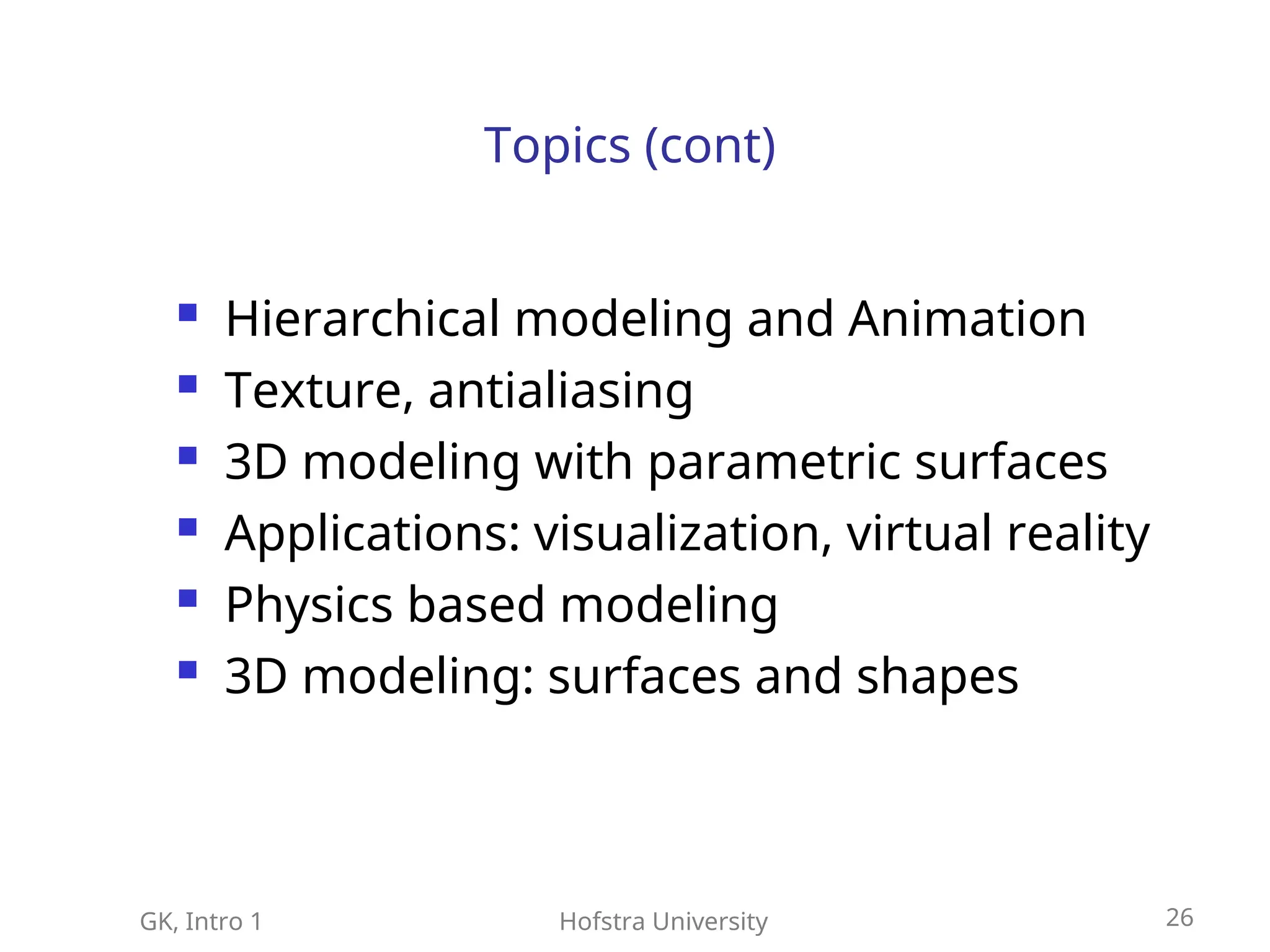
Application: TeleImmersion
is the technology that enables remotely
located users to share the same virtualized
environment in real time
28.
GK, Intro 1Hofstra University 28
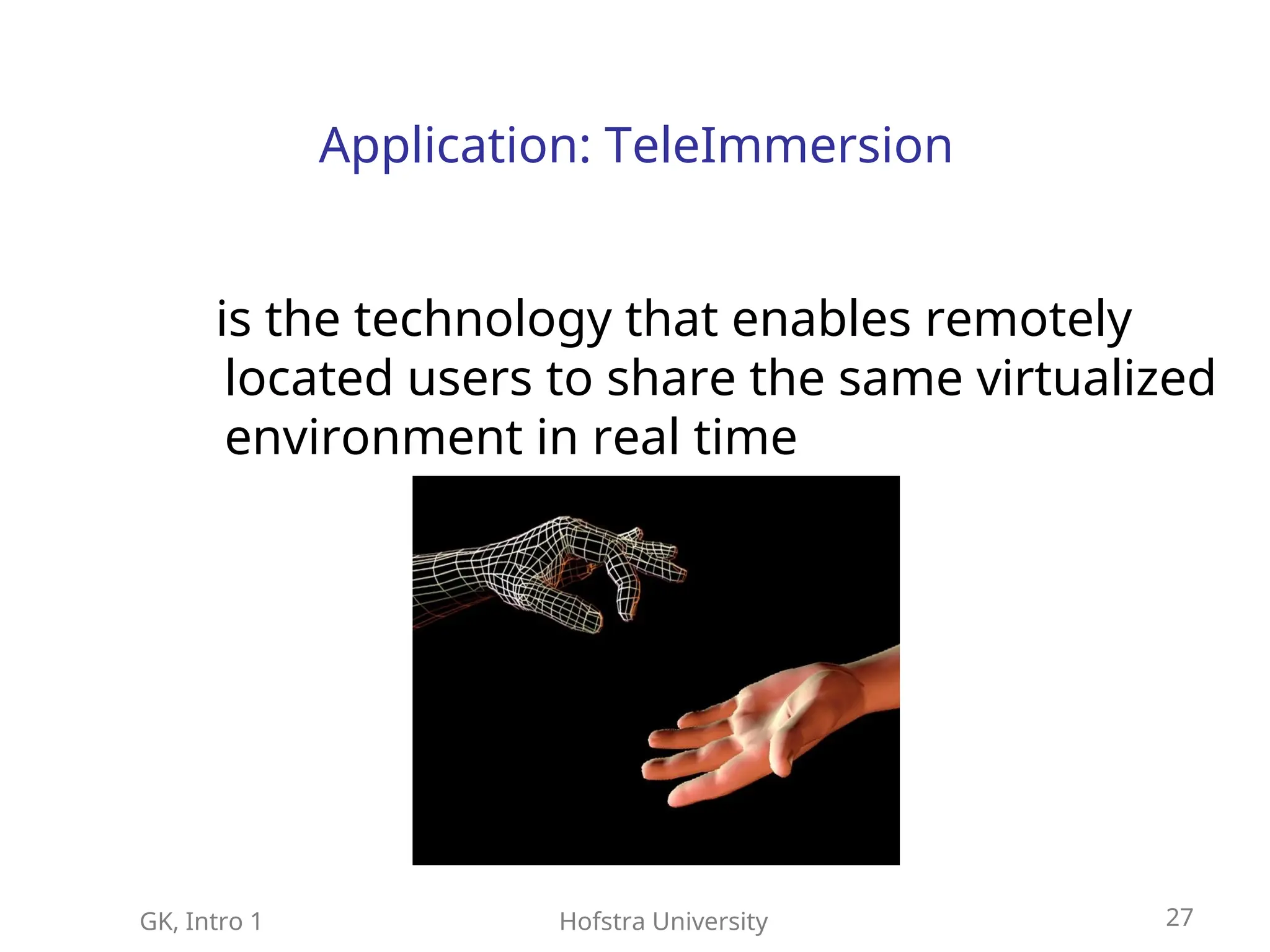
Teleconferencing in 3D
29.
GK, Intro 1Hofstra University 29
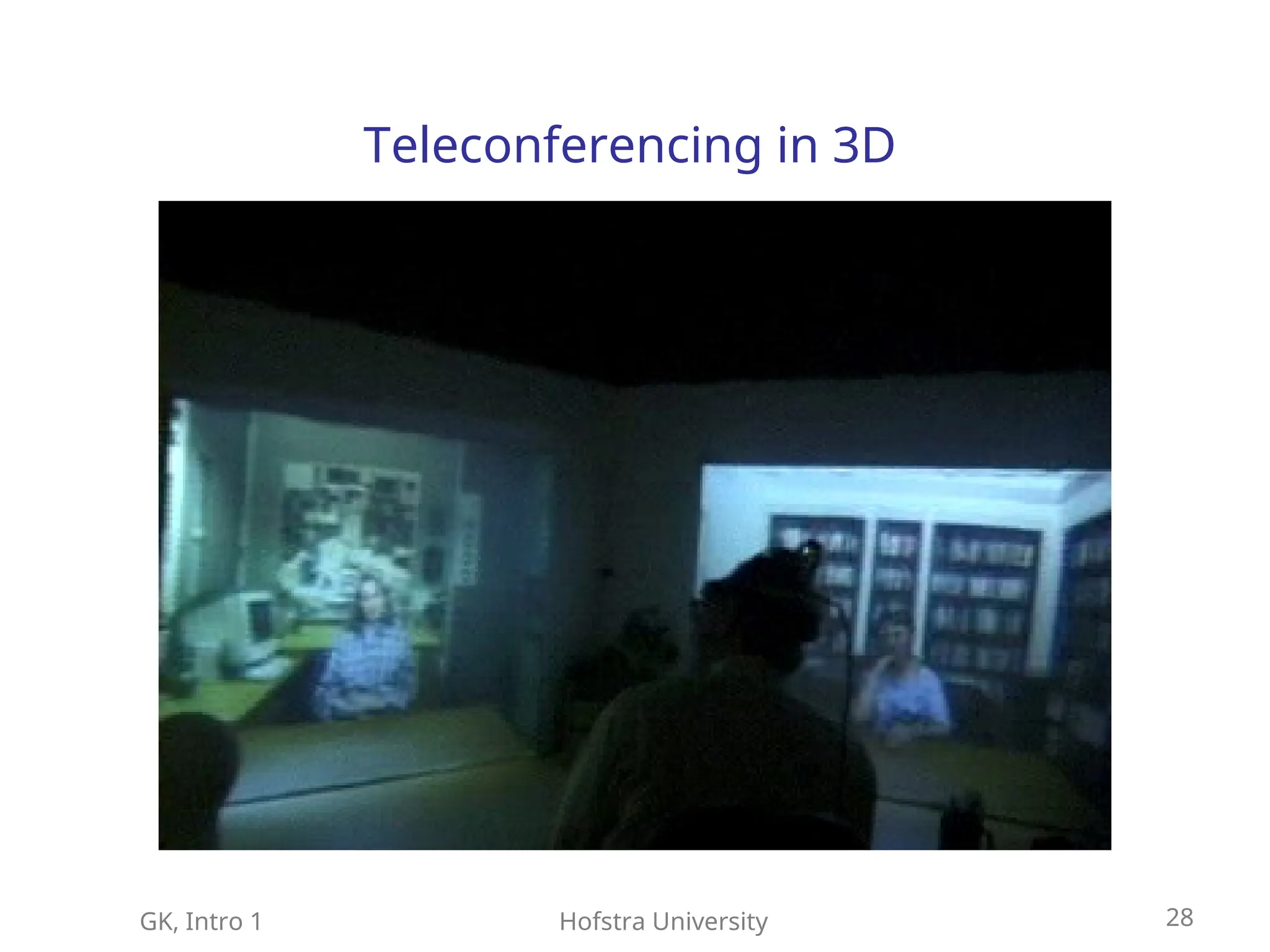
Architecture of Early Graphic Systems: von
Neumann
30.
GK, Intro 1Hofstra University 30
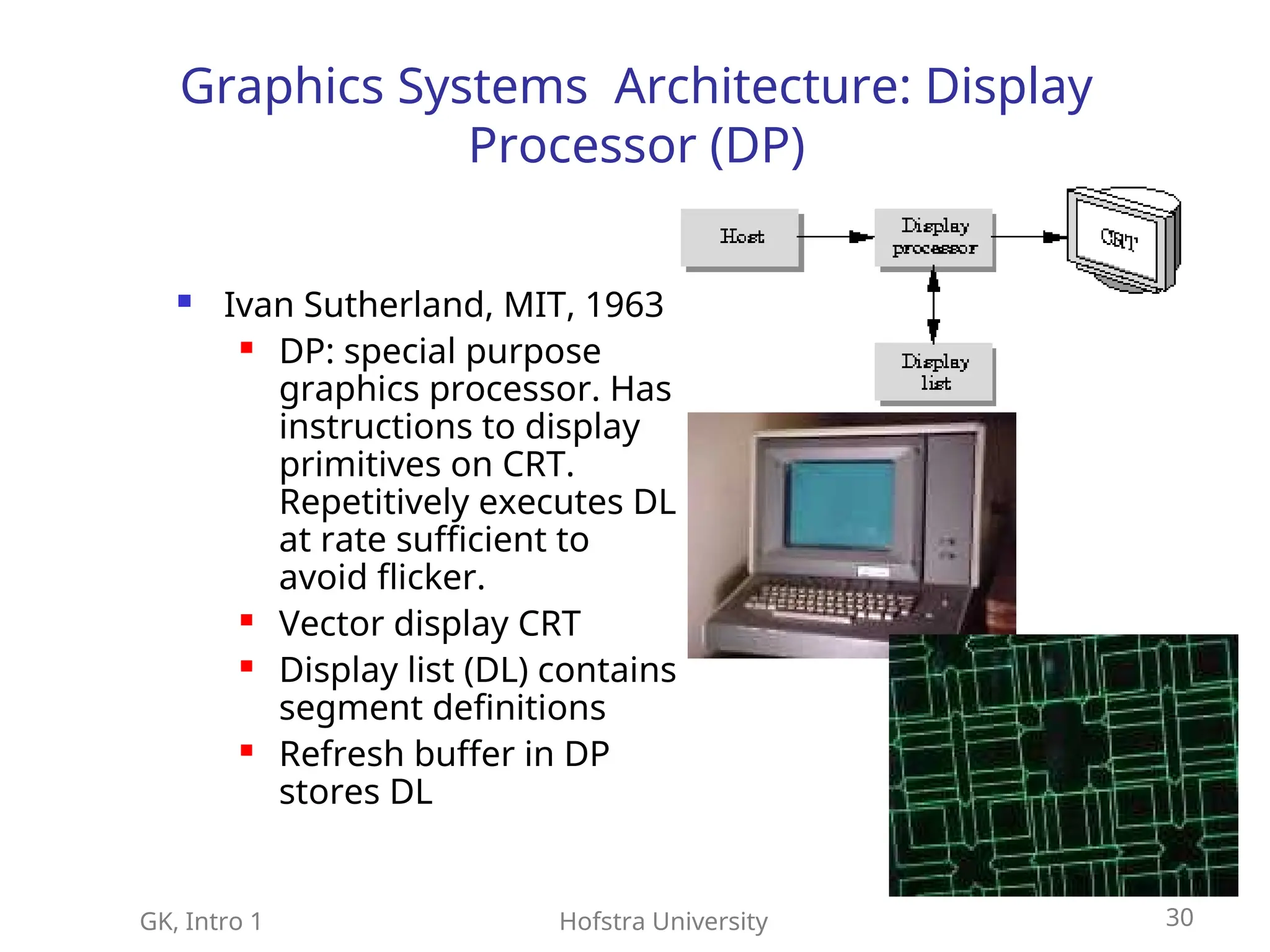
Graphics Systems Architecture: Display
Processor (DP)
Ivan Sutherland, MIT, 1963
DP: special purpose
graphics processor. Has
instructions to display
primitives on CRT.
Repetitively executes DL
at rate sufficient to
avoid flicker.
Vector display CRT
Display list (DL) contains
segment definitions
Refresh buffer in DP
stores DL
31.
GK, Intro 1Hofstra University 31
Raster Graphics
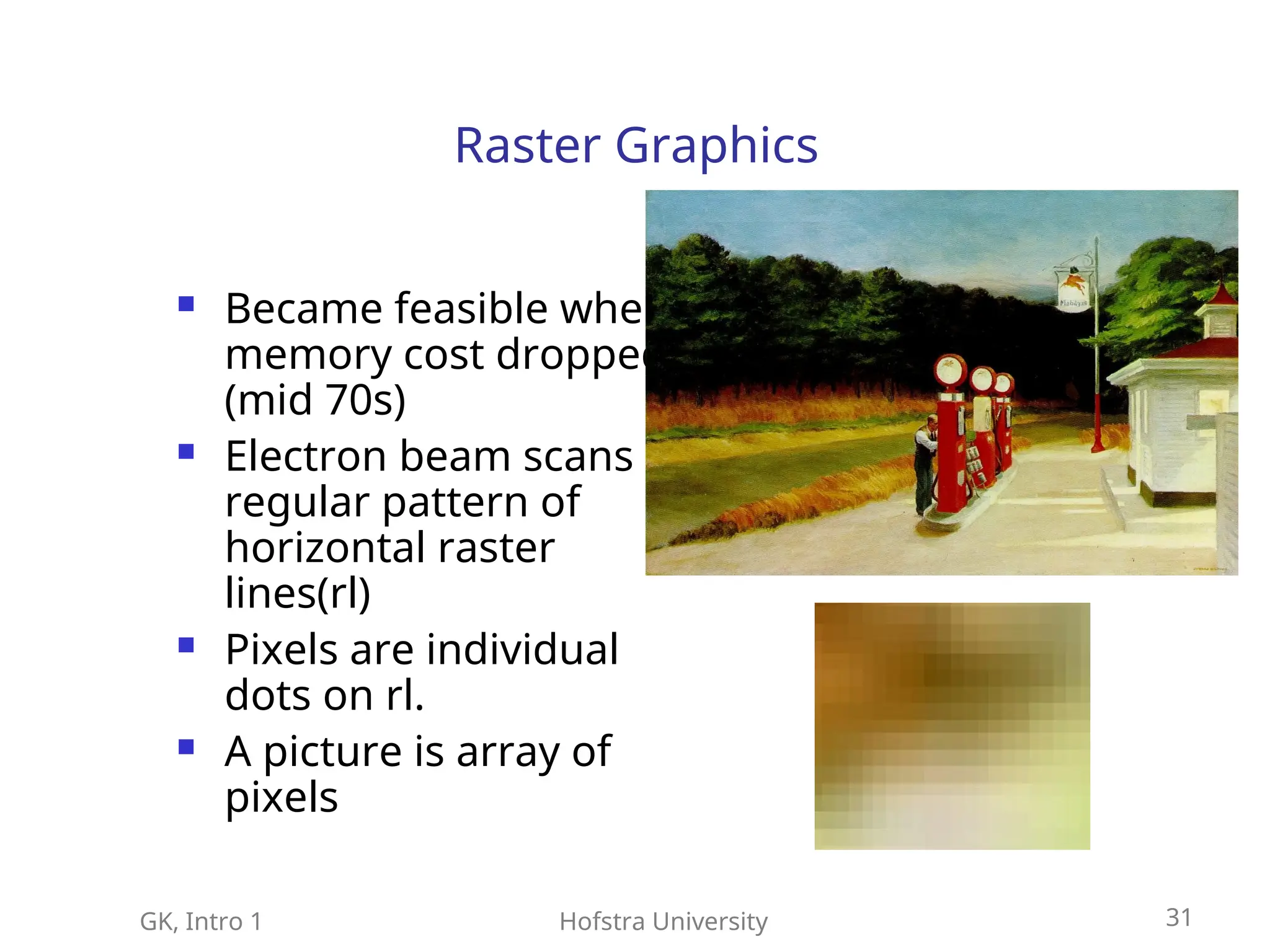
Became feasible when
memory cost dropped
(mid 70s)
Electron beam scans
regular pattern of
horizontal raster
lines(rl)
Pixels are individual
dots on rl.
A picture is array of
pixels
32.
GK, Intro 1Hofstra University 32
CRT Display
Most common
Phosphorous compound deposited on screen
Electron gun emits electron beam when heated
When beam hits screen pixel lights up
Beams go in order: line by line, pixel by pixel
Frame: consists of all scan lines
Picture: the pattern created on the screen
33.
GK, Intro 1Hofstra University 33
CRT Display
Persistence: the time it takes for a pixel to
loose 10% of its original energy
Most CRT 10-60 milsec persistence
Must refresh picture, beams redraws 60
times per sec, to avoid flicker of picture on
screen. Thus, FB must be read 60 time per
second.
34.
GK, Intro 1Hofstra University 34
Frame Buffer(FB)
FB prescribes the pattern that the electron beam
must draw
FB is core of the graphics hardware
FB stores the discretized picture (array of pixels)
Implemented with special memory that enables
fast redisplay; VRAM, DRAM
FB spatial resolution: defined by number pixels
FB color resolution: defined by FB depth, number
bits per pixel
35.
GK, Intro 1Hofstra University 35
Frame Buffer
FB consists of bit planes
1 bit plane: binary image (beam on/off)
8 bit planes=1 pixmap: 256 gray levels; beam has 256
intensity levels; FB has 8 pixels depth
Color image: 3 pixmaps (R,G,B).
Each pixmap prescribes picture for an electron gun.
Three guns emit 3 beams which create 3 close spots on
the screen of 3 different color each. Human vision
system averages and perceives a single color at the
pixel.
Wit 8-bit color in (R,G,B) there are 24 bits in FB
prescribing color. 24bits: 224
= 16K colors
FB usually 32 bits = 24 for color + 8bits for alpha value
36.
GK, Intro 1Hofstra University 36
Raster Graphics
Rasterization: conversion of 2D geometric
primitives and their attributes to pixel
assignments and color in the FB
Video controller: controls operation of the
display, can access FB directly
Video controller and DP free CPU from
graphics operations: mainly, scan
conversion, generating various line styles,
interface with interactive input devices.
37.
GK, Intro 1Hofstra University 37
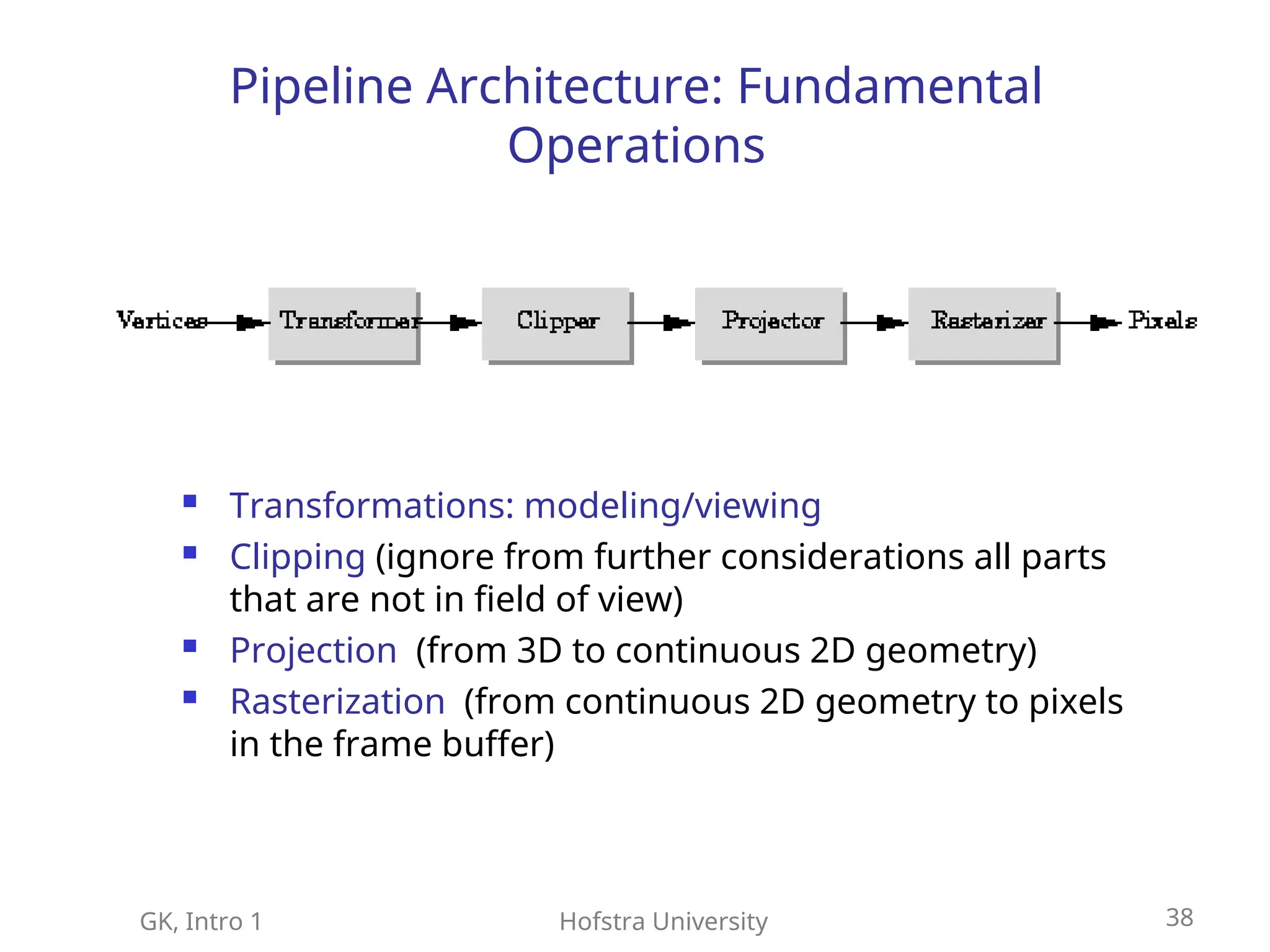
Pipeline Architecture (PA)
Typical for contemporary CG systems
In PA, same set of operations
(transformations) are applied thousands,
millions of data primitives
PA exploits “assembly line” paradigm
Vertex in 3D model -- Pixel in FB
38.
GK, Intro 1Hofstra University 38
Pipeline Architecture: Fundamental
Operations
Transformations: modeling/viewing
Clipping (ignore from further considerations all parts
that are not in field of view)
Projection (from 3D to continuous 2D geometry)
Rasterization (from continuous 2D geometry to pixels
in the frame buffer)
39.
GK, Intro 1Hofstra University 39
Pipeline Architecture
Front-end (modeling/viewing transformations,
clipping, and projection) utilize pipeline. The
calculations are implemented in hardware. We
will study the algorithms for the front-end
Back-end (rasterization) exploits fast memory,
parallelism in FB access, and spatial continuity
in the image.
PA is used in high-performance graphics
workstations, and fancy graphics cards.
40.
GK, Intro 1Hofstra University 40
Homework
Read Angel, Ch 1
Read WND, Ch 1, pp 1-20
Try to compile and run the example
program hello.c
Use husun3, in addition if you will be
working at home on a PC try compiling and
running at home as well (see instructions
on the web page).