Cisco IP Phones Jozef Janitor [email_address]
Cisco Svetový leader v oblasti sieťových technológií V roku 1998 odkúpila spol.  Selsius Cisco Call Manager – IP PBX Cisco IP Telefóny
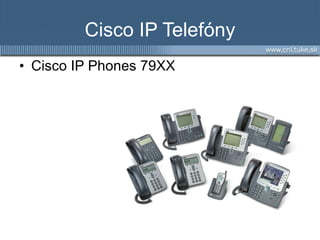
Cisco IP Telefóny Cisco IP Phone s  79XX
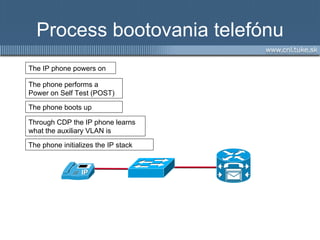
Process bootovania telefónu The IP phone powers on The phone performs a Power on Self Test (POST)  Through CDP the IP phone learns what the auxiliary VLAN is The phone initializes the IP stack  The phone boots up
Získanie IP konfigurácie (+TFTP) IP phone send DHCP Discover broadcast requesting an IP address DHCP server selects a free IP address from the pool and sends along with the other scope parameters as a DHCP Offer The IP phone initializes applies the IP configuration to the IP stack The IP phone requests it configuration file from the TFTP server
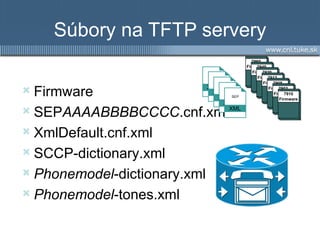
Súbory na TFTP servery Firmware SEP AAAABBBBCCCC .cnf.xml XmlDefault.cnf.xml SCCP-dictionary.xml Phonemodel -dictionary.xml Phonemodel -tones.xml Files critical to the IP phone TFTP Server XML SEP
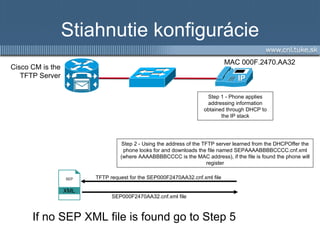
Stiahnutie konfigurácie Step 1 - Phone applies addressing information obtained through DHCP to the IP stack Step  2  - Using the address of the TFTP server learned from the DHCPOffer the phone looks for and downloads the file named SEPAAAABBBBCCCC.cnf.xml (where AAAABBBBCCCC is the MAC address), if the file is found the phone will register Cisco CM is the TFTP Server SEP000F2470AA32.cnf.xml file TFTP request for the SEP000F2470AA32.cnf.xml file MAC 000F.2470.AA32 If no SEP XML file is found go to Step  5 XML SEP
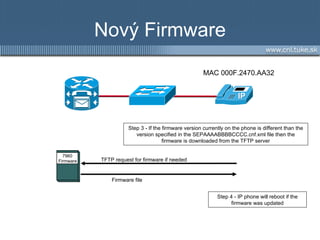
Nový Firmware Step  3  - If the firmware version currently on the phone is different than the version specified in the SEPAAAABBBBCCCC.cnf.xml file then the firmware is downloaded from the TFTP server TFTP request for firmware if needed Step  4  - IP phone will reboot if the firmware was updated MAC 000F.2470.AA32 Firmware file 7960 Firmware
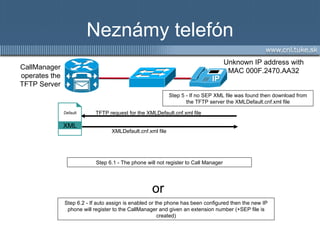
Neznámy telefón Step  6.1  - The phone will  not  register to  Call Manager Step  5  - If no SEP XML file was found then download from the TFTP server the XMLDefault.cnf.xml file CallManager  operates  the TFTP Server XMLDefault.cnf.xml file TFTP request for the XMLDefault.cnf.xml file Unknown IP address with MAC 000F.2470.AA32 Step  6.2  - If auto assign is enabled or the phone has been configured then the new IP phone will register to the CallManager and given an extension number  (+SEP file is created) or XML Default
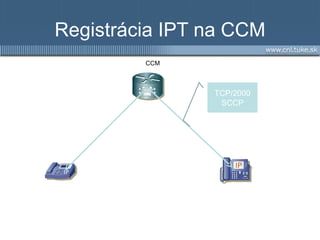
Registrácia IPT na CCM TCP/2000 SCCP CCM
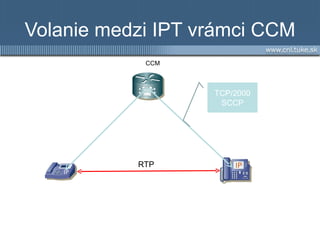
Volanie medzi IPT vrámci CCM TCP/2000 SCCP RTP CCM
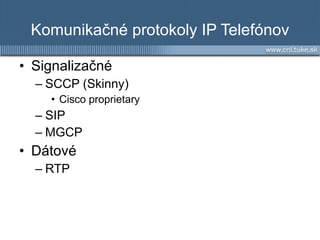
Komunikačné protokoly IP Telefónov Signalizačné SCCP (Skinny) Cisco proprietary SIP MGCP Dátové RTP
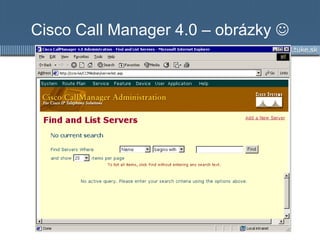
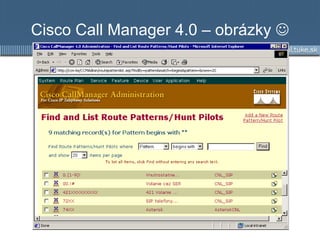
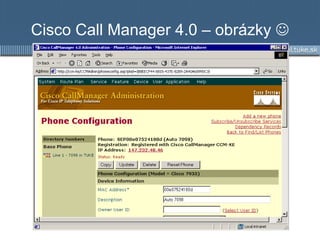
Cisco Call Manager 4.0 – obrázky  
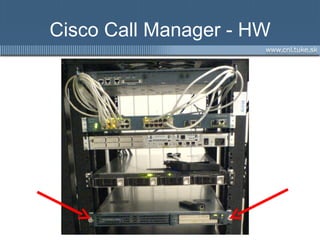
Cisco Call Manager - HW
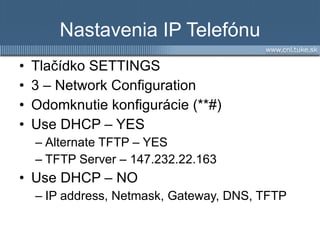
Nastavenia IP Telefónu Tlačídko SETTINGS 3 – Network Configuration Odomknutie konfigurácie ( **# ) Use DHCP – YES Alternate TFTP – YES TFTP Server –  147.232.22.163 Use DHCP – NO IP address, Netmask, Gateway, DNS, TFTP
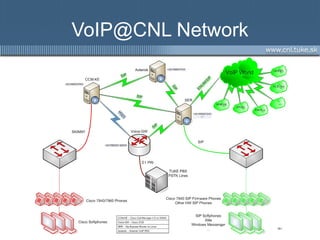
VoIP@CNL Network


Cisco IP Phones

  • 1.
    Cisco IP PhonesJozef Janitor [email_address]
  • 2.
    Cisco Svetový leaderv oblasti sieťových technológií V roku 1998 odkúpila spol. Selsius Cisco Call Manager – IP PBX Cisco IP Telefóny
  • 3.
    Cisco IP TelefónyCisco IP Phone s 79XX
  • 4.
    Process bootovania telefónuThe IP phone powers on The phone performs a Power on Self Test (POST) Through CDP the IP phone learns what the auxiliary VLAN is The phone initializes the IP stack The phone boots up
  • 5.
    Získanie IP konfigurácie(+TFTP) IP phone send DHCP Discover broadcast requesting an IP address DHCP server selects a free IP address from the pool and sends along with the other scope parameters as a DHCP Offer The IP phone initializes applies the IP configuration to the IP stack The IP phone requests it configuration file from the TFTP server
  • 6.
    Súbory na TFTPservery Firmware SEP AAAABBBBCCCC .cnf.xml XmlDefault.cnf.xml SCCP-dictionary.xml Phonemodel -dictionary.xml Phonemodel -tones.xml Files critical to the IP phone TFTP Server XML SEP
  • 7.
    Stiahnutie konfigurácie Step1 - Phone applies addressing information obtained through DHCP to the IP stack Step 2 - Using the address of the TFTP server learned from the DHCPOffer the phone looks for and downloads the file named SEPAAAABBBBCCCC.cnf.xml (where AAAABBBBCCCC is the MAC address), if the file is found the phone will register Cisco CM is the TFTP Server SEP000F2470AA32.cnf.xml file TFTP request for the SEP000F2470AA32.cnf.xml file MAC 000F.2470.AA32 If no SEP XML file is found go to Step 5 XML SEP
  • 8.
    Nový Firmware Step 3 - If the firmware version currently on the phone is different than the version specified in the SEPAAAABBBBCCCC.cnf.xml file then the firmware is downloaded from the TFTP server TFTP request for firmware if needed Step 4 - IP phone will reboot if the firmware was updated MAC 000F.2470.AA32 Firmware file 7960 Firmware
  • 9.
    Neznámy telefón Step 6.1 - The phone will not register to Call Manager Step 5 - If no SEP XML file was found then download from the TFTP server the XMLDefault.cnf.xml file CallManager operates the TFTP Server XMLDefault.cnf.xml file TFTP request for the XMLDefault.cnf.xml file Unknown IP address with MAC 000F.2470.AA32 Step 6.2 - If auto assign is enabled or the phone has been configured then the new IP phone will register to the CallManager and given an extension number (+SEP file is created) or XML Default
  • 10.
    Registrácia IPT naCCM TCP/2000 SCCP CCM
  • 11.
    Volanie medzi IPTvrámci CCM TCP/2000 SCCP RTP CCM
  • 12.
    Komunikačné protokoly IPTelefónov Signalizačné SCCP (Skinny) Cisco proprietary SIP MGCP Dátové RTP
  • 13.
    Cisco Call Manager4.0 – obrázky 
  • 14.
    Cisco Call Manager4.0 – obrázky 
  • 15.
    Cisco Call Manager4.0 – obrázky 
  • 16.
  • 17.
    Nastavenia IP TelefónuTlačídko SETTINGS 3 – Network Configuration Odomknutie konfigurácie ( **# ) Use DHCP – YES Alternate TFTP – YES TFTP Server – 147.232.22.163 Use DHCP – NO IP address, Netmask, Gateway, DNS, TFTP
  • 18.
  • 19.
  • 20.