Choosing the Right Messaging
Service for Your Serverless App
Dhaval Nagar
AWS Serverless Hero, 12x AWS Certified
● AWS Serverless Hero
● 12x AWS, 2x GCP, Docker, Kubernetes Developer Certified
● AWS Community Leader, Surat, India
● CEO - AppGambit (AWS Consulting Partner)
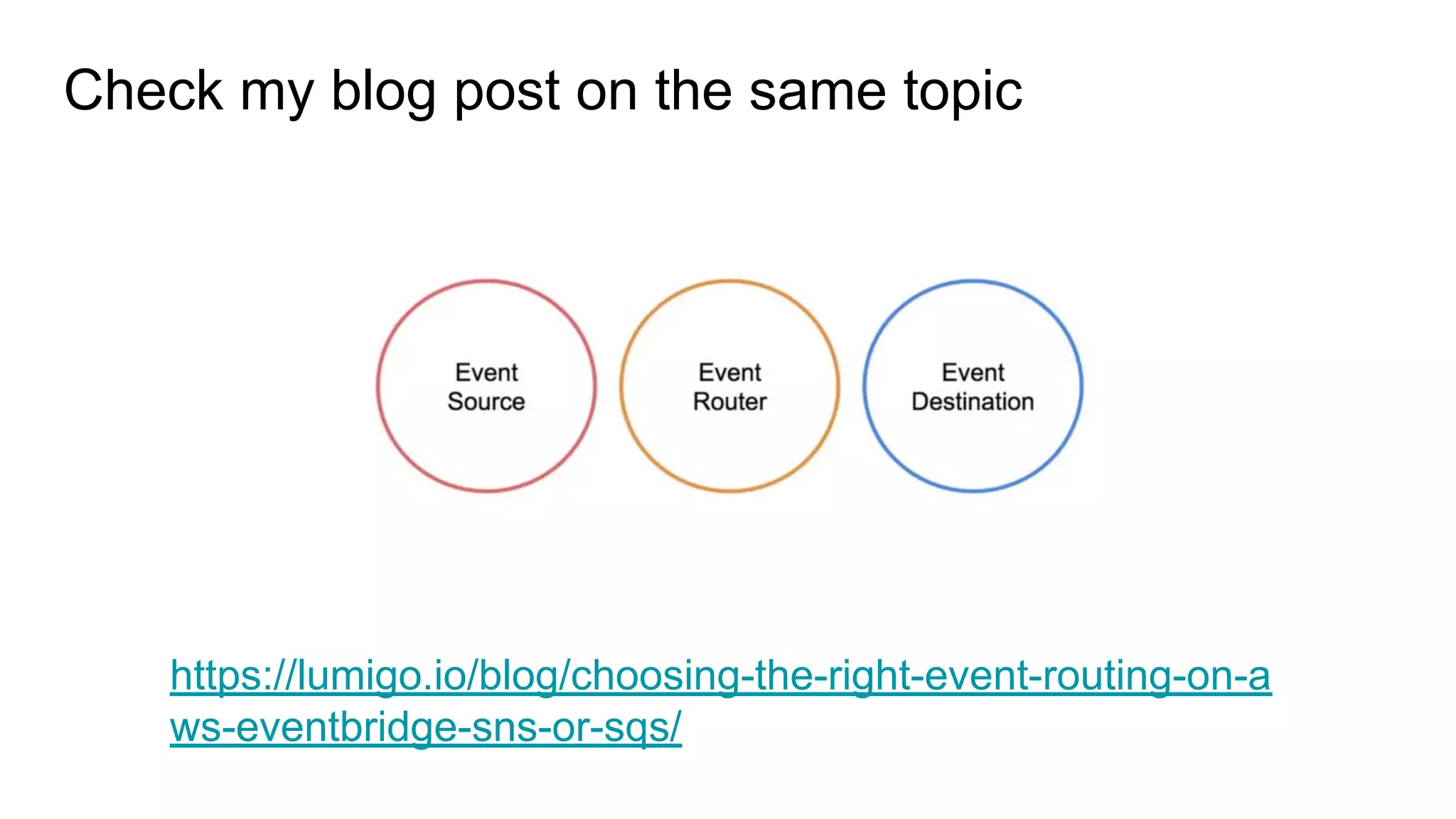
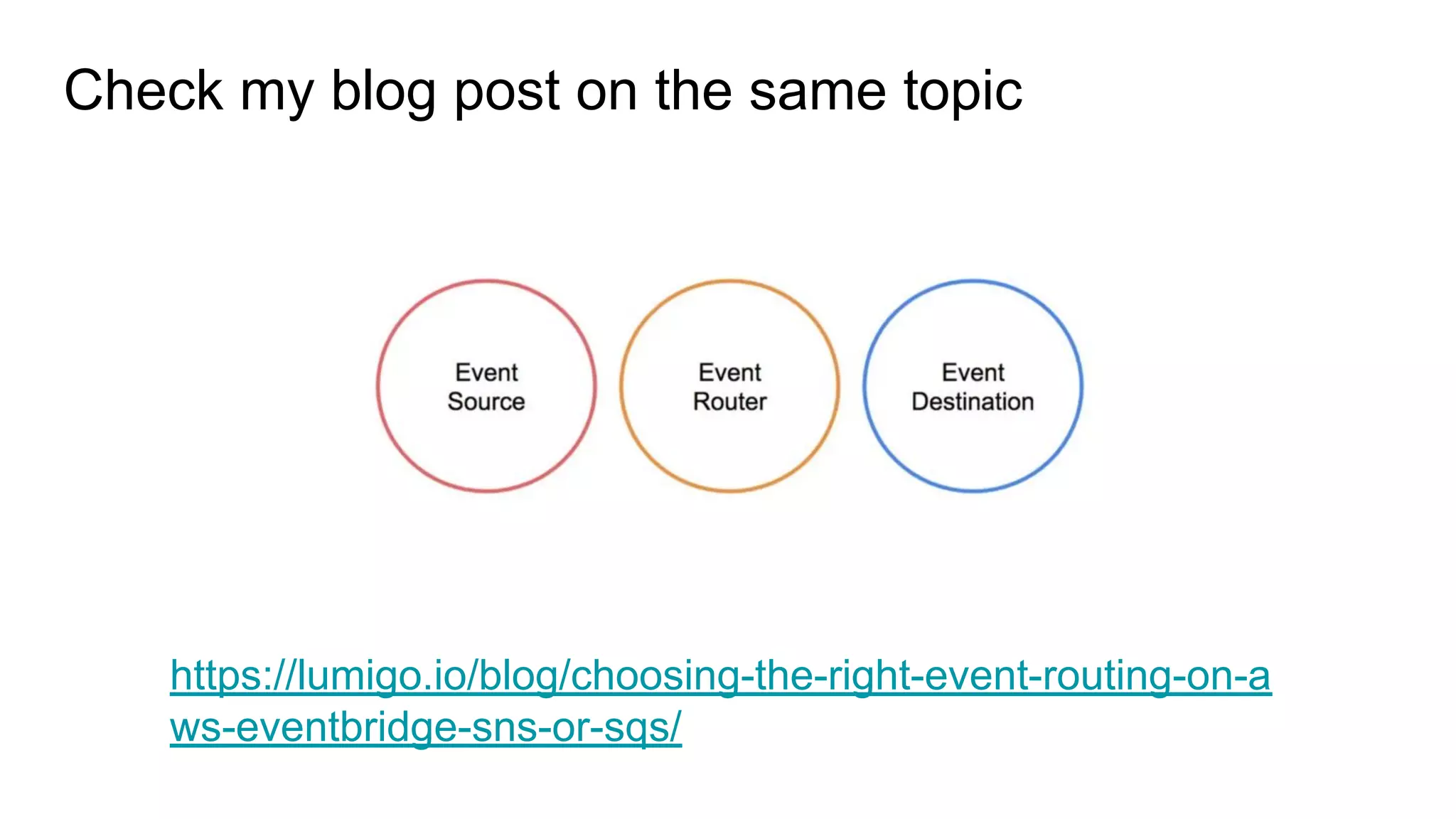
Check my blog post on the same topic
https://lumigo.io/blog/choosing-the-right-event-routing-on-a
ws-eventbridge-sns-or-sqs/
Session Agenda
● Serverless and Event-Driven Systems
● Event-Driven Systems and Messaging Services
● AWS Messaging Services
● Monitoring Serverless App
● Summary
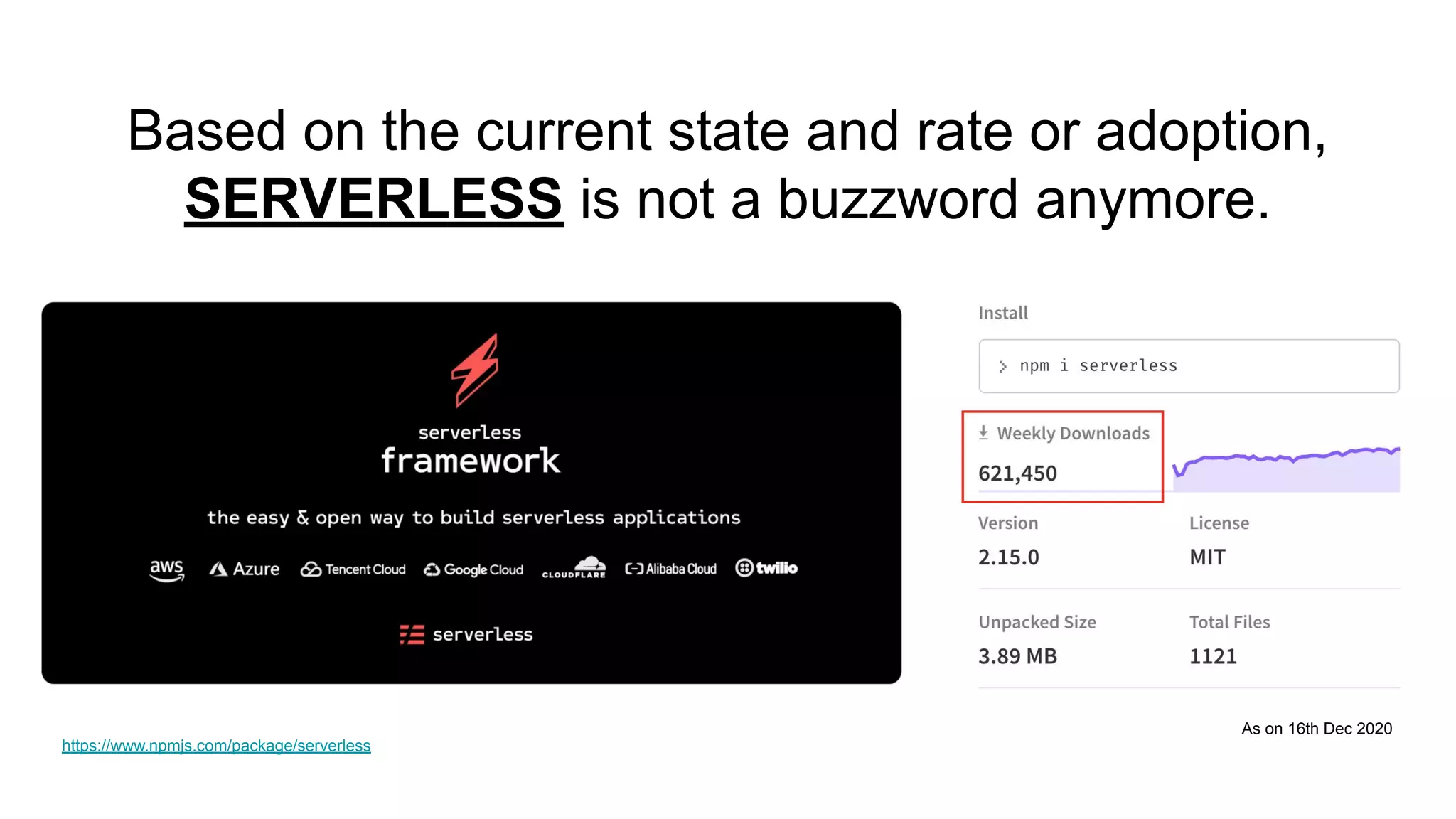
Based on the current state and rate or adoption,
SERVERLESS is not a buzzword anymore.
As on 16th Dec 2020
https://www.npmjs.com/package/serverless
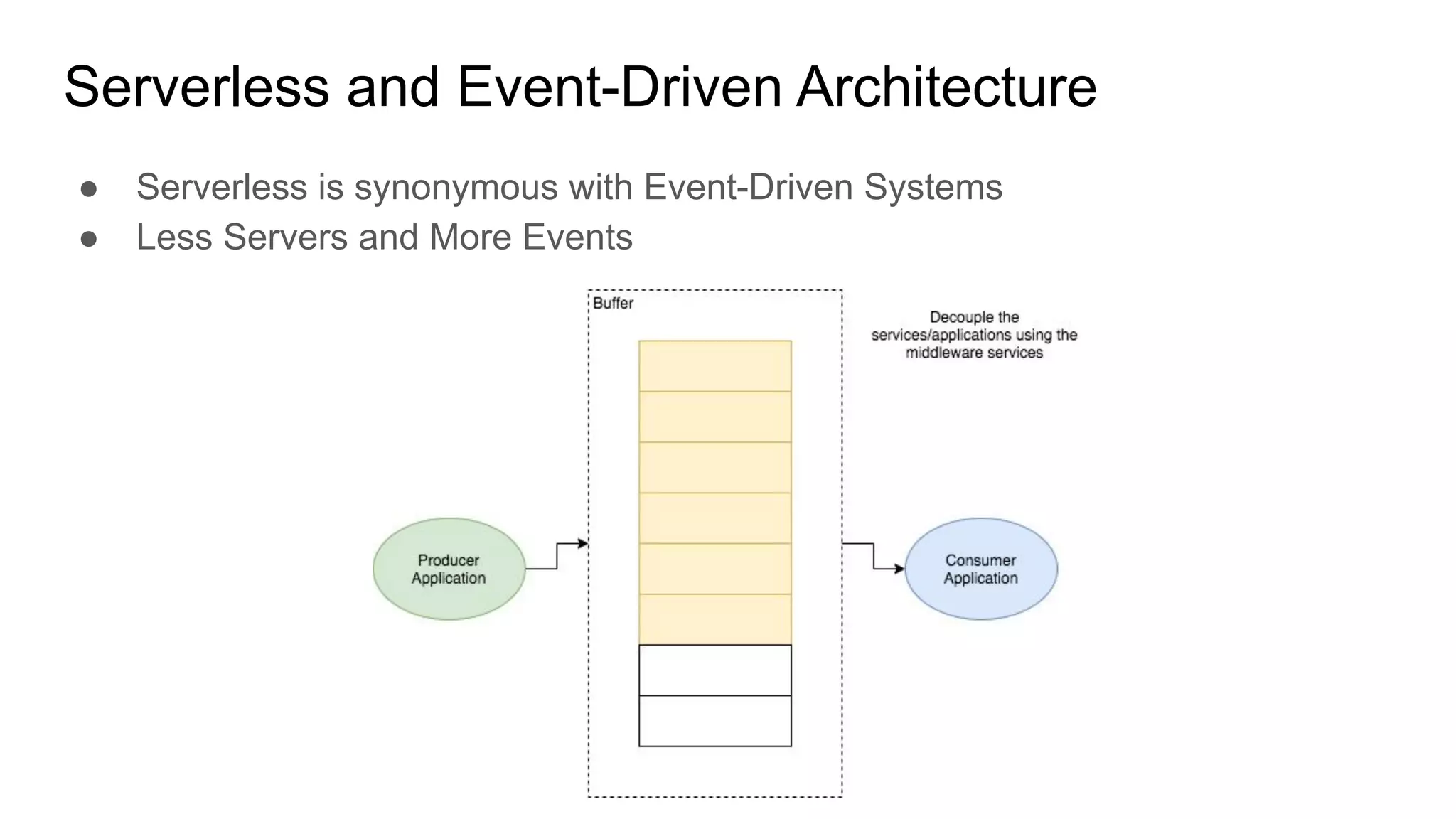
Serverless and Event-Driven Architecture
● Serverless is synonymous with Event-Driven Systems
● Less Servers and More Events
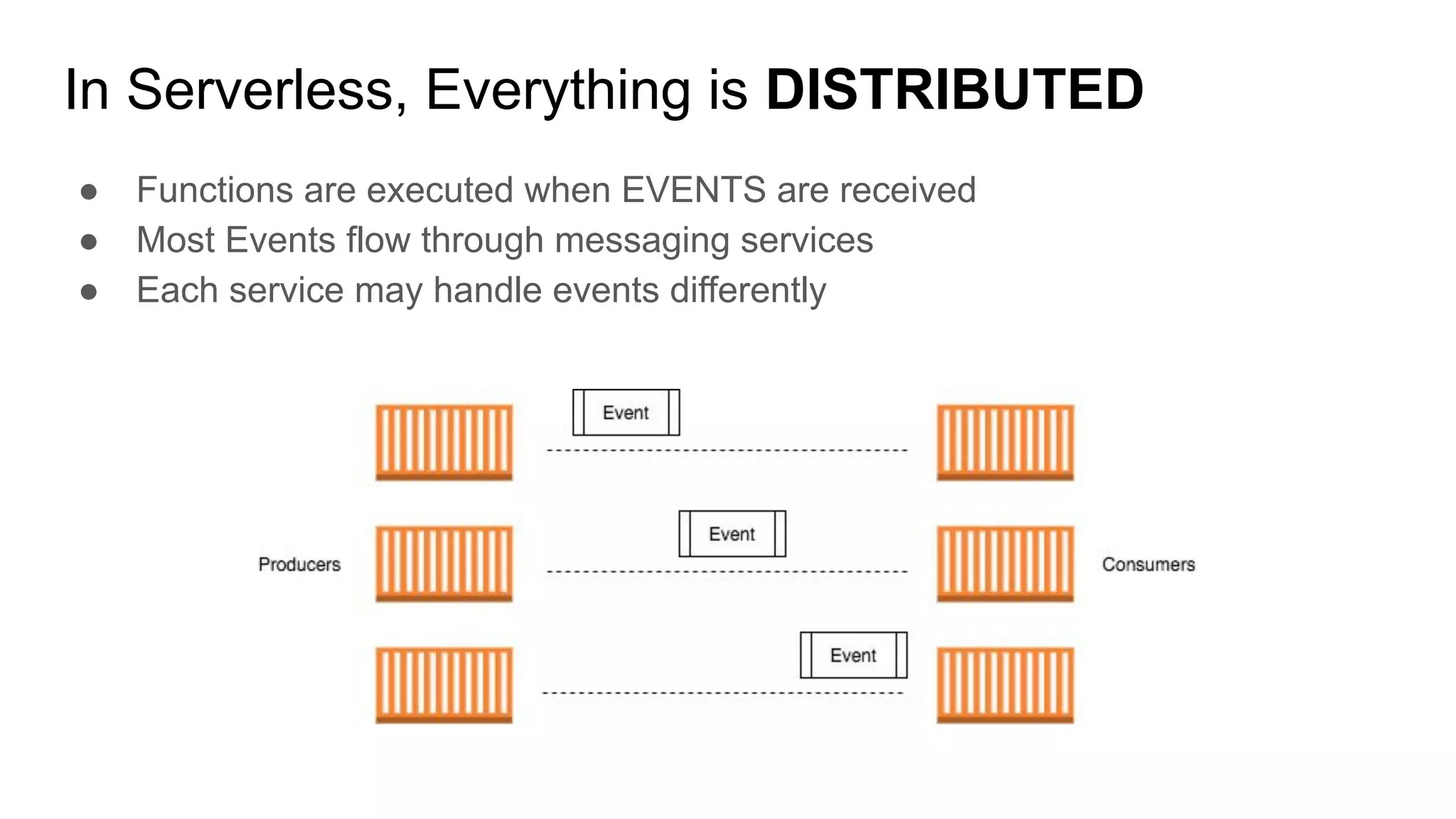
In Serverless, Everything is DISTRIBUTED
● Functions are executed when EVENTS are received
● Most Events flow through messaging services
● Each service may handle events differently
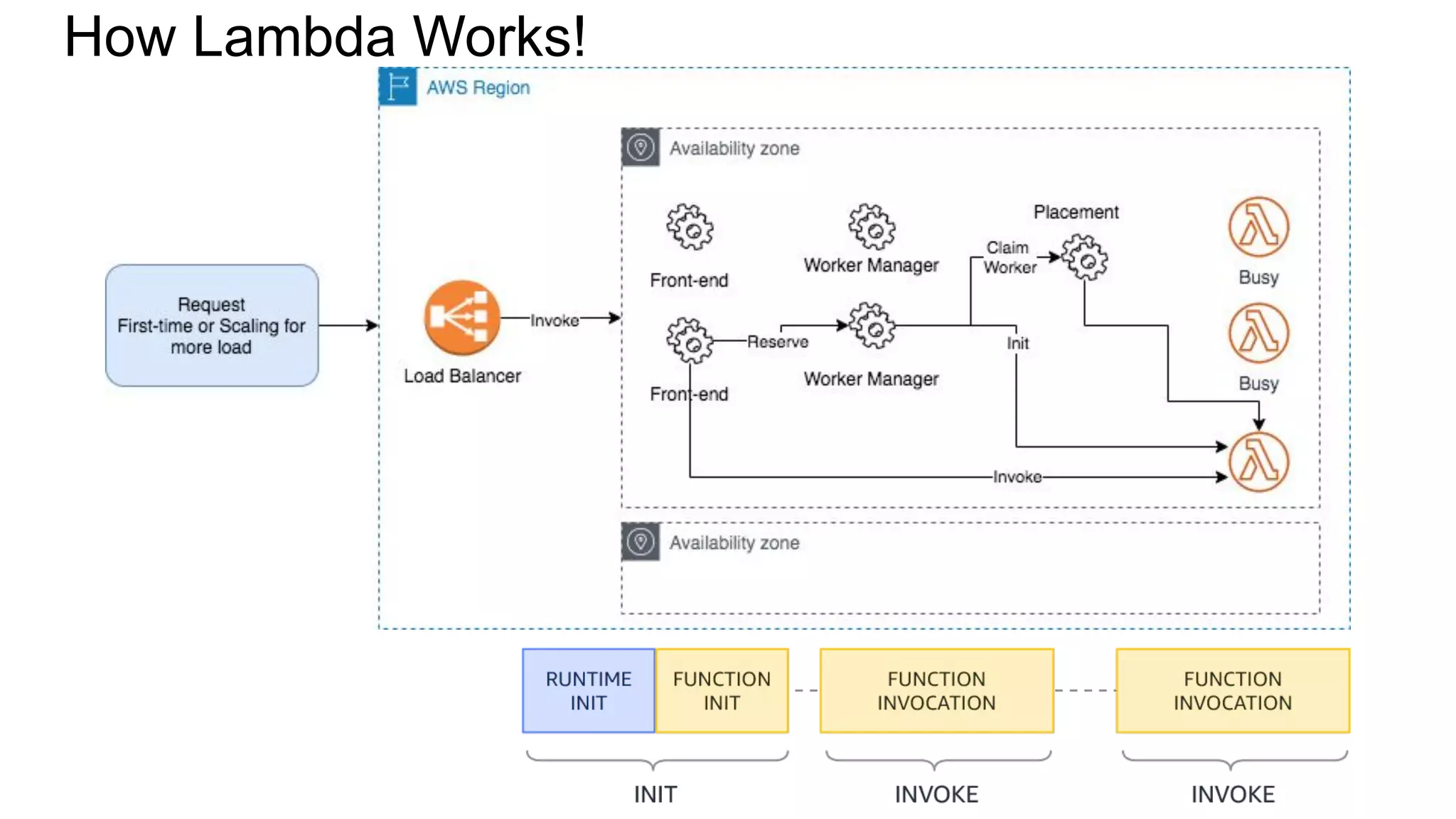
How Lambda Works!
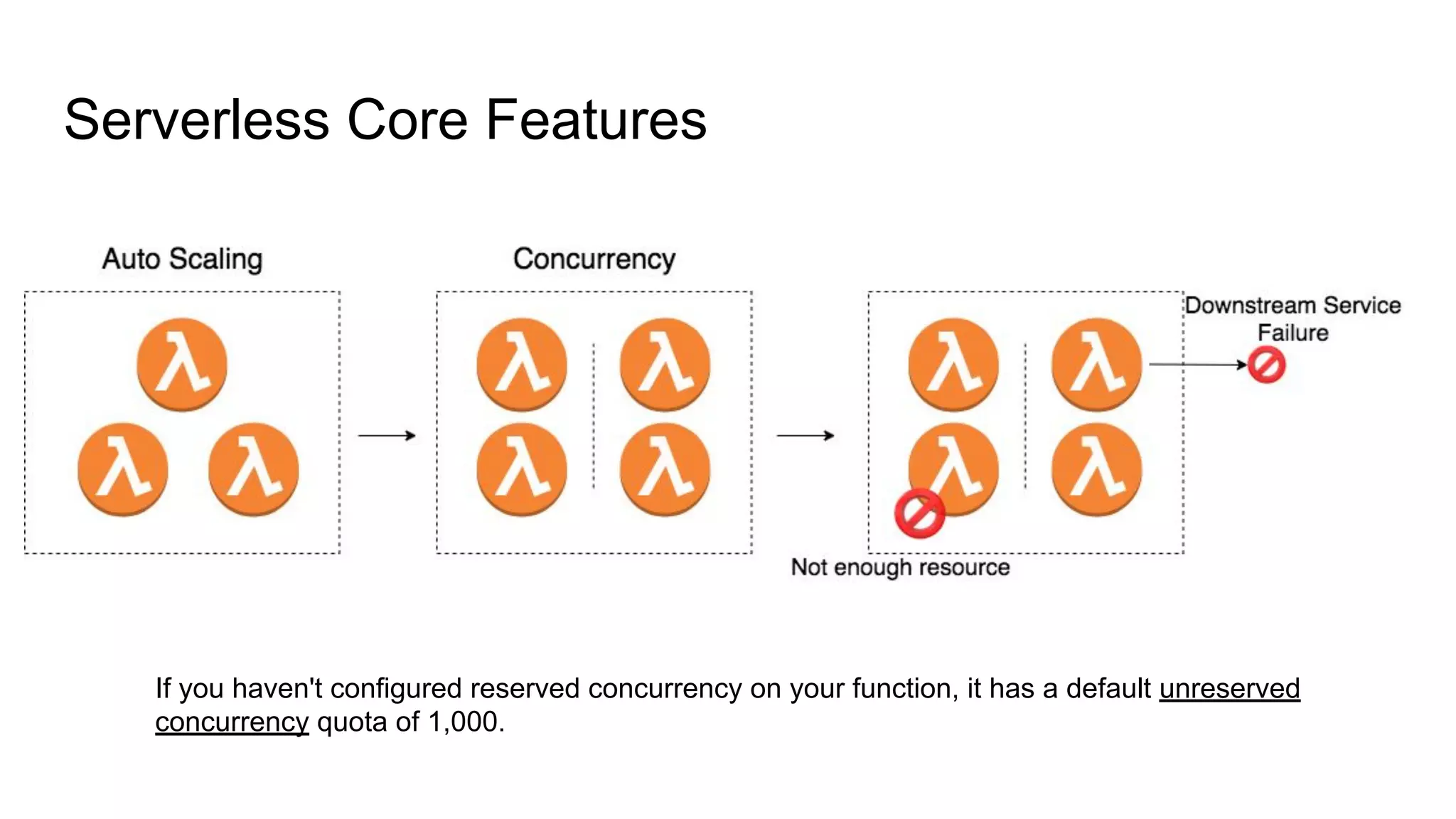
Serverless Core Features
If you haven't configured reserved concurrency on your function, it has a default unreserved
concurrency quota of 1,000.
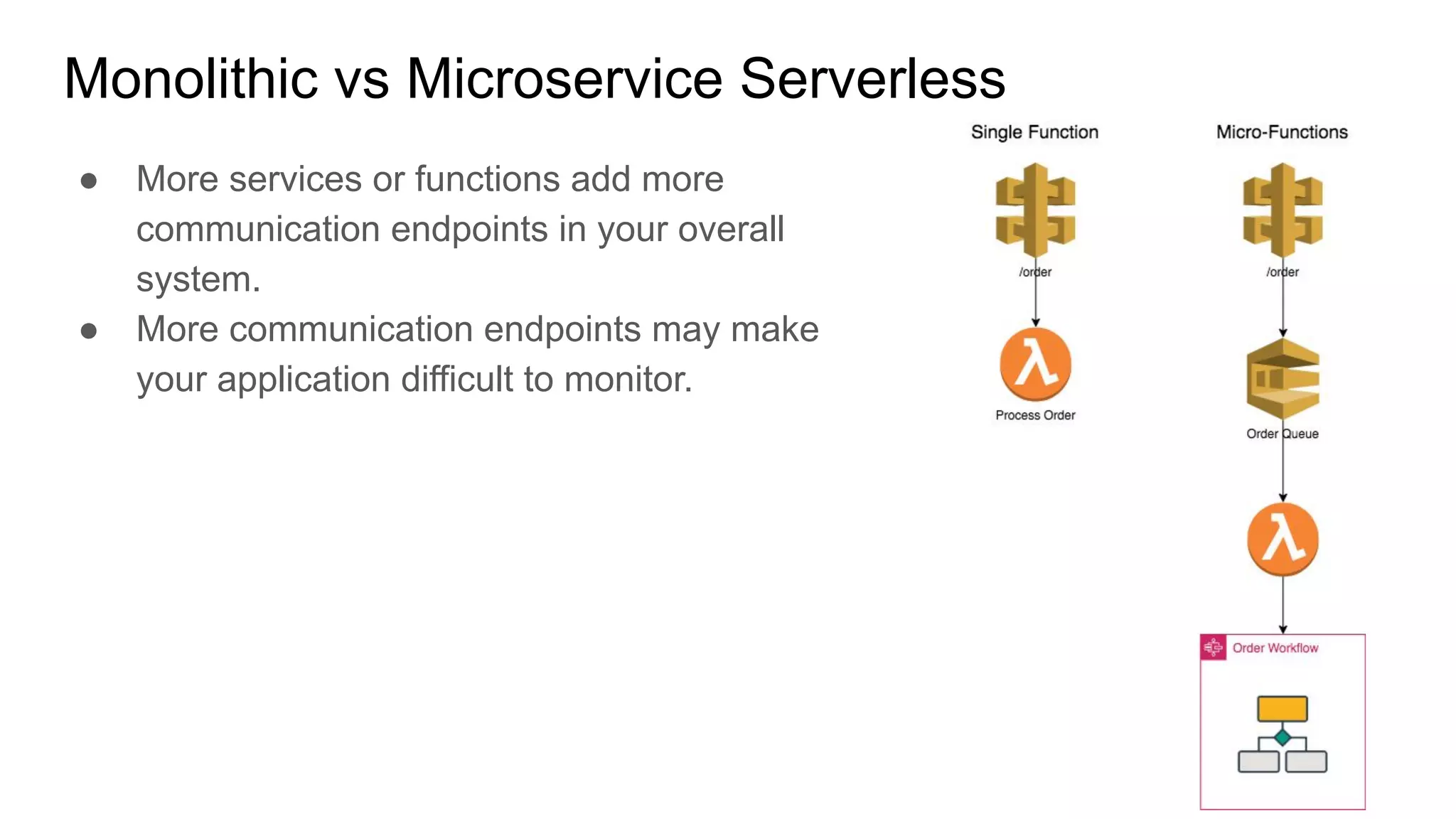
Monolithic vs Microservice Serverless
● More services or functions add more
communication endpoints in your overall
system.
● More communication endpoints may make
your application difficult to monitor.
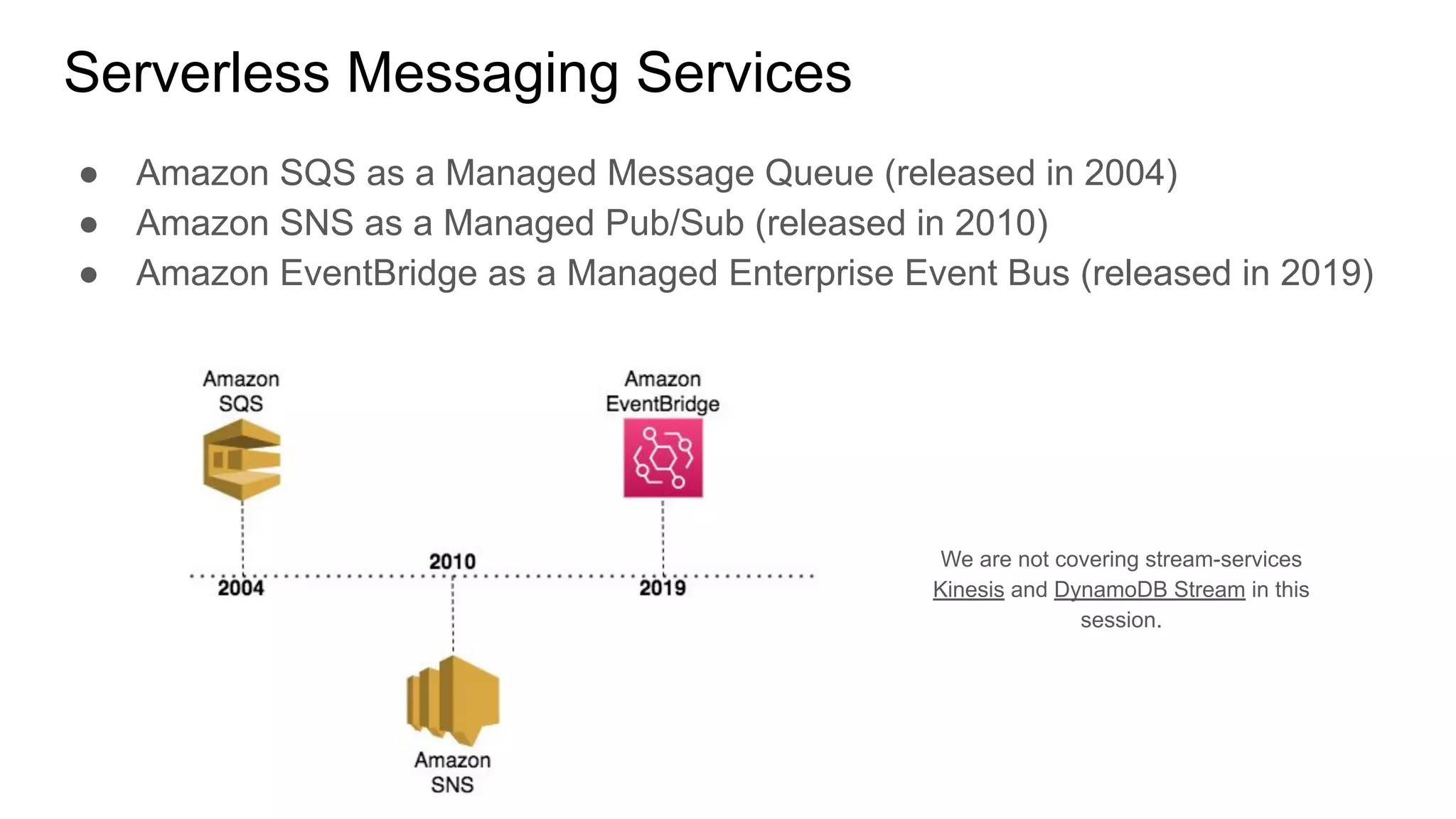
Serverless Messaging Services
● Amazon SQS as a Managed Message Queue (released in 2004)
● Amazon SNS as a Managed Pub/Sub (released in 2010)
● Amazon EventBridge as a Managed Enterprise Event Bus (released in 2019)
We are not covering stream-services
Kinesis and DynamoDB Stream in this
session.
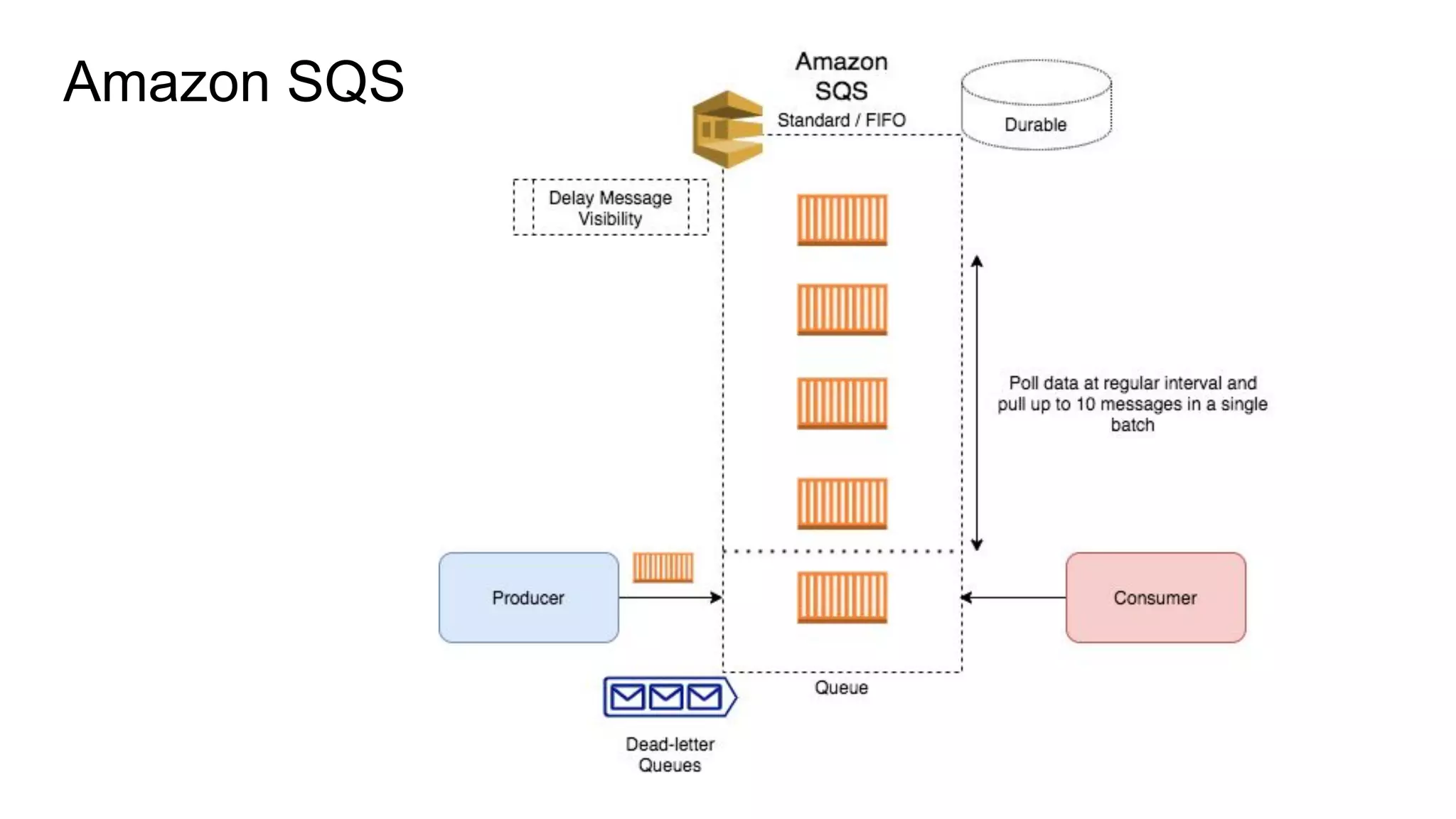
Amazon SQS
Amazon SQS
● Used as a Buffer between producers and consumer application
● Consumer can POLL for messages in SHORT or LONG burst
● Can deliver up to 10 messages in a Batch
● Messages can be retained for up to 14 days
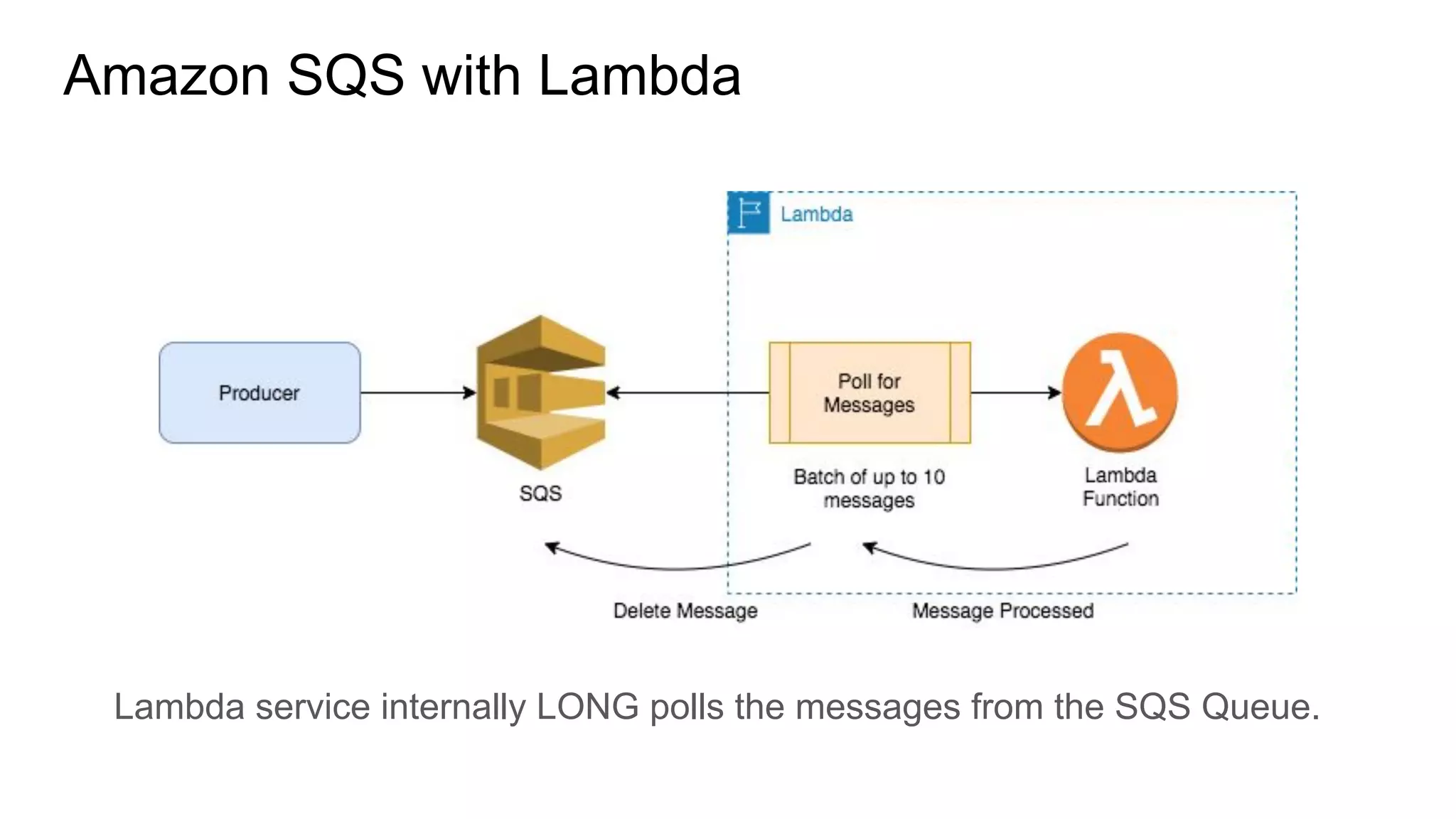
Amazon SQS with Lambda
Lambda service internally LONG polls the messages from the SQS Queue.
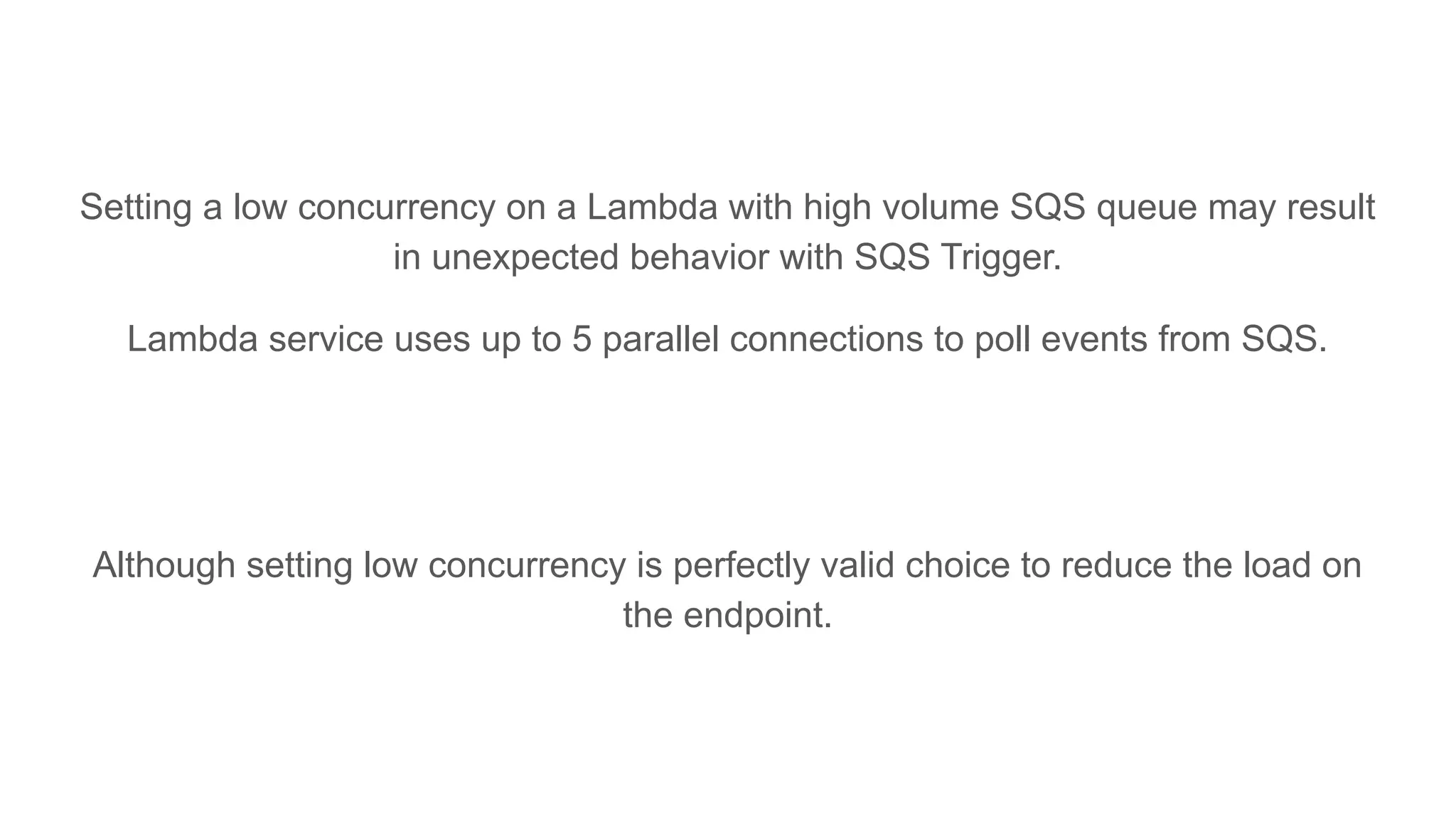
Setting a low concurrency on a Lambda with high volume SQS queue may result
in unexpected behavior with SQS Trigger.
Lambda service uses up to 5 parallel connections to poll events from SQS.
Although setting low concurrency is perfectly valid choice to reduce the load on
the endpoint.
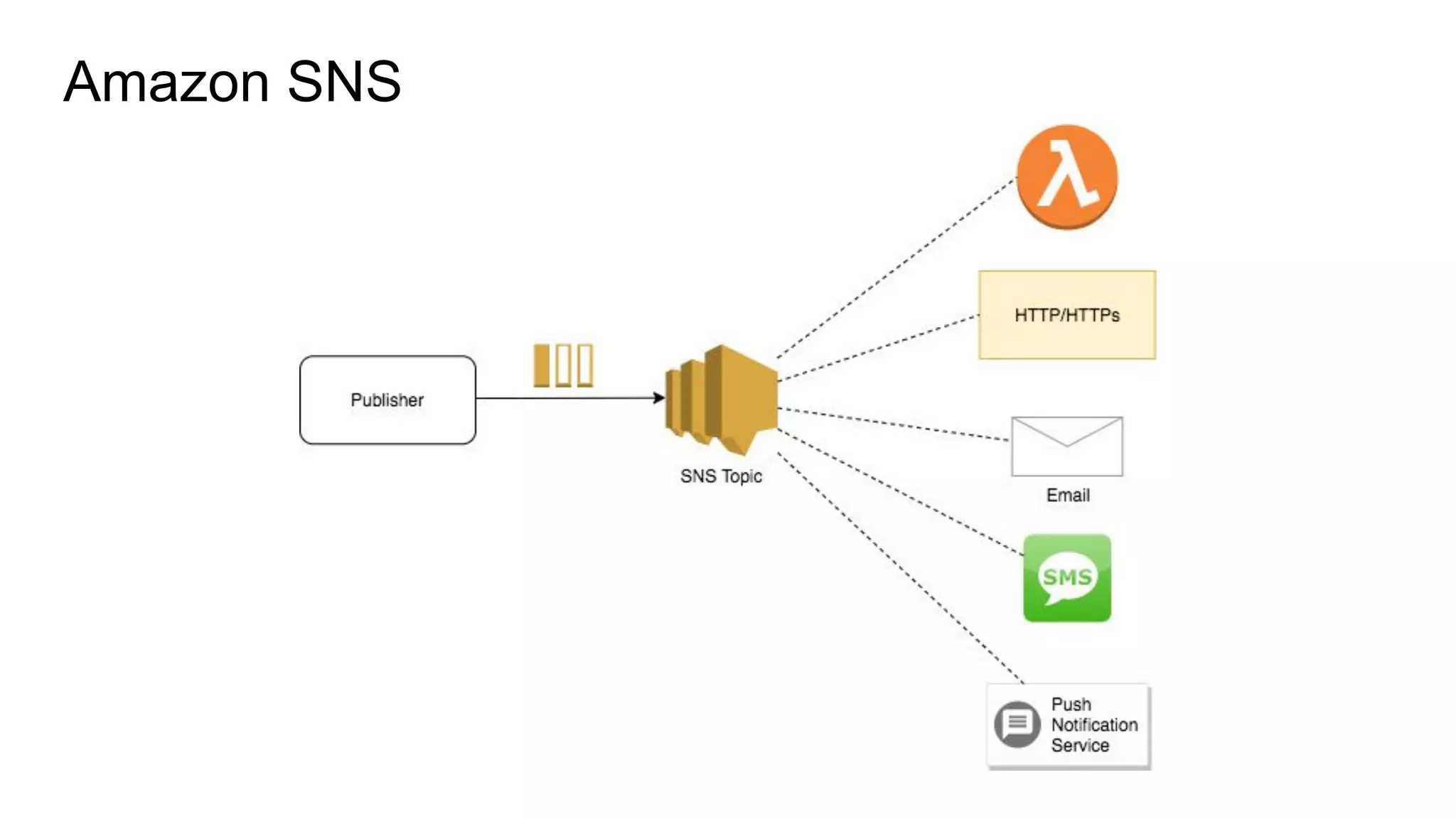
Amazon SNS
Amazon SNS
● Publish/Subscribe mechanism
● Message is delivered to all the subscribers of the topic
● Messages are not retained in case there is no consumers available
● SNS supports up to 12.5 Million Subscribers
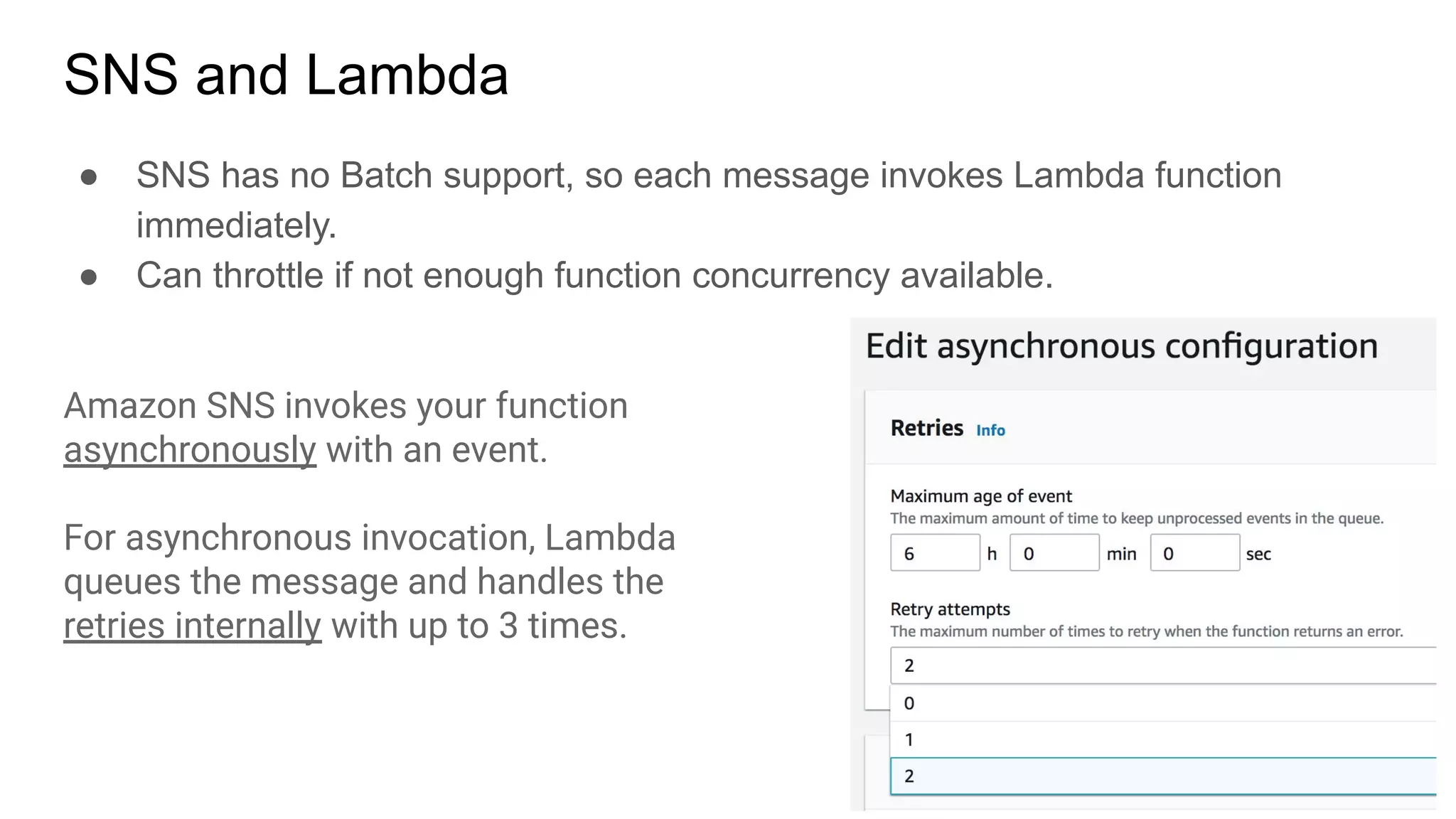
SNS and Lambda
● SNS has no Batch support, so each message invokes Lambda function
immediately.
● Can throttle if not enough function concurrency available.
Amazon SNS invokes your function
asynchronously with an event.
For asynchronous invocation, Lambda
queues the message and handles the
retries internally with up to 3 times.
Amazon EventBridge
Amazon EventBridge
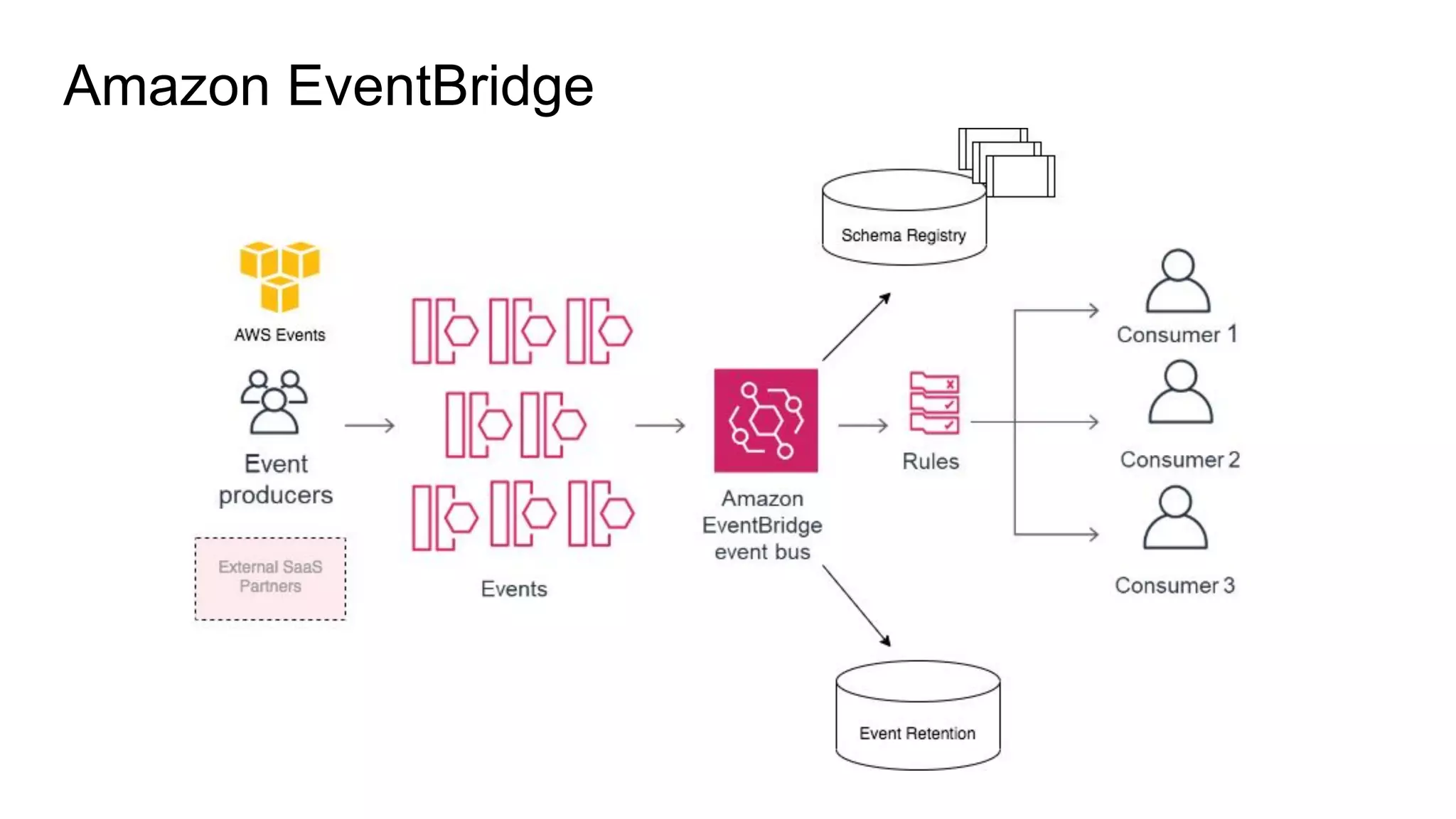
● Event Bus consumes the events.
● Event Rules attached with event buses filter and deliver the events to the
targets.
● EventBridge has default bus to listen to all of AWS infrastructure events.
● EventBridge has SaaS Partner Buses to listen for partner-specific events, like
DataDog, MongoDB Atlas, PagerDuty, Auth0, etc
● EventBridge has custom buses to allow applications-to-application
communication.
● EventBridge can Retain and Replay Events in the future (New Feature)
Amazon EventBridge supports around 90 AWS Services, 34 AWS Partners
as Event Source and 17 Target AWS Services.
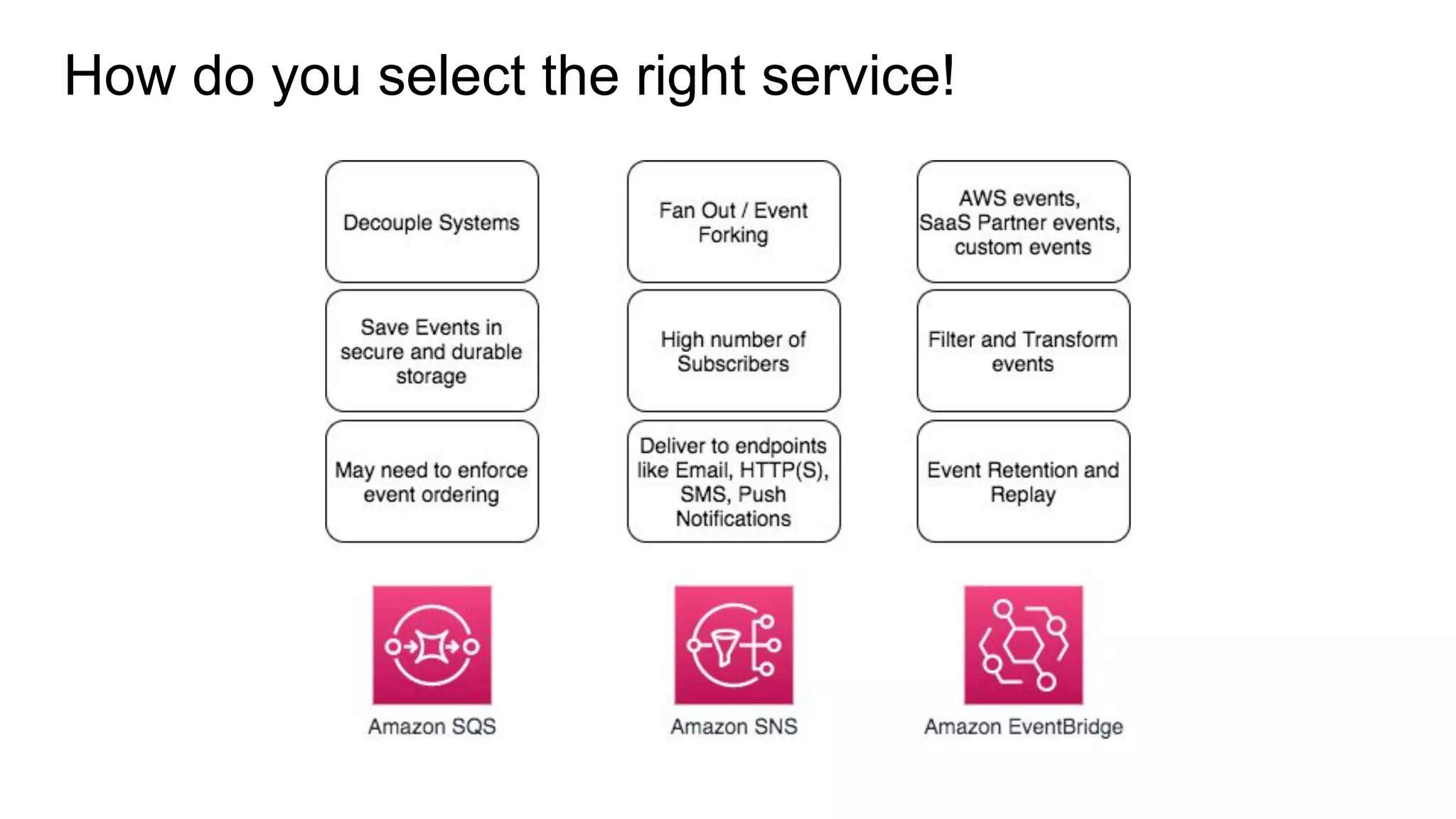
How do you select the right service!
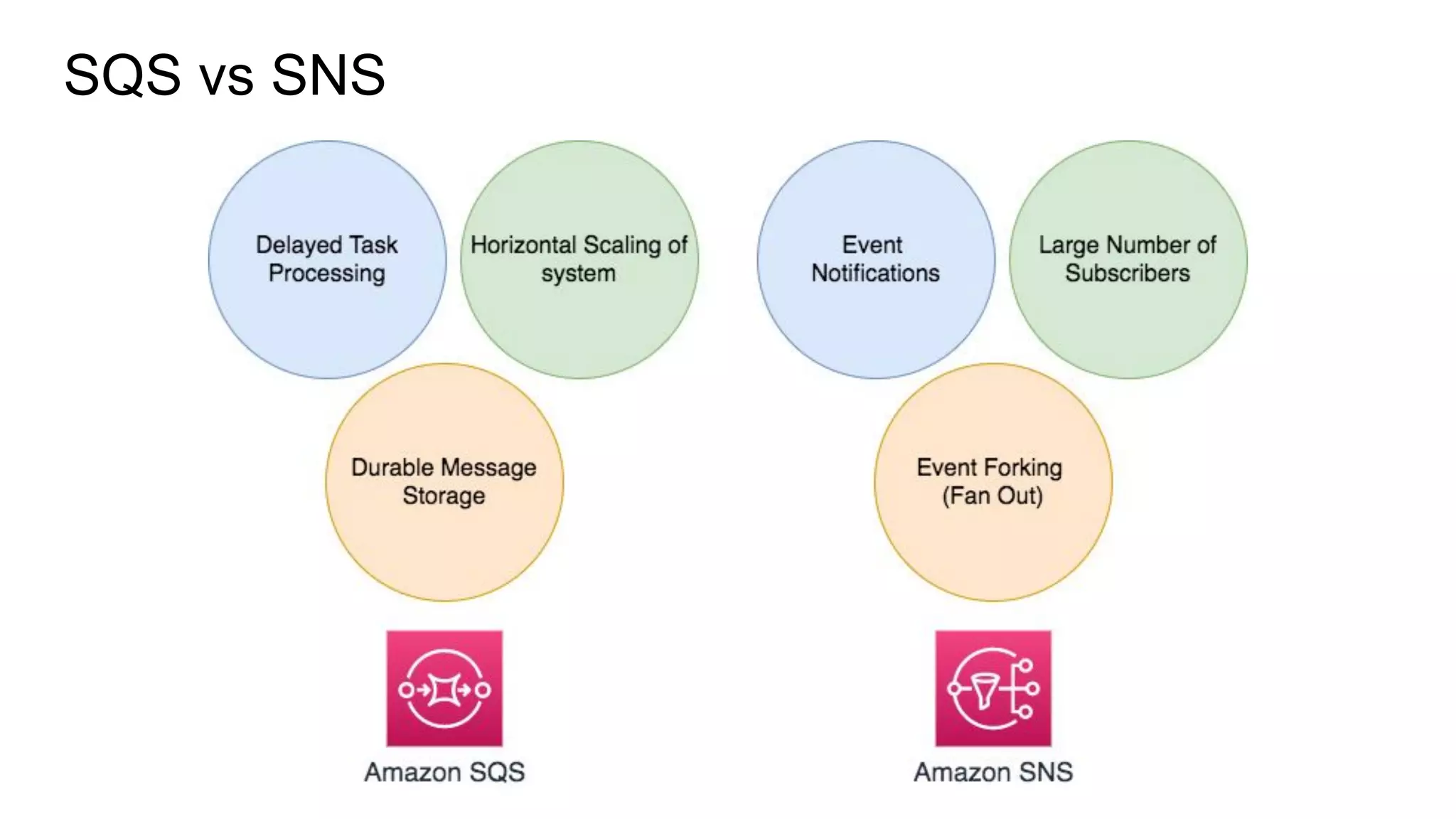
SQS vs SNS
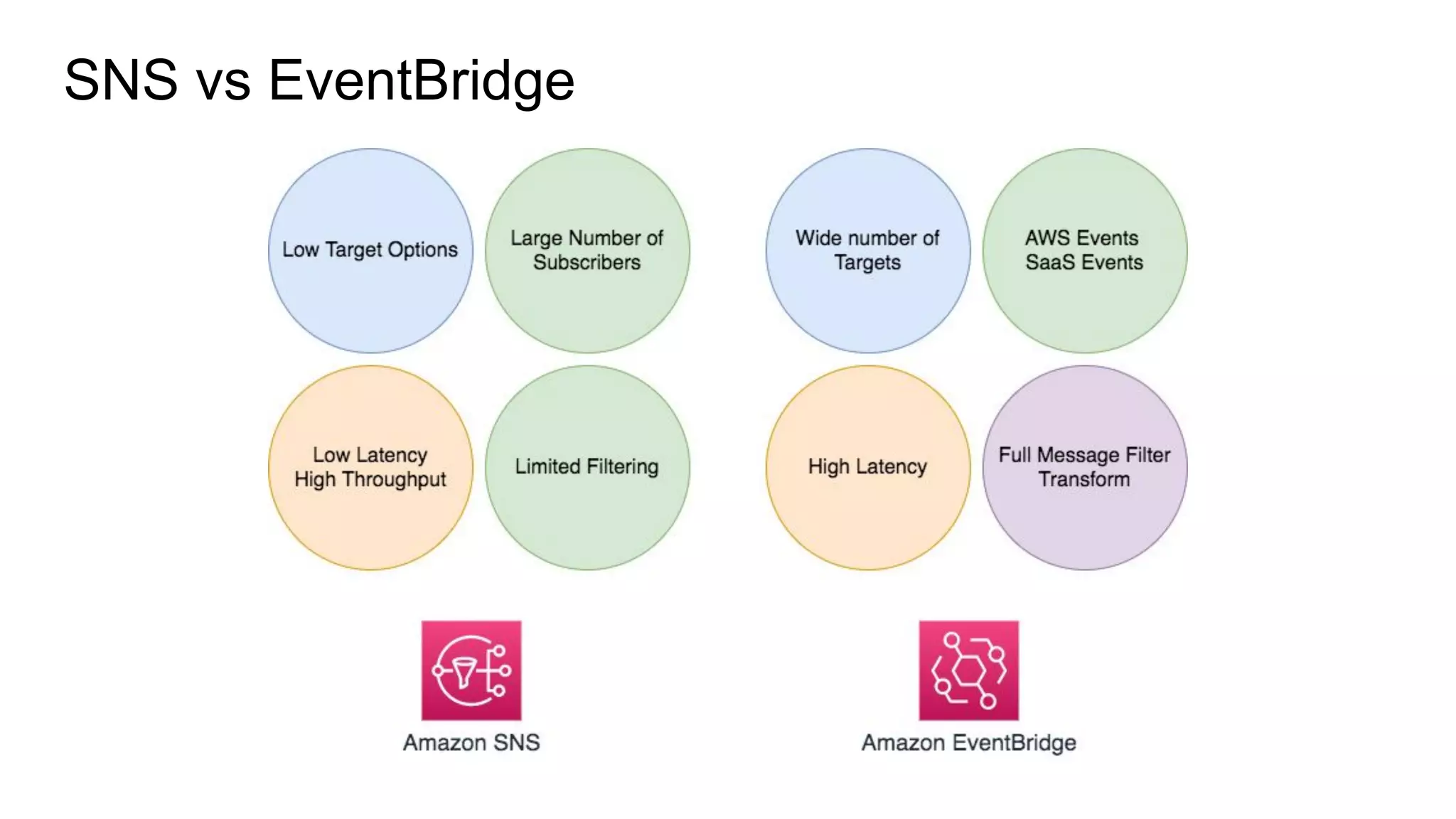
SNS vs EventBridge
Questions!!
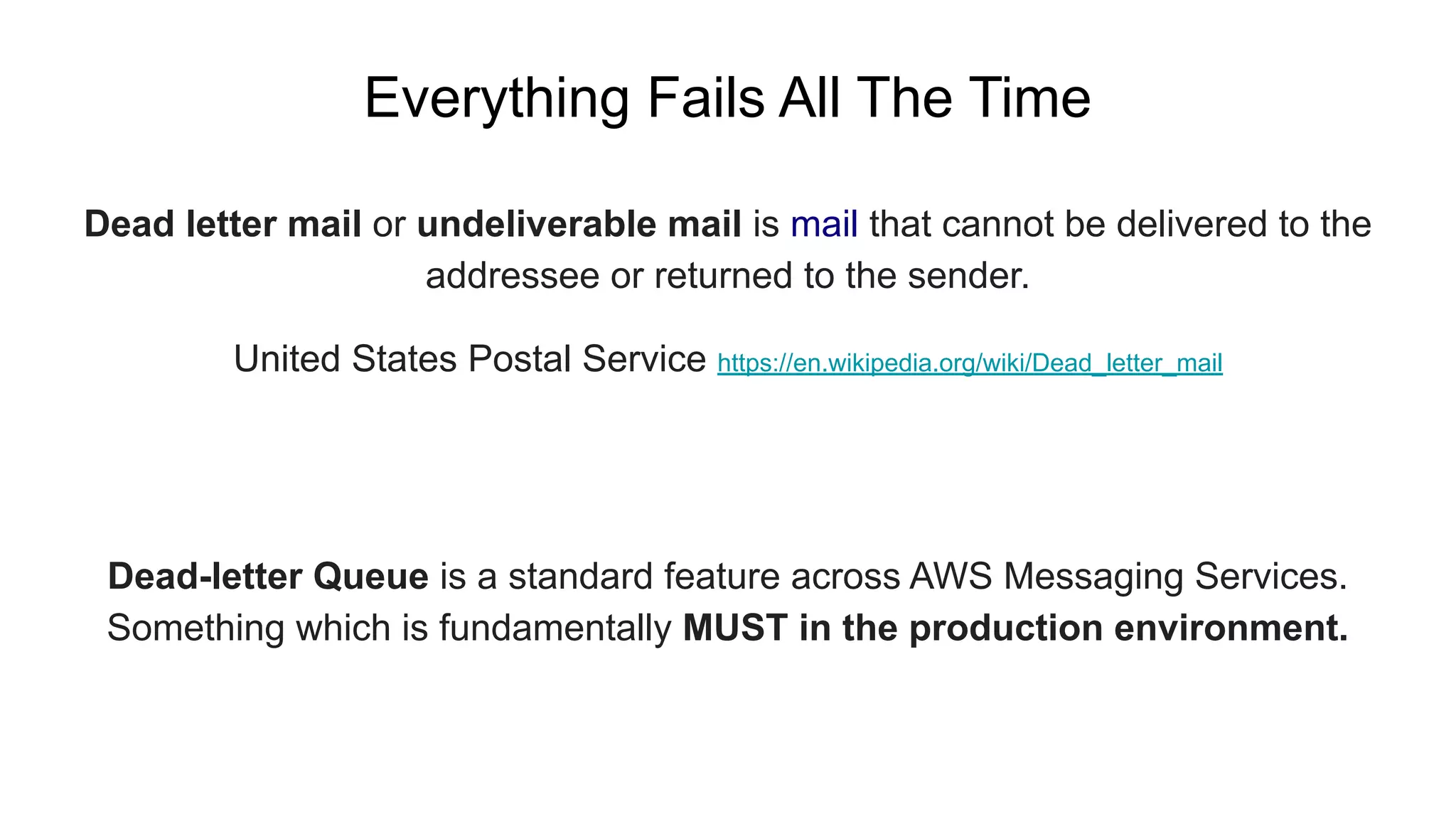
Dead letter mail or undeliverable mail is mail that cannot be delivered to the
addressee or returned to the sender.
United States Postal Service https://en.wikipedia.org/wiki/Dead_letter_mail
Everything Fails All The Time
Dead-letter Queue is a standard feature across AWS Messaging Services.
Something which is fundamentally MUST in the production environment.
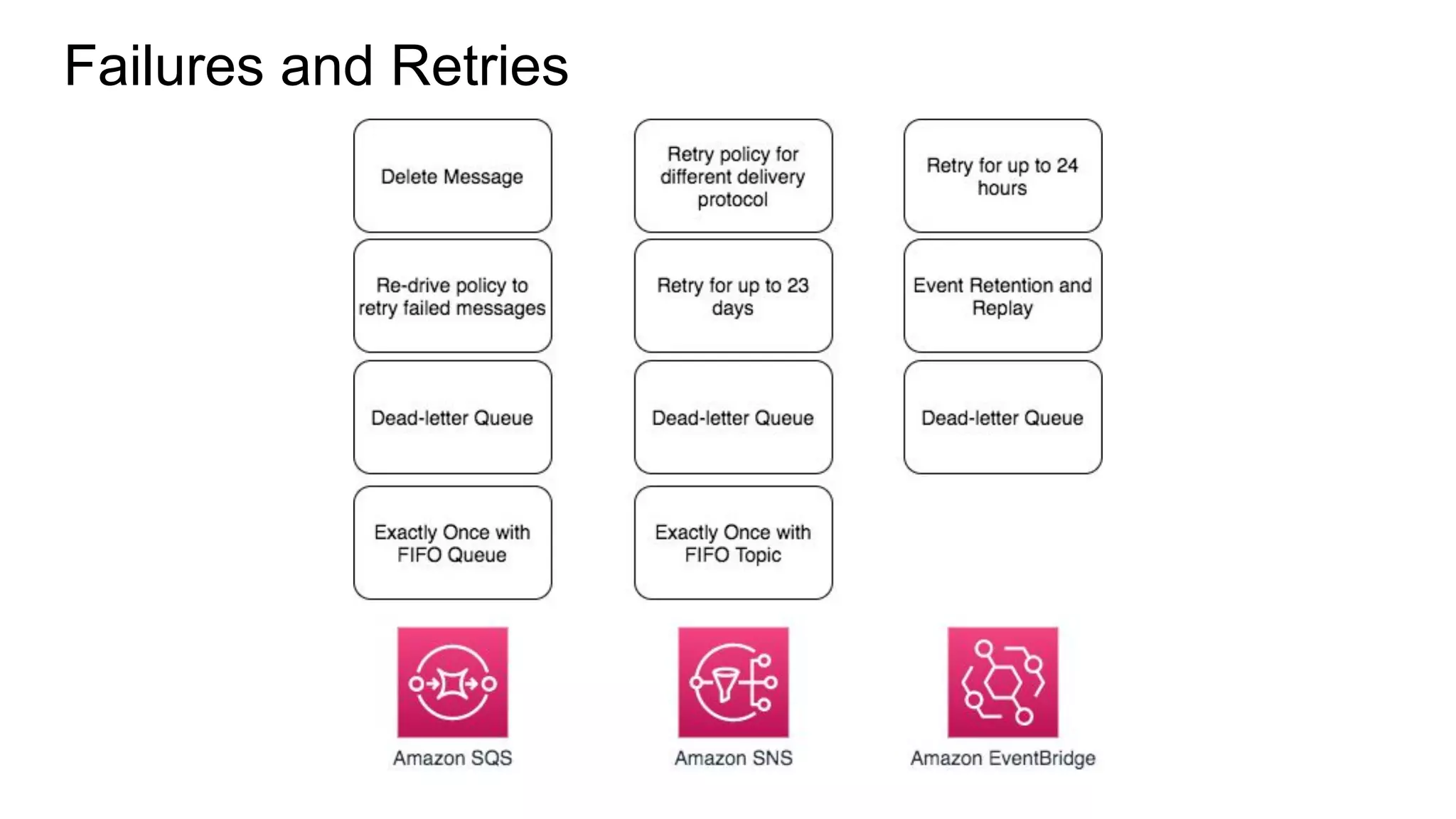
Failures and Retries
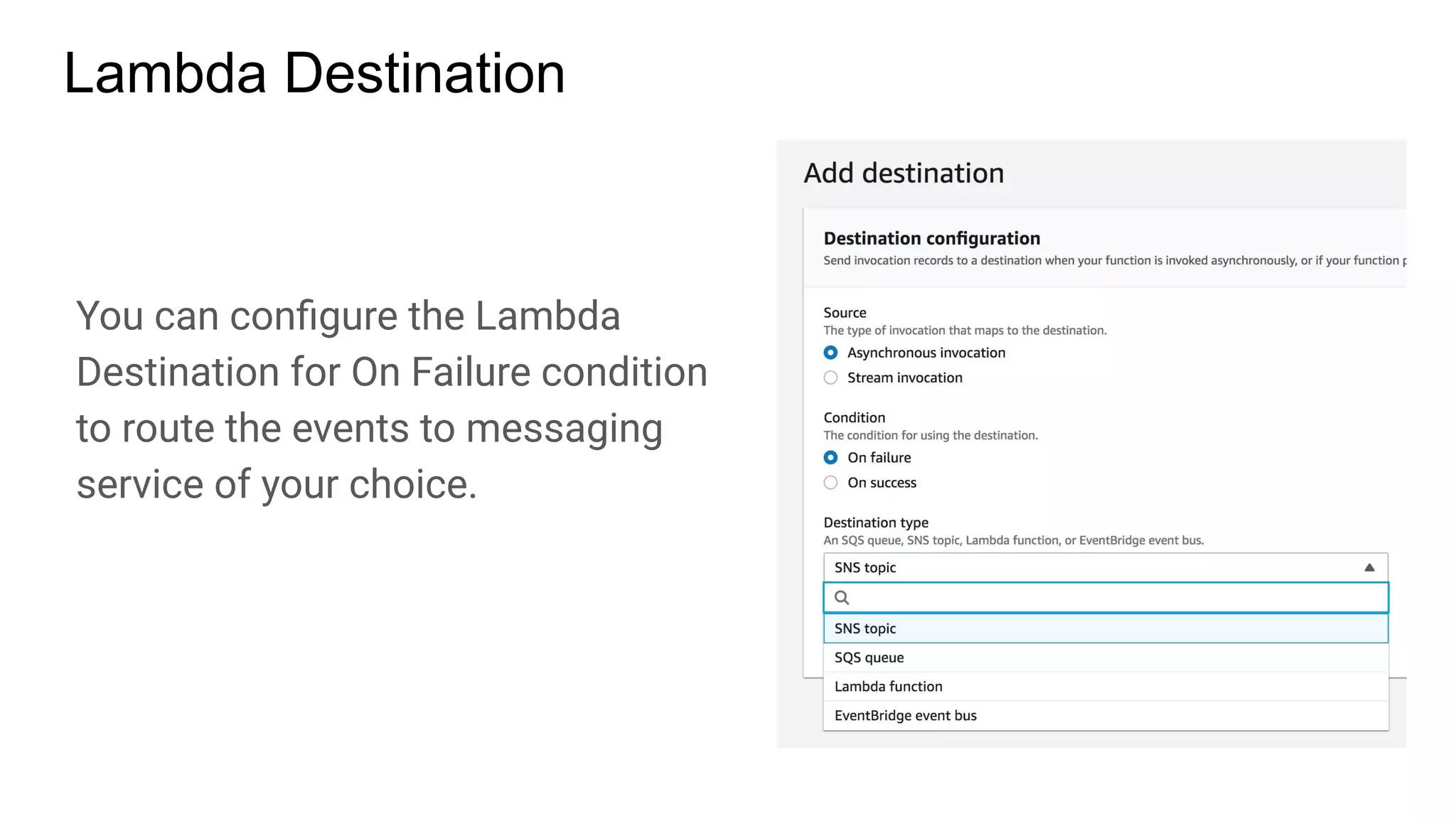
Lambda Destination
You can configure the Lambda
Destination for On Failure condition
to route the events to messaging
service of your choice.
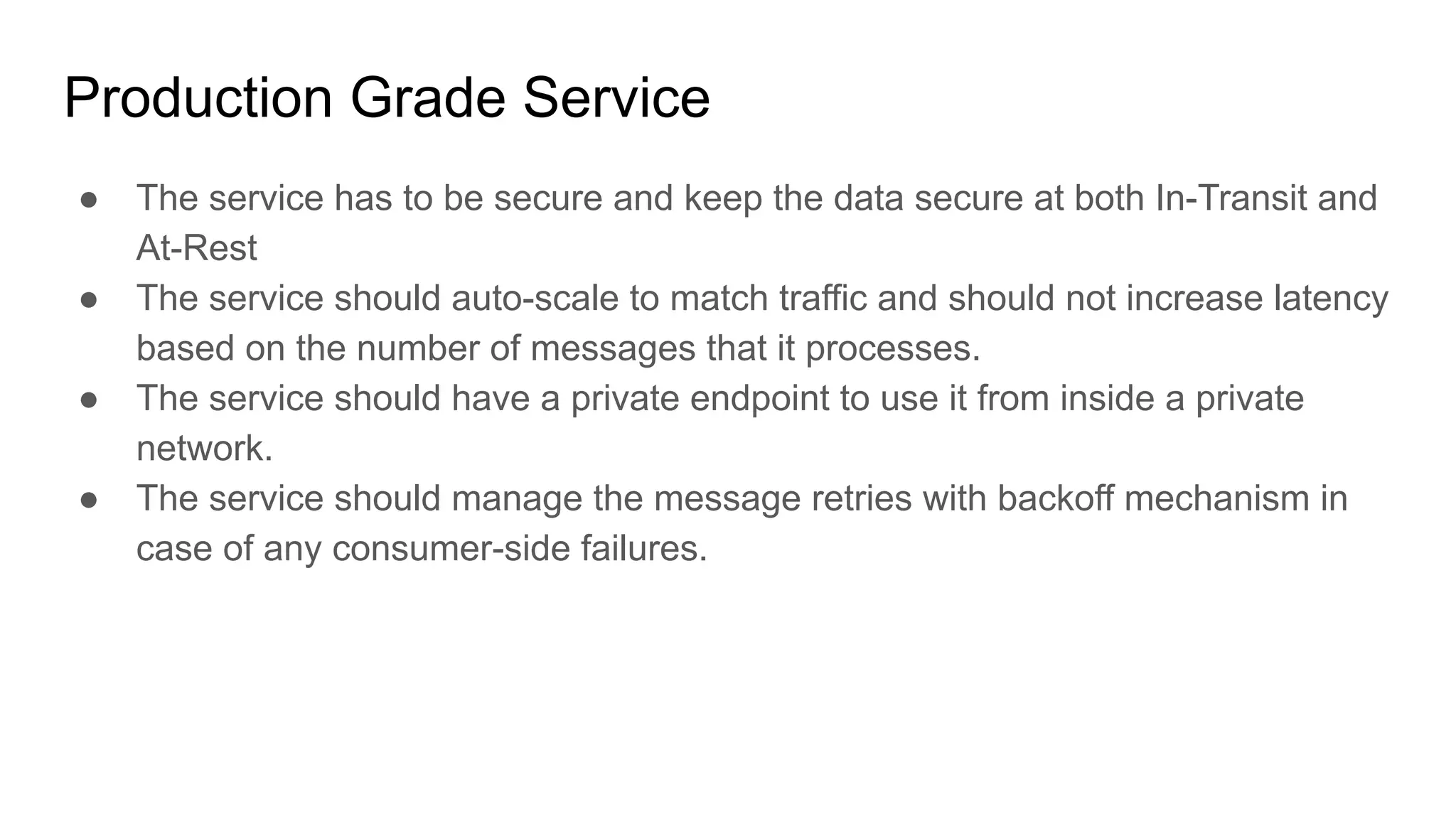
Production Grade Service
● The service has to be secure and keep the data secure at both In-Transit and
At-Rest
● The service should auto-scale to match traffic and should not increase latency
based on the number of messages that it processes.
● The service should have a private endpoint to use it from inside a private
network.
● The service should manage the message retries with backoff mechanism in
case of any consumer-side failures.
Once you put a messaging service in place, your system is now divided in parts.
It could be 2 or N.
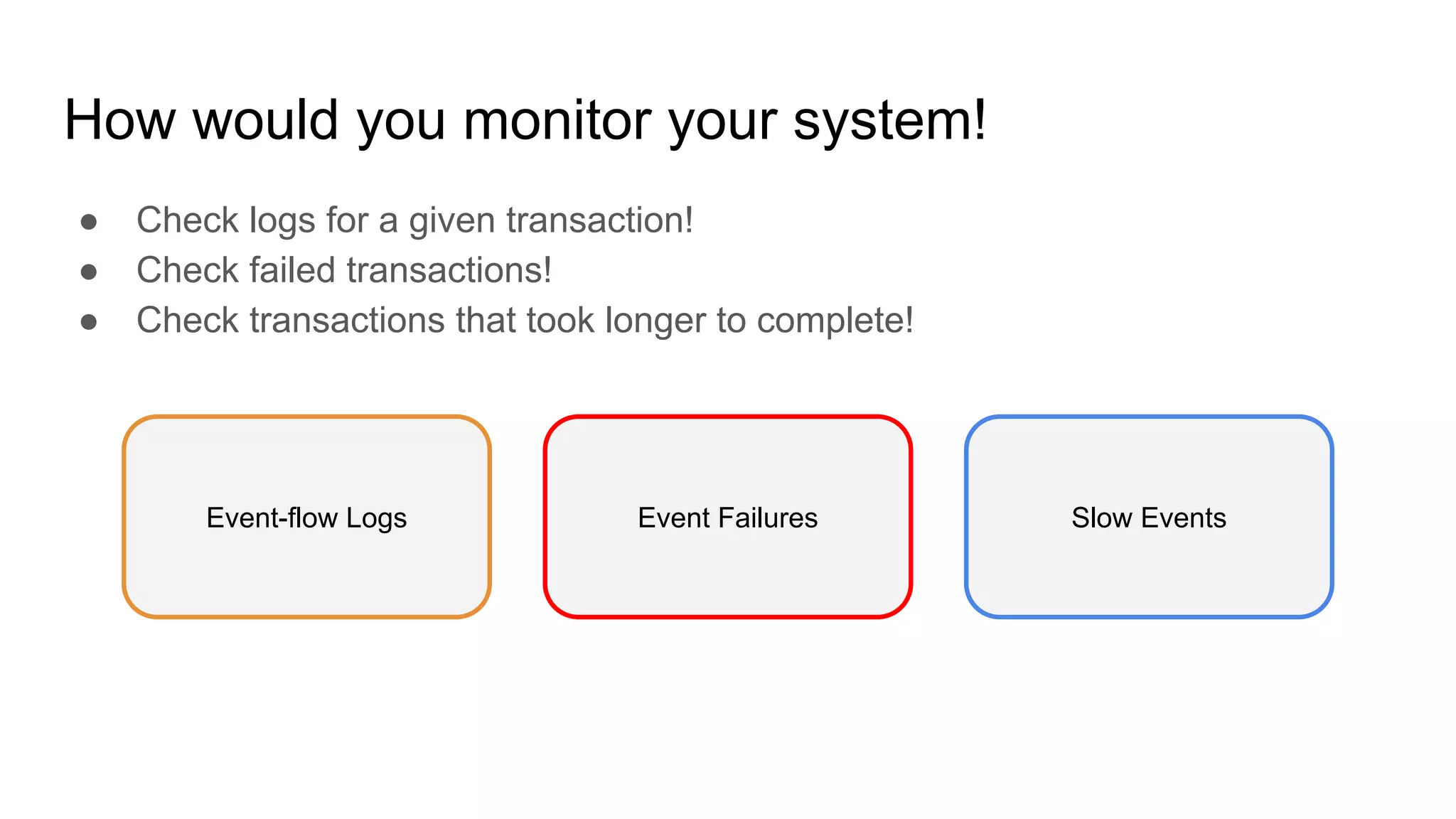
How would you monitor your system!
● Check logs for a given transaction!
● Check failed transactions!
● Check transactions that took longer to complete!
Event Failures Slow EventsEvent-flow Logs
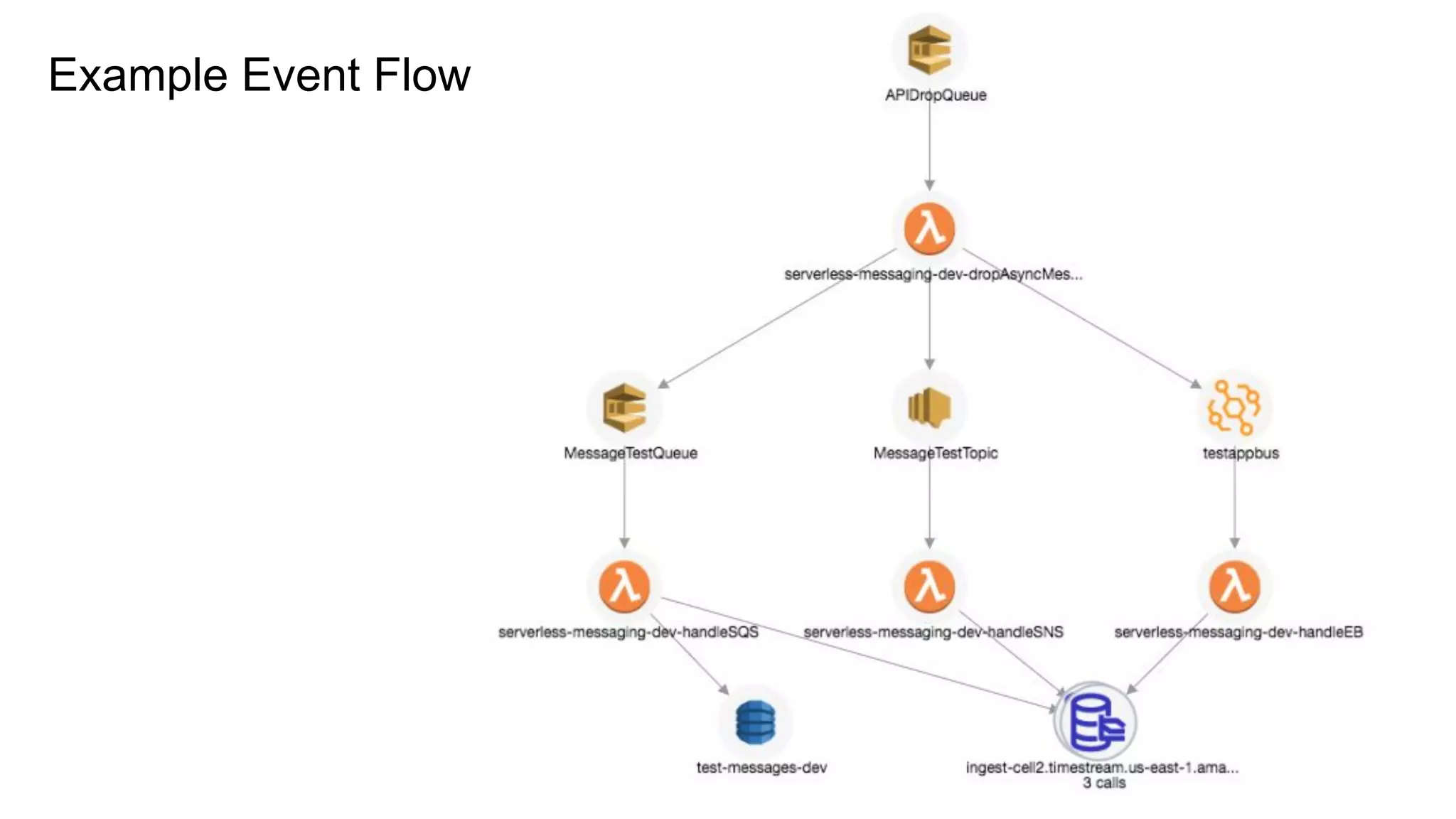
Example Event Flow
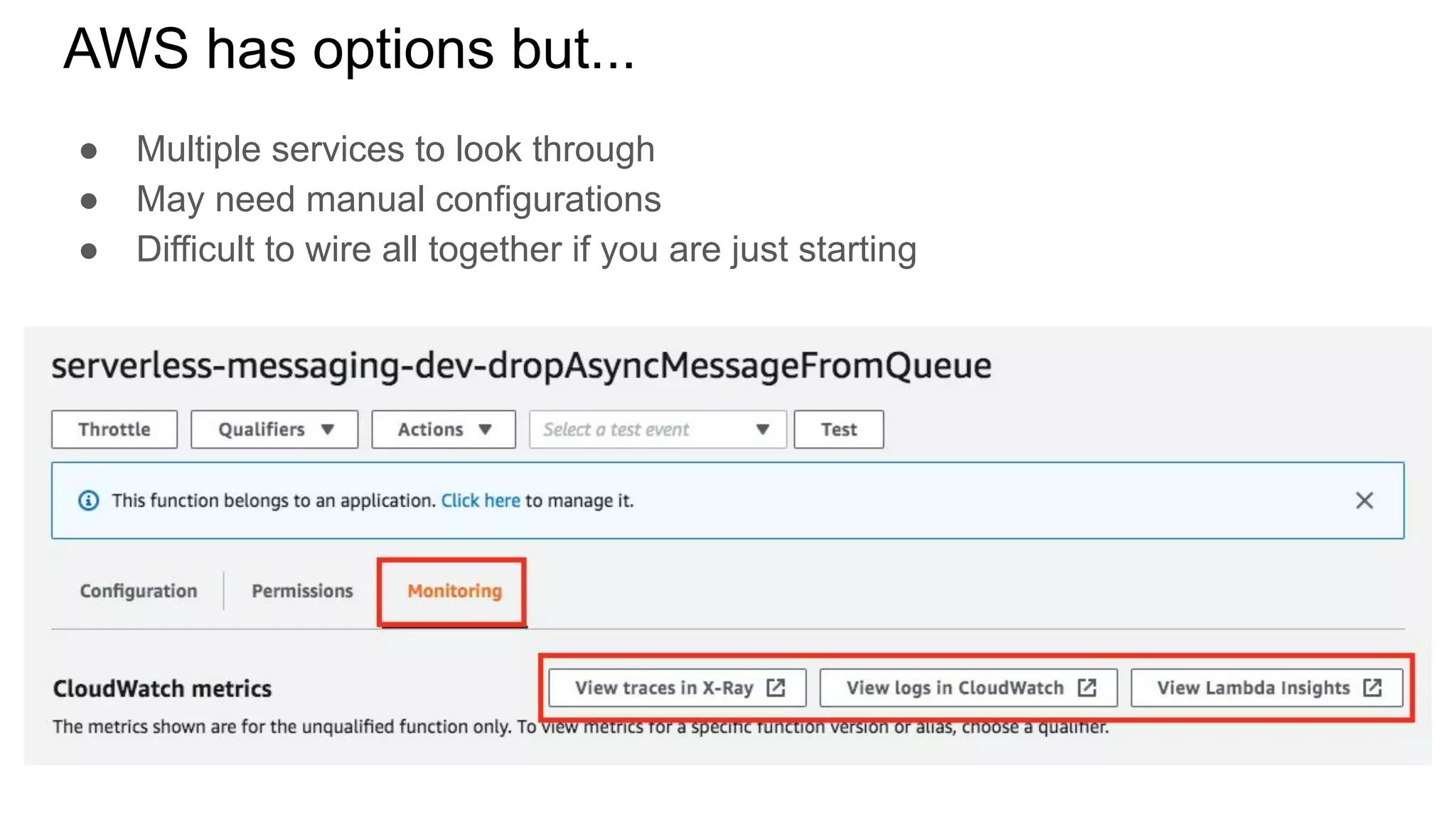
AWS has options but...
● Multiple services to look through
● May need manual configurations
● Difficult to wire all together if you are just starting
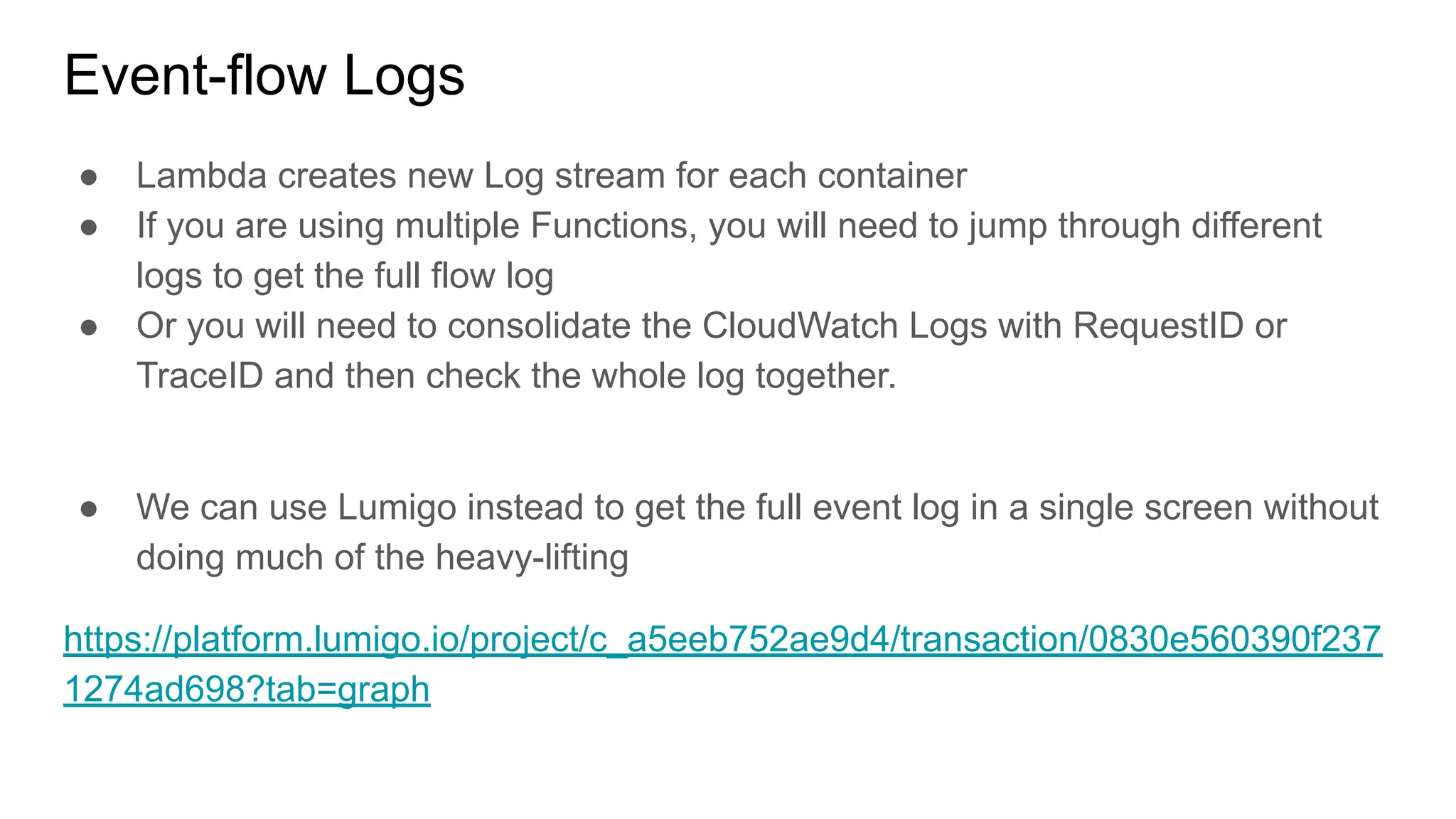
Event-flow Logs
● Lambda creates new Log stream for each container
● If you are using multiple Functions, you will need to jump through different
logs to get the full flow log
● Or you will need to consolidate the CloudWatch Logs with RequestID or
TraceID and then check the whole log together.
● We can use Lumigo instead to get the full event log in a single screen without
doing much of the heavy-lifting
https://platform.lumigo.io/project/c_a5eeb752ae9d4/transaction/0830e560390f237
1274ad698?tab=graph
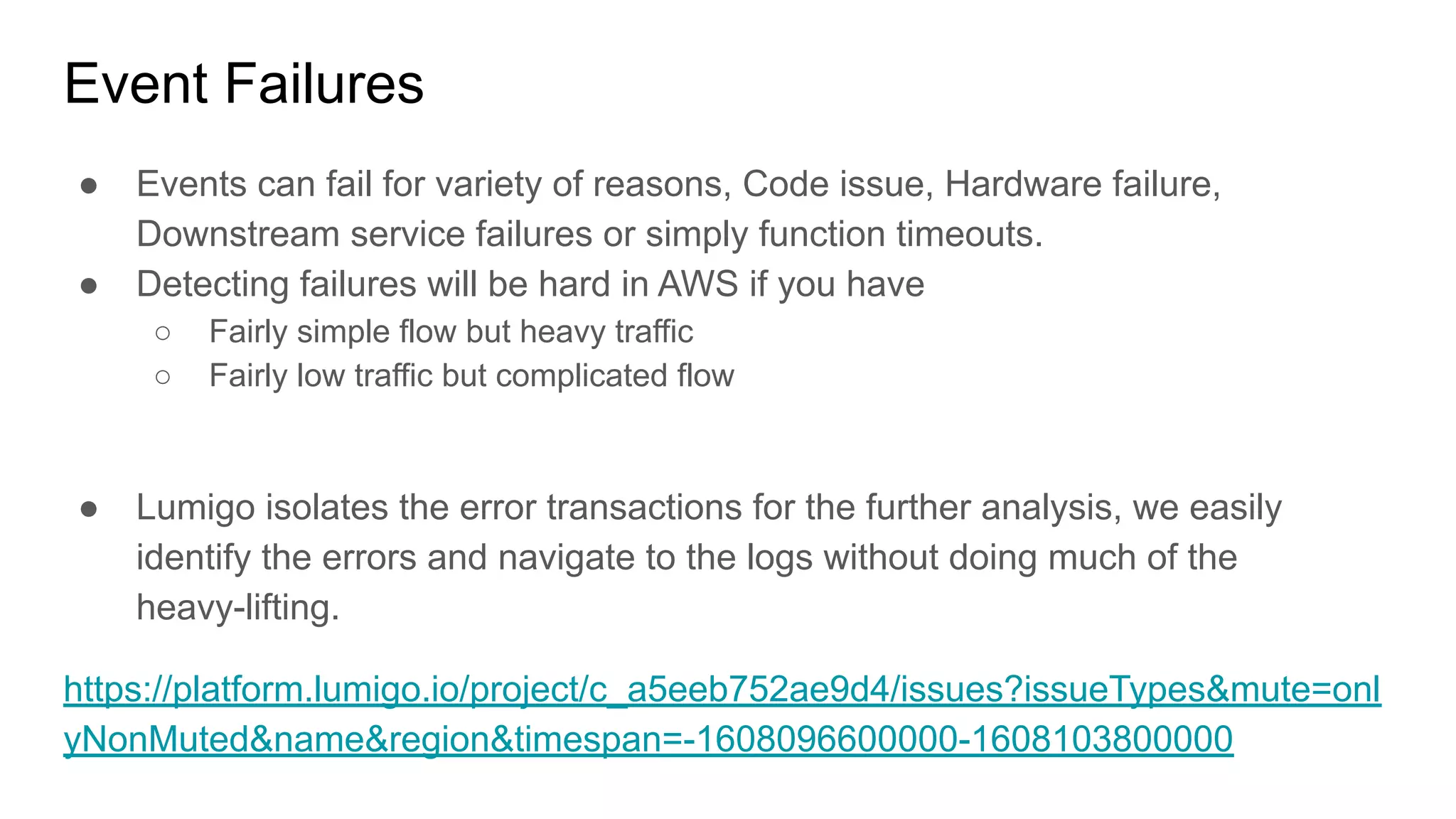
Event Failures
● Events can fail for variety of reasons, Code issue, Hardware failure,
Downstream service failures or simply function timeouts.
● Detecting failures will be hard in AWS if you have
○ Fairly simple flow but heavy traffic
○ Fairly low traffic but complicated flow
● Lumigo isolates the error transactions for the further analysis, we easily
identify the errors and navigate to the logs without doing much of the
heavy-lifting.
https://platform.lumigo.io/project/c_a5eeb752ae9d4/issues?issueTypes&mute=onl
yNonMuted&name&region&timespan=-1608096600000-1608103800000
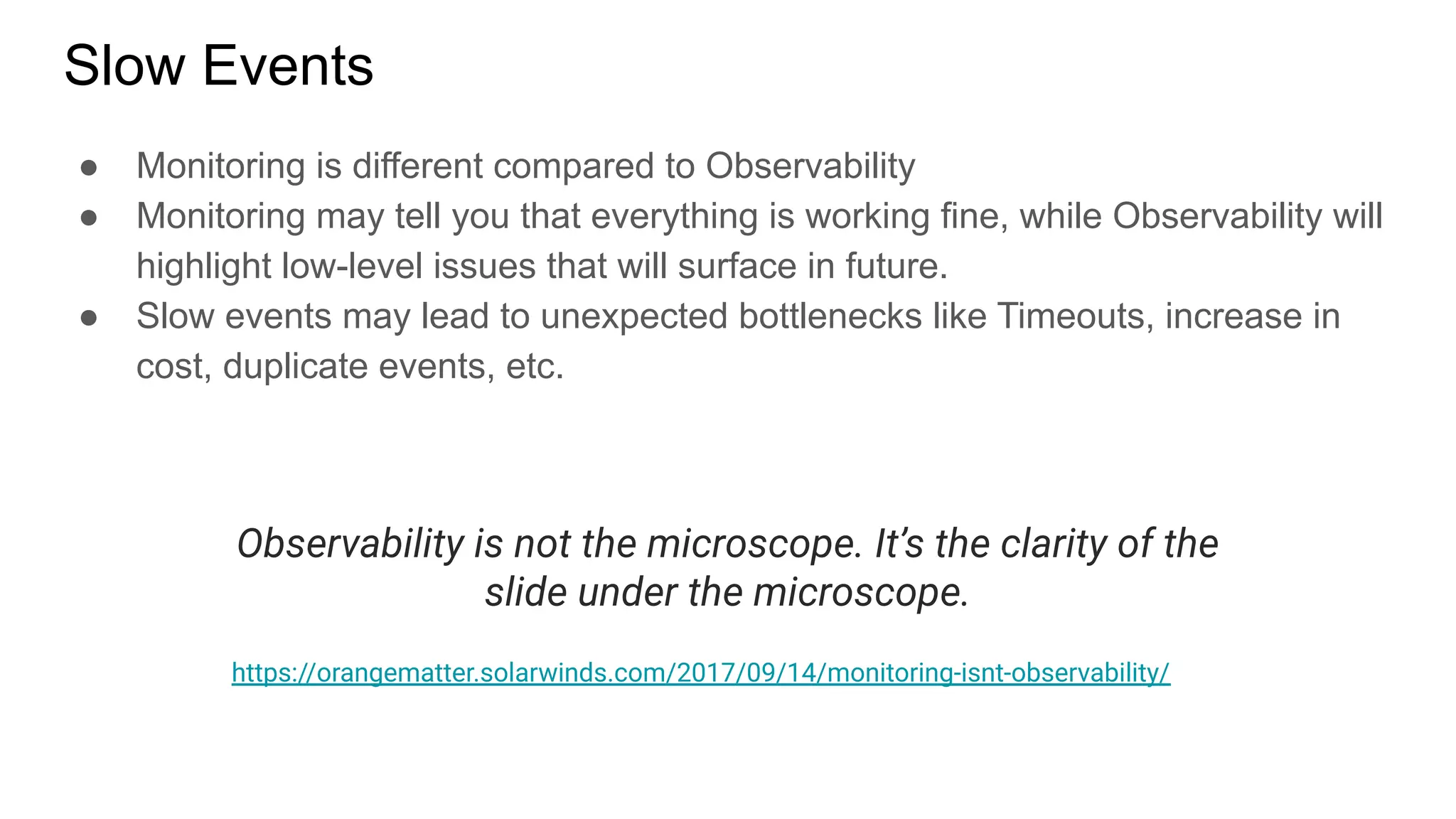
Slow Events
● Monitoring is different compared to Observability
● Monitoring may tell you that everything is working fine, while Observability will
highlight low-level issues that will surface in future.
● Slow events may lead to unexpected bottlenecks like Timeouts, increase in
cost, duplicate events, etc.
Observability is not the microscope. It’s the clarity of the
slide under the microscope.
https://orangematter.solarwinds.com/2017/09/14/monitoring-isnt-observability/
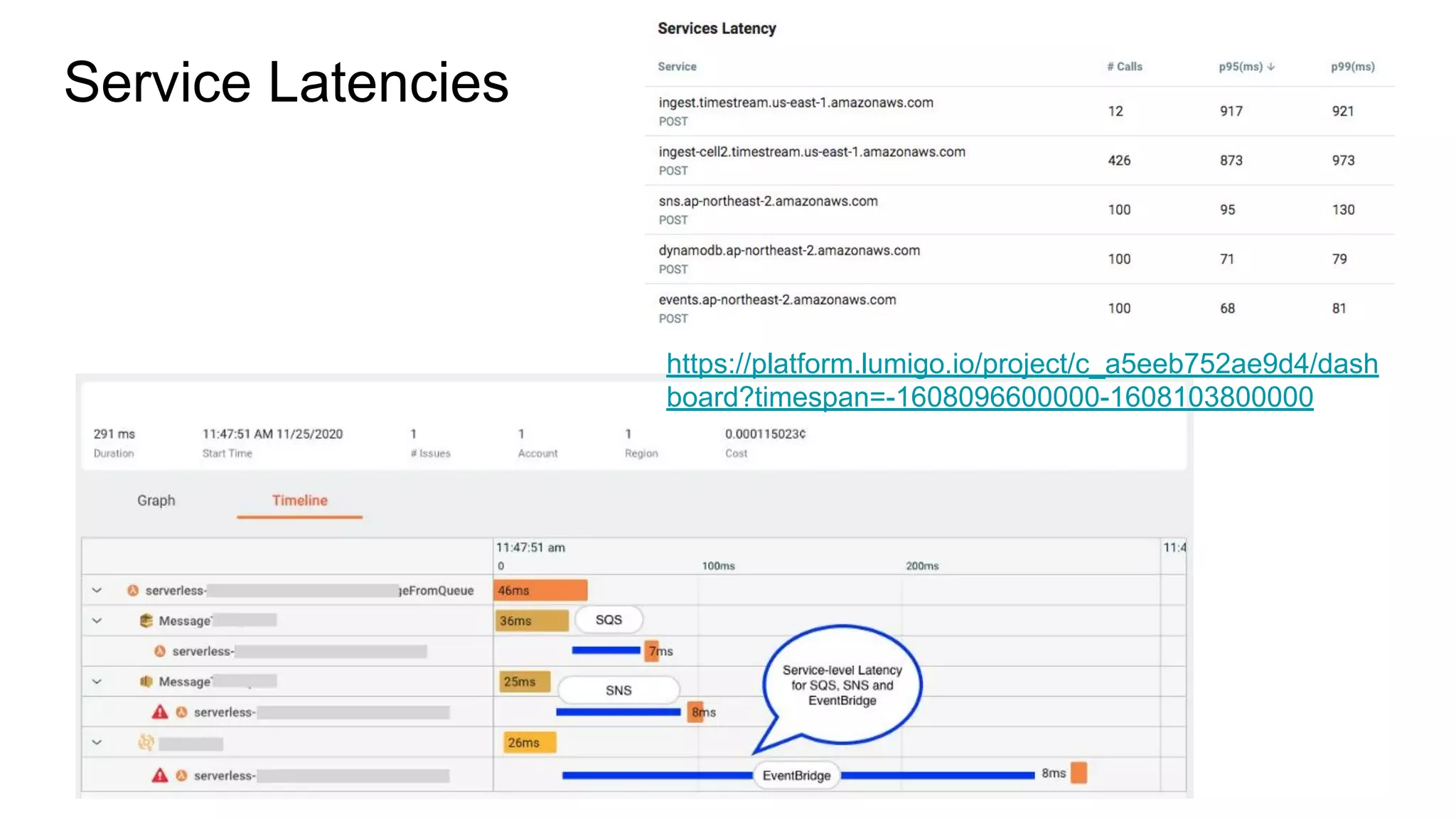
Service Latencies
https://platform.lumigo.io/project/c_a5eeb752ae9d4/dash
board?timespan=-1608096600000-1608103800000
Lambda now supports 1ms billing compared to 100ms minimum billing.
If your function was taking 120ms and now takes 420ms, it doesn’t matter
whether you have 1ms billing or 100ms billing.
You are overpaying.
Summary
● Each service serves different use case.
● Accommodate complex use cases with combination of services, for example
SNS to SQS or EventBridge to SQS.
● Write idempotent service to withstand duplicate event processing.
● Always set Dead-letter Queue.
● Don’t Auto-process Dead-letter Queue.
● Keep a watch on service-level latency.
● Check and configure the retry/redrive policy.
● Check your Lambda concurrency settings.
● Keep a watch on Dead-letter Queues
● And, use a right Tools to Monitor and Observe your system
Check my blog post on the same topic
https://lumigo.io/blog/choosing-the-right-event-routing-on-a
ws-eventbridge-sns-or-sqs/
re:Invent 2020 sessions to watchout
Scalable serverless event-driven architectures with SNS, SQS & Lambda
https://virtual.awsevents.com/media/1_ee0tjd8z
Building event-driven applications with Amazon EventBridge
https://virtual.awsevents.com/media/1_ynykxz80
Handling errors in a serverless world
https://virtual.awsevents.com/media/0_bnos5auv
Decoupling serverless workloads with Amazon EventBridge
https://virtual.awsevents.com/media/1_gyzid3q3
To showcase other features of Lumigo,
Dori will now resume with a use-case.
Questions!!
Thank You!
http://linkedin.com/in/dhavaln
https://medium.com/appgambit

Choosing the right messaging service for your serverless app [with lumigo]

  • 1.
    Choosing the RightMessaging Service for Your Serverless App Dhaval Nagar AWS Serverless Hero, 12x AWS Certified
  • 2.
    ● AWS ServerlessHero ● 12x AWS, 2x GCP, Docker, Kubernetes Developer Certified ● AWS Community Leader, Surat, India ● CEO - AppGambit (AWS Consulting Partner)
  • 3.
    Check my blogpost on the same topic https://lumigo.io/blog/choosing-the-right-event-routing-on-a ws-eventbridge-sns-or-sqs/
  • 4.
    Session Agenda ● Serverlessand Event-Driven Systems ● Event-Driven Systems and Messaging Services ● AWS Messaging Services ● Monitoring Serverless App ● Summary
  • 5.
    Based on thecurrent state and rate or adoption, SERVERLESS is not a buzzword anymore. As on 16th Dec 2020 https://www.npmjs.com/package/serverless
  • 6.
    Serverless and Event-DrivenArchitecture ● Serverless is synonymous with Event-Driven Systems ● Less Servers and More Events
  • 7.
    In Serverless, Everythingis DISTRIBUTED ● Functions are executed when EVENTS are received ● Most Events flow through messaging services ● Each service may handle events differently
  • 8.
  • 9.
    Serverless Core Features Ifyou haven't configured reserved concurrency on your function, it has a default unreserved concurrency quota of 1,000.
  • 10.
    Monolithic vs MicroserviceServerless ● More services or functions add more communication endpoints in your overall system. ● More communication endpoints may make your application difficult to monitor.
  • 11.
    Serverless Messaging Services ●Amazon SQS as a Managed Message Queue (released in 2004) ● Amazon SNS as a Managed Pub/Sub (released in 2010) ● Amazon EventBridge as a Managed Enterprise Event Bus (released in 2019) We are not covering stream-services Kinesis and DynamoDB Stream in this session.
  • 12.
  • 13.
    Amazon SQS ● Usedas a Buffer between producers and consumer application ● Consumer can POLL for messages in SHORT or LONG burst ● Can deliver up to 10 messages in a Batch ● Messages can be retained for up to 14 days
  • 14.
    Amazon SQS withLambda Lambda service internally LONG polls the messages from the SQS Queue.
  • 15.
    Setting a lowconcurrency on a Lambda with high volume SQS queue may result in unexpected behavior with SQS Trigger. Lambda service uses up to 5 parallel connections to poll events from SQS. Although setting low concurrency is perfectly valid choice to reduce the load on the endpoint.
  • 16.
  • 17.
    Amazon SNS ● Publish/Subscribemechanism ● Message is delivered to all the subscribers of the topic ● Messages are not retained in case there is no consumers available ● SNS supports up to 12.5 Million Subscribers
  • 18.
    SNS and Lambda ●SNS has no Batch support, so each message invokes Lambda function immediately. ● Can throttle if not enough function concurrency available. Amazon SNS invokes your function asynchronously with an event. For asynchronous invocation, Lambda queues the message and handles the retries internally with up to 3 times.
  • 19.
  • 20.
    Amazon EventBridge ● EventBus consumes the events. ● Event Rules attached with event buses filter and deliver the events to the targets. ● EventBridge has default bus to listen to all of AWS infrastructure events. ● EventBridge has SaaS Partner Buses to listen for partner-specific events, like DataDog, MongoDB Atlas, PagerDuty, Auth0, etc ● EventBridge has custom buses to allow applications-to-application communication. ● EventBridge can Retain and Replay Events in the future (New Feature)
  • 21.
    Amazon EventBridge supportsaround 90 AWS Services, 34 AWS Partners as Event Source and 17 Target AWS Services.
  • 22.
    How do youselect the right service!
  • 23.
  • 24.
  • 25.
  • 26.
    Dead letter mailor undeliverable mail is mail that cannot be delivered to the addressee or returned to the sender. United States Postal Service https://en.wikipedia.org/wiki/Dead_letter_mail Everything Fails All The Time Dead-letter Queue is a standard feature across AWS Messaging Services. Something which is fundamentally MUST in the production environment.
  • 27.
  • 28.
    Lambda Destination You canconfigure the Lambda Destination for On Failure condition to route the events to messaging service of your choice.
  • 29.
    Production Grade Service ●The service has to be secure and keep the data secure at both In-Transit and At-Rest ● The service should auto-scale to match traffic and should not increase latency based on the number of messages that it processes. ● The service should have a private endpoint to use it from inside a private network. ● The service should manage the message retries with backoff mechanism in case of any consumer-side failures.
  • 30.
    Once you puta messaging service in place, your system is now divided in parts. It could be 2 or N.
  • 31.
    How would youmonitor your system! ● Check logs for a given transaction! ● Check failed transactions! ● Check transactions that took longer to complete! Event Failures Slow EventsEvent-flow Logs
  • 32.
  • 33.
    AWS has optionsbut... ● Multiple services to look through ● May need manual configurations ● Difficult to wire all together if you are just starting
  • 34.
    Event-flow Logs ● Lambdacreates new Log stream for each container ● If you are using multiple Functions, you will need to jump through different logs to get the full flow log ● Or you will need to consolidate the CloudWatch Logs with RequestID or TraceID and then check the whole log together. ● We can use Lumigo instead to get the full event log in a single screen without doing much of the heavy-lifting https://platform.lumigo.io/project/c_a5eeb752ae9d4/transaction/0830e560390f237 1274ad698?tab=graph
  • 35.
    Event Failures ● Eventscan fail for variety of reasons, Code issue, Hardware failure, Downstream service failures or simply function timeouts. ● Detecting failures will be hard in AWS if you have ○ Fairly simple flow but heavy traffic ○ Fairly low traffic but complicated flow ● Lumigo isolates the error transactions for the further analysis, we easily identify the errors and navigate to the logs without doing much of the heavy-lifting. https://platform.lumigo.io/project/c_a5eeb752ae9d4/issues?issueTypes&mute=onl yNonMuted&name&region&timespan=-1608096600000-1608103800000
  • 36.
    Slow Events ● Monitoringis different compared to Observability ● Monitoring may tell you that everything is working fine, while Observability will highlight low-level issues that will surface in future. ● Slow events may lead to unexpected bottlenecks like Timeouts, increase in cost, duplicate events, etc. Observability is not the microscope. It’s the clarity of the slide under the microscope. https://orangematter.solarwinds.com/2017/09/14/monitoring-isnt-observability/
  • 37.
  • 38.
    Lambda now supports1ms billing compared to 100ms minimum billing. If your function was taking 120ms and now takes 420ms, it doesn’t matter whether you have 1ms billing or 100ms billing. You are overpaying.
  • 39.
    Summary ● Each serviceserves different use case. ● Accommodate complex use cases with combination of services, for example SNS to SQS or EventBridge to SQS. ● Write idempotent service to withstand duplicate event processing. ● Always set Dead-letter Queue. ● Don’t Auto-process Dead-letter Queue. ● Keep a watch on service-level latency. ● Check and configure the retry/redrive policy. ● Check your Lambda concurrency settings. ● Keep a watch on Dead-letter Queues ● And, use a right Tools to Monitor and Observe your system
  • 40.
    Check my blogpost on the same topic https://lumigo.io/blog/choosing-the-right-event-routing-on-a ws-eventbridge-sns-or-sqs/
  • 41.
    re:Invent 2020 sessionsto watchout Scalable serverless event-driven architectures with SNS, SQS & Lambda https://virtual.awsevents.com/media/1_ee0tjd8z Building event-driven applications with Amazon EventBridge https://virtual.awsevents.com/media/1_ynykxz80 Handling errors in a serverless world https://virtual.awsevents.com/media/0_bnos5auv Decoupling serverless workloads with Amazon EventBridge https://virtual.awsevents.com/media/1_gyzid3q3
  • 42.
    To showcase otherfeatures of Lumigo, Dori will now resume with a use-case.
  • 43.
  • 44.