PNR : NAME CREATION
WHAT IS PNR?
In the flight booking industry, a Passenger Name Record (PNR) is
a digital file that contains information about a passenger or group of
passengers traveling together and their booking. For airlines,
it serves as the official record of your booking and helps them share
information if the trip involves different carriers (i.e. carriers with a
codeshare or interline agreement).
 When a PNR is created, it’s given a
unique code called a record locator, a booking reference or simply
a PNR number to identify and retrieve the file.
While originally created for the airline industry, PNR's now
contain complete trip information and can include hotels, rental cars,
transfers, travel insurance, cruises and other information.
WHAT INFORMATION ARE IN PNR?
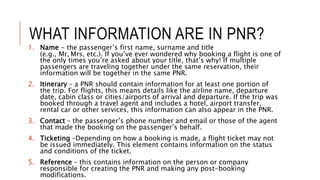
1. Name - the passenger’s first name, surname and title
(e.g., Mr, Mrs, etc.). If you’ve ever wondered why booking a flight is one of
the only times you’re asked about your title, that’s why! If multiple
passengers are traveling together under the same reservation, their
information will be together in the same PNR.
2. Itinerary – a PNR should contain information for at least one portion of
the trip. For flights, this means details like the airline name, departure
date, cabin class or cities/airports of arrival and departure. If the trip was
booked through a travel agent and includes a hotel, airport transfer,
rental car or other services, this information can also appear in the PNR.
3. Contact – the passenger’s phone number and email or those of the agent
that made the booking on the passenger’s behalf.
4. Ticketing –Depending on how a booking is made, a flight ticket may not
be issued immediately. This element contains information on the status
and conditions of the ticket.
5. Reference – this contains information on the person or company
responsible for creating the PNR and making any post-booking
modifications.
NAME CREATION IN PNR
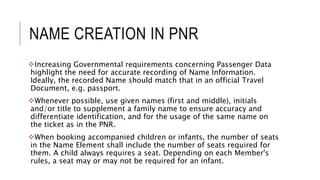
Increasing Governmental requirements concerning Passenger Data
highlight the need for accurate recording of Name Information.
Ideally, the recorded Name should match that in an official Travel
Document, e.g. passport.
Whenever possible, use given names (first and middle), initials
and/or title to supplement a family name to ensure accuracy and
differentiate identification, and for the usage of the same name on
the ticket as in the PNR.
When booking accompanied children or infants, the number of seats
in the Name Element shall include the number of seats required for
them. A child always requires a seat. Depending on each Member's
rules, a seat may or may not be required for an infant.
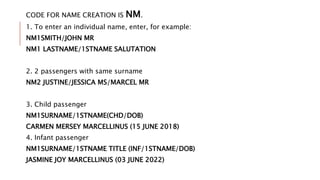
CODE FOR NAME CREATION IS NM.
1. To enter an individual name, enter, for example:
NM1SMITH/JOHN MR
NM1 LASTNAME/1STNAME SALUTATION
2. 2 passengers with same surname
NM2 JUSTINE/JESSICA MS/MARCEL MR
3. Child passenger
NM1SURNAME/1STNAME(CHD/DOB)
CARMEN MERSEY MARCELLINUS (15 JUNE 2018)
4. Infant passenger
NM1SURNAME/1STNAME TITLE (INF/1STNAME/DOB)
JASMINE JOY MARCELLINUS (03 JUNE 2022)

Chapter 5 PNR- Name Creation.pptx

  • 1.
    PNR : NAMECREATION
  • 2.
    WHAT IS PNR? Inthe flight booking industry, a Passenger Name Record (PNR) is a digital file that contains information about a passenger or group of passengers traveling together and their booking. For airlines, it serves as the official record of your booking and helps them share information if the trip involves different carriers (i.e. carriers with a codeshare or interline agreement).  When a PNR is created, it’s given a unique code called a record locator, a booking reference or simply a PNR number to identify and retrieve the file. While originally created for the airline industry, PNR's now contain complete trip information and can include hotels, rental cars, transfers, travel insurance, cruises and other information.
  • 3.
    WHAT INFORMATION AREIN PNR? 1. Name - the passenger’s first name, surname and title (e.g., Mr, Mrs, etc.). If you’ve ever wondered why booking a flight is one of the only times you’re asked about your title, that’s why! If multiple passengers are traveling together under the same reservation, their information will be together in the same PNR. 2. Itinerary – a PNR should contain information for at least one portion of the trip. For flights, this means details like the airline name, departure date, cabin class or cities/airports of arrival and departure. If the trip was booked through a travel agent and includes a hotel, airport transfer, rental car or other services, this information can also appear in the PNR. 3. Contact – the passenger’s phone number and email or those of the agent that made the booking on the passenger’s behalf. 4. Ticketing –Depending on how a booking is made, a flight ticket may not be issued immediately. This element contains information on the status and conditions of the ticket. 5. Reference – this contains information on the person or company responsible for creating the PNR and making any post-booking modifications.
  • 4.
    NAME CREATION INPNR Increasing Governmental requirements concerning Passenger Data highlight the need for accurate recording of Name Information. Ideally, the recorded Name should match that in an official Travel Document, e.g. passport. Whenever possible, use given names (first and middle), initials and/or title to supplement a family name to ensure accuracy and differentiate identification, and for the usage of the same name on the ticket as in the PNR. When booking accompanied children or infants, the number of seats in the Name Element shall include the number of seats required for them. A child always requires a seat. Depending on each Member's rules, a seat may or may not be required for an infant.
  • 5.
    CODE FOR NAMECREATION IS NM. 1. To enter an individual name, enter, for example: NM1SMITH/JOHN MR NM1 LASTNAME/1STNAME SALUTATION 2. 2 passengers with same surname NM2 JUSTINE/JESSICA MS/MARCEL MR 3. Child passenger NM1SURNAME/1STNAME(CHD/DOB) CARMEN MERSEY MARCELLINUS (15 JUNE 2018) 4. Infant passenger NM1SURNAME/1STNAME TITLE (INF/1STNAME/DOB) JASMINE JOY MARCELLINUS (03 JUNE 2022)