1
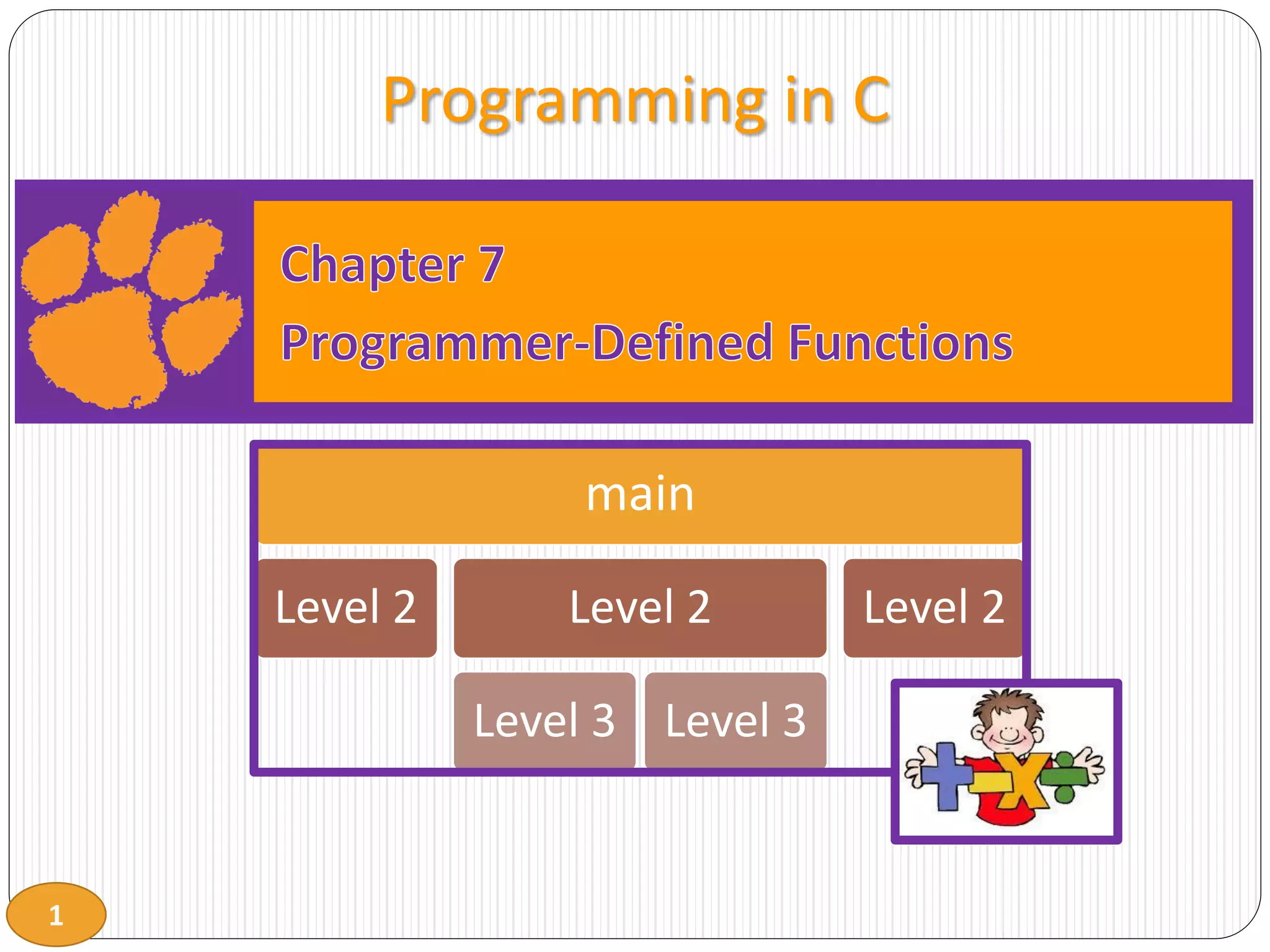
Programming in C
main
Level 2 Level 2
Level 3 Level 3
Level 2
2
Programmer-Defined Functions
 Modularize with building blocks of programs
 Divide and Conquer
 Construct a program from smaller pieces or components
 Place smaller pieces into functions
 Pieces are more manageable than one big program
 Makes other functions smaller
 Pieces can be independently implemented and tested
3
Programmer-Defined Functions
 Readability
 Function name should indicate operations performed
 Reuse
 Functions may be used multiple times in same program
 Functions may be used in other programs
4
Components of Function Use
 Three steps to implementing functions
1. Function declaration/prototype
 If not defined before use
2. Function definition
3. Function call
 Either prototype or definition must come first
 Prototype and/or definitions can go in either
 Same file as main()
 Separate file so other programs can also use it
 #include
5
Program Function Definition Structure
 main first (preferred)
 Top down design
 Some prototypes required
 Complete prototyping allows
function definition in any
order
 main is last – lowest level
functions first
 Bottom up design
 Prototypes not required
 main in the middle
 Confusing: Do not do!
main
Level 2 Level 2
Level 3 Level 3
Level 2
main
Level 2 Level 2
Level 3 Level 3
Level 2
6
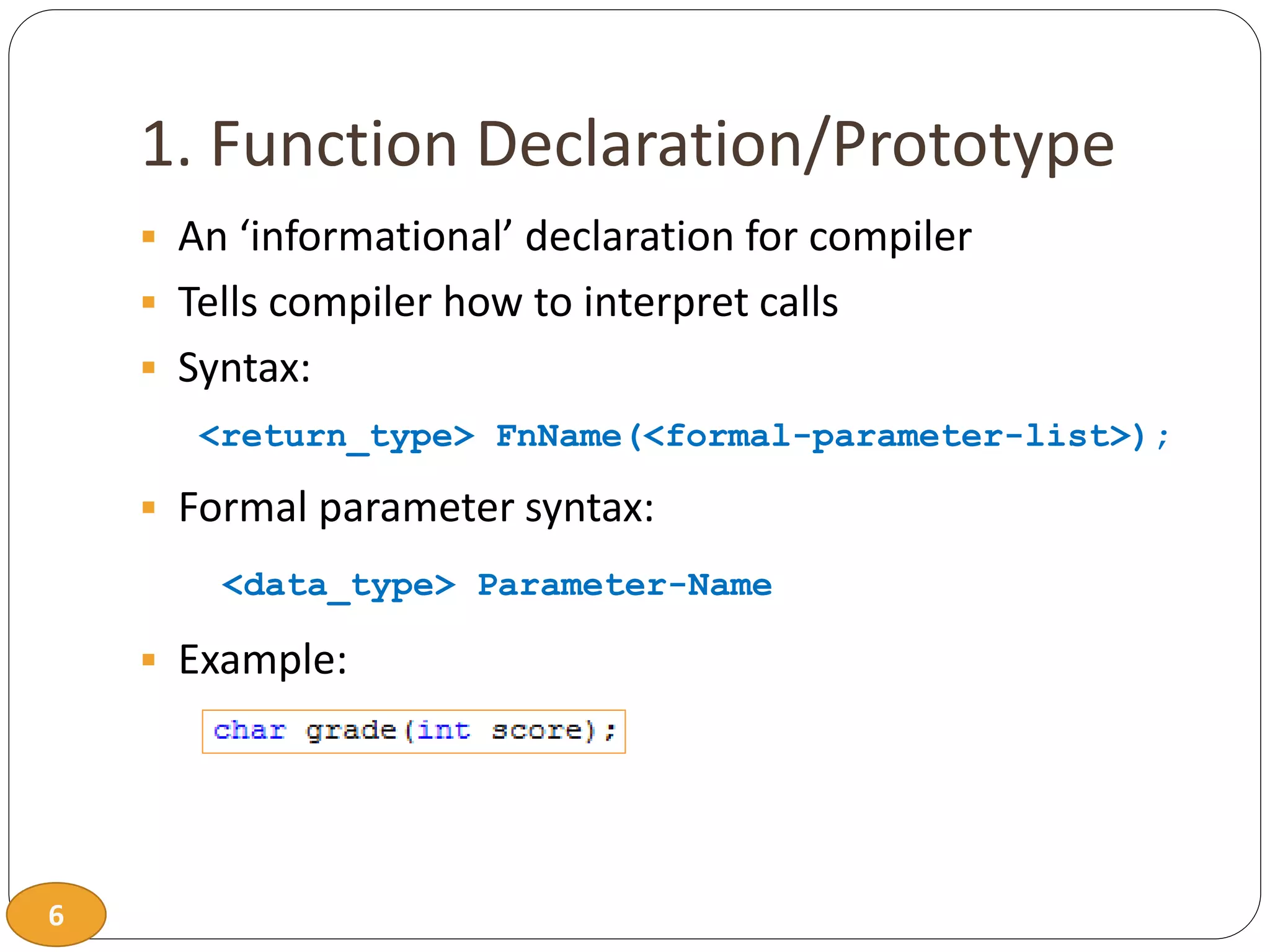
1. Function Declaration/Prototype
 An ‘informational’ declaration for compiler
 Tells compiler how to interpret calls
 Syntax:
<return_type> FnName(<formal-parameter-list>);
 Formal parameter syntax:
<data_type> Parameter-Name
 Example:
7
Function Declaration/Prototype
 Placed before any calls
 Generally above all functions in global space
 May be placed in declaration space of calling function
 Example
8
Alternative Function Declaration
 Function declaration is 'information' for compiler, so
 Compiler only needs to know:
 Return type
 Function name
 Parameter list
 Formal parameter names not needed but help readability
 Example
9
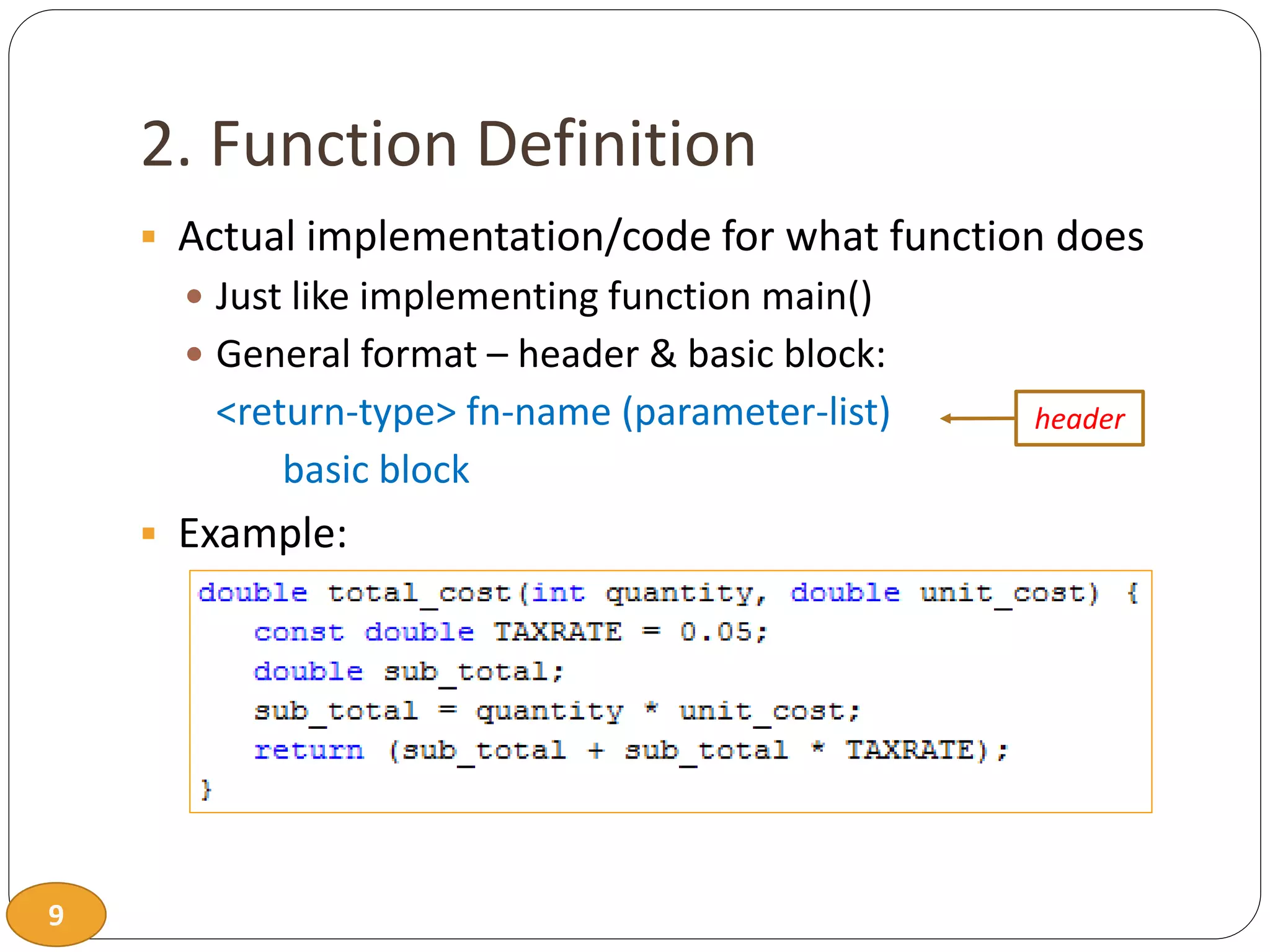
2. Function Definition
 Actual implementation/code for what function does
 Just like implementing function main()
 General format – header & basic block:
<return-type> fn-name (parameter-list)
basic block
 Example:
header
10
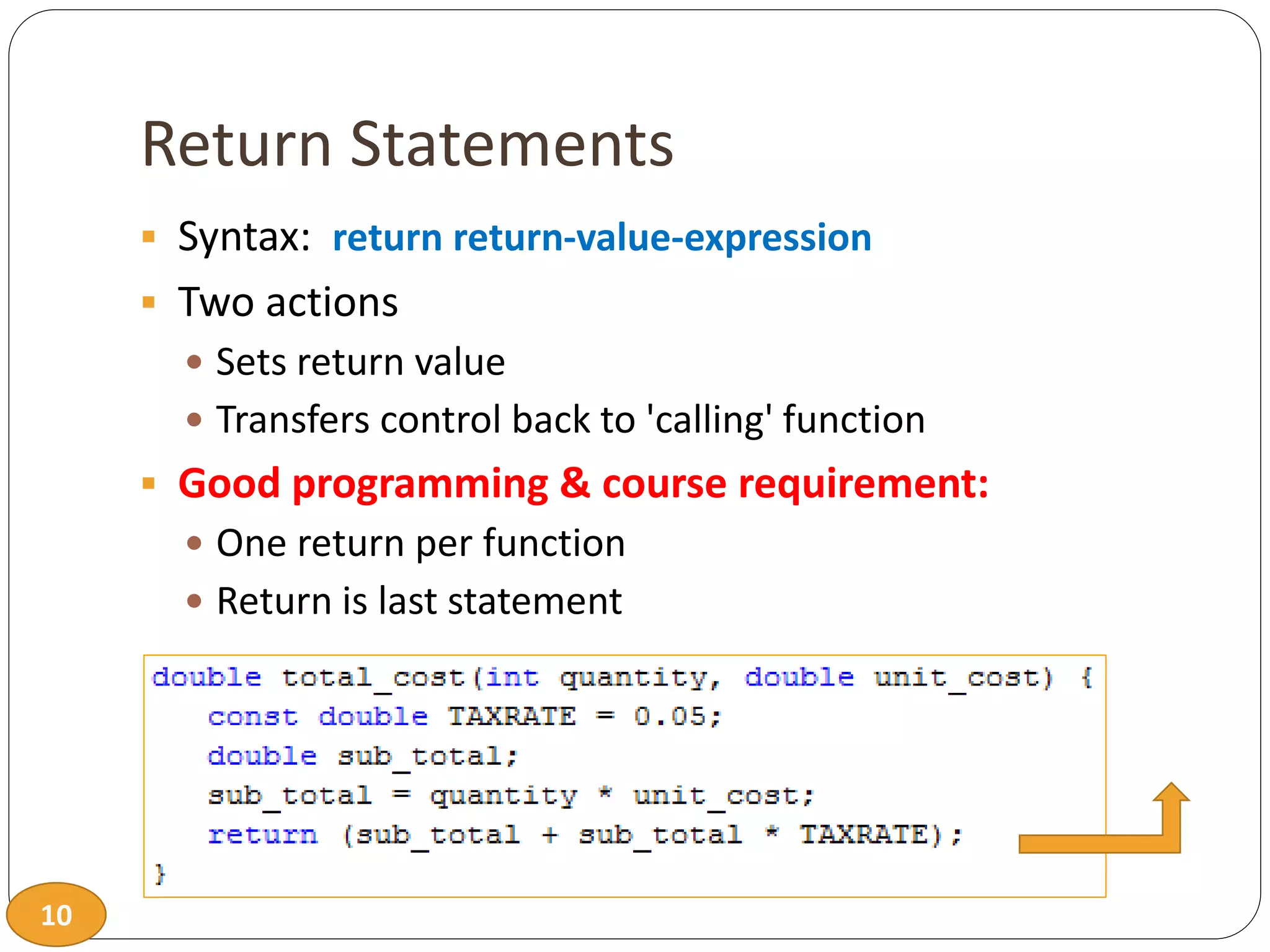
Return Statements
 Syntax: return return-value-expression
 Two actions
 Sets return value
 Transfers control back to 'calling' function
 Good programming & course requirement:
 One return per function
 Return is last statement
11
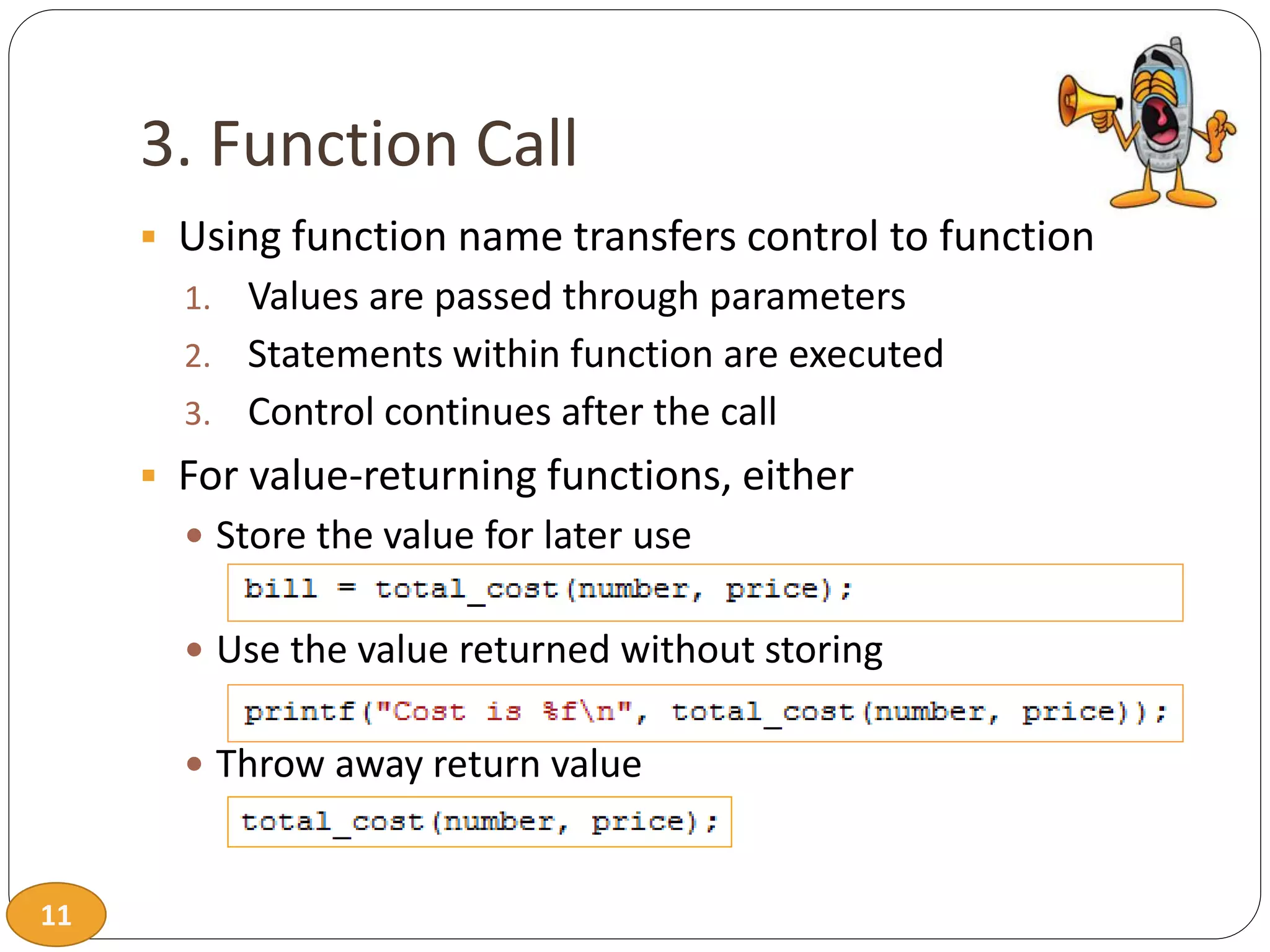
3. Function Call
 Using function name transfers control to function
1. Values are passed through parameters
2. Statements within function are executed
3. Control continues after the call
 For value-returning functions, either
 Store the value for later use
 Use the value returned without storing
 Throw away return value
12
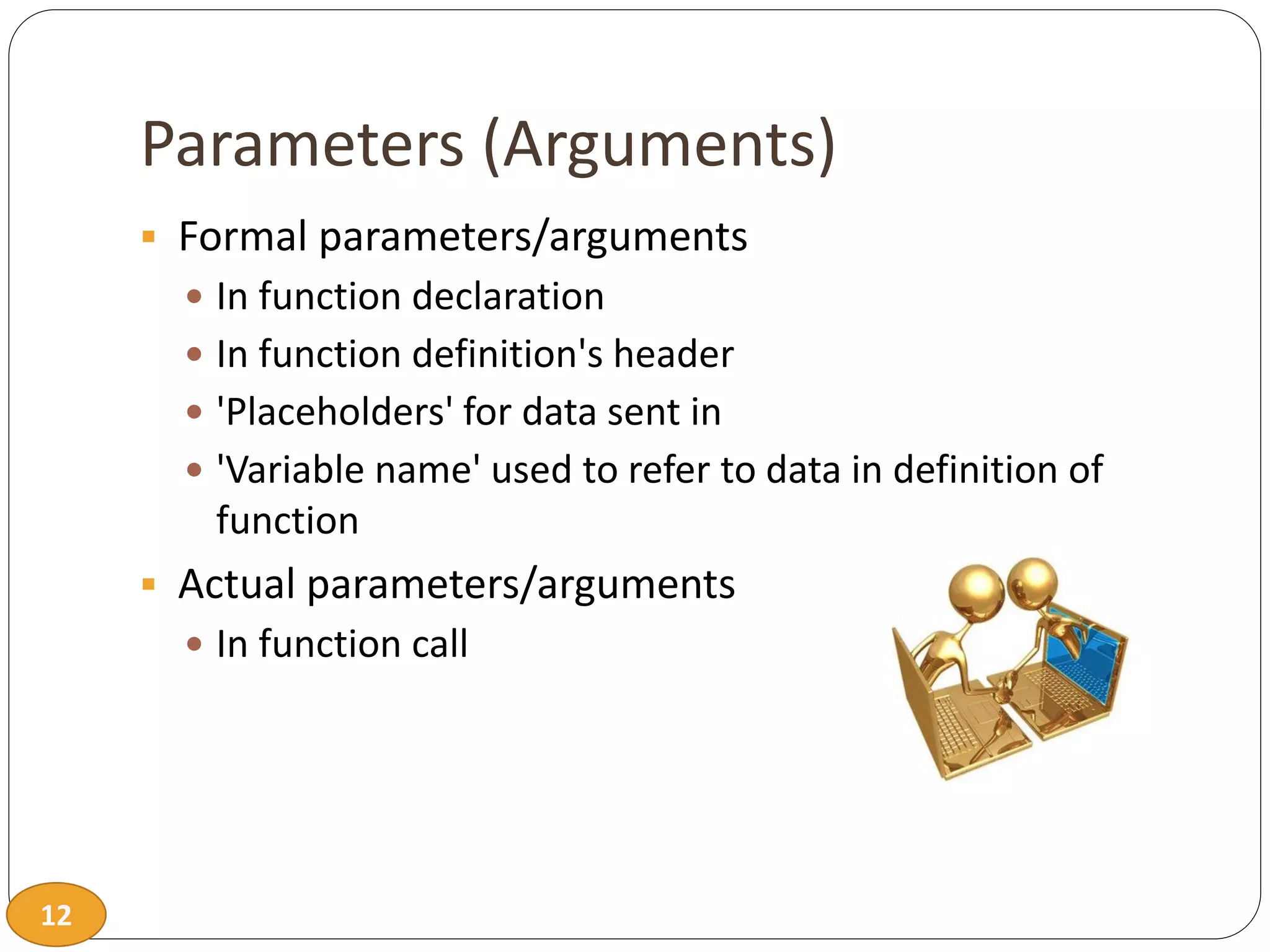
Parameters (Arguments)
 Formal parameters/arguments
 In function declaration
 In function definition's header
 'Placeholders' for data sent in
 'Variable name' used to refer to data in definition of
function
 Actual parameters/arguments
 In function call
13
Parameter vs. Argument
 Names used interchangeably
 Technically parameter is 'formal' piece
while argument is 'actual' piece
Argument!
Parameter!
14
Functions Calling Functions
 We're already doing this!
 main() IS a function calling printf!
 Only requirement:
 Function's declaration or definition must appear first
 Common for functions to call many other functions
 Function can call itself  Recursion
15
Declaring Void Functions
 Similar to functions returning a value
 Return type specified as 'void'
 Example prototype:
 Return-type is 'void'
16
Declaring Void Functions
 Nothing is returned
 Void functions cannot have return statement with an
expression
 Will return at end of function
 Non-void functions must have return statement with an
expression
 Example definition:
17
Calling Void Functions
 From some other function, like main():
 Cannot be used where a value is required
 Cannot be assigned to a variable,
since no value returned
18
Function documentation
 Used to aid in program maintenance
 Comments at non-main definition header
 Purpose of function
 Parameters
 Return
 Class standard example:
19
main(): ‘Special’
 Recall: main() IS a function
 'Special'
 It is the first function executed
 Called by operating system or run-time system
 Can return value to operating system
 Value can be tested in command scripts
 Tradition holds it should return an int
 Zero indicates normal ending of program
20
Scope of Identifier Names
 Region of a program where identifier is visible
 Begins at definition within block
 Ends at end of block
 Local variables
 Name given to variables defined within function block
 Can have different local variables with same name
declared in different functions
 Cannot have duplicate local names within a function
21
Scope Rules
 Local variables preferred
 Maintain individual control over data
 Need to know basis (Hidden)
 Functions should declare whatever local data
needed to 'do their job'
22
Global Scope
 Names declared 'outside' function bodies
 Global to all functions in that file
 Global declarations typical for constants:
 Declare globally so all functions have scope, can use
23
Global Constants and Global Variables
 Global variables?
 Possible, but SELDOM-USED
 Better alternative is to use parameters
 Dangerous: no control over usage!
 We do not use global variables in this class!
24
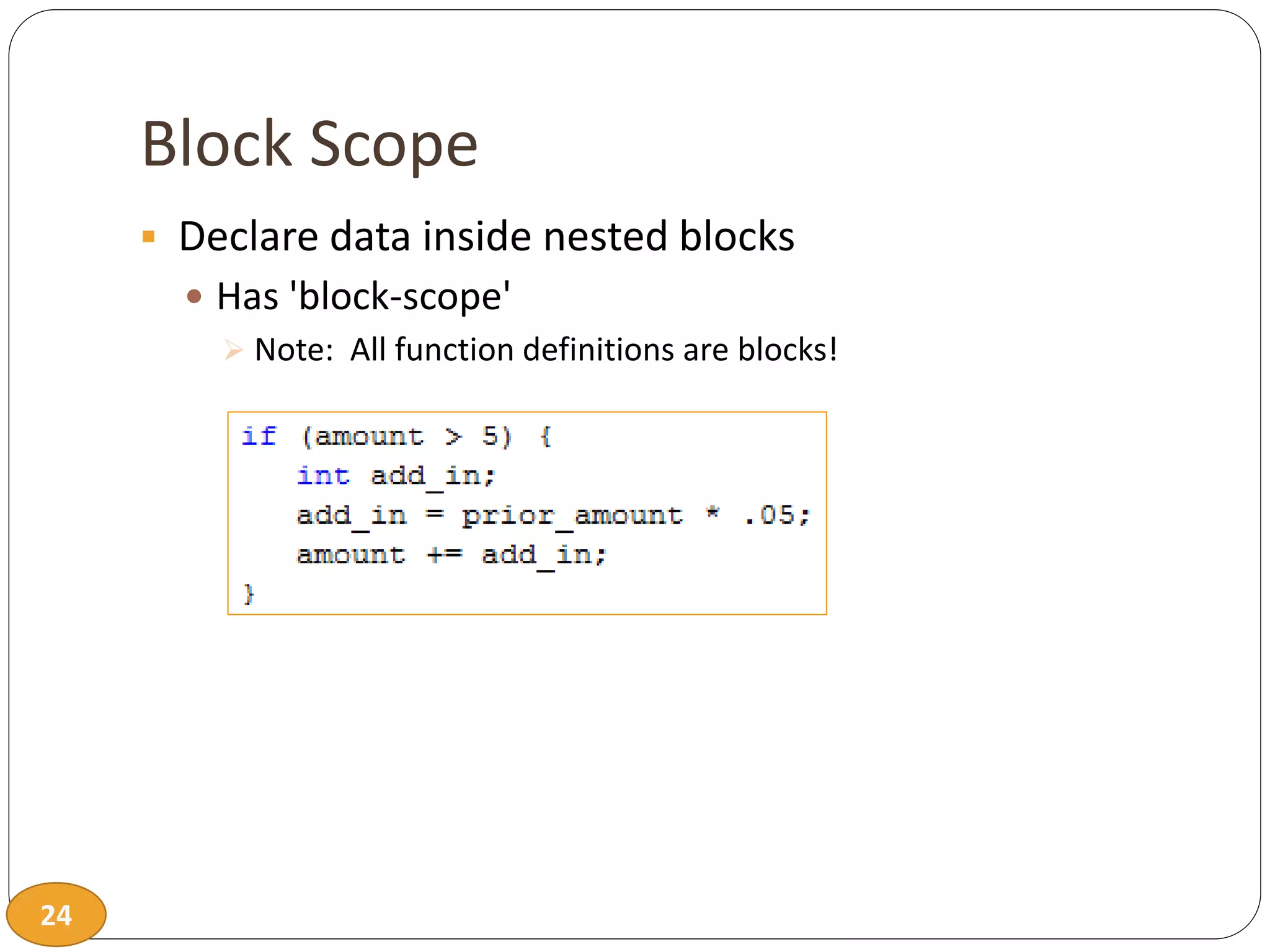
Block Scope
 Declare data inside nested blocks
 Has 'block-scope'
 Note: All function definitions are blocks!
25
Lifetime
 How long does it last
 Allocation  Deallocation
 Normally variables are allocated when defined
 Normally variables are deallocated at the end of block
26
Static & Lifetime
 Variable definition modifier keyword: static
 Static variables are only allocated once
 Static variables are not deallocated until program ends
27
Programming in C
T H E E N D

Ch07.pdf

  • 1.
    1 Programming in C main Level2 Level 2 Level 3 Level 3 Level 2
  • 2.
    2 Programmer-Defined Functions  Modularizewith building blocks of programs  Divide and Conquer  Construct a program from smaller pieces or components  Place smaller pieces into functions  Pieces are more manageable than one big program  Makes other functions smaller  Pieces can be independently implemented and tested
  • 3.
    3 Programmer-Defined Functions  Readability Function name should indicate operations performed  Reuse  Functions may be used multiple times in same program  Functions may be used in other programs
  • 4.
    4 Components of FunctionUse  Three steps to implementing functions 1. Function declaration/prototype  If not defined before use 2. Function definition 3. Function call  Either prototype or definition must come first  Prototype and/or definitions can go in either  Same file as main()  Separate file so other programs can also use it  #include
  • 5.
    5 Program Function DefinitionStructure  main first (preferred)  Top down design  Some prototypes required  Complete prototyping allows function definition in any order  main is last – lowest level functions first  Bottom up design  Prototypes not required  main in the middle  Confusing: Do not do! main Level 2 Level 2 Level 3 Level 3 Level 2 main Level 2 Level 2 Level 3 Level 3 Level 2
  • 6.
    6 1. Function Declaration/Prototype An ‘informational’ declaration for compiler  Tells compiler how to interpret calls  Syntax: <return_type> FnName(<formal-parameter-list>);  Formal parameter syntax: <data_type> Parameter-Name  Example:
  • 7.
    7 Function Declaration/Prototype  Placedbefore any calls  Generally above all functions in global space  May be placed in declaration space of calling function  Example
  • 8.
    8 Alternative Function Declaration Function declaration is 'information' for compiler, so  Compiler only needs to know:  Return type  Function name  Parameter list  Formal parameter names not needed but help readability  Example
  • 9.
    9 2. Function Definition Actual implementation/code for what function does  Just like implementing function main()  General format – header & basic block: <return-type> fn-name (parameter-list) basic block  Example: header
  • 10.
    10 Return Statements  Syntax:return return-value-expression  Two actions  Sets return value  Transfers control back to 'calling' function  Good programming & course requirement:  One return per function  Return is last statement
  • 11.
    11 3. Function Call Using function name transfers control to function 1. Values are passed through parameters 2. Statements within function are executed 3. Control continues after the call  For value-returning functions, either  Store the value for later use  Use the value returned without storing  Throw away return value
  • 12.
    12 Parameters (Arguments)  Formalparameters/arguments  In function declaration  In function definition's header  'Placeholders' for data sent in  'Variable name' used to refer to data in definition of function  Actual parameters/arguments  In function call
  • 13.
    13 Parameter vs. Argument Names used interchangeably  Technically parameter is 'formal' piece while argument is 'actual' piece Argument! Parameter!
  • 14.
    14 Functions Calling Functions We're already doing this!  main() IS a function calling printf!  Only requirement:  Function's declaration or definition must appear first  Common for functions to call many other functions  Function can call itself  Recursion
  • 15.
    15 Declaring Void Functions Similar to functions returning a value  Return type specified as 'void'  Example prototype:  Return-type is 'void'
  • 16.
    16 Declaring Void Functions Nothing is returned  Void functions cannot have return statement with an expression  Will return at end of function  Non-void functions must have return statement with an expression  Example definition:
  • 17.
    17 Calling Void Functions From some other function, like main():  Cannot be used where a value is required  Cannot be assigned to a variable, since no value returned
  • 18.
    18 Function documentation  Usedto aid in program maintenance  Comments at non-main definition header  Purpose of function  Parameters  Return  Class standard example:
  • 19.
    19 main(): ‘Special’  Recall:main() IS a function  'Special'  It is the first function executed  Called by operating system or run-time system  Can return value to operating system  Value can be tested in command scripts  Tradition holds it should return an int  Zero indicates normal ending of program
  • 20.
    20 Scope of IdentifierNames  Region of a program where identifier is visible  Begins at definition within block  Ends at end of block  Local variables  Name given to variables defined within function block  Can have different local variables with same name declared in different functions  Cannot have duplicate local names within a function
  • 21.
    21 Scope Rules  Localvariables preferred  Maintain individual control over data  Need to know basis (Hidden)  Functions should declare whatever local data needed to 'do their job'
  • 22.
    22 Global Scope  Namesdeclared 'outside' function bodies  Global to all functions in that file  Global declarations typical for constants:  Declare globally so all functions have scope, can use
  • 23.
    23 Global Constants andGlobal Variables  Global variables?  Possible, but SELDOM-USED  Better alternative is to use parameters  Dangerous: no control over usage!  We do not use global variables in this class!
  • 24.
    24 Block Scope  Declaredata inside nested blocks  Has 'block-scope'  Note: All function definitions are blocks!
  • 25.
    25 Lifetime  How longdoes it last  Allocation  Deallocation  Normally variables are allocated when defined  Normally variables are deallocated at the end of block
  • 26.
    26 Static & Lifetime Variable definition modifier keyword: static  Static variables are only allocated once  Static variables are not deallocated until program ends
  • 27.