Dr A GNANABASKARAN
Content by
C Programming- Basics of C
2
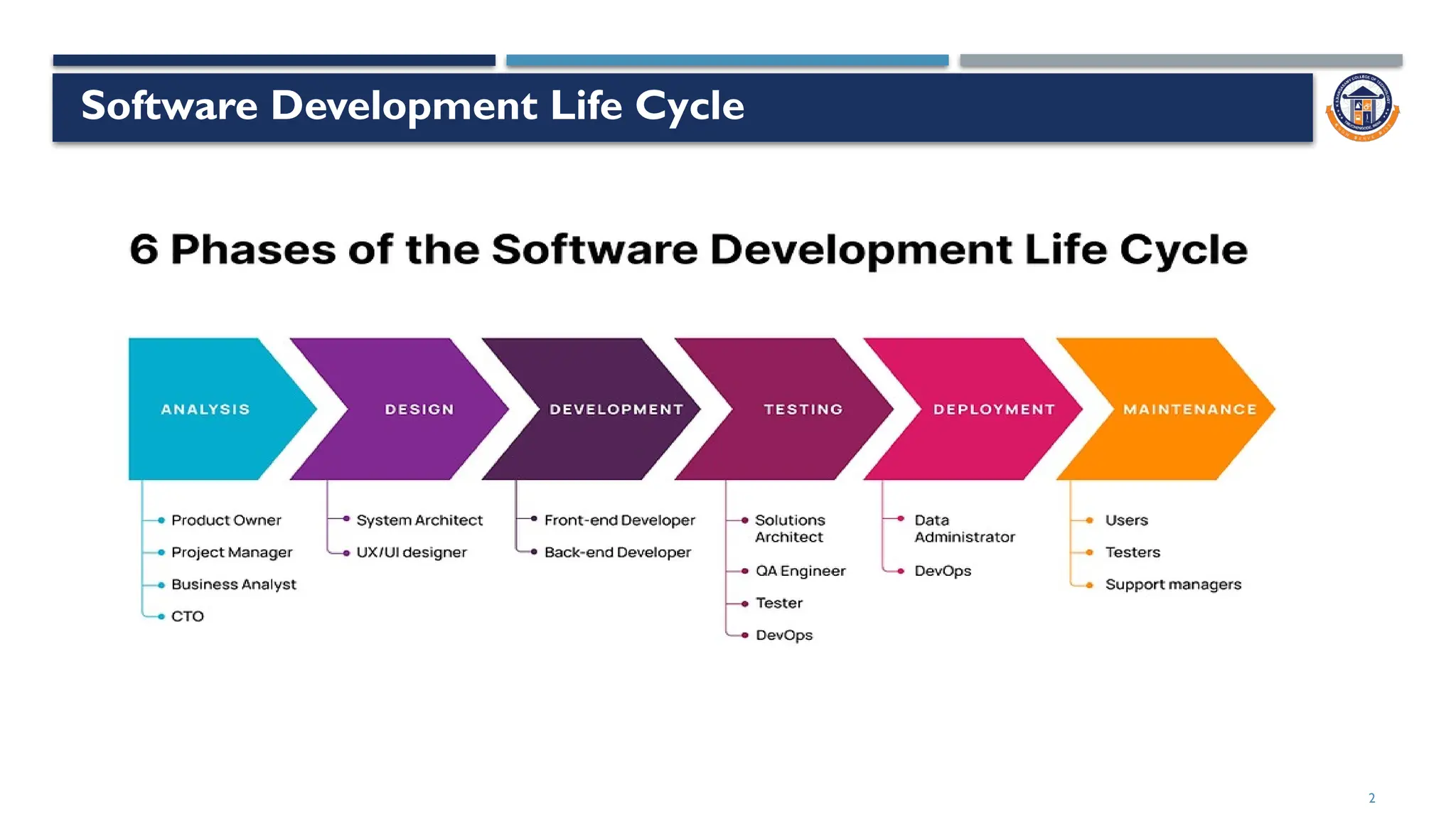
Software Development Life Cycle
3
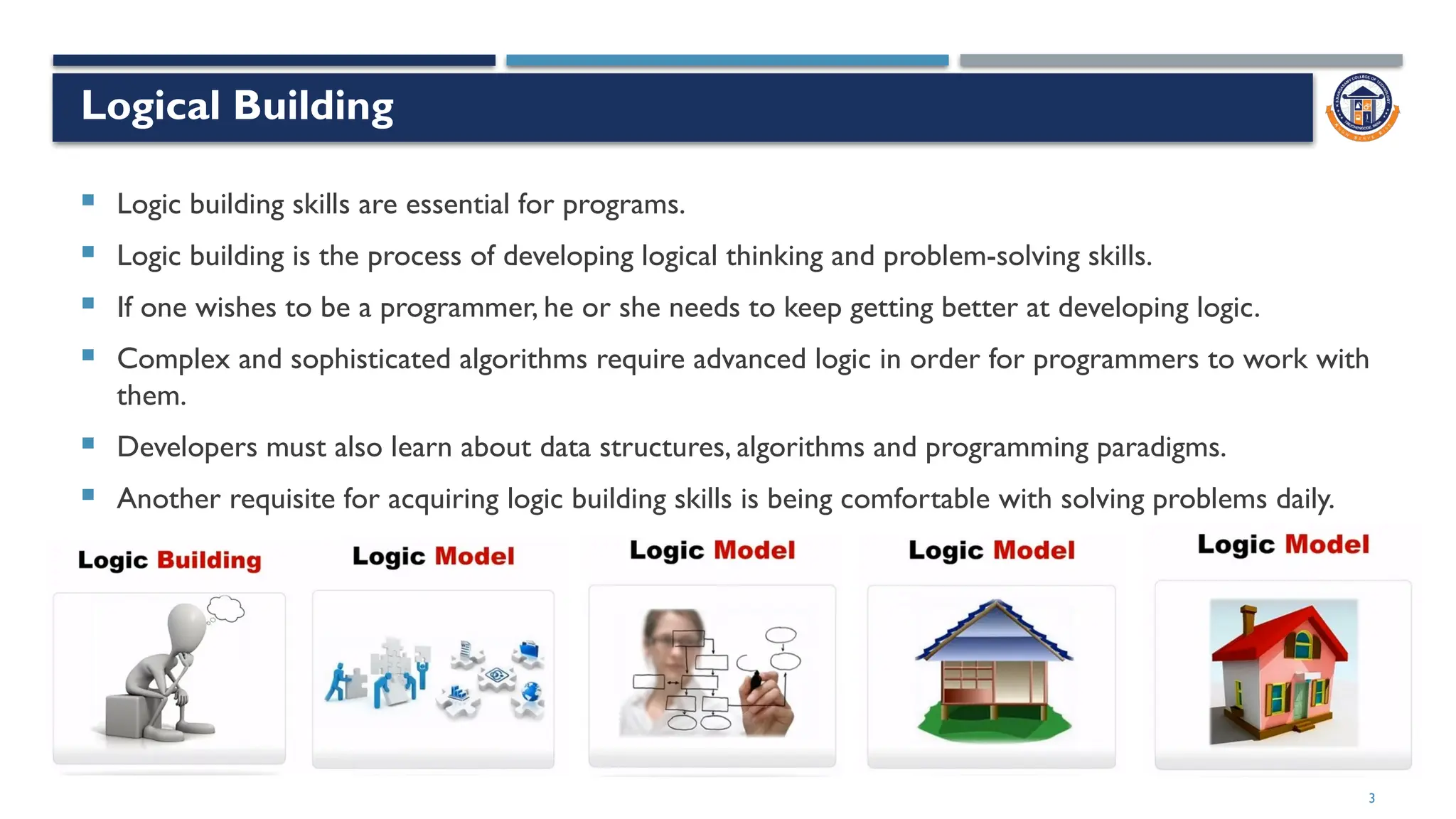
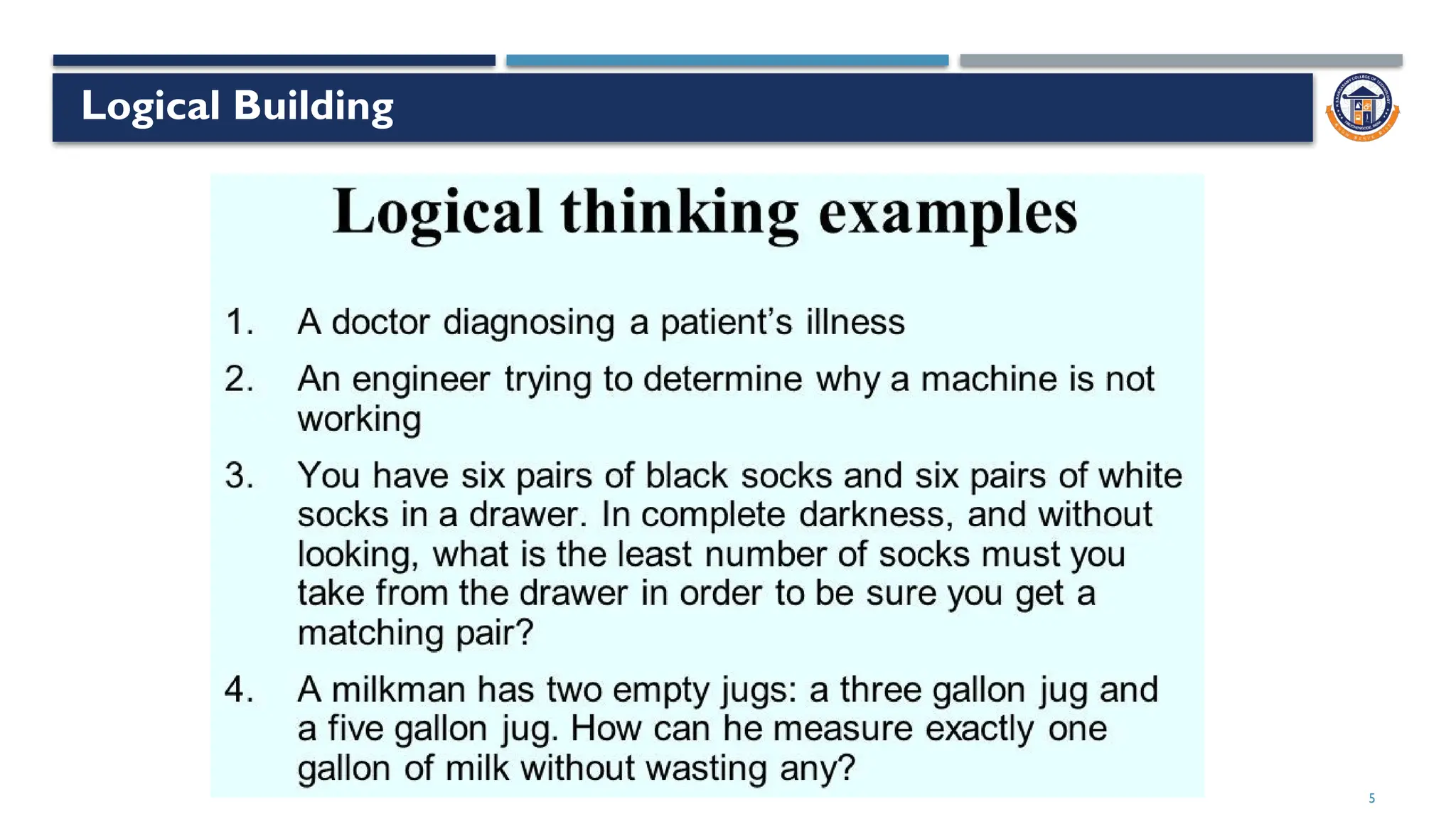
Logical Building
 Logic building skills are essential for programs.
 Logic building is the process of developing logical thinking and problem-solving skills.
 If one wishes to be a programmer, he or she needs to keep getting better at developing logic.
 Complex and sophisticated algorithms require advanced logic in order for programmers to work with
them.
 Developers must also learn about data structures, algorithms and programming paradigms.
 Another requisite for acquiring logic building skills is being comfortable with solving problems daily.
4
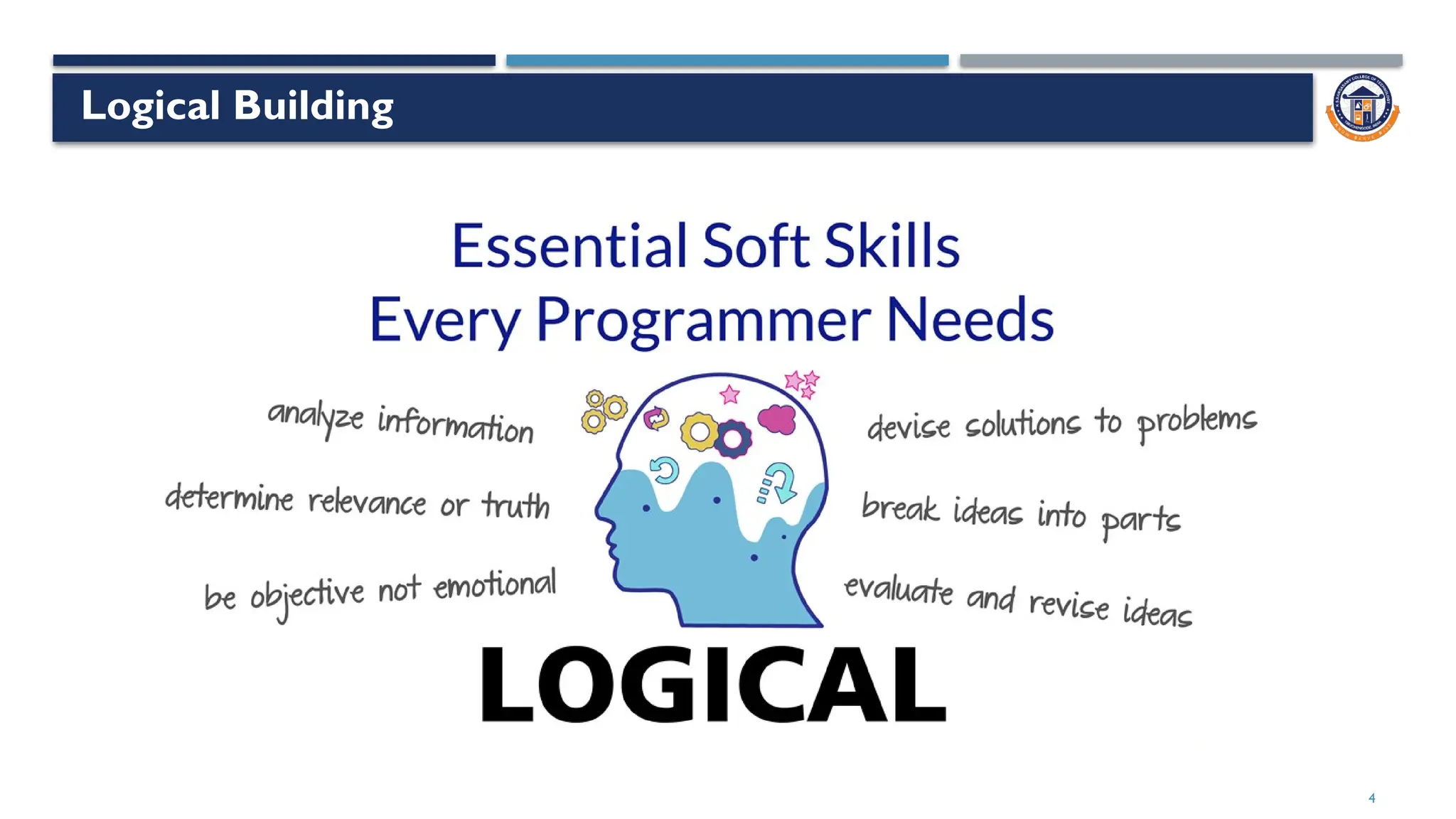
Logical Building
5
Logical Building
6
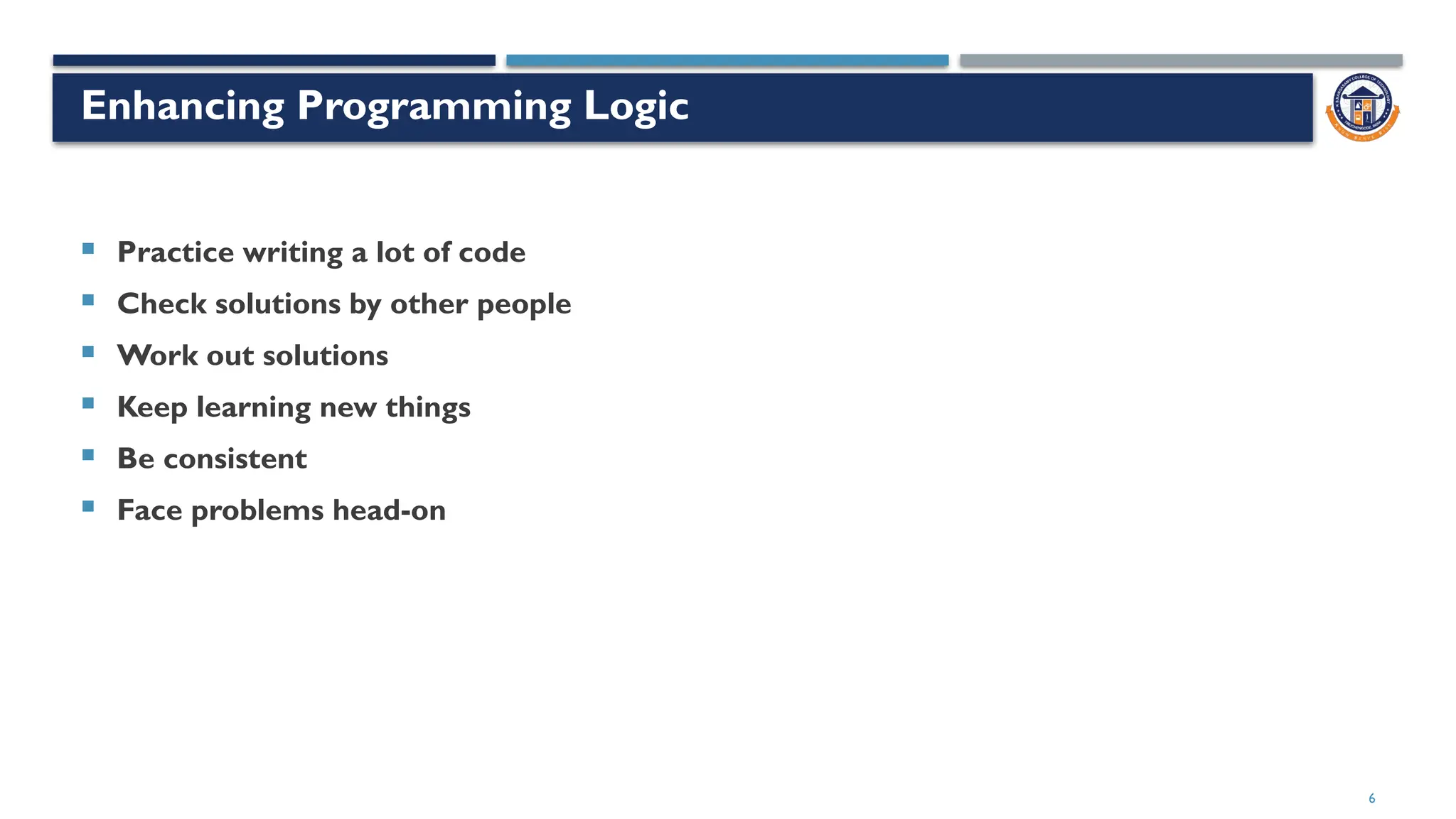
Enhancing Programming Logic
 Practice writing a lot of code
 Check solutions by other people
 Work out solutions
 Keep learning new things
 Be consistent
 Face problems head-on
7
8
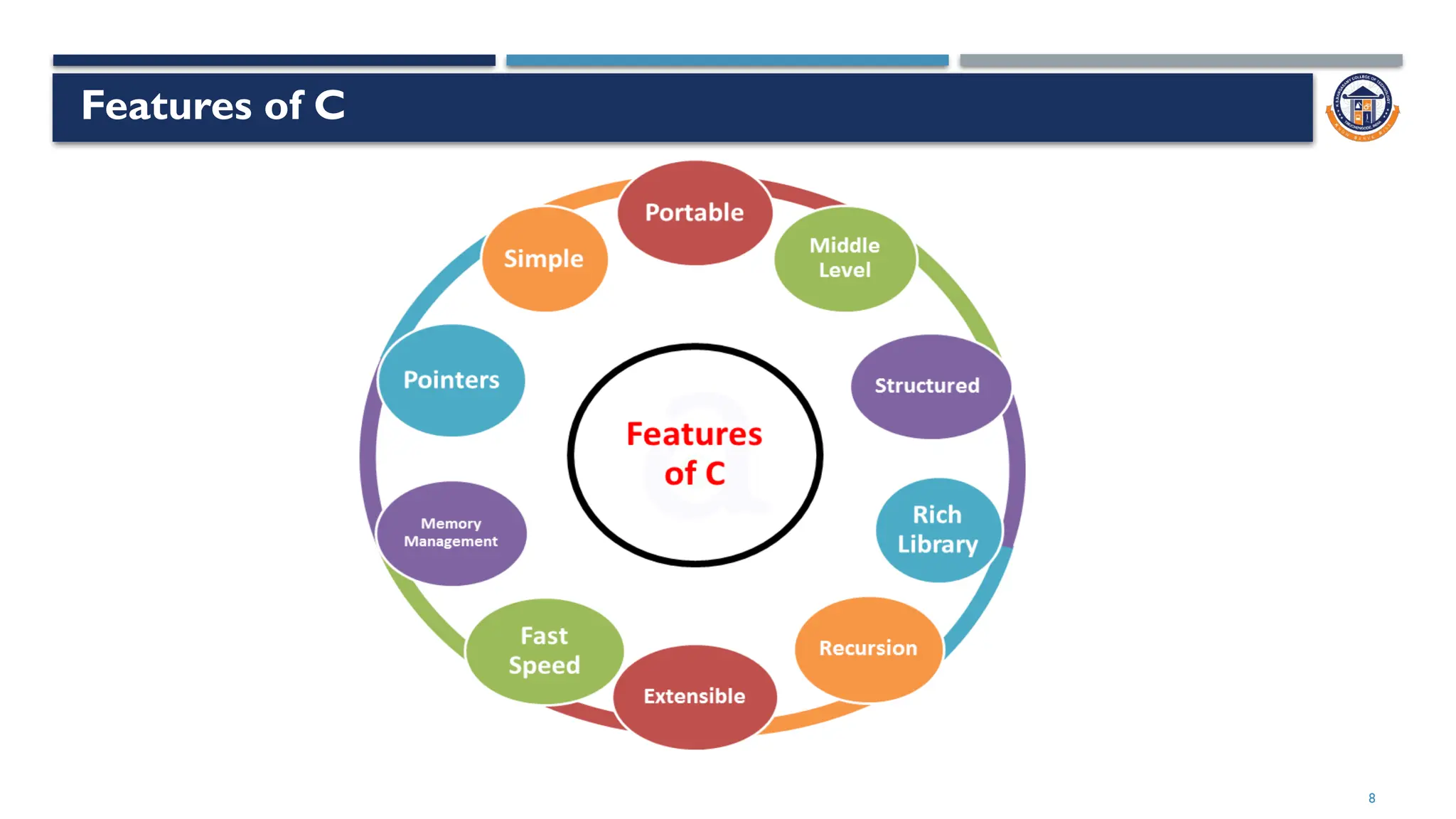
Features of C
9
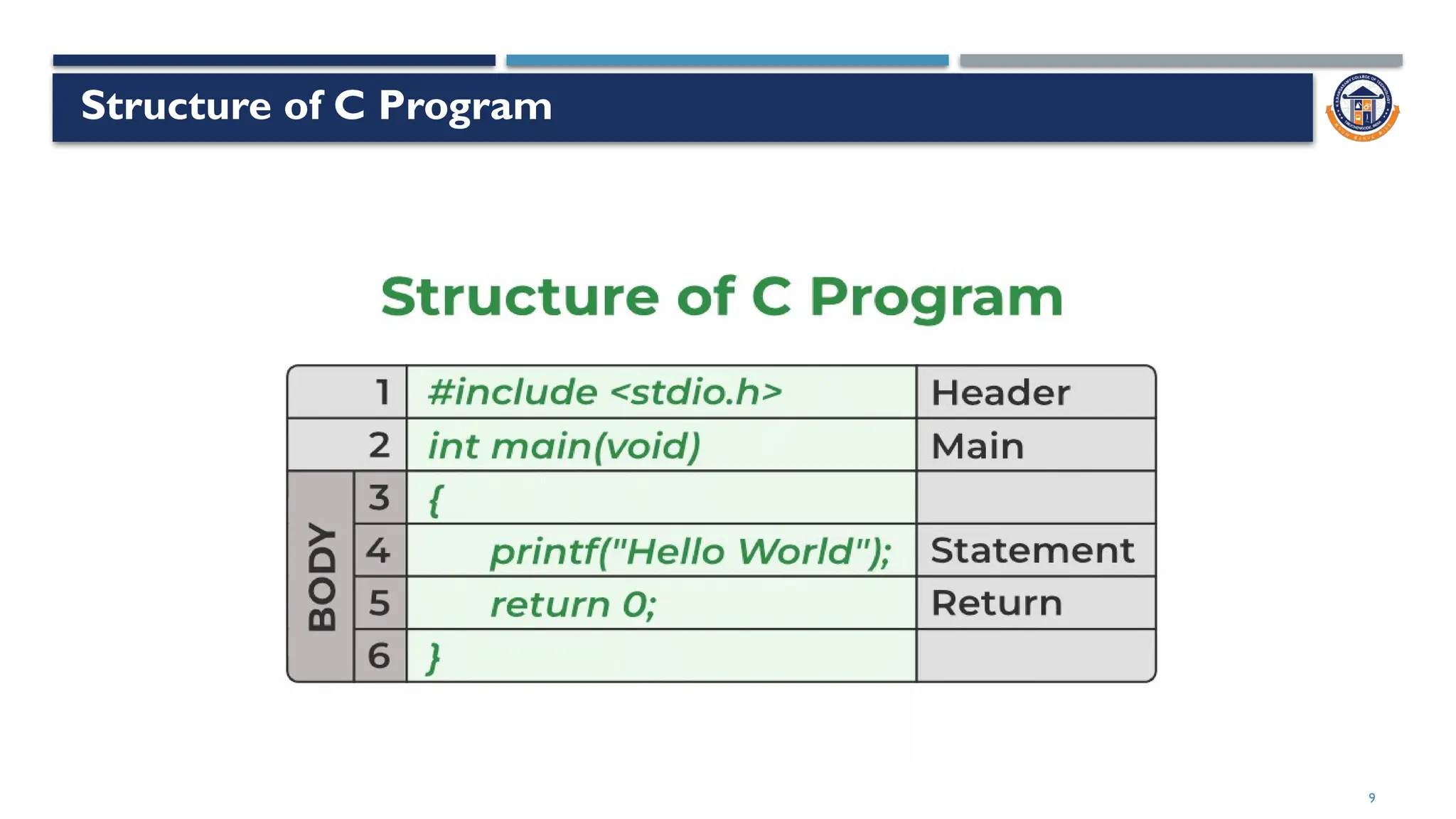
Structure of C Program
10
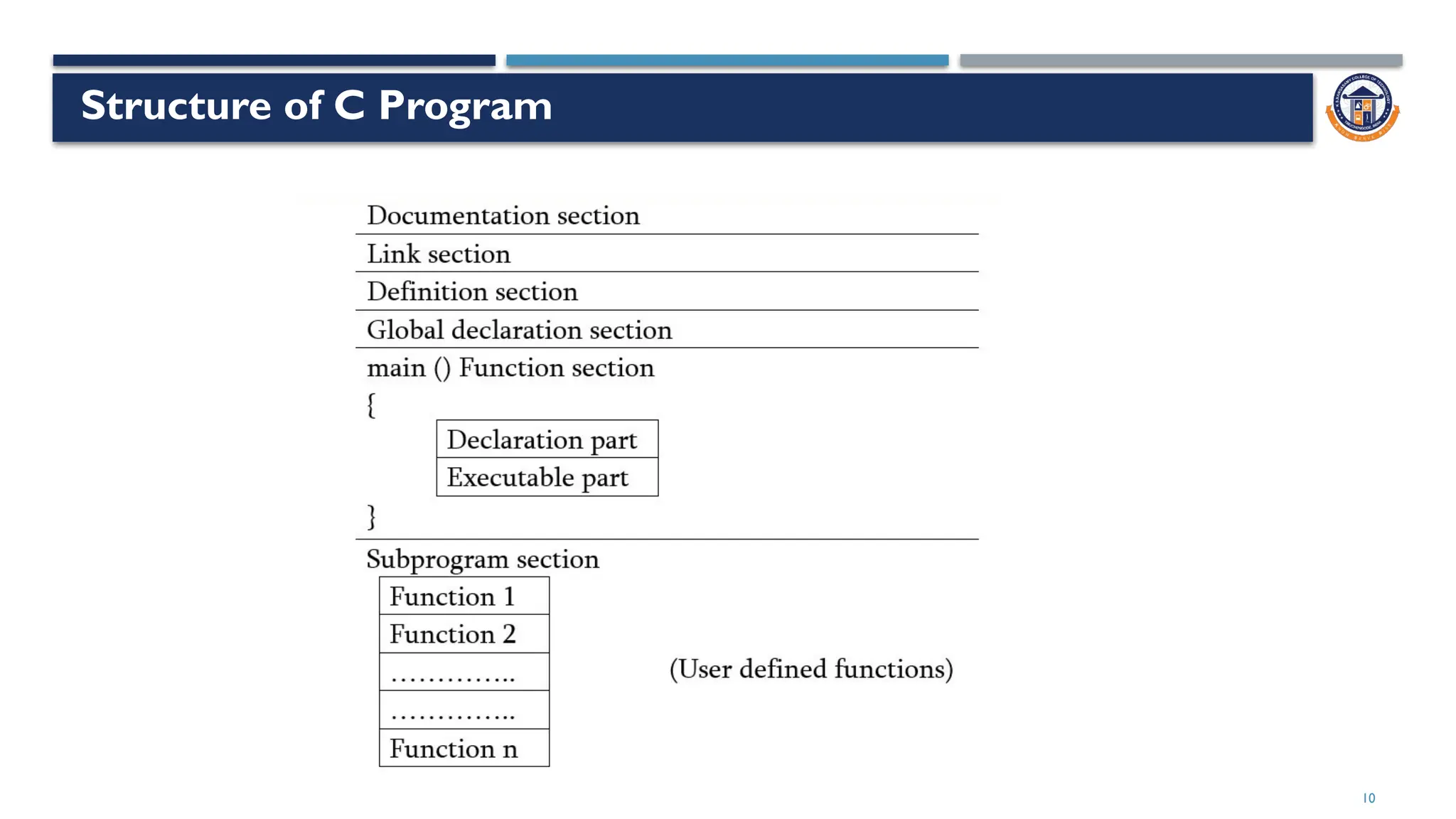
Structure of C Program
11
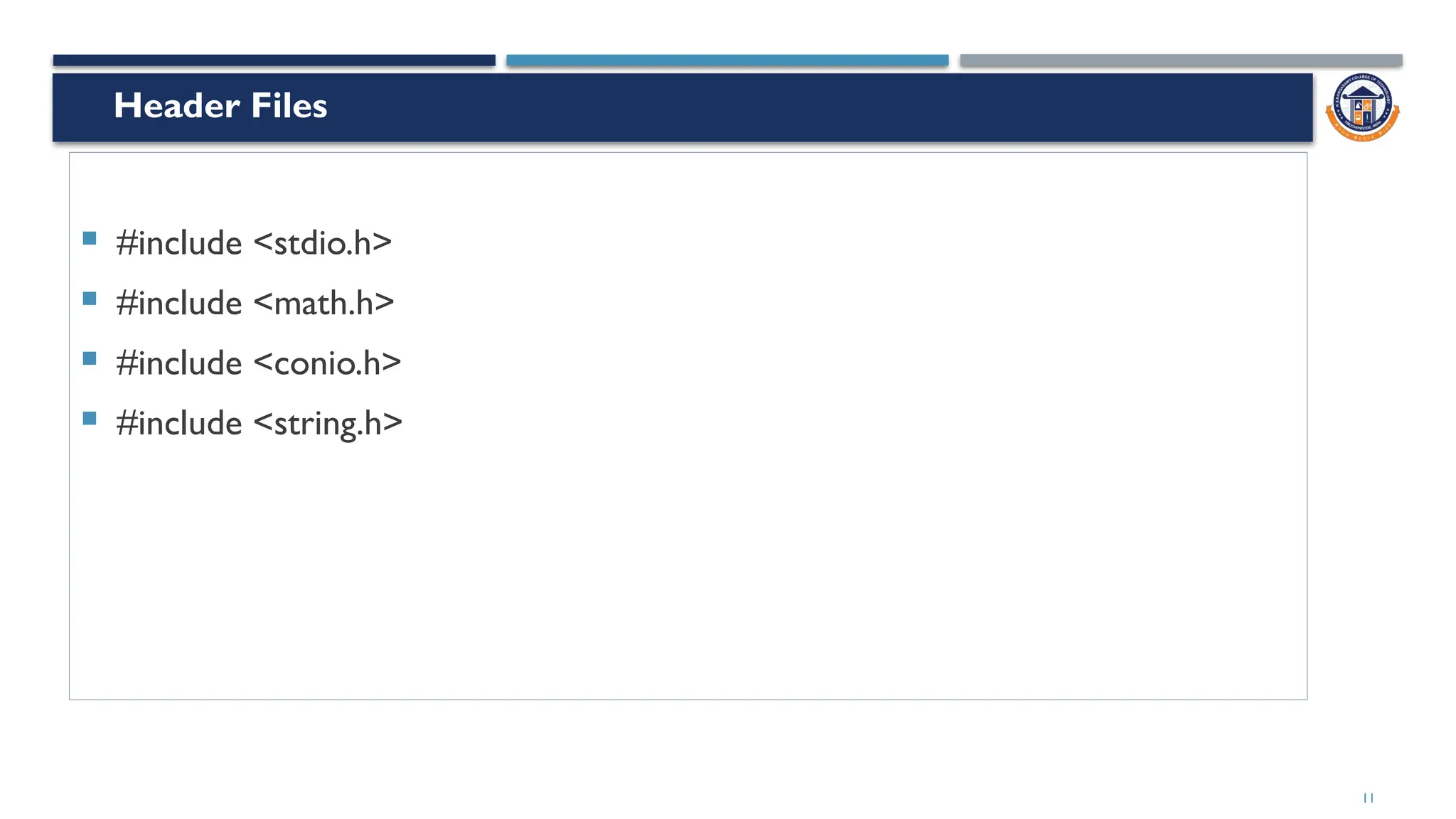
 #include <stdio.h>
 #include <math.h>
 #include <conio.h>
 #include <string.h>
Header Files
12
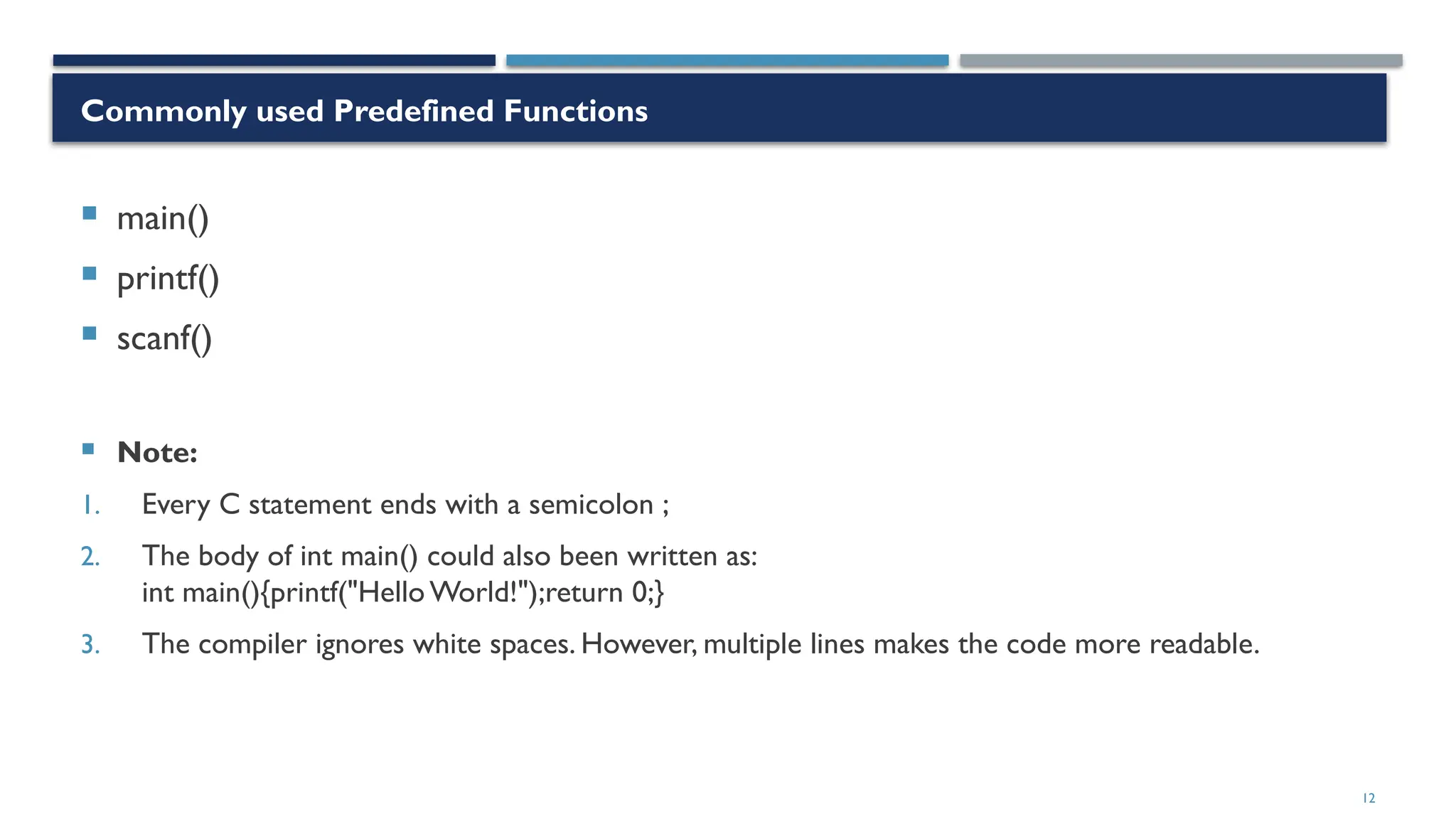
Commonly used Predefined Functions
 main()
 printf()
 scanf()
 Note:
1. Every C statement ends with a semicolon ;
2. The body of int main() could also been written as:
int main(){printf("Hello World!");return 0;}
3. The compiler ignores white spaces. However, multiple lines makes the code more readable.
13
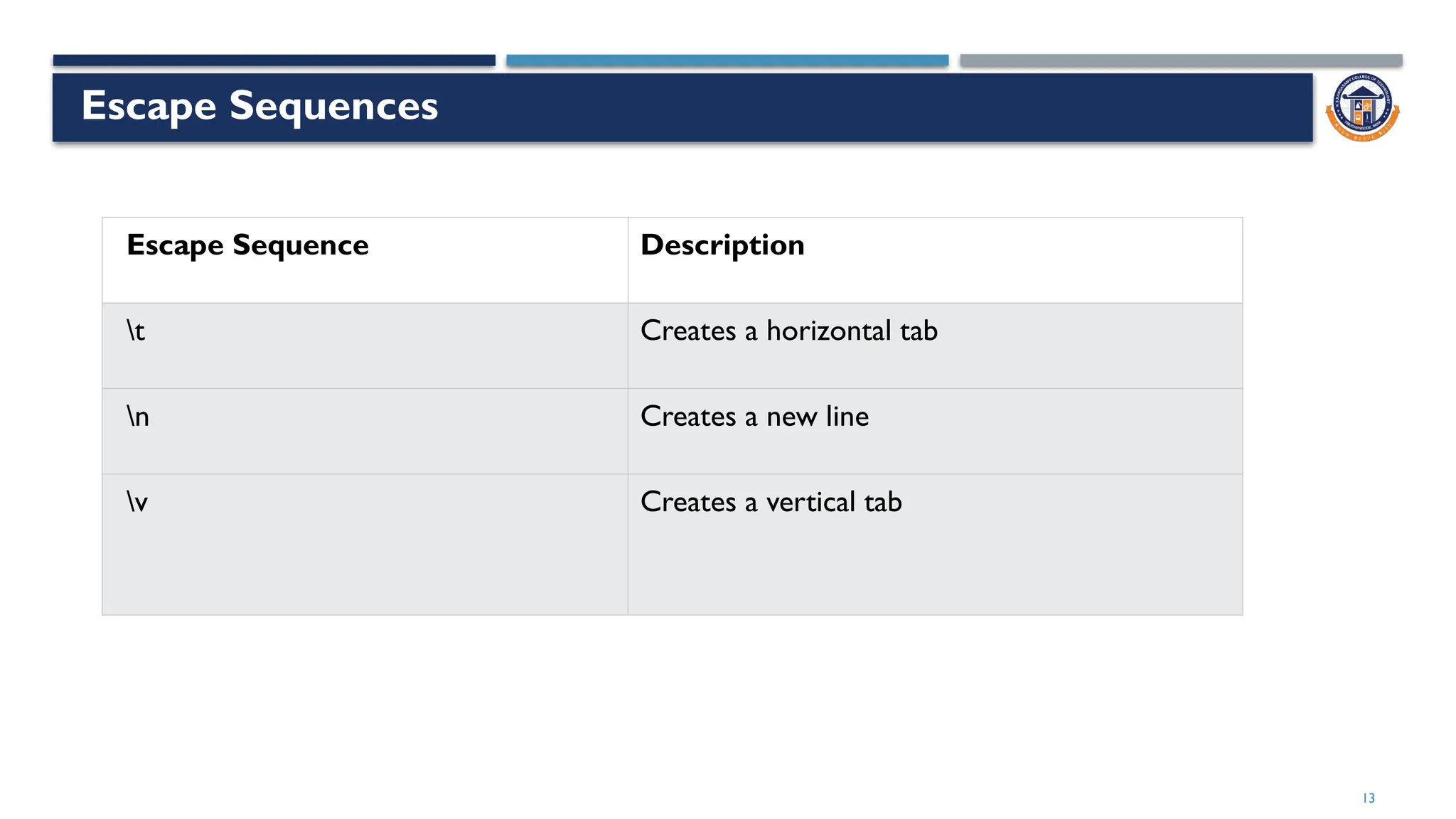
Escape Sequences
Escape Sequence Description
t Creates a horizontal tab
n Creates a new line
v Creates a vertical tab
14
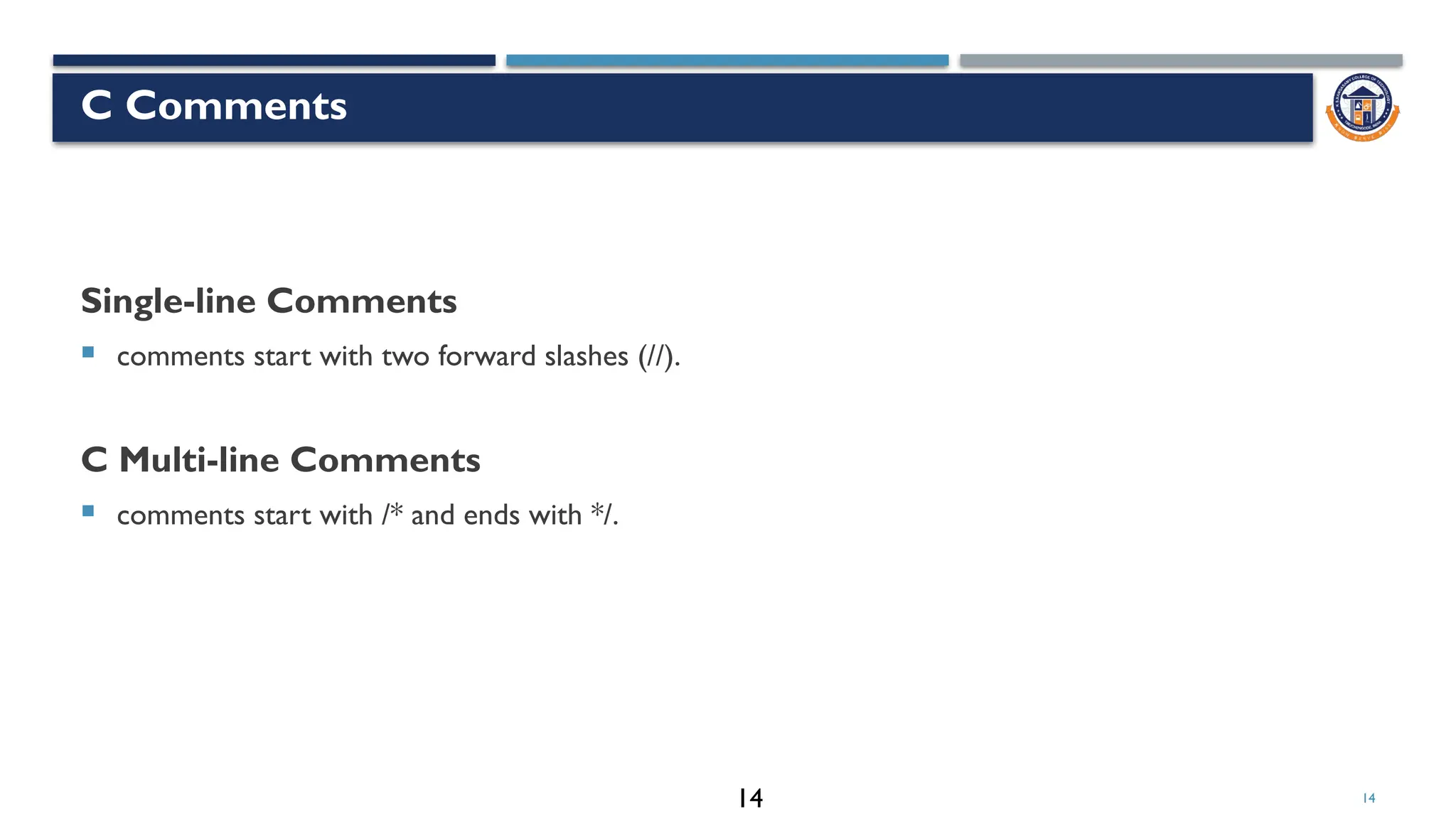
C Comments
Single-line Comments
 comments start with two forward slashes (//).
C Multi-line Comments
 comments start with /* and ends with */.
14
15
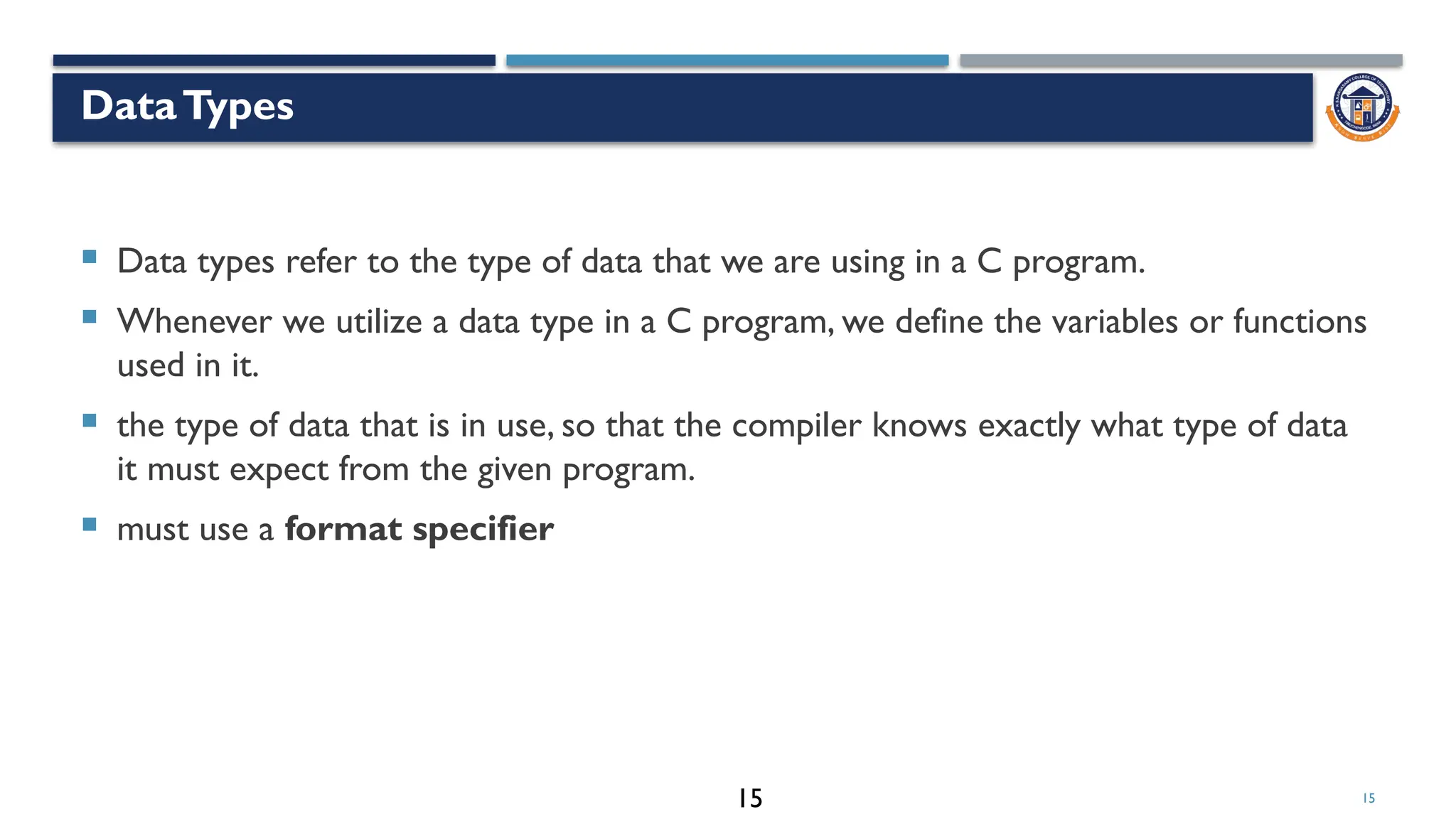
DataTypes
 Data types refer to the type of data that we are using in a C program.
 Whenever we utilize a data type in a C program, we define the variables or functions
used in it.
 the type of data that is in use, so that the compiler knows exactly what type of data
it must expect from the given program.
 must use a format specifier
15
16
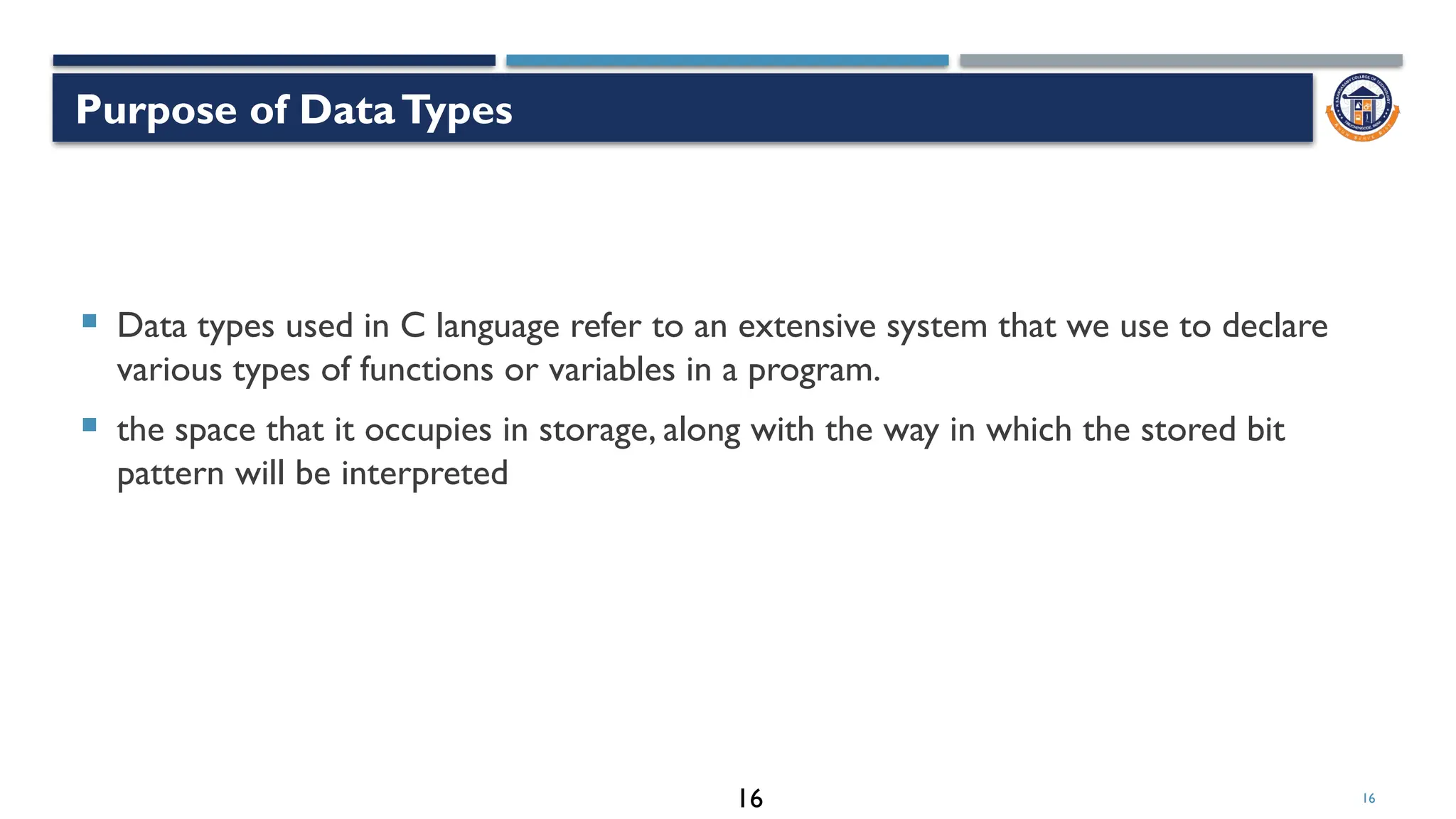
 Data types used in C language refer to an extensive system that we use to declare
various types of functions or variables in a program.
 the space that it occupies in storage, along with the way in which the stored bit
pattern will be interpreted
Purpose of DataTypes
16
17
Types of DataTypes
17
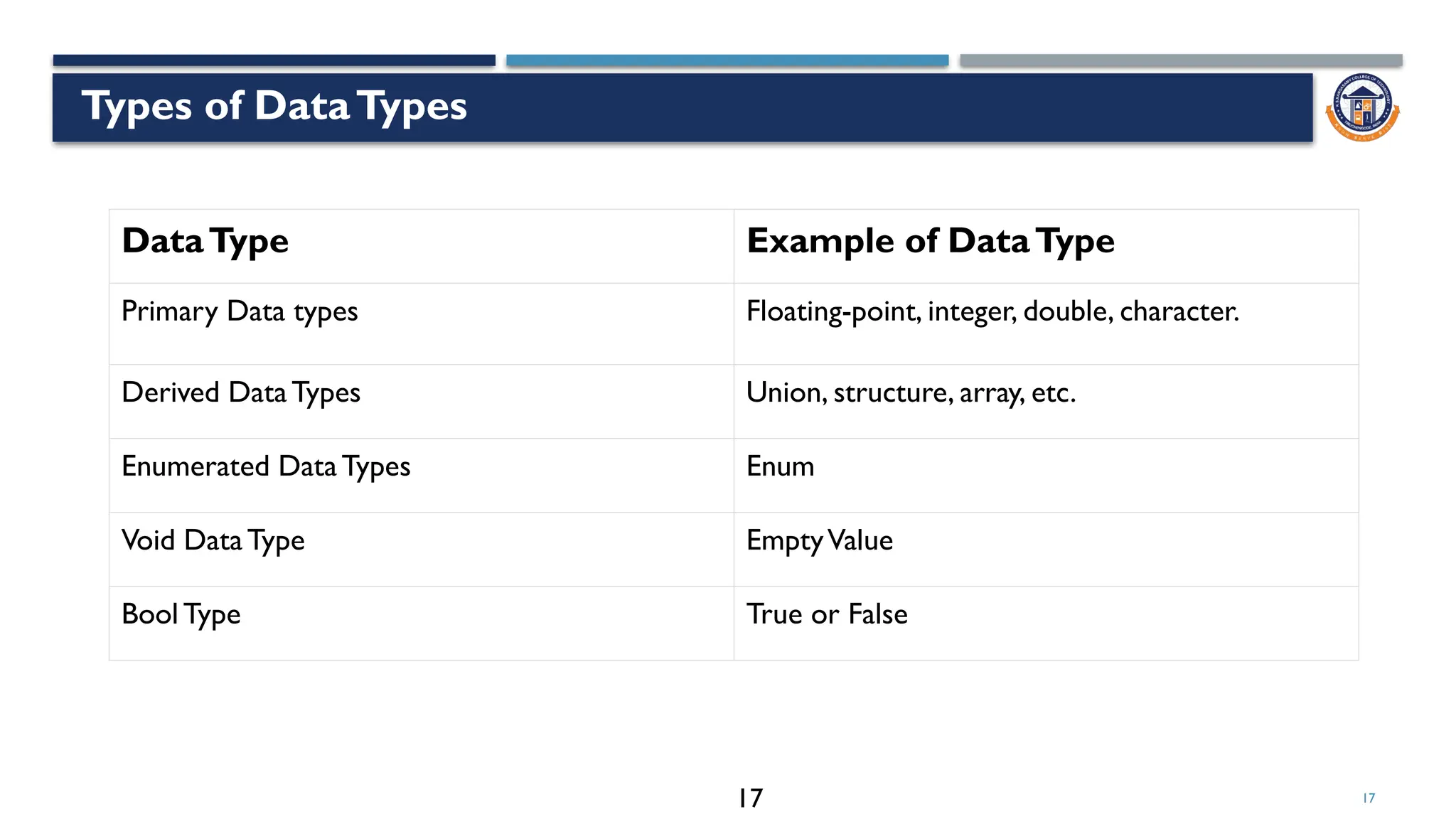
DataType Example of DataType
Primary Data types Floating-point, integer, double, character.
Derived DataTypes Union, structure, array, etc.
Enumerated DataTypes Enum
Void DataType EmptyValue
Bool Type True or False
18
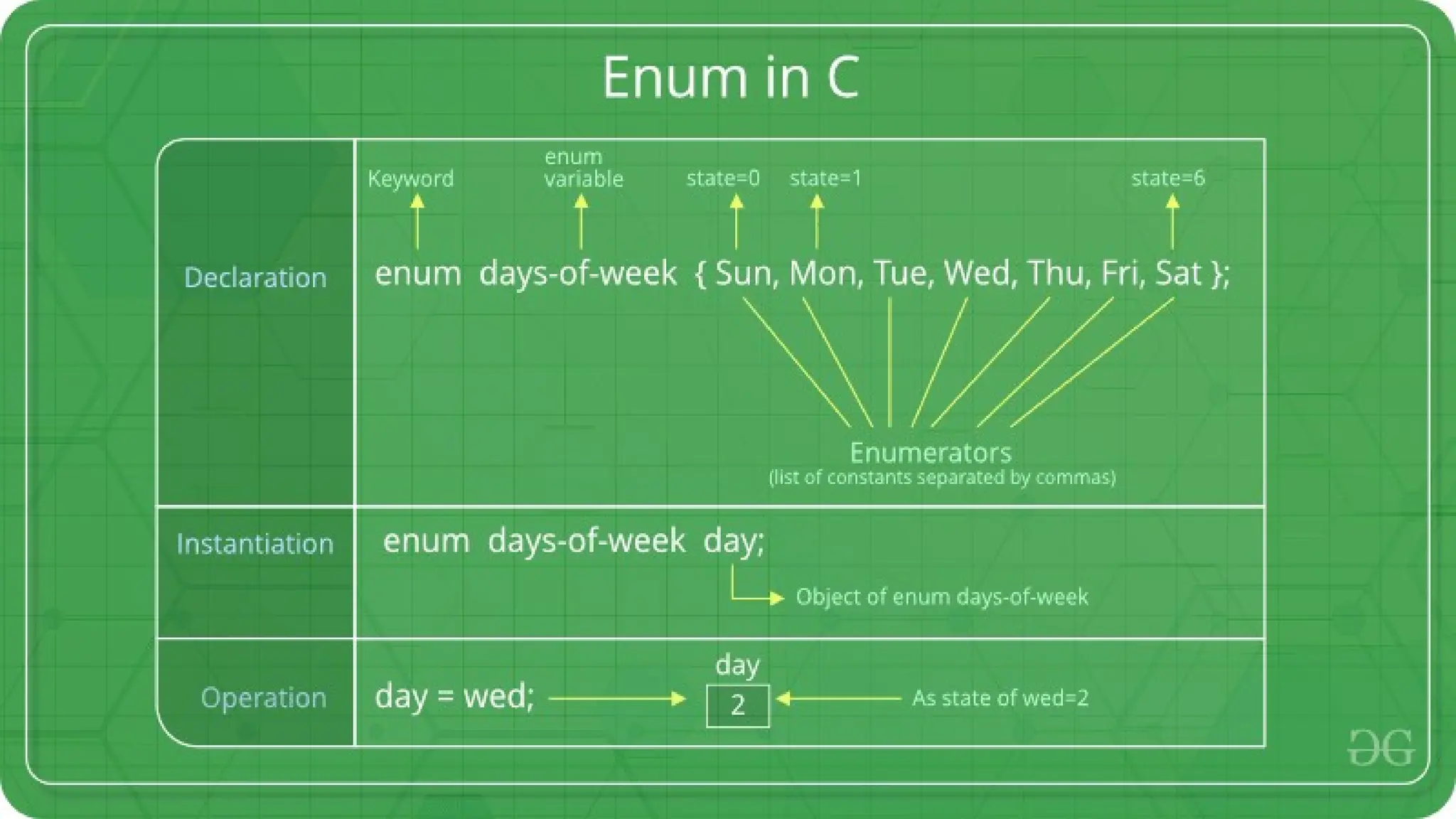
Enumeration (or enum)
 Enumeration (or enum) is a user defined data type in C.
 It is mainly used to assign names to integral constants, the names make a program
easy to read and maintain
18
18
19
19
19
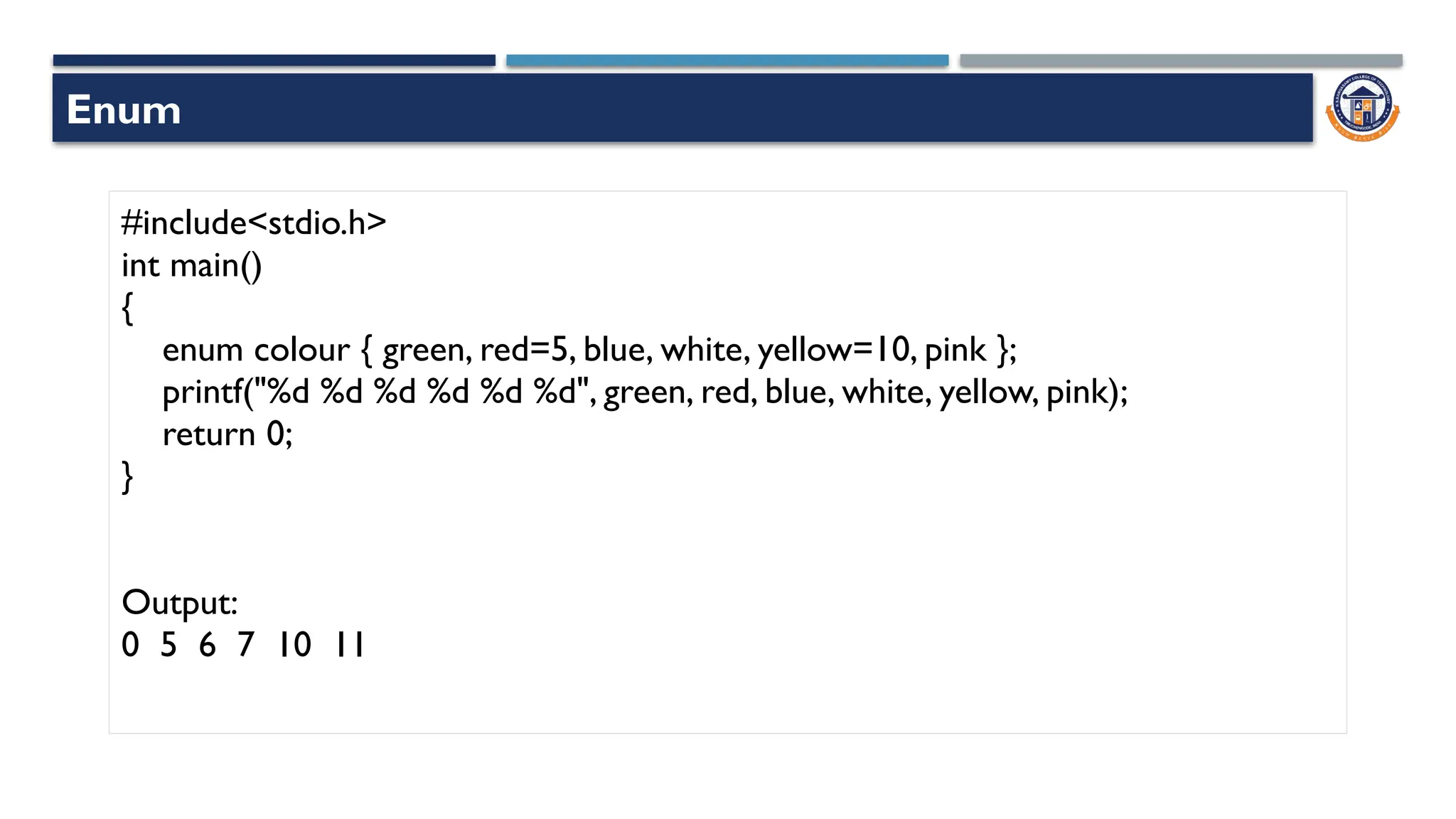
Enum
#include<stdio.h>
int main()
{
enum colour { green, red=5, blue, white, yellow=10, pink };
printf("%d %d %d %d %d %d", green, red, blue, white, yellow, pink);
return 0;
}
Output:
0 5 6 7 10 11
Enum
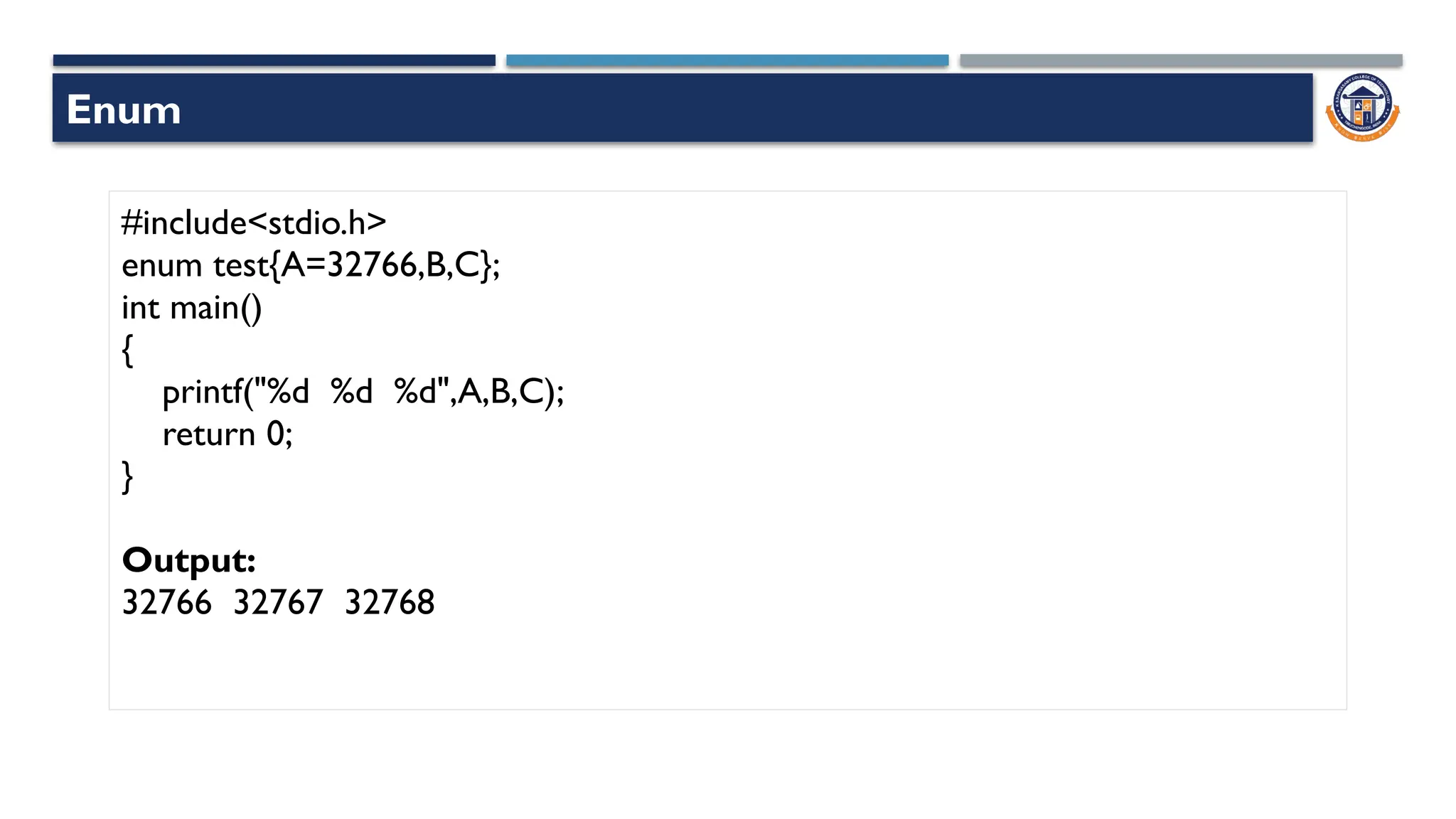
#include<stdio.h>
enum test{A=32766,B,C};
int main()
{
printf("%d %d %d",A,B,C);
return 0;
}
Output:
32766 32767 32768
Enum
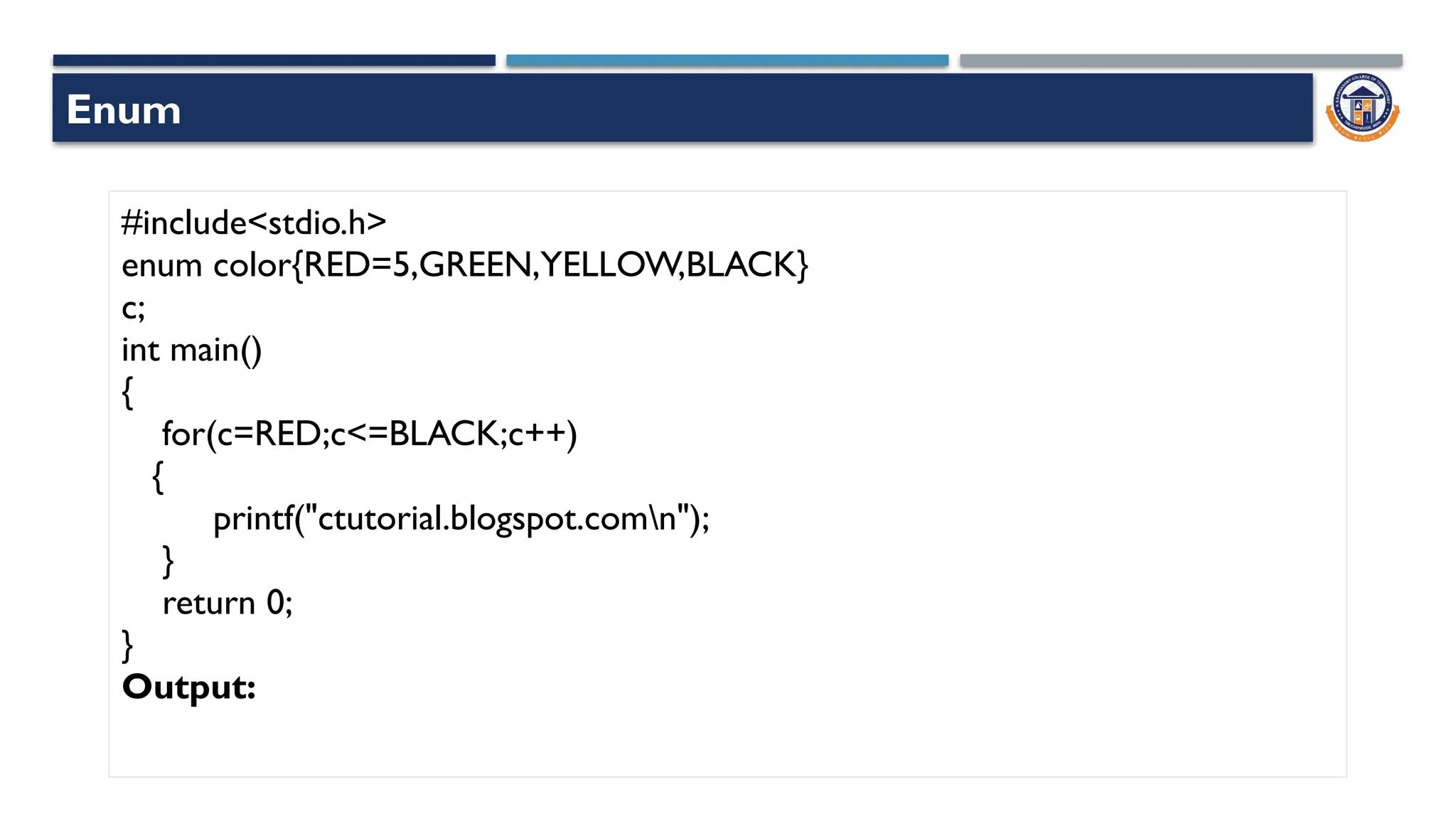
#include<stdio.h>
enum color{RED=5,GREEN,YELLOW,BLACK}
c;
int main()
{
for(c=RED;c<=BLACK;c++)
{
printf("ctutorial.blogspot.comn");
}
return 0;
}
Output:
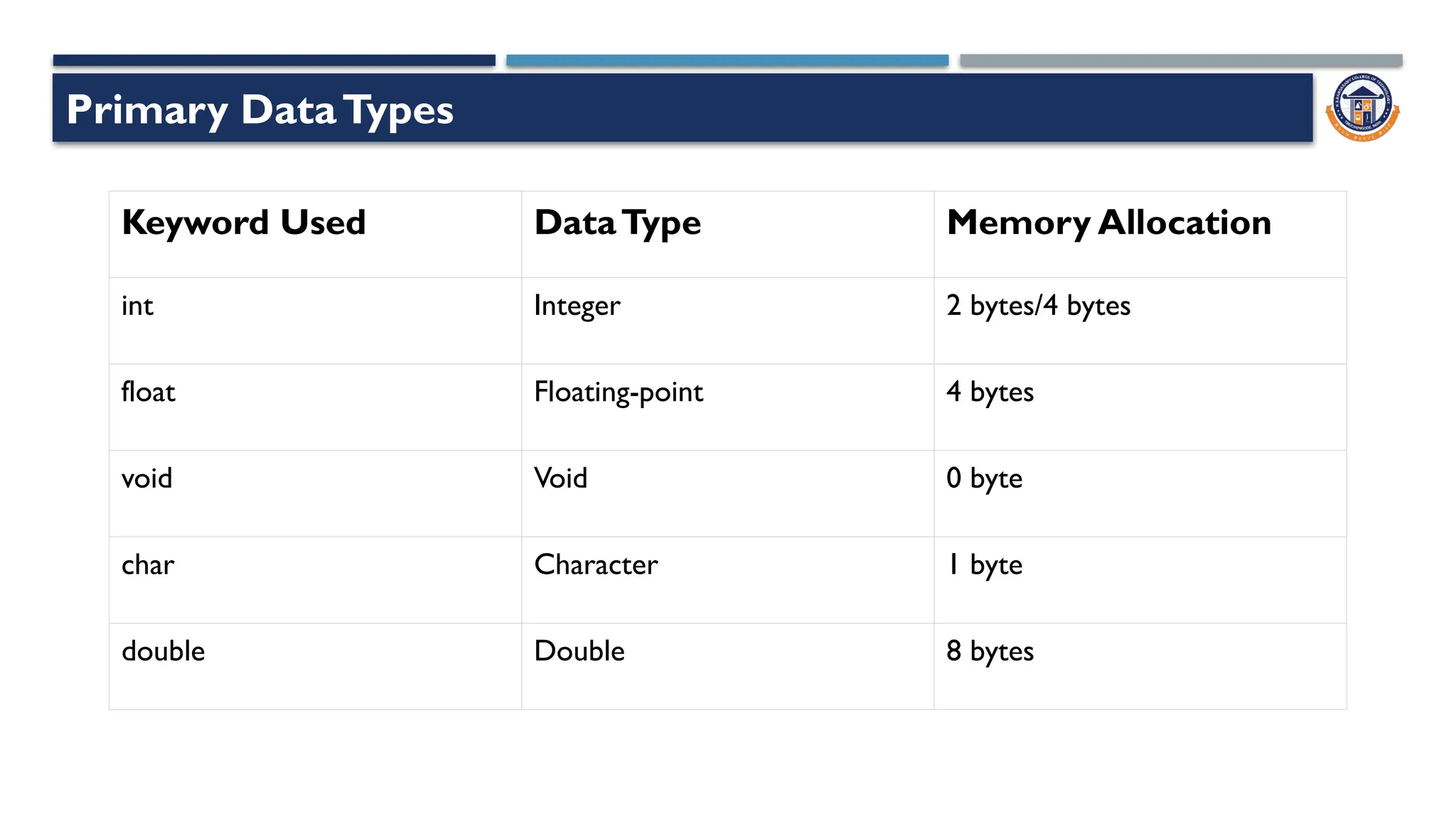
Primary DataTypes
Keyword Used DataType Memory Allocation
int Integer 2 bytes/4 bytes
float Floating-point 4 bytes
void Void 0 byte
char Character 1 byte
double Double 8 bytes
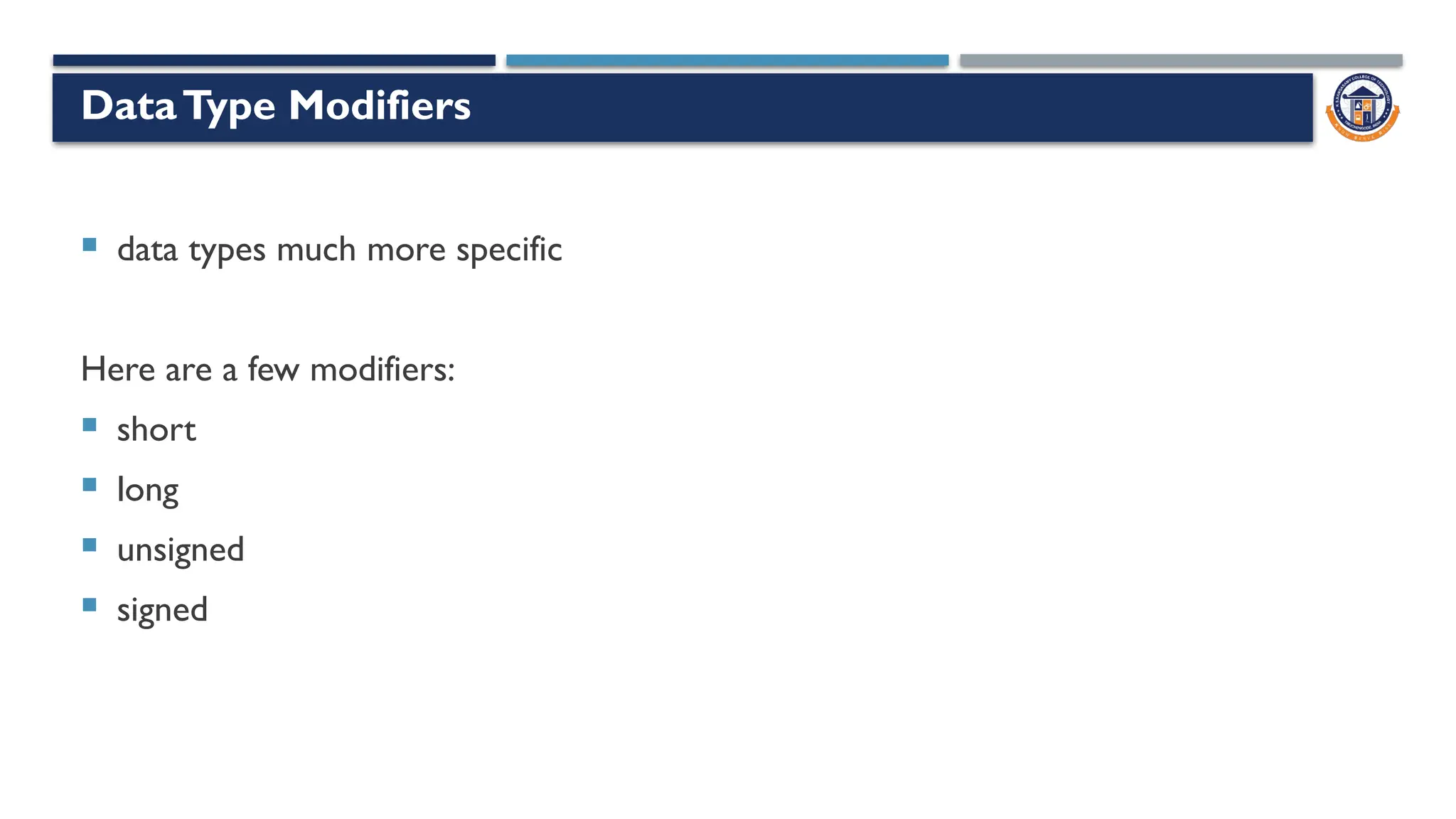
DataType Modifiers
 data types much more specific
Here are a few modifiers:
 short
 long
 unsigned
 signed
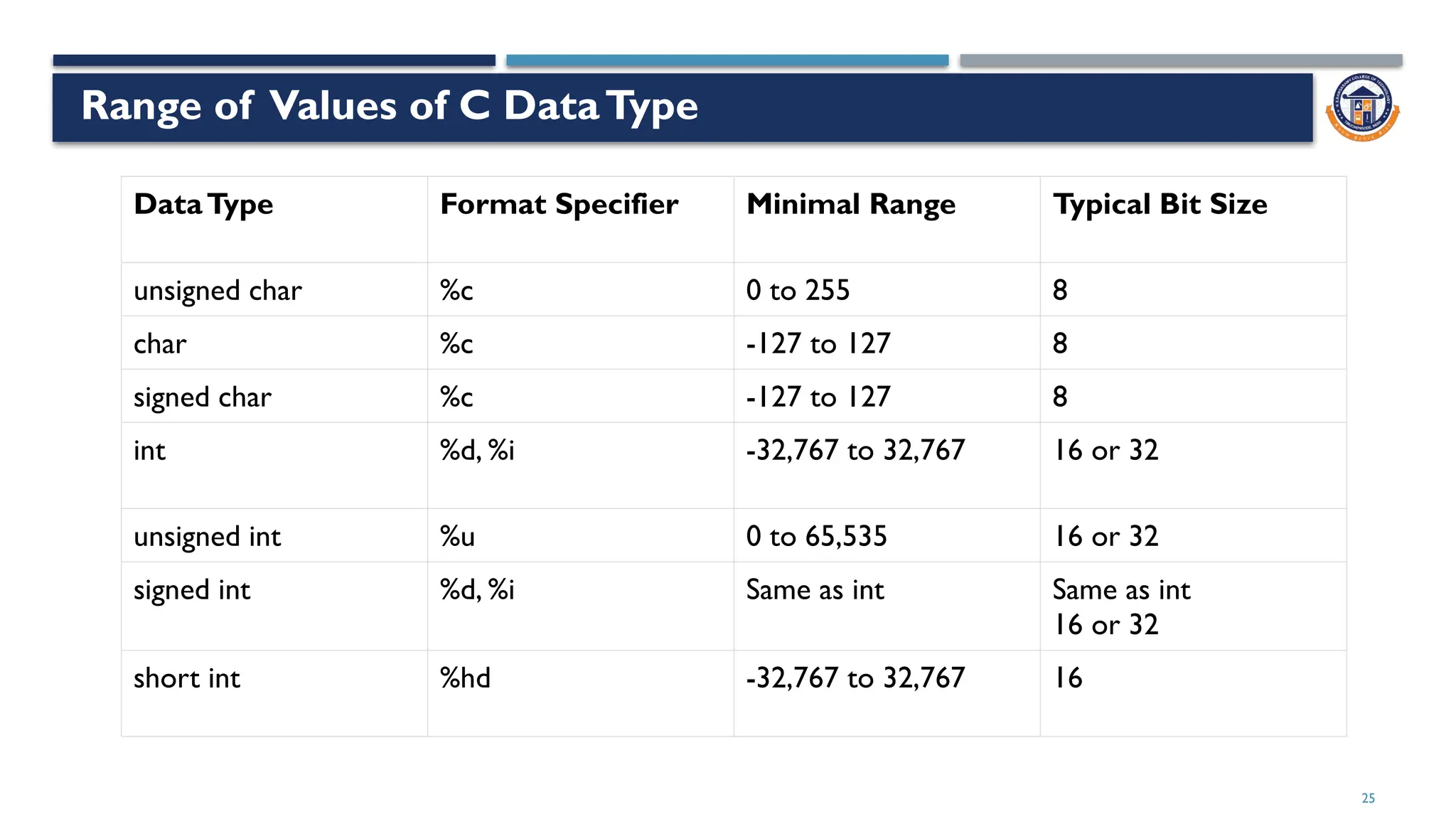
Range of Values of C DataType
25
DataType Format Specifier Minimal Range Typical Bit Size
unsigned char %c 0 to 255 8
char %c -127 to 127 8
signed char %c -127 to 127 8
int %d, %i -32,767 to 32,767 16 or 32
unsigned int %u 0 to 65,535 16 or 32
signed int %d, %i Same as int Same as int
16 or 32
short int %hd -32,767 to 32,767 16
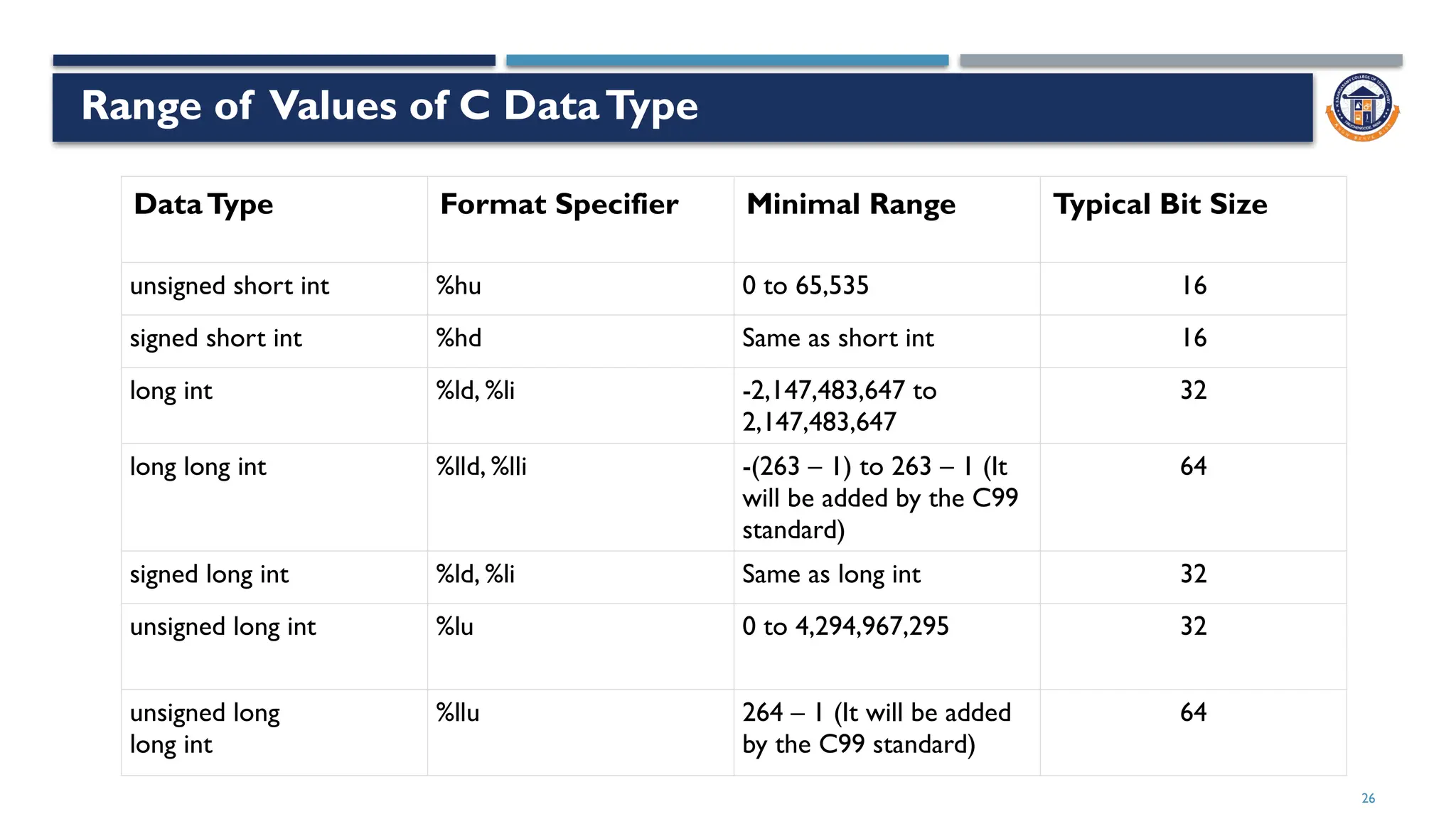
Range of Values of C DataType
26
DataType Format Specifier Minimal Range Typical Bit Size
unsigned short int %hu 0 to 65,535 16
signed short int %hd Same as short int 16
long int %ld, %li -2,147,483,647 to
2,147,483,647
32
long long int %lld, %lli -(263 – 1) to 263 – 1 (It
will be added by the C99
standard)
64
signed long int %ld, %li Same as long int 32
unsigned long int %lu 0 to 4,294,967,295 32
unsigned long
long int
%llu 264 – 1 (It will be added
by the C99 standard)
64
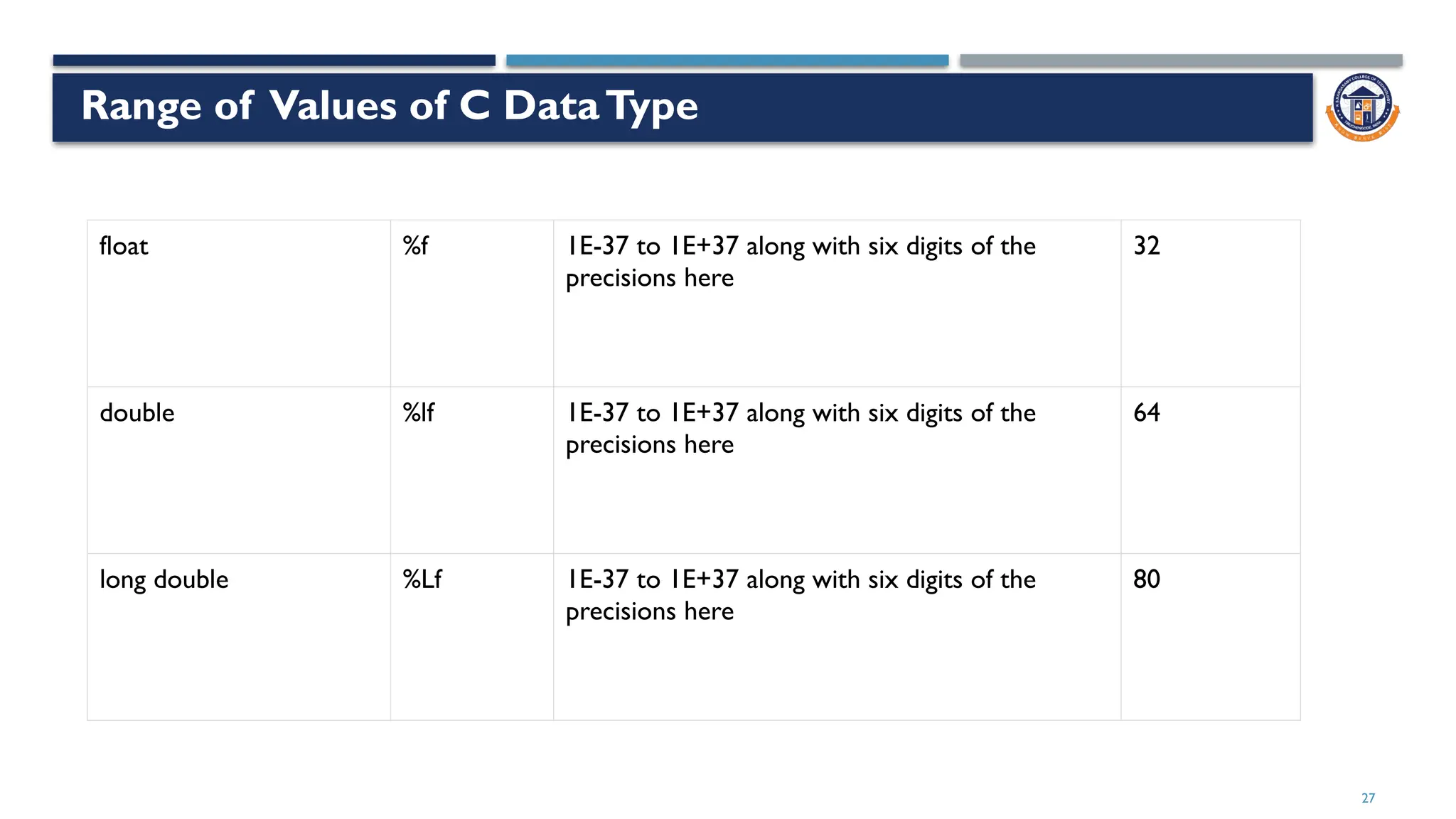
Range of Values of C DataType
27
float %f 1E-37 to 1E+37 along with six digits of the
precisions here
32
double %lf 1E-37 to 1E+37 along with six digits of the
precisions here
64
long double %Lf 1E-37 to 1E+37 along with six digits of the
precisions here
80
Out of Range
 #include <stdio.h>
 int main()
 {
 // the maximum value allowed in the signed short int is 32767
 signed short int x = 34767;
 return 0;
 }
 The generated output for this program would be:
 warning: very large integer value implicitly truncated to signed type [-Woverflow]
 signed short int x = 34767;
28
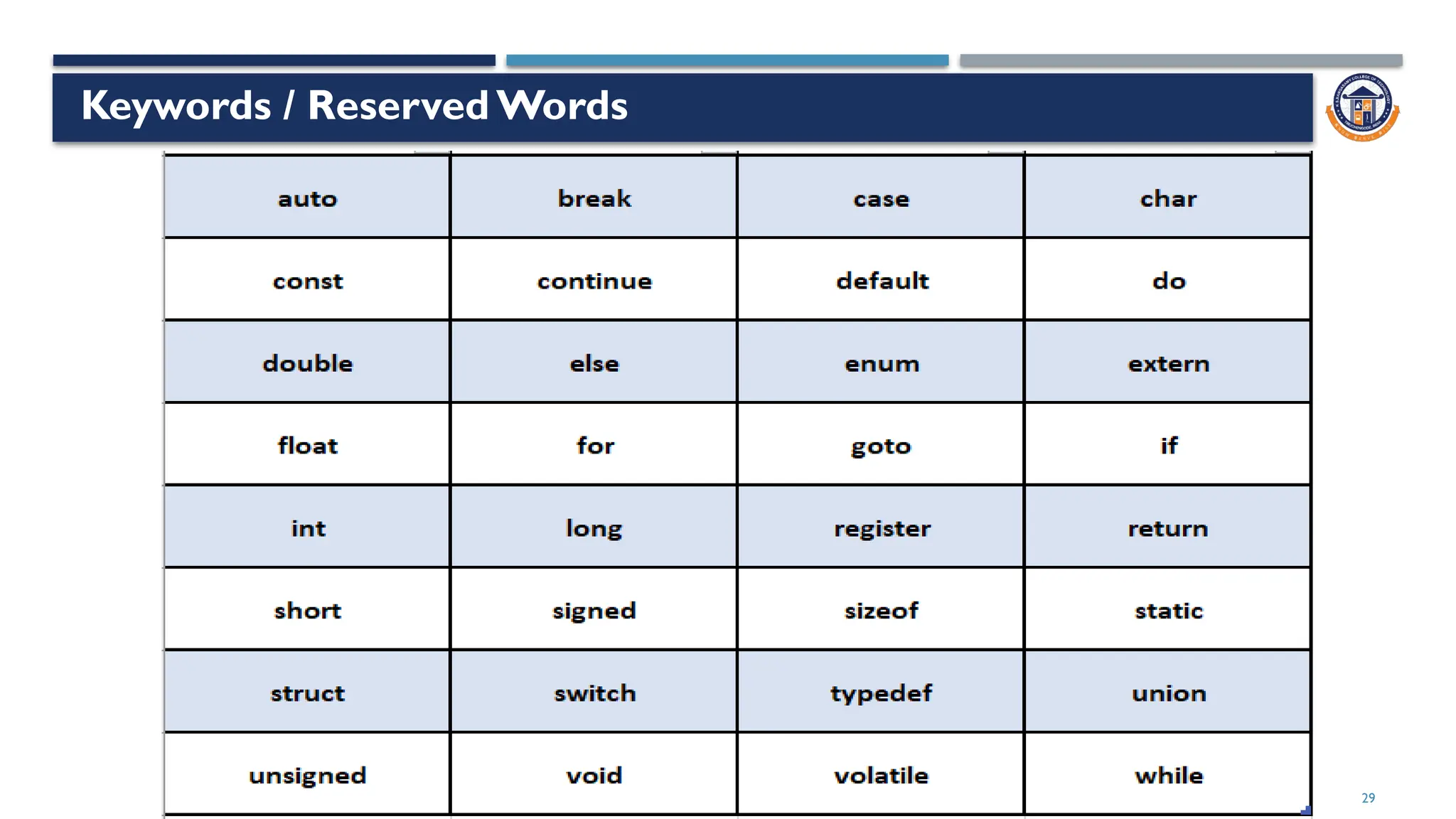
Keywords / Reserved Words
29
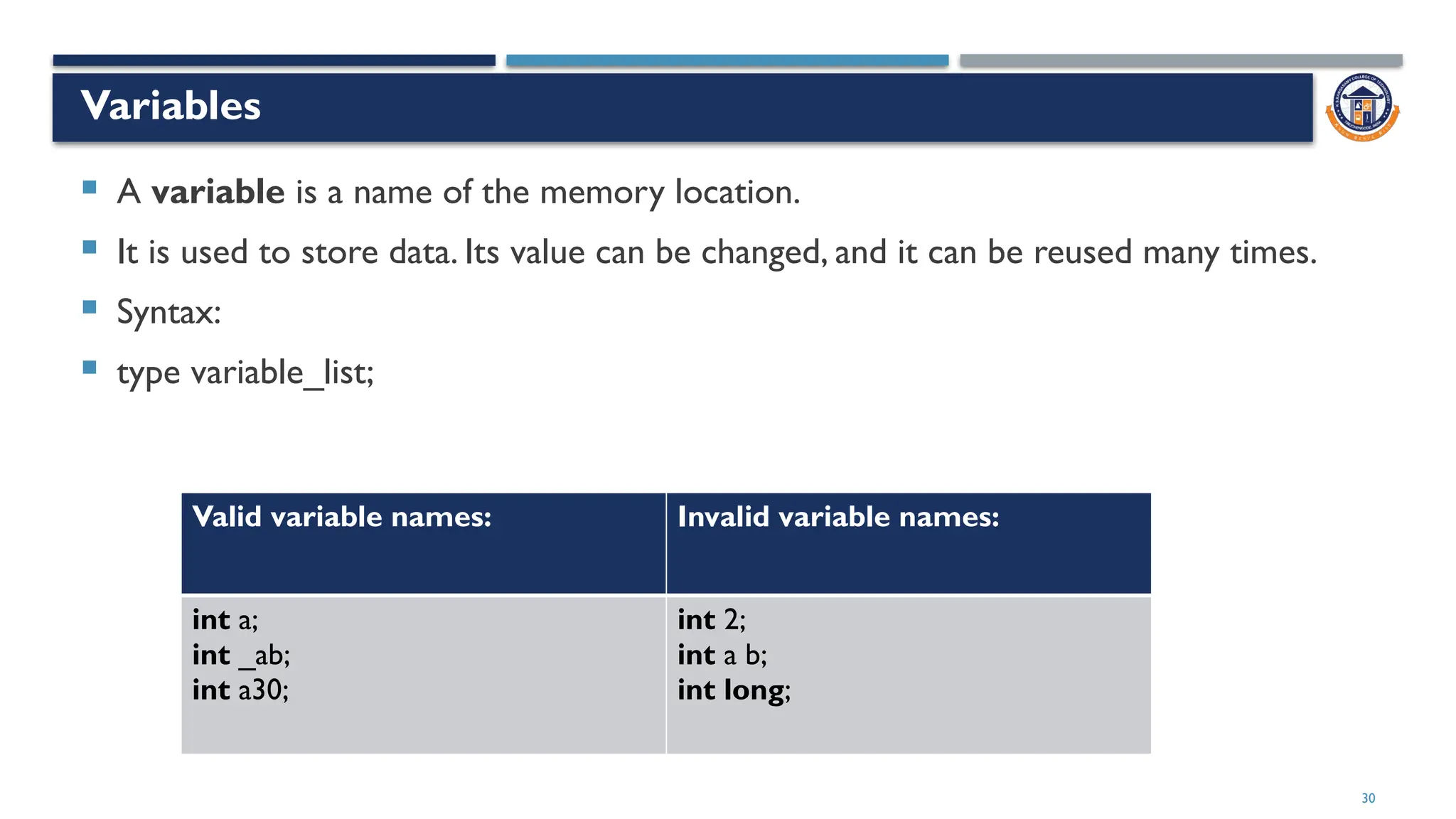
Variables
 A variable is a name of the memory location.
 It is used to store data. Its value can be changed, and it can be reused many times.
 Syntax:
 type variable_list;
30
Valid variable names: Invalid variable names:
int a;
int _ab;
int a30;
int 2;
int a b;
int long;
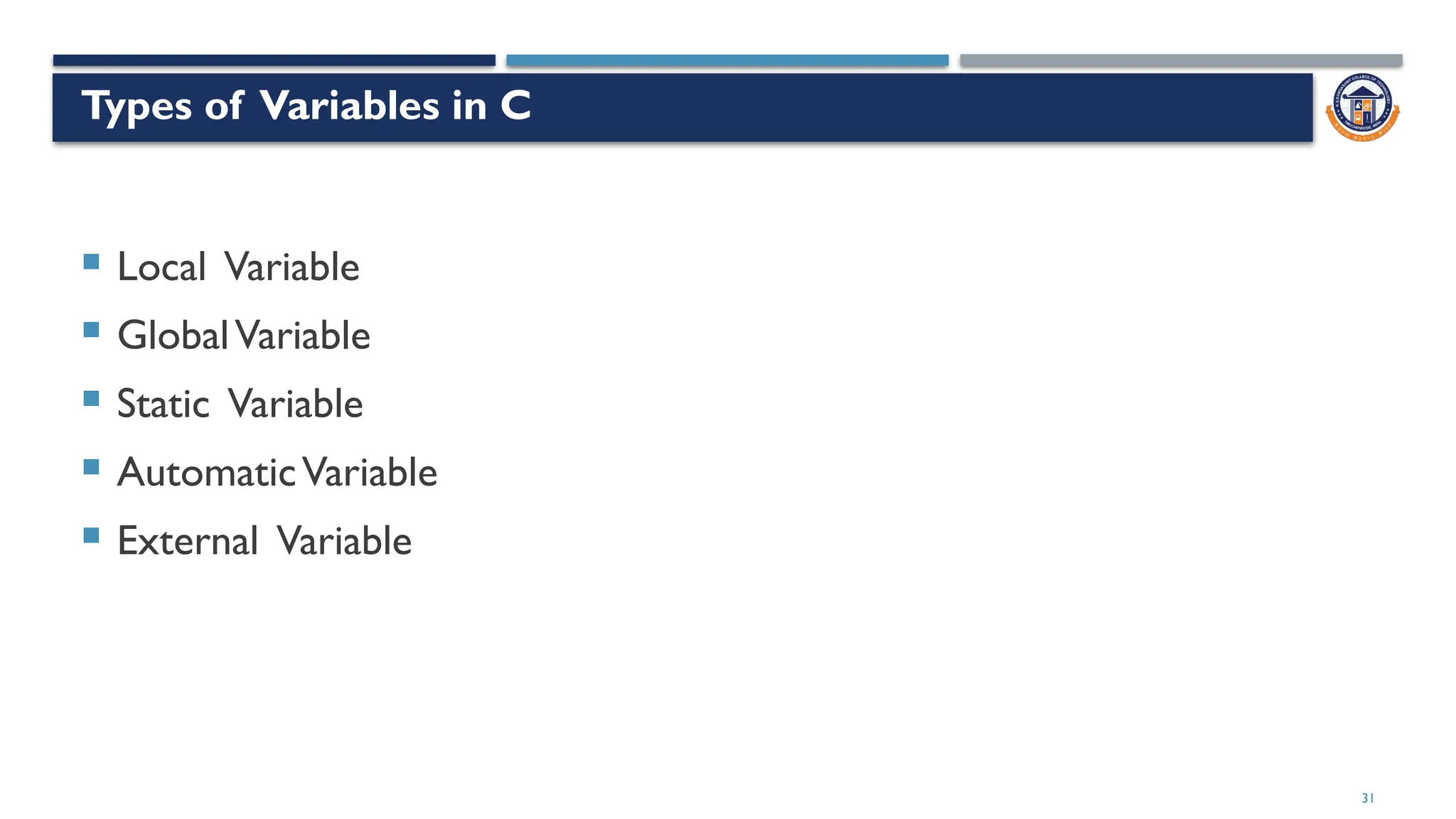
Types of Variables in C
 Local Variable
 GlobalVariable
 Static Variable
 AutomaticVariable
 External Variable
31
32
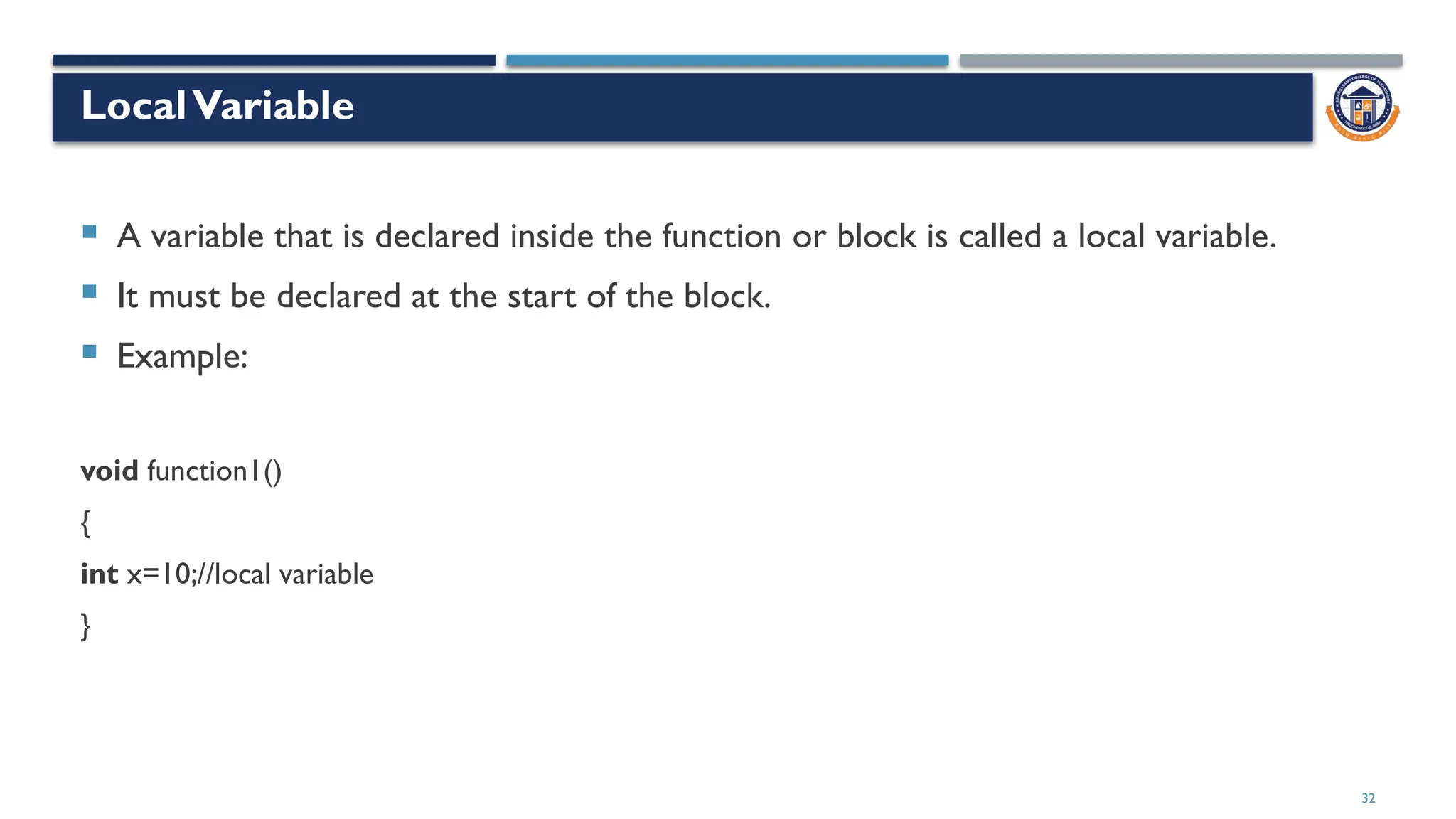
LocalVariable
 A variable that is declared inside the function or block is called a local variable.
 It must be declared at the start of the block.
 Example:
void function1()
{
int x=10;//local variable
}
33
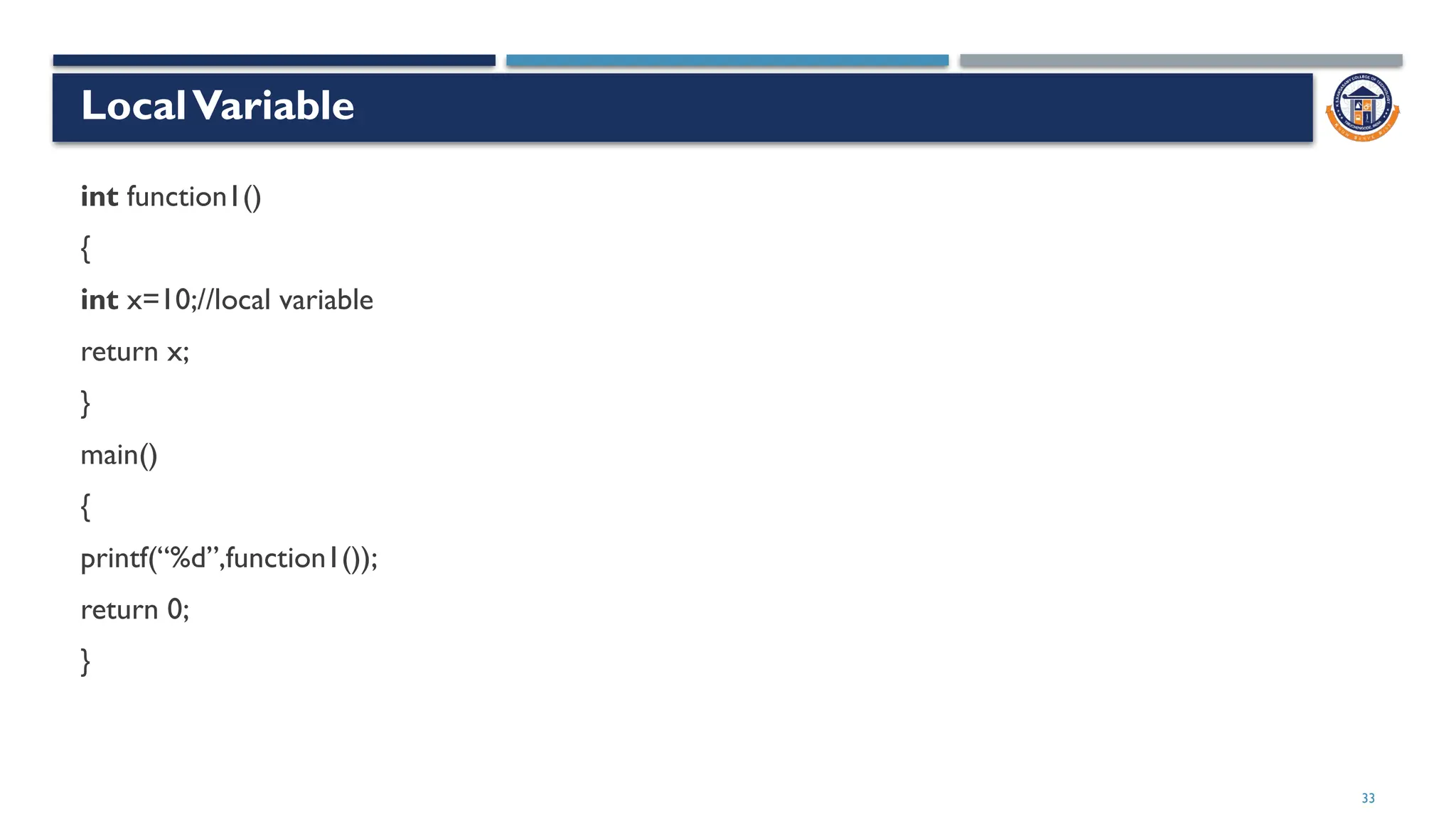
LocalVariable
int function1()
{
int x=10;//local variable
return x;
}
main()
{
printf(“%d”,function1());
return 0;
}
34
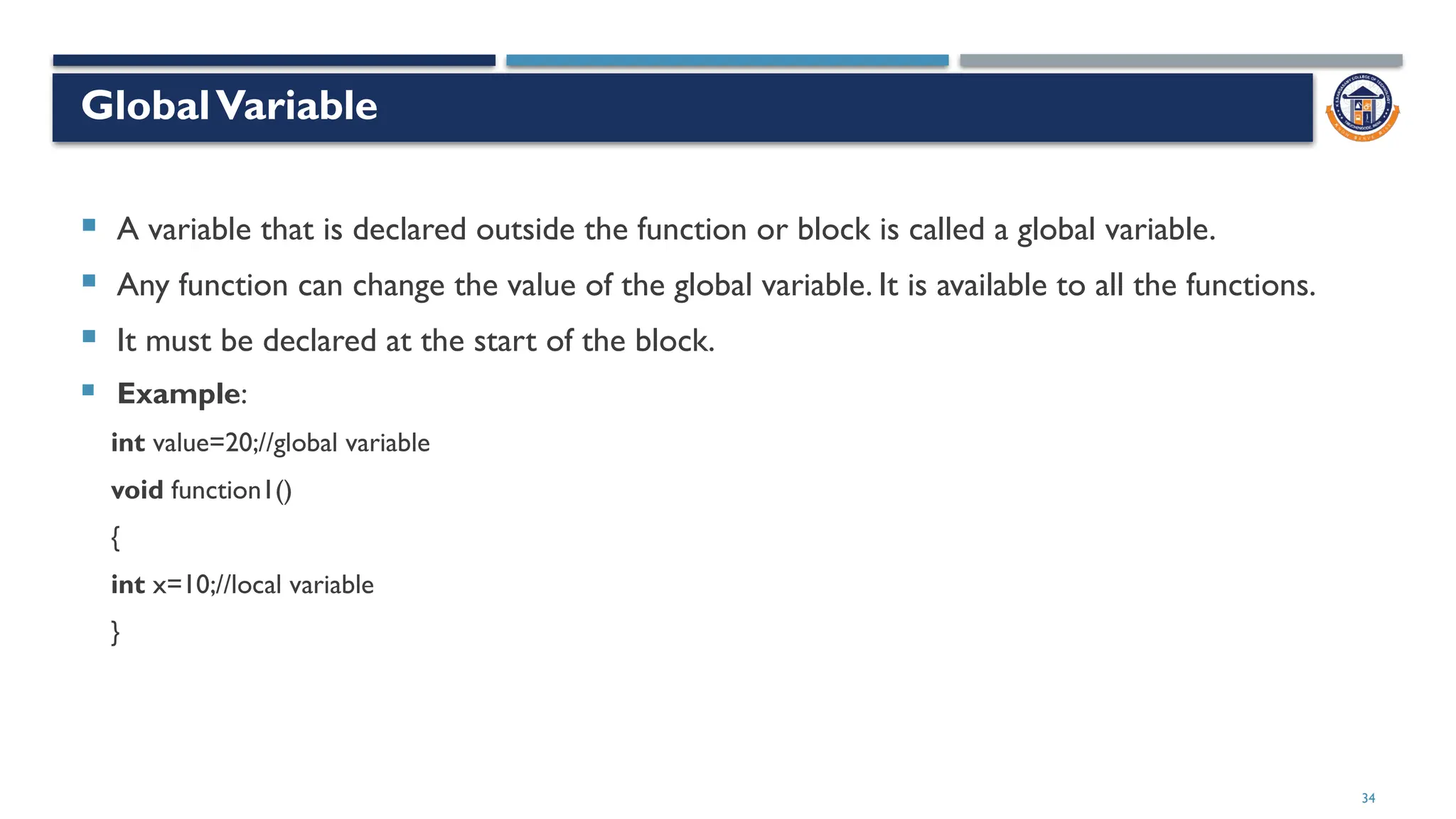
GlobalVariable
 A variable that is declared outside the function or block is called a global variable.
 Any function can change the value of the global variable. It is available to all the functions.
 It must be declared at the start of the block.
 Example:
int value=20;//global variable
void function1()
{
int x=10;//local variable
}
35
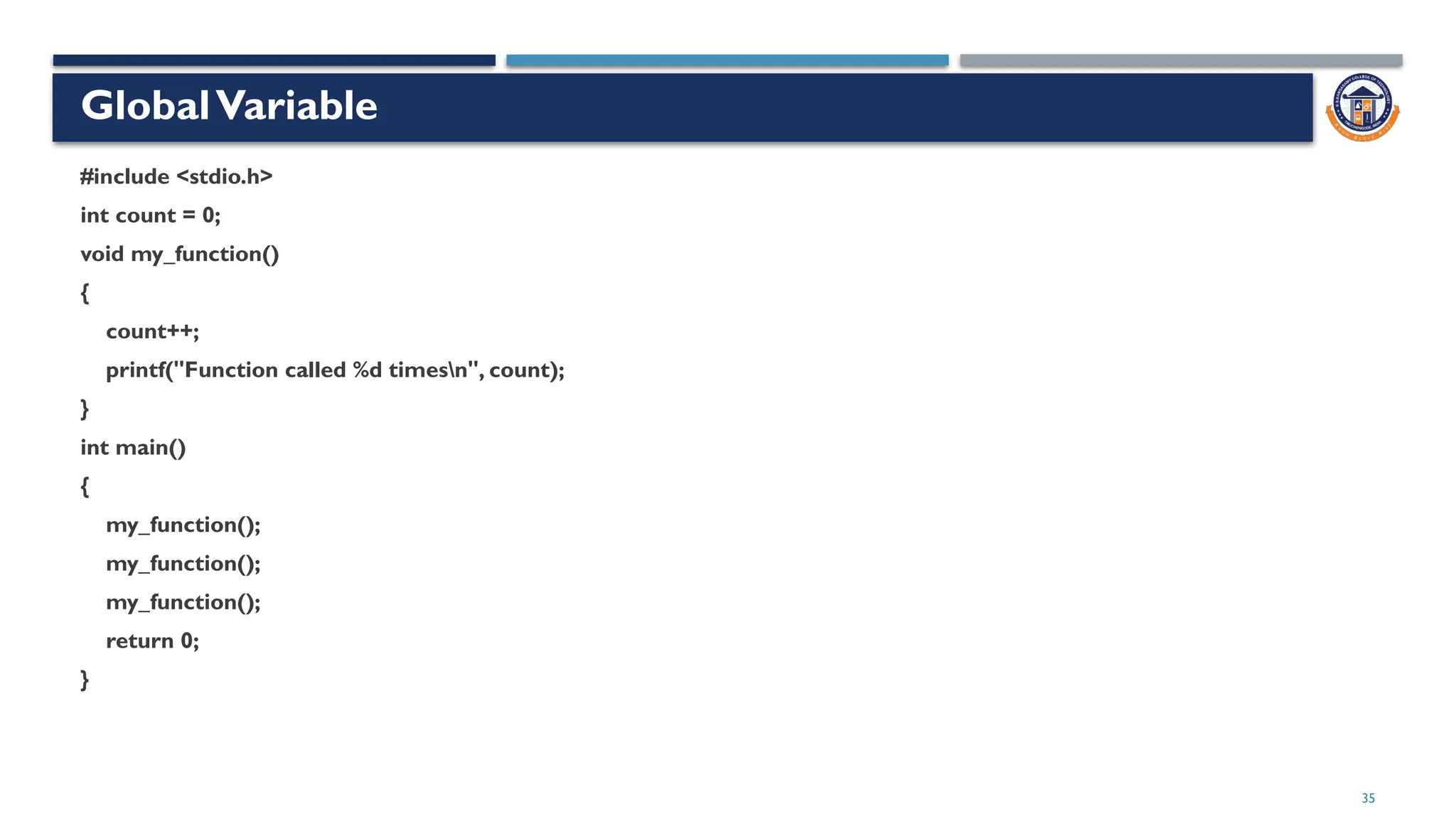
GlobalVariable
#include <stdio.h>
int count = 0;
void my_function()
{
count++;
printf("Function called %d timesn", count);
}
int main()
{
my_function();
my_function();
my_function();
return 0;
}
36
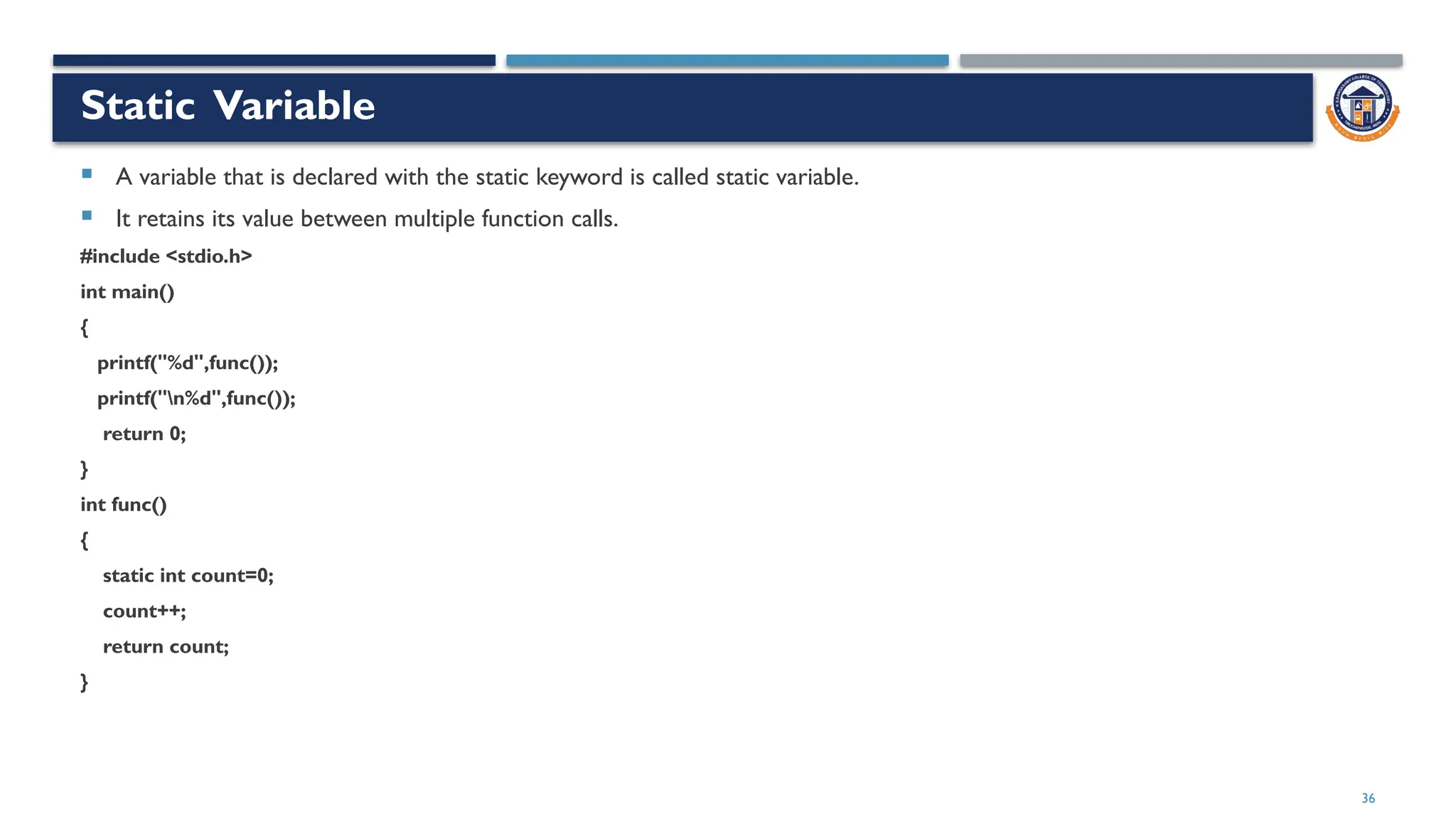
Static Variable
 A variable that is declared with the static keyword is called static variable.
 It retains its value between multiple function calls.
#include <stdio.h>
int main()
{
printf("%d",func());
printf("n%d",func());
return 0;
}
int func()
{
static int count=0;
count++;
return count;
}
37
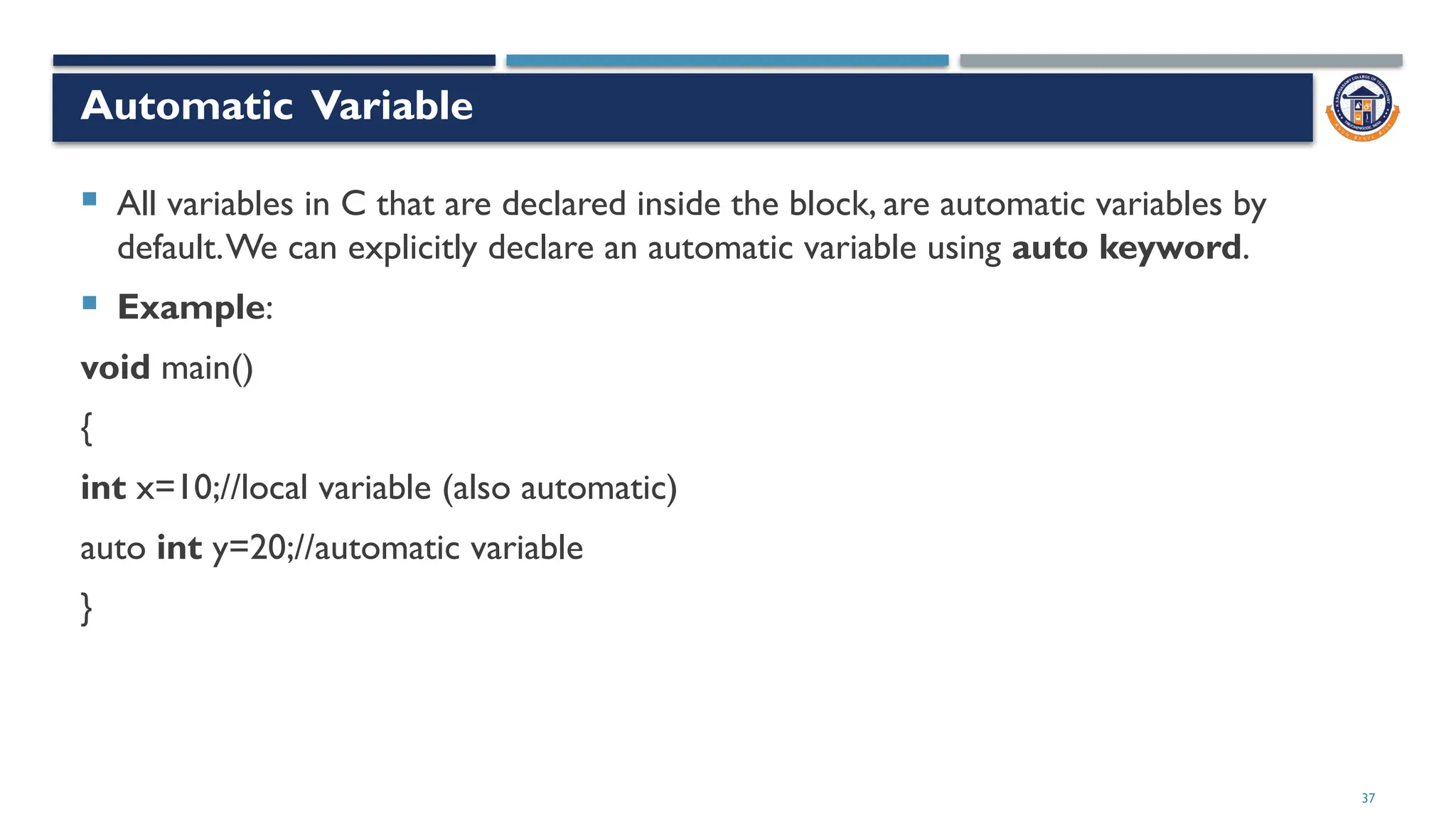
Automatic Variable
 All variables in C that are declared inside the block, are automatic variables by
default.We can explicitly declare an automatic variable using auto keyword.
 Example:
void main()
{
int x=10;//local variable (also automatic)
auto int y=20;//automatic variable
}
38
External Variable
 a variable in multiple C source files by using an external variable.To declare an external variable,
you need to use extern keyword.
 extern int x=10;//external variable (also global)
 Note: extern only declares the variable but it doesn't allocate any memory for this variable.
 program1.c
 #include "myfile.h"
 #include <stdio.h>
 void printValue()
 {
 printf("Global variable: %d", global_variable);
 }
39
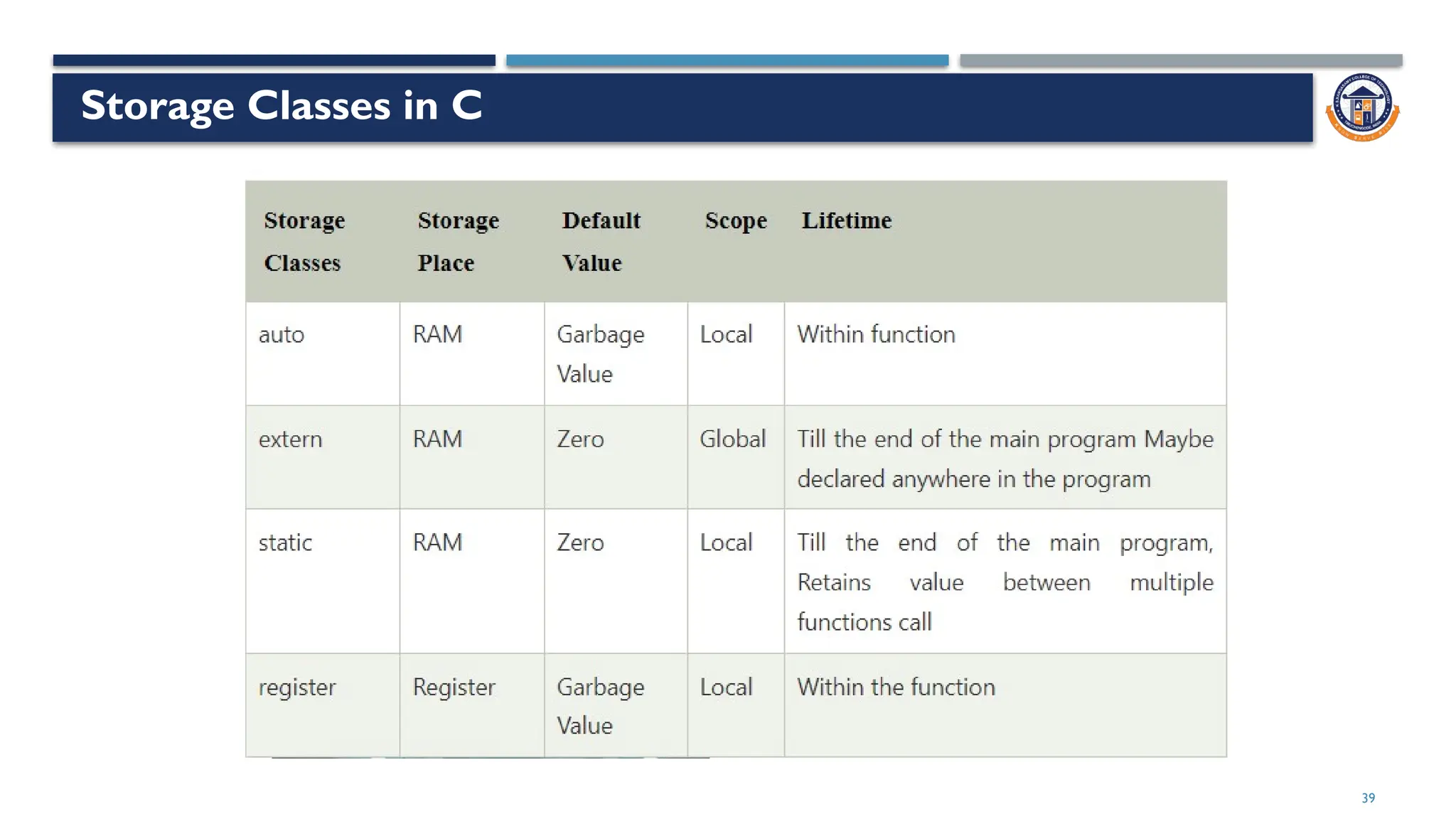
Storage Classes in C
40

C Evaluation Data Types and Variables.pptx

  • 1.
    Dr A GNANABASKARAN Contentby C Programming- Basics of C
  • 2.
  • 3.
    3 Logical Building  Logicbuilding skills are essential for programs.  Logic building is the process of developing logical thinking and problem-solving skills.  If one wishes to be a programmer, he or she needs to keep getting better at developing logic.  Complex and sophisticated algorithms require advanced logic in order for programmers to work with them.  Developers must also learn about data structures, algorithms and programming paradigms.  Another requisite for acquiring logic building skills is being comfortable with solving problems daily.
  • 4.
  • 5.
  • 6.
    6 Enhancing Programming Logic Practice writing a lot of code  Check solutions by other people  Work out solutions  Keep learning new things  Be consistent  Face problems head-on
  • 7.
  • 8.
  • 9.
  • 10.
  • 11.
    11  #include <stdio.h> #include <math.h>  #include <conio.h>  #include <string.h> Header Files
  • 12.
    12 Commonly used PredefinedFunctions  main()  printf()  scanf()  Note: 1. Every C statement ends with a semicolon ; 2. The body of int main() could also been written as: int main(){printf("Hello World!");return 0;} 3. The compiler ignores white spaces. However, multiple lines makes the code more readable.
  • 13.
    13 Escape Sequences Escape SequenceDescription t Creates a horizontal tab n Creates a new line v Creates a vertical tab
  • 14.
    14 C Comments Single-line Comments comments start with two forward slashes (//). C Multi-line Comments  comments start with /* and ends with */. 14
  • 15.
    15 DataTypes  Data typesrefer to the type of data that we are using in a C program.  Whenever we utilize a data type in a C program, we define the variables or functions used in it.  the type of data that is in use, so that the compiler knows exactly what type of data it must expect from the given program.  must use a format specifier 15
  • 16.
    16  Data typesused in C language refer to an extensive system that we use to declare various types of functions or variables in a program.  the space that it occupies in storage, along with the way in which the stored bit pattern will be interpreted Purpose of DataTypes 16
  • 17.
    17 Types of DataTypes 17 DataTypeExample of DataType Primary Data types Floating-point, integer, double, character. Derived DataTypes Union, structure, array, etc. Enumerated DataTypes Enum Void DataType EmptyValue Bool Type True or False
  • 18.
    18 Enumeration (or enum) Enumeration (or enum) is a user defined data type in C.  It is mainly used to assign names to integral constants, the names make a program easy to read and maintain 18 18
  • 19.
  • 20.
    Enum #include<stdio.h> int main() { enum colour{ green, red=5, blue, white, yellow=10, pink }; printf("%d %d %d %d %d %d", green, red, blue, white, yellow, pink); return 0; } Output: 0 5 6 7 10 11
  • 21.
    Enum #include<stdio.h> enum test{A=32766,B,C}; int main() { printf("%d%d %d",A,B,C); return 0; } Output: 32766 32767 32768
  • 22.
  • 23.
    Primary DataTypes Keyword UsedDataType Memory Allocation int Integer 2 bytes/4 bytes float Floating-point 4 bytes void Void 0 byte char Character 1 byte double Double 8 bytes
  • 24.
    DataType Modifiers  datatypes much more specific Here are a few modifiers:  short  long  unsigned  signed
  • 25.
    Range of Valuesof C DataType 25 DataType Format Specifier Minimal Range Typical Bit Size unsigned char %c 0 to 255 8 char %c -127 to 127 8 signed char %c -127 to 127 8 int %d, %i -32,767 to 32,767 16 or 32 unsigned int %u 0 to 65,535 16 or 32 signed int %d, %i Same as int Same as int 16 or 32 short int %hd -32,767 to 32,767 16
  • 26.
    Range of Valuesof C DataType 26 DataType Format Specifier Minimal Range Typical Bit Size unsigned short int %hu 0 to 65,535 16 signed short int %hd Same as short int 16 long int %ld, %li -2,147,483,647 to 2,147,483,647 32 long long int %lld, %lli -(263 – 1) to 263 – 1 (It will be added by the C99 standard) 64 signed long int %ld, %li Same as long int 32 unsigned long int %lu 0 to 4,294,967,295 32 unsigned long long int %llu 264 – 1 (It will be added by the C99 standard) 64
  • 27.
    Range of Valuesof C DataType 27 float %f 1E-37 to 1E+37 along with six digits of the precisions here 32 double %lf 1E-37 to 1E+37 along with six digits of the precisions here 64 long double %Lf 1E-37 to 1E+37 along with six digits of the precisions here 80
  • 28.
    Out of Range #include <stdio.h>  int main()  {  // the maximum value allowed in the signed short int is 32767  signed short int x = 34767;  return 0;  }  The generated output for this program would be:  warning: very large integer value implicitly truncated to signed type [-Woverflow]  signed short int x = 34767; 28
  • 29.
  • 30.
    Variables  A variableis a name of the memory location.  It is used to store data. Its value can be changed, and it can be reused many times.  Syntax:  type variable_list; 30 Valid variable names: Invalid variable names: int a; int _ab; int a30; int 2; int a b; int long;
  • 31.
    Types of Variablesin C  Local Variable  GlobalVariable  Static Variable  AutomaticVariable  External Variable 31
  • 32.
    32 LocalVariable  A variablethat is declared inside the function or block is called a local variable.  It must be declared at the start of the block.  Example: void function1() { int x=10;//local variable }
  • 33.
    33 LocalVariable int function1() { int x=10;//localvariable return x; } main() { printf(“%d”,function1()); return 0; }
  • 34.
    34 GlobalVariable  A variablethat is declared outside the function or block is called a global variable.  Any function can change the value of the global variable. It is available to all the functions.  It must be declared at the start of the block.  Example: int value=20;//global variable void function1() { int x=10;//local variable }
  • 35.
    35 GlobalVariable #include <stdio.h> int count= 0; void my_function() { count++; printf("Function called %d timesn", count); } int main() { my_function(); my_function(); my_function(); return 0; }
  • 36.
    36 Static Variable  Avariable that is declared with the static keyword is called static variable.  It retains its value between multiple function calls. #include <stdio.h> int main() { printf("%d",func()); printf("n%d",func()); return 0; } int func() { static int count=0; count++; return count; }
  • 37.
    37 Automatic Variable  Allvariables in C that are declared inside the block, are automatic variables by default.We can explicitly declare an automatic variable using auto keyword.  Example: void main() { int x=10;//local variable (also automatic) auto int y=20;//automatic variable }
  • 38.
    38 External Variable  avariable in multiple C source files by using an external variable.To declare an external variable, you need to use extern keyword.  extern int x=10;//external variable (also global)  Note: extern only declares the variable but it doesn't allocate any memory for this variable.  program1.c  #include "myfile.h"  #include <stdio.h>  void printValue()  {  printf("Global variable: %d", global_variable);  }
  • 39.
  • 40.