APIs are Cool
Create them with Node.js and MongoDB
Charlie Key
@zwigby
charlie@modulus.io
What is an API?
Application Programming Interface
API is a set of routines, protocols, and tools for building software
applications. The API specifies how software components should interact
and APIs are used when programming graphical user interface (GUI)
components.
A good API makes it easier to develop a program by providing all the
building blocks. A programmer then puts the blocks together.
http://www.webopedia.com/TERM/A/API.html
Build APIs to Create
Applications Faster
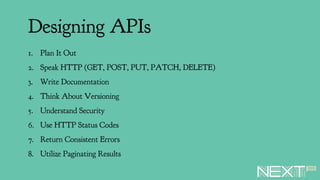
Designing APIs
1. Plan It Out
2. Speak HTTP (GET, POST, PUT, PATCH, DELETE)
3. Write Documentation
4. Think About Versioning
5. Understand Security
6. Use HTTP Status Codes
7. Return Consistent Errors
8. Utilize Paginating Results
Documenting Your API
Small Sidebar
It can be great to “blueprint” your API before building.
Let’s Get to Work
The API of the Day
Let’s build an API to keep track of our favorite companies.
Maybe a bit contrived but will include CRUD methods so gets to the point.
Mobile
App
Backend
Express mongoose
REST
API
Calls
Architecture Overview
Company Model
Properties of a Company
• Name
• Description
• Location
• Founded Date
• Stock Ticker
Setup Project
> mkdir my-new-project && cd my-new-project
> npm init
> npm install express --SE
> npm install body-parser --SE
> npm install mongoose --SE
> touch index.js
> mkdir routes
> mkdir models
Create MongoDB Database
1. Create a New Database
2. Name that Database
3. Decide on Region
4. Enter Default Username
5. Enter Default Password
6. Click Button
Demo
Consuming from Client
Lots of options for consuming
• Web Frontend
• Native Mobile
• Desktop App
• NativeScript
NativeScript
Easy to consume REST API
http.getJSON("http://localhost:3000/company").then(function (r) {
// Add companies to list
for(var i = 0; i < r.length; i++) {
companies.push(r[i]);
}
}, function (e) {
// Argument (e) is Error!
console.log(e);
done(e);
});
Demo App
Additional Thinkers
Authentication of API
• Passport npm Module
Testing
• Mocha npm Module
• Chai npm Module
Questions?
Charlie Key
@zwigby
charlie@modulus.io

Building APIs with Node.js and MonogDB

  • 1.
    APIs are Cool Createthem with Node.js and MongoDB Charlie Key @zwigby charlie@modulus.io
  • 2.
    What is anAPI? Application Programming Interface API is a set of routines, protocols, and tools for building software applications. The API specifies how software components should interact and APIs are used when programming graphical user interface (GUI) components. A good API makes it easier to develop a program by providing all the building blocks. A programmer then puts the blocks together. http://www.webopedia.com/TERM/A/API.html
  • 3.
    Build APIs toCreate Applications Faster
  • 4.
    Designing APIs 1. PlanIt Out 2. Speak HTTP (GET, POST, PUT, PATCH, DELETE) 3. Write Documentation 4. Think About Versioning 5. Understand Security 6. Use HTTP Status Codes 7. Return Consistent Errors 8. Utilize Paginating Results
  • 5.
    Documenting Your API SmallSidebar It can be great to “blueprint” your API before building.
  • 6.
  • 7.
    The API ofthe Day Let’s build an API to keep track of our favorite companies. Maybe a bit contrived but will include CRUD methods so gets to the point.
  • 8.
  • 9.
    Company Model Properties ofa Company • Name • Description • Location • Founded Date • Stock Ticker
  • 10.
    Setup Project > mkdirmy-new-project && cd my-new-project > npm init > npm install express --SE > npm install body-parser --SE > npm install mongoose --SE > touch index.js > mkdir routes > mkdir models
  • 11.
    Create MongoDB Database 1.Create a New Database 2. Name that Database 3. Decide on Region 4. Enter Default Username 5. Enter Default Password 6. Click Button
  • 12.
  • 13.
    Consuming from Client Lotsof options for consuming • Web Frontend • Native Mobile • Desktop App • NativeScript
  • 14.
    NativeScript Easy to consumeREST API http.getJSON("http://localhost:3000/company").then(function (r) { // Add companies to list for(var i = 0; i < r.length; i++) { companies.push(r[i]); } }, function (e) { // Argument (e) is Error! console.log(e); done(e); });
  • 15.
  • 16.
    Additional Thinkers Authentication ofAPI • Passport npm Module Testing • Mocha npm Module • Chai npm Module
  • 17.