iOS Dev Scout - May Meetup

                         Building A Siri-like Application
                        Subhransu Behera (Subh) - iOS Application Architect in SAP


                                                           Twitter : @subhransu
                                                           Blog : http://subhb.org
                                                           Email : subhransu.behera@sap.com

Wednesday, May 30, 12
About Me
                        •   iOS and Ruby Developer

                        •   Have passion for Mobile, Web and Smart TV Apps.

                        •   Started as a Linux Developer, fell in love with Ruby, happily
                            married to iOS

                        •   M.S. in Software Systems from BITS, Bachelors in Information
                            Technology from BPUT, Graduated from Founder Institute

                        •   Worked both in early stage startup and fortune 500
                            companies including one from MIT, Media-Labs. Currently
                            working SAP APJ Mobility CoE making enterprises run their
                            mobile Apps.
Wednesday, May 30, 12
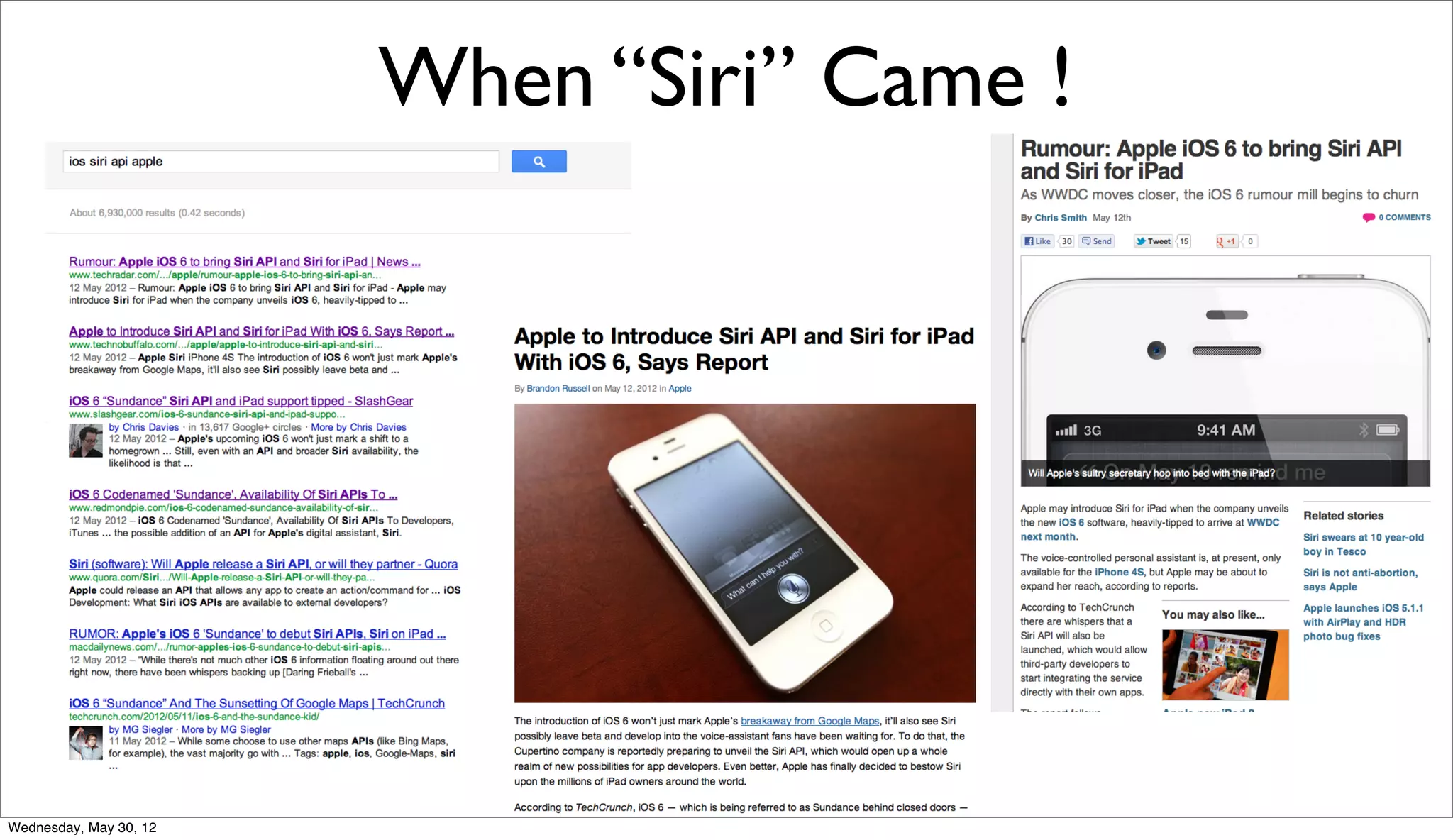
When “Siri” Came !


Wednesday, May 30, 12
No Official Siri APIs Yet
          •      Needed to use it for an Electric Vehicle Application

          •      There are few Open Source SDK:

                        •   OpenEars: http://www.politepix.com/openears

                        •   iSpeech: https://www.ispeech.org/developers

                        •   Dragon Speech Kit (Nuance) : http://
                            dragonmobile.nuancemobiledeveloper.com/public/index.php?
                            task=home


Wednesday, May 30, 12
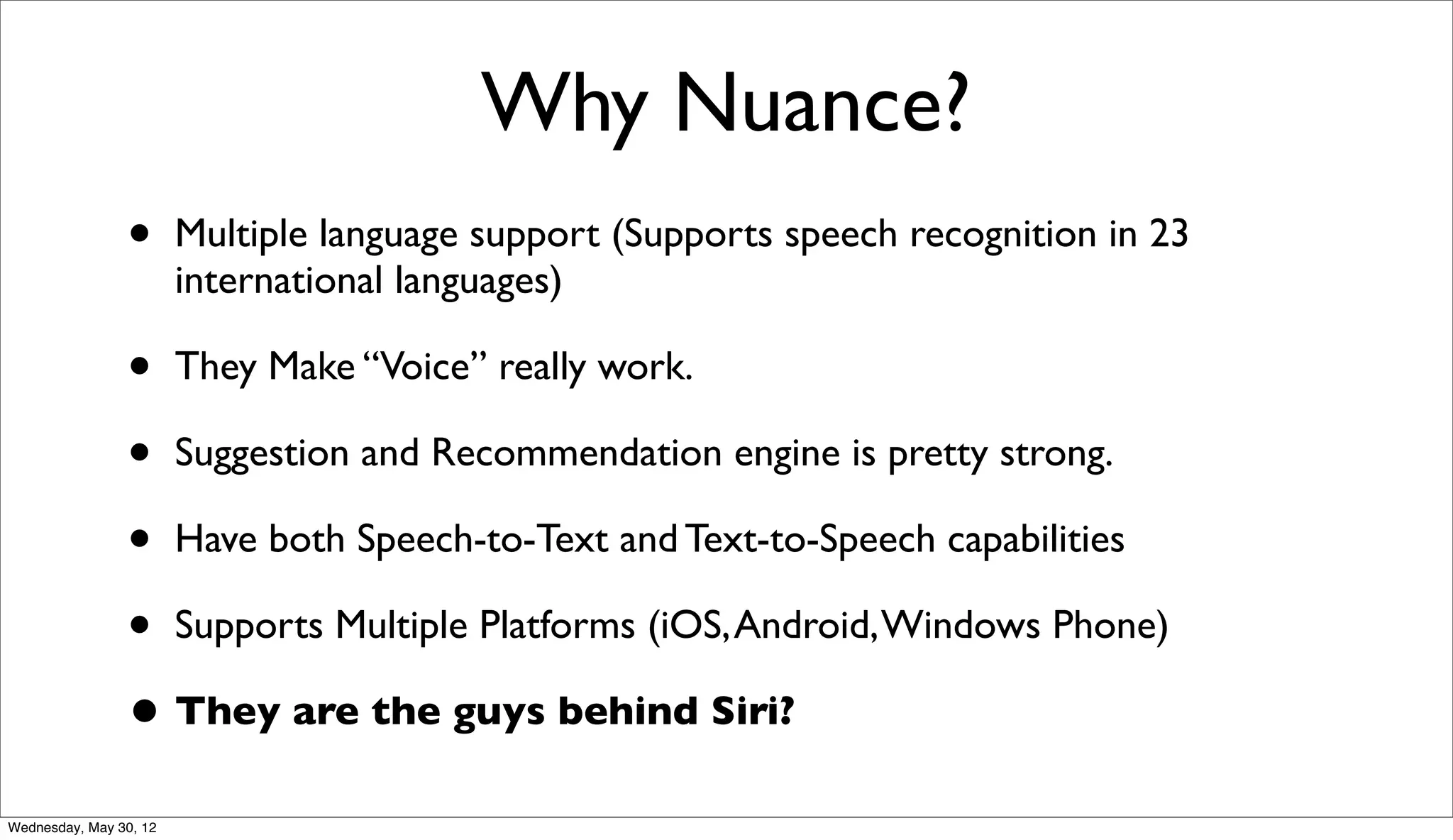
Why Nuance?
                •       Multiple language support (Supports speech recognition in 23
                        international languages)

                • They Make “Voice” really work.
                • Suggestion and Recommendation engine is pretty strong.
                • Have both Speech-to-Text and Text-to-Speech capabilities
                • Supports Multiple Platforms (iOS, Android, Windows Phone)
                • They are the guys behind Siri?
Wednesday, May 30, 12
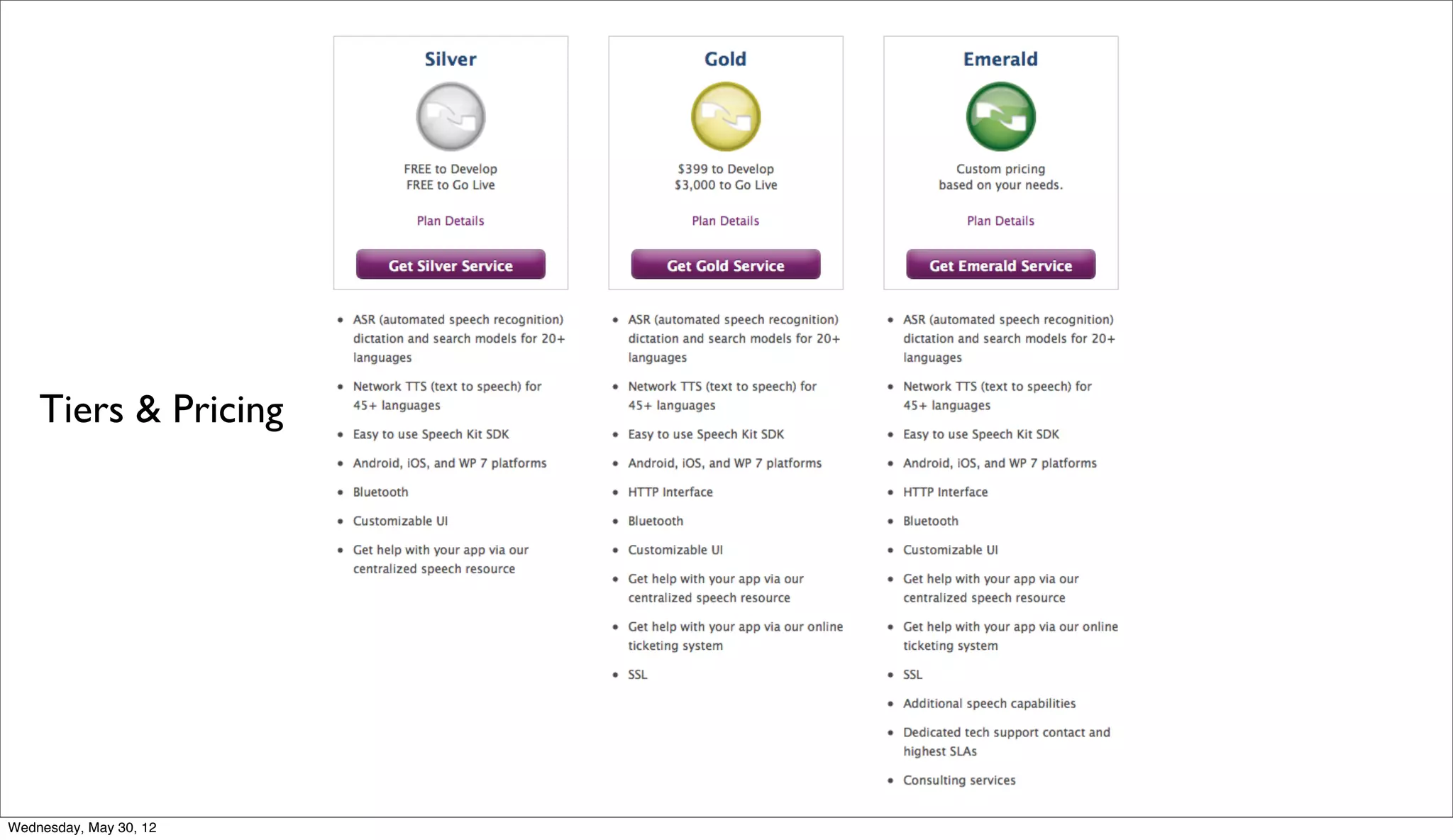
Tiers & Pricing


Wednesday, May 30, 12
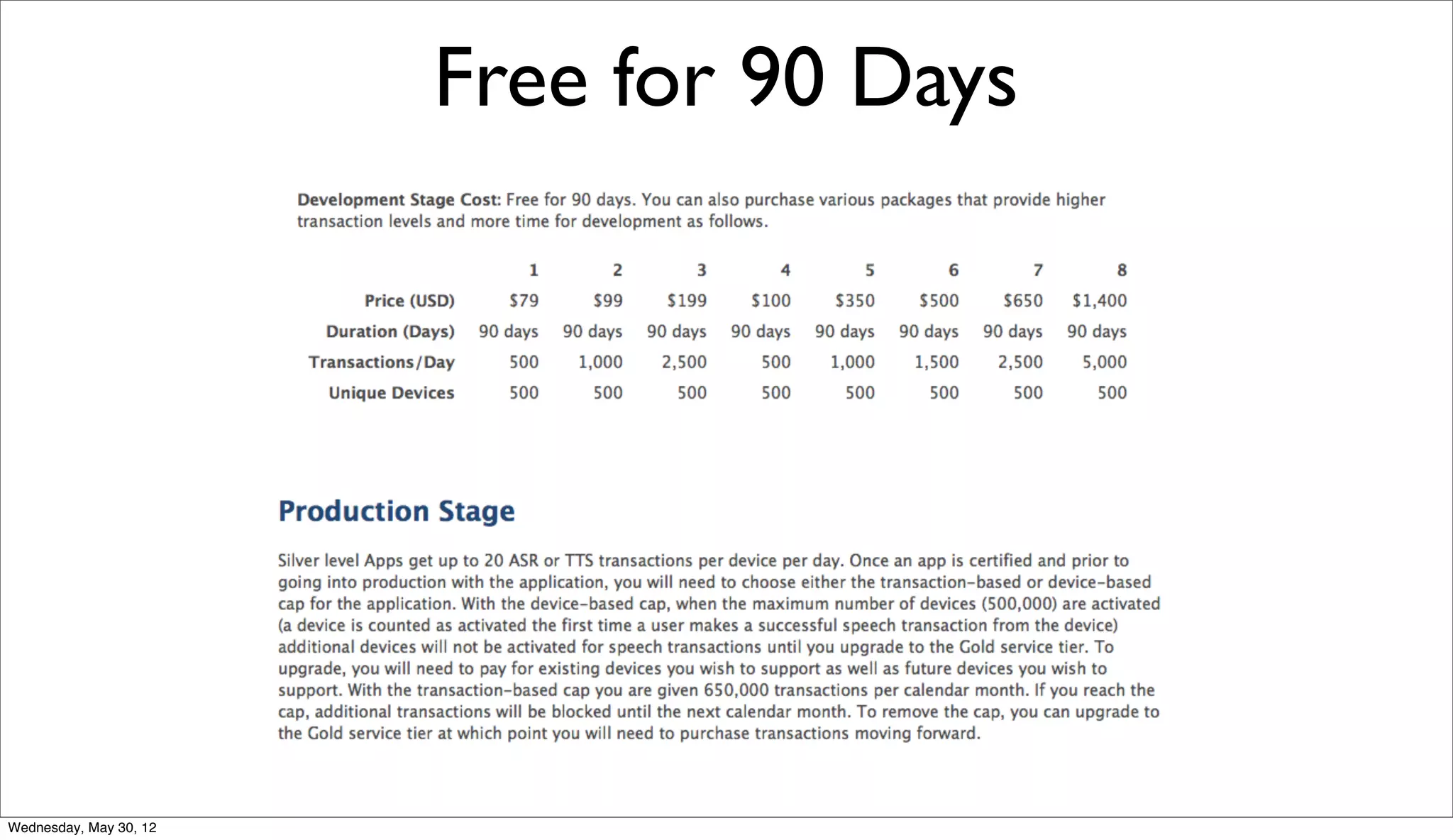
Free for 90 Days


Wednesday, May 30, 12
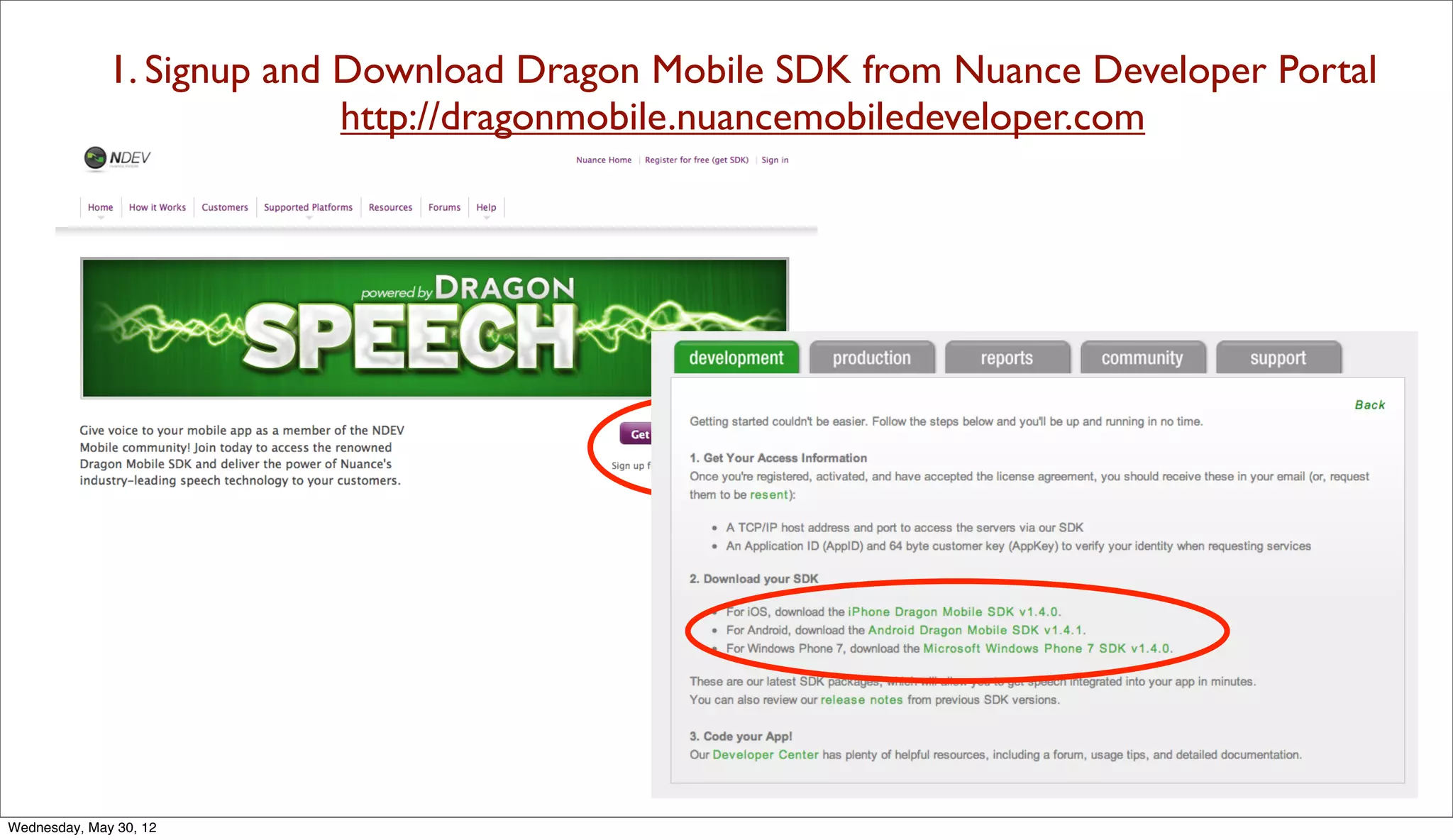
1. Signup and Download Dragon Mobile SDK from Nuance Developer Portal
                            http://dragonmobile.nuancemobiledeveloper.com


Wednesday, May 30, 12
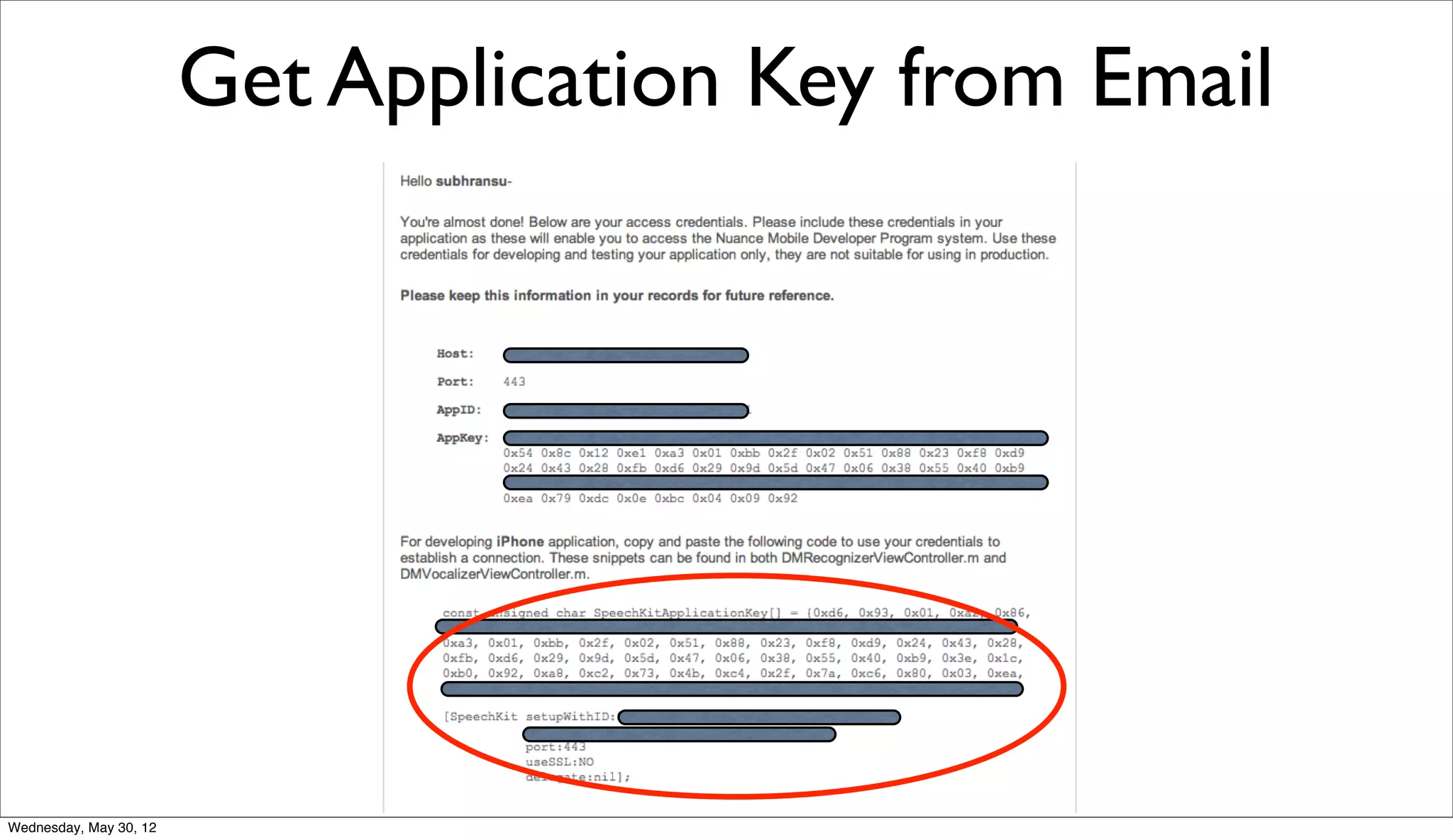
Get Application Key from Email


Wednesday, May 30, 12
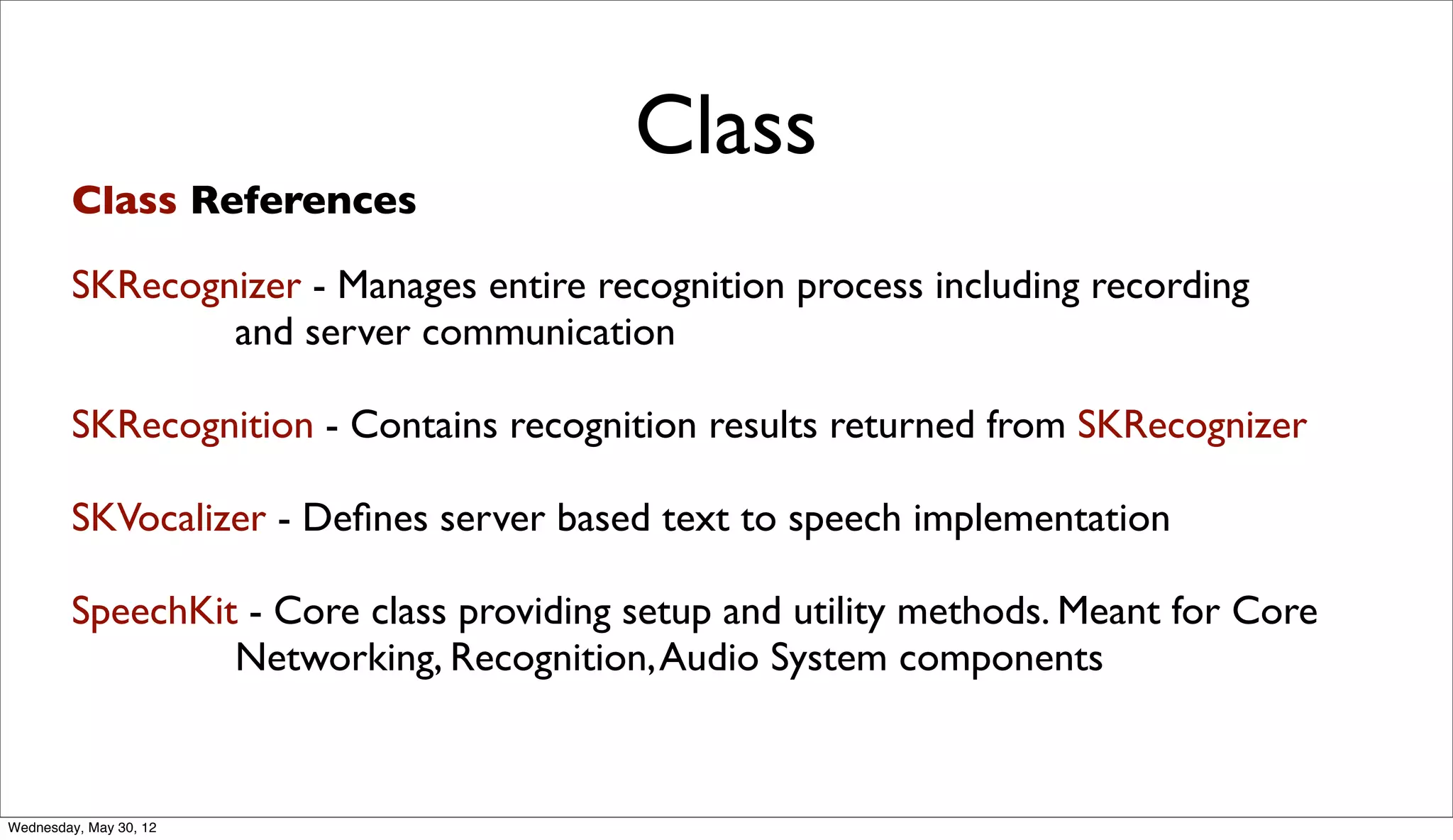
Class
         Class References

        SKRecognizer - Manages entire recognition process including recording
                and server communication

        SKRecognition - Contains recognition results returned from SKRecognizer

        SKVocalizer - Defines server based text to speech implementation

        SpeechKit - Core class providing setup and utility methods. Meant for Core
                 Networking, Recognition, Audio System components


Wednesday, May 30, 12
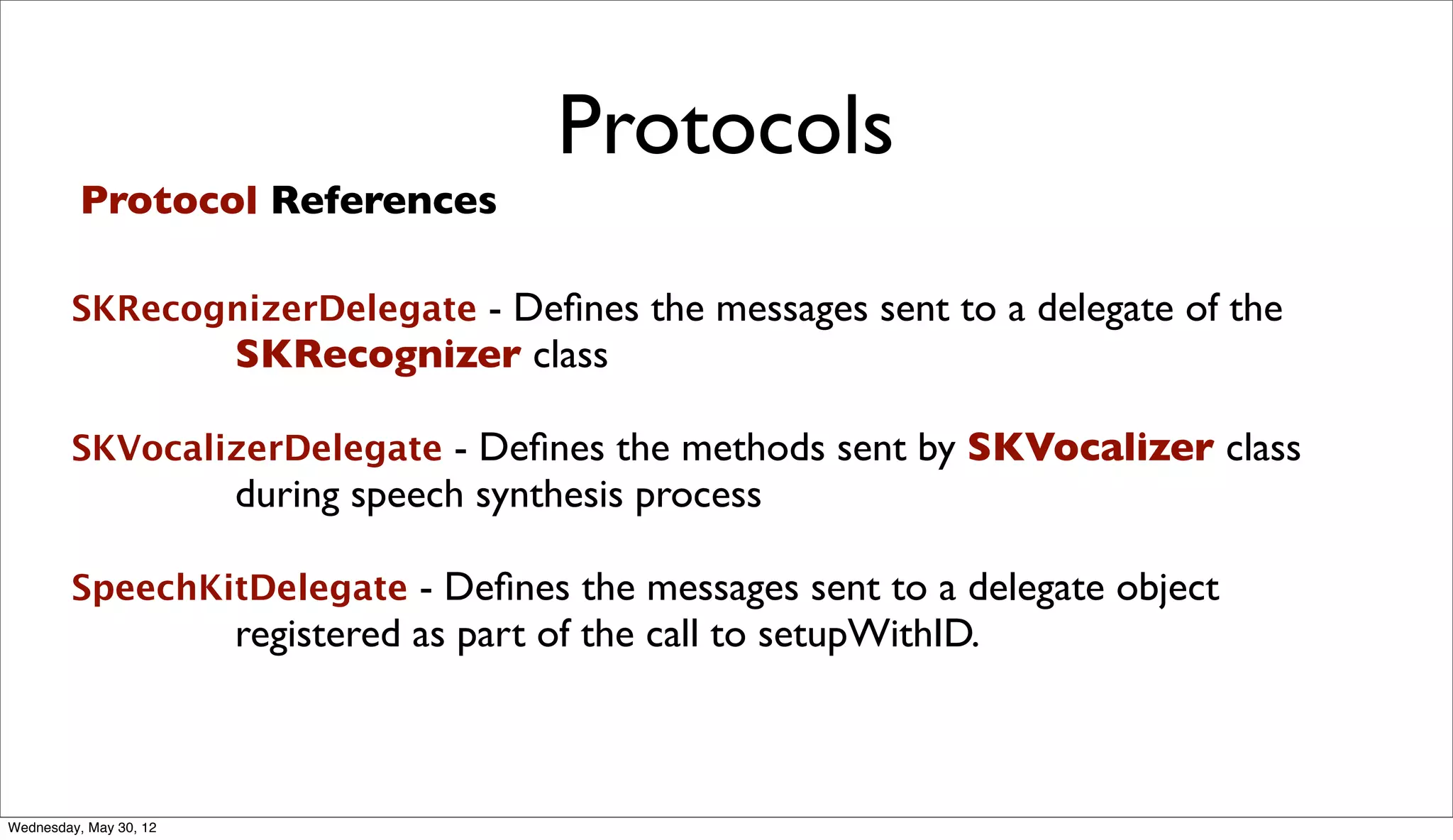
Protocols
          Protocol References

        SKRecognizerDelegate - Defines the messages sent to a delegate of the
                        SKRecognizer class

        SKVocalizerDelegate - Defines the methods sent by SKVocalizer class
                        during speech synthesis process

        SpeechKitDelegate - Defines the messages sent to a delegate object
                        registered as part of the call to setupWithID.


Wednesday, May 30, 12
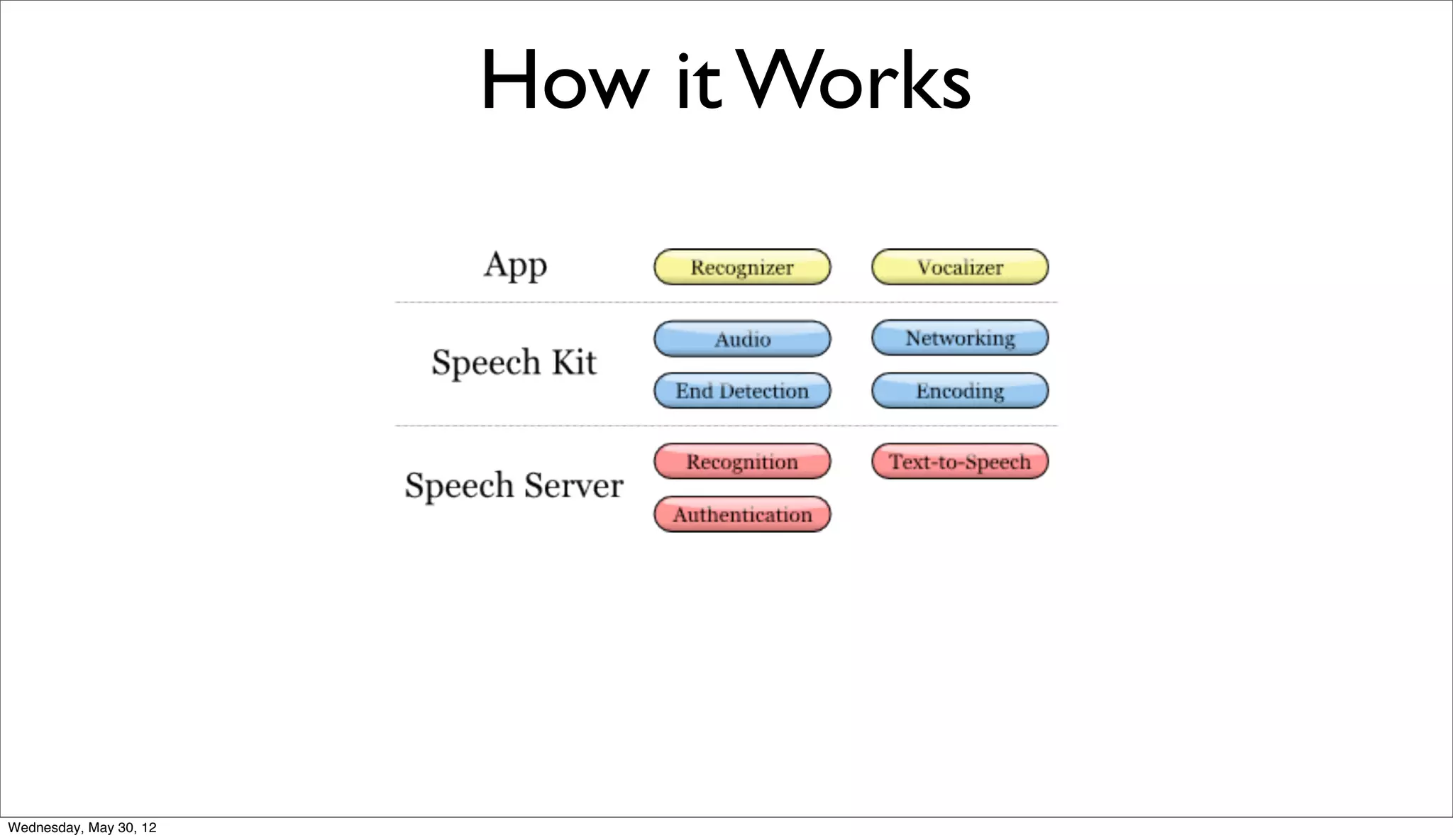
How it Works


Wednesday, May 30, 12
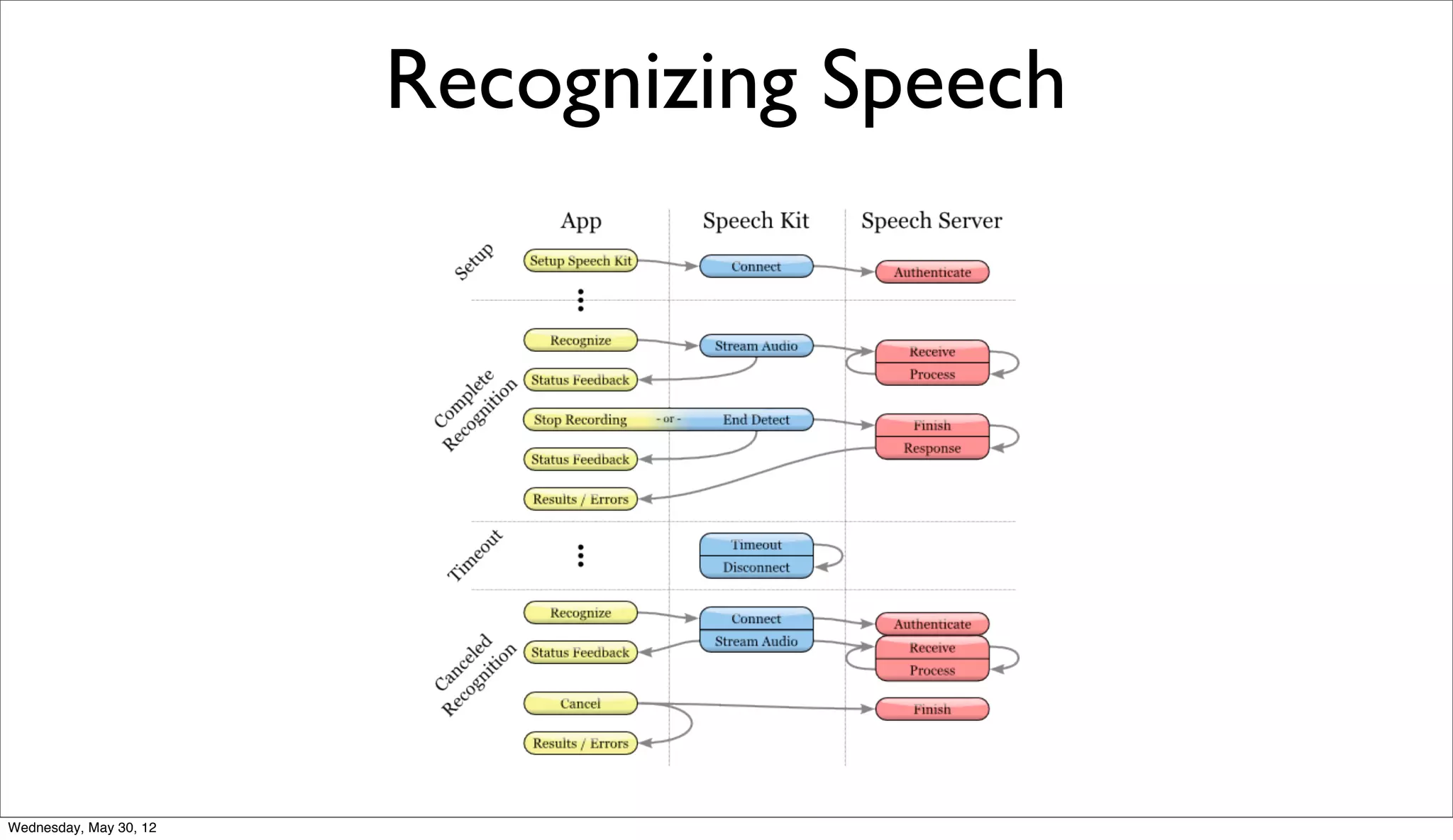
Recognizing Speech


Wednesday, May 30, 12
Sample Speech Recognition App


Wednesday, May 30, 12
Step-by-step Guide

          • Open the file Classes/DMRecognizerViewController. Replace
               the SpeechKitApplicationKey[] value with your key.

          • In the setupWithID:host:port:useSSL:delegate:`` method,
               replace the ID parameter with your ID.

          • You should also verify that the host and port provided to that
               method match the host and port provided in the portal.

          • You can now run the application: connect your device and select
               Build and Run.


                                                                              Main Recognition View
Wednesday, May 30, 12
Main Recognizer View
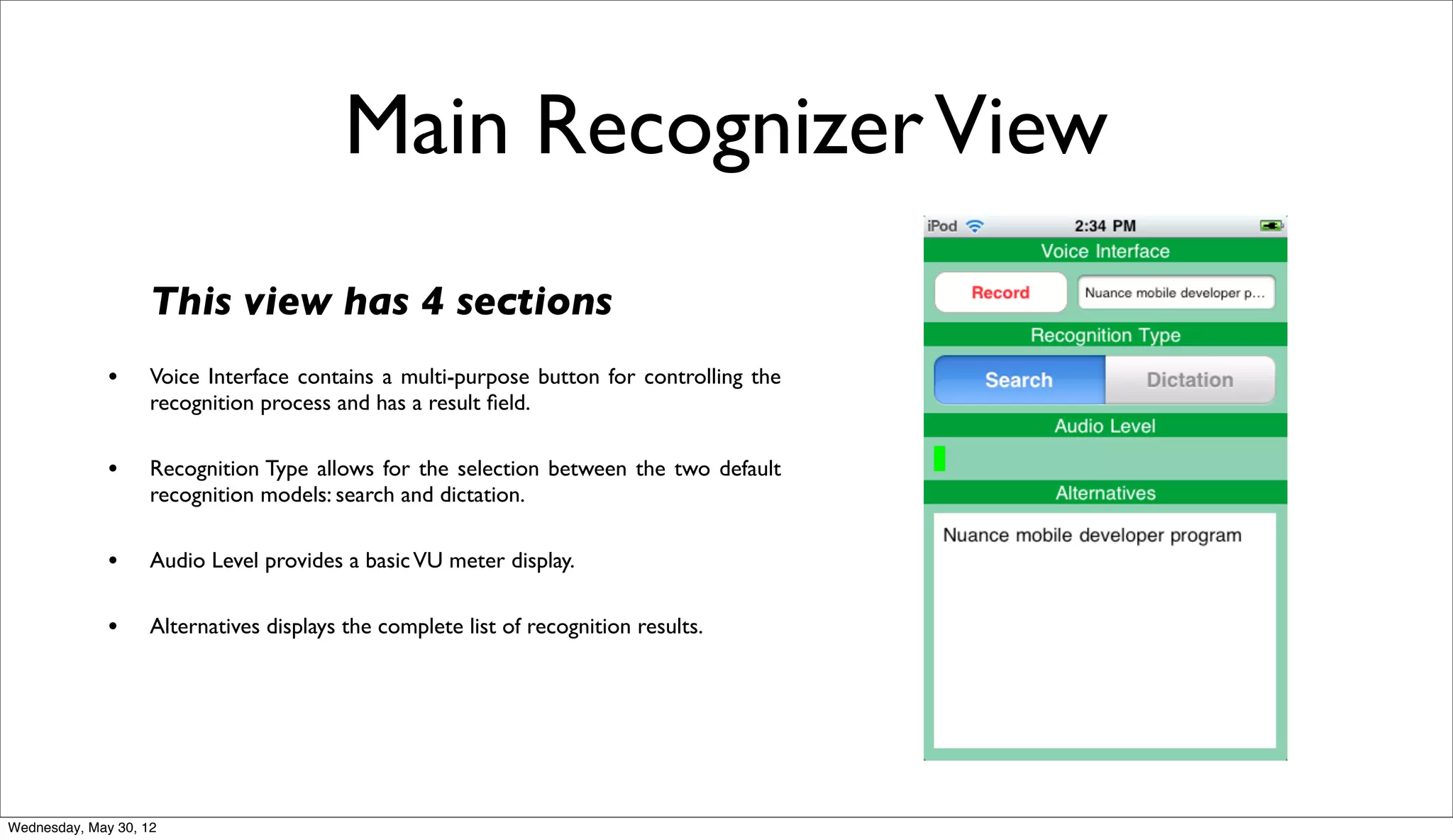
                    This view has 4 sections
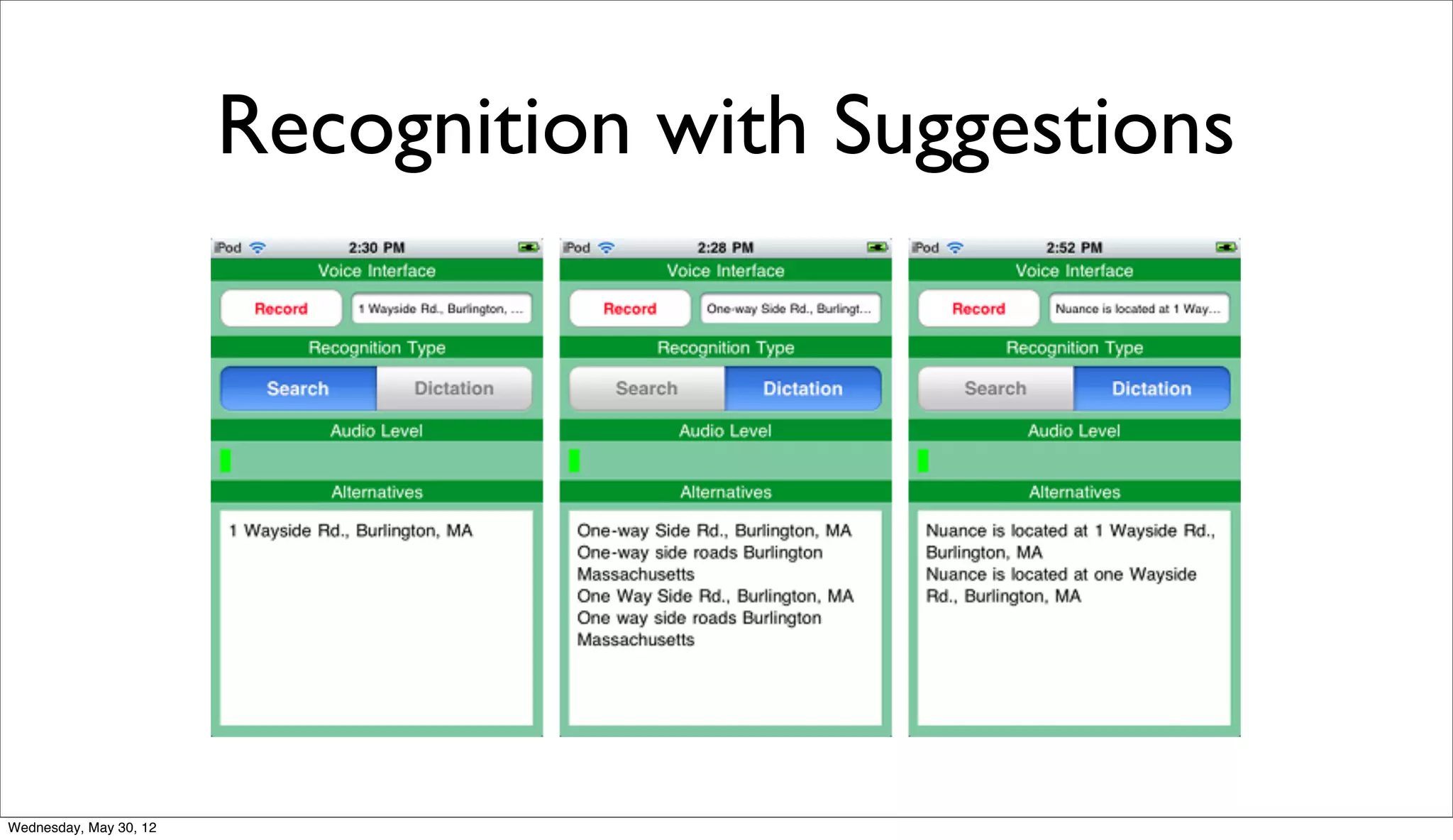
              •     Voice Interface contains a multi-purpose button for controlling the
                    recognition process and has a result field.

              •     Recognition Type allows for the selection between the two default
                    recognition models: search and dictation.

              •     Audio Level provides a basic VU meter display.

              •     Alternatives displays the complete list of recognition results.


Wednesday, May 30, 12
Recognition Logic
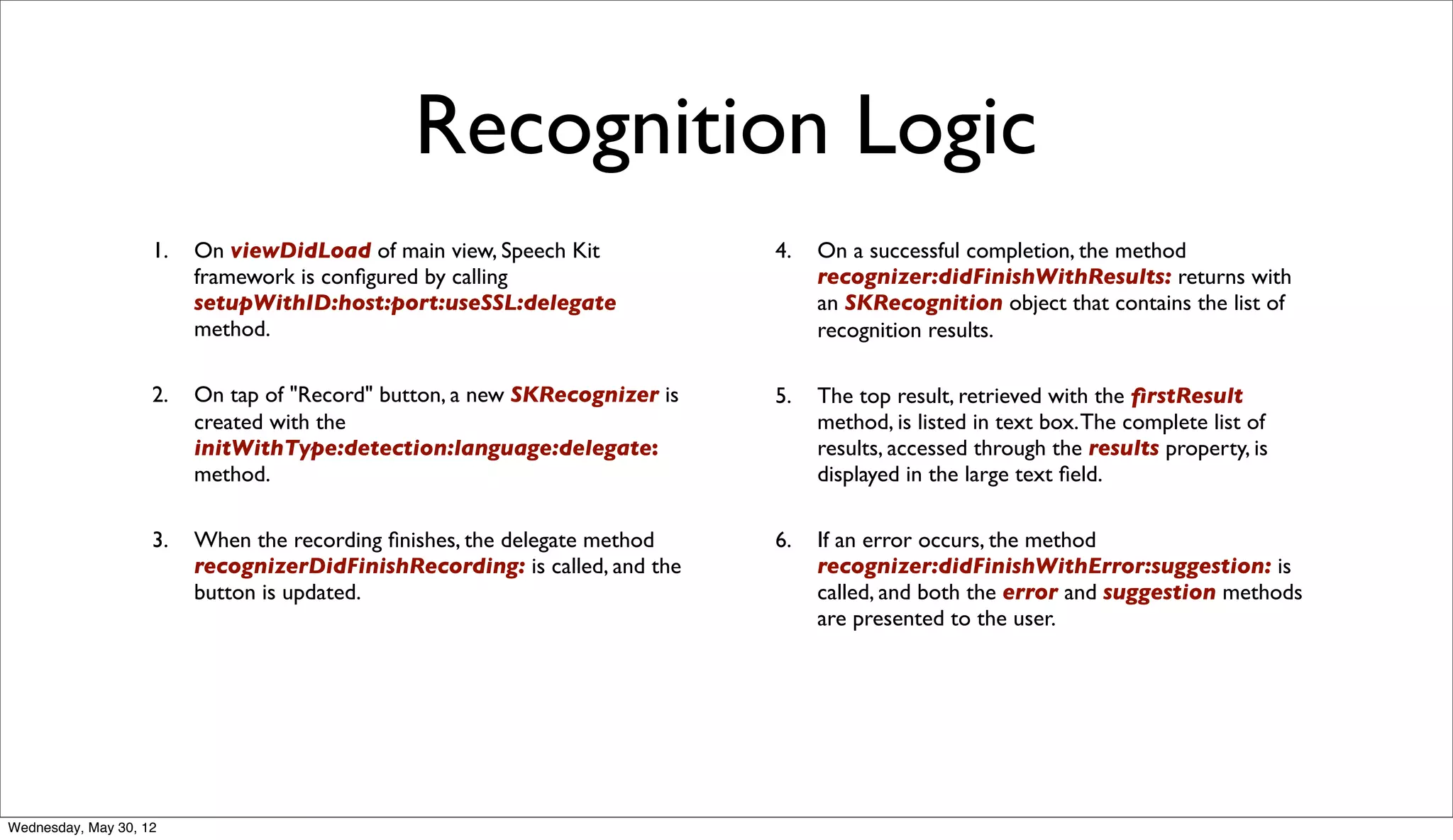
                    1.   On viewDidLoad of main view, Speech Kit            4.   On a successful completion, the method
                         framework is configured by calling                       recognizer:didFinishWithResults: returns with
                         setupWithID:host:port:useSSL:delegate                   an SKRecognition object that contains the list of
                         method.                                                 recognition results.

                    2.   On tap of "Record" button, a new SKRecognizer is   5.   The top result, retrieved with the firstResult
                         created with the                                        method, is listed in text box. The complete list of
                         initWithType:detection:language:delegate:               results, accessed through the results property, is
                         method.                                                 displayed in the large text field.

                    3.   When the recording finishes, the delegate method    6.   If an error occurs, the method
                         recognizerDidFinishRecording: is called, and the        recognizer:didFinishWithError:suggestion: is
                         button is updated.                                      called, and both the error and suggestion methods
                                                                                 are presented to the user.


Wednesday, May 30, 12
Recognition with Suggestions


Wednesday, May 30, 12
Let’s build our Own App


Wednesday, May 30, 12
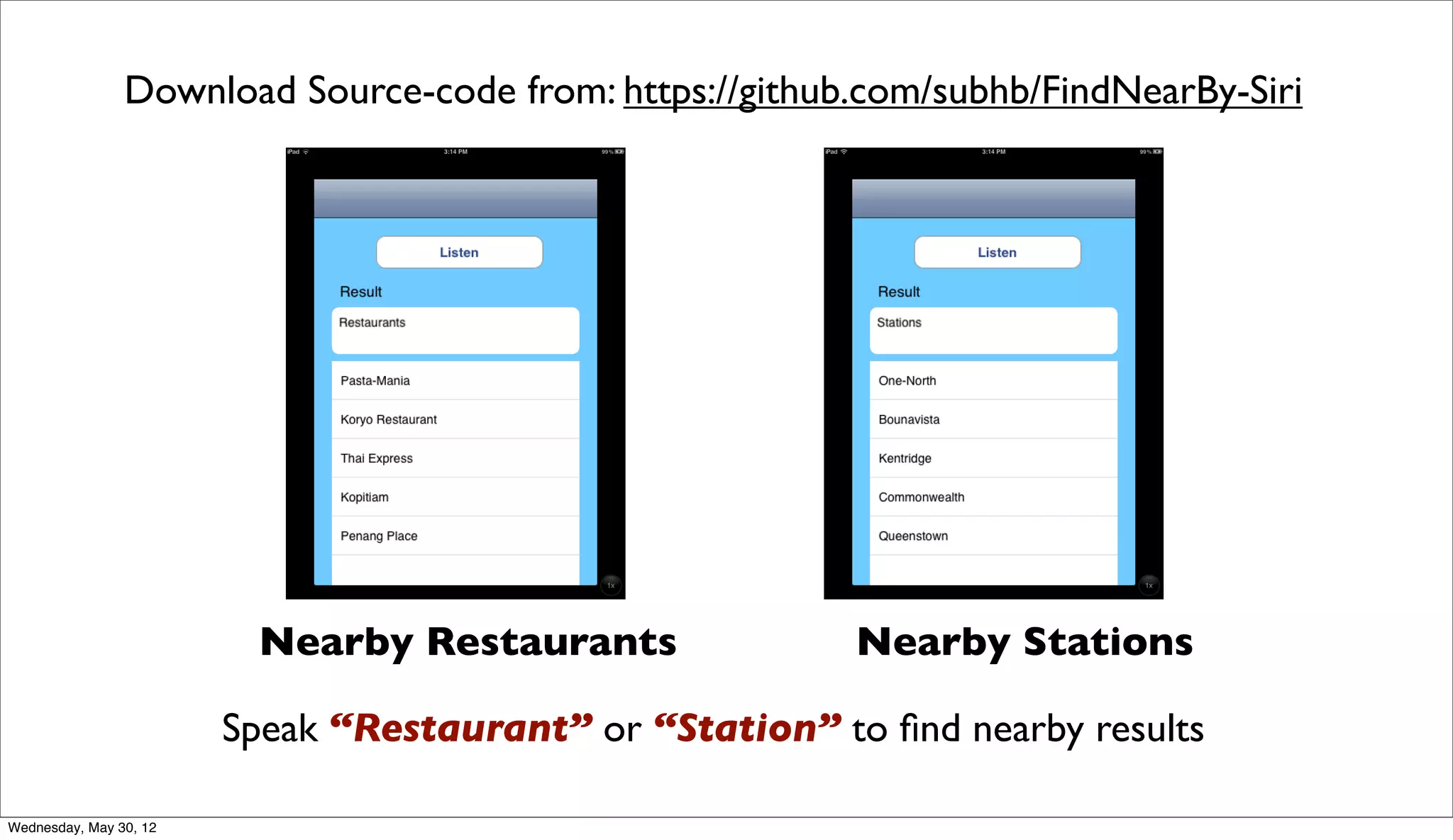
Download Source-code from: https://github.com/subhb/FindNearBy-Siri


                         Nearby Restaurants               Nearby Stations

                        Speak “Restaurant” or “Station” to find nearby results

Wednesday, May 30, 12
Twitter Search App Using Nuance
                        http://www.youtube.com/watch?v=ZJILw2iEprE


Wednesday, May 30, 12
Thank You

                               Twitter : @subhransu
                               Blog : http://subhb.org
                               Email : subhransu.behera@sap.com

Wednesday, May 30, 12

Building a Siri Like Application on iOS

  • 1.
    iOS Dev Scout- May Meetup Building A Siri-like Application Subhransu Behera (Subh) - iOS Application Architect in SAP Twitter : @subhransu Blog : http://subhb.org Email : subhransu.behera@sap.com Wednesday, May 30, 12
  • 2.
    About Me • iOS and Ruby Developer • Have passion for Mobile, Web and Smart TV Apps. • Started as a Linux Developer, fell in love with Ruby, happily married to iOS • M.S. in Software Systems from BITS, Bachelors in Information Technology from BPUT, Graduated from Founder Institute • Worked both in early stage startup and fortune 500 companies including one from MIT, Media-Labs. Currently working SAP APJ Mobility CoE making enterprises run their mobile Apps. Wednesday, May 30, 12
  • 3.
    When “Siri” Came! Wednesday, May 30, 12
  • 4.
    No Official SiriAPIs Yet • Needed to use it for an Electric Vehicle Application • There are few Open Source SDK: • OpenEars: http://www.politepix.com/openears • iSpeech: https://www.ispeech.org/developers • Dragon Speech Kit (Nuance) : http:// dragonmobile.nuancemobiledeveloper.com/public/index.php? task=home Wednesday, May 30, 12
  • 5.
    Why Nuance? • Multiple language support (Supports speech recognition in 23 international languages) • They Make “Voice” really work. • Suggestion and Recommendation engine is pretty strong. • Have both Speech-to-Text and Text-to-Speech capabilities • Supports Multiple Platforms (iOS, Android, Windows Phone) • They are the guys behind Siri? Wednesday, May 30, 12
  • 6.
  • 7.
    Free for 90Days Wednesday, May 30, 12
  • 8.
    1. Signup andDownload Dragon Mobile SDK from Nuance Developer Portal http://dragonmobile.nuancemobiledeveloper.com Wednesday, May 30, 12
  • 9.
    Get Application Keyfrom Email Wednesday, May 30, 12
  • 10.
    Class Class References SKRecognizer - Manages entire recognition process including recording and server communication SKRecognition - Contains recognition results returned from SKRecognizer SKVocalizer - Defines server based text to speech implementation SpeechKit - Core class providing setup and utility methods. Meant for Core Networking, Recognition, Audio System components Wednesday, May 30, 12
  • 11.
    Protocols Protocol References SKRecognizerDelegate - Defines the messages sent to a delegate of the SKRecognizer class SKVocalizerDelegate - Defines the methods sent by SKVocalizer class during speech synthesis process SpeechKitDelegate - Defines the messages sent to a delegate object registered as part of the call to setupWithID. Wednesday, May 30, 12
  • 12.
  • 13.
  • 14.
    Sample Speech RecognitionApp Wednesday, May 30, 12
  • 15.
    Step-by-step Guide • Open the file Classes/DMRecognizerViewController. Replace the SpeechKitApplicationKey[] value with your key. • In the setupWithID:host:port:useSSL:delegate:`` method, replace the ID parameter with your ID. • You should also verify that the host and port provided to that method match the host and port provided in the portal. • You can now run the application: connect your device and select Build and Run. Main Recognition View Wednesday, May 30, 12
  • 16.
    Main Recognizer View This view has 4 sections • Voice Interface contains a multi-purpose button for controlling the recognition process and has a result field. • Recognition Type allows for the selection between the two default recognition models: search and dictation. • Audio Level provides a basic VU meter display. • Alternatives displays the complete list of recognition results. Wednesday, May 30, 12
  • 17.
    Recognition Logic 1. On viewDidLoad of main view, Speech Kit 4. On a successful completion, the method framework is configured by calling recognizer:didFinishWithResults: returns with setupWithID:host:port:useSSL:delegate an SKRecognition object that contains the list of method. recognition results. 2. On tap of "Record" button, a new SKRecognizer is 5. The top result, retrieved with the firstResult created with the method, is listed in text box. The complete list of initWithType:detection:language:delegate: results, accessed through the results property, is method. displayed in the large text field. 3. When the recording finishes, the delegate method 6. If an error occurs, the method recognizerDidFinishRecording: is called, and the recognizer:didFinishWithError:suggestion: is button is updated. called, and both the error and suggestion methods are presented to the user. Wednesday, May 30, 12
  • 18.
  • 19.
    Let’s build ourOwn App Wednesday, May 30, 12
  • 20.
    Download Source-code from:https://github.com/subhb/FindNearBy-Siri Nearby Restaurants Nearby Stations Speak “Restaurant” or “Station” to find nearby results Wednesday, May 30, 12
  • 21.
    Twitter Search AppUsing Nuance http://www.youtube.com/watch?v=ZJILw2iEprE Wednesday, May 30, 12
  • 22.
    Thank You Twitter : @subhransu Blog : http://subhb.org Email : subhransu.behera@sap.com Wednesday, May 30, 12