Budget to Actual
Cuff Account
Dashboard
Definition of Cuff Accounting:
• A term used to describe single entry
accounting methods. Single entry accounting
is, for the most part, self explanatory. It is
used to track income and expenses. It records
each item as it occurs in one entry. This
creates business books and ledgers that are
primarily composed of one column. Positive
numbers are added in normals, while
expenses and cost are put in the column as
subtractions to create a final total.
How to design your specific cuff:
• Each cuff account will most likely be different.
What works for one department may not work
for the next. However, there are basics that apply
to all cuff accounts.
• Determine what your department needs to track. Look at
your budget and line items and know that each one is
important to the overall success of the department.
• Using excel, design a spreadsheet that covers all item of your
budget.
• For each month column, i.e. Jan, Feb, March, you should
have your annual budget amount followed by the amount
used YTD. This number is your ACTUAL. It will change every
time an expense or purchase is added by the department.
The next column will be the Budgeted amount remaining.
BUDGET:
• The First column will be your budgeted amount per line
item (THE BUDGET) . This number will only change at a
new fiscal year or if a line modification is done. In order
to do a modification you MUST go through the budget
officer. A modification can be done for many reasons. If
an employee is added, if an unexpected expense occurs
or any multiple of reasons. Money may be moved from
one line item to another thru the modification process
in order to make each item stay in balance. While this
does not change your overall budget, it does change
the line items budget. The individual line items should
be the guidelines for running an effective department.
Actual column:
• The actual number is constantly changing. The
actual number is a running YTD total. The first
line under that number is your current
monthly actual. The following lines are the
specific charges or bills that total the monthly
actual. The current monthly actual is added to
all previous month’s actuals creating your final
actual total in the 2nd column of each month.
This allows you “at a glance” to see what
current month and YTD expenses are per line
item.
REMAINING BALANCE:
• Your next column will be the difference or the
remaining balance. This is the amount you have
available to use for the rest of the fiscal year. This is
what all Directors should be looking at. Do you have
enough to last the rest of the year, where are you over
spending, in some cases departments are required to
use all funds by year end or loose them, so in some
cases it may mean where do I need to spend money.
You may see you have way to much budgeted for a
particular item and you want to move it to effectively
utilize the available funds for your program. Some
programs do allow carry overs. In this case you can see
or project on next years budget if you will have
additional funds to achieve more goals in the following
fiscal year.
Moving From
Line
To
Line
OPTIONAL PERCENTAGE:
• Some Directors like to see an actual percentage of how
much of the budget has already been used or what
percentage is remaining. This can be a 4th and final
column, if you choose to use it. In the accounting
department we use actual numbers. The percentage
would only be used for your knowledge and to watch
quickly if a specific line item is starting to run low.
Having the ability to, at a glance, be able to see where
you stand makes it easy to make quick and educated
decisions.
Shared Folder:
• By making the layout uniform throughout the
departments, we will be able to help everyone
if an issue arises. It will also allow for any
assistant, director, accounting or even
executive dept. be able to step in and see
where the department stands. Every dept. has
a shared folder that can be seen by approved
personnel. This shared document folder is
where the Cuff account should be kept.
Layout of Shared Folder:
• Cuff Account FY2014
• Report
• January
• February
• March
• April
• May
• June
• July
• August
• September
• October
• November
• December
• The report folder will always be the top file
when you open the “Cuff Account”. This is the
actual report file that most directors will be
interested in viewing. At your fingertips you
will be able to see the exact layout of your
department. You will be able to see if there is
overspending on a certain line, if a particular
item needs to be modified or re-classed to
another line item. Staying on top of this
monthly will allow you to go into year end
successfully.
Report Tab:
Monthly Folders:
• You will then have a list of all of your monthly
folders.
• January
• February
• ECT.
• These are going to provide all the back up for
every adjustment on the cuff account. This is how
you will balance with accounting. Every month
you will have a list of line item’s by number. If you
are questioning something on your utilities, you
would go to that particular line (5350) and you
can see everything that happened in the month.
Jan Feb Mar April May June July Aug Sept Oct Nov Dec
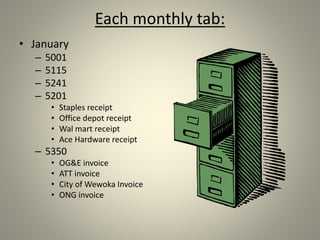
Each monthly tab:
• January
– 5001
– 5115
– 5241
– 5201
• Staples receipt
• Office depot receipt
• Wal mart receipt
• Ace Hardware receipt
– 5350
• OG&E invoice
• ATT invoice
• City of Wewoka Invoice
• ONG invoice
Scanned Images:
• When you pull up file 5350 you will see the list
of all utilities that were paid. If you were
questioning your ATT bill, click on ATT and the
scanned image of the statement will appear. If
there is an error on the bill or if it has been
applied to the wrong line item, you print it off
and have us make the correction. Every line
item that has had a change should have
scanned back up.
Back Up:
• Your scanned back up can be in many different
forms. You could have bills, invoices, receipts,
or the only back up you may have for certain
item’s may be a report from the accounting
system. Wherever you get the numbers you
place on the cuff is what should be scanned in
as your backup. In some cases the back up
may be used on 2 or more line items. If this
happens you save it in each folder that it
affects.
Reasons for Cuff Accounts:
• To see monthly where your expenses are and
what needs to be watched closely.
• To see if you are going to have any unused
money or carry over money for next year.
• To make sure you are staying in federal
guidelines for your program
• To insure coding to the appropriate line
• To make sure all of your payments and
obligations have been made
• To effectively and smoothly run your
department

Budget to Actual Cuff Account

  • 1.
    Budget to Actual CuffAccount Dashboard
  • 2.
    Definition of CuffAccounting: • A term used to describe single entry accounting methods. Single entry accounting is, for the most part, self explanatory. It is used to track income and expenses. It records each item as it occurs in one entry. This creates business books and ledgers that are primarily composed of one column. Positive numbers are added in normals, while expenses and cost are put in the column as subtractions to create a final total.
  • 3.
    How to designyour specific cuff: • Each cuff account will most likely be different. What works for one department may not work for the next. However, there are basics that apply to all cuff accounts. • Determine what your department needs to track. Look at your budget and line items and know that each one is important to the overall success of the department. • Using excel, design a spreadsheet that covers all item of your budget. • For each month column, i.e. Jan, Feb, March, you should have your annual budget amount followed by the amount used YTD. This number is your ACTUAL. It will change every time an expense or purchase is added by the department. The next column will be the Budgeted amount remaining.
  • 4.
    BUDGET: • The Firstcolumn will be your budgeted amount per line item (THE BUDGET) . This number will only change at a new fiscal year or if a line modification is done. In order to do a modification you MUST go through the budget officer. A modification can be done for many reasons. If an employee is added, if an unexpected expense occurs or any multiple of reasons. Money may be moved from one line item to another thru the modification process in order to make each item stay in balance. While this does not change your overall budget, it does change the line items budget. The individual line items should be the guidelines for running an effective department.
  • 5.
    Actual column: • Theactual number is constantly changing. The actual number is a running YTD total. The first line under that number is your current monthly actual. The following lines are the specific charges or bills that total the monthly actual. The current monthly actual is added to all previous month’s actuals creating your final actual total in the 2nd column of each month. This allows you “at a glance” to see what current month and YTD expenses are per line item.
  • 6.
    REMAINING BALANCE: • Yournext column will be the difference or the remaining balance. This is the amount you have available to use for the rest of the fiscal year. This is what all Directors should be looking at. Do you have enough to last the rest of the year, where are you over spending, in some cases departments are required to use all funds by year end or loose them, so in some cases it may mean where do I need to spend money. You may see you have way to much budgeted for a particular item and you want to move it to effectively utilize the available funds for your program. Some programs do allow carry overs. In this case you can see or project on next years budget if you will have additional funds to achieve more goals in the following fiscal year. Moving From Line To Line
  • 7.
    OPTIONAL PERCENTAGE: • SomeDirectors like to see an actual percentage of how much of the budget has already been used or what percentage is remaining. This can be a 4th and final column, if you choose to use it. In the accounting department we use actual numbers. The percentage would only be used for your knowledge and to watch quickly if a specific line item is starting to run low. Having the ability to, at a glance, be able to see where you stand makes it easy to make quick and educated decisions.
  • 8.
    Shared Folder: • Bymaking the layout uniform throughout the departments, we will be able to help everyone if an issue arises. It will also allow for any assistant, director, accounting or even executive dept. be able to step in and see where the department stands. Every dept. has a shared folder that can be seen by approved personnel. This shared document folder is where the Cuff account should be kept.
  • 9.
    Layout of SharedFolder: • Cuff Account FY2014 • Report • January • February • March • April • May • June • July • August • September • October • November • December
  • 10.
    • The reportfolder will always be the top file when you open the “Cuff Account”. This is the actual report file that most directors will be interested in viewing. At your fingertips you will be able to see the exact layout of your department. You will be able to see if there is overspending on a certain line, if a particular item needs to be modified or re-classed to another line item. Staying on top of this monthly will allow you to go into year end successfully. Report Tab:
  • 11.
    Monthly Folders: • Youwill then have a list of all of your monthly folders. • January • February • ECT. • These are going to provide all the back up for every adjustment on the cuff account. This is how you will balance with accounting. Every month you will have a list of line item’s by number. If you are questioning something on your utilities, you would go to that particular line (5350) and you can see everything that happened in the month. Jan Feb Mar April May June July Aug Sept Oct Nov Dec
  • 12.
    Each monthly tab: •January – 5001 – 5115 – 5241 – 5201 • Staples receipt • Office depot receipt • Wal mart receipt • Ace Hardware receipt – 5350 • OG&E invoice • ATT invoice • City of Wewoka Invoice • ONG invoice
  • 13.
    Scanned Images: • Whenyou pull up file 5350 you will see the list of all utilities that were paid. If you were questioning your ATT bill, click on ATT and the scanned image of the statement will appear. If there is an error on the bill or if it has been applied to the wrong line item, you print it off and have us make the correction. Every line item that has had a change should have scanned back up.
  • 14.
    Back Up: • Yourscanned back up can be in many different forms. You could have bills, invoices, receipts, or the only back up you may have for certain item’s may be a report from the accounting system. Wherever you get the numbers you place on the cuff is what should be scanned in as your backup. In some cases the back up may be used on 2 or more line items. If this happens you save it in each folder that it affects.
  • 15.
    Reasons for CuffAccounts: • To see monthly where your expenses are and what needs to be watched closely. • To see if you are going to have any unused money or carry over money for next year. • To make sure you are staying in federal guidelines for your program • To insure coding to the appropriate line • To make sure all of your payments and obligations have been made • To effectively and smoothly run your department